
edger: differential expression analysis of digital gene expression data User s Guide Yunshun Chen, Davis McCarthy, Mark Robinson, Gordon K.
|
|
|
- Kathleen Berry
- 10 years ago
- Views:
Transcription
1 edger: differential expression analysis of digital gene expression data User s Guide Yunshun Chen, Davis McCarthy, Mark Robinson, Gordon K. Smyth First edition 17 September 2008 Last revised 8 October 2015

2 Contents 1 Introduction Scope Citation How to get help Quick start Overview of capabilities Terminology Aligning reads to a genome Producing a table of read counts Reading the counts from a file The DGEList data class Filtering Normalization Normalization is only necessary for sample-specific effects Sequencing depth RNA composition GC content Gene length Model-based normalization, not transformation Pseudo-counts Negative binomial models Introduction Biological coefficient of variation (BCV) Estimating BCVs Quasi negative binomial Pairwise comparisons between two or more groups (classic) Estimating dispersions Testing for DE genes More complex experiments (glm functionality) Generalized linear models

3 Estimating dispersions Testing for DE genes What to do if you have no replicates Differential expression above a fold-change threshold Gene ontology (GO) and pathway analysis Gene set testing Clustering, heatmaps etc Alternative splicing Specific experimental designs Introduction Two or more groups Introduction Classic approach GLM approach Questions and contrasts A more traditional glm approach An ANOVA-like test for any differences Experiments with all combinations of multiple factors Defining each treatment combination as a group Nested interaction formulas Treatment effects over all times Interaction at any time Additive models and blocking Paired samples Blocking Batch effects Comparisons both between and within subjects Case studies RNA-Seq of oral carcinomas vs matched normal tissue Introduction Reading in the data Annotation Filtering and normalization Data exploration The design matrix Estimating the dispersion Differential expression Gene ontology analysis Setup

4 4.2 RNA-Seq of pathogen inoculated arabidopsis with batch effects Introduction RNA samples Loading the data Filtering and normalization Data exploration The design matrix Estimating the dispersion Differential expression Setup Profiles of unrelated Nigerian individuals Background Loading the data Filtering and normalization Estimating the dispersion Differential expression Gene set testing Setup RNA-Seq profiles of mouse mammary gland Introduction Read alignment and processing Count loading and annotation Filtering and normalization Data exploration The design matrix Estimating the dispersion Differential expression ANOVA-like testing Gene ontology analysis Gene set testing Setup Differential splicing after Pasilla knockdown Introduction RNA-Seq samples Read alignment and processing Count loading and annotation Filtering and normalization Data exploration The design matrix Estimating the dispersion Differential expression

5 Alternative splicing Setup Acknowledgements

6 Chapter 1 Introduction 1.1 Scope This guide provides an overview of the Bioconductor package edger for differential expression analyses of read counts arising from RNA-Seq, SAGE or similar technologies [20]. The package can be applied to any technology that produces read counts for genomic features. Of particular interest are summaries of short reads from massively parallel sequencing technologies such as Illumina TM, 454 or ABI SOLiD applied to RNA-Seq, SAGE-Seq or ChIP-Seq experiments. edger provides statistical routines for assessing differential expression in RNA- Seq experiments or differential marking in ChIP-Seq experiments. The package implements exact statistical methods for multigroup experiments developed by Robinson and Smyth [22, 23]. It also implements statistical methods based on generalized linear models (glms), suitable for multifactor experiments of any complexity, developed by McCarthy et al. [13] and Lund et al. [11]. Sometimes we refer to the former exact methods as classic edger, and the latter as glm edger. However the two sets of methods are complementary and can often be combined in the course of a data analysis. Most of the glm functions can be identified by the letters glm as part of the function name. A particular feature of edger functionality, both classic and glm, are empirical Bayes methods that permit the estimation of gene-specific biological variation, even for experiments with minimal levels of biological replication. edger can be applied to differential expression at the gene, exon, transcript or tag level. In fact, read counts can be summarized by any genomic feature. edger analyses at the exon level are easily extended to detect differential splicing or isoform-specific differential expression. This guide begins with brief overview of some of the key capabilities of package, and then gives a number of fully worked case studies, from counts to lists of genes. 5

7 1.2 Citation The edger package implements statistical methods from the following publications. Please try to cite the appropriate articles when you publish results obtained using the software, as such citation is the main means by which the authors receive credit for their work. Robinson, MD, and Smyth, GK (2008). Small sample estimation of negative binomial dispersion, with applications to SAGE data. Biostatistics 9, Proposed the idea of sharing information between genes by estimating the negative binomial variance parameter globally across all genes. This made the use of negative binomial models practical for RNA-Seq and SAGE experiments with small to moderate numbers of replicates. Introduced the terminology dispersion for the variance parameter. Proposed conditional maximum likelihood for estimating the dispersion, assuming common dispersion across all genes. Developed an exact test for differential expression appropriate for the negative binomially distributed counts. Despite the official publication date, this was the first of the papers to be submitted and accepted for publication. Robinson, MD, and Smyth, GK (2007). Moderated statistical tests for assessing differences in tag abundance. Bioinformatics 23, Introduced empirical Bayes moderated dispersion parameter estimation. This is a crucial improvement on the previous idea of estimating the dispersions from a global model, because it permits gene-specific dispersion estimation to be reliable even for small samples. Gene-specific dispersion estimation is necessary so that genes that behave consistently across replicates should rank more highly than genes that do not. Robinson, MD, McCarthy, DJ, Smyth, GK (2010). edger: a Bioconductor package for differential expression analysis of digital gene expression data. Bioinformatics 26, Announcement of the edger software package. Introduced the terminology coefficient of biological variation. Robinson, MD, and Oshlack, A (2010). A scaling normalization method for differential expression analysis of RNA-seq data. Genome Biology 11, R25. Introduced the idea of model-based scale normalization of RNA-Seq data. Proposed TMM normalization. McCarthy, DJ, Chen, Y, Smyth, GK (2012). Differential expression analysis of multifactor RNA-Seq experiments with respect to biological variation. Nucleic Acids Research 40, Extended negative binomial differential expression methods to glms, making the methods applicable to general experiments. Introduced the use of Cox-Reid approximate 6

8 conditional maximum likelihood for estimating the dispersion parameters, and used this for empirical Bayes moderation. Developed fast algorithms for fitting glms to thousands of genes in parallel. Gives a more complete explanation of the concept of biological coefficient of variation. Lund, SP, Nettleton, D, McCarthy, DJ, Smyth, GK (2012). Detecting differential expression in RNA-sequence data using quasi-likelihood with shrunken dispersion estimates. Statistical Applications in Genetics and Molecular Biology Volume 11, Issue 5, Article 8. This paper explains the glmqlftest function, which is an alternative to glmlrt, and which replaces the chisquare approximation to the likelihood ratio statistic with a quasi-likelihood F-test. Chen, Y, Lun, ATL, and Smyth, GK (2014). Differential expression analysis of complex RNA-seq experiments using edger. In: Statistical Analysis of Next Generation Sequence Data, Somnath Datta and Daniel S Nettleton (eds), Springer, New York. This paper explains the estimatedisp function. 1.3 How to get help Most questions about edger will hopefully be answered by the documentation or references. If you ve run into a question which isn t addressed by the documentation, or you ve found a conflict between the documentation and software itself, then there is an active support community that can offer help. The edger authors always appreciate receiving reports of bugs in the package functions or in the documentation. The same goes for well-considered suggestions for improvements. All other questions or problems concerning edger should be posted to the Bioconductor support site Please send requests for general assistance and advice to the support site rather than to the individual authors. Posting questions to the Bioconductor mailing list has a number of advantages. First, the mailing list includes a community of experienced edger users who can answer most common questions. Second, the edger authors try hard to ensure that any user posting to Bioconductor receives assistance. Third, the mailing list allows others with the same sort of questions to gain from the answers. Users posting to the mailing list for the first time will find it helpful to read the posting guide at Note that each function in edger has its own online help page. For example, a detailed description of the arguments and output of the exacttest function can be read by typing?exacttest or help(exacttest) at the R prompt. If you have a question about any particular function, reading the function s help page will often answer the question very quickly. In any case, it is good etiquette to check the relevant help page first before posting a question to the support site. 7

9 The authors do occasionally answer questions posted to other forums, such as SEQAnswers, but it is not possible to do this on a regular basis. Please don t post the same question to multiple forums at the same time, for example to SEQAnswers as well as to Bioconductor. This wastes the time of volunteers if they answer both threads, or leaves one or both of the threads hanging if they don t. 1.4 Quick start edger offers many variants on analyses. In general, the glm pipeline is recommended as it offers great flexibilities. There are two testing methods under the glm framework: likelihood ratio test and quasi-likelihood F-test. The details of these two methods are described in Chapter 2. A typical edger analysis might look like the following. Here we assume there are four RNA-Seq libraries in two groups, and the counts are stored in a tab-delimited text file, with gene symbols in a column called Symbol. To perform quasi-likelihood F-tests: > x <- read.delim("fileofcounts.txt",row.names="symbol") > group <- factor(c(1,1,2,2)) > y <- DGEList(counts=x,group=group) > y <- calcnormfactors(y) > design <- model.matrix(~group) > y <- estimatedisp(y,design) > fit <- glmqlfit(y,design) > qlf <- glmqlftest(fit,coef=2) > toptags(qlf) To perform likelihood ratio tests: > fit <- glmfit(y,design) > lrt <- glmlrt(fit,coef=2) > toptags(lrt) 8

10 Chapter 2 Overview of capabilities 2.1 Terminology edger performs differential abundance analysis for pre-defined genomic features. Although not strictly necessary, it usually desirable that these genomic features are non-overlapping. For simplicity, we will hence-forth refer to the genomic features as genes, although they could in principle be transcripts, exons, general genomic intervals or some other type of feature. For ChIP-seq experiments, abundance might relate to transcription factor binding or to histone mark occupancy, but we will henceforth refer to abundance as in terms of gene expression. In other words, the remainder of this guide will use terminology as for a gene-level analysis of an RNA-seq experiment, although the methodology is more widely applicable than that. 2.2 Aligning reads to a genome The first step in an RNA-seq analysis is usually to align the raw sequence reads to a reference genome, although there are many variations on this process. Alignment needs to allow for the fact that reads may span multiple exons which may align to well separated locations on the genome. We find the subread-featurecounts pipeline [8, 9] to be very fast and effective for this purpose, but the Bowtie-TopHat-htseq pipeline is also very popular [1]. 2.3 Producing a table of read counts edger works on a table of integer read counts, with rows corresponding to genes and columns to independent libraries. The counts represent the total number of reads aligning to each gene (or other genomic locus). Such counts can be produced from aligned reads by a variety of short read software tools. We find the featurecounts function of the Rsubread package [9] to be particularly effective 9

11 and convenient, but other tools are available such as findoverlaps in the GenomicRanges package or the Python software htseq-counts. Reads can be counted in a number of ways. When conducting gene-level analyses, the counts could be for reads mapping anywhere in the genomic span of the gene or the counts could be for exons only. We usually count reads that overlap any exon for the given gene, including the UTR as part of the first exon [9]. Note that edger is designed to work with actual read counts. We not recommend that predicted transcript abundances are input the edger in place of actual counts. 2.4 Reading the counts from a file If the table of counts has been written to a file, then the first step in any analysis will usually be to read these counts into an R session. If the count data is contained in a single tab-delimited or comma-separated text file with multiple columns, one for each sample, then the simplest method is usually to read the file into R using one of the standard R read functions such as read.delim. See the quick start above, or the case study on LNCaP Cells, or the case study on oral carcinomas later in this guide for examples. If the counts for different samples are stored in separate files, then the files have to be read separately and collated together. The edger function readdge is provided to do this. Files need to contain two columns, one for the counts and one for a gene identifier. See the SAGE and deepsage case studies for examples of this. 2.5 The DGEList data class edger stores data in a simple list-based data object called a DGEList. This type of object is easy to use because it can be manipulated like any list in R. The function readdge makes a DGEList object directly. If the table of counts is already available as a matrix or a data.frame, x say, then a DGEList object can be made by > y <- DGEList(counts=x) A grouping factor can be added at the same time: > group <- c(1,1,2,2) > y <- DGEList(counts=x, group=group) The main components of an DGEList object are a matrix counts containing the integer counts, a data.frame samples containing information about the samples or libraries, and a optional data.frame genes containing annotation for the genes or genomic features. The data.frame samples contains a column lib.size for the library size or sequencing depth for each sample. If not specified by the user, the library sizes will be computed from the column 10
![We usually count reads that overlap any exon for the given gene, including the UTR as part of the first exon [9]. Note that edger is designed to work with actual read counts.](/docs-images/40/6358475/images/page_11.jpg "We not recommend that predicted transcript abundances are input the edger in place of actual counts. 2.")
12 sums of the counts. For classic edger the data.frame samples must also contain a column group, identifying the group membership of each sample. 2.6 Filtering Genes with very low counts across all libraries provide little evidence for differential expression. In the biological point of view, a gene must be expressed at some minimal level before it is likely to be translated into a protein or to be biologically important. In addition, the pronounced discreteness of these counts interferes with some of the statistical approximations that are used later in the pipeline. These genes should be filtered out prior to further analysis. As a rule of thumb, genes are kept if they are expressed in at least one condition. Users can set their own definition of genes being expressed. Usually a gene is required to have a count of 5-10 in a library to be considered expressed in that library. Users should also filter with count-per-million (CPM) rather than filtering on the counts directly, as the latter does not account for differences in library sizes between samples. Here is a simple example. Suppose the sample information of a DGEList object y is shown as follows: > y$samples group lib.size norm.factors Sample Sample Sample Sample Sample We filter out lowly expressed genes using the following commands: > keep <- rowsums(cpm(y)>1) >= 2 > y <- y[keep,, keep.lib.sizes=false] Here, a CPM of 1 corresponds to a count of 6-7 in the smallest sample. A requirement for expression in two or more libraries is used as the minimum number of samples in each group is two. This ensures that a gene will be retained if it is only expressed in group 2. It is also recommended to recalculate the library sizes of the DGEList object after the filtering though the difference is usually negligible. 2.7 Normalization Normalization is only necessary for sample-specific effects edger is concerned with differential expression analysis rather than with the quantification of expression levels. It is concerned with relative changes in expression levels between condi- 11

13 tions, but not directly with estimating absolute expression levels. This greatly simplifies the technical influences that need to be taken into account, because any technical factor that is unrelated to the experimental conditions should cancel out of any differential expression analysis. For example, read counts can generally be expected to be proportional to length as well as to expression for any transcript, but edger does not generally need to adjust for gene length because gene length has the same relative influence on the read counts for each RNA sample. For this reason, normalization issues arise only to the extent that technical factors have sample-specific effects Sequencing depth The most obvious technical factor that affects the read counts, other than gene expression levels, is the sequencing depth of each RNA sample. edger adjusts any differential expression analysis for varying sequencing depths as represented by differing library sizes. This is part of the basic modeling procedure and flows automatically into fold-change or p-value calculations. It is always present, and doesn t require any user intervention RNA composition The second most important technical influence on differential expression is one that is less obvious. RNA-seq provides a measure of the relative abundance of each gene in each RNA sample, but does not provide any measure of the total RNA output on a per-cell basis. This commonly becomes important when a small number of genes are very highly expressed in one sample, but not in another. The highly expressed genes can consume a substantial proportion of the total library size, causing the remaining genes to be under-sampled in that sample. Unless this RNA composition effect is adjusted for, the remaining genes may falsely appear to be down-regulated in that sample [21]. The calcnormfactors function normalizes for RNA composition by finding a set of scaling factors for the library sizes that minimize the log-fold changes between the samples for most genes. The default method for computing these scale factors uses a trimmed mean of M- values (TMM) between each pair of samples [21]. We call the product of the original library size and the scaling factor the effective library size. The effective library size replaces the original library size in all downsteam analyses GC content The GC-content of each gene does not change from sample to sample, so it can be expected to have little effect on differential expression analyses to a first approximation. Recent publications, however, have demonstrated that sample-specific effects for GC-content can be detected [19, 7]. The EDASeq [19] and cqn [7] packages estimate correction factors that adjust for sample-specific GC-content effects in a way that is compatible with edger. In each 12

14 case, the observation-specific correction factors can be input into the glm functions of edger as an offset matrix Gene length Like GC-content, gene length does not change from sample to sample, so it can be expected to have little effect on differential expression analyses. Nevertheless, sample-specific effects for gene length have been detected [7], although the evidence is not as strong as for GC-content Model-based normalization, not transformation In edger, normalization takes the form of correction factors that enter into the statistical model. Such correction factors are usually computed internally by edger functions, but it is also possible for a user to supply them. The correction factors may take the form of scaling factors for the library sizes, such as computed by calcnormfactors, which are then used to compute the effective library sizes. Alternatively, gene-specific correction factors can be entered into the glm functions of edger as offsets. In the latter case, the offset matrix will be assumed to account for all normalization issues, including sequencing depth and RNA composition. Note that normalization in edger is model-based, and the original read counts are not themselves transformed. This means that users should not transform the read counts in any way before inputing them to edger. For example, users should not enter RPKM or FPKM values to edger in place of read counts. Such quantities will prevent edger from correctly estimating the mean-variance relationship in the data, which is a crucial to the statistical strategies underlying edger. Similarly, users should not add artificial values to the counts before inputing them to edger. edger is not designed to work with estimated expression levels, for example as might be output by Cufflinks. edger can work with expected counts as output by RSEM, but raw counts are still preferred Pseudo-counts The classic edger functions estimatecommondisp and exacttest produce a matrix of pseudocounts as part of the output object. The pseudo-counts are used internally to speed up computation of the conditional likelihood used for dispersion estimation and exact tests in the classic edger pipeline. The pseudo-counts represent the equivalent counts would have been observed had the library sizes all been equal, assuming the fitted model. The pseudo-counts are computed for a specific purpose, and their computation depends on the experimental design as well as the library sizes, so users are advised not to interpret the psuedo-counts as general-purpose normalized counts. They are intended mainly for internal use in the edger pipeline. 13
![Nevertheless, sample-specific effects for gene length have been detected [7]](/docs-images/40/6358475/images/page_14.jpg ", although the evidence is not as strong as for GC-content. 2.7.")
15 Disambiguation. Note that some other software packages use the term pseudo-count to mean something analogous to prior counts in edger, i.e., a starting value that is added to a zero count to avoid missing values when computing logarithms. In edger, a pseudo-count is a type of normalized count and a prior count is a starting value used to offset small counts. 2.8 Negative binomial models Introduction The starting point for an RNA-Seq experiment is a set of n RNA samples, typically associated with a variety of treatment conditions. Each sample is sequenced, short reads are mapped to the appropriate genome, and the number of reads mapped to each genomic feature of interest is recorded. The number of reads from sample i mapped to gene g will be denoted y gi. The set of genewise counts for sample i makes up the expression profile or library for that sample. The expected size of each count is the product of the library size and the relative abundance of that gene in that sample Biological coefficient of variation (BCV) RNA-Seq profiles are formed from n RNA samples. Let π gi be the fraction of all cdna fragments in the ith sample that originate from gene g. Let G denote the total number of genes, so G g=1 π gi = 1 for each sample. Let φ g denote the coefficient of variation (CV) (standard deviation divided by mean) of π gi between the replicates i. We denote the total number of mapped reads in library i by N i and the number that map to the gth gene by y gi. Then E(y gi ) = µ gi = N i π gi. Assuming that the count y gi follows a Poisson distribution for repeated sequencing runs of the same RNA sample, a well known formula for the variance of a mixture distribution implies: var(y gi ) = E π [var(y π)] + var π [E(y π)] = µ gi + φ g µ 2 gi. Dividing both sides by µ 2 gi gives CV 2 (y gi ) = 1/µ gi + φ g. The first term 1/µ gi is the squared CV for the Poisson distribution and the second is the squared CV of the unobserved expression values. The total CV 2 therefore is the technical CV 2 with which π gi is measured plus the biological CV 2 of the true π gi. In this article, we call φ g the dispersion and φ g the biological CV although, strictly speaking, it captures all sources of the inter-library variation between replicates, including perhaps contributions from technical causes such as library preparation as well as true biological variation between samples. 14

16 Two levels of variation can be distinguished in any RNA-Seq experiment. First, the relative abundance of each gene will vary between RNA samples, due mainly to biological causes. Second, there is measurement error, the uncertainty with which the abundance of each gene in each sample is estimated by the sequencing technology. If aliquots of the same RNA sample are sequenced, then the read counts for a particular gene should vary according to a Poisson law [12]. If sequencing variation is Poisson, then it can be shown that the squared coefficient of variation (CV) of each count between biological replicate libraries is the sum of the squared CVs for technical and biological variation respectively, Total CV 2 = Technical CV 2 + Biological CV 2. Biological CV (BCV) is the coefficient of variation with which the (unknown) true abundance of the gene varies between replicate RNA samples. It represents the CV that would remain between biological replicates if sequencing depth could be increased indefinitely. The technical CV decreases as the size of the counts increases. BCV on the other hand does not. BCV is therefore likely to be the dominant source of uncertainty for high-count genes, so reliable estimation of BCV is crucial for realistic assessment of differential expression in RNA-Seq experiments. If the abundance of each gene varies between replicate RNA samples in such a way that the genewise standard deviations are proportional to the genewise means, a commonly occurring property of measurements on physical quantities, then it is reasonable to suppose that BCV is approximately constant across genes. We allow however for the possibility that BCV might vary between genes and might also show a systematic trend with respect to gene expression or expected count. The magnitude of BCV is more important than the exact probabilistic law followed by the true gene abundances. For mathematical convenience, we assume that the true gene abundances follow a gamma distributional law between replicate RNA samples. This implies that the read counts follow a negative binomial probability law Estimating BCVs When a negative binomial model is fitted, we need to estimate the BCV(s) before we carry out the analysis. The BCV, as shown in the previous section, is the square root of the dispersion parameter under the negative binomial model. Hence, it is equivalent to estimating the dispersion(s) of the negative binomial model. The parallel nature of sequencing data allows some possibilities for borrowing information from the ensemble of genes which can assist in inference about each gene individually. The easiest way to share information between genes is to assume that all genes have the same mean-variance relationship, in other words, the dispersion is the same for all the genes [23]. An extension to this common dispersion approach is to put a mean-dependent trend on a parameter in the variance function, so that all genes with the same expected count have the same variance. 15
![If aliquots of the same RNA sample are sequenced, then the read counts for a particular gene should vary according to a Poisson law [12].](/docs-images/40/6358475/images/page_16.jpg "If sequencing variation is Poisson, then it can be shown that the squared coefficient of variation (CV) of each count between biological replicate libraries is the sum of the squared CVs for")
17 However, the truth is that the gene expression levels have non-identical and dependent distribution between genes, which makes the above assumptions too naive. A more general approach that allows genewise variance functions with empirical Bayes shrinkage was introduced several years ago [22] and has recently been extended to generalized linear models and thus more complex experimental designs [13]. Only when using tagwise dispersion will genes that are consistent between replicates be ranked more highly than genes that are not. It has been seen in many RNA-Seq datasets that allowing gene-specific dispersion is necessary in order that differential expression is not driven by outliers. Therefore, the tagwise dispersions are strongly recommended in model fitting and testing for differential expression. In edger, we first estimate a common dispersion for all the tags and then apply an empirical Bayes strategy for squeezing the tagwise dispersions towards the common dispersion. The amount of shrinkage is determined by the prior weight given to the common dispersion (or the dispersion trend) and the precision of the tagwise estimates, and can be considered as the prior degrees of freedom. This prior degrees of freedom is estimated by examining the heteroskedasticity of the data [4] Quasi negative binomial The NB model can be extended with quasi-likelihood (QL) methods to account for genespecific variability from both biological and technical sources [11]. Under the QL framework, the variance of the count y gi is a quadratic function of the mean, var(y gi ) = σ 2 g(µ gi + φµ 2 gi), where φ is the NB dispersion parameter and σ 2 g is the QL dispersion parameter. Any increase in the observed variance of y gi will be modelled by an increase in the estimates for φ and/or σ 2 g. In this model, the NB dispersion φ is a global parameter whereas the QL is gene-specific, so the two dispersion parameters have different roles. The NB dispersion describes the overall biological variability across all genes. It represents the observed variation that is attributable to inherent variability in the biological system, in contrast to the Poisson variation from sequencing. The QL dispersion picks up any gene-specific variability above and below the overall level. The common NB dispersion for the entire data set can be used for the global parameter. In practice, we use the trended dispersions to account for the empirical mean-variance relationships. Since the NB dispersion under the QL framework reflects the overall biological variability, it does not make sense to use the tagwise dispersions. Estimation of the gene-specific QL dispersion is difficult as most RNA-seq data sets have limited numbers of replicates. This means that there is often little information to stably estimate the dispersion for each gene. To overcome this, an empirical Bayes (EB) approach is used whereby information is shared between genes [24, 11, 17]. Briefly, a mean-dependent trend is fitted to the raw QL dispersion estimates. The raw estimates are then squeezed towards this trend to obtain moderated EB estimates, which can be used in place of the raw 16
![thus more complex experimental designs [13]. Only when using tagwise dispersion will genes that are consistent between replicates be ranked more highly than genes that are not.](/docs-images/40/6358475/images/page_17.jpg "It has been seen in many RNA-Seq datasets that allowing gene-specific dispersion is necessary in order that differential expression is not driven by outliers.")
18 values for downstream hypothesis testing. This EB strategy reduces the uncertainty of the estimates and improves testing power. 2.9 Pairwise comparisons between two or more groups (classic) Estimating dispersions edger uses the quantile-adjusted conditional maximum likelihood (qcml) method for experiments with single factor. Compared against several other estimators (e.g. maximum likelihood estimator, Quasilikelihood estimator etc.) using an extensive simulation study, qcml is the most reliable in terms of bias on a wide range of conditions and specifically performs best in the situation of many small samples with a common dispersion, the model which is applicable to Next- Gen sequencing data. We have deliberately focused on very small samples due to the fact that DNA sequencing costs prevent large numbers of replicates for SAGE and RNA-seq experiments. The qcml method calculates the likelihood by conditioning on the total counts for each tag, and uses pseudo counts after adjusting for library sizes. Given a table of counts or a DGEList object, the qcml common dispersion and tagwise dispersions can be estimated using the estimatedisp() function. Alternatively, one can estimate the qcml common dispersion using the estimatecommondisp() function, and then the qcml tagwise dispersions using the estimatetagwisedisp() function. However, the qcml method is only applicable on datasets with a single factor design since it fails to take into account the effects from multiple factors in a more complicated experiment. When an experiment has more than one factor involved, we need to seek a new way of estimating dispersions. Here is a simple example of estimating dispersions using the qcml method. Given a DGEList object y, we estimate the dispersions using the following commands. To estimate common dispersion and tagwise dispersions in one run (recommended): y <- estimatedisp(y) Alternatively, to estimate common dispersion: y <- estimatecommondisp(y) Then to estimate tagwise dispersions: y <- estimatetagwisedisp(y) Note that common dispersion needs to be estimated before estimating tagwise dispersions if they are estimated separately. 17

19 2.9.2 Testing for DE genes For all the Next-Gen squencing data analyses we consider here, people are most interested in finding differentially expressed genes/tags between two (or more) groups. Once negative binomial models are fitted and dispersion estimates are obtained, we can proceed with testing procedures for determining differential expression using the exact test. The exact test is based on the qcml methods. Knowing the conditional distribution for the sum of counts in a group, we can compute exact p-values by summing over all sums of counts that have a probability less than the probability under the null hypothesis of the observed sum of counts. The exact test for the negative binomial distribution has strong parallels with Fisher s exact test. As we dicussed in the previous section, the exact test is only applicable to experiments with a single factor. The testing can be done by using the function exacttest(), and the function allows both common dispersion and tagwise dispersion approaches. For example: > et <- exacttest(y) > toptags(et) 2.10 More complex experiments (glm functionality) Generalized linear models Generalized linear models (GLMs) are an extension of classical linear models to nonnormally distributed response data [16, 15]. GLMs specify probability distributions according to their mean-variance relationship, for example the quadratic mean-variance relationship specified above for read counts. Assuming that an estimate is available for φ g, so the variance can be evaluated for any value of µ gi, GLM theory can be used to fit a log-linear model log µ gi = x T i β g + log N i for each gene [10, 3]. Here x i is a vector of covariates that specifies the treatment conditions applied to RNA sample i, and β g is a vector of regression coefficients by which the covariate effects are mediated for gene g. The quadratic variance function specifies the negative binomial GLM distributional family. The use of the negative binomial distribution is equivalent to treating the π gi as gamma distributed Estimating dispersions For general experiments (with multiple factors), edger uses the Cox-Reid profile-adjusted likelihood (CR) method in estimating dispersions. The CR method is derived to overcome the limitations of the qcml method as mentioned above. It takes care of multiple factors by fitting generalized linear models (GLM) with a design matrix. 18

20 The CR method is based on the idea of approximate conditional likelihood which reduces to residual maximum likelihood. Given a table counts or a DGEList object and the design matrix of the experiment, generalized linear models are fitted. This allows valid estimation of the dispersion, since all systematic sources of variation are accounted for. The CR method can be used to calculate a common dispersion for all the tags, trended dispersion depending on the tag abundance, or separate dispersions for individual tags. These can be done by calling the function estimatedisp() with a specified design. Alternatively, one can estimate the common, trended and tagwise dispersions separately using estimateglmcommondisp(), estimateglmtrendeddisp() and estimateglmtagwisedisp(), respectively. The tagwise dispersion approach is strongly recommended in multi-factor experiment cases. Here is a simple example of estimating dispersions using the GLM method. Given a DGEList object y and a design matrix, we estimate the dispersions using the following commands. To estimate common dispersion, trended dispersions and tagwise dispersions in one run (recommended): y <- estimatedisp(y, design) Alternatively, one can use the following calling sequence to estimate them one by one. To estimate common dispersion: y <- estimateglmcommondisp(y, design) To estimate trended dispersions: y <- estimateglmtrendeddisp(y, design) To estimate tagwise dispersions: y <- estimateglmtagwisedisp(y, design) Note that we need to estimate either common dispersion or trended dispersions prior to the estimation of tagwise dispersions. When estimating tagwise dispersions, the empirical Bayes method is applied to squeeze tagwise dispersions towards common dispersion or trended dispersions, whichever exists. If both exist, the default is to use the trended dispersions. For more detailed examples, see the case study in section 4.1 (Tuch s data), section 4.2 (arabidopsis data), section 4.3 (Nigerian data) and section 4.4 (Fu s data) Testing for DE genes For general experiments, once dispersion estimates are obtained and negative binomial models are fitted, we can proceed with testing procedures for determining differential expression 19

21 using either the generalized linear model (GLM) likelihood ratio test or the quasi-likelihood (QL) F-test. The GLM likelihood ratio test is based on the idea of fitting negative binomial GLMs with the Cox-Reid dispersion estimates. The testing can be done by using the functions glmfit() and glmlrt(). Given raw counts, dispersion(s) and a design matrix, glmfit() fits the negative binomial GLM for each tag and produces an object of class DGEGLM with some new components. This DGEGLM object can then be passed to glmlrt() to carry out the likelihood ratio test. User can select one or more coefficients to drop from the full design matrix. This gives the null model against which the full model is compared using the likelihood ratio test. Tags can then be ranked in order of evidence for differential expression, based on the p-value computed for each tag. As a brief example, consider a situation in which are three treatment groups, each with two replicates, and the researcher wants to make pairwise comparisons between them. A generalized linear model representing the study design can be fitted to the data with commands such as: > group <- factor(c(1,1,2,2,3,3)) > design <- model.matrix(~group) > fit <- glmfit(y, design) The fit has three parameters. The first is the baseline level of group 1. The second and third are the 2 vs 1 and 3 vs 1 differences. To compare 2 vs 1: > lrt.2vs1 <- glmlrt(fit, coef=2) > toptags(lrt.2vs1) To compare 3 vs 1: > lrt.3vs1 <- glmlrt(fit, coef=3) To compare 3 vs 2: > lrt.3vs2 <- glmlrt(fit, contrast=c(0,-1,1)) The contrast argument in this case requests a statistical test of the null hypothesis that coefficient3 coefficient2 is equal to zero. To find genes different between any of the three groups: > lrt <- glmlrt(fit, coef=2:3) > toptags(lrt) For more detailed examples, see the case study in section 4.1 (Tuch s data) Alternatively, one can perform QL F-test to test for differential expression. While the likelihood ratio test is a more obvious choice for inferences with GLMs, the QL F-test is preferred as it reflects the uncertainty in estimating the dispersion for each gene. It provides 20
22 more robust and reliable error rate control when the number of replicates is small. The QL dispersion estimation and hypothesis testing can be done by using the functions glmqlfit() and glmqlftest(). To apply the QL method to the above example and compare 2 vs 1: > fit <- glmqlfit(y, design) > qlf.2vs1 <- glmqlftest(fit, coef=2) > toptags(qlf.2vs1) Similarly for the other comparisons. For more detailed examples, see the case study in section 4.2 (arabidopsis data), section 4.3 (Nigerian data) and section 4.4 (Fu s data) What to do if you have no replicates edger is primarily intended for use with data including biological replication. Nevertheless, RNA-Seq and ChIP-Seq are still expensive technologies, so it sometimes happens that only one library can be created for each treatment condition. In these cases there are no replicate libraries from which to estimate biological variability. In this situation, the data analyst is faced with the following choices, none of which are ideal. We do not recommend any of these choices as a satisfactory alternative for biological replication. Rather, they are the best that can be done at the analysis stage, and options 2 4 may be better than assuming that biological variability is absent. 1. Be satisfied with a descriptive analysis, that might include an MDS plot and an analysis of fold changes. Do not attempt a significance analysis. This may be the best advice. 2. Simply pick a reasonable dispersion value, based on your experience with similar data, and use that for exacttest or glmfit. Typical values for the common BCV (squareroot-dispersion) for datasets arising from well-controlled experiments are 0.4 for human data, 0.1 for data on genetically identical model organisms or 0.01 for technical replicates. Here is a toy example with simulated data: > bcv <- 0.2 > counts <- matrix( rnbinom(40,size=1/bcv^2,mu=10), 20,2) > y <- DGEList(counts=counts, group=1:2) > et <- exacttest(y, dispersion=bcv^2) Note that the p-values obtained and the number of significant genes will be very sensitive to the dispersion value chosen, and be aware that less well controlled datasets, with unaccounted-for batch effects and so on, could have in reality much larger dispersions than are suggested here. Nevertheless, choosing a nominal dispersion value may be more realistic than ignoring biological variation entirely. 21
23 3. Remove one or more explanatory factors from the linear model in order to create some residual degrees of freedom. Ideally, this means removing the factors that are least important but, if there is only one factor and only two groups, this may mean removing the entire design matrix or reducing it to a single column for the intercept. If your experiment has several explanatory factors, you could remove the factor with smallest fold changes. If your experiment has several treatment conditions, you could try treating the two most similar conditions as replicates. Estimate the dispersion from this reduced model, then insert these dispersions into the data object containing the full design matrix, then proceed to model fitting and testing with glmfit and glmlrt. This approach will only be successful if the number of DE genes is relatively small. In conjunction with this reduced design matrix, you could try estimateglmcommondisp with method="deviance", robust=true and subset=null. This is our current best attempt at an automatic method to estimate dispersion without replicates, although it will only give good results when the counts are not too small and the DE genes are a small proportion of the whole. Please understand that this is only our best attempt to return something useable. Reliable estimation of dispersion generally requires replicates. 4. If there exist a sizeable number of control transcripts that should not be DE, then the dispersion could be estimated from them. For example, suppose that housekeeping is an index variable identifying housekeeping genes that do not respond to the treatment used in the experiment. First create a copy of the data object with only one treatment group: > y1 <- y > y1$samples$group <- 1 Then estimate the dispersion from the housekeeping genes and all the libraries as one group: > y0 <- estimatecommondisp(y1[housekeeping,]) Then insert this into the full data object and proceed: > y$common.dispersion <- y0$common.dispersion > et <- exacttest(y) and so on. A reasonably large number of control transcripts is required, at least a few dozen and ideally hundreds. 22
24 2.12 Differential expression above a fold-change threshold All the above testing methods identify differential expression based on statistical significance regardless of how small the difference might be. On the other hand, one might be more interested in studying genes of which the expression levels change by a certain amount. A commonly used approach is to conduct DE tests, apply a fold-change cut-off and then rank all the genes above that fold-change threshold by p-value. In some other cases genes are first chosen according to a p-value cut-off and then sorted by their fold-changes. These combinations of p-value and fold-change threshold criteria seem to give more biological meaningful sets of genes than using either of them alone. However, they are both ad hoc and do not give meaningful p-values for testing differential expressions relative to a fold-change threshold. They favour lowly expressed but highly variable genes and destroy the control of FDR in general. edger offers a rigorous statistical test for thresholded hypotheses under the GLM framework. It is analogous to TREAT [14] but much more powerful than the original TREAT method. Given a fold-change (or log-fold-change) threshold, the thresholded testing can be done by calling the function glmtreat() on a DGEGLM object produced by either glmfit() or glmqlfit(). In the example shown in section , suppose we are detecting genes of which the log2-fold-changes for 1 vs 2 are significantly greater than 1, i.e., fold-changes significantly greater than 2, we use the following commands: > fit <- glmfit(y, design) > tr <- glmtreat(fit, coef=2, lfc=1) > toptags(tr) Note that the fold-change threshold in glmtreat() is not the minimum value of the foldchange expected to see from the testing results. Genes will need to exceed this threshold by some way before being declared statistically significant. It is better to interpret the threshold as the fold-change below which we are definitely not interested in the gene rather than the fold-change above which we are interested in the gene. In the presence of a huge number of DE genes, a relatively large fold-change threshold may be appropriate to narrow down the search to genes of interest. In the lack of DE genes, on the other hand, a small or even no fold-change threshold shall be used. For more detailed examples, see the case study in section 4.4 (Fu s data) Gene ontology (GO) and pathway analysis The gene ontology (GO) enrichment analysis and the KEGG pathway enrichment analysis are the common downstream procedures to interpret the differential expression results in a biological context. Given a set of genes that are up- or down-regulated under a certain 23
25 contrast of interest, a GO (or pathway) enrichment analysis will find which GO terms (or pathways) are over- or under-represented using annotations for the genes in that set. The GO analysis can be performed using the goana() function in edger. The KEGG pathway analysis can be performed using the kegga() function in edger. Both goana() and kegga() take a DGELRT or DGEExact object. They both use the NCBI RefSeq annotation. Therefore, the Entrez Gene identifier (ID) should be supplied for each gene as the row names of the input object. Also users should set species according to the organism being studied. The top set of most enriched GO terms can be viewed with the topgo() function, and the top set of most enriched KEGG pathways can be viewed with the topkegg() function. Suppose we want to identify GO terms and KEGG pathways that are over-represented in group 1 compared to group 2 from the previous example in section assuming the samples are collected from mice. We use the following commands: > qlf <- glmqlftest(fit, coef=2) > go <- goana(qlf, species="mm") > topgo(go) > keg <- kegga(qlf, species="mm") > topkegg(keg) For more detailed examples, see the case study in section 4.1 (Tuch s data) and section 4.4 (Fu s data) Gene set testing In addition to the GO and pathway analysis, edger offers three different types of gene set tests for RNA-Seq data. The roast() function performs a self-contained gene set test. Given a gene set, it tests whether the majority of the genes in the set are DE across the comparison of interest [27]. The camera() function performs a competitive gene set test accounting for inter-gene correlation. It tests whether a set of genes is highly ranked relative to other genes in terms of differential expression [28]. The romer() function performs a gene set enrichment analysis. It implements a GSEA approach [25] based on rotation instead of permutation. Unlike goana() and kegga(), the gene set tests are not limited to GO terms or KEGG pathways. Any pre-defined gene set can be used, for example MSigDB gene sets. A common application is to use a set of DE genes that was defined from an analysis of an independent data set. For more detailed examples, see the case study in section 4.3 (Nigerian s data) and section 4.4 (Fu s data). 24
26 2.15 Clustering, heatmaps etc The function plotmds draws a multi-dimensional scaling plot of the RNA samples in which distances correspond to leading log-fold-changes between each pair of RNA samples. The leading log-fold-change is the average (root-mean-square) of the largest absolute log-foldchanges between each pair of samples. This plot can be viewed as a type of unsupervised clustering. The function also provides the option of computing distances in terms of BCV between each pair of samples instead of leading logfc. Inputing RNA-seq counts to clustering or heatmap routines designed for microarray data is not straight-forward, and the best way to do this is still a matter of research. To draw a heatmap of individual RNA-seq samples, we suggest using moderated log-counts-per-million. The can be calculated by cpm with positive values for prior.count, for example > logcpm <- cpm(y, prior.count=2, log=true) where y is the normalized DGEList object. This produces a matrix of log 2 counts-per-million (logcpm), with undefined values avoided and the poorly defined log-fold-changes for low counts shrunk towards zero. Larger values for prior.count produce more shrinkage. The logcpm values can optionally be converted to RPKM or FPKM by subtracting log 2 of gene length, see rpkm() Alternative splicing edger can also be used to analyze RNA-Seq data at the exon level to detect differential splicing or isoform-specific differential expression. Alternative splicing events are detected by testing for differential exon usage for each gene, that is testing whether the log-foldchanges differ between exons for the same gene. Both exon-level and gene-level tests can be performed simultaneously using the diffsplicedge() function in edger. The exon-level test tests for the significant difference between the exon s logfc and the overall logfc for the gene. Two testing methods at the gene-level are provided. The first is to conduct a gene-level statistical test using the exon-level test statistics. Whether it is a likelihood ratio test or a QL F-test depends on the pipeline chosen. The second is to convert the exon-level p-values into a genewise p-value by the Simes method. The first method is likely to be powerful for genes in which several exons are differentially spliced. The Simes method is likely to be more powerful when only a minority of the exons for a gene are differentially spliced. The top set of most significant spliced genes can be viewed by the topsplicedge() function. The exon-level testing results for a gene of interest can be visualized by the plotsplicedge() function. For more detailed examples, see the case study in section 4.5 (Pasilla s data). 25
27 Chapter 3 Specific experimental designs 3.1 Introduction In this chapter, we outline the principles for setting up the design matrix and forming contrasts for some typical experimental designs. 3.2 Two or more groups Introduction The simplest and most common type of experimental design is that in which a number of experimental conditions are compared on the basis of independent biological replicates of each condition. Suppose that there are three experimental conditions to be compared, treatments A, B and C, say. The samples component of the DGEList data object might look like: > y$samples group lib.size norm.factors sample.1 A sample.2 A sample.3 B sample.4 B sample.5 C Note that it is not necessary to have multiple replicates for all the conditions, although it is usually desirable to do so. By default, the conditions will be listed in alphabetical order, regardless of the order that the data were read: > levels(y$samples$group) [1] "A" "B" "C" 26
28 3.2.2 Classic approach The classic edger approach is to make pairwise comparisons between the groups. For example, > et <- exacttest(y, pair=c("a","b")) > toptags(et) will find genes differentially expressed (DE) in B vs A. Similarly > et <- exacttest(y, pair=c("a","c")) for C vs A, or > et <- exacttest(y, pair=c("c","b")) for B vs C. Alternatively, the conditions to be compared can be specified by number, so that > et <- exacttest(y, pair=c(3,2)) is equivalent to pair=c("c","b"), given that the second and third levels of group are B and C respectively. Note that the levels of group are in alphabetical order by default, but can be easily changed. Suppose for example that C is a control or reference level to which conditions A and B are to be compared. Then one might redefine the group levels, in a new data object, so that C is the first level: > y2 <- y > y2$samples$group <- relevel(y2$samples$group, ref="c") > levels(y2$samples$group) [1] "C" "A" "B" Now > et <- exacttest(y2, pair=c("a","b")) would still compare B to A, but > et <- exacttest(y2, pair=c(1,2)) would now compare A to C. When pair is not specified, the default is to compare the first two group levels, so > et <- exacttest(y) compares B to A, whereas > et <- exacttest(y2) compares A to C. 27
29 3.2.3 GLM approach The glm approach to multiple groups is similar to the classic approach, but permits more general comparisons to be made. The glm approach requires a design matrix to describe the treatment conditions. We will usually use the model.matrix function to construct the design matrix, although it could be constructed manually. There are always many equivalent ways to define this matrix. Perhaps the simplest way is to define a coefficient for the expression level of each group: > design <- model.matrix(~0+group, data=y$samples) > colnames(design) <- levels(y$samples$group) > design A B C sample sample sample sample sample Here, the 0+ in the model formula is an instruction not to include an intercept column and instead to include a column for each group. One can compare any of the treatment groups using the contrast argument of the glmlrt function. For example, > fit <- glmfit(y, design) > lrt <- glmlrt(fit, contrast=c(-1,1,0)) > toptags(lrt) will compare B to A. The meaning of the contrast is to make the comparison -1*A + 1*B + 0*C, which is of course is simply B-A. The contrast vector can be constructed using makecontrasts if that is convenient. The above comparison could have been made by > BvsA <- makecontrasts(b-a, levels=design) > lrt <- glmlrt(fit, contrast=bvsa) One could make three pairwise comparisons between the groups by > my.contrasts <- makecontrasts(bvsa=b-a, CvsB=C-B, CvsA=A-C, levels=design) > lrt.bvsa <- glmlrt(fit, contrast=my.contrasts[,"bvsa"]) > toptags(lrt.bvsa) > lrt.cvsb <- glmlrt(fit, contrast=my.contrasts[,"cvsb"]) > toptags(lrt.cvsb) > lrt.cvsa <- glmlrt(fit, contrast=my.contrasts[,"cvsa"]) > toptags(lrt.cvsa) which would compare B to A, C to B and C to A respectively. Any comparison can be made. For example, 28
30 > lrt <- glmlrt(fit, contrast=c(-0.5,-0.5,1)) would compare C to the average of A and B. Alternatively, this same contrast could have been specified by > my.contrast <- makecontrasts(c-(a+b)/2, levels=design) > lrt <- glmlrt(fit, contrast=my.contrast) with the same results Questions and contrasts The glm approach allows an infinite variety of contrasts to be tested between the groups. This embarassment of riches leads to the question, which specific contrasts should we test? This answer is that we should form and test those contrasts that correspond to the scientific questions that we want to answer. Each statistical test is an answer to a particular question, and we should make sure that our questions and answers match up. To clarify this a little, we will consider a hypothetical experiment with four groups. The groups correspond to four different types of cells: white and smooth, white and furry, red and smooth and red furry. We will think of white and red as being the major group, and smooth and furry as being a sub-grouping. Suppose the RNA samples look like this: Sample Color Type Group 1 White Smooth A 2 White Smooth A 3 White Furry B 4 White Furry B 5 Red Smooth C 6 Red Smooth C 7 Red Furry D 8 Red Furry D To decide which contrasts should be made between the four groups, we need to be clear what are our scientific hypotheses. In other words, what are we seeking to show? First, suppose that we wish to find genes that are always higher in red cells than in white cells. Then we will need to form the four contrasts C-A, C-B, D-A and D-B, and select genes that are significantly up for all four contrasts. Or suppose we wish to establish that the difference between Red and White is large compared to the differences between Furry and Smooth. An efficient way to establish this would be to form the three contrasts B-A, D-C and (C+D)/2-(A+B)/2. We could confidently make this assertion for genes for which the third contrast is far more significant than the first two. Even if B-A and D-C are statistically significant, we could still look for genes for which the fold changes for (C+D)/2-(A+B)/2 are much larger than those for B-A or D-C. 29
31 We might want to find genes that are more highly expressed in Furry cells regardless of color. Then we would test the contrasts B-A and D-C, and look for genes that are significantly up for both contrasts. Or we want to assert that the difference between Furry over Smooth is much the same regardless of color. In that case you need to show that the contrast (B+D)/2-(A+C)/2 (the average Furry effect) is significant for many genes but that (D-C)-(B-A) (the interaction) is not A more traditional glm approach A more traditional way to create a design matrix in R is to include an intercept term that represents the first level of the factor. We included 0+ in our model formula above. Had we omitted it, the design matrix would have had the same number of columns as above, but the first column would be the intercept term and the meanings of the second and third columns would change: > design <- model.matrix(~group, data=y$samples) > design (Intercept) groupb groupc sample sample sample sample sample Now the first coefficient will measure the baseline logcpm expression level in the first treatment condition (here group A), and the second and third columns are relative to the baseline. Here the second and third coefficients represent B vs A and C vs A respectively. In other words, coef=2 now means B-A and coef=3 means C-A, so > fit <- glmfit(y, design) > lrt <- glmlrt(fit, coef=2) would test for differential expression in B vs A. and > lrt <- glmlrt(fit, coef=3) would test for differential expression in C vs A. This parametrization makes good sense when the first group represents a reference or control group, as all comparison are made with respect to this condition. If we releveled the factor to make level C the first level (see Section 3.2.2), then the design matrix becomes: > design2 <- model.matrix(~group, data=y2$samples) > design2 (Intercept) groupa groupb sample sample
32 sample sample sample Now > fit2 <- glmfit(y2, design2) > lrt <- glmlrt(fit2, coef=2) compares A to C, and > lrt <- glmlrt(fit2, coef=3) compares B to C. With this parametrization, one could still compare B to A using > lrt <- glmlrt(fit2, contrast=c(0,-1,1)) Note that > lrt <- glmlrt(fit2, coef=1) should not be used. It would test whether the first coefficient is zero, but it is not meaningful to compare the logcpm in group A to zero An ANOVA-like test for any differences It might be of interest to find genes that are DE between any of the groups, without specifying before-hand which groups might be different. This is analogous to a one-way ANOVA test. In edger, this is done by specifying multiple coefficients to glmlrt, when the design matrix includes an intercept term. For example, with fit as defined in the previous section, > lrt <- glmlrt(fit, coef=2:3) > toptags(lrt) will find any genes that differ between any of the treatment conditions A, B or C. Technically, this procedure tests whether either of the contrasts B-A or C-A are non-zero. Since at least one of these must be non-zero when differences exist, the test will detect any differences. To have this effect, the coef argument should specify all the coefficients except the intercept. Note that this approach does not depend on how the group factor was defined, or how the design matrix was formed, as long as there is an intercept column. For example > lrt <- glmlrt(fit2, coef=2:3) gives exactly the results, even though fit2 and fit were computed using different design matrices. Here fit2 is as defined in the previous section. 31
33 3.3 Experiments with all combinations of multiple factors Defining each treatment combination as a group We now consider experiments with more than one experimental factor, but in which every combination of experiment conditions can potentially have a unique effect. For example, suppose that an experiment has been conducted with an active drug and a placebo, at three times from 0 hours to 2 hours, with all samples obtained from independent subjects. The data frame targets describes the treatment conditions applied to each sample: > targets Treat Time Sample1 Placebo 0h Sample2 Placebo 0h Sample3 Placebo 1h Sample4 Placebo 1h Sample5 Placebo 2h Sample6 Placebo 2h Sample7 Drug 0h Sample8 Drug 0h Sample9 Drug 1h Sample10 Drug 1h Sample11 Drug 2h Sample12 Drug 2h As always, there are many ways to setup a design matrix. A simple, multi-purpose approach is to combine all the experimental factors into one combined factor: > Group <- factor(paste(targets$treat,targets$time,sep=".")) > cbind(targets,group=group) Treat Time Group Sample1 Placebo 0h Placebo.0h Sample2 Placebo 0h Placebo.0h Sample3 Placebo 1h Placebo.1h Sample4 Placebo 1h Placebo.1h Sample5 Placebo 2h Placebo.2h Sample6 Placebo 2h Placebo.2h Sample7 Drug 0h Drug.0h Sample8 Drug 0h Drug.0h Sample9 Drug 1h Drug.1h Sample10 Drug 1h Drug.1h Sample11 Drug 2h Drug.2h Sample12 Drug 2h Drug.2h Then we can take the same approach as in the previous section on two or more groups. Each treatment time for each treatment drug is a group: 32
34 > design <- model.matrix(~0+group) > colnames(design) <- levels(group) > fit <- glmfit(y, design) Then we can make any comparisons we wish. For example, we might wish to make the following contrasts: > my.contrasts <- makecontrasts( + Drug.1vs0 = Drug.1h-Drug.0h, + Drug.2vs0 = Drug.2h-Drug.0h, + Placebo.1vs0 = Placebo.1h-Placebo.0h, + Placebo.2vs0 = Placebo.2h-Placebo.0h, + DrugvsPlacebo.0h = Drug.0h-Placebo.0h, + DrugvsPlacebo.1h = (Drug.1h-Drug.0h)-(Placebo.1h-Placebo.0h), + DrugvsPlacebo.2h = (Drug.2h-Drug.0h)-(Placebo.2h-Placebo.0h), + levels=design) To find genes responding to the drug at 1 hour: > lrt <- glmlrt(fit, contrast=my.contrasts[,"drug.1vs0"]) or at 2 hours: > lrt <- glmlrt(fit, contrast=my.contrasts[,"drug.2vs0"]) To find genes with baseline differences between the drug and the placebo at 0 hours: > lrt <- glmlrt(fit, contrast=my.contrasts[,"drugvsplacebo.0h"]) To find genes that have responded differently to the drug and the placebo at 2 hours: > lrt <- glmlrt(fit, contrast=my.contrasts[,"drugvsplacebo.2h"]) Of course, it is not compulsory to use makecontrasts to form the contrasts. The coefficients are the following: > colnames(fit) [1] "Drug.0h" "Drug.1h" "Drug.2h" "Placebo.0h" "Placebo.1h" "Placebo.2h" so > lrt <- glmlrt(fit, contrast=c(-1,0,1,0,0,0)) would find the Drug.2vs0 contrast, and > lrt <- glmlrt(fit, contrast=c(-1,0,1,1,0,-1)) is another way of specifying the DrugvsPlacebo.2h contrast. 33
35 3.3.2 Nested interaction formulas We generally recommend the approach of the previous section, because it is so explicit and easy to understand. However it may be useful to be aware of more short-hand approach to form the same contrasts in the previous section using a model formula. First, make sure that the placebo is the reference level: > targets$treat <- relevel(targets$treat, ref="placebo") Then form the design matrix: > design <- model.matrix(~treat + Treat:Time, data=targets) > fit <- glmfit(y, design) The meaning of this formula is to consider all the levels of time for each treatment drug separately. The second term is a nested interaction, the interaction of Time within Treat. The coefficient names are: > colnames(fit) [1] "(Intercept)" "TreatDrug" [3] "TreatPlacebo:Time1h" "TreatDrug:Time1h" [5] "TreatPlacebo:Time2h" "TreatDrug:Time2h" Now most of the above contrasts are directly available as coefficients: > lrt <- glmlrt(fit, coef=2) is the baseline drug vs placebo comparison, > lrt <- glmlrt(fit, coef=4) is the drug effect at 1 hour, > lrt <- glmlrt(fit, coef=6) is the drug effect at 2 hours, and finally > lrt <- glmlrt(fit, contrast=c(0,0,0,0-1,1)) is the DrugvsPlacebo.2h contrast Treatment effects over all times The nested interaction model makes it easy to find genes that respond to the treatment at any time, in a single test. Continuing the above example, > lrt <- glmlrt(fit, coef=c(4,6)) finds genes that respond to the treatment at either 1 hour or 2 hours versus the 0 hour baseline. This is analogous to an ANOVA F -test for a normal linear model. 34
36 3.3.4 Interaction at any time The full interaction formula is > design <- model.matrix(~treat * Time, data=targets) which is equivalent to > design <- model.matrix(~treat + Time + Treat:Time, data=targets) > fit <- glmfit(y, design) This formula is primarily useful as a way to conduct an overall test for interaction. The coefficient names are: > colnames(design) [1] "(Intercept)" "TreatDrug" [3] "Time1h" "Time2h" [5] "TreatDrug:Time1h" "TreatDrug:Time2h" Now > lrt <- glmlrt(fit, coef=2) is again the baseline drug vs placebo comparison, but > lrt <- glmlrt(fit, coef=3) and > lrt <- glmlrt(fit, coef=4) are the effects of the reference drug, i.e., the effects of the placebo at 1 hour and 2 hours. The last two coefficients give the DrugvsPlacebo.1h and DrugvsPlacebo.2h contrasts, so that > lrt <- glmlrt(fit, coef=5:6) is useful because it detects genes that respond differently to the drug, relative to the placebo, at either of the times. 3.4 Additive models and blocking Paired samples Paired samples occur whenever we compare two treatments and each independent subject in the experiment receives both treatments. Suppose for example that an experiment is conducted to compare a new treatment (T) with a control (C). Suppose that both the control and the treatment are administered to each of three patients. This produces the sample data: 35
37 FileName Subject Treatment File1 1 C File2 1 T File3 2 C File4 2 T File5 3 C File6 3 T This is a paired design in which each subject receives both the control and the active treatment. We can therefore compare the treatment to the control for each patient separately, so that baseline differences between the patients are subtracted out. The design matrix is formed from an additive model formula without an interaction term: > Subject <- factor(targets$subject) > Treat <- factor(targets$treatment, levels=c("c","t")) > design <- model.matrix(~subject+treat) The omission of an interaction term is characteristic of paired designs. We are not interested in the effect of the treatment on an individual patient (which is what an interaction term would examine). Rather we are interested in the average effect of the treatment over a population of patients. As always, the dispersion has to be estimated: > y <- estimateglmcommondisp(y,design) > y <- estimateglmtrendeddisp(y,design) > y <- estimateglmtagwisedisp(y,design) We proceed to fit a linear model and test for the treatment effect. Note that we can omit the coef argument to glmlrt because the treatment effect is the last coefficient in the model. > fit <- glmfit(y, design) > lrt <- glmlrt(fit) > toptags(lrt) This test detects genes that are differentially expressed in response to the active treatment compared to the control, adjusting for baseline differences between the patients. This test can be viewed as a generalization of a paired t-test. See the oral carcinomas case study of Section 4.1 for a fully worked analysis with paired samples Blocking Paired samples are a simple example of what is called blocking in experimental design. The idea of blocking is to compare treatments using experimental subjects that are as similar as possible, so that the treatment difference stands out as clearly as possible. 36
38 Suppose for example that we wish to compare three treatments A, B and C using experimental animals. Suppose that animals from the same litter are appreciably more similar than animals from different litters. This might lead to an experimental setup like: FileName Litter Treatment File1 1 A File2 1 B File3 1 C File4 2 B File5 2 A File6 2 C File7 3 C File8 3 B File9 3 A Here it is the differences between the treatments that are of interest. The differences between the litters are not of primary interest, nor are we interested in a treatment effect that occurs for in only one litter, because that would not be reproducible. We can compare the three treatments adjusting for any baseline differences between the litters by fitting an additive model: > Litter <- factor(targets$litter) > Treatment <- factor(targets$treatment) > design <- model.matrix(~litter+treatment) This creates a design matrix with five columns: three for the litters and two more for the differences between the treatments. If fit is the fitted model with this design matrix, then we may proceed as follows. To detect genes that are differentially expressed between any of the three treatments, adjusting for litter differences: > lrt <- glmlrt(fit, coef=4:5) > toptags(lrt) To detect genes that are differentially expressed in treatment B vs treatment A: > lrt <- glmlrt(fit, coef=4) > toptags(lrt) To detect genes that are differentially expressed in treatment C vs treatment A: > lrt <- glmlrt(fit, coef=5) > toptags(lrt) To detect genes that are differentially expressed in treatment C vs treatment B: > lrt <- glmlrt(fit, contrast=c(0,0,0,-1,1)) > toptags(lrt) 37
39 The advantage of using litter as a blocking variable in the analysis is that this will make the comparison between the treatments more precise, if litter-mates are more alike that animals from different litters. On the other hand, if litter-mates are no more alike than animals from different litters, which might be so for genetically identical inbred laboratory animals, then the above analysis is somewhat inefficient because the litter effects are being estimated unnecessarily. In that case, it would be better to omit litter from the model formula Batch effects Another situation in which additive model formulas are used is when correcting for batch effects in an experiment. The situation here is analogous to blocking, the only difference being that the batch effects were probably unintended rather than a deliberate aspect of the experimental design. The analysis is the same as for blocking. The treatments can be adjusted for differences between the batches by using an additive model formula of the form: > design <- model.matrix(~batch+treatment) In this type of analysis, the treatments are compared only within each batch. The analysis is corrected for baseline differences between the batches. The Arabidopsis case study in Section 4.2 gives a fully worked example with batch effects. 3.5 Comparisons both between and within subjects Here is a more complex scenario, posed by a poster to the Bioconductor mailing list. The experiment has 18 RNA samples collected from 9 subjects. The samples correspond to cells from 3 healthy patients, either treated or not with a hormone; cells from 3 patients with disease 1, either treated or not with the hormone; and cells from 3 patients with disease 2, either treated or not with the hormone. The targets frame looks like this: > targets Disease Patient Treatment 1 Healthy 1 None 2 Healthy 1 Hormone 3 Healthy 2 None 4 Healthy 2 Hormone 5 Healthy 3 None 6 Healthy 3 Hormone 7 Disease1 4 None 8 Disease1 4 Hormone 9 Disease1 5 None 10 Disease1 5 Hormone 11 Disease1 6 None 12 Disease1 6 Hormone 13 Disease2 7 None 38
40 14 Disease2 7 Hormone 15 Disease2 8 None 16 Disease2 8 Hormone 17 Disease2 9 None 18 Disease2 9 Hormone If all the RNA samples were collected from independent subjects, then this would be nested factorial experiment, from which we would want to estimate the treatment effect for each disease group. As it is, however, we have a paired comparison experiment for each disease group. The feature that makes this experiment complex is that some comparisons (between the diseases) are made between patients while other comparisons (hormone treatment vs no treatment) are made within patients. The design matrix will be easier to construct in R if we re-number the patients within each disease group: > Patient <- gl(3,2,length=18) We also define Disease and Treatment to be factors, with the control state as the first level in each case: > Disease <- factor(targets$disease, levels=c("healthy","disease1","disease2")) > Treatment <- factor(targets$treatment, levels=c("none","hormone")) This gives us a revised targets frame: > data.frame(disease,patient,treatment) Disease Patient Treatment 1 Healthy 1 None 2 Healthy 1 Hormone 3 Healthy 2 None 4 Healthy 2 Hormone 5 Healthy 3 None 6 Healthy 3 Hormone 7 Disease1 1 None 8 Disease1 1 Hormone 9 Disease1 2 None 10 Disease1 2 Hormone 11 Disease1 3 None 12 Disease1 3 Hormone 13 Disease2 1 None 14 Disease2 1 Hormone 15 Disease2 2 None 16 Disease2 2 Hormone 17 Disease2 3 None 18 Disease2 3 Hormone Now we can construct the design matrix. The critical feature to appreciate is that Patient and Treatment are of interest within each disease group, so we use the nested factorial formula 39
41 discussed in a previous section. The patients are nested with the disease groups, because we have different patients in each group. The treatment is nested within disease groups, because we are interested in the disease-specific treatment effects. The model formula has the main effect for disease plus nested interactions with Patient and Treatment: > design <- model.matrix(~disease+disease:patient+disease:treatment) > colnames(design) [1] "(Intercept)" "DiseaseDisease1" [3] "DiseaseDisease2" "DiseaseHealthy:Patient2" [5] "DiseaseDisease1:Patient2" "DiseaseDisease2:Patient2" [7] "DiseaseHealthy:Patient3" "DiseaseDisease1:Patient3" [9] "DiseaseDisease2:Patient3" "DiseaseHealthy:TreatmentHormone" [11] "DiseaseDisease1:TreatmentHormone" "DiseaseDisease2:TreatmentHormone" After estimating the dispersions (code not shown), we can fit a linear model: > fit <- glmfit(y, design) To find genes responding to the hormone in healthy patients: > lrt <- glmlrt(fit, coef="diseasehealthy:treatmenthormone") > toptags(lrt) To find genes responding to the hormone in disease1 patients: > lrt <- glmlrt(fit, coef="diseasedisease1:treatmenthormone") > toptags(lrt) To find genes responding to the hormone in disease2 patients: > lrt <- glmlrt(fit, coef="diseasedisease2:treatmenthormone") > toptags(lrt) To find genes that respond to the hormone in any disease group: > lrt <- glmlrt(fit, coef=10:12) > toptags(lrt) To find genes that respond differently to the hormone in disease1 vs healthy patients: > lrt <- glmlrt(fit, contrast=c(0,0,0,0,0,0,0,0,0,-1,1,0)) > toptags(lrt) To find genes that respond differently to the hormone in disease2 vs healthy patients: > lrt <- glmlrt(fit, contrast=c(0,0,0,0,0,0,0,0,0,-1,0,1)) > toptags(lrt) To find genes that respond differently to the hormone in disease2 vs disease1 patients: > lrt <- glmlrt(fit, contrast=c(0,0,0,0,0,0,0,0,0,0,-1,1)) > toptags(lrt) 40
42 Chapter 4 Case studies 4.1 RNA-Seq of oral carcinomas vs matched normal tissue Introduction This section provides a detailed analysis of data from a paired design RNA-seq experiment, featuring oral squamous cell carcinomas and matched normal tissue from three patients [26]. The aim of the analysis is to detect genes differentially expressed between tumor and normal tissue, adjusting for any differences between the patients. This provides an example of the GLM capabilities of edger. RNA was sequenced on an Applied Biosystems SOLiD System 3.0 and reads mapped to the UCSC hg18 reference genome [26]. Read counts, summarised at the level of refseq transcripts, are available in Table S1 of Tuch et al. [26] Reading in the data The read counts for the six individual libraries are stored in one tab-delimited file. To make this file, we downloaded Table S1 from Tuch et al. [26], deleted some unnecessary columns and edited the column headings slightly: > rawdata <- read.delim("tables1.txt", check.names=false, stringsasfactors=false) > head(rawdata) RefSeqID Symbol NbrOfExons 8N 8T 33N 33T 51N 51T 1 NM_ TMPRSS11B NM_ TNNC NM_ XIRP NM_ MAL NM_ MYH NM_ MYH
43 For easy manipulation, we put the data into a DGEList object: > library(edger) > y <- DGEList(counts=rawdata[,4:9], genes=rawdata[,1:3]) Annotation The study by Tuch et al. [26] was undertaken a few years ago, so not all of the RefSeq IDs provided by match RefSeq IDs currently in use. We retain only those transcripts with IDs in the current NCBI annotation, which is provided by the org.hs.eg.db package: > library(org.hs.eg.db) > idfound <- y$genes$refseqid %in% mappedrkeys(org.hs.egrefseq) > y <- y[idfound,] > dim(y) [1] We add Entrez Gene IDs to the annotation: > egrefseq <- totable(org.hs.egrefseq) > head(egrefseq) gene_id accession 1 1 NM_ NP_ NM_ NP_ XM_ XP_ > m <- match(y$genes$refseqid, egrefseq$accession) > y$genes$entrezgene <- egrefseq$gene_id[m] Now use the Entrez Gene IDs to update the gene symbols: > egsymbol <- totable(org.hs.egsymbol) > head(egsymbol) gene_id symbol 1 1 A1BG 2 2 A2M 3 3 A2MP1 4 9 NAT NAT NATP > m <- match(y$genes$entrezgene, egsymbol$gene_id) > y$genes$symbol <- egsymbol$symbol[m] > head(y$genes) 42
44 RefSeqID Symbol NbrOfExons EntrezGene 1 NM_ TMPRSS11B NM_ TNNC NM_ XIRP NM_ MAL NM_ MYH NM_ MYH Filtering and normalization Different RefSeq transcripts for the same gene symbol count predominantly the same reads. So we keep one transcript for each gene symbol. We choose the transcript with highest overall count: > o <- order(rowsums(y$counts), decreasing=true) > y <- y[o,] > d <- duplicated(y$genes$symbol) > y <- y[!d,] > nrow(y) [1] Normally we would also filter lowly expressed genes. For this data, all transcripts already have at least 50 reads for all samples of at least one of the tissues types. Recompute the library sizes: > y$samples$lib.size <- colsums(y$counts) Use Entrez Gene IDs as row names: > rownames(y$counts) <- rownames(y$genes) <- y$genes$entrezgene > y$genes$entrezgene <- NULL TMM normalization is applied to this dataset to account for compositional difference between the libraries. > y <- calcnormfactors(y) > y$samples group lib.size norm.factors 8N T N T N T
45 4.1.5 Data exploration The first step of an analysis should be to examine the samples for outliers and for other relationships. The function plotmds produces a plot in which distances between samples correspond to leading biological coefficient of variation (BCV) between those samples: > plotmds(y) Leading logfc dim T 33T 51T 8N 33N 51N Leading logfc dim 1 In the plot, dimension 1 separates the tumor from the normal samples, while dimension 2 roughly corresponds to patient number. This confirms the paired nature of the samples. The tumor samples appear more heterogeneous than the normal samples The design matrix Before we fit negative binomial GLMs, we need to define our design matrix based on the experimental design. Here we want to test for differential expression between tumour and normal tissues within patients, i.e. adjusting for differences between patients. In statistical terms, this is an additive linear model with patient as the blocking factor: > Patient <- factor(c(8,8,33,33,51,51)) > Tissue <- factor(c("n","t","n","t","n","t")) > data.frame(sample=colnames(y),patient,tissue) Sample Patient Tissue 1 8N 8 N 2 8T 8 T 3 33N 33 N 44
46 4 33T 33 T 5 51N 51 N 6 51T 51 T > design <- model.matrix(~patient+tissue) > rownames(design) <- colnames(y) > design (Intercept) Patient33 Patient51 TissueT 8N T N T N T attr(,"assign") [1] attr(,"contrasts") attr(,"contrasts")$patient [1] "contr.treatment" attr(,"contrasts")$tissue [1] "contr.treatment" This sort of additive model is appropriate for paired designs, or experiments with batch effects Estimating the dispersion We estimate the NB dispersion for the dataset. > y <- estimatedisp(y, design, robust=true) > y$common.dispersion [1] The square root of the common dispersion gives the coefficient of variation of biological variation. Here the common dispersion is found to be 0.159, so the coefficient of biological variation is around 0.4. The dispersion estimates can be viewed in a BCV plot: > plotbcv(y) 45
47 4.1.8 Differential expression Now proceed to determine differentially expressed genes. Fit genewise glms: > fit <- glmfit(y, design) Conduct likelihood ratio tests for tumour vs normal tissue differences and show the top genes: > lrt <- glmlrt(fit) > toptags(lrt) Coefficient: TissueT RefSeqID Symbol NbrOfExons logfc logcpm LR PValue FDR 5737 NM_ PTGFR e e NM_ PTHLH e e NM_ IGF e e NM_ COL4A e e NM_ ABCA e e NM_ PYGM e e NM_ ATP2A e e NM_ IL36A e e NM_ KRT e e NM_ SH3BGRL e e-13 Note that glmlrt has conducted a test for the last coefficient in the linear model, which we can see is the tumor vs normal tissue effect: > colnames(design) 46
48 [1] "(Intercept)" "Patient33" "Patient51" "TissueT" The genewise tests are for tumor vs normal differential expression, adjusting for baseline differences between the three patients. The tests can be viewed as analogous to paired t-tests. The top DE tags have tiny p-values and FDR values, as well as large fold changes. Here s a closer look at the counts-per-million in individual samples for the top genes: > o <- order(lrt$table$pvalue) > cpm(y)[o[1:10],] 8N 8T 33N 33T 51N 51T We see that all the top genes have consistent tumour vs normal changes for the three patients. The total number of differentially expressed genes at 5% FDR is given by: > summary(de <- decidetestsdge(lrt)) [,1] Plot log-fold change against log-counts per million, with DE genes highlighted: > detags <- rownames(y)[as.logical(de)] > plotsmear(lrt, de.tags=detags) > abline(h=c(-1, 1), col="blue") 47
49 The blue lines indicate 2-fold changes Gene ontology analysis We perform a gene ontology analysis focusing on the ontology of biological process (BP). The genes up-regulated in the tumors tend to be associated with cell differentiation, cell migration and tissue morphogenesis: > go <- goana(lrt) > topgo(go, ont="bp", sort="up", n=30) Term Ont N Up Down P.Up P.Down GO: locomotion BP e e-10 GO: movement of cell or subcellular component BP e e-13 GO: generation of neurons BP e e-03 GO: neurogenesis BP e e-04 GO: cell differentiation BP e e-12 GO: system development BP e e-15 GO: tissue development BP e e-14 GO: multicellular organismal development BP e e-13 GO: neuron differentiation BP e e-04 GO: cell motility BP e e-08 GO: localization of cell BP e e-08 GO: cell migration BP e e-09 GO: nervous system development BP e e-04 GO: cellular developmental process BP e e-10 GO: cell adhesion BP e e-15 GO: single-multicellular organism process BP e e-28 GO: biological adhesion BP e e-16 48
50 GO: extracellular matrix organization BP e e-09 GO: extracellular structure organization BP e e-09 GO: anatomical structure development BP e e-15 GO: anatomical structure morphogenesis BP e e-13 GO: epithelium development BP e e-04 GO: multicellular organismal process BP e e-27 GO: organ development BP e e-13 GO: organ morphogenesis BP e e-04 GO: developmental process BP e e-13 GO: extracellular matrix disassembly BP e e-01 GO: axon development BP e e-03 GO: neuron projection development BP e e-03 GO: cell development BP e e Setup This analysis was conducted on: > sessioninfo() R version ( ) Platform: x86_64-w64-mingw32/x64 (64-bit) Running under: Windows 7 x64 (build 7601) Service Pack 1 locale: [1] LC_COLLATE=English_Australia.1252 LC_CTYPE=English_Australia.1252 [3] LC_MONETARY=English_Australia.1252 LC_NUMERIC=C [5] LC_TIME=English_Australia.1252 attached base packages: [1] parallel stats4 stats graphics grdevices utils datasets methods base other attached packages: [1] GO.db_3.1.2 org.hs.eg.db_3.1.2 RSQLite_1.0.0 DBI_0.3.1 [5] AnnotationDbi_ GenomeInfoDb_1.4.3 IRanges_2.2.7 S4Vectors_0.6.6 [9] Biobase_ BiocGenerics_ edger_ limma_ loaded via a namespace (and not attached): [1] locfit_ lattice_ grid_3.2.2 splines_3.2.2 statmod_ tools_ RNA-Seq of pathogen inoculated arabidopsis with batch effects Introduction This case study re-analyses Arabidopsis thaliana RNA-Seq data described by Cumbie et al. [5]. Summarized count data is available as a data object in the CRAN package NBPSeq 49
51 comparing hrcc challenged and mock-inoculated samples [5]. Samples were collected in three batches, and adjustment for batch effects proves to be important. The aim of the analysis therefore is to detect genes differentially expressed in response to hrcc challenge, while correcting for any differences between the batches RNA samples Pseudomonas syringae is a bacterium often used to study plant reactions to pathogens. In this experiment, six-week old Arabidopsis plants were inoculated with the hrcc mutant of P. syringae, after which total RNA was extracted from leaves. Control plants were inoculated with a mock pathogen. Three biological replicates of the experiment were conducted at separate times and using independently grown plants and bacteria. The six RNA samples were sequenced one per lane on an Illumina Genome Analyzer. Reads were aligned and summarized per gene using GENE-counter. The reference genome was derived from the TAIR9 genome release ( Loading the data Load the data from the NBPSeq package: > library(nbpseq) > library(edger) > data(arab) > head(arab) mock1 mock2 mock3 hrcc1 hrcc2 hrcc3 AT1G AT1G AT1G AT1G AT1G AT1G There are two experimental factors, treatment (hrcc vs mock) and the time that each replicate was conducted: > Treat <- factor(substring(colnames(arab),1,4)) > Treat <- relevel(treat, ref="mock") > Time <- factor(substring(colnames(arab),5,5)) We then create a DGEList object: > y <- DGEList(counts=arab, group=treat) 50
52 4.2.4 Filtering and normalization There is no purpose in analysing genes that are not expressed in either experimental condition. We consider a gene to be expressed at a reasonable level in a sample if it has at least two counts for each million mapped reads in that sample. This cutoff is ad hoc, but serves to require at least 4 6 reads in this case. Since this experiment has three replicates for each condition, a gene should be expressed in at least three samples if it responds to at least one condition. Hence we keep genes with at least two counts per million (CPM) in at least three samples: > keep <- rowsums(cpm(y)>2) >= 3 > table(keep) keep FALSE TRUE > y <- y[keep,, keep.lib.sizes=false] Note that the filtering does not use knowledge of what treatment corresponds to each sample, so the filtering does not bias the subsequent differential expression analysis. The TMM normalization is applied to account for the compositional biases: > y <- calcnormfactors(y) > y$samples group lib.size norm.factors mock1 mock mock2 mock mock3 mock hrcc1 hrcc hrcc2 hrcc hrcc3 hrcc Data exploration An MDS plot shows the relative similarities of the six samples. > plotmds(y) 51
53 Leading logfc dim hrcc2 mock2 hrcc1 mock1 mock3 hrcc Leading logfc dim 1 Distances on an MDS plot of a DGEList object correspond to leading log-fold-change between each pair of samples. Leading log-fold-change is the root-mean-square average of the largest log 2 -fold-changes between each pair of samples. Each pair of samples extracted at each time tend to cluster together, suggesting a batch effect. The hrcc treated samples tend to be below the mock samples for each time, suggesting a treatment effect within each time. The two samples at time 1 are less consistent than at times 2 and 3. To examine further consistency of the three replicates, we compute predictive log2-foldchanges (logfc) for the treatment separately for the three times. > design <- model.matrix(~time+time:treat) > logfc <- predfc(y,design,prior.count=1,dispersion=0.05) The logfc at the three times are positively correlated with one another, as we would hope: > cor(logfc[,4:6]) Time1:Treathrcc Time2:Treathrcc Time3:Treathrcc Time1:Treathrcc Time2:Treathrcc Time3:Treathrcc The correlation is highest between times 2 and The design matrix Before we fit GLMs, we need to define our design matrix based on the experimental design. We want to test for differential expressions between hrcc challenged and mock-inoculated samples within batches, i.e. adjusting for differences between batches. In statistical terms, this is an additive linear model. So the design matrix is created as: 52
54 > design <- model.matrix(~time+treat) > rownames(design) <- colnames(y) > design (Intercept) Time2 Time3 Treathrcc mock mock mock hrcc hrcc hrcc attr(,"assign") [1] attr(,"contrasts") attr(,"contrasts")$time [1] "contr.treatment" attr(,"contrasts")$treat [1] "contr.treatment" Estimating the dispersion Estimate the genewise dispersion estimates over all genes, allowing for a possible abundance trend. The estimation is also robustified against potential outlier genes. > y <- estimatedisp(y, design, robust=true) > y$common.dispersion [1] > plotbcv(y) 53
55 The square root of dispersion is the coefficient of biological variation (BCV). The common BCV is on the high side, considering that this is a designed experiment using genetically identical plants. The trended dispersion shows a decreasing trend with expression level. At low logcpm, the dispersions are very large indeed. Note that only the trended dispersion is used under the quasi-likelihood (QL) pipeline. The tagwise and common estimates are shown here but will not be used further. The QL dispersions can be estimated using the glmqlfit function, and then be visualized with the plotqldisp function. > fit <- glmqlfit(y, design, robust=true) > plotqldisp(fit) Differential expression Now we test for significant differential expression in each gene using the QL F-test. First we check whether there was a genuine need to adjust for the experimental times. We do this by testing for differential expression between the three times. There is considerable differential expression, justifying our decision to adjust for the batch effect: > qlf <- glmqlftest(fit, coef=2:3) > toptags(qlf) Coefficient: Time2 Time3 logfc.time2 logfc.time3 logcpm F PValue FDR AT5G e e-05 AT5G e e-05 54
56 AT5G e e-05 AT2G e e-05 AT3G e e-05 AT2G e e-05 AT2G e e-05 AT2G e e-05 AT2G e e-05 AT5G e e-05 > FDR <- p.adjust(qlf$table$pvalue, method="bh") > sum(fdr < 0.05) [1] 1623 Now conduct QL F-tests for the pathogen effect and show the top genes. By default, the test is for the last coefficient in the design matrix, which in this case is the treatment effect: > qlf <- glmqlftest(fit) > toptags(qlf) Coefficient: Treathrcc logfc logcpm F PValue FDR AT2G e e-06 AT2G e e-06 AT3G e e-06 AT2G e e-06 AT1G e e-06 AT1G e e-06 AT5G e e-06 AT2G e e-06 AT1G e e-06 AT3G e e-06 Here s a closer look at the individual counts-per-million for the top genes. The top genes are very consistent across the three replicates: > top <- rownames(toptags(qlf)) > cpm(y)[top,] mock1 mock2 mock3 hrcc1 hrcc2 hrcc3 AT2G AT2G AT3G AT2G AT1G AT1G AT5G AT2G AT1G AT3G
57 The total number of genes significantly up-regulated or down-regulated at 5% FDR is summarized as follows: > summary(dt <- decidetestsdge(qlf)) [,1] We can pick out which genes are DE: > isde <- as.logical(dt) > DEnames <- rownames(y)[isde] Then we can plot all the logfcs against average count size, highlighting the DE genes: > plotsmear(qlf, de.tags=denames) > abline(h=c(-1,1), col="blue") The blue lines indicate 2-fold up or down Setup This analysis was conducted on: > sessioninfo() 56
58 R version ( ) Platform: x86_64-w64-mingw32/x64 (64-bit) Running under: Windows 7 x64 (build 7601) Service Pack 1 locale: [1] LC_COLLATE=English_Australia.1252 LC_CTYPE=English_Australia.1252 [3] LC_MONETARY=English_Australia.1252 LC_NUMERIC=C [5] LC_TIME=English_Australia.1252 attached base packages: [1] stats graphics grdevices utils datasets methods base other attached packages: [1] edger_ limma_ NBPSeq_0.3.0 loaded via a namespace (and not attached): [1] locfit_ Rcpp_ lattice_ digest_0.6.8 MASS_ [6] grid_3.2.2 plyr_1.8.3 gtable_0.1.2 magrittr_1.5 scales_0.3.0 [11] ggplot2_1.0.1 stringi_0.5-5 reshape2_1.4.1 qvalue_2.0.0 splines_3.2.2 [16] proto_ statmod_ tools_3.2.2 stringr_1.0.0 munsell_0.4.2 [21] colorspace_ Profiles of unrelated Nigerian individuals Background RNA-Seq profiles were made from lymphoblastoid cell lines generated as part of the International HapMap project from 69 unrelated Nigerian individuals [18]. RNA from each individual was sequenced on at least two lanes of the Illumina Genome Analyser 2 platform, and mapped reads to the human genome using MAQ v The study group here is essentially an opportunity sample and the individuals are likely to be genetically diverse. In this analysis we look at genes that are differentially expressed between males and females Loading the data Read counts summarized by Ensembl gene identifiers are available in the tweedeseqcount- Data package: > library(tweedeseqcountdata) > data(pickrell1) > Counts <- exprs(pickrell1.eset) > dim(counts) [1]
59 > Counts[1:5,1:5] NA18486 NA18498 NA18499 NA18501 NA18502 ENSG ENSG ENSG ENSG ENSG In this analysis we will compare female with male individuals. > Gender <- pickrell1.eset$gender > table(gender) Gender female male > rm(pickrell1.eset) Annotation for each Ensemble gene is also available from the tweedeseqcountdata package: > data(annotensembl63) > annot <- annotensembl63[,c("symbol","chr")] > annot[1:5,] Symbol Chr ENSG U7 5 ENSG U6 5 ENSG U7 5 ENSG U6 5 ENSG U6 5 > rm(annotensembl63) Form a DGEList object combining the counts and associated annotation: > library(edger) > y <- DGEList(counts=Counts, genes=annot[rownames(counts),]) 58
60 4.3.3 Filtering and normalization Keep genes with least 1 count-per-million reads (cpm) in at least 20 samples: > isexpr <- rowsums(cpm(y)>1) >= 20 Keep only genes with defined annotation, and recompute library sizes: > hasannot <- rowsums(is.na(y$genes))==0 > y <- y[isexpr & hasannot,, keep.lib.sizes=false] > dim(y) [1] The library sizes vary from about 5 million to over 15 million: > barplot(y$samples$lib.size*1e-6, names=1:69, ylab="library size (millions)") Apply TMM normalization to account for the composition biases: > y <- calcnormfactors(y) > head(y$samples) group lib.size norm.factors NA NA NA NA NA NA
61 4.3.4 Estimating the dispersion We are interested in the differences between male and female. Hence, we create a design matrix using the gender factor. We estimate the NB dispersion using estimatedisp. The estimation is robustified against potential outlier genes. > design <- model.matrix(~gender) > y <- estimatedisp(y, design, robust=true) > plotbcv(y) We then estimate the QL dispersions around the dispersion trend using glmqlfit. The large number of cases and the high variability means that the QL dispersions are not squeezed very heavily from the raw values: > fit <- glmqlfit(y, design, robust=true) > plotqldisp(fit) 60
62 4.3.5 Differential expression Now find genes differentially expressed between male and females. Positive log-fold-changes mean higher expression in males. The highly ranked genes are mostly on the X or Y chromosomes. Top ranked is the famous XIST gene, which is known to be expressed only in females. > qlf <- glmqlftest(fit) > toptags(qlf,n=15) Coefficient: Gendermale Symbol Chr logfc logcpm F PValue FDR ENSG XIST X e e-42 ENSG CYorf15A Y e e-37 ENSG CYorf15B Y e e-32 ENSG RPS4Y2 Y e e-32 ENSG TTTY15 Y e e-31 ENSG EIF1AY Y e e-27 ENSG NLGN4Y Y e e-24 ENSG UTY Y e e-22 ENSG RPS4Y1 Y e e-21 ENSG AC Y e e-21 ENSG KDM5D Y e e-20 ENSG RP11-331F e e-20 ENSG DDX3Y Y e e-18 ENSG NLGN4X X e e-15 ENSG RP13-204A15.4 X e e-13 61
63 > summary(decidetestsdge(qlf)) [,1] Gene set testing The tweedeseqcountdata package includes a list of genes belonging to the male-specific region of chromosome Y, and a list of genes located in the X chromosome that have been reported to escape X-inactivation. We expect genes in the first list to be up-regulated in males, whereas genes in the second list should be up-regulated in females. > data(gendergenes) > Ymale <- rownames(y) %in% msygenes > Xescape <- rownames(y) %in% XiEgenes Roast gene set tests confirm that the male-specific genes are significantly up as a group in our comparison of males with females, whereas the X genes are significantly down as a group [27]. The p-values are at their minimum possible values given the number of rotations: > index <- list(y=ymale, X=Xescape) > mroast(y, index, design, nrot=9999) NGenes PropDown PropUp Direction PValue FDR PValue.Mixed FDR.Mixed X Down 1e-04 1e-04 1e-04 1e-04 Y Up 1e-04 1e-04 1e-04 1e-04 A barcode plot can be produced to visualize the results. Genes are ranked from left to right by decreasing log-fold-change in the background of the barcode plot. Genes in the set of msygenes are represented by red bars whereas genes in the set of XiEgenes are represented by blue bars. The line above the barcode shows the relative local enrichment of the vertical bars in each part of the plot. This particular plot suggests that the male-specific genes tend to have large positive log-fold-changes, whereas the X genes tend to have large negative log-fold-changes. > barcodeplot(qlf$table$logfc, index[[1]], index[[2]]) 62
64 The results from competitive camera gene sets tests are even more convincing [28]. The positive intergene correlations here show that the genes in each set tend to be biologically correlated: > camera(y, index, design) NGenes Correlation Direction PValue FDR Y Up 4.18e e-39 X Down 1.34e e-12 See where the X and Y genes fall on the MA plot: > with(qlf$table, plot(logcpm,logfc,pch=16,cex=0.2)) > with(qlf$table, points(logcpm[xescape],logfc[xescape],pch=16,col="blue")) > with(qlf$table, points(logcpm[ymale],logfc[ymale],pch=16,col="red")) > legend("bottomleft",legend=c("ymale genes","xescape genes"),pch=16,,col=c("red","blue")) 63
65 4.3.7 Setup This analysis was conducted on: > sessioninfo() R version ( ) Platform: x86_64-w64-mingw32/x64 (64-bit) Running under: Windows 7 x64 (build 7601) Service Pack 1 locale: [1] LC_COLLATE=English_Australia.1252 LC_CTYPE=English_Australia.1252 [3] LC_MONETARY=English_Australia.1252 LC_NUMERIC=C [5] LC_TIME=English_Australia.1252 attached base packages: [1] parallel stats graphics grdevices utils datasets methods base other attached packages: [1] edger_ limma_ tweedeseqcountdata_1.6.0 [4] Biobase_ BiocGenerics_ loaded via a namespace (and not attached): [1] tools_3.2.2 splines_3.2.2 grid_3.2.2 locfit_ statmod_ lattice_
66 4.4 RNA-Seq profiles of mouse mammary gland Introduction The RNA-Seq data of this case study is described in Fu et al. [6]. The sequence and count data are publicly available from the Gene Expression Omnibus (GEO) at the series accession number GSE This study examines the expression profiles of basal stem-cell enriched cells (B) and committed luminal cells (L) in the mammary gland of virgin, pregnant and lactating mice. Six groups are present, with one for each combination of cell type and mouse status. Each group contains two biological replicates. This is summarized in the table below, where the basal and luminal cell types are abbreviated with B and L respectively. > targets <- read.delim("targets.txt", header=true) > targets FileName GEOAccession CellType Status 1 SRR fastq GSM B virgin 2 SRR fastq GSM B virgin 3 SRR fastq GSM B pregnant 4 SRR fastq GSM B pregnant 5 SRR fastq GSM B lactate 6 SRR fastq GSM B lactate 7 SRR fastq GSM L virgin 8 SRR fastq GSM L virgin 9 SRR fastq GSM L pregnant 10 SRR fastq GSM L pregnant 11 SRR fastq GSM L lactate 12 SRR fastq GSM L lactate The name of the file containing the read sequences for each library is also shown. Each file is downloaded from the Sequence Read Archive and has an accession number starting with SRR, e.g., SRR for the first library in targets Read alignment and processing Prior to read alignment, these files are converted into the FASTQ format using the fastq-dump utility from the SRA Toolkit. See for how to download and use the SRA Toolkit. Before the differential expression analysis can proceed, these reads must be aligned to the mouse genome and counted into annotated genes. This can be achieved with functions in the Rsubread package [8]. We assume that an index of the mouse genome is already available - if not, this can be constructed from a FASTA file of the genome sequence with the buildindex command. In this example, we assume that the prefix for the index files is mm10. The reads in each FASTQ file are then aligned to the mouse genome, as shown below. 65
67 > library(rsubread) > output.files <- sub(".fastq", ".bam", targets$filename) > align("mm10", readfile1=targets$filename, phredoffset=33, + input_format="fastq", output_file=output.files) This produces a set of BAM files, where each file contains the read alignments for each library. The mapped reads can be counted into mouse genes by using the featurecounts function. It uses the exon intervals defined in the NCBI annotation of the mm10 genome. > fc <- featurecounts(output.files, annot.inbuilt="mm10") > colnames(fc$counts) <- 1:12 > head(fc$counts) The row names of the matrix represent the Entrez gene identifiers for each gene. In the output from featurecounts, the column names of fc$counts are the output file names from align. Here, we simplify them for brevity Count loading and annotation We create a DGEList object as follows > group <- factor(paste0(targets$celltype, ".", targets$status)) > y <- DGEList(fc$counts, group=group) > colnames(y) <- targets$geo Human-readable gene symbols can also be added to complement the Entrez identifiers for each gene, using the annotation in the org.mm.eg.db package. > require(org.mm.eg.db) > y$genes <- select(org.mm.eg.db,keys=rownames(y),columns="symbol") > head(y$genes) ENTREZID SYMBOL Xkr Gm Gm Rp Sox Mrpl15 66
68 4.4.4 Filtering and normalization Here, a gene is only retained if it is expressed at a count-per-million (CPM) above 0.5 in at least two samples. > keep <- rowsums(cpm(y) > 0.5) >= 2 > summary(keep) Mode FALSE TRUE NA s logical > y <- y[keep,, keep.lib.sizes=false] TMM normalization is performed to eliminate composition biases between libraries. > y <- calcnormfactors(y) > y$samples group lib.size norm.factors GSM B.virgin GSM B.virgin GSM B.pregnant GSM B.pregnant GSM B.lactate GSM B.lactate GSM L.virgin GSM L.virgin GSM L.pregnant GSM L.pregnant GSM L.lactate GSM L.lactate The performance of the TMM normalization procedure can be examined using meandifference (MD) plots. This visualizes the library size-adjusted log-fold change between two libraries (the difference) against the average log-expression across those libraries (the mean). The following MD plot is generated by comparing sample 1 against an artificial library constructed from the average of all other samples. > plotmd(cpm(y, log=true), column=1) > abline(h=0, col="red", lty=2, lwd=2) 67
69 Ideally, the bulk of genes should be centred at a log-fold change of zero. This indicates that any composition bias between libraries has been successfully removed. This quality check should be repeated by constructing a MD plot for each sample Data exploration The data can be explored by generating multi-dimensional scaling (MDS) plots. This visualizes the differences between the expression profiles of different samples in two dimensions. > points <- c(0,1,2,15,16,17) > colors <- rep(c("blue", "darkgreen", "red"), 2) > plotmds(y, col=colors[group], pch=points[group]) > legend("topleft", legend=levels(group), pch=points, col=colors, ncol=2) 68
70 Replicate samples from the same group cluster together in the plot, while samples from different groups form separate clusters. This indicates that the differences between groups are larger than those within groups, i.e., differential expression is greater than the variance and can be detected. The distance between basal samples on the left and luminal cells on the right is about 6 units, corresponding to a leading fold change of about 64-fold (2 6 = 64) between basal and luminal. The expression differences between virgin, pregnant and lactating are greater for luminal cells than for basal The design matrix The experimental design for this study can be parametrized with a one-way layout, whereby one coefficient is assigned to each group. The design matrix contains the predictors for each sample and and is constructed using the code below. > design <- model.matrix(~ 0 + group) > colnames(design) <- levels(group) > design B.lactate B.pregnant B.virgin L.lactate L.pregnant L.virgin
71 attr(,"assign") [1] attr(,"contrasts") attr(,"contrasts")$group [1] "contr.treatment" Estimating the dispersion The NB dispersion is estimated using the estimatedisp function. This returns the DGEList object with additional entries for the estimated NB dispersions for all gene. These estimates can be visualized with plotbcv, which shows the root-estimate, i.e., the biological coefficient of variation for each gene. > y <- estimatedisp(y, design, robust=true) > y$common.dispersion [1] > plotbcv(y) 70
72 Note that only the trended dispersion is used under the quasi-likelihood (QL) pipeline. The tagwise and common estimates are shown here but will not be used further. For the QL dispersions, estimation can be performed using the glmqlfit function. This returns a DGEGLM object containing the estimated values of the GLM coefficients for each gene, as well as the fitted mean-ql dispersion trend, the squeezed QL estimates and the prior degrees of freedom (df). These can be visualized with the plotqldisp function. > fit <- glmqlfit(y, design, robust=true) > head(fit$coefficients) B.lactate B.pregnant B.virgin L.lactate L.pregnant L.virgin > plotqldisp(fit) Setting robust=true in glmqlfit is strongly recommended [17]. Setting robust=true in estimatedisp has no effect on the downstream analysis, but is nevertheless very useful as it identifies genes that are outliers from the mean-nb dispersion trend. 71
73 4.4.8 Differential expression We test for significant differential expression in each gene, using the QL F-test. The contrast of interest can be specified using the makecontrasts function. Here, genes are tested for DE between the basal pregnant and lactating groups. This is done by defining the null hypothesis as B.pregnant - B.lactate = 0. > con <- makecontrasts(b.pregnant - B.lactate, levels=design) > qlf <- glmqlftest(fit, contrast=con) The top set of most significant genes can be examined with toptags. Here, a positive log-fold change represents genes that are up in B.pregnant over B.lactate. Multiplicity correction is performed by applying the Benjamini-Hochberg method on the p-values, to control the false discovery rate (FDR). The total number of DE genes in each direction at a FDR of 5% can be examined with decidetestsdge. > toptags(qlf) Coefficient: -1*B.lactate 1*B.pregnant ENTREZID SYMBOL logfc logcpm F PValue FDR Csn1s2b e e Mrgprf e e Myof e e Atp2b e e Muc e e Micall e e Wif e e Cldn e e Tnni e e Creb e e-06 The top gene Csn1s2b has a large negative log2-fold-change, showing that it is far more highly expressed in lactating than pregnant mice. This gene is known to be a major source of protein in milk. There are in fact nearly 4500 DE genes an FDR cut-off of 5% in this comparison: > is.de <- decidetestsdge(qlf, p.value=0.05) > summary(is.de) [,1]
74 The differential expression test results can be visualized using a smear plot. The log-fold change for each gene is plotted against the average abundance, i.e., logcpm in the result table above. Significantly DE genes at a FDR of 5% are highlighted in red. > plotsmear(qlf, de.tags=rownames(qlf)[is.de!=0]) We use glmtreat to narrow down the list of DE genes and focus on genes that are more biologically meaningful. We test whether the differential expression is significantly above a log2-fold-change of 1, i.e., a fold-change of 2. > tr <- glmtreat(fit, contrast=con, lfc=1) > toptags(tr) Coefficient: -1*B.lactate 1*B.pregnant ENTREZID SYMBOL logfc unshrunk.logfc logcpm PValue FDR Csn1s2b e e Mrgprf e e Muc e e Tnni e e Cldn e e Myof e e Gjb e e Atp2b e e Igfbp e e O10Rik e e-05 73
75 357 genes are detected as DE with log2-fold-change significantly above 1 at an FDR cut-off of 5%. > is.de <- decidetestsdge(tr, p.value=0.05) > summary(is.de) [,1] The test results are visualized in the following smear plot. Genes that are significantly DE above a log2-fold-change of 1 at an FDR of 5% are highlighted in red. > plotsmear(tr, de.tags=rownames(tr)[is.de!=0]) ANOVA-like testing The differential expression analysis of two-group comparison can be easily extended to comparisons between three or more groups. This is done by creating a matrix of contrasts, where which each column represents a contrast between two groups of interest. In this manner, users can perform a one-way analysis of variance (ANOVA) for each gene. As an example, suppose we want to compare the three groups in the luminal population, i.e., virgin, pregnant and lactating. An appropriate contrast matrix can be created as shown below, to make pairwise comparisons between all three groups. 74
76 > con <- makecontrasts( + L.PvsL = L.pregnant - L.lactate, + L.VvsL = L.virgin - L.lactate, + L.VvsP = L.virgin - L.pregnant, levels=design) The QL F-test is then applied to identify genes that are DE among the three groups. This combines the three pairwise comparisons into a single F-statistic and p-value. The top set of significant genes can be displayed with toptags. > anov <- glmqlftest(fit, contrast=con) > toptags(anov) Coefficient: LR test of 2 contrasts ENTREZID SYMBOL logfc.l.pvsl logfc.l.vvsl logcpm F PValue FDR Ptn e e Egf e e Kcnk e e Csn1s2b e e Hp e e Fgfr e e Atp2b e e Stc e e Slc25a e e Ly6d e e-11 Note that the three contrasts of pairwise comparisons are linearly dependent. Constructing the contrast matrix with any two of the contrasts would be sufficient to specify an ANOVA test. For instance, the contrast matrix shown below produces the same test results but with a different column of log-fold changes. > con <- makecontrasts( + L.PvsL = L.pregnant - L.lactate, + L.VvsP = L.virgin - L.pregnant, levels=design) If all three contrasts are present in the contrast matrix, then only the log-fold changes of the first two contrasts are shown in the output of toptags Gene ontology analysis Further analyses are required to interpret the differential expression results in a biological context. One common downstream procedure is a gene ontology (GO) enrichment analysis. Suppose we want to identify GO terms that are over-represented in the basal lactating group compared to the basal pregnancy group. This can be achieved by applying the goana function to the differential expression results of that comparison. The top set of most enriched GO terms can be viewed with the topgo function. 75
77 > con <- makecontrasts(b.lactate - B.pregnant, levels=design) > qlf <- glmqlftest(fit, contrast=con) > go <- goana(qlf, species = "Mm") > topgo(go, n=30) Term Ont N Up Down P.Up P.Down GO: poly(a) RNA binding MF e-38 GO: RNA binding MF e-36 GO: ribosome biogenesis BP e-35 GO: ribonucleoprotein complex biogenesis BP e-33 GO: cytosolic ribosome CC e-31 GO: nucleolus CC e-29 GO: ribonucleoprotein complex CC e-28 GO: rrna processing BP e-25 GO: rrna metabolic process BP e-24 GO: nucleic acid binding MF e-23 GO: ribosome CC e-22 GO: ribosomal subunit CC e-22 GO: heterocyclic compound binding MF e-20 GO: organic cyclic compound binding MF e-19 GO: membrane-enclosed lumen CC e-19 GO: intracellular organelle lumen CC e-19 GO: structural constituent of ribosome MF e-19 GO: organelle lumen CC e-18 GO: cytosolic part CC e-18 GO: ribosomal small subunit biogenesis BP e-18 GO: nuclear lumen CC e-18 GO: cytosolic large ribosomal subunit CC e-17 GO: cytosolic small ribosomal subunit CC e-17 GO: ncrna metabolic process BP e-17 GO: ncrna processing BP e-16 GO: intracellular organelle part CC e-16 GO: nuclear part CC e-16 GO: organelle part CC e-16 GO: translation BP e-16 GO: non-membrane-bounded organelle CC e-15 The row names of the output are the universal identifiers of the GO terms, with one term per row. The Term column gives the names of the GO terms. These terms cover three domains - biological process (BP), cellular component (CC) and molecular function (MF), as shown in the Ont column. The N column represents the total number of genes that are annotated with each GO term. The Up and Down columns represent the number of genes with the GO term that are significantly up- and down-regulated in this differential expression comparison, respectively. The P.Up and P.Down columns contain the p-values for over-representation of the GO term across the set of up- and down-regulated genes, respectively. The output table is sorted by the minimum of P.Up and P.Down by default. The goana function uses the NCBI RefSeq annotation. Therefore, the Entrez Gene iden- 76
78 tifier (ID) should be supplied for each gene as the row names of qlf Gene set testing Another downstream step uses the rotation gene set test (ROAST) [27]. Given a set of genes, we can test whether the majority of the genes in the set are DE across the contrast of interest. It is useful when the specified set contains all genes involved in some pathway or process. In our case study, suppose we are interested in three GO terms related to cytokinesis. Each term will be used to define a set containing all genes that are annotated with that term. The names of these terms can be viewed as shown below. > cyt.go <- c("go: ", "GO: ", "GO: ") > term <- select(go.db, keys=cyt.go, columns="term") > term GOID TERM 1 GO: regulation of cytokinesis 2 GO: mitotic cytokinesis 3 GO: cell separation after cytokinesis We construct a list of three components, each of which is a vector of Entrez Gene IDs for all genes annotated with one of the GO terms. We then convert the Gene IDs into row indices of the fit object using the function ids2indices. > Rkeys(org.Mm.egGO2ALLEGS) <- cyt.go > ind <- ids2indices(as.list(org.mm.eggo2allegs), fit$genes$entrezid) We proceed to run ROAST on the defined gene sets for the contrast of interest. Suppose the comparison of interest is between the virgin and lactating groups in the basal population. We use mroast to test for multiple gene sets. > con <- makecontrasts(b.virgin-b.lactate, levels=design) > rst <- mroast(y, index=ind, design=design, nrot=9999, contrast=con) > rst NGenes PropDown PropUp Direction PValue FDR PValue.Mixed FDR.Mixed GO: Up e-04 1e-04 GO: Down e-04 1e-04 GO: Up e-04 1e-04 Each row corresponds to a single gene set, i.e., GO term. The NGenes column gives the number of genes in each set. The PropDown and PropUp columns contain the proportions of 77
79 genes in the set that are down- and up-regulated, respectively, with absolute fold changes greater than 2. The net direction of change is determined from the significance of changes in each direction, and is shown in the Direction column. The PValue provides evidence for whether the majority of genes in the set are DE in the specified direction, whereas the PValue.Mixed tests for differential expression in any direction. FDRs are computed from the corresponding p-values across all sets. A barcode plot can be produced with the barcodeplot function to visualize the results for any particular set. In this case, visualization is performed for the gene set defined by GO: Here, genes are represented by bars and are ranked from left to right by decreasing log-fold change. This forms the barcode-like pattern. The line above the barcode shows the relative local enrichment of the vertical bars in each part of the plot. This particular plot suggests that most genes in this set are up-regulated in the virgin group compared to the lactating group. > res <- glmqlftest(fit, contrast=con) > barcodeplot(res$table$logfc, ind[[1]], main=names(ind)[1]) Setup This analysis was conducted on: > sessioninfo() R version ( ) Platform: x86_64-w64-mingw32/x64 (64-bit) Running under: Windows 7 x64 (build 7601) Service Pack 1 locale: 78
80 [1] LC_COLLATE=English_Australia.1252 LC_CTYPE=English_Australia.1252 [3] LC_MONETARY=English_Australia.1252 LC_NUMERIC=C [5] LC_TIME=English_Australia.1252 attached base packages: [1] parallel stats4 stats graphics grdevices utils datasets methods base other attached packages: [1] GO.db_3.1.2 org.mm.eg.db_3.1.2 RSQLite_1.0.0 DBI_0.3.1 [5] AnnotationDbi_ GenomeInfoDb_1.4.3 IRanges_2.2.7 S4Vectors_0.6.6 [9] Biobase_ BiocGenerics_ edger_ limma_ loaded via a namespace (and not attached): [1] locfit_ lattice_ grid_3.2.2 splines_3.2.2 statmod_ tools_ Differential splicing after Pasilla knockdown Introduction The RNA-Seq data of this case study was produced by Brooks et al [2]. Drosophila melanogaster was used as a model system to study the proteins NOVA1 and NOVA2 which are known to regulate splicing in mammals. In particular, an RNA interference system (RNAi) was used to knock down the expression of the D. melanogaster ortholog of NOVA1 and NOVA2, which is Pasilla. The experiment compared treated and untreated cells from the S2-DRSC cell line. In this case study we are interested in exons and genes that are differentially expressed after Pasilla knockdown, as well as genes that are differentially spliced in the knockdown samples as compared to wildtype RNA-Seq samples The RNA-Seq data of the six samples were deposited on GEO gov/geo. The GEO accession numbers and titles were prepared in a csv file: > library(edger) > GEO <- readtargets("geo-samples.csv", sep=",") > GEO GEO Title Pasilla 1 GSM S2_DRSC_Untreated-1 Normal 2 GSM S2_DRSC_Untreated-3 Normal 3 GSM S2_DRSC_Untreated-4 Normal 4 GSM S2_DRSC_CG8144_RNAi-1 Down 79
81 5 GSM S2_DRSC_CG8144_RNAi-3 Down 6 GSM S2_DRSC_CG8144_RNAi-4 Down There are three untreated biological samples, in which Pasilla should be expressed at normal levels, and three treated biological samples, in which Pasilla should be expressed at reduced levels. While GEO records the sample information, the sequencing data file are actually held on the NCBI Short Read Archive (SRA). The RNA samples were sequenced on an Illumina Genome Analyzer II. Multiple sequencing runs were used for several of the samples, resulting in a total of 20 SRA files: > SRA <- readtargets("sra-files.csv", sep=",") > SRA SRA GEO Title RunDate FlowCellID Type ReadLength 1 SRR GSM S2_DRSC_Untreated-1 7/15/08 308T2AAXX SE 45 2 SRR GSM S2_DRSC_Untreated-1 7/15/08 308T2AAXX SE 45 3 SRR GSM S2_DRSC_Untreated-1 8/15/08 30AYWAAXX SE 45 4 SRR GSM S2_DRSC_Untreated-1 8/15/08 30AYWAAXX SE 45 5 SRR GSM S2_DRSC_Untreated-1 8/15/08 30AYWAAXX SE 45 6 SRR GSM S2_DRSC_Untreated-1 8/15/08 30AYWAAXX SE 45 7 SRR GSM S2_DRSC_Untreated-3 11/14/08 30MNEAAXX PE 37 8 SRR GSM S2_DRSC_Untreated-3 12/23/08 30M2BAAXX PE 37 9 SRR GSM S2_DRSC_Untreated-4 12/23/08 30M2BAAXX PE SRR GSM S2_DRSC_Untreated-4 12/23/08 30M2BAAXX PE SRR GSM S2_DRSC_CG8144_RNAi-1 7/15/08 308T2AAXX SE SRR GSM S2_DRSC_CG8144_RNAi-1 7/18/08 308UEAAXX SE SRR GSM S2_DRSC_CG8144_RNAi-1 8/15/08 30AYWAAXX SE SRR GSM S2_DRSC_CG8144_RNAi-1 8/15/08 30AYWAAXX SE SRR GSM S2_DRSC_CG8144_RNAi-1 8/15/08 30AYWAAXX SE SRR GSM S2_DRSC_CG8144_RNAi-1 8/21/08 308A0AAXX SE SRR GSM S2_DRSC_CG8144_RNAi-3 12/23/08 30M2BAAXX PE SRR GSM S2_DRSC_CG8144_RNAi-3 12/23/08 30M2BAAXX PE SRR GSM S2_DRSC_CG8144_RNAi-4 12/23/08 30M2BAAXX PE SRR GSM S2_DRSC_CG8144_RNAi-4 12/23/08 30M2BAAXX PE 37 The last two columns of the above target file indicate whether the samples are single end (SE) sequencing with 45 base-pair reads or paired end (PE) sequencing with 37 bp reads Read alignment and processing The SRA format files were first converted to FASTQ format using the SRA Toolkit. Then an index file of the D. melanogaster reference genome was built in Rsubread[8] using the FASTA files downloaded from ftp://ftp.ncbi.nlm.nih.gov/genomes/drosophila_melanogaster/release_ 5_48. Finally, reads were aligned to the reference D. melanogaster genome using Rsubread. 80
82 Next we counted the number of reads or fragments overlapping each annotated exon of each gene. GFF files containing gene and exon annotation were downloaded from ftp: //ftp.ncbi.nlm.nih.gov/genomes/drosophila_melanogaster/release_5_48. The five *.gff files, one for each chromosome, were concatenated into one file, and repeated exons instances of the same exon (same start and stop position) were removed to create a data frame of start/stop positions called unique.gff. The single end (SE) reads were counted by: > fc_se <- featurecounts(se_bam_files, annot.ext="unique.gff", + isgtfannotationfile=true, GTF.featureType="exon", GTF.attrType="ID", + usemetafeatures=false, allowmultioverlap=true) where SE bam files is a vector of BAM file names for the SE reads. The paired end (PE) reads were counted by: > fc_pe <- featurecounts(pe_bam_files, annot.ext="unique.gff", + isgtfannotationfile=true, GTF.featureType="exon", GTF.attrType="ID", + usemetafeatures=false, allowmultioverlap=true, ispairedend=true) where PE bam files is a vector of BAM file names for the PE reads Count loading and annotation We create a DGEList object as follows > y.all <- DGEList(counts=cbind(fc_SE$counts, fc_pe$counts), genes=fc_se$annotation) > dim(y.all) [1] > head(y.all$genes) GeneID Chr Start End Strand Length NC_ NC_ NC_ NC_ NC_ NC_ The annotation includes Entrez ID and the length, chromosome and start and stop position of each exon. We resort the samples back to original SRA order and collapse the data so that there is a single column for each GEO sample by summing the counts over the technical replicates: 81
83 > y.all <- y.all[, SRA$SRA] > y <- sumtechreps(y.all, ID=SRA$GEO) > y$samples group lib.size norm.factors GSM GSM GSM GSM GSM GSM > colnames(y) <- c("n1","n3","n4","d1","d3","d4") Annotation for D. melanogaster genes was downloaded from ftp://ftp.ncbi.nlm.nih. gov/gene/data/gene_info/invertebrates. We now add selected annotation columns to the DGEList object: > ncbi.l1 <- readlines("drosophila_melanogaster.gene_info", n = 1) > ncbi.colname <- unlist(strsplit(substring(ncbi.l1, 10, 234), )) > ncbi <- read.delim("drosophila_melanogaster.gene_info", skip=1, + header=false, stringsasfactors=false) > colnames(ncbi) <- ncbi.colname > m <- match(y$genes$geneid, ncbi$geneid) > y$genes$chr <- ncbi$chromosome[m] > y$genes$symbol <- ncbi$symbol[m] > y$genes$strand <- NULL > head(y$genes) GeneID Chr Start End Length Symbol X CG X CG X CG X CG X G9a X G9a Filtering and normalization Here, an exon is only retained if it is expressed at a count-per-million (CPM) above 1 in at least 3 samples. > keep <- rowsums(cpm(y) > 1) >=3 > summary(keep) 82
84 Mode FALSE TRUE NA s logical > y <- y[keep,, keep.lib.sizes=false] TMM normalization is performed to eliminate composition biases between libraries. > y <- calcnormfactors(y) > y$samples group lib.size norm.factors N N N D D D Data exploration The data can be explored by generating multi-dimensional scaling (MDS) plots. This visualizes the differences between the expression profiles of different samples in two dimensions. > plotmds(y) The MDS plot shows clear separation of the Pasilla down vs normal samples, but also a batch effect associated with sequencing type and date. 83
85 4.5.7 The design matrix To account for the batch effect observed from the MDS plot, we create a design matrix as follows: > Batch <- factor(c(1,3,4,1,3,4)) > Pasilla <- factor(geo$pasilla, levels=c("normal","down")) > design <- model.matrix(~ Batch + Pasilla) > design (Intercept) Batch3 Batch4 PasillaDown attr(,"assign") [1] attr(,"contrasts") attr(,"contrasts")$batch [1] "contr.treatment" attr(,"contrasts")$pasilla [1] "contr.treatment" Estimating the dispersion We estimate NB dispersions using the estimatedisp function. The estimated dispersions can be visualized with plotbcv. > y <- estimatedisp(y, design, robust=true) > y$common.dispersion [1] > plotbcv(y) 84
86 Note that only the trended dispersion is used under the quasi-likelihood (QL) pipeline. The tagwise and common estimates are shown here but will not be used further. For the QL dispersions, estimation can be performed using the glmqlfit function. The results can be visualized with the plotqldisp function. > fit <- glmqlfit(y, design, robust=true) > plotqldisp(fit) 85
87 4.5.9 Differential expression We test for differentially expressed exons between Pasilla knockdown and normal using the QL F-test. > qlf <- glmqlftest(fit, coef=4) The top set of most significant exons can be examined with toptags. Here, a positive log-fold change represents exons that are up in Pasilla knockdown over normal. Multiplicity correction is performed by applying the Benjamini-Hochberg method on the p-values, to control the false discovery rate (FDR). > toptags(qlf) Coefficient: PasillaDown GeneID Chr Start End Length Symbol logfc logcpm F PValue FDR X sesb e e X sesb e e X Ant e e R Kal e e L msn e e X Ant e e X Ant e e R ps e e R lola e e R BM-40-SPARC e e-09 The total number of DE exons in each direction at a FDR of 5% can be examined with decidetestsdge. > is.de <- decidetestsdge(qlf, p.value=0.05) > summary(is.de) [,1] Alternative splicing We detect alternative splicing by testing for differential exon usage between Pasilla knockdown and normal in each gene. 86
88 > sp <- diffsplicedge(fit, coef=4, geneid="geneid", exonid="start") Total number of exons: Total number of genes: 8192 Number of genes with 1 exon: 1619 Mean number of exons in a gene: 5 Max number of exons in a gene: 56 Two testing methods at the gene-level are provided. The Simes method is likely to be more powerful when only a minority of the exons for a gene are differentially spliced. The F-tests are likely to be powerful for genes in which several exons are differentially spliced. The top spliced genes under the Simes method are shown below: > topsplicedge(sp, test="simes", n=20) GeneID Chr Symbol NExons P.Value FDR X trol e e R lola e e R scrib e e L msn e e R Dg e e R shot e e R osa e e R slik e e L CG e e X CrebB-17A e e X Ant e e L ens e e L Msp e e L pbl e e R mim e e X sesb e e R laccase e e X CG e e L vir e e R Stat92E e e-07 The top spliced genes identified by F-tests are shown below: > topsplicedge(sp, test="gene", n=20) GeneID Chr Symbol NExons gene.f P.Value FDR X trol e e R lola e e L Msp e e R scrib e e R shot e e-17 87
89 R slik e e X CG e e R Dg e e R mim e e L msn e e X Ant e e R osa e e X CrebB-17A e e X sesb e e L CG e e L pbl e e L Ten-m e e R G-oalpha47A e e L BtbVII e e L ens e e-07 We plot all the exons for the top two most differentially spliced genes. Exons that are individually significant are highlighted. > par(mfrow=c(1,2)) > plotsplicedge(sp, geneid="trol", genecol="symbol") > plotsplicedge(sp, geneid="lola", genecol="symbol") We can see that a block of five or six exons at the right end of the trol gene are relatively lost when Pasilla is down. Most exons in the first half of the gene behave similarly to each other. This gene is on the negative strand, so transcription is from right to left. The gene trol was identified by Brooks et al [2] to have a novel set of coordinately regulated exons. 88
90 Setup This analysis was conducted on: > sessioninfo() R version ( ) Platform: x86_64-w64-mingw32/x64 (64-bit) Running under: Windows 7 x64 (build 7601) Service Pack 1 locale: [1] LC_COLLATE=English_Australia.1252 LC_CTYPE=English_Australia.1252 [3] LC_MONETARY=English_Australia.1252 LC_NUMERIC=C [5] LC_TIME=English_Australia.1252 attached base packages: [1] stats graphics grdevices utils datasets methods base other attached packages: [1] edger_ limma_ loaded via a namespace (and not attached): [1] tools_3.2.2 splines_3.2.2 grid_3.2.2 locfit_ statmod_ lattice_ Acknowledgements Thanks to Yang Liao for mapping the reads and running featurecounts and Yifang Hu for the initial analysis of the data. 89
91 Bibliography 1. Anders, S., McCarthy, D.J., Chen, Y., Okoniewski, M., Smyth, G.K., Huber, W., and Robinson, M.D. (2013). Count-based differential expression analysis of RNA sequencing data using R and Bioconductor. Nature Protocols 8, Brooks, A.N., Yang, L., Duff, M.O., Hansen, K.D., Park, J.W., Dudoit, S., Brenner, S.E., and Graveley, B.R. (2011). Conservation of an RNA regulatory map between Drosophila and mammals. Genome Res 21, Bullard, J., Purdom, E., Hansen, K., and Dudoit, S. (2010). Evaluation of statistical methods for normalization and differential expression in mrna-seq experiments. BMC Bioinformatics 18, Chen, Y., Lun, A.T.L., and Smyth, G.K. (2014). Differential expression analysis of complex RNA-seq experiments using edger. In S. Datta and D.S. Nettleton, editors, Statistical Analysis of Next Generation Sequence Data, pages Springer, New York. 5. Cumbie, J.S., Kimbrel, J.A., Di, Y., Schafer, D.W., Wilhelm, L.J., Fox, S.E., Sullivan, C.M., Curzon, A.D., Carrington, J.C., Mockler, T.C., and Chang, J.H. (2011). Genecounter: A computational pipeline for the analysis of RNA-Seq data for gene expression differences. PLoS ONE 6, e Fu, N.Y., Rios, A., Pal, B., Soetanto, R., Lun, A.T.L., Liu, K., Beck, T., Best, S., Vaillant, F., Bouillet, P., Strasser, A., Preiss, T., Smyth, G.K., Lindeman, G.,, and Visvader, J. (2015). EGF-mediated induction of Mcl-1 at the switch to lactation is essential for alveolar cell survival. Nature Cell Biology 17, Hansen, K.D., Irizarry, R.A., and Zhijin, W. (2012). Removing technical variability in RNA-seq data using conditional quantile normalization. Biostatistics 13, Liao, Y., Smyth, G.K., and Shi, W. (2013). The Subread aligner: fast, accurate and scalable read mapping by seed-and-vote. Nucleic Acids Research 41, e Liao, Y., Smyth, G.K., and Shi, W. (2014). featurecounts: an efficient general-purpose read summarization program. Bioinformatics 30,
92 10. Lu, J., Tomfohr, J., and Kepler, T. (2005). Identifying differential expression in multiple SAGE libraries: an overdispersed log-linear model approach. BMC Bioinformatics 6, Lund, S., Nettleton, D., McCarthy, D., and Smyth, G. (2012). Detecting differential expression in RNA-sequence data using quasi-likelihood with shrunken dispersion estimates. Statistical Applications in Genetics and Molecular Biology 11, Article Marioni, J.C., Mason, C.E., Mane, S.M., Stephens, M., and Gilad, Y. (2008). RNA-seq: An assessment of technical reproducibility and comparison with gene expression arrays. Genome Res 18, McCarthy, D.J., Chen, Y., and Smyth, G.K. (2012). Differential expression analysis of multifactor RNA-Seq experiments with respect to biological variation. Nucleic Acids Research 40, McCarthy, D.J. and Smyth, G.K. (2009). Testing significance relative to a fold-change threshold is a TREAT. Bioinformatics 25, McCullagh, P. and Nelder, J.A. (1989). Generalized Linear Models. Chapman & Hall/CRC, Boca Raton, Florida, 2nd edition edition. 16. Nelder, J.A. and Wedderburn, R.W.M. (1972). Generalized linear models. Journal of the Royal Statistical Society Series A (General) 135, Phipson, B., Lee, S., Majewski, I.J., Alexander, W.S., and Smyth, G.K. (2013). Empirical Bayes in the presence of exceptional cases, with application to microarray data. Technical report, Bioinformatics Division, Walter and Eliza Hall Institute of Medical Research, Melbourne, Australia. 18. Pickrell, J.K., Marioni, J.C., Pai, A.A., Degner, J.F., Engelhardt, B.E., Nkadori, E., Veyrieras, J.B., Stephens, M., Gilad, Y., and Pritchard, J.K. (2010). Understanding mechanisms underlying human gene expression variation with RNA sequencing. Nature 464, Risso, D., Schwartz, K., Sherlock, G., and Dudoit, S. (2011). GC-content normalization for RNA-Seq data. BMC Bioinformatics 12, Robinson, M., McCarthy, D., and Smyth, G. (2010). edger: a Bioconductor package for differential expression analysis of digital gene expression data. Bioinformatics 26, Robinson, M.D. and Oshlack, A. (2010). A scaling normalization method for differential expression analysis of RNA-seq data. Genome Biology 11, R25. 91
93 22. Robinson, M.D. and Smyth, G.K. (2007). Moderated statistical tests for assessing differences in tag abundance. Bioinformatics 23, Robinson, M.D. and Smyth, G.K. (2008). Small-sample estimation of negative binomial dispersion, with applications to SAGE data. Biostatistics 9, Smyth, G. (2004). Linear models and empirical Bayes methods for assessing differential expression in microarray experiments. Statistical Applications in Genetics and Molecular Biology 3, Article Subramanian, A., Tamayo, P., Mootha, V.K., Mukherjee, S., Ebert, B.L., Gillette, M.A., Paulovich, A., Pomeroy, S.L., Golub, T.R., Lander, E.S., and Mesirov, J.P. (2005). Gene set enrichment analysis: a knowledge-based approach for interpreting genome-wide expression profiles. Proc Natl Acad Sci USA 102, Tuch, B.B., Laborde, R.R., Xu, X., Gu, J., Chung, C.B., Monighetti, C.K., Stanley, S.J., Olsen, K.D., Kasperbauer, J.L., Moore, E.J., Broomer, A.J., Tan, R., Brzoska, P.M., Muller, M.W., Siddiqui, A.S., Asmann, Y.W., Sun, Y., Kuersten, S., Barker, M.A., Vega, F.M.D.L., and Smith, D.I. (2010). Tumor transcriptome sequencing reveals allelic expression imbalances associated with copy number alterations. PLoS ONE 5, e Wu, D., Lim, E., Vaillant, F., Asselin-Labat, M., Visvader, J., and Smyth, G. (2010). ROAST: rotation gene set tests for complex microarray experiments. Bioinformatics 26, Wu, D. and Smyth, G. (2012). Camera: a competitive gene set test accounting for inter-gene correlation. Nucleic Acids Research 40, e
edger: differential expression analysis of digital gene expression data User s Guide
 edger: differential expression analysis of digital gene expression data User s Guide Yunshun Chen, Davis McCarthy, Matthew Ritchie, Mark Robinson, Gordon K. Smyth First edition 17 September 2008 Last revised
Gene Expression Analysis
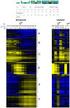 Gene Expression Analysis Jie Peng Department of Statistics University of California, Davis May 2012 RNA expression technologies High-throughput technologies to measure the expression levels of thousands
Practical Differential Gene Expression. Introduction
 Practical Differential Gene Expression Introduction In this tutorial you will learn how to use R packages for analysis of differential expression. The dataset we use are the gene-summarized count data
SAS Software to Fit the Generalized Linear Model
 SAS Software to Fit the Generalized Linear Model Gordon Johnston, SAS Institute Inc., Cary, NC Abstract In recent years, the class of generalized linear models has gained popularity as a statistical modeling
From Reads to Differentially Expressed Genes. The statistics of differential gene expression analysis using RNA-seq data
 From Reads to Differentially Expressed Genes The statistics of differential gene expression analysis using RNA-seq data experimental design data collection modeling statistical testing biological heterogeneity
STATISTICA Formula Guide: Logistic Regression. Table of Contents
 : Table of Contents... 1 Overview of Model... 1 Dispersion... 2 Parameterization... 3 Sigma-Restricted Model... 3 Overparameterized Model... 4 Reference Coding... 4 Model Summary (Summary Tab)... 5 Summary
Frequently Asked Questions Next Generation Sequencing
 Frequently Asked Questions Next Generation Sequencing Import These Frequently Asked Questions for Next Generation Sequencing are some of the more common questions our customers ask. Questions are divided
Introduction to Regression and Data Analysis
 Statlab Workshop Introduction to Regression and Data Analysis with Dan Campbell and Sherlock Campbell October 28, 2008 I. The basics A. Types of variables Your variables may take several forms, and it
Expression Quantification (I)
 Expression Quantification (I) Mario Fasold, LIFE, IZBI Sequencing Technology One Illumina HiSeq 2000 run produces 2 times (paired-end) ca. 1,2 Billion reads ca. 120 GB FASTQ file RNA-seq protocol Task
RNA-seq. Quantification and Differential Expression. Genomics: Lecture #12
 (2) Quantification and Differential Expression Institut für Medizinische Genetik und Humangenetik Charité Universitätsmedizin Berlin Genomics: Lecture #12 Today (2) Gene Expression per Sources of bias,
Package empiricalfdr.deseq2
 Type Package Package empiricalfdr.deseq2 May 27, 2015 Title Simulation-Based False Discovery Rate in RNA-Seq Version 1.0.3 Date 2015-05-26 Author Mikhail V. Matz Maintainer Mikhail V. Matz
BASIC STATISTICAL METHODS FOR GENOMIC DATA ANALYSIS
 BASIC STATISTICAL METHODS FOR GENOMIC DATA ANALYSIS SEEMA JAGGI Indian Agricultural Statistics Research Institute Library Avenue, New Delhi-110 012 [email protected] Genomics A genome is an organism s
2. Simple Linear Regression
 Research methods - II 3 2. Simple Linear Regression Simple linear regression is a technique in parametric statistics that is commonly used for analyzing mean response of a variable Y which changes according
Statistical issues in the analysis of microarray data
 Statistical issues in the analysis of microarray data Daniel Gerhard Institute of Biostatistics Leibniz University of Hannover ESNATS Summerschool, Zermatt D. Gerhard (LUH) Analysis of microarray data
Poisson Models for Count Data
 Chapter 4 Poisson Models for Count Data In this chapter we study log-linear models for count data under the assumption of a Poisson error structure. These models have many applications, not only to the
Introduction to transcriptome analysis using High Throughput Sequencing technologies (HTS)
 Introduction to transcriptome analysis using High Throughput Sequencing technologies (HTS) A typical RNA Seq experiment Library construction Protocol variations Fragmentation methods RNA: nebulization,
Penalized regression: Introduction
 Penalized regression: Introduction Patrick Breheny August 30 Patrick Breheny BST 764: Applied Statistical Modeling 1/19 Maximum likelihood Much of 20th-century statistics dealt with maximum likelihood
Multivariate Analysis of Ecological Data
 Multivariate Analysis of Ecological Data MICHAEL GREENACRE Professor of Statistics at the Pompeu Fabra University in Barcelona, Spain RAUL PRIMICERIO Associate Professor of Ecology, Evolutionary Biology
NCSS Statistical Software Principal Components Regression. In ordinary least squares, the regression coefficients are estimated using the formula ( )
 Chapter 340 Principal Components Regression Introduction is a technique for analyzing multiple regression data that suffer from multicollinearity. When multicollinearity occurs, least squares estimates
Basic processing of next-generation sequencing (NGS) data
 Basic processing of next-generation sequencing (NGS) data Getting from raw sequence data to expression analysis! 1 Reminder: we are measuring expression of protein coding genes by transcript abundance
Statistical Models in R
 Statistical Models in R Some Examples Steven Buechler Department of Mathematics 276B Hurley Hall; 1-6233 Fall, 2007 Outline Statistical Models Structure of models in R Model Assessment (Part IA) Anova
Molecular Genetics: Challenges for Statistical Practice. J.K. Lindsey
 Molecular Genetics: Challenges for Statistical Practice J.K. Lindsey 1. What is a Microarray? 2. Design Questions 3. Modelling Questions 4. Longitudinal Data 5. Conclusions 1. What is a microarray? A microarray
Why High-Order Polynomials Should Not be Used in Regression Discontinuity Designs
 Why High-Order Polynomials Should Not be Used in Regression Discontinuity Designs Andrew Gelman Guido Imbens 2 Aug 2014 Abstract It is common in regression discontinuity analysis to control for high order
Using Illumina BaseSpace Apps to Analyze RNA Sequencing Data
 Using Illumina BaseSpace Apps to Analyze RNA Sequencing Data The Illumina TopHat Alignment and Cufflinks Assembly and Differential Expression apps make RNA data analysis accessible to any user, regardless
11. Analysis of Case-control Studies Logistic Regression
 Research methods II 113 11. Analysis of Case-control Studies Logistic Regression This chapter builds upon and further develops the concepts and strategies described in Ch.6 of Mother and Child Health:
Shouguo Gao Ph. D Department of Physics and Comprehensive Diabetes Center
 Computational Challenges in Storage, Analysis and Interpretation of Next-Generation Sequencing Data Shouguo Gao Ph. D Department of Physics and Comprehensive Diabetes Center Next Generation Sequencing
FlipFlop: Fast Lasso-based Isoform Prediction as a Flow Problem
 FlipFlop: Fast Lasso-based Isoform Prediction as a Flow Problem Elsa Bernard Laurent Jacob Julien Mairal Jean-Philippe Vert September 24, 2013 Abstract FlipFlop implements a fast method for de novo transcript
Introduction to General and Generalized Linear Models
 Introduction to General and Generalized Linear Models General Linear Models - part I Henrik Madsen Poul Thyregod Informatics and Mathematical Modelling Technical University of Denmark DK-2800 Kgs. Lyngby
Auxiliary Variables in Mixture Modeling: 3-Step Approaches Using Mplus
 Auxiliary Variables in Mixture Modeling: 3-Step Approaches Using Mplus Tihomir Asparouhov and Bengt Muthén Mplus Web Notes: No. 15 Version 8, August 5, 2014 1 Abstract This paper discusses alternatives
Institute of Actuaries of India Subject CT3 Probability and Mathematical Statistics
 Institute of Actuaries of India Subject CT3 Probability and Mathematical Statistics For 2015 Examinations Aim The aim of the Probability and Mathematical Statistics subject is to provide a grounding in
Recall this chart that showed how most of our course would be organized:
 Chapter 4 One-Way ANOVA Recall this chart that showed how most of our course would be organized: Explanatory Variable(s) Response Variable Methods Categorical Categorical Contingency Tables Categorical
Quality Assessment of Exon and Gene Arrays
 Quality Assessment of Exon and Gene Arrays I. Introduction In this white paper we describe some quality assessment procedures that are computed from CEL files from Whole Transcript (WT) based arrays such
Tutorial for proteome data analysis using the Perseus software platform
 Tutorial for proteome data analysis using the Perseus software platform Laboratory of Mass Spectrometry, LNBio, CNPEM Tutorial version 1.0, January 2014. Note: This tutorial was written based on the information
Simple Regression Theory II 2010 Samuel L. Baker
 SIMPLE REGRESSION THEORY II 1 Simple Regression Theory II 2010 Samuel L. Baker Assessing how good the regression equation is likely to be Assignment 1A gets into drawing inferences about how close the
Least Squares Estimation
 Least Squares Estimation SARA A VAN DE GEER Volume 2, pp 1041 1045 in Encyclopedia of Statistics in Behavioral Science ISBN-13: 978-0-470-86080-9 ISBN-10: 0-470-86080-4 Editors Brian S Everitt & David
CONTENTS OF DAY 2. II. Why Random Sampling is Important 9 A myth, an urban legend, and the real reason NOTES FOR SUMMER STATISTICS INSTITUTE COURSE
 1 2 CONTENTS OF DAY 2 I. More Precise Definition of Simple Random Sample 3 Connection with independent random variables 3 Problems with small populations 8 II. Why Random Sampling is Important 9 A myth,
Real-time PCR: Understanding C t
 APPLICATION NOTE Real-Time PCR Real-time PCR: Understanding C t Real-time PCR, also called quantitative PCR or qpcr, can provide a simple and elegant method for determining the amount of a target sequence
Service courses for graduate students in degree programs other than the MS or PhD programs in Biostatistics.
 Course Catalog In order to be assured that all prerequisites are met, students must acquire a permission number from the education coordinator prior to enrolling in any Biostatistics course. Courses are
A Review of Cross Sectional Regression for Financial Data You should already know this material from previous study
 A Review of Cross Sectional Regression for Financial Data You should already know this material from previous study But I will offer a review, with a focus on issues which arise in finance 1 TYPES OF FINANCIAL
X X X a) perfect linear correlation b) no correlation c) positive correlation (r = 1) (r = 0) (0 < r < 1)
 CORRELATION AND REGRESSION / 47 CHAPTER EIGHT CORRELATION AND REGRESSION Correlation and regression are statistical methods that are commonly used in the medical literature to compare two or more variables.
Statistical Rules of Thumb
 Statistical Rules of Thumb Second Edition Gerald van Belle University of Washington Department of Biostatistics and Department of Environmental and Occupational Health Sciences Seattle, WA WILEY AJOHN
Non-Inferiority Tests for One Mean
 Chapter 45 Non-Inferiority ests for One Mean Introduction his module computes power and sample size for non-inferiority tests in one-sample designs in which the outcome is distributed as a normal random
Overview of Violations of the Basic Assumptions in the Classical Normal Linear Regression Model
 Overview of Violations of the Basic Assumptions in the Classical Normal Linear Regression Model 1 September 004 A. Introduction and assumptions The classical normal linear regression model can be written
Marketing Mix Modelling and Big Data P. M Cain
 1) Introduction Marketing Mix Modelling and Big Data P. M Cain Big data is generally defined in terms of the volume and variety of structured and unstructured information. Whereas structured data is stored
Chicago Booth BUSINESS STATISTICS 41000 Final Exam Fall 2011
 Chicago Booth BUSINESS STATISTICS 41000 Final Exam Fall 2011 Name: Section: I pledge my honor that I have not violated the Honor Code Signature: This exam has 34 pages. You have 3 hours to complete this
MULTIPLE LINEAR REGRESSION ANALYSIS USING MICROSOFT EXCEL. by Michael L. Orlov Chemistry Department, Oregon State University (1996)
 MULTIPLE LINEAR REGRESSION ANALYSIS USING MICROSOFT EXCEL by Michael L. Orlov Chemistry Department, Oregon State University (1996) INTRODUCTION In modern science, regression analysis is a necessary part
Survey, Statistics and Psychometrics Core Research Facility University of Nebraska-Lincoln. Log-Rank Test for More Than Two Groups
 Survey, Statistics and Psychometrics Core Research Facility University of Nebraska-Lincoln Log-Rank Test for More Than Two Groups Prepared by Harlan Sayles (SRAM) Revised by Julia Soulakova (Statistics)
Next Generation Sequencing: Adjusting to Big Data. Daniel Nicorici, Dr.Tech. Statistikot Suomen Lääketeollisuudessa 29.10.2013
 Next Generation Sequencing: Adjusting to Big Data Daniel Nicorici, Dr.Tech. Statistikot Suomen Lääketeollisuudessa 29.10.2013 Outline Human Genome Project Next-Generation Sequencing Personalized Medicine
Example: Credit card default, we may be more interested in predicting the probabilty of a default than classifying individuals as default or not.
 Statistical Learning: Chapter 4 Classification 4.1 Introduction Supervised learning with a categorical (Qualitative) response Notation: - Feature vector X, - qualitative response Y, taking values in C
Tutorial 5: Hypothesis Testing
 Tutorial 5: Hypothesis Testing Rob Nicholls [email protected] MRC LMB Statistics Course 2014 Contents 1 Introduction................................ 1 2 Testing distributional assumptions....................
Introduction to time series analysis
 Introduction to time series analysis Margherita Gerolimetto November 3, 2010 1 What is a time series? A time series is a collection of observations ordered following a parameter that for us is time. Examples
AGILENT S BIOINFORMATICS ANALYSIS SOFTWARE
 ACCELERATING PROGRESS IS IN OUR GENES AGILENT S BIOINFORMATICS ANALYSIS SOFTWARE GENESPRING GENE EXPRESSION (GX) MASS PROFILER PROFESSIONAL (MPP) PATHWAY ARCHITECT (PA) See Deeper. Reach Further. BIOINFORMATICS
Analysis of gene expression data. Ulf Leser and Philippe Thomas
 Analysis of gene expression data Ulf Leser and Philippe Thomas This Lecture Protein synthesis Microarray Idea Technologies Applications Problems Quality control Normalization Analysis next week! Ulf Leser:
Simple Second Order Chi-Square Correction
 Simple Second Order Chi-Square Correction Tihomir Asparouhov and Bengt Muthén May 3, 2010 1 1 Introduction In this note we describe the second order correction for the chi-square statistic implemented
Analysis of Bayesian Dynamic Linear Models
 Analysis of Bayesian Dynamic Linear Models Emily M. Casleton December 17, 2010 1 Introduction The main purpose of this project is to explore the Bayesian analysis of Dynamic Linear Models (DLMs). The main
Evaluating the Lead Time Demand Distribution for (r, Q) Policies Under Intermittent Demand
 Proceedings of the 2009 Industrial Engineering Research Conference Evaluating the Lead Time Demand Distribution for (r, Q) Policies Under Intermittent Demand Yasin Unlu, Manuel D. Rossetti Department of
PreciseTM Whitepaper
 Precise TM Whitepaper Introduction LIMITATIONS OF EXISTING RNA-SEQ METHODS Correctly designed gene expression studies require large numbers of samples, accurate results and low analysis costs. Analysis
Factors affecting online sales
 Factors affecting online sales Table of contents Summary... 1 Research questions... 1 The dataset... 2 Descriptive statistics: The exploratory stage... 3 Confidence intervals... 4 Hypothesis tests... 4
Automated Biosurveillance Data from England and Wales, 1991 2011
 Article DOI: http://dx.doi.org/10.3201/eid1901.120493 Automated Biosurveillance Data from England and Wales, 1991 2011 Technical Appendix This online appendix provides technical details of statistical
GLM I An Introduction to Generalized Linear Models
 GLM I An Introduction to Generalized Linear Models CAS Ratemaking and Product Management Seminar March 2009 Presented by: Tanya D. Havlicek, Actuarial Assistant 0 ANTITRUST Notice The Casualty Actuarial
IBM SPSS Direct Marketing 23
 IBM SPSS Direct Marketing 23 Note Before using this information and the product it supports, read the information in Notices on page 25. Product Information This edition applies to version 23, release
Section 14 Simple Linear Regression: Introduction to Least Squares Regression
 Slide 1 Section 14 Simple Linear Regression: Introduction to Least Squares Regression There are several different measures of statistical association used for understanding the quantitative relationship
RNA Express. Introduction 3 Run RNA Express 4 RNA Express App Output 6 RNA Express Workflow 12 Technical Assistance
 RNA Express Introduction 3 Run RNA Express 4 RNA Express App Output 6 RNA Express Workflow 12 Technical Assistance ILLUMINA PROPRIETARY 15052918 Rev. A February 2014 This document and its contents are
Analyzing microrna Data and Integrating mirna with Gene Expression Data in Partek Genomics Suite 6.6
 Analyzing microrna Data and Integrating mirna with Gene Expression Data in Partek Genomics Suite 6.6 Overview This tutorial outlines how microrna data can be analyzed within Partek Genomics Suite. Additionally,
Statistical Models in R
 Statistical Models in R Some Examples Steven Buechler Department of Mathematics 276B Hurley Hall; 1-6233 Fall, 2007 Outline Statistical Models Linear Models in R Regression Regression analysis is the appropriate
business statistics using Excel OXFORD UNIVERSITY PRESS Glyn Davis & Branko Pecar
 business statistics using Excel Glyn Davis & Branko Pecar OXFORD UNIVERSITY PRESS Detailed contents Introduction to Microsoft Excel 2003 Overview Learning Objectives 1.1 Introduction to Microsoft Excel
IBM SPSS Direct Marketing 22
 IBM SPSS Direct Marketing 22 Note Before using this information and the product it supports, read the information in Notices on page 25. Product Information This edition applies to version 22, release
Focusing on results not data comprehensive data analysis for targeted next generation sequencing
 Focusing on results not data comprehensive data analysis for targeted next generation sequencing Daniel Swan, Jolyon Holdstock, Angela Matchan, Richard Stark, John Shovelton, Duarte Mohla and Simon Hughes
Standard Deviation Estimator
 CSS.com Chapter 905 Standard Deviation Estimator Introduction Even though it is not of primary interest, an estimate of the standard deviation (SD) is needed when calculating the power or sample size of
The Friedman Test with MS Excel. In 3 Simple Steps. Kilem L. Gwet, Ph.D.
 The Friedman Test with MS Excel In 3 Simple Steps Kilem L. Gwet, Ph.D. Copyright c 2011 by Kilem Li Gwet, Ph.D. All rights reserved. Published by Advanced Analytics, LLC A single copy of this document
Analysis of Variance. MINITAB User s Guide 2 3-1
 3 Analysis of Variance Analysis of Variance Overview, 3-2 One-Way Analysis of Variance, 3-5 Two-Way Analysis of Variance, 3-11 Analysis of Means, 3-13 Overview of Balanced ANOVA and GLM, 3-18 Balanced
http://www.jstor.org This content downloaded on Tue, 19 Feb 2013 17:28:43 PM All use subject to JSTOR Terms and Conditions
 A Significance Test for Time Series Analysis Author(s): W. Allen Wallis and Geoffrey H. Moore Reviewed work(s): Source: Journal of the American Statistical Association, Vol. 36, No. 215 (Sep., 1941), pp.
Statistical Functions in Excel
 Statistical Functions in Excel There are many statistical functions in Excel. Moreover, there are other functions that are not specified as statistical functions that are helpful in some statistical analyses.
Course Text. Required Computing Software. Course Description. Course Objectives. StraighterLine. Business Statistics
 Course Text Business Statistics Lind, Douglas A., Marchal, William A. and Samuel A. Wathen. Basic Statistics for Business and Economics, 7th edition, McGraw-Hill/Irwin, 2010, ISBN: 9780077384470 [This
Generalized Linear Models
 Generalized Linear Models We have previously worked with regression models where the response variable is quantitative and normally distributed. Now we turn our attention to two types of models where the
How To Check For Differences In The One Way Anova
 MINITAB ASSISTANT WHITE PAPER This paper explains the research conducted by Minitab statisticians to develop the methods and data checks used in the Assistant in Minitab 17 Statistical Software. One-Way
Model Validation Techniques
 Model Validation Techniques Kevin Mahoney, FCAS kmahoney@ travelers.com CAS RPM Seminar March 17, 2010 Uses of Statistical Models in P/C Insurance Examples of Applications Determine expected loss cost
Final Project Report
 CPSC545 by Introduction to Data Mining Prof. Martin Schultz & Prof. Mark Gerstein Student Name: Yu Kor Hugo Lam Student ID : 904907866 Due Date : May 7, 2007 Introduction Final Project Report Pseudogenes
Computational Genomics. Next generation sequencing (NGS)
 Computational Genomics Next generation sequencing (NGS) Sequencing technology defies Moore s law Nature Methods 2011 Log 10 (price) Sequencing the Human Genome 2001: Human Genome Project 2.7G$, 11 years
UNDERSTANDING THE TWO-WAY ANOVA
 UNDERSTANDING THE e have seen how the one-way ANOVA can be used to compare two or more sample means in studies involving a single independent variable. This can be extended to two independent variables
How To Run Statistical Tests in Excel
 How To Run Statistical Tests in Excel Microsoft Excel is your best tool for storing and manipulating data, calculating basic descriptive statistics such as means and standard deviations, and conducting
Why Taking This Course? Course Introduction, Descriptive Statistics and Data Visualization. Learning Goals. GENOME 560, Spring 2012
 Why Taking This Course? Course Introduction, Descriptive Statistics and Data Visualization GENOME 560, Spring 2012 Data are interesting because they help us understand the world Genomics: Massive Amounts
Introduction to Principal Components and FactorAnalysis
 Introduction to Principal Components and FactorAnalysis Multivariate Analysis often starts out with data involving a substantial number of correlated variables. Principal Component Analysis (PCA) is a
Normalization of RNA-Seq
 Normalization of RNA-Seq Davide Risso Modified: April 27, 2012. Compiled: April 27, 2012 1 Retrieving the data Usually, an RNA-Seq data analysis from scratch starts with a set of FASTQ files (see e.g.
Data Analysis Tools. Tools for Summarizing Data
 Data Analysis Tools This section of the notes is meant to introduce you to many of the tools that are provided by Excel under the Tools/Data Analysis menu item. If your computer does not have that tool
Normality Testing in Excel
 Normality Testing in Excel By Mark Harmon Copyright 2011 Mark Harmon No part of this publication may be reproduced or distributed without the express permission of the author. [email protected]
" Y. Notation and Equations for Regression Lecture 11/4. Notation:
 Notation: Notation and Equations for Regression Lecture 11/4 m: The number of predictor variables in a regression Xi: One of multiple predictor variables. The subscript i represents any number from 1 through
Business Statistics. Successful completion of Introductory and/or Intermediate Algebra courses is recommended before taking Business Statistics.
 Business Course Text Bowerman, Bruce L., Richard T. O'Connell, J. B. Orris, and Dawn C. Porter. Essentials of Business, 2nd edition, McGraw-Hill/Irwin, 2008, ISBN: 978-0-07-331988-9. Required Computing
Fairfield Public Schools
 Mathematics Fairfield Public Schools AP Statistics AP Statistics BOE Approved 04/08/2014 1 AP STATISTICS Critical Areas of Focus AP Statistics is a rigorous course that offers advanced students an opportunity
Nonlinear Regression Functions. SW Ch 8 1/54/
 Nonlinear Regression Functions SW Ch 8 1/54/ The TestScore STR relation looks linear (maybe) SW Ch 8 2/54/ But the TestScore Income relation looks nonlinear... SW Ch 8 3/54/ Nonlinear Regression General
Software and Methods for the Analysis of Affymetrix GeneChip Data. Rafael A Irizarry Department of Biostatistics Johns Hopkins University
 Software and Methods for the Analysis of Affymetrix GeneChip Data Rafael A Irizarry Department of Biostatistics Johns Hopkins University Outline Overview Bioconductor Project Examples 1: Gene Annotation
Statistical Analysis Strategies for Shotgun Proteomics Data
 Statistical Analysis Strategies for Shotgun Proteomics Data Ming Li, Ph.D. Cancer Biostatistics Center Vanderbilt University Medical Center Ayers Institute Biomarker Pipeline normal shotgun proteome analysis
Statistics Review PSY379
 Statistics Review PSY379 Basic concepts Measurement scales Populations vs. samples Continuous vs. discrete variable Independent vs. dependent variable Descriptive vs. inferential stats Common analyses
17. SIMPLE LINEAR REGRESSION II
 17. SIMPLE LINEAR REGRESSION II The Model In linear regression analysis, we assume that the relationship between X and Y is linear. This does not mean, however, that Y can be perfectly predicted from X.
Algebra 1 Course Information
 Course Information Course Description: Students will study patterns, relations, and functions, and focus on the use of mathematical models to understand and analyze quantitative relationships. Through
From the help desk: Bootstrapped standard errors
 The Stata Journal (2003) 3, Number 1, pp. 71 80 From the help desk: Bootstrapped standard errors Weihua Guan Stata Corporation Abstract. Bootstrapping is a nonparametric approach for evaluating the distribution
2.500 Threshold. 2.000 1000e - 001. Threshold. Exponential phase. Cycle Number
 application note Real-Time PCR: Understanding C T Real-Time PCR: Understanding C T 4.500 3.500 1000e + 001 4.000 3.000 1000e + 000 3.500 2.500 Threshold 3.000 2.000 1000e - 001 Rn 2500 Rn 1500 Rn 2000