
JABRA BUSINESS SOLUTIONS BRINGING TELEPHONY INVESTMENTS TO LIFE
|
|
|
- Rodney Stevenson
- 10 years ago
- Views:
Transcription
1 JABRA BUSINESS SOLUTIONS BRINGING TELEPHONY INVESTMENTS TO LIFE

2 MAKING LIFE SOUND BETTER Connecting people is only the beginning. Since the day we designed our first headset we ve been combining the latest audio technology with the greatest Scandinavian design. We re delivering superb sound, quality and comfort with every single product we manufacture without exception. Empowering people through communication and technology is simple. You build on the innovative, 46 years tradition of GN Store Nord, refine it with the audiological expertise of GN ReSound and then concentrate all of your energy on developing, manufacturing and marketing some of the world s best-selling communication solutions for the world s best companies. So whether your priority is optimal sound in a busy contact center, crystal clear wireless calls in the office or reliability on the road. 2 3

3 TABLE OF CONTENTS JABRA HEADSET TECHNOLOGY 6 JABRA SOFTWARE SOLUTIONS 7 UNIFIED COMMUNICATIONS 8 STRATEGIC ALLIANCES 9 THE POWER OF A JABRA HEADSET 0 CHOOSE THE RIGHT SOLUTION PRODUCT SELECTOR 2 WIRELESS HEADSETS 3 CORDED HEADSETS 2 JABRA LINK MOBILE 23 SPEAKERPHONE 28 HANDSETS 3 ACCESSORIES 32 COMPARE PRODUCTS

4 QUALITY AS STANDARD JABRA HEADSET TECHNOLOGY UC Plug-and-Play Intuitive call control and seamless connection to all leading UC applications and softphones. Easy to set up and easy to use. You re free from any installation expertise or extensive training requirement. Secure Calls All wireless office headsets encrypt the signal between the headset and the base digitally. That s guaranteed confidentiality and peace of mind when you need your privacy. High Durability Reliable and built to last. Every headset is subject to extensive testing, everything from cable flexing over boom arm rotations to acoustic tests. Durability cuts costs and saves time. Remote Call Control (RCC) RCC gives you call control with your wireless headset from your desk phone, using either an Electronic Hook Switch (EHS) cable or a mechanical handset lifter (Jabra GN000). Optimized for Skype for Business The vast majority of Jabra products come in standard variants or variants that have been optimized for Microsoft. DECT vs. Bluetooth Technology DECT Best possible range and density performance. Bluetooth When mobility with one solution, in and outside of the office, is a key need. HEADSET Bluetooth DECT Connection (in the office) Deskphone Deskphone Connection (outside the office) Not possible Range (up to) 00m/300ft 0m/450ft Talk time (up to) 2h 0h Standby time (up to) 360h 46h Channels available Density recommendations (up to) Sound quality 25 units (all Bluetooth) Wideband Narrowband Hi-fi (A2DP) 80 units (all DECT) Wideband Narrowband AUDIO QUALITY Clear Sound Clear sound is important for call efficiency and accuracy, and providing superior service. Digital Signal Processing (DSP) technology optimizes sound performance by filtering out distracting background noise, reducing call handling times and and potential misunderstandings. HD Voice Wideband audio Enjoy high-definition sound with HD Voice and get crystal clear, intelligible communication. You get life-like, vibrant conversations that let you focus on the content of the call instead of struggling to hear the person on the other end of the line. NOISE CANCELATION Noise Blackout Jabra Noise Blackout technology eliminates disturbing background noise such as wind, surrounding conversations or traffic to enhance your voice. So you can now talk freely without even raising your voice. Noise Cancellation Choose between different noise canceling microphones that filter out unwanted background noise. Great for use in noisier, open office environments. Wind Noise Protection Wind Noise Protection enables you to keep the thread of your conversation in open air environments without any interference. Walk, bike, run, work outside and talk with no need to raise your voice or shout to be heard. HEARING PROTECTION PeakStop PeakStop technology, included with all Jabra headsets, immediately removes potentially harmful loud sounds or tones before they reach your ears and keep the sound level within a safe range to protect your hearing. SafeTone SafeTone technology, included with selected Jabra headsets, protects your hearing by cutting off sudden loud noises and maintaining a safe average sound level throughout the day meeting EU noise at work compliance and NA recommendations. For more information please visit jabra.com/hearingprotection COMFORT Different Wearing Styles Most Jabra headsets have a choice of up to three different wearing styles for the most comfortable and customizable fit. Mono or Duo Speaker Depending on your work environment or simply your personal preference, for many of our headsets, you can choose between mono (one) and duo (two) speakers. COMPLETE CONTROL COMPLETE SOLUTIONS JABRA SOFTWARE JABRA DIRECT FOR WINDOWS A feature rich integrated software solution for your headsets. Manage firmware and software updates to: Facilitate Headset Adoption Reduce IT time spent on Headset Deployment Optimise the Customer Conversation Experience All in one user friendly interface. Download it free today at JABRA.COM/DIRECT JABRA PC SUITE FOR MAC Get your Mac and softphone speaking the same language Easy softphone integration with remote call control Answer/end softphone calls from your Jabra headset Keep your headset and software up-to-date For Jabra PC Suite compatibility, visit JABRA.COM/PCSUITE JABRA CONNECT The smartphone app for ios and Android that puts your bluetooth customisation in the palm of your hand Switch seamlessly between calls on your smartphone or PC softphone Easy pairing of Bluetooth devices Configure your headset via app Check your headset battery level For Jabra headset compatibility, visit JABRA.COM/CONNECT JABRA XPRESS The ideal way to install, deploy and remotely manage any number of headsets within your organisation. Jabra Xpress offers a simple MSI file download from Jabra.com to import all your software, firmware and IT policy updates and remotely deploy them to each and every headset - at a time that suits you and your end users. Secure Flexible Futureproof Take the easy way, and download Jabra Xpress today at JABRA.COM/XPRESS 6 7

5 UNIFIED COMMUNICATIONS In organizations all over the world, Unified Communications (UC) solutions are reducing IT, telephony and travel costs while enhancing productivity. In a survey of over 300 companies, Jabra together with researchers Frost & Sullivan, discovered that nearly 80% realized a return on investment within the first year of implementation. UC integrates telephony, audio and video, and instant messaging in a shared user interface. A presence indicator, connected to applications such as your calendar and , provides real time status and availability updates to colleagues. Your UC headset choice should be a consideration from the very beginning a headset that has been configured to provide seamless integration with leading UC and VoIP platforms; optimized for your telephony environment. The perfect headset not only brings perfect harmony to your UC solution from day one but ensures your investment is fully utilized all the way to where it counts when your customer is on the other line. PERFECTION IN PARTNERSHIP STRATEGIC ALLIANCES Jabra has established strategic alliances with key players with smartphone, desk phone and UC softphone applications. This results in the development of truly compatible and integrated solutions tailored for your environment. Jabra continues to provide rivaled telephony solutions with superior plug and play end user experience, whilst requiring minimal training or support. 8 9 Partner

6 DESIGNED FOR DIFFERENT NEEDS CHOOSE THE RIGHT SOLUTION When you re looking for the perfect headset, there are things you need to consider. CONNECTING MORE THAN CALLS THE POWER OF A JABRA HEADSET CUTTING COSTS AND TAKING BACK TIME AT OFFICE DESK AROUND THE OFFICE ON THE GO You spend most of your time in the office, at the desk and on the phone. WHERE ARE YOU WORKING? You spend more time in the office than on the road but you need freedom in the office to perform. You spend more time on the move and you need to be able to work from anywhere. The advantages of a headset can seem obvious, but utilizing the perfect headset solution and optimizing its use for the right environment and end user, paves the way for entirely new benefits. The right headset will be comfortable to wear and allow the end user to focus on the important task in hand - the conversation with the customer. Jabra headsets are designed for contact centre workers and knowledge office workers alike. We have a variety of wearing styles and designs to suit all markets, with enhanced features to suit every kind of end user preference. Combine this with our Jabra software solutions - Direct and Xpress- and you have a truly unique, personalised experience. Jabra headsets have superior leatherette cushioning and up to 3 way wearing styles to suit office and end user working environments. When in use an integrated busy light on the Evolve series ear cups will signal to co-workers that you are on a call - to help reduce interruption. Now that is smart working. We estimate, from the results of four separate studies, that using a headset can save 7.5 minutes out of every hour. You ll need to consider your connectivity needs to make sure your headset solution is compatible with your phone system. You can always contact a Jabra reseller if you need more advice. WHAT DO YOU WANT TO CONNECT TO? TRADITIONAL DESK PHONE SOFTPHONE/VOIP MOBILE PHONE HOW NOISY IS YOUR WORK ENVIRONMENT? TABLET MULTIPLE DEVICES LIBERATE THE OFFICE The office environment is changing. It s faster, it s flexible and it s more demanding than ever. Specialized technology in every headset keeps you on top whether you re on a desk phone, softphone, mobile phone or anything in between. Read on to discover the range of Bluetooth, wireless and USB corded headsets to suit your office environment and employee working style. Jabra also has a range of Speakerphones dedicated to help turn any room into a Conference room. Read on to discover more. REFINE THE CONTACT CENTER Plug and play capabilities, HD Voice/wideband sound and noise canceling technology provide optimal working conditions for you and optimal audio for your customers and end users. Whether it s a little chatter in the background or a colleague sitting right beside you, the right speakers help you get the most out of your calls while the right microphone delivers quality audio on the other end where it really counts. LOW NOISE AVERAGE NOISE HIGH NOISE Omni-directional microphones pick up sound from any direction and block ambient and surrounding noise. Fine for the traditional, low-noise office. Noise canceling microphones and a mono speaker reduce unwanted background noise while ensuring you re still aware of your surroundings. Great for use in noisier, open office environments. WIRELESS OR CORDED? Noise/ultra noise canceling microphones combined with duo speakers filter aggressive noise and can block the sound of someone sitting right beside you. Perfect for very noisy, distracting environments. Use our useful product selector and our product compatibility guide to help you see which Jabra solution is best for your current and future telephony environment. WIRELESS HEADSET SOLUTIONS Great if you want to move away from the desk or just a streamlined, cordless headset design. CORDED HEADSET SOLUTIONS Perfect if you only work at your desk and you want the best possible audio quality in one or both ears. 0 YOU LL FIND A LIST OF PRODUCT RECOMMENDATIONS ON THE FOLLOWING PAGE

7 PRODUCT SELECTOR RIGHT FROM THE START Follow this simple chart to discover some of the products we think will match your needs. WORK SPACE CONNECT TO ENVIRONMENT WIRELESS/CORDED WE RECOMMEND PAGE At office desk Desk phone High noise Corded Jabra BIZ 2300 Duo Jabra BIZ 2400 II DUO Jabra PRO 9450/9460 Duo Low to average noise Corded Jabra BIZ 2300 Mono 25 Mobile and softphone Jabra EVOLVE Series 27 Jabra BIZ 2400 II Mono 23 Jabra Evolve Jabra PRO 920/925 6 Jabra PRO 9450/9460 Mono High noise Corded Jabra BIZ 2300 USB Duo 25 Jabra BIZ 2400 II USB Duo 23 Jabra PRO 9450/9460 Duo Low to average noise Corded Jabra BIZ 2300 USB Mono 25 Jabra BIZ 2400 II USB Duo 23 Jabra UC VOICE series 27 Jabra PRO 930/935 6 Around the office Desk and softphone Desk, mobile and softphone Desk phone High noise Low to average noise High noise Low to average noise High noise Low to average noise Corded Jabra PRO 9450/9460 Mono Jabra PRO 9450/9460 Duo Jabra BIZ 2400 USB Mono Jabra PRO 9470 Jabra PRO 9465 Jabra PRO 9470 Jabra PRO 9450/9460 Duo Jabra PRO 920/925 Jabra PRO 9450/9460 Mono 23 6 WIRELESS HEADSETS WORK THE WAY YOU WANT WHERE YOU WANT Desk and softphone High noise Low to average noise High noise Jabra PRO 9450/9460 Duo Jabra PRO 930/935 Jabra PRO 9450/9460 Mono Jabra MOTION UC w. Travel & Charge Kit Jabra PRO 9450/9460 Duo 6 9 With wireless hands free flexibility and superior high-quality audio, have the confidence to take each call whenever and wherever they happen. Average noise Jabra PRO 9450/9460 Mono Desk, mobile and softphone High noise Jabra PRO 9465 Low to average noise Jabra PRO 9470 Low to average noise Jabra MOTION OFFICE 9 On the go Mobile and softphone Jabra MOTION UC 9 Jabra STEALTH UC 7 Desk, mobile and softphone Jabra MOTION OFFICE 9 Please see comparison table for full feature list. 2 DISCOVER THE FULL JABRA RANGE AT JABRA.COM OR CONTACT A SALES REPRESENTATIVE 3

8 FLEXIBILITY AROUND THE OFFICE JABRA PRO 9400 SERIES A stylish headset series that lets you take calls from your desk phone, softphone and your mobile phone Industry first wireless office headset with user-friendly touch screen for easy call management One wireless headset for your desk phone, mobile phone and softphone simultaneously Crystal clear conversation even in noisy open plan offices Walk and talk up to 0 meters/450 feet from your desk Future-proof investment - free software upgrades available At office desk Around the office Desk phone, softphone, and tablet The Jabra PRO 9400 series wireless headset is for knowledge workers who cannot afford to be out of touch. Roam up to 0 meters/450 feet away and still answer calls from your desk phone, mobile phone, or softphone application. Touch screen display makes configuration and call management easy. All with best-in-class noise cancellation, acoustic protection, and audio quality. Variant dependent JABRA PRO 9400 SERIES JABRA PRO 9470 JABRA PRO 9465 Duo JABRA PRO 9460 Duo JABRA PRO 9460 JABRA PRO 9450 JABRA PRO 9450 Flex JABRA PRO 9450 Duo DO NOT DISTURB JABRA BUSYLIGHT The Jabra Busylight helps you manage your personal workspace in an open office or hot desk environment where interruptions and distractions are high. Let your colleagues clearly see when you are on the phone: the indicator turns red when you re on a call and stops you from being interrupted. Connectivity Office environment Mono/Duo speaker Microphone type Desk phone Tablet Desk phone Tablet Desk phone Desk phone Desk phone Desk phone Desk phone Average noise High noise High noise Average noise Average noise Average noise High noise Mono Duo Duo Mono Mono Mono Duo Midi Flex Flex Flex Midi Flex Flex Touch screen Touch pad Talk time Up to 9 hours Up to 0 hours Up to 0 hours Up to 0 hours Up to 0 hours Up to 0 hours Up to 0 hours Wearing style Earhook Neck band Earhook Neck band 2 Earhook Neck band 2 Earhook Neck band 2 2 Optional 4 WIRELESS HEADSETS TO LEARN MORE ABOUT THE JABRA BUSYLIGHT GO TO JABRA.COM/BUSYLIGHT TO LEARN MORE ABOUT THE JABRA PRO 9400 SERIES GO TO JABRA.COM/PRO9400 WIRELESS HEADSETS

9 WIRELESS FOR EVERYONE JABRA PRO 900 SERIES FREEDOM TO DO MORE JABRA STEALTH UC The lightweight wireless headset series, ready to use with desk phones or UC platforms Simple, intuitive design for fast user adoption Improves employee productivity Easy to deploy and manage Future-proof investment - free Jabra Direct software upgrades available Crystal clear audio The smallest and most stylish Bluetooth Mono headset in its class. Weighing just 7.9 grams, 0.28 ounces, The Stealth UC is so sleek and comfortable you will hardly notice you are wearing it. Compatible with any Bluetooth enabled device Certified Skype for Business ready Fully UC compatible True plug-and-play solution Up to 6 hours talk time At office desk Around the office On the go Desk phone, softphone and The Jabra PRO 900 series is a professional wireless headset designed for maximum performance. Now everyone in your office can take advantage of the added productivity and comfort that wireless convenience delivers. Simple, intuitive and high quality, all in one wireless solution. Around the office On the go, and tablet Jabra s smallest, stylish bluetooth wireless headset with a UC compatible dongle to connect to you softphone or your smartphone when you re away from your PC. JABRA PRO 900 SERIES JABRA PRO 920 JABRA PRO 930 JABRA PRO JABRA PRO technology DECT DECT Connectivity Desk phone Bluetooth NFC Desk phone Tablet Bluetooth NFC Tablet Talk time Up to 8 hours Up to 8 hours Up to 2 hours Up to 2 hours Range Up to 20m/325ft Up to 20m/325ft Up to 00m/300ft Up to 00m/300ft Wearing style Earhook Neck band Optional 2 2G4 - single connectivity - variant available on select markets Earhook Neck band Earhook Neck band Earhook Neck band JABRA STEALTH UC JABRA STEALTH UC (MS) Bluetooth version 4.0 Talk time up to 6 hrs 6 hrs Standby time up to 0 days 0 days Operating range mobile 0 m 0 m Operating range pc (dongle) 30 m 30 m USB Dongle Supports NFC Supports NFC Easy Pairing Supports Auto Pairing Supports Auto Pairing Mute Device can play music With the investment in Microsoft Lync and our professional headsets, our telephony has really moved into the 2st century. Jan Zacho Sector Chief of CPH s IT and Infrastructure REACHING NEW HEIGHTS COPENHAGEN AIRPORT Copenhagen Airport (CPH) one of the most modern airports in the world has set the standard in many areas of international air travel. They needed the headset solution that delivered the same standard of excellence to their team that they were asking for in return. That s why they chose Microsoft Lync and Jabra headsets. Read the full story at: JABRA.COM/CPH Voice control Voice guidance Plug-and-play (fully UC optimized) Supports wideband Optimized for Microsoft Lync Warranty 2 years 2 years In the box Earhook Pack Eargel Pack USB dongle USB charger Car charger 6 WIRELESS HEADSETS TO LEARN MORE ABOUT THE JABRA PRO 900 SERIES GO TO JABRA.COM/PRO900 TO LEARN MORE ABOUT THE JABRA STEALTH UC GO TO JABRA.COM/STEALTHUC WIRELESS HEADSETS 7

10 JABRA MOTION SERIES JABRA MOTION SERIES JABRA MOTION JABRA MOTION UC JABRA MOTION UC WITH TRAVEL & CHARGE KIT JABRA MOTION OFFICE technology Bluetooth NFC Bluetooth NFC Bluetooth NFC Bluetooth NFC Connectivity Tablet Tablet Tablet Desk phone Tablet Touch screen base USB connection to pc Built-in motion sensors react to your movements and different sound environments, enabling intuitive call control, unsurpassed battery performance and superior audio quality Storage Pouch Pouch Not available in all countries Compact hard box for storage, docking and charging Office base for docking and charging Pouch One headset for all your phones Easy and intuitive call control all-day talk time 00m/300ft wireless range Custom fit for optimal comfort Intelligent Volume Control adjusts call volume automatically Up to 8 hours talk time and days stand-by Height adjustable and custom fit for optimal comfort Power Nap mode to save battery when not in use Busylight indicator lets people know you are on the phone Around the office On the go Desk phone, softphone, and tablet The Jabra Motion series lets you focus on your conversation, not technology, with intuitive features that adapt to your environment and movement. Connect to all your phones with one headset, and transfer calls between phones as you head out the door. Roam up to 00 m/300 ft and enjoy all-day talk time with exceptional call quality and comfort. 8 WIRELESS HEADSETS TO LEARN MORE ABOUT THE JABRA MOTION UC SERIES GO TO JABRA.COM/MOTION TO LEARN MORE ABOUT THE JABRA MOTION UC SERIES GO TO JABRA.COM/MOTION WIRELESS HEADSETS 9

11 You hear a ringtone, see the calling number on the touch screen, answer the call by touching the headset, navigate through the menus on the screen, speak Welcome to the age of Jabra EDF, Electricité de France SERIOUS TECHNOLOGY FOR SIMPLE IDEAS ELECTRICITE DE FRANCE Electricité de France wanted their telephony equipment to reflect the vision they had for their own future. The latest generation of touch screen headsets delivered the highest quality and mobility to their employees. The benefits of intuitive, simple communication were obvious to EDF from the very start. Read the full story at: JABRA.COM/EDF CORDED HEADSETS HANDS-FREE. WORRY-FREE When you re working at a desk, you need a comfortable, well padded and superior call quality solution that suits your environment perfectly. This means your productivity starts from the second you sit down to work. 20 2

12 THE BEST CONTACT CENTER HEADSET JUST GOT BETTER JABRA BIZ 2400 II SERIES The new Jabra BIZ 2400 II now comes with everything you love about the Jabra BIZ 2400 II and more! Better cushioning, better sound, better comfort, better calls! With 3-IN- way wearing style and the ability to connect seamlessly between mobile, deskphone and softphone to suit every end user working preference Improved superior leatherette ear cushions and headband padding for all day comfort Connect to a desk phone or softphone via USB 2 or QD Improved microphone quality to ensure absolute clarity from your business worker for a better customer experience Comfort means productivity Improved speakers in the ear cups to ensure agents fully understand every customer query and conversation - maximizing customer satisfaction at every call. Easy integration with existing telephone systems Choice of mono or duo speakers and three wearing styles 3 year global warranty The Jabra solution provides us with the level of call quality our customers expect and also has significantly freed up our IT department from spending so much time addressing headset challenges. Ronnie Mize, Senior Vice President for Information Technology FROM INFERIOR TO SUPERIOR CALL QUALITY ETECH GLOBAL SERVICES Based in Nacogdoches, TX, Etech Global Services provides an array of contact center services in English and Spanish including inbound and outbound customer service and sales, customer win-back programs, web chat, and services. Through a stringent quality assurance process, the company records 00 percent of all voice and chat interactions while continuously evaluating its agents to ensure an ever-improving customer experience. Read the full story at: JABRA.COM/ETECH At office desk USB connects directly with your PC 2 QD (Quick Disconnect) connects to your desk phone through individual cables. Variant dependent 2 Available from June 20 Desk phone, softphone, and tablet QUALITY ON THE MOVE JABRA LINK MOBILE The Jabra BIZ 2400 II was developed with one goal in mind: to be the world s best corded contact center headset, delivering both best in class noise cancellation and acoustic shock protection, as well as the industry s only unbreakable 360 swiveling boom and Kevlar-reinforced cord. Available in a variety of wearing styles. TIP: due to the comfort of this headset, the Jabra BIZ 2400 II series is also being worn in office environments and not just in contact centres. Jabra Link Mobile cords let you use your mobile phone with a professional, corded Quick Disconnect (QD) Jabra headset. Just plug the cord into your mobile phone and with the professional audio quality and noise canceling technology of a Jabra headset, you can take a call from a busy hotel lobby as if it was a quiet office. The cords are compatible with a wide range of mobile phone and smartphone brands including BlackBerry, HTC, iphone, Microsoft, Nokia, Samsung, Siemens and Sony Ericsson. Just contact your Jabra Sales Manager if you need help finding the right one. 22 CORDED HEADSETS TO LEARN MORE ABOUT THE JABRA BIZ 2400 II GO TO JABRA.COM/BIZ2400II CORDED HEADSETS 23

13 MAXIMUM VALUE, SOLID FUNCTIONALITY JABRA BIZ 900 SERIES THE VOICE OF YOUR BRAND JABRA BIZ 2300 SERIES A cost-efficient headset series designed for contact centers looking for high quality at a low cost Connect to a desk phone or softphone via USB or QD Easy integration with existing telephone systems Crystal clear conversations Lightweight, sturdy design and professional quality Choice of mono or duo speakers Hard-working, great-looking and designed for easy daily handling in the contact center Connect to a desk phone or softphone via USB or QD Superior call clarity Better conversations for the contact center Keep your contact center agents happy Foam and leatherette ear cushions for added comfort The contact center headset that is built to last A USB variant with easy in-line call management Air Shock Microphone reduces unwanted pops for better call quality At office desk Desk phone, softphone, and tablet Designed for the cost-conscious contact center, the Jabra BIZ 900 series has features usually found in more expensive solutions. Don t compromise get the quality and value you need from the brand you trust. At office desk Desk phone, softphone, and tablet USB connects directly with your PC QD (Quick Disconnect) connects to your PC, mobile and desk phone through individual cables. Your contact center agents are your brand ambassadors, so give them the tool to sound as clear as your brand. In Jabra s BIZ 2300 world class sound meets world class durability in an exceptionally comfortable and stylish corded headset keeping both your agents and your customers happy. USB connects directly with your PC QD (Quick Disconnect) Connects with PC, mobile and desk phone through individual cables. Variant dependent Variant dependent TRAINING YOUR CONTACT CENTER AGENTS IS EASY WITH JABRA Jabra provides the full solution for training your agents with either the Jabra LINK 850 audio processor or the Jabra LINK 265 USB Supervisor cable. See pages 29 and 3 for full details Jabra has always been at the forefront of headset solutions for contact centers, bearing the essential elements of comfort, excellent sound and durability, and a diverse line of headset designs that would fit various work environments. Siva Subramaniam, Country Manager Transcom Philippines A TRUSTED PARTNER TRANSCOM, PHILIPPINES Transcom houses 30,000 customer experience specialists in 70 contact centers across 27 countries and services over 400 international brands in various industry verticals. To be able to deliver its lifeblood of providing outstanding customer experience, Transcom, Philippines needed quality headsets that feature optimum clarity, comfort and durability equipped with maximum noise reduction features. Read the full story at: JABRA.COM/TRANSCOM 24 CORDED HEADSETS TO LEARN MORE ABOUT THE JABRA PRODUCTS GO TO JABRA.COM TO LEARN MORE ABOUT THE JABRA BIZ 2300 GO TO JABRA.COM/BIZ2300 CORDED HEADSETS 25

14 JABRA EVOLVE SERIES STAY IN CONTROL OF YOUR WORKPLACE The Jabra Evolve series is a professional range of headsets designed to improve concentration and conversations. Premium noise cancellation technology gives you peace to work in a noisy, open office; effectively creating a concentration zone around you so you can stay focused. With a variant to suit every user and environment, with a variety of features to suit each worker: be part of the workplace evolution with the Jabra Evolve. Around the office On the go, and tablet Let yourself and not the task decide where you work. The Jabra Evolve 40 and 80 comes with a 3.5 mm jack incorporated into the control unit giving you the freedom to connect your corded headset to PC, smartphone or tablet. EVOLVE SERIES VARIANTS Passive noise cancellation Stay focused Active noise cancellation Busy light Control unit Made for music and voice Discrete boom arm Stay flexible Work with all mobile devices and NFC Listen in Jabra Intelligent Call Transfer* MORE THAN HEADSETS, A WORKPLACE EVOLUTION Use your headset where you want. Connect easily to your PC via the USB-based control unit or to your smartphone and tablet via the 3.5mm jack. JABRA EVOLVE 20 MONO AND DUO JABRA EVOLVE 30 MONO AND DUO JABRA EVOLVE 40 MONO AND DUO JABRA EVOLVE 65 MONO AND DUO JABRA EVOLVE 80 MS STEREO *Jabra Intelligent Call Transfer Skype for business variants available Easily transfer your Skype for Business and Lync calls from your desktop to your smartphone. Ideal for when you need to head out the office door or move away from your desk. Now available with the Jabra Evolve 40 and Jabra Evolve CORDED HEADSETS TO LEARN MORE ABOUT THE JABRA EVOLVE SERIES GO TO JABRA.COM/EVOLVE TO LEARN MORE ABOUT THE JABRA EVOLVE SERIES GO TO JABRA.COM/EVOLVE CORDED HEADSETS 27

15 CONFERENCES ANYTIME, ANYWHERE JABRA SPEAK SERIES Winner of if product design award 202 A compact, portable USB and Bluetooth capable speakerphone series for conference calls anytime, anywhere via usb connection to your PC or via Bluetooth to your smartphone or tablet Slim and compact design USB plug and play solution Bluetooth 4.0 connectivity for smartphone or tablet use when away from your PC Outstanding sound quality Stream music and sound or take voice calls Picks up sound from virtually any direction User-friendly call controls on the speakerphone Certified for Avaya Certified by Skype for Business At office desk Around the office On the go,, tablet and headset Increase productivity and stay focused wherever you are with Jabra Speak, a range of portable speakerphones that give you the power to turn any situation into a conference environment. Regardless of your location and your timeline, you can now join and expand your conversations anytime, anywhere. Jabra Speak 50 variant only SPEAKERPHONE THE FREEDOM TO SPEAK Don t let a lack of conference rooms stop you joining the conversation connect with a Jabra speak Jabra SPEAK SERIES Jabra SPEAK 40 Jabra SPEAK 50 Jabra SPEAK 50+ Connectivity Headset Headset Tablet Smartphone Headset Tablet Smartphone USB connection to PC Bluetooth connection to tablet and smartphone Bluetooth connection to PC Jabra Link 360 USB adaptor 2 range Up to 00m/300ft Up to 00m/300ft Talk time Up to hours Up to hours 2 Jabra LINK TO LEARN MORE ABOUT THE JABRA SPEAKERPHONES GO TO JABRA.COM/SPEAK SPEAKERPHONES 29

16 ENJOY CLEAR HANDS-FREE CONVERSATIONS AND SURROUND SOUND MUSIC JABRA FREEWAY The in-car Bluetooth speakerphone featuring virtual surround sound and voice-guided assistance In-the-car sound quality with 3 speakers and dual microphones Motion sensor technology provides always on convenience Voice control means driver safety Easy integration with your mobile phone Easy voice guided pairing with up to 2 phones simultaneously Up to 4 hours talk time and 40 days stand-by FAMILIAR FUNCTIONALITY HANDSETS On the go and tablet The Jabra Freeway speakerphone delivers in-car quality audio performance so you can keep your eyes on the road and your hands on the wheel. The Freeway turns on when you get in the car and features voice control call screening, turning your car into your private conference room. Combine the traditional features of a handset with the benefits of a UC softphone solution. COMPLETE HANDSET FUNCTIONALITY WITH YOUR SOFTPHONE JABRA DIAL 550 A USB plug-and-play headset that seamlessly integrates with all Unified communications platforms Easy and intuitive handset for Unified Communications Includes a handy flip stand to keep your phone upright for conference calls and to protect your phone when traveling True HD Voice/wideband audio performance Omni-directional microphone - ideal for easy collaboration set up Turns any call into a conference call Seamless integration with all leading Unified Communications systems Call can be heard when your PC is locked or muted USB connection allows for easy charging via your PC when out and about At office desk The Jabra DIAL 550 delivers all the convenience of a handset to your favorite softphone application with a simple plugand-play USB connector. Enable conference calls quickly and easily with the touch of a button and enhance your collaboration capabilities. Instantly take advantage of all softphone functionality with the handset convenience you desire. 30 SPEAKERPHONES TO LEARN MORE ABOUT THE JABRA FREEWAY GO TO JABRA.COM/FREEWAY TO LEARN MORE ABOUT JABRA HANDSETS GO TO JABRA.COM/HANDSETS HANDSETS 3

17 SIMPLY SEAMLESS USB ENABLERS Get increased user friendliness with your UC solution. JABRA LINK 80 Switch between desk and softphone on a single headset Ideal for transitioning from desk phone telephony to unified communications Manual switch for simple, hassle-free operation Cost-effective option for blended telephony environments Enables use of Jabra QD headsets with PC-based softphones JABRA LINK 265 Join the conversation or stay muted when training agents USB Y-training cable connects to any two Jabra QD headsets Supervisor function allows supervisor to stay muted or join the conversation Inline call controls; answer/end calls, adjust volume and mute the microphone Programmable soft buttons for individual preferences Noise at Work compliant JABRA LINK 230 Connect your corded QD headset to a softphone Enhanced sound and noise reduction experience Plug-and-play USB adaptor Works with all Jabra corded QD headsets Noise at Work compliant JABRA LINK 280 Connect your corded QD headset to a softphone and mobile devices Inline call controls: answer/end calls, adjust volume and mute the microphone Noise at Work compliant Programmable soft buttons for individual preferences Connects to Bluetooth enabled devices such as mobile phones Works with all Jabra corded QD headsets JABRA LINK 260 Connect your corded QD headset to a softphone Inline call controls: answer/end calls, adjust volume and mute the microphone Noise at Work compliant Programmable soft buttons for individual preferences Works with all Jabra corded QD headsets JABRA LINK 360 Plug-and-play Bluetooth mini USB adapter for PC Plug-and-play Bluetooth mini USB adapter for PC Enables HD Voice/wideband sound and music streaming/a2dp range of up to 00m/300ft (Class Bluetooth device) range of up to 0m/33ft (Class 2 Bluetooth device) Device dependent 32 ACCESSORIES TO LEARN MORE ABOUT THE JABRA ACCESSORIES GO TO JABRA.COM/ACCESSORIES TO LEARN MORE ABOUT THE JABRA ACCESSORIES GO TO JABRA.COM/ACCESSORIES ACCESSORIES 33

18 LEAVE THE DESK BEHIND REMOTE CALL CONTROL Enjoy wireless freedom and remote call control from virtually any desk phone using an Electronic Hook Switch (EHS) cord. Answer or end calls, mute the microphone and adjust volume when you re away from the desk. AMPLIFY YOUR AUDIO AUDIO PROCESSORS A range of audio processors that enhance audio quality and enable easy call management with a corded headset. JABRA LINK 420 Get remote call control on your wireless headset For desk phones providing EHS functionality Call control from your wireless headset up to 0m/450ft from your desk Answer or end calls, adjust the volume and mute your call from the headset Plug-and-play solution; no mechanical handset-lifter needed JABRA LINK 850 Digital audio processor packed full of functionality Works with traditional desk phones and PC Improves usability and adds safety to your headset Supervisor port for easy assistance and training purposes Easy connectivity and power through USB Compliant with Noise at Work Find your device specific variant at JABRA.COM/REMOTECALLCONTROL JABRA GN000 A mechanical handset lifter enabling remote call control with virtually any desk phone For desk phones not providing EHS functionality call control from your wireless headset up to 0m/450ft from your desk Answer/end calls, adjust the volume and mute your call from the headset JABRA GN820 Digital audio processor delivering great sound quality Works with virtually any desk phone Unsurpassed digital protection against sudden volume peaks Automatically keeps incoming volume at user defined level Works with all professional corded Jabra QD headsets Compliant with Noise at work and AUS (TT4) JABRA GN200 SERIES Connect your desk phone to any Jabra QD headset Works with most desk phones Connects to all Jabra corded QD headsets Microphone amplification to boost transmit levels Compliant with Noise at Work Simple slide adjustment for easy setup Choice of straight or coiled cord Available variants: GN200 (fits most needs), GN20 (Carbon based), GN26 (Avaya) and GN22 (Noise at Work) 34 ACCESSORIES TO LEARN MORE ABOUT THE JABRA RCC GO TO JABRA.COM/REMOTECALLCONTROL TO LEARN MORE ABOUT THE JABRA ACCESSORIES GO TO JABRA.COM/ACCESSORIES ACCESSORIES 35

19 THE CHOICE IS YOURS COMPARE JABRA PRODUCTS Use this chart to discover the differences between products and find the perfect solution for your needs. This is only a selection of the Jabra range and only a snapshot of the features and technology included. For all the details on any specific requirements you might have please contact your sales representative. YES Optional V Variant dependent Jabra BIZ 2400 QD II Jabra BIZ 2400 USB II Corded headsets Speakerphones Jabra BIZ 2300 QD Jabra BIZ 2300 USB Jabra BIZ 900 QD Jabra BIZ 900 USB Jabra UC VOICE 750 Jabra UC VOICE 550 Jabra UC VOICE 250 Jabra UC VOICE 0 Jabra Evolve 20, 30 Jabra Evolve 40 Jabra Evolve 80 Jabra DIAL 550 handset Jabra SPEAK 50+ Jabra SPEAK 50 Jabra SPEAK 40 Jabra FREEWAY Connectivity Desk phone 2 2 Bluetooth ( and tablet 2 ) V Multi device connectivity/multiuse 3 V UC Plug & Play 3.5 mm Jack (mobile phone and tablet) Recommended for At office desk Around the office On the go Work environment High noise Average noise Low noise Audio HD Voice / Wideband audio Hi-fi stereo sound Hi-fi audio streaming (A2DP) V Noise Cancellation Noise canceling microphone V Ultra noise canceling microphone V Omni-directional microphone Other noise reducing microphone Hearing Protection Jabra SafeTone (Noise at Work 4 ) Jabra PeakStop ACIF G66 guidelines (AUZ/NZ) This is only a selection of the Jabra range and only a snapshot of the features and technology included. For all the details on any specific requirements you might have please contact your sales representative. YES Optional V Variant dependent Corded headsets Speakerphones Jabra BIZ 2400 QD II Jabra BIZ 2400 USB II Jabra BIZ 2300 QD Jabra BIZ 2300 USB Jabra BIZ 900 QD Jabra BIZ 900 USB Jabra UC VOICE 750 Jabra UC VOICE 550 Jabra UC VOICE 250 Jabra UC VOICE 0 Jabra Evolve 20, 30 Jabra Evolve 40 Jabra Evolve 80 Jabra DIAL 550 handset Jabra SPEAK 50+ Jabra SPEAK 50 Jabra SPEAK 40 Jabra FREEWAY Speakers Mono (sound in one ear) Duo (sound in both ears) Flex boom arm Wearing styles Earhook V V Neckband V V range 0m/33ft wireless range V 00m/300ft wireless range technology Bluetooth V Other secure calls via encrypted signal V Talk time up to, hours 4 Available in variant optimized for Microsoft Online headset and software updates (PC) Online software updates (Mac) Jabra Direct Jabra Suite for Mac Jabra Xpress Active Noise Cancelling (ANC) Busy Light 36 Variant dependent 2 All QD headsets require a connection cable (For : Jabra Link 80, Jabra Link 230, Jabra Link 260, Jabra Link 265, Jabra Link 280. For mobile phone/tablet: Jabra Link Mobile specific cable. For Deskphone: Individual cables or Jabra GN200), though marked with 3 Connects up to two devices at the same time 4 Noise at Work compliance with EU Noise at Work Directive (Directive 2003/0/EC ) and leading US recommendations 37

20 This is only a selection of the Jabra range and only a snapshot of the features and technology included. For all the details on any specific requirements you might have please contact your sales representative. YES Optional V Variant dependent Jabra PRO 9470 Jabra PRO 9465 Jabra PRO 9460 Duo Jabra PRO 9460 Jabra PRO 9450 headsets Jabra PRO 9450 Flex Jabra PRO 9450 Duo Jabra GN920 Series Jabra PRO 935 Jabra PRO 930 Jabra PRO 925 Jabra PRO 920 Jabra MOTION UC Jabra MOTION OFFICE Jabra STEALTH UC Jabra EVOLVE 65 This is only a selection of the Jabra range and only a snapshot of the features and technology included. For all the details on any specific requirements you might have please contact your sales representative. YES Optional V Variant dependent Jabra PRO 9470 Jabra PRO 9465 Jabra PRO 9460 Duo Jabra PRO 9460 Jabra PRO 9450 headsets Jabra PRO 9450 Flex Jabra PRO 9450 Duo Jabra GN920 Series Jabra PRO 935 Jabra PRO 930 Jabra PRO 925 Jabra PRO 920 Jabra MOTION UC Jabra MOTION OFFICE Jabra STEALTH UC Jabra EVOLVE 65 Connectivity Desk phone 2 Bluetooth ( and tablet ready) Multi device connectivity/multiuse 3 UC Plug & Play Recommended for At office desk Around the office On the go Work environment High noise Average noise Low noise Audio HD Voice / Wideband audio Hi-fi stereo sound Hi-fi audio streaming (A2DP) Noise Cancellation Noise Blackout (2 microphones) Noise canceling microphone Wind noise protection Intelligent volume control Hearing Protection Jabra SafeTone (Noise at Work 4 ) Jabra PeakStop ACIF G66 guidelines (AUZ/NZ) Speakers Mono (sound in one ear) Duo (sound in both ears) Midi boom arm Flex boom arm Wearing styles Earhook In ear Neckband range 30m/98ft wireless range 00m/300ft wireless range (Bluetooth ) 20m/325ft wireless range 0m/450ft wireless range (DECT) technology DECT Bluetooth Other NFC - tap to connect devices secure calls via encrypted signal Talk time up to, hours Available in variant optimized for Microsoft Remote Call Control (EHS) for desk phones Supervisor function Jabra Connect (App for iphone & Android) Online headset and software updates (PC) Online software updates (Mac) Jabra Direct (for Windows) Jabra Suite for Mac (for OSX) Jabra Xpress Busy Light Variant dependent 2 All QD headsets require a connection cable (Jabra Link 80, Jabra Link 220 or Jabra Link 280), though marked with 3 Connects up to two devices at the same time 4 Noise at Work compliance with EU Noise at Work Directive (Directive 2003/0/EC ) and leading US recommendations 38 39

21 The information contained in this guide is based on the best efforts of Jabra to include all necessary, available and appropriate information at the time of its creation. Any advice contained in this guide is of a general nature only and should be independently verified before purchase or other action. Jabra is not responsible for any claims arising from errors or out-of-date information contained within this guide. The Bluetooth word mark and logos are owned by the Bluetooth SIG, Inc. and any use of such marks by Jabra is under license. (Design and specifications subject to change without notice)
JABRA - CISCO COMPATIBILITY GUIDE
 Contact information: Name Title Department Phone Web/Fax E-mail Name Title Department JABRA - CISCO COMPATIBILITY GUIDE Phone Web/Fax E-mail COMPATIBILITY OVERVIEW F CISCO jabra.com/cisco Image shows the
Jabra MOTION OFFICE. User Manual. jabra.com/motionoffice
 Jabra MOTION OFFICE User Manual jabra.com/motionoffice 1. WELCOME... 4 2. PRODUCT OVERVIEW... 6 2.1 TOUCHSCREEN BASE 2.2 HEADSET 2.3 BLUETOOTH ADAPTER (JABRA LINK 360 TM ) 2.4 OPTIONAL ACCESSORIES 3. HOW
JABRA - CISCO COMPATIBILITY GUIDE
 Contact information: Name Title Department Phone Web/Fax E-mail Name Title Department Phone Web/Fax E-mail COMPATIBILITY OVERVIEW F CISCO jabra.com/cisco JABRA - CISCO COMPATIBILITY GUIDE PROFESSIONAL
JABRA - UNIFY COMPATIBILITY GUIDE
 Contact information: Name Title Department Phone Web/Fax E-mail Name Title Department Phone Web/Fax E-mail COMPATIBILITY OVERVIEW F UNIFY jabra.com/unify JABRA - UNIFY COMPATIBILITY GUIDE PROFESSIONAL
MSRP Range $$ $$ $$ $$ USB desk phone offers familiar interface to ease the transition to PC calling. UC presence indicator Yes Yes Yes Yes
 USB Desk Phones snom UC600 Calisto 540 (P540-M) Polycom CX300 Polycom CX200 MSRP Range $$ $$ $$ $$ Qualification Date September 2011 February 2010 November 2009 July 2007 USB business giving small businesses
Jabra Business solutions 2011. Jabra is a registered trademark of GN Netcom A/S www.jabra.com
 Jabra Business solutions 2011 Jabra is a registered trademark of GN Netcom A/S www.jabra.com JABRA Background Jabra business solutions Jabra headsets combine the latest design and technology to give you
JABRA STYLE. User Manual. jabra.com/style
 User Manual jabra.com/style CONTENTS 1. WELCOME... 3 2. HEADSET OVERVIEW... 4 3. HOW TO WEAR... 5 3.1 CHANGE EARGELS 4. HOW TO CHARGE THE BATTERY... 6 5. HOW TO CONNECT... 7 5.1 CONNECT WITH A BLUETOOTH
Jabra Business solutions 2012. Click to turn page
 Jabra Business solutions 2012 Click to turn page JABRA Background Jabra business solutions Jabra headsets combine the latest design and technology to give you superb quality and comfort. Whether your priority
Plantronics portfolio
 Plantronics portfolio Headset range find your space Why use a headset? Why Plantronics? Whether talking business on the telephone, interacting with a PC or chatting to friends via the internet, Plantronics
More freedom to work your way
 More freedom to work your way See how far the evolved GN 9120 will take you Global innovator in headsets When was the last time you had only one thing to do? You re working faster and trying to accomplish
Jabra SUPREME. User manual. www.jabra.com
 Jabra SUPREME User manual www.jabra.com Contents THANK YOU...2 ABOUT YOUR JABRA SUPREME...2 WHAT YOUR headset CAN DO...3 GETTING STARTED...4 CHARGE YOUR...4 TURNING YOUR headset ON AND OFF...5 PAIRING
2009 Headset Guide for the Small Office / Home Office / Call Center Agent
 2009 Headset Guide for the Small Office / Home Office / Call Center Agent Provided by: Headsets Direct, Inc. 80% of Contact Centers are already using or plan to use home based call center agents in 2009.*
JABRA EVOLVE 65. User Manual. jabra.com/evolve65
 User Manual jabra.com/evolve65 2014 GN Netcom A/S / GN Netcom US, Inc. All rights reserved. Jabra is a registered trademark of GN Netcom A/S. All other trademarks included herein are the property of their
How To Buy A Call Center Headset
 0 Contents 1 Abstract... 2 2 What Exactly Are Call Center Headsets?... 3 3 How to Select a Call Center Headset... 4 3.1 Standard Features of Call Center Headsets... 4 3.2 Definitions... 4 3.3 Headset Models...
Full workday of talk time 8 hours wideband and 12 hours narrowband Two years warranty for peace of mind
 D 10 Phone D 10 PHONE Made for office professionals, the Sennheiser D 10 Phone is a single-sided wireless DECT headset for connecting directly to the desk phone. Designed for all-day use, its streamlined
PARTNER SOLUTIONS GUIDE
 PARTNER SOLUTIONS GUIDE ELECTRONIC HOOK SWITCH (EHS) SOLUTIONS WITH JABRA HEADSETS FROM GN NETCOM DISCOVER FREEDOM WITH A WIRELESS JABRA HEADSET OPTIMIZED FOR YOUR DESK PHONE! Electronic Hook Switch (EHS)
JABRA EXTREME2. Jabra USER MANUAL
 JABRA EXTREME2 Jabra USER MANUAL Contents THANK YOU...2 ABOUT YOUR JABRA EXTREME2...2 WHAT YOUR HEADSET DOES...3 JABRA VOICE GUIDANCE...4 GETTING STARTED............................................. 5
2. Important Safety Information...7. 4. System Setup and Connections... 14
 Contents 1. Introduction...6 2. Important Safety Information...7 2.1 Read the Safety Booklet...7 2.2 Protecting your Hearing with SafeTone...7 2.3 Care and Maintenance...8 2.4 Other Specifications...8
Headsets for IP phones and computer use!
 CORDED HEADSETS IP & USB Headsets for IP phones and computer use! Exceptional voice transmission for IP phones! Enjoy crystal-clear voice clarity from your IP phone with the GN2000 and GN2100 IP series!
QUALITY HEADSETS, BASES, DIAL PADS, USB, VoIP, CORDS, ACCESSORIES AND REPAIRS SINCE 1985
 QUALITY HEADSETS, BASES, DIAL PADS, USB, VoIP, CORDS, ACCESSORIES AND REPAIRS SINCE 1985 HANDSFREE SOLUTIONS FOR CALL CENTERS, OFFICE PROFESSIONALS, AT HOME AGENTS 911 OPERATORS AND MORE Comfort Telecommunications
QUALITY HEADSETS, BASES, DIAL PADS, USB, VoIP, CORDS, ACCESSORIES AND REPAIRS SINCE 1985
 QUALITY HEADSETS, BASES, DIAL PADS, USB, VoIP, CORDS, ACCESSORIES AND REPAIRS SINCE 1985 HANDSFREE SOLUTIONS FOR CALL CENTERS, OFFICE PROFESSIONALS, AT HOME AGENTS 911 OPERATORS AND MORE Comfort Telecommunications
Cisco compatibility. Sennheiser Communications solutions overview
 Cisco compatibility Sennheiser Communications solutions overview The outlined Sennheiser headsets have tested compatible with Cisco Unified IP phones and Cisco Unified Communications clients Go to www.cisco.com/go/compatibledisclaimer
ACCESSORIES. Charging Adapter and USB Cable * Standard Battery * Extended Battery and Door. Media Charging Dock. *Included with phone.
 ACCESSORIES Standard Battery * Charging Adapter and USB Cable * Extended Battery and Door Media Charging Dock *Included with phone. DEDICATED HANDSET ACCESSORIES Media Charging Dock with Standard Battery
Enhancing Voice Communications for Healthcare
 Enhancing Voice Communications for Healthcare The right headset choice really does make a difference. The need for clear, crisp voice communications is essential in the healthcare community. As more healthcare
1. Product Description
 1. Product Description Avantree Jogger Pro (AS6P) is a lightweight Bluetooth stereo headphone with integral microphone. It is great for use during active pursuits, such as jogging and exercising. It has
BRING NEW QUALITY TO YOUR COMMUNICATIONS. Telephone terminals from Panasonic
 BRING NEW QUALITY TO YOUR COMMUNICATIONS Telephone terminals from Panasonic HANDSETS THAT DELIVER THE WORLD-CLASS COMMUNICATIONS YOU DEMAND Exceptional audio quality and proven reliability Intuitive, stylish,
USER MANUAL DUET EXECUTIVE USB DESKTOP SPEAKERPHONE
 USER MANUAL DUET EXECUTIVE USB DESKTOP SPEAKERPHONE DUET EXE OVERVIEW Control Button Panel Connector Panel Loudspeaker Microphone The Duet is a high performance speakerphone for desktop use that can cover
telephone systems with HD quality and many more supportive features and applications Always more than you expect
 Panasonic SIP telephone systems with HD quality and many more supportive features and applications Always more than you expect SIP Session Initiation Protocol SIP is rapidly gaining popularity as the protocol
electronic hook switch (ehs) solutions
 V06_02 electronic hook switch (ehs) solutions JAbRA IS A REGISTERED TRADEMARk OF GN NETCOM A/S WWW.JAbRA.COM electronic hook switch (ehs) solutions Discover freedom with Jabra Why Jabra headsets? Jabra
Plantronics Audio Solutions for Enterprise Softphones SEAMLESS CONNECTIVITY FOR ENTERPRISE COMMUNICATIONS
 lantronics Audio Solutions for Enterprise Softphones SEAMLESS CONNECTIVITY FOR ENTERRISE COMMUNICATIONS LANTRONICS AUDIO SOLUTIONS FOR ENTERRISE SOFTHONES Contents A Sound Solution...3 Transforming the
with HD quality and many more supportive features and applications
 Always more than you expect Panasonic SIP telephony Terminals with HD quality and many more supportive features and applications SIP Terminals key features Advanced technology for an advanced business
Every Call Matters. Endless Possibilities with a wide range of devices
 Endless Possibilities with a wide range of devices Panasonic PBX platforms support the stylish and intuitive Digital and IP telephones, SIP phones, and DECT wireless phones. And with support for IP softphones
CENTURY Quality speaks. louder. than words. Sennheiser SC 630/660, SC 630/660 USB CTRL and SC 630/660 USB ML
 CENTURY Quality speaks louder than words Sennheiser SC 630/660, SC 630/660 USB CTRL and SC 630/660 USB ML Give your people the ultimate tools for the job New Century headsets offer superb sound in a high-quality
1. What is the main difference between the X3 micro and other Bluetooth headsets? 3. How does the X3 micro use the Bluetooth technology?
 X3 Micro FAQ X3 Micro General 1. What is the main difference between the X3 micro and other Bluetooth headsets? 2. What is included in the X3 micro package? 3. How does the X3 micro use the Bluetooth technology?
Phonak Wireless Communication Portfolio
 Phonak Wireless Communication Portfolio Product information The accessories of the Phonak Wireless Communication Portfolio offer great benefits in difficult listening situations and unparalleled speech
Savi Office WO100. Wireless Headset System. with Optional HL10 Lifter User Guide
 Savi Office WO100 Wireless Headset System with Optional HL10 Lifter User Guide Welcome Congratulations on purchasing your new Plantronics product. This guide contains instructions for setting up and using
Headsets & Speakerphones for UC, Office & Contact Center Professionals
 Headsets & Speakerphones for UC, Office & Contact Center Professionals Introduction Headset Advantages... 3 Choose the right Headset... 4 Our Strategic Alliances... 8 Headset Comparison Guide...40 Product
Jabra FREEWAY. User manual. www.jabra.com
 Jabra FREEWAY User manual www.jabra.com CONTENTS THANK YOU...2 ABOUT YOUR...2 WHAT YOUR SPEAKERPHONE CAN DO...3 GETTING STARTED...4 CHARGE YOUR SPEAKERPHONE...4 TURNING YOUR SPEAKERPHONE ON AND OFF...5
GREATER FLEXIBILITY CONNECTING YOUR FUTURE HIGHER QUALITY COMMUNICATION KX-NS700 UNIFIED COMMUNICATIONS PLATFORM
 GREATER FLEXIBILITY HIGHER QUALITY COMMUNICATION KX-NS700 UNIFIED COMMUNICATIONS PLATFORM CONNECTING YOUR FUTURE REDUCE COSTS INCREASE SATISFACTION IMPROVE EFFICIENCY CHOOSE THE SMART HYBRID PBX SYSTEM
Smart communication. What s inside: Voice and IP solutions Headsets and Audio Conferencing units Maintenance and financing
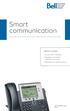 Smart communication Simplified Solutions for Small and Medium-sized Businesses What s inside: Voice and IP solutions Headsets and Audio Conferencing units Maintenance and financing cisco IP Phone 7942G
Blackwire C710 /C720 Corded USB headset with Bluetooth. User guide
 Blackwire C710 /C720 Corded USB headset with Bluetooth User guide Contents Welcome 3 What s in the package 4 Headset features 5 Accessories/Spares 6 Using your headset 7 Inline controls 7 Wearing the headset
TERMINALS BROCHURE EVERY VERY CALL ALL MATTERS
 TERMINALS BROCHURE EVERY VERY CALL MATTERS ALL CALL PANASONIC TERMINALS TELEPHONE Panasonic provides a wide range of telephone terminals to suit all your business needs, including Digital, IP and DECT.
DSB-100 Portable Premium Bluetooth Speaker Owner s Manual
 . DSB-100 Portable Premium Bluetooth Speaker Owner s Manual You can print more than one page of a PDF onto a single sheet of paper. 1 Index Preparation Unpacking 3 Overview 4 Sound Quality 4 Design 4 Operation
Jabra TALK USER MANUAL
 Jabra TALK USER MANUAL CONTENTS THANK YOU...2 ABOUT YOUR...2 WHAT YOUR HEADSET DOES...3 GETTING STARTED...4 CHARGE YOUR HEADSET...4 TURNING YOUR HEADSET ON AND OFF...5 PAIRING IT WITH YOUR PHONE...5 WEARING
MORE ACCESSIBILITY HIGHER QUALITY COMMUNICATIONS CONNECTING YOUR FUTURE KX-NS500 UNIFIED COMMUNICATIONS PLATFORM
 MORE ACCESSIBILITY HIGHER QUALITY COMMUNICATIONS KX-NS500 UNIFIED COMMUNICATIONS PLATFORM CONNECTING YOUR FUTURE 1 THE SYSTEM THAT GROWS WITH YOUR BUSINESS Save communication costs Save network costs Save
DECT. DECT Density. Wireless Technology. and WHITE PAPER
 WHITE PAPER DECT Wireless Technology and DECT Density INDEX Introduction 3 About DECT 3 Advantages 4 Density 4 Considerations 4 How to increase DECT density? 7 2 Introduction a summary of DECT DECT technology
Savi Office WO100. wireless headset system. with optional HL10 lifter User guide
 Savi Office WO100 wireless headset system with optional HL10 lifter User guide Welcome Congratulations on purchasing your new Plantronics product. This guide contains instructions for setting up and using
Jabra SOLEMATE USER MANUAL
 Jabra SOLEMATE USER MANUAL Contents Welcome...2 JABRA Solemate OVERVIEW...3 connecting...6 play music, chat and voice guidance...8 support... 12 technical specifications... 16 1 WELCOME Thank you for purchasing
Business IP wireless DECT solutions. Enhancing communications. Increasing freedom.
 Business IP wireless DECT solutions Enhancing communications. Increasing freedom. High-quality communications designed for you For any business looking to reduce the cost of communications, simplify administration
GN 6210 - Bluetooth Wireless Headset for use in the office, at home or even on the move
 GN 6210 - Bluetooth Wireless Headset for use in the office, at home or even on the move USE WITH MOBILE PHONES AND PAIRING Does the GN 6210 work the same way with all Bluetooth-enabled mobile phones? Mobile
Copyright Exertis GO Connect Official Revolabs distributor for Netherlands, Belgium & Luxembourg 25-3-2015
 2015 Copyright Official Revolabs distributor for Netherlands, Belgium & Luxembourg 25-3-2015 Content Revolabs Executive Elite Systems... 3 Revolabs Executive HD Systems... 4 Revolabs HD Systems... 5 Revolabs
CALL EVERY MATTERS. Endless Possibilities with a Wide range of Devices. Terminals Brochure. Panasonic PBX platforms support the stylish
 EVERY Panasonic PBX platforms support the stylish CALL and intuitive range of Digital, IP, and DECT wireless telephones. And with support for Applications and Conference units - companies have an extensive
Voyager Legend. User Guide
 Voyager Legend User Guide Contents What's in the Box 3 Accessories 4 Headset Overview 5 Pairing 6 Get Paired 6 Pair another phone 6 Charge 7 Fit 8 Change the eartip 8 Wear on the left or right 8 The Basics
JABRA SPORT Pulse wireless
 JABRA SPORT Pulse wireless User Manual jabra.com/sportpulsewireless 2014 GN Netcom A/S. All rights reserved. Jabra is a registered trademark of GN Netcom A/S. All other trademarks included herein are the
Jabra CRUISER2. User manual. www.jabra.com MUTE VOL - VOL + jabra
 Jabra CRUISER2 VOL - VOL + MUTE jabra User manual www.jabra.com Contents THANK YOU...2 ABOUT YOUR JABRA CRUISER2...2 WHAT YOUR SPEAKERPHONE CAN DO...3 GETTING STARTED...4 CHARGE YOUR SPEAKERPHONE...4 TURNING
Advanced Business Communications for IP Networks. A Converged IP Platform offering advanced business solutions for single or multi-site networks.
 KX-TDE Pure IP PBX Advanced Business Communications for IP Networks Investment in a telecommunication system requires business communication foresight. Businesses need to be able to effectively communicate
Voyager. Legend UC. Wireless Headset System (B235 and B235-M) User Guide
 Voyager Legend UC Wireless Headset System (B235 and B235-M) User Guide Contents Welcome 3 Featured highlights 3 System Requirements for Plantronics Spokes Software 3 What's in the box 4 Overview 5 Headset
How To Get A Cell Phone From Panasonic
 THE FUTURE IS CRYSTAL CLEAR. TELEPHONE SOLUTIONS FOR YOUR BUSINESS Telephones that Meet Your Business Needs Communication is an essential part of what makes your business a success, and that s why having
Jabra FREEWAY. User manual. www.jabra.com
 Jabra FREEWAY User manual www.jabra.com CONTENTS THANK YOU.................................................... 2 ABOUT YOUR.................................. 2 WHAT YOUR SPEAKERPHONE CAN DO..........................
Aastra S850i Conference Phone Product Description
 Aastra S850i Conference Phone Product Description Date: June 5, 2013 Author: Simon Beebe Aastra S850i is a SIP-based wireless conference phone delivering a new level of freedom and flexibility for audio
TV & Assistive Listening Devices
 10 TV & Assistive Listening Devices TV & Assistive Listening Devices l Relaxing at the end of the day watching TV l Enjoying listening to music l Catching up with family & friends at a restaurant l Developing
Have All the Answers Before You Answer. Instant, Easy Access to Dentrix Patient Data with Every Phone Call
 Have All the Answers Before You Answer Instant, Easy Access to Dentrix Patient Data with Every Phone Call Improve Patient Satisfaction and Generate More Revenue through Dentrix Imagine the phone rings,
IP Office Phones: Choices For Every Small Business
 IP Office Phones: Choices For Every Small Business There s an Avaya IP Office telephone for everyone in your business: Executives/Managers Everyday Users Administrative Assistants/ Receptionists Walkup
Datasheet. Enterprise VoIP Phone with Touchscreen. Models: UVP, UVP-Pro, UVP-Executive. High-Definition, Multi-Touch Color Display. Powered by Android
 Enterprise VoIP Phone with Touchscreen Models: UVP, UVP-Pro, UVP-Executive High-Definition, Multi-Touch Color Display Powered by Android Integrates with UniFi Enterprise System Smartphone Technology for
Logitech Unified Communications Portfolio
 Logitech Unified Communications Portfolio Westcon April 2014 Michael B. Freibrun, National Account Manager Mini Agenda Logitech at a Quick Glance Audio Video Products Webcam & Headset Products B2B Partner
JABRA DRIVE USER MANUAL
 JABRA DRIVE USER MANUAL Contents THANK YOU...2 ABOUT YOUR JABRA DRIVE...2 WHAT YOUR JABRA DRIVE CAN DO....3 HOW TO PRESS THE BUTTONS...4 WHAT THE LIGHT MEANS...4 GETTING STARTED.............................................
Jabra PRO 930. User Manual. www.jabra.com
 Jabra PRO 930 User Manual www.jabra.com CONTENTS 1. WELCOME...4 2. PRODUCT OVERVIEW...5 2.1 PACKAGE CONTENTS...5 2.2 HEADSET OVERVIEW...6 2.3 HEADSET ATTACHMENTS...7 2.4 BASE OVERVIEW...8 2.5 OPTIONAL
Jabra SPORT. User manual. www.jabra.com
 Jabra SPORT User manual www.jabra.com Contents Thank you...2 About your Jabra SPORT...3 What your headset DOES...3 GETTING STARTED............................................. 4 CHARGING YOUR JABRA SPORT...4
RENTAL EQUIPMENT LISTING Wireless Headsets
 5-8-15 EQUIPMENT LISTING Wireless Headsets Plantronics CS510 84691-01 Monaural wireless Dect 6.0 headset - noise canceling 269.95 15 Plantronics CS510XD 88284-01 Monaural wireless headset - 900- Mhz -
Jabra BIZ 2400 USB USER MANUAL
 Jabra BIZ 2400 USB USER MANUAL 1 2011 GN Netcom A/S. All Rights Reserved. This user guide is published by GN Netcom A/S. The information in this user guide is furnished for informational use only, is subject
How to Install and Set up a Jabra Go 6400 and Pro9400 Series Headset with an Avaya 96x1 Series IP Phone
 How to Install and Set up a Jabra Go 6400 and Pro9400 Series Headset with an Avaya 96x1 Series IP Phone Note: The EHS (Electronic Hook Switch) link 14201-35 is used with all Jabra Headsets sold by CNS/NI&S.
Learn what a cloud phone system can do for your business.
 RingCentral Office Product Overview Learn what a cloud phone system can do for your business. RingCentral Office Product Overview Complete Business phone system Cloud Business Phone Systems Call and fax
Telephone Headsets to use at work
 Tips and Hints! Faye Yarroll received her first cochlear implant in 2005 and her second in 2007. Today, Faye has bilateral cochlear implants and is an active member of the Cochlear Awareness Network in
Voyager Edge Series. User Guide
 Voyager Edge Series User Guide Contents What's in the box 3 Headset overview 4 Charge case overview 5 Pair 6 Bluetooth pairing 6 NFC pairing 6 Pair Another Phone 6 Select language 7 Charge 8 Check headset
POLYCOM PHONE BUYERS GUIDE
 POLYCOM PHONE BUYERS GUIDE In 2011, Polycom announced the shipment of their 4-millionth conference phone. It s no surprise that Polycom has been the leading supplier of conference phones for twenty years,
IP Office Handset and Conference Phones. Phones that mean business
 IP Office Handset and Conference Phones Phones that mean business 1. Low-cost yet fully featured deskphones 2. Smart, clear sounding conference phones 3. More than just phones 4. Choose the phone that
Jabra SPORT WIRELESS+
 Jabra SPORT WIRELESS+ User manual www.jabra.com CONTENTS THANK YOU...2 ABOUT YOUR....3 WHAT YOUR HEADSET DOES...3 GETTING STARTED............................................. 4 CHARGING YOUR...4 TURNING
IP Office Telephones: Choices For Every Small Business
 IP Office Telephones: Choices For Every Small Business There s an Avaya IP Office telephone for everyone in your business: Executives/Managers Everyday Users Administrative Assistants/ Receptionists Walkup
Benefits of Avaya IP Office
 TEAM AND CUSTOMER ENGAGEMENT SOLUTION FOR SMALL AND MID SIZED BUSINESSES avaya.com 1 ARE YOU FULLY ENGAGED WITH YOUR PEOPLE AND YOUR CUSTOMERS? That s the question many small and midsize businesses and
How To Use A Jabra Go 6470 Headset And Power Adapter On A Cell Phone (Mini) For Free (For Women) For A Week (For Men) For $99.99) (For A Long Time) (Women)
 Jabra GO 6470 User Manual www.jabra.com WELCOME Congratulations on purchasing your new Jabra GO 6470. We are sure you will enjoy its wide range of features, and find the headset comfortable to wear and
Comfort. calls. Contact Center & Office Solutions
 Comfort calls Contact Center & Office Solutions Index About Sennheiser...4 Unified Communications...6 Strategic Alliances...8 ActiveGard... 10 Choose the right headset... 12 Contact Center & Office Wireless
Connect Partner Playbook
 Connect Partner Playbook Growth Through Partnership Welcome to the Plantronics Connect Partner Program. There s never been a better time to be in the audio device industry. And there s no better company
Always more than you expect Panasonic. Telephone Terminals
 Always more than you expect Panasonic Telephone Terminals DIGITAL TELEPHONY The KX-DT300 series digital telephones deliver advanced productivity features, including a large display, bluetooth headset options
CS510 /CS520. Wireless Headset System. User Guide
 CS510 /CS520 Wireless Headset System User Guide Contents Welcome 3 What s in the Box 4 Base and Headset Basics 5 Accessories 6 Headset Set Up 7 Connect Your Desk Phone 8 Connect the Power 8 Charge the
THAN YOU EXPECT TELEPHONE TERMINALS
 ALWAYS MORE PANASONIC THAN YOU EXPECT TELEPHONE TERMINALS WHICH PANASONIC TELEPHONE TERMINAL SOLUTION IS BEST FOR YOUR BUSINESS? For businesses, personal contact with customers is a significant factor
Communications. Simplified ipecs UCP. www.ericsson.com/us/connecting-business
 Communications Simplified ipecs UCP Innovative IP Platform for Unified Communications Simple Unified Communications Built-in Users can access voice, video, instant messaging, conference calling and visual
award winning devices and solutions for business
 award winning devices and solutions for business welcome to HTCpro HTCpro is an established programme designed for business that delivers a comprehensive suite of enterprise-grade mobile solutions. These
Savi W410-M/W420-M. Wireless headset system. User Guide
 Savi W410-M/W420-M Wireless headset system User Guide TM Welcome Congratulations on purchasing your new Plantronics product. This user guide contains instructions for setting up and using your Savi W410-M/W420-M
How To Use The Jabra Pro 9450 With A Desk Phone And A Bluetooth Headset
 Jabra PRO 9450 User Manual www.jabra.com WELCOME Congratulations on purchasing your new Jabra PRO 9450. We are sure you will enjoy its wide range of features, and find it comfortable to wear and easy to
CS540. Wireless Headset System. User Guide
 CS540 Wireless Headset System User Guide Contents Welcome 3 What s in the Box 4 Base and Headset Basics 5 Accessories 6 Customize Your Headset 7 Change Headset Configuration 7 Left Earloop Assembly 7 Headband
Easy VoIP by Doro Business Electronics
 DESIGN BY DORO OF SWEDEN Easy VoIP by Doro Business Electronics Easy VoIP......is the most complete assortment of smart, SIP-based VoIP products and accessories your business will find for modern communications.
Cisco SPA525G2 5-Line IP Phone
 Q & A Cisco SPA525G2 5-Line IP Phone Q. What is the Cisco SPA525G2 5-Line IP Phone? A. The Cisco SPA525G2 IP Phone is a five-line phone that features a high resolution color display. The phone operates
Brief Introduction... 2. Thump Bluetooth Wireless Headphones features... 2. What s in the package?... 2. Bluetooth Wireless technology...
 Thump User Guide Thank you for choosing the Thump Bluetooth Wireless Headphones. Please read this guide carefully to ensure your ease in using your Thump features fully. Reproduction, transfer, distribution
Jabra SPEAK 410. User Manual. www.jabra.com
 Jabra SPEAK 410 User Manual www.jabra.com CONTENTS WELCOME...3 PRODUCT OVERVIEW...3 INSTALLATION...4 CONNECTING...4 SETUP...4 CALL FUNCTIONS...4 GETTING ASSISTANCE...6 www.internetvoipphone.co.uk [email protected]
Allworx giving you the power of choice.
 Allworx IP Phones IP Phones Allworx Allworx giving you the power of choice. What do you want from a phone the ability to make calls over the Internet or a standard phone line? Flexible performance as a
Professional Audio Conferencing ClearOne Converge Pro Series 3. ClearOne Sound Reinforcement Products 4. Control Accessories 4. Microphones 4.
 Content Professional Audio Conferencing ClearOne Converge Pro Series 3. ClearOne Sound Reinforcement Products 4. Control Accessories 4. Microphones 4. ClearOne Interact Pro Series (Microsoft OCS & Lync)