
OPERATING INSTRUCTIONS
|
|
|
- Felicity Tate
- 10 years ago
- Views:
Transcription
1 OPERATING INSTRUCTIONS e+ SOIL MCT Contents On these operating instructions... 2 Introduction Description Package contents General Technical data Start up Settings General Functional settings Descriptive settings Practical Logger Data Manager (LDM) Connection Use of the read-out unit Use of the IrDa-interface Use of the DRC cable Use of the e-sense system Installation Use Logger Data Manager (LDM) Performing measurements Soil moisture Soil conductivity Calibrations Setting alarms Applications Problems and solutions Maintenance Appendix; Battery set e+ logger P.O. Box 4, 6987 ZG Giesbeek, NL T F E [email protected] June M E

2 On these operating instructions If the text follows a mark (as shown on the left), this means that an important instruction follows.! Text If the text follows a mark (as shown on the left), this means that an important warning follows relating to danger to the user or damage to the apparatus. Italic indicated text indicates that the text concerned appears in writing on the display(or must be typed). Introduction The e+ SOIL MCT is an integrated electronic instrument for measuring, recording and monitoring soil moisture levels, conductivity and temperature. The user instructions describe the start up, use, applications and installation of the e+ SOIL MCT. Attention is also given to a possible calibration procedure before installation. 1. Description 1.1 Package contents e+ SOIL MCT (in various lengths: , , , , ) comprises a data logger with integrated sensors, measuring electrodes, LDM-software ( ) and a battery set e+ logger ( ) Available separately: Measuring electrodes e+ SOIL MCT ( ) IrDa readout unit ( ), for remotely connecting to a (laptop) computer Readout unit ( ), for connecting to a (laptop) computer Readout cable DRC, for connecting to a (laptop) computer using a communication cable for DRC ( ). Available in the following lengths: 5 m ( ) 10 m ( ) 15 m ( ) 30 m ( ) 60 m ( ) 80 m ( ) 100 m ( ) Cable e+ sensor e-sense for connecting to the SMS modem e SENSE (field modem) in the following lengths: 1 m ( ) 5 m ( ) 10 m ( ) 15 m ( ) 30 m ( ) 60 m ( ) 80 m ( ) 100 m ( ) 200 m ( ) 2

3 1.2 General The e+ SOIL MCT can be used to measure and record soil volumetric moisture levels, electrical conductivity and temperature. The e+ SOIL MCT is constructed in a stainless steel housing, which is fitted with two unscrewable conical electrodes and a fixed temperature sensor. Measurements are repeatedly taken at a fixed, adjustable interval. Measurement values are saved together with the measuring time in the electronic memory. Changing the settings or reading out the saved measurement values can be effected via the optical IR connector or the IrDa link. 2. Technical data General: Length : Type dependent (from 220 mm to 1125 mm excl. electrodes) Working length : Type dependent (10, 25, 50, 75 and 100 cm) Diameter : 22 mm Measuring electrodes : 2 electrodes. Dimensions: 68 x 3 mm. Distance between them: 15 mm Weight : Type dependent (± 300 g to 1163 g) Temperature working range : C Relative humidity range : % Housing : Stainless steel 316L e+ SOIL MCT data logger: Storage capacity : 3 x measurements Measurement interval time : sec minutes hours Data logging method : Fixed interval time Clock accuracy : 1 sec. per day Alarm level (adjustable) : low and/or high alarm in the whole measuring range of all parameters Battery status indication : % e+ SOIL MCT sensor: Measuring frequency : 20 MHz Measuring volume (saturation) : 1000 ml (500 ml 98% accuracy) Soil moisture measuring range : % volumetric Soil moisture accuracy : +/- 2.5% of the measurement value (mineral soil types, C) Soil moisture resolution : 0.01% Conductivity measuring range : ms/cm Conductivity accuracy : +/- 5% of the measurement value ( C, ms/cm) Conductivity resolution : 0.01 ms/cm Temperature measuring range : C Temperature accuracy : +/- 0.5 C Temperature resolution : 0.01 C Power: Battery : 3.6V (AA) lithium battery 2.3 Ah Lifespan of battery : 1 year (typ. for 1 hour sample speed and C) 3

4 Communication: Via : e-sense SMS-modem, Optical connector (IR) Readout unit, DRC-cable ( m), IrDa readout unit remote (1...2 m) 3. Start up 3.1 Settings General The settings of the e+ SOIL MCT are data with which the user can influence the functioning and characterise the measurements performed. The function settings include the measuring range, measuring interval, alarm limits and the actual clock time. The descriptions include the location, parameter names, measuring units, etc. Any setting changes are only effected after the data logger is started. All possible measurement data present is then deleted from the memory and a new series is started using the new settings. To save measurement data permanently these must be read-out with suitable software e.g Logger Data Manager Functional settings The e+ SOIL MCT is supplied with the following factory functional settings: measuring range moisture level: 0 to 100% measuring range conductivity: 0 to 5 millisiemens per centimetre measuring range temperature: -20 to 80 C alarms are not activated the clock will be running if batteries have been inserted (the clock time should be set to local time) the instrument is stopped and therefore makes no measurements Measuring range and scaling The e+ SOIL MCT is supplied with standard settings for mineral (sand) soils. In practice, the soil type influences the volumetric soil moisture measurement results. Guaranteed high accuracy is therefore only achieved for measurements in soil types for which the sensor is specifically calibrated. The user can himself/herself perform a simple linear (two point) calibration which is described in section 4.2. If great accuracy is required for a soil type, the supplier can perform a soil-specific calibration for you. Contact the supplier for this. The user may decide to adjust the temperature scale unit. Example: A measuring range (Range) of 100 degrees Celsius corresponds with a measuring range of 180 degrees Fahrenheit. The standard zero point (Reference) of -20 degree Celsius corresponds with -4 degrees Fahrenheit. To switch from Celsius to Fahrenheit, one should therefore fill in 180 for Range and 4 for Reference. The Range and Reference of a parameter must always have the same unit. 4

5 Alarms The e+ SOIL MCT can give alarms for all 3 parameters. For a description of the configuration procedure refer to chapter 4.3. Measuring interval Alarm functions reach their full potential when using the instrument under e-sense direct or e-sense Internet. The frequency at which the sensor performs and records measurements is determined by the measurement or recording interval. This time interval may be varied by between 10 seconds and 24 hours, as the user sees fit. With the e-sense-system, the minimum measurement interval is 1 minute. Clock time The logger is designed with an accurate realtime clock. The clock must, in principle, be set once-only to the right date and time after (re)inserting the battery. We recommend that you check the clock time every 3 months. This guarantees the right chronological position of the measurements Descriptive settings Descriptive settings relate to the names of the measurement location, the names of the parameters and the units of the measurement values. They do not themselves affect the measurements, but define them for the user. They can be filled in by the user as one pleases, but the relevance is clear: it will prove useful to the user to be able to see in hindsight at what place and time the measurements were made and in what units they are expressed. 3.2 Practical To configure or read out from the instrument, the following is required: Logger Data Manager software An optical link between instrument and (laptop) PC The following alternatives are available for this: Readout unit ( ) for office environment IrDa readout unit ( ) for field conditions with good access (distance to 2 metres) Readout/Communication cable DRC ( ) for field conditions (distance to 200 metres) a (laptop) PC Logger Data Manager (LDM) LDM is a software package for reading out and evaluating measurement data, which can also be used to configure the instrument. LDM is suitable for both e+ sensors and the Essen Groep Diver. LDM installation The installation of LDM on your (laptop) PC is simple, but you must possess sufficient user rights for Windows NT, 2000 or XP. Contact your system manager about this if necessary. Your (laptop) PC must have a CD-ROM drive. Place the CD in the CD-ROM drive to automatically start the setup programme. If this does not happen, start it manually by clicking on Start -> Run, and type in: <X>:\setup.exe, where <X> represents the drive letter of the CD-ROM drive. For additional information regarding the installation of LDM see the manual concerned. 5

6 After installation, start LDM, click on the Application Management tab and make the following changes: Selected port: must be set to the port number to which the optical connector will be connected; User type: in this case Basic is sufficient, choose Advanced if a special setting is needed; English / Deutsch / Nederlands: set the preferred language as desired. Now the LDM is ready for the configuration of the instrument. Linking the instrument to the (laptop) PC Connect the optical connector to the vacant communication port (RS-232, USB) of the (laptop) PC. Connect the instrument to the optical connector. To this end, this is placed in the readout unit or screwed into a DRC-connector. When using the IrDA readout unit, it must be aimed at the LEDs on the communication side of the instrument at a distance of 2 metres at most. Configuring with the help of LDM For additional information relating to the use of LDM see section 4.1 and the LDM manual. 3.3 Connection Use of the read-out unit When the e+ SOIL MCT is used as a demountable unit on a place with good reach, the read-out unit can be used Use of the IrDa-interface When the e+ SOIL MCT is permanently installed and the instrument is placed in a place with good reception, using the IrDa-interface forms a useful alternative to a permanently installed connecting cable. The IrDa interface has an optical unit by which a data logger can be read out at a distance of metres and is equipped with a 9-polar sub-d connector for connection to a COM-port of a PC. A laptop PC is used to read out from the instrument in the field Use of the DRC cable When the instrument cannot be easily placed in the close proximity of a PC because the e+ SOIL MCT is permanently installed, one can use a DRC readout cable in combination with a DRC communication cable. DRC readout cables are available in various lengths, are fitted with a special connector for connecting to a DRC communication cable and have an optical IR connector for the instrument. The DRC communication cable has a standard length, is fitted with a connector for connecting to the readout cable and has a 9-polar sub-d connector for connecting to the COM-port of a PC. 6

7 3.3.4 Use of the e-sense system In an e-sense measurement system, the e+ sensor is usually permanently installed and must be connected to an SMS-modem e-sense (field modem) using a cable e+ sensor e-sense. In an e-sense measurement system, measurement data from the e+ sensors is sent remotely through an SMSmodem to a central (Internet) database. Reading out measurement data in the field is therefore no longer necessary. For more information regarding e-sense measurement systems, e-sense Internet or e-sense direct and important points regarding installation, see the user instructions for the SMS-modem e-sense (field modem), e-sense direct and e-sense Internet. For more information regarding available connection cable types and lengths and the IrDa-interface, see section 1.1, Package contents. 3.4 Installation A suitable place for performing the soil measurements must be found before installation. The measuring location for the e+ SOIL MCT must be selected such that representative measurements are assured. For permanent installation, the e+ SOIL MCT can be dug in. When using the IrDa-interface, a vertical hole is drilled in which the e+ SOIL MCT is placed, such that the optical connector protrudes above ground level. In both cases, one must ensure that the soil is replaced such that it has the same degree of compaction. To prevent undesirable penetration of moisture, a sealing ring is fitted during installation and before use in combination with the IrDainterface. To perform reliable measurements, the electrode-pens of the e+ SOIL MCT must be fully inserted in the soil. When placing the e+ SOIL MCT in the soil, take care to avoid damaging the electrodes on hard pieces of soil or stones. If necessary, drill a hole first and then refill to the original state. The e+ SOIL MCT is housed in a waterproof housing and is so designed that it can be easily buried in soil in any position. The sensor can be read out and configured when completely buried using a DRC-cable. 7

8 Horizontal placement The sensor can be placed in various ways, e.g. horizontally in a spacious hole and re-covered with soil. In this case, the sensor pens can be stuck into the undisturbed hole wall if desired. See figure 1. Ground level Fig.1 e+ SOIL MCT in buried horizontal placement If the e+ SOIL MCT is to be installed for a long time in a certain place, such that the measurement environment of the sensor may not be disturbed, then the sensor should be placed such that the battery holder part is above ground level. This means that one can replace the battery without having to remove the sensor from the measuring position. Because the sensor is now partially above ground, the measurement depth (under ground level) must be determined. This can be done easily using the following definitions: The notional centre of the measurement part of the sensor is in the centre between and halfway along the length of the measuring pens. The working length of the e+ SOIL MCT is the distance calculated from the centre of the measurement part to 150 mm from the end of the sensor with the optical links. See figure 2. The working length of the most types is as indicated in centimetres in the type specification. The standard type, however, has a working length of approx. 9.5 cm. 150 mm Working length (10, 25, 50, 75, 100 cm) 66 mm 33 mm Fig. 2 Working length of e+ SOIL MCT 8

9 If soil disturbance is to be kept to a minimum, a special gouge can be used that has had its diameter adjusted according to that of the sensor. A drill hole is made that optimally accommodates the sensor so that preferential water flow through the space between the drill hole and the outer wall of the sensor is avoided as much as possible. In addition, the gouge can be used to make a drill hole of an accurate depth, see figure 3. Gouge auger Sealing ring Ground level Gouge drilling Vacant auger hole Installed e+ SOIL MCT Fig. 3 Vertical placement of the e+ SOIL MCT using a gouge For vertical placement, to prevent rain seeping in along the housing, the flexible synthetic sealing ring can be used by placing it around the sensor at ground surface. 9

10 4. Use 4.1 Logger Data Manager (LDM) Control over the instrument is performed in LDM in the window under the Settings tab. [Figure LDM] Here, the four most important actions are performed, namely: Reading out the measurement values: The measurement data present in the memory of the instrument, is read out by pressing the button depicted on the right. The readout measurement data is saved in LDM. All readout and saved series measurement data are given in a list under the tab e+ measurements -> Series. If a measurement series is selected using the lists, the measurement results can be viewed and analysed in the window e+ measurements -> Tables and graphs. Additionally, one can also export the data in the main window using the menu File -> Export data. Readout of the settings: [figure: settings readout button] The configuration of the e+sensor can be read out and saved in LDM by pressing this button. This registers the e+sensor within LDM. The user can from this point configure the e+sensor off-line within LDM. The modified configuration is consequently only known within LDM. 10

11 Configuring the instrument (or writing the settings): The instrument is set (configured) using the programming button. Pressing this button transfers the settings, as they were determined in LDM, to the instrument. Starting and stopping the instrument: The following functions are available: Start now: The instrument is started immediately by pressing this button. Start in the future: The instrument is started by pressing this button at the time and date indicated in the Standard settings window. Synchronise logger time with system time at start: If this box is checked, the RTC clock of the instrument is synchronised with the system clock of the PC at the start. Stop: The instrument is immediately stopped by pressing this button. The measurement process can be checked by pressing the Direct readout tab at the bottom of the Settings window and then by pressing the Start direct readout button in this screen. The actual status is then continuously read out and displayed. When starting the instrument, all existing measurement values are deleted from the instrument s memory and a new measurement session is started. If the instrument is started and setting changes are made, these only take effect after the instrument is stopped and restarted. 4.2 Performing measurements Soil moisture For soil moisture measurements, the quantity of soil moisture is expressed in both volume percentages and mass percentages. The use of volume percentages is most commonly accepted. The e+ SOIL MCT measures the quantity of soil moisture, expressed in volume percentage. The sensor determines the electrical permittivity using a so-called Frequency Domain (FD)-measuring principle. The volumetric soil moisture fraction is calculated from this using the Topp-model (1980). Volumetric soil moisture is defined as follows: θ v = 100 * V w / (V w + V b + V g ) [%] Key: θ v : The volumetric soil moisture percentage V w : The volume of the water component V b : The volume of the soil component V g : The volume of the gas component 11

12 4.2.2 Soil conductivity The e+ SOIL MCT measures the total soil conductivity, also called the bulk conductivity, not to be confused with the interstitial water conductivity. Soil conductivity is principally caused by two components. The first component is that of the water component, where the conductivity is the result of the ions that it contains. The second component is that of the soil component, where the conductivity is the result of bonded elements. Soil conductivity is expressed in millisiemens per centimetre (ms/cm). The soil conductivity measurement values of the e+ SOIL MCT are temperature compensated and represent the conductivity at a reference temperature of 20 ºC. For this, it is assumed that the total conductivity changes proportionally by approx. 2 percent per degree Celsius Calibrations The e+ SOIL MCT can be calibrated by the user by adjusting the values of Reference and Range. In the LDM-software, the fields are displayed under Logger Settings in the columns Ref. (Reference) and Range. In the row sequence, soil moisture is in the first position, followed by conductivity and temperature in the second and third rows respectively. See the figure below: For a two-point calibration for moisture measurement, the following procedure can be applied. Take two samples of the desired soil type, with significantly different but known soil moisture levels. These two known values have the symbols moisture%1 and moisture%2. Take a measurement of the soil moisture level in both samples using the e+ SOIL MCT. This yields two measurement values, symbolised by measurement%1 and measurement%2. If the values moisture%1 and measurement%1 are sufficiently close to each other - and the same goes for the values moisture%2 and moisture%2 - then further calibration is not required. However, if the corresponding values are too different, the e+ SOIL MCT must be corrected. This is done by changing the values of the Reference and Range according to the formula below: Range new = Range old x (moisture%1 - moisture%2) / (measurement%1 - measurement%2) and Reference new = moisture%2 - (measurement%2 - Reference old ) x (moisture%1 - moisture%2) / (measurement%1 - measurement%2) 12

13 In these formulas, Range old and Reference old are the values of the Reference and Range at the moment that the measurements are performed with the e+ SOIL MCT. Range new and Reference new are the new values for Reference and Range that must be entered in the e+ SOIL MCT using LDM. The procedure above is described for soil moisture, but this can also be similarly performed for conductivity and temperature. 4.3 Setting alarms The e+ sensors have an alarm function. Each parameter has two alarm statuses: one for the high value and one for the low value. When the measurement value of a parameter exceeds an alarm limit, the associated alarm status is made active. The alarm status must be (re)set to non-active using an external device, generally the e-sense field modem. The alarm status can only be activated again after the hysteresis limit value has been reached. To illustrate see the figure below. Alarm High Hysteresis High Alarmstatus Switched off externally Activation alarm function Re-activation of alarm function Fig. 4 Course of the alarm The limit values can be set in LDM. However, LDM itself does not support any alarm functionality. The settings concerned have the following meaning: Alarm High: specifies the high limit value at which the alarm status is activated. Hyst.(= Hysteresis) High: specifies the high limit value at which the alarm function is reactivated Alarm Low: specifies the low limit value at which the alarm status is activated Hyst. Low: specifies the low limit value at which the alarm function is reactivated To generate a low alarm, Alarm Low and Hyst. Low must be provided with a value that is higher than the lower limit of the measuring range. Additionally, Hyst. Low must be greater than or equal to Alarm Low. 13

14 To generate a high -alarm, Alarm High and Hyst. High must be provided with a value that is lower than the upper limit of the measuring range. Additionally, Hyst. High must be lower than or equal to Alarm High. The low -alarm function is made inactive by making Alarm Low and Hyst. Low the same as the lower limit of the range. The high -alarm function is made inactive by making Alarm High and Hyst. High the same as the upper limit of the range. The SMS-modem e-sense (field modem) and e-sense direct support alarm functionality. If an SMS modem detects an active alarm status for a sensor, e-sense direct can pass on an alarm message sent by the SMS-modem to a mobile telephone number. The values of alarm and hysteresis must be within the interval constituted by on the one side the Reference and on the other side by the sum of Reference and Range. In formula: Ref. <= Alarm <= (Ref. + Range) and Ref <= Hysteresis <= (Ref. + Range) The user must always (also when no telemetry is used) fill in the values for alarm high, hysteresis high, alarm low and hysteresis low. 5. Applications The e+ SOIL MCT is an integrated electronic instrument for measuring, recording and monitoring soil moisture levels, conductivity and temperature. Applications, amongst others in: Agri- and horticulture and plant science e.g. to monitor and control irrigation parameters. Area s where the actual value or the actual change of water content is of importance. Foodstuffs before and during longterm storage. Dike guarding Salinization processes At this moment, the following e+ sensors are available: e+ RAIN (Rain: intensity and total) e+ SOIL MCT (Soil moisture: volumetric, conductivity and temperature) e+ WATER L (Water height: level, temperature) At this moment, the following Divers by Van Essen Instruments are available for the following fields of application: Diver (water depth and temperature) CTD-Diver (water depth, temperature and conductivity) Baro-Diver (air pressure and temperature) OTD-Diver (water level, temperature and oxygen level) New types of e+ loggers are being developed for various other fields of application. Ask for information about the possibilities that may become available soon for your specific application. 14

15 6. Problems and solutions This section provides useful tips and information for problems that may occur when using or turning on the instrument. One can determine what is wrong and possibly correct the fault oneself using the tips that are given below. After starting the instrument, no measurement values appear after start up. If the instrument is used as standalone: Check whether the right type of connection cable is being used and whether the cable is damaged, whether the infrared eyes of the instrument are dirty or whether the readout unit has been connected correctly. Then check whether the correct COM-port has been set in LDM e+ under the tab Application management -> Programme settings. If the instrument is connected to an SMS-modem e-sense (field modem) and if use is made of e-sense direct or the e-sense Internet: If the fault occurs with all the data loggers used, there is probably a problem with e-sense direct or the e-sense Internet. In this case, refer to the user instructions of e-sense direct or e-sense Internet. If the fault only occurs with the data loggers that are connected to a certain SMS-modem, there is probably a problem with the SMS-modem concerned. In this case, refer to the user instructions of the SMS-modem. If the fault only occurs with one instrument, check whether the right type of connection cable is being used and whether the cable is damaged. If the problem is not solved with the above measures, remove the instrument and check the operation using a readout unit and a (laptop) PC with LDM e+ installed on it. If in LDM e+ one cannot communicate with the instrument, replace the battery as described in section 7, Maintenance. Contact the supplier if all the named measures do not solve the fault. 15

16 Communication with the instrument is correct, but no measurement values appear. If the instrument is used as standalone: In LDM e+ check the settings for the Sample speed and Future start and also check the system time of the (laptop) computer under Settings, Configuration screen, Date and Time. Synchronise the RTC when starting the instrument. Depending on the set Sample speed and the possibly set Future start, measurement values should now be available from a certain time. If e-sense direct or e-sense Internet is used: Check whether the settings Sample speed, Send interval, Send start and Channel is activated. The setting for Sample speed must be smaller than that for Send interval, while Channel is activated must be active. Depending on the value for Send interval and Send start, measurement values should now be available from a certain time. If this is not the case, check: The signal strength level of the SMS-modem e-sense (field modem) if applicable. For checking the field strength level of the SMS-modem, refer to the user instructions of the SMS modem. The signal strength of the PC GSM-modem if applicable. The field strength level is given in the status bar of e-sense direct. The instrument produces incorrect measurement values. Check the Reference and Range settings of the data logger and enter the settings again if necessary. The Reference and Range settings are a part of the sensor calibration. The alarm of the sensor does not function or functions incorrectly. The alarm functionality is only supported by e-sense direct or e-sense internet. If no alarm messages are received: check the settings Alarm Low, Hyst. Low, Hyst. High and Alarm High. Configure the alarm values if one or more settings are set to zero. If an alarm message comes in once and then not again: the value of Hyst. High chosen must be smaller than Alarm High. The value Hyst. Low must be bigger than Alarm Low. If this does not solve the problem, select both hysteresis values so that they are closer to the alarm values. If numerous alarm messages are repeatedly received: choose hysteresis values that increase the difference between them and the alarm values. If this does not solve the problem, check the development of the measurement values and set a larger Sample speed if the measurement values vary widely. 16

17 7. Maintenance Reliable and accurate measurement results can only be obtained with regular maintenance. We recommend inspecting the instrument and performing the following maintenance at set times: If use is made of the IrDa-interface, always place the cap on the optical connector when the e+soil-mct is not being used for readout, as invading sunlight increases battery use somewhat. Each time you use it, check the optical connector and the cap for dirt. Clean if necessary. Replace the battery of the instrument with a new one of the same type in good time. Section 2, Technical data, gives the expected lifespan of the battery. To replace the battery, a battery set can be purchased separately (see section 1.1, Package contents ). For replacing the battery correctly, refer to the user instructions of the e+ logger battery set ( ). When the e+ SOIL MCT is installed permanently, the instrument and the electrodes are possibly liable to contamination and corrosion. When replacing the battery, thoroughly clean the instrument with water and check the electrodes for damage or corrosion. Replace the electrodes if necessary.! Do not pull the e+ SOIL MCT out of the soil by the connection cable, but dig it out carefully. Nothing in this publication may be reproduced and/or made public by means of print, photocopy, microfilm or any other means without previous written permission from Eijkelkamp Agrisearch Equipment. Technical data can be amended without prior notification. Eijkelkamp Agrisearch Equipment is interested in your reactions and remarks about its products and operating instructions. 17

18 Appendix; Battery set e+ logger Always replace the 3 O-rings! Battery set Description Art.no. Qty. e+ Battery H O-ring (d 15,6x1,78) H O-ring (d 18 x 1) H Socket-head screw wrench Acid free vaseline H Desiccant pack H H H H H Required material: Clean dry towel 1. Disconnect the sensor connector from the e+ logger. 2. Make the outside of the e+ logger dry and clean. 3. Remove the O-ring and the nut. 4. Slip the support ring, battery cover and both thin O-rings of the e+ logger. 5. Remove the desiccant pack. 6. Remove the battery by unscrewing the clamping screws 7. Clean the inside and the O-ring seat There are 3 O-rings: 1 O-ring 1 > sealing battery cover sensor-side 2 O-ring 2 > sealing battery cover Irda-side 3 O-ring 3 > sealing/locking protective cap O-ring seat for O-ring 1 Clamping screws Battery cover Support ring O-ring seat for O-ring 2 Nut O-ring 3 O-ring seat for O-ring 3 8. Place the new battery (H ) and secure it with the clamping screws and clamping plates. For the correct position of + and - see the sticker in the e+ logger. Attention for the + and -! Clamping screw Connection wire battery Clamping plate 9. Check the functioning and configuration of the e+ logger according to the instructions of the e+ logger. 18

19 10.Grease the O-ring seat for O-ring 1 ample with vaseline. 11.Carefully slip the O-ring (H ) in the vaseline on the O-ring seat and grease also the outside of the O-ring with vaseline. The O-ring must be covered completely with vaseline. O-ring seat for O-ring 1 Vaseline O-ring 1 12.Place the desiccant pack (H ). 13.Slide the battery cover on the e+ logger. Note: the O-ring must slid correctly in the recess of the battery cover. 14.Grease the O-ring seat for O-ring 2 ample with vaseline. 15.Carefully slip the O-ring (H ) in the vaseline on the O-ring seat and grease also the outside of the O-ring with vaseline. The O-ring must be completely covered with vaseline. O-ring seat for O-ring 2 Vaseline 16.Place the support ring and screw the nut on the e+ logger, place O-ring 3. O-ring 2 Nut O-ring 3 Support ring 17.Clean the outside of the e+ logger, remove the superfluous vaseline. 18.Re-connect the sensor connector to the e+ logger or replace the protective cap. 19

Temperature Datalogger Users Manual
 Temperature Datalogger Users Manual Page 1 TABLE OF CONTENTS FEATURES & SPECIFICATIONS... 3 APPLICATIONS... 4 START UP AND GENERAL OPERATION... 5 LCD Display... 5 Turn On Temperature Data Logger... 6 Switch
Current Monitoring Kit QUICK START GUIDE
 Current Monitoring Kit QUICK START GUIDE Pico Technology EL040 Current Monitoring Kit Quick Start Guide CONTENTS 1 Introduction... 1 2 Kit contents... 3 3 Installation... 3 3.1 Connecting the system together...
USB-500/600 Series Low-Cost Data Loggers and Accessories
 Low-Cost Data Loggers and Accessories Features Stand-alone, remote data loggers and portable logger assistant Measure temperature, humidity, voltage, current, or event/state change 1 or 2 channels Low
HOBO U14 Data Logger User Manual
 HOBO U14 Data Logger User Manual The U family of data loggers offers reliability and convenient monitoring for applications that require higher accuracy, better resolution, more memory, or USB connectivity
Current Monitoring Kit
 Current Monitoring Kit QUICK START GUIDE DO090-6 CONTENTS Issues: 1) 2.10.02 WP A4 format 2) 2.10.02 Added safety warning 3) 17.3.06 Word A5 format. S1: Removed relay modules. S2: Added MI010. S4.1: added
USB-500 Series Stand-Alone, Low-Cost Data Loggers
 Stand-Alone, Low-Cost Data Loggers Features Stand-alone, remote data loggers Measure temperature, humidity, voltage, or current 1 or 2 channels Low cost, small size Battery powered Software Included, easy-to-use
SECTION G2: CABLE PROCESSOR MODULE MAINTENANCE
 SECTION G2: CABLE PROCESSOR MODULE MAINTENANCE Cable Processor Module overview WARNING! When tipping the Cable Processor Module back, (after removing the toggle arm pin), use extreme caution not to drop
INTERACTIVE WHITE BOARD MANUAL
 INTERACTIVE WHITE BOARD MANUAL Thank you for your purchase of a Bi-Bright Interactive Whiteboard. Visite us at www.bibright.com Bi-Bright Comunicação Visual Interactiva S.A. Bi-Bright S.A. Rua Cais da
OxySense Gen III Operations Manual
 OxySense Gen III Operations Manual OxySense GEN III 300 Series OxySense GEN III 5000 Series COMPLIES WITH ASTM 2714-08 OxySense, Inc. 13111 North Central Expressway, Suite 440 Dallas, Texas 75243 Phone
Ericsson W25. Mobile Networks. Quick Installation Guide
 Ericsson W25 Fixed Wireless Terminal for WCDMA/HSDPA Mobile Networks Quick Installation Guide Table of Contents INTRODUCTION... 3 Package Contents... 3 Requirements... 3 INSTALLATION... 4 Unit Preparation...
E E V R E - R S - O S L O A L R
 Solar Eye User Manual Edition JIANGSU EVER-SOLAR NEW ENERGY CO., LTD. Revision History Date Edition Specification 17/08/2011 1.0 Create File 02/09/2011 1.1 Add Micro SD function description www.ever-solar.com
Global Water Instrumentation, Inc.
 Global Water Instrumentation, Inc. 151 Graham Road P.O. Box 9010 College Station, TX 77842-9010 Telephone : 800-876-1172 International : (979) 690-5560, Fax : (979) 690-0440 e-mail : [email protected]
USB-500 Series Low-Cost Data Loggers and Accessories
 Low-Cost Data Loggers and Accessories Features Stand-alone, remote data loggers and portable logger assistant Measure temperature, humidity, voltage, current, or event/state change 1 or 2 channels Low
MOUNTING AND OPERATING INSTRUCTIONS
 MOUNTING AND OPERATING INSTRUCTIONS CF 51/55 1. Delivery CF 51/55-1 calculator with battery (optionally with mains power supply) - 1 wall mounting bracket - package with material for sealing, screws, wall
Quick Start Guide RRL Radio Telemetry
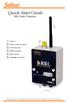 Quick Start Guide RRL Radio Telemetry Antenna External Power Connection LED Activity Light RS232 Connection Serial Number Levelogger Connections RRL Station High Quality Groundwater and Surface Water Monitoring
Wind Direction Smart Sensor (S-WDA-M003)
 (S-WDA-M003) The Wind Direction smart sensor is designed to work with HOBO Stations. The smart sensor has a plug-in modular connector that allows it to be added easily to a HOBO Station. All sensor parameters
WIND ALARM. Wind Speed Alarm. Wind Speed. Set Point 2. Set Point 1 NEW BEDFORD, MA 02745 USA
 Thank you for purchasing the Maximum wind speed alarm. The Maximum wind speed alarm is a dual set point wind speed indicator with a two digit LED display. It contains a yellow light to display one set
ALARM SYSTEM INSTALLATION GUIDE
 ALARM SYSTEM INSTALLATION GUIDE Congratulations on the purchase of your Egardia alarm system. Egardia's website www.egardia.com Customer services Please visit www.egardia.com if you would like further
BUSINESS. Elektronisches Türschloss. Installation and User Manual. www.burg-waechter.de. Ingeniously safe. Ingeniously simple.
 Elektronisches Türschloss BUSINESS Set 5011 PINCODE Set 5012 FINGERSCAN Set 5013 E-KEY Ingeniously safe. Ingeniously simple. BA/MA TSE Set 5000 dp/fsc 04/2012 Installation and User Manual BURG-WÄCHTER
LS1024B / LS2024B/ LS3024B. Solar Charge Controller USER MANUAL
 EPSOLAR LS1024B / LS2024B/ LS3024B Solar Charge Controller USER MANUAL Thank you very much for selecting our product! This manual offers important information and suggestions with respect to installation,
Kendrick Astro Instruments
 Kendrick Astro Instruments Premier Power Controller Remote Control Software Version 2.0 - User Guide - INTRODUCTION...3 Kendrick Premier Power Controller...3 Remote Control Software...4 INSTALLATION...5
SPY-BATT Battery Tutor Device Installation Manual Rev. 1.1-07/04/2016
 SPY-BATT Battery Tutor Device Installation Manual Rev. 1.1-07/04/2016 1. GENERAL DESCRIPTION The SPY-BATT is a device that allows to monitor the state of your battery. The SPY-BATT stores over time the
IN-OUT Thermometer with Cable Free Sensor and Clock
 IN-OUT Thermometer with Cable Free Sensor and Clock MODEL: RAR232 USER'S MANUAL INTRODUCTION Congratulations on your purchase of the RAR232 In-Out Thermometer with 433MHz cable free sensor and calendar
PDA Software Manual For the Windows CE and Mobile Operating Systems
 PDA Software Manual For the Windows CE and Mobile Operating Systems Global Water Instrumentation, Inc. 151 Graham Road P.O. Box 9010 College Station, TX 77842-9010 T: 800-876-1172 Int l: (979) 690-5560,
RI-215A Operator s Manual. Part Number: 71-0045RK Revision 0 Released: 10/3/05
 RI-215A Operator s Manual Part Number: 71-0045RK Revision 0 Released: 10/3/05 Warranty RKI Instruments, Inc., warrants gas alarm equipment sold by us to be free from defects in materials and workmanship,
JEROME COMMUNICATIONS SOFTWARE (JCS) INSTALLATION and OPERATION MANUAL V1.02 for Windows XP
 AZI P/N 700-0042-B Last update May 2009 USER MANUAL JEROME COMMUNICATIONS SOFTWARE (JCS) INSTALLATION and OPERATION MANUAL V1.02 for Windows XP May 2009 ARIZONA INSTRUMENT LLC 3375 N Delaware Street Chandler,
How To Program An Autodialer
 GJD HYL005 GSM Autodialer Instruction Manual Please read these instructions before you start the installation Features: LCD display. Programmable 9 x 32 digit phone numbers for each trigger. 10 second
AC-115 Compact Networked Single Door Controller. Installation and User Manual
 AC-115 Compact Networked Single Controller Installation and User Manual December 2007 Table of Contents Table of Contents 1. Introduction...5 1.1 Key Features... 6 1.2 Technical Specifications... 7 2.
Firmware version: 1.10 Issue: 7 AUTODIALER GD30.2. Instruction Manual
 Firmware version: 1.10 Issue: 7 AUTODIALER GD30.2 Instruction Manual Firmware version: 2.0.1 Issue: 0.6 Version of the GPRS transmitters configurator: 1.3.6.3 Date of issue: 07.03.2012 TABLE OF CONTENTS
Cellular Edition TM- CELL400 User Guide. 1 TM- CELL400 Rev 1.2 http://www.temperaturealert.com/ 2012 Temperature@lert
 Cellular Edition TM- CELL400 User Guide 1 TM- CELL400 Rev 1.2 http://www.temperaturealert.com/ 2012 Temperature@lert User Guide Thank you for choosing Temperature@lert to protect your highly valuable belongings
User's Guide. Integrating Sound Level Datalogger. Model 407780. Introduction
 User's Guide 99 Washington Street Melrose, MA 02176 Phone 781-665-1400 Toll Free 1-800-517-8431 Visit us at www.testequipmentdepot.com Back to the Extech 407780 Product Page Integrating Sound Level Datalogger
TIME BOX BIOMETRIC TECHNICAL INSTRUCTIONS AND QUICK START GUIDE IT IS RECOMMENDED TO READ THIS MANUAL BEFORE OPERATING THE SYSTEM
 TIME BOX BIOMETRIC TECHNICAL INSTRUCTIONS AND QUICK START GUIDE IT IS RECOMMENDED TO READ THIS MANUAL BEFORE OPERATING THE SYSTEM BODET Software B.P. 402 Boulevard du Cormier F-49302 CHOLET Cedex www.bodet.com
User Guide. Heavy Duty Dissolved Oxygen Meter. Model 407510
 User Guide Heavy Duty Dissolved Oxygen Meter Model 407510 Introduction Congratulations on your purchase of Extech's Heavy Duty Dissolved Oxygen / Temperature Meter which simultaneously displays Dissolved
SMS Alarm. User Manual
 SMS Alarm User Manual 1 1. Introduction... 2 2. SMSA1000 Specifications... 3 3. Parts Identifications... 4 4. Packing Contents... 5 5. Battery and SIM Card Installation... 6 5.1 Open the Back Cover...
Operation Manual For NDJ-8S Digital Rotary Viscometer
 Operation Manual For NDJ-8S Digital Rotary Viscometer 1 Contents 1. General... 2 2. Main technical data... 2 3. Working principle... 2 4. Installation... 3 5. Operation procedures... 4 6. Precautions...
LEAD CRYSTAL. User Manual. Valve-regulated lead-crystal batteries Energy storage Cells
 Engineering Production Sales LEAD CRYSTAL Valve-regulated lead-crystal batteries Energy storage Cells User Manual www.axcom-battery-technology.de [email protected] Chapter 1: 1. Introduction
1000 Series Data Loggers PRODUCT MANUAL
 1000 Series Data Loggers PRODUCT MANUAL Model s 1650, 1525, 1450, 1425, 1400, 1250, 1225, 1200 CONTENTS General Overview 3 Model Specifications 4 External Sensors 5 Installation and Placement 6 Digital
GSM AD05 Slave GSM Auto Dialer- Instruction Manual
 GSM AD05 Slave GSM Auto Dialer- Instruction Manual Please read these instructions before you start the installation Features LCD display Programmable 9 x 32 digit phone numbers for each trigger. 10 second
site monitoring Kit Site Monitoring Kit User Manual we prove it.
 site monitoring Kit 1 User Manual Site Monitoring Kit User Manual we prove it. 2 site monitoring Kit Content 1. Introduction 3 2. Content of the Site Monitoring Kit 4 3. Preparation 6 1. Positioning of
Resolution selectable from 0.01 and 0.001 ph. Range -2.000 16.000 ph. Accuracy ± 0.002 ph
 ph EC DO ph Resolution selectable from 0.01 and 0.001 ph Range -2.000 16.000 ph Accuracy ± 0.002 ph Data logging Manual log on demand manual log on stability Interval logging Temperature readout ( C or
Weather Capture Software Guide Version 1.4 Revision: June 10 2008
 Weather Capture Software Guide Version 1.4 Revision: June 10 2008 1 Introduction 2 Menu screen structure and navigation Menu Bar i. File ii. Display iii. Settings Alarm User Download Language iv. Help
iminiplus PDF User Guide Version 2.0
 iminiplus PDF User Guide Version 2.0 Table of contents 1 Scope of this document... 3 2 Why PDF?... 3 3 Logger profile... 3 4 What you need to get started... 4 5 FDA 21 CFR Part 11 compliance... 5 6 How
USER S GUIDE 94150 Humidity and Temperature USB Datalogger
 USER S GUIDE 94150 Humidity and Temperature USB Datalogger FEATURES Memory for 32,000 readings (16000 temperature and 16,000 humidity readings) Dew point indication Status Indication USB Interface User-Selectable
MAKING MODERN LIVING POSSIBLE. living connect. Installation and User Guide. Danfoss heating
 MAKING MORN LIVING POSSIBLE Danfoss heating living connect Installation and User Guide Contents 1.0 System overview... 3 2.0 Overview of display and control buttons... 3 3.0 Installation - step by step...
WA Manager Alarming System Management Software Windows 98, NT, XP, 2000 User Guide
 WA Manager Alarming System Management Software Windows 98, NT, XP, 2000 User Guide Version 2.1, 4/2010 Disclaimer While every effort has been made to ensure that the information in this guide is accurate
SMS Alarm Messenger. Setup Software Guide. SMSPro_Setup. Revision 090210 [Version 2.2]
![SMS Alarm Messenger. Setup Software Guide. SMSPro_Setup. Revision 090210 [Version 2.2]](/thumbs/29/13662687.jpg "SMS Alarm Messenger. Setup Software Guide. SMSPro_Setup. Revision 090210 [Version 2.2]") SMS Alarm Messenger SMSPro_Setup Revision 090210 [Version 2.2] ~ 1 ~ Contents 1. How to setup SMS Alarm Messenger?... 3 2. Install the SMSPro_Setup software... 5 3. Connection Type... 6 4. Connection Port
SMS Alarm Messenger SMSPro_Setup Revision 090210 [Version 2.2] ~ 1 ~ Contents 1. How to setup SMS Alarm Messenger?... 3 2. Install the SMSPro_Setup software... 5 3. Connection Type... 6 4. Connection Port
Using the enclosed installation diagram, drill three holes in the wall with the lower hole 1150mm from the floor.
 Terminal Installation When choosing the location of the terminal, care should be taken to select an area with consistent light levels throughout the day and avoid areas where the unit may be subjected
Combi B PC software 8213X. Installation and operating instructions
 Combi B PC software 8213X Installation and operating instructions EN Table of Contents 1 Important notes... 3 2 Glossary of abbreviations and terms... 4 3 Symbols and special font types used... 5 4 Scope
NortechCommander Software Operating Manual MAN-00004 R6
 NortechCommander Software Operating Manual MAN-00004 R6 If the equipment described herein bears the symbol, the said equipment complies with the applicable European Union Directive and Standards mentioned
K-Type Thermocouple Sensor User s Guide
 K-Type Thermocouple Sensor User s Guide 1 TABLE OF CONTENTS: 1 INTRODUCTION... 2 2 TYPICAL APPLICATION:... 2 3 INSTALLATION RULES:... 2 3.1 Connecting the sensor to M1/MD4 data logger:... 2 3.2 Connecting
Milwaukee USER MANUAL. Milwaukee. Smart DO Meter PORTABLE DISSOLVED OXYGEN METER MODEL: SM600. Authorized Dealer: ISMIL600 11/01
 Milwaukee Milwaukee USER MANUAL PORTABLE DISSOLVED OXYGEN METER MODEL: SM600 Smart DO Meter Authorized Dealer: ISMIL600 11/01 PROBE PREPARATION: The meter is supplied with a 9V battery. Slide off the battery
ExStik TM ph Waterproof Meters
 User Guide ExStik TM ph Waterproof Meters Models PH100 & PH110 Patent Pending ExStik TM Description Front Panel Controls 1. Battery compartment cap 2. LCD Display 3. MODE / HOLD button 4. CAL / RECALL
User Guide LUXXOR VIDEO MICROSCOPE. 2 Luxxor Video Microscope Set Up
 2 Luxxor Video Microscope Set Up User Guide LUXXOR VIDEO MICROSCOPE Column When removed from its packaging, the Luxxor Video Microscope will be configured as shown, with the Vertical Slide and Slide Stop
GX-2009 Data Logger Management Program Operator s Manual
 GX-2009 Data Logger Management Program Operator s Manual Part Number: 71-0163RK Revision: C Released: 3/19/12 www.rkiinstruments.com Warranty RKI Instruments, Inc. warrants gas alarm equipment sold by
Related concepts Kohlrausch s law, equivalent conductivity, temperature dependence of conductivity, Ostwald s dilution law.
 Conductivity of strong and weak electrolytes TEC Related concepts Kohlrausch s law, equivalent conductivity, temperature dependence of conductivity, Ostwald s dilution law. Principle It is possible to
Operating ambient temperature range: 5ºC to 50ºC Storage temperature range: -30ºC to 70ºC
 HOJA TÉCNICA 1400H101 Edición 01 (02 de 08) www.ako.es GENERAL TECHNICAL SPECIFICATIONS Temperature range: -50ºC to +99ºC type: NTC Total accuracy ( + controller): ±1ºC lead extension with cable AKO-15586:
DISSOLVED OXYGEN PROBE
 51970-88 DISSOLVED OXYGEN PROBE Introduction This instruction sheet provides information on the Hach Dissolved Oxygen Probe for use with the sension 6 Dissolved Oxygen Meter. The Dissolved Oxygen Probe
STANDARD OPERATING PROCEDURE
 STANDARD OPERATING PROCEDURE DATA ACQUISITION USING THE C1 MEMOCONE SYSTEM REVISION DATE: OKT 21, 2011 Prepared by Per Ljunggren TABLE OF CONTENTS STANDARD OPERATING PROCEDURE...3 DATA ACQUISITION USING
Front axle components, overview
 just a test. Front axle components, overview 40-1 General Information Load bearing components and parts of the suspension must not be welded or straightened. Vehicles without drive axle must not be moved,
ph Logger WQL-pH PC Program WQL-Log
 Operating manual ph Logger WQL-pH PC Program WQL-Log ph logger and PC program to display and evaluate measurement data from the logger ba75821e02 02/2010 DRAFT: Wednesday, 3. February 2010 Note The latest
Technical data. General specifications. Indicators/operating means. 30 Hz Multiplex operation 30 Hz / n, n = number of sensors, n 5
 Model Number Single head system Features Parameterization interface for the application-specific adjustment of the sensor setting via the service program ULTRA 000 programmable switch outputs Hysteresis
Stove Guard Kit User Manual
 Stove Guard Kit User Manual Innohome improves the Safety of your Home. inno home www.innohome.com Stove Guard Kit User Manual Stove Guard Kit User Manual Congratulations! You now own one of the most intelligent
Depending on which elastic support you have you can secure the V2 power unit to the following seat bracket tubes: EXTERNAL DIAMETER 27.
 ASSEMBLY 1 - EPS V2 POWER UNIT (SOLUTION 5) 1.1 - POSITIONING INSIDE THE SEAT TUBE WITH ELASTIC SUPPORT IN THE SEAT BRACKET TUBE Depending on which elastic support you have you can secure the V2 power
Operating Instructions. Telephone System tiptel 1/8 fax clip tiptel 2/8 clip. (Release 2) tiptel
 Operating Instructions (UK) Telephone System tiptel 1/8 fax clip tiptel 2/8 clip (Release 2) tiptel Table of Contents Connection of 8 extensions..........3 Connection of 7 extensions and 1 door intercom................4
T0118 T2118 T3118. Instruction Manual
 Programmable indoor transmitter of temperature T0118 Programmable indoor transmitter of atmospheric pressure T2118 Programmable indoor transmitter of temperature, relative humidity and other derived humidity
Welcome to our self-diagnosis guide. Your offline interactive assistant for Telkom s fixed voice and Broadband services.
 Welcome to our self-diagnosis guide. Your offline interactive assistant for Telkom s fixed voice and Broadband services. This tool was built to help you resolve the most common faults encountered when
SOFTWARE GUIDE PM1405 DATA PROCESSING SOFTWARE
 SOFTWARE GUIDE PM1405 DATA PROCESSING SOFTWARE Equipment Software Manufacturer Survey meter РМ1405 "РМ1405 Software" Polimaster Copyright Polimaster 2015. All rights reserved. According Copyright protection
WindLog User s Guide
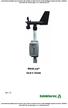 WindLog User s Guide Rev. D This page intentionally blank. RainWise WindLog User s Guide Copyright 2009 by RainWise, Inc. All rights reserved. No part of this work may be reproduced in any form except
Hydras 3 LT Quick Start
 Catalog Number 6234218 Hydras 3 LT Quick Start SOFTWARE MANUAL December 2005, Edition 2 Hach Company, 2005. All rights reserved. Printed in the U.S.A. Catalog Number 6234218 Hydras 3 LT SOFTWARE MANUAL
User Manual. Software SmartGUI. Dallmeier electronic GmbH & Co.KG. DK 200.004.000 GB / Rev. 1.2.6 / 031222
 User Manual Software SmartGUI 1 DK 200.004.000 GB / Rev. 1.2.6 / 031222 Software SmartGUI Copyright All rights reserved. No part of this document may be copied, photocopied, reproduced, translated, transferred
USER MANUAL V5.0 ST100
 GPS Vehicle Tracker USER MANUAL V5.0 ST100 Updated on 15 September 2009-1 - Contents 1 Product Overview 3 2 For Your Safety 3 3 ST100 Parameters 3 4 Getting Started 4 4.1 Hardware and Accessories 4 4.2
NOQ_NQ-9121 Z-Wave Data Logger for Gas Meters Firmware Version : 2.55
 NOQ_NQ-9121 Z-Wave Data Logger for Gas Meters Firmware Version : 2.55 Quick Start S This device is a Z-Wave Sensor. Inclusion and Exclusion are confirmed by triple clicking the Z-Wave button on the device.
USB-500/600 Series Low-Cost Data Loggers and Accessories
 Low-Cost Data Loggers and Accessories Features Stand-alone, remote data loggers and portable logger assistant Measure temperature, humidity, voltage, current, or event/state change 1 or 2 channels Low
RACEAIR REMOTE PAGER SYSTEM
 Computech Systems, Inc. 301-884-5712 30071 Business Center Dr. Charlotte Hall, MD 20622 RACEAIR REMOTE PAGER SYSTEM TM Introduction: Computech s RaceAir Remote Competition Weather Station with the Data
DICKSON PR100/PR300/PR500 DICKSON. Pressure Logger Operation. Contents:
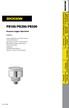 PR100/PR300/PR500 Pressure Logger Operation Contents: Product Applications and Useful Features Product Specifications Operating Instructions / Getting Started DicksonWare Software Specifications Product
Data-Logging Rain Gauge PRODUCT MANUAL
 Data-Logging Rain Gauge PRODUCT MANUAL Item # 3554WD1 Thank you for purchasing a Spectrum Datalogging Rain Gauge. With proper installation and care, it will give you years of accurate and reliable measurements.
ROTOR LOADER OWNER S MANUAL
 ROTOR LOADER OWNER S MANUAL ROTOR LOADER OWNER S MANUAL WARNING IMPORTANT SAFETY INSTRUCTIONS AND GUIDELINES. Misuse of paintball equipment may cause serious injury or death. QUICK SET-UP GUIDE BATTERY
3. SEISCO PARTS & SERVICE REMOVAL AND REPAIR GUIDE
 4 3. SEISCO PARTS & SERVICE REMOVAL AND REPAIR GUIDE A. Changing the Control Board B. Replacing a Heating Element C. Thermistor Replacement D. High Limit Switch Replacement E. Level Detector Replacement
FG MOISTURE MONITOR Installation & Operation Manual
 FG MOISTURE MONITOR Installation & Operation Manual Issue 3.0 7/20/10 1 Contents SERVICE AND TECHNICAL SUPPORT... 2 INSTALLATION:... 3 MOISTURE SENSOR INSTALLATION:... 3 SENSOR CONNECTOR:... 5 MONITOR
Quick guide: using CTE security straws for cryopreservation of pronuclear stages, embryos and sperm
 Quick guide: using CTE security straws for cryopreservation of pronuclear stages, embryos and sperm 1. How to prepare straws for pronuclear stages and embryos (use straws with plug, 66.5 mm) Straws are
User Manual. Humidity-Temperature Chart Recorder. Model RH520
 User Manual Humidity-Temperature Chart Recorder Model RH520 Introduction Congratulations on your purchase of the Extech RH520 Temperature + Humidity Chart Recorder. The RH520 measures and displays Temperature,
EL-USB-2-LCD FEATURES WINDOWS CONTROL SOFTWARE DISPLAY FUNCTIONS. www.lascarelectronics.com Page 1 of 5
 This standalone data logger measures and stores up to 16,379 relative humidity and 16,379 temperature readings over 0 to 100%RH and -35 to +80 C (-31 to +176 F) measurement ranges. The user can easily
ENAiKOON ultrasonic fuel-level sensor
 ultrasonic fuel-level sensor Product Summary The ultrasonic fuel-level sensor is the perfect solution for monitoring the fuel level and fuel consumption of trucks, boats, construction equipment, generators,
A-Series Data Loggers PRODUCT MANUAL
 A-Series Data Loggers PRODUCT MANUAL Model # s A110, A125, A130, and A150 Contents Model Specifications 2 Connecting to the Computer 3 SpecWare Software 4 Installation and Placement 6 Battery Replacement
www.lascarelectronics.com
 FEATURES 0-30V d.c. measurement range Logging rates between 1s and 12hr Stores readings Connection via two screw terminals USB interface for set-up and data download User-programmable alarm thresholds
User Manual Network connection and Mobics Dashboard (MIS) software for Dryer Controller M720
 User Manual Network connection and Mobics Dashboard (MIS) software for Dryer Controller Manual version : v1.00 Networking and MIS Manual Dryer controller Page 1 of 16 Document history Preliminary version
Drop Counter Sensor Product Number: ENDRP-AD100
 imagine explore learn Drop Counter Sensor Product Number: ENDRP-AD100 Overview The Drop Counter sensor is an optical sensor that accurately records the number of drops of titrant added during a titration.
MAKING MODERN LIVING POSSIBLE. living connect. Installation and User Guide. Danfoss Heating Solutions
 MAKING MODERN LIVING POSSIBLE living connect Installation and User Guide Danfoss Heating Solutions 2 living connect Thank you for buying a Danfoss product Danfoss Heating Solutions 3 Contents 1. System
Wireless Router Setup Manual
 Wireless Router Setup Manual NETGEAR, Inc. 4500 Great America Parkway Santa Clara, CA 95054 USA 208-10082-02 2006-04 2006 by NETGEAR, Inc. All rights reserved. Trademarks NETGEAR is a trademark of Netgear,
Pocket PC Phone Quick Start Guide. Read this guide before operating your Pocket PC Phone.
 Pocket PC Phone Quick Start Guide Read this guide before operating your Pocket PC Phone. 1 Feature Maps Front Panel Components 4. 5. 2. 3. 6. 7. 1. 12. 11. 9. 8. 10. 1 Volume. Press to adjust the volume
MTX-D, Oil Temperature/Pressure Gauge
 MTX-D, Oil Temperature/Pressure Gauge 1 Mounting and Sensor Installation... 3 1.1 Mounting the Gauge... 3 1.2 Oil Temp Sensor... 3 1.3 Oil Pressure Sensor... 3 2 Wiring... 3 2.1 Main Gauge Wiring... 4
Temperature Alert. LAN-based Temperature and Humidity Data Logger
 Temperature Alert LAN-based Temperature and Humidity Data Logger LAN-based Temperature and Humidity Monitoring - Supports Simultaneous WiFi and Hardwired Interfaces -20 C to +60 C (-4 F to +140 F) Standard
Measurement. SITRANS F US Inline. Transmitter FUS080/FUE080 4/219
 Siemens AG 2010 Flow Measurement Overview The transmitter is available in an IP67/NEMA X/6 enclosure and is designed for use in the flowmeters series: SONOKIT (1- or 2-track) FUS380 (2-track) FUE380 (2-track)
User Guide. ExStik TM ph (PH100 & PH110) and ORP (RE300) Waterproof Series Pens. Patent Pending
 User Guide ExStik TM ph (PH100 & PH110) and ORP (RE300) Waterproof Series Pens Patent Pending Getting Started Remove the cap from the bottom of the ExStik TM to expose the electrode bulb and reference
METHOD A10 (a) THE DETERMINATION OF THE IN-PLACE DRY DENSITY OF SOIL OR GRAVEL BY THE SAND REPLACEMENT METHOD
 METHOD A10 (a) THE DETERMINATION OF THE IN-PLACE DRY DENSITY OF SOIL OR GRAVEL BY THE SAND REPLACEMENT METHOD 1 SCOPE The in-place dry density of compacted soil or gravel, as defined below, is determined
IH 17025 E Sigma Island 90
 INSTRUCTIONS FOR USE Kitchen extractor hood Type: IH 17025 E Sigma Island 90 Dear Customer!! You are now a user of the newest generation kitchen extractor hood type IH 17025 E Sigma Island 90. This hood
User manual DC Safelog. Edition 2014-01-20
 User manual DC Safelog Edition 2014-01-20 2 User manual DC Safelog 1. TABLE OF CONTENTS 2 1. Table of contents... 2 2. Presentation of the parts in DC Safelog... 3 3. Before using the alarm for the first
Rousseau 10. User Guide
 Rousseau 10 User Guide Base station overview ➀ LED signals White, permanent light: - Base station ready, you can register a handset Slow flashing white light: - Paging call in progress - Active call (you
Monitoring Network DMN
 Monitoring Network DMN User Manual Table of contents Table of contents... 2 1. Product features and capabilities... 3 2. System requirements... 5 3. Getting started with the software... 5 3-1 Installation...