
Data-Logging Rain Gauge PRODUCT MANUAL
|
|
|
- Colin Farmer
- 10 years ago
- Views:
Transcription
1 Data-Logging Rain Gauge PRODUCT MANUAL Item # 3554WD1
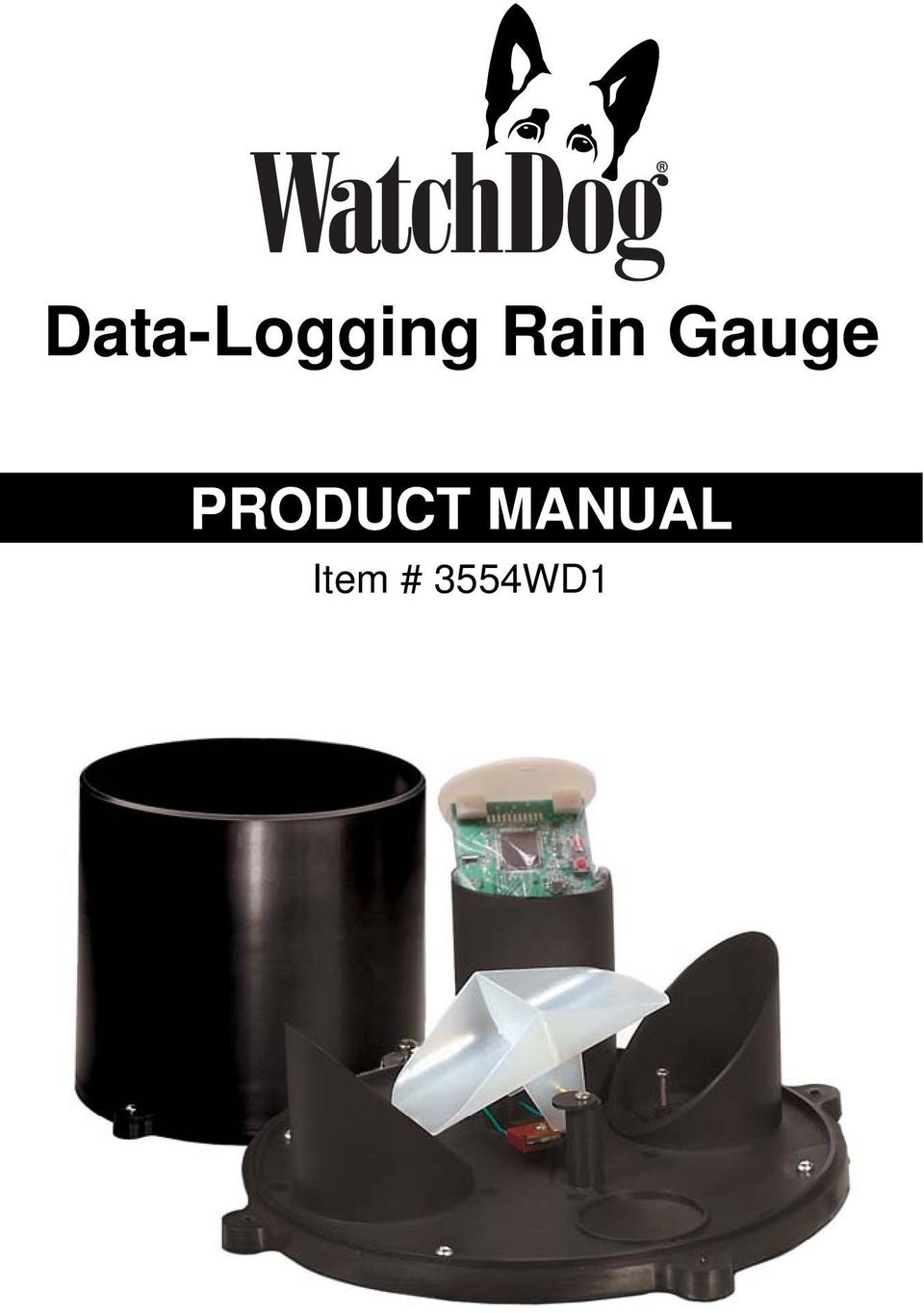
2 Thank you for purchasing a Spectrum Datalogging Rain Gauge. With proper installation and care, it will give you years of accurate and reliable measurements. This instruction manual takes you through the procedures required to set up and use the Datalogging Rain Gauge. Read it thoroughly to insure proper and effective use of the sensor. The datalogger records rain activity over time when connected to a tipping-bucket type rain collector. The logger records accumulated rainfall during each interval (maximum of 2.55 per interval). Specifications: Type: Self-emptying tipping bucket Resolution: 1/100 inch (0.254mm) Accuracy: ±2% with rainfall at < 2 in (5 cm) per hour Event type: Tip (relay contact opening) Event intervals: 1, 5, 10, 15, 30, 60 Capacity: intervals; with a maximum of (260mm) per interval Battery: CR2450 (replace every year) 2 Verifying the Rain Collector is Recording Data Requires Specware 9 Basic or Pro (Build 247 or later) 1. Remove the rain funnel from the base of the unit (see page 3 on how to remove the rain funnel). The funnel MUST be removed in order to test the rain collector. 2. Connect the gray cable into the logger 3. Open Specware 4. Click on the Launch/Set Properties for Watch- Dog 1000 or 2000 Series 5. Verify port A in the properties screen is Enabled, Sensor/Unit is Rainfall, and click on the Update button. 6. Manually move the tipping spoon back and forth five (5) times 7. Click on Update button a second time. 8. Verify the Reading for Rainfall has incremented accordingly.

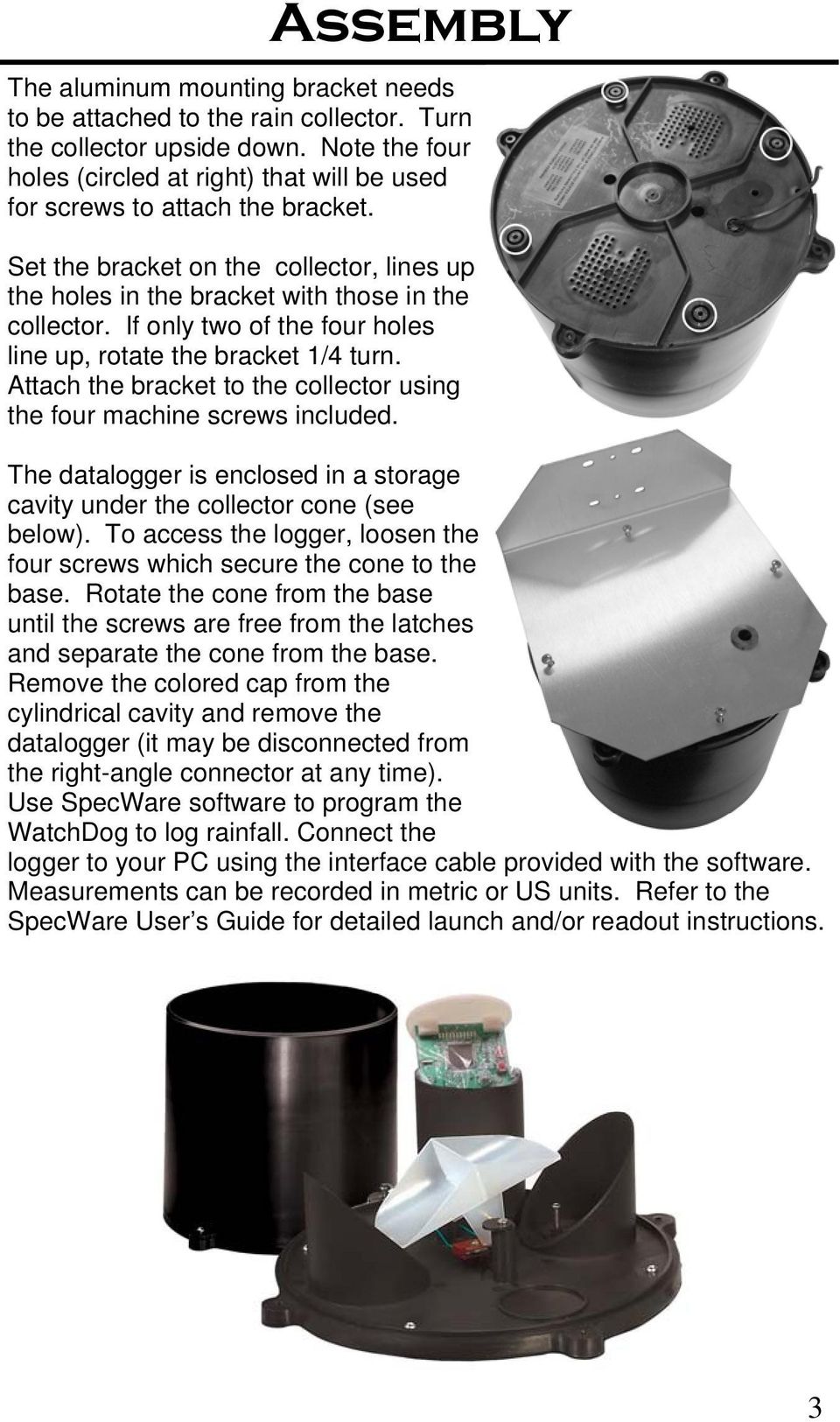
3 Assembly The aluminum mounting bracket needs to be attached to the rain collector. Turn the collector upside down. Note the four holes (circled at right) that will be used for screws to attach the bracket. Set the bracket on the collector, lines up the holes in the bracket with those in the collector. If only two of the four holes line up, rotate the bracket 1/4 turn. Attach the bracket to the collector using the four machine screws included. The datalogger is enclosed in a storage cavity under the collector cone (see below). To access the logger, loosen the four screws which secure the cone to the base. Rotate the cone from the base until the screws are free from the latches and separate the cone from the base. Remove the colored cap from the cylindrical cavity and remove the datalogger (it may be disconnected from the right-angle connector at any time). Use SpecWare software to program the WatchDog to log rainfall. Connect the logger to your PC using the interface cable provided with the software. Measurements can be recorded in metric or US units. Refer to the SpecWare User s Guide for detailed launch and/or readout instructions. 3
4 When choosing a location for your rain collector, keep the following in mind: Verify data is being recorded prior to installing refer to page 2. Mount the collector on a (25-32mm) mast (pipe) using the provided u-bolts, or a wooden post using the screws. Make sure the collector is level when positioning the mast mount. Use a bubble level to check that the collector s base is level. The post or mast MUST be rigid. If the collector moves easily, the wind can create oscillations that may record extra tips, resulting in higher-than-actual rain measurements. The gauge contains a magnet-operated switch which may not operate correctly if you mount the rain collector on or near any object which attracts a magnet. To ease normal cleaning, choose an easily accessible location that is far from trees and other sources of pollen or debris. The rain gauge must be located in an open area. Installation 4

5 Maintenance Inspect the collector frequently to make certain it is still level and clear of obstructions. For greatest accuracy, you should thoroughly clean and calibrate the rain collector at least once or twice a year. Remove the collector cone to clean the tipping bucket using a mild detergent and respraying with Elmer s Slide-All. This teflon spray can be obtained at your local hardware store. Note: Disconnect the logger from the rain collector to avoid any inadvertent counts on the logger when cleaning. Troubleshooting Unable to contact the logger in SpecWare 1. The most likely cause is a low battery in the logger. Replace the battery with a fresh one using the instructions in the Battery Replacement section. 2. See the SpecWare Quick Start Guide or User Guide for instructions concerning assigning communications ports. The logger is reading low, or not at all 1. Check the inside of the rain bucket for debris such as leaves that may be blocking the grid at the bottom of the bucket. Remove the rain bucket from the base and check for any obstacles (spider webs, debris, etc.) that may be preventing the tipping spoon from moving freely. If the hole beneath the grid gets clogged with dirt, the cotter key can be removed to allow it to be cleared. 2. Check that the rain sensor is connected to port A (see pg. 7) 3. Launch the logger, setting it to one minute intervals, so it can count the rain measurements. 4. Manually move the tipping bucket back and forth several times (counting the tips). After a minute, download the logger 5
6 and check if the tips have been recorded. Do this several times. 5. If the tips are being counted correctly, but the logger is reading low, go to the Calibration section. 6. If the logger is not registering any or all of the manual tips of the bucket, it may be that the magnet on the tipping bucket (the black bulb) is too far from the reed switch (located on the small green circuit board). There are 2 cams on the base of the rain collector that hold the tipping bucket axle in place. These can be rotated to move the tipping bucket closer to or further away from the reed switch. Loosen the screws slightly, and rotate the two plastic disks clockwise to bring the magnet closer to the reed switch, or counterclockwise to move the magnet and switch further apart. Repeat the test in steps 2 and 3. If the logger can now detect the correct number of manual tips of the bucket, then proceed to the Calibration section, if required. 7. After performing step 5 the logger is still not registering any or all of the manual tips of the bucket, then it is likely that either the reed switch or the sensor cable is not functioning. Please contact Spectrum Technologies for service or replacement parts. The logger is not reporting the same results as another rain gauge There may be nothing wrong. Rainfall is extremely variable, over even short distances. Iowa State University Extension agronomist Mike White measured rainfall in 17 locations within a 40 acre field for two growing seasons. Total seasonal rainfall varied within the field from 9.65 to in 1997 and from to in These numbers were for an entire season so individual storm differences could begin to cancel each other out. So one can expect noticeable differences between two rain gauges even a short difference apart. 6
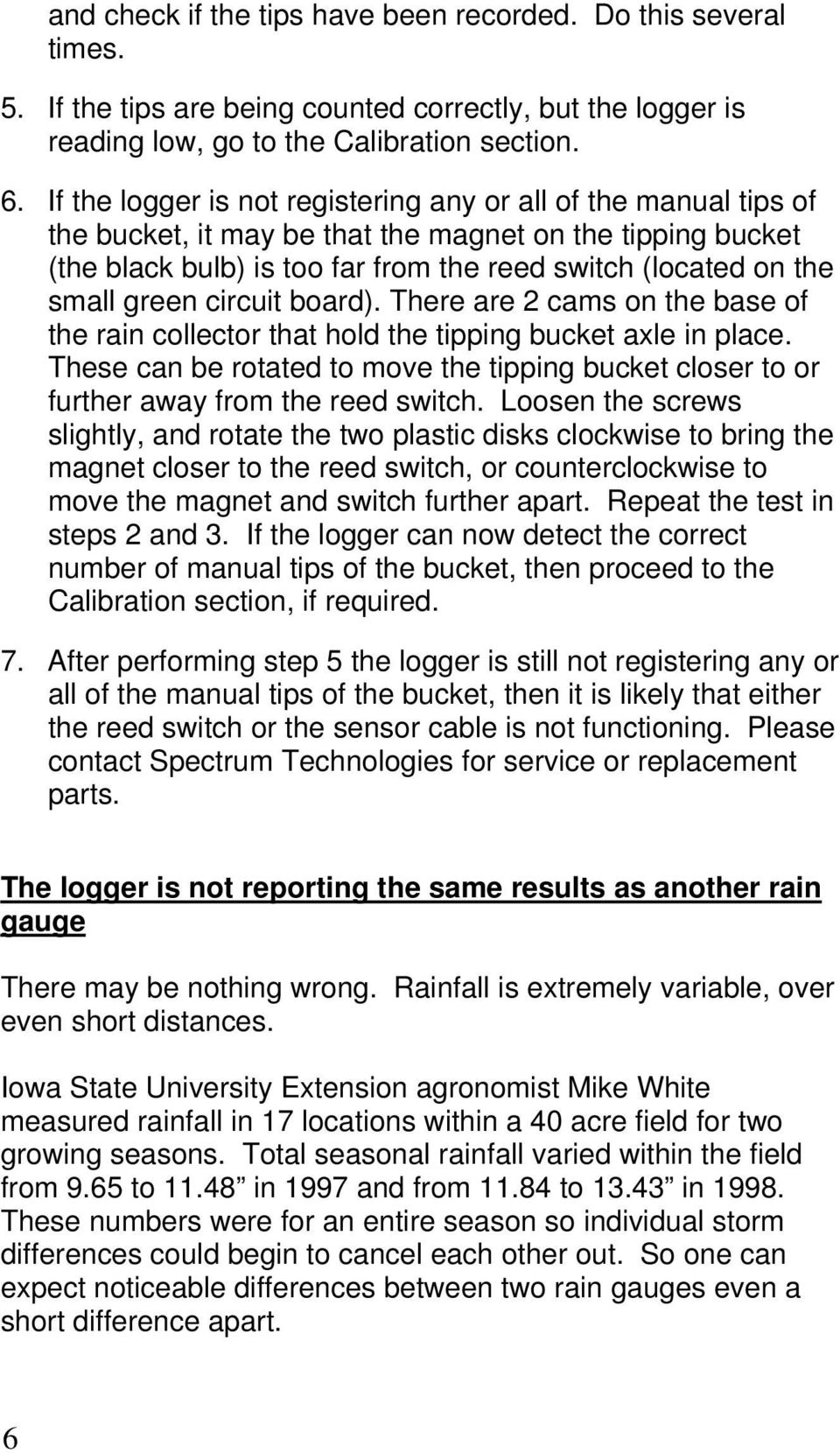
7 Calibration If the rain gauges are differing over a very short distance, then cal Calibrate the tipping bucket rain gauge only after performing the steps in the maintenance section of this manual. 1. Launch the logger, setting it to one minute intervals, so it can count the rain measurements. 2. Measure 84 ml of water into a Zip-Lock bag. 3. Puncture the bag with a pin and place it in the bucket so the water will slowly enter the bucket. 4. When the water is gone, remove the logger and download the data. 84 ml of water should register 0.10 inches of water (2.5 mm). This is equivalent to 10 tips of the tipping spoon. 5. If greater measurement accuracy is required, use 840 ml of water, which should register 1.00 inches (25.4 mm), and is the equivalent of 100 tips of the tipping bucket. Battery Replacement The datalogger is powered by a 3 Volt CR2450 battery. It is user replaceable and can be purchased locally. We recommend changing the battery every year. To replace the battery: 1. Remove the logger from the storage cavity and unplug the 2.5 mm sensor cable. 2. Slide the plastic cover gently upward to expose the battery holder 3. Slide the battery out of the battery holder. 4. Insert a new CR2450 battery positive side up. 5. Slide the plastic cover back over the electronic board. Insert a flat-edged screwdriver completely underneath old battery. Gently lift edge of battery over casing lip and slide battery out. Slide new battery into battery casing. Port A 7
8 Warranty This product is warranted to be free from defects in material or workmanship for one year from the date of purchase. During the warranty period Spectrum will, at its option, either repair or replace products that prove to be defective. This warranty does not cover damage due to improper installation or use, lightning, negligence, accident, or unauthorized modifications, or to incidental or consequential damages beyond the Spectrum product. Before returning a failed unit, you must obtain a Returned Materials Authorization (RMA) from Spectrum. Spectrum is not responsible for any package that is returned without a valid RMA number or for the loss of the package by any shipping company. DECLARATION OF CONFORMITY Spectrum Technologies Inc. Model Numbers: 3554WD Description: Datalogging Rain Gauge Type: Electrical equipment for measurement, control, and laboratory use Directive: 2004/108/EC Standards: EN :2006 EN :1995, including A1:1998 and A2:2001 EN :2002 EN 55011:2007 Spectrum Technologies in Europe ESTEDE Business Solutions bv 7121 BE Aalten, the Netherlands Telephone +31 (0) [email protected] Rev. 06/13 8

A-Series Data Loggers PRODUCT MANUAL
 A-Series Data Loggers PRODUCT MANUAL Model # s A110, A125, A130, and A150 Contents Model Specifications 2 Connecting to the Computer 3 SpecWare Software 4 Installation and Placement 6 Battery Replacement
1000 Series Data Loggers PRODUCT MANUAL
 1000 Series Data Loggers PRODUCT MANUAL Model s 1650, 1525, 1450, 1425, 1400, 1250, 1225, 1200 CONTENTS General Overview 3 Model Specifications 4 External Sensors 5 Installation and Placement 6 Digital
Global Water Instrumentation, Inc.
 Global Water Instrumentation, Inc. 11390 Amalgam Way Gold River, CA 95670 T: 800-876-1172 Int l: (916) 638-3429, F: (916) 638-3270 6 Tipping Bucket: RG200 02/05/10 01-343 - 1 - Congratulations on your
No Rainfall Data is Collected
 No Rainfall Data is Collected There are a number of issues that can cause the system to not collect rainfall data, from clogged collectors to hardware failure or improper part replacement. The most common
Tipping Bucket Rain Gauge Models 6011-A 6011-B
 Tipping Bucket Rain Gauge Models 6011-A 6011-B User s Manual 1165 National Drive Sacramento, CA 95834 800.824.5873 Table of Contents General Information... 1 Introduction... 1 Installation General... 2
USER MANUAL. Rain Collector. with Mountable Base. Product numbers 7857 and 7857M
 USER MANUAL Rain Collector with Mountable Base Product numbers 7857 and 7857M R Davis Instruments, 3465 Diablo Avenue, Hayward, CA 94545-2778 U.S.A. 510-732-9229 www.davisnet.com Rain Collector (#7857
Soil Sensor Reader PRODUCT MANUAL
 Soil Sensor Reader PRODUCT MANUAL Item # 6466 CONTENTS Basic Operation 3 Power Up/Down 3 Sensor Reader Modes 3 Taking Readings 5 Connecting Sensors 5 Calibrating The EC Sensor 6 Changing the Battery 7
SECTION G2: CABLE PROCESSOR MODULE MAINTENANCE
 SECTION G2: CABLE PROCESSOR MODULE MAINTENANCE Cable Processor Module overview WARNING! When tipping the Cable Processor Module back, (after removing the toggle arm pin), use extreme caution not to drop
The Fan-Aspirated ISS includes these components: Metric Rain Adapter. The hardware shown here is provided for assembly and mounting:
 Integrated Sensor Suite with Fan-Aspirated Radiation Shield Installation Instructions Addendum For Vantage Pro2 and Vantage Pro2 Plus The Vantage Pro2 Integrated Sensor Suite (ISS) with the Fan-Aspirated
Auto Sentry-eXP Maintenance
 Auto Sentry-eXP Maintenance Maintenance Procedures for Auto Sentry exp Bill Dispenser Credit Card Reader Bill Acceptor Bill Dispenser Maintenance Bill Dispenser Problem / Cause Bill Dispenser Error Codes
Spectrum Technologies, Inc.
 Weather Station Dial-Up Modem Operation Manual Catalog No. 3387 Spectrum Technologies, Inc. CONTENTS General Overview 3 Components 3 Specifications 3 Installation 4 Operation Setting up a Weather Station
Wind Direction Smart Sensor (S-WDA-M003)
 (S-WDA-M003) The Wind Direction smart sensor is designed to work with HOBO Stations. The smart sensor has a plug-in modular connector that allows it to be added easily to a HOBO Station. All sensor parameters
User Manual. Instructions for installing the Sure Stitch on the Next Generation Quilting Frame. Parts Included:
 User Manual Instructions for installing the Sure Stitch on the Next Generation Quilting Frame. Parts Included: 1: Display Console 1: Control Box 2: Encoder (Wires attached) (Not Shown) 1: 5v Power Supply
Micrio WS1 Replacement Wind Speed Sensor and WC1 Replacement Wind Compass Sensor for Raymarine ST50 and ST60 Wind Instruments. Rev 4.
 Micrio WS1 Replacement Wind Speed Sensor and WC1 Replacement Wind Compass Sensor for Raymarine ST50 and ST60 Wind Instruments. Rev 4.1 The Micrio WS1 Wind Speed Sensor and WC1 Compass Sensor are direct
Installation Guide. WSD-100 Wind Speed and Direction Sensor For XR5 Data Loggers. February, 2011
 WSD-100 Wind Speed and Direction Sensor For XR5 Data Loggers Installation Guide February, 2011 Pace Scientific Inc www.pace-sci.com Tel: 704-799-0688 [email protected] 1 Disclaimer The following warranty
Wiper Motor Marinco 2.5. Installation Instructions
 Wiper Motor Marinco 2.5 Installation Instructions Wiper Motor Marinco-2.5 The Marinco 2.5 Wiper Motor Offers the Following Features: Fully sealed base and housing which allows installation in outdoor wet
Operator s Manual. Pressure Injection Cell Model PC8500. Congratulations! Contents
 Operator s Manual Pressure Injection Cell Model PC8500 Congratulations! Congratulations on your purchase of a Next Advance Pressure Injection Cell. Please read this operator s manual which explains proper
User's Guide. Integrating Sound Level Datalogger. Model 407780. Introduction
 User's Guide 99 Washington Street Melrose, MA 02176 Phone 781-665-1400 Toll Free 1-800-517-8431 Visit us at www.testequipmentdepot.com Back to the Extech 407780 Product Page Integrating Sound Level Datalogger
el-720 Carbon Dioxide Gas Leak Detector User s Guide
 el-720 Carbon Dioxide Gas Leak Detector User s Guide Congratulations on the purchase of the AccuTools el-720 Carbon Dioxide Gas Leak Detector, the most technologically advanced instrument of its kind.
WINEGARD MOTORIZED SENSAR ANTENNA Models MA1055W & MA1055G MADE IN U.S.A. U.S. Patents D500,496 and 7,358,909 INSTALLATION MANUAL
 WINEGARD MOTORIZED SENSAR ANTENNA Models MA1055W & MA1055G MADE IN U.S.A. U.S. Patents D500,496 and 7,358,909 INSTALLATION MANUAL CAUTION: This system is not for use with antenna in raised position while
Retractable Screen. Replacement Screen Instructions
 Retractable Screen Patent Pending Replacement Screen Instructions For RTS, RET, & RTM Products ATTENTION! Retractable screens are not intended to provide security or provide for the retention of objects,
ATS Overhead Table Shelf System INSTRUCTION MANUAL
 ATS Overhead Table Shelf System INSTRUCTION MANUAL ATS Overhead Table Shelf System Instruction Manual Warranty Newport Corporation warrants this product to be free of defects in material and workmanship
Gold Century GC-1023 Metal Detector
 Gold Century GC-1023 Metal Detector Discriminating Pin Pointing Metal Detector OWNER S MANUAL And Warranty With your GC-1023 metal detector, you can hunt for coins, relics, jewelry, gold, and silver just
Advantium 2 Plus Alarm
 ADI 9510-B Advantium 2 Plus Alarm INSTALLATION AND OPERATING INSTRUCTIONS Carefully Read These Instructions Before Operating Carefully Read These Controls Corporation of America 1501 Harpers Road Virginia
Vantage Pro2 Temperature/Humidity Sensor Replacement Kit
 Vantage Pro2 Temperature/Humidity Sensor Replacement Kit The following instructions are for replacing the Temperature/Humidity sensor on Vantage Pro2 stations (# 6152, 6152C, 6162, 6162C, 6382) manufactured
Table of Contents. www.hunterfan.com. What to Expect with. Preparation. Tools Needed. Wiring. Hanging the Fan. Blades. Motor Housing.
 www.hunterfan.com Table of Contents What to Expect with Your Installation 30 inches Hanging the Fan Wiring 8 Maintenance, Operation & Cleaning Light Kit 13??? 14 1 9 Troubleshooting 11 5 Blades Motor Housing
ECM-D70T / ECM-D70T1.5
 Elliptical Ceiling Dual Mount for 37 to 50 Flat Panels INSTALLATION INSTRUCTIONS CREATING POSITIVE CUSTOMER EXPERIENCES 9531-041-001-01 Contents ECM-D70T / ECM-D70T1.5 Installation Tools... 3 Parts List...
Milwaukee USER MANUAL. Milwaukee. Smart DO Meter PORTABLE DISSOLVED OXYGEN METER MODEL: SM600. Authorized Dealer: ISMIL600 11/01
 Milwaukee Milwaukee USER MANUAL PORTABLE DISSOLVED OXYGEN METER MODEL: SM600 Smart DO Meter Authorized Dealer: ISMIL600 11/01 PROBE PREPARATION: The meter is supplied with a 9V battery. Slide off the battery
INSTALLATION AND OPERATING INSTRUCTIONS
 ddcwp_manual_gb_revisions.ai 10/23/06 Page 1 Date: Station 1 2 3 4 5 6 7 8 CUSTOM WATERING PLAN 3 Program Controller Description Program A Program B Program C Duration Duration Duration DDC WP Series Waterproof
16/32 Channel 1U Rack Mount CCTV Power Supply
 16/32 Channel 1U Rack Mount CCTV Power Supply Manual PH-A3224-GUQ Shown 16-Channel 32-Channel PTC PH-A1612-PUQ PH-A3224-PUQ Glass Fuse PH-A1612-GUQ PH-A3224-GUQ Industrial design 12 Amp 3 Amps per channel
WindLog User s Guide
 WindLog User s Guide Rev. D This page intentionally blank. RainWise WindLog User s Guide Copyright 2009 by RainWise, Inc. All rights reserved. No part of this work may be reproduced in any form except
Global Water Instrumentation, Inc.
 Global Water Instrumentation, Inc. 11390 Amalgam Way Gold River, CA 95670 T: 800-876-1172 Int l: (916) 638-3429, F: (916) 638-3270 Solar Panels 2 Watt Solar Panel: SP101 5 Watt Solar Panel: SP102 01-752
AT&T. PARTNER Plus Door Phone. Installation and Operation Manual
 AT&T PARTNER Plus Door Phone Installation and Operation Manual Copyright 1990 AT&T All Rights Reserved Printed in U.S.A. CIC# 999-500-317 OII722050-051 Issue 1 October 1990 PARTNER Plus Door Phone is a
WARNING: FAILURE TO FOLLOW THESE RULES MAY RESULT IN SERIOUS PERSONAL INJURY CAUTION: INSTALLATION LOCATION:
 Revision Level: 01 Revision Date: 07/07/2011 Please read all instructions carefully to help ensure a correct and SAFE installation of your Second Wind Ultraviolet Germicidal Air Purifier. Failure to do
GreenWay Solar LED Path and Trail Lighting System. Installation and Owner s Manual
 GreenWay Solar LED Path and Trail Lighting System Installation and Owner s Manual Important Notes and Warnings This installation and instruction manual provides installation, operation, and maintenance
Milwaukee USER MANUAL
 Milwaukee USER MANUAL PORTABLE DISSOLVED OXYGEN METER MODEL: MW600 Smart DO Meter PROBE PREPARATION: The meter is supplied with a 9V battery. Slide off the battery compartment cover on the back of the
PL-1, Pocket Logger 11-0135B
 PL-1, Pocket Logger 1 PL-1... 2 2 Wiring... 3 2.1.1 Single Innovate Device Relay Wiring Instructions... 3 3 Mounting... 4 4 Connecting the PL-1 to the MTS serial chain... 4 5 Recording... 5 6 LogWorks...
Processor Cage Fans, Front and Rear Replacement Instructions
 apple Mac Pro Processor Cage Fans, Front and Rear Replacement Instructions First Steps 1 Shut down computer. Note: Follow these instructions carefully. Failure to do so could damage your equipment and
CappController Pipette Controller. Operation Manual Version: 1.2. www.capp.dk
 CappController Pipette Controller Operation Manual Version: 1.2 www.capp.dk skal vises her. Table of Content 1. Safety Precautions... 1 2. General Description... 2 3. Getting Started... 4 3.1. Recharging
Owner s Guide and Installation Manual. Vancouver Model Name. 21321, 21328 Model No. English Español
 For Your Records and Warranty Assistance For reference, also attach your receipt or a copy of your receipt to the manual. Vancouver Model Name 21321, 21328 Model No. Type A Models Owner s Guide and Installation
Oceanscience Cable Chimp II Cableway ROV System User Guide and Warranty
 Oceanscience Cable Chimp II Cableway ROV System User Guide and Warranty Page 1 Table of Contents Introduction Page 3 Overview Page 3 Setup and Operation Page 5 Remote Control Page 6 Power Management Page
BASYS INSTALLATION INSTRUCTIONS FOR ELECTRONIC CAPACITANCE SENSING LAVATORY FAUCETS EFX-3XX Pedestal, Sensor Activated Lavatory Faucets
 BASYS INSTALLATION INSTRUCTIONS FOR ELECTRONIC CAPACITANCE SENSING LAVATORY FAUCETS EFX-3XX Pedestal, Sensor Activated Lavatory Faucets Any Application. Any Environment. Code No: 0816407 Rev. 4 (07/12)
cbperformance.com Please read this entire brochure prior to installing your CB Performance Products MAGNASPARK II distributor.
 - Easy -wire installation with no external spark box necessary, but can be used with one. - Precision CNC machining and hand assembled construction. This is a premium product. - Accurate super hot spark
MTX-D, Oil Temperature/Pressure Gauge
 MTX-D, Oil Temperature/Pressure Gauge 1 Mounting and Sensor Installation... 3 1.1 Mounting the Gauge... 3 1.2 Oil Temp Sensor... 3 1.3 Oil Pressure Sensor... 3 2 Wiring... 3 2.1 Main Gauge Wiring... 4
OPL BASIC. Dosing System for Professional Laundry machines. Contents
 OPL BASIC Dosing System for Professional Laundry machines Contents 1 Getting Started. Page 2 2 Installation. Page 4 3 Set Up & Operation. Page 8 4 Maintenance & Accessories. Page 10 5 Troubleshooting Page
ROTOR LOADER OWNER S MANUAL
 ROTOR LOADER OWNER S MANUAL ROTOR LOADER OWNER S MANUAL WARNING IMPORTANT SAFETY INSTRUCTIONS AND GUIDELINES. Misuse of paintball equipment may cause serious injury or death. QUICK SET-UP GUIDE BATTERY
WIND ALARM. Wind Speed Alarm. Wind Speed. Set Point 2. Set Point 1 NEW BEDFORD, MA 02745 USA
 Thank you for purchasing the Maximum wind speed alarm. The Maximum wind speed alarm is a dual set point wind speed indicator with a two digit LED display. It contains a yellow light to display one set
Overview PARTS LIST. B. Lever mounting base C. Flush handle assembly D. Grey/Blue float stop E. Grey float (Full Flush) F. Flush valve washer
 Overview READ ENTIRE INSTRUCTIONS BEFORE STARTING INSTALLATION PARTS LIST A. Flush valve B. Lever mounting base C. Flush handle assembly D. Grey/Blue float stop E. Grey float (Full Flush) F. Flush valve
Installation Operation Maintenance Troubleshooting
 Installation Operation Maintenance Troubleshooting Version 3, 2.1, June/09 Apr/09 1416 1402 Table of Contents Important information 2 Weights & Dimensions 3 Operator s Instructions 4 Flow Diagram 5 Purging
www.burntec.com User's Guide Integrating Sound Level Datalogger Model 407780
 User's Guide Integrating Sound Level Datalogger Model 407780 Introduction Congratulations on your purchase of the Extech 407780 Integrating Sound Level Meter. The 407780 with programmable integrating time
DTM04 TANK MONITOR DTM08 TANK MONITOR Dtm12 TANK MONITOR. Installation and Operation Manual
 DTM04 TANK MONITOR DTM08 TANK MONITOR Dtm12 TANK MONITOR Installation and Operation Manual 1 ENGLISH Safety Instructions 2 Features 2-3 Specifications 3 Installation 4-5 Wiring Diagrams 6-7 Warranty 8
Silicon Pyranometer Smart Sensor (Part # S-LIB-M003)
 (Part # S-LIB-M003) The smart sensor is designed to work with the HOBO Weather Station logger. The smart sensor has a plug-in modular connector that allows it to be added easily to a HOBO Weather Station.
UNIVERSAL LUMBAR INSTALLATION INSTRUCTIONS
 UNIVERSAL LUMBAR INSTALLATION INSTRUCTIONS CONTENTS Parts List... 2 Parts Diagram... 2 Helpful Hints... 3 Installation... 4 Operation and Troubleshooting Guide... 6 Warranty Information... 8 Form #3132,
Installation Operation Maintenance Troubleshooting Version 2.1, Apr/09 DAYTONA
 Installation Operation Maintenance Troubleshooting Version 2.1, Apr/09 1607 DAYTONA Congratulations! All of us at Summit Dental Systems want you to know that your 1607 Daytona Cuspidor has been built with
INSTALLATION INSTRUCTIONS BOOST CONTROLLER. Pro Control Input (Optional) Tach. Signal. Speed. Gray. Signal. Green Blue. Orange.
 2650-1706-00 INSTALLATION INSTRUCTIONS BOOST CONTROLLER WARNING! The installation of the Auto Meter Boost Controller is recommended only for experienced technicians. This product may damage your engine
MIRAGE. Set-Up Instructions. www.skyline-exhibits.com
 MIRAGE Set-Up Instructions www.skyline-exhibits.com Table of Contents Mirage is available in many sizes from 32 tall tabletops to 92 tall backwalls. The following set-up and repacking instructions depict
USE &CARE GUIDE. Remote Faucet Pump System. See Important Safeguards on page 2
 Remote Faucet Pump System USE &CARE GUIDE See Important Safeguards on page 2 An exclamation point within an equilateral triangle is intended to alert user to the presence of important operating and maintenance
Front Panel Board Cable Replacement Instructions
 apple Mac Pro Front Panel Board Cable Replacement Instructions First Steps 1 Shut down computer. Note: Follow these instructions carefully. Failure to do so could damage your equipment and void its warranty.
u-traq autopro GPS Vehicle Tracking System Product # 1020-PRO User s Guide Installation and Operating Instructions
 u-traq autopro GPS Vehicle Tracking System Product # 1020-PRO User s Guide Installation and Operating Instructions Table of Contents Before Installing 2 GPS Fundamentals 3 Checking the Contents of the
Hobo Pendant Event Logger Manual
 Streamline Measurement Ltd Hobo Pendant Event Logger Manual The HOBO Pendant Event/Temp Data Logger is a rugged, weatherproof event logger with a 10- bit temperature sensor. It is ideal for use with tipping-bucket
Remote Head REMO ONE. Code 5750. Manual
 Remote Head REMO ONE Code 5750 Manual by sachtler. All rights reserved Version: 1.2/09/05 Issue date: September 2005 Order no.: srh20t010a We want you to receive Sachtler products that are always state
u-traq autopro GPS Vehicle Tracking System Product # 1020-PRO User s Guide Installation and Operating Instructions
 u-traq autopro GPS Vehicle Tracking System Product # 1020-PRO User s Guide Installation and Operating Instructions Before Installing Table of Contents Before Installing 2 GPS Fundamentals 3 Checking the
User's Manual. Heavy Duty Dissolved Oxygen Meter Model 407510
 User's Manual Heavy Duty Dissolved Oxygen Meter Model 407510 Introduction Congratulations on your purchase of Extech's Heavy Duty Dissolved Oxygen / Temperature Meter which simultaneously displays Dissolved
EasyNote TJ Series. Disassembly Manual
 EasyNote TJ Series Disassembly Manual CHAPTER3 Replacing notebook components Preventing static electricity discharge Preparing the work space Required tools Preparing the notebook Adding or replacing memory
INSTALL/REMOVAL INSTRUCTIONS: WINDOW REGULATOR
 REMOVAL/INSTALL OF WINDOW REGULATOR (741-306) Honda Accord 2003 07 General Tech Tips: Use painter s tape rather than duct tape to secure window. It will not damage paint or leave sticky residue. A plastic
TWIN EAGLES ALL WEATHER ELECTRIC RADIANT HEATER
 TWIN EAGLES, INC. Defining the Art of Outdoor Cooking TWIN EAGLES ALL WEATHER ELECTRIC RADIANT HEATER OWNER S MANUAL MODEL TEEH-1512 TEEH-2524 TEEH-3524 NEED ASSISTANCE? PLEASE CALL: (562) 802-3488 This
MAC FAUCETS. Owner s Manual. Models: FA444
 MAC FAUCETS Owner s Manual Models: FA444 Installation procedure: 1. Take a moment to view drawings and read special Installation note on page 3 of this manual before proceeding with installation. Connect
Tracking Key II User s Guide. www.landairsea.com
 Tracking Key II User s Guide www.landairsea.com LandAirSea Tracking Key II User s Guide Contents Warranty Information & System Requirements. 2 Quick Start Guide.... 3 Registering Device and Activating
Automatic Phone-Out Home Monitoring Systems
 Automatic Phone-Out Home Monitoring Systems Power Outage and Freeze Alarm Model Number: THP202 Power Outage, Freeze and Flood Alarm Product Description Model Number: THP201 These monitoring systems are
RI-215A Operator s Manual. Part Number: 71-0045RK Revision 0 Released: 10/3/05
 RI-215A Operator s Manual Part Number: 71-0045RK Revision 0 Released: 10/3/05 Warranty RKI Instruments, Inc., warrants gas alarm equipment sold by us to be free from defects in materials and workmanship,
TROUBLESHOOTING DITTING COFFEE GRINDERS
 804 Series 805 Series 903 Series 1203 Series 1403 Series 1800 Series SERVICE TIP #R1 TROUBLESHOOTING DITTING COFFEE GRINDERS Page 1 of 4 DO NOT TAKE THE GRINDER APART BEFORE READING THE FOLLOWING: 1. Grinder
Sip/Puff Switch User Guide
 Sip/Puff Switch User Guide www.orin.com Table of Contents Table of Contents... 2 Legal Notices... 3 Declaration of Conformity with European Directives... 3 Application Disclaimer... 4 Introduction... 5
SIMPLEX UNICAN LOCKS CHANGING THE CODE / COMBINATION 900 Series 1000 Series L1000 Series LP1000 Series EE1000 Series 2000 Series 2015 Series
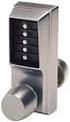 SIMPLEX UNICAN LOCKS CHANGING THE CODE / COMBINATION 900 Series 1000 Series L1000 Series LP1000 Series EE1000 Series 2000 Series 2015 Series 2400/2500 Series 3000 Series 3100 Series Simplex 5000 Series
User manual DinaSys DTC/DTS and DTC/DTZ
 PiCommIT has developed the DinaSys DTC/DTS and DinaSys DTC/DTZ turntable controller for the Fleischmann / Marklin Turntables in scale H0, H0m, TT, N and Z. One of the most important starting point was
FLUSHMATE FLUSHMATE FLUSHOMETER - TANK SYSTEM. Owner s Service Manual 503 and 504 Series
 Owner s Service Manual 503 and 504 Series FLUSHMATE FLUSHOMETER - TANK SYSTEM 503 504 FLUSHMATE A Division of Sloan Valve Company 30075 Research Drive New Hudson, MI 48165 800-533-3460 248-446-5300 http://www.flushmate.com
Master Code 2. Troubleshooting: Installation 7. Troubleshooting: Door Jamming and Door Handing 8. Troubleshooting: Keypad 12
 Programming and Troubleshooting Guide 1 2 3 4 5 6 Master Code 2 Troubleshooting: Installation 7 Troubleshooting: Door Jamming and Door Handing 8 Troubleshooting: Keypad 12 Troubleshooting: Battery 13 Battery
Quick Start Guide See Inside for Use and Safety Information
 3 rd Generation Personal 3D Printer Quick Start Guide See Inside for Use and Safety Information The USB Mass Storage Device Contains the User Guide and Quick Start Guide in other Languages Congratulations
LST-3800. In-Dash Digital Sonar Gauge. Installation & Operation Instructions
 Pub. 988-0064-351 LST-3800 In-Dash Digital Sonar Gauge Installation & Operation Instructions The LST-3800 is a depth and temperature gauge that comes with a 200 khz transducer, features deep and shallow
ExStik TM ph Waterproof Meters
 User Guide ExStik TM ph Waterproof Meters Models PH100 & PH110 Patent Pending ExStik TM Description Front Panel Controls 1. Battery compartment cap 2. LCD Display 3. MODE / HOLD button 4. CAL / RECALL
Installation and Operation Manual. Digital Remote Meter for Monitoring System Performance. Version: RM-1
 REMOTE METER TM Installation and Operation Manual. Digital Remote Meter for Monitoring System Performance. Version: RM-1 1098 Washington Crossing Road Washington Crossing, PA 18977 USA www.morningstarcorp.com
Powers Controls TH 192 HC Heating/Cooling Room Thermostat
 Powers Controls TH 192 HC Heating/Cooling Room Thermostat Technical Instructions Document No. 155-066P25 TH 192-2 50 60 70 80 70 TH0356R1 60 80 POWERS Description The TH 192 HC thermostats are proportional
Start Here. 3200 Series. All-in-One Printer. Print Copy Scan. Includes Information on the: ESP 3250 All-in-One Printer ESP 3260 All-in-One Printer
 Start Here All-in-One Printer 3200 Series MS SD/HC MMC Print Copy Scan Includes Information on the: ESP 3250 All-in-One Printer ESP 3260 All-in-One Printer Note: A USB 2.0 cable is required to connect
Global Water Instrumentation, Inc.
 Global Water Instrumentation, Inc. 11390 Amalgam Way Gold River, CA 95670 T: 800-876-1172 Int l: (916) 638-3429, F: (916) 638-3270 Water Level Sensor: WL400 00-997 11/30/09-1 - Congratulations on your
Drop Counter Sensor Product Number: ENDRP-AD100
 imagine explore learn Drop Counter Sensor Product Number: ENDRP-AD100 Overview The Drop Counter sensor is an optical sensor that accurately records the number of drops of titrant added during a titration.
Geocontrol PRO INSTALLATION AND OPERATION MANUAL. Rev. 1 03/18/04 Part # 11150263
 Geocontrol PRO INSTALLATION AND OPERATION MANUAL Rev. 1 03/18/04 Part # 11150263 TABLE OF CONTENTS Chapter 1: System Description... p. 05 Function and Theory...p. 05 Chapter 2: System Installation... p.
4.3-inch Back-Up Camera
 TM 4.-inch Back-Up Camera Model No.: PKC0BU4 Owner s Manual and Warranty Information Read these instructions completely before using this product. Retain this Owner s Manual for future reference. INTRODUCTION
USB Scrolling Optical Mini Mouse
 USB Scrolling Optical Mini Mouse Owner s Manual Please read before using this equipment. ˆ Contents Features... 3 System Requirements... 4 FCC Declaration of Conformity... 5 The FCC Wants You to Know...
About Your NetBotz 4-20mA Sensor Pod
 Thank you for purchasing this NetBotz 4-20mA Sensor Pod. Each 4-20mA Sensor Pod enables you to connect up to four 4-20mA sensors to your NetBotz 420 or NetBotz 500 appliance. Hundreds of 4-20mA sensors
Wireless Indoor/ Outdoor Thermometer
 Wireless Indoor/ Outdoor Thermometer Owner s Manual Please read before using this equipment. ˆ Contents FCC Information... 3 FCC Declaration of Conformity... 5 Preparation... 5 Installing Batteries...
RAIN COLLECTOR S HELF MANUAL
 RAIN COLLECTOR S HELF MANUAL The Rain Collector Shelf provides a good mounting support for your Rain Collector II. The Rain Collector Shelf is designed to be attached to Davis Sensor Mounting Arm, and
123 Industrial Loop Road Paynesville, MN 56362 Phone: 1-800-864-1649 www.master-mfg.com MASTER MANUFACTURING MASTER GARDNER
 123 Industrial Loop Road Paynesville, MN 56362 Phone: 1-800-864-1649 www.master-mfg.com MASTER MANUFACTURING MASTER GARDNER Part Number PCD E3 009B MM Rev 1 Nov. 2010 INTRODUCTION The purpose of this manual
IMPACT SPRINKLER TROUBLESHOOTING GUIDE
 RAIN USE AND OPERATION BIRD IMPACT SPRINKLER TROUBLESHOOTING GUIDE The diagrams below depict typical Rain Bird sprinklers with all available controls. Your particular model may have only some of these
site monitoring Kit Site Monitoring Kit User Manual we prove it.
 site monitoring Kit 1 User Manual Site Monitoring Kit User Manual we prove it. 2 site monitoring Kit Content 1. Introduction 3 2. Content of the Site Monitoring Kit 4 3. Preparation 6 1. Positioning of
7 High-Resolution Digital Photo Frame
 TM 16-1003 User s Guide 7 High-Resolution Digital Photo Frame One demo photo included, as illustrated Please read this user s guide before using your new photo frame. Package contents Photo Frame AC Adapter
TV Ears 5.0 Digital & Dual Digital Quick Start Guide
 TV Ears 5.0 Digital & Dual Digital Quick Start Guide Voice Clarifying Circuitry CUSTOM FIT YOUR HEADSET Follow these directions to adjust the width of the headset for your comfort. TV EARS All TV Ears
VOYAGER 570G. 744A Sprayer Control
 VOYAGER 570G 744A Sprayer Control U S E R M A N U A L U S E R M A N U A L Table of Contents CHAPTER 1 - INTRODUCTION...1 SYSTEM CONFIGURATIONS...1 KIT CONTENTS...3 CONTROL HOUSING ASSEMBLY...5 CHAPTER
Installation, Operation & Service Manual
 Installation, Operation & Service Manual 0RQLWRU Pulse Monitor Software Version 1 0 1 Pulse Monitor Card Software Revision 1 4 0 Pulse Monitor Card Product Revision 0 1 0 0 February, 2007 Copyright 2007,
TABLE OF CONTENTS 11.0 WARRANTY
 11.0 WARRANTY OI-1009.205L TABLE OF CONTENTS ELECTROMATIC Equipment Co., Inc. (ELECTROMATIC) warrants to the original purchaser that this product is of merchantable quality and confirms in kind and quality