
WIRELESS 868MHZ WEATHER STATION Instruction Manual Cat. No IT
|
|
|
- Harvey Lang
- 10 years ago
- Views:
Transcription
1 WIRELESS 868MHZ WEATHER STATION Instruction Manual Cat. No IT Thank you for choosing this wireless weather station from TFA. BEFORE YOU USE IT Please be sure to read the instruction manual carefully. This information will help you to familiarise yourself with your new device, learn all of its functions and parts, find out important details about its first use and how to operate it, and get advice in the event of faults. Following the instruction manual for use will prevent damage to the device and loss of your statutory rights arising from defects due to incorrect use. We shall not be liable for any damage occurring as a result of not following these instructions. Likewise, we take no responsibility for any incorrect readings and for any consequences which may result from them. Please take particular note of the safety advice! Please look after this manual for future reference. SCOPE OF SUPPLY: Weather station (basic unit) Outdoor transmitter Batteries (4 x AA, IEC LR6, 1.5V) 45

2 Instruction manual FIELD OF OPERATION AND ALL OF THE BENEFITS OF YOUR NEW WEATHER STATION AT A GLANCE: DCF-77 Radio controlled time with manual setting options DCF Time reception ON/OFF 12/24 hour display Hour, minute and second time display Calendar (weekday, date, month and year) Time zone option 2h to +5h Alarm with snooze function Snooze setting Weather forecasting with 15 easy-to-read weather forecast signs featured by "Weather boy" Weather forecasting icon sensitivity setting Temperature display in degrees Celsius ( C) or Fahrenheit ( F) selectable Indoor and outdoor temperature display with MIN/MAX recording Indoor humidity reading displayed as RH% with MIN/MAX recordings All MIN/MAX temperature recordings show date and time received All MIN/MAX recordings can be reset Display of sunrise time, sunset time and sun duration in 39 cities 12 moon phases display throughout the year Can take up to three outdoor transmitters 46

3 LCD contrast setting Low battery indicator LED backlight Table standing/ wall mounting FOR YOUR SAFETY: The product is exclusively intended for the field of application described above. The product should only be used as described within these instructions. Unauthorised repairs, modifications or changes to the product are prohibited. The product is not to be used for medical purpose or for public information, but is intended solely for home use. Caution! Risk of injury: Keep this instrument and the batteries out of reach of children. Batteries must not be thrown into the fire, short-circuited, taken apart or recharged. Risk of explosion! Batteries contain harmful acids. Low batteries should be changed as soon as possible to prevent damage caused by a leaking battery. Never use a combination of old and new batteries together or batteries of different types. Wear chemical-resistant protective gloves and glasses when handling leaked batteries. 47

4 ! Important information on product safety! Do not expose the instrument to extreme temperatures, vibration or shock. The outdoor transmitter is protected against splash water, but is not watertight. Choose a shady and dry position for the transmitter. ELEMENTS The weather station LCD display Function key Battery compartment cover Hanging hole Function keys Function keys Foldout stand 48

5 The outdoor temperature transmitter Remote transmission of outdoor temperature to weather station by 868 MHz Shower proof casing Wall mounting case Mounting at a sheltered place. Avoid direct rain and sunshine INSTALL AND REPLACE BATTERIES IN THE TEMPERATURE TRANSMITTER The temperature transmitter uses 2 x AA, IEC LR6, 1.5V battery. To install and replace the batteries, please follow the steps below: 1. Remove the battery compartment cover at the back of the transmitter. 2. Insert the batteries, observing the correct polarity (see marking). 3. Replace the battery compartment cover on the unit. 49

6 INSTALL AND REPLACE BATTERIES IN THE WEATHER STATION The weather station uses 2 x AA, IEC LR6, 1.5V batteries. To install and replace the batteries, please follow the steps below: 1. Remove the cover at the back of the weather station. 2. Insert batteries observing the correct polarity (see marking). 3. Replace compartment cover. Battery replacement Replace the batteries when the battery symbol of the weather station appears above the indoor temperature. When the batteries of the transmitter are used up, the low battery icon appears above the outdoor temperature display. Note: In the event of changing batteries in any of the units, all units need to be reset by following the setting up procedures. This is because a security code is assigned by the transmitter at start-up and this code must be received and stored by the weather station in the first 3 minutes of power being supplied to it. 50

7 SETTING UP: When one transmitter is used: 1. First, insert the batteries into the temperature transmitter. (see Install and replace batteries in the temperature transmitter ). 2. Immediately after and within 45 seconds, insert the batteries into weather station (see Install and replace batteries in the weather station ). Once the batteries are in place, all segments of the LCD will light up briefly. Following the time as 0:00 and the "Weather boy" icon will be displayed. If these are not displayed after 60 seconds, remove the batteries and wait for at least 10 seconds before reinserting them. 3. After inserting the batteries, the weather station will start receiving data from the transmitter. The outdoor temperature and the signal reception icon should then be displayed on the weather station. If this does not happen after 3 minutes, the batteries will need to be removed from both units and reset from step In order to ensure sufficient 868 MHz transmission however, this should under good conditions be a distance no more than 100 meters between the final position of the weather station and the transmitter (see notes on Positioning and 868 MHz Reception ). 5. Once the remote temperature has been received and displayed on the weather station, the DCF time (radio controlled time) code reception is automatically started after 30 seconds. This takes typically between 3-5 minutes in good conditions. If after 10 minutes, the DCF time has not been received, press the SET button to manually enter a time initially. 51

8 When more than one transmitter is used: 1. User shall remove all the batteries from the weather station and transmitters and wait for 60 seconds if setting has been done with one transmitter before. 2. Insert the batteries to the first transmitter. 3. Within 25 seconds of powering up the first transmitter, insert the batteries to the weather station. Once the batteries are in place, all segments of the LCD will light up briefly. Following time as 0:00 and the weather boy icon will be displayed. If they are not shown in LCD after 60 seconds, remove the batteries and wait for at least 60 seconds before reinserting them. 4. The outdoor temperature from the first transmitter (channel 1) should then be displayed on the weather station. Also, the signal reception icon will be displayed. If this does not happen after 2 minutes, the batteries will need to be removed from both units and reset from step Insert the batteries to the second transmitter as soon as the outdoor temperature readings from the first transmitter are displayed on the weather station. Note: User shall insert the batteries into the second transmitter within 10 seconds of reception of the first transmitter. 6. The outdoor data from the second transmitter and the "channel 2" icon should then be displayed on the Weather station. If this does not happen after 2 minute, the batteries will need to be removed from all the units and reset from step Insert the batteries to the third transmitter as soon as the "channel 2" icon and outdoor data are displayed on the weather station. Then within 2 minutes, the channel 3 52

9 outdoor data from the third transmitter will be displayed and the channel icon will display "3" once the third transmitter is successfully received. If this is not happen, user shall restart the setting up from step 1. Note: User shall insert the batteries into the third transmitter within 10 seconds of reception of the second transmitter. And user may require to check the displayed readings on the weather station against those shown on the transmitters in order to recognize the channel no. of each transmitter. 8. In order to ensure sufficient 868 MHz transmission however, this should under good conditions be a distance no more than 100 meters between the final position of the weather station and the transmitter (see notes on Positioning and 868 MHz Reception ). IMPORTANT: Transmission problems will arise if the setting for additional sensors is not followed as described above. Should transmission problems occur, it is necessary to remove the batteries from all units and start again the set-up from step Once the remote temperature has been received and displayed on the weather station, the DCF time (radio controlled time) code reception is automatically started. This takes typically between 3-5 minutes in good conditions. If after 10 minutes, the DCF time has not been received, press the SET button to manually enter a time initially. 53

10 DCF RADIO CONTROLLED TIME The time base for the radio controlled time is a Cesium Atomic Clock operated by the Physikalisch Technische Bundesanstalt Braunschweig which has a time deviation of less than one second in one million years. The time is coded and transmitted from Mainflingen near Frankfurt via frequency signal DCF-77 (77.5 khz) and has a transmitting range of approximately 1,500 km. Your radio-controlled clock receives this signal and converts it to show the precise time in summer or wintertime. The quality of the reception depends greatly on the geographic location. In normal cases, there should be no reception problems within a 1,500 km radius of Frankfurt. DCF reception is done twice daily at 02:00 and 03:00 am. If the reception is not successful at 03:00 am, then the next reception takes place the next hour and so on until 06:00am, or until the reception is successful. If the reception is not successful at 06:00 am, then the next attempt will take place the next day at 02:00 am. If the tower icon flashes, but does not set the time or the DCF tower does not appear at all, then please take note of the following: Recommended distance to any interfering sources like computer monitors or TV sets is a minimum of meters. Within ferro-concrete rooms (basements, superstructures), the received signal is naturally weakened. In extreme cases, please place the unit close to a window and/ or point its front or back towards the Frankfurt transmitter. 54

11 During nighttime, the atmospheric disturbances are usually less severe and reception is possible in most cases. A single daily reception is adequate to keep the accuracy deviation below 1 second. FUNCTION BUTTONS: Weather station: The weather station has five easy to use function buttons. SNOOZE/SUN key SET key ALM key MIN/MAX key CH/+ key SET button (setting): To enter the set mode for the following functions: LCD contrast, Time zone, Time Reception ON/OFF, 12/24 hour display, Manual time, Year, Date, Sunrise/ sunset city location, Snooze time duration, C/ F, and weather forecast sensitivity settings. 55

12 To toggle between the display of "Weekday + date + month", "Second", "Alarm time", and "Date + month + year" To press and hold for 3 seconds to reset at the same time the maximum/ minimum temperature and humidity records of indoor and the currently selected outdoor channel (will reset all records to current level) To stop the alarm To switch on the backlight MIN/ MAX To toggle between the maximum/ minimum outdoor temperature and maximum/minimum indoor temperature and humidity data Note: The time/date shown is corresponding to MIN/MAX temperature data. To stop the alarm To switch on the backlight ALM button (alarm) Press for about 3 seconds to enter the Alarm setting mode To activate/ deactivate the alarm To stop the alarm To switch on the backlight 56

13 CH/ + button To toggle between the outdoor transmitters 1, 2 and 3 (if more than 1 transmitter is used) To adjust LCD contrast, time zone, time reception ON/OFF, 12/24 hour display, hour, minute, year, month, day, snooze time duration, C/ F and weather forecasting icon sensitivity in setting modes To adjust the alarm time in alarm setting mode To stop the alarm To switch on the backlight SNOOZE/ SUN button To activate the snooze function for the alarm To toggle between the sunrise time, sunset time, sun duration in the sun display To exit manual setting mode and alarm setting mode To switch on the backlight 57

14 LCD SCREEEN: DCF Tower icon (for time reception) Alarm icon Weather tendency icon Weather station low battery icon Time Indoor temperature Calendar Indoor relative humidity % Transmitter low battery icon Moon phase display Outdoor temperature Sunrise/Sunset display Weather forecast icon (Weather boy) Outdoor reception signal* Number showing transmitter unit 58

15 * When the signal is successfully received by the weather station, the outdoor transmission icon will be switched on. (If not successful, the icon will not be shown on LCD). The user can then easily see whether the last reception was successful (icon on) or not (icon off). On the other hand, the short blinking of the icon shows that a reception is currently taking place. For better distinctness the LCD screen is split into 5: Section 1 - TIME AND CALENDAR In normal mode display of radio controlled time. A reception tower symbol will be shown indicating that the DCF-77 time signal is scanned for (flashing) or received (steady). Note: The symbol will not be shown when radio time reception is not successful or when time reception function is turned off. Display of "Weekday + date + month", "Second", "Alarm time" or "Date + month + year" In normal display, the alarm icon will be shown when the alarm is turned on. Or when the snooze function is activated, the alarm icon will be flashing. Section 2 - MOON PHASE AND SUNRISE / SUNSET Display the sunrise, sunset, and sun duration time Display the 12 different moon phase 59

16 Section 3 WEATHER ICON (featured by weather boy) Display of the weather to be expected in form of 15 fancy weather symbols (featured by weather boy) which change their appearance depending on the air pressure development and the current outdoor temperature. Format of the weather boy icons refers to the "WEATHER FORECAST AND TENDENCY" Section 4 - INDOOR TEMPERATURE AND HUMIDITY Display of the current indoor temperature and humidity. By pressing the MIN/ MAX button, display of the stored MIN/MAX indoor temperature and humidity, with simultaneous display of MIN/ MAX symbol in Section 5. Section 5 - OUTDOOR TEMPERATURE Display of the current outdoor temperature. By pressing the MIN/ MAX button, display of the stored MIN/MAX outdoor temperature with simultaneous display of a MIN or MAX symbol. By pressing the CH/ + button, display of outdoor sensors (up to three outdoor transmitters). The number 1, 2 or 3 will be shown. A signal reception symbol will be shown indicating that receiver is receiving outdoor temperature. MANUAL SETTINGS The following manual settings can be done in the setting mode: LCD contrast setting 60

17 Time zone setting Time reception ON/OFF setting 12/24-Hour setting Manual time setting Calendar setting Sunrise/sunset and city location Snooze setting C/ F setting Weather forecasting icon sensitivity setting Press and hold the SET button for about 3 second to advance to the setting mode: LCD CONTRAST SETTING flashing The LCD contrast can be set to 8 different levels to suit the user needs (default LCD contrast setting is LCD 5). To set the desired contrast level: 1. The above display will be seen. Press the CH/ + button to select the level of contrast desired. 2. Press the SET button to confirm and enter the Time zone setting or exit the setting mode by pressing the SNOOZE/ SUN button. 61

18 TIME ZONE SETTING flashing The time zone default of the weather station is 0. To change to another time zone: 1. Press the SET button after completing the LCD contrast setting in order to enter the time zone setting (flashing). 2. Using the CH/ + button, set the time zone. The range runs from 2h to +5h in consecutive in 1 hour intervals. 3. Press the SET button to confirm and enter the Time reception ON/OFF setting or exit the setting mode by pressing the SNOOZE/ SUN button. TIME RECEPTION ON/OFF SETTING In area where reception of the DCF-77 time is not possible, the DCF-77 time reception function can be turned OFF. The clock will then work as a normal Quartz clock (Default setting is ON). 62

19 Flashing (time reception icon) 1. The digit ON and the time reception icon will start flashing on the LCD. 2. Use the CH/ + button to turn OFF the time reception function. 3. Confirm with the SET button and enter the 12/24-Hour time display setting or exit the setting mode by pressing the SNOOZE/ SUN button. Note: If the time reception function is turned OFF manually, the clock will not attempt any reception of the DCF time as long as the time reception OFF function is activated. The time reception icon will not be displayed on the LCD. 12/24 HOUR TIME DISPLAY SETTING Digit flashing 63 flashing

20 1. After setting time reception ON/OFF, press the SET button, 12h or 24h flashes in the LCD. (default 24 h) 2. Press the CH/ + button to select the 12h or 24h display mode. 3. Press the SET again to confirm and to enter the Manual time setting or exit the setting mode by pressing the SNOOZE/ SUN button. Note: When 24h mode display is selected, the calendar format will be date and month display. When 12h mode display is selected, the calendar format will be month and date display. MANUAL TIME SETTING In case the weather station is not able to detect the DCF-signal (disturbances, transmitting distance, etc.), the time can be manually set. The clock will then work as a normal quartzclock. Hours (flashing) Minutes (flashing) 1. The hour and minute digits start flashing in the time display section. 2. Use the CH/ + button to adjust the hours and then press SET button to go to the minute setting. 64

21 3. The minute will be flashing. Press the CH/ + button to just the minutes. 4. Confirm with the SET button and enter the Calendar setting or exit the setting mode by pressing the SNOOZE/ SUN button. Note: The unit will still try to receive the signal at each full hour despite it being manually set. When it does receive the signal, it will change the manually set time into the received time. During reception attempts the DCF tower icon will flash. If reception has been unsuccessful, then the DCF tower icon will not appear but reception will still be attempted the following hour. CALENDAR SETTING 65 Year "Date. Month." (for 24h time display) "Month. Date." (for 12h time display) The date default of the weather station is of the year 2011 after initial set-up. Once the radio-controlled time signals are received, the date is automatically updated. However, if the signals are not received, the date can also be set manually. To do this:
22 1. Using the CH/ + button, set the year required. The range runs from 2011 to 2029 (default is 2011). 2. Press the SET button to enter the month setting mode. 3. The month digit will be flashing. Press the CH/ + button to set the month and then press the SET button to go to the date setting. 4. The date digit will be flashing. Press the CH/ + button to set the date. 5. Confirm with the SET button and enter the Sunrise, sunset and city location or exit the setting mode by pressing the SNOOZE / SUN button. SUNRISE, SUNSET AND CITY LOCATION The weather station will automatically calculate the sunrise, sunset and sun duration time based on the city location and the set date. (see Sun setting ) 1. The short form of city name will start flashing (default F ). Using the CH/ + button, select the city location: Short form of city location (flashing) 39 cities can be chosen from and every city is displayed in short-form (e.g.: AMS --> Amsterdam). The cities are displayed as follows: 66
23 F- Frankfurt LYO - Lyon PAR - Paris BAI - Bari FL - Flensburg M - München ROM - Roma BAR - Barcelona H - Hannover MAD - Madrid S - Stuttgart BOL - Bologna HB - Bremen MAR - Marseille SB - Saarbrücken BOR - Bordeaux HEL - Helsinki MD - Magdeburg SEV - Sevilla BRU - Brüssel HH - Hamburg MIL - Milano STO - Stockholm CPH - Copenhagen HRO - Rostock MZ - Mainz VIE - Vienna (Wien) D - Düsseldorf INS - Innsbruck N - Nürnberg ZRH - Zürich DD - Dresden LDN - London NAN - Nantes AMS - Amsterdam EF- Erfurt LUX - Luxemburg OSL - Oslo B - Berlin 3. Confirm with the SET button and enter the Snooze setting" or exit the setting mode by pressing the SNOOZE / SUN button. SNOOZE SETTING: flashing The snooze time can be set OFF or to a maximum time of 30 minutes (default is 10 minutes): 67
24 1. The snooze time (in minute) digit will be flashing. Use the CH/ + button to set the snooze time (in minute). Each pressing of the button will increase the snooze time by 5 minutes. The snooze can also be set OFF when the OFF digit is being displayed. 2. Confirm with the SET button and enter the ºC/ºF temperature unit setting or exit the manual setting mode by pressing the SNOOZE/ SUN button. Note: If the snooze time has been set OFF, the snooze function will not be activated. C/ F TEMPERATURE UNIT SETTING flashing The default temperature reading is set to C (degree Celsius). To select F (degree Fahrenheit): 1. The C will be flashing, use the CH/ + button to toggle between C and F. 2. Once the desired temperature unit has been chosen, confirm with the SET button and enter the Weather forecast icon sensitivity setting or exit the setting mode by pressing the SNOOZE/ SUN button. WEATHER FORECASTING ICON SENSITIVITY SETTING For locations with rapid changes of weather conditions, the threshold can be set to a different level for faster display of changing weather conditions. 68
25 1. Using the CH/ + button to set the weather sensitivity level. There are 3 levels of setting: 1, 2 and 3; level 1 is the most sensitive setting, level 3 is the least sensitive setting (default setting is "2"). flashing flashing 2. Confirm with the SET button and exit the manual settings. ALARM SETTING: Alarm icon flashing Flashing 69
26 To set alarm: 1. Press and hold ALM for about 3 seconds until the alarm time display flashes. 2. The hour digit and the alarm icon will be flashing. Press the CH/ + button to adjust the hour. 3. Press ALM button once and minute digit will be flashing. User shall then press CH/ + button to set the minute. 4. Press ALM button once to confirm the setting. 5. To activate/ deactivate the alarm function, press the ALM button once. The display of the alarm icon represents that the alarm is "ON". Note: The duration of alarm sounding is 120 seconds SNOOZE SETTING AND STOPPING THE ALARM: 1. When the alarm is sounding, press the SNOOZE/ SUN button to activate the snooze function. The alarm will stop and re-activate after the time interval of the snooze time pre-set by user. 2. To stop the alarm completely, press any buttons other than the SNOOZE/ SUN button. WEATHER FORECAST AND TENDENCY: The weather forecast icons (Weather boy): One of the 15 different weather icons (featured by Weather boy with different clothing) is displayed in the centre of LCD, which indicates the different forecast weather condition due 70
27 to air pressure level (Sunny, Sunny + Cloudy or Cloudy + Rainy) and the current outdoor temperature (temperature value detected by Channel 1): 26 C C C C < 0 C Sunny 71
28 26 C C C C < 0 C Sunny + Cloudy 26 C C C C < 0 C Cloudy + Rainy 72
29 For every sudden or significant change in the air pressure, the weather icons will update accordingly to represent the change in weather. If the icons do not change, then it means either the air pressure has not changed or the change has been too slow for the weather station to register. However, if the icon displayed is a sun or raining cloud, there will be no change of icon if the weather gets any better (with sunny icon) or worse (with rainy icon) since the icons are already at their extremes. The icons displayed forecasts the weather in terms of getting better or worse and not necessarily sunny or rainy as each icon indicates. For example, if the current weather is cloudy and the rainy icon is displayed, it does not mean that the product is faulty because it is not raining. It simply means that the air pressure has dropped and the weather is expected to get worse but not necessarily rainy. Note: After setting up, readings for weather forecasts should be disregarded for the next hours. This will allow sufficient time for the weather station to collect air pressure data at a constant altitude and therefore result in a more accurate forecast. Common to weather forecasting, absolute accuracy cannot be guaranteed. The weather forecasting feature is estimated to have an accuracy level of about 75% due to the varying areas the weather station has been designed for use in. In areas that experience sudden changes in weather (for example from sunny to rain), the weather station will be more accurate compared to use in areas where the weather is stagnant most of the time (for example mostly sunny). 73
30 If the weather station is moved to another location significantly higher or lower than its initial standing point (for example from the ground floor to the upper floors of a house), remove the batteries and re-insert them after about 30 seconds. By doing this, the weather station will not mistake the new location as being a possible change in air-pressure when really it is due to the slight change of altitude. Again, disregard weather forecasts for the next 12 to 24 hours as this will allow time for operation at a constant altitude. THE WEATHER TENDENCY INDICATOR Working together with the weather icons are the weather tendency indicators (the upward and downward arrow located near the weather boy). When the indicator points upwards, it means that the air-pressure is increasing and the weather is expected to improve, but when indicator points downwards, the air-pressure is dropping and the weather is expected to become worse. Therefore, user may see how the weather has changed and is expected to change. For example, if the indicator is pointing downwards together with cloudy icons, it means that the last noticeable change in the weather was when it was sunny (the sunny icon only). Therefore, the next change in the weather will be the cloudy icons since the indicator is pointing downwards. Note: Once the weather tendency indicator has registered a change in air pressure, it will remain permanently visualized on the LCD. 74
31 DISPLAY OF INDOOR TEMPERATURE AND HUMIDITY READING: The indoor temperature and humidity are measured automatically and displayed on the fourth section of the LCD. Indoor relative humidity in % Indoor temperature in C DISPLAY OF OUTDOOR TEMPERATURE: Minimum icon Outdoor reception icon Outdoor temperature in C Maximum icon Transmitter identification No. (only shown when more than one transmitter is used) 75
32 The last LCD section shows the outdoor temperature, a reception symbol and a channel number under the temperature will also show if more than one transmitter has been used. DISPLAY OF INDOOR MAXIMUM AND MINIMUM RECORDS: 1. In normal display mode, press the MIN/ MAX button three times. The maximum indoor temperature and humidity will be shown. Also the date and time of recording this temperature will be displayed. 2. Press the MIN/ MAX button once more to display the minimum indoor temperature and humidity. Also the date and time of recording this temperature will be displayed. RESETTING THE INDOOR MAXIMUM/ MINIMUM RECORDS 1. In normal display mode, press the MIN/ MAX button to advance to the MIN/ MAX display. 2. Press and hold the SET button for about 3 seconds, this will reset all indoor minimum and maximum data recorded to the current time, date, temperature and humidity. The max/ min temperature of the currently selected outdoor channel will also be rest at the same time DISPLAY OF OUTDOOR MAXIMUM AND MINIMUM RECORDS: 1. In normal display mode, press the CH/ + button to select the desired channel. The channel ID will be displayed above the outdoor temperature reading. 2. Press the MIN/MAX button, the max temperature of the selected channel will be displayed. Also the date and time of recording this temperature will be displayed. 76
33 3. Press the MIN/MAX button once more, the min temperature of the selected channel will be shown. Press the ALM button to go back to the normal display mode. RESETTING THE OUTDOOR MAXIMUM/ MINIMUM RECORDS Note: It is required to reset the outdoor MIN/MAX temperature records of each channels separately. 1. In normal display mode, press the CH/ + button to select a channel. The channel ID will be displayed above the outdoor temperature reading. Note: The transmitter number will only be displayed if more than one transmitter is applied. 2. Press the MIN/ MAX button once. The max icon will be displayed. 3. Press and hold the SET button for about 3 seconds, this will reset all outdoor minimum and maximum temperature recorded to the current time, date and temperature. Note: The MIN/MAX temperature records of the indoor channel will also be reset at the same time. 77
34 SUNSET/ SUNRISE/ SUN DURATION TIME: Sunrise/ sunset display Sunrise time/ Sunset time/ Sun duration time Short form of city name Press the SNOOZE/ SUN button to toggle between the sunrise, sunset, and sun duration time: Sunrise time Sunrise icon Sunrise time Sunset time Sunset icon Sunset time 78
35 Sun duration time (total number of hours of sunlight on the day) Sun duration time icon Sun duration time (hh:mm) THE MOON PHASE The moon icon of the weather station will also display 12 different moon phases according to the set calendar. Note: In the southern hemisphere, the phases of the moon are same but the shape of the moon is mirror inverted. Full Moon Large Waning Gibbous Small Waning Gibbous Last Quarter Large Waning Crescent Small Waning Crescent New Moon Small Waxing Crescent Large Waxing Crescent First Quarter 79 Small Waxing Gibbous Large Waxing Gibbous
36 LED BACK-LIGHT The LED back-light will be automatically switched ON when any button is pressed. The LED back-light will be switched on for approximately 9 seconds before automatically switching OFF. TEMPERATURE TRANSMITTER: The range of the temperature transmitter may be affected by the temperature. At cold temperatures the transmitting distance may be decreased. Please bear this in mind when placing the transmitter. 868 MHz RECEPTION The weather station should receive the temperature data within 5 minutes after set-up. If the temperature data is not received 5 minutes after setting up (not successfully 3 times continuously, the outdoor display shows ), please check the following points: 1. The distance of the weather station or transmitter should be at least 1.5 to 2 meters away from any interfering sources such as computer monitors or TV sets. 2. Avoid positioning the weather station onto or in the immediate proximity of metal window frames. 3. Using other electrical products such as headphones or speakers operating on the same signal frequency (868MHz) may prevent correct signal transmission and reception. 4. Neighbours using electrical devices operating on the 868MHz signal frequency can also cause interference. 80
37 Note: When the 868MHz signal is received correctly, do not re-open the battery cover of either the transmitter or weather station, as the batteries may spring free from the contacts and force a false reset. Should this happen accidentally then reset all units (see Setting up above) otherwise transmission problems may occur. The transmission range is about 100 m from the transmitter to the weather station (in open space). However, this depends on the surrounding environment and interference levels. If no reception is possible despite the observation of these factors, all system units have to be reset (see Setting up). POSITIONING THE WEATHER STATION: The weather station may be hung onto wall easily or free standing. Choose a sheltered place. Avoid direct rain and sunshine. To wall mount: 1. Fix a screw into the desired wall, leaving the head extended out the by about 5mm. 2. Hang the station onto the screw. Remember to ensure that it locks into place before releasing. 81
38 POSITIONING THE TEMPERATURE TRANSMITTER: The transmitter is supplied with a holder that may be attached to a wall with the two screws supplied. The transmitter can also be position on a flat surface by securing the stand to the bottom to the transmitter. To wall mount: 1. Secure the bracket onto a desired wall using the screws and plastic anchors. 2. Clip the remote temperature sensor onto the bracket. Note: Before permanently fixing the transmitter wall base, place all units in the desired locations to check that the outdoor temperature reading is receivable. In event that the signal is not received, relocate the transmitters or move them slightly as this may help the signal reception. 82
39 CARE AND MAINTENANCE Clean the instrument and the transmitter with a soft damp cloth. Do not use solvents or scouring agents. Protect from moisture. Remove the batteries if you do not use the product for a lengthy period. MALFUNCTION Problems No indication on the weather station No transmitter reception Display "---" No DCF reception Incorrect display Troubleshooting Ensure batteries polarity are correct Change batteries Check batteries of external transmitter (do not use rechargeable batteries!) Restart the transmitter and weather station as per the manual Choose another place for the transmitter and/or the weather station Reduce the distance between the transmitter and the weather station Check if there is any source of interference Time reception setting ON Choose another place for the weather station Manual time setting Wait for attempted reception during the night Change batteries 83
40 WASTE DISPOSAL This product has been manufactured using high-grade materials and components which can be recycled and reused. Never throw flat batteries and rechargeable batteries in household waste. As a consumer, you are legally required to take them to your retail store or to appropriate collection sites according to national or local regulations in order to protect the environment. The symbols for the heavy metals contained are: Cd=cadmium, Hg=mercury, Pb=lead This instrument is labelled in accordance with the EU Waste Electrical and Electronic Equipment Directive (WEEE). Please do not dispose of this product with other household waste. The user is obligated to take end-of-life devices to a designated collection point for the disposal of electrical and electronic equipment, in order to ensure environmentally-compatible disposal. SPECIFICATIONS: Recommended operating temperature range : +5ºC to +40ºC / +41ºF to +104ºF Temperature measuring range: Indoor : -9.9 to C with 0.1 C resolution / 14.1ºF to ºF with 0.2ºF resolution ( OF.L displayed if outside this range) Outdoor: to C with 0.1 C resolution / -39.8ºF to ºF with 0.2ºF resolution ( OF.L displayed if outside this range) 84
41 Relative humidity measuring range: Indoor : 20% to 95% with 1% resolution (Display - - if temperature is OL.F; display 19% if < 20% and 96% if > 95%) Indoor temperature checking interval : every 16 seconds Indoor humidity checking interval : every 16 seconds Outdoor temperature reception : every 4 seconds Power consumption: Weather station : 2 x AA, IEC, LR6, 1.5V Temperature transmitter : 2 x AA, IEC, LR6, 1.5V Battery life cycle (Alkaline batteries recommended) Weather station : Approximately 18 months Temperature transmitter : Approximately 24 months Dimensions (L x W x H) Weather station : x 28.4 x 92.5 mm Temperature transmitter : 38.2 x 21.2 x mm 85
42 TFA Dostmann GmbH & Co. KG, Zum Ottersberg 12, D Wertheim No part of this manual may be reproduced without written consent of TFA Dostmann. The technical data are correct at the time of going to print and may change without prior notice. DECLARATION OF CONFORMITY Herewith we declare, that this wireless transmission device does comply with the essentials requirements of R&TTE Directive 1999/5/EC. A copy of the signed and dated Declaration of Conformity is available on request via [email protected]. 03/12 86
WEATHER STATION Instruction Manual Cat. No. 35.1115.IT
 WEATHER STATION Instruction Manual Cat. No. 35.1115.IT Thank you for choosing this wireless weather station from TFA. BEFORE YOU USE IT Please be sure to read the instruction manual carefully. This information
WIRELESS 868 MHz WEATHER CLOCK Instruction Manual
 WIRELESS 868 MHz WEATHER CLOCK Instruction Manual INTRODUCTION: Congratulations on purchasing this fancy Weather Clock with wireless 868MHz transmission of outdoor temperature and display of indoor temperature
WIRELESS 433 MHz WEATHER CLOCK Instruction Manual
 WIRELESS 433 MHz WEATHER CLOCK Instruction Manual INTRODUCTION: Congratulations on purchasing this fancy Weather clock with wireless 433MHz transmission of outdoor temperature and display of indoor temperature
WIRELESS 868 MHz WEATHER STATION Instruction Manual
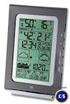 WIRELESS 868 MHz WEATHER STATION Instruction Manual INTRODUCTION: Congratulations on purchasing this fancy Weather Station with wireless 868MHz transmission of outdoor temperature and display of indoor
WEATHER STATION Instruction Manual Cat. No. 35.1111.IT
 WEATHER STATION Instruction Manual Cat. No. 35.1111.IT Thank you for choosing this wireless weather station from TFA. BEFORE YOU USE IT Please be sure to read the instruction manual carefully. This information
BEL-AIR WIRELESS THERMO-HYGROMETER Instructions manual Cat. No. 30.3045.IT
 BEL-AIR WIRELESS THERMO-HYGROMETER Instructions manual Cat. No. 30.3045.IT Thank you for choosing this wireless thermo-hygrometer from TFA. BEFORE YOU USE IT Please be sure to read the instruction manual
The Weather Station. Hanging Hole. LCD Display Battery Cover. Function Keys. Detachable Stand
 WIRELESS 433 MHz WEATHER STATION Instructions Manual INTRODUCTION: Congratulations on purchasing this Weather Station with wireless 433 MHz transmission of outdoor temperature and display of indoor temperature
WIRELESS 433 MHz TEMPERATURE STATION Instruction Manual Cat. No. 30.3015
 WIRELESS 433 MHz TEMPERATURE STATION Instruction Manual Cat. No. 30.3015 Thank you for choosing this wireless temperature station from TFA. BEFORE YOU USE IT Please be sure to read the instruction manual
MEMO ALARM CLOCK Operating Manual
 MEMO ALARM CLOCK Operating Manual INTRODUCTION Congratulations on purchasing this state-of-the-art Alarm clock with radio controlled time. The operation of this product is simple and straightforward and
LCD Display. Function keys. Stand. Adapter socket
 433 MHz RADIO CONTROLLED PROJECTION ALARM CLOCK Instructions manual INTRODUCTION: Congratulations on purchasing this innovative 433MHz Projection alarm clock which displays indoor temperature and humidity
Atomic Alarm Clock Instruction Manual
 Atomic Alarm Clock Instruction Manual Introduction: Congratulations on purchasing the Atomic Alarm Clock with WWVB Radio controlled time, calendar, 12/24 hours display, time zone with US map, indoor temperature
RADIO CONTROLLED DIGITAL CLOCK MODELS 88905 / 88906
 RADIO CONTROLLED DIGITAL CLOCK MODELS 88905 / 88906 QUICK SETUP GUIDE IMPORTANT! INSTALL BATTERIES IN THE OUTDOOR TRANSMITTER BEFORE INSTALLING BATTERIES IN THE RADIO-CONTROLLED CLOCK. ALKALINE BATTERIES
ATOMIC CLOCK WITH MOON PHASE. MODEL 86730 Instruction Manual
 ATOMIC CLOCK WITH MOON PHASE MODEL 86730 Instruction Manual FEATURES: WWVB Radio controlled time with manual time setting 12/24 hour time display Time display: hour, minute, second Alarm setting with snooze
WIRELESS WEATHER STATION Model 81690 USER'S INSTRUCTIONS
 WIRELESS WEATHER STATION Model 81690 USER'S INSTRUCTIONS The multifunctional weather station is equipped with many functions providing thorough weather information to you. The receiver unit has a clear,
ATOMIC CLOCK WITH OUTDOOR WIRELESS TEMPERATURE
 LCD1 display LCD2 display ATOMIC CLOCK WITH OUTDOOR WIRELESS TEMPERATURE INTRODUCTION: Congratulations on purchasing this state-of-the-art Skyscan Atomic Clock as an example of superior design and engineering.
PROFESSIONAL WEATHER CENTER WS-1510-IT Instruction Manual. PROFESSIONAL WEATHER CENTER WS-1510-IT Instruction Manual. Table of Contents FEATURES:
 PROFESSIONAL WEATHER CENTER WS-1510-IT Instruction Manual Table of Contents Topic Page Features 2 Setting up 4 Function keys 7 LCD Screen 9 Manual Setting 10 Time alarm setting 13 Weather alarm operations
Solar Weather Station Model: BAR806 / BAR806A
 Solar Weather Station Model: BAR806 / BAR806A EN CONTENTS USER MANUAL Overview... 2 Front view... 2 Back view... 3 Remote sensor... 3 Getting started... 3 Solar panel... 3 Insert batteries... 4 Remote
ATOMIC CLOCK WITH OUTDOOR WIRELESS TEMPERATURE AND MOON PHASE MODEL 87800-87801. Instruction Manual
 ATOMIC CLOCK WITH OUTDOOR WIRELESS TEMPERATURE AND MOON PHASE MODEL 87800-87801 Instruction Manual FEATURES: WWVB Radio controlled time with manual time setting 12/24 hour time display Time display: hour,
Please read the operating instructions carefully to familiarize yourself with the features and modes of operation before using the instrument.
 WS 6750 weather station user manual Please read the operating instructions carefully to familiarize yourself with the features and modes of operation before using the instrument. Technical Details Six
Model: 308-1412 Manual DC: 080215 WIRELESS COLOR FORECAST STATION
 Model: 308-1412 Manual DC: 080215 WIRELESS COLOR FORECAST STATION FRONT VIEW SENSOR TX141TH-Bv2 LED TX Sensor Battery Cover Sensor Battery Compartment 2 AA Buttons Battery Compartment 3 AAA BACK VIEW Battery
REMOTE TERMOMETER TE 219 LED USER MANUAL
 INTRODUCTION REMOTE TERMOMETER TE 219 LED USER MANUAL Thank you for purchasing this unit with indoor thermometer, wireless thermometer sensor and radiocontrolled clock. This device is also equipped with
Operating Manual Remote Cost Control Monitor
 Operating Manual Remote Cost Control Monitor INTRODUCTION: Congratulations on purchasing the Remote Cost Control. This is a state-of-the-art power monitoring socket that is highly accurate and easy to
WIRELESS WEATHER STATION
 WIRELESS WEATHER STATION INSTRUCTION MANUAL MODEL: WS1151 Page 1. Inventory of contents...2 2. Feature...2 3. Set up guide... 2 3.1 Battery installation... 2 3.2 Mounting... 3 4. LCD overview... 3 4.1
IN-OUT Thermometer with Cable Free Sensor and Clock
 IN-OUT Thermometer with Cable Free Sensor and Clock MODEL: RAR232 USER'S MANUAL INTRODUCTION Congratulations on your purchase of the RAR232 In-Out Thermometer with 433MHz cable free sensor and calendar
WS-9005TWC 915MHz WIRELESS RAIN GAUGE INSTRUCTION MANUAL
 WS-9005TWC 915MHz WIRELESS RAIN GAUGE INSTRUCTION MANUAL CONTENTS 03 introduction 03 features 04 setting up 06 function keys 06 operations 07 mounting 08 maintenance 09 specifications 09 liability disclaimer
Operation Manual Professional Remote Weather Station
 Operation Manual Professional Remote Weather Station Table of Contents WIRELESS WEATHER STATION 433MHZ This Operation Manual is part of this product and should be kept in a safe place for future reference.
TOUCH SCREEN WEATHER STATION MODEL WS-3500. Operation Manual
 TOUCH SCREEN WEATHER STATION MODEL WS-3500 Operation Manual 28 Table of Contents 1... General 2... Important Touch Screen Operating Notes generally applicable 3... Putting into Operation 3.1... Wiring
Atomic Projection Alarm with Indoor and Outdoor Temperature
 Model: WS-5220U-IT Instruction Manual DC: 082415 Atomic Projection Alarm with Indoor and Outdoor Temperature SNOOZE button Time, Alarm + WWVB Icon Projection arm Indoor Temp., Outdoor Temp. Battery Compartment
Estação Meteorológica sem fio VEC-STA-003
 Estação Meteorológica sem fio VEC-STA-003 The Weatherwise Instruments professional touch-screen weather station is designed for easy everyday use and fits right into any home or office. The indoor base
Model: 616-146v2 Quick Setup Guide DC: 071015 Atomic Projection Alarm with Indoor and Outdoor Temperature
 Model: 616-146v2 Quick Setup Guide DC: 071015 Atomic Projection Alarm with Indoor and Outdoor Temperature Snooze/Backlight BUTTONS Time, Alarm with Snooze, & Calendar Projection Arm Rotates 180 Indoor/Outdoor
Get Support: www.lacrossetechnology.com/308-146
 Model: 308-146/308-146W Instruction Manual The Wireless Color Forecast Station features atomic time, weather forecast, indoor and outdoor temperature/humidity as well as heat index and dew point, on a
Installation and Operating Manual p. 23. Radio push button 2 channel: HM-PB-2-WM55-2
 Installation and Operating Manual p. 23 Radio push button 2 channel: HM-PB-2-WM55-2 1. English edition 10/2013 Documentation 2013 eq-3 Ltd., Hong Kong All rights reserved. No parts of this manual may be
WIRELESS FORECAST STATION
 Model: 308-1451 Instruction Manual DC: 072915 WIRELESS FORECAST STATION Table of Contents INITIAL SETUP... 2 LCD FFEATURES... 3 BUTTONS... 3 SET TIME, DATE, ETC.... 4 BACKLIGHT... 6 CITY SELECTION-SUNRISE/SUNSET
Weather Station TE 529EL USER MANUAL
 Weather Station TE 529EL USER MANUAL INTRODUCTION : Congratulations on your purchase of the weather station TE529EL with wireless sensor and radio controlled clock. The basic package comes with a main
RF Projection Barometer With Remote Thermo Sensor
 RF Projection Barometer With Remote Thermo Sensor Model No.: BAR338P (UK VERSION BAR338PU) User s Manual MAIN UNIT CONTROLS GB INTRODUCTION Congratulations on your purchasing the BAR338P RF Projection
WS1093 PROFESSIONAL WIRELESS WEATHER STATION WITH TOUCHSCREEN AND USB UPLOAD
 PROFESSIONAL WIRELESS WEATHER STATION WITH TOUCHSCREEN AND USB UPLOAD - 1 - PROFESSIONAL WIRELESS WEATHER STATION WITH TOUCHSCREEN AND USB UPLOAD Operation Manual Thank you and congratulations on selecting
Atomic Alarm Clock model 13131W2
 Instruction Manual Atomic Alarm Clock model 13131W2 CONTENTS Unpacking Instructions... 2 Package Contents... 2 Product Registration... 2 Features & Benefits... 3 Clock Setup... 4 Atomic Clock... 5 Set
THE NEW GENERATION IN TECHNOLOGY. NI-3103A Alarm Clock w/fm Radio ipod & iphone Docking. Operating Instructions
 THE NEW GENERATION IN TECHNOLOGY NI-3103A Alarm Clock w/fm Radio ipod & iphone Docking Operating Instructions Table of Contents Important Safeguards... 3 Parts... 6 Controls... 6 To Set Up... 7 ipod/iphone
WIRELESS MULTI-ZONE DIGITAL WEATHER CENTER. Model No. 91905 User s Manual
 WIRELESS MULTI-ZONE DIGITAL WEATHER CENTER Model No. 91905 User s Manual BASE STATION REMOTE SENSOR FEATURES AND SPECIFICATIONS BASE STATION Indoor / wireless outdoor temperature, C / F selectable Indoor
FAMILY WEATHER STATION Instruction Manual
 FAMILY WEATHER STATION Instruction Manual INTRODUCTION: Congratulations on purchasing this state-of-the-art weather station as an example of excellent design and innovative measuring technique. Featuring
Wireless Indoor/ Outdoor Thermometer
 Wireless Indoor/ Outdoor Thermometer Owner s Manual Please read before using this equipment. ˆ Contents FCC Information... 3 FCC Declaration of Conformity... 5 Preparation... 5 Installing Batteries...
Water Tank Level Monitor
 Water Tank Level Monitor INSTRUCTION MANUAL MODEL NO: WTL001 Table of Contents 1. INTRODUCTION... 2 1.1 Package Contents... 2 1.2 Features... 2 2. INSTALLATION... 3 2.1 Water Tank Sensor Battery Installs...
Control Location. Replacing Battery
 Functions - Normal Time with PM Indicator - 12/24 hour selectable - Dual Alarm, Snooze, Sleep Timer Green LED Backlight display - Month and Date Display - Thermometer (32oF - 122-F) - AM/FM Radio Receiver
Radio-Controlled Projection Clock with Indoor Temperature
 Item 972483 Radio-Controlled Projection Clock with Indoor Temperature Owner s Manual Thank you for purchasing the new generation of projection clock. Designed and engineered with the state-of-art technology
User Manual of WT 493
 User Manual of WT 493 Introduction Congratulations on your purchase of this smart unit. This unit can be used as a radio to catch the latest news and enjoy the beautiful music; it can also be used as an
Weather@Home Bluetooth-enabled Weather Station Model: BAR218HG. User Manual
 Weather@Home Bluetooth-enabled Weather Station Model: BAR218HG User Manual Weather@Home Bluetooth-enabled Weather Station Model: BAR218HG TABLE OF CONTENT User Manual Introduction-----------------------------------------------------------------3
GB Instruction Manual. www.quantys.de
 GB Instruction Manual www.quantys.de GB Instruction manual Solar RADIO-CONTROLLED ALARM CLOCK With analogue alarm time setting Safety instructions - Swallowing batteries can be life-threatening. Therefore,
INSTALLING A/C ADAPTER
 WS 6502 INTRODUCTION 1. SNOOZE/LIGHT BUTTON 2. BASE 3. ALM SET BUTTON 4. + / C/F BUTTON 5. HISTORY BUTTON 6. MODE BUTTON 7. CHANNEL BUTTON 8. - / RCC BUTTON 9. MAX/MIN BUTTON 10. BATTERY COMPARTMENT 11.
Time. Choose a location 6 feet or more from electronics such as cordless phones, wireless gaming systems, televisions,
 Model: 404-1220 Instruction Manual DC: 050614 20 Atomic Wall Clock Mountain Central DST Indicator Pacific Eastern Manual Set Button Battery Compartment 1- C Alkaline Get Started Step 1: Insert 1 fresh
Rousseau 10. User Guide
 Rousseau 10 User Guide Base station overview ➀ LED signals White, permanent light: - Base station ready, you can register a handset Slow flashing white light: - Paging call in progress - Active call (you
Meijer.com. WIRELESS WEATHER STATION WITH ADVANCED FORECAST ICON Instruction Manual
 Contents WIRELESS WEATHER STATION WITH ADVANCED FORECAST ICON Instruction Manual Language Page English 1 TABLE OF CONTENTS Topic Page Inventory of contents 3 Features 4 Setting up 6 About WWVB 11 Function
TOUCH SCREEN WEATHER STATION (WIND AND AIR PRESSURE) WH-1080PC. Operation Manual
 TOUCH SCREEN WEATHER STATION (WIND AND AIR PRESSURE) WH-1080PC Operation Manual About this manual Thank you and congratulations on selecting this professional weather station! We are positive you will
QFP910. Water detector. Building Technologies. CE1N2732en. Synco living
 2 732 Synco living Water detector QFP910 Wireless radio sensor to record water puddles RF communication based on KNX standard (868 MHz unidirectional) Battery operation with standard 1.5 V batteries Use
MAKING MODERN LIVING POSSIBLE. living connect. Installation and User Guide. Danfoss heating
 MAKING MORN LIVING POSSIBLE Danfoss heating living connect Installation and User Guide Contents 1.0 System overview... 3 2.0 Overview of display and control buttons... 3 3.0 Installation - step by step...
Weather Radio Alarm Clock
 1200093 User s Guide Weather Radio Alarm Clock Thank you for purchasing your Weather Radio Alarm Clock from RadioShack. Please read this user s guide before installing, setting up, and using your new weather
Wireless Home Security Alarm System AM 500
 Wireless Home Security Alarm System AM 500 12 MONTH GUARANTEE Installation & Operating Instructions INTRODUCTION The AM500 is a simple self-contained alarm system. It protects the home by sounding a siren
ST815 Illumination Sensor with LCD
 ST815 Illumination Sensor with LCD The Illumination Sensor with LCD (refer to as Illumination Sensor hereafter) is a Z-Wave TM enabled device which is fully compatible with any Z-Wave TM enabled network.
OPUS WIRELESS WEATHER STATION Instructions Manual Cat. Nr. 35.1112.IT
 OPUS WIRELESS WEATHER STATION Instructions Manual Cat. Nr. 35.1112.IT TABLE OF CONTENTS TABLE OF CONTENTS... 35 INTRODUCTION... 38 INVENTORY OF CONTENTS... 39 FEATURES:... 40 WIRELESS DISPLAY... 40 THERMO-HYGRO
PROFESSIONAL WEATHER STATION (WIND AND AIR PRESSURE) Operation Manual
 PROFESSIONAL WEATHER STATION (WIND AND AIR PRESSURE) Operation Manual About this manual Thank you and congratulations on selecting this professional weather station! We are positive you will enjoy the
DAB & FM RADIO Installation Manual
 Size: 105x145mm 105g copper paper DAB & FM RADIO Installation Manual Model: 10798 10799 10800 10801 Thank you for purchasing this AGK DAB/FM radio. Please read the instructions and warnings carefully before
Welcome to the ClimeMET CM9088 Wireless Desktop Weather Station.
 Welcome to the ClimeMET CM9088 Wireless Desktop Weather Station. Congratulations on the purchase of your new desktop weather station, the latest in home weather technology from ClimeMET Welcome to the
Single Day Alarm Clock with. Bluetooth and USB Play-through
 Single Day Alarm Clock with Bluetooth and USB Play-through MODEL : BSC 200 READ THIS INSTRUCTION MANUAL BEFORE OPERATING THE APPLIANCE. SAVE THIS MANUAL FOR FUTURE REFERENCE. TABLE OF CONTENTS IMPORTANT
Getting started with
 PART NO. CMA113 MADE IN CHINA 1. Measuring CAT II 2. Max. voltage 250V ~ 3. Max. current 71 Amp Getting started with Electricity consumption monitoring single phase for homes and some smaller light commercial
Jumbo Atomic Clock. Model 86931 With Indoor Temperature Instruction Manual THE SKYSCAN ATOMIC CLOCK
 Jumbo Atomic Clock Model 86931 With Indoor Temperature Instruction Manual THE SKYSCAN ATOMIC CLOCK With the SkyScan Atomic Clock, you have the most accurate timepiece within the continent. It can receive
Mold Alert... Operation Manual P0270
 Mold Alert... Operation Manual P0270 introduction Congratulations on your purchase of the P0270 Mold Alert! Mold is as old as the Earth and it s everywhere. Under the right set of conditions, it can actually
2-Way Wireless Indoor Siren Installation Guide
 2-Way Wireless Indoor Siren Installation Guide For more detailed information please refer to the iconnect Installer Manual provided on our website: www.electronics-line.com Table of Contents 1. Introduction...
Touch Screen Wireless Weather Station WS-2510 Operating instructions
 Touch Screen Wireless Weather Station WS-2510 Operating instructions Contents 1. General information and functioning... 3-5 Quick overview of the display fields on the main display... 3-4 Weather station
Important Safety Instructions
 PR-D7 GB Revision 1 Important Safety Instructions 1. Read these instructions. 2. Keep these instructions. 3. Heed all warnings. 4. Follow all instructions. 5. Do not use this apparatus near water. 6. Clean
Digital Wireless Rain Gauge & Thermometer
 2753 Digital Wireless Rain Gauge & Thermometer Indoor/Outdoor Thermometer with Remote Rain Gauge Leading the Way in Accuracy Required: Screw Driver & 4 AAA Batteries Instruction Manual Welcome to the Taylor
TE688W Wireless Weather Forecaster with Indoor/ Outdoor Temperature and Humidity
 TE688W Wireless Weather Forecaster with Indoor/ Outdoor Temperature and Humidity USER MANUAL INTRODUCTION Thank you for selecting a Meade Instruments Weather Forecaster. This device combines precise time
JUNGHANS MEGA ALARM-CHRONO W 615.33
 JUNGHANS MEGA ALARM-CHRONO W 615.33 reset set + mode set GB Contents Page 1. Wireless technology 52 53 2. Readiness for use 54 55 3. Automatic time synchronisation 56 4. Functions 57 4.1. Base mode 58
A. FEDERAL COMMUNICATIONS COMMISSION (FCC) STATEMENT
 A. FEDERAL COMMUNICATIONS COMMISSION (FCC) STATEMENT This equipment has been tested and found to comply with the limits for a Class B digital device, Pursuant to Part 15 the FCC rules. These limits are
Alarm Clock USER GUIDE
 Alarm Clock USER GUIDE Jazwares, Inc. 2010 1 CONTENTS Please read the instructions along with the alarm clock carefully before you use it, so that you can operate it conveniently. WELCOME, Safety Tips
DAB+ / FM Tuner Model: TU-201
 DAB+ / FM Tuner Model: TU-201 Instruction Manual www.pulse-audio.co.uk 1 Safety Information The lightning bolt within a triangle is intended to alert the user to the presence of dangerous voltage levels
Microwave Meter. Instruction Manual
 Microwave Meter 840046 Instruction Manual Microwave Meter 840046 Copyright 2009 by Sper Scientific ALL RIGHTS RESERVED Printed in the USA The contents of this manual may not be reproduced or transmitted
Wireless PIR motion detector FS20 PIRI-2
 OPERATING INSTRUCTIONS Version 12/06 Wireless PIR motion detector FS20 PIRI-2 Item no. 62 05 94 Table of contents Page 1. Introduction... 4 2. Prescribed use... 5 3. Scope of delivery... 5 4. Explanation
Ambient Weather WS-1173A Advanced Weather Station User Manual
 Ambient Weather WS-1173A Advanced Weather Station User Manual Table of Contents 1. Introduction... 2 2. Getting Started... 2 2.1 Parts List... 2 2.2 Recommend Tools... 2 2.3 Thermo-Hygrometer Sensor Set
For more detailed information, see your Vantage Vue Console manual.
 For more detailed information, see your Vantage Vue Console manual. Current Weather Mode Moon phase, alarm & forecast icons Wind Rose Compass Antenna icon shows active transmission Graph of selected variable
CR9971 2 Band Auto Set Dual Alarm Clock Radio ROBERTS. Sound for Generations. Please read this manual before use
 ROBERTS Sound for Generations CR9971 2 Band Auto Set Dual Alarm Clock Radio Please read this manual before use Contents Contents... 1 Controls...2-5 Switching on... 6 Setting the time manually... 6 Setting
Pocket Tach 99 (PT99) Non-Contact Tachometer
 CE DECLARATION OF CONFORMITY As Manufacturer: Monarch Instrument Division of Monarch International Inc. 15 Columbia Drive, Amherst NH 03031 USA declares under Monarch s sole responsibility that the product:
Intelli-Time Alarm Clock model 13027
 Instruction Manual Intelli-Time Alarm Clock model 13027 CONTENTS Unpacking Instructions... 2 Package Contents... 2 Product Registration... 2 Features & Benefits... 3 Clock Setup... 4 Intelli-Time Clock...
How To Program An Autodialer
 GJD HYL005 GSM Autodialer Instruction Manual Please read these instructions before you start the installation Features: LCD display. Programmable 9 x 32 digit phone numbers for each trigger. 10 second
Alarm Clock USER GUIDE
 Alarm Clock USER GUIDE Jazwares, Inc. 2012 CONTENTS Please read the instructions along with the Alarm Clock carefully before you use it, so that you can operate it conveniently. WELCOME & Warnings Page
musical auto mirror day & night light Control Panel Features Mirror Features Front View Mirror Features Rear View B C Remote Receiver C
 Control Panel Features A Power, Low/High Volume Switch Note: The dual-mode night light and music can only be activated by pressing the buttons on the remote. A Mirror Features Front View B Dual-Mode Night
QFP910. Water detector. Building Technologies. CE1N2732en 2016-03-01. Synco living
 2 732 Synco living Water detector QFP910 Wireless radio sensor to record water puddles RF communication based on KNX standard (868 MHz unidirectional) Battery operation with standard 1.5 V batteries Use
Phoenix Body Fat Scale Manual
 Phoenix Body Fat Scale Manual Low Batteries & bad battery connections are the #1 cause of scale malfunction and inaccuracy! We test all of our scale returns from consumers. Fully 60% of consumer returns
MAKING MODERN LIVING POSSIBLE. living connect. Installation and User Guide. Danfoss Heating Solutions
 MAKING MODERN LIVING POSSIBLE living connect Installation and User Guide Danfoss Heating Solutions 2 living connect Thank you for buying a Danfoss product Danfoss Heating Solutions 3 Contents 1. System
Talking Atomic Alarm Clock Instructions
 1 Talking Atomic Alarm Clock Instructions S1 (Talking+Snooze+Back Light) S2 (Alarm Time + Alarm Hour) S4 (Alarm Volume + OFF) S3 (Alarm ON/OFF + Alarm Minute) S5 (Wave, Manual Signal Reception) S8 (DST
GSM AD05 Slave GSM Auto Dialer- Instruction Manual
 GSM AD05 Slave GSM Auto Dialer- Instruction Manual Please read these instructions before you start the installation Features LCD display Programmable 9 x 32 digit phone numbers for each trigger. 10 second
DIGITAL ALARM CLOCK RADIO
 DIGITAL ALARM CLOCK RADIO INSTRUCTION MANUAL For information and support, www.lenco.eu CR3302 LENCO ENG FM ONLY IM 98 x1 1 11/5/2009 9:14:35 CAUTION RISK OF ELECTRIC SHOCK DO NOT OPEN WARNINGS ATTENTION
Portable Air Conditioner
 Portable Air Conditioner Owner's Manual Model:3 in 1 12,000 Btu/h Series 3 Please read this owner s manual carefully before operation and retain it for future reference. CONTENTS 1. SUMMARY...1 2. PORTABLE
RCR-22 AM/MW 2 bands Digital Clock Radio instruction manual
 RCR-22 AM/MW 2 bands Digital Clock Radio instruction manual Important safety instructions 1. Read and understand all safety and operating instructions before the radio is operated. 2. Retain instruction:
WIRELESS HOME ALARM SYSTEM (WHA1)
 WIRELESS HOME ALARM SYSTEM (WHA1) IMPORTANT : PLEASE READ THIS MANUAL CAREFULLY BEFORE ATTEMPTING TO INSTALL AND OPERATE THIS ALARM SYSTEM. SAFETY Please note: Before you start to install this alarm, we
USER MANUAL INTRODUCTION CONTENTS PACKAGING CONTENTS BASE STATION WIND SENSOR TEMPERATURE & HUMIDITY SENSOR
 EN Wireless Pro Weather Station with USB upload Model: WMR88 / WMR88A INTRODUCTION Thank you for selecting the Oregon Scientific Wireless Pro Weather Station with USB upload (WMR88 / WMR88A). The base station
DR 70 Portable Digital DAB+ and FM Radio Receiver User Manual English Please read carefully before using this product
 DR 70 Portable Digital DAB+ and FM Radio Receiver User Manual Please read carefully before using this product 15 1 Table of Contents 1 Table of Contents... 16 2 Safety Instructions:... 17 3 Specification:...
Atomic Dual Alarm Clock models 13022 / 13035
 Instruction Manual Atomic Dual Alarm Clock models 13022 / 13035 CONTENTS Unpacking Instructions... 2 Package Contents... 2 Product Registration... 2 Features & Benefits: Sensor... 2 Features & Benefits:
H203D 中文 GB Version 1
 H203D 中 GB文 Version 1 Contents Installing batteries... 4 Using the AC adapter (not supplied)... 5 Setting the clock... 6-7 Updating your radio - DAB... 8 Selecting a station - DAB... 9 Secondary services