
WIRELESS FORECAST STATION
|
|
|
- Rosemary Williamson
- 9 years ago
- Views:
Transcription
1 Model: Instruction Manual DC: WIRELESS FORECAST STATION Table of Contents INITIAL SETUP... 2 LCD FFEATURES... 3 BUTTONS... 3 SET TIME, DATE, ETC BACKLIGHT... 6 CITY SELECTION-SUNRISE/SUNSET TIMES... 5 COMFORT STATEMENT... 5 TIDE... 6 MOON PHASE... 6 ALARMS and ALERTS... 7 TIME ALARMS... 7 OUTDOOR TEMPERATURE ALERTS... 8 FROST ALARM... 8 TEMPERATURE TREND ICONS... 9 Model: pg. 1
2 CHANNELS-AUTO SCROLL... 9 ADD SENSORS... 9 ABSOLUTE PRESSURE NUMBER PRESSURE HISTORY HOUR PRESSURE HISTORY GRAPH WEATHER FORECAST ICONS WEATHER TENDENCY ARROWS FISHERMAN CLOTHING BASED ON OUTDOOR TEMPERATURE CHANNEL VIEW/RESET MIN/MAX VALUES MANUAL WWVB RADIO-CONTROLLED TIME SEARCH POSITION THE FORECAST STATION POSITION OUTDOOR SENSOR SPECIFICATIONS LOW BATTERY ICON CARE AND MAINTENANCE WARRANTY AND SUPPORT INFORMATION FCC STATEMENT City Codes...Appendix INITIAL SETUP Step 1: Insert 2 new AA batteries (not included) into the TX142THv2 sensor. Observe the correct polarity. Step 2: Insert 3 new AA Alkaline batteries (not included) into the forecast station. Observe the correct polarity. Model: pg. 2


3 Step 3: After 5 minutes, place the sensor Outside in a shaded location. Note: If the outdoor Temperature area shows dashes after 3 minutes, remove the batteries and start from step 1. LCD FEATURES Forecast Icon with Tendency Fisherman icon suggests what to wear to prepare for the current outdoor temperature. Absolute Pressure + History 12-hour Pressure History Graph in hpa or InHg Time with 2 Alarms + WWVB Icon Calendar Sunrise/sunset Times with Moon Phase Indoor Temperature, Humidity + Alerts Outdoor Temperature, Humidity + Alerts BUTTONS Model: pg. 3
4 SET TIME, DATE, ETC. 1. Hold the SET button to enter time set mode. 2. Press the + or - button to adjust values. 3. Press the SET button to confirm adjustments and move to the next item. Settings order: 1. WWVB Reception 2. Time Zone 3. DST Indicator, 4. 12/24 Hour Time Format 5. Fahrenheit/Celsius 6. Hour 7. Minutes, 8. Seconds 9. Year 10. Month 11. Date 1. WWVB Time On/Off 2. Time Zone 3. DST Indicator 4. 12Hr/24Hr Time 5. Fahrenheit/Celsius 6. Hours 7. Minutes 8. Seconds 9. Year 10. Month 11. Date Press the SET button to exit or wait 20 seconds. Model: pg. 4
5 CITY SELECTION-SUNRISE/SUNSET TIMES Select a city location closest to you in a North/South line, even a city in another state or country. This will provide the most accurate sunrise/sunset times for your location. COUNTRY: 1. Hold the CITY button and the Country will flash. 2. Press the + or - button to select the country. (USA, Canada or Mexico) 3. Press the CITY button to confirm and enter state selection. Note: When either Canada or Mexico is chosen you will move directly to city selection. Preset City abbreviations are at the end of this guide. STATE: 4. Press the + or - button to select the state. 5. Press the CITY button to confirm and enter city selection. CITY: 6. Press the + or - button to select the city. 7. Press the CITY button to confirm and exit. Note: Use the city location closest to you in a North/South line even a city in another state or country, for the most accurate sunrise/sunset times for your location. COMFORT STATEMENT The comfort statement is based on the indoor humidity. WET: Humidity is above 70% COMFORTABLE: Temperature is between 68 F and 82 F. Humidity is between 40% and 70% DRY: Humidity is below 40% Model: pg. 5
6 BACKLIGHT Press the SNOOZE/LIGHT button to activate the blue backlight for 5 seconds. TIDE The tides reflected on this station are based on the ebb and neap tides of the lunar month. When it reads high, your tides will be higher than usual, etc. This does not reflect daily high and low tides. Full & new moon = spring tide (TIDE HI). Quarter = neap tide (TIDE LO) Other = mean water level (TIDE MID) MOON PHASE The LCD Moon phase is divided by 6 sections, showing a total of 12 phases of the moon. Note: With the moon shown against a light background, the phases will show opposite to a paper calendar. For instance, the moon will be blank during a new moon and dark during a full moon. Model: pg. 6
7 ALARMS and ALERTS There are two time alarms and high and low outdoor temperature alerts available on this station. TIME ALARMS Setting and activating time alarms are separate actions. Set Alarm 1: 1. Press the ALARM button to enter alarm 1. (A1 will show in the seconds area). 2. Hold the ALARM button to enter alarm set mode. 3. Press the + or - button to adjust values. Set Alarm 2: 1. Press the ALARM button twice to enter alarm 2. (A2) will show in the seconds area). 2. Hold the ALARM button to enter alarm set mode. 3. Press the + or - button to adjust values. Activate: 1. Press the ALARM button to enter alarm mode. 2. Press the + button and the bell icon with the alarm number will appear. Deactivate: 3. Press the ALARM button to enter the correct alarm mode. 4. Press the + button and the bell icon will disappear. Snooze: 1. When either alarm sounds, press the SNOOZE/LIGHT button to activate the snooze feature for 10 minutes. 2. The letters Zz will appear. 3. Press any button to deactivate the snooze feature. Model: pg. 7
8 OUTDOOR TEMPERATURE ALERTS High and low outdoor temperature alerts may be set on the forecast station for each channel that has a sensor attached. Set Temperature Alert Channel 1: 1. Hold the TEMP ALERT button and the High Temp Alert icon will flash. 2. Press the + or - button to adjust values. 3. Press the SET button to move to the Low Temp alert. 4. The Low Temp Alert icon will flash. 5. Press the + or - button to adjust values. 6. Press the SET button to confirm and exit to current temperature. 7. The Temp Alert icon will show in the outdoor temperature area. 8. When alert sounds, the temperature value will flash. 9. Press any button to silence the alert temporarily. High Alert Low Alert Set Temperature Alerts Channels 2 or 3 (When using multiple sensors): 1. Press the CH button to select the channel. 2. Follow steps 2-4 above to set temperature alerts on other channels. Deactivate Temperature Alert: Press the TEMP ALERTS button three times to deactivate all temperature alerts. The alert icon will disappear. FROST ALARM The Frost Alert sounds when outdoor temperature is between: (34 F~37 F (1.1 C~2.7 C)) 1. Activate: Press the TEMP ALERT button twice to activate the Frost Alarm. Model: pg. 8
9 2. The FROST ALERT icon will appear in the outdoor temperature area when active. 3. Deactivate: Press and release the TEMP ALERT button until the FROST ALERT icon no longer shows. TEMPERATURE TREND ICONS The temperature (2 F/1 C) and humidity (3% RH) trend indicators update every 30 minutes or less. Temperature has risen in the past 3 hours. Humidity has risen in the past 3 hours. Temperature has not changed in the past 3 hours. Humidity has not changed in the past 3 hours. Temperature has fallen in the past 3 hours. Humidity has fallen in the past 3 hours. CHANNELS-AUTO SCROLL Channel Search: The Forecast Station can receive up to 3 outdoor sensors: (TX142THv2 or TX142TH) When more than one sensor is used, set each sensor to a different channel number then hold the CH button to search for the sensors. View Channels: Press the CH button to select Ch1, Ch2, or Ch3 or auto-scroll channels. Auto scroll-channel will show a circling arrow below the channel number and will rotate through each channel approximately every 3-5 seconds ADD SENSORS Remove battery covers from all sensors. Set each sensor to a different channel with the switch. Insert batteries into all sensors. Hold the CH button to search for sensors. Press the TX button on each sensor. After 15 minutes place, sensors in shaded locations. Model: pg. 9
10 ABSOLUTE PRESSURE NUMBER Absolute Pressure Number: Barometric Pressure is read by the forecast station. Since this number is absolute pressure it may not be the same as a local reporting station that reads in relative pressure. Note: The number cannot be calibrated. Unit of Measure: (InHg or hpa): Hold the HISTORY button to switch from InHg (inches or mercury) or hpa (Hecto Pascal). PRESSURE HISTORY 1. Press the HISTORY button to view numeric pressure history is current pressure. -1 through -12 reflects the pressure history in one-hour increments. 12 HOUR PRESSURE HISTORY GRAPH The bar chart indicates the pressure trend over the last 12 hours. The columns represent the pressure change readings at specific times. The 0 is equal to the current pressure and each bar represents how past pressure was compared to the current pressure. Read the graph from left to right. If the bars are rising, it means that the weather is getting better due to the increase of air pressure. If the bars go down, it means the air pressure has dropped and the weather is expected to get worse from the present time. Note: The bar graph will scroll to prevent LCD burnout. Model: pg. 10
11 WEATHER FORECAST ICONS The icons in the top right corner shown below, forecast the weather for the next hours. The icon is a prediction of the weather in terms of getting better or worse based on rising and falling barometric pressure. SUNNY PARTLYLY CLOUDY CLOUDY RAINY SNOWY INTELLIGENT WEATHER FORECAST This station learns. Please allow 7-10 days for barometric calibration. This will ensure an accurate personal forecast for your location. WEATHER TENDENCY ARROWS UP ARROW: the Air Pressure is increasing; the weather is expected to improve. RIGHT ARROW: the Air Pressure has not changed. DOWN ARROW: the Air Pressure is falling; the weather is expected to degrade. FISHERMAN CLOTHING BASED ON OUTDOOR TEMPERATURE CHANNEL 1 The fisherman s clothing updates with changes in the measured Outdoor Temperature from the sensor on channel 1. The fisherman icon represents CURRENT TRENDS in Temperature. Model: pg. 11
12 VIEW/RESET MIN/MAX VALUES The station automatically resets MIN/MAX values daily at midnight (12:00 AM). Press the MAX/MIN button once to view maximum values. Hold the MAX/MIN button to reset maximum values. Press the MAX/MIN button twice to view minimum values. Hold the MAX/MIN button to reset minimum values. MANUAL WWVB RADIO-CONTROLLED TIME SEARCH Hold both the + and together to start or stop a WWVB signal search. WWVB Icon will flash For information about WWVB visit: POSITION THE FORECAST STATION The forecast station has a wide base to sit on a desk or table. For best WWVB reception orientate the forecast station with the front of the back facing Ft. Collins, Colorado. Choose a location 6 feet or more from electronics such as cordless phones, gaming systems, televisions, microwaves, routers etc. Place within range of the outdoor sensor. The maximum transmitting range in open air is 300 feet (91 meters). Obstacles such as walls, windows, stucco, concrete and large metal objects can reduce the range. POSITION OUTDOOR SENSOR Mount the outdoor sensor on a north-facing wall or in any well shaded area. Under an eave or deck rail is preferred. The maximum transmitting range to the forecast station is over 300 feet (91 meters) in open air, not including walls. Model: pg. 12
13 Indoor: Temperature Range: Humidity Range: Interval: Outdoor: Temperature Range: Alkaline Batteries: Lithium Batteries: SPECIFICATIONS +32 F to +122 F (0 C to 50 C) 10%-99% (RH) About every 30 seconds -40 F to 140 F (-40 C to 60 C) -20 F to 140 F (-28.8 C to 60 C) -40 F to 140 F (-40 C to 60 C) Note: Temperatures below - 20 F (-28.8 C) require Lithium batteries in the outdoor sensor. Humidity Range: Distance: Interval: Power: Forecast Station: TX142THv2 Sensor: Battery Life: Dimensions: Forecast Station: 10%-99% (RH) Over 300 ft. (91 meters) RF 433MHz (open air) About every 50 seconds 3-AA, IEC, LR6 batteries (not included) 2-AA, IEC, LR6 batteries (not included) Battery life is over 24 months when using reputable batteries. 5.12" L x 2.36" W x 5.12" H (130 x 60 x 130 mm) TX142THv2 Sensor: 1.57" x 0.79" x 5.12" (40 x 20 x 130mm) LOW BATTERY ICON When displayed in Outdoor Temperature section, replace batteries in the outdoor sensor. When displayed in Indoor Temperature section, replace batteries in the forecast station. Low Battery Icon Model: pg. 13
14 CARE AND MAINTENANCE Do not mix old and new batteries Do not mix Alkaline, Standard, Lithium or Rechargeable Batteries Always purchase the correct size and grade of battery suitable for the intended use. Replace all batteries of a set at the same time. Clean the battery contacts and also those of the device prior to battery installation. Ensure the batteries are installed correctly with regard to polarity (+and -). Remove batteries from equipment with is not to be used for an extended period. Remove expired batteries promptly. WARRANTY AND SUPPORT INFORMATION La Crosse Technology, Ltd. provides a 1-year limited time warranty (from date of purchase) on this product relating to manufacturing defects in materials & workmanship. Before returning a product, please contact our friendly customer support with questions or visit our online help (manuals and FAQS): Phone: Online Product Support: Product Registration: View full warranty details online at: Warranty Address: La Crosse Technology, Ltd 2830 S. 26 th St. La Crosse, WI Protected under U.S. Patents: 5,978,738 6,076,044 RE43903 Model: pg. 14
15 FCC STATEMENT This equipment has been tested and found to comply with the limits for a Class B digital device, pursuant to part 15 of the FCC Rules. These limits are designed to provide reasonable protection against harmful interference in a residential installation. This equipment generates, uses and can radiate radio frequency energy and, if not installed and used in accordance with the instructions, may cause harmful interference to radio communications. However, there is no guarantee that interference will not occur in a particular installation. If this equipment does cause harmful interference to radio or television reception, which can be determined by turning the equipment off and on, the user is encouraged to try to correct the interference by one or more of the following measures: Reorient or relocate the receiving antenna. Increase the separation between the equipment and receiver. Connect the equipment into an outlet on a circuit different from that to which the receiver is connected. Consult the dealer or an experienced radio/tv technician for help. This device must not be co-located or operating in conjunction with any other antenna or transmitter. Operation is subject to the following two conditions: (1) This device may not cause harmful interference, and (2) This device must accept any interference received, including interference that may cause undesired operation. Caution! The manufacturer is not responsible for any radio or TV interference caused by unauthorized modifications to this equipment. Such modifications could void the user authority to operate the equipment. All rights reserved. This manual may not be reproduced in any form, even in part, or duplicated or processed using electronic, mechanical or chemical process without the written permission of the publisher. This booklet may contain errors or misprints. The information it contains is regularly checked and corrections are included in subsequent editions. We disclaim any responsibility for any technical error or printing error, or their consequences. All trademarks and patents are recognized. Model: pg. 15
Model: 616-146v2 Quick Setup Guide DC: 071015 Atomic Projection Alarm with Indoor and Outdoor Temperature
 Model: 616-146v2 Quick Setup Guide DC: 071015 Atomic Projection Alarm with Indoor and Outdoor Temperature Snooze/Backlight BUTTONS Time, Alarm with Snooze, & Calendar Projection Arm Rotates 180 Indoor/Outdoor
Model: 308-1412 Manual DC: 080215 WIRELESS COLOR FORECAST STATION
 Model: 308-1412 Manual DC: 080215 WIRELESS COLOR FORECAST STATION FRONT VIEW SENSOR TX141TH-Bv2 LED TX Sensor Battery Cover Sensor Battery Compartment 2 AA Buttons Battery Compartment 3 AAA BACK VIEW Battery
Atomic Projection Alarm with Indoor and Outdoor Temperature
 Model: WS-5220U-IT Instruction Manual DC: 082415 Atomic Projection Alarm with Indoor and Outdoor Temperature SNOOZE button Time, Alarm + WWVB Icon Projection arm Indoor Temp., Outdoor Temp. Battery Compartment
WIRELESS MULTI-ZONE DIGITAL WEATHER CENTER. Model No. 91905 User s Manual
 WIRELESS MULTI-ZONE DIGITAL WEATHER CENTER Model No. 91905 User s Manual BASE STATION REMOTE SENSOR FEATURES AND SPECIFICATIONS BASE STATION Indoor / wireless outdoor temperature, C / F selectable Indoor
RADIO CONTROLLED DIGITAL CLOCK MODELS 88905 / 88906
 RADIO CONTROLLED DIGITAL CLOCK MODELS 88905 / 88906 QUICK SETUP GUIDE IMPORTANT! INSTALL BATTERIES IN THE OUTDOOR TRANSMITTER BEFORE INSTALLING BATTERIES IN THE RADIO-CONTROLLED CLOCK. ALKALINE BATTERIES
Get Support: www.lacrossetechnology.com/308-146
 Model: 308-146/308-146W Instruction Manual The Wireless Color Forecast Station features atomic time, weather forecast, indoor and outdoor temperature/humidity as well as heat index and dew point, on a
Atomic Alarm Clock model 13131W2
 Instruction Manual Atomic Alarm Clock model 13131W2 CONTENTS Unpacking Instructions... 2 Package Contents... 2 Product Registration... 2 Features & Benefits... 3 Clock Setup... 4 Atomic Clock... 5 Set
Time. Choose a location 6 feet or more from electronics such as cordless phones, wireless gaming systems, televisions,
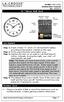 Model: 404-1220 Instruction Manual DC: 050614 20 Atomic Wall Clock Mountain Central DST Indicator Pacific Eastern Manual Set Button Battery Compartment 1- C Alkaline Get Started Step 1: Insert 1 fresh
WIRELESS WEATHER STATION Model 81690 USER'S INSTRUCTIONS
 WIRELESS WEATHER STATION Model 81690 USER'S INSTRUCTIONS The multifunctional weather station is equipped with many functions providing thorough weather information to you. The receiver unit has a clear,
Atomic Projection Alarm Clock model 13021
 Instruction Manual Atomic Projection Alarm Clock model 13021 CONTENTS Unpacking Instructions... 2 Package Contents... 2 Product Registration... 2 Features & Benefits... 3 Clock Setup... 5 Atomic Clock...
Solar Weather Station Model: BAR806 / BAR806A
 Solar Weather Station Model: BAR806 / BAR806A EN CONTENTS USER MANUAL Overview... 2 Front view... 2 Back view... 3 Remote sensor... 3 Getting started... 3 Solar panel... 3 Insert batteries... 4 Remote
RF Projection Barometer With Remote Thermo Sensor
 RF Projection Barometer With Remote Thermo Sensor Model No.: BAR338P (UK VERSION BAR338PU) User s Manual MAIN UNIT CONTROLS GB INTRODUCTION Congratulations on your purchasing the BAR338P RF Projection
Weather Radio Alarm Clock
 1200093 User s Guide Weather Radio Alarm Clock Thank you for purchasing your Weather Radio Alarm Clock from RadioShack. Please read this user s guide before installing, setting up, and using your new weather
Thermometer model 00754
 Instruction Manual Thermometer model 00754 CONTENTS Unpacking Instructions... Package Contents... Product Registration... Features & Benefits: Sensor... Features & Benefits: Display... 3 Setup... 4 Sensor
Atomic Dual Alarm Clock models 13022 / 13035
 Instruction Manual Atomic Dual Alarm Clock models 13022 / 13035 CONTENTS Unpacking Instructions... 2 Package Contents... 2 Product Registration... 2 Features & Benefits: Sensor... 2 Features & Benefits:
Digital Wireless Rain Gauge & Thermometer
 2753 Digital Wireless Rain Gauge & Thermometer Indoor/Outdoor Thermometer with Remote Rain Gauge Leading the Way in Accuracy Required: Screw Driver & 4 AAA Batteries Instruction Manual Welcome to the Taylor
Wireless Indoor/ Outdoor Thermometer
 Wireless Indoor/ Outdoor Thermometer Owner s Manual Please read before using this equipment. ˆ Contents FCC Information... 3 FCC Declaration of Conformity... 5 Preparation... 5 Installing Batteries...
Please read the operating instructions carefully to familiarize yourself with the features and modes of operation before using the instrument.
 WS 6750 weather station user manual Please read the operating instructions carefully to familiarize yourself with the features and modes of operation before using the instrument. Technical Details Six
Intelli-Time Alarm Clock model 13027
 Instruction Manual Intelli-Time Alarm Clock model 13027 CONTENTS Unpacking Instructions... 2 Package Contents... 2 Product Registration... 2 Features & Benefits... 3 Clock Setup... 4 Intelli-Time Clock...
TE688W Wireless Weather Forecaster with Indoor/ Outdoor Temperature and Humidity
 TE688W Wireless Weather Forecaster with Indoor/ Outdoor Temperature and Humidity USER MANUAL INTRODUCTION Thank you for selecting a Meade Instruments Weather Forecaster. This device combines precise time
TOUCH SCREEN WEATHER STATION MODEL WS-3500. Operation Manual
 TOUCH SCREEN WEATHER STATION MODEL WS-3500 Operation Manual 28 Table of Contents 1... General 2... Important Touch Screen Operating Notes generally applicable 3... Putting into Operation 3.1... Wiring
Estação Meteorológica sem fio VEC-STA-003
 Estação Meteorológica sem fio VEC-STA-003 The Weatherwise Instruments professional touch-screen weather station is designed for easy everyday use and fits right into any home or office. The indoor base
Weather@Home Bluetooth-enabled Weather Station Model: BAR218HG. User Manual
 Weather@Home Bluetooth-enabled Weather Station Model: BAR218HG User Manual Weather@Home Bluetooth-enabled Weather Station Model: BAR218HG TABLE OF CONTENT User Manual Introduction-----------------------------------------------------------------3
Atomic Alarm Clock Instruction Manual
 Atomic Alarm Clock Instruction Manual Introduction: Congratulations on purchasing the Atomic Alarm Clock with WWVB Radio controlled time, calendar, 12/24 hours display, time zone with US map, indoor temperature
Installer Guide smart connect
 Installer Guide smart connect TM 7330 Wireless Remote Humidity Sensor Please read all instructions before proceeding. The wireless remote humidity sensor monitors the humidity passing through the return
The Weather Station. Hanging Hole. LCD Display Battery Cover. Function Keys. Detachable Stand
 WIRELESS 433 MHz WEATHER STATION Instructions Manual INTRODUCTION: Congratulations on purchasing this Weather Station with wireless 433 MHz transmission of outdoor temperature and display of indoor temperature
WIRELESS WEATHER STATION
 WIRELESS WEATHER STATION INSTRUCTION MANUAL MODEL: WS1151 Page 1. Inventory of contents...2 2. Feature...2 3. Set up guide... 2 3.1 Battery installation... 2 3.2 Mounting... 3 4. LCD overview... 3 4.1
Radio-Controlled Projection Clock with Indoor Temperature
 Item 972483 Radio-Controlled Projection Clock with Indoor Temperature Owner s Manual Thank you for purchasing the new generation of projection clock. Designed and engineered with the state-of-art technology
SP1790JK 900MHz Wireless Indoor/Outdoor Speakers. User Manual INTRODUCTION FEATURES IMPORTANT SAFETY INFORMATION
 SP1790JK 900MHz Wireless Indoor/Outdoor Speakers INTRODUCTION This 900 MHz digital hybrid wireless speaker system uses the latest wireless technology that enables you to enjoy music and TV sound anywhere
INSTALLING A/C ADAPTER
 WS 6502 INTRODUCTION 1. SNOOZE/LIGHT BUTTON 2. BASE 3. ALM SET BUTTON 4. + / C/F BUTTON 5. HISTORY BUTTON 6. MODE BUTTON 7. CHANNEL BUTTON 8. - / RCC BUTTON 9. MAX/MIN BUTTON 10. BATTERY COMPARTMENT 11.
User Guide. Soft-Touch TM Bluetooth Laser Mouse N2953
 Soft-Touch TM Bluetooth Laser Mouse 410-XXXXXXXXXXX 1 YEAR LIMITED WARRANTY: We pride ourselves on the quality of our products. For complete warranty details and a list of our worldwide offices, please
Wireless Mouse USER GUIDE. for Mac. www.targus.com/us/formac ONE YEAR LIMITED WARRANTY N2953
 AMW43US / 410-1514-001C N2953 www.targus.com/us/formac 2008 Manufactured or imported by Targus Group International, Inc. (for U.S. sales: 1211 North Miller Street, Anaheim, CA 92806 USA, for Australia
Reference Guide. Vantage PRO2 Quick
 3465 Diablo Avenue, Hayward, CA 94545-2778 U.S.A. 510-732-9229 Fax: 510-732-9188 E-mail: [email protected] www.davisnet.com Vantage PRO2 Quick Reference Guide Part Number: 07395.235 Rev C (1/6/2012) 2012
WS-9005TWC 915MHz WIRELESS RAIN GAUGE INSTRUCTION MANUAL
 WS-9005TWC 915MHz WIRELESS RAIN GAUGE INSTRUCTION MANUAL CONTENTS 03 introduction 03 features 04 setting up 06 function keys 06 operations 07 mounting 08 maintenance 09 specifications 09 liability disclaimer
PROFESSIONAL WEATHER CENTER WS-1510-IT Instruction Manual. PROFESSIONAL WEATHER CENTER WS-1510-IT Instruction Manual. Table of Contents FEATURES:
 PROFESSIONAL WEATHER CENTER WS-1510-IT Instruction Manual Table of Contents Topic Page Features 2 Setting up 4 Function keys 7 LCD Screen 9 Manual Setting 10 Time alarm setting 13 Weather alarm operations
Installation. Ventus Wireless Weather station. Owner s Manual
 Ventus Wireless Weather station Owner s Manual Thank you for purchasing the new generation of professional weather station. Designed and engineered with the state-of-art technology and components, this
Key. ➍ Micro USB Port ➎ Operating System Toggle Keys ➏ Foam Screen Protectors. ➊ On/Off switch ➋ Bluetooth Connect Button (flashes when searching)
 INSTRUCTION MANUAL ➏ ➋ ➊ Product Features ➎ ➍ ➌ Built-in wireless Bluetooth 3.0 keyboard Compatible across ios, Android, and Windows, enabling you to mix and match with devices Ultra-thin, lightweight
Weather Center model 00436/00634A1/00634A2/00634CA
 Instruction Manual Weather Center model 00436/00634A1/00634A2/00634CA CONTENTS Unpacking Instructions...2 Package Contents...2 Product Registration...2 Features & Benefits: 3-in-1...3 Features: Display
Portable Multiband Radio (120-0456A) Features Faxback Doc. # 56400
 (120-0456A) Features Faxback Doc. # 56400 Your RadioShack Portable Multiband Radio is an all-in-one radio system designed to provide high-quality sound. the multi-band tuner lets you listen to the radio,
Water Tank Level Monitor
 Water Tank Level Monitor INSTRUCTION MANUAL MODEL NO: WTL001 Table of Contents 1. INTRODUCTION... 2 1.1 Package Contents... 2 1.2 Features... 2 2. INSTALLATION... 3 2.1 Water Tank Sensor Battery Installs...
User Guide. BLUETOOTH WIRELESS KEYBOARD for ipad
 BLUETOOTH WIRELESS KEYBOARD for ipad 410-2119-001A / AKB32US 1 YEAR LIMITED WARRANTY: We pride ourselves on the quality of our products. For complete warranty details and a list of our worldwide offices,
Table of Contents Function Keys of Your RF Remote Control Quick Setup Guide Advanced Features Setup Troubleshooting
 Congratulations on your purchase of the AT&T U-verse TV Point Anywhere RF Remote Control. This product has been designed to provide many unique and convenient features to enhance your AT&T U-verse experience.
Wireless Alarm System. Window/Door Sensor. User s Manual. Choice ALERT. Control all Sensors & accessories from one location
 45131 Wireless Alarm System Window/Door Sensor User s Manual Choice ALERT Control all Sensors & accessories from one location Table of Contents Important Safeguards 4 Introduction 5 Installation 6 Assigning
ATOMIC CLOCK WITH MOON PHASE. MODEL 86730 Instruction Manual
 ATOMIC CLOCK WITH MOON PHASE MODEL 86730 Instruction Manual FEATURES: WWVB Radio controlled time with manual time setting 12/24 hour time display Time display: hour, minute, second Alarm setting with snooze
4.3-inch Back-Up Camera
 TM 4.-inch Back-Up Camera Model No.: PKC0BU4 Owner s Manual and Warranty Information Read these instructions completely before using this product. Retain this Owner s Manual for future reference. INTRODUCTION
REMOTE TERMOMETER TE 219 LED USER MANUAL
 INTRODUCTION REMOTE TERMOMETER TE 219 LED USER MANUAL Thank you for purchasing this unit with indoor thermometer, wireless thermometer sensor and radiocontrolled clock. This device is also equipped with
ST815 Illumination Sensor with LCD
 ST815 Illumination Sensor with LCD The Illumination Sensor with LCD (refer to as Illumination Sensor hereafter) is a Z-Wave TM enabled device which is fully compatible with any Z-Wave TM enabled network.
LCD Display. Function keys. Stand. Adapter socket
 433 MHz RADIO CONTROLLED PROJECTION ALARM CLOCK Instructions manual INTRODUCTION: Congratulations on purchasing this innovative 433MHz Projection alarm clock which displays indoor temperature and humidity
MEMO ALARM CLOCK Operating Manual
 MEMO ALARM CLOCK Operating Manual INTRODUCTION Congratulations on purchasing this state-of-the-art Alarm clock with radio controlled time. The operation of this product is simple and straightforward and
Wireless Travel Mouse with 5-Buttons User Manual
 Wireless Travel Mouse with 5-Buttons User Manual Product Features 1. Radio frequency 27MHz wireless transmission 2. Use of 256 ID codes to prevent interference between several wireless mice being used
WEATHER STATION Instruction Manual Cat. No. 35.1115.IT
 WEATHER STATION Instruction Manual Cat. No. 35.1115.IT Thank you for choosing this wireless weather station from TFA. BEFORE YOU USE IT Please be sure to read the instruction manual carefully. This information
User Guide. Cordless Optical Mouse N2953
 Cordless Optical Mouse 410-XXXXXXXXXXX 1 YEAR LIMITED WARRANTY: We pride ourselves on the quality of our products. For complete warranty details and a list of our worldwide offices, please visit www.targus.com.
mysensors mysensors Wireless Sensors and Ethernet Gateway Quick Start Guide Information to Users Inside the Box mysensors Ethernet Gateway Quick Start
 mysensors Information to Users mysensors Wireless Sensors and Ethernet Gateway Quick Start Guide This equipment has been tested and found to comply with the limits for a Class B digital devices, pursuant
Wireless Stow-N-Go Keypad USER GUIDE
 Wireless Stow-N-Go Keypad USER GUIDE Table of Contents Introduction...3 System Requirements...3 Installing the Battery...4 Connecting the Receiver and Installing the Default Drivers...5 Turning the Keypad
Wireless Alarm System. Alarm Siren. User s Manual. Choice ALERT. Control all Sensors & accessories from one location
 45136 Wireless Alarm System Alarm Siren User s Manual Low Batt On Armed ON/OFF LEARN Choice ALERT Control all Sensors & accessories from one location Table of Contents Important Safeguards 4 Introduction
e-4 AWT07MLED 7 Q TFT LCD MONITOR (LED Backlighted) USER MANUAL
 Thank you for purchasing our product. Please read this User s Manual before using the product. Change without Notice AWT07MLED 7 Q TFT LCD MONITOR (LED Backlighted) USER MANUAL e-4 SAFETY PRECAUTIONS Federal
ATOMIC CLOCK WITH OUTDOOR WIRELESS TEMPERATURE
 LCD1 display LCD2 display ATOMIC CLOCK WITH OUTDOOR WIRELESS TEMPERATURE INTRODUCTION: Congratulations on purchasing this state-of-the-art Skyscan Atomic Clock as an example of superior design and engineering.
Alarm Clock USER GUIDE
 Alarm Clock USER GUIDE Jazwares, Inc. 2010 1 CONTENTS Please read the instructions along with the alarm clock carefully before you use it, so that you can operate it conveniently. WELCOME, Safety Tips
PIR-1 Owner s Manual
 PIR-1 Owner s Manual PIR-1 Owner s Manual 2010 Universal Remote Control, Inc. The information in this manual is copyright protected. No part of this manual may be copied or reproduced in any form without
Targus Bluetooth Keyboard for Tablets
 1 BLUETOOTH KEYBOARD for Tablets 410-2153-001B / AKB33US 1 YEAR LIMITED WARRANTY: We pride ourselves on the quality of our products. For complete warranty details and a list of our worldwide offices, please
Wireless Bluetooth Mouse User s Guide
 Wireless Bluetooth Mouse User s Guide Thanks for purchasing this 1000dpi Bluetooth Optical Mouse. This creative and easy-to-use Bluetooth Mouse will bring you a whole new wireless life experience. System
TOUCH SCREEN WEATHER STATION (WIND AND AIR PRESSURE) WH-1080PC. Operation Manual
 TOUCH SCREEN WEATHER STATION (WIND AND AIR PRESSURE) WH-1080PC Operation Manual About this manual Thank you and congratulations on selecting this professional weather station! We are positive you will
Application and Instruction Manual Motion Activated Solar Powered LED Security Light with Camera MODEL: XP-2H38WC
 Application and Instruction Manual Motion Activated Solar Powered LED Security Light with Camera MODEL: XP-2H38WC Please do not return this item to the store. If you have any questions, please contact
RC8021 Indoor Camera Installation Guide
 RC8021 Indoor Camera Installation Guide P/N: 957YL502GJ Document Version: 1.0 Copyright 2011. All Rights Reserved. All trademarks and trade names are the properties of their respective owners i Package
WUA-0605 300Mbps Wireless USB Network Adapter
 WUA-0605 300Mbps Wireless USB Network Adapter User Manual V1.0 Certification FCC CE FCC Statement This equipment has been tested and found to comply with the limits for a Class B digital device, pursuant
3.5 mm Audio Jack. Manual innoxplore ix B24 A2DP Stereo Bluetooth Audio Adapter Dongle 3.5mm Audio Jack [ix B24] Contents
![3.5 mm Audio Jack. Manual innoxplore ix B24 A2DP Stereo Bluetooth Audio Adapter Dongle 3.5mm Audio Jack [ix B24] Contents](/thumbs/40/20932712.jpg "3.5 mm Audio Jack. Manual innoxplore ix B24 A2DP Stereo Bluetooth Audio Adapter Dongle 3.5mm Audio Jack [ix B24] Contents") 3.5 mm Audio Jack Manual innoxplore ix B24 A2DP Stereo Bluetooth Audio Adapter Dongle 3.5mm Audio Jack [ix B24] Contents 1 Safety Information.. 2 1.1. Electronic Devices 2 1.2 Aircraft..2 1.3 Medical Instruments..2
3.5 mm Audio Jack Manual innoxplore ix B24 A2DP Stereo Bluetooth Audio Adapter Dongle 3.5mm Audio Jack [ix B24] Contents 1 Safety Information.. 2 1.1. Electronic Devices 2 1.2 Aircraft..2 1.3 Medical Instruments..2
Microwave Meter. Instruction Manual
 Microwave Meter 840046 Instruction Manual Microwave Meter 840046 Copyright 2009 by Sper Scientific ALL RIGHTS RESERVED Printed in the USA The contents of this manual may not be reproduced or transmitted
WS1093 PROFESSIONAL WIRELESS WEATHER STATION WITH TOUCHSCREEN AND USB UPLOAD
 PROFESSIONAL WIRELESS WEATHER STATION WITH TOUCHSCREEN AND USB UPLOAD - 1 - PROFESSIONAL WIRELESS WEATHER STATION WITH TOUCHSCREEN AND USB UPLOAD Operation Manual Thank you and congratulations on selecting
WS 2810U Wireless Professional Weather Center
 WS 2810U Wireless Professional Weather Center Operations Manual (A) Wireless Professional Weather Center (B) Wireless Thermo Hygro (C) Wireless Rain Gauge (D) Wireless Wind Sensor (E) USB Transceiver with
THE NEW GENERATION IN TECHNOLOGY. NI-3103A Alarm Clock w/fm Radio ipod & iphone Docking. Operating Instructions
 THE NEW GENERATION IN TECHNOLOGY NI-3103A Alarm Clock w/fm Radio ipod & iphone Docking Operating Instructions Table of Contents Important Safeguards... 3 Parts... 6 Controls... 6 To Set Up... 7 ipod/iphone
Wireless Alarm System. Panic Button. User s Manual. Choice ALERT. Control all sensors, accessories and remote transmitters from one location
 Wireless Alarm System Panic Button User s Manual Choice ALERT Control all sensors, accessories and remote transmitters from one location Table of Contents Important Safeguards 4 Introduction 5 Activating
Indoor/Outdoor Color Camera with Built-in 2.4 GHz Wireless Transmitter, plus X10 controlled power supply, and Video Receiver.
 Indoor/Outdoor Color Camera with Built-in 2.4 GHz Wireless Transmitter, plus X10 controlled power supply, and Video Receiver. OWNER'S MANUAL VR36A XC18A XM13A MODEL VK69A (INCLUDES XC18A CAMERA, XM13A
IN-OUT Thermometer with Cable Free Sensor and Clock
 IN-OUT Thermometer with Cable Free Sensor and Clock MODEL: RAR232 USER'S MANUAL INTRODUCTION Congratulations on your purchase of the RAR232 In-Out Thermometer with 433MHz cable free sensor and calendar
Fitbit User's Manual. Last Updated 10/22/2009
 Fitbit User's Manual Last Updated 10/22/2009 Getting Started... 2 Installing the Software... 2 Setting up Your Tracker... 2 Using Your Tracker... 3 The Battery... Error! Bookmark not defined. The Display...
Fig. 2. Fig. 1a. Fig. 1b. Fig. 3
 Neo+ GPS Rangefinder Watch Quick Start Guide SIMPLE SETUP 1) Charge the battery by attaching the supplied USB cable to the Neo+ Watch (make sure you are in Watch mode with the time displayed, not on the
56-A11A-10511. Plantronics Calisto Headset with Bluetooth USB Adapter. User Guide
 56-A11A-10511 Plantronics Calisto Headset with Bluetooth USB Adapter User Guide Table of Contents Package Contents... 1 Product Features... 2 Wearing Your Headset... 3 Powering... 4 Charging... 5 Indicator
Ambient Weather WS-1173A Advanced Weather Station User Manual
 Ambient Weather WS-1173A Advanced Weather Station User Manual Table of Contents 1. Introduction... 2 2. Getting Started... 2 2.1 Parts List... 2 2.2 Recommend Tools... 2 2.3 Thermo-Hygrometer Sensor Set
Targus Wireless RF Mouse USER S GUIDE. Making Your Mobile Life Easier.
 Targus Wireless RF Mouse Visit our Web site at: www.targus.com Features and specifications are subject to change without notice. 2004 Targus Group International and Targus, Inc.. 400-0111-001B USER S GUIDE
DX-395. FM/AM/SW1/SW2 PLL Synthesized Receiver OWNER S MANUAL. Cat. No. 20-225. Please read before using this equipment.
 20-225.fm Page 1 Wednesday, August 4, 1999 10:07 AM Cat. No. 20-225 OWNER S MANUAL Please read before using this equipment. DX-395 FM/AM/SW1/SW2 PLL Synthesized Receiver 20-225.fm Page 2 Wednesday, August
Jumbo Atomic Clock. Model 86931 With Indoor Temperature Instruction Manual THE SKYSCAN ATOMIC CLOCK
 Jumbo Atomic Clock Model 86931 With Indoor Temperature Instruction Manual THE SKYSCAN ATOMIC CLOCK With the SkyScan Atomic Clock, you have the most accurate timepiece within the continent. It can receive
WIRELESS 433 MHz WEATHER CLOCK Instruction Manual
 WIRELESS 433 MHz WEATHER CLOCK Instruction Manual INTRODUCTION: Congratulations on purchasing this fancy Weather clock with wireless 433MHz transmission of outdoor temperature and display of indoor temperature
WEATHER STATION Instruction Manual Cat. No. 35.1111.IT
 WEATHER STATION Instruction Manual Cat. No. 35.1111.IT Thank you for choosing this wireless weather station from TFA. BEFORE YOU USE IT Please be sure to read the instruction manual carefully. This information
Quick Start Guide. Model #s: 360050 / 360051 / 360052 / 360053 / 360055 Lit# 98-1572/02-10
 Quick Start Guide Model #s: 360050 / 360051 / 360052 / 360053 / 360055 Lit# 98-1572/02-10 Full Instruction Manual available online at: http://www.bushnell.com/manuals/gps Control & Display Guide MARK/Backlight
Introduction. Setting Up Your Remote Installing the Battery. Contents. System Requirements
 410-1680-001E / AMP09US 1 YEAR LIMITED WARRANTY: We pride ourselves on the quality of our products. For complete warranty details and a list of our worldwide offices, please visit www.targus. com. Features
CABLE FREE TM WEATHER STATION
 CABLE FREE TM WEATHER STATION MODEL: WMR968 USER S MANUAL SECTION 1 INTRODUCTION Congratulations on your purchasing the WMR968 Cable Free TM Weather Station. An all-purpose easy-to-use system, the WMR968
Wireless Optical Mouse
 Wireless Optical Mouse User s Manual Model PD950P FCC STATEMENT PD950P This device complies with part 15 of FCC Rules. Operation is subject to the following two conditions: (1) this device may not cause
AM/FM PLL Clock/Table Radio
 12-1632.fm Page 1 Wednesday, May 10, 2000 10:57 AM Cat. No. 12-1632 OWNER S MANUAL Please read before using this equipment. AM/FM PLL Clock/Table Radio 12-1632.fm Page 2 Wednesday, May 10, 2000 10:57 AM
OC810 Outdoor Camera Setup Guide
 OC810 Outdoor Camera Setup Guide P/N: 957YU60001 Document Version: 1.0 Copyright 2010. All Rights Reserved. All trademarks and trade names are the properties of their respective owner i Package Contents
Alarm Clock USER GUIDE
 Alarm Clock USER GUIDE Jazwares, Inc. 2012 CONTENTS Please read the instructions along with the Alarm Clock carefully before you use it, so that you can operate it conveniently. WELCOME & Warnings Page
56-K61A-15000. Plantronics Calisto Headset with Bluetooth USB Adapter. User Guide
 56-K61A-15000 Plantronics Calisto Headset with Bluetooth USB Adapter User Guide Table of Contents Package Contents... 1 Product Features... 2 Wearing Your Headset... 3 Powering... 4 Charging... 5 Indicator
OC810 Outdoor Camera Installation Guide
 OC810 Outdoor Camera Installation Guide P/N: 957YU601GJ Document Version: 1.0 Copyright 2011. All Rights Reserved. All trademarks and trade names are the properties of their respective owner i Package
Pebble. E-Paper Watch for iphone and Android. 1 Button A. 4 Button B. 5 Button C. 2 Display. 6 Button D. 3 Charge Port
 2 4 4 5 3 6 Button A 2 Display 4 Button B 5 Button C 3 Charge Port 6 Button D Page of 4 Certifications and Safety Approvals FCC Compliance Statement This device complies with Part 5 of the FCC Rules. Operation
INSTALLATION GUIDE ConnectLine TV Adapter Getting started
 INSTALLATION GUIDE ConnectLine TV Adapter Getting started PURPOSE OF THIS GUIDE READ THIS FIRST Before your hearing instruments can receive sound from the TV, the adapter must be connected to the TV and
Kinivo 301BN HDMI Switch
 Kinivo 301BN HDMI Switch User Manual 2012 Kinivo LLC. All rights reserved. Kinivo is a trademark of Kinivo LLC. Bluetooth word mark and the Bluetooth logo are registered trademarks of Bluetooth SIG. All
CINEMATE 1 SR DIGITAL HOME THEATER SPEAKER SYSTEM. Operating Guide Guía del usuario Guide d utilisation
 CINEMATE 1 SR DIGITAL HOME THEATER SPEAKER SYSTEM Operating Guide Guía del usuario Guide d utilisation Notice This equipment has been tested and found to comply with the limits for a Class B digital device,
WLAN660 Wireless IP Phone Administrator s Guide
 FEDERAL COMMUNICATIONS COMMISSION This device complies with Part 15 of the FCC Rules. Operation is subject to the following two conditions: (1) this device may not cause harmful interference, and (2) this
WIRELESS 868 MHz WEATHER STATION Instruction Manual
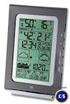 WIRELESS 868 MHz WEATHER STATION Instruction Manual INTRODUCTION: Congratulations on purchasing this fancy Weather Station with wireless 868MHz transmission of outdoor temperature and display of indoor
For more detailed information, see your Vantage Vue Console manual.
 For more detailed information, see your Vantage Vue Console manual. Current Weather Mode Moon phase, alarm & forecast icons Wind Rose Compass Antenna icon shows active transmission Graph of selected variable