
BRIDGEPORT CNC DX32. Programmer s Manual
|
|
|
- Esmond Gallagher
- 9 years ago
- Views:
Transcription
1 BRIDGEPORT CNC DX32 Programmer s Manual February 1994 Code No Rev. A

2 COPYRIGHT 1994 BRIDGEPORT MACHINES, INC., ALL RIGHTS RESERVED This manual describes software that contains published and unpublished works of authorship proprietary to Bridgeport Machines, Inc. It is made available for use and maintenance of our products. Under copyright laws, this manual, or the software it describes may not be copied in whole, or in part, without prior written consent of Bridgeport Machines, Inc., except in normal software use, as described in the software license agreement. The information in this document is subject to change without notice and should not be construed as a commitment by Bridgeport Machines, Inc. ii

3 TABLE OF CONTENTS Chapter 1 INTRODUCTION 1 PURPOSE AND SCOPE 1 OVERALL DESCRIPTION 1 COMPATABILITY WITH BOSS 8 & 9 PROGRAMS 1 COM PATABI LITY WITH BOSS 4-7 PROGRAMS 1 Chapter 2 PROGRAMMING FORMAT 3 OVERVIEW 3 PART PROGRAM STRUCTURE 3 Blocks 3 Words 3 SPECIAL FEATURES 6 Program Number 6 Definition Blocks 6 Block Delete 6 THE COMPOSITION OF THE BLOCK 6 Sequence Number 7 Preparatory Functions (G-Codes) 7 Coordinate Words 7 Feedrate 7 Auxiliary Machine Control Functions 7 Chapter 3 PREPARATORY FUNCTIONS 9 OVERVIEW 9 GO RAPID TRAVERSE POSITIONING 10 G1 LINEAR INTERPOLATION 11 G2, G3 CIRCULAR INTERPOLATION 12 Circular Programming 13 Circular Interpolation by Radius Programming 14 G4 DWELL 16 G8, G9 MODAL DECELERATION OVERRIDE 17 G12, G13 HELICAL INTERPOLATION 17 Sprial Interpolation 18 G17, G18, G19 PLANE SWITCHING 18 G22, G23 FILLET PROGRAMMING 18 G30, G31, G32 MIRROR IMAGE 19 G40, G41, G42 CUTTER DIA. COMPENSATION 19 G44, G45 CONSTANT SURFACE FEED 19 G48, G49 CORNER ROUNDING IN CUTTER COMP 20 G70, G71 INCH/METRIC CONVERSION 20 G72, G73 TRANSFORMATION FUNCTION 20 G74, G75 ARC CENTER IN CIRCULAR PROGR 20 G77, G78, G79 MILLING CYCLES 20 G80-G87, G89 DRILLING CYCLES 21 G90, G91 ABSOLUTE/INCREMENTAL PROGR 21 G92 PROGRAMMING OF ABSOLUTE ZERO POINT 21 G96, G97 FIXTURE OFFSETS 21 G99 DECELERATION OVERRIDE 22 G170-G177, G179 MILL CYCLES 22 G181-G187, G189 DRILL PATTERNS ROWS 22 iii

4 G191-G197, G199 DRILL PATTERNS FRAME 22 Chapter 4 COORDINATE WORDS 22 OVERVIEW 23 CONTROLLED AXIS 23 COORDINATE SYSTEMS 23 Machine Coordinate System 23 Part Program Coordinate System 23 Software Limits 25 TOOL LENGTH OFFSET 27 ABSOLUTE AND INCREMENTAL PROGRAMMING 27 POLAR COORDINATES 28 SPHERICAL COORDINATES 29 TRANSFORMATIONS 30 Rotation 30 Scaling 33 G30, G31, G32 Mirror Image 33 Translation 33 Chapter 5 Z-AXIS CANNED CYCLES 35 OVERVIEW 35 Z-AXIS CYCLES 35 Drill/Bore/Tap Cycles 35 Deep Hole Drilling Cycles 38 MULTI-HOLE Z-AXIS CYCLES 40 Row Drilling Bolt Circles 40 Row Drilling and Bolt Circles 42 Frame Drilling Number of Holes 43 Chapter 6 CANNED MILLING CYCLES 45 OVERVIEW 45 OUTSIDE/INSIDE FRAME MILL 46 POCKET FRAME MILL 48 OUTSIDE/lNSIDE FACE MILL 49 OUTSIDE/INSIDE CIRCLE MILL 50 POCKET CIRCLE MILL 52 SLOT MILL 52 G77, G78, G79 SPECIAL MILL CYCLES 53 Chapter 7 CUTTER DIAMETER COMPENSATION 57 OVERVIEW 57 CUTTER DIAMETER DATA ENTRY 57 PLANE SELECTION 58 CUTTER DIAMETER COMPENSATION COMMANDS 59 ENTRY INTO CUTTER DIAMETER COMPENSATION 59 BLOCK INTERACTIONS 59 EXIT FROM CUTTER DIAMETER COMPENSATION 66 FACTORS AFFECTING USE OF CUTTER COMP 67 Chapter 8 FEED FUNCTION (F FUNCTIONS) 69 OVERVIEW 69 RAPID TRAVERSE RATE 69 CUTTING FEEDRATE 69 FEEDRATE OVERRIDE 70 iv

5 CONSTANT SURFACE FEED 70 G99 DECELERATION OVERRIDE(NON-MODAL) 71 G9 DECELERATION OVERRIDE(MODAL) 71 Chapter 9 AUXILIARY MACHINE CONTROL FUNCTIONS 73 SPINDLE SPEED S FUNCTION 73 TOOL FUNCTION T FUNCTION 73 MISCELLANEOUS FUNCTION COMMANDS 74 M0 Program Stop 75 M1 Optional Stop 75 M2 Program Rewind 75 M6 Tool Change 75 M7. M8, M9 Coolant 76 M20, M21. M22, M26 Move to Clear Pt. 76 M25 Quill Home 76 M30 Program Rewind, Single Program 76 M51 IndexTable 76 OPERATOR MESSAGES 76 Chapter 10 SPECIAL PROGRAMMING FEATURES 77 REPETITIVE PROGRAMMING 77 MACRO SUBROUTINES78 Macro Definition 79 Macro Call Command 79 PARAMETRIC PART PROGRAMMING LANGUAGE 80 Labels 80 Arithmetic Expressions 80 Variable Substitution 82 Conditional Part Program Execution 83 Example of 3PL 84 v

6 vi

7 CHAPTER 1 Introduction PURPOSE AND SCOPE This manual contains information for programming Bridgeport Machines DX-32 control. The information presented is a guide to part programming using examples and illustrations. The programming discussions move from the basic to the more complex to cover all aspects of part programming. COMPATIBILITY WITH BOSS 8-10 PROGRAMS Most BOSS 8-10 programs can be run successfully in the DX-32 operating system. Be careful, however, with BOSS 8 where spindle speeds and M-functions may be programmed in the same block (BOSS 8 did not have programmable spindle speed capability). See chapter 9 for DX-32 rules. COMPATIBILITY WITH BOSS 4 7 PROGRAMS Several factors affect the compatibility of older BOSS programs from levels 4 7 with the DX-32 system. Exercise caution when running older BOSS part programs for the first time. 1. The DX-32 does not dog leg. Older part programs, may have worked with existing fixtures due to dog-legging, but may crash into fixtures in the DX-32 due to the straight line-of-sight rapid traverse. Please exercise caution when running a part program for the first time. 2. DX-32 has an auto spindle speed option, which requires the spindle speed to be programmed on a separate line from any M-code when AUTO S is enabled. BOSS 4-7 programs had no such restrictions, thus, the AUTO S option must be turned off to run BOSS 4-7 part programs, or the program must be edited to meet this restriction. 3. In BOSS 4-7 programs, XYZ data and an M25 (Quill Home) code may have been programmed on the same line. This is not allowable on the DX-32. The program must be edited to break this one line into two, one with a XYM25 and one with a Z move. 4. When using G92 (Preset Zero Point) in the DX-32 or BOSS 4-7 compatibility mode, the system must be in the G90 (Absolute Programming) mode. 5. Whether in DX-32 or BOSS 4-7 compatibility mode, G92 (Preset Zero Point) only works in the G72 (transformation off) mode. 6. Whether in DX-32 or BOSS 4-7 compatibility mode, it is necessary to follow the line format: N G XYZ... FM for information to be processed correctly. The system decodes the line in the order it is specified. 7. BOSS 4-7 compatibility mode uses BSX s cutter diameter compensation. All programs run under compatibility MUST conform to the rules of the DX-32 cutter compensation. For example: DX-32 CDC requires a minimum of 5 lines for CDC to work, while BOSS 4-7 requires minimum 4 lines. 1

8 8. G48 (Corner Rounding Off) edited into a program eliminates many of the problems with corner rounding in DX-32 cutter compensation and, being the default condition for BOSS 4-7 compatibility mode, adjacent moves are made as they are defined. Reference: In DX-32 operation, G49 (Corner Rounding On) is the default mode and all adjacent non-tangent moves are connected automatically by an arc move in Cutter Compensation. 9. G74 (Multi-quadrant Circle Input Off) is the default condition for the BOSS 4-7 mode. G75 (Multi-quadrant Circle Input On) is the default condition for BOSS

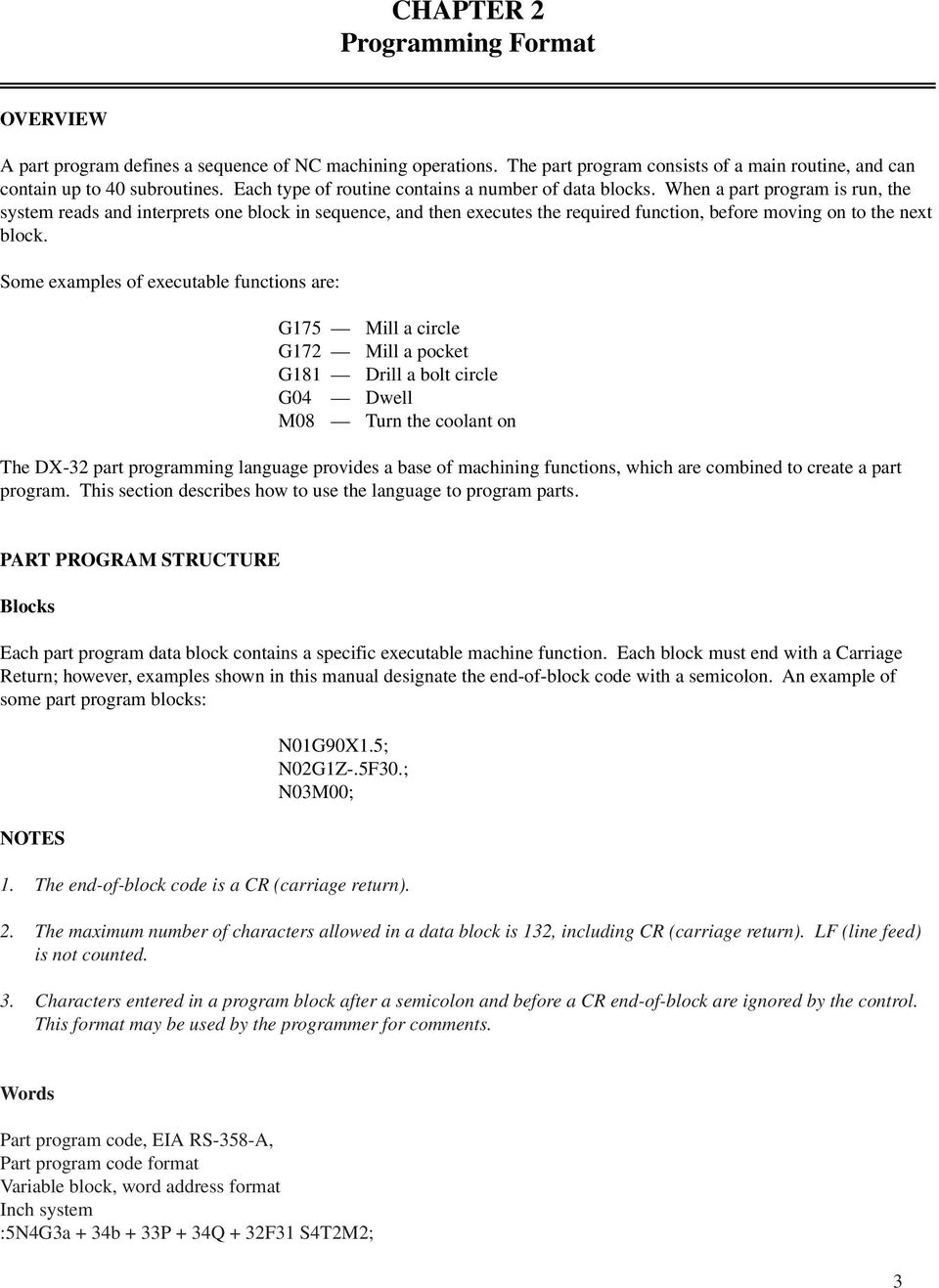
9 CHAPTER 2 Programming Format OVERVIEW A part program defines a sequence of NC machining operations. The part program consists of a main routine, and can contain up to 40 subroutines. Each type of routine contains a number of data blocks. When a part program is run, the system reads and interprets one block in sequence, and then executes the required function, before moving on to the next block. Some examples of executable functions are: G175 Mill a circle G172 Mill a pocket G181 Drill a bolt circle G04 Dwell M08 Turn the coolant on The DX-32 part programming language provides a base of machining functions, which are combined to create a part program. This section describes how to use the language to program parts. PART PROGRAM STRUCTURE Blocks Each part program data block contains a specific executable machine function. Each block must end with a Carriage Return; however, examples shown in this manual designate the end-of-block code with a semicolon. An example of some part program blocks: NOTES N01G90X1.5; N02G1Z-.5F30.; N03M00; 1. The end-of-block code is a CR (carriage return). 2. The maximum number of characters allowed in a data block is 132, including CR (carriage return). LF (line feed) is not counted. 3. Characters entered in a program block after a semicolon and before a CR end-of-block are ignored by the control. This format may be used by the programmer for comments. Words Part program code, EIA RS-358-A, Part program code format Variable block, word address format Inch system :5N4G3a + 34b + 33P + 34Q + 32F31 S4T2M2; 3
10 Metric system :5N4G3a + 43b + 33P + 43Q + 32F4S4T2M2; where: a represents X,Y,Z,U,V,W,I,J,K,R,D b represents A,B,E A data block is composed of one or more words. A word consists of an address followed by a value. The address is a letter that indicates the meaning of the value contained in the word. Addresses and their meanings, as used by the system, are shown in Table 2-1. NOTE Some address meanings may vary depending on the G (preparatory) functions specified in the program. Table 2-1. Format of Address Function Address Format Meaning Program Number : 5 Program Number Subroutine Number # 2 Subroutine Number Label Number L 1 Label Number Sequence Number N 8 Sequence Number Preparatory Function G 3 System Mode (Linear, Arc, Etc.) Coordinate Word X,Y,Z X, Y, Z Axis Motion Command I,J,K Arc Center Coordinate U,V,W Incr. X, Y, Z Move A Polar Angular Motion (Longitude) B Incremental Polar Angular Motion D Tool Diameter E Co-latitude Angle Q 3.2 Dwell Time R 3.4 Arc Radius, Corner R Feed Function F 3.1 Feed rate Spindle Speed Function S 4 Spindle Speed Tool Function T 2 Tool Number Parameter P Parameters in Canned Cycles For example, a block may be composed of the following words: N100G80X1.Y1.F10.T1M6 N G X Y F T M ; Sequence Number Preparatory Function Coordinate Words Feedrate Tool Function Misc. Function NOTES 1. Formats, as shown in Table 2-1, indicate: 4

11 + a signed value, positive or negative 3.x three digits left of the decimal x.3 three digits right of the decimal 5 five digits, no decimal 2. The format description is: +3.4 for motion words except A, B, and E which are 3.3. All formats shown are for inch input. For metric input all formats shown as are Smallest input increment: Inch system.0001 Metric system.001 Degrees. 001 Smallest output increment: Inch.0001 Degrees It is not necessary to use the plus sign for positive values. 5. Decimal points are required in the above list where the decimal is shown (except if the system is run in the BOSS 4-7 compatibility mode). Zeroes to the left of the decimal point and non-significant zeroes to the right of the decimal point may be omitted. 6. Values less than the smallest significant input cause an error. For example: X is incorrect input. 7. If N, the sequence number is used, it must be the first word in the block. 8. If multiple defined word addresses are used, they must be in the sequence designated for the programmed function. 9. The following format must be used for proper interpretation of information: N G (X,Y,Z, etc.)f M (EOB) Maximum Programmable Dimensions Table 2-2 lists the maximum programmable dimensions of each address: Table 2 2. Range of Address Function Address Range, Inch (Metric) Program Number : Label Number L 1-9 Sequence Number N Subroutine Number # 1-40 Preparatory Function G Coordinate Word X,Y,Z,I,J,K ( ) U,V,W,R,P,D A,B,C,E Feedrate F ipm ( mmpm) 5

12 Spindle Speed S Tool Function T 1-24 Misc. Function M 0-99 Dwell Time Q NOTE These dimensions give the maximum control limit, not the mechanical limit of the NC machine tool. For example, X may be commanded up to inches but the table travel is less. SPECIAL FEATURES Definition Blocks Using a decimal point as the first character in a data block causes the information contained in that block to be executed during a program search. This feature should be used when a system mode is changed during a program so that after the search has been made, the system is in the proper mode. WARNING Because data contained in a definition block is executed during program search, words causing slide motion must not be programmed as definition blocks. This may cause unexpected machine motion which can result in personal injury. Block Delete If it is desired to bypass certain portions of a tape program, a block delete (/) is entered at the beginning of each block of tape information which may require deletion. Using the OPTION key, the operator may enable and disable the block delete option. The slash (/) code must be the first character on the data block to be recognized as a delete code. To disable this function in the control, the DELETE option must be OFF. This feature could be used, for example, where a trial cut procedure is required. Each block of information within the trial cut sequence would be preceded by a slash code. The trial cut procedure could then be taken or bypassed at the operator s discretion, or as directed by written instructions from the programmer. This feature is also useful in cases where two parts differ by an optional operation. CAUTION Care must be taken to avoid using block delete in lines containing incremental data. THE COMPOSITION OF THE BLOCK Words are entered in the following order to create a block of data. Sequence Number A sequence number can be specified with up to an eight digit number ( ) following the address N. It is suggested that sequence numbers be in consecutive order, though this is not a requirement. The sequence number is optional and does not initiate any action from the milling machine. Its main function is for operator convenience and 6

13 clarity. Sequence numbers can be searched for using the front panel FIND feature. Sequence numbers can also be used by the operator to establish a BREAK POINT. System operation stops when a preset break point sequence number is read before its execution; the spindle remains on. It is recommended that sequence numbers be sequential and used to specify important part program blocks such as a tool change point. NOTES The sequence number is also used as a destination for Repetitive Programming. Preparatory Functions (G-Codes) A preparatory function is required to change the programmed mode of operation of the control. The letter address G followed by one, two or three digits indicates the mode of operation. More than one preparatory function can be programmed in one block of information; however, caution must be exercised as the functions may be self-cancelling, e.g., G0 G1. For full details, see Chapter 3. Coordinate Words Chapter 4 deals with the various coordinate systems that can be used for programming the motion of the available axes: the absolute and incremental coordinate systems are defined as well as polar and spherical coordinates. Coordinate shifts are also explained through the use of preparatory functions (G-Codes) to translate, rotate and scale the coordinates as well as reflect them by mirror image. Tool length offsets, cutter diameter and fixture offsets are also explained in this chapter. Feedrate Feedrate coding is not required in every block since the function is modal. Programmed feeds result in tool motion at the programmed rate along the vector path programmed. Feeds can be caused to change automatically and deceleration at the end of a block can be eliminated effecting transition at a tangent point at the prevailing servo lag; all for the purpose of maintaining constant chip load. These features enhance the surface finish and reduce the possibility of dwell marks. Auxiliary Machine Control Functions Chapter 9 deals with three functions: Spindle Speed, Tool Function (see Chapter 4 for TLO and Chapter 7 for Cutter Compensation) and Miscellaneous Functions. In the latter case, M-codes cause the interruption of the internal processing of data either with or without the operation of functions external to the control or optional accessory equipment. 7

14 8

15 CHAPTER 3 PREPARATORY FUNCTIONS OVERVIEW G-codes consist of the address G plus a 1 to 3 digit number. The G-codes are divided into two types, those that are effective only in the block in which it is specified (designated group 0 in Table 3-1) and modal commands that are effective until another G-code in the same group is executed. Table 3-1. List of Preparatory Codes G-Code Group Function 0 1 Rapid Traverse 1 1 Linear Interpolation (Feed) 2 1 Circular Interpolation Clockwise 3 1 Circular Interpolation Counterclockwise 4 0 Dwell 8 11 Modal Deceleration Override Off 9 11 Modal Deceleration Override On 12 0 Helical Interpolation CW 13 0 Helical Interpolation CCW 17 2 XY Plane Selection 18 2 ZX Plane Selection 19 2 YZ Plane Selection 22 0 Circular Interpolation, Fillet Input CW 23 0 Circular Interpolation, Fillet Input CCW 30 3 Mirror Image Off 31 3 Mirror Image X On 32 3 Mirror Image Y On 40 4 Cutter Diameter Offset Off 41 4 Cutter Compensation Left 42 4 Cutter Compensation Right 44 5 Cutter Compensation, Normal Feedrate 45 5 Cutter Compensation, Modify Feedrate Corner Rounding in Cutter Comp Off Corner Rounding in Cutter Comp On 70 6 Input in Inch 71 6 Input in Millimeter 72 7 Transformation Off 73 7 Transformation/Rotation, Scaling 74 8 Multi-quadrant Circle Input Off 75 8 Multi-quadrant Circle Input On 77 1 Zig-Zag Mill Cycle 78 1 Pocket Mill Cycle 79 1 Bore Mill Cycle 80 1 Drill Cycle Off 81 1 Z Cycle, Drill (Feed In, Rapid Out) 82 1 Z Cycle, Spot Face (Feed In, Rapid Out) 83 1 Z Cycle, Deep Hole (Peck, Rapid Out) 84 1 Z Cycle, Tap (Feed In, Feed Out) 85 1 Z Cycle, Bore (Feed In, Feed Out) 86 1 Z Cycle, Bore (Feed In, Stop-Wait, Rapid Out 9

16 Table 3-1. List of Preparatory Codes (Continued) G-Code Group Function 87 1 Z Cycle, Chip Break (Peck, Rapid Out) 89 1 Z Cycle, Bore (Feed In, Dwell, Feed Out) 90 9 Absolute Programming 91 9 Incremental Programming 92 0 Preset Part Programming Zero Point Feedrate Per Minute Mode Feed Per Spindle Revolution (pitch) mode Restore Base Part Program Coordinate System Set Work Coordinate System 99 0 Deceleration Override Outside Frame Mill Inside Frame Mill Pocket Frame Mill Outside Face Mill Inside Face Mill Outside Circle Mill Inside Circle Mill Pocket Circle Mill Slot Mill Z Cycle (Same as G81-G89) Multi-Hole Z Cycle (Same as G81-G89) Frame of Holes Multiple G-codes may be programmed in a block of data provided that they are from different groups. The initial start up conditions of the preparatory functions are shown in Table 3-2. Table 3-2. Power On and Reset State of G-Codes G-Code Group Function 0 1 Rapid Traverse 8 11 Modal Deceleration Override Off 17 2 XY Plane Selection 30 3 Mirror Image Off 40 4 Cutter Compensation Off 45 5 Cutter Compensation, Modify Feedrate Corner Rounding in Cutter Comp On 70/71 6 Input in Inch or Metric, Non-volatile 72 7 Transformation Off 75 8 Multi-quadrant Circle Input On 90 9 Absolute Programming Feedrate Per Minute mode Base Coordinate System G0 RAPID TRAVERSE POSITIONING Code G0 sets the rapid traverse positioning mode and sets the feedrate to the rapid traverse rate. The programmed feedrate is modal and is re-established when G0 is deactivated. Input data may be either absolute or incremental. 10

17 When a part program block calling for axis motion is executed with G0 active, the control does the following: Generates linear X, Y motion towards the programmed endpoint. If a Z up move is programmed (+Z), the Z move occurs then the XY move. If a Z down move is programmed ( Z), the XY move occurs first, then the Z move. Z Y PT1 (3,-2,0) PT2 (3,-2,-1) PT3 (6,4,-3) Figure Axis Rapid Traverse Move X The format of the G0 command is: G0X Y Z ; Example, Figure 3-1: N10G90G0X3.Y - 2.Z0; N20Z- 1.; N30X6.Y4.Z - 3.; or PT3 PT1 PT2 N10G90G0X3.Y - 2.Z0.; PT1 N20W- 1.; N30U3.V6.Z - 3.; PT3 PT2 G1 LINEAR INTERPOLATION G1 Code sets the Linear Interpolation mode. The format of the G1 command is: G1X Y Z F ; Where X Y Z defines the endpoint of the move to be made. Simultaneous XYZ motion along a linear (straight line) path occurs at the feedrate defined by the F word. 11

18 Z Y PT1 (3,-2,0) PT2 (3,-2,1) PT3 (6,4,-3) X Figure Axis Feed Move Example, Figure 3-2: N10G90G0X3.Y - 2.Z0; N20G1Z- 1.F10.; N30X6.Y4.Z- 3.F25.; G2, G3 CIRCULAR INTERPOLATION When the control is in the Circular Interpolation mode (G2, G3), a circular arc in the selected plane can be generated by the coordinated motion of 2 axes. The format is: X-Y Plane (G17) G2X Y I J F ; CW G3X Y I J F ; CCW Z-X Plane (G18) G2X Z I K F ; CW G3X Z I K F ; CCW Y-Z Plane (G 19) G2Y Z J K F ; CW G3Y Z J K F ; CCW The block that calls for circular tool motion must specify both the arc endpoint (X Y Z ) and the arc center (I J ) or, if plane switching (G18, or G19) is used then (I K ) or (J K ). If the control is in the Absolute (G90) Programming mode, the values of the axis position words must be the coordinates of the arc endpoint with respect to part program zero. If the control is in the Incremental (G91) Programming mode, the values of the words that define the arc endpoint must be the vector length from the start of the arc to the arc center. Circular Programming If G74 is active, a block that defines a circular arc may define an arc in one quadrant of motion only. If G75 is active, a circular interpolation block can define a full circle of axis motion. 12

19 NOTE The reset program condition for the DX-32 operational mode is G75, multi-quadrant input. The BOSS 4-7 Compatibility mode sets G74, single quadrant input as the default condition. If G75 is active and G90 (absolute data input) is also active, I, J, K specifies the arc center coordinates with respect to part program zero. If G91 (incremental data input) is active, I, J, K specifies the signed distance from the arc startpoint to the center of the arc. If G74 is active, I, J, K specifies the unsigned magnitude of the distance from the arc startpoint to the arc center in G90 (Absolute) or G91 (Incremental) mode. NOTES 1. I and J values (even zero) must be stated when G73 (transformation) or G75 (multi-quadrant) are active. 2. To program an arc of 360 degrees (complete circle), either the X, Y or Z endpoint must be programmed together with the arc center. 3. When using circular interpolation in either the XZ (G18) or YZ (G19) plane, the K value must be input even if it is zero. Circular Interpolation by Radius Programming In the XY plane, circular interpolation can be programmed by specifying the radius (R_) instead of the arc center if the arc is degrees or less. The format is: G2X Y R F G3X Y R F Where X Y are the arc endpoints as described above, R is the arc radius, and F is the feedrate. 4. PT3 PT2 R1 R2 2. PT Figure 3-3. Circular Interpolation in the XY Plane 13

20 Example, Figure 3-4: G75G90 (Multi-quadrant absolute) N10G75G90G0X7.Y2.Z0;Rapid traverse to point PT1 N20G3X5.Y4.15.J2.F1 5.; 90 degrees CCW arc to point PT2 N30G2X3.14.J4.; 180 degrees CW arc to point PT3 N10G75G90G0X7.Y2.Z0;Rapid traverse to point PT1 N20G3X5.Y4.R2.F15.; PT2 using radius N30G2X3.14.J4.; PT3 180 degree arc G75G91 (Multi-quadrant incremental) N10G75G0X7.Y2.Z0 N20G91G3X - 2.Y2.1-2.J0F15.; N30G2X J0; N10G75G0X7.Y2.Z0 N20G91G3X - 2.Y2.R2.F15.; N30G2X J0; PT2 PT3 PT2 using radius PT3 G4 DWELL G4 Code specifies or invokes a dwell. The format for specifying the dwell time is: Where / or Q is the dwell time. NOTE G4/ G4Q The range of dwell time is.01 to seconds. Trailing zeroes may be omitted in the dwell value. For example, a dwell of 10 seconds may be programmed as G4/10. ;the decimal point is required. The dwell time value is modal once it is specified. Dwell is invoked on a non-modal basis: At the end of the Z feed, move in a G82, G84 or G89 cycle. When a G4 code is programmed in a block, that does not call for axis motion. A G4/ or G4Q defines a dwell but does not cause a dwell to occur until invoked later by G4 statement. G8, G9 MODAL DECELERATION OVERRIDE Programming G9 is equivalent to having a G99 (non-modal) on every line. There is no automatic deceleration at the end of each block. G8 restores automatic deceleration, essential for rapid traverse blocks. For details, see Chapter 8. 14

21 G12, G13 HELICAL INTERPOLATION Circular interpolation in the XY plane can be synchronized with linear interpolation in the Z-axis. The format requires that the tool be positioned at the start point of the helix using Polar Coordinates: G0(G1)R I J A ; Move to Helix Start Pt G12(G13)A Z F ; Do Helix Where A is the total number of degrees of helical travel and Z is the absolute depth of travel. G12 generates a clockwise helix, G13 generates a counterclockwise helix. NOTES 1. Cutter compensation cannot be used with helical interpolation. 2. The range of A is from 1. to degrees. For example, a thread with 2 1/2 turns would be programmed as (360. *2.5 = 800. degrees) A Helical interpolation cannot be transformed. Z Y Pt. 4 R4. Z3 X Pt. 2 Figure 3-6. Helical Interpolation Example, Figure 3-6: G0R4.I0J0A270.Z0; Move to Pt. 4 G12A90.Z3.F40.; Helical to Pt. 2 Spiral Interpolation This is a special case of interpolation using polar data in which the end radius is not the same as the start radius. The radius increases or decreases linearly as a function of the angle. For example: G0R1.I050A0 G13R2.A270.Z0F20.2 This causes an outward spiral over 270 from 1 to 2 radius. 15
22 G17, G18, G19 PLANE SWITCHING Circular interpolation is effective in the XY, YZ or ZX planes by preparatory codes as follows: NOTE G17 = XY Plane G18 = ZX Plane G19 = YZ Plane 1. G18 or G19, if used, must be programmed before the direction of circular interpolation. 2. The feedrate word F defines the constant vector velocity required of the tool. Feedrate is modal and may have been defined in an earlier block of data. 3. Neither Polar Coordinates nor Cutter Compensation may be used in the XZ (G18) or YZ(G19) planes. The clockwise and counterclockwise directions for the XY, ZX, YZ planes are shown in Figure 3-4. (Always look in the minus direction of the axis not in use.) Arc Center I Start Point K Z+ Arc Center I Start Point J Y+ View from Rear of Machine G18 ZX Plane CW G02 X+ G17 XY Plane CW G02 X+ Plan View Arc Center J Start Point K Z+ View from RHS of Machine G19 YZ Plane CW G02 Y+ Figure 3-4. Planes for Circular Interpolation 16
23 NOTE The opposite view in the G18 and G19 planes was in effect with BOSS 4-7. Program the Part Shown Using 1/4 Dia. Ball End Mill.5 1.0R Fillet XO, YO, ZO Origin -X -Y Pt. Z Arc Center Calculation Method to Obtain "X" Coordinate of Points 2 and 3 Z 2 X a b c a = b =.125 c = 2 2 a - b c = c = Pt. 2/3 = C +.5 = Absolute Coordinates Pt X Z Figure 3-5. Circular Interpolation in the ZX Plane NOTES The following procedures must be followed when programming XZ (G18) or YZ (G19) Circular. 1. Program to the center of the radius of the Ball End Mill. 2. Plane selection (G18 or G19) must come before directional modifier (G2 or G3) in both the BOSS 4-7 compatibility mode and the DX-32 operational mode. 3. Radius programming may be used in the XZ (G18) and YZ (G19) planes. Example program for the part shown in Figure 3-5 using a 1/4 dia. Ball End Mill Tool Position in Figure 3-5 N1G0G90G75X - 3.Y3.T1 M6 1 N5X.5Y0Z1.175 N10G1Z1.125F5.0 = N30/ Start of Loop 2 N15G18G3X1.618Z.125I.5K
24 3 N20G1V.01 4 N25G18G2X.5Z1.125I.5K.125F5.0 5 N30G1V End of Loop N35G0X - 3.Y3.M2 N5 and N10 position the cutter to Tool Position. 1. = N calls the Loop that executes N15 through N30 (100) one hundred times. N15 selects the XZ plane (G18), and sets the system in circular (G3). The X and Z values are the absolute coordinates of Tool Position 2 and the I and K values are the Arc Center coordinates. N20 moves an incremental distance (.01) from Tool Position 2 to Tool Position 3 in the Y-axis (The V word implies incremental mode). N25 resets the system in the XZ plane (G18) and circular (G2). The X and Z values are the absolute coordinates of Tool Position 4 and the I and K values are the coordinates of the Arc Center. N30 is the last block of the loop which positions the cutter to Tool Position 5 ready to begin the next execution of the loop. G22, G23 FILLET PROGRAMMING A fillet radius in the XY plane can be specified by the fillet radius together with the intersection of the extended line segments. The fillet arc is blended tangent to the two lines. The format is: G22 (G23) X Y R F ; G22 programs a clockwise fillet radius, G23 gives a counterclockwise fillet. NOTE Successive lines and fillets may be used. However, the block following the last G22 (G23) must be a linear (G1) move with X and Y coordinates. (1.,2.75) 4 (3.,3.5) 5 (2.,1.75) 6 Rad.25 Typical (3.5,2.) 2 3 (4.5,2.25) 7 1 (2.5,.5) (1.,.5) Pt. 1 (1.75,0) Figure 3-7. Corner Rounding (Fillet Programming) 18
25 Example, Figure 3-7: N5G0X1.75Y0Z0; Move to Pt. 1 N10G1X1.75Y.5F20; Feed to Work N15G23X2.5Y.5R.25; Do Fillet 1 N20G22X3.5Y2.0R.25; Do Fillet 2 N25G23X4.5Y2.25R.25; Do Fillet 3 N30G23X3.0Y3.5R.25; Do Fillet 4 N35G23X1.0Y2.75R.25; Do Fillet 5 N40G22X2.Y1.75R.25; Do Fillet 6 N45G23X1.Y.5R.25; Do Fillet 7 N50G1X1.75Y.5; Linear to Exit Pt. G30, G31, G32 MIRROR IMAGE These codes act to reverse the sign of the direction of X and/or Y axis motion, thus enabling the generation of mirror images of the programmed part. For full details and examples, see Chapter 4. G30 = Mirror Image Cancel G31 = Mirror Image X-Axis G32 = Mirror Image Y-Axis G40, G41, G42 CUTTER DIAMETER COMPENSATION This function is for automatically compensating the tool path to the right or left of the programmed path by a distance equal to the radius of the tool used. G40: Cutter Diameter Compensation, Cancel G41: Cutter Diameter Compensation, Left G42: Cutter Diameter Compensation, Right Tool diameter values can be specified either via manual data input or by inserting them in the part program in the form: T//Tool Diameter, T D ; The maximum tool diameter that can be entered is inch ( mm). For full details, see Chapter 7. G44, G45 CONSTANT SURFACE FEED When a linear feed is programmed in conjunction with work surface programming, the value of cutter diameter compensation entered causes this feedrate to be modified around a radius. Constant surface feed is imposed by G45 to reduce the feed around an inside radius and increase the feed around an outside radius as a function of the cutter diameter compensation value in effect. Cancel with G44. For full details, see Chapter 8. 19
26 G48, G49 CORNER ROUNDING IN CUTTER COMPENSATION When corner rounding is set to ON (G49), all adjacent non-tangent moves are connected automatically by an arc move. If corner rounding is set to OFF (G48), adjacent moves are carried out as they are defined. Refer to the examples and notes at the end of Chapter 7. G70, G71 INCH/METRIC CONVERSION G70 and G71 codes specify whether data is to be input in either inch or metric. Unit Least Input G-Code System Increment Feedrate 70 Inch.0001 in/min 71 Metric.001 mm/min NOTES 1. A block that contains either G70 or G71 cannot contain any other part program word. 2. Data is stored in the control as inch values. Input values in mm are converted to inch internally. 3. The block following a change in the dimension system must redefine the X, Y, Z and (R,I, J, if used) values in the units of the new data input system (G70 or G71). The dimensional system last used is in effect when power is turned ON, i.e., the mode is non-volatile. G72, G73 TRANSFORMATION FUNCTION With this function, geometrical shapes specified by part programs may be rotated and can also be enlarged or reduced in any desired ratio. The range of reduction and enlargement is from.001 to times. G72: Transformation off Further information on coordinate transformation is found in Chapter 4. G74, G75 ARC CENTER IN CIRCULAR PROGRAMMING These two methods of locating the arc center when circular interpolation is programmed allow: G74 = Single Quadrant Circular Interpolation G75 = Multi-Quadrant Circular Interpolation G77, G78, G79 MILLING CYCLES These canned cycles (unlike the G170 series) do not include cutter diameter compensation. There are three simplified forms of cycles in this series: 20 G77 = Zig-Zag Mill (Facing) Cycle G78 = Pocket Milling Cycle
27 For full details, see Chapter 6. G79 = Bore (Internal Circular) Mill Cycle G80-G87, G89 DRILLING CYCLES These Z-axis canned cycles perform various versions of drill, deep drill, tapping and boring cycles. Full details are contained in Chapter 5. G90, G91 ABSOLUTE/INCREMENTAL PROGRAMMING G-codes select either absolute or incremental programming G90: Absolute Programming G91: Incremental Programming See the details starting in Chapter 3 and also in Chapter 4. G92 PROGRAMMING OF ABSOLUTE ZERO POINT In SETUP, the SET command establishes the base part program coordinate system. The G92 code enables redefining the local part program zero by creating an offset value which is then summed with subsequent part program data. The format of the offset (G92) command is: G92X Y Z ; Where X Y Z are the new part program coordinate values for the current coordinate point. The G92 offset value is equal to: New G92 value current coordinate value + old G92 value. NOTES 1. No motion occurs as a result of a G92 block. 2. G92 must be programmed when in the absolute mode (G90). 3. The display shows the part program coordinate system. 4. Do not program G92 when cutter compensation is turned on. 5. It is recommended that the fixture offset command (G97) be used for translating the part program when multiple fixtures are used. G92 and G97 may be used together in a program. The G97 command establishes a fixture coordinate system and the G92 command establishes a local coordinate system within the fixture coordinate system. 6. The G92 offset remains in effect until a new G92 offset is input. G94, G95 FEEDRATE UNITS The G95 command (feedrate per spindle revolution) may be used for any linear or circular move in addition to the tapping cycle. The G95 provides an alternate means of specifying feedrates. Note that the G95 command works only 21
28 with desired spindle speeds, it does not self-adjust if the spindle speed varies due to load or operator actions. The pitch (Z axis travel per spindle revolution) is entered with a F word address in either inch or millimeters per spindle revolution). The default mode is G94 (feedrate per minute). Details are contained in Chapter 4. G96, G97 FIXTURE OFFSETS The G97 command with new coordinate definition translates the existing program to a new program origin by the offsetting of data an incremental amount. Absolute coordinates can also be used. G96 cancels the offset. For more details on using the G96 and G97 commands, see the section in Chapter 4 titled Translation. G99 DECELERATION OVERRIDE Deceleration at the end of a motion block may be overridden by programming G99 in the program line. For details, see Chapter 8. G170, G177, G179 MILL CYCLES These functions enable machining frequently used shapes with one part program block. The following mill cycles are available: G170: Outside rectangular frame with corner radius G171: Inside rectangular frame with corner radius G172: Rectangular pocket mill ends with G171 automatically for finish pass G173: Face mill rect. shape (zigzag path) G174: Pocket mill rect. shape (zigzag path) G175: Circle mill outside a boss G176: Circle mill inside a circular shape G177: Circular pocket mill ends with G176 automatically for finish pass G179: Slot mill The mill cycles include an approach and departure move tangent to the shape programmed, roughing and finish cuts and a Z-axis step capability for deep shapes. In addition, the cycles as defined use the tool data table to generate a diameter compensation tool path. Details are in Chapter 6. G181-G187, G189 DRILL PATTERNS ROWS A series of Z-axis cycles equivalent to the G81-G89 series is available with these 3 digit preparatory function. The row of holes may be in a straight line at any angle or may be a circular row in the form of a bolt circle. For details, see Chapter 5. G191, G197, G199 DRILL PATTERNS FRAME A series of Z-axis cycles equivalent to the G81-G89 series is available with these 3 digit preparatory function. The frame of holes is a rectangular pattern parallel to the XY axes and may contain any number of holes. 22 For details, see Chapter 5.
29 CHAPTER 4 COORDINATE WORDS OVERVIEW A coordinate word specifies an axis movement and consists of the address of the axis to be moved and the value indicating the direction of motion and the distance. See Table 4-1. CONTROLLED AXIS Three axes (X,Y,Z) are controlled by the system. In rapid, if the programmed Z move is higher than the current Z position, a Z move occurs first, then the X and Y axes move. If the programmed Z move is lower than the current Z position, the Z move occurs after the X, Y move. For linear interpolation, three axes (X,Y,Z) are controlled simultaneously. For circular interpolation, two axes are controlled simultaneously, either (X Y) or (X Z) or (Y Z) dependent upon the plane designated by the programmer. For helical interpolation, circular interpolation in the X, Y plane occurs simultaneously with coordinated Z motion. COORDINATE SYSTEMS Machine Coordinate System For the BSX system, the axis travel limits are: X-Axis (table) 17.7 inches Y-Axis (saddle) 12.2 inches Z-Axis (quill) 16.1 inches During start up, the X, Y and Z axes are moved to the Home position, which is defined as the machine zero coordinate point. The quill is in the uppermost position. The distance from the machine zero coordinate point to any point on the travel of the axes is called the machine coordinate point (or machine point). NOTE The Home position for X, Y and Z is mechanically set by the position of the Home switches and a zero reference mark on the axis feedback encoders. Part Program Coordinate System Figure 4-1 When programming a part, the coordinate system must be established. Additionally, since the workpiece may be located at any arbitrary position on the table, the relationship between the machine coordinate system and the part program coordinate system must be established. This relationship is entered into the system by the operator during setup. In the example, the following dimensions are known: X-distance from bottom left hand edge of part to X-axis part program zero = 2.5. Y-distance from bottom left hand edge of part to Y-axis part program zero = 1. 23
30 Table 4-1. Coordinate Word Addresses Address of Coordinate Word Basic Axes X Y Z U V W Meaning X-Axis Move Absolute or Incremental Y-Axis Move Absolute or Incremental Z-Axis Move Absolute or Incremental X-Axis Move Incremental Y-Axis Move Incremental Z-Axis Move Incremental Parameters for Circular Interpolation (G75) I,J,K Absolute: Coordinates of center of circle. Incremental: Signed distance from arc start point to arc center Polar and Spherical Coordinates R I,J,K A B E Pole Radius Absolute: Coordinates of center of pole. Incremental: Signed distance from pole start point to center of pole. Angular Distance, (Longitude) Degrees Absolute or Incremental Angular Distance, (Longitude) Incremental Angular Distance, (Colatitude) Degrees Absolute Refer to preparatory function descriptions for additional coordinate words used in special control program features. Using a.20 edge finder, locate the X coordinate for the bottom left hand edge of the part. The X value of the machine coordinate point can be read as 1.90n. Using the SET XYZ command, an X value of is set into the control (distance along the X-axis from the left hand edge of the part to the part program zero point = 2.50 plus.10 to the center of the edge finder) to establish where the X-axis part program zero is located on the table. A similar process can be used to set the distance from the bottom left hand edge to the Y-axis part program zero. In this example, this value would be using a.20 edge finder. Once the location of the part program coordinate system is set by the operator, it is stored in non-volatile memory, the value is retained when power to the system is turned off. After homing the axes during start up, a MOV XY command to X = 0, Y = 0 causes the axes to move to part program zero. The SET XYZ key may be used to define the location of the base part program coordinate system. A G92 command may be used within a part program to shift the location of part program zero. A G97 command allows establishing fixture offsets by shifting the part program coordinate system by an amount equal to the distance between the base part program coordinate system and the desired work part program coordinate system. 24
31 Machine Pt. X = 4.5, Y = 5 Part Program X = 0, Y = 0 Y-Axis 1" Machine Pt. X = 9, Y = 6 6" 2.5" X-Axis Machine pt. X = 0, Y = 0 2" 9" Figure 4-1. Part Program Coordinate System Clear Point The SET CLR PT key allows the operator to store an XY axis position as a convenient point for changing tools. The M20, M21, M22, and M26 commands stop part program execution and also send the XY axes to the clear point. The quill is retracted prior to moving the X and Y axes. The clear point is stored in machine coordinates. Software Limits In the control system, all motion is based on the machine coordinate system. The part program interpreter adds an offset to all part program dimensions to transform them from the part program coordinate system to the machine coordinate system. A check is made by the part program interpreter before each move is made to determine if the move is within the limits of axis motion. Exceeding these limits causes an error message and the system suspends part program execution. TOOL LENGTH OFFSET Tool length offsets enable the operator to enter a value in the system so that adjustments can be made to allow for the difference between the tool length assumed by the programmer and the actual length of the tool used. Tool length offsets are useful when: Cutter preset dimension is not exact. This is particularly effective with end mills in end mill holders and also with tools which draw up into a collet. Change of reference plane. A new or reground cutter replaces the tool in use. For details, see the Operating Manual. 25
32 NOTES 1. Tool length offsets are unsigned numbers. 2. If a tool length offset already exists in the tool table, it cannot be overwritten by part program data. 3. The maximum tool length offset that can be input is inches ( mm) TLOs are allowed. 5. The tool length offset is automatically set into the system when a tool change (M6,M26) command is executed. 6. The diameter offset is automatically set in the system when a T(tool number) command is executed. NOTES If the Part Coordinate at the workpiece top is other than zero, the ZABS register can also be preset (G92) to any value convenient to the programmer. The TLO value defines the TLO Reference Plane from which all Part Programs commence. After Z-axis G92 is implemented, the offset reference plane becomes ZABS = 0.0 for the remainder of the program. Tool Setting Distance Gauge Line TLO Value [G92 Z (Value)] Trans Dimension ZABS = 0.0 Workpiece Figure 4 2. Translating the Z Coordinates Programming a shift in the Z zero plane is illustrated in Figure
33 Y 7.0 End Point 3.0 Start Point X Figure 4-3. Incremental and Absolute Programming Linear ABSOLUTE AND INCREMENTAL PROGRAMMING The distance of tool travel in each axis may be input as either absolute or incremental data. Using incremental commands (G91), the data in a word is the distance along the designated axis from the existing position to the desired position. Using absolute commands (G90), the data in a word represents the coordinate value of the point from part program zero. For the example shown in Figure 4-3, programming in Incremental mode would be: Programming in Absolute mode would be: G91G0X - 5.Y4. G90G0X4.Y7. U, V, W are incremental X, Y, Z moves respectively. Thus, it is possible to program the above example as: G90G0U - 5.V4. G91 G0U - 5.V4. G90G0X4.V4. In addition, the center point of an arc may be described as either an incremental or absolute dimension. In Incremental mode, the center of the arc is designated as the distance from the start point of the arc to the arc center. In Absolute mode, the center of the arc is designated by its coordinates from the part program zero. See Figure 4-4. For example, in Incremental mode, the arc would be programmed: G91G3XOY - 4.I0J - 2.F10.0 In Absolute mode, the arc would be programmed: G90G3X - 2.Y1.I - 2.J3.F10.0 -X Figure 4 4. Incremental and Absolute Programming Circular Start Point Circle Center End Point
34 POLAR COORDINATES Besides rectangular coordinates, polar coordinates may be used to designate point locations. The location of a point is designated by the radius from the pole center and by the angle the radius makes with reference to the positive X-axis. See Figure 4-5. Example: In Incremental mode, this would be: NlG92A0.; N2G91R J-.25.; N3G81A44.Z.55F20.; N4A166.; N5G90G0X.5Y.75; Preset A=O. Define Pole Center Drill 1st Hole Drill 2nd Hole Goto End Pt NOTES 1. I and J the pole center are defined incrementally (except if the system is in the BOSS 4-7 compatibility mode). In Absolute mode, this would be: 2. The range of A is to degrees. N0G92A0. N1G90R J.5; Define Pole Center N2G81A44.Z.55F20. Drill 1st Hole N3A210.; Drill 2nd Hole N4G0X.5Y. 75; Goto End Pt. 3. Positive angles are measured Counterclockwise from the positive X-axis, negative angles are measured Clockwise from the positive X-axis. 4. Polar coordinate data can be rotated, scaled and used in conjunction with cutter diameter compensation. Drill (2).25 Dia. Holes on BCD,.5 DP P1 Y 30 Start & End Point X =.5, Y =.75 P X 1.5 Part Program Zero Figure 4-5. Polar Coordinates 28
35 2.000 θ Radius 1 10 R = R = R = R = R = R = R = R = R = Slot.98R Figure 4-6. Cam Track.100 1/2 Example, Figure 4-6: N1G0G90X0.Y0.T1 M6; Start Up Pt N5G92A0.; Preset A = 0. N10R.9810.J0.A150.; Goto A = 150. N15G13A30.Z -.12F12. Helix Down into Part N20G3A0.; Circle CCW to 0 N25G 1 R.95A10.; Point 1 N30R.93A20.; Point 2 N35R.9A30.; Point 3 N40R.89A40.; Point 4 N45R.88A50.; Point 5 N50R.89A60.; Point 6 N55R.91A70.; Point 7 N60R.94A80.; Point 8 N65R.98A90.; Point 9 N70G3A185.; Circle CCW to 185 N75G13A30.Z.135; Helical Out of Part N80G0X0Y0M2 SPHERICAL COORDINATES The spherical coordinates of a point are its radius vector R, its center from the origin along the X, Y, Z axes designated by I, J, K dimensions, the angle E between the radius vector and the Z-axis, and the angle A between the projection of the radius vector on the XY plane and the X-axis. The angle E is called the colatitude and the angle A is the longitude. The angle E is an absolute value between 0 and degrees, the angle A is measured with reference to the positive X-axis. 29
36 Example: N100G9013.5J-1.5K0. N110G0R2.E45.A-30. Z Z E P (X, Y, Z) (E, A) O R Y Y X A Q Figure 4-7. Spherical Coordinates TRANSFORMATIONS Under certain conditions, it is useful to perform the following operations: Rotate the points on the cutter path through an angle in the XY plane. Scale the points on the cutter path by a given amount. Translate the cutter points to a different reference system. The transformation functions provide these capabilities. The order of transformation is: Rotation, Scaling, Mirror Image and then Translation. Rotation Rotation of a programmed part shape can be done by inserting the code (G73) followed by the angle (A degrees) through which the shape is to be rotated. The XY coordinate around which the part is rotated is always the origin or X zero Y zero absolute coordinates of the part. The preparatory function code (G72) turns transformation off. Features of Rotation: 1. The star shown in Figure 4-8 can be developed in the manner shown, but the entire shape can form an inner nest with an outer command to rotate through any angle desired. 2. A shape containing Z-axis motion (pocket with a sloping bottom) can be routed and still maintain the Z-axis motion at the appropriate places. 3. Though the example in Figure 4-8 shows linear motion only, a part with circular interpolation input can also be rotated. See Figure 4-9 for a Geneva Mechanism Rotor. 30
37 The four parts of the star are developed in Macro #1, then the entire star is rotated through an angle of 15 degrees. Nl0G0G90X-4.5Y3.75T1M6 N15G92A0 #1 N20X.5Y0 N25Z-.05 =N60/4 N40G90G1X1.5Y1.5F12.0 N50X0Y.5 N60G91G73A90.0 N65G0G90G72.Z.05 =#1 N70G73A15.0 =#1 N80G0G90G72X-4.5Y3.75M2 To develop the four parts of the star: 2 (1) N20X.5Y0 N 25Z-.05 N30G92A0 = N60/4 (2) N40G90G1X1.5Y1.5F12.0 N60G91G73A90.0 N70G0G90G72X -4.5Y3.75Z XO YO Figure 4-8. Coordinate Rotation 31
38 Sin 0 = Opp. Hyp..250R. 8 Places Cos 0 = Adj. Hyp. * Distance A to B = b 2+ (1.5 - a) 2 a = SIN 45 (1.5) = (NOTE: b = a) AB = (1.0607) 2 + ( ) 2 = AD = /2 = Typ. 4 * This Distance Equation is the general form of the Pythagorean Theorem which states c = a 2+ b2 or that the hypotenuse of a right triangle is equal to the square root of the sum of the sides squared. Note A B C D EF G N1G0G75G90X0Y0TlM6 N5X-.1Y1.875Z.05 N10G1Z-.1F60. N15X0F120. N20G92A0 =N4018 N25G2G90X.3465Y J1.5 N30G3X.7142Y J1.2803F50. N35G2X1.3258Y J1.0607F100. N40G73G91A-45. N45G1G72G90X.1 N50G0G90X0Y0M2 NOTES X Coord Y Coord Cutter Path.375R. Figure 4-9. Geneva Mechanism Rotor 1. In Transformation mode (G73), all X, Y, I, J data must be entered even though it may repeat a value. 2. Transformation by rotation takes place about XY zero (0.0) If rotation and scaling are used simultaneous/y, the execution order is rotation first, then scaling. A F T T1 C D 45 c b E 4 B a G T2 1/2 Programmed for.25 Dia. E.M T
39 4. A cutter path with diameter compensation in effect, may be translated only if it is transformed (G73) before the compensation is turned on (G41, G42). The compensation must be stopped (G40) before the transformation is ended (G 72). Scaling Scaling has the following format: G73X Y Z Where X is the X scale factor, Y is the Y scale factor, and Z is the Z scale factor. The scale factor has a range from.001 to NOTES 1. In the transformation mode (G73), all X, Y, Z data must be entered even though it may repeat a value previously entered. 2. If circle data is input, the X and Y scale factors must be the same. G30, G31, G32 Mirror Image These codes act to invert the direction of X, Y axis input command and enable mirror images of the programmed part. G30 Cancel Sign Reversal This is the normal POWER ON or RESET state for the control; it establishes plus and minus directions for the X and Y axes in accordance with EIA standard RS-267. Cancelled by G31 or G32. G31 Reverses the direction signs for the X-axis. G32 Reverses the direction signs for the Y-axis. Mirror imaging across a single axis causes a profile to be conventionally milled if programmed for climb milling. The G30, G31 or G32 function must be programmed at the axis of symmetry. The absolute coordinates may be any value at the point when the function is programmed. All absolute, all incremental or a mixture of both coordinate systems may be programmed. The display in the operator s main panel does not show the correct absolute coordinates except at the axis of symmetry where the function is invoked or cancelled. G31 or G32 is cancelled by G30. Example of G30, G31, G32 (Figure 4-10) Translation The fixture offset (G97) command translates data from the base part program coordinate system to a designated work coordinate system. G96 re-establishes the base coordinate system. NOTE The G96 code may be placed in the last block of the part program. 33
40 SP X - 2.0, Y X2.0 Y1.0 #1; Defines a macro for basic shape N5G0G90X2.Y1.Z.05 N10X3.Y1.25 N15G1Z -.05F15.0 N20G91 Y.25 N25X.25 N30X -.25 N35Y.25 N40X.3 N45G0G90X2.Y1.Z.05 $ : N 100G0G90X - 2. Y2.T1 M6 Origin XO, YO (1)=#1 N200G31 (2) = #1 N300G32 (3) = #1 N400G30G32 (4) = #1 N500G0G30G90X - 2.Y2.M2 Figure Mirror Image The format of the G97 command is:g97x Y Z Where X Y Z are the dimensions from the base coordinate system to the new work coordinate system. The G97 command can be used many times in a part program, each G97 command contains the dimension from the base coordinate system to the new work coordinate system. G96 has the same effect as G97X0Y0, restoring the base coordinate system. See Figure The translation function is useful in machining sequentially many workpieces placed on a work table. NOTE The first move after a G97 or G96 block must be an absolute positioning move. #1 New Work Base 2.5 0,0 1,.5 1,1 1,0 Figure Coordinate Translation N10G0G90X-.5Y0Z0 N20G1 X0Y0F1 5. N30X1.Y1. N40G2X1.Y011.J.5 N50G1 X -.5Y0 N60G0X - 1.Y1. $ =#1; Do part in base coordinate system N70G97Y2.5; Setup new coordinate system =#1; Do 2nd part in new coordinate system. N80G96G90G0X- 1.Y1.M2; Return to base coordinate. 34
41 CHAPTER 5 Z AXIS CANNED CYCLES OVERVIEW Canned cycles reduce programming time by allowing frequently used milling and drilling sequences to be programmed in a single data block. For proper execution of these cycles, all parameters must have data entered. Z-AXIS CYCLES Table 5-1. Basic Z-Axis Cycles G Code Plunge Operation at Bottom Retract Application 81 Feed Rapid Traverse Drilling 82 Feed Dwell Rapid Traverse Spot Facing 83 Peck Rapid Traverse Deep Hole Drilling 84 Feed Rev Spindle/Dwell Feed Tap 85 Feed Feed Bore 86 Feed Stop-Wait Rapid Traverse Bore 87 Peck Rapid Traverse Chip Break Deep Hole Drill 89 Feed Dwell Feed Bore Drill/Bore/Tap Cycles The command format for the basic Z-axis cycles is: G81(82...)X Y Z F G81(82...)A Z F (polar) The Z-axis canned cycles generally comprise a sequence of the following operations: Operation [1] Position X and Y axes Operation [2] Feed down (- Z) Operation [3] Operation at the hole bottom Operation [4] Retract to initial Z position NOTES 1. The Z depth for a canned cycle is input as an incremental unsigned value equal to the depth of the hole plus the clearance distance desired to the tool tip. 2. An X or Y coordinate word is required for the drill cycle to occur. This may be U0 if the hole is to be drilled in place. 3. Once a Z-axis canned cycle is input, it remains in effect until it is cancelled by a G0 or G80 code. In every data block that contains an X or Y word, the specified Z-axis cycle occurs. 4. To change the Z-axis depth, the entire Z-axis canned cycle format must be reentered with the new depth. 5. A rapid traverse Z move is not permitted within a fixed cycle. If required, the cycle must be terminated by a GO move, then the cycle must be reinstated with the desired Z-axis canned cycle code. 35
42 G81 Drilling Cycle Figure 5-l This command provides for a feed-in, rapid-out sequence suitable for drilling a series of holes. G82 Spot Facing Cycle This command provides for a feed-in, dwell, rapid-out sequence suitable for spot facing and counter boring operations. NOTE This sequence is the same as G81, except for the delay that occurs when the Z-axis reaches the programmed depth. The time of delay is set by a G4Q command. See Figure 5-1. X, Y Pt. Rapid Traverse Feed Clearance Plane Work Surface Z Dimension G81 Cycle: No Dwell G82 Cycle: G04/Dwell Figure 5-1. Drill and Spotface Cycles G84 Tapping Cycle This command provides a feed-in, reverse spindle/dwell, feed-out sequence suitable for a tapping operation with a tapping attachment. (Figure 5-2) There are two modes of operation for the spindle, open loop and closed loop. Open loop is used to set the spindle speed to a specified RPM, which is typical for normal operation. Closed loop mode is used for coordinated spindle and (X, Y, Z, W) axis motion, which is typical for tapping operations. However, open loop mode also be used for tapping. Such an action is called Plug Reverse Tapping. Since Closed Loop Mode is a special mode of operation the G and M codes are used to access this feature. They are: G84 = Tapping cycle (normally, right handed). G94 = Feedrate per minute mode (default BOSS mode). G95 = Feed per spindle revolution (pitch) mode (FANUC mode). M28 = Cancel Rigid Tapping Mode (Closed Loop Mode). M29 = Enter Rigid Tapping Mode (Closed Loop Mode). M19 = Orient Spindle 36
43 When performing a rigid tap (closed loop mode) operation, the user s part program provides the following information: 1. Spindle Speed in RPM (+/ ) 2. M29 to specify Closed Loop mode, othewise plug reverse tapping mode is used. 3. Desired Z Axis travel distance (inch or metric). 4. One of the following: a. Axis feedrate (inch or mm/minute). (BOSS mode) b. Pitch = Z Axis travel per spindle rev. (FANUC mode) Set with an F word address in either inches or millimeters per spindle rev. The G95 mode (feedrate per spindle rev) may be used for any linear or circular move in addition to the tapping cycle, The G95 provides an alternate means of specifying feedrates. Note that the G95 works only with desired spindle speeds, it does not self adjust if the spindle speed varies due to load or operator actions. Example #1: N10S1000M3 ; Turn on spindle and set spindle speed N20G84X9.Y6.Z1.F20. ; Do plug reverse tapping Example #2: N10S1000M3 ; Turn on spindle and set spindle speed N20M29 ; Set Rigid Tapping Mode N30G84X9.Y6.Z1.F20. ; Do Canned Cycle for tapping N40M28 ; Cancel Rigid Tapping Mode Example #3: N10S1000M3 ; Turn on spindle and set spindle speed N20G95M29 ; Set Rigid tapping mode and Fanuc Mode N30G84X9.Y6.Z1.F.1 ; Do Tapping at.1 inches per revolution For Plug Reverse Tapping, a chart of feed and speed values for tapping various pitches is given in Figure 5-3. Feeds and speeds can be selected from this chart to program the desired thread pitch. Use of the designated speed minimizes the amount of tap holder compensation required. X, Y Pt. Spindle Forward Rapid Traverse Feed Clearance Plane Work Surface Z Dimension G04/Dwell Spindle Reverse Figure 5-2. Tap Cycle 37
44 Threads Per Inch Spindle Speed, RPM Feedrate, IPM Figure 5-3. Feeds and Speeds for Tapping The external device required for performing tapping operations is a special tapping tool holder with built in axial float allowance. The recommended axial float in this holder is 3/8 tension, 3/8 compression, which compensates for any spindle speed/z-axis feedrate deviation from the actual tap lead. NOTES 1. Approximate dwell time in seconds for reversing are as follows: 200 rpm rpm rpm rpm.63 This can be programmed using either a G4Q command or a Q word within the drill cycle command. For example, G84Q.35X 1.0Z.5F Try to use the lowest speed in either range and adjust the feedrate accordingly. 38
45 G85 Boring Cycle This command provides a feed-in, feed-out sequence suitable for boring or reaming operations. G86 Boring Cycle Figure 5-4 This command provides a feed-in, spindle stop to wait for operator CONTINUE command, then rapid-out. The axes then rapid traverse to the next hole, if programmed, and wait for the operator to restart the spindle before feeding in. The stop at the bottom of the hole enables the operator to orient the spindle if required. G89 Boring Cycle This command provides a feed-in, dwell, feed-out sequence suitable for boring. The time of delay is previously set by G4Q command. Deep Hole Drilling Cycles The format for the deep hole cycles is: G83(G87)X Y Z Z Z F G83(G87)A Z Z Z F (polar) Where Z Z Z is the total Z depth, the first peck increment and subsequent peck increments. NOTE If the value for subsequent peck increments is omitted, the first value is used for all peck distances. The Z-axis deep hole canned cycles comprise a sequence of the following operations: Operation [l] Position X and Y axes Operation [2] Feed down 1st peck increment Operation [3] Rapid traverse out Operation [4] Rapid traverse back in to previous peck depth... [3], [4], [5] are repeated until the total Z depth is reached. Operation [6] Retract to initial Z position. Rapid Traverse Feed Operator "Spindle Start" X, Y Pt. Clearance Plane Work Surface Z Dimension Program Stop Spindle Stop Operator "Continue" Figure 5-4. Boring Cycle with Spindle Stop (G86) 39
46 X, Y Pt. 1st Peck Rapid Traverse Feed Clearance Plane Work Surface 2nd Peck Z Dimension 3rd Peck Figure 5-5. Deep Hole Drilling Cycle X, Y Pt. 1st Peck Rapid Traverse Feed Clearance Plane Work Surface 2nd Peck Z Dimension 3rd Peck G83 Deep Hole Drilling Cycle Figure 5-5 Figure 5-6. Chip Break Deep Hole Drilling Cycle This command provides a deep hole drilling cycle as described earlier in this section. After each peck increment, the Z- axis retracts back to the initial Z position. G87 Chip Break Deep Hole Drilling Cycle This command provides a chip break drilling cycle similar to the operation described previously. After each peck increment, the Z-axis retracts.01 and then rapid traverse back to the previous depth, Figure 5-6. The purpose of the G87 cycle is to break the chip rather than to withdraw the tool entirely from the workpiece as in a G83 cycle. Example: N1G0G90X0Y0T1M6 N5X1.Y5Z.05;.N10G81Z1.1F80.; N15X 1.: N20X.5Y1.; N25G0X2.Z -.45;.N30G81Z.6F80.; N35Y1.; N40X2.5Y.5; N45G0X0Y0M2; Position for first hole Set the drill cycle Drill first hole Drill second hole Rapid to X position third hole Set up drill cycle Drill third hole Drill fourth hole End of program 40
47 MULTI-HOLE Z-AXIS CYCLES These cycles drill bore or tap the hole patterns described in Chapter 5. Row Drilling Bolt Circles Incremental Hole to Hole Distance This command provides means for drilling a row of holes along the X or Y-axis or a bolt circle given the total distance from the first hole to the last hole and the incremental distance between holes. The format of this command is: G81(G82...)X X Z F ; X-axis row G81(G82...)Y Y Z F ; Y-axis row G81(G82...)A A Z F ; Bolt circle Where X X, Y Y, A A is the total hole distance, then the incremental hole distance. Z F are the basic Z-axis cycle parameters described in Chapter 5 (Z Z Z F ) are for deep hole drilling. 1" Origin XO, YO 25 Typ. X 1.75 Start Figure 5-7. Row of Holes Along X-Axis Program either (A), (B) or (C) below for Figure 5-7: NOTES (A) Abs: G90G87X1.X.25Z1.0Z.25Z.15F8.0; (B) Incr: G91G87X-.75X.25Z1.0Z.25Z.15F8.0; (C) Abs: G90G87U-.75X.25Z1Z.25Z.15F8.0; 1. It is assumed for these cycles, the programmer positions the axes over the first hole. 2. This format is for rows parallel to the X-axis or parallel to the Y-axis. However, these rows may be rotated using the transformation command. 3. The total distance may be either absolute or incremental (U and V input are also allowed). The incremental distance for X and Y rows is an unsigned value. The incremental distance for bolt circles is a signed value dependent upon the angular direction desired. 4. The last hole increment is either the value input or the remaining distance, whichever is less. 41
48 Example: Bolt Circle 3/8 Dia. Drill Through 6 Holes Origin XO, YO Pole 3.5 BCD 30 X2.0 Y3.0 Polar Axis Figure 5-8. Bolt Circle Drilling Program for Figure 5-8: N10G0G90X - 5.Y4.T3M6 (Spot Drill) N15R J2 N20A30.Z.05 N25G81A330.A60.Z.2475F135. N30G0G90X - 5.Y4.T4M6 (Drill) N35R J2. N40A30.Z.05 N45G87A330.A60.Z.712Z.4F150. N50G0G90X - 5.Y4.M2 1. Blocks N15 and N35 define the pole and radius. 2. Blocks N25 and N40 place the tool over the first hole. 3. Blocks N25 and N45 drill the first hole at the existing location, then proceed automatically to the rest. The final hole being at 330 degrees absolute. Row Drilling and Bolt Circles Number of Holes Row Drilling Figure 5-9 These commands provide means for drilling a row of holes or a bolt circle given the total distance from the first hole to the last hole and the number of holes. The format of this command is: G181 (G182...)X Y Z X Y Z P F ; Where X Y Z is the location of the first hole in the row and the Z clearance plane, X Y is the signed incremental distance from the first hole to the last hole, P is the number of holes to be drilled, Z F are the basic Z- axis cycle parameters (Z Z Z F for deep hole drilling). Y Drill (4) Holes.5 Deep 1.5 (2.5, 1.5) 3. 0,0 X G181X2.5Y1.5Z.1X3.Y1.5Z.6P4.F20.; Figure 5-9. Row of Holes at Any Angle by Single Block 42
49 NOTES 1. This command automatically positions the axes over the first hole with a rapid traverse move. 2. Rows need not be parallel to the X or Y axis. 3. P, the number of holes, must be input with a decimal point. Bolt Circles Figure 5-10 The format of the bolt circle command is: G181(G182...)A Z A Z P F ; Where A Z is the location of the first hole in the bolt circle and the Z clearance plane, A is the signed incremental distance from the first hole to the last hole, P is the number of holes to be drilled, Z F are the basic Z cycle parameters. NOTE R, I, and J data can be optionally included in this command. This example causes the same spot drilling sequence as the blocks N15, N20, N25 in the example in Figure 5-8. Pole 30 X2.0 Y BCD Polar Axis Origin XO, YO G181R J3.A30.Z.05A300.Z.2475P6.F13.5; Figure Bolt Hole Circle Drilled by Single Block 43
50 Frame Drilling Number of Holes Figure 5-11 This command provides means for drilling a row of X and Y holes along the perimeter of a rectangular shape. The format of this command is: G191(G192...)X Y Z X Y Z P P F ; Where X Y Z is the location of the first corner hole and the Z clearance plane, X Y are the signed values defining the incremental distance from the first hole to the last hole along the X and Y axes, P P are the number of holes along the X and Y axis, and Z F are the basic Z cycle parameters. NOTE The minimum value for P is 2. Drill (18) Holes.5 Deep Y (2.5, 2.) ,0 X G191X2.5Y2.Z.05X3.Y1.5Z.55P7.P4.F20.; Figure Rectangular Hole Pattern 44
51 CHAPTER 6 CANNED MILLING CYCLES OVERVIEW These functions enable machining frequently used shapes with one part program block. The following mill cycles are available: G170: Outside Frame Mill G171: Inside Frame Mill G172: Pocket Frame Mill G173: Outside Face Mill G174: Inside Face Mill G175: Outside Circle Mill G176: Inside Circle Mill G177: Pocket Circle Mill G179: Slot Mill The parameters for these cycles are shown in Table 6-1. NOTES 1. The mill cycles in Table 6-1 are cutter diameter compensated using the cutter diameter for the tool currently being used. 2. The mill cycles include an approach and departure tangential to the part work surface, a Z-axis step capability for deep cuts and roughing and finishing cuts. 3. Length, width, fillet radius, step depth, step over, clearance, finish allowance are unsigned values. 4. Words may be addressed in any sequence except that words addressed by the same alphabetic character must be in the order shown. 5. All cycles except the G 179 slot cycle may be transformed using rotation. 6. All parameters except step depth, finish feed and plunge feed must be entered even if they are 0. If finish feed is omitted, it defaults to the mill feedrate. If plunge feed is omitted, it defaults to 50% of the mill feedrate. 7. The Z start point must be at a clearance point above the work surface. Z cannot be at machine 0. It must be a minimum of.050 below Z home. 8. The dimension to the X, Y center point and the Z clearance plane may be incremental or absolute. All other dimensions are incremental as noted. The G 179 slot mill cycle sets the control in absolute. 9. Variables may be substituted for canned cycle parameters. The variable to be used must not be in the parameter table (see Table 10-1). 10. In G170-G179 cycles, the default values for fillet radius, Z depth and Z step are set to G170-G179 mill cycles end up at the input center point. 12. Milling cycles end execution at the center of the shape (X and Y center point defined in cycle) with the Z-axis at the Z clearance plane. 13. A G 179 cycle puts the system in absolute programming mode (G90) after execution. If the incremental programming mode (G91) is desired, it is necessary to program G91 after a G179 cycle. 45
52 Table 6-1. Parameters for Mill Cycles 170, , , Center Point X X X X X X Center Point Y Y Y Y Y Y Start Point Z Z Z Z Z Z Length X X X X P Width Y Y Y Y P-Dia Fillet Radius R R Radius R R Angle of Rotation from X+ Axis P Full Depth Z Z Z Z Z Z Step Depth Z Z Z Z Z Z Step Over, Overlap P P P Clearance P P P P P Mill Feed F F F F F F Finish Allowance P P P P Finish Feed F F F F Plunge Feed F F F F F F OUTSIDE/INSIDE FRAME MILL Figures 6-1 and 6-2 These cycles mill the outside or the inside of a rectangular shape. The format of this command is: G170(G171)X Y Z X Y R Z Z P F P F F ; Where the first X Y set is the frame center point the first Z value Z is the clearance plane, the second X Y set is the unsigned length and width, R is the fillet radius, the second Z is the full depth and the third is the step depth. The first P is the initial entry clearance and the second P finish allowance. F F F is the mill feed, the finish feed and the plunge feed respectively. NOTE The sum of the entry clearance and the finish allowance must be smaller than the X length and Y width. 46
53 X Length X, Y Center Point Tool End Point Y Width R, Fillet P, Finish Allowance P, Clearance System Calculated Start Point Z Clearance Plane Tool End Point Initial XZ Move Z Depth Example: T1//0.; Tool Diameter = 0 N10G170X3.Y4.Z - 4.X2.Y1.5R.25Z.52P.25F20.P.1 Figure 6-1. Outside Frame Mill X Length System Calculated Start Point Y Width R, Fillet P, Clearance P, Finish Allowance X, Y Center Point Tool End Point Z Clearance Plane Tool End Point Initial XZ Move Z Depth Example: T1//0.; Tool Diameter = 0 N20G171X3.Y4.Z - 4.X2.Y1.5R.25Z.52P.25F20.P.1 Figure 6-2. Inside Frame Mill 47
54 NOTE Overlap is the amount of overcut caused by two consecutive passes of the cutting tool (Figure 6-3). Thus, the center line to center line tool move is equal to the tool diameter minus the overlap. For example, if the tool diameter =.4 and the input overlap value =.25, then the center line to center line move =.15. See the examples in Figures 6-5 and 6-6. Center to Center Move =.15 Overcut =.25 Tool Diameter =.4 Figure 6-3. Definition of Overlap X Length System Calculated Start Point for Finish Pass Initial Y Z Move Y Width P, Clearance P, Finish Allowance R, Fillet Z Depth X, Y Center Point Tool End Point Z Clearance Plane Tool End Point System Calculated Start Point Example: T1//.4; Tool Diameter =.4 N30G172X3.Y4.Z - 4.X2.Y1.5R.25Z.52P.2P.25F20.P.05 Figure 6-4. Pocket Frame Mill POCKET FRAME MILL Figure 6-4 The pocket frame mill is a combination of an inside pocket mill routine and the inside frame mill routine. The format for this command is: G172X Y Z X Y R Z Z P P F P F F ; 48
55 Where X Y is the pocket center point. Z is the clearance plane, X Y is the unsigned length and width, R is the fillet radius, Z Z is the full depth and step depth, P P P is the step over, the clearance dimension for both the plunge to the center of the pocket and the final inside frame pass, and the finish allowance, F F F is the mill feed, the finish feed and the plunge feed. NOTE The stepover on both the X and Y axes for the final pocket frame mill cut is equal to the input stepover value. If the pocket is not square, the stepover moves on the smaller of the axes to be moved is less than the input stepover value. OUTSIDE/INSIDE FACE MILL These cycles use zigzag moves to face the surface of a rectangular shape (G173) or to rough cut the material inside the boundary described by a rectangular shape (G174). The format for this command is: G173(G174)X Y Z X Y Z Z P P F F ; Where X Y is the center point of the rectangle to be faced, Z is the clearance plane, X Y is the unsigned length and width, P P is the overlap and the clearance for the plunge cut, F F is the milling feedrate and the plunge feed. P, Overlap X Move X Length P, Overlap Initial XZ Move X = Clearance P, Clearance X, Y Centerpoint Y Width Y Move Example: T1//.4; Tool Diameter =.4 N40G173X3.Y4.Z - 4.X2.Y1.5Z.52P.25P.2F20. X Total = X Length + Tool diameter + (2* Overlap) Y Total = Y Width + (2* Overlap) - Tool Diameter Figure 6-5. Outside Face Mill 49
56 X Length X Total P, Overlap P, Overlap Y Width System Calculated Start Point Y Total Tool End Point Initial XZ Move X = Clearance P, Clearance Example: T1//.4; Tool Diameter =.4 N50G174X3.Y4.Z - 4.X2.Y1.5Z.52P.25P.2F20. X Total = X Length - (Tool diameter + (2* Overlap)) Y Total = Y Length - (Tool diameter + (2* Overlap)) Figure 6-6. Inside Face Mill (Zig-Zag Pocket Mill) OUTSIDE/INSIDE CIRCLE MILL These cycles mill around the outside of a circular shape (G175) or the inside of a circular shape (G176). The format for this command is: G175(G176)X Y Z R Z Z P F P F F ; Where X Y is the center point of the circle, Z is the clearance point, R is the circle radius, Z Z is the full depth and the step depth, P P is the tool entry clearance and the finish allowance, F F F is the mill feed, the finish feed and the plunge feed. NOTE The sum of the entry clearance and the finish allowance must be smaller than the circle radius. Example: T1//0; N60G175X3.Y4.Z - 4.R1.Z.52P.25F20.P1. 50
57 R, Radius X, Y Center Point Tool End Point P, Finish Allowance P, Clearance System Calculated Start Point Z Clearance Plane Tool End Point Z Depth Initial XZ Move X = Clearance Figure 6-7. Outside Circle Mill System Calculated Start Point P, Clearance X, Y Center Point Tool End Point R, Radius Z Clearance Plane Tool End Point Z Depth Example: T1//0; N70G176X3.Y4.Z - 4.R1.Z.5P.25F20.P1. Figure 6-8. Inside Circle Mill 51
58 POCKET CIRCLE MILL The pocket circle mill is a combination of an inside spiral mill routine and an inside circle mill routine. The format for this command is: G177X Y Z R Z Z P P P F F F ; Where X Y is the center point of the circle, Z is the clearance plane, R is the circle radius, Z Z is the full depth and the step depth, P P P is the step over, the clearance dimension for both the plunge to the center and the finish allowance. X, Y Center Point P, Clearance Stepover P, Finish Allowance R, Radius Z Clearance Plane Tool End Point Z Depth G177X2.0Y0Z0R2.0Z.2Z.1P.4P.01P.01F20.F30.F30. Figure 6-9. Pocket Circle Mill SLOT MILL This cycle mills a slot at any angle to the X-axis. The format for this command is: G179X Y Z P P P Z Z F F ; Where X Y is the center point of the arc boundary, and the point about which rotation is to take place, Z is the clearance plane, P P P is the out to out length of the slot, the slot diameter and the angular rotation from the X- axis, Z Z is the full depth and step depth, F F is the mill feed and the plunge feed. NOTE The Slot Mill command cannot be transformed by rotation (G73). If in incremental, the system is set to the absolute positioning mode G90 after execution of a G179 cycle. The next block must contain a G91 if incremental positioning mode is to be maintained. G179 cannot be programmed with polar coordinates. 52
59 Y P, Angular Rotation Prom X- Axis X X, Y Center Point of Rotation, Tool Start and End Point Example: T1//0; N80G179X3.Y4.Z - 4.P1.5P.5P30.Z.52F20. Figure Slot Mill at Any Angle to X-Axis P, Diameter P, Length Initial XZ Move Z Depth Z Clearance Plane Tool End Point Example: T1//0; N90G179X3.Y4.Z - 4.P1.5P.5P0.Z.52F20. G77, G78, G79 Special Mill Cycles Figure Slot Mill Parallel to X-Axis The control has three special mill cycles that reduce programming time and tape length for certain operations. These cycles require the tool to be at the start position and to depth before they are programmed. G77 Facing Cycle. The format is: G77X Y Y F X = signed Incremental distance to be milled along the X-axis Y = Incremental distance to be milled along the Y-axis Y = Y-axis step over value F = Feed rate value G77X7.2Y2.85Y.95F100 face mills a 6.0 x 3.75 block as shown in Figure 6-12 with a 1 dia. end mill. The G77 block must be followed by Absolute Coordinate data. 53
60 From the bottom left hand corner of the area to be milled, the first move is an + X-axis move equal to the X-axis input value. The cutter then moves +Y the stepover distance. The cutter then makes a - X move, followed by a + Y stepover move. This zigzag pattern continues until the sum of the stepover moves is equal to the Y input distance. The cutter then makes the last X-axis move. NOTE 1. Tool must be at start position and to depth before initiating cycle. 2. Cutter Diameter Compensation cannot be used. 3. Next move after G77 must be absolute. X -.6Y Figure Facing Mill G78 Pocket Milling Cycle. The format of this cycle is: Wherein the order stated in the format: G78X X X Y Y F F X = the distance from the center of the pocket to the wall along the X-axis less the cutter radius. X = the X-axis stepover value. X = the optional distance for the final boundary cut. If set to zero, then the final boundary cut is set at the default value of.020n. Y = the distance from the center of the pocket to the wall along the Y-axis less the cutter radius. Y = the Y-axis stepover value. If not programmed, the X and Y stepover distance is equal to the X stepover value. F = the feedrate value for all the roughing passes. F = the optional feedrate for the boundary cut. If zero, the boundary cut has a feedrate of 1.5 times the roughing feedrate. 54
61 For example: Mill the pocket shown using a.5 diameter cutter. For the most efficient result, using X.25 stepover maximum value, the minor axis (Y) stepover value should be.107 ; calculated according to the following:.25 ([n4i]n 1 ) =.25 ( ) =.107 Program: G78X1.75X.25Y.75Y.107F Figure Pocket Mill From the center of the pocket, the first move is an X and Y-axis stepover. The center then moves - X, - Y, +X, +Y at a value equal to twice the accumulated stepover distance. The cutter then makes another XY stepover move. This continues until the cutter is within.020 of the pocket wall. Note: Once an axis reaches.020 from the pocket wall, it no longer is incremented during the stepover move. The last stepover move is.020 in both X and Y followed by a rectangular cut at a feedrate 50% higher than the input feedrate. The cutter then feeds to the center of the pocket to end the cycle. Alternatively Program: G78X1.75X.25X.01Y.75Y.107F10.0F12.0 The roughing passes proceed as before at 10 ipm and continue until the cutter is within.010 of the pocket wall. The finishing +X+Y departures then takes place and the.01 perimeter pass is made at 12 ipm. The tool returns to the center of the pocket at 12 ipm. G79 Internal Circular Milling Cycle This cycle, consisting of only one block, may be useful in machining circular pockets, counterboring large diameters, rough hole boring, etc. It is the programmer s responsibility to be at the center of the hole and to depth before calling the G79 cycle. The format required is as follows: G79 J F Where the J is the radius of the hole to be machined minus the cutter radius, i.e., J = (Part Radius) - (Cutter Radius) 55
62 J J/2 Figure Bore Milling Cycle NOTE The accompanying sketch (Figure 6-14) shows the actual cutterpath for the G79 cycle. Note that the entering and leaving tangent small circle s radius is J/2. Program #1 Programmed for.5 Dia. End Mill (J = (.375) - (.25) =.125) N1G0G90X - 3.Y3.T1 M6 N5X0Y0Z.05 N10G1Z -.1 F5.0 N15G79J.125F10.0 N20G0X - 3.Y3.M2.75 Dia.-.1" Deep XO, YO Program #2 N1G0G90X-3.Y3.T1M6.N5G75 N10X0Y0Z.05 N15G1Z-.1F5.0 N20X.0625Y.0625F1 0.0 N25G3X0Y.125I0J.0625 N30G3X0Y.125I0J0 N35G3X-.0625Y J.0625 N40G1X0Y0 N45G0X-3.Y3.M2 Figure Example of Bore Milling It is important to note that G79 cannot be used with Cutter Diameter Compensation; however, the same cutter path may be programmed using G75 Multi-Quadrant Circular when cutter compensation is required. Program #2 illustrates this method using the same cutter path shown in the sketch of Program #1. NOTE G77, G78, G79 are older canned cycles and do not have the flexibility of the G170 series. For this reason, it is recommended that the G170 series be used in all new programs. 56
63 CHAPTER 7 CUTTER DIAMETER COMPENSATION OVERVIEW In order to machine the workpiece shown in Figure 7-1, when not in cutter compensation, the programmer must allow for the cutter diameter and calculate the offset path the tool must make to generate the desired shape. The cutter diameter compensation function provides means in the control for computing the offset path. This feature can be used the following ways: 1. The workpiece shape can be programmed directly by the programmer. The cutter diameter to be used can be measured and in the setup mode can be entered into the control. The control automatically computes the offset tool path to generate the workpiece surface. 2. The input data to the control may already be the offset cutter path. In this case, cutter diameter compensation may be used to compensate for the difference between the cutter diameter value assumed by the part programmer and the actual value. This cutter diameter compensation enables a given part program to be executed with cutters of different diameters and still produce the same part. 3. Two or more different diameter compensation values can be programmed for the same tool to take care of roughing, semi-finish and finish passes. 4. During normal operation, one block of program information is read into the buffer register while the previous block is being performed. This is to avoid interruptions between blocks during transfer of data to the active registers. During tool diameter compensation, two data blocks are buffered to look ahead in the program in order to provide new coordinates internally offset by the compensation amount. CUTTER DIAMETER DATA ENTRY The following methods can be used for setting the cutter diameter value into the control: 1. Enter cutter diameter data via the operator panel. Use the TOOL key to scroll through the tool data table, from tool #1 through tool #24. ENTER loads the numeric data keyed in and displayed on the screen (either T, TLO or DIA) into the system. 2. Enter cutter diameter data via part program text. The format is: T / / or T D ; Where T is the tool number and / / is the TLO value and the DIA value or D is the diameter value. 57
64 Offset Tool Path Tool Workpiece Example: 3. Maximum cutter compensation value is: Figure 7-1. Tool Path Offset by Cutter Radius inches ( mm) T5//-.5; For tool 5, DIA = -.5 T4/.75/.2; For tool 4, TLO =.75, DIA =.2 T5D -.5 For tool 5, DIA = -.5 If the program input data is already the offset cutter path, the input value is the actual cutter diameter minus the programmed cutter diameter. A positive cutter diameter value designates an oversize cutter, a negative cutter diameter value designates an undersized cutter. The cutter diameter compensation value is activated when a G41 or G42 command is read. The tool number that selects the compensation value must be entered prior to the initiation of cutter compensation. PLANE SELECTION Compensation is only active in the XY plane. The system must be in the G17 mode. Rules for Z moves with cutter compensation turned on are as follows: 1. A Z move may be programmed on the same block as a linear X, Y move. The Z move is not compensated. 2. A Z move may be programmed without a linear X, Y move. If multiple Z only moves are used, they must be separated by at least one block containing an X and/or Y move. 58
65 CUTTER DIAMETER COMPENSATION COMMANDS The following commands are: G40 Cutter compensation off G41 Cutter compensation on, tool left of part G42 Cutter compensation on, tool right of part NOTE Even though G41 or G42 is programmed, cutter compensation is not active unless the current tool diameter is a value other than zero. The system must be in either the rapid traverse (G0) or linear (G1) mode when cutter compensation is turned on. Tool left or tool right with respect to the part is determined by looking from behind the tool in the direction of motion. See Figure 7-2. ENTRY INTO CUTTER DIAMETER COMPENSATION The data block containing the G41 or G42 move is non-compensated. The tool moves directly to this point. The following sequence of command must occur to turn on cutter compensation: G0(G1)G41(G42)X Y ; G0(G1)X Y ; (G1,G2,G3)X Y...; Turn on Point Approach Point 1st Compensated Path The approach point must be defined by a linear move. Before the approach move is made, the next input block is read containing the definition of the first line or circle to be compensated. The approach move is then made normal to the first line or circle to be compensated through the approach point at a distance equal to the stored tool radius. See Figure 7-3. BLOCK INTERACTIONS Cutter compensation handles the following types of interactions: Move To Be Next Inside Outside Compensated Move (See Figure) (See Figure) Line Line Line Circle Circle Line Circle Circle Special conditions in Cutter Compensation are illustrated in Figures 7-13 and The calculation of offset path for a particular move also depends on what the next move is, cutter compensation therefore, provides look-ahead ability. During cutter compensation two data blocks are read in advance normally. Thus, inside the CNC, there are three blocks, the block under execution, and the next two blocks which are used to calculate the next offset path. 59
66 (G41) (G42) With standard right hand milling cutters: G41 (Climb Milling) G42 (Conventional Milling) Figure 7-2. Tool Left; Tool Right The angle of intersection created by two blocks of move commands as measured on the workpiece side create an inside-corner when the angle is over 180 degrees, an outside-corner when the angle is less than 180 degrees or a tangency when the angle is equal to 180 degrees. See Figure 7-4. Note that if an outside corner occurs and G49 is active, an arc is automatically blended through the point of intersection tangent to the two programmed paths. Tool Radius Tool Radius Turn On Pt. (1,2) Approach Move Approach Pt. (4,0) (8.3) First Compensated Circle Turn On Pt. (1,2) Approach Move Approach Pt. (4,0) (6.5,1.5) First Compensated Circle Arc Center (6.5,-1.) N10G0G41X1.Y2. N20G1X4.Y0.F20. N30G1X8.Y3. N10G0G41X1.Y2. N20G1X4.Y0.F20. N30G2X6.5Y1.5I6.5J-1. Figure 7-3. Entry Into Cutter Compensation 60
67 Workpiece Side Workpiece Side Programmed Path Programmed Path Angle of Intersection Angle of Intersection Inside corner (angle of intersection greater that 180) Workpiece Side Angle of Intersection Workpiece Side Angle of Intersection Programmed Path Blend Arc Programmed Path Blend Arc Note that if an outside corner occurs and G49 is active, an arc is automatically blended through the point of intersection tangent to the two programmed paths. Outside (Angle of intersection less than 180) Figure 7-4. Inside and Outside Corners Angle of Intersection Intersecting Point Programmed Path Tool Center Path Tool Radius Figure 7-5. Line-Line Intersections Inside 61
68 Angle of Intersection Intersecting Point Programmed Path Tool Center Path Figure 7-6. Line Circle Intersection Inside Angle of Intersection Intersecting Point Programmed Path Tool Center Path Figure 7-7. Circle-Line Intersections Inside Angle of Intersection Intersecting Point Tool Center Path Programmed Path Figure 7-8. Circle-Circle Intersections Inside 62
69 Angle of Intersection Programmed Path Blend Arc Tool Center Path Figure 7-9. Line-Line Intersections Outside Angle of Intersection Blend Arc Programmed Path Tool Center Path Figure Line-Circle Intersections Outside 63
70 Angle of Intersection Programmed Path Blend Arc Tool Center Path Figure Circle-Line Intersections Outside Angle of Intersection Tool Center Path Programmed Path Figure Circle-Circle Intersections Outside 64
71 If the part program calls for cutting a concave or notch-like feature in the part, the cutter diameter must be no greater than the diameter or width of the feature to be cut. If the cutter diameter is larger than the width of the feature to be cut, gouging occurs. Tool Center Path.25 Dia. Tool Center Path 1.0 Dia. Programmed Path TI G0G41X-.4Y.8Z-.1 G1X0Y0F20. X1. G3X1.4Y-.8I2.J0 X1.8Y0I.8J0 G1X2.8 G40X3.2Y.8 Figure Oversize Cutter in a Notch If the part program calls for making a small step less than the cutter radius, gouging occurs..25 Tool Path (Example B) Tool Center Path 1.0Dia. (Example A) Tool Center Path.5Dia. (Example A) Tool Center Path.25Dia. (Example A) Programmed Path Example A Example B T1 T1 G0G41X-.2Y.6Z-.1 G0G41X-.2Y.6Z-.1 G1X0Y0F20. G1G48X0Y0F20. X1.0 X1.0 Y-.25 Y-.25 X2.0 X2.0 G40X2.2Y.6 G40X2.2Y.6 Figure Step Smaller than Cutter Radius 65
72 EXIT FROM CUTTER DIAMETER COMPENSATION Cutter compensation is turned off by a block containing a G40 command. The tool moves directly to this point. The following sequence of events must occur to turn off cutter compensation. (G1,G2, G3) X Y...; Last Compensated Path G40X Y ; Turn Off Point The exit cutter compensation move is through the endpoint and normal to the last compensated path at a distance equal to the stored tool radius. 1.5 Sq. Tool.5 Dia. XO, YO N10G0G90X-1.Y1.T1M6 N20G41Y0Z0 N21G1X0Y0F20. N22X1.5 N23Y-1.5 N24X0 N25Y.1 N26G0G40X- 1.Y1. N30T2M N10G0G90X-1.75Y-1.T1M6 N20G41Y0Z0 N21G1X-.75F20. N22X0Y1.5 N23X.75Y0 N24X-.85 N25G0G40X-1.75Y-1. N30T2M6 XO, YO R.75 XO, YO N10G0G90X-1.25Y1.25T1M6 N20G41Z0 N21G1X-.5Y.75F20. N22X0 N23G2X0Y.7510J0 N24G1X.75 N25G0G40X-1.25Y1.25 N30T2M6 Figure Exit From Cutter Compensation 66
73 FACTORS AFFECTING USE OF CUTTER COMPENSATION 1. The tool to part relationship (G41, G42) cannot be changed unless compensation is turned off (G40 mode). Also, the amount of compensation cannot be changed while in G41 or G In compensating for cutter diameter, a G45 command can be used to adjust feedrates in accordance with the difference in radius between the part surface and the tool path. The actual feedrate = input feedrate multiplied by tool path radius/part radius. For outside circles, the feedrate is increased; for inside circles, the feedrate is decreased (refer to Chapter 8). 3. A data block without a tool movement cannot be commanded with compensation turned on. 4. With cutter compensation in effect, some dwell may occur for blocks that are executed in less than.25 seconds. 5. Co-linear moves cannot be programmed. 6. The minimum number of part program blocks that can be used in compensation is 5. The first block contains a G41 or G42, the next three blocks are compensated data points, the fifth block contains a G40 which turns compensation off. 7. Z-axis moves are not compensated. Multiple Z moves must be separated by at least one block containing an X and/or Y move. 8. M (Auxiliary function) codes cannot be used from the block after cutter compensation is turned on until the block after cutter compensation is turned off. 9. G99, deceleration override, is automatically generated when successive motion is tangential while cutter compensation is active. Any G99 s input into the part program text are stripped out during cutter compensation and inserted only when successive moves are tangential. 10. The value of the tool compensation used must be other than zero for cutter compensation to be active. 11. When corner-rounding is set to ON (G49), all adjacent non-tangent moves are connected automatically by an arc move. If corner rounding is set off (G48), adjacent moves are made as they are defined. See Figure G49, corner rounding on, is the default condition of the system in the BOSS 8-10 operational mode. In the BOSS 4-7 compatibility mode, G48 (corner rounding off) is the default. 13. G48 and G49 may be used in G41 or G42 to switch from rounding on to rounding off. 67
74 68
75 CHAPTER 8 FEED FUNCTION (F FUNCTIONS) OVERVIEW F codes consist of the address F followed by the numeric value of the desired feedrate. No sign of direction ( + or -) can exist in a feedrate word. Programmed F-words express feedrate in inches per minute if G70 is active, and in millimeters per minute if G71 is active. F-words are modal; that is, the active programmed feedrate remains active until the control executes another F- word. RAPID TRAVERSE RATE A G0 (rapid traverse) command is given to cause rapid motion between points. G0 overrides the set feedrate. However, if a subsequent G1, G2 or G3 block is programmed, the feedrate previously in effect is resumed. If the G0 data block contains X or Y and Z data and the Z move is below the current Z plane (quill down), the XY move occurs first, then the Z move. If the Z move is above the current Z plane (quill up), the Z move up occurs first, then the XY move. XY motion is approximately linear at the rapid traverse rate within a tolerance band of.01 inch. The rapid traverse rates are as follows: XY Axis 472 ipm (12000mm/m) In Block mode and in Setup, override can be applied to the rapid traverse rate using the feedrate override knob with override enabled. CUTTING FEEDRATE The following is the range of input feedrate commands: G70 (Inch) G71 (Metric).5 to ipm 2. to 7500 mm/m The feedrate is clamped to the upper limit value. The system maintains constant vector velocity in the feed range for both 3-axis linear and 2-axis circular interpolation, regardless of the slope of cut. NOTES 1. Feedrate (non-g0) moves are inhibited until the spindle has been turned ON. 2. Decimal point programming must be used for feedrates except if the system is in the BOSS 4-7 Compatibility mode. 3. Automatic acceleration occurs at the start of every move, deceleration at the end of every move. 4. A non-modal G99 code overrides deceleration in the block in which it is programmed. 5. A modal G9 code overrides deceleration in all blocks until G8 is programmed. 69
76 FEEDRATE OVERRIDE The active feedrate can be increased or reduced using the FEEDRATE OVERRIDE key. When override is enabled (by pressing the OVERRIDE ENABLE key), the operator can vary the actual feedrate from 5 to 150% of the programmed feedrate, by pressing the FEEDRATE OVERRIDE keys (the up and down arrow keys on the operator s keyboard). In AUTO RUN, the override keys do not affect the rapid traverse rate. The override control affects rapid traverse in the BLOCK mode. NOTE Feedrate override enable is turned off either manually or automatically by the next programmed tool change. CONSTANT SURFACE FEED A G45 command enables modifying the feedrate during cutter compensated circular moves to maintain constant surface feed. G45 is the default or reset condition. A G44 command causes normal input feedrates. When programming feedrates for circular cuts, the ratio of the cutter path radius to the part surface radius affects the cutting rate, since the vector velocity is that at the center of the cutter, not at the surface of the material. This means that, in order to maintain a constant chip load when machining the outside of an arc, the feedrate should be increased. ((PR+CR)/PR)*PF = MF PR = Part Radius CR = Cutter Radius PF = Programmed Feedrate MF = Modified Feedrate Referring Figure 8-1: Arc #1 (Block N11) Programmed Feedrate = 10 IPM PR = 1.5 CR = (( )/1.5)*(10) = 13.3 IPM Therefore, to maintain constant surface feed, the feedrate should be increased to 13.3 IPM. Conversely when machining the inside of an arc, the feedrate should be decreased according to: ((PR - CR)/PR)*(PF) = MF Refer to Figure 8-1: Arc #3 (Block N13) PR = 1.25 CR =.5 (( )/1.25)*(10) = 6 ipm; modified feed Arc #4 (Block N14) PR = 8.5 CR =.5 (( )/8.5)*(10) = 9.4 IPM; modified feed These modified feedrates occur automatically in the G45 mode. 70
77 Dia. Cutter Rad Part Surface 2. Origin X = 0 Y = ;G41 ON, G45 ON, G74 ON N11G2G90G99X1.414Y2.I1.414J1.414F10. N12G99X3.414Y0I0J2. N13G3G99X4.164Y-.75I.75J0 N14G99X9.82Y1.594I0J8. N15G1X11.82Y3.594 Figure 8-1. Example for Constant Chip Load G94 FEEDRATE PER MINUTE (MODAL) The G94 is the default mode for all DX-32 machines. This command is used to reset the spindle to the feedrate per minute after a G95 has been programmed. G95 FEEDRATE PER SPINDLE REVOLUTION (MODAL) The G95 mode provides an alternate means of specifying feedrates; inches (or millimeters) per spindle revolution. This mode is typically used with the M29 rigid-tapping mode (Discovery Machines only). Note that G95 works only with desired spindle speeds, it does not self-adjust if the spindle speed varies due to load or operator actions. The G95 command remains active until a G94 is executed. See Chapter 5, Rigid Tapping, for an example of using the G95 command. G99 DECELERATION OVERRIDE (NON-MODAL) Automatic deceleration occurs at the end of every move. Deceleration and the end of a particular move may be eliminated by programming a G99 on that block. This provides a small transition between the end of the block containing the G99 and the beginning of the next motion block. G99 should only be used in feedrate (G1, G2, G3) move blocks when the change in direction between the blocks is not more than 20. G99 should never be programmed on a line that uses either G0 or an M-code. 71
78 When cutter diameter compensation is active, G99 s input by the programmer are ignored by the system. G99s are automatically inserted during cutter compensation when successive moves are tangent. G9 DECELERATION OVERRIDE (MODAL) A G9 command has the same effect as a G99 placed in every block. The G9 eliminates deceleration at the end of each block that follows its initial entry until cancelled by G8. NOTES 1. G9 must be turned off (with G8) before the execution of a rapid traverse (G0) block. 2. G9 is very effective with 2 or 3 dimensional DNC programs. 3. If the change in direction of the tool is too great, the axis drives will fail. Program G8 in any such problem area. 72
79 CHAPTER 9 AUXILIARY MACHINE CONTROL FUNCTIONS SPINDLE SPEED S FUNCTION The address S followed by a numeric value designates the spindle speed. The spindle moves to programmed speed before any feedrate motion on the block is entered. A rapid traverse may take place while the spindle is ramping to speed. Spindle speeds in the part program are used only if the AUTO S option is on. The operator may override the programmed spindle speed by using the speed increase/decrease keys on the front panel. TOOL FUNCTION T FUNCTION The tool function consists of the address T followed by a two digit number ranging from 1 to 24. The tool word has the following functions: 1. Store tool length offsets and diameter compensation. The format for this command is: T / / or T D Where the numeric value following the T address (T ) designates where in the tool offset table the subsequent data is to be stored, the numeric value after the first / code designates the tool length offset and the numeric value after the second / code designates the diameter offset. D can be used to enter the diameter offset. Example: T1/1.1.5; Tool = 1, TLO = 1., DIA =.5 T7//.375; TLO is unchanged, DIA= Select the active tool number. 3. When a tool change command (M6, M26) is read by the control, the tool length offset for the active tool number is set into the Z move offset register. Refer to Chapter 4 for details on TLOs. 4. When a cutter compensation on command (G41, G42) is read by the control, the cutter diameter for the active tool number is set into the cutter compensation register and used for subsequent calculations. Example: N100T2M26; Tool CLR PT, TOOL=2 N204T7G41X0Y0; Use TOOL = 7 for DIA Compensation Tool length compensation can be entered into the system using any of the following methods: 1. Tool key input 2. Touch-off 3. Inserting in a part program The format is T / where the tool number is designated and after the </> is the tool length offset unsigned value. 73
80 MISCELLANEOUS FUNCTION COMMANDS Programmed miscellaneous function codes (M codes) initiate various machine tool functions and establish various control conditions. The following lists the miscellaneous function codes available: M0 Program Stop (Non-Modal) M1 Optional Program Stop (Non-Modal) M2 End Of Program (Non-Modal), Rewind to Top of Buffer M6 Tool Change (Non-Modal) M7 Coolant/ Mist (Modal) M8 Coolant/ Flood (Modal) M9 Coolant Off (Modal) M12 Enable Closed Loop Spindle Mode (unconditional) (Modal) M14 Reverse Spindle Direction (Modal) M15 Enable Open Loop Spindle Mode (Modal) M19 Orient Spindle (Non-Modal) M20 Program Stop, Goto Clear Pt (Non-Modal) M21 Optional Program Stop, Goto Clear Pt (Non-Modal) M22 End Of Program, Rewind to Top of Text Buffer, Goto Clear Pt (Non-Modal) M25 Quill Home (Non-Modal) M26 Tool Change, Goto Clear Pt (Non-Modal) M28 Cancel Rigid Tapping Mode (Modal) M29 Enable Rigid Tapping Mode (Modal) M51 Advance Index Table (Non-Modal) NOTE Only one M code can be used in a part program block. M0 Program Stop Spindle and coolant flow stop and program execution is halted. To continue operation, use the START/CONTINUE key. NOTES 1. For M0 and M1, the quill remains at its last programmed position. 2. For all M codes, the system must be in the Rapid Traverse mode. M1 Optional Stop This is the same an an M0 code, except it is only executed if the OPSTOP function has been selected. Otherwise, M1 is ignored. M2, M30 Program Rewind The spindle, coolant flow and program execution are halted. Before commanded XY motion occurs (if programmed), the quill is retracted to the up position. The program text pointer is reset. NOTES 1. Program rewind resets the text pointer to the top of the text area. 2. The program rewind command resets the active preparatory function (G code) commands to initialized conditions. The following G codes are set: G0, G17, G30, G40, G45, G70 or 71, G72, G75, G90, G96 Pressing START/CONTINUE repeats execution of the part program from the beginning. 74
81 M6 Tool Change This function denotes that a tool change has been requested. The following sequence occurs: NOTE 1. The spindle and coolant flow stop. 2. X and Y motion, if programmed, occurs after the Z move to Home (quill up). 3. The Z active offset register is set to the value of the tool length offset designated by the active tool number. 4. The display slows any messages embedded in the part program (PPRINT). 5. The operator changes the tool, restarts the spindle, sets the correct speed for the new tool and presses the START/CONTINUE key. The programmer should position the X and Y axes for part, fixture and for tool clearance prior to or in the same part program block as an M6 command. M 7, M 8, M 9 Coolant An M7 code turns on mist coolant. An M8 code turns on flood coolant. M9 turns off both coolants. M7, M8 and M9 commands are modal. NOTE Coolant flow is interlocked with the spindle ON electrics. When the spindle goes OFF, coolant flow is interrupted and when the spindle is turned ON, coo/ant flow resumes. Thus, an M9 code is not necessary within the program text and M7 and M8 need to be entered only once at the beginning of the program. M 12 Enable Closed Loop Spindle Mode An M12 command enables the Closed Loop Spindle Mode. This means that the control is capable of positioning the spindle accurately in its rotation. This mode is used primarily for rigid tapping (described in Chapter 5); however, it can also be used with other machine operations. This instruction can only be executed on DX-32 controlled machines which also have an electronically controlled spindle (Discovery Series 300, and 308). In the M12 mode, an H word may be used for direct specification of the S axis position. The S axis input must be in degrees. The H word may appear on the same line, or a line following the M12 code. If M29 mode is active it will override any H word operations. M 14 Reverse Spindle Direction An M14 code is used to reverse the spindle direction. This instruction is executed automatically in the G84 tapping instruction, therefore it is not necessary to program this instruction unless a spindle reversal is specifically desired. M 15 Enable Open Loop Spindle Mode The M15 command is used to reset the control to its default Open Loop Spindle Mode after an M12 command has been programmed. The M15 mode is the default mode for the DX-32 control. M 19 Orient Spindle The M19 command is used to orient the spindle, in the Closed Loop Spindle Mode (M12). When executed this command rotates the spindle so that the control has a correct fix on the S axis position. This not unlike homing an X or Y axis. This command is usually not necessary unless the spindle orientation is critical. 75
82 Note: On a machine that does not implement the Closed Loop Spindle Mode (V2XT), or if the Closed Loop mode is not active, when the M19 command is executed, the spindle is stopped and the operator is prompted to manually orient the spindle. M20, M21, M22, M26 Move To Clear Point These commands are similar to M0, M1, M2, M6 respectively except the X and/or Y axes automatically move to the clear point and the Z-axis returns to the home position. The clear point is set by the operator in SETUP such that the part or fixture is cleared and the tool can be easily removed. In moving to the clear point first, the quill retracts, then XY motion occurs. NOTE The system must be in the Rapid Traverse mode (G0) when Move To Clear Point occurs. No X, Y or Z data should be programmed with a Move To Clear Point M-code. Example: N230G0T3M26; Tool Change at Clear Point M25 Quill Home This causes the quill to retract to the home position. M28 Cancel Rigid Tapping Mode The M28 command sets the control in its default Plug Reverse Tapping mode. This command is also used to reset the control after an M29 command has been programmed. M29 Rigid Tapping Mode The M29 command is used only on a DX-32 controlled machine that is equipped with an electronically controlled spindle (Discovery Series 300 or 308). The Rigid Tapping Mode makes use of the Closed Loop Spindle Mode to orient and position the spindle in the G84 tapping operation. For an example, and details of this command, refer to Chapter 5, in this manual, under G84 Tapping. M51 Index Table This causes the optional index table to advance one position. The system waits until feedback from the index table switches indicate the indexing cycle is complete. OPERATOR MESSAGES (PPRINTS) Messages embedded in the part program text after a (single quote) are displayed on the screen when an M0, M1, M6, M20, M21 or M26 command occurs. This can be used to provide messages containing operator instructions. 76
83 CHAPTER 10 SPECIAL PROGRAMMING FEATURES REPETITIVE PROGRAMMING Looping enables the programmer to repeat a specified segment of the part program a designated number of times. The loop start command is of the following format: = N / Where N_ is the sequence number of the loop end data block and / is the number of times the loop is to be repeated, from 1 to 16,384. Following a loop start command, all part program blocks up to and including the loop end block are executed. After execution of the loop end block, a register initially set with the number of repeats input in the loop start command is decreased by one. If the repeat register is greater than zero, the part program execution loops back to the part program block following the loop start command. If the repeat register is zero, the looping ends and the part program block following the loop end block is executed. See Figure 10-1, but note that there are other ways of programming rows of holes. :99 Program number followed by a comment describing program Block # N1 Recommended start block format at tool change position (X - 3.Y0) N5 Rapid to absolute position (X.5, Y.5) for start of pattern N10 Sets cycle and drills first hole = N15/6 Loop call, ending at block N15, repeat 6 times N15 Move.25 in X and drill N20 Move.5 in Y and drill = N25/6 Loop call, ending at block N25, repeat 6 times N25 Move -.25 in X and drill N30 Recommended end block format at tool change position, program is rewound to the program number Loops may be nested up to four levels. The range of an inner nested loop must lie completely within the range of the next outer loop. They may share the same loop end block sequence number. See the example in Figure The loops within the example in Figure 10-2 execute the following: Loop #1 Drill 6 holes on.25 centers, moving positive X direction. Loop #2 Drill 6 holes on.25 centers, moving negative X direction. Loop #3 Repeat Loops #1 and #2, with.5 Y stepover, as pattern to complete 6 rows. NOTES 1. The loop end block sequence number MUST appear later in the part program. 2. The loop end block must be the last block of a program. An additional example is shown under Rotation, see Chapter 4. 77
84 .5" 2.5".5" 1.5" :99; Example of looping N1G0G90X-3.Y0T1M6 N5X.5Y.5Z.05 N10G91G81Y0Z.625F80. = N15/6 N15X.25 N20Y.5 = N25/6 N25X-.25 N30G0G90M30 Origin (XO, YO).5" Loop Start Position.25" Typ. Figure Looping Without Nesting 2.5".25" Typ..5".Typ. 4" Typ. N1G0G90X-3.Y0T1M6 N5X.5Z.05 =N25/3 N10G91G81Y.5Z.625F80. =N15/6 N15X.25 N20Y.5 =N25/6 N25X-.25 N30G0G90X-3.Y0M2.5" Origin (XO, YO).5" Loop Start Position Figure Nested Looping MACRO SUBROUTINES A subroutine is a sequence of part program blocks that define a specific function that may be used several times within a program. The subroutine is called by a single statement within the part program text. Variables may be inserted in the subroutine definition. These variables are assigned in the subroutine call statement. The subroutine definition is called a macro. The subroutine is executed via a macro call command. 78
85 Macro Definition The definition is of the form: #; Start Macro part program text $; End Macro Where is the macro number with a range of 1 to 99. Within the macro, variable parameters that are to be assigned in the macro call command are designated by a * character. Example: #3; Peck Cycle G1Z* F* G0Z* Z* G1Z*F* Z* $ Macro Call Command The macro call command is of the form: = A*A*... Where is the called macro number and A* is the variable listed in the order that they were designated in the macro. Example: = #3Z -.5F*10.Z*.5Z* -.5Z* -.2F*20.Z*.7 Useful examples of the Macro Subroutines are shown in sections concerning Mirror Image and Translation (See Sections and respectively). NOTES 1. A macro may call another macro subroutine. 2. Macros may be nested up to four deep. 3. A macro subroutine may include a loop. The macro termination must not be on the loop end block number. 79
86 4. A macro call may be included in a loop. 5. Macros with a specified name may be defined and redefined many times within a part program. If two macros with the same numbers are specified within a program, the last macro defined is the one called. 6. A macro CANNOT be defined within another macro. 7. The number of unspecified variables within the macro and the number of assignments in the call command MUST be the same. 8. The macro call statement can contain up to 132 characters. The total number of active macro variables (including nested macro variables) is The maximum input value for a macro variable is determined by the word addressed, refer to Maximum Programmable Dimensions in Table 2-2. The following parameters may not be used as macro variables: Macro definition, macro call Loop call Cutter compensation values Tool offset values Arithmetic expressions and variable substitutions may be used within a macro. PARAMETRIC PART PROGRAMMING LANGUAGE 3 PL Labels Labels are used to identify part program blocks such that they may be recalled later in the program. The label number is a single digit number, 1-9. If used, the label must be the first word used in the block. The label call causes part program execution to jump back to the block prefixed by the designated label. Example: L1GOG90X5.; Label Definition X0. =L1; Label Call (End loop) Labels may be reused as required in the program. The milling and drilling canned cycles are defined as system routines and have labels L8 and L9 inserted in them. Do not use these labels when looping back over blocks containing milling and drilling canned cycles. See Table Arithmetic Expressions An expression evaluator assigns values for variables that can be used within a part program block instead of a specifically defined value. The format for a variable assignment is: A = expression Where A is the alphabetic character defining one of the allowable variables used in the system and is any number from 1-9. The allowable variables are any alphabetic character A through Z. 80
87 NOTES 1. R1 is set by the system equal to the current tool radius after a milling cycle has been called. 2. Milling and drilling cycles have been canned using arithmetic expressions. When arithmetic expressions are used, they must be defined after each canned cycle. (Table 10-1) 3. The third character in an expression block must be an =. Expressions are a combination of arithmetic operators and elements. The arithmetic operators are as follows: Operator Meaning Example Unitary Minus -2 * Multiplication X1*.995 / Division X1/X2 + Addition A Subtraction A2 - A1 Additional computations can be specified by using function names. The following functions are available: SIN Sine, is expressed in degrees COS Cosine, is expressed in degrees SQR Square root TAN Tangent, is expressed in degrees ATN Arc tangent, returns expression in degrees ABS Absolute value of an expression DTF, Evaluates SQR (A1~A1 + B1~B1) #PI Equal to Table Variables Used in Canned Cycles The following 3PL variables are used by the DX-32 within canned cycles. If the part programmer uses one of these variables in a program and then uses a canned cycle, the value of the variable may have been changed by the cycle. A1 A2 B1 B2 B3 B4 F1 F2 F3 I1 I2 I3 I4 J1 J2 J3 J4 L8 L9 P1 P2 P3 P4 P5 P6 P7 P9 Q1 Q2 Q9 R1 R2 R3 R4 U1 U2 U3 U4 U5 U6 U7 V1 V2 V3 V4 V5 V6 V7 W1 W3 W4 W5 W6 W7 W8 X1 X2 X3 Y1 Y2 Y3 Y4 Y5 Y6 Y7 Z1 Z2 Z3 Z4 Z5 81
88 NOTES 1. The result of ATN is a value between - 90 and + 90 degrees. 2. An arithmetic expression may consist of a single element. Example: - X Or a combination of arithmetic operators, functions and/or values. Example: 1 + R1 *COS(A1/2.) Arithmetic expressions should be enclosed in parenthesis and considered a basic element to be evaluated before use in the remainder of an expression. This is recommended practice. Within a basic element, the order of operator evaluation is unitary minus, multiplication, division, addition and subtraction. Example: - P1 ~SQR2 + R1 ~COS(A1/2.) P4 - P1/P2 + P3 ((P4 - P1)/P2) + P3 (P4 - P1)/(P2 + P3) P4 - (P1/P2) + P3 P4 - (p1/(p2 + P3)) Variable Substitution Variables can be substituted for words within a data block. The character defining the variable is used for the word address in the block. Example: X1 = 1. N1X1Y1.0 The value equated to X1 is used as the value for the X word. NOTES 1. A, B, C, D, E, F, I, J, K, P, Q, R, U, V, W, X, Y, Z words without a decimal point are assumed to be variables. Thus, part programs input for previous versions of BOSS that do not contain decimal points for these data fields must be run under BOSS 4-7 compatibility mode or edited. 2. The range of variable subscripts is 1 to 9. If the range of the variable is greater than 9 (for example, X10), an error condition is reported. 3. The following letters should not be used as variables in 3PL programs: G, H, L, M, N, S, T (The letter O may be used; however, to avoid confusion with the number zero its use as a variable should be avoided.) 82
89 Conditional Part Program Execution An IF type statement provides the ability to conditionally execute part program blocks depending on the truth of a conditional expression. Relational operators are used to compare the value of a variable with another variable or value. The relational operators used are: Relational Operator <GE> <GT> <LE> <LT> <EQ> <NE> Conditional Test Greater than or equal to Greater than Less than or equal to Less than Equal to Not equal to The format of the conditional test data block is:? A <relational operator> B Where A is the variable to be tested against B and B is either the second variable or a value. If the condition is not true, then execution of the following part program blocks up to a block terminated by a! character does not occur. Conditionals may be nested as many times as required. Example: X1=.1; Set X1 equal to.1 L1G0X1; Move rapid to the value of the variable X1 X1 =X1+.01; Increment X1 by.01?x1<le>1.; If X1 less or equal to 1 =L1!; Then go to the block labeled L1 else do next block NOTE The expression evaluator handles data in floating point format. The floating point format is precise to 7 decimal digits. For example, multiplying by.0001 is not precisely equal to. 1. Care should be taken when testing for the < EQ> condition. 83
90 Examples of 3PL The following two examples give the programmer a guide to conditional expressions: :1341; A program in 3PL to make five concentric circles. N0G75G90G0T1M6; X1 = 5.0; Set system to multiquad circular, absolute rapid,t1 TLO. Initialize value of variable X1 to five inches. L2 N5G0X1Y0.Z1.; Position to value of variable X1 and stated values of Y and Z. N10G1Z0.F40.; Bring Z down into piece. N15G2X1Y0.I0.J0.F40.; 360 degree circle. X1 = X1-1.0; Subtract 1 inch from the value of variable X1.?X1 <GE>0.9; If the circle radius is still more than 1 inch. = L2!; Loop back to L2 to cut another circle. N20G0M30 :1342; A program in 3PL to make offset circles. N0G75G90G0T1M6; X1 = 5.0; Set system to multiquad circular, absolute, rapid, T1 TLO. Initialize value of variable X1 to five inches. J1 = 0.0 L2 N5G0X1Y0.Z1.; Position to value to variable X1 and stated values of Y and Z. N10G1Z0.F40.; Bring Z down into piece. N15G2X1Y0.I0.J1F40.; 360 degree circle. X1 = X1-1.0; Decrease the size of the circle cut in N15. J1 = J ; Shift the center point of the circle.?x1 <GE>1.9; If the circle radius is still more than 2 inches. = L2!; Loop back to L2 to cut another circle. N20G0M30 84
Mach4 CNC Controller Mill Programming Guide Version 1.0
 Mach4 CNC Controller Mill Programming Guide Version 1.0 1 Copyright 2014 Newfangled Solutions, Artsoft USA, All Rights Reserved The following are registered trademarks of Microsoft Corporation: Microsoft,
CNC Programming. Lecture 25. Engineering 475 Automated Production Systems
 CNC Programming Lecture 25 Engineering 475 Automated Production Systems Information Needed by a CNC Machine 1. Preparatory Information: units, incremental or absolute positioning 2. Coordinates: X,Y,Z,
G and M Programming for CNC Milling Machines. Denford Limited Birds Royd Brighouse West Yorkshire England HD6 1NB Tel: +44 (0) 1484 712264
 COMPUTERISED MACHINES AND SYSTEMS G and M Programming for CNC Milling Machines Denford Limited Birds Royd Brighouse West Yorkshire England HD6 1NB Tel: +44 (0) 1484 712264 G AND M Fax: PROGRAMMING +44
ME 1355 CAD/CAM LABORATORY CNC MILLING PROGRAM. Study of G Codes and M Codes to Write Manual Part Programming for Fanuc Control Systems
 ME 1355 CAD/CAM LABORATORY CNC MILLING PROGRAM Ex.No.1 Study of G Codes and M Codes to Write Manual Part Programming for Fanuc Control Systems PREPARATORY FUNCTION ( G CODES ) The preparatory functions
Mill Series Training Manual. Haas CNC Mill Programming
 Haas Factory Outlet A Division of Productivity Inc Mill Series Training Manual Haas CNC Mill Programming Revised 042814 (Printed 04-2014) This Manual is the Property of Productivity Inc The document may
Course outline. Know Your Machine From A Programmer s Viewpoint 11 If you ve had experience with conventional (non-cnc) machine tools 11
 Course outline Know Your Machine From A Programmer s Viewpoint 11 If you ve had experience with conventional (non-cnc) machine tools 11 Machine Configurations 13 Vertical machining centers 13 C-frame style
FAGOR CNC 8055 ia-mc Control
 FAGOR CNC 8055 ia-mc Control The Fagor 8055 i/a-mc CNC control combines value & reliability with a featured packed modular control. This control was built for the shop environment with a rugged keyboard
GSK928MA Milling Machine CNC System. User Manual. GSK CNC Equipment
 GSK928MA Milling Machine CNC System User Manual GSK CNC Equipment The operating manual describes all matters concerning the operation of the system in detail as much as possible. However, it is impractical
3300M CNC Control Editing, Part Programming and Running simple program
 3300M CNC Control diting, Part Programming and Running simple program Writen by Robin Baker F2 dit to enter editor. F1 F2 F3 F4 F5 F6 F7 F8 F9 Teach Draw Drill Pocket Mill Tool Calc Sub Misc xit Dimension
Summary Of GCODE Commands By Category (HTT0196)
 Summary Of GCODE Commands By Category (HTT0196) SET UP COMMANDS CODE COMMAND FORMAT PURPOSE PAGE # F Feed Speed Fn Designates feed rate, or rate 05 of movement, of the axes. G4 Dwell Time G4/d Specifies
Presentation on CNC MACHINES. By: Hafiz Muhammad Rizwan
 Presentation on CNC MACHINES By: Hafiz Muhammad Rizwan WELCOME CNC Machines What is a CNC Machine? CNC : Computer Numerical Control Conventionally, an operator decides and adjusts various machines parameters
Sample. CNC Programming product family... CNC Programming: Basics & Tutorial Textbook. & CNC Programming: Reference Book. CNC Programming: Workbook
 CNC Programming product family... CNC Programming: Basics & Tutorial Textbook CNC Programming: Reference Book CNC Programming: Workbook CNC Programming: Workbook - Instructor Edition CNC Programming: Basics
CNCTRAIN. Cnc Simulation Systems, 1985,2009
 CNCTRAIN Cnc Simulation Systems, 1985,2009 p2 Table of Contents CNCTRAIN 4 Introduction 4 CNCWRITE 6 CNCwrite Milling Example 6 CNCwrite Turning Example 7 CNCwrite Slots on Circle Example 8 G and M Code
FANUC Series 0 -MODEL D. For Machining Center System USER S MANUAL B-64304EN-2/01
 FANUC Series 0 -MODEL D FANUC Series 0 * * Mate-MODEL D For Machining Center System USER S MANUAL B-64304EN-2/01 No part of this manual may be reproduced in any form. All specifications and designs are
Proficiency Test For Machining Center
 Proficiency Test For Machining Center Name: Date: Section One: General CNC Questions 1) The spindle speed for a particular tool in a program is incorrect and you wish to reduce it. The kind of CNC word
SINUMERIK 810/840D DIN Programming for Milling
 SINUMERIK 810/840D DIN Programming for Milling Training Manual Edition 2008.01 Training Documentation SINUMERIK 810/840D Operating and Programming DIN - Milling Valid for: Control SINUMERIK 810/840D Edition
Part Programming Commands
 Part Programming Commands Page 1 of 49 Part Programming This chapter details the part programming codes used to run your Excellon machines automatically. The CNC-7, like all Excellon machines, has a set
Computer-Aided Numerical Control (CNC) Programming and Operation; Lathe Introduction, Advanced Mills
 1 of 6 9/9/2014 3:59 PM I. Catalog Information Credit- Degree applicable Effective Quarter: Fall 2014 MCNC 75B Computer-Aided Numerical Control (CNC) Programming and Operation; Lathe Introduction, Advanced
Queensborough Community College NSF Tech ASCEND
 Queensborough Community College NSF Tech ASCEND Computer Numerical Control (CNC) Component Student Manual Prepared by Prof. Joseph Goldenberg, MET&DD Department 2003 Edition Table of Contents Introduction
Setting up the DeskCNC controller.
 1) Determine the steps to linear motion ratios for each axis. 2 2) Determine Maximum velocity (speed). 3 3) Setting up the software Machine Tab 4 4) Setting up the software DeskCNC Setup Tab 5 5) Setting
CNC 8055 / CNC 8055i SELF-TEACHING MANUAL ( TC OPTION) (REF 0607) (Ref 0607)
 CNC 8055 / CNC 8055i (REF 0607) SELF-TEACHING MANUAL ( TC OPTION) (Ref 0607) All rights reserved. No part of this documentation may be copied, transcribed, stored in a data backup system or translated
CNC Applications. Tool Radius Compensation for Machining Centers
 CNC Applications Tool Radius Compensation for Machining Centers Why Cutter Diameter Compensation? When machining finished surfaces with the side of a milling cutter (generally called profiling), the accuracy
Lathe Series Training Manual. Live Tool for Haas Lathe (including DS)
 Haas Factory Outlet A Division of Productivity Inc Lathe Series Training Manual Live Tool for Haas Lathe (including DS) Created 020112-Rev 121012, Rev2-091014 This Manual is the Property of Productivity
5. Tutorial. Starting FlashCut CNC
 FlashCut CNC Section 5 Tutorial 259 5. Tutorial Starting FlashCut CNC To start FlashCut CNC, click on the Start button, select Programs, select FlashCut CNC 4, then select the FlashCut CNC 4 icon. A dialog
Easy Machining Center Setup
 White Paper Document No. MWA-072-EN_01_1404 April 2014 Easy Machining Center Setup Using FANUC s Direct Input of Workpiece Origin Setting Measured and Tool Length Measurement features to easily establish
2.008 Design & Manufacturing II
 2.008 Design & Manufacturing II The CAD/CAM Labs Lab I Process Planning G-Code Mastercam Lathe Lab II Mastercam Mill Check G-Code Lab III CNC Mill & Lathe Machining OBJECTIVE 2 BACKGROUND 2 LAB EXERCISES
TL-Series Sub-Spindle Operator s Addendum
 3 4 5 11 9 TL-Series Sub-Spindle Operator s Addendum 2 1 12 10 6 7 8 20HP VECTOR DUAL DRIVE LIVE TOOLING SUB SPINDLE 2008 Haas Automation, Inc. 96-0037 rev L 9/08 1 1. Introduction Specific M codes are
UNIT 1 INTRODUCTION TO NC MACHINE TOOLS
 UNIT 1 INTRODUCTION TO NC MACHINE TOOLS Structure 1.1 Introduction Objectives 1.2 NC Machines 1.2.1 Types of NC Machine 1.2.2 Controlled Axes 1.2.3 Basic Components of NC Machines 1.2.4 Problems with Conventional
MILLPWR Setup Access Code
 MILLPWR Setup Access Code An access code must be entered before the installation setup parameters can be accessed or changed. IMPORTANT The access code is 8891. Refer to Section 7, Setup. IMPORTANT Supervisors
INTRODUCTION. Definition
 Definition INTRODUCTION Computer Numerical Control (CNC) is one in which the functions and motions of a machine tool are controlled by means of a prepared program containing coded alphanumeric data. CNC
Module 5. CNC Machines. Version 2 EE IIT, Kharagpur 1
 Module 5 CNC Machines Version 2 EE IIT, Kharagpur 1 Lesson 23 Introduction to Computer Numerically Controlled (CNC) Machines Version 2 EE IIT, Kharagpur 2 Instructional Objectives After learning the lesson
HUST Lathe CNC Controller
 HUST Lathe CNC Controller Manual Model: HUST CNC H4CL-T Version: Sep 2006 Table of Contents TABLE OF CONTENTS 1 Main Features of CNC Lathe Controller 1-1 2 Operation 2-1 2.1 Basic Operation 2-1 Startup
G10 Data Setting Command
 G10 Data Setting Command Though it s barely mentioned in most basic CNC courses, the G10 command is an extremely important basic CNC feature It allows you to input data from within CNC programs This data
Cabri Geometry Application User Guide
 Cabri Geometry Application User Guide Preview of Geometry... 2 Learning the Basics... 3 Managing File Operations... 12 Setting Application Preferences... 14 Selecting and Moving Objects... 17 Deleting
MITSUBISHI CNC M700V Series, M70 Series Simple programming function NAVI MILL / NAVI LATHE
 MITSUBISHI CNC M700V Series, M70 Series Simple programming function NAVI MILL / NAVI LATHE U s e r Friendly Programming function with simple operation "NAVI MILL" "NAVI LATHE" ~Installed in M700V/M70 Series~
CNC 8055 MC. Self-teaching manual REF. 1010
 CNC 8055 MC Self-teaching manual REF. 1010 All rights reserved. No part of this documentation may be transmitted, transcribed, stored in a backup device or translated into another language without Fagor
ISO Dialects for SINUMERIK
 Brief Description 1 Programming 2 Cycles and Contour Definition 3 SINUMERIK 802D sl/840d/840d sl 840Di/840Di sl/810d ISO Dialects for SINUMERIK Description of Functions Start-Up 4 Boundary Conditions 5
H6C-M Mill CNC Controller
 H6C-M Mill CNC Controller Manual (Suitable for the controller: H6C-M H6CL-M H9C-M H9CL-M) Ver Jan, 2011 HUST Automation Inc. No. 80 Kon Yei Road, Toufen, Miaoli, Taiwan Tel: 886-37-623242 Fax: 886-37-
Radius Compensation G40, G41, & G42 (cutter radius compensation for machining centers, tool nose radius compensation for turning centers)
 Radius Compensation G40, G41, & G42 (cutter radius compensation for machining centers, tool nose radius compensation for turning centers) These features are commonly well covered in most basic CNC courses.
AXIS DESIGNATION IN NC PART PROGRAMMING
 AXIS DESIGNATION IN NC PART PROGRAMMING 1 FUNCTIONS PERFORMED BY THE CONTROL SYSTEM OF NC MACHINE TOOL DISPLACEMENT OF SLIDE MEMBERS. ANGULAR ROTATION OF THE CIRCULAR TABLE. STOP / START MAIN SPINDLE.
Shop-Talk Cad/Cam The language between man and machine!
 Shop-Talk Cad/Cam The language between man and machine! The job shop progamming solution Its so simple even a CaveMan can use it! CNC Solutions, Inc. 13955 Murphy Road #122 Stafford, TX 77477 TEL: 832-407-4455
SAMSUNG Machine Tools
 SAMSUNG Machine Tools VERTICAL MACHINING CENTER SMEC Co., Ltd. 666, Gasul-ri, Daesan-myeon, Changwon-si Gyeongsangnam-do, Korea 641-921 Tel +82 55 250 4800 Fax +82 55 253 5355 http://www.esmec.com www.esmec.com
Signature Norman Crepeau Special Condition Subject to prior sale Johnford ST60B. CNC Turning Center
 Mr. Will Rood B & B Precise Products 25 Neck Road Benton, ME 04901 Date June 3, 2008 Quote # 06032008 Valid for 30 Days Quoted by Norman Signature Norman Crepeau Special Condition Subject to prior sale
H6C-T Lathe CNC Controller
 H6C-T Lathe CNC Controller Manual Ver Mar., 2011 HUST Automation Inc. No. 80 Kon Yei Road, Toufen, Miaoli, Taiwan Tel: 886-37-623242 Fax: 886-37- 623241 Table of Contents TABLE OF CONTENTS 1 H6C-T Main
CATIA Wireframe & Surfaces TABLE OF CONTENTS
 TABLE OF CONTENTS Introduction... 1 Wireframe & Surfaces... 2 Pull Down Menus... 3 Edit... 3 Insert... 4 Tools... 6 Generative Shape Design Workbench... 7 Bottom Toolbar... 9 Tools... 9 Analysis... 10
Milling and Machining Center Basics
 Training Objectives After watching the video and reviewing this printed material, the viewer will gain knowledge and understanding of basic milling theories and procedures. In addition, the viewer will
Renishaw 2008. apply innovation TM. Calibrating 5-axis machines to improve part accuracy. 5Align
 Calibrating 5-axis machines to improve part accuracy 5Align Productive Process Pyramid TM Understanding and tracking machine behaviour Process verification Thermal compensation In-cycle process control
INTRODUCTION TO COMPUTER NUMERICAL CONTROL
 Unit -7 : CNC MACHINING CENTERS INTRODUCTION TO COMPUTER NUMERICAL CONTROL The variety being demanded in view of the varying tastes of the consumer calls for a very small batch sizes. Small batch sizes
CAD/CAM DESIGN TOOLS. Software supplied with all new and upgraded Boxford Lathes, Mills and Routers
 CAD/CAM DESIGN TOOLS Software supplied with all new and upgraded Boxford Lathes, Mills and Routers The Boxford CAD/CAM Design Tools software is a unique suite of integrated CAD and CAM tools designed specifically
Copyright. Adtech (Shenzhen) Technology Co., Ltd. (Adtech hereafter) is in possession of the
 ADT-CNC4620 CNC4620 Lathe Control System Programming Manual Adtech (Shenzhen) Technology Co., Ltd. Add: F/5, Bldg/27-29, Tianxia IC Industrial Park, Yiyuan Rd, Nanshan District, Shenzhen Postal code: 518052
Motion Program 1000 Contains the G-code Subroutines OPEN PROG 1000 CLEAR ; G00: Rapid mode (N0 is implied)
 G-Code Program Example Turbo PMAC s capability for accepting and executing RS-274 (G-code) programs gives the user great power and flexibility in creating and running programs that describe path motion
DRAFTING MANUAL. Gears (Bevel and Hypoid) Drafting Practice
 Page 1 1.0 General This section provides the basis for uniformity in engineering gears drawings and their technical data for gears with intersecting axes (bevel gears), and nonparallel, nonintersecting
SAMSUNG Machine Tools PL60 CNC TURNING CENTER
 SAMSUNG Machine Tools PL60 CNC TURNING CENTER SAMSUNG'S Advanced Engineering and Machine Design Cast iron structure for superior dampening characteristics and thermal displacement Rigid 45 degree slant
Machine Tool Control. Besides these TNCs, HEIDENHAIN also supplies controls for other areas of application, such as lathes.
 Machine Tool Control Contouring controls for milling, drilling, boring machines and machining centers TNC contouring controls from HEIDENHAIN for milling, drilling, boring machines and machining centers
B.1 LIST OF ALARM CODES
 B. ALARM LIST APPENDIX B 62755EN/01 B.1 LIST OF ALARM CODES (1) Program errors /Alarms on program and operation (P/S alarm) 000 PLEASE TURN OFF POWER A parameter which requires the power off was input,
SmartCut EVS Series CNC Mills Combination of CNC technology and manual capability SC EVS-350B CNC SC EVS-550B CNC
 Summit Machine Tool Manufacturing L.L.C. SmartCut EVS Series CNC Mills Combination of CNC technology and manual capability SC EVS-350B CNC SC EVS-550B CNC Summit Machine Tool Manufacturing L.L.C. SmartCut
HUST H9C CNC OPERATION MANUAL. (Suitable for the controller: H6C. Feb., 2011
 HUST H9C CNC OPERATION MANUAL (Suitable for the controller: H6C H6CL H9C H9CL) Feb., 2011 HUST Automation Inc. No. 80 Industry Rd., Toufen, Miaoli, Taiwan Tel: 886 37 623242 Fax: 886 37 623241 CONTENTS
Surface Machining. NATIONAL INSTITUTE FOR AVIATION RESEARCH Wichita State University. Revision 5.13 Copyright 2004. All rights reserved.
 Surface Machining NATIONAL INSTITUTE FOR AVIATION RESEARCH Wichita State University Revision 5.13 Copyright 2004. All rights reserved. www.cadcamlab.org None of this material may be reproduced, used or
SAMSUNG Machine Tools
 SAMSUNG Machine Tools LCV 55 / 65 / 8 VERTICAL MACHINING CENTERS SMEC Co., Ltd. 6671, Gasulri, Daesanmyeon, Changwonsi Gyeongsangnamdo, Korea 641921 Tel +82 55 25 4832(48) Fax +82 55 25 491(492) http://www.esmec.com
Overview. Milling Machine Fundamentals. Safety. Shop Etiquette. Vehicle Projects Machine Shop
 Overview Milling Machine Fundamentals Wayne Staats, UW-Madison FSAE Safety Shop Etiquette Before Machining Indicating Calculating Feeds and Speeds Machining Maintenance Safety Respect the machines Common
13-1. This chapter explains how to use different objects.
 13-1 13.Objects This chapter explains how to use different objects. 13.1. Bit Lamp... 13-3 13.2. Word Lamp... 13-5 13.3. Set Bit... 13-9 13.4. Set Word... 13-11 13.5. Function Key... 13-18 13.6. Toggle
GIBBSCAM PRODUCTION SYSTEMS: MILLING, TURNING, AND MILL-TURN
 GIBBSCAM PRODUCTION SYSTEMS: MILLING, TURNING, AND MILL-TURN GibbsCAM simplifies the complex, with the power to meet the challenges of the most demanding shop. GibbsCAM Production Milling and Production
FACULTY OF ENGINEERING UNIVERSITY OF STELLENBOSCH USER INSTRUCTIONS FOR LEADWELL VMC40 NUMERICALLY CONTROLED MILLING MACHINE
 FACULTY OF ENGINEERING UNIVERSITY OF STELLENBOSCH USER INSTRUCTIONS FOR LEADWELL VMC40 NUMERICALLY CONTROLED MILLING MACHINE 18 Junie 2014 Prof AH Basson TABLE OF CONTENTS 1. Safety Precautions... 2 2.
Making 3D Threads in Feature Based Solid Modelers
 Making 3D Threads in Feature Based Solid Modelers THREAD BASICS Making true geometric threads in feature-based solid modelers is a fairly straightforward process and can be handled using several different
Milling & Machining Centers
 Training Objective After watching the program and reviewing this printed material, the viewer will gain knowledge and understanding of basic milling theories and procedures. In addition, the viewer will
CNC Applications. Introduction to Machining Centers
 CNC Applications Introduction to Machining Centers Machining Centers A machining center is simply a CNC milling machine with an automatic tool changer and an enclosure. There are a number of different
Specifications for a Precision CNC Vertical Machining Center. Section I. Mechanical Performance Specifications (must meet or exceed)
 Specifications for a Precision CNC Vertical Machining Center Introduction The Naval Research Laboratory Vacuum Electronics Branch requires a high precision computer numerically controlled (CNC) vertical
Understanding Gcode Commands as used for Image Engraving
 Understanding Gcode Commands as used for Image Engraving February 2015 John Champlain and Jeff Woodcock Introduction Reading and understanding gcodes is helpful for trouble-shooting cnc engraving processes,
Lead Screw Backlash and Mach3, version 2
 Lead Screw Backlash and Mach3, version 2 By R. G. Sparber Copyleft protects this document. 1 This article looks closely at backlash and then explains how to measure it. The resulting numbers are used in
What software do I need to run a CNC mill?
 The premier source of tooling, parts, and accessories for bench top machinists. What software do I need to run a CNC mill? Creating a part on a CNC mill is a three phase process. The part is drawn in a
Custom Macro Programming
 Custom Macro Programming Parametric Programming PMPA NTC 2013 Presented by Ron Gainer & Dan Murphy Tsugami/Rem Sales Safety Every effort has been made to verify the information presented here is correct,
User Manual V5.0.0 1
 User Manual V5.0.0 1 Introduction... 4 Safety... 4 Initial setup... 4 Setup Wizard... 4 Linear units... 5 Angular units... 5 Feed rate... 5 Plasma cutting... 5 Rotary cutting... 5 Multiple drawings...
CNC Machine Control Unit
 NC Hardware a NC Hardware CNC Machine Control Unit Servo Drive Control Hydraulic Servo Drive Hydraulic power supply unit Servo valve Servo amplifiers Hydraulic motor Hydraulic Servo Valve Hydraulic Servo
CNC Turning Training CNC MILLING / ROUTING TRAINING GUIDE. www.denford.co.uk Page 1
 CNC Turning Training www.denford.co.uk Page 1 Table of contents Introduction... 3 Start the VR Turning Software... 3 Configure the software for the machine... 4 Load your CNC file... 5 Configure the tooling...
SINUMERIK 802D sl840d/ 840D sl 840Di/840Di sl/810d. Programming Manual ISO Turning. Programming Basics 1. Commands Calling Axis Movements 2
 Programming Basics 1 SINUMERIK 802D sl840d/ 840D sl 840Di/840Di sl/810d Programming Manual ISO Turning Commands Calling Axis Movements 2 Movement Control Commands 3 Programming Guide Enhanced Level Commands
TWO-DIMENSIONAL TRANSFORMATION
 CHAPTER 2 TWO-DIMENSIONAL TRANSFORMATION 2.1 Introduction As stated earlier, Computer Aided Design consists of three components, namely, Design (Geometric Modeling), Analysis (FEA, etc), and Visualization
ABERLINK 3D MKIII MEASUREMENT SOFTWARE
 ABERLINK 3D MKIII MEASUREMENT SOFTWARE PART 1 (MANUAL VERSION) COURSE TRAINING NOTES ABERLINK LTD. EASTCOMBE GLOS. GL6 7DY UK INDEX 1.0 Introduction to CMM measurement...4 2.0 Preparation and general hints
HOBBING MACHINE TYPE ZFWZ 8000x40
 Inventory number 416/635 Year of production 1973 Serial number 7160 HOBBING MACHINE TYPE ZFWZ 8000x40 Application The machine is provided for milling cylindrical, helical and helix cogwheels. The tooth
CNC Applications. Programming Arcs
 CNC Applications Programming Arcs Why Program Arcs? Many components have radius features which require machining. Arc programming on turning centers eliminates the need for form tools and results in a
Introduction to CATIA V5
 Introduction to CATIA V5 Release 16 (A Hands-On Tutorial Approach) Kirstie Plantenberg University of Detroit Mercy SDC PUBLICATIONS Schroff Development Corporation www.schroff.com www.schroff-europe.com
Chapter 2: Computer Aided Manufacturing TECH 4/53350 1
 Chapter 2: CNC Fundamentals & Vocabulary Computer Aided Manufacturing TECH 4/53350 1 CNC Learning objectives The Cartesian Coordinate System Motion Direction of CNC Mill and Lathe Types of Coordinate System
NCGuide Academic packages
 White Paper Document No. MWA-017-EN_06_1407 July 2014 NCGuide Academic packages Authentic FANUC CNC software on a PC for the most effective learning environment 1 Introduction 5 1.1 NCGuide Academic Packages...
SINUMERIK 802D sl/840d/840d sl/ 840Di//840Di sl/810d. Programming Manual ISO Milling. Programming Basics 1. Commands Calling Axis Movements 2
 Programming Basics 1 Commands Calling Axis Movements 2 SINUMERIK 802D sl/840d/840d sl/ 840Di//840Di sl/810d Programming Manual ISO Milling Movement Control Commands 3 Enhanced Level Commands 4 Programming
A Whole NEW Level of Machining Freedom. SmithyCNC Bed Mills. Product Information
 A Whole NEW Level of Machining Freedom SmithyCNC Bed Mills Product Information The Complete & Affordable CNC Machining System for the Visionary Machinist Here's the long-awaited new generation CNC machining
SolidWorks: Mirror, Revolve, and. Introduction to Robotics
 SolidWorks: Mirror, Revolve, and Circular Pattern Introduction to Robotics Let s Review At this point we have learned the following: Extrude Boss/Base Extruded Cut Adding Relations and Dimensions Linear
CNC HARDWARE & TOOLING BASICS
 Computer Aided Manufacturing (CAM) CNC HARDWARE & TOOLING BASICS Assoc. Prof. Dr. Tamer S. Mahmoud 1. Parts of CNC Machine Tools Any CNC machine tool essentially consists of the following parts: Part Program,
Designing and Drawing a Sprocket Visualizing ideas through the creation of CAD solid models is a key engineering skill.
 05 Webster St. Hanover Massachusetts 0339 Tel. 78 878 5 Fax 78 878 6708 Designing and Drawing a Sprocket Visualizing ideas through the creation of CAD solid models is a key engineering skill. The following
Two vectors are equal if they have the same length and direction. They do not
 Vectors define vectors Some physical quantities, such as temperature, length, and mass, can be specified by a single number called a scalar. Other physical quantities, such as force and velocity, must
TEST PROJECT TEACHER GUIDELINES
 TEST PROJECT TEACHER GUIDELINES Mastercam Intro to CAD/CAM Objectives You will create the geometry for Pen Base & Acylic Plaque, and then generate a toolpath to machine the part on a CNC machine. This
SINUMERIK 802D SINUMERIK 802D base line. Programming and Operating Turning. Introduction 1. Turning On, Reference Point Approach 2.
 Introduction 1 Turning On, Reference Point Approach 2 Setting Up 3 SINUMERIK 802D SINUMERIK 802D base line Programming and Operating Turning Manually Controlled Mode 4 Automatic Mode 5 Part Programming
Chapter 9. Editing Features. Learning Objectives
 Chapter 9 Editing Features Learning Objectives After completing this chapter, you will be able to: Edit features. Edit sketches of the sketch based features. Edit the sketch plane of the sketch based features.
POSITIONING AND CONTOURING CONTROL SYSTEM APCI-8001, APCI-8008 AND CPCI-8004. G-Code Interface. Rev. 6/052015. www.addi-data.com
 POSITIONING AND CONTOURING CONTROL SYSTEM APCI-8001, APCI-8008 AND CPCI-8004 G-Code Interface Rev. 6/052015 www.addi-data.com CONTENTS 3 1 Procedure for processing G-code program files...7 1.1 The McuWIN
Introduction to Autodesk Inventor for F1 in Schools
 Introduction to Autodesk Inventor for F1 in Schools F1 in Schools Race Car In this course you will be introduced to Autodesk Inventor, which is the centerpiece of Autodesk s digital prototyping strategy
GEOMETRY OF SINGLE POINT TURNING TOOLS
 GEOMETRY OF SINGLE POINT TURNING TOOLS LEARNING OBJECTIVES Introduction to Features of single point cutting tool. Concept of rake and clearance angle and its importance System of description of Tool geometry
Optimized NC programming for machinery and heavy equipment. Summary NX CAM software redefines manufacturing productivity with a full range of NC
 Siemens PLM Software NX CAM for machinery Optimized NC programming for machinery and heavy equipment Benefits Effectively program any type of machinery part Program faster Reduce air cutting Automate programming
Weeke CNC Machining Center, Model BP-150 Optimat
 Weeke CNC Machining Center, Model BP-150 Optimat Weeke's BP-150 is a truly industrial machine designed primarily for point-topoint boring and machining of flat components without special workpiece fixtures.
SpaceClaim Introduction Training Session. A SpaceClaim Support Document
 SpaceClaim Introduction Training Session A SpaceClaim Support Document In this class we will walk through the basic tools used to create and modify models in SpaceClaim. Introduction We will focus on:
Home"" """"> ar.cn.de.en.es.fr.id.it.ph.po.ru.sw
 Home"" """"> ar.cn.de.en.es.fr.id.it.ph.po.ru.sw Milling of Grooves, Elongated Slots and Break-throughs - Course: Techniques for machining of material. Trainees' handbook of lessons (Institut fr Berufliche
Pos. Qty. Article Description Price /
 Offer 1 1 Vertical CNC-machining centre model FZ 08.2 KS with NC-swivel head Year of construction: 2002, weight: 3.100 kg Machine-No. 223-11 Scope of delivery: Column moving machining centre with fixed
TwinCAT NC Configuration
 TwinCAT NC Configuration NC Tasks The NC-System (Numeric Control) has 2 tasks 1 is the SVB task and the SAF task. The SVB task is the setpoint generator and generates the velocity and position control