
CAD/CAM DESIGN TOOLS. Software supplied with all new and upgraded Boxford Lathes, Mills and Routers
|
|
|
- Delilah Bradley
- 9 years ago
- Views:
Transcription
1 CAD/CAM DESIGN TOOLS Software supplied with all new and upgraded Boxford Lathes, Mills and Routers
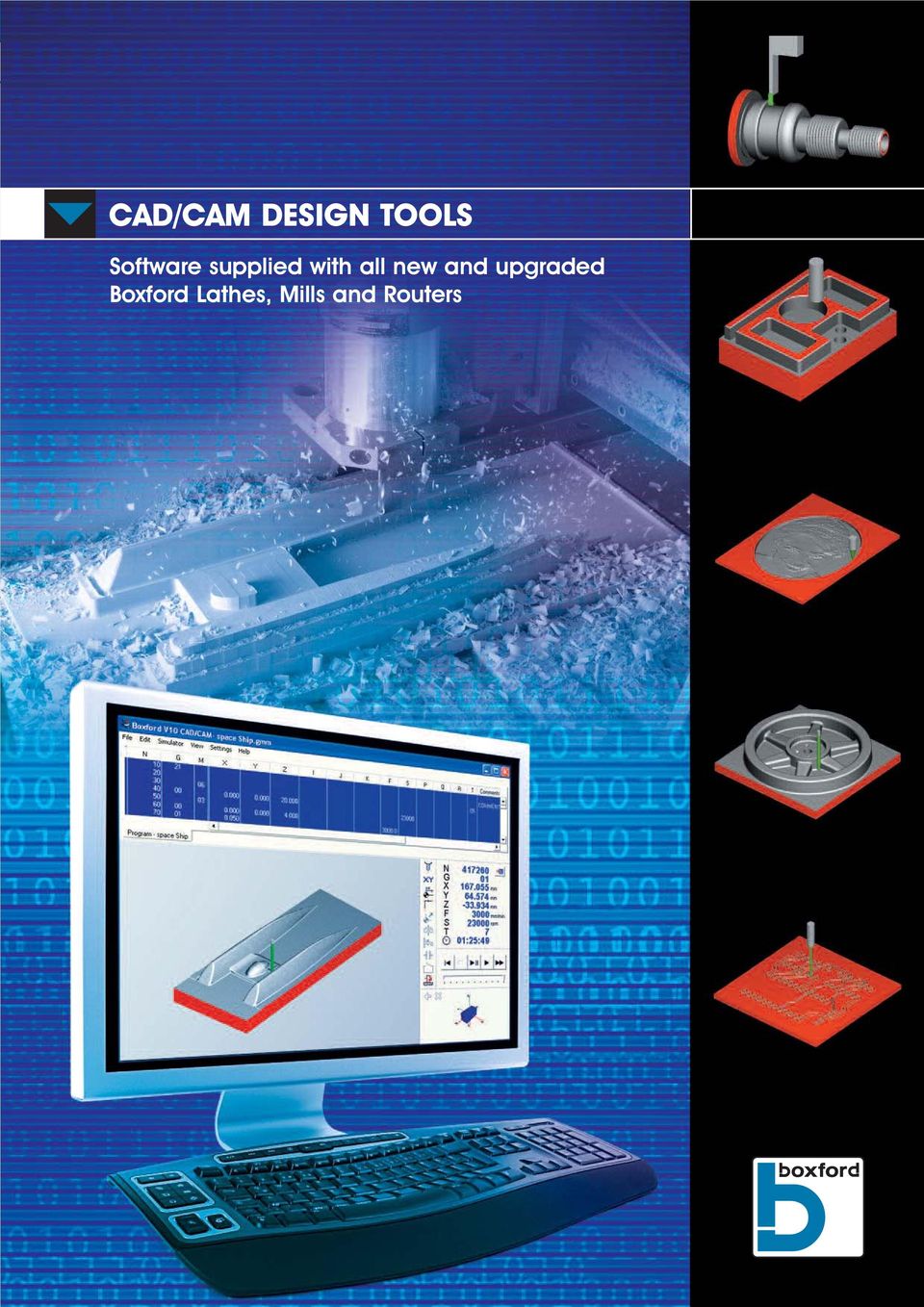
2 The Boxford CAD/CAM Design Tools software is a unique suite of integrated CAD and CAM tools designed specifically to satisfy all educational and training requirements across the full spectrum of age and ability levels. Supplied with all new and upgraded Boxford lathes, mills and routers, the software automatically creates programs conforming to industrial standards. Main features include:- 2D Design packages for Turning and Milling. CAM routines to machine 2D CAD drawings, 3D CAD drawings, 3D Engraved Photographs and Printed Circuit Boards are also included. For industrial training, sophisticated Conversational Programming and a CNC program editor are available. TURNING CAD CAM PROCESSING Provides a number of tools which allows the input of straight lines, Arcs and Threads to define internal and external profiles. The CAM Processor automatically produces an Error free G&M code listing to manufacture the designed component. The CAM makes optimum use of the cutting tools available and assigns feeds, speeds and cut depths appropriate to the selected material and Boxford machine tool been used. GRAPHICAL VIEWS AND SIMULATIONS The component produced by a program can be viewed in both 2D and 3D rendered models. Manipulation tools allow existing entities to be edited, moved or deleted and new elements to be added. Fillet and Chamfer tools. Automatic dimensioning in both incremental and absolute. 3D View in either Solid Rendered or Wire Frame. Animated rotation of infinitely variable user defined rotation around any axes. Choice of rendered material Print options on all 2D and 3D views. Automatic error checking does not allow illegal entities (not conforming to turning conventions) to be defined. Alternatively, component profiles can be imported from a third party CAD package using either the DXF or STL file formats. Tool Profile is interacted with Workpiece to display exact cut profile. Zoom facility including Pan facility. Cross-sectional views at any defined point in any plane. Infinitely Variable User Defined Workpiece Rotation. Machine status display showing current status of all programmable machine options. The manufacture cycle for programs can be simulated in either single block mode or continuous mode. Current simulation view can be printed at any stage.

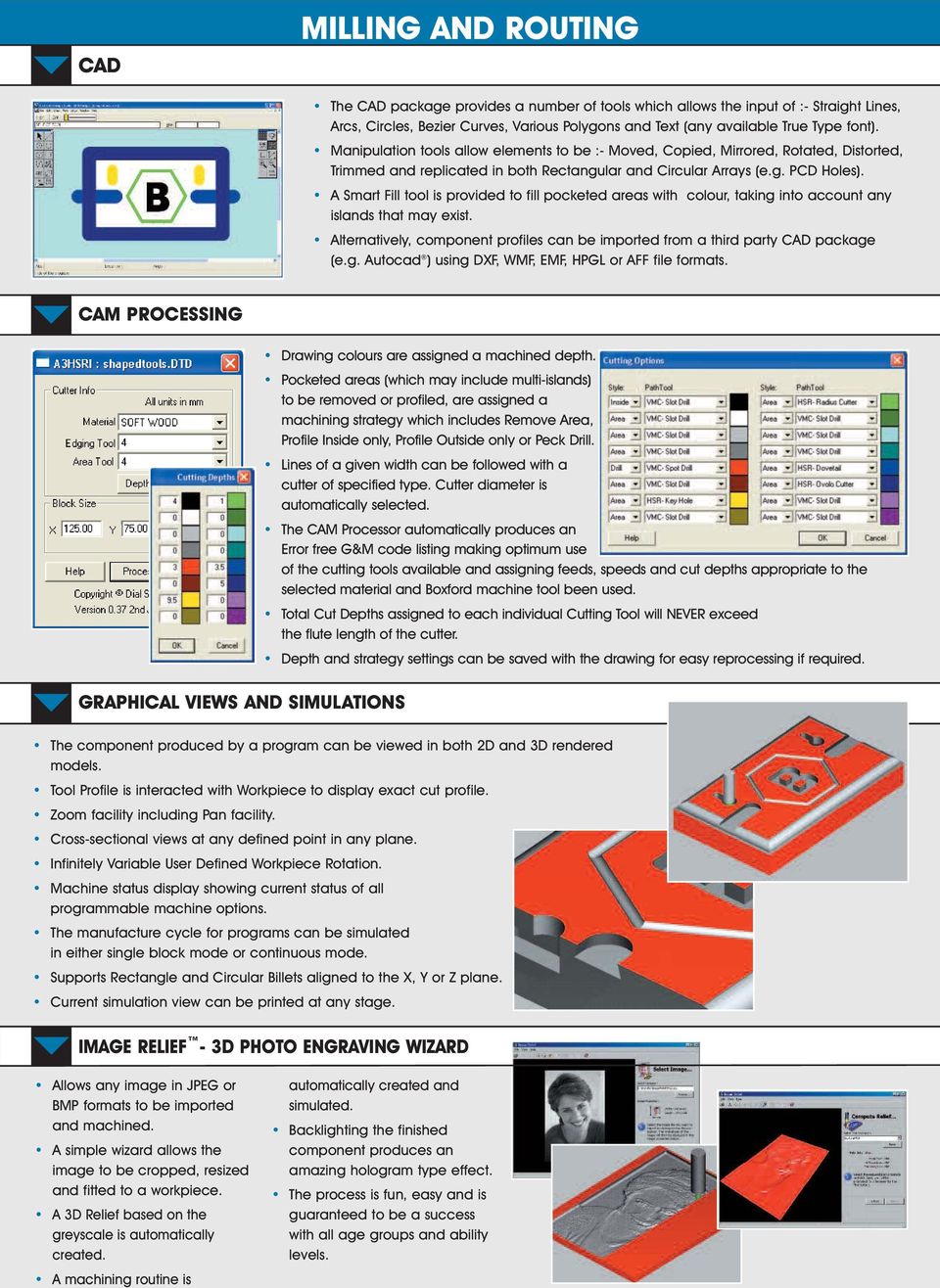
3 CAD MILLING AND ROUTING The CAD package provides a number of tools which allows the input of :- Straight Lines, Arcs, Circles, Bezier Curves, Various Polygons and Text (any available True Type font). Manipulation tools allow elements to be :- Moved, Copied, Mirrored, Rotated, Distorted, Trimmed and replicated in both Rectangular and Circular Arrays (e.g. PCD Holes). A Smart Fill tool is provided to fill pocketed areas with colour, taking into account any islands that may exist. Alternatively, component profiles can be imported from a third party CAD package (e.g. Autocad ) using DXF, WMF, EMF, HPGL or AFF file formats. CAM PROCESSING GRAPHICAL VIEWS AND SIMULATIONS Drawing colours are assigned a machined depth. Pocketed areas (which may include multi-islands) to be removed or profiled, are assigned a machining strategy which includes Remove Area, Profile Inside only, Profile Outside only or Peck Drill. Lines of a given width can be followed with a cutter of specified type. Cutter diameter is automatically selected. The CAM Processor automatically produces an Error free G&M code listing making optimum use of the cutting tools available and assigning feeds, speeds and cut depths appropriate to the selected material and Boxford machine tool been used. Total Cut Depths assigned to each individual Cutting Tool will NEVER exceed the flute length of the cutter. Depth and strategy settings can be saved with the drawing for easy reprocessing if required. The component produced by a program can be viewed in both 2D and 3D rendered models. Tool Profile is interacted with Workpiece to display exact cut profile. Zoom facility including Pan facility. Cross-sectional views at any defined point in any plane. Infinitely Variable User Defined Workpiece Rotation. Machine status display showing current status of all programmable machine options. The manufacture cycle for programs can be simulated in either single block mode or continuous mode. Supports Rectangle and Circular Billets aligned to the X, Y or Z plane. Current simulation view can be printed at any stage. IMAGE RELIEF - 3D PHOTO ENGRAVING WIZARD Allows any image in JPEG or BMP formats to be imported and machined. A simple wizard allows the image to be cropped, resized and fitted to a workpiece. A 3D Relief based on the greyscale is automatically created. A machining routine is automatically created and simulated. Backlighting the finished component produces an amazing hologram type effect. The process is fun, easy and is guaranteed to be a success with all age groups and ability levels.
4 MILLING AND ROUTING 3D-GEOCAM - SOLID MODEL IMPORT WIZARD Allows STL files to be imported from major Solid Model CAD packages including SolidWorks, Pro/Desktop, Pro/ENGINEER, Creo Elements/Pro, AutoCAD and Autodesk Inventor. Optimised 3D & 2½D cutter paths. Automatically creates multi-sided machining for complete component manufacture. Simple Raster Improved component quality compared with other simple, raster strategy only based packages, as shown right. Multiple Roughing and Finishing machining strategies to suit all types of CAD models including: Roughing: Offset Waterline and Raster Profile. Finishing: Raster, Offset, True Spiral, Z Level and 3D-GeoCAM Combination. Rest Finishing cycle removes machining marks (cusps) left by previous machining at intersects of model geometry (e.g. corners), as shown below. Before Rest Finishing After Rest Finishing 4D-GEOCAM CYLINDRICAL SOLID MODEL IMPORT WIZARD Allows cylindrical STL files to be imported and machined on an automatic 4th axes Utilises Advanced Machining Strategies to create 4D Cutter Paths. Machining routine automatically created and simulated. GERBER MILL - PCB IMPORT WIZARD Allows Gerber files to be imported from major PCB Design packages including PCB Wizard Machines around tracks and pads to isolate them and create a PCB. Spots and drills holes. Machining routine automatically created and simulated.

5 MANUFACTURE-TURNING, MILLING & ROUTING MANUAL DATA INPUT (MDI) PROGRAMMING Very simple cycle setup procedure requires the operator to make one measurement only. No manual machine control is necessary. 3D simultaneous simulation during manufacture. Simultaneous feedback facility shows axis positions and machine status. Multi user definable clamp positions. Batch Manufacture allows multiple jobs to be machined Component Manufacture allows multi-sided machining to be performed in one automatic cycle. Advanced users can edit existing G&M Code programs, or define new ones using the sophisticated CNC editor. Blocks can be modified, inserted or deleted with the aid of the on-line programming code help facility. When inputting new programs, each block entered produces a graphical simulation of the cutter path. Automatic error checking ensures blocks with syntax errors and speeds, feeds and cut depths inappropriate to the material and machine tool are automatically detected. Multi G Code (from different group) single line Programming. Tabulated or compact editor program views. CADCAM DESIGN TOOLS USER MODES The software has three modes of operation available to suit different age and ability levels. They are:- Standard User All CAD, CAM, Import, Simulation and Manufacturing functions as detailed on the previous pages. Advanced User In addition to the Standard User functions, Conversational Programming and Manual Data Input (MDI) programming functions are available (see right for details). Administrator In addition to the Advanced User functions, this password protected mode enables Tool Library editing, Material Library editing and a host of application preferences and settings functions. Individual Line Text Comments facility. Automatic Line Renumbering. Copy and Paste of single or multi blocks. Subroutine Programming with nesting of up to 10 routines. Find and replace facility incorporates a number of search criteria options for batch changes of program data. CONVERSATIONAL PROGRAMMING Developed for engineering and other vocational training needs, the Conversational programming option allows G&M programs to be created using a question and answer wizard The relevant machine codes to perform each operation are automatically output. Supported Lathe Codes; G00, 01, 02, 03, 04, 20, 21, 50, 75, 76, 80, 83, 90, 94, 96, 97, 98, 99 M00, 01, 02, 03, 04, 05, 08, 09, 30, 39, 40, 48, 49, 81, 97, 98, 99 Lathe Columns Used; G, M, X, Z, I, K, F, S, U, W, P, Q, R, T Supported Mill codes; G00, 01, 02, 03, 04, 17, 18, 19, 20, 21, 40, 41, 42, 50, 51, 53, 61, 64, 65, 66, 67, 80, 81, 82, 83, 85, 89, 90, 91, 92, 107 M00, 01, 02, 03, 04, 05, 06, 08, 09, 30, 39, 40, 48, 49, 81, 97, 98, 99 Mill Columns Used; G, M, X, Y, Z, I, J, K, F, S, P, Q, R, T, A

6 TOOL LIBRARY Central tool library holds all the tooling data for the currently selected machine. All CAM, Conversational Programming and MDI functions access this library. Define new tools including user defined profiles. Graphical dimensioned representation of each tool. Printout options for all information and graphical views. Tool offset setting Wizard allows fast setup of new tooling. ADMINISTRATOR MODE FUNCTIONS MATERIAL LIBRARY Central material library holds all the tooling data for the currently selected machine. All CAM, Conversational Programming and MDI functions access this library. Defining of new materials including cut data. Cut data overrides for individual tool types and individual tools. Printout options for all information and graphical views. CONTEXT SENSITIVE HELP FACILITY FMS AND CIM INTEGRATION Remotely load or Transfer programs using RS232 or network TCP/IP transfer protocols. Remotely initiate manufacture cycles via optional machine robot connection port. COMPATIBILITY Microsoft Windows 2000, XP, VISTA and Win 7 (32 bit and 64 bit) Standalone Workstation or Network Installation. Comprehensive integrated help system provides help on software and hardware. OPTIONS Available in Single Seat and Site Licence/Network Versions. CAD, CAM and MDI programming examples. Search Facility. Boxford Limited, Dewsbury Road, Elland, HX5 9BG Tel: +44 (0) Fax: +44 (0) [email protected] Web: All Trademarks are acknowledged to their respective companies.

FAGOR CNC 8055 ia-mc Control
 FAGOR CNC 8055 ia-mc Control The Fagor 8055 i/a-mc CNC control combines value & reliability with a featured packed modular control. This control was built for the shop environment with a rugged keyboard
EasySTONE Info Sheet
 EasySTONE Info Sheet EasySTONE, Info Sheet Page 1 of 9 EasySTONE is the ideal CAD/CAM for marble and similar materials working industry by numerically controlled machining centres. EasySTONE is complete
Shop-Talk Cad/Cam The language between man and machine!
 Shop-Talk Cad/Cam The language between man and machine! The job shop progamming solution Its so simple even a CaveMan can use it! CNC Solutions, Inc. 13955 Murphy Road #122 Stafford, TX 77477 TEL: 832-407-4455
GIBBSCAM PRODUCTION SYSTEMS: MILLING, TURNING, AND MILL-TURN
 GIBBSCAM PRODUCTION SYSTEMS: MILLING, TURNING, AND MILL-TURN GibbsCAM simplifies the complex, with the power to meet the challenges of the most demanding shop. GibbsCAM Production Milling and Production
ME 1355 CAD/CAM LABORATORY CNC MILLING PROGRAM. Study of G Codes and M Codes to Write Manual Part Programming for Fanuc Control Systems
 ME 1355 CAD/CAM LABORATORY CNC MILLING PROGRAM Ex.No.1 Study of G Codes and M Codes to Write Manual Part Programming for Fanuc Control Systems PREPARATORY FUNCTION ( G CODES ) The preparatory functions
CNC Milling/ Routing Training
 CNC Milling/ Routing Training www.denford.co.uk Page C1 Table of contents Introduction... 3 Start the VR Milling V5 Software... 3 Configure the software for the machine... 4 Load your CNC file... 5 Configure
FEWER STEPS BETTER CUTS MORE PROFIT
 CAD/CAM SOFTWARE CAD MILL MILL TURN LATHE ROUTER PLASMA LASER WATERJET WIRE FEWER STEPS BETTER CUTS MORE PROFIT EXPERIENCE THE POWER OF THE NEW BobCAD-CAM The New Power in BobCAD-CAM Version 28 comes with
CAD-CAM 3D PROGRAMMING SOFTWARE FOR LATHE, MILLING AND EDM CNC MACHINES
 italtec UNI EN ISO 9001 AUTOCAM-2000 CAD-CAM 3D PROGRAMMING SOFTWARE FOR LATHE, MILLING AND EDM CNC MACHINES As manufacturing technology continues to move forward exponentially, the dependence on CAD/CAM
SprutCAM is a CAM system for NC program generation for machining using multi-axis milling, turning, turn/mill, Wire EDM numerically controlled
 SprutCAM is a CAM system for NC program generation for machining using multi-axis milling, turning, turn/mill, Wire EDM numerically controlled machines and machining centers. The system enables the creation
CNCTRAIN. Cnc Simulation Systems, 1985,2009
 CNCTRAIN Cnc Simulation Systems, 1985,2009 p2 Table of Contents CNCTRAIN 4 Introduction 4 CNCWRITE 6 CNCwrite Milling Example 6 CNCwrite Turning Example 7 CNCwrite Slots on Circle Example 8 G and M Code
G and M Programming for CNC Milling Machines. Denford Limited Birds Royd Brighouse West Yorkshire England HD6 1NB Tel: +44 (0) 1484 712264
 COMPUTERISED MACHINES AND SYSTEMS G and M Programming for CNC Milling Machines Denford Limited Birds Royd Brighouse West Yorkshire England HD6 1NB Tel: +44 (0) 1484 712264 G AND M Fax: PROGRAMMING +44
Mastercam Instructions. KTH School of Architecture Digital Fabrication Lab - CNC Router Version 2.1 2014-02-06
 Mastercam Instructions KTH School of Architecture Digital Fabrication Lab - CNC Router Version 2.1 2014-02-06 CONTENTS: 1. Setup in Rhino and Mastercam 2. Creating A Drilling Operation 3. Creating A Contour
User Manual V5.0.0 1
 User Manual V5.0.0 1 Introduction... 4 Safety... 4 Initial setup... 4 Setup Wizard... 4 Linear units... 5 Angular units... 5 Feed rate... 5 Plasma cutting... 5 Rotary cutting... 5 Multiple drawings...
Optimized NC programming for machinery and heavy equipment. Summary NX CAM software redefines manufacturing productivity with a full range of NC
 Siemens PLM Software NX CAM for machinery Optimized NC programming for machinery and heavy equipment Benefits Effectively program any type of machinery part Program faster Reduce air cutting Automate programming
CONSTRUCTION SPECIFICATIONS
 CONSTRUCTION SPECIFICATIONS Closets Closets Typical Cabinet Construction Specification Frame & Frameless Construction Create New Assembly Construction Methods Create New Drawer/Roll Out Construction Methods
Electron S.R.L. B55 CNC TRAINING MACHINES
 Electron S.R.L. Design Production & Trading of Educational Equipment B55 CNC TRAINING MACHINES Specifications may change without notice Page 1 of 12 File B55 MODULAR TRAINING SYSTEM FOR THE STUDY OF CNC
Presentation on CNC MACHINES. By: Hafiz Muhammad Rizwan
 Presentation on CNC MACHINES By: Hafiz Muhammad Rizwan WELCOME CNC Machines What is a CNC Machine? CNC : Computer Numerical Control Conventionally, an operator decides and adjusts various machines parameters
Precision Cutting. Confidence at the Router. Intelligent Machining. Powerful Part Modeling. Dependable Toolpath Verification
 Precision Cutting Intelligent Machining Confidence at the Consumer Furniture Fabrication Sculpture Cabinetry Powerful Part Modeling As the world s most widely-used CAM software,* Mastercam is dedicated
Alphacam Art combines Vectric s Aspire artistic design software with the market leading Alphacam manufacturing software.
 Alphacam Art Alphacam Art - CNC Routing For Artists & Ideal Jewellery Cad Cam Software Alphacam Art combines Vectric s Aspire artistic design software with the market leading Alphacam manufacturing software.
Course outline. Know Your Machine From A Programmer s Viewpoint 11 If you ve had experience with conventional (non-cnc) machine tools 11
 Course outline Know Your Machine From A Programmer s Viewpoint 11 If you ve had experience with conventional (non-cnc) machine tools 11 Machine Configurations 13 Vertical machining centers 13 C-frame style
2010 CATIA V5 CAM EĞĐTĐMLERĐ ĐÇERĐĞĐ
 CATIA V5 CAM EĞĐTĐMLERĐ ĐÇERĐĞĐ CATIA V5 CAM GĐRĐŞ EĞĐTĐMĐ (1 Gün) 1) Manufacturing Workbench Presentation Workbench Introduction Process Presentation Manufacturing Terminology Manufacturing Workbench
Productivity+ CNC plug-in
 Productivity+ CNC plug-in Productivity+ CNC plug-in The Productivity+ CNC plug-in is a unique software application for CNC machine tools, offering unparalleled opportunities for workpiece measurement,
Computer-Aided Numerical Control (CNC) Programming and Operation; Lathe Introduction, Advanced Mills
 1 of 6 9/9/2014 3:59 PM I. Catalog Information Credit- Degree applicable Effective Quarter: Fall 2014 MCNC 75B Computer-Aided Numerical Control (CNC) Programming and Operation; Lathe Introduction, Advanced
Feature Comparison of PTC Creo View MCAD. Product Suite. Topic Sheet. Page 1 of 6 Feature Comparison of PTC Creo View MCAD Product Suite
 Comparison of Product Suite User Interface Lite Microsoft Fluent paradigm Ribbon User Interface User interface customization Command finder Usage Standalone version Interoperability with PTC Products Performance
Mach4 CNC Controller Mill Programming Guide Version 1.0
 Mach4 CNC Controller Mill Programming Guide Version 1.0 1 Copyright 2014 Newfangled Solutions, Artsoft USA, All Rights Reserved The following are registered trademarks of Microsoft Corporation: Microsoft,
E-mail:[email protected] Web site: www.tst-software.com
 E-mail:[email protected] Web site: www.tst-software.com Solutions That Make Sense for Windows 7/XP/2008 and 2003 Server/2000 Multi-DNC v8.0 for Windows 7/XP/2008 and 2003 Server/2000 communications
TABLE OF CONTENTS. INTRODUCTION... 5 Advance Concrete... 5 Where to find information?... 6 INSTALLATION... 7 STARTING ADVANCE CONCRETE...
 Starting Guide TABLE OF CONTENTS INTRODUCTION... 5 Advance Concrete... 5 Where to find information?... 6 INSTALLATION... 7 STARTING ADVANCE CONCRETE... 7 ADVANCE CONCRETE USER INTERFACE... 7 Other important
Release Highlights for CAM350 Product Version 10.2
 Release Highlights for CAM350 Product Version 10.2 Introduction CAM350 Version 10.2.2 is a support release for CAM350. CAM350 10.2.2 includes support for Microsoft Windows 7 and Mentor PADS Layout version
CNC 8055 / CNC 8055i SELF-TEACHING MANUAL ( TC OPTION) (REF 0607) (Ref 0607)
 CNC 8055 / CNC 8055i (REF 0607) SELF-TEACHING MANUAL ( TC OPTION) (Ref 0607) All rights reserved. No part of this documentation may be copied, transcribed, stored in a data backup system or translated
CNCTRAIN OVERVIEW CNC Simulation Systems 1995 2008
 CNCTRAIN OVERVIEW CNC Simulation Systems 1995 2008 p2 Table of Contents Getting Started 4 Select a control system 5 Setting the Best Screen Layout 6 Loading Cnc Files 7 Simulation Modes 9 Running the Simulation
Training Document for Integrated Automation Solutions Totally Integrated Automation (TIA) Module S01 Fundamentals of CNC Programming with SinuTrain
 Training Document for Integrated Automation Solutions Totally Integrated Automation (TIA) Module S01 Fundamentals of CNC Programming with SinuTrain T I A Training Document Page 1 of 53 Module S01 This
The Boxford range of 3-axis CNC Machining Centres are
 The Boxford range of 3-axis CNC Machining Centres are requirements. Featuring a high-end machine controller, utilising the latest motion control technology, they can satisfy all your 2½ and 3D milling
Mastercam X6 Basic 3D Design
 Basic 3D Design mastercam x getting started tutorials Mastercam X6 Basic 3D Design December 2011 Be sure you have the latest information! Information might have been changed or added since this document
CNC Applications. Tool Radius Compensation for Machining Centers
 CNC Applications Tool Radius Compensation for Machining Centers Why Cutter Diameter Compensation? When machining finished surfaces with the side of a milling cutter (generally called profiling), the accuracy
CATIA Drafting TABLE OF CONTENTS
 TABLE OF CONTENTS Introduction...1 Drafting...2 Drawing Screen...3 Pull-down Menus...4 File...4 Edit...5 View...6 Insert...7 Tools...8 Drafting Workbench...9 Views and Sheets...9 Dimensions and Annotations...10
MET 306 Activity 6. Using Pro/MFG Milling Operations Creo 2.0. Machining a Mast Step
 Using Pro/MFG Milling Operations Creo 2.0 Machining a Mast Step If the Trim option is grayed out when trimming the mill volume, Save (making sure the.asm file is going to the correct subdirectory), Exit
Computer Aided Drafting in Engineering
 Unit 17: Computer Aided Drafting in Engineering Unit code: QCF Level 3: Credit value: 10 Guided learning hours: 60 Aim and purpose A/600/0267 BTEC National This unit gives learners the knowledge and skills
INTRODUCTION CARVEWRIGHT CNC SYSTEM
 INTRODUCTION CARVEWRIGHT CNC SYSTEM WHAT IS CNC? CNC (Computer Numerical Control) is a computer control process used to direct precise movements of robotic cutting, carving, and milling tools. It was most
Milling and turning with SINUMERIK: CNC solutions for the shopfloor
 Milling and turning with SINUMERIK: CNC solutions for the shopfloor 15 CONTENTS Shopfloor solutions for CNC machines with SINUMERIK solution line... 3 Milling with the 840D sl and ShopMill Flexible for
Algolab Photo Vector
 Algolab Photo Vector Introduction: What Customers use Photo Vector for? Photo Vector (PV) is a handy tool for designers to create, cleanup, make fast corrections, edit designs with or without further conversion
Radius Compensation G40, G41, & G42 (cutter radius compensation for machining centers, tool nose radius compensation for turning centers)
 Radius Compensation G40, G41, & G42 (cutter radius compensation for machining centers, tool nose radius compensation for turning centers) These features are commonly well covered in most basic CNC courses.
What software do I need to run a CNC mill?
 The premier source of tooling, parts, and accessories for bench top machinists. What software do I need to run a CNC mill? Creating a part on a CNC mill is a three phase process. The part is drawn in a
Precision Manufacturing Regional Alliance Project (PMRAP) Accelerated Weekend Program. Springfield Technical Community College.
 Precision Manufacturing Regional Alliance Project (PMRAP) Accelerated Weekend Program At Springfield Technical Community College Summary Report Precision Manufacturing Regional Alliance Project (PMRAP)
Online Training Program Offered by CADCIM Technologies
 Online Training Program Offered by CADCIM Technologies CADCIM Technologies provides effective and affordable online training on various software packages including Computer Aided Design and Manufacturing
CATIA Functional Tolerancing & Annotation TABLE OF CONTENTS
 TABLE OF CONTENTS Introduction...1 Functional Tolerancing and Annotation...2 Pull-down Menus...3 Insert...3 Functional Tolerancing and Annotation Workbench...4 Bottom Toolbar Changes...5 3D Grid Toolbar...5
CNC Turning Training CNC MILLING / ROUTING TRAINING GUIDE. www.denford.co.uk Page 1
 CNC Turning Training www.denford.co.uk Page 1 Table of contents Introduction... 3 Start the VR Turning Software... 3 Configure the software for the machine... 4 Load your CNC file... 5 Configure the tooling...
SolidWorks Implementation Guides. Sketching Concepts
 SolidWorks Implementation Guides Sketching Concepts Sketching in SolidWorks is the basis for creating features. Features are the basis for creating parts, which can be put together into assemblies. Sketch
Introduction to CATIA V5
 Introduction to CATIA V5 Release 16 (A Hands-On Tutorial Approach) Kirstie Plantenberg University of Detroit Mercy SDC PUBLICATIONS Schroff Development Corporation www.schroff.com www.schroff-europe.com
Multi-DNC. by Spectrum CNC Technologies
 Multi-DNC by Spectrum CNC Technologies Multi-DNC v8.1 for Windows 7/XP/2003 and 2008 Server communications and file management system for simultaneous uploads and downloads to multiple CNC controls using
AutoCAD 2009. New Icon Quick Reference
 AutoCAD 2009 New Quick Reference Contents Chapter 1 New Quick Reference..................... 1 Toolbars................................... 1 3D Navigation Toolbar........................ 1 CAD Standards
3300M CNC Control Editing, Part Programming and Running simple program
 3300M CNC Control diting, Part Programming and Running simple program Writen by Robin Baker F2 dit to enter editor. F1 F2 F3 F4 F5 F6 F7 F8 F9 Teach Draw Drill Pocket Mill Tool Calc Sub Misc xit Dimension
CAD/CAM in schools initiative
 CAD/CAM in schools initiative 10 years on... where are we now? John Lee June 2009 what is CAD/CAM? Engineering Design & development Rapid prototyping Virtual testing DATA management Production scheduling
Pro/ENGINEER Wildfire 4.0 Basic Design
 Introduction Datum features are non-solid features used during the construction of other features. The most common datum features include planes, axes, coordinate systems, and curves. Datum features do
American National, Unified Screw Threads
 C h a p t e r 9 American National, Unified Screw Threads In this chapter, you will learn the following to World Class standards:! Why Use Fasteners! The Text Designation for the Unified National Thread!
InventorCAM + Inventor. The complete integrated Manufacturing Solution GETTING STARTED
 InventorCAM + Inventor The complete integrated Manufacturing Solution GETTING STARTED InventorCAM imachining InventorCAM imachining is an intelligent High Speed Machining CAM software, designed to produce
MILLPWR Setup Access Code
 MILLPWR Setup Access Code An access code must be entered before the installation setup parameters can be accessed or changed. IMPORTANT The access code is 8891. Refer to Section 7, Setup. IMPORTANT Supervisors
Milling & Machining Centers
 Training Objective After watching the program and reviewing this printed material, the viewer will gain knowledge and understanding of basic milling theories and procedures. In addition, the viewer will
Computer-Aided Drafting I
 Course Syllabus Computer-Aided Drafting I Course Description This course introduces computer-aided drafting (CAD) and examines the hardware that makes up a CAD workstation. It also covers the operating
Tracer Summit Web Server
 Tracer Summit Web Server Web-based access for the Tracer Summit building automation system March 2003 BAS-PRC014-EN Introduction The Tracer Summit Web Server provides the ability to operate a Tracer Summit
Modeling Curved Surfaces
 Modeling Cylindrical and Curved Theory Views of Cylinders Contour Lines Extruded Surfaces Revolved Surfaces & Cutouts Profile Shape Axis of Revolution Swept Surfaces & Cutouts Profile Shape Path Curves
From Wikipedia, the free encyclopedia
 Page 1 of 10 CNC From Wikipedia, the free encyclopedia The abbreviation CNC stands for computer numerical control, and refers specifically to a computer "controller" that reads G-code instructions and
accord 20 fx CNC machining centre
 accord 20 fx CNC machining centre accord 20 fx CNC machining centre New-generation modular machining centre designed for machining operations involving heavy duty stock removal with high precision and
Embroidery Fonts Plus ( EFP ) Tutorial Guide Version 1.0505
 Embroidery Fonts Plus ( EFP ) Tutorial Guide Version 1.0505 1 Contents Chapter 1 System Requirements.................. 3 Chapter 2 Quick Start Installation.................. 4 System Requirements................
MMGD0203 Multimedia Design MMGD0203 MULTIMEDIA DESIGN. Chapter 3 Graphics and Animations
 MMGD0203 MULTIMEDIA DESIGN Chapter 3 Graphics and Animations 1 Topics: Definition of Graphics Why use Graphics? Graphics Categories Graphics Qualities File Formats Types of Graphics Graphic File Size Introduction
Done. Click Done to close the Capture Preview window.
 The Capture Preview window allows you to preview, edit, and customize a screen capture before it is saved to a file, inserted into your document, attached to an e-mail, or sent to a variety of other Output
Network Administrator s Guide and Getting Started with Autodesk Ecotect Analysis
 Autodesk Ecotect Analysis 2011 Network Administrator s Guide and Getting Started with Autodesk Ecotect Analysis This document describes how to install and activate Autodesk Ecotect Analysis 2011 software
MITSUBISHI CNC M700V Series, M70 Series Simple programming function NAVI MILL / NAVI LATHE
 MITSUBISHI CNC M700V Series, M70 Series Simple programming function NAVI MILL / NAVI LATHE U s e r Friendly Programming function with simple operation "NAVI MILL" "NAVI LATHE" ~Installed in M700V/M70 Series~
Sample. CNC Programming product family... CNC Programming: Basics & Tutorial Textbook. & CNC Programming: Reference Book. CNC Programming: Workbook
 CNC Programming product family... CNC Programming: Basics & Tutorial Textbook CNC Programming: Reference Book CNC Programming: Workbook CNC Programming: Workbook - Instructor Edition CNC Programming: Basics
CNC USB Controller. User manual 2014-09-10
 CNC USB Controller User manual 2014-09-10 1 Disclaimer CONTROLLER AND CONTROLLER SOFTWARE ARE PROVIDED TO YOU "AS IS," WITHOUT WARRANTY. THERE IS NO WARRANTY FOR THE CONTROLLER AND CONTROLLER SOFTWARE,
Chapter 23: Drafting in Worksheet View
 Chapter 23: Drafting in Worksheet View Worksheet View is a powerful, 2D production drafting module. Here you can find all of the drawing and editing tools needed to create fast, accurate, detailed working
 CNC & CAD/CAM initial & continuing vocational training CNC TOPTURN TOPMILL TOPCAM Complete Machining Turning Milling MATHEMATISCH TECHNISCHE SOFTWARE-ENTWICKLUNG GMBH TOPTURN TOPMILL TOPCAM Software, teaching
enetdnc Take Control of your Manufacturing Process and Improve Your Throughput Quickly, Easily and Cost Effectively with...
 Take Control of your Manufacturing Process and Improve Your Throughput Quickly, Easily and Cost Effectively with... enetdnc DNC Through Your Ethernet Network Ethernet Based DNC Wireless DNC Machine Monitoring
TEST PROJECT TEACHER GUIDELINES
 TEST PROJECT TEACHER GUIDELINES Mastercam Intro to CAD/CAM Objectives You will create the geometry for Pen Base & Acylic Plaque, and then generate a toolpath to machine the part on a CNC machine. This
NX CAD/CAM 3-Axis Milling Foundation
 CAD/CAM 3-Axis Milling Foundation NX CAM benefits Automated hole making capability speeds common processes Boundary-based cutting provides flexibility to cut on minimal geometry Solids-based cutting cuts
2.008 Design & Manufacturing II
 2.008 Design & Manufacturing II The CAD/CAM Labs Lab I Process Planning G-Code Mastercam Lathe Lab II Mastercam Mill Check G-Code Lab III CNC Mill & Lathe Machining OBJECTIVE 2 BACKGROUND 2 LAB EXERCISES
FlowCAD. FlowCAD Webinar. OrCAD / Allegro PCB Editor Tipps und Tricks. www.flowcad.de. www.flowcad.ch
 FlowCAD Webinar OrCAD / Allegro PCB Editor Tipps und Tricks Print Screen from the Canvas Open Windows Explorer with the working folder Z-Copy: Copy a Shape to another Layer Z-Copy: Copy a Shape to more
What enables user-friendly operation and programming of SINUMERIK CNCs right on your PC?
 What enables user-friendly operation and programming of SINUMERIK CNCs right on your PC? SinuTrain practical CNC training based on SINUMERIK Operate. Answers for industry. Prepared for the shopfloor our
Geomagic Design. Release Notes. Get to Market Faster with Better Products at a Lower Cost V17
 Geomagic Design Get to Market Faster with Better Products at a Lower Cost Release Notes V17 TABLE OF CONTENTS 1 INTRODUCTION 1 COPYRIGHT 1 2 INSTALLATION 2 SOFTWARE IDENTIFICATION 2 UPGRADING TO GEOMAGIC
SINUMERIK 810/840D DIN Programming for Milling
 SINUMERIK 810/840D DIN Programming for Milling Training Manual Edition 2008.01 Training Documentation SINUMERIK 810/840D Operating and Programming DIN - Milling Valid for: Control SINUMERIK 810/840D Edition
Chapter 1 What's New in Inventor 2013... 1
 Contents Chapter 1 What's New in Inventor 2013................... 1 User Interface................................ 1 Help Experience........................... 1 Welcome screen............................
CAGILA 2D and 3D software
 CAGILA 2D and 3D software CAM-Service does present the new CAGILA 3D software. Beside all common data formats like STEP, IGES, VDAFS, CAGILA 3D also supports interfaces for popular native formats like
SpaceClaim Introduction Training Session. A SpaceClaim Support Document
 SpaceClaim Introduction Training Session A SpaceClaim Support Document In this class we will walk through the basic tools used to create and modify models in SpaceClaim. Introduction We will focus on:
limited to the use of generic G and M codes; special posts are easily configured to suit different head configurations and table sizes.
 wire edm intuitive graphical user interface extensive range of CAD interfaces for both import and export : peps wire edm advanced 2 and 4 axis Wire EDM solutions comprehensive machine and postprocessor
Creating a 3D manufacturing file from ArtCAM Pro
 1 Points to note when designing a ArtCAM model for 3D manufacture: Model depth should not generally exceed 20-30mm as this is the maximum that the standard tooling on the CNC router / miller can accommodate
Computer Aided Systems
 5 Computer Aided Systems Ivan Kuric Prof. Ivan Kuric, University of Zilina, Faculty of Mechanical Engineering, Department of Machining and Automation, Slovak republic, [email protected] 1.1 Introduction
PTC Creo Elements/Direct Comparison. Modeling Version
 PTC Creo Elements/Direct Comparison Modeling Version Formerly CoCreate PTC Creo Elements/Direct Modeling is the world s #1 direct 3D CAD system. This table highlights the primary product capabilities delivered
PTC Creo Elements/Direct Modeling Express
 Modeling Express Edition Comparison Chart Learn how upgrading to 19.0, the leading direct 3D CAD design software, can deliver faster design cycles and responsiveness to change throughout your design process.
SolidWorks Tutorial 3 MAGNETIC BLOCK
 SolidWorks Tutorial 3 MAGNETIC BLOCK Magnetic Block In this exercise you will make a magnetic block. To do so, you will create a few parts, which you will assemble. You will learn the following new applications
UNIT 1 INTRODUCTION TO NC MACHINE TOOLS
 UNIT 1 INTRODUCTION TO NC MACHINE TOOLS Structure 1.1 Introduction Objectives 1.2 NC Machines 1.2.1 Types of NC Machine 1.2.2 Controlled Axes 1.2.3 Basic Components of NC Machines 1.2.4 Problems with Conventional
PLAY VIDEO. Close- Closes the file you are working on and takes you back to MicroStation V8i Open File dialog.
 Chapter Five Menus PLAY VIDEO INTRODUCTION To be able to utilize the many different menus and tools MicroStation V8i offers throughout the program and this guide, you must first be able to locate and understand
SmartCut EVS Series CNC Mills Combination of CNC technology and manual capability SC EVS-350B CNC SC EVS-550B CNC
 Summit Machine Tool Manufacturing L.L.C. SmartCut EVS Series CNC Mills Combination of CNC technology and manual capability SC EVS-350B CNC SC EVS-550B CNC Summit Machine Tool Manufacturing L.L.C. SmartCut
Inventor. Keyboard Shortcuts
 Keyboard Shortcuts Inventor shortcut keys, or keyboard shortcuts, allow you to access certain tools by pressing a single key or a key combination. Many shortcut keys correspond to command aliases. keys
NCGuide Academic packages
 White Paper Document No. MWA-017-EN_06_1407 July 2014 NCGuide Academic packages Authentic FANUC CNC software on a PC for the most effective learning environment 1 Introduction 5 1.1 NCGuide Academic Packages...
ME 24-688 Week 11 Introduction to Dynamic Simulation
 The purpose of this introduction to dynamic simulation project is to explorer the dynamic simulation environment of Autodesk Inventor Professional. This environment allows you to perform rigid body dynamic
DENFORD. Product Catalogue. CAD/CAM Solutions & Projects for Education. Denford are the proud sponsors of: INNOVATIVE EDUCATIONAL PROJECTS
 DENFORD Product Catalogue CAD/CAM Solutions & Projects for Education Denford are the proud sponsors of: Primary School Challenge INNOVATIVE EDUCATIONAL PROJECTS January 2012 ISO9001 Compliant DENFORD Dear
CNC Applications. Introduction to Machining Centers
 CNC Applications Introduction to Machining Centers Machining Centers A machining center is simply a CNC milling machine with an automatic tool changer and an enclosure. There are a number of different
Generative Drafting. Page 1 1997 2001 DASSAULT SYSTEMES. IBM Product Lifecycle Management Solutions / Dassault Systemes
 Generative Drafting Page 1 Tutorial Objectives Description This Tutorial is an introduction to Generative Drafting. Message To show how CATIA V5 allows the user to automatically generate associative drafting
Processing Centers. Vantage 13/15. Nest & More
 Processing Centers Vantage 13/15 Nest & More Vantage 13 and Vantage 15 With their heavy-duty machine bed and highly rigid extension arms, the Vantage 13 and 15 processing centers offer the ideal basis
Convert 2D to 3D in AutoPOL Bend Simulator
 Convert 2D to 3D in AutoPOL Bend Simulator This document gives an introduction of how to convert 2D DXF/DWG files into 3D models in AutoPOL Bend simulator. The AutoPOL 3D concept A 3D model with correct
Detailed information about Gerber, NC Drill and NC Route.
 Title: Product: Summary: Manufacturing Output OrCAD / Allegro PCB Editor Detailed information about Gerber, NC Drill and NC Route. Author/Date: Beate Wilke / 27.05.2009 Table of Contents 1 Gerber... 2