
9 Telephones at Home. DECT Digital Cordless Telephones
|
|
|
- Alan Porter
- 9 years ago
- Views:
Transcription
1 DECT Digital Cordless Telephones DECT phones and hearing aid compatibility In general, the digital radio signal from DECT cordless telephones has the inherent problem that it can generate interference noise in hearing aids just like with mobile phones. Hearing aid manufacturers continue to improve the design of hearing aids to reduce the pickup of unwanted noise, with the result that newer models are usually less susceptible to this interference. Cordless phone manufacturers are also improving the design of handsets by moving the aerial position and screening circuitry. Performance varies between models and it is a matter of reduction of interference, rather than elimination, but in most cases we would expect it to be fine. Ultimately whether you can use your hearing aid successfully with a DECT telephone will be a personal decision. Where a cordless phone has a headset socket which can be used with a neckloop it can be considered to be fully Hearing Aid Compatible. cordless The cordless is a feature-packed cordless phone with a good clear sound, volume boost button and graphical equaliser tone control. A particularly nice feature is the User Profile option, where 2 users can pre-program their personal volume, tone and boost settings. It has large, clear buttons, direct memories and a good bright call indicator light. It is available with and without an. In our view the cordless phone is well designed and full of good features for deaf people. It offers excellent levels of amplification and the tone control selection is very effective. The User Profile option is particularly nice, especially in a multi-user household. The cordless is an excellent value cordless phone with a good clear sound, volume boost button and tone control. Designed specifically to be easy to use, the phones have large buttons and a clear display. In our view the cordless phone is a good simple phone. It doesn t have quite as high a level of amplification as the range but is otherwise relatively similar. The caller ID light is nice and bright and the buttons are clearly labelled and well spaced out It has a good level of amplification and at this price, it is a great choice if you are after a good-value, simple, amplified cordless phone The 350 has a very good inductive T signal and most hearing aid users will find the level of noise interference low enough to use directly with their T pickup. The phone is visually attractive and has both tone and volume adjustment. The listening volume level is good and has an optional boost button. In our view, the 350 has a good range of easy-to-use features. It is the best for hearing aid compatibility when used on T, making it our recommended choice for hearing aid users. cordless The 280 & 285 have a nice design with big buttons and a large screen. They have a good volume level & boost, tone control and a headset socket. The difference between the models is simply that the 285 has an. In our view, these are straightforward and functional. A nice alternative to the popular 350. The 400 is a cordless phone with built-in Bluetooth technology. It has a nice design with clear buttons and a large screen. The Bluetooth feature gives you the option of using the 400 with Bluetooth neckloops such as the LPS-6 or the CM-BT2 (see page 182) or

2 Telephones at Home 9 with wireless hearing aid accessories such as the Oticon Streamer Pro or the Phonak ComPilot (pages ). In our view the 400 cordless phone is a modern, well designed phone, the only one of our range with a Bluetooth connection facility, which justifies the higher price tag. The 100w & 105wr are well designed, attractive, simple to use cordless phones with a good range of standard features and an easy-to-read display. The 105wr model features an which gives you the option of listening to messages through the amplified handset. In our view, the 100w & 105wr are a really good value-for-money choice. They offer all the features you would expect and have good sound quality, at a really affordable price. 100w 105wr The Magna 2005 has a modern design with lots of nice features. The display is very clear and it has the ability to make speakerphone calls direct from the base station, which is a facility not seen on other models, although the speakerphone volume on the handset is louder than that on the base. The handset has a good loud listening volume and very loud ringer. In our view, the Magna 2005 is a well-designed phone with a good volume. It is easy to use and we particularly like the display which is bright and clear. Please go to next page for our DECT Cordless Phone feature comparison chart and phone prices. Magna 2005 Additional DECT handsets Extra handsets with charging pod to give an extension phone in a cordless phone system mains power is required, but extra handsets are not connected to a telephone socket. 701 extra handset For 700, 702, 780 and 880 Combo. 40TAC extra handset For 200, 202, 280 and 480 Combo. 40TAC /285/400 extra handset For 280, 285 or 400. Note: no Bluetooth facility. Magna 2005 extra handset For Magna TDECT28XA TDOMAG2X The Phonak Phone a direct wireless link to both hearing aids Hearing aid manufacturer Phonak have developed a cordless telephone that works by transmitting sound directly to your Phonak hearing aids, reducing noise and maximising understanding. See page 184 for more information or visit our website: Prices exclude P&P Telephone Issue 52 Shop online Information [email protected] Connevans 173

3 DECT Digital Cordless Telephone Comparison Chart Number memory 3 one-touch & 200 phonebook 2 one-touch & 50 phonebook Large buttons 4 4 Recall & redial buttons 4 4 Call indicator light 4 4 Page handset 4 4 Vibrating pad optional no Hearing aid compatible 2 probably certainly if used with CLA7 probably Headset socket 4 2.5mm no Choice of ringing tones 9 9 Ringing volume Max loudness see p176 llll lll Amplification boost button 4 4 Variable volume control 4 4 Variable tone control 4 4 Handsfree speakerphone 4 4 Mute button 4 4 Caller ID Backlit display colour Orange Orange Answerphone no no 4 no no 4 Bluetooth compatible no no Wall mountable no no GAP compatible 4 up to 4 handsets in total 4 up to 4 handsets in total Extra handsets available 4 4 Requires mains power yes yes Rechargeable handset batteries 3 x AAA, supplied 2 x AAA, supplied Colour charcoal grey silver Handset size 180 x 55 x 30mm 170 x 55 x 30mm Handset weight inc. batteries 170g 165g Pack type Twin Twin inc VAT ex VAT inc VAT ex VAT inc VAT ex VAT inc VAT ex VAT inc VAT ex VAT inc VAT ex VAT Cost each qty Cost each qty Cost each qty Connevans part no. 40TAC700 40TAC702 40TAC780 40TAC200 40TAC202 40TAC

4 Telephones at Home 9 Continued overleaf one-touch & 50 phonebook 4 one-touch & 50 phonebook 4 one-touch & 50 phonebook no 4 4 no but handset can vibrate no but handset can vibrate no but handset can vibrate probably certainly if used with CLA7 probably certainly if used with CLA7 probably certainly if used with CLA mm 4 2.5mm 4 2.5mm base station: 4 steps base station: not adjustable base station: not adjustable lll lll lll White Orange White no no 4 no no no 4 no up to 5 handsets in total 4 up to 5 handsets in total 4 up to 5 handsets in total (no Bluetooth) yes yes yes 3 x AAA, supplied 3 x AAA, supplied 3 x AAA, supplied grey/silver anthracite black 55 x 160 x 30mm 55 x 165 x 25mm 220 x 160 x 105mm 154g 155g 179g Twin inc VAT ex VAT inc VAT ex VAT inc VAT ex VAT inc VAT ex VAT inc VAT ex VAT TDECT350 40TDECT35T 40TDECT280A 40TDECT285A 40TDECT400 Prices exclude P&P Telephone Issue 52 Shop online Information [email protected] Connevans 175

5 DECT Digital Cordless Telephone Comparison Chart...continued 100w 100wt 105wr Magna 2005 Number memory 2 one-touch & 20 phonebook 3 one-touch & 100 phonebook Large buttons 4 4 Recall & redial buttons 4 4 Call indicator light 4 4 Page handset 4 4 Vibrating pad no no Hearing aid compatible 2 probably probably Headset socket no no Choice of ringing tones Ringing volume Max loudness see right lll llll Amplification boost button 4 4 Variable volume control 4 4 Variable tone control 4 4 Handsfree speakerphone 4 4 Mute button 4 4 Caller ID Backlit display colour orange white Answerphone no no 4 4 Bluetooth compatible no no Wall mountable no no GAP compatible 4 up to 5 handsets in total 4 up to 5 handsets in total Extra handsets available no 4 (no ) Requires mains power yes yes Rechargeable handset batteries 3 x AAA, supplied 2 x AAA, supplied Colour white black Handset size 180 x 55 x 30mm 168 x 52 x 25mm Handset weight inc. batteries 157g Pack type Twin 150g inc VAT ex VAT inc VAT ex VAT inc VAT ex VAT inc VAT ex VAT Cost each qty Cost each qty Cost each qty Connevans part no. 40TDO100W 40TDO100WT 40TDO105WR 40TDOMAG2 Comparative listening loudness While manufacturers of phones often give figures in decibels for the amplification levels of the phones, we don t quote these as there is no guarantee of consistency of measurement across manufacturers. Instead we have our own system of blobs which give an indication of the maximum listening volume level in a comparative manner. Blob ratings (approximate db equivalent) l 10 db and above ll 20 db and above lll 30 db and above llll 40 db and above lllll 50 db and above Our blob ratings are comparable across all our phones Notes to the chart pages : 1 Requires subscription to 'Caller Display Service' (contact your telephone network operator to check availability and cost of this service before purchasing) and assumes caller's number is not being withheld. 2 In general, the digital radio signal from DECT cordless telephones has the inherent problem that it can generate interference noise in hearing aids just like with mobile phones. Hearing aid manufacturers continue to improve the design of hearing aids to reduce the pickup of unwanted noise, with the result that newer models are usually less susceptible to this interference. Cordless phone manufacturers are also improving the design of handsets by moving the aerial position and screening circuitry. Performance varies between models and it is a matter of reduction of interference, rather than elimination. We give a guide in this chart as an indication of the findings of our evaluation panel but in most cases we would expect it to be fine. Ultimately whether you can use your hearing aid successfully with a DECT telephone will be a personal decision. 176

9 Telephones at Home. Connevans Email [email protected] Information www.connevans.info Shop online www.deafequipment.co.uk
 9 Telephones at Home Hearing aid compatible GSM mobile phones This range of Hearing Aid compatible mobile telephones has been chosen specifically because they are all easy for everyone to use. Instead
TV & Assistive Listening Devices
 10 TV & Assistive Listening Devices TV & Assistive Listening Devices l Relaxing at the end of the day watching TV l Enjoying listening to music l Catching up with family & friends at a restaurant l Developing
phones from home electronics winter spring 2009
 phones from home electronics winter spring 2009 The right feel for your home When you walk through your front door you want that comfortable feeling of being home with family. Our home electronics products
Peace of mind & help is only a button press away.
 Peace of mind & help is only a button press away. National Broadband Network COMPATIBLE PENDANT TECHNOLOGY Visual & Hearing Impaired DIGITAL CORDLESS PHONE & EMERGENCY PENDANT EMERGENCY ALERT PENDANT Peace
The reliable, high-quality phone for professional home calling needs with best conference calls
 GIGASET S810 Skilled communication Best-in-class hands-free talking Bluetooth headset connection and dialling of Outlook contacts on PC via 1-click interface Address book for up to 500 vcard entries Radiation-free
Radio Aid Systems. 12 School &
 Radio Aid Systems Radio Aid Systems from Connevans For children and young people with a hearing loss, listening in noisy and poor acoustic environments is particularly challenging. It is difficult, tiring
Cordless Phones Continued
 Cordless Phones SIEMENS RANGE Siemens A510IP R1,311.00 (R1,150.00+VAT) A Cordless Phone System designed for small business and the consumer Supports both Switch Telecom VoIP lines and a Telkom land-line
Phonak Wireless Communication Portfolio
 Phonak Wireless Communication Portfolio Product information The accessories of the Phonak Wireless Communication Portfolio offer great benefits in difficult listening situations and unparalleled speech
2009 Headset Guide for the Small Office / Home Office / Call Center Agent
 2009 Headset Guide for the Small Office / Home Office / Call Center Agent Provided by: Headsets Direct, Inc. 80% of Contact Centers are already using or plan to use home based call center agents in 2009.*
Choosing the right phone. If you are Deaf or have a hearing impairment
 Choosing the right phone If you are Deaf or have a hearing impairment 1 Are you about to buy a telephone? Perhaps you are about to buy a new handset for the home or office. Or maybe you are about to buy
Link2Cell Digital Phone with Smartphone Integration and Answering Machine KX- PRD262B 2 Cordless Handsets
 Link2Cell Digital Phone with Smartphone Integration and Answering Machine KX- PRD262B 2 Cordless Handsets Features Sync smartphone to home phone via Bluetooth, no landline required Link up to two smartphones
Phone Systems. Expandable Analog/VoIP Phone System. TalkSwitch Phone Systems start at just $695!
 Phone Systems Expandable Analog/VoIP Phone System TalkSwitch Phone Systems start at just $695! Sophisticated yet uncomplicated! Each TalkSwitch system comes complete with sophisticated call handling features
How To Get A Cell Phone From Panasonic
 THE FUTURE IS CRYSTAL CLEAR. TELEPHONE SOLUTIONS FOR YOUR BUSINESS Telephones that Meet Your Business Needs Communication is an essential part of what makes your business a success, and that s why having
UK s best selling phone brand. User Guide. BT Big Button 200 Corded Phone
 UK s best selling phone brand User Guide BT Big Button 200 Corded Phone 2 Welcome. to your BT Big Button 200 telephone Large buttons for easy, accurate and more comfortable dialling Large display to assist
A500 DECT 6.0 Amplified Cordless Phone with Answering Machine User s Guide
 A500 DECT 6.0 Amplified Cordless Phone with Answering Machine User s Guide * *Instructions are included for optional additional handsets. Welcome Thank you for purchasing the ClearSounds A500 amplified
KX-TD7685 KX-TD7695 KX-TD7696. Multi-Cell DECT System Offers True Mobility
 KXTD7685 KXTD7695 KXTD7696 MultiCell DECT System Offers True Mobility Enjoy superb mobility no matter where you work, whether it is in an office, factory, warehouse, supermarket, or other large facility.
General notes: To avoid problems, always use:
 Questions and answers If you have any questions about the use of your phone, you can contact us at www.gigaset.com/service at any time. For more information about combining different Gigaset devices, visit:
Motorola C12A. Digital Cordless Telephone with Digital Answering Machine. For C1211A, C1212A, C1213A and C1214A
 Digital Cordless Telephone with Digital Answering Machine Motorola C12A For C1211A, C1212A, C1213A and C1214A Warning: Charge the handset for 24 hours before use. Welcome... to your new Motorola C12A Digital
To help manage calls:
 Mobile Phone Feature Definitions To help manage calls: Call waiting and call hold Allows you to accept a second incoming call with out losing the original call, then switch back and forth between them.
AASTRA 9110 User Guide
 AASTRA 9110 User Guide Key Descriptions Redial Save Flash Mute Handset Ringer Switch Set Indicator Light Volume Bar Dial Pad Handsfree/Mute 7 Memory Keys Making and Answering Calls Making a call With your
Hybrid IP PBX System KX-TDA30
 Hybrid IP PBX System KX-TDA30 LTD KXTDA30_EN_2010_v1.indd 3 3/12/10 3:29:25 PM TABLE OF CONTENTS Introduction to the KX-TDA30 System... 3 Digital Telephone Features... 4 Digital Telephone Set... 5 Features
BRING NEW QUALITY TO YOUR COMMUNICATIONS. Telephone terminals from Panasonic
 BRING NEW QUALITY TO YOUR COMMUNICATIONS Telephone terminals from Panasonic HANDSETS THAT DELIVER THE WORLD-CLASS COMMUNICATIONS YOU DEMAND Exceptional audio quality and proven reliability Intuitive, stylish,
Welcome to the GreatCall Family.
 pms2603 pms1235 pms226 pms298 How-To Guide Welcome to the GreatCall Family. Thank you for choosing the Jitterbug. At GreatCall, we ve made it easy for you to stay Orange - pms 143 connected to friends
Converse 320. Userfriendly Guide
 Converse 0 Userfriendly Guide Return Diversion Minder On Off At a glance IMPORTANT Next Inserts a space in a number when storing numbers in the memory. Clear Used to edit numbers when pre-dialling or when
CALL VERY ATTERS. Multi-Cell DECT Business Telephony. Wireless Mobility Solutions. Enjoy superb mobility no matter what your business
 VERY demands. With standard, business or toughtype CALL ATTERS Wireless Mobility Solutions MultiCell DECT Business Telephony Enjoy superb mobility no matter what your business DECT that is able to handle
Mitel IP Phone User Reference Guide Release 5.0
 830 Parkview Drive North, El Segundo, CA 90245 Tel: 310 747 3232 Fax: 310 747 3233 WWW.UNIVOIP.COM OfficeConnect Mitel IP Phone User Reference Guide Release 5.0 Note: The information contained in this
AMERICA S BEST SMALL BUSINESS PBX/PHONE SYSTEM!
 TELEPHONE MAN OF AMERICA Earning Your Business Every Step of the Way! Specializing in Telecom Equipment of all Brands, Carrier Services, Technician Services, Maintenance Agreements & Purchasing Excess
BUSINESS DECT BROCHURE EVERY VERY CALL ALL MATTERS
 BUSINESS DECT BROCHURE EVERY VERY CALL MATTERS ALL CALL WIRELESS MOBILITY DECT Have an important customer on the phone and need to walk away from your desk? Panasonic Wireless DECT connectivity is here
User s manual. Corded telephone. w w w.v t e c h c a n a d a. c o m. Big Button Big Display. Model:CD1281 DIR CID
 User s manual w w w.v t e c h c a n a d a. c o m DIR CID Model:CD1281 Corded telephone Big Button Big Display Congratulations on purchasing your new VTech product. Before using this telephone, please read
DIVERTING CALLS: EXTENSION DIVERT... 36 Diverting all calls from your extension... 36 Diverting your calls while you are at another extension (Follow
 Contents WELCOME...1 USING THIS DOCUMENT...1 BT CONTACT DETAILS...1 ABOUT YOUR BT QUANTUM TELEPHONES...2 BT QUANTUM SYSTEMPHONES...2 BT 8568 Digital Systemphone...2 BT 8528 Digital Systemphone...5 BT 5360
Enterprise Edge M7310 Quick Reference Guide
 Enterprise Edge M7310 Quick Reference Guide 2000 Nortel Networks P0908513 Issue 03 Your Enterprise Edge M7310 Telephone Shift button For using the top function of a dual-memory button. Display shows the
1. What is the main difference between the X3 micro and other Bluetooth headsets? 3. How does the X3 micro use the Bluetooth technology?
 X3 Micro FAQ X3 Micro General 1. What is the main difference between the X3 micro and other Bluetooth headsets? 2. What is included in the X3 micro package? 3. How does the X3 micro use the Bluetooth technology?
User s manual. TL86109 DECT 6.0 2-line corded/cordless telephone/ answering system with BLUETOOTH wireless technology
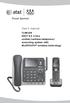 User s manual TL86109 DECT 6.0 2-line corded/cordless telephone/ answering system with BLUETOOTH wireless technology Congratulations on purchasing your new AT&T product. Before using this AT&T product,
CapTel 800i. How-to Guide 305-016605 11/11
 CapTel 800i How-to Guide 305-016605 11/11 CapTel 800i Specifications Physical Dimensions Size: 9" x 6.5" x 7.5" Weight: 2 lb. 10 oz. Power AC Adapter: 6 VDC, 1670 ma (barrel is negative) Adapter is UL/CSA
Quick start guide. ML17939/17959 Two-line corded telephone/ answering system with caller ID/call waiting
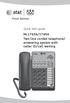 Quick start guide ML17939/17959 Two-line corded telephone/ answering system with caller ID/call waiting Installation preparation You must install the power adapter before using the telephone. See pages
DECT Wireless Handsets. KX-TD7600 Series KX-WT120 Series
 KX-TD7600 Series KX-WT120 Series DECT Wireless Handsets An Ideal Mobility Solution for Your Communications System Feature-rich Models with Easy, Intuitive Operation Ruggedized Model Available for Challenging
Mitel IP Desktop Phones and Peripherals
 Mitel IP Desktop s and Peripherals Flexible suite of IP phones with robust functionality for any sized office Mitel s family of IP phones and peripherals responds to the specialized and differing requirements
User Guide BT914 Amplified Big Button Cordless Phone with Bluetooth Connectivity
 User Guide BT914 Amplified Big Button Cordless Phone with Bluetooth Connectivity 2 IMPORTANT SAFETY INSTRUCTIONS Congratulations on purchasing your new Clarity product. Before using this telephone, please
NEC SV8100 Telephone System User Guide (for SV8100 12-button and 24-button phones)
 NEC SV8100 Telephone System User Guide (for SV8100 12-button and 24-button phones) KEYS AND BUTTONS ON YOUR PHONE Incoming Call/Message Waiting indicator light Flashes red quickly when a call is ringing
GN 6210 - Bluetooth Wireless Headset for use in the office, at home or even on the move
 GN 6210 - Bluetooth Wireless Headset for use in the office, at home or even on the move USE WITH MOBILE PHONES AND PAIRING Does the GN 6210 work the same way with all Bluetooth-enabled mobile phones? Mobile
Sensory alerts and multi-alerting systems for the home
 Sensory alerts and multi-alerting systems for the home Sensory alerts and multi-alerting systems for the home This factsheet is part of our Equipment range, for people with hearing loss and their families.
CONNECTING YOUR BUSINESS WITH TOMORROW KX-TD
 CONNECTING YOUR BUSINESS WITH TOMORROW KX-TD Digital business telephone system range KX-TD range Digital super hybrid systems For today The Panasonic brand has been built upon years of manufacturing top
2.4 GHz Dual Handset Cordless Telephone Answering System 2255 with Caller ID/Call Waiting
 USER S MANUAL Part 2 2.4 GHz Dual Handset Cordless Telephone Answering System 2255 with Caller ID/Call Waiting Please also read Part 1 Important Product Information AT&T and the globe symbol are registered
Jabra CRUISER2. User manual. www.jabra.com MUTE VOL - VOL + jabra
 Jabra CRUISER2 VOL - VOL + MUTE jabra User manual www.jabra.com Contents THANK YOU...2 ABOUT YOUR JABRA CRUISER2...2 WHAT YOUR SPEAKERPHONE CAN DO...3 GETTING STARTED...4 CHARGE YOUR SPEAKERPHONE...4 TURNING
BT Freestyle 750. User Guide
 BT Freestyle 750 User Guide Welcome to your BT Freestyle 750 Digital Cordless Telephone Answering Machine Answering machine with up to 15 minutes digital recording time and helpful voice prompts. 50 Name
AT&T MERLIN COMMUNICATIONS SYSTEM USER S GUIDE MODELS 206, 410 AND 820 WITH FEATURE PACKAGE 2
 AT&T MERLIN COMMUNICATIONS SYSTEM USER S GUIDE MODELS 206, 410 AND 820 WITH FEATURE PACKAGE 2 Table of Contents Page Page Available Features Key to Symbols Placing and Answering Calls Line Buttons and
Home Communication Lineup Catalogue
 Home Communication Lineup Catalogue Digital Cordless Phones Integrated Telephone System Trademarks and registered trademarks _ DECT SECURITY is the trademark of DECT Forum. The trademark may only be applied
System Phone. User Guide. System DECT 35
 System Phone User Guide System User Instructions The AGFEO Cordless System Phone is designed for the connection / registration to an AGFEO DECT S0 Base or an AGFEO DECT S0-Base plus. The AGFEO will be
How To Use A Captel 840I Phone
 CapTel 840i How-to Guide 305-019100 1/13 Emergency Dialing Instructions: With CapTel 840i, calls to 111 are handled exactly the same as if you called from any other phone connected to your telephone service,
Quick Reference Guide
 Dialing Plan Fill in these important numbers for your dialing plan. Cisco IP 8941/8945 Phone for ADP Network Phone Enterprise Quick Reference Guide Number Description My Direct Dial or Extension Operator/Attendant
Boost the performance of your hearing aids. Phonak wireless accessories
 Boost the performance of your hearing aids Phonak wireless accessories Phonak hearing aids are high performance solutions aimed at reconnecting people to the beauty of sound. Although new technologies
IP Desktop Phones and Peripherals
 FEATURE MATRIX MITEL IP Desktop Phones and Peripherals The Evolution of the Business Telephone Mitel continues its commitment to ease of use and enhanced user value at the desktop with an evolving portfolio.
AMERICA S BEST SMALL BUSINESS PBX/PHONE SYSTEM!
 TELEPHONE MAN OF AMERICA Earning Your Business Every Step of the Way! Specializing in Telecom Equipment of all Brands, Carrier Services, Technician Services, Maintenance Agreements & Purchasing Excess
OfficeSuite Mitel IP Phone User Reference Guide Release 4.1
 OfficeSuite Mitel IP Phone User Reference Guide Release 4.1 2004-2009 Broadview Networks & Natural Convergence Inc. All rights reserved. Table of Contents TABLE OF CONTENTS...I INTRODUCTION...4 WHAT'S
Information Gigaset professional Cordless Telephones for HiPath Systems
 Information Gigaset professional Cordless Telephones for HiPath Systems Alongside the system-specific HiPath telephones, it is also possible to operate cordless phones with HiPath systems. These cordless
XDECT 8155 Series. For more exciting new products please visit our website: Australia: www.uniden.com.au New Zealand: www.uniden.co.
 XDECT 8155 Series For more exciting new products please visit our website: Australia: www.uniden.com.au New Zealand: www.uniden.co.nz 1 IMPORTANT SAFETY INSTRUCTIONS When using your telephone equipment,
Operating Instructions
 Panasonic DECT Digital Cordless Telephone System Operating Instructions Before operating this system, please read these instructions completely. THIS EQUIPMENT IS NOT DESIGNED FOR MAKING EMERGENCY TELEPHONY
TELSTRA DISABILITY EQUIPMENT PROGRAM D036 JAN 11 IT S HOW WE CONNECT
 TELSTRA IT S HOW WE CONNECT DISABILITY EQUIPMENT PROGRAM D036 JAN 11 TELEPHONES TELEPHONES AND ACCESSORIES AVAILABLE There s a range of different phones and accessories available, so have a look through
Panasonic Consumer Electronics Company Division of Panasonic Corporation of North America. Two Riverfront Plaza Newark, NJ 07102
 Panasonic Consumer Electronics Company Division of Panasonic Corporation of North America Two Riverfront Plaza Newark, NJ 07102 (201) 348-7000 www.panasonic.com Design and specifications subject to change
User s manual. 993 Two-line speakerphone with caller ID/call waiting
 User s manual 993 Two-line speakerphone with caller ID/call waiting Congratulations on purchasing your new AT&T product Before using this AT&T product, please read the Important product information on
Motorola C2. Digital Cordless Telephone with Digital Answering Machine. For C2011, C2012, C2013 and C2014
 Digital Cordless Telephone with Digital Answering Machine Motorola C2 For C2011, C2012, C2013 and C2014 Warning: Charge the handset for 24 hours before use. Welcome... to your new Motorola C2010 Digital
Jabra FREEWAY. User manual. www.jabra.com
 Jabra FREEWAY User manual www.jabra.com CONTENTS THANK YOU...2 ABOUT YOUR...2 WHAT YOUR SPEAKERPHONE CAN DO...3 GETTING STARTED...4 CHARGE YOUR SPEAKERPHONE...4 TURNING YOUR SPEAKERPHONE ON AND OFF...5
FEATURE MATRIX MITEl IP DEskToP PhonEs AnD PERIPhERAls ThE EvOLuTIOn OF ThE BuSInESS TELEphOnE MITEL 5304 IP PHONE MITEL 5312 IP PHONE
 FEATURE MATRIX Mitel IP Desktop s and Peripherals The Evolution of the Business Telephone Mitel continues its commitment to ease of use and enhanced user value at the desktop with an evolving portfolio.
Communication Choices
 Communication Choices For deaf or hard of hearing people bt.com/includingyou Foreword If you ve a hearing loss or wear hearing aids, you might sometimes find communication more of a challenge. But you
M6320 Featurephone. User Guide
 M6320 Featurephone User Guide Introduction The M6320 Featurephone is a practical and convenient way to use a wide range of business telephone features, including Call Forward, Conference Calling, and Speed
5.8 GHz 2-Line Corded/Cordless Answering System EP5962
 OLUME 91-000302-050-000_EP5962Englishmanual_Sep.02,2005.qxd 2/13/1950 7:21 PM Page 1 User Manual (Part 2) 5.8 GHz 2-Line Corded/Cordless Answering System EP5962 with Caller ID & Call Waiting SPEAKER SPEAKER
D703. User Guide Clarity DECT6.0 Amplified Big Button Cordless Phone
 D703 User Guide Clarity DECT6.0 Amplified Big Button Cordless Phone Clarity, a Division of Plantronics, Inc. 4289 Bonny Oaks Drive, Chattanooga,TN 37406 Tel: 800-426-3738 Fax: 800-325-8871 E-mail: [email protected]
MORE ACCESSIBILITY HIGHER QUALITY COMMUNICATIONS CONNECTING YOUR FUTURE KX-NS500 UNIFIED COMMUNICATIONS PLATFORM
 MORE ACCESSIBILITY HIGHER QUALITY COMMUNICATIONS KX-NS500 UNIFIED COMMUNICATIONS PLATFORM CONNECTING YOUR FUTURE 1 THE SYSTEM THAT GROWS WITH YOUR BUSINESS Save communication costs Save network costs Save
OfficeSuite Cloud-Based Phone System Mitel IP Phone User Reference Guide Release 5.0 Final
 OfficeSuite Cloud-Based Phone System Mitel IP Phone User Reference Guide Release 5.0 Final Note: The information contained in this document is the property of Broadview Networks Inc. and is disclosed to
AVAYA 9608/9611G SIP DESKPHONE INSTRUCTIONS
 AVAYA 9608/9611G SIP DESKPHONE INSTRUCTIONS MESSAGE WAITING INDICATOR PHONE DISPLAY NAVIGATION ARROWS and the OK BUTTON PHONE BUTTON MESSAGE BUTTON CONTACTS HISTORY HOME HEADSET SPEAKER VOLUME BUTTON MUTE
Title page. IP Phone 1140E. User Guide. Business Communications Manager
 Title page Business Communications Manager IP Phone 1140E User Guide Revision history Revision history November 2005 Preliminary 0.22. This document is up-issued to support Nortel Business Communications
Avaya PARTNER Advanced Communications System OVERVIEW
 IP Telephony Contact Centers Mobility Services Avaya Advanced Communications System OVERVIEW More than 1 million businesses have turned to the Avaya Advanced Communications System. Why? Because the system
S4 USER GUIDE. Read Me to Get the Most Out of Your Device...
 S4 USER GUIDE Read Me to Get the Most Out of Your Device... Contents Introduction 4 Remove the Protective Cover 5 Charge Your S4 5 Pair the S4 with your Phone 6 Install the S4 in your Car 8 Using the Handsfree
telephone systems with HD quality and many more supportive features and applications Always more than you expect
 Panasonic SIP telephone systems with HD quality and many more supportive features and applications Always more than you expect SIP Session Initiation Protocol SIP is rapidly gaining popularity as the protocol
Wireless Voice and Data Solutions. Longest Range Cordless Telephone Systems
 Wireless Voice and Data Solutions DuraFon Long Range Systems Technical Training Introduction & Product Overview Base Placement & Installation Programming Handset Registration Line Dedication Call Groups
CaptionCall 67TB Phone
 CaptionCall 67TB Phone User Guide Contents Welcome... 7 How CaptionCall Works... 9 Phone Features... 9 Key Parts of Your CaptionCall Phone... 11 The Back of Your CaptionCall Phone...12 Touchscreen... 14
AVAYA 9608 & 9611G IP DESKPHONE INSTRUCTIONS
 AVAYA 9608 & 9611G IP DESKPHONE INSTRUCTIONS 1 MESSAGE WAITING INDICATOR PHONE DISPLAY NAVIGATION ARROWS and the OK BUTTON PHONE BUTTON MESSAGE BUTTON CONTACTS HISTORY HOME HEADSET SPEAKER VOLUME BUTTON
AMHERST COLLEGE SIEMENS HIPATH 4000 OPTIPOINT TELEPHONE TELEPHONE QUICK REFERENCE GUIDE LCD (DISPLAY) VERSION
 AMHERST COLLEGE SIEMENS HIPATH 4000 OPTIPOINT TELEPHONE TELEPHONE QUICK REFERENCE GUIDE LCD (DISPLAY) VERSION Welcome! The OptiPoint digital telephone gives you advanced, easy-to-use features. The display
Hosted Voice MyPBX Training Manual
 Hosted Voice MyPBX Training Manual MyPBX Handset & Feature Training Manual Page 1 of 21 1.1. Keys/Connections overview Panasonic KX-UT133: Panasonic KX-UT136: Page 2 of 21 LCD: 3-line LCD The KX-UT123
BUSINESS COMMUNICATIONS DIVISION. IP4100 SIP DECT User Guide
 BUSINESS COMMUNICATIONS DIVISION IP4100 SIP DECT User Guide TOSHIBA IP4100 DECT HANDSET END USER GUIDE FEATURES Toshiba IP4100 DECT Handset Features 2.0 inch colour TFT back-lit display Li-ion battery
Every Call Matters. Endless Possibilities with a wide range of devices
 Endless Possibilities with a wide range of devices Panasonic PBX platforms support the stylish and intuitive Digital and IP telephones, SIP phones, and DECT wireless phones. And with support for IP softphones
MITEL MiVOICE IP DESKTOP IP PHONES AND PERIPHERALS
 FEATURE MATRIX MITEL MiVOICE IP DESKTOP IP S AND PERIPHERALS THE EVOLUTION OF THE BUSINESS TELE Mitel continues its commitment to ease of use and enhanced user value at the desktop with an evolving portfolio.
silhouette Cloud-Based Phone System Mitel IP Phone User Reference Guide Release 5.0 Final
 silhouette Cloud-Based Phone System Mitel IP Phone User Reference Guide Release 5.0 Final Contents Introduction...1 Setting your language...1 Setting your language for the web interface...1 Setting your
IP Phone 1140E User Guide. BCM Business Communications Manager
 IP Phone 1140E User Guide BCM Business Communications Manager Document Status: Standard Document Version: 03.02 Document Number: NN40050-105 Date: November 2006 Copyright Nortel Networks Limited 2006,
Streamer and remote control. User Guide
 Streamer and remote control User Guide Manufacturer: Phonak AG Laubisrütistrasse 28 CH-8712 Stäfa Switzerland EU Representative: Phonak GmbH Max-Eyth-Strasse 20 D-70736 Fellbach-Oeffingen Germany www.phonak.com
CONNECTING YOUR BUSINESS WITH TOMORROW KX-TD. Digital business telephone system range
 CONNECTING YOUR BUSINESS WITH TOMORROW KX-TD Digital business telephone system range KX-TD range Digital super hybrid systems For today The Panasonic brand has been built upon years of manufacturing top
OpenScape DECT mobile handsets
 OpenScape DECT mobile handsets Cordless phones for HiPath and OpenScape systems. In addition to the system-specific desktop telephones, it is also possible to operate cordless phones with HiPath and OpenScape
Common abbreviated dialling...2. Last number redial...2. To transfer a call...2. Enquiry calls...2. Group call pick-up...3
 To call another extension...2 To call the operator...2 To make an external call...2 Common abbreviated dialling...2 Last number redial...2 To transfer a call...2 Enquiry calls...2 Group call pick-up...3
Four-Line Intercom Speakerphone 944
 1 USER S MANUAL Part 2 Four-Line Intercom Speakerphone 944 Please also read Part 1 Important Product Information AT&T and the globe symbol are registered trademarks of AT&T Corp. licensed to Advanced American
Polycom SoundPoint IP phones Advanced features for outstanding business communications! Top-quality conferencing for your SIP environment!
 IP CONFERENCERS and PHONES I P conferencing and phone solutions to fit your business needs AND your IP platform! Polycom IP products are compatible with a wide range of SIP-based phone systems as well