
Choosing the right phone. If you are Deaf or have a hearing impairment
|
|
|
- Kory Ross
- 10 years ago
- Views:
Transcription
1 Choosing the right phone If you are Deaf or have a hearing impairment 1

2 Are you about to buy a telephone? Perhaps you are about to buy a new handset for the home or office. Or maybe you are about to buy a mobile phone. There are many phones to choose from. Some of these phones have been specially adapted for use by people with a hearing loss to suit their hearing aids or cochlear implant. Some phones, particularly mobile phones, have text-based programs that can provide access to the phone for people who are Deaf or have a hearing impairment who cannot access sound on the phone. The choices are many. There are positives and negatives for each phone. This brochure aims to help you to choose a phone that best suits you. This brochure is divided into two parts phones to suit your hearing aid or cochlear implant and phones that provide text-based solutions.

3 PHONES TO USE IF YOU HAVE A HEARING AID OR COCHLEAR IMPLANT Do you have a telecoil or T-switch activated on your hearing aid or cochlear implant? If your hearing aid has a telecoil (or T-switch), you can use a wide range of assistive listening devices with your hearing aid. Tiny in-the-canal hearing aids often don t have a T-switch. We recommend the use of a T-switch in your aid because it means that the sound quality will be a lot clearer. HANDSETS FOR THE HOME These are also known as fixed lines or landlines. Loudness of speech: Many people with hearing loss require volume controlled phones. These allow the sound to be adjusted for their needs. Volume control can be built into the phone or attached to the telephone handset. Hearing aids or cochlear implants can be used directly with the telephone: this is known as acoustic coupling. Some people use what is known as inductive coupling: this involves the use of the T-switch in the hearing aid or cochlear implant, and can include the use of a bluetooth device. This makes the sound clearer and reduces background noise Different devices and methods of volume control suit different people. Be sure to try before you buy. You can make other adjustments to your home phone. Tone control: Phones with tone control might help you to understand pitch and tone more clearly. For example, for more information see the Oricom website. Speaker phone: Some people find using this feature makes it easier to hear. 3

4 Cordless handsets: Some people like cordless phones because many come with a volume control. Be aware that digital technology can make a buzzing noise when held close to a hearing aid or cochlear implant. Try before you buy! Captioned Telephony: This has only recently been introduced to Australia. It allows the person to use their voice over the phone line while at the same time receiving a captioned version of the message being spoken by the person they are calling. Webcaptel: There is also an Internet-based captioned telephony service that can be used with either fixed line phones and a computer or a mobile phone that has internet access. For more information on captioned telephony go to Volume control for phone ring: Phones can be purchased or rented that have adjustable ring volumes so you can hear the phone ringing. An answering machine may also be helpful to catch any missed calls. Background noise: Using a hearing aid with a T-switch will cut out background noise. Try to minimise the noise around you when you are using the phone. Hearing aids and cochlear implants can be sensitive to excessive background noise. Easy to use and see: If you have a vision impairment or physical difficulties such as arthritis, there are phones with big buttons which are easier to see and use. Accessories can help: In many cases a person with hearing aids or cochlear implants will benefit from an accessory such as a neckloop. These are often used with the T-switch and have the added benefit of sometimes allowing you to hear with both ears rather than just the one you would use if using the handset directly.

5 Assistive devices: Ask specialist suppliers what assistive devices they offer to make your phone more useful. For example, in-line amplifiers boost the volume and tone, and flashing light alarms show you that the phone is ringing. Adaptors can provide amplification to a personal amplifier, which can also be used for the TV, family conversation, car travel, and so on. Some of this equipment is available through Disability Equipment Programs at your supplier. Details at the end of this brochure. 5

6 MOBILE PHONES In Australia there are two phone network types in operation, the GSM and 3G networks. GSM networks can interfere with some hearing aids or cochlear implants, while the 3G networks are generally interference-free. Design of the phone: Many people with a hearing aid or cochlear implant prefer mobiles with a flip up or clamshell design, where the only part of the phone in the section that flips up is the speaker (where you listen to the other party). This design provides some distance between the hearing aid and the components that may cause interference. Some users have trouble with small buttons on mobile phones, so don t go for something too small. A good mobile phone specifically designed as being hearing-aid compatible (using the T-switch on your hearing aid or cochlear implant) is Telstra Discovery 2. This phone has many useful features such as large digit display, loudspeaker and simple menu layout, among other features. When using any phone, if a feedback whistling sound occurs, try increasing the phone volume and moving/angling the handset a little further away from the hearing aid, or reduce the hearing aid volume control, to compensate for the additional phone sound level. Volume control of mobile phone ring: Being able to know that the phone is ringing is important. This can be especially true if you are in noisy public areas. Setting the phone to vibrate can help overcome this problem. Different mobile phones vibrate at different levels of intensity, so it s important to test it out in the shop before you buy it. Accessories: Some accessories increase the distance between the hearing aid or cochlear implant and the phone s antenna (either internal or external), thereby reducing or eliminating the potentially interfering effects of any electromagnetic field.

7 Neckloops and T-Links plug into a connector on compatible phones and use a hearing aid or cochlear implant T-switch. They include a built-in microphone and permit hands-free use of the phone and allow you to use two hearing aids or cochlear implants with a T-switch. The phone itself can be carried in a pocket or clipped on a piece of clothing, away from the hearing aids or cochlear implants. Bluetooth is technology which sends a local wireless signal to another bluetooth compatible device/receiver, which could be a handsfree device, hearing aid or cochlear implant, or another receiver. Some bluetooth devices also couple to MP3 players. Sometimes you can get a deal which includes a bluetooth handsfree accessory at little or no additional cost. Some bluetooth accessories are bulky when worn with hearing aids and glasses. Bluetooth accessories may require mobile phone batteries to be recharged more often. Cost: make sure you understand the mobile plan. If you are going to use your mobile for checking s, browsing the web, instant messaging, social networking, GPS, gaming, watching videos or TV and downloading/listening to music these may add considerably to your bill. Be wary of terms like capped, free, unlimited, and what is in the fine print. The Australian Communications Consumer Action Network (ACCAN) has information to assist. See ACCAN Tip sheet Avoiding Bill Shock at and click on Tip sheets. 7

8 DEAFNESS FORUM MEMBERS TOP TIPS WHEN SELECTING A PHONE TO SUIT YOUR HEARING AID OR COCHLEAR IMPLANT Home phones Does the phone have volume control? Check the level of control, for example, how many decibels can the volume be increased by we recommend an increase of up to 20db. Choose a helpful supplier who will assist with a trial if they are not helpful, GO SOMEWHERE ELSE! Can you hear the phone ring; does it have a flashing light or extension ringer? You may be able to get one through a Disability Equipment Program. Have you checked other assistive devices to help you use the phone, for example an in-line amplifier? Are other people in the house also able to use the phone comfortably? A cordless phone may be better or worse than a standard telephone handset, it depends on your personal needs. Check the maximum amount you can increase the volume. Mobile phones Check the accessories you can get to work with the phone, for example a neckloop. Check if it is 3G as this is more likely to be compatible with your hearing aid or cochlear implant. What is the network coverage like (this is important when taking the phone on a trip into country areas, interstate or overseas). Check if the vibration setting, clear loud ringing and/ or flashing display are sufficient to alert you to an incoming call. Check that it is easy to view and simple to use. Call quality test how clear the sound is, and whether the maximum volume is sufficient for you.

9 Check the Outdoor profile under Settings on the mobile phone to see if that is useful. Battery life is critical ask your retailer about this. Make sure it has the essentials that you really need: don t get carried away by extra features which you may never use. Ensure that the phone (with and without accessories) is comfortable to use, for example while wearing your glasses. Consider what you will use the phone for: are multimedia features important to you? Do you need a high quality integrated camera or video camera? Obtain information about or have access to an inductive loop set (for example T-link, Freedom) or bluetooth handsfree accessory to try with the phone either at time of purchase or afterwards. Ensure there is an adapter for the inductive loop set available for the mobile phone being purchased and where these can be obtained. Does it have a speaker phone capability (if you would use one) and how good is the speech output quality? Will you need a phone with a video calling facility? Are the buttons a usable size? Check what the talk time is (talk time is the total time a battery can power a phone while the telephone is used to receive or perform a call) and stand-by time. (The stand-by time of a phone represents its maximum battery life when not in use for a conversation.) Do you need a data plan and how does this work? Ask your retailer. Avoid being hit with an extra large bill by thinking about what you will use your mobile smartphone or device for, and getting the best payment plan for that usage. In the final analysis you have to insist on trying out the phone (and accessories) before buying. Better still see if you can arrange a trial for a number of days. 9

10 TEXT-BASED SOLUTIONS Many people who are Deaf or have a hearing impairment do not use technology that is designed to enhance the use of a hearing aid or cochlear implant. They rely instead on text-based solutions for both home and mobile phones. Land and fixed lines There are a number of options for text-based communication in the home. Telephone Typewriters (TTY) The TTY is one of the oldest text-based solutions on the market. TTYs enable people who have a TTY to communicate with other people who also have a TTY through the phone by typing messages to each other. The TTY can be obtained through Disability Equipment Programs at major carriers. They can be rented in the same way as people rent standard phone handsets. The National Relay Service (NRS) Users of the TTY can also call people who do not have a TTY (and vice versa) by phoning through the NRS. The NRS operates by relaying messages from the TTY to a hearing person who has received the call and by then relaying responses back from the hearing person that the deaf person reads on their TTY. Hearing impaired people who use their voice can also use a TTY to make a call through the NRS this is known as Speak and Read. They speak directly to the other person and then read the relayed responses on their TTY. The NRS offers services including the dedicated 106 TTY emergency line and internet relay (see more info below). For more information go to The NRS is funded by the Australian Government through a levy on phone companies.

11 Video Relay Service Video Relay Service (VRS) is an online interactive video teleconferencing service provided by Australian Communication Exchange. It means a Deaf person, using Auslan, can communicate with a hearing person over the phone, through a video interpreter (that is, an interpreter located elsewhere, who is using the internet to view the signing person and provide interpreting). It uses Skype. There is no need to use a TTY to use this service. You will need a webcam (web camera) on your computer to use VRS. See Text and Mobiles Mobiles offer a number of text-based solutions. The most common is SMS (Short Messaging System) where text messages are typed into the user s mobile phone and then sent to others who have a mobile. SMS is extremely popular and has become a part of everyday life for many of us. The disadvantage of SMS is that they are not in real time and they can be expensive if the user does not have a good phone plan. Shop around because mobile phone providers have many good phone plans that offer excellent SMS access. There are also some companies that allow you to send an SMS for free online, by registering on a website. SMSPup is an example of a provider of free online SMS. They provide their members with a 100% free online SMS service for participating in promotional and research campaigns. So you send your SMSs from a website rather than a mobile phone. For more information visit A new and free voice-to-text service is the Telstra Message2txt service. If the caller leaves a message, the person being called will receive a free SMS with 11

12 the caller s message (up to 10 seconds long) and mobile number unless the caller s mobile number is withheld. This is in addition to paid voice message-to-text services also available for your phone. A paid voice message-to-text service gives even better service you are paying for the service, after all. Captioned telephony, that was mentioned earlier, can be accessed through the popular iphone. It is important not to get caught in an expensive data plan. To access text-based communication such as instant messaging and the internet relay service through smartphones requires a data (internet) plan which can be very expensive. Look for plans that have unlimited internet and check their download policies too. If you are going to use your mobile for checking s, browsing the web, instant messaging, social networking, GPS, gaming, watching videos or TV and downloading/ listening to music these may add considerably to your bill. Be wary of terms like capped, free, unlimited, and what is in the fine print. The Australian Communications Consumer Action Network (ACCAN) has information to assist. See ACCAN Tip Sheet Avoiding Bill Shock for more tips at and click on Tip sheets. Smartphones There are many brands of smartphones on the market. They include the Blackberry, iphone and the HipTop. The HipTop is no longer sold to new customers. However existing customers with a HipTop or HipTop plan will continue to be supported. Also now available on the market is the ipad. Many smartphones enable access to instant messaging programs such as MSN, Skype and Yahoo. This allows virtually real time communication between users.

13 Before purchasing a smartphone, if you are hoping to use it with internet relay, check with the NRS about which phones are compatible. See Instant Messaging Instant messaging requires you to download software to your computer. Note that you will be charged for downloading through your internet provider. All it requires is an address, and you then invite friends to be part of your network. The benefit is that the software is free and you can talk to anyone anywhere for however long you like free of charge, except for internet costs. Not all mobile smartphones allow access to instant messaging. Be sure to ask if it is compatible before you buy. See or or The NRS also has a service known as internet relay. This allows you to call hearing people through the internet either through the NRS website or through instant messaging such as MSN. For more information go to 13

14 DEAFNESS FORUM MEMBERS TOP TIPS WHEN SELECTING A TEXT-BASED SOLUTION Check if the mobile network is 3G as this may be compatible with other devices you use. What is the network coverage like (this is important when taking the phone on a trip into country areas or interstate). Check if the vibration setting and/or flashing display are sufficient to alert you to an incoming call. Check that it is easy to view and simple to use. Battery life is critical ask your retailer about this. Make sure it has the essentials that you really need: don t get carried away by extra features which you may never use. Consider what you will use the phone for: are multimedia features important to you? Do you need a high quality integrated camera or video camera, or a phone with two cameras (front and back) for video calling using Auslan? Are the buttons a usable size? Check what the talk time is (talk time is the total time a battery can power a phone while the telephone is used to receive or perform a call) and stand-by time (The stand-by time of a phone represent its maximum battery life when not in use). Ask your retailer to explain the data plan and how it works to make sure there are no nasty surprises at bill time. Avoid being hit with an extra large bill by thinking about what you will use on your smartphone or device for and getting the best plan for your usage, for example, additional download costs. In the final analysis you have to insist on trying out the phone (and accessories) before buying. Better still see if you can arrange a trial for a number of days.

15 FOR MORE INFORMATION Australian Communications Consumer Action Network (ACCAN) Australian Human Rights Commission National Relay Service (NRS) Australian Communication Exchange Oricom phones Optus Disability Services Telstra Disability Services For complaints contact the Telecommunications Industry Ombudsman Free SMS from your computer Windows Messenger for instant messaging Skype (Voice over internet protocol phone calls) Yahoo for instant messaging SPECIALIST PROVIDERS OF EQUIPMENT Phoenix Hearing Instruments Printacall Word of Mouth ACKNOWLEDGMENTS Deafness Forum of Australia acknowledges funding from the Australian Government Department of Broadband, Communications, and the Digital Economy through the Consumer Representation Grants program. Deafness Forum acknowledges secretariat funding from the National Secretariat Program of the Australian Government Department of Families, Housing, Community Services and Indigenous Affairs. 15

16 For further information Deafness Forum of Australia 218 Northbourne Avenue BRADDON ACT 2612 Phone: (02) TTY: (02) Fax: (02) Website: DISCLAIMER This brochure is not intended to provide advice of any kind in relation to particular circumstances, nor is it intended to endorse, recommend, or guarantee any companies, organisations, products, or services that are mentioned. Users of this information should make their own enquiries and, where necessary obtain their own independent advice. Deafness Forum accepts no responsibility for the consequences of any decisions that users may make as a result of any information they have gained from this brochure. Information contained in this brochure is current at time of printing. (June 2010).

Communication Choices
 Communication Choices For deaf or hard of hearing people bt.com/includingyou Foreword If you ve a hearing loss or wear hearing aids, you might sometimes find communication more of a challenge. But you
Australian Communications Consumer Action Network
 Australian Communications Consumer Action Network Website: www.accan.org.au E-mail: [email protected] Telephone: +61 (0)2 9288 4000 TTY: +61 (0)2 9281 5322 ACCAN is the peak body that represents all consumers
TELSTRA DISABILITY EQUIPMENT PROGRAM D036 JAN 11 IT S HOW WE CONNECT
 TELSTRA IT S HOW WE CONNECT DISABILITY EQUIPMENT PROGRAM D036 JAN 11 TELEPHONES TELEPHONES AND ACCESSORIES AVAILABLE There s a range of different phones and accessories available, so have a look through
Hearing Aid Compatibility With Cell Phones
 Hearing Aid Compatibility With Cell Phones To ensure everyone benefits from advances in technology, the Federal Communications Commission (FCC) has approved standards and passed regulations for cell phone
Guide: Technologies for people who are Deaf or hard of hearing
 Guide: Technologies for people who are Deaf or hard of hearing The following are examples of how technology can aid communication if you are Deaf or hard of hearing. These options may not suit all situations.
BlackBerry 10 Accessibility Solutions for People with Disabilities
 BlackBerry 10 Accessibility Solutions for People with Disabilities Access for all In our global society, access to information is important to people of all abilities. BlackBerry accessibility solutions
To help manage calls:
 Mobile Phone Feature Definitions To help manage calls: Call waiting and call hold Allows you to accept a second incoming call with out losing the original call, then switch back and forth between them.
Communication Choices
 Communication Choices BT s guide to hearing better on the phone bt.com/includingyou Foreword The growth of social networks, like Facebook and Twitter, and more versatile mobile phones haven t changed the
Avaya Model 1408 Digital Deskphone
 Avaya Model 1408 Digital Deskphone Voluntary Product Accessibility Template (VPAT) The statements in this document apply to Avaya Model 1408 Digital Deskphones only when they are used in conjunction with
SUMMARY TABLE VOLUNTARY PRODUCT ACCESSIBILITY TEMPLATE
 Date: 1 May 2009 Name of Product: Polycom VVX1500 Telephone Company contact for more Information: Ian Jennings, [email protected] Note: This document describes normal operational functionality.
Using FM. A guide for children and their families on how to use an FM solution with hearing aids
 Using FM A guide for children and their families on how to use an FM solution with hearing aids Congratulations on your new FM solution!! This booklet tells you how to use your FM solution, where to use
TV & Assistive Listening Devices
 10 TV & Assistive Listening Devices TV & Assistive Listening Devices l Relaxing at the end of the day watching TV l Enjoying listening to music l Catching up with family & friends at a restaurant l Developing
CTAP Wireless Equipment Distribution Program Factsheet
 CTAP Wireless Equipment Distribution Program Factsheet The purpose of this factsheet is to provide CTAP customers with information about cell phones offered by CTAP, service plans, and wireless industry
Summary Table Voluntary Product Accessibility Template. Not Applicable- Not a web-based application. Supports. Not Applicable
 PLANTRONICS VPAT 1 Product: Call Center Hearing Aid Compatible (HAC) Headsets Summary Table Section 1194.21 Software Applications and Operating Systems Section 1194.22 Web-based internet information and
Boost the performance of your hearing aids. Phonak wireless accessories
 Boost the performance of your hearing aids Phonak wireless accessories Phonak hearing aids are high performance solutions aimed at reconnecting people to the beauty of sound. Although new technologies
Summary Table Voluntary Product Accessibility Template
 The following Voluntary Product Accessibility information refers to the Apple iphone 4S ( iphone ). For more information on the accessibility features of the iphone and to learn more about iphone features,
ALDACon 2010 CAPTIONING TECHNOLOGY FOR PEOPLE WITH HEARING LOSS PRESENTED BY: CHAMEEN STRATTON with MIKE ELLIS and KEN ARCIA
 ALDACon 2010 CAPTIONING TECHNOLOGY FOR PEOPLE WITH HEARING LOSS PRESENTED BY: CHAMEEN STRATTON with MIKE ELLIS and KEN ARCIA CHAMEEN STRATTON: Hello, everyone. Thank you for coming. This is my first conference
Nucleus CP810 Sound Processor and Nucleus CR110 Remote Assistant Troubleshooting Guide
 Nucleus CP810 Sound Processor and Nucleus CR110 Remote Assistant Troubleshooting Guide Symbols Contents Note Important information or advice. Can save inconvenience. Tip Time saving hint or saves inconvenience.
Summary Table Voluntary Product Accessibility Template
 PLANTRONICS VPAT 8 Product: Call Center Polaris Headsets (Non-HAC) Over the Head Noise Canceling: P101N, P61N Over the Head Voice Tube: P101, P61 Over the Ear Voice Tube: P41 In the Ear Noise Canceling:
Phonak Wireless Communication Portfolio
 Phonak Wireless Communication Portfolio Product information The accessories of the Phonak Wireless Communication Portfolio offer great benefits in difficult listening situations and unparalleled speech
Welcome to the GreatCall Family.
 pms2603 pms1235 pms226 pms298 How-To Guide Welcome to the GreatCall Family. Thank you for choosing the Jitterbug. At GreatCall, we ve made it easy for you to stay Orange - pms 143 connected to friends
Summary Table Voluntary Product Accessibility Template
 PLANTRONICS VPAT 8 Product: Call Center Polaris Headsets (Non-HAC) Over the Head Noise Canceling: P101N, P61N Over the Head Voice Tube: P101, P61 Over the Ear Voice Tube: P41 In the Ear Noise Canceling:
TecEar s Top Ten ALD Picks
 Assistive listening devices compliment the capabilities of digital hearing aids and cochlear implants, significantly enhancing the user's ability to use phones, cell phones, TV/DVD, and audio devices such
ACE Web CapTel User Guide
 ACE Web CapTel User Guide About ACE The Australian Communication Exchange (ACE) is an innovative not for profit organisation that delivers important communication services for the Deaf, communication impaired,
Peace of mind & help is only a button press away.
 Peace of mind & help is only a button press away. National Broadband Network COMPATIBLE PENDANT TECHNOLOGY Visual & Hearing Impaired DIGITAL CORDLESS PHONE & EMERGENCY PENDANT EMERGENCY ALERT PENDANT Peace
Products to make life easier
 Products to make life easier Equipment to improve the lives of people who are deaf or hard of hearing We re RNID, the charity working to create a world where deafness or hearing loss do not limit or determine
S4 USER GUIDE. Read Me to Get the Most Out of Your Device...
 S4 USER GUIDE Read Me to Get the Most Out of Your Device... Contents Introduction 4 Remove the Protective Cover 5 Charge Your S4 5 Pair the S4 with your Phone 6 Install the S4 in your Car 8 Using the Handsfree
Types of hearing aids There are a number of different types of hearing aids to choose from, although not all will necessarily be suitable for you.
 What do hearing aids do? Hearing aids are designed to amplify sounds so that they are loud enough, but not uncomfortably loud. The amplification volume depends on the type and degree of hearing loss you
Voice Over Internet Protocol (VOIP)
 Voice Over Internet Protocol (VOIP) Helping with your telecoms management Voice over Internet Protocol (VoIP) What is VoIP? VoIP is the ability to transmit voice over the Internet VoIP was adopted by the
So you want a VoIP phone service? COMMUNICATIONS ALLIANCE CUSTOMER BOOKLET
 So you want a VoIP phone service? COMMUNICATIONS ALLIANCE CUSTOMER BOOKLET The seven steps to VoIP So you have heard about VoIP but you don t know whether it is for you or you don t know where to start
Summary Table Voluntary Product Accessibility Template. Criteria Supporting Features Remarks and explanations
 Plantronics VPAT 1 Product: Call Center Hearing Aid Compatible (HAC) Headsets Operated with Amplifier Models M12, MX10, P10, or SQD: Over the Head Noise Canceling: H161N, H91N, H51N, H251N Over the Head
Hear Better With FM. Get more from everyday situations. Life is on. www.phonak.com
 Hear Better With FM Get more from everyday situations Life is on We are sensitive to the needs of everyone who depends on our knowledge, ideas and care. And by creatively challenging the limits of technology,
Widex Dex FAQ. General
 Widex Dex FAQ General Q: What is WidexLink Technology? A: WidexLink is the proprietary digital wireless transmission technology for hearing aids and external devices like cell phones, TV etc Q: What is
Summary Table Voluntary Product Accessibility Template
 PLANTRONICS VPAT 7 Product: Call Center Hearing Aid Compatible (HAC) Polaris Headsets Over the Head Noise Canceling: P161N, P91N, P51N, P251N Over the Head Voice Tube: P161, P91, P51, P251 Over the Ear
1. What is the main difference between the X3 micro and other Bluetooth headsets? 3. How does the X3 micro use the Bluetooth technology?
 X3 Micro FAQ X3 Micro General 1. What is the main difference between the X3 micro and other Bluetooth headsets? 2. What is included in the X3 micro package? 3. How does the X3 micro use the Bluetooth technology?
GLOBAL ACCESSIBILITY REPORTING INITIATIVE (GARI) MOBILE HANDSET/DEVICE ACCESSIBILITY REPORT
 GLOBAL ACCESSIBILITY REPORTING INITIATIVE (GARI) MOBILE HANDSET/DEVICE ACCESSIBILITY REPORT Publishing Approval By: Elena Hurjui Publication Date: 13 May 2013 GARI Project Website www.mobileaccessibility.info
9 Telephones at Home. DECT Digital Cordless Telephones
 DECT Digital Cordless Telephones DECT phones and hearing aid compatibility In general, the digital radio signal from DECT cordless telephones has the inherent problem that it can generate interference
9 Telephones at Home. Connevans Email [email protected] Information www.connevans.info Shop online www.deafequipment.co.uk
 9 Telephones at Home Hearing aid compatible GSM mobile phones This range of Hearing Aid compatible mobile telephones has been chosen specifically because they are all easy for everyone to use. Instead
Summary Table Voluntary Product Accessibility Template
 The following Voluntary Product Accessibility information refers to the Apple MacBook. For more information on the accessibility features of the MacBook, visit Apple s accessibility Web site at http://www.apple.com/accessibility.
VPAT for Apple ipad Air 2
 VPAT for Apple ipad Air 2 The following Voluntary Product Accessibility information refers to the Apple ipad Air 2 running ios 8 or later. For more information on the accessibility features of the ipad
CALL 13 2200 VISIT A TELSTRA STORE telstra.com/home-phone HOME PHONE SERVICES AND FEATURES MAKE YOUR CONNECTION C092A JUL12
 CALL 13 2200 VISIT A TELSTRA STORE telstra.com/home-phone HOME PHONE SERVICES AND FEATURES MAKE YOUR CONNECTION C092A JUL12 experience the convenience and reliability GET MORE FROM YOUR HOME PHONE 02 HOME
VPAT 1 Product: Call Center Hearing Aid Compatible (HAC) Headsets Operated with Amplifier Models M12, MX10, P10, or SQD:
 Plantronics VPAT 1 Product: Call Center Hearing Aid Compatible (HAC) Headsets Operated with Amplifier Models M12, MX10, P10, or SQD: Over the Head Noise Canceling: H161N, H91N, H51N Over the Head Voice
ACCESSORIES. Charging Adapter and USB Cable * Standard Battery * Extended Battery and Door. Media Charging Dock. *Included with phone.
 ACCESSORIES Standard Battery * Charging Adapter and USB Cable * Extended Battery and Door Media Charging Dock *Included with phone. DEDICATED HANDSET ACCESSORIES Media Charging Dock with Standard Battery
AT HOME WITH TELSTRA MAR11. For service in your own language, our bilingual Customer Service Centres are open Monday to Friday:
 XXXXXX VISIT A TELSTRA STORE Click TELSTRA.COM.AU/HOMEPHONE CALL 13 TELSTRA For service in your own language, our bilingual Customer Service Centres are open Monday to Friday: AT HOME WITH TELSTRA Vietnamese...FREECALL
Avaya Model 9608 H.323 Deskphone
 Avaya Model 9608 H.323 Deskphone Voluntary Product Accessibility Template (VPAT) The statements in this document apply to Avaya Model 9608 Deskphones only when they are configured with Avaya one-x Deskphone
Welcome to Cogeco Business Digital Phone Service
 Welcome Welcome to Cogeco Business Digital Phone Service Congratulations on choosing Cogeco Business Digital Phone Service. 1 Your decision to subscribe to our digital quality phone service is a smart
OM2260VW2 USER MANUAL VERIZON WIRELESS HOME PHONE CONNECT
 OM2260VW2 USER MANUAL VERIZON WIRELESS HOME PHONE CONNECT Welcome to Verizon Wireless Thank you for choosing Verizon Wireless Home Phone Connect. You re now connected to the power of America s most reliable
Accessibility-MiVoice-Business.docx Page 1
 Accessibility Standards MiVoice Business Mitel products are designed with the highest standards of accessibility. Below is a table that outlines how the MiVoice Business conforms to section 508 of the
Cochlear Implant and Associated Technologies for Hearing
 Cochlear Implant and Associated Technologies for Hearing Mada Assistive Technology Center Tel: 00 974 44594050 Fax: 00 974 44594051 Email: [email protected] What is a cochlear implant? Cochlear implants
Hearing Aid Compatibility With Digital Wireless Cell Phones:
 Hearing Aid Compatibility With Digital Wireless Cell Phones: PHOTO: Oticon An Update for Audiologists, Physicians, and Hearing Instrument Specialists What you Need to Know about Cell Phones and Hearing
How To Use A U.S. Cell Phone At Home
 U.S. Cellular Home Phone 1 Contents Getting to Know Your Device...5 Appearance... 5 LED Indicators... 6 Device Installation...7 Before You Begin... 7 Installing the Battery... 7 Installing the Power Adapter...
Text communications. Text communications, Action on Hearing Loss Information, July 2009 2
 Text communications Text communications This factsheet is part of our Equipment range. It is written for people with hearing loss who cannot, or prefer not to, use telephones. If you are hearing and need
FREQUENTLY ASKED QUESTIONS
 FREQUENTLY ASKED QUESTIONS TABLE OF CONTENTS Section 1 Section 2 Section 3 Section 4 Section 5 Section 6 Section 7 Section 8 Section 9 Section 10 Wireless Connectivity...2 Ear-to-Ear...3 Streaming...4
SENSE: USER GUIDE. Read Me to Get the Most Out of Your Device...
 SENSE: USER GUIDE Read Me to Get the Most Out of Your Device... BlueAnt SENSE Speaker Multi-Function Button (the symbol) Battery Indicator Touch-Sensitive Volume Controls ENGLISH Charge Port On/Off Switch
Introduction to using Skype. Install Skype on your Computer. Getting Started
 Introduction to using Skype Getting Started Skype is software that allows users to make telephone calls over the Internet. Calls to other users of Skype are free; while calls to other landlines and mobile
DEAF & HARD OF HEARING
 DEAF & HARD OF HEARING hearing & aids assistive devices: what you need to know OFFICE FOR THE DEAF & HARD OF HEARING OFFICE FOR THE DEAF & HARD OF HEARING Thank you for contacting the Office for the Deaf
Choosing and Using a Cell Phone with Your Hearing Aid or Cochlear Implant By Lise Hamlin
 August 2010 Choosing and Using a Cell Phone with Your Hearing Aid or Cochlear Implant By Lise Hamlin Federal Communications Commission (FCC) regulations require hearing aid-compatible digital wireless
FOR MORE INFORMATION CONTACT [email protected]
 FOR MORE INFORMATION CONTACT [email protected] PRESENTED BY: Brad Dodson Business Development & Training Manager TOPIC: Tools for Better Hearing on a Multi line line Business Telephone OVERVIEW:
UK s best selling phone brand. User Guide. BT Big Button 200 Corded Phone
 UK s best selling phone brand User Guide BT Big Button 200 Corded Phone 2 Welcome. to your BT Big Button 200 telephone Large buttons for easy, accurate and more comfortable dialling Large display to assist
Assistive Technology for Individuals Who Are Hearing Impaired
 Assistive Technology for Individuals Who Are Hearing Impaired Hearing impairments are the most common form of chronic physical disability in the US. Hearing loss may be mild or severe; it may be present
User Guide VERIZON WIRELESS HOME PHONE CONNECT
 User Guide VERIZON WIRELESS HOME PHONE CONNECT label Welcome to Verizon Wireless Thank you for choosing Verizon Wireless Home Phone Connect. You re now connected to America s most reliable wireless network.
See what they say with Captioned Telephone
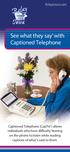 RelayIowa.com See what they say with Captioned Telephone Captioned Telephone (CapTel ) allows individuals who have difficulty hearing on the phone to listen while reading captions of what s said to them.
Preparing for the NBN Fibre Connections
 Preparing for the NBN Fibre Connections April 2014 1 Thanks for switching to the National Broadband Network (NBN) You re only days away from enjoying the benefits of Australia s leading-edge fibre network
Boost the performance of your hearing aids. Phonak wireless add-ons
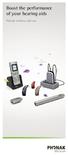 Boost the performance of your hearing aids Phonak wireless add-ons Modern hearing aid technology makes hearing and understanding in most situations enjoyable. But when you re on the phone, watching TV
TV hearing aid BL-8008A BL-8008B. Manual
 TV hearing aid BL-8008A BL-8008B Manual A. Product instruction 1. What is TV hearing aid 2. Theory 3. Features 4. Functions 4.1 TV hearing aid function 4.2 Normal hearing aid function 4.3 Wired hearing
Sprint Relay Services
 Sprint Relay Services Andrew Brenneman Sr. Account Executive Karl Ewan Customer Relations Manager February 10, 2006 Agenda What is Relay? Product Overview TRS CapTel VRS Internet RCC Relay Funding 101
The Audiology and Vocational Rehabilitation partnership
 Audiology on the Job The Audiology and Vocational Rehabilitation partnership Nancy Mascia, Au.D.,CCC-A Alabama Dept of Rehabilitation Dr. Nancy Mascia is an employee of the above organization that provides
Precise innovation presents: USer manual
 Precise innovation presents: USer manual Let the FUn Begin! The goal of Caref is simple to give parents greater peace of mind and children a greater sense of freedom when they should be focusing as much
DSB-100 Portable Premium Bluetooth Speaker Owner s Manual
 . DSB-100 Portable Premium Bluetooth Speaker Owner s Manual You can print more than one page of a PDF onto a single sheet of paper. 1 Index Preparation Unpacking 3 Overview 4 Sound Quality 4 Design 4 Operation
Q3 USER GUIDE. Read Me to Get the Most Out of Your Device...
 Q3 USER GUIDE Read Me to Get the Most Out of Your Device... TO GET STARTED 1. Turn The Q3 On 2. Put It On 3. Listen In Model: Q3 Contents Charge Your Earpiece 6 Wearing the Q3 7 Pair Your Earpiece 7 Use
Streamer and remote control. User Guide
 Streamer and remote control User Guide Manufacturer: Phonak AG Laubisrütistrasse 28 CH-8712 Stäfa Switzerland EU Representative: Phonak GmbH Max-Eyth-Strasse 20 D-70736 Fellbach-Oeffingen Germany www.phonak.com