
Extend 10/100Base-TX Ethernet up to 10,000 feet (3 km)
|
|
|
- Philomena Holt
- 9 years ago
- Views:
Transcription
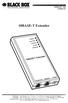
1 LB410A LB411A LBNC412A High Speed Ethernet Extender Extend 10/100Base-TX Ethernet up to 10,000 feet (3 km) Over a single twisted-pair, Cat 5e/6/7, or even coaxial cable
2 Black Box Ethernet Extenders TABLE OF CONTENTS 1. General Information Features Description Installation Connecting the Line Interface...11 Connecting the Line Interface for LB411A or LB410A Connecting the Line Interface for LBNC412A Connecting the 10/100Base-T Ethernet Interface Connecting Power Configuration Configuring the Hardware DIP switches Configuring DIP Switch S Switch S1-1: Local/Remote Configuration Switches S1-2 and S1-3: Symmetric/Asymmetric Operation. 15 Switch S1-5: General Protection (Signal to Noise Ratio) Operation Front Panel LED Status Monitors...16 A. Specifications A.1 LAN Connection...17 A.2 Transmission Line...17 A.3 Line Rate and Distance...17 A.4 LED Status Indicators...17 A.5 Power Supply...17 A.6 Temperature Range...17 A.7 Humidity...18 A.8 Dimensions...18 B. Factory Replacement Parts and Accessories C. Ethernet Extender Interface Pin Assignment C.1 10/100Base-T Interface...20 RJ C.2 Line Interface...20 RJ Terminal Block D. Line Rate & Reach Chart, Based on 24 AWG (0.5 MM) Page blackbox.com
3 RADIO FREQUENCY INTERFERENCE STATEMENTS RADIO FREQUENCY INTERFERENCE STATEMENTS FEDERAL COMMUNICATIONS COMMISSION AND INDUSTRY CANADA RADIO FREQUENCY INTERFERENCE STATEMENTS This equipment generates, uses, and can radiate radio-frequency energy, and if not installed and used properly, that is, in strict accordance with the manufacturer s instructions, may cause interference to radio communication. It has been tested and found to comply with the limits for a Class A computing device in accordance with the specifications in Subpart B of Part 15 of FCC rules, which are designed to provide reasonable protection against such interference when the equipment is operated in a commercial environment. Operation of this equipment in a residential area is likely to cause interference, in which case the user at his own expense will be required to take whatever measures may be necessary to correct the interference. Changes or modifications not expressly approved by the party responsible for compliance could void the user s authority to operate the equipment. This digital apparatus does not exceed the Class A limits for radio noise emission from digital apparatus set out in the Radio Interference Regulation of Industry Canada. Le présent appareil numérique n émet pas de bruits radioélectriques dépassant les limites applicables aux appareils numériques de la classe A prescrites dans le Règlement sur le brouillage radioélectrique publié par Industrie Canada blackbox.com Page 3
4 Black Box Ethernet Extenders INSTRUCCIONES DE SEGURIDAD (Normas Oficiales Mexicanas Electrical Safety Statement) 5. Todas las instrucciones de seguridad y operación deberán ser leídas antes de que el aparato eléctrico sea operado. 6. Las instrucciones de seguridad y operación deberán ser guardadas para referencia futura. 7. Todas las advertencias en el aparato eléctrico y en sus instrucciones de operación deben ser respetadas. 8. Todas las instrucciones de operación y uso deben ser seguidas. 9. El aparato eléctrico no deberá ser usado cerca del agua por ejemplo, cerca de la tina de baño, lavabo, sótano mojado o cerca de una alberca, etc.. 10.El aparato eléctrico debe ser usado únicamente con carritos o pedestales que sean recomendados por el fabricante. 11.El aparato eléctrico debe ser montado a la pared o al techo sólo como sea recomendado por el fabricante. 12.Servicio El usuario no debe intentar dar servicio al equipo eléctrico más allá a lo descrito en las instrucciones de operación. Todo otro servicio deberá ser referido a personal de servicio calificado. 13.El aparato eléctrico debe ser situado de tal manera que su posición no interfiera su uso. La colocación del aparato eléctrico sobre una cama, sofá, alfombra o superficie similar puede bloquea la ventilación, no se debe colocar en libreros o gabinetes que impidan el flujo de aire por los orificios de ventilación. 14.El equipo eléctrico deber ser situado fuera del alcance de fuentes de calor como radiadores, registros de calor, estufas u otros aparatos (incluyendo amplificadores) que producen calor. 15.El aparato eléctrico deberá ser connectado a una fuente de poder sólo del tipo descrito en el instructivo de operación, o como se indique en el aparato. 16.Precaución debe ser tomada de tal manera que la tierra fisica y la polarización del equipo no sea eliminada. 17.Los cables de la fuente de poder deben ser guiados de tal manera que no sean pisados ni pellizcados por objetos colocados sobre o contra ellos, poniendo particular atención a los contactos y receptáculos donde salen del aparato. Page blackbox.com
5 INSTRUCCIONES DE SEGURIDAD 18.El equipo eléctrico debe ser limpiado únicamente de acuerdo a las recomendaciones del fabricante. 19.En caso de existir, una antena externa deberá ser localizada lejos de las lineas de energia. 20.El cable de corriente deberá ser desconectado del cuando el equipo no sea usado por un largo periodo de tiempo. 21.Cuidado debe ser tomado de tal manera que objectos liquidos no sean derramados sobre la cubierta u orificios de ventilación. 22.Servicio por personal calificado deberá ser provisto cuando: A. El cable de poder o el contacto ha sido dañado; u B. Objectos han caído o líquido ha sido derramado dentro del aparato; o C. El aparato ha sido expuesto a la lluvia; o D. El aparato parece no operar normalmente o muestra un cambio en su desempeño; o E. El aparato ha sido tirado o su cubierta ha sido dañada blackbox.com Page 5
6 Black Box Ethernet Extenders SAFETY WHEN WORKING WITH ELECTRICITY This device contains no user serviceable parts. This device can only be repaired by qualified service personnel. WARNING Do not open the device when the power cord is connected. For systems without a power switch and without an external power adapter, line voltages are present within the device when the power cord is connected. For devices with an external power adapter, the power adapter shall be a listed Limited Power Source. The mains outlet that is utilized to power the device shall be within 10 feet (3 meters) of the device, shall be easily accessible, and protected by a circuit breaker in compliance with local regulatory requirements. For AC powered devices, ensure that the power cable used meets all applicable standards for the country in which it is to be installed. For AC powered devices which have 3 conductor power plugs (L1, L2 & GND or Hot, Neutral & Safety/Protective Ground), the wall outlet (or socket) must have an earth ground. For DC powered devices, ensure that the interconnecting cables are rated for proper voltage, current, anticipated temperature, flammability, and mechanical serviceability. WAN, LAN & PSTN ports (connections) may have hazardous voltages present regardless of whether the device is powered ON or OFF. PSTN relates to interfaces such as telephone lines, FXS, FXO, DSL, xdsl, T1, E1, ISDN, Voice, etc. These are known as hazardous network voltages and to avoid electric shock use caution when working near these ports. When disconnecting cables for these ports, detach the far end connection first. Do not work on the device or connect or disconnect cables during periods of lightning activity. Page blackbox.com
7 Safety When Working With Electricity In accordance with the requirements of council directive 2002/96/EC on Waste of Electrical and Electronic Equipment (WEEE), ensure that at end-of-life you separate this product from other waste and scrap and deliver to the WEEE collection system in your country for recycling. WARNING This device contains no user serviceable parts. This device can only be repaired by qualified service personnel. WARNING This device is NOT intended nor approved for connection to the PSTN. It is intended only for connection to customer premise equipment. Electrostatic Discharge (ESD) can damage equipment and impair electrical circuitry. It occurs when electronic printed circuit cards are improperly handled and can result in complete or intermittent failures. Do the following to prevent ESD: Always follow ESD prevention procedures when removing and replacing cards. WARNING Wear an ESD-preventive wrist strap, ensuring that it makes good skin contact. Connect the clip to an unpainted surface of the chassis frame to safely channel unwanted ESD voltages to ground. To properly guard against ESD damage and shocks, the wrist strap and cord must operate effectively. If no wrist strap is available, ground yourself by touching the metal part of the chassis blackbox.com Page 7
8 Black Box Ethernet Extenders 1. GENERAL INFORMATION Thank you for your purchase of this Black Box product. This product has been thoroughly inspected and tested and is warranted for one year for parts and labor. If any questions or problems arise during installation or use of this product, contact Black Box Technical Support at +1 (301) FEATURES Variable rate extender - Easy to configure Auto-MDIX Ethernet Configurable 10/100, Full/Half, and Auto-Negotiating Ethernet Extends up to 4x 10/100Base-TX Ethernet beyond 328-foot (100-meter) limitation over a single twisted-pair, Cat 5e/6/7, or coaxial cable Symmetric or asymmetric settings via DIP switch Transparent operation LED indicators for Power, DSL Link, Ethernet Link/Activity, Remote and Local 1.2 DESCRIPTION The Black Box Ethernet Extenders provide high-speed LAN connections between peered Ethernet LANs, remote PCs, or any other network-enabled 10/100Base-T device. Operating in pairs, one Ethernet Extender is configured as the (L) Local unit located at one end of the LAN extension and the other Ethernet Extender is configured as the (R) Remote unit at the other end. The Ethernet Extender is configured as a L or R via the switch on the bottom of the unit. These units can automatically forward LAN broadcasts, multicasts, and frames across a 2-wire voice-grade twisted-pair or BNC link. The data is passed transparently (unmodified) through the Ethernet Extenders. The Ethernet Extenders automatically add and delete MAC addresses, only passing packets across the line link that are meant for the remote peered LAN. Page blackbox.com
9 Installation Figure 1. Typical application The pair of Ethernet Extender models work together to create a transparent extension between two peered Ethernet LANs using twisted pair (2-wire), Cat5+, or 75-ohm BNC. Figure 1. shows a typical point-to-point application. 2. INSTALLATION CAUTION The Interconnecting cables shall be acceptable for external use and shall be rated for the proper application with respect to voltage, current, anticipated temperature, flammability, and mechanical serviceability. To install the Ethernet Extender, do the following: 1. Connect the line interface between the units (refer to section 2.1, Connecting the Line Interface on page 11) NOTE: See Figure 2. for the Ethernet Extender s rear panel arrangements. 2. Connect the Ethernet interface (refer to section 2.2, Connecting the 10/100Base- T Ethernet Interface on page 12). 3. Connect the power plug (refer to section 2.3, Connecting Power on page 13) blackbox.com Page 9
10 Black Box Ethernet Extenders Figure 2. Ethernet Extender rear panel options Page blackbox.com
11 Installation 2.1 CONNECTING THE LINE INTERFACE CAUTION The Interconnecting cables shall be acceptable for external use and shall be rated for the proper application with respect to voltage, current, anticipated temperature, flammability, and mechanical serviceability. The Ethernet Extender supports communication between two peer Ethernet LAN sites over a distance of up to 10,000 ft (3 km) over 24 AWG (0.5 mm) twisted-pair wire, Cat5+, or 75-ohm BNC. NOTE: Actual distance and link performance may vary depending on the environment and type/gauge of wire used. NOTE: The Ethernet Extender units work in pairs. One of the units must be configured as a (L) Local unit, and the other unit must be configured as a (R) Remote unit. Connecting the Line Interface for LB411A or LB410A To function properly, the two Ethernet Extenders must be connected together using twisted-pair, unconditioned, dry, metal wire, between 19 (0.9mm) and 26 AWG (0.4mm). Leased circuits that run through signal equalization equipment are not acceptable. The Ethernet Extender is equipped with an RJ-45 interface jack (Figure 3.) or terminal block (Figure 4.) that can be used on the line interface. The line interface is a two-wire interface. Observe the signal/pin relationships on the Ethernet Extender's line interface jack. The RJ-45 connector on the Ethernet Extender's twisted pair interface is polarity insensitive and is wired for a two-wire interface. The signal/pin relationship is shown in Figure (no connection) 2 (no connection) 3 (no connection) 4 (RING) 5 (TIP) 6 (no connection) 7 (no connection) 8 (no connection) Figure 3. Ethernet Extender (RJ-45) twisted pair line interfac blackbox.com Page 11
12 Black Box Ethernet Extenders RING TIP Figure 4. Ethernet Extender (Terminal Block) twisted pair line interface Connecting the Line Interface for LBNC412A To connect the line interface of the Model LBNC412A, simply use a coaxial cable with a BNC connector at each end to connect the pair of Ethernet Extenders. 2.2 CONNECTING THE 10/100BASE-T ETHERNET INTERFACE CAUTION The Interconnecting cables shall be acceptable for external use and shall be rated for the proper application with respect to voltage, current, anticipated temperature, flammability, and mechanical serviceability. The RJ-45 ports labeled Ethernet are the Auto-MDIX10/100Base-T interface. These ports are designed to connect directly to a 10/100Base-T device or network. Figure 5. shows the signal/pin relationships on this interface. You may connect this port to a hub or PC using a straight through or crossover cable that is up to 328 ft long. Page blackbox.com
13 Installation TX+/RX+ 2 TX-/RX- 3 RX+/TX+ 4 (no connection) 5 (no connection) 6 RX-/TX- 7 (no connection) 8 (no connection) Figure 5. Ethernet Extender 10/100Base-T RJ-45 Connector Pinout. 2.3 CONNECTING POWER CAUTION The Interconnecting cables shall be acceptable for external use and shall be rated for the proper application with respect to voltage, current, anticipated temperature, flammability, and mechanical serviceability. The Ethernet Extender does not have a power switch, so it powers up as soon as it is plugged in. An external AC or DC power supply is available separately. This connection is made via the barrel jack on the rear panel of the Ethernet Extender. No configuration is necessary for the power supply (See Appendix B for domestic and international power supply and cord options). DC power (supplied via the power supply jack to the Ethernet Extender) must meet the following requirements; DC power supplied must be regulated 12VDC ±5%, 1.0A minimum. Center pin is +12V. The barrel type plug has a 2.5/5.5/10mm I.D./O.D./Shaft Length dimensions blackbox.com Page 13
14 Black Box Ethernet Extenders 3. CONFIGURATION The Ethernet Extender has eight DIP switches (S1) for configuring the unit for a wide variety of applications. This section describes switch locations and explains the different configurations. 3.1 CONFIGURING THE HARDWARE DIP SWITCHES The DIP switches are externally accessible from the underside of the Ethernet Extender. Figure 6. on page 14 shows the orientation of the DIP switches in the On and Off positions. S1 Figure 6. DIP switch orientation 3.2 CONFIGURING DIP SWITCH S1 DIP switch S1 is where you configure the line interface. The following tables describe the configuration for the Ethernet Extender. Table 1: S1 Summary Position Description S1-1 Local/Remote Configuration S1-2 Line Rate/Symmetry S1-3 Line Rate/Symmetry S1-4 Reserved S1-5 SNR Margin S1-6 Reserved S1-7 Reserved S1-8 Reserved Page blackbox.com
15 Configuration Switch S1-1: Local/Remote Configuration Use switch S1-1 to configure the unit as Remote or Local in the Ethernet Extender pair. Table 2: Local/Remote Unit Configuration S1-1 Setting ON OFF CPE/Remote CO/Local Switches S1-2 and S1-3: Symmetric/Asymmetric Operation Use switches S1-2 and S1-3 to configure the line rate type and operation. Table 3: Symmetric/Asymmetric Selection Chart S1-2 S1-3 Setting OFF OFF High-Speed Symmetric OFF ON High-Speed Asymmetric ON OFF Long-Range Symmetric ON ON Long-Range Asymmetric NOTE: See Appendix D. on page 21 for line rate distances. Switch S1-5: General Protection (Signal to Noise Ratio) Use switch S1-5 to configure line noise protection. Table 4: Signal to Noise Ratio S1-5 Setting ON OFF 6dB 9dB 6dB: Original line noise protection with 6dB SNR 9dB: Better line noise protection with SNR up to 9dB blackbox.com Page 15
16 Black Box Ethernet Extenders 4. OPERATION Once the Ethernet Extenders are properly installed, they should operate transparently. No user settings required. This section describes reading the LED status monitors. Before applying power to the Ethernet Extender, please review section 2.3, Connecting Power on page 13 to verify that the unit is connected to the appropriate power source. 4.1 FRONT PANEL LED STATUS MONITORS The Ethernet Extender features six front panel LEDs that monitor power, the Ethernet signals, the line connection, and the remote/local setting. Figure 7. shows the front panel location of each LED. Table 5 on page 16 describes the LED functions. Local Unit Remote Unit Ethernet Link Power DSL Link Figure 7. Ethernet Extender front panel Table 5: Front panel LED description LED Status Description Power Green The device is powered on. Off The device is powered off. Line Green The port is connected. Blinking Green Data transceiving. Off No valid link on this port. Ethernet Green The port is connected. * Blinking Green Data transceiving. Local Green The device acts in Local mode. Off Local mode is off. Remote Green The device acts in Remote mode. Off Remote mode is off. *. Once the unit connects to a power source, the Link LED will blink as the Ethernet Extender automatically looks for the other unit in the pair. Page blackbox.com
17 Specifications A. SPECIFICATIONS A.1 LAN CONNECTION Four RJ-45, 10/100Base-T, IEEE Ethernet Line Connection: RJ-45 A.2 TRANSMISSION LINE Two-wire unconditioned twisted pair or 75-ohm BNC A.3 LINE RATE AND DISTANCE Line Rate: Up to 200 Mbps asymmetrical Distance: Up to 9,842 ft (3 km) Note Distances depend on line rate and line conditions. A.4 LED STATUS INDICATORS Power (Green) Line: Link (Green) Local (Green) Remote (Green) Ethernet: Link (Green) & Activity (Flashing Green) A.5 POWER SUPPLY External AC and DC options: AC: 120 VAC, 220 VAC, and UI ( VAC) DC: 12 VDC, 24 VDC and 48 VDC Power consumption: 400mA at 12VDC A.6 TEMPERATURE RANGE 0 50 C blackbox.com Page 17
18 Black Box Ethernet Extenders A.7 HUMIDITY Up to 90% non-condensing. A.8 DIMENSIONS 6.22 W x 1.25 H x 4.75 D in. (157 W x 318 H x 120 D mm) Page blackbox.com
19 Factory Replacement Parts and Accessories B. Factory Replacement Parts and Accessories Black Box Model # LB411A-KIT LB410A-KIT LBNC412A-KIT 07MLB41x-UM PS-03671H1-002 Base Models Description High Speed Ethernet Extender Kit (Local and Remote); RJ45 Line, VAC High Speed Ethernet Extender Kit (Local and Remote); Terminal Block Line, VAC High Speed Ethernet Extender Kit (Local and Remote); BNC Line, VAC User Manual Power Supplies VAC (12V, DC/2A) Wall mount power adapter Power Adapters European replacement plug American replacement plug United Kingdom plug Australian/Chinese plug blackbox.com Page 19
20 Black Box Ethernet Extenders C. Ethernet Extender Interface Pin Assignment C.1 10/100BASE-T INTERFACE RJ-45 Pin 1: TX+ Pin 2: TX- Pin 3: RX+ Pin 6: RX- Pins 4, 5, 7, 8: no connection C.2 LINE INTERFACE RJ-45 Pin 4: RING Pin 5: TIP Pins 1, 2, 3, 6, 7, 8: no connection Terminal Block RING TIP Figure 8. Ethernet Extender (Terminal Block) twisted pair line interface Page blackbox.com
21 Line Rate & Reach Chart, Based on 24 AWG (0.5 MM) D. Line Rate & Reach Chart, Based on 24 AWG (0.5 MM) Table 6: Line Rate & Reach Chart Using Twisted-Pair (Long Range) Mode (Long Range) Symmetric Asymmetric Distance in Feet Mbps ft m/km DS US 250 ft 76 m ft 305 m ,000 ft 610 m ,000 ft 914 m ,000 ft 1.5 km ,000 ft 3 km ft 76 m ft 305 m ,000 ft 610 m ,000 ft 914 m ,000 ft 1.5 km kbps 10,000 ft 3 km kbps NOTE: The actual distance and link performance may vary depending on the environment and type/gauge of wire used. NOTE: DS = downstream, US = upstream NOTE: This chart applies to Ethernet Extenders with a twisted-pair line interface: Model LB411A and LB410A. Contact Black Box for Model LBNC412A rates blackbox.com Page 21
22 Black Box Ethernet Extenders Table 7: Line Rate & Reach Chart Using Twisted-Pair (High Speed) Mode (High Speed) Symmetric Asymmetric Distance in Feet Mbps ft m/km DS US 250 ft 76 m ft 305 m ,000 ft 610 m ,000 ft 914 m ,500 ft 1 km ft 76 m ft 305 m ,000 ft 610 m ,000 ft 914 m ,500 ft 1 km 35 1 NOTE: The actual distance and link performance may vary depending on the environment and type/gauge of wire used. NOTE: DS = downstream, US = upstream NOTE: This chart applies to Ethernet Extenders with a twisted-pair line interface: Model LB411A and LB410A. Contact Black Box for Model LBNC412A rates. Page blackbox.com
23 Notes NOTES blackbox.com Page 23
24 LB410A, rev. 1
Multi-Rate Ethernet Extender
 DECEMBER 2006 LB200A Multi-Rate Ethernet Extender CUSTOMER Order toll-free in the U.S. 24 hours, 7 A.M. Monday to midnight Friday: 877-877-BBOX SUPPORT FREE technical support, 24 hours a day, 7 days a
Fiber Optic Converter I Fiber Optic Converter II
 JANUARY 1997 LT222A Fiber Optic Converter I Fiber Optic Converter II POWER DATA RX TX CONFIG DATA RX TX CUSTOMER SUPPORT INFORMATION Order toll-free in the U.S. 24 hours, 7 A.M. Monday to midnight Friday:
Copyright 2004. Black Box Corporation. All rights reserved.
 Copyright 2004. Black Box Corporation. All rights reserved. 1000 Park Drive Lawrence, PA 15055-1018 724-746-5500 Fax 724-746-0746 JULY 2004 LR9603A Pure Networking Broadband Router Quick Install Guide
Remote Port USB 2.0 4-Port User Guide
 September 2006 IC248A Remote Port USB 2.0 4-Port User Guide CUSTOMER SUPPORT INFORMATION Order toll-free in the U.S. 24 hours, 7 A.M. Monday to midnight Friday: 877-877-BBOX FREE technical support, 24
Copyright 2007. Black Box Corporation. All rights reserved.
 Copyright 2007. Black Box Corporation. All rights reserved. 1000 Park Drive Lawrence, PA 15055-1018 724-746-5500 Fax 724-746-0746 MARCH 2007 KV7012A KV7013A 2- and 4-Port ServSwitch DT Pro KVM Switch CUSTOMER
USB Director RS422/RS485 Hub 2-Port USB Director RS422 Hub 4-Port NT 4.0 Software Support Upgrade
 APRIL 1999 IC160A IC161A TD150 USB Director RS422/RS485 Hub 2-Port USB Director RS422 Hub 4-Port NT 4.0 Software Support Upgrade USB Director USB RS-422 Hub SYSTEM STATUS USB Director USB RS-422/485 Hub
VDSL Line Driver DECEMBER 2006 ME0010A-VDSL-R2
 DECEMBER 2006 ME0010A-VDSL-R2 VDSL Line Driver CUSTOMER Order toll-free in the U.S. 24 hours, 7 A.M. Monday to midnight Friday: 877-877-BBOX SUPPORT FREE technical support, 24 hours a day, 7 days a week:
User Manual. 30-Device ipad, Chromebook, Tablet, and Laptop Cart. Mobile, secure, and powered storage for up to 30 computing devices.
 LCC30H-A LCC30H-AT2 LCC30HC LCC30H-A-HASP LCC30H-AT LCC30H-ACT2 LCC30HCT LCC30H-AC-HASP LCC30H-AC LCC30H LCC30HT2 LCC30H-AT-HASP LCC30H-ACT LCC30HT LCC30HCT2 30-Device ipad, Chromebook, Tablet, and Laptop
Voice Magic Plus MARCH 2001 CP179A CUSTOMER SUPPORT INFORMATION
 MARCH 2001 CP179A Voice Magic Plus CUSTOMER SUPPORT INFORMATION Order toll-free in the U.S.: Call 877-877-BBOX (outside U.S. call 724-746-5500) FREE technical support 24 hours a day, 7 days a week: Call
Monitor Access Unit JUNE 1999 TS760A TS761A TS765A TS766A CUSTOMER SUPPORT INFORMATION
 JUNE 1999 TS760A TS761A TS765A TS766A Monitor Access Unit MON 2 1 2 3 4 5 6 7 8 MON 1 CUSTOMER SUPPORT INFORMATION Order toll-free in the U.S. 24 hours, 7 A.M. Monday to midnight Friday: 877-877-BBOX FREE
VDSL Line Driver DECEMBER 2004 ME0010A-VDSL ME0011A-VDSL
 DECEMBER 2004 ME0010A-VDSL ME0011A-VDSL VDSL Line Driver CUSTOMER Order toll-free in the U.S. 24 hours, 7 A.M. Monday to midnight Friday: 877-877-BBOX SUPPORT FREE technical support, 24 hours a day, 7
BLACK BOX Works with the Black Box ServReach KVM Gate (KVIP1000A), ServReach KVM Cube (KVIP1001A), or as a standalone device.
 PRP1000A Power Reboot Pod User s Manual Switch on or off, or power cycle 1 to 99 servers. BLACK BOX Works with the Black Box ServReach KVM Gate (KVIP1000A), ServReach KVM Cube (KVIP1001A), or as a standalone
JANUARY 2001 TS825A TS826. Microscanner Pro
 JANUARY 2001 TS825A TS826 Microscanner Pro CUSTOMER SUPPORT INFORMATION Order toll-free in the U.S.: Call 877-877-BBOX (outside U.S. call 724-746-5500) FREE technical support 24 hours a day, 7 days a week:
High specification KVM switches that interface precisely with the Black Box ServView Rack Tray series.
 NETWORK SERVICES KVT8CATUV KVT1IP8CATUV KVT16CATUV KVT1IP16CATUV KVT4IP16CATUV KVM Modules for ServView Rack Tray High specification KVM switches that interface precisely with the Black Box ServView Rack
Use this HDMI and HDCP-compliant USB converter for streaming media files stored on BLACK your PC to BOX an HD screen with HDMI input.
 AC346A USB to HD Pro Use this HDMI and HDCP-compliant USB converter for streaming media files stored on BLACK your PC to BOX an HD screen with HDMI input. Customer Support Information Order toll-free in
RS-232/422/485 2-Port PCI Card, Opto-Isolated
 RS-232/422/485 2-Port PCI Card, Opto-Isolated MAY 2002 IC973C CUSTOMER SUPPORT INFORMATION Order toll-free in the U.S.: Call 877-877-BBOX (outside U.S. call 724-746-5500) FREE technical support 24 hours
10BASE-T Extender. 10BASE-T Extender FEBRUARY 1999 LZ6000A-R4. Jabber Link Test Activity. Power. Collision. Power 10BASE-T.
 FEBRUARY 1999 LZ6000A-R4 10BASE-T Extender Jabber Link Test Activity Power Collision 10BASE-T Extender Single UTP 10BASE-T Power CUSTOMER SUPPORT INFORMATION Order toll-free in the U.S. 24 hours, 7 A.M.
Gigabit Compact Media Converter
 LGC5134A-R4 LGC5135A-R4 LGC5137A-R2 LGC5138A-R2 NOVEMBER 2009 LGC5139A-R2 LGC5140A-R2 LGC5141A-R2 LGC5142A-R2 Gigabit Compact Media Converter CUSTOMER SUPPORT INFORMATION Order toll-free in the U.S.: 877-877-BBOX
Quick Start Guide. Rackmount Remote Power Manager. Use this guide to quickly set up your power manager. Customer Support Information
 PS580A-R2 PS581A-R2 PS582A-R2 PS583A-R2 PS568A-R2 PS569A-R2 Rackmount Remote Power Manager Quick Start Guide Use this guide to quickly set up your power manager. Customer Support Information Order toll-free
This Web smart switch provides 24 10-/100-/1000-Mbps ports. BLACK BOX
 24-Port Web Smart Gigabit Ethernet Switch This Web smart switch provides 24 10-/100-/1000-Mbps ports. BLACK BOX Supports Gigabit speed on all ports. Customer Support Information Order toll-free in the
Black Box Tech Support: FREE! Live. 24/7.
 Black Box Tech Support: FREE! Live. 24/7. Tech support the way it should be. Great tech support is just 30 seconds away at 724-746-5500 or blackbox.com. About Black Box Black Box Network Services is your
DeeSel.1 Industrial Ethernet Extender Multi-Drop Unit, G-SHDSL 2-Wire, 5.7 Mbps
 LB532A-M DeeSel.1 Industrial Ethernet Extender Multi-Drop Unit, G-SHDSL 2-Wire, 5.7 Mbps Get multi-drop Ethernet extension over twisted pair with distances of 4.3 miles per hop. Black Box Ethernet Extenders
BLACK BOX. Switch between two or four different HDMI sources to a single display. 2 x 1 or 4 x 1 HDMI Switch 4K VSW-HDMI2X1-4K VSW-HDMI4X1-4K
 VSW-HDMI2X1-4K VSW-HDMI4X1-4K 2 x 1 or 4 x 1 HDMI Switch 4K Switch between two or four different HDMI sources to a single display. BLACK BOX Supports up to 4 K (UHD) resolutions (3840 x 2160). Automatically
Send VGA output to one local monitor and to as many as nine remote monitors BLACK up to 250 BOX feet (76.2 m) away.
 AC056A-R4 AC057A-K-R4 AC056AE-R3 AC159A-R2 AC056A-K-R4 AC058A-R3 AC057AE-R2 AC159A-R3 AC057A-R4 AC056AE-R2 AC057AE-R3 AC160A-R2 AC160A-R3 VGA Video Splitters Send VGA output to one local monitor and to
User Manual. ipad, Chromebook, Tablet, and Laptop Lockers. Mobile, secure, and powered storage for up to 40 computing devices.
 UD10KP UD20KP UD30KP UD10KP-C UD20KP-C UD30KP-LD UD10KP-LD UD20KP-LD UD40KP ipad, Chromebook, Tablet, and Laptop s User Manual Mobile, secure, and powered storage for up to 40 computing devices. Customer
Remote Console Port + Remote Power Manager. Quick Start Guide
 JULY 2006 SW549A SW549AE Remote Console Port + Remote Power Manager Quick Start Guide Remote Console Port + Remote Power Manager PWR CLEAR SET ON STATUS RDY DCD ACTIVITY 1 2 3 4 5 6 CUSTOMER SUPPORT INFORMATION
Black Box Tech Support: FREE! Live. 24/7.
 Black Box Tech Support: FREE! Live. 24/7. Tech support the way it should be. Great tech support is just 20 seconds away at 724-746-5500 or blackbox.com. About Black Box Black Box Network Services is your
Network Power Switch Jr.
 SEPTEMBER 2001 SWI080A Network Power Switch Jr. CUSTOMER SUPPORT INFORMATION Order toll-free in the U.S.: Call 877-877-BBOX (outside U.S. call 724-746-5500) FREE technical support 24 hours a day, 7 days
Turns a VGA monitor into a video monitor with remote switching capability. BLACK BOX
 November 2009 AC328A-R3 Video to VGA Portable Turns a VGA monitor into a video monitor with remote switching capability. BLACK BOX Customer Support Information Order toll-free in the U.S.: Call 877-877-BBOX
Copyright 2008. Black Box Corporation. All rights reserved.
 Copyright 2008. Black Box Corporation. All rights reserved. 1000 Park Drive Lawrence, PA 15055-1018 724-746-5500 Fax 724-746-0746 FEBRUARY 2008 40416-R2 40417-R2 Flexie Telco Switch CUSTOMER SUPPORT INFORMATION
Extend Ethernet with full-duplex transmission up to 5.696 Mbps more than BLACK four miles over BOX a pair of copper wires.
 December 2009 LR0201A-KIT G.SHDSL Two-Wire Ethernet Network Extender Extend Ethernet with full-duplex transmission up to 5.696 Mbps more than BLACK four miles over BOX a pair of copper wires. Complies
2-Port DVI Switch with Audio, Serial Control & Long Cable Equalization
 2-Port DVI Switch with Audio, Serial Control & Long Cable Equalization AC1032A-2A Rev A CUSTOMER SUPPORT INFORMATION Order toll-free in the U.S. 24 hours, 7 A.M. Monday to midnight Friday: 877-877-BBOX
Veri-NAC the fastest to deploy, easiest to use
 LVN5220A LVN5230A LVN5250A-R2 LVN5400A-R2 LVN5600A-R2 LVN5800A-R2 Veri-NAC Quick Start Guide Veri-NAC the fastest to deploy, easiest to use BLACK BOX network access control (NAC) appliance for intrusion
Extend Ethernet with full-duplex transmission up to 10.8 Mbps over two pairs BLACK of copper. BOX
 LR0202A-KIT G.SHDSL Four-Wire Ethernet Network Extender Kit Extend Ethernet with full-duplex transmission up to 10.8 Mbps over two pairs BLACK of copper. BOX Complies with ITU-T Rec. G.991.2 G.shdsl.bis
PC 422/485 Serial Interface
 JUNE 2000 IC030C-R2 IC170C PC 422/485 Serial Interface CUSTOMER SUPPORT INFORMATION Order toll-free in the U.S. 24 hours, 7 A.M. Monday to midnight Friday: 877-877-BBOX FREE technical support, 24 hours
Connect, control, and manage up to 16 serial RS-232/485 devices BLACK BOX via a single USB port on your PC.
 IC162A USB to Multi RS-232/485 Interface Converter Connect, control, and manage up to 16 serial RS-232/485 devices BLACK BOX via a single USB port on your PC. Customer Support Information Order toll-free
Transform your wired projector into a high-end wireless projector.
 Chapter June 2009 AC1131A Wireless Video Presentation System II User s Manual Transform your wired projector into a high-end wireless projector. Includes plug-and-show, 4-to-1 split screen, and PDA wireless
Express Ethernet Switches
 August, 2002 LB9021A LB9022A Express Ethernet Switches CUSTOMER SUPPORT INFORMATION Order toll-free in the U.S. 24 hours, 7 A.M. Monday to midnight Friday: 877-877-BBOX FREE technical support, 24 hours
Digi-Mux HS FEBRUARY 1996 MX700A CUSTOMER SUPPORT INFORMATION
 FEBRUARY 1996 MX700A Digi-Mux HS Digi-Mux HS CH1 CH2 POWER TD RD TD RD CH3 TD RD CH4 TD RD MAIN TD RD DCD SYNC LOSS LOCAL LOOP TEST CUSTOMER SUPPORT INFORMATION Order toll-free in the U.S.: Call 877-877-BBOX
8-Port Serial Host Adapter PCI
 APRIL 2004 IC142C IC190C-R2 8-Port Serial Host Adapter PCI CUSTOMER SUPPORT INFORMATION Order toll-free in the U.S.: Call 877-877-BBOX (outside U.S. call 724-746-5500) FREE technical support 24 hours a
BLACK BOX. Installation Guide. Hybrid PBX and VoIP Gateway with (4) or (12) FXOs
 IPBX424 IPBX1224 Hybrid PBX and VoIP Gateway with (4) or (12) FXOs Installation Guide BLACK BOX Enables your office to communicate through both telephone and VoIP lines. Customer Support Information Order
RS-232/485 Converter
 Code: IC620A MARCH 1998 IC620A-F IC623A-M IC620A-M IC624A-F IC623A-F IC624A-M RS-232/485 Converter SuperSwitch 8 10/100 CUSTOMER SUPPORT INFORMATION Order toll-free in the U.S. 24 hours, 7 A.M. Monday
DSLAM Chassis: 1-x-4-Slot or 2-x-12-Slot DSL Access Multiplexor Uplink Module
 JANUARY 2001 LRA1200A-4 LRA1200A-12 LRA1203C DSLAM Chassis: 1-x-4-Slot or 2-x-12-Slot DSL Access Multiplexor Uplink Module CUSTOMER SUPPORT INFORMATION Order toll-free in the U.S.: Call 877-877-BBOX (outside
2-Port RS-232/422/485 PCI Host Adapter
 AUGUST 2000 IC133C-R2 IC187C 2-Port RS-232/422/485 PCI Host Adapter CUSTOMER SUPPORT INFORMATION Order toll-free in the U.S. 24 hours, 7 A.M. Monday to midnight Friday: 877-877-BBOX FREE technical support,
Expand existing, leased line, polled networks without adding computer ports BLACK or communications links.
 codes codes codes March TLB704A 2009 codes codes codes RS-232 Buffered Modem Sharing Device, 4-Port Expand existing, leased line, polled networks without adding computer ports BLACK or BOX communications
Copyright 2005. Black Box Corporation. All rights reserved.
 Copyright 2005. Black Box Corporation. All rights reserved. 1000 Park Drive Lawrence, PA 15055-1018 724-746-5500 Fax 724-746-0746 FEBRUARY 2005 LGC1713A-SX LGC1713A-LX 1000BASE-T to MM SX Media Converter
2-Port RS-232 PCI Bus Serial Host Adapter
 AUGUST 2001 IC140C-R2 IC143C IC191C 2-Port RS-232 PCI Bus Serial Host Adapter CUSTOMER SUPPORT INFORMATION Order toll-free in the U.S. 24 hours, 7 A.M. Monday to midnight Friday: 877-877-BBOX FREE technical
USB Single-Port Hub (RS-422/485)
 USB Single-Port Hub (RS-422/485) SEPTEMBER 2001 IC266A CUSTOMER SUPPORT INFORMATION Order toll-free in the U.S.: Call 877-877-BBOX (outside U.S. call 724-746-5500) FREE technical support 24 hours a day,
CAT5 Multi Video System (Video/Audio/RS232)
 DECEMBER 2006 AC1060A AC1061A AC1062A AC1065A AC1066A CAT5 Multi Video System (Video/Audio/RS232) Copyright 2006. Black Box Corporation. All rights reserved. 1000 Park Drive Lawrence, PA 15055 1018 724
T1/E1 Fiberoptic Line Driver (T1/E1 FOLD)
 MT610A-ST MT610A-SM MT610AE-ST MT610AE-SM JUNE 1998 MT611A-ST MT611A-SM MT611AE-ST MT611AE-SM MT613AE-FC MT613A-ST-D48 T1/E1 Fiberoptic Line Driver (T1/E1 FOLD) TEST NORM LOC REM T1 Fiber Optic Line Driver
Provides first-class HD video transmission
 HD over IP Encoder/Decoder VX-HDV-IP VX-HDV-IP-SDI VX-HDV-IP-HDMI VX-HDV-IP-RM VX-HDV-IP-PSU Provides first-class HD video transmission VX-HDV-IP, rev. 1 FCC and IC RFI Statement FEDERAL COMMUNICATIONS
Pure Networking Broadband Router Users Guide
 JULY 2004 LR9603A Pure Networking Broadband Router Users Guide CUSTOMER SUPPORT INFORMATION Order toll-free in the U.S.: Call 877-877-BBOX (outside U.S. call 724-746-5500) FREE technical support 24 hours
FOM Line Driver ST FOM Line Driver SM
 FERURY 1998 ME540-ST ME540-SM FOM Line Driver ST FOM Line Driver SM CUSTOMER SUPPORT INFORMTION Order toll-free in the U.S.: Call 877-877-OX (outside U.S. call 724-746-5500) FREE technical support 24 hours
Short-Haul Modem-FSK RS-485 Modules
 AUGUST 1997 ME840A-M ME840A-S MD3317 MD3318 Short-Haul Modem-FSK RS-485 Modules R R CD SHM-FSK RxD TxD LPBK PWR CUSTOMER SUPPORT INFORMATION Order toll-free in the U.S. 24 hours, 7 A.M. Monday to midnight
Video to VGA Converter/Switch
 June 2004 AC135A-R2 Video to VGA Converter/Switch With Audio, RS-232 Control, and PC VGA input CUSTOMER SUPPORT INFORMATION Order toll-free in the U.S. 24 hours, 7 A.M. Monday to midnight Friday: 877-877-BBOX
Secure Site Manager 8 Secure Site Manager 16 User s Guide
 JANUARY 2007 SW551A SW552A Secure Site Manager 8 Secure Site Manager 16 User s Guide CUSTOMER SUPPORT INFORMATION Order toll-free in the U.S.: Call 877-877-BBOX (outside U.S. call 724-746-5500) FREE technical
Internet Access Router
 JANUARY 1997 LR0002A-BSDN LR0002A-BV35 LR0002A-TSDN LR0002A-TV35 LR0002A-BUDN LR0002A-BV36 LR0002A-TUDN LR0002A-TV36 LR0002A-BCSU LR0002A-BX21 LR0002A-TCSU LR0002A-TX21 LR0002A-BV24 LR0002A-B530 LR0002A-TV24
4-, 8-, and 16-Port ServSwitch EC Series IP KVM Switch
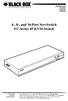 JANUARY 2006 KV9304A KV9308A KV9316A 4-, 8-, and 16-Port ServSwitch EC Series IP KVM Switch CUSTOMER SUPPORT INFORMATION Order toll-free in the U.S.: Call 877-877-BBOX (outside U.S. call 724-746-5500)
BODi rs BD004 Series Bandwidth-on-Demand Internet with Reliability and Survivability. Quick Start Guide NOTES
 NOTES BODi rs BD004 Series Bandwidth-on-Demand Internet with Reliability and Survivability Quick Start Guide This is a Class A device and is not intended for use in a residential environment. Important
LR120A, LR121A, LR122A, LR125A WAN Access Routers. Getting Started Guide
 LR120A, LR121A, LR122A, LR125A WAN Access Routers Getting Started Guide Compliance Information Radio and TV Interference The WAN Access Router generates and uses radio frequency energy, and if not installed
Gigabit 1000BASE-SX/LX PCI 64-/32-Bit Fiber NICs
 March 2010 LH1660C-SC LH1660C-LC Gigabit 1000BASE-SX/LX PCI 64-/32-Bit Fiber NICs Fully complies with all IEEE 802.3z and 1000BASE-SX/LX standards to BLACK provide BOX a reliable Gigabit Ethernet connection.
A high performance KVM extender that can transmit up to two high resolution DisplayPort video streams plus high speed USB and digital/ analog audio.
 NETWORK SERVICES ACU5800A Wizard DP Extender A high performance KVM extender that can transmit up to two high resolution DisplayPort video streams plus high speed USB and digital/ analog audio. Allows
BLACK BOX. T1/E1 Link Extenders OCTOBER 2007 MT195A-T1 MT196A-E1
 BLACK BOX NETWORK SERVICES OCTOBER 2007 MT195A-T1 MT196A-E1 T1/E1 Link Extenders Important This is a Class A device and is intended for use in a light industrial environment. It is not intended nor approved
JUNE 2005. USB Micro Extender ACU4001A ACU4201A ACU4222A
 JUNE 2005 USB Micro Extender ACU4001A ACU4201A ACU4222A THE SERVSWITCH FAMILY Welcome to the ServSwitch Family! Thank you for purchasing a BLACK BOX ServSwitch Brand USB Micro Extender model! We appreciate
SINGLE MODE FIBER OPTIC A/B SWITCH (LATCHING)
 SEPTEMBER 2008 Model# SW1035A Model# SW1036A SINGLE MODE FIBER OPTIC A/B SWITCH (LATCHING) CUSTOMER SUPPORT INFORMATION Order toll-free in the U.S.: 877-877-BBOX (outside U.S. call 724-746-5500) FREE technical
FIBER OPTIC A/B/C SWITCH (Latching)
 JANUARY 2008 Model# SW1004A FIBER OPTIC A/B/C SWITCH (Latching) CUSTOMER Order toll-free in the U.S.: 877-877-BBOX (outside U.S. call 724-746-5500) SUPPORT FREE technical support, 24 hours a day, 7 days
Network Management Software
 Network Management Software User s Manual Version 3.2 www.blackbox.com TRADEMARKS All applied-for and registered trademarks are the property of their respective owners. FEDERAL COMMUNICATIONS COMMISSION
Welcome to the ServSwitch Family!
 THE SERVSWITCH FAMILY Welcome to the ServSwitch Family! Thank you for purchasing a BLACK BOX ServSwitch brand KVM remote access product. We appreciate your business, and we think you ll appreciate the
 56 Black Box Network Services Black Box Network Services 1 Network Management Software User Manual Version 1.6 040-L3003-001A 11/03 www.blackbox.com 2 Black Box Network Services TRADEMARKS All applied-for
1101 and 1102 Secure Device Servers
 LES1101A-R2 LES1102A 1101 and 1102 Secure Device Servers Securely monitor, access, and control the computers, networking devices, telecommunications equipment, and power supplies in your data room or communications
Terminal Server User Guide
 MARCH 2004 Term Server 16-37687-R2 Term Server 8-37688-R2 Rack Term Server 16-40870-R2 Rack Term Server 8-40871-R2 102 Term Server- 41872-R2 104 Term Server - 41874-R2 Terminal Server User Guide CUSTOMER
Provides one channel for Ethernet over existing
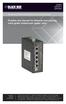 LB304A LBPS301A LBPS304A Hardened Ethernet Extender Quick Start Guide Provides one channel for Ethernet over existing voice-grade copper twisted-pair wire. copper BLACK wire. BOX Customer Support Information
5-port / 8-port 10/100BaseTX Industrial Ethernet Switch User Manual
 5-port / 8-port 10/100BaseTX Industrial Ethernet Switch User Manual Content Overview... 1 Introduction... 1 Features... 3 Packing List... 4 Safety Precaution... 4 Hardware Description... 5 Front Panel...
LevelOne IFE-0500 4-Port PoE + 1-Port TP Industrial Fast Ethernet Switch User Manual
 LevelOne IFE-0500 4-Port PoE + 1-Port TP Industrial Fast Ethernet Switch User Manual Ver. 1.0.0-0711 1 FCC Warning This Equipment has been tested and found to comply with the limits for a Class-A digital