
Digital dictation solutions. Digital dictation solutions for professionals
|
|
|
- Rolf Dawson
- 9 years ago
- Views:
Transcription
1 Digital dictation solutions Digital dictation solutions for professionals

2 table of CONTENTs About us We connect people and technology 04 Workflow solutions SpeechExec dictate SpeechExec TRANSCRIBE Mobile dictation pocket memo 9380 pocket memo Meeting recorders Pocket memo Meeting Recorder LFH0955 Voice tracer Meeting Recorder LFH ACCESSORiES product overview

3 We connect people and technology We believe in the power of simplicity. Our solutions are developed to make your dictation workflow user-friendly and improve your day-to-day working life by streamlining the communication between the author and the typist. With speech-to-content solutions from Philips, the needs of all users in a dictation environment are met. Our outstanding reputation for quality and reliability has made us number one in the professional dictation market. Philips is the only full solution provider for all speech-to-content needs, such as software, hardware, and services. Practical technology, sophisticated yet simple, allows you to enhance your working environment and simply work smarter. From the no. 1 in professional dictation

4 speechexec dictate Analog versus digital By changing over to a digital dictation workflow, companies can achieve efficiency increases of up to 25 %. Digital dictation shortens organizational processes thanks to automatic forwarding of the voice file and makes it easier to edit dictations. Streamline your workflow SpeechExec software solutions from Philips let you decide for yourself how you want to work. Use our latest technologies to your advantage and work easily and intuitively. Take the pressure off your team by speeding up your document creation processes. Efficient workflow management The SpeechExec software organizes the workflow of dictation files and resulting documents between author and transcriptionist, and allows you to monitor the status of your work. Priority setting With the included priority-setting option, urgent recordings can be prioritized. This guarantees that important dictation files will be identified at a glance and get processed and delivered first. Web updates and licensing The automatic software update option and the state-of-the-art Web-based licensing keep the SpeechExec workflow software up-to-date at all times without the hassle of having to check for a new version, download, and install manually. Perfect companion Philips SpeechExec dictation software is the perfect companion for the Pocket Memo digital dictation recorder. Control all recording features intuitively with your thumb. Easy work tracking SpeechExec provides clear information about the current status of your dictation jobs. It lets you track your work and delivers real-time information, even if transcription is still pending or is already in progress. Automatic download When plugged in, the dictation device automatically uploads your audio files directly onto the computer and into the SpeechExec dictation workflow. SpeechExec transfers the dictation files to the right destination, supports the transcription process, archives and organizes the documents, and sends them back to the predefined targets. 6 7

5 speechexec transcribe Innovative voice processing In many companies, rapid changes are occurring in the area of mobility. Studies have shown that a third of working hours now occur outside of the workplace. We have designed our dictation products and solutions in line with this trend. Enjoy your freedom, even when dictating. digital transcription SpeechExec provides you with a transcription management platform that unites workflow automation and transcription features in one seamless solution. Creating a smooth and future-proof working environment in all documentation-intensive businesses has never been easier. Efficient workflow management The SpeechExec software organizes the workflow of dictation files and resulting documents between author and transcriptionist, and allows you to monitor the status of your work. Keyboard shortcuts Philips SpeechExec Transcribe incorporates useful keyboard shortcuts. These keystroke combinations make the control of the workflow software easy, quick, and convenient. Priority setting With the included priority-setting option, urgent recordings can be prioritized. This guarantees that important dictation files will be identified at a glance and get processed and delivered first. Seamless integration Philips SpeechExec 7.0 Transcribe can be seamlessly and easily integrated into existing Philips digital dictation solutions such as the transcription set. Web updates and licensing The automatic software update option and the state-of-the-art Web-based licensing keep the SpeechExec Pro workflow software up-to-date at all times without the hassle of having to check for a new version, download it, and install it manually. 8 9

6 pocket memo 9380 Simply thought through For Philips product developers, appealing to the intuitive senses of the user is always of great importance. The Pocket Memo 9380 dictation device has a wonderful feel and can be operated with one hand thanks to a four-position slide switch. Get more done in less time Grown fond of your tape-based recorder but want to increase efficiency? This is where the Pocket Memo 9380 comes into play. With the professional slide switch you can hold on to your working habits and enhance your dictation workflow. comfortable one-thumb operation of all dictation features Automatic download via USB When plugged in, the Pocket Memo dictation recorder automatically downloads your audio files directly onto the computer. Lightweight metal body The ergonomically shaped lightweight metal body is ideal for convenient working over longer periods of time. dictation and transcription set lfh9398 High-quality microphone The high-quality microphone delivers increased recording sensitivity and excellent sound quality. Exchangeable memory card Virtually unlimited recording capacity thanks to an exchangeable memory card. Priority setting With the included priority-setting option, urgent recordings get processed first. SpeechExec workflow software SpeechExec sends your recordings to your assistant for transcription and allows you to monitor the status of your work. Voice-activation function Voice-activated recording is a convenient feature for hands-free recording. When enabled, recording will start automatically when you start speaking. Recording stops automatically after you stop speaking and restarts automatically when you start speaking again. Professional editing functions Easy and fast file editing (insert, overwrite, append) via convenient slide switch. Direct charging via USB Help protect the environment by simply recharging the batteries of your device using USB instead of buying new batteries. High recording quality in DSS The DSS format was developed for use in digital voice recorders, achieving a high compression ratio with little loss of quality. The DSS format also allows you to store additional information in the file header, which facilitates the organization and the transcription of dictation files. Full-scale figure Fast menu navigation via smart buttons easy navigation and direct file access Optional accessories TRANSCRIPTION SET LFH7177 USB dock LFH9120 Hands-free headset LFH0331 Telephone pickup microphone LFH9162 MEETING MICROPHONE LFH9172 Clip-on microphone LFH9173 Plug-in microphone LFH9171 RECHARGEABLE BATTERY LFH9154 MEMORY CARD LFH9002 POWER SUPPLY LFH

7 pocket memo 9375 Advanced and reliable Handy, powerful, and efficient, you can easily operate the latest recording solution with push buttons. With the exchangeable memory card you have virtually unlimited recording capacity and the DSS format delivers excellent sound quality. comfortable one-thumb operation of all dictation features For more than 50 years From the beginning, Philips was a driving force in the development and production of innovative dictation and voice technologies. Digital dictation and efficient document creation help companies save time and money. Philips is the number one in professional dictation worldwide for good reason. dictation and transcription set lfh9399 Automatic download via USB When plugged in, the Pocket Memo dictation recorder automatically downloads your audio files directly onto the computer. High-quality microphone The high-quality microphone delivers increased recording sensitivity and excellent sound quality. Lightweight metal body The ergonomically shaped lightweigt metal body is ideal for convenient working over longer periods of time. Exchangeable memory card Virtually unlimited recording capacity thanks to an exchangeable memory card. Optional accessories TRANSCRIPTION SET LFH7177 USB dock LFH9120 Hands-free headset LFH0331 Telephone pickup microphone LFH9162 MEETING MICROPHONE LFH9172 Clip-on microphone LFH9173 Plug-in microphone LFH9171 RECHARGEABLE BATTERY LFH9154 MEMORY CARD LFH9002 POWER SUPPLY LFH9146 Full-scale figure Fast menu navigation via smart buttons easy navigation and direct file access Priority setting With the included priority-setting option, urgent recordings get processed first. SpeechExec workflow software SpeechExec sends your recordings to your assistant for transcription and allows you to monitor the status of your work. DSS and MP3 recording The DSS format was developed for use in digital voice recorders, allowing a high compression ratio with little loss of quality. The DSS format also allows you to store additional information in the file header, which facilitates the organization and the transcription of dictation files. The MP3 format is the common audio format for consumer audio storage, as well as a de facto standard encoding for the transfer and playback of music on digital audio players. Professional editing functions Easy and fast file editing (insert, overwrite, append) via convenient push-button operation. Direct charging via USB Help protect the environment by simply recharging the batteries of your device using USB instead of buying new batteries. Voice-activation function Voice-activated recording is a convenient feature for hands-free recording. When enabled, recording will start automatically when you start speaking. Recording stops automatically after you stop speaking and restarts automatically when you start speaking again

8 Meeting recorders Form follows function Philips Design is one of the largest design organizations in the world. Thanks to its product designs and innovations, Philips is ranked highly at International Forum Design Hannover. Make every meeting a success Our meeting recorders combine outstanding recording quality with easy-to-use technology. The included meeting microphones offer a 360-degree sound pickup radius for an unprecedented recording experience. LFH0955 LFH0898 SpeechExec workflow software The SpeechExec software organizes the workflow of dictation files and resulting documents between author and transcriptionist and allows you to monitor the status of your work. Out-of-the-box solution The Pocket Memo meeting recorder delivers excellent sound quality combined with easy-to-use technology right out of the box. Exchangeable memory card Virtually unlimited recording capacity thanks to an exchangeable memory card. Extendable solution Easily extend the recording range of your Pocket Memo meeting recorder by simply connecting up to six meeting microphones. DSS, PCM, and MP3 recording The DSS format was developed for use in digital voice recorders, permitting a high compression ratio with little loss of quality while enabling you to store additional information in the file header. The PCM format allows stereo recording in CD-like audio quality and the MP3 format is the common audio format for consumer audio storage, as well as a de facto standard encoding for the transfer and playback of music on digital audio players. Innovative meeting microphones The innovative boundary layer design of the included meeting microphones uses the sound pressure of the table to provide excellent sound and recording quality with a 360-degree sound pickup radius. Automatic download via USB When plugged in, the Pocket Memo dictation recorder automatically downloads your audio files directly onto the computer. 360-degree sound pickup Sound pickup from a 360-degree radius for a perfect recording experience. Built-in wire storage The innovative meeting microphones offer built-in wire storage and length adaption for a clean and tidy conference table. Elegant metal carrying case The elegant metal carrying case guarantees the highest levels of mobility and safe transportation. Portable and easy solution Light, powerful, and easy-to-use solution for recording your meetings. 360-degree sound pickup The revolutionary boundary layer microphone is, as opposed to other prevalent devices, nondirectional. The design allows sound pickup from a 360-degree radius, so that no important details are lost. Easy file organization The VoiceTracer digital recorder supports up to 99 recordings in each of four available folders to organize your files in a fast and easy way. Rapidly transfer recordings Thanks to the fast data transfer of a high-speed 2.0 USB connection, transferring recordings to your PC is up to 40 times faster compared with the original USB standard. ClearVoice Recording with good audio quality at lectures or presentations can be a challenge. Especially if you do not sit in the front row, the voice of the speaker may be too quiet to record in acceptable quality. The ClearVoice feature adjusts quiet passages dynamically, thus improving the intelligibility of quieter voices. All-in-one carry case The all-in-one carrying case not only stores your recorder neatly, but also keeps meeting microphones well organized and well protected. USB-powered recording To record over longer periods, the Voice Tracer can be powered through USB. Simply connect your Voice Tracer to a USB port and record lectures or conversations without draining the battery. Built-in wire storage The innovative meeting microphones offer built-in wire storage and length adaption for a clean and tidy conference table. High-quality stereo recording Recordings can be taken in stereo in the popular MP3 or the high-quality PCM formats. The PCM format offers outstanding CD-like audio recording quality and makes listening to your audio files a pleasure. Adjustable microphone The signal-to-noise (S/N) ratio of the highsensitivity microphone is far better than those of standard microphones. Recording sensitivity is increased (picks up more voice signal) without compromising sound quality

9 accessories Enhance your Solution The big picture is only as good as the small details that make it up. Make the most out of your solution with our premium accessories and make something great even better. Philips USB dock LFH9120 Dock your Pocket Memo for fast and easy transfer of your dictation files to your PC with the compact USB dock. philips plug-in microphone LFH9171 The unidirectional plug-in microphone turns your voice recorder into an interviewing microphone. Seven times faster than writing Thoughts are formed in words, and the spoken word is known to be fast. Ten times faster than typing yourself and seven times faster than making notes by hand. When you dictate, you save time, leaving you with more time for the important things. philips telephone pickup microphone LFH9162 Easily record your telephone conversations. Just plug the microphone into your voice recorder and put the earpiece into your ear. philips transcription set lfh7177 The SpeechExec transcription set is a digital transcription system specifically designed to make transcription easy and intuitive. Clip-on microphone LFH9173 The clip-on microphone is an omnidirectional microphone for recording situations where discreet and hands-free operation is required. Philips stereo headphones LFH0334 A lightweight under-the-chin style stereo headset designed to deliver excellent sound quality, with soft ear cushions for wearing comfort, and a hanging bracket that attaches the headset to a monitor. philips hands-free headset lfh0331 The hands-free headset is ideal for using on the move with its tie clip that always keeps the microphone in the perfect position. philips meeting microphone LFH9172 The meeting microphone delivers brilliant sound quality, accompanied by outstanding ease of use. Revolutionary technology in a straightforward form. Easily extend the recording range of your Pocket Memo meeting recorder by simply connecting up to six meeting microphones. philips rechargeable batteries AAA nimh lfh9154 Benefit from long-lasting performance for your digital recorder: allows for recharging up to 1,000 times

10 product overview WORKFLOW Key specifications dictate 7.0 transcribe Web-based licensing Dictation list/carousel view / - / - DPM download/configuration / - / - SpeechExec software recorder/player - / - - / Sequenced recording - - SpeechMike/foot control support - / - - / DSS, DSS Pro recording/playback - / - / DSS Pro encryption/decryption - / - - / - Basic/advanced digital dictation workflow / - / - Job notification - - Automatic backup/archive/purge / - / - - / - / - Quick filters and search options - / - - / - Send/receive dictations via / - - / Send/receive dictations via FTP / - - / - Attach files to dictations - - Front-end/back-end speech recognition - / - - / - Speech recognition workflow - - Local/central configuration of speech recognition templates - / - - / - Correction/adaptation - / - - / - System-wide configuration of users and settings - - Support of groups - - Interface to Active Directory - - Secure login - - Remote device configuration (Remote Device Management tool) - - CITRIX/Windows Terminal Server support - - DPM download on thin clients - - Interface to statistics/reporting - - Web access to dictations - - Advanced workflow management - - Available - Not available MEETING RECORDER Key specifications POCKET MEMO LFH0955 VOICE TRACER LFH recording Low-noise microphone ClearVoice - Maximum recording time 15 days (2GB memory card) Battery charging via USB 90 days Battery lifetime (up to) 25 h 50 h Memory up to 32GB SDHC card 8GB MP3 Recording DSS Recording - PCM Recording Studio-quality recording Exchangeable memory card (SD/SDHC up to 32GB) - Voice-activated recording Large backlit display Professional software included SpeechExec Dictate for simple configuration and transfer - Automatic software updates for convenient maintenance - Accessories included Meeting microphones 4 2 Remote control USB to SD card adapter - 2 AAA Ni-MH rechargeable batteries USB cable and splitter cable Clip-on interview microphone - USB dock - Metal carry case - Quick-start guide User manual pdf Available - Not available DICTATION AND TRanscription Key specifications pocket memo Dictation AND Transcription set LFH9380 LFH9375 LFH9398 LFH9399 Slide-switch operation - - Push-button operation - - Prof. editing functions insert, overwrite, append Fast battery charging via USB Battery lifetime (up to) 25 h 25 h 25 h 25 h DSS Recording MP3 Recording - - Exchangeable memory card (SD/SDHC up to 32GB) Voice-activated recording Large backlit display Professional software included SpeechExec Dictate for simple configuration and transfer SpeechExec Transcribe for simple and effective transcription - - Automatic software updates for convenient maintenance Accessories included Foot pedal - - Stereo headphones LFH AAA Ni-MH rechargeable batteries USB cable and leather pouch Quick-start guide Available - Not available Subject to technical changes and misprints.

11 2011, Koninklijke Philips Electronics N.V. All rights reserved

professional dictation solutions
 professional dictation solutions Dictation solutions for business professionals table of CONTENTs About us We connect people and technology 04 Workflow solutions SOLUTIONS TO ENHANCE YOUR BUSINESS SpeechExec
DIGITAL DICTATION SPEECH RECOGNITION TRANSCRIPTION SERVICES Professional Solutions A NEW BEGINNING IN COPIER TECHNOLOGY
 DIGITAL DICTATION SPEECH RECOGNITION TRANSCRIPTION SERVICES Professional Solutions A NEW BEGINNING IN COPIER TECHNOLOGY Connecting People with Technology At Asdon, we believe in the power of simplicity.
SpeechExec Transcribe SpeechExec Pro Transcribe
 SpeechExec Transcribe SpeechExec Pro Transcribe Version 5.0 EN User manual 3 User manual 1 Welcome 4 2 Important 4 2.1 Safety 4 2.2 Disposal of your old product 4 3 Get started 5 3.1 System requirements
Move Your Transcription Business From Tape to Digital A How-To Guide From My Docs Online
 Move Your Transcription Business From Tape to Digital A How-To Guide From My Docs Online My Docs Online, Inc. 9148 Bonita Beach Road Suite 201 Bonita Springs, FL 34109 239.495.1181 888.686.1181 www.mydocsonline.com
Register your product and get support at www.philips.com/welcome LFH0645 LFH0648. EN User manual
 Register your product and get support at www.philips.com/welcome LFH0645 LFH0648 EN User manual Table of contents 1 Welcome 3 Product highlights 3 2 Important 4 Safety 4 Hearing safety 4 Disposal of your
SPEECHEXEC. www.philips.com/dictation. Version 1.0 for Mac. EN User manual 3. DE Benutzerhandbuch 13. FR Manuel de l utilisateur 23
 For product information and support, visit www.philips.com/dictation SPEECHEXEC Version 1.0 for Mac EN User manual 3 DE Benutzerhandbuch 13 FR Manuel de l utilisateur 23 ES Manual del usuario 33 NL Gebruikershandleiding
SpeechLive. Cloud dictation solution. Speak. Send. Done. You speak, we do the typing for you
 SpeechLive Cloud dictation solution Speak. Send. Done. You speak, we do the typing for you SpeechLive Your personal assistant in the cloud...4 Be productive no matter where you are. Simply access your
Streamline your workflow
 Philips SpeechExec dictation workflow solution Streamline your workflow Enterprise with a tailor-made digital dictation solution Our solutions support every dictation scenario. This is the key to letting
SPEECHEXEC. www.philips.com/dictation. Enterprise Dictate 4.5. Pro Dictate 8. Dictate 8. EN User manual 3. DE Benutzerhandbuch 25
 For product information and support, visit www.philips.com/dictation SPEECHEXEC Enterprise Dictate 4.5 Pro Dictate 8 Dictate 8 EN User manual 3 DE Benutzerhandbuch 25 FR Manuel de l utilisateur 47 ES Manual
Compatibility with Legacy Systems Support for Multiple Input Devices Intelligent Job Priority & Routing
 WinScribe offers the most affordable fully featured digital dictation system on the planet - guaranteed. In fact, we've designed and built our entire product and company around this promise. And it doesn't
Dragon Solutions Transcription Workflow
 Solutions Transcription Workflow summary Improving Transcription and Workflow Efficiency Law firms have traditionally relied on expensive paralegals, legal secretaries, or outside services to transcribe
Dictation workflow. Anywhere. Anytime.
 Dictation workflow. Anywhere. Anytime. SPEECHLIVE Dictation Workflow. Anywhere. Anytime. To create something truly innovative, it takes a passion for detail, commitment to excellence and dedication to
I N T R O D U C I N G
 INTRODUCING Meetings Cell Phone Television Noisy Places Music Lectures The one device that does it all Introducing the industry s most unique and versatile cell phone device SurfLink Mobile. Combined with
Dragon Solutions Using A Digital Voice Recorder
 Dragon Solutions Using A Digital Voice Recorder COMPLETE REPORTS ON THE GO USING A DIGITAL VOICE RECORDER Professionals across a wide range of industries spend their days in the field traveling from location
Phonak Wireless Communication Portfolio
 Phonak Wireless Communication Portfolio Product information The accessories of the Phonak Wireless Communication Portfolio offer great benefits in difficult listening situations and unparalleled speech
SpeechExec 4.1 Build 150
 SpeechExec Transcribe SpeechExec 4.1 Build 150 Table of Contents Welcome to SpeechExec... 7 SpeechExec modules... 7 SpeechExec Pro Dictate... 7 SpeechExec Pro Transcribe... 7 SpeechExec Recorder... 7 SpeechExec
Philips 9600 DPM Setup Guide for Dragon
 Dragon NaturallySpeaking Version 10 Philips 9600 DPM Setup Guide for Dragon Philips 9600 DPM Setup Guide (revision 1.1) for Dragon NaturallySpeaking Version 10 as released in North America The material
Apogee ONE. QuickStart Guide. V3, March, 2013
 Apogee ONE QuickStart Guide V3, March, 2013 Contents Overview!... 5 Introduction! 5 Package contents! 6 ONE Panel Tour! 8 Optional Battery Power! 9 Connecting to your Mac!... 10 System Requirements! 10
T R O U B L E S H O O T I N G T I P S
 T R O U B L E S H O O T I N G T I P S D I C T A T I O N M O D U L E 1.) PROBLEM: MEMORY ERROR/FORMAT MESSAGE OR LOCK SYMBOL ON RECORDER A.) Solution: DO NOT TRY TO USE THE RECORDER. Using the recorder
Transcription Module Easy Start Guide
 Transcription Module Easy Start Guide 1. Open the Transcription Module a. Double-Click on the Transcription Module icon on your desktop. b. Start Menu\Programs\Olympus DSS Player Pro\Transcription Module.
Olympus AS-5000 Transcription Kit Installation Instructions and Standard Configuration Options. Introduction. Pre-Install Checks.
 Page 1 Introduction The following instructions are intended to guide you through the installation procedure and some standard configuration options for the AS-5000 Transcription Kit and DSS Player Pro
Dragon speech recognition Nuance Dragon NaturallySpeaking 13 comparison by product. Feature matrix. Professional Premium Home.
 matrix Recognition accuracy Recognition speed System configuration Turns your voice into text with up to 99% accuracy New - Up to a 15% improvement to out-of-the-box accuracy compared to Dragon version
Quick Start Guide Olympus WS-110 Digital Recorder
 Quick Start Guide Olympus WS-110 Digital Recorder Overview The Olympus WS-110 digital recorder is designed for users to easily record high quality audio. The slim, light-weight design of the WS-110 is
Dragon Solutions. Using A Digital Voice Recorder
 Dragon Solutions Using A Digital Voice Recorder COMPLETE REPORTS ON THE GO USING A DIGITAL VOICE RECORDER Professionals across a wide range of industries spend their days in the field traveling from location
Single or multi-channel recording from microphone channels and telecommunications lines simultaneously
 Single or multi-channel recording from microphone channels and telecommunications lines simultaneously Options for remote control and remote management Special voice recorder functions Processing and management
KEEP YOUR GROUP FOCUSED
 KEEP YOUR GROUP FOCUSED WITH A SYSTEM V0415 Tourtalk is a portable wireless audio tour guide system that helps tour groups overcome background noise and distance from the guide. Tourtalk is designed to
User Manual. For additional help please send a detailed e-mail to [email protected]. - 1 Phoenix Audio Technologies www.phnxaudio.
 User Manual Please read the instructions in this manual before using the Duet Please refer to our website www.phnxaudio.com for more information, specifically to our Q&A section in our Support page. For
STEREO BLUETOOTH WIRELESS SPORTS In-Ear Headphones
 STEREO BLUETOOTH WIRELESS SPORTS In-Ear Headphones USER MANUAL model: X7 PACKAGE CONTENTS EN X7 Stereo Bluetooth Wireless Sports In-Ear Headphones Micro-USB charging cable Carrying case 3 pairs of eartips
Windows Media Player 10 Mobile: More Music, More Choices
 Windows Media Player 10 Mobile: More Music, More Choices Windows Media Player 10 Mobile for Windows Mobile -based Smartphones and Pocket PCs is an all-in-one mobile media player that provides a rich media
Description: It is an 8.0 mega pixel digital camcorder that is capable of recording in high definition and takes digital pictures.
 Canon Vixia HF S100 Digital Camcorder Description: It is an 8.0 mega pixel digital camcorder that is capable of recording in high definition and takes digital pictures. Operating Controls: Camera Mode
FAQs. Philips Recorder für iphone
 FAQs Philips Recorder für iphone Contents What do I need to build a professional dictation system? 3 1. Webserver-Software 2. Philips SpeechExec Mobile Server 3. Philips Speech Exec for iphone client application
Using a Digital Recorder with Dragon NaturallySpeaking
 Using a Digital Recorder with Dragon NaturallySpeaking For those desiring to record dictation on the go and later have it transcribed by Dragon, the use of a portable digital dictating device is a perfect
ReSound Unite TV FREQUENTLY ASKED QUESTIONS. Setup & Configuration. Use & Operation. Troubleshooting
 Tip for use of FAQ: Click on questions to go to answer. Setup & Configuration How do I pair the hearing aids to the Unite TV?... 2 What is the latency of the streamed signal?... 2 Does the Unite TV use
Boost the performance of your hearing aids. Phonak wireless add-ons
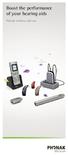 Boost the performance of your hearing aids Phonak wireless add-ons Modern hearing aid technology makes hearing and understanding in most situations enjoyable. But when you re on the phone, watching TV
JABRA STYLE. User Manual. jabra.com/style
 User Manual jabra.com/style CONTENTS 1. WELCOME... 3 2. HEADSET OVERVIEW... 4 3. HOW TO WEAR... 5 3.1 CHANGE EARGELS 4. HOW TO CHARGE THE BATTERY... 6 5. HOW TO CONNECT... 7 5.1 CONNECT WITH A BLUETOOTH
Step by step guide to using Audacity
 Step by step guide to using Audacity Contents 1 - Introduction... 1 2 - Getting Started... 2 2.1 - Starting Audacity... 2 3 Recording, Saving and Editing Your Audio... 3 3.1 Recording your audio... 3 3.2
IP Office Handset and Conference Phones. Phones that mean business
 IP Office Handset and Conference Phones Phones that mean business 1. Low-cost yet fully featured deskphones 2. Smart, clear sounding conference phones 3. More than just phones 4. Choose the phone that
TV & Assistive Listening Devices
 10 TV & Assistive Listening Devices TV & Assistive Listening Devices l Relaxing at the end of the day watching TV l Enjoying listening to music l Catching up with family & friends at a restaurant l Developing
More freedom to work your way
 More freedom to work your way See how far the evolved GN 9120 will take you Global innovator in headsets When was the last time you had only one thing to do? You re working faster and trying to accomplish
Lenovo S10e Quick Start Guide
 Lenovo S10e Quick Start Guide Netbook includes: 1. 10.2 Screen 2. Intel Atom Processor 3. 6 Cell (5 hour Battery) 4. 160 GB hard drive 5. 2 GB of Ram 6. Ethernet and Wireless 7. SD Memory Slot 8. VGA,
INSTRUCTION MANUAL Sherlock Covert USB Voice Recorder SB-VX0166
 INSTRUCTION MANUAL Sherlock Covert USB Voice Recorder SB-VX0166 Revised: January 30th, 2014 Thank you for purchasing from SafetyBasement.com! We appreciate your business. We made this simple manual to
Frequently Asked Questions
 Frequently Asked Questions General What does FocusVision do? FocusVision transmits live video and audio of focus groups that are taking place all over the world, eliminating the need to travel. These focus
VN-722PC VN-721PC DIGITAL VOICE RECORDER USER MANUAL. Getting started. Recording. Playback. Menu. Use with a PC. Other information
 DIGITAL VOICE RECORDER VN-722PC VN-721PC Getting started Recording Playback Menu Use with a PC Other information 1 2 3 4 5 6 USER MANUAL Register your product on www.olympus-consumer.com/ register and
Soft Call Recorder v3 Manual Version 2.007 08
 Soft Call Recorder v3 Manual Version 2.007 08 Soft Call Recorder Manual Vidicode 2008 1 2 Soft Call Recorder Manual Vidicode 2008 Contents 1 Introduction... 5 2 Getting started...... 7 2.1 Software installation...7
DR-1 Portable Digital Recorder OWNER'S MANUAL
 » D01019610A DR-1 Portable Digital Recorder OWNER'S MANUAL Contents 1 Introduction... 3 Main functions... 3 Supplied accessories... 3 Recycling the rechargeable battery... 3 Notes about this manual...
Welcome to Corel VideoStudio Pro X5
 Contents Welcome to Corel VideoStudio Pro X5............................ 2 New Features and Enhancements................................ 4 Getting to Know the Workspace.................................
Polycom Telephones User Guide. Version 2.0
 Polycom Telephones User Guide Version 2.0 Updated 4/15/2008 Overview This guide provides instructions and helpful information for users of Evolution PBX and Polycom VoIP telephones. General Support If
ICD10 Ready. Fusion Voice Digital Dictation. Secure Dictation and Document Management
 HIPAA HITECH ICD10 Ready Fusion Voice Digital Dictation Secure Dictation and Document Management Dictation Meets Organization Efficiency with Fusion The cost efficiencies and improved accuracy provided
FAQ OLYMPUS DICTATION SMARTPHONE APPLICATION
 SMOLTZ Distributing, Inc. North American Distributor of Choice 877.476.6589 www.smoltz.com FAQ OLYMPUS DICTATION SMARTPHONE APPLICATION I have a client that would like to purchase the Olympus Smartphone
Smart Anytime, Safe Anywhere. Climax Home Portal Platform. Envisage and Enable a Connected Future
 Smart Anytime, Safe Anywhere Climax Home Portal Platform Envisage and Enable a Connected Future Climax Home Portal Platform An IP/GPRS-Based Solution to Deliver Smart Home and Mobile Control Services Reliable
WHITEPAPER. Mobile Workforce Productivity Solutions. Streamline Field Reporting Workflow with Speech Recognition
 WHITEPAPER Mobile Workforce Productivity Solutions Streamline Field Reporting Workflow with Speech Recognition GROWING DEMAND FOR MOBILE PRODUCTIVITY The total number of mobile workers will reach 1.2 billion
MOTO. Quick Start Guide
 MOTO 9h Quick Start Guide welcome Technology promised to make things easier... but then it gave you more to do phone calls, e-mails, music, photos, videos, the Internet, and more. It s time to take back
DCN Next Generation The next step in digital congress management
 DCN Next Generation The next step in digital congress management Communication you can rely on 2 Designed to be distinctive The Digital Congress Network (DCN) Next Generation from Bosch is the distinctive
Mbox Basics Guide. Version 6.7 for LE Systems on Windows XP or Mac OS X. Digidesign
 Mbox Basics Guide Version 6.7 for LE Systems on Windows XP or Mac OS X Digidesign 2001 Junipero Serra Boulevard Daly City, CA 94014-3886 USA tel: 650 731 6300 fax: 650 731 6399 Technical Support (USA)
Lenovo Miix 2 8. User Guide. Read the safety notices and important tips in the included manuals before using your computer.
 Lenovo Miix 2 8 User Guide Read the safety notices and important tips in the included manuals before using your computer. Notes Before using the product, be sure to read Lenovo Safety and General Information
alcatel-lucent Another way to communicate
 alcatel-lucent 9 SERIES Another way to communicate Another way to communicate The Alcatel-Lucent 9 SERIES takes you to a new dimension in audio experience, esthetics, communications productivity and customer
HOW TO MAKE AN AUDIO RECORDING
 What can I use to record? You can use your phone, your computer, or you may have a recorder that you d like to use. Whichever method you plan to use to record, test it out before you start. Make sure that
Manual Version CV20060926-1
 Manual Version CV20060926-1 CaseViewer 3.1 2 CaseViewer 3.1 Table of Contents Introduction to CaseViewer... 4 Interface at a Glance... 5 Understanding the Interface... 6 Case Log Display... 6 Event Notes:...
WELCOME 8. CHAPTER 1: Getting Started with Your Kindle 17. 1.1 Views of Kindle... 17 Front View... 17 Back View... 20 Top View... 21 Bottom View...
 TABLE OF CONTENTS WELCOME 8 CHAPTER 1: Getting Started with Your Kindle 17 1.1 Views of Kindle....................................................... 17 Front View...........................................................
Portable MP3 Player User's Guide
 MP3-128 LCD MP3-256 LCD MP3-512 LCD Portable MP3 Player User's Guide Safety Introduction Installing the MP3 Player Transfer data to and from the MP3 Player Listening to your WMA/MP3 music MP3 Player Controls
Widex Dex FAQ. General
 Widex Dex FAQ General Q: What is WidexLink Technology? A: WidexLink is the proprietary digital wireless transmission technology for hearing aids and external devices like cell phones, TV etc Q: What is
STB- 2. Installation and Operation Manual
 STB- 2 Installation and Operation Manual Index 1 Unpacking your STB- 2 2 Installation 3 WIFI connectivity 4 Remote Control 5 Selecting Video Mode 6 Start Page 7 Watching TV / TV Guide 8 Recording & Playing
The ultimate IP DECT communication devices for voice, text messaging and inhouse mobility
 The ultimate IP DECT communication devices for voice, text messaging and inhouse mobility Table of content On-site Wireless telephony on your IP Network 3 Key Applications 6 10 reasons for Business Mobility
USB VoIP Phone Adapter. User s Manual
 USB VoIP Phone Adapter User s Manual FCC Certifications This Equipment has been tested and found to comply with the limits for a Class B digital device, pursuant to part 15 and part 68 of the FCC Rules.
Contents Contents Contents Overview Charging your headset Wearing the headset Powering on the headset Connecting your headset for dictation
 1 Contents Contents Contents 2 Overview 3 Charging your headset 4 Wearing the headset 4 Powering on the headset 4 Connecting your headset for dictation 5 The adapter 5 Adjusting your computer's audio settings
X X X X X. Platinum Edition. Unlimited Extensions. Unlimited Auto Attendants. Unlimited Voicemail Boxes. ACD Features
 Feature Name Unlimited Extensions Unlimited Auto Attendants Unlimited Voicemail Boxes ACD Features Feature Description With Evo IP-PB you can add an extension at any time, with no limits and no need to
Crystal Gears. Crystal Gears. Overview:
 Crystal Gears Overview: Crystal Gears (CG in short) is a unique next generation desktop digital call recording system like no other before. By widely compatible with most popular telephony communication
ETERE SNMP CONSOLE: A centralized, automatic and real-time monitoring of broadcast system networks
 of broadcast system networks TABLE OF CONTENTS 1. INTRODUCTION... 3 2. ETERE SNMP CONSOLE... 4 3. DETAILED FEATURES... 5 3.1 GRAPHICAL INTERFACE... 6 3.2 MULTIPLE VIEWS... 7 3.3 FILTERING RULES... 8 3.4
Multimedia. User Guide
 Multimedia User Guide Copyright 2006 Hewlett-Packard Development Company, L.P. Microsoft and Windows are U.S. registered trademarks of Microsoft Corporation. The information contained herein is subject
Let the facts speak for themselves
 Let the facts speak for themselves Philips SpeechExec Enterprise 4.0 revolutionizes your dictation workflow Contents 04 Highlights of SpeechExec Enterprise 4.0 07 New key features 08 Interview with Thomas
Quick-Start Guide An easy-to-use guide for your easy-to-use phone. jitterbug
 jitterbug Quick-Start Guide An easy-to-use guide for your easy-to-use phone. jitterbug Welcome to the GreatCall Family! Thank you for choosing the Jitterbug Flip. This Quick-Start Guide will help you
SL1100 Digital Call Logger User Guide
 SL1100 Digital Call Logger User Guide NDA-31389 Issue 1.01 NEC Corporation reserves the right to change the specifications, functions, or features at any time without notice. NEC Corporation has prepared
Your Phone This section introduces you to the hardware of the device.
 Your Phone This section introduces you to the hardware of the device. No. Items Functions 1 Earphone jack 2 Strap hole 3 LED / Speaker Use a headset for hands-free conversation or listening to music. It
Cisco SPA 525G. Quick Start guide. Business
 Cisco SPA 525G Quick Start guide Business Cisco Small Business SPA IP Phone Model SPA 525G/SPA 525G2 Package Contents IP telephone (Fig. 1) Desk Stand RJ-45 Ethernet Cable Setup CD-ROM Quick Start Guide
Bluetooth Handsfree Kit. Car Speakerphone (For Bluetooth Mobile Phones)
 Bluetooth Handsfree Kit Car Speakerphone (For Bluetooth Mobile Phones) Table of Contents 1. Product Description 3 2. Product Overview 3 3. Charging 4 4. Power On/Off 4 Power On 4 Power Off 4 5. Selecting
User guide. Stereo Bluetooth Headset SBH50
 User guide Stereo Bluetooth Headset SBH50 Contents Stereo Bluetooth Headset User guide...3 Introduction...4 Function overview...4 Hardware overview...4 Status icon overview...5 Basics...6 Charging the
Contents. 5. Navigating the Software Menus 25 The Basics 25 Diagrams of Top Level Sub Menus 27. 6. Tips and Troubleshooting 34
 Contents 1. Quick Start 1 Features 1 What You Need to Begin 2 Installing the Battery 2 The Basic Controls 3 Play Music 5 Listen to the FM Radio 7 Voice recording 8 Headphone/Earphone 9 2. Playing Music
Headsets for IP phones and computer use!
 CORDED HEADSETS IP & USB Headsets for IP phones and computer use! Exceptional voice transmission for IP phones! Enjoy crystal-clear voice clarity from your IP phone with the GN2000 and GN2100 IP series!
IP Office Phones: Choices For Every Small Business
 IP Office Phones: Choices For Every Small Business There s an Avaya IP Office telephone for everyone in your business: Executives/Managers Everyday Users Administrative Assistants/ Receptionists Walkup
www.siemens.com/hipath
 HiPath 1220 The small telephone system for heavy demands. www.siemens.com/hipath HiPath 1220 quality from Siemens and your dealer. At www.siemens.com/hipath you will find more information about the HiPath
Microsoft Dynamics NAV
 Microsoft Dynamics NAV Maximizing value through business insight Business Intelligence White Paper November 2011 The information contained in this document represents the current view of Microsoft Corporation
Bluetooth for Windows
 Bluetooth for Windows Getting Started Copyright 2006 Hewlett-Packard Development Company, L.P. Microsoft and Windows are U.S. registered trademarks of Microsoft Corporation. Bluetooth is a trademark owned
Dictation Software Feature Comparison
 Dictation Software Feature Comparison Software Version Direct Recording Window Dictation operation ODMS Dictation Module DSS Player Pro R5 Dictation Module DSS Player Standard R2 DSS Player Plus for Mac
Digital Dictation 101. By: Andrea Cannavina (a/k/a LegalTypist)
 Digital Dictation 101 By: Andrea Cannavina (a/k/a LegalTypist) 1 Why Dictate? Speaking is faster. Don t care how fast you type. You can talk faster. Get more stuff done. It s not just documents when you
MVS - Mini Video Speaker
 MVS - Mini Video Speaker Mini Clock Radio Night Vision Hidden Camera User Manual Spy Tec www.spytecinc.com GETTING STARTED Components Features Powering Up the Device Micro SD Memory Card for Data Storage
eshuttle Dictate Manual Software Version 1.0
 eshuttle Dictate Manual Software Version 1.0 eshuttle software is designed for securely emailing dictation and transcription files between a dictator and transcriptionist. eshuttle Dictate by Bytescribe,
www.acekaraoke.com 888-784-3384 UNIFY PROFESSIONAL KARAOKE SYSTEM INTRODUCTION Your All-in-one Karaoke Solution Karaoke & Video on Demand Server
 UNIFY PROFESSIONAL KARAOKE SYSTEM INTRODUCTION Your All-in-one Karaoke Solution Karaoke & Video on Demand Server Revision 8.04 2003-04-24 For more info, visit us at: www.acekaraoke.com Toll Free: 888-784-3384,