
Dear Friends, Inside Slot Tech Magazine. Randy Fromm. Slot Tech Magazine
|
|
|
- Darren Lionel Carpenter
- 10 years ago
- Views:
Transcription
1

2

3

4 Page 4 Inside January 2011 Page 4-Editorial Page 6-IGT Dynamic Buttons Page 12-Aristocrat Builds a Better Button Deck Page 18-Quick & Simple Repairs #70 Page 23-Touchscreen TFT from Lumex Page 24-Nice Place to Work Page 25-Advantech-Innocore s DPX-S415, DPX-S425 Page 26-Subscription Form Dear Friends, This year, 2011, celebrates our tenth year in publication. They say most startups fail in the first two years so when 2003 came and went with the presses still rolling, I was confident the magazine would survive as long as I continued to receive contributions from you, the folks that staff the slot departments of casinos around the world. After all, I am just the publisher. I may be an electronics nutcase but I don t work at a casino every day. I depend on working slot techs to continue to contribute top quality material to the magazine. And you ll have to agree that we have some really great contributors. I first met Pat Porath at a regional slot tech class I held at his casino. I m sure neither of us ever thought that he would ending up holding the record for the shear number of technical articles he has written (70 to date). Canada s Kevin Noble has been with me for many years as well and is now a popular technical instructor as well as technical writer and full-time slot tech. I am extremely pleased (as I am sure are you) with the recent contributions from both Craig Nelson and Chuck Lentine. I have read and re-read Chuck s December article (the one about the WMS Bluebird that catches fire due to a short in the wire loom) six times now. Craig s premier offerings are just superbly educational and I love his photo illustrations. Of course, the advertisers make it all possible by paying the bills so please, buy a few new chairs from Gary Platt, order some 3M touch screens, CCFLs or other replacement parts from Suzo-Happ, Patriot or AG&E, order your new slot machines with FutureLogic Printers, get some Kortek parts or have something fixed at CasinoTech when you re pressed for time and, if you re in Las Vegas, stop by and say hello to the nice folks at Kiesub Electronics. Oh, and don t forget to order some Slot Tickets! Randy Fromm - Publisher Randy Fromm Randy Fromm's Editor Randy Fromm Technical Writers Dean Auger, James Borg, Vic Fortenbach, Chuck Lentine, Craig Nelson, Kevin Noble, Herschel Peeler, Pat Porath is published monthly by 1944 Falmouth Dr. El Cajon, CA tel fax [email protected] Visit the website at slot-techs.com SUBSCRIPTIONS Domestic (North America) 1 year - $ years - $ International 1 year - $ years - $ Subscribe online at slot-techs.com Copyright 2010 under the Universal Copyright Convention. All rights reserved. TechFest 22 Mystic Lake Casino May 2011 January 2011

5 January 2011 Page 5

6 Slot Tech Feature Article IGT Dynamic Buttons By Craig Nelson IGT developed an OLED (Organic Light Emitting Diode) Button System around Their objective was to anticipate the demands of the consumer for more efficient game conversions and system based (server based) gaming. They called their version a Dynamic Button but it follows the same technology as others such as the WMS OLED Button (, November 2010). The visual result for the player is virtually the same amongst the numerous OLED Button Systems. However, the way they get to that point is entirely different. In this article, the IGT Dynamic OLED Button Panel System will be outlined. Potential problems will be highlighted, how to repair those problems and, most importantly, where and how to get the parts. The system consists of these main parts (see below): Figure 1 Figure 2 Page 6 January 2011

7 January 2011 Page 7

8 MLVDS stands for Multi-Point Low Voltage Differential Signaling and SMLC stands for Serial Motor and Light Controller. The MLVDS (the lower board) gets its power source from the belly door power source on the backplane board. It can plug into either J39 or J40 port. The SMLC (the upper board) gets it power from the MLVDS. It should be noted that these boards appear to be fairly stable in the field. The main issues you are going to find in the field with this system are drink spills, the Flex Cable, and the Dynamic Buttons themselves. Note: Whenever performing work on these button systems you should have the machine power off. You should use proper ESD mitigation practices as these devices are sensitive to static discharge. If you come upon a single button that is not lit up, you should start by opening up the machine and checking the flex cable connection to the button. When your cash count team goes through and removes the stackers, they often bump the connections making the button inoperable. In worse cases, the connectors are broken and either the button or the flex needs to be repaired or replaced. The second thing you should check for is evidence of a drink spill; this is the most common cause for these Page 8 buttons to go bad. In some cases you can take the button out, clean the connections then let it dry to get it to work (this will be covered later). If there is evidence of a drink spill you should remove the parts that are affected and inspect them for damage. If the Flex Cable connector is fried, you will most likely have to replace the whole cable. If the button is fried, you will have to replace the button. It is very unlikely that either of these parts can be repaired in the field. Cleaning and drying would be virtually the only potential solution outside of replacement. To remove the button you will need to perform the following procedure (refer to figure 3): 1. Turn off game power and use ESD practices. 2. Pull up on Flex Cable connector (there are two tabs on top you have to push towards each other). Be careful not to damage the Flex Cable. 3. Unscrew the plastic button nut while holding the button from the bottom. You will be left with these pieces in your hand: The OLED Button itself, the plastic nut, and the plastic spacer/housing. You will now need to determine if the button can be salvaged by cleaning or if the button needs to be replaced. If cleaning is your option then proceed to the next section. If replacing is your option then retrieve a button and replace it using same method as removal but reverse the instructions. To clean a Dynamic Button/ Harness (this only applies to the IGT style): 1. Turn the game power off and use ESD practices. 2. Use a rag to clean off any excess liquid that may still be in the machine. 3. Use a small fine brush (such as the acid brush shown) with plain water to clean off the connectors and Flex Cable. January 2011

9 January 2011 Page 9

10 4. To clean the button housing, IGT suggests using a 10 ml syringe to push water down through the housing repeatedly to get any liquid residue (dry or wet) out. Obviously if the liquid residue is dry you will have to repeat the steps more than if the drink spill is fresh. Depending on the severity of the soiling of the button assembly, you might have to remove all buttons and the harness and rinse them all off in a faucet until you get them clean. Remember you do not want to use any solvents to clean these buttons; just plain water will be fine. Before installing back in the machine, you will need to dry all parts very well. Low air pressure will help in the drying process but be careful not to use too much pressure as it could damage the connectors and Flex Cable. When the button is drying be sure to lay the button on its side (not lens side down) as this could let liquid leak into the lens and ruin the display completely. The Flex Cable (if removed to clean) should be placed connector side down so liquid does not pool into the bottom of the connector or lay in the miniboard. If the parts are still sticky just repeat the above steps until you get a clean system of parts. Once you are satisfied that you have successfully cleaned the whole system, you can now reassemble all parts that were removed. Remember to use correct ESD practices while handling these parts as they are static sensitive. Upon powering up the buttons they should all light up and display the firmware version that they are utilizing. If you see a blank button you will need to power off the machine and check your connections. Do not hot plug anything other than the USB or HDMI connections as it could damage multiple components. Tech Note: You the Slot Tech are going to have to evaluate on a case by case basis whether or not you will need to remove certain parts in order to clean them. However, taking shortcuts and trying to clean parts while left in the machine could lead to other troubles in the future. It is suggested that each property have an entire spare panel to swap into the machine, this way the damaged panel can be extensively cleaned before it is returned into circulation. This button system will only work with the AVP 14 Family or higher operating system software. If you are looking to retro fit any of these parts, you will need to perform theme update and/or an operating system/boot chip update. Talk to your sales rep for specific information for your jurisdiction as this might change from place to place and from system to system. - Craig Nelson [email protected] Here is a breakdown of the parts covered in this section: Disclaimer: This document is an overview of the IGT Dynamic OLED Button System operation. Please refer to your field representative for specifics in your jurisdiction. * W MLVDS CPU to OLED IGT $ * W SMLC SERIAL MOTOR/LIGHT CONTROLLER IGT $ * W FLEX CABLE 10 DYNAMIC BUTTON IGT $ * W FLEX CABLE 15 DYNAMIC BUTTON IGT Obsolete * W HDMI to FLEX PC BOARD IGT $54.75 * BUTTON DYNAMIC IGT $98.00 * KIT DYNAMIC PANEL IGT Page 10 January 2011

11 OK. You asked and I listened. My new tech class eliminates obsolete CRT monitor repair and the associated monitor repair lab. In just four or five days, your slot techs can learn to repair Power Supplies, LCD Monitors, Ticket Printers, Bill Validators and more. It s easy and it s fun. - Randy Fromm January 2011 Page 11

12 Slot Tech Opinion Aristocrat Builds a Better Button Deck By Randy Fromm As a boy growing up in Southern California, I spent a 1ot of time in the Mojave Desert. Actually, I still do. It s a wonderfully interesting place, full of animals, vegetables and minerals, the latter being my special interest. I just love minerals and, in the Mojave, you can find some unique and interesting specimens. One of our home boy minerals is something known as Ulexite. It s basically a mixture of boron-there is a lot of boron in nearby Death Valley where I also have spent a great deal of time. Are you old enough to remember 20 Mule Team Borax and the Death Valley Days television program hosted by none other than Ronald Regan? That s where it s fromsodium, calcium, hydrogen and oxygen. I have a specimen of Ulexite (pictured) that I ve owned for about 50 years. I ve had it since I was a boy. It s probably my oldest possession. What s so special about Ulexite and what does it have to do with the Aristocrat button deck? Well, I m glad you asked (you did ask, didn t you?). Ulexite Page 12 has an optical property that makes it unique among minerals. It s a natural, coherent fiber-optic bundle. You can see in the photograph below, the parallel fibers that comprise the specimen. Each of these fibers behaves in exactly the same way as the fiberoptics with which we are familiar in the casino industry. Light shines in one end, internally reflects off the inside wall and spits out the other end. In Ulexite, there are thousands of parallel fibers per square inch, each one is tightly locked together with its neighbors and they all transmit light. As a result, if you cut a piece of Ulexite with parallel faces and January 2011

13 polish them, the mineral will not only transmit light but it will also transfer an image from one polished face to the other. If you place the Ulexite on a flat surface, the appearance or image that is on the surface of the object seems to jump to the surface of the Ulexite! It almost looks like the top surface of the Ulexite is a TV screen. In fact, it s often sold as TV Rock in novelty stores or rock shops. Flash-forward to the present and the nice, flat screen of an LCD monitor.if you place the Ulexite on the surface of a display, the image REALLY pops to the surface of the Ulexite as the display generates its own light rather than passing the ambient light first down and then back up the fibers. Fast-forward from my childhood to the present and imagine my surprise when I see artificial Ulexite showing up in a slot machine! It s a brilliant answer to the dilemma facing manufacturers of server-based slot machines, namely, how do you handle the issue of changing button legends? In a server-based game, we want to be able to make a game conversion without having to touch the machine to replace the program. Likewise, the game s artwork is changed as well, with an LCD monitor replacing the traditional, static marquis. So why would we want to mess with changing the legends on the buttons? The answer is, we don t! We want to be able to change the legends ad hoc, without touching the buttons. There is no such thing as traditional thinking here as this is all new but it s pretty easy to imagine that one way to do it is to make each button a tiny display. After all, small displays aren t anything new. I m pretty sure you have one in your pocket or purse on your cell phone. Just mount a display on each and every button and wire them all up for power and video signal (don t forget the switch contacts themselves) or use USB to do it all and oh, by the way, you d better ruggedize the hell out of the thing cause players are going to mash those buttons with all their strength and gee, I d rather not have to pay a hundred Artificial Ulexite bucks for a frickin button, if you don t mind. That sort of seems to be the way things are headed in gaming, anyway. Gamesman had samples of OLED buttons they began showing a few years ago. Pretty neat. Each button was a monochromatic display with Cont. Pg 16 January 2011 Page 13

14 Cold Cathode Lamps and Related Supplies From Pacific Illumination ARISTOCRAT 9440 Single raw cold cathode lamp for 15 inch LCD monitor in Aristocrat games 9470 Single raw cold cathode lamp for 17 inch LCD monitor in Aristocrat games 9690 Single raw cold cathode lamp for 19 inch LCD monitor in Aristocrat games 1110 Single raw cold cathode lamp for 22 inch LCD monitor in Aristocrat games ATRONIC 8690 Dual cold cathode lamp assembly for Atronic slot machine with 17" LCD monitor 9500 Single raw cold cathode lamp for 15 inch LCD monitor in Atronic games 9520 Single raw cold cathode lamp for 17 inch LCD monitor in Atronic games 9260 Single raw cold cathode lamp for 19 inch LCD monitor in Atronic games BALLY 1240 Used 6.2" Hitachi LCD #TX16D11VM2CCA with attached 5 wire touch screen for Bally Iview 8460 NEW 6.2" Hitachi LCD #TX16D11VM2CCA with attached 5 wire touch screen for Bally I-View 8650 Single cold cathode lamp assembly for Bally I-View 6.2 inch IDW LCD 8680 Single cold cathode lamp assembly for Bally I-View 6.2" Hitachi LCD #TX16D11VM2CCA 8950 NEW 5 wire touch screen kit for Bally IView 6.2 inch IDW LCD, includes metal base & copper foam grommet 9890 NEW 5 wire touch screen for Bally IView 6.2" Hitachi LCD #TX16D11VM2CCA, DOES NOT include metal base or copper foam grommet 1060 NEW 5 wire touch screen for Bally IView 6.2" IDW brand LCD, DOES NOT include metal base or copper foam grommet 8320 Metal housing for Bally Iview IDW touch screen 1200 Copper foam grommet for the touch screen on Bally IView 6.2" IDW brand LCD 9800 Single output cold cathode lamp inverter for Bally IView 6.2" IDW brand LCD 1040 Single output cold cathode lamp inverter for Bally Iview 6.2" Hitachi LCD #TX16D11VM2CCA 9190 Protective Mylar sheet for Bally Iview 6.2 inch IDW LCD 9200 Protective Mylar sheet for Bally IView 6.2" Hitachi LCD #TX16D11VM2CCA 1090 Power supply for Bally Iview player tracking system that use the 6.2" IDW brand LCD 9250 Single raw cold cathode lamp for 15 inch LCD monitor in Bally games 9080 Single raw cold cathode lamp for 19 inch LCD monitor in Bally games 8770 Single raw cold cathode lamp for 20 inch LCD monitor in Bally games 1130 Single raw cold cathode lamp for 22 inch LCD monitor in Bally games 1140 Single raw cold cathode lamp for 26 inch LCD monitor in Bally games IGT 8500 Single cold cathode lamp assembly for IGT NexGen 6.2" Hitachi LCD #TX16D11VM2CAA 1430 Single raw cold cathode lamp for IGT NexGen 6.2" Hitachi LCD #TX16D11VM2CAA 8610 Protective Mylar sheet for IGT NexGen 6.2 inch Hitachi LCD #TX16D11VM2CAA 1400 Single output 5 volt cold cathode lamp inverter for 6.2" IGT NexGen Hitachi LCD #TX16D11VM2CAA 8570 NEW 6.2" Hitachi LCD #TX16D11VM2CAA with 4 wire touch screen for IGT NexGen 1310 Used 6.2" Hitachi LCD #TX16D11VM2CAA with attached 4 wire touch screen for IGT NexGen 9090 Single raw cold cathode lamp for 6.2 inch Hitachi LCD #SX16H005-AZA in 1st generation IGT NexGen 9030 Protective Mylar sheet for IGT 1st generation NexGen 6.2" Hitachi LCD #SX16H005-AZA 8480 Single raw cold cathode lamp for IGT game with 10" LCD monitor 8920 Single raw cold cathode lamp for 15 inch LCD monitor in IGT games 9670 Single raw cold cathode lamp for 17 inch LCD monitor in IGT games 9290 Single raw cold cathode lamp for 19 inch LCD monitor in IGT games 1150 Single raw cold cathode lamp for 20 inch LCD monitor in IGT games 1160 Single raw cold cathode lamp for 22 inch LCD monitor in IGT games KONAMI 8700 Dual cold cathode lamp assembly & 12 volt inverter for Konami belly glass that is edge-lit with cold cathode lamps volt dual output cold cathode lamp inverter for Konami belly glass that is edge-lit 1260 Dual cold cathode lamp assembly for Konami edge-lit belly glass 9240 LED edge- lit panel for belly glass in Konami K2V cabinet 8670 Single RAW cold cathode lamp for Konami belly glass that is back-lit with cold cathode lamps 9780 L shaped cold cathode lamp assembly for Konami 7 inch bonus screen LCD 1050 Single raw cold cathode lamp for 15 inch LCD monitor in Konami games 8600 Dual cold cathode lamp assembly for Konami slot machine with 17" LCD monitor 9680 Single raw cold cathode lamp for 17 inch LCD monitor in Konami games 9070 Single raw cold cathode lamp for 19 inch LCD monitor in Konami games 1100 Single raw cold cathode lamp for 22 inch LCD monitor in Konami games inch AU Optronics LCD #070VW01 for Konami bonus screen 1080 Cold cathode lamp inverter for 7" AU Optronics LCD #A070VW01 in Konami bonus screen 8550 Single U shaped cold cathode lamp assembly for Konami 7" LCD bonus screen 8590 Single cold cathode lamp assembly for Konami 1.5 video upright denomination back-lit panel PACIFIC ILLUMINATION [email protected]

15 met en MULTIMEDIA 9700 Single raw cold cathode lamp for 15 inch LCD monitor in Multimedia games 9710 Single raw cold cathode lamp for 17 inch LCD monitor in Multimedia games 9720 Single raw cold cathode lamp for 19 inch LCD monitor in Multimedia games 9850 Single raw cold cathode lamp for 23 inch LCD monitor in Multi Media games SPIELO 9740 Single raw cold cathode lamp for 15 inch LCD monitor in Spielo games 9750 Single raw cold cathode lamp for 17 inch LCD monitor in Spielo games 9760 Single raw cold cathode lamp for 19 inch LCD monitor in Spielo games WMS 8490 NEW 6.4" LG LCD #LB064V02 (TD)(01) for WMS Bluebird bonus screen ( does NOT come with touch screen) 8470 Single cold cathode lamp assembly for 6.4" LG LCD #LB064V02 (TD)(01) in WMS Bluebird bonus screen 8510 Triple cold cathode lamp assembly for WMS Bluebird 17" LCD monitor 8520 Triple cold cathode lamp assembly for WMS Bluebird 18" LCD monitor 9300 Single raw cold cathode lamp for 19 inch LCD monitor in WMS games 9830 Single raw cold cathode lamp for 22 inch LCD monitor in WMS games Lamp Testers 9220 Bench top cold cathode lamp tester (includes A/C adapter & power strip with ON/OFF switch) 9840 Bench top dual ccfl inverter & lamp tester Miscellaneous 1280 Raw cold cathode lamp 2.0mm X 250mm 1320 Single raw cold cathode lamp 2.4mm X 245mm 1420 Raw cold cathode lamp 2.6mm X 294mm 1290 Raw cold cathode lamp 2.0mm X 300mm 9910 Raw cold cathode lamp 2.0mm X 310mm 9970 Raw cold cathode lamp 2.6mm X 316mm 1190 Single raw cold cathode lamp 2.6mm X 342mm 8420 Raw cold cathode lamp, color white, size 2.4mm x 381mm 1330 Single raw cold cathode lamp 2.6mm X 385mm 1340 Raw cold cathode lamp, color white, size 2.6mm x 390mm 8400 Raw cold cathode lamp, color white, size 2.4mm x 394mm 1350 Single raw cold cathode lamp 2.6mm X 420mm 1020 Single raw cold cathode lamp, purple color, 4.0mm X 580mmRaw 1070 Single raw cold cathode lamp for Wells Gardner 6.4" LCD 8450 Single raw cold cathode lamp for 15" LCD in Touchtunes Maestro Monitor 9920 Single raw cold cathode lamp for 15 inch LCD in Touchtunes Genesis General Touch monitor 9960 Single raw cold cathode lamp for 17 inch ELO LCD 8440 Single raw cold cathode lamp for 19" LCD in MackVision LCD Monitor 1210 Silicone end cap for 2.6mm cold cathode lamp 1220 Single O ring for 2.6mm cold cathode lamp 1230 Figure 8 O ring for 2.6mm cold cathode lamp v single output ccfl inverter for Aristocrat Viridian belly light 1250 Sharp 7" LCD #LQ070T3AG One set of touch screen tape for 6.2 inch LCD Includes 2 long pieces and 2 short pieces of tape volt single output cold cathode lamp Piezo inverter For more information or to place an order contact one of our distributors or contact us at [email protected] PACIFIC ILLUMINATION [email protected]

16 something like 64X64 resolution (sorry, I can t recall exactly) but they were sure expensive, especially in comparison to a traditional button assembly. In this month s issue, you just read about the IGT Dynamic Button system. Again, individual buttons are used, each with its own little OLED display. They look like the Gamesman buttons. I m guessing they re just as expensive. In the November 2010 issue of, we covered the button assembly used in the WMS machine (actually manufactured by a company called Esterline Advanced Input Systems ) that can be a costly alternative to a conventional button deck when there is a major failure. The Alternative As LCD displays have become a mature technology, we re seeing some really novel uses in slot machines. Aruze pioneered the Transmissive Reels concept that places a TFT sans opaque backplane between the player and the reels. Of course, no modern slot machine would be complete without a little player tracking display that is becoming/has become so much more. Page 16 But this one really caught me by surprise with the cleverness of it. Talk about your out of the box thinking, this actually made me stand up and applaud when I first read about it: Replace the plastic insert of the button with a piece of this artificial Ulexite (I don t know if it has a REAL name. If anyone knows...) and a lens assembly and have the optical inserts of ALL of the buttons resting on the surface of ONE, totally normal LCD display with ONE, totally normal video signal powered by ONE, totally normal power supply. BRILLIANT! Different areas of the display are mapped for the different buttons. Any button, active or inactive, can be displaying virtually anything. It doesn t have to be words. It can display symbols, images, animations or even full-motion, full-color video. The actual button mechanism is totally separate from the display, of course. Another bonus is in the refresh rates. With individual displays, the CPU must go out and talk to each one in turn. As the number of buttons increases, refresh rates can suffer tremendously, causing a noticeable flicker in the displays and making any attempt at video primitive, at best. This, January 2011

17 however, is a normal monitor so it can display anything at a normal refresh rate of 60Hz. At this time, Aristocrat is using this new button deck in their new Verve cabinet. As such, the button panel is only available for participation games so casino technicians will likely not be working on it at this time. Regardless, it is the opinion of the author that this system (one display, conventional button signaling) is far superior to that of having a myriad of tiny little display/buttons, all sharing a single, serial bus. If had some sort of award for engineering slot machine subassemblies (the coveted Sub-Ass Award?) I would nominate THIS. - STM Push Button Parts Replace Push button LED Step Description 1. Position the lens inside the bezel. 2. From the top of the button panel, fit the bezel and lens through the hole. 3. Gently press the body into the bezel until the four tangs clip into place securing the bezel, lens, and body together. 4. Place the cover over the body and then secure to the button panel with two screws. 5. Connect the harness to the bush button. January 2011 Page 17

18 Slot Tech Feature Article Quick Simple Repairs # 70 By Pat Porath WMS Bluebird Door Open D After replacing an Ithaca 850 in a Blue bird, and when the game was finished booting up, a door open D appeared on the screen. This game was an upright game and did not have a switch on the drop door, so how could it show open? Some games have an extra switch that could be used to place on the drop door that is located near the bottom of the game. Not only have I seen this on some Bluebirds, but also some Aristocrat games. I located the cherry switch, pushed it in to have an OPEN status, then pulled it out to show CLOSED. When I looked at the screen, the door open D was gone and the game was ready to be played. Bally 6000 Slant Top The problem I just mentioned reminded me of a Bally 6000 slant top that I recently had a problem with. If I remember correctly an error code 54 wouldn t clear. As I later found, the drop door actually did have a cherry switch on it and the lock paddle was a little loose. This caused the switch to show OPEN and give the error code. After the lock was tightened, the error cleared and the game was ready for play. WMS Bluebird-UBA No Power A call was received that a machine had a bill acceptor problem. I reseated the UBS but I didn t hear the unit cycle. As I looked closer, there weren t any lights that were lit in the front of the bill acceptor. I reseated it again but the same thing happened, no power. Pins were checked inside of the UBA connector and they looked OK. Next, the cable running to the unit was looked at. Somehow, Page 18 January 2011

19 the Molex connector had become loose. It is located directly behind the UBA on an upright Bluebird. Power was turned off and I plugged in the connector all the way, then turned the game back on. Right away I had lights on the bill acceptor that indicated power, and it cycled correctly. It was simply a case of a loose power connector. On a WBA when facing the front, take a look on the right hand side and look for two small red lights. This will indicate whether the unit has power or not. No lights, no power. Bluebird and Bluebird 2 - Main Door Switch Upgrade Kit We have had a few main door switch problems with upright Bluebirds and Bluebird 2s. We have also had a few belly door switch problems too, and I ll get to that. I recently read that WMS has an upgrade kit available for the main door switch on the Bluebird and Bluebird 2. Games made after March 31st on this year already had the kit installed. Games made prior to March 2010 may need to have the kit installed. The kit part number is KIT Slot attendants receive calls from the surveillance department if a game has numerous illegal doors. Illegal doors means that the slot door is showing an open status without an employee nearby and their card in the game. Sometimes surveillance or a slot attendant will call a tech if a game keeps coming up with a lot of false door opens. 99.5% of the time the game is still locked and secure; it is only a switch or switch mechanism problem. The upgrade kit available will do the trick for main door switches. What about a belly door switch problem on an upright Bluebird? In the past I ve written to tighten the small studs located on the main door so the belly door latches better. After time it seems the small studs (that doesn t sound good...how about...) the small door pins (lol) become loose and the latch has a bit of play which in turn may trip the belly door switch to cause an OPEN status. Instead of tightening the pins, remove them and apply LOC-TITE on the treads, then put the pins back in. This procedure will prevent them from coming loose. (Wish I could take credit for the idea, but it goes to WMS gaming.) At the casino that I work at, LOC-TITE is also put on the 7/16 nut (small nut) on some of the locks. This prevents them from coming loose. We recently installed 10 Bluebird XD games. It took a little time to figure out how to install the main door lock on the first game. LOC-TITE was put on the locks to prevent them from coming loose too. It could also be used on drop door locks (for slots that still use coin, we only have three coin games out of around 1407.) LOC-TITE Blue 242 Threadlocker is the one that we use. Repair Monitors, Power Supplies, Gameboards? Check any Electrolytic Capacitor In-Circuit with 100% Accuracy in 3 Seconds---GUARANTEED* Automatically discharges capacitor Checks DCR with alerts for shorts Measures DCR to 500 ohms Measures ESR from 0.1 to 20 ohms Checks caps from.47uf to 2200uF Beeps one to five beeps for quality Three-color chart for good-fair-bad *range 0.47uF - 2.2KuF 90-day money-back guarantee Portable, Easy to Use, Inexpensive, Highly Recommended by leaders in the industry. CapAnalyzer 88A by EDS, Inc. At your favorite distributor, or call or January 2011 Page 19

20 IGT AVP and or Trimline Temperature Error As a reminder, when IGT games that have a brainbox installed such as an AVP and or Trimline, and they have temperature out of range or if the game is rebooting itself, the first thing to look at is the cooling fan on the video card and the air filter. I ve seen quite a few of the fans simply die. What if the game has a good fan AND the air filter appears clean, and it still has issues? On some IGTs they use two metal screens to filter out debris before it gets to the filter. If the game has problems and both the internal and external fans are working, along with a clean air filter, check to see if the screens are obstructed. If they are full of dust, it will restrict airflow and raise the temperature of the brainbox. Too much heat and it will not function properly. The inner metal screen may be removed from the game so more airflow can reach the brainbox. The part number of the screen, also known as a grill, is W. From what I read, IGT recommends to clean the brainbox air filters every 90 days. Periodic maintenance of the screen and filter will help the game to be COOL. IGT Video Slant Top Power Problem To me, the problem looked like a main power supply Page 20 problem. It looked like the main incoming 110vac line went to the power supply, then to a distribution area, and to the rest of the game. I was wrong, it sure did not work that way. With the power switch turned in the ON position all I had was no signal on both the upper and lower LCDs, and auxiliary power for the Oasis Sentinal. That was about it. To the upper right hand side of the power supply I had two LEDs that indicated power too. Everything else, such as the game interior light, the bill acceptor door light, and the brain box lights were all dead. A co-worker also came up with the conclusion that the power supply was bad. January 2011

21 We didn t have any spares so three were ordered. After we received them I grabbed one and installed it. (Pretty easy to install, only a handful of connectors along with one Phillips type screw.) Power was turned on and the same darn thing happed as it did with the original unit: a power problem. Now what? Was the replacement power supply bad or was there another issue that was going on? I know I should have but didn t at the time, I swapped power supplies with a known good one next door. Once again the power was turned ON and no juice. Now it is NOT a bad power supply even though to me, everything pointed to it as if it were bad. To the upper right hand side it looks like a power distribution board that has some fuses on it, along with another board with some fuses on it near the brain box. All of the fuses were checked and all were good. Next, I checked and rechecked connections. They looked good too. In the past, I ve seen a change light that was shorted take down a game and not allow it to boot up. Also, I ve seen a bad UBA take down a game. So, it was time to start disconnecting things. The ticket printer, bill acceptor, change light, bill door florescent light ballast, the lower LCD removed, and the upper power supply for the upper LCD were all disconnected (along with the main power cord unplugged from the power supply). The main power cord was plugged back in and the switch was turned back on once again. STILL nothing, the same original problem was still there. At this point I was running out of ideas and fast. One of the few things that wasn t looked at or disconnected was the brain box. It was reseated and I didn t notice anything wrong. This time I took it completely out of the game to look it over. After it was fully removed from the game, I saw that the power connector was half pushed in on one side. The cover was taken off and it was snapped back into place. Once the brainbox repaired and put back into the game, the power switch was turned on AGAIN. Presto! The game had life in it again and I had a heartbeat! Even with quite a few items disconnected, I still had lights that lit up on the brainbox and I could hear the cooling fans spinning, which I did not have before. Power was turned off and the main power cord was removed from the power supply and all the items that had been discon- January 2011 Page 21
22 nected, I reconnected. Now for last time (maybe) power was turned back on. Everything looked beautiful. The game booted up awesome and looked great. Finally the game was back online. IGT i-game Door Open M We needed a part number for an armrest on an IGT slant top i-game. I looked online without much success. As I later found out, the armrest is technically called a bolster (the fancy name for it, I guess). That could be why my search on IGT.com didn t work out so well. I was looking for armrest not bolster. If some of the armrests on the floor are looking a bit worn, the IGT part number is W. These are physically different than the S plus and S2000 ones. I had to take the armrest off the game to get the part number, and when I put it back on there was a door open M that wouldn t clear. How many switches and or optics on an i-game could cause a door open M? The answer is six. Number one is the top door, number two would be the hopper door, three would be the bill acceptor access door, number four is the main door optic, five would be the main door cherry switch, and number six would be the cherry switch under the coin in blocking plate. The plate, where the coin-in assembly used to be, Page 22 needed to be removed to get access to the rest of the armrest nuts. The top door appeared to be secure, and the bill acceptor door switch was tested and worked OK. Next, the main door optic was taken off so it could manually be aligned to the receive side of the optic, and both the main door and hopper door cherry switches were pulled in an upward position so they would show a closed state. I STILL had a door open M. Then I remembered the switch that was under the blocking plate. After it was removed, the switch was in an OPEN position. It must have gotten bumped or something, so it was pulled upward to be in the CLOSED position. All of the doors (hopper, bill acceptor, and main doors) were closed once again and finally the door open M cleared. - Pat Porath [email protected] TechFest 22 is coming to Mystic Lake Casino calendar now! JOB WANTED I can help you. I can make your life easier. It has been my pleasure to provide technical training and shop setup for slot departments across the USA. I have a lot of experience. Please tell me what you need. Randy Fromm [email protected] For schematic diagrams, drivers, diagnostic software, podcasts, service manuals and more, visit the Slot Technical Department at slot-tech.com. For batch downloads, use ftp. Point your ftp client to slot-tech.com user=slot Tech Password=kxkvi8 May Mark your January 2011
23 Slot Tech Product Feature PALATINE, IL Lumex announces the global launch of their InfoVue TFT (Thin Film Transistor) family of full color graphic display technology. InfoVue TFT LCDs come in both touch screen and standard formats and feature an extended temperature range, LED backlighting for high contrast, and a thin profile starting at an industry-leading 3mm. InfoVue TFT technology comes with complimentary integration support from Lumex s team of Technical Design Specialists. Compatible with standard LCD drivers, InfoVue TFT technology is ideal for application within slot machines. InfoVue TFT LCDs provide an extended temperature range. Whereas standard TFT LCDs operate from 0 C to 60 C, the InfoVue TFT LCD can operate effectively at temperatures up to 70 C, making the technology an ideal fit for applications that require consistent performance in extended hot environments such as slot machines. NEW INFOVUE TOUCHSCREEN TFT LCDs FROM LUMEX FEATURE EXTENDED TEMPERATURE RANGE, THIN PROFILE AND LED BACKLIGHT New TFT LCD comes with industry-leading, complimentary product integration support InfoVue TFT LCDs use LED backlights which further increase the contrast. This method allows for much richer colors and darker blacks than available with alternative technologies such as CCFLs (compact fluorescent lamps). Whereas CCFL can offer a contrast of 150:1, an LED backlight allows for a contrast of 500:1. Lumex is launching its InfoVue TFT technology with complimentary product integration support that is unparalleled in the industry, explained Brian Coates, Technical Sales Manager at Lumex. Lumex Technical Design Specialists can integrate the TFT technology with touch screens, switches, connectors, cables covers, custom daughter boards and other key components to create solutions that maximize performance and efficiency in each individual application. This complimentary integration support generates cost savings, speeds time to market and reduces opportunity for product failure due to integration issues The RoHs compliant InfoVue TFT LCDs are available in standard and touch-screen formats in 3.5", 4.3", 5.7" and 7.0" diagonal screen sizes. The resistive type touch-screens operate in a 4 bit parallel interface and operate well over the entire operating temperature range of the display. Pricing is approximately $30 to $150 per unit in production quantities dependent on size and quantity ordered. Touch screen TFTs are available in stock from Lumex s strategic distribution partners immediately. Standard lead time for non-touch screen technologies is approximately seventeen weeks. Lumex Contact Information For additional information or engineering assistance: In North America and Europe, contact Lumex s Sales Department, 290 E. Helen Rd., Palatine, IL USA. Phone: FAX: [email protected] Web: In Asia, contact Lumex s Asian Pacific Headquarters at 3F, No. 972, Sec. 4, Chung Hsing Rd., Chu Dung, Hsin Chu County, Taiwan, ROC. Phone: FAX: Web (in Chinese): January 2011 Page 23
24 Slot Tech Feature Article Nice Place to Work, Huh? So, I received this subscription request from Casino Potoroz, in Slovenia.According to the Internets In a villa on the hill of St. Lowrence the first spin of the Wheel of Fortune was made in the distant year of The Grand Casino Portoro has the oldest gambling tradition in Slovenia. With its unique night life atmosphere, it gives the Slovenian coast a special charm. Um, OK. So where the heck is Slovenia? It s in central Europe and it borders the Adriatic Sea to the southwest, which is where this beautiful property is located, right on the coast! I asked Boris to send a few snapshots of his casino along with a photograph of their technical staff. - STM Rinaldo, Boris, Arlet, Elvis and Gregor Page 24 January 2011
25 Advantech-Innocore announces the European launch of two phenomenal new boards at the ICE 2011 tradeshow in London. Two new products add a new dimension to the highly successful and versatile DPX S Series range. The models offer existing customers a springboard to easily move to newer, higher performance technology (being backwards compatible with the existing DPX-S410). For new customers, the new products provide a leading edge platform on which to base their new products. Utilizing the very latest computer technology from Intel and AMD, the highly integrated single board computers allow game designers to transform their electronic game machines with dazzling multimedia and powerful computing power. High performance graphics engines are included that offer 3D acceleration and multimonitor support and dual core 64- bit CPUs allow optimal use of the latest 64 bit operating systems and system RAM up to 8GB. Slot Tech Press Release Advantech-Innocore s DPX-S415, DPX-S425 tures such as Intel Turbo Boost and Hyper threading Technology to enable 4-way multitask processing and automatic overclocking to handle CPU demand. The integrated Intel HD Graphics provides superb visual performance for sharper images, richer color, and life-like video and audio. The CPUs supported are the state of the art Intel Core i-5 and Core i-7 with Integrated Memory Controller that provide stunning performance. Both products also include a full bandwidth PCI-Express v2.0 x16 graphics expansion slot that can be used to boost graphics performance further or to add third or fourth monitors. Innocore offers a growing range of medium and long production life graphics cards for use with the new products. Although the new products provide a great step up in computing power, they also include a full feature set of gaming I/O, COMS and security hardware. The core gaming hardware is is deployed in tens of thousands of gaming machines worldwide and approved by regulatory bodies for all major markets. This speeds the customers time to market as well as giving them the confidence that the platform will be reliable and meet the long term requirements for their next generation games. The products are also backed by Innocore s usual guarantee of 5 years of mass production life. We take great care to plan our products roadmap and time product releases to maximize performance and lifecycle. The new DPX S Series products provide a quantum leap in performance over our existing products and anything available from other suppliers. Through Innocore s close strategic alliances with chipset and CPU manufacturers we are able to be the first out of the gate with these significant new products said Koen Stomph, Advantech- Innocore s Sales Director. Europe - Koen Stomph TEL: [email protected] The DPX-S415 is an AMD platform platform platform platform sporting ATI Radeon HD4270 graphics which is a DirectX 10.1 engine for awesome graphics performance, stunning 3D visual effects and dynamic interactivity. The platform include s AMD s latest HyperTransport technology 3.0 to boost system performance and supports the latest Athlon II Neo and Turion II Neo dual-core processors II. based on The DPX-S425 is an Intel Advantechplatform platform based on Intel s Innocore s robust latest 32nm technology and field-proven including state of the art fea- architecture that January 2011 Page 25
26 Subscriptions & Back Issues Why back issues of are important to own... is strictly technical. As such, the magazine's contents are not time critical. The repair information and technical data contained in past issues is just as valid today as it was the day it was published. Additionally, current and future articles more-or-less assume that readers are already familiar with what has been covered in past issues. This editorial policy assures that Slot Tech Magazine's contributing writers are not limited to "writing down" to the level of a novice technician but are free to continue to produce the most comprehensive technical articles in the gaming industry. Randy Fromm's is published monthly by: 1944 Falmouth Dr. El Cajon, CA tel fax [email protected] Subscription rates: Domestic (USA & Canada) 1 year - $ years - $ International 1 year - $ years - $ Back Issues Printed back issues are available for onlysix months from the date of publication. All single issues of Slot Tech Magazine are $10.00/ea. For further details on the contents of each issue, please refer to the website at slot-techs.com. To order, fax a PO or a note listing the issues you need. Complete archive (2001 to present) available online. Visit slot-techs.com for details. Invoice me! PO Number Company Name Contact Address Address City State/Prov. Country Zip/Postal Code Telephone Type of card: [ ] American Express [ ] Discover [ ] MasterCard [ ] 1 year subscription, domestic [ ] Visa [ ] 1 year subscription, international Account Number: [ ] 2 year subscription, domestic [ ] 2 year subscription, international Expiration Date:
27
28 Page 28 January 2011
A M E R I C A N G A M I N G AND E L E C T R O N I C S
 NEW OPTERA TOUCHSCREEN OPTERA TOUCHSCREEN VIDEO CARDS & FAN KITS 75606290 GAME PARTS,PCB, VIDEO RADEON 9800 PRO,128MB, AGP DVI VGA CARD, FOR YOUR TRIMLINE 15910 FAN KIT 9800 FANSILVER SINGLE REPLACEMENT
Regional Slot Tech Training Class Five-Day Class-March 18-22, 2013
 Sycuan Casino-El Cajon (San Diego) California Regional Slot Tech Training Class Five-Day Class-March 18-22, 2013 Come spend five days with Slot Tech Magazine s Randy Fromm. You don t have to be a genius
This, is Blade Stepper, a modern spin on the classic 3-reel mechanical slot machine.
 This, is Blade Stepper, a modern spin on the classic 3-reel mechanical slot machine. As a leader in gaming, we must always be thinking of new ways to connect with our players and create products that resonate
Quick Start Turning on the Tablet PC for the First Time
 User s Manual DL46 Getting Started Congratulations on your purchase of a Tablet PC. The Tablet PC is a fully functional PC with built-in LAN, and wireless connectivity. With your Tablet PC you will be
Service Guide 12/27/03 TESTING, SERVICE & REPAIR GUIDE (For SH Space Heating Models & RA Water Heating Models)
 TESTING, SERVICE & REPAIR GUIDE (For SH Space Heating Models & RA Water Heating Models) WARNING - HIGH VOLTAGE AC electrical circuits are connected to this heater. Do not attempt any service work on the
Power Supplies. Overview. Measuring Electricity. Understanding Electricity. Two Types of Current. Powering the PC
 Overview Power Supplies Chapter 7 In this chapter, you will learn to Explain the basics of electricity Provide proper power and cooling to the PC Troubleshoot electrical problems Measuring Electricity
BINGO TRAINING. Last Updated August 2014
 BINGO TRAINING Last Updated August 2014 Overview The Weekly Sunday Bingo at St John s is by far our greatest money maker. For the 2013-2014 Year, we made close to $225,000 in profit from Bingo. This effort
SC 7000 and SC 9000XL Patient Monitors SC 9000XL Monitor 12in (30.5cm) Display Service Manual Supplement Two
 s SC 7000 and SC 9000XL Patient Monitors SC 9000XL Monitor 12in (30.5cm) Display Service Manual Supplement Two EM Guidelines, 1997-04-02 E331.E539U.640.10.03.02 ASK-A898-03-7600 Page 1 of 16 Service Manual
HP ProDisplay P19A LED Backlit Monitor. User Guide
 HP ProDisplay P19A LED Backlit Monitor User Guide 2013 Hewlett-Packard Development Company, L.P. The only warranties for HP products and services are set forth in the express warranty statements accompanying
Triac Printed Circuit Board Replacement
 Technical Service Bulletin: Triac Printed Circuit Board Replacement TRONIC 5000C Pro Models: WH17, WH27, WH36 Introduction Fig. 1 ELECTRICITY IS EXTREMELY DANGEROUS. TAKE EXTRA PRECAUTIONS AND ENSURE ALL
Building A Computer: A Beginners Guide
 Building A Computer: A Beginners Guide Mr. Marty Brandl The following was written to help an individual setup a Pentium 133 system using an ASUS P/I- P55T2P4 motherboard. The tutorial includes the installation
INSTALL/REMOVAL INSTRUCTIONS: WINDOW REGULATOR
 REMOVAL/INSTALL OF WINDOW REGULATOR (741-306) Honda Accord 2003 07 General Tech Tips: Use painter s tape rather than duct tape to secure window. It will not damage paint or leave sticky residue. A plastic
Installing the Video Input and TV Tuner Cards in a Compact Computer or a Dual PCI-Slot Tower Computer
 Installing the Video Input and TV Tuner Cards in a Compact Computer or a Dual PCI-Slot Tower Computer This booklet describes how to install the video input and TV tuner cards in a compact Macintosh computer
FUSION R400 RAID USB 3.0
 FUSION R400 RAID USB 3.0 1U Rackmount 4-Drive Hardware RAID 5 SATA Storage System with USB 3.0 Interface User s Guide For Windows Contents 1 Fusion R400 RAID USB 3.0 Features 1 2 Drive Installation and
Inspiron 13. Service Manual. 7000 Series. Computer Model: Inspiron 13 7348 Regulatory Model: P57G Regulatory Type: P57G001
 Inspiron 13 7000 Series Service Manual Computer Model: Inspiron 13 7348 Regulatory Model: P57G Regulatory Type: P57G001 Notes, Cautions, and Warnings NOTE: A NOTE indicates important information that helps
FTDI VCP DRIVER (free) (WIN/MAC/LINUX) http://www.ftdichip.com/drivers/vcp.htm
 002 - CONNECTING THE PRINTER Now that you have an idea what 3D printing entails, we can continue and connect the printer to your computer. First make sure you have a computer with a decent amount of RAM
How to connect to a Class II router using a mobile-phone data cable specifically for Solwise & Safecom routers
 USB to router s serial port How to connect to a Class II router using a mobile-phone data cable specifically for Solwise & Safecom routers by Neo at RouterTech.Org Introduction Routers based on the AR7RD/AR7WRD
USER INSTRUCTIONS FOR GET PORTABLE 12k BTU AIR CONDITIONER MODEL No. GPACU12HR
 USER INSTRUCTIONS FOR GET PORTABLE 12k BTU AIR CONDITIONER MODEL No. GPACU12HR CONTENTS Introduction Safety Notes Identification of parts Installation instructions Operation instructions Maintenance Troubleshooting
XL-RAID-SATA2-USB. User Manual. v.1.2 (January, 2010)
 XL-RAID-SATA2-USB User Manual v.1.2 (January, 2010) With regard to this manual Thank you for using the product of Xtendlan Technology Inc. This manual will introduce XTENDLAN XL-RAID-SATA2-USB. Before
LBP-1210 Laser Printer
 LBP-1210 Laser Printer Getting Started Guide IMPORTANT: Read this manual carefully before using your printer. Save this manual for future reference. Copyright Copyright 2002 Canon Inc. All information
Networkfleet 3500 Product Line Installation Guide
 Networkfleet 3500 Product Line Installation Guide Light/Medium Duty (L3500) Heavy Duty (H3500) Universal (U3500) www.networkcar.com/fleet Customer Care: (866) 227-7323 [email protected] Table
To Purchase This Item, Visit BMI Gaming www.bmigaming.com 1-800-746-2255 + 1-561-391-7200. Operation Manual
 Operation Manual 90MAN 01 B Copyright 2008 Patent Pending All Rights Reserved Table of Contents Game Play 3 Game Set up 4 Technical Description 5 Programming 6 10 Error Codes 9 Electronic Components 11
SELF INSTALLATION GUIDE
 Ultrafast Fibre-optic Broadband SELF INSTALLATION GUIDE Gigaclear install permission July2012 v1.0 Before you begin Please make sure you have the correct length of cable. Bear in mind that you may need
DIY Y6. Build Manual V.A 2014
 DIY Y6 Build Manual V.A 2014 1 Contents Thanks for purchasing a DIY Y6! These instructions will show you how to assemble a Y6 using the Pixhawk autopilot system and ArduCopter/APM:Copter firmware. If you
DIGITAL WARMING CABINETS
 DIGITAL WARMING CABINETS INSTALLATION-OPERATION-MAINTENANCE USER MANUAL Mac Medical 820 S Mulberry St. Millstadt, IL 62260 California OSHPD Pre-approved (618) 476-3550 phone (618) 476-3337 fax December
Service Guide. Gateway M275
 Service Guide Gateway M275 Contents Replacing Gateway M275 Components.................................... 1 Identifying the convertible tablet PC model...................................... 2 Identifying
Parts of a Computer. Preparation. Objectives. Standards. Materials. 1 1999 Micron Technology Foundation, Inc. All Rights Reserved
 Parts of a Computer Preparation Grade Level: 4-9 Group Size: 20-30 Time: 75-90 Minutes Presenters: 1-3 Objectives This lesson will enable students to: Identify parts of a computer Categorize parts of a
Juice Box Stages 1&2 135&335 Installation Guide 5/10/08
 Tools Required: 8mm socket or nut driver Small flat head screwdriver Electrical tape, masking tape, or shrink tube Pep talk: Although the install looks daunting at first, once you get the learning curve
Inspiron 15. Service Manual. 3000 Series
 Inspiron 15 3000 Series Service Manual Computer Model: Inspiron 15 3541/Inspiron 15 3542/Inspiron 15 3543 Regulatory Model: P40F Regulatory Type: P40F001/P40F002 Notes, Cautions, and Warnings NOTE: A NOTE
Alfa Romeo 147 On board instruments installation guide
 Alfa Romeo 147 On board instruments installation guide Alfa Romeo 147 On board instruments installation guide This guide is describing how I installed oil temperature and oil pressure gauges to my Alfa
English. Symbols used to mark instructions...3. Congratulations...5 Getting the best results...5. Warnings...6 Operating Procedure...
 2 Contents Components Attachments Guidance Installation Operation Maintenance Service Technical Troubleshooting Symbols used to mark instructions...3 Included Attachments...4 Congratulations...5 Getting
MCR1900 Media Converter 19-Slot Chassis
 MCR1900 Media Converter 19-Slot Chassis Installation Guide Part #5500304-11 Copyright Statement This document must not be reproduced in any way whatsoever, either printed or electronically, without the
EasyNote TJ Series. Disassembly Manual
 EasyNote TJ Series Disassembly Manual CHAPTER3 Replacing notebook components Preventing static electricity discharge Preparing the work space Required tools Preparing the notebook Adding or replacing memory
Express5800/120Ed. Rack Mount Kit Installation Procedures PN: 455-01607-001
 Express5800/120Ed Rack Mount Kit Installation Procedures PN: 455-01607-001 Proprietary Notice and Liability Disclaimer The information disclosed in this document, including all designs and related materials,
2100 POS System. 2100 User Guide
 2100 POS System 2100 User Guide Thank you for selecting UTC RETAIL s innovative Model 2100 Point of Sale solution! This guide is designed to acquaint you with the features and functionality of the 2100
Time needed: ~3h for lid replacement only. Add 1h for operation harness in lid and ~2h more for installing drive unit and cable harness in trunk.
 DIY for replacing trunk lid and/or retrofitting electrical operation of trunk lid. This document is meant to be a support and give advice on the procedure but I will take no responsibility for any damage
TeamPoS 2000 Installation Instructions Upgrade to M Motherboard
 TeamPoS 2000 Installation Instructions Upgrade to M Motherboard Fujitsu Transaction Solutions Inc. endeavors to ensure that the information in this document is correct and fairly stated but does not accept
SERVICE MANUAL 12VDC WALL THERMOSTAT AIR CONDITIONING SYSTEMS ROOFTOP UNITS ONLY
 SERVICE MANUAL 12VDC WALL THERMOSTAT AIR CONDITIONING SYSTEMS ROOFTOP UNITS ONLY! WARNING - SHOCK HAZARD! TO PREVENT THE POSSIBILITY OF SEVERE PERSONAL INJURY, DEATH, OR EQUIPMENT DAMAGE DUE TO ELECTRICAL
Compaq Presario Desktop Products. Upgrading and Servicing Guide
 Compaq Presario Desktop Products Upgrading and Servicing Guide The information in this document is subject to change without notice. Hewlett-Packard Company makes no warranty of any kind with regard to
A&A CORVETTE PERFORMANCE C6 BOOST & FUEL GAUGE INSTALLATION INSTRUCTIONS
 A&A CORVETTE PERFORMANCE C6 BOOST & FUEL GAUGE INSTALLATION INSTRUCTIONS 1. Check your gauges before you take them out of the packaging to make sure they are at 0 (zero) psi for both boost and fuel pressure.
TEST CHAPTERS 1 & 2 OPERATING SYSTEMS
 TEST CHAPTERS 1 & 2 OPERATING SYSTEMS True/False Indicate whether the statement is true or false. 1. Changes that you make in virtual machines do not affect your physical computer. 2. The size of a bus
Wall-Mounting your HP computer. User Guide
 Wall-Mounting your HP computer User Guide The only warranties for Hewlett-Packard products and services are set forth in the express statements accompanying such products and services. Nothing herein should
Sponsored by: Speaker: Brian Madden, Independent Industry Analyst and Blogger
 THIN CLIENT OPTIONS Sponsored by: Speaker: Brian Madden, Independent Industry Analyst and Blogger Brian Madden: Hello. My name is Brian Madden, and welcome to Part 2 of our threepart video series about
DN1600 MEGA SPIN Installation Guide INNOVATIVE CONCEPTS IN ENTERTAINMENT INC. 10123 MAIN STREET, CLARENCE, NY 14031 SERVICE: 1-716-759-0360 FAX:
 DN600 MEGA SPIN Installation Guide INNOVATIVE CONCEPTS IN ENTERTAINMENT INC. 0 MAIN STREET, CLARENCE, NY 40 SERVICE: -76-759-060 FAX: -76-759-0884 EMAIL: [email protected] WEBSITE: www.icegame.com Your
The Bus (PCI and PCI-Express)
 4 Jan, 2008 The Bus (PCI and PCI-Express) The CPU, memory, disks, and all the other devices in a computer have to be able to communicate and exchange data. The technology that connects them is called the
User Guide Reflow Toaster Oven Controller
 User Guide Reflow Toaster Oven Controller Version 1.5-01/10/12 DROTEK Web shop: www.drotek.fr SOMMAIRE 1. Introduction... 3 2. Preparation of THE REFLOW CONTROLLER... 4 2.1. Power supply... 4 2.2. USB
Owner's Manual for BALLY Slot Machines
 P a g e 1 Owner's Manual for BALLY Slot Machines Pro-Slot 6000, V-Slant and Game Maker P a g e 2 Pro-Slot 6000, V-Slant, and Game Maker Index Introduction Page 3 Set up and safety Page 3 Identifying your
Senses SV series industrial monitor user manual
 Industrial Monitors Senses SV series Senses SV19 / SV17 User manual (Issue A) Part No: 85090084 Page 1 of 25 Copyright Copyright 2008 Amplicon Liveline Ltd. All rights reserved. This publication, including
Tablet PC Tutorial for Windows 7
 VIRGINIA TECH Tablet PC Tutorial for Windows 7 Getting Started Guide Instructional Technology Team, College of Engineering Last Updated: Fall 2013 Email [email protected] if you need additional assistance
OASIS-PLUS 120V READ ALL INSTRUCTIONS BEFORE OPERATING READ ALL INSTRUCTIONS BEFORE OPERATING OZONE IS A POWERFUL OXIDIZER AND MUST BE USED WITH CARE
 OASIS-PLUS 120V INFORMATION & OPERATING INSTRUCTIONS READ ALL INSTRUCTIONS BEFORE OPERATING READ ALL INSTRUCTIONS BEFORE OPERATING OZONE IS A POWERFUL OXIDIZER AND MUST BE USED WITH CARE 56041852 WARNING:
I. Introduction 02. Specifications 02 Accessories 02 Features 03. II. Installation Instructions 06
 EN I. Introduction 02 Specifications 02 Accessories 02 Features 03 II. Installation Instructions 06 1. Installation of the motherboard 06 2. Installation of the power 07 supply 3. Installation of external
Heat Surge Model X5C Fire Place Insert Service Manual Applies to all units w/30000208 circuit board
 Heat Surge Model X5C Fire Place Insert Service Manual Applies to all units w/30000208 circuit board 2012 HS M4417A BR16597R-1 HEAT SURGE 8000 FREEDOM AVE, N. CANTON, OH 44720 330-244-8161 WWW.HEATSURGE.COM
PRODUCT: WASHER / WASHER-DRYER COMBO MODEL: AW 120 / AW 122 / AW 125 AWD 120 / AWD 121 / AWD 129
 PRODUCT: WASHER / WASHER-DRYER COMBO MODEL: The information included in this Splendide Repair Manual may change without notice. Please see our web site www.splendide.com/service/docs.html for updates,
UPGRADING AND SERVICING GUIDE
 UPGRADING AND SERVICING GUIDE HPTouchSmart 610 PC Computer features may vary by model. Removing and Replacing a CD/DVD Drive...2 Removing the CD/DVD Drive... 2 Installing a New CD/DVD Drive... 5 Removing
GENUINE PARTS INSTALLATION INSTRUCTIONS
 GENUINE PARTS INSTALLATION INSTRUCTIONS 1. DESCRIPTION: Auto-Dimming Mirror Kit with Compass and HomeLink 2. APPLICATION: Titan 3. PART NUMBER: 999L1 WS000 4. KIT CONTENTS: Item Qty Description Service
TrueAlarm Fire Alarm Systems
 TrueAlarm Fire Alarm Systems UL, ULC, CSFM Listed; FM Approved; MEA (NYC) Acceptance* Fire Alarm System Accessories, 4190 Series PC Annunciator with Multi-Client Capability Features Fire alarm control
PA-80 USB Interface. Installation and Operating Manual. 1. Installation Manual 2. Driver Software installation 3. Operating Manual 4.
 PA-80 USB Interface Installation and Operating Manual 1. Installation Manual 2. Driver Software installation 3. Operating Manual 4. Applications Important Notice: Only a qualified service technician should
Computer Components Study Guide. The Case or System Box
 Computer Components Study Guide In this lesson, we will briefly explore the basics of identifying the parts and components inside of a computer. This lesson is used to introduce the students to the inside
Elecraft K3 KPA3 Power Connector Replacement Revision A Review, April 16, 2012 Copyright 2012, Elecraft, Inc. All Rights Reserved
 Introduction Elecraft K3 KPA3 Power Connector Replacement Revision A Review, April 16, 2012 Copyright 2012, Elecraft, Inc. All Rights Reserved The connectors furnishing high current to the KPA3 module
Congratulations on your purchase of the Great Planes SLOT MACHINE, the first truly easy way to cut hinge slots in your model airplanes.
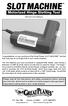 INSTRUCTION MANUAL Congratulations on your purchase of the Great Planes SLOT MACHINE, the first truly easy way to cut hinge slots in your model airplanes. The Slot Machine you have purchased is equipped
3. SEISCO PARTS & SERVICE REMOVAL AND REPAIR GUIDE
 4 3. SEISCO PARTS & SERVICE REMOVAL AND REPAIR GUIDE A. Changing the Control Board B. Replacing a Heating Element C. Thermistor Replacement D. High Limit Switch Replacement E. Level Detector Replacement
Getting Started in Tinkercad
 Getting Started in Tinkercad By Bonnie Roskes, 3DVinci Tinkercad is a fun, easy to use, web-based 3D design application. You don t need any design experience - Tinkercad can be used by anyone. In fact,
Odyssey of the Mind Technology Fair. Simple Electronics
 Simple Electronics 1. Terms volts, amps, ohms, watts, positive, negative, AC, DC 2. Matching voltages a. Series vs. parallel 3. Battery capacity 4. Simple electronic circuit light bulb 5. Chose the right
FUEL CELL CAR SCIENCE KIT ASSEMBLY GUIDE. Battery operation instructions:
 FUEL CELL CAR SCIENCE KIT ASSEMBLY GUIDE Battery operation instructions: 1. The removing and inserting of batteries is to be conducted by the adults only. Unscrew the screw holding the battery pack s cover
PowerFlex 700S and 700H Frame 12 DC Bus Connector Kit
 PowerFlex 700S and 700H Frame 12 DC Bus Connector Kit Installation Instructions This document provides instructions for the installation of a DC bus connector kit for PowerFlex 700S and 700H frame 12 drives
Installation Guide. Wyse D Class 4-GB RAM Upgrade Option Kit. Products: D90D7, D90DW. Issue: 121312 PN: 883884-35L Rev. A
 Installation Guide Wyse D Class 4-GB RAM Upgrade Option Kit Products: D90D7, D90DW Issue: 121312 PN: 883884-35L Rev. A Copyright Notices 2012, Wyse Technology Inc. All rights reserved. This manual and
HP ProDisplay P17A LED Backlit Monitor. User Guide
 HP ProDisplay P17A LED Backlit Monitor User Guide 2013 Hewlett-Packard Development Company, L.P. Microsoft, Windows, and Windows Vista are either trademarks or registered trademarks of Microsoft Corporation
MAGIC MUSHROOM & MINI BEAR
 MAGIC MUSHROOM & MINI BEAR Air Hockey Tables Owners Manual Assembly operation and care instructions. Version 1.1.08 Index Weights and Dimensions 1 Table Assembly 2 Side Score Board Assembly 3 PCB Layout
Taurus Super-S3 LCM. Dual-Bay RAID Storage Enclosure for two 3.5-inch Serial ATA Hard Drives. User Manual March 31, 2014 v1.2 www.akitio.
 Dual-Bay RAID Storage Enclosure for two 3.5-inch Serial ATA Hard Drives User Manual March 31, 2014 v1.2 www.akitio.com EN Table of Contents Table of Contents 1 Introduction... 1 1.1 Technical Specifications...
Figure 2 The fan and shroud also needs to be removed for access to the four a/c compressor bolts and removal of the compressor from the top.
 Here are some pictures to show what s required when replacing the A/C compressor, expansion valve and receiver/drier on a 2001 Volvo V70. Even if you don t replace these A/C parts these pictures can help
OEM Manual MODEL 2350 ELECTRONIC DUAL CYLINDER SCALE
 OEM Manual MODEL 2350 ELECTRONIC DUAL CYLINDER SCALE Scaletron Industries, Ltd. Bedminster Industrial Park 53 Apple Tree Lane P.O. Box 365 Plumsteadville, PA 18949 USA Toll Free: 1-800-257-5911 (USA &
MAINTENANCE & TROUBLESHOOTING
 MAINTENANCE & TROUBLESHOOTING This section describes how to: clean the lens clean the fan intake filter replace the projection lamp replace the batteries in the remote control use the Kensington lock feature
5800 Temperature Sensor Cable Assembly
 5800 Temperature Sensor Cable Assembly Removal and Replacement Instruction Sheet #60-4702-070 Revision D, January 14, 2013 Overview The 5800 has two refrigeration temperature sensors, one attached to the
Air Hockey Training Camp Care and repair of your Air Hockey Playfield
 The playfield is the single most expensive part of your Dynamo Air Hockey table. Proper care will keep your table attractive and functional for your players, and bring them back for more games. CLEAN YOUR
Solstice/Sky Water Pump Replacement
 Solstice/Sky Water Pump Replacement The water pump on the Solstice/Sky is starting to need replacement on some vehicles. This guide will help in replacing the water pump while the engine is still in the
SE05: Getting Started with Cognex DataMan Bar Code Readers - Hands On Lab Werner Solution Expo April 8 & 9
 SE05: Getting Started with Cognex DataMan Bar Code Readers - Hands On Lab Werner Solution Expo April 8 & 9 Learning Goals: At the end of this lab, the student should have basic familiarity with the DataMan
Step by step guide to installing your own Ku Band satellite dish
 Step by step guide to installing your own Ku Band satellite dish If you don't feel comfortable installing your own system, your local TV Aerial or Handyman can easily follow these helpful guidelines for
Intel NUC Kit DC3217IYE User Guide. Intel NUC Kit DC3217IYE
 Intel NUC Kit DC3217IYE User Guide 1 Before You Begin CAUTIONS The procedures in this user guide assume familiarity with the general terminology associated with personal computers and with the safety practices
USB 2.0 VGA ADAPTER USER MANUAL
 USB 2.0 VGA ADAPTER USER MANUAL CONTENTS INTRODUCTION... 3 FEATURES... 3 SYSTEM REQUIREMENTS... 3 PACKAGE CONTENTS... 3 SUPPORTED COMMON DISPLAY RESOLUTION... 4 TECHNICAL SPECIFICATIONS... 4 INSTALLATION
Upgrading and Servicing Guide
 Upgrading and Servicing Guide The only warranties for Hewlett-Packard products and services are set forth in the express statements accompanying such products and services. Nothing herein should be construed
430 Power/Electronics Replacement
 Replacing the main board WARNING Before proceeding, turn off the main power switch and unplug the power cord. Caution Make sure you are properly grounded with an ESD strap before continuing. The main printed
Tyan Computer. Transport PX22. Service Engineer s Manual
 Tyan Computer Transport PX22 Service Engineer s Manual 1 Precaution To read through the user manual, check all assembly and follow setup process before any operation on this server To keep paper clips,
When the machine was turned on, the display prompted for input language and then location. Easy enough for just about anyone. Most of the time. Right?
 Windows 7 Inside Track: Printer, Scanner, and Fax Installation By William R. Stanek Let s embark on what I d like to call Adventures in Printer, Scanner, and Fax Installation. Last Thanksgiving, I did
2001 Saab 9-5 Blend Door Repair - By Andrew Higgins, February 2010
 2001 Saab 9-5 Blend Door Repair - By Andrew Higgins, February 2010 Introduction: This is a long article but it provides details related to troubleshooting problems with my 2001 Saab 9-5 HVAC air ventilation
ADDENDUM USER MANUAL LBV300S-6, LBV300XL & LBV600XL
 ADDENDUM USER MANUAL LBV300S-6, LBV300XL & LBV600XL DOCS-004 Rev C The information, photographs, illustrations and descriptions contained in this manual are the property of SeaBotix Inc. Unauthorized duplication
Service Solutions from CasinoTech Don't throw that old equipment out! Save money by getting it repaired!
 Page 1 of 6 Service Solutions from CasinoTech Don't throw that old equipment out! Save money by getting it repaired! In This Issue Ceronix ASC CasinoTech Basic Warranty Facts Services Performed Power Supply
Yaesu FT-736R PSU repair
 Yaesu FT-736R PSU repair Updated for DigiKey (North American) sources & data I gratefully acknowledge OZ1DB and his original repair documentation and DL7VHF for his schematic diagrams The built in AC/DC
P150SC15. Designed for 2015 Ford F150 Super-Cab and Super-Crew vehicles without Sony System. 2015 Stillwater Designs P150SC15-A2-20150813
 P150SC15 Designed for 2015 Ford F150 Super-Cab and Super-Crew vehicles without Sony System Subwoofer Assembly Amplifier Assembly Amplifier Harness 2015 Stillwater Designs P150SC15-A2-20150813 M6 Bolt M6
Bill Conkling July 2012
 Bill Conkling July 2012 Introduction: For any ham, there are moments that are priceless, like snagging that elusive rare DX station on a deserted island that hasn t been activated in 52 years. And certainly,
HP ProLiant DL165 G7 Server. Installation Instructions
 HP ProLiant DL165 G7 Server Installation Instructions Identifying server components Front panel components Figure 1 Front Panel Components / 4 3.5 HDD Item 1 Thumbscrews for rack mounting 2 Drive status
IMMS-CCC. IMMS-CCC Hardwire Central Interface. Installation Instructions
 IMMS-CCC IMMS-CCC Hardwire Central Interface Installation Instructions TABLE OF CONTENTS... Choose a Location... 1 Connections... 2 Operations... 3 Software Configuration... 4 Troubleshooting... 5 Loopback
Installation and Operation Manual. Digital Remote Meter for Monitoring System Performance. Version: RM-1
 REMOTE METER TM Installation and Operation Manual. Digital Remote Meter for Monitoring System Performance. Version: RM-1 1098 Washington Crossing Road Washington Crossing, PA 18977 USA www.morningstarcorp.com
Doc. No: 412-121033 Issue: 1 Date: Aug 2014. BTT-02 card printer manual THERMAL TRANSFER CARD PRINTER BTT-02
 Date: Aug 2014 THERMAL TRANSFER CARD PRINTER BTT-02 TABLE OF CONTENTS Introduction... 3 System Contents and Initial Checks... 3 Installation... 4 Preparation of Installation Site... 4 Printer Connections...
Wash Select II to WashPay Integration Field Retrofit Installation Guide
 Wash Select II to WashPay Integration Field Retrofit Installation Guide Wash Select II Software Version 6.00 and above POS4000 Software Version 8.25 Unitec www.startwithunitec.com WASH SELECT II TO WASHPAY
Building Your Own SAC System
 Building Your Own SAC System (August 2010) By Bob Lentini www.softwareaudioconsole.com Building your own SAC system can be an exciting and amazing adventure. SAC systems can be created in all shapes and
Life Is Calling. Meet Your New CaptionCall Phone. Spoken Words into Captions. Free Service Means No Cost to You. 2 CaptionCall
 setup guide Life Is Calling Meet Your New CaptionCall Phone We d like to introduce you to CaptionCall. Your new CaptionCall phone looks and works pretty much like an ordinary telephone, but with one big
The quadrature signals and the index pulse are accessed through five 0.025 inch square pins located on 0.1 inch centers.
 Quick Assembly Two and Three Channel Optical Encoders Technical Data HEDM-550x/560x HEDS-550x/554x HEDS-560x/564x Features Two Channel Quadrature Output with Optional Index Pulse Quick and Easy Assembly
Cabinets 101: Configuring A Network Or Server Cabinet
 Cabinets 101: Configuring A Network Or Server Cabinet North, South and Central America White Paper May 2012 www.commscope.com Contents Background Information 3 What is a network or server cabinet? 3 What
Cover Page. Factory Radio Other Documents Available For This Vehicle:
 & nstall Publication, Duplication, or Retransmission Of This Document Not Expressly Authorized n Writing By The nstall Doctor s Prohibited. Protected By U.S. Copyright Laws. 1997,1998,,2000. Factory Radio