
Installation Owner Diagnostics
|
|
|
- Scott Craig
- 10 years ago
- Views:
Transcription
1 Installation Owner Diagnostics Tracer ZN524 for water-source heat pumps Order No: CNT-SVX11A-EN Date: August 2003 CNT-SVX11A-EN
2 Notice Notice Warnings and Cautions appear at appropriate sections throughout this manual. Read these carefully. WARNING - Indicates a potentially hazordous situation which, if not avoided, could result in death or serious injury CAUTION CAUTION - Indicates a potentially hazordous situation which, if not avoided, could result in minor or moderate injury. It may also be used to alert against unsafe practices. - Indicates a situation that may result in equipment or property damage only accidents. 2 UV-SVN001-EN
3 Contents Start-up Procedures 4 General Information 5 Control Circuit Board Features 6 Control Features 7 Communication Configurations 8 Installation and Wiring 10 Typical Wiring Diagram 18 Waterside Ecomomizer Typical Wiring Diagram 19 Hot Gas Reheat Configuration 20 Location Identifier 23 Unit Operation 24 Troubleshooting 32 Replacing Circuit Boards 42 Appendix 43 Appendix Binary Configuration 44 Appendix Unit Operation 45 Appendix Data Lists 47 Appendix Location Identifier 48 CNT-SVX11A-EN 3
4 Start-up Procedures Installation of New Units WARNING Hazardous Voltage! Disconnect all electric power, including remote disconnects before servicing. Follow proper lockout/tagout procedures to ensure the power can not be inadvertently energized. Failure to disconnect power before servicing could result in death or serious injury. 1. Follow all instruction for installation of the water-source heat pump as detailed in the unit s installation guide. (Installation Operation Diagnostics manual). 2. Disconnect power or disable the circuit breaker to unit. 3. Run communication link wire when required. (See wiring diagram in the unit). 4. Install zone sensor when required. (See wiring diagram in the unit and zone sensor submittals). 5. Reapply power. 6. Check for GREEN Status LED operation to ensure power has been made to the Tracer TM ZN524 unit controller. 7. Check for YELLOW Comm LED operation to help ensure communication has been made to the Tracer ZN524 unit controller when applicable. 8. Write the Unit Identification number, using the IDENTIFICATION TAG on the unit, in the Appendix of this document, or on building plans for future location use. Power Up Sequence Manual output test can be initiated at any time in the power up sequence or during normal operation. When 24 VAC power is initially applied to the controller, the following sequence occurs: 1. Green Status LED turns on. 2. All outputs are controlled Off. 3. The controller reads input values to determine initial values. 4. Stand-alone control is assumed unless occupancy data is communicated. 5. Random start timer expires (5 to 30 seconds, random). 6. Power-up control Wait feature is applied. When power up control Wait is enabled, the controller waits 2-minutes to allow ample time for communicated control data to arrive. If, after 2-minutes, the controller does not receive a communicated occupancy request, the unit assumes standalone operation. 7. All valves and damper calibrate closed. 8. Normal operation begins after 290 (potentially) seconds have passed. Note: Manual output test can be initiated at any time. 4 CNT-SVX11A-EN
5 General Information Tracer ZN524 Overview The Trane Tracer ZN524 controller is a factory-installed and commissioned, direct-digital controller (DDC) offering for single or dual compressor watersource heat pump systems. (See Figure 1: Tracer ZN524 Control Board ) Trane offers a complete solution to space comfort control with the flexibility of Integrated Comfort System (ICS) and stand-alone control packages. The ICS control package combines HVAC equipment and building management into one environmental comfort system. Integrating the Tracer ZN524 on watersource heat pumps and tying them to a Tracer Summit system will provide a complete building management system. The stand-alone control package offers the features and functionality of the direct digital control without a front-end building automation system, while providing future considerations for ICS. Equipment problems can often be diagnosed on each unit without having to access the unit componets. These diagnostics can be received remotely via a modem with a Tracer Summit building automation system, thus reducing the number of actual on-site service calls; through the Rover service tool connected to a communication jack located inside the Trace zone sensor; or connected to the unit. Figure 1: Tracer ZN524 control board The Tracer ZN524 is factory-mounted, tested, wired, configured and commissioned for the selected application. The Tracer ZN524 configuration has flexible point and product configurations. For example, with point configuration, a specific binary point can be configured to accept input from either a time clock or some type of generic device. CNT-SVX11A-EN 5
6 Controller Circuit Board and Features A B Figure 2: Tracer ZN524 unit controller circuit board C D H G F Controller features: A. Power Connections B. Generic Connections (BOP) C. Status LED E D. Auto Test Button E. Zone Sensor Connections F. Service Button/LED G. Communications Connections H. Communications LED 6 CNT-SVX11A-EN
7 Controller Features Each Tracer ZN524 unit controller circuit board is equipped with enhancements to help facilitate service, testing, and diagnosis. Each board has: Manual test button, Status LED, Communication status LED, Service button, Quick terminal connectors, and Easy to read screen printing. (See Figure 2: Page 6). Service The Trane Tracer ZN524 unit controller is serviced using Rover, the software service tool. Rover is designed to support the Tracer ZN524 unit controller on a single or dual compressor watersource heat pump. For remote access to the communicating units, the zone sensors offered with the Tracer ZN524 have a telephone style (RJ-11) connector allowing field connection between Rover and the zone sensor; however, the RJ-11 connector must be connected to the communications terminals on the Tracer ZN524 unit controller.(see Figure 3: Rover service tool connected to the RJ-11 communication jack in a zone sensor ) The zone sensor may also be used when trying to locate a unit. By pressing the on button on the zone sensor for 5 seconds or using the wink command in Rover, the circuit board receives the signal causing the status LED to wink. Winking allows visual identifier on the board for service technicians. The Tracer ZN524 also includes features such as a test output to manually test all of the end devices. (See Manual Output Test on page 32, for more information.) Figure 3: Rover service tool connected to the RJ-11 communication jack in a zone sensor Typical Components A typical water-source heat pump system with a DDC package consists of the following physical components, in addition to the mechanical equipment: Tracer ZN524 contains the sensor input circuits, service adjustments, microprocessor control electronics, and communications hardware. Power is supplied by a separately mounted 24 VAC transformer. Sensor Modules a variety of analog sensors that provide temperature and optional humidity sensing and CO2 sensor; and an operator interface to the Tracer ZN524 for operating modes, status, and temperature set points. Standard End Devices a variety of devices that help to gather information and control capacity are used by the Tracer ZN524 in its control algorithm to condition the space to the desired temperature and relative humidity level. Note: The Tracer ZN524 is a configured controller. It will not operate without a valid downloaded configuration file. The Tracer ZN524 controller supports ICS and peer-to-peer communications as well as stand-alone operation. A number of control features may be configured at the factory or by using the Rover service tool. (See Configuration on page 20, for more information.) CNT-SVX11A-EN 7
8 Communication Configurations Integrated Comfort System Note: The Tracer ZN524 controller may only be used with Tracer Summit version 11.0 or greater with a Comm5 communications card. Water-source heat pumps can operate as part of a large building automation system controlled by Tracer Summit. The Tracer ZN524 is linked directly to the Tracer Summit via a twisted pair communication wire. Each Tracer Summit building automation system can connect to a maximum of 120 Tracer ZN524 controllers. Communications link wire The ICS system allows for complete communication with the water-source heat pumps via Tracer ZN524 unit controller. All points connected to the Tracer ZN524 may be observed from the Tracer Summit front-end controller. The Tracer Summit can also initiate an alarm on a loss of performance or equipment malfunctions. Figure 4: Communications link wire The ICS system also allows all of the water-source heat pumps to share information without the presence of hardwired sensors at each unit. Some typical shared points include outside air temperature, entering water temperature, and occupancy schedules. Peer-to-Peer Communications On a peer-to-peer communication system, multiple Tracer ZN524 controllers may share data, via a twisted pair communication wire, without the need for a Tracer Summit system. (See Figure 5: Peer-to-peer communication connections ) Peer-to-peer communications allows features such as master/slave operation, in which multiple units operate off of a single zone sensor. This is typically seen in large spaces requiring multiple units. The Rover service tool is required to set up peer-to-peer communications. Figure 5: Peer-to-peer communication connections Twisted pair wire used in installation of controller in water-source heat pump 8 CNT-SVX11A-EN
9 Communication Configurations Communication Interface Important! To help ensure optimal performance of the Rover service tool, please use the latest version. To obtain the latest version contact your local Trane sales representative or service technician. Note: Refer to the Tracer system manuals for more information on communications. The Tracer ZN524 communicates via Comm5 (LonTalk) to a building management system, the Rover service tool, and other unit controllers on the communications link. Each Tracer ZN524 requires a unique address for the system to operate properly. Every Tracer ZN524 has this address (Neuron ID) embedded in the microprocessor, which eliminates the need for fieldaddressing of the units. Each unit also ships from the factory with a unit identification tag. (See Location Identifier on page 23, for more information.) Building automation system Trane offers a state-of the art front-end building automation system designed to coordinate and monitor Trane equipment and controllers: Tracer Summit. The Tracer Summit system allows the user to monitor and/or change Tracer ZN524: status, parameters, sensor data, diagnostics, and internal variables; and setpoints, operating modes, and out puts. Service tool Trane also offers a service tool to work in conjunction with the Tracer Summit system or with peer-to-peer and standalone systems: the Rover service tool. Communication to the Tracer ZN524, or multiple controllers, can also be accomplished by using the ICS software service tool. A personal computer running Rover may be directly connected to a standalone Tracer ZN524; connected to the communications jack in the Trane zone sensor; or connected to a communicating unit s Tracer ZN524 unit controller, to access all of the units on a communicating link. Rover allows the user to interface with the Tracer ZN524, but will not allow any advanced control (e.g. equipment scheduling or trending). To purchase a copy of the ICS software service tool, contact the BAS department at your local Trane dealer. Stand-Alone In a stand-alone configuration, commands for operation are determined based on input from the zone sensor, humidity sensor, and field-mounted timeclock (See Figure 6). Timeclock can be wired to the Tracer ZN524 to index the unit between occupied and unoccupied modes. A unit-mounted, analog, leaving water temperature sensor is used to initiate the boilerless control or the optional waterside economizer routines. These sensors are required for proper system operation and are provided as standard on stand-alone units. Typical water-source heat pump installation Interoperability Trane has lead the industry with BACnet interoperability and Trane is now expanding the realm of interoperable solutions by offering LonMark certified unit controllers. The Tracer ZN524 controller conforms to the LonMark Space Comfort Controller profile. (See Appendix Data Lists on page 47, for more information.) This allows the ZN524 to be used as a unit controller on other control systems that support LonTalk and the SCC profile. Now building owners have more choices and design engineers have more flexibility to meet the challenges of building automation. Figure 6: Standard GEH (horizontal water-source heat pump) with single control CNT-SVX11A-EN 9
10 Installation & Wiring Specifications Dimensions Tracer ZN524 board and mounting hardware: Height: 5.25 inches (133 mm.) Width: 5.50 inches (140 mm) Depth: 2.25 inches (57 mm) Power Requirements 18 to 32 VAC (24 VAC nominal) 50 or 60 Hz 570 ma AC Operating Environment 32 to 140 F (0 to 60 C) 5% to 95% relative humidity, non-condensing Storage Environment -40 to 185 F (-40 to 85 C) 5% to 95% relative humidity, noncondensing Agency Listings UL and CUL 916 Energy Management System Agency Compliance IEC (ESD), IEC (EFT), IEC (Surge) Figure 7: Tracer ZN524 circuit board schematic 10 CNT-SVX11A-EN
11 Installation & Wiring Binary Inputs Each binary input associates an input signal of 0 VAC with open contact and 24 VAC with closed contacts. Binary Outputs Outputs are load side switching triacs. The triac acts as a switch, either making or breaking the circuit between the load (valve, damper, contactor, relay) and ground. Table 1: Binary input summary for the J2 terminal board connections 1 Binary input Pin Location Function Configuration Valid range BI 1 J VAC Low evaporation temperature Normally open J2-2 Input Normally closed BI 2 J VAC Condensate overflow Normally open J2-4 Input Normally closed BI 3 J VAC Occupancy/Generic Normally open J2-6 Input Normally closed BI 4 J VAC Fan status or not used Normally open J2-8 Input Normally closed 1. Trane Rover service tool uses the unit type to help determine and download the proper default binary input configuration. Table 2: Binary output summary 1 Binary Pin Function Valid range Output Load Load Output Location Rating Energized De-Energized BOP-1 J1-1 Fan NA 12VA 1 VAC RMS 24 VAC RMS BOP-2 J1-2 Reversing valve NA 12VA 1 VAC RMS 24 VAC RMS BOP-3 J1-3 Electric heat or reheat NA 12VA 1 VAC RMS 24 VAC RMS J1-4 (Key) NA 12VA 1 VAC RMS 24 VAC RMS BOP-4 J1-5 Compressor 1 Normally open or 12VA 1 VAC RMS 24 VAC RMS normally closed 2 BOP-5 J1-6 Compressor 2 NA 12VA 1 VAC RMS 24 VAC RMS BOP-6 J1-9 Isolation valve 1 Normally open or 12VA 1 VAC RMS 24 VAC RMS normally closed 2 BOP-7 J1-10 Isolation valve 2 4 NA 12VA 1 VAC RMS 24 VAC RMS BOP-8 J1-11 Economizer valve NA 12VA 1 VAC RMS 24 VAC RMS BOP-9 J1-12 Outdoor air damper NA 12VA 1 VAC RMS 24 VAC RMS BOP-10 3 TB4-1/ Generic output NA 12VA 1 VAC RMS 24 VAC RMS TB Trane Rover service tool uses the unit type to help determine and download the proper default binary output configuration. 2. The normally open/closed configuration item refers to the inactive state of the controller output. 3. BOP-10 is a generic output but requires a 24 VAC source for usage. 4. Typical factory installation has only one (1) ISO valve. CNT-SVX11A-EN 11
12 Installation & Wiring Analog Inputs Table 3: Analog Inputs (Zone Sensor) Description Terminals Function Range Zone TB3-1 Space temperature input 5 to 122 F (-15 to 50 C) Ground TB3-2 Analog ground NA Set TB3-3 Local setpoint input 40 to 115 F (4.4 to 46.1 C) Fan TB3-4 Fan switch input 4821 to 4919 V (Off) 2297 to 2342 V (Auto) to V (High) Ground TB3-6 Analog ground NA Table 4: Analog Inputs with terminal connections 1,2 Analog input Terminal Function Range AI 1 J3-1 Entering water temperature or -40 to F (-40 0 to C) J3-2 outside air temperature -40 to F (-40 0 to C) AI 2 J3-3 Discharge air temperature -40 to F (-40 0 to C) J3-4 AI 3 J3-5 Leaving water temperature -40 to F (-40 0 to C) J3-6 AI 4 J3-7 Universal 4-20mA input 4-20ma J3-8 Humidity 0-100% J3-9 CO ppm 1. Trane Rover service tool uses the unit type to help determine and download the proper default analog input configuration. 2. Analog input 3 (AI 3) configured as generic temperature input does not affect unit operation. When configured, the Tracer TM ZN524 unit controller communicates the generic temperature value to Rover or Tracer Summit and displays it as generic temperature. 12 CNT-SVX11A-EN
13 Installation & Wiring Mounting The Tracer ZN524 circuit board is located in the control box, which is mounted behind the front panel of the watersource heat pump (See Figures 9 and 10 for more information). The sheet metal mounting plate has raised embosses to accept the mounting feet on the circuit board. (See Figure 8: For close-up of horseshoe embosses and circuit board mounting feet.) This design allows the Tracer ZN524 controller to be secured with a minimal number of sheet metal screws. The mounting position on the vertical water-source heat pump allows complete access to the Tracer ZN524 by removing the front panel - six screws A total. (See Figure 9) Removing the screws and panel allows access to the components of the control board. The mounting plate on both the horizontal and vertical water-source heat pumps allow complete access to the Tracer ZN524 by removing the front panel - also six screws total. (See Figure 10) Removing the screws and panel allows access to the components of the control board. For additional convenience, quick connects and modular wire harnesses are used on the control board and mounting plate. These quick connects help facilitate ease of wiring devices (e.g., zone sensor) to the control board, and helps add accessibility to major components. B WARNING Hazardous Voltage! Disconnect all electric power, including remote disconnects before servicing. Follow proper lockout/tagout procedures to ensure the power can not be inadvertently energized. Failure to disconnect power before servicing could result in death or serious injury. C Figure 9: Removing front panel of vertical unit to access control panel. Figure 8: A) Cut-away view of the ZN524 control mounted on the control box panel. B) Close-up of mounting shoe on backside of control which slide into the horseshoe brackets (C) on the control panel. Figure 10: Removing front panel of horizontal unit to access control panel. CNT-SVX11A-EN 13
14 Installation & Wiring Wiring WARNING Live Electrical Components! During installation, testing, servicing, and troubleshooting of this product, it may be necessary to work with live electrical components. Have a qualified licensed electrician or other individual who has been properly trained in handling live electrical components perform these tasks. Failure to follow all electrical safety precautions when exposed to live electrical components could result in death or serious injury. CAUTION Use Copper Conductors Only! Unit terminals are not designed to accept other types of conductors. Failure to use copper conductors may result in equipment damage. Important! All wiring must comply with state, local, and federal guidelines. Contact the appropriate local agency for further information. Important! Wires for temperature sensors, communication lines, 24 VAC, and contact closure sensing inputs should not be bundled with or run near high voltage wiring. To prevent damage to the unit, refer to the diagram provided on the unit s inside access panel for specific wiring information. Most control components are factory-wired. Zone sensors and communication wiring is to be installed by the contractor. Power wiring must be separated from the Tracer ZN524 and all low voltage wires. External input wires should be run in separate conduits from high voltage wires. Wires connected to pin headers should be formed and routed so as to cause minimum strain on the Tracer ZN524 connector. A minimum of 1.5" clearance (from the pin centerline) for wires up to 16 AWG is recommended for bending and forming wires. All sensor and input circuits are at or near ground potential. Do not connect any sensor or input circuit to an external ground connection. A close-coupled ground connection is required for the Tracer ZN524. Table 5: Tracer ZN524 Wiring Requirements, shows Tracer ZN524 wire types and lengths. Power The Tracer ZN524 controller is powered by 24 VAC. (See Table 5: Tracer ZN524 wiring requirements )A total of two 1/4- inch quick-connect terminals are provided for 24 VAC connection to the board. Application Wire Type Length Contact 18 AWG Up to Closure 1000 ft. 24 VAC AWG Up to 1000 ft. Zone AWG Up to Sensor 200 ft. Communications Belden 8760 or equivalent Table 5: Tracer ZN524 wiring requirements Up to 5000 ft. Figure 10: Power connections to the Tracer ZN524 unit controller ZN CNT-SVX11A-EN
15 Installation & Wiring Installing the Wall-Mounted Zone Sensor (Optional) Zone sensor location is an important element of effective room control and comfort. In air flows from adjacent zones or other units. The communications link is not connected in the factory. Communications could be wired to the wall-mounted sensor if desired. The best sensor location is typically on a wall, remote from the HVAC unit. Readings at this location assure that the desired setpoint is achieved across the space, not just near the unit itself. Note: It may be necessary to subdivide the zone with multiple units to ensure adequate control and comfort throughout the space. The following are typical areas where the zone sensor should not be mounted: Near drafts or dead spots (e.g., behind doors or corners); Near hot or cold air ducts; Near radiant heat (e.g., heat emitted from appliances or the sun); Near concealed pipes or chimneys; On outside walls or other nonconditioned surfaces; or Figure 11: Proper zone sensor placement CNT-SVX11A-EN 15
16 Installation & Wiring Zone Sensor Features Fan Switch (Optional) The zone sensor fan switch provides the controller with an occupied (and occupied standby) fan request signal of off or auto. If the fan control request is communicated to the controller, the controller ignores the hardwired fan switch input and uses the communicated value. The zone sensor fan switch signal can be enabled or disabled through configuration in the ZN524 controller. ON or CANCEL Buttons Momentarily pressing the on button during unoccupied mode places the controller in occupied bypass mode for 120 minutes. You can adjust the number of minutes in the unit controller configuration using Trane s service tool, Rover. The controller remains in occupied standby mode until the override timer expires or until the cancel button is pressed. Communication Jack Use the RJ-11 communication jack as the connection point from Rover to the communication link (when the communication jack is wired to the communication link at the controller). By accessing the communication jack via Rover, entrance to all controllers on the link may be gained. Table 6: Zone Sensor Options Part number: X Description: Space temperature (0.2 C resolution) Internal setpoint Communication jack Vertical case with Trane logo Part number: X Description: Space temperature (0.2 C resolution) External setpoint Communication jack Vertical case with Trane logo 16 CNT-SVX11A-EN
17 Installation & Wiring Table 6: Zone Sensor Options - continued Part number: X Description: Space temperature (0.2 C resolution) ON and CANCEL buttons External setpoint Communication jack Vertical case with Trane logo Part number: X Description: Space temperature (0.2 C resolution) ON and CANCEL buttons Fan switch (OFF and AUTO) External setpoint Communication jack Vertical case with Trane logo CNT-SVX11A-EN 17
18 Typical wiring diagram Figure 12: Wiring diagram with Waterside Economizer option 18 CNT-SVX11A-EN
19 Typical wiring diagram Figure 13: Wiring diagram with Hot Gas Reheat option CNT-SVX11A-EN 19
20 Configuration Trane configures the Tracer ZN524 Unit Controller at the factory per the selected unit configuration. The controller is applied to water-source heat pumps designed for cooling only or standard heat pump usage, in both single or dual-compressor design. The controller also supports the useage of water-side economizer, hot gas reheat, electric heat or boilerless units. Table 7 defines the configuration options supported by the ZN524 controls. Table 7: Typical Applications Supported 1 Unit Water-side Hot Gas Electric Boilerless Economizer Reheat Heat Cooling Only X X X X X X X Heat Pump X X X X X X X X X X 1. Information applies to both single or dual compressor design Configurable parameters Rover service tool uses the unit type to determine and download many other aspects of the unit configuration, such as the default analog input configuration, the default binary input configuration, and the default binary output configuration. Cooling source DX Cooling Waterside economizer Heating source None Electric heat DX Heating 20 CNT-SVX11A-EN
21 Configuration Table 8: Fan configuration ranges Fan configuration Default Valid range Fan operation in heating Continuous Continuous 1 Cycling with capacity Fan operation in cooling Continuous Continuous (during occupied) Cycling with capacity (unoccupied) Number of fan speeds One 1 Configurable fan speed heating High Off, high, auto Configurable fan speed cooling High Off, high, auto Zone sensor fan switch Enable Disable or enable 1. Fan will cycle when unoccupied Table 9: Setpoint defaults Setpoint Default Valid range Occupied heating setpoint 71 F 40 to 115 F Occupied cooling setpoint 74 F 40 to 115 F Occupied standby heating setpoint 67 F 40 to 115 F Occupied standby cooling setpoint 78 F 40 to 115 F Unoccupied heating setpoint 60 F 40 to 115 F Unoccupied cooling setpoint 85 F 40 to 115 F Heating setpoint low limit 1 40 F 40 to 115 F Cooling setpoint low limit 1 40 F 40 to 115 F Heating setpoint high limit F 40 to 115 F Cooling setpoint high limit F 40 to 115 F Thumbwheel setpoint Enable Disable or enable Economizer setpoint 50 F 40 to 100 F Humidity setpoint 60% 0 to 100% 1. The heating and cooling setpoint high and low limits only apply to the occupied and occupied standby setpoints and are not applied to the unoccupied setpoints. Table 10: Discharge air limit ranges Default Valid Range Low Limit 1 45 F 30 to 50 F 1. The low limit is the temperature at which the controller shuts down the unit to prevent the coil from frosting. CNT-SVX11A-EN 21
22 Configuration Occupied Bypass Timer Table 11: Bypass timer range Default Valid Range Occupancy bypass timer minutes 30 to 240 minutes ( 1-minute resolution) 1. The occupied bypass timer is used for timed override applications. Power-up Control Wait Table 12: Control wait timer Default Valid Range Power up control wait (2 minutes) 120 seconds Disable or enable Maintenance Timers Table 13: Maintenance timer range 1 Default Valid Range Maintenance timer 0 0 to 10,000 hours 1. Based on fan run hours. 22 CNT-SVX11A-EN
23 Location Identifier Unit Identification Tag The unit identification tag is factory mounted and provided for easy identification of an installed unit. It contains model number, tagging, and location information. The unit identification tag remains permanently affixed to the unit for identification purposes. The bottom portion of the tag provides pertinent information that can be written to in building plans or in the Appendix Location Identifier on page 48. This provides identification history about the unit s location for quick reference. A B C These tags provide information about: unit serial number (A) NID (neuron identification number) The NID is similar to the serial number of the unit but is specific to the identification of the Tracer ZN524 unit controller circuit board (B) unit location The location identification is a customer defined, clear English description, of the unit s physical location. This is a 27 character description, including spaces, of the location. For example, if the location identification for a unit is Conference Room 101, the ZN524, Rover (the Trane Loop Controller service tool), and Tracer Summit, will recognize this clear English description. (C) If location identification is not defined, it will default to the unit serial number. This unit identification tag provides some information so the user has multiple references to the unit. The blank location is provided for field modification in case the unit is moved from the initial location. Winking Winking a device causes the green status LED on the device selected to blink at a rate of twice per second for approximately 10 seconds. This feature is useful when a discrepancy in device location exists. As part of the troubleshooting process, one person can wink the device while another can observe the blinking and verify the device s physical location. Figure 14: Water-source heat pump unit identification tag. Important! If the status LED on the ZN524 does not blink, the device may not be communicating or it may not be the device you selected according to the stored address. A Tracer ZN524 unit controller may be set to wink by pressing zone sensor On button for 5 seconds and using Rover, Trane s communication service tool or the Tracer Loop Controller. CNT-SVX11A-EN 23
24 Unit Operation Power-Up When 24 VAC is initially applied to the controller, the following sequence of events occurs: Green status LED turns on. All outputs are controlled OFF. The controller reads input values to determine initial values. Random-start timer expires (5 to 30 seconds). When POWER-UP CONTROL WAIT is enabled, the controller waits seconds (depending on configuration) to allow ample time for communicated control data to input. If the controller does not receive communi-cated information, stand alone control is assumed. All valves and dampers are closed. NORMAL operation begins. Occupancy The valid occupancy modes for the Tracer ZN524 controller are: OCCUPIED - Normal operating mode for occupied spaces or daytime operation. UNOCCUPIED - Normal operating mode for unoccupied spaces or nighttime operation. OCCUPIED STANDBY - Mode used to reduce the heating and cooling demands during the occupied hours when the space is vacant or is unoccupied. OCCUPIED BYPASS -Used to temporarily transition the unit from unoccupied to occupied operation. The occupancy mode can be hardwired to the controller via the occupancy binary input or communicated to the controller. OCCUPIED mode When the controller is in the OCCUPIED mode, the unit attempts to maintain the space temperature at the active occupied heating or cooling setpoint. OCCUPIED mode is the default mode of the Tracer ZN524 controller. UNOCCUPIED mode When the controller is in the UNOCCUPIED mode, the unit attempts to maintain space temperature at the stored unoccupied heating or cooling setpoint (i.e., configurable through Tracer Summit or the Rover service tool) regardless of the presence of a hardwired or communicated setpoint. When the space temperature exceeds the stored unoccupied setpoint, the controller brings on 100% of the primary heating or cooling capacity. The UNOCCUPIED mode can be initiated through a hardwired signal to the occupancy binary input or by a communicated request. OCCUPIED STANDBY mode The OCCUPIED STANDBY mode allows the unit to operate at a heating or cooling setpoint between the occupied and unoccupied setpoints to help maintain the environment while decreasing energy consumption. This mode can decrease the energy consumption for heating or cooling during brief periods of vacancy in the space. Unit operation in this mode is similar to the occupied mode except for the different heating and cooling setpoints. The OCCUPIED STANDBY mode is initiated only when occupancy is communicated to the Tracer ZN524 controller and the hardwired signal to the occupancy input is calling for unoccupied operation. OCCUPIED BYPASS mode The OCCUPIED BYPASS mode is used to transition the unit from the UNOCCUPIED mode to the occupied mode for a period of time from 0 to 4 hours (configurable through Rover. Default=2 HRS). The controller can be placed in OCCUPIED BYPASS mode by either communicating an occupancy request of bypass or by using the TIMED OVERRIDE (i.e., ON) button on the Trane zone sensor. ON and CANCEL Buttons Some Trane zone sensors have ON and CANCEL buttons for timed override operation. Pressing the On button on the zone sensor when the unit is in the UNOCCUPIED mode initiates the OCCUPIED BYPASS mode and initializes the bypass timer. The cancel button is used to send the unit back into UNOCCUPIED mode before the bypass timer has expired. The On button may also be used for the unit identification or the WINK feature. When the Tracer ZN524 controller is connected to a Tracer Summit system, Loop Controller, or the Rover service tool, the On button may be used in place of the service pin for easy unit identification. Heating And Cooling Changeover Logic The Tracer ZN524 Unit Controller can receive communicated requests for heating or cooling operation. The communicated variable nviapplicmode is used to communicate the requests for the controller's operating mode based on the following values: 0 = Auto (mode determined by controller) 1 = Heat (uses heating setpoints) 2 = Morning Warm-up 3 = Cool (uses cooling setpoints) 5 = Pre-cool (morning cool down) 6 = Off (no unit operation allowed) 7 = Test (special test mode) 9 = Fan Only (no heating or cooling) 24 CNT-SVX11A-EN
25 Unit Operation Figure 15: Heat/Cool Changeover logic All other numers will be interpreted as Auto. As the controller automatically determines its heating or cooling mode, it changes from cool to heat or from heat to cool, while the error (integrated over time between the active setpoint and the space temperature) is (900 F Sec). Integration only begins once the heating and cooling capacity is equal to 0% (See Figure 15). Heat/Cool Changeover Logic If the measured space temperature is 69 F and the active cooling setpoint is 72 F, the error between the space temperature and the setpoint is three degrees. If the same error exists for one minute (60 seconds), the integration term is (3 F 60 Sec) or (180 F Sec). The Tracer ZN524 Unit Controller changes from heating to cooling and cooling to heating when the integration term exceeds (900 F Sec). Along with satisfying the integration for heating and cooling changeover, the measured space temperature must fall outside the setpoint range. This means the space temperature must be greater than the active cooling setpoint or lower than the active heating setpoint. Example: If the cooling setpoint is 75 F and the heating setpoint 70 F, any space temperature greater than 75 F or less than 70 F is outside the setpoint range. Once the integration term is satisfied and the space temperature is outside the setpoint range, the controller changes modes. However, before the unit's heating or cooling capacity ramps up, the controller checks to make sure it is capable of heating or cooling. In instances where waterside economizers or boilerless controls are in use, it is necessary to verify the water temperature before unit operation is allowed. CNT-SVX11A-EN 25
26 Unit Operation Cooling Operation During the COOLING mode, the Tracer ZN524 controller attempts to maintain the space temperature at the active cooling setpoint, which is one of the following: Occupied cooling Occupied standby cooling Unoccupied cooling The controller uses the measured space temperature, the active cooling setpoint along with the control algorithm to determine the requested cooling capacity of the unit (0-100%). The outputs are controlled based on the unit configuration and the requested cooling capacity. Heating Operation During the heating mode, the Tracer ZN524 controller attempts to maintain the space temperature at the active heating setpoint, which is one of the following: Occupied heating Occupied standby heating Unoccupied heating The controller uses the measured space temperature, the active heating setpoint along with the control algorithm to determine the requested heating capacity of the unit (0-100%). The outputs are controlled based on the unit configuration and the requested heating capacity. Fan Operation The Tracer ZN524 controller also allows the fan speed to be configured as auto. When the fan speed switch is in the auto position and the default fan speed is configured as auto, the unit may change between cycling and continuous, depending on how the default fan speeds are configured for heating and cooling modes. The fan mode request can be either hardwired or communicated to the Tracer ZN524 controller. When both are present, the communicated request has priority over the hardwired input. During occupied, OCCUPIED STANDBY, and OCCUPIED BYPASS modes, the fan will operate as configured (cycling or continuous). The fan may be controlled off in these mode when the MANUAL OUTPUT TEST has been initiated, a latching diagnostic is present, or the communicated or hardwired fan speed is off. During the UNOCCUPIED mode, the unit fan is controlled off. When capacity is required to maintain the UNOCCUPIED heating or cooling setpoint, the unit fan is controlled on until the UNOCCUPIED setpoint is satisfied. Fan Off Delay If the fan is configured for cycling and the heating output is controlled off, the Tracer ZN524 Unit Controller automatically holds the fan on for an additional 30 seconds. This 30-second delay gives the fan time to blow off any residual heat from the heating source. Entering Water Temperature Sampling Function The Tracer ZN524 controller will sample the Entering Water Temperature (EWT) to determine proper control action for units equipped with boilerless electric heat or Waterside Economizer (WSE). Each unit is treated as having isolation valves - whether present or not. If the EWT is communicated to the controller via a BAS system, then no sampling will be required. If the EWT is present as a hardwired input and communicated from a BAS, the communicated value will be used. When the EWT sample is used, the isolation valve on circuit 1 will be driven open for 3 minutes and the EWT reading will be taken at that time. To avoid sampling each time a new cooling/heating request is initiated, the last EWT value recorded is used for the next (1)hour. During boilerless control heating, if setpoint has not been met following the hour, a new EWT reading is made and the appropriate control action is taken. During WSE and DX operation, the EWT is refreshed as often as the analog imput is polled. NOTE: If the WSE is disable due to enable setpoint AND DX cooling is in operation, DX cooling will not be disabled until the load is met. This will occur even if the EWT has lowered to the point the WSE can be used. Refer to the WSE documentation for further details. Sampling for Waterside Economizer Units EWT is used to determine if WSE operation is feasible. If the EWT meets the configured Enable setpoint, WSE operation is possible. 26 CNT-SVX11A-EN
27 Unit Operation EWT sampling will be invoked when the following conditions have been met: EWT is not communicated via a BAS and: Unit is equipped with a WSE The the following must occur: There is a new control request for cooling and isolation valve 1 is not open and more than 1-hour has elapsed since the last EWT sample When these conditions are met, circuit 1 isolation valve is opened for 3-minutes and the EWT reading is taken and WSE operation feasability is determined. The isolation valve will remain open regardless. Sampling for Electric Heat Units For units equipped with electric Heat and configured for boilerless control, EWT is used to determine whether DX heating should be disabled and electric heat enabled. EWT sampling is invoked when the folowing conditions are met: EWT is not communication via a BAS and: Unit is equipped with electric heat configured for boilerless control and is not a cooling only unit Then the following must occur: There is a new control request for heating and isolation valve 1 is not open and more than 1-hour has elapsed since the last EWT sample or: Boilerless electric heat is running and more than 1-hour has elapsed since the last EWT sample When these conditions are met, circuit 1 isolation valve is opened for 3-minutes, the EWT reading is taken and electric heat operation feasability is determined. If boilerless electric heat is enabled, the isolation valve will be closed, halting water flow to the unit. The following chart provides a quick reference to unit configurations in which EWT is enabled: EWT Sampling Enabled No Yes Yes Yes No Yes No Yes No Yes Unit Build Configuration Heat pump (HP) HP with WSE HP + electric heat (boilerless) HP + electric heat + WSE HP + electric heat (concurrent) HP + electric heat (concurrent) + WSE Cooling only Cool only with WSE Cool + electric heat (boilerless) Cool + electric heat (boilerless) + WSE Water-side Economizer Operation The ZN524 supports the use of a 2-position Water Side Economizer (WSE). The WSE is only active in cooling mode and the EWT setpoint has been met. If the zone requires cooling and the WSE is enabled, the WSE valve will open and begin controlling the zone. If the WSE capacity can not cool the zone, then 1- stage of compressor cooling will be allowed to operate with the WSE. The second stage of compressor cooling will not be allowed to run, under any circumstances, when the WSE is in operation. Note: If the zone temperature continues to rise, the WSE enable setpoint may need to be redueced in order to increase unit capacity. When the WSE and the compressor are running simultaneously, coil frosting may occur. The ZN524 controls two devices to prevent this from occuring. Coil Icing Protection A fixed temperature device is mounted to the evaporator coil and wired to a binary input on the ZN524 controller. When the binary input on the ZN524 trips ( in alarm situations) the following actions will occur: Cooling Mode Economizer Economizer & 1-stage DX 1st and 2nd stage DX Control Action Note: The fan will remain on during this operation This low-level diagnostic will automatically rest when the binary input changes to the normal state. The compressor minimum on and off times (3 minutes) will be enforced during this mode. Low Leaving Air Protection This mode is activated during WSE operation and controlled by the discharge air sensor. If the discharge air temperature drops below 45 F for 1- minute while the unit is economizing, the following actions will occur: Cooling Mode Economizer Economizer & 1-stage DX 1st and 2nd stage DX None Disable 1st Stage DX Disable DX stages 1 and 2 Control Action None Disable 1st Stage DX None Note: The fan will remain on during this operation This low-level diagnostic will reset when the discharge air temperature has risen above 50 F. The compressor minimum on and off times (3 minutes) will be enforced during this mode. CNT-SVX11A-EN 27
28 Unit Operation Electric Heat Operation The Tracer ZN524 supports 1-stage electric heat in one of three ways: Supplemental, Boilerless and Main heat. Supplemental When applied, the electric heat is cycled on as the last stage of heating. Compressor 1 and 2 (where applicable) will be energized and the electric heat will operate concurrently with the compressors as needed to maintain space temperature. Boilerless When applied, the electric heat will be enabled based on EWT. The compressor(s) and electric heat is not allowed to operate at the same time. Boilerless electric heat is controlled by the EWT and compressor heat disable setpoint. If the unit is in the heating mode and the EWT falls below the compressor heat disable setpoint, then the compressor will be disabled for heating and the electric heat will be cycled to maintain temperature. Boilerless control will be disabled if the EWT rises 5 F above the compressor heat disable setpoint. The EWT value can be either local or communicated. In applications where the local water sensor is used, the unit may utilize the Entering Water Temperature Sampling function to verify water temperature. Main Heat The electric heat will be utilized as the only form of heat for the unit. The compressor and electric heat will not operate at the same time. When in the heating mode the electric heat cycle to maintain space temperature. Compressor (DX) Cooling The ZN524 controller supports two stages of DX cooling. The control is proportional and based on an error rate of 3 F for single compressor operation and 5 F for 2-compressor units. Zone temperature is compared against active setpoints for compressor operation: OFF, pulse width modulation or ON. Note: When the control is in the dehumidification mode only OFF and ON are valid compressor states. At start-up or during mode transition, if both compressors are requested to run, compressor 1 will be energized first. Compressor 2 waits until the next control cycle (10 seconds) to energize. Water Isolation Valves The ZN524 supports the operation of water isolation valves for varialble speed pumping systems. Up to 2 isolation valves are supported, one for each compressor circuit. The valves are spring return and normally closed. The ZN524 operates as if isolation vlalves are present. The presence or absence of isolation valves is not a configuration factor. Under normal operation, the ZN524 opens the isolation valve(s) under the following conditions: DX Heating request DX Cooling or WSE request When control is in DX heat or cool mode AND is controlling with pulse width modulation, the valves will remain open during the pulse width modulation cycle. Dehumidification request EWT sampling request. Valves will remain open for 3 minutes. Manual testing During DX operation. The valves will open for 20 seconds to ensure adequate water flow before energizing the compressor outputs. Upon opening, the valves remain open for a 10 minute minimum to reduce excessive valve cycling. Note: If only a single isolation valve is used on a two-circuit heat unit, it must be wired to the isolation valve 1 output. Isolation valve 1 must remain open as long as the control is in an active cooling, heating, or dehumidification. If circuit/compressor 1 is taken off-line, isolation valve 1 will remain open to allow operation of circuit 2. Under normal operation, isolation valves will be closed under the following conditions: Compressor and WSE are controlled OFF and the 10-minute minimum on has expired. Note: If the WSE is disabled due to economizer enable paramenter or through BAS system and cooling demand is still present, the isolation valve will remain open for compressor operation. Isolation valve 2 will close if compressor 2 is taken off-line due to a diagnostic or no capacity call and the 10-minute minimum on has expired Power is lost, valves de-energize to the closed position Manual test off There is no time delay when an isolation valve is to be closed. The ouptut will be de-energized and the valve will spring return closed. 28 CNT-SVX11A-EN
29 Unit Operation Other Modes DEHUMIDIFICATION The ZN524 controller controls the zone to the active cooling setpoint using proportional control. The ZN524 also controls one stage of DX cooling in conjunction with one stage of reheat. The only supported dehumidification type during this period is hot gas reheat. The factory-supplied ZN524 supports one binary output for the control of a two-position hot gas reheat solenoid valve. This valve is normally closed and will open when energized providing the flow of hot refrigerant gas through the reheat coil. The reheat coil is sized to provide neutral air at 75 F loop condition with 75 F dry bulb return air at 75% relative humidity. When in the dehumidification mode, only the first stage DX cooling will be allowed to run on two stage units. Active dehumidification can only occur when the controller is in the cooling mode. Active dehumidification is not allowed in heating mode. Dehumidification can be active during all time of day schedules. A humidity transmitter is used to measure the zone relative humidity and is compared against the relative humidity enable/disable setpoints. Relative humidity level can be communicated to the ZN524 from a Tracer Summit system. The default values for dehumidification enable is 60% relative humidity. Disable point is 52% relative humidity. These values are configurable. To avoid subcooling the space if the reheat is not sized properly or during certain system conditions, a low limit temp is established to exit dehumidification mode. The low limit is the active cooling setpoint in the OCCUPIED and UNOCCUPIED standby modes. In the UNOCCUPIED mode, the default OCCUPIED cooling setpoint is used as the low limit. This enables extended dehumidification during unoccupied modes which allows sub-cooling the space to the default OCCUPIED setpoint. If the zone temperature reaches the low limit the DX cooling and reheat will be turned off. The zone temperature must then rise 0.75 F above the low limit before the DX cooling and reheat are allowed to operate again. Note: While in the dehumidification mode, if there is a call for capacity by the unit, the zone temperature setpoint will take priority over the relative humidity setpoints. Dehumidification will occur during the following: Unit mode = cooling Relative humidity > Enable setpoint Reheat in the dehumidification mode is utilized under the following conditions: Zone temp is above the active cooling setpoint Zone temp error < 1.5 F above the active cooling setpoint The compressor will be energized 100% of the time during dehumidification mode. No pulse width modulation is used during dehumidification. Dehumidification will occur during the following: Unit mode = cooling Relative humidity > Enable setpoint Reheat in the dehumidification mode is utilized under the following conditions: Zone temp is above the active cooling setpoint Zone temp error < 1.5 F above the active cooling setpoint Compressor 2 will not be on at the same time as the reheat solenoid. No pulse width modulation is used during dehumidification. For both single and two-stage cooling, the following conditions will cause the ZN524 to transition out of dehumidification mode: Relative humidity [ disable setpoint Zone temp á 1.5 F Unit mode = heating Note: For both single and twostage cooling, the occupied cooling and occupied heating setpoints can be the same, which may create some risk of switching over to heating mode unless the transition. DEFROST For defrost operation, a sensor is wired to BIP 1. When a defrost condition is detected, the compressor(s) are disabled, and the unit is placed in the DEFROST mode. During DEFROST the compressor(s) are off, and the fan will continue to operate as continuous. The unit will remain in the DEFROST mode until the sensor resets. The unit will return to NORMAL operation after the mode is discontinued. PRE-HEAT The Tracer ZN524 controller keeps the 2-position outdoor air damper closed anytime during the OCCUPIED mode when the space temperature is 3 F or more below the heating setpoint. The damper remains closed indefinitely during morning pre-heat until the space temperature is within 2 F of the effective heating setpoint. The unit runs at full capacity until setpoint is met. CNT-SVX11A-EN 29
30 Unit Operation PRE-COOL The Tracer ZN524 controller keeps the 2-position outdoor air damper closed for up to one hour at every transition from unoccupied to occupied mode when the space temperature is 3 F or more above the cooling setpoint. The damper remains closed during precool until the space temperature is within 2 F of the effective cooling setpoint. The unit runs at full capacity until setpoint is met. Output Overrides Manual Output Test Manual output test allows the binary outputs to be energized in a predefined sequence. (For more information see, Manual Output Test, on pages for more information.) Fan Status There are two ways to do fan status monitoring: 1. The status of the fan is reported based on the state of the binary out put(s) dedicated to fan control. The fan status is reported as ON whenever the corresponding binary output is directed on. The fan status is reported as off when the fan output is directed ON. Filter Status/Maintenance Timer The unit filter status\maintenance timer is based on the cumulative run hours of the unit fan. The controller compares the fan run time against an adjustable fan run hour limit and recommends unit maintenance as required. The Rover service tool is used to edit the maintenance required setpoint time. Once the setpoint limit is exceeded, the controller generates a maintenance required informational diagnostic. When the MAINTENANCE REQUIRED setpoint time is set to zero, the controller disables this feature. The Tracer Summit, Tracker or the Rover service tool are required to clear the MAINTENANCE REQUIRED informational diagnostic. Once the diagnostic is cleared, the controller resets the fan run time to zero and begins accumulating fan run hours again. Note: If at any time the unit loses power, the timer is reset to zero. 2. The Tracer ZN524 controller has a binary input available for a fan status device (current sensing relay) which can provide feedback of fan operation. If the device does not indicate fan operation after 1 minute as commanded ON, a unit shut down is initiated, and the unit is latched OFF. 30 CNT-SVX11A-EN
31 Unit Operation Data Sharing LonWorks Tracer ZN524 allows peer-to-peer data communication through the use of LonWork s technology. Data such as space temperature setpoint, occupancy, etc. can be shared from a master controller to a peer controller over a twisted pair of communication wire with or without the presence of a front end building management system. (See Figure 16: Simple data sharing application ) This ability allows units to operate with the same data to prevent conflicting control. Data sharing is established through the use of bindings. Bindings are set up through the Rover service tool. The Tracer ZN524 controller includes a network variable for master/slave operation. This variable includes all of the information required for the slave units to operate with master controller. (See Figure 17: More complex data sharing application ) For more information on establishing bindings, see the Rover service tool manual. For a complete listing on shared points see Appendix Data Lists on page 47. Master ZN524 Zone Sensor Figure 16: Simple data sharing application Comm5 Link ZN524 ZN524 Slave Slave Tracer Summit Slave A1 Master A Slave A2 Master B Slave B1 Zone Sensor Zone Sensor Figure 17: More complex data sharing application Zone A Zone B CNT-SVX11A-EN 31
32 Troubleshooting Important! When viewing the Tracer ZN524 through the Rover service tool, it is important that the version be up-to-date. To help ensure that your version is the most recent, contact you local Trane sales representative or service center. WARNING Live Electrical Components During installation, testing, servicing and troubleshooting of this product, it may be necessary to work with live electrical components. Have a qualified licensed electrician or other individual who has been properly trained in handling live electrical components perform these tasks. Failure to follow all electrical safety precautions when exposed to live electrical components could result in death or serious injury. Led Operation Table 15: Red Service LED Red LED Description activity LED is off continuously after power is applied to the controller. LED is on continuously, even when power is first applied to the controller. LED flashes about once every second. Normal operation. Someone is pressing the Service push button or the controller has failed. Un-install (normal controller mode). Use Rover service tool to restore the unit to normal operation. Refer to the Rover product literature for more information. Black Service Push Button seconds, the Tracer ZN524 Unit Controller will uninstall itself from the ICS communication network and shut down all unit operation. This mode is indicated by the red Service LED flashing once every second. See the Red Service LED section. Use Rover service tool to restore the unit to normal operation. The Service push button, located at the bottom center of the controller, can be used to install the Tracer ZN524 Unit Controller in a communication network. Refer to the Rover and Tracer Summit product literature for more information. Green Status LED The green LED normally indicates whether or not the controller is powered on (24 VAC). Table 16: Green status LED activity Green LED activity LED is on continuously. Description Power on (normal operation). LED blinks The controller is in (1 blink per manual output test mode. second) No diagnostics present. The controller is in manual LED blinks output test mode. (2 blinks One or more diagnostics per second). are present. LED blinks 1/4 second on, 1/4 second off for 10 seconds Figure 18: Black service button Wink mode Yellow Comm LED The yellow Comm LED blinks at the rate the controller receives communication. The yellow LED does not blink when the controller is transmitting communication data. Table 17: Yellow comm LED activity Yellow LED activity LED off continuously. LED blinks or. flickers LED on continuously. Manual Output Test Description Controller is not detecting any communication. (Normal for standalone applications.) The controller detects communication. (Normal for communicating applications, including data sharing.) Abnormal condition or extremely high traffic on the link. The test sequence verifies output and end device operation. The manual output test can be conducted to verify output wiring and actuator operation, without using the Rover service tool, by pressing the test button. Many service calls are initiated due to unit diagnostics, so the test sequence attempts to clear unit diagnostics and restore normal unit operation prior to testing the outputs. If the diagnostics remain after an attempt to clear diagnostics, the status LED lights in a twoblink pattern, indicating the diagnostic condition is still present. See Table 18, Page 33 for more details. Figure 19: Blue test button Note: If the Service push button is held down for more than 15 LED off Power is off. Controller failure. Test button is pressed. 32 CNT-SVX11A-EN
33 Troubleshooting If a two-blink pattern remains after an attempt to clear diagnostics, the diagnostic condition is still present and may affect the manual output test. The diagnostic must then be cleared using another method. (See Resetting Diagnostics on page 35 for more information.) Table 18: Test sequence Test Procedure The procedure for testing is: 1. Press and hold the Test button for at least two seconds, then release the button to start the test mode. 2. When manual output test mode begins, the controller turns off all out puts and calibrates end devices closed. 3. Press the Test button once to advance through each step of the test sequence. Note: To help ensure accurate testing do not press the test button more than once per second. Alternatively, the manual output test can be controlled over the communications network by using Rover. When conducting the manual output test via communications network, the sequence must start with Step 1 (OFF), as shown in Table 18. Step Fan Reversing Elec. Heat/ Compressor Compressor Isolation Isolation Water-side Outside Air Generic Valve Reheat 1 2 Valve 1 Valve 2 Economizer Damper BO1 BO2 BO3 BO4 BO5 BO6 BO7 BO8 BO9 BO10 1. Off 1 Off Off Off Off Off Off Off Off Off Off 2. Fan 2 On 3. Isolation Valve 1 On On 4. Waterside Economizer On On On 5. Isolation Valve 1 & 2 On On On 6. Reversing On On On On Valve 7. 1st Stage Cool On On On On On 8. 1st & 2nd Stage Cool On On On On On On 9. Heat Mode: See Table Below 10. Compressor 3 On On On 11. 1st Stage Heat On On On On 12. 2nd Stage Heat On On On On On 13. Outside 4 Air Damp. On On 14. Generic 5 Output On On Heat Type 9. Hot Gas On On On On On On 9. No Heat/ Boilerless On On On On 9. Concurrent On On On On On On 1. Upon entering manual output test mode, the controller turns off all fan outputs and drives all dampers and valves closed (if required). 2. At the beginning of Step 2, the controller attempts to clear all diagnostics. 3. This stage helps avoid an abrupt transition from cooling to heating by turning off the compressors prior to changing the reversing valve state. 4. Binary output 9 (BOP9) will be controlled during this step regardless of its configuration. 5. After the generic output setup, the test sequence performs the exit step. This initiates a reset and attempts to return the controller to normal operation. CNT-SVX11A-EN 33
34 Troubleshooting Diagnostics Fan Failure A Low Air Flow Fan Failure diagnostic is generated when a fan status device is present and fails to close after 1 minute of unit start-up or when it opens for more than 1 minute during normal unit operation. Space Temperature Failure If the Tracer ZN524 has validated a space temperature input and then the input becomes invalid, a space temperature failure diagnostic occurs. Entering Water Temperature Failure If the Tracer ZN524 has validated an entering water temperature input and then the input becomes invalid, an entering water temperature failure diagnostic occurs. Discharge Air Temperature Limit When the discharge air exceeds the low limit setpoint and the unit can not correct it by altering capacity, a Discharge Air Temp Limit diagnostic is generated. Outdoor Air Temperature Failure If the Tracer ZN524 has validated an outdoor air temperature input and then the input becomes invalid, an outdoor air temperature failure diagnostic occurs. Humidity Input Failure If the Tracer ZN524 has validated a relative humidity input and then the input becomes invalid, a humidity input failure diagnostic occurs. CO 2 Sensor Failure If the Tracer ZN524 has validated a CO 2 input and then the input becomes invalid, a CO 2 input failure diagnostic occurs. Generic AIP Failure If the Tracer ZN524 has validated a generic analog input and then the input becomes invalid, a generic analog input failure diagnostic occurs. Defrosting-Compressor Lockout The defrost stat used with Tracer ZN524 on DX units is wired in series with the condensing unit. When it opens to indicate a frost condition, the Tracer ZN524 senses the open circuit and de-energizes the compressor output. A defrosting diagnostic is generated at this point. Maintenance Required Note: If power to the unit is cycled or discontinued for any reason, all maintenance timers are automatically reset. The Maintenance Required diagnostic is generated when the fan run-time exceeds the configurable limit. This diagnostic is useful for filter change notification. Local Fan Mode Failure If the hardwired fan mode input to the Tracer ZN524 controller is present and then becomes invalid, a local fan mode failure diagnostic is generated. Local Setpoint Failure If the hardwired setpoint input to the Tracer ZN524 controller is present and then becomes invalid, a local setpoint failure diagnostic is generated. Generic Temperature Failure If the Tracer ZN524 has validated a generic temperature input and then the input becomes invalid, a generic temperature input failure diagnostic occurs. Invalid Unit Configuration If the Tracer ZN524 has been configured improperly or loses its configuration, an invalid unit configuration diagnostic is generated. The unit must be re-configured with a valid configuration to correct this problem. 34 CNT-SVX11A-EN
35 Troubleshooting Table 19: Tracer ZN524 Unit Controller diagnostics Diagnostic Unit Response Latching/ Reset non-latching Fan off Auto reset once within 24 hrs. Valves closed If safety generates a diagnostic High/Low Pressure Compressor - off Latching more than once a communicated Cutout 2 or manual reset will be necessary Fan off Low Air Flow/ Valves closed Fan Failure 2 Compressors off Latching Communicated or manual reset Space Fan off Temperature Valves closed Failure 2,3 Compressors off Non-latching Communicated or manual reset Entering Fan enabled Water Temperature Boilerless control disabled Failure 2,3 Waterside Economizer enabled Non-latching Communicated or manual reset Discharge Air Fan on Auto reset once within 24hrs. Temperature Compressor disable If safety generates a diagnostic Limit Waterside Economizer enabled Non-Latching more than once a communicated or manual reset will be necessary. Discharge Fan enable Air Temperature Failure 2,3 Compressors enabled Non-latching Communicated or manual reset Outdoor Air Fan enable Temperature Compressor enable Non-latching Communicated or manual reset Failure 2,3 1: The generic binary output (TB4-1, TB4-2) state is unaffected by all unit diagnostics. 2: During manual output test, these diagnostics make the green status LED flash in a two-blink pattern. For more information see, Manual Output Test, on page 32. 3: These diagnostics are non-latching and automatically reset when the input is present and valid. CNT-SVX11A-EN 35
36 Troubleshooting Table 19: Tracer ZN524 Unit Controller diagnostics - continued Diagnostic Unit Response Latching/ Reset non-latching Fan enabled Valves enabled Humidity Input Failure 3 Compressor enabled Non-latching Communicated or manual reset Reheat disabled CO2 Sensor Fan enabled Failure 3 Valves enabled Non-latching Communicated or manual reset Compressor enabled Generic AIP No Unit Reaction Non-latching Communicated or manual reset Failure 3 Maintenance Fan enabled Required Valves enabled Non-latching Communicated or manual reset Compressor enabled Local Fan enabled Fan Mode Valves enabled Non-latching Communicated or manual reset Failure 3 Compressor enabled Local Fan enabled Setpoint Valves enabled Non-latching Communicated or manual reset Failure 3 Outdoor air damper enabled Invalid Fan disabled Unit Valves disabled Latching Communicated or manual reset Configuration 2 Compressor disabled Fans enabled Normal Valves enabled Non-latching N/A Compressor enabled 1: The generic binary output (TB4-1, TB4-2) state is unaffected by all unit diagnostics. 2: During manual output test, these diagnostics make the green status LED flash in a two-blink pattern. For more information see, Manual Output Test, on page 32. 3: These diagnostics are non-latching and automatically reset when the input is present and valid. 36 CNT-SVX11A-EN
37 Troubleshooting Translating Multiple Diagnostics The controller senses and records each diagnostic independently of other diagnostics. It is possible to have multiple diagnostics present simultaneously. The diagnostics are reported in the order they occur. Resetting Diagnostics There are many ways to reset unit diagnostics: Automatically by the controller By initiating a manual output test at the controller By cycling power to the controller By using a building automation system By using the Rover service tool By cycling the fan switch from off to ON or AUTO High/Low Pressure Cutout The Tracer ZN524 Unit Controller includes an automatic diagnostic reset function. This function attempts to automatically recover a unit when the High/Low Pressure Cutout diagnostic occurs. When this diagnostic occurs, the controller responds as defined in Table 19: Tracer ZN524 Unit Controller diagnostics. After the controller detects the High/Low Pressure Cutout diagnostic, the unit waits 30 minutes before invoking the automatic diagnostic reset function. The automatic diagnostic reset function clears the High/Low Pressure Cutout diagnostic and attempts to restore the controller to normal operation. The controller resumes normal operation until another diagnostic occurs. If a High/Low Pressure Cutout diagnostic reoccurs within 24 hours after an automatic diagnostic reset, you must manually reset the diagnostic. See other possible methods for resetting diagnostics in this section. Manual output test The test button on the controller may be used either during installation to verify proper end device operation or during troubleshooting. When the Test button is pressed, the controller exercises all outputs in a predefined sequence. The first and last steps of the sequence reset the controller diagnostics. (See Manual Output Test on page 32 for more information.) Cycling power When turned-off, the controller's 24 VAC power, and power is reapplied, the unit cycles through a power-up sequence and clears all timers. By default, the controller attempts to reset all diagnostics at power-up. Diagnostics present at power-up and those that occur after power-up are handled according to the defined unit diagnostics sequences (For more information see,table 19). Building automation system Some building automation systems (i.e., Tracer Summit, Tracker or Tracer Loop Controller building automation system) can reset diagnostics in the Tracer ZN524 unit controller. For more complete information, refer to the product literature for the building automation system. Rover service tool Rover service tool can reset diagnostics in the Tracer ZN524 unit controller. For more complete information, refer to the Rover Installation, Operation, and Programming manual. Diagnostic reset Any device that can communicate the network variable nvirequest (enumeration clear_alarm ) can reset diagnostics in the Tracer ZN524 unit controller. The controller also attempts to reset diagnostics whenever power is cycled. Cycling the fan switch If the user cycles the fan speed switch from off to ON or AUTO, the controller resets all diagnostics. Diagnostics may recur immediately if the problem still exists. CNT-SVX11A-EN 37
38 Troubleshooting Fans Table 19: Fan Outputs do not energize Probable cause Possible Explanation Unit wiring The wiring between the controller outputs and the fan contactor must be present and correct for normal fan operation No power to the controller If the controller does not have power, the unit fan does not operate. For the Tracer ZN524 Unit Controller to operate normally, it must have an input voltage of 24 VAC. When the green LED is off continuously, the controller does not have sufficient power or has failed. Unit configuration The controller must be properly configured based on the actual installed end devices and application. When the unit configuration does not match the actual end devices, the fans may not work correctly. Random-start observed Power-up control wait After power-up, the controller always observes a random-start from 5 to 30 seconds. The controller remains off until the random-start time expires. When power-up control wait is enabled (non-zero time), the controller remains off until one of two conditions occurs: 1. The controller exits power-up control wait once it receives communicated information. 2. The controller exits power-up control wait once the power-up control wait time expires. Diagnostic present A specific list of diagnostics affects fan operation. For more information see, Table 19: Tracer ZN524 Unit Controller diagnostics, page 33. Manual output test The controller includes a manual output test sequence you can use to verify output operation and associated output wiring. However, based on the current step in the test sequence, the unit fan may not be on. For more information see, Manual Output Test, on page 32 for more information.) Fan mode off When a local fan mode switch (provided on the Trane zone sensor) determines the fan operation, the off position controls the unit off. Requested mode off You can communicate a desired operating mode (such as off, heat, and cool) to the controller. When off is communicated to the controller, the unit controls the fan off. There is no heating or cooling. Unoccupied operation When the controller is in the unoccupied mode, the fan is cycled. Cycling fan operation/continuous The controller can cycle fan with unit capacity. If no capacity is present, the fan will be de-energized 38 CNT-SVX11A-EN
39 Troubleshooting Valves Table 20: Isolation valves stay closed Probable cause Unit wiring Random-start observed Power-up control wait Diagnostic present Manual output test Fan mode off Requested mode off Sampling logic Possible Explanation The wiring between the controller outputs and the valve(s) must be present and correct for normal valve operation. After power-up, the controller always observes a random-start from 5 to 30 seconds. The controller remains off until the random-start time expires. When power-up control wait is enabled (non-zero time), the controller remains off until one of two conditions occurs: 1. The controller exits power-up control wait once it receives communicated information. 2. The controller exits power-up control wait once the power-up control wait time expires. A specific list of diagnostic affects valve operation. For more information see, Table 19 for more information The controller includes a manual output test sequence you can use to verify output operation and associated output wiring. However, based on the current step in the test sequence, the valve(s) may not be open. For more information see, Manual Output Test, on page 32 for more information.) When a local fan mode switch (provided on the Trane zone sensor) determines the fan operation, the off position controls the unit off and valves to close. You can communicate a desired operating mode (such as off, heat, and cool) to the controller. When off is communicated to the controller, the unit controls the fan off. There is no heating or cooling (valves are closed). The controller includes entering water temperature sampling logic which is automatically invoked when a waterside economizer or boilerless control is present. For more information see, Entering Water Temperature Sampling, on Sampling logic page 26 for more information.) Table 21: Isolation valves stay open Probable cause Unit wiring Manual output test Sampling logic Normal operation Possible Explanation The wiring between the controller outputs and the valve(s) must be present and correct for normal valve operation. The controller includes a manual output test sequence you can use to verify output operation and associated output wiring. However, based on the current step in the test sequence, the valve(s) may be open. For more information see, Manual Output Test, on page 32 for more information.) The controller includes entering water temperature sampling logic which automatically invoked during when waterside economizer or boilerless control is present. For more information see, Entering Water Temperature Sampling, on page 26 for more information.) The controller opens and closes the valves to meet the unit capacity requirements. CNT-SVX11A-EN 39
40 Troubleshooting DX/Electric Heat Table 22: Compressor or electric heat output(s) do not energize Probable cause Unit wiring Unit configuration Diagnostic present Manual output test Normal operation Possible Explanation The wiring between the controller outputs and the end devices must be present and correct for normal operation. The controller must be properly configured based on the actual installed end devices and application. When the unit configuration does not match the actual end devices, the unit may not work correctly. A specific list of diagnostics affect compressor and electric heat operation. For more information see, Table 19, page 35 for more information. The controller includes a manual output test sequence you can use to verify output operation and associated output wiring. However, based on the current step in the test sequence, the DX or electric outputs may be off. For more information see, Manual Output Test, on page 32 for more information.) The controller energizes the outputs only as needed to meet the unit capacity requirements. Outside Air Damper Table 23: Outside air damper stays closed Probable cause Possible Explanation Unit wiring Unit configuration Random-start observed Power-up control wait The wiring between the controller outputs and the outdoor air damper must be present and correct for normal damper operation. The controller must be properly configured based on the actual installed end devices and application. When the unit configuration does not match the actual end devices, the damper may not work correctly. After power-up, the controller always observes a random-start from 5 to 30 seconds. The controller remains off until the random-start time expires. When power-up control wait is enabled (non-zero time), the controller remains off until one of two conditions occurs: 1. The controller exits power-up control wait once it receives communicated information. 2. The controller exits power-up control wait once the power-up control wait time expires. Diagnostic present A specific list of diagnostics affects outdoor air operation. For more information see, Table 19 on page 35 for more information.) Manual output test Fan mode off The controller includes a manual output test sequence you can use to verify output operation and associated output wiring. However, based on the current step in the test sequence, the unit damper may not be open. For more information see, Manual Output Test, on page 32 for more information.) When a local fan mode switch (provided on the Trane zone sensor) determines the fan operation, the off position controls the unit off and damper to close. 40 CNT-SVX11A-EN
41 Troubleshooting Table 23: Outdoor air damper stays closed - continued Probable cause Requested mode off Unoccupied mode Possible Explanation You can communicate a desired operating mode (such as off, heat, and cool) to the controller. When off is communicated to the controller, the unit controls the fan off. There is no heating or cooling (valves are closed). When the controller is in the unoccupied mode, the outdoor air damper remains closed. Warm up and cool-down Normal operation The controller includes both a morning warm up and cool-down sequence to keep the outdoor air damper closed during the transition from unoccupied to occupied. This is an attempt to bring the space under control as quickly as possible. The controller opens and closes the outdoor air damper based on the controller's occupancy mode and fan operation. Normally, the outdoor air damper is open during occupied, occupied standby, and occupied bypass mode when the fan is running and closed during unoccupied mode. Table 24: Outdoor air damper stays open Probable cause Unit wiring Unit configuration Manual output test Normal operation Possible Explanation The wiring between the controller outputs and the outdoor air damper must be present and correct for normal damper operation. The controller must be properly configured based on the actual installed end devices and application. When the unit configuration does not match the actual end devices, the damper may not work correctly. The controller includes a manual output test sequence you can use to verify output operation and associated output wiring. However, based on the current step in the test sequence, the unit damper may be open. For more information see, Manual Output Test, on page 32 for more information.) The controller opens and closes the outdoor air damper based on the controller's occupancy mode and fan operation. Normally, the outdoor air damper is open during occupied, occupied standby, and occupied bypass mode when the fan is running and closed during unoccupied mode unless the controller is economizing. Table 25: Entering Water Temperature sensor read-out error Probable cause Sensor reading too low Sensor reading too high Possible Explanation Unit economizing without much cooling capacity or unit stops DX heating early and switches to boilerless electric heat. Unit not utilizing economizer capacity when possible or DX heating stays on longer than possible for boilerless electric heat unit. Reading out of range Boilerless electric heat or waterside economizer disabled. CNT-SVX11A-EN 41
42 Replacing Circuit Boards Tracer ZN524 Unit Controller Replacement WARNING Hazardous Voltage! Disconnect all electric power, including remote disconnects before servicing. Follow proper lockout/tagout procedures to ensure the power can not be inadvertently energized. Failure to disconnect power before servicing could result in death or serious injury. 1. Disconnect power or disable the circuit breaker to unit. 2. Remove bad or questionable Tracer ZN524 controller circuit board. 7. Connect the remaining input and output wiring to the controller and comm wire. 8. Reapply power. 9. Complete sequence 7 and 8 above in the installation section of this manual. 10. Record NID numbers and unit location 11. Refer to BAS manual for instructions on how to configure the new ZN524 into BAS system. 3. Install controller in the unit with the heat-sink placement at the top of the control box. 4. Connect the power to the circuit board ONLY. 5. Connect Rover and properly configure the controller, unless a previously configured board is purchased. 6. Power down. 42 CNT-SVX11A-EN
43 Appendix Hardwired Setpoint Adjustment Table 26: Hardwired setpoint adjustment Resistance (V) Setpoint ( F) Fan Switch Resistance Values Table 27: Resistance Values Resistance (V) Switch Position 16,300 High 10,700 Low 2,320 Auto 4,870 Off Hardwired Thermistor Values Table 28: Hardwired 10kV thermistor values Resistance (V) Temperature 87.5kV 0 F 74.6kV 5 F 63.8kV 10 F 54.6kV 15 F 46.9kV 20 F 40.4kV 25 F 34.8kV 30 F 30.2kV 35 F 26.2kV 40 F 22.8kV 45 F 20.0kV 50 F 17.5kV 55 F 15.3kV 60 F 13.5kV 65 F 11.9kV 70 F 10.5kV 75 F Resistance (V) Temperature 10.0kV 77 F 9.3kV 80 F 8.2kV 85 F 7.3kV 90 F 6.5kV 95 F 5.8kV 100 F 5.2kV 105 F 4.7kV 110 F 4.2kV 115 F 3.8kV 120 F 3.4kV 125 F 3.1kV 130 F 2.8kV 135 F 2.5kV 140 F 2.3kV 145 F 2.1kV 150 F CNT-SVX11A-EN 43
44 Appendix - Binary Configuration Binary Configuration Table 29: Binary configuration details Binary input Function Configuration Description or output BI 1 Low temp detection Normally closed Closed: BIP 1 is Normal (no diagnostic) Open: BIP 1 is Active (diagnostic) BI 2 Condensate overflow Normally closed Closed: BIP 2 is Normal (no diagnostic) Open: BIP 2 is Active (diagnostic) BI 3 Occupancy/Generic Normally closed Closed: BIP 3 is Normal (Occupied) Open: BIP 3 is Active (Unoccupied) 1 Normally open Open: BIP 3 is Normal (Occupied) Closed: BIP 3 is Active (Unoccupied) 1 BI 4 Fan status 2 Normally open When the controller commands the fan on and the binary input remains open for one minute, BIP is normal (diagnostic). When the controller commands the fan on and the binary input closes, BIP is active (no diagnostic). J1-1 Fan Normally open De-energized: Fan off Energized: Fan on J1-2 RV Normally open De-energized: Heat Energized: Cool J1-3 Electric Heat/ Normally open De-energized: Off Reheat Energized: Electric Heat/Reheat active TB4-1 and TB4-2 Generic binary output Normally open De-energized: Output off (de-energized) Energized: Output on (energized) 1. The occupancy input applications vary for standalone and communicated instances. For more information, see Occupancy arbitration tables in the Appendix. 2. The fan status device is normally closed during normal fan operation. When the fan is off either from a fan failure or the controller commanding the fan off, the binary input device opens. 44 CNT-SVX11A-EN
45 Appendix - Unit Operation Unit Operation Based On The Effective HEAT/COOL Output Table 30: Unit operation based on HEAT/COOL ouput Application Heat/cool mode input Effective heat/ cool Unit Operation mode input (nviheatcool) mode output (nviapplicmode) (nvoheatcool) Auto Determined by controller Fan Enabled Heating Enabled Cooling Enabled Damper Enabled Heat Heating Fan Enabled Heating Enabled Cooling Disabled Damper Enabled Morning warm up Pre-heat Fan Enabled Heating Enabled Cooling Disabled Damper Disabled Cooling Cooling Fan Enabled Heating Disabled 1 Cooling Enabled Damper Enabled Auto Pre-cool Pre-cool Fan Enabled Heating Disabled 1 Cooling Enabled Damper Disabled Off Off Fan Disabled Heating Disabled Cooling Disabled Damper Disabled Test Test Fan Enabled Heating Enabled Cooling Enabled Damper Enabled Fan only Fan only Fan Enabled Heating Disabled Cooling Disabled Damper Enabled Not present Determined by controller Fan Enabled Heating Enabled Cooling Enabled Damper Enabled Heat Any state Heating Fan Enabled Heating Enabled Cooling Disabled Damper Enabled Morning warm up Any state Pre-heat Fan Enabled Heating Enabled Cooling Disabled Damper Disabled CNT-SVX11A-EN 45
46 Appendix - Unit Operation Table 30: Unit operation based on HEAT/COOL ouput - continued Application Heat/cool mode input Effective heat/ cool Unit Operation mode input (nviheatcool) mode output (nviapplicmode) (nvoheatcool) Cool Any state Cool Fan Enabled Heating Disabled Cooling Enabled Damper Enabled Pre-cool Any state Pre-cool Fan Enabled Heating Disabled Cooling Enabled Damper Disabled Off Any state Off Fan Disabled Heating Disabled Cooling Disabled Damper Disabled Test Any state Determined by controller Fan Enabled Heating Enabled Cooling Enabled Damper Enabled Fan only Any state Fan only Fan Enabled Heating Disabled Cooling Disabled Damper Enabled Note: Night purge, Emergency heat, and Nul modes are not supported by the Tracer ZN524 Unit Controller. If one of these modes is received by the controller, it is interpreted as Auto. 46 CNT-SVX11A-EN
47 Appendix - Data Lists Data Lists Table 31 provides an input/output listing for the Tracer ZN524 unit controller. The content of the lists conforms to both the LonMark Space Comfort Controller Functional Profile and the LonMark node object Table 31: Input/Output listing Input SNVT type Output SNVT type nvirequest SNVT_obj_request nvostatus SNVT_obj_status nvispacetemp 1 SNVT_temp_p nvofiledirectory SNVT_address nvisetpoint SNVT_temp_p nvospacetemp 1 SNVT_temp_p nvisetptoffset SNVT_temp_p nvounitstatus 1 SNVT_hvac_status nvioccschedule SNVT_tod_event nvoeffectsetpt SNVT_temp_p nvioccmancmd SNVT_occupancy nvoeffectoccup SNVT_occupancy nvioccsensor SNVT_occupancy nvoheatcool SNVT_hvac_mode nviapplicmode SNVT_hvac_mode nvosetpoint SNVT_temp_p nviheatcool SNVT_hvac_mode nvodischairtemp SNVT_temp_p nvifanspeedcmd SNVT_switch nvoloadabsk SNVT_power_kilo nvicomprenable SNVT_switch nvoterminalload SNVT_lev_percent nviauxheatenable SNVT_switch nvospacerh SNVT_lev_percent nvieconenable SVNT_switch nvooutdoortemp SNVT_temp_p nviemergoverride SNVT_hvac_emerg nvospaceco2 SNVT_ppm nvisourcetemp SNVT_temp_p nvoenterwatertemp SNVT_temp_p nvispacerh SNVT_lev_percent nvoleavewatertemp SNVT_temp_p nvioutdoortemp SNVT_temp_p Table 32: Configuration properties Configuration property SNVT type SCPT reference Description ncisndhrtbt 1 SNVT_time_sec SCPTmaxSendTime (49) Send heartbeat ncisetpoints 1 SNVT_temp_setpt SCPTsetPnts (60) Occupancy temperature set points nciunittype 1 SNVT_hvac_type SCPThvacUnitType (169) Unit type nciminouttm SNVT_time_sec SCPTminSendTime (52) Minimum send time ncircvhrtbt SNVT_time_sec SCPTmaxRcvTime (48) Receive heartbeat ncilocation SNVT_str_asc SCPTlocation (17) Location label ncibypasstime SNVT_time_min SCPTbypassTime (34) Local bypass time ncispacerhsetpt SNVT_lev_percent SCPThumSetPT(36) Space RH Setpoint 1. Required points under Space Comfort Controller profile. All other points are optional. CNT-SVX11A-EN 47
48 Location Identifier 48 CNT-SVX11A-EN
49 Location Identifier CNT-SVX11A-EN 49
50 Location Identifier 50 CNT-SVX11A-EN
51 Location Identifier CNT-SVX11A-EN 51
52 Trane A business of American Standard Companies For more information, contact your local district office or us at [email protected] Literature Order Number CNT-SVX11A-EN Date August 2003 Supercedes Stocking Location New Inland Trane has a policy of continuous product and product data improvement and reserves the right to change design and specifications without notice.
Installing the Tracer ZN517 Unitary Controller Ordering number: 4950 0496, 4950 0596
 Installing the Tracer ZN517 Unitary Controller Ordering number: 4950 0496, 4950 0596 Product overview The Tracer ZN517 controller is a field-installed, application-specific controller that provides directdigital
Tracker. Tracker Version 12 Building Automation System BAS-PRC010-EN. March 2008
 Tracker Tracker Version 12 Building Automation System March 28 BAS-PRC1-EN Introduction The Tracker Version 12 building automation system (BAS) is a heating, ventilating, and air conditioning (HVAC) energy
CCH/CCW, VFC/VFW, MHC/MHW, LVC/LVW
 Operation & Maintenance Manual OM 931-6 Group: WSHP Part Number: 910157590 Date: September 2014 MicroTech III Unit Controller for Water Source Heat Pump Units Used with Enfinity Models CCH/CCW, VFC/VFW,
HP 5 Microprocessor Control for Mammoth Water Source Heat Pumps
 HP 5 Microprocessor Control for Mammoth Water Source Heat Pumps Operation and Maintenance Manual Model: 71028004 Applies to: Single Circuit Water-to-Water Twin Circuit Units Without DDC Controls MAMM WHSP
Workshop 7 PC Software - Tracker
 Workshop 7 PC Software - Tracker Goal: You will startup and perform advanced setup functions using Tracker PC software. You will also setup equations to control MP503 binary outputs. The Binary Output
T7560A,B,C Digital Wall Module
 T7560A,B,C Digital Wall Module HONEYWELL EXCEL 5000 OPEN SYSTEM BEFORE INSTALLATION All wiring must comply with local electrical codes and ordinances or as specified on installation wiring diagrams. Digital
MicroTech III Unit Controller for Water Source Heat Pump Units
 Operation & Maintenance Data OM 931-1 Group: WSHP Part Number: 910100893 Date: April 2009 MicroTech III Unit Controller for Water Source Heat Pump Units 2009 McQuay International Table of Contents Introduction...
MicroTech III Unit Controller for Water Source Heat Pump Units
 Operation & Maintenance Data OM 931-3 Group: WSHP Part Number: 669479403 Date: May 2012 MicroTech III Unit Controller for Water Source Heat Pump Units 2012 McQuay International 800.432.1342 www.daikinmcquay.com
Variable Air Volume - VAV
 Mode Enable Sensor Options Variable Air Volume - VAV The temperature of this sensor will determine if the unit is in heating, cooling or vent mode during occupied operation. The following options are available:
ETC TWO STAGE ELECTRONIC TEMPERATURE CONTROL
 RANCO INSTALLATION INSTRUCTIONS ETC TWO STAGE ELECTRONIC TEMPERATURE CONTROL Relay Electrical Ratings PRODUCT DESCRIPTION The Ranco ETC is a microprocessor-based family of electronic temperature controls,
SERVICE MANUAL FOR 6535 SERIES TWO TON HIGH EFFICIENCY PACKAGED HEAT PUMPS
 SERVICE MANUAL FOR 6535 SERIES TWO TON HIGH EFFICIENCY PACKAGED HEAT PUMPS TABLE OF CONTENTS 1. Warnings...2 2. Accessibility Of Appliance...3 3. Unit Dimensions And Specifications...3 4. Unit Specifications
TABLE 1: Wiring Terminals. Connect to... 1C 1H 2C 2H 1H1C 2H1C 2H2C 3H2C
 Installation TURN OFF POWER TO THE SYSTEM AT THE MAIN POWER PANEL TO AVOID ELECTRICAL SHOCK. Installation should be carried out by an electrician or a qualified technician. 1.1 Find a Location for the
Electronic Control Devices The European Product Catalogue 2007
 FX07 Field Controller (1/4) FX07 Field Controller Display Model Dimensions in mm (inches) The FX07 is a terminal unit controller in the Facility Explorer range of products. The controller is designed specifically
INSTALLATION INSTRUCTIONS
 LIGHTING CONTROL PANELS 4 AND 8 RELAYS INSTALLATION INSTRUCTIONS INSTALLATION OVERVIEW The installation instructions contained in this document are provided as a guide for proper and reliable installation.
FX07 Field Controller
 Product Bulletin FX07 Field Controller Issue Date March 25, 2008 FX07 Field Controller The FX07 is a high performance field controller designed specifically for commercial Heating, Ventilating, Air Conditioning,
UNIFIED FACILITIES GUIDE SPECIFICATIONS
 USACE / NAVFAC / AFCEC / NASA UFGS-23 09 93 (November 2015) ----------------------------- Preparing Activity: USACE Superseding UFGS-23 09 23 (May 2011) UNIFIED FACILITIES GUIDE SPECIFICATIONS References
543-0032-00, 943-0032-00. User s Manual
 543-0032-00, 943-0032-00 User s Manual 1 Comfort Alert Diagnostics Faster Service And Improved Accuracy The Comfort Alert diagnostics module is a breakthrough innovation for troubleshooting heat pump and
Programmable Thermostat MODEL 3312026.XXX With Dehumidify 3312024.XXX With Out Dehumidify
 Comfort Control Center 2 Thermostat Operating Instructions Programmable Thermostat MODEL 3312026.XXX With Dehumidify 3312024.XXX With Out Dehumidify TABLE OF CONTENTS About your new thermostat Features...2
 AIR COOLED CHILLER CHILLED WATER PUMP CONTROL: The chilled water pump with the lowest runtime will automatically start when the outside air temperature rises above the system enable setpoint. When the
TAC I/NETTM MR-VAV-AX. Application Specific MicroRegulator TM
 TAC I/NETTM TM TAC s TM has an extensive range ofpre-engineered VAV control sequences, which combined with a fully integrated actuator and airflow transducer, makes it a low Total Installed Cost solution
MicroTech Water Source Heat Pump Unit Controller
 Installation & Maintenance Data IM 660-1 Group: WSHP Part Number: 106018961 Date: May 1999 MicroTech Water Source Heat Pump Unit Controller Introduction... 2 General Description... 3 Component Data...
USER MANUAL WARNING! CONTENTS MODEL 1 SPECIFICATIONS READ ALL INSTRUCTIONS BEFORE PROCEEDING. Non-Programmable Single Stage Heat/Cool Thermostat
 Builder MODEL 1010 Series Non-Programmable Single Stage Heat/Cool Thermostat USER MANUAL Compatible with low voltage single stage gas, oil or electric heating or cooling systems, including single stage
SERVICE MANUAL 12VDC WALL THERMOSTAT AIR CONDITIONING SYSTEMS ROOFTOP UNITS ONLY
 SERVICE MANUAL 12VDC WALL THERMOSTAT AIR CONDITIONING SYSTEMS ROOFTOP UNITS ONLY! WARNING - SHOCK HAZARD! TO PREVENT THE POSSIBILITY OF SEVERE PERSONAL INJURY, DEATH, OR EQUIPMENT DAMAGE DUE TO ELECTRICAL
Product Catalog BAS-PRC010-E4. Tracker Version 12 Building Automation System. August 2010
 Product Catalog Tracker Tracker Version 12 Building Automation System August 2010 BAS-PRC010-E4 Introduction The Tracker Version 12 building automation system (BAS) is a heating, ventilating, and air conditioning
SMM. Installation Operation Maintenance
 SMM Configuration SMM Module for Scroll Units, H Generation Installation Operation Maintenance 1 0 L80 IM 022 GB SMM Configuration SMM Module for Scroll Units, H generation Foreword These installation,
NELSON VOLTAGE MONITOR INSTALLATION & PROGRAMMING MANUAL
 NELSON VOLTAGE MONITOR INSTALLATION & PROGRAMMING MANUAL CONTENTS GENERAL INFORMATION...3 INSTALLATION...3 FIELD WIRING...4 PROGRAMMING...4 Circuit Monitor Options...5 Power Frequency...5 Alarm Silence
Install Guide CT100. Caution. Caution ENGLISH. disconnect the power supply before beginning work.
 Install Guide CT100 PG 1 Caution top cover Your thermostat is a precise instrument, handle it with care. Turn off electricity to the system before installing or servicing thermostat or any part of the
Fundamentals of HVAC Control Systems
 ASHRAE Hong Kong Chapter Technical Workshop Fundamentals of HVAC Control Systems 18, 19, 25, 26 April 2007 2007 ASHRAE Hong Kong Chapter Slide 1 Chapter 5 Control Diagrams and Sequences 2007 ASHRAE Hong
Installation Manual. Rental Services. Air Handling Units CHS-SVN01A-EN. July 2008
 Installation Manual Rental Services Air Handling Units July 2008 CHS-SVN01A-EN Copyright 2008 Trane All rights reserved This document and the information in it are the property of Trane and may not be
Electronic Control Devices The European Product Catalogue 2007
 FX14 Field Controller (1/4) FX14 Field Controller The FX14 is an equipment field controller in the Facility Explorer range of products. The controller is designed specifically for commercial Heating, Ventilating,
INSTALLATION GUIDE. Card Reader & Controller with KIM Swipe Reader for Solitaire 850 / 950 / 850L Learnlok PK2930
 INSTALLATION GUIDE Card Reader & Controller with KIM Swipe Reader for Solitaire 850 / 950 / 850L Learnlok PK2930 Card Reader and Controller Model 3.5 with KIM Swipe Reader Table of Contents 1. Features..................................
DORMA MODEL PS-406BB POWER SUPPLY INSTALLATION INSTRUCTIONS
 Features: INSTALLATION Install in accordance with NFPA 70. DORMA MODEL PS-406BB POWER SUPPLY INSTALLATION INSTRUCTIONS Up to 1.95 Amps Load Capacity Class 2 Rated Outputs Overload, Over Voltage, and Short
INSTALLATION INSTRUCTIONS COMMERCIAL ROOM VENTILATORS WITH EXHAUST
 INSTALLATION INSTRUCTIONS COMMERCIAL ROOM VENTILATORS WITH EXHAUST MODEL CHCRV-5 For Use with Bard CH Series 3, 4 & 5 Ton 2-Stage Wall Mount Heat Pumps AND W38H, W43H, W49H and W61H Single Stage Wall Mount
Technical Manual. FAN COIL CONTROLLER COOLING or HEATING ANALOG or PWM Art. 119914 631001A
 COOLING or HEATING ANALOG or PWM Art. 119914 631001A TOTAL AUTOMATION GENERAL TRADING CO. LLC SUITE NO.506, LE SOLARIUM OFFICE TOWER, SILICON OASIS, DUBAI. UAE. Tel. +971 4 392 6860, Fax. +971 4 392 6850
T7079A,B Solid State Remote Temperature Controllers
 T7079A,B Solid State Remote Temperature Controllers FEATURES PRODUCT DATA Switch selection of heat or cool mode. Temperature sensing up to 400 feet. Does not require field calibration. 0K NTC temperature
FX07 Field Controller
 Product Bulletin FX07 Field Controller Issue Date May 5, 2011 FX07 Field Controller The FX07 is a high performance field controller designed specifically for commercial Heating, Ventilating, Air Conditioning,
REMOTE CONTROL MANUAL
 REMOTE CONTROL MANUAL ENGLISH CONTENT PRECAUTIONS...1-2 USING THE REMOTE CONTROL UNIT...3 OPERATION...4-9 Thank you for purchasing our Room Air Conditioner. Before using your air-conditioner, please read
Single Zone LCD Thermostat Operating Instructions
 Fan Cool Furnace *Heat Pump or Heat Strip On/Off F Single Zone LCD Thermostat Operating Instructions MODEL 3313192.XXX Cool/Furnace 3313193.XXX Cool/Furnace/Heat Pump 3313194.XXX Cool/Furnace/Heat Strip
KU DESIGN GUIDELINES APPENDIX XVI RECOMMENDED BAS I/O CONTROL POINTS BY EQUIPMENT / SYSTEM
 KU DESIGN GUIDELINES APPENDIX XVI RECOMMENDED BAS I/O CONTROL POINTS BY EQUIPMENT / SYSTEM AIR HANDLING UNITS... 1 CHILLERS... 2 COOLING TOWERS... 2 CLOSED LOOP COOLERS... 2 MISCELLANEOUS SUPPLY FANS...
T6861 Series Large LCD Digital Thermostat 110/220 VAC 2-pipe/4-pipe fan coil control
 T Series arge CD Digital Thermostat 0/0 VAC -pipe/-pipe fan coil control Data sheet Application T digital thermostats are designed for application of -speed fan and s in fan coil system. Including: -pipe
*.ppt 11/2/2009 12:48 PM 1
 Digital Compressor Controller *.ppt 11/2/2009 12:48 PM 1 Copeland Scroll Digital Controller Simple Controller That Enables OEM s To Use Digital Scrolls Relieves OEM From Developing Special Controllers
SECTION 13850 DETECTION AND ALARM
 SECTION 13850 DETECTION AND ALARM PART 1 GENERAL 1.01 SUMMARY A. Section Includes 1. Control Panel 2 Associated Equipment B. Products Installed But Not Supplied Under This Section 1. Section 16140 - Wiring
for Plans Examiners and Building Inspectors
 Building Technologies Program HVAC Controls Guide for Plans Examiners and Building Inspectors September 2011 Authors: Eric Makela, PNNL James Russell, PECI Sarah Fujita, PECI Cindy Strecker, PECI Prepared
Controller Operator Guide. VariTrac TM Central Control Panel VAV-SVU01A-EN
 Controller Operator Guide VariTrac TM Central Control Panel VariTrac Central Control Panel Operation Guide This guide and the information in it are the property of American Standard Inc. and shall not
Installation Guide. LR-HWLV-HVAC TouchPRO Wireless. System Types
 Installation Guide LR-HWLV-HVAC TouchPRO Wireless Touchscreen Thermostat System Types Gas, oil, or electric heat with air conditioning Warm air, hot water, high efficiency furnaces, heat pumps, steam,
Install Guide 3M-50. Caution. Caution
 PG 1 Install Guide 3M-50 aution Your thermostat is a precise instrument, handle it with care. Turn off electricity to the HVA system before installing or servicing thermostat or any part of the system.
Roof Top Air Conditioner INSTALLATION AND OPERATING INSTRUCTIONS
 Roof Top Air Conditioner INSTALLATION AND OPERATING INSTRUCTIONS Ducted System RECORD THIS UNIT INFORMATION FOR FUTURE REFERENCE: Model Number: Serial Number: Date Purchased: This manual must be read and
Aerona Air Source Heat Pumps
 ADDENDUM to INSTALLATION INSTRUCTIONS for Aerona Air Source Heat Pumps DOC.87-05/05 Rev.04 March 2013 ATTENTION INSTALLERS - UPDATED INFORMATION! Your Grant Aerona Air Source Heat Pump has a number of
OWNER'S MANUAL R-410A Duct Free Split System Air Conditioner and Heat Pump
 R-410A Duct Free Split System Air Conditioner and Heat Pump Product Family: DFS4(A/H)-System, DFC4(A/H)3-Outdoor, DFF4(A/H)H-Indoor Please read the operating instructions and safety precautions carefully
with MERCURY FREE 1 HP Relays ! WARNING Before using this product read and understand instructions.
 B Installation & Maintenance Instructions MM-414 Series 150E and 157E Low Water Cut-Off/Pump Controllers For Steam Boilers and Other Level Control Applications A Typical Applications: Primary or secondary
Applied Electronics. Commercial Dimming System UPDATE NOTICE
 REV. A Applied Electronics Commercial Dimming System UPDATE NOTICE This notice is to inform the end user of an additional feature added to this DP12/2400 dimming unit. This unit has been outfitted with
CGC s Hybrid System Loop Control
 verview The CGC Group Hybrid Heat Pump System does NT operate with the same fluid loop temperatures as a conventional reversing Water Source Heat Pump system. The CGC system differs from a WSHP system
ComfortLink II Installation Guide. 3 Zone Panel (optional) 4 Zone Sensor with Display (optional) 5 Zone Sensor (optional) 6 Zone Dampers (optional)
 18-HD64D1-3 ComfortLink II Installation Guide Other Installation Guides may be necessary, based on system configuration. A complete list of other optional components is shown below. 1 Control 2 Relay Panel
USER GUIDE. Studio Hotline Multi-line System Phone Flasher and Door/Alert Indicator Input Module and Indicator. DM Engineering. Version 1.
 USER GUIDE Studio Hotline Multi-line System Phone Flasher and Door/Alert Indicator Input Module and Indicator Version 1.3 DM Engineering 2174 Chandler St. Camarillo, CA 91345-4611 805-987-7881 800-249-0487
HVAC-32A. Operation Manual. Specifications. Digital Multistage Air Conditioning Controller with inbuilt Outside Air Economy function
 Specifications Supply Voltage 240VAC @ 0.07Amps or 24VAC @ 0.380Amps Relays 240V @ 12A max (resistive) / Comp1,2,3, Aux Ht, Rv O/B) Fuses (Equipment) 15 Amps Maximum 3AG Control Range Minus 10 to 50C Control
MAKING MODERN LIVING POSSIBLE. AK-SC255 On-Site Installation Guide DANFOSS ELECTRONIC CONTROLS & SENSORS
 MAKING MODERN LIVING POSSIBLE AK-SC255 On-Site Installation Guide DANFOSS ELECTRONIC CONTROLS & SENSORS How to Use This Guide Read this Guide completely as you install and start up your new AK-SC 255 controller.
SERVICE MANUAL FOR 12 VDC WALL THERMOSTAT AIR CONDITIONING SYSTEMS ROOF TOP UNITS ONLY
 RV Products Division SERVICE MANUAL FOR 12 VDC WALL THERMOSTAT AIR CONDITIONING SYSTEMS ROOF TOP UNITS ONLY Airxcel, Inc. RV Products Division P.O. Box 4020 Wichita, KS 67204 1976A376 (1-11) TABLE OF CONTENTS
Digi-Motor Installation Guide
 Digi-Motor Installation Guide Installation Video...located at marsdelivers.com Digi-Motor Installation Guide Digi-Motor For technical assistance with your Azure Digi-Motor, call the MARS technical support
HEAT PUMP PROGRAMMABLE THERMOSTAT
 HEAT PUMP PROGRAMMABLE THERMOSTAT SA PM 3 COOL TEMP Form 44014-01 r010408 Model 43168 Owners Manual 1 Congratulations! Heat Pump Programmable Thermostat Model 43168 THERMOSTAT CONTROLS Switches & Buttons...15
Inwall Room Temperature Unit
 Inwall Room Temperature Unit TM11B01KNX TM11B11KNX TM11B21KNX Product Handbook Product: Inwall Room Temperature Unit Order Code: TM11B01KNX TM11B11KNX TM11B21KNX Application Program ETS: TM11B_1KNX Inwall
LIEBERT VNSA Installation Sheet
 LIEBERT VNSA Installation Sheet Description The Liebert vnsa network switch is designed for connecting multiple Ethernet-ready devices and comes in various models. The unit may have: A Liebert icom display
Product Description Full Voltage Starting Electric Fire Pump Controllers FTA1000
 Product Description Full Voltage Starting Electric Fire Pump Controllers FTA1000 Description Firetrol FTA1000 Full Voltage Fire Pump Controllers are intended for use with electric motor driven fi re pumps
Portable Air Conditioner
 Portable Air Conditioner Owner's Manual Model:3 in 1 12,000 Btu/h Series 3 Please read this owner s manual carefully before operation and retain it for future reference. CONTENTS 1. SUMMARY...1 2. PORTABLE
HEAT HEAT COOL HEAT PUMP COOL
 OWNER S MANUAL RESIDENTIAL THERMOSTAT P/N P374-1800 HEAT COOL HEAT PUMP Su AUTO 0I20: Pm 74 COOL HEAT 27 7-DAY MABLE DIGITAL THERMOSTAT 3 Configurable Outputs Accepts Optional Humidity Module: Control
Heat Pump. Quick Start Guide Models: 035, 055, 075, 090, 115, 110, 120, 121, 135, 155, 156, & 175
 Heat Pump Quick Start Guide Models: 035, 055, 075, 090, 115, 110, 120, 121, 135, 155, 156, & 175 For product manuals and further installation / operation procedures visit www.aquacal.com Important Read
USER S MANUAL HSC-24A
 AIRREX AIR CONDITIONER USER S MANUAL HSC-24A Thank you for purchasing an AIRREX AIR CONDITIONER. BEFORE operation please read this user s manual carefully. Keep this manual readily available. It is ESSENTIAL
Using Time-of-Day Scheduling To Save Energy
 The following article was published in ASHRAE Journal, May 29. Copyright 29 American Society of Heating, Refrigerating and Air-Conditioning Engineers, Inc. It is presented for educational purposes only.
MCR1900 Media Converter 19-Slot Chassis
 MCR1900 Media Converter 19-Slot Chassis Installation Guide Part #5500304-11 Copyright Statement This document must not be reproduced in any way whatsoever, either printed or electronically, without the
CONTROLS KITS AND ACCESSORIES. 507240-01 12/2014 Supersedes10/2014
 2014 Lennox Industries Inc. Dallas, Texas, USA CONTROLS KITS AND ACCESSORIES 507240-01 12/2014 Supersedes10/2014 Litho U.S.A. Equipment Interface Module Installation Instructions for the Equipment Interface
30RB/30RQ. Operation and maintenance instructions
 R 30RB/30RQ PRO-DIALOG Control A B C A B C Operation and maintenance instructions Contents 1 - SAFETY CONSIDERATIONS...4 1.1 - General...4 1.2 - Avoid electrocution...4 2 - GENERAL DESCRIPTION...4 2.1
SECTION 15750 PACKAGED ROOFTOP AIR CONDITIONING UNITS
 SECTION 15750 PART 1 - GENERAL 1.01 DESCRIPTION A. Section includes requirements for roof mounted, self-contained units, with electric cooling, and electric or reverse refrigeration cycle (heat pump) heating
DDC Controls Package Manual
 DDC Controls Package Manual VHC-36, -42 and -50 Operation Instructions Manual Model: VHC-36, VHC-42, VHC-50 2009 Venmar CES Inc. Table of Contents Overview...3 Features and Benefits...3 Terminal Strip...3
SECTION 23 81 03 - PACKAGED ROOFTOP AIR CONDITIONING UNITS NON-CUSTOM
 SECTION 23 81 03 - PACKAGED ROOFTOP AIR CONDITIONING UNITS NON-CUSTOM PART 1 - GENERAL 1.1 SUMMARY A. Section Includes: 1. Packaged rooftop air conditioning unit (5 tons and smaller). 2. Roof curb. 1.2
Cooktop Low-Profile Ventilation Hoods
 INSTALLATION GUIDE Cooktop Low-Profile Ventilation Hoods Contents Wolf Cooktop Low-Profile Ventilation Hoods........ 3 Cooktop Low-Profile Hood Specifications.......... 4 Cooktop Low-Profile Hood Installation............
Application Engineering
 Application Engineering February 2011 Electronic Unit Controller Table of Contents 1. Introduction and Features... 2 1.1 Technical Specifi cations... 3 1.2 Pressure Probe Error Bypass... 3 1.3 Bump Start...
SERVICE INSTRUCTION R410A. WALL MOUNTEDtype INVERTER SPLIT TYPE ROOM AIR CONDITIONER. Models Indoor unit Outdoor unit
 SERVICE INSTRUCTION SPLIT TYPE ROOM AIR CONDITIONER WALL MOUNTEDtype INVERTER Models Indoor unit Outdoor unit ASYG07LECA ASYG09LECA ASYG12LECA ASYG14LECA AOYG07LEC AOYG09LEC AOYG12LEC AOYG14LEC R410A CONTENTS
Ammonia Detection System Codes and Design Specifications
 Ammonia Detection System Codes and Design Specifications December 28, 2015 Revision 5 920 N Trade Winds Pkwy Columbia, MO 65201 Ammonia detection system codes and design specifications Following is a discussion
OPL BASIC. Dosing System for Professional Laundry machines. Contents
 OPL BASIC Dosing System for Professional Laundry machines Contents 1 Getting Started. Page 2 2 Installation. Page 4 3 Set Up & Operation. Page 8 4 Maintenance & Accessories. Page 10 5 Troubleshooting Page
How To Control A Car Alarm On A Car With A Remote Control System
 MODEL CA100 REMOTE CONTROL AUTO ALARM SYSTEM INSTALLATION & OPERATION INSTRUCTIONS WIRING DIAGRAM Black Antenna Wire 6 Pin 6 Pin Mini Connector Valet Switch Blue LED Indicator Blue Wire: (-) 200mA Unlock
APC APPLICATION NOTE #112
 #112 Best Practices for Deploying the InfraStruXure InRow SC By David Roden Abstract The InfraStruXure InRow SC (ACSC100 and ACSC101) is a self-contained air conditioner for server rooms and wiring closets.
GPD 506/P5 Start-up Procedure and Checklist
 GPD 506/P5 Start-up Procedure and Checklist Preparation for GPD506/P5 Drive Start-Up...2 HVAC Start-Up Procedure for GPD 506/P5 WITH Bypass Option:...4 HVAC Start-Up Procedure for GPD 506/P5 WITHOUT Bypass
PRODUCT PRODUCT CODE TECHNICAL INSTRUCTIONS PAGE
 Table of Contents PRODUCT PRODUCT CODE TECHNICAL INSTRUCTIONS PAGE # Electric Room Comfort Controller NEW! RDY2000 Room Comfort Controller RDY 129-905 D-3 Electric for Specialized Applications Surface
1F82-0261 5/1/1 Day Programmable. 1F82-0261 Thermostat Thermostat Configuration Options Heat Pump. Maximum Stages Heat/Cool 2/1
 Blue 2 Heat Pump Thermostat Heat Pump Installation and Operating Instructions Save these instructions for future use! FAILURE TO READ AND FOLLOW ALL INSTRUCTIONS CAREFULLY BEFORE INSTALLING OR OPERATING
PT-6000 Power Tower INSTALLATION MANUAL SPECIFICATIONS
 PT-6000 Power Tower INSTALLATION MANUAL 10.5 9.75 12 22.75 10.75 MAXIMUM SOIL HEIGHT: DO NOT ALLOW FILL TO EXCEED THIS LEVEL! 11.5 4 4 13 Optional PT-BASE for new installations or when previous 2000/6000
WHITE-RODGERS COMFORT-SET 90 SERIES
 INSTALLATI DESCRIPTI WHITE-RODGERS COMFORT-SET 90 SERIES MULTI-STAGE INSTALLATI/CFIGURATI This White-Rodgers Automatic Setback Digital Thermostat uses microcomputer technology to provide precise time and
INSTALLATION INSTRUCTIONS MC95HAE-1 MASTER CONTROLLER
 INSTALLATION INSTRUCTIONS MC95HAE-1 MASTER CONTROLLER Bard Manufacturing Company, Inc. Bryan, Ohio 43506 Since 1914...Moving ahead just as planned. Manual : 2100-360B Supersedes: 2100-360A File: Volume
SERVICE INSTRUCTION R410A. SPLIT TYPE ROOM AIR CONDITIONER Universal Floor / Ceiling Duct / Cassette Wall Mounted / Floor type INVERTER MULTI
 SERVICE INSTRUCTION SPLIT TYPE ROOM AIR CONDITIONER Universal Floor / Ceiling Duct / Cassette Wall Mounted / Floor type INVERTER MULTI R410A Models Indoor unit Outdoor unit AB*14LBAJ AB*18LBAJ AB*F14LAT
AUTOMATIC TRANSFER SWITCH CONTROL UNIT OPERATOR S MANUAL
 ATS-220 AUTOMATIC TRANSFER SWITCH CONTROL UNIT OPERATOR S MANUAL For Use in 208 to 240 Volts Single and 3 Phase ATS Systems With 110Volt AC or DC Control Motors and selenoids 4501 NW 27 ave Miami FL 33142
New Deluxe Wall Mounted Heat Pump Series EXTERIOS
 New Deluxe Wall Mounted Heat Pump Series EXTERIOS May 2013 New Deluxe Wall Mounted Heat Pump Series Panasonic Adding New Air Conditioner Lineup Setting Another Mile Stone in the US Ductless Split History
QUICK INSTALLATION GUIDE
 QUICK INSTALLATION GUIDE Read Installer Notes before removing cover from Thermostat. 1F85RF-275 Wireless Remote Kit INSTALLER NOTES IMPORTANT Do not apply power to the thermostat or wireless sensor until
Owner's Manual [ S/N LABEL HERE ] Document # BW-BCU5DOC
![Owner's Manual [ S/N LABEL HERE ] Document # BW-BCU5DOC](/thumbs/39/18146231.jpg "Owner's Manual [ S/N LABEL HERE ] Document # BW-BCU5DOC") Owner's Manual [ S/N LABEL HERE ] Document # BW-BCU5DOC BAYweb Remote Model BW-BCU5 Owner's Manual Copyright 2009-2010 Bay Controls, LLC Part Number: BW-BCU5DOC Revision: 0.2 April 18, 2010 BAYweb is a
Owner's Manual [ S/N LABEL HERE ] Document # BW-BCU5DOC BAYweb Remote Model BW-BCU5 Owner's Manual Copyright 2009-2010 Bay Controls, LLC Part Number: BW-BCU5DOC Revision: 0.2 April 18, 2010 BAYweb is a
Commercial Refrigeration Temperature and Defrost Controls
 Commercial Refrigeration Temperature and Defrost Controls UNI-LINE PRODUCT KNOWLEDGE 2010 Invensys. All Rights Reserved. The names, logos, and taglines identifying the products and services of Invensys
5-port / 8-port 10/100BaseTX Industrial Ethernet Switch User Manual
 5-port / 8-port 10/100BaseTX Industrial Ethernet Switch User Manual Content Overview... 1 Introduction... 1 Features... 3 Packing List... 4 Safety Precaution... 4 Hardware Description... 5 Front Panel...
MODEL 5010 DUAL CHANNEL SMOKE/FIRE DETECTION MODULE
 DESCRIPTION MODEL 5010 DUAL CHANNEL SMOKE/FIRE DETECTION MODULE DESCRIPTION The SST Model 5010 Two Channel Smoke/Fire Detection Module provides two independent detection input channels for the NOVA-5000
Install Guide CT101. Caution. Caution
 Install Guide CT101 PG 1 Caution top cover Your thermostat is a precise instrument, handle it with care. Turn off electricity to the system before installing or servicing thermostat or any part of the
DC1100 & 1400 Energy Controllers. Satchwell DC1100 & DC1400 for energy-efficient temperature control in smaller buildings.
 1100 & 1400 Energy Controllers Satchwell 1100 & 1400 for energy-efficient temperature control in smaller buildings. 02 1100 & 1400 Energy Controllers Features he 1100 and 1400 Energy Controllers are self-configuring
1F82-261 Programmable Electronic Digital Heat Pump Thermostat INSTALLATION AND OPERATION INSTRUCTIONS
 FAILURE TO READ AND FOLLOW ALL INSTRUCTIONS CAREFULLY BEFORE INSTALLING OR OPERATING THIS CONTROL COULD CAUSE PERSONAL INJURY AND/OR PROPERTY DAMAGE. DESCRIPTION ELECTRICAL DATA Electrical Rating: 20 to
DISCONTINUED PRODUCT. Infrastructure Management & Monitoring For Business-Critical Continuity. Liebert icom-do. User Manual
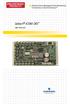 Infrastructure Management & Monitoring For Business-Critical Continuity Liebert icom-do User Manual TABLE OF CONTENTS 1.0 INTRODUCTION............................... 1 2.0 INSTALLATION...............................
Technical Information
 Date of last update: Oct-11 Ref: D7.8.4/1011/E Application Engineering Europe CORESENSE DIAGNOSTICS FOR STREAM REFRIGERATION COMPRESSORS CoreSense Diagnostics for Stream Refrigeration Compressors... 1
E2 Series Electric Furnaces
 E2 Series Electric Furnaces Service Manual Table of Contents Electrical Requirements... 10 Codes, Specifications Requirements... 10 Connection Supply Service Wires... 10 Furnace Sequence of Operation...