
Xerox Nuvera Production System and Xerox igen Digital Production Press
|
|
|
- Bertram Bond
- 10 years ago
- Views:
Transcription
1 January P01084 Xerox Nuvera Production System and Xerox igen Digital Production Press Xerox Nuvera 100/120/144/157 EA Production System Xerox Nuvera 100/120/144 MX Production System Xerox Nuvera 200/288/314 EA Perfecting Production System Xerox Nuvera 200/288 MX Perfecting Production System Xerox igen4 Digital Production Press Xerox igen 150 Digital Production Press
2 2012 Xerox Corporation. All rights reserved. Xerox, Xerox and Design,, igen4, igen and Xerox Nuvera are trademarks of Xerox Corporation in the United States and/or other countries. C.P. Bourg is the trademark of C.P. Bourg, Inc. Other company trademarks are also acknowledged. Document Version: 1.2 (November 28, 2012) BR3143
3 Contents Xerox Production Media Cart... 1 Features...1 Parts Overview...2 Safety Warnings...4 Safety Signs and Safety Messages...4 Introduction...5 Safety Instructions...5 Pre-operation Inspection...6 Safety Inspection Point List...7 Safety Labels...7 Cleaning...8 Charging...9 Charging in the Media Cart...9 Specifications Operating the Xerox Production Media Cart (Nuvera) Docking the Xerox Production Media Cart with the Xerox Nuvera XPS Stacker Lifting the Stack from the XPS Stacker Transferring the Stack to the CP Bourg BSFEx Air Table Offloading the Stack to a Work Table Offloading the Stack to a Pallet Operating the Xerox Production Media Cart (igen) Customer Caveat (Paper Stacking) Docking the Xerox Production Media Cart with the Xerox igen Stacker Pallet with Power Eject Kit Lifting the Stack from the igen Stacker Transferring the Stack to the CP Bourg BSFEx Air Table Offloading the Stack to a Work Table Offloading the Stack to a Pallet Xerox Nuvera, igen Production System Production Media Cart iii
4
5 Xerox Production Media Cart The Production Media Cart is an optional unit that can interface with certain Xerox stackers to assist with transporting printed media from the printer stacker to work tables, pallets, or nearline/offline finishing. The Production Media Cart (Cart) uses a battery powered vertical elevation system to set the media table height and a hand crank to transfer the paper stack from the Cart. Features Paper stack pickup: The stack can be picked up from the Xerox Production Stacker (XPS) Stack pickup low elevation: 228 mm (9.26 inches) Stack pickup high elevation: 600 mm (23.6 inches) The stack can be picked up from the Xerox igen Stacker Stack pickup elevation: 103 mm (4.06 inches) Note Xerox Nuvera Media Cart Enabling Kit pre-installation is required. igen Pallet Interface Kit pre-installation is required. igen Powered Eject Kit pre-installation is required. Paper stack unload: The stack is delivered intact horizontally to offline devices, such as the CP Bourg BSFEx Air Table, or transferred to a flat work table or consolidation pallet. Paper stack clamp: Secures the paper stack to the paper table to maintain stack integrity during transport. Locking rear casters: Stabilize the Cart while docked with the stacker or while offloading the stack. Xerox Nuvera, igen Production System Production Media Cart 1
6 Parts Overview Parts Overview 1. Hands-Off Stack Transfer (HOST): Activated with the stack transport handle to transfer the paper stack onto a work table. Paper table: Bears the paper stack during transport. Tines dock with the stacker for paper stack pickup. 2. Alignment tine: Single yellow tine helps position the Cart for docking with the XPS Stacker. 3. Paper stack clamp: Keeps the paper stack secure during transport. 4. Elevation button: Changes the height at which the paper stack is loaded onto and off of the Cart. 5. Stack transport handle: Activates the paper stack transport system to move the paper stack from the Cart onto a work table or other finishing device. 6. Locking casters: Lock: Stabilizes the Cart during transfer of the paper stack to and from the Cart. Unlock: Allows the Cart to roll during transport. 7. Vertical post 8. Paper table support: Joins the paper table to the vertical post. 9. Battery: Supplies the power to elevate the paper table. 10. On/Off switch: Switches the power to the Cart on or off. 2 Xerox Nuvera, igen Production System Production Media Cart
7 Parts Overview 11. Battery meter: Shows the voltage of the battery. 12. Circuit breaker: If current exceeds 20 amps, circuit breaker will trip and require a reset by operator. 13. Charging port: Allows for onboard battery charging. Battery charger Power supply cord for battery charger Xerox Nuvera, igen Production System Production Media Cart 3
8 Safety Warnings Safety Warnings Important Read and understand the contents of this manual prior to operation. Observe all of the warnings in this manual and the safety labels affixed to the Production Media Cart. Failure to do so may result in property damage, bodily injury, or death. Safety Signs and Safety Messages Improper operation can cause accidents. Don t take chances with incorrect or damaged equipment. Read and understand the procedures for safe operation as outlined in this manual. Do not hesitate to ask for help. Stay alert! Follow safety rules, regulations, and procedures. Avoid accidents by recognizing dangerous procedures or situations before they occur. 4 Xerox Nuvera, igen Production System Production Media Cart
9 Safety Warnings Safety signs and messages are placed in this manual to provide instructions and identify specific areas where potential hazards exist and special precautions should be taken. Know and understand the meaning of these instructions, signs, and messages. Damage to the equipment, death, or serious injury to you or other persons may result if these messages are not followed. If warning decals are damaged, they must be replaced. Contact your Xerox service agent for replacements. Introduction The following is intended to be a quick reference to some of the important procedures to follow while using the Production Media Cart. It is not intended to cover, or suggest that it does cover, all procedures required to be followed to ensure safe operation. Operators should be aware of, and comply with, all local and national regulations that apply to operation of this Production Media Cart. Such regulations are generally issued by national, state, or provincial government agencies authorized by legislation on Health and Safety at Work. Examples of these agencies include: US Federal Occupational Safety and Health Administration (OSHA) or its equivalent at the State level Canadian and Provincial Ministries of Labour UK Health and Safety Executive Polish Ministry of Labour and Social Policy Agence française de sécurité sanitaire de l'environnement et du travail [France] Undesministerium für Arbeit und Soziales (BMAS) [Germany] Safety Instructions For indoor use only. Do not operate this Production Media Cart (Cart) unless you have been trained and authorized to do so. Do not operate this Cart until you have checked its condition (refer to the Pre-operation Inspection section of this manual). Report the need for Cart repairs to your supervisor. Do not operate the Cart until necessary repairs have been made. Neglect may cause a minor repair to become a major service problem or cause the Cart to become unsafe. This Cart is intended for use on smooth, level surfaces only. Do not use on ramps or grades, rough or broken floors. Do not lift with the tine tips or one tine only. Do not move the Cart without securing the paper stack with the stack clamp. Use special care when operating the Cart with paper stacks to avoid tipping, loss of load, or striking personnel or objects. Xerox Nuvera, igen Production System Production Media Cart 5
10 Safety Warnings Always look in the direction of travel. Keep a clear view and when the load obstructs visibility, travel with the load lowered. Watch swing clearance when turning near walls, racks, pillars, machinery, or other obstacles. Before you leave the Cart, fully lower the paper table and set the caster locks. Do not operate the Cart at greater than 3 miles per hour. Never stand or sit on the paper table. Never sit, stand, lift, or transport any person on the paper table. Never use the Cart as a stepladder. Never operate the Cart on a moving vehicle. Never operate the Cart when any of its parts have been removed. Do not wear loose clothing such as ties and scarves, or dangling accessories such as bracelets, when operating the Cart to avoid entanglement. Tie back long hair during operation to avoid entanglement. Never use or store the Cart in wet environments. Do not allow any part of the Cart to get wet. Never exceed the Cart load capacity of 160 lb. (72.6 kg) to avoid personal injury and damage to the Cart. Never raise or lower the paper table unless the Cart is on a firm, level, even surface and the casters are in the locked position. Never use shims or other objects to level the Cart. Use extreme caution when raising or lowering the paper table when it is near other objects to avoid personal injury or damage to other objects. Never allow any object, including limbs, to go beneath the paper table to avoid personal injury or damage to other objects as the paper table nears the bottom of its range. Use caution when lowering the paper table to avoid personal injury or damage to objects that may have come between the paper table and base of the unit. Never operate the Cart when the edge of the paper stack is less than 1 inch (25 mm) from the front (loading edge) of the paper table. Keep the stack closer to the vertical post. Never tilt the Cart when a paper stack is loaded. Pre-operation Inspection Workplace safety regulations require that the Production Media Cart (Cart) be inspected before each shift. Follow the inspection point list below to complete this check. If anything is found to be wrong with the Cart, then it must be taken out of operation. Do not use a Cart which fails this inspection. 6 Xerox Nuvera, igen Production System Production Media Cart
11 Safety Warnings Safety Inspection Point List 1. Safety Equipment Warning labels must be in place and readable. Safety covers and parts must be in place and free of obvious damage. 2. General operation Caster locks: Test the locks for proper braking. Elevation control: Raise the Cart to full height. Listen and watch for unusual sounds or jerky motions. Lower the Cart until it is fully lowered. Listen and watch for unusual sounds or jerky motions. 3. Tines and paper table Inspect the forks for cracks, wear, and alignment. Obvious damage fails inspection. Fork carriage: The carriage is the part of the Cart to which the tines are attached. Inspect the carriage for cracks, damage, or wear. 4. Wheels All casters must be inspected for cuts, breaks, or signs of debonding. Material imbedded in the casters or axles must be removed (i.e., steel shavings, string, plastic wrap, etc.). Safety Labels Safety Label Description Warning Read the User Guide and all safety labels affixed to the Cart before use. Warning Tipping hazard. Do not stand on the paper table. Keep the paper stack in center of the paper table. Warning Do not exceed the 160 lb. (72.6 kg) weight capacity. Xerox Nuvera, igen Production System Production Media Cart 7
12 Safety Warnings Warning Do not exceed the 25 lb. (11.3 kg) weight capacity on any one tine. Warning Tipping hazard. Do not operate the Cart when the paper table is elevated. Maximum paper table height for moving while loaded is 600 mm (24 inches). Cleaning Use a clean cloth to clean the HOST belts. Keep the belts clean, dry and free from debris and dirt. 8 Xerox Nuvera, igen Production System Production Media Cart
13 Charging Charging Charging in the Media Cart The Media Cart battery should be charged if the battery meter is outside the green zone on the meter. Battery meter 1. Ensure that power to the Media Cart is switched off. Note The Media Cart will not charge unless it is powered off. Power switch Xerox Nuvera, igen Production System Production Media Cart 9
14 Charging 2. Connect the battery charger to the battery. Connect charger here Battery charger 3. Plug the power cord into the battery charger. Battery charger Power cord 4. Plug the power cord into a proper electrical outlet. 5. Charge the battery for 6-8 hours or until the light on the charger indicates that it is charged. When light is yellow, system is charging. When light turns green, battery is charged. 10 Xerox Nuvera, igen Production System Production Media Cart
15 Specifications Specifications Production Media Cart size Length: 43.5 in. (1105 mm) Width: 33.5 in. (851 mm Height: 53 in. (1346 mm) Weight: lbs. (75 kg) Media size igen Minimum: 7.0 x 11.0 in. (177.8 x mm) 11.0 in. in the process directions Maximum: x 26 in. (364 x mm) Nuvera Minimum: 7.0 x 8.0 in. (177.8 x mm) Maximum: x in. (364 x 491 mm) Maximum stack capacity 56 gsm 400 gsm: 270 mm 75 gsm 2600 sheets Maximum load capacity 160 lbs. (72.6 kg) Pickup height From XPS low: 210 mm (8.26 inches) From XPS high: 600 mm (23.6 inches) From igen: 103 mm (4.06 inches) Elevation limits Maximum unload height of stack: 920 mm (36.2 inches) Minimum unload height of stack: 100 mm (3.9 inches) Unload height to BSFE-x: 190 mm (7.5 inches) Required kit Install the XPS Media Cart Stacking Surface Kit to enable docking with the XPS Stacker Install the igen Pallet Interface Kit Install the igen Powered Eject Kit Xerox Nuvera, igen Production System Production Media Cart 11
16 Operating the Xerox Production Media Cart (Nuvera) Docking the Xerox Production Media Cart with the Xerox Nuvera XPS Stacker It is recommended that you first practice docking the Production Media Cart (Cart) without a paper stack loaded. Warning Do not exceed the load capacity of 160 lbs. (72.6 kg) to avoid personal injury and damage to the Cart. 1. Position the Cart in front of the XPS Stacker after it has moved out from the printer. High position Low position 12 Xerox Nuvera, igen Production System Production Media Cart
17 Operating the Xerox Production Media Cart (Nuvera) 2. Set the Cart to the appropriate height. a. Locate the line on the cart post that corresponds to the stacker height (low: 210 mm; high: 600 mm). b. Press the upper or lower part of the elevation button to raise or lower to match the short lines on the sides to the line on the cart post. Low position Line up pointer to hole High position Line up pointer to hole Xerox Nuvera, igen Production System Production Media Cart 13
18 Operating the Xerox Production Media Cart (Nuvera) 3. Line up the Cart tines with the XPS tines. Low position High position 4. Align the colored tine with the arrow on the XPS Stacker. 5. Make fine adjustments to the Cart height to ensure that the tines clear the XPS Stacker and the bottom of the paper stack. 14 Xerox Nuvera, igen Production System Production Media Cart
19 Operating the Xerox Production Media Cart (Nuvera) 6. Move the Cart forward slowly until the black line on the Cart s alignment tine aligns with the black line on the XPS Stacker. 7. Press down on the lock tab on the rear casters to stabilize the Cart. The Cart is now properly docked with the XPS Stacker. Xerox Nuvera, igen Production System Production Media Cart 15
20 Operating the Xerox Production Media Cart (Nuvera) Lifting the Stack from the XPS Stacker 1. Press the upper part of the elevation button to raise the height of the Cart until the bottom of the cart clears the XPS Stacker. 2. Gently lift up on the paper stack clamp near the clamp post to free it for rotation. Lift it high enough so that it will clear the top of the paper stack. 3. Rotate the clamp and position it over the paper stack. 4. Gently press the clamp at the clamp post to secure it. 16 Xerox Nuvera, igen Production System Production Media Cart
21 Operating the Xerox Production Media Cart (Nuvera) Low position High position 5. Press the tab on the upper part of the caster lock on the rear casters to release them. 6. Guide the Cart out until it clears the stacker. Xerox Nuvera, igen Production System Production Media Cart 17
22 Operating the Xerox Production Media Cart (Nuvera) Transferring the Stack to the CP Bourg BSFEx Air Table This procedure assumes pick up from the XPS low position. 1. Position the Cart in front of the CP Bourg BSFEx Air Table. 2. Lower the Cart by pressing the lower part of the elevation button (approximate height 228 mm (9.26 in.). 3. Move the Cart forward until the front of the horizontal post mates with the red docking station at the base of the Air Table. 4. Lock the casters. 18 Xerox Nuvera, igen Production System Production Media Cart
23 Operating the Xerox Production Media Cart (Nuvera) 5. Gently lift up on the paper stack clamp near the clamp post, rotate it to one side, and rest it in the locator on the clamp post. 6. Turn the stock transport handle approximately 15 turns clockwise to transfer the paper stack to the Air Table. Xerox Nuvera, igen Production System Production Media Cart 19
24 Operating the Xerox Production Media Cart (Nuvera) Offloading the Stack to a Work Table This procedure assumes pick up from the XPS high position (600 mm). 1. Press the upper part of the elevation button to raise the media table height until it exceeds the height of the work table enough for the bottom of the paper stack to clear it. 2. Press down on the lock tab on the rear casters to stabilize the Cart. 20 Xerox Nuvera, igen Production System Production Media Cart
25 Operating the Xerox Production Media Cart (Nuvera) 3. Gently lift up on the paper stack clamp near the clamp post, rotate it to one side, and rest it in the locator on the clamp post. 4. Turn the stock transport handle approximately 15 rotations clockwise to transfer the paper stack onto the work table. Note When transporting to a flat work table, the paper stack may shift and lose stack quality. Offloading the Stack to a Pallet This procedure assumes pick up from the XPS low position (228 mm) and the paper stack will be delivered to either a tined or smooth surface. 1. Press the elevation button to set the media table height until it exceeds the height of the pallet enough for the bottom of the paper stack to clear it. 2. Lock the casters. 3. Turn the stock transport handle approximately 15 rotations clockwise to transfer the paper stack onto the pallet Xerox Nuvera, igen Production System Production Media Cart 21
26 Operating the Xerox Production Media Cart (igen) Customer Caveat (Paper Stacking) For stacking sizes that are smaller than 14 in. (355.6 mm) in the process direction, add a single ( mm) wide sheet of card stock ( gsm) to cover the 5-6 tine surfaces on the right side of the stacker pallet. This maintains stack qualities for small paper sizes. Larger sizes, such as 11 x 17 in, x 20.5 in, x 26 in., do not require the additional sheet. 14 in. or less Cut sheet to proper length, to cover the last 5-6 tine surfaces
27 Operating the Xerox Production Media Cart (igen) Docking the Xerox Production Media Cart with the Xerox igen Stacker Pallet with Power Eject Kit It is recommended that you first practice docking the Production Media Cart (Cart) without a paper stack loaded. Warning Do not exceed the load capacity of 160 lbs. (72.6 kg) to avoid personal injury and damage to the Cart. 1. Open the front door of the stacker module. 2. Set the Media Cart to the appropriate height. a. Find bottom hole on the cart that corresponds to the igen stacker height of 103mm. b. Press the elevation button to lower the paper table until it reaches the bottom of travel. Elevation button Xerox Nuvera, igen Production System Production Media Cart 23
28 Operating the Xerox Production Media Cart (igen) Line up pointer to hole 3. Roll the cart into position. Insert tang on right front leg of the media cart into the Y shaped groove of the docking bracket. Ensure that the end of the cart butts against the left side docking bracket. Right side tang Docking bracket 24 Xerox Nuvera, igen Production System Production Media Cart
29 Operating the Xerox Production Media Cart (igen) Left side docking bracket 4. Powered eject is triggered to eject 3 seconds after the cart is pushed into the docked location. Cart with pallet out is shown. Xerox Nuvera, igen Production System Production Media Cart 25
30 Operating the Xerox Production Media Cart (igen) 5. A red colored emergency stop button is mounted on the machine frame for customer controlled emergency stop. a. Press button to stop the pallets movement. b. Press the button a 2nd time to return the pallet to the home position. The output process will need to restart. Note The emergency Stop button is located on the front of the igen stacker module 6. Press down on the lock tab on the rear casters to stabilize the Cart. 26 Xerox Nuvera, igen Production System Production Media Cart
31 Operating the Xerox Production Media Cart (igen) Lifting the Stack from the igen Stacker 1. Press the upper part of the elevation button to raise the height of the Cart until the bottom of the cart clears the igen Stacker. Bottom of yellow tine is above the pallet surface 2. Gently lift up on the paper stack clamp near the clamp post to free it for rotation. Lift it high enough so that it will clear the top of the paper stack. 3. Rotate the clamp and position it over the paper stack. Xerox Nuvera, igen Production System Production Media Cart 27
32 Operating the Xerox Production Media Cart (igen) 4. Gently press the clamp at the clamp post to secure it. 5. Press the tab on the upper part of the caster lock on the rear casters to release them. 6. Guide the Cart out until it clears the stacker. 28 Xerox Nuvera, igen Production System Production Media Cart
33 Operating the Xerox Production Media Cart (igen) 7. Pallet returns to machine. Close front door to continue stacker operation. Transferring the Stack to the CP Bourg BSFEx Air Table 1. Position the Cart in front of the CP Bourg BSFEx Air Table. 2. Lower the Cart by pressing the lower part of the elevation button (approximate height 228mm (9.26 in.). Xerox Nuvera, igen Production System Production Media Cart 29
34 Operating the Xerox Production Media Cart (igen) 3. Move the Cart forward until the front of the horizontal post mates with the red docking station at the base of the Air Table. 4. Lock the casters. 5. Gently lift up on the paper stack clamp near the clamp post, rotate it to one side, and rest it in the locator on the clamp post. 6. Turn the stock transport handle approximately 15 turns clockwise to transfer the paper stack to the Air Table. 30 Xerox Nuvera, igen Production System Production Media Cart
35 Operating the Xerox Production Media Cart (igen) Offloading the Stack to a Work Table This procedure assumes pick up from the XPS high position (600 mm). 1. Press the upper part of the elevation button to raise the media table height until it exceeds the height of the work table enough for the bottom of the paper stack to clear it. 2. Press down on the lock tab on the rear casters to stabilize the Cart. Xerox Nuvera, igen Production System Production Media Cart 31
36 Operating the Xerox Production Media Cart (igen) 3. Gently lift up on the paper stack clamp near the clamp post, rotate it to one side, and rest it in the locator on the clamp post. 4. Turn the stock transport handle approximately 15 rotations clockwise to transfer the paper stack onto the work table. Note When transporting to a flat work table, the paper stack may shift and lose stack quality. 32 Xerox Nuvera, igen Production System Production Media Cart
37 Operating the Xerox Production Media Cart (igen) Offloading the Stack to a Pallet This procedure assumes pick up from the XPS low position (228 mm) and the paper stack will be delivered to either a tined or smooth surface. 1. Press the elevation button to set the media table height until it exceeds the height of the pallet enough for the bottom of the paper stack to clear it. 2. Lock the casters. 3. Turn the stock transport handle approximately 15 rotations clockwise to transfer the paper stack onto the pallet. Xerox Nuvera, igen Production System Production Media Cart 33
38
Mini Pallet Jack OWNER S MANUAL
 Mini Pallet Jack OWNER S MANUAL WARNING: Read carefully and understand all ASSEMBLY AND OPERATION INSTRUCTIONS before operating. Failure to follow the safety rules and other basic safety precautions may
Videos for Safety Meetings
 Videos for Safety Meetings 2474 2005, ERI Safety Videos OPERATING ELECTRIC PALLET JACKS SAFELY This easy-to-use Leader s Guide is provided to assist in conducting a successful presentation. Featured are:
42U/45U 28" Wide Rack Installation & Service Guide
 42U/45U 28" Wide Rack Installation & Service Guide 96-00171-005 Rev B Important Information Information in this document is subject to change without notice and does not represent a commitment on the part
Rack Installation Instructions
 Rack Installation Instructions Guidelines This publication provides information about how to install your server into a standard rack cabinet using the rail kit shipped with your server. If you no longer
Walking and Working Surface Checklist:
 Walking and Working Surfaces Purpose: This information is presented to improve the level of safety in our operations, and to inform you that we will comply with the OSHA Standard 29 CFR 1910.23. Responsibility:
IMPORTANT SAFETY RULES TO FOLLOW
 WARNING FLOOR & CARPET CLEANER Any piece of equipment can be dangerous if not operated properly. YOU are responsible for the safe operation of this equipment. The operator must carefully read and follow
1000-LB. TRAILER JACK OWNER S MANUAL
 1000-LB. TRAILER JACK OWNER S MANUAL WARNING: Read carefully and understand all INSTRUCTIONS before operating. Failure to follow the safety rules and other basic safety precautions may result in serious
Vision Engravers and Routers PRE-Installation Guide. 2015 Vision Engraving & Routing Systems
 Vision Engravers and Routers PRE-Installation Guide Revised: 8/19/2015 Vision Engravers and Routers PRE-Installation Guide All rights reserved. No parts of this work may be reproduced in any form or by
FORKLIFT STABILITY. MATERIAL HANDING AND ROBOTICS I. Practical course. Dávid HURI office door number: 324/6 [email protected].
 FORKLIFT STABILITY MATERIAL HANDING AND ROBOTICS I. Practical course Dávid HURI office door number: 324/6 [email protected] What is a powered industrial truck (P.I.T.)? Definition: A powered vehicle
500 Series. www.irobot.com
 500 Series www.irobot.com Dear irobot Roomba owner, Welcome to the world of irobot! As an owner of an irobot Roomba Vacuum Cleaning Robot, you join a world-wide community of people who enjoy more free
How Do I Replacing My Rear Brake Pads and Rotors?
 How Do I Replacing My Rear Brake Pads and Rotors? WARNING! Always have the vehicle under inspection on level ground, in park with the emergency brake on. Always wear protective eyewear, gloves and necessary
V1504 Vertical Platform Lift OWNER S MANUAL
 V1504 Vertical Platform Lift OWNER S MANUAL (To Be Retained by Owner After Installation by Authorized Savaria Dealer) Part No. 000692 01-m03-2016 2 IMPORTANT Ensure that only an authorized Savaria Dealer
Carpet Washer. vax.co.uk VRS5W. Vax Careline: (UK) 0844 412 8455 (ROI) 1-800 928 308. Vax model number: Version 1.0
 VRS5W Powermax User Guide V1.0.qxd:V1.0 23/7/10 15:35 Page 1 Vax Careline: (UK) 0844 412 8455 (ROI) 1-800 928 308 Carpet Washer Vax model number: VRS5W instruction manual Version 1.0 Please read carefully
Operator s Manual EVENTER 20 / 25 Series Lifts
 Operator s Manual EVENTER 20 / 25 Series Lifts May 2013! Before operating this lift, read and understand this Operator s Manual. Become familiar with the potential hazards of this unit. Call SUMNER should
Section 14. Forklift Safety Contents 14.1 Operator Safety
 Section 14. Forklift Safety Contents 14.1 Operator Safety... 14-1 14.2 Inspection and Maintenance... 14-2 14.3 Handling the Load... 14-3 14.4 Fueling Liquefied Petroleum (LP) Gas Forklifts... 14-3 14.5
HYDRAULIC TABLE CART 500-LB.
 HYDRAULIC TABLE CART 500-LB. OWNER S MANUAL WARNING: Read carefully and understand all MACHINE ADJUSTMENT AND OPERATION INSTRUCTIONS before operating. Failure to follow the safety rules and other basic
Parts Manual & Service Manual
 Parts Manual & Service Manual Serial Serial Number Range Range Superlift Advantage from serial number 9594-101 to 5501-15094 and from SLA02-15095 to SLA04-25258 Part No. 32283 Rev A6 August 2007 Parts
EXCAVATOR SAFETY TRAINING
 EXCAVATOR SAFETY TRAINING INSPECTION CHECKLIST INSPECTION AREA INSPECTION RESULTS Sat. Unsat. N/A Comments Carrier & Car Body Rotation system Tracks Rollers Frame, welds, bolts Drive system Upper Structure
Installation Instructions For Slider Casement Air Conditioners
 Installation Instructions For Slider Casement Air Conditioners NOTE: These instructions describe installation in a typical wood framed window with a wood SLIDE-BY sash, or installation in a metal CASEMENT
OPERATOR S INSTRUCTION MANUAL
 POWER JACK MATERIAL MOVER OPERATOR S INSTRUCTION MANUAL WARNING: Serious injury may result if this product is misused. The manufacturer provides the following instructions for use and care of this equipment
OPL BASIC. Dosing System for Professional Laundry machines. Contents
 OPL BASIC Dosing System for Professional Laundry machines Contents 1 Getting Started. Page 2 2 Installation. Page 4 3 Set Up & Operation. Page 8 4 Maintenance & Accessories. Page 10 5 Troubleshooting Page
FJ2. 2 Ton Trolley Floor Jack Assembly & Operating Instructions
 FJ2 2 Ton Trolley Floor Jack Assembly & Operating Instructions READ ALL INSTRUCTIONS AND WARNINGS BEFORE USING THIS PRODUCT. This manual provides important information on proper operation & maintenance.
Reel Stands and Spindles
 INSTRUCTION MANUAL 687 683 656 647 684 657 Reel Stands and Spindles Read and understand all of the instructions and safety information in this manual before operating or servicing this tool. Register this
LIFT-505. BMF Lift Kit. Yamaha Drive Gas or Electric. Installation Instructions
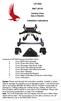 LIFT-505 BMF Lift Kit Yamaha Drive Gas or Electric Installation Instructions Contents of LIFT-505 Yamaha Drive BMF Lift Kit: a (1 ea.) BMF A-Arm Assembly b (1 ea.) Driver Side Shock Tower c (1 ea.) Passenger
V1504 Vertical Platform Lift OWNER S MANUAL
 V1504 Vertical Platform Lift OWNER S MANUAL (To Be Retained by Owner After Installation by Authorized Savaria Dealer) Part No. 000692 03-m12-2013 2 IMPORTANT Ensure that only an authorized Savaria Dealer
1 Ton Telescoping Gantry Crane
 1 Ton Telescoping Gantry Crane 41188 Gantry Crane Read this material before using this product. Failure to do so can result in serious injury. SAVE THIS MANUAL. When unpacking, make sure that the product
Working Copy WP 05-WH1401. Revision 4. 6-Ton Electric Forklifts 74-H-010B. Technical Procedure EFFECTIVE DATE: 01/04/06. John Guy APPROVED FOR USE
 WP 05-WH1401 Revision 4 6-Ton Electric Forklifts 74-H-010B Technical Procedure EFFECTIVE DATE: 01/04/06 John Guy APPROVED FOR USE WP 05-WH1401 Rev. 4 Page 2 of 10 TABLE OF CONTENTS INTRODUCTION... 3 REFERENCES...
Owner s Manual Gantry Cranes
 Owner s Manual Gantry Cranes Fixed Height Gantry Crane MODEL NUMBER: SERIAL NUMBER: CAPACITY IN TONS: Telescoping Gantry Crane Bushman AvonTec 262-790-4200, 800338-7810, Fax 262-790-4200 www.bushmanavontec.com
16/32 Channel 1U Rack Mount CCTV Power Supply
 16/32 Channel 1U Rack Mount CCTV Power Supply Manual PH-A3224-GUQ Shown 16-Channel 32-Channel PTC PH-A1612-PUQ PH-A3224-PUQ Glass Fuse PH-A1612-GUQ PH-A3224-GUQ Industrial design 12 Amp 3 Amps per channel
Transportation and Lifting of Liquefied Gas Dewars
 Transportation and Lifting of Liquefied Gas Dewars FN000475/OJ 1 Fermilab uses liquefied gasses or cryogenics in various forms around the lab. These liquefied gasses are sometimes transported in large
UPLIFT Height Adjustable Standing Desk (T-Frame) DIRECTIONS FOR ASSEMBLY AND USE - - ALSO - - Watch our assembly video
 UPLIFT Height Adjustable Standing Desk (T-Frame) DIRECTIONS FOR ASSEMBLY AND USE - - ALSO - - Watch our assembly video http://bit.ly/9ywwh! CAUTION MAKE SURE NO OBSTACLES ARE IN THE DESK S PATH AND ALL
1-800-295-5510 uline.com SPECIFICATIONS
 H-1394, H-1395, H-1396 H-1397, H-3859, H-3860 π GRAVITY CONVEYOR 1-800-295-5510 uline.com SPECIFICATIONS Conveyor Bed Width In (mm) 18, 24, 30 (457, 610, 762) Load Capacity Per Linear Foot (305mm) Lbs
GEK-90214B. GE Lift Truck. User s Guide 144D2933G1 144D2912G1 144D2911G5
 g GEK-90214B GE Lift Truck User s Guide 144D2933G1 144D2912G1 144D2911G5 GE LIFT TRUCK EACH USER HAS THE RESPONSIBILITY TO INSTRUCT ALL PERSONNEL ASSOCIATED WITH THIS EQUIPMENT ON ALL SAFETY PRECAUTIONS
SECTION G2: CABLE PROCESSOR MODULE MAINTENANCE
 SECTION G2: CABLE PROCESSOR MODULE MAINTENANCE Cable Processor Module overview WARNING! When tipping the Cable Processor Module back, (after removing the toggle arm pin), use extreme caution not to drop
15GAL STEEL OIL DRAIN WITH 110V PUMP
 15GAL STEEL OIL DRAIN WITH 110V PUMP OWNER S MANUAL WARNING: Read carefully and understand all ASSEMBLY AND OPERATION INSTRUCTIONS before operating. Failure to follow the safety rules and other basic safety
SELF-STEERING AXLE TABLE OF CONTENTS
 SELF-STEERING AXLE TABLE OF CONTENTS Section 1 - Introduction Section 2 - Pre-Installation Check List Section 3 - Ride Height Adjustments Section 4 - Suspension Mount Section 5 - Axle Mount Section 6 -
Assembly Instructions
 city versa Assembly Instructions Read these instructions carefully before use and keep them for future reference. Your child s safety may be affected if you do not follow these instructions. This product
Best/Flex Gravity Expandable Conveyor Operation, Maintenance and Parts Manual
 Best/Flex Gravity Expandable Conveyor Operation, Maintenance and Parts Manual B/F200 & B/F300 SERIES LongReach Telescopic Conveyors Pty Ltd 6 Capelli Road Wingfield SA 5013 Tel: +61 (8) 8349 4777 Fax:
HYDRAULIC LIFT TABLE CART 2200-LB.
 HYDRAULIC LIFT TABLE CART 2200-LB. OWNER S MANUAL WARNING: Read carefully and understand all MACHINE ADJUSTMENT AND OPERATION INSTRUCTIONS before operating. Failure to follow the safety rules and other
WARNING CANADIAN D.O.C. WARNING
 Each product and program carries a respective written warranty, the only warranty on which the customer can rely. Avery Dennison Corp. reserves the right to make changes in the product, the programs, and
6 LOADING AND UNLOADING A FLATBED
 6 LOADING AND UNLOADING A FLATBED TRAILER Improper trailer loading causes many accidents and deaths. To safely load a trailer, you must consider: Overall load weight; Load weight distribution; Proper tongue
Drew University Powered Industrial Truck Program Policy Draft 04/12
 PURPOSE To establish procedures and guidelines to ensure that all powered industrial trucks (PITs) are maintained and operated in a safe manner and that only approved PITs are operated by trained and authorized
3047 FORKLIFT OPERATOR TRAINING
 3047 FORKLIFT OPERATOR TRAINING Leader s Guide MCMXCVIII, ERI PRODUCTIONS INC. FORKLIFT OPERATOR TRAINING This easy-to-use Leader s Guide is provided to assist in conducting a successful presentation.
Installation Instructions
 READ BEFORE INSTALLING UNIT For Slider Casement Air Conditioners To avoid risk of personal injury, property damage, or product damage due to the weight of this device and sharp edges that may be exposed:
Portable Air Conditioner
 Portable Air Conditioner Owner's Manual Model:3 in 1 12,000 Btu/h Series 3 Please read this owner s manual carefully before operation and retain it for future reference. CONTENTS 1. SUMMARY...1 2. PORTABLE
OASIS-PLUS 120V READ ALL INSTRUCTIONS BEFORE OPERATING READ ALL INSTRUCTIONS BEFORE OPERATING OZONE IS A POWERFUL OXIDIZER AND MUST BE USED WITH CARE
 OASIS-PLUS 120V INFORMATION & OPERATING INSTRUCTIONS READ ALL INSTRUCTIONS BEFORE OPERATING READ ALL INSTRUCTIONS BEFORE OPERATING OZONE IS A POWERFUL OXIDIZER AND MUST BE USED WITH CARE 56041852 WARNING:
CR-SERIES CARPET POLES INSTRUCTION MANUAL
 VESTIL MANUFACTURING CORP. 2999 North Wayne Street, P.O. Box 507, Angola, IN 46703 Telephone: (260) 665-7586 -or- Toll Free (800) 348-0868 Fax: (260) 665-339 www.vestilmfg.com e-mail: [email protected]
PORTABLE PA SYSTEM #1 LAST UPDATED: FEBRUARY 2011
 PORTABLE PA SYSTEM # LAST UPDATED: FEBRUARY 20 The portable PA system has been created to offer student groups an easy to use solution for self-operated sound needs. The system has the capability for:
Express5800/120Ed. Rack Mount Kit Installation Procedures PN: 455-01607-001
 Express5800/120Ed Rack Mount Kit Installation Procedures PN: 455-01607-001 Proprietary Notice and Liability Disclaimer The information disclosed in this document, including all designs and related materials,
Walking/Work Surfaces Fall Protection Program
 Reviewed: 10-2006 Walking/Work Surfaces Fall Protection Program It is the responsibility of all supervisors and/or administrators to implement this safety program. Their responsibility includes yearly,
Owner s Manual Read and keep this manual. Patents World Wide
 Owner s Manual Read and keep this manual. Patents World Wide S & S Industries, Inc., Sarasota, FL, USA www.trail-gator.com Copyright 2008 All Rights Reserved The following manual is provided to assist
Router. A. Identify the major parts of the router. B. Complete a written test on safety and operating procedures of the router with 100% accuracy.
 Router I. Competencies Given a properly adjusted router, instruction and demonstration of use, each student will be able to: A. Identify the major parts of the router. B. Complete a written test on safety
STORAGE SYSTEMS PUSH BACK RACK SYSTEMS. Innovative Solutions for Storage and Material Handling Systems
 STORAGE SYSTEMS PUSH BACK RACK SYSTEMS Innovative Solutions for Storage and Material Handling Systems Konstant.com PUSH BACK OVERVIEW Konstant patented Push Pack rack system provides selectivity in the
Appendix 6145-T1 Forklift Use Practices
 Appendix 6145-T1 Operators must perform a preoperational inspection of the forklifts and attachments in accordance with the equipment operating manual. They will immediately report any equipment deficiencies
SETTING UP YOUR 6000 SERIES TIME RECORDER
 INTRODUCTION The Pyramid 6000 Series Time Recorder is an electronic time recorder designed to make payroll processing easier and more efficient. The 6000 series will meet your business needs whether your
Slip, Trip & Fall Program Table of Contents
 Slip, Trip & Fall Program Table of Contents I. Introduction... 2 II. Scope... 2 III. Definitions... 2 IV. Responsibilities... 4 V. Practices... 5 VI. Slip-Fall Facility Checklist... 7 VII. References...
PALLET JACK - 2.5 TON
 PALLET JACK - 2.5 TON 39939 SET UP AND OPERATING INSTRUCTIONS Visit our website at: http://www.harborfreight.com Read this material before using this product. Failure to do so can result in serious injury.
Preventing Slips, Trips, & Falls
 Preventing Slips, Trips, & Falls OSHA s Walking & Working Surfaces, & Fall Protection Standards Contents Introduction and Purpose General Injury Prevention Overview of Slips, Trips and Falls Types of Housekeeping
CAR SEAT/ STROLLER INSTRUCTION MANUAL
 CAR SEAT/ STROLLER INSTRUCTION MANUAL English PM-0624AB 3/98 Do not use this 4-in-1 System until you read and understand these instructions! IMPORTANT INFORMATION Thank you for selecting this 4-in-1 System
Powered Industrial Truck Safety Program
 Powered Industrial Truck Safety Program TABLE OF CONTENTS Forklift Safety Program 1.0 Overview... 3 2.0 Policy.....3 3.0 Requirements 3 4.0 Purpose. 3 5.0 Scope......4 6.0 Forklift Procedures 4 6.0 Responsibilities.....6
M-06-09 REV. B APRIL 2008 OPERATION MANUAL GPT-25, GPT-3, GPT-4 & GPT-5
 M-06-09 REV. B APRIL 2008 OPERATION MANUAL GPT-25, GPT-3, GPT-4 & GPT-5 MAXON Lift Corp. 2008 TABLE OF CONTENTS WARNINGS... 4 LIFTGATE TERMINOLOGY... 5 RECOMMENDED DAILY OPERATION CHECKS... 6 DECALS...
This material was produced under grant number SH-17792-08-60-F-48 Occupational Safety and Health Administration, U.S. Department of Labor.
 Big Four Construction Hazards: Fall Hazards This material was produced under grant number SH-17792-08-60-F-48 Occupational Safety and Health Administration, U.S. Department of Labor. It does not necessarily
FOR ANY QUESTIONS, PLEASE CALL US @ 727.347.9915 M-F 8:00a.m.-8:00p.m. EST. REAR BRAKES 1 AEROSPACE COMPONENTS 727.347.9915
 REAR BRAKES 1 AEROSPACE COMPONENTS 727.347.9915 REAR BRAKES Before getting started, remove all stock braking components. Pre-assembly of parts: Clean the bolts and the threads in the hat with acetone.
Forklift Carts and Dollies
 Forklift Carts and Dollies AgSafe Safe Work Procedure PACKAGING/SHIPPING AREA Accident Prevention Tips All employees should be instructed in PROPER LIFTING TECHNIQUES. Consider the ergonomics of each situation
ReadyKart Mobile Processing Station Instructions for Use
 GE Healthcare Instructions 28-9606-47 AB ReadyKart Mobile Processing Station Instructions for Use Contents ReadyToProcess 1 Introduction... 1 2 General Description... 2 3 Description of Components... 4
RL HW / RL HW+ / RL HGW / RL HV / RL HVPW/RL HVPW-G
 Auto-Levelling Rotary Laser Level RL HW / RL HW+ / RL HGW / RL HV / RL HVPW/RL HVPW-G 77-496 / 77-429 / 77-439 / 77-497 / 77-427/ 77-441 Please read these instructions before operating the product Auto-Levelling
HealthandSafetyOntario.ca. Hazards. Introduction. Legislation
 Manual Materials handling Introduction Manual materials handling operations are carried out in most workplaces. Each handling task poses unique demands on the worker. However, workplaces can help workers
Portable Air Conditioner. OWNER S MANUAL Read these instructions before use. Model: MM14CCS. Voltage rating: 115V~60Hz Power rating : 1400W
 Portable Air Conditioner OWNER S MANUAL Read these instructions before use Model: MM14CCS Customer Support : 1-800-474-2147 Voltage rating: 115V~60Hz Power rating : 1400W For product inquiries or support
LIFT N RACK PRO OPERATING & INSTALLATION GUIDE 5500 Lb. LIFT CAPACITY
 LIFT N RACK PRO OPERATING & INSTALLATION GUIDE 5500 Lb. LIFT CAPACITY IMPORTANT: READ THIS MANUAL BEFORE IN-STALLING, OPERATING OR MAINTAINING YOUR LIFT. Chassis Liner Company Sales Office Toll Free: 800-242-2448
ELECTRIC BICYCLE USER MANUAL
 ELECTRIC BICYCLE USER MANUAL 1 Main Technical Parameters and Specification Weight: 23 kg Wheel size: 20 Maximum speed: 25 km/h E BIKE URBAN Range: Up to 45km (with pedal assist) Type: lithium Voltage:
CARD CUTTER MACHINE STUDENT.MANUAL
 CARD CUTTER MACHINE STUDENT.MANUAL Digital Fabrication Laboratory Hours 10am - 3pm (Monday-Friday) Email [email protected] Contact 9035 8663 105A, First Floor, 757 Swanston st Faculty of Architecture
Installation Instructions
 Installation Instructions READ BEFORE INSTALLING UNIT For Low Profile Window Air Conditioner INSTALLATION WARNINGS AND CAUTION Carefully read the installation manual before beginning. Follow each step
PA500II Enterprise Mobile Computer
 PA500II Enterprise Mobile Computer - PA500II - Quick Reference Guide 400891G Version 1.0 PA500II Product Introduction & Accessory Kit After opening the box, ensure the following accessories for the PA500II
Quest for Speed. Discover Engineering. Youth Handouts
 Discover Engineering Youth Handouts Activity 1: Spooling Around Name: Date: Materials List Wooden spool Nail Flat washer Rubber bands Craft stick Nut Tape measure Calculator Masking tape Procedure 1. To
This equipment has been tested and found to comply with the limits for a Class B digital device, pursuant to part 15 of the FCC Rules.
 Power Max Level 2 Charging Station en Installation and Operating Instructions This equipment has been tested and found to comply with the limits for a Class B digital device, pursuant to part 15 of the
Wessel-Werk EBK 360. Electric Power Nozzle. Operating Manual Wessel-Werk GmbH Im Bruch 2 D-51580 Reichshof Germany www.wessel-werk.
 Wessel-Werk EBK 360 Electric Power Nozzle 12/09 Operating Manual Wessel-Werk GmbH Im Bruch 2 D-51580 Reichshof Germany www.wessel-werk.com IMPORTANT SAFEGUARDS When using an electric appliance, basic precautions
Label Placement Guide P/N 7300-286
 Label Placement Guide RECOMMENDED PLACEMENT ON TAYLOR MACHINES S PLACEMENT OF LABELS 3377-010, 3377--019, AND 3377--020 ON THE EXTERIOR OF MACHINE... EXAMPLE A AND EXAMPLE B. S PLACE LABEL NO. 3377-010
HOSPITALITY RISK FACTORS & BEST PRACTICES - LAUNDRY
 Responsibilities of commercial laundry staff can include washing, drying, steaming, ironing, and chemically treating fabrics for use in hospitals, hotels, and other settings. Laundry can be heavy, treated
HP Laser Jet 4200/4240/4250/4300/4350 Swing Plate
 HP Laser Jet 4200/4240/4250/4300/4350 Swing Plate 1 Swing Plate Assembly-RM1-0043 1 Swing Plate Kit-5851-2766 (RM1-0043 plus RM1-1091 gear) CAUTION: Fuser may be hot. Turn off printer, unplug it and allow
OPERATOR s MANUAL ROLL AND EXTENSION TABLES
 OPERATOR s MANUAL ROLL AND EXTENSION TABLES 1 INDEX Page Manufacturer s Information 3 Warnings 4 Risks and Labelling 5 Safety Precautions 6 Warranty 7 Dimensions and Weight 8 Shipping Dimensions 8 Transport
EZ-Steer Assisted Steering System
 EZ-Steer Assisted Steering System Installation Instructions Platform Kit P/N 53059-54 Case IH CVX 1135 CVX 1145 CVX 1155 CVX 1170 CVX 1190 CVX 1195 CVX 135 CVX 145 CVX 155 CVX 175 CVX 195 New Holland TVT
USE &CARE GUIDE. Remote Faucet Pump System. See Important Safeguards on page 2
 Remote Faucet Pump System USE &CARE GUIDE See Important Safeguards on page 2 An exclamation point within an equilateral triangle is intended to alert user to the presence of important operating and maintenance
Portable Air Conditioner. OWNER S MANUAL Read these instructions before use. Model: MN12CES / MN10CESWW
 Portable Air Conditioner OWNER S MANUAL Read these instructions before use 8 Model: MN12CES / MN10CESWW Voltage rating: 120V~60Hz Power rating : 1100W (MN12CES) Power rating : 900W (MN10CESWW) Customer
Read This Before Operating The BaseHit
 Read This Before Operating The BaseHit IMPORTANT OPERATING INSTRUCTIONS THE ACCURACY OF THE BASEHIT PITCHING MACHINE DEPENDS ON THE QUALITY, HARDNESS AND TYPE OF BALLS USED WITH THIS PRODUCT! TREND SPORTS
FORKLIFT SAFETY TIPS
 December, 2013 Forklifts are extremely useful workplace vehicles, as long as they are used safely and appropriately by operators who are appropriately trained and competent to use them. Forklifts can be
Portable Air Conditioner. OWNER S MANUAL Read these instructions before use. Model: MF08CESWW. Voltage rating: 115V~60Hz Power rating : 800W
 MODE ALARM Portable Air Conditioner OWNER S MANUAL Read these instructions before use 8 Model: MF08CESWW Voltage rating: 115V~60Hz Power rating : 800W Customer Support : 1-800-474-2147 For product inquiries
Checking the Package Contents. Installing the Printer Software. Connecting. Unpacking the. the Printer. Printer. Attaching
 Installing the Printer Software Checking the Package Contents Connecting the Printer Unpacking the Printer Installing the Ink Cartridges Plugging in the Printer Attaching the Printer Parts 4032216-00 EUL
PS6500 Storage Arrays Rack Mount Instructions
 PS6500 Storage Arrays Rack Mount Instructions Part Number: R724M Rev. A01 Copyright 2010 Dell, Inc. All rights reserved. Dell is a trademark of Dell, Inc. EqualLogic is a registered trademark. All trademarks
How to re-string & re-cable the Genesis Compound bow. Step by step, picture by picture Right hand models ONLY
 How to re-string & re-cable the Genesis Compound bow. Step by step, picture by picture Right hand models ONLY Introduction and Terminology Inspect all bows prior to use. Once a string or cable has become
Original Assembly Guide
 TCT Multipurpose Single Bevel Sliding Compound Mitre Saw Original Assembly Guide Read instructions before assembling this tool. Table of Contents GB Assembly Guide Read instructions before assembling this
Remote Head REMO ONE. Code 5750. Manual
 Remote Head REMO ONE Code 5750 Manual by sachtler. All rights reserved Version: 1.2/09/05 Issue date: September 2005 Order no.: srh20t010a We want you to receive Sachtler products that are always state
Pet hair clipper. Model 96822. Diagrams within this manual may not be drawn proportionally.
 Pet hair clipper Model 96822 Cleaning And Operation Instructions Diagrams within this manual may not be drawn proportionally. Due to continuing improvements, actual product may differ slightly from the
Slips, Trips, and Falls
 Slips, Trips, and Falls Slips, Trips, and Falls Cause Many Injuries Sometimes Serious Ones Thousands of disabling injuries- and even deaths- occur each year as a result of slips, trips, and falls: From
Please read all instructions BEFORE assembly and USE of product. KEEP INSTRUCTIONS FOR FUTURE REFERENCE. Model # 1305TW. Infant car seats not included
 Please read all instructions BEFORE assembly and USE of product. KEEP INSTRUCTIONS FOR FUTURE REFERENCE. Model # 1305TW Infant car seats not included Double Snap N Go Instruction Manual Convenience through
Abrasive Wheel Grinder Safety
 Abrasive Wheel Grinder Safety One of the most common pieces of machinery in use in the maintenance shops on campus is the abrasive wheel grinder. These useful machines, used to remove metal from flat and
INSTRUCTIONS. FLHR/C/S (Road King) FRONT END LOWERING KIT 1WARNING -J03242 REV. 10-19-04. General. Removal (Left and Right Forks) Kit Number 54614-05
 INSTRUCTIONS -J04 REV. 0-9-04 General FLHR/C/S (Road King) FRONT END LOWERING KIT This kit is designed for installation on 00 and later FLHR/C/S Model Motorcycles. Road King models use the conventional
Safety Manual For Overhead Crane Operators
 Safety Manual For Overhead Crane Operators Contents Forward ---------------------------------------------------------------1 Qualifications---------------------------------------------------------1 Certification
Andersen Electric Window Opener for Andersen Awning and Roof Windows
 W A Electric Window Opener Electric Window Opener for Awning and Roof Windows Congratulations! You have just purchased one of the many fine products. For ease of installation and continued enjoyment of
WARNING! WARNING! ENGLISH 18 ENGLISH
 SKELETON RAKES Carefully read, follow and understand the instructions given in this manual. It is an essential part of the product, and you should keep it in a safe place for future reference. MECHANIC
AUTOMATIC SWINGING DOOR
 AAADM American Association of Automatic Door Manufacturers AUTOMATIC SWINGING DOOR OWNER'S MANUAL Distributed by: Section Contents Page Caution 2 To Our Customers 3 Service Availability 3 Compliance with