
User's Guide. True RMS Industrial Multimeter
|
|
|
- Kerrie Wade
- 10 years ago
- Views:
Transcription
1 User's Guide True RMS Industrial Multimeter Ω C ã F ã 10A V µ 10A V ã ã ma A

2 Introduction This meter measures AC/DC Voltage, AC/DC Current, Resistance, Capacitance, Frequency (electrical & electronic), Duty Cycle, Diode Test, and Continuity plus Thermocouple Temperature. It features a waterproof, rugged design for heavy duty use. Proper use and care of this meter will provide many years of reliable service. Safety This symbol adjacent to another symbol, terminal or operating device indicates that the operator must refer to an explanation in the Operating Instructions to avoid personal injury or damage to the meter. WARNING This WARNING symbol indicates a potentially hazardous situation, which if not avoided, could result in death or serious injury. CAUTION MAX 1000V This CAUTION symbol indicates a potentially hazardous situation, which if not avoided, may result damage to the product. This symbol advises the user that the terminal(s) so marked must not be connected to a circuit point at which the voltage 2

3 with respect to earth ground exceeds (in this case) 1000 VAC or VDC. This symbol adjacent to one or more terminals identifies them as being associated with ranges that may, in normal use, be subjected to particularly hazardous voltages. For maximum safety, the meter and its test leads should not be handled when these terminals are energized. This symbol indicates that a device is protected throughout by double insulation or reinforced insulation. PER IEC1010 OVERVOLTAGE INSTALLATION CATEGORY OVERVOLTAGE CATEGORY I Equipment of OVERVOLTAGE CATEGORY I is equipment for connection to circuits in which measures are taken to limit the transient overvoltages to an appropriate low level. Note Examples include protected electronic circuits. OVERVOLTAGE CATEGORY II Equipment of OVERVOLTAGE CATEGORY II is energy-consuming equipment to be supplied from the fixed installation. Note Examples include household, office, and laboratory appliances. OVERVOLTAGE CATEGORY III Equipment of OVERVOLTAGE CATEGORY III is equipment in fixed installations. Note Examples include switches in the fixed installation and some equipment for 3

4 industrial use with permanent connection to the fixed installation. OVERVOLTAGE CATEGORY IV Equipment of OVERVOLTAGE CATEGORY IV is for use at the origin of the installation. Note Examples include electricity meters and primary over-current protection equipment 4

5 SAFETY INSTRUCTIONS This meter has been designed for safe use, but must be operated with caution. The rules listed below must be carefully followed for safe operation. 1. NEVER apply voltage or current to the meter that exceeds the specified maximum: V DC or V AC ma AC/DC A AC/DC Function Frequency, Resistance, Capacitance, Duty Cycle, Diode Test, Continuity Temperature Input Protection Limits Surge Protection: 8kV peak per IEC VDC/AC rms Maximum Input 500mA 1000V fast acting fuse 10A 1000V fast acting fuse (20A for 30 seconds max every 15 minutes) 1000VDC/AC rms 1000VDC/AC rms 2. USE EXTREME CAUTION when working with high voltages. 3. DO NOT measure voltage if the voltage on the "COM" input jack exceeds 1000V above earth ground. 5

6 4. NEVER connect the meter leads across a voltage source while the function switch is in the current, resistance, or diode mode. Doing so can damage the meter. 5. ALWAYS discharge filter capacitors in power supplies and disconnect the power when making resistance or diode tests. 6. ALWAYS turn off the power and disconnect the test leads before opening the covers to replace the fuse or batteries. 7. NEVER operate the meter unless the back cover and the battery and fuse covers are in place and fastened securely. 8. If the equipment is used in a manner not specified by the manufacturer, the protection provided by the equipment may be impaired. 6

7 Controls and Jacks 1. 40,000 count LCD display 2. REL button 3. RANGE button 4. MODE button 5. Function switch 6. ma, µa and 10A input jacks 7. COM input jack 8. Positive input jack RANGE V Ω CAP MAX MIN C/F 10A µ HOLD and (Backlight) button 10. PEAK button 11. MAX/MIN button 10A 6 A ma 8 7 Note: Tilt stand and battery compartment are on rear of unit. 7

8 Symbols and Annunciators ))) Continuity Diode test Battery status n nano (10-9 ) (capacitance) µ micro (10-6 ) (amps, cap) m milli (10-3 ) (volts, amps) A Amps k kilo (10 3 ) (ohms) F Farads (capacitance) M mega (10 6 ) (ohms) Ω Ohms PEAK Peak Hold Hz Hertz (frequency) V Volts % Percent (duty ratio) REL Relative AC Alternating current AUTO Autoranging DC Direct current HOLD Display hold ºF Degrees Fahrenheit ºC Degrees Centigrade MAX Maximum MIN Minimum 8

9 Operating Instructions WARNING: Risk of electrocution. High-voltage circuits, both AC and DC, are very dangerous and should be measured with great care. 1. ALWAYS turn the function switch to the OFF position when the meter is not in use. 2. If OL appears in the display during a measurement, the value exceeds the range you have selected. Change to a higher range. DC VOLTAGE MEASUREMENTS CAUTION: Do not measure DC voltages if a motor on the circuit is being switched ON or OFF. Large voltage surges may occur that can damage the meter. 1. Set the function switch to the green VDC position. 2. Insert the black test lead banana plug into the negative COM jack. Insert the red test lead banana plug into the positive V jack. 3. Touch the black test probe tip to the negative side of the circuit. Touch the red test probe tip to the positive side of the circuit. 4. Read the voltage in the display. AC VOLTAGE (FREQUENCY, DUTY CYCLE) MEASUREMENTS WARNING: Risk of Electrocution. The probe tips may not be long enough to contact the live parts inside some 240V outlets for appliances because the 9

10 contacts are recessed deep in the outlets. As a result, the reading may show 0 volts when the outlet actually has voltage on it. Make sure the probe tips are touching the metal contacts inside the outlet before assuming that no voltage is present. CAUTION: Do not measure AC voltages if a motor on the circuit is being switched ON or OFF. Large voltage surges may occur that can damage the meter. 1. Set the function switch to the green VAC/Hz/% position. 2. Insert the black test lead banana plug into the negative COM jack. Insert red test lead banana plug into the positive V jack. 3. Touch the black test probe tip to the neutral side of the circuit. Touch the red test probe tip to the hot side of the circuit. 4. Read the voltage in the display. 5. Press the MODE button to indicate Hz. 6. Read the frequency in the display. 7. Press the MODE button again to indicate %. 8. Read the % of duty cycle in the display. 10

11 DC CURRENT MEASUREMENTS CAUTION: Do not make 20A current measurements for longer than 30 seconds. Exceeding 30 seconds may cause damage to the meter and/or the test leads. 1. Insert the black test lead banana plug into the negative COM jack. 2. For current measurements up to 4000µA DC, set the function switch to the yellow µa position and insert the red test lead banana plug into the µa/ma jack. 3. For current measurements up to 400mA DC, set the function switch to the yellow ma position and insert the red test lead banana plug into the µa/ma jack. 4. For current measurements up to 20A DC, set the function switch to the yellow 10A/HZ/% position and insert the red test lead banana plug into the 10A jack. 5. Press the MODE button to indicate DC on the display. 6. Remove power from the circuit under test, then open up the circuit at the point where you wish to measure current. 7. Touch the black test probe tip to the negative side of the circuit. Touch the red test probe tip to the positive side of the circuit. 8. Apply power to the circuit. 9. Read the current in the display. AC CURRENT (FREQUENCY, DUTY CYCLE) MEASUREMENTS CAUTION: Do not make 20A current measurements for longer than 30 seconds. Exceeding 30 seconds may cause damage to the meter and/or the test leads. 11

12 1. Insert the black test lead banana plug into the negative COM jack. 2. For current measurements up to 4000µA AC, set the function switch to the yellow µa position and insert the red test lead banana plug into the µa/ma jack. 3. For current measurements up to 400mA AC, set the function switch to the yellow ma position and insert the red test lead banana plug into the µa/ma jack. 4. For current measurements up to 20A AC, set the function switch to the yellow 10A/HZ/% position and insert the red test lead banana plug into the 10A jack. 5. Press the MODE button to indicate AC on the display. 6. Remove power from the circuit under test, then open up the circuit at the point where you wish to measure current. 7. Touch the black test probe tip to the neutral side of the circuit. Touch the red test probe tip to the hot side of the circuit. 8. Apply power to the circuit. 9. Read the current in the display. 10. Press and hold the MODE button to indicate Hz. 11. Read the frequency in the display. 12. Momentarily press the MODE button again to indicate %. 13. Read the % duty cycle in the display. 14. Press and hold the MODE button to return to current measurement. 12

13 RESISTANCE MEASUREMENTS WARNING: To avoid electric shock, disconnect power to the unit under test and discharge all capacitors before taking any resistance measurements. Remove the batteries and unplug the line cords. 1. Set the function switch to the green Ω CAP position. 2. Insert the black test lead banana plug into the negative COM jack. Insert the red test lead banana plug into the positive Ω jack. 3. Press the MODE button to indicate Ω on the display. 4. Touch the test probe tips across the circuit or part under test. It is best to disconnect one side of the part under test so the rest of the circuit will not interfere with the resistance reading. 5. Read the resistance in the display. CONTINUITY CHECK WARNING: To avoid electric shock, never measure continuity on circuits or wires that have voltage on them. 1. Set the function switch to the green Ω CAP position. 2. Insert the black lead banana plug into the negative COM jack. Insert the red test lead banana plug into the positive Ω jack. 13

14 3. Press the MODE button to indicate " and Ω on the display 4. Touch the test probe tips to the circuit or wire you wish to check. 5. If the resistance is less than approximately 35Ω, the audible signal will sound. If the circuit is open, the display will indicate OL. DIODE TEST 1. Set the function switch to the green Ω CAP position. 2. Insert the black test lead banana plug into the negative COM jack and the red test lead banana plug into the positive V jack. 3. Press the MODE button to indicate and V on the display. 4. Touch the test probes to the diode under test. Forward voltage will typically indicate to 0.700V. Reverse voltage will indicate OL. Shorted devices will indicate near 0V and an open device will indicate OL in both polarities. 14

15 TEMPERATURE MEASUREMENTS 1. Set the function switch to the green Temp position. 2. Insert the Temperature Probe into the input jacks, making sure to observe the correct polarity. 3. Press the MODE button to indicate ºF or ºC 4. Touch the Temperature Probe head to the part whose temperature you wish to measure. Keep the probe touching the part under test until the reading stabilizes (about 30 seconds). 5. Read the temperature in the display. Note: The temperature probe is fitted with a type K mini connector. A mini connector to banana connector adaptor is supplied for connection to the input banana jacks. CAPACITANCE MEASUREMENTS WARNING: To avoid electric shock, disconnect power to the unit under test and discharge all capacitors before taking any capacitance measurements. Remove the batteries and unplug the line cords. 1. Set the rotary function switch to the green Ω CAP position. 2. Insert the black test lead banana plug into the negative COM jack. Insert the red test lead banana plug into the positive V jack. 3. Press the MODE button to indicate F 15

16 4. Touch the test leads to the capacitor to be tested. 5. Read the capacitance value in the display FREQUENCY (DUTY CYCLE) MEASUREMENTS (ELECTRONIC) 1. Set the rotary function switch to the green Hz/% position. 2. Insert the black lead banana plug into the negative COM jack and the red test lead banana plug into the positive Hz jack. 3. Touch the test probe tips to the circuit under test. 4. Read the frequency on the display. 5. Press the MODE button to indicate %. 6. Read the % duty cycle in the display. 16

17 % 4 20mA MEASUREMENTS 1. Set up and connect as described for DC ma measurements. 2. Set the rotary function switch to the 4-20mA% position. 3. The meter will display loop current as a % with 0mA=-25%, 4mA=0%, 20mA=100%, and 24mA=125%. AUTORANGING/MANUAL RANGE SELECTION When the meter is first turned on, it automatically goes into AutoRanging. This automatically selects the best range for the measurements being made and is generally the best mode for most measurements. For measurement situations requiring that a range be manually selected, perform the following: 1. Press the RANGE key. The AUTO display indicator will turn off. 2. Press the RANGE key to step through the available ranges until you select the range you want. 3. To exit the Manual Ranging mode and return to Autoranging, press and hold the RANGE key for 2 seconds. Note: Manual ranging does not apply for the Temperature functions. MAX/MIN 1. Press the MAX/MIN key to activate the MAX/MIN recording mode. The display icon "MAX" will appear. The meter will display and hold the maximum reading and will update only when a new max occurs. 2. Press the MAX/MIN key again and the display icon "MIN" will appear. The meter will display and hold the minimum reading and will update only when a new min occurs. 3. To exit MAX/MIN mode press and hold the MAX/MIN key for 2 seconds. 17

18 RELATIVE MODE The relative measurement feature allows you to make measurements relative to a stored reference value. A reference voltage, current, etc. can be stored and measurements made in comparison to that value. The displayed value is the difference between the reference value and the measured value. Note: Relative mode does not operate in the 4-20mA function. 1. Perform the measurement as described in the operating instructions. 2. Press the REL button to store the reading in the display and the "REL" indicator will appear on the display. 3. The display will now indicate the difference between the stored value and the measured value. 4. Press the REL button to exit the relative mode. 18

19 DISPLAY BACKLIGHT Press the HOLD/ key for >1 second to turn the backlight on. The backlight will automatically turn off after 10 seconds. HOLD The hold function freezes the reading in the display. Press the HOLD key momentarily to activate or to exit the HOLD function. PEAK HOLD The Peak Hold function captures the peak AC or DC voltage or current. The meter can capture negative or positive peaks as fast as 1 millisecond in duration. Momentarily press the PEAK button, PEAK and MAX will display. The meter will update the dispay each time a higher positive peak occurs. Press the PEAK button again, MIN will display. The meter will update the dispay each time a lower negative peak occurs. Press and hold the PEAK button for more than 1 second to exit PEAK Hold mode. Auto Power Off feature will be disabled automatically in this mode. LOW BATTERY INDICATION With a fresh battery installed, the battery icon with four lines above it will be displayed in the lower right corner of the LCD. The lines will disappear as the battery is used. When the icon appears alone in the display, the battery should be replaced. 19

20 AUTO POWER OFF The auto off feature will turn the meter off after 15 minutes. To disable the auto power off feature, hold down the MODE button and turn the meter on. APO d will appear in the display. Turn the meter off and then on again to re-enable the auto power off feature. 20

21 Maintenance WARNING: To avoid electric shock, disconnect the test leads from any source of voltage before removing the back cover or the battery or fuse covers. WARNING: To avoid electric shock, do not operate your meter until the battery and fuse covers are in place and fastened securely. This MultiMeter is designed to provide years of dependable service, if the following care instructions are performed: 1. KEEP THE METER DRY. If it gets wet, wipe it off. 2. USE AND STORE THE METER IN NORMAL TEMPERATURES. Temperature extremes can shorten the life of the electronic parts and distort or melt plastic parts. 3. HANDLE THE METER GENTLY AND CAREFULLY. Dropping it can damage the electronic parts or the case. 4. KEEP THE METER CLEAN. Wipe the case occasionally with a damp cloth. DO NOT use chemicals, cleaning solvents, or detergents. 5. USE ONLY FRESH BATTERIES OF THE RECOMMENDED SIZE AND TYPE. Remove old or weak batteries so they do not leak and damage the unit. 6. IF THE METER IS TO BE STORED FOR A LONG PERIOD OF TIME, the batteries should be removed to prevent damage to the unit. 21
22 BATTERY INSTALLATION WARNING: To avoid electric shock, disconnect the test leads from any source of voltage before removing the battery cover. 1. Turn power off and disconnect the test leads from the meter. 2. Open the rear battery cover by removing two screws (B) using a Phillips head screwdriver. 3. Insert the battery into battery holder, observing the correct polarity. 4. Put the battery cover back in place. Secure with the screws. WARNING: To avoid electric shock, do not operate the meter until the battery cover is in place and fastened securely. NOTE: If your meter does not work properly, check the fuses and batteries to make sure that they are still good and that they are properly inserted. A B A B A F1 F2 22
23 REPLACING THE FUSES WARNING: To avoid electric shock, disconnect the test leads from any source of voltage before removing the meter cover. 1. Disconnect the test leads from the meter. 2. Remove the protective rubber holster. 3. Remove the battery cover (two B screws) and the battery. 4. Remove the six A screws securing the rear cover. 5. Gently remove the old fuse and install the new fuse into the holder. 6. Always use a fuse of the proper size and value (0.5A/1000V fast blow for the 400mA range [SIBA ], 10A/1000V fast blow for the 20A range [SIBA ]). 7. Replace and secure the rear cover, battery and battery cover. WARNING: To avoid electric shock, do not operate your meter until the fuse cover is in place and fastened securely. 23
24 Specifications Function Range Resolutio n DC Voltage AC Voltage DC Current 400mV 0.01mV 4V V 40V 0.001V Accuracy ±(0.06% reading + 2 digits) 400V 0.01V 1000V 0.1V ±(0.1% reading + 5 digits) 50 to 1000Hz 400mV 0.1mV ±(1.0% reading + 5 digits) 4V 0.001V 40V 0.01V ±(1.0% reading + 3 digits) 400V 0.1V 1000V 1V All AC voltage ranges are specified from 5% of range to 100% of range 400µA 0.01µA 4000µA 0.1µA 40mA 0.001mA 400mA 0.01mA 10A 0.001A (20A: 30 sec max with reduced accuracy) ±(1.0% reading + 3 digits) 24
25 AC Current 400µA 0.1µA 4000µA 1µA 40mA 0.01mA 50 to 1000Hz ±(1.5% reading + 3 digits) 400mA 0.1mA 10A 0.01A (20A: 30 sec max with reduced accuracy) All AC voltage ranges are specified from 5% of range to 100% of range NOTE: Accuracy is stated at 65 o F to 83 o F (18 o C to 28 o C) and less than 75% RH. 25
26 Function Range Resolution Accuracy Resistance Capacitance Frequency (electronic) 400Ω 0.01Ω ±(0.3% reading + 9 digits) 4kΩ 40kΩ 400kΩ 4MΩ kΩ 0.001kΩ 0.01kΩ 0.001MΩ 26 ±(0.3% reading + 4 digits) 40MΩ 0.001MΩ ±(2.0% reading + 10 digits) 40nF 400nF 0.001nF 0.01nF 4µF µF 40µF 0.001µF 400µF 0.01µF 4000µF 0.1µF 40mF 0.001mF 40Hz 400Hz 4kHz 40kHz 400kHz 4MHz 0.001Hz 0.01Hz kHz 0.001kHz 0.01kHz MHz ±(3.5% reading + 40 digits) ±(3.5% reading + 10 digits) ±(5% reading + 10 digits) ±(0.1% reading + 1 digits) 40MHz 0.001MHz 100MHz 0.01MHz Not specified
27 Frequency (electrical) Duty Cycle Temp (type-k) Sensitivity: 0.8V rms 20% to 80% duty cycle and <100kHz; 5Vrms 20% to 80% duty cycle and > 100kHz Hz 0.01Hz ±(0.5% reading) Sensitivity: 15Vrms 0.1 to 0.01% ±(1.2% reading + 2 digits) 99.90% -58 to 1832 F -50 to 1000 C Pulse width: 100µs - 100ms, Frequency: 5Hz to 150kHz 1 F 1 C ±(1.0% reading F) ±(1.0% reading C) (probe accuracy not included) 4-20mA% -25 to 125% 0.01% ±50 digits 0mA=-25%, 4mA=0%, 20mA=100%, 24mA=125% Note: Accuracy specifications consist of two elements: (% reading) This is the accuracy of the measurement circuit. (+ digits) This is the accuracy of the analog to digital converter. 27
28 Enclosure Shock (Drop Test) Diode Test Continuity Check PEAK Temperature Sensor Input Impedance AC Response AC True RMS: ACV Bandwidth Crest Factor Display Overrange indication Auto Power Off Polarity Measurement Rate Double molded, waterproof 6.5 feet (2 meters) Test current of 0.9mA maximum, open circuit voltage 2.8V DC typical Audible signal will sound if the resistance is less than 35Ω (approx.), test current <0.35mA Captures peaks >1ms Requires type K thermocouple >10MΩ VDC & >3MΩ VAC True rms The term stands for Root-Mean-Square, which represents the method of calculation of the voltage or current value. Average responding multimeters are calibrated to read correctly only on sine waves and they will read inaccurately on non-sine wave or distorted signals. True rms meters read accurately on either type of signal. 50Hz to 1000Hz 3 at full scale up to 500V, decreasing linearly to 1.5 at 1000V 40,000 count backlit liquid crystal with bargraph OL is displayed 15 minutes (approximately) with disable feature Automatic (no indication for positive); Minus (-) sign for negative 2 times per second, nominal 28
29 Low Battery Indication is displayed if battery voltage drops below operating voltage Battery One 9 volt (NEDA 1604) battery Fuses ma, µa ranges; 0.5A/1000V ceramic fast blow A range; 10A/1000V ceramic fast blow Operating Temperature 41ºF to 104ºF (5ºC to 40ºC) Storage Temperature -4 o F to 140 o F (-20 o C to 60 o C) Operating Humidity Max 80% up to 87ºF (31ºC) decreasing linearly to 50% at 104ºF (40ºC) Storage Humidity <80% Operating Altitude 7000ft. (2000meters) maximum. Weight 0.753lb (342g) (includes holster). Size 7.36 x 3.2 x 2.0 (187 x 81 x 50mm) (includes holster) Safety This meter is intended for origin of installation use and protected, against the users, by double insulation per EN and IEC nd Edition (2001) to Category IV 600V and Category III 1000V; Pollution Degree 2. The meter also meets UL , 2 nd Edition (2004), CAN/CSA C22.2 No nd Edition (2004), and UL 61010B-2-031, 1 st Edition (2003) 29
Manual Ranging MultiMeter
 Owner s Manual Manual Ranging MultiMeter Model 82345 CAUTION: Read, understand and follow Safety Rules and Operating Instructions in this manual before using this product.! Safety! Operation! Maintenance!
AutoRanging Digital MultiMeter
 Owner's Manual AutoRanging Digital MultiMeter Model No. 82139 CAUTION: Read, understand and follow Safety Rules and Operating Instructions in this manual before using this product. Safety Operation Maintenance
Instruction Manual. 2in1 LAN Tester & Multimeter. Model: LA-1011
 Instruction Manual 2in1 LAN Tester & Multimeter Model: LA-1011 1 Contents Introduction... Features... Safety Precautions.. Meter Description... Electrical Specification... Operation.. AutoRanging Multimeter.
Auto-ranging Digital Multimeter 52-0052-2 INSTRUCTION MANUAL
 Auto-ranging Digital Multimeter 52-0052-2 INSTRUCTION MANUAL WARNING: READ AND UNDERSTAND THIS MANUAL BEFORE USING YOUR MULTIMETER. FAILURE TO UNDERSTAND AND COMPLY WITH WARNINGS AND OPERATING INSTRUCTIONS
IDEAL INDUSTRIES, INC. TECHNICAL MANUAL MODELS: 61-763 61-765
 IDEAL INDUSTRIES, INC. TECHNICAL MANUAL MODELS: 61-763 61-765 The Service Information provides the following information: Precautions and safety information Specifications Performance test procedure Calibration
User Guide. Model 380260 Insulation Tester / Megohmmeter
 User Guide Model 380260 Insulation Tester / Megohmmeter Introduction Congratulations on your purchase of Extech s Insulation Tester/Megohmmeter. The Model 380260 provides three test ranges plus continuity
10 Multimeter. Users Manual
 10 Multimeter Users Manual 1991-2001 Fluke Corporation, All rights reserved. Printed in USA All product names are trademarks of their respective companies. 10 MULTIMETER m m Mk SELECT RANGE OFF VDC VAC
Model UT201/202: OPERATING MANUAL. Table of Contents
 Table of Contents Title Overview Unpacking Inspection Safety Information Rules For Safe Operation International Electrical Symbols The Meter Structure Rotary Switch Functional Buttons The Effectiveness
UT202A Operating Manual. Contents
 Title Contents Page Overview Unpacking Inspection Safety Information Rules for Safe Operation International Electrical Symbols The Meter Structure Functional Buttons and auto power off Display Symbols
Model UT33A: OPERATING MANUAL Table of Contents (1)
 Table of Contents (1) Title Overview Unpacking Inspection Safety Information Rules For Safe Operation International Electrical Symbols The Meter structure Functional Buttons LCD Display Measurement Operation
72-7730 72-7732 Intelligent Digital Multimeters
 72-7730 72-7732 Intelligent Digital Multimeters Model 72-7730/72-7732 OPERATING MANUAL TABLE OF CONTENTS CHAPTER TITLE PAGE 1. Before You Start Overview Inspection Safety Information Rules For Safe Operation
User Guide. www.burntec.com. 4 wire Earth Resistance Tester Model GRT300
 User Guide 4 wire Earth Resistance Tester Model GRT300 Introduction Congratulations on your purchase of Extech s 4 Wire Earth Resistance Tester. The Model GRT300 has been designed and tested according
Model UT71A/B OPERATING MANUAL
 Model UT71A/B OPERATING MANUAL CHAPTER TITLE PAGE 1. 2. Before You Start Overview Unpacking Inspection Safety Information Rules For Safe Operation International Electrical Symbols Getting Acquainted Turning
Model UT33B/C/D: OPERATING MANUAL Table of Contents (1)
 Table of Contents (1) Title Overview Unpacking Inspection Safety Information Rules For Safe Operation International Electrical Symbols The Meter structure Functional Buttons Measurement Operation A. DC
HVAC Clamp Meter. Users Manual
 902 HVAC Clamp Meter Users Manual PN 2547887 May 2006 Rev. 1, 3/07 2006-2007 Fluke Corporation. All rights reserved. Printed in China. All product names are trademarks of their respective companies. LIMITED
DIGITAL MULTIMETER OPERATION MANUAL ITEM 98674 DIGITAL MULTIMETER CONTENTS
 CONTENTS ITEM 98674 OPERATION MANUAL CONTENTS 1. SAFETY INFORMATION 1 1.1 PRELIMINARY 1 1.2 DOS AND DON TS 2 1.3 SYMBOLS 3 1.4 MAINTENANCE 4 2. DESCRIPTION 6 2.1 NAMES OF PARTS 7 2.2 SWITCH, BUTTONS AND
1587/1577. Insulation Multimeters. Technical Data. Two powerful tools in one.
 1587/1577 Insulation Multimeters Technical Data Two powerful tools in one. The Fluke 1587 and 1577 Insulation Multimeters combine a digital insulation tester with a full-featured, true-rms digital multimeter
Table of Contents. Page 3 4 5 6 8 9 10 11 13 13 14 16 17 19
 Table of Contents Title Overview Unpacking Inspection Safety Information Rules For Safe Operation International Electrical Symbols The Multimeter Structure Functional Buttons Display Symbols Measurement
Model UT61A/61B/61C/61D/61E: OPERATING MANUAL. Table of Contents
 P/N:110401103671 Table of Contents Title Overview Unpacking Inspection Safety Information Rules For Safe Operation International Electrical Symbols The Meter Structure Rotary Switch Functional Buttons
AVO410. Digital multimeter Digitale Multimeter Multimèter numérique Multímetro digitales Digitale multimeter
 mm AVO410 Digital multimeter Digitale Multimeter Multimèter numérique Multímetro digitales Digitale multimeter User manual Bedienungsanleitung Manuel utilisateur Guía del usuario Gebruikershandleiding
Dual Display Digital Multimeter
 Dual Display Digital Multimeter GDM-8246 GW INSTEK PART NO. 82DM-82460MG1 This manual contains proprietary information, which is protected by copyrights. All rights are reserved. No part of this manual
Model UT58A/B/C: OPERATING MANUAL
 Table of Contents Title Page Overview Unpacking Inspection Safety Information Rules For Safe Operation International Electrical Symbols The Meter Structure Rotary Switch Functional Buttons Display Symbols
Model UT60A: OPERATING MANUAL. Table of Contents. Page 3 4 5 6 8 9 10 11 14 17 17 17 19 19
 Table of Contents Title Overview Unpacking Inspection Safety Information Rules For Safe Operation International Electrical Symbols The Meter Structure Rotary Switch Functional Buttons Display Symbols Measurement
Table of Contents. The Basics of Electricity 2. Using a Digital Multimeter 4. Testing Voltage 8. Testing Current 10. Testing Resistance 12
 Table of Contents The Basics of Electricity 2 Using a Digital Multimeter 4 IDEAL Digital Multimeters An Introduction The Basics of Digital Multimeters is designed to give you a fundamental knowledge of
Instruction Manual IDM 71/72/73 Digital Multimeter EN FR IT DE
 Instruction Manual IDM 71/72/73 Digital Multimeter EN FR IT DE Warning...................................... Caution.............................................. Safety Alert Symbol : READ and UNDERSTAND
What is a multimeter?
 What is a multimeter? A multimeter is a devise used to measure voltage, resistance and current in electronics & electrical equipment It is also used to test continuity between to 2 points to verify if
Digital Ground Resistance Tester. Models 4620 & 4630. Digital Ground Resistance Tester
 Digital Ground Resistance Tester Models 4620 & 4630 Digital Ground Resistance Tester Models 4620 and 4630 perform both ground resistance and soil resistivity tests. These testers measure from 0 to 2000Ω,
i410/i1010 AC/DC Current Clamp
 /i1010 AC/DC Current Clamp Instruction Sheet Safety Information XW Read First: Safety Information To ensure safe operation and service of the current clamp, follow these instructions: Read all operating
How To Use A Cdm250 Digital Multimeter
 User Manual CDM250 Digital Multimeter 070-6736-03 Copyright Tektronix, Inc. 1987. All rights reserved. Tektronix products are covered by U.S. and foreign patents, issued and pending. Information in this
Ground Resistance Clamp On Tester
 USER MANUAL Ground Resistance Clamp On Tester MODEL 382357 Introduction Congratulations on your purchase of Extech s 382357 Ground Resistance Tester. This Clamp on device allows the user to measure ground
The Basics of Digital Multimeters
 IDEAL INDUSTRIES INC. The Basics of Digital Multimeters A guide to help you understand the basic Features and Functions of a Digital Multimeter. Author: Patrick C Elliott Field Sales Engineer IDEAL Industries,
7 FUNCTION DIGITAL MULTIMETER
 7 FUNCTION DIGITAL MULTIMETER 90899 OPERATING INSTRUCTIONS 3491 Mission Oaks Blvd., Camarillo, CA 93011 Visit our Web site at http://www.harborfreight.com Copyright 2004 by Harbor Freight Tools. All rights
Hygro-Thermometer + InfraRed Thermometer Model RH101
 User's Guide Hygro-Thermometer + InfraRed Thermometer Model RH101 Introduction Congratulations on your purchase of the Extech Hygro-Thermometer plus InfraRed Thermometer. This device measures relative
The table below lists the symbols used on the Clamp and/or in this manual. Important Information. See manual.
 i800 AC Current Clamp Instruction Sheet Introduction The i800 AC Current Clamp, the Clamp, has been designed for use with multimeters, recorders, power analyzers, safety testers, etc., for accurate non-intrusive
User's Guide. Digital Sound Level Meter. Model 407730
 User's Guide Digital Sound Level Meter Model 0770 Introduction Congratulations on your purchase of the Extech 0770 Digital Sound Level Meter. The 0770 measures and displays sound pressure levels in db
EPM3. Phase Sequence and Motor Rotation Tester. Users Manual
 EPM3 Phase Sequence and Motor Rotation Tester Users Manual 1 L1 L2 L3 2 3 A B C CAT 600V 3-PHASE TESTER 5 TEST M1 M2 BATT M3 EPM3 MOTOR ROTATION TESTER EPM3 MOTOR ROTATION DETERMINED WHILE FACING MOTOR
115C and 117C. True-rms Multimeters. Users Manual
 115C and 117C True-rms Multimeters Users Manual PN 2538695 July 2006, Rev. 1, 2/07 2006, 2007 Fluke Corporation, All rights reserved. Printed in China All product names are trademarks of their respective
Agilent U1230 Series Handheld Digital Multimeters (DMMs)
 Agilent U1230 Series Handheld Digital Multimeters (DMMs) Data Sheet Retool your expectations with the new Agilent U1230 Series Handheld DMMsthe first to combine a built-in LED flashlight, both audible
AMP-210 AMP-210-EUR AMP-220 AMP-220-EUR AMP-310 AMP-310-EUR AMP-320 AMP-320-EUR. 600A AC TRMS Clamp Multimeter. 600A AC / DC TRMS Clamp Multimeter
 AMP-210 AMP-210-EUR 600A AC TRMS Clamp Multimeter AMP-220 AMP-220-EUR 600A AC / DC TRMS Clamp Multimeter AMP-310 AMP-310-EUR 600A AC TRMS Clamp Multimeter AMP-320 AMP-320-EUR 600A AC / DC TRMS Clamp Multimeter
User's Guide. Digital Psychrometer. Model RH390. F C WBT Dew Point MAX MIN
 User's Guide Digital Psychrometer Model RH390 MAX MIN F C WBT Dew Point Introduction Congratulations on your purchase of the Extech RH390 Digital Psychrometer. This device measures Humidity, Air Temperature,
162 CB CABLE TRACER. Filter Probe & Tone Generator INSTRUCTION MANUAL
 162 CB CABLE TRACER Filter Probe & Tone Generator INSTRUCTION MANUAL INDEX PAGE 1. INTRODUCTION... 1 2. FILTER PROBE... 1-3 3. TONE GENERATOR... 3-6 4. SPECIFICATION... 7-8 5. MAINTENANCE... 8 1. INTRODUCTION
Instructions A622 100 Amp AC/DC Current Probe 070-8883-03
 Instructions A622 100 Amp AC/DC Current Probe 070-8883-03 Revision A www.tektronix.com 070888303 Copyright Tektronix, Inc. All rights reserved. Tektronix products are covered by U.S. and foreign patents,
1587/1577. Insulation Multimeters. Users Manual
 1587/1577 Insulation Multimeters Users Manual PN 2401027 April 2005 2005 Fluke Corporation. All rights reserved. Printed in USA All product names are trademarks of their respective companies. LIMITED WARRANTY
Model 77 Series IV Digital Multimeter
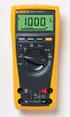 Model 77 Series IV Digital Multimeter Introduction XWWarning To avoid electric shock or injury, do not perform the performance tests or calibration adjustment procedures unless qualified to do so. The
Integrating Sound Level Meter and Datalogger
 USER GUIDE Integrating Sound Level Meter and Datalogger Model 407780A Introduction Thank you for selecting the Extech Instruments Model 407780A. This device is shipped fully tested and calibrated and,
TOOLS DIAGNOSTIC. The information presented in this chapter is organized as follows: Quick reference tables. Detailed product specifications.
 TOOLS URREA's line of diagnostic tools use state-of-the-art technology in order to offer devices to measure, verify, and perform diagnosis, with an excellent balance of accuracy, speed, and versatility.
ABCs of DMMs Multimeter features and functions explained Application Note
 ABCs of DMMs Multimeter features and functions explained Application Note Digital multimeters offer a wide selection of features. Choosing the right meter for the job can be challenging unless you know
323/324/325. Calibration Manual. Clamp Meter
 323/324/325 Clamp Meter Calibration Manual February 2013 2012 Fluke Corporation. All rights reserved. Specifications are subject to change without notice. All product names are trademarks of their respective
Owner s Manual & Safety Instructions
 Owner s Manual & Safety Instructions Save This Manual Keep this manual for the safety warnings and precautions, assembly, operating, inspection, maintenance and cleaning procedures. Write the product s
Table of Contents. Page No.
 Table of Contents Title Page No. INTRODUCTION... 2 SAFETY PRECAUTIONS/S... 2 SPECIFICATIONS... 3 CONTROLS AND INDICATORS... 8 TESTING PROCEDURES... 10 AUXILIARY FUNCTIONS... 17 BATTERY AND FUSE REPLACEMENT...
Ground Resistance Clamp-On Tester
 User s Manual Ground Resistance Clamp-On Tester MODEL 382357 Warranty EXTECH INSTRUMENTS CORPORATION (a FLIR company) warrants the basic instrument to be free of defects in parts and workmanship for one
RS DIGITAL THERMOMETER
 RS DIGITAL THERMOMETER 1319A INSTRUCTION MANUAL C F MX MN AVG TITLE TABLE OF CONTENTS PAGE 1. INTRODUCTION... 1 2. SPECIFICATIONS... 1 3. NAME OF PARTS AND POSITIONS... 3 4. OPERATION INSTRUCTIONS... 5
Multifunction Process Calibrator
 725 Multifunction Process Calibrator Product Overview PN 1549644 English January 2000 Rev.2, 8/05 2000-2005 Fluke Corporation. All rights reserved. Printed in USA All product names are trademarks of their
Model 1756 Test Lead Kit
 Keithley Instruments 28775 Aurora Road Cleveland, Ohio 44139 1-888-KEITHLEY http://www.keithley.com Model 1756 Test Lead Kit Gerneral Purpose Test Lead Information Description These test leads allow you
Model UT713 OPERATING MANUAL
 Model UT713 OPERATING MANUAL TABLE OF CONTENTS TITLE PAGE Introduction Unpacking Inspection Safety Information Turning the Calibrator On Simulating a Thermocouple Measuring a Thermocouple Simulating TC
User s Manual Before using the inverter, you need to read and save the safety instructions.
 User s Manual Before using the inverter, you need to read and save the safety instructions. STI SERIES (STI200, STI300, STI500, STI700, STI1000) Power Frequency Pure Sine Wave Inverter The information
Table of Contents. Title
 Table of Contents Title Page No. INTRODUCTION... 2 SAFETY PRECAUTIONS/WARNINGS... 2 SPECIFICATIONS... 3 CONTROLS AND INDICATORS... 8 TESTING PROCEDURES... 10 AUXILIARY FUNCTIONS... 17 BATTERY AND FUSE
Microwave Meter. Instruction Manual
 Microwave Meter 840046 Instruction Manual Microwave Meter 840046 Copyright 2009 by Sper Scientific ALL RIGHTS RESERVED Printed in the USA The contents of this manual may not be reproduced or transmitted
www.elektroexpressz.hu
 www.elektroexpressz.hu 2013 1 UT10 SERIES / UT20 SERIES Modern Pocket - Size Digital Multimeters Pocket-Size Digital Multimeters UNI-T UT10A UT10A DC Voltage 400mV/4V/40V/300 ±(0.8%+1) AC Voltage 4V/40V/300V
Kit 106. 50 Watt Audio Amplifier
 Kit 106 50 Watt Audio Amplifier T his kit is based on an amazing IC amplifier module from ST Electronics, the TDA7294 It is intended for use as a high quality audio class AB amplifier in hi-fi applications
Series AMEPR30-AZ up to 2.5A AC-DC / DC-DC LED Driver / Converter
 FEATURES: Click on Series name for product info on aimtec.com Models Single output Model Max Output Power (W) 1 AC-DC Constant Current or Constant Over temperature protection Voltage LED Driver Over current
INTRODUCTION SAFETY PRECAUTIONS/
 Title Page No. INTRODUCTION..................................1 SAFTY PRCAUTIONS/WARNINGS.................1 SPCIFICATIONS................................3 CONTROLS AND INDICATORS......................6
4-Channel Thermometer / Datalogger
 USER GUIDE 4-Channel Thermometer / Datalogger RTD and Thermocouple Inputs Model SDL200 Introduction Congratulations on your purchase of the Extech SDL200 Thermometer, an SD Logger Series meter. This meter
MEGGER 210170 Insulation & Low Resistance Tester
 MEGGER 210170 Insulation & Low Resistance Tester User Guide SAFETY WARNINGS Safety Warnings and Precautions must be read and understood before the instrument is used. They must be observed during use.
Dielectric Withstand and Ground Bond Testers For Production Line Safety Agency Compliance Testing
 Dielectric Withstand and Ground Bond Testers For Production Line Safety Agency Compliance Testing U.S. patent#: 5,548,501, 6,054,865. Other patents pending. Safety agency listed. ENHANCED GRAPHIC LCD The
SOUND LEVEL METER 94405
 SOUND LEVEL METER 94405 INSTRUCTION MANUAL REC FAST A/C 1. SAFETY INFORMATION Read the following safety information carefully before attempting to operate or service the meter. Use the meter only as specified
Power Supplies. Overview. Measuring Electricity. Understanding Electricity. Two Types of Current. Powering the PC
 Overview Power Supplies Chapter 7 In this chapter, you will learn to Explain the basics of electricity Provide proper power and cooling to the PC Troubleshoot electrical problems Measuring Electricity
Multi-Function Ground
 Multi-Function Ground Resistance SOIL RESISTIVITY TEster Model 6470-B Now measure ground resistance, soil resistivity and bonding resistance with one instrument! 2- and 4-Wire Bond Resistance/Continuity
Seven function digital multimeter
 Seven function digital multimeter 98025 Set up And Operating Instructions Distributed exclusively by Harbor Freight Tools. 3491 Mission Oaks Blvd., Camarillo, CA 93011 Visit our website at: http://www.harborfreight.com
PIN CONFIGURATION FEATURES ORDERING INFORMATION ABSOLUTE MAXIMUM RATINGS. D, F, N Packages
 DESCRIPTION The µa71 is a high performance operational amplifier with high open-loop gain, internal compensation, high common mode range and exceptional temperature stability. The µa71 is short-circuit-protected
Analog signal converters CC-E I/I Current / current isolators
 ata sheet Analog signal converters CC-E I/I Current / current isolators The CC-E I/I is an isolator for the electrical isolation of current signals without auxiliary supply. It allows the isolation between
DC POWER SUPPLY ALIMENTATION C.C.
 DC POWER SUPPLY ALIMENTATION C.C. ISO-TECH IPS 303A 201-3424 ISO-TECH IPS 601A 201-3446 82IP-303A0ME E1 SAFETY TERMS AND SYMBOLS These terms may appear in this manual or on the product: WARNING. Warning
Fluke 3000 FC Series Test Tools Technical Data
 Fluke 3000 FC Series Test Tools Technical Data Now compatible with Fluke Connect Mobile App Start building tomorrow s test tool system today with the Fluke 3000 FC Digital Multimeter. The new Fluke Connect
Isolated AC Sine Wave Input 3B42 / 3B43 / 3B44 FEATURES APPLICATIONS PRODUCT OVERVIEW FUNCTIONAL BLOCK DIAGRAM
 Isolated AC Sine Wave Input 3B42 / 3B43 / 3B44 FEATURES AC averaging technique used to rectify, amplify, and filter 50 Hz to 400 Hz sine-wave signals. Accepts inputs of between 20 mv to 550 V rms to give
Top Microsystems Proprietary Specification P/N: W090015HK-XP 022410RB-082709V.A0 SPECIFICATION
 SPECIFICATION High Quality Switching Wallmount Adapter Interchangeable AC Plugs 90-264VAC Input 13.5W 9VDC 1.5A Output P/N: W090015HK-XP ** Specification Approval** This specification (total 11 pages including
Owner s Manual & Safety Instructions
 Owner s Manual & Safety Instructions Save This Manual Keep this manual for the safety warnings and precautions, assembly, operating, inspection, maintenance and cleaning procedures. Write the product s
LOXONE 12 Channel Amplifier
 LOXONE 12 Channel Amplifier Item no.: 200110 Thank you for purchasing the Loxone Twelve Channel Amplifier. The versatility of the Amplifier makes it the perfect choice for almost every type of custom multi-room
Modular I/O System Analog and Digital Interface Modules
 OPERATING INSTRUCTIONS Modular I/O System Analog and Digital Interface Modules Installation Operation Maintenance Document Information Document ID Title: Operating Instructions Modular I/O System Part
Loop Calibration and Maintenance
 Loop Calibration and Maintenance Application Note Introduction Process instrumentation requires periodic calibration and maintenance to ensure that it is operating correctly. This application note contains
1. SAFETY INFORMATION
 RS-232 Sound Level Meter 72-860A INSTRUCTION MANUAL www.tenma.com 1. SAFETY INFORMATION Read the following safety information carefully before attempting to operate or service the meter. Use the meter
PR-D9W. GB Version 1
 PR-D9W Version 1 Table of contents Important safety instructions... 2-3 Introduction... 4 Controls... 5-8 Using your weather alert radio for the first time... 9 Operating your radio Search tuning AM/FM...
JNIOR. Overview. Get Connected. Get Results. JNIOR Model 310. JNIOR Model 312. JNIOR Model 314. JNIOR Model 410
 The INTEG is an Ethernet I/O (digital, analog) device that monitors and controls a small set of process signals. functions as both basic I/O for integration with another application or system AND as a
DX-395. FM/AM/SW1/SW2 PLL Synthesized Receiver OWNER S MANUAL. Cat. No. 20-225. Please read before using this equipment.
 20-225.fm Page 1 Wednesday, August 4, 1999 10:07 AM Cat. No. 20-225 OWNER S MANUAL Please read before using this equipment. DX-395 FM/AM/SW1/SW2 PLL Synthesized Receiver 20-225.fm Page 2 Wednesday, August
RS Stock No. 724-4207 Instruction Manual RS-1340 Hot Wire Anemometer
 RS Stock No. 724-4207 Instruction Manual RS-1340 Hot Wire Anemometer EN FR IT DE ES CONTENTS / EN Title CONTENTS Page 1. SAFETY INFORMATION...1 2. INTRODUCTION...2 3. SPECIFICATIONS...3 4. PARTS & CONTROLS...4
5000V Graphical Megohmmeter Model 5070
 5000V Graphical Megohmmeter Model 5070 The Model 5070, the latest design in 5000V Megohmmeters, is the most innovative product in its class on the market today. The features and functions incorporated
Chrome DIN Rail Power Supply 24V 30W 1 Phase (Class II & NEC Class 2) / DRC-24V30W1AZ
 Highlights & Features Protection Class II, Double Isolation (No Earth connection is required) Universal AC input voltage without power de-rating Efficiency > 87.0% @ 115Vac & 230Vac NEC Class 2 / Limited
Fluke 1650B Series Multifunction Installation Testers
 Fluke 1650B Series Multifunction Installation Testers Extended Specifications The installation testing solution for demanding environments The Fluke 1650B Series testers, with new advanced features, are
Fluke 3000 FC Series Test Tools Technical Data
 Fluke 3000 FC Series Test Tools Technical Data Now compatible with Fluke Connect Mobile App Start building tomorrow s test tool system today with the Fluke 3000 FC Digital Multimeter. The new Fluke Connect
User Guide. Heavy Duty Dissolved Oxygen Meter. Model 407510
 User Guide Heavy Duty Dissolved Oxygen Meter Model 407510 Introduction Congratulations on your purchase of Extech's Heavy Duty Dissolved Oxygen / Temperature Meter which simultaneously displays Dissolved
User s manual FLIR VP50/VP52 Non-contact AC voltage detector
 User s manual FLIR VP50/VP52 Non-contact AC voltage detector User s manual FLIR VP50/VP52 #T559851; r. AD/ 9134/9134; en-us Table of contents 1 Disclaimers... 1 1.1 Copyright... 1 1.2 Quality assurance...
DUAL%CHANNEL BROADBAND%LINEAR%AMPLIFIER Model&A800D
 ELECTRONICS AB DUAL%CHANNEL BROADBAND%LINEAR%AMPLIFIER Model&A800D & HIGH&VOLTAGE& FIXED&GAIN& BROADBAND & 800Vpp&60mA& 100x& DC&to&ca&200&kHz & LOW&OUTPUT&IMPEDANCE& HIGH&SLEW&RATE &
VOLTAGE/CURRENT CALIBRATOR ISO-TECH ILC-421
 VOLTAGE/CURRENT CALIBRATOR ISO-TECH ILC-421 TABLE OF CONTENTS 1. FEATURES... 1 2. SPECIFICATIONS... 1 2-1 General Specifications...1 2-2 Electrical Specifications... 2 3. FRONT PANEL DESCRIPTION... 4 3-1
Professional Thermohygrometer
 User Manual Professional Thermohygrometer with NIST-Traceable Calibration Model 20250-21 THE STANDARD IN PRECISION MEASUREMENT Introduction The Digi-Sense Professional Thermohygrometer (Model 20250-21)
MIT510/2, MIT520/2 and MIT1020/2
 99 Washington Street Melrose, MA 02176 Phone 781-665-1400 Toll Free 1-800-517-8431 Visit us at www.testequipmentdepot.com MIT510/2, MIT520/2 and MIT1020/2 Line supply or battery operated Digital/analog
Current Monitoring Kit
 Current Monitoring Kit QUICK START GUIDE DO090-6 CONTENTS Issues: 1) 2.10.02 WP A4 format 2) 2.10.02 Added safety warning 3) 17.3.06 Word A5 format. S1: Removed relay modules. S2: Added MI010. S4.1: added
USER GUIDE. LED Light Meter. Model LT45
 USER GUIDE LED Light Meter Model LT45 Introduction Congratulations on your purchase of the Extech LT45 LED Light Meter that measures light from LED lamps in addition to fluorescent, metal halide, high
RISH CON - Hz. Salient Features : Application : Product Features: FREQUENCY TRANSDUCER
 Application : The RISH CON - Hz transducer is used for frequency measurement. The output signal is proportional to measured frequency and is either load independent DC Current or load independent DC Voltage.