
210E - 210ECL ECL ECL RMS Signal Monitor. Operations Manual
|
|
|
- Lee Lawrence
- 10 years ago
- Views:
Transcription
1 210E - 210ECL ECL ECL RMS Signal Monitor Operations Manual THIS MANUAL CONTAINS TECHNICAL INFORMATION FOR THE FOLLOWING SERIES OF MODEL 210/2010/2018 SIGNAL MONITORS: 210E, 210ECL, 2010, 2010ECL, 2010ECLip, 2018ECL, 2018ECLip; PCB Issue F. INCLUDED ARE GENERAL DESCRIPTION, OPERATIONAL DESCRIPTION, INSTALLATION, AND SPECIFICATIONS. THE 210/2010/2018 SERIES SIGNAL MONITOR UNIT IS DESIGNED AND MANUFACTURED IN THE USA BY EBERLE DESIGN INC., PHOENIX, ARIZONA. INFORMATION CONTAINED HEREIN IS PROPRIETARY TECHNICAL INFORMATION OF EBERLE DESIGN INC. PUBLICATION, REPRODUCTION OR USE IN WHOLE OR PART IS NOT PERMITTED EXCEPT UNDER TERMS AGREED UPON IN WRITING. 8 COPYRIGHT 2010 EDI. REVISION: FEBRUARY 2010 pn

2 <blank>

3 MAINTENANCE NOTE EBERLE DESIGN INC. SIGNAL MONITORS HAVE BEEN CAREFULLY INSPECTED AND TESTED TO ENSURE PROPER OPERATION. IT IS RECOMMENDED THAT THE SIGNAL MONITOR BE TESTED AT LEAST ANNUALLY TO ENSURE COMPLIANCE WITH THE PROPER SPECIFICATIONS. SECTION 4.1.2, SPECIAL FUNCTION INPUTS SPECIAL FUNCTION #2 HAS BEEN DISABLED TO PROVIDE COMPATIBILITY WITH THE MT-180 MONITOR TESTER. RESISTOR R31 HAS BEEN REMOVED TO DISABLE THIS CIRCUIT. IF SPECIAL FUNCTION #2 INPUT IS REQUIRED, R31 (150K OHMS, 1/2W) SHOULD BE INSTALLED. - WARNING - THE P1 RED INTERFACE CABLE SHOULD ALWAYS BE UNPLUGGED BEFORE REMOVING THE UNIT FROM THE CABINET TO PREVENT POTENTIAL EXPOSURE TO ELECTRICAL SHOCK.

4 <blank>

5 TABLE OF CONTENTS Section 1 BASIC FUNCTIONS Model Description Basic Functions Conflict Monitoring VDC Monitoring Controller Watchdog Monitoring (WDT Error)... 1 Section 2 EXTENDED FEATURES Hardware Features Red Failure Monitoring Red Fail SSM Enable Red Interface Cable Fault GYR-Dual Indication Monitoring GY-Dual Indication Monitoring Clearance (Short or Absent Yellow) Monitoring AC Line Brown-out Detection Minimum Flash Time LEDguard TM LED Field Signal Sensing Recurrent Pulse Detection Exit Flash Non-Volatile Fault Memory PCA (Program Card Absent) Indication Configuration Change Monitoring Internal MPU Watchdog Reset Input Detection LED Test Memory Test Watchdog Monitoring Disabled Indicator Red Failure Monitor Disabled Indicator Diagnostic Display Mode (210E / 2010) No Fault Diagnostic Display Fault Diagnostic Display Diagnostic Display Mode (210ECL / 2010ECL /2018ECL) No Fault Diagnostic Display Fault Diagnostic Display Flashing Yellow Arrow (FYA) Overview FYA Mode FYAc (Compact) Mode... 9 Section 3 EVENT LOGGING FEATURES Basic Front Panel Fault Event Display Model 210ECL / 2010ECL /2018ECL Status/Event Reporting BI Tran Systems 233 Program Monitor Status EDI ECcom Monitor Report EDI ECcom Monitor Event Log Examples Section 4 INSTALLATION Adapting Red Monitoring Red Field Inputs Special Function Preempt Inputs (SF1, SF2) SSM Switch Programming Program Card Programming Yellow Disable Jumpers Option Switch Programming... 17

6 4.4.1 Red Fail Timing Switch Recurrent Pulse (RP) Disable Switch (RP DISABLE) WDT Timing Switch GY Enable Switch Polarity Switch LEDguard Switch RF SSM Switch FYA Mode Switch Select Jumper Programming Watchdog Latch Select (SEL1) Minimum Flash Enable Select (SEL2) Configuration Change Fault Select (SEL3) Red Interface Cable Fault Select (SEL4) AC Line Brown-out Select (SEL5) Watchdog Programming Watchdog Enable Switch Watchdog Timing Option Section 5 FRONT PANEL DESCRIPTION Indicators (G) AC POWER Indicator (Y) VDC FAILED Indicator (R) WDT ERROR Indicator CONFLICT Indicator RED FAIL Indicator DUAL IND Indicator CLEARANCE Indicator PCA Indicator DIAGNOSTIC Indicator RP DETECT Indicator COMM Indicator CHANNEL STATUS Indicators (210E / 2010) CHANNEL STATUS Indicators (210ECL / 2010ECL / 2018ECL) Front Panel Controls RESET Button Red Interface Connector (P1) Section 6 CIRCUIT OPERATION Introduction Main MPU Logic Serial Peripheral Interface (SPI) Internal MPU Watchdog EEprom Memory Vdc Logic Inputs Real Time Clock Display Program Card and Switch Inputs RMS-Engine Power Supply EIA-232 Communications Port Ethernet Communications Port Section 7 TROUBLE SHOOTING Section 8 SPECIFICATIONS Electrical Power Requirements AC Voltage Monitors... 25

7 8.1.3 DC Voltage Monitors Timing Functions Mechanical Environmental Section 9 WIRING ASSIGNMENTS Monitor Unit Connector (P3) Sixteen Channel Eighteen Channel Program Card Connector (P4) Sixteen Channel Eighteen Channel Red Interface Connector (P1) EIA-232 Connector (J1) EIA-232 Cable to a PC EIA-232 Cable to a 170 Controller Unit Ethernet LAN Port Ethernet LAN Cable... 31

8 Section 1 BASIC FUNCTIONS 1.1 MODEL DESCRIPTION The Signal Monitor consists of five models; the 210E, 210ECL, 2010, 2010ECL and 2018ECL. The model 210E is the base unit. The model 2010ECL and 2018ECL add an EIA-232 serial port that gives the unit the capability to communicate with a Controller Unit or PC based operational software for status and fault event data. The model 2010ECL and 2018ECL also add an enhanced event logging capability for full time stamped event reporting. The model 2010, 2010ECL, and 2018ECL units are configured to be compatible with the requirements of both the 170 Controller Unit and the 2070 Advanced Traffic Controller. The model 210E and 210ECL units are compatible with the requirements of the 170 Controller Unit. The model 2018ECL is equivalent to the 2010ECL but provides eighteen channels. The ip models replace the EIA-232 port with a 10/100 Mbps Ethernet port. Where not specified otherwise, the information in this manual will apply to all models. 1.2 BASIC FUNCTIONS The Signal Monitor is a device used in a traffic controller assembly to monitor traffic signals at an intersection for conflicting proceed indications caused by malfunctions of the controller, load switches, field wiring and loads, or miss-wiring of the cabinet. The Signal Monitor also provides error sensing of the cabinet 24VDC supply and monitors the controller Watchdog output. The Signal Monitor is directly interchangeable with a standard model 210 Signal Monitor and complies with all specifications outlined in Chapter 4 (Model 210 Monitor Specifications) of the Caltrans Traffic Signal Control Equipment Specifications (January 1989). When triggered by the detection of a fault condition which exists longer than the minimum period, the Signal Monitor will enter the fault mode causing the Output relay contacts to close and enabling the Stop-Time output to the controller. The cabinet assembly should be wired such that the closure of the Output relay contacts will cause an automatic switching of the field signal outputs from normal operation to flashing operation. The Signal Monitor will then display the appropriate fault indications and will remain in this fault mode until a reset command is issued. The loss of AC Line power will not reset the fault mode (except Diagnostic Fail). In the event of AC Line power loss the Signal Monitor will retain the status of all fault and channel indicators and will display the correct fault and channel status upon restoration of AC Line power Conflict Monitoring The Signal Monitor is capable of monitoring 16 channels (2018ECL provides 18 channels). Each channel consists of a Green, Yellow, and Red field signal output. A Program Card is provided for assigning conflicting channels and inhibiting Yellow monitoring for required channels. The Signal Monitor detects the presence of conflicting Green or Yellow signals on the AC field terminations between any two or more channels assigned to conflict on the Program Card. The monitoring circuitry is capable of detecting either full wave or positive and negative half-wave field signal outputs at the specified voltage levels VDC Monitoring Sensing of the cabinet 24VDC supply is provided as specified in Section 4.2, Chapter 4 of the Caltrans Traffic Signal Control Equipment Specifications. When the 24VDC input falls below the specified voltage levels the Signal Monitor will enter the fault mode causing the Output relay contacts to close and enabling the Stop-Time output to the controller. See Section Controller Watchdog Monitoring (WDT Error) Sensing of the controller Watchdog output is provided as specified in Section 4.3 of the Caltrans Traffic Signal Control Equipment Specifications. When a logic transition is not sensed for the specified period (see Section 8.2) the Signal Monitor will enter the fault mode causing the Output relay contacts to close and enabling the Stop-Time output to the controller. The WDT Latch option (see Section 4.5.1) determines whether this WDT Error fault mode is latched through an AC Line brownout or not. If the WDT Latch option is not selected, an AC Line brownout condition will reset the WDT ERROR fault mode when the AC Line is restored. The WDT Error indicator will remain illuminated until a Reset command is issued via the front panel RESET button or External Reset input. This indicates to the technician that a WDT Error occurred but was cleared by an AC Line brownout. If the WDT LATCH option is selected, the WDT Error fault mode is maintained until a Reset command is applied. Eberle Design Inc. Page 1

9 Section 2 EXTENDED FEATURES The following extended features are provided on the Signal Monitor to provide additional fault monitoring functions, to increase the reliability of the monitor operation, and enhance the diagnostic capabilities offered to the service technician. 2.1 HARDWARE FEATURES The 210/2010/2018 series Signal Monitor is a dual microprocessor based unit. All monitoring functions and features are firmware programmable that permits upgrades or modifications by simply replacing the EPROM device containing the firmware with the upgraded version. Thus, most changes to the Signal Monitor specifications may be accommodated without modifying the hardware. Since all critical timing functions are accomplished by the microprocessor, the quartz crystal based accuracy results in very precise and repeatable measurements. This accuracy is maintained on functions from timing fault conditions to implementing a unique firmware based digital sampling and filtering algorithm. This algorithm is applied to all AC field signals to help eliminate false detection in a "noisy" AC line environment. Input voltages are measured using a true Root Mean Squared (RMS) technique. A dedicated microprocessor RMS- Engine controls the analog to digital (A/D) hardware which samples each AC input voltage 32 times per cycle. The RMS-Engine TM then calculates the true RMS voltage value producing accurate results which are very insensitive to changes in frequency, phase, wave shape, and distortion. Voltage references are temperature compensated for constant voltage levels within the operating temperature range. A nonvolatile EEPROM device is utilized to retain fault status information and event logs in the event of an AC Line power interruption. The correct fault indications will be displayed upon restoration of AC Line power. This EEPROM device requires no battery back-up. The time of day in the model ECL model is stored in a battery-backed real time clock circuit. Should this battery fail, only current time of day and date information will be lost. No monitor configuration programming is stored under battery power. 2.2 RED FAILURE MONITORING The Signal Monitor is designed to adapt Red Failure Monitoring to a conventional controller cabinet assembly. The simultaneous absence of active Green, Yellow, and Red field signal voltages on a channel places the Signal Monitor into the fault mode causing the Output relay contacts to close and enabling the Stop-Time output to the controller. Sixteen Red signal inputs, a Red Enable input, and two Special Function preemption inputs (SF1, SF2) are connected to the monitor via a front panel connector (P1) and ribbon cable assembly. Chassis Ground may also be connected to the unit through pin P1-4. Jumper E1 must then be inserted to complete the connection. The Red Fail fault timing value is selected by the Red Fail timing Option switch labeled RF See Section This monitoring function is enabled by applying AC+ to the Red Enable input (P1-20). Unused Red signal inputs must be tied to AC+ to prevent a Red Failure on those channels. Red Failure monitoring is disabled for all channels when the Red Enable input is not active, a Preemption input (SF1, SF2) is active, or the EE input (MC Coil) is active Red Fail SSM Enable The Red Fail monitoring function can also be enabled on a per channel basis using the SSM switches. If the RF SSM option switch is in the On position (Section 4.4.7), then each channel will be monitored for a Red Fail condition if the corresponding SSM switch is in the On position. Red Failure monitoring is disabled for all channels when the Red Enable input is not active, a Preemption input (SF1, SF2) is active, or the EE input (MC Coil) is active Red Interface Cable Fault When inserted into the output file without the Red Interface cable assembly, the Signal Monitor will operate as a standard 210 Signal Monitor. The Red Fail, Dual Indication, and Clearance monitoring functions will be disabled. When the Red Cable Fault select option is installed (see Section 4.5.4), operating without the Red Interface cable will cause the Signal Monitor to enter the fault mode causing the Output relay contacts to close and enabling the Stop-Time output to the controller. To indicate this fault mode the Red Fail indicator will be illuminated with all channel indicators Off. Eberle Design Inc. Page 2

10 The cabinet should be wired such that the Red Enable input is only interrupted by the Load Switch bus being de-energized. Red Fail preemption control to the monitor should use the Special Function inputs #1 or # GYR-DUAL INDICATION MONITORING This monitoring function detects simultaneous indications of active Green and Yellow, Green and Red, or Yellow and Red field signal outputs on the same channel. A GYR-Dual Indication fault places the Signal Monitor into the fault mode causing the Output relay contacts to close and enabling the Stop-Time output to the controller. GYR-Dual Indication Monitoring is enabled concurrently with Clearance Monitoring on a per channel basis using the SSM switches (see Section 4.2) and requires the controller cabinet assembly to be adapted for Red Signal Monitoring. GYR-Dual Indication Monitoring is disabled for all channels when the Red Enable input is not active or the EE input (MC Coil) is active. An open or no load condition (i.e., burned-out bulb) may be detected as an active signal due to load switch leakage current and may cause a Dual Indication fault. Dual Indication Monitoring may also anticipate a possible Conflict in the event that a proceed signal on a channel is constantly detected as active GY-Dual Indication Monitoring This monitoring function detects a simultaneous indication of active Green and Yellow field signal outputs on the same channel. A GY-Dual Indication fault places the Signal Monitor into the fault mode causing the Output relay contacts to close and enabling the Stop-Time output to the controller. It does not require the controller cabinet assembly to be adapted for Red Signal Monitoring, and is enabled by setting option switch SW3-4 labeled GY ENABLE in the ON position (see Section 4.4.4). GY-Dual Indication Monitoring may be enabled concurrently with GYR-Dual Indication Monitoring. When GY-Dual Indication Monitoring is enabled, all channels will be individually monitored for simultaneous indications of active Green and Yellow field signal outputs. Any channels which have been selected for GYR-Dual Indication Monitoring will function as described above in Section 2.3. This monitoring function is intended to accommodate Green and Yellow Dual Indication Monitoring on a five section PPLT signal head. It is also useful if the controller cabinet assembly is not adapted for Red Signal Monitoring as in the case of a standard 210 Signal Monitor. 2.4 CLEARANCE (SHORT OR ABSENT YELLOW) MONITORING This function detects the absence of a minimum period of active Yellow field signal output during a Green to Yellow to Red sequence. Clearance (Sequence) Monitoring is enabled concurrently with GYR-Dual Indication Monitoring on a per channel basis using the SSM switches (see Section 4.2) and requires the controller cabinet assembly to be adapted for Red Signal Monitoring. Clearance Monitoring is disabled for all channels when the Red Enable input is not active or the EE input (MC Coil) is active. A Clearance (short or absent Yellow) fault condition will place the Signal Monitor into the fault mode causing the Output relay contacts to close and enabling the Stop-Time output to the controller. This occurs when a Red input signal to a channel is active following the termination of an active Yellow input signal which is less than the minimum duration, including zero (i.e. skipped). 2.5 AC LINE BROWN-OUT DETECTION When the AC Line voltage is below the "drop-out" level the Signal Monitor will suspend all fault monitoring functions, close the Output relay contacts, and enable the Stop-Time output to the controller. The AC POWER indicator on the front panel will flash at a rate of 2Hz to indicate the brown-out status. When the AC Line voltage returns above the "restore" level the monitor will resume normal operation and the AC POWER indicator on the front panel will remain illuminated. The AC Brownout dropout and restore voltage levels are selected by the AC Line Brown-out Select jumper labeled SEL5. See Section AC Line Brown-out Detection is provided to prevent a dark intersection in the event a brown-out causes the cabinet controller to release control of the intersection. If this occurs and the intersection is not placed into flash, the monitor will detect a Red Failure (absence of signal) or WDT Error and will require a manual reset. The "low AC Line Voltage" level on the Controller Unit should be set at least 5 volts below the monitor drop-out level Minimum Flash Time A Minimum Flash time option can be selected (see Section 4.5.2) which provides a flash interval of at least 6 seconds and at most 10 seconds in duration following a power-up, an AC Line interruption, or a brownout restore. During this interval the unit Eberle Design Inc. Page 3

11 will suspend all fault monitoring functions and close the Output relay contacts. The AC indicator on the front panel will flash at a rate of 4Hz. The minimum flash interval will be terminated after at least 6 seconds if the Watchdog input has made 5 transitions between the True and False state and the AC Line voltage is greater than the restore level. 2.6 LEDGUARD TM LED FIELD SIGNAL SENSING The Signal Monitor can be configured to use a technique called LEDguard TM that is designed to better monitor the characteristics of LED based signal loads (See Section 4.4.6). Each field signal input is measured and compared to both a high threshold and a low threshold value to determine On / Off status. This differs from conventional operation where the active threshold is picked according to the color of the field signal. Once the high and low On / Off thresholds (Section 8.1.2) have been determined using the input RMS voltage, the individual fault monitor functions use the appropriate threshold to determine if a fault condition exists. LEDguard TM Green/Walk Yellow Red/Don t Walk Conflict Low Low --- Red Fail High High High Dual Indication Low Low Low Clearance Low Low High 2.7 RECURRENT PULSE DETECTION This error detection function supplements the normal Conflict, Dual Indication, and Red Fail monitoring algorithms for sensing faults that are intermittent or pulsing in nature. The RMS-Engine TM is designed to filter out short term transients commonly found on the electrical service and provide noise immunity against false signal detections. The Recurrent Pulse detection function is designed to respond to fault conditions which are intermittent in nature and do not meet the continuous timing requirements of the normal detection algorithms, yet may still produce improper signal displays. These input conditions are differentiated by their longer time constant and fault response times. The figure below shows a simple example of a recurrent Conflict fault. Channel 2 Green is detected active due to a malfunction of the load switch that caused the output to Aflicker@ On for 100 ms approximately every 200 ms. Since normal Conflict detection requires a continuous fault of at least 350 ms duration, this event could go undetected. The Recurrent Pulse detection algorithm will combine these pulses into one event and trigger a Conflict fault once the longer recurrent timing threshold is exceeded. When triggered by a recurrent fault condition, the Signal Monitor will enter the fault mode, transfer the Output relay contacts to the Fault position, enable the Stop-Time output to the controller, and illuminate the appropriate CONFLICT, DUAL, or RED FAIL indicator along with the RP DETECT indicator. The unit will remain in the fault mode until reset by the Reset button or the External Reset input. Fault response times will vary depending on the pulse width and frequency of the recurrent inputs, but will range from 1000 ms minimum to 10.4 seconds maximum. Recurrent Pulse detection can be disabled with the RP DISABLE option switch (SW3-2), see Section EXIT FLASH When the Signal Monitor series exits the flash state (Output relay de-energized) as a result of a Reset command or AC Line brownout restore, the Stop Time output will go to the inactive state 250 _+ 50 ms before the Output relay transfers to the Eberle Design Inc. Page 4

12 energized state. This transition will provide an early indication to the 2070 Controller Unit that the cabinet will transfer from flash to signal operation. 2.9 NON-VOLATILE FAULT MEMORY The Signal Monitor stores the fault and channel indicator status at the time the fault occurs into a non-volatile EEPROM device. Should an AC Line power interruption occur while the monitor is in the fault mode, then upon restoration of AC Line power, the Output relay and Stop-Time output will remain in the fault mode and the correct fault and channel indicators will be displayed. The ECL models use a lifetime lithium battery to maintain the time of day clock. Should this battery fail, only current time and date functions will be lost. No monitor configuration parameters or event log data is stored under battery power PCA (PROGRAM CARD ABSENT) INDICATION If the Program Card is absent or not seated properly in the edge connector, the Signal Monitor will enter the fault mode causing the Output relay contacts to close and enabling the Stop-Time output to the controller. The PCA indicator will illuminate to indicate this condition. A manual or external Reset is required after the Program Card is properly seated CONFIGURATION CHANGE MONITORING The Signal Monitor maintains an internally calculated CRC value of the current configuration settings. These settings include the permissive diode matrix, SSM switches, Yellow Disable switches, Option switches, SEL1 through SEL16 jumpers, and the Watchdog Enable switch. On power-up, reset, and periodically during operation, the unit will compare the current configuration settings with the previously stored value. If the settings have changed, the Signal Monitor will automatically log the new setting. When the Configuration Change Fault select option is enabled (see Section 4.5.3), any change in the configuration parameters will cause the Signal Monitor to enter the fault mode causing the Output relay contacts to close and enabling the Stop-Time output to the controller. To indicate this fault mode the PCA indicator will flash at a 4 Hz rate. Depressing the Reset button for three full seconds will clear this fault and log the new configuration parameters. If the Configuration Change Fault select jumper is not installed, the unit will not set the fault mode but will still log the configuration change INTERNAL MPU WATCHDOG The Signal Monitor generates an internal watchdog pulse from its microprocessor. This occurs at least once per line cycle. If the internal hardware does not detect a watchdog pulse within approximately 325 milliseconds, the Signal Monitor will enter the fault mode causing the Output relay contacts to close and enabling the Stop-Time output to the controller. The DIAGNOSTIC indicator on the front panel will illuminate to indicate a monitor hardware and/or firmware failure. This type of failure is configured as latching. With latching operation, only a loss of AC Line will restore operation. If the microprocessor resumes operation the unit will not return to normal operation. If non-latching operation is desired, jumper E5 (Latching MPU Fault) may be removed RESET INPUT DETECTION A reset command from either the front panel Reset button or External Reset input will cause a one-time reset command to the monitor. If the reset command is maintained longer than 500 milliseconds, the monitor will resume monitoring functions and the Reset command will then provide input to the Diagnostic Display mode (see Section 2.18) LED TEST The monitor will illuminate all front panel indicators for 500 milliseconds when a Reset command is issued by the front panel Reset button or External Reset Input. This function provides a means to verify the operation of all front panel indicators MEMORY TEST The Signal Monitor verifies the proper operation of the memory devices (RAM, EPROM, & EEPROM) required to operate the monitor. This test is performed when AC Line power is applied, a Reset Command is issued to the monitor, and periodically during operation. If a memory error is detected, the Signal Monitor will attempt to update the front panel display and then execute a STOP instruction. This will cause the Output relay contacts to close and enable the Stop-Time output to the controller. The DIAGNOSTIC indicator on the front panel will illuminate to indicate a monitor hardware and/or firmware failure. Eberle Design Inc. Page 5

13 Due to the nature of these hardware or firmware failures, other fault indicators that may be concurrently illuminated may not be valid for trouble shooting purposes WATCHDOG MONITORING DISABLED INDICATOR When the WDT ENABLE switch is in the OFF position to disable Watchdog Monitoring of the cabinet Controller, or the AC Line voltage is below the Watchdog disable level, the Signal Monitor will flash the WDT ERROR indicator on the front panel once every 2 seconds. This function informs the service technician that the cabinet Controller Watchdog monitoring function is disabled RED FAILURE MONITOR DISABLED INDICATOR When the Red Fail Monitoring function is disabled because the Red Enable input is not active or the EE input (MC Coil) is active or a Special Function input is active, the Signal Monitor will flash the RED FAIL indicator on the front panel once every 2 seconds. This function informs the service technician that Red Fail Monitoring function is disabled DIAGNOSTIC DISPLAY MODE (210E / 2010) The 210E / 2010 models provide two means of displaying the individual Green, Yellow, and Red field status. The No Fault Diagnostic Display mode shows the individual colors while the monitor is not in the fault mode (intersection operating). The Fault Diagnostic Display mode shows the individual colors that were active at the time the monitor triggered to the fault mode (intersection in flash). The Fault Diagnostic Display mode also provides a review of previous fault events No Fault Diagnostic Display When the 210E / 2010 model is not in the fault state, the unit can display the active Green, Yellow, and Red field status individually. To enter this display mode depress and hold the Reset button. Each time the Reset button is activated and held, the next set of colors will be displayed on the channel status indicators. The display will continue to show the selected color as long as the Reset button is activated. This mode only affects the monitor display and normal fault processing will continue to occur. The sequence is as follows: Reset Fault Status LEDs Channel Status LEDs #1 (G) AC POWER LED flashes Green field status 1-16 #2 (Y) VDC FAILED LED flashes Yellow field status 1-16 #3 (R) WDT ERROR LED flashes Red field status Fault Diagnostic Display... (repeats back to top) Once the 210E / 2010 model has been triggered by a fault, the Green, Yellow, and Red field input status active at the time of the current fault and the two previous faults may be displayed individually. This status is not reset by an AC Line power interruption. To enter this display mode remove the Program Card. The sequence is as follows: Reset Event PCA LED Fault Status LEDs Channel Status LEDs --- #1 Single flash Current Fault Status (newest) Current channel status #1 #1 Single flash (G) AC POWER LED flashes Green field status 1-16 #2 #1 Single flash (Y) VDC FAILED LED flashes Yellow field status 1-16 #3 #1 Single flash (R) WDT ERROR LED flashes Red field status 1-16 #4 #2 Double flash Event #2 Fault Status Event #2 channel status #5 #2 Double flash (G) AC POWER LED flashes Green field status 1-16 #6 #2 Double flash (Y) VDC FAILED LED flashes Yellow field status 1-16 #7 #2 Double flash (R) WDT ERROR LED flashes Red field status 1-16 #8 #3 Triple flash Event #3 Fault Status (oldest) Event #3 channel status #9 #3 Triple flash (G) AC POWER LED flashes Green field status 1-16 #10 #3 Triple flash (Y) VDC FAILED LED flashes Yellow field status 1-16 #11 #3 Triple flash (R) WDT ERROR LED flashes Red field status (repeats back to top) Eberle Design Inc. Page 6

14 To enter this display mode remove the Program Card. Depressing the Reset button advances the display mode from the normal mode to the Green field input display. The (G) AC POWER LED will pulse ON once per second to indicate this mode. The channel display LEDs will show the Green channels active at the time of the fault. The PCA LED will pulse once per second to indicate the current fault (#1, newest). Depressing the Reset button again advances the display mode from the Green display mode to the Yellow field input display. The (Y) VDC FAIL LED will pulse ON once per second to indicate this mode. The channel display LEDs will show the Yellow channels active at the time of the fault. Depressing the Reset button again advances the display mode from the Yellow display mode to the Red field input display. The (R) WDT ERROR LED will pulse ON once per second to indicate this mode. The channel display LEDs will show the Red channels active at the time of the fault. Depressing the Reset button again advances the display mode from the Red display mode (of fault #1) to the fault display mode for fault #2. The PCA LED will pulse twice per second to indicate the previous fault (#2). Additional button closures will cycle through the colors for fault #2 and fault #3 (oldest). After the Red display for fault #3, the display will return to fault #1. To exit this display mode, replace the Program Card. If the Program Card is removed while the model 210E unit has not been triggered by a fault, the fault status display mode will show the Green, Yellow, and Red channels active when the Program Card was removed. If a PCA fault is displayed during the review, the PCA LED will not flash during the Fault Status display step to indicate the fault number DIAGNOSTIC DISPLAY MODE (210ECL / 2010ECL /2018ECL) The ECL models provide two means of displaying the individual Green, Yellow, and Red field status. The No Fault Diagnostic Display mode shows the real time individual colors while the monitor is not in the fault mode (intersection operating) using the three color LED full intersection display. The Fault Diagnostic Display mode shows the individual colors which were active at the time the monitor triggered to the fault mode (intersection in flash) as well as the channel(s) which were involved in the fault. The Fault Diagnostic Display mode also provides a review of previous fault events No Fault Diagnostic Display When the ECL model is not in the fault state, the unit will continuously display the active Green, Yellow, and Red field status simultaneously on a three color LED full intersection display Fault Diagnostic Display Once the ECL model has been triggered by a fault the channel status display will alternate between the field signals active at the time of the fault for 6 seconds, and the channels which were involved in the fault (fault status) for 2 seconds. The channels involved in the fault will flash their respective Green, Yellow, and Red indicators simultaneously at a 4 Hz rate for the 2 second fault status interval. If the fault displayed is a Recurrent Pulse Conflict, Recurrent Pulse Dual Indication, or a Recurrent Pulse Red Fail, the RP DETECT indicator will then flash simultaneously at a 4 Hz rate with the input(s) that had Recurrent Pulse status for an additional 2 seconds following the fault channel display. The two previous faults may be also be displayed individually. This status is not reset by an AC Line power interruption. To enter this display mode remove the Program Card. The sequence is as follows: Reset Event PCA LED Fault Status LEDs Channel Status LEDs --- #1 Single flash Current Fault Status (newest) Current RYG channel status #1 #2 Double flash Event #2 Fault Status Event #2 RYG channel status #2 #3 Triple flash Event #3 Fault Status (oldest) Event #3 RYG channel status... (repeats back to top) To enter this display mode remove the Program Card. The channel status display will alternate between the channels which were involved in the fault (fault status) for 2 seconds, and the field signals active at the time of the fault for 6 seconds. The channels involved in the fault will flash their Green, Yellow, and Red indicators simultaneously at a 4 Hz rate for the 2 second interval. The PCA LED will pulse once per second to indicate the current fault (#1, newest). Depressing the Reset button advances the display mode from the current fault ( #1) to the fault display mode for fault #2. The PCA LED will pulse twice per second to indicate the previous fault (#2). Depressing the Reset button again advances the display mode from fault #2 to the fault display mode for fault #3. The PCA LED will pulse three times per second to indicate the previous fault (#3). Eberle Design Inc. Page 7

15 Depressing the Reset button again returns the display mode from fault #3 to the fault display mode for fault #1. To exit this display mode, replace the Program Card. If the Program Card is removed while the model 210ECL unit has not been triggered by a fault, the fault status display mode will show the Green, Yellow, and Red channels active when the Program Card was removed. If a PCA fault is displayed during the review, the PCA LED will not flash during the Fault Status display step to indicate the fault number FLASHING YELLOW ARROW (FYA) OVERVIEW This unit is designed to monitor an intersection with up to four approaches using the four section FYA movement outlined by the NCHRP Research Project 3-54 on Protected/Permissive signal displays with Flashing Yellow Arrows. For monitoring purposes an FYA approach is defined as a four input logical channel consisting of the solid Red Arrow, solid Yellow Arrow, flashing Yellow Arrow (permissive), and solid Green Arrow (protected). The Signal Monitor combines two physical channels to monitor each logical FYA approach. Two cabinet configurations are supported depending on the number of load switches provided and the capabilities of the Controller Unit. A Flashing Yellow Arrow approach is actually monitored using two physical channels of the Signal Monitor. In the basic FYA mode of the unit, one additional load switch is required for each FYA approach to be monitored. Thus a cabinet providing four vehicle phases, four pedestrian phases, and four FYA approaches would require sixteen load switches. The compact FYAc mode requires the Controller Unit to remap the Yellow outputs of the pedestrian load switches to drive the protected Green Arrow signals of the FYA approaches. In this mode the cabinet can provide the four FYA approaches with the existing twelve position output assembly. See Section for FYA Mode programming FYA Mode The cabinet must be wired such that for each FYA approach, the solid Green protected Arrow is driven by a load switch monitored on channels 1, 3, 5, and 7. The associated solid Red Arrow, solid Yellow Arrow, and flashing Yellow Arrow (Overlap phase) must be driven by a load switch monitored on channels 9, 10, 11, and 12 respectively. The Signal Monitor associates channel 1 with 9, channel 3 with 10, channel 5 with 11, and channel 7 with 12, when FYA monitoring is enabled for that respective approach. See Section for FYA Mode programming FYA Monitoring Functions If a FYA channel pair is enabled for FYA operation, the Signal Monitor will monitor the FYA logical channel pair for the following fault conditions: Conflict Channel conflicts are detected based on the Permissive programming jumpers on the Program Card for each channel. This operation remains unchanged from normal operation Red Fail A Red Fail fault will occur if the solid Red Arrow AND solid Yellow Arrow AND flashing Yellow Arrow AND solid Green Arrow all remain inactive for the Red Fail fault response time. The fault channel status will be indicated for both channels of the pair. The Red and Yellow inputs for channels 1, 3, 5, and 7 do not affect the Red Fail condition for the FYA channels 9, 10, 11, and Dual Indication A Dual Indication fault will occur if any two or more of the solid Red Arrow, solid Yellow Arrow, flashing Yellow Arrow, or solid Green Arrow signal combinations are active simultaneously for the Dual Indication fault response time. The fault channel status will be indicated for the Overlap channel (9, 10, 11, 12). The fault channel status will also be indicated for the solid Green Arrow channel (1, 3, 5, 7) IF the solid Green Arrow was active. If the SSM switch is On for the solid Green Arrow channels (1, 3, 5, 7) then a Dual Indication fault will occur if any two or more of the Red, Yellow, or solid Green Arrow inputs (1, 3, 5, 7) are active simultaneously for the Dual Indication fault response time Clearance A Clearance fault will be detected if the FYA channel sequences from the solid Green Arrow (1, 3, 5, 7) to the solid Red Arrow (9, 10, 11, 12) without a minimum clearance time on the solid Yellow Arrow (9, 10, 11, 12), when SSM switch 9, 10, 11, 12 is On. The fault channel status will be indicated for the Overlap channel (9, 10, 11, 12). A Clearance fault will be detected if the FYA channel sequences from the flashing Yellow Arrow (9, 10, 11, 12) to the solid Red Arrow (9, 10, 11, 12) without a minimum clearance time on the solid Yellow Arrow (9, 10, 11, 12), when SSM switch 9, 10, 11, 12 is On. The fault channel status will be indicated for the Overlap channel (9, 10, 11, 12). Eberle Design Inc. Page 8

16 A Clearance fault will be detected if the protected channel sequences from the solid Green Arrow (1, 3, 5, 7) to the solid Red Arrow (1, 3, 5, 7) without a minimum clearance time on the solid Yellow Arrow (1, 3, 5, 7). SSM switch 1, 3, 5, 7 is On. The fault channel status will be indicated for the solid Green Arrow channel (1, 3, 5, 7) FYA Installation The cabinet must be wired such that for each FYA approach, the solid Green protected Arrow is driven by a load switch monitored on channels 1, 3, 5, and 7. The associated solid Red Arrow, solid Yellow Arrow, and flashing Yellow Arrow (Overlap phase) must be driven by a load switch monitored on channels 9, 10, 11, and 12 respectively. The Signal Monitor associates channel 1 with 9, channel 3 with 10, channel 5 with 11, and channel 7 with 12 when FYA monitoring is enabled for that respective approach. To enable channel pair for FYA operation, place the Option DIP Switch labeled FYA x-y (where x-y is 1-9, 3-10, 5-11, or 7-12) in the On position. When the FYA x-y switch is in the Off position, both channel x and y operate in standard fashion. See Section This Permissive Programming (Conflict Matrix) assignment example assumes standard channel assignments for an eight phase quad intersection. The Permissive programming for channels 1, 3, 5, and 7 (solid Green Arrow) are unchanged from conventional programming for a protected left turn phase, with the addition of the jumpers for the associated FYA overlap channels. The Permissive programming for overlap channels 9, 10, 11, and 12 (solid Yellow and flashing Yellow Arrow) must be set with similar programming to the associated through phase. For example: Primary Channel Permissive With: 1 5, 6, , 6, 9, , 8, , 8, 10, , , Note: This example is for illustrative purposes ONLY. Permissive Programming for an application depends on actual intersection geometry, cabinet wiring, and Controller programming Right Turn Overlaps Because the FYA operation uses channels 9 through 12 normally assigned to overlap phases, a sixteen channel monitor does not provide enough channels for an eight phase intersection with four pedestrian channels, four right turn overlaps, and four FYA approaches. Right turn overlaps can still be implemented by driving the right turn signal heads with the corresponding protected left turn load switch. In this case, the right turn overlap will not be controlled independently. Consideration should be given for the SSM switch being On for the channel 1, 3, 5, and 7 if used in this manner. For right turn overlaps with no Yellow Arrow, consideration should be given to driving the Green Arrow load switch input with the Phase On control FYAc (Compact) Mode For each FYAc approach, each solid Green protected Arrow signal is monitored on channels 9, 10, 11, and 12 (Green). The associated solid Red Arrow, solid Yellow Arrow, and flashing Yellow Arrow is monitored on channels 1, 3, 5, and 7 respectively. The Signal Monitor associates channel 1 with 9, channel 3 with 10, channel 5 with 11, and channel 7 with 12, when FYAc monitoring is enabled for that respective approach. See Section for FYA Mode programming. In the FYAc mode the Signal Monitor requires that the protected Green arrow signals be driven by the unused Ped Yellow load switch outputs. This relies on a Caltrans cabinet wiring requirement of connecting the Ped Yellow load switch outputs to monitor channels 9 and 10 as described in section Using this scheme allows a standard twelve position Output File to provide the necessary signals without the addition of an Auxiliary File. Eberle Design Inc. Page 9

17 FYAc Monitoring Functions If a FYA channel pair is enabled for FYAc operation, the Signal Monitor will monitor the FYAc logical channel pair for the following fault conditions: Conflict Channel conflicts are detected based on the Permissive programming jumpers on the Program Card for each channel. This operation remains unchanged from normal operation Red Fail A Red Fail fault will occur if the solid Red Arrow AND solid Yellow Arrow AND flashing Yellow Arrow AND solid Green Arrow all remain inactive for the Red Fail fault response time. The fault channel status will be indicated for both channels of the pair. The Red and Yellow inputs (typically unused) for channels 9, 10, 11, and 12 do not affect the Red Fail condition for the FYA channels 1, 3, 5, and 7. The SSM Switch for each channel must be in the ON position to enable Red Fail Monitoring for that channel Dual Indication A Dual Indication fault will occur if any two or more of the solid Red Arrow, solid Yellow Arrow, flashing Yellow Arrow, or solid Green Arrow signal combinations are active simultaneously for the Dual Indication fault response time. The fault channel status will be indicated for the FYAc channel (1, 3, 5, 7). The fault channel status will also be indicated for the solid Green Arrow channel (9, 10, 11, 12) IF the solid Green Arrow was active Clearance A Clearance fault will be detected if the FYAc channel sequences from the solid Green Arrow (9, 10, 11, 12) to the solid Red Arrow (1, 3, 5, 7) without a minimum clearance time on the solid Yellow Arrow (1, 3, 5, 7), when SSM switch 1, 3, 5, 7 is On. The fault channel status will be indicated for the FYAc channel (1, 3, 5, 7). A Clearance fault will be detected if the FYAc channel sequences from the flashing Yellow Arrow (1, 3, 5, 7) to the solid Red Arrow (1, 3, 5, 7) without a minimum clearance time on the solid Yellow Arrow (1, 3, 5, 7), when SSM switch 1, 3, 5, 7 is On. The fault channel status will be indicated for the FYAc channel (1, 3, 5, 7) FYAc Installation The cabinet must be wired such that the (unused) Ped Yellow load switch outputs are wired to the Signal Monitor inputs as follows: Phase Load Switch # Monitor Physical Input Ped 2 Yellow 3 Ch 9 Green (pin 13) Ped 4 Yellow 6 Ch 9 Yellow (pin 16) Ped 6 Yellow 9 Ch 10 Green (pin R) Ped 8 Yellow 12 Ch 10 Yellow (pin U) The Controller unit must be configured to drive the protected Green arrow signals from the Ped Yellow load switch outputs. If ANY channel pairs are enabled for FYAc operation, the Signal Monitor will internally remap monitor Channel 9 and 10 physical inputs such that the protected Green arrow signals will be monitored as Channels 9, 10, 11, and 12 as follows: Monitor Physical Input Monitor Logical Channel Associated FYA Channel Ch 9 Green Ch 9 Green Ch 1 Ch 9 Yellow Ch 10 Green Ch 3 Ch 10 Green Ch 11 Green Ch 5 Ch 10 Yellow Ch 12 Green Ch 7 The associated solid Red Arrow, solid Yellow Arrow, and flashing Yellow Arrow phases must be driven by a load switch monitored on channels 1, 3, 5, and 7 respectively. The Signal Monitor associates channel 1 with 9, channel 3 with 10, channel 5 with 11, and channel 7 with 12 when FYA monitoring is enabled for that respective approach. To enable a channel pair for FYAc operation, place the Option DIP Switch labeled FYA x-y (where x-y is 1-9, 3-10, 5-11, or 7-12) in the On position. When the FYA x-y switch is in the Off position, channel x will operate in standard fashion. If all four FYA x-y DIP switches are in the Off position, channels 9, 10, 11, and 12 all operate in standard fashion and the remapping of Channel 9 and 10 Green and Yellow described above is not done. See Section Eberle Design Inc. Page 10

18 Because of the remapping of the inputs to channels 9, 10, 11, and 12 Green, the functionality of the Yellow and Red inputs of channels 9, 10, 11, and 12 is not provided for when FYAc operation is enabled. The SSM switches for these four channels should be placed in the Off position. This Permissive Programming (Conflict Matrix) assignment example assumes standard channel assignments for an eight phase quad intersection. The Permissive programming for channels 9, 10, 11, and 12 (solid Green Arrow) are unchanged from conventional programming for a protected left turn phase, with the addition of the jumpers for the associated FYAc channels. The Permissive programming for FYAc channels 1, 3, 5, and 7 (solid Yellow and flashing Yellow Arrow) must be set with similar programming to the associated through phase. For example: Primary Channel Permissive With 1 2, 5, 6, , 6, , 7, 8, , 8, , , NOTE: This example is for illustrative purposes ONLY. Permissive Programming for an application depends on actual intersection geometry, cabinet wiring, and Controller programming. Eberle Design Inc. Page 11

19 Section 3 EVENT LOGGING FEATURES 3.1 BASIC FRONT PANEL FAULT EVENT DISPLAY The Signal Monitor retains three fault events in nonvolatile memory which can be reviewed via the front panel display. The contents of the log and the procedure for review is described in Section MODEL 210ECL / 2010ECL /2018ECL STATUS/EVENT REPORTING The ECL models use the EIA-232 port to communicate status to a Controller Unit operational software and event data logs to a Personal Computer (PC). The model 2010ECLip and 2018ECLip use a 10/100mbs Ethernet port to communicate status to a Controller Unit operational software and event data logs to a Personal Computer (PC) BI Tran Systems 233 Program Monitor Status The ECL model status message format and time/date message format is compatible with BI Tran Systems Model 223 Software. On request from the operational software, the ECL model provides the current field status if no fault has triggered the monitor. If the monitor is in the fault mode, the current fault status and field input status at the time of the fault is reported. The operational software will also periodically synchronize the ECL model time clock. The BI Tran Systems Model 223 Software manual should be consulted for details of operation EDI ECcom Monitor Report The EDI ECcom software package (Version or greater is required) interfaces a Computer to the ECL and ECLip models. The ECcom program will display the Status (S), Previous Fault (PF) event log, AC Line (AC) event log, Manual Reset (MR) event log, Configuration (CF) event log, and Fault Trace log. All events are time stamped with the time and date of the event. Operation of the ECcom software package is described in "EDI ECcom Software Operations Manual" and will not be covered in this manual. The following data is available: General Data a) Monitor ID#: a four digit ( ) ID number may be assigned to the monitor. b) Time and Date: each event is marked with the time and date of occurrence. c) Event Number: identifies the record number in the log. Event #1 is the most recent event. Current Status (S) a) Fault Type: the fault type description. b) Field Status: the current or latched GYR field status and RMS voltages. c) Cabinet Temperature: the current or latched temperature if the monitor. d) AC Line Voltage: the current or latched AC Line voltage. e) Control Input Status: the current or latched state and RMS voltages of the Red Enable input, EE input, Special Function #1 and #2 inputs, and the WDT monitor. Previous Fault (PF) Event Log (25) a) Fault Type: the fault type description. b) Field Status: the latched field status, RMS voltages, and fault channel status at the time of the fault. c) Cabinet Temperature: the latched temperature at the time of the fault. d) AC Line Voltage: the AC Line voltage at the time of the fault. e) Control Input Status: the latched state and RMS voltages of the Red Enable input, EE input, Special Function #1 and #2 inputs, and the WDT monitor. AC Line (AC) Event Log (40) a) Event Type: describes the type of AC Line event that occurred. Power-up - AC on, monitor performed a cold start Brown-out - AC Line < drop-out level Restore - AC restored from AC brown-out or AC interruption, no cold start b) AC Line Voltage: the AC Line voltage at the time of the event. Eberle Design Inc. Page 12

20 Manual Reset (MR) Event Log (25) a) The monitor was reset from a fault by the front panel Reset button or External Reset input. Configuration (CF) Event Log (10) a) Program Card Matrix: the permissive programming for each channel. b) Yellow Disable Jumpers: the Yellow Disable programming for each channel. c) SSM Switches: the SSM Switch programming for each channel. d) Option Switches: RF 2010, RP Disable, GY Enable, SF1 Polarity, FYA, Minimum Flash Enable, Configuration Fault Enable, Red Cable Fault enable, AC Brownout timing. e) Watchdog Programming: Watchdog Enable, Watchdog timing, and Watchdog Latch. f) Configuration Check Value: the value of the 16 bit Check Value for the reported configuration EDI ECcom Monitor Event Log Examples An example of each type of record is shown below: 1) Previous Fault (PF) Event Log >> Previous Fail Event Log >> Monitor ID #73 >> EDI Model 2010ECL, Firmware Type 01, Firmware V5.0, Comm V3.6 >> RMS-Engine Firmware Type 01, RMS-Engine Firmware V2.3 >> ECcom Version >> Downloaded at 10:23:35 AM Friday, September 22, 2006 >> Number of events = 25 PREVIOUS FAIL EVENT #1 at: 12:12:59 PM Monday, October 2, 2006 Fault = Red Fail Fault Channel Status: Ch: * R.. R R. R R R R R R R R R R G Channel RMS Voltages: R: Y: G: AC Line = Hz Temperature = 80 F Red Enable = Active (122 Vrms) MC Coil (EE) = Off (0 Vrms) Special Function #1 = Off (1 Vrms) Special Function #2 = Off (0 Vrms) WDT Monitor = Active 2) AC Line (AC) Event Log >> AC Line Event Log >> Monitor ID #73 >> EDI Model 2010ECL, Firmware Type 01, Firmware V5.0, Comm V3.6 >> RMS-Engine Firmware Type 01, RMS-Engine Firmware V2.3 >> ECcom Version >> Downloaded at 10:21:27 AM Friday, September 22, 2006 >> Number of events = 2 AC Event #1 at: 2:41:30 PM Tuesday, January 02, 1996 Restore AC & WDT AC Line Voltage = 119 Hz AC Event #2 at: 2:41:25 PM Tuesday, January 02, 1996 Eberle Design Inc. Page 13

21 Brownout AC & WDT AC Line Voltage = 85 Hz 4) Manual Reset (MR) Event Log >> Monitor Reset Event Log >> Monitor ID #73 >> EDI Model 2010ECL, Firmware Type 01, Firmware V5.0, Comm V3.6 >> RMS-Engine Firmware Type 01, RMS-Engine Firmware V2.3 >> ECcom Version >> Downloaded at 10:23:31 AM Friday, September 22, 2006 >> Number of events = 2 Monitor Reset Event #1 at: 9:50:08 PM Friday, January 26, 1996 Monitor Reset Event #2 at: 2:33:39 PM Wednesday, January 24, ) Configuration (CF) Event Log >> Configuration Log >> Monitor ID #73 >> EDI Model 2010ECL, Firmware Type 01, Firmware V5.0, Comm V3.6 >> RMS-Engine Firmware Type 01, RMS-Engine Firmware V2.3 >> ECcom Version >> Downloaded at 10:13:48 AM Friday, September 22, 2006 >> Number of events = 10 >> (A '*>' symbol indicates that parameter has changed) CONFIGURATION CHANGE #1 at: 10:13:27 AM Friday, September 22, 2006 Permissive Programming: Ch 1 with: Ch 2 with: Ch 3 with: Ch 4 with: Ch 5 with: Ch 6 with: Ch 7 with: Ch 8 with: Ch 9 with: Ch 10 with: Ch 11 with: Ch 12 with: Ch 13 with: Ch 14 with: Ch 15 with: 16 Red Fail Enable (X=Enable): Ch: X X X X X X X X X X X X X X X X Dual Indication Enables (X=Enable): Green-Yellow Dual Enable: Ch: X. X X. X X Yellow-Red Dual Enable: Ch: X. X X. X X Green-Red Dual Enable: Ch: X. X X. X X Yellow Disable (X=Disable): Eberle Design Inc. Page 14
22 Ch: Unit Data: Red Fail Fault Timing = ms Recurrent Pulse = ENABLED Watchdog Timing = 1.5 seconds GY Enable = DISABLED *> SF#1 Polarity = NORMAL *> LEDguard Thresholds = ENABLED Red Fail Enabled by SSM = DISABLED Dual Indication Fault Timing = ms WDT Error Clear on PU = DISABLED Minimum Flash = ENABLED Config Change Fault = ENABLED Red Cable Fault = DISABLED AC Line Brownout = 98 +/- 2 Vrms Pin EE Polarity = NORMAL Flashing Yellow Arrows = <none> *> Configuration Check Value = 7633 (0x1DD1) Eberle Design Inc. Page 15
23 Section 4 INSTALLATION The Signal Monitor is a plug-in module for the Type 170/179 output file. When inserted into the output file without the Red Interface cable assembly, it will operate as a standard 210 Signal Monitor. 4.1 ADAPTING RED MONITORING A Red Interface Adapter PCB and an Interconnecting cable is used to adapt Red Signal Monitoring to the controller cabinet assembly. The interconnecting cable is terminated at each end with identically polarized 20 pin plugs. To connect the Signal Monitor with the adapter PCB, insert the Interconnecting cable plug into the Red Interface connector (P1) until the two ejector latches "snap" into place over the cable plugs Red Field Inputs - WARNING - THE P1 RED INTERFACE CABLE SHOULD ALWAYS BE UNPLUGGED BEFORE REMOVING THE UNIT FROM THE CABINET TO PREVENT POTENTIAL EXPOSURE TO ELECTRICAL SHOCK. The pins numbered 1,2,3,5,7, and 9 through 19 of the Red Interface connector P1 correspond to Red channel inputs on the Signal Monitor. All unused Red channel inputs must be terminated to AC+. Pin #20 of P1 is the Red Enable input and must be active to enable Red Failure Monitoring, GYR-Dual Indication Monitoring, and Clearance Monitoring. The Red Enable input is normally connected to the load switch AC+ buss in order to disable Red Failure Monitoring, GYR-Dual Indication Monitoring, and Clearance Monitoring when the intersection is in hardware flash Special Function Preempt Inputs (SF1, SF2) The pins numbered 8 and 6 of Red Interface connector P1 are Special Function (SF) inputs #1 and #2 respectively. These inputs require an AC+ input to disable the Red Failure monitoring function during preemption. An active signal on either input will disable Red Failure monitoring. The RED FAIL indicator will then flash once every two seconds to indicate that Red Failure monitoring is disabled Special Function Preempt Polarity Option Switch #5 of SW3 labeled "POLARITY" may be used to change the polarity of the Special Function input #1. When the switch is in the OFF position, the Special Function input #1 will be active when AC+ is present. AC+ present on either input will disable Red Failure monitoring. An unused preemption input may be left OPEN (no connection) if the polarity switch is in the OFF position. When the switch is in the ON position, the Special Function input #1 will be active when AC+ is NOT present. Lack of AC+ on input #1 will disable Red Failure monitoring. Polarity Switch SF Input #1 SF Input #2 Red Fail Monitoring Off Not Active Not Active Enabled Off Not Active Active Disabled - Preempt Off Active Not Active Disabled - Preempt Off Active Active Disabled - Preempt On Not Active Not Active Disabled - Preempt On Not Active Active Disabled - Preempt On Active Not Active Enabled On Active Active Disabled Preempt Eberle Design Inc. Page 16
24 4.2 SSM SWITCH PROGRAMMING The SSM dip switches (SW4, SW5) are located near the program card edge connector. The switch positions are labeled CH1 to CH16 (CH18) on the PCB legend screen, corresponding to channels 1 through 16 (18), respectively. To enable GYR-Dual Indication and Clearance Monitoring on a channel, place the corresponding channel dip switch to the ON position. Disabling Yellow input sensing on the program card will also disable GY-Dual Indication, YR-Dual Indication and Clearance Monitoring for that channel regardless of the dip switch position for that channel. The corresponding channel SSM dip switch must be placed in the OFF position when an unused Red field output terminal on the adapter PCB is connected to AC PROGRAM CARD PROGRAMMING The diode Program Card provides the means to assign non-conflicting channels and to disable sensing of Yellow input signals. The card is initially supplied with 120 (2018ECL has 153) diodes mounted on the card. This permits all channels to conflict with all other channels. To program a NON-CONFLICTING (permissive) channel pair, remove the appropriate diode from the program card. Example: If channel 2 Green or Yellow is permissive with channel 6 Green or Yellow, remove the diode labeled "2-6". If the Program Card is removed or not seated properly in the edge connector, the Signal Monitor will enter the fault mode causing the Output relay contacts to close and enabling the Stop-Time output to the controller. The PCA indicator will illuminate to indicate this condition. A manual Reset is required after the Program Card is properly seated Yellow Disable Jumpers To DISABLE sensing of a Yellow signal on a channel, solder a wire jumper between the hole pairs on the Program Card labeled for that channel. When the jumper is installed the monitor will use a value of Zero volts for the field input regardless of the actual voltage applied. When the jumper is installed Clearance monitoring (See Section 2.4) is automatically disabled for that channel. Example: To disable Yellow signal sensing on channel 9, a jumper wire must be soldered in between the pair of holes labeled "9" in the area designated "YELLOW DISABLE" on the program card. 4.4 OPTION SWITCH PROGRAMMING The Signal Monitor provides switch options to modify the monitor operation. The Option switches are labeled OPTIONS (SW3) and are located near the program card edge connector Red Fail Timing Switch Switch #1 of SW3 is labeled "RF 2010". When this switch is in the ON position, the Red Fail fault time is set to the 2010 Standard value of 1350 ms. When this switch is in the OFF position, the Red Fail fault time is set to the 210E series value of 850 ms. See Section Recurrent Pulse (RP) Disable Switch (RP DISABLE) Switch #2 of SW3 is labeled "RP DISABLE". When this switch is in the ON position, the Recurrent Pulse detection mode is disabled. See Section WDT Timing Switch Switch #3 of SW3 is labeled "WD 1.0 SEC". When this switch is in the ON position, the Watchdog fault time is set to 1.0 _+0.1 seconds. When this switch is in the OFF position, the Watchdog fault time is set to 1.5 _+0.1 seconds. See Section GY Enable Switch Switch #4 of SW3 is labeled "GY ENABLE". When this switch is in the ON position, all channels will be monitored for a simultaneous active Green and Yellow input regardless of the Red Enable input. See Section Polarity Switch Switch #5 of SW3 is labeled "POLARITY". When this switch is in the OFF position, the active state of the two Special Function inputs is when AC+ present. When this switch is in the ON position, the active state of the Special Function input #1 is when AC+ present is not present. The switch does not affect the polarity of Special Function #2. See Eberle Design Inc. Page 17
25 4.4.6 LEDguard Switch Switch #6 of SW3 is labeled "LEDguard". When this switch is in the ON position, the LEDguard threshold mode is enabled. See Section RF SSM Switch Switch #7 of SW3 is labeled "RF SSM". When this switch is in the ON position, then each channel will be monitored for a Red Fail condition if the corresponding SSM switch is in the On position. See Section FYA Mode Switch Switch #8 of SW3 is labeled "FYA compact". When this switch is in the ON position, then the Flashing Yellow Arrow monitoring mode is selected as FYAc Mode as described in Section When this switch is in the OFF position, then the Flashing Yellow Arrow monitoring mode is selected as FYA Mode as described in Section The FYA or FYAc monitoring mode is only active if one or more FYA channel pairs are enabled with Option switches #8, 9, 10, or 11 described in Section FYA Channel Pair Enable Switches To enable a channel pair for FYA operation, place the Option DIP Switch labeled FYA x-y (where x-y is 1-9, 3-10, 5-11, or 7-12) in the On position. See Sections and SELECT JUMPER PROGRAMMING The Signal Monitor also provides jumper options to modify the monitor operation. The Select jumpers are labeled SEL1 through SEL16. SEL6 through SEL16 are reserved for EDI configuration programming and should not be modified except by the factory Watchdog Latch Select (SEL1) The WDT Latch select determines whether the WDT Error fault mode is latched through an AC Line brownout or not. If the WDT Latch select is not jumpered, an AC Line brownout condition will reset the WDT ERROR fault mode when the AC Line is restored. The WDT Error indicator will remain illuminated until a Reset command is issued via the front panel RESET button or External Reset input. See Section If the WDT LATCH select is jumpered, the WDT Error fault mode is maintained until a Reset command is applied Minimum Flash Enable Select (SEL2) When jumpered, the Minimum Flash function provides a flash interval of at least 6 seconds and at most 10 seconds in duration following a power-up, an AC Line interruption, or a brownout restore. See Section Configuration Change Fault Select (SEL3) When jumpered, the Configuration Change Fault function will be enabled causing the Signal Monitor to enter the fault mode if any configuration parameter is changed. If the Configuration Change Fault Select jumper is not installed, the unit will not set the fault mode but will log the change event. See Section Red Interface Cable Fault Select (SEL4) When jumpered, the Red Cable Fault function will be enabled causing the Signal Monitor to enter the fault mode if the Red Interface cable is not connected. If the Red Cable Fault Select jumper is not installed, the unit will operate as a standard 210 monitor when the Red Interface cable is removed. See Section AC Line Brown-out Select (SEL5) When jumpered, the AC Line Brown-out levels will be set for the 2010 series with Adropout@ at 98 +_2 Vrms and Arestore@ at 103 +_2 Vrms with timing at 400 +_50 ms. When not jumpered, the AC Line Brown-out levels will be set for the 210E series with Adropout@ at 92 +_2 Vrms and Arestore@ at 98 +_2 Vrms with timing at 80 _+17 ms. See Section 2.5. Eberle Design Inc. Page 18
26 4.6 WATCHDOG PROGRAMMING Watchdog Enable Switch The toggle switch SW2 labeled "WD ENABLE" provides control for the Watchdog Monitoring function. When the switch is in the ON position, the Watchdog Monitoring function is enabled. When the switch is in the OFF position, the Watchdog Monitoring function is disabled. The WDT ERROR LED will flash once every two seconds to indicate that Watchdog Monitoring is disabled Watchdog Timing Option Switch #3 of the OPTIONS switch (SW3) is labeled "WD 1.0 SEC". When this switch is in the ON position, the Watchdog fault time is set to 1.0 _+0.1 seconds. When this switch is in the OFF position, the Watchdog fault time is set to 1.5 _+0.1 seconds. Eberle Design Inc. Page 19
27 Section 5 FRONT PANEL DESCRIPTION 5.1 INDICATORS (G) AC POWER Indicator The AC POWER indicator will illuminate when the AC Line voltage level is above the brown-out "restore" level. The indicator will flash at a rate of 2Hz when the AC Line voltage is below the "drop-out" level. The indicator will extinguish when the AC Line voltage is less than 75 +_2 Vac. During the minimum flash interval the indicator will flash at a rate of 4Hz. See Section 2.5. If the 210E / 2010 model is in the Diagnostic Display mode, the (G) AC POWER indicator will flash ON once per second to indicate the Channel Status display is showing Green channel status. See Section (Y) VDC FAILED Indicator The VDC FAILED indicator will illuminate when a 24VDC fault condition is detected. This indicator remains extinguished if the monitor has not been triggered by a 24VDC fault. If the 210E / 2010 model is in the Diagnostic Display mode, the (Y) VDC FAILED indicator will flash ON once per second to indicate the Channel Status display is showing Yellow channel status. See Section (R) WDT ERROR Indicator The WDT ERROR indicator will illuminate when a controller Watchdog fault is detected. If the WD ENABLE switch is placed in the OFF position to disable Watchdog monitoring, or the AC Line voltage is below the Watchdog disable level, the WDT ERROR indicator will flash ON once every 2 seconds. If the 210E / 2010 model is in the Diagnostic Display mode, the (R) WDT ERROR indicator will flash ON once per second to indicate the Channel Status display is showing Red channel status. See Section CONFLICT Indicator The CONFLICT indicator will illuminate when a conflicting proceed signal fault is detected RED FAIL Indicator The RED FAIL indicator will illuminate when an absence of signal is detected on a channel(s). If the Red Enable input is not active, or a Special Function input is active, or the EE input (MC Coil) is active the RED FAIL indicator will flash once every two seconds to indicate that Red Fail Monitoring functions are disabled DUAL IND Indicator The DUAL IND indicator will illuminate when a GY-Dual or GYR-Dual Indication fault is detected on a channel(s) CLEARANCE Indicator The CLEARANCE indicator will illuminate when the minimum Yellow Clearance time has not been met on a channel(s) PCA Indicator The PCA indicator will illuminate if the Program Card is absent or not properly seated. A manual Reset is required after the program card is properly seated. If the unit is in the Diagnostic Display mode, the PCA indicator will flash ON (once, twice, or three times) to indicate the fault event number being displayed. See Section If the unit is in the Configuration Change Fault mode, the PCA indicator will flash at a 4 Hz rate. See Section DIAGNOSTIC Indicator The DIAGNOSTIC indicator will illuminate when an internal hardware or firmware test function has failed. This indicator is intended to inform the service technician of a monitor hardware or firmware failure. Due to the nature of these hardware or firmware failures, other fault indicators that may be concurrently illuminated may not be valid for trouble shooting purposes. Eberle Design Inc. Page 20
28 RP DETECT Indicator The RP DETECT indicator will illuminate when the Recurrent Pulse detection function has triggered a Conflict, Dual Indication, or Red Fail fault. See Section COMM Indicator The COMM indicator will illuminate for a period of 50 ms when a valid frame is received on the communication port. The COMM indicator will flash at a 4 Hz rate if the port is disabled due to the DTR signal in the false state while a frame is in the transmit queue CHANNEL STATUS Indicators (210E / 2010) During normal operation the 210E / 2010 model Channel Status indicators will display all active proceed signals (Green or Yellow). In the fault mode the Channel Status indicators will display all proceed signals active at the time of a 24VDC fault (VDC FAILED), or Watchdog fault (WDT ERROR). In the event of a Conflict, Red Failure, Dual Indication, or Clearance fault only the channels on which the fault occurred will be displayed CHANNEL STATUS Indicators (210ECL / 2010ECL / 2018ECL) During normal operation the ECL model Channel Status indicators will display all active signals (Green, Yellow, and Red). In the fault mode the Channel Status indicators will display all signals active at the time of a fault. In the event of a Conflict, Red Failure, Dual Indication, or Clearance fault the channels on which the fault occurred will be displayed alternately (see Section 2.19) with the field status. 5.2 FRONT PANEL CONTROLS RESET Button Depressing the Reset button resets the Signal Monitor after it has been triggered by a fault. The monitor will remain in the reset mode only if the fault condition has been restored to normal. In the event of a monitor hardware or firmware fault (DIAGNOSTIC) the Reset button may not reset the monitor. A power-up restart may be required. The Reset button also provides control of the Diagnostic Display mode. For a complete description of Diagnostic Display operation see Sections 2.18 and RED INTERFACE CONNECTOR (P1) This connector provides the required inputs for the Signal Monitor to monitor the Red Field Signal outputs. It is polarized to insure proper mating with the adapter cable. Ejector latches are included to facilitate removal and prevents the cable from inadvertently disconnecting. The Signal Monitor will function as a standard 210 Signal Monitor when the cable is disconnected. Eberle Design Inc. Page 21
29 Section 6 CIRCUIT OPERATION 6.1 INTRODUCTION The Signal Monitor uses a dual microprocessor architecture consisting of an MC68HC11D0 main microprocessor unit (MPU) and a Microchip PIC17F242 based RMS-Engine TM. The RMS-Engine TM is a dedicated single-chip high speed microcontroller used to sample the AC field inputs and calculate the true Root Mean Squared (RMS) voltage. This true RMS voltage information is then transmitted to the main microprocessor for fault processing. The MC68HC11D0 main microprocessor uses a high speed synchronous serial I/O system called the Serial Peripheral Interface (SPI) to exchange data with the peripheral circuit blocks. It controls all functions of the unit except for those of the RMS-Engine TM. 6.2 MAIN MPU LOGIC The MC68HC11D0 main microprocessor (U13) operates in the Expanded Multiplexed mode which allows for external memory devices. The program firmware is contained in the 29F010B CMOS Flash device (U11) and program data storage is contained in the SRM2264 8Kx8 static RAM (U16). The expanded address and data buss is used to link the memory devices with the microprocessor. A 74HC137 (U14) selector also resides on the buss to generate chip select signals for the SPI devices. 6.3 SERIAL PERIPHERAL INTERFACE (SPI) The Serial Peripheral Interface (SPI) is a high speed synchronous serial I/O system used to interconnect the main microprocessor to the following circuit blocks: EEprom (U21), Real Time Clock (U29), 24Vdc Logic Processor (U41), Display Multiplexer (U1), Program Card and Switch inputs (U25.4), and the RMS-Engine TM (U37). Data is clocked out of the main microprocessor on the MOSI pin (U13.18) while data is clocked in on the MISO pin (U13.17). The SCLK signal (U13.20) provides the synchronous clock. A peripheral device must be selected by U14 before SPI transfers may take place. 6.4 INTERNAL MPU WATCHDOG Circuit U4A and U4B comprise the internal MPU Watchdog circuit. If this circuit does receive an input from the main microprocessor for at least 325 ms, the circuit will trigger and force the Output relay to the fault mode, enable the Stop-Time output, and illuminate the DIAGNOSTIC indicator. This indicates that the microprocessor has failed to operate its program loop. Under normal conditions the microprocessor will clock this circuit every 20 ms. If jumper E5 is installed this fault mode will only be reset by a complete power down cycle. 6.5 EEPROM MEMORY The 25C640 Serial EEprom (U21) device provides 8192 bytes of nonvolatile memory. It is interfaced to the main microprocessor through the SPI port. No battery is required to maintain the data in this device VDC LOGIC INPUTS The Cabinet 24VDC input, CU Watchdog input, and External/Manual Reset inputs are processed by a PIC16F687 microprocessor U41. Opto-couplers U28, U31, U36, and U38 provide electrical isolation between Logic Ground and Neutral. 6.7 REAL TIME CLOCK The DS1305 Real Time Clock (U29) provides the timekeeping function. It transfers data to the main MPU using the serial SPI interface. During normal operation the RTC is synchronized to the 60 Hz AC Line for long term accuracy. The lifetime lithium battery (BATT1) provides power to the RTC when AC Line voltage is not present. Should the battery fail, no data will be lost other than the time and date should the AC Line voltage drop out. Eberle Design Inc. Page 22
30 6.8 DISPLAY The front panel LED display is multiplexed by the row driver U3 and the column driver U1. The scan rate is approximately 60 Hz. Display data is shifted into U3 while individual columns are selected by U1 using the SPI interface. 6.9 PROGRAM CARD AND SWITCH INPUTS The program card and configuration switch inputs are scanned through a diode matrix using row drivers U32 and U33. Column drivers U34 and U35 select the column to be read. These devices transfer data to the main MPU through the SPI interface RMS-ENGINE The RMS-Engine TM is a Microchip PIC18F242 (U37) single-chip high performance RISC microcomputer executing proprietary firmware that calculates true RMS voltages for each input channel. The resulting data is transferred to the main MPU via the SPI interface. The analog to digital converter (U39) provides the voltage measurement data for the RMS-Engine TM approximately every 6 microseconds. Analog multiplexers (74HC4051N) select the appropriate channel for sampling. Op amp circuits U40 provide a buffer circuit POWER SUPPLY The switching power supply is based on a MIC38C43 (U20) fixed frequency current-mode PWM controller. The AC Line is full wave rectified and charges capacitor C78 to approximately 170 Vdc. The PWM controller switches current from C78 through the transformer T1 using transistor Q4 at approximately 200 KHz. The transformer couples this energy to the secondaries and provides the following output voltages: VDD=+5 Vdc, VCC=+8 Vdc, VGG=-8 Vdc, VEE=-5 Vdc, VCCL=+16 Vdc, and VDDS=+5 Vdc. Opto-coupler U26 provides feedback to the controller for regulation EIA-232 COMMUNICATIONS PORT The EIA-232 communications port is isolated from the main circuitry of the monitor through opto-couplers U7, U12, and U15. The MAX202 interface circuit U2 provides a level translation from EIA-232 voltage levels. If enabled, the DTR input (J1-4) to the unit must be greater than approximately 3 Vdc for the monitor to transmit data ETHERNET COMMUNICATIONS PORT The Ethernet communications port (J2) is isolated from the main circuitry of the monitor through opto-couplers U7, U12, and U15. Eberle Design Inc. Page 23
31 Section 7 TROUBLE SHOOTING SYMPTOMS: Will not power on CAUSES: A) Blown fuse B) Internal power supply is low C) No AC input to the monitor SOLUTIONS: A) Remove the fuse and verify with an Ohm meter. Replace if necessary with a fuse with the same current rating. B) Check the unregulated voltage across filter capacitor C78 with an oscilloscope or volt meter. It should read approximately 170 Vdc when the AC Line is equal to or greater than 110 Vrms. If the regulated supply (VDD) is less than 4.5 Vdc the internal power supply monitoring circuit (U17) will hold the MPU in reset and the DIAGNOSTIC indicator on the front panel should illuminate. Measure the regulated voltage across capacitor C28. If it measures lower than 5 _+0.5 Vdc the regulated supply may be overloaded or shorted to ground. C) If the fuse is not blown then the monitor may not be getting AC Line or Neutral to the edge connector of the monitor. SYMPTOMS: Faults when AC power is applied CAUSES: A) Program card is absent or not seated properly B) AC Line level is low C) Memory device fault D) No internal watchdog pulses SOLUTIONS: A) The PCA indicator on the front panel will illuminate. Re-insert the program card with the diode side of the card facing the front panel slot and depress the RESET switch. The rear edge of the program card should be flush with the front panel. B) Measure the AC Line voltage level with a volt meter. If it is below the required "drop-out" level, the monitor will transfer the Output relay contacts and enable the STOP TIME output to the controller. The AC POWER indicator on the front panel will flash at a rate of 2 Hz to indicate the "brown-out" condition. C) The memory devices are verified when AC Line power is applied or a Reset command is issued. If a memory fault is detected the MPU executes a STOP instruction. This causes all MPU activity to cease. Refer to Section D) Absence of internal watchdog pulses may be due to the following conditions: the MPU is not executing or completing the program loop or the hardware to detect the internal watchdog pulses is not functioning. Place an oscilloscope probe on U4.2. If there are no pulses, depress the front panel reset switch to re-start the MPU. If the watchdog pulses are now present on U4.2 then trace the remaining pulse detection hardware for the required waveforms. SYMPTOMS: Required channels will not conflict CAUSES: Diode on the Program Card is open or absent SOLUTIONS: Check the program card to verify that the required diode is in place. If the diode is present then verify all connections are good and the diode is working correctly. Eberle Design Inc. Page 24
32 Section 8 SPECIFICATIONS 8.1 ELECTRICAL Power Requirements Operating Line Voltage to 135 Vrms Operating Line Frequency _+3Hz Power Consumption... 5W (nominal) AC Voltage Monitors Green Signal Inputs Yellow signal Inputs Red Signal Inputs Red Enable Input Special Function Inputs Watchdog Enable (AC level) (no detect)... less than 15 Vrms (detect)... greater than 25 Vrms (no detect)... less than 15 Vrms (detect)... greater than 25 Vrms (no detect)... less than 50 Vrms (detect)... greater than 70 Vrms (no detect)... less than 50 Vrms (detect)... greater than 70 Vrms (no detect)... less than 50 Vrms (detect)... greater than 70 Vrms (enable)... greater than 103 _+2 Vrms (disable)... less than 98 _+2 Vrms LEDguard TM Low Threshold Signal Inputs No Detect... less than 15 Vrms Detect... greater than 25 Vrms LEDguard TM High Threshold Signal Inputs No Detect... less than 50 Vrms Detect... greater than 70 Vrms AC Line 2010 Brown-out (SEL5) (drop-out) _+2 Vrms (restore) _+2 Vrms AC Line 210E Brown-out (drop-out) _+2 Vrms (restore) _+2 Vrms DC Voltage Monitors +24VDC Input External Reset Input Watchdog Input (fault)... less than +18 Vdc (no fault)... greater than +22 Vdc (true)... less than 3.5 Vdc (False)... greater than 8.5 Vdc (true)... less than 3.5 Vdc (false)... greater than 8.5 Vdc Eberle Design Inc. Page 25
33 8.2 TIMING FUNCTIONS Conflict (no fault)... less than 200 milliseconds (fault)... greater than 500 milliseconds (typical) milliseconds VDC Failed (no fault)... less than 200 milliseconds (fault)... greater than 500 milliseconds (typical) milliseconds Watchdog 1.0 second (no fault)... less than 900 milliseconds (fault)... greater than 1100 milliseconds (typical) milliseconds Watchdog 1.5 second (no fault)... less than 1400 milliseconds (fault)... greater than 1600 milliseconds (typical) milliseconds Red Fail (no fault)... less than 700 milliseconds (fault)... greater than 1000 milliseconds (typical) milliseconds Red Fail (2010) (no fault)... less than 1200 milliseconds (fault)... greater than 1500 milliseconds (typical) milliseconds Dual Indication (no fault)... less than 200 milliseconds (fault)... greater than 500 milliseconds (typical) milliseconds Dual Indication Long (no fault)... less than 700 milliseconds (fault)... greater than 1000 milliseconds (typical) milliseconds Clearance (no fault)... greater than 2.8 seconds (fault)... less than 2.6 seconds AC Line 2010 Brown-out (drop-out) _+50 milliseconds (restore) _+50 milliseconds AC Line 210E Brown-out (drop-out) _+17 milliseconds (restore) _+17 milliseconds Minimum flash after restore _0.5 seconds Maximum flash after restore _0.5 seconds Watchdog (2010) Watchdog (210E) (disable) _+50 milliseconds (enable) _+50 milliseconds (disable) _+17 milliseconds (enable) _+17 milliseconds 8.3 MECHANICAL Height inches Width inches Depth inches 8.4 ENVIRONMENTAL Storage Temperature Range to +90 o C Operating Temperature Range to +74 o C Humidity Range... 0 to 95% Relative Eberle Design Inc. Page 26
34 Section 9 WIRING ASSIGNMENTS 9.1 MONITOR UNIT CONNECTOR (P3) Sixteen Channel Pin # Function Pin # Function 1 CHANNEL 2 GREEN A CHANNEL 2 YELLOW 2 CHANNEL 13 GREEN B CHANNEL 6 GREEN 3 CHANNEL 6 YELLOW C CHANNEL 15 GREEN 4 CHANNEL 4 GREEN D CHANNEL 4 YELLOW 5 CHANNEL 14 GREEN E CHANNEL 8 GREEN 6 CHANNEL 8 YELLOW F CHANNEL 16 GREEN 7 CHANNEL 5 GREEN H CHANNEL 5 YELLOW 8 CHANNEL 13 YELLOW J CHANNEL 1 GREEN 9 CHANNEL 1 YELLOW K CHANNEL 15 YELLOW 10 CHANNEL 7 GREEN L CHANNEL 7 YELLOW 11 CHANNEL 14 YELLOW M CHANNEL 3 GREEN 12 CHANNEL 3 YELLOW N CHANNEL 16 YELLOW 13 CHANNEL 9 GREEN P UNASSIGNED 14 UNASSIGNED R CHANNEL 10 GREEN 15 CHANNEL 11 YELLOW S CHANNEL 11 GREEN 16 CHANNEL 9 YELLOW T UNASSIGNED 17 UNASSIGNED U CHANNEL 10 YELLOW 18 CHANNEL 12 YELLOW V CHANNEL 12 GREEN 19 UNASSIGNED W UNASSIGNED 20 CHASSIS GROUND X UNASSIGNED 21 AC- Y DC GROUND 22 WATCHDOG TIMER Z EXTERNAL RESET VDC AA +24VDC 24 [PINS 24 & 25 BB STOP TIME 25 ARE TIED TOGETHER] CC UNASSIGNED 26 UNASSIGNED DD UNASSIGNED 27 OUTPUT SW, SIDE #3 EE OUTPUT SW, SIDE #2 (MC Coil) 28 OUTPUT SW, SIDE #1 FF AC+ LINE NOTE: Pins 23 and AA are shorted together. Maximum current rating is 500 milliamps. Pins 24 and 25 are shorted together. The Monitor circuit and the Program Card mate with a 28/56 pin double sided edge-card connector having.156 " centers. OUTPUT SW, SIDE #1 closes in the fault mode. OUTPUT SW, SIDE #3 opens in the fault mode Eighteen Channel Pin # Function Pin # Function 1 CHANNEL 2 GREEN A CHANNEL 2 YELLOW 2 CHANNEL 13 GREEN B CHANNEL 6 GREEN 3 CHANNEL 6 YELLOW C CHANNEL 15 GREEN 4 CHANNEL 4 GREEN D CHANNEL 4 YELLOW 5 CHANNEL 14 GREEN E CHANNEL 8 GREEN 6 CHANNEL 8 YELLOW F CHANNEL 16 GREEN Eberle Design Inc. Page 27
35 NOTE: Pin # Function Pin # Function 7 CHANNEL 5 GREEN H CHANNEL 5 YELLOW 8 CHANNEL 13 YELLOW J CHANNEL 1 GREEN 9 CHANNEL 1 YELLOW K CHANNEL 15 YELLOW 10 CHANNEL 7 GREEN L CHANNEL 7 YELLOW 11 CHANNEL 14 YELLOW M CHANNEL 3 GREEN 12 CHANNEL 3 YELLOW N CHANNEL 16 YELLOW 13 CHANNEL 9 GREEN P CHANNEL 17 YELLOW 14 CHANNEL 17 GREEN R CHANNEL 10 GREEN 15 CHANNEL 11 YELLOW S CHANNEL 11 GREEN 16 CHANNEL 9 YELLOW T CHANNEL 18 YELLOW 17 CHANNEL 18 GREEN U CHANNEL 10 YELLOW 18 CHANNEL 12 YELLOW V CHANNEL 12 GREEN 19 CHANNEL 17 RED W CHANNEL 18 RED 20 CHASSIS GROUND X UNASSIGNED 21 AC- Y DC GROUND 22 WATCHDOG TIMER Z EXTERNAL RESET VDC AA +24VDC 24 [PINS 24 & 25 BB STOP TIME 25 ARE TIED TOGETHER] CC UNASSIGNED 26 UNASSIGNED DD UNASSIGNED 27 OUTPUT SW, SIDE #3 EE OUTPUT SW, SIDE #2 (MC Coil) 28 OUTPUT SW, SIDE #1 FF AC+ LINE Pins 23 and AA are shorted together. Maximum current rating is 500 milliamps. Pins 24 and 25 are shorted together. The Monitor circuit and the Program Card mate with a 28/56 pin double sided edge-card connector having.156 " centers. OUTPUT SW, SIDE #1 closes in the fault mode. OUTPUT SW, SIDE #3 opens in the fault mode. 9.2 PROGRAM CARD CONNECTOR (P4) Sixteen Channel Pin # Function Pin # Function 1 CHANNEL 2 GREEN A CHANNEL 1 GREEN 2 CHANNEL 3 GREEN B CHANNEL 2 GREEN 3 CHANNEL 4 GREEN C CHANNEL 3 GREEN 4 CHANNEL 5 GREEN D CHANNEL 4 GREEN 5 CHANNEL 6 GREEN E CHANNEL 5 GREEN 6 CHANNEL 7 GREEN F CHANNEL 6 GREEN 7 CHANNEL 8 GREEN H CHANNEL 7 GREEN 8 CHANNEL 9 GREEN J CHANNEL 8 GREEN 9 CHANNEL 10 GREEN K CHANNEL 9 GREEN 10 CHANNEL 11 GREEN L CHANNEL 10 GREEN 11 CHANNEL 12 GREEN M CHANNEL 11 GREEN 12 CHANNEL 13 GREEN N CHANNEL 12 GREEN 13 CHANNEL 14 GREEN P CHANNEL 13 GREEN 14 CHANNEL 15 GREEN R CHANNEL 14 GREEN 15 CHANNEL 16 GREEN S CHANNEL 15 GREEN 16 PROGRAM CARD T DC GROUND 17 CHANNEL 1 YELLOW U CHANNEL 9 YELLOW 18 CHANNEL 2 YELLOW V CHANNEL 10 YELLOW 19 CHANNEL 3 YELLOW W CHANNEL 11 YELLOW 20 CHANNEL 4 YELLOW X CHANNEL 12 YELLOW 21 CHANNEL 5 YELLOW Y CHANNEL 13 YELLOW Eberle Design Inc. Page 28
36 Pin # Function Pin # Function 22 CHANNEL 6 YELLOW Z CHANNEL 14 YELLOW 23 CHANNEL 7 YELLOW AA CHANNEL 15 YELLOW 24 CHANNEL 8 YELLOW BB CHANNEL 16 YELLOW 25 NO CONNECT CC NO CONNECT 26 NO CONNECT DD NO CONNECT 27 NO CONNECT EE RESERVED 28 YELLOW INHIBIT COMMON FF NO CONNECT === Mating connector shall be keyed between pins 24 and 25 and also BB and CC. The Monitor circuit and the Program Card mate with a 28/56 pin double sided edge-card connector having 0.156" centers Eighteen Channel Pin # Function Pin # Function 1 CHANNEL 2 GREEN A CHANNEL 1 GREEN 2 CHANNEL 3 GREEN B CHANNEL 2 GREEN 3 CHANNEL 4 GREEN C CHANNEL 3 GREEN 4 CHANNEL 5 GREEN D CHANNEL 4 GREEN 5 CHANNEL 6 GREEN E CHANNEL 5 GREEN 6 CHANNEL 7 GREEN F CHANNEL 6 GREEN 7 CHANNEL 8 GREEN H CHANNEL 7 GREEN 8 CHANNEL 9 GREEN J CHANNEL 8 GREEN 9 CHANNEL 10 GREEN K CHANNEL 9 GREEN 10 CHANNEL 11 GREEN L CHANNEL 10 GREEN 11 CHANNEL 12 GREEN M CHANNEL 11 GREEN 12 CHANNEL 13 GREEN N CHANNEL 12 GREEN 13 CHANNEL 14 GREEN P CHANNEL 13 GREEN 14 CHANNEL 15 GREEN R CHANNEL 14 GREEN 15 CHANNEL 16 GREEN S CHANNEL 15 GREEN 16 RESERVED T DC GROUND 17 CHANNEL 1 YELLOW U CHANNEL 9 YELLOW 18 CHANNEL 2 YELLOW V CHANNEL 10 YELLOW 19 CHANNEL 3 YELLOW W CHANNEL 11 YELLOW 20 CHANNEL 4 YELLOW X CHANNEL 12 YELLOW 21 CHANNEL 5 YELLOW Y CHANNEL 13 YELLOW 22 CHANNEL 6 YELLOW Z CHANNEL 14 YELLOW 23 CHANNEL 7 YELLOW AA CHANNEL 15 YELLOW 24 CHANNEL 8 YELLOW BB CHANNEL 16 YELLOW 25 CHANNEL 17 GREEN CC CHANNEL 17 YELLOW 26 CHANNEL 18 GREEN DD CHANNEL 18 YELLOW 27 CHANNEL 16 GREEN EE PROGRAM CARD 28 YELLOW INHIBIT COMMON FF CHANNEL 17 GREEN === Mating connector shall be keyed between pins 24 and 25 and also BB and CC. The Monitor circuit and the Program Card mate with a 28/56 pin double sided edge-card connector having 0.156" centers. 9.3 RED INTERFACE CONNECTOR (P1) Pin # Function Pin # Function 1 CHANNEL 15 RED 11 CHANNEL 9 RED 2 CHANNEL 16 RED 12 CHANNEL 8 RED 3 CHANNEL 14 RED 13 CHANNEL 7 RED 4 CHASSIS GROUND** 14 CHANNEL 6 RED 5 CHANNEL 13 RED 15 CHANNEL 5 RED 6 SPECIAL FUNCTION #2 16 CHANNEL 4 RED Eberle Design Inc. Page 29
37 Pin # Function Pin # Function 7 CHANNEL 12 RED 17 CHANNEL 3 RED 8 SPECIAL FUNCTION #1 18 CHANNEL 2 RED 9 CHANNEL 10 RED 19 CHANNEL 1 RED 10 CHANNEL 11 RED 20 RED ENABLE **Note: Pin #4 may be used to connect the monitor chassis to the cabinet CHASSIS GROUND. To complete this connection, a soldered wire jumper must be placed in location E1. Monitor CHASSIS GROUND is also connected through the edge connector P2. The additional connection through the Red Interface cable can provide the CHASSIS GROUND connection to the monitor if the unit is removed from the cabinet with the Red Interface cable attached. The cabinet assembly must also be wired to connect the other end of the Red Interface cable to CHASSIS GROUND. - WARNING - IF JUMPER E1 IS USED BE SURE THAT ANY CABINET WIRING OR MONITOR TEST EQUIPMENT DOES NOT DRIVE PIN #4 WITH AN ACTIVE SIGNAL. USE OF THIS CHASSIS GROUND CONNECTION MAY MAKE THE UNIT INCOMPATIBLE WITH SOME SIGNAL MONITOR TESTERS. THE P1 RED INTERFACE CONNECTOR SHOULD ALWAYS BE UNPLUGGED BEFORE REMOVING THE UNIT FROM THE CABINET TO PREVENT POTENTIAL EXPOSURE TO ELECTRICAL SHOCK. 9.4 EIA-232 CONNECTOR (J1) Pin # Function I/O 1 DCD O 2 Tx DATA O 3 Rx DATA I 4 DTR I 5 GROUND - 6 DSR O 7 CTS I 8 RTS O 9 NC - The Data Terminal Ready (DTR) input must be in the high state (>4 Vdc) for the monitor EIA-232 port (DCE device) to be active. DCD, DSR, CTS, and RTS are provided for compatibility with Data Terminal Equipment (DTE device) control signals. If required by the Data Terminal Equipment device (PC), DCD may be driven high by inserting jumper E2. If the Data Terminal Equipment device uses CTS instead of DTR to control data flow, insert jumper E3 and remove jumper E EIA-232 Cable to a PC A typical cable assembly for a DB-9 connector on the PC would be a straight through connection as follows: PC DB-9 Monitor DB-9 RX pin 2 connect to TX pin 2 TX pin 3 connect to RX pin 3 DTR pin 4 connect to DTR pin 4 GND pin 5 connect to GND pin 5 A typical cable assembly for a DB-25 connector on the PC would be as follows: PC DB-25 Monitor DB-9 RX pin 3 connect to TX pin 2 Eberle Design Inc. Page 30
38 TX pin 2 connect to RX pin 3 DTR pin 20 connect to DTR pin 4 GND pin 7 connect to GND pin EIA-232 Cable to a 170 Controller Unit A typical cable assembly for 170 CU connector would be as follows: 170 Monitor DB-9 RX pin L connect to TX pin 2 TX pin K connect to RX pin 3 +5 pin D connect to DTR pin 4 GND pin N connect to GND pin 5 DCD pin H should be connected to +5 pin D on the Controller Unit connector. CTS pin M should be connected to RTS pin J on the Controller Unit connector. 9.5 ETHERNET LAN PORT The 10/100 Mbps Ethernet port must be configured with specific network parameters such as an IP address. The network port parameters are set or changed using the EDI ECcom TM Signal Monitor Communications software. See the "EDI ECcom TM Software Operations Manual" for details on the SETUP / COMM PORT / SETTINGS / Search function Ethernet LAN Cable The LAN cable required is a typical Cat-5 network cable using the 8 pin RJ-45 connector. If the connection is from the monitor to a switch or hub, a standard LAN cable is needed. If the connection is from the monitor directly to a network adaptor (PC), a cross-over or patch cable is needed. Eberle Design Inc. Page 31
39 16-Channel Program Card Diagram Eberle Design Inc. Page 32
Managing Cabinet Malfunctions. SmartMonitor tm Advanced Signal Monitor Seminar. Detecting Cabinet Malfunctions. Display Cabinet Fault Status
 MMU-16LE SmartMonitor tm Advanced Signal Monitor Seminar Managing Cabinet Malfunctions The signal monitor has three basic important tasks to perform: Detect improper signals / voltages Display cabinet
ECcom. Signal Monitor Communications Software Operations Manual
 ECcom Signal Monitor Communications Software THIS MANUAL CONTAINS TECHNICAL INFORMATION FOR THE ECcom SIGNAL MONITOR COMMUNICATIONS SOFTWARE. SOFTWARE VERSION 4.0 REVISION: JUNE 2014 pn 888-1000-001 INFORMATION
SERVICE MANUAL 12VDC WALL THERMOSTAT AIR CONDITIONING SYSTEMS ROOFTOP UNITS ONLY
 SERVICE MANUAL 12VDC WALL THERMOSTAT AIR CONDITIONING SYSTEMS ROOFTOP UNITS ONLY! WARNING - SHOCK HAZARD! TO PREVENT THE POSSIBILITY OF SEVERE PERSONAL INJURY, DEATH, OR EQUIPMENT DAMAGE DUE TO ELECTRICAL
MODEL 5010 DUAL CHANNEL SMOKE/FIRE DETECTION MODULE
 DESCRIPTION MODEL 5010 DUAL CHANNEL SMOKE/FIRE DETECTION MODULE DESCRIPTION The SST Model 5010 Two Channel Smoke/Fire Detection Module provides two independent detection input channels for the NOVA-5000
NELSON VOLTAGE MONITOR INSTALLATION & PROGRAMMING MANUAL
 NELSON VOLTAGE MONITOR INSTALLATION & PROGRAMMING MANUAL CONTENTS GENERAL INFORMATION...3 INSTALLATION...3 FIELD WIRING...4 PROGRAMMING...4 Circuit Monitor Options...5 Power Frequency...5 Alarm Silence
Troubleshooting and Diagnostics
 Troubleshooting and Diagnostics The troubleshooting and diagnostics guide provides instructions to assist in tracking down the source of many basic controller installation problems. If there is a problem
Allen-Bradley/Rockwell
 MANUFACTURER DATA SHEET High Speed Counter Manufacturer: Allen-radley/Rockwell Model Number: 1746-HSCE See www.geomartin.com for additional PDF datasheets Martin Part Number: E-014901-03 VendorPartNumber:
OPERATING INSTRUCTIONS Model ST-888 DTMF ANI/ENI Display Decoder
 P R O D U C T G R O U P OPERATING INSTRUCTIONS Model ST-888 DTMF ANI/ENI Display Decoder Manual # 600-0901 November 30, 1999 Rev. D - 99068 DESCRIPTION The ST-888 Mobilecall Display Decoder is a desktop
Configure Inverter output for two utility settings, (1)120V/60Hz, (2)220V/50Hz
 HV Solar Inverter System GUI Overview January 2012 TMS320C2000 Systems Applications Collateral The HV Solar Inverter System GUI provides a simple interface to evaluate some of the functionalities of the
WEA-Base. User manual for load cell transmitters. UK WEA-Base User manual for load cell transmitters Version 3.2 UK
 WEA-Base User manual for load cell transmitters 1 Contents 1. Technical data... 3 2. Assembly... 4 2.1 Power supply... 4 2.2 Load cells... 4 2.3 RS-485... 4 2.4 Relays... 5 2.5 Digital input... 5 2.6 Analogue
Troubleshooting and Diagnostics
 Troubleshooting and Diagnostics The troubleshooting and diagnostics guide provides instructions to assist in tracking down the source of many basic controller installation problems. If there is a problem
TEMON 8-C. Doc. N MO-0370-ING TEMPERATURE MONITOR DEVICE TYPE TEMON 8-C OPERATION MANUAL. Microener - Copyright 2010 FW 2.2 Date 01.12.2008 Rev.
 TEMPERATURE MONITOR DEVICE TYPE TEMON 8-C OPERATION MANUAL Microener - Copyright 2010 FW 2.2 Date 01.12.2008 Rev. 0 1. Generality 3 2. Introduction 3 3. Accessories and Options 3 4. Installation 3 5. Connection
ALARM ANNUNCIATOR ME - 3010 INSTRUCTION MANUAL
 ALARM ANNUNCIATOR ME - 3010 INSTRUCTION MANUAL INTRODUCTION... 2.. TECHNICAL DATA... 3 ACCESSORIES... 5. INSTALLATION... 7 OPERATION... 12. TECHNICAL INFORMATION... 13 MAINTENANCE... 14. CONFIGURATIONS...
DS1307ZN. 64 x 8 Serial Real-Time Clock
 DS137 64 x 8 Serial Real-Time Clock www.maxim-ic.com FEATURES Real-time clock (RTC) counts seconds, minutes, hours, date of the month, month, day of the week, and year with leap-year compensation valid
MSITel provides real time telemetry up to 4.8 kbps (2xIridium modem) for balloons/experiments
 The MSITel module family allows your ground console to be everywhere while balloon experiments run everywhere MSITel provides real time telemetry up to 4.8 kbps (2xIridium modem) for balloons/experiments
Ethernet Port Quick Start Manual
 Ethernet Port Quick Start Manual THIS MANUAL CONTAINS TECHNICAL INFORMATION FOR THE ETHERNET PORT OF EDI SIGNAL MONITORS with Ethernet Version 1.5 firmware. DETAILS OF THE ECCOM OPERATION ARE DESCRIBED
Product Description Full Voltage Starting Electric Fire Pump Controllers FTA1000
 Product Description Full Voltage Starting Electric Fire Pump Controllers FTA1000 Description Firetrol FTA1000 Full Voltage Fire Pump Controllers are intended for use with electric motor driven fi re pumps
CHAPTER 11: Flip Flops
 CHAPTER 11: Flip Flops In this chapter, you will be building the part of the circuit that controls the command sequencing. The required circuit must operate the counter and the memory chip. When the teach
Single Channel Loop Detector
 Single Channel Loop Detector Model - LD100 Series The LD100 is a single channel inductive loop detector designed for parking and access control applications. The detector is connected to an inductive loop
ALARMS-xx. Remote Alarm Unit Setup Guide 1 2 3 4 5 6 7 8 9 10 11 12 13 14 15 16 17 18 19 20 21 22 23 24 25 26 27 28 29 30 31 32 RESET ALL
 Remote Alarm Unit Setup Guide 1 2 3 4 5 6 7 8 9 10 11 12 13 14 15 16 17 18 19 20 21 22 23 24 25 26 27 28 29 30 31 32 RESET ALL User s Guide Version 1.0 07/01/2009 Michael Stevens & Partners Ltd. has made
HyperAccess Access Control System
 Control System We manufacture, an advanced PC based access control solution that will give you control over who has access to your building. With you can control access on hundreds of doors for up to 10,000
NTE2053 Integrated Circuit 8 Bit MPU Compatible A/D Converter
 NTE2053 Integrated Circuit 8 Bit MPU Compatible A/D Converter Description: The NTE2053 is a CMOS 8 bit successive approximation Analog to Digital converter in a 20 Lead DIP type package which uses a differential
Intel architecture. Platform Basics. White Paper Todd Langley Systems Engineer/ Architect Intel Corporation. September 2010
 White Paper Todd Langley Systems Engineer/ Architect Intel Corporation Intel architecture Platform Basics September 2010 324377 Executive Summary Creating an Intel architecture design encompasses some
Tutorial: Configuring GOOSE in MiCOM S1 Studio 1. Requirements
 Tutorial: Configuring GOOSE in MiCOM S1 Studio 1. Requirements - Two (2) MiCOM Px4x IEDs with Version 2 implementation of IEC 61850 - Two (2) Cat 5E Ethernet cable - An Ethernet switch 10/100 Mbps - MiCOM
conventional system operation
 conventional system operation detection line operation Conventional detection systems normally operate on a 24VDC line. In the standby condition, the detectors will draw a low current, typically less than
Procidia Control Solutions Dedicated Backup in a Single Variable Control Loop
 APPLICATION DATA AD353-109 Rev 3 April 2012 Procidia Control Solutions Dedicated Backup in a Single Variable Control Loop In critical control applications, a dedicated backup controller can provide increased
MN3310 Evaluation Kit v1 User Guide
 1 Evaluation Kit Introduction The MN3310 Evaluation Kit is designed to allow the user to quickly evaluate the Micro Modular Technologies MN3310 GPS receiver module. The evaluation kit can be used in either
MN1010 Evaluation Kit v3 User Guide
 1 Evaluation Kit Introduction The MN1010 Evaluation Kit is designed to allow the user to quickly evaluate the Micro Modular Technologies MN1010 GPS receiver module. This kit can be used in either a laboratory
INSTALLATION GUIDE. Card Reader & Controller with KIM Swipe Reader for Solitaire 850 / 950 / 850L Learnlok PK2930
 INSTALLATION GUIDE Card Reader & Controller with KIM Swipe Reader for Solitaire 850 / 950 / 850L Learnlok PK2930 Card Reader and Controller Model 3.5 with KIM Swipe Reader Table of Contents 1. Features..................................
PRODUCTIVITY THROUGH INNOVATION 600 CONTROL DIRECT DRIVE TECHNICAL/OPERATION MANUAL
 Rev. D PRODUCTIVITY THROUGH INNOVATION 600 CONTROL DIRECT DRIVE TECHNICAL/OPERATION MANUAL 10 BORIGHT AVENUE, KENILWORTH NEW JERSEY 07033 TELEPHONE: 800-524-0273 FAX: 908-686-9317 TABLE OF CONTENTS Page
T Sentry 4 Multi-Point Digital Alarm Instruction Manual
 T Sentry 4 Multi-Point Digital Alarm Instruction Manual Introduction The T Sentry4 (TS4) is a microprocessor-based temperature monitoring and alarm device with user programmable high-low alarm setpoints
BLOCK OCCUPANCY DETECTOR WITH SEMAPHORE OPERATION BOD1/DAP4-BR
 BLOCK OCCUPANCY DETECTOR WITH SEMAPHORE OPERATION BOD1/DAP4-BR This Block Occupancy Detector recognises the current drawn by moving trains within a block, and can operate a number of built-in programs
RCDC1 Radio Controlled Device Controller- 1 Channel
 RCDC1 Radio Controlled Device Controller- 1 Channel When the Mode Switch is in Position 1, Moving the joystick forward turns on the relay. When the joystick returns to center, the relay goes off (momentary
MSL1000 Monitored Serial Link Interface Manual V1.01
 Audix Systems, Station Road, Wenden, Saffron Walden, Essex, CB11 4LG. Telephone: +44(0)1799 540888 Facsimile: +44(0)1799 541618 www.tycosafetyproducts-europe.com www.audixsystems.co.uk MSL1000 Monitored
Bristol ControlWave Redundant Control
 October 19, 2007 - Page 1 Bristol ControlWave Redundant Control Redundant systems are offered for critical processes and harsh applications that require maximum operational readiness and system availability.
PIKA Technical Bulletin #41. V-12 RAN Trunk Interface Implementation
 PIKA Technical Bulletin #41 V-12 RAN Trunk Interface Implementation Supported by: model V-12 FORMULA with FSB 045 V-12 RAN MODIFICATION External Power supply requirements: -48VDC. RAN trunks are based
Master Time Clock MTC-200 MTC-400 MTC-600. Users Manual
 Master Time Clock MTC-200 MTC-400 MTC-600 Users Manual Toll Free (888)713-0373 Phone (972)987-4408 FAX (877)720-9291 www.midwest-time.com [email protected] TABLE OF CONTENTS TOPIC PAGE GENERAL DESCRIPTION
5-port / 8-port 10/100BaseTX Industrial Ethernet Switch User Manual
 5-port / 8-port 10/100BaseTX Industrial Ethernet Switch User Manual Content Overview... 1 Introduction... 1 Features... 3 Packing List... 4 Safety Precaution... 4 Hardware Description... 5 Front Panel...
MicroTech II McQuay Maverick II Rooftop Unit Controller BACnet Communication Module (MS/TP)
 Installation and Maintenance Manual IM 852 Group: Controls Part Number: IM 852 Date: June 2007 Supercedes: New MicroTech II McQuay Maverick II Rooftop Unit Controller BACnet Communication Module (MS/TP)
How to read this guide
 How to read this guide The following shows the symbols used in this Quick start guide with descriptions and examples. Symbol Description Example P oint Reference Caution [ ] This symbol explains information
Conventional Fire Detection and Extinguishant Control System Specification
 Conventional Fire Detection and Extinguishant Control System Specification Page 1 of 9 Scope Furnish a complete 24VDC Conventional, electrically supervised, combined fire detection and extinguishant release
EDI Distributor Control Interface Wiring and Setup Instructions
 Universal I/O EDI Distributor Control Interface Wiring and Setup Instructions EDI UNIVERSAL I/O INTERFACE MODULE The only interface needed for EDI-V5 controls Network compatible with all older EDI controls
TURBOtech srl. SED-635 Digital Excitation System. Industrial Electronics Sector FEATURES
 SED-635 Digital Excitation System SED-635 is a complete excitation system capable of adapting to control synchronous generators of any size. The integration of the TOUCH SCREEN operator interface and a
CM705B - Universal Expander Module CM707B - Plug On Zone Expander Security Systems
 CM705B - Universal Expander Module CM707B - Plug On Zone Expander Security Systems EN Security System CM705B CM705B - Universal Expander Module The CM705B universal expander provides a cost effective way
SFC-200 SERIES FIRE ALARM CONTROL PANELS. SFC-200 Series Fire Alarm Control Panels. Features. Description
 SFC-200 SERIES FIRE ALARM CONTROL PANELS SFC-200 Series Fire Alarm Control Panels Description Summit s SFC-200 Series fire alarm control panels consist of six and twelve zone models which are equipped
MPC 4. Machinery Protection Card Type MPC 4 FEATURES. Continuous on-line Machinery Protection Card
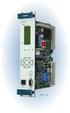 Machinery Protection Card Type FEATURES Continuous on-line Machinery Protection Card Real-time measurement and monitoring using state-of-the-art DSP techniques Fully VME-compatible slave interface Fully
ACU-1000 Manual Addendum Replacement of CPM-2 with CPM-4
 ACU-1000 Manual Addendum Replacement of CPM-2 with CPM-4 1 PURPOSE:... 1 2 CPM-4/CPM-2 COMPATIBILITY... 2 2.1 NETWORK CABLES... 2 2.2 FACTORY DEFAULT SETTINGS... 2 2.3 CHANGING THE RS-232 SERIAL PORT BAUD
Knowledge Base Article. Integrating ISONAS Access Control System with TagMaster LR-series RFID Readers
 Knowledge Base Article Integrating ISONAS Access Control System with TagMaster LR-series RFID Readers Copyright 2009-2012, ISONAS Security Systems All rights reserved Table of Contents 1: INTRODUCTION...
POCKET SCOPE 2. The idea 2. Design criteria 3
 POCKET SCOPE 2 The idea 2 Design criteria 3 Microcontroller requirements 3 The microcontroller must have speed. 3 The microcontroller must have RAM. 3 The microcontroller must have secure Flash. 3 The
Owner's Manual [ S/N LABEL HERE ] Document # BW-BCU5DOC
![Owner's Manual [ S/N LABEL HERE ] Document # BW-BCU5DOC](/thumbs/39/18146231.jpg "Owner's Manual [ S/N LABEL HERE ] Document # BW-BCU5DOC") Owner's Manual [ S/N LABEL HERE ] Document # BW-BCU5DOC BAYweb Remote Model BW-BCU5 Owner's Manual Copyright 2009-2010 Bay Controls, LLC Part Number: BW-BCU5DOC Revision: 0.2 April 18, 2010 BAYweb is a
Owner's Manual [ S/N LABEL HERE ] Document # BW-BCU5DOC BAYweb Remote Model BW-BCU5 Owner's Manual Copyright 2009-2010 Bay Controls, LLC Part Number: BW-BCU5DOC Revision: 0.2 April 18, 2010 BAYweb is a
AC-115 Compact Networked Single Door Controller. Installation and User Manual
 AC-115 Compact Networked Single Controller Installation and User Manual December 2007 Table of Contents Table of Contents 1. Introduction...5 1.1 Key Features... 6 1.2 Technical Specifications... 7 2.
HCS-3300/3302/3304 USB Remote Programmable Laboratory Grade Switching Mode Power Supply
 1. INTRODUCTION HCS-3300/3302/3304 USB Remote Programmable Laboratory Grade Switching Mode Power Supply User Manual This family of efficient, upgraded SMPS with small form factor, auto cross over CV CC,
TrueAlarm Fire Alarm Systems
 TrueAlarm Systems UL, ULC, CSFM Listed; FM Approved* Network Annunciators; es Features Provides a dedicated local area network (LAN) for connection of a TrueSite workstation server to remote clients: es
Web Site: www.parallax.com Forums: forums.parallax.com Sales: [email protected] Technical: [email protected]
 Web Site: www.parallax.com Forums: forums.parallax.com Sales: [email protected] Technical: [email protected] Office: (916) 624-8333 Fax: (916) 624-8003 Sales: (888) 512-1024 Tech Support: (888) 997-8267
Firmware version: 1.10 Issue: 7 AUTODIALER GD30.2. Instruction Manual
 Firmware version: 1.10 Issue: 7 AUTODIALER GD30.2 Instruction Manual Firmware version: 2.0.1 Issue: 0.6 Version of the GPRS transmitters configurator: 1.3.6.3 Date of issue: 07.03.2012 TABLE OF CONTENTS
Car Alarm Series 2 B 2 Buttons
 Car Alarm Series 2 B 2 Buttons G22 SE (External - Shock Sensor) Version 3 Software 67 Plus www.geniuscaralarm.com 21 CAR ALARM GENIUS Series 2B 2 Buttons - G22 Se (External Shock Sensor) Module controlled
RISH EM 3490 DS Dual Source Energy Meter RISH EM 3490 DS. Application : Product Features:
 Application : RISH Master 3490 DS measures important electrical parameters of Utility (in normal mode) & Generators (in Power back up) in three phase and single phase Network & replaces the multiple analog
CPU ARM926EJ-S, 200MHz. Fast Ethernet 10/100 Mbps port. 6 digital input 2 digital open-drain alarm output
 NTA CPU board PROCESS INTERFACES NTA is a CPU board for STAR DualBus DCS systems. NTA provides the internal bus communication, managing all I/O boards of the STAR DualBus modular system. NTA also manages
User manual Rev 1.3 Contents
 User manual Rev 1.3 Contents 1. Introduction...4 2. System specifications...5 2.1.. General overview...5 2.2. Maximum capacity...6 2.3. Electrical specifications...6 2.4. Mechanical specifications...6
SECTION 13850 DETECTION AND ALARM
 SECTION 13850 DETECTION AND ALARM PART 1 GENERAL 1.01 SUMMARY A. Section Includes 1. Control Panel 2 Associated Equipment B. Products Installed But Not Supplied Under This Section 1. Section 16140 - Wiring
INSTALLATION GUIDE. www.security.soundstream.com FCC ID NOTICE
 AL.1 AUTO SECURITY SYSTEM INSTALLATION GUIDE www.security.soundstream.com FCC ID NOTICE This device complies with Part 15 of the FCC rules. Operation is subject to the following conditions: 1. This device
A+ Guide to Managing and Maintaining Your PC, 7e. Chapter 1 Introducing Hardware
 A+ Guide to Managing and Maintaining Your PC, 7e Chapter 1 Introducing Hardware Objectives Learn that a computer requires both hardware and software to work Learn about the many different hardware components
[F/T] [5] [KHz] [AMP] [3] [V] 4 ) To set DC offset to -2.5V press the following keys [OFS] [+/-] [2] [.] [5] [V]
![[F/T] [5] [KHz] [AMP] [3] [V] 4 ) To set DC offset to -2.5V press the following keys [OFS] [+/-] [2] [.] [5] [V]](/thumbs/40/20623504.jpg "[F/T] [5] [KHz] [AMP] [3] [V] 4 ) To set DC offset to -2.5V press the following keys [OFS] [+/-] [2] [.] [5] [V]") FG085 minidds Function Generator Manual of Operation Applicable Models: 08501, 08501K, 08502K, 08503, 08503K Applicable Firmware Version: 1 ) 113-08501-100 or later (for U5) 2 ) 113-08502-030 or later
FG085 minidds Function Generator Manual of Operation Applicable Models: 08501, 08501K, 08502K, 08503, 08503K Applicable Firmware Version: 1 ) 113-08501-100 or later (for U5) 2 ) 113-08502-030 or later
DORMA MODEL PS-406BB POWER SUPPLY INSTALLATION INSTRUCTIONS
 Features: INSTALLATION Install in accordance with NFPA 70. DORMA MODEL PS-406BB POWER SUPPLY INSTALLATION INSTRUCTIONS Up to 1.95 Amps Load Capacity Class 2 Rated Outputs Overload, Over Voltage, and Short
QUICK START GUIDE FOR DEMONSTRATION CIRCUIT 956 24-BIT DIFFERENTIAL ADC WITH I2C LTC2485 DESCRIPTION
 LTC2485 DESCRIPTION Demonstration circuit 956 features the LTC2485, a 24-Bit high performance Σ analog-to-digital converter (ADC). The LTC2485 features 2ppm linearity, 0.5µV offset, and 600nV RMS noise.
AUTOMATIC TRANSFER SWITCH CONTROL UNIT OPERATOR S MANUAL
 ATS-220 AUTOMATIC TRANSFER SWITCH CONTROL UNIT OPERATOR S MANUAL For Use in 208 to 240 Volts Single and 3 Phase ATS Systems With 110Volt AC or DC Control Motors and selenoids 4501 NW 27 ave Miami FL 33142
Part Number 129777-01 Revision A, January 1996. 3500 Monitoring System Rack Configuration and Utilities Guide
 Part Number 129777-01 Revision A, January 1996 3500 Monitoring System Rack Configuration and Utilities Guide Copyright 1995 Bently Nevada Corporation All Rights Reserved. No part of this publication may
JNIOR. Overview. Get Connected. Get Results. JNIOR Model 310. JNIOR Model 312. JNIOR Model 314. JNIOR Model 410
 The INTEG is an Ethernet I/O (digital, analog) device that monitors and controls a small set of process signals. functions as both basic I/O for integration with another application or system AND as a
USER MANUAL V5.0 ST100
 GPS Vehicle Tracker USER MANUAL V5.0 ST100 Updated on 15 September 2009-1 - Contents 1 Product Overview 3 2 For Your Safety 3 3 ST100 Parameters 3 4 Getting Started 4 4.1 Hardware and Accessories 4 4.2
1+1 PROTECTION WITHOUT RELAYS USING IDT82V2044/48/48L & IDT82V2054/58/58L HITLESS PROTECTION SWITCHING
 1+1 PROTECTION WITHOUT RELAYS USING IDT82V2044/48/48L & IDT82V2054/58/58L APPLICATION NOTE AN-357 1.0 INTRODUCTION In today's highly competitive market, high quality of service, QOS, and reliability is
BACnet Automation Interface Module (Network Version)
 Sense +V Tx Rx LAN LINK Over ARCNET KBaud BACnet Rx BACnet Tx Archive Valid Port S Tx Port S Rx Low Battery Network- Enhanced Access Default MSTP PTP = Download Required on Rnet and Port S IP Address IP
www.sebury.com.cn Digital Keypad Use s Manual
 K3 K4 www.sebury.com.cn Digital Keypad Use s Manual Contents Introduction Introduction Specifications Intramural Interface Circuit 3 Mounting 3 Wiring 5 Power UP 7 Engineer Programming Mode 7 The K3/K4
T3 Mux M13 Multiplexer
 T3 Mux M13 Multiplexer User Manual [Type the abstract of the document here. The abstract is typically a short summary of the contents of the document. Type the abstract of the document here. The abstract
Safety Function: Door Monitoring
 Application Technique Safety Function: Door Monitoring Products: Trojan 5 Switch, GuardLogix Controller Safety Rating: CAT. 3, PLd to ISO 13849-1: 2008 Topic Page Important User Information 2 General Safety
UNC500 HARDWARE MANUAL. new generation building security
 UNC500 HARDWARE MANUAL new generation building security Copyright Notice Copyright 1995-2012 by All rights reserved Worldwide. Printed in Canada. This publication has been provided pursuant to an agreement
Mini Breakout-Board. CNC Interface for LPT Port. Installation Manual Version 4
 Mini CNC Interface for LPT Port Version 4 Product Brief This breakout-board is designed to connect up to four stepper or servo drives to the parallel port of a PC. This requires the use of a CNC controller
FIRE ALARM SYSTEM TECHNICAL SPECIFICATIONS Page 1 of 10
 TECHNICAL SPECIFICATIONS Page 1 of 10 FIRE DETECTION AND ALARM SYSTEM Scope Furnish a complete 24V DC conventional, electrically supervised, zone annunciated, fire detection and alarm system as specified
AUTODIALLER / QUICKDIALLER - SA132
 AUTODIALLER / QUICKDIALLER - SA132 INSTRUCTION LEAFLET ENGLISH www.thermomax-group.com CONTENTS 1 SETUP AT A GLANCE... 2 2 FOREWORD....... 3 3 INSTALLATION...... 4 4 KEYPAD AND INDICATORS...... 5 SETTING
LTM-1338B. Plus Communications Manual
 LTM-1338B Plus Communications Manual 2000. Best Power, Necedah, Wisconsin All rights reserved. Best Power The System Setup option from the Main Menu on the front panel is passwordprotected. The default
MVME162P2. VME Embedded Controller with Two IP Slots
 MVME162P2 VME Embedded Controller with Two IP Slots [Advantages] [Details] [Specifications] [Ordering Info] [.pdf version ] 25 MHz MC68040 with floating point coprocessor or 25 MHz MC68LC040 High-performance
GTS-4E Hardware User Manual. Version: V1.1.0 Date: 2013-12-04
 GTS-4E Hardware User Manual Version: V1.1.0 Date: 2013-12-04 Confidential Material This document contains information highly confidential to Fibocom Wireless Inc. (Fibocom). Fibocom offers this information
Technical data. General specifications. Indicators/operating means. 30 Hz Multiplex operation 30 Hz / n, n = number of sensors, n 5
 Model Number Single head system Features Parameterization interface for the application-specific adjustment of the sensor setting via the service program ULTRA 000 programmable switch outputs Hysteresis
User's Guide. Integrating Sound Level Datalogger. Model 407780. Introduction
 User's Guide 99 Washington Street Melrose, MA 02176 Phone 781-665-1400 Toll Free 1-800-517-8431 Visit us at www.testequipmentdepot.com Back to the Extech 407780 Product Page Integrating Sound Level Datalogger
User Manual. Humidity-Temperature Chart Recorder. Model RH520
 User Manual Humidity-Temperature Chart Recorder Model RH520 Introduction Congratulations on your purchase of the Extech RH520 Temperature + Humidity Chart Recorder. The RH520 measures and displays Temperature,
DKWF121 WF121-A 802.11 B/G/N MODULE EVALUATION BOARD
 DKWF121 WF121-A 802.11 B/G/N MODULE EVALUATION BOARD PRELIMINARY DATA SHEET Wednesday, 16 May 2012 Version 0.5 Copyright 2000-2012 Bluegiga Technologies All rights reserved. Bluegiga Technologies assumes
Non-Isolated Analog Voltage/Current Output module IC695ALG704 provides four configurable voltage or current output channels. Isolated +24 VDC Power
 July 2010 PACSystems* RX3i Non-Isolated Analog Output Module with HART Communications, IC695ALG728 Non-Isolated Analog Output Modules, IC695ALG704, IC695ALG708 MODULE OK FIELD STATUS TB IC695ALG708 Q1
SFC-200 SERIES LCD FIRE ALARM PANEL
 SFC-200 SERIES LCD FIRE ALARM PANEL User Guide LT-954SUM SFC-200 Series LCD Version User Guide Contents Introduction... 1 About this Manual... 1 Technical Support... 1 Main Display... 1 The Buzzer and
LiteKeeper 4 & 8 Programming Guide and User Manual
 LiteKeeper 4 & 8 Programming Guide and User Manual Table of Contents Safety Instructions... 3 Chapter 1: Introduction... 4 p1 How It Works... 4 What are relays?... 4 What are inputs?... 4 How do I program
Bluetooth + USB 16 Servo Controller [RKI-1005 & RKI-1205]
![Bluetooth + USB 16 Servo Controller [RKI-1005 & RKI-1205]](/thumbs/40/21161302.jpg "Bluetooth + USB 16 Servo Controller [RKI-1005 & RKI-1205]") Bluetooth + USB 16 Servo Controller [RKI-1005 & RKI-1205] Users Manual Robokits India [email protected] http://www.robokitsworld.com Page 1 Bluetooth + USB 16 Servo Controller is used to control up to
Bluetooth + USB 16 Servo Controller [RKI-1005 & RKI-1205] Users Manual Robokits India [email protected] http://www.robokitsworld.com Page 1 Bluetooth + USB 16 Servo Controller is used to control up to
Microprocessor Home Security System
 numbers of sensor s activations in the zone and after which activations the zone will be discarded (ignored). On every system s arming the counter is cleared in self. 6.3.11. 2 - Triger Timer - enter a
SERVICE MANUAL FOR 12 VDC WALL THERMOSTAT AIR CONDITIONING SYSTEMS ROOF TOP UNITS ONLY
 RV Products Division SERVICE MANUAL FOR 12 VDC WALL THERMOSTAT AIR CONDITIONING SYSTEMS ROOF TOP UNITS ONLY Airxcel, Inc. RV Products Division P.O. Box 4020 Wichita, KS 67204 1976A376 (1-11) TABLE OF CONTENTS
INSTALLATION MANUAL 3RP / 5RP 4-BUTTON SERIES VEHICLE SECURITY SYSTEMS
 3RP / 5RP 4-BUTTON SERIES VEHICLE SECURITY SYSTEMS INSTALLATION MANUAL Before you begin the installation Read the INSTRUCTIONS! Always use a multi-meter when verifying vehicle wiring. Before mounting the
HP 8970B Option 020. Service Manual Supplement
 HP 8970B Option 020 Service Manual Supplement Service Manual Supplement HP 8970B Option 020 HP Part no. 08970-90115 Edition 1 May 1998 UNIX is a registered trademark of AT&T in the USA and other countries.
WD-AMX Water Detection Controllers
 Page 1 of 5 WD-AMX Water Detection Controllers Features: Benefit: LED Status of leak status VFC output Audible alarm Auto or manual reset alarm output Uses an isolated AC signal which prevents oxidation
A1000 Cheat Sheet (Open Loop Vector)
 A1000 Cheat Sheet (Open Loop Vector) The following procedure is a supplement to supplied with this equipment and will guide the user in properly wiring the A1000 and. It will also show the user how to
ON-GUARD. Guard Management System. Table of contents : Introduction Page 2. Programming Guide Page 5. Frequently asked questions Page 25 - 1 -
 ON-GUARD Guard Management System Table of contents : Introduction Page 2 Programming Guide Page 5 Frequently asked questions Page 25-1 - Introduction On Guard tm is designed to exceed all the requirements
SIMATIC NET. CP 243-2 AS-Interface Master B C. Preface Contents. Technical Description and Installation Instructions Interface to the User Program
 Preface Contents SIMATIC NET CP 243-2 AS-Interface Master Manual Technical Description and Installation Instructions Interface to the User Program 2 in the S7-200 CPU Access to the Data of the AS-i Slaves
Analog Servo Drive 25A8
 Description Power Range NOTE: This product has been replaced by the AxCent family of servo drives. Please visit our website at www.a-m-c.com or contact us for replacement model information and retrofit
PCM Encoding and Decoding:
 PCM Encoding and Decoding: Aim: Introduction to PCM encoding and decoding. Introduction: PCM Encoding: The input to the PCM ENCODER module is an analog message. This must be constrained to a defined bandwidth
The Child Reminder System Installation Manual
 The Child Reminder System Installation Manual Revised June, 2006 Detailed installation information can be found at www.childreminder.com. Get through your installation quickly and easily by calling 1-888-330-6786