
GlobalProtect Overview
|
|
|
- Lindsey Peters
- 9 years ago
- Views:
Transcription
1 GlobalProtect Overview Whether checking from home or updating corporate documents from the airport, the majority of today's employees work outside the physical corporate boundaries. This increased workforce mobility brings increased productivity and flexibility while simultaneously introducing significant security risks. Every time users leave the building with their laptops or mobile devices they are bypassing the corporate firewall and associated policies that are designed to protect both the user and the network. GlobalProtect solves the security challenges introduced by roaming users by extending the same next-generation firewall-based policies that are enforced within the physical perimeter to all users, no matter where they are located. The following sections provide conceptual information about the Palo Alto Networks GlobalProtect offering and describe the components of GlobalProtect and the various deployment scenarios: About the GlobalProtect Components What Client OS Version are Supported with GlobalProtect? About GlobalProtect Licenses GlobalProtect Administrator s Guide 1

2 About the GlobalProtect Components GlobalProtect Overview About the GlobalProtect Components GlobalProtect provides a complete infrastructure for managing your mobile workforce to enable secure access for all your users, regardless of what devices they are using or where they are located. This infrastructure includes the following components: GlobalProtect Portal GlobalProtect Gateways GlobalProtect Client GlobalProtect Mobile Security Manager GlobalProtect Portal The GlobalProtect portal provides the management functions for your GlobalProtect infrastructure. Every client system that participates in the GlobalProtect network receives configuration information from the portal, including information about available gateways as well as any client certificates that may be required to connect to the GlobalProtect gateway(s) and/or the Mobile Security Manager. In addition, the portal controls the behavior and distribution of the GlobalProtect agent software to both Mac and Windows laptops. (On mobile devices, the GlobalProtect app is distributed through the Apple App Store for ios devices or through Google Play for Android devices.) If you are using the Host Information Profile (HIP) feature, the portal also defines what information to collect from the host, including any custom information you require. You Configure the GlobalProtect Portal on an interface on any Palo Alto Networks next-generation firewall. GlobalProtect Gateways GlobalProtect gateways provide security enforcement for traffic from GlobalProtect agents/apps. Additionally, if the HIP feature is enabled, the gateway generates a HIP report from the raw host data the clients submit and can use this information in policy enforcement. External gateways Provide security enforcement and/or virtual private network (VPN) access for your remote users. Internal gateways An interface on the internal network configured as a GlobalProtect gateway for applying security policy for access to internal resources. When used in conjunction with User-ID and/or HIP checks, an internal gateway can be used to provide a secure, accurate method of identifying and controlling traffic by user and/or device state. Internal gateways are useful in sensitive environments where authenticated access to critical resources is required. You can configure an internal gateway in either tunnel mode or non-tunnel mode. You Configure GlobalProtect Gateways on an interface on any Palo Alto Networks next-generation firewall. You can run both a gateway and a portal on the same firewall, or you can have multiple, distributed gateways throughout your enterprise. 2 GlobalProtect Administrator s Guide

3 GlobalProtect Overview About the GlobalProtect Components GlobalProtect Client The GlobalProtect client software runs on end user systems and enables access to your network resources via the GlobalProtect portals and gateways you have deployed. There are two types of GlobalProtect clients: The GlobalProtect Agent Runs on Windows and Mac OS systems and is deployed from the GlobalProtect portal. You configure the behavior of the agent for example, which tabs the users can see, whether or not users can uninstall the agent in the client configuration(s) you define on the portal. See Define the GlobalProtect Client Configurations, Customize the GlobalProtect Agent, and Deploy the GlobalProtect Agent Software for details. The GlobalProtect App Runs on ios and Android devices. Users must obtain the GlobalProtect app from the Apple App Store (for ios) or Google Play (for Android). See What Client OS Version are Supported with GlobalProtect? for more details. The following diagram illustrates how the GlobalProtect portals, gateways, and agents/apps work together to enable secure access for all your users, regardless of what devices they are using or where they are located. GlobalProtect Administrator s Guide 3

4 About the GlobalProtect Components GlobalProtect Overview GlobalProtect Mobile Security Manager The GlobalProtect Mobile Security Manager provides management, visibility, and automated configuration deployment for mobile devices either company provisioned or employee owned on your network. Because the Mobile Security Manager is part of the integrated GlobalProtect mobile solution, the GlobalProtect gateway can leverage information about managed devices and use the extended host information collected by the Mobile Security Manager to provide enhanced security policy enforcement for managed devices. Gateways retrieve the extended HIP profiles from the Mobile Security Manager and use the information to enforce security policies for devices that connect to your network. The deployment policies you create on the Mobile Security Manager provide simplified account provisioning to mobile device users for access to your corporate applications (such as and VPN configurations). You can also perform certain actions such as locking the device, sounding an alarm to help locate the device, or even wiping a device that has been compromised. To communicate with a device, the Mobile Security Manager sends a push notification over the air (OTA). For ios devices, it sends push notifications over the Apple Push Notification service (APNs) and for Android devices it sends them using the Google Cloud Messaging (GCM). When a device receives a push notification, it checks in by establishing an HTTPS connection to the device check-in interface on the Mobile Security Manager. When a device checks in with the Mobile Security Manager, it submits host information that includes additional information beyond what the GlobalProtect gateway collects, including a list of all installed apps, the location of the device at the time of check-in (this can be disabled), whether the device has a passcode set, and/or whether it is rooted/jailbroken. In addition, if the Mobile Security Manager has a WildFire subscription, it can detect whether a device has Malware (Android devices only). By leveraging the extended HIP data that the Mobile Security Manager collects, you can create a very granular security policy for mobile device users on your GlobalProtect gateways. See Set Up the GlobalProtect Mobile Security Manager for more information. 4 GlobalProtect Administrator s Guide

5 GlobalProtect Overview What Client OS Version are Supported with GlobalProtect? What Client OS Version are Supported with GlobalProtect? The following table summarizes the supported GlobalProtect following desktop, laptop, and mobile devices and the minimum PAN-OS and GlobalProtect agent/app versions required to support each one: Supported Client OS Versions Apple Mac OS 10.6 Apple Mac OS 10.7 Apple Mac OS 10.8 Apple Mac OS 10.9 Windows XP (32-bit) Windows Vista (32-bit and 64-bit) Windows 7 (32-bit and 64-bit) Windows 8 (32-bit and 64-bit) Windows 8.1 (32-bit and 64-bit) Windows Surface Pro Apple ios 6.0* Apple ios 7.0* Apple ios 8.0* Minimum Agent/App Version app 1.3 app 2.1 app Minimum PAN-OS Version or later 4.0 or later or later Google Android or later* 1.3 app or later Third-party X-Auth IPsec Clients: VPNC on Ubuntu Linux and CentOS 6 ios built-in IPsec client Android built-in IPsec client N/A 5.0 or later * The 2.0 app is required for a device to be managed by the GlobalProtect Mobile Security Manager and the firewall must be running PAN-OS 6.0. Users must obtain the GlobalProtect app from the Apple App Store (for ios) or Google Play (for Android). For information on how to distribute the GlobalProtect agent, see Deploy the GlobalProtect Agent Software GlobalProtect Administrator s Guide 5


6 About GlobalProtect Licenses GlobalProtect Overview About GlobalProtect Licenses If you simply want to use GlobalProtect to provide a secure, remote access or virtual private network (VPN) solution via a single, external gateway, you do not need any GlobalProtect licenses. However, to use some of the more advanced features, such as multiple gateways, mobile apps, mobile security management, host information checks, or internal gateways, you may need to purchase one or more of the following licenses: Portal license A one-time perpetual license that must be installed on the firewall running the portal to enable internal gateway support, multiple gateways (internal or external), and/or HIP checks. Gateway subscription An annual subscription that enables HIP checks and associated content updates. This license must be installed on each firewall running a gateway(s) that performs HIP checks. In addition, the gateway license enables support for the GlobalProtect mobile app for ios and Android. GlobalProtect Mobile Security Manager Capacity License on the GP-100 appliance A one-time perpetual license for the Mobile Security Manager based on the number of mobile devices to be managed. This license is only required if you plan to manage more than 500 mobile devices. Perpetual licenses are available for up to 1,000, 2,000, 5,000, 10,000, 25,000, 50,000, or 100,000 mobile devices. GlobalProtect Mobile Security Manager WildFire subscription on the GP-100 appliance Used with GlobalProtect Mobile Security Manager for detecting APK malware on managed Android devices. To enable malware detection for use with the GlobalProtect Mobile Security Manager, you must purchase a WildFire subscription that matches the capacity of your GlobalProtect Mobile Security Manager license. See Activate Licenses for information on installing licenses on the firewall. See Activate/Retrieve the Licenses for information on installing licenses on the Mobile Security Manager. 6 GlobalProtect Administrator s Guide

Manage Mobile Devices
 Manage Mobile Devices After your mobile device users enroll with the GlobalProtect Mobile Security Manager, you can monitor the devices and ensure that they are maintained to your standards for protecting
Access the UTHSCSA Palo Alto Networks (PAN) VPN using Global Protect VPN client and Two Factor Authentication (2FA)
 Access the UTHSCSA Palo Alto Networks (PAN) VPN using Global Protect VPN client and Two Factor Authentication (2FA) Table of Contents Introduction. 1 Determine your Windows Operating System (for software
Use Host Information in Policy Enforcement
 Use Host Information in Policy Enforcement Although you may have stringent security at your corporate network border, your network is really only as secure as the end devices that are accessing it. With
GlobalProtect Configuration for IPsec Client on Apple ios Devices
 GlobalProtect Configuration for IPsec Client on Apple ios Devices Tech Note PAN-OS 4.1 Revision D 2013, Palo Alto Networks, Inc. www.paloaltonetworks.com CONTENTS OVERVIEW... 3 PREREQUISITES... 3 GLOBALPROTECT
GlobalProtect Features
 GlobalProtect Features Palo Alto Networks PAN-OS New Features Guide Version 6.1 Contact Information Corporate Headquarters: Palo Alto Networks 4401 Great America Parkway Santa Clara, CA 95054 http://www.paloaltonetworks.com/contact/contact/
About the VM-Series Firewall
 About the VM-Series Firewall Palo Alto Networks VM-Series Deployment Guide PAN-OS 6.1 Contact Information Corporate Headquarters: Palo Alto Networks 4401 Great America Parkway Santa Clara, CA 95054 http://www.paloaltonetworks.com/contact/contact/
Enterprise Mobility Management Migration Migrating from Legacy EMM to an epo Managed EMM Environment. Paul Luetje Enterprise Solutions Architect
 Enterprise Mobility Management Migration Migrating from Legacy EMM to an epo Managed EMM Environment Paul Luetje Enterprise Solutions Architect Table of Contents Welcome... 3 Purpose of this document...
Access the TCNJ Palo Alto Networks VPN using the GlobalProtect VPN client
 Access the TCNJ Palo Alto Networks VPN using the GlobalProtect VPN client June 2014 Table of Contents Introduction 1 Determine the Windows Operating System Version 2 Install the GlobalProtect VPN client
Palo Alto Networks GlobalProtect VPN configuration for SMS PASSCODE SMS PASSCODE 2015
 SMS PASSCODE 2015 Guide for implementing SMS PASSCODE protection with Palo Alto Networks. This document outlines the process of configuring a Palo Alto Networks GlobalProtect VPN with SMS PASSCODE RADIUS
Deploying iphone and ipad Apple Configurator
 Deploying iphone and ipad Apple Configurator ios devices can be configured for enterprise deployment using a wide variety of tools and methods. End users can set up devices manually with a few simple instructions
PULSE SECURE FOR GOOGLE ANDROID
 DATASHEET PULSE SECURE FOR GOOGLE ANDROID Product Overview In addition to enabling network and resource access for corporate managed mobile devices, many enterprises are implementing a Bring Your Own Device
Systems Manager Cloud Based Mobile Device Management
 Datasheet Systems Manager Systems Manager Cloud Based Mobile Device Management Overview Meraki Systems Manager provides cloud-based over-the-air centralized management, diagnostics, and monitoring of the
Deploy secure, corporate access for mobile device users with the Junos Pulse Mobile Security Suite
 WHITE PAPER Mobile Device Security in the Enterprise Deploy secure, corporate access for mobile device users with the Junos Pulse Mobile Security Suite Copyright 2010, Juniper Networks, Inc. Table of Contents
BES10 Cloud architecture and data flows
 BES10 Cloud architecture and data flows Architecture: BES10 Cloud solution Component APNs BlackBerry Cloud Connector BES10 Cloud BlackBerry Infrastructure Company directory Devices GCM Other third-party
Dell World Software User Forum 2013
 Dell World Software User Forum 2013 December 9-12 Austin, TX SaaS Mobile Management Overview of Cloud Client Manager and integration with KACE K1000 Introducing Dell Enterprise Mobility Management Your
AVG Business SSO Partner Getting Started Guide
 AVG Business SSO Partner Getting Started Guide Table of Contents Overview... 2 Getting Started... 3 Web and OS requirements... 3 Supported web and device browsers... 3 Initial Login... 4 Navigation in
About the VM-Series Firewall
 About the VM-Series Firewall Palo Alto Networks VM-Series Deployment Guide PAN-OS 6.0 Contact Information Corporate Headquarters: Palo Alto Networks 4401 Great America Parkway Santa Clara, CA 95054 http://www.paloaltonetworks.com/contact/contact/
Ben Hall Technical Pre-Sales Manager
 Ben Hall Technical Pre-Sales Manager LANDESK MDM Solutions Mobility Manager (MDM in the Cloud) Secure User Management Suite with CSA LetMobile (Secure Mobile Email) Core MDM Functionality MDM Functionality
SA Series SSL VPN Virtual Appliances
 SA Series SSL VPN Virtual Appliances Data Sheet Published Date July 2015 Product Overview The world s mobile worker population passed the 1 billion mark in 2010 and will grow to more than 1.3 billion by
VM-Series for VMware. PALO ALTO NETWORKS: VM-Series for VMware
 VM-Series for VMware The VM-Series for VMware supports VMware NSX, ESXI stand-alone and vcloud Air, allowing you to deploy next-generation firewall security and advanced threat prevention within your VMware-based
ipad in Business Mobile Device Management
 ipad in Business Mobile Device Management ipad supports Mobile Device Management, giving businesses the ability to manage scaled deployments of ipad across their organizations. These Mobile Device Management
Configuring GlobalProtect Tech Note PAN-OS 4.1
 Configuring GlobalProtect Tech Note PAN-OS 4.1 Revision E 2012, Palo Alto Networks, Inc. www.paloaltonetworks.com Contents OVERVIEW...4 GLOBALPROTECT ELEMENTS...4 LICENSE REQUIREMENTS...4 DEPLOYMENT TOPOLOGIES...4
Advanced Configuration Steps
 Advanced Configuration Steps After you have downloaded a trial, you can perform the following from the Setup menu in the MaaS360 portal: Configure additional services Configure device enrollment settings
Unified Windows Device Management in the Enterprise
 Unified Windows Device Management in the Enterprise Chuck Brown Product Management Jimmy Tsang Product Marketing Lenovo ThinkPad 8 Giveaway Tweet @MaaS360 with event hashtag #MaaS360Win Winner will be
iphone in Business Mobile Device Management
 19 iphone in Business Mobile Device Management iphone supports Mobile Device Management, giving businesses the ability to manage scaled deployments of iphone across their organizations. These Mobile Device
Zenprise Device Manager 6.1.5
 Zenprise Device Manager 6.1.5 CLIENT GUIDE Rev 6.1.50 Introduction 2 ZENPRISE DEVICE MANAGER 6.1 CLIENT GUIDE 2011 Zenprise, Inc. All rights reserved. This manual, as well as the software described in
Systems Manager Cloud-Based Enterprise Mobility Management
 Datasheet Systems Manager Systems Manager Cloud-Based Enterprise Mobility Management Overview Meraki Systems Manager provides cloud-based over-the-air centralized management, diagnostics, monitoring, and
Enterprise Mobility as a Service
 Service Description: Insert Title Enterprise Mobility as a Service Multi-Service User Management for Mobility 1. Executive Summary... 2 2. Enterprise Mobility as a Service Overview... 3 3. Pricing Structure...
Copyright 2013, 3CX Ltd. http://www.3cx.com E-mail: [email protected]
 Manual Copyright 2013, 3CX Ltd. http://www.3cx.com E-mail: [email protected] Information in this document is subject to change without notice. Companies names and data used in examples herein are fictitious
Mobile Device Management Version 8. Last updated: 17-10-14
 Mobile Device Management Version 8 Last updated: 17-10-14 Copyright 2013, 2X Ltd. http://www.2x.com E mail: [email protected] Information in this document is subject to change without notice. Companies names
Symantec App Center. Mobile Application Management and Protection. Data Sheet: Mobile Security and Management
 Mobile Application Management and Protection Data Sheet: Mobile Security and Management Overview provides integrated mobile application and device management capabilities for enterprise IT to ensure data
Mobile Workforce. Connect, Protect, and Manage Mobile Devices and Users with Junos Pulse and the Junos Pulse Mobile Security Suite.
 White Paper Securing Today s Mobile Workforce Connect, Protect, and Manage Mobile Devices and Users with Junos Pulse and the Junos Pulse Mobile Security Suite Copyright 2012, Juniper Networks, Inc. 1 Table
Cloud Computing Security: Public vs. Private Cloud Computing
 Cloud Computing Security: Public vs. Private Cloud Computing White paper Parallels Cloud Computing Security Overview Over the last few years, cloud computing has become a buzzword on the Internet. In simple
What We Do: Simplify Enterprise Mobility
 What We Do: Simplify Enterprise Mobility AirWatch by VMware is the global leader in enterprise-grade mobility solutions across every device, every operating system and every mobile deployment. Our scalable
What s Next for the Next Generation Firewall Vendor Palo Alto Networks Overview. October 2010 Matias Cuba - Regional Sales Manager Northern Europe
 What s Next for the Next Generation Firewall Vendor Palo Alto Networks Overview October 2010 Matias Cuba - Regional Sales Manager Northern Europe About Palo Alto Networks Palo Alto Networks is the Network
Deployment Guide for Citrix XenDesktop
 Deployment Guide for Citrix XenDesktop Securing and Accelerating Citrix XenDesktop with Palo Alto Networks Next-Generation Firewall and Citrix NetScaler Joint Solution Table of Contents 1. Overview...
Device Management. Palo Alto Networks. PAN-OS Administrator s Guide Version 6.0. Copyright 2007-2015 Palo Alto Networks
 Device Management Palo Alto Networks PAN-OS Administrator s Guide Version 6.0 Contact Information Corporate Headquarters: Palo Alto Networks 4401 Great America Parkway Santa Clara, CA 95054 www.paloaltonetworks.com/company/contact-us
Guidance End User Devices Security Guidance: Apple ios 7
 GOV.UK Guidance End User Devices Security Guidance: Apple ios 7 Updated 10 June 2014 Contents 1. Changes since previous guidance 2. Usage Scenario 3. Summary of Platform Security 4. How the Platform Can
1. What are the System Requirements for using the MaaS360 for Exchange ActiveSync solution?
 MaaS360 FAQs This guide is meant to help answer some of the initial frequently asked questions businesses ask as they try to figure out the who, what, when, why and how of managing their smartphone devices,
When enterprise mobility strategies are discussed, security is usually one of the first topics
 Acronis 2002-2014 Introduction When enterprise mobility strategies are discussed, security is usually one of the first topics on the table. So it should come as no surprise that Acronis Access Advanced
A Brief Insight on IOS deployment in Education System- need for 3 rd Platform implementation in Schools
 A Brief Insight on IOS deployment in Education System- need for 3 rd Platform implementation in Schools I hope you remember Meraki, a company involved in making sensors and which was sold to IBM few years
Access Your Cisco Smart Storage Remotely Via WebDAV
 Application Note Access Your Cisco Smart Storage Remotely Via WebDAV WebDAV (Web-based Distributed Authoring and Versioning), is a set of extensions to the HTTP(S) protocol that allows a web server to
The User is Evolving. July 12, 2011
 McAfee Enterprise Mobility Management Securing Mobile Applications An overview for MEEC The User is Evolving 2 The User is Evolving 3 IT s Challenge with Mobile Devices Web 2.0, Apps 2.0, Mobility 2.0
IBM United States Software Announcement 215-078, dated February 3, 2015
 IBM United States Software Announcement 215-078, dated February 3, 2015 solutions provide a comprehensive, secure, and cloud-based enterprise mobility management platform to protect your devices, apps,
Flexible Identity. OTP software tokens guide. Multi-Factor Authentication. version 1.0
 Flexible Identity Multi-Factor Authentication OTP software tokens guide version 1.0 Publication History Date Description Revision 2014.02.07 initial release 1.0 Copyright Orange Business Services 2 of
MDM Mobile Device Management
 Page 1 About 1Mobility 1Mobility has successfully established itself as a global company, offering cloud based, internationalized and scalable Enterprise Mobility Management (EMM) solution that monitors,
Ensuring the security of your mobile business intelligence
 IBM Software Business Analytics Cognos Business Intelligence Ensuring the security of your mobile business intelligence 2 Ensuring the security of your mobile business intelligence Contents 2 Executive
ACCREDITED SOLUTION. EXPLORER Cisco Systems VPN Client
 ACCREDITED SOLUTION EXPLORER Cisco Systems VPN Client Document Name: EXPLORER Cisco Systems VPN Client Revision: PA2 Introduction: Typical Applications: Product Description: This document describes the
Cisco Mobile Collaboration Management Service
 Cisco Mobile Collaboration Management Service Cisco Collaboration Services Business is increasingly taking place on both personal and company-provided smartphones and tablets. As a result, IT leaders are
Mobile App Containers: Product Or Feature?
 ANALYST BRIEF Mobile App Containers: Product Or Feature? APPLE AND SAMSUNG HAVE TAKEN BIG STEPS WITH CONTAINERIZATION Author Andrew Braunberg Overview Secure workspaces, or containers, used for isolating
CHOOSING AN MDM PLATFORM
 CHOOSING AN MDM PLATFORM Where to Start the Conversation Whitepaper 2 Choosing an MDM Platform: Where to Start the Conversation There are dozens of MDM options on the market, each claiming to do more than
Remote Desktop Gateway. Accessing a Campus Managed Device (Windows Only) from home.
 Remote Desktop Gateway Accessing a Campus Managed Device (Windows Only) from home. Contents Introduction... 2 Quick Reference... 2 Gateway Setup - Windows Desktop... 3 Gateway Setup Windows App... 4 Gateway
Windows Phone 8.1 Mobile Device Management Overview
 Windows Phone 8.1 Mobile Device Management Overview Published April 2014 Executive summary Most organizations are aware that they need to secure corporate data and minimize risks if mobile devices are
End User Devices Security Guidance: Apple ios 8
 GOV.UK Guidance End User Devices Security Guidance: Apple ios 8 Published Contents 1. Changes since previous guidance 2. Usage scenario 3. Summary of platform security 4. How the platform can best satisfy
1. Introduction... 1. 2. Activation of Mobile Device Management... 3. 3. How Endpoint Protector MDM Works... 5
 User Manual I Endpoint Protector Mobile Device Management User Manual Table of Contents 1. Introduction... 1 1.1. What is Endpoint Protector?... 2 2. Activation of Mobile Device Management... 3 2.1. Activation
AirWatch Enterprise Mobility Management. AirWatch Enterprise Mobility Management
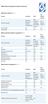 Device Vendor Comparisons Deployment options ( + / -) Vendor for On premises Cloud/SaaS and other platforms supported (+ / -) Vendor for ios Android Extended Android APIs Knox, Safe Safe BlackBerry Windows
Telstra Mobile Device Management (T MDM) Getting Started Guide
 Telstra Mobile Device Management (T MDM) Getting Started Guide Welcome Thank you for your interest in T MDM and Welcome! In this guide we will take you through the steps to enrolling your first device
Integrating Cisco ISE with GO!Enterprise MDM Quick Start
 Integrating Cisco ISE with GO!Enterprise MDM Quick Start GO!Enterprise MDM Version 3.x Overview 1 Table of Contents Overview 3 Getting GO!Enterprise MDM Ready for ISE 5 Grant ISE Access to the GO!Enterprise
Product Manual. MDM On Premise Installation Version 8.1. Last Updated: 06/07/15
 Product Manual MDM On Premise Installation Version 8.1 Last Updated: 06/07/15 Parallels IP Holdings GmbH Vordergasse 59 8200 Schaffhausen Switzerland Tel: + 41 52 632 0411 Fax: + 41 52 672 2010 www.parallels.com
Deploying Apple ios in Education
 Solution Guide Deploying Apple ios in Education March 013 This document covers strategies for deploying, monitoring, and supporting ios devices in education environments. Table of Contents 1 3 4 5 6 7
White Paper. Anywhere, Any Device File Access with IT in Control. Enterprise File Serving 2.0
 White Paper Enterprise File Serving 2.0 Anywhere, Any Device File Access with IT in Control Like it or not, cloud- based file sharing services have opened up a new world of mobile file access and collaborative
MOBILITY & INTERCONNECTIVITY. Features SECURITY OF INFORMATION TECHNOLOGIES
 MOBILITY & INTERCONNECTIVITY Features SECURITY OF INFORMATION TECHNOLOGIES Frequent changes to the structure of enterprise workforces mean that many are moving away from the traditional model of a single
Administering Jive Mobile Apps
 Administering Jive Mobile Apps Contents 2 Contents Administering Jive Mobile Apps...3 Configuring Jive for Android and ios... 3 Native Apps and Push Notifications...4 Custom App Wrapping for ios... 5 Native
Sophos Mobile Control Technical guide
 Sophos Mobile Control Technical guide Product version: 2 Document date: December 2011 Contents 1. About Sophos Mobile Control... 3 2. Integration... 4 3. Architecture... 6 4. Workflow... 12 5. Directory
PULSE APPCONNECT. A Micro VPN That Allows Specific Applications on Mobile Devices to Independently Leverage the Connect Secure Gateway.
 PULSE APPCONNECT A Micro VPN That Allows Specific Applications on Mobile Devices to Independently Leverage the Connect Secure Gateway Published Date July 2015 Contents Executive Summary 3 Introduction
WildFire Overview. WildFire Administrator s Guide 1. Copyright 2007-2015 Palo Alto Networks
 WildFire Overview WildFire provides detection and prevention of zero-day malware using a combination of malware sandboxing and signature-based detection and blocking of malware. WildFire extends the capabilities
ZENworks Mobile Management 3.0.x Deployment Quick Start
 ZENworks Mobile Management 3.0.x Deployment Quick Start September 2014 This Quick Start helps you deploy ZENworks Mobile Management in your environment. It includes the following sections: Install Your
The Future of Mobile Device Management
 The Future of Mobile Device Management Simplifying the move from BlackBerry to a multi-os environment MobileIron Advisory Services 415 E. Middlefield Road Mountain View, CA 94043 www.mobileiron.com Table
WildFire Reporting. WildFire Administrator s Guide 55. Copyright 2007-2015 Palo Alto Networks
 WildFire Reporting When malware is discovered on your network, it is important to take quick action to prevent spread of the malware to other systems. To ensure immediate alerts to malware discovered on
ManageEngine Desktop Central. Mobile Device Management User Guide
 ManageEngine Desktop Central Mobile Device Management User Guide Contents 1 Mobile Device Management... 2 1.1 Supported Devices... 2 1.2 What Management Operations you can Perform?... 2 2 Setting Up MDM...
AirWatch Solution Overview
 AirWatch Solution Overview Marenza Altieri-Douglas - AirWatch Massimiliano Moschini Brand Specialist Itway 2014 VMware Inc. All rights reserved. Cloud Computing 2 BYOD 3 Device aziendali? 4 From Client/Server
Building Apps for iphone and ipad. Presented by Ryan Hope, Sumeet Singh
 Building Apps for iphone and ipad Presented by Ryan Hope, Sumeet Singh 1 Let s continue the conversation! @MaaS360 [Share comments, continue Q&A, suggest future topics] #MaaS360Webinar Click the link in
How To Use A Microsoft Mobile Security Software For A Corporate Account On A Mobile Device
 Technical FAQ McAfee Enterprise Mobility Management (McAfee EMM ) 12.0 Frequently Asked Questions Q. What types of mobile devices does McAfee Enterprise Mobility Management (McAfee EMM ) support? A. McAfee
Secure remote access to your applications and data. Secure Application Access
 Secure Application Access Secure remote access to your applications and data Accops HySecure is an application access gateway that enables secure access to corporate applications, desktops and network
Roadmap to Solving Enterprise Mobility
 Roadmap to Solving Enterprise Mobility OUTLINE Enterprise Mobility Problem Start with email and device security Workspace is the right solution for existing assets How to build new apps? Bringing it all
Infrastructure Deployment for Mobile Device Management with Microsoft System Center Configuration Manager and Windows Intune
 Infrastructure Deployment for Mobile Device Management with Microsoft System Center Configuration Manager and Windows Intune Enrollment and Management of Mobile Devices with Microsoft System Center Configuration
Privileged Access Management 15.2 Available Features
 Privileged Access Management 15.2 Available Features Features for Access Console Users Feature Name Multi-Platform Support Endpoint Access Console Windows Windows 2000 Pro SP4 Windows XP Pro SP3 Windows
Symantec Mobile Management 7.2 SP3 MR1 Release Notes
 Mobile Management 7.2 SP3 MR1 Release Notes Mobile Management 7.2 SP3 MR1 Release Notes This document includes the following topics: About What's new in 7.2 SP3 MR1 Fixed issues in 7.2 SP3 MR1 Known issues
Symantec Mobile Management Suite
 Symantec Mobile Management Suite One Solution For All Enterprise Mobility Needs Data Sheet: Mobile Security and Management Introduction Most enterprises have multiple mobile initiatives spread across the
IBM MobileFirst Protect: Secure & Manage your mobile enterprise
 IBM MobileFirst Protect: Secure & Manage your mobile enterprise SolutionsConnect Vietnam March 2015 Stephen Downie Growth Markets, Unified Endpoint Management 1 Digital and mobile technologies are making
Manage Licenses and Updates
 Manage Licenses and Updates Palo Alto Networks Panorama Administrator s Guide Version 6.1 Contact Information Corporate Headquarters: Palo Alto Networks 4401 Great America Parkway Santa Clara, CA 95054
OWA vs. MDM. Once important area to consider is the impact on security and compliance policies by users bringing their own devices (BYOD) to work.
 OWA vs. MDM Introduction SmartPhones and tablet devices are becoming a common fixture in the corporate environment. As feature phones are replaced with new devices such as iphone s, ipad s, and Android
Using MobileIron Sentry for Control and Visibility into ActiveSync Devices
 Smart about Smartphones Vol. 4 Using MobileIron Sentry for Control and Visibility into ActiveSync Devices Introduction With the rising popularity of Apple ios, Android, Windows Mobile and Symbian devices
Mobile Device Management
 Mobile Device Management The objective of this document is to provide you with context about mobile device management, for both ipad and Mac, to enable you to have a relevant conversation with your customer
CASE STUDY. AUSTRIAN AIRLINES Modernizes Network Security for First Class Performance
 CASE STUDY AUSTRIAN AIRLINES PAGE 1 PA-5020 (2) Austrian Airlines is Austria s largest carrier and operates a global network of routes to around 130 destinations. The company s hub at Vienna International
Tech Brief. Enterprise Secure and Scalable Enforcement of Microsoft s Network Access Protection in Mobile Networks
 Tech Brief Enterprise Secure and Scalable Enforcement of Microsoft s Network Access Protection in Mobile Networks Introduction In today s era of increasing mobile computing, one of the greatest challenges
Palo Alto Networks Users Group. February 2014
 Palo Alto Networks Users Group February 2014 Topics of Discussion Syslog configuration, Integration and supported partners Panachrome App Scope Destination NAT Wildfire decision making Pan OS 6.0 brief
Choosing an MDM Platform
 Whitepaper Choosing an MDM Platform Where to Start the Conversation 2 Choosing an MDM Platform: Where to Start the Conversation There are dozens of MDM options on the market, each claiming to do more than
Quick Start Guide. Version R9. English
 Mobile Device Management Quick Start Guide Version R9 English February 25, 2015 Agreement The purchase and use of all Software and Services is subject to the Agreement as defined in Kaseya s Click-Accept
Cloud Services MDM. Overview & Setup Admin Guide
 Cloud Services MDM Overview & Setup Admin Guide 10/27/2014 CONTENTS Systems Overview... 2 Solution Overview... 2 System Requirements... 3 Admin Console Overview... 4 Logging into the Admin Console... 4
Securing the Virtualized Data Center With Next-Generation Firewalls
 Securing the Virtualized Data Center With Next-Generation Firewalls Data Center Evolution Page 2 Security Hasn t Kept Up with Rate Of Change Configuration of security policies are manual and slow Weeks
ios Enterprise Deployment Overview
 ios Enterprise Deployment Overview ios devices such as ipad and iphone can transform your business. They can significantly boost productivity and give your employees the freedom and flexibility to work
Network and Device Level Mobile Security Controls IT Considera-ons in the BYOD Era
 Network and Device Level Mobile Security Controls IT Considera-ons in the BYOD Era Sco$ Gordon CISSP- ISSMP Vice President, ForeScout June 14, 2012 2012 ForeScout, Page 1 Bring Your Own Device BYOD Many
User Manual for Version 4.4.0.5. Mobile Device Management (MDM) User Manual
 User Manual for Version 4.4.0.5 Mobile Device Management (MDM) User Manual I Endpoint Protector Mobile Device Management User Manual Table of Contents 1. Introduction... 1 1.1. What is Endpoint Protector?...
Where are Organizations Today? The Cloud. The Current and Future State of IT When, Where, and How To Leverage the Cloud. The Cloud and the Players
 The Current and Future State of IT When, Where, and How To Leverage the The and the Players Software as a Service Citrix VMWare Google SalesForce.com Created and Presented by: Rand Morimoto, Ph.D., MCITP,
Cloud Store & Share Frequently Ask Questions
 Cloud Store & Share Frequently Ask Questions Where can I find information about the offer, e.g. the price list? How can I order the service? What is the Cloud Store & Share Client? Where can I download
ACCREDITED SOLUTION. SAILOR 250/500 Cisco Systems VPN Client
 ACCREDITED SOLUTION SAILOR 250/500 Cisco Systems VPN Client Document Name: SAILOR 250/500 Cisco Systems VPN Client Revision: D Introduction: This document describes the Cisco VPN Client solution for use