
DC INVERTER MULTI-SYSTEM AIR CONDITIONER
|
|
|
- Nicholas Dean
- 10 years ago
- Views:
Transcription
1 AIR CONDITIONER AIR CONDITIONER TECHNICAL & SERVICE MANUAL INDOOR UNIT : CS-MKE7NKU CS-MKE9NKU CS-MKE12NKU CS-MKE18NKU CS-MKE24NKU DC INVERTER MULTI-SYSTEM AIR CONDITIONER Capacity 7,500BTU / h 9,000BTU / h 11,900BTU / h 17,500BTU / h 24,200BTU / h Indoor Model No. CS-MKE7NKU CS-MKE9NKU CS-MKE12NKU CS-MKE18NKU CS-MKE24NKU Product Code No Wall Mounted Type Indoor Unit < Applicable Multi-Outdoor Units > CU-3KE19NBU (3-room multi unit) CU-4KE24NBU (4-room multi unit) CU-4KE31NBU (4-room multi unit) CS-MKE7NKU CS-MKE9NKU CS-MKE12NKU CS-MKE18NKU CS-MKE24NKU IMPORTANT These air conditioners employ new refrigerant R410A. Pay special attention when servicing the unit. REFERENCE NO. SM700874

2 SAFETY PRECAUTIONS Before doing repair work, please read the " SAFETY PRECAUTIONS" carefully and fully understand them. The precautionary items here are divided into " Warning" and " Caution" items. Items in particular which may cause death or serious injury to the service personnel if the work is not performed correctly, are included in the " Warning" table. However, even precautionary items identified as " Caution" also have the potential for serious consequences if not performed correctly. Important safety precautions are described for all items in both categories. Be sure to carefully follow all of them. Symbol Indication : This symbol indicates items to which we need to pay attention. In this triangle, a definite precautionary item is described. : This symbol indicates the item to be prohibited. In or close to this circle, a prohibited item is described. : This symbol indicates the items requiring special attention or instruction. In or close to this circle, a prohibited item is described. After doing repair work, perform a test run to confirm that there are no abnormalities. At the same time, explain the precautions in use to the user. Warning Before performing an overhaul, disconnect the power plug or power cable from the unit. Performing the work with the power supplied to the unit, may cause an electric shock. When repair work or circuit inspection that requires power supply for the air conditioner, is to be performed, do not touch the charging section. Doing so may cause an electric shock. Prohibit For the step-up capacitor attached to the electric section, perform the repair work after sufficiently discharging it. Insufficient capacitor discharge may cause an electric shock. Do not perform repair work on the electric sections with wet hands. Doing so may cause an electric shock. Do not start or stop the air conditioner by means of connecting or disconnecting the power plug. Doing so may cause an electric shock or fire. When conducting repair work only use components included in the parts list for the corresponding unit and perform the work with the appropriate tools. Incorrect or poor repair work may cause an electric shock or fire. Never modify the unit. Doing so may cause an electric shock or fire. Perform all electric work according to local applicable regulations related to electrical equipment or interior wiring regulation and make sure to use the exclusive circuit. Insufficient capacity to the electric circuit or defective arrangement results may cause an electric shock or fire. Prohibit Prohibit Prohibit Make sure to replace any power cable or lead wire showing any signs of scratch or deterioration. Failure to do so may cause an electric shock, overheating or fire. Make sure that there is no dust on or slack in the power plug and insert fully into the socket. Dust or incomplete connections may cause an electric shock or fire. Do not damage or process the power cord, as it may cause an electric shock or fire. Prohibit For the wiring between the indoor unit and outdoor unit, securely fix the specified cable onto the terminal plate. Poorly fixed wiring may cause a heat or fire. After connecting the wiring between the indoor unit and outdoor unit, attach the terminal cover securely. Incomplete attachment of the terminal cover may cause overheating or fire. 2

3 Warning If refrigerant gas blows off during the work, do not touch the refrigerant gas as it may cause frostbite. Prohibit If refrigerant gas leaks during the work, ventilate the room. If refrigerant gas catches fire, harmful gas may be generated. Do not mix any gas other than the specified refrigerant gas in the refrigerating cycle. If air or other contaminants mix with the gas, pressure will become extremely high in the refrigerating cycle, which may cause a unit breakdown." When the welded section of the compressor intake or discharge pipe is to be disconnected, perform it in a well-ventilated place after sufficiently recovering the refrigerant gas. Any residue gas may jet out refrigerant or refrigerating machine oil, which may cause an injury. Prohibit When the work is to be performed in a high place (About 2 meters or more), make sure to wear a safety helmet, gloves and safety belt. Insufficient safety gear may cause a serious injury in case of a fall. When the unit is to be relocated, confirm that the new installation location has sufficient strength for the weight of the unit. Insufficient strength of the installation location and incomplete installation work may cause an injury due to the unit falling. When the remote controller batteries are replaced, dispose of the old batteries out of the reach of children. If a child swallows a battery, make sure that the child gets immediate medical attention. Caution Do not wash the air conditioner with water, as this may cause an electric shock or fire. Prohibit For the repair work in places with high humidity or moisture, make sure to ground the unit. Failure to do so may cause an electric shock. Confirm that the component attachment position, wiring condition, soldering condition and connector connection are normal. If not, it may cause overheating or fire. Confirm that the temperature around the compressor is not too high, and then perform the repair work. Failure to do so may cause a burn. Perform welding work in a place with good ventilation. If the work is performed in a poorly ventilated area, it might cause a lack of oxygen. If the installation plate or attachment frame has deteriorated due to corrosion, etc., replace it. Failure to do so may cause an injury due to the unit falling. When the cleaning is to be performed, make sure to turn off the power and pull out the plug. Touching the fan that is rotating at high speed may result in an injury. When the indoor unit is to be removed, do not place it on an incline. Doing so may cause wet furniture because water left inside may trickle down. Prohibit Do not hold the sharp end of the unit or the aluminum fins, as it may cause an injury to your hand or finger. Prohibit After repairs, make sure to measure the insulation resistance and confirm that the value is 1 Mohm or more. Any insulation error may cause an electric shock. After repairs, make sure to check the drainage of the indoor unit. Inappropriate drainage may cause wet furniture and floors due to water leakage. 3

4 Table of Contents SAFETY PRECAUTIONS... Page 2 TABLE OF CONTENTS... 4 APPLICABLE MULTI-OUTDOOR UNITS OPERATING RANGE SPECIFICATIONS 2-1. Unit Specifications 2-2. Major Component Specifications 2-3. Other Component Specifications DIMENSIONAL DATA REFRIGERANT FLOW DIAGRAM 4-1. Refrigerant Flow Diagram PERFORMANCE DATA 5-1. Air Throw Distance Charts ELECTRICAL DATA 6-1. Electric Wiring Diagrams FUNCTIONS 7-1. Operation Functions 7-2. Protective Functions TROUBLESHOOTING (BEFORE CALLING FOR SERVICE) 8-1. Precautions before Performing Inspection or Repair Method of Self-Diagnostics Checking the Indoor and Outdoor Units Trouble Diagnosis of Fan Motor Noise Malfunction and Electromagnetic Interference APPENDIX A Operating Instructions APPENDIX B Operating Instructions... A-1... A-2 APPENDIX C INSTALLATION INSTRUCTIONS... A-3 4

5 APPLICABLE MULTI-OUTDOOR UNITS Multi-Outdoor Unit 3-Room 4-Room 4-Room Indoor Unit CU-3KE19NBU CU-4KE24NBU CU-4KE31NBU CS-MKE7NKU YES YES YES CS-MKE9NKU YES YES YES CS-MKE12NKU YES YES YES CS-MKE18NKU YES YES YES CS-MKE24NKU NO YES YES 5

6 1. OPERATING RANGE Cooling Heating Temperature Indoor Air Intake Temp. Outdoor Air Intake Temp. Maximum Minimum Maximum Minimum 95 F DB / 71 F WB 67 F DB / 57 F WB 80 F DB / 67 F WB DB / WB 115 F DB 14 F DB 75 F DB / 65 F WB DB / 0 F WB 6

7 2. SPECIFICATIONS 2-1. Unit Specifications Indoor Unit CS-MKE7NKU Type Voltage Rating Wall Mounted Type Indoor Unit 230V Single-Phase 60Hz < 230V > Performance Capacity Air Circulation (Hi/Me/Lo) Moisture Removal (High) BTU/h kw ft 3 /min (m 3 /h) Pints/h Cooling Heating 7, , (410) / 224(381) / 212(360) 271(460) / 241(410) / 218(370) Electrical Rating Available Voltage Range Running Amperes Power Input V A W Cooling to 253 Heating Features Control / Temperature Control Control Unit Timer Fan Speeds Airflow Direction (Indoor) Air Filter Refrigerant Operation Sound Indoor : Hi/Me/Lo/Qt* (*Qt = Quiet mode) Refrigerant Tubing Connections Refrigerant Narrow tube Tube Diameter Wide tube Refrigerant Tubing Kit Indoor Horizontal Vertical db-a Microprocessor / I.C. Thermistor Wireless Remote Control Unit 24-Hour ON or OFF Timer, 1-Hour OFF Timer Auto and 3 steps Manual Auto Washable, Anti-Mold R410A 33 / 30 / 27 / / 30 / 27 / 23 Flare Type 1/4 (6.35) 3/8 (9.52) Optional Dimensions & Weight Unit Dimensions Package Dimensions Weight Shipping Volume Height Width Depth Height Width Depth Net Shipping Ib. (kg) Ib. (kg) cu.ft (m 3 ) 11-7/32 (285) 32-15/32 (825) 7-7/16 (189) 10-19/32 (269) 35-21/32 (906) 14-1/32 (356) 19.8 (9.0) 24.3 (11.0) 2.82 (0.08) DATA SUBJECT TO CHANGE WITHOUT NOTICE. 7

8 Indoor Unit CS-MKE7NKU Type Voltage Rating Wall Mounted Type Indoor Unit 208V Single-Phase 60Hz < 208V > Performance Capacity Air Circulation (Hi/Me/Lo) Moisture Removal (High) BTU/h kw ft 3 /min (m 3 /h) Pints/h Cooling Heating 7, , (410) / 224(381) / 212(360) 271(460) / 241(410) / 218(370) Electrical Rating Available Voltage Range Running Amperes Power Input V A W Cooling to 253 Heating Features Control / Temperature Control Control Unit Timer Fan Speeds Airflow Direction (Indoor) Air Filter Refrigerant Operation Sound Indoor : Hi/Me/Lo/Qt* (*Qt = Quiet mode) Refrigerant Tubing Connections Refrigerant Narrow tube Tube Diameter Wide tube Refrigerant Tubing Kit Indoor Horizontal Vertical db-a Microprocessor / I.C. Thermistor Wireless Remote Control Unit 24-Hour ON or OFF Timer, 1-Hour OFF Timer Auto and 3 steps Manual Auto Washable, Anti-Mold R410A 33 / 30 / 27 / / 30 / 27 / 23 Flare Type 1/4 (6.35) 3/8 (9.52) Optional Dimensions & Weight Unit Dimensions Package Dimensions Weight Shipping Volume Height Width Depth Height Width Depth Net Shipping Ib. (kg) Ib. (kg) cu.ft (m 3 ) 11-7/32 (285) 32-15/32 (825) 7-7/16 (189) 10-19/32 (269) 35-21/32 (906) 14-1/32 (356) 19.8 (9.0) 24.3 (11.0) 2.82 (0.08) DATA SUBJECT TO CHANGE WITHOUT NOTICE. 8

9 Indoor Unit CS-MKE9NKU Type Voltage Rating Wall Mounted Type Indoor Unit 230V Single-Phase 60Hz < 230V > Performance Capacity Air Circulation (Hi/Me/Lo) Moisture Removal (High) BTU/h kw ft 3 /min (m 3 /h) Pints/h Cooling Heating 9, , (440) / 241(410) / 212(360) 282(479) / 271(460) / 218(370) Electrical Rating Available Voltage Range Running Amperes Power Input V A W Cooling to 253 Heating Features Control / Temperature Control Control Unit Timer Fan Speeds Airflow Direction (Indoor) Air Filter Refrigerant Operation Sound Indoor : Hi/Me/Lo/Qt* (*Qt = Quiet mode) Refrigerant Tubing Connections Refrigerant Narrow tube Tube Diameter Wide tube Refrigerant Tubing Kit Indoor Horizontal Vertical db-a Microprocessor / I.C. Thermistor Wireless Remote Control Unit 24-Hour ON or OFF Timer, 1-Hour OFF Timer Auto and 3 steps Manual Auto Washable, Anti-Mold R410A 34 / 31 / 28 / / 31 / 28 / 23 Flare Type 1/4 (6.35) 3/8 (9.52) Optional Dimensions & Weight Unit Dimensions Package Dimensions Weight Shipping Volume Height Width Depth Height Width Depth Net Shipping Ib. (kg) Ib. (kg) cu.ft (m 3 ) 11-7/32 (285) 32-15/32 (825) 7-7/16 (189) 10-19/ / / (269) (906) (356) (9.0) (11.0) (0.08) DATA SUBJECT TO CHANGE WITHOUT NOTICE. 9

10 Indoor Unit CS-MKE9NKU Type Voltage Rating Wall Mounted Type Indoor Unit 208V Single-Phase 60Hz < 208V > Performance Capacity Air Circulation (Hi/Me/Lo) Moisture Removal (High) BTU/h kw ft 3 /min (m 3 /h) Pints/h Cooling Heating 9, , (440) / 241(410) / 212(360) 282(479) / 271(460) / 218(370) Electrical Rating Available Voltage Range Running Amperes Power Input V A W Cooling to 253 Heating Features Control / Temperature Control Control Unit Timer Fan Speeds Airflow Direction (Indoor) Air Filter Refrigerant Operation Sound Indoor : Hi/Me/Lo/Qt* (*Qt = Quiet mode) Refrigerant Tubing Connections Refrigerant Narrow tube Tube Diameter Wide tube Refrigerant Tubing Kit Indoor Horizontal Vertical db-a Microprocessor / I.C. Thermistor Wireless Remote Control Unit 24-Hour ON or OFF Timer, 1-Hour OFF Timer Auto and 3 steps Manual Auto Washable, Anti-Mold R410A 34 / 31 / 28 / / 31 / 28 / 23 Flare Type 1/4 (6.35) 3/8 (9.52) Optional Dimensions & Weight Unit Dimensions Package Dimensions Weight Shipping Volume Height Width Depth Height Width Depth Net Shipping Ib. (kg) Ib. (kg) cu.ft (m 3 ) 11-7/32 (285) 32-15/32 (825) 7-7/16 (189) 10-19/ / / (269) (906) (356) (9.0) (11.0) (0.08) DATA SUBJECT TO CHANGE WITHOUT NOTICE. 10

11 Indoor Unit CS-MKE12NKU Type Voltage Rating Wall Mounted Type Indoor Unit 230V Single-Phase 60Hz < 230V > Performance Capacity Air Circulation (Hi/Me/Lo) Moisture Removal (High) BTU/h kw ft 3 /min (m 3 /h) Pints/h Cooling Heating 11, , (479) / 259(440) / 218(370) 294(500) / 271(460) / 218(370) Electrical Rating Available Voltage Range Running Amperes Power Input V A W Cooling to 253 Heating Features Control / Temperature Control Control Unit Timer Fan Speeds Airflow Direction (Indoor) Air Filter Refrigerant Operation Sound Indoor : Hi/Me/Lo/Qt* (*Qt = Quiet mode) Refrigerant Tubing Connections Refrigerant Narrow tube Tube Diameter Wide tube Refrigerant Tubing Kit Indoor Horizontal Vertical db-a Microprocessor / I.C. Thermistor Wireless Remote Control Unit 24-Hour ON or OFF Timer, 1-Hour OFF Timer Auto and 3 steps Manual Auto Washable, Anti-Mold R410A 36 / 33 / 29 / / 31 / 29 / 25 Flare Type 1/4 (6.35) 3/8 (9.52) Optional Dimensions & Weight Unit Dimensions Package Dimensions Weight Shipping Volume Height Width Depth Height Width Depth Net Shipping Ib. (kg) Ib. (kg) cu.ft (m 3 ) 11-7/32 (285) 32-15/32 (825) 7-7/16 (189) 10-19/ / / (269) (906) (356) (9.0) (11.0) (0.08) DATA SUBJECT TO CHANGE WITHOUT NOTICE. 11

12 Indoor Unit CS-MKE12NKU Type Voltage Rating Wall Mounted Type Indoor Unit 208V Single-Phase 60Hz < 208V > Performance Capacity Air Circulation (Hi/Me/Lo) Moisture Removal (High) BTU/h kw ft 3 /min (m 3 /h) Pints/h Cooling Heating 11, , (479) / 259(440) / 218(370) 294(500) / 271(460) / 218(370) Electrical Rating Available Voltage Range Running Amperes Power Input V A W Cooling to 253 Heating Features Control / Temperature Control Control Unit Timer Fan Speeds Airflow Direction (Indoor) Air Filter Refrigerant Operation Sound Indoor : Hi/Me/Lo/Qt* (*Qt = Quiet mode) Refrigerant Tubing Connections Refrigerant Narrow tube Tube Diameter Wide tube Refrigerant Tubing Kit Indoor Horizontal Vertical db-a Microprocessor / I.C. Thermistor Wireless Remote Control Unit 24-Hour ON or OFF Timer, 1-Hour OFF Timer Auto and 3 steps Manual Auto Washable, Anti-Mold R410A 36 / 33 / 29 / / 31 / 29 / 25 Flare Type 1/4 (6.35) 3/8 (9.52) Optional Dimensions & Weight Unit Dimensions Package Dimensions Weight Shipping Volume Height Width Depth Height Width Depth Net Shipping Ib. (kg) Ib. (kg) cu.ft (m 3 ) 11-7/32 (285) 32-15/32 (825) 7-7/16 (189) 10-19/ / / (269) (906) (356) (9.0) (11.0) (0.08) DATA SUBJECT TO CHANGE WITHOUT NOTICE. 12

13 Indoor Unit CS-MKE18NKU Type Voltage Rating Wall Mounted Type Indoor Unit 230V Single-Phase 60Hz < 230V > Performance Capacity Air Circulation (Hi/Me/Lo) Moisture Removal (High) BTU/h kw ft 3 /min (m 3 /h) Pints/h Cooling Heating 17, , (850) / 447(760) / 377(641) 500(850) / 435(739) / 377(641) Electrical Rating Available Voltage Range Running Amperes Power Input V A W Cooling to 253 Heating Features Control / Temperature Control Control Unit Timer Fan Speeds Airflow Direction (Indoor) Air Filter Refrigerant Operation Sound Indoor : Hi/Me/Lo/Qt* (*Qt = Quiet mode) Refrigerant Tubing Connections Refrigerant Narrow tube Tube Diameter Wide tube Refrigerant Tubing Kit Indoor Horizontal Vertical db-a Microprocessor / I.C. Thermistor Wireless Remote Control Unit 24-Hour ON or OFF Timer, 1-Hour OFF Timer Auto and 3 steps Manual Auto Washable, Anti-Mold R410A 41 / 38 / 34 / / 37 / 34 / 28 Flare Type 1/4 (6.35) 1/2 (12.7) Optional Dimensions & Weight Unit Dimensions Package Dimensions Weight Shipping Volume Height Width Depth Height Width Depth Net Shipping Ib. (kg) Ib. (kg) cu.ft (m 3 ) 11-23/32 (298) 41-15/16 (1,065) 8-5/8 (219) 11-27/32 (301) 45-1/8 (1,146) 15-5/32 (385) 26.5 (12.0) 33.1 (15.0) 4.59 (0.13) DATA SUBJECT TO CHANGE WITHOUT NOTICE. 13

14 Indoor Unit CS-MKE18NKU Type Voltage Rating Wall Mounted Type Indoor Unit 208V Single-Phase 60Hz < 208V > Performance Capacity Air Circulation (Hi/Me/Lo) Moisture Removal (High) BTU/h kw ft 3 /min (m 3 /h) Pints/h Cooling Heating 17, , (850) / 447(760) / 377(641) 500(850) / 435(739) / 377(641) Electrical Rating Available Voltage Range Running Amperes Power Input V A W Cooling to 253 Heating Features Control / Temperature Control Control Unit Timer Fan Speeds Airflow Direction (Indoor) Air Filter Refrigerant Operation Sound Indoor : Hi/Me/Lo/Qt* (*Qt = Quiet mode) Refrigerant Tubing Connections Refrigerant Narrow tube Tube Diameter Wide tube Refrigerant Tubing Kit Indoor Horizontal Vertical db-a Microprocessor / I.C. Thermistor Wireless Remote Control Unit 24-Hour ON or OFF Timer, 1-Hour OFF Timer Auto and 3 steps Manual Auto Washable, Anti-Mold R410A 41 / 38 / 34 / / 37 / 34 / 28 Flare Type 1/4 (6.35) 1/2 (12.7) Optional Dimensions & Weight Unit Dimensions Package Dimensions Weight Shipping Volume Height Width Depth Height Width Depth Net Shipping Ib. (kg) Ib. (kg) cu.ft (m 3 ) 11-23/32 (298) 41-15/16 (1,065) 8-5/8 (219) 11-27/32 (301) 45-1/8 (1,146) 15-5/32 (385) 26.5 (12.0) 33.1 (15.0) 4.59 (0.13) DATA SUBJECT TO CHANGE WITHOUT NOTICE. 14

15 Indoor Unit CS-MKE24NKU Type Voltage Rating Wall Mounted Type Indoor Unit 230V Single-Phase 60Hz < 230V > Performance Capacity Air Circulation (Hi/Me/Lo) Moisture Removal (High) BTU/h kw ft 3 /min (m 3 /h) Pints/h Cooling Heating 24, , (919) / 500(850) / 435(739) 541(919) / 488(829) / 435(739) Electrical Rating Available Voltage Range Running Amperes Power Input V A W Cooling to 253 Heating Features Control / Temperature Control Control Unit Timer Fan Speeds Airflow Direction (Indoor) Air Filter Refrigerant Operation Sound Indoor : Hi/Me/Lo/Qt* (*Qt = Quiet mode) Refrigerant Tubing Connections Refrigerant Narrow tube Tube Diameter Wide tube Refrigerant Tubing Kit Indoor Horizontal Vertical db-a Microprocessor / I.C. Thermistor Wireless Remote Control Unit 24-Hour ON or OFF Timer, 1-Hour OFF Timer Auto and 3 steps Manual Auto Washable, Anti-Mold R410A 44 / 41 / 38 / / 40 / 37 / 30 Flare Type 1/4 (6.35) 5/8 (15.88) Optional Dimensions & Weight Unit Dimensions Package Dimensions Weight Shipping Volume Height Width Depth Height Width Depth Net Shipping Ib. (kg) Ib. (kg) cu.ft (m 3 ) 11-23/32 (298) 41-15/16 (1,065) 8-5/8 (219) 11-27/32 (301) 45-1/8 (1,146) 15-5/32 (385) 26.5 (12.0) 33.1 (15.0) 4.59 (0.13) DATA SUBJECT TO CHANGE WITHOUT NOTICE. 15

16 Indoor Unit CS-MKE24NKU Type Voltage Rating Wall Mounted Type Indoor Unit 208V Single-Phase 60Hz < 208V > Performance Capacity Air Circulation (Hi/Me/Lo) Moisture Removal (High) BTU/h kw ft 3 /min (m 3 /h) Pints/h Cooling Heating 24, , (919) / 500(850) / 435(739) 541(919) / 488(829) / 435(739) Electrical Rating Available Voltage Range Running Amperes Power Input V A W Cooling to 253 Heating Features Control / Temperature Control Control Unit Timer Fan Speeds Airflow Direction (Indoor) Air Filter Refrigerant Operation Sound Indoor : Hi/Me/Lo/Qt* (*Qt = Quiet mode) Refrigerant Tubing Connections Refrigerant Narrow tube Tube Diameter Wide tube Refrigerant Tubing Kit Indoor Horizontal Vertical db-a Microprocessor / I.C. Thermistor Wireless Remote Control Unit 24-Hour ON or OFF Timer, 1-Hour OFF Timer Auto and 3 steps Manual Auto Washable, Anti-Mold R410A 44 / 41 / 38 / / 40 / 37 / 30 Flare Type 1/4 (6.35) 5/8 (15.88) Optional Dimensions & Weight Unit Dimensions Package Dimensions Weight Shipping Volume Height Width Depth Height Width Depth Net Shipping Ib. (kg) Ib. (kg) cu.ft (m 3 ) 11-23/32 (298) 41-15/16 (1,065) 8-5/8 (219) 11-27/32 (301) 45-1/8 (1,146) 15-5/32 (385) 26.5 (12.0) 33.1 (15.0) 4.59 (0.13) DATA SUBJECT TO CHANGE WITHOUT NOTICE. 16

17 2-2. Major Component Specifications Indoor Unit Indoor Unit CS-MKE7NKU Control PCB Part No. Controls Control Circuit Fuse CB-CS-MKE7NKU Microprocessor 250V 3A Fan Type Q'ty... Dia. and Length Cross-Flow 1... D3-5/8 / L24-31/32 (D92/L634) Fan Motor Type Model... Q'ty No. of Poles Rough Measure RPM (Cool / Heat) Nominal Output Coil Resistance (Ambient Temp. 68 F (20 C)) Safety Device Type Over-Current Protection Over-Heat Protection Run Capacitor Flap Motor Type Model Rating Coil Resistance (Ambient Temp. 77 F (25 C)) Heat Exchanger Coil Coil Rows Fins per inch Face Area W Ohm Micro F VAC Ohm ft 2 (m 2 ) DC Motor SIC-41CVJ-D ,050 / 1, Internal Controller Yes Yes - - Stepping Motor MP24Z3 DC 12V Each Pair of Terminal : 400 +/- 7% Aluminum Plate Fin / Copper Tube (0.188) DATA SUBJECT TO CHANGE WITHOUT NOTICE. 17

18 Indoor Unit CS-MKE9NKU Control PCB Part No. Controls Control Circuit Fuse CB-CS-MKE9NKU Microprocessor 250V 3A Fan Type Q'ty... Dia. and Length Cross-Flow 1... D3-5/8 / L24-31/32 (D92/L634) Fan Motor Type Model... Q'ty No. of Poles Rough Measure RPM (Cool / Heat) Nominal Output Coil Resistance (Ambient Temp. 68 F (20 C)) Safety Device Type Over-Current Protection Over-Heat Protection Run Capacitor Flap Motor Type Model Rating Coil Resistance (Ambient Temp. 77 F (25 C)) Heat Exchanger Coil Coil Rows Fins per inch Face Area W Ohm Micro F VAC Ohm ft 2 (m 2 ) DC Motor SIC-41CVJ-D ,100 / 1, Internal Controller Yes Yes - - Stepping Motor MP24Z3 DC 12V Each Pair of Terminal : 400 +/- 7% Aluminum Plate Fin / Copper Tube (0.188) DATA SUBJECT TO CHANGE WITHOUT NOTICE. 18

19 Indoor Unit CS-MKE12NKU Control PCB Part No. Controls Control Circuit Fuse CB-CS-MKE12NKU Microprocessor 250V 3A Fan Type Q'ty... Dia. and Length Cross-Flow 1... D3-5/8 / L24-31/32 (D92/L634) Fan Motor Type Model... Q'ty No. of Poles Rough Measure RPM (Cool / Heat) Nominal Output Coil Resistance (Ambient Temp. 68 F (20 C)) Safety Device Type Over-Current Protection Over-Heat Protection Run Capacitor Flap Motor Type Model Rating Coil Resistance (Ambient Temp. 77 F (25 C)) Heat Exchanger Coil Coil Rows Fins per inch Face Area W Ohm Micro F VAC Ohm ft 2 (m 2 ) DC Motor SIC-41CVJ-D ,200 / 1, Internal Controller Yes Yes - - Stepping Motor MP24Z3 DC 12V Each Pair of Terminal : 400 +/- 7% Aluminum Plate Fin / Copper Tube (0.188) DATA SUBJECT TO CHANGE WITHOUT NOTICE. 19

20 Indoor Unit CS-MKE18NKU Control PCB Part No. Controls Control Circuit Fuse CB-CS-MKE18NKU Microprocessor 250V 3A Fan Type Q'ty... Dia. and Length Cross-Flow 1... D3-5/8 / L33-9/32 (D92/L845) Fan Motor Type Model... Q'ty No. of Poles Rough Measure RPM (Cool / Heat) Nominal Output Coil Resistance (Ambient Temp. 68 F (20 C)) Safety Device Type Over-Current Protection Over-Heat Protection Run Capacitor Flap Motor Type Model Rating Coil Resistance (Ambient Temp. 77 F (25 C)) Heat Exchanger Coil Coil Rows Fins per inch Face Area W Ohm Micro F VAC Ohm ft 2 (m 2 ) DC Motor SIC-41CVJ-D ,200 / 1, Internal Controller Yes Yes - - Stepping Motor MP24Z3 DC 12V Each Pair of Terminal : 400 +/- 7% Aluminum Plate Fin / Copper Tube (0.285) DATA SUBJECT TO CHANGE WITHOUT NOTICE. 20

21 Indoor Unit CS-MKE24NKU Control PCB Part No. Controls Control Circuit Fuse CB-CS-MKE24NKU Microprocessor 250V 3A Fan Type Q'ty... Dia. and Length Cross-Flow 1... D3-5/8 / L33-9/32 (D92/L845) Fan Motor Type Model... Q'ty No. of Poles Rough Measure RPM (Cool / Heat) Nominal Output Coil Resistance (Ambient Temp. 68 F (20 C)) Safety Device Type Over-Current Protection Over-Heat Protection Run Capacitor Flap Motor Type Model Rating Coil Resistance (Ambient Temp. 77 F (25 C)) Heat Exchanger Coil Coil Rows Fins per inch Face Area W Ohm Micro F VAC Ohm ft 2 (m 2 ) DC Motor SIC-41CVJ-D ,300 / 1, Internal Controller Yes Yes - - Stepping Motor MP24Z3 DC 12V Each Pair of Terminal : 400 +/- 7% Aluminum Plate Fin / Copper Tube (0.285) DATA SUBJECT TO CHANGE WITHOUT NOTICE. 21
22 2-3. Other Component Specifications Sensor Name Indoor air temp sensor Model No. of sensor PTM-D51H- S4-1 TH2 PTM-D51H- S4-2 TH Quantity of Sensor CS-MKE7NKU CS-MKE9NKU CS-MKE12NKU CS-MKE18NKU CS-MKE24NKU Resistance (k ohm) (10) (15) (20) (25) (30) (35) (40) Temperature F ( C) Sensor Name Indoor heat exchanger sensor Model No. of sensor PTM-D51H- S4-1 TH1 PTM-D51H- S4-2 TH1 Quantity of Sensor CS-MKE7NKU CS-MKE9NKU CS-MKE12NKU CS-MKE18NKU CS-MKE24NKU Resistance (k ohm) (0) (10) (20) (30) (40) (50) (60) (70) (80) (90) Temperature F ( C) 22
23 3. DIMENSIONAL DATA Indoor Unit CS-MKE7NKU CS-MKE9NKU CS-MKE12NKU Unit: inch(mm) ( ) 23
24 Indoor Unit CS-MKE18NKU CS-MKE24NKU Unit: inch(mm) ( ) 24
25 4. REFRIGERANT FLOW DIAGRAM 4-1. Refrigerant Flow Diagram Indoor Unit CS-MKE7NKU CS-MKE9NKU CS-MKE12NKU Indoor unit O.D. 3/8" (9.52 mm) Indoor heat exchanger O.D. 1/4" (6.35 mm) Cooling cycle Heating cycle Indoor Unit CS-MKE18NKU Indoor unit O.D. 1/2" (12.7 mm) Indoor heat exchanger O.D. 1/4" (6.35 mm) Cooling cycle Heating cycle Indoor Unit CS-MKE24NKU Indoor unit O.D. 5/8" (15.88 mm) Indoor heat exchanger O.D. 1/4" (6.35 mm) Cooling cycle Heating cycle 25
26 5. PERFORMANCE DATA 5-1. Air Throw Distance Charts Indoor Unit CS-MKE7NKU Cooling Room air temp.:80 F (26.7 C) Fan speed:high Horizontal distance (ft.) Axis air velocity (ft./sec.) Vertical distance (ft.) : Flap angle 0, : Axis air velocity 0 : Flap angle 30, : Axis air velocity 30 Heating Room air temp.:70 F (21.1 C) Fan speed:high Horizontal distance (ft.) Axis air velocity (ft./sec.) Vertical distance (ft.) : Flap angle 45, : Axis air velocity 45 : Flap angle 60, : Axis air velocity 60 26
27 Indoor Unit CS-MKE9NKU Cooling Room air temp.:80 F (26.7 C) Fan speed:high Horizontal distance (ft.) Axis air velocity (ft./sec.) Vertical distance (ft.) : Flap angle 0, : Axis air velocity 0 : Flap angle 30, : Axis air velocity 30 Heating Room air temp.:70 F (21.1 C) Fan speed:high Horizontal distance (ft.) Axis air velocity (ft./sec.) Vertical distance (ft.) : Flap angle 45, : Axis air velocity 45 : Flap angle 60, : Axis air velocity 60 27
28 Indoor Unit CS-MKE12NKU Cooling Room air temp.:80 F (26.7 C) Fan speed:high Horizontal distance (ft.) Axis air velocity (ft./sec.) Vertical distance (ft.) : Flap angle 0, : Axis air velocity 0 : Flap angle 30, : Axis air velocity 30 Heating Room air temp.:70 F (21.1 C) Fan speed:high Horizontal distance (ft.) Axis air velocity (ft./sec.) Vertical distance (ft.) : Flap angle 45, : Axis air velocity 45 : Flap angle 60, : Axis air velocity 60 28
29 Indoor Unit CS-MKE18NKU Cooling Room air temp.:80 F (26.7 C) Fan speed:high Horizontal distance (ft.) Axis air velocity (ft./sec.) Vertical distance (ft.) : Flap angle 0, : Axis air velocity 0 : Flap angle 30, : Axis air velocity 30 Heating Room air temp.:70 F (21.1 C) Fan speed:high Horizontal distance (ft.) Axis air velocity (ft./sec.) Vertical distance (ft.) : Flap angle 45, : Axis air velocity 45 : Flap angle 60, : Axis air velocity 60 29
30 Indoor Unit CS-MKE24NKU Cooling Room air temp.:80 F (26.7 C) Fan speed:high Horizontal distance (ft.) Axis air velocity (ft./sec.) Vertical distance (ft.) : Flap angle 0, : Axis air velocity 0 : Flap angle 30, : Axis air velocity 30 Heating Room air temp.:70 F (21.1 C) Fan speed:high Horizontal distance (ft.) Axis air velocity (ft./sec.) Vertical distance (ft.) : Flap angle 45, : Axis air velocity 45 : Flap angle 60, : Axis air velocity 60 30
31 6. ELECTRICAL DATA 6-1. Electric Wiring Diagrams Indoor Unit CS-MKE7NKU CS-MKE9NKU CS-MKE12NKU CS-MKE18NKU CS-MKE24NKU EVAPORATOR GRN/YEL BLK WHT RED TERMINAL BASE TO OUTDOOR UNIT CONNECTOR 1 1 RED 2 2 PNK FLAP 3 3 BLU 4 4 BRN 5 5 YEL FLAP MOTOR AC1 FLAP 5P (WHT) AC2 SI RED WHT WHT WHT 4 4 LAMP 10P (WHT) 5 5 WHT WHT WHT WHT WHT WHT IND LAMP ASSY CONTROLLER FM FAN MOTOR RED BLK WHT YEL BLU DCM 6P (BLU) ROOM/COIL 4P (WHT) ROOM THERMISTOR BLK BLK BLK BLK COIL THERMISTOR HA JEM-A 4P (WHT) FA
32 7. FUNCTIONS 7-1. Operation Functions Emergency operation Emergency operation is available when the remote controller malfunctions, has been lost, or otherwise cannot be used. To operate the system, press the OPERATION button, which is also used as the receiver, below the unit display. Each time this button is pressed, the OPERATION lamp changes color to indicate the type of operation. Select the desired type of operation. COOL HEAT STOP (GREEN) (RED) (Lamp Off) The set temperature is 4 F(2 C) below the detected room temperature in the case of cooling operation, and 4 F(2 C) above the room temperature in the case of heating operation. The flap and fan speed settings are AUTO. Auto Initial Operation Mode Selection Selecting the operation mode When AUTO mode is selected, the microprocessor calculates the difference between the set temperature and the room temperature, and automatically switches to Cooling or Heating mode. Room temp. Set temp. COOL Room temp. Set temp. HEAT Once the mode is selected based on this function, the unit will continuously operate at the same mode as initially selected. NOTE When multiple indoor units are used and units in other rooms are already operating, they will be set to the same mode of operation as the operating indoor units. SENSOR DRY During DRY operation, the system adjusts the room temperature and fan speed according to the conditions in the room, in order to maintain a comfortable room environment. SENSOR DRY operation DRY operation is as shown in the figure below. Load DRY A The compressor operation frequency varies. The indoor fan operates with 1/f fluctuation. DRY B The compressor operates at a low operating frequency. The indoor fan operates with 1/f fluctuation. Monitor Conditions are monitored at all times when the room temperature is below 59 F(15 C). Monitoring operation takes place when the room temperature is below 59 F(15 C), or more than 5 F(3 C) below the set temperature. When the monitoring range is entered, the compressor stops, and the indoor fan operates with 1/f fluctuation. PAM- COOL zone A zone B zone control In order to further improve inverter performance, control is switched between PWM control at low operation speeds, and PAM control at high operation speeds, making the most effective use of power. 32
33 HIGH POWER This function acts to raise the power but keeps the AC system in the same operating mode. This function is set with the HIGH POWER button on the remote controller. (It can be set regardless of the temperature and fan speed settings.) HIGH POWER operation from remote controller The unit operates at maximum output for 30 minutes, regardless of the desired temperature. The fan speed is 1 step above "High." Frequency MAX NIGHT SETBACK When NIGHT SETBACK operation is set, the temperature and fan speed settings will be adjusted automatically to allow comfortable sleep. When NIGHT SETBACK operation is set, " mark" appears on the remote controller. The main unit display lamp also becomes dimmer. COOL and DRY modes When the night setback mode is selected, the air conditioner automatically raises the temperature setting 2 F(1 C) when 30 minutes have passed after the selection was made, and then another 2 F(1 C) after another 30 minutes have passed, regardless of the indoor temperature when night setback was selected. This enables you to save energy without sacrificing comfort. This function is convenient when gentle cooling is needed min. 5 min. Time Setting temperature 2 F(1 C) 2 F(1 C) NOTE When HIGH POWER operation ends, the unit operates at low Hz for 5 minutes, regardless of the thermostat OFF conditions. When in DRY mode, operation is in the cooling zone. Lamp colors OPERATION lamp TIMER lamp QUIET lamp Start HEAT operation DRY operation COOL operation DEFROSTING operation End Red Orange Green Red and Orange alternately Green Green Press the NIGHT SETBACK button 30 min. 30 min. Time HEAT mode When the night setback mode is selected, the air conditioner automatically lowers the temperature setting 4 F(2 C) when 30 minutes have passed after the selection was made, and then another 4 F(2 C) after another 30 minutes have passed, regardless of the indoor temperature when night setback was selected. This enables you to save energy without sacrificing comfort. This function is convenient when gentle heating is needed. Setting temperature Press the NIGHT SETBACK button 4 F(2 C) 4 F(2 C) 30 min. 30 min. Time Timer backup Operation stops if there are no operator controls for 25 hours or longer after unit operation switched from OFF to ON by use of ON timer operation. 33
34 7-2. Protective Functions Overload prevention during heating During HEAT operation, the temperature of the indoor heat exchanger is used to control the frequency and lessen the load on the compressor before the protective device is activated. Indoor heat exchanger temperature F( C) T1 T2 A a. Area: Automatic capacity control b. When Point A has been exceeded, the operation frequency is reduced by a certain proportion. c. Area: Frequency increase is prohibited. d. At Point B and below, overload prevention is ended and control is the same as in the a area. NOTE The operation temperature shown as T1 and T2 in the chart left differ by models. T1 T2 Freeze prevention Indoor heat exchanger A. Control start B. Control end a b c d CS-KE7NKU CS-KE9NKU CS-KE12NKU 127(53) 117(47) CS-KE18NKU CS-KE24NKU 124(51) 113(45) F( C) B Cold-air prevention during heating During heating, the fan speed is set to "LL" (very low) or stopped. As the temperature of the indoor heat exchanger rises, the fan speed is changed to the set speed. High LL Stopped NOTE At stability of operation 77 (25) 86 (30) Indoor heat exchanger temperature F( C) Set fan speed At start of operation Approx. 104 (40) The fan speed is forcibly changed to "LL" beginning 30 seconds after the thermostat turns OFF. At stability of operation refers to operation when the room temperature has approached the set temperature. When HEAT operation starts, the indoor fan is stopped until the temperature of the indoor heat exchanger reaches 68 F(20 C) or higher, or until the room temperature reaches 59 F(15 C) or higher. During COOL or DRY operation, freezing is detected and operation is stopped when the temperature of the indoor heat exchanger matches the conditions below. 1. Freeze-prevention operation is engaged when the temperature of the indoor heat exchanger is below 43 F(6 C). 2. Restart after freeze-prevention operation occurs when the temperature of the indoor heat exchanger reaches 46 F(8 C) or above. Indoor heat exchanger temperature F ( C) 46 (8) 43 (6) 36 (2) * A a b c d a. Area: Automatic capacity control b. When the temperature drops below Point A, the operation frequency is reduced by a certain proportion. c. Area: Frequency increase is prohibited. d. When the temperature reaches Point C or above, freezing prevention is ended and control is the same as in the a area. * When the temperature drops to below 36 F(2 C) (continuously for 2 minutes or longer), the compressor stops. Once the freeze condition is detected, the air conditioner will work less than the maximum frequency until it is turned off. B C 34
35 8. TROUBLESHOOTING (BEFORE CALLING FOR SERVICE) 8-1. Precautions before Performing Inspection or Repair After checking the self-diagnostics monitor, turn the power OFF before starting inspection or repair. High-capacity electrolytic capacitors are used inside the outdoor unit controller (inverter). They retain an electrical charge (charging voltage DC 310V) even after the power is turned OFF, and some time is required for the charge to dissipate. Be careful not to touch any electrified parts before the controller LED (red) turns OFF. If the outdoor controller is normal, approximately 30 seconds will be required for the charge to dissipate. However, allow at least 5 minutes for the charge to dissipate if there is thought to be any trouble with the outdoor controller Method of Self-Diagnostics Follow the procedure below to perform detailed trouble diagnostics. NOTE < Clock display > Test run mode Self-diagnostics mode 1: If the operation lamp blinks every 0.5 seconds immediately when the power is turned ON, there is an external ROM (OTP data) failure on the indoor circuit board, or a ROM socket insertion problem, or the ROM has not been installed. 2: The failure mode is stored in memory even when the power is not ON. Follow the procedure below to perform diagnostics. PROCEDURE After turning on power to the air conditioner, use the remote controller and follow the steps below to execute self-diagnostics. Step 1: Press and hold the remote controller QUIET button and 1 HR TIMER button. At the same time, press the ACL (reset) button. Use a pointed object such as the tip of a pen to press the ACL button. When this has been done, "op-1" (test run) appears, blinking, in the remote controller clock display area. Step 2: Next, press the 1 HR TIMER button once to change the display from "op-1" to "op-3" (self-diagnostics). (The display continues to blink.) Step 3: Finally press the ON/OFF button to engage self-diagnostics mode. The self-diagnostics function utilizes the 3 indicator lamps on the main unit, in combinations of ON lamps, blinking lamps, and OFF lamps, to report the existence of sensor trouble or a protective operation. (The lamps blink or remain ON for 5 seconds, then turn OFF for 2 seconds.) Self-diagnostics is completed when the buzzer sounds 3 short beeps. A maximum of 3 self-diagnostics reports are displayed, for 5 seconds each, beginning with the most recent report. Following this display the lamps turn OFF. In order to view the self-diagnostics results again, press the ON/OFF button again. The 3 lamps remain OFF if no trouble has occurred. <IMPORTANT> After self-diagnostics is completed, be sure to press the ACL (reset) button to return to normal mode. The air conditioner will not operate if this is not done. QUIET button ON/OFF operation button 1HR. TIMER button ACL (Reset) button 35
36 (1) Self-diagnostics Lamps INDOOR UNIT (1) OPERATION lamp (2) TIMER lamp (3) QUIET lamp OPERATION button REMOTE CONTROL receiver Since the indications cover various units, the corresponding parts listed below may not be present in some models. INDICATION ON INDOOR UNIT QUIET TIMER OPERATION (3) (2) (1)... OFF... BLINKING... ON CODE DIAGNOSIS CONTENTS POSSIBLE MALFUNCTION S01 S02 S03 ROOM TEMP. SENSOR TROUBLE I/D HEAT EXCHANGER TEMP. SENSOR TROUBLE HUMIDITY SENSOR TROUBLE (1) OPEN OR SHORT CIRCUIT IN SENSOR (2) POOR CONTACT AT CONNECTOR OR OPEN CIRCUIT AT TERMINAL PRESS-FIT LOCATION (FOR HUMIDITY SENSOR, THIS REPRESENTS SHORT-CIRCUIT DETECTION ONLY.) (3) I/D PCB FAILURE (I/D = INDOOR) S04 S05 S06 COMPRESSOR TEMP. SENSOR TROUBLE O/D HEAT EXCHANGER TEMP. SENSOR TROUBLE O/D AIR TEMP. SENSOR TROUBLE (1) OPEN OR SHORT CIRCUIT IN SENSOR (2) POOR CONTACT AT CONNECTOR OR OPEN CIRCUIT AT TERMINAL PRESS-FIT LOCATION (3) O/D PCB FAILURE (O/D = OUTDOOR) S07 O/D CURRENT SENSOR ERROR O/D PCB FAILURE E01 E02 I/D-O/D COMMUNICATION TROUBLE (SERIAL COMMUNICATION TROUBLE) HIC CIRCUIT TROUBLE POWER TR CIRCUIT TROUBLE (1) MIS-WIRING (2) AC POWER FAILURE (3) BLOWN FUSE (4) POWER RELAY FAILURE (5) I/D OR O/D PCB FAILURE (6) O/D FAN MOTOR FAILURE (7) REACTOR FAILURE (8) HIGH-PRESSURE SW FAILURE (9) OLR FAILURE (10) MAGNETIC COIL FAILURE (1) HIC OR POWER TR FAILURE (2) O/D FAN NOT OPERATING (3) INSTANTANEOUS POWER STOPPAGE (4) SERVICE VALVE NOT OPENED. (5) O/D FAN BLOCKED (6) CONTINUOUS OVERLOAD OPERATION (7) COMPRESSOR FAILURE (8) O/D PCB FAILURE E03 E04 E05 E06 E07 E08 E09 E10 E11 E12 O/D UNIT EXTERNAL ROM TROUBLE CURRENT PEAK CUT PAM CIRCUIT TROUBLE ACTIVE CIRCUIT TROUBLE COMPRESSOR DISCHARGE TEMP. OVERHEATING PREVENTION I/D FAN OPERATION TROUBLE 4-WAY VALVE SWITCHING TROUBLE ZERO-CROSS TROUBLE GAS-LOSS PREVENTION DC COMPRESSOR DRIVE CIRCUIT TROUBLE O/D DC FAN OPERATION TROUBLE O/D SYSTEM COMM FAILURE, OLR OPERATION, O/D POWER OPEN PHASE, O/D FREEZING (1) EXTERNAL ROM DATA FAILURE (2) O/D PCB FAILURE (1) INSTANTANEOUS POWER STOPPAGE (2) HIC OR POWER TR FAILURE (3) O/D PCB FAILURE (1) O/D PCB FAILURE (2) O/D POWER VOLTAGE TROUBLE (1) ELECTRIC EXPANSION VALVE FAILURE (2) CHOKED CAPILLARY TUBE (3) INSUFFICIENT GAS (4) CONTINUOUS OVERLOAD OPERATION (5) O/D FAN NOT OPERATING (6) O/D PCB FAILURE (1) FAN MOTOR FAILURE (2) CONNECTOR CONTACT FAILURE (3) I/D PCB FAILURE (1) 4-WAY VALVE FAILURE (HEAT PUMP MODEL ONLY) (2) O/D PCB FAILURE (1) SERVICE VALVE NOT OPENED (2) INSUFFICIENT GAS (1) OPEN PHASE (2) O/D PCB FAILURE (1) FAN MOTOR FAILURE (2) CONNECTOR CONTACT FAILURE (3) O/D PCB FAILURE (1) MIS-WIRING (2) BLOWN FUSE (3) POWER RELAY FAILURE (4) O/D PCB FAILURE (5) COMPRESSOR FAILURE E13 FREEZING-PREVENTION OPERATION 36 (1) I/D FAN SYSTEM FAILURE (2) INSUFFICIENT GAS (3) OPERATION AT LOW TEMPERATURE 8FA
37 (2) If the self-diagnostics function fails to operate Check the indoor unit. Is the fuse blown? Normal Replace the controller. No indicators illuminate and the indoor fan does not rotate. Check the power voltage. Blown Replace the circuit board or the fuse. 37
38 8-3. Checking the Indoor and Outdoor Units (1) Checking the indoor unit No. Control (2) Checking the outdoor unit Check items (unit operation) 1 Use the remote controller to operate the unit in "TEST run" mode. To determine whether the mode is currently in "TEST run" mode, check the 4 indicator lamps on the unit. If all 4 are blinking, the current mode is "TEST run." The rated voltage must be present between inter-unit wirings 1 and 2. Connect a 5 k ohm resistor between inter-unit wirings 2 and 3. When the voltage at both ends is measured, approximately 12 to 15V DC must be output and the multimeter pointer must bounce once every 8 seconds. Or instead of measuring the voltage, you can insert an LED jig and check that the LED flickers once every 8 seconds. No. If there are no problems with the above, then check the outdoor unit. For the "Test run" procedure, refer to "4. How to Test Run the Air Conditioner" on Appendix B. Control Check items (unit operation) 1 Apply the rated voltage between outdoor The control panel LED (red) must illuminate. unit terminals L1 and L2. 2 Short-circuit the outdoor unit COM terminal The compressor, fan motor, and 4-way valve must all turn on. to the T-RUN terminal. If there are no problems with the above, then check the indoor unit. Using the TEST/T-RUN terminals T-RUN : Test run (compressor and fan motor turn ON). TEST/MV : Compresses time to 1/60th (accelerates operation by 60 times faster than normal). TEST/T-RUN terminals (TEST)/MV T-RUN COM 38
39 (3) How to Identify a Serial Communication Error If the lamps on the main body show the following conditions after the completion of self-diagnosis, a communication error between the indoor unit and outdoor unit might be considered. In such a case, identify the breakdown section by using the following procedure. NOTE Refer to "Method of Self-Diagnosis" for the self-diagnosis procedure. Lamp Quiet Timer Operation : Off Condition (3) (2) (1) : Blinking E01 E12 : Illuminated (3-1) Condition: E01 WARNING For terminal board short circuit work or inter-unit wiring removal, turn off the power to avoid an electric shock. Remove the terminal board short circuit after the completion of self-diagnosis. Operate the air conditioner in the "TEST RUN" mode. Does the voltage between the terminals 1 and 2 on the indoor unit terminal board reach the rated value? Yes 1. Short-circuit between the terminals 2 and 3 on the indoor unit terminal board. 2. Operate the system in TEST RUN mode. Then, five minutes later, perform the self-diagnosis. No 1. Disconnect the inter-unit wiring on the indoor unit side. 2. Operate the system in the "TEST RUN" mode. What is the self-diagnosis result? Condition: E01 Condition: E12 An error in the P. C. Board in the indoor unit might be considered. Does the voltage between the wires 1 and 2 of inter-unit wiring on the indoor unit side reach the rated value? Yes 1. Disconnect the inter-unit wiring on the outdoor unit side. 2. Short-circuit between the terminals 2 and 3 on the outdoor unit terminal board. 3. Operate the system in TEST RUN mode. Then, five minutes later, perform the self-diagnosis. No An error in the P. C. Board in the indoor unit might be considered. (Terminal board error, etc.) An error in the P. C. Board in the outdoor unit might be considered. (Connection error between the P. C. Board in the outdoor unit and J-B) An error in the inter-unit wiring might be considered. (ex. wire breaking or connection error, etc.) What is the self-diagnosis result? Condition: E01 Condition: E12 An error in the inter-unit wiring might be considered. (ex. wire breaking or connection error, etc.) An error in the P. C. Board in the outdoor unit might be considered. Connection error between the P. C. Board in the outdoor unit and J-B) 39
40 (3-2) Condition: E12 1. Disconnect the inter-unit wiring on the indoor unit side. 2. Operate the system in TEST RUN mode. Then, five minutes later, perform the self-diagnosis. What is the self-diagnosis result? Condition: E01 Condition: E12 1. Disconnect the inter-unit wiring on the outdoor unit side. 2. Operate the system in TEST RUN mode. Then, five minutes later, perform the self-diagnosis. An error in the P. C. Board in the indoor unit might be considered. (Terminal board error, etc.) What is the self-diagnosis result? Condition: E01 Condition: E12 An error in the P. C. Board in the outdoor unit might be considered. (Connection error between the P. C. Board in the outdoor unit and J-B) An error in the inter-unit wiring might be considered. (ex. wire breaking or connection error, etc.) 40
41 8-4. Trouble Diagnosis of Fan Motor Indoor Fan Motor This indoor DC fan motor contains an internal control PCB. Therefore, it is not possible to measure the coil resistance, and the following procedure should be used to check the motor. To perform diagnosis, operate the unit in cooling mode with indoor fan speed "High". Next, make sure that the indoor unit receive the signals from the remote controller when the ON/OFF operation button is pressed. Important: (A) Turn OFF the power before connecting or disconnecting the motor connectors. (B) When performing voltage measurement at the indoor controller connector for (3) in the table below, the DC motor will trip and voltage output will stop approximately 1 minute after operation is started. For this reason, to measure the voltage again, turn OFF the unit once using the remote controller, and then start the air conditioner again. [Trouble symptom 1] The fan does not stop when the unit stops. Indoor unit controller trouble. [Trouble symptom 2] The fan motor does not rotate when the unit is operating. (Diagnostic procedure) * Disconnect the motor connectors and measure the voltage at the DC motor connectors on the indoor unit controller (3 locations). Measurement location (1) Vm-Gnd: Between pin 1 and pin 3 (2) Vcc-Gnd: Between pin 4 and pin 3 (3) Vs-Gnd: Between pin 5 and pin 3 Normal value DC 230 V or more DC 14 V or more Fluctuation between DC 1.7 to 6.1 V (Diagnostic results) All of the above measured values are normal. Fan motor trouble (Replace the motor.) Any one of the above measured values is not normal. Indoor unit controller trouble (Replace the controller.) (Reference) DC motor connector pin arrangement Pin 1: Vm (red) Pin 2: Not used Pin 3: Gnd (black) Pin 4: Vcc (white) Pin 5: Vs (yellow) Pin 6: PG (blue) [Trouble symptom 3] Motor rotates for some time (several seconds), but then quickly stops, when the indoor unit operates. (There is trouble in the system that provides feedback of motor rotation speed from the motor to the indoor unit controller.) [Trouble symptom 4] Fan motor rotation speed does not change during indoor unit operation. [Trouble symptom 5] Fan motor rotation speed varies excessively during indoor unit operation. (Remedy for symptom 3 to 5) It is not possible to identify whether the trouble is indoor unit controller trouble or motor trouble. Therefore, first replace the indoor unit controller, then (if necessary) replace the DC motor. 41
42 8-5. Noise Malfunction and Electromagnetic Interference An inverter A/C operates using pulse signal control and high frequencies. Therefore, it is susceptible to the effects of external noise, and is likely to cause electromagnetic interference with nearby wireless devices. A noise filter is installed for ordinary use, preventing these problems. However, depending on the installation conditions, these effects may still occur. Please pay attention to the points listed below. (1) Noise malfunction This refers to the application of high-frequency noise to the signal wires, resulting in abnormal signal pulses and malfunction. Locations most susceptible to noise 1. Locations near broadcast stations where there are strong electromagnetic waves 2. Locations near amateur radio (short wave) stations 3. Locations near electronic sewing machines and arc-welding machines Trouble Either of the following trouble may occur. 1. The unit may stop suddenly during operation. 2. Indicator lamps may flicker. Correction (The fundamental concept is to make the system less susceptible to noise.) - Insulate for noise or distance from the noise source Use shielded wires. 2. Move unit away from the noise source. (2) Electromagnetic interference This refers to noise generated by high-speed switching of the microcomputer and compressor. This noise radiates through space and returns to the electric wiring, affecting any wireless devices (televisions, radios, etc.) located nearby. Locations most susceptible to noise 1. A television or radio is located near the A/C and A/C wiring. 2. The antenna cable for a television or radio is located close to the A/C and A/C wiring. 3. Locations where television and radio signals are weak. Trouble 1. Noise appears in the television picture, or the picture is distorted. 2. Static occurs in the radio sound. Correction 1. Select a separate power source. 2. Keep the A/C and A/C wiring at least 1 meter away from wireless devices and antenna cables. 3. Change the wireless deviceõs antenna to a high-sensitivity antenna. 4. Change the antenna cable to a BS coaxial cable. 5. Use a noise filter (for the wireless device). 6. Use a signal booster. 42
43
44 APPENDIX A Operating Instructions CS-MKE7NKU CS-MKE9NKU CS-MKE12NKU ( ) A-1
45 Operating Instructions Split System Air Conditioner Model No. Indoor Units CS-MKE7NKU CS-MKE9NKU CS-MKE12NKU Outdoor Units CU-3KE19NBU CU-4KE24NBU CU-4KE31NBU This air conditioner uses the refrigerant R410A. Before operating the unit, read these operating instructions thoroughly and keep them for future reference. Panasonic Corporation 1006 Kadoma, Kadoma City, Osaka, Japan CV
46 FEATURES This air conditioner is an inverter type unit that automatically adjusts capability as appropriate. Details on these functions are provided below; refer to these descriptions when using the air conditioner. Microprocessor Controlled Operation The interior compartment of the remote controller contains several features to facilitate automatic operation, easy logically displayed for easy use. Simple One-touch Remote Controller The remote controller has several features to facilitate automatic operation. 24-Hour ON or OFF Timer This timer can be set to automatically turn the unit on or off at any time within a 24 hour period. 1-Hour OFF Timer This timer can be set to automatically turn off the unit at any time after one hour. Night Setback This function saves energy by controlling operation to provide a quieter operating sound than normal. Automatic and 3-step Fan Speed Auto/High/Medium/Low Air Sweep Control This function moves a flap up and down in the air outlet, directing air in a sweeping motion around the room and providing comfort in every corner. Auto. Flap Control This automatically sets the flap to the optimum position during heating, cooling, and drying operation. Hot Start Heating System Right from the start, the air is warm and comfortable. This system prevents any cold blasts at the beginning while the heat pump is warming up, or even defrosting. Automatic Restart Function for Power Failure Even when power failure occurs, preset programmed operation can be reactivated once power resumes. High Power Operation If not in Auto Operation, the unit operates at maximum output for 30 minutes, regardless of the desired temperature. The fan speed is 1 step above High. Quiet Operation The fan rotates slower than the fan speed setting to provide a quieter operating sound. CONTENTS Page FEATURES... 2 PRODUCT INFORMATION... 2 SAFETY PRECAUTIONS... 2 INSTALLATION LOCATION... 3 ELECTRICAL REQUIREMENTS... 3 SAFETY INSTRUCTIONS... 3 NAMES OF PARTS... 5 USING THE REMOTE CONTROLLER OPERATION WITH THE REMOTE CONTROLLER Automatic Operation Manual Operation Adjusting the Fan Speed Night Setback Mode QUIET Mode HIGH POWER Mode PRODUCT INFORMATION If you have problems or questions concerning your Air Conditioner, you will need the following information. Model and serial numbers are on the nameplate on the bottom of the cabinet. Model No. Serial No. Date of purchase Dealer s address Phone number Page SPECIAL REMARKS SETTING THE TIMER USING THE 1-HOUR OFF TIMER TIPS FOR ENERGY SAVING ADJUSTING THE AIRFLOW DIRECTION OPERATION WITHOUT THE REMOTE CONTROLLER CARE AND CLEANING WIRED REMOTE CONTROLLER TROUBLESHOOTING (BEFORE CALLING FOR SERVICE)...25 OPERATING RANGE SPECIFICATIONS SAFETY PRECAUTIONS The following symbols used in this manual, alert you to potentially dangerous conditions to users, service personnel or the appliance: CAUTION This symbol refers to a hazard or unsafe practice which can result in severe personal injury or death. This symbol refers to a hazard or unsafe practice which can result in personal injury or product or property damage. 2
47 INSTALLATION LOCATION We recommend that this air conditioner be installed properly by qualified installation technicians in accordance with the Installation Instructions provided with the unit. Before installation, check that the voltage of the electric supply in your home or office is the same as the voltage shown on the nameplate. Do not install this air conditioner where there are fumes or flammable gases, or in an extremely humid space such as a greenhouse. Do not install the air conditioner where excessively high heatgenerating objects are placed. Avoid: To protect the air conditioner from heavy corrosion, avoid installing the outdoor unit where salty sea water can splash directly onto it or in sulphurous air near a spa. ELECTRICAL REQUIREMENTS 1. All wiring must conform to the local electrical codes. Consult your dealer or a qualified electrician for details. 2. Each unit must be properly grounded with a ground (or earth) wire or through the supply wiring. 3. Wiring must be done by a qualified electrician. NOTE Pull off the power plug from a receptacle, or switch off the breaker, or switch off the power disconnecting mean to isolate the air conditioner from the main power supply when not in use for a long time. SAFETY INSTRUCTIONS Read this Instruction Manual carefully before using this air conditioner. If you still have any difficulties or problems, consult your dealer for help. This air conditioner is designed to give you comfortable room conditions. Use this only for its intended purpose as described in this Instruction Manual. Confirm to authorized dealer or specialist on usage of specified refrigerant type. Using of refrigerant other than the specified type may cause product damage, burst and injury etc. Never touch the unit with wet hands. Never use or store gasoline or other flammable vapor or liquid near the air conditioner it is very dangerous. Do not use this appliance in a potentially explosive atmosphere. This air conditioner has no ventilator for intaking fresh air from outdoors. You must open doors or windows frequently when you use gas or oil heating appliances in the same room, which consume a lot of oxygen from the air. Otherwise there is a risk of suffocation in an extreme case. Do not swallow the battery. After removing the battery from remote controller, keep it away from the reach of children. The battery can cause death by suffocation if swallowed. When inserting the battery, make sure the polarities (+ and -) are correct. 3
48 To prevent possible hazards from insulation failure, the unit must be grounded. Do not clean inside the indoor and outdoor units by users. Engage authorized dealer or specialist for cleaning. In case of malfunction of this appliance, do not repair by yourself. Contact to the sales dealer or service dealer for a repair. Refrigerant gas leakage may cause fire. For safety, be sure to turn the air conditioner off and also to disconnect the power before cleaning. Pull off the power plug from a receptacle, or switch off the breaker, or switch off the power disconnecting mean to isolate the air conditioner from the main power supply in case of emergency. CAUTION Do not turn the air conditioner on and off from the power mains switch. Use the ON/OFF operation button. Do not stick anything into the air outlet of the outdoor unit. This is dangerous because the fan is rotating at high speed. Do not touch the air inlet or the sharp aluminum fins of the outdoor unit. You may get injured. Keep the fire alarm and the air outlet at least 1.5m away from the unit. Do not let children play with the air conditioner. Do not cool or heat the room too much if babies or invalids are present. Do not sit or step on the unit. You may fall down accidentally. Do not stick any object into the FAN CASE. You may be injured and the unit may be damaged. NOTICE This device complies with part 15 of the FCC Rules. Operation is subject to the following two conditions: (1) This device may not cause harmful interference, and (2) this device must accept any interference received, including interference that may cause undesired operation. This equipment has been tested and found to comply with the limits for a Class B digital device, pursuant to part 15 of the FCC Rules. These limits are designed to provide reasonable protection against harmful interference in a residential installation. This equipment generates, uses and can radiate radio frequency energy and, if not installed and used in accordance with the instructions, may cause harmful interference to radio communications. However, there is no guarantee that interference will not occur in a particular installation. If this equipment does cause harmful interference to radio or television reception, which can be determined by turning the equipment off and on, the user is encouraged to try to correct the interference by one or more of the following measures: Reorient or relocate the receiving antenna. Increase the separation between the equipment and receiver. Connect the equipment into an outlet on a circuit different from that to which the receiver is connected. Consult the dealer or an experienced radio/tv technician for help. FCC Caution: To assure continued compliance, follow the attached installation instructions. Any changes or modifications not expressly approved by the party responsible for compliance could void the user's authority to operate this equipment. 4
49 NAMES OF PARTS Air Intakes INDOOR UNIT Air Outlet Remote Controller Drain Hose Refrigerant Tubes OUTDOOR UNIT Air Outlet NOTE This illustration is based on the external view of a standard model. Consequently, the shape may differ from that of the air conditioner which you have selected. This air conditioner consists of an indoor unit and an outdoor unit. You can control the air conditioner with the remote controller. Air Intake Air Outlet Remote Controller Refrigerant Tubes Drain Hose Outdoor (Condensing) Unit Air from the room is drawn into this section and passes through air filters which remove dust. Conditioned air is blown out of the air conditioner through the air outlet. The remote controller controls power ON/OFF, operation mode selection, temperature, fan speed, timer setting, and air sweeping. The indoor and outdoor units are connected by copper tubes through which refrigerant gas flows. Moisture in the room condenses and drains off through this hose. The outdoor unit contains the compressor, fan motor, heat exchanger coil, and other electrical components. 5
50 UNIT DISPLAY AND OPERATION BUTTON INDOOR UNIT IMPORTANT Avoid using radio equipment such as mobile phone near (within 4 ft. (1.2m)) the remote control receiver. Some radio equipment may cause malfunction of the unit. QUIET OPERATION lamp TIMER lamp QUIET lamp OPERATION button If the trouble happens, disconnect power and restart the air conditioner after a few minutes. REMOTE CONTROL receiver REMOTE CONTROL receiver OPERATION button This section picks up infrared signals from the remote controller (transmitter). When the remote controller cannot be used, pressing this button enables heating and cooling operation. Each time this button is pressed, the type of operation conducted is indicated by the changing color of the OPERATION lamp. Press the button and select the lamp color that suits your preference for operation. Cooling operation (green) Heating operation (red) Stop (lamp off) OPERATION lamp TIMER lamp QUIET lamp This lamp lights when the system is in the continuous AUTO (red or green), HEAT (red), DRY (orange) and COOL (green) mode. The OPERATION lamp lights up red and orange alternately when the system is defrosting. This lamp lights when the system is being controlled by the timer. This lamp lights during operation in the QUIET mode. NOTE The unit s display lamps are dimmed during operation in the NIGHT SETBACK mode. 6
51 REMOTE CONTROLLER (DISPLAY) Displayed when transmitting data Displayed when indoor unit sensor is in use Displayed when setting temperature Displayed when temperature is shown Displayed when setting timer Displayed when the time display is set to 12-hour time. Symbols (1) Operation mode AUTO... (4) Timer 24-hour clock with ON/OFF program Timer... HEAT... ON Timer... MILD DRY... OFF Timer... COOL... (2) Fan speed Automatic operation... HIGH... 1-hour OFF Timer... (5) NIGHT SETBACK... (6) Confirmation of transmission... MEDIUM... (7) Auto. flap indication... LOW... Flap angle indication... (3) Temperature setting F When set to 80 F temperature indication... Sweep indication... (8) High power operation... (9) Quiet operation... 7
52 REMOTE CONTROLLER Transmitter Sensor Display (Cover closed) QUIET button ON/OFF operation button 1 HR. TIMER button Temperature setting buttons (TEMP.) FAN SPEED selector button FLAP button ON TIME Advance button setting buttons Return button CANCEL button SENSOR button ADDRESS switch MODE selector button NIGHT SETBACK button HIGH POWER button Advance button OFF TIME setting Return button buttons CLOCK button Time display selector button ACL button Temperature display selector button NOTE The illustration above pictures the remote controller after the cover has been opened. Transmitter When you press the buttons on the remote controller, the mark appears in the display to transmit the setting changes to the receiver in the air conditioner. Sensor Display QUIET button ON/OFF operation button 1 HR. TIMER button (1-HOUR OFF TIMER) Temperature setting buttons (TEMP.) A temperature sensor inside the remote controller senses the room temperature. Information on the operating conditions is displayed while the remote controller is switched on. If the unit is turned off, FLAP setting and FAN SPEED setting are not displayed. : When you press this button, the fan rotates slower than the fan speed setting to provide a quieter operating sound. This button is for turning the air conditioner on and off. : When you press this button, regardless of whether the unit is operating or stopping, the unit operates for one hour and then shuts down. Press the button to increase the set temperature. Press the button to reduce the set temperature. The temperature setting changes by 1 C or 2 F each time one of the TEMP. buttons is pressed. 8
53 REMOTE CONTROLLER (CONTINUED) MODE selector button (AUTO) (HEAT) (DRY) (COOL) NOTE FAN SPEED selector button NIGHT SETBACK button FLAP button NOTE Use this button to select AUTO, HEAT, DRY or COOL mode. : The air conditioner calculates the difference between the thermostat setting and room temperature, and automatically selects COOL or HEAT mode as appropriate. : The air conditioner makes the room warmer. : The air conditioner reduces the humidity in the room. : The air conditioner makes the room cooler. When multiple indoor units are used and units in other rooms are already operating, they will be set to the same mode of operation as the operating indoor units. : The air conditioner automatically decides the fan speeds. : High fan speed : Medium fan speed : Low fan speed For details, see 4. Night Setback Mode. When you press this button in the HEAT, DRY or COOL mode, the mark appears in the display, and the remote controller will automatically adjust the set temperature to save energy. Press this button either to select the setting of the airflow direction to the auto. flap in each mode or one of the six possible positions manually or to select the sweep function which moves the flap up and down automatically. : Auto flap setting: If selected in a heating operation, the flap is set to position (3) in the following chart. If selected in a cooling or dry operation, the flap is set at position (7) in the following chart. : The airflow direction can be set manually. (six positions) : The flap moves up and down automatically. When you press the FLAP button, the air flow direction will be changed one by one as follows. SWEEP HIGH POWER button ON TIME/OFF TIME setting buttons SENSOR button NOTE : If this button is pressed during HEAT, DRY or COOL operation, the unit operates at maximum output for 30 minutes, regardless of the desired temperature. The fan speed is 1 step above High. No display: The timer does not operate. : The air conditioner starts at the set time. : The air conditioner stops at the set time. : The air conditioner stops and starts, or starts and stops, at the set times every day. For details, see SETTING THE TIMER. When you press this button (use a small-tipped object such as a ballpoint pen), the mark will appear at the display. And the room temperature is detected by the sensor which is built into the indoor unit and the air conditioner is controlled accordingly. If the remote controller is located near a heat source, such as a space heater or in direct sunlight, press the SENSOR button to switch to the sensor on the indoor unit. NOTE The indoor fan runs continuously when the system is in normal operation. It does not turn off when the desired room temperature is reached. If Night Set Back mode is selected, the fan will turn off intermittently during cooling operation in order to control air flow. 9
54 REMOTE CONTROLLER (CONTINUED) Temperature Display Selector button Time Display Selector button ACL button (ALL CLEAR) This switches the temperature display between C and F. This switches the time display between 24-hour time and 12-hour time. Puts the remote controller into pre-operation status. Always press this button after replacing the batteries. ADDRESS switch The address switch changes to prevent mixing of signals from remote controller s when two air conditioners are installed next to each other. Normally, the address switch is set to A. For more information, please contact the dealer where you made the purchase. Normally, the tabs on the remote controller should not be bent. NOTE The remote controller sends the temperature signal to the air conditioner regularly at five minute intervals. If the signal from the remote controller stops for more than 15 minutes due to the loss of the remote controller or other trouble, the air conditioner will switch to the temperature sensor which is built into the indoor unit and control the room temperature. In these cases, the temperature around the remote controller may differ from the temperature detected at the air conditioner s position. USING THE REMOTE CONTROLLER How to Install Batteries ACL button 1. Slide the cover in the direction indicated by the arrow and remove it. 2. Install two AAA alkaline batteries. Make sure the batteries point in the direction marked in the battery compartment. 3. Use a thin object such as the tip of a pen to press the ACL button. CAUTION The batteries last about six months, depending on how much you use the remote controller. Replace the batteries when the remote controller s display fails to light, or when the remote controller cannot be used to change the air conditioner s settings. Use two fresh leak-proof type-aaa alkaline batteries. In replacing batteries, follow the instructions as mentioned in the subsection How to Install Batteries. If you do not use the remote controller more than 1 month, take out the batteries. Dispose of the used batteries at the designated location in compliance with the applicable local ordinances. Information for Users on Collection and Disposal of Old Equipment and used Batteries [Information on Disposal in other Countries outside the European Union] These symbols are only valid in the European Union. If you wish to discard these items, please contact your local authorities or dealer and ask for the correct method of disposal. Pb Note for the battery symbol (bottom two symbol examples): This symbol might be used in combination with a chemical symbol. In this case it complies with the requirement set by the Directive for the chemical involved. 10
55 USING THE REMOTE CONTROLLER (CONTINUED) How to Use the Remote Controller When using the remote controller, always point the unit s transmitter head directly at the air conditioner s receiver. Air Conditioner (Indoor unit) Remote Controller Receiver (Transmitter head) Remote Controller Installation Position The remote controller may be operated either from a non-fixed position or from a wall-mounted position. To ensure that the air conditioner operates correctly, do not install the remote controller in the following places: In direct sunlight Behind a curtain or other places where it is covered More than 26 ft (8 m) away from the air conditioner In the path of the air conditioner s airstream Where it may become extremely hot or cold Where it may be subject to electrical or magnetic noise Where there is an obstacle between the remote controller and air conditioner (since a check signal is sent from the remote controller every 5 minutes) Mounting the Remote Controller Before mounting the remote controller, press the ON/OFF operation button at the mounting location to make sure that the air conditioner operates from that location. The indoor unit should make a beeping sound to indicate that it has received the signal. Remote Control Holder Rear Side Mounting Screws 5/32 x 5/8" (4 x 16 mm) (included) Press Set in place Hole To prevent loss of the remote controller, you can connect the remote controller to the holder by passing a string through the remote controller and attachment hole. To take out the remote controller, pull it forward. When Holding the Remote Controller When using the remote controller and during air conditioner operation, the transmitter on the remote controller should be pointed towards the receiver on the indoor unit. Make sure that there are no objects between the remote controller and receiver which could block the signal. 11
56 OPERATION WITH THE REMOTE CONTROLLER 1. Automatic Operation The air conditioner calculates the difference between the thermostat setting and room temperature, and automatically determines the mode to operate under cooling or heating. Then, the air conditioner continuously operates under the mode selected at initial operation. STEP 2 STEP 1 NOTE Check that the circuit breaker on the power panel is turned on. Once mode is selected and the unit is preset by following the steps below, you can have the air conditioner automatically bring the room to the desired temperature simply by pressing the ON/OFF operation button. STEP 1 Press the MODE selector button to. STEP 2 Press the ON/OFF operation button. To stop the air conditioner, press the ON/OFF operation button again. NOTE To change the temperature setting; press the temperature setting buttons and change the setting to the desired temperature. 12
57 2. Manual Operation OPERATION WITH THE REMOTE CONTROLLER (CONTINUED) STEP 2 STEP 3 STEP 4 STEP 1 STEP 5 NOTE Check that the circuit breaker on the power panel is turned on. If the automatic operation settings of the unit do not meet your needs, press the setting buttons as described below and change the settings as desired. STEP 1 STEP 2 STEP 3 Press the MODE selector button and select the desired mode. For heating operation For dehumidifying operation For cooling operation To start the air conditioner, press the ON/OFF operation button. Press the TEMP. setting buttons to change the temperature setting to the desired temperature. Adjustable temperature range: 30 C max. 16 C min. or 86 F max. 60 F min. STEP 4 STEP 5 Set the FAN SPEED selector button to the setting you want. Press the FLAP button and set the airflow direction as desired. (Refer to ADJUSTING THE AIRFLOW DIRECTION on page 21.) To stop the air conditioner, press the ON/OFF operation button again. NOTE When multiple indoor units are used and units in other rooms are already operating, they will be set to the same mode of operation as the operating indoor units. 13
58 OPERATION WITH THE REMOTE CONTROLLER (CONTINUED) NOTE Choose the best position in the room for the remote controller, which also acts as the sensor for room comfort and transmits the operating instructions. Once you ve found this best position, always keep the remote controller there. This appliance has a built-in 5-minute time delay circuit to ensure reliable operation. When the operation button is pressed, the compressor will start running within three minutes. In the event of power failure, the unit will stop. 3. Adjusting the Fan Speed A. Automatic fan speed Simply set the FAN SPEED selector button to the position. This automatically sets the best fan speed for the room temperature. B. Manual fan speed If you want to adjust fan speed manually during operation, just set the FAN SPEED selector button as desired. [,, or ] 14
59 OPERATION WITH THE REMOTE CONTROLLER (CONTINUED) 4. Night Setback Mode Night Setback Mode is used for saving energy. Press the NIGHT SETBACK button while unit is operating. The mark appears in the display. To release the night setback function, press the NIGHT SETBACK button again. NOTE Pressing the MODE selector button cancels Night Setback mode. A. In Cooling and DRY Mode: ( and ) When the night setback mode is selected, the air conditioner automatically raises the temperature setting 2 F when 30 minutes have passed after the selection was made, and then another 2 F after another 30 minutes have passed, regardless of the indoor temperature when night setback was selected. This enables you to save energy without sacrificing comfort. This function is convenient when gentle cooling is needed. Setting temperature 2 F 2 F Press the NIGHT SETBACK button 30 min. 30 min. Time B. In Heating Mode: ( ) When the night setback mode is selected, the air conditioner automatically lowers the temperature setting 4 F when 30 minutes have passed after the selection was made, and then another 4 F after another 30 minutes have passed, regardless of the indoor temperature when night setback was selected. This enables you to save energy without sacrificing comfort. This function is convenient when gentle heating is needed. Setting temperature 4 F 4 F Press the NIGHT SETBACK button 30 min. 30 min. Time 15
60 OPERATION WITH THE REMOTE CONTROLLER (CONTINUED) 5. QUIET Mode QUIET Mode is used to reduce the fan sound of the indoor unit. Press the QUIET button. The mark appears in the display. To cancel, press QUIET button again. In QUIET Mode, the fan rotates at a slower speed than the fan speed setting. If the unit is already operating with a very low airflow, the fan sound may not change even if the QUIET button is pressed. 6. HIGH POWER Mode HIGH POWER mode can be used to increase the output of the indoor unit for all operation modes except automatic operation. Press the HIGH POWER button while unit is operating. The mark appears in the display. To cancel, press HIGH POWER button again. When the HIGH POWER button is pressed, the unit operates at maximum output for 30 minutes, regardless of the desired temperature. The fan speed is 1 step above High. HIGH POWER Mode cannot be used when the operation mode is in Automatic Operation. QUIET Mode and HIGH POWER Mode cannot be used at the same time. NOTE Pressing the MODE selector button cancels HIGH POWER mode. When set to High fan speed during heating operation, the fan runs at High fan speed even though the mark is displayed. Depending on the operating conditions, the fan speed may be increased by a small amount only. 16
61 SPECIAL REMARKS DRY ( ) Operation How it works? Once the room temperature reaches the level that was set, the unit s operation frequency is changed automatically. During DRY operation, the fan speed automatically runs at lower speed for providing a comfortable breeze. DRY operation is not possible if the indoor temperature is 59 F or less. Heating ( ) Operation Heating performance Because this air conditioner heats a room by drawing in the heat of the outside air (heat pump system), the heating efficiency will fall off when the outdoor temperature is very low. If sufficient heat cannot be obtained with this air conditioner, use another heating appliance together with it. Defrosting When the outdoor temperature is low, frost or ice may form on the heat exchanger coil, reducing heating performance. When this happens, a microcomputer defrosting system operates. At the same time, the fan on the indoor unit stops and the OPERATION lamp lights red and orange alternately until defrosting is completed. Heating operation restarts after several minutes. (This interval will vary slightly depending upon the outdoor temperature and the way in which frost forms.) Cold draft prevention For several minutes after the start of heating operation, the indoor fan runs at a lower speed until the indoor heat exchanger coil has warmed up sufficiently. However, the fan may remain stopped when the room temperature is low. This is because the COLD DRAFT PREVENTION SYSTEM is in operating. Power failure during operation In the event of power failure, the unit will stop. When the power is resumed, the unit will restart automatically within 15 minutes by the remote controller. Clicking Sound Clicking sound is heard from the air conditioner In heating or cooling operation, any plastic parts may expand or shrink due to a sudden temperature change. In this event, a clicking sound may occur. This is normal, and the sound will soon disappear. Remote Controller The remote controller sends the setting condition to the air conditioner regularly at five minute intervals. 17
62 SETTING THE TIMER NOTE In the descriptions below, the following settings are used for the temperature and time indicator selector button on the bottom front section of the remote controller. Temperature: F Time: AM, PM 1. How to set the present time (Example) To set to 10:30 pm. Operation 1. Press the CLOCK button once if the time indicator is not flashing. 2. Press the Advance, Return (, ) button until PM 10:30 is displayed. Indication The time indication alone flashes. The time can be set in 1-minute increments. Holding down the button advances the time rapidly in 10-minute increments. 3. Press the CLOCK button again. This completes the setting of the current time. 2. How to set the OFF time (Example) To stop the air conditioner at 11:00 am. Operation 1. Press the OFF TIME setting button once. 2. Press the Advance, Return (, ) button until AM 11:00 is displayed. 3. Wait a few seconds, and then the setting is complete. Indication The timer indication is displayed, and the present OFF time is shown. The timer indication blinks. The time can be set in 10-minute increments. Holding down the button advances the time rapidly in 10-minute increments. The timer indication stops blinking and the present time is displayed. 18
63 SETTING THE TIMER (CONTINUED) 3. How to set the ON time (Example) To start operation at 7:10 am. Operation 1. Press the ON TIME setting button once. 2. Press the Advance, Return (, ) button until AM 7:10 is displayed. 3. Wait a few seconds, and then the setting is complete. Indication The timer indication is displayed, and the present ON time is shown. The timer indication blinks. The time can be set in 10-minute increments. Holding down the button advances the time rapidly in 10-minute increments. The timer indication stops blinking and the present time is displayed. 4. How to set DAILY ON/OFF REPEAT timer (Example) To start operation at 7:10 am. and stop the air conditioner at 11:00 am. 10:30 pm. Present time 7:10 am. ON 11:00 am. OFF Operation Indication 1. Set the timer ON/OFF times as shown in 2-1, 2, 3 and 3-1, 2, 3. The present time 10:30 pm. and are displayed. NOTE The ON/OFF combination timer uses the current time as the reference, and it is activated starting from whichever set time comes first. With the ON/OFF combination timer, the settings are repeated every day. You can check the timer ON/OFF times after you have set them by pressing the ON TIME and OFF TIME setting buttons. To cancel a timer program Press the CANCEL button. When either an ON or OFF timer is to be canceled, press the button corresponding to the timer whose program is to be canceled, and then press the CANCEL button. NOTE The airflow direction, fan speed and temperature setting can be changed after a timer program has been set even when the unit is stopped. Even when operation is stopped during an ON timer program, the unit will start operating when the set time is reached provided that the program is not canceled. When the ON timer and OFF timer are set to the same time, the timer operates as if it is turned off. 19
64 USING THE 1-HOUR OFF TIMER 1. 1-Hour OFF Timer This function causes the unit to operate for one hour and then stop, regardless of whether the unit is on or off when this button is pressed. The indicator in the display indicates that this function is operating. Setting procedure: Regardless of whether the unit is operating or stopped, press the 1 HR. TIMER button. appears in the display. Cancellation procedure: Press the ON/OFF operation button to turn the unit off, wait for the unit to stop operating, and then press the ON/OFF operation button again. The 1-Hour Timer function is now cancelled and the unit operates normally. NOTE If, while the 1-Hour Timer function is operating, the 1HR. TIMER button is pressed once to cancel the function and then again, the unit continues to operate for one hour from that point in time and then stops. It is not possible to use the OFF Timer and 1-Hour OFF Timer together. Whichever function is set last takes precedence. If the 1 HR. TIMER button is pressed while the TIMER OFF function operates, the OFF Timer is cancelled and the unit will stop operating one hour later. 2. Operation together with the DAILY ON/OFF REPEAT Timer The 1-Hour OFF Timer setting is given priority over the DAILY ON/OFF REPEAT setting. TIPS FOR ENERGY SAVING Avoid Do not block neither the air intake nor the air outlet. It may cause less performance, and may leads to malfunctions. Do not let direct sunlight into the room. Use sunshades, blinds or curtains. If the walls and ceiling of the room are warmed by the sun, it will take longer to cool the room. Do Always try to keep the air filter clean. (Refer to CARE AND CLEANING.) A clogged filter will impair the performance of the unit. To prevent conditioned air from escaping, keep windows, doors and any other openings closed. 20
65 ADJUSTING THE AIRFLOW DIRECTION 1. Horizontal The horizontal airflow can be adjusted by moving the vertical vanes with your hands to the left or right. CAUTION When the humidity is high, the vertical vanes should be in the front position during the cooling or dehumidifying operation. If the vertical vanes are positioned all of the way to the right or left, condensation may begin to form around the air vent and drip down. 2. Vertical The vertical airflow can be adjusted by moving the flap with the remote controller. Do not move the flap with your hands. Confirm that the remote controller has been turned on. Use the FLAP button to set either the sweep function or one of the six airflow direction settings. COOL DRY SWEEP SWEEP A. Sweep function The flap starts moving up and down to deliver air over the sweep range. C. Auto flap function The flap is set to the recommended position. HEAT B. Setting the airflow manually Referring to the above illustration, use the FLAP button to set the airflow direction within the range used during the heating, cooling, or dehumidifying operation. NOTE CAUTION The flap automatically closes when the unit is off. During the heating operation, the fan speed will be very low and the flap will be in the horizontal position (position ) until the air being blown out of the unit begins to warm. Once the air warms up, the flap position and fan speed change to the settings specified with the remote controller. Use the FLAP button on the remote controller to adjust the position of the flap. If you move the flap by hand, the flap position according to the remote controller and the actual flap position may no longer match. If this should happen, shut off the unit, wait for the flap to close, and then turn on the unit again; the flap position will now be normal again. Do not have the flap pointed down during cooling operation. Condensation may begin to form around the air vent and drip down. 21
66 OPERATION WITHOUT THE REMOTE CONTROLLER INDOOR UNIT If you have lost the remote controller or it has trouble, follow the steps below. When the air conditioner is not running Each time the OPERATION button is pressed, the type of operation conducted is indicated by the changing color of the OPERATION lamp. Press the button and select the lamp color that suits your preference for operation. Cooling operation (green) Heating operation (red) Stop (lamp off) OPERATION button NOTE The temperature is set to the room temperature minus 4 F during the cooling operation and to the room temperature plus 4 F during the heating operation, and the fan speed and flap are set to Auto. CARE AND CLEANING 1. For safety, be sure to turn the air conditioner off and also to disconnect the power before cleaning. 2. Do not pour water on the indoor unit to clean it. This will damage the internal components and cause an electric shock hazard. Casing and Grille (Indoor Unit) Clean the casing and grille of the indoor unit with a vacuum cleaner brush, or wipe them with a clean, soft cloth. If these parts are stained, use a clean cloth moistened with a mild liquid detergent. When cleaning the grille, be careful not to force the vanes out of place. CAUTION 1. Never use solvents, or harsh chemicals when cleaning the indoor unit. Do not wipe the plastic casing using very hot water. 2. Some metal edges and the fins are sharp and may cause injury if handled improperly; be especially careful when you clean these parts. 3. The internal coil and other components of the outdoor unit must be cleaned every year. Consult your dealer or service center. 22
67 CARE AND CLEANING (CONTINUED) Filter The filter behind the air intake grille should be checked and cleaned at least once every two weeks. How to remove the filter 1. Grasp both ends of the air intake grille, and remove it by opening towards the front and pulling towards you. Air intake grille 2. Remove the filter attached to the rear of the air intake grille. filter Cleaning Use a vacuum cleaner to remove light dust. If there is sticky dust on the filter, wash the filter in lukewarm, soapy water, rinse it in clean water, and dry it. How to replace the filter 1. With the FRONT mark of the filter at the front, align the two indentions near the mark with the hooks at the rear of the air intake grille, and then mount the filter. filter FRONT mark Hook 2. Allow the edge of the air intake grille to slide into the top of the indoor unit, and then insert it all the way inside. Air intake grille Groove Pin 3. Press in the bottom right and left corners of the air intake grille to attach the indoor unit. Air intake grille NOTE Attach so that the round pins at the top right and left corners of the air intake grille are inserted into the grooves at the top right and left of the indoor unit. 23
68 Cleaning the main unit and Remote Controller Removing and remounting the air intake grille CAUTION CARE AND CLEANING (CONTINUED) Wipe clean using a soft, dry cloth. To remove stubborn dirt, moisten a cloth in warm water no hotter than 104 F, wring thoroughly, and then wipe. The air intake grille can be removed in order to wash it with water. Refer to How to remove the filter and How to replace the filter on page 23. When using a footstool or the like, be careful not to let it tip over. Washing the grille with water Clean the grille gently using a soft sponge, or the like. Then wipe away any remaining moisture. Neutral detergent may be used to remove stubborn dirt. Then rinse thoroughly with water and wipe away any remaining moisture. WIRED REMOTE CONTROLLER A separately sold wired remote controller (CZ-RD515U) used with this air conditioner is also available. If you wish to use the wired remote control function, you will need to purchase both the optional wired remote controller and its connection kit (CZ-RC515U). 24
69 TROUBLESHOOTING (BEFORE CALLING FOR SERVICE) If your air conditioner does not work properly, first check the following points before requesting service. If it still does not work properly, contact your dealer or service center. Trouble Possible Cause Remedy Air conditioner does not run at all. 1. Power failure. 1. Restore power. 2. Leakage circuit breaker tripped. 2. Contact service center. 3. Line voltage is too low. 3. Consult your electrician or dealer. OPERATION lamp blinks and air conditioner does not operate. Compressor runs but soon stops. 4. Batteries in remote controller have run down. Trouble in system. Obstruction in front of condenser coil. (Outdoor Unit) 4. Replace batteries. Contact service center. Remove obstruction. Poor cooling (or heating) performance. 1. Dirty or clogged air filter. 1. Clean air filter to improve airflow. 2. Heat source or many people in room. 2. Eliminate heat source if possible. 3. Doors and/or windows are open. 3. Shut them to keep the heat (or cold) out. Clicking sound is heard from the air conditioner. OPERATION lamp lights but outdoor unit will not run. 4. Obstacle near air intake or air discharge port. 5. Thermostat is set too high for cooling (or too low for heating). 6. (Outdoor temperature is too low for heating.) In heating or cooling operation, any plastic parts may expand or shrink due to a sudden temperature change. In this event, a clicking sound may occur. The use of cellular phones near the air conditioner may cause disturbance to its normal operation. 4. Remove it to ensure good airflow. 5. Set the temperature lower (or higher). 6. (Consult your dealer or try to use another heat appliance.) This is normal, and the sound will soon disappear. 1. Turn off the power then restart the air conditioner after a while. 2. Consult your dealer. OPERATING RANGE The air conditioner is operable within the temperature ranges as listed below: Temperature Indoor air temperature Outdoor air temperature COOLING Max. 95 F DB / 71 F WB 115 F DB Min. 67 F DB / 57 F WB 14 F DB HEATING Max. 80 F DB / 67 F WB 75 F DB / 65 F WB Min. DB / WB DB / 0 F WB 25
70 SPECIFICATIONS Model No. Power Source Cooling Capacity Heating Capacity Operation Cooling Operation (H/M/L) Sound Heating Operation (H/M/L) Unit Dimensions (H W D) (Indoor unit : Include panel) Net Weight kw BTU/h kw BTU/h db(a) db(a) inch(mm) lbs.(kg) CS-MKE7NKU , ,500 33/30/27 33/30/ / /32 7-7/16 ( ) 19.8(9.0) Indoor Unit CS-MKE9NKU Single-phase, V, 60 Hz , ,200 34/31/28 34/31/ / /32 7-7/16 ( ) 19.8(9.0) CS-MKE12NKU , ,300 36/33/29 34/31/ / /32 7-7/16 ( ) 19.8(9.0) Model No. Power Source Cooling Capacity Heating Capacity Operation Sound Unit Dimensions (H W D) Net Weight Cooling Operation (Hi) Heating Operation (Hi) kw BTU/h kw BTU/h db(a) db(a) inch(mm) lbs.(kg) CU-3KE19NBU 5.45 [ 2.90 ~ 5.45 ] 18,600 [ 9,800 ~ 18,600 ] 7.30 [ 3.40 ~ 7.30 ] 24,800 [ 11,600 ~ 24,800 ] /8 35-7/ /32 ( ) 143.3(65.0) Outdoor Unit CU-4KE24NBU Single-phase, V, 60 Hz 6.80 [ 2.90 ~ 6.80 ] 23,200 [ 9,800 ~ 23,200 ] 8.60 [ 3.40 ~ 8.60 ] 29,200 [ 11,600 ~ 29,200 ] /8 35-7/ /32 ( ) 143.3(65.0) CU-4KE31NBU 9.00 [ 2.90 ~ 9.00 ] 30,600 [ 9,800 ~ 30,600 ] 9.40 [ 3.40 ~ 9.40 ] 32,000 [ 11,600 ~ 32,000 ] / / /32 ( ) 180.8(82.0) 26
71
72 APPENDIX B Operating Instructions CS-MKE18NKU CS-MKE24NKU ( ) A-2
73 Operating Instructions Split System Air Conditioner Model No. Indoor Units CS-MKE18NKU CS-MKE24NKU Outdoor Units CU-3KE19NBU CU-4KE24NBU CU-4KE31NBU This air conditioner uses the refrigerant R410A. Before operating the unit, read these operating instructions thoroughly and keep them for future reference Kadoma, Kadoma City, Osaka, Japan CV
74 FEATURES This air conditioner is an inverter type unit that automatically adjusts capability as appropriate. Details on these functions are provided below; refer to these descriptions when using the air conditioner. Microprocessor Controlled Operation The interior compartment of the remote controller contains several features to facilitate automatic operation, easy logically displayed for easy use. Simple One-touch Remote Controller The remote controller has several features to facilitate automatic operation. 24-Hour ON or OFF Timer This timer can be set to automatically turn the unit on or off at any time within a 24 hour period. 1-Hour OFF Timer This timer can be set to automatically turn off the unit at any time after one hour. Night Setback This function saves energy by controlling operation to provide a quieter operating sound than normal. Automatic and 3-step Fan Speed Auto/High/Medium/Low Air Sweep Control This function moves a flap up and down in the air outlet, directing air in a sweeping motion around the room and providing comfort in every corner. Auto. Flap Control This automatically sets the flap to the optimum position during heating, cooling, and drying operation. Hot Start Heating System Right from the start, the air is warm and comfortable. This system prevents any cold blasts at the beginning while the heat pump is warming up, or even defrosting. Automatic Restart Function for Power Failure Even when power failure occurs, preset programmed operation can be reactivated once power resumes. High Power Operation If not in Auto Operation, the unit operates at maximum output for 30 minutes, regardless of the desired temperature. The fan speed is 1 step above High. Quiet Operation The fan rotates slower than the fan speed setting to provide a quieter operating sound. CONTENTS Page FEATURES... 2 PRODUCT INFORMATION... 2 SAFETY PRECAUTIONS... 2 INSTALLATION LOCATION... 3 ELECTRICAL REQUIREMENTS... 3 SAFETY INSTRUCTIONS... 3 NAMES OF PARTS... 5 USING THE REMOTE CONTROLLER OPERATION WITH THE REMOTE CONTROLLER Automatic Operation Manual Operation Adjusting the Fan Speed Night Setback Mode QUIET Mode HIGH POWER Mode Page SPECIAL REMARKS...17 SETTING THE TIMER...18 USING THE 1-HOUR OFF TIMER...20 TIPS FOR ENERGY SAVING...20 ADJUSTING THE AIRFLOW DIRECTION...21 OPERATION WITHOUT THE REMOTE CONTROLLER...22 CARE AND CLEANING...22 WIRED REMOTE CONTROLLER...24 TROUBLESHOOTING (BEFORE CALLING FOR SERVICE)...25 OPERATING RANGE...25 SPECIFICATIONS...26 PRODUCT INFORMATION If you have problems or questions concerning your Air Conditioner, you will need the following information. Model and serial numbers are on the nameplate on the bottom of the cabinet. Model No. Serial No. Date of purchase Dealer s address Phone number SAFETY PRECAUTIONS The following symbols used in this manual, alert you to potentially dangerous conditions to users, service personnel or the appliance: CAUTION This symbol refers to a hazard or unsafe practice which can result in severe personal injury or death. This symbol refers to a hazard or unsafe practice which can result in personal injury or product or property damage. 2
75 INSTALLATION LOCATION We recommend that this air conditioner be installed properly by qualified installation technicians in accordance with the Installation Instructions provided with the unit. Before installation, check that the voltage of the electric supply in your home or office is the same as the voltage shown on the nameplate. Do not install this air conditioner where there are fumes or flammable gases, or in an extremely humid space such as a greenhouse. Do not install the air conditioner where excessively high heatgenerating objects are placed. Avoid: To protect the air conditioner from heavy corrosion, avoid installing the outdoor unit where salty sea water can splash directly onto it or in sulphurous air near a spa. ELECTRICAL REQUIREMENTS 1. All wiring must conform to the local electrical codes. Consult your dealer or a qualified electrician for details. 2. Each unit must be properly grounded with a ground (or earth) wire or through the supply wiring. 3. Wiring must be done by a qualified electrician. NOTE Pull off the power plug from a receptacle, or switch off the breaker, or switch off the power disconnecting mean to isolate the air conditioner from the main power supply when not in use for a long time. SAFETY INSTRUCTIONS Read this Instruction Manual carefully before using this air conditioner. If you still have any difficulties or problems, consult your dealer for help. This air conditioner is designed to give you comfortable room conditions. Use this only for its intended purpose as described in this Instruction Manual. Confirm to authorized dealer or specialist on usage of specified refrigerant type. Using of refrigerant other than the specified type may cause product damage, burst and injury etc. Never touch the unit with wet hands. Never use or store gasoline or other flammable vapor or liquid near the air conditioner it is very dangerous. Do not use this appliance in a potentially explosive atmosphere. This air conditioner has no ventilator for intaking fresh air from outdoors. You must open doors or windows frequently when you use gas or oil heating appliances in the same room, which consume a lot of oxygen from the air. Otherwise there is a risk of suffocation in an extreme case. Do not swallow the battery. After removing the battery from remote controller, keep it away from the reach of children. The battery can cause death by suffocation if swallowed. When inserting the battery, make sure the polarities (+ and -) are correct. 3
76 To prevent possible hazards from insulation failure, the unit must be grounded. Do not clean inside the indoor and outdoor units by users. Engage authorized dealer or specialist for cleaning. In case of malfunction of this appliance, do not repair by yourself. Contact to the sales dealer or service dealer for a repair. Refrigerant gas leakage may cause fire. For safety, be sure to turn the air conditioner off and also to disconnect the power before cleaning. Pull off the power plug from a receptacle, or switch off the breaker, or switch off the power disconnecting mean to isolate the air conditioner from the main power supply in case of emergency. CAUTION Do not turn the air conditioner on and off from the power mains switch. Use the ON/OFF operation button. Do not stick anything into the air outlet of the outdoor unit. This is dangerous because the fan is rotating at high speed. Do not touch the air inlet or the sharp aluminum fins of the outdoor unit. You may get injured. Keep the fire alarm and the air outlet at least 1.5m away from the unit. Do not let children play with the air conditioner. Do not cool or heat the room too much if babies or invalids are present. Do not sit or step on the unit. You may fall down accidentally. Do not stick any object into the FAN CASE. You may be injured and the unit may be damaged. NOTICE This device complies with part 15 of the FCC Rules. Operation is subject to the following two conditions: (1) This device may not cause harmful interference, and (2) this device must accept any interference received, including interference that may cause undesired operation. This equipment has been tested and found to comply with the limits for a Class B digital device, pursuant to part 15 of the FCC Rules. These limits are designed to provide reasonable protection against harmful interference in a residential installation. This equipment generates, uses and can radiate radio frequency energy and, if not installed and used in accordance with the instructions, may cause harmful interference to radio communications. However, there is no guarantee that interference will not occur in a particular installation. If this equipment does cause harmful interference to radio or television reception, which can be determined by turning the equipment off and on, the user is encouraged to try to correct the interference by one or more of the following measures: Reorient or relocate the receiving antenna. Increase the separation between the equipment and receiver. Connect the equipment into an outlet on a circuit different from that to which the receiver is connected. Consult the dealer or an experienced radio/tv technician for help. FCC Caution: To assure continued compliance, follow the attached installation instructions. Any changes or modifications not expressly approved by the party responsible for compliance could void the user's authority to operate this equipment. 4
77 NAMES OF PARTS Air Intakes INDOOR UNIT Air Outlet Remote Controller Drain Hose Refrigerant Tubes OUTDOOR UNIT Air Outlet NOTE This illustration is based on the external view of a standard model. Consequently, the shape may differ from that of the air conditioner which you have selected. This air conditioner consists of an indoor unit and an outdoor unit. You can control the air conditioner with the remote controller. Air Intake Air Outlet Remote Controller Refrigerant Tubes Drain Hose Outdoor (Condensing) Unit Air from the room is drawn into this section and passes through air filters which remove dust. Conditioned air is blown out of the air conditioner through the air outlet. The remote controller controls power ON/OFF, operation mode selection, temperature, fan speed, timer setting, and air sweeping. The indoor and outdoor units are connected by copper tubes through which refrigerant gas flows. Moisture in the room condenses and drains off through this hose. The outdoor unit contains the compressor, fan motor, heat exchanger coil, and other electrical components. 5
78 UNIT DISPLAY AND OPERATION BUTTON INDOOR UNIT IMPORTANT Avoid using radio equipment such as mobile phone near (within 4 ft. (1.2 m)) the remote control receiver. Some radio equipment may cause malfunction of the unit. QUIET OPERATION lamp TIMER lamp QUIET lamp OPERATION button If the trouble happens, disconnect power and restart the air conditioner after a few minutes. REMOTE CONTROL receiver REMOTE CONTROL receiver OPERATION button This section picks up infrared signals from the remote controller (transmitter). When the remote controller cannot be used, pressing this button enables heating and cooling operation. Each time this button is pressed, the type of operation conducted is indicated by the changing color of the OPERATION lamp. Press the button and select the lamp color that suits your preference for operation. Cooling operation (green) Heating operation (red) Stop (lamp off) OPERATION lamp TIMER lamp QUIET lamp This lamp lights when the system is in the continuous AUTO (red or green), HEAT (red), DRY (orange) and COOL (green) mode. The OPERATION lamp lights up red and orange alternately when the system is defrosting. This lamp lights when the system is being controlled by the timer. This lamp lights during operation in the QUIET mode. NOTE The unit s display lamps are dimmed during operation in the NIGHT SETBACK mode. 6
79 REMOTE CONTROLLER (DISPLAY) Displayed when transmitting data Displayed when indoor unit sensor is in use Displayed when setting temperature Displayed when temperature is shown Displayed when setting timer Displayed when the time display is set to 12-hour time. Symbols (1) Operation mode AUTO... (4) Timer 24-hour clock with ON/OFF program Timer... HEAT... ON Timer.... MILD DRY... OFF Timer.... COOL... (2) Fan speed Automatic operation... HIGH... 1-hour OFF Timer.... (5) NIGHT SETBACK... (6) Confirmation of transmission... MEDIUM... (7) Auto. flap indication... LOW... Flap angle indication... (3) Temperature setting F When set to 80 F temperature indication... Sweep indication... (8) High power operation... (9) Quiet operation... 7
80 REMOTE CONTROLLER Transmitter Sensor Display (Cover closed) QUIET button ON/OFF operation button 1 HR. TIMER button Temperature setting buttons (TEMP.) FAN SPEED selector button FLAP button ON TIME setting buttons Advance button Return button CANCEL button SENSOR button MODE selector button NIGHT SETBACK button HIGH POWER button Advance button Return button CLOCK button Time display selector button OFF TIME setting buttons ADDRESS switch Temperature display selector button ACL button NOTE The illustration above pictures the remote controller after the cover has been opened. Transmitter When you press the buttons on the remote controller, the mark appears in the display to transmit the setting changes to the receiver in the air conditioner. Sensor Display QUIET button ON/OFF operation button 1 HR. TIMER button (1-HOUR OFF TIMER) Temperature setting buttons (TEMP.) A temperature sensor inside the remote controller senses the room temperature. Information on the operating conditions is displayed while the remote controller is switched on. If the unit is turned off, FLAP setting and FAN SPEED setting are not displayed. : When you press this button, the fan rotates slower than the fan speed setting to provide a quieter operating sound. This button is for turning the air conditioner on and off. : When you press this button, regardless of whether the unit is operating or stopping, the unit operates for one hour and then shuts down. Press the button to increase the set temperature. Press the button to reduce the set temperature. The temperature setting changes by 1 C or 2 F each time one of the TEMP. buttons is pressed. 8
81 REMOTE CONTROLLER (CONTINUED) MODE selector button (AUTO) (HEAT) (DRY) (COOL) NOTE FAN SPEED selector button NIGHT SETBACK button FLAP button NOTE Use this button to select AUTO, HEAT, DRY or COOL mode. : The air conditioner calculates the difference between the thermostat setting and room temperature, and automatically selects COOL or HEAT mode as appropriate. : The air conditioner makes the room warmer. : The air conditioner reduces the humidity in the room. : The air conditioner makes the room cooler. When multiple indoor units are used and units in other rooms are already operating, they will be set to the same mode of operation as the operating indoor units. : The air conditioner automatically decides the fan speeds. : High fan speed : Medium fan speed : Low fan speed For details, see 4. Night Setback Mode. When you press this button in the HEAT, DRY or COOL mode, the mark appears in the display, and the remote controller will automatically adjust the set temperature to save energy. Press this button either to select the setting of the airflow direction to the auto. flap in each mode or one of the six possible positions manually or to select the sweep function which moves the flap up and down automatically. : Auto flap setting: If selected in a heating operation, the flap is set to position (3) in the following chart. If selected in a cooling or dry operation, the flap is set at position (7) in the following chart. : The airflow direction can be set manually. (six positions) : The flap moves up and down automatically. When you press the FLAP button, the air flow direction will be changed one by one as follows. SWEEP HIGH POWER button ON TIME/OFF TIME setting buttons SENSOR button NOTE : If this button is pressed during HEAT, DRY or COOL operation, the unit operates at maximum output for 30 minutes, regardless of the desired temperature. The fan speed is 1 step above High. No display: The timer does not operate. : The air conditioner starts at the set time. : The air conditioner stops at the set time. : The air conditioner stops and starts, or starts and stops, at the set times every day. For details, see SETTING THE TIMER. When you press this button (use a small-tipped object such as a ballpoint pen), the mark will appear at the display. And the room temperature is detected by the sensor which is built into the indoor unit and the air conditioner is controlled accordingly. If the remote controller is located near a heat source, such as a space heater or in direct sunlight, press the SENSOR button to switch to the sensor on the indoor unit. NOTE The indoor fan runs continuously when the system is in normal operation. It does not turn off when the desired room temperature is reached. If Night Set Back mode is selected, the fan will turn off intermittently during cooling operation in order to control air flow. 9
82 REMOTE CONTROLLER (CONTINUED) Temperature Display Selector button Time Display Selector button ACL button (ALL CLEAR) This switches the temperature display between C and F. This switches the time display between 24-hour time and 12-hour time. Puts the remote controller into pre-operation status. Always press this button after replacing the batteries. ADDRESS switch The address switch changes to prevent mixing of signals from remote controller s when two air conditioners are installed next to each other. Normally, the address switch is set to A. For more information, please contact the dealer where you made the purchase. Normally, the tabs on the remote controller should not be bent. NOTE The remote controller sends the temperature signal to the air conditioner regularly at five minute intervals. If the signal from the remote controller stops for more than 15 minutes due to the loss of the remote controller or other trouble, the air conditioner will switch to the temperature sensor which is built into the indoor unit and control the room temperature. In these cases, the temperature around the remote controller may differ from the temperature detected at the air conditioner s position. USING THE REMOTE CONTROLLER How to Install Batteries ACL button 1. Slide the cover in the direction indicated by the arrow and remove it. 2. Install two AAA alkaline batteries. Make sure the batteries point in the direction marked in the battery compartment. 3. Use a thin object such as the tip of a pen to press the ACL button. CAUTION The batteries last about six months, depending on how much you use the remote controller. Replace the batteries when the remote controller s display fails to light, or when the remote controller cannot be used to change the air conditioner s settings. Use two fresh leak-proof type-aaa alkaline batteries. In replacing batteries, follow the instructions as mentioned in the sub-section How to Install Batteries. If you do not use the remote controller more than 1 month, take out the batteries. Dispose of the used batteries at the designated location in compliance with the applicable local ordinances. Information for Users on Collection and Disposal of Old Equipment and used Batteries [Information on Disposal in other Countries outside the European Union] These symbols are only valid in the European Union. If you wish to discard these items, please contact your local authorities or dealer and ask for the correct method of disposal. Note for the battery symbol (bottom two symbol examples): This symbol might be used in combination with a chemical symbol. In this case it complies with the requirement set by the Directive for the chemical involved. 10
83 USING THE REMOTE CONTROLLER (CONTINUED) How to Use the Remote Controller When using the remote controller, always point the unit s transmitter head directly at the air conditioner s receiver. Air Conditioner (Indoor unit) Remote Controller Receiver (Transmitter head) Remote Controller Installation Position The remote controller may be operated either from a non-fixed position or from a wall-mounted position. To ensure that the air conditioner operates correctly, do not install the remote controller in the following places: In direct sunlight Behind a curtain or other places where it is covered More than 26 ft (8 m) away from the air conditioner In the path of the air conditioner s airstream Where it may become extremely hot or cold Where it may be subject to electrical or magnetic noise Where there is an obstacle between the remote controller and air conditioner (since a check signal is sent from the remote controller every 5 minutes) Mounting the Remote Controller Before mounting the remote controller, press the ON/OFF operation button at the mounting location to make sure that the air conditioner operates from that location. The indoor unit should make a beeping sound to indicate that it has received the signal. Remote Control Holder Rear Side Press Set in place Hole Mounting Screws 5/32 x 5/8" (4 x 16 mm) (included) To prevent loss of the remote controller, you can connect the remote controller to the holder by passing a string through the remote controller and attachment hole. To take out the remote controller, pull it forward. When Holding the Remote Controller When using the remote controller and during air conditioner operation, the transmitter on the remote controller should be pointed towards the receiver on the indoor unit. Make sure that there are no objects between the remote controller and receiver which could block the signal. 11
84 OPERATION WITH THE REMOTE CONTROLLER 1. Automatic Operation The air conditioner calculates the difference between the thermostat setting and room temperature, and automatically determines the mode to operate under cooling or heating. Then, the air conditioner continuously operates under the mode selected at initial operation. STEP 2 STEP 1 NOTE Check that the circuit breaker on the power panel is turned on. Once mode is selected and the unit is preset by following the steps below, you can have the air conditioner automatically bring the room to the desired temperature simply by pressing the ON/OFF operation button. STEP 1 Press the MODE selector button to. STEP 2 Press the ON/OFF operation button. To stop the air conditioner, press the ON/OFF operation button again. NOTE To change the temperature setting; press the temperature setting buttons and change the setting to the desired temperature. 12
85 OPERATION WITH THE REMOTE CONTROLLER (CONTINUED) 2. Manual Operation STEP 2 STEP 3 STEP 4 STEP 1 STEP 5 NOTE Check that the circuit breaker on the power panel is turned on. If the automatic operation settings of the unit do not meet your needs, press the setting buttons as described below and change the settings as desired. STEP 1 STEP 2 STEP 3 Press the MODE selector button and select the desired mode. For heating operation For dehumidifying operation For cooling operation To start the air conditioner, press the ON/OFF operation button. Press the TEMP. setting buttons to change the temperature setting to the desired temperature. Adjustable temperature range: 30 C max. 16 C min. or 86 F max. 60 F min. STEP 4 STEP 5 Set the FAN SPEED selector button to the setting you want. Press the FLAP button and set the airflow direction as desired. (Refer to ADJUSTING THE AIRFLOW DIRECTION on page 21.) To stop the air conditioner, press the ON/OFF operation button again. NOTE When multiple indoor units are used and units in other rooms are already operating, they will be set to the same mode of operation as the operating indoor units. 13
86 OPERATION WITH THE REMOTE CONTROLLER (CONTINUED) NOTE Choose the best position in the room for the remote controller, which also acts as the sensor for room comfort and transmits the operating instructions. Once you ve found this best position, always keep the remote controller there. This appliance has a built-in 5-minute time delay circuit to ensure reliable operation. When the operation button is pressed, the compressor will start running within three minutes. In the event of power failure, the unit will stop. 3. Adjusting the Fan Speed A. Automatic fan speed Simply set the FAN SPEED selector button to the position. This automatically sets the best fan speed for the room temperature. B. Manual fan speed If you want to adjust fan speed manually during operation, just set the FAN SPEED selector button as desired. [,, or ] 14
87 OPERATION WITH THE REMOTE CONTROLLER (CONTINUED) 4. Night Setback Mode Night Setback Mode is used for saving energy. Press the NIGHT SETBACK button while unit is operating. The mark appears in the display. To release the night setback function, press the NIGHT SETBACK button again. NOTE Pressing the MODE selector button cancels Night Setback mode. A. In Cooling and DRY Mode: ( and ) When the night setback mode is selected, the air conditioner automatically raises the temperature setting 2 F when 30 minutes have passed after the selection was made, and then another 2 F after another 30 minutes have passed, regardless of the indoor temperature when night setback was selected. This enables you to save energy without sacrificing comfort. This function is convenient when gentle cooling is needed. Setting temperature 2 F 2 F Press the NIGHT SETBACK button 30 min. 30 min. Time B. In Heating Mode: ( ) When the night setback mode is selected, the air conditioner automatically lowers the temperature setting 4 F when 30 minutes have passed after the selection was made, and then another 4 F after another 30 minutes have passed, regardless of the indoor temperature when night setback was selected. This enables you to save energy without sacrificing comfort. This function is convenient when gentle heating is needed. Setting temperature 4 F 4 F Press the NIGHT SETBACK button 30 min. 30 min. Time 15
88 OPERATION WITH THE REMOTE CONTROLLER (CONTINUED) 5. QUIET Mode QUIET Mode is used to reduce the fan sound of the indoor unit. Press the QUIET button. The mark appears in the display. To cancel, press QUIET button again. In QUIET Mode, the fan rotates at a slower speed than the fan speed setting. If the unit is already operating with a very low airflow, the fan sound may not change even if the QUIET button is pressed. 6. HIGH POWER Mode HIGH POWER mode can be used to increase the output of the indoor unit for all operation modes except automatic operation. Press the HIGH POWER button while unit is operating. The mark appears in the display. To cancel, press HIGH POWER button again. When the HIGH POWER button is pressed, the unit operates at maximum output for 30 minutes, regardless of the desired temperature. The fan speed is 1 step above High. HIGH POWER Mode cannot be used when the operation mode is in Automatic Operation. QUIET Mode and HIGH POWER Mode cannot be used at the same time. NOTE Pressing the MODE selector button cancels HIGH POWER mode. When set to High fan speed during heating operation, the fan runs at High fan speed even though the mark is displayed. Depending on the operating conditions, the fan speed may be increased by a small amount only. 16
89 SPECIAL REMARKS DRY ( ) Operation How it works? Once the room temperature reaches the level that was set, the unit s operation frequency is changed automatically. During DRY operation, the fan speed automatically runs at lower speed for providing a comfortable breeze. DRY operation is not possible if the indoor temperature is 59 F or less. Heating ( ) Operation Heating performance Because this air conditioner heats a room by drawing in the heat of the outside air (heat pump system), the heating efficiency will fall off when the outdoor temperature is very low. If sufficient heat cannot be obtained with this air conditioner, use another heating appliance together with it. Defrosting When the outdoor temperature is low, frost or ice may form on the heat exchanger coil, reducing heating performance. When this happens, a microcomputer defrosting system operates. At the same time, the fan on the indoor unit stops and the OPERATION lamp lights red and orange alternately until defrosting is completed. Heating operation restarts after several minutes. (This interval will vary slightly depending upon the outdoor temperature and the way in which frost forms.) Cold draft prevention For several minutes after the start of heating operation, the indoor fan runs at a lower speed until the indoor heat exchanger coil has warmed up sufficiently. However, the fan may remain stopped when the room temperature is low. This is because the COLD DRAFT PREVENTION SYSTEM is in operating. Power failure during operation In the event of power failure, the unit will stop. When the power is resumed, the unit will restart automatically within 15 minutes by the remote controller. Clicking Sound Clicking sound is heard from the air conditioner In heating or cooling operation, any plastic parts may expand or shrink due to a sudden temperature change. In this event, a clicking sound may occur. This is normal, and the sound will soon disappear. Remote Controller The remote controller sends the setting condition to the air conditioner regularly at five minute intervals. 17
90 SETTING THE TIMER NOTE In the descriptions below, the following settings are used for the temperature and time indicator selector button on the bottom front section of the remote controller. Temperature: F Time: AM, PM 1. How to set the present time (Example) To set to 10:30 pm. Operation 1. Press the CLOCK button once if the time indicator is not flashing. 2. Press the Advance, Return (, ) button until PM 10:30 is displayed. Indication The time indication alone flashes. The time can be set in 1-minute increments. Holding down the button advances the time rapidly in 10-minute increments. 3. Press the CLOCK button again. This completes the setting of the current time. 2. How to set the OFF time (Example) To stop the air conditioner at 11:00 am. Operation 1. Press the OFF TIME setting button once. 2. Press the Advance, Return (, ) button until AM 11:00 is displayed. 3. Wait a few seconds, and then the setting is complete. Indication The timer indication is displayed, and the present OFF time is shown. The timer indication blinks. The time can be set in 10-minute increments. Holding down the button advances the time rapidly in 10-minute increments. The timer indication stops blinking and the present time is displayed. 18
91 SETTING THE TIMER (CONTINUED) 3. How to set the ON time (Example) To start operation at 7:10 am. Operation 1. Press the ON TIME setting button once. 2. Press the Advance, Return (, ) button until AM 7:10 is displayed. 3. Wait a few seconds, and then the setting is complete. Indication The timer indication is displayed, and the present ON time is shown. The timer indication blinks. The time can be set in 10-minute increments. Holding down the button advances the time rapidly in 10-minute increments. The timer indication stops blinking and the present time is displayed. 4. How to set DAILY ON/OFF REPEAT timer (Example) To start operation at 7:10 am. and stop the air conditioner at 11:00 am. 10:30 pm. Present time 7:10 am. ON 11:00 am. OFF Operation Indication 1. Set the timer ON/OFF times as shown in 2-1, 2, 3 and 3-1, 2, 3. The present time 10:30 pm. and are displayed. NOTE The ON/OFF combination timer uses the current time as the reference, and it is activated starting from whichever set time comes first. With the ON/OFF combination timer, the settings are repeated every day. You can check the timer ON/OFF times after you have set them by pressing the ON TIME and OFF TIME setting buttons. To cancel a timer program Press the CANCEL button. When either an ON or OFF timer is to be canceled, press the button corresponding to the timer whose program is to be canceled, and then press the CANCEL button. NOTE The airflow direction, fan speed and temperature setting can be changed after a timer program has been set even when the unit is stopped. Even when operation is stopped during an ON timer program, the unit will start operating when the set time is reached provided that the program is not canceled. When the ON timer and OFF timer are set to the same time, the timer operates as if it is turned off. 19
92 USING THE 1-HOUR OFF TIMER 1. 1-Hour OFF Timer This function causes the unit to operate for one hour and then stop, regardless of whether the unit is on or off when this button is pressed. The indicator in the display indicates that this function is operating. Setting procedure: Regardless of whether the unit is operating or stopped, press the 1 HR. TIMER button. appears in the display. Cancellation procedure: Press the ON/OFF operation button to turn the unit off, wait for the unit to stop operating, and then press the ON/OFF operation button again. The 1-Hour Timer function is now cancelled and the unit operates normally. NOTE If, while the 1-Hour Timer function is operating, the 1HR. TIMER button is pressed once to cancel the function and then again, the unit continues to operate for one hour from that point in time and then stops. It is not possible to use the OFF Timer and 1-Hour OFF Timer together. Whichever function is set last takes precedence. If the 1 HR. TIMER button is pressed while the TIMER OFF function operates, the OFF Timer is cancelled and the unit will stop operating one hour later. 2. Operation together with the DAILY ON/OFF REPEAT Timer The 1-Hour OFF Timer setting is given priority over the DAILY ON/OFF REPEAT setting. TIPS FOR ENERGY SAVING Avoid Do not block neither the air intake nor the air outlet. It may cause less performance, and may leads to malfunctions. Do not let direct sunlight into the room. Use sunshades, blinds or curtains. If the walls and ceiling of the room are warmed by the sun, it will take longer to cool the room. Do Always try to keep the air filter clean. (Refer to CARE AND CLEANING.) A clogged filter will impair the performance of the unit. To prevent conditioned air from escaping, keep windows, doors and any other openings closed. 20
93 ADJUSTING THE AIRFLOW DIRECTION 1. Horizontal The horizontal airflow can be adjusted by moving the vertical vanes with your hands to the left or right. CAUTION When the humidity is high, the vertical vanes should be in the front position during the cooling or dehumidifying operation. If the vertical vanes are positioned all of the way to the right or left, condensation may begin to form around the air vent and drip down. 2. Vertical The vertical airflow can be adjusted by moving the flap with the remote controller. Do not move the flap with your hands. Confirm that the remote controller has been turned on. Use the FLAP button to set either the sweep function or one of the six airflow direction settings. COOL DRY SWEEP SWEEP A. Sweep function The flap starts moving up and down to deliver air over the sweep range. C. Auto flap function The flap is set to the recommended position. HEAT B. Setting the airflow manually Referring to the above illustration, use the FLAP button to set the airflow direction within the range used during the heating, cooling, or dehumidifying operation. NOTE CAUTION The flap automatically closes when the unit is off. During the heating operation, the fan speed will be very low and the flap will be in the horizontal position (position ) until the air being blown out of the unit begins to warm. Once the air warms up, the flap position and fan speed change to the settings specified with the remote controller. Use the FLAP button on the remote controller to adjust the position of the flap. If you move the flap by hand, the flap position according to the remote controller and the actual flap position may no longer match. If this should happen, shut off the unit, wait for the flap to close, and then turn on the unit again; the flap position will now be normal again. Do not have the flap pointed down during cooling operation. Condensation may begin to form around the air vent and drip down. 21
94 OPERATION WITHOUT THE REMOTE CONTROLLER INDOOR UNIT If you have lost the remote controller or it has trouble, follow the steps below. When the air conditioner is not running Each time the OPERATION button is pressed, the type of operation conducted is indicated by the changing color of the OPERATION lamp. Press the button and select the lamp color that suits your preference for operation. Cooling operation (green) Heating operation (red) Stop (lamp off) OPERATION button NOTE The temperature is set to the room temperature minus 4 F during the cooling operation and to the room temperature plus 4 F during the heating operation, and the fan speed and flap are set to Auto. CARE AND CLEANING 1. For safety, be sure to turn the air conditioner off and also to disconnect the power before cleaning. 2. Do not pour water on the indoor unit to clean it. This will damage the internal components and cause an electric shock hazard. Casing and Grille (Indoor Unit) Clean the casing and grille of the indoor unit with a vacuum cleaner brush, or wipe them with a clean, soft cloth. If these parts are stained, use a clean cloth moistened with a mild liquid detergent. When cleaning the grille, be careful not to force the vanes out of place. CAUTION 1. Never use solvents, or harsh chemicals when cleaning the indoor unit. Do not wipe the plastic casing using very hot water. 2. Some metal edges and the fins are sharp and may cause injury if handled improperly; be especially careful when you clean these parts. 3. The internal coil and other components of the outdoor unit must be cleaned every year. Consult your dealer or service center. 22
95 CARE AND CLEANING (CONTINUED) Filter The filter behind the air intake grille should be checked and cleaned at least once every two weeks. How to remove the filter 1. Grasp both ends of the air intake grille, and remove it by opening towards the front and pulling towards you. Air intake grille 2. Remove the filter attached to the rear of the air intake grille. Filter Cleaning Use a vacuum cleaner to remove light dust. If there is sticky dust on the filter, wash the filter in lukewarm, soapy water, rinse it in clean water, and dry it. How to replace the filter 1. With the FRONT mark of the filter at the front, align the two indentions near the mark with the hooks at the rear of the air intake grille, and then mount the filter. Filter FRONT mark Hook 2. Allow the edge of the air intake grille to slide into the top of the indoor unit, and then insert it all the way inside. Air intake grille Groove Pin 3. To attach the air intake grille to the indoor unit, press its bottom right and left corners as well as its bottom center into place. Air intake grille NOTE Attach so that the round pins at the top right and left corners of the air intake grille are inserted into the grooves at the top right and left of the indoor unit. 23
96 CARE AND CLEANING (CONTINUED) Cleaning the main unit and remote controller Removing and remounting the air intake grille CAUTION Wipe clean using a soft, dry cloth. To remove stubborn dirt, moisten a cloth in warm water no hotter than 104 F, wring thoroughly, and then wipe. The air intake grille can be removed in order to wash it with water. Refer to How to remove the filter and How to replace the filter on page 23. When using a footstool or the like, be careful not to let it tip over. Washing the grille with water Clean the grille gently using a soft sponge, or the like. Then wipe away any remaining moisture. Neutral detergent may be used to remove stubborn dirt. Then rinse thoroughly with water and wipe away any remaining moisture. WIRED REMOTE CONTROLLER A separately sold wired remote controller (CZ-RD515U) used with this air conditioner is also available. If you wish to use the wired remote control function, you will need to purchase both the optional wired remote controller and its connection kit (CZ-RC515U). 24
97 TROUBLESHOOTING (BEFORE CALLING FOR SERVICE) If your air conditioner does not work properly, first check the following points before requesting service. If it still does not work properly, contact your dealer or service center. Trouble Possible Cause Remedy Air conditioner does not run at all. 1. Power failure. 1. Restore power. 2. Leakage circuit breaker tripped. 2. Contact service center. 3. Line voltage is too low. 3. Consult your electrician or dealer. OPERATION lamp blinks and air conditioner does not operate. Compressor runs but soon stops. 4. Batteries in remote controller have run down. Trouble in system. Obstruction in front of condenser coil. (Outdoor Unit) 4. Replace batteries. Contact service center. Remove obstruction. Poor cooling (or heating) performance. 1. Dirty or clogged air filter. 1. Clean air filter to improve airflow. 2. Heat source or many people in room. 2. Eliminate heat source if possible. 3. Doors and/or windows are open. 3. Shut them to keep the heat (or cold) out. Clicking sound is heard from the air conditioner. OPERATION lamp lights but outdoor unit will not run. 4. Obstacle near air intake or air discharge port. 5. Thermostat is set too high for cooling (or too low for heating). 6. (Outdoor temperature is too low for heating.) In heating or cooling operation, any plastic parts may expand or shrink due to a sudden temperature change. In this event, a clicking sound may occur. The use of cellular phones near the air conditioner may cause disturbance to its normal operation. 4. Remove it to ensure good airflow. 5. Set the temperature lower (or higher). 6. (Consult your dealer or try to use another heat appliance.) This is normal, and the sound will soon disappear. 1. Turn off the power then restart the air conditioner after a while. 2. Consult your dealer. OPERATING RANGE The air conditioner is operable within the temperature ranges as listed below: Temperature Indoor air temperature Outdoor air temperature COOLING Max. 95 F DB / 71 F WB 115 F DB Min. 67 F DB / 57 F WB 14 F DB HEATING Max. 80 F DB / 67 F WB 75 F DB / 65 F WB Min. DB / WB DB / 0 F WB 25
98 SPECIFICATIONS Model No. Power Source Cooling Capacity Heating Capacity Operation Sound Cooling Operation (H/M/L) Heating Operation (H/M/L) Unit Dimensions (H W D) (Indoor unit : Include panel) CS-MKE18NKU Indoor Unit Single-phase, V, 60 Hz CS-MKE24NKU kw BTU/h 17,500 24,200 kw BTU/h 20,400 29,000 db(a) 41/38/34 44/41/38 db(a) 40/37/34 43/40/37 inch (mm) 11-23/ /16 8-5/8 (298 1, ) 11-23/ /16 8-5/8 (298 1, ) Net Weight lbs. (kg) 26.5 (12.0) 26.5 (12.0) Model No. Power Source Cooling Capacity Heating Capacity Operation Sound Cooling Operation (Hi) Heating Operation (Hi) Unit Dimensions (H W D) Outdoor Unit CU-3KE19NBU CU-4KE24NBU CU-4KE31NBU Single-phase, V, 60 Hz kw 5.45 [2.90 ~ 5.45] 6.80 [2.90 ~ 6.80] 9.00 [2.90 ~ 9.00] BTU/h 18,600 [9,800 ~ 18,600] 23,200 [9,800 ~ 23,200] 30,600 [9,800 ~ 30,600] kw 7.30 [3.40 ~ 7.30] 8.60 [3.40 ~ 8.60] 9.40 [3.40 ~ 9.40] BTU/h 24,800 [11,600 ~ 24,800] 29,200 [11,600 ~ 29,200] 32,000 [11,600 ~ 32,000] db(a) db(a) inch (mm) 29-1/8 35-7/ /32 ( ) 29-1/8 35-7/ /32 ( ) 35-1/ / /32 ( ) Net Weight lbs. (kg) (65.0) (65.0) (82.0) 26
99
100 APPENDIX C INSTALLATION INSTRUCTIONS CS-MKE7NKU CS-MKE9NKU CS-MKE12NKU CS-MKE18NKU CS-MKE24NKU ( ) A-3
101 For Indoor Unit INSTALLATION INSTRUCTIONS Split System Air Conditioner This air conditioner uses the refrigerant R410A. NOTE External diameter of service port R410A: 5/16" Model Combinations Combine indoor and outdoor units only as listed below. Model No. Indoor Unit CS-MKE7NKU CS-MKE9NKU CS-MKE12NKU CS-MKE18NKU CS-MKE24NKU Power Source: 60 Hz, single-phase, 230 / 208 VAC Outdoor Unit CU-3KE19NBU CU-4KE24NBU CU-4KE31NBU Contents Page IMPORTANT! Please Read Before Starting GENERAL Tools Required for Installation (not supplied) 1-2. Accessories Supplied with Unit 1-3. Optional Copper Tubing Kit 1-4. Type of Copper Tube and Insulation Material 1-5. Additional Materials Required for Installation 2. INSTALLATION SITE SELECTION Indoor Unit 2-2. Embedding the Tubing and Wiring 3. HOW TO INSTALL THE INDOOR UNIT Remove the Rear Panel from the Unit 3-2. Make a Hole 3-3. Install the Rear Panel on the Wall 3-4. Removing and Installing the Grille 3-5. Shape the Indoor Side Tubing 3-6. Wiring Instructions 3-7. Wiring Instructions for Inter-unit Connections 3-8. Mounting 3-9. Drain Hose 4. HOW TO TEST RUN THE AIR CONDITIONER REMOTE CONTROLLER INSTALLATION POSITION Mounting on a Wall 6. ADDRESS SWITCH Address Setting of the Remote Controller 7. CONNECTING A HOME AUTOMATION DEVICE INSTALLATION CHECK SHEET CV
102 IMPORTANT! Please Read Before Starting This air conditioning system meets strict safety and operating standards. As the installer or service person, it is an important part of your job to install or service the system so it operates safely and efficiently. For safe installation and trouble-free operation, you must: Carefully read this instruction booklet before beginning. Follow each installation or repair step exactly as shown. Observe all local, state, and national electrical codes. Pay close attention to all warning and caution notices given in this manual. This symbol refers to a hazard or unsafe practice which can WARNING result in severe personal injury or death. This symbol refers to a hazard or unsafe practice which can CAUTION result in personal injury or product or property damage. If Necessary, Get Help These instructions are all you need for most installation sites and maintenance conditions. If you require help for a special problem, contact our sales/service outlet or your certified dealer for additional instructions. In Case of Improper Installation The manufacturer shall in no way be responsible for improper installation or maintenance service, including failure to follow the instructions in this document. SPECIAL PRECAUTIONS WARNING When Wiring ELECTRICAL SHOCK CAN CAUSE SEVERE PERSONAL INJURY OR DEATH. ONLY A QUALIFIED, EXPERIENCED ELECTRICIAN SHOULD ATTEMPT TO WIRE THIS SYSTEM. are completed or reconnected and checked. system. Carefully refer to the wiring diagram and these instructions when wiring. Improper connections and inadequate grounding can cause accidental injury or death. following local electrical codes. heating at connection points and a possible fire hazard. the unit must be grounded. When Transporting Be careful when picking up and moving the indoor and outdoor units. Get a partner to help, and bend your knees when lifting to reduce strain on your back. Sharp edges or thin aluminum fins on the air conditioner can cut your fingers. When Installing Select an installation location which is rigid and strong enough to support or hold the unit, and select a location for easy maintenance. In a Ceiling or Wall Make sure the ceiling/wall is strong enough to hold the unit s weight. It may be necessary to construct a strong wood or metal frame to provide added support. In a Room Properly insulate any tubing run inside a room to prevent sweating that can cause dripping and water damage to walls and floors. Keep the fire alarm and the air outlet at least 1.5 m away from CAUTION the unit. When Connecting Refrigerant Tubing WARNING piping work do not mix air except for specified refrigerant (R410A) in refrigeration cycle. It causes capacity down, and risk of explosion and injury due to high tension inside the refrigerant cycle. cause fire. other than specified type. It may cause product damage, burst and injury etc. gas leaks during the installation. Be careful not to allow contact of the refrigerant gas with a flame as this will cause the generation of poisonous gas. refrigeration circuit other than the designated refrigerant (R410A). Adding anything other than the specified refrigerant may cause the pressure to rise excessively in the refrigeration circuit, rupturing the circuit and causing injury or damage. nections. Using any previous parts (from R22-based systems) may result in damage to the equipment, and may lead to the refrigeration circuit rupturing, causing a serious accident. 2
103 the flare and union tubes before connecting them, then tighten the nut with a torque wrench for a leak-free connection. or re-installation, and while repairing refrigeration parts. Handle liquid refrigerant carefully as it may cause frostbite. When Servicing before opening the unit to check or repair electrical parts and wiring. parts. that no metal scraps or bits of wiring have been left inside the unit being serviced. Others CAUTION the refrigeration system. Escaped refrigerant gas, on contact with fire or heat, can produce dangerously toxic gas. gas is leaking. If escaped gas comes in contact with a stove, gas water heater, electric room heater or other heat source, it can produce dangerously toxic gas. NOTE The illustrations are based on the typical appearance of a standard model. Consequently, the shape may differ from that of the air conditioner that you are installing. 3
104 1. General This booklet briefly outlines where and how to install the air conditioning system. Please read over the entire set of instructions for the indoor and outdoor units and make sure all accessory parts listed are with the system before beginning Tools Required for Installation (not supplied) 1. Standard screwdriver 2. Phillips head screwdriver 3. Knife or wire stripper 4. Tape measure 5. Carpenter s level 6. Sabre saw or key hole saw 7. Hacksaw 8. Core bits 9. Hammer 10. Drill 11. Tube cutter 12. Tube flaring tool 13. Torque wrench 14. Adjustable wrench 15. Reamer (for deburring) 1-2. Accessories Supplied with Unit Table 1 Part s Fi gure Q ty Parts Fi gure Q ty Remote controller 1 Tappi ng s crew Tr uss-head Phillips 5 /32 5/8" (4 16 mm) 10 Clamp Part s Fi gure Q ty 1 Remote co ntrol holder Drain hose 1 Rawl pl ug 8 1 adapter AAA alkali ne battery 2 Packed in the indoor unit Optional Copper Tubing Kit Copper tubing for connecting the outdoor unit to the indoor unit is available in kits which contain the narrow and wide tubing, fittings and insulation. Consult your nearest sales outlet or air conditioning workshop Type of Copper Tube and Insulation Material If you wish to purchase these materials separately from a local source, you will need: 2. Foamed polyethylene insulation for the specified copper tubes as required to precise length of tubing. Wall thickness of the insulation should be not less than 5/16" (8 mm). 3. Use insulated copper wire for field wiring. Wire size varies with the total length of wiring. Refer to 3-6. Wiring Instructions for details. 1. Deoxidized annealed copper tube for refrigerant tubing as detailed in Table 2. Cut each tube to the appropriate lengths 1' to 1'4" (30 cm to 40 cm) to dampen vibration between units. Table 2 Model Narrow Tube Wide Tube Outer Dia. Thickness Outer Dia. Thickness CS-MKE7NKU 1/4" (6.35 mm) " (0.8 mm) 3/8" (9.52 mm) " (0.8 mm) CS-MKE9NKU 1/4" (6.35 mm) " (0.8 mm) 3/8" (9.52 mm) " (0.8 mm) CS-MKE12NKU 1/4" (6.35 mm) " (0.8 mm) 3/8" (9.52 mm) " (0.8 mm) CS-MKE18NKU 1/4" (6.35 mm) " (0.8 mm) 1/2" (12.70 mm) " (0.8 mm) CS-MKE24NKU 1/4" (6.35 mm) " (0.8 mm) 5/8" (15.88 mm) " (1.0 mm) CAUTION Check local electrical codes and regulations before obtaining wire. Also, check any specified instructions or limitations. 4
105 1-5. Additional Materials Required for Installation 1. Refrigeration (armored) tape 2. Insulated staples or clamps for connecting wire (See local codes.) 3. Putty 4. Refrigeration lubricant 5. Clamps or saddles to secure refrigerant tubing Indoor unit 2. Installation Site Selection 2-1. Indoor Unit AVOID: WARNING direct sunlight. To prevent abnormal heat generation and the possibility of fire, do not place obstacles, enclosures and grilles in front of or surrounding the air conditioner in a way that may block air flow. Outside drainage Fig. 1 Drain hose nearby heat sources that may affect performance of the unit. areas where leakage of flammable gas may be expected. 2" (5 cm) min. 6" (15 cm) min. 2" (5 cm) min. placing or allowing any obstructions near the air conditioner inlet or outlet. installing in rooms that contain instant-on (rapid-start) fluorescent lamps. (These may prevent the air conditioner from receiving signals.) Front View Fig. 2 places where large amounts of oil mist exist. installing in locations where there are devices that generate high-frequency emissions. DO: select an appropriate position from which every corner of the room can be uniformly cooled. (High on a wall is best.) H4 INDOOR UNIT (1) Elevation difference (H1) INDOOR UNIT (4) Tubing length (L1) OUTDOOR UNIT L4 L2 L3 INDOOR UNIT (2) INDOOR UNIT (3) H2 H3 select a location that will hold the weight of the unit. Fig. 3a select a location where tubing and drain hose have the shortest run to the outside. (Fig. 1) CAUTION allow room for operation and maintenance as well as unrestricted air flow around the unit. (Fig. 2) install the unit within the maximum elevation difference (H1, H2, H3, H4) above or below the outdoor unit and from the outdoor unit as detailed in Table 3 and Fig. 3a. For stable operation of the air conditioner, do not install wall-mounted type indoor units less than 5' (1.5 m) from floor level. Indoor unit Minimum height from floor level 5' (1.5 m) Wall Floor level Fig. 3b 5
106 install the indoor unit more than 3.3' (1 m) away from any antenna or power lines or connecting wires used for television, radio, telephone, security system, or intercom. Electrical noise from any of these sources may affect operation. install in a sturdy manner to avoid increased operating noise. Table 3 Max. Max. Allowable Total Limit of Limit of Elevation Required Amount Allowable Tubing Length Total Tubing Length Difference of Additional Model Tubing Length at Shipment (L1+L2+L3) or (H1, H2, H3, H4) Refrigerant Per Unit (L1+L2+L3) or (L1+L2+L3+L4) (ft.) (oz./ft.)* (ft.) (L1+L2+L3+L4) (ft.) (ft.) * If total tubing length becomes 150 to 200 ft. (Max.) or 150 to 230 ft. (Max.), charge additional refrigerant (R410A) by 0.22 oz./ft. No additional charge of compressor oil is necessary. For more detailed charging information, refer to the Technical & Service Manual Embedding the Tubing and Wiring Before beginning embedding installation work, consult fully with agencies or offices related to the building s foundation, construction, electricity, and water. Wait to make connections to the embedded portion. Each connection step is described later in this manual. Securely cover the end of the embedded tubing to prevent intrusion of dirt or moisture. If an embedded tube is to be left for a long time, fill the tube with nitrogen and seal both ends securely. If a tube is left open for an extended time, moisture in the air inside the tubing may condense into water droplets, and lead to water contamination of the refrigerant circuit. In order to prevent insulation breakdown and ground faults, do not allow wiring ends to come in contact with rainwater, or be subjected to condensation or dew. Apply sufficient thermal insulation to the refrigerant tubing and drain pipes. 6
107 3. How to Install the Indoor Unit 3-1. Remove the Rear Panel from the Unit (1) Remove and discard the set screw on the rear panel. (Fig. 6) (2) Press the 2 marks on the frame cover and disengage the stationary tabs from the frame. (Fig. 7) (3) Remove the rear panel. NOTE Tubing can be extended in 5 or 6 directions as shown in Fig. 8. Select the direction you need providing the shortest run to the outside unit. Set screw only for transportation Fig. 6 Rear panel When left tubing is to be done, switch the drain hose and drain cap. (For details, refer to Switching drain hose and drain cap on page 15.) 3-2. Make a Hole (1) Place the rear panel from the indoor unit on the wall at the location selected. Make sure the panel is horizontal, using a carpenter s level or tape measure to measure down from the ceiling. Wait until after cutting the hole before attaching the rear panel to the wall. Left tubing Left-rear tubing Fig. 7 marks Right-rear tubing (recommended) (2) Determine which side of the unit you should make the hole for tubing and wiring. (Fig. 9a or 9b) NOTE In the case of left-rear tubing, use the measurement points from the edge of the rear panel for precise placement of the hose outlet. (Fig. 9a or 9b) (3) Before making the hole, check carefully that no studs or pipes are directly run behind the spot to be cut. Left-downward tubing (Not applicable for CS-MKE18NKU, CS-MKE24NKU) Fig. 8 Right-downward tubing Right tubing (CS-MKE7NKU, CS-MKE9NKU, CS-MKE12NKU) 2-3/4" (70 mm) CAUTION Also avoid areas where electrical wiring or conduits are located. The above precautions are also applicable if tubing goes through the wall in any other location. Fig. 9a 2-3/8" (60 mm) (CS-MKE18NKU, CS-MKE24NKU) Fig. 9b 7
108 (4) Using a sabre saw, key hole saw or hole-cutting drill attachment, cut a hole in the wall. See Table 4 and Fig. 10. Table 4 Hole Dia. CS-MKE7NKU CS-MKE18NKU CS-MKE9NKU CS-MKE24NKU CS-MKE12NKU 2-9/16" (65 mm) 3-5/32" (80 mm) (5) Measure the thickness of the wall from the inside edge to the outside edge and cut PVC pipe at a slight angle 1/4" (6 mm) shorter than the thickness of the wall. (Fig. 11) NOTE Hole should be made at a slight downward slant to the outdoor side. Indoor side Fig. 10 Outdoor side (6) Place the plastic cover over the end of the pipe (for indoor side only) and insert the pipe in the wall. (Fig. 12) 3-3. Install the Rear Panel on the Wall Be sure to confirm that the wall is strong enough to suspend the unit. See either Item a) or b) below depending on the wall type. a) If Wooden Wall (1) Attach the rear panel to the wall with the 8 screws provided. (Fig. 13a or 13b) If you are not able to line up the holes in the rear panel with the beam locations marked on the wall, use rawl plugs or toggle bolts to go through the holes on the panel or drill 3/16" (5 mm) dia. holes in the panel over the stud locations and then mount the rear panel. (2) Double check with a carpenter s level or tape measure that the panel is level. This is important to install the unit properly. (Fig. 14) (3) Make sure the panel is flush against the wall. Any space between the wall and unit will cause noise and vibration. INSIDE Plastic cover Fig. 11 Wall Fig. 12 Cut at slight angle OUTSIDE PVC pipe Slight angle (CS-MKE7NKU, CS-MKE9NKU, CS-MKE12NKU) Fig. 13a (CS-MKE18NKU, CS-MKE24NKU) b) If Block, Brick, Concrete or Similar Type Wall Make 3/16" (4.8 mm) dia. holes in the wall. Insert rawl plugs for appropriate mounting screws. (Fig. 15) 3/16" (4.8 mm) dia. hole Fig. 13b Rawl plug Fig Fig. 14
109 3-4. Removing and Installing the Grille Indoor unit types (CS-MKE7NKU, CS-MKE9NKU, CS-MKE12NKU) Basically, these models can be installed and wired without removing the grille. If access to any internal part is needed, follow the steps as given below. Air intake grille Grille CAUTION Be sure to wear work gloves during installation to avoid being cut by the sharp aluminum fins of the heat exchanger. Fig. 16a How to remove the grille (1) Grasp both ends of the air intake grille, and remove it by opening towards the front and pulling towards you. (Fig. 16a) (2) Remove the 2 screws. (Fig. 16b) Screw cover Cover Thermistor Fig. 16b (3) Remove the screw on the right side cover plate and open the cover. (Fig. 17a) (4) Take out the thermistor from the grille. (Fig. 17b) (5) Pull the lower part of the grille toward you to remove. (Fig. 18a) (6) Use a standard screwdriver to push on the tabs to remove the grille. How to replace the grille (1) Reinstall the grille into the lower part while aligning its tabs on the upper part. (Fig. 18b) Insert the tabs in the slots and push the lower part of the grille back into position. Fig. 17a Tab * Thermistor Fig. 17b Tab * Grille Frame (2) Make sure that the grille and frame are firmly fitted together by engaging the tabs. (3) Attach the thermistor on the grille. (Fig. 17a) (4) Close the cover and replace the screw. (Fig. 17a) (5) Affix the grille with the 2 previously removed screws. (Fig. 16b) * Fig. 18a * (6) Install the air intake grille. (a) Allow the edge of the air intake grille to slide into the top of the indoor unit, and then insert it all the way inside. (Fig. 19a) (b) Press the bottom right and left corners of the air intake grille to attach it to the indoor unit. (Fig. 19b) Fig. 18b Groove NOTE Attach so that the round pins at the top right and left corners of the air intake grille are inserted into the grooves at the top right and left of the indoor unit. Pin Fig. 19b 9 Fig. 19a
110 Indoor unit types (CS-MKE18NKU, CS-MKE24NKU) Air intake grille Grille Basically, these models can be installed and wired without removing the grille. If access to any internal part is needed, follow the steps as given below. How to remove the grille (1) Grasp both ends of the air intake grille, and remove it by opening towards the front and pulling towards you. (Fig. 16a-1) Fig. 16a-1 (2) Remove the 3 screws. (Fig. 16b-1) (3) Remove the screw on the right side cover plate and open the cover. (Fig. 17a-1) (4) Take out the thermistor from the grille. (Fig. 17b-1) (5) Press the 3 tabs at the top of the grille and the 3 tabs on the front face to separate the grille from the frame. (Fig. 18a-1) Thermistor Cover Fig. 16b-1 Thermistor (6) Pull the grill toward you to remove it. How to replace the grille (1) When installing the grille, place the bottom of the grille into the frame first. (Fig. 18b-1) Then insert the tabs on the top of the grille and on the front face into the frame. Fig. 17a-1 Tab Fig. 17b-1 (2) Make sure that the grille and frame are firmly fitted together by engaging the tabs. (3) Attach the thermistor on the grille. (Fig. 17a-1) (4) Close the cover and replace the screw. (Fig. 17a-1) (5) Affix the grille with the 3 previously removed screws. (Fig. 16b-1) (6) Install the air intake grille. Tab Fig. 18a-1 (a) Allow the edge of the air intake grille to slide into the top of the indoor unit, and then insert it all the way inside. (Fig. 19a-1) (b) Press the bottom right and left corners and center of the air intake grille to attach it to the indoor unit. (Fig. 19b-1) NOTE Attach so that the round pins at the top right and left corners of the air intake grille are inserted into the grooves at the top right and left of the indoor unit. Fig. 18b-1 Groove Pin Fig. 19b-1 10 Fig. 19a-1
111 3-5. Shape the Indoor Side Tubing (1) Arrangement of tubing by directions a) Right or left tubing Cut out the corner of the right/left frame with a hacksaw or the like. (Figs. 20 and 21) b) Right-rear or left-rear tubing Frame Left tubing outlet In this case, the corner of the frame need not be cut. (2) To mount the indoor unit on the rear panel: Hang the 2 mounting slots of the unit on the upper tabs of the rear panel. (Fig. 22) Fig Wiring Instructions Frame General precautions on wiring (1) Before wiring, confirm the rated voltage of the unit as shown on its nameplate, then carry out the wiring closely following the wiring diagram. Right tubing outlet (2) Provide a power outlet to be used exclusively for each unit, with a power supply disconnect and circuit breaker for overcurrent protection provided in the exclusive line. Fig. 21 (3) To prevent possible hazard due to insulation failure, the unit must be grounded. (4) Each wiring connection must be done tightly and in accordance with the wiring system diagram. Wrong wiring may cause the unit to misoperate or become damaged. (5) Do not allow wiring to touch the refrigerant tubing, compressor, or any moving parts of the fan. Fig. 22 (6) Unauthorized changes in the internal wiring can be very dangerous. The manufacturer will accept no responsibility for any damage or misoperation that occurs as a result of such unauthorized changes. 11
112 3-7. Wiring Instructions for Inter-unit Connections (1) Insert the inter-unit wiring (according to local codes) into the through-the-wall PVC pipe. Run the wiring toward the indoor side allowing approx. 10" (25 cm) to extend from the wall face. (Fig. 24) Rear panel Plastic cover Wall (2) Grasp both ends of the air intake grille, and remove it by opening towards the front and pulling towards you. Wiring (3) Remove the screw on the right side cover plate and open the cover. (Fig. 25) (4) Route the inter-unit wiring from the back of the indoor unit and pull it toward the front for connection. (Figs. 26a and 26b) (5) Connect the inter-unit wiring to the corresponding terminals on the terminal plate (Figs. 26a and 26b) while referring to the wiring diagram. 10" (25 cm) Fig. 24 Cover (6) Be sure to secure the wiring with the provided clamp. NOTE When closing the air intake grille, press the bottom right and left corners and center. (Fig. 27) Fig. 25 Please refer to How to replace the grille on page 9 or 10 for installing the air intake grille. Terminal plate Fig. 26a Fig. 27 Earth plate Inter-unit wiring Top of conduit connector Fig. 26b 12
113 WARNING Loose wiring may cause the terminal to overheat or result in unit malfunction. A fire hazard may also exist. Therefore, be sure all wiring is tightly connected. When connecting each power wire to the corresponding terminal, follow the instructions How to connect wiring to the terminal and fasten the wire securely tight with the fixing screw of the terminal plate. How to connect wiring to the terminal STRIP SIZE 9/32" (7 mm) (ACTUAL SIZE) a) For Indoor Unit (1) Cut the wire end with a cutting pliers, then strip the insulation to expose the wire about 9/32" (7 mm). See the label (Fig. 28) near the terminal plate. (2) Using a screwdriver, loosen the terminal screw on the terminal plate. (3) Insert the wire and tighten the terminal screw completely using a screwdriver. b) For Outdoor Unit For solid core wiring (or F-cable) (1) Cut the wire end with a cutting pliers, then strip the insulation to expose the solid wire about 15/16" (25 mm). (Fig. 29) (2) Using a screwdriver, remove the terminal screw(s) on the terminal plate. Strip 3/8" (10 mm) Strip 15/16" (25 mm) Fig. 28 Solid wire Insulation Fig. 29 Stranded wire Ring connector (3) Using the pliers, bend the solid wire to form a loop suitable for the terminal screw. Fig. 30 (4) Shape the loop wire properly, place it on the terminal plate and fix it securely with the removed terminal screw using a screwdriver. Twist wire ends For stranded wiring (1) Cut the wire end with a cutting pliers, then strip the insulation to expose the stranded wiring about 3/8" (10 mm) and tightly twist the wire ends. (Figs. 30 and 31) Fig. 31 (2) Using a screwdriver, remove the terminal screw(s) on the terminal plate. (3) Using a ring connector fastener or pliers, securely clamp each stripped wire end with a ring connector. (Fig. 30) (4) Place the ring connector wire, and replace and tighten the removed terminal screw using a screwdriver. (Fig. 32) Wire Special washer Screw Ring connector Terminal plate Wire Screw and special washer Ring connector Fig
114 3-8. Mounting (1) To install the indoor unit, mount the indoor unit onto the 2 tabs on the upper part of the rear plate. (2) Hold down the air discharge outlet and press the lower part of the indoor unit until it clicks to securely fasten to the 2 tabs on the lower part of the rear plate. (Fig. 33) NOTE For tubing, choose either the right or left tubing direction and follow the steps below. This work can be made easier by placing padding material (such as styrofoam) at the rear right side of the indoor unit. (Fig. 34) Right-side tubing (1) Shape the refrigerant tubing so that it can easily go into the wall hole. (Fig. 35) (2) Push the wiring, refrigerant tubing, and drain hose through the hole in the wall. Adjust the indoor unit so it is securely seated on the rear panel. (Fig. 36) Push Fig. 33 Padding material (3) Carefully bend the tubing (if necessary) to run along the wall in the direction of the outdoor unit and then tape as far as the fittings. (See Caution on page 19 in the outdoor unit installation manual.) The drain hose should come straight down the wall to a point where water runoff won t stain the wall. (4) Connect the refrigerant tubing to the outdoor unit. (After performing a leak test on the connecting part, insulate it with the tubing insulation. (Fig. 37a)) Also, refer to Section 3-5. Tubing connections in the outdoor unit installation manual. (5) Assemble the refrigerant tubing, drain hose, and conduit (including inter-unit wiring) as shown in Fig. 37b. Fig. 34 Rear panel Cover Fig. 35 Refrigerant tubing Drain hose Inter-unit wiring Refrigerant tubing Fig. 37a Insulation Conduit Drain hose Inter-unit wiring Fig. 37b Fig
115 Left-side tubing Rear panel allowing sufficient length for connection. Then bend the tubing using a tube bender to make the attachment. (Fig. 38) (2) Switch the drain hose and drain cap. Hole in wall Bent part Wide tube Narrow tube Switching drain hose and drain cap Fig ) (b) Remove the screw fastening the drain hose on the right side, and pull out the drain hose to remove it. (Fig. 39) (c) Apply moderate force to pull off the drain cap on the left side. (If you cannot pull it off by hand, use a long-nose pliers.) Drain hose Fig. 39 Drain cap (d) Reattach the drain hose to the left side and the drain cap to the right side. (Fig. 40a) Drain hose Slide the drain hose fully onto the drain pan outlet until the drain hose edge is pushed into the insulation. Check that the screw holes in the drain bracket and the drain pan outlet are aligned and securely in contact, then fasten them with the screw. (After attaching the drain hose, check that it is attached securely.) (Fig. 40c) Drain cap Clamp Drain hose Drain cap Use a Phillips screwdriver to push the drain cap in firmly. (If it is difficult to push in, wet the cap with water first.) (3) Install the indoor unit on the rear panel. Fig. 40a Screw hole (4) Connect the tubing and wiring led inside from outdoors. (5) After completing a leak test, bundle the tubing together with armoring tape and store it inside the tubing storage area at the back of the indoor unit and hold it with clamps. (Figs. 40a and 41) Insulation Drain pan outlet Drain bracket Drain bracket Drain hose Drain hose Screw Fig. 40c Fig. 40b Refrigerant tubing Conduit Inter-unit wiring Fig
116 To unmount indoor unit Press the 2 marks on the lower part of the indoor unit and unlatch the tabs. Then lift the indoor unit and unmount. (Fig. 42) 3-9. Drain Hose a) The drain hose should be slanted downward to the outdoors. (Fig. 43) b) Never form a trap in the course of the hose. c) If the drain hose will run in the room, insulate the hose with insulation* so that chilled condensation will not damage furniture or floors. (Fig. 44) * Foamed polyethylene or its equivalent is recommended. Push Fig. 42 WARNING Risk of Electric Shock Do not supply power to the unit or operate it until all tubing and wiring to the outside unit are completed. Indoor unit Fig. 43 Slant Drain hose Condensation Insulation material must be used. Fig
117 4. How to Test Run the Air Conditioner After turning on the power of the air conditioner, use the remote controller and follow the steps below to conduct the test run. (1) Set the remote controller in Test Run mode. (Fig. 59a) a)press and hold the QUIET button and the 1HR. TIMER button. pointed object such as the tip of a pen. After 5 sec- c) Then release the QUIET and 1HR. TIMER buttons. d) appears and op-1 blinking in the remote controller clock display area. (Fig. 59b) (2) Start Cooling mode test run by pressing the ON/OFF operation button of the remote controller. (Fig. 59a) the 3 indicator lamps (OPERATION lamp, TIMER lamp and QUIET lamp) on the main unit blinking. (Fig. 59c) tion, and cool air will start to be felt. Cooling mode test run is unaffected by the room temperature. (3) Press the ON/OFF operation button of the remote controller again to stop the test run. (Fig. 59a) troller to release it from Test Run mode to return to normal mode. (Fig. 59a) troller clock display area. NOTE Troubleshooting: In the event that the green OPERATION lamp is blinking upon powering up the system, an error condition exists. In this case, refer to the self-diagnostics procedure on the inside of the front cover. IMPORTANT After the test run is completed, be sure to press the air conditioner will not operate correctly if this is not done. QUIET button Fig. 59a Fig. 59b ON/OFF operation button 1HR. TIMER button ACL (Reset) button OPERATION lamp TIMER lamp QUIET lamp Fig. 59c 17
118 5. Remote Controller Installation Position The remote controller can be operated from either a non-fixed position or a wall-mounted position. To ensure that the air conditioner operates correctly, do not install the remote controller in the following places: In direct sunlight Behind a curtain or other place where it is covered More than 26' (8 m) away from the air conditioner In the path of the air conditioner s airstream Where it may become extremely hot or cold Where it may be subject to electrical or magnetic interference Where there is an obstacle between the remote controller and the air conditioner (since a check signal is sent from the remote controller every 5 minutes) 5-1. Mounting on a Wall Before mounting the remote controller, press the ON/OFF operation button at the mounting location to make sure that the air conditioner operates from that location. The indoor unit should make a beeping sound to indicate that it has received the signal. Rear side Remote control holder Press Set in place Hole Mounting screws 5/32 x 5/8" (4 x 16 mm) (Included) To prevent loss of the remote controller, you can connect the remote controller to the holder by passing a string through the remote controller and attachment hole. To take out the remote controller, pull it forward. Fig
119 6. Address Switch 6-1. Address Setting of the Remote Controller Tab The address can be set in order to prevent interference between remote controllers when 2 indoor units are installed near each other. The address is normally set to A. To set a different address, it is necessary to change the address on the second remote controller. NOTE Fig. 62 Once changed, you cannot restore the original address setting of the air conditioner. (1) Switch on the power source. (2) Break the address-setting tab marked A on the second remote controller to change the address (Fig. 62). When the tab is removed, the address is automatically set to B (Fig. 63). (3) Press and hold the remote controller QUIET button and 1HR. TIMER button. Then, press and hold the button first, then release the QUIET and 1HR. TIMER buttons. op-1 (Test Run) appears, blinking in the remote controller clock display area. (4) Each time the 1HR. TIMER button is pressed, the display changes as shown below. Press this button 2 times to change the display to op-7 (Address setting). (Fig. 64) Fig. 63 Test run mod e Selfdiagnostic mode Address setting mode button ON/OFF operation button (5) op-7 has now been selected for address setting. (6) Press the ON/OFF operation button on the remote controller. (Fig. 64) Check that the beep signalreceived sound is heard from the second indoor unit (approximately 5 times). The sound you hear is the signal that the remote controller address has been changed. ton to cancel the blinking op-7 display. (Fig. 64) Changing of the second remote controller address is now completed. 1HR. TIMER button ACL (Reset) button Fig
120 7. Connecting a Home Automation Device The HA (white) 4P terminal is located on the indoor unit PCB. If a HA device will be used, connect it to this terminal. 8. Installation Check Sheet The strength of the installation location is sufficient to support the air conditioner weight. The indoor and outdoor units are installed level and vertically. The power and voltage are as specified. Inter-unit cables are securely inserted into the terminal block. Inter-unit cables are securely fixed. The power cable and inter-unit cables are not connected anywhere along their paths. The ground wire is securely connected. Thermal insulation has been applied to the tubing connections. Drain connections are secure and water drains properly. Putty has been used to close the hole in the wall. Remote controller signals are being positively received. 20
121
122 DC1111-0
DC INVERTER SPLIT SYSTEM AIR CONDITIONER
 AIR CONDITIONER TECHNICAL & SERVICE MANUAL CS-KS30NKU + CU-KS30NKUA CS-KS36NKU + CU-KS36NKUA DC INVERTER SPLIT SYSTEM AIR CONDITIONER Indoor Model No. CS-KS30NKU CS-KS36NKU Product Code No. 852 360 86
DC INVERTER SPLIT SYSTEM AIR CONDITIONER
 TECHNICAL & SERVICE MANUAL CSKS12NB41 & CZ18BT1U + CUKS12NK1A CSKS18NB4UW & CZ18BT1U + CUKS18NKU CSKS18NB4UW & CZ18BT1U + CUKS18NKUA DC INVERTER SPLIT SYSTEM AIR CONDITIONER Indoor Model No. Body (Panel)
DC INVERTER SPLIT SYSTEM AIR CONDITIONER
 TECHNICAL & SERVICE MANUAL CSKE1NB41 & CZ18BT1U + CUKE1NK1 CSKE18NB4UW & CZ18BT1U + CUKE18NKU DC INVERTER SPLIT SYSTEM AIR CONDITIONER Indoor Model No. Body (Panel) CSKE1NB41 (CZ18BT1U) CSKE18NB4UW (CZ18BT1U)
TECHNICAL DATA & SERVICE MANUAL SPLIT SYSTEM AIR CONDITIONER INDOOR UNIT: AW52AL AW64AL AW52AL 387030095 AW64AL 0.8180.463.0 07/05
 TECHNICAL DATA & SERVICE MANUAL INDOOR UNIT: AW52AL AW64AL SPLIT SYSTEM AIR CONDITIONER Model No. Product Code No. AW52AL 387030095 AW64AL 387030096 0.8180.463.0 07/05 IMPORTANT! Please read before installation
SERVICE INSTRUCTION R410A. WALL MOUNTEDtype INVERTER SPLIT TYPE ROOM AIR CONDITIONER. Models Indoor unit Outdoor unit
 SERVICE INSTRUCTION SPLIT TYPE ROOM AIR CONDITIONER WALL MOUNTEDtype INVERTER Models Indoor unit Outdoor unit ASYG07LECA ASYG09LECA ASYG12LECA ASYG14LECA AOYG07LEC AOYG09LEC AOYG12LEC AOYG14LEC R410A CONTENTS
SERVICE MANUAL SPLIT SYSTEM ROOM AIR CONDITIONER SHARP CORPORATION SHARP CORPORATION CONTENTS
 SERVICE MANUAL SPLIT SYSTEM ROOM AIR CONDITIONER INDOOR UNIT AH-129 AH-MP14 OUTDOOR UNIT AU-129 AU-MP14 CONTENTS SPECIFICATIONS...2 EXTERNAL DIMENSIONS...4 WIRING DIAGRAMS...5 ELECTRICAL PARTS...6 MICROCOMPUTER
DC INVERTER MULTI-SYSTEM AIR CONDITIONER
 TECHNICAL & SERVICE MANUAL OUTDOOR UNIT : CM97 CM7 CM7 FILE NO. Destination: North America DC INVERTER MULTI-SYSTEM AIR CONDITIONER Capacity at 0V 9,700 BTU/h,00 BTU/h 0,600 BTU/h Outdoor Model No. CM97
SERVICE INSTRUCTION R410A. WALL MOUNTEDtype SPLIT TYPE ROOM AIR CONDITIONER INVERTER. Models Indoor unit Outdoor unit AOU 9RLFW AOU12RLFW AOU15RLS
 SERVICE INSTRUCTION SPLIT TYPE ROOM AIR CONDITIONER WALL MOUNTEDtype INVERTER Models Indoor unit Outdoor unit ASU 9RLF ASURLF ASU5RLS AOU 9RLFW AOURLFW AOU5RLS R40A CONTENTS. DESCRIPTION OF EACH CONTROL
TECHNICAL & SERVICE MANUAL SPLIT SYSTEM AIR CONDITIONER + SAP C181MA + SAP C181GA + SAP C181BA + SAP C241MA + SAP C241BA FILE NO.
 TECHNICAL & SERVICE MANUAL SAP K161GJA SAP K181GJA SAP K181MBA SAP K241GJA SAP K241MBA + SAP C161GA + SAP C161JA + SAP C181GA + SAP C181JA + SAP C181MA + SAP C181BA + SAP C241GA + SAP C241JA + SAP C241MA
DC INVERTER SPLIT SYSTEM AIR CONDITIONER
 TECHNICAL & SERVICE MANUAL SAP-KRV9AEH + SAP-CRV9AEH SAP-KRV12AEH + SAP-CRV12AEH FILE NO. Destination: Europe DC INVERTER SPLIT SYSTEM AIR CONDITIONER Indoor Model No. SAP-KRV9AEH SAP-KRV12AEH Product
DC INVERTER SPLIT SYSTEM AIR CONDITIONER
 AIR CONDITIONER TECHNICAL & SERVICE MANUAL SAP-KRV96EHDS + SAP-CRV96EHDS SAP-KRV126EHDS + SAP-CRV126EHDS FILE NO. Destination: Europe DC INVERTER SPLIT SYSTEM AIR CONDITIONER Indoor Model No. SAP-KRV96EHDS
DC INVERTER MULTI-SYSTEM AIR CONDITIONER
 TECHNICAL & SERVICE MANUAL OUTDOOR UNIT : AEMI0AH AEMIAHB AEMIAH AEMI0AH FILE NO. Destination: Europe DC INVERTER MULTI-SYSTEM AIR CONDITIONER Capacity.0k.k.k.0k Outdoor Model No. AEMI0AH AEMIAHB AEMIAH
14. Troubleshooting Guide
 14. Guide 14.1 Refrigeration Cycle System In order to diagnose malfunctions, ensure the air conditioner is free from electrical problems before inspecting the refrigeration cycle. Such problems include
Si10-417_C. Pocket Manual. Service Diagnosis SPLIT & MULTI
 Pocket Manual Service Diagnosis SPLIT & MULTI Service Diagnosis SPLIT & MULTI 1. Troubleshooting with LED...5 1.1 Indoor Unit... 5 1.2 Outdoor Unit... 10 2. Troubleshooting by Symptoms...11 2.1 Air conditioner
USER S MANUAL HSC-24A
 AIRREX AIR CONDITIONER USER S MANUAL HSC-24A Thank you for purchasing an AIRREX AIR CONDITIONER. BEFORE operation please read this user s manual carefully. Keep this manual readily available. It is ESSENTIAL
New Deluxe Wall Mounted Heat Pump Series EXTERIOS
 New Deluxe Wall Mounted Heat Pump Series EXTERIOS May 2013 New Deluxe Wall Mounted Heat Pump Series Panasonic Adding New Air Conditioner Lineup Setting Another Mile Stone in the US Ductless Split History
Failure code manual. content
 Failure code manual content 一 wall split AC series 2 二 floor standing AC series. 4 三 portable AC series.. 5 四 dehumidifer 6 五 DC inverter single split series...7 六 DC inverter multi-split series 10 1 一
LG Air Conditioning - Universal Split Fault Codes Sheet. Universal Split Systems
 Universal Split Systems If there is a fault on any LG Universal unit, a two digit number will appear on the remote controllers led display. If the unit does not have a remote controller the fault will
DC INVERTER SPLIT SYSTEM AIR CONDITIONER
 AIR CONDITIONER TECHNICAL & SERVICE MANUAL SAP-KRV96EH + SAP-CRV96EH SAP-KRV126EH + SAP-CRV126EH FILE NO. Destination: Europe DC INVERTER SPLIT SYSTEM AIR CONDITIONER Indoor Model No. SAP-KRV96EH SAP-KRV126EH
york air-conditioning products Residential & VRF News 2015
 york air-conditioning products Residential & VRF News 2015 york air-conditioning products Catalogue Content Split Systems Pag. High wall High Efficiency Inverter YWHJZH 09 to 24 K 6 High wall Inverter
SiUS041111. Service Manual. Inverter Pair Wall Mounted Type K-Series. [Applied Models] Inverter Pair : Cooling Only Inverter Pair : Heat Pump
![SiUS041111. Service Manual. Inverter Pair Wall Mounted Type K-Series. [Applied Models] Inverter Pair : Cooling Only Inverter Pair : Heat Pump](/thumbs/27/9681492.jpg "SiUS041111. Service Manual. Inverter Pair Wall Mounted Type K-Series. [Applied Models] Inverter Pair : Cooling Only Inverter Pair : Heat Pump") Service Manual Inverter Pair Wall Mounted Type K-Series [Applied Models] Inverter Pair : Cooling Only Inverter Pair : Heat Pump Inverter Pair Wall Mounted Type K-Series Cooling Only Indoor Unit FTXN09KEVJU
Service Manual Inverter Pair Wall Mounted Type K-Series [Applied Models] Inverter Pair : Cooling Only Inverter Pair : Heat Pump Inverter Pair Wall Mounted Type K-Series Cooling Only Indoor Unit FTXN09KEVJU
TECHNICAL & SERVICE MANUAL WINDOW TYPE AIR CONDITIONER SA 79G SA 99G FILE NO. SA 79G SA 99G REFERENCE NO. SM700402
 TECHNICAL & SERVICE MANUAL SA 79G SA 99G FILE NO. WINDOW TYPE AIR CONDITIONER Model No. Product Code No. Destination SA-79G-A 1 851 005 18 General (50Hz) & Europe SA-99G-A 1 851 005 19 SA 79G SA 99G REFERENCE
CONTENTS 1. IMPORTANT NOTICE 2 2. TECHNICAL SPECIFICATION 3 3. OPERATION DETAILS 4 4. WIRING DIAGRAM 11 5. EXPLOSION VIEW 12 6.
 TCL WALL MOUNTED SPLIT-TYPE AIR CONDITIONERS SERVICE MANUAL No.TE051220 Models TAC-09CHSA/GI TAC-12CHSA/GI CONTENTS 1. IMPORTANT NOTICE 2 2. TECHNICAL SPECIFICATION 3 3. OPERATION DETAILS 4 4. WIRING DIAGRAM
PANASONIC TROUBLE SHOOTING GUIDE
 A General Guide To Room Style Products Pipework Pipe sizes and lengths should be as the relevant Technical Guide Both lines should be insulated No line accessories or oil traps should be fitted In cooling
SERVICE INSTRUCTION R410A. SPLIT TYPE ROOM AIR CONDITIONER Universal Floor / Ceiling Duct / Cassette Wall Mounted / Floor type INVERTER MULTI
 SERVICE INSTRUCTION SPLIT TYPE ROOM AIR CONDITIONER Universal Floor / Ceiling Duct / Cassette Wall Mounted / Floor type INVERTER MULTI R410A Models Indoor unit Outdoor unit AB*14LBAJ AB*18LBAJ AB*F14LAT
SERVICE MANUAL. Room Air Conditioner Multi Split Wall-Mounted Type Indoor. FSAI-Pro-91AE2 FSAI-Pro-121AE2 FSAIF-Pro-181AE2
 SERVICE MANUAL Room Air Conditioner Multi Split Wall-Mounted Type Indoor FSAI-Pro-91AE2 FSAI-Pro-121AE2 FSAIF-Pro-181AE2 NOTE: Before servicing the unit, please read this at first. Always contact with
CONTENTS 1. IMPORTANT NOTICE 2 2. TECHNICAL SPECIFICATION 3 3. OPERATION DETAILS 4 4. ELECTRICAL SCHEMATIC DIAGRAM 13 5. EXPLOSION VIEW 16 6
 TCL WALL MOUNTED SPLIT-TYPE AIR CONDITIONERS SERVICE MANUAL No.TE080528 Models KFTHP-12 KFTHP-18 KFTHP-24 CONTENTS 1. IMPORTANT NOTICE 2 2. TECHNICAL SPECIFICATION 3 3. OPERATION DETAILS 4 4. ELECTRICAL
SERVICE MANUAL. Room Air Conditioner Multi Split type Outdoor unit /R410A DC Inverter/
 SERVICE MANUAL Room Air Conditioner Multi Split type Outdoor unit /R410A DC Inverter/ FS2MI-147HFD FS2MI-187HFD FS3MI-217HFD FS3MI-277HFD FS4MI-277HFD FS4MI-367HFD FS5MI-367HFD NOTE: Before servicing the
Service manual. Website: www.andico.com.au CAUTION - BEFORE SERVICING THE UNIT, READ THE SAFETY - PRECAUTIONS IN THIS MANUAL.
 Website: www.andico.com.au Service manual CAUTION - BEFORE SERVICING THE UNIT, READ THE SAFETY - PRECAUTIONS IN THIS MANUAL. - ONLY FOR AUTHORISED SERVICE PERSONNEL. MODELS: MPK1-09CR-QB8 MPK1-12ER-QB6
How To Use A Power Supply Unit (Upu)
 BRAVER UPS (Uninterruptible Power System) User s Manual Safety CAUTION! This UPS utilizes voltages that may be hazardous. Do not attempt to disassemble the unit. The unit contains no user replaceable parts.
SiBE12-625. D-Series / E-Series. [Applied Models] Inverter Multi : Cooling Only Inverter Multi : Heat Pump
![SiBE12-625. D-Series / E-Series. [Applied Models] Inverter Multi : Cooling Only Inverter Multi : Heat Pump](/thumbs/24/2925602.jpg "SiBE12-625. D-Series / E-Series. [Applied Models] Inverter Multi : Cooling Only Inverter Multi : Heat Pump") SiBE12-625 D-Series / E-Series [Applied Models] Inverter Multi : Cooling Only Inverter Multi : Heat Pump SUPER MULTI NX D-Series / E-Series Cooling Only Indoor Unit FTKS20D3VMW FTKS20CAVMB FDKS25CAVMB
SiBE12-625 D-Series / E-Series [Applied Models] Inverter Multi : Cooling Only Inverter Multi : Heat Pump SUPER MULTI NX D-Series / E-Series Cooling Only Indoor Unit FTKS20D3VMW FTKS20CAVMB FDKS25CAVMB
DC INVERTER SPLIT SYSTEM AIR CONDITIONER
 TECHNICAL & SERVICE MANUAL CSKS1NB41 & CZ18BT1U + CUKS1NK1A CSKS18NB4UW & CZ18BT1U + CUKS18NKU CSKS18NB4UW & CZ18BT1U + CUKS18NKUA DC INVERTER SPLIT SYSTEM AIR CONDITIONER Indoor Model No. Body (Panel)
SiUS091133. Service Manual. Inverter Pair FTXS-L Series FDXS-L Series. [Applied Models] Inverter Pair : Cooling Only Inverter Pair : Heat Pump
![SiUS091133. Service Manual. Inverter Pair FTXS-L Series FDXS-L Series. [Applied Models] Inverter Pair : Cooling Only Inverter Pair : Heat Pump](/thumbs/31/15338881.jpg "SiUS091133. Service Manual. Inverter Pair FTXS-L Series FDXS-L Series. [Applied Models] Inverter Pair : Cooling Only Inverter Pair : Heat Pump") Service Manual Inverter Pair FTXS-L Series FDXS-L Series [Applied Models] Inverter Pair : Cooling Only Inverter Pair : Heat Pump Inverter Pair FTXS-L Series FDXS-L Series Cooling Only Indoor Unit FTXS30LVJU
Service Manual Inverter Pair FTXS-L Series FDXS-L Series [Applied Models] Inverter Pair : Cooling Only Inverter Pair : Heat Pump Inverter Pair FTXS-L Series FDXS-L Series Cooling Only Indoor Unit FTXS30LVJU
AIR-CONDITIONER SPLIT TYPE
 FILE NO. A08-016 SERVICE MANUAL AIR-CONDITIONER SPLIT TYPE RAS-M10PKVP-E, RAS-M13PKVP-E, RAS-M16PKVP-E, RAS-M18PKVP-E / RAS-M10PKVP-ND, RAS-M13PKVP-ND, RAS-M16PKVP-ND, RAS-M18PKVP-ND / RAS-3M26GAV-E1,
Technical service manual 2009
 MULTI SPLIT TYPE, HEAT PUMP AIR CONDITIONERS Technical service manual 2009 KSIM MULTI ZONE SERIES R410A DC Inverter multi Series Models KSIM20912-H216 KSIM30912-H216 KSIM40912-H216 CONTENT 1. Product features
LG Air Conditioning Multi F(DX) Fault Codes Sheet. Multi Split Units
 Multi Split Units If there is a fault on any LG Multi unit, an Error mark is indicated on the display window of the indoor unit, wired-remote controller, and LED s of outdoor unit control board. A two
DC INVERTER SPLIT SYSTEM AIR CONDITIONER
 AIR CONDITIONER TECHNICAL & SERVICE MANUAL SAP-KRV93EH + SAP-CRV93EH SAP-KRV123EH + SAP-CRV123EH FILE NO. Destination: Europe DC INVERTER SPLIT SYSTEM AIR CONDITIONER Indoor Model No. Product Code No.
Air Conditioner Water Heater - A Product of HotSpot Energy LLC
 Air Conditioner Water Heater - A Product of HotSpot Energy LLC PLEASE READ THIS BEFORE YOU INSTALL THE UNIT 1. This air conditioner must be installed and/or repaired by a qualified technician. If you perform
AIR CONDITIONER INSTALLATION MANUAL
 INSTALLATION MANUAL AIR CONDITIONER Please read this installation manual completely before installing the product. Installation work must be performed in accordance with the national wiring standards by
SERVICE MANUAL 12VDC WALL THERMOSTAT AIR CONDITIONING SYSTEMS ROOFTOP UNITS ONLY
 SERVICE MANUAL 12VDC WALL THERMOSTAT AIR CONDITIONING SYSTEMS ROOFTOP UNITS ONLY! WARNING - SHOCK HAZARD! TO PREVENT THE POSSIBILITY OF SEVERE PERSONAL INJURY, DEATH, OR EQUIPMENT DAMAGE DUE TO ELECTRICAL
OPTIONAL SLENDER REMOTE CONTROL
 DAIKIN ROOM AIR CONDITIONER Operation Manual OPTIONAL SLENDER REMOTE CONTROL BRC944A2B READ BEFORE OPERATION Safety Precautions...2 Names of Functions of Parts...4 Preparation before Operation...5 OPERATION
USER INSTRUCTIONS FOR GET PORTABLE 12k BTU AIR CONDITIONER MODEL No. GPACU12HR
 USER INSTRUCTIONS FOR GET PORTABLE 12k BTU AIR CONDITIONER MODEL No. GPACU12HR CONTENTS Introduction Safety Notes Identification of parts Installation instructions Operation instructions Maintenance Troubleshooting
Operating Instructions Split System Air Conditioner
 Operating Instructions Split System Air Conditioner Model No. Indoor Unit Type Indoor Unit Type Nominal Capacity 26 36 F2 Low Silhouette Ducted S-26PF2U6 S-36PF2U6 Connectable outdoor unit lineup This
User s Manual AURORA 1.2K/2.2K
 User s Manual AURORA 1.2K/2.2K Uninterruptible Power System Safety CAUTION This UPS utilizes voltages that may be hazardous. Do not attempt to disassemble the unit. The unit contains no user serviceable
SERVICE MANUAL MUZ-GE09NA MUZ-GE12NA MUZ-GE15NA MUZ-GE18NA MUZ-GE24NA MUY-GE09NA MUY-GE12NA MUY-GE15NA MUY-GE18NA MUY-GE24NA OUTDOOR UNIT
 SPLIT-TYPE AIR CONDITIONERS Revision B: Descriptions regarding the outdoor fan motor have been corrected. Please void OBH549 REVISED EDITION-A. OUTDOOR UNIT SERVICE MANUAL HFC utilized R410A. OBH549 REVISED
Portable Air Conditioner. OWNER S MANUAL Read these instructions before use. Model: MF08CESWW. Voltage rating: 115V~60Hz Power rating : 800W
 MODE ALARM Portable Air Conditioner OWNER S MANUAL Read these instructions before use 8 Model: MF08CESWW Voltage rating: 115V~60Hz Power rating : 800W Customer Support : 1-800-474-2147 For product inquiries
Model: AC-S13CG x 2. Model No: AC-S13CGx2.doc Version 1.0
 Air Conditioner Service Manual 2 3 Model: AC-S13CG x 2 3 Content Technical specification.. 4 Performance curve.5 Outline & dimension of indoor unit..10 Outline & dimension of outdoor unit 11 Exploded view
Indoor coil is too warm in cooling mode or too cold in heating mode. Reversing valve or coil thermistor is faulty
 Codes Room Air Conditioner range: Indoor unit alarm s If timer lamp flashes for 1 second on, 1 second off, this indicates pre heating on the coil during heating mode and is not an error. If timer lamp
technical data air conditioning systems RXS20-25-35E (single phase) FBQ-B8V1-B8V3B Split Heat Pump Condensing Units Split Sky Air
 technical data RXS20-25-35E FBQ-B8V-B8V3B (single phase) Split Heat Pump Condensing Units air conditioning systems Split Sky Air Outdoor Units R-40A RXS-E2VB Split Sky Air Outdoor Units Features O u t
SERVICE MANUAL OUTDOOR UNIT. No. OBH590 REVISED EDITION-B. Models HFC
 SPLIT-TYPE AIR CONDITIONERS Revision B: MUZ-EF25/35/42/50VE - E2 and MUZ-EF25/35VEH - E2 have been added. Please void OBH590 REVISED EDITION-A. OUTDOOR UNIT SERVICE MANUAL HFC utilized R410A. OBH590 REVISED
USER S MANUAL. MaxPower 400-600 UPS. Uninterruptible Power System 28-2MAXPO0018
 USER S MANUAL MaxPower 400-600 UPS Uninterruptible Power System 28-2MAXPO0018 IMPORTANT SAFETY INSTRUCTIONS SAVE THESE INSTRUCTIONS This manual contains important instructions for models MaxPower 400 and
Daker DK 1, 2, 3 kva. Manuel d installation Installation manual. Part. LE05334AC-07/13-01 GF
 Daker DK 1, 2, 3 kva Manuel d installation Installation manual Part. LE05334AC-07/13-01 GF Daker DK 1, 2, 3 kva Index 1 Introduction 24 2 Conditions of use 24 3 LCD Panel 25 4 Installation 28 5 UPS communicator
Portable Air Conditioner. OWNER S MANUAL Read these instructions before use. Model: MM14CCS. Voltage rating: 115V~60Hz Power rating : 1400W
 Portable Air Conditioner OWNER S MANUAL Read these instructions before use Model: MM14CCS Customer Support : 1-800-474-2147 Voltage rating: 115V~60Hz Power rating : 1400W For product inquiries or support
Portable Air Conditioner. OWNER S MANUAL Read these instructions before use. Model: MN12CES / MN10CESWW
 Portable Air Conditioner OWNER S MANUAL Read these instructions before use 8 Model: MN12CES / MN10CESWW Voltage rating: 120V~60Hz Power rating : 1100W (MN12CES) Power rating : 900W (MN10CESWW) Customer
Portable Air Conditioner
 Portable Air Conditioner Owner's Manual Model:3 in 1 12,000 Btu/h Series 3 Please read this owner s manual carefully before operation and retain it for future reference. CONTENTS 1. SUMMARY...1 2. PORTABLE
Split Type Room Air Conditioner. KSWM units
 OWNER S MANUAL Split Type Room Air Conditioner KSWM units Please read the operating instructions and safety precautions carefully and thoroughly before installing and operating your room air conditioner.
R22. K Control. Indoor Unit. Nomenclature. Compatibility PL H 3 G K H B. Unit style Heat Pump Horse Power
 R22. K Control. Indoor Unit. Nomenclature. PL H 3 G K H B Compatibility Unit style Heat Pump Horse Power Control Boost Heaters R22. K Control. Outdoor Unit. Nomenclature. PU H 3 Y K A Compatibility Outdoor
OWNER S MANUAL VMH 09/12/18/27/36 InverterFlex
 OWNER S MANUAL VMH 09/12/18/27/36 InverterFlex Version C Single, Dual, Tri or Quad Zone Ductless Mini-Split System Heat Controller, Inc. 1900 Wellworth Ave. Jackson, MI 49203 (517)787-2100 www.heatcontroller.com
USER S MANUAL FH052EAV1 FH070EAV1. System Air Conditioner (Cooling and Heating) ENGLISH ESPAÑOL FRANÇAIS ITALIANO PORTUGUÊS DEUTSCH E HNIKA
 USER S MANUAL FH052EAV1 FH070EAV1 E HNIKA PORTUGUÊS ENGLISH ESPAÑOL ITALIANO DEUTSCH FRANÇAIS System Air Conditioner (Cooling and Heating) E S F I P D G DB98-29263A(1) Safety Precautions Register your
Operating Instructions Air Conditioner
 F566272 Operating Instructions Air Conditioner CS-C18FFH CS-C28FFH CU-C18FFH CU-C28FFH ENGLISH Before operating the unit, read these operating instructions thoroughly and keep them for future reference.
SERVICE MANUAL INDOOR UNIT
 SPLIT-TYPE AIR CONDITIONERS Revision B: "How to check miswiring and serial signal error" for MUZ type has been added. The description about "Low standby power control" has been added to "TECHNICAL CHANGES".
SERVICE MANUAL MUZ-FE09NA MUZ-FE12NA MUZ-FE18NA OUTDOOR UNIT. No. OBH543 REVISED EDITION-A. Models HFC
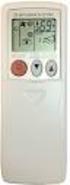 SPLIT-TYPE AIR CONDITIONERS Revision A: MUZ-FE18NA has been added. Please void OBH543. OUTDOOR UNIT SERVICE MANUAL HFC utilized R410A. OBH543 REVISED EDITION-A Models MUZ-FE09NA MUZ-FE12NA MUZ-FE18NA Indoor
Instruction manual for Firstline FCS12000CH
 Instruction manual for Firstline FCS12000CH Contents Introduction... 2 Safety Awareness... 3 Safety Awareness... 4 Name of Parts... 5 Name of Parts... 6 Remote Controller Preparation... 7 Operation of
SERVICE MANUAL INDOOR UNIT MSZ-EF35VEW MSZ-EF22VEB - - E1 MSZ-EF25VEB E1 MSZ-EF35VEB - - E1 MSZ-EF35VEB E1 MSZ-EF35VES - E1 - E1 MSZ-EF22VEW -
 SPLIT-TYPE AIR CONDITIONERS Revision A: Airflow in the Silent mode in the cooling operation has been changed. "TROUBLESHOOTING" has been corrected. Please void OBH589. INDOOR UNIT SERVICE MANUAL. OBH589
CU-2E15LBE CU-2E18LBE CU-3E18LBE CU-4E23LBE
 Order No. PHAAM1003090C3 Outdoor Unit CU-2E15LBE CU-2E18LBE CU-3E18LBE CU-4E23LBE Air Conditioner Please file and use this manual together with the service manual for Model No. CS-E7LKEW CU-E7LKE CS-E7LKEW
CS-XE9EKE CU-XE9EKE CS-XE12EKE CU-XE12EKE
 Order No. MAC0512111C8 Air Conditioner CS-XE9EKE CU-XE9EKE CS-XE12EKE CU-XE12EKE TABLE OF CONTENTS PAGE 1 Safety Precautions----------------------------------------------- 3 2 Specifications -----------------------------------------------------
1 4. 3 4-2 ABNORMAL OPERATION. 4-2-1 Error code Display. Specifics Error Code. Subsection Error Code. Subsection and Specifics Error code target
 4-2 ABNORMAL OPERATI 4-2-1 An is represented by 3 digit characters. The first 2 digit means the subsection, and the last 1 digit means the specifics. Ex.) Indoor unit Network communication Error Subsection
Current valve. for AC 24 V pulse/pause control of electrical loads up to 30 kw
 4 937 DESIO Current valve for AC 24 V pulse/pause control of electrical loads up to 30 kw SEA45.1 Use The current valve is used for the control of electric heating elements in heating, ventilation and
REGULINE 600VA / 1000VA REGULATOR USER MANUAL
 REGULINE 600VA / 1000VA REGULATOR USER MANUAL TUNÇMATİK REGULINE SERIES AUTOMATIC VOLTAGE REGULATOR Models: REGULINE 600VA / REGULINE 1000VA Principle of Operation Automatic Voltage Regulators regulate
OWNER'S MANUAL R-410A Duct Free Split System Air Conditioner and Heat Pump
 R-410A Duct Free Split System Air Conditioner and Heat Pump Product Family: DFS4(A/H)-System, DFC4(A/H)3-Outdoor, DFF4(A/H)H-Indoor Please read the operating instructions and safety precautions carefully
E2 Series Electric Furnaces
 E2 Series Electric Furnaces Service Manual Table of Contents Electrical Requirements... 10 Codes, Specifications Requirements... 10 Connection Supply Service Wires... 10 Furnace Sequence of Operation...
How To Measure Temperature On A Thermostat
 Кондиционеры Mitsubishi Heavy Техническое руководство Кондиционеры настенного типа SRK20HD-S, SRK28HD-S, SRK40HD-S, SRK20CD-S, SRK28CD-S, SRK40CD-S CTENTS 1. GENERAL INFORMATI... 1 1.1 Specific features...
ENGLISH INSTRUCTION & INSTALLATION MANUAL DUCTLESS MINI SPLIT AIR CONDITIONING SYSTEMS
 ENGLISH INSTRUCTION & INSTALLATION MANUAL DUCTLESS MINI SPLIT AIR CONDITIONING SYSTEMS Céliera Corporation. All rights reserved. Unauthorized duplication, reproduction prohibited. CONTENTS SAFETY PRECAUTIONS...
SERVICE MANUAL FOR 6535 SERIES TWO TON HIGH EFFICIENCY PACKAGED HEAT PUMPS
 SERVICE MANUAL FOR 6535 SERIES TWO TON HIGH EFFICIENCY PACKAGED HEAT PUMPS TABLE OF CONTENTS 1. Warnings...2 2. Accessibility Of Appliance...3 3. Unit Dimensions And Specifications...3 4. Unit Specifications
SPLIT WALL MOUNTED TYPE AIR CONDITIONERS OWNER'S MANUAL
 SPLIT WALL MOUNTED TYPE AIR CONDITIONERS OWNER'S MANUAL Thank you for choosing our Air Conditioner. Please read this OWNER'S MANUAL carefully prior to use and keep it for further reference. CONTENTS Contents
13. Troubleshooting. Indoor unit s LED indication of Corona DC inverter unit. Indoor unit s LED indication of Alfa DC inverter unit
 Troubleshooting 13. Troubleshooting Indoor unit s LED indication of Corona DC inverter unit MCAC-HTSM-2007-11 E0 E1 E2 E3 E5 E6 P0 P1 P2 P3 P5 EEPROM error outdoor communication error Zero-crossing examination
CS-CE9NKE CS-CE12NKE CU-CE9NKE CU-CE12NKE TABLE OF CONTENTS WARNING
 Order No: PAPAMY1207094CE Indoor Unit CS-CE9NKE CS-CE12NKE Outdoor Unit CU-CE9NKE CU-CE12NKE WARNING This service information is designed for experienced repair technicians only and is not designed for
543-0032-00, 943-0032-00. User s Manual
 543-0032-00, 943-0032-00 User s Manual 1 Comfort Alert Diagnostics Faster Service And Improved Accuracy The Comfort Alert diagnostics module is a breakthrough innovation for troubleshooting heat pump and
A/C-HEATER SYSTEM - AUTOMATIC
 A/C-HEATER SYSTEM - AUTOMATIC 1995 Volvo 850 1995-96 Auto. A/C-Heater Systems Volvo 850 * PLEASE READ THIS FIRST * WARNING: To avoid injury from accidental air bag deployment, read and carefully follow
Technical Service Manual. Version One
 [Gree Central Air Conditioner] Technical Service Manual Ducted type unit 2.3KW-16KW Version One GREE ELECTRIC APPLIANCES.INC.OF ZHUHAI - 1 - FG Series wind pipe blowing air-conditioning unit Section One:
HAIER WINDOW TYPE AIR CONDITIONER. Service Manual. Part # AC-8888-104. HAIER TRADING COMPANY, LLC www.haieramerica.com
 HAIER WINDOW TYPE AIR CONDITIONER Service Manual Part # AC-8888-104 HAIER TRADING COMPANY, LLC www.haieramerica.com 1 SERVICE MANUAL Models HWR08XC5 ESA3065 ESA3085 Features Top-Discharge Air Flow Ultra
NewAir AC-10100E / AC-10100H Portable Air Conditioner Owner s Manual PLEASE READ AND SAVE THESE INSTRUCTIONS
 NewAir AC-10100E / AC-10100H Portable Air Conditioner Owner s Manual PLEASE READ AND SAVE THESE INSTRUCTIONS ELECTRICAL SAFETY This appliance is for indoor use only. Always turn off the unit and unplug
Use and Care Manual. Model CPA12KH AIR CONDITIONER
 Use and Care Manual Model CPA12KH AIR CONDITIONER Introduction Thank you for choosing this air conditioner to provide you and your family with all of the "Home Comfort" requirements for your home, cottage
Technical service manual
 GD Midea Refrigeration Equipment Co.,Ltd ODMI-A-1202 MULTI SPLIT TYPE, HEAT PUMP AIR CONDITIONERS Technical service manual R410A Multi DC inverter 220~240V-1Ph-50Hz Outdoor units Models M2OC-14HRDN1 M2OC-14HRDN1-Q
FILE NO. SVM-07013 11. HOW TO DIAGNOSE THE TROUBLE
 FILE. SVM-070. HOW TO DIAGSE THE TROUBLE The pulse motor circuits are mounted to both indoor and outdoor units. Therefore, diagnose troubles according to the trouble diagnosis procedure as described below.
Operating Instructions Air Conditioner
 P07-T10130 Operating Instructions Air Conditioner Indoor Unit CS-F24DD1E5 CS-F28DD1E5 CS-F34DD1E5 CS-F43DD1E5 CS-F50DD1E5 Outdoor Unit Inverter Model (HBE5 Series) CU-YL24HBE5 CU-YL28HBE5 CU-YL34HBE5 CU-YL43HBE5
Heating, Ventilation, Air Conditioning and Refrigeration (HVACR)
 Heating, Ventilation, Air Conditioning and Refrigeration (HVACR) I. Demonstrate safety skills in typical HVACR work situations to NATE Core Installer Knowledge Areas for Technician Excellence for Safety
Online UPS. PowerWalker VFI 1000R/1U
 Online UPS PowerWalker VFI 1000R/1U Manual Uninterruptible Power Supply System Table of Contents 1. Important Safety Warning... 1 1-1. Transportation... 1 1-2. Preparation... 1 1-3. Installation... 1 1-4.
Portable Air Conditioner. OWNER S MANUAL Read these instructions before use. Model: MM14CHCSCS
 Portable Air Conditioner OWNER S MANUAL Read these instructions before use Model: MM14CHCSCS Voltage rating: 120V~60Hz Power rating : 1400W(Cooling) Power rating : 1350W(Heating) Customer Support : 1-800-474-21477
COLOR VIDEO DOOR PHONE CDV-71BE/D
 COLOR VIDEO DOOR PHONE CDV-71BE/D 513-11, Sangdaewon-dong, Jungwon-gu, Seongnam-si, Gyeonggi-do, Korea Int l Business Dept. : Tel.; +82-31-7393-540~550 Fax.; +82-31-745-2133 Web site : www.commax.com Printed
RAV-SM564UT-E RAV-SM804UT-E RAV-SM1104UT-E RAV-SM1404UT-E RAV-SM1604UT-E
 AIR CONDITIONER (SPLIT TYPE) Owner s Manual Indoor Unit Model name: For commercial use 4-way Cassette Type RAV-SM564UT-E RAV-SM804UT-E RAV-SM1104UT-E RAV-SM1404UT-E RAV-SM1604UT-E Owner s Manual English
SERVICE MANUAL OUTDOOR UNIT MUZ-A09NA,- 1,- U1,- U2 MUZ-A12NA,- U1 MUZ-A15NA,- U1 MUZ-A17NA,- U1 MUY-A15NA MUY-A17NA MUY-A24NA,- 1,- U1,- U2
 SPLIT-TYPE AIR CONDITIONERS Revision E: MUZ-GA24NA and MUY-GA24NA have been added. Please void OB451 REVISED EDITION-D. OUTDOOR UNIT SERVICE MANUAL HFC utilized R410A. OB451 REVISED EDITION-E Models MUZ-A09NA,-
and using this appliance and keep this manual for future reference.
 Thank you very much for purchasing this Air Conditioner. Please read this use and installation instructions carefully before installing and using this appliance and keep this manual for future reference.
Haier Air conditioner
 For Europe Haier Air conditioner HAND in HAND HIGHER and HIGHER Page:1 For Europe HSU-09/12HVA103/R2(DB) HSU-09/12RHA103/R2(DB) Page:2 Error Codes and Description indoor and outdoor display(1) indoor Code
Dehumidifier Users manual. For Models: DH45S DH65S
 Dehumidifier Users manual For Models: DH45S DH65S 950-0062-revD Jan. 9 2007 FORWARD The appearance of the units that you purchase might be slightly different from the ones described in the Manual, but
USER S MANUAL. Duct Type Series. Free Joint Multi Air Conditioner (Cooling and Heating) FUEA Series E S F I P D G DB98-29565A(1) ENGLISH ESPAÑOL
 USER S MANUAL Duct Type Series MH MH FEEA Series FUEA Series ENGLISH ESPAÑOL PORTUGUÊS E HNIKA DEUTSCH ITALIANO FRANÇAIS Free Joint Multi Air Conditioner (Cooling and Heating) E S F I P D G DB98-29565A(1)
Roof Top Air Conditioner INSTALLATION AND OPERATING INSTRUCTIONS
 Roof Top Air Conditioner INSTALLATION AND OPERATING INSTRUCTIONS Ducted System RECORD THIS UNIT INFORMATION FOR FUTURE REFERENCE: Model Number: Serial Number: Date Purchased: This manual must be read and
DC INVERTER (WALL TYPE) INDOOR UNIT OUTDOOR UNIT INDOOR UNIT OUTDOOR UNIT RAS-18FH6 RAC-18YH6. 1 PHASE, 50 Hz, 220-230V
 SERVICE MANUAL TECHNICAL INFORMATION AW NO. 0024E RAS-18FH6 RAC-18YH6 RAS-25FH6 RAC-25YH6 REFER TO THE FOUNDATION MANUAL FOR SERVICE PERSONNEL ONLY CONTENTS SPECIFICATIONS -------------------------------------------------------------------
FOXAIR 60/50 ALL MODELS
 FOXAIR 60/50 ALL MODELS OPERATION AND SERVICE MANUAL UNIT WEIGHT - ALL MODELS APPROX. 300 POUNDS FOXTRONICS, INC. 38 L x 28 W x 24 H Love Field-Dallas TX MADE IN THE USA 3448 West Mockingbird Lane Dallas,
SERVICE MANUAL MUZ-GE25VA - E1 MUZ-GE25VAH - E1 MUZ-GE35VA - E1 MUZ-GE35VAH - E1 MUZ-GE42VA - E1 MUZ-GE42VAH - E1 MUZ-GE50VA - E1 MUZ-GE50VAH - E1
 SPLIT-TYPE AIR CONDITIONERS Revision A: MUZ-GE42/50VA(H) - E1 has been added. Please void OBH516. OUTDOOR UNIT SERVICE MANUAL HFC utilized R410A. OBH516 REVISED EDITION-A Models MUZ-GE25VA - E1 MUZ-GE25VAH