
Retail Starter Kit 2011/12. Features & Benefits
|
|
|
- Christopher Robbins
- 10 years ago
- Views:
Transcription
1 Features & Benefits If you are opening your store for the first time, or upgrading from a cash register, then Reckon s is what you need. This kit includes integrated payroll management, inventory tracking and management, point of sale management and point of sale hardware. Easy to set-up, learn and use QuickBooks uses plain English and has an Easy Setup Wizard to get your business up and running within minutes. QuickBooks user-friendly home page ensures all frequently used activities and features are available within a few clicks of your mouse. Simply fill out familiar forms on your screen such as cheques or invoices and QuickBooks does the accounting for you. Comprehensive payroll management All payroll information is centralised and available at your fingertips in the Payroll Centre. From here you can perform all payroll tasks, drill down to previous payroll transactions, enter time for all employees in a single window, create and schedule payments, pay slips to your employees, store employee existing and past superfund details and even split their pays into multiple bank accounts. The inbuilt security safeguards and information messages allow users to edit or void past payroll payments without the need to recalculate entire pay cheques while the Detailed and Streamlined Payroll Summary Reports helps make end of period reporting and analysis effortless. QuickBooks Plus integrated payroll will save you time and money by avoiding duplicate data entry and will help you avoid hassles associated with incorrect payroll withholding. Comprehensive employee record management Record detailed employee information such as leave, wages, promotions and contact details using the Employee Organiser Wizard, as well as produce sophisticated summaries of your employees details and history. By storing your important employee information in one easy-to-access location you can better manage your employees and improve business efficiency. Monitor business performance More than 100 reports and graphs can be generated within the Reports Centre to help you keep a close eye on your business. With just one click you can also drill down into reports to find detailed financial information. You can even convert the report into a PDF file for , so the recipient views the report just as you see it in QuickBooks.
2 Manage your business more effectively QuickBooks is much more efficient than spreadsheets, word-processing or paper ledgers. Quickly and easily manage basic tasks like printing cheques, paying bills, generating reports, invoicing customers and tracking expenses. You ll spend less time and money on bookkeeping and paperwork and have more time to work on other important areas of your business. Backup your company data automatically Reckon Tools Backup makes it easy to backup your important company data file. Seamless integration with QuickBooks means your company data file is automatically backed up helping you to keep your business data safe and secure. Reckon Tools Backup is an additional product that can be purchased separately. Prices start from $29.95 per annum or included with Reckon Advantage. Superannuation compliance QuickBooks integrates seamlessly with Reckon Tools SuperLink* by incorporating a Super Fund Identification Field that links to a comprehensive list of Australia s superannuation funds; providing you an easier way of managing your Super Choice compliance and superannuation payments. *Reckon Tools SuperLink is an additional product that can be purchased separately. Prices start from $110 per annum for 0-5 employees. An always on Audit Trail The always on Audit Trail makes it easier for your accountant to spot possible trouble spots or mis-postings in your accounts. Work more efficiently with your accountant or bookkeeper The Accountant s copy of your company data file allows you to work more collaboratively with your accountant, with a dividing date that clearly delineates which periods are for your accountant to work in, and which are for you. QuickBooks also allows you to perform a bank reconciliation even if your Accountant is working on your file. Industry specific Chart of Accounts QuickBooks also includes 21 industry specific Chart of Accounts, so only accounts relevant to your business are included. QuickBooks home page All key tasks and functions are available within a few clicks of the home page with the Customer, Supplier, Employee and Report Centres. You can also customise how information is displayed in each of these centres. Plus control access to your confidential account balances with the QuickBooks Hide/Show preference. Simply switch your Account Balance previews to off to help ensure only you have access to your business confidential account balances.
3 Reckon Retail Point of Sale Lite Point of Sale made easy Retail Point of Sale Lite* is a computerised cash register designed with tools you need to ensure sales are processed quickly, giving your staff more time to spend with your customers. *If you are currently using Point of Sale 2007/08 or earlier versions, you will need to upgrade to Retail Point of Sale Professional to continue using your database. Seamless integration to QuickBooks A retail solution is not complete without seamless integration to QuickBooks. Retail Point of Sale has seamless integration with QuickBooks inventory, customer accounts, sales assistants and chart of accounts. Choose from QuickBooks Accounting, Plus, Pro, Premier or Enterprise. Manage your stock with ease Retail Point of Sale manages all types of inventory. You can track sales and stock on hand for a particular item. Advanced functionality includes the ability to track service items, group items e.g sell as a kit, or purchase and sell in different units of measurements e.g. buy a case or sell as a 6 pack. Or perhaps you need to track sales by units of measure* such as kilograms, metres or litres. *Units of measure only available with QuickBooks Pro, Premier and Enterprise. Create as many touch buttons as you need Retail Point of Sale supports advanced touch screen functionality, so you can create as many touch buttons as you need and even choose your own colour scheme and size. It makes processing transactions quick and easy whilst minimising errors and ensuring your staff have more time to spend with customers. Much more than a computerised cash register, Retail Point of Sale has the tools you need to process sales efficiently and effectively. Recall transactions from any terminal Put multiple transactions on hold at one time, add a message to the transaction, such as a customers name and recall from any terminal. Customisable shelf labels and advertising cards Retail Point of Sale includes a comprehensive label design and print feature, built into the software. Design your own shelf labels, advertising cards, barcodes for products or loyalty cards. The choice is virtually endless.
4 Manage customer laybys Offer your customers the flexibility of laybys, and manage the whole process within Retail Point of Sale. You have the ability to track customer laybys along with purchase history, remaining balances on layby accounts and contact information. Create and assign barcodes Save time at the check-out, improve customer service and accurately process transactions by creating and assigning barcodes. User and Role based security features Retail Point of Sale security features help you manage sensitive transactions such as refunds and discounts by enabling you to create user roles and privileges for your employees, ensuring user access and security of your business is tracked and maintained with ease and complete control. Password-protection Maintain financial security over all transaction types especially useful for sensitive transactions such as refunds and discounts. It helps the administrator to maintain control at all times and to minimise unauthorised transactions. Train staff quickly and easily Get staff up to speed quickly with the Training Mode, giving them more time to focus on customer service.
5 New feature in QuickBooks Plus Customisable Company Snapshot Quickly view your business performance using the company snapshot tool. Customisable fields and graphs allow you to design a snapshot that presents the most significant information that impacts your business decisions with the ability to drill down into transaction, customer or supplier details. Real-time BAS lodgement Easily prepare and lodge your BAS with Reckon GovConnect*, SBR TM enabled software. It helps to pre-fill your e-form with data direct from the ATO and provide you with real-time feedback and lodgement confirmation, so you will instantly know that BAS has been successfully submitted and the refund entitlement or money owed. *Australia only. Paid Parental Leave New tools make it easy to calculate payments that help you comply with the Federal Government s new Paid Parental Leave Scheme*. *Australia only. Office 2010 compatible It is easy to export data from QuickBooks into the latest Microsoft Office products, including Microsoft Office 2003, 2007 and 2010*. *See integration requirements for details. Effortless wildcard search The intuitive wildcard search feature makes it easier to find customers and suppliers. Two-Monthly Tax Reports It s now easier to prepare your GST 101 Report* with two- monthly tax reports. *New Zealand only. New Features in Reckon Retail POS Lite Enhanced Cash Out With the enhanced Case Out feature, users now have the ability to enter in the customers desired cash out amount which is then automatically added in to the total no more fumbling for the calculator during rush hour. Pre-Set Memo Function Reckon Retail POS Pre-Set Memo function allows users to publicise important or promotional messages to customers on items such as receipts.
6 Point of Sale Hardware Thermal Receipt Printer Compact design, high speed printing and whisper quiet operation makes this easy to use thermal receipt printer well suited to retail businesses. Cash Drawer Heavy duty stainless steel construction and a securityconscious design helps ensure smooth operation and reliability Barcode Scanner Lightweight and easy to use design helps increase transaction processing speed in the high pressure retail environment. *Pictures are for illustration purposes only. Supported hardware* Receipt Printers Cash Drawers POS Keyboards Scales Barcode Scanners Customer Displays EFTPOS Terminals** * You should check compatibility before purchasing any hardware. For a full list of supported hardware, go to **Additional charges may apply
7 Product Comparison Retail Point of Sale Lite Retail Point of Sale Professional Retail Point of Sale Enterprise Back office management Touch screen enabled Label printing software Stock management Designed for fast paced retailers Transactions on hold Integrated EFTPOS In-product help Layby Wildcard search Transaction history for printing receipts Training mode User and Role based security features Cash in drawer warning Currency conversion Appointment Manager Kitchen printing Graphical Table Manager Multiple barcodes Enhanced Customer loyalty programs Layered touch screen Promotions Powered by Microsoft SQL database Customised SQL reporting tool* Retail Point of Sale Lite System Requirements At least 1.0 GHz Intel Pentium IV (or equivalent) with 512 MB RAM for Microsoft Windows XP users 2 GHz Intel Pentium IV (or equivalent) with 2 GB RAM for Microsoft Windows Vista and Windows 7 users Microsoft Windows XP/VistaTM/7* QuickBooks Accounting, Plus, Pro, Premier or Enterprise preinstalled** 500 MB of disk space for Retail Point of Sale installation 1GB of disk space for QuickBooks series installation Microsoft Internet Explorer 7.0 (can be downloaded from Super VGA display or higher resolution video 800x600 resolution with small fonts (1024 x 728 resolution recommended) 50 x CD-ROM All online features/services require High speed Internet access Note: Ensure you consult the latest list of confirmed point of sale hardware compatible with this current version of Retail Point of Sale, see the following for more details: SupportedHardware.aspx The Retail Point of Sale range operates within a Windows XP Home/Vista Home Basic/Vista Home Premium/7 Home Premium single machine environment, however it does not operate within a Windows XP Home/Vista Home Basic/Vista Home Premium/7 Home Premium networked environment. * 64 bit support with Windows 7 ** QuickBooks system requirements are higher than POS. Please ensure that you make a note of these prior to installing your software. QuickBooks System Requirements At least 2.0 GHz Intel Pentium IV (or equivalent) Microsoft Windows XP users : At least 512 MB RAM for a single user and at least 1GB of RAM for multiple users 1 GB RAM for Microsoft Windows Vista and Windows 7 users 1GB RAM for Windows Server 2003/2008* 1024 x 768 pixel screen resolution Windows XP/VistaTM/7 operating system 1 GB of disk space (additional space required for company files) Internet Explorer 7.0 or later required Microsoft.NET Framework Common Language Runtime 2.0 (provided on QuickBooks Installation CD. Requires an additional 150 MB). At least 256-colour SVGA video 24 x CD-ROM All online features / services require Internet access with at least a 56 Kbps modem (ADSL or Cable Modem recommended) Reckon GovConnect requires.net Framework 3.5 and 60MB for install. *Windows Small Business Server 2008 requires 4GB RAM. Windows Small Business Server 2003 is not supported. Integration Requirements Microsoft Word and Excel integration requires Microsoft Word and Excel 2003, 2007 or Integration limited to export only. If you want to synchronise with contact management software, you need Microsoft Outlook 2003, 2007 or Contact synchronisation with Outlook requires QuickBooks Contact Sync for Outlook.QuickBooks integration requires Outlook 2003, 2007 or 2010 Compatible with Reckon Retail Point of Sale Enterprise, Professional and Lite versions. Distribution Information: Distributed in Australia and New Zealand by Reckon Ltd, Locked Bag 7522, McMahons Point NSW Quicken and QuickBooks are trademarks and service marks of Intuit Inc., registered in the United States and other countries and used by Reckon under licence. Reckon, Brought to you By Reckon and the Advantage logo are registered trademarks or trademarks of Reckon Limited. SBR and Standard Business Reporting are trademarks owned by the Australian Government. Microsoft, Windows & Vista are registered trademarks or trademarks of Microsoft Corporation in the United States and/or other countries. The trademarks of other products are owned by their respective manufacturers. Intuit Inc.
An ideal solution for combining your personal, investment and business finances to get a complete picture of your financial wealth.
 Features & Benefits An ideal solution for combining your personal, investment and business finances to get a complete picture of your financial wealth. Manage your finances The Personal Centre houses all
In-depth information about Sage 50 Accounts: In-depth specification
 In-depth information about Sage 50 Accounts: In-depth specification Sage 50 Accounts is the UK's market leading accounts software - ideal for small and medium-sized businesses making running your business
Important Read this first before installing or upgrading your software. Business Range 2014. Installation and Upgrade Guide
 Important Read this first before installing or upgrading your software Business Range 2014 Installation and Upgrade Guide 1 In this booklet you will find everything you need to know to get you up and running
Accounting. Getting Started Guide
 Accounting Getting Started Guide Sage 50 Canadian Edition Getting Started Guide Getting Started...1 Setting Up Your Company...3 Setting Up Customers and Suppliers...8 Setting Up Items... 10 Essential Tasks...
Sage Simply Accounting. Getting Started Guide 2012. First Step
 Sage Simply Accounting Getting Started Guide 2012 First Step Sage Simply Accounting Getting Started Guide First Step 2012 Getting Started... 1 Setting Up Your Company... 3 Setting Up Customers and Vendors...
Important Read this first before installing or upgrading your software. Reckon Point of Sale 2014. Installation and Upgrade Guide
 Important Read this first before installing or upgrading your software Reckon Point of Sale 2014 Installation and Upgrade Guide This booklet explains what you need to know to set up and run Point of Sale
IMPORTANT READ THIS FIRST before installing or upgrading your software. Reckon Point of Sale 2016. Installation and Upgrade Guide
 IMPORTANT READ THIS FIRST before installing or upgrading your software Reckon Point of Sale 2016 Installation and Upgrade Guide This booklet explains what you need to know to set up and run Point of Sale
Business Range 2015. Startup guide. Accounting, Plus, Premier, Enterprise
 Business Range 2015 Startup guide Accounting, Plus, Premier, Enterprise Reckon Accounts 2015 Startup Guide Installation Setup Key Concepts Essential Tasks Copyright Copyright 2015 Reckon Ltd. All rights
System Overview. ComputerlinkPOS. Software. The Point of Sale specialists exceeding expectations every time. www.computerlink.com.
 www.computerlink.com.au System Overview ComputerlinkPOS Software The Point of Sale specialists exceeding expectations every time Point of Sale Specialists Computerlink Pty Ltd Contents About the Company
How To Use Quicken.Com For A Small Business
 2005 Introducing the latest release of small business accounting solutions from Best Software. 2005 WHICH PRODUCT IS RIGHT FOR YOU? 2005 Complete First 2005 And Our Industry-specific Solutions: for Manufacturing
Point of Sale 2015 Enterprise. Installation Guide
 Point of Sale 2015 Enterprise Installation Guide Contents About this guide 3 System Requirements - Microsoft SQL Server 2008 R2 Express 3 System Requirements - POS Enterprise 2015 (Administrator) 3 System
Synergy POS. Straightforward, easy to use business software for New Zealand retailers
 Synergy POS Straightforward, easy to use business software for New Zealand retailers Most regular functions available from the simple quick menu screen Increase turnover Have the tools to improve profitability
AdvAnced Business MAnAger The NexT GeNeraTioN of accounting software
 Advanced Business Manager The Next Generation of accounting software Overview Advanced Business Manager (ABM) has been designed and developed by accountants to create the next generation of accounting
POS software: Microsoft Dynamics - Point of Sale FAQ
 POS software: Microsoft Dynamics - Point of Sale FAQ Q: I only have one retail store. I'd like to use a computer and software, but don't know if Microsoft Dynamics Point of Sale is a good fit. A: Point
MYOB ClientConnect. Getting Started. Getting Started
 MYOB ClientConnect Getting Started Getting Started MYOB New Zealand Ltd Website: myob.co.nz MYOB Australia Pty Ltd ABN 13 086 760 198 Website: myob.com.au MYOB Technology Pty Ltd 2009 All rights reserved.
Guide from Raymond Benn & Co. Limited
 Guide from Raymond Benn & Co. Limited Tel: 01892 545021/549754 Fax: 01892 548956 Email: [email protected] Website: www.raymondbenn.co.uk 0BChoosing accounting software Choose the right accounting
QuickBooks Enterprise Solutions. Installation and Setup Guide
 QuickBooks Enterprise Solutions Installation and Setup Guide Copyright Copyright 2007 Intuit Inc. All rights reserved. First printing, September 2007 STATEMENTS IN THIS DOCUMENT REGARDING THIRD-PARTY STANDARDS
Software Installation and Creating a New Company
 Chapter 1 Software Installation and Creating a New Company OBJECTIVES: 1 System Requirements 2 Software Installation 3 Starting QuickBooks and Creating a New Company 4 Backing up Company Data 5 QuickBooks
SMALL BUSINESS ACCOUNTING. Installation and Setup Guide
 SMALL BUSINESS ACCOUNTING Installation and Setup Guide 1634_502138_f1.indd 1 6/27/11 4:17 PM Copyright Copyright 2011 Intuit Inc. All rights reserved. First printing, September 2008 STATEMENTS IN THIS
NetPhysio Practice Management Solution
 NetPhysio Practice Management Solution 35 Hill Road Wentworth Point NSW 2127 Ph 1300 763 226 [email protected] www.networklogic.com.au Physiotherapy Practice Management Solution NetPhysio Other
Retail Management System
 Microsoft Business Solutions Retail Management System For today s independent merchant, success depends on more than just the right store location. To maintain your competitive edge and help increase profitability,
Sage 50 Accounts Professional
 Sage 50 Accounts Professional Manage your day-to-day finances with Sage 50 Accounts Professional. Designed for established small to medium sized businesses, Sage 50 Accounts Professional helps you look
Getting Started Guide
 2010 Getting Started Guide 2010 Getting Started Guide Getting Started...1 Setting Up Your Company...4 Setting Up Customers and Vendors... 13 Setting Up Items... 16 Setting Up Payroll... 18 Setting Up Projects...
time to get started Intuit QuickBooks Online Quick tips to get you up and running Create and manage invoices Track expenses See how you are doing
 Intuit QuickBooks Online time to get started Quick tips to get you up and running Create and manage invoices Track expenses See how you are doing See inside to learn how you can get the most out of QuickBooks
Contents. Hardware Configuration... 27 Uninstalling Shortcuts Black...29
 Contents Getting Started...1 Check your Computer meets the Minimum Requirements... 1 Ensure your Computer is Running in Normal Sized Fonts... 7 Ensure your Regional Settings are Correct... 9 Reboot your
Sage Grant Management System Requirements
 Sage Grant Management System Requirements You should meet or exceed the following system requirements: One Server - Database/Web Server The following system requirements are for Sage Grant Management to
FileMaker Pro and Microsoft Office Integration
 FileMaker Pro and Microsoft Office Integration page Table of Contents Executive Summary...3 Introduction...3 Top Reasons to Read This Guide...3 Before You Get Started...4 Downloading the FileMaker Trial
Sage Simply Accounting. Getting Started Guide
 Sage Simply Accounting Getting Started Guide 2012 Sage Simply Accounting Getting Started Guide 2012 2012 Getting Started...1 Setting Up Your Company...4 Setting Up Customers and Vendors... 12 Setting Up
10 Reasons TO TRY QUICKBOOKS POINT OF SALE
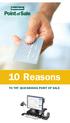 10 Reasons TO TRY QUICKBOOKS POINT OF SALE 10 Reasons TO TRY QUICKBOOKS POINT OF SALE 1. Ring up sales quickly and accurately.............3 2. Works seamlessly with your QuickBooks financial software*..................4
FedEx Ship Manager Software. New Features Guide. Version 2800
 FedEx Ship Manager Software New Features Guide Version 2800 FedEx Ship Manager Software New Features Guide Version 2800 The information contained in this New Features guide is confidential and proprietary
The customisable Payroll & HR solution
 The customisable Payroll & HR solution Pastel Evolution Payroll & HR s enhanced functionality and powerful MS-SQL database will ensure that processing your Payroll takes on a new dimension. It is a powerful
MN POS TM. Hardware & Peripherals. All required hardware may be purchased from Home Office.
 Important Notice Enclosed you will find the MN POS installation DVD for Windows 7 and Windows XP. Please keep all disks in a safe place in the Studio. If you purchased a computer from Home Office, MN POS
COMBOGARDPRO. 39E Electronic Combination Lock SOFTWARE INSTALLATION INSTRUCTIONS
 COMBOGARDPRO 39E Electronic Combination Lock SOFTWARE INSTALLATION INSTRUCTIONS IMPLEMENTATION PACKAGE The ComboGard Pro Software implementation package includes: 707012 ComboGard Pro Software Install
Point of Sale Range 2014. Startup guide Lite, Professional, Enterprise
 Point of Sale Range 2014 Startup guide Lite, Professional, Enterprise i ii Reckon Point of Sale 2014 User Guide Point of Sale Enterprise Point of Sale Professional Point of Sale Lite Copyright 2014 Reckon
A system specifically developed for: Importers / Wholesalers Distributor / Manufacturers / Equipment Repairers
 ADAPTABLE ERP BUSINESS SOFTWARE A system specifically developed for: Importers / Wholesalers Distributor / Manufacturers / Equipment Repairers Increase your customer service and profitability while also
Network device management solution.
 Network device management solution. iw Management Console Version 3 you can Scalability. Reliability. Real-time communications. Productivity. Network efficiency. You demand it from your ERP systems and
SOFTWARE INSTALLATION INSTRUCTIONS
 AUDITGARD LGA Electronic Combination Lock SOFTWARE INSTALLATION INSTRUCTIONS Implementation Package The AuditGard Software implementation package includes: 707013 AuditGard Software Install CD 42145 Programming/Audit
Software Installation and Creating a New Company
 Chapter 1 Software Installation and Creating a New Company OBJECTIVES 1. System Requirements. 2. Download QuickBooks 2014. 3. Install Software from CD. 4. Starting QuickBooks. 5. Creating a New Company.
HUMAN RESOURCES SOFTWARE FOR THE EVOLVING BUSINESS
 HUMAN RESOURCES SOFTWARE FOR THE EVOLVING BUSINESS Overview HR.net Express has been designed for small to medium sized enterprises that want to manage their employee information more effectively. The software
IP-based advanced operator console IIC Console Compatible with the latest NEC communication platforms
 IP-based advanced operator console IIC Console Compatible with the latest NEC communication platforms NEC Australia au.nec.com The ultimate professional console for receptionists, attendants and switchboard
Sage Timeslips. Customer Resource Guide 2013. About Sage North America. The easy, efficient way to manage your time-tracking and billing cycle.
 About Sage North America Sage is a leading global supplier of business management software and services for small and midsized businesses. The Sage Group plc, formed in 1981, was floated on the London
Introducing the latest release of Peachtree small business accounting solutions.
 Introducing the latest release of Peachtree small business accounting solutions. You may have noticed something new about our name. Peachtree products are created by Sage Software, formerly known in the
Introduction to Mamut Point of Sale
 // Mamut Point of Sale Introduction to Mamut Point of Sale Contents News in Mamut Point of Sale version 3.5... 2 Mamut Point of Sale... 3 Definitions of words and expressions used in the program... 7 Getting
Getting Started Guide
 Getting Started Guide 2013 Sage 50 Canadian Edition Getting Started Guide 2013 Getting Started...1 Setting Up Your Company...4 Setting Up Customers and Vendors... 11 Setting Up Items... 14 Setting Up Payroll...
Shireburn Point-of-Sale
 Shireburn Point-of-Sale Smooth Transactions Fast Check Outs www.shireburn.com/spos Shireburn Software is a trusted leader in the retail and catering industries, supporting small one man band operations
Version 1.2. Enhancements. Microsoft Business Solutions. Retail Management System
 Version 1.2 Enhancements Microsoft Business Solutions Retail Management System next level. TAKE YOUR BUSINESS TO THE The business software of choice for independent merchants, Microsoft Business Solutions
Accounting. Getting Started Guide
 Accounting Getting Started Guide Sage 50 Canadian Edition Getting Started Guide Getting Started...1 Setting Up Your Company...5 Setting Up Customers and Vendors... 12 Setting Up Items... 15 Setting Up
Instruction manual. testo easyheat Configuration and Analysis software
 Instruction manual testo easyheat Configuration and Analysis software en 2 General Information General Information This documentation includes important information about the features and application of
GROW. From Intuit QuickBooks to Microsoft Dynamics GP: A move that makes sense for growing businesses
 GROW From Intuit QuickBooks to Microsoft Dynamics GP: A move that makes sense for growing businesses QuickBooks has basic accounting functions, but what Microsoft Dynamics GP offers is the ability to stay
Reckon Accounts 2013 Startup Guide. Installation Setup Key Concepts Essential Tasks
 Reckon Accounts 2013 Startup Guide Installation Setup Key Concepts Essential Tasks Copyright Copyright 2013/2014 Reckon Ltd. All rights reserved First printing, March 2013 Reckon Software Locked bag 7522
Network device management solution
 iw Management Console Network device management solution iw MANAGEMENT CONSOLE Scalability. Reliability. Real-time communications. Productivity. Network efficiency. You demand it from your ERP systems
Store Manager POINT OF SALE Solution
 Store Manager POINT OF SALE Solution Reasons to smile for you and your customers For you, each customer, each hour, each sale counts. Each day, your business has to be more profitable, more competitive
Upgrade from Sage Instant Accounts v15
 Upgrade from Sage Instant Accounts v15 Sage Instant Accounts 2014 is the market-leading software that puts you in control of your cashflow. Whether you re dealing with quotes and invoices, customers or
The Sage Evolution Branch Accounting Solution. Uninterrupted Secure Accurate. Branch Accounting 1
 The Sage Evolution Accounting Solution Uninterrupted Secure Accurate Accounting 1 Table of Contents Executive summary 03 Objective of this document 03 Who is meant to read this document 03 The Sage Evolution
Point OS. Point OS is a windows based software which will work on most computers
 Point OS Point OS is a full featured restaurant point of sale system designed for Fine Dining, Full Service Restaurants, Quick Service Restaurants, Bars and Clubs. Point OS is a windows based software
Salon & Spa Complete Systems
 Salon & Spa Complete Systems Here at POSGuys.com, we knows how difficult it is to put a system together. Finding POS solutions with compatibility between all components, barcode scanners, receipt printers,
CONTROL - the business solution for Fashion and Footwear Retailers and Wholesalers
 CONTROL - the business solution for Fashion and Footwear Retailers and Wholesalers CONTROL is a fully integrated and feature-rich retail business solution designed to manage multi-store retail and wholesale
FedEx Ship Manager Software. Installation Guide
 FedEx Ship Manager Software Installation Guide Before you start Check here to see that your PC has what it needs to run FedEx Ship Manager Software: Minimum System and Hardware Requirements Intel Pentium
Microsoft Office Outlook 2013: Part 1
 Microsoft Office Outlook 2013: Part 1 Course Specifications Course Length: 1 day Overview: Email has become one of the most widely used methods of communication, whether for personal or business communications.
EASY-TO-USE, AFFORDABLE SOFTWARE. for your retail business. MICROSOFT RETAIL MANAGEMENT SYSTEM
 EASY-TO-USE, AFFORDABLE SOFTWARE for your retail business. MICROSOFT RETAIL MANAGEMENT SYSTEM Microsoft Retail Management System provides small and midsize business retailers with an integrated point-of-sale
Payroll Premier 2014/15 User Guide
 Payroll Premier 2014/15 User Guide Reckon Limited ABN 14 003 348 730 Level 12, 65 Berry Street North Sydney NSW 2060 Australia T +61 2 9577 5000 F +61 2 9577 5555 [email protected] www.reckon.com.au Copyright
Stock Control Solutions for Small Business
 Stock Control Solutions for Small Business Get in control of your stock with Wasp Inventory Control the complete stock management solution for small business. Wasp Inventory Control offers small businesses
Microsoft Office Accounting Professional 2008
 Microsoft Office Accounting Professional 2008 November 2007 Table of Contents Microsoft Office Accounting Professional 2008... i Introducing Microsoft Office Accounting Professional 2008... 1 Small Business
Microsoft Dynamics AX 2012 System Requirements. Microsoft Corporation Published: March 2012
 2012 System Requirements Microsoft Corporation Published: March 2012 Microsoft Dynamics is a line of integrated, adaptable business management solutions that enables you and your people to make business
MYOB EXO System Requirement Guidelines. 30 April 2014 Version 2.7
 MYOB EXO System Requirement Guidelines 30 April 2014 Version 2.7 Contents 1 System Requirements 4 1.1 Overview 4 1.2 Server Requirements 4 1.2.1 Server Requirements (excluding terminal server) 4 1.2.2
AdminToys Suite. Installation & Setup Guide
 AdminToys Suite Installation & Setup Guide Copyright 2008-2009 Lovelysoft. All Rights Reserved. Information in this document is subject to change without prior notice. Certain names of program products
INSTALLATION AND UPGRADE
 1 INSTALLATION AND UPGRADE This chapter will explain how to install PastPerfect on a single computer or a network. It will also show you how to load data from an older version of PastPerfect. At the end
Rapattoni Magic 9 Hardware and Software Guidelines
 Rapattoni Magic 9 real estate association management software represents a huge step forward in technology. It operates on Microsoft server technology and uses Microsoft SQL Server (MSSQL) as its underlying
BillQuick HR Getting Started Guide2015
 GETTING STARTED GUIDE: BillQuick HR 2015 BillQuick HR Getting Started Guide2015 BillQuick Power Up Your Business (866) 945-1595 www.bqe.com [email protected] GETTING STARTED GUIDE: BillQuick HR 2015 Contents
The Education Edge / The Financial Edge 7.85
 Minimum System Requirements This document lists the minimum infrastructure required to run your Blackbaud. We recommend the purchase of topof-the-line equipment when possible and that organizations budget
Imagine software that manages every aspect of your dealership in a simple, yet powerful system That s exactly what Total Management will do for you.
 Dealership Software, LLC 85 Industrial Circle, Unit 2105 Lincoln, RI 02865 Ph: 401-305-3740 Fax: 401-305-3746 www.dealershipsoftware.net Imagine software that manages every aspect of your dealership in
Getting Started with Sage 50 Accounts 2012
 Getting Started with Sage 50 Accounts 2012 Making the most of your software Hello, Thank you for purchasing Sage 50 Accounts 2012. This guide will help you to get started and make the most of your software.
February 2010 Version 6.1
 HansaWorld University Point Of Sales (POS) Training Material HansaWorld Ltd. February 2010 Version 6.1 Table Of Contents INTRODUCTION...5 What is Point Of Sales?...5 THE 4 DIFFERENT WAYS OF USING POS...6
FedEx Ship Manager Software. New Features Guide. Version 2700
 FedEx Ship Manager Software New Features Guide Version 2700 FedEx Ship Manager New Software Features Guide Version 2700 The information contained in this New Features guide is confidential and proprietary
IQ Accounting +, Business, Enterprise & POS
 IQ,, Enterprise & POS Overview & Features System Comparison IQ IQ IQ Enterprise IQ POS Point of Sale Stock Processing Limited Debtors Creditors Ledger Utilities Multiple Branch Centralisation & Stock Sync
 FaxTalk FaxCenter Pro Because your faxes are important! Version 8 Send. Receive. Manage. FaxTalk FaxCenter Pro Version 8 Because your faxes are important! Copyright 1992-2010 Thought Communications, Inc.
The ingredients to a perfect POS system
 The ingredients to a perfect POS system With seven stores across Australia all stocking over 800 products, Perfect Potion needed to implement an accurate and efficient Point of Sale (POS) system that would
Moving from Sage 50 Accounts to Sage 200 Standard Online
 Moving from Sage 50 Accounts to Sage 200 Standard Online 2 Contents Contents Software that grows with your business...4 Straightforward online accounting...5 Reasons to upgrade...6 Financials - Managing
Richmond Systems. SupportDesk Quick Start Guide
 Richmond Systems SupportDesk Quick Start Guide Table of Contents SupportDesk Quick Start Guide...1 Introduction...1 Pre-requisites...2 Installation at a Glance...2 Installation...3 Setup Console...13
Allmakes DMS Dealer Management System
 Allmakes DMS Dealer Management System Workshop job cards Vehicle sales Stock control Service histories Purchase orders Postcode look up SMS Text Messaging Service reminders EPOS & barcoding Sage line 50
You do the deals. We ll do the rest.
 You do the deals. We ll do the rest. Mortgage software solutions for originators, aggregators, brokers and financial services providers. PO R Symmetry is a brand of Stargate Group. For over thirty years,
The easy to use salon computer system
 The easy to use salon computer system The Complete Salon Management & Business Building Software The greatest challenge facing salons today is how to manage all the time consuming accounting and managerial
MICROSOFT BUSINESS SOLUTIONS RETAIL MANAGEMENT SYSTEM
 FOR TODAY S INDEPENDENT RETAILER, success depends on more than just the right store location. MICROSOFT BUSINESS SOLUTIONS RETAIL MANAGEMENT SYSTEM Microsoft Retail Management System Store Operations Store
Nuance ecopy ShareScan. Brings paper documents into the digital world. Document capture & distribution Nuance ecopy
 Nuance ecopy ShareScan Brings paper documents into the digital world Document capture & distribution Nuance ecopy Nuance ecopy, document capture & distribution Integrate paper documents into digital workflows
Peachtree Premium Accounting for Construction. Peachtree Premium Accounting for Distribution. Peachtree Premium Accounting for Manufacturing
 Accuracy. Control. Results. 2009 Peachtree First Accounting Peachtree Pro Accounting Peachtree Complete Accounting Peachtree Premium Accounting Peachtree Premium Accounting for Construction Peachtree Premium
TAI Club Management Systems by TAI Consulting, Inc.
 Company Overview - TAI Consulting, Inc. TAI Consulting, Inc., incorporated in 1997, was established to provide solution to the Private Club and Public Golf course market sectors. Our foundation is the
More than a simple program - a management concept for salons and spas
 management software for beauty salon s and spas More than a simple program - a management concept for salons and spas The complete management package for salons and spas. Number 1 in Europe for hair salon
ProSystem fx Engagement. Installation Guide
 ProSystem fx Engagement Installation Guide October 2013 Copyright 2013, CCH INCORPORATED and/or its affiliates. All Rights Reserved. Material in this publication may not be reproduced or transmitted, in
QuickBooks: Point of Sale
 QuickBooks: Point of Sale Ring Up Sales Inventory Management Customer Tracking Credit Card Management Multiple Security Levels Extensive Reporting Integration with QuickBooks Financial Software 0 0 Why
Hardware and Software Requirements for Sage 50 v15 to v22
 Hardware and Software Requirements for Sage 50 v15 to v22 Sage 50 Accounts v22 Note: The Sage Data Service has the same system requirements as Sage 50 Accounts v22. Note: For more information on support
Item Minimum Required Recommended Notes
 Carestream Dental strongly adheres to compliance with Microsoft Windows operating systems and hardware compatibility (HCL), which can be found at www.microsoft.com/whdc/hcl/default.mspx. Only operating