
Site Data Collection Packet
|
|
|
- Francis Woods
- 10 years ago
- Views:
Transcription
1 AWS WeatherBug Homeland Security Certification Site Data Collection Packet Submission Web Page: Login ID Password Important!!! Please complete as soon as possible!!! AWS Convergence Technologies, Inc. 1

2 Hello! In September 2001, President Bush asked American business owners to join the fight against terrorism and help protect America. By completing and submitting this Homeland Security site data for your WeatherBug weather station, you take the first step in becoming part of the WeatherBug Homeland Security Network, a partnership that allows the National Weather Service (NWS) to access real time data collected by WeatherBug weather stations in a time of emergency or disaster. This partnership is important because weather has long played a vital role in the government s ability to respond to major disasters, helping them determine which municipalities to evacuate in which order, select the best approach routes for police and firefighters, and choose the type of equipment to dispatch to a disaster site. This certification process consists of completing the enclosed certification questionnaire and taking the requested photos of your site to identify any site characteristics that may affect your weather station s weather data. This process should take approximately 45 minutes and will also ensure that your weather station is functioning properly and communicating with the weather network on a consistent basis. After completing the form, you can submit your site certification data through our web page Log into the website using the Station ID and Customer Number found on your Packing List. SAMPLE PACKING LIST Station ID and Customer Number 2

3 If you are unable to obtain your Station ID and Customer Number from the Packing List please call Technical Support at Please utilize a digital camera to take the requested photos and the JPG photo files to [email protected]. By completing and submitting this site certification data, your weather station data and site data will be reviewed to ensure your WeatherBug weather station is installed properly and communicating accurate weather data to the WeatherBug Homeland Security Network. Thank you for collecting this important site data. Please allow 6-8 weeks after the date of submission for the processing and review of your site data for complete certification. Sincerely, Bart Lewis, Jr. Manager, Network Operations and Support 3

4 Overview of Site Data Collection Process The 5-step site data collection process is illustrated below: Gather Materials, Review Safety Guidelines, and Review Photo Tips Take Photos from Ground and Complete Site Structure Data Complete Site Sensor Data, Measurements, and Photos Complete Inside Equipment Data and Contact Information Submit Completed Data to AWS and Photos to [email protected] Please read through this entire document before you begin! STEP 1. Gather Materials, Review Safety Guidelines, and Review Photo Tips To complete this package you will need the following: Digital camera to take photographs of weather station from various angles Compass to determine the direction that the wind sensor is pointing and to identify North, East, South, and West to take photographs access to digital photos to [email protected] Tape measure or yardstick to measure heights and distances If your weather station is located on the roof of your building, we ask that you go up on the roof during Step 3 to take the requested photos and to complete that portion of the data collection form. If this applies to your situation, use caution while on the roof. SAFETY FIRST! Make sure roof is clear of ice, snow, and water. Before you start taking photos and collecting data about your site, please keep these tips in mind: Take only the photos requested in the data collection form. Please take photos in the sequence listed on this form i.e., Photo #1, Photo #2, etc. Make sure the sun is not in direct view as you are taking the photos. The photos will be over-exposed, rendering them useless. Make sure there is adequate lighting while taking the pictures. The photos will become the property of AWS. Photos other than the ones requested are of no value to AWS. Need Help? Call for Technical Support 4

5 STEP 2. Take Photos from Ground and Complete Site Structure Data Please walk outside and complete the following: Place a checkmark in the box for each numbered item as it is completed. 1. PHOTO #1 - Take a photo of something outdoors to clearly identify your school/ company (i.e. sign, banner, logo, etc). Please ensure that the logo/words will be legible to identify your school/company from the photograph. Sample Photo There are many schools with similar names in our network of 6,000+ weather stations (e.g. Washington Elementary School, North Middle School, etc.). To help us match your photos with the information you re collecting on this form, please use a dark marker to write your 5 or 6 character Login ID (provided on cover letter) in ALL CAPS on the back of the last page of this form. Then place this ID paper about 5 feet in front of the camera with your school/company sign in the background about 10 feet away. 2. PHOTO #2 - Take a close-up photo from the ground looking up at the weather station. The photo should show the full mast as large as possible. Sample Photo 3. PHOTO #3 - Take another photo from the ground from a different angle looking up at the weather station. The photo should show the weather station mast and a portion of the surrounding area/building from the ground to the top of the mast. Please take photos of the requested subjects as close to the subject as possible during optimal daytime outdoor light conditions. Sample Photo 5

6 Place a checkmark in the box for each numbered item as it is completed. 4. Where is the outdoor sensor mast mounted? (circle one) a. Not on the building (on the ground) b. 1st story roof c. 2nd story roof d. 3rd story roof or above e. In a stadium 5. What direction does the nearest exterior wall to the sensor mast face? (circle one) a. North e. South b. NorthEast f. SouthWest c. East g. West d. SouthEast h. NorthWest 6. Where is the sensor mast mounted? (circle one) a. Mounted in the middle of the roof (I can walk around station) b. Mounted to exterior building wall c. Mounted to structure on interior of building roof d. Mounted in the ground (not on a building) 7. Which number best represents the site location of the sensor mast? Write number here and circle the numbered circle below. 6

7 Place a checkmark in the box for each numbered item as it is completed. 8. If your sensor mast is mounted to a wall, which best describes the WALL material where your sensor mast is mounted? (circle one) a. Brick/stone b. Wood c. Siding (aluminum, vinyl, etc.) d. Cinderblock/stucco e. Other: f. N/A: Sensor mast is mounted directly on the roof or in the ground. 9. Which best describes the WALL color where your sensor mast is mounted? (circle one) a. Brick Red b. Brown c. Tan d. White/Light Gray e. Black f. Dark color (green, blue, etc.) g. Light color (yellow, pink, etc) h. N/A: Sensor mast is mounted directly on the roof or in the ground. 7

8 STEP 3. Complete Site Sensor Data, Measurements, and Photos Please go to the mast containing the weather station sensors and complete the following questions. If your mast is mounted on the roof, please go to the roof. Place a checkmark in the box for each numbered item as it is completed. 10. PHOTO #4 - Take a photo of the ground or roof material at the base of the mast. Sample Photo 11. Which best describes the ROOF material nearest your sensor mast? (circle one) a. Asphalt b. Stone c. Metal (tin, steel, etc.) d. Tar e. Tar Roof Shingles f. Wood Shakes/Shingles g. Rubber h. Other: i. N/A: Sensor mast is mounted in the ground. 12. Which best describes the ROOF color nearest your sensor mast? (circle one) a. Brick Red b. Brown c. Tan d. White/Light Gray e. Black f. Dark color (green, blue, etc.) g. Light color (yellow, pink, etc h. N/A: Sensor mast is mounted in the ground. 8

9 Place a checkmark in the box for each numbered item as it is completed. 13. How high is the ROOF where the sensor mast is installed above the GROUND? If the sensor mast is mounted in the GROUND, enter 0 (zero). feet above the GROUND 14. How high is the Temperature Sensor (in the sensor shelter) above the ground or nearest roof where the base of the mast is located (recommended height is at least 8 feet)? feet above ground or nearest roof level where base of mast is located TOP The top of the sensor shelter should be at least 8 feet above ground/roof If your Temperature Sensor (in the sensor shelter) is on a mast mounted at the top of a wall, please ensure the Temperature Sensor is positioned away from the nearest roof to obtain optimal air circulation through the sensor shelter. Please ensure the Rain Gauge is NOT directly below the Temperature Sensor so that falling rain can fall directly in the Rain Gauge. 15. How high is the Wind Sensor above the ground or nearest roof where the base of the mast is located (recommended height is at least 10 feet)? feet above ground or nearest roof level where base of mast is located HUB Measure to Propeller Style Hub HUB Measure to Cup Style Hub 16. Specify the type of Wind Sensor used on your sensor mast? (circle one) a. Propeller Style b. Cup Style All new weather stations use Propeller style wind sensors. 9

10 Place a checkmark in the box for each numbered item as it is completed. 17. Using the enclosed compass (see note below), check the installed orientation of your Wind Sensor. My Wind Sensor is currently pointing in the following direction: a. North b. NorthEast c. East (desired for Cup style mounting arm) d. SouthEast e. South (desired for Propeller style black box) f. SouthWest g. West h. NorthWest Propeller Style Black Junction Box Should Point in the South Direction EAST SOUTH Please shake the compass and let it settle before using it. The compass arrow will always point toward North. Please check directions twice. Cup Style Mounting Arm Should Point in East Direction 18. If your Wind Sensor is not pointing in the proper direction, please try to adjust the installed direction to the proper orientation, then complete the following: a. My Wind Sensor is pointing in the proper direction b. My Wind Sensor was NOT pointing in the proper direction, but I repositioned it so that it is pointing in the proper direction. c. My Wind Sensor was NOT pointing in the proper direction, but I CANNOT reposition it so that it is pointing in the proper direction. NOTE: If there is no way to reposition the Wind Sensor to the proper direction, this completed/submitted form will trigger AWS to adjust for the difference in our software using the answers you provided in the previous questions. 10

11 Place a checkmark in the box for each numbered item as it is completed. 19. PHOTO #5 - Use the enclosed compass to determine the NORTH direction. Please remove the last page of this packet, fold it so NORTH is showing, and hold the paper so NORTH is displayed in the photo. Then stand beside the sensor mast and take a photo facing away from the mast in the NORTH direction. Sample Photo Please shake the compass and let it settle before using it. The compass arrow will always point toward North. Please check directions twice. 20. PHOTO #6 - Repeat the above step to take a photo in the SOUTH direction. Sample Photo 21. PHOTO #7 - Repeat the above step to take a photo in the WEST direction. Sample Photo 22. PHOTO #8 - Repeat the above step to take a photo in the EAST direction. Sample Photo 11

12 Place a checkmark in the box for each numbered item as it is completed. 23. Looking NORTH, what is the distance to the closest WIND obstructions (such as trees, buildings or other parts of buildings, rooftop structures such as satellite dishes, etc.)? Please describe your NORTH direction view in the space provided below. feet to nearest obstruction. Enter 1,500 if closest obstruction is more than 1,500 feet away. The closest obstructions in the NORTH direction are: 24. Looking SOUTH, what is the distance to the closest WIND obstructions? Please describe your SOUTH direction view in the space provided below. feet to nearest obstruction. Enter 1,500 if closest obstruction is more than 1,500 feet away. The closest obstructions in the SOUTH direction are: 25. Looking WEST, what is the distance to the closest WIND obstructions? Please describe your WEST direction view in the space provided below. feet to nearest obstruction. Enter 1,500 if closest obstruction is more than 1,500 feet away. The closest obstructions in the WEST direction are: 26. Looking EAST, what is the distance to the closest WIND obstructions? Please describe your EAST direction view in the space provided below. feet to nearest obstruction. Enter 1,500 if closest obstruction is more than 1,500 feet away. The closest obstructions in the EAST direction are: 12

13 Place a checkmark in the box for each numbered item as it is completed. 27. Identify any nearby heat sources (such as: vents, fans, air conditioning units, exhaust pipes, chimneys, solar panels, etc.). If no heat source exists within 100 feet, please enter 0 (zero). Please describe any heat sources within 100 feet in the space provided below. feet to nearest heat source. Enter 0 (zero) if closest heat source is more than 100 feet away The closest heat source(s) are: 28. PHOTOS #9 & #10 - Please take TWO photos from TWO different locations on the roof (assuming your weather station is installed on the roof). One photo should be a close-up shot of the mast with all sensors showing. The other photo should show the weather station relative to any significant roof structures or heat/vent sources that may affect the weather station data. Please describe any subjects in photos and the view direction for the photos in the space provided below. Photo 9 is looking (direction) and Sample Photos shows. Photo 10 is looking (direction) and shows. 29. If you have a Weather Station Camera, which direction does the camera point? (circle one) a. North h. NorthWest b. NorthEast i. We do not currently have a Weather Station Camera, c. East but would like to learn more about adding a camera d. SouthEast to our weather station e. South j. We do not currently have a Weather Station Camera f. SouthWest and have no interest at this time g. West 13

14 Place a checkmark in the box for each numbered item as it is completed. 30. PHOTOS #11 & #12 - Using your TWO remaining photos, please retake any photos that may not have turned out well or take photos that will further illustrate the characteristics of your site, such as: sensor close-up, camera mounting, aerial photo, other obstructions or heat/vent sources, etc. Please describe any subjects in the photos and the view direction for the photos in the space provided below. Photo 11 is looking (direction) and Photo of an aerial photo shows. Photo 12 is looking (direction) and shows. Photo of Weather Station Camera Mounting 31. Please refer to the Rain Gauge Check and Clean instructions on the next page to check and clean your Rain Gauge, then choose an answer to describe what you found and did: a. I removed debris that was clogging the Rain Gauge funnel hole and bottom drain holes. I tested the Rain Gauge and it is working properly. b. I removed debris that was clogging the Rain Gauge funnel hole and bottom drain holes. I tested the Rain Gauge and it is NOT working properly. c. My Rain Gauge was NOT clogged. I tested the Rain Gauge and it is working properly. d. My Rain Gauge does NOT appear to be clogged. I did NOT test the Rain Gauge but know that it has been recording rainfall. Funnel Hole in Top Drain Holes in Bottom Rain Gauge with Funnel Hole and Drain Holes 32. Please check the mast to determine if it is prone to shaking or swaying due to the wind: a. My mast is secure and shakes/sways very little. b. My mast shakes and sways and I will work to make it more secure. c. My mast shakes and sways but I will NOT be able to make it more secure. 14

15 Rain Gauge Check and Clean Instructions It is important to check the Rain Gauge at least every 3 months to ensure that it does not get clogged with debris in the following places: 1. The funnel hole that funnels rain to the sensor inside the canister. 2. The drain holes that drain water after it has been measured. Funnel Hole at Top of Rain Gauge The Rain Gauge funnel will collect debris, such as: leaves, twigs, seeds, bird droppings, etc. These items may accumulate and clog the funnel hole or limit the amount of rain that is collected, causing little or no rain to be measured. All debris should be removed from the funnel periodically. The best way to unclog the funnel hole is to take a narrow/pointed object such as a toothpick or a paperclip and gently remove the clog from the hole. If the clog cannot be removed from above, then you will need to remove the four or five screws to lift off the cover so you can poke the clog out. Please be careful, as there are sensitive parts inside the case that can be easily damaged. If it has not rained for some time, spider webs and bug residue may need to be removed as they prevent the free movement of the tipping bucket sensor. Drain Holes in Bottom of Rain Gauge If water does not drain from inside the Rain Gauge, it will collect inside the Rain Gauge and the sensor inside may start floating and report more rain than the amount that actually fell. Caution: Clearing drain hole clogs can cause you to get wet if the Rain Gauge is full of water. Unclog the drain holes by poking a toothpick or paperclip up through the drain holes. If this is not working, then remove the Rain Gauge cover as described above. Look for debris or mold/mildew clogging the holes. Again please be careful, as there are sensitive parts inside the case that can be easily damaged. Testing the Rain Gauge After you unclog the Rain Gauge, please test it to make sure it is reading correctly. To do this, pour 8oz of water into the gauge. If the gauge is working properly, it should read 0.33 to 0.40 inches of rain. It is very important you make sure to pour the water into the Rain Gauge at a slow, even pace. Pouring the water in too fast can cause inaccurate data. Final Steps Please ensure the Rain Gauge cover is securely fastened and that the Rain Gauge is securely fastened to a mast that is secure. Masts that shake or sway are likely to record excessive rainfall on windy days, even if it is not actually raining. To fix this problem, the mast should be installed as securely as possible, and the Rain Gauge should be installed lower on the mast. The Rain Gauge should be approximately 5 feet above the roof or ground and should NOT be located directly beneath the Temperature Sensor. 15

16 STEP 4. Complete Inside Equipment Data and Contact Information Please go inside where the AWS Datalogger or Master Control Unit is located and complete the last set of questions. Place a checkmark in the box for each numbered item as it is completed. 33. Identify the Room # or describe the location of the DataLogger/ Master Control/ BlueBugBox and the serial # listed on the back of the box (the number following the letters DL, AW, or BBB). See the instructions and photos provided below for help when locating the serial numbers. Box location is: Box serial # is: Remote serial # listed on silver label on bottom of Master Control Unit is: (applies to 1997-present Master Control Units only where box serial # begins with AW) Locating BlueBugBox/Master Control/DataLogger Serial # and Remote # Please find your box where all the wires are connected. This is the BlueBugBox, Master Control Unit, or DataLogger, depending on the model year at your site. Please look on the back of the box for the serial number Present: The BlueBugBox will have a serial # in the back right corner (when viewed fro the back) that looks like BBB-##-####, where ##-#### is the serial number : The Master Control unit will have a serial # in the back right corner (when viewed from back) that looks like AW-#####, where ##### is the serial number. Then look for a silver sticker on the bottom of the box that contains a handwritten 3 or 4 digit serial number labeled as the "Remote Serial" : The DataLogger will have a serial # near the back, bottom-center part of the box (when viewed from back) that looks like DL-#####, where ##### is the serial number. DataLoggers do not have a silver sticker with the Remote Serial number on the bottom of the unit. Front 2005 Present Back AW DL

17 Place a checkmark in the box for each numbered item as it is completed. 34. My method of weather data communication is: (circle one) a. Internet b. Modem, but have a PC and would like AWS to send free software and free computer cable to convert station from modem to Internet. c. Modem. I am not interested in converting to the Internet or do not have a PC available to connect to the Internet at this time. 35. To ensure the weather station collects and communicates weather data every day of every year, the weather station equipment must remain powered and connected to the weather network by a functioning Internet connection or modem. This includes weekends, holidays, breaks, and shutdowns when schools or businesses are closed. This also includes evacuations in times of emergency - the most critical time to ensure continued communication of weather data for Homeland Security and Emergency Management decisions. Please check one or more of the following that apply to your weather station: My weather station remains powered and connected year round. Policies require a shut down in power and/or connection when the facility is not occupied for short-term periods (holidays, evenings, weekends) Policies require a shut down in power and/or connection when the facility is not occupied for long-term periods (week-long shutdowns/breaks, summer breaks, etc.) Policies require a shut down in power and/or connection during emergency evacuations If my site has a policy requiring shut downs in power and/or Internet/modem connections, I understand the need to maintain power and data communication and will seek an exception to the policy for the weather station data. If my site has a policy requiring shut downs in power and/or Internet/modem connections, I understand the need to maintain power and data communication but we will NOT be able to make an exception to the policy. NOTE: If the weather station indoor equipment is located in a portion of the building that is unpowered when the facility is unoccupied for extended periods, then please try to move the equipment to a location that is powered year round, such as a front office area. Please provide any additional details in the Additional Notes box included with Question #38. 17

18 Place a checkmark in the box for each numbered item as it is completed. 36. I understand that it is important to keep my weather station communicating with the weather network. I will: (circle one) a. Pledge to do my best to keep the weather station functioning and communicating properly with the weather network and strive toward an 85% uptime goal and to respond to WeatherBug Maintenance Notices within one week. If my weather station will be unpowered/disconnected for facility maintenance/renovations, I will contact WeatherBug Technical Support to communicate the planned outage. b. I cannot commit to keeping the weather station functioning and communicating properly with the weather network and responding to notices within one week. 37. For computer Internet connected stations, I understand that computer passwords can cause the weather station to be down for extended periods when I am not at the site to restart and log in to the computer. I will: (circle one) a. Place a note near the computer with the username/password or communicate this information to other backup contacts in case I am not available. I will provide names of backup contacts or locations where the log-in information is documented by typing notes in Question #38 for additional notes. b. Not be able to tell others my log-in information or write it down. c. The WeatherBug computer does not require a password or I will remove the existing username/password. d. We are a BlueBugBox site and do not have a computer connected to the station. e. We are a modem site and do not have a PC connected to the weather station. 38. Please provide any additional information about your site (such as: computer type/processor/ram [e.g. Dell/Pentium2/32MB], username/password for your WeatherBug computer, Latitude/Longitude and Elevation using GPS sensor, changes to equipment locations over life of weather station, planned relocations in future, or changes in environment/building structure since the weather station was installed or planned in the future). NOTE: Older, less powerful computers may tend to lock up over a period of time when any of the following apply: Additional computer programs are running on the computer Screen savers engage Power management features turn off hard disk after 30 minutes of no use Scheduled tasks like disk defragmenters and disk/virus scans are enabled Please indicate if any of the above issues apply to your computer. 18

19 39. Please provide the following contact information. Please provide a backup and summer contact for situations when the primary contact is not available. Primary Point of Contact Name School/Company Name Street Address City State Zip Code Mailing Address (if different) City State Zip Code School/Work Phone # Extension Fax # School/Work Home Backup Point of Contact Name School/Company Name Street Address City State Zip Code Mailing Address (if different) City State Zip Code School/Work Phone # Extension Fax # School/Work Home Summer Point of Contact Name School/Company Name Street Address City State Zip Code Mailing Address (if different) City State Zip Code School/Work Phone # Extension Fax # School/Work Home 19

20 STEP 5. Submit Completed Data to AWS and JPG Photo files to When completed, please submit your form one of these ways: Submit your answers using the Internet web page Fax this form to Internet Submission using website Use the Login ID (Station ID) and Password (Customer Number) found on the Packing List or call Technical Support at to obtain information. Note: If necessary, use leading zeros to make your Customer # that serves as your password a 5-digit number. For example, if your Customer # is 5, you would enter for the password. Additional help is available by contacting Technical Support at After you have taken all of the required pictures, save the photos as JPG files with the file name LoginID_#. For example, Photo 1 for Login ID FRMNT would be named FRMNT_1 while Photo 12 would be named FRMNT_12. Please the photos to [email protected]. Thank you very much for your efforts to collect and submit your site certification data to AWS. This data will be used to understand the characteristics of your site and the impact these characteristics may have on your weather data. Thanks again! 20

21 Please remove this page from the packet and fold the page to display the direction you are viewing when taking the photos listed in Questions 19 through 22 (note paper held in sample photos for these questions). To help identify your school s photos, please use a dark marker to write your 5 or 6 character Login ID (Station ID) on the back of this page and take a photo of it with your school/company sign as instructed in PHOTO #1/Question #1. NORTH SOUTH WEST EAST 21
Data-Logging Rain Gauge PRODUCT MANUAL
 Data-Logging Rain Gauge PRODUCT MANUAL Item # 3554WD1 Thank you for purchasing a Spectrum Datalogging Rain Gauge. With proper installation and care, it will give you years of accurate and reliable measurements.
Do It Yourself Guide for Adventist Satellite Installation System: Fortec Lifetime Ultra / SatelliteAV 36 Dish
 1-888-393-4673 [email protected] http://www.adventistsat.com [email protected] AMC 4 Dish Aiming Information for Zip Code Elevation. Azimuth, Magnetic. Feedhorn Rotation. Do It Yourself Guide
Wind Direction Smart Sensor (S-WDA-M003)
 (S-WDA-M003) The Wind Direction smart sensor is designed to work with HOBO Stations. The smart sensor has a plug-in modular connector that allows it to be added easily to a HOBO Station. All sensor parameters
ALARM SYSTEM INSTALLATION GUIDE
 ALARM SYSTEM INSTALLATION GUIDE Congratulations on the purchase of your Egardia alarm system. Egardia's website www.egardia.com Customer services Please visit www.egardia.com if you would like further
Installation Guide. WSD-100 Wind Speed and Direction Sensor For XR5 Data Loggers. February, 2011
 WSD-100 Wind Speed and Direction Sensor For XR5 Data Loggers Installation Guide February, 2011 Pace Scientific Inc www.pace-sci.com Tel: 704-799-0688 [email protected] 1 Disclaimer The following warranty
RACEAIR REMOTE PAGER SYSTEM
 Computech Systems, Inc. 301-884-5712 30071 Business Center Dr. Charlotte Hall, MD 20622 RACEAIR REMOTE PAGER SYSTEM TM Introduction: Computech s RaceAir Remote Competition Weather Station with the Data
No Rainfall Data is Collected
 No Rainfall Data is Collected There are a number of issues that can cause the system to not collect rainfall data, from clogged collectors to hardware failure or improper part replacement. The most common
Monthly Inspection Checklists
 Monthly Inspection Checklists These safety checklists are part of a monthly inspection of church property. The items listed are not meant to imply that other concerns could not be present. The items listed
Home Signal Distribution Kit for Satellite TV Plus SIRIUS
 SR-101C SIRIUS/DBS Signal Combiner System SR-2261 Combiner-Outdoor Made in China DBS IN SIRIUS IN SR-101C SIRIUS/DBS Signal Combiner System SR-2251 Splitter-Indoor Made in China DC IN DBS OUT SIRIUS OUT
UB1 AIR CONDITIONING UNIT INSTALLATION INSTRUCTIONS
 UB1 AIR CONDITIONING UNIT INSTALLATION INSTRUCTIONS INSTALLATION INSTRUCTIONS: Carefully read these instructions before installing your new air-conditioner. AUSTRALIAN AUTOMOTIVE AIR AL00500054E 1 Table
Preventing Ice Dams on Roofs
 Preventing Ice Dams on Roofs Facility Manager November/December 2005 When a roof leaks, facility managers inevitably receive complaints from building occupants. If it is winter, ice dams are often the
Appendix 2-A: Asbestos Assessment Summary Table
 Final Environmental Impact Statement Cricket Valley Energy Project Dover, NY Appendix 2-A: Assessment Summary Table Earth Resources 1 Main First Floor A33 Heater Unit 1 EA F Poor Y Assumed ACM 1 Main Second
OCPS Emergency Response Quick Reference Guide Orange County Public Schools Security Control Center 407-317-3333
 OCPS Emergency Response Quick Reference Guide Orange County Public Schools Security Control Center 407-317-3333 Key Teacher Responsibilities Lockdown (Code Red, Red LD & Yellow) If Indoors: Bring students
Quick Instructions for Setting up Swe-dish.
 Quick Instructions for Setting up Swe-dish. Physical Set-up. 1. Pick a location with a hard mainly level surface (feet on bottom of suitcase are adjustable if surface is uneven). 2. Align the Suitcase
C846 12 F AQ S C84612 FAQS Batteries Weather Station Factory Restart Quick Connect Remote Sensors Wind Sensor Wireless Rain Sensor
 C84612 FAQS The links below will work in most PDF viewers and link to the topic area by clicking the link. We recommend Adobe Reader version 10 or greater available at: http://get.adobe.com/reader CONTENTS
Before installation it is important to know what parts you have and what the capabilities of these parts are.
 INSTALLATION GUIDE Before installation it is important to know what parts you have and what the capabilities of these parts are. The Recon XZT is the smallest and most powerful gauge of its kind. With
User Manual. NETGEAR, Inc. 350 East Plumeria Drive San Jose, CA 95134, USA. December 2014 202-11380-01
 User Manual December 2014 202-11380-01 NETGEAR, Inc. 350 East Plumeria Drive San Jose, CA 95134, USA Support For product updates and web support, visit http://support.arlo.com. Trademarks NETGEAR, Inc.
Home Signal Distribution Kit for Cable TV Plus SIRIUS
 Home Signal Distribution Kit for Cable TV Plus SIRIUS For Use With a Single SIRIUS Radio Installation Manual Thank you for purchasing the Home Signal Distribution Kit for Cable TV Plus SIRIUS The Home
ABB solar inverters. ABB solar inverters Application note Improving CDD wireless reception
 ABB solar inverters ABB solar inverters Application note Improving wireless reception Reader note This document is to be used in conjunction with the MICRO- 0.25-0.3-0.3HV-I product manual or Quick Installation
DIY Y6. Build Manual V.A 2014
 DIY Y6 Build Manual V.A 2014 1 Contents Thanks for purchasing a DIY Y6! These instructions will show you how to assemble a Y6 using the Pixhawk autopilot system and ArduCopter/APM:Copter firmware. If you
CLIENT. Inspection Report. 271 Front St. Alert Bay, B.C. Island Building Inspections V ANCOUVER I SLAND B. C.
 CLIENT Inspection Report 271 Front St. Alert Bay, B.C. Island Building Inspections 2013 V ANCOUVER I SLAND B. C. Elevation Photos For the Property at 271 Front Street Alert Bay, BC ELEVATION PICTURES Front
WAVELET WATER QUALITY MONITORING KIT
 AYYEKA Rethink Water Monitoring WAVELET WATER QUALITY MONITORING KIT ON OFF QUICK START GUIDE AYYEKA IMPORTANT! Use with pressure applications up to 145 PSI. Contact AYYEKA SUPPORT center for technical
Dish Installation Page
 Dish Installation Page Please review and check the following items before starting the installation of your FTA Satellite System. 1. Equipment required for Dish Installation. 1. Dish, LNBF, and Receiver.
COMMERCIAL COOKING HOODS, VENTILATION & FIRE SUPPRESSION SYSTEM GUIDELINES AND PROCEDURES
 COMMERCIAL COOKING HOODS, VENTILATION & FIRE SUPPRESSION SYSTEM GUIDELINES AND PROCEDURES These guidelines are to be used for ALL commercial cooking hoods, ventilation systems and related fire suppression
Andersen Electric Window Opener for Andersen Awning and Roof Windows
 W A Electric Window Opener Electric Window Opener for Awning and Roof Windows Congratulations! You have just purchased one of the many fine products. For ease of installation and continued enjoyment of
Chapter 9: INSTALLING ROOFING
 9.1 LEAK BARRIER (ICE AND WATER SHIELD) 9.2 SHINGLE UNDERLAYMENT 9.3 INSTALLING GUTTER APRON AND GABLE D-EDGE 9.4 INSTALLING SHINGLES 9.5 RIDGE VENT AND CAP Tools needed by each volunteer: Hammer (16 oz.
Thermwire. Selection Guide. Freeze Protection Heating Cable. Thermwire -Wrap. Pre-Assembled. Thermwire-Comp. Thermwire-Melt.
 Thermwire Freeze Protection Heating Cable Selection Guide Pipe Freeze Protection Heating Cable Pre-Assembled Pipe Freeze Protection Heating Cable with Attached Cord & Plug Thermwire-Comp Refrigeration
Air-Conditioning, Heating, and Refrigeration Institute. Sheet Metal and Air-Conditioning Contractors National Association
 Air-Conditioning, Heating, and Refrigeration Institute Sheet Metal and Air-Conditioning Contractors National Association GUIDELINE B-1997 ACKNOWLEDGEMENT These guidelines for Roof Mounted Outdoor Air-
Guideline for Fire Safety Elements of Solar Photovoltaic Systems July 17, 2008 Rev: 1/1/10
 Guideline for Fire Safety Elements of Solar Photovoltaic Systems July 17, 2008 Rev: 1/1/10 This document was developed by the Orange County Fire Chiefs Association, Orange County Fire Marshal Committee.
Home Inspection Report
 4949 Brownsboro Rd Suite 293 Louisville, KY 40223 (502) 414-1440 [email protected] Inspected By: William Carter, HI-1956 Home Inspection Report Prepared For: Edward Cullen Property Address:
Orlando Home Inspection Services
 PLEASE NOTE: Orlando Home Inspection Services Serving Central Florida since 1999 P O Box 915451, Longwood, Florida, 32791-5451 Phone: (321) 228-2493 Fax: (407) 374-8505 Web: http://www.orlando-home-inspections.com
Build Your Own Weather Station
 Build Your Own Weather Station Every year, thousands of lives and millions of dollars are saved by severe weather warnings from the National Weather Service. From its earliest beginnings (on February 9th,
1. Perimeter fencing or walls should enclose the vicinity around cargo handling and loading areas, as well as storage facilities.
 2. Physical Security Cargo handling and storage facilities in domestic and foreign locations must have physical barriers and deterrents that guard against unauthorized access. Where applicable, there must
Safe Operating Procedure
 Safe Operating Procedure (Revised 11/11) OPACITY OF EMISSIONS FROM COMBUSTION SOURCES (For assistance, please contact EHS at (402) 472-4925, or visit our web site at http://ehs.unl.edu/) The University
Investigating Solar Energy through Solar Cars and Sun Path Diagrams
 Investigating Solar Energy through Solar Cars and Sun Path Diagrams Subject/s and Grade Level/s: Technology, Physics Middle School High School Overview: This lesson will introduce students to solar energy
The Fan-Aspirated ISS includes these components: Metric Rain Adapter. The hardware shown here is provided for assembly and mounting:
 Integrated Sensor Suite with Fan-Aspirated Radiation Shield Installation Instructions Addendum For Vantage Pro2 and Vantage Pro2 Plus The Vantage Pro2 Integrated Sensor Suite (ISS) with the Fan-Aspirated
Security Camera Indoor/Outdoor Color Camera w/ Night Vision
 Security Camera Indoor/Outdoor Color Camera w/ Night Vision INSTRUCTION MANUAL V1.1 www.defender-usa.com IMPORTANT INFORMATION NEED HELP? DO NOT RETURN THIS PRODUCT TO THE STORE Please contact an Defender
NEOGARD. Preventive Maintenance Manual
 NEOGARD Preventive Maintenance Manual Fluid-Applied Roof Coating Systems December 2014 Notes NEOGARD luid-applied roof coating systems are designed to be long lasting, monolithic membranes which provide
Roof Top Air Conditioner INSTALLATION AND OPERATING INSTRUCTIONS
 Roof Top Air Conditioner INSTALLATION AND OPERATING INSTRUCTIONS Ducted System RECORD THIS UNIT INFORMATION FOR FUTURE REFERENCE: Model Number: Serial Number: Date Purchased: This manual must be read and
Draft - Fumigation Management Plan
 Draft - Fumigation Management Plan This Fumigation Management Plan is intended to comply with label requirements, state and federal pesticide laws and provide information to insure a safe and effective
Station Notes for B001, golbeck01bwa2005
 Station Notes for B001, golbeck01bwa2005 Latitude: Longitude: Elevation: Install Depth:1 Orientations:2 Install Date: GTSM Technologies #: Executive Process Software: Logger Software: Home Page: Notes
TWIN EAGLES ALL WEATHER ELECTRIC RADIANT HEATER
 TWIN EAGLES, INC. Defining the Art of Outdoor Cooking TWIN EAGLES ALL WEATHER ELECTRIC RADIANT HEATER OWNER S MANUAL MODEL TEEH-1512 TEEH-2524 TEEH-3524 NEED ASSISTANCE? PLEASE CALL: (562) 802-3488 This
Networkfleet 3500 Product Line Installation Guide
 Networkfleet 3500 Product Line Installation Guide Light/Medium Duty (L3500) Heavy Duty (H3500) Universal (U3500) www.networkcar.com/fleet Customer Care: (866) 227-7323 [email protected] Table
Fire Alarm System Plans Review Checklist Property location Date of Review
 Fire Alarm System Plans Review Checklist Property location Date of Review 1. Is application completed in entirety? 2. Are the plans review fee submitted with the application? 3. Does floor plan include
Make sure oven is OFF. Never remove parts or touch the fan unless the oven is OFF.
 Morning Cleaning The following start-up procedures MUST be completed before using the oven. The procedures may be completed at night after the oven has completed the clean cycle, or in the morning BEFORE
Installation of Rear View Camera in a 1995 Roadtrek 190 Popular
 Installation Instructions: 1995 Roadtrek Rear View Camera Page 1 Installation of Rear View Camera in a 1995 Roadtrek 190 Popular Introduction. In the fall of 2010 we investigated rear view cameras for
Air and Weather FOSS kit
 Air and Weather FOSS kit 2. E. 1 Understand patterns of weather and factors that affect weather. 2.E.1.1 Summarize how energy from the sun serves as a source of light that warms the land, air and water.
Tune In to The Zula Patrol
 Family Take-Home Pages Dear Family, In school, your child has been studying Sky-High Science. Inspired by the award-winning public television program The Zula Patrol, this program helps your child: build
GENUINE PARTS INSTALLATION INSTRUCTIONS
 GENUINE PARTS INSTALLATION INSTRUCTIONS DESCRIPTION: Illuminated Kick Plate APPLICATION: Rogue (2011) PART NUMBER: 999G6 GX010 KIT CONTENTS: Item A B C G H QTY 1 1 1 D 1 E 1 F 3 15 6 Description Kick Plate,
Recommended Tools and Supplies: Small Flat Blade Screwdriver, 35mm x 7.5mm DIN Rail. Qwik Install
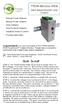 TPDIN-Monitor-WEB Web Based Monitor and Control Remote Power Stations Backup Power Systems Solar Systems Wind Powered Systems Industrial Sense & Control Process Automation Congratulations! on your purchase
16/32 Channel 1U Rack Mount CCTV Power Supply
 16/32 Channel 1U Rack Mount CCTV Power Supply Manual PH-A3224-GUQ Shown 16-Channel 32-Channel PTC PH-A1612-PUQ PH-A3224-PUQ Glass Fuse PH-A1612-GUQ PH-A3224-GUQ Industrial design 12 Amp 3 Amps per channel
Vision Home Inspection
 Vision Home Inspection 324 Rams Run Shepherdsville KY 40165-7877 Inspector: James McFadden Property Inspection Report Client(s): Property address: Inspection date: View report summary This report is the
TOOELE COUNTY EMPLOYEES EMERGENCY SAFETY HANDBOOK 2012 REVISION
 TOOELE COUNTY EMPLOYEES EMERGENCY SAFETY HANDBOOK 2012 REVISION This handbook has been developed for four reasons: 1) to save lives 2) to assist county officials in meeting OSHA requirements for fire safety
ROOFS - Guidance for Repair, Maintenance and Replacement
 ROOFS - Guidance for Repair, Maintenance and Replacement Guilford Association Architectural Committee ROOFING Slate and tile roofs are a critical design feature of Guilford homes. The homes were designed
LED MOTION ACTIVATED FLOOD LIGHT
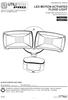 Utilitech & UT Design are registered trademarks of LF, LLC. All Rights Reserved. ITEM #0460794, 0459228 LED MOTION ACTIVATED FLOOD LIGHT MODEL #SE1019-WH3-02LF0-U, SE1019-TBZ-02LF0-U Français p. 8 Español
Snow Measurement Guidelines for National Weather Service Surface Observing Programs
 Snow Measurement Guidelines for National Weather Service Surface Observing Programs U.S. DEPARTMENT OF COMMERCE NATIONAL OCEANIC AND ATMOSPHERIC ADMINISTRATION National Weather Service Office of Climate,
Connections and Setup
 12 Connections and Setup HOW TO CONNECT YOUR SATELLITE RECEIVER Use the information in this chapter to connect your receiver to other equipment. CONNECTING TO THE NEARBY HDTV (TV1) CONNECTING TO THE REMOTE
* DISCLAIMER: Contents. How to Use This Guide: COMMERCIAL INSTALL GUIDE 2
 COMMERCIAL INSTALL GUIDE 2 Contents How to Use This Guide: The first section of this guide is designed to assist you with the installation of your DECK Monitoring hardware. The revenue grade meter and
Residential Roofing Guide
 Residential Roofing Guide TABLE OF CONTENTS Building Detail and Accessories...... 1 Panel Introduction and Handling...... 2 Cutting and Trimming.... 3 Roof Preparation..... 3 Roof Slope..... 3 Re-roofing...
Rain+Birdt. Simple To Set Timer (SST) Setup & Operation Instructions. English. 1-800- RAIN BIRD (800-724-6247) or visit www.rainbird.
 Rain+Birdt Simple To Set r (SST) Setup & Operation Instructions English Installation...2 Tools and Supplies Needed...2 Step 1. Mount r...2 Step 2. Connect Power...2 Indoor r...2 Outdoor r...2 Step 3. Connect
Tooway KA-SAT Installation Guide
 Tooway KA-SAT Installation Guide 1. Before you can proceed with the installation you must get the following information: Spot beam colour for you location Elevation Angle the dish needs to be set to Azimuth
Vertical Phone System Upgrades 2014. Scope of Work
 Vertical Phone System Upgrades 2014 Scope of Work Project Overview Install new Vertical phone system and phones on site. Complete testing with API helpdesk. Remove old phone system, phones and box up for
Final inspections are completed by site visit only. Access to fenced yards shall be planned.
 ROOFING RESIDENTIAL BUILDING INSPECTIONS DEPARTMENT www.ci.blaine.mn.us This handout is intended only as a guide and is based in part on the 2015 Minnesota State Building Code, Blaine City ordinances,
Arecont Vision H.264 Color or Day/Night SurroundVideo Series Installation Manual
 0 P a g e H.264 Color or Day/Night SurroundVideo Installation Manual Inside the box: A. Arecont Vision SurroundVideo camera B. Mounting template C. RJ45 female to female coupler D. Hex key E. Security
Applications will be evaluated and scores awarded using the following key categories:
 Thank you for your interest in the Progress Energy Florida (PEF) SunSense schools program. This program is designed to assist public K-12 and post secondary public schools in better managing energy costs
Vision Engravers and Routers PRE-Installation Guide. 2015 Vision Engraving & Routing Systems
 Vision Engravers and Routers PRE-Installation Guide Revised: 8/19/2015 Vision Engravers and Routers PRE-Installation Guide All rights reserved. No parts of this work may be reproduced in any form or by
FIRST GRADE AIR AND WEATHER STUDY
 CLASS: AIR AND WEATHER: AIR PRESSURE Students will learn that air exerts pressure on all matter through a variety of hands-on experiments and teacher-led demonstrations. Capturing Air For this teacher
READ THIS MANUAL BEFORE PROCEEDING WITH THE INSTALLATION. FAILURE TO FOLLOW THE INSTALLATION INSTRUCTIONS MAY VOID YOUR WARRANTY!
 READ THIS MANUAL BEFORE PROCEEDING WITH THE INSTALLATION. FAILURE TO FOLLOW THE INSTALLATION INSTRUCTIONS MAY VOID YOUR WARRANTY! The main power to any existing system must be disconnected prior to the
BC & BCH SERIES INDOOR / OUTDOOR INSTALLATION
 Air Conditioning Central Heating & Cooling BC & BCH SERIES INDOOR / OUTDOOR INSTALLATION INSTALLATION AND SERVICE MANUAL 2 PROJECT: ADDRESS: MODEL: SERIAL NUMBER: INSTALLER: ADDRESS: PHONE NUMBER: INSTALLATION
LOS 2500 SUPER CEILING SENSOR. Installation Manual
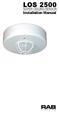 LOS 2500 SUPER CEILING SENSOR Installation Manual How Do RAB Occupancy Sensors Work? Selecting A Location: The L0S2500 sensor sees infrared heat changes caused by the motion of people within its detection
RESIDENTIAL ROOFING & RE-ROOFING, ROOF VENTILATION AND ROOF SHEATHING REQUIREMENTS MICHIGAN RESIDENTIAL CODE 2000
 RESIDENTIAL ROOFING & RE-ROOFING, ROOF VENTILATION AND ROOF SHEATHING REQUIREMENTS MICHIGAN RESIDENTIAL CODE 2000 SECTION R905 REQUIREMENTS FOR ROOF COVERINGS R905.1 Roof covering application. Roof coverings
Frequently Asked Questions
 Frequently Asked Questions Internet 1. How does New Source Broadband Internet service work? 2. How is the Outdoor Unit wired into my home or business 3. Can I connect multiple computers to the connection?
LED MOTION ACTIVATED FLOOD LIGHT
 Utilitech & UT Design are registered trademarks of LF, LLC. All Rights Reserved. ITEM #0611551, #0611550 LED MOTION ACTIVATED FLOOD LIGHT MODEL #SE1036-BP2-02LF0-U, SE1036-WH3-02LF0-U Français p. 10 Español
INSTALLATION INSTRUCTIONS COMMERCIAL ROOM VENTILATORS WITH EXHAUST
 INSTALLATION INSTRUCTIONS COMMERCIAL ROOM VENTILATORS WITH EXHAUST MODEL CHCRV-5 For Use with Bard CH Series 3, 4 & 5 Ton 2-Stage Wall Mount Heat Pumps AND W38H, W43H, W49H and W61H Single Stage Wall Mount
Sun Windows General Information Sun New Construction Window Installation Instructions
 Sun Windows General Information Section 1 G F H H H A. Apply Weather Resistive Barrier B. Apply Sill Flashing Tape C. Place Waterproof Sill Shims D. Caulk Back of Nail Fin Sides & Top, Set Window, Fasten
Manual for Fire Suppression & Methane Detection System
 Manual for Fire Suppression & Methane Detection System Fogmaker North America Post address: 150 Gordon Dr Exton, PA 19341 Delivery address: 150 Gordon Dr Exton, PA 19341 Tel: 610-265-3610 Fax: 610-265-8327
CENTER FOR ENVIRONMENTAL HEALTH Emergency Response/Indoor Air Quality Program
 CENTER FOR ENVIRONMENTAL HEALTH Emergency Response/Indoor Air Quality Program Guidance Concerning Remediation and Prevention of Mold Growth and Water Damage in Public Schools/Buildings to Maintain Air
RODENT PROOFING CHECKLIST
 RODENT PROOFING CHECKLIST The most important part of a rodent control job is a thorough inspection of the problem areas/building. Since we warranty the control of rodents with our standard pest control
OnTheRock Engineering, LLC
 OnTheRock Engineering, LLC File No. L14-Sample www.ontherockeng.com 502-225-6203 FAX 502-225-6204 RESIDENTIAL ROOF EVALUATION Hail Damage Claim - Sample Short Report Claim Number: XYZ Insured: Joe Homeowner
Tracking Key II User s Guide. www.landairsea.com
 Tracking Key II User s Guide www.landairsea.com LandAirSea Tracking Key II User s Guide Contents Warranty Information & System Requirements. 2 Quick Start Guide.... 3 Registering Device and Activating
Evanston Main Street Station TOD Plan and Study. Appendix A.1: Station Area Existing Conditions
 Evanston Main Street Station TOD Plan and Study Appendix A.1: Station Area Existing Conditions EvanstonMainStreetStation TODPlanandStudy A 1 AppendixA.1: ExistingConditions Table of Contents Station Locations
Solar air collectors for industry and larger halls S Ø. Efficient dehumidification and air heating for free...
 Solar air collectors for industry and larger halls N S Ø Efficient dehumidification and air heating for free... This booklet contains information about SolarVenti Industrial air solar system. The system
TM Advanced Tracking Technologies, Inc. 2003 ATTI All rights reserved
 TM Advanced Tracking Technologies, Inc. 2003 ATTI All rights reserved Copyright 2003, Advanced Tracking Technologies, Inc. All rights reserved. No part of this publication may be reproduced or transmitted
Cutting the Cable (or Dish) with Antenna TV
 Cutting the Cable (or Dish) with Antenna TV By Tom McMorris (mcmorrisphoto.com) In today s world it seems that the cost of everything keeps climbing and climbing including the price of cable or satellite
Cool air quietly and efficiently. A guide to buying and operating an air conditioner
 Cool air quietly and efficiently A guide to buying and operating an air conditioner Cool air quietly and efficiently Noise from air conditioners can be a serious issue between neighbours. If an air conditioner
Support Cleaning Apparatus. Operation, Cleaning, & Safety Manual
 Support Cleaning Apparatus Operation, Cleaning, & Safety Manual Revision 1.1 31 May 2014 WARNING: The instructions and precautionary statements contained herein are intended for the Support Cleaning Apparatus
Cooktop Low-Profile Ventilation Hoods
 INSTALLATION GUIDE Cooktop Low-Profile Ventilation Hoods Contents Wolf Cooktop Low-Profile Ventilation Hoods........ 3 Cooktop Low-Profile Hood Specifications.......... 4 Cooktop Low-Profile Hood Installation............
Infrared Moisture Detection
 What it can do for you... what it can t and why 1. Infrared camera basics 2. Examples Lew Harriman MoistureDM.com 3. Summary - The 4 most important facts about infrared moisture detection 1 of 19 Infrared
Architectural Inspection Site Structures
 0141 Freestanding Shelters Open air shelters not attached to the building. Bike rack shelter with bike racks: This 8'x30' structure is located on the north east side of the building on the wooded landscape
SELF INSTALLATION GUIDE
 Ultrafast Fibre-optic Broadband SELF INSTALLATION GUIDE Gigaclear install permission July2012 v1.0 Before you begin Please make sure you have the correct length of cable. Bear in mind that you may need
INSTALLATION GUIDELINES for SOLAR PHOTOVOLTAIC SYSTEMS 1
 City of Cotati Building Division 201 W. Sierra Ave. Cotati, CA 94931 707 665-3637 Fax 792-4604 INSTALLATION GUIDELINES for SOLAR PHOTOVOLTAIC SYSTEMS 1 Any PV system on a new structures should be included
foundation designed to keep water out of the basement.
 Preventing Sewer Backups To safeguard your home against flooding from sewer backups, you should understand your home's basic plumbing and the preventative techniques discussed in this brochure. Basement
PeopleGIS Leica RTK GPS Instructions
 PeopleGIS Leica RTK GPS Instructions Equipment List GG02 Receiver (Antenna) GPS Range Pole Zeno Tablet MiFi MiFi External Battery Carrying Case 1) Turning on the MiFi Power on the MiFi. This little gadget
Bench Autoclave. Standard Operating Procedure. For Installation, Use and Maintenance
 Bench Autoclave Standard Operating Procedure For Installation, Use and Maintenance 1. Introduction This SOP is intended for use with the following model, in a laboratory context: Type: Nuve Bench Top Steam
HfHMD uses LP SmartSide siding and trim.
 HfHMD uses LP SmartSide siding and trim. These products are: More durable than cement fiber board. Much more volunteer-friendly to install. When installed correctly, have a 5/50- year pro-rated warranty.
Document Name: Driving Skills. Purpose: To outline necessary driving skills required to maximize driving safety.
 Document Name: Driving Skills Date Created: 8 October 2013 Date Reviewed: 4 February 2014 Date Approved: 29 July 2015 Purpose: To outline necessary driving skills required to maximize driving safety. Overview: