
Chapter 1 Computer Networks and the Internet. Chapter 1: Introduction. Chapter 1: roadmap. Cool internet appliances
|
|
|
- Samantha Boone
- 10 years ago
- Views:
Transcription
1 Chapter 1 Computer Networks and the Internet A note on the use of these ppt slides: We re making these slides freely available to all (faculty, students, readers). They re in powerpoint form so you can add, modify, and delete slides (including this one) and slide content to suit your needs. They obviously represent a lot of work on our part. In return for use, we only ask the following: If you use these slides (e.g., in a class) in substantially unaltered form, that you mention their source (after all, we d like people to use our book!) If you post any slides in substantially unaltered form on a www site, that you note that they are adapted from (or perhaps identical to) our slides, and note our copyright of this material. Thanks and enjoy! JFK/KWR All material copyright J.F Kurose and K.W. Ross, All Rights Reserved Computer Networking: A Top Down Approach Featuring the Internet, 2 nd edition. Jim Kurose, Keith Ross Addison-Wesley, July Introduction 1-1 Chapter 1: Introduction Our goal: get context, overview, feel of ing more depth, detail later in course approach: descriptive use Internet as example Overview: what s the Internet what s a protocol? edge core access net, media Internet/ structure performance: loss, delay protocol layers, service models history Introduction 1-2 Chapter 1: roadmap 1.1 What is the Internet? 1.2 Network edge 1. Network core Network access and media 1.5 Internet structure and s 1.6 Delay & loss in packet-switched s 1.7 Protocol layers, service models 1.8 History Introduction 1- What s the Internet: nuts and bolts view millions of connected computing devices: hosts, end-systems PCs workstations, servers PDAs phones, toasters running apps communication s fiber, copper, radio, satellite transmission rate = bandwidth routers: forward packets (chunks of data) router server company workstation mobile regional Introduction 1-4 Cool internet appliances What s the Internet: nuts and bolts view IP picture frame World s smallest web server Web-enabled toaster+weather forecaster protocols control sending, receiving of msgs e.g., TCP, IP, HTTP, FTP, PPP Internet: of s loosely l hierarchical h public Internet versus private intranet Internet standards RFC: Request for comments IETF: Internet Engineering Task Force router server company workstation mobile regional Introduction 1-5 Introduction 1-6

2 What s the Internet: a service view communication infrastructure enables distributed s: Web, , games, e- commerce, database., voting, file (MP) sharing communication services provided to apps: connectionless connection-oriented cyberspace [Gibson]: a consensual hallucination experienced daily by billions of operators, in every nation,..." Introduction 1-7 What s a protocol? human protocols: what s the time? I have a question introductions specific msgs sent specific actions taken when msgs received, or other events protocols: machines rather than humans all communication activity in Internet governed by protocols protocols define format, order of msgs sent and received among entities, and actions taken on msg transmission, receipt Introduction 1-8 What s a protocol? a human protocol and a computer protocol: Hi Hi Got the time? 2:00 time TCP connection req TCP connection response Get <file> Key Elements of a Protocol Syntax Data formats Signal levels Semantics Control information Error handling Timing Speed matching Sequencing Q: Other human protocols? Introduction 1-9 Introduction 1-10 A closer look at structure: edge: s and hosts core: routers of s access s, media: communication s Chapter 1: roadmap 1.1 What is the Internet? 1.2 Network edge 1. Network core Network access and media 1.5 Internet structure and s 1.6 Delay & loss in packet-switched s 1.7 Protocol layers, service models 1.8 History Introduction 1-11 Introduction 1-12

3 The edge: Network edge: connection-oriented service end systems (hosts): run programs e.g. Web, at edge of client/server model client host requests, receives service from always-on server e.g. Web browser/server; client/server peer-peer model: minimal (or no) use of dedicated servers e.g. Gnutella, KaZaA Introduction 1-1 Goal: data transfer between end systems handshaking: setup (prepare for) data transfer ahead of time Hello, hello back human protocol set up state in two communicating hosts TCP - Transmission Control Protocol Internet s connectionoriented service TCP service [RFC 79] reliable, in-order bytestream data transfer loss: acknowledgements and retransmissions flow control: sender won t overwhelm receiver congestion control: senders slow down sending rate when congested Introduction 1-14 Network edge: connectionless service Chapter 1: roadmap Goal: data transfer between end systems same as before! UDP -User Datagram Protocol [RFC 768]: Internet s connectionless service unreliable data transfer no flow control no congestion control App s using TCP: HTTP (Web), FTP (file transfer), Telnet (remote login), SMTP ( ) App s using UDP: streaming media, teleconferencing, DNS, Internet telephony 1.1 What is the Internet? 1.2 Network edge 1. Network core Network access and media 1.5 Internet structure and s 1.6 Delay & loss in packet-switched s 1.7 Protocol layers, service models 1.8 History Introduction 1-15 Introduction 1-16 The Network Core Network Core: Circuit Switching mesh of interconnected routers the fundamental question: how is data transferred through net? circuit switching: dedicated circuit per call: telephone net packet-switching: data sent thru net in discrete chunks End-end resources reserved for call bandwidth, switch capacity dedicated resources: no sharing circuit-like (guaranteed) performance call setup required Introduction 1-17 Introduction 1-18
![communicating hosts TCP - Transmission Control Protocol Internet s connectionoriented service TCP service [RFC 79] reliable, in-order bytestream data transfer loss: acknowledgements and](/docs-images/40/8610772/images/page_3.jpg "retransmissions flow control: sender won t overwhelm receiver congestion control: senders slow down sending rate when congested Introduction 1-14 Network edge: connectionless service Chapter 1:")
4 Network Core: Circuit Switching resources (e.g., bandwidth) divided into pieces pieces allocated to calls resource piece idle if not used by owning call (no sharing) dividing bandwidth into pieces frequency division time division Circuit Switching: FDMA and TDMA Example: FDMA 4 users frequency time TDMA frequency Introduction 1-19 time Introduction 1-20 FDM ja TDM TDM ja STDM data addr data Network Core: Packet Switching Packet Switching: Statistical Multiplexing each end-end data stream divided into packets user A, B packets share resources each packet uses full bandwidth resources used as needed Bandwidth division into pieces Dedicated allocation Resource reservation resource contention: aggregate resource demand can exceed amount available congestion: packets queue, wait for use store and forward: packets move one hop at a time transmit over wait turn at next Introduction 1-2 A B 10 Mbs Ethernet queue of packets waiting for output statistical multiplexing 1.5 Mbs D Sequence of A & B packets does not have fixed pattern statistical multiplexing. In TDM each host gets same slot in revolving TDM frame. E C Introduction 1-24

5 Packet switching versus circuit switching Packet switching allows more users to use! Packet switching versus circuit switching Is packet switching a slam dunk winner? 1 Mbit each user: 100 kbps when active active 10% of time N users circuit-switching: 10 users packet switching: with 5 users, probability > 10 active less than Mbps Introduction 1-25 Great for bursty data resource sharing simpler, no call setup Excessive congestion: packet delay and loss protocols needed for reliable data transfer, congestion control Q: How to provide circuit-like behavior? bandwidth guarantees needed for audio/video apps still an unsolved problem (chapter 6) Introduction 1-26 Packet-switching: store-and-forward L R R R Takes L/R seconds to transmit (push out) packet of L bits on to or R bps Entire packet must arrive at router before it can be transmitted on next : store and forward delay = L/R Example: L = 7.5 Mbits R = 1.5 Mbps delay = 15 sec Introduction 1-27 Packet Switching: Message Segmenting Now break up the message into 5000 packets Each packet 1,500 bits 1 msec to transmit packet on one pipelining: each works in parallel Delay reduced from 15 sec to sec Introduction 1-28 Packet size Packet size A 1 2 B time = 99 A 1 2 B time = 65

6 Packet size A 1 2 B time = 72 Packet-switched s: forwarding Goal: move packets through routers from source to destination we ll study several path selection (i.e. routing)algorithms (chapter 4) datagram : destination address in packet determines next hop routes may change during session analogy: driving, asking directions virtual circuit : each packet carries tag (virtual circuit ID), tag determines next hop fixed path determined at call setup time, remains fixed thru call routers maintain per-call state Introduction 1-2 Network Taxonomy FDM Circuit-switched s Telecommunication s TDM Packet-switched s Networks with VCs Datagram is not either connection-oriented or connectionless. Internet provides both connection-oriented (TCP) and connectionless services (UDP) to apps. Datagram Networks Introduction 1- Chapter 1: roadmap 1.1 What is the Internet? 1.2 Network edge 1. Network core 1.4 Network access and media 1.5 Internet structure and s 1.6 Delay & loss in packet-switched s 1.7 Protocol layers, service models 1.8 History Introduction 1-4 Access s and media Residential access: point to point access Q: How to connection end systems to edge router? residential access nets institutional access s (school, company) mobile access s Keep in mind: bandwidth (bits per second) of access? shared or dedicated? Introduction 1-5 Dialup via modem up to 56Kbps direct access to router (often less) Can t surf and phone at same time: can t be always on ADSL: asymmetric digital subscriber line up to 1 Mbps upstream (today typically < 256 kbps) up to 8 Mbps downstream (today typically < 1 Mbps) FDM: 50 khz - 1 MHz for downstream 4 khz - 50 khz for upstream 0 khz - 4 khz for ordinary telephone Introduction 1-6

7 Residential access: cable modems Residential access: cable modems HFC: hybrid fiber coax asymmetric: up to 10Mbps upstream, 1 Mbps downstream of cable and fiber attaches homes to router shared access to router among home issues: congestion, dimensioning deployment: available via cable companies, e.g., MediaOne Introduction 1-7 Diagram: Introduction 1-8 Cable Network Architecture: Overview Cable Network Architecture: Overview Typically y 500 to 5,000 homes cable headend cable headend cable distribution (simplified) home cable distribution (simplified) home Introduction 1-9 Introduction 1-40 Cable Network Architecture: Overview server(s) Cable Network Architecture: Overview FDM: V I D E O V I D E O V I D E O V I D E O V I D E O C O V N I D D T D A A R E T T O O A A L Channels cable headend cable headend cable distribution home cable distribution home Introduction 1-41 Introduction 1-42

8 Company access: area s company/univ area (LAN) connects end system to edge router Ethernet: 10 Mbs, 100Mbps, 1Gbps, 10Gbps Ethernet modern configuration: end systems connect into Ethernet switch LANs: chapter 5 Wireless access s shared wireless access connects end system to router router via base station aka access point base wireless LANs: station b/g (WiFi): 11 or 54 Mbps wider-area wireless access provided by telco operator ~1Mbps over cellular system (EVDO, HSDPA) next up (?): WiMAX (10 s Mbps) over wide area mobile hosts Introduction 1-4 Introduction 1-44 Home s Physical Media Typical home components: ADSL or cable modem router/firewall/nat Ethernet wireless access point to/from cable headend cable modem router/ firewall Ethernet (switched) wireless access point wireless laptops Bit: propagates between transmitter/rcvr pairs : what lies between transmitter & receiver guided media: signals propagate in solid media: copper, fiber, coax unguided media: signals propagate freely, e.g., radio Twisted Pair (TP) two insulated copper wires Category : traditional phone wires, 10 Mbps Ethernet Category 5 TP: 100Mbps Ethernet Introduction 1-45 Introduction 1-46 Physical Media: coax, fiber Coaxial cable: two concentric copper conductors bidirectional baseband: single channel on cable legacy Ethernet broadband: multiple channel on cable HFC Fiber optic cable: glass fiber carrying light pulses, each pulse a bit high-speed operation: high-speed point-to-point transmission (e.g., 5 Gps) low error rate: repeaters spaced far apart ; immune to electromagnetic noise Introduction 1-47 Physical media: radio signal carried in electromagnetic spectrum no wire bidirectional propagation environment effects: reflection obstruction by objects interference Radio types: terrestrial microwave e.g. up to 45 Mbps channels LAN (e.g., WaveLAN) 2Mbps, 11Mbps wide-area (e.g., cellular) e.g. G: hundreds of kbps satellite up to 50Mbps channel (or multiple smaller channels) 270 msec end-end delay geosynchronous versus LEOS Introduction 1-48

9 Chapter 1: roadmap 1.1 What is the Internet? 1.2 Network edge 1. Network core Network access and media 1.5 Internet structure and s 1.6 Delay & loss in packet-switched s 1.7 Protocol layers, service models 1.8 History Internet structure: of s roughly hierarchical at center: tier-1 s (e.g., UUNet, BBN/Genuity, Sprint, AT&T), national/international coverage treat each other as equals Tier-1 providers interconnect (peer) privately Tier 1 Tier 1 NAP Tier 1 Tier-1 providers also interconnect at public access points (NAPs) Introduction 1-49 Introduction 1-50 Tier-1 : e.g., Sprint Sprint US backbone Internet structure: of s Tier-2 s: smaller (often regional) s Connect to one or more tier-1 s, possibly other tier-2 s Tier-2 pays tier-1 for connectivity to rest of Internet tier-2 is customer of tier-1 provider Tier-2 Tier 1 Tier-2 Tier 1 Tier-2 NAP Tier 1 Tier-2 Tier-2 s also peer privately with each other, interconnect at NAP Tier-2 Introduction 1-51 Introduction 1-52 Internet structure: of s Tier- s and s last hop ( access ) (closest to end systems) Local and tier- s are customers of higher tier s connecting them to rest of Internet Tier Tier 1 Tier-2 Tier-2 Tier 1 Tier-2 NAP Tier 1 Tier-2 Tier-2 Introduction 1-5 Internet structure: of s a packet passes through many s! Tier Tier 1 Tier-2 Tier-2 Tier 1 Tier-2 NAP Tier 1 Tier-2 Tier-2 Introduction 1-54

10 Chapter 1: roadmap 1.1 What is the Internet? 1.2 Network edge 1. Network core Network access and media 1.5 Internet structure and s 1.6 Delay & loss in packet-switched s 1.7 Protocol layers, service models 1.8 History Introduction 1-55 How do loss and delay occur? packets queue in router buffers packet arrival rate to exceeds output capacity packets queue, wait for turn A B packet being transmitted (delay) packets queueing (delay) free (available) buffers: arriving packets dropped (loss) if no free buffers Introduction 1-56 Four sources of packet delay Delay in packet-switched s 1. nodal processing: check bit errors determine output 2. queuing time waiting at output for transmission depends on congestion level of router. Transmission delay: R= bandwidth (bps) L=packet length (bits) time to send bits into = L/R 4. Propagation delay: d = length of s = propagation speed in medium (~2x10 8 m/sec) propagation p delay = d/s A B transmission nodal processing propagation queueing Introduction 1-57 A B transmission nodal processing propagation queueing Note: s and R are very different quantities! Introduction 1-58 Packet Processing inside switches Forwarding Table Forwarding Decision Interconnect Output Scheduling Switching Fabric Forwarding Table Forwarding Decision Forwarding Table Forwarding Decision Introduction 1-59 Introduction 1-60

11 Switching Interconnects Two basic techniques Caravan analogy Input Queuing Usually a non-blocking switch fabric (e.g. crossbar) Output Queuing Usually a fast bus Introduction 1-61 ten-car caravan toll booth Cars propagate at 100 km/hr Toll booth takes 12 sec to service a car (transmission time) car~bit; caravan ~ packet Q: How long until caravan is lined up before 2nd toll booth? 100 km 100 km toll booth Time to push entire caravan through toll booth onto highway = 12*10 = 120 sec Time for last car to propagate from 1st to 2nd toll both: 100km/(100km/hr)= 1 hr A: 62 minutes Introduction 1-62 Caravan analogy (more) ten-car caravan toll booth Cars now propagate at 1000 km/hr Toll booth now takes 1 min to service a car Q: Will cars arrive to 2nd booth before all cars serviced at 1st booth? 100 km 100 km toll booth Yes! After 7 min, 1st car at 2nd booth and cars still at 1st booth. 1st bit of packet can arrive at 2nd router before packet is fully transmitted at 1st router! See Ethernet applet at AWL Web site Nodal delay d = d + d + d + d nodal proc queue trans d proc = processing delay typically a few microsecs or less d queue = queuing delay depends on congestion d trans = transmission delay = L/R, significant for low-speed s d prop = propagation delay a few microsecs to hundreds of msecs prop Introduction 1-6 Introduction 1-64 Queueing delay (revisited) Real Internet delays and routes R= bandwidth (bps) L=packet length (bits) a=average packet arrival rate traffic intensity = La/R La/R ~ 0: average queueing delay small La/R -> 1: delays become large La/R > 1: more work arriving than can be serviced, average delay infinite! What do real Internet delay & loss look like? Traceroute program: provides delay measurement from source to router along end-end Internet path towards destination. For all i: sends three packets that will reach router i on path towards destination router i will return packets to sender sender times interval between transmission and reply. probes probes probes Introduction 1-65 Introduction 1-66

12 Real Internet delays and routes traceroute: gaia.cs.umass.edu to Three delay measurements from gaia.cs.umass.edu to cs-gw.cs.umass.edu 1 cs-gw ( ) 1 ms 1 ms 2 ms 2 border1-rt-fa5-1-0.gw.umass.edu ( ) 1 ms 1 ms 2 ms cht-vbns.gw.umass.edu ( ) 6 ms 5 ms 5 ms 4 jn1-at wor.vbns.net ( ) 16 ms 11 ms 1 ms 5 jn1-so wae.vbns.net ( ) 21 ms 18 ms 18 ms 6 abilene-vbns.abilene.ucaid.edu edu ( ) 11 9) 22 ms 18 ms 22 ms 7 nycm-wash.abilene.ucaid.edu ( ) 22 ms 22 ms 22 ms ( ) 104 ms 109 ms 106 ms 9 de2-1.de1.de.geant.net ( ) 109 ms 102 ms 104 ms 10 de.fr1.fr.geant.net ( ) 11 ms 121 ms 114 ms 11 renater-gw.fr1.fr.geant.net ( ) 112 ms 114 ms 112 ms 12 nio-n2.cssi.renater.fr ( ) 111 ms 114 ms 116 ms 1 nice.cssi.renater.fr ( ) 12 ms 125 ms 124 ms 14 rt2-nice.cssi.renater.fr ( ) 126 ms 126 ms 124 ms 15 eurecom-valbonne.rt2.ft.net ( ) 15 ms 128 ms 1 ms ( ) 126 ms 128 ms 126 ms trans-oceanic 17 * * * 18 * * * * means no response (probe lost, router not replying) 19 fantasia.eurecom.fr ( ) 12 ms 128 ms 16 ms Introduction 1-67 Packet loss queue (aka buffer) preceding in buffer has finite capacity when packet arrives to full queue, packet is dropped (aka lost) lost packet may be retransmitted by previous node, by source end system, or not retransmitted at all Introduction 1-68 Switching Techniques Revisited Exercise N = number of hops L = message length (bits) R = data rate (bps) P = packet size (bits) H = packet overhead S = setup time (sec) D = propagation delay per hop (sec) Compute end-to-end delay for circuit switching, datagram and virtual circuit, for: N=4, L=200, R=9600, P=1024, H=16, S=0.2, D=0.001 Introduction 1-69 Introduction 1-70 Solution (I) a. Circuit Switching T = C1 + C2 where C1 = Call Setup Time C2 = Message Delivery Time C1 = S = 0.2 C2 = Propagation Delay + Transmission Time = N x D + L/R = 4 x /9600 = 0.7 T = = 0.57 sec Solution (II) Datagram Packet Switching T = D1 + D2 + D + D4 where D1 = Time to Transmit and Deliver all packets through first hop D2 = Time to Deliver last packet across second hop D = Time to Deliver last packet across third hop D4 = Time to Deliver last packet across forth hop There are P H = = 1008 data bits per packet. A message of 200 bits require four packets (200 bits/1008 bits/packet =.17 packets which we round up to 4 packets). Introduction 1-71 Introduction 1-72

13 Solution (III) D1 = Np x t + p where t = transmission time for one packet D = propagation delay for one hop D1 = 4x(P/R)+D = 4 x (1024/9600) = D2 = D = D4 = (P/R) + D = (1024/9600) = T = = sec Introduction 1-7 Solution (VI) Virtual Circuit Packet Switching T = V1 + V2 where V1 = Call Setup Time V2 = Datagram Packet Switching Time T = S = = sec Introduction 1-74 Solution (V) In general, Tc = S + N x D + L/R Td = D1 + (N 1)Di = Np(P/R) + D + (N-1) x (P/R + D) Tv = S + Td Chapter 1: roadmap 1.1 What is the Internet? 1.2 Network edge 1. Network core Network access and media 1.5 Internet structure and s 1.6 Delay & loss in packet-switched s 1.7 Protocol layers, service models 1.8 History Introduction 1-75 Introduction 1-76 Protocol Layers Organization of air travel Networks are complex! many pieces : hosts routers s of various media s protocols hardware, software Question: Is there any hope of organizing structure of? Or at least our discussion of s? ticket (purchase) ticket (complain) baggage (check) baggage (claim) gates (load) gates (unload) runway takeoff runway landing airplane routing airplane routing airplane routing a series of steps Introduction 1-77 Introduction 1-78

14 Organization of air travel: a different view Layered air travel: services ticket (purchase) baggage (check) gates (load) runway takeoff ticket (complain) baggage (claim) gates (unload) runway landing Counter-to-counter delivery of person+bags baggage-claim-to-baggage-claim delivery people transfer: loading gate to arrival gate runway-to-runway delivery of plane airplane routing airplane routing airplane routing Layers: each layer implements a service via its own internal-layer actions relying on services provided by layer below Introduction 1-79 airplane routing from source to destination Introduction 1-80 Distributed implementation of layer functionality Depart ting airport ticket (purchase) ticket (complain) baggage (check) baggage (claim) gates (load) gates (unload) runway takeoff runway landing airplane routing airplane routing intermediate air traffic sites airplane routing airplane routing arrivin ng airport Why layering? Dealing with complex systems: explicit structure allows identification, relationship of complex system s pieces layered reference model for discussion modularization on eases maintenance, updating of system change of implementation of layer s service transparent to rest of system e.g., change in gate procedure doesn t affect rest of system layering considered harmful? airplane routing Introduction 1-81 Introduction 1-82 Internet protocol stack Layering: logical communication : supporting s FTP, SMTP, STTP : host-host data transfer TCP, UDP : routing of datagrams from source to destination IP, routing protocols : data transfer between neighboring elements PPP, Ethernet : bits on the wire Each layer: distributed entities implement layer functions at each node entities perform actions, exchange messages with peers Introduction 1-8 Introduction 1-84

15 Layering: logical communication E.g.: take data from app add addressing, reliability check info to form datagram send datagram to peer wait for peer to ack receipt analogy: post office data data ack data Layering: communication data data Introduction 1-85 Introduction 1-86 An Network Example An Network Example: Protocol Layers Introduction 1-87 Introduction 1-88 An Network Example: Packets Encapsulation Addressing Addressing level Addressing scope Connection identifiers Addressing mode Introduction 1-89 Introduction 1-90

16 Addressing level Address Concepts Level in architecture at which entity is named Unique address for each end system (computer) and router Network level address IP or internet address (TCP/IP) Network service access point or NSAP (OSI) Process within the system Port number (TCP/IP) Service access point or SAP (OSI) Introduction 1-91 Introduction 1-92 Addressing Scope Global non-ambiguity Global address identifies unique system There is only one system with address X Global applicability It is possible at any system (any address) to identify any other system (address) by the global address of the other system Address X identifies that system from anywhere on the e.g. MAC address on IEEE 802 s Introduction 1-9 Connection Identifiers Connection oriented data transfer (virtual circuits) Allocate a connection name during the transfer phase Reduced overhead as connection identifiers are shorter than global addresses Routing may be fixed and identified by connection name Entities may want multiple connections - multiplexing State information Introduction 1-94 Addressing Mode Usually an address refers to a single system Unicast address Sent to one machine or person May address all entities within a domain Broadcast Sent to all machines or users May address a subset of the entities in a domain Multicast Sent to some machines or a group of users Introduction 1-95 Multiplexing Supporting multiple connections on one machine Mapping of multiple connections at one level to a single connection at another Carrying a number of connections on one fiber optic cable Aggregating or bonding ISDN lines to gain bandwidth Introduction 1-96

17 Protocol layering and data Each layer takes data from above adds header information to create new data unit passes new data unit to layer below M Ht M HnHt M Hl HnHt M source destination M Ht M HnHt M Hl HnHt M message segment datagram frame Chapter 1: roadmap 1.1 What is the Internet? 1.2 Network edge 1. Network core Network access and media 1.5 s and Internet backbones 1.6 Delay & loss in packet-switched s 1.7 Internet structure and s 1.8 History Introduction 1-97 Introduction 1-98 Internet History : Early packet-switching principles 1961: Kleinrock - queueing theory shows effectiveness of packetswitching 1964: Baran - packet- switching in military nets 1967: ARPAnet conceived by Advanced Research Projects Agency 1969: first ARPAnet node operational 1972: ARPAnet demonstrated publicly NCP (Network Control Protocol) first host- host protocol first program ARPAnet has 15 nodes Introduction 1-99 Internet History : Intering, new and proprietary nets 1970: ALOHAnet satellite in Hawaii 197: Metcalfe s PhD thesis proposes Ethernet 1974: Cerf and Kahn - architecture for interconnecting s late70 s: proprietary architectures: DECnet, SNA, XNA late 70 s: switching fixed length packets (ATM precursor) 1979: ARPAnet has 200 nodes Cerf and Kahn s intering principles: minimalism, autonomy - no internal changes required to interconnect s best effort service model stateless routers decentralized control define today s Internet architecture Introduction Internet History : new protocols, a proliferation of s 198: deployment of TCP/IP 1982: SMTP protocol defined 198: DNS defined for name-to-ipaddress translation 1985: FTP protocol defined 1988: TCP congestion control new national s: Csnet, BITnet, NSFnet, Minitel 100,000 hosts connected to confederation of s Introduction Internet History 1990, 2000 s: commercialization, the Web, new apps Early 1990 s: ARPAnet decommissioned 1991: NSF lifts restrictions on commercial use of NSFnet (decommissioned, 1995) early 1990s: Web hypertext [Bush 1945, Nelson 1960 s] HTML, HTTP: Berners-Lee 1994: Mosaic, later Netscape late 1990 s: commercialization of the Web Late 1990 s 2000 s: more killer apps: instant messaging, peer2peer file sharing (e.g., Napster) security to forefront est. 50 million host, 100 million+ users backbone s running at Gbps Introduction 1-102

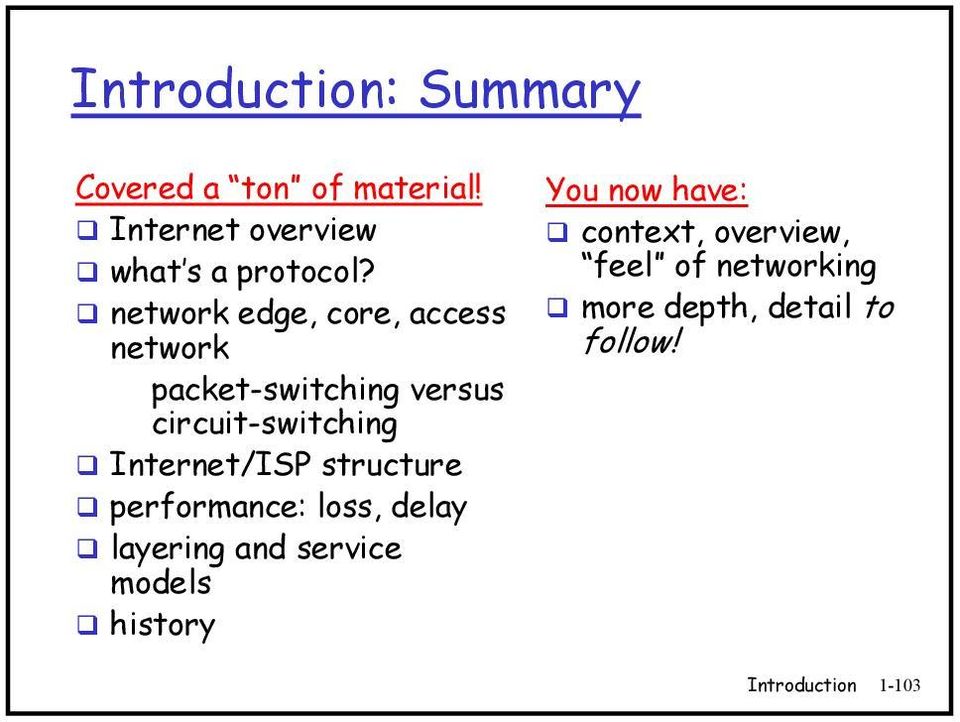
18 Introduction: Summary Covered a ton of material! Internet overview what s a protocol? edge, core, access packet-switching versus circuit-switching Internet/ structure performance: loss, delay layering and service models history You now have: context, overview, feel of ing more depth, detail to follow! Introduction 1-10
Chapter 1 Computer Networks and the Internet
 CSF531 Advanced Computer Networks 高 等 電 腦 網 路 Chapter 1 Computer Networks and the Internet 吳 俊 興 國 立 高 雄 大 學 資 訊 工 程 學 系 Outline 1.1 What is the Internet? 1.2 Network edge 1.3 Network core 1.4 Access networks
CSCI 491-01 Topics: Internet Programming Fall 2008
 CSCI 491-01 Topics: Internet Programming Fall 2008 Introduction Derek Leonard Hendrix College September 3, 2008 Original slides copyright 1996-2007 J.F Kurose and K.W. Ross 1 Chapter 1: Introduction Our
Network Overview. The network edge: The network edge: Internet Services Models. The network edge: A closer look at network structure:
 A closer look at network structure: Network Overview network edge: applications and hosts network core: routers network of networks access networks, media: communication s Introduction 1-1 Introduction
Course book: Computer Networking. Computer Networks 3 rd edition. By Andrew ST S.Tanenbaum. Top Down approach 3 rd edition.
 Computer Networking Course book: Computer Networking Top Down approach 3 rd edition By Jim kurose and keith ross Reference book: Computer Networks 3 rd edition By Andrew ST S.Tanenbaum Introduction 1-1
Network Edge and Network Core
 Computer Networks Network Edge and Network Core Based on Computer Networking, 4 th Edition by Kurose and Ross What s s the Internet: Nuts and Bolts View PC server wireless laptop cellular handheld access
Introduction cont. Some Structure in the Chaos. Packet switching versus circuit switching. Access networks and physical media
 Introduction cont. Some Structure in the Chaos Lecture goal: get context, overview, feel of ing more depth, detail later in course approach: o descriptive o use Internet as example Overview: access net,
Internet structure: network of networks
 Chapter 1: roadmap 1.1 What is the Internet? 1.2 Network edge 1.3 Network core 1.4 Network access and physical media 1.5 Internet structure and s 1.6 Delay & loss in packet-switched networks 1.7 Protocol
Chapter 1 Introduction
 Chapter 1 Introduction A note on the use of these ppt slides: We re making these slides freely available to all (faculty, students, readers). They re in PowerPoint form so you can add, modify, and delete
TCIPG Reading Group. Introduction to Computer Networks. Introduction 1-1
 TCIPG Reading Group Introduction to Computer Networks Based on: Computer Networking: A Top Down Approach, 4 th edition. Jim Kurose, Keith Ross Addison- Wesley, July 2007. Introduction 1-1 Chapter 1: Introduction
Chapter 1: Introduction. Chapter 1 Introduction. Chapter 1: roadmap. Cool internet appliances. What s the Internet: nuts and bolts view
 Chapter 1 Introduction A note on the use of these ppt slides: We re making these slides freely available to all (faculty, students, readers). They re in PowerPoint form so you can add, modify, and delete
Chapter 1 Introduction
 Chapter 1 Introduction A note on the use of these ppt slides: We re making these slides freely available to all (faculty, students, readers). They re in PowerPoint form so you can add, modify, and delete
Roadmap. Cool internet appliances. Introduction to Computer Networks. What s the Internet: nuts and bolts view
 Introduction to Computer Networks Our goal: get feel and terminology more depth, detail later in course approach: use Internet as example Overview: what s the Internet what s a protocol? edge core access
Delay, loss, layered architectures. packets queue in router buffers. packets queueing (delay)
 Computer Networks Delay, loss and throughput Layered architectures How do loss and delay occur? packets queue in router buffers packet arrival rate to exceeds output capacity packets queue, wait for turn
What s a protocol? What s a protocol? A closer look at network structure: What s the Internet? What s the Internet? What s the Internet?
 What s the Internet? PC server laptop cellular handheld access points wired s connected computing devices: hosts = end systems running apps communication s fiber, copper, radio transmission rate = bandwidth
Network edge and network core. millions of connected compu?ng devices: hosts = end systems running network apps
 Computer Networks 1-1 What s the Internet: nuts and bolts view PC server wireless laptop cellular handheld access points wired links millions of connected compu?ng devices: hosts = end systems running
What s the Internet. routers: forward packets (chunks of data) millions of connected computing devices: hosts = end systems
 What s the Internet PC server wireless laptop cellular handheld router access points wired links millions of connected computing devices: hosts = end systems running network apps communication links fiber,
Computer Networks and the Internet
 ? Computer the IMT2431 - Data Communication and Network Security January 7, 2008 ? Teachers are Lasse Øverlier and http://www.hig.no/~erikh Lectures and Lab in A126/A115 Course webpage http://www.hig.no/imt/in/emnesider/imt2431
Chapter 1: Introduction. Chapter 1: roadmap. What is the Internet? Introduction to Computer Networks 計 算 機 網 路 概 論
 Chapter 1: Introduction Introduction to Computer Networks 計 算 機 網 路 概 論 Chapter 1: Introduction Courtesy to Pearson Addison-Wesley because many slides are from Jim Kurose, Keith Ross, Computer Networking:
Chapter 1: roadmap. Access networks and physical media
 Chapter 1: roadmap 1.1 What is the nternet? 1.2 Network edge 1.3 Network core 1.4 Network access and physical media 1.5 nternet structure and SPs 1.6 elay & loss in packet-switched networks 1.7 Protocol
Architecture and Performance of the Internet
 SC250 Computer Networking I Architecture and Performance of the Internet Prof. Matthias Grossglauser School of Computer and Communication Sciences EPFL http://lcawww.epfl.ch 1 Today's Objectives Understanding
Overview: Internet vs Data Center Networks
 Overview: Inter vs Data Center Networks Hakim Weatherspoon Assistant Professor, Dept of Computer Science CS 5413: High Performance Systems and Networking August 29, 2014 Overview What is the Inter? Goals
Chapter 1 Introduction
 Chapter 1 Introduction A note on the use of these ppt slides: We re making these slides freely available to all (faculty, students, readers). They re in PowerPoint form so you can add, modify, and delete
ECE/CS 372 introduction to computer networks. Lecture 2. Midterm scheduled for Tuesday, May 7 th
 ECE/CS 372 introduction to computer networks Lecture 2 Announcements: Please make sure to check the course s website on a regular basis http://web.engr.oregonstate.edu/~sinkyha/cs372 Midterm scheduled
Introduction. Abusayeed Saifullah. CS 5600 Computer Networks. These slides are adapted from Kurose and Ross
 Introduction Abusayeed Saifullah CS 5600 Computer Networks These slides are adapted from Kurose and Ross Roadmap 1.1 what is the Inter? 1.2 work edge end systems, works, links 1.3 work core packet switching,
Introduction. Chapter 1 Introduction. CS 3516 Computer Networks. Chapter 1: Roadmap. Chapter 1: Introduction. Cool Internet Appliances
 Introduction CS 3516 Computer Networks Chapter 1 Introduction All material copyright 1996-2009 J.F Kurose and K.W. Ross, All Rights Reserved 5 th edition Jim Kurose, Keith Ross Addison-Wesley, April 2009
Internet and IP addressing
 Internet and IP addressing Richard T. B. Ma School of Computing National University of Singapore CS 3103: Compute Networks and Protocols Communication Network Taxonomy Telephony Network parses number dialed
What s the Internet: a service view. Chapter 1 Introduction. What s the Internet: nuts and bolts view. What s the Internet: nuts and bolts view
 What s the Internet: a service view Chapter 1 Introduction communication infrastructure enables distributed applications: Web, VoIP, email, games, e-commerce, file sharing communication services provided
Internet architecture is very scalable. Thailand Statistics
 Agenda 2110684 Information System Architecture Natawut Nupairoj, Ph.D. Department of Computer Engineering, Chulalongkorn University Part of this material are copyright 1996-2004 by J.F Kurose and K.W.
Introduction. Abusayeed Saifullah. CS 5600 Computer Networks. These slides are adapted from Kurose and Ross
 Introduction Abusayeed Saifullah CS 5600 Computer Networks These slides are adapted from Kurose and Ross Goals of This Course v Be familiar with Fundamental network topics Some advanced topics State-of-the-art
R2. The word protocol is often used to describe diplomatic relations. How does Wikipedia describe diplomatic protocol?
 Chapter 1 Review Questions R1. What is the difference between a host and an end system? List several different types of end systems. Is a Web server an end system? 1. There is no difference. Throughout
Layered protocol (service) architecture
 Layered protocol (service) architecture The Internet is complex! many pieces : hosts access network routers links of various media applications protocols Question: Is there any hope of organizing a structure
1/31/2013. Data Communications & Networks. Session 1 Main Theme. 2 Introduction and Overview. Dr. Jean-Claude Franchitti
 Data Communications & Networks Session 1 Main Theme Introduction and Overview Dr. Jean-Claude Franchitti New York University Computer Science Department Courant Institute of Mathematical Sciences Adapted
Chapter 1: Introduction. Chapter 1 Introduction. Chapter 1: roadmap. Cool internet appliances. What s the Internet: nuts and bolts view
 Chapter 1 Introduction note on the use of these ppt slides: We re making these slides freely available to all (faculty, students, readers). They re in PowerPoint form so you can add, modify, and delete
Course on Computer Communication and Networks. Lecture 1 & part of lecture 2 Chapter 1: Introduction
 Course on Computer Communication and Networks Lecture 1 & part of lecture 2 Chapter 1: Introduction EDA344/DIT 420, CTH/GU Based on the book Computer Networking: A Top Down Approach, Jim Kurose, Keith
IT-5302-3 Internet Architecture and Protocols. Lecture 02 Overview of Internet Architecture
 IT-5302-3 Internet Architecture and Protocols Punjab University College of Information Technology, University of the Punjab, Pakistan. Lecture 02 Overview of Internet Architecture Lecture 02 - Roadmap
Module 2 Overview of Computer Networks
 Module 2 Overview of Computer Networks Networks and Communication Give me names of all employees Who earn more than $100,000 % ISP intranet % % % backbone satellite link desktop computer: server: network
Review of Networking Basics. Yao Wang Polytechnic University, Brooklyn, NY11201 [email protected]
 Review of Networking Basics Yao Wang Polytechnic University, Brooklyn, NY11201 [email protected] These slides are extracted from the slides made by authors of the book (J. F. Kurose and K. Ross), available
Network Security. Vorlesung Kommunikation und Netze SS 10 E. Nett
 Network Security Internet not originally designed with (much) security in mind original vision: a group of mutually trusting users attached to a transparent network Security considerations in all layers!
Computer Networks & Security 2014/2015
 Computer Networks & Security 2014/2015 IP Protocol Stack & Application Layer (02a) Security and Embedded Networked Systems time Protocols A human analogy All Internet communication is governed by protocols!
CSE 3461 / 5461: Computer Networking & Internet Technologies
 Autumn Semester 2014 CSE 3461 / 5461: Computer Networking & Internet Technologies Instructor: Prof. Kannan Srinivasan 08/28/2014 Announcement Drop before Friday evening! k. srinivasan Presentation A 2
Lesson 1 - Computer Networks and Internet - Overview
 Computer Networking and Management Lesson 1 - Computer Networks and Internet - Overview Introduction What is the Internet? What is a protocol? The Network Edge The Network Core Access Networks Physical
Overview of TCP/IP. TCP/IP and Internet
 Overview of TCP/IP System Administrators and network administrators Why networking - communication Why TCP/IP Provides interoperable communications between all types of hardware and all kinds of operating
Introduction to Computer Networking Chapter 1
 Introduction to Computer Networking Chapter 1 Silvia Giordano ICA, EPFL CH-1015 Ecublens [email protected] http://icawww.epfl.ch 1: Introduction 1 Introduction Chapter goal: understand TCP/IP and
CH.1. Lecture # 2. Computer Networks and the Internet. Eng. Wafaa Audah. Islamic University of Gaza. Faculty of Engineering
 Islamic University of Gaza Faculty of Engineering Computer Engineering Department Networks Discussion ECOM 4021 Lecture # 2 CH1 Computer Networks and the Internet By Feb 2013 (Theoretical material: page
The Internet. Charging for Internet. What does 1000M and 200M mean? Dr. Hayden Kwok-Hay So
 The Internet CCST9015 Feb 6, 2013 What does 1000M and 200M mean? Dr. Hayden Kwok-Hay So Department of Electrical and Electronic Engineering 2 Charging for Internet One is charging for speed (How fast the
Principles of Network Applications. Dr. Philip Cannata
 Principles of Network Applications Dr. Philip Cannata 1 Chapter 2 Application Layer A note on the use of these ppt slides: We re making these slides freely available to all (faculty, students, readers).
How To Understand The Internet Of S (Netware)
 Summer Workshop on Cyber Security Computer s Security (Part 1) Dr. Hamed Mohsenian-Rad University of California at Riverside and Texas Tech University August 12-16, 2013 Supported by National Science Foundation
Telecommunications, Networks, and Wireless Computing
 Objectives Telecommunications, Networks, and Wireless Computing 1. What are the features of a contemporary corporate telecommunications system? On what major technology developments are they based? 2.
Chapter 9A. Network Definition. The Uses of a Network. Network Basics
 Chapter 9A Network Basics 1 Network Definition Set of technologies that connects computers Allows communication and collaboration between users 2 The Uses of a Network Simultaneous access to data Data
Topics. Computer Networks. Let s Get Started! Computer Networks: Our Definition. How are Networks Used by Computers? Computer Network Components
 Topics Use of networks Network structure Implementation of networks Computer Networks Introduction Let s Get Started! Networking today: Where are they? Powerful computers are cheap Networks are everywhere
Computer Network. Interconnected collection of autonomous computers that are able to exchange information
 Introduction Computer Network. Interconnected collection of autonomous computers that are able to exchange information No master/slave relationship between the computers in the network Data Communications.
Computer Networks CS321
 Computer Networks CS321 Dr. Ramana I.I.T Jodhpur Dr. Ramana ( I.I.T Jodhpur ) Computer Networks CS321 1 / 22 Outline of the Lectures 1 Introduction OSI Reference Model Internet Protocol Performance Metrics
Basic Networking Concepts. 1. Introduction 2. Protocols 3. Protocol Layers 4. Network Interconnection/Internet
 Basic Networking Concepts 1. Introduction 2. Protocols 3. Protocol Layers 4. Network Interconnection/Internet 1 1. Introduction -A network can be defined as a group of computers and other devices connected
Computer Networks Vs. Distributed Systems
 Computer Networks Vs. Distributed Systems Computer Networks: A computer network is an interconnected collection of autonomous computers able to exchange information. A computer network usually require
TCP/IP Protocol Suite. Marshal Miller Chris Chase
 TCP/IP Protocol Suite Marshal Miller Chris Chase Robert W. Taylor (Director of Information Processing Techniques Office at ARPA 1965-1969) "For each of these three terminals, I had three different sets
Overview of Computer Networks
 Overview of Computer Networks Client-Server Transaction Client process 4. Client processes response 1. Client sends request 3. Server sends response Server process 2. Server processes request Resource
:-------------------------------------------------------Instructor---------------------
 Yarmouk University Hijjawi Faculty for Engineering Technology Computer Engineering Department CPE-462 Digital Data Communications Final Exam: A Date: 20/05/09 Student Name :-------------------------------------------------------Instructor---------------------
Introduction to computer networks and Cloud Computing
 Introduction to computer networks and Cloud Computing Aniel Nieves-González Fall 2015 Computer Netwoks A computer network is a set of independent computer systems that are connected by a communication
CSIS 3230. CSIS 3230 Spring 2012. Networking, its all about the apps! Apps on the Edge. Application Architectures. Pure P2P Architecture
 Networking, its all about the apps! CSIS 3230 Chapter 2: Layer Concepts Chapter 5.4: Link Layer Addressing Networks exist to support apps Web Social ing Multimedia Communications Email File transfer Remote
Based on Computer Networking, 4 th Edition by Kurose and Ross
 Computer Networks Ethernet Hubs and Switches Based on Computer Networking, 4 th Edition by Kurose and Ross Ethernet dominant wired LAN technology: cheap $20 for NIC first widely used LAN technology Simpler,
Network Technologies
 Network Technologies Telephone Networks IP Networks ATM Networks Three Network Technologies Telephone Network The largest worldwide computer network, specialized for voice ing technique: Circuit-switching
1.1 History of Communication Networks
 Chapter 1 Overview 1.1 History of Communication Networks Communication Networks enable users to transfer information in the form of voice, video, electronic mail or e-mail, and computer files. Users request
Data Communications and Networks IS 450/IS 650 Fall 2015. Course Logistics
 Data Communications and Networks IS 450/IS 650 Fall 2015 Course Logistics Nirmalya Roy Department of Information Systems University of Maryland Baltimore County www.umbc.edu Welcome to IS 450/IS 650 Timings:
Network Applications
 Computer Networks Network Applications Based on Computer Networking, 3 rd Edition by Kurose and Ross Network applications Sample applications E-mail Web Instant messaging Remote login P2P file sharing
Internet Routing. Review of Networking Principles
 Internet Routing Review of Networking Principles 1 Principles of the Internet Edge vs. core (end-systems vs. routers) Dumb Intelligence at the end-systems Different communication paradigms Connection oriented
Computer Network Architecture
 Computer Network Architecture ECE 156 Fall 2007 Romit Roy Choudhury Dept. of ECE and CS 1 Course Logistics 2 Welcome to ECE 156 Timings: Location: Course TA: Tu/Thu 1:15pm to 2:30pm 212 Engineering TBA
Kick starting science...
 Computer ing (TDDD63): Part 1 Kick starting science... Niklas Carlsson, Associate Professor http://www.ida.liu.se/~nikca/ What do you have in the future? What do you have in the future? How does it keep
BCS THE CHARTERED INSTITUTE FOR IT BCS HIGHER EDUCATION QUALIFICATIONS. BCS Level 5 Diploma in IT SEPTEMBER 2014. Computer Networks EXAMINERS REPORT
 BCS THE CHARTERED INSTITUTE FOR IT BCS HIGHER EDUCATION QUALIFICATIONS BCS Level 5 Diploma in IT SEPTEMBER 2014 Computer Networks EXAMINERS REPORT General Comments This session is again like the April
ADSL or Asymmetric Digital Subscriber Line. Backbone. Bandwidth. Bit. Bits Per Second or bps
 ADSL or Asymmetric Digital Subscriber Line Backbone Bandwidth Bit Commonly called DSL. Technology and equipment that allow high-speed communication across standard copper telephone wires. This can include
Chapter 9. Internet. Copyright 2011 John Wiley & Sons, Inc 10-1
 Chapter 9 Internet Copyright 2011 John Wiley & Sons, Inc 10-1 Outline 9.2 - How the Internet Works - Basic Architecture - Connecting to an ISP - Internet Today 9.3 - Internet Access Technologies - DSL
Communication Networks. MAP-TELE 2011/12 José Ruela
 Communication Networks MAP-TELE 2011/12 José Ruela Network basic mechanisms Introduction to Communications Networks Communications networks Communications networks are used to transport information (data)
Protocols and Architecture. Protocol Architecture.
 Protocols and Architecture Protocol Architecture. Layered structure of hardware and software to support exchange of data between systems/distributed applications Set of rules for transmission of data between
Chapter 7: Computer Networks, the Internet, and the World Wide Web. Invitation to Computer Science, C++ Version, Third Edition
 Chapter 7: Computer Networks, the Internet, and the World Wide Web Invitation to Computer Science, C++ Version, Third Edition Objectives In this chapter, you will learn about: Basic networking concepts
Protocols. Packets. What's in an IP packet
 Protocols Precise rules that govern communication between two parties TCP/IP: the basic Internet protocols IP: Internet Protocol (bottom level) all packets shipped from network to network as IP packets
PLANEAMENTO E GESTÃO DE REDES INFORMÁTICAS COMPUTER NETWORKS PLANNING AND MANAGEMENT 2008-2009
 Mestrado em Engenharia Informática e de Computadores PLANEAMENTO E GESTÃO DE REDES INFORMÁTICAS COMPUTER NETWORKS PLANNING AND MANAGEMENT 2008-2009 Conceitos de Redes e Arquitecturas - Networks and Architectures
Chapter 5. Data Communication And Internet Technology
 Chapter 5 Data Communication And Internet Technology Purpose Understand the fundamental networking concepts Agenda Network Concepts Communication Protocol TCP/IP-OSI Architecture Network Types LAN WAN
Computer Networks Homework 1
 Computer Networks Homework 1 Reference Solution 1. (15%) Suppose users share a 1 Mbps link. Also suppose each user requires 100 kbps when transmitting, but each user transmits only 10 percent of the time.
Link Layer. 5.6 Hubs and switches 5.7 PPP 5.8 Link Virtualization: ATM and MPLS
 Link Layer 5.1 Introduction and services 5.2 Error detection and correction 5.3Multiple access protocols 5.4 Link-Layer Addressing 5.5 Ethernet 5.6 Hubs and switches 5.7 PPP 5.8 Link Virtualization: and
Chapter 11: WAN. Abdullah Konak School of Information Sciences and Technology Penn State Berks. Wide Area Networks (WAN)
 Chapter 11: WAN Abdullah Konak School of Information Sciences and Technology Penn State Berks Wide Area Networks (WAN) The scope of a WAN covers large geographic areas including national and international
Introduction Chapter 1. Uses of Computer Networks
 Introduction Chapter 1 Uses of Computer Networks Network Hardware Network Software Reference Models Example Networks Network Standardization Metric Units Revised: August 2011 Uses of Computer Networks
How To Understand The Internet From A Telephone To A Computer (For A Computer)
 Basic Concepts In Computer Networking Antonio Carzaniga Faculty of Informatics University of Lugano September 19, 2014 Goal of this Lecture Understand what packet switching is Understand what circuit switching
EECS 122: Introduction to Computer Networks Multiaccess Protocols. ISO OSI Reference Model for Layers
 EECS 122: Introduction to Computer Networks Multiaccess Protocols Computer Science Division Department of Electrical Engineering and Computer Sciences University of California, Berkeley Berkeley, CA 94720-1776
ICS 153 Introduction to Computer Networks. Inst: Chris Davison [email protected]
 ICS 153 Introduction to Computer Networks Inst: Chris Davison [email protected] 1 ICS 153 Introduction to Computer Networks Course Goals Understand the basic principles of computer networks Design Architecture
Chapter 6 Wireless and Mobile Networks
 Chapter 6 Wireless and Mobile Networks A note on the use of these ppt slides: We re making these slides freely available to all (faculty, students, readers). They re in PowerPoint form so you see the animations;
The OSI & Internet layering models
 CSE 123 Computer Networks Fall 2009 Lecture 2: Protocols & Layering Today What s a protocol? Organizing protocols via layering Encoding layers in packets The OSI & Internet layering models The end-to-end
Chapter 2 - The TCP/IP and OSI Networking Models
 Chapter 2 - The TCP/IP and OSI Networking Models TCP/IP : Transmission Control Protocol/Internet Protocol OSI : Open System Interconnection RFC Request for Comments TCP/IP Architecture Layers Application
Chapter 9. Communications and Networks. McGraw-Hill/Irwin. Copyright 2008 by The McGraw-Hill Companies, Inc. All rights reserved.
 Chapter 9 Communications and Networks McGraw-Hill/Irwin Copyright 2008 by The McGraw-Hill Companies, Inc. All rights reserved. Competencies (Page 1 of 2) Discuss connectivity, the wireless revolution,
Introduction. Computer Networking. Prof. Andrzej Duda [email protected]. http://duda.imag.fr
 Computer Networking Introduction Prof. Andrzej Duda [email protected] http://duda.imag.fr 1 1 Course goals Understand TCP/IP and networking concepts Approach bottom-up, descriptive, use Internet as an example
Protocoles internet. Carole Delporte [email protected] paris- diderot.fr Introduc8on. C. Delporte M2- Internet 1
 Protocoles inter Carole Delporte [email protected] paris- diderot.fr Introduc8on C. Delporte M2- Inter 1 Protocoles et services inter Sommaire (prévision): q Introduction et rappels réseau q Rappels java
Chapter 1 Computer Networks and the Internet
 Chapter 1 Computer Networks and the Internet Computer networking is one of the most exciting and important technological fields of our time. The Internet interconnects millions (and soon billions) of computers,
IP Networking. Overview. Networks Impact Daily Life. IP Networking - Part 1. How Networks Impact Daily Life. How Networks Impact Daily Life
 Overview Dipl.-Ing. Peter Schrotter Institute of Communication Networks and Satellite Communications Graz University of Technology, Austria Fundamentals of Communicating over the Network Application Layer
1 Introduction to mobile telecommunications
 1 Introduction to mobile telecommunications Mobile phones were first introduced in the early 1980s. In the succeeding years, the underlying technology has gone through three phases, known as generations.
EECC694 - Shaaban. Transmission Channel
 The Physical Layer: Data Transmission Basics Encode data as energy at the data (information) source and transmit the encoded energy using transmitter hardware: Possible Energy Forms: Electrical, light,
Computer Networking Networks
 Page 1 of 8 Computer Networking Networks 9.1 Local area network A local area network (LAN) is a network that connects computers and devices in a limited geographical area such as a home, school, office
EE4367 Telecom. Switching & Transmission. Prof. Murat Torlak
 Packet Switching and Computer Networks Switching As computer networks became more pervasive, more and more data and also less voice was transmitted over telephone lines. Circuit Switching The telephone
Chapter 4 Network Layer
 Chapter 4 Network Layer A note on the use of these ppt slides: We re making these slides freely available to all (faculty, students, readers). They re in PowerPoint form so you can add, modify, and delete
Computer Networks III
 Computer Networks III Wide Area Networks and Packet Switching Network Protocols and the OSI Layers The Internet Internet Infrastructure 1 Wide Area Networks (recap) 2 Page 1 Basic WAN structure Host Router
Chapter 8: Computer Networking. AIMS The aim of this chapter is to give a brief introduction to computer networking.
 Chapter 8: Computer Networking AIMS The aim of this chapter is to give a brief introduction to computer networking. OBJECTIVES At the end of this chapter you should be able to: Explain the following terms: