
AIR BAND TRANSCEIVER. Operating Manual BEEP SKIP 4 SPL 7 VXA-150
|
|
|
- Theodore Jackson
- 10 years ago
- Views:
Transcription
1 AIR BAND TRANSCEIVER Operating Manual VXA SPL 7 MW BEEP SKIP 8 9 ANL DW 0

2 Important Notice!... 1 Introduction... 2 Specifications... 3 Controls & Connectors...4 Top Panel... 4 LCD Display... 5 Front Panel... 6 Keypad... 7 Left Side... 8 Right Side... 9 Before You Begin Precautions Battery Installation and Removal Battery Charging Low Battery Indication Installing the FBA-25 (option) Alkaline Battery Case Operation Preliminary Steps Operation Quick Start Accessing the MHz Emergency Frequency Tuning Methods CONTENTS Transmission Reception of Weather Channel Broadcasts Monitor Switch ANL (Automatic Noise Limiter) Feature LOCK Function Beep On/Off Receive Battery Saver Setup Memory Operation Memory Storage Recalling the Memories Scanning Operation Memory Channel-Skip Scanning Dual Watch Operation Priority Dual Watch Operation Split Operation Programming a Transmit Frequency Operating in the Split Mode Field Programming Mode Memory Storage into the Book Memory Menu ( Set ) Mode Menu Listing In Case of Difficulty Accessories & Options NOTICE There are no user-serviceable points inside this transceiver. All service jobs must be referred to your Authorized Service Center.

3 IMPORTANT NOTICE! FCC RF Exposure Compliance Requirements for Occupational Use Only: This Radio has been tested and complies with the Federal Communications Commission (FCC) RF exposure limits for Occupational Use/Controlled exposure environment. In addition, it complies with the following Standards and Guidelines: FCC , Guidelines for Evaluating the Environmental Effects of Radio-Frequency Radiation. FCC OET Bulletin 65 Edition (1997) Supplement C, Evaluating Compliance with FCC Guidelines for Human Exposure to Radio Frequency Electromagnetic Fields. ANSI/IEEE C , IEEE Standard for Safety Levels with Respect to Human Exposure to Radio Frequency Electromagnetic Fields, 3 khz to 300 GHz. ANSI/IEEE C , IEEE Recommended Practice for the Measurement of Potentially Hazardous Electromagnetic Fields - RF and Microwave. This radio is NOT approved for use by the general population in an uncontrolled environment. This radio is restricted to occupational use, work related operations only where the radio operator must have the knowledge to control its RF exposure conditions. When transmitting, hold the radio in a vertical position with its microphone 1 to 2 inches (2.5 to 5 cm) away from your mouth and keep the antenna at least 1 inch (2.5 cm) away from your head and body. The radio must be used with a maximum operating duty cycle not exceeding 50%, in typical Push-to- Talk configurations. DO NOT transmit for more than 50% of total radio use time (50% duty cycle). Transmitting more than 50% of the time can cause FCC RF exposure compliance requirements to be exceeded. The radio is transmitting when the red LED on the top of the radio is illuminated. You can cause the radio to transmit by pressing the P-T-T button. Always use Vertex Standard authorized accessories. 1

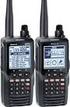
4 INTRODUCTION The Vertex Standard VXA-150 ProV is a compact, stylish, solid hand-held transceiver providing communication (transmit and receive) capability on the International Aircraft Communication Band ( COM band: 118 ~ MHz), and it additionally provides receive on the NAV band (108 ~ MHz). The VXA-150 includes our exclusive two-mode display with upright or inverted viewing when on your belt, NOAA weather band monitoring, 8-character Alpha/Numeric Display, 50 Memory Channels, and 100 Book Memory Channels. We recommend that you read this manual in its entirety, so as to understand the many features of the VXA-150 completely. Keep this manual handy, so you may use it for reference. 2 Congratulations! You now have at your fingertips a valuable communications tool-a Vertex Standard two-way radio! Rugged, reliable and easy to use, your Vertex Standard radio will keep you in constant touch with your colleagues for years to come, with negligible maintenance down-time. Please take a few minutes to read this manual carefully. The information presented here will allow you to derive maximum performance from your radio, in case questions arise later on. We re glad you joined the Vertex Standard team. Call on us anytime, because communications is our business. Let us help you get your message across.

5 SPECIFICATIONS General Frequency Range: TX: MHz, RX: MHz, Weather Channels (WX-01 - WX-10: USA version only) Channel Spacing: 25 khz Emission Type: TX: AM, RX: AM & FM (FM: for receiving the Weather Channels, USA version only) Supply Voltage: VDC Current Consumption (approx.): < 1 µa (power off), 17 ma (battery saver on, saver ratio 1:5) 47 ma (squelch on), 180 ma (receive), 1 A (transmit 1.5 W Carrier) Temperature Range: +14 F to +140 F ( 10 C to +60 C) Case Size (WxHxD): 2.3 x 4.3 x 1.0 inches (58 x x 26.5 mm) w/fnb-64 Weight (approx.): 12 oz (340 grams) with FNB-64, antenna, and belt clip Receiver Circuit Type: Double-conversion superheterodyne IFs: 35.4 MHz & 450 khz Sensitivity: <0.8 µv (for 6 db S/N with 1 khz, 30 % modulation) Selectivity: >8 khz/ 6 db Adjacent CH. Selectivity: <25 khz/ 60 db AF Output (@7.2 V): Ohms, 10 % THD Transmitter Power Output (@ 7.2 V): 5.0 W (PEP), 1.5 W (Carrier Power) Frequency Stability: Better than ±10 ppm (+14 F to +140 F [ 10 C to +60 C]) Modulation System: Low Level Amplitude Modulation Spurious Emission: >60 db below carrier Int. Microphone Type: Condenser Ext. Mic. Impedance: 150 Ohms Specifications are subject to change without notice or obligation. 3

6 CONTROLS & CONNECTORS (TOP PANEL) Antenna Jack This SMA jack accepts the supplied flexible antenna, or another antenna designed to provide 50 Ω impedance on the Aircraft Communication Band. POWER/VOLUME Knob Turn this control clockwise to turn the radio on and to increase the volume. Counterclockwise rotation into the click-stop will turn the radio off. CHANNEL Selector Knob This 20-position detended rotary switch tunes the operating frequency or selects the memory channels. Pressing this knob downward momentarily selects the tuning methods among the VFO (Variable Frequency Oscillator), MR (Memory Recall), BOOK (Pre-Programmed Memories), and WX (Weather Channel Memories) mode. Note: The WX mode is activating the USA version only. LCD (Liquid Crystal Display) The display shows the selected operating conditions as indicated on the next page. The display may be changed to inverted viewing via the Menu; see page 34 for details. BUSY/TX Indicator Lamp This lamp glows green when a signal is being received and red when transmitting. 4

7 CONTROLS & CONNECTORS (LCD DISPLAY) This icon is the Low Battery indicator, which blinks when the battery voltage becomes too low for proper operation. This indicator confirms that the A UTO- MATIC NOISE LIMITER is activated. See page 19. This indicator confirms that D UAL W ATCH is active. See page 26. This indicator confirms that the Split (Duplex) mode is activated. See page 28. This indicator confirms that this channel will be skipped during scan. See page 25. This icon indicates that the Book Memory Bank is in use. See page 16. This indicator confirms that Secondary Key Function is active. See page 7. These digits provide frequency or alphanumeric information about the channel you are using. 5

8 CONTROLS & CONNECTORS (FRONT PANEL) Loudspeaker The internal speaker is located in this position. Microphone Speak across this opening in a normal voice level while pressing the PTT switch. Keypad Several keys have dual functions. The primary functions are labeled on the key top (activated by simply pressing the key momentarily), while the secondary functions are labeled in yellow above the top edge of the key (activated by pressing the [F] key first, then the indicated key). These functions are described in detail on the next page. Battery Pack Latch Open this latch for battery removal SPL 7 MW BEEP SKIP 8 9 ANL DW 0 6

9 CONTROLS & CONNECTORS (KEYPAD) Primary Function (Press Key) Frequency Entry Digit 1 Frequency Entry Digit 2 Frequency Entry Digit 3 Selects Memory Display Type (page 23) Secondary Function (Press +) None None None Locks the Keypad Primary Function (Press Key) Frequency Entry Digit 4 Frequency Entry Digit 5 Frequency Entry Digit 6 Selects Emergency Channel (121.5 MHz) Secondary Function (Press +) None None None None SPL 7 BEEP 8 SKIP 9 ANL Primary Function (Press Key) Frequency Entry Digit 7 Frequency Entry Digit 8 Frequency Entry Digit 9 Activates Automatic Noise Limiter Secondary Function (Press +) Activates Split (Duplex) mode On/Off Switch for Keypad Beeper Allows Skipping of Channel during Scan None MW 0 DW Primary Function (Press Key) Memory Write Command Frequency Entry Digit 0 Activates Scanning Activates Secondary Key mode Secondary Function (Press +) Split-Memory Write Command None Activates Dual Watch None 7

10 CONTROLS & CONNECTORS (LEFT SIDE) PTT (PUSH TO TALK) Switch Press this button to transmit when you are operating in the COM band. Release this button to return to the RECEIVE mode. See page 17. MONITOR Switch This button may be pressed to open the squelch manually, allowing you to listen for very weak signals. Press and hold this button for 2 seconds to open the squelch continuously. Press this button again to resume normal (quiet) monitoring. See page 14. LAMP Switch Pressing the LAMP switch momentarily will illuminate the display and keypad for five seconds, after which the back-lighting will automatically turn off. Press and hold this switch for 2 seconds to activate the back-lighting lamp continuously. To turn the lamp off, press this switch again. The LAMP switch may be configured in several ways via the Menu; see page 33 for details. 8

11 CONTROLS & CONNECTORS (RIGHT SIDE) MIC/EAR Jack You may connect the supplied CT-60 Headset Cable or the (optional) MH-44A4B Speaker/Microphone to this jack. Never connect any Speaker/Microphone that is not recommended by the manufacturer. Because these jack connections are unique, using a Speaker/Microphone that is not specified by Vertex Standard may damage the VXA-150. EXT DC Jack When an external 12-Volt DC power source is available, you may connect the (optional) E-DC- 5B External DC Cable here. Do not connect any wire to this jack if that wire is connected directly to a 28-Volt DC source. Connecting the VXA-150 directly to a source which exceeds 15.0 Volts DC will result in damage to the unit. 9

12 10 Precautions This apparatus is capable of two-way communication on channels used for critical aviation safety communications. Therefore, it is important that this radio be kept away from children or other unauthorized users at all times. When making DC connections via the (optional) E-DC-5B DC cable, be absolutely certain to observe the proper voltage level and polarity guidelines. Do not connect this radio directly to any 24 ~ 28 Volt DC source, nor to AC power of any kind. Connecting the VXA-150 directly to a source which exceeds 15.0 Volts DC will result in damage to the unit. Do not dispose of the Ni-Cd Battery Pack in a fire. Do not carry a Ni-Cd Battery Pack in your pocket, where keys or coins could short the terminals. This could create a serious fire/burn danger, and possibly cause damage to the Ni-Cd pack. Although the VXA-150 is designed to be water resistant, the enclosure is not waterproof. Do not allow the radio to become submersed in water, and do not expose it and/or its Ni-Cd Battery Pack to water spray under pressure. BEFORE YOU BEGIN Battery Installation and Removal To install the battery, hold the transceiver with your left hand, so your palm is over the speaker and your thumb is on the top of the Belt Clip. Insert the battery pack into the battery compartment on the back of the radio while tilting the Belt Clip outward, then close the Battery Pack Latch until it locks in place with a Click. Tilt the Belt Clip Insert the Battery Pack Close the Battery Pack Latch To remove the battery, turn the radio off and remove any protective cases. Open the Battery Pack Latch on the bottom of the radio, then slide the battery downward and out from the radio while unfolding the Belt Clip. Do not attempt to open any of the rechargeable Ni-Cd packs, as personal injury or damage to the Ni-Cd pack could occur if a cell or cells become accidentally short-circuited.

13 BEFORE YOU BEGIN Battery Charging It is necessary to fully charge the Ni-Cd battery before its first use. Follow these procedures: Install the supplied FNB-64 Ni-Cd battery pack onto the transceiver. Ensure that the transceiver is switched off. Lift up the rubber cover to expose the EXT DC jack. Plug the cable plug from the NC-72 charger into this jack. Plug the NC-72 into the AC line outlet. Allow a minimum of 15 hours for the FNB-64 to reach full charge. Leave the transceiver switched off this entire period. Unplug the cable from the EXT DC jack. Replace the rubber cover to protect the jack. Switch on the transceiver and begin operation. If using a charger other than the NC-72, or if using a battery pack other than the FNB-64, follow the appropriate instructions provided with the charger/battery. Contact your Dealer if you have any doubts about the appropriateness of the particular charger or battery pack you intend to use. The optional FNB-V57 high-capacity battery can not be charged using the NC-72; please use the optional VAC-400 or NC-76. Transceiver must be switched off To AC line outlet Important Notes: The NC-72 is not designed to power the transceiver for operation (reception or transmission). Do not leave the charger connected to the transceiver for continuous periods in excess of 24 hours. Long term overcharging can degrade the Ni-Cd battery pack and significantly shorten its useful life SPL BEEP SKIP ANL DW MW 0 Lift up the rubber cover 11

14 Low Battery Indication As your battery discharges during use, the voltage will gradually become lower. When the battery voltage reaches 6.0 Volts, the icon will blink on the LCD display, indicating that the battery pack must be recharged before further use. Avoid recharging Ni-Cd batteries before the Low Battery indicator is observed, as this can degrade the charge capacity of your Ni-Cd battery pack. Vertex Standard recommends that you carry an extra, fully-charged pack with you so you will not lose communications capability due to a depleted Ni-Cd battery. This deep cycling practice will help to maintain longer overall battery life after many recharging cycles. BEFORE YOU BEGIN Installing the FBA-25 (option) Alkaline Battery Case The optional FBA-25 Battery Case allows operation of the VXA-150 using six AA size Alkaline batteries. When installing batteries, insert the ( ) end first, then press in the (+) end so the battery snaps into place. Always replace all six batteries at the same time, paying attention to the polarity indicated inside the case. The FBA-25 must not be used with rechargeable cells. The FBA-25 does not contain the thermal and over-current protection circuits (provided in the FNB series of Ni-Cd Battery Packs) required when utilizing Ni-Cd cells. 12

15 Preliminary Steps Install a charged battery pack onto the transceiver, as described previously. Screw the supplied antenna onto the Antenna jack. Never operate this transceiver without an antenna connected. If you have an optional Speaker/Microphone or headset, we recommend that it not be connected until you are familiar with the basic operation of the VXA-150. OPERATION Operation Quick Start To turn the radio on, rotate the VOLUME knob out of the clickstop. After three initialization beeps are Press heard, a channel frequency should appear on the display. If not, press downward (momentarily) on the CHANNEL selector knob (repeatedly, if necessary) so that - VFO - appears on the display, followed by a channel frequency. Directly entering frequencies from the Keypad is the easiest method if you know the frequency on which you wish to operate. Just enter the five digits of the frequency to move to that frequency. For example, to set MHz, press [1] [3] [4] [3] [5]. 13

16 To set MHz, you do not need to press the final 5 in the frequency: [1] [1] [8] [2] [7]. You may also turn the top panel s CHANNEL selector knob to choose the desired operating frequency. The channel frequency will appear on the LCD. To change frequency in 1 MHz steps, press the [F] key momentarily, then rotate the CHANNEL selector knob to select the MHz digit desired. Press [F] once more to resume normal channel selection in 25-kHz steps. + OPERATION Rotate the VOL- UME knob to set the volume level. If no signal is present, press and hold the MONITOR switch for 2 seconds; background noise will now be heard, and you may use this noise to set the VOL- UME knob for the desired audio level. Press the MONITOR switch momentarily again to silence the noise and resume normal (quiet) monitoring. Press and hold the LAMP switch for 2 seconds, to illuminate the display and keypad continuously. To disable the illumination, press the LAMP switch momentarily. 14
![Press [F] once more to resume normal channel selection in 25-kHz steps. + OPERATION Rotate the VOL- UME knob to set the volume level.](/docs-images/42/2550739/images/page_16.jpg "If no signal is present, press and hold the MONITOR switch for 2 seconds; background noise will now be heard, and you may use this noise to set the VOL- UME knob for the desired audio level.")
17 To turn the radio off, turn the VOLUME knob fully counterclockwise into the click stop position. OPERATION Accessing the MHz Emergency Frequency The VXA-150 can quickly access the MHz Emergency Frequency. This function can be activated even when the keypad lock function is in use. To access the Emergency Frequency, press the [121.5] key momentarily BEEP SKIP 8 9 ANL DW 0 To exit the Emergency Frequency, press the CHAN- NEL selector knob (downward). Press 15

18 16 Tuning Methods Throughout this manual, you will see references to several different frequency setting methods. Each will be particularly useful in a particular operating situation, and they are described below: VFO (Variable Frequency Oscillator) The VFO is a tuning dial system which allows you to tune through the NAV or COM bands in 25-kHz steps using the CHANNEL selector, the Keypad, or the scanner. MR (Memory Recall) The MR (Memory Recall) mode of the VXA- 150 provides the user with the ability to store and recall as many as 50 channels in the radio s main memory bank. These memory channels may also be labeled by you with an alpha/numeric name of up to 8 characters in length, to aid in quick identification of the channel. See page 22 for details on creating alpha/numeric labels. OPERATION BOOK (Pre-Programmed) Memories The Book memories are pre-programmed, either at the factory or by your Dealer (depending on your country s requirements), typically including the major COM band station frequencies used in your area. The Book memories can be changed by the user. See page 29 for details. WX (Weather Channel) Memories (USA version only) Ten Weather Channels are pre-programmed at the factory as appropriate for your country, and the VXA-150 will automatically scan this special bank when it is selected by the user. VFO WX ( USA version only) Press MR BOOK

19 Transmission To transmit, press and hold the PTT switch. Speak into the microphone area of the front panel grille in a normal voice level. To return to the receive mode, release the PTT switch. OPERATION Reception of Weather Channel Broadcasts (USA version only) The VXA-150 can receive VHF Weather Channel broadcasts, which may assist your flight planning. The VXA-150 includes a ten-channel auto-search feature, which simplifies access to Weather Channels when you are in an unfamiliar location. To receive Weather Channels, press the CHANNEL selector Press knob (repeatedly, if necessary) to select the Weather Channel mode. In the Weather Channel mode, - WX - will appear on the display. The VXA-150 will now scan quickly through the ten standard Weather Channels, and will stop on the first active station found. If there are two or more weather channels audible in your area, you may select the alternate channel(s) by pressing the PTT switch. Pressing 17

20 the PTT switch re-initiates the scanning process. If there are no Weather Channels in your area, the scanner will not stop. Press the MONITOR switch to stop the scanner. You can also select Weather Channels manually by rotating the CHANNEL selector knob. OPERATION To exit the Weather Channel mode, press the CHANNEL selector knob momentarily to return to the VFO mode. Press Note: The Weather Channel mode memorizes the last Weather Channel you have used, and will retain this information until the radio is turned off. To confirm the current Weather Channel frequency, press the [ ( )] key momentarily. The display changes to frequency indication BEEP SKIP 8 9 ANL DW 0 Press the [ ( )] key again to return to normal display. 18

21 Monitor Switch When listening to a very weak signal from an aircraft or ground station, you may observe the signal disappearing periodically as the incoming signal strength becomes too weak to override the squelch threshold setting. To disable the squelch temporarily, press and hold the MONITOR switch for 2 seconds on the left side of the radio, just below the PTT button. The squelch will remain open and you should have a better chance of hearing weak signals. To return to normal operation, press the MONITOR switch again momentarily. OPERATION ANL (Automatic Noise Limiter) Feature For reduction of impulse noise, such as that produced by an engine s ignition system, the ANL feature may prove helpful BEEP SKIP 8 9 ANL DW 0 To activate the ANL feature, press the [ANL] key momentarily. The ANL icon will appear on the display, and you should observe a reduction in the ignition noise. To turn the ANL feature off, repeat the above step; the ANL icon will disappear from the display. If noise problems persist, contact your dealer or a local avionic shop for assistance regarding your particular application. 19
22 LOCK Function The lock function prevents accidental changes to the frequency setting and the keypad controls. To activate the lock feature, press [F] 3 [ ( )] P SKIP In the LOCK mode, 9 ANL the display will show DW - LOCK - when you rotate the CHAN- NEL selector knob, press the CHANNEL selector knob, or touch a key on the keypad. To turn the lock feature off, press [F] [ ( )] again. You can still access the MHz Emergency Frequency when the LOCK function is on. Simply press the [121.5] key momentarily (this key never locks). Pressing this key also unlocks the radio. OPERATION Beep On/Off The VXA-150 s key/button beeper provides convenient audible feedback whenever a button is pressed. Each key and button has a different beep pitch, and each function has a unique beep combination. When you are scanning, the beeper will be heard each time the scanner halts on a busy channel. This may be distracting in some environments; if you want to turn the beeper off (or back on again): Press [F ] [8 (BEEP)]; BEEP on will appear on the LCD. Rotate the CHAN- NEL selector knob one click to change the display to BEEP off BEEP SKIP 8 9 ANL DW 0 Press the [8 (BEEP)] key again to save your new setting and exit to normal operation. 20
23 Receive Battery Saver Setup An important feature of the VXA-150 is its Receive Battery Saver, which puts the radio to sleep for a time interval, frequently and rapidly waking it up to check for activity. If somebody is talking on the channel, the VXA-150 will remain in the active mode, then resume its sleep cycles. This feature significantly reduces quiescent battery drain, and you may change the amount of sleep time between activity checks using the Menu System: Press the [F] key, then press the CHANNEL selector knob to activate the Menu ( SET ) mode. Rotate the CHANNEL selector knob to select Menu item RSAV. Press the CHANNEL selector knob to enable adjustment of this Menu item. Rotate the CHANNEL selector knob to select the desired duty cycle (receive:sleep). The selections available are 1:1, 1:2, 1:3, 1:4, 1:5, and ABS or off. The default value is 1:1. When you have made your selection, press the CHANNEL selector knob to save the new setting, and then press the PTT switch exit to normal operation. OPERATION ABS: Automatic Battery Saver, based on activity on the receiver. The setting of 1:5 will promote the greatest conservation of battery capacity, but the receiver s response time to incoming calls will be slowed somewhat. Note: This feature does not operate during Scan or Dual Watch. 21
24 22 The VXA-150 provides 50 user-programmable Main memories, labeled CH -001 through CH- 050, and up to 100 pre-programmed memories, designated Book Memories. The icon appears when Book Memory Mode is activated. The Main memories and Book Memories can be assigned alpha-numeric names of up to eight characters. Memory System Operation The VXA-150 s Main Memory system allows the user to store, label, and recall channel frequencies which you may want to use frequently. You may store VFO frequencies, Book Memory frequencies, and/ or Weather Channel frequencies (USA version only) into the Main Memory system. MEMORY OPERATION Memory Storage Select the desired frequency in the VFO mode, or recall the Book Memory channel or Weather channel to be stored in the Main Memory. Press and hold the [MW (SPL.W)] key for 2 seconds. The display will indicate CH - and a channel number will blink on the LCD. Within five seconds of pressing the [MW (SPL.W)] key, rotate the CHANNEL selector knob to select the desired memory channel number for storage. In order to prevent writing over memory channels, a bar will appear under the hyphen (located between CH and the channel number) to indicate a vacant memory channel. Now press and hold in the [MW (SPL.W)] key for 2 seconds; you will now see on the LCD. To attach an alpha/numeric name (label) to the memory, proceed to the next step; otherwise press and hold [MW (SPL.W)] for 2 seconds to save the entry and exit. To label a memory with an alpha/numeric name, the next step is to use the CHANNEL selector knob to select any of the 48 available characters (including letters, numbers, and special symbols).
25 When the desired first character appears, press the CHANNEL selector knob momentarily to move on to the next character. Select succeeding characters in the same manner, pressing the CHANNEL selector knob momentarily after each selection. After entering the entire name (eight characters maximum), press the [MW (SPL.W)] key for 2 seconds to save all data for the channel and exit. Note: If you have stored a Weather Channel, the WX - 001~ WX labels utilize the alphanumeric memory, and other labels may not be stored. Advice: The entire Memory Storage procedure, described above, is subject to a five-second time-out timer. If you wait more than five seconds after any key press or control function, the entire Memory Storage process times-out, and you will have to start over. Alpha-tag Charactors A B C D E F G H I J K L M N O P Q R S T U V W X Y Z < > + - / µ Σ - MEMORY OPERATION Recalling the Memories Press the CHANNEL selector knob, repeatedly if necessary, until MR (Memory Recall) appears on the display. In the MR mode, you will see CH - and the previously selected channel number appearing on the LCD. Rotate the CHANNEL selector knob to select the desired memory channel. You may change the title structure of the Memory display type among: 1. Channel Indication (sequential Channel Number, e.g. CH-001, CH-002, etc.); 2. Frequency Indication (e.g ); or 3. Alphanumeric Label (e.g. LAX FSS). To change the Memory display title, press the [ ( )] key repeatedly, if necessary, until you get the desired display title structure. To exit the Memory mode, press the CHANNEL selector knob momentarily to return to the VFO mode. Note: In the Book Memory mode, you can change memory channels in 10 channel steps: press the [F] key momentarily, then rotate the CHANNEL selector knob. The icon will show at the right edge of the display when the 10 channel step tuning mode is active. Press the [F] key once more to resume normal channel selection in 1 channel steps. 23
26 24 The VXA-150 allows you to scan automatically in the VFO 1, Main Memory, Book Memory, or Weather Channel 2 modes. It pauses on signals encountered, so you can talk to the station(s) on that frequency, if you like. 1: In the VFO mode, the automatic scanner is only available in the COM band ( MHz); when the scanner reaches the uppermost frequency in the COM band, it will revert to the bottom end of the COM band and repeat the scanning process until you cancel the scanning process. 2: USA version only. If you wish to scan in the NAV band ( MHz), you can do so manually, as described at the right. Scanning operation is basically the same in each of the above modes. Press the [SCAN (DW)] key momentarily to start the automatic scanner upward (toward a higher frequency or a higher channel number). When the scanner encounters a signal, scanning pauses and the radio remains on that channel until one second after the signal disappears, after which scanning will resume. SCANNING OPERATION While the scanner remains paused on a frequency, the decimal point of the frequency display blinks. The display and keypad will be illuminated unless the Scan Lamp Feature is turned off. To change the scan direction, turn the CHAN- NEL selector knob one click in the opposite direction. To stop the automatic scanner, press the PTT switch or the CHANNEL selector knob momentarily. You may also press [SCAN (DW)] key again. The VXA-150 s automatic scanner is not operational in the NAV band ( MHz), because the NAV stations (ILS, etc.) transmit constantly (thereby causing the scanner to stop repeatedly). However, you can scan manually in the NAV band, per the following procedure: Press and hold the [SCAN (DW)] key to start the manual scanner. Scanning will continue as long as the key is depressed. Release the [SCAN (DW)] key to stop the manual scanner immediately.
27 Memory Channel-Skip Scanning Continuous-carrier stations like ATIS (Automatic Terminal Information Service) or Weather Broadcast stations inhibit scanner operation. Since these stations are always active, the scanner will be halted repeatedly on their channels. Such channels can be set to be skipped during scanning, if you like, so as not to interfere with automatic channel scanning: Recall the Memory Channel to be skipped during scanning. Press [F] [9 (SKIP)]. The SKIP icon will appear in the lower right corner, indicating that the channel is to be ignored during scanning. SCANNING OPERATION You can also designate a channel to be skipped while scanning. When the receiver is halted on a channel that you wish to skip, press and hold the [SCAN (DW)] key for 2 seconds (the SKIP icon will appear next to the channel to be skipped). Later, to re-enable the memory channel for scanning, repeat the first two steps. The SKIP icon will disappear by the channel you have just reenabled. Notes: A memory set to be skipped is still accessible for manual memory selection using the CHAN- NEL selector knob. Skip scanning is not available when scanning in the VFO mode. 25
28 The Dual Watch feature automatically checks for activity on a priority channel while you are operating on another channel. During Dual Watch operation, the current channel and the Priority channel will each be polled for a 500 ms interval, as the VXA- 150 looks for activity on each channel. To start Dual Watch, press [F] [SCAN (DW)]. The DW icon will appear on the display. While receiving on the current channel (not the Priority channel), you may push the PTT switch at any time to transmit on that channel. When a signal is received on the Priority channel, operation immediately shifts to the Priority channel, the DW icon will blink, and the display and keypad will become illuminated. DUAL WATCH OPERATION While receiving on the priority channel, if you momentarily press the PTT switch, Dual Watch will be disabled. You may then transmit on the Priority Channel. To stop Dual Watch, press [F] [SCAN (DW)]. If you wish, you may use both the Dual Watch and Scan features simultaneously. To do this, start the Dual Watch first, then start the Scanner. The Priority Channel is defined as the last-used Memory Channel (when using the VFO mode) or Memory Channel 1 (when using the Main Memory or Book Memory modes). 26
29 Similar to Dual Watch operation (described on previous page), Priority Dual Watch is an enhanced version which includes the following additional features: The receiving time interval (ratio) between the current channel and the Priority channel may be customized via the Menu mode, item PRTM. See page 33 for details. Irrespective of which channel is currently being received, when the PTT switch is pushed transmission will always occur on the Priority channel. Before initiating Priority Dual Watch, Menu item DWMD must be set to the Priority mode (instead of Dual Watch ). See page 33 for details. PRIORITY DUAL WATCH OPERATION To start Priority Dual Watch, press [F] [SCAN (DW)]. The DW icon will appear on the display. While receiving on the current (non-priority) channel, pressing the PTT switch once causes the radio to switch to the Priority channel and cancels Dual Watch. Press the PTT switch again to transmit on the Priority channel. When a signal is received on the Priority channel, reception immediately shifts to the Priority channel, the DW icon will blink, and the display and keypad will become illuminated unless the Scan Lamp Feature is turned off. While receiving on the priority channel, if you momentarily press the PTT switch, Priority Dual Watch will be disabled. You may then transmit on the Priority Channel. To stop Priority Dual Watch, press [F] [SCAN (DW)]. 27
30 The split operation feature allows you to transmit a call to a Flight Service Station using the COM band frequencies, while receiving a NAV band station (such as the ATIS, AWOS etc.). NAV band stations equipped with this capability typically are shown, on navigation charts, with the voice calling frequency in parenthesis above the navigation frequency. Programming a Transmit Frequency Press the CHANNEL selector knob, repeatedly if necessary, to select the VFO mode. Set a NAV band ( MHz) frequency using the CHANNEL selector knob or keypad. Press [F] [MW (SPL.W)]. The SPL icon will blink, and the transmit frequency will appear on the display. Now set your radio s transmit frequency, where the Flight Service Station will be listening for calls, using the CHANNEL selector knob or keypad. Press and hold in the [MW (SPL.W)] key for 2 seconds to save the transmit frequency and return to the NAV band frequency. SPLIT OPERATION Note: You have now stored the separate transmit frequency, but you have not yet activated the split-frequency function; go on to the next section. Operating in the Split Mode It is assumed that you have already set the desired NAV band station s frequencies per the above instructions. Press [F] [7 (SPL)] to turn on the Split function. The SPL icon will appear on the display. Press and hold in the PTT switch to transmit on the split transmit frequency. Release the PTT switch to return to the receive mode. To disable the Split function, press [F] [7 (SPL)] again. Note: A split frequency can be programmed into each memory channel independently. Set a transmit frequency before programming the memory channel, if desired. The split function on/off setting can also be programmed into a memory channel. 28
31 The VXA-150 s Book Memories also allow the user to store, label, and recall channel frequencies which you may want to use frequently while the VXA-150 is in the Field Programming mode. Memory Storage into the Book Memory Press and hold the PTT and LAMP switches while turning the radio on, to activate the Field Programming Mode. Select the desired frequency to be stored in the Book Memory. Press and hold the [MW(SPL.W)] key for 2 seconds. The display will indicate BOOK - and a channel number will blink on the LCD. Within five seconds of pressing the [MW(SPL.W)] key, rotate the CHANNEL selector knob to select the desired memory channel number for storage. Now press and hold in the [MW(SPL.W)] key for 2 seconds; you will now see on the LCD. To attach an alpha/numeric name (label) to the memory, proceed to the next step; otherwise press and hold the [MW(SPL.W)] key for 2 seconds to save the entry and exit. FIELD PROGRAMMING MODE To label a memory with an alpha/numeric name, the next step is to use the CHANNEL selector knob to select any of the 48 available characters (including letters, numbers, and special symbols). When the desired first character appears, press down on the CHANNEL selector knob momentarily to move on to the next character. Select succeeding characters in the same manner, pressing down on the CHANNEL selector knob momentarily after each selection. After entering the entire name (eight characters maximum), press the [MW(SPL.W)] key for 2 seconds to save all data for the channel. Turn the radio off, then turn the radio back on again to begin normal operation. 29
32 The Menu system allows certain aspects of your radio s configuration to be customized for your personal operating convenience. We do not recommend that any of the default settings be changed, however, until you are thoroughly familiar with the operation of the VXA Press the [F] key, then press the CHANNEL selector knob to activate the Menu ( SET ) mode. 2. Rotate the CHANNEL selector knob to select the Menu item (feature) you wish to view and/or modify. MENU ( SET ) MODE + Press 4. Rotate the CHANNEL selector knob to change the setting of the item (ON to OFF, etc.). 5. Press the CHANNEL selector knob to save your new setting. 6. If you need to change more than one Menu item, repeat steps Press the PTT switch to exit the Menu ( SET ) mode. Press 3. Once you have selected the desired Menu Item, press the CHANNEL selector knob once to view the current setting for the item. Press 30
33 MENU Listing A listing of the Menu items available via the SET mode may be found below. Menu Item SQL MCLR RESM SCNL BEEP RSAV LAMP SFT PRTM DWMD POBP LCD IMIC Function Squelch Level Setting Memory Channel Clear Scan-Resume Mode Setting Scan Lamp On/Off Keypad Beeper On/Off Receiver Battery Saver LCD and Keypad Illumination Mode CPU Clock Shift Priority Checking Time Select the Dual Watch/Priority Function Select the Power on Beep Select the LCD Display Readout Internal Microphone On/Off Available Values 0 ~ 8 CAR/5 on/off on/off off/abs/ 1:1 ~ 1:5 KEY/TGL/5 on/off 05/10/15/ 20/25/30 DW/PRI 1/2/3/oFF NOR/INV on/off MENU ( SET ) MODE Default 2 CAR on on 1:1 KEY off 15 (1.5 sec) DW 1 NOR off SQL Function: Squelch Level Setting Available Values: 0 ~ 8 Default Setting: 2 Select a setting for this Menu item which just silences the receiver when no signal is present. Use the lowest setting which will keep the receiver quiet between incoming transmissions. MCLR Function: Memory Channel Clear To Clear a Memory channel: 1. Select the Menu Item MCLR. 2. Press the CHANNEL selector knob, then rotate the CHANNEL selector knob to recall the memory channel to be erased ( SET xx will appear on the display). 3. Press the CHANNEL selector knob, then turn the CHANNEL selector knob one click to change the display to CLR xx. 4. Press and hold the CHANNEL selector knob for 2 seconds to exit. Important Notice: An erased channel cannot be restored, and CH cannot be erased, as it is used for Priority Channel operation. 31
34 RESM Function: Scan-Resume Mode Setting Available Values: CAR/5 Default Setting: CAR In the CAR (Carrier Drop) mode, the scanner will remain halted for as long as there is a carrier present on the channel; after the carrier drops at the end of the other station s transmission, the scanning will resume. In the 5 (5-Second Pause) mode, the scanner will halt for five seconds only, after which scanning will resume (whether or not the other station is still transmitting). SCNL Function: Scan Lamp On/Off (while paused) Available Values: on/off Default Setting: on If you set this function to on, the lamp will be illuminated whenever the scanner stops. MENU ( SET ) MODE BEEP Function: Keypad Beeper On/Off Available Values: on/off Default Setting: on If you do a lot of scanning, you may wish to set this Menu item to off, as the Beeper will be heard each time the scanner halts. RSAV Function: Receive Battery Saver Available Values: off/abs /1:1 ~ 1:5 Default Setting: 1:1 The setting of 1:5 will promote the greatest conservation of battery capacity, but the receiver s response time to incoming calls will be slowed somewhat. ABS: Automatic Battery Saver, based on activity on the receiver. Note: This feature does not operate during Scan or Dual Watch. 32
35 LAMP Function: LCD and Keypad Illumination Mode Available Values: KEY/TGL/5 Default Setting: KEY In the KEY mode, the lamp will be activated for 5 seconds when any front panel key is pressed. In the TGL mode, the LAMP switch toggles the lamp on and off. In the 5 mode, the LAMP switch activates the lamp for 5 seconds. SFT Function: CPU Clock Shift Available Values: on/off Default Setting: off This function is only used to move a spurious response birdie should it fall on a desired frequency. Consult your Vertex Standard dealer for details regarding this function. MENU ( SET ) MODE PRTM Function: Priority Checking Time Available Values: 05/10/15/20/25/30 (x0.1 sec) Default Setting: 15 (1.5 seconds) This Menu item allows you to define how often the Priority Channel will be checked for activity. Note: The Dual Watch Polling time is 500 ms (fixed). DWMD Function: Select the Dual Watch/Priority Function Available Values: DW/PRI Default Setting: DW In the DW mode, the VXA-150 will activate the Dual Watch feature when you press [F] [SCAN (DW)]. In the PRI mode, the VXA-150 will activate the Priority feature when you press [F] [SCAN (DW)]. POBP Function: Select the style of the audible Beeps at Power-on Available Values: 1/2/3/oFF (the selections will be heard as you select them) Default Setting: 1 33
36 LCD Function: Select the LCD Display Readout Available Values: NOR/INV Default Setting: NOR This feature allows the characters on the display to be turned upside-down, for easier viewing when carrying the radio on your belt. MENU ( SET ) MODE IMIC Function: Internal Microphone On/Off Available Values: on/off Default Setting: off When operating the VXA-150 with External Aviation Headset (using supplied CT-60 Headset Cable) or optional MH-44A4B Speaker Microphone, the off setting causes the internal microphone to be cut off. If an external headset or microphone is not plugged into the MIC/EAR jack, the internal microphone is activated irrespective of the configuration of this Menu item. 34
37 IN CASE OF DIFFICULTY Most operational difficulties can be solved by your Vertex Avionics dealer. Please contact your dealer first for advice and assistance. If the dealer is unable to assist you, you may contact us at Vertex Standard USA. We can be reached by telephone at (562) (ask the operator for Avionics Product Support). If your radio requires repair, it must be sent to Vertex Standard USA. Please note the following: A Return Authorization is NOT required for repairs, either in or out of warranty. There is no need to contact us before sending a radio for repair. Please enclose a note describing the problem(s) with the radio, your name and shipping address (no P.O. Box numbers), and a telephone number at which we can reach you during business hours. Please also enclose a copy of your purchase receipt to establish the warranty date. Radio mainframes are warranted for three years. Accessory items (batteries, antennas, chargers, etc.) are warranted for one year. Repair turnaround averages about 7 to 10 working days in our shop, excluding time in shipping. This time will vary, based on our current workload. We can provide repair estimates upon your request. There is no additional charge for the estimate if you authorize the repair. If you decline the repair after requesting an estimate, an estimate fee equal to our current schedule for 1/2 hour of labor will be charged. We return ship warranty repairs via UPS ORANGE ( 3 Day Select ) service at our expense. Non-warranty repairs are returned via UPS BROWN (ground service) at your expense. The above information applies to repair procedures in the United States and Canada only. If you are in any other country, please contact your dealer for specific information and instructions. 35
38 Supplied Accessories Ni-Cd Battery Pack (7.2V, 700mAh) FNB-64 Overnight Charger NC-72B/C/U Helical Antenna ATV-7 Headset Cable CT-60 Operating Manual Warranty Card : B suffix is for use with 120 VAC, C suffix is for use with VAC, or U suffix is for use with 230 VAC. ACCESSORIES & OPTIONS Available Options MH-44A4B Speaker Microphone FNB-V57 Ni-Cd Battery Pack (7.2V, 1100mAh) (Requires VAC-400 or NC-76) FBA-25 Alkaline Battery Case VAC-400 Desktop Rapid Charger NC-76B/C/U Overnight Desktop Charger E-DC-5B External Power Cable CN-3 Antenna Adapter Availability of accessories may vary. Some accessories are supplied as standard per local requirements, while others may be unavailable in some regions. Consult your Vertex Standard Dealer for details regarding these and any newly-available options. Connection of any non-vertex Standard-approved accessory, should it cause damage, may void the Limited Warranty on this apparatus. 36
39 1 2 3 External Antenna ACCESSORIES & OPTIONS Headset (not supplied) CN-3 Antenna Adapter (Option) CT-60 Headset Cable SPL BEEP SKIP ANL DW MW 0 PTT Switch (not supplied) An external PTT switch is required for use with an aviation headset E-DC-5B External Power Cable (Option) This device complies with Part 15 of the FCC rules. Operation is subject to the condition that this device does not cause harmful interference.
40 VERTEX STANDARD CO., LTD Nakameguro, Meguro-Ku, Tokyo , Japan VERTEX STANDARD US Headquarters Edwards Rd., Cerritos, CA 90703, U.S.A. International Division 8350 N.W. 52nd Terrace, Suite 201, Miami, FL 33166, U.S.A. YAESU EUROPE B.V. P.O. Box 75525, 1118 ZN Schiphol, The Netherlands YAESU UK LTD. Unit 12, Sun Valley Business Park, Winnall Close Winchester, Hampshire, SO23 0LB, U.K. VERTEX STANDARD HK LTD. Unit 5, 20/F., Seaview Centre, Hoi Bun Road, Kwun Tong, Kowloon, Hong Kong 0111E-AK Copyright 2001 VERTEX STANDARD CO., LTD. All rights reserved No portion of this manual may be reproduced without the permission of VERTEX STANDARD CO., LTD. Printed in Japan. E C N 1 0 1
AIR BAND TRANSCEIVER. Operating Manual
 AIR BAND TRANSCEIVER Operating Manual Introduction... 1 Important Notice!... 2 Control & Connectors... 3 Top Panel... 3 ront Panel... 4 Side Panel... 5 Keypad... 6 LCD Display... 7 Before You Begin...
AIR BAND TRANSCEIVER. Operating Manual
 AIR BAND TRANSCEIVER Operating Manual Important Notice!... 1 Introduction... 2 Accessories & Options... 3 Control & Connectors... 5 Top Panel... 5 Front Panel... 6 Side Panel... 7 Keypad... 8 LCD Display...
ATS-505. GB Version 1
 ATS-505 GB Version 1 Control Locations Power/Sleep Power On/off/Alarm off/sleep function Display Switch between radio frequency and time while radio is power on Mode Mode set up (please see below mode
AIR BAND TRANSCEIVER FTA-750 FTA-550
 AIR BAND TRANSCEIVER FTA-750 FTA-550 Operating Manual Contents Important Notice!... 1 Introduction... 2 Models, Accessories and Options... 3 Models... 3 Supplied Accessories... 3 Available Options... 3
AE 82 H / AE 82 H BT Scanning Receiver
 AE 8 H / AE 8 H BT Scanning Receiver CONTENTS.... 5. 6. 7. 8. 9. CAUTIONS... ABOUT MODELS... SUPPLIED EQUIPMENT... 5 INSTALLING THE BATTERIES... 5 INSTALLING THE ANTENNA... 5 CONTROLS... 6 Power On/Off
Content. Maintenance. Features ENGLISH. 1 transceiver 1 antenna 1 battery pack 1 belt clip 1 fast desktop charger User manual
 Contents Maintenance... 2 Features... 2 Main indicators/controls... 3 LCD display... 5 Basic operations... 6 Advanced operations... 15 Menu operations Self-Programming mode... 17 Self-programming chart...
PT2508/3508 VHF/UHF HANDHELD TRANSCEIVER INSTRUCTION MANUAL
 PT2508/3508 VHF/UHF HANDHELD TRANSCEIVER INSTRUCTION MANUAL 0681 0681 TO THE USER THANK YOU! We are grateful you have chosen application. for your land mobile We believe this easy to use transceiver will
VHF COMMUNICATION TRANSCEIVER
 ATR-500 VHF COMMUNICATION TRANSCEIVER ON OFF OPERATION MANUAL Manual Number 01.125.010.08 REVISION 1.3, Jan 20. 2005 from S/N 00301 04 Contents 1 SECTION 1 GENERAL INFORMATION...3 1.1 INTRODUCTION...3
BSCAN DW VOX SAVE BEEP CHANNEL CALL VOX
 The World in Communication Content 2 ALAN 441 transceivers 2 1 user instructions 8 CHANNELS PMR446 TRANSCEIVER Congratulations on your purchase! ALAN 441 is a new generation PMR 446 transceiver which may
PR-D9W. GB Version 1
 PR-D9W Version 1 Table of contents Important safety instructions... 2-3 Introduction... 4 Controls... 5-8 Using your weather alert radio for the first time... 9 Operating your radio Search tuning AM/FM...
if11/s if21/s INSTRUCTION MANUAL VHF TRANSCEIVER UHF TRANSCEIVER
 INSTRUCTION MANUAL VHF TRANSCEIVER if11/s UHF TRANSCEIVER if21/s This device complies with Part 15 of the FCC rules. Operation is subject to the following two conditions: (1) This device may not cause
ER102. Emergency Crank Weather Radio Owner s Manual. www.midlandradio.com
 ER102 Emergency Crank Weather Radio Owner s Manual Table of Contents Welcome to the World of Midland Electronics Major ER102 Features ER102 Controls and Functions ER102 Power Sources - Built-in Rechargeble
Important Safety Instructions
 PR-D7 GB Revision 1 Important Safety Instructions 1. Read these instructions. 2. Keep these instructions. 3. Heed all warnings. 4. Follow all instructions. 5. Do not use this apparatus near water. 6. Clean
3. Enter the first five digits of desired frequency (2 2 5 0 0 for 225.000 MHz).
 Simplified Directions 1. Install the batteries. 2. Turn the unit on (rotate volume knob clockwise). 3. Enter the first five digits of desired frequency (2 2 5 0 0 for 225.000 MHz). 4. Listen. Table of
INSTRUCTION MANUAL PLEASE READ ALL THE INSTRUCTIONS COMPLETELY BEFORE USE AND SAVE THIS MANUAL FOR FUTURE REFERENCE
 INSTRUCTION MANUAL PLEASE READ ALL THE INSTRUCTIONS COMPLETELY BEFORE USE AND SAVE THIS MANUAL FOR FUTURE REFERENCE m Before Use Please read IMPORTANT SAFETY INSTRUCTIONS on page 10 before use. It is important
NAUTICO VHF MARINE RADIO OWNER'S MANUAL. www.midlandradio.com
 NAUTICO TM 3 VHF MARINE RADIO OWNER'S MANUAL TABLE OF CONTENTS 2 Introduction 3 Important Notice, FCC Licensing 4 LCD Display 5 Controls 5 Battery Installation 6 Installing the Belt Clip 6 Charging the
All Hazards Weather Alert Radio WR-100
 All Hazards Weather Alert Radio WR-100 Owner s Manual Quick Start Instructions: Please see pg. 5 for important buttons and controls 1. Place 3 AAA alkaline batteries (not supplied) into the compartment
ir6 INSTRUCTION MANUAL COMMUNICATIONS RECEIVER
 INSTRUCTION MANUAL COMMUNICATIONS RECEIVER ir6 This device complies with Part 15 of the FCC Rules. Operation is subject to the following two conditions: (1) this device may not cause harmful interference,
THE NEW GENERATION IN TECHNOLOGY. NI-3103A Alarm Clock w/fm Radio ipod & iphone Docking. Operating Instructions
 THE NEW GENERATION IN TECHNOLOGY NI-3103A Alarm Clock w/fm Radio ipod & iphone Docking Operating Instructions Table of Contents Important Safeguards... 3 Parts... 6 Controls... 6 To Set Up... 7 ipod/iphone
2.4 GHz Dual Handset Cordless Telephone Answering System 2255 with Caller ID/Call Waiting
 USER S MANUAL Part 2 2.4 GHz Dual Handset Cordless Telephone Answering System 2255 with Caller ID/Call Waiting Please also read Part 1 Important Product Information AT&T and the globe symbol are registered
P/N 135A-970-022 FAA Approved: 12/6/2007 Section 9 Initial Release Page 1 of 8
 FAA APPROVED AIRPLANE FLIGHT MANUAL SUPPLEMENT FOR GARMIN SL40 NAV/COMM Serial No: Registration No: When the GARMIN SL40 COM radio is installed in the Liberty Aerospace XL-2, this supplement is applicable
Owner s Manual AWM910 JENSEN AWM910 COMPACT DISC PLAYER RADIO CD COMPACT MUSIC SYSTEM MUTE AUX BAND AUX IN PUSH PUSH PWR VOL ALARM T/F AUD SPK A SPK B
 AWM910 Owner s Manual COMPACT DISC PLAYER PUSH 1 2 3 4 5 6 RPT SCAN RDM H M PUSH PWR VOL ALARM SET ON/OFF EQ T/F AUD RADIO CD COMPACT MUSIC SYSTEM MUTE AUX BAND CD AUX IN A B A+B JENSEN AWM910 Thank You!
Hear The Future...Now! SIEM-2T/SIEM-2R
 Hear The Future...Now! SIEM-2T/SIEM-2R UHF PLL Mono In Ear Monitoring System 856 59508-03 ATTENTION Please pay high attention to the following information. The guideline published by Occupational Safety
Radio BMR100 INSTRUCTION MANUAL. ENGLISH (Original instructions)
 ENGLISH (Original instructions) INSTRUCTION MANUAL Radio BMR00 WARNING: For your personal safety, READ and UNDERSTAND before using. SAVE THESE INSTRUCTIONS FOR FUTURE REFERENCE. Symbols The following show
AE 55 H 50-Channel Portable Scanner
 AE 55 H 50-Channel Portable Scanner TEIL 3 SCAN MANUAL BAND LIGHT MON 1 2 3 4 5 6 7 8 9 CLEAR PGM DELAY L/OUT 0 E AE55H 50 KANAL SCANNER OWNER S MANUAL OWNER S MANUAL AE55H 50-Channel Portable Scanner
DAB1001. Wireless Digital Radio Interface. Installation & User Guide
 DAB1001 Wireless Digital Radio Interface Installation & User Guide Contents Contents... 2 Introduction... 3 Contents of Package... 4 Installation... 5 Product Overview... 5 Installation Procedure... 5
1. TRANSMIT (TX) ICON LCD DISPLAY
 www.midlandusa.com Welcome to the world of Midland electronics Congratulations on your purchase of a high quality MIDLAND product. Your 2-way radio represents state-of-the-art high-tech engineering. Designed
Weather Radio Alarm Clock
 1200093 User s Guide Weather Radio Alarm Clock Thank you for purchasing your Weather Radio Alarm Clock from RadioShack. Please read this user s guide before installing, setting up, and using your new weather
Digital Radio/DAB+/FM RDS digital clock radio with dual alarm Operating instruction
 381SE1D-A Digital Radio/DAB+/FM RDS digital clock radio with dual alarm Operating instruction GB Contents Controls... 2-3 Using the clock radio for the first time... 4 Operating your clock radio... 5 Selecting
Controls. LCD Display. Tuning Up Time Set and Station Scan
 PR-D8 GB Revision 3 1 1 2 4 5 7 9 10 12 14 16 18 20 22 24 25 26 27 29 31 33 35 36 37 38 Controls Stereo Built-in Microphone (Left Channel) LCD Display Stereo Built-in Microphone (Right channel) Power/Auto
Introduction Ericsson Handheld Telephone 1341-B
 Ericsson Handheld Telephone 1341-B 2 Contents General 5 The Mobile Telephone Network 6 Base Station and Cell 7 Radio Channels 7 Radio Coverage 8 Transmission Control and Communication 9 Quality Control
TABLE OF CONTENTS. TABLE OF CONTENTS... 1 Package content... 1. INTRODUCTION Dear customer... 2 Features... 2 Caution... 2
 Headset Englisch 19.07.2001 14:26 Uhr Seite 1 TABLE OF CONTENTS 1 TABLE OF CONTENTS............................................................... 1 Package content..................................................................
MD-200A8X DESKTOP DYNAMIC MICROPHONE. Technical Supplement. Introduction. Specifications
 DYN AMIC MICROPHON E DESKTOP DYNAMIC MICROPHONE MD-200A8X Technical Supplement VERTEX STANDARD CO., LTD. 4-8-8 Nakameguro, Meguro-Ku, Tokyo 153-8644, Japan VERTEX STANDARD US Headquarters 10900 Walker
User Guide. Oricom UHF080 40 Channel UHF CB Radio Downloaded from www.cbradio.nl
 User Guide Oricom UHF080 40 Channel UHF CB Radio Downloaded from www.cbradio.nl Table of contents Important Information 4 Please read before installing or operating your Oricom Radio 4 Safety Warning 5
DAB+ / FM Tuner Model: TU-201
 DAB+ / FM Tuner Model: TU-201 Instruction Manual www.pulse-audio.co.uk 1 Safety Information The lightning bolt within a triangle is intended to alert the user to the presence of dangerous voltage levels
DX 2517. AM FM SSB CW PA Amateur Base Station Transceiver OWNER S MANUAL RX / TX 2 4 POWER NF CHANNEL MODE RF POWER OFF CAL OFF OFF CALIBRATE
 1 2 3 6 4050 ULA 6070 TI 80 90 100 9 DX 2517 2517 RX / TX 0 2 4 SWR WATTS SET 81012 22 1 010 3 2030 5 MOD 7 ON dbover 9 SIGNAL +20 +40+60 PA FM AM USB LSB CW POWER ON SWR NB / ANL R.BEEP +10KHz NF CHANNEL
Pub. 988-0158-081. www.eaglesonar.com EHR-10. Operation Instructions
 Pub. 988-0158-081 www.eaglesonar.com EHR-10 Operation Instructions Copyright 2007 Navico All rights reserved. Eagle is a registered trademark of Navico No part of this manual may be copied, reproduced,
All Hazards Weather Alert Radio
 All Hazards Weather Alert Radio WR-300 Owner s Manual Quick Start Instructions: Please see pg. 5 for important buttons and controls. 1. Place 4 AA batteries (not supplied) into the compartment on the underside
Controls (front) 1. Loudspeaker 2. Light button 3. Band button 4. Auto tune button 5. Alarm button 6. LCD display
 GB Contents Controls... 2-4 Mains operation... 5 Operating your radio... 6 Selecting a station DAB... 7 Display modes DAB... 8 Finding new stations - DAB... 9 Secondary services DAB... 9 Manual tuning
CINEMATE 1 SR DIGITAL HOME THEATER SPEAKER SYSTEM. Operating Guide Guía del usuario Guide d utilisation
 CINEMATE 1 SR DIGITAL HOME THEATER SPEAKER SYSTEM Operating Guide Guía del usuario Guide d utilisation Notice This equipment has been tested and found to comply with the limits for a Class B digital device,
INSTRUCTION MANUAL PLEASE READ ALL THE INSTRUCTIONS COMPLETELY BEFORE USE AND SAVE THIS MANUAL FOR FUTURE REFERENCE
 INSTRUCTION MANUAL PLEASE READ ALL THE INSTRUCTIONS COMPLETELY BEFORE USE Ver. 2.0 AND SAVE THIS MANUAL FOR FUTURE REFERENCE Table of Contents Unpacking... 3 About the CCRadio-EP... 4 Quick Start Guide...
Alpha 10 SERVICE MANUAL. Downloaded from www.cbradio.nl. MAX 10 Meter Amateur Transceiver AM/FM/CW/SSB 6 BAND PROGRAMMABLE MODEL AM-1000.
 Alpha 10 MAX 10 Meter Amateur Transceiver MODEL AM-1000 AM/FM/CW/SSB 6 BAND PROGRAMMABLE SERVICE MANUAL Downloaded from www.cbradio.nl Cover Page LOUDER TALKBACK MOD Alpha 10 Max - Model AM-1000 4.7K Resistor
How To Use A U.S. Cell Phone At Home
 U.S. Cellular Home Phone 1 Contents Getting to Know Your Device...5 Appearance... 5 LED Indicators... 6 Device Installation...7 Before You Begin... 7 Installing the Battery... 7 Installing the Power Adapter...
HME# 400G620 Rev B 6/12/09 DX121. One-to-One Wireless Intercom System. Operating Instructions
 HME# 400G620 Rev B 6/12/09 DX121 One-to-One Wireless Intercom System Operating Instructions Table of Contents QUICK REFERENCE GUIDE...1 SECTION 1. INTRODUCTION...2 TYPICAL DX121 APPLICATIONS...2 EQUIPMENT
H203D 中文 GB Version 1
 H203D 中 GB文 Version 1 Contents Installing batteries... 4 Using the AC adapter (not supplied)... 5 Setting the clock... 6-7 Updating your radio - DAB... 8 Selecting a station - DAB... 9 Secondary services
SP1790JK 900MHz Wireless Indoor/Outdoor Speakers. User Manual INTRODUCTION FEATURES IMPORTANT SAFETY INFORMATION
 SP1790JK 900MHz Wireless Indoor/Outdoor Speakers INTRODUCTION This 900 MHz digital hybrid wireless speaker system uses the latest wireless technology that enables you to enjoy music and TV sound anywhere
Operation Manual for Users
 Operation Manual for Users Model No.: FLTAMFMRCD!!!!!!!!!! ATTENTION!!!!!!!!!! THE RESET BUTTON MUST BE PRESSED TO ENSURE PROPER OPERATION. SEE INSTRUCTION MANUAL Table of Contents Table of Contents ---------------------------------------------------------------------------------------------
CAPTAIN 6. USER GUIDE System ver. 6.0. 6 Zones Intruder Alarm System. PIMA Electronic Systems Ltd. www.pima-alarms.com
 CAPTAIN 6 6 Zones Intruder Alarm System USER GUIDE System ver. 6.0 PIMA Electronic Systems Ltd. www.pima-alarms.com P/N 4410049, G2 XX en, Jan. 2010 2 CAPTAIN 6 User Guide SAFETY INSTRUCTIONS Your CAPTAIN-i
MAINTENANCE & ADJUSTMENT
 MAINTENANCE & ADJUSTMENT Circuit Theory The concept of PLL system frequency synthesization is not of recent development, however, it has not been a long age since the digital theory has been couplet with
PORTABLE ALARM CLOCK. Dual Alarm. FM Radio. Wake-up Sounds. USB Phone Charger G-1CR
 G-BUZZ PORTABLE ALARM CLOCK Dual Alarm FM Radio Wake-up Sounds USB Phone Charger G-1CR Welcome Alarm clocks can be boring. Get ready to shake things up with your new G-BUZZ. Slap the snooze for more ZZZ
Portable Multiband Radio (120-0456A) Features Faxback Doc. # 56400
 (120-0456A) Features Faxback Doc. # 56400 Your RadioShack Portable Multiband Radio is an all-in-one radio system designed to provide high-quality sound. the multi-band tuner lets you listen to the radio,
WLAN600 Wireless IP Phone Administrator s Guide
 WLAN600 Wireless IP Phone Administrator s Guide Trademark Acknowledgement All brand names are trademarks or registered trademarks of their respective companies. Disclaimer This document is supplied by
Dealer s Manual VHF FM MOBILE TRANSCEIVER
 VHF FM MOBILE TRANSCEIVER Dealer s Manual Alinco s DR-135 transceivers support the Channel Indication mode (User s mode), which protects dealer-defined parameter settings from being changed by the user.
USB Dual Handset Adapter for Nortel 1100-Series IP Phones
 1021 USB Dual Handset Adapter for Nortel 1100-Series IP Phones User Guide Document#: 90-00039 [email protected] [email protected] www.algosolutions.com Table of Contents Algo 1021 USB Dual
TABLE OF CONTENTS 2. Model GXT600/635/650/656 Series
 X-TRA TALK GXT600/635/650/656 Series GMRS/FRS Radio OWNER'S MANUAL TABLE OF CONTENTS 2 Introduction 3 Important Notice, FCC Licensing 4 LCD Display 5 Controls 5 Battery Installation 6 Installing the Belt
CR9971 2 Band Auto Set Dual Alarm Clock Radio ROBERTS. Sound for Generations. Please read this manual before use
 ROBERTS Sound for Generations CR9971 2 Band Auto Set Dual Alarm Clock Radio Please read this manual before use Contents Contents... 1 Controls...2-5 Switching on... 6 Setting the time manually... 6 Setting
it90a INSTRUCTION MANUAL MULTIBAND FM TRANSCEIVER
 INSTRUCTION MANUAL MULTIBAND TRANSCEIVER it90a This device complies with Part 15 of the FCC Rules. Operation is subject to the following two conditions: (1) This device may not cause harmful interference,
466-1936 Rev E October 2004 ZZZ*(6HFXULW\FRP. Part No: 60-883-95R. CareGard. User Guide
 ) *(6HFXULW\ 466-1936 Rev E October 2004 ZZZ*(6HFXULW\FRP Part No: 60-883-95R CareGard User Guide FCC Notices FCC Part 15 Information to the User Changes or modifications not expressly approved by GE Security
Control Location. Replacing Battery
 Functions - Normal Time with PM Indicator - 12/24 hour selectable - Dual Alarm, Snooze, Sleep Timer Green LED Backlight display - Month and Date Display - Thermometer (32oF - 122-F) - AM/FM Radio Receiver
Titan Series. User s Guide. www.midlandradio.com
 User s Guide Titan Series 120/320 Channel VHF-Low Band Mobile 120/320 Channel VHF-High Band Mobile 120/320 Channel UHF-High Band Mobile www.midlandradio.com FCC RF EXPOSURE COMPLIANCE REQUIREMENTS FOR
DX-395. FM/AM/SW1/SW2 PLL Synthesized Receiver OWNER S MANUAL. Cat. No. 20-225. Please read before using this equipment.
 20-225.fm Page 1 Wednesday, August 4, 1999 10:07 AM Cat. No. 20-225 OWNER S MANUAL Please read before using this equipment. DX-395 FM/AM/SW1/SW2 PLL Synthesized Receiver 20-225.fm Page 2 Wednesday, August
Single Day Alarm Clock with. Bluetooth and USB Play-through
 Single Day Alarm Clock with Bluetooth and USB Play-through MODEL : BSC 200 READ THIS INSTRUCTION MANUAL BEFORE OPERATING THE APPLIANCE. SAVE THIS MANUAL FOR FUTURE REFERENCE. TABLE OF CONTENTS IMPORTANT
CR9986 ROBERTS. Dual Alarm CD Clock Radio. Sound for Generations. Please read this manual before use
 ROBERTS Sound for Generations CR9986 Dual Alarm CD Clock Radio Please read this manual before use Contents Contents... Controls... - Switching on and setting the time... 4 Listening to the radio... 5 Compact
GETTING TO KNOW YOUR TELSTRA PRE-PAID 3G WI-FI
 GETTING TO KNOW YOUR TELSTRA PRE-PAID 3G WI-FI LET S GET THIS SHOW ON THE ROAD You must be excited about your brand new Telstra Pre-Paid 3G Wi-Fi. This guide will help you get connected as quickly and
High Power Receiver CR-W400U Operating Instructions
 High Power Receiver CR-W400U Operating Instructions Please read these instructions carefully before using this product and save this manual for future use. Panasonic welcomes you to our ever growing family
OPERATING INSTRUCTIONS Model ST-888 DTMF ANI/ENI Display Decoder
 P R O D U C T G R O U P OPERATING INSTRUCTIONS Model ST-888 DTMF ANI/ENI Display Decoder Manual # 600-0901 November 30, 1999 Rev. D - 99068 DESCRIPTION The ST-888 Mobilecall Display Decoder is a desktop
Targus Wireless RF Mouse USER S GUIDE. Making Your Mobile Life Easier.
 Targus Wireless RF Mouse Visit our Web site at: www.targus.com Features and specifications are subject to change without notice. 2004 Targus Group International and Targus, Inc.. 400-0111-001B USER S GUIDE
900 MHz Lightweight Wireless Stereo Headphones
 33-1165.fm Page 1 Tuesday, August 10, 1999 10:50 AM Cat. No. 33-1165 OWNER S MANUAL Please read before using this equipment. 900 MHz Lightweight Wireless Stereo Headphones 33-1165.fm Page 2 Tuesday, August
ADA COMPLIANT BOX STYLE TELEPHONE INSTALLATION, PROGRAMMING AND OPERATING INSTRUCTIONS FOR MODEL PBX
 ADA COMPLIANT BOX STYLE TELEPHONE INSTALLATION, PROGRAMMING AND OPERATING INSTRUCTIONS FOR MODEL PBX INSTALLATION INSTRUCTIONS Step 1. Determine the position for the Hands-free phone in the elevator phone
Owner's Manual STEREO EARPHONES WITH BLUETOOTH WIRELESS TECHNOLOGY. Model: CBH515-OD PLEASE READ BEFORE OPERATING THIS EQUIPMENT.
 Size: 148.5(W) x 210(H)mm (A5) STEREO EARPHONES WITH BLUETOOTH WIRELESS TECHNOLOGY Owner's Manual PLEASE READ BEFORE OPERATING THIS EQUIPMENT. Model: CBH515-OD FCC INFORMATION: This equipment has been
OPERATIONS MANUAL BC80 XLT SCANNER
 OPERATIONS MANUAL BC80 XLT SCANNER 34 Somerset Avenue Pleasantville, NJ 08232 (609) 272-0022 Fax (609) 272-0846 www.racingelectronics.com 2 3 Precautions Before you use this scanner, please read and observe
Youkits TJ2B 2016 SSB CW HF TRANSCEIVER OPERATION GUIDE
 Youkits TJ2B 2016 SSB CW HF TRANSCEIVER OPERATION GUIDE TJ2B is a high-performance QRP portable multi-band SSB/CW transceiver, used with DDS as LO, offering wide frequency coverage and fine tuning rate.
KX 155A and KX 165A VHF Communication/Navigation Transceivers
 KX 155A and KX 165A VHF Communication/Navigation Transceivers KX 155A and KX 165A Operation (25 khz Versions) KX 155A/165A All controls required to operate the KX 155A and KX 165A are located on the unit
Model 70A00-1. GSM Cellular Communications Center
 Home Automation, Inc. Model 70A00-1 GSM Cellular Communications Center Operation Manual Document Number 70I00-1 Rev A August, 2009 Contents Description... 1 Use with security systems...1 Everyday use...2
CONTENTS. Zulu User Guide 3
 Copyright Lightspeed Aviation, Inc., 2008. All rights reserved. Lightspeed Aviation is a trademark and Zulu and FRC are registered trademarks of Lightspeed Aviation, Inc. Bluetooth is a registered trademark
Indoor/Outdoor Color Camera with Built-in 2.4 GHz Wireless Transmitter, plus X10 controlled power supply, and Video Receiver.
 Indoor/Outdoor Color Camera with Built-in 2.4 GHz Wireless Transmitter, plus X10 controlled power supply, and Video Receiver. OWNER'S MANUAL VR36A XC18A XM13A MODEL VK69A (INCLUDES XC18A CAMERA, XM13A
Innkeeper PBX. Desktop Digital Hybrid. User Guide. JK Audio
 Innkeeper PBX Desktop Digital Hybrid User Guide JK Audio Introduction Innkeeper PBX will allow you to send and receive audio through your multi-line PBX, ISDN or analog telephone. While this may seem like
GETTING TO KNOW YOUR PRE-PAID TELSTRA WI-FI 4G
 GETTING TO KNOW YOUR PRE-PAID TELSTRA WI-FI 4G LET S GET THIS SHOW ON THE ROAD You must be excited about your brand new Pre-Paid Telstra Wi-Fi 4G. This guide will help you get connected as quickly and
AM/FM Emergency Weather Radio/Light With Hand Crank Back-Up Power
 VEC173 ONE YEAR LIMITED WARRANTY PROGRAM This limited warranty program is the only one that applies to this product, and it sets forth all the responsibilities of Vector Manufacturing, regarding this product.
Welcome to the GreatCall Family.
 pms2603 pms1235 pms226 pms298 How-To Guide Welcome to the GreatCall Family. Thank you for choosing the Jitterbug. At GreatCall, we ve made it easy for you to stay Orange - pms 143 connected to friends
Safety Warnings and Guidelines
 Safety Warnings and Guidelines Thank you for purchasing this Wireless Speaker Amplifier! For best results, please thoroughly read this manual and carefully follow the instructions. Please pay extra attention
TH-F6A TH-F7E INSTRUCTION MANUAL MULTI-BAND PORTABLE TRANSCEIVER DUAL-BAND PORTABLE TRANSCEIVER
 INSTRUCTION MANUAL MULTI-BAND PORTABLE TRANSCEIVER TH-F6A DUAL-BAND PORTABLE TRANSCEIVER TH-F7E KENWOOD CORPORATION B62-1441-00 (K) 09 08 07 06 05 04 03 02 01 00 MODELS COVERED BY THIS MANUAL The models
ic- 2730a (USA, EXP) ic- 2730e (Europe)
 November 2014 VHF/UHF DUAL BAND TRANSCEIVERS ic- 2730a (USA, EXP) ic- 2730e (Europe) Icom proudly announces the debut of the new VHF/UHF dual band transceiver, IC-2730A/2730E. It is the successor of the
PS 29M DUAL CHANNEL BELTPACK IN METAL CASE
 PS 29M DUAL CHANNEL BELTPACK IN METAL CASE USER MANUAL October 2013 This product is designed and manufactured by: ASL Intercom BV Zonnebaan 42 3542 EG Utrecht The Netherlands Phone: +31 (0)30 2411901 Fax:
PG-01instruction manual
 PG-01instruction manual DIGITAL RADIO fairbank house ashley road altrincham WA14 2DP united kingdom t: +44 (0)161 924 0300 f: +44 (0)161 924 0319 e: [email protected] www.intempodigital.com PG-01
Firmware version: 1.10 Issue: 7 AUTODIALER GD30.2. Instruction Manual
 Firmware version: 1.10 Issue: 7 AUTODIALER GD30.2 Instruction Manual Firmware version: 2.0.1 Issue: 0.6 Version of the GPRS transmitters configurator: 1.3.6.3 Date of issue: 07.03.2012 TABLE OF CONTENTS
INSTRUCTION MANUAL RM-5750. AM/FM Digital Alarm Clock Radio
 INSTRUCTION MANUAL RM-5750 AM/FM Digital Alarm Clock Radio Fig. 1 CAUTION: THE APPARATUS SHALL NOT BE EX- POSED TO DRIPPING OR SPLASHING. NO OBJECTS FILLED WITH LIQUIDS, SUCH AS VASES, SHALL BE PLACED
INSTRUCTION MANUAL. Version: 1.05. 144/440 MHz FM DUAL BANDER TH-D72A. 144/430 MHz FM DUAL BANDER TH-D72E
 INSTRUCTION MANUAL 144/440 MHz FM DUAL BANDER TH-D72A 144/430 MHz FM DUAL BANDER TH-D72E Version: 1.05 CONTENTS Operation File name (TH-D72_) OPERATING THROUGH REPEATERS... REPEATER REPEATER ACCESS...
Kenwood introduces. new HF/50MHz All-Mode Transceiver
 New Product Release Information Oct 2014 TS-590SG HF/ 50MHz All-Mode TRANSCEIVER_ Kenwood introduces Updated to new G version new HF/50MHz All-Mode Transceiver Four years ago we launched our best-selling
NX-591NE-GSM NetworX GSM 3G HSPA+ Module Installation Sheet
 NX-591NE-GSM NetworX GSM 3G HSPA+ Module Installation Sheet The NX-591NE-GSM is a microprocessor-controlled GSM interface module used to connect the NetworX series of control panels to GSM cellular networks
ELECRAFT KX3 EXTENDED VFO TEMPERATURE COMPENSATION PROCEDURE Copyright 2012 Elecraft LLC Rev. A8, October 27, 2012
 ELECRAFT KX3 EXTENDED VFO TEMPERATURE COMPENSATION PROCEDURE Copyright 2012 Elecraft LLC Rev. A8, October 27, 2012 Introduction The KX3 standard VFO temperature compensation is entirely adequate for most
All Hazards Weather Alert Radio WR300
 All Hazards Weather Alert Radio WR300 Owner s Manual Quick Start Instructions: Please see pg. 5 for important buttons and controls. 1. Place 4 AA batteries (not supplied) into the compartment on the underside
125 8880 telstra.com/ppmbb visit a telstra store or partner GETTING TO KNOW YOUR
 FOR MORE INFORMATIoN: 125 8880 telstra.com/ppmbb visit a telstra store or partner GETTING TO KNOW YOUR Telstra PRE-paid 4G wi-fi LET S GET THIS SHOW ON THE ROad WHAT S INSIDE Your Telstra Pre-Paid 4G Wi-Fi
IMS-640 VoIP Intercom Master Station Operating Instructions
 IMS-64 VoIP Intercom Master Station Operating Instructions MicroComm DXL MicroComm DXL IMS-64 VoIP Intercom Master Station Operating Instructions November, 29 Printed in Canada 29 Harding Instruments MN-DXL-IMS-64-Pv1
innkeeper PBX Desktop Digital Hybrid User Guide JK Audio
 innkeeper PBX Desktop Digital Hybrid User Guide JK Audio Introduction Innkeeper PBX will allow you to send and receive audio through your multi-line PBX, ISDN or analog telephone. While this may seem like
innkeeper PBX Desktop Digital Hybrid User Guide JK Audio Warranty
 Warranty Innkeeper PBX is covered by a 2-year warranty to be free from defective workmanship and materials. In the event that the innkeeper PBX needs repair, you must call us to get an authorization, and
Universal Host. Desktop Digital Hybrid. User Guide. JK Audio
 Universal Host Desktop Digital Hybrid User Guide JK Audio Introduction Universal Host will allow you to send and receive audio through your multi-line PBX, ISDN, VoIP or analog telephone. While this may
PS 155 WIRELESS INTERCOM USER MANUAL
 PS 155 INTERFACE TO SIMPLEX WIRELESS INTERCOM USER MANUAL Issue 2011 ASL Intercom BV DESIGNED AND MANUFACTURED BY: ASL INTERCOM BV ZONNEBAAN 42 3542 EG UTRECHT THE NETHERLANDS PHONE: +31 (0)30 2411901
BMW Universal Bluetooth TM Hands-Free System (ULF) Owner s Manual
 BMW Universal Bluetooth TM Hands-Free System (ULF) Owner s Manual P/N 84 11 0 302 638 6/5/03 Dear BMW Owner: Congratulations on your purchase of the BMW Universal Bluetooth TM Hands-Free System (ULF) for