
3. Enter the first five digits of desired frequency ( for MHz).
|
|
|
- Wilfrid Potter
- 9 years ago
- Views:
Transcription
1

2 Simplified Directions 1. Install the batteries. 2. Turn the unit on (rotate volume knob clockwise). 3. Enter the first five digits of desired frequency ( for MHz). 4. Listen.

3 Table of Contents General Information Introduction Features Warranty Precautions Controls Top View Front View Right Side View Rear View Operating Instructions Manual Frequency Selection Frequency Search Frequency Memory Memory Recall Memory Scan Memory Clear Key Lock Low Battery Indicator Screen Lighting Key Tone Accessories Specifications

4 General Information Introduction This manual contains only operational information relative to Sporty s JD-100 Air- Scan Scanner/Receiver. This manual is not intended as a service or maintenance manual and does not contain any theory or schematic diagrams. Features Sporty s JD-100 is a hand-held scanner/receiver. Ideal for use at airshows or your local airport. The JD-100 is equipped with the following features: Warranty 1000 VHF COMM frequencies( MHz to MHz) 7200 UHF COMM frequencies ( MHz to MHz) Back-Lit Screen 20 Memory Channels Full Feature Scanner Scan the 20 Memory Channels or the entire frequency range Key Lock Low Battery Indicator External Power Option Key Tone Feature Easiest to use hand-held scanner/receiver available Our Limited Warranty is simple. If, in its first five years, your JD-100 Scanner/Receiver fails due to defective workmanship or parts under normal use, we will replace it or repair it at our option. The warranty does not apply to units subject to misuse, battery leakage, neglect or accidents. Nor does the warranty apply to units damaged by lightning, excess current, moisture, units repaired or altered outside the factory, units with altered or removed serial

5 numbers, or units used with accessories other than those listed in the Accessories section of this manual. To have your unit serviced under this warranty, return it postage paid with proof of purchase to: Sporty s Pilot Shop, Clermont County Airport, Batavia, Ohio Note: When returning your unit for warranty service, do NOT include any accessories (carrying case, antenna, power adapter, etc.). If your JD-100 is no longer under warranty, you may still have it serviced at Sporty s. Call Sporty s Customer Service at (513) for instructions. Precautions Never attempt to service this unit yourself. It should be referred to qualified service personnel. Please read the Warranty section in this manual. If liquid spills or some solid object falls into the unit, remove the batteries or external power adapter and have the unit checked by a qualified person before further operation. Never dispose of batteries in a fire. They may explode. Use only the approved external power adapters listed in the Accessories section of this manual. Do not leave the receiver near heat sources, such as radiators or air ducts, or place the receiver in an environment where the radio will be subjected to moisture, excessive dust, shock or mechanical vibration. Abrasive cleaners or chemical solvents may mar or damage the case. Clean the receiver with a soft cloth dampened with a mild detergent solution. If operating the receiver at temperatures outside the range of -14 F to 122 F (-10 C to 50 C), the LCD (screen) may not display the selected frequency. If the JD-100 is used in temperatures lower than the recommended range, the characters being displayed may change very slowly. These irregularities will disappear, with no harm to the JD-100, when operation is resumed within the recommended temperature range.

6 This section serves only to identify and briefly describe the JD-100 s external features. Please see the Operating Instructions section for detailed instructions on the use of the JD-100. Top View (A) (B) Antenna Connector The flexible rubber antenna is attached to this BNC connector. Earphone Jack

7 A standard stereo style headphone may be plugged into this jack. The internal speaker is disabled when this jack is used. (C) (D) (E) Key Lock This button is used to lock out inputs to the keyboard. Squelch Rotate clockwise to increase squelch and counterclockwise to decrease squelch. On/Off and Volume Control Combination on/off and volume control. Turn the knob clockwise from the OFF position to turn the unit on and to increase volume. Turn the knob counterclockwise to decrease volume and to turn the unit off. Front View (F) (G) (H) (I) (J) (K) (L) (M) (N) Screen This LCD displays the current frequency. Internal Speaker Numeric Keypad These keys are used whenever the JD-100 requires a numeric input such as setting the frequency. Down Key This key is used to select the next lower frequency. It is also used to start a downward scan. Memory Clear Key This key is used to delete a selected memory channel. All Clear Key This key is used to delete all memory channels. Clear Key This key is used to clear erroneous key entries and to exit functions such as search, scan, and memory storage and recall. Memory Key This key is used to store frequencies in one of the 20 memory channels. Recall Key

8 This key is used to recall stored frequencies from the 20 memory channels. (O) (P) Up Key This key is used to select the next higher frequency. It is also used to start an upward scan. Light Key This button activates the back lighting for the screen. Right Side View (Q) (R) Wrist Strap Pin The wrist strap (included as standard equipment) attaches to this location. External Power Jack The JD-100 may be powered externally by plugging the optional 12/24 Volt Cigarette Lighter Power Adapter (#8634A), the 115 Volt Wall Power Adapter (#8633A), or the 230 Volt Wall Power Adapter (#8628A) into this location. Rear View (S) Removable Battery Cover To replace old batteries simply slide the cover down and remove it from the receiver. Then insert new batteries in proper position as indicated in the JD-100 battery compartment. Next replace the cover. Manual Frequency Selection The JD-100 will receive 1000 VHF COMM frequencies ( MHz to MHz) and 7200 UHF COMM frequencies ( MHz to MHz). The frequency currently selected is always displayed in the lower right-hand side of the JD-100 s screen. From the example above, the JD-100 is receiving MHz. Please note the screen only displays two decimal places. If the desired frequency has a 0 or 5 in the second decimal place, such as or , 0 is automatically selected for the third decimal place but not displayed. For these two frequencies the screen would display and If the desired frequency has a 2 or 7 in the second decimal place, such as or , 5 is automatically selected for the third decimal place but not displayed. These frequencies would be displayed as and

9 To manually enter a desired frequency such as MHz, enter using the numeric keypad. As each digit is entered, the flashing cursor moves to the next digit. Five digits are always required to select a frequency. When the second decimal place is a 0, the 0 must always be entered to complete the frequency selection. That is why MHz is selected by pressing and not The decimal is automatically placed after the third digit entered. The JD-100 will return to the previous frequency if there is a pause of five seconds or more between key entries while entering a new frequency. The Clear Key may be pressed any time prior to entering the fifth digit to clear the digits entered and return to the previous frequency. Any frequency outside of the range listed above will not be accepted. The JD-100 will beep when such a digit is entered. The unit will automatically return to its previous mode. Frequency Search To manually search through the frequency range (VHF and UHF), the Up Key or Down Key may be pressed at any time to select the next higher or lower frequency. The Up and Down Keys may be pressed repeatedly to continue changing the selected frequency. To automatically search the entire COMM frequency range for a broadcasting signal, the Up Key or Down Key may be pressed and held for one second. The screen will display SRCH as seen below. The frequencies will either scroll up or down depending upon whether the Up or Down Key was used to initiate the Search. When a broadcasting signal is found, the JD-100 will stop temporarily on that frequency. If the broadcasting signal is cut off for more than two seconds, the Search will resume until another signal is found. When MHz is reached during an upward Search, the Search automatically continues at MHz. The Search continues in an upward direction until is reached, then the Search continues at MHz. Likewise, when MHz is reached during a downward Search, the Search automatically continues at MHz. During a Search the frequency range MHz to MHz will not be searched. The Search may be canceled at any time by pressing the Clear Key. The direction of the Search may also be reversed at any time by pressing and holding the Up or Down Key (whichever is appropriate) for one second.

10 It is very important that the squelch be properly adjusted prior to initiating a Search. The background static received with the squelch off may be strong enough to disrupt a Search. If a Search gets stuck on a frequency with too much background noise, increase the squelch or press and hold the Up or Down Key for one second to skip that frequency and resume Searching. Frequency Memory The JD-100 has 20 memory channels. Memory channels contain one P (priority) which is the first memory channel and 19 memory channels numbered 01 to 19. These memory channels may be used to store those VHF and UHF frequencies used most often. Along with being the first memory channel, the priority channel has another convenient feature. The JD-100 will check the priority channel every 2 seconds and stay on the channel if there is activity. This feature allows you to listen to other channels and still not miss activity on your favorite frequency. Select a desired frequency, such as , to be stored by using either manual frequency selection or frequency search. To store this frequency, press the Memory Key. The following screen will appear. The first available memory channel will be displayed on the screen. In this example, memory channel 01 is the first available location, so we know a frequency is already stored in memory channel P. To store the frequency, press the Memory Key a second time. You may also overwrite an existing memory channel or select an available memory channel other than the first one displayed. Once again, select the desired frequency and then press the Memory Key. Now press either the Up or Down Key to scroll through the 20 memory channels. If a memory channel is already storing a frequency, the memory channel number and the stored frequency will be displayed. Once the desired memory channel is selected, press the Memory Key and the frequency will be stored. If you are overwriting an existing memory channel the JD-100 will beep to let you know that a frequency is already stored there. You must push the Memory Key a second time to store the new frequency. Remember, the old frequency will be erased when your selected frequency is stored.

11 You may exit the memory function by pressing the Clear Key any time prior to storing the frequency (pressing the Memory Key the second time). Memory Recall To recall a frequency stored in a memory channel, press the Recall Key. The memory channel number or P and the corresponding frequency of the first memory channel that is being used will be displayed. This frequency immediately becomes the active frequency and is received by the JD-100. In this example, memory channel 01 is listed first, so we know that no frequency is currently being stored in memory channel P. At this point you may select any stored memory channel by either pressing the Up or Down Key to scroll through the stored frequencies or by entering the memory channel number by using the Numeric Keypad. For example, to receive memory channel 08 you may either: 1. Press the Recall Key followed by the Up or Down Key to scroll to 08 or 2. Press the Recall Key followed by 0 8. Once in the Recall function, the JD-100 stays in Recall until the Clear Key is pressed. This allows you to sequence your frequencies in the order you may wish to use them. For example, during an airshow you may wish to store the airport s tower in memory channel P, military traffic in channel 01, civilian traffic in channel 02, and airshow control in channel 03. For this example you would press the Recall Key once followed by the Up Key for every frequency change instead of having to enter each frequency manually. While in the Recall function the only entries accepted are Numeric Keypad entries between P and 19, the Up or Down Key or the Clear Key. All other inputs cause the JD- 100 to beep. Remember, you may press the Clear Key at any time to exit the Recall function. Once you have left the Recall function, the JD-100 will remain on the last frequency that was being received. Memory Scan The Memory Scan function is very similar to the Search function, except it only scans those COMM frequencies stored in the memory channels. To Scan the memory channels, press the Recall Key to enter the Recall function. Then press and hold the Up or Down Key for one second to initiate either an upward or downward Scan. The word

12 SCAN will appear on the top of the screen and the memory channel number and frequency will be displayed on the bottom of the screen. When a broadcasting signal is found, the JD-100 will stop temporarily on that frequency. If the broadcasting signal is cut off for more than two seconds, the Scan will resume until another signal is found. The Scan may be canceled at any time by pressing the Clear Key. The direction of the Scan may also be reversed at any time by pressing and holding the Up or Down Key (whichever is appropriate) for one second. Once you have pressed the Clear Key to exit a Scan, you are still in the Recall function. Press the Clear Key again to exit the Recall function. The JD-100 will remain on the last frequency received. It is very important that the squelch be properly adjusted prior to initiating a Scan. The background static received with the squelch off may be strong enough to disrupt a Scan. If a Scan gets stuck on a frequency with too much background noise, increase the squelch or press and hold the Up or Down Key for one second to skip that frequency and resume Scanning. Memory Clear To clear or erase a memory channel, press and hold the Clear Key followed by the Memory Key. Release the keys when MEM CLR is displayed on the top line of the screen. The first memory channel with a stored frequency will be displayed on the bottom of the screen. Press the Up or Down Key to scroll through the memory channels to select the memory channel to clear. Once the desired memory channel is displayed, press the Memory Clear Key (also the 0 Key on the Numeric Keypad) to clear the selected channel. Additional channels may be cleared by once again pressing the Up or Down Key to make another selection and then pressing the Memory Clear Key. Press the Clear Key at any time to exit the Memory Clear function. To clear every memory channel, hold down the Clear Key while turning on the power. Please note, there is no way to reverse this process. The screen will display the following to verify all of the memory channels have been cleared.

13 Key Lock Inputs from the keypad may be locked out at any time by pressing and holding the Key Lock Button. The JD-100 will beep letting you know that the key lock has been activated, and KEY.L will be displayed at the Top of the screen as shown below. Key Lock is also deactivated by pressing and holding the Key Lock Button. The JD-100 will beep when the key lock has been deactivated, and KEY.L will no longer be displayed at the Top of the screen. Low Battery Indicator When the batteries need replaced, BATT will be displayed at the top of the screen and the displayed frequency will flash. Screen Lighting Press and release the Light Button to activate the JD-100 s screen lighting for five seconds. To activate the screen lighting indefinitely, press and hold the Light Button for one second until a beep is heard. When this is done, the Light Button must be pressed a second time to turn the lighting off. Key Tone To deactivate the key tone function of the JD-100, press and hold the CLR Key then press the 1 Key. The screen will prompt BP OFF as shown below. To activate the key tone function, press and hold the CLR Key then press the 1 Key. The screen will prompt BP ON as shown below. The key tone function is set in the on position at the factory.

14 Call Sporty s Pilot Shop at LIFTOFF ( ) or (513) or fax (513) to order any of the following optional accessories. 115 Volt Wall Power Adapter (#8633A) Allows the JD-100 to be powered externally from a 115 Volt wall outlet. Power cord measures 6 ft. long. 230 Volt Wall Power Adapter (#8628A) Allows the JD-100 to be powered externally from a 230 Volt wall outlet. Power cord measures 6 ft. long. 12/24 Volt Power Adapter (#8634A) Allows the JD-100 to be powered externally from a cigarette lighter in aircraft with 12, 24 or 28 Volt electrical systems (accepts input voltage of 10 to 30 Volts DC). Power cord measures 6 ft. long. Cordura Carrying Case (#8629A) A handy way to keep your JD-100 dust-free and close by. Made of Du Pont Cordura nylon. Features sewn-in sleeve with two piece closure. This allows antenna to remain connected or to be stored in sleeve. The case also includes a sewn-in belt loop for carrying convenience. Metal Belt Clip (#3920A) Attaches to the back of the JD-100 with screws installed in the unit as standard equipment. Rooftop VHF Antenna (#8107A) Includes antenna, hardware for mounting, and 50 feet of cable. Magnetic Base Antenna (#7986A) Includes antenna, magnetic base, and 11 feet of cable. VHF Aircraft/Car Antenna Kit (#7995A) Includes antenna, hardware for mounting through metal surface,

15 and 10 feet of cable. General Receive Frequencies 1000 VHF COMM Frequencies from MHz to MHz 7200 UHF COMM Frequencies from MHz to MHz Memory Channels 20 channels numbered P to 19 Weight (including antenna) 0.79 lb (360 grams) with batteries 0.59 lb (270 grams) without batteries Dimensions Height Width Depth 6.14 in (156 mm) 2.44 in (62 mm) 1.46 in (37 mm) Operating Temperature Range 14 F to 122 F (-10 C to 50 C) Frequency Stability % (-10 C to 50 C) Power Supply Requirement Alkaline battery 6.0 VDC (4 AA batteries x 1.5 VDC each, not included) External 9.0 VDC (Optional Wall Power Adapter) Receiver Audio Output 250mW with an 8 OHMS load (within 10% distortion) Adjacent Channel Rejection More than -50db Sensitivity 1.0µV for 6db SN (with 1KHz, 30% Modulation) Selectivity

16 More than -60db at + 25KHz Bandwidth More than + 7KHz at -6db Power Consumption 200mA (Full Volume) 60mA (Watch and Wait)

AE 82 H / AE 82 H BT Scanning Receiver
 AE 8 H / AE 8 H BT Scanning Receiver CONTENTS.... 5. 6. 7. 8. 9. CAUTIONS... ABOUT MODELS... SUPPLIED EQUIPMENT... 5 INSTALLING THE BATTERIES... 5 INSTALLING THE ANTENNA... 5 CONTROLS... 6 Power On/Off
DAB+ / FM Tuner Model: TU-201
 DAB+ / FM Tuner Model: TU-201 Instruction Manual www.pulse-audio.co.uk 1 Safety Information The lightning bolt within a triangle is intended to alert the user to the presence of dangerous voltage levels
Hear The Future...Now! SIEM-2T/SIEM-2R
 Hear The Future...Now! SIEM-2T/SIEM-2R UHF PLL Mono In Ear Monitoring System 856 59508-03 ATTENTION Please pay high attention to the following information. The guideline published by Occupational Safety
PR-D9W. GB Version 1
 PR-D9W Version 1 Table of contents Important safety instructions... 2-3 Introduction... 4 Controls... 5-8 Using your weather alert radio for the first time... 9 Operating your radio Search tuning AM/FM...
AE 55 H 50-Channel Portable Scanner
 AE 55 H 50-Channel Portable Scanner TEIL 3 SCAN MANUAL BAND LIGHT MON 1 2 3 4 5 6 7 8 9 CLEAR PGM DELAY L/OUT 0 E AE55H 50 KANAL SCANNER OWNER S MANUAL OWNER S MANUAL AE55H 50-Channel Portable Scanner
DX-395. FM/AM/SW1/SW2 PLL Synthesized Receiver OWNER S MANUAL. Cat. No. 20-225. Please read before using this equipment.
 20-225.fm Page 1 Wednesday, August 4, 1999 10:07 AM Cat. No. 20-225 OWNER S MANUAL Please read before using this equipment. DX-395 FM/AM/SW1/SW2 PLL Synthesized Receiver 20-225.fm Page 2 Wednesday, August
4.3-inch Back-Up Camera
 TM 4.-inch Back-Up Camera Model No.: PKC0BU4 Owner s Manual and Warranty Information Read these instructions completely before using this product. Retain this Owner s Manual for future reference. INTRODUCTION
INSTRUCTION MANUAL PLEASE READ ALL THE INSTRUCTIONS COMPLETELY BEFORE USE AND SAVE THIS MANUAL FOR FUTURE REFERENCE
 INSTRUCTION MANUAL PLEASE READ ALL THE INSTRUCTIONS COMPLETELY BEFORE USE Ver. 2.0 AND SAVE THIS MANUAL FOR FUTURE REFERENCE Table of Contents Unpacking... 3 About the CCRadio-EP... 4 Quick Start Guide...
Portable Multiband Radio (120-0456A) Features Faxback Doc. # 56400
 (120-0456A) Features Faxback Doc. # 56400 Your RadioShack Portable Multiband Radio is an all-in-one radio system designed to provide high-quality sound. the multi-band tuner lets you listen to the radio,
SP1790JK 900MHz Wireless Indoor/Outdoor Speakers. User Manual INTRODUCTION FEATURES IMPORTANT SAFETY INFORMATION
 SP1790JK 900MHz Wireless Indoor/Outdoor Speakers INTRODUCTION This 900 MHz digital hybrid wireless speaker system uses the latest wireless technology that enables you to enjoy music and TV sound anywhere
ATS-505. GB Version 1
 ATS-505 GB Version 1 Control Locations Power/Sleep Power On/off/Alarm off/sleep function Display Switch between radio frequency and time while radio is power on Mode Mode set up (please see below mode
ER102. Emergency Crank Weather Radio Owner s Manual. www.midlandradio.com
 ER102 Emergency Crank Weather Radio Owner s Manual Table of Contents Welcome to the World of Midland Electronics Major ER102 Features ER102 Controls and Functions ER102 Power Sources - Built-in Rechargeble
DAB1001. Wireless Digital Radio Interface. Installation & User Guide
 DAB1001 Wireless Digital Radio Interface Installation & User Guide Contents Contents... 2 Introduction... 3 Contents of Package... 4 Installation... 5 Product Overview... 5 Installation Procedure... 5
VHF COMMUNICATION TRANSCEIVER
 ATR-500 VHF COMMUNICATION TRANSCEIVER ON OFF OPERATION MANUAL Manual Number 01.125.010.08 REVISION 1.3, Jan 20. 2005 from S/N 00301 04 Contents 1 SECTION 1 GENERAL INFORMATION...3 1.1 INTRODUCTION...3
Important Safety Instructions
 PR-D7 GB Revision 1 Important Safety Instructions 1. Read these instructions. 2. Keep these instructions. 3. Heed all warnings. 4. Follow all instructions. 5. Do not use this apparatus near water. 6. Clean
Business Audio System: Music & Messaging MP3 Player. by Grace Digital Audio. User Guide. Model No. GDI-USBM10
 Business Audio System: Music & Messaging MP3 Player by Grace Digital Audio User Guide Model No. GDI-USBM10 User Guide Contents Introduction 2 Safety & General Use Information 2 Features 3 Set Up & Operation
Owner s Manual AWM910 JENSEN AWM910 COMPACT DISC PLAYER RADIO CD COMPACT MUSIC SYSTEM MUTE AUX BAND AUX IN PUSH PUSH PWR VOL ALARM T/F AUD SPK A SPK B
 AWM910 Owner s Manual COMPACT DISC PLAYER PUSH 1 2 3 4 5 6 RPT SCAN RDM H M PUSH PWR VOL ALARM SET ON/OFF EQ T/F AUD RADIO CD COMPACT MUSIC SYSTEM MUTE AUX BAND CD AUX IN A B A+B JENSEN AWM910 Thank You!
Radio BMR100 INSTRUCTION MANUAL. ENGLISH (Original instructions)
 ENGLISH (Original instructions) INSTRUCTION MANUAL Radio BMR00 WARNING: For your personal safety, READ and UNDERSTAND before using. SAVE THESE INSTRUCTIONS FOR FUTURE REFERENCE. Symbols The following show
AM / FM Tuner + RDS. Model: TU-101. www.pulse-audio.co.uk
 AM / FM Tuner + RDS Model: TU-101 www.pulse-audio.co.uk 1 Safety Information The lightning bolt within a triangle is intended to alert the user to the presence of dangerous voltage levels within the product
High Power Receiver CR-W400U Operating Instructions
 High Power Receiver CR-W400U Operating Instructions Please read these instructions carefully before using this product and save this manual for future use. Panasonic welcomes you to our ever growing family
THE NEW GENERATION IN TECHNOLOGY. NI-3103A Alarm Clock w/fm Radio ipod & iphone Docking. Operating Instructions
 THE NEW GENERATION IN TECHNOLOGY NI-3103A Alarm Clock w/fm Radio ipod & iphone Docking Operating Instructions Table of Contents Important Safeguards... 3 Parts... 6 Controls... 6 To Set Up... 7 ipod/iphone
Weather Radio Alarm Clock
 1200093 User s Guide Weather Radio Alarm Clock Thank you for purchasing your Weather Radio Alarm Clock from RadioShack. Please read this user s guide before installing, setting up, and using your new weather
INSTRUCTION MANUAL PLEASE READ ALL THE INSTRUCTIONS COMPLETELY BEFORE USE AND SAVE THIS MANUAL FOR FUTURE REFERENCE
 INSTRUCTION MANUAL PLEASE READ ALL THE INSTRUCTIONS COMPLETELY BEFORE USE AND SAVE THIS MANUAL FOR FUTURE REFERENCE m Before Use Please read IMPORTANT SAFETY INSTRUCTIONS on page 10 before use. It is important
DR 70 Portable Digital DAB+ and FM Radio Receiver User Manual English Please read carefully before using this product
 DR 70 Portable Digital DAB+ and FM Radio Receiver User Manual Please read carefully before using this product 15 1 Table of Contents 1 Table of Contents... 16 2 Safety Instructions:... 17 3 Specification:...
Stove Guard Kit User Manual
 Stove Guard Kit User Manual Innohome improves the Safety of your Home. inno home www.innohome.com Stove Guard Kit User Manual Stove Guard Kit User Manual Congratulations! You now own one of the most intelligent
All Hazards Weather Alert Radio WR-100
 All Hazards Weather Alert Radio WR-100 Owner s Manual Quick Start Instructions: Please see pg. 5 for important buttons and controls 1. Place 3 AAA alkaline batteries (not supplied) into the compartment
PT2508/3508 VHF/UHF HANDHELD TRANSCEIVER INSTRUCTION MANUAL
 PT2508/3508 VHF/UHF HANDHELD TRANSCEIVER INSTRUCTION MANUAL 0681 0681 TO THE USER THANK YOU! We are grateful you have chosen application. for your land mobile We believe this easy to use transceiver will
Single Day Alarm Clock with. Bluetooth and USB Play-through
 Single Day Alarm Clock with Bluetooth and USB Play-through MODEL : BSC 200 READ THIS INSTRUCTION MANUAL BEFORE OPERATING THE APPLIANCE. SAVE THIS MANUAL FOR FUTURE REFERENCE. TABLE OF CONTENTS IMPORTANT
GSM Door Phone System
 GSM Door Phone System System Installation, Setting and Operation Manual User Manual (263-S V1) Please read this user manual completely before operating this system and keep it in a safe place for future
How To Use A Scanner On A Pc Or Macbook 2 (For Pc) With A Pager Or Ipa (For Macbook) With An Ipa 2 (Femalese) With The Pager 2 (Powerline) With
 PRO-2046 Programmable 100-Channel Mobile Scanner (200-0149) Introduction Your new RadioShack PRO-2046 Programmable 100-Channel Mobile Scanner lets you in on all the action! This scanner gives you direct
Jarv Nmotion BTHL-201 Bluetooth Stereo Earbuds Users Guide
 Jarv Nmotion BTHL-201 Bluetooth Stereo Earbuds Users Guide Features: Bluetooth wireless technology Comfortable lightweight in-ear design with detachable sports ear hooks for added support High Definition
PS 29M DUAL CHANNEL BELTPACK IN METAL CASE
 PS 29M DUAL CHANNEL BELTPACK IN METAL CASE USER MANUAL October 2013 This product is designed and manufactured by: ASL Intercom BV Zonnebaan 42 3542 EG Utrecht The Netherlands Phone: +31 (0)30 2411901 Fax:
Quick start guide. CL84109/CL84209/CL84309 DECT 6.0 corded/cordless telephone/answering system with caller ID/call waiting
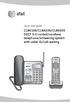 Quick start guide CL84109/CL84209/CL84309 DECT 6.0 corded/cordless telephone/answering system with caller ID/call waiting Installation You must install and charge the battery before using the telephone.
Bluetooth Portable Boombox
 www.sharkk.com Bluetooth Portable Boombox Owner s Guide Introduction Thank you for your purchase of the SHARKK Bluetooth 4.0 Box Speaker. Please take the time to read this manual carefully before you begin
Portavision-50 AM/FM/TV1/TV2 Portable Radio (120-0687) Features Faxback Doc. #
 (120-0687) Features Faxback Doc. # Your Portavision-50 AM/FM/TV1/TV2 Portable Radio lets you hear your favorite television shows wherever you go. Set it on your desk, or take it with you in your car to
Turbo X. www.smartwireless.co.uk. 594 channel UHF true diversity
 Turbo X 594 channel UHF true diversity The new Turbo X series from Smart Wireless is the culmination of two years of research and development into advanced wireless technology. Using sophisticated RF design
Getting started with
 PART NO. CMA113 MADE IN CHINA 1. Measuring CAT II 2. Max. voltage 250V ~ 3. Max. current 71 Amp Getting started with Electricity consumption monitoring single phase for homes and some smaller light commercial
Operation Manual for Users
 Operation Manual for Users Model No.: FLTAMFMRCD!!!!!!!!!! ATTENTION!!!!!!!!!! THE RESET BUTTON MUST BE PRESSED TO ENSURE PROPER OPERATION. SEE INSTRUCTION MANUAL Table of Contents Table of Contents ---------------------------------------------------------------------------------------------
AM/FM Aircraft Radio (120-0615) Features Faxback Doc. # 17253
 (120-0615) Features Faxback Doc. # 17253 The Radio Shack AM/FM Aircraft Radio is ideal for aviation enthusiasts - you can monitor transmissions between pilots and other planes or air traffic control facilities.
BSCAN DW VOX SAVE BEEP CHANNEL CALL VOX
 The World in Communication Content 2 ALAN 441 transceivers 2 1 user instructions 8 CHANNELS PMR446 TRANSCEIVER Congratulations on your purchase! ALAN 441 is a new generation PMR 446 transceiver which may
ITC-BTTN Cellular Bluetooth Gateway. Owner s Manual 1
 ITC-BTTN Cellular Bluetooth Gateway Owner s Manual 1 2 Table of Contents Introduction...3 Package Contents...3 XLink Connections Diagram...4 Setup...5 Pairing your Bluetooth Cell Phone to the XLink...6
Conference Phone UserÕs Manual. Part No. 54-2070-01R1 Printed in Korea. 2002 Bogen Communications, Inc.
 Part No. 54-2070-01R1 Printed in Korea. 2002 Bogen Communications, Inc. UserÕs Manual Notice Every effort was made to ensure that the information in this guide was complete and accurate at the time of
Auto Dialer. Manual E-921APQ E-921GPQ
 Troubleshooting: Auto dialer will not arm/disarm Auto dialer will not dial out Unit doesn t respond to a call-back Difficulty in activating room monitor by telephone remote control Make sure that you have
Digital Radio/DAB+/FM RDS digital clock radio with dual alarm Operating instruction
 381SE1D-A Digital Radio/DAB+/FM RDS digital clock radio with dual alarm Operating instruction GB Contents Controls... 2-3 Using the clock radio for the first time... 4 Operating your clock radio... 5 Selecting
GSM Autodialer Professional GJD700 Speech & Text Autodialer
 Text Edit message GSM Autodialer Professional GJD700 Speech & Text Autodialer Introduction The GSM Autodialer Professional works in conjunction with standard alarm systems and makes use of your preferred
Jarv Joggerz BT-301 Bluetooth Stereo Headphones Users Guide
 Jarv Joggerz BT-301 Bluetooth Stereo Headphones Users Guide Features: Bluetooth Wireless technology Compact design fits in the palm of your hand and weighs less than 2 oz. Comfortable Behind the Neck design
900 MHz Lightweight Wireless Stereo Headphones
 33-1165.fm Page 1 Tuesday, August 10, 1999 10:50 AM Cat. No. 33-1165 OWNER S MANUAL Please read before using this equipment. 900 MHz Lightweight Wireless Stereo Headphones 33-1165.fm Page 2 Tuesday, August
ir6 INSTRUCTION MANUAL COMMUNICATIONS RECEIVER
 INSTRUCTION MANUAL COMMUNICATIONS RECEIVER ir6 This device complies with Part 15 of the FCC Rules. Operation is subject to the following two conditions: (1) this device may not cause harmful interference,
CINEMATE 1 SR DIGITAL HOME THEATER SPEAKER SYSTEM. Operating Guide Guía del usuario Guide d utilisation
 CINEMATE 1 SR DIGITAL HOME THEATER SPEAKER SYSTEM Operating Guide Guía del usuario Guide d utilisation Notice This equipment has been tested and found to comply with the limits for a Class B digital device,
User s Manual. Copyright 2014 Trick Technologies Oy
 User s Manual Copyright 2014 Trick Technologies Oy Catchbox Pro Module Catchbox Cover Contents 1 Safety Instructions...4-5 2 Quick Start... 6-15 3 Product Description... 16-18 Overview...16 Compatibility...17
Wireless. with Personal Mix Control and EP3 Dynamic Earphones
 Wireless In-Ear Monitor Systems with Personal Mix Control and EP3 Dynamic Earphones Why In-Ear Monitors? Clarity is first among the many reasons to make the switch from traditional floor monitors to wireless
Indoor/Outdoor Color Camera with Built-in 2.4 GHz Wireless Transmitter, plus X10 controlled power supply, and Video Receiver.
 Indoor/Outdoor Color Camera with Built-in 2.4 GHz Wireless Transmitter, plus X10 controlled power supply, and Video Receiver. OWNER'S MANUAL VR36A XC18A XM13A MODEL VK69A (INCLUDES XC18A CAMERA, XM13A
CarePartner Telephone With Reminders
 Philips wordmark and Lifeline K100 CarePartner Telephone With Reminders Model 9500 User s Manual Black and white version For use with newsprint and other one-color applications. 1 x P height 1 x P height
Wireless Indoor/ Outdoor Thermometer
 Wireless Indoor/ Outdoor Thermometer Owner s Manual Please read before using this equipment. ˆ Contents FCC Information... 3 FCC Declaration of Conformity... 5 Preparation... 5 Installing Batteries...
AM/FM Emergency Weather Radio/Light With Hand Crank Back-Up Power
 VEC173 ONE YEAR LIMITED WARRANTY PROGRAM This limited warranty program is the only one that applies to this product, and it sets forth all the responsibilities of Vector Manufacturing, regarding this product.
4-Channel Thermometer / Datalogger
 USER GUIDE 4-Channel Thermometer / Datalogger RTD and Thermocouple Inputs Model SDL200 Introduction Congratulations on your purchase of the Extech SDL200 Thermometer, an SD Logger Series meter. This meter
Controls. LCD Display. Tuning Up Time Set and Station Scan
 PR-D8 GB Revision 3 1 1 2 4 5 7 9 10 12 14 16 18 20 22 24 25 26 27 29 31 33 35 36 37 38 Controls Stereo Built-in Microphone (Left Channel) LCD Display Stereo Built-in Microphone (Right channel) Power/Auto
ASP-DTH. DVI & Audio to HDMI Converter. User Manual. Manual Number: 100901
 ASP-DTH DVI & Audio to HDMI Converter User Manual Manual Number: 100901 Safety and Notice The ASP-DTH DVI & Audio to HDMI Converter has been tested for conformity to safety regulations and requirements,
User Manual I1010Q16DCZ
 User Manual I1010Q16DCZ Explanation, Note and Warning *Explanation: important information, which can help you better use your tablet PC. *Note: indicates that not observing the content may result in hardware
BT Big Button 100. User Guide
 BT Big Button 100 User Guide Welcome to your BT Big Button 100 phone Large buttons for easy dialling. Handsfree make and receive calls using the loudspeaker. One-touch 1571 button dials your network answering
MidiStream. UHF Wireless MIDI System Operating Manual
 MidiStream UHF Wireless MIDI System Operating Manual Introduction Congratulations on your purchase of the MidiStream UHF wireless MIDI system. The MidiStream system is very easy to use, but please take
Portable Bluetooth Speaker. Quick Start Guide. Model: BTS201
 Portable Bluetooth Speaker Quick Start Guide Model: BTS201 Disclaimer All the information, design and specifications contained in this manual were correct at the time of publication. However, as the product
User Manual AUDIO OUT OFF 9V DC USB POWER. Digital On-Hold Audio System with analog line capability
 MP On-Hold Audio System User Manual memory card IMPEDANCE PHONE LINES on speaker off ON OFF 9V DC USB AUDIO OUT 8Ω 6Ω // /4 POWER Digital On-Hold Audio System with analog line capability al /06 Before
Table of Contents Function Keys of Your RF Remote Control Quick Setup Guide Advanced Features Setup Troubleshooting
 Congratulations on your purchase of the AT&T U-verse TV Point Anywhere RF Remote Control. This product has been designed to provide many unique and convenient features to enhance your AT&T U-verse experience.
H203D 中文 GB Version 1
 H203D 中 GB文 Version 1 Contents Installing batteries... 4 Using the AC adapter (not supplied)... 5 Setting the clock... 6-7 Updating your radio - DAB... 8 Selecting a station - DAB... 9 Secondary services
INTRODUCTION. Please read this manual carefully for a through explanation of the Decimator ProRackG and its functions.
 INTRODUCTION The Decimator ProRackG guitar noise reduction system defines a new standard for excellence in real time noise reduction performance. The Decimator ProRackG was designed to provide the maximum
Automatic Phone-Out Home Monitoring Systems
 Automatic Phone-Out Home Monitoring Systems Power Outage and Freeze Alarm Model Number: THP202 Power Outage, Freeze and Flood Alarm Product Description Model Number: THP201 These monitoring systems are
7 High-Resolution Digital Photo Frame
 TM 16-1003 User s Guide 7 High-Resolution Digital Photo Frame One demo photo included, as illustrated Please read this user s guide before using your new photo frame. Package contents Photo Frame AC Adapter
ADA COMPLIANT BOX STYLE TELEPHONE INSTALLATION, PROGRAMMING AND OPERATING INSTRUCTIONS FOR MODEL PBX
 ADA COMPLIANT BOX STYLE TELEPHONE INSTALLATION, PROGRAMMING AND OPERATING INSTRUCTIONS FOR MODEL PBX INSTALLATION INSTRUCTIONS Step 1. Determine the position for the Hands-free phone in the elevator phone
OPERATIONS MANUAL BC80 XLT SCANNER
 OPERATIONS MANUAL BC80 XLT SCANNER 34 Somerset Avenue Pleasantville, NJ 08232 (609) 272-0022 Fax (609) 272-0846 www.racingelectronics.com 2 3 Precautions Before you use this scanner, please read and observe
IMPORTANT SAFETY INSTRUCTIONS
 IMPORTANT SAFETY INSTRUCTIONS When using this electronic device, basic precautions should always be taken, including the following: 1. Read all instructions before using the product. 2. Do not use this
Wireless Home Security Alarm System AM 500
 Wireless Home Security Alarm System AM 500 12 MONTH GUARANTEE Installation & Operating Instructions INTRODUCTION The AM500 is a simple self-contained alarm system. It protects the home by sounding a siren
In-Car Digital Radio Adaptor User Guide
 S1000-DAB In-Car Digital Radio Adaptor User Guide Table of Content INTRODUCTION... 1 CONTENTS OF PACKAGE... 2 INSTALLATION...3 OVERVIEW OF CONTROLS AND CONNECTORS... 5 STARTING UP THE SYSTEM... 7 USING
Ground Resistance Clamp On Tester
 USER MANUAL Ground Resistance Clamp On Tester MODEL 382357 Introduction Congratulations on your purchase of Extech s 382357 Ground Resistance Tester. This Clamp on device allows the user to measure ground
Fit Clip Plus Portable Media Player
 Fit Clip Plus Portable Media Player User Guide BL 8GB Thank you for purchasing a Fit Clip Plus Portable Media Player! To get the most out of your Fit Clip Plus, please read this entire user guide carefully.
PEBBLE USER MANUAL. MODEL: GMR1888DAB DAB Digital & FM Radio. Hyper-link ALL text to corresponding sections
 PEBBLE Hyper-link ALL text to corresponding sections MODEL: GMR1888DAB DAB Digital & FM Radio USER MANUAL 1 2 Welcome Your DAB Digital&FM Radio 2.1 In The box 2.2 Front View 2.3 Top View 2.4 Rear View
Controls. Opening the cover
 BTS-102 GB 2013 CSR plc and its group companies. The aptx mark and the aptx logo are trademarks of CSR plc or one of its group companies and may be registered in one or more jurisdictions. The Bluetooth
LT-82 Stationary IR Transmitter
 LT-82 Stationary IR Transmitter Configuration LT-82-0 (North America) LT-82-02 (Asia, UK) LT-82-03 (Euro) The Listen LT-82 is the heart of a stationary IR listening system. It takes the desired audio signal
AM/FM PLL Clock/Table Radio
 12-1632.fm Page 1 Wednesday, May 10, 2000 10:57 AM Cat. No. 12-1632 OWNER S MANUAL Please read before using this equipment. AM/FM PLL Clock/Table Radio 12-1632.fm Page 2 Wednesday, May 10, 2000 10:57 AM
KEYPAD LOCK USERS MANUAL
 KEYPAD LOCK USERS MANUAL READ ALL INSTRUCTIONS CLOSELY PRIOR TO USE SAVE THESE INSTRUCTIONS CONTENTS Keypad Parts and Features 2 Programming the Master Code 3 Programming User Codes 4 Using Your Keypad
Converse 320. Userfriendly Guide
 Converse 0 Userfriendly Guide Return Diversion Minder On Off At a glance IMPORTANT Next Inserts a space in a number when storing numbers in the memory. Clear Used to edit numbers when pre-dialling or when
Quick Start USER GUIDE
 ECOSTONE Features & Operation Models: GDI-EGST700--710 QUICK START 1-2-3 STEP 1: STEP 2: STEP 3: Power ON your ECOSTONE SEARCH your Bluetooth Connection on your Smart-device PAIR & PLAY STANDBY ON/OFF
ROBERTS. Enjoy Listening. DAB/FM RDS digital portable radio. Please read this manual before use
 ROBERTS Enjoy Listening DAB/FM RDS digital portable radio Please read this manual before use Contents Controls... 2-3 Battery operation...4 Using the AC adaptor...5 Operating your radio - DAB...6 Selecting
RD-11 ROBERTS. FM RDS/DAB digital radio with. Sound for Generations. Please read this manual before use
 ROBERTS Sound for Generations RD- FM RDS/DAB digital radio with Please read this manual before use Contents Controls... Battery operation... 3 Mains operation... 3 Operating your radio - DAB... 4 Selecting
Tiny Audio C3. English TINY AUDIO C3. Please read carefully before using this product
 English TINY AUDIO C3 Please read carefully before using this product 1 Safety Instructions: 1. Do not use this radio near water. 2. Clean with dry cloth. 3. Do not block any ventilation openings. 4. Do
CelluLine CGW-TS GSM Cellular Gateway. Installation and Programming Manual
 CelluLine CGW-TS GSM Cellular Gateway Installation and Programming Manual CelluLine CGW-TS GSM Cellular Gateway Installation and Programming Manual CGWTS-M001A Version 1, Release 1, December 2004 NOTICE
BeoCom 2. Get started
 BeoCom 2 Get started Before you start This Guide contains instructions in how to set up and use the BeoCom 2 handset with a BeoLine base. You can also use the handset with other bases, such as a BeoCom
Ultrasonic Distance Meter. Operation Manual
 XPROTEC Ultrasonic Distance Meter Operation Manual About XProTec Pro-Installer Tools The XProTec line from XFTP is a comprehensive lineup of professionalgrade technical tools. These full-featured, field-proven,
Professional answering machine with time control, SMS service and message transfer. Retell 540 office
 Manual (UK) Professional answering machine with time control, SMS service and message transfer Retell 540 office Safety instructions Safety instructions When installing, connecting and operating the Retell
Alarm Clock USER GUIDE
 Alarm Clock USER GUIDE Jazwares, Inc. 2010 1 CONTENTS Please read the instructions along with the alarm clock carefully before you use it, so that you can operate it conveniently. WELCOME, Safety Tips
ReSound Unite TV FREQUENTLY ASKED QUESTIONS. Setup & Configuration. Use & Operation. Troubleshooting
 Tip for use of FAQ: Click on questions to go to answer. Setup & Configuration How do I pair the hearing aids to the Unite TV?... 2 What is the latency of the streamed signal?... 2 Does the Unite TV use
Contents. Product Code -------------------------------------------------------15. Page 1
 Contents Important Safety Instructions -------------------------------------2 BT HP01 --------------------------------------------------------------4 BT HP01 Anatomy ---------------------------------------------------5
REALISTIC Stereo Three AM/FM Radio (120-1451) Features Faxback Doc. # 18906
 REALISTIC Stereo Three AM/FM Radio (120-1451) Features Faxback Doc. # 18906 Your REALISTIC Stereo Three is a complete solid-state 3-piece FM/AM Stereo System. Its size and styling will fit well in any
DVB-T 730. User s Manual
 EPG Program Reservation There are 10 program timers to bring up reminder for a reserved program. 20 seconds before the start of the reserved program, a pop-up window will remind viewer. If no further instruction,
Table of Contents. System Requirement of MP3 Player:... 4. Connection and Downloading... 7. Downloading DRM10 Files... 8.
 Table of Contents Instructions... 1 Precautions... 2 System requirements... 4 System Requirement of MP3 Player:... 4 Introduction... 5 Features... 5 Charging the Battery... 6 Connection and Downloading...
DR-83 90-Minute Digital Recorder
 DR-83 90-Minute Digital Recorder Owner s Manual Please read before using this equipment. ˆ Contents Features... 5 Preparation... 7 Installing Batteries... 7 Setting the Clock... 8 Connecting Earphones...
BLU Vivo 4.3 User Manual
 BLU Vivo 4.3 User Manual 1 Table of Contents Phone Safety Information... 3 Appearance and Key Functions... 4 Installation and Charging... 5 Phone Operation... 7 Communication... 10 Camera... 11 Gallery...
RD-27 ROBERTS. FM RDS/DAB digital radio with. Sound for Generations. Please read this manual before use
 ROBERTS RD-7 Sound for Generations FM RDS/DAB digital radio with Please read this manual before use Contents Controls... Battery operation... 3 Mains operation... 3 Operating your radio - DAB... 4 Selecting
BLUETOOTH SOUNDBAR WITH SUBWOOFER
 BLUETOOTH SOUNDBAR WITH SUBWOOFER Quick Installation Guide DA-10295 Welcome Thank you for buying Digitus Bluetooth Soundbar with Subwoofer! No matter how you use this product whether it is for playing