
Schwing Mixer System Gen III (Parts/Operations Manual)
|
|
|
- Amberly Wiggins
- 9 years ago
- Views:
Transcription
1 Schwing Mixer System Gen III (Parts/Operations Manual) SMART DRUM Version 1.0

2 Table of Contents GEN III SYSTEM PARTS...1 REMOTE SYSTEM BOM (Booster)...1 (Conventional)...3 Hardware and Controls...4 Harnesses and Sensors...5 Hydraulics...6 Miscellaneous...7 TRANSFER PARTS (GEN II TO GEN III)...7 Contact Information: Mixer & Plant Parts PO Box Rock Hill, SC Bus: (803) Fax: (586) readymixparts.com

3 GEN III SMART SYSTEM-BOOSTER Description Quantity Units Part Number PUMP - HYD, CLOCKWISE HYDROIC (EP) 1 EA PUMP - HYD, BOOSTER AXLE CLOCKWISE ROT 1 EA VALVE - HYD, BLOCK VBL-CLC-01 1 EA VALVE - HYD, BLOCK VBL-BCP EA VALVE - HYDRAULIC PRESSURE CONTROL (Q2G0 1 EA ENCLOSURE - MIXER, CAB, GEN III 1 EA RADIO - TRANS, MIXER GEN III 1 EA ENCLOSURE - MIXER D160 GEN III 2 EA ENCLOSURE - MIXER GROUND MOD GEN III 1 EA OIL, MIXER WITH 160F TEMP. SWITCH AND RE 1 EA ANGLE - BRACKET, CABLE MOUNT, DRUM CONTR 1 EA PROTECTION - VEC, MIXER, GEN III 1 EA PLT - MOUNT OMNEX CONTROL 2 EA MOTOR - HYDRAULIC,MODEL ,W/ QUAD 1 EA ENCL - CABINET, 400 X 200 X 80 1 EA OPER - SENSOR, PROXIMITY W/6" CABLE 3 EA LED - INDICATOR LIGHT STRIP 1 EA HRNSS - MIXER, VEC, REMOTE GEN III 1 EA HARNESS - MIXER MAIN GEN III 1 EA HARNESS - ICC MIXER STAND, CPL 1 EA WMT - MOUNT POST IN CB OMNEX 1 EA BOOSTER LIGHTING TRUCK MIXER 1 EA PROTECTION - FUSE, 5A/32V, MINI 1 EA KIT - FLANGE 1" CODE HK-16 2 EA FITTING - HYD, ELBOW 45 DEG 1" 61 FLANGE 1 EA FITTING - HYD, ELBOW 37 DEG MALE 3/4" 1 EA FITTING - HYD, ELB 90 DEG 1" FLANGE 61 1 EA FITTING - HYD, ELB 90 #16 SWIVEL X FLARE 1 EA FITTING - HYD, #16 ORB TO #16 FLARE 1 EA FITTING - HYD, ELBOW #16 ORB X #16 FLARE 1 EA FITTING - HYD, ELBOW #16 ORB X #16 FLARE 1 EA FITTING - HYD, ELBOW #16ORB X #12 FLARE 1 EA FITTING - HYD, MALE #8 SAE X #10 1 EA FITTING - HYD, ELBOW 37 DEG MALE 3/4" 2 EA FITTING - HYD, MALE 3/8" X 1/2" 37 DEG 2 EA FITTING - HYD, ELBOW #10 ORB X #8 FLARE 1 EA FITTING - HYD, MALE #12 SAE 2 EA FITTING - HYD, TEST PLUG SAE#4 1 EA FITTING - HYD, UNION 3/4" SAE 2 EA FITTING- HYD, 12 ORB TO #8 FLARE 2 EA FITTING - HYD, ELBOW 37 DEG 3/8" 2 EA FITTING - HYD, ELB 90 #6 SWIVEL X FLARE 1 EA FITTING - HYD, #4 ORB TO #6 FLARE 1 EA continued on next page.. 1

4 Description Quantity Units Part Number FITTING - HYD, ELB 37 DEG MALE 1/4" 1 EA FITTING - HYD, MALE #8 SAE X #6 1 EA FITTING - ELBOW LNG #8ORB TO #8 FLARE 1 EA FITTING - HYD, #4 ORB TO #4 FLARE 1 EA FITTING - HYD, ELBOW #6 ORB X #8 FLARE 1 EA CARTRIDGE SUN CKCB-XCN 1 EA ENCL - TERMINAL BOX, 7-TERMINAL MIDLAND 1 EA ANNC - ALARM BACK-UP 12V 1 EA HARNESS - BACKUP ALARM, MIXER, (Q3G06) 1 EA CARTRIDGE SUN CKCB-XCN 1 EA REFLECTOR - DECK EDGE BLACK (Q7C13) 1 FT

5 GEN III SMART SYSTEM-CONVENTIONAL Description Quantity Units Part Number PUMP - HYD, CLOCKWISE HYDROIC (EP) 1 EA VALVE - HYD, BLOCK VBL-CC-01 1 EA ENCLOSURE - MIXER, CAB, GEN III 1 EA RADIO - TRANS, MIXER GEN III 1 EA ENCLOSURE - MIXER D160 GEN III 2 EA ENCLOSURE - MIXER GROUND MOD GEN III 1 EA OIL, MIXER WITH 160F TEMP. SWITCH AND RE 1 EA ANGLE - BRACKET, CABLE MOUNT, DRUM CONTR 1 EA PROTECTION - VEC, MIXER, GEN III 1 EA PLT - MOUNT OMNEX CONTROL 2 EA MOTOR - HYDRAULIC,MODEL ,W/ QUAD 1 EA ENCL - CABINET, 400 X 200 X 80 1 EA OPER - SENSOR, PROXIMITY W/6" CABLE 2 EA LED - INDICATOR LIGHT STRIP 1 EA HRNSS - MIXER, VEC, REMOTE GEN III 1 EA HARNESS - MIXER MAIN GEN III 1 EA HARNESS - ICC MIXER STAND, CPL 1 EA WMT - MOUNT POST IN CB OMNEX 1 EA PROTECTION - FUSE, 5A/32V, MINI 1 EA FITTING - HYD, TEST PLUG SAE#4 1 EA KIT - FLANGE 1" CODE HK-16 2 EA FITTING - HYD, ELBOW 45 DEG 1" 61 FLANGE 1 EA FITTING - HYD, ELBOW 37 DEG MALE 3/4" 1 EA FITTING - HYD, ELB 90 DEG 1" FLANGE 61 1 EA FITTING - HYD, ELB 90 #16 SWIVEL X FLARE 1 EA FITTING - HYD, #16 ORB TO #16 FLARE 1 EA PUMP - HYD, GEAR CHUTE CLOCKWISE ROTAT 1 EA FITTING - HYD, ELBOW #16 ORB X #16 FLARE 1 EA FITTING - HYD, ELBOW #16ORB X #12 FLARE 1 EA O-RING - 79 X 2 1 EA FITTING - HYD, ELBOW #8 ORB X #8 FLARE 1 EA FITTING - HYD, ELB 90 #8 SWIVEL X FLARE 2 EA FITTING - HYD, MALE #8 SAE X #10 1 EA FITTING - HYD, #6 ORB TO #6 FLARE 2 EA FITTING - HYD, MALE #12 SAE 2 EA KIT - FLANGE 1" CODE HK-16 2 EA ENCL - TERMINAL BOX, 7-TERMINAL MIDLAND 1 EA FITTING - HYD, ELB 90 DEG 1" FLANGE 61 2 EA ANNC - ALARM BACK-UP 12V 1 EA FITTING - HYD, MALE #12 SAE 1 EA FITTING - HYD, ELB 37 MALE 1/4" X 3/8" 1 EA HARNESS - BACKUP ALARM, MIXER, (Q3G06) 1 EA CARTRIDGE SUN CKCB-XCN 1 EA REFLECTOR - DECK EDGE BLACK (Q7C13) 1 FT

6 HARDWARE AND CONTROLS Description Quantity Units Part Number ENCLOSURE - MIXER D160 GEN III 2 EA ENCLOSURE - MIXER GROUND MOD GEN III 1 EA ENCLOSURE - MIXER, CAB, GEN III 1 EA RADIO - TRANS, MIXER GEN III 1 EA ENCL - CABINET, 400 X 200 X 80 1 EA LED - INDICATOR LIGHT STRIP 1 EA WMT - MOUNT POST IN CB OMNEX 1 EA PROTECTION - VEC, MIXER, GEN III 1 EA ENCL - TERMINAL BOX, 7-TERMINAL MIDLAND 1 EA MOUNTED UNDER CAB PROTECTION-VEC, MIXER, GEN III MOUNTED IN CAB LED-INDICATOR LIGHT STRIP ENCLOSURE-MIXER, CAB, GEN III RADIO - TRANS, MIXER GEN III WMT-MOUNT POST IN CAB

7 MOUNTED ON OR NEAR FRONT PEDESTAL Mounted inside cabinet ( ) Encl - Cabinet, 400 X 200 X D160 Expansion Ground Junction HARNESSES AND SENSORS Description Quantity Units Part Number HRNSS - MIXER, VEC, REMOTE GEN III 1 EA HARNESS - MIXER MAIN GEN III 1 EA HARNESS - ICC MIXER STAND, CPL 1 EA HARNESS - BACKUP ALARM, MIXER, (Q3G06) 1 EA OPER - SENSOR, PROXIMITY W/6" CABLE 3 EA ANGLE - BRACKET, CABLE MOUNT, DRUM CONTR 1 EA MOUNTED NEAR DRIVESHAFT OPER-SENSOR, PROX. W/ 6 CABLE SENSOR BRACKET FOR DRIVESHAFT AS SHOWN, (Part will vary per truck, refer to individual truck BOM for part number) OPER-SENSOR, PROX. W/ 6 CABLE ANGLE-BRKT, DRUM CONTR

8 HYDRAULICS Description Quantity Units Part Number PUMP - HYD, CLOCKWISE HYDROIC (EP) 1 EA PUMP - HYD, BOOSTER AXLE CLOCKWISE ROT 1 EA VALVE - HYD, BLOCK VBL-CLC-01 1 EA VALVE - HYD, BLOCK VBL-BCP EA VALVE - HYDRAULIC PRESSURE CONTROL (Q2G0 1 EA OIL, MIXER WITH 160F TEMP. SWITCH AND RE 1 EA MOTOR - HYDRAULIC,MODEL ,W/ QUAD 1 EA Hydraulic fittings are particular to Booster and Conventional, refer to BOM section for correct parts PUMP-HYD, BOOSTER CW PUMP-HYD, CW HYDROIC (EP) OPER-QUAD. SPEED SENSOR MOTOR-HYDRAULIC W/ QUAD

9 MISCELLANEOUS Description Quantity Units Part Number BOOSTER LIGHTING TRUCK MIXER 1 EA PROTECTION - FUSE, 5A/32V, MINI 1 EA CARTRIDGE SUN CKCB-XCN 1 EA ANNC - ALARM BACK-UP 12V 1 EA CARTRIDGE SUN CKCB-XCN 1 EA REFLECTOR - DECK EDGE BLACK (Q7C13) 1 FT TRANSFER PARTS (GEN II TO GEN III) Description Quantity Units Part Number PUMP - HYD, CLOCKWISE HYDROIC (EP) 1 EA PUMP - HYD, BOOSTER AXLE CLOCKWISE ROT 1 EA VALVE - HYD, BLOCK VBL-CLC-01 1 EA VALVE - HYD, BLOCK VBL-BCP EA VALVE - HYDRAULIC PRESSURE CONTROL (Q2G0 1 EA OIL, MIXER WITH 160F TEMP. SWITCH AND RE 1 EA MOTOR - HYDRAULIC,MODEL ,W/ QUAD 1 EA OPER - SENSOR, PROXIMITY W/6" CABLE 1 EA KIT - FLANGE 1" CODE HK-16 4 EA FITTING - HYD, #16 ORB TO #16 FLARE 1 EA FITTING - HYD, ELB 90 #16 SWIVEL X FLARE 1 EA FITTING - HYD, MALE 3/8" X 1/2" 37 DEG 2 EA FITTING - HYD, ELBOW #10 ORB X #8 FLARE 1 EA FITTING - HYD, ELBOW 37 DEG MALE 3/4" 1 EA FITTING - HYD, ELBOW #16ORB X #12 FLARE 1 EA FITTING - HYD, ELBOW #16 ORB X #16 FLARE 1 EA FITTING - HYD, ELBOW 37 DEG MALE 3/4" 1 EA

10

11 Schwing Mixer System Gen III Installation / Configuration Manual Transmitter Control Panel I/O Module March 27, 2007 Version 4 DMAN PO Box Rock Hill SC Ph# (803) Fax# (586) Toll Free DMAN (Rev 1.0) call toll free:

12 DMAN (Rev 1.0) call toll free:

13 Table of Contents Safety Precautions... 4 System Overview... 5 Features... 5 T151 Dimensions and Controls... 5 Control Panel Dimensions and Controls... 6 Special Functions... 9 Installation Considerations... 9 Battery Installation and Charging... 9 Power the Transmitter Test the Transmitter / Control panel Link Download ID Code Drum Control Operating the Control Panel Menu LCD Contrast Adjustment Diagnostics T151 Transmitter Alarms Control Panel Diagnostics Control Panel Diagnostics D160 Receiver Troubleshooting Guide Parts & Accessories Specifications Warranty Information

14 Safety Precautions NOTE: These instructions are intended only for installing and operating the remote control equipment described here. This is not a complete Operator s Manual for the Mixer Truck. For complete operating instructions of the Mixer Truck, please read the Operator s Manual appropriate for your particular model. READ ALL INSTRUCTIONS CAUTION: Changes or modifications not expressly approved by the party responsible for compliance could void the user's authority to operate the equipment. Failure to follow the SAFETY PRECAUTIONS may result in radio equipment failure and serious personal injury Installation PROVIDE A SAFETY CUTOFF SWITCH. If maintenance is required, the radio must be disconnected from power USE PROPER WIRING. Loose or frayed wires can cause system failure, intermittent operation, machine damage, etc. DO NOT INSTALL IN HOT AREAS. This apparatus can be damaged by heat in excess of 158 F (70 C) Personal Safety MAKE SURE MACHINERY AND SURROUNDING AREA IS CLEAR BEFORE OPERATING. Do not activate the remote system unless it is safe to do so. TURN OFF THE RECEIVER POWER BEFORE WORKING ON MACHINERY. Always disconnect the remote system before doing any maintenance to prevent accidental operation of the machine Care KEEP DRY. Do not clean the transmitter / receiver under high pressure. If water or other liquids get inside the transmitter battery or control panel compartment, immediately dry the unit. Remove the case and let the unit air dry CLEAN THE UNIT AFTER OPERATION. Remove any mud, dirt, concrete, etc. from the unit to prevent clogging of buttons, switches, etc. by using a damp cloth. Maintenance / Welding DISCONNECT THE RADIO CONTROL PANEL AND I/O MODULES BEFORE WELDING on the machine the modules are connected to. Failure to disconnect will result in the destruction of the radio control panel and/or modules. 4

15 System Overview The Schwing Mixer System is a portable, long range, programmable radio remote control system. Designed as a compact and easy-to-use product, this system puts complete control of your mixer where it s needed most, with the operator. It s robust, easy to install and has complete self-diagnostics. The system consists of a portable transmitter, a Contactless Charging control panel, two I/O modules and a ground junction. The Schwing Mixer System uses Frequency Hopping Spread Spectrum (FHSS) technology. FHSS devices concentrate their full power into a very narrow signal that randomly hops from frequency to frequency within a designated band. This transmission pattern, along with CRC-16 error-checking techniques, enables signals to overcome interference that commonly affects licensed radios. The Control Panel and Modules are designed to be powered from a 12VDC or 24VDC system. Each module features up to 19 solid state, high-side driver input / output controls and a reliable E-Stop control. The T151 transmitter comes with 14 digital controls. A unique ID code is used by each T151 to ensure that no two systems will conflict on a job site. Features FCC, ISC, CE approved License free Hand held / weatherproof / ergonomic Contactless Battery Charging Auto Battery Type Detect Transmitter Missing Detection 1200 foot 900 MHz Simple wire-and-use installation Resilient to impact and shock Tether cable included Diagnostic Indicators T151 Transmitter D160 Expansion Control Panel Ground Junction T151 Dimensions and Controls 4.92 Battery / Tether LED Throttle UP / DOWN Active LED Remote ON / OFF 3.75 Hopper UP / DOWN 4.75 Drum START / STOP Drum / DIS Chute LOCK / UNLOCK Chute UP / DOWN 5

16 Control Panel Dimension and Controls 5.75 Display Constant Speed (Hold for Setup) Charge Status LED Link LED Error LED Status LED RS-485 Mode Control LED Function Select 1. Selecting Functions A. Each Function Select button selects A. the column content directly above it. A highlight box will appear around the function that is currently selected. B. B. Once a column is selected, press the Function Select button a second time to move the highlight to the desired function (Except for Drum Control, see NOTE below). Each press of the button will toggle the highlighted area between the functions. Press once and CHUTE LOCK / UNLOCK is highlighted Press again and CHUTE UP / DOWN is highlighted NOTE: Drum Control functionality operates differently. Please refer to the Drum Control section for precise control operation directions. 2. Turning ON / OFF (Modifying) Functions A. The Mode (Speed) Control buttons selects the top or bottom function within the highlighted group. A. B. B. To change a setting, press the top Mode Control button to select the top function in the highlighted box and press the bottom Mode Control button to select the bottom function in the highlighted box. Press to change from CHUTE UNLOCK to CHUTE LOCK Press to change from CHUTE LOCK to CHUTE UNLOCK 6

17 Special Functions Installation Considerations NOTE: The FCC and ISC require that the antenna be restricted to that supplied by the manufacturer and approved for use with this product. An optional 0dB coax wire antenna may be supplied. For other antenna options, please contact OMNEX Control Systems ULC Mounting and Installation The I/O Module can be mounted by fastening two ¼ bolts through the two mounting holes in the unit s enclosure. When mounting, ensure that the I/O Module is oriented so that the text is reading right and the connectors are pointing down. When selecting a mounting point for the I/O Module, it is recommended that the location require only a minimal length of wiring to connect it to the control panel, that it will be in a visible area where it has good exposure to the operator and that it is mounted on a surface that is protected from the weather and sustains minimal vibration. It is also recommended that the control panel have the best possible line of sight with the transmitter Power Connections and Wiring Whenever a power connection is made to an electronic device, it is a good practice to make both the Power (+) and Ground (-) connections directly to the Battery and avoid connecting the power from the charging side of existing wiring or making use of existing "ACC" or other peripheral connection points. Make sure that wire of sufficient gauge and insulator type is used when connecting the outputs of the receiver to the control panel. Observe any component manufacturer's instructions and recommendations for proper integration of their product. This includes the power ratings and requirements of such components as relays, valves, solenoids, etc. Be sure to test each of the outputs with a multi-meter prior to connecting the outputs to your end devices. This will ensure that each output has been programmed to operate in the manner required by each end device. Filtering and Noise Suppression Whenever a solenoid or electromagnetic switch is controlled by the receiver, it is a good practice to install a Diode across its terminals to ensure that surges and spikes do not continue back into the circuit. Appropriate 36V Bi-directional Diodes kits can be ordered under the OMNEX part number AKIT

18 Battery Installation and Charging When the control panel has been installed, install batteries into the transmitter. 1. Install Batteries Remove the battery cover on the back of the transmitter using a slotted screwdriver and insert the 4 "AA" rechargeable batteries. Orientation of the batteries is embossed inside the battery housing. No batteries are required when the transmitter is connected to the control panel by a tether cable. NOTE: For operation at temperatures below 10 C, lithium batteries are recommended. Low temperatures reduce battery performance for both alkaline and lithium types. Refer to the battery manufacturer s specifications for detailed information on low temperature performance. T151 Battery WARNING: do not install batteries backwards, charge, put in fire, or mix with other battery types. May explode or leak causing injury. Replace all batteries at the same time as a complete set and do not mix and match battery types. 2. Charge Batteries Place the transmitter in the Charge Cradle. The cradle will detect the transmitter and start charging. The (Charge Status) light on the transmitter will slow flash YELLOW. Fully charge the batteries for 8 hours or until the (Charge Status) light on the transmitter turns solid YELLOW. The charging time may be longer in hot or cold temperature extremes. The (Status) light will be solid GREEN when charging is complete. A. Cradle detects the transmitter and the batteries are charging B. Batteries are fully charged A. B. NOTE: should the batteries need charging during a job, 15 minutes of charging will provide about 3-4 hours of operation, 1 hour of charging should provide approximately hours of operation. Tips for best performance: 1. The system was designed to work best with NiMH batteries. Regular alkaline batteries and NiCad batteries will work, however, system performance may not meet all specifications. 2. Charge the batteries at the end of every shift. Temperature extremes (freezing and hot temperatures) will diminish battery performance, therefore, keep the batteries as fully charged as possible at all times to maximize operation time. 3. Charging will not occur when vehicle is shut off. Legend Solid Slow Flash 1x / sec Double Flash Fast Flash Red Green Yellow 10

19 Power the Transmitter 1. Turn the Transmitter ON or OFF Refer to the Legend below for diagram details. A. Turn Transmitter ON Press [Remote] UP B. Turn Transmitter OFF Press [Remote] DOWN If the transmitter's (Active) light does not flash, check the battery orientation. Test the Transmitter / Control panel Link Follow these steps to ensure that there is a radio link between the transmitter and control panel. Refer to the Legend below for diagram details 1. Ensure the Transmitter is OFF 2. Power the Control Panel With T151 out of Cradle With T151 in Cradle 3. Power the T151 If the (Active) light on the transmitter is flashing and the (Link) light on the control panel is flashing GREEN, a link between the two exists. If the control panel s (Link) light does not flash GREEN, follow the steps under Download ID Code. The ORIGA system is now ready for use. Legend Solid Slow Flash 1x / sec Double Flash Fast Flash Red Green Yellow 11

20 Download ID Code (Use in case of Link Test failure) Follow these steps to download the transmitter s unique ID Code into the control panel. This will allow the control panel to establish a radio link with that transmitter. Refer to the Legend below for diagram details. Refer to Troubleshooting Chart #4 for Tips and Considerations NOTE: It is necessary to download the ID Code when replacing either the transmitter or the control panel. 1. Prepare the Control Panel for Download A. Press & hold [Setup] for 4 seconds until System Control screen appears B. Highlight Link with Remote using [Mode] buttons A. DRUM SPEED 0.0RPM 0 PW M BP 0 PSI DRUM CHUTE THROTTLE BOOSTER ST LK UP UP SP UN DN DN CH UP HOPPER LIGHTS B. USER SETUP BOOSTER ENABLED: YES DRUM TOTAL REVS: 000 RESET WITH REMOTE DISPLAY FIRMWARE VERSION 2. Put Control Panel into Setup Mode A. Press the [Select] button to place the control panel into Setup Mode B. The display should now indicate that the control panel is ready for the download A. B. USER SETUP BOOSTER ENABLED: YES DRUM TOTAL REVS: 000 RESET WITH REMOTE DOWNLOAD FIRMWARE W IT H RE MOT E TO REMOTE RF ID UPLOADING... C. W IT H RE MOT E TO REMOTE RF ID UPLOADING... FAILED NOTE: If left idle in Setup Mode for over 30 seconds, the control panel will time out. The (Link) light and (Status) light will flash RED rapidly and the display will read RF ID UPLOADING FAILED. To return to Setup Mode, Press [ESC] to go back to the main screen and repeat steps 1 and 3. If you do not re-enter Setup Mode, you will need to turn off then turn on the control panel to remove the flashing () and () light condition. 3. Power T151 into Configuration Mode A. Hold [Hopper] switch UP B. Press [Remote] switch DOWN C. Release [Remote] switch D. Release [Hopper] switch. The (Active) light should be flashing. A. B. C. D. 4. Download ID Code NOTE: When downloading a new ID to a receiver, a safety feature requires that the transmitter be in close proximity to the receiver. This will prevent a transmitter from accidentally reprogramming a different receiver in the area. A. Press [Hopper] switch UP and Release B. (Link) light goes to GREEN A. B. TO REMOTE W IT H RE MOT E RF ID UPLOADING Download Complete A. Once complete, (Link) light goes to RED as the transmitter turns off A. W IT H RE MOT E TO REMOTE B. The display will now indicate that downloading is complete RF ID UPLOADING... COMPLETE Legend Solid Slow Flash Fast Flash Red Green Yellow Alternating Red & Green 12

21 Drum Control A. Press the [Function Select] button to highlight the Drum control column B. Pressing this button toggles the START and STOP function of the drum A. B. A. Press the top and bottom [Mode] buttons to adjust the drum rotation speed and direction B. Observe the PWM value in the top right corner of the screen to determine increase and decrease direction. A. B. Note: To select DC (Discharge) or CH (Charge), you must toggle between the settings by reducing the PWM value to minimum value. Once this min. value is reached, the controller will toggle directions. Continue pressing the same button to increase the drum speed. Press the opposite button to reduce speed and once min. is reached, the controller will switch directions and now the button will increase the value. A. From the transmitter use the Start/Stop switch to toggle the start/stop function of the drum B. The Charge/Discharge switch works in exactly the same fashion as the [Mode] button on the Control Panel. Once the switch is toggled and the PWM speed hits minimum, the drum will switch direction and the switch will act as a speed control switch A. B. A. Press the [Constant Speed] button to set the drum rotation s RPM to the default setting Note: Constant Speed engages automatically when vehicle speed exceeds 15 mph. A. Note: You can press the [Constant Speed] button from the start position as a quick start function to set the system in motion. Legend Solid Slow Flash 1x / sec Double Flash Fast Flash Red Green Yellow 13
22 Operating the Control Panel Menu To access the Control Panel menu, press and hold the [Constant Speed] button for about 4 seconds until the System Menu screen appears Use the [Mode] buttons to move the highlighted area up and down to select the desired Menu item. Press the button under the SEL [Select] to select that menu item Menu Item Descriptions Booster Enable Enables and Disables the booster axle control system Drum Total Revs Monitors and counts the total number of drum revolutions Link with Remote Used to place the Control Panel into Download ID mode. Display Firmware Version Display the software version currently installed in the Control Panel. LCD Contrast View and adjust current contrast setting LCD Contrast Adjustment A. To increase or decrease the LCD Contrast, select the LCD menu item and press the [SEL] button. B. Press the buttons under [-] or [+] to increase or decrease the contrast. Once completed press the [ESC] button to return back to the main screen Legend Solid Slow Flash 1x / sec Double Flash Fast Flash Red Green Yellow 14
23 Diagnostics T151 Transmitter Tether connection detected Low battery. Unit will run approximately 10 hours after Battery light starts flashing. Flashing rapidly for 10 seconds indicates a transmitter failure. Normal Operation The Active light will flash several times per second, indicating that the transmitter is sending signals to the control panel. The Active light will remain on momentarily whenever a function changes Normal Operation The transmitter is in Download Mode. Stuck switch detected. Ensure that all switches are in a centered position. The transmitter will not power up when a function is ON. On Power Down Unit is still powered. Check for stuck switches, as the transmitter will not power down when a function is ON. Alternating flash means that the transmitter is in Calibration Mode. The transmitter is in the Control Panel charge cradle and the batteries are charging. The batteries in the transmitter are fully charged. Transmitter is in the powered cradle and attempting to charge but the temperature of the batteries is either above 60 C or below 0 C. Either cool or heat the batteries to bring them within charging temperature A problem with the batteries has been detected. (No batteries, no contact to batteries, nonrechargeable batteries, backward batteries, dead batteries) This is a common error if using alkaline batteries or other non-rechargeable batteries. Legend Solid Slow Flash 1x / sec Double Flash Fast Flash Red Green Yellow 15
24 Alarms Control Panel Sensors located throughout the machine provide feedback to the Control Panel. When a parameter is not within acceptable operating range an alarm will sound and the appropriate warning label will appear on the Control Panel screen. The following are the list of alarms in the mixer system. No Signal This is indicated by a NO SIG symbol replacing the Drum Speed RPM indicator. The alarm is activated when the Pulse Counter input from the drum is lost. BP This is indicated by a blinking BP symbol. This alarm sounds when the Booster is being driven down and the Booster pressure has fallen by at least 500 psi. REM This is indicated by a REM symbol located next to the BP indicator. The Control Panel has indicated that the remote control is not in the Charge Cradle and the vehicle is traveling over 15 mph. This is to prevent the driver from leaving the work site and forgetting the remote control outside or on the truck. OIL This is indicated by a OIL symbol located directly under the Drum Speed RPM indicator. This alarm indicates that the oil cooler fan has turned on. BIM Booster in Motion is indicated by a BIM symbol located under the Drum Speed indicator. This alarm alerts the driver that the Booster is either up or down. This lets the driver know not to drive the truck while it is in transition between the up and down position. CHUTE This is indicated by a CHUTE symbol located under the Drum Speed indicator. This occurs when the chute is not in the center and up position. This will let you know if it is safe to move the booster up or not. 16
25 Diagnostics Control Panel Normal Operation Transmitter is OFF The Transmitter is recognized by the Control Panel cradle and being in the cradle. Output status is correct and the E-Stop relay is open and working properly. Transmitter is OFF The Transmitter is not recognized by the Control Panel cradle as the Transmitter is not in the cradle. Output status is correct and the E-Stop relay is open and working properly. Transmitter is ON The Transmitter is recognized by the Control Panel cradle and being in the cradle. Output status is correct and the E-Stop relay is open and working properly. Transmitter and Control Panel have a radio link. Transmitter is ON The Transmitter is not recognized by the Control Panel cradle as the Transmitter is not in the cradle. Output status is correct and the E-Stop relay is open and working properly. Transmitter and Control Panel have a radio link. Trouble Indicators Note: In some cases, the indicator lights will be different depending on whether the transmitter is on or off. These will be reflected in the () light and () light. Please note the these status lights in the Normal Operation section. Indicator s Description Solution Transmitter - ON When the () light activates, text will appear on the display to indicate the error type. Read the error code to determine what the issue is. Refer to the Alarm Control Panel on page 15 for alarm descriptions. Once determined, correct the issue or refer to Vehicle s Operators Manual to determine the appropriate steps. Transmitter - ON The Control Panel has lost communication with the I/O Modules. Refer to the I/O Module diagnostic indicators to determine module status and refer to the D160 diagnostic page for a solution. If the D160 modules appear to be in working order, check the Control Panel to Module connections. Transmitter - ON Irrecoverable internal fault. Call for service. Transmitter - ON The internal temperature of the cradle is above +60 C (140 F). If possible cool down the cradle to within operating temperature range Transmitter - ON No remote control unit has been linked with the Charge Cradle control panel Download ID code of the remote control to the control panel Transmitter - ON The voltage to the Charge Cradle is not within 9 29 VDC Bring the power supply to within operating parameters Legend Solid Slow Flash 1x / sec Double Flash Fast Flash Red Green Yellow 17
26 Diagnostics - D160 I/O Module Normal Operation ESTOP FAULT US If the control panel is off, the module is operating properly. ESTOP FAULT US When the control panel is turned on, the Link light (fast flashing) and E-Stop (GREEN) indicates the module is operating properly. ESTOP FAULT US When a function is activated on the transmitter or the control panel, the Fault light will turn on GREEN. This indicates the module is operating properly. ESTOP FAULT US When a latched function is activated then the transmitter is turned off, the Fault light will stay on GREEN. The system was intentionally designed this way, the module is operating properly. Trouble Indicators Note: In some cases, the indicator lights will be different depending on whether the transmitter is on or off. Please note the transmitter status in the Description column for each case. Indicator s Description Solution ESTOP FAULT US The reason is the control panel is not communicating with the module. Refer to Troubleshooting Chart #3 for solutions. ESTOP FAULT US A low battery condition has been detected. To detect intermittent conditions caused by poor or corroded ground or power circuits, the GREEN light will continue to flash for 30 seconds after the condition has been removed. ESTOP FAULT US An internal fault with the E-Stop has been detected. Inspect E-Stop wiring for short circuit. Disconnect E-Stop wire as close to the control panel output as possible. If the Status light changes to: GREEN, a short occurs after disconnection point. Stays flashing RED, send it in for service. ESTOP FAULT US A short to ground or excessive current draw on an output. It is most likely caused by a wiring fault. Ensure transmitter is functioning properly, check status of each output connection: Press each function button and observe Fault. If GREEN, everything is OK. If RED, there is a short in that connection. ESTOP FAULT US The E-Stop output has been connected with one of the other outputs. Follow the wire and check for connections with other wires, disconnect to see if condition clears. If not, call for service. ESTOP FAULT US A wiring short to the battery has been detected. Refer to Troubleshooting Chart #1 for solutions. ESTOP FAULT US The module has detected an internal fault. Refer to Troubleshooting Chart #1 for solutions. ESTOP FAULT US Blown fuse detected. Refer to Page 8 for instructions on how to open the I/O module case to access fuse. Check wiring for shorts or bare spots. If fuses continue to blow, call for service. ESTOP FAULT US The module is powered incorrectly. Most likely cause of this condition is that an output wire or the E-Stop wire has been connected to the power supply while the power wire is disconnected from the power supply. Legend Solid Slow Flash Fast Flash Red Green Yellow Alternating Red & Green 18
27 Troubleshooting Guide Chart #1 Test the D160 I/O Module Start Initial Condition: Turn transmitter off Cycle power to module (turn off and back on) Problem state: Status RED What is the state of the lights on the module? OK state: Status GREEN Link RED Fault OFF E-Stop RED Note: If there is a short to ground on an output, it is not indicated at this stage. To test for short to ground, refer to the *Fault is RED* procedure at the bottom of this page and follow the instructions. Problem state: Status flashing GREEN & RED The system is wired incorrectly. Most likely cause is one of the input/output wires has been connected to the power source. Go to Chart 2 Is the Status light flashing RED? YES Fuse is blown, change fuse 1. Inspect wiring looking for short circuits (e.g. bare wires) 2. If problem re-occurs, call for service. NO What is the state of the E- Stop light? Problem state: E-Stop Flashing RED Inspect E-Stop wiring looking for short circuits (e.g. bare wires) Disconnect the E-Stop output as close to the receiver output as possible. If the Status light changes to: GREEN, there is a short is the wiring after the disconnection point. Stays flashing RED, call for service. OK state: E-Stop RED Fault is OFF Call for service. What is the state of the Fault light? Fault is Flashing RED There is a short to supply. 1. Disconnect A & B connectors from receiver and check all outputs for power (e.g. bare wires, improper connections) make the correct adjustments 2. Call for service. *Fault is RED* There is a short to ground. Note: This should only occur when the transmitter is on and a function button is pressed. In this case the Status light will be GREEN and will turn RED at the same time as the Fault light. Go to Chart 2 to test the transmitter. If the transmitter is functioning properly, proceed to check the status of each of the output connections: Press each of the function buttons and observe the Fault. If the light turn GREEN, everything is OK. If the turns RED, there is a short in that connection. 19
28 Troubleshooting Guide (con t) Chart #2 Test the Transmitter T151 Turn off the control panel Ensure there are good batteries in the transmitter Turn on the transmitter What is the state of the lights? OK state: Active light steady for about 3 seconds then goes to fast flash. Battery light OFF E-Stop light OFF Activate a function Go to Chart 3 YES Does the Active light go to solid YELLOW? No light comes on at any time Complete the following steps in order: 1. Check battery orientation 2. Clean battery contacts 3. Check or Replace batteries 4. Call for service NO Either the switch is defective or the switch connection to the circuit board is broken. Call for service Both the Active light and the Battery light flash at the same time Stuck switch: 1. Return all switches to neutral (OFF) position 2. Toggle the switch a few times 3. Call for service Active light is flashing rapidly and Battery light flashing slowly Low Battery Change/Charge Batteries Note: Low batteries will last approximately 10 hours once the Low Battery light begins to flash. Replace /Charge batteries by next shift. Battery light and Active light flash alternately. The transmitter is in Calibration mode 1. Turn unit OFF, then turn back ON 2. If condition persists, call for service. Battery light flashes for 10 seconds then all lights are OFF Press and release E-Stop if the condition persists, then either there is a faulty E- Stop or transmitter failure call for service 20
29 Troubleshooting Guide (con t) Chart #3 Testing the Transmitter / Control Panel Communication Transmitter: Active light is flashing Control Panel: Status GREEN Link RED What is the status of the lights of both the transmitter and receiver? Transmitter: Active light is flashing Control Panel: Status GREEN Link Flashing GREEN There is no link between the transmitter and receiver Transmitter and receiver should be working properly. The problem may rest with the machine instead of the radio system Call for service Do you have a matched set? (i.e. the transmitter and receiver should have identical ID codes YES Call for service. NO Was the transmitter accidentally swapped with another one on the job site? POSSIBLY Search the job site for the correct transmitter. NO NO Was it found? YES Turn on the transmitter to check if the units function correctly. If not, proceed to Chart 1 The transmitter code may need to be re-downloaded to the receiver!!caution!! Note: Before you proceed with the Download ID procedure located on Page 12, great care and caution must be adhered to. Also, refer to Chart #4 for Tips and Considerations. If by accident, the transmitters have been switched with another unit, by downloading the ID code to a new receiver, it is possible for the transmitter to operate 2 units at the same time (if the original receiver unit is still on the job site). Therefore it must be certain that the transmitter / receiver pair are the correct set. Secondly, once the download procedure is completed, ensure all other units on the job site are stopped. Test the operation of the newly configured set to ensure no other machines on the site work with the same transmitter. Once you are certain that the transmitter / receiver pair are a unique set, continue normal operations. 21
30 Troubleshooting Guide Chart #4 Considerations when Downloading the ID Potential downloading issues If testing of the control panel and transmitter both show the system as working (Chart 2 & 3), then the transmitter and control panel will both go into Download/Configuration mode. Possible issues could arise during Step 4, the download phase of reprogramming. In this case there are 2 symptoms to look for: 1. The Link light on the control panel will not turn GREEN when the power switch is toggled on the transmitter to download 2. The control panel will time out indicating that it didn t receive a signal from the transmitter within the 30 seconds from the time the control panel was put into Setup Mode. If all indications appear normal during the download phase, test the link by turning on the transmitter (note: the transmitter shuts off after transmitting the ID code in Step 4) 1. If the Link light on the control panel doesn t turn GREEN, the control panel didn t receive all of the information that was sent from the transmitter. Possible Solutions 1. Try the Downloading steps again 2. If this doesn t correct the problem, send both the transmitter and control panel in for service. Note: you could try to determine whether the fault lies with the transmitter or control panel by completing the downloading procedure with a different transmitter. If this step works, then the fault lies with the original transmitter. If not, the fault may lie with the control panel.!!caution!! Note: Before attempting downloading with another transmitter, understand that reprogramming the control panel with another transmitter, could result in two control panels on the job site responding to the one transmitter. If the original transmitter was sent in for repair, Disconnect the control panel (disconnect connector A) to continue using the machine without remote capability and without fear of inadvertently operating the machine with the other transmitter. Connector A 22
31 Parts & Accessories Part Part Number Description Batteries B x AA alkaline T151 Tether Cable (8 m. / 25 ft.) ACAB see illustration Toggle Switch AKIT Honeywell 1TL1-7 Magnet Back AKIT see illustration Bipolar Diode Kit AKIT V, Bi-directional, Motorols P6KE36CA Fuse F0039 Bussman ATC-15 Socket Connectors J0418 Grey, 12-pin, Deutsch DTM06-12SA J0419 Black, 12-pin, Deutsch DTM06-12SB Wedge J pos., Deutsch WM12S Pin J0417 Female, Size 20, Deutsch Sealing Plug J0421 Size 20, Deutsch D160 Connector Kit AKIT Includes Deutsch socket connectors, wedges, pins and sealing plugs. Specifications Size D160 I/O Module 5.1 x 4.7 x 1.4 (130mm x 119mm x 36mm) Weight 0.65lbs (0.295kg) 1.8lbs (0.817kg) DMAN (Rev 1.0) call toll free: T151 Transmitter 7.9 x 4.2 x 4.1 (200mm x 125mm x 105mm) Construction High impact plastic, weatherproof High impact, low temperature plastic, weatherproof Input Power +9V to 30VDC 4AA alkaline batteries or NiMH rechargeable Battery Life N/A 160 hours (continuous use) Operating Temperature Range Outputs -40F to 158F (-40C to 70C) -40F to 158F (-40C to 70C) 3A (max) each (sourcing), 10A (max) each (combined) Antenna Internal Internal Approvals FCC Rules and Compliance This device complies with Part 15 of the FCC Rules. Operation is subject to the following two conditions: (1) This device may not cause harmful interference, and (2) this device must accept any interference received, including interference that may cause undesired operation. FCC Part ISC RSS 210 Issue 6, Sept USA- FCC part Canada- ISC RSS 210 Issue 6, Sept. Europe- EN 440 Australia- C-Tick Warranty N/A OMNEX Control Systems ULC warrants to the original purchaser that the OM- NEX products are free from defects in materials and workmanship under normal use and service for a period of ONE YEAR, parts (EXCLUDING: SWITCHES, CRYSTALS, OR PARTS SUBJECT TO UNAUTHORIZED REPAIR OR MODIFI- CATION) and labor from the date of delivery as evidenced by a copy of the receipt. OMNEX's entire liability and your exclusive remedy shall be, at OM- NEX's option, either the (a) repair or (b) replacement of the OMNEX product which is returned within the warranty period to OMNEX freight collect by the OMNEX APPROVED carrier with a copy of the purchase receipt and with the return authorization of OMNEX. If failure has resulted from accident, abuse or misapplication, OMNEX shall have no responsibility to repair or replace the product under warranty. In no event shall OMNEX be responsible for incidental or consequential damage caused by defects in its products, whether such damage occurs or is discovered before or after replacement or repair and whether or not such damage is caused by the negligence of OMNEX Control Systems ULC. MPPM PO Box Rock Hill, SC Tel: Fax: Visit us online:
32 Contact Information: Mixer & Plant Parts PO Box Bus: (803) Fax: (586) readymixparts.com
GENERIC 6SW. Installation / Configuration Manual. T150 Transmitter R160 Receiver. Revised February 9, 2007. Version 7.
 GENERIC 6SW Installation / Configuration Manual T150 Transmitter R160 Receiver Revised February 9, 2007 Version 7 DMAN - xxxx - xx #74-1833 Coast Meridian Road, Port Coquitlam, BC, Canada V3C 6G5 Ph# (604)
GENERIC. Installation / Configuration Manual. T300 Transmitter R160 Receiver D160 Expansion Module. Revised February 9, 2007.
 GENERIC Installation / Configuration Manual T300 Transmitter R160 Receiver D160 Expansion Module Revised February 9, 2007 Version 5 DMAN - xxxx - xx #74-1833 Coast Meridian Road, Port Coquitlam, BC, Canada
StructureScan HD Module. Installation Guide ENGLISH. www.bandg.com www.simrad-yachting.com www.lowrance.com
 StructureScan HD Module Installation Guide ENGLISH www.bandg.com www.simrad-yachting.com www.lowrance.com Disclaimer As Navico is continuously improving this product, we retain the right to make changes
Wireless Indoor/ Outdoor Thermometer
 Wireless Indoor/ Outdoor Thermometer Owner s Manual Please read before using this equipment. ˆ Contents FCC Information... 3 FCC Declaration of Conformity... 5 Preparation... 5 Installing Batteries...
Manual. Simrad StructureScan LSS-1 Sonar Module. English
 Manual Simrad StructureScan LSS-1 Sonar Module English www.simrad-yachting.com A brand by Navico - Leader in Marine Electronics Disclaimer As Navico is continuously improving this product, we retain the
e-ask electronic Access Security Keyless-entry
 e-ask electronic Access Security Keyless-entry e-fob Keyless-entry entry System Full-Function Function Installation Manual FCC ID: TV2EFOB1 (UM20 ~ 22793-02) Table of Contents Introduction... 1 e-fob Operation
Wireless Base Station Single and Multiple Headsets
 Wireless Base Station Single and Multiple Headsets Operation Manual 7340 SW Durham Road Portland, OR 97224 USA Phone: 503-684-6647 1-800-527-0555 Fax: 503-620-2943 email: [email protected] www.firecom.com
Installation & Operation Manual
 GET CONNECTED Installation & Operation Manual DEVICE INTEGRATION AND CHARGING KIT TranzIt USB IS32 Note to Readers, The information contained within the following documentation is subject to change without
4.3-inch Back-Up Camera
 TM 4.-inch Back-Up Camera Model No.: PKC0BU4 Owner s Manual and Warranty Information Read these instructions completely before using this product. Retain this Owner s Manual for future reference. INTRODUCTION
PRODUCTIVITY THROUGH INNOVATION 600 CONTROL DIRECT DRIVE TECHNICAL/OPERATION MANUAL
 Rev. D PRODUCTIVITY THROUGH INNOVATION 600 CONTROL DIRECT DRIVE TECHNICAL/OPERATION MANUAL 10 BORIGHT AVENUE, KENILWORTH NEW JERSEY 07033 TELEPHONE: 800-524-0273 FAX: 908-686-9317 TABLE OF CONTENTS Page
OPL BASIC. Dosing System for Professional Laundry machines. Contents
 OPL BASIC Dosing System for Professional Laundry machines Contents 1 Getting Started. Page 2 2 Installation. Page 4 3 Set Up & Operation. Page 8 4 Maintenance & Accessories. Page 10 5 Troubleshooting Page
AEROMOTIVE Part # 16302 INSTALLATION INSTRUCTIONS
 AEROMOTIVE Part # 16302 INSTALLATION INSTRUCTIONS CAUTION: Installation of this product requires detailed knowledge of automotive systems and repair procedures. We recommend that this installation be carried
Targus Wireless RF Mouse USER S GUIDE. Making Your Mobile Life Easier.
 Targus Wireless RF Mouse Visit our Web site at: www.targus.com Features and specifications are subject to change without notice. 2004 Targus Group International and Targus, Inc.. 400-0111-001B USER S GUIDE
INSTRUCTION MANUAL PLEASE READ ALL THE INSTRUCTIONS COMPLETELY BEFORE USE AND SAVE THIS MANUAL FOR FUTURE REFERENCE
 INSTRUCTION MANUAL PLEASE READ ALL THE INSTRUCTIONS COMPLETELY BEFORE USE AND SAVE THIS MANUAL FOR FUTURE REFERENCE m Before Use Please read IMPORTANT SAFETY INSTRUCTIONS on page 10 before use. It is important
DCX300 - DCX400 - DCX600
 Ph: 541-476-3565 Fax: 541-476-3566 DCX300 - DCX400 - DCX SEPARATELY EXCITED DC MOTOR CONROLLERS Alltrax motor controllers are designed to work with various golf cars from different manufacturers. Use the
EVANS ELECTRONIC TEMPERATURE CONTROL TROUBLESHOOTING GUIDE for systems equipped with electric coolant valve and external PC board.
 EVANS ELECTRONIC TEMPERATURE CONTROL TROUBLESHOOTING GUIDE for systems equipped with electric coolant valve and external PC board. This Troubleshooting Guide covers the electric coolant valve and control
Electronically Controlled Air Suspension (ECAS) for Trucks
 $2.50 Electronically Controlled Air Suspension (ECAS) for Trucks Maintenance Manual No. 36 Issued 7-99 ECAS System for 6 x 2 and 6 x 4 Vehicles with Rear Air Suspensions Service Notes Service Notes This
Model: 308-1412 Manual DC: 080215 WIRELESS COLOR FORECAST STATION
 Model: 308-1412 Manual DC: 080215 WIRELESS COLOR FORECAST STATION FRONT VIEW SENSOR TX141TH-Bv2 LED TX Sensor Battery Cover Sensor Battery Compartment 2 AA Buttons Battery Compartment 3 AAA BACK VIEW Battery
INTELLIGENT CONTROL MODULE SA-2000-II HARDWARE MANUAL. Access Technologies International, Inc.
 SA-2000-II HARDWARE MANUAL Access Technologies International, Inc. 1 Table of Contents 1. Introduction 3 2. Features 3 3. Specification 4 4. Identifying Supplied Parts 4 5. Panel Description 5 6. Connection
User's Guide. Integrating Sound Level Datalogger. Model 407780. Introduction
 User's Guide 99 Washington Street Melrose, MA 02176 Phone 781-665-1400 Toll Free 1-800-517-8431 Visit us at www.testequipmentdepot.com Back to the Extech 407780 Product Page Integrating Sound Level Datalogger
GENERATOR START CONTROL MODULE - MINI (2 Wire to 3 Wire)
 FEATURES & APPLICATIONS Inexpensive 2 wire to 3 wire start controller for electric start high speed gas generators. Optimized for use with Outback Invertors. Supports three types of 3 wire generator control
Manual for Fire Suppression & Methane Detection System
 Manual for Fire Suppression & Methane Detection System Fogmaker North America Post address: 150 Gordon Dr Exton, PA 19341 Delivery address: 150 Gordon Dr Exton, PA 19341 Tel: 610-265-3610 Fax: 610-265-8327
R22. K Control. Indoor Unit. Nomenclature. Compatibility PL H 3 G K H B. Unit style Heat Pump Horse Power
 R22. K Control. Indoor Unit. Nomenclature. PL H 3 G K H B Compatibility Unit style Heat Pump Horse Power Control Boost Heaters R22. K Control. Outdoor Unit. Nomenclature. PU H 3 Y K A Compatibility Outdoor
INSTALLATION MANUAL 3RP / 5RP 4-BUTTON SERIES VEHICLE SECURITY SYSTEMS
 3RP / 5RP 4-BUTTON SERIES VEHICLE SECURITY SYSTEMS INSTALLATION MANUAL Before you begin the installation Read the INSTRUCTIONS! Always use a multi-meter when verifying vehicle wiring. Before mounting the
PUSH BUTTON START INSTALLATION MANUAL
 PUSH BUTTON START INSTALLATION MANUAL ALTHOUGH THIS PRODUCT HAS BEEN THOROUGHLY TESTED KPIERSON TECHNOLOGIES ASSUMES NO RESPONSIBILITY FOR ANY DAMAGE THAT MAY RESULT BY THE INSTALLATION OF THIS PRODUCT.
e-4 AWT07MLED 7 Q TFT LCD MONITOR (LED Backlighted) USER MANUAL
 Thank you for purchasing our product. Please read this User s Manual before using the product. Change without Notice AWT07MLED 7 Q TFT LCD MONITOR (LED Backlighted) USER MANUAL e-4 SAFETY PRECAUTIONS Federal
Mini Power Bank and Charger
 Mini Power Bank and Charger Owner s Manual Please read before using this equipment. Your charger is ETL listed to UL standards and meets all applicable FCC standards. WARNING: To reduce the risk of fire
MAC FAUCETS. Owner s Manual. Models: FA444
 MAC FAUCETS Owner s Manual Models: FA444 Installation procedure: 1. Take a moment to view drawings and read special Installation note on page 3 of this manual before proceeding with installation. Connect
LG Air Conditioning Multi F(DX) Fault Codes Sheet. Multi Split Units
 Multi Split Units If there is a fault on any LG Multi unit, an Error mark is indicated on the display window of the indoor unit, wired-remote controller, and LED s of outdoor unit control board. A two
Installer Guide smart connect
 Installer Guide smart connect TM 7330 Wireless Remote Humidity Sensor Please read all instructions before proceeding. The wireless remote humidity sensor monitors the humidity passing through the return
Owner s Manual & Safety Instructions
 Owner s Manual & Safety Instructions Save This Manual Keep this manual for the safety warnings and precautions, assembly, operating, inspection, maintenance and cleaning procedures. Write the product s
SP1790JK 900MHz Wireless Indoor/Outdoor Speakers. User Manual INTRODUCTION FEATURES IMPORTANT SAFETY INFORMATION
 SP1790JK 900MHz Wireless Indoor/Outdoor Speakers INTRODUCTION This 900 MHz digital hybrid wireless speaker system uses the latest wireless technology that enables you to enjoy music and TV sound anywhere
T55003. TPMS Tool Manual 1. T55003 INTRODUCTION 2. KEYPAD SUMMARY AND FUNCTIONS
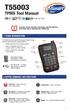 T55003 TPMS Tool Manual To ensure correct operation and service, read the following instructions before operating the T55003 Tool. 1. T55003 INTRODUCTION The T55003 interacts with the tire pressure sensor
Laser Wireless Rechargeable Mouse. User s Manual
 Laser Wireless Rechargeable Mouse Model #: LM8000WR User s Manual Rev. 060801 User s Record: To provide quality customer service and technical support, it is suggested that you keep the following information
LDG DTS-4/4R Desktop Coaxial Switch / Remote
 LDG DTS-4/4R Desktop Coaxial Switch / Remote LDG Electronics 1445 Parran Road, PO Box 48 St. Leonard MD 20685-2903 USA Phone: 410-586-2177 Fax: 410-586-8475 [email protected] www.ldgelectronics.com
Table of Contents Function Keys of Your RF Remote Control Quick Setup Guide Advanced Features Setup Troubleshooting
 Congratulations on your purchase of the AT&T U-verse TV Point Anywhere RF Remote Control. This product has been designed to provide many unique and convenient features to enhance your AT&T U-verse experience.
ABB Drives. User s Manual. Pulse Encoder Interface Module RTAC-01
 ABB Drives User s Manual Pulse Encoder Interface Module RTAC-0 Pulse Encoder Interface Module RTAC-0 User s Manual 3AFE 64486853 REV A EN EFFECTIVE:.5.00 00 ABB Oy. All Rights Reserved. Safety instructions
D7050/D7050TH. Installation Instructions. Multiplex Photoelectric Smoke Detectors
 D7050/D7050TH EN Installation Instructions Multiplex Photoelectric Smoke Detectors D7050/D7050TH Installation Instructions.0 Description Notices These instructions cover the installation of the D7050/D7050TH
LED Security Spotlight User Manual
 MOT ION-TR ACKING LED Security Spotlight User Manual www.jascoproducts.com 1-800-654-8483 2 TABLE OF CONTENTS Parts List 3 Questions? Missing Parts? 4 Installation (Wall mount) 6-9 Installation (Eave mount)
SVC400P/SVC800P. 4/8 Camera Live Tracking Vehicle DVR Installation Manual. Version 1.0
 SVC400P/SVC800P 4/8 Camera Live Tracking Vehicle DVR Installation Manual Version 1.0 1. MAIN FEATURES... 2 2. PRODUCT OVERVIEW... 2 3. DIMENSIONS... 4 4. PACKAGE CONTENTS... 5 5. MOUNTING AND ENVORNMENTAL
INSTALLATION & OPERATION MANUAL
 INSTALLATION & OPERATION MANUAL HB6PAKX & HB6PAKXX HIDE-A-BLAST STANDARD HIDE A BLAST UNIT HB6PAK-PI-X NGPI TWIST LOCK HIDE-A-BLAST LED WARNING LIGHT NGPI TWIST LOCK HIDE A BLAST UNIT IMPORTANT: 6 LED
Installation and Operation Manual. Digital Remote Meter for Monitoring System Performance. Version: RM-1
 REMOTE METER TM Installation and Operation Manual. Digital Remote Meter for Monitoring System Performance. Version: RM-1 1098 Washington Crossing Road Washington Crossing, PA 18977 USA www.morningstarcorp.com
E&P HYDRAULICS Remote control EPRC-01 Level System Camper
 USER S GUIDE E&P HYDRAULICS Remote control EPRC-01 Level System Camper 1 Copyright 2012, E&P Hydraulics This manual is copyrighted, with all rights reserved. Under the copyright laws, this may not, in
Portable Air Conditioner. OWNER S MANUAL Read these instructions before use. Model: MF08CESWW. Voltage rating: 115V~60Hz Power rating : 800W
 MODE ALARM Portable Air Conditioner OWNER S MANUAL Read these instructions before use 8 Model: MF08CESWW Voltage rating: 115V~60Hz Power rating : 800W Customer Support : 1-800-474-2147 For product inquiries
1 For All Non-Programmable Digital Thermostat
 OWNER'S MANUAL P/N P474-0100 1 For All Non-Programmable Digital Thermostat TOTALINE 68 Dual Setpoint Very easy to program Thermoglow Backlight No batteries required Auto-Changeover Locking Keypad Meets
User and Installation Guide
 Connect the AC adapter with the amplifier BEFORE plugging the AC adapter into an outlet to avoid spark generation! User and Installation Guide BlueFIDELITYTM Bluetooth Audio Amplifier Model 300 Contents
Original instructions Tina 3A/Aps Adaptor unit
 Original instructions Tina 3A/Aps Adaptor unit ABB Jokab Safety Varlabergsvägen 11, SE-434 39 Kungsbacka, Sweden www.abb.com/jokabsafety Read and understand this document Please read and understand this
Installation & Operation Manual HANDS-FREE BLUETOOTH MEDIA INTEGRATION KIT. Perfect for ANDROID TM
 GET CONNECTED Installation & Operation Manual HANDS-FREE BLUETOOTH MEDIA INTEGRATION KIT TranzIt BLU HF ISFM2351 Perfect for ANDROID TM Note to Readers, The information contained within the following documentation
INSTRUCTION MANUAL PLEASE READ ALL THE INSTRUCTIONS COMPLETELY BEFORE USE AND SAVE THIS MANUAL FOR FUTURE REFERENCE
 INSTRUCTION MANUAL PLEASE READ ALL THE INSTRUCTIONS COMPLETELY BEFORE USE Ver. 2.0 AND SAVE THIS MANUAL FOR FUTURE REFERENCE Table of Contents Unpacking... 3 About the CCRadio-EP... 4 Quick Start Guide...
CMD-8000 rev. A COMMANDER SERIES REMOTE CONTROL ENTRY SYSTEM
 INTRODUCTION CMD-8000 rev. A COMMANDER SERIES REMOTE CONTROL ENTRY SYSTEM Thank you for purchasing the CMD-8000 Commander from Dakota Digital. This, along with many other products that Dakota Digital has
CONNECTOR AMPLIFIER FOR PROPORTIONAL VALVES (4-20 ma Input Version)
 TECHNICAL DATASHEET #TD1102AX CONNECTOR AMPLIFIER FOR PROPORTIONAL VALVES (4-20 ma Input Version) Part Number: Connector Amplifier CAPV-H-4-20MA-x complete with cable CAPV-4C-yM Where: x = current output
SERVICE MANUAL FOR 6535 SERIES TWO TON HIGH EFFICIENCY PACKAGED HEAT PUMPS
 SERVICE MANUAL FOR 6535 SERIES TWO TON HIGH EFFICIENCY PACKAGED HEAT PUMPS TABLE OF CONTENTS 1. Warnings...2 2. Accessibility Of Appliance...3 3. Unit Dimensions And Specifications...3 4. Unit Specifications
Back-UPS Pro 1300/1500 Installation and Operation
 Back-UPS Pro 1300/1500 Installation and Operation Inventory Safety Do not install the Back-UPS in direct sunlight, in excessive heat, humidity, or in contact with fluids. Connect the battery bu059a bu058a
PR-2500 Portable Receiver. Owner s Manual
 PR-2500 Portable Receiver Owner s Manual CONTENTS The PR-2500, battery charger, and belt clip. (figure 1) Figure 1 Warning This device complies with Part 15 of the FCC rules, operation of this device is
USER MANUAL. Model 6103 3U ForeFront Alarm Card SALES OFFICE (301) 975-1000 TECHNICAL SUPPORT (301) 975-1007. An ISO-9001 Certified Company
 USER MANUAL Model 6103 3U ForeFront Alarm Card An ISO-9001 Certified Company Part# 07M6103 Doc# 123011U Rev. A Revised 7/15/03 SALES OFFICE (301) 975-1000 TECHNICAL SUPPORT (301) 975-1007 CONTENTS 1.0
POWER GEAR SLIDE OUT MANUAL
 POWER GEAR SLIDE OUT MANUAL Operation Guide FLUSH FLOOR SLIDE OUT SYSTEM FOR AMERICAN COACH PRODUCTS 82 S0220 01 Rev. 1 AMERICAN COACH SLIDE OUT MANUAL FLUSH FLOOR SYSTEM TABLE OF CONTENTS SECTION PAGE
VEHICLE THEFT/SECURITY SYSTEMS
 DN VEHICLE THEFT/SECURITY SYSTEMS 8Q - 1 VEHICLE THEFT/SECURITY SYSTEMS TABLE OF CONTENTS page GENERAL INFORMATION INTRODUCTION...1 VEHICLE THEFT SECURITY SYSTEM....1 ENABLING...1 ARMING...1 DISARMING...2
Before installation it is important to know what parts you have and what the capabilities of these parts are.
 INSTALLATION GUIDE Before installation it is important to know what parts you have and what the capabilities of these parts are. The Recon XZT is the smallest and most powerful gauge of its kind. With
AMS-1000 Multi-Channel Air Management System for Boost Control
 AMS-000 Multi-Channel Air Management System for Boost Control The terminal pin descriptions may also be viewed on screen. See Page 4 of manual for details. Clutch Input Shift Input Scramble Boost Input
Wireless Alarm System. Panic Button. User s Manual. Choice ALERT. Control all sensors, accessories and remote transmitters from one location
 Wireless Alarm System Panic Button User s Manual Choice ALERT Control all sensors, accessories and remote transmitters from one location Table of Contents Important Safeguards 4 Introduction 5 Activating
Digi-Motor Installation Guide
 Digi-Motor Installation Guide Installation Video...located at marsdelivers.com Digi-Motor Installation Guide Digi-Motor For technical assistance with your Azure Digi-Motor, call the MARS technical support
USER MANUAL. EZRUN Series Brushless Speed Controller EZRUN-150A-PRO
 USER MANUAL EZRUN Series Brushless Speed Controller EZRUN-150A-PRO User Manual of EZRUN-150A-PRO Brushless ESC HW-SM405ENG-20130809 Page - 1 - Declaration Thanks for purchasing our Electronic Speed Controller
Owner s Manual 900.4. 4 channel amplifier
 Owner s Manual 900.4 4 channel amplifier THANK YOU Limited Warranty: for purchasing RE AUDIO Bluetooth amplifiers BT-900.4. With almost no sacrifice on sound quality, BT-900.4 easily plays the music from
Portable Air Conditioner. OWNER S MANUAL Read these instructions before use. Model: MM14CCS. Voltage rating: 115V~60Hz Power rating : 1400W
 Portable Air Conditioner OWNER S MANUAL Read these instructions before use Model: MM14CCS Customer Support : 1-800-474-2147 Voltage rating: 115V~60Hz Power rating : 1400W For product inquiries or support
ExStik TM ph Waterproof Meters
 User Guide ExStik TM ph Waterproof Meters Models PH100 & PH110 Patent Pending ExStik TM Description Front Panel Controls 1. Battery compartment cap 2. LCD Display 3. MODE / HOLD button 4. CAL / RECALL
This equipment has been tested and found to comply with the limits for a Class B digital device, pursuant to part 15 of the FCC Rules.
 Power Max Level 2 Charging Station en Installation and Operating Instructions This equipment has been tested and found to comply with the limits for a Class B digital device, pursuant to part 15 of the
LS1024B / LS2024B/ LS3024B. Solar Charge Controller USER MANUAL
 EPSOLAR LS1024B / LS2024B/ LS3024B Solar Charge Controller USER MANUAL Thank you very much for selecting our product! This manual offers important information and suggestions with respect to installation,
User Manual THR840DUK Digital Thermostat
 User Manual THR840DUK Digital Thermostat 50051982-001 Rev. A WARNING: This product must be correctly installed and configured to work properly (see pages 12-24). If you are not experienced in wiring electrical
Short Range Wireless Switch System Handheld 8 Installation and Operations Guide
 Phone: (866) 701-1146 Fax: (425) 216-7558 www.remotecontroltech.com Short Range Wireless Switch System Handheld 8 Installation and Operations Guide Introduction... 2 Before Installation... 2 Receiver Installation...
SYSTEM 4C. C R H Electronics Design
 SYSTEM 4C C R H Electronics Design SYSTEM 4C All in one modular 4 axis CNC drive board By C R Harding Specifications Main PCB & Input PCB Available with up to 4 Axis X, Y, Z, A outputs. Independent 25
ITC-BTTN Cellular Bluetooth Gateway. Owner s Manual 1
 ITC-BTTN Cellular Bluetooth Gateway Owner s Manual 1 2 Table of Contents Introduction...3 Package Contents...3 XLink Connections Diagram...4 Setup...5 Pairing your Bluetooth Cell Phone to the XLink...6
FUEL-16, Troubleshooting Fuel Supply Problems
 FUEL-16, Troubleshooting Fuel Supply Problems Introduction This procedure is used to troubleshooting fuel supply problems including failure of the fuel pump to start during engine cranking. Fuel Pump Not
DirectCommand Installation DirectCommand 3-Channel Spreader Kit
 Note: Indented items indicate parts included in an assembly listed above Part Name/Description Part Number With Switch Box Quantity With Remote Switch Display Cable Kit 4100814 1 1 Power Control Relay
Schlage Control Smart Locks
 Schlage Control Smart Locks with Engage technology User guide Schlage Control Smart Locks with Engage technology User Guide Contents 3 Warranty 4 Standard Operation 4 Operation from the Inside 4 Operation
Portable Air Conditioner. OWNER S MANUAL Read these instructions before use. Model: MN12CES / MN10CESWW
 Portable Air Conditioner OWNER S MANUAL Read these instructions before use 8 Model: MN12CES / MN10CESWW Voltage rating: 120V~60Hz Power rating : 1100W (MN12CES) Power rating : 900W (MN10CESWW) Customer
ELECTRONIC THERMOSTAT AND THERMOMETER With SPEED CONTROL
 148 OLD CONCORD TURNPIKE, BARRINGTON NH 03825 USA TEL (603) 868-5720 FAX (603) 868-1040 1-800-435-6708 E-Mail:[email protected] www.seafrost.com ELECTRONIC THERMOSTAT AND THERMOMETER With SPEED CONTROL
Model 70A00-1. GSM Cellular Communications Center
 Home Automation, Inc. Model 70A00-1 GSM Cellular Communications Center Operation Manual Document Number 70I00-1 Rev A August, 2009 Contents Description... 1 Use with security systems...1 Everyday use...2
DAB+ / FM Tuner Model: TU-201
 DAB+ / FM Tuner Model: TU-201 Instruction Manual www.pulse-audio.co.uk 1 Safety Information The lightning bolt within a triangle is intended to alert the user to the presence of dangerous voltage levels
POOL SUNSHINE IONIZER MODELS SPD, SPD2 AND SPS INSTALLATION INSTRUCTIONS
 Sunshine Pool Products, LLC Manufacturer of Quality Pool & Spa Products 902 W 2010 S, Syracuse, Utah 84075 USA Voice: 801-825-4523 Website: www.sunshinepool.com Email: [email protected] POOL SUNSHINE
AutoRanging Digital MultiMeter
 Owner's Manual AutoRanging Digital MultiMeter Model No. 82139 CAUTION: Read, understand and follow Safety Rules and Operating Instructions in this manual before using this product. Safety Operation Maintenance
HWS100 Wireless Home Security System
 4902000 HWS100 Wireless Home Security System Owner s Manual WARNING: Security system devices cannot compensate for loss of life or property. Company is not responsible for any loss or intrusion. CONTENTS
Weather Radio Alarm Clock
 1200093 User s Guide Weather Radio Alarm Clock Thank you for purchasing your Weather Radio Alarm Clock from RadioShack. Please read this user s guide before installing, setting up, and using your new weather
When you switch off your system, or mute the sound, the red indicator light appears immediately, indicating that the subwoofer is not in use.
 BeoLab 11 Guide WARNING: To reduce the risk of fire or electric shock, do not expose this appliance to rain or moisture. Do not expose this equip ment to dripping or splashing and ensure that no objects
Key. ➍ Micro USB Port ➎ Operating System Toggle Keys ➏ Foam Screen Protectors. ➊ On/Off switch ➋ Bluetooth Connect Button (flashes when searching)
 INSTRUCTION MANUAL ➏ ➋ ➊ Product Features ➎ ➍ ➌ Built-in wireless Bluetooth 3.0 keyboard Compatible across ios, Android, and Windows, enabling you to mix and match with devices Ultra-thin, lightweight
Model: LCDM40 4.0 LCD Rear Vision Mirror Monitor Installation Manual Features
 Model: LCDM40 4.0 LCD Rear Vision Mirror Monitor Installation Manual Features Mirror with built in 4.0 LCD Monitor Low Profile, Slim Design High Resolution TFT LCD Built in Speaker Two video inputs Fully
i ChatterBox! Motorcycle Security
 i Before you Start the Installation * Please read this manual to become familiar with the requirements necessary to complete the installation. * Use a high quality multi-meter to test all wires before
4 in 1 Air Compressor
 4 in 1 Air Compressor Operating Instructions and Parts Manual Model W-1704! This is the safety alert symbol. It is used to alert you to potential personal injury hazards. Obey all safety messages that
Installation and Operation Guide for PD4000 Series Power Control Center
 Extended warranties are available for purchase at www.progressivedyn.com Installation and Operation Guide for PD4000 Series Power Control Center Member Thank you for selecting Progressive Dynamics as your
FAQs. Conserve package. Gateway... 2 Range Extender... 3 Smart Plug... 3 Thermostat... 4 Website... 7 App and Mobile Devices... 7
 FAQs Conserve package Gateway... 2 Range Extender... 3 Smart Plug... 3 Thermostat... 4 Website... 7 App and Mobile Devices... 7 FAQs Gateway Can I have someone install my system for me? If you are concerned
Drayton Digistat +2RF/+3RF
 /+3RF Programmable Room Thermostat Wireless Model: RF700/22090 Model: RF701/22092 Power Supply: Battery - Thermostat Mains - Digistat SCR Invensys Controls Europe Customer Service Tel: 0845 130 5522 Customer
Operation Manual for Users
 Operation Manual for Users Model No.: FLTAMFMRCD!!!!!!!!!! ATTENTION!!!!!!!!!! THE RESET BUTTON MUST BE PRESSED TO ENSURE PROPER OPERATION. SEE INSTRUCTION MANUAL Table of Contents Table of Contents ---------------------------------------------------------------------------------------------
How To Use A Power Supply Unit (Upu)
 BRAVER UPS (Uninterruptible Power System) User s Manual Safety CAUTION! This UPS utilizes voltages that may be hazardous. Do not attempt to disassemble the unit. The unit contains no user replaceable parts.
AXIS T81B22 DC 30W Midspan
 INSTALLATION GUIDE AXIS T81B22 DC 30W Midspan ENGLISH About this Document This document includes instructions for installing AXIS T81B22 on your network. Previous experience of networking will be beneficial
TM Advanced Tracking Technologies, Inc. 2003 ATTI All rights reserved
 TM Advanced Tracking Technologies, Inc. 2003 ATTI All rights reserved Copyright 2003, Advanced Tracking Technologies, Inc. All rights reserved. No part of this publication may be reproduced or transmitted
Operating instructions Diffuse reflection sensor with background suppression O1D101 O1D104 706114 / 00 01 / 2012
 Operating instructions Diffuse reflection sensor with background suppression O1D101 O1D104 706114 / 00 01 / 2012 Contents 1 Preliminary note 3 1.1 Symbols used 3 1.2 Warning signs used 3 2 Safety instructions
19 LED Tube Controller ORDERCODE 41003
 19 LED Tube Controller ORDERCODE 41003 Congratulations! You have bought a great, innovative product from Showtec. The Showtec 19 LED Tube Controller brings excitement to any venue. Whether you want simple
Wolverine Data PASS Portable Scanner User Manual V1.0
 Wolverine Data PASS Portable Scanner User Manual V1.0 Table of Contents 1. Before Using the PASS Battery Powered Portable Scanner ------- 2 Having difficulty using this product? -------------------------------------
PL-1, Pocket Logger 11-0135B
 PL-1, Pocket Logger 1 PL-1... 2 2 Wiring... 3 2.1.1 Single Innovate Device Relay Wiring Instructions... 3 3 Mounting... 4 4 Connecting the PL-1 to the MTS serial chain... 4 5 Recording... 5 6 LogWorks...
Wireless Home Security Alarm System AM 500
 Wireless Home Security Alarm System AM 500 12 MONTH GUARANTEE Installation & Operating Instructions INTRODUCTION The AM500 is a simple self-contained alarm system. It protects the home by sounding a siren