
AMS-1000 Multi-Channel Air Management System for Boost Control
|
|
|
- Caren Foster
- 9 years ago
- Views:
Transcription
1 AMS-000 Multi-Channel Air Management System for Boost Control The terminal pin descriptions may also be viewed on screen. See Page 4 of manual for details. Clutch Input Shift Input Scramble Boost Input Reduce Boost Input MAP Sensor +5 Volt MAP Sensor Ground AUX Channel Signal BOOST Channel Signal + Volt Switched Battery Ground Solenoid + Volt Boost Solenoid Increase Boost Solenoid Decrease Aux Solenoid Increase Aux Solenoid Decrease Activation, GPS Input IMPORTANT A sensor MUST be connected to the Boost channel. If no Sensor is present a Warning Message will be displayed! Boost Channel Mode Aux Channel Mode Clutch Input Status Shift Input Status Scramble Input Status Reduce Input Status Boost Channel Actual Psi Target Psi Aux Channel Actual Psi Target Psi Gear Position Activation Status or Gear Position Sensor Voltage. Options Menu Boost Channel Setup Aux Channel Setup View & Erase Data Log Copyright 005, All Rights Reserved, NLR, LLC

2 Notice: It is the responsibility of the purchaser to follow all guidelines and safety procedures supplied with this product and any other manufactures product used with the AMS-000. It is also the responsibility of the purchaser to determine compatibility of the AMS-000 with the vehicle and other components. NLR, LLC assumes no responsibility for damages resulting from accident, improper installation, misuse, abuse, improper operation, lack of reasonable care, or all previously stated reasons due to incompatibility with other manufacturer s products. NLR, LLC assumes no responsibility or liability for damages incurred from the use of products manufactured or sold by NLR, LLC on vehicles used for competition racing. NLR, LLC neither recommends nor approves the use of products manufactured or sold by NLR, LLC on vehicles which may be driven on public highways or roads, and assumes no responsibility for damages incurred from such use. NLR, LLC does not recommend nor condone the use of its products for illegal street racing. Installation of NLR, LLC products signifies that you have read this document and agree to the terms stated within. Important Information: Please see last page for Quick Tech Tips! Follow all recommended safety guidelines from this and other manufactures installation guides. Static suppression ignition wires must be used with this unit! Mount the unit as far away from secondary ignition components (coil, ignition wires, etc.) as physically possible.

3 Description The AMS-000 multi-channel Air Management System represents the latest in Digital Technology. A Motorola 50-Mhz 6-bit processor is used to provide accurate and extremely fast control. A 8x64 pixel Graphical LCD Display is used to provide a Live display of Data and Inputs. GUI (Graphical User Interface) style operating system makes setup and programming more intuitive and user friendly. Data logging is integrated into the AMS-000 and provides the user with instant feedback on the performance and real time operating parameters. The Data is presented as a Graph with a Scroll function for detailed data information. If only the main Boost channel is used for control of a waste gate the Aux channel MAP Sensor input can be used to log actual manifold pressure. If both channels are used for control then the logged data will represent the real time pressure applied to each channel during operation. Support for multiple type and pressure range MAP sensors have been provided so the system can be tailored to an individuals needs. Sensor inputs are continuously monitored and any Error conditions are reported to the user. GM bar 0 to 0 psi range. SSI 5 bar 0 to 60 psi range. SSI 6.5 bar 0 to 99 psi range. Multiple operating modes available, Time Based, Shift Based, and GPS (Gear Position Sensor) Based. Time Based One to six timed stages are available with this mode of operation. Each stage has an adjustable timer to control the duration. The Ramp Rate (rate at which the pressure is applied) is adjustable from 0 to 00 psi per second. A Ramp Rate setting of 0 does not disable the stage. The target psi will instantly rise at the end of any timed stage with a 0 Ramp Rate setting. The target psi can be increased or decreased over time to achieve the desired Boost Profile. Shift Based One to six stages are available and are controlled by a Shift Input signal. The Ramp Rate for each stage is programmable as well as the Target psi for each stage (gear position). The Ramp Rate settings perform the same functions as in Time Based mode. GPS Based One to six stages are available and are controlled by a 0-5 volt analog Input signal. This mode is for newer sport bikes or any vehicle that produces a different voltage for each gear position. A switch that produces a different voltage for each position can be used to select different boost profiles (up to six) on vehicles that do not use a Gear Position Sensor system. The Ramp Rate for each stage is programmable as well as the Target psi for each stage (gear position). The Ramp Rate settings perform the same functions as in Time Based mode. Data logging is NOT available with this mode of operation.

4 Multiple control inputs, Launch, Shift, Scramble, and Reduce inputs. These control inputs can be configured through the Options menu to be Active with either a + volt or a Ground signal. Clutch Input When active the Launch Target psi for each channel will be applied. The Launch Target psi can be set by the user through the Options Menu. When the Clutch Input is ON the Activation Signal is Ignored until the Launch signal is removed. i.e. The controller will Ignore the Activation Input signal while the Clutch Input signal is ON. An activation/timer reset option can be used with the Clutch Input, see the Option menu settings for more details. Shift Input A signal applied to this input will increment the Gear Position counter when the Activation Input is ON. The gear counter can be Reset each time a Clutch Input signal is recognized. Normal operation is that the Gear Counter is only Reset when the Activation signal is removed. See the Option menu settings for more details. Scramble Input The Scramble Input allows the user to increase or Scramble the target psi by a programmed amount. The Scramble function will function even if the Activation Input is OFF. The amount of Scramble increase is always added to the current target psi. See the Option menu for details on setting the Scramble increase amount. This function only is only applied to the Boost channel. There is no Scramble function for the Aux channel. Reduce Input The Reduce Input allows the user to decrease or Reduce the target psi by a programmed amount. The Reduce function will function even if the Activation Input is OFF. The amount of Reduce decrease is always subtracted from the current target psi. See the Option menu for details on setting the Reduce decrease amount. This function only is only applied to the Boost channel. There is no Reduce function for the Aux channel. Activation Input The Activation input control the start of the Stage timers and Ramp Rate timers. The Activation input is ignored if the Clutch input is ON. Data logging will always begin when the Activation input is first turned ON, even if the Clutch Input is Active. The Activation input can have a Hold-and-Wait timer that is programmed by the user. i.e. If the user programmed a Hold-and-Wait value of.05 second the Activation input will not turn OFF for.05 seconds when the signal is removed. See the Option menu for more details. The Activation input is also used for the GPS (gear position sensor) input if the AMS-000 is configured for GPS Mode. See the Boost setup menu for more details. 4

5 AMS-000 Features: Billet aluminum enclosure and all parts are specified over an extended temperature range. Vibration and weather proof. System software can be erased and reprogrammed by the factory for future software updates. 4 User settings will remain for up to 0 years with no power applied. No back up batteries are needed. 5 Factory default RESET available in the options menu to restore controller to state it was out of the box from the factory. 6 Launch mode programmable to range of selected MAP sensor. 7 Scramble boost to apply an amount of pressure that you program to the gate, thus increasing boost no matter where in the main program you are currently at. Think of it as an emergency boost button (kinda like a shot of nitrous) Remove the signal and it goes back to current target psi. Can be used as a single stage of boost 8 Reduce boost which works the opposite of scramble. It will remove a programmed amount from the current target psi. If you spin stab a button and it will reduce power instantly. 9 Delay timer for Activation in Shift Based Mode and First stage of Time based mode may be used as a delay timer. 0 Multiple operating modes: Time Based (up to 6 stages) programmable to hundredth of a second. Shift Based (up to 6 stages) GPS (up to 6 gears), self learning, can be used on anything with a voltage output to indicate gear position. Programmable Ramp Rate to control the rate at which the pressure is applied. 0 to 00 psi range. Dual output channels available or the auxiliary channel may be used for live boost pressure data viewing and data logging. Basically there are controllers in box. You can control multiple waste gate, valves, blow offs on supercharged systems thus giving you boost control. Integrated Dual channel data logger with 5 seconds of record for each channel. Graph view of logged data. Logged data will remain until it is erased by user. 4 Graph view of programmed settings. 5 Display backlight and contrast is user adjustable from the options menu. 6 Help screens and setup wizards to help with setup. 7 Most inputs can be configured for + volt or ground activation. 8 All inputs have input protection diodes. All outputs have integrated noise suppression devices to clamp fly back voltage from solenoids. 9 Outputs short circuit protected and over current protected( 7 amp Maximum) 0 Reverse battery protection. 5

6 Table of Contents: Notice and Important Information Important information and Cautions AMS-000 Description General Overview and Operation AMS-000 Features AMS-000 Features OPTION Menu, Page Selecting MAP Sensor Setting Launch Psi, Boost and Aux Channels OPTION Menu, Page Setting Scramble and Reduce Psi, Boost Channel Setting Activation Hold and Clutch Reset Style OPTION Menu, Page Turning the Aux channel On/OFF Setting Launch, Shift, Scramble, and Reduce polarity OPTION Menu, Page4 Factory Reset option Setting LCD Backlight and Contrast BOOST Menu Selecting Boost channel Control Mode Boost Channel Setup Viewing Graph of Boost channel Setup AUX Menu Selecting Aux channel Control Mode Aux Channel Setup Viewing Graph of Aux channel Setup DATA Menu Viewing Logged Data Erasing Logged Data Operating System Version and Error Codes Page Page, 4 Page 5 Page 7 Page 7, 8 Page 8 Page 9 Page 0 Page 0, Page Page Page Page, 4, 5 Page 6 Page 7 Page 7 Page 7 Page 8 Page 8 Page 9 Installation Instructions Wiring and Plumbing Diagram, Boost Channel Wiring and Plumbing Diagram, Aux Channel Optional MAP Sensor Installation Logging, Monitoring Actual Manifold Boost with Aux Channel Page 0 Page Page Page Specifications Electrical specifications and Dimensions Warranty Information Warranty Quick Tech Tips Tech Tips Page Page 4 Page 5 6

7 Selecting MAP Sensor Connect the desired MAP sensor as outlined in the Installation section and then follow the instructions below. Warning Make sure the Selected Sensor matches the one that is installed. All Sensors if connected will re-calibrate. If the wrong one is selected the pressure readings will NOT be correct! Press the OPTION button. Press the SENSOR button. Press BOOST or AUX button to change MAP sensor type Select New Sensor. Select OK to re-calibrate the new MAP Sensor. IMPORTANT INFORMATION If no MAP sensor is detected this message will be displayed and the Sensor setting will NOT be changed! Press the BACK button to exit. Use the BACK button to Return to the Main Screen. Select OK to Return to the Sensor selection screen. Setting Launch Psi, Boost and Aux Channels The Launch settings will be applied when the Clutch input is ON. Even if the Activation input is ON. The target psi will be overridden by the Launch Psi setting. Scramble and Reduce Inputs will function as normal and Add or Subtract from the Launch setting. If the Clutch Reset Option is ON all Stage Timers will Reset and the Shift Counter will return to st Gear. See the Clutch Reset Style section for more details. 7 Continued on Page.

8 Setting Launch Psi, Boost and Aux Channels, Continued... Press the OPTION button. Press the LAUNCH button. Press BOOST or AUX button to adjust the Launch psi setting. 4 5 ESC, Exit and do NOT save new value Adjust Value. SAVE, Exit and Save new value. Press the BACK button to exit. Use the BACK button to Return to the Main Screen. Setting Scramble and Reduce Psi, Boost Channel When the Scramble Input is ON, the Boost Channel Target Psi will be Increased by the Scramble setting. This function is available in ALL Modes of operation, including Launch Mode (clutch input ON). The Aux Channel is NOT affected by this setting. When the Reduce Input is ON, the Boost Channel Target Psi will be Decreased by the Reduce setting. This function is available in ALL Modes of operation, including Launch Mode (clutch input ON). The Aux Channel is NOT affected by this setting. Press the OPTION button. Press the NEXT button. Press SCRBLE button Press SCRBLE or REDUCE button to adjust. ESC, Exit and do NOT save new value Adjust Value. SAVE, Exit and Save new value. Press the BACK button to exit. Use the BACK button to Return to the Main Screen.

9 Setting Activation Hold and Clutch Reset Style The Activation Hold function when Programmed with a value greater than 0.00 will Delay the release of the Activation Input. i.e. If the user is using a Wide Open Throttle switch to control the Activation. A Delay could be used to keep the system from re-setting if the throttle is lifted for a short period of time. If the Clutch Reset Style is ON all Timers and Both channels will be RESET if the Clutch Input is Active (even if the Activation Signal is ON). If the Clutch Reset Style is OFF the system will only RESET when the Activation signal is removed. Press the OPTION button. Press the NEXT button. Press TIMER button Press the ACT,HOLD button. ESC, Exit and do NOT save new value Adjust Value. SAVE, Exit and Save new value. Press the BACK button to exit. Use the BACK button to Return to the Main Screen. Setting Clutch Reset Style Follow Steps through above. 4 5 Press the RESET button to Toggle Clutch Reset On/Off. Press the BACK button to exit. Use the BACK button to Return to the Main Screen. 9

10 Turning the Aux channel On/OFF The Aux Channel can be used as a nd control channel or it can function as a Live Data readout and logging channel. If the Aux channel is ON (configured for control) the Display will show the actual psi value on the Aux channel. Note This is the pressure on the control side. And the data log will represent the Actual target psi on the control side. If the Aux channel is OFF and a MAP sensor is connected to the manifold the Display will provide a live readout of the Actual Manifold Boost pressure. The data log will represent the actual manifold pressure. Refer to the Selecting MAP Sensor and the Installation section for more information... Press the OPTION button. Press the NEXT button twice. Press the AUXOUT button to Toggle the Aux Channel ON/OFF. IMPORTANT INFORMATION If no MAP sensor is detected this message will be displayed and the Aux Channel will remain OFF! Setting Launch, Shift, Scramble, and Reduce polarity The Launch, Shift, Scramble, and Reduce inputs can be configured for + volt or Ground activation. This way existing wiring and/or switch setups can be used. Press the OPTION button. Press the NEXT button twice. Press the INPUT button. Continued on Page. 0

11 Setting Launch, Shift, Scramble, and Reduce polarity, Continued Press the BACK button to exit. Use the BACK button to Return to the Main Screen. Press button to change Polarity Press button to change Polarity Factory Reset option The Factory Reset option will return all controller settings to their factory defaults. Warning All current settings will be lost if a Factory Reset is done! Press the OPTION button. Press the NEXT button three times. Press the RESET button. 4 5 Confirm Factory Reset. Press OK. Setting LCD Backlight and Contrast Press the OPTION button. Press the NEXT button three times. Press the LCD button to go to the LCD options page.

12 Selecting Boost Channel Control Mode Multiple operating modes are available as outlined on Page. Time based, Shift based, and GPS (gear position sensor) based. Boost Channel Mode Note GPS mode can only be selected using the Boost setup menu. When using GPS mode the Aux channel will be configured for GPS mode also. Time based or Shift based modes can be used for the Boost and Aux channels. i.e. Boost channel could be Time based and the Aux channel could be Shift based. Press the BOOST button. Time Based Mode Shift Based Mode GPS Based Mode 4 Press the STYLE button to change operating mode. Time Based One to six timed stages are available with this mode of operation. Each stage has an adjustable timer to control the duration. The Ramp Rate (rate at which the pressure is applied) is adjustable from 0 to 00 psi per second. A Ramp Rate setting of 0 does not disable the stage. The target psi will instantly rise at the end of any timed stage with a 0 Ramp Rate setting. The target psi can be increased or decreased over time to achieve the desired Boost Profile. Shift Based One to six stages are available and are controlled by a Shift Input signal. The Ramp Rate for each stage is programmable as well as the Target psi for each stage (gear position). The Ramp Rate settings perform the same functions as in Time Based mode. GPS Based One to six stages are available and are controlled by a 0-5 volt analog Input signal. This mode is for newer sport bikes or any vehicle that produces a different voltage for each gear position. A switch that produces a different voltage for each position can be used to select different boost profiles (up to six) on vehicles that do not use a Gear Position Sensor system. The Ramp Rate for each stage is programmable as well as the Target psi for each stage (gear position). The Ramp Rate settings perform the same functions as in Time Based mode. Data logging is NOT available with this mode of operation.

13 Boost Channel Setup Setting number of Control Stages, All Modes Press the SETUP button. Press the STAGE button. ESC, Exit and do NOT save new value Adjust Value. SAVE, Exit and Save new value. Setting Delay Timer, Shift Mode ONLY! When in Shift Mode this setting will Delay the Activation or Boost Control until the Delay Timer has elapsed. i.e. can be used to hold and/or delay the Launch psi while launching in st gear. Press the DELAY button. ESC, Exit and do NOT save new value Adjust Value. SAVE, Exit and Save new value. Setting control stage parameters Press the NEXT button. BACK, exit edit view. Select Cell for Editing. EDIT, Edit Cell value. Continued on next page...

14 STAGE TIME IN SECONDS Time Based mode ONLY!, This setting determines the Time for Each Stage when using Time Based mode. To determine the total time for all stages add the Time for each Stage together. Please see the example below for more details. Target Psi Stage Timer 0.00 Activation Stage Timer Ramp.5.0 Ramp Stage Timer Ramp Stage4 Timer Real Time Ramp4 Holds until Activation signal is removed. Stage Time Real Time Select Cell for Editing. Press the EDIT button. ESC, Exit and do NOT save new value Adjust Value. SAVE, Exit and Save new value. RATE, PSI PER SECOND All Modes, This setting determines the Rate the Target Psi is applied. The range is 0 to 00 psi per second. A setting of 0 will apply the Target psi immediately with no Ramp. The Ramp will be applied at the end of each stage when in Time Based mode. When in Shift or GPS modes the Ramp will be applied on each gear change. If the Target psi is not fully applied and a gear change occurs the Ramp rate for the next stage will be used. An Optional delay timer is available in Shift mode only. This can be used to delay the Ramp for st gear only. 4 Select Cell for Editing. Press the EDIT button. Continued on next page... ESC, Exit and do Adjust Value. SAVE, Exit and Save new

15 TARGET PSI All Modes, This setting determines the Target Psi for each stage. The range of Adjustment depends upon the MAP Sensor being used. The range is automatically scaled for current MAP sensor selected. The Target Psi can be increased or decreased for each stage. NOTE It is possible to set a Target Psi value that can NOT be reached. This occurs when the Ramp Rate and/or Stage Time does not permit the full Target Psi setting to achieved. i.e. If a Stage Time of second, Ramp Rate of Psi Per Second, and a Target Psi of 4. The controller would only be able to apply Psi in the Second programmed for the stage. The only exception to this is the Last Stage. The Last Stage Target Psi will always go to the programmed setting (unless the Activation signal is removed). Select Cell for Editing. ESC, Exit and do NOT save new value Adjust Value. SAVE, Exit and Save new value. VOLTS, GPS INPUT VOLTAGE GPS Mode ONLY, The GPS voltage is used to determine what gear the vehicle is in. The voltage for each gear position can be entered manually or a setup wizard is provided. A switch that provides a different voltage for each setting can be used to select up to 6 different boost profiles. The input will accept a +/-. volt input difference from the programmed value. The current GPS Input Voltage and Gear Position will be displayed an the Main Screen when GPS mode is active. GPS voltage, manual entry. Press the EDIT button. Manual setup. Use Setup Wizard. ESC, Exit and do NOT save Adjust Value. SAVE, Exit and Save new value. 5 GPS Wizard Instructions, To use the wizard simply put the vehicle in the gear displayed and press ENTER. Select YES to accept the current Gps Voltage or NO to manually set the voltage. This option will only work on vehicles that provide a voltage (0 to 5 volts) for each gear position. You may move through the gear positions using the ARROW button. Use the RANGE button to adjust the voltage +/- voltage range for the selected gear position. Valid range is.(. volt range) to.5( volt range) volts. It is common for the GPS voltage to change vary with the engine running. Press the DONE button when finished. If a voltage is present on the GPS (Activation) Input that is not recognized the Target Psi will be set at 0.

16 Viewing Graph of Boost channel Setup The current boost channel setup can be viewed in graph form. Use the Arrow buttons to navigate through the setup. In Shift and GPS modes a. second time is added to the end of each stage (for viewing purposes only). If the Launch Psi setting is greater than 0 the user can include the Launch setting in the graph data. Without Launch Data. Press the BOOST button. Press the VIEW button. Exit Navigate Data With Launch Data. Exclude Launch Data. Include Launch Data. Exit Navigate Data 6

17 Selecting Aux Channel Control Mode Multiple operating modes are available as outlined on Page. Time based, Shift based, and GPS (gear position sensor) based. Only GPS mode will be available if the Boost channel is configured for GPS mode. Aux Channel Mode If the Aux channel is OFF the following message will be displayed. A MAP sensor MUST be connected to the Aux channel to continue! See below. Press the AUX button. Press the YES button to turn the Aux channel ON. Press the YES button to test the Aux channel sensor. Aux channel Setup Screen. Press the STYLE button to change operating mode. If no sensor is present the Aux channel will remain OFF. Press OK button to exit. Aux Channel Setup After entering the Aux channel setup refer to Boost Channel Setup (page ) for more information. Viewing Graph of Aux channel Setup After entering the Aux channel setup refer to Viewing Graph of Boost channel Setup (page 6) for information. 7

18 Viewing Logged Data The actual Target Boost Psi and Aux Target Psi is recorded (logged) for viewing and tuning purposes. Data logging will occur if the Data memory is erased and the Activation signal is present. Data logging will begin when a + volt signal is applied to the Activation Input. The Boost and Aux channels will record data for 5 seconds (less if the Activation signal is removed). When the Activation signal is removed the logged data will be written to EEPROM memory for later viewing. The logged data will be stored even if the controller is turned OFF. The ONLY way to record over the logged data is to erase it. Press the DATA button. Press the VIEW button. Select Channel to View. 4 Exit Navigate Data Note The Activation signal must be removed before turning off the unit for Data to be stored to non-volatile memory. If the Activation signal is connected directly to the #8 Switched +V Power terminal the Data Log function will not work correctly! Erasing Logged Data Follow the instructions below to erase current data log. Press the DATA button. Press the ERASE button. Select Channel to Erase. 8

19 # Operating System Version and Error Codes The operating system can be updated by the factory. Use the instructions below to obtain the current Version Information. Any error that may occur will be stored as a number code and can be retrieved for diagnostics. Error codes can be erased after viewing. See below for details. System Version and Date. Press the DATA button. Press the INFO button. Check for Error Codes. No Error Codes Present. Error Codes Present. Codes will be displayed from let to right. Left most codes are the oldest and the far right code is the most recent. Press to Erase Code History. Code Listing 0 Boost Input Analog to Digital system Timeout Error. Aux Input Analog to Digital system Timeout Error. GPS Input Analog to Digital system Timeout Error. Memory Exception Error, Illegal memory access. 4 Illegal Opcode Error, unrecognized CPU instruction. 5 Memory Allocation Error. 6 Boost MAP Sensor Error. 7 Aux MAP Sensor Error. 9

20 Wiring and Plumbing Diagram, Boost Channel Reduce Input Scramble Input Shift Input Yellow, 0ga Clutch Input Blue, 0ga +V or Ground See Option Menu +V or Ground See Option Menu +V or Ground See Option Menu +V or Ground See Option Menu 0 Amp Fuse +V Switched Black, 8ga Red, 0ga MAP Sensor +5V Red, 0ga MAP Ground Black, 0ga MAP Signal, Boost Channel Gray, 0ga GROUND +V Activation Signal or GPS Sensor Voltage Purple, 0ga Decrease Solenoid Ground Green, 0ga Decrease Solenoid Increase Solenoid Ground Brown, 0ga Solenoid +V Red, 0ga Increase Solenoid Note The Activation signal must be removed before turning off the unit for Data to be stored to non-volatile memory. If the Activation signal is connected directly to the #8 Switched +V Power terminal the Data Log function will not work correctly! IN OUT EXH IN OUT EXH /8 NPT Plug Air Supply or Manifold Pressure SSI 60 Caution Do NOT forget to install /8 NPT plug in the EXH port! Mount ON or as Close to Gate as posible! Wastegate Manifold Pressure 0

21 Wiring and Plumbing Diagram, Aux Channel 86 C B A +5V OUT GND MAP Sensor +5V MAP Ground MAP Signal, Aux Channel Decrease Solenoid Ground Increase Solenoid Ground Solenoid +V Decrease Solenoid Increase Solenoid IN OUT EXH IN OUT EXH /8 NPT Plug Air Supply or Manifold Pressure Wastegate Manifold Pressure
22 Optional MAP Sensor Installation The optional sensor must be configured using the OPTION menu. See page 7 for details. To Solenoid and/or Manifold plumbing. 86 C B A +5V OUT GND Red Black White MAP Sensor +5V MAP Ground Signal to Boost or Aux channel as required. MAP Signal To Solenoid and/or Manifold plumbing. SSI 00 Red Black White MAP Sensor +5V MAP Ground MAP Signal Signal to Boost or Aux channel as required. Logging, Monitoring Actual Manifold Boost with Aux Channel When the Aux channel is NOT used for control it may be used to monitor and data log the Actual manifold boost pressure. Connect the MAP sensor to the Aux channel as outlined. Connect the sensor port to the manifold. The AUX readout will now display the actual manifold pressure. If data logging is enabled (Aux channel erased) the actual manifold pressure will logged. This can then be compared to the Boost channel data for tuning purposes. NOTE When monitoring manifold pressure the Engine must be OFF when the AMS-000 is turned on. If the engine is running the Sensor calibration will be in-correct! Connect Sensor port to Manifold. 86 C B A +5V OUT GND MAP Sensor +5V MAP Ground MAP Signal, Aux Channel
23 Specifications Normal Operating Voltage 0 to 6 volts (Controller will function down to 7 volts, Solenoids need a minimum of 0 volts for proper operation). Maximum Current 5 Amps for each Solenoid Output. MAP Sensor Input 0 to 5 volts. GPS Input 0 to 5 volts. Overall Height.975 Overall Width.850 Overall Length
24 Warranty Information NLR, LLC warrants to the original purchaser that the AMS-000 Controller Shall be free from defects in parts and workmanship under normal use for 6 months from the date of purchase. NLR, LLC obligation under this warranty is limited to the repair or replacement of any component found to be defective when returned postpaid to NLR, LLC. The Controller must be returned with evidence of place and date of purchase or warranty will be void. The warranty will not apply if the AMS-000 Controller has been installed incorrectly, repaired, damaged, or tampered with by misuse, negligence or accident. Phone Viewing Terminal Pin Descriptions on Screen Press the DATA button. Press the INFO button. Press the PINOUT button. 4 Press the BACK to Exit. 4
25 Quick Tech Tips: If you are going to use the AMS-000 in time based or shift input mode(not GPS) you will need to supply switched volts to terminal number. This input will need to be turned on and off. Think of it like this, when the switch is off(not supplying volts to terminal number ) the AMS-000 is in PROGRAM mode, allowing you to make changes to the program. When the switch is on( volts being applied to terminal number ) the controller is in RUN mode and will not let you make changes as it is trying to run its program. This is an activation input, you will still nee to supply power to terminal 8 and a ground to 9. PLEASE SEE INSTRUCTIONS FOR MORE INFORMATION! Make sure you configure the input polarity for the (shift, clutch, scramble, reduce) before you connect your wires. If you have it configured for the wrong polarity the input will go on and stay on. If this has happened removed the wire and go in and change the input polarity and reconnect the wire. PLEASE SEE INSTRUCTIONS FOR MORE INFORMATION! Clutch input can be used as a transbrake input. 4 Mounting the pressure sensor in the gate will have the best results. Drill and tap for a /8 npt and screw in sensor. Mount solenoids as close to gate as possible. If you cannot mount sensor in the gate then tee it in as close as possible. 5 Co as pressure source is recommended as it has many benefits. Run as small as a spring as you can and let the controller do the rest! 5
Stage1 Programming Switches 10 s. Input Polarity Select DIP Switch. 1 s. MAP Sensor Port 1/8 NPT. Stage1 LED. Power. Stage2 LED.
 AMS-5 Boost Controller Overview The AMS-5 Boost Controller can control 2-Stages and/or levels of boost. The 2- Stages are controlled by Input1 and Input2. Both of these inputs can be configured using a
INSTALLATION INSTRUCTIONS BOOST CONTROLLER. Pro Control Input (Optional) Tach. Signal. Speed. Gray. Signal. Green Blue. Orange.
 2650-1706-00 INSTALLATION INSTRUCTIONS BOOST CONTROLLER WARNING! The installation of the Auto Meter Boost Controller is recommended only for experienced technicians. This product may damage your engine
G-100/200 Operation & Installation
 G-100/200 Operation & Installation 2 Contents 7 Installation 15 Getting Started 16 GPS Mode Setup 18 Wheel Sensor Mode Setup 20 Fuel Calibration 23 Basic Operation 24 Telemetery Screen 27 Entering a Distance
WARRANTY AND DISCLAIMER
 2036 Fillmore Street Davenport, Ia. 52804 563-324-1046 www.racedigitaldelay.com MEGA 350/450 WARRANTY AND DISCLAIMER DIGITAL DELAY INC. WARRANTS THE PRODUCTS IT MANUFACTURES AGAINST DEFECTS IN MATERIALS
USER MANUAL WARNING! CONTENTS MODEL 1 SPECIFICATIONS READ ALL INSTRUCTIONS BEFORE PROCEEDING. Non-Programmable Single Stage Heat/Cool Thermostat
 Builder MODEL 1010 Series Non-Programmable Single Stage Heat/Cool Thermostat USER MANUAL Compatible with low voltage single stage gas, oil or electric heating or cooling systems, including single stage
GEARBOX MONITOR MODEL NR. 1.1203 USER MANUAL
 GEARBOX MONITOR MODEL NR. 1.1203 USER MANUAL USER SAFETY Before starting to drive with a mounted gearbox monitor you need to make sure that: the monitor does not limit field of vision of the driver; monitor
Technical Manual. FAN COIL CONTROLLER COOLING or HEATING ANALOG or PWM Art. 119914 631001A
 COOLING or HEATING ANALOG or PWM Art. 119914 631001A TOTAL AUTOMATION GENERAL TRADING CO. LLC SUITE NO.506, LE SOLARIUM OFFICE TOWER, SILICON OASIS, DUBAI. UAE. Tel. +971 4 392 6860, Fax. +971 4 392 6850
User's Guide. Integrating Sound Level Datalogger. Model 407780. Introduction
 User's Guide 99 Washington Street Melrose, MA 02176 Phone 781-665-1400 Toll Free 1-800-517-8431 Visit us at www.testequipmentdepot.com Back to the Extech 407780 Product Page Integrating Sound Level Datalogger
PK5500 v1.1 Installation Instructions
 PK5500 v1.1 Installation Instructions 1 2 3 4 5 6 7 8 9 * 0 # WARNING: Please refer to the System Installation Manual for information on limitations regarding product use and function and information on
User Manual. Humidity-Temperature Chart Recorder. Model RH520
 User Manual Humidity-Temperature Chart Recorder Model RH520 Introduction Congratulations on your purchase of the Extech RH520 Temperature + Humidity Chart Recorder. The RH520 measures and displays Temperature,
Electronic Power Control
 Service. Self-Study Programme 210 Electronic Power Control Design and Function With the Electronic Power Control system, the throttle valve is actuated only by an electric motor. This eliminates the need
e-ask electronic Access Security Keyless-entry
 e-ask electronic Access Security Keyless-entry e-fob Keyless-entry entry System Full-Function Function Installation Manual FCC ID: TV2EFOB1 (UM20 ~ 22793-02) Table of Contents Introduction... 1 e-fob Operation
TC-9102 Series Surface Mount Temperature Controllers
 TC-9102 Series Surface Mount Temperature Controllers General Description & Applications The TC-9102 Series Temperature Controller offers a versatile solution for a wide variety of applications that may
MAGICAR M871A. Car alarm with two-way remote User s guide
 MAGICAR M871A Car alarm with two-way remote User s guide EN MAGICAR M871A Car alarm with two-way remote User s guide TABLE OF CONTENTS Table of contents...2 1. Important notice...4 2. Introduction...4
VEHICLE SECURITY SYSTEM G25/G20
 VEHICLE SECURITY SYSTEM G25/G20 Limited Lifetime Warranty This vehicle security system is warranted to the original purchaser, to be free from defects in material and workmanship. The manufacturer will
CONTROL SWITCHER User s Manual (Preliminary)
 CONTROL SWITCHER User s Manual (Preliminary) www.voodoolab.com Copyright 2010 by Digital Music Corporation. This publication is protected by copyright and all rights are reserved. Voodoo Lab, Control Switcher,
PR-2500 Portable Receiver. Owner s Manual
 PR-2500 Portable Receiver Owner s Manual CONTENTS The PR-2500, battery charger, and belt clip. (figure 1) Figure 1 Warning This device complies with Part 15 of the FCC rules, operation of this device is
PRODUCTIVITY THROUGH INNOVATION 600 CONTROL DIRECT DRIVE TECHNICAL/OPERATION MANUAL
 Rev. D PRODUCTIVITY THROUGH INNOVATION 600 CONTROL DIRECT DRIVE TECHNICAL/OPERATION MANUAL 10 BORIGHT AVENUE, KENILWORTH NEW JERSEY 07033 TELEPHONE: 800-524-0273 FAX: 908-686-9317 TABLE OF CONTENTS Page
MTX-D, Boost/Shift Gauge
 MTX-D, Boost/Shift Gauge 1 Mounting and Sensor Installation... 3 1.1 Mounting the Gauge... 3 1.2 MAP sensor... 3 2 Wiring... 3 2.1 Main Gauge Wiring... 3 2.2 MAP sensor wiring... 4 2.3 Tach signal wiring...
well as pulses from a magnetic driveshaft sensor or a magnetic speedometer cable sensor.
 1. Overview The Maximizer 4 progressive nitrous controller operates one or two separate stages of nitrous based on either time, RPM, MPH, throttle percentage or boost pressure. Whether your engine is naturally
Introduction. Drenth Motorsport Gearboxes Fleuweweg 10 7468 AG Enter The Netherlands Phone: +31 (0)547 38 26 96 Fax: +31 (0)547 38 20 65
 25.03.0023 Introduction The display comes with a software application. With the software application information shown on the display can be adjusted. There are different modes to adjust: the shape of
AUTO CHARGE 3 STEP AUTOMATIC BATTERY CHARGER
 FILE: IM_091-120-12E-20 Rev A., 05-06-08 INSTRUCTION MANUAL AUTO CHARGE 3 STEP AUTOMATIC BATTERY CHARGER R MODEL #091-120-12E-20 for ODYSSEY AGM BATTERIES CAUTION This charger is calibrated to the ODYSSEY
Parts List. Navigation
 Parts List quantity description 1 LCD-200 Display 1 LCD-200 Display cable 1 CD-ROM 2 dual lock or velcro 1 1GB SD card (optional) 1 CAN termination plug Navigation Main Menu Begin Log/Stop Log page 4 Log
INSTALLATION GUIDE. www.security.soundstream.com FCC ID NOTICE
 AL.1 AUTO SECURITY SYSTEM INSTALLATION GUIDE www.security.soundstream.com FCC ID NOTICE This device complies with Part 15 of the FCC rules. Operation is subject to the following conditions: 1. This device
INSTALLATION MANUAL 3RP / 5RP 4-BUTTON SERIES VEHICLE SECURITY SYSTEMS
 3RP / 5RP 4-BUTTON SERIES VEHICLE SECURITY SYSTEMS INSTALLATION MANUAL Before you begin the installation Read the INSTRUCTIONS! Always use a multi-meter when verifying vehicle wiring. Before mounting the
CMD-8000 rev. A COMMANDER SERIES REMOTE CONTROL ENTRY SYSTEM
 INTRODUCTION CMD-8000 rev. A COMMANDER SERIES REMOTE CONTROL ENTRY SYSTEM Thank you for purchasing the CMD-8000 Commander from Dakota Digital. This, along with many other products that Dakota Digital has
MTX-D Ethanol Content and Fuel Temperature Gauge User Manual
 MTX-D Ethanol Content and Fuel Temperature Gauge User Manual P/N 3912 kit does not include flex fuel sensor. The ECF-1 is compatible with GM P/Ns 13577429 and 13577379 1. Installation... 2 1.1 Gauge Mounting...
1955-1956 Chevy Bel-Era
 Classic Instruments 1955-1956 Chevy Bel-Era Installation Manual Revised January 2, 2014 Page 1 Table of Contents Table of Contents 2 Welcome to the Team of Classic Instruments! 3 55-56 Chevy Part Identification
Electric Landing Gear controllers and sequencer LGC12 / LGC 13C
 Electric Landing Gear controllers and sequencer LGC12 / LGC 13C Users Guide. Torrent d en Puig, 31. 08358, Arenys de Munt, Barcelona,Catalonia,Spain E-mail: [email protected]. Fax: +34 933 969 743 web: www.xicoy.com
LCD5500Z / PKP-LCD v3.x Installation Instructions
 LCD5500Z / PKP-LCD v3.x Installation Instructions TM Introduction The LCD5500Z / PKP-LCD keypad displays system status using an LCD screen. The keypad can be used on PowerSeries security systems with up
1 For All Non-Programmable Digital Thermostat
 OWNER'S MANUAL P/N P474-0100 1 For All Non-Programmable Digital Thermostat TOTALINE 68 Dual Setpoint Very easy to program Thermoglow Backlight No batteries required Auto-Changeover Locking Keypad Meets
RI-215A Operator s Manual. Part Number: 71-0045RK Revision 0 Released: 10/3/05
 RI-215A Operator s Manual Part Number: 71-0045RK Revision 0 Released: 10/3/05 Warranty RKI Instruments, Inc., warrants gas alarm equipment sold by us to be free from defects in materials and workmanship,
i ChatterBox! Motorcycle Security
 i Before you Start the Installation * Please read this manual to become familiar with the requirements necessary to complete the installation. * Use a high quality multi-meter to test all wires before
VARIO PROX CARD READER INSTALLATION MANUAL
 VARIO PROX CARD READER INSTALLATION MANUAL TABLE OF CONTENTS 1.0 INTRODUCTION...2 1.1 Legend...3 1.2 Terminology...4 2.0 MOUNTING...5 3.0 WIEGAND CONNECTION...6 4.0 AUX BUTTON INPUT...7 5.0 INSTALLER PROGRAMMING...8
R22. K Control. Indoor Unit. Nomenclature. Compatibility PL H 3 G K H B. Unit style Heat Pump Horse Power
 R22. K Control. Indoor Unit. Nomenclature. PL H 3 G K H B Compatibility Unit style Heat Pump Horse Power Control Boost Heaters R22. K Control. Outdoor Unit. Nomenclature. PU H 3 Y K A Compatibility Outdoor
WIRING HARNESS FOR AS635P4. BLUE PLUG RED, BLUE, BLACK, WHITE - Plug in dual stage sensor harness
 WIRING HARNESS FOR AS635P4 ANTENNA NOT USED 5 PIN WHITE PLUG 2 PIN WHITE PLUG GREEN - PARKING BRAKE INPUT (-) BLUE - NOT USED 3 PIN BLUE PLUG RED, BLUE, BLACK, WHITE - Plug in dual stage sensor harness
Installation and Operation Manual. Digital Remote Meter for Monitoring System Performance. Version: RM-1
 REMOTE METER TM Installation and Operation Manual. Digital Remote Meter for Monitoring System Performance. Version: RM-1 1098 Washington Crossing Road Washington Crossing, PA 18977 USA www.morningstarcorp.com
D-MAX WEB GUIDE CONTROLLER WITH OPERATOR INTERFACE PANEL QUICK START SETUP MANUAL
 1/1 D-MAX.D1 1A Manual S1 D-MAX OPERATOR INTERFACE (Application Home Screen Is Shown) D-MAX CONTROLLER 04/14/2008 2008 Fife Corporation. All rights reserved. Figure Sheet 2-249 This page is intentionally
T-100-R Installation Guide
 T-100-R Installation Guide Table of Contents Page 2 Overview T-100-R Z-Wave Thermostat 3-4 Installation HVAC System Setup 6 Installer Settings Menu Items 7-9 Installer Settings Summary 10-11 Wiring Standard
CPL SYSTEMS / GROENEVELD AUTOMATIC GREASING SYSTEM COMPLETE SYSTEM CHECK PNEUMATIC PUMP
 CPL SYSTEMS / GROENEVELD AUTOMATIC GREASING SYSTEM COMPLETE SYSTEM CHECK PNEUMATIC PUMP Feb 5, 2003 1 CPL SYSTEMS / GROENEVELD AUTOMATIC GREASING COMPLETE SYSTEM CHECK - PNEUMATIC PUMP THE SYSTEM DOES
Button 1 Button 2. Button 3 Button 4. Programmed Remote Transmitter. Button Function Condition
 WWW.STELLAR.COM ST9000 SECURITY SYSTEM Button Function Condition 1 a. Arm and lock doors b. Car finder with sound c. Temporary stop alarm from sounding d. Remote lock doors 1 for 2 sec. Panic Anytime a.
PRO PLM Installation Instructions
 PRO PLM Installation Instructions PROFESSIONAL INSTALLATION STRONGLY RECOMMENDED Installation Precautions: Roll down window to avoid locking keys in vehicle during installation Avoid mounting components
UNIVERSAL REMOTE CONTROL GUIDE
 UNIVERSAL REMOTE CONTROL GUIDE Service provided by We Keep You Connected Your new AT6400 AllTouch Infrared (IR) Universal Remote Control (remote) is a true universal remote, functioning as four remotes
PUSH BUTTON START INSTALLATION MANUAL
 PUSH BUTTON START INSTALLATION MANUAL ALTHOUGH THIS PRODUCT HAS BEEN THOROUGHLY TESTED KPIERSON TECHNOLOGIES ASSUMES NO RESPONSIBILITY FOR ANY DAMAGE THAT MAY RESULT BY THE INSTALLATION OF THIS PRODUCT.
SR-i900 Series. www.scorpioalarms.com [email protected]. Phone (480)951-1109
 www.scorpioalarms.com [email protected] SR-i900 Series Phone (480)951-1109 Aritronix Ltd 16055 N. Dial Blvd. Suite B-10 Scottsdale, AZ 85260 V9.3 Important Information Save this information for future
MTX-D, Oil Temperature/Pressure Gauge
 MTX-D, Oil Temperature/Pressure Gauge 1 Mounting and Sensor Installation... 3 1.1 Mounting the Gauge... 3 1.2 Oil Temp Sensor... 3 1.3 Oil Pressure Sensor... 3 2 Wiring... 3 2.1 Main Gauge Wiring... 4
Microprocessor Home Security System
 numbers of sensor s activations in the zone and after which activations the zone will be discarded (ignored). On every system s arming the counter is cleared in self. 6.3.11. 2 - Triger Timer - enter a
FAN-PWM-V3. Instructions
 FAN-PWM-V3 Instructions HOLDER AMP BOOKLET YELLOW RING CONNECTORS (2) INSTRUCTION INSTRUCTION BOOKLETBOOKLET ITEMS INCLUDED IN KIT INSTRUCTION ITEMS INCLUDED IN KIT ITEMS INCLUDED IN KIT INSTRUCTION BOOKLET
Master Time Clock MTC-200 MTC-400 MTC-600. Users Manual
 Master Time Clock MTC-200 MTC-400 MTC-600 Users Manual Toll Free (888)713-0373 Phone (972)987-4408 FAX (877)720-9291 www.midwest-time.com [email protected] TABLE OF CONTENTS TOPIC PAGE GENERAL DESCRIPTION
USER MANUAL. EZRUN Series Brushless Speed Controller EZRUN-150A-PRO
 USER MANUAL EZRUN Series Brushless Speed Controller EZRUN-150A-PRO User Manual of EZRUN-150A-PRO Brushless ESC HW-SM405ENG-20130809 Page - 1 - Declaration Thanks for purchasing our Electronic Speed Controller
BlueSolar Pro Remote Panel For BlueSolar PWM-Pro charge controllers 12/24V 5, 10, 20, 30A Article number SCC900300000
 Manual EN BlueSolar Pro Remote Panel For BlueSolar PWM-Pro charge controllers 12/24V 5, 10, 20, 30A Article number SCC900300000 Contents EN 1.Important safety instructions... 2 2. Installation... 2 3.Product
DAB+ / FM Tuner Model: TU-201
 DAB+ / FM Tuner Model: TU-201 Instruction Manual www.pulse-audio.co.uk 1 Safety Information The lightning bolt within a triangle is intended to alert the user to the presence of dangerous voltage levels
CurveMaker v2.1 DYNAFS programmable ignition software
 CurveMaker v2.1 DYNAFS programmable ignition software Dynatek 164 S Valencia St. Glendora CA 91741 phone (626)963-1669 fax (626)963-7399 Contents 1) Installation...1 2) Overview...1 3) Programming a Curve...4
How To Control A Car Alarm On A Car With A Remote Control System
 MODEL CA100 REMOTE CONTROL AUTO ALARM SYSTEM INSTALLATION & OPERATION INSTRUCTIONS WIRING DIAGRAM Black Antenna Wire 6 Pin 6 Pin Mini Connector Valet Switch Blue LED Indicator Blue Wire: (-) 200mA Unlock
Part I - Installation
 400 Series Pressure and Differential Pressure Switches Types: H400, H402, H403, H400K, H402K, J400, J402, J403, J400K, J402K UNITED ELECTRIC CONTROLS Installation and Maintenance Instructions Please read
PL-1, Pocket Logger 11-0135B
 PL-1, Pocket Logger 1 PL-1... 2 2 Wiring... 3 2.1.1 Single Innovate Device Relay Wiring Instructions... 3 3 Mounting... 4 4 Connecting the PL-1 to the MTS serial chain... 4 5 Recording... 5 6 LogWorks...
AD-01 Slave Auto Dialer. Owner s Manual
 AD-01 Slave Auto Dialer Owner s Manual AD-01 Slave Manual.indd 1 10/15/2009 10:20:44 AM 2 AD-01 Slave Manual.indd 2 10/15/2009 10:20:44 AM Features: Programmable entry/exit delay time; select up to 9 (32
Installation and Operating Manual
 Installation and Operating Manual XL-660 Digital Access Control Station Your Partner in Access Control summitaccesscontrol.com Contents Two-Year Limited Warranty 3 PARTS CHECKLIST 4 INTRODUCTION 5 INSTALLATION
DVR GUIDE. Using your DVR/Multi-Room DVR. 1-866-WAVE-123 wavebroadband.com
 DVR GUIDE Using your DVR/Multi-Room DVR 1-866-WAVE-123 wavebroadband.com Table of Contents Control Live TV... 4 Playback Controls... 5 Remote Control Arrow Buttons... 5 Status Bar... 5 Pause... 6 Rewind...
CMD-9000 COMMANDER SERIES REMOTE CONTROL ENTRY SYSTEM
 CMD-9000 COMMANDER SERIES REMOTE CONTROL ENTRY SYSTEM INTRODUCTION Thank you for purchasing the CMD-9000 Commander from Dakota Digital. This, along with many other products that Dakota Digital has to offer,
Mirror Mount Video Monitor/Recorder with Front and Rear View Night Cameras PLCMDVR5
 Mirror Mount Video Monitor/Recorder with Front and Rear View Night Cameras PLCMDVR5 www.pyleaudio.com Instruction Manual Installation and Connection: 1. Please disconnect your car battery. 2. In the contents
Table of Contents Function Keys of Your RF Remote Control Quick Setup Guide Advanced Features Setup Troubleshooting
 Congratulations on your purchase of the AT&T U-verse TV Point Anywhere RF Remote Control. This product has been designed to provide many unique and convenient features to enhance your AT&T U-verse experience.
Universal Wireless Effects Controller USER S GUIDE SA115
 Universal Wireless Effects Controller USER S GUIDE SA115 Welcome Thank you for purchasing this Hot Hand 3 Universal Wireless Effects Controller. We hope that the new functionality of the Hot Hand 3 unit
INTELLIGENT CONTROL MODULE SA-2000-II HARDWARE MANUAL. Access Technologies International, Inc.
 SA-2000-II HARDWARE MANUAL Access Technologies International, Inc. 1 Table of Contents 1. Introduction 3 2. Features 3 3. Specification 4 4. Identifying Supplied Parts 4 5. Panel Description 5 6. Connection
HP Display Assistant User Guide
 HP Display Assistant User Guide Copyright 2007 Hewlett-Packard Development Company, L.P. The information contained herein is subject to change without notice. Microsoft, Windows, and Windows Vista are
MIDECO 64-outputs MIDI note decoder USER MANUAL. Roman Sowa 2012
 MIDECO 64-outputs MIDI note decoder USER MANUAL Roman Sowa 2012 www.midi-hardware.com 1.Overview Thank you for choosing MIDECO as your new MIDI-to-digital converter. This short manual will guide you through
OPERATING INSTRUCTIONS Model ST-888 DTMF ANI/ENI Display Decoder
 P R O D U C T G R O U P OPERATING INSTRUCTIONS Model ST-888 DTMF ANI/ENI Display Decoder Manual # 600-0901 November 30, 1999 Rev. D - 99068 DESCRIPTION The ST-888 Mobilecall Display Decoder is a desktop
DAB1001. Wireless Digital Radio Interface. Installation & User Guide
 DAB1001 Wireless Digital Radio Interface Installation & User Guide Contents Contents... 2 Introduction... 3 Contents of Package... 4 Installation... 5 Product Overview... 5 Installation Procedure... 5
Mini Effect Gizmo. User s Manual. RJM Music Technology, Inc.
 Mini Effect Gizmo User s Manual RJM Music Technology, Inc. Mini Effect Gizmo User s Manual Version 1.3 September 26, 2013 RJM Music Technology, Inc. 2525 Pioneer Ave #1 Vista, CA 92081 E-mail: [email protected]
Troubleshooting and Diagnostics
 Troubleshooting and Diagnostics The troubleshooting and diagnostics guide provides instructions to assist in tracking down the source of many basic controller installation problems. If there is a problem
Table of Contents. What is Brute Force Attack? 13 How does the diskashur protect against brute force attack? 13
 User s Manual Table of Contents About the istorage diskashur Secure Hard Drive 4 Package contents 4 istorage diskashur button panel 5 istorage diskashur - Getting Started 6 Before you begin 6 Connecting
Signature and ISX CM870 Electronics
 Signature and ISX CM870 Electronics Cummins West Training Center System Description General Information The Signature and ISX CM870 engine control system is an electronically operated fuel control system
PDA Software Manual For the Windows CE and Mobile Operating Systems
 PDA Software Manual For the Windows CE and Mobile Operating Systems Global Water Instrumentation, Inc. 151 Graham Road P.O. Box 9010 College Station, TX 77842-9010 T: 800-876-1172 Int l: (979) 690-5560,
LOSB9595 1/36 th Brushless ESC and 10250Kv Motor Combination
 LOSB9595 1/36 th Brushless ESC and 10250Kv Motor Combination Thank you for purchasing this Losi High Performance Brushless System! This technically advanced system will offer maintenance free operation,
535T Window Automation System
 535T Window Automation System Installation Guide NOTE: This product is intended for installation by a professional installer only! Any attempt to install this product by any person other than a trained
www.sebury.com.cn Digital Keypad Use s Manual
 K3 K4 www.sebury.com.cn Digital Keypad Use s Manual Contents Introduction Introduction Specifications Intramural Interface Circuit 3 Mounting 3 Wiring 5 Power UP 7 Engineer Programming Mode 7 The K3/K4
HPC Radiator Fan Control Module with Sensor PN: 102001
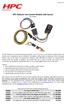 Revised 25.07.15 www.hpcontrols.ca HPC Radiator Fan Control odule with Sensor PN: 102001 The HPC Radiator Fan Controller provides automatic control over one or more electric radiator fan(s). The module
How to read this guide
 How to read this guide The following shows the symbols used in this Quick start guide with descriptions and examples. Symbol Description Example P oint Reference Caution [ ] This symbol explains information
Installation & Operation Manual HANDS-FREE BLUETOOTH MEDIA INTEGRATION KIT. Perfect for ANDROID TM
 GET CONNECTED Installation & Operation Manual HANDS-FREE BLUETOOTH MEDIA INTEGRATION KIT TranzIt BLU HF ISFM2351 Perfect for ANDROID TM Note to Readers, The information contained within the following documentation
Speedlink software will run on Windows NT, Windows 7, and Windows 8; it will run on both 32 byte and 64 byte versions of Windows.
 Guide to the Speedlink software and drivers. Status Instruments has a range of process control equipment that can be configured using the Speedlink software. Some equipment will connect directly to a Windows
1R / 4-BUTTON SERIES
 Button 1 1R / 4-BUTTON SERIES VEHICLE SECURITY SYSTEM Standard Features: Two 4-Button Remote Transmitters Status indicator (LED) Valet / override switch Multi-tone siren Dual stage impact detector Remote
MAX ENERGY POWER PROGRAMMER PART #52001/52501 REFERENCE GUIDE AND INSTALLATION MANUAL ADDENDUM 2007-2010 JEEP WRANGLER WITH ENHANCED OFF-ROAD FEATURES
 MAX ENERGY POWER PROGRAMMER PART #52001/52501 REFERENCE GUIDE AND INSTALLATION MANUAL ADDENDUM 2007-2010 JEEP WRANGLER WITH ENHANCED OFF-ROAD FEATURES The following is a step by step guide for installing
Contents Installing the ucal Software on your PC/Laptop ucal Programmer Version Connecting the ucal Programmer to your PC/Laptop
 Contents Installing the ucal Software on your PC/Laptop 1 ucal Programmer Version 1 Connecting the ucal Programmer to your PC/Laptop 1 Optional USB Adapter Kit (for ucal) 1 Installing the USB Driver for
LST-3800. In-Dash Digital Sonar Gauge. Installation & Operation Instructions
 Pub. 988-0064-351 LST-3800 In-Dash Digital Sonar Gauge Installation & Operation Instructions The LST-3800 is a depth and temperature gauge that comes with a 200 khz transducer, features deep and shallow
Solar Controller / Battery Charger User s Manual
 Solar Controller / Battery Charger User s Manual 1 Congratulations! You have made an excellent choice by purchasing this high quality KORR PWM solar controller which has been manufactured to the highest
Watch GPS Instruction Manual. If you have any other questions or concerns, please call 1-800-777-7899 or go to www.izzo.com.
 Watch GPS Instruction Manual If you have any other questions or concerns, please call 1-800-777-7899 or go to www.izzo.com. Mail to: IZZO golf 1635 commons pkwy macedon, ny 14502-9191 [ Please place inside
Section Contents ISOBUS GENERAL INFORMATION...3. What is ISOBUS?... 3 Connectors... 5 CANBUS GENERAL INFORMATION...7
 PFP13080 About This Document This user guide will help you learn about. It will explain: Hardware, such as connectors Settings necessary on a John Deere display to support implements Theory of operation
Model: LCDM40 4.0 LCD Rear Vision Mirror Monitor Installation Manual Features
 Model: LCDM40 4.0 LCD Rear Vision Mirror Monitor Installation Manual Features Mirror with built in 4.0 LCD Monitor Low Profile, Slim Design High Resolution TFT LCD Built in Speaker Two video inputs Fully
INSTALLATION MANUAL XM3 Reader
 INSTALLATION MANUAL XM3 Reader Conditions Transactions, deliveries et cetera will be according to the general terms of delivery as deposited at the Chamber of Commerce at Meppel, The Netherlands. Registration
G3 Series PROFIBUS DP Technical Manual
 G3 Series PROFIBUS DP Technical 3835063 A - Table of Contents PAGE About PROFIBUS-DP...3 Overview...3 G3 PROFIBUS-DP Features...3 Cabling and Drop Line Lengths (as defined by PROFIBUS specification)...3
Installation Instructions For #63011 Striker Diesel MD Power Modules 2003-2007 Ford Powerstroke 6.0L Diesel Copyright
 2501 Ludelle Street Fort Worth, Texas 76105 817-244-6212 Phone 817-244-4024 Fax 888-350-6588 Sales 800-423-9696 Tech E-mail: [email protected] Web: www.painlessperformance.com Installation
DCX300 - DCX400 - DCX600
 Ph: 541-476-3565 Fax: 541-476-3566 DCX300 - DCX400 - DCX SEPARATELY EXCITED DC MOTOR CONROLLERS Alltrax motor controllers are designed to work with various golf cars from different manufacturers. Use the
Installation & Operation Manual
 GET CONNECTED Installation & Operation Manual DEVICE INTEGRATION AND CHARGING KIT TranzIt USB IS32 Note to Readers, The information contained within the following documentation is subject to change without
Mini Amp Gizmo. User s Manual. RJM Music Technology, Inc.
 Mini Amp Gizmo User s Manual RJM Music Technology, Inc. Mini Amp Gizmo User s Manual Version 1.1 March 15, 2012 RJM Music Technology, Inc. 2525 Pioneer Ave #1 Vista, CA 92081 E-mail: [email protected]
OWNER S MANUAL 2.5/3.0 ACS PANEL (ADVANCED CONTROL SYSTEM) 7725 Lougheed Highway Burnaby, BC V5A 4V8 Canada
 2.5/3.0 ACS PANEL (ADVANCED CONTROL SYSTEM) OWNER S MANUAL 7725 Lougheed Highway Burnaby, BC V5A 4V8 Canada Tel: (604) 420-1585 Fax: (604) 420-1591 http:// www. statpower.com PROsine 2.5/3.0 ACS Panel
User s Information Guide R1A
 HSC505-R Home Security Controller - User Manual Release R1a Pi HSC505 and Pi HSC505R Home Security Controller User s Information Guide R1A Page 1 QD Dynamics (Pty) Ltd reserves the right to make changes
SENSORED BRUSHLESS MOTOR & SPEED CONTROLLER COMBOS
 SENSORED BRUSHLESS MOTOR & SPEED CONTROLLER COMBOS OPERATING INSTRUCTIONS Please keep for future reference Thank you for purchasing this Exceed brushless motor and speed controller combo. We are sure you
Navigator. Welcome 1 pg.3. Router Setup 2 pg.5. Send Expedition Data to Ventus Navigator 3 pg.6. Using Ventus Navigator 4 pg.8
 Navigator www.ventusnavigation.com Welcome 1 pg.3 Router Setup 2 pg.5 Send Expedition Data to Ventus Navigator 3 pg.6 Number of Network Connections... 3-1 pg.6 Configure Network Connection.. 3-1 pg.6 Select
Original instructions Tina 3A/Aps Adaptor unit
 Original instructions Tina 3A/Aps Adaptor unit ABB Jokab Safety Varlabergsvägen 11, SE-434 39 Kungsbacka, Sweden www.abb.com/jokabsafety Read and understand this document Please read and understand this
INSTALLATION MANUAL VEHICLE SECURITY SYSTEM CE-SS200
 INSTALLATION MANUAL VEHICLE SECURITY SYSTEM CE-SS200 FUSION CULTURE TABLE OF CONTENTS There s no point doing something if no one notices. We ve always believed the way to make things happen is by getting