
ENGBO ANCHOR WINDLASS Installation and user manual
|
|
|
- Amy Miller
- 9 years ago
- Views:
Transcription
1 ENGBO ANCHOR WINDLASS Installation and user manual MINI 101 MIDI 201 Rev.: According to NS-EN ISO 9001:2000 FCC ID: R78-RC-01 R78-ECU-01 ENGBO AS an Engbo Group Company

2 TABLE OF CONTENTS TABLE OF CONTENTS... 2 Introduction... 3 Brief description of MINI 101 and MIDI Preparations before anchoring... 4 Wiring... 6 Switch panel for fixed installation... 6 Connection of switch panel... 6 Connection of auto stop detector... 7 Connection of motor leads and battery cables... 7 Connection of battery... 7 Wiring diagram... 8 Installation instructions... 8 General... 8 Use of anchor bracket... 8 Stern penetrations... 8 Fixed anchor bracket or hinged anchor bracket... 8 Cover with rollers for hole... 8 Inserting the rope into the windlass gypsy Rope around the gypsy Minimum rope clearance - height under windlass Installation of stop ring for auto stop Battery replacement Retrofit of remote control Coding the wireless remote control Procedure for wireless remote controls with serial no. above How to put the wireless control unit in code mode: How to put the receiver unit in code mode: Maintenance Winter storage Dimensioned drawings Technical data Trouble-shooting MINI 101 and MIDI

3 Introduction Congratulations on your new windlass and thank you for selecting an Engbo windlass. We hope your windlass will meet your expectations. Please note that this requires that the windlass be installed and used in accordance with this manual in an environment with the correct conditions for proper operation. This includes the necessary voltage capacity for the windlass motor as well as correct placement of windlass, rope, anchor and anchor bracket. Brief description of MINI 101 and MIDI 201. Engbo MINI 101 is designed for boats up to approximately 20 feet and Engbo MIDI 201 is designed for boats up to approximately 25 feet. These windlasses are true free-fall windlasses and equipped with transistor-based power electronics that replaces the traditional relay. The new electronics have no open contacts and are very flexible as regards voltage. Engbo MINI 101 and MIDI 201 are also equipped with integrated radio receiver for the wireless remote control as well as an integrated system for protection of the windlass motor and electronics module. The windlasses are supplied with a standard switch panel. A wireless remote control with a range of up to 30 m under normal conditions can also be used. NOTE. Familiarise yourself with the information in this manual before installing the windlass. Make sure you study it carefully. General procedure for use of Engbo windlasses. Read the entire operating instructions carefully before using the windlass. Please remember that large forces are involved. Use common sense when operating the windlass and make sure that: Fingers do not become entangled in rope/chains, anchor, rollers or gypsy. Rope is monitored at all times when hoisting the anchor. Everyone on board is informed about how to operate the windlass. Children do not operate the windlass The windlass is always operated from a location with full overview when raising the anchor. This is necessary in case the anchor gets caught on something that may damage the boat. If the windlass works hard when raising the anchor, release the button for a moment. When the boat has started moving backwards, start the windlass again. This will ensure that the windlass will work less hard and draw less current. If the anchor is stuck on the bottom, pay out some rope and fasten it to a cleat in the boat. Use the boat to loosen the anchor. When the anchor is loose, use the windlass in the normal manner. The windlass is operated for a maximum of 3 minutes with a normal load The anchor is always secured to the boat when sailing. The enclosed safety line is intended for this purpose. The power to the windlass is turned off when the boat is sailing. The windlass is operated with care to avoid unnecessary damage/injury. There is sufficient battery power when operating the windlass. Always keep the motor running while using the windlass. If the electronic overload protection has been triggered and the windlass cannot be operated, let it cool down for approximately 15 min and try again. In an emergency, the overload protection can be overridden by turning the windlass main switch off and on again. Engbo AS is not responsible for injury or damage as a result of the use of the windlass. NOTE! Always keep the boat's motor running when operating the windlass. Always turn of the power to the windlass when it is not being operated. Always make use of original Engbo anchor line. Always make sure the anchor has hit the sea bottom before pushing the up button. Windlass and accessories must be installed and used in a manner that will not result in damage or injury to human beings, boats or surroundings. The installation must be carried out or checked by people with expert knowledge of high current, low voltage. 3

4 Preparations before anchoring Engbo MINI 101 and MIDI 201 has a true free-fall anchor drop function. One press of the button and the anchor drops freely to the bottom. The anchor should be dropped a distance from where the boat will be located corresponding to 3-5 times the water depth. Dropping anchor Keep the boat's motor running during the anchoring operation. Find the best location for dropping the anchor. Check that the anchor safety line has been released. Turn on the windlass main switch. When the windlass main switch has been turned off, you must always press the down switch first. This must be held in for at least 1 second to drop the anchor. The windlass motor will then pay out for 1.5 seconds to ensure correct free-fall function. Fixed switch panel Press the down switch for at least 1 sec. The anchor is released. The windlass is now disengaged and the rope will be paid out as the boat drifts towards shore. Moor the boat to the shore. Tighten the anchor rope by pressing the up switch to fasten the anchor to the bottom and pull the boat away from shore. Note: The windlass will always retract at low speed for 1 sec. before increasing to full speed. By holding down the switch less than 1 sec. and pressing it again (and repeating this procedure as often as necessary), the windlass will keep operating at low speed. Hoisting anchor Start the boat's engine to charge the battery. Check that the windlass main switch is turned on. Let go of the mooring to land. Activate the windlass. Keep pressing the up switch and the windlass will pull the boat away from shore. The windlass will lift the anchor at full speed until the first auto stop is activated (Midi 201). Note: Applies to rope windlasses ONLY and assumes correct fitting of stop ring on the anchor rope, and correct installation of the stop sensor. Important! Keep an eye on the anchor as it comes out of the water and enters the anchor bracket to ensure you can stop the windlass to avoid damage if the anchor has pulled objects from the bottom. 4

5 Note: If the windlass pulls heavy, it will be sensible and save electricity to let the windlass rest for some periods. When the boat starts moving backwards, let go of the switch for a while, for then to operate the windlass again. Repeat as necessary. Release the up switch, press it again and hold it down. The windlass will lift the anchor further at low speed until the second auto stop is activated and the windlass comes to a full stop. The anchor is now resting correctly in the anchor bracket. Fasten the safety line to the anchor. Turn off the windlass main switch. Bon voyage! Wireless remote control The remote control is a splash proof unit that will float in the water. The range is more than 30 m under normal conditions. The Engbo remote control is a high quality, narrow band unit with two-way communication with the electronics unit. Each unit has a unique code. It uses three standard AAA (LR03) batteries (included). It has anti-slip strips on the back. The batteries will normally last more than two seasons. One remote control can be used to operate two windlasses. Note! The remote control must be coded before use. See procedure in another section of the manual. The remote control is activated by pressing one of the switches for 1 seconds. The power indicator will then turn green and a short beep sounds. All subsequent use of switches is shown on the associated indicator above the switch and indicated by a short sound. To ensure longer lifetime, the remote control will automatically turn itself off five minutes after the last button was pushed. This deactivation is signalled with two short sound bursts and blinks in the power indicator. Anchor down When the remote control has been activated, the anchor can be dropped by pressing the down button. The switch must be held in for at least 1 second to drop the anchor. The windlass will then pay out for 1.5 seconds to ensure correct free-fall function. Anchor up When the anchor has been dropped and is on the bottom, it can be lifted by pressing the up switch. The windlass will retract for as long as the switch is held down. If the remote control has been deactivated (if more than five minutes has elapsed since the last button activation), it will first be activated and then immediately start reeling in the anchor. The windlass always starts with 1 second at low speed before increasing to full speed. The windlass can also be operated at low speed by pushing and releasing the button several times as required. 5

6 The power indicator provides the following information: Green light shows that the remote control is ready for use. Orange light indicates that the voltage to the windlass is not optimum or that the windlass is overloaded and need to cool down. Red light blinking rapidly indicates a system fault or that the battery voltage is insufficient to allow operation of the windlass. Red light blinking slowly together with short sound signals indicate no radio contact with the electronic unit (receiver). NB! These error indications are shown when out of range. NB! The remote control shown to the left may be used for both bow and stern windlasses as well as bow and stern thrusters. NB! Forced operation of the windlass If the anchor needs to be retracted a little further after the second auto stop, press the up button on the touch panel or remote control for more than 10 seconds. The windlass will then operate at very low speed for as long as the button is held down. NB! This operation must only be carried out under very controlled circumstances to prevent damage. Wiring The label on top of the electronics module also shows the wiring of the unit. All wiring and connections must be done with the main switch turned off or the battery disconnected. Switch panel for fixed installation Watertight (IP 68) switch panel for installation exposed to sea spray and sun. Designed to allow installation directly on slightly curved surfaces as well (two-sided tape). The enclosed screws may also be used. An optional adapter plate can be used for installation in existing 62 x 62 mm hole. Several panels can be connected in parallel to the same electronics unit. MCU Motor Control Unit Connecting the switch panel to the MCU One switch panel is supplied as standard with a 10-m cable. The wires are cut and the insulation stripped to the correct length and connected by pushing the wires in while holding down the orange button above the selected holes. Release the button when the wire is in place. Check to make sure that the insulation is not inside the terminal and that there are no loose strands sticking out. The wires must be connected as follows: 1: White 2: Brown 3: Green If more than one panel is to be installed, connect the wires in parallel to 1, 2 and 3. (2 is common 0 V) 6

7 Terminal strips with spring locks are used to avoid wires coming loose due to vibration or temperature changes. Connection of auto stop detector (Note. MIDI 201 ONLY) The wires from the end stop device are connected as described above. The wires must be connected as follows: 4: Brown (BN) = +V 5: Black (BK) = Signal 6: Blue (BU) = Gnd Connection of motor leads and battery cables The preferred method is to first fit the cables on the unit before installing it standing against the bulkhead with the power cables pointing downward. The motor leads are supplied fitted on the motor. Go left to right. Connect the motor's black negative lead to the left before the battery's black negative cable, then the battery's positive cable and finally the motor's positive lead. (Disassemble in opposite order if necessary.) The picture shows the correct connection and orientation of bolts and cables (the lock nuts on the left side). (The cable terminals must connect directly to the copper rails without any washers, etc. in between. Use a flat washer between the bolt head and the top of the cable terminal and between the composite side of the end wall and lock nut.) The M8 x 25 mm bolt is for the battery's positive conductor. Note the copper plate used as a spacer in the end wall. For normal distances from the battery to the electronics module (< 4 m), use 25 mmp 2P for MINI 100 and 35 mmp 2P for MIDI 201. If the distance is longer, use the next larger standard cable dimension. WARNING! Connection of battery Incorrect battery polarity will permanently damage the power electronics. Make sure no cables are short-circuited or damaged before connecting the battery. Check all power cables and connections, retighten if necessary. Never use washers between cable terminals and terminal points with high current. The battery's positive cable must have a fuse as close to the battery as possible and the main switch must be installed in an accessible location before the electronics unit. The windlass must always be connected to the start battery. 7

8 Wiring diagram NOTE! The windlass must be connected to the boat's start battery and connected after the boat's main switch. Installation instructions General Locate the windlass as high as possible to allow plenty of room for rope below the windlass. The height from lower edge of the gypsy should be at least 40 cm above the bottom of the rope locker or where the rope will be placed. This is to allow room for 50 metres of 12 mm plaited Engbo anchor rope. If the height is less than 40 cm, make sure the rope does not pile all the way up to the windlass. If this is the case, use a shorter rope. The windlass should be installed far enough to the centre of the stern that the anchor does not drag in the wave curving in right behind the boat. Use of anchor bracket The bracket for the rope must be installed with the sheaves outside the platform to ensure the anchor/rope clears the platform. Stern penetrations Make sure the hole in the hull is located correctly based on the direction of the rope. To avoid unnecessary wear and tear the rope should not touch the sides of the hole vertically or horizontally, and the hole must be elliptical vertically to allow for rope movement on the roller when windlassing. Rope guide ( or ) is recommended. Fixed anchor bracket or hinged anchor bracket If the windlass must be installed so low in relation to the swimming platform that it will pull the anchor forward/inward rather than upward/inward, it is preferable to use our hinged anchor bracket (see catalogue). Cover with rollers for hole If it proves difficult to route the rope straight vertically from the gypsy to the anchor roller, it may be beneficial to use a cover with rollers with hole ( ) to allow for the rope angle. NOTE! Remember to fasten the rope inside the boat. 8

9 Installation The mounting bracket for MINI 101 and MIDI 201 allows for infinitely variable rotation in relation to the windlass gear/motor. The bracket for the rope guide/deflector can also be rotated independently of the gear/motor and mounting bracket. This allows for installing the windlass on surfaces with different angles in relation to the stern. It can be fitted on the inside of the stern, hanging below the deck or aft of cross bulkheads inside the boat. Position the windlass mounting bracket by loosening the two screws fastening the bracket to the gear housing, rotate the windlass to the correct position and tighten the screws. Note: Max. tightening torque 17 Nm. Adjust the windlass rope guide bracket in a corresponding manner by loosening the screw fastening it to the gear housing. Rotate the bracket so that the rope is guided down and away from bulkheads and components that prevent the rope from coiling correctly below the windlass. Note: Max. tightening torque 7 Nm. NOTE! It is important that the rope is wound sufficiently around the line wheel to ensure a good grip on the rope. See separate section. NOTE! The line guide must be located in centre of the line wheel. Also check this after having tightened the fixing screw. 9

10 Inserting the rope into the windlass gypsy Insert the rope into the gypsy between the gypsy and the rope guide. It may be easier if the tip of the rope guide is splayed carefully. Route the rope via the gypsy and out through the hole in the rope deflector. If the windlass is connected, the rope can be pulled by pressing down on the up button on the touch panel or remote control. Note: Be careful to avoid injuring fingers. When the tip of the rope has been pulled through the rope deflector, the rest of the rope can be pulled through using the windlass. Make sure the windlass reels as intended. 10

11 Rope around the gypsy The mounting bracket for MINI 101 and MIDI 201 allows for infinitely variable rotation in relation to the windlass gear/motor. The bracket for the rope guide/deflector can also be rotated independently of the gear/motor and mounting bracket. See separate description. This description is for installation of the windlass on a vertical cross bulkhead, on the inside of the stern, for example. The green broken line indicates the bulkhead that the windlass is fastened to. It is important that the length of rope in contact with the gypsy is sufficient to ensure good engagement with the rope. Yellow arrows. Note! Regardless of how the windlass is fastened to the boat, the angle between where the rope enters and leaves the gypsy must be minimum 90 o. This illustration indicates the windlass fastened below deck, etc. The windlass mounting bracket has been rotated 90 o counterclockwise compared with the illustration above. The rope comes from above and goes down into the gypsy. In this case, the rope guide must be adjusted to ensure the rope is pushed out horizontally from the windlass. This shows the windlass installed on the aft side of an inboard cross bulkhead. The windlass mounting bracket has been rotated 180 o counterclockwise compared with the illustration on previous page, top of chapter. NOTE! The rope is alway pulled into the windlass from the right. This is because of the direction of rotation for the windlass gypsy. NOTE! Make sure there is sufficient room to stow the rope below and next to the windlass. 11

12 Minimum rope clearance - height under windlass In order for the windlass to function normally, there must be a sufficient volume/height below the windlass for stowing the rope when the anchor is up. A The table below shows recommended minimum height (A) below the windlass as well as width (B) and length (C) of the area used for stowing the rope. Rope dimension A (cm) B (cm) C (cm) 10 mm x 30 m mm x 30 m mm x 50 m B NOTE! In case of installations where the rope is routed horizontally out of the windlass when the anchor up, the relationship between A, B and C may vary. It is important that there is a sufficient volume to ensure that the rope is not forced into place below the windlass and cannot easily be pulled out by the gypsy. C Installation of stop ring for auto stop NOTE! Applies to MIDI 201 only Under the rope guide there is an inductive sensor that signals auto stop when the anchor has been lifted all the way up. To activate the detector, two stop rings (included) are fitted on the rope. See procedure below. The outer diameter of the stop ring must be as close to the outer diameter of the rope as possible. This is necessary in order for the inductive detector to be able to detect correctly. In order to place the stop ring at the correct location on the rope, lift the anchor until the thimble eye is cm below the rope roller (reel in at slow speed for the last section), and mark the rope with a marker at the location of the inductive sensor. The anchor is then reeled in at low speed to the desired final resting position. Mark the rope once more by the detector and fasten the stop rings by the marks. These stop rings will be exposed to wear by the gypsy, especially during large loads, and must therefore be inspected regularly. Replace damaged stop rings as needed. Recommended tools: Keeper ring pliers Pliers Auto stop rings (steel rings enclosed) 12

13 The enclosed steel rings (auto stop rings) are fitted in the locations where the windlass should slow down and then come to a full stop. Mark in advance; see procedure above. Open the stop rings with the keeper ring pliers. Fit the ring over the rope. Use the pliers to pull the stop ring into place with the stop ring joint overlapping the opening and the ring fitted thightly around the rope. Force the ends into the rope with the pliers to ensure the stop ring does not slip on the rope. A fitted stop ring should look like this with close windings and the ends secured inside the rope. Stop ring fitted and fastened tightly to the rope. Fasten the other stop ring in the same manner. 13

14 Battery replacement The remote control uses three regular AAA/LR03 alkaline batteries. The battery lifetime is more than two seasons with normal use. When replacing batteries, open the unit by unscrewing all five screws. Note! The screws are of different lengths and have O-rings under the screw heads. Replace the batteries and make sure all point the same way with the + up and the downwards towards the edge as illustrated. Reassemble the back cover and carefully screw the parts together until the housing gasket is slightly compressed. The impermeability of this unit depends on intact O-rings and intact gasket with the right compression. Note! To ensure a long lifetime, this remote control has acid-proof machine screws and screw sockets in the housing. The screws may penetrate the housing if screwed carelessly or too much force is used. (Not covered by the warranty.) Retrofit of remote control If the remote control is purchased after the electronics unit, the electronics unit must be fitted with an antenna. The remote control and electronics unit must then be coded/taught electronically to communicate with each other. Remove the left rubber cover (the one closest to the Engbo logo). Then push the antenna through the cover (on one side). While holding down the handle, push the antenna all the way down into the bottom of the clamp. Release the handle and the antenna is fixed in place. Replace the rubber cover. Start by pushing the rubber cover in by the antenna and continue around the endge until the cover is fixed in place. Make sure not to twist the cover with the antenna. (The remote control will function over short distances also without the antenna). 14

15 Coding the wireless remote control Image A Procedure for wireless remote controls with serial no. above 8600 Important! If your wireless control has serial no. lower than 8600, use the procedure enclosed your remote. If coding a wireless control with serial no. above 8600 is to be coded to a receiver with Soft Ware of previous version be aware that the remote will be ready for operation after 10 sec. Image B Image C Image D Image E How to put the wireless control unit in code mode: Select the pair of switches on the remote control to be coded. Press down both switches simultaneously for approximately 12 seconds. When you hear a short sound signal and the green power light starts to flash, the remote control is prepared for coding and will stay in coding mode for 5 minutes or until the coding has been finished. (Image A) How to put the receiver unit in code mode: Alt. 1. Touch panel installed. Press and keep both switches on the touch panel down while simultaneously switching on the power to the receiver unit.(image B and C) The receiver will now understand that coding is requested and automatically connect to your wireless control and the wireless remote control will immediately be ready for use. This will be confirmed by a short sound signal and the green power light will turn from flashing to permanent. Check that the wireless control is functioning. Alt. 2. Joystick installed. Turn the thruster main switch off. Disconnect the cables to the joystick connected to 1, 2 and 3 on the green plug on the remote control unit (RCU). Prepare two short wires (5 cm). Remove the insulation in both ends and connect these between 1 and 2 as well as between 2 and 3 on the green plug. (Image E). Turn the power on. The receiver will now understand that coding is requested and automatically connect to your wireless control and will immediately be ready for use. This will be confirmed by a short sound signal and the green power light will turn from flashing to permanent. Turn the thruster main switch off. Disconnect the short wires and connect the joystick cables. Turn the power on and check that the wireless control is functioning. 15

16 Maintenance Winter storage Before winter storage, the windlass and all electrical terminals and connections must be coated with a moisture proofing spray. Make sure the windlass is protected against snow/rain during winter storage. To avoid condensation during winter storage, do not cover up the windlass. Remove the rope before winter storage. Soak it in mild soapy water overnight to remove remnants of salt and dirt. This will ensure that the rope remains supple for many years and simultaneously allows for checking and possible replacement of the auto stop rings. If relevant, clean the rope locker on the inside and remove any seaweed, mud, etc. Dimensioned drawings 16

17 Technical data ENGBO MINI 101 ENGBO MIDI 201 Motor effect nom. 12 V DC/350 W 12 V DC/600 W Rope Maximum pull Haulage speed Current draw Braided lead rope: Dia 10 mm, 30 m Weight: 4.5 kg Breaking load: 1200 dan Up to 100 kg (electronic limit) m/min approx. 20 m/min with 20 kg load A approx. 50 A with 20 kg load No-load current 0.3 A at 12 V 0.3 A at 12 V Recommended fuse 100 A 150 A Recommended min. battery capacity Weight: Windlass with motor cables 12 V/75 Ah 12 V/75 Ah 8.1 kg 9.8 kg Weight: Control 2.3 kg 2.3 kg electronics Auto stop function No Yes Recommended anchor Recommended vessel size Installation Standard equipment Optional equipment 5-8kg Bruce or plate Max. 6.0 m (20 feet) Vertical, hanging, forward or side (may require additional bracket). MCU - Motor control unit, touch panel and main switch. Basic installation materials. Leaded rope Anchor (several types available) Anchor bracket (several types available) Shackles Wireless remote control Fuse and fuse holder Installation bracket(s) Battery cable Braided lead rope diameter 12 mm, 30/50 m Weight: 7.2 kg/12 kg Breaking load: 1600 dan Up to 200 kg (electronic limit) m/min approx. 20 m/min with 30 kg load A approx. 40 A with 30 kg load kg Bruce, plate or Engbo Max. 7.6 m (25 feet) Vertical, hanging, forward or side (may require additional bracket). Windlass with end stop detector, electronic control unit, touch panel and main switch. Basic installation materials. Leaded rope Anchor (several types available) Anchor bracket (several types available) Shackles Wireless remote control Fuse and fuse holder Installation bracket(s) Battery cable 17

18 Symptom: 1. The windlass is totally "dead. Nothing works. 2. The windlass will not drop the anchor, and only reels in for 3 s. 3. The windlass does not work or pulls very poorly. 4. If the windlass still does not function. 5. If the auto stop does not function: (MIDI 201 ONLY) Trouble-shooting MINI 101 and MIDI 201 (For wiring, see for m under the section "Wiring) Action (please note the following): Action results in: Result UNOTE!UThe main current switch UMUSTU be turned off when connecting and disconnecting cables and peforming mechanical work Check that: -the main switch is turned on, -the fuse is intact -all terminals have good contact -all connections are according to specs in the manual -there is sufficient current to the windlass motor. (See Item 3) Check that: -connections to 1, 2 and 3 are according to specs. By switching 1 and 3, the windlass should function correctly. IMPORTANT! Based on previous experience, this is the most common problem. 1.Look for main current faults: Measure the battery cable voltage at the input to the windlass while operating the windlass. 2. Adjusting the auto stop sensor: Disconnect the cables 4, 5 and 6 on the green plug on top of the MCU unit. Test the winch. If the winch now pulls normally, adjust the auto stop sensor 2 mm closer to the anchor line. Connect the cables to 4,5 and 6 and continue adjusting the stop sensor until the winch stops when the stop indicator on the line passes the sensor. Disconnect cables to 1, 2 and Strip the insulation on the ends of a loose cable (approx. 10 cm) and establish contact between the following points: Cable between 2 and 3 Cable between 1 and 2 Check that: - Connections to 4, 5 and 6 are according to specs. - the current to the detector (between 4 and 6) is more than 10 V DC -the auto stop rings are in place. 1. The voltage must be minimum 10.5 V when operating the windlass to ensure normal motor function. 2. Be aware that when disconnecting the cables 4, 5 and 6, the winch now will not stop automatically. The sensor must be located in the right distance from the anchor line to work normal. Functions that normally are controlled from the switch panel are disconnected to allow forced operation of the windlass directly from the electronics unit The windlass is released and the anchor dropped Windlass reels in. The indicator lamp on the detector must light up when the metal ring on the rope is by the detector. (Can also be tested using a screwdriver, for example, by the detector) If the voltage is below 10.5 V, the reason must be determined. Check all connections, e.g. main switch, fuse, battery terminals, battery voltage and the battery's general condition. If the voltage is higher than 10.5 V but the motor will still not run, the reason may be that extended use/overloading of the windlass has resulted in the electronic protection shutting off the motor. Wait 20 min. to let it cool down and try again. 2. When the auto stop sensor is adjusted correct, the winch will stop automatically when the stop indicator passes. The switch panel is disconnected If the windlass functions normally using this procedure, the fault is located in a cable to the switch panel, or the switch panel itself, which must be replaced. If the current is OK and the lamp does not light, the detector must be replaced. If the windlass still does not function normally after this procedure, the fault is located in the windlass itself. Contact the nearest dealer, or Engbo AS, Tønsberg. Tel , Fax: , [email protected] 18

Installation & Maintenance Instructions Joystick- single Joystick - double Touch panel Wireless remote control
 Installation & Maintenance Instructions Joystick- single Joystick - double Touch panel Wireless remote control NS-EN ISO 9001:2000 Art.nr. 117-00155 FCC ID: R78-RC-01 R78-ECU-01 XF Rev: 1-2008 Side 1 Contents
OWNER S MANUAL. Permolock C3. Docking system for Power wheelchair in vehicle
 OWNER S MANUAL US Permolock C3 Docking system for Power wheelchair in vehicle How to contact Permobil Head Office of the Permobil group Permolock C3 Docking system for electric wheelchair in vehicle Produced
JANUS INTERNATIONAL CORPORATION INSTALLATION INSTRUCTIONS Pantheon Mini Operator
 JANUS INTERNATIONAL CORPORATION INSTALLATION INSTRUCTIONS Pantheon Mini Operator The Janus Pantheon mini operator does not typically require the provision of any additional site requirements other than
Installation & User Manual Radio Remote rev1.0.3
 EN Installation & User Manual Radio Remote rev1.0.3 RC-20E RC-21E RC-22E RC-23E SLEIPNER MOTOR AS P.O. Box 519 N-1612 Fredrikstad Norway Tel: +47 69 30 00 60 Fax: +47 69 30 00 70 www.side-power.com [email protected]
BBWX1 Satellite Weather Receiver. Installation and Maintenance Guide
 BBWX1 Satellite Weather Receiver Installation and Maintenance Guide Rev FUSA 15JUL2007 Table of Contents Safety Precautions 3 Disclaimer. 3 Contents of Package. 4 Tools Required..4 Installation General
INSTALLATION MANUAL. Installation Instructions
 INSTALLATION MANUAL Power-Pole Signature Series Shallow Water Anchor Installation Instructions CAUTION: Read this instruction manual carefully. Become familiar with the controls and know how to operate
LED Security Spotlight User Manual
 MOT ION-TR ACKING LED Security Spotlight User Manual www.jascoproducts.com 1-800-654-8483 2 TABLE OF CONTENTS Parts List 3 Questions? Missing Parts? 4 Installation (Wall mount) 6-9 Installation (Eave mount)
INFRARED QUARTZ WALL HEATER
 INFRARED QUARTZ WALL HEATER MODEL NO: IQ2000 PART NO: 6939004 MOUNTING & OPERATION INSTRUCTIONS GC0715 INTRODUCTION Thank you for purchasing this CLARKE Infrared Wall Heater. Before attempting to use this
DTM04 TANK MONITOR DTM08 TANK MONITOR Dtm12 TANK MONITOR. Installation and Operation Manual
 DTM04 TANK MONITOR DTM08 TANK MONITOR Dtm12 TANK MONITOR Installation and Operation Manual 1 ENGLISH Safety Instructions 2 Features 2-3 Specifications 3 Installation 4-5 Wiring Diagrams 6-7 Warranty 8
BUILT-IN DISHWASHER INSTALLATION INSTRUCTIONS
 BUILT-IN DISHWASHER INSTALLATION INSTRUCTIONS PLEASE READ COMPLETE INSTRUCTIONS BEFORE YOU BEGIN LEAVE INSTALLATION INSTRUCTIONS AND USER'S GUIDE WITH OWNER ALL ELECTRIC WIRING AND PLUMBING MUST BE DONE
SIMRAD SD10 Sailboat Drive
 INSTALLATION MANUAL SIMRAD SD10 Sailboat Drive 20222683/A English Simrad SD10 Sailboat Drive About this document Rev. A First issue 2007 Navico AS. All rights reserved. No part of this work covered by
758 Heavy-duty Ratchet Guy Wire Cutter
 INSTRUCTION MANUAL 758 Heavy-duty Ratchet Guy Wire Cutter Read and understand all of the instructions and safety information in this manual before operating or servicing this tool. Register this product
OPL BASIC. Dosing System for Professional Laundry machines. Contents
 OPL BASIC Dosing System for Professional Laundry machines Contents 1 Getting Started. Page 2 2 Installation. Page 4 3 Set Up & Operation. Page 8 4 Maintenance & Accessories. Page 10 5 Troubleshooting Page
STEADYfast Stabilizer Installation Notes Fifth Wheel and Travel Trailers 11/23/13
 STEADYfast Stabilizer Installation Notes Fifth Wheel and Travel Trailers 11/23/13 (See Supplemental Instructions for trailers with heavy duty round footplates and/or Power Leveling Systems) PHONE SUPPORT
Time needed: ~3h for lid replacement only. Add 1h for operation harness in lid and ~2h more for installing drive unit and cable harness in trunk.
 DIY for replacing trunk lid and/or retrofitting electrical operation of trunk lid. This document is meant to be a support and give advice on the procedure but I will take no responsibility for any damage
SERVICE MANUAL. Corpus 3G. Seat system for electric wheelchair
 SERVICE MANUAL US Corpus 3G Seat system for electric wheelchair How to contact Permobil Head Office of the Permobil group Produced and published by Permobil AB, Sweden Version 4, 2014-07 Item No.: 205260-US-0
Awning Instructions. Full Cassette 1.5m to 6m
 Awning Instructions Full Cassette 1.5m to 6m English Full Cassette Manual & Electric Instructions Contents Warning 1.5m - 3.5m Awnings 8 x Expansion bolts ** 2 x brackets 1 x Awning 1 x Winder 4.0m -
Detector transparent with Color Inserts. FAA 500 TR P Trim Ring transparent with Color Inserts. FCA 500 / FCA 500 E Detector Bases
 Detector Color Detector transparent with Color Inserts FAA 500 TR W Trim Ring FAA 500 TR P Trim Ring transparent with Color Inserts FAA 500 BB Ceiling Mount Back Box FCA 500 / FCA 500 E Detector Bases
caravan mover user`s manual P1 Automatic P1 Manual Safety precautions
 caravan mover user`s manual P Automatic P Manual Safety precautions Read this manual before fitting or first use Use only approved jacking equipment when fitting Check the tyres pressure and condition
Drayton Digistat +2RF/+3RF
 /+3RF Programmable Room Thermostat Wireless Model: RF700/22090 Model: RF701/22092 Power Supply: Battery - Thermostat Mains - Digistat SCR Invensys Controls Europe Customer Service Tel: 0845 130 5522 Customer
Oceanscience Cable Chimp II Cableway ROV System User Guide and Warranty
 Oceanscience Cable Chimp II Cableway ROV System User Guide and Warranty Page 1 Table of Contents Introduction Page 3 Overview Page 3 Setup and Operation Page 5 Remote Control Page 6 Power Management Page
Polaris 9300 & 9400 Series Robotic Cleaner
 Polaris 9300 & 9400 Series Robotic Cleaner Zodiac Pool Systems, Inc. 1-800-822-7933 www.zodiacpoolsystems.com Regional Extension Instructor ext. Sales Representatives ext. ext. Service Manager ext. ext.
Assembly and Usage Instructions
 Assembly and Usage Instructions A Product 5885 West Van Horn Tavern Road Columbia, MO 65203 www.caldwellshooting.com Instruction #1001667 Limited Warranty Every Caldwell product is warrantied to be free
12-Volt Negative Ground Installation Instructions
 12-Volt Negative Ground Installation Instructions For Part Number: 1141, 1164, 1165, 1181 CAUTION!!! Before installing, please read the following important information... 1. The Ignitor is designed for
http://waterheatertimer.org/troubleshoot-rheem-tankless-water-heater.html
 http://waterheatertimer.org/troubleshoot-rheem-tankless-water-heater.html TECHNICAL SERVICE DEPARTMENT Removal, Cleaning, & Reinstallation of the Burner Assembly For models 74 & GT199 Required tools -
Model 2300DR Installation Guide
 Model 2300DR Installation Guide POWER ACCESS CORPORATION P.O. BOX 1050 170 MAIN STREET NEW HARTFORD, CT 06057 800-344-0088 WEBSITE: www.power-access.com EMAIL: [email protected] 1 STANDARD PARTS
REV 000A. High Quality Nautical Equipment BALDER BLD 600 BLD 900 BLD 1200
 REV 000A High Quality Nautical Equipment BALDER BLD 600 BLD 900 BLD 1200 GB User's Manual WINDLASS FOR INSIDE/STERN GB INDEX Pag. 14 Technical data Pag. 15 Installation Pag. 16 Connection diagram 600W
ENGLISH www.bandg.com www.simrad-yachting.com www.lowrance.com
 StructureScan HD Transom mount Installation Guide ENGLISH www.bandg.com www.simrad-yachting.com www.lowrance.com Warning: It is your sole responsibility to install and use the instrument and transducer(s)
Volkswagen Jetta, Golf, GTI 1999, 2000 2.8 Liter VR6 2V Engine Mechanical, Engine Code(s): AFP 17 Engine-Lubrication (Page GR-17)
 17 Engine-Lubrication (Page GR-17) Lubrication system components, removing and installing Oil filter housing, disassembling and assembling Oil pan, removing and installing Oil pressure and oil pressure
INSTALLATION INSTRUCTIONS: Viewline 52 mm
 -5 Safety information The product was developed, manufactured and inspected according to the basic safety requirements of EC Guidelines and state-of-the-art technology. The instrument is designed for use
1000-LB. TRAILER JACK OWNER S MANUAL
 1000-LB. TRAILER JACK OWNER S MANUAL WARNING: Read carefully and understand all INSTRUCTIONS before operating. Failure to follow the safety rules and other basic safety precautions may result in serious
Auto-belay Cable Replacement Process
 Auto-belay Cable Replacement Process Version 2.00 WARNING: The air pressure in the auto-belay system is what causes the cable to be retracted when releasing the cable or climbing the wall with the cable
These Installation Instructions are valid for antennas in the following version:
 Installation Instructions 4 ft CompactLine Antennas (with E-Mount 250 km/h) SB, SBX NMT 560-05(e) These Installation Instructions are valid for antennas in the following version: Reflector Ø 1.2 m (4 ft)
Cooling system components, removing and installing
 Engine BHW Cooling system components, removing and installing Page 1 / 24 19-1 Cooling system components, removing and installing Warning! When doing any repair work, especially in the engine compartment,
Table of Contents. www.hunterfan.com. What to Expect with. Preparation. Tools Needed. Wiring. Hanging the Fan. Blades. Motor Housing.
 www.hunterfan.com Table of Contents What to Expect with Your Installation 30 inches Hanging the Fan Wiring 8 Maintenance, Operation & Cleaning Light Kit 13??? 14 1 9 Troubleshooting 11 5 Blades Motor Housing
Bathroom Cabinet. Installation & User Guide. Illuminated Mirrors. www.illuminated-mirrors.uk.com
 Illuminated Mirrors The UK s Largest LED Mirror Supplier to Trade and Retail Installation & User Guide Bathroom Cabinet www.illuminated-mirrors.uk.com Bathroom Cabinet Installation & User Guide Thank you
GPS AutoSteer System Installation Manual
 GPS AutoSteer System Installation Manual Supported Vehicles John Deere Sprayers 4720 4630 4730 4830 AutoTrac Ready PN: 602-0227-01-A LEGAL DISCLAIMER Note: Read and follow ALL instructions in this manual
IMPORTANT DOCUMENTATION DO NOT DISCARD!
 PART NO.: 6441-263C SERIES GRT 3 JAW PARALLEL GRIPPERS INFORMATION SHEET IMPORTANT DOCUMENTATION DO NOT DISCARD! Use this information sheet to assist with gripper installation and setup. File with maintenance
MBSAW. Meat Cutting Band Saw With Meat Grinder Assembly & Operating Instructions
 06/2011 MBSAW Meat Cutting Band Saw With Meat Grinder Assembly & Operating Instructions READ ALL INSTRUCTIONS AND WARNINGS BEFORE USING THIS PRODUCT. This manual provides important information on proper
LUCCI AIRFUSION QUEST II CEILING FAN
 LUCCI AIRFUSION QUEST II CEILING FAN WITH IR REMOTE INSTALLATION OPERATION MAINTENANCE WARRANTY INFORMATION CAUTION READ INSTRUCTIONS CAREFULLY FOR SAFE INSTALLATION AND FAN OPERATION. V1.0 QUEST II IR
4.3-inch Back-Up Camera
 TM 4.-inch Back-Up Camera Model No.: PKC0BU4 Owner s Manual and Warranty Information Read these instructions completely before using this product. Retain this Owner s Manual for future reference. INTRODUCTION
SERVICE GUIDE For WARN PULLZALL 120v AC &100v AC P/N 685000 & 685001
 SERVICE GUIDE For WARN PULLZALL 120v AC &100v AC P/N 685000 & 685001 REPAIR / REPLACEMENT INSTRUCTIONS TROUBLE SHOOTING GUIDE 986765A2.doc Page 1 of 50 WARNING This guide identifies potential hazards and
ASSEMBLY MANUAL SE-4S35
 Automatic drive ASSEBLY ANUAL SE-4S35 AI-4S35 SG-4R35 Battery box otor unit Inter-4 hub CONTENTS WARNING 1 INSTALLATION CONITIONS Battery box Speed sensor Cable lengths and diameters otor unit Recommended
ELECTRIC BICYCLE USER MANUAL
 ELECTRIC BICYCLE USER MANUAL 1 Main Technical Parameters and Specification Weight: 23 kg Wheel size: 20 Maximum speed: 25 km/h E BIKE URBAN Range: Up to 45km (with pedal assist) Type: lithium Voltage:
Traditional Sonar and DSI Sonar Installation
 Traditional Sonar and DSI Sonar Installation This document covers the installation of the transducer and display unit installation, which includes connecting the unit to power and installing the unit on
User s Manual Before using the inverter, you need to read and save the safety instructions.
 User s Manual Before using the inverter, you need to read and save the safety instructions. STI SERIES (STI200, STI300, STI500, STI700, STI1000) Power Frequency Pure Sine Wave Inverter The information
3 IN 1 BATHROOM HEATER
 3 IN 1 BATHROOM HEATER MODEL NO.: A515 - SH MINI FUNCTION: HEATER, EXHAUST FAN AND LIGHT Dear customers, Thank you for selecting the AUPU 3 in 1 Bathroom Heater. Please read all instructions before commencing
Build Your Own Solar Car Teach build learn renewable Energy! Page 1 of 1
 Solar Car Teach build learn renewable Energy! Page 1 of 1 Background Not only is the sun a source of heat and light, it s a source of electricity too! Solar cells, also called photovoltaic cells, are used
MODELS 8007 Gorilla Cycle Alarm 8017 Gorilla Cycle Alarm with 2-way pager system 1018 2-way pager system
 MODELS 8007 Gorilla Cycle Alarm 8017 Gorilla Cycle Alarm with 2-way pager system 1018 2-way pager system Remote Control Motorcycle Alarm System Installation & Operation Instructions Sistema de Alarma de
AMPSEAL* Automotive Plug Connector and Header Assembly
 AMPSEAL* Automotive Plug Connector and Header Assembly Application Specification 24 SEP 97 Rev E All dimensions are given in millimeters unless otherwise specified. All dimensional tolerances are +0.2
Owner s Guide and Installation Manual. Vancouver Model Name. 21321, 21328 Model No. English Español
 For Your Records and Warranty Assistance For reference, also attach your receipt or a copy of your receipt to the manual. Vancouver Model Name 21321, 21328 Model No. Type A Models Owner s Guide and Installation
MODELS 7007 Gorilla Cycle Alarm 7017 Gorilla Cycle Alarm with 2-way pager system 1017 2-way pager system
 MODELS 7007 Gorilla Cycle Alarm 7017 Gorilla Cycle Alarm with 2-way pager system 1017 2-way pager system Remote Control Motorcycle Alarm System Installation & Operation Instructions Sistema de Alarma de
GUTTER MACHINE CONTROLS STANDARD
 GUTTER MACHINE CONTROLS STANDARD Note: determine what type of control package is installed on the machine. --more-- All operators should familiarize themselves with the appropriate controls prior to any
Owners & Installation Manual for the Sheridan, Mountainair, Pine Valley and Old Forge Ceiling Fan Family
 Owners & Installation Manual for the Sheridan, Mountainair, Pine Valley and Old Forge Ceiling Fan Family Part of the Kiva Lighting Family Custom Lighting and Fans Since 1992 1312 12th St NW Albuquerque,
ADDING AN ELECTRIC AUXILIARY FAN TO RADIATOR STACK ON 03 ALPINE COACH
 ADDING AN ELECTRIC AUXILIARY FAN TO RADIATOR STACK ON 03 ALPINE COACH The original design of the 03 Alpine Coaches (and perhaps other years as well) did not include any kind of engine fan engage mechanism
ATS Overhead Table Shelf System INSTRUCTION MANUAL
 ATS Overhead Table Shelf System INSTRUCTION MANUAL ATS Overhead Table Shelf System Instruction Manual Warranty Newport Corporation warrants this product to be free of defects in material and workmanship
Model SETR-50 and SETR-51 Trim Tab Control
 Model SETR-50 and SETR-51 Trim Tab Control Pictured above is the SETR-50 with black switches on a gray background. The SETR-51 is identical except for the color, wherein it has black switches on a black
2&3 SECTION LOFT LADDER
 TWIST CATCH ASSEMBLY A4 A2 A1 A3 A7 A6 A5 2&3 SECTION LOFT LADDER Images feature the 3 section loft ladder, but the same instructions apply to both 2 & 3 section ladders Installation and Operating Instructions
TABLE OF CONTENTS. I. TROUBLESHOOTING... 2 - Section 1.01: Common Problems/Solutions... 2
 BAL Accu-Slide System I. Table of Contents TABLE OF CONTENTS I. TROUBLESHOOTING... 2 - Section 1.01: Common Problems/Solutions... 2 II. GETTING STARTED... 5 - Section 2.01: Tools You Will Need... 5 - Section
12 Volt 30 Amp Digital Solar Charge Controller
 12 Volt 30 Amp Digital Solar Charge Controller User s Manual WARNING Read carefully and understand all INSTRUCTIONS before operating. Failure to follow the safety rules and other basic safety precautions
Operating instructions IV / 2007
 General Operating instructions IV / 2007 Contents General Installation Application and function Application and function... 2 Safety information... 2 Design and dimensions... 3 Wiring diagram... 3 Installation
LED MOTION ACTIVATED FLOOD LIGHT
 Utilitech & UT Design are registered trademarks of LF, LLC. All Rights Reserved. ITEM #0611551, #0611550 LED MOTION ACTIVATED FLOOD LIGHT MODEL #SE1036-BP2-02LF0-U, SE1036-WH3-02LF0-U Français p. 10 Español
Portable Air Conditioner
 Portable Air Conditioner Owner's Manual Model:3 in 1 12,000 Btu/h Series 3 Please read this owner s manual carefully before operation and retain it for future reference. CONTENTS 1. SUMMARY...1 2. PORTABLE
StructureScan Installation
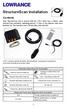 StructureScan Installation Contents Your StructureScan box is packed with the LSS-1 black box, a Power cable, StructureScan transducer, mounting bracket, 15 foot (4.5m) ethernet cable and a hardware kit.
Andersen Electric Window Opener for Andersen Awning and Roof Windows
 W A Electric Window Opener Electric Window Opener for Awning and Roof Windows Congratulations! You have just purchased one of the many fine products. For ease of installation and continued enjoyment of
TECHNICAL INFORMATION
 TECHNICAL INFORMATION Models No. 2012NB Description 304mm (12") Automatic Thickness Planer CONCEPTION AND MAIN APPLICATIONS * Compact and light weight (27 Kg./59 lbs) automatic thickness planer for easier
StructureScan HD Module. Installation Guide ENGLISH. www.bandg.com www.simrad-yachting.com www.lowrance.com
 StructureScan HD Module Installation Guide ENGLISH www.bandg.com www.simrad-yachting.com www.lowrance.com Disclaimer As Navico is continuously improving this product, we retain the right to make changes
 ABLOY DA60 SWING DOOR OPERATOR Installation and commissioning manual Abloy Oy An ASSA ABLOY Group company APPROVALS / STANDARDS Low Voltage directive 7//EEC as amended by the directive 9/68/EEC EMC directive
ZAPPY 3 OWNER S MANUAL. Read this manual completely before riding your Electric ZAPPY 3.
 ZAPPY 3 OWNER S MANUAL Read this manual completely before riding your Electric ZAPPY 3. TECHNICAL INFORMATION Model No. : ZAPPY 3 Product size Type of motor Motor power Battery type Battery Charger Charging
2013 Wireless Video Intercom INSTALLATION GUIDE
 2013 Wireless Video Intercom INSTALLATION GUIDE INDEX System configuration and wiring VL-SWD501 System Component.. 4 VL-SWD501EX wiring schematic diagram VL-SWD501EX wiring type and length... 5.... 6 Door
5800 Temperature Sensor Cable Assembly
 5800 Temperature Sensor Cable Assembly Removal and Replacement Instruction Sheet #60-4702-070 Revision D, January 14, 2013 Overview The 5800 has two refrigeration temperature sensors, one attached to the
TOYOTA TECHNICAL. An example of a tire pressure monitor valve sub-assembly. This mounts to a drop area in the wheel.
 TOYOTA TIRE PRESSURE WARNING SYSTEM Toyota uses various tire pressure warning systems. Here, we ll discuss the system featured on the 2006 Land Cruiser. Combination meter warning reset switch warning reset
ELECTRONIC THERMOSTAT AND THERMOMETER With SPEED CONTROL
 148 OLD CONCORD TURNPIKE, BARRINGTON NH 03825 USA TEL (603) 868-5720 FAX (603) 868-1040 1-800-435-6708 E-Mail:[email protected] www.seafrost.com ELECTRONIC THERMOSTAT AND THERMOMETER With SPEED CONTROL
HEAVY DUTY STAIR LIFT SYSTEM Installation and Service Manual
 HEAVY DUTY STAIR LIFT SYSTEM Installation and Service Manual WARNING! STRICT ADHERENCE TO THESE INSTALLATION INSTRUCTIONS is required and will promote the safety of those installing this product, as well
DIAMOND Retractable Rodding Robot Model SPRAYROD-R
 2004-12-21 2 1 (23) DIAMOND Retractable Rodding Robot Model SPRAYROD-R 2004-12-21 2 2 (23) Table of contents 1 TECHNICAL DESCRIPTION...4 1.1 MAIN DETAILS...5 1.2 COMPONENTS DESCRIPTION...5 1.2.1 Pneumatic
149mm. Walk-Thru Assembly Gate. MODEL NO: 1161, 1167 Owner s Manual. www.regalo-baby.com
 149mm 210mm Walk-Thru Assembly Gate MODEL NO: 1161, 1167 Owner s Manual READ ALL INSTRUCTIONS BEFORE ASSEMBLY AND USE OF GATE. KEEP INSTRUCTIONS FOR FUTURE USE. www.regalo-baby.com... Regalo International,
Original Assembly Guide
 TCT Multipurpose Single Bevel Sliding Compound Mitre Saw Original Assembly Guide Read instructions before assembling this tool. Table of Contents GB Assembly Guide Read instructions before assembling this
Replacing a Vantage Vue Transmitter
 Replacing a Vantage Vue Transmitter Included in this replacement transmitter kit: SIM transmitter Cable tray Instructions Tools Required Phillips head screwdriver Small pliers To replace the transmitter
USER MANUAL. DriveMaster 2.5, 3.6 ELECTRIC PROPULSION SYSTEM
 USER MANUAL DriveMaster 2.5, 3.6 ELECTRIC PROPULSION SYSTEM MASTERVOLT Snijdersbergweg 93, 1105 AN Amsterdam The Netherlands Tel.: +31-20-3422100 Fax.: +31-20-6971006 www.mastervolt.com Copyright 2010
Roll-Up Door Maintenance Guide
 R Roll-Up Door Maintenance Guide Cable Replacement on Two Spring Type Balancer Page 1 Panel Replacement - Removable Roller Cover Type Bottom Panel Page 1 Panel Replacement - Removable Roller Cover Type
Installation Instructions. ThermoCall TC4. Entry/Advanced
 Installation Instructions ThermoCall TC4 Entry/Advanced Thermo Call TC4 1 2 # 24990A 965 082 AMP 3 4 # 98393A # 67769A Thermo Call TC4 5 ThermoCall TC4 Entry 1 2 3 4 5 6 7 8 9 10 11 12 sw Please refer
TYXIA. *2702178_Rev.1* Installation and User Guide. Wireless receiver. TYXIA RF 642-1 channel
 Installation and User Guide TYXIA Wireless receiver TYXIA RF 642-1 channel DELTA DORE Bonnemain - 35270 COMBOURG - France E-mail : [email protected] Unit compliant with the requirements of directives:
Installation Instructions. Thermo Call TC3
 Installation Instructions Thermo Call TC3 1 2 # 24990A 965 082 AMP 3 4 # 98393A # 67769A sw Improper installation or repair of Webasto heating and cooling systems can cause fire or the leakage of deadly
MINI ELECTRIC SEWING MACHINE OPERATION MANUAL
 MINI ELECTRIC SEWING MACHINE OPERATION MANUAL 1 Parts & Accessories Takeup Lever(D) Spindle(C) Spool(E) MAIN UNIT Bobbin Holder(V) Bobbin winder Spool(T) Needle Clamp Screw(O) Adjusting Screw(Q) Needle
Guide for Installation and Maintenance of MacroAir (ME Series) High Volume Low Speed Fans
 Guide for Installation and Maintenance of MacroAir (ME Series) High Volume Low Speed Fans Version 9.0 April 2014 1 Delivery: Upon receipt of fans, thoroughly inspect units for any damage sustained during
Installation guide for the SafeLine type anchorage device. Tested in compliance with EN 795: 1996. No.: SE-...
 Installation guide for the SafeLine type anchorage device Tested in compliance with EN 795: 1996 No.: SE-... Version: 09.10.2008 SE 67 Subject to technical alterations! Contents 1. General information
Battery Power Inverters
 Battery Power Inverters Renogy 500W 1000W 2000W Pure Sine Wave Inverter Manual 2775 E. Philadelphia St., Ontario, CA 91761 1-800-330-8678 1 Version 1.1 Important Safety Instructions Please save these instructions.
UB1 AIR CONDITIONING UNIT INSTALLATION INSTRUCTIONS
 UB1 AIR CONDITIONING UNIT INSTALLATION INSTRUCTIONS INSTALLATION INSTRUCTIONS: Carefully read these instructions before installing your new air-conditioner. AUSTRALIAN AUTOMOTIVE AIR AL00500054E 1 Table
The Fan-Aspirated ISS includes these components: Metric Rain Adapter. The hardware shown here is provided for assembly and mounting:
 Integrated Sensor Suite with Fan-Aspirated Radiation Shield Installation Instructions Addendum For Vantage Pro2 and Vantage Pro2 Plus The Vantage Pro2 Integrated Sensor Suite (ISS) with the Fan-Aspirated
tidesmarine Smart Seal Temperature Alarm System Generation II Installation Instructions Starboard side cable
 tidesmarine Smart Seal Temperature Alarm System Generation II Installation Instructions Starboard side cable Port side cable (with black cable tie attached) Power cable Preparing for Installation 1 Overall
Installation Guide of Sunrise Solartech PV Modules. Term 2013. Contents. Purpose of this guide. General. Safety precaution for installing a solar
 Installation Guide of Sunrise Solartech PV Modules Term 2013 Contents Purpose of this guide General Safety precaution for installing a solar Photovoltaic system Product Identification Mechanical Installation
Control Box Wiring For PRSstandard Tool
 888-680-4466 ShopBotTools.com Control Box Wiring For PRSstandard Tool Copyright 2016 ShopBot Tools, Inc. page 1 Copyright 2016 ShopBot Tools, Inc. page 2 Table of Contents Introduction:...5 Installation:...5
Elo Touch Solutions Wall-mounting Kit for the 5501L IDS Touchmonitors
 Installation Manual Elo Touch Solutions Wall-mounting Kit for the 5501L IDS Touchmonitors SW602206 Rev B Table of Contents Chapter 1: Safety Warning... 3 Chapter 2: Kit Contents... 4 Included in Kit...
Navico-Northstar 2kW JRC Radar Package, Scanner Cable Removal and Replacement
 Navico-Northstar 2kW JRC Radar Package, Scanner Cable Removal and Replacement This work instruction describes the methods and means for which to remove and reinstall optional scanner cable configurations
Basic Spring Motor Roller Shades
 Comprehensive Roller Shade Installation Guide Basic Spring Motor Roller Shades ATTENTION!!! READ CAREFULLY! This shade has a reliable long-lasting Spring Motor. The Spring Motor must have proper tension
42U/45U 28" Wide Rack Installation & Service Guide
 42U/45U 28" Wide Rack Installation & Service Guide 96-00171-005 Rev B Important Information Information in this document is subject to change without notice and does not represent a commitment on the part
Installation information. METTLER TOLEDO MultiRange Floor scales / Pit scales
 Installation information METTLER TOLEDO MultiRange Floor scales / Pit scales KC300/KCS300 KC600/KCS600 KD600/KD1500 KE1500/KE3000 KES1500/KES3000 KG3000/KG6000 KN1500 Floor scales / Pit scales Contents
Written By: Walter Galan
 Installing iphone 4S Display Assembly Written By: Walter Galan TOOLS: Phillips 00 Screwdriver (1) Plastic Opening Tools (1) PARTS: iphone 4S Display Assembly (1) iphone 4 and 4S Screen Protector (1) Small