
USER MANUAL. DriveMaster 2.5, 3.6 ELECTRIC PROPULSION SYSTEM
|
|
|
- Shannon Paul
- 9 years ago
- Views:
Transcription
1 USER MANUAL DriveMaster 2.5, 3.6 ELECTRIC PROPULSION SYSTEM MASTERVOLT Snijdersbergweg 93, 1105 AN Amsterdam The Netherlands Tel.: Fax.: Copyright 2010 Mastervolt, v 0.3 November 2010

2 CONTENTS CONTENTS 1 GENERAL INFORMATION USE OF THIS MANUAL VALIDITY OF THIS MANUAL GUARANTEE SPECIFICATION LIABILITY SAFETY GUIDELINES AND MEASURES WARNINGS AND SYMBOLS USE FOR INTENDED PURPOSE GENERAL SAFETY AND INSTALLATION PRECAUTIONS WARNING REGARDING LIFE SUPPORT APPLICATIONS WARNING REGARDING THE USE OF BATTERIES HOW IT WORKS DRIVEMASTER SYSTEM COMPONENTS MOTOR CONTROLLER AND DC MOTOR MOTOR MOUNT DISPLAY, JOYSTICK AND MOTOR SWITCH MAIN SWITCH AND FUSE CONNECTION CABLES OPERATION SWITCHING ON AND OFF USE OF THE DISPLAY USE OF THE JOYSTICK DEPARTURE ARRIVAL INSTALLATION GENERAL CONSIDERATIONS FOR A SILENT PROPELLER SHAFT SYSTEM COMPONENTS MOTOR MOTOR SUPPORT BRACKET COOLING UNIT PROPELLER SHAFT MOTOR CONTROLLER DISPLAY JOYSTICK WIRING CONNECTION OF MOTOR CABLES CONNECTION OF THE TEMPERATURE SENSOR CONNECTION OF THE POWER CABLES CONNECTION OF DISPLAY AND JOYSTICK CONNECTION OF BATTERY CABLES COMMISSIONING CALIBRATION MAINTENANCE PREVENTIVE MAINTENANCE MAINTENANCE DISASSEMBLY November 2010 / DriveMaster /EN

3 CONTENTS 7 TROUBLE SHOOTING TECHNICAL DATA TECHNICAL SPECIFICATIONS DIMENSIONS MOTOR CONTROLLER DC MOTOR DC MOTOR WITH SUPPORT BRACKET ORDERING INFORMATION EN / DriveMaster / November

4 GENERAL INFORMATION 1 GENERAL INFORMATION 1.1 USE OF THIS MANUAL Copyright 2010 Mastervolt. All rights reserved. Reproduction, transfer, distribution or storage of part or all of the contents in this document in any form without the prior written permission of Mastervolt is prohibited. 1.4 LIABILITY Mastervolt can accept no liability for: Consequential damage due to use of the DriveMaster; Possible errors in the manuals and their consequences. This manual contains important safety and operating instructions for the safe and effective operation, maintenance and possible correction of minor malfunctions of the DriveMaster. It is therefore obligatory that every person who works on or with the DriveMaster is completely familiar with the contents of this manual, and that he/she carefully follows the instructions and important safety instructions contained herein. Installation and maintenance of the DriveMaster systems may only be performed by qualified and authorized personnel, in accordance with regulations and in compliance with the mentioned safety measures. Keep this manual in a safe place! 1.2 VALIDITY OF THIS MANUAL All of the specifications, provisions and instructions contained in this manual apply solely to standard versions of the DriveMaster delivered by Mastervolt. For other models see other manuals available on our website: GUARANTEE SPECIFICATION Mastervolt guarantees that this unit has been built according to the legally applicable standards and specifications. Should work take place, which is not in accordance with the guidelines, instructions and specifications contained in this user manual, then damage may occur and/or the unit may no longer meet its specifications. All of these matters may mean that the guarantee becomes void. The guarantee is limited to the costs of repair and/or replacement of the product. Costs for installation labor or shipping of the defective parts are not covered by this guarantee. During production and before delivery, all equipment is tested and inspected. The standard warranty period is two years after purchase. 4 November 2010 / DriveMaster /EN

5 SAFETY GUIDELINES AND MEASURES 2 SAFETY GUIDELINES AND MEASURES 2.1 WARNINGS AND SYMBOLS The following warning, caution and attention symbols are used in this manual. WARNING! A WARNING refers to possible injury to persons if the user does not (carefully) follow the procedures. CAUTION! A CAUTION sign refers to possible significant damage to the equipment if the user does not (carefully) follow the procedures, restrictions and rules. 2.4 WARNING REGARDING LIFE SUPPORT APPLICATIONS The DriveMaster is not intended for use in any medical equipment that is intended for use as a component of any life support system, unless a specific written agreement pertaining to such intended use is executed between the manufacturer and Mastervolt. Such agreement will require the equipment manufacturer either to contract additional reliability testing of the DriveMaster and/or to commit to undertake such testing as a part of the manufacturing process. In addition, the manufacturer must agree to indemnify and not hold Mastervolt responsible for any claims arising from the use of the DriveMaster in life support equipment. ATTENTION! An ATTENTION sign refers to procedures, circumstances, etc. which deserve extra attention. 2.2 USE FOR INTENDED PURPOSE The DriveMaster may only be used for ship propulsion and according to the installation, operation and maintenance instructions of this manual. 2.3 GENERAL SAFETY AND INSTALLATION PRECAUTIONS Read this manual thoroughly before installing and/or using the electric components; Follow the assembly instructions carefully; Only work with the controller when the drive is switched off. It is important to switch off the power supply of the electric drive with the main switch. Remove the key and keep it with you so that nobody else can turn it back on; Be aware of your speed. The speed is often underestimated because of the lack of sound; Be alert to your surroundings; silent sail means that others can hardly hear you; The motor has non-shielded rotating parts. Be sure that loose clothing can not get caught in the shaft or coupling. Avoid contact with rotating parts; Make sure that when building the motor, the wiring is properly insulated. A short circuit can cause fire. EN / DriveMaster / November

6 SAFETY GUIDELINES AND MEASURES 2.5 WARNING REGARDING THE USE OF BATTERIES The battery pack that is suitable for the DriveMaster 2.5 is a 24 Volt battery pack, for the DriveMaster 3.6 a 48 Volt battery pack. The battery capacity can be chosen by the customer. Play attention to the following when working with batteries. Someone should be within hearing distance or close enough to come to your aid when you work near a lead-acid or Li-Ion battery; Have plenty of fresh water and soap nearby in case battery acid contacts skin, clothing or eyes; Wear complete eye protection and clothing protection. Avoid touching eyes while working near a battery; If battery acid contacts skin or clothing, wash immediately with soap and water. If acid enters the eye, immediately flood the eye with cold running water for at least 10 minutes and get medical attention immediately; NEVER smoke or allow a spark or flame in the vicinity of a battery or engine; Do not short circuit batteries, as this may result in an explosion and fire hazard! Take extra care to reduce the risk of dropping a metal tool onto a battery. It might spark or short-circuit the battery or other electrical part and it may cause an explosion; Remove personal metal items such as rings, bracelets, necklaces and watches when working with a battery. A battery can produce a short-circuit current that is high enough to weld a ring or anything like it, to metal, causing a severe burn; NEVER charge a frozen battery; Excessive battery discharge and/or high charging voltages can cause serious damage to batteries. Do not exceed the recommended limits of the discharge level of your batteries; If it is necessary to remove a battery, always remove the grounded terminal from the battery first. Make sure all accessories are off, so as not to cause an arc; Be sure that the area around the battery is well ventilated while the battery is being charged. Refer to the recommendations of the battery manufacturer; Batteries are heavy! It may become a projectile if it is involved in an accident! Ensure adequate and secure mounting and always use suitable handling equipment for transportation. 6 November 2010 / DriveMaster /EN

7 HOW IT WORKS 3 HOW IT WORKS INCLUDED IN THE DRIVEMASTER 2.5 SYSTEM JOYSTICK DISPLAY BATTERY CONTROLLER MOTOR PROPELLER FUSE MAIN SWITCH Figure 1: System block diagram 3.1 DRIVEMASTER SYSTEM The diagram of Figure 1 gives a simplified view of the DriveMaster system. The main parts of the system are the battery and controller, supplying the motor with energy, and the motor with propeller providing the thrust for the propulsion. The system is operated by the joystick that gives speed and direction information to the controller so it can give the right amount of power to the motor. Information about battery voltage, remaining power, thrust power and more is shown on the display. Furthermore, there is a fuse for protection and a main switch for powering on and off. The motor controller is the key element in the system. It manages operation, protection and information. 3.2 COMPONENTS The DriveMaster comes with the following components: Motor controller DC motor with cooling unit and propeller shaft connection sleeve Motor mount (including rubber dampers) Display with integrated motor switch Main switch Fuse and fuse box Signal cable Adapter cable for joystick 4 connectors for power cables Please check the contents of the box before you start with the installation. If any of the items is missing, please contact your supplier. EN / DriveMaster / November

8 HOW IT WORKS 3.3 MOTOR CONTROLLER AND DC MOTOR The motor controller is specifically designed for controlling the speed of the DriveMaster permanent magnet DC motor. This controller-motor combination is specifically designed for electric propulsion in boats. The controller is equipped with a number of specific features that are important for electric propulsion in boats; e.g. the cooling is temperature controlled. The motor uses powerful permanent magnets which results in high efficiency and a high power output to volume / weight ratio. 3.4 MOTOR MOUNT The supplied motor mount can be used as a standard mount, for ease of installation. To further reduce the amount of vibration and noise, the supplied motor mount is provided with rubber dampers. 3.5 DISPLAY, JOYSTICK AND MOTOR SWITCH The display gives information on battery status, motor power and has an integrated motor switch for switching the system on and off. The display is connected to the motor controller. The joystick (to be ordered separately) is used to control the speed in forward and backward direction when sailing. The joystick is connected to the display. 3.6 MAIN SWITCH AND FUSE The main switch is mounted between the fuse box and the motor controller in order to disconnect the batteries during emergencies and maintenance. 3.7 CONNECTION CABLES Figure 1 shows a simplified view of the cabling connections and the components of the DriveMaster. All connections are made with connectors to prevent mistakes during installation. 8 November 2010 / DriveMaster /EN

9 OPERATION 4 OPERATION 4.1 SWITCHING ON AND OFF The system is switched on by turning the motor switch key on the display in clockwise direction. The motor switch has two positions: "off" and "on". The system is switched off by turning the motor switch key counter-clockwise to the off position. 4.3 USE OF THE JOYSTICK The desired power and speed can be adjusted in forward and backward direction with the joystick, by turning it over the full stroke. This happens without intermediate steps. Figure 4 shows the joystick with default forward (clockwise) and backward (counter clockwise) operation. This default setting can be changed in calibration, see section 5.9. off on Figure 2: Motor switch positions 4.2 USE OF THE DISPLAY After switching on the system, the display lights up. The display has two lines, with 16 characters each. Communication with the controller takes place by serial data transfer. The display power is supplied by the motor controller. Figure 4: Joystick There are several types of joysticks available, which is why the joystick is not a standard part of the system. In this manual a standard joystick is used as an example. Refer to the ordering information in chapter 9 for alternative types. 4.4 DEPARTURE Before departure, always check the system for correct functioning V h 0-1 K B A T 9 9 % Figure 3: Display 6 7 The display module contains: 1. Display 2. Motor switch The display gives the following information: 3. Battery voltage in Volts 4. Remaining time in hours and minutes 5. Motor power in kw 6. Residual capacity of the battery in % 7. Error code Follow these steps: 1. Disconnect the shore connection. 2. Turn the main switch on. 3. Put the joystick in the neutral position. 4. Turn the system on with the motor switch on the display. 5. Check the battery condition. 4.5 ARRIVAL Follow these steps after arrival: 1. Put the joystick in the neutral position. 2. Check the battery condition. 3. Turn the motor switch off. 4. Connect the shore connection and make sure it works properly. 5. Reload the batteries after arrival. See chapter 7 for a description of the error codes. EN / DriveMaster / November

10 INSTALLATION 5 INSTALLATION During installation and commissioning of the DriveMaster, the safety instructions of chapter 2 must be followed. All connections are made with connectors which prevent mistakes during installation. CAUTION! The complete set is fully tested and provided with the correct base settings in the factory, which means that the proper motor controller always needs to be combined with the proper motor. Check the serial number of the motor controller and that of the motor; they must be identical. 5.1 GENERAL CONSIDERATIONS FOR A SILENT PROPELLER SHAFT SYSTEM Figure 5: Propeller system Before installing the propeller shaft system, the following three points must be considered to make the (electric) drive real quiet. The points are listed in order of importance. Inflow of the water from the propeller. For example, a propeller with a 2.4 kw drive moves about 280 liter water per second. The water inflow should be disrupted at a minimum and the water should flow horizontally through the propeller. If the boat has a keel from which the propeller protrudes, then the keel must be narrowed above and below the propeller shaft to get the inflow to the propeller as smooth as possible. See Figure 5. The view of the keel shows the difference between a straight keel and a keel that is narrowed. There must be enough space (at least 15% of the propeller diameter) between the propeller and the hull. The same applies when a keel is mounted that supports the rudder. When designing the keel, it is important that the inflow of water is not disrupted. A curved piece of flat steel can cause tremendous turbulence in the water causing noise and loss of efficiency. There must be sufficient space between the propeller and the rudder. It is an advantage that the rudder is drop shaped en is not made out of a flat plate. This drop shaped design is also called a NACA profile. 5.2 COMPONENTS See the block diagram in chapter 3 and the wiring diagram in section MOTOR A DriveMaster electric drive system is quiet and has little vibration when installed correctly. In order to achieve this, pay close attention to the placement of the motor and the entire propeller shaft system. When determining the location of the motor in the boat, you should pay attention to the following: 1. The DriveMaster DC motor must not be submerged if there is bilge water in the boat. Therefore, place the motor in a watertight compartment or place an automatic bilge pump at the lowest point in the boat. 2. The DriveMaster DC motor as well as the motor controller need to get sufficient cooling air. In case the motor compartment is too small (less than 2m 2 ), an extra fan is needed that gets cool air from outside. An extra fan is also recommended when the motor compartment is properly insulated. Sound insulation materials are also good heat insulators. 3. Take note of the following instructions for a proper installation of motor and drive shaft: The motor must be properly aligned with the propeller shaft. By tightening the 4 bolts, the motor can be aligned very precisely. This makes the drive significantly more quiet. Check the propeller shaft for straightness; Use a balanced propeller that is suitable for the system on the boat; Provide the balanced propeller if necessary with a so called anti-singing edge ; Pay attention to the position of the propeller in the shaft and the relative position of the rudder; For details, see the manual of the propeller shaft system. See section 8.2 for the motor dimensions. 10 November 2010 / DriveMaster /EN

11 INSTALLATION MOTOR SUPPORT BRACKET To build the motor on an existing foundation, a mounting plate with two angled brackets is available. The four M8 bolts that are used to mount the motor are provided with rubbers that serve as vibration dampers PROPELLER SHAFT A sleeve system is connected to the motor shaft for true in-line assembly of the motor and the propeller shaft. After correct installation, it offers a fixed connection between the motor and propeller shaft. The motor support bracket can be used to properly align the motor with the propeller shaft, at the right angle. Figure 8: Sleeve for propeller shaft Figure 6: Motor support bracket COOLING UNIT In continuous heavy load situations the motor needs forced air cooling to keep a proper operating temperature. Therefore, the motor is fitted with an external cooling unit. This cooling unit has a temperature-controlled fan that always cools the motor sufficiently. Figure 7: Cooling unit Installing the cooling unit: 1. Connect the cable with the male plug (red / black wire) of the cooling unit fan to the wire from the controller which has a 2-pin female plug (white / brown wire). 2. Mount the cooling unit on the back side of the motor using the 4 delivered nuts and rubber O-ring. The O- ring must be placed on the inside of the cooling unit for resonance. The sleeve is already mounted on the motor and only needs to be connected to the propeller shaft. To do so follow these steps: 1. Clean the contact surfaces of the shaft and the inside of the conical washer with a clean and dry cloth. 2. Slide the sleeve with the conical washer and cover ring on the propeller shaft (or vice versa). 3. Tighten all bolts by hand: the tightening of the conical washer should be done in such a way that the entire system is in-line. It is important that the bolts are fastened evenly. Tighten the bolts by half a stroke, one after the other. 4. Continue tightening the bolts until they are firmly in place. To disassemble the propeller shaft on the sleeve-motor combination, follow these steps: 1. Remove all bolts from the sleeve. 2. Install bolts in the threaded holes. 3. Tighten all bolts by hand. 4. Remove the conical washer by loosening the bolts by half a stroke one after the other. 5. Check that all bolts are firmly in place after positioning the motor and propeller shaft system; 6. Check the propeller shaft for straightness; 7. Use a balanced propeller that is suitable for the system on the boat; 8. If necessary, equip the balanced propeller with a so called anti-singing edge ; 9. Pay attention to the position of the propeller in the shaft and the relative position of the rudder; 10. Make sure that the motor is well protected and prepare for unforeseen circumstances like leakage. Suggestion: place a bilge pump. EN / DriveMaster / November

12 INSTALLATION 5.4 MOTOR CONTROLLER When mounting the controller, there must be at least 50 mm space above and under it. There must also be sufficient space for the cable connections. Note the following when installing the motor controller: Make sure that there is adequate ventilation and do not cover up the suction and blast hole; The motor controller must be mounted at a dry, wellprotected and accessible location in the boat; Never install a controller near a so-called wet or open battery; Air-intake of the controller must be sufficient; Ensure that the intake opening can not be blocked; The controller must be mounted on a flat surface. See section 8.2 for the controller dimensions. 5.5 DISPLAY The display is usually mounted on the control console of the boat. The location of the display is not critical, it is important that (rain) water does not remain on the display and can run off. Upright or slightly slanted installation is recommended. This does not apply to an indoor arrangement. The display requires a rectangular 155 mm by 55 mm (width by height) panel cut-out. Note that the wiring of the display needs to be finished before it is fully mounted with the screws. 5.6 JOYSTICK The joystick is mounted vertically, for instance, on the control console. Note: The joystick is splash proof only. Therefore, the joystick may not be continuously in contact with water. Position the joystick carefully; The handle has to be able to rotate freely in both directions; Choose the location so that the risk of turning the handle in the unwanted direction is minimal. 5.7 WIRING Every DriveMaster system comes with the following wiring components: 4 connectors for power (battery and motor) cables; Signal cable. The power cables for connecting the batteries and the power cables from the motor controller to the motor are not included. The cables from the motor and batteries to the controller should be flexible 25 mm 2 cables. It is recommended to tie the cables together with a cable tie when all 4 flexible cables are plugged in. The wiring of the cables is explained in the following sections. Connect the cables in the following order: 1. Connect the motor cables and temperature sensor. 2. Connect the display and joystick. 3. Connect the battery cables. See the wiring diagram in Figure November 2010 / DriveMaster /EN

13 INSTALLATION Display Joystick Cooling unit cable Motor controller Temperature sensor cable Main switch Cover of motor cooling unit _ Battery + Fuse Motor Figure 9: Wiring diagram The battery, power cables and joystick are not included in the system. For ordering information, see chapter 9. EN / DriveMaster / November

14 INSTALLATION CONNECTION OF MOTOR CABLES Install the motor cables as follows: 1. Remove the black plastic cover from the back of the motor. 2. Connect the two motor cables to the two brass M8 bolts (see Figure 10 - [2] and [3]). The left motor cable is connected to the middle bolt and the right motor cable is connected to the bolt on the side. Use M8 cable terminals that are suitable for the used cable diameter. Mastervolt recommends using at least 25 mm 2 flexible cable, depending on the distance between the motor and motor controller. The black plastic cover is provided with a number of preshaped openings through which the cables come out. 3. Open the holes where the cables come out and make sure that the cable lugs are exactly in the direction of the openings. 4. Plug the other end of the cable in the motor controller and turn it clockwise to secure it CONNECTION OF THE TEMPERATURE SENSOR The motor is provided with a temperature sensor. This temperature sensor ensures that the motor controller limits the power when the motor gets too hot. To assemble the temperature sensor, follow these steps: 1. Remove the black plastic cap from the back of the motor. 2. Remove one of the torque screws of the brush holder (see Figure 10 - [1]) 3. Insert the screw in the temperature sensor tip and slide the clearance tube over the sensor body. 4. Mount the sensor on the brush holder and tighten the screw. 5. Place the plastic cap and fasten it. 6. Plug the other end of the cable with the 12-pin plug in the motor controller. It is a triple cable for the temperature sensor, the cooling unit and the display (see Figure 11). Figure 11: Signal cable connector CONNECTION OF THE POWER CABLES 1 2 WARNING! Make sure that when connecting the battery and the motor controller, the fuse is removed and the main switch is switched off. Note the following when connecting the cables: The positive terminal is clearly marked with a red mark on the motor controller; The main switch must be mounted at an accessible location between the fuse and the motor controller, so that the system can be disconnected from the batteries in case of an emergency or in case of maintenance; The fuse must be placed as close as possible to the batteries to ensure maximum protection; The + cable runs from the battery to the fuse and the cable runs from the battery to the pole of the controller. 3 Specifications for connecting the power cables: Motor controller > 25 mm 2 Fuse T 125 Ampere Power 2.5 kw Voltage 24 Volts Figure 10: Connecting the motor cables and the temperature sensor cable 14 November 2010 / DriveMaster /EN

15 INSTALLATION Figure 12: Quick connect couplings for power cable Two quick-connect couplings are included for connection to the motor controller (see Figure 12). Follow these steps to connect the quick connect couplings: 1. Install the couplings with care at the ends of the cables. 2. Turn the couplings one stroke counter-clockwise. The cable is now secured and cannot get loose as a result of vibration. 3. Place the coupling on the controller. Refer to the manual of the battery supplier for more information about the connection and location of the battery. Follow these steps after installation and before switching on the power: 1. Check all connections again. 2. Check the voltage of the battery. 3. When you are convinced that everything has been connected properly, turn the main switch on CONNECTION OF DISPLAY AND JOYSTICK The control signals to the display pass through the signal cable that is connected to the controller with the 12-pin plug shown in the previous section. The signal cable is already plugged in the motor controller when installing the temperature sensor, because it is a combined cable for the display and the temperature sensor. 1 Follow these steps: 1. Take the rubber cover off the back of the display. 2. Slide the two black cable sleeves that are in the rubber cover over the signal cable and the joystick adapter cable. 3. Slide the cables through the rubber cover and fix the cable sleeves in the rubber cover. 4. Insert the 7-pin plug at the back of the display in the upper connector (see Figure 13, item 1). 5. Insert the plug of the joystick adapter cable in the lower connector (see Figure 13, item 2). 6. Slide the full rubber cover including cable sleeves over the cables until it reaches the display and can be mounted as one part in the panel cut-out CONNECTION OF BATTERY CABLES WARNING! Make sure that when connecting the battery and the motor controller, the fuse is removed and the main switch is switched off. Note the following when connecting the cables: The positive terminal is clearly marked with a red mark on the motor controller; The main switch must be mounted at an accessible location between the fuse and the motor controller, so that the system can be disconnected from the batteries in case of an emergency or in case of maintenance; The fuse must be placed as close as possible to the batteries to ensure maximum protection; The + cable runs from the battery to the fuse and the cable runs from the battery to the pole of the controller. Specifications for connecting the power cables: Motor controller > 25 mm 2 Power 2.5 kw Voltage 24 Volts Figure 13: Back side of the display 2 The signal cable has a 7-pin plug for the display. Next to the signal cable, the short joystick adapter cable needs to be connected to the display in order to connect the (separately ordered) joystick. Figure 14: Quick connect couplings for the motor controller Two quick-connect couplings are included for connection to the motor controller (see Figure 12). Follow these steps to connect the quick connect couplings: 1. Install the couplings with care at the ends of the cables. 2. Turn the couplings one stroke counter-clockwise. The cable is now under tension and cannot therefore get loose as a result of vibration. 3. Place the coupling on the controller. EN / DriveMaster / November

16 INSTALLATION Refer to the manual of the battery supplier for more information about the connection and location of the battery. Follow these steps after installation and before switching on the power: 1. Check all connections again. 2. Check the voltage of the battery. 3. If you are convinced that everything has been properly connected, turn the main switch on. 5.8 COMMISSIONING The display shows the residual battery capacity and the remaining sailing time, with the current speed. To calculate these data, the system must know the battery capacity. This value must be entered into the system. After all connections have been made, the battery capacity can be set and the system must be reset. To reset the system, follow these steps: 1. Make sure that all batteries are fully charged. The LED lights on the charger(s) give 100%. 2. Remove the shore connection. 3. Wait for two minutes. 4. Perform calibration (see next section). 5.9 CALIBRATION The DriveMaster can be calibrated by the owner or a specialist. It involves the following steps: Setting the battery capacity; Calibrating the joystick; Resetting the battery to 99%. CAUTION! These actions may only be performed when the batteries are fully charged. The battery reference voltage is stored in memory. If the battery is charged less than 80%, the system calculates the remaining capacity itself. There will be no new reference voltage stored. ATTENTION! Read the following 10 steps first before carrying them out. The following first 4 steps must be carried out immediately one after the other. Do not pause between the steps. 1. Turn on the motor switch. 2. Turn the joystick counter-clockwise to the farthest position. 3. Turn the joystick clockwise to the farthest position. 4. Turn the joystick to the neutral position in the middle. The screen then shows: Full forward. 5. Turn the joystick full forward (counter-clockwise). After five seconds the screen shows: Full backward. 6. Turn the joystick full backward (clockwise). After five seconds the screen shows: Neutral. 7. Turn the joystick to the neutral position in the middle. After five seconds, the message Saved is shown on the screen. The joystick is now calibrated with the new reference voltage. If you want to adjust the battery capacity value (in Ah), follow these steps: 8. Move the joystick within three seconds of performing step 7 and the Ah value will change. 9. Use the joystick to change the Ah value. 10. Move the joystick to the neutral position when the correct value is reached. After three seconds, this value is programmed into the memory. 16 November 2010 / DriveMaster /EN

17 MAINTENANCE 6 MAINTENANCE 6.1 PREVENTIVE MAINTENANCE Check your whole system regularly on the following points: Check the bilge and motor compartment for unwanted moisture or water; Check the operation of the automatic bilge pump; Check the system for irregularities, such as abnormal noise, vibration and wear. Keep the system always connected (even in winter storage) to the shore connection. This will keep the batteries in 100% condition and prevents self-discharging of batteries. If the system is not going to be used for a long time and a permanent shore connection is not available, then charge the batteries for 100% and remove the fuse. 6.2 MAINTENANCE After approximately 2,000 hours of use, the carbon brushes need to be replaced. The entire brush holder and brushes need to be replaced. The body of the motor and motor controller can be cleaned with a dry or slightly damp cloth. Never use water or a solvent to clean the motor or motor controller. Always contact your dealer if you notice strange noises, vibrations or non-traceable error messages on the display. In salt water: 1. Rinse the motor and inside of the flange with fresh water. Make sure that the cooling openings are also rinsed properly. 2. Dry the motor as much as possible with a cloth, and after that with compressed air or a hair dryer. ATTENTION! Pay attention when using a hair dryer; the motor will be heated as a whole. Therefore, do not use a hair dryer longer than 15 minutes. 3. Run the motor for one hour on half its power. Have the whole system checked by a qualified installer every two years. This will keep your system in optimal condition. 6.3 DISASSEMBLY It is not recommended to disassemble the motor without the help of a specialist. The strong Neodymium magnets of the motor will loose a great deal of their power when they are disassembled incorrectly. The motor will then have considerably less power. Therefore, always let a specialist disassemble the motor. You should be alert for moisture and salt, which can permanently damage your system. If the motor is (briefly) in the water, it should be treated immediately as follows: In fresh water: 1. Dry the motor as much as possible with a cloth, and after that with compressed air or a hair dryer. ATTENTION! Pay attention when using a hair dryer; the motor will be heated as a whole. Therefore, do not use a hair dryer for longer than 15 minutes. 2. Run the motor for one hour at half its power. EN / DriveMaster / November

18 TROUBLE SHOOTING 7 TROUBLE SHOOTING In case of a failure, the DriveMaster display shows an error code to help you find the cause. If you cannot solve a problem with the aid of the fault finding table below, contact your local Mastervolt Service Centre. See Make sure you keep the article and serial number close at hand. The following table shows the most common errors. Message Error Solution Batt. Low The battery voltage is too low Charge the batteries Batt. High The battery voltage is too high Check whether the nominal battery pack voltage is equal to the DriveMaster system's required voltage JOYWIRE+ The positive wire of the joystick is interrupted Check the wire and connections. Change the wire if necessary JOYWIRE- The negative or middle wire of the joystick is interrupted Check the wires and connections. Change the wire if necessary JOYSTICK The joystick is not in the neutral position when Put the joystick in the neutral position activating the system Motor Hot The motor temperature is too high Let the motor cool down, check the ventilation openings for dirt or other blocking and check the working of the fan. This can be done by turning off the motor switch, after which the fan should run for one second. If not, check the wires and connector of the fan. Contr. Hot The controller is too hot Let the motor controller cool down and check the controller housing NTC Wire The temperature sensor of the controller is Contact Mastervolt Service Center interrupted Motor NTC The temperature sensor of the motor is interrupted Check the wire and connections. Change the wire if necessary OVERLOAD The controller is overloaded, as a result of, for example, dirt in the propeller Check the propeller and clean if necessary 18 November 2010 / DriveMaster /EN

19 TECHNICAL DATA 8 TECHNICAL DATA 8.1 TECHNICAL SPECIFICATIONS Model DriveMaster 2.5 DriveMaster 3.6 Article number Battery voltage Nominal battery voltage 24 Volt 36 Volt Battery voltage Volt Volt Performance Output voltage Adjustable to 98% of battery voltage Nominal motor current 110 A Maximum motor current 150 A for 60 s Motor type PMG 132 Maximum motor power 2.4 kw 3.6 kw Control method PWM Motor speed 1080 rpm 1620 rpm Related torque 21.4 Nm 21.4 Nm Read parameters Via display Standby mode Automatic after 15 minutes Safety Undervoltage 19 Volt 28 Volt Overvoltage 33 Volt 45 Volt Current 110 A, 150 A for 60 s Thermal safety Reduction of power in steps to 0 when overheated Thermal motor Reduction of power in steps to 0 when overheated Environment Temperature C Protection class IP 21 Weight Motor weight 11 kg Motor controller weight 4.5 kg Total system weight 18 kg EN / DriveMaster / November

20 TECHNICAL DATA 8.2 DIMENSIONS MOTOR CONTROLLER Front Side Top 182 Figure 15: Dimensions of the motor controller in mm Front Side Top 7.14 Figure 16: Dimensions of the motor controller in inches 20 November 2010 / DriveMaster /EN

21 TECHNICAL DATA DC MOTOR Front 250 Side Top Figure 17: Dimensions of the DC motor in mm Front 9.84 Side Top Figure 18: Dimensions of the DC motor in inches EN / DriveMaster / November
22 TECHNICAL DATA DC MOTOR WITH SUPPORT BRACKET Front Max Side Top Figure 19: Dimensions of the DC motor with support bracket in mm Front Max Side Top Figure 20: Dimensions of the DC motor with support bracket in inches 22 November 2010 / DriveMaster /EN
23 ORDERING INFORMATION 9 ORDERING INFORMATION Part number Description ControlMaster Casual single version, side mount ControlMaster Sport single version, side mount ControlMaster Sport T single version, top mount ControlMaster Sport TD double version, top mount Extension cable set 6 metres EN / DriveMaster / November
DriveMaster Ultra 3.5, 5, 7.5, 10 & 20
 USER MANUAL DriveMaster Ultra 3.5, 5, 7.5, 10 & 20 ELECTRIC PROPULSION SYSTEMS MASTERVOLT Snijdersbergweg 93, 1105 AN Amsterdam The Netherlands Tel.: +31-20-3422100 Fax.: +31-20-6971006 www.mastervolt.com
Installation and Operating Instructions (for chargers shown below)
 Installation and Operating Instructions (for chargers shown below) For additional information please call our Technical Support Group 800.742.2740 PRO CHARGING SYSTEMS, LLC 1551 Heil Quaker Boulevard,
Installation and Operating Instructions (for chargers shown below)
 Installation and Operating Instructions (for chargers shown below) For additional information please call our Technical Support Group 800.742.2740 PRO CHARGING SYSTEMS, LLC 1551 Heil Quaker Boulevard,
Amps Per Bank. Total Output. Battery System. Model Name. 6 amps 12 amps 10 amps 20 amps 30 amps 40 amps 15 amps 30 amps 45 amps
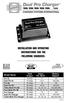 Model Name Total Output Amps Per Bank Battery System Pro XL Dual Pro XL Pro SE Dual Pro SE Three Bank Pro SE Four Bank Pro SE Pro Charger Dual Pro Charger Three Bank Pro Charger 6 amps 12 amps 10 amps
PodMaster 6.5 & 10 PROFESSIONAL
 USER MANUAL PodMaster 6.5 & 10 PROFESSIONAL ELECTRIC PROPULSION SYSTEM MASTERVOLT Snijdersbergweg 93, 1105 AN Amsterdam The Netherlands Tel.: +31-20-3422100 Fax.: +31-20-6971006 www.mastervolt.com Copyright
CHARGING SYSTEMS INTERNATIONAL
 CHARGING SYSTEMS INTERNATIONAL INSTALLATION AND OPERATING INSTRUCTIONS FOR THE FOLLOWING BATTERY CHARGING SYSTEMS: MODELS MAX AMPS/BANK NO. OF BANKS BATTERY SYSTEM PRO XL 6 1 12 DUAL PRO XL 6 2 12/24 PRO
12 Volt 30 Amp Digital Solar Charge Controller Installation & Operation Manual
 12 Volt 30 Amp Digital Solar Charge Controller Installation & Operation Manual This 30Amp charge controller is designed to protect your 12Volt Lead-acid or Gel-cell battery from being overcharge by solar
PodMaster 4.2, 6.5 & 10
 USER MANUAL PodMaster 4.2, 6.5 & 10 ELECTRIC PROPULSION SYSTEM MASTERVOLT Snijdersbergweg 93, 1105 AN Amsterdam The Netherlands Tel.: +31-20-3422100 Fax.: +31-20-6971006 www.mastervolt.com Copyright 2011
PodMaster Steerable 4.2, 6.5 & 10
 USER MANUAL PodMaster Steerable 4.2, 6.5 & 10 ELECTRIC PROPULSION SYSTEM MASTERVOLT Snijdersbergweg 93, 1105 AN Amsterdam The Netherlands Tel.: +31-20-3422100 Fax.: +31-20-6971006 www.mastervolt.com Copyright
12 Volt 30 Amp Digital Solar Charge Controller
 12 Volt 30 Amp Digital Solar Charge Controller User s Manual WARNING Read carefully and understand all INSTRUCTIONS before operating. Failure to follow the safety rules and other basic safety precautions
LUCCI AIRFUSION QUEST II CEILING FAN
 LUCCI AIRFUSION QUEST II CEILING FAN WITH IR REMOTE INSTALLATION OPERATION MAINTENANCE WARRANTY INFORMATION CAUTION READ INSTRUCTIONS CAREFULLY FOR SAFE INSTALLATION AND FAN OPERATION. V1.0 QUEST II IR
Oil and Coolant Circulating Heating System. Model - OCSM
 Oil and Coolant Circulating Heating System Model - OCSM Installation & Operation Manual 216280-000 REV 2 Identifying Your System The HOTSTART heating system is designed to heat fluids for use in marine
POWER TO GET THE JOB DONE
 52720 1.5 AMP SLOW 12 VOLT BATTERY CHARGER OWNER S MANUAL KEEPS BATTERIES FULLY CHARGED IN STORAGE Automatic over-charging protection Short circuit protection Reverse hook-up protection Overheat protection
Owners & Installation Manual for the Sheridan, Mountainair, Pine Valley and Old Forge Ceiling Fan Family
 Owners & Installation Manual for the Sheridan, Mountainair, Pine Valley and Old Forge Ceiling Fan Family Part of the Kiva Lighting Family Custom Lighting and Fans Since 1992 1312 12th St NW Albuquerque,
INSTALLATION INSTRUCTIONS: Viewline 52 mm
 -5 Safety information The product was developed, manufactured and inspected according to the basic safety requirements of EC Guidelines and state-of-the-art technology. The instrument is designed for use
AerAtron. Ceiling fans
 AerAtron Ceiling fans User Manual & Technical Specifications Models: e502 & e503 Australian edition 2011 Instructions...3 General precautions...3 Location and installation requirements for your fan...3
Charge Regulator SCR 12 Marine
 Charge Regulator SCR 12 Marine Manual Many thanks for purchasing a superwind product. The SCR 12 Marine is a charge regulator of highest quality and will perfectly and reliably charge your batteries for
OASIS-PLUS 120V READ ALL INSTRUCTIONS BEFORE OPERATING READ ALL INSTRUCTIONS BEFORE OPERATING OZONE IS A POWERFUL OXIDIZER AND MUST BE USED WITH CARE
 OASIS-PLUS 120V INFORMATION & OPERATING INSTRUCTIONS READ ALL INSTRUCTIONS BEFORE OPERATING READ ALL INSTRUCTIONS BEFORE OPERATING OZONE IS A POWERFUL OXIDIZER AND MUST BE USED WITH CARE 56041852 WARNING:
BC-5000 OPERATIONS MANUAL BATTERY CAPACITY TESTER COFKO LLC.
 BC-5000 BATTERY CAPACITY TESTER OPERATIONS MANUAL COFKO LLC. COPYRIGHT 2010 1 UNPACKING As you unpack your new BC-5000 battery capacity tester, inspect the tester for signs of shipping damage. If shipping
AerAtron. Ceiling fans
 AerAtron Ceiling fans User Manual & Technical Specifications Models: e502 & e503 Electricians PLEASE FOLLOW THESES INSTRUCTIONS CAREFULLY & PAY SPECIAL ATTENTION TO THE NOTES NOTES WILL ASSIST WITH AN
ATS Overhead Table Shelf System INSTRUCTION MANUAL
 ATS Overhead Table Shelf System INSTRUCTION MANUAL ATS Overhead Table Shelf System Instruction Manual Warranty Newport Corporation warrants this product to be free of defects in material and workmanship
Fuel Injection Pump, Rotary (005-014)
 Fuel Injection Pump, Rotary View Related Topic Page 1 of 30 Fuel Injection Pump, Rotary (005-014) Table of Contents Summary General Information Preparatory Steps Remove Front Gear Train Rear Gear Train
15GAL STEEL OIL DRAIN WITH 110V PUMP
 15GAL STEEL OIL DRAIN WITH 110V PUMP OWNER S MANUAL WARNING: Read carefully and understand all ASSEMBLY AND OPERATION INSTRUCTIONS before operating. Failure to follow the safety rules and other basic safety
Survival Laser SL-001BB Laser Parts Bundle Assembly & Operation Instructions
 Survival Laser SL-001BB Laser Parts Bundle Assembly & Operation Instructions WARNING: READ ALL INSTRUCTIONS AND THE ENCLOSED SAFETY PRECAUTIONS BEFORE ASSEMBLY AND USE Assemble and use these parts ONLY
V94 BULK TAPE DEGAUSSER
 TECHNICAL MANUAL Operating and Maintenance Instructions for V94 BULK TAPE DEGAUSSER V94 BULK TAPE DEGAUSSER TECHNICAL MANUAL Document No. M000208 Production Standard ZZ 009 415 WARNING To help minimise
AIR CONDITIONER INSTALLATION MANUAL
 INSTALLATION MANUAL AIR CONDITIONER Please read this installation manual completely before installing the product. Installation work must be performed in accordance with the national wiring standards by
400 Amp Rechargeable Jump Start System RAC-HP082
 400 Amp Rechargeable Jump Start System RAC-HP082 MAINTENANCE Always inspect the tool before use to ensure the cables are in good condition and the clamps are clean and free from corrosion. Keep clean by
MODEL 2202IQ (1991-MSRP $549.00)
 F O R T H E L O V E O F M U S I C F O R T H E L O V E O F M U S I C MODEL 2202IQ (1991-MSRP $549.00) OWNER'S MANUAL AND INSTALLATION GUIDE INTRODUCTION Congratulations on your decision to purchase a LINEAR
Foodservice Equipment Specialists P.O. Box 880 Saco, ME. / U.S.A. 04072 877-854-8006 * FAX (207) 283-8080
 Foodservice Equipment Specialists P.O. Box 880 Saco, ME. / U.S.A. 04072 877-854-8006 * FAX (207) 283-8080 FOR SERVICE ASSISTANCE U.S. AND CANADA CALL: 1-877-854-8006 24 HOURS/DAY 7 DAYS/WEEK TABLE OF CONTENTS
EPSOLAR LS0512R / LS0524R. Solar Light Controller INSTRUCTION MANUAL. Please read this manual carefully before using the product!
 EPSOLAR LS0512R / LS0524R Solar Light Controller INSTRUCTION MANUAL Please read this manual carefully before using the product! LandStar LS0512R / LS0524R Solar Light Controller Nominal system voltage
OPL BASIC. Dosing System for Professional Laundry machines. Contents
 OPL BASIC Dosing System for Professional Laundry machines Contents 1 Getting Started. Page 2 2 Installation. Page 4 3 Set Up & Operation. Page 8 4 Maintenance & Accessories. Page 10 5 Troubleshooting Page
Volkswagen B3 Passat Manual Transmission 02A 34 Manual Transmission - Controls, Assembly (Page GR-34) 02A 5-speed. Gearshift cable/lever installing
 34 Manual Transmission - Controls, Assembly (Page GR-34) 02A 5-speed Gearshift cable/lever installing Gearshift housing repairing Gearshift lever repairing lever/relay lever, installing Gearshift mechanism
Economy Combo Heat Press Manual Model No.: ECH-800
 Economy Combo Heat Press Manual Model No.: ECH-800 CONTENTS I. Assembly Drawing -----------------------------------------------------------------------------------2 II. Technical Parameters ------------------------------------------------------------------------------2
TIG INVERTER INSTRUCTION MANUAL
 TIG INVERTER INSTRUCTION MANUAL Contents Warning General Description Block Diagram Main Parameters Circuit Diagram Installation and Operation Caution Maintenance Spare Parts List Troubleshooting 3 4 4
English. Symbols used to mark instructions...3. Congratulations...5 Getting the best results...5. Warnings...6 Operating Procedure...
 2 Contents Components Attachments Guidance Installation Operation Maintenance Service Technical Troubleshooting Symbols used to mark instructions...3 Included Attachments...4 Congratulations...5 Getting
AUTOMATIC BEST BATTERY SELECTOR INSTALLATION & OPERATION BBS-1600 BBS-1600E
 AUTOMATIC BEST BATTERY SELECTOR INSTALLATION & OPERATION BBS-1600 BBS-1600E SENS part no: 101314 Document revision: F DCN No. 106811 Date 8/3/15 1840 Industrial Circle Longmont, CO 80501 Fax: (303) 678-7504
Installation and safety instructions for AC/DC built-in devices
 The device type and date of manufacture (week/year) can be found on the device rating plate. In the event of any queries about the device, please quote all the details given on the rating plate. For further
Operating instructions Cordless K 10253 impact wrench
 Operating instructions Cordless K 10253 impact wrench Operational precautions General safety instructions warning! 1. Consider work area environment. Do not expose tools to rain. Do not use tools in damp
Addendum to the Operating Instructions
 Drive Technology \ Drive Automation \ System Integration \ Services Addendum to the Operating Instructions MOVIMOT with AS-Interface and AC Motor DT/DV Unit Replacement MOVIMOT MM..C -> MM..D with MLK3A
IMPORTANT SAFETY RULES TO FOLLOW
 WARNING FLOOR & CARPET CLEANER Any piece of equipment can be dangerous if not operated properly. YOU are responsible for the safe operation of this equipment. The operator must carefully read and follow
USER S MANUAL. MaxPower 400-600 UPS. Uninterruptible Power System 28-2MAXPO0018
 USER S MANUAL MaxPower 400-600 UPS Uninterruptible Power System 28-2MAXPO0018 IMPORTANT SAFETY INSTRUCTIONS SAVE THESE INSTRUCTIONS This manual contains important instructions for models MaxPower 400 and
VLT Series 300 Watt True Sine Wave Inverter
 VLT Series 300 Watt True Sine Wave Inverter PURE SINE WAVE INVERTER I ON 0 OFF REMOTE CONTROL AC OUTPUT POWER STATUS Vout Vin Models VLT12-300 VLT24-300 300 Watt VLT Series Inverter - 1 - TABLE OF CONTENTS
INSTALLATION INSTRUCTIONS: Viewline 85 mm
 1-10 1 Safety information The product was developed, manufactured and inspected according to the basic safety requirements of EC Guidelines and state-of-the-art technology. The unit is designed for use
1000-LB. TRAILER JACK OWNER S MANUAL
 1000-LB. TRAILER JACK OWNER S MANUAL WARNING: Read carefully and understand all INSTRUCTIONS before operating. Failure to follow the safety rules and other basic safety precautions may result in serious
16/32 Channel 1U Rack Mount CCTV Power Supply
 16/32 Channel 1U Rack Mount CCTV Power Supply Manual PH-A3224-GUQ Shown 16-Channel 32-Channel PTC PH-A1612-PUQ PH-A3224-PUQ Glass Fuse PH-A1612-GUQ PH-A3224-GUQ Industrial design 12 Amp 3 Amps per channel
MBSAW. Meat Cutting Band Saw With Meat Grinder Assembly & Operating Instructions
 06/2011 MBSAW Meat Cutting Band Saw With Meat Grinder Assembly & Operating Instructions READ ALL INSTRUCTIONS AND WARNINGS BEFORE USING THIS PRODUCT. This manual provides important information on proper
Bullet Camera. Installation Guide. Hangzhou Hikvision Digital Technology Co., Ltd. http://www.hikvision.com
 Bullet Camera Installation Guide Hangzhou Hikvision Digital Technology Co., Ltd. http://www.hikvision.com 1 Thank you for purchasing our product. If there are any questions, or requests, please do not
Guide for Installation and Maintenance of MacroAir (ME Series) High Volume Low Speed Fans
 Guide for Installation and Maintenance of MacroAir (ME Series) High Volume Low Speed Fans Version 9.0 April 2014 1 Delivery: Upon receipt of fans, thoroughly inspect units for any damage sustained during
tidesmarine Smart Seal Temperature Alarm System Generation II Installation Instructions Starboard side cable
 tidesmarine Smart Seal Temperature Alarm System Generation II Installation Instructions Starboard side cable Port side cable (with black cable tie attached) Power cable Preparing for Installation 1 Overall
Triac Printed Circuit Board Replacement
 Technical Service Bulletin: Triac Printed Circuit Board Replacement TRONIC 5000C Pro Models: WH17, WH27, WH36 Introduction Fig. 1 ELECTRICITY IS EXTREMELY DANGEROUS. TAKE EXTRA PRECAUTIONS AND ENSURE ALL
EnduraLAM 150 User Manual
 EnduraLAM 150 User Manual SIGNWarehouse, Inc. 2614 Texoma Drive Denison, Texas 75020 800-699-5512 Website: www.signwarehouse.com Email: [email protected] Copyright 2014 SIGNWarehouse, Inc.
Cooktop Low-Profile Ventilation Hoods
 INSTALLATION GUIDE Cooktop Low-Profile Ventilation Hoods Contents Wolf Cooktop Low-Profile Ventilation Hoods........ 3 Cooktop Low-Profile Hood Specifications.......... 4 Cooktop Low-Profile Hood Installation............
INFRARED QUARTZ WALL HEATER
 INFRARED QUARTZ WALL HEATER MODEL NO: IQ2000 PART NO: 6939004 MOUNTING & OPERATION INSTRUCTIONS GC0715 INTRODUCTION Thank you for purchasing this CLARKE Infrared Wall Heater. Before attempting to use this
Accessory Manual Ventilation Section Model Comfort Circle
 Accessory Manual Ventilation Section Model Comfort Circle Manual version:. R a Copyright and trademarks All the information and drawings in this manual are the property of Biddle and may not be used (other
Mobile Data Power Model: MDP-25
 Mobile Data Power Model: MDP-25 Topic Section Features... 2 Operational Features Summary... 2 Back-up Battery Power Internal Charger Voltage Spike Protection RF Noise Filtering Warning of Imminent Loss
AKRAPOVIC SLIP-ON EXHAUST SYSTEM for the HONDA CB1000R
 Installation instructions: *502131* AKRAPOVIC SLIP-ON EXHAUST SYSTEM for the HONDA CB1000R Congratulations on purchasing an Akrapovic exhaust system. Please read these installation instructions carefully.
LS1024B / LS2024B/ LS3024B. Solar Charge Controller USER MANUAL
 EPSOLAR LS1024B / LS2024B/ LS3024B Solar Charge Controller USER MANUAL Thank you very much for selecting our product! This manual offers important information and suggestions with respect to installation,
OWNER S MANUAL. Model AE150/AE300/AE500 1.5AMP MULTI-USE SMART BATTERY CHARGER READ ENTIRE MANUAL BEFORE USING THIS PRODUCT
 Model AE150/AE300/AE500 MULTI-USE SMART BATTERY CHARGER Certified by Californiia BCS Regulations AE300E AE500E 5AMP MULTI-USE AUTOMOTIVE BATTERY CHARGER 3AMP MULTI-USE SMART BATTERY CHARGER AE500E 5AMP
Installation Instructions for Alarm Module Kit A043F059
 Instruction Sheet 07-2013 Installation Instructions for Alarm Module Kit A043F059 1 Introduction The information contained within is based on information available at the time of going to print. In line
Instruction Manual. Image of SP-3015 & SP-3815. Important Safeguards. Automatic Dispensing Hot Water Pot with Reboil Function
 Important Safeguards READ ALL INSTRUCTIONS BEFORE USE. Instruction Manual Automatic Dispensing Hot Water Pot with Reboil Function Image of SP-3015 & SP-3815 SP-3015: 3.0L SP-3815: 3.8L SP-3017: 3.0L (Stainless
Series 30000 Hose Reels
 Operating Instructions and Parts List for Series 30000 Hose Reels - MANUAL DRIVEN - - POWER DRIVEN - SAFETY PRECAUTIONS Personal injury and/or equipment damage may result if proper safety precautions are
SECTION G2: CABLE PROCESSOR MODULE MAINTENANCE
 SECTION G2: CABLE PROCESSOR MODULE MAINTENANCE Cable Processor Module overview WARNING! When tipping the Cable Processor Module back, (after removing the toggle arm pin), use extreme caution not to drop
MACBlower Model Number: MAC40R MAC60R MAC80R MAC100R. MAC120R MAC150R MAC 200R Serial # www.macblowers.com
 MACBlower Model Number: MAC40R MAC60R MAC80R MAC100R MAC120R MAC150R MAC 200R Serial # Fuji Clean USA 41-2 Greenwood Road Brunswick, Maine 04011 207-406-2729 www.macblowers.com MACBlowers The Intelligent
6 & 12 Volt Battery and Systems Tester with 100 Amp Load
 6 & 12 Volt Battery and Systems Tester with 100 Amp Load Form No. 841-731 -000 DESCRIPTION This Load Tester tests 6 or 12 volt automotive-size lead-acid batteries under load. It will also test 6 or 12
How To Use A Power Supply Unit (Upu)
 BRAVER UPS (Uninterruptible Power System) User s Manual Safety CAUTION! This UPS utilizes voltages that may be hazardous. Do not attempt to disassemble the unit. The unit contains no user replaceable parts.
SOLAR ELECTRIC MODULE ES-124 & ES-62T Owners Manual and Installation Guide
 SOLAR ELECTRIC MODULE ES-124 & ES-62T Owners Manual and Installation Guide circuit. Reverse connection will damage the module and may result in fire. CAUTIONS Solar electric modules produce DC electricity
Battery Tester. GxT Incorporated, Cheboygan MI, U.S.A. All Rights Reserved E040-01G. 40 & 42HD Operator s Manual
 Battery Tester GxT Incorporated, Cheboygan MI, U.S.A. All Rights Reserved E040-01G 40 & 42HD Operator s Manual SPECIFICATIONS Measurement Range...Ferret 40... Ferret 42HD Battery Volts... 4.0 to 19.99...
Precision Miniature Load Cell. Models 8431, 8432 with Overload Protection
 w Technical Product Information Precision Miniature Load Cell with Overload Protection 1. Introduction The load cells in the model 8431 and 8432 series are primarily designed for the measurement of force
Depending on which elastic support you have you can secure the V2 power unit to the following seat bracket tubes: EXTERNAL DIAMETER 27.
 ASSEMBLY 1 - EPS V2 POWER UNIT (SOLUTION 5) 1.1 - POSITIONING INSIDE THE SEAT TUBE WITH ELASTIC SUPPORT IN THE SEAT BRACKET TUBE Depending on which elastic support you have you can secure the V2 power
User s Manual Before using the inverter, you need to read and save the safety instructions.
 User s Manual Before using the inverter, you need to read and save the safety instructions. STI SERIES (STI200, STI300, STI500, STI700, STI1000) Power Frequency Pure Sine Wave Inverter The information
Installing the Broadband Global Area Network (BGAN) Fixed Mount Kit
 Installing the Broadband Global Area Network (BGAN) Fixed Mount Kit Product description BGAN fixed mount kit Although the BGAN satellite modem terminal is designed for portable use, the BGAN Fixed Mount
INSTALLATION, OPERATION & MAINTENANCE INSTRUCTIONS ELECTRIC HEATING UNITS MODEL: ETA / EKI
 INSTALLATION, OPERATION & MAINTENANCE INSTRUCTIONS ELECTRIC HEATING UNITS MODEL: ETA / EKI Page 2 / 16 CONTENTS 1 GENERAL... 3 2 SAFETY... 3 2.1 Safety instructions... 3 2.2 Correct use... 3 3 DESCRIPTION
Installation and operating instructions. Solar charge controller Solarix MPPT 2010 730927 Z03 1242 730927 Z03 1242
 Installation and operating instructions Solar charge controller Solarix MPPT 2010 EN 730927 Z03 1242 730927 Z03 1242 1 Contents 1. About these instructions...3 1.1 Applicability...3 1.2 Users...3 1.3.
Installation Instructions
 520 Installation Instructions Thank you very much for purchasing PIAA product. Please read this entire manual before installation and use of this product. For Installers Please give this Installation Manual
EZ-Steer Assisted Steering System
 EZ-Steer Assisted Steering System Installation Instructions Platform Kit P/N 53059-54 Case IH CVX 1135 CVX 1145 CVX 1155 CVX 1170 CVX 1190 CVX 1195 CVX 135 CVX 145 CVX 155 CVX 175 CVX 195 New Holland TVT
Portable Air Conditioner. OWNER S MANUAL Read these instructions before use. Model: MM14CCS. Voltage rating: 115V~60Hz Power rating : 1400W
 Portable Air Conditioner OWNER S MANUAL Read these instructions before use Model: MM14CCS Customer Support : 1-800-474-2147 Voltage rating: 115V~60Hz Power rating : 1400W For product inquiries or support
INSTALLATION INSTRUCTIONS
 INSTALLATION INSTRUCTIONS Electric Vacuum Pump Kit 28146 Thank you for choosing STAINLESS STEEL BRAKES CORPORATION for your braking needs. Pleases take the time to read and carefully follow these instructions
Directions for use : Dosing chutes type DSX.
 Pag. 1-10 Directions for use : Dosing chutes type DSX. Introduction The linear vibrations of STILETTO consist of a drive part and a movable part which are connected to leave springs. The purpose of the
TECHNICAL DATA & SERVICE MANUAL SPLIT SYSTEM AIR CONDITIONER INDOOR UNIT: AW52AL AW64AL AW52AL 387030095 AW64AL 0.8180.463.0 07/05
 TECHNICAL DATA & SERVICE MANUAL INDOOR UNIT: AW52AL AW64AL SPLIT SYSTEM AIR CONDITIONER Model No. Product Code No. AW52AL 387030095 AW64AL 387030096 0.8180.463.0 07/05 IMPORTANT! Please read before installation
HG600/HG800. Hydro-Power Unit. Installation and Operation Guide
 HG600/HG800 Hydro-Power Unit Installation and Operation Guide Copyright 04 HydroSpin, All rights reserved. The data contained in this document is proprietary to HydroSpin. It is disclosed to the receiving
Manual. Solar Fountain Mobile Phone Charger
 EN Manual Solar Fountain Mobile Phone Charger Copyrights 2008 Victron Energy B.V. All Rights Reserved This publication or parts thereof may not be reproduced in any form, by any method, for any purpose.
Installation Instructions for Solar Pumps USER MANUAL FOR SPS, SPC, SPSC SPQB, SPGJ SERIES SOLAR PUMPS AND PUMP CONTROLLERS
 Installation Instructions for Solar Pumps USER MANUAL FOR SPS, SPC, SPSC SPQB, SPGJ SERIES SOLAR PUMPS AND PUMP CONTROLLERS PO Box 80, Tuakau 2342 ph 0800 14 48 65 e-mail: [email protected] www.hunkin.co.nz
Portable Air Conditioner. OWNER S MANUAL Read these instructions before use. Model: MF08CESWW. Voltage rating: 115V~60Hz Power rating : 800W
 MODE ALARM Portable Air Conditioner OWNER S MANUAL Read these instructions before use 8 Model: MF08CESWW Voltage rating: 115V~60Hz Power rating : 800W Customer Support : 1-800-474-2147 For product inquiries
SunMaxx Solar Filling Station Operating Instructions
 SunMaxx Solar Filling Operating Instructions Content 1. Declaration of conformity... 2 2. Introduction... 2 3. Transportation and unpacking... 4 4. Mounting and commissioning... 5 5. End of operation...
OWNER S MANUAL FORCE 10 MARINE COMPANY 23080 HAMILTON ROAD RICHMOND, BC CANADA V6V 1C9 TEL: (604) 522-0233 FAX: (604) 522-9608
 Electric Water Heater OWNER S MANUAL FORCE 10 MARINE COMPANY 23080 HAMILTON ROAD RICHMOND, BC CANADA V6V 1C9 TEL: (604) 522-0233 FAX: (604) 522-9608 If your water Heater is Damaged or you have questions
CELO5. User & Installation Manual. www.audac.eu
 CELO5 User & Installation Manual www.audac.eu 2 Introduction 5 High-end Slim Ceiling Speaker The CELO5 is the 5 version of AUDAC s CELO High-end Slim ceiling speaker series with an RMS power of 50 Watt
Portable Air Conditioner. OWNER S MANUAL Read these instructions before use. Model: MN12CES / MN10CESWW
 Portable Air Conditioner OWNER S MANUAL Read these instructions before use 8 Model: MN12CES / MN10CESWW Voltage rating: 120V~60Hz Power rating : 1100W (MN12CES) Power rating : 900W (MN10CESWW) Customer
Dehumidifier Users manual. For Models: DH45S DH65S
 Dehumidifier Users manual For Models: DH45S DH65S 950-0062-revD Jan. 9 2007 FORWARD The appearance of the units that you purchase might be slightly different from the ones described in the Manual, but
3 WATT LED SPOTLIGHT Model No. SLM - 3801
 3 WATT LED SPOTLIGHT Model No. SLM - 3801 OWNER'S MANUAL Customer Service Tel: 1-800-268-3319 Superex Canada Ltd, Toronto,M2H 3B8 Made in China Table of Contents A). Important Safety Instructions B). Charging
MAC FAUCETS. Owner s Manual. Models: FA444
 MAC FAUCETS Owner s Manual Models: FA444 Installation procedure: 1. Take a moment to view drawings and read special Installation note on page 3 of this manual before proceeding with installation. Connect
National Optical & Scientific Instruments Inc. 11113 Landmark 35 Drive San Antonio, Texas 78233 Phone (210) 590-9010 Fax (210) 590-1104
 National Optical & Scientific Instruments Inc. 11113 Landmark 35 Drive San Antonio, Texas 78233 Phone (210) 590-9010 Fax (210) 590-1104 INSTRUCTIONS FOR MODELS 106, 106-L 107, 107-L 108, 108-L 109-L ELEMENTARY
3. SEISCO PARTS & SERVICE REMOVAL AND REPAIR GUIDE
 4 3. SEISCO PARTS & SERVICE REMOVAL AND REPAIR GUIDE A. Changing the Control Board B. Replacing a Heating Element C. Thermistor Replacement D. High Limit Switch Replacement E. Level Detector Replacement
Turbocharger system components, servicing
 21-1 Turbocharger system components, servicing Engine codes: AAZ, 1Z, AHU Observe rules of cleanliness Page 21-10 Turbocharger hoses and lines, connecting Page 21-11 WARNING! Do not re-use any fasteners
Installation Guide of Sunrise Solartech PV Modules. Term 2013. Contents. Purpose of this guide. General. Safety precaution for installing a solar
 Installation Guide of Sunrise Solartech PV Modules Term 2013 Contents Purpose of this guide General Safety precaution for installing a solar Photovoltaic system Product Identification Mechanical Installation
POSEIDON 2-29, 2-25 & 2-22 POSEIDON 2-29, 2-25 & 2-22 XT
 POSEION 2-29, 2-25 & 2-22 POSEION 2-29, 2-25 & 2-22 XT Repair Manual Index A. Safety precautions 3 B. Technical data 4 C. Structure 5-6. Service / Repair 7-23 E. Tools 24 F. Function 25-26 G. Electric
Remote Head REMO ONE. Code 5750. Manual
 Remote Head REMO ONE Code 5750 Manual by sachtler. All rights reserved Version: 1.2/09/05 Issue date: September 2005 Order no.: srh20t010a We want you to receive Sachtler products that are always state
Char-Lynn Hydraulic Motor. Repair Information. 10 000 Series. October, 1997
 Char-Lynn Hydraulic Motor October, 1997 Repair Information Geroler Motor Two Speed 001 27 Retainer inside bore of valve plate bearingless motors only 4 15 16 3 6 35 Parts Drawing 25 2 2 1 19 17 36 40 47
Power Cube Open Source Ecology Page 1. Power Cube. Version 4
 Power Cube Open Source Ecology Page 1 Power Cube Version 4 Power Cube Open Source Ecology Page 2 Contents Table of Contents Power Cube... 1 Contents...2 Introduction... 3 Bill Of Materials...4 Discrete