
INSTALLATION MANUAL COLOR GPS/PLOTTER GP-1650/1650D
|
|
|
- Crystal Fowler
- 9 years ago
- Views:
Transcription
1 INSTALLATION MANUAL COLOR GPS/PLOTTER GP-650/650D Equipment Lists... i System Configuration.... Installation of Standard Equipment Installation of Display Unit Installation of Antenna Unit Wiring Initial Settings NMEA Setting Output Data Sentences Antenna Height Baud Rate Setting (GP-650D only) Beacon frequency Setting (GP-650D only) Installation of DGPS Beacon Receiver (for GP-650)... 4 PACKING LIST... A- OUTLINE DRAWINGS... D- INTERCONNECTION DIAGRAM... S- SCHEMATIC DIAGRAM... S-2

2 Your Local Agent/Dealer 9-52 Ashihara-cho, Nishinomiya, Japan Telephone : Telefax : ( TATA All rights reserved. PUB.No. IME M ) GP-650/650D Printed in Japan FIRST EDITION : NOV. 998 M : FEB. 06,2002 * * * * * * *IME43940M00* *IME43940M00* * I M E M 0 0 *

3 SAFETY INSTRUCTIONS Safety Instructions for the Installer WARNING Do not work inside the equipment unless totally familiar with electrical circuits. Hazardous voltage which can shock, burn or cause serious injury exists inside the equipment. Turn off the power at the mains switchboard before beginning the installation. Post a sign near the switch to indicate it should not be turned on while the equipment is being installed. Fire, electrical shock or serious injury can result if the power is left on or is applied while the equipment is being installed. Name: Warning Label () Type: Code No.:

4 Equipment Lists Standard supply No. Name T ype Code No. Display Unit GP GP-650D - 2 Antenna Unit GPA-07 - Qty Remarks for GP-650 GPA-08 - for GP-650D GPA-09 - for GP-650D 3 Spare Parts SP Installation Materials 5 Accessories CP FP Haed cover FP screws for hanger, screws for flush mount Optional equipment No. Name T ype Code No. Remarks GR A GPA-08, GR-7000A, whip ant. GR N GPA-08, GR-7000A Beacon Receiver Kit GR A GR N-08S GPA-08S, GR-7000A, TBC-PS-3D-5, whip ant. GPA-08S, GR-7000A TNC-PS-3D-5, GR N GPA-09, GR-7000A GR N-09S GPA-09S, GR-7000A 2 Antenna cable assy. TNC-PS-3D m, for antenna cable extension 3 Antenna cable Set CP CP m, for antenna cable extension 50m, for antenna cable extension 4 Cable Assy. MJ-A7SPF Mast mount fixture CP Right-angle base antenna No. 3-QA L-angle antenna base No. 3-QA for mounting antenna unit 8 Antenna base for rail mounting No. 3-RC i

5 Optional equipment (con't) No. Name T ype Code No. Remarks GPA-08S For GP-650D 9 Antenna Unit GPA For GP DGPS Beacon Receiver GPA-09S For GP-650D GR-80 - For GP-650 Rectifier PR GY5/.5NT#5 PR GY5/.5NT#5 PR GY5/.5NT#5 PR GY5/.5NT# AC00V AC0V AC220V AC230V 2 Cable Assy. MJ-A6SPF For GPA-08/08S 3 Whip Antenna FAW RAM Card 00RAM02MC MB ii

6 System Configuration The GP-650/650D mainly consists of a display unit and a GPS antenna. A DGPS beacon receiver is provided inside the display unit for GP-650D type. The chart card drive in the display unit loads electronic charts. External equipment which may be connected include an autopilot and a DGPS beacon receiver. GPA-07 (for GP-650) GPA-08 (for GP-650D) GPA-09 (for GP-650D) ANTENNA UNIT Receives signal from GPS satellite and beacon reference station (GP-650D only). DISPLAY UNIT Ship s position is calculated in longitude and latitude from signal received from the antenna unit and displayed on the screen. Ship s mains VDC External equipment (Autopilot, etc.) DGPS beacon receiver GP-650 only

7 . Installation of Standard Equipment. Installation of Display Unit Mounting considerations The display unit can be installed on a tabletop, on the overhead or flush mounted in a console or panel. Hard Cover Tabletop Overhead Figure - Tabletop, overhead mounting methods When selecting a mounting location for the display unit keep the following in mind: Keep the display unit out of direct sunlight. The temperature and humidity should be moderate and stable. Locate the unit away from exhaust pipes and vents. The mounting location should be well ventilated. Mount the unit where shock and vibration are minimal. Keep the unit away electromagnetic field generating equipment such as motor, generator. For maintenance and checking purposes, leave sufficient space at the sides and rear of the unit and leave slack in cables. A magnetic compass will be affected if placed too close to the display unit. Observe the following compass safe distances to prevent disturbance to the magnetic compass: Standard compass: 0.82 meters Steering compass: 0.62 meters 2

8 WARNING Mounting procedure Follow the procedure below to mount the display unit on a tabletop or the overhead. Tabletop, overhead mounting. Fix the hanger by four pan head screws M5 X Screw knob bolts in display unit, set it to hanger, and tighten knob bolts. 3. Attach hard cover to protect LCD. Figure -2 Tabletop, overhead mounting of display unit Flush mounting Note: Use supplied pan head screws when the thickness of the bulkhead is from to 4 mm. For bulkhead which exceeds 4 mm in thickness the length of the pan head screws should be bulkhead thickness+7.8±.5 mm. Also the length of B should max. 8mm. B A. Prepare a cutout in the mounting location whose dimensions are as shown in Figure Fix the display unit by six pan head screws M4 X 20. Refer to the outline drawing on page D-2. 3

9 Pan head screws 6-R ± 64± ±0.5 25± Flush mount Figure -3 Flush mounting of display unit.2 Installation of Antenna Unit Mounting considerations Install the antenna unit referring to the installation diagram on page D-3 or D-4. When selecting a mounting location for the antenna unit, keep in mind the following points: Select a location out of the radar beam. The radar beam will obstruct or prevent reception of the GPS satellite signal. The location should be well away from a VHF antenna. A GPS receiver is interfered by a harmonic wave of a VHF antenna. There should be no interfering object within the line-of-sight to the satellites. Objects within line-of-sight to a satellite, for example, a mast, may block reception or prolong acquisition time. Mount the antenna unit as high as possible. Mounting the antenna unit as high as possible keeps it free of interfering objects and water spray, which can interrupt reception of GPS satellite signal if the water freezes. The length of the whip antenna for the GP-650D should be no longer than.2 meter to prevent antenna damage. Do not use a 2.5 meter whip antenna. Do not shorten the antenna cable. If the antenna cable is to be passed through a hole which is not large enough to pass the connector, you may unfasten the connector with a needle nose pliers and 3/8-inch open-end wrench. Refasten it as shown in Figure -4 after running the cable through the hole. Washer Clamp nut Gasket (reddish brown) Shield Center pin (soldered) Connector shell Figure -4 How to assemble the connector 4

10 2. Wiring All wiring are terminated at the rear of the display unit. Earth terminal GPA-08 (GP-650D) DISPLAY UNIT Earth terminal GPA-07 (GP-650) ANT XDR DGPS NMEA + 3GND VDC ANTENNA UNIT GPA-09 (GP-650D) DGPS beacon receiver (option for GP-650, RS-232C only) External equipment Black White Shield Figure 2- Display unit, rear view Power cable Connect the power cable to the power connector. Connect the leads to the battery (2 or 24 VDC); white to plus(+) terminal and black to minus(-) terminal. Cable connector Power cable w/fuse (3A) Lead wire Black White BATTERY Figure 2-2 Connecting the power cable to the battery 5

11 Antenna unit Connect the antenna unit cable to the ANT connector. Ground The display unit contains several CPUs. While they are operating, they radiate noise, which can interfere with radio equipment. Ground CAUTION Ground the equipment to prevent electrical shock and mutual interference. the unit to prevent interference. The grounding wire should be.25 sq or larger and as short as possible. Connect the grounding wire to ship's ground. On a fiberglass boat, it is best to install a ground plate that measures about 20 cm by 30 cm on the outside of the hull bottom to provide a ground point. If this is not practical, the engine block can be used. Also, the antenna unit GPA-08S(option) type antenna units should be grounded. Note: Use a closed lug to make the ground connection at the display unit. Do not use an open-type lug ( ). Extending antenna cable length The standard cable is 0m long. For extension, in case of the GPA- 06, GPA-08or GPA-08S, an antenna cable set of 30m or 50m is available. Extension cable cannot be used with the GPA-07 or GPA- 08. Extension cable line-up Fabricate the end of the antenna cable and attach the coaxial connector. Details are shown on next page. Antenna Unit GPA-06 GPA-08S GPA-09S Conversion Cable Assy. : Connector m Figure 2-3 Cable extension Waterproofing connector Antenna Cable To display unit 30 m or 50 m m Fabricate locally. (See next page.) Wrap connector with vulcanizing tape and then vinyl tape. Bind the tape end with cable-tie. 6 Figure 2-4 Waterproofing connector

12 How to attach the N-P-8DFB connector Outer Sheath Armor Dimensions in millimeters. Inner Sheath Shield Cover with heat-shrink tubing and heat. Remove outer sheath and armor by the dimensions shown left. Expose inner sheath and shield by the dimensions shown left. Cut off insulator and core by 0mm Twist shield end. Ship on clamp nut, gasket and clamp as shown left. Clamp Nut Gasket (reddish brown) Clamp Aluminum Foil Fold back shield over clamp and trim. Trim shield here. Insulator Cut aluminum foil at four places, 90 from one another. Fold back aluminum foil onto shield and trim. Trim aluminum tape foil here. Expose the insulator by mm. 5 Expose the core by 5mm. Clamp Nut Pin Shell Slip the pin onto the conductor. Solder them together through the hole on the pin. Solder through the hole. Insert the pin into the shell. Screw the clamp nut into the shell. (Tighten by turning the clamp nut. Do not tighten by turning the shell.) Figure 2-5 Fabrication of coaxial cable 7

13 3. Initial Settings 3. NMEA Setting NMEA port. Press the [MENU] key. 2. Press the software key labeled "CONFIGURATION". 3. Press the software key labeled "SETUP NMEA PORT". 4. Select "FORMAT" by the arrow key. 5. Press the software key labeled "EDIT" to display the following message. OUTPUT FORMAT s FORMAT NMEA 083 VER.5 NMEA083 Ver.5 ' NMEA083 Ver2.0 SETUP PORT ENTER DGPS 3D CANCEL Figure 3- Output Format display 6. Select NMEA version by the arrow key. The selected item is indicated by black button. 7. Press the software key labeled "ENTER". 8. Press the [PLOT] key to return to the plotter display. 8

14 DGPS port. Press the [MENU] key. 2. Press the software key labeled "CONFIGURATION". 3. Press the software key labeled "SETUP NMEA/DGPS PORT2". 4. Select "FORMAT" by the arrow key. 5. Press the software key labeled "EDIT" to display the following message. OUTPUT FORMAT s FORMAT NMEA 083 VER.5 NMEA083 Ver.5 ' NMEA083 Ver2.0 RTCM04 (EXTRN) RTCM04 (INTRN) RTCM04 (OUTPUT) SETUP PORT2 ENTER DGPS 3D CANCEL Figure 3-2 Output Format Display 6. Select NMEA version, external DGPS or internal DGPS by the arrow key. The selected item is indicated by black button. NMEA083Ver.5/Ver2.0 RTCM04(EXTRN) RTCM04(INTRN) RTCM04(OUTPUT) :Select one when connecting PC or RS-232C equipment. :Select this when connecting external DGPS beacon receiver. :Select this for builtin internal DGPS beacon receiver. :Select this when outputting deifferential data of the internal DGPS beacon receiver to other GPS navigator. Note ) Note that you cannot setup sentences when you select RTCM04 at the format. Note 2) For RS-422 format, the level converter (IF-432) is required for connection of external equipmemt. 7. Press the software key labeled "ENTER". 8. Press the [PLOT] key to return to finish. 9

15 3.2 Output Data Sentences Select output data sentences for external equipment as follows:.. Press the [MENU] key. 2. Press the software key labeled "CONFIGURATION". 3. Press the software key labeled "SETUP NMEA PORT". 4. Press the software key labeled "SELECT SNTNC." to display the following list. s SELECT SENTENCE saam APB ON BOD BWR GGA GLL MTW ON RMA RMB ON RMC ON VTG ON WPL XTE ZDA ON SELECT SNTNC. ON/OFF DGPS 3D RETURN Figure 3-3 Output Data Sentences Display 5. Select data sentence you want to output by the arrow key. 6. Press the software key labeled "ON/OFF". To output data, set to "ON". 7. Repeat to select other sentences. 8. Press the software key labeled "RETURN". 9. Press the [PLOT] key to return the plotter display. Input/Output data sentences Port Format Data Remarks NMEA DGPS Input NMEA- 083 Ver. 2.0 Ver..5 Output IEC62 Input Output NMEA- 083 Ver. 2.0 Ver..5 RS232C RTCM04 0 TLL*, DWM, WPL*, DBT/DPT AAM, APB, BOD, BWC/BWR, GGA, GLL, RMA, RMB, RMC, VTG, WPL, XTE, ZDA, MTW, GTD*2 TLL*, MTW, WPL*, DBT/DPT AAM, APB, BOD, BWC/BWR, GGA, GLL, RMA, RMB, RMC, VTG, WPL, XTE, ZDA, MTW, GTD*2 *: Cannot be input consecutively. *2: Output automatically when LC or LA is selected. WPL : GP only NMEA Ver.5: DBT NMEA Ver 2.0: DPT GREAT CIRCLE: BWC RHUMB LINE: BWR WPL: GP only NMEA Ver.5: DBT NMEA Ver 2.0: DPT GREAT CIRCLE: BWC RHUMB LINE: BWR

16 3.3 Antenna Height. Press the [MENU] key. 2. Press the software key labeled "GPS/DGPS/TD OPTIONS". 3. Press the software key labeled "GPS SETUP OPTIONS". 4. Select "ANT. HEIGHT" by the arrow key. 5. Press the software key labeled "EDIT". ANT. HEIGHT m Figure 3-4 Antenna Height Display 6. Enter the height (3 digits) of the antenna above sea level using the numeric keys. If you enter wrong antenna height, press the software key labeled "CLEAR". 7. Press the [ENTER] key. 8. Press the [PLOT] key to return the plotter display.

17 3.4 Baud Rate Setting (GP-650D only). Press the [MENU] key. 2. Press the software key labeled "GPS/DGPS/TD OPTIONS". 3. Press the software key labeled "DGPS SETUP OPTIONS" to display the following message. s FORMAT DGPS MODE NMEA ON 083 VER.5 BEACON FREQUENCY sbeacon BAUD RATE DGPS ALARM AUTO AUTO OFF DGPS OPTION EDIT DGPS 3D RETURN Figure 3-5 DGPS Setup Options Display 4. Confirm that "ON" is selected at "DGPS MODE" field for GP-650D. 5. Select "BEACON BAUD RATE" by the arrow key. 6. Press the software key labeled "EDIT" to display the following message. Beacon baud rate cannot be set when "BEACON FREQUENTRY" is set to "AUTO". BEACON BAUD RATE 200 ' Figure 3-6 Beacon Baud Rate Display 7. Select beacon baud rate corresponding to DGPS reference station to use. 8. Press the [ENTER] key. 9. Press the [PLOT] key to return the plotter display. 2

18 3.5 Beacon frequency Setting (GP-650D only). Press the [MENU] key. 2. Press the software key labeled "GPS/DGPS/TD OPTIONS". 3. Press the software key labeled "DGPS SETUP OPTIONS" to display the following message. s FORMAT DGPS MODE NMEA ON 083 VER.5 BEACON FREQUENCY sbeacon BAUD RATE DGPS ALARM AUTO AUTO OFF DGPS OPTION EDIT DGPS 3D RETURN Figure 3-7 DGPS Setup Options Display 4. Select "BEACON FREQUENCY" by the arrow key. 5. Press the software key labeled "EDIT" to display the following message. BEACON FREQUENCY ' AUTO MANUAL s khz Figure 3-8 Beacon Frequency Display 6. Select "AUTO" or "MANUAL" by the arrow key. When you select "MANUAL", operate the cursor pad to move the cursor to frequency dialog box. And press the arrow key to select the frequency desired. 7. Press the [ENTER] key. 8. Press the [PLOT] key to return to finish. 3

19 4. Installation of DGPS Beacon Receiver (for GP-650) The DGPS beacon receiver GR-7000A can be incorporated in the GP-650 to provide it with DGPS capability. Six installation kits are available as shown. GR A-08 GR N-08 (No whip ant.) GR A-08S GR N-08S (No whip ant.) Name Antenna Unit Beacon Receiver T ype Code No. Qty GPA-08S GR-7000A Cable Assy. TNC-PS-3D Connector Assy. Pan head screws PH6P-W-L M3X0 C2700W Cable tie CV Screw* M3X2 SUS Cable Assy. Whip antenna (5A type only) Clamp Cable Assy.* S.FL2-2LP0.7-D- WHT (2) FAW HP-2N S.FL2-2LP0.7-D- WHT (250) Screw* 3X8 SUS * Not used Name Antenna Unit Beacon Receiver T ype Code No. Qty GPA-08S GR-7000A Cable Assy. TNC-PS-3D Connector Assy. Pan head screws PH6P-W-L M3X0 C2700W Cable tie CV Screw* M3X2 SUS Cable Assy. Whip antenna (5A type only) Clamp Cable Assy.* S.FL2-2LP0.7-D- WHT (2) FAW HP-2N S.FL2-2LP0.7-D- WHT (250) Screw* 3X8 SUS * Not used GR N-09 (No whip ant.) GR N-09S (No whip ant.) Name T ype Code No. Qty Antenna Unit GPA Beacon Receiver Connector Assy. Pan head screws GR-7000A PH6P-W-L M3X0 C2700W Cable tie CV Screw* M3X2 SUS Cable Assy. Clamp Cable Assy.* S.FL2-2LP0.7-D- WHT (2) HP-2N S.FL2-2LP0.7-D- WHT (250) Screw* 3X8 SUS * Not used 4 Name Antenna Unit Beacon Receiver T ype Code No. Qty GPA-09S GR-7000A Cable Assy. TNC-PS-3D Connector Assy. Pan head screws PH6P-W-L M3X0 C2700W Cable tie CV Screw* M3X2 SUS Cable Assy. Clamp Cable Assy.* S.FL2-2LP0.7-D- WHT (2) HP-2N S.FL2-2LP0.7-D- WHT (250) Screw* 3X8 SUS * Not used

20 Disassembly Procedure. Turn off the power. Wait at least one minute before opening the cover, to allow capacitors to discharge. 2. Remove nuts attached to DGPS, NMEA and power supply connectors at the rear of the display unit. Nut, Washer Nut COVER ASSEMBLY Screws X 6 B Screws X 6 A WARNING Do not connect the power cable with the cover removed. PANEL/CHASSIS ASSEMBLY Connector gasket Figure 4- Removing cover assembly 3. Remove nuts and washer attached to ANT connector. 4. Remove twelve screws at rear of the display unit to detach panel/chassis assembly from cover assembly. Discard six screws A (3X2). 5

21 Installation of DGPS receiver Procedure. Disconnect 8P connector as shown in the figure below. CHASSIS ASSEMBLY A CONNECTOR A View PH8P J06 (P) MAIN PANEL ASSEMBLY Figure 4-2 Dismounting chassis assembly 2. Dismount chassis assembly from panel assembly by disconnecting connector shown in the figure above. 3. Cut the cable ties as shown in the figure below. ANLG board Cut cable tie. J8 Cut cable tie. GN-7707 Figure 4-3 Cutting cable ties 4. Dismount heat sink from chassis assembly by unfastening four screws on the ANLG board and disconnecting the connector of the mini pin coaxial cable. Handling of Coaxial Cable Do not touch the connector with bare hands; use gloves. Use radio pincers to remove, and pull out straightly. Plug in connector straightly. 6
22 Screws X 4 ANLG Board Mini pin connector GN-7707 A Mini pin coax. cable Heat sink Figure 4-4 Chassis assembly 5. Take off the mini pin coxial cable from J2 on the GN Open the lid of GR-7000A. 7. Connect the mini pin coxial cable to J of GR-7000A. Mini pin coax. cable J J3 Notch Beacon receiver GR-7000A Cable assy. S.FL2-2LP0.7-D-WHT (2) Figure 4-5 Beacon receiver 8. Connect cable assy. S.FL2-2LP0.7-D-WHT (2) (supplied) to J3 of the GR-7000A. 9. Close the lid of the GR-7000A. 0. Connect connector assy. PH6P-W-L240 to J2 of GR-7000A (Refer to Figure 4-6).. Fasten the GR-7000A (Beacon receiver) to the heat sink with four M3X0 screws (supplied) as shown in the figure below. 7
23 S.FL2-2LPO.7-D-WHT (2) Pan-head Screw B M3X0, 4 pcs. Connect to J8 on ANLG Board. Connect to J07 on MAIN Board Cable Assy. PH6P-W-L240 Cover of GR-7000A J2 Notch Connect to J2 on GN Beacon Receiver Board GR-7000A Connect to J06 on MAIN Board. GN-7707 HEAT SINK Figure 4-6 Installation of DGPS beacon receiver 2. Connect the cable assy. S.FL2-2LP0.7-D-WHT (2) of J3 to J2 of the GN Pass the mini pin coaxial cable of J on the GR-7000A through the mini plug on the ANLG Board and connect it to J8 on the ANLG Board. 4. Mount the ANLG board on the heat sink. GR-7000A Mini pin coxial cable GN-7707 HEAT SINK Clamp Cable tie Connect cable assy. J of GN-7707 to J06 of MAIN board. to J8 of ANLG board to J06 of MAIN board J GN-7707 J2 GR-7000A J J3 Connect mini pin coaxial cable between J of GR-7000A and J8 of ANLG board. J2 Connect cable assy. J3 of GR-7000A to J2 of GN to J07 of MAIN board Connect PH6P-W-L240 between J2 of GR-7000A and J07 of MAIN board. Figure 4-7 Wiring the Cable assembly 8
24 5. Mount chassis assembly on the panel assembly. Connect 8P connector and 6P connector to Main board as shown in the figure below. CHASSIS ASSEMBLY A Connector A View PH8P J06 (P) MAIN PH6P J07 PANEL ASSEMBLY Figure 4-8 Attaching chassis assembly 6. Fasten 8P connector cable and 6P connector cable by cable tie as shown in the figure below. Fasten mini pin coaxial cable by cable tie as shown in the figure. Cable tie Note: After connecting, pull up cable to remove slack so as not to pinch the cable between cover panel assembly. ANLG board MAIN Board PH6P J07 PH8P J06 J8 Mini pin coax. cable Cable tie Figure 4-9 Attaching cable tie 7. Reassemble the display unit. Use new screws size 3X2 (supplied). Nut, Washer Torque:.37~.57 N m Nut Torque: 0.74~0.78 N m COVER ASSEMBLY Screws X 6 Torque: 0.74~0.78 N m New screws X 6 Torque: 0.74~0.78 N m Figure 4-0 Remounting the cover Note: When reattaching the cover, confirm the following parts are attached. Shield. gasket, cover gasket (See figure 4-.). Connector gasket (See figure 4-.) 9
25 Cover gasket Shield gasket() Shield gasket (2) Figure 4- Gaskets Checking the DGPS installation. Press the [MENU] key. 2. Press the software key labeled "CONFIGURATION". 3. Press the software key labeled "SYSTEM MENU". 4. Press the software key labeled "SELF TEST". 5. Press the software key labeled "MEMORY I/O TEST" to display the following message. TEST PRPGRAM:OK NO.45800XX SRAM:OK DRAM:OK PORT:OK* PORT2:OK* INTERNAL BATTERY: OK GPS RECEIVER:OK NO XX BEACON RECEIVER:OK NO XX NO. RETURN *Special connections are required to check these ports. Otherwise, NG appears. Figure 4-2 Memory, I/O Test Display 6. Confirm that "BEACON RECEIVER: OK" is displayed. 7. Press the software key labeled "RETURN". 8. Press the [PLOT] key to return the plotter display. 20
26 Connecting DGPS beacon receiver A DGPS beacon receiver whose output format is RS-232C can be connected to the GP-650. Below is the example of interconnection between the GP-650 and FURUNO beacon receiver GR-80. GP-650 DGPS RD SD SG YELLOW RED BLUE GR-80 DATA (setting RS-232C) TD-B 3 RD-B 7 GND Can use MJ-A7SPF (OPTION). Figure 4-3 Connecting DGPS beacon receiver 2
27
28
29
30
31
32
33
34
35
36
37
38
39
Installation Manual COLOR GPS PLOTTER GP-7000
 Installation Manual COLOR GPS PLOTTER GP-7000 SAFETY INSTRUCTIONS...i SYSTEM CONFIGURATION... ii EQUIPMENT LISTS...iii. INSTALLATION.... Display Unit....2 Antenna Unit...4 2. WIRING... 5 3. ADJUSTMENTS...
INSTALLATION MANUAL GPS NAVIGATOR GP-80
 INSTALLATION MANUAL GPS NAVIGATOR GP-80. EQUIPMENT LIST... 2. DISPLAY UNIT... 2 3. ANTENNA UNIT... 3 4. WIRING... 5 5. INITIAL SETTINGS... 7 6. OPTIONAL DGPS... 2 PACKING LISTS AND INSTALLATION MATERIALS
INTEGRATED HEADING SENSOR PG-500 FLUXGATE HEADING SENSOR C-500
 INTEGRATED HEADING SENSOR PG-500 FLUXGATE HEADING SENSOR C-500 TABLE OF CONTENTS SAFETY INSTRUCTIONS... i FOREWORD... ii SYSTEM CONFIGURATION... iii EQUIPMENT LIST... iv 1. OPERATION... 1 1.1 Controls
VHF 100/200 Series Radio Installation Instructions
 VHF 100/200 Series Radio Installation Instructions These installation instructions are for the following VHF radios and handsets: North American Models VHF 100 VHF 200 GHS 10 International Models VHF 100i
* DISCLAIMER: Contents. How to Use This Guide: COMMERCIAL INSTALL GUIDE 2
 COMMERCIAL INSTALL GUIDE 2 Contents How to Use This Guide: The first section of this guide is designed to assist you with the installation of your DECK Monitoring hardware. The revenue grade meter and
CUSTOM AUXILIARY FORWARD LIGHTING KIT
 -J0 REV. 0--0 CUSTOM AUXILIARY FORWARD LIGHTING KIT GENERAL Kit Number -0, 0000 Models This Custom Auxiliary Lighting Kit adds lamps and turn signals to 00 and later FLHX model motorcycles. Additional
Universal Vehicle Power Supply 9007AX01. Installation Instructions
 Universal Vehicle Power Supply 9007AX01 Installation Instructions Disclaimer Honeywell International Inc. ( HII ) reserves the right to make changes in specifications and other information contained in
MoTeC USA GPS. Part # M GPS BL Available in 10 Hz or 20 Hz. USER MANUAL Version 1.4
 MoTeC USA GPS Part # M GPS BL Available in 10 Hz or 20 Hz. USER MANUAL Version 1.4 MoTeC USA GPS Copyright Motec Systems USA 2008 The information in this document is subject to change without notice. While
INSTALLATION INSTRUCTIONS
 INSTALLATION INSTRUCTIONS Accessory Application Publications No. AII23628 2003 PILOT Issue Date MAY 2002 PARTS LIST Security System Kit (sold separately): P/N 08E51-S84-100 2 Remote controls Attachment
When any of the following symbols appear, read the associated information carefully. Symbol Meaning Description
 Samba OPLC SM35-J-R20 Installation Guide The Unitronics SM35-J-R20 offers the following onboard I/Os: 12 Digital Inputs, configurable via wiring to include: 1 HSC/Shaft-encoder Input, 2 Analog inputs (only
Part Number: 250-1859
 General Applicability 2010 Honda Insight 07- Kia Optima / Forte / Rondo/ 10- Sedona / 12 Soul 10- Hyundai Tucson / Elantra Touring ETC 2012 Accent / Elantra/ Genesis Recommended Tools Safety Tools Gloves,
HG600/HG800. Hydro-Power Unit. Installation and Operation Guide
 HG600/HG800 Hydro-Power Unit Installation and Operation Guide Copyright 04 HydroSpin, All rights reserved. The data contained in this document is proprietary to HydroSpin. It is disclosed to the receiving
QR12 (1.22 ) Diameter Optical Encoder
 Improving the Quality of Life through the Power in Light QPhase QR12 (1.22 ) Diameter Optical Encoder Design Features: Low profile assembled height of Bearing design simplifies encoder attachment Resolutions
TruPower-Portable-500W. Solar Starter kit
 TruPower-Portable-500W Solar Starter kit This Solar starter kit is an easy to use solar power supply system that is the complete solution for all your solar power needs. It is a solar generator that converts
WARNING! REQUIRED TOOLS & SUPPLIES: HIGH VOLTAGE
 INSTRUCTIONS Product: GEM Electric Motorcars Models: All Subject: Instructions for installing Stereo Accessory Estimated Completion Time:.75 Hours Parts: See Page # 7 REQUIRED TOOLS & SUPPLIES: (1) 3/8
Installation Manual COLOR GPS/PLOTTER/SOUNDER GP-7000F
 Installation Manual COLOR GPS/PLOTTER/SOUNDER GP-7000F SAFETY INSTRUCTIONS...i SYSTEM CONFIGURATION...ii EQUIPMENT LISTS...iii 1. INSTALLATION...1 1.1 Display Unit...1 1.2 Antenna Unit...4 1.3 Transducer...5
3. SEISCO PARTS & SERVICE REMOVAL AND REPAIR GUIDE
 4 3. SEISCO PARTS & SERVICE REMOVAL AND REPAIR GUIDE A. Changing the Control Board B. Replacing a Heating Element C. Thermistor Replacement D. High Limit Switch Replacement E. Level Detector Replacement
How To Read A Pipe From A Sensor
 Liquid Level Sensor Installation on pipes. Sensing by means electrostatic capacity and is not influenced by the color of the pipe or liquid. Available in 8 to mm dia. and to mm dia. models to enable sensing
DIY Y6. Build Manual V.A 2014
 DIY Y6 Build Manual V.A 2014 1 Contents Thanks for purchasing a DIY Y6! These instructions will show you how to assemble a Y6 using the Pixhawk autopilot system and ArduCopter/APM:Copter firmware. If you
StructureScan HD Module. Installation Guide ENGLISH. www.bandg.com www.simrad-yachting.com www.lowrance.com
 StructureScan HD Module Installation Guide ENGLISH www.bandg.com www.simrad-yachting.com www.lowrance.com Disclaimer As Navico is continuously improving this product, we retain the right to make changes
DIY QUAD. Build Manual V.A 2014
 DIY QUAD Build Manual V.A 2014 1 Contents Thanks for purchasing a DIY Quad! These instructions will show you how to assemble a Quad using the Pixhawk autopilot system and ArduCopter/APM:Copter firmware.
Applied Electronics. Commercial Dimming System UPDATE NOTICE
 REV. A Applied Electronics Commercial Dimming System UPDATE NOTICE This notice is to inform the end user of an additional feature added to this DP12/2400 dimming unit. This unit has been outfitted with
INSTALLATION INSTRUCTIONS
 INSTALLATION INSTRUCTIONS Accessory Application Publications No. AII 26327 2004 S2000 Issue Date OCT 2004 PARTS LIST Security System: P/N 08E51-S84-100 Attachment Kit: P/N 08E55-S2A-101 2 Remote controls
Model 1756 Test Lead Kit
 Keithley Instruments 28775 Aurora Road Cleveland, Ohio 44139 1-888-KEITHLEY http://www.keithley.com Model 1756 Test Lead Kit Gerneral Purpose Test Lead Information Description These test leads allow you
Taurus Super-S3 LCM. Dual-Bay RAID Storage Enclosure for two 3.5-inch Serial ATA Hard Drives. User Manual March 31, 2014 v1.2 www.akitio.
 Dual-Bay RAID Storage Enclosure for two 3.5-inch Serial ATA Hard Drives User Manual March 31, 2014 v1.2 www.akitio.com EN Table of Contents Table of Contents 1 Introduction... 1 1.1 Technical Specifications...
MCR1900 Media Converter 19-Slot Chassis
 MCR1900 Media Converter 19-Slot Chassis Installation Guide Part #5500304-11 Copyright Statement This document must not be reproduced in any way whatsoever, either printed or electronically, without the
2013 Wireless Video Intercom INSTALLATION GUIDE
 2013 Wireless Video Intercom INSTALLATION GUIDE INDEX System configuration and wiring VL-SWD501 System Component.. 4 VL-SWD501EX wiring schematic diagram VL-SWD501EX wiring type and length... 5.... 6 Door
BUILDING INSTRUCTIONS
 etap2hw 38 mm I2C to LCD Interface BUILDING INSTRUCTIONS October 2013 P. Verbruggen Rev 1.01 15-Oct-13 Page 1 Table of Contents Chapter 1 General Information 1.1 ESD Precautions 1.2 Further Supplies 1.3
TOYOTA TACOMA 2008- HANDS FREE BLU LOGIC Preparation
 TOYOTA TACOMA 2008- HANDS FREE BLU LOGIC Preparation Part #: PT923-00112 Conflicts: JBL Audio, Factory Navigation NOTE: Part number of this accessory may not be the same as the part number shown. Kit Contents:
Co-location Interconnect Power Panel (CIPP) Installation Guide
 Co-location Interconnect Power Panel (CIPP) Installation Guide Document INS-97xxxxxxx This guide covers the following part numbers- Trimm 97xxxxxxx Series Table of Contents Section 1 - General Information...
T7560A,B,C Digital Wall Module
 T7560A,B,C Digital Wall Module HONEYWELL EXCEL 5000 OPEN SYSTEM BEFORE INSTALLATION All wiring must comply with local electrical codes and ordinances or as specified on installation wiring diagrams. Digital
NETWORK SOUNDER ETR-6/10N
 NETWORK SOUNDER ETR-6/10N C Your Local Agent/Dealer 9-52, Ashihara-cho, Nishinomiya, Japan Telephone: 0798-65-2111 Telefax: 0798-65-4200 All rights reserved. Printed in Japan FIRST EDITION : MAR. 2001
SMD Rework Station TABLE OF CONTENTS
 SMD Rework Station Thank you for purchasing the Hakko 50B SMD Rework Station. The Hakko 50B is designed to solder and desolder surface mounted devices with hot air. Please read this manual before operating
HP 16/18-Port Cable Management Kit Installation Guide
 HP 16/18-Port Cable Management Kit Installation Guide Abstract This document describes how to attach the HP 16 Port or 18 Port Cable Management Kit to an HP rack. The cable management bracket is designed
Manual. Simrad StructureScan LSS-1 Sonar Module. English
 Manual Simrad StructureScan LSS-1 Sonar Module English www.simrad-yachting.com A brand by Navico - Leader in Marine Electronics Disclaimer As Navico is continuously improving this product, we retain the
Raystar 125 GPS Receiver Owner's Handbook
 Raystar 125 GPS Receiver Owner's Handbook 1 www.raymarine.com Welcome to the Raystar RS125 GPS Receiver Your handbook contains an explanation of how to install, operate and maintain your Raystar RS125
RMK-9. Installation and Operation instructions. ENGLISH Date: 04-2013 Document number: 81351-1-EN 2013 Raymarine UK Limited
 RMK-9 Installation and Operation instructions ENGLISH Date: 04-203 Document number: 835--EN 203 Raymarine UK Limited ENGLISH Document number: 835- Date: 04-203 Handbook information This handbook contains
Fire Fighter Phone System Installation Instructions
 Fire Fighter Phone System Installation Instructions Introduction This publication describes the installation procedure for the Fire Fighter s Phone on a 4100U or a 4100ES Fire Alarm Control Panel (FACP).
Part Name/Description Part Number Quantity. Power Cable 4000950-5 1
 Note: Indented items indicate parts included in an assembly listed above Part Name/Description Part Number Quantity Power Cable 4000950-5 1 Raven Harness Adapter Kit 4100525 1 Installation Instructions
Installation manual. Simrad AP24/28 EVC, Volvo IPS Pilot System with SG05 SimNet-Volvo Gateway. English
 Installation manual Simrad AP24/28 EVC, Volvo IPS Pilot System with SG05 SimNet-Volvo Gateway English www.simrad-yachting.com A brand by Navico - Leader in Marine Electronics Installation manual Simrad
INSTALLATION INSTRUCTIONS: Viewline 52 mm
 -5 Safety information The product was developed, manufactured and inspected according to the basic safety requirements of EC Guidelines and state-of-the-art technology. The instrument is designed for use
Traditional Sonar and DSI Sonar Installation
 Traditional Sonar and DSI Sonar Installation This document covers the installation of the transducer and display unit installation, which includes connecting the unit to power and installing the unit on
ViZion Installation Guide
 ViZion Installation Guide v2.0 1 ViZion Installation Guide Table of Contents Inventory Hardware Setup Understanding Synchronization Cable Begin by taking an inventory of the required equipment DR Unit
About the BitStorm 6051 POTS Splitter
 BitStorm 6051 Installation Instructions Document Number 6051-A2-GZ40-10 July 2002 About the BitStorm 6051 The BitStorm system enables simultaneous high-speed digital data access and analog voice service
Installation Guide Smart-UPS X Tower/Rack-Mount 2U 2000/2200/3000 VA
 Installation Guide Smart-UPS X Tower/Rack-Mount 2U 2000/2200/3000 VA Important Safety Messages Read the instructions carefully to become familiar with the equipment before trying to install, operate, service
SERVICE GUIDE For WARN PULLZALL 120v AC &100v AC P/N 685000 & 685001
 SERVICE GUIDE For WARN PULLZALL 120v AC &100v AC P/N 685000 & 685001 REPAIR / REPLACEMENT INSTRUCTIONS TROUBLE SHOOTING GUIDE 986765A2.doc Page 1 of 50 WARNING This guide identifies potential hazards and
LevelOne IFE-0500 4-Port PoE + 1-Port TP Industrial Fast Ethernet Switch User Manual
 LevelOne IFE-0500 4-Port PoE + 1-Port TP Industrial Fast Ethernet Switch User Manual Ver. 1.0.0-0711 1 FCC Warning This Equipment has been tested and found to comply with the limits for a Class-A digital
INSTALLATION MANUAL NMEA DATA CONVERTER
 INSTALLATION MANUAL NMEA DATA CONVERTER Model IF-NMEA2K2 WARNING Do not install the unit where it may get wet from rain or water splash. Water in the unit can result in fire, electrical shock or damage
ELECTRONIC THERMOSTAT AND THERMOMETER With SPEED CONTROL
 148 OLD CONCORD TURNPIKE, BARRINGTON NH 03825 USA TEL (603) 868-5720 FAX (603) 868-1040 1-800-435-6708 E-Mail:[email protected] www.seafrost.com ELECTRONIC THERMOSTAT AND THERMOMETER With SPEED CONTROL
Step 1. Item 6. Item 1
 Voltage Regulators QD3/T350 Motor Replacement Kit Kit Number 57A63675100B Service Information S225-50-35 Contents General..................................... 1 Parts Supplied...............................
Clear Glass Sensor. Ordering Information E3S-CR67/62. Optimum Sensor for Detecting Transparent Glass and Plastic Bottles
 Clear Glass Sensor Optimum Sensor for Detecting Transparent Glass and Plastic Bottles E3S-CR67/62 Retroreflective Sensor smoothly detects 5-mm gaps. Detects transparent bottles that have a lens effect.
Replacement Procedure for E4982A LCR Meter REPLACEMENT PROCEDURE FOR E4982A LCR METER
 Replacement Procedure for E498A LCR Meter REPLACEMENT PROCEDURE FOR E498A LCR METER REVISION HISTORY REVISION 1 DESCRIPTION Initial Release DATE May 01 REVISION HISTORY TOOL AND FIXTURE LIST PART NO. DESCRIPTION
Vantage Pro2 Temperature/Humidity Sensor Replacement Kit
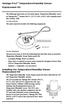 Vantage Pro2 Temperature/Humidity Sensor Replacement Kit The following instructions are for replacing the Temperature/Humidity sensor on Vantage Pro2 stations (# 6152, 6152C, 6162, 6162C, 6382) manufactured
Installation Guide 2010 BMW S1000RR Full Exhaust System
 Installation Guide 2010 BMW S1000RR Full Exhaust System!! THIS PRODUCT IS DESIGNED FOR USE IN CLOSED COURSE RACING AND IS NOT INTENDED FOR HIGHWAY USE!! Congratulations on the purchase of your new TaylorMade
Trillium 40 Axis Spring Tensioner Wire Replacement Instructions
 Trillium 40 Axis Spring Tensioner Wire Replacement Instructions 1 Overview The objective is to replace the broken axis spring tensioner wire. This requires the following tasks: 1. Remove the seismometer
INSTALLATION INSTRUCTIONS HUSTLER 4-BTV, 5-BTV TRAP VERTICAL WARNING INSTALLATION OF THIS PRODUCT NEAR POWER LINES IS DANGEROUS
 INSTALLATION INSTRUCTIONS HUSTLER 4-BTV, 5-BTV TRAP VERTICAL WARNING INSTALLATION OF THIS PRODUCT NEAR POWER LINES IS DANGEROUS FOR YOUR SAFETY, FOLLOW THE INSTALLATION DIRECTIONS GENERAL DESCRIPTION:
INSTALLATION INSTRUCTIONS: Viewline 85 mm
 1-10 1 Safety information The product was developed, manufactured and inspected according to the basic safety requirements of EC Guidelines and state-of-the-art technology. The unit is designed for use
AVR 158. Audio/video receiver. Quick-Start Guide ENGLISH
 158 Audio/video receiver ENGLISH Quick-Start Guide 158 Introduction, Speaker Placement and Connection Introduction Thank you for choosing a harman kardon product! This quick-start guide contains all the
Series LC6D/LC6C. To power supply PLC. LC6C dedicated teaching box P.971. Options P.973
 Series LCD To power supply Electric Actuator Series LCC Stepper Motor Driver LCD Series LX Dedicated Stepper Motor Driver and Positioning Driver Series LCD/LCC PLC Positioning unit (Not incl. To be provided
R O A D M A S T E R, I N C.
 R O A D M A S T E R, I N C. 11 10 20 12 4 18 19 1 2 13 16 ITEM QTY NAME MATERIAL 1...2... 1/2" x 3 1/2" BOLT... 350103-00 2...2... 1/2" x 2" BOLT... 350097-00 3...6... 1/2" x 1 1/2" BOLT... 350095-00 4...2...
GPS AutoSteer System Installation Manual
 GPS AutoSteer System Installation Manual Supported Vehicles John Deere Sprayers 4720 4630 4730 4830 AutoTrac Ready PN: 602-0227-01-A LEGAL DISCLAIMER Note: Read and follow ALL instructions in this manual
RI-215A Operator s Manual. Part Number: 71-0045RK Revision 0 Released: 10/3/05
 RI-215A Operator s Manual Part Number: 71-0045RK Revision 0 Released: 10/3/05 Warranty RKI Instruments, Inc., warrants gas alarm equipment sold by us to be free from defects in materials and workmanship,
Roof Top Air Conditioner INSTALLATION AND OPERATING INSTRUCTIONS
 Roof Top Air Conditioner INSTALLATION AND OPERATING INSTRUCTIONS Ducted System RECORD THIS UNIT INFORMATION FOR FUTURE REFERENCE: Model Number: Serial Number: Date Purchased: This manual must be read and
ScreenLogic Wireless Connection Kit. Installation Guide. pool/spa control system
 pool/spa control system ScreenLogic Wireless Connection Kit Installation Guide P/N 520663 - Rev B 8 Technical Support Contact Technical Support at: Sanford, North Carolina (8 A.M. to 5 P.M.) Phone: (800)
OPLC Installation Guide
 Samba OPLC SM43-J-T20/ SM35-J-T20 OPLC Installation Guide 12 Digital Inputs, include 1 HSC/Shaft-encoder Input, 2 Analog inputs (only when the digital inputs are set to pnp), 8 Relay Outputs 12 Digital
HP ProLiant DL380 G6 Carrier-Grade Server Read Before Install
 HP ProLiant DL380 G6 Carrier-Grade Server Read Before Install Carrier-Grade Instructions HP Part Number: AM275-9001A Published: July 2012 Edition: 3 Copyright 2009, 2012 Hewlett-Packard Development Company,
Elecraft K3 KPA3 Power Connector Replacement Revision A Review, April 16, 2012 Copyright 2012, Elecraft, Inc. All Rights Reserved
 Introduction Elecraft K3 KPA3 Power Connector Replacement Revision A Review, April 16, 2012 Copyright 2012, Elecraft, Inc. All Rights Reserved The connectors furnishing high current to the KPA3 module
4.3-inch Back-Up Camera
 TM 4.-inch Back-Up Camera Model No.: PKC0BU4 Owner s Manual and Warranty Information Read these instructions completely before using this product. Retain this Owner s Manual for future reference. INTRODUCTION
CAUTION OPC-LM1-IL. Option Card for Encoder of Line Driver Output. Instruction Manual
 Instruction Manual OPC-LM1-IL Option Card for Encoder of Line Driver Output CAUTION Deliver this instruction manual without fail to those who actually operate the equipment. Read this operation manual
Volvo Penta IPS Autopilot System DPU Installation and System Connections. Document Number: 87054-1 Date: May 2005
 Volvo Penta IPS Autopilot System DPU Installation and System Connections Document Number: 87054-1 Date: May 2005 2 Volvo Penta IPS Autopilot System Handbook information To the best of our knowledge, the
SIMRAD SD10 Sailboat Drive
 INSTALLATION MANUAL SIMRAD SD10 Sailboat Drive 20222683/A English Simrad SD10 Sailboat Drive About this document Rev. A First issue 2007 Navico AS. All rights reserved. No part of this work covered by
SVC400P/SVC800P. 4/8 Camera Live Tracking Vehicle DVR Installation Manual. Version 1.0
 SVC400P/SVC800P 4/8 Camera Live Tracking Vehicle DVR Installation Manual Version 1.0 1. MAIN FEATURES... 2 2. PRODUCT OVERVIEW... 2 3. DIMENSIONS... 4 4. PACKAGE CONTENTS... 5 5. MOUNTING AND ENVORNMENTAL
BUILT-IN DISHWASHER INSTALLATION INSTRUCTIONS
 BUILT-IN DISHWASHER INSTALLATION INSTRUCTIONS PLEASE READ COMPLETE INSTRUCTIONS BEFORE YOU BEGIN LEAVE INSTALLATION INSTRUCTIONS AND USER'S GUIDE WITH OWNER ALL ELECTRIC WIRING AND PLUMBING MUST BE DONE
Processor. Installation Guide
 Processor Installation Guide Land Instruments International Dronfield, S18 1DJ England Telephone: (01246) 417691 Facsimile: (01246) 410585 Email: [email protected] Internet: www.landinst.com
GoFree Tier 1 Data Networking Specification Revision 0.6
 GoFree Tier 1 Data Networking Specification Revision 0.6 Introduction The Simrad GoFree Tier 1 data networking standard is an open protocol designed to allow mobile devices (tablets, smartphones and other
162 CB CABLE TRACER. Filter Probe & Tone Generator INSTRUCTION MANUAL
 162 CB CABLE TRACER Filter Probe & Tone Generator INSTRUCTION MANUAL INDEX PAGE 1. INTRODUCTION... 1 2. FILTER PROBE... 1-3 3. TONE GENERATOR... 3-6 4. SPECIFICATION... 7-8 5. MAINTENANCE... 8 1. INTRODUCTION
QUICK REFERENCE MANUAL
 PIONEER PLASMA DISPLAY SYSTEM QUICK REFERENCE MANUAL PDP-501HD: PLASMA DISPLAY PANEL PDP-501R: MEDIA RECEIVER PDP-501S-LR: SPEAKERS TABLE OF CONTENTS 1.0 CHOOSE THE INSTALLATION SITE...2 2.0 SET UP THE
Data Highway/Data Highway Plus/ Data Highway II/Data Highway 485 Cable Installation Manual
 Installation Manual Because of the variety of uses for this product and because of the differences between solid state products and electromechanical products, those responsible for applying and using
CutMaster 82. 6.04 Major External Replacement Parts
 CutMaster 8 6.0 Major External Replacement Parts Item # Qty Description Catalog # Cover with labels 9-08 Base Enclosure Assembly 9-08 Tube, roll handle 9-0 Front Panel 9-07 Rear Panel 9-00 Art # A-080
Service Guide. Gateway M275
 Service Guide Gateway M275 Contents Replacing Gateway M275 Components.................................... 1 Identifying the convertible tablet PC model...................................... 2 Identifying
Instruction Manual. 2in1 LAN Tester & Multimeter. Model: LA-1011
 Instruction Manual 2in1 LAN Tester & Multimeter Model: LA-1011 1 Contents Introduction... Features... Safety Precautions.. Meter Description... Electrical Specification... Operation.. AutoRanging Multimeter.
focus TOuCh P10 FOR DISPLAYS: 55, 70 AND 82 ENgliSh V01.3-2014-7
 focus TOuCh P10 FOR DISPLAYS: 55, 70 AND 82 ENgliSh V01.3-2014-7 Thank you for purchasing our product. Please read this manual carefully before operation your set and retain it for future reference. FT55-P10
DVPPF02-H2. PROFIBUS DP Slave Communication Module Application Manual
 DVPPF02-H2 PROFIBUS DP Slave Communication Module Application Manual Warning Please read this instruction carefully before use and follow this instruction to operate the device in order to prevent damages
NEI-30 VEI-30 Dinion Infrared Imager NEI VEI Series. Quick Install Guide
 NEI-30 VEI-30 Dinion Infrared Imager NEI VEI Series en Quick Install Guide NEI-30 VEI-30 Dinion Infrared Imager Table of Contents en 3 Table of Contents 1 Planning 4 1.1 Hardware Requirements 4 1.2 Pre-installation
How To Wire Wireline Cable To A Cell Phone (New Zealand)
 Installation Guide EnerNOC Site Server - S2 Installation Guide - AUS, NZ v 1.7 EnerNOC New Zealand Limited 2 Collina Terrace PO Box 12-202 Thorndon Wellington NZ 6144 +64 4 909 7546 1 Table of Contents
12 Volt 30 Amp Digital Solar Charge Controller Installation & Operation Manual
 12 Volt 30 Amp Digital Solar Charge Controller Installation & Operation Manual This 30Amp charge controller is designed to protect your 12Volt Lead-acid or Gel-cell battery from being overcharge by solar
MAKING MODERN LIVING POSSIBLE. AK-SC255 On-Site Installation Guide DANFOSS ELECTRONIC CONTROLS & SENSORS
 MAKING MODERN LIVING POSSIBLE AK-SC255 On-Site Installation Guide DANFOSS ELECTRONIC CONTROLS & SENSORS How to Use This Guide Read this Guide completely as you install and start up your new AK-SC 255 controller.
SERVICE PARTS LIST PAGE 1 OF 6 BASE ASSEMBLY SPECIFY CATALOG NO. AND SERIAL NO. WHEN ORDERING PARTS 12" DUAL BEVEL COMPOUND MITER SAW B27A
 PAGE 1 OF 6 BASE ASSEMBLY 00 0 EXAMPLE: Component Parts (Small #) Are Included When Ordering The Assembly (Large #). SPECIFY CATALOG NO. AND NO. WHEN ORDERING PARTS 1 02-80-0050 Thrust Bearing (1) 2 05-80-0510
GPS Selection Guide. EZ Guide 500 & 250 Trimble #
 GPS Selection Guide Trimble FMX 1000 & Case IH FM 1000 Precision Parts Ref Doc Trimble CFX 750 & Case IH FM 750 750 1000 with Hydraulic Steer - Trimble Aftermarket 725599 955443 955439 with Hydraulic Steer
User s Manual. BNC Mini-High Res, 75 Ohm Termination Kit Connector Installation Guide (60-073-01)
 User s Manual BNC Mini-High Res, 75 Ohm Termination Kit Connector Installation Guide (60-073-01) BNC Termination Kit Instructions This document is a compilation of Extron s instructions, together with
SYSTEM 4C. C R H Electronics Design
 SYSTEM 4C C R H Electronics Design SYSTEM 4C All in one modular 4 axis CNC drive board By C R Harding Specifications Main PCB & Input PCB Available with up to 4 Axis X, Y, Z, A outputs. Independent 25
CHAPTER 5 PARTS. This chapter describes assemblies / subassemblies / parts considered replaceable at on-site field installation.
 CHAPTER 5 PARTS PARTS BY PICTORIAL This chapter describes assemblies / subassemblies / parts considered replaceable at on-site field installation. NOTE: The following is a breakdown description of the
Micrio WS1 Replacement Wind Speed Sensor and WC1 Replacement Wind Compass Sensor for Raymarine ST50 and ST60 Wind Instruments. Rev 4.
 Micrio WS1 Replacement Wind Speed Sensor and WC1 Replacement Wind Compass Sensor for Raymarine ST50 and ST60 Wind Instruments. Rev 4.1 The Micrio WS1 Wind Speed Sensor and WC1 Compass Sensor are direct
Square D Clipsal DIN-Rail Four-Channel Auxiliary Input Unit
 Square D Clipsal DIN-Rail Four-Channel Auxiliary Input Unit SLCLE5504AUX for Use with Wired C-Bus Networks Instruction Bulletin Retain for future use. Square D Clipsal DIN-Rail Four-Channel Auxiliary Input
ECEN 1400, Introduction to Analog and Digital Electronics
 ECEN 1400, Introduction to Analog and Digital Electronics Lab 4: Power supply 1 INTRODUCTION This lab will span two lab periods. In this lab, you will create the power supply that transforms the AC wall
TOYOTA PRIUS 2010- HANDS FREE BLU LOGIC Preparation
 TOYOTA PRIUS 2010- HANDS FREE BLU LOGIC Preparation Part #: PT923-00111 Conflicts: JBL Audio, Factory Navigation NOTE: Part number of this accessory may not be the same as the part number shown. Kit Contents:
- power windows - alarm system - electric door mirror control - door warning light - central locking - seat memory
 Door Wiring Harness Plug Connections Binder -, Electrics Vehicle Type: (86) Model Year: 7 (V) Concern: Door wiring harness plug connections X11 / X12. Information: The rubber boot for the door connector
SCREENLOGIC INTERFACE WIRELESS CONNECTION KIT
 SCREENLOGIC INTERFACE WIRELESS CONNECTION KIT FOR INTELLITOUCH AND EASYTOUCH CONTROL SYSTEMS INSTALLATION GUIDE IMPORTANT SAFETY INSTRUCTIONS READ AND FOLLOW ALL INSTRUCTIONS SAVE THESE INSTRUCTIONS Technical