
Installation Manual COLOR GPS PLOTTER GP-7000
|
|
|
- Alfred Moore
- 9 years ago
- Views:
Transcription
1 Installation Manual COLOR GPS PLOTTER GP-7000 SAFETY INSTRUCTIONS...i SYSTEM CONFIGURATION... ii EQUIPMENT LISTS...iii. INSTALLATION.... Display Unit....2 Antenna Unit WIRING ADJUSTMENTS Choosing Position Data Source Choosing Port I/O Format Calibrating NMEA Depth, Speed and Water Temperature Data Waypoint, Route Format External Event Format C-link (primary and secondary stations)...5 PACKING LIST... A- OUTLINE DRAWINGS... D- INTERCONNECTION DIAGRAM... S-

2 SAFETY INSTRUCTIONS WARNING ELECTRICAL SHOCK HAZARD Do not open the equipment unless totally familiar with electrical circuits and service manual. Only qualified personnel should work inside the equipment. Turn off the power at the switchboard before beginning the installation. Fire or electrical shock can result if the power is left on. CAUTION Observe the following compass safe distances to prevent interference to a magnetic compass: Display unit Standard compass Use the power cable supplied with the installation materials. Use of other power cables may cause fire or damage the equipment. Use the proper fuse. Steering compass 0.70 m 0.45 m Use of the wrong fuse may damage the equipment. Organic solvent Do not apply paint, anti-corrosive sealant or contact spray to coating or plastic parts of the equipment. Those items contain organic solvents that can damage coating and plastic parts, especially plastic connectors. i

3 SYSTEM CONFIGURATION ANTENNA UNIT GPA-07 DISPLAY UNIT GP-7000 NMEA and NMEA2 ports: Radar, autopilot, video sounder, temperature indicator, etc. PC/NMEA IN port: PC, NMEA device, buzzer : Standard : Option : User Supply Power Source 2-24 VDC How to remove the hard cover Place your thumbs at the center of the cover, and then lift the cover while pressing it with your thumbs. ii

4 EQUIPMENT LISTS Standard supply Name Type Code No. Qty Remarks Display Unit GP-7000 Antenna Unit GPA-07 Installation CP Materials* Accessories* FP Spare Parts* SP * See packing list at back of this manual. System also available without antenna (for boats which already have an appropriate antenna) Optional equipment Name Type Code No. Qty GPS Antenna GPA-07S Antenna Cable Set CP m, antenna cable extension CP m, antenna cable extension Right Angle Antenna Base No.3-QA L-angle Antenna Base No.3-QA For mounting antenna unit Antenna Base for Rail Mounting No.3-RC Mast Mounting Kit CP For mounting antenna unit on a mast Cable Assy. MJ-A6SPF C P 6P, 5 m MJ-A6SPF002-00C P 6P, 0 m MJ-A6SPF C P, 5 m MJ-A7SPF C For connecting a PC, 5 m, with 7P connector iii

5 . INSTALLATION. Display Unit The display unit may be mounted on a desktop, overhead or flush mounted in a console. Mounting considerations Choose a mounting location for the display unit considering the following points: Choose a location where the controls can be easily operated. Leave sufficient space around the unit to facilitate checking and maintenance. See the outline drawing at the back of this manual for recommended maintenance space. Locate the unit out of direct sunlight because of heat that can build up inside the cabinet. The operating temperature range is -5 C to 55 C (5 F to 3 F). Locate the unit well away from exhaust gases and other active gases. The location should be well ventilated. Choose a location where shock and vibration are minimal. Be sure the mounting location is strong enough to support the weight of the unit, particularly in overhead mounting. If necessary reinforce the mounting location. A magnetic compass will be affected if the display unit is placed too close to the compass. Observe the following compass safe distances to prevent deviation to the compass. Standard compass, 0.70 m, Steering compass, 0.45 m.

6 Mounting Desktop, overhead mounting. Fix the hanger to the mounting location with four self-tapping screws (5X20). See the outline drawing on page D- for complete mounting dimensions. 2. Loosely screw the knob bolts into the display unit. 3. Set the display unit to the hanger and tighten the knob bolts. 4. Attach the hard cover to the display unit to protect the LCD. FIXING HOLE Unit: mm Display unit, mounting dimensions for desktop or overhead mounting 2

7 Flush mounting B A If the thickness of the console is -4 mm, use the washer head screws (M4X20) supplied with the installation materials. If it is thicker than those dimensions, the length of the screws should be the thickness of the console plus 7.3 mm ±.5 mm. The length of the threaded portion to be inserted to the display unit should not exceed 7 mm (B 7).. Prepare a cutout in the mounting location using the template provided. 2. Fix the display unit with six washer head screws (M4X20) provided. A: Thickness of console Service Clearance Mounting dimensions for flush mounting Unit: mm 3

8 .2 Antenna Unit Refer to the antenna unit outline drawing at the back of this manual for mounting instructions. When selecting a mounting location consider the following points: Select a location out of the radar and Inmarsat beams. Those beams will obstruct or prevent reception of the GPS satellite signal. There should be no interfering object within the line-of-sight to the satellites. Objects within line-of-sight to a satellite, for example, a mast, may block reception or prolong acquisition time. Locate the antenna well away from the antenna of a VHF radiotelephone to prevent interference. Mount the antenna unit as high as possible. Mounting it this way keeps it free of interfering objects and water spray, which can interrupt reception of GPS satellite signal if the water freezes. Note: If the antenna cable is to be passed through a hole in a bulkhead which is too small to pass the connector, disassemble the connector with radio pincers and a monkey wrench. After passing the cable through the hole assemble the connector as below. Clamping Nut Washer Gasket Shield Pin (Solder.) Housing How to assemble the antenna connector 4

9 2. WIRING The figure below shows the basic wiring scheme. ANTENNA UNIT GPA-07 FROM LEFT PC/NMEA IN: PC, NMEA device, buzzer, AIS NMEA 2: Radar, autopilot, video sounder, temperature indicator, etc. NMEA : Same as NMEA 2 Antenna Cable, 0 m Ground Black MJ-A5A3F A, 3.5 m White Shield Power Source Display unit, rear view Power source The power source is a 2-24 VDC battery. Be sure the power cable is tightly fastened to the power source and the polarity (plus and minus) is correct. Connect the white lead to the positive terminal (+) and the black lead to the negative terminal (-). 5

10 Ground Connect the ground wire to the boat's grounding bus. If the unit is not grounded, noise may result. If noise is a problem on an FRP vessel, fasten a ground plate of 20 cm x 30 cm to the outside of the ship's hull and connect the ground wire there. Use a closed-type lug ( ( ). ) for the connection on the display unit. Do not use an open-type lug Antenna cable Types of antenna cables If a longer length of antenna cable is required, use the optional antenna cable set, which is available in 30 and 50 m lengths. Antenna cable set Antenna cable set Code no. Contents CP CP ) Converter cable assy. NJ-T-3DX-, Code No ) Vinyl tape NO.360 Code No ) Connector N-P-8DFB-CF, Code No ) Self-bonding tape U-tape, Code No ) Antenna cable assy. 8D-FB-CV*30m*, Code No Items ) - 4) above plus: Antenna cable assy. 8D-FB-CV*50m*, Code No Connecting the antenna cable Antenna Unit GPA-07 Connector fitted at factory. Antenna Cable 0 m Connection of antenna unit GPA-07 Connect at rear of display unit Antenna Unit GPA-07S 20 cm Connector fitted at factory m ANTENNA CABLE KIT Conversion Cable Assy. Antenna Cable 30 m or 50 m Connect at rear of display unit Attached during installation (See page 8.) Connection of antenna cable set on antenna unit GPA-07S (option) m 6

11 Waterproofing the connector If you are using the extension cable, connect the cable and then wrap the connector with self-vulcanizing tape and then vinyl tape to waterproof it. Bind ends of vinyl tape with cable ties (local supply) to prevent unraveling. How to waterproof the connector 7

12 How to attach N-P-8DFB connector (for extension cable kit) Outer Sheath Armor Dimensions in millimeters. Inner Sheath Shield Cover with heat-shrink tubing and heat. Remove outer sheath and armor by the dimensions shown left. Expose inner sheath and shield by the dimensions shown left. Cut off insulator and core by 0 mm Twist shield end. Flat Washer Slip on clamping nut, flat washer, gasket and clamp as shown left. Clamping Nut Gasket Clamp (reddish brown) Aluminum Foil Fold back shield over clamp and trim. Trim shield here. Insulator Washer 2 Cut aluminum foil at four places, 90 from one another. Fold back aluminum foil onto shield and trim. Trim aluminum tape foil here. Remove insulator up to edge of washer 2. 5 Expose the core by 5 mm. Clamping Nut Pin Spacer Housing Slip the pin onto the conductor. Solder them together through the hole on the pin. Solder through the hole. Insert the spacer and housing. Screw the clamping nut into the housing. (Tighten by turning the clamping nut. Do not tighten by turning the housing.) How to attach N-P-8DFB connector 8

13 3. ADJUSTMENTS This chapter shows you how to adjust your unit, from the menu. When choosing item or option from the menu, you may use the [ENTER] knob or the CursorPad ( ). For sake of brevity the descriptions contained herein use the [ENTER] knob. 3. Choosing Position Data Source If you intend to use a position data from a source other than the internal GPS receiver follow the procedure below. Otherwise, go to paragraph Press the [MENU] key to show the menu bar. Menu Bar GENERAL PLOTTER MAP ALARMS ADVANCED INFO FIND Menu bar 2. Rotate the [ENTER] knob to choose ADVANCED from the menu bar and then push the [ENTER] knob. FIX NAVIGATE COMPASS INPUT/OUTPUT EXT NMEA GPS SIMULATION ECHO SOUNDER SIMULATION On AIS SETUP C-MAP WEATHER SERVICE SYSTEM UPDATE ADVANCED menu 9

14 3. Rotate the [ENTER] knob to choose INPUT/OUTPUT and then push the [ENTER] knob. INTERNAL GPS SETUP NMEA INPUT NMEA OUTPUT NMEA 2 INPUT NMEA 2 OUTPUT RS232/NMEA 3 INPUT RS232C 3 OUTPUT INPUT 3 MODE WPL/RTE FORMAT EXTERNAL EVENT C-LINK NMEA N8-N NMEA N8-N NMEA N8-N RS232C Standard INPUT/OUTPUT menu 4. Rotate the [ENTER] knob to choose INTERNAL GPS SETUP and then push the [ENTER] knob. RESTART GPS INTERNAL GPS On DIFF CORR SOURCE WAAS WAAS SEARCH Auto INTERNAL GPS SETUP menu 5. Rotate the [ENTER] knob to choose INTERNAL GPS and then push the [ENTER] knob. 6. Rotate the [ENTER] knob to choose or On and then push the [ENTER] knob. : Use external navigator On: Use internal GPS navigator 7. Press the [MENU] key to close all open windows and erase the menu bar. On 0
![NMEA-083 4800-N8-N RS232C Standard INPUT/OUTPUT menu 4. Rotate the [ENTER] knob to choose INTERNAL GPS SETUP and then push the [ENTER] knob.](/docs-images/46/21259726/images/page_14.jpg "RESTART GPS INTERNAL GPS On DIFF CORR SOURCE WAAS WAAS SEARCH Auto INTERNAL GPS SETUP menu 5. Rotate the [ENTER] knob to choose INTERNAL GPS and then push the [ENTER] knob. 6.")
15 3.2 Choosing Port I/O Format. Press the [MENU] key to show the menu bar. 2. Rotate the [ENTER] knob to choose ADVANCED from the menu bar and then push the [ENTER] knob. 3. Rotate the [ENTER] knob to choose INPUT/OUTPUT and then push the [ENTER] knob. 4. Rotate the [ENTER] knob to choose appropriate INPUT or OUTPUT item and then push the [ENTER] knob. NMEA N8-N NMEA N8-N NMEA N82-N NMEA N8-N NMEA O8-N C-COM AIS Disabled NMEA /NMEA 2/ RS232/NMEA 3 Input* GLL VTG BWR DBT DPT MTW VHW WCV APA APB HDG BOD XTE RMA RMB RMC GGA HSC AAM GTD MWV ZDA WPL RTE TLL OUT On On On On On On On On RS232CW NMEA INPUT 3 MODE* (Choose format for PC/NMEA IN port) *: For AIS, set as below. RS232/NMEA3 INPUT: "AIS 38400" INPUT 3 MODE: "RS232C" NMEA INPUT, NMEA OUTPUT menus 5. Do one of the following depending on item selected. Input ) Rotate the [ENTER] knob to choose appropriate option and then push the [ENTER] knob. Below is the meaning of the NMEA options. "C-COM" is for connection of a GSM modem. For details about the GSM modem, see its owner's manual. 2) Press to close the window. NMEA/NMEA2/RS232 Output NMEA N8-N Data format 2 Baud rate: 200, 4800, 9600(bps) 3 Parity: N (No parity) or O (Odd parity) 4 Character length (8) 5 Stop bit: or 2 6 X-On/ (non) Description of NMEA options

16 Output ) Rotate the [ENTER] knob to choose appropriate option and then push the [ENTER] knob. 2) Rotate the [ENTER] knob to choose or On as appropriate and then push the [ENTER] knob followed by. 6. Repeat step 5 to set up other ports. 7. Press the [MENU] key to close all open windows and erase the menu bar. On I/O format Port I/O format Data sentence Remarks Input NMEA, NMEA 2 IEC-662-, NMEA-083 Ver..5/2.0/3.0 See table below. PC/NMEA IN RS232, and IEC and NMEA above For NMEA IN, see table below. Output NMEA, NMEA 2 IEC-662-, NMEA-083 Ver..5/2.0/3.0 GLL, VTG, BWR, DBT, DPT, MTW, VHW, WCV, APA, APB, HDG, BOD, XTE, RMA, RMB, RMC, GGA, HSC, WPL, RTE, TLL, AAM, GTD, MWV, ZDA BWR: Rhumb line PC/NMEA IN RS232 Input data, sentence priority Data Sentence priority order Remarks Speed thru water True heading Magnetic heading Target position Radiotelephone target position Waypoint data Depth Water temperature Wind current, speed VHW HDT, HDG, HDM HDT, HDG, HDM TLL DSC, DSE RMB DPT, DBT MTW MWV 2

17 3.3 Calibrating NMEA Depth, Speed and Water Temperature Data NMEA speed, depth and water temperature data may be corrected from the GP-7000 if they cannot be done from the equipment that outputs the data. Enter a minus value if the actual value is lower than the NMEA data, or a plus value if the actual value is higher than the NMEA data. For example, if the actual water temperature is 20 and the water temperature data output by the sensor is 7, enter +3( ).. Press the [MENU] key to show the menu bar. 2. Rotate the [ENTER] knob to choose ADVANCED from the menu bar and then push the [ENTER] knob. 3. Rotate the [ENTER] knob to choose EXT NMEA and then push the [ENTER] knob. DRAFT SETUP Ft SPEED CALIBRATION +00 % TEMP CALIBRATION F EXT NMEA menu 4. Rotate the [ENTER] knob to choose appropriate item. DRAFT SETUP: Enter ship s draft to get NMEA depth from sea surface (instead of transducer). SPEED CALIBRATION: Enter offset in percentage points to correct NMEA speed indication. TEMP CALIBRATION: Enter offset to correct NMEA water temperature indication. 5. Push the [ENTER] knob. The cursor is selecting the plus sign (or minus sign). If it is necessary to switch from plus to minus or vice versa, rotate the [ENTER] knob to choose plus or minus and then push the [ENTER] knob. If not necessary, go to step Push the [ENTER] knob, rotate the [ENTER] knob to set digit and then push the [ENTER] knob. To clear a line of data, press the [CLR FLD] soft key, which is the third key from the left of the keys below the screen. Setting range Draft setup: (ft) Speed calibration: (%) Temp calibration: ( F) 7. Set other digits as you did in step Press the [SAVE] soft key, which is the fourth key from the left of the keys below the screen. 9. If necessary, repeat step 4-8 to choose and set another calibration item. 0. Press the [MENU] key to close all open windows and erase the menu bar. 3
![For example, if the actual water temperature is 20 and the water temperature data output by the sensor is 7, enter +3( ).. Press the [MENU] key to show the menu bar. 2. Rotate the [ENTER] knob to choose ADVANCED from the menu bar and then push the [ENTER] knob.](/docs-images/46/21259726/images/page_17.jpg "3. Rotate the [ENTER] knob to choose EXT NMEA and then push the [ENTER] knob. DRAFT SETUP +00.0 Ft SPEED CALIBRATION +00 % TEMP CALIBRATION +00.00 F EXT NMEA menu 4.")
18 3.4 Waypoint, Route Format You may transfer waypoint and route data to another GP-7000 series unit or a PC in Standard or Furuno format, via the NMEA port, NMEA2 port or PC NMEA IN port.. Press the [MENU] key to show the menu bar. 2. Rotate the [ENTER] knob to choose ADVANCED from the menu bar and then push the [ENTER] knob. 3. Rotate the [ENTER] knob to choose INPUT/OUTPUT and then push the [ENTER] knob. 4. Rotate the [ENTER] knob to choose WPL/RTE FORMAT and then push the [ENTER] knob. Standard Furuno 5. Choose Furuno or Standard as appropriate and then push the [ENTER] knob. Standard: NMEA format WPL and RTE sentences are output when "SEND" is executed to transfer waypoint list or route list. Furuno: Furuno format WPL and RTE sentences are output when "SEND" is executed to transfer waypoint list or route list. Waypoint color, shape and comment data are sent. 6. Press the [MENU] key to close the menu. 3.5 External Event Format If the equipment is equipped with an external event switch you may choose what mark is inscribed on the screen when the switch is pressed. For connection of an external event switch, see the interconnection diagram.. Press the [MENU] key to show the menu bar. 2. Rotate the [ENTER] knob to choose ADVANCED from the menu bar and then push the [ENTER] knob. 3. Rotate the [ENTER] knob to choose INPUT/OUTPUT and then push the [ENTER] knob. 4. Rotate the [ENTER] knob to choose EXTERNAL EVENT and then push the [ENTER] knob. WPT MOB 5. Choose, WPT or MOB as appropriate and then push the [ENTER] knob. : No event switch is connected. WPT: Waypoint is registered at ship's position if the cursor is not displayed, or at cursor position if the cursor is displayed. MOB: MOB is registered at ship's position. 6. Press the [MENU] key to close the menu. 4
![Rotate the [ENTER] knob to choose INPUT/OUTPUT and then push the [ENTER] knob. 4. Rotate the [ENTER] knob to choose WPL/RTE FORMAT and then push the [ENTER] knob. Standard Furuno 5.](/docs-images/46/21259726/images/page_18.jpg "Choose Furuno or Standard as appropriate and then push the [ENTER] knob. Standard: NMEA format WPL and RTE sentences are output when \"SEND\" is executed to transfer waypoint list or route list.")
19 3.6 C-link (primary and secondary stations) The C-link feature, available when several GP-7000 series units are interconnected via NMEA ports or PC/NMEA IN ports (see the illustration below), lets you duplicate on secondary stations the destination set at the primary station. With this feature active destination may only be set from the primary station. Primary station GP-7000 series NMEA NMEA2 PC/NMEA IN Secondary station GP-7000 series NMEA NMEA2 PC/NMEA IN Secondary station GP-7000 series NMEA NMEA2 PC/NMEA IN * * *: Either port **: Either port Secondary station GP-7000 series NMEA NMEA2 PC/NMEA IN ** ** Note: Secondary stations cannot be connected to one another.. Press the [MENU] key to show the menu bar. 2. Rotate the [ENTER] knob to choose ADVANCED from the menu bar and then push the [ENTER] knob. 3. Rotate the [ENTER] knob to choose INPUT/OUTPUT and then push the [ENTER] knob. 4. Rotate the [ENTER] knob to choose C-LINK and then push the [ENTER] knob. Secondary Station Primary Station 5. Choose Secondary Station, Primary Station or as appropriate and then push the [ENTER] knob. Secondary Station: This unit is designated as the secondary station. Destination cannot be set or changed from the secondary station. Primary Station: This unit is designated as the primary station. : C-link feature is turned off. Note: When three or more units are installed, designate only one unit as the primary station. All other units should be designated as secondary stations. If you designate two units as primary units, the message Both chart plotters are set as Primary station appears and the buzzer sounds. 6. Press the [MENU] key to close the menu. 5

20 PACKING LIST GP-7000/F-E-C-07,GP-7000/F-E-N-07 4CR-X / NAME OUTLINE DESCRIPTION/CODE Q'TY ユニット UNIT 空 中 線 部 GPA-07 ANTENNA UNIT 指 示 器 GP-7000-E-C DISPLAY UNIT ** 予 備 品 SPARE PARTS SP ヒュース FGB0-A 25V 3A PBF FGBO-A 3A AC25V FUSE 付 属 品 ACCESSORIES FP フイルタークリーナー FILTER CLEANER 工 事 材 料 INSTALLATION MATERIALS CP Fマウントヨウスホ ンシ FLUSH MOUNTING SPONGE +ナヘ セムスネシ B WASHER HEAD SCREW +トラスタッヒ ンネシ シュ SELF-TAPPING SCREW M4X20 SUS304 M4X20 SUS X20 SUS304 5X20 SUS ケーフ ル 組 品 MJ NAME OUTLINE DESCRIPTION/CODE Q'TY SIGNAL CABLE ASSEMBLY ケーフ ル 組 品 MJ POWER CABLE 図 書 DOCUMENT 装 備 要 領 書 INSTALLATION MANUAL 操 作 要 領 書 ( 英 ) OPERATOR'S GUIDE 取 扱 説 明 書 OPERATOR'S MANUAL フラッシュマウント 型 紙 TEMPLATE MJ-A6SPF C MJ-A5A3F A IM* * * OS* * * OM* * * E * * ** ** **.コ-ト 番 号 末 尾 の[**]は 選 択 品 の 代 表 型 式 /コート を 表 します CODE NUMBER ENDED BY "**" INDICATES THE NUMBER OF TYPICAL MATERIAL. 型 式 /コート 番 号 が2 段 の 場 合 下 段 より 上 段 に 代 わる 過 渡 期 品 であり どちらかが 入 っています なお 品 質 は 変 わりません ( 略 図 の 寸 法 は 参 考 値 です DIMENSIONS IN DRAWING FOR REFERENCE ONLY.) TWO TYPES AND CODES MAY BE LISTED FOR AN ITEM. THE LOWER PRODUCT MAY BE SHIPPED IN PLACE OF THE UPPER PRODUCT. QUALITY IS THE SAME. 4CR-X-985

21 PACKING LIST GP-7000/F-E-C,GP-7000/F-E-N 4CR-X / NAME OUTLINE DESCRIPTION/CODE Q'TY ユニット UNIT 指 示 器 GP-7000-E-C DISPLAY UNIT ** 予 備 品 SPARE PARTS SP ヒュース FGB0-A 25V 3A PBF FGBO-A 3A AC25V FUSE 付 属 品 ACCESSORIES FP フイルタークリーナー FILTER CLEANER 工 事 材 料 INSTALLATION MATERIALS CP Fマウントヨウスホ ンシ FLUSH MOUNTING SPONGE +ナヘ セムスネシ B WASHER HEAD SCREW +トラスタッヒ ンネシ シュ SELF-TAPPING SCREW ケーフ ル 組 品 MJ SIGNAL CABLE ASSEMBLY M4X20 SUS304 M4X20 SUS X20 SUS304 5X20 SUS MJ-A6SPF C ケーフ ル 組 品 MJ POWER CABLE NAME OUTLINE DESCRIPTION/CODE Q'TY 図 書 DOCUMENT 装 備 要 領 書 INSTALLATION MANUAL 操 作 要 領 書 ( 英 ) OPERATOR'S GUIDE 取 扱 説 明 書 OPERATOR'S MANUAL フラッシュマウント 型 紙 TEMPLATE MJ-A5A3F A IM* * * OS* * * OM* * * E * * ** ** **.コ-ト 番 号 末 尾 の[**]は 選 択 品 の 代 表 型 式 /コート を 表 します CODE NUMBER ENDED BY "**" INDICATES THE NUMBER OF TYPICAL MATERIAL. 型 式 /コート 番 号 が2 段 の 場 合 下 段 より 上 段 に 代 わる 過 渡 期 品 であり どちらかが 入 っています なお 品 質 は 変 わりません ( 略 図 の 寸 法 は 参 考 値 です DIMENSIONS IN DRAWING FOR REFERENCE ONLY.) TWO TYPES AND CODES MAY BE LISTED FOR AN ITEM. THE LOWER PRODUCT MAY BE SHIPPED IN PLACE OF THE UPPER PRODUCT. QUALITY IS THE SAME. 4CR-X-9852
22
23
24 Y. Hatai hatai :57:2 +09'00'
25
26 A B C 空 中 線 部 ANTENNA UNIT GPA-07 空 中 線 部 ANTENNA UNIT GPA-07S NJTP-3DXV- m,φ5.3 N-J-3 N-P-8DFB N-P-8DFB N-J-3 NJTP-3DXV- m,φ5.3 TNC-P-3 0.2m TNC-J-3 TNC-P-3 *2 指 示 部 DISPLAY UNIT GP-7000 TNC-P-3 *3 ANT GPS-SIG GPS-SHIELD NMEA TD-A TD-B RD-H RD-C NC SHIELD NMEA2 TD2-A TD2-B RD2-H RD2-C NC SHIELD MJ-A6SPF P P シロ クロ キ ミト リ MJ-A6SPF P シロ クロ キ P ミト リ MJ-A6SPF C,5m,φ6 WHT BLK YEL GRN WHT BLK YEL GRN *2 NMEA083 Ver.5/2.0/3.0 IEC 662-0m,φ5.5 8D-FB-CV 30/50m,φ4.3 MJ-A6SPF C,5m,φ6 MJ-A6SPF C/00C,5/0m NMEA083 Ver.5/2.0/3.0 IEC VDC MJ-A5A3F m,φ8.0 3A シロ WHT クロ BLK MJ-A3SPF VDC (+) (-) SHIELD PC/NMEA IN RS232C_TD RS232C_RD RD3-H RD3-C 2V_P BUZZER SHIELD MJ-A7SPF P P RD3-H RD3-C SHIELD *2 MJ-A7SPF C,5m,φ6 シロ WHT アオ BLU キ YEL ミト リ GRN P キ YEL ミト リ GRN パソコンなど PC ETC. NMEA083 Ver.5/2.0/3.0 GND * IV-.25sq. 2V_P BUZZER 5 6 アカ RED クロ BLK ブザー BUZZER (0.A) BUZZER 6 イベントスイッチ SHIELD 7 EVENT SW 注 記 *) 造 船 所 手 配 *2)オプション *3)コネクタは 現 地 にて 取 付 け NOTE *. SHIPYARD SUPPLY *2. OPTION *3. ATTACH CONNECTOR LOCALLY. DRAWN MAY 8, '06 CHECKED APPROVED SCALE DWG No. E. MIYOSHI TAKAHASHI.T MASS C4429-C0- F kg REF No TITLE 名 称 NAME GP-7000 カラーGPSプロッタ 相 互 結 線 図 COLOR GPS PLOTTER INTERCONNECTION DIAGRAM
27
28 The paper used in this manual is elemental chlorine free. FURUNO Authorized Distributor/Dealer 9-52 Ashihara-cho, Nishinomiya, , JAPAN Telephone : +8-(0) Fax : +8-(0) All rights reserved. Printed in Japan Pub. No. IME C (HIMA ) GP-7000 A : AUG C : JUN. 2, 2007 * * * * * *
Installation Manual COLOR GPS/PLOTTER/SOUNDER GP-7000F
 Installation Manual COLOR GPS/PLOTTER/SOUNDER GP-7000F SAFETY INSTRUCTIONS...i SYSTEM CONFIGURATION...ii EQUIPMENT LISTS...iii 1. INSTALLATION...1 1.1 Display Unit...1 1.2 Antenna Unit...4 1.3 Transducer...5
INSTALLATION MANUAL COLOR GPS/PLOTTER GP-1650/1650D
 INSTALLATION MANUAL COLOR GPS/PLOTTER GP-650/650D Equipment Lists... i System Configuration.... Installation of Standard Equipment... 2. Installation of Display Unit... 2.2 Installation of Antenna Unit...
INSTALLATION MANUAL GPS NAVIGATOR GP-80
 INSTALLATION MANUAL GPS NAVIGATOR GP-80. EQUIPMENT LIST... 2. DISPLAY UNIT... 2 3. ANTENNA UNIT... 3 4. WIRING... 5 5. INITIAL SETTINGS... 7 6. OPTIONAL DGPS... 2 PACKING LISTS AND INSTALLATION MATERIALS
INTEGRATED HEADING SENSOR PG-500 FLUXGATE HEADING SENSOR C-500
 INTEGRATED HEADING SENSOR PG-500 FLUXGATE HEADING SENSOR C-500 TABLE OF CONTENTS SAFETY INSTRUCTIONS... i FOREWORD... ii SYSTEM CONFIGURATION... iii EQUIPMENT LIST... iv 1. OPERATION... 1 1.1 Controls
INSTALLATION MANUAL NMEA DATA CONVERTER
 INSTALLATION MANUAL NMEA DATA CONVERTER Model IF-NMEA2K2 WARNING Do not install the unit where it may get wet from rain or water splash. Water in the unit can result in fire, electrical shock or damage
VHF 100/200 Series Radio Installation Instructions
 VHF 100/200 Series Radio Installation Instructions These installation instructions are for the following VHF radios and handsets: North American Models VHF 100 VHF 200 GHS 10 International Models VHF 100i
Installation manual. Simrad AP24/28 EVC, Volvo IPS Pilot System with SG05 SimNet-Volvo Gateway. English
 Installation manual Simrad AP24/28 EVC, Volvo IPS Pilot System with SG05 SimNet-Volvo Gateway English www.simrad-yachting.com A brand by Navico - Leader in Marine Electronics Installation manual Simrad
Color GPS Chart Plotters. CP180/CP180i CP300/CP300i. Owner's Manual
 Color GPS Chart Plotters CP180/CP180i CP300/CP300i Owner's Manual WARNING!!! Electronic charts displayed by the GPS Chart Plotter are believed to be accurate and reliable, but are not intended to be a
Traditional Sonar and DSI Sonar Installation
 Traditional Sonar and DSI Sonar Installation This document covers the installation of the transducer and display unit installation, which includes connecting the unit to power and installing the unit on
BBWX1 Satellite Weather Receiver. Installation and Maintenance Guide
 BBWX1 Satellite Weather Receiver Installation and Maintenance Guide Rev FUSA 15JUL2007 Table of Contents Safety Precautions 3 Disclaimer. 3 Contents of Package. 4 Tools Required..4 Installation General
GoFree Tier 1 Data Networking Specification Revision 0.6
 GoFree Tier 1 Data Networking Specification Revision 0.6 Introduction The Simrad GoFree Tier 1 data networking standard is an open protocol designed to allow mobile devices (tablets, smartphones and other
Color GPS Chart Plotters/Fish Finder. CPF180i CPF300i. Owner's Manual. CPF180i and CPF300i Page 3
 Color GPS Chart Plotters/Fish Finder CPF180i CPF300i Owner's Manual CPF180i and CPF300i Page 3 WARNING!!! Electronic charts displayed by the GPS Chart Plotter are believed to be accurate and reliable,
RMK-9. Installation and Operation instructions. ENGLISH Date: 04-2013 Document number: 81351-1-EN 2013 Raymarine UK Limited
 RMK-9 Installation and Operation instructions ENGLISH Date: 04-203 Document number: 835--EN 203 Raymarine UK Limited ENGLISH Document number: 835- Date: 04-203 Handbook information This handbook contains
StructureScan Installation
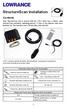 StructureScan Installation Contents Your StructureScan box is packed with the LSS-1 black box, a Power cable, StructureScan transducer, mounting bracket, 15 foot (4.5m) ethernet cable and a hardware kit.
Installation Manual BRIDGE ALARM SYSTEM BR-1000
 Installation Manual BRIDGE SYSTEM BR-000 SAFETY INSTRUCTIONS...i SYSTEM CONFIGURATION...ii EQUIPMENT LISTS...iii. HOW TO INSTALL THE EQUIPMENT...-. Bridge Panel...-. Processor Unit...-. Cabin Panel, Timer
GPS AutoSteer System Installation Manual
 GPS AutoSteer System Installation Manual Supported Vehicles John Deere Sprayers 4720 4630 4730 4830 AutoTrac Ready PN: 602-0227-01-A LEGAL DISCLAIMER Note: Read and follow ALL instructions in this manual
LST-3800. In-Dash Digital Sonar Gauge. Installation & Operation Instructions
 Pub. 988-0064-351 LST-3800 In-Dash Digital Sonar Gauge Installation & Operation Instructions The LST-3800 is a depth and temperature gauge that comes with a 200 khz transducer, features deep and shallow
NETWORK SOUNDER ETR-6/10N
 NETWORK SOUNDER ETR-6/10N C Your Local Agent/Dealer 9-52, Ashihara-cho, Nishinomiya, Japan Telephone: 0798-65-2111 Telefax: 0798-65-4200 All rights reserved. Printed in Japan FIRST EDITION : MAR. 2001
Universal Vehicle Power Supply 9007AX01. Installation Instructions
 Universal Vehicle Power Supply 9007AX01 Installation Instructions Disclaimer Honeywell International Inc. ( HII ) reserves the right to make changes in specifications and other information contained in
CONTENTS USING THE LIGHTS KEY...31 NETWORK ALARMS...32 FAULT AND ERROR MESSAGES...33
 CONTENTS GENERAL INTRODUCTION TO B&G NETWORK... 2 INTRODUCTION TO NETWORK QUAD... 3 EXAMPLE SYSTEMS USING NETWORK QUAD... 4 SELECTING THE DISPLAY MODE... 5 USING THE SPEED KEY... 6 CALIBRATION AND OPERATING
Detector transparent with Color Inserts. FAA 500 TR P Trim Ring transparent with Color Inserts. FCA 500 / FCA 500 E Detector Bases
 Detector Color Detector transparent with Color Inserts FAA 500 TR W Trim Ring FAA 500 TR P Trim Ring transparent with Color Inserts FAA 500 BB Ceiling Mount Back Box FCA 500 / FCA 500 E Detector Bases
DIY QUAD. Build Manual V.A 2014
 DIY QUAD Build Manual V.A 2014 1 Contents Thanks for purchasing a DIY Quad! These instructions will show you how to assemble a Quad using the Pixhawk autopilot system and ArduCopter/APM:Copter firmware.
StructureScan HD Module. Installation Guide ENGLISH. www.bandg.com www.simrad-yachting.com www.lowrance.com
 StructureScan HD Module Installation Guide ENGLISH www.bandg.com www.simrad-yachting.com www.lowrance.com Disclaimer As Navico is continuously improving this product, we retain the right to make changes
SIMRAD SD10 Sailboat Drive
 INSTALLATION MANUAL SIMRAD SD10 Sailboat Drive 20222683/A English Simrad SD10 Sailboat Drive About this document Rev. A First issue 2007 Navico AS. All rights reserved. No part of this work covered by
SMS Alarm. User Manual
 SMS Alarm User Manual 1 1. Introduction... 2 2. SMSA1000 Specifications... 3 3. Parts Identifications... 4 4. Packing Contents... 5 5. Battery and SIM Card Installation... 6 5.1 Open the Back Cover...
INSTALLATION INSTRUCTIONS
 INSTALLATION INSTRUCTIONS Accessory Application Publications No. AII23628 2003 PILOT Issue Date MAY 2002 PARTS LIST Security System Kit (sold separately): P/N 08E51-S84-100 2 Remote controls Attachment
Connecting instruments serially to your computer
 Connecting instruments serially to your computer This TechNote will review how to connect instruments (GPS, Sounder, Heading Sensor ) to a computer. Important points such as electrical specification (RS-232
Manual. Simrad StructureScan LSS-1 Sonar Module. English
 Manual Simrad StructureScan LSS-1 Sonar Module English www.simrad-yachting.com A brand by Navico - Leader in Marine Electronics Disclaimer As Navico is continuously improving this product, we retain the
INSTALLATION MANUAL. Installation Instructions
 INSTALLATION MANUAL Power-Pole Signature Series Shallow Water Anchor Installation Instructions CAUTION: Read this instruction manual carefully. Become familiar with the controls and know how to operate
INSTALLATION INSTRUCTIONS: Viewline 52 mm
 -5 Safety information The product was developed, manufactured and inspected according to the basic safety requirements of EC Guidelines and state-of-the-art technology. The instrument is designed for use
Wind Direction Smart Sensor (S-WDA-M003)
 (S-WDA-M003) The Wind Direction smart sensor is designed to work with HOBO Stations. The smart sensor has a plug-in modular connector that allows it to be added easily to a HOBO Station. All sensor parameters
MoTeC USA GPS. Part # M GPS BL Available in 10 Hz or 20 Hz. USER MANUAL Version 1.4
 MoTeC USA GPS Part # M GPS BL Available in 10 Hz or 20 Hz. USER MANUAL Version 1.4 MoTeC USA GPS Copyright Motec Systems USA 2008 The information in this document is subject to change without notice. While
INSTALLATION INSTRUCTIONS: Viewline 85 mm
 1-10 1 Safety information The product was developed, manufactured and inspected according to the basic safety requirements of EC Guidelines and state-of-the-art technology. The unit is designed for use
Part Name/Description Part Number Quantity. Power Cable 4000950-5 1
 Note: Indented items indicate parts included in an assembly listed above Part Name/Description Part Number Quantity Power Cable 4000950-5 1 Raven Harness Adapter Kit 4100525 1 Installation Instructions
Installation instruction do88 Intercooler for Volvo S40 / V50 / C30
 Installation instruction do88 Intercooler for Volvo S40 / V50 / C30 This instruction shows how to replace the OEM intercooler with our performance intercooler. 2. 3. 1. 4. 5. Part number: ICM-170 6. At
Trillium 40 Axis Spring Tensioner Wire Replacement Instructions
 Trillium 40 Axis Spring Tensioner Wire Replacement Instructions 1 Overview The objective is to replace the broken axis spring tensioner wire. This requires the following tasks: 1. Remove the seismometer
Vroom Hardware manual ver. 1.00 Code 114VROOHWE00. Vroom CANBUS USER INTERFACE WITH LCD GRAPHIC DISPLAY AND WITH TEMPERATURE AND HUMIDITY SENSOR
 Vroom CANBUS USER INTERFACE WITH LCD GRAPHIC DISPLAY AND WITH TEMPERATURE AND HUMIDITY SENSOR ENGLISH HARDWARE MANUAL ver. 1.00 CODE 114VROOHWE00 page 1 of 22 Important Important Read these instructions
RAY-MAX Integrated Solar Power Strip
 RAY-MAX Integrated Solar Power Strip 600008, 600009, 600010, 600208, 600209, 600210 Owner s Manual NEXTRONEX, INC. Revision Date: 10/27/14 Contents 1. Safety Instructions... 3 2. General Equipment Warnings...
Raystar 125 GPS Receiver Owner's Handbook
 Raystar 125 GPS Receiver Owner's Handbook 1 www.raymarine.com Welcome to the Raystar RS125 GPS Receiver Your handbook contains an explanation of how to install, operate and maintain your Raystar RS125
tidesmarine Smart Seal Temperature Alarm System Generation II Installation Instructions Starboard side cable
 tidesmarine Smart Seal Temperature Alarm System Generation II Installation Instructions Starboard side cable Port side cable (with black cable tie attached) Power cable Preparing for Installation 1 Overall
GSD 22 Sounder Module. installation instructions
 GSD 22 Sounder Module installation instructions Copyright 2006 Garmin Ltd. or its subsidiaries Garmin International, Inc. 1200 East 151 st Street, Olathe, Kansas 66062, USA Tel. (913) 397.8200 or (800)
Contents. Document information
 User Manual Contents Document information... 2 Introduction... 3 Warnings... 3 Manufacturer... 3 Description... Installation... Configuration... Troubleshooting...11 Technical data...12 Device Scope: PCB
SELF-STEERING AXLE TABLE OF CONTENTS
 SELF-STEERING AXLE TABLE OF CONTENTS Section 1 - Introduction Section 2 - Pre-Installation Check List Section 3 - Ride Height Adjustments Section 4 - Suspension Mount Section 5 - Axle Mount Section 6 -
Contents. GoFree Tier 1 Networking Specification
 Contents 1 Overview... 2 2 Service Discovery... 2 2.1 UDP Multicast... 2 2.2 Bonjour... 2 3 Security... 2 4 Data Transmission... 3 4.1 Message Format... 3 4.2 TAG Blocks... 3 4.3 Checksum... 3 4.4 Two-way
ScreenLogic Wireless Connection Kit. Installation Guide. pool/spa control system
 pool/spa control system ScreenLogic Wireless Connection Kit Installation Guide P/N 520663 - Rev B 8 Technical Support Contact Technical Support at: Sanford, North Carolina (8 A.M. to 5 P.M.) Phone: (800)
CHAPTER 5 PARTS. This chapter describes assemblies / subassemblies / parts considered replaceable at on-site field installation.
 CHAPTER 5 PARTS PARTS BY PICTORIAL This chapter describes assemblies / subassemblies / parts considered replaceable at on-site field installation. NOTE: The following is a breakdown description of the
MAKING MODERN LIVING POSSIBLE. AK-SC255 On-Site Installation Guide DANFOSS ELECTRONIC CONTROLS & SENSORS
 MAKING MODERN LIVING POSSIBLE AK-SC255 On-Site Installation Guide DANFOSS ELECTRONIC CONTROLS & SENSORS How to Use This Guide Read this Guide completely as you install and start up your new AK-SC 255 controller.
EZ-Steer Assisted Steering System
 EZ-Steer Assisted Steering System Installation Instructions Platform Kit P/N 53059-21 Case IH Puma 165 Puma 180 Puma 195 Puma 210 New Holland T7030 T7040 T7050 T7060 Revision A June 2007 Part Number 53345-21-EU2
LevelOne IFE-0500 4-Port PoE + 1-Port TP Industrial Fast Ethernet Switch User Manual
 LevelOne IFE-0500 4-Port PoE + 1-Port TP Industrial Fast Ethernet Switch User Manual Ver. 1.0.0-0711 1 FCC Warning This Equipment has been tested and found to comply with the limits for a Class-A digital
EZ-Steer Assisted Steering System
 EZ-Steer Assisted Steering System Installation Instructions Platform Kit P/N 53059-54 Case IH CVX 1135 CVX 1145 CVX 1155 CVX 1170 CVX 1190 CVX 1195 CVX 135 CVX 145 CVX 155 CVX 175 CVX 195 New Holland TVT
HG600/HG800. Hydro-Power Unit. Installation and Operation Guide
 HG600/HG800 Hydro-Power Unit Installation and Operation Guide Copyright 04 HydroSpin, All rights reserved. The data contained in this document is proprietary to HydroSpin. It is disclosed to the receiving
MGB Chrome Bumper Conversion
 MGB Chrome Bumper Conversion Installation Instructions For 1974 1/2-1980 MGB This kit requires cutting, welding, and painting. Professional installation recommended. Note: Every MGB body is slightly different
INSTALLATION INSTRUCTIONS
 INSTALLATION INSTRUCTIONS Accessory Application Publications No. AII 26327 2004 S2000 Issue Date OCT 2004 PARTS LIST Security System: P/N 08E51-S84-100 Attachment Kit: P/N 08E55-S2A-101 2 Remote controls
Installation Guide. WSD-100 Wind Speed and Direction Sensor For XR5 Data Loggers. February, 2011
 WSD-100 Wind Speed and Direction Sensor For XR5 Data Loggers Installation Guide February, 2011 Pace Scientific Inc www.pace-sci.com Tel: 704-799-0688 [email protected] 1 Disclaimer The following warranty
2003 ACCORD - Automatic Transmission Removal
 2003 ACCORD - Automatic Transmission Removal Special Tools Required Engine support hanger, A and Reds AAR-T-12566 Engine hanger balancer bar VSB02C000019 Front subframe adapter VSB02C000016 These special
R O A D M A S T E R, I N C.
 R O A D M A S T E R, I N C. 11 10 20 12 4 18 19 1 2 13 16 ITEM QTY NAME MATERIAL 1...2... 1/2" x 3 1/2" BOLT... 350103-00 2...2... 1/2" x 2" BOLT... 350097-00 3...6... 1/2" x 1 1/2" BOLT... 350095-00 4...2...
Vehicle Power Install Kit
 Vehicle Power Install Kit Installation Instructions Intermec Technologies Corporation Worldwide Headquarters 6001 36th Ave.W. Everett, WA 98203 U.S.A. www.intermec.com The information contained herein
Volvo Penta IPS Autopilot System DPU Installation and System Connections. Document Number: 87054-1 Date: May 2005
 Volvo Penta IPS Autopilot System DPU Installation and System Connections Document Number: 87054-1 Date: May 2005 2 Volvo Penta IPS Autopilot System Handbook information To the best of our knowledge, the
ASSEMBLY MANUAL SE-4S35
 Automatic drive ASSEBLY ANUAL SE-4S35 AI-4S35 SG-4R35 Battery box otor unit Inter-4 hub CONTENTS WARNING 1 INSTALLATION CONITIONS Battery box Speed sensor Cable lengths and diameters otor unit Recommended
* DISCLAIMER: Contents. How to Use This Guide: COMMERCIAL INSTALL GUIDE 2
 COMMERCIAL INSTALL GUIDE 2 Contents How to Use This Guide: The first section of this guide is designed to assist you with the installation of your DECK Monitoring hardware. The revenue grade meter and
INSTALLATION INSTRUCTIONS HUSTLER 4-BTV, 5-BTV TRAP VERTICAL WARNING INSTALLATION OF THIS PRODUCT NEAR POWER LINES IS DANGEROUS
 INSTALLATION INSTRUCTIONS HUSTLER 4-BTV, 5-BTV TRAP VERTICAL WARNING INSTALLATION OF THIS PRODUCT NEAR POWER LINES IS DANGEROUS FOR YOUR SAFETY, FOLLOW THE INSTALLATION DIRECTIONS GENERAL DESCRIPTION:
4.3-inch Back-Up Camera
 TM 4.-inch Back-Up Camera Model No.: PKC0BU4 Owner s Manual and Warranty Information Read these instructions completely before using this product. Retain this Owner s Manual for future reference. INTRODUCTION
Build Your Own Solar Car Teach build learn renewable Energy! Page 1 of 1
 Solar Car Teach build learn renewable Energy! Page 1 of 1 Background Not only is the sun a source of heat and light, it s a source of electricity too! Solar cells, also called photovoltaic cells, are used
INSTALLATION AND OPERATING INSTRUCTIONS For Model GL1 Gate Locks
 Securitron Magnalock Corp. www.securitron.com ASSA ABLOY, the global leader Tel 800.624.5625 [email protected] in door opening solutions INSTALLATION AND OPERATING INSTRUCTIONS For Model GL1 Gate
NMEA 0183 INSTALLATION AND OPERATING GUIDELINES
 NMEA 0183 INSTALLATION AND OPERATING GUIDELINES Revised July 2010 8.1.3 Documentation The following documentation shall be provided to the owner for each interfaced system and shall be kept on file by
M-9424-463V Intake Manifold INSTALLATION INSTRUCTIONS
 Please visit www.fordracingparts.com for the most current instruction information!!! PLEASE READ ALL OF THE FOLLOWING INSTRUCTIONS CAREFULLY PRIOR TO INSTALLATION. AT ANY TIME YOU DO NOT UNDERSTAND THE
OPERATOR'S MANUAL GPS RECEIVER GP-330B MODEL. www.furuno.co.jp
 OPERATOR'S MANUAL GPS RECEIVER MODEL www.furuno.co.jp IMPORTANT NOTICES The descriptions in this manual are intended for readers with a solid knowledge of English. No part of this manual may be copied
Navico-Northstar 2kW JRC Radar Package, Scanner Cable Removal and Replacement
 Navico-Northstar 2kW JRC Radar Package, Scanner Cable Removal and Replacement This work instruction describes the methods and means for which to remove and reinstall optional scanner cable configurations
with installation dynafact boost GAUGE this manual is for use with systems 64050-64054
 owners manual with installation instructions dynafact boost GAUGE this manual is for use with systems 64050-64054 GENERAL INSTALLATION PRACTICES This manual is an installation guide for all 1. Banks DynaFact
OPL BASIC. Dosing System for Professional Laundry machines. Contents
 OPL BASIC Dosing System for Professional Laundry machines Contents 1 Getting Started. Page 2 2 Installation. Page 4 3 Set Up & Operation. Page 8 4 Maintenance & Accessories. Page 10 5 Troubleshooting Page
Installation Manual MARINE RADAR MODEL1824C/1834C/ 1934C/1944C/1954C/1964C COLOR VIDEO PLOTTER GD-1920C
 Installation Manual MARINE RADAR MODEL84C/84C/ 94C/944C/954C/964C COLOR VIDEO PLOTTER GD-90C SAFETY INSTRUCTIONS... i EQUIPMENT LISTS... ii SYSTEM CONFIGURATIONS... iv. MOUNTING...-. Mounting the Display
WIND ALARM. Wind Speed Alarm. Wind Speed. Set Point 2. Set Point 1 NEW BEDFORD, MA 02745 USA
 Thank you for purchasing the Maximum wind speed alarm. The Maximum wind speed alarm is a dual set point wind speed indicator with a two digit LED display. It contains a yellow light to display one set
CUSTOM AUXILIARY FORWARD LIGHTING KIT
 -J0 REV. 0--0 CUSTOM AUXILIARY FORWARD LIGHTING KIT GENERAL Kit Number -0, 0000 Models This Custom Auxiliary Lighting Kit adds lamps and turn signals to 00 and later FLHX model motorcycles. Additional
TSUNAMIS NAVIGATOR USER MANUAL
 TSUNAMIS NAVIGATOR USER MANUAL This document contains: System Requirements for Tsunamis Navigator Software...5 System Requirements for Tsunamis Navigator System...5 Operation Layout of Different TN Versions...6
Fire Fighter Phone System Installation Instructions
 Fire Fighter Phone System Installation Instructions Introduction This publication describes the installation procedure for the Fire Fighter s Phone on a 4100U or a 4100ES Fire Alarm Control Panel (FACP).
XL PREMIUM OIL COOLER KIT
 -J05 REV. 0-0-0 XL PREMIUM OIL COOLER KIT GENERAL Kit Number 0008 Models For model fitment information, see the P&A Retail Catalog or the Parts and Accessories section of www.harley-davidson.com (English
360 Imaging. Installation Guide 532050-1_B
 360 Imaging Installation Guide 532050-1_B Thank You! Thank you for choosing Humminbird, the #1 name in Fishfinders. Humminbird has built its reputation by designing and manufacturing top-quality, thoroughly
Post Mount Light Installation*
 Post Mount Light Installation* *For the general installation of most Post Mount Spotlights, many vehicles may need slight modifications to these instructions. You will need the following tools: High torque
Raritan LCD KVM Console (T1700/T1900)
 QS Rule Raritan LCD KVM Console (T1700/T1900) Quick Setup Guide Thank you for your purchase of the LCD KVM Console, one of the best-known LCD KVM drawers in the current market. The Raritan LCD KVM Console
GPSMAP 700 Series Installation Instructions
 GPSMAP 700 Series Installation Instructions WARNING See the Important Safety and Product Information guide in the product box for product warnings and other important information. Caution Always wear safety
Mounting Instructions for SP4 Power Modules
 Mounting Instructions for SP4 Power Modules Pierre-Laurent Doumergue R&D Engineer Microsemi Power Module Products 26 rue de Campilleau 33 520 Bruges, France Introduction: This application note gives the
EZ-Steer Assisted Steering System Installation Instructions Platform Kit P/N 53059-21
 EZ-Steer Assisted Steering System Installation Instructions Platform Kit P/N 53059-21 Case IH MXU 100 Pro MXU 110 Pro MXU 115 Pro MXU 125 Pro MXU 135 Pro MXU 100 X Line MXU 110 X Line MXU 115 X Line MXU
SP-110 Autopilot INSTALLATION AND SERVICE. www.si-tex.com
 SP-110 Autopilot INSTALLATION AND SERVICE www.si-tex.com BLANK PAGE SI-TEX SP-110 SS30 2 10/25/2011 Index WWW.SI-TEX.COM... 1 INDEX... 3 WARNING!... 4 SP-110 AUTOPILOT SYSTEM... 5 BLOCK DIAGRAM OF FULL
Advantium 2 Plus Alarm
 ADI 9510-B Advantium 2 Plus Alarm INSTALLATION AND OPERATING INSTRUCTIONS Carefully Read These Instructions Before Operating Carefully Read These Controls Corporation of America 1501 Harpers Road Virginia
English... 2 Español... 41 Português... 79
 TRACKER 5500, 5500i 5100 and 5100i C H A R T P L O T T E R S Installation and Operation Manual English... 2 Español... 41 Português...79 TRACKER 5100i TRACKER 5500 www.navman.com TRACKER 5100 TRACKER 5500i
Adaptability to Enhanced Security
 Installer Guide Adaptability to Enhanced Security AdapTec Plus combines power supply and door access controller features in a compact casing for an encrypted and secure I/O function, enhancing door access
LED Security Spotlight User Manual
 MOT ION-TR ACKING LED Security Spotlight User Manual www.jascoproducts.com 1-800-654-8483 2 TABLE OF CONTENTS Parts List 3 Questions? Missing Parts? 4 Installation (Wall mount) 6-9 Installation (Eave mount)
GENUINE PARTS INSTALLATION INSTRUCTIONS
 GENUINE PARTS INSTALLATION INSTRUCTIONS DESCRIPTION: Illuminated Kick Plate APPLICATION: Rogue (2011) PART NUMBER: 999G6 GX010 KIT CONTENTS: Item A B C G H QTY 1 1 1 D 1 E 1 F 3 15 6 Description Kick Plate,
DIY Y6. Build Manual V.A 2014
 DIY Y6 Build Manual V.A 2014 1 Contents Thanks for purchasing a DIY Y6! These instructions will show you how to assemble a Y6 using the Pixhawk autopilot system and ArduCopter/APM:Copter firmware. If you
ATS Overhead Table Shelf System INSTRUCTION MANUAL
 ATS Overhead Table Shelf System INSTRUCTION MANUAL ATS Overhead Table Shelf System Instruction Manual Warranty Newport Corporation warrants this product to be free of defects in material and workmanship
GPSMAP 4000/5000 Series Installation Instructions
 GPSMAP 4000/5000 Series Installation Instructions The GPSMAP 4000/5000 series and GPS antenna must be properly installed according to the following instructions. You need the appropriate fasteners, tools,
Before installation it is important to know what parts you have and what the capabilities of these parts are.
 INSTALLATION GUIDE Before installation it is important to know what parts you have and what the capabilities of these parts are. The Recon XZT is the smallest and most powerful gauge of its kind. With
KEYLESS ENTRY UPGRADE SECURITY SYSTEM for 2004 TOYOTA HIGHLANDER
 KEYLESS ENTRY UPGRADE SECURITY SYSTEM for 2004 TOYOTA HIGHLANDER DEALER SERVICE AND INSTALLATION MANUAL KIT NO. 00016-30915 Contents PARTS LIST... 2 PARTS ILLUSTRATIONS... 2 VEHICLE PREPARATION... 3 INSTALLING
AMPSEAL* Automotive Plug Connector and Header Assembly
 AMPSEAL* Automotive Plug Connector and Header Assembly Application Specification 24 SEP 97 Rev E All dimensions are given in millimeters unless otherwise specified. All dimensional tolerances are +0.2
Ethernet Networking Installation & Operations Manual Humminbird ETHERNET
 Ethernet Networking Installation & Operations Manual 531906-2EN_A GPS Unit 1 Humminbird ETHERNET Unit 2 Thank You! Thank you for choosing Humminbird, the #1 name in marine electronics. Humminbird has built
TruPower-Portable-500W. Solar Starter kit
 TruPower-Portable-500W Solar Starter kit This Solar starter kit is an easy to use solar power supply system that is the complete solution for all your solar power needs. It is a solar generator that converts
DRS-6/1 Doppler Radar Sensor
 DRS-6/1 Doppler Radar Sensor B+S Software und Messtechnik GmbH Lochhamer Schlag 17 D-82166 Graefelfing Germany October 1999 User's Manual DRS-6 SENSOR for speed measurements 1. DRS-6 Functional Description
Adaptability to Enhanced Security
 Installer Guide Adaptability to Enhanced Security AdapTec Plus combines power supply and door access controller features in a compact casing for an encrypted and secure I/O function, enhancing door access