
ABB i-bus KNX SA/S Switch Actuators Product Manual
|
|
|
- Rachel Roberts
- 9 years ago
- Views:
Transcription
1 ABB i-bus KNX SA/S Switch Actuators Product Manual
2
3 Contents Contents Page 1 General Using the product manual Structure of the product manual Notes Product and functional overview Device technology Switch Actuators SA/S x.6.1.1, 6 A, MDRC Technical data Lamp output load at 230 V AC Connection schematic SA/S x Dimension drawing SA/S x Switch Actuators SA/S x.6.2.1, 6 A, manual, MDRC Technical data Lamp output load, 6 A Connection schematic SA/S x Dimension drawing SA/S x Switch Actuators SA/S x , 10 A, MDRC Technical data Lamp output load 10 A Connection schematic SA/S x Dimension drawing SA/S x Switch Actuators SA/S x , 16 A MDRC Technical data Lamp output load 16 A Connection schematic SA/S x Dimension drawing SA/S x Switch Actuator SA/S , 16/20 A, MDRC Technical data Lamp output load 16/20 A Connection schematic SA/S Dimension drawing SA/S Switch Actuators SA/S x , 16/20 A, MDRC Technical data Lamp output load 16/20 A Connection schematic SA/S x Dimension drawing SA/S x Overview of switching performance Ballast calculation AC1, AC3, AX, C-load specifications Current detection specifications Assembly and installation SA/S 2CDC D0208 i
4 Contents Overview Conversion of previous application program versions Conversion options Summary of conversion Procedure Copying and exchanging parameter settings Procedure Copy/Exchange channels dialog Parameters Parameter window General Parameter window A: General Operating mode Switch Actuator Parameter window A: Function Parameter window A: Time Parameter window A: Preset Parameter window A: Scene Parameter window A: Logic Parameter window A: Safety Parameter window A: Threshold Parameter window A: Current Detection Communication objects, operating mode Switch Actuator Communication objects, General Communication objects, Output A Operating mode Heating Actuator Parameter window A: Function Parameter window A: "Monitoring" Parameter window A: Forced Operation Parameter window A: Valve Purge Parameter window A: Current Detection Communications objects, operating mode Heating Actuator Communication objects, General Communication objects, Output A ii 2CDC D0208 SA/S
5 Contents 4 Planning and application Current detection Threshold function with current detection Operating state displays Recording operating hours Trend analysis Operating mode Switch Actuator Function diagram Time function Staircase lighting ON/OFF delay Flashing Logic function Preset function Scene function Threshold function Operating mode Heating Actuator Function diagram step control Pulse width modulation (PWM) Pulse width modulation calculation Lifetime examination of a PWM control Reaction on bus voltage failure, recovery and download A Appendix A.1 Scope of delivery A.2 Code table, 8 bit scene A.3 Ordering details SA/S 2CDC D0208 iii
6
7 General 1 General KNX systems provide an attractive solution that meets the most demanding residential, commercial and public buildings requirements. High living standards, comfort and safety can be easily combined with costeffectiveness and environmental awareness using KNX bus systems from ABB. KNX products cover the entire range of buildings applications, from illumination and blind control to heating, ventilation, energy management, security and surveillance. These requirements can be met cost-effectively with minimal planning and installation effort using the ABB KNX. Furthermore, flexible room usage and continuous adaptation to changing requirements are simple to implement. SA/S Switch Actuators fulfill individual requirements in industrial, commercial and public buildings as well as in the private sector for controlling switchable loads, e.g.: Illumination Heating control Signaling equipment Certain types of Switch Actuator can also detect and monitor load current via a threshold value function. Based on the load current detected, responses can be triggered via KNX and the load can be switched off directly or switched via KNX. 1.1 Using the product manual This manual provides you with detailed technical information on the ABB i-bus SA/S Switch Actuator range, its installation and programming. Application of the device is explained using examples. This manual is subdivided into the following sections: Section 1 Section 2 Section 3 Section 4 Section A General Device technology Planning and application Appendix SA/S 2CDC D0208 5
8 General Structure of the product manual Notes All parameters are described in section 3. Please note This product manual describes all the current 2/4/8 and 12-fold Switch Actuators. However, as the functions for all outputs are identical, only the functions of output A will be described. Where information in the product manual refers to all outputs, the description output A...X is used. 2-fold corresponds to outputs A...B, 4-fold corresponds to outputs A...D, 8-fold corresponds to outputs A...H and 12-fold corresponds to outputs A...L. Variants with current detection feature an additional parameter page as well as additional communication objects for this function. Notes and safety instructions are represented as follows in this product manual: Please note Tips for usage and operation Example Application examples, installation examples, programming examples Important These safety instructions are used as soon as there is danger of a malfunction without risk of damage or injury. Caution These safety instructions are used if there is a danger of damage with inappropriate use. Danger These safety instructions are used if there is a danger to life and limb with inappropriate use. Danger These safety instructions are used if there is an extreme danger to life with inappropriate use. 6 2CDC D0208 SA/S
9 General 1.2 Product and functional overview SA/S ABB i-bus KNX SA/S Switch Actuators are modular installation devices with module widths of 2/4/8/12 units in ProM design for installation in a distribution board. Connection to the ABB i-bus is established via a bus connection terminal on the front. The Switch Actuators require no auxiliary voltage. The assignment of the physical address as well as the parameterization is carried out with Engineering Tool Software (ETS), version ETS2 V1.3a or higher. If using ETS3 or ETS4 you will need to import the corresponding application program. Please note The illustrations of the parameter windows in this manual correspond to the ETS3 parameter windows. The user program is optimized for ETS3. In ETS2 the parameter page for any parameter being used may split automatically. SA/S SA/S The Switch Actuators can switch 2 to 12 independent electrical AC or three-phase loads via KNX with floating contacts. With SA/S x types it is possible to detect the load current for each output. The outputs of the 6 A, 10 A, 16 A and 16/20 A Switch Actuators can be switched on and off manually. Switch Actuators SA/S x and SA/S , which have the highest switching capacity (C-load), are particularly well-suited for switching loads with high peak inrush currents, e.g. lighting equipment with compensation capacitors or fluorescent lamp loads (AX) to EN The following functions can be set individually for each output: Time and ON/OFF delay functions Staircase lighting function with warning and modifiable staircase lighting time SA/S SA/S Recall of scenes/presets via 8/1 bit commands Logical functions AND, OR, XOR, GATE function Status messages Forced operation and safety functions Response to threshold values Control of electro-thermal valve drives Selection of the default state on bus voltage failure and recovery Output inversion SA/S SA/S SA/S 2CDC D0208 7
10 General On Switch Actuators with current detection, SA/S x , each output also features the load current detection function with parameterizable response to two current threshold values. The current value can be sent via the bus. Individual outputs in the Switch Actuators can be copied or exchanged to minimize programming work. The SA/S x and SA/S x are suitable for rated currents up to 20 A and have C-load switching capacity. In the following table you will find an overview of the ABB i-bus Switch Actuators and their type designations: SA/S SA/S SA/S SA/S SA/S SA/S SA/S SA/S SA/S SA/S SA/S SA/S SA/S SA/S SA/S SA/S SA/S SA/S SA/S SA/S SA/S SA/S SA/S Please note The codes represent the following: SA/S x.y.z.w x = number of outputs (2, 4, 8 or 12) y = rated current in Amperes (6, 10, 16) z = load type specification: 1 = type with no manual operation 2 = type with manual operation 5 = type with higher switch capacity, C-load (200 µf) 6 = type with higher C-load switching capacity and current detection w = version number 8 2CDC D0208 SA/S
11 Device technology 2 Device technology 2.1 Switch Actuators SA/S x.6.1.1, 6 A, MDRC SA/S CDC S0012 Switch Actuators SA/S x A are modular installation devices in ProM design for installation in the distribution board. They are suitable for switching resistive, inductive and capacitive loads. The actuators can switch up to 12 independent electrical loads via floating contacts. The outputs are connected using screw terminals in groups of two contacts for SA/S and SA/S SA/S has one terminal per output for power feed. Each output is controlled separately via KNX, regardless of the variant. The device does not require an additional power supply and is ready for immediate use after the bus voltage has been applied. The Switch Actuator is parameterized via ETS. Connection to KNX is implemented using the bus connection terminal on the front Technical data Supply KNX bus voltage V DC Current consumption, bus < 12 ma Power consumption Maximum 250 mw Rated output value SA/S type Current detection no no no Number (floating contacts 2/group) 4 *) 8 12 U n rated voltage 250/440 V AC (50/60 Hz) I n rated current (per output) 6 A 6 A 6 A Leakage loss per device at max. load 1.5 W 2.0 W 2.5 W Output switching current AC3 1) operation (cos ϕ = 0.45) To EN A/230 V AC AC3 1) operation (cos ϕ = 0.8) To EN A/230 V AC Fluorescent lighting load to EN A/250 V AC (35 µf) 2) Minimum switching capacity 20 ma/5 V AC 10 ma/12 V AC 7 ma/24 V AC Output service life Mechanical service life > 10 7 Electrical endurance To IEC AC1 1) (240 V/cos ϕ = 0.8) > 10 5 AC3 1) (240 V/cos ϕ = 0.45) > 1.5 x 10 4 AC5a 1) (240 V/cos ϕ = 0.45) > 1.5 x 10 4 *) Each output has one terminal for power feed. SA/S 2CDC D0208 9
12 Device technology Output switching times 3) Maximum output relay position change per minute if all relays are switched simultaneously. The position changes should be distributed equally within the minute. Maximum output relay position change per minute if only one relay is switched Connections KNX Via bus connection terminals, 0.8 mm Ø, solid Load circuits Screw terminal mm 2 fine stranded mm 2 solid Tightening torque max. 0.6 Nm Operating and display elements Programming button/led For assignment of physical address Degree of protection IP 20 To EN Protection class II To EN Isolation category Overvoltage category III to EN Pollution degree 2 to EN KNX safety extra low voltage SELV 24 V DC Temperature range Operation Storage Transport - 5 C +45 C -25 C +55 C -25 C +70 C Ambient conditions Maximum air humidity 95 %, no condensation allowed Design Modular installation device (MDRC) Modular installation device, ProM SA/S type Dimensions 90 x W x 64.5 mm (H x W x D) Width W in mm Mounting width in units (18 mm modules) Mounting depth in mm Weight in kg Mounting On 35 mm mounting rail To EN Mounting position As required Housing/color Plastic housing, gray Approvals KNX to EN , -2 Certification CE mark in accordance with the EMC guideline and low voltage guideline 1) 2) 3) Further information concerning electrical endurance to IEC can be found at: AC1, AC3, AX, C-load specifications, p. 43 The maximum inrush current peak may not be exceeded. The specifications apply only after the bus voltage has been applied to the device for at least 30 seconds. Typical relay delay is approx. 20 ms. 10 2CDC D0208 SA/S
13 Device technology Lamp output load at 230 V AC Lamps Incandescent lamp load 1,200 W Fluorescent lamps T5/T8 Uncorrected Parallel compensated DUO circuit 800 W 300 W 350 W Low-voltage halogen lamps Dulux lamp Mercury-vapor lamp Switching capacity (switching contact) Number of electronic ballasts (T5/T8, single element) 1) 1) Inductive transformer Electronic transformer Halogen lamps 230 V Uncorrected Parallel compensated Uncorrected Parallel compensated Maximum peak inrush current I p (150 µs) Maximum peak inrush current I p (250 µs) Maximum peak inrush current I p (600 µs) 18 W (ABB EVG 1 x 18 SF) 24 W (ABB EVG-T5 1 x 24 CY) 36 W (ABB EVG 1 x 36 CF) 58 W (ABB EVG 1 x 58 CF) 80 W (Helvar EL 1 x 80 SC) 800 W 1,000 W 1,000 W 800 W 800 W 1,000 W 800 W 200 A 160 A 100 A For multiple element lamps or other types, the number of electronic ballasts must be determined using the peak inrush current of the electronic ballasts, see Ballast calculation, p Device type Application program Maximum number of communication objects Maximum number of group addresses SA/S Switch 4f 6A/ * SA/S Switch 8f 6A/ * SA/S Switch 12f 6A/ * Maximum number of associations * = current version number of the application program Please note ETS and the current version of the device application program are required for programming. The current application program is available for download at After import into ETS it can be found under ABB/Output/Binary output xf 6A/ * (x = 4, 8 or 12). The device does not support the locking function of a KNX device in ETS. If you inhibit access to all of the project devices by using a BCU code, it has no effect on this device. Data can still be read and programmed. SA/S 2CDC D
14 Device technology Connection schematic SA/S x CDC x F Label carrier 2 Programming button 3 Programming LED 4 Bus connection terminal 5 Load current circuits, one screw terminal for phase connection per contact Danger Touch voltages. Danger of injury. Observe all-pole disconnection. 12 2CDC D0208 SA/S
15 Device technology Dimension drawing SA/S x CDC F0011 SA/S SA/S SA/S Width W 72 mm 108 mm 144 mm Mounting width 4 units 6 units 8 units (18 mm modules) SA/S 2CDC D
16 Device technology 2.2 Switch Actuators SA/S x.6.2.1, 6 A, manual, MDRC SA/S CDC S0013 Switch Actuators SA/S x.6.2.1, 6 A are modular installation devices in ProM design for installation in the distribution board. They are suitable for switching resistive, inductive and capacitive loads as well as fluorescent lamp loads (AX) to EN The Switch Actuator can be actuated manually using a button. This simultaneously indicates the contact position. The actuators can switch up to 12 independent electrical loads via floating contacts. The connection of the outputs is implemented using combohead screw terminals. Each output is controlled separately via KNX. The device does not require an additional power supply and is ready for immediate use after the bus voltage has been applied. The Switch Actuators are parameterized via ETS. Connection to KNX is implemented using the bus connection terminal on the front Technical data Supply KNX bus voltage V DC Current consumption via bus < 12 ma Power consumption via bus Maximum 250 mw Rated output value SA/S type Current detection no no no no Number (floating contacts) U n rated voltage 250/440 V AC (50/60 Hz) I n rated current 6 AX 6 AX 6 AX 6 AX Leakage loss per device at max. load 0.9 W 1.2 W 1.5 W 3.9 W Output switching current AC3 1) operation (cos ϕ = 0.45) 6 A/230 V AC To EN AC1 1) operation (cos ϕ = 0.8) 6 A/230 V AC To EN Fluorescent lighting load to EN AX/250 V AC (140 µf)2) Minimum switching capacity 100 ma/12 V AC 100 ma/24 V AC DC current switching capacity (resistive load) 6 A/24 V DC Output service life Mechanical service life > 3 x 10 6 Electrical endurance To IEC AC1 1) (240 V/cos ϕ = 0.8) > 10 5 AC3 1) (240 V/cos ϕ = 0.45) > 3 x 10 4 AC5a 1) (240 V/cos ϕ = 0.45) > 3 x CDC D0208 SA/S
17 Device technology Output switching times 3) SA/S type Maximum output relay position change per minute if all relays are switched simultaneously. The position changes should be distributed equally within the minute. Maximum output relay position change per minute if only one relay is switched Connections KNX Via bus connection terminals, 0.8 mm Ø, solid Load circuits Universal head screw terminal (PZ 1) mm 2 fine stranded, 2 x mm mm 2 solid, 2 x mm 2 Ferrules without/with plastic sleeves /4 mm 2 TWIN ferrules mm 2 Contact pin length min. 10 mm Tightening torque max. 0.6 Nm Operating and display elements Programming button/led For assignment of the physical address Contact position display Relay operator Degree of protection IP 20 To EN Protection class II To EN Isolation category Overvoltage category III to EN Pollution degree 2 to EN KNX safety extra low voltage SELV 24 V DC Temperature range Operation Storage Transport - 5 C +45 C -25 C +55 C -25 C +70 C Ambient conditions Maximum air humidity 95 %, no condensation allowed Design Modular installation device (MDRC) Modular installation device, ProM SA/S type Dimensions 90 x W x 64.5 mm (H x W x D) Width W in mm Mounting width in units (18 mm modules) Mounting depth in mm Weight in kg Mounting On 35 mm mounting rail To EN Mounting position any Housing/color Plastic housing, gray Approvals KNX to EN , -2 Certification CE mark in accordance with the EMC guideline and low voltage guideline 1) 2) 3) Further information concerning electrical endurance to IEC can be found at: AC1, AC3, AX, C-load specifications, p. 43 The maximum inrush current peak may not be exceeded. The specifications apply only after the bus voltage has been applied to the device for at least 30 seconds. Typical relay delay is approx. 20 ms. SA/S 2CDC D
18 Device technology Lamp output load, 6 A Lamps Incandescent lamp load 1,380 W Fluorescent lamps T5/T8 Uncorrected Parallel compensated DUO circuit 1,380 W 1,380 W 1,380 W Low-voltage halogen lamps Dulux lamp Mercury-vapor lamp Switching capacity (switching contact) Number of electronic ballasts (T5/T8, single element) 1) 1) Inductive transformer Electronic transformer Halogen lamps 230 V Uncorrected Parallel compensated Uncorrected Parallel compensated Maximum peak inrush current Ip (150 µs) Maximum peak inrush current Ip (250 µs) Maximum peak inrush current Ip (600 µs) 18 W (ABB EVG 1 x 18 SF) 24 W (ABB EVG-T5 1 x 24 CY) 36 W (ABB EVG 1 x 36 CF) 58 W (ABB EVG 1 x 58 CF) 80 W (Helvar EL 1 x 80 SC) 1,200 W 1,380 W 1,380 W 1,100 W 1,100 W 1,380 W 1,380 W 400 A 320 A 200 A For multiple element lamps or other types, the number of electronic ballasts must be determined using the peak inrush current of the electronic ballasts, see Ballast calculation, p Device type Application program Maximum number of communication objects Maximum number of group addresses Maximum number of associations SA/S Switch 2f 6AM/ * SA/S Switch 4f 6AM/ * SA/S Switch 8f 6AM/ * SA/S Switch 12f 6AM/ * * = current version number of the application program Please note ETS and the current version of the device application program are required for programming. The current application program is available for download at After import into ETS it can be found under ABB/Output/Binary output xf 6AM/ * (x = 2, 4, 8 or 12). The device does not support the locking function of a KNX device in ETS. If you inhibit access to all of the project devices by using a BCU code, it has no effect on this device. Data can still be read and programmed. 16 2CDC D0208 SA/S
19 Device technology Connection schematic SA/S x CDC F Label carrier 2 Programming button 3 Programming LED 4 Bus connection terminal 5 Contact position display and manual operation 6 Load current circuits, for every 2 connection terminals Danger Touch voltages. Danger of injury. Observe all-pole disconnection. SA/S 2CDC D
20 Device technology Dimension drawing SA/S x CDC F0013 SA/S SA/S SA/S SA/S Width W 36 mm 72 mm 144 mm 216 mm Mounting width 2 units 4 units 8 units 12 units (18 mm modules) 18 2CDC D0208 SA/S
21 Device technology 2.3 Switch Actuators SA/S x , 10 A, MDRC SA/S CDC S0012 Switch Actuators SA/S x.6.2.1, 10 A are modular installation devices in ProM design for installation in the distribution board. They are suitable for switching resistive, inductive and capacitive loads as well as fluorescent lamp loads (AX) to EN The Switch Actuator can be actuated manually using a button. This simultaneously indicates the contact position. The Switch Actuators can switch up to 12 independent electrical loads via floating contacts. The connection of the outputs is implemented using combohead screw terminals. Each output is controlled separately via KNX. The device does not require an additional power supply and is ready for immediate use, after the bus voltage has been applied. The Switch Actuators are parameterized via ETS. Connection to KNX is implemented using the bus connection terminal on the front Technical data Supply KNX bus voltage V Current consumption via bus < 12 ma Power consumption via bus Maximum 250 mw Rated output value SA/S type Current detection no no no no Number (floating contacts 2/group) U n rated voltage 250/440 V AC (50/60 Hz) I n rated current 10 AX 10 AX 10 AX 10 AX Leakage loss per device at max. load 1.5 W 2.0 W 2.5 W 6.5 W Output switching current AC3 1) operation (cos ϕ = 0.45) 8 A / 230 V AC To EN AC1 1) operation (cos ϕ = 0.8) 10 A / 230 V AC To EN Fluorescent lighting load to EN AX/250 V AC (140 µf) 2) Minimum switching capacity 100 ma/12 V AC 100 ma/24 V AC 7 ma/24 V AC DC current switching capacity (resistive load) 10 A/24 V DC Output service life Mechanical service life > 3 x 10 6 Electrical endurance To IEC AC1 1) (240 V/cos ϕ = 0.8) > 10 5 AC3 1) (240 V/cos ϕ = 0.45) > 3 x 10 4 AC5a 1) (240 V/cos ϕ = 0.45) > 3 x 10 4 SA/S 2CDC D
22 Device technology Output switching times 3) Maximum relay position change of output and minute if all relays are switched simultaneously. The position changes should be distributed equally within the minute. Maximum output relay position change per minute if only one relay is switched Connections KNX Via bus connection terminals, 0.8 mm Ø, solid Load current circuits (1 terminal per contact) Universal head screw terminal (PZ 1) mm 2 fine stranded, 2 x mm mm 2 solid, 2 x mm 2 Ferrules without/with plastic sleeves /4 mm 2 TWIN ferrules mm 2 Contact pin length min. 10 mm Tightening torque max. 0.6 Nm Operating and display elements Programming button/led For assignment of the physical address Contact position display Relay operator Degree of protection IP 20 To EN Protection class II To EN Isolation category Overvoltage category III to EN Pollution degree 2 to EN KNX safety extra low voltage SELV 24 V DC Temperature range Operation Storage Transport - 5 C +45 C -25 C +55 C -25 C +70 C Ambient conditions Maximum air humidity 95 %, no condensation allowed Design Modular installation device (MDRC) Modular installation device, ProM SA/S type Dimensions 90 x W x 64.5 mm (H x W x D) Width W in mm Mounting width in units (18 mm modules) Mounting depth in mm Weight in kg Mounting On 35 mm mounting rail To EN Mounting position As required Housing/color Plastic housing, gray Approvals KNX to EN , -2 Certification CE mark in accordance with the EMC guideline and low voltage guideline 1) 2) 3) Further information concerning electrical endurance to IEC can be found at: AC1, AC3, AX, C-load specifications, p. 43 The maximum inrush current peak may not be exceeded. The specifications apply only after the bus voltage has been applied to the device for at least 30 seconds. Typical relay delay is approx. 20 ms. 20 2CDC D0208 SA/S
23 Device technology Lamp output load 10 A Lamps Incandescent lamp load 2,500 W Fluorescent lamps T5/T8 Uncorrected Parallel compensated DUO circuit 2,500 W 1,500 W 1,500 W Low-voltage halogen lamps Dulux lamp Mercury-vapor lamp Switching capacity (switching contact) Number of electronic ballasts (T5/T8, single element) 1) 1) Inductive transformer Electronic transformer Halogen lamps 230 V Uncorrected Parallel compensated Uncorrected Parallel compensated Maximum peak inrush current I p (150 µs) Maximum peak inrush current I p (250 µs) Maximum peak inrush current I p (600 µs) 18 W (ABB EVG 1 x 18 SF) 24 W (ABB EVG-T5 1 x 24 CY) 36 W (ABB EVG 1 x 36 CF) 58 W (ABB EVG 1 x 58 CF) 80 W (Helvar EL 1 x 80 SC) 1,200 W 1,500 W 2,500 W 1,100 W 1,100 W 2,000 W 2,000 W 400 A 320 A 200 A For multiple element lamps or other types, the number of electronic ballasts must be determined using the peak inrush current of the electronic ballasts, see Ballast calculation, p Device type Application program Maximum number of communication objects Maximum number of group addresses SA/S Switch 2f 10A/ * SA/S Switch 4f 10A/ * SA/S Switch 8f 10A/ * SA/S Switch 12f 10A/ * * = current version number of the application program Maximum number of associations Please note ETS and the current version of the device application program are required for programming. The current application program is available for download at After import into ETS, it is available in ETS under ABB/Output/Binary output xf 10A/ * (x = 2, 4, 8 or 12). The device does not support the locking function of a KNX device in ETS. If you inhibit access to all of the project devices by using a BCU code, it has no effect on this device. Data can still be read and programmed. SA/S 2CDC D
24 Device technology Connection schematic SA/S x CDC F Label carrier 2 Programming button 3 Programming LED 4 Bus connection terminal 5 Contact position display and manual operation 6 Load current circuits, for every 2 connection terminals Danger Touch voltages. Danger of injury. Observe all-pole disconnection. 22 2CDC D0208 SA/S
25 Device technology Dimension drawing SA/S x CDC F0013 SA/S SA/S SA/S SA/S Width W 36 mm 72 mm 144 mm 216 mm Mounting width 2 units 4 units 8 units 12 units (18 mm modules) SA/S 2CDC D
26 Device technology 2.4 Switch Actuators SA/S x , 16 A MDRC SA/S CDC S0012 Switch Actuators SA/S x , 16 A are modular installation devices in ProM design for installation in the distribution board. They are especially suitable for switching resistive loads. The Switch Actuator can be actuated manually using a button. This simultaneously indicates the contact position. The Switch Actuators can switch up to 12 independent electrical loads via floating contacts. The connection of the outputs is implemented using combohead screw terminals. Each output is controlled separately via KNX. The device does not require an additional power supply and is ready for immediate use, after the bus voltage has been applied. The Switch Actuators are parameterized via ETS. Connection to KNX is implemented using the bus connection terminal on the front Technical data Supply KNX bus voltage V DC Current consumption via bus < 12 ma Power consumption via bus Maximum 250 mw Rated output value SA/S type Current detection no no no no Number (floating contacts 2/group) U n rated voltage 250/440 V AC (50/60 Hz) I n rated current 16 A 16 A 16 A 16 A Leakage loss per device at max. load 2.0 W 4.0 W 8.0 W 12.0 W Output switching current AC3 1) operation (cos ϕ = 0.45) 8 A / 230 V AC To EN AC1 1) operation (cos ϕ = 0.8) 16 A/230 V AC To EN Fluorescent lighting load to EN AX/250 V AC (70 µf) 2) Minimum switching capacity 100 ma/12 V AC 100 ma/24 V AC 7 ma/24 V AC DC current switching capacity (resistive load) 16 A/24 V DC Output service life Mechanical service life > 3 x 10 6 Electrical endurance To IEC AC1 1) (240 V/cos ϕ = 0.8) > 10 5 AC3 1) (240 V/cos ϕ = 0.45) > 3 x 10 4 AC5a 1) (240 V/cos ϕ = 0.45) > 3 x CDC D0208 SA/S
27 Device technology Output switching times 3) Maximum relay position change of output and minute if all relays are switched simultaneously. The position changes should be distributed equally within the minute. Maximum output relay position change per minute if only one relay is switched Connections KNX Via bus connection terminals, 0.8 mm Ø, solid Load current circuits (1 terminal per contact) Universal head screw terminal (PZ 1) mm 2 fine stranded, 2 x mm mm 2 solid, 2 x mm 2 Ferrules without/with plastic sleeves /4 mm 2 TWIN ferrules mm 2 Contact pin length min. 10 mm Tightening torque max. 0.6 Nm Operating and display elements Programming button/led For assignment of the physical address Contact position display Relay operator Degree of protection IP 20 To EN Protection class II To EN Isolation category Overvoltage category III to EN Pollution degree 2 to EN KNX safety extra low voltage SELV 24 V DC Temperature range Operation Storage Transport - 5 C +45 C -25 C +55 C -25 C +70 C Ambient conditions Maximum air humidity 95 %, no condensation allowed Design Modular installation device (MDRC) Modular installation device, ProM SA/S type Dimensions 90 x W x 64.5 mm (H x W x D) Width W in mm Mounting width in units (18 mm modules) Mounting depth in mm Weight in kg Mounting On 35 mm mounting rail To EN Mounting position any Housing/color Plastic housing, gray Approvals KNX to EN , -2 Certification CE mark in accordance with the EMC guideline and low voltage guideline 1) 2) 3) Further information concerning electrical endurance to IEC can be found at: AC1, AC3, AX, C-load specifications, p. 43 The maximum inrush current peak may not be exceeded. The specifications apply only after the bus voltage has been applied to the device for at least 30 seconds. Typical relay delay is approx. 20 ms. SA/S 2CDC D
28 Device technology Lamp output load 16 A Lamps Incandescent lamp load 2,500 W Fluorescent lamps T5/T8 Uncorrected Parallel compensated DUO circuit 2,500 W 1,500 W 1,500 W Low-voltage halogen lamps Dulux lamp Mercury-vapor lamp Switching capacity (switching contact) Number of electronic ballasts (T5/T8, single element) 1) 1) Inductive transformer Electronic transformer Halogen lamps 230 V Uncorrected Parallel compensated Uncorrected Parallel compensated Maximum peak inrush current I p (150 µs) Maximum peak inrush current I p (250 µs) Maximum peak inrush current I p (600 µs) 18 W (ABB EVG 1 x 18 SF) 24 W (ABB EVG-T5 1 x 24 CY) 36 W (ABB EVG 1 x 36 CF) 58 W (ABB EVG 1 x 58 CF) 80 W (Helvar EL 1 x 80 SC) 1,200 W 1,500 W 2,500 W 1,100 W 1,100 W 2,000 W 2,000 W 400 A 320 A 200 A For multiple element lamps or other types, the number of electronic ballasts must be determined using the peak inrush current of the electronic ballasts, see Ballast calculation, p Device type Application program Maximum number of communication objects Maximum number of group addresses SA/S Switch 2f 10A/ * SA/S Switch 4f 10A/ * SA/S Switch 8f 10A/ * SA/S Switch 12f 10A/ * * = current version number of the application program Maximum number of associations Please note ETS and the current version of the device application program are required for programming. The current application program is available for download at After import into ETS, it is available in ETS under ABB/Output/Binary output xf 10A/ * (x = 2, 4, 8 or 12). The device does not support the locking function of a KNX device in ETS. If you inhibit access to all devices of the project with a BCU code, it has no effect on this device. Data can still be read and programmed. 26 2CDC D0208 SA/S
29 Device technology Connection schematic SA/S x CDC F Label carrier 2 Programming button 3 Programming LED 4 Bus connection terminal 5 Contact position display and manual operation 6 Load current circuits, for every 2 connection terminals Danger Touch voltages. Danger of injury. Observe all-pole disconnection. SA/S 2CDC D
30 Device technology Dimension drawing SA/S x CDC F0013 SA/S SA/S SA/S SA/S Width W 36 mm 72 mm 144 mm 216 mm Mounting width 2 units 4 units 8 units 12 units (18 mm modules) 28 2CDC D0208 SA/S
31 Device technology 2.5 Switch Actuator SA/S , 16/20 A, MDRC SA/S CDC S0011 Switch Actuators SA/S x , 16/20 A are modular installation devices in ProM design for installation in the distribution board. They are especially suitable for switching loads with high peak inrush currents such as lighting equipment with compensation capacitors or fluorescent lamp loads (AX) to EN Manual actuation of the Switch Actuator is possible using a button. This simultaneously indicates the contact position. The Switch Actuators can switch up to 12 independent electrical loads via floating contacts. The maximum load current per output is 20 A. The connection of the outputs is implemented using combo-head screw terminals. Each output is controlled separately via KNX. The devices do not require an additional power supply and are ready for immediate use, after the bus voltage has been applied. The Switch Actuators are parameterized via ETS. Connection to KNX is implemented using the bus connection terminal on the front Technical data Supply KNX bus voltage V DC Current consumption via bus < 12 ma Power consumption via bus Maximum 250 mw Rated output value SA/S type Current detection no no no no Number (floating contacts) U n rated voltage 250/440 V AC (50/60 Hz) I n rated current 16/20 AX, C-load Leakage loss per device at max. load 16 A 2.0 W 4.0 W 8.0 W 12 W Leakage loss per device at max. load 20 A 3.0 W 5.5 W 11.0 W 16 W Output switching current AC3 1) operation (cos ϕ = 0.45) 16 A/230 V AC To EN AC1 1) operation (cos ϕ = 0.8) 16/20 A/230 V AC To EN Fluorescent lighting load to EN /20 AX/250 V AC (200 µf) 2) Minimum switching capacity 100 ma/12 V AC 100 ma/24 V AC 7 ma/24 V AC DC current switching capacity (resistive load) 20 A/24 V DC Output service life Mechanical service life > 10 6 Electrical endurance to IEC AC1 1) (240 V/cos ϕ = 0.8) > 10 5 AC3 1) (240 V/cos ϕ = 0.45) > 3 x 10 4 AC5a 1) (240 V/cos ϕ = 0.45) > 3 x 10 4 SA/S 2CDC D
32 Device technology Output switching times 3) Maximum relay position changes per output per minute if all relays are switched simultaneously. Position changes should be distributed equally within the minute Maximum relay position changes per output per minute if only one relay is switched. Connections KNX Via bus connection terminals, 0.8 mm Ø, solid Load circuits Universal head screw terminal (PZ 1) mm 2 fine stranded, 2 x mm mm 2 solid, 2 x mm 2 Ferrules without/with plastic sleeves /4 mm 2 TWIN ferrules mm 2 Contact pin length min. 10 mm Tightening torque max. 0.6 Nm Operating and display elements Programming button/led For assignment of the physical address Contact position display Relay operator Degree of protection IP 20 To EN Protection class II To EN Isolation category Overvoltage category III to EN Pollution degree 2 to EN KNX safety extra low voltage SELV 24 V DC Temperature range Operation Storage Transport - 5 C +45 C C C Ambient conditions Maximum air humidity 95 %, no condensation allowed Design Modular installation device (MDRC) Dimensions 90 x W x 64.5 mm (H x W x D) Width W in mm Mounting width in units (18 mm modules) Mounting depth in mm Weight in kg Mounting On 35 mm mounting rail To EN Mounting position any Housing/color Plastic housing, gray Approvals KNX to EN , -2 Certification CE mark in accordance with the EMC guideline and low voltage guideline 1) 2) 3) Further information concerning electrical endurance to IEC can be found at: AC1, AC3, AX, C-load specifications, p. 43 The maximum inrush current peak may not be exceeded. The specifications apply only after the bus voltage has been applied to the device for at least 30 seconds. Typical relay delay is approx. 20 ms. 30 2CDC D0208 SA/S
33 Device technology Lamp output load 16/20 A Lamps Incandescent lamp load 3,680 W Fluorescent lamps T5/T8 Uncorrected Parallel compensated DUO circuit 3,680 W 2,500 W 3,680 W Low-voltage halogen lamps Dulux lamp Mercury-vapor lamp Switching capacity (switching contact) Number of electronic ballasts (T5/T8, single element) 1) 1) 2) Inductive transformer Electronic transformer Halogen lamps 230 V Uncorrected Parallel compensated Uncorrected Parallel compensated Maximum peak inrush current I p (150 µs) Maximum peak inrush current I p (250 µs) Maximum peak inrush current I p (600 µs) 18 W (ABB EVG 1 x 18 SF) 24 W (ABB EVG-T5 1 x 24 CY) 36 W (ABB EVG 1 x 36 CF) 58 W (ABB EVG 1 x 58 CF) 80 W (Helvar EL 1 x 80 SC) 2,000 W 2,500 W 3,680 W 3,680 W 3,000 W 3,680 W 3,680 W 600 A 480 A 300 A For multiple element lamps or other types, the number of electronic ballasts must be determined using the peak inrush current of the electronic ballasts, see Ballast calculation, p. 42. The number of ballasts is limited by protection with B16 circuit-breakers. 26 2) 26 2) ) 10 2) Device type Application program Maximum number of communication objects Maximum number of group addresses SA/S Switch 2f 16C/ * SA/S Switch 4f 16C/ * SA/S Switch 8f 16C/ * SA/S Switch 12f 16C/ * * = current version number of the application program Maximum number of associations Please note ETS and the current version of the device application program are required for programming. The current application program is available for download at After import into ETS, it is available in ETS under ABB/Output/Binary output xf 16C/ * (x = 2, 4, 8 or 12). The device does not support the locking function of a KNX device in ETS. If you inhibit access to all of the project devices by using a BCU code, it has no effect on this device. Data can still be read and programmed. SA/S 2CDC D
34 Device technology Connection schematic SA/S CDC F Label carrier 2 Programming button 3 Programming LED 4 Bus connection terminal 5 Contact position display and manual operation 6 Load current circuits, for every 2 connection terminals Danger Touch voltages. Danger of injury. Observe all-pole disconnection. 32 2CDC D0208 SA/S
35 Device technology Dimension drawing SA/S CDC F0013 SA/S SA/S SA/S SA/S Width W 36 mm 72 mm 144 mm 216 mm Mounting width 2 units 4 units 8 units 12 units (18 mm modules) SA/S 2CDC D
36 Device technology 2.6 Switch Actuators SA/S x , 16/20 A, MDRC SA/S CDC S0010 Switch Actuators SA/S x , 16/20 A are modular installation devices in ProM design for installation in the distribution board. They are especially suitable for switching loads with high peak inrush currents such as lighting equipment with compensation capacitors or fluorescent lamp loads (AX) to EN The Switch Actuators feature one load current detection per output. The maximum load current per output is 20 A. The Switch Actuator can be actuated manually using a button. This simultaneously indicates the contact position. The Switch Actuators can switch up to 12 independent electrical loads via floating contacts. The maximum load current per output is 20 A. The connection of the outputs is implemented using combo-head screw terminals. Each output is controlled separately via KNX. Individual outputs on SA/S x devices can be copied or exchanged to minimize programming work. The device does not require an additional power supply and is ready for immediate use, after the bus voltage has been applied. The Switch Actuators are parameterized via ETS. Connection to KNX is implemented using the bus connection terminal on the front Technical data Supply KNX bus voltage V DC Current consumption via bus < 12 ma Power consumption via bus Maximum 250 mw Rated output value SA/S type Current detection yes yes yes yes Number (floating contacts 2/group) U n rated voltage 250/440 V AC (50/60 Hz) I n rated current 16/20 AX, C-load Leakage loss per device at max. load 16 A 2.0 W 4.0 W 8.0 W 12.0 W Leakage loss per device at max. load 20 A 3.0 W 5.5 W 11.0 W 16.0 W Output switching current AC3 1) operation (cos ϕ = 0.45) 16 A/230 V AC To EN AC1 1) operation (cos ϕ = 0.8) 16/20 A/230 V AC To EN Fluorescent lighting load to EN /20 AX/250 V AC (200 µf) 2) Minimum switching capacity DC current switching capacity (resistive load) 100 ma/12 V AC 100 ma/24 V AC 7 ma/24 V AC 20 A/24 V DC 34 2CDC D0208 SA/S
37 Device technology Output service life Mechanical service life > 10 6 Electrical endurance To IEC AC1 1) (240 V/cos ϕ = 0.8) > 10 5 AC3 1) (240 V/cos ϕ = 0.45) > 3 x 10⁴ AC5a 1) (240 V/cos ϕ = 0.45) > 3 x 10 4 Current detection (load current) Detection range (sine effective value) A Accuracy +/- 2 % of actual current value (sine) and +/- 20 ma Frequency 50/60 Hz 2 byte representation (figure value, DTP 7.012) or 4 byte representation (floating value, DTP ) in ma Output switching times 3) Measurement speed: Low-pass filter transient response with τ Scanning frequency of the current value Maximum relay position changes per output per minute if all relays are switched simultaneously. The position changes should be distributed equally within the minute. Maximum relay position changes per output per minute if only one relay is switched. 300 ms 320 ms Connections KNX Via bus connection terminals, 0.8 mm Ø, solid Load circuits Universal head screw terminal (PZ 1) mm 2 fine stranded, 2 x mm mm 2 solid, 2 x mm 2 Ferrules without/with plastic sleeves /4 mm 2 TWIN ferrules mm 2 Contact pin length min. 10 mm Operating and display elements Programming button/led For assignment of the physical address Contact position display Relay operator Degree of protection IP 20 To EN Protection class II To EN Isolation category Overvoltage category III to EN Pollution degree 2 to EN KNX safety extra low voltage SELV 24 V DC Temperature range Operation Storage Transport - 5 C +45 C -25 C +55 C -25 C +70 C SA/S 2CDC D
38 Device technology Ambient conditions Maximum air humidity 95 %, no condensation allowed Design Modular installation device (MDRC) Modular installation device, ProM SA/S type Dimensions 90 x W x 64.5 mm (H x W x D) Width W in mm Mounting width in units (18 mm modules) Mounting depth in mm Weight in kg Mounting On 35 mm mounting rail To EN Mounting position As required Housing/color Plastic housing, gray Approvals KNX to EN , -2 Certification CE mark in accordance with the EMC guideline and low voltage guideline 1) 2) 3) Further information concerning electrical endurance to IEC can be found at:ac1, AC3, AX, C-load specifications, p. 43 The maximum inrush current peak may not be exceeded. The specifications apply only after the bus voltage has been applied to the device for at least 30 seconds. Typical relay delay is approx. 20 ms Lamp output load 16/20 A Lamps Incandescent lamp load 3,680 W Fluorescent lamps T5/T8 Uncorrected Parallel compensated DUO circuit 3,680 W 2,500 W 3,680 W Low-voltage halogen lamps Dulux lamp Mercury-vapor lamp Switching capacity (switching contact) Number of electronic ballasts (T5/T8, single element) 1) 1) 2) Inductive transformer Electronic transformer Halogen lamps 230 V Uncorrected Parallel compensated Uncorrected Parallel compensated Maximum peak inrush current I p (150 µs) Maximum peak inrush current I p (250 µs) Maximum peak inrush current I p (600 µs) 18 W (ABB EVG 1 x 18 SF) 24 W (ABB EVG-T5 1 x 24 CY) 36 W (ABB EVG 1 x 36 CF) 58 W (ABB EVG 1 x 58 CF) 80 W (Helvar EL 1 x 80 SC) 2,000 W 2,500 W 3,680 W 3,680 W 3,000 W 3,680 W 3,680 W 600 A 480 A 300 A For multiple element lamps or other types, the number of electronic ballasts must be determined using the peak inrush current of the electronic ballasts, see Ballast calculation, p. 42. The number of ballasts is limited by protection with B16 circuit-breakers. 26 2) 26 2) ) 10 2) 36 2CDC D0208 SA/S
39 Device technology Device type Application program Maximum number of communication objects Maximum number of group addresses SA/S Switch 2f 16CS/ * SA/S Switch 4f 16CS/ * SA/S Switch 8f 16CS/ * SA/S Switch 12f 16CS/ * * = current version number of the application program Maximum number of associations Please note ETS and the current version of the device application program are required for programming. The current application program is available for download at After import into ETS it can be found under ABB/Output/Binary output xf 16CS/ * (x = 2, 4, 8 or 12). The device does not support the locking function of a KNX device in ETS. If you inhibit access to all of the project devices by using a BCU code, it has no effect on this device. Data can still be read and programmed. Important The Switch Actuator types SA/S x differentiate from the predecessor types SA/S x.16.5s by new hardware and software. While there have been few changes to the functions of the software, the hardware has been redesigned for load currents up to 20 A. Furthermore, the current detection has been optimized and its accuracy has been enhanced by a factor of four. Existing projects can be converted to ensure operation with the new hardware / software. For further information see: Conversion of previous application program versions, p. 53. For faster and simpler commissioning, it is also possible to copy the parameter settings of the outputs to others or to exchange them with another output. For further information see: Copying and exchanging parameter settings, p. 57. SA/S 2CDC D
40 Device technology Please note Only load currents with a sine wave characteristic can be detected correctly. On other signal types, e.g. phase angle or inverse phase angle control signals, the detected current value is distorted. In this case, the measured value is meaningless. Current values less than 20 ma are indicated as a 0 ma value via KNX. For small load currents that are just above the minimum detection threshold of 20 ma, it is possible that a value of 0 ma is displayed due to the inaccuracies, even though a current is flowing. Example A current of 25 ma is flowing. The Switch Actuator detects 5 ma due to the tolerances. This value is less than the minimum current detection limit of 20 ma and is thus sent as a 0 ma value via KNX. Important The current detection and monitoring function should not be used for safety-related applications. The Switch Actuator cannot assume the function of a circuit-breaker or RCD (earth-leakage circuit breaker). If the load current detection is used for equipment fault detection that only causes a slight change of under 30 ma, mains voltage and current fluctuations due to ambient influences, e.g. temperature, natural ageing of the device or a non-sinusoidal current, play a significant role. Even when the current changes are detected by the Switch Actuator, the detected current changes do not necessarily mean that a device has malfunctioned. 38 2CDC D0208 SA/S
41 Device technology Connection schematic SA/S x CDC F Label carrier 2 Programming button 3 Programming LED 4 Bus connection terminal 5 Contact position display and manual operation 6 Load current circuits, for every 2 connection terminals Danger Touch voltages. Danger of injury. Observe all-pole disconnection. SA/S 2CDC D
42 Device technology Dimension drawing SA/S x CDC F0013 SA/S SA/S SA/S SA/S Width W 36 mm 72 mm 144 mm 216 mm Mounting width 2 units 4 units 8 units 12 units (18 mm modules) 40 2CDC D0208 SA/S
43 Device technology 2.7 Overview of switching performance The following table shows the switching capacities, lamp loads and/or the number of lamps that can be connected to each contact. SA/S SA/S SA/S SA/S SA/S SA/S SA/S SA/S SA/S SA/S SA/S I n rated current (A) 6 A 6 AX 10 AX 16 A SA/S SA/S SA/S SA/S SA/S SA/S SA/S SA/S /20 AX C- load SA/S SA/S SA/S SA/S /20 AX C- load U n rated voltage (V) 250/440 V AC 250/440 V AC 250/440 V AC 250/440 V AC 250/440 V AC 250/440 V AC AC1 operation (cos ϕ = 0.8) EN A 6 A 10 A 16 A 20 A 20 A AC3 operation (cos ϕ = 0.45) EN A 6 A 8 A 4) 16 A 16 A C-load switching capacity 20 A 20 A Fluorescent lighting load AX to EN A (35 µf) 3) 6 AX (140 µf) 3) 10 AX (140 µf) 3) 16 A (70 µf) 3) 20 AX (200 µf) 3) 20 AX (200 µf) 3) Minimum switching capacity 10 ma/12 V 100 ma/12 V 100 ma/12 V 100 ma/12 V 100 ma/12 V 100 ma/12 V DC current switching capacity (ohmic load) 7 A/24 V = 6 A/24 V = 10 A/24 V = 16 A/24 V = 20 A/24 V = 20 A/24 V = Mechanical lifetime > 10 7 > 3 x 10 6 > 3 x 10 6 > 3 x 10 6 > 10 6 > 10 6 Electrical endurance to IEC : Rated current AC1 (240V/0.8) Rated current AC3 (240V/0.45) Rated current AC5a (240V/0.45) 100,000 15,000 15, ,000 30,000 30, ,000 30,000 30, ,000 30,000 30, ,000 30,000 30, ,000 30,000 30,000 Incandescent lamp load at 230 V AC 1,200 W 1,380 W 2,500 W 2,500 W 3,680 W 3,680 W Fluorescent lamps T5/T8: Uncompensated Parallel compensated DUO circuit Low-voltage halogen lamps inductive transformer electronic transformer 800 W 300 W 350 W 800 W 1,000 W 1,380 W 1,380 W 1,380 W 1,200 W 1,380 W 2,500 W 1,500 W 1,500 W 1,200 W 1,500 W 2,500 W 1,500 W 1,500 W 1,200 W 1,500 W 3,680 W 2,500 W 3,680 W 2,000 W 2,500 W 3,680 W 2,500 W 3,680 W 2,000 W 2,500 W Halogen lamps 230 V 1,000 W 1,380 W 2,500 W 2,500 W 3,680 W 3,680 W Dulux lamps (energy-saving lamps): Uncompensated Parallel compensated Mercury-vapor lamps: Uncompensated Parallel compensated Sodium vapor lamps: Uncompensated Parallel compensated Max. peak inrush current I p (150 µs) Max. peak inrush current I p (250 µs) Max. peak inrush current I p (600 µs) Number of electronic ballasts (T5/T8, single element): 2) 18 W (ABB EVG 1 x 18 CF) 24 W (ABB EVG 1 x 24 CY) 36 W (ABB EVG 1 x 36 CF) 58 W (ABB EVG 1 x 58 CF) 80 W (Helvar EL 1 x 80 SC) 800 W 800 W 1,000 W 800 W 1,000 W 800 W 200 A 160 A 100 A 10 EBUs 10 EBUs 7 EBUs 5 EBUs 3 EBUs 1,100 W 1,100 W 1,380 W 1,380 W 1,380 W 1,380 W 400 A 320 A 200 A 23 EBUs 23 EBUs 14 EBUs 11 EBUs 10 EBUs 1,100 W 1,100 W 2,000 W 2,000 W 2,000 W 2,000 W 400 A 320 A 200 A 23 EBUs 23 EBUs 14 EBUs 11 EBUs 10 EBUs 1,100 W 1,100 W 2,000 W 2,000 W 2,000 W 2,000 W 400 A 320 A 200 A 23 EBUs 23 EBUs 14 EBUs 11 EBUs 10 EBUs 3,680 W 3,000 W 3,680 W 3,000 W 3,680 W 3,000 W 600 A 480 A 300 A 26 1) EBUs 26 1) EBUs 22 EBUs 12 1) EBUs 12 1) EBUs 3,680 W 3,000 W 3,680 W 3,000 W 3,680 W 3,000 W 600 A 480 A 300 A 26 1) EBUs 26 1) EBUs 22 EBUs 12 1) EBUs 12 1) EBUs 1) 2) 3) 4) The number of ballasts (EBUs) is limited by protection with B16/20 A circuit-breakers. For multiple element lamps or other types the number of electronic ballasts must be determined using the peak inrush current of the ballasts. The maximum inrush current peak may not be exceeded. Not intended for AC3 operation; maximum AC3 current see Technical data, from p. 9. SA/S 2CDC D
44 Device technology 2.8 Ballast calculation The electronic ballast is a device for operating gas discharge lamps, e.g. fluorescent lamps. During normal operation, it converts the mains voltage to an optimum operating voltage for gas discharge lamps. It also enables them to ignite (start) via capacitor circuitry. With the original choke/starter circuitry the lamps switch on consecutively, with the electronic ballast all fluorescent lamps switch on practically simultaneously. If switch-on occurs at the mains voltage peak, the buffer capacitors of the electronic ballast cause a high but very short current pulse. When using several ballasts on the same circuit, the simultaneous charging of the capacitors may result in very large system inrush currents. This peak inrush current I p is to be considered when designing the switch contacts as well as when selecting the respective circuit protection. The effects of the electronic ballast peak inrush current and the associated limitation of the number of electronic ballasts on the SA/S are examined below. The inrush current of the electronic ballast depends not only on the wattage but also on the type, the number of elements (lamps) and on the manufacturer. For this reason, the given maximum number of connectible electronic ballasts per output can only relate to a defined type of electronic ballast. For a different ballast type, this value can only represent an estimation. In order to properly estimate the number of electronic ballasts, the peak inrush current I p and the associated pulse width of the electronic ballast must be known. In the meantime, these values are stated by manufacturers in the technical data or are available on request. Typical values for single element electronic ballasts with T5/T8 lamps are: Peak inrush current A with a pulse time of µs. The Switch Actuator relays have the following maximum starting values: SA/S SA/S SA/S SA/S SA/S SA/S SA/S A 320 A 200 A SA/S SA/S SA/S SA/S A 320 A 200 A SA/S SA/S SA/S SA/S A 320 A 200 A SA/S SA/S SA/S SA/S SA/S SA/S SA/S SA/S Max. peak inrush current I p (150 µs) Max. peak inrush current I p (250 µs) Max. peak inrush current I p (600 µs) 200 A 160 A 100 A 600 A 480 A 300 A 600 A 480 A 300 A *) x = 5 or 6, C-load types with and without load current detection Caution Do not exceed the threshold values. Exceeding the value leads to destruction of the relay, e.g. due to welding. 42 2CDC D0208 SA/S
45 Device technology Example ABB i-bus ballast 1 x 58 CF Peak inrush current I p = 33.9 A (147.1 µs) For Switch Actuator SA/S this results in: maximum number of electronic ballasts/output = 600 A/34 A = 17 electronic ballasts This number has been limited to 12 electronic ballasts in conjunction with a B16 miniature circuit breaker. If more electronic ballasts are connected, the miniature circuit breaker may trip during switch on. For Switch Actuator SA/S this results in: maximum number of electronic ballasts/output = 200 A/34 A = 5 electronic ballasts 2.9 AC1, AC3, AX, C-load specifications In Intelligent Building Control, different switching capabilities and performance specifications, required by special applications, have become established in industrial and residential systems. These performance specifications are rooted in the respective national and international standards. The tests are defined to simulate typical applications, e.g. motor loads (industrial) or fluorescent lamps (residential). Specifications AC1 and AC3 are switching performance specifications which have become established in the industrial field. Typical application: AC1 AC3 Non-inductive or slightly inductive loads, resistance furnaces (relates to switching of resistive loads, cos = 0.8) Squirrel-cage motors: starting or switching off during running (relates to (inductive) motor load, cos = 0.45) AC5a Switching of electric discharge lamps These switching performances are defined in standard EN Contactors and motor-starters Electromechanical contactors and motor-starters. The standard describes starters and/or contactors that were originally used primarily in industrial applications. The designation AX has established itself in the field of building services technology. AX relates to a (capacitive) fluorescent lighting load. Switchable capacitive loads (200 µf, 140 µf, 70 µf or 35 µf) are referred to in conjunction with fluorescent lamp loads. This switching capacity refers to standard EN Switches for household and similar fixed electrical installations General requirements, which deals primarily with applications in building services engineering. For 6 A devices, a test with 70 µf is required and for devices exceeding 6 A, a test with 140 µf. SA/S 2CDC D
46 Device technology The switching capacity specifications AC and AX are not directly comparable. However, the following switching capacity capability can still be determined: The lowest switching capacity corresponds with the specification AC1 mainly for ohmic loads. The following switching capacity should be rated higher AX fluorescent lamp loads, under the standard: 70 µf (6 A), 140 µf (10 A, 16 A). The highest switching capacity is designated by AC3 motor loads, C-load fluorescent lamp loads (200 µf). Both specifications are almost equivalent. This means that a device which has met the test for AC3 under EN will most probably meet those under EN with 200 µf. In conclusion, generally speaking: Users or customers primarily involved with industrial applications will tend to refer to AC3 switching capacities. Users involved with building or lighting technology will more often than not refer to an AX switching capacity or C-load (200 µf loads). The switching capacity differences must be considered when selecting a Switch Actuator Current detection specifications The Switch Actuators with current detection are recognizable by a number 6 as the third number of the type designation, e.g. SA/S This is a Switch Actuator with integrated load current detection. Each output features its own current detection with evaluation electronics, which can be parameterized separately. For further information see: Parameter window A: Current Detection, p. 101 The current recognition detects sinusoidal load currents with a Hz frequency range. Non-sinusoidal currents, e.g. phase angle varied or distorted currents, cause a measurement error depending on the curve type. If a DC current is superimposed, the measurement error is again considerably larger. Phase angle varied currents are generated, for example, by a current rectifier. The current detection principle in the Switch Actuator is based on the conversion of sinusoidal load currents by a transformer. On the secondary side of the transformer, the transferred value is rectified and smoothed by an RC element. The resulting value is multiplied with the fixed factor 1/ 2, producing an RMS value. The factor 1/ 2 is derived from the crest factor Û/U rms = 2 for a sinusoidal curve type. 44 2CDC D0208 SA/S
47 Device technology For a non-sinusoidal curve type, the resulting values can diverge significantly from the real RMS value. This measurement method is used in most commercially available analog and digital multimeters that are calibrated for sinusoidal curve types. In this case, a true RMS meter or a non-true RMS meter are frequently referred to, e.g. METRAHit 13S. Please note With non-sinusoidal currents, there are considerable differences between a high-quality true RMS meter and the displayed values of the SA/S. For this reason, comparative measurements should be taken using a meter that is also calibrated for sinusoidal AC currents. For technical reasons, only currents exceeding 20 ma can be displayed. Interference is suppressed by an RC element, and the displayed value is stabilized. The RC element has a time constant τ of around 300 ms. The current values are scanned cyclically with a scanning frequency of 320 ms. Thus a change in the current can be safely detected every 320 ms and sent via the bus if required. The near exact value is displayed after 5 τ 1.5 s. The following technical specifications apply for current detection: Detection range: Accuracy: Time constant: Scanning rate: Load current I Load AC: Load current I Load DC: Frequency range: A +/- 2 % of actual current value +/- 20 ma 300 ms 320 ms 0 20 A, sinusoidal Is not detected Hz Ambient temperature: -5 C +40 C Examples Detected current value Max. inaccuracy 300 ma +/- 26 ma 2 A +/- 60 ma 16 A +/- 340 ma 20 A +/- 420 ma For every output, the determined current values can be represented via a 2 or 4 byte value output object. The currents are represented in ma as counter values (2 byte, DTP 7.012) or floating values (4 byte, DTP ). SA/S 2CDC D
48 Device technology It is possible to program two threshold values for each output. With an overshoot or undershoot of the current threshold value a 1 bit telegram is sent via the bus. Thus for example, the failure of equipment can be detected and displayed. With relatively small current values (< 30 ma), natural deviations in the electrical system will be immediately noticeable, e.g. natural ageing of the equipment, voltage fluctuations through differing load levels during the day as well as distortions of the sinusoidal load current, e.g. through switching actions or frequency inverters. The ideal observation, i.e. where the current consumption of the equipment does not change with temperature fluctuations, operating voltage deviations and ageing, should always be inspected in the actual system. The changes of the ambient conditions in practice and the associated changes in current consumption and the monitored equipment must be considered. As ambient influences cannot be eliminated in practice, detection via a current threshold model is only viable if a current change caused by tolerances and ambient influences in normal operation is less than the current change caused by equipment failure. Recommended approach when monitoring loads that are close to the detection tolerances of the SA/S current detection: Connect the complete circuit to the SA/S output. Close the circuit and operate loads in the typical operating range. In ETS, set the data point types of the communication object and start the ETS project group monitor in order to display the current value. Observe current value I A via KNX until a constant current is indicated. Cause equipment failure and observe the current value I F again. Determine the difference in current I D = I A I F. Compare the difference in current I D with the current detection tolerances. The current difference must be significantly larger than the accuracy of the current detection (2 % of I A +/- 20 ma). Set the current threshold in SA/S so that it is as near as possible to the determined failure current: I A ½ I D has proven useful. 46 2CDC D0208 SA/S
49 Device technology 2.11 Assembly and installation ABB i-bus Switch Actuators are modular installation devices for installation in the distribution board on 35 mm EN mounting rails. The mounting position can be selected as required. The electrical connection is implemented using screw terminals. The connection to the bus is implemented using the supplied bus connection terminal. The terminal designations are located on the housing. The device is ready for operation after connection to the bus voltage. Accessibility of the devices for the purpose of operation, testing, visual inspection, maintenance and repair must be provided compliant to VDE requirements To commission the Switch Actuators, a PC with ETS and an interface, e.g. USB or IP, are required. The device is ready for operation after connection to the bus voltage. The installation and commissioning may only be carried out by electrical specialists. The appropriate standards, guidelines, regulations and specifications should be observed when planning and setting up electrical installations. Protect the device from damp, dirt and damage during transport, storage and operation. Only operate the device within the specified technical data! The device should only be operated in an enclosed housing (distribution board)! Manual operation With the exception of SA/S x variant, the Switch Actuators can be manually operated. They can be switched on or off with a button on the relay. The button simultaneously indicates the contact position. Important The Switch Actuator does not monitor manual actuation electrically, and therefore cannot react discretely to a manual operation. From a power engineering point of view, the relay is only actuated with a switching pulse if the last known relay position set by the bus has changed. As a consequence, after a one-off manual switching operation, a switch telegram received via the bus triggers no contact changeover because the switch actuator assumes that no changeover has taken place and that the correct contact position is still set. An exception to this situation is after bus voltage failure and recovery. In both cases, the relay position is recalculated based on the parameterization and set independently of the contact position. SA/S 2CDC D
50 Device technology Supplied state The device is supplied with the physical address The application program is preloaded. It is therefore only necessary to load group addresses and parameters during commissioning. However, the complete application program can be reloaded if required. Downloads may take longer after a change of application program, a discharge or an aborted download. Download response Depending on the PC which is used, the progress bar for the download may take up to one and a half minutes to appear, due to the complexity of the device. Assignment of the physical address The assignment and programming of the physical address is carried out in ETS. The device features a Programming button for assignment of the physical device address. The red Programming LED lights up after the button has been pushed. It switches off as soon as ETS has assigned the physical address or the Programming button is pressed again. Cleaning If devices become dirty they can be cleaned using a dry cloth or a cloth dampened with a soapy solution. Corrosive agents or solutions should never be used. Maintenance The device is maintenance-free. No repairs should be carried out by unauthorized personnel if damage occurs, e.g. during transport and/or storage. 48 2CDC D0208 SA/S
51 3 All SA/S devices and each of their outputs have the same function, with the exception of current detection. It is thus possible, depending on the application, to freely define every output and parameterize it accordingly. The applications feature the same appearance and the same parameter window. This significantly simplifies engineering and programming for ABB i-bus KNX Switch Actuators. Current detection is only integrated in types SA/S x Every Switch Actuator has its own application program with the same functions, whereby devices with current detection feature additional parameters and communication objects for the current detection. SA/S 2CDC D
52 3.1 Overview The following table provides an overview of the functions of the Switch Actuators and their application programs: SA/S SA/S SA/S SA/S SA/S SA/S SA/S SA/S SA/S SA/S SA/S SA/S SA/S SA/S SA/S SA/S SA/S SA/S SA/S SA/S SA/S SA/S SA/S Type of installation MDRC MDRC MDRC MDRC MDRC MDRC Number of outputs 4/8/12 2/4/8/12 2/4/8/12 2/4/8/12 2/4/8/12 2/4/8/12 Module width (units) 4/6/8 2/4/8/12 2/4/8/12 2/4/8/12 2/4/8/12 2/4/8/12 Manual operation Contact position indicator I n rated current (A) 6 A 6 AX 10 AX 16 A 16/20 A 16/20 A Current detection Switch function ON/OFF delay Staircase lighting Warning before end of staircase lighting Staircase lighting time set via object Flashing Switch response can be set (N.O./N.C.) Threshold values Current detection Threshold value monitoring Measured value detection Scene function Logic function Logic object AND Logic object OR Logic object XOR Gate function Priority object / forced operation Heating/fan control Switch ON/OFF (2 step) Cyclical fault monitoring Automatic purging Fan coil control 1) Special functions Preference on bus voltage failure/recovery Status messages 1) See special ABB i-bus KNX devices for the HVAC area, e.g. Valve Drive actuator, Fan/Fan Coil actuator or Fan Coil actuator. = possible functions 50 2CDC D0208 SA/S
53 The following application programs are available for the Switch Actuators: Device type Application program Maximum number of communication objects Maximum number of group addresses Maximum number of associations SA/S Switch 4f 6A/ * SA/S Switch 8f 6A/ * SA/S Switch 12f 6A/ * SA/S Switch 2f 6AM/ * SA/S Switch 4f 6AM/ * SA/S Switch 8f 6AM/ * SA/S Switch 12f 6AM/ * SA/S Switch 2f 10A/ * SA/S Switch 4f 10A/ * SA/S Switch 8f 10A/ * SA/S Switch 12f 10A/ * SA/S Switch 2f 16A/ * SA/S Switch 4f 16A/ * SA/S Switch 8f 16A/ * SA/S Switch 12f 16A/ * SA/S Switch 2f 16C/ * SA/S Switch 4f 16C/ * SA/S Switch 8f 16C/ * SA/S Switch 12f 16C/ * SA/S Switch 2f 16CS/ * SA/S Switch 4f 16CS/ * SA/S Switch 8f 16CS/ * SA/S Switch 12f 16CS/ * * = ETS and the current version of the device application program are required for programming. The current application program is available for download at After import into ETS it is available under ABB/Output/Binary output xf /... (x = 2, 4, 8 or 12). Please note This product manual describes all the current 2/4/8 and 12-fold Switch Actuators. These devices have 2/4/8 or 12 outputs respectively. However, as the functions for all outputs are identical, only the functions of output A will be described. Where information in the product manual refers to all outputs, the description output A...X is used. 2-fold corresponds to outputs A...B, 4-fold corresponds to outputs A...D, 8-fold corresponds to outputs A...H and 12-fold corresponds to outputs A...L. The variants with current detection feature an additional parameter page as well as additional communication objects for this function. SA/S 2CDC D
54 The following operating modes are available for each output of a Switch Actuator: Switch actuator Heating actuator For normal switching, e.g. of lighting. The output is controlled directly via the communication object Switch. A large number of additional functions (time, logic, safety, etc.) are possible. For further information see: Planning and application, p. 141 For control of heating valves, e.g. in an individual room temperature control system. A room thermostat sends a control value which the output uses to control the valve, e.g. as a 2-step control. For further information see: Planning and application, p. 141 Please note With the introduction of optimized current detection, on all Switch Actuator types the nomenclature for status messages, e.g. Telegr.status switch, Telegr.RTR fault, has been converted to the current nomenclature without Telegr., e.g. Status Switch, RTR fault. 52 2CDC D0208 SA/S
55 3.1.1 Conversion of previous application program versions For ABB i-bus KNX devices, using ETS3 or higher it is possible to assume the parameter settings and group addresses from earlier application programs. Please note Default values for newly added parameters are set after conversion Conversion options The following application programs can be converted: Device type Source device Application name Source device Convertible to Device type Target device Application name Target device SA/S S SA/S S SA/S S Switch 2f 16CS/2.0 Switch 4f 16CS/2.0 Switch 8f 16CS/2.0 SA/S x SA/S x SA/S x SA/S x SA/S x SA/S x Switch xf 6A/3.2 Switch xf 6M/3.2 Switch xf 10A/3.2 Switch xf 16A/3.2 Switch xf 16C/3.2 Switch xf 16CS/3.2 SA/S Switch 12f 16C/2.0 not convertible SA/S S SA/S S SA/S S Switch 2f 20S/2.0 Switch 4f 20S/2.0 Switch 8f 20S/2.0 SA/S x SA/S x SA/S x SA/S x SA/S x SA/S x Switch xf 6A/3.2 Switch xf 6M/3.2 Switch xf 10A/3.2 Switch xf 16A/3.2 Switch xf 16C/3.2 Switch xf 16CS/3.2 SA/S Switch 12f 20A/2.0 not convertible SA/S x SA/S x Switch xf 16CS/3.0, 3.1 or 3.2 Switch xf 16C/3.1 or 3.2 SA/S x SA/S x SA/S x SA/S x SA/S x SA/S x SA/S x Switch xf 16A/3.2 Switch xf 10A/3.2 SA/S x SA/S x SA/S x SA/S x SA/S x SA/S x Switch xf 16CS/3.2 Switch xf 16C/3.2 Switch xf 16A/3.2 Switch xf 10A/3.2 Switch xf 6M/3.2 Switch xf 6A/3.2 Switch xf 6M/3.2 Switch xf 10A/3.2 Switch xf 16A/3.2 Switch xf 16C/3.2 Switch xf 16CS/3.2 SA/S x Switch xf 6M/3.2 SA/S x Switch xf 6M/3.2 SA/S x SA/S x.16.1 SA/S x.10.1 SA/S x.6.1 Switch xf 6A/3.2 Switch xf 16A/2.0 Switch xf 10A/2.0 Switch xf 6A/2.0 not convertible SA/S x SA/S x SA/S x Switch xf 6A/3.2 Switch xf 10A/3.2 Switch xf 16A/3.2 SA/S 2CDC D
56 The following conversions are possible from the point of view of the target devices: Device type Target device Application name Target device Convertible to Device type Source device Application name Source device SA/S x SA/S x SA/S x Switch xf 16CS/3.2 Switch xf 16C/3.2 Switch xf 16A/3.2 SA/S x.16.5s SA/S x.20.1s SA/S x (V1.0) SA/S x SA/S x SA/S x SA/S x SA/S x.16.5s (V2.0) SA/S x.20.1s (V2.0) SA/S x (V1.0) SA/S x SA/S x SA/S x SA/S x SA/S x.16.5s SA/S x.20.1s SA/S x (V1.0) SA/S x SA/S x SA/S x SA/S x SA/S x SA/S x.16.5s SA/S x.20.1s Switch xf 16CS/2.0 Switch xf 20S/2.0 Switch xf 16CS/3.0 Switch xf 16CS/3.1 or 3.2 Switch xf 16C/3.1 or 3.2 Switch xf 16A/3.2 Switch xf 10A/3.2 Switch xf 16CS/2.0 Switch xf 20S/2.0 Switch xf 16CS/3.0 Switch xf 16CS/3.1 or 3.2 Switch xf 16C/3.1 or 3.2 Switch xf 16A/3.2 Switch xf 10A/3.2 Switch xf 16CS/2.0 Switch xf 20S/2.0 Switch xf 16CS/3.0 Switch xf 16CS/3.1 or 3.2 Switch xf 16C/3.1 or 3.2 Switch xf 16A/3.2 Switch xf 10A/3.2 Switch xf 6A/3.2 Switch xf 16CS/2.0 Switch xf 20S/2.0 SA/S x Switch xf 10A/3.2 SA/S x (V1.0) SA/S x SA/S x SA/S x SA/S x SA/S x Switch xf 16CS/3.0 Switch xf 16CS/3.1 or 3.2 Switch xf 16C/3.1 or 3.2 Switch xf 16A/3.2 Switch xf 10A/3.2 Switch xf 6A/3.2 SA/S x Switch xf 6M/3.2 not convertible The version number in brackets refers to the application program version. SA/S x (V1.0) SA/S x SA/S x SA/S x SA/S x SA/S x SA/S x SA/S SA/S SA/S x.16.1 SA/S x.10.1 SA/S x.6.1 Switch xf 16CS/3.0 Switch xf 16CS/3.1 or 3.2 Switch xf 16C/3.1 or 3.2 Switch xf 16A/3.2 Switch xf 10A/3.2 Switch xf6m/3.2 Switch xf 6A/3.2 Switch 12f 16C/2.0 Switch 12f 20A/2.0 Switch xf 16A/2.0 Switch xf 10A/2.0 Switch xf 6A/ CDC D0208 SA/S
57 Important Usually, the version numbers of our product names match the version number of the application program. Among our Switch Actuators there are some exceptions, e.g. the SA/S : Product name: Switch Actuator, 4-fold, 16 A, MDRC (V1.0) Application program: Switch 4f 16CS/3.0 Important The Switch Actuator types SA/S x differentiate from the predecessor types SA/S x.16.5s by new hardware and software. While there have been few changes to the functions of the software, the hardware has been redesigned for load currents up to 20 A. Furthermore, current detection has been optimized, enhancing its accuracy by a factor of four. To minimize programming work, with the SA/S x and SA/S x it is possible to copy or exchange the device's output parameters. Please note If the number of outputs of the target device is larger than the number of outputs of the source device, only the first outputs of the target device are written with the converted data of the source device. The remaining outputs retain or are reset to the default values. However, the group assignments of the existing communication object do not change Summary of conversion All Switch.../3.1 or 3.2 applications (SA/S x.16.y.1 with or without current detection) are interchangeable. Switch...CS/2.0 applications (SA/S x.16.5s with current detection) are approved as a source. The Switch 12f 16C/2.0 application (SA/S fold device without current detection) cannot be used as a source. The general rules for conversion apply (parameters in the source device that do not exist in the target device are ignored; parameters in the target device that do not exist in the source device retain their default value). The Switch 6M/3.2 application is not recognized as a source by older devices. In other words, the application for the 6 A with manual operation can only be loaded onto a 6 A with manual operation. SA/S 2CDC D
58 Procedure Import the current VD3 file into ETS3 and add a product and its current application program to the project. After you have parameterized a device, you can transfer the settings to a second device. To do this, right-click on the product and select Convert in the context menu. Then make the desired settings in the Convert dialog. Finally, exchange the physical address and delete the old device. Should you wish only to copy individual channels within a device, use the Copying and exchanging parameter settings function, p CDC D0208 SA/S
59 3.1.2 Copying and exchanging parameter settings Please note The output copy and exchange function is integrated into all Switch Actuators. Parameterization of devices can take a lot of time depending on the complexity of the application and the number of device outputs. To keep commissioning work to the minimum possible, using the function Copy/Exchange channels, parameter settings of an output can be copied or exchanged to/with any output. Optionally, the group addresses can be retained, copied or deleted in the target output. The output copy function is particularly useful with Switch Actuators that have several outputs with the same parameter settings. For example, lighting in a room is frequently controlled in an identical manner. In this case, the parameter settings from output X of a Switch Actuator can be copied to all other outputs or to a particular output of the Switch Actuator. Thus the parameters for this output need not be set separately, which significantly shortens commissioning time. The exchange of parameter settings is useful e.g. should the outputs be swapped when wiring the terminals. The parameter settings of the incorrectly wired outputs can simply be exchanged, saving timeconsuming rewiring. SA/S 2CDC D
60 Procedure Import the current VD3 file into ETS3 and add a product and its current application program to the project. Right-click on the product whose outputs you wish to copy or exchange and select Copy/Exchange channels in the context menu Then make the required settings in the Copy/Exchange channels dialog. Please note When the term channels is used in ETS, it means inputs and/or outputs. To make the language of ETS generally valid for as many ABB i-bus devices as possible, the word channels is used in this document. 58 2CDC D0208 SA/S
61 Copy/Exchange channels dialog You can see general product information in the upper area of the window. Below it you will find a selection window for the source channel so that you can mark it. Beside it is the selection window for marking the destination channel(s). Source channel The source channel selection defines which parameter settings should be copied or exchanged. Only one source channel can be selected at a time. SA/S 2CDC D
62 Destination channels By selecting the destination channel(s) you define which channel(s) are to assume the parameter settings of the source channel. For the Exchange function, only one target output can be selected at a time. For the Copy function, various destination channels can be selected simultaneously. To do this, press the Ctrl key and mark the required channels, e.g. channel B and H, with the mouse pointer. With this button, you select all available destination channels, e.g. A H. Reset the destination channel selection with this button. Copy The following options can be selected before copying the parameter settings: Keep group addresses in the destination channel unchanged (if possible) Copy group addresses Delete group addresses in the destination channel With this button, you copy the settings of the source channel into the target channel(s). Exchange The following options can be selected before exchanging the parameter settings: Exchange without group addresses Exchange with group addresses Delete group addresses With this button, you exchange the settings of the source channel with those of the destination channel. Confirm your selection with this button, and the window closes. This button, closes the window without accepting the changes. 60 2CDC D0208 SA/S
63 3.2 Parameters The Switch Actuator is parameterized using Engineering Tool Software (ETS), version ETS2 V1.3 or higher. In ETS2/ETS3 the application program can be found under ABB/Output/Binary output/switch xf. The following sections describe the parameters of the Switch Actuators by their parameter windows. Parameter windows are structured dynamically so that further parameters may be enabled depending on the settings and the function. The default values of the parameters are underlined, e.g.: Options: yes no Please note This product manual describes all the current 2/4/8 and 12-fold Switch Actuators. These devices have 2/4/8 or 12 outputs respectively. However, as the functions for all outputs are identical, only the functions of output A will be described. Where information in the product manual refers to all outputs, the description output A...X is used. 2-fold corresponds to outputs A...B, 4-fold corresponds to outputs A...D, 8-fold corresponds to outputs A...H and 12-fold corresponds to outputs A...L. The variants with current detection feature an additional parameter page as well as additional communication objects for this function. SA/S 2CDC D
64 3.2.1 Parameter window General Higher level parameters can be set in the General parameter window. Transmission and switching delay time after recovery of bus voltage [2 255s] Options: During the transmission and switching delay, telegrams are received only. The telegrams are not processed, however, and the outputs remain unchanged. No telegrams are sent via the bus. After the transmission and switching delay, telegrams are sent and the state of the outputs is set to correspond with the parameterization or the communication object values. If communication objects are read during the sending and switching delay, e.g. by a visualization system, these read requests are stored, and a response is sent, after the sending and switching delay has been completed. An initialization time of about two seconds is included in the delay time. The initialization time is the time that the processor requires to be ready to function. How does the device react on bus voltage recovery? After bus voltage recovery, the device always waits for the transmission delay time to elapse before sending telegrams via the bus. 62 2CDC D0208 SA/S
65 Rate of telegrams Options: not limited 1 Telegram / Second 2 Telegrams / Second 3 Telegrams / Second 5 Telegrams / Second 10 Telegrams / Second 20 Telegrams / Second The load on the bus generated by the device can be limited by the telegram rate. This limit relates to all telegrams sent by the device. x* Telegrams / Second: within a second, x telegrams are sent as quickly as possible via the bus. Please note The device counts the number of telegrams sent within a second. As soon as the maximum number of sent telegrams is reached, no further telegrams are sent via KNX until the end of the second. The telegram counter is reset to zero, and sending is allowed again after the second has timed-out. The current communication object value is always sent at the time of transmission. Example Maximum number of sent telegrams = 5, 20 telegrams are ready to send. The device immediately sends 5 telegrams. The next 5 telegrams are sent after a maximum of 1 second. From this point, a further 5 telegrams are sent via KNX every second. x = 1, 2, 3, 5, 10 or 20 Send cyclical "In operation" telegram [0...65,535s, 0 = inactive] Options: 0 65,535 The communication object In Operation indicates that the device on the bus is working properly. This cyclic telegram can be monitored by an external device. Please note After bus voltage recovery, the communication object sends its value after the set sending and switching delay. To keep the bus load to a minimum, the longest possible transmission time interval should be selected, based on the application. SA/S 2CDC D
66 Enable Safety Object for operating mode "Switch Actuator" Options: no yes yes: Three further parameters appear: Function Safety Priority 1 Function Safety Priority 2 Function Safety Priority 3 Options: Please note inactive enabled by object value 0 enabled by object value 1 The functions and setting options for parameters Function Safety Priority 2 and Function Safety Priority 3 are the same as those for parameter Function Safety Priority 1. In Switch Actuator operating mode there are three Function Safety Priority x* parameters available. For each priority, you can define your own trigger condition (enabling condition) here. With safety activation, the relevant Safety Priority x* communication object becomes visible. These communication objects relate to the entire device. However, every output can react differently to the receipt of a telegram. The reaction of the output is parameterized in parameter window X: Safety of the respective output. *x = 1, 2 or 3 inactive: The Safety Priority x function is not used. enabled by object value "0": Safety activation is triggered if communication object Safety Priority x* receives a telegram with the value 0. The following parameter appears. enabled by object value "1": Safety activation is triggered if communication object Safety Priority x receives a telegram with the value 1. The following parameter appears: 64 2CDC D0208 SA/S
67 Control period in seconds [0 65,535s, 0 = inactive] Options: 0 65,535 This parameter defines the monitoring period of the Safety Priority x function. If during this time communication object Safety Priority x* receives a telegram with the triggering condition defined in parameter Function Safety Priority x, it will be triggered. Should the communication object Safety Priority x* receive a telegram that does not fulfill the trigger conditions, the control period is reset and restarted. 0: No monitoring is taking place. However, the Safety Priority x is triggered if communication object Safety Priority x receives a telegram with the triggering condition as defined in parameter Function Safety Priority x *x = 1, 2 or 3 Please note The monitoring period in the Switch Actuator should be at least twice as long as the cyclical transmission time of the sensor, so that the absence of an individual signal, e.g. due to a high bus load, does not immediately trigger an alarm. SA/S 2CDC D
68 3.2.2 Parameter window A: General Please note This product manual describes all the current 2/4/8 and 12-fold Switch Actuators. These devices have 2/4/8 or 12 outputs respectively. However, as the functions for all outputs are identical, only the functions of output A will be described. All general settings for output A are undertaken in this parameter window. Operating mode of output A Options: Switch Actuator Heating Actuator This parameter defines the operating mode of the output. As the parameters and possible functions as well as other parameter windows are different for each operating mode, we will describe them separately here for each mode: Operating mode Switch Actuator, p. 67 Operating mode Heating Actuator, from p CDC D0208 SA/S
69 3.2.3 Operating mode Switch Actuator The Switch Actuator operating mode is used for normal switching, e.g. of lighting. The output is controlled via various logic, time and safety functions. The input signal for the function is received via communication object Switch. The Switch Actuator carries out the function independently and controls the corresponding relay. The comprehensive range of additional functions available are described in this section. Status response of switching state Object "Status Switch" Options: no only after changing always This parameter can enable the communication object Status Switch. This contains the current switch state i.e. contact position. no: The contact position is updated but the status is not actively sent via the bus. only after changing: if the contact position changes the status is actively sent via the bus by communication object Status Switch. SA/S 2CDC D
70 always: The status of the contact position is always actively sent via the bus via communication object Status Switch, even when a change in status has not occurred. Transmission is triggered as soon as the communication objects Switch, Threshold input or Permanent ON receive a telegram. Even a scene or a preset recall triggers transmission of the switch state. The status is also sent if logic objects Logical connection 1 or Logical connection 2 receive a telegram. However, status is not repeated or resent due to a safety change (forced operation, priority) and this applies to all types. This can have a major effect on the bus load on a Switch Actuator with multiple outputs. Please note After parameterization changes or subsequently switching off the status object, the existing assignment of group addresses to the Switch communication object is lost and needs to be re-allocated. The status value to be sent is defined using the parameter Object value switching status (Object Status Switch ). Please note The contact position is determined by a sequence of priorities and logical connections see Function diagram, p The contact position can only be correctly evaluated if the switching actions occur via KNX. The SA/S cannot differentiate between manual switching and a cable break or device fault. Object value switching status (Object Status Switch ) Options: 1=closed, 0=open 0=closed, 1=open 1=closed, 0=open: In communication object Status Switch, the value 1 is written for a closed contact, and the value 0 for an open contact. 0=closed, 1=open: In communication object Status Switch the value 0 is written for a closed contact, and the value 1 for an open contact. Reaction on bus voltage failure Options: Contact open Contact closed Contact unchanged The output can adopt a defined state on bus voltage failure with this parameter. For further information see: Reaction on bus voltage failure, recovery and download, p CDC D0208 SA/S
71 Value object "Switch" on bus voltage recovery Options: not write to write with 0 to write with 1 With this parameter, the output can be influenced after bus voltage recovery. As standard the communication object Switch receives the value 0. not write: After bus voltage recovery, communication object Switch retains the value 0. The contact position is not re-determined. Please note Before the very first download (device fresh from the factory), the value before bus voltage failure is not defined. For this reason, the communication object Switch is written with 0 and the contact is open. If opening of the contact at bus voltage recovery before the first download (installation phase) is not desired, this can be prevented by temporarily removing the KNX voltage. to write with 0: The communication object Switch is written with a 0 on bus voltage recovery. The contact position is redefined and set based on the set device parameterization. to write with 1: The communication object Switch is written with a 1 on bus voltage recovery. The contact position is redefined and set based on the set device parameterization. Please note Provided that no manual switching action has occurred, the communication object Status Switch indicates the correct status of the contact position independently of the value of communication object Switch. The Switch Actuator draws the energy for switching the contact from the bus. Depending on the type of Switch Actuator, about 10 to 30 seconds is required after bus voltage is applied before sufficient energy is available to switch all contacts simultaneously, see Technical data from p. 9. Depending on the set delay time in the parameter Transmission and switching delay after recovery of bus voltage in the General parameter window, the individual outputs assume the desired contact position only after this delay has elapsed. If a shorter delay time is set, the Switch Actuator will only switch the first contact when sufficient energy is stored in the Switch Actuator to immediately bring all outputs safely to the required position should another bus voltage failure occur. SA/S 2CDC D
72 Overwrite scene, preset and threshold value 1 with download Options: no yes This parameter determines whether the preset and scene values and threshold value 1 of the output modified via the bus are overwritten in the Switch Actuator by the values set in parameter windows A: Scene, A: Preset or A: Threshold. yes: The values set in Parameter windows A: Scene, A: Preset or A: Threshold are transferred to the Switch Actuator when a download occurs, overwriting the existing values. Reprogramming of these values via the bus is still possible at any time. no: The values set in Parameter windows A: Scene, A: Preset or A: Threshold value are not transferred to the Switch Actuator when a download occurs. The values can only be changed and set via the bus. For further information see: Parameter window A: Scene, p. 89, Parameter window A: Preset, p. 86 and Parameter window A: Threshold, p CDC D0208 SA/S
73 Parameter window A: Function In this parameter window you determine the response (reaction) of the output and can enable different functions, which makes further parameter windows available. Reaction of output A Options: Normally closed contact Normally open contact This parameter determines the reaction of the output as a normally open or normally closed contact. Normally closed contact: An ON telegram (1) opens the contact and an OFF telegram (0) closes it. Normally open contact: An ON telegram (1) closes the contact and an OFF telegram (0) opens it. Enable time functions "delay, staircase lighting, flashing" Options: no yes no: Parameter window A: Time is not enabled for output A. yes: Parameter window A: Time for output A, and communication object Disable time function, are enabled. Using this communication object, the Time function can be enabled (telegram with value 0) or disabled (telegram with value 1) via the bus. As long as the Time function is disabled, the output can be switched on and off only without delay via the communication object Switch. The priorities as listed in Function diagram on p. 147 still remain valid. SA/S 2CDC D
74 Please note The Time function is only disabled when the ongoing Time function has ended. While the output is disabled, the higher switching priorities, e.g. Safety functions, are undertaken. Enabling the Time function enables the communication object Permanent ON. The output is switched on via this communication object. It remains switched on until communication object Permanent ON receives a telegram with the value 0. Functions continue to operate in the background during the Permanent ON phase. The contact position at the end of the Permanent ON phase results from the functions operating in the background. With the selection yes a new parameter appears: Value object "Disable time function" after bus voltage recovery Options: "1", disable time functions "0", enable time functions "1", disable time functions: The Time function is disabled by a telegram with the value 1. Please note They can only be re-enabled via the communication object Disable time function. "0" enable time functions: The Time function is enabled by a telegram with the value 0. Please note Should the staircase light on the SA/S x.6.1.1, SA/S x or SA/S x be disabled while the Time function is running, the time sequence stops and the light remains ON until switched off by an OFF telegram. On the SA/S x the timing continues to the end. Only then is the Time function no longer active. 72 2CDC D0208 SA/S
75 How does the staircase lighting react on bus voltage failure? Reaction in the event of bus voltage failure is specified by the parameter Reaction on bus voltage failure in parameter window A: General. How does the staircase lighting react on bus voltage recovery? Reaction on bus voltage recovery is defined by two conditions: A By the communication object Disable time function. If staircase lighting is disabled after bus voltage recovery, it can only be switched on or off via the communication object Switch. B By parameterization of the communication object Switch. Whether the light is switched on or off on bus voltage recovery depends on the settings of Switch. Enable function "presets" Options: no yes no: Parameter window A: Preset is not enabled for output A. yes: Parameter window A: Preset is enabled for output A. Enable function "scene (8 bit)" Options: no yes no: Parameter window A: Scene is not enabled for output A. yes: Parameter window A: Scene is enabled for output A. Enable function "logic" Options: no yes no: Parameter window A: Logic is not enabled for output A. yes: Parameter window A: Logic is enabled for output A. SA/S 2CDC D
76 Enable functions "priority and safety operation" Options: no yes no: Parameter window A: Safety is not enabled for output A. yes: Parameter window A: Safety is enabled for output A. This parameter window is used for parameterizing Safety Priorities 1, 2, 3 and Forced operation. Enable function "threshold" Options: no yes no: Parameter window A: Threshold is not enabled for output A. yes: Parameter window A: Threshold is enabled for output A. Enable function "current detection" Options: no yes no: Parameter window A: Current Detection is not enabled for output A. yes: Parameter window A: Current detection, and communication object Contact monitoring, are enabled for output A. Please note These parameters and their functions are only visible for Switch Actuators with current detection. The actuators with integrated current detection are recognizable by a number 6 as the third number of the type designation, e.g. SA/S CDC D0208 SA/S
77 Send status via object "contact monitoring" Options: no only after changing always The send behavior of the communication object Contact monitoring can be set using this parameter. The Contact monitoring communication object displays contact faults. An error (value 1) is displayed as soon as a current of about 30 ma (observe the tolerances) is detected on an open contact. no: The value of the communication object is always updated but not sent. always: The switch status is updated and always sent when there is a change of status or the contact is to be opened and is not yet open. No value is sent when closing the contact. The reset status is only sent when it is next opened. only after changing: A telegram is only sent if the value of communication object Contact monitoring changes. This can influence the bus load significantly, particularly for Switch Actuators with multiple outputs. Important The contact position can only be correctly evaluated if the switching actions occur via KNX. The SA/S cannot differentiate between manual switching and a cable break or device fault. Evaluation of the contact monitoring occurs about two seconds after opening the contact. SA/S 2CDC D
78 Parameter window A: Time All settings for the Time function are undertaken in this parameter window: ON/OFF delay, Staircase lighting function and Flashing. This parameter window is visible if the Enable time function parameter has been enabled in Parameter window A: Function, p. 71. Explanations of the Time functions and sequences can be found in Planning and application, p Please also refer to the Function diagram, p. 147, from which the switching and timing priorities originate. 76 2CDC D0208 SA/S
79 Time function Options: Staircase lighting function ON/OFF delay Flashing This parameter defines the type of Time function for each output. Staircase lighting function: The value that switches the staircase lighting on and off can be parameterized. The staircase lighting time starts when the function is switched on. It is switched off immediately after the staircase lighting time ends. Please note Switch on means the closing of a normally open contact or opening of a normally closed contact. The staircase lighting function can also be recalled via communication object Switch, Logical Connection x (x = 1, 2) or via a light scene recall. The staircase lighting function can be disabled by a telegram to the communication object Disable time function. Parameterization is undertaken in parameter window Parameter window A: Function, p. 71, with the parameter Value object "Disable time function" on bus voltage recovery. ON/OFF delay: The output can be switched on or off with a delay via this function. Flashing: The output starts to flash as soon as communication object Switch receives the parameterized value. The flashing period can be adjusted via the duration set for ON or OFF. At the start of the flashing period, the output is switched on with a normally open contact and off with a normally closed contact. When communication object Switch receives a new value, the flashing period will restart. Relay state is parameterizable after flashing. Flashing can be inverted when the output is used as a normally closed contact. The communication object Status Switch indicates the current relay state during flashing. Please note The Flashing function can be disabled by a telegram to communication object Disable time function. Parameterization is undertaken in parameter window Parameter window A: Function, p. 71, with the parameter Value object "Disable time function" on bus voltage recovery. SA/S 2CDC D
80 The following parameters appear when Staircase lighting is selected: Duration of staircase lighting Minutes Options: 0 5 1,000 Seconds Options: 0 59 The staircase lighting time defines how long the staircase lighting is switched on after an ON telegram. The input is made in minutes and seconds. The staircase lighting time may extend depending on the value set in the parameter Warning before end of staircase lighting. Extending staircase lighting by multiple operation ("pumping up") Options: no (not retriggerable) yes (retriggerable) up to max. 2 x staircase lighting time up to max. 3 x staircase lighting time up to max. 4 x staircase lighting time up to max. 5 x staircase lighting time If a further ON telegram is received during the staircase lighting time sequence, the remaining staircase lighting time can be extended by a further period. This is possible by repeated operation of the button ( pumping up ) until the maximum parameterized number of retriggering operations is reached. The maximum time can be set to 1, 2, 3, 4 or 5 times the staircase lighting time. Let's say the staircase lighting time has been extended by pumping up to the maximum time. If some of the time has already timed out, the staircase lighting time can be re-extended to the maximum time by pumping up. However the parameterized maximum time may not be exceeded. no (not retriggerable): The receipt of an ON telegram is ignored. The staircase lighting time continues without modification to completion. yes (retriggerable): New ON telegrams reset the staircase lighting time and starts to count again. This process can be repeated as often as desired using this selection. up to max. 2/3/4/5 x staircase lighting time: New ON telegrams extend the staircase lighting time by 2/3/4/5 times the staircase lighting time. 78 2CDC D0208 SA/S
81 Staircase lighting can be switched off Options: ON with "1" and OFF with "0" ON with "1" no action with "0" ON with "0" or "1", switch OFF not possible This parameter defines the telegram value used for switching the staircase lighting on and off prematurely. ON with "0" or "1" switch OFF not possible: The staircase lighting function is switched on independently of the value of the incoming telegram. Premature switch off is not possible. Please note After enabling the Time function via communication object Disable time function, the contact position of the enabled output remains unchanged. The Time function is only triggered after the next switching telegram. However this means that if set to the option ON with "1" no action with "0", the output is simultaneously switched on when enabled. Switch off via the bus is thus not possible. Only after e.g. the staircase lighting function is started does the output switch off, after the staircase lighting time has elapsed. Warning before end of staircase lighting Options: no via object via quick switching OFF/ON via object and switching OFF/ON Before the staircase lighting time elapse, the user can be informed of the imminent lighting switch of by a warning. If the warning time is not 0, the staircase lighting time is extended by the warning time. The warning time is not modified by pumping up. no: No warning is given, the staircase lighting switches off immediately after the staircase lighting time elapses. If the staircase lighting is ended prematurely, e.g. by a switching telegram, no warning is given. SA/S 2CDC D
82 There are two types of warning: 1. The communication object warning stair lighting is set to the value 1 when the warning time starts, and remains until it has elapsed. The communication object can be used, for example, to switch a warning light. 2. Switching the output (briefly OFF and ON again). Both options can be used together or separately. The time duration between the OFF and ON process is about 1 second. If the warning time is not 0, the staircase lighting time is extended by the warning time. Please note When dealing with the warning time it is important to remember that the SA/S draws its switching energy exclusively from the KNX. Furthermore, the SA/S collects enough energy before the first switch to ensure that all outputs can safely go to the required position should the bus voltage fail. Under these conditions, only a certain number of switching actions are possible per minute: see Technical data, from p. 9. Warning time in sec. [0...65,535] add to duration of staircase lighting Options: ,535 This parameter is visible if you have set a warning before the staircase lighting time ends. The warning time must be entered in seconds. The staircase lighting time is extended by the warning time. The warning is triggered at the start of the warning time. The warning time is not modified by pumping up. Duration of staircase lighting can be changed by object Staircase lighting time Options: no yes yes: A 2 byte Duration of stair lighting communication object is enabled. This can be used to change the staircase lighting time via the bus. The value defines the staircase lighting time in seconds. The staircase lighting function that has already started is completed first. A change is applied to the staircase lighting time next time it is recalled. no: The staircase lighting time cannot be changed via the bus. Please note On bus voltage failure, the staircase lighting time changed via the bus is lost and must be reset. Until a new value is set, the staircase lighting time set via ETS applies. 80 2CDC D0208 SA/S
83 How does the staircase lighting react on bus voltage failure? Reaction in the event of bus voltage failure is specified by the parameter Reaction on bus voltage failure in parameter window A: General. How does the staircase lighting react on bus voltage recovery? Reaction on bus voltage recovery is defined by two conditions. A B By the communication object Disable time function. If staircase lighting is disabled after bus voltage recovery, it can only be switched on or off via the communication object Switch. By the parameterization of the communication object Switch. Whether the light is switched on or off on bus voltage recovery depends on the settings of Switch. Restart of staircase time after end of permanent ON Options: no yes no: The lighting switches off if Permanent ON is ended. yes: The lighting remains on and the staircase lighting time restarts. The function of Permanent ON is controlled via the communication object value Permanent ON. If the communication object receives a telegram with the value 1, the output is switched on regardless of the value of the communication object Switch and remains switched on until the communication object Permanent ON has the value 0. Please note Permanent ON only switches ON and masks the other functions. This means that the other functions, e.g. Staircase lighting time or Pumping up, continue to run in the background but do not initiate any action. After Permanent ON ends, the contact position which would result without the permanent ON function becomes active. SA/S 2CDC D
84 The following parameters appear with ON/OFF delay: The output can be switched on or off with a delay via this function. Explanations for ON/OFF delay can be found at ON/OFF delay, p You will also find a timing diagram as well as explanations on the effect of various ON and OFF telegrams in combination with ON/OFF delay. Delay for switching on: Min. [0 65,535] Delay for switching on: Sec. [0 59] Options: 0 65, Here you set the time by which an ON telegram is delayed after switch on. Delay for switching OFF: Min. [0 65,535] Delay for switching OFF: Sec.. [0 59] Options: 0 65, Here, you set the amount of time by which switch OFF is delayed after a switch OFF telegram. 82 2CDC D0208 SA/S
85 The following parameters appear when Flashing is selected: The output starts to flash as soon as communication object Switch receives the parameterized value. The flashing period can be adjusted via the parameterized time duration for ON or OFF. At the start of the flashing period, the output is switched on with a normally open contact and off with a normally closed contact. When communication object Switch receives a new value, the flashing period will restart. The relay state after flashing can be parameterized. Flashing can be inverted when the output is used as a normally closed contact. The communication object Status Switch indicates the current relay state during flashing. Please note Only a certain number of switching actions are possible per minute and Switch Actuator. This means that frequent switching may cause a switching delay, see Technical data, from p. 9. The same applies directly after bus voltage recovery. When the flashing function is selected, the service life of the switching contacts must be considered, see Technical data, from p. 9. The Flashing function can be disabled by a telegram to the communication object Disable time function. The parameterization is undertaken in parameter window Parameter window A: Function, p. 71, with the parameter Value object "Disable time function" on bus voltage recovery. SA/S 2CDC D
86 Flashing if object "Switching" is Options: ON (1) OFF (0) always flashing, ON (1) or OFF (0) Here you set the value of the communication object Switch at which the output flashes. Flashing is not retriggerable. ON (1): Flashing starts when communication object Switch receives a telegram with the value 1. A telegram with the value 0 ends flashing. OFF (0): Flashing starts when communication object Switch receives a telegram with the value 0. A telegram with the value 1 ends flashing. always flashing, ON (1) or OFF (0): A telegram with the value 1 or 0 triggers flashing. Suspension of flashing is not possible in this case. Time for ON: Min. [0 65,535] Time for ON: Sec. [0 59] Options: 0 65, Time for ON defines how long the output is switched on during a flashing period. The smallest value is 1 second. Please note Only a certain number of switching actions are possible per minute and Switch Actuator. This means that frequent switching may cause a switching delay, see Technical data, from p. 9. The same applies directly after bus voltage recovery. Time for OFF: Min. [0 65,535] Time for OFF: Sec. [0 59] Options: 0 65, The time for OFF defines how long the output is switched off during a flashing period. The smallest value is 1 second. Please note Only a certain number of switching actions are possible per minute and Switch Actuator. This means that frequent switching may cause a switching delay, see Technical data, from p. 9. The same applies directly after bus voltage recovery. 84 2CDC D0208 SA/S
87 Number of ON impulses: [ ] Options: This parameter defines the maximum number of pulses. This is useful to prevent flashing causing unnecessary wear of the contacts. Contact position after flashing This parameter defines the state that the parameter should assume after flashing. ON: The output is switched on after flashing. OFF: The output is switched off after flashing. calculate present contact position: The output assumes the contact position which it had before flashing commenced. For further information see: Function diagram, p. 147 Please note Observe the contact life span and switching cycles per minute. Please note Only a certain number of switching actions are possible per minute and Switch Actuator. This means that frequent switching may cause a switching delay, see Technical data, from p. 9. The same applies directly after bus voltage recovery. SA/S 2CDC D
88 Parameter window A: Preset Preset settings can be made in this parameter window. This parameter window is visible if Enable function "presets" has been enabled in Parameter window A: Function, p. 71. What is a preset? Presets are used to recall a parameterized switch value, e.g. in order to implement light scenes. In addition, the output value that is currently set can be saved as a new preset value. The preset values can be set (stored) via the bus. In parameter window A: General you define whether the values set in ETS are transferred to the Switch Actuator with a download. This is how the values saved in the actuator are overwritten. Two presets are available per output. Preset 1 is recalled by a telegram with the value 1, Preset 2 is recalled by a telegram with the value 0. Separate communication objects are available for recalling and for saving/setting a preset. Preset telegrams continue to be executed when the Staircase lighting function is set. The Staircase lighting function is triggered by a preset recall (ON telegram). 86 2CDC D0208 SA/S
89 Reaction on preset 1 (telegr. value 0) Options: no reaction ON OFF restore old value before preset 2 restore parameterized value of preset 2 This parameter determines the contact position that the output assumes when preset 1 is recalled, i.e., communication object Call Preset 1/2 receives a telegram with the value 0. The following functions can be selected as further selection options: no reaction: No switching action is undertaken with a preset recall. The preset is ignored. The preset is also ignored on storage via the bus, i.e., no value is saved, the preset remains inactive. restore old value before preset 2: The current relay contact position is stored when preset 2 is first recalled. This stored value (switch state) is retained until it is set again by the recall of preset 1. The current contact position is stored again next time preset 2 is recalled. Example With preset 2, the lighting in a conference room is recalled for a presentation. When the presentation is finished, the lighting is restored via preset 1 to the state it was in previously. restore parameterized value of preset 2: resets preset 2 to the parameterized value. This can be advisable if preset 2 can be stored via the bus, see below. Please note With options restore old value before preset 2 or restore parameterized value of preset 2, saving the preset concerned has no effect. The saved value is not recalled, but rather the parameterized function is undertaken. SA/S 2CDC D
90 Reaction on preset 2 (telegr. value 1) Options: no reaction ON OFF This parameter determines the contact position that the output assumes when preset 2 is recalled, i.e., communication object Recall Preset 1/2 receives a telegram with the value 1. At the same time, on the first call up of preset 2, the state of the output is saved so that the value before preset 2 can be restored if the setting is changed accordingly. Preset can be set via the bus Options: no yes This parameter enables the communication object Set preset 1/2. It is thus possible to store the current contact position as the new preset value. Telegram value 0 saves preset 1, whereas telegram value 1 saves preset 2. If the option no reaction, restore old value before preset 2 or restore parameterized value of preset 2 has been selected in parameter Reaction on preset 1 (telegr. value 0), no new communication object value is saved. Using the parameter Overwrite scene, preset and threshold value 1 with download in parameter window A: General, it is possible not to overwrite the scene values set via the bus during a download and thus to protect them. If a mains voltage failure occurs the stored preset values are lost. They are overwritten by the parameterized default values. 88 2CDC D0208 SA/S
91 Parameter window A: Scene All settings for the Scene function are undertaken in this parameter window. This parameter window is visible if the parameter Enable function "scene" has been enabled in Parameter window A: Function, p. 71. Using the parameter Overwrite scene, preset and threshold value 1 with download in parameter window A: General, it is possible not to overwrite the scene values set via the bus during a download and thus to protect them. Output is assigned to [Scene 1 64] Options: no allocation Scene 1 Scene 64 The Scene function manages up to 64 scenes using one single group address. With this group address, all slaves integrated into a scene are linked via a 1 byte communication object. The following information is contained in a telegram: Scene number (1 64) and Telegram: Recall scene or store scene. The output can be integrated in up to five scenes. So for example, the output can be switched on by a scene in the morning and switched off in the evening, or it can be integrated into light scenes. SA/S 2CDC D
92 Standard value Options: ON OFF By storing a scene, the user has the opportunity to change the parameterized value stored in ETS. After a bus voltage failure, the value saved via KNX is retained. Please note When a scene is recalled: - the Time function is restarted. - the logical connections are re-evaluated. For further information see: Communication objects, Output A, p. 111, Scene function, p. 156 and Code table, 8 bit scene p CDC D0208 SA/S
93 Parameter window A: Logic All settings for the Logic function are undertaken in this parameter window. This parameter window is visible if Enable function "logic" has been enabled in Parameter window A: Function, p. 71. The Logic function provides up to two logic objects for each output, which can be logically connected via the communication object Switch. The logic is always re-calculated when an object value is received. First, the communication object Logical connection 1 is evaluated with communication object Switch. The result is then logically linked with communication object Logical connection 2. Explanations of the Logic function can be found in Logic function, p Please also observe the Function diagram, p. 147, where the priorities become evident. Logical Connection 1 Options: disable enable These parameters enable the communication object Logical connection 1. enable: The following parameters appear: SA/S 2CDC D
94 Function of object "Logical Connection 1" Options: AND OR XOR GATE The logical function of the communication object Logical Connection 1 is determined with the switch telegram. All three standard operations (AND, OR, XOR) are possible. In addition, the GATE operation can be used to inhibit switch commands. For further information see: Logic function, p. 153 Result is inverted Options: no yes yes: The result of the logical connection can be inverted. no: There is no inversion. Object value "Logical connection 1" after bus voltage recovery Options: 1 0 This parameter defines the value allocated to the communication object Logical connection 1 on bus voltage recovery. Please note The values of communication objects Logical connection 1/2 are stored on bus voltage failure. The values are set again on bus voltage recovery On reset via the bus, the values of communication objects Logical Connection 1/2 remain unchanged. If GATE is selected with the parameter Function of logical connection, a further parameter appears: 92 2CDC D0208 SA/S
95 Gate disabled, if Object value "Logical Connection 1" is Options: 1 0 This parameter defines the value at which communication object Logical Connection 1 disables the GATE. While it is disabled, telegrams received on communication object Switch are ignored. As long as GATE is active, the last value sent to the GATE input remains on the output's logic gate. When disabled, the value that was on the output beforehand remains. After the GATE is enabled, this value will be retained until a new value is received. For further information see: Function diagram, p. 147 The GATE is deactivated on bus voltage failure and remains so on bus voltage recovery. Logical Connection 2 The same programming options exist as those for parameter Logical Connection 1. SA/S 2CDC D
96 Parameter window A: Safety All settings for the Safety function are undertaken in this parameter window. This parameter window is visible if the parameter Enable functions "priority and safety operation" has been enabled in Parameter window A: Function, p. 71 The forced operation (a 1 or 2 bit communication object per output) or safety priority (three independent 1 bit communication objects per Switch Actuator) sets the output in a defined state which can no longer be changed as long as forced operation or safety priority is active. The parameterized reaction on bus voltage failure and recovery has a higher priority. Enabling of the three communication objects Safety Priority x (x = 1, 2, 3) is undertaken in the General parameter window. Monitoring time and the telegram value to be monitored are set in this window. If a telegram is not received within this monitoring time, the output will assume the safety position. This is determined in parameter window A: Safety, described below. In contrast to the three safety priorities, each output has a communication object Forced operation. Forced operation can be activated or deactivated via a 1 or 2 bit communication object. Using the 2 bit communication object, the output state is defined directly via the value. The contact position after the safety function ends can be set using the parameter Reaction when forced operation and all Safety Priority x end. 94 2CDC D0208 SA/S
97 If multiple demands occur, the priority is defined as follows in accordance with the sequence in parameter window A: Safety: Safety Priority 1 (highest priority) Forced operation Safety Priority 2 Safety Priority 3 (lowest priority) With the option inactive, Safety Priority x or Forced operation and the associated communication object are not considered and are omitted from the priority sequence. Contact position if Safety Priority 1 Options: unchanged inactive ON OFF This parameter determines the contact position of the output if the safety condition Safety Priority 1 (setting undertaken in parameter window Parameter window General, p. 62) has been met. The 1 bit communication object Safety Priority 1 is used as a master for the safety position. The contact positions ON, OFF and unchanged are available. inactive: The state of communication object Safety Priority 1 has no effect on the output. Contact position if forced operation Options: inactive unchanged via 1 bit object on, via 1 bit object off, via 1 bit object switch position via 2 bit object Forced operation relates to the 1 or 2 bit Forced operation communication object available on every output. inactive: The state of the communication object Forced operation has no effect on the output. unchanged (via 1 bit object), on (via 1 bit object) and off (via 1 bit object): The 1 bit communication object Forced operation determines the contact position of the output during forced operation. Switch position via 2 bit object: The 2 bit Forced operation communication object is enabled. The value of the telegram sent via the 2 bit object determines the contact position, see the following table: SA/S 2CDC D
98 Value Bit 1 Bit 0 State Description Enabled If the communication object Forced operation receives a telegram with the value 0 (binary 00) or 1 (binary 01), the output is enabled and can be actuated via different communication objects Enabled Forced OFF If the communication object Forced operation receives a telegram with the value 2 (binary 10), the output of the Switch Actuator is switched off and remains disabled until forced operation is switched off again. Actuation via another communication object is not possible as long as forced operation is activated. The state of the output at the end of forced operation can be parameterized Forced ON If the communication object Forced operation receives a telegram with the value 3 (binary 11), the output of the Switch Actuator is switched on and remains disabled until forced operation is switched off again. Actuation via another communication object is not possible as long as forced operation is activated. The state of the output at the end of forced operation can be parameterized. Object value "Forced positioning" on bus voltage recovery This parameter is only visible if forced operation is activated. Depending on whether the forced operation object is a 1 bit or 2 bit communication object, there are two different parameterization possibilities available: 1 bit communication object: Options: inactive active inactive: Forced operation is switched off, and the output behaves in the same way as with parameter Reaction when forced operation and all safety Priority x end. active: Forced operation is active again after bus voltage recovery. The contact position of the output is determined by the parameterization of Contact position if forced operation. 96 2CDC D0208 SA/S
99 2 bit communication object: Options: "0" inactive "2" OFF "3" ON "0" inactive: Forced operation is switched off and the output behaves in the same way as with parameter Reaction when forced operation and all safety Priority x end. "2" OFF: The communication object Forced operation is written with the value 2 and the output is switched off. "3" ON: The communication object Forced operation is written with the value 3 and the output is switched on. Contact position if Safety Priority 2 Contact position if Safety Priority 3 The same setting options exist as those for parameter Contact position if Safety Priority 1. Reaction when forced operation and all Safety Priority x end Options: calculate present contact position ON OFF unchanged This parameter is only visible if forced operation or a Safety Priority x (x = 1, 2 or 3) function is activated. The contact position of the relay at the end of forced operation and safety priorities is defined here. calculate present contact position: After forced operation has ended, the switch value is recalculated and immediately initiated, i.e., the output continues to operate normally in the background during forced operation, the output is not changed and is only set after safety priorities end. unchanged: The contact position is retained during forced operation or safety priority. The contact position only changes when a new calculated switch value is received. SA/S 2CDC D
100 Parameter window A: Threshold All settings for the Threshold function are undertaken in this parameter window. This parameter window is visible if the Enable function threshold parameter has been enabled in Parameter window A: Function, p. 71. The threshold function facilitates the evaluation of a 1 or 2 byte communication object, Threshold input. A switching action can be triggered as soon as the value of the communication object undershoots or overshoots a threshold value. Two independent threshold values are available. Threshold 1 can be modified via the bus. For further information see: Threshold function, p. 159 When the threshold function is active, the Switch Actuator continues to receive switching telegrams. In this way, the contact position determined by the threshold function can be changed, see Function diagram, p The threshold function generates a switching telegram as soon as a new threshold telegram is received and a new switching condition exists simultaneously due to undershoot or overshoot of the switching criterion. Data type of object "Threshold input" Options: 1 byte [0 255] 2 byte [0...65,535] The data type for the threshold input received via the communication object Threshold input can be determined here. You can choose between a 1 byte integer value or a 2 byte counter value. 98 2CDC D0208 SA/S
101 Change Threshold 1 over bus Options: no yes This parameter defines whether threshold value 1 can or cannot be changed via the bus. yes: Communication object Threshold value 1 can be changed via the bus. This can be a 1 or 2 byte communication object depending on the parameterization of the threshold value input. no: The communication object Threshold value 1 cannot be changed via the bus. With the parameter Overwrite scene, preset and threshold value 1 with download in parameter window A: General, it is possible during a download to not overwrite the threshold values set via the bus and thus to protect them. Threshold value 1 [ ] The value range is dependent on the selection made in the parameter Data type of object "Threshold input". 1 byte [0 255]: Options: 2 byte [0 65,535]: Options: ,000 65,535 Threshold value 2 [ ] The value range is dependent on the selection made in the parameter Data type of object "Threshold input". 1 byte [0 255]: Options: 2 byte [0 65,535]: Options: ,000 65,535 Threshold values define hysteresis Options: no yes This parameter defines whether Threshold values 1 and 2 should be interpreted as hysteresis limits. The hysteresis can reduce continuous threshold value messages if the input value fluctuates around one of the threshold values. For further information see: Threshold function, p. 159 With option yes, the following parameters appear: SA/S 2CDC D
102 Behaviour Falling below lower threshold Exceeding upper threshold Options: no reaction ON OFF This parameter determines the contact position of the output based on the value of communication object Threshold input if this value exceeds or falls below the upper or lower threshold respectively. A reaction only occurs if the communication object value was previously smaller or larger than Threshold 1 or Threshold 2. For further information see: Threshold function, p. 159 With option no, the following parameters appear: Object value < lower threshold Lower thrsh. <= object <= upper thrsh. Object value > lower threshold Options: unchanged ON OFF This parameter determines the contact position of the output (ON, OFF, unchanged) based on the threshold (communication object) value. Object "threshold input" value on bus voltage recovery [ ] Object "threshold input" value on bus voltage recovery [0...65,535] The value range is dependent on the selection made in the parameter Data type of object "Threshold input". 1 byte [0 255]: Options: byte [0 65,535]: Options: 0 65,535 This parameter determines the value of communication object Threshold input after bus voltage recovery. Threshold value evaluation is carried out after bus voltage recovery using the threshold parameterized here, whereby the last Status Threshold value detected in operation is used for comparison. Should no Status Threshold value exist before bus voltage failure, the factory-set status (hysteresis limit undershoot) is assumed CDC D0208 SA/S
103 Parameter window A: Current Detection All settings for the Current Detection function are undertaken in this parameter window. This parameter window is visible if the Enable function "current detection" parameter has been enabled in Parameter window A: Function, p. 71. Please note The current detection function and associated parameter window is only visible on Switch Actuators with current detection (SA/S x ). It offers the same functionality in both Switch Actuator and Heating Actuator modes. The settings in parameter window A: Current Detection determine if and how the load current of the output is evaluated. Activating current detection enables the communication object Current Value. Communication object Current Value transfers the detected current value as a ma value via KNX. The current value is a pure sine wave normalized to an RMS value. For further information see: Current detection specifications, p. 44 and Current detection, p. 141 SA/S 2CDC D
104 Datapoint type object "Current Value" [0...65,535 in ma] Options: 2 byte counter (DTP 7.012) 4 byte float (DTP ) This parameter determines the data type (datapoint, DTP) of the communication object Current Value. A 2 byte counter (EIS 10, DPT 7.012, 1 ma per digit) or a 4 byte float value (EIS 9, DTP ) can be selected. Please note The current detection range is designed for currents between 20 ma and 20 A. Send current value, transmission time [0 65,535s; 0 = not send] Options: ,535 This parameter determines if and at which intervals the present current value is sent via communication object Current Value. The cycle time must be entered in seconds. 0: No current values are sent cyclically via the bus. The present current values are however continuously available in the output's Current Value communication object, and can be read out. Send current value on change of value Options: no 25/50/100/200/500 ma 1/2/5 A This parameter determines that on a load change the current value is sent via the bus via the Current Value communication object. A current value is always sent via the bus if the current change is greater than the current value set in this parameter. The current value sent via the bus applies as a new reference value. no: No current value is sent. The smaller the current value set, the more precisely the sent value will correspond with the actual value. Highly fluctuating current values may result in a high bus load. For further information see: Current detection specifications, p CDC D0208 SA/S
105 If the parameter Send current value, transmission time [0...65,535s, 0 = not send] is also activated, the counter is reset and restarted after sending the current value. Please note If for example, a current change of 1 A has been selected, a current value is only sent if the load current exceeds 1 A when starting, for example, from 0 A. This means that no current value is sent (displayed) when a current of 0.9 A is flowing. The other way around, a current value can be displayed (sent) even though no current is flowing. Starting from 1.5 A the current is reduced to 0 A. A current value of 0.5 A is sent via the bus. Since no further 1 A current change can occur for a current value of 0, no new value is sent. The last value sent and displayed is 0.5 A. These inaccuracies can be prevented by additional activation of the parameter Send current value, transmission time [0...65,535s, 0 = not send] or if a sufficiently small current change has been selected. SA/S 2CDC D
106 Enable current threshold value(s) Options: no yes Up to two current thresholds values can be enabled for detected currents. no: No current threshold values are enabled. yes: A current threshold value with the corresponding parameterization option and the communication object Status Current-Threshold 1 are enabled. The following parameters appear: Evaluation Options: always only with closed contact only with open contact This parameter determines the contact position at which the information Threshold undershoot or Threshold overshoot is sent. always: Falling below or exceeding the set current threshold value can be evaluated for both contact positions. This is only sent via KNX if the status changes. As a result, with a contact opened via KNX (current flow interrupted), a current threshold undershoot is always detected (as an error). However, this is only sent when there is a status change CDC D0208 SA/S
107 only with closed contact: Falling below or exceeding the set current threshold value can only be evaluated when the contact is closed. As a result, a current threshold undershoot is never detected (as an error) on a contact opened via KNX (current flow interrupted). The precondition for evaluation to work properly is that the contact is closed by a switch action via KNX. Manual switching is not recognized, the current threshold evaluation is not interrupted. Thus manual switching is interpreted as a circuit-breaker or load fault. The evaluation occurs in accordance with the time set in parameter Evaluation delay [ s] after contact closing. only with open contact: Falling below or exceeding the set current threshold value can only be evaluated when the contact is open. In this way, for example, you can immediately detect when a switched-off contact is inadmissibly switched on manually. Evaluation occurs about one second after opening the contact. The time is fixed for system reasons and cannot be influenced. Monitoring occurs not just once after a contact change, but rather continuously (about once a second). How does evaluation function? Current value is detected in accordance with the parameterized contact position. Should it be different to the contact position parameterized on the output of the SA/S, the current value is neither detected nor evaluated. Furthermore, the current value is not recorded during the parameterized evaluation delay and therefore no comparison with the setpoint is undertaken during this period. When the evaluation delay has elapsed, the present current value is recorded and compared with the current threshold value. The status of the current threshold value is only sent if there is a status change in comparison to the previous status value. When only with closed contact is selected, the current is only detected with a closed contact, compared to the current threshold value, and sent if there has been a change. If the contact is opened, there is no current detection and thus no evaluation. A prerequisite is that the contact is opened by a switching telegram initiated via KNX. Manual switching is not recognized. In this case, the SA/S assumes that there is a cable break or load fault. If current detection goes ahead, the detected current value is compared to the current threshold value, and sent if there has been a status change. SA/S 2CDC D
108 If the value dropped below the threshold before the contact was opened and is still below the threshold after the contact is closed again, the below threshold value information is not sent again as the status has not changed. With the option always, the current is detected regardless of the contact position and continuously compared with the current threshold value. But the status of the threshold value is only sent if the status has changed. Example The SA/S contact is closed and the connected load fails. The undershoot of the current threshold value is detected, and the changed status is sent. The SA/S contact is subsequently opened. The current flow is zero and still under the threshold. As the status of the current threshold value has not changed, it will not be resent. The new status is sent only after the next setpoint overshoot. Evaluation delay [0 255s] after contact closing Options: With this parameter you can ensure that brief start-up currents or current peaks caused by the switching process do not lead to an unwanted current threshold value signal. This method masks out measured values. Only after this time has elapsed will the Status Current-Threshold be sent via the communication object of the same name, if the threshold value has changed. 0: The current threshold values are evaluated immediately after contact change. Scaling Current-Threshold in Options: 10 ma 100 ma This parameter sets the current threshold values grid. These specifications apply for Current threshold 1 and Current threshold 2. Current threshold 1 in ma (scaled in 10mA or 100mA) Options: With this parameter, a current threshold value can be entered in 10 or 100 ma steps. Depending on the parameter Scaling Current-Threshold in, a threshold range of A or 0 24 A results CDC D0208 SA/S
109 Value of hysteresis current threshold 1 Options: 3/25/50/100/200/500 ma 1/2/5 A To avoid a continuously changing threshold value state, the current detection thresholds feature a hysteresis function. The set Value of hysteresis current threshold ensures that a current change is only registered as such if it is greater than the hysteresis value. Only then will a change of current threshold value status be sent. Partly due to fluctuations in the electrical system and the detection accuracy of the current transformers in the Switch Actuator, 3 ma is the smallest hysteresis possible. For further information see: Threshold function with current detection, p. 142 and Current detection specifications, p. 44 Please note No hysteresis is used with the option none. With a highly fluctuating current value this can often lead to frequently changing threshold results. The bus load increases unnecessarily if there is continuous status change. Current threshold 1 +/- hysteresis Options: no sending send "0" at crossing over send "1" at crossing over send "1" at crossing lower send "0" at crossing lower send "0" at crossing over "1" at crossing lower send "1" at crossing over "0" at crossing lower This parameter determines the value of the communication object Status Current-Threshold 1 when undershooting or overshooting current threshold value 1. no sending: no telegram is sent when there is a current threshold value overshoot or undershoot send "0" at crossing over: Should current threshold value 1 be overshot, communication object Status Current-Threshold 1 sends the value 0. An undershoot sets the value to 1 but no telegram is sent. send "1" at crossing over : Should current threshold value 1 be overshot, communication object Status Current-Threshold 1 sends the value 1. An undershoot sets the value to 0 but no telegram is sent. send "0" when crossing lower: Should current threshold value 1 be undershot, communication object Status Current-Threshold 1 sends the value 0. An overshoot sets the value to 1 but no telegram is sent. SA/S 2CDC D
110 send "1" when crossing lower: Should current threshold value 1 be undershot, communication object Status Current-Threshold 1 sends the value 1. An overshoot sets the value to 0 but no telegram is sent. send "0" at crossing over "1" at crossing lower: Should current threshold value 1 be overshot, communication object Status Current-Threshold 1 sends the value 0, or if the threshold is undershot, 1. send "1" at crossing over "0" at crossing lower: Should current threshold value 1 be overshot, communication object Status Current-Threshold 1 sends the value 1, or if the threshold is undershot, 0. The status is sent after the evaluation delay at the earliest and only if the status has changed. Enable current threshold 2 Options: no yes This parameter enables the second current threshold value and its associated communication object Status Current-Threshold 2. The same evaluation delay, scaling, and evaluation properties as for Threshold 1 apply. yes: The following parameter appears: Current threshold 2 in ma (scaled in 10mA or 100mA) Value of hysteresis current threshold 2 Current threshold 2 +/- hysteresis The setting options for this parameter are the same as for current threshold value 1. Parameter descriptions can be found earlier in this section. Only for sinusoidal current the current value is the rms value see technical data 108 2CDC D0208 SA/S
111 3.2.4 Communication objects, operating mode Switch Actuator Communication objects, General No. Function Object name Data type Flags 0 In Operation General EIS 1, 1 bit C, R, T DPT To regularly monitor the presence of the Switch Actuator on the ABB i-bus, a monitoring telegram can be sent cyclically via the bus. This communication object is always enabled. Telegram value: 1 = system in operation 0 = send inactive 1 Safety Priority 1 General EIS 1, 1 bit C, W, U DPT This communication object is enabled if in the General parameter window, parameter Function Safety Priority 1 is set to enabled by object value "0" or enabled by object value "1". The Switch Actuator can receive a 1 bit telegram via this communication object, which another KNX device, e.g. diagnostics module or wind sensor, sends cyclically. On receipt of the telegram, the communication capability of the bus or the sensor (signaling device) can be monitored. If the Switch Actuator does not receive a telegram on the communication object Safety Priority 1 within a certain time (value can be parameterized), a fault is assumed and a response, as parameterized in parameter window A: Safety, is implemented. The Switch Actuator output goes into a safety state and does not process any telegrams. Only after communication object Safety Priority 1 receives a 1 or 0 again (depending on the parameterization) will incoming telegrams be processed again and the contact position changed. The monitoring period can be adjusted in the parameter Monitoring time in seconds in the A: General parameter window. Safety Priority 1 is also triggered if a telegram with the parameterizable trigger value is received. With the exception of the reaction on bus voltage failure and recovery, the Safety Priority 1 function takes highest priority in the Switch Actuator, (see Function diagram, p. 147). SA/S 2CDC D
112 No. Function Object name Data type Flags 2 Safety Priority 2 General EIS 1, 1 bit C, W, U DPT See communication object 1 3 Safety Priority 3 General EIS 1, 1 bit DPT See communication object 1 C, W, U 4 9 Not assigned 110 2CDC D0208 SA/S
113 Communication objects, Output A Please note This product manual describes all the current 2/4/8 and 12-fold Switch Actuators. These devices have 2/4/8 or 12 outputs respectively. However, as the functions for all outputs are identical, only the functions of output A will be described. Where information in the product manual refers to all outputs, the description output A...X is used. 2-fold corresponds to outputs A...B, 4-fold corresponds to outputs A...D, 8-fold corresponds to outputs A...H and 12-fold corresponds to outputs A...L. The variants with current detection feature an additional parameter page as well as additional communication objects for this function. Parameter setting options for outputs A X are described in Parameter window A: General, p. 66. SA/S 2CDC D
114 No. Function Object name Data type Flags 10 switch Output A EIS 1, 1 C, W bit DPT This communication object is used for switching the output ON/OFF. The device receives a switch telegram via the switch object. N/O: Telegram value: N/C: Telegram value: 1 = switch ON 0 = switch OFF 1 = switch OFF 0 = switch ON Please note With logical connections or forced operations, modifying communication object Switch does not necessarily result in a changed contact position. For further information see: Function diagram, p. 147 The Switch Actuator does not monitor manual actuation electrically, and therefore cannot react discretely to a manual operation. From a power engineering point of view, the relay is only actuated with a switching pulse if the last known relay position set by the bus has changed. As a consequence, after a one-off manual switching operation, a switch telegram received via the bus triggers no contact changeover because the switch actuator assumes that no changeover has taken place and that the correct contact position is still set. An exception to this situation is after bus voltage failure and recovery. In both cases, the relay position is recalculated based on the parameterization and set independently of the contact position. 11 Permanent ON Output A EIS 1, 1 C, W bit DPT This communication object is enabled if the yes option is selected for parameter Enable time functions in the A: Function parameter window. The output can be forcibly switched on with this communication object. If communication object Permanent ON is assigned the value 1, the output is switched on irrespective of the value of communication object Switch and remains switched on until Permanent ON has the value 0. After ending the permanent ON state, the state of Switch is used. Permanent ON only switches ON and masks the other functions. This means that the other functions, e.g. Staircase lighting, continue to run in the background but do not initiate a switching action. When permanent ON ends, the contact position which would result without the permanent ON function becomes active. For the Staircase lighting function, the response after permanent ON can be parameterized in Parameter window A: Time, p. 76. This communication object can be used, for example, to allow service or maintenance and cleaning personnel to initiate a permanent ON. The device receives a switch telegram via the switch object. Permanent ON becomes inactive after a download or bus voltage recovery. Telegram value: 1 = activates Permanent ON mode 0 = deactivates permanent ON mode 112 2CDC D0208 SA/S
115 No. Function Object name Data type Flags 12 Disable time function Output A EIS 1, 1 bit C, W DPT This communication object is enabled if the yes option is selected for parameter Enable time functions in the A: Function parameter window. In parameter window A: Function, after bus voltage recovery you can set the parameter Value for object "Disable time function" on bus voltage recovery. For an example, see: Time function, p. 148 If the Time function is disabled, the output can only be switched on or off; the functions Staircase lighting, Delay and Flashing are not triggered. Telegram value: 1 = time function disabled 0 = time function enabled The contact position at the time of disabling and enabling is retained and will only be changed with the next switch telegram to communication object Switch. 13 Duration of staircase lighting Output A EIS 10, 2 byte C, R, W DPT This communication object is enabled if the option yes has been selected for parameter Duration of staircase lighting can be changed by object in parameter window A: Time. The duration of staircase lighting is set here. The time is entered in seconds. After bus voltage recovery, the communication object value is set by the parameterized value, and the value set via the bus is overwritten. 14 warning stair lighting Output A EIS 1, 1 bit C, T DPT This communication object is enabled if the Staircase lighting function is selected in parameter window A: Time and if via object or via object and switching ON/OFF have been selected in parameter Warning before end of staircase lighting. 15 Call preset 1/2 Output A EIS 1, 1 bit C, W DPT This communication object is enabled if the yes option is selected for parameter Enable function "presets" in the A: Function parameter window. This communication object recalls a stored contact position. Through a recall of Preset 1/2 with the corresponding parameterization, you can restore the contact position before the recall of Preset 2 or reset it to the parameterized value before Preset 2. Telegram value: 0 = Recalls the parameterized value (contact position) of Preset 1. 1 = Recalls the parameterized value (contact position) of Preset 2. For further information see: Preset function, p. 155 SA/S 2CDC D
116 No. Function Object name Data type Flags 16 Set preset 1/2 Output A EIS 1, 1 bit C, W DPT This communication object is enabled if the yes option is selected for parameter Enable function "presets" in the A: Function parameter window. Using this communication object, the current contact position can be stored as the new preset value. Telegram value: 0 = Stores the current contact position as Preset 1. 1 = Stores the current contact position as Preset 2. For further information see: Preset function, p bit scene Output A 1 byte Non EIS C, W DPT This communication object is enabled if the yes option is selected for parameter Enable function "scene (8 bit)" in the A: Function parameter window. Using this 8 bit communication object, a scene telegram can be sent using a coded telegram. The telegram contains the number of the scene concerned as well as the information on whether the scene is to be recalled or if the current contact position is to be assigned to the scene. Telegram format (1 byte): MXSSSSSS (MSB) (LSB) M: 0 Recalls the scene 1 Stores the scene (if allowed) X: not used S: Scene number (1 64: ) 00 or or or or or or or or 255 KNX 1 byte telegram value Decimal Hexadecimal 00h or 40h 01h or 41h 02h or 42h 3Fh or 7Fh 80h or B0h 81h or B1h 82h or B2h AFh or FFh Meaning Recall scene 1 Recall scene 2 Recall scene 3 Recall scene 64 Store scene 1 Store scene 2 Store scene 3 Store scene 64 For further information see: Scene function, p. 156 and Code table, 8 bit scene, p CDC D0208 SA/S
117 No. Function Object name Data type Flags 18 Logical connection 1 Output A 1 bit (EIS 1) C, W DPT This communication object is enabled if the yes option is selected for parameter Enable function "logic" in parameter window A: Function Using this communication object, the output of the first of two logic objects can be assigned. The logical connection is defined in the parameter window A: Logic. Initially this links the switch object logically with communication object Logical connection 1. The result of this is then linked with communication object Logical connection 2. Please note The values of communication objects Logical connection 1/2 are stored on bus voltage failure. The values are set again after bus voltage recovery If values are not assigned for the communication objects Logical Connection 1/2, they will be deactivated. On reset via the bus, the values of communication objects Logical Connection 1/2 remain unchanged. For further information see: Logic function, p Logical connection 2 Output A 1 bit (EIS 1) DPT See communication object 18. C, W 20 Forced operation Output A 1 bit (EIS 1) C, W DPT This communication object is enabled if in parameter window A: Function the yes option has been selected for parameter Enable functions "priority and safety operation" and 1 bit object is selected for parameter Contact position if forced operation. If the communication object receives the value 1, the output is forcibly set to the parameterized contact position, which has been set in the A: Safety parameter window. The forced positioning of the contact remains until forced operation is ended when communication object Forced operation receives a 0. Please note that the function Safety Priority 1 and a bus failure have a higher priority on the contact position: see Function diagram, p SA/S 2CDC D
118 No. Function Object name Data type Flags 20 Forced Positioning Output A 2 bit (EIS 8) C, W DPT This communication object is enabled if in parameter window A: Function the yes option has been selected for parameter Enable functions "priority and safety operation" and 2 bit object is selected for parameter Contact position if forced operation. The output can be forcibly operated via this communication object (e.g. by a higher-level control). The communication object value directly defines the forced position of the contact: 0 or 1 = The output is not forcibly operated. 2 = The output is forcibly switched off. 3 = The output is forcibly switched on. At the end of the forced operation, a check is performed to see if one of the three Safety Priority x functions (x = 1, 2 and 3) is active. If necessary, the contact position is set by the active safety priorities. If no Safety Priority x is active, the parameter used is the one set in parameter window A: Safety, for parameter Reaction when forced operation and all Safety Priority x end. Please note that the function Safety Priority 1 and a bus failure have a higher priority on the contact position: see Function diagram, p Threshold input Output A 1 byte (EIS 6) C, W 2 byte (EIS 10) DPT DPT This communication object is enabled if the yes option is selected for parameter Enable function "threshold" in the A: Function parameter window. Depending on the selection made in parameter window A: Threshold, a 1 byte (integer value) or 2 byte (counter value) communication object is enabled. If the threshold value parameterized in window A: Threshold is overshot, a switching action can be performed. 22 Change Threshold value 1 Output A 1 byte (EIS 6) C, W 2 byte (EIS 10) DPT DPT This communication object is enabled if the yes option has been selected for parameter Change Threshold 1 over bus in parameter window A: Threshold. Depending on the selection made in parameter window A: Threshold, a 1 byte (integer value) or 2 byte (counter value) communication object is enabled. If the communication object Change Threshold value 1 is enabled, the threshold value can be changed via the bus Not assigned 116 2CDC D0208 SA/S
119 No. Function Object name Data type Flags 25 Contact monitoring Output A EIS 1, 1 bit C, T DPT This communication object is enabled if the yes option is selected for parameter Enable function "current detection" in the A: Function parameter window. The communication object value shows the contact state when the contact is open. Should a current flow be detected on a contact opened via KNX, contact welding or manual switch on has occurred (contact error). Evaluation of whether a current is flowing occurs about one second after a contact is opened. Current will definitely be detected if a measurable current (about 20 ma) is flowing. For evaluation to work properly, switching must be done via KNX. Telegram value 1 = contact error 0 = no current is flowing 26 Current Value Output A EIS10, 2 byte C, R, T DPT This communication object is enabled if the yes option is selected for parameter Enable function "current detection" in the A: Function parameter window and the 2 byte datapoint type is selected in the A: Current Detection parameter window. The presently detected current is sent via KNX; 1 digit corresponds to 1 ma. For further information see: Current detection specifications, p Current Value Output A EIS 9, 4 byte C, R, T DPT This communication object is enabled if the yes option is selected for parameter Enable function "current detection" in the A: Function parameter window and the 4 byte datapoint type is selected in the A Current Detection parameter window The current value is transferred via KNX as a ma value. For further information see: Current detection specifications, p Status Current- Threshold 1 Output A EIS 1, 1 bit DPT This communication object is enabled if the yes option is selected for parameter Enable current threshold value(s) in the A: Current Detection parameter window. The status of current threshold value 1 is only sent when a change occurs. The status value can be inverted. C, T Telegram value 1 = threshold value 1 plus threshold value 1 hysteresis is exceeded 0 = threshold value 1 minus threshold value 1 hysteresis is not exceeded For further information see: Threshold function with current detection, p. 142 SA/S 2CDC D
120 28 Status Current- Threshold 2 Output A EIS 1, 1 bit DPT This communication object is enabled if the yes option is selected for parameter Enable current threshold value(s) and Enable threshold value 2 in the A: Current Detection parameter window. The status of current threshold value 2 is only sent when a change occurs. The status value can be inverted. C, T Telegram value 1 = threshold value 2 plus threshold value 2 hysteresis is exceeded 0 = threshold value 2 minus threshold value 2 hysteresis is not exceeded For further information see: Threshold function with current detection, p Status Switch Output A EIS 1, 1 bit C, R, T DPT This communication object is enabled if the options only after changing or always are selected for parameter Status response of switching state Object "Status Switch" response in parameter window A: General. The communication object value directly indicates the current contact position of the switching relay. The status value can be inverted. Telegram value 1 = relay ON or OFF depending on the parameterization 0 = Relay OFF or ON depending on the parameterization 118 2CDC D0208 SA/S
121 3.2.5 Operating mode Heating Actuator In Heating Actuator operating mode the Switch Actuators are generally used as setting elements for electro-thermal valve drives. Room temperature can be controlled in conjunction with a room thermostat or room thermometer which controls the Switch Actuator. Various types of control are possible, e.g. PWM, 2-point control (1 bit) or continuous control (1 byte). Every individual output of a Switch Actuator can be controlled via a 1 bit control value. For this purpose, the Switch communication objects for the outputs have to be connected with the Control value communication objects of the room thermostats/temperature controllers. Please note The parameters of the room thermostat must be set to continuous 2-point control or switching 2-point control. With so-called continuous control, a 1 byte value [ ] is used as an input signal. This input signal is used in the Switch Actuator in accordance with the parameterizable cycle time in the ON and OFF command of the switch relay. At 0 %, the valve is closed, and at 100 % it is fully open. Intermediate values are calculated via pulse width modulation (PWM). For further information see: Pulse width modulation calculation, p. 164 Please note Electromechanical Switch Actuators, including SA/S Switch Actuators, have mechanical contacts. On the one hand this achieves electrical isolation and very high switching capacity, on the other it is associated with switching noise and mechanical wear. Important When Heating Actuator operating mode is selected, the service life of the switching contacts must be considered, see Technical data, from p. 9. This is essential if the output is used as a continuous controller. Considering these aspects, it can be useful to use an Electronic Switch Actuator, Fan Coil Actuator or Fan Coil Controller from the ABB i-bus KNX range. These actuators do not feature electrical isolation and have a considerably smaller, but quite sufficient, switching capacity. Mechanical wear and switching noises are not an issue. SA/S 2CDC D
122 Please note The current detection function and associated parameter window is only visible on Switch Actuators with current detection (SA/S x ). It offers the same functionality in both Switch Actuator and Heating Actuator modes. Status response of switching state Object "Status Switch" Options: no only after changing always This parameter enables the communication object Status Switch. This contains the current switch state i.e. contact position. no: The contact position is updated but the status is not actively sent via the bus. only after changing: When the contact position changes, communication object Status Switch actively sends the status via the bus. This can have a major effect on the bus load on a Switch Actuator with multiple outputs. always: The status of the contact position is always actively sent via the bus via communication object Status Switch, even when no status change has occurred. Transmission is triggered as soon as communication objects Control value (PWM) or Valve purge receive a telegram. Please note After parameterization changes or subsequently switching off the status object, the existing assignment of group addresses to the Switch communication object is lost and needs to be re-allocated CDC D0208 SA/S
123 The status value to be sent is defined using the parameter Object value switching status (Object Status Switch ). Please note The contact position is determined by a sequence of priorities and logical connections see Function diagram, p The contact position can only be correctly evaluated if the switching actions occur via KNX. The SA/S cannot differentiate between manual switching and a cable break or device fault. Object value switching status (Object "Status Switch") Options: 1=closed, 0=open 0=closed, 1 open 1=closed, 0=open: The value 1 is written to communication object Status Switch for a closed contact, 0 for an open contact. 0=closed, 1=open: The value 0 is written to communication object Status Switch for a closed contact, 1 for an open contact. The reaction of the heating valve is dependent on the position of the Switch Actuator relay and the valve type (normally open or normally closed). Reaction on bus voltage failure Options: Contact open Contact closed Contact unchanged This parameter defines how the contacts and accordingly the valve drives are controlled on bus voltage failure. For further information see: Reaction on bus voltage failure, recovery and download, p. 166 Only enough energy for a switching action is available when the bus voltage fails. If a normally closed valve is used, a closed contact means an open valve (100 %) or a closed valve (0 %) if the contact is open. If a normally open valve is used, a closed contact means a closed valve (100 %) or an open valve (0 %) if the contact is open. A middle position cannot be set for the valve on bus voltage failure. It moves either to its closed (0%) or open (100%) end position. SA/S 2CDC D
124 Connected valve type Options: normally closed normally open This parameter sets the valve type for the connected valve. How does a de-energized closed (normally closed) valve react? If no current is flowing in the control circuit, the valve closes. The valve opens as soon as current is flowing in the control circuit. How does a de-energized opened (normally open) valve react? If no current is flowing in the control circuit, the valve opens. The valve closes as soon as current is flowing in the control circuit. Control telegram is received as The heating actuator can either be controlled via the 1 bit communication object Switch or the 1 byte communication object Control value (PWM). Options: 1 bit (PWM or on-off control) 1 byte (continuous) 1 bit (PWM or on-off control): The room thermostat controls the heating actuator via standard switching telegrams. This enables on-off control of the control value. The 1 bit value can also originate from pulse width modulation (PWM) calculated by a room thermostat. During a malfunction when the control signal is not received by the room thermostat, the Switch Actuator will undertake an autonomous PWM calculation. The SA/S uses the parameterizable PWM cycle time for this. 1 byte (continuous): A value of (corresponds to 0 % 100 %) is preset by the room thermostat. This process is also known as continuous-action control. At 0 % the valve is closed and at 100 %, fully open. The heating actuator controls intermediate values via pulse width modulation. For further information see: Pulse width modulation (PWM), p. 163 and Pulse width modulation calculation, p CDC D0208 SA/S
125 With 1 byte (continuous) selected, an additional parameter appears: Transmit status response Object "Status heating" Options: no yes, 0% = "0" otherwise "1" (1 bit) yes, 0% = "1" otherwise "0" (1 bit) yes, continuous control value (1 byte) This parameter is only visible with continuous control with a 1 byte value. For 2-step control the current control value is synonymous with communication object Status Switch. no: A control value is not reported back. yes, 0% = "0" otherwise "1" (1 bit) and 0% = "1" otherwise "0" (1 bit): enables communication object Status heating (1 bit). The current control value is sent. yes, continuous control value (1 byte): enables communication object Status heating (1 byte). The current control value is sent. PWM-cycle time for continuous control Minutes [3 65,535] Options: ,535 PWM-cycle time for continuous control Seconds [0...59] Options: With 1 bit control this time setting is only used during control of the actuator in fault mode, with the Forced operation function and directly after bus voltage recovery. With 1 byte control (continuous control), this setting determines the duration of the control signals. This corresponds with the cycle time t CYC. The time has been limited to three minutes to suit the endurance of the switch relay, as the number of relay switching operations is limited. For further information see: Pulse width modulation (PWM), p. 163 and Lifetime examination of a PWM control, p. 165 Position of the valve drive on bus voltage recovery Options 0% (closed) 10% (26)... 90% (230) 100% (open) This parameter sets how the valve drive is set after bus voltage recovery until the first switching or positioning telegram is received from the room thermostat. The Switch Actuator uses PWM control with the parameterized PWM cycle time until the room thermostat sends a signal. The value in brackets corresponds to the 1 byte value. SA/S 2CDC D
126 Parameter window A: Function In this parameter window you determine the response (reaction) of the output and can enable different functions, which makes further parameter windows available. Enable monitoring of the controller Options: no yes no: Parameter window A: Monitoring is not enabled for output A. yes: Parameter window A: Monitoring is enabled for output A. There the communication object RTR fault can be enabled for monitoring. Thus a failure of the room thermostat can be detected, the output changed to fault mode and a parameterized valve position can be set. Enable function "forced operation" Options: no yes With forced operation, the output can assume a determined position, e.g. for inspection purposes. no: Parameter window A: Forced Operation is not enabled for output A. yes: Parameter window A: Forced Operation and communication object Forced Operation are enabled for output A CDC D0208 SA/S
127 Enable function "valve purge" Options: no yes Cyclic valve purge prevents deposits from forming in the valves. no: Parameter window A: Valve Purge is not enabled for output A. yes: Parameter window A: Valve Purge and communication objects Trigger valve purge and Status valve purge are enabled for output A. Enable function "current detection" Options: no yes no: Parameter window A: Current Detection is not enabled for output A. yes: Parameter window A: Current detection, and communication object Contact monitoring, are enabled for output A. Please note These parameters and their functions are only visible for Switch Actuators with current detection. The actuators with integrated current detection are recognizable by a number 6 as the third number of the type designation, e.g. SA/S SA/S 2CDC D
128 Send status via object "contact monitoring" Options: no only after changing always The send behavior of the communication object Contact monitoring can be parameterized by this parameter. A contact fault is indicated via communication object Contact monitoring. An error (value 1) is displayed as soon as a current of about 30 ma (observe the tolerances) is detected on an open contact. no: The value of the communication object is always updated but not sent. always: The switch status is updated and always sent when the contact is opened. No value is sent when closing it. The reset status is only sent the next time the contact is opened. only after changing: A telegram is only sent if the value of communication object Contact monitoring changes. This can have a major impact on bus load, particularly for Switch Actuators with multiple outputs. Important The contact position can only be correctly evaluated if the switching actions occur via KNX. The SA/S cannot differentiate between manual switching and a cable break or device fault. Evaluation of the contact monitoring occurs about two seconds after opening the contact CDC D0208 SA/S
129 Parameter window A: Monitoring All settings for the Monitoring function are undertaken in this parameter window. This parameter is visible if parameter Enable monitoring of the controller has been enabled in Parameter window A: Function, p Cyclic monitoring time of room thermostat in seconds [0 59] Options: in minutes [0 65,535] Options: ,535 Telegrams from the room thermostat are transferred to the Switch Actuator at specific intervals. If one or more of the consecutive telegrams is omitted, this may indicate a communications fault or a room thermostat malfunction. If communication objects Switch or Control value (PWM) receive no telegrams during the period defined in this parameter, the output switches to fault mode and triggers a safety position. Fault mode ends as soon as a telegram is received as a control value. Please note If this parameter window is visible, the room thermostat must send the control value cyclically, otherwise no monitoring function is possible. The monitoring time should be twice as long as the sending cycle time, to ensure that a one-time absent signal does not immediately trigger an error. SA/S 2CDC D
130 Position of the valve drive during fault of room thermostat Options: unchanged 0% (closed) 10% (26)... 90% (230) 100% (open) This parameter determines the safety position that the SA/S controls in error mode. The value in brackets corresponds to the 1 byte value. The switch cycle time t CYC used for control should be set via the parameter PWM-cycle time for continuous control in parameter window A: General. Enable object "RTR fault" Options: no yes This parameter enables communication object RTR fault. In fault mode the communication object has the value 1, if there is no fault the value is CDC D0208 SA/S
131 Parameter window A: Forced Operation All settings for the Forced Operation function are undertaken in this parameter window. This parameter window is visible if the Enable function "forced operation" parameter has been enabled in Parameter window A: Function, p During a forced operation, the Switch Actuator triggers a freely adjustable forced position. This has the highest priority, i.e. it is not modified by a valve purge or safety position. Forced operation can be activated via communication object Forced operation = "1" and deactivated via Forced operation = "0". Valve position during forced positioning Options: unchanged 0% (closed) 10% (26)... 90% (230) 100% (open) The valve position triggered by the actuator during the forced operation is determined by this parameter. The value in brackets corresponds to the 1 byte value. The switch cycle time t CYC used for control should be set in the parameter cycle time for continuous control in parameter window A: General. When forced operation ends the Switch Actuator returns to its normal method of operation and calculates its next contact position value from the incoming values on communication objects Switch or Control value (PWM). SA/S 2CDC D
132 Parameter window A: Valve Purge All settings for the Valve Purge function are undertaken in this parameter window. This parameter window is visible if the Enable function "valve purge" parameter has been enabled in Parameter window A: Function, p Regular purging of a heating valve can prevent deposits from forming in the valve area and restricting the valve function. This is particularly important at times when the valve position does not change very much. The valve is opened to the maximum during a valve purge. It can be triggered via the communication object Trigger valve purge and/or automatically at adjustable intervals. Time of valve purge in minutes [0 255] Options: This parameter sets the duration of the valve purge. During this time, the valve is fully opened. When the time has elapsed, the state before the purge is reestablished. Please note The opening time of the valve must be considered when entering the purge time CDC D0208 SA/S
133 Automatic valve purge Options: disable one times per day one times per week one times per month The counter for automatic purging starts to run when the parameter is downloaded. The time is reset each time it is downloaded. The time is reset as soon as purging is completed. This can occur either through automatic purging or via communication object Trigger valve purge. Please note Purging can also be triggered via the bus, with the communication object Trigger valve purge. After bus voltage recovery and download the purge cycle continues, the bus failure time the time for which the bus actually failed is not considered. An intermediate switching operation of the Switch Actuator relay does not affect the time, as there is no assurance that the valve stroke required for purging has been carried out. SA/S 2CDC D
134 Parameter window A: Current Detection All settings for the Current Detection function are undertaken in this parameter window. This parameter window is visible if the Enable function "current detection" parameter has been enabled in Parameter window A: Function, p Please note The current detection function and associated parameter window is only visible on Switch Actuators with current detection (SA/S x ). It offers the same functionality in both Switch Actuator and Heating Actuator modes. As the function is the same for both modes, please refer to the descriptions of the parameter setting options and adjustable communication objects from parameter window Parameter window A: Current Detection, p CDC D0208 SA/S
135 3.2.6 Communications objects, operating mode Heating Actuator Communication objects, General No. Function Object name Data type Flags 0 In Operation General EIS 1, 1 bit DPT C, R, T To regularly monitor the presence of the Switch Actuator on the ABB i-bus, a monitoring telegram can be sent cyclically via the bus. This communication object is always enabled. Telegram value: 1 = system in operation 0 = send inactive 1 Safety Priority 1 General EIS 1, 1 bit DPT C, W, U This communication object is enabled if the option enabled by object value "0" or enabled by object value "1" is selected for parameter Function Safety Priority 1 in the General parameter window. The Switch Actuator can receive a 1 bit telegram via this communication object, which another KNX device, e.g. diagnostics module or wind sensor, sends cyclically. On receipt of the telegram, the communication capability of the bus or the sensor (signaling device) can be monitored. If the Switch Actuator does not receive a telegram on the communication object Safety Priority 1 within a certain time (value can be parameterized), a fault is assumed and a response, as parameterized in parameter window A: Safety, is implemented. The output of the Switch Actuator goes into a safety state and does not process any telegrams. Only after communication object Safety Priority 1 receives a 1 or 0 again (depending on the parameterization) will incoming telegrams be processed again and the contact position changed. The monitoring period can be adjusted in the parameter Monitoring time in seconds. Safety Priority 1 is also triggered if a telegram with the parameterizable trigger value is received. SA/S 2CDC D
136 No. Function Object name Data type Flags 2 Safety Priority 2 General EIS 1, 1 bit C, W, U DPT See communication object 1 3 Safety Priority 3 General EIS 1, 1 bit DPT See communication object 1 C, W, U 4 9 Not assigned 134 2CDC D0208 SA/S
137 Communication objects, Output A Please note This product manual describes all the current 2/4/8 and 12-fold Switch Actuators. These devices have 2/4/8 or 12 outputs respectively. However, as the functions for all outputs are identical, only the functions of output A will be described. Where information in the product manual refers to all outputs, the description output A...X is used. 2-fold corresponds to outputs A...B, 4-fold corresponds to outputs A...D, 8-fold corresponds to outputs A...H and 12-fold corresponds to outputs A...L. The variants with current detection feature an additional parameter page as well as additional communication objects for this function. Parameter options for outputs A X are described in Parameter window A: General, p. 66. SA/S 2CDC D
138 No. Function Object name Data type Flags 10 switch Output A EIS 1, 1 bit C, W DPT This communication object is visible if control of the heating actuator is implemented via a 1 bit communication object. The heating valve is controlled directly using it. The device receives a switch telegram via the Switch object. N/O: Telegram value N/C: Telegram value 1 = valve open 0 = valve closed 1 = valve closed 0 = valve open 10 Control value (PWM) Output A EIS 6, 1 byte DPT This communication object is visible if the control of the heating actuator is implemented via a 1 byte communication object, e.g. within a continuous control. The communication object value [0 255] is determined by the variable mark-to-space ratio of the valve. Telegram value 1 = valve closed 0 = valve open C, W 11 Trigger valve purge Output A EIS 1, 1 bit C, W DPT This communication object is enabled if the yes option is selected for parameter Enable function "valve purge" in the A: Function parameter window. The valve purge is triggered using this communication object. Telegram value: 0 = end valve purge, valve will be closed 1 = start valve purge, valve will be opened 136 2CDC D0208 SA/S
139 No. Function Object name Data type Flags 12 Status valve purge Output A EIS 1, 1 bit C, T DPT This communication object is enabled if the yes option is selected for parameter Enable function "valve purge" in the A: Function parameter window. The status of the valve purge is visible via this communication object. Telegram value: 0 = valve purge not active 1 = valve purge active Please note The status is displayed as soon as a purge has been activated. The status remains active even when the purge has been interrupted, e.g. by a priority. 13 RTR fault Output A EIS 1, 1 bit C, T DPT This communication object is enabled if the yes option is selected for parameter Enable monitoring of the controller in the A: Function parameter window. Using this communication object, communication objects Switch and Control value (PWM) can be cyclically monitored. If the room thermostat (RTR) values are missing, the device assumes that the thermostat is malfunctioning and signals a fault. Telegram value: 1 = fault 0 = no fault 14 Forced operation Output A 1 bit (EIS 1) C, W DPT This communication object is enabled if the yes option is selected for parameter Enable function "forced operation" in the A: Function parameter window. If the communication object receives the value 1, the valve is forcibly moved to the parameterized position set in parameter window A: Forced Operation. The forced positioning of the valve continues until forced operation is ended, which happens when a telegram with value 0 is received via communication object Forced operation. Please note that the Forced operation function and a bus voltage failure have a higher priority on the contact position, see Function diagram, p Status heating Output A EIS 6, 1 byte C, W DPT This communication object is visible if control of the heating actuator is implemented via a 1 bit communication object, e.g. within a continuous control, and feedback of the control value is parameterized with a 1 byte value. The current 1 byte control value of the output is sent via this communication object. SA/S 2CDC D
140 No. Function Object name Data type Flags 15 Status heating Output A EIS 1, 1 bit DPT C, T This communication object is visible if control of the heating actuator is implemented via a 1 bit communication object, e.g. within a continuous control, and feedback of the control value is also parameterized with a 1 bit value. The current 1 bit control value of the output is sent via this communication object when there is a change. With selection of the option 0% = "0" otherwise "1", the following applies: Telegram value: 1 = control value is not equal to 0 % 0 = control value is equal to 0 % Telegram value: 1 = control value is equal to 0 % 0 = control value is not equal to 0 % Not assigned 25 Contact monitoring Output A EIS 1, 1 bit DPT C, T This communication object is enabled if the yes option is selected for parameter Enable function "current detection" in the A: Function parameter window. The communication object value shows the contact state when the contact is open. Should a current flow be detected on a contact opened via KNX, contact welding or manual switch on has occurred (contact fault). Evaluation of whether a current is flowing occurs about one second after a contact is opened. Current will definitely be detected if a measurable current (about 20 ma) is flowing. A KNX switch operation is required for evaluation to work properly. Telegram value 1 = contact error 0 = no current is flowing 26 Current Value Output A EIS 10, 2 byte DPT C, R, T This communication object is enabled if the yes option has been selected for parameter Enable function "current detection" in the A: Function parameter window and the 2 byte datapoint type has been selected in the A: Current Detection parameter window. The presently detected current is transferred via KNX; 1 digit corresponds to 1 ma. For further information see: Current detection specifications, p Current Value Output A EIS 9, 4 byte DPT C, R, T This communication object is enabled if the yes option has been selected for parameter Enable function "current detection" in the A: Function parameter window and the 4 byte datapoint type has been selected in the A: Current Detection parameter window. The current value is transferred via KNX as a ma value. For further information see: Current detection specifications, p CDC D0208 SA/S
141 No. Function Object name Data type Flags 27 Status Current-Threshold 1 Output A EIS 1, 1 bit DPT C, T This communication object is enabled if the yes option is selected for parameter Enable current threshold value(s) in the A: Current Detection parameter window. The status of current threshold 1 is only sent when a change occurs. The status value can be inverted. Telegram value 1 = threshold value 1 plus threshold value 1 hysteresis is exceeded 0 = threshold value 1 minus threshold value 1 hysteresis is not exceeded For further information see: Threshold function with current detection, p Status Current-Threshold 2 Output A EIS 1, 1 bit DPT C, T This communication object is enabled if the yes option is selected for parameters Enable current threshold value(s) and Enable threshold value 2 in the A: Current Detection parameter window. The status of current threshold 1 is only sent when a change occurs. The status value can be inverted. Telegram value 1 = threshold value 2 plus threshold value 2 hysteresis is exceeded 0 = threshold value 2 minus threshold value 2 hysteresis is not exceeded For further information see: Threshold function with current detection, p Status Switch Output A EIS 1, 1 bit DPT C, R, T This communication object is enabled if the options only after changing or always are selected for parameter Status response of switching state Object "Status Switch" in parameter window A: General. The communication object value directly indicates the current contact position of the switching relay. The status value can be inverted. Telegram value 1 = relay ON or OFF depending on the parameterization 0 = Relay OFF or ON depending on the parameterization SA/S 2CDC D
142
143 Planning and application 4 Planning and application In this section you will find some tips and application examples for practical use of ABB i-bus Switch Actuators. 4.1 Current detection The current detection feature opens many new fields of application for the Switch Actuators. The following list contains a few examples: Load current detection (from 20 ma) Detection of significant equipment failure Preventative detection of failures by continuous current monitoring Recording actual operating hours Signaling of maintenance and service work Detection of open circuits Recording switch operations per period Energy and load management Monitoring and signaling Please note Only load currents with a sine wave characteristic can be detected correctly. For other signal types, e.g. phase angle or inverse phase angle control signals, the detected current value is distorted. In this case, the measured value is meaningless. Current values less than 20 ma are indicated as a 0 ma value via KNX. For small load currents that are just above the minimum detection threshold of 20 ma a value of 0 ma could be displayed due to inaccuracies even though a current is flowing. The current detection and monitoring function should not be used for safety-related applications. The Switch Actuator cannot assume the function of a circuit-breaker or RCD (earth-leakage circuit breaker). If the load current detection is used for equipment fault detection that only causes a slight change of less than 30 ma, then mains voltage and current fluctuations due to ambient influences, e.g. temperature and natural ageing of the device play a significant role. Even when current changes are detected by the Switch Actuator, the detected changes do not necessarily mean that a device has malfunctioned. Below are some current detection application examples described in more detail. SA/S 2CDC D
144 Planning and application Threshold function with current detection The current detection function features two independent thresholds. The detected current value will fluctuate by about 20 ma due to the necessary analog/digital conversion of the detected load current. To avoid a continuous change of the threshold value state, the thresholds for current recognition feature a hysteresis function. The width of the hysteresis band is determined by the parameterizable hysteresis threshold. Example Hysteresis curve, parameterization: overshoot 1 undershoot 0 Should the upper hysteresis threshold be overshot or the lower hysteresis threshold undershot, the value of communication object Status Current-Threshold x is modified and sent via the bus CDC D0208 SA/S
145 Planning and application Operating state displays A Switch Actuator with current detection is designed for recording and displaying operating states of electrical loads. The operating state is detected indirectly via the load current. If the load current exceeds a threshold, an ON telegram is sent via the bus, if the value drops below the threshold, an OFF telegram is issued. This ON/OFF telegram can be received for example by a Universal Concentrator and displayed on the display panel. SA/S 2CDC D
146 Planning and application Recording operating hours With the help of current detection in the Switch Actuator and a separate meter or counter element, it is possible to record, signal and display the actual electrical operating hours of electrical loads. This function can be used in facility management or for preventative maintenance and service planning. Filter exchange in air-conditioning systems or the replacement of lamps can be optimized and planned in advance CDC D0208 SA/S
147 Planning and application Trend analysis Trend analysis is used to monitor the states of electrical systems over long periods and to receive early warnings of possible defects. The system operator can use this information for planning and carrying out inspections, and undertake repairs before the system fails. Example Should the current value change, telegrams are sent via the bus. These telegrams can be evaluated on a PC and displayed as a diagram using visualization software. Thus, changes which occur over an extended period are easily recognizable. If trend analysis is combined with logging, a defective device can be quickly and easily identified before it fails. SA/S 2CDC D
148 Planning and application Current display The Switch Actuators with current detection are not current measurement display devices. The detected current and its tolerances (see Technical data, from p. 9), can be displayed. Using the KNX, this current value can be sent to a complex maintenance center or a simple LCD display or visualization, e.g. a panel. Further processing or display is possible from here. This makes real-time monitoring or facility management of the installation possible CDC D0208 SA/S
149 Planning and application 4.2 Operating mode Switch Actuator Function diagram The following illustration indicates the sequence in which the functions are processed. Communication objects which lead to the same box have the same priority and are processed in the sequence in which the telegrams are received. SA/S 2CDC D
150 Planning and application Example If both communication objects Logical connection x are activated, a telegram received via communication object Switch is connected to them. The result of this action serves as the input signal for the Time function. If this is not disabled, a corresponding switch signal is generated, e.g. delay or flashing. Before the switch telegram reaches the relay, communication objects Safety Priority x and Forced operation are checked and undertaken, if required, as a priority. Subsequently, the switching action is only dependent on the state of the bus voltage. The relay is switched if a switching action allows it Time function The Time function can be enabled (value 0) and disabled (value 1) via the bus (1 bit communication object Disable time function). The output operates without a delay as long as the Time function is disabled. Various functions can be undertaken using the Time function: Staircase lighting ON/OFF delay Flashing Staircase lighting After the staircase lighting time T ON has elapsed, the output switches off automatically. For every telegram with the value 1 the time restarts (retrigger function), if the parameter Extending staircase lighting by multiple operation ("pumping up") in Parameter window A: Time, p. 76 is set to no, no pump up possible. This corresponds with the basic response of the Staircase lighting function as long as a warning is not parameterized CDC D0208 SA/S
151 Planning and application Warning The additional Warning function enables the user to be warned in good time before the staircase lighting time elapses. The warning can be carried out by switching the output on/off briefly or by sending a communication object. The warning time T WARN extends the ON phase. At the start of the warning time, the output can be briefly switched on and off and/or the communication object warning stair lighting can be written with the value 1. After the staircase lighting time T ON elapses, the output is switched off briefly for the T WARN period and communication object warning stair lighting sends a telegram. As a result, for example, half of the lighting is switched off or an LED is switched on as a warning. The entire staircase lighting time during which the lighting is on corresponds with the time period T ON plus T WARN. SA/S 2CDC D
152 Planning and application Retriggering Via pumping up actuation of the push button several times in succession the user can adapt the staircase lighting to current needs. The maximum duration of the staircase lighting time can be set in the parameters. If the device receives a further ON telegram when the staircase lighting is switched on, the staircase lighting time is added to the remaining period. The warning time does not change due to pumping up and is added to the extended (x-fold T ON) ON time. Application examples Lighting control in stairwells Monitoring of telegrams 150 2CDC D0208 SA/S
153 Planning and application ON/OFF delay The ON/OFF delay delays output switch-on or switch-off. The delay time T D1 or T D0 starts after a switch telegram, and after it has elapsed, the output executes the switch telegram. If a new ON telegram with the value 1 is received during the switching ON delay, the ON delay time starts again. Likewise, If a new OFF telegram with the value 0 is received during the switching OFF delay, the OFF delay time starts again. Please note If the device receives an OFF telegram during the switching on delay time T D1, an ON telegram is disregarded. SA/S 2CDC D
154 Planning and application Flashing The output can flash, i.e. switch on and off periodically. The switch on time (T ON) and switch off time (T OFF) during flashing can be parameterized. Please note The contact life of the contacts should be considered and can be found in the technical data. Limiting the number of switching operations with the parameter Number of ON impulses may be useful. Furthermore, a delay in the switching sequence may possibly be caused by the limited availability of switching energy with very frequent switching. The possible number of switching operations should be considered. Refer to the technical data in section CDC D0208 SA/S
155 Planning and application Logic function With the Logic function it is possible to connect the switching of the output with certain conditions. Two connection objects are available: Initially the communication object Switch is evaluated with communication object Logical connection 1. The result is then linked with communication object Logical connection 2. The following Logic functions are possible: Logical function AND OR XOR GATE Object values Switch Connection 1 Result Connection 2 Output disabled enabled disabled enabled disabled enabled disabled enabled Explanations The result is 1 if both input values are 1. The output is 1 if both input values are 1. The result is 1 if one of the input values is 1. The result is 1 when both input values have a different value. The communication object Switch is only allowed through if the GATE (connection) is open. Otherwise, receipt of communication object Switch is ignored. SA/S 2CDC D
156 Planning and application The Logic function is always re-calculated when an object value is received. Example GATE function The GATE connection is set to disable as soon as the communication object Logical connection x receives a 0. The communication object Logical connection 1 receives a 0, i.e. the GATE is disabled. The output of the logical connection is 0. The communication object Switch receives 0, 1, 0, 1. The output of the logic operation always remains 0. The communication object Logical connection x receives a 1, i.e. the GATE is enabled. The enabling condition (value 0 or 1) can be parameterized. However, the output of the logical connection is not recalculated. Please note The values of communication objects Logical connection 1/2 and Switch can be parameterized on bus voltage recovery. If values are not assigned for communication objects Logical Connection 1/2, they will be deactivated. On reset via the bus, the values of communication objects Logical Connection 1/2 remain unchanged. Please note With the SA/S x.x.x.1 the current switch status is also sent via the communication object Status Switch if a telegram is received via communication object Logical connection x. The prerequisite is that the send reaction of the switch status (see parameter window Parameter window A: General, p. 66) is set to always. This is not the case with the SA/S x.6.1, SA/S x.10.1 and SA/S x The switch status is only sent if a telegram is received on the communication object Switch CDC D0208 SA/S
157 Planning and application Preset function A parameterizable contact position can be retrieved with the help of presets. Light scenes can therefore be implemented for example with a 1 bit communication object. Call preset Contact positions (preset values) can be recalled via communication objects Call preset 1/2. A maximum of two preset values are available for each output: Action Telegram Recall preset 1 Communication object Call preset 1/2 = 0 Recall preset 2 Communication object Call preset 1/2 = 1 Set preset The current contact position is stored as a new preset value via the communication object Set preset 1/2. The user can, for example, adapt a light scene in this way. The presets are stored via the following values: Action Telegram Store preset 1 Communication object Set preset 1/2 = 0 Store preset 2 Communication object Set preset 1/2 = 1 SA/S 2CDC D
158 Planning and application Special function: Restore state A useful special function can be assigned to preset 1. It is possible to recreate the brightness levels (states) which were present before recalling preset 2. The following diagram clarifies this: This function can be used for example after a presentation to restore the lighting to the state it was in beforehand Scene function With the 8 bit scene function, the push button issues the switch actuator with the instruction to recall a scene. The scene is not stored in the push button but rather in the switch actuator. All switch actuators belong to the same group address. A single telegram is thus sufficient to recall the scene. Along with the telegram value a scene number is sent which must correspond with the scene number in the parameters of the Switch Actuator CDC D0208 SA/S
159 Planning and application Up to 64 different scenes are managed via a single group address. The scene telegram contains the recall or store functions of a scene. The scene function which controls multiple KNX devices is described below. With Scene it is possible to retrieve one of 64 scenes or to connect multiple KNX devices in a scene. The scene can be retrieved or stored using a single telegram. It is a prerequisite that all the operating devices are parameterized with the same scene number. Each KNX device involved receives the scene telegram and independently controls the scene values. Via the Switch Actuator, for example, the outputs are switched on or off, the blind actuator moves the blind to a defined position, and the DALI gateway dims its output to the pre-programmed brightness values. Up to 64 different scenes can be managed via a single KNX group address. The following information is contained in a scene telegram: Number of the scene (1 64) Recall scene / store scene For further information see: Code table, 8 bit scene, p. 171 Benefits The Scene function on ABB i-bus devices offers the following decisive advantage: All settings to be undertaken in a scene are stored in the device. Therefore, they need not be sent via KNX with a scene recall all that is required is a numeric value which has been assigned to the scene. This considerably reduces the load on the bus and prevents unnecessary telegram traffic via KNX. A typical Scene function might be as follows and is described using the 8 bit scene telegram as an example: The task is to implement the room lighting for a presentation with ABB i-bus devices. The following devices are used in the room: Switch actuator for the basis lighting Blind actuator for shading DG/S (DALI Gateway) for dimmable lighting 1-10 V light controller for brightness detection and constant lighting control SA/S 2CDC D
160 Planning and application Example An 8 bit scene (no. 8) comprises some lamps which are connected to two Switch Actuators and a light controller output. Also, two blinds are integrated into the Scene function via a blind actuator. The Scene can be recalled via a single KNX telegram. The prerequisite for this is that all slaves have Scene 8 set in their devices. After a telegram has been received, the slaves switch on their Scene number 8. The blind actuator moves the blinds to the corresponding position; the lighting assumes the predefined brightness values and contact positions defined by the Scene. Please note The scene numbering 1 to 64 is recalled via KNX using a telegram value 0 to 63. For corresponding scene coding see Code table, 8 bit scene, p CDC D0208 SA/S
161 Planning and application Threshold function The Threshold function monitors a 1 or 2 byte value. As soon as a threshold is undershot or overshot, the output can be switched. The threshold values can be interpreted as hysteresis values: Threshold values are hysteresis values When the value exceeds the upper threshold or falls below the lower threshold, the output is switched. Please note If the communication object Threshold receives a value that does not overshoot or undershoot the old value, no switching action is triggered. During the Threshold function the Switch Actuator can continue to receive telegrams that can trigger switching actions. The communication object Switch and the functions Scene, Preset and Threshold have the same priority and are processed in the order that the telegram is received. SA/S 2CDC D
162 Planning and application Threshold values are not hysteresis values The output is switched when any threshold is undershot or overshot. Please note If the communication object Threshold receives a value that does not overshoot or undershoot the old value, no switching action is triggered CDC D0208 SA/S
163 Planning and application 4.3 Operating mode Heating Actuator Function diagram The following illustration indicates the sequence in which the functions are processed: SA/S 2CDC D
164 Planning and application step control 2-step control is the simplest form of control. No control value is calculated here. The room thermostat sends a 1 via the communication object Switch if a certain temperature is exceeded and a 0 if the value drops below a certain temperature. These switch values are implemented by the SA/S. The room thermostat hysteresis limits can be used for control stability. Use of these limits does not affect the method of operation of the Switch Actuator. A room thermostat can use the control algorithm of a PWM control. As the room thermostat sends ON and OFF telegrams to the SA/S, the actuator operates like a 2-step control CDC D0208 SA/S
165 Planning and application Pulse width modulation (PWM) Should the SA/S receive a 1 byte control value as an input signal, it can use this value with the parameterized cycle time and undertake a PWM calculation. With PWM control, the received control value [0 100 %] calculated in the control algorithm is converted to a pulse width modulation. The conversion is based on a constant cycle time. For example, if the SA/S receives a control value of 20 %, then for a cycle time of 15 minutes the valve will be opened for three minutes (20 % of 15 minutes) and closed for 12 minutes (80 % of 15 minutes). SA/S 2CDC D
166 Planning and application Pulse width modulation calculation With pulse width modulation, control is implemented by a variable mark-space ratio. During the time t ON the valve is opened, and during the time t OFF it is closed. On account of t ON = 0.4 x t CYC the valve is set to about 40 % on. t CYC is the so-called PWM cycle time for continuous control. Please note Pulse width modulation leads to frequent switching of the outputs. The limited number of switching operations with normal Switch Actuators should be considered! Electronic Switch Actuators should preferably be used CDC D0208 SA/S
167 Planning and application Lifetime examination of a PWM control If a PWM cycle time of 15 minutes has been selected, this means that 4 switching operations (switching on/off) occur each hour, 96 in a day and 3,000 in a month. This amounts to 36,000 switching operations a year. With a relay life of 10 5 switching operations, this means a Switch Actuator life of less than three years. However, if the cycle time is set too short, e.g. three minutes, this means about 150,000 switching operations annually. This in turn means the Switch Actuator life would be less than a year. This observation assumes an AC1 switch load (almost exclusively resistive) at rated current. If the maximum number of switching operations for a purely mechanical relay load are assumed, the life of the Switch Actuator is extended. This has an inherent risk: the contact materials can wear prematurely and may not guarantee safe conduction. Conventional cycle times for control of various heating and air-conditioning systems are listed below: Heating system Control type Cycle time Water heating PWM 15 minutes Supply temperature C Water heating Supply temperature < 45 C 2 step PWM 15 minutes Underfloor/wall heating PWM minutes Electrical underfloor heating 2 step Electrical convection heating PWM 2 step minutes SA/S 2CDC D
168 Planning and application 4.4 Reaction on bus voltage failure, recovery and download Reaction on bus voltage failure Response in the event of bus voltage failure is specified by the parameter Reaction on bus voltage failure in parameter window A: General. This parameterization acts directly on the relay and has the highest priority in the Switch Actuator. For further information see: Function diagram, p. 147 and Function diagram, p. 161 Before the first switching action is possible after bus voltage recovery, the SA/S will first store enough energy to ensure enough is available to immediately bring all relays safely to the required (parameterized) contact position if there is another bus voltage failure. If the setting is Contact unchanged, the relay contact position is also unchanged on bus voltage failure, i.e. with the staircase lighting function operational, this light remains on until bus voltage recovery and until a new switch action is received. After the contact positions are set on bus voltage recovery, the Switch Actuator remains non-functional until the bus voltage recovers. Reaction on bus voltage recovery The Switch Actuator draws the energy for switching the contact from the bus. After bus voltage is applied, sufficient energy to switch all contacts simultaneously is only available, depending on SA/S type, after about seconds, see Technical data, from p. 9. Depending on the transmission and switching delay after recovery of bus voltage as set in the General parameter window, the individual outputs will only assume the contact positions that result from the function switching tree after this time. If a shorter time is set, the SA/S will only switch a contact when sufficient energy is stored in the SA/S to immediately bring all outputs safely to the required contact position if another bus voltage failure occurs. The Switch Actuator starts operating again after about 1-2 seconds, regardless of the parameterized transmission and switching delay. This means the communication objects are set according to the programming, e.g. the timer for time delay is started. Switching or telegram transmission is only possible after the transmission and switch delay times have elapsed. The threshold, scene and preset values set via KNX are still available after bus voltage recovery if the corresponding parameters for overwriting download are set to no. If parameterization is set to yes, the values set via the bus are overwritten with the values from ETS CDC D0208 SA/S
169 Planning and application Download: During a download, the SA/S is not ready to function. No telegrams are received or sent and no switching actions are carried out. The primary objective is to ensure that a download has no effect on the operation of the device at the time. Accordingly, it is possible to perform a download during normal operation. In parameter window A: General with the parameters Overwrite scene, preset and threshold value 1 with download, you can choose whether the scenes and preset values stored in the SA/S are retained or overwritten with the parameterized values with a download. The following table lists the reaction of the Switch Actuator after bus voltage recovery, download and ETS bus reset are carried out: Reaction on: Bus voltage recovery Download ETS bus reset Communication object values Generally the communication object values can be parameterized. If not the communication object is written with 0. Values are retained. Overwriting of the scene, preset and threshold 1 can be parameterized (X: General). Values are retained including the scenes, preset values and threshold 1. Timer Out of operation. Values are retained and out of operation. As for download Contact position Initially unknown. Changes on receipt of new results based on the Function diagram, p Execution after the transmission and switching delay times have elapsed (parameter window General). Unchanged. The contact position is re-calculated based on the object value only after an event is received and is set again if another contact position results. Exceptions are changes in forced operation and safety priorities. These changes are checked immediately and undertaken if necessary. As for download SA/S 2CDC D
170 Planning and application Reaction on: Bus voltage recovery Download ETS bus reset Operating mode Switch Actuator Switch object Parameterizable 1) Unchanged. Evaluation only after As for download (Parameter window X: General) a new event has been received. Time function Enable can be parameterized (parameter window X: Function), timer out of operation. Unchanged, timer out of operation. As for download Staircase lighting Time delays Flashing In the X: Function parameter window you can set whether or not the Time function is disabled after bus voltage recovery. Otherwise unchanged. Changes only after a new event has been received. The staircase lighting time as changed via the bus is lost, and replaced by the time which is parameterized in ETS. Unchanged. Changes only after an event has been received. Unchanged. Changes only after an event has been received. Unchanged. Changes only after an event has been received. e.g. the staircase lighting remains on until it is started again or switched off Unchanged. Changes only after an event has been received. Unchanged. Changes only after an event has been received. As for download As for download As for download Permanent ON Parameterizable (parameter window X: Time) Unchanged As for download Preset/scenes The preset and scene values stored in the SA/S are restored if the parameter for overwrite at download has been set to yes. When set to no, the values stored via KNX are retained. Overwriting scene and preset values can be parameterized (parameter window X: General) The stored preset and scene values in the SA/S are restored. Logic (Communication object Logical connection x) Threshold (communication object Threshold input) 1) Can be parameterized (parameter window X: Logic). Only evaluated after next event. Can be parameterized (parameter window X: Threshold). Only evaluated after next event. Only evaluated after next event. Only evaluated after next event. As for download As for download Before the very first download (device fresh from the factory), the value before bus voltage failure is not defined. For this reason, the communication object Switch is written with 0 and the contact is opened, even though the default setting is not write CDC D0208 SA/S
171 Planning and application Reaction on: Bus voltage recovery Download ETS bus reset Threshold (communication object Change Threshold value 1) Safety priorities Forced operation Current detection Operating mode Heating Actuator Valve mode Threshold value evaluation is carried out after bus voltage recovery using the parameterized threshold value, whereby the last status threshold detected in operation is used for comparison. Should no status threshold exist before bus voltage failure, the factory-set status (hysteresis limit undershoot) is assumed. The thresholds currently saved in the SA/S are overwritten with the values parameterized in ETS if the overwrite with download parameter is set to yes. If set to no, the values stored via KNX are retained. Inactive, communication object values are set to inactive Can be parameterized (Parameter window A: Safety) Current value is recalculated. Status Current-Threshold is calculated using this. Position can be parameterized (Parameter window X: General) Function unchanged Accepted if changed Monitoring (Communication object RTR fault) Monitoring time is restarted. Communication object value is 0. Overwrite Threshold 1 can be parameterized (parameter window X: General). Communication object values are retained. Monitoring time is restarted. Communication object values are retained. Monitoring time is restarted Current value is recalculated. Status Current-Threshold is calculated using this. Calculation (PWM) is continued. Monitoring time is restarted. Communication object value is unchanged. The Threshold 1 stored in the SA/S will be restored. As for download As for download As for download As for download Unchanged As for download Reaction on forced operation Off unchanged As for download Valve Purge Monitoring time restarts. Monitoring time restarts. As for download SA/S 2CDC D
172
173 Appendix A Appendix A.1 Scope of delivery ABB i-bus KNX SA/S Switch Actuators are supplied together with the following components. Please check the items received using the following list. 1 (one) SA/S x.y.z.w 1), MDRC 1 (one) set of installation and operating instructions 1 (one) bus connection terminal (red/black) 1) x = number of outputs (2, 4, 8 or 12) y = rated current in Ampere (6 A, 10 A or 16 A) z = device characteristic: 1 = standard device with normal switching capacity 5 = C-load device (200 µf) with increased switching capacity 6 = C-load device (200 µf) with increased switching capacity and current detection w = hardware version A.2 Code table, 8 bit scene The following table indicates the telegram code for an 8 bit scene in hexadecimal and binary code for the 64 scenes. Normally when retrieving or storing a scene, an 8 bit value must be sent. SA/S 2CDC D
174 Appendix Bit No Bit No Bit No bit value Hexadecimal Recall 0 Store 1 Not defined Binary counter codes Binary counter codes Binary counter codes Binary counter codes Binary counter codes Binary counter codes Scene number Recall A Store S no reaction 8 bit value Hexadecimal Recall 0 Store 1 Not defined Binary counter codes Binary counter codes Binary counter codes Binary counter codes Binary counter codes Binary counter codes Scene number Recall A Store S no reaction 8 bit value Hexadecimal Recall 0 Store 1 Not defined Binary counter codes Binary counter codes Binary counter codes Binary counter codes Binary counter codes Binary counter codes Scene number Recall A Store S no reaction A AC 1 45 S A AD 1 46 S A AE 1 47 S A AF 1 48 S A 90 5A 176 B S A 91 5B 177 B S A 92 5C 178 B S A 93 5D 179 B S A 94 5E 180 B S A 95 5F 181 B S 10 0 A 0 11 A B S 11 0B 0 12 A B S 12 0C 0 13 A B S 13 0D 0 14 A B S 14 0E 0 15 A BA 1 59 S 15 0F 0 16 A BB 1 60 S A BC 1 61 S A BD 1 62 S A BE 1 63 S A BF 1 64 S A A 192 C A 107 6B 193 C A 108 6C 194 C A 109 6D 195 C A 110 6E 196 C A 111 6F 197 C5 26 1A 0 27 A C6 27 1B 0 28 A C7 28 1C 0 29 A C8 29 1D 0 30 A C9 30 1E 0 31 A CA 31 1F 0 32 A CB A CC A CD A CE A CF A 122 7A 208 D A 123 7B 209 D A 124 7C 210 D A 125 7D 211 D A 126 7E 212 D A 127 7F 213 D5 42 2A 0 43 A S 214 D6 43 2B 0 44 A S 215 D7 44 2C 0 45 A S 216 D8 45 2D 0 46 A S 217 D9 46 2E 0 47 A S 218 DA 47 2F 0 48 A S 219 DB A S 220 DC A S 221 DD A S 222 DE A S 223 DF A 138 8A 1 11 S 224 E A 139 8B 1 12 S 225 E A 140 8C 1 13 S 226 E A 141 8D 1 14 S 227 E A 142 8E 1 15 S 228 E A 143 8F 1 16 S 229 E5 58 3A 0 59 A S 230 E6 59 3B 0 60 A S 231 E7 60 3C 0 61 A S 232 E8 61 3D 0 62 A S 233 E9 62 3E 0 63 A S 234 EA 63 3F 0 64 A S 235 EB S 236 EC S 237 ED S 238 EE S 239 EF A 1 27 S 240 F B 1 28 S 241 F C 1 29 S 242 F D 1 30 S 243 F E 1 31 S 244 F F 1 32 S 245 F5 74 4A 160 A S 246 F6 75 4B 161 A S 247 F7 76 4C 162 A S 248 F8 77 4D 163 A S 249 F9 78 4E 164 A S 250 FA 79 4F 165 A S 251 FB A S 252 FC A S 253 FD A S 254 FE A S 255 FF AA 1 43 S AB 1 44 S empty = value 0 = value 1, applicable 172 2CDC D0208 SA/S
175 Appendix A.3 Ordering details Device type Product Name Order No. bbn Price Unit Packaging EAN group weight (pcs.) 1 pc. [kg] 6 A Switch Actuators for resistive, inductive or capacitive loads SA/S SA/S SA/S Switch Actuator, 4-fold 6 A, MDRC Switch Actuator, 8-fold, 6 A, MDRC Switch Actuator, 12-fold, 6 A, MDRC 2CDG R CDG R CDG R A Switch Actuators for resistive, inductive or capacitive loads SA/S SA/S SA/S SA/S Switch Actuator, 2-fold, 6 A, manual, MDRC Switch Actuator, 4-fold, 6 A, manual, MDRC Switch Actuator, 8-fold, 6 A, manual, MDRC Switch Actuator, 12-fold, 6 A, manual, MDRC 2CDG R CDG R CDG R CDG R A Switch Actuators for resistive, inductive or capacitive loads as well as fluorescent lamp loads (AX) SA/S SA/S SA/S SA/S Switch Actuator, 2-fold, 10 A, MDRC Switch Actuator, 4-fold, 10 A, MDRC Switch Actuator, 8-fold, 10 A, MDRC Switch Actuator, 12-fold, 10 A, MDRC 2CDG R CDG R CDG R CDG R A AC1 Switch Actuators for resistive loads SA/S SA/S SA/S SA/S Switch Actuator, 2-fold 16 A, MDRC Switch Actuator, 4-fold, 16 A, MDRC Switch Actuator, 8-fold, 16 A, MDRC Switch Actuator, 12-fold, 16 A, MDRC 2CDG R CDG R CDG R CDG R SA/S 2CDC D
176 Appendix Device type Product Name Order No. bbn Price Unit Packaging EAN group weight (pcs.) 1 pc. [kg] 16 A Switch Actuators for loads with high peak inrush currents, e.g. lighting equipment with compensation capacitors or fluorescent lamp loads (AX) to EN , C-load SA/S SA/S SA/S SA/S Switch Actuator, 2-fold 16 A, MDRC Switch Actuator, 4-fold, 16 A, MDRC Switch Actuator, 8-fold, 16 A, MDRC Switch Actuator, 12-fold, 16 A, MDRC 2CDG R CDG R CDG R CDG R /20 A Switch Actuators for loads with high peak inrush currents, e.g. lighting equipment with compensation capacitors or fluorescent lamp loads (AX) to EN , C-load, with current detection SA/S SA/S SA/S SA/S Switch Actuator with Current Detection, 2-fold, 16 A, MDRC Switch Actuator with Current Detection, 4-fold, 16 A, MDRC Switch Actuator with Current Detection, 8-fold, 16 A, MDRC Switch Actuator with Current Detection, 12-fold, 16 A, MDRC 2CDG R CDG R CDG R CDG R CDC D0208 SA/S
177 Appendix Notes SA/S 2CDC D
178 Appendix Notes 176 2CDC D0208 SA/S
179
180 Contact ABB STOTZ-KONTAKT GmbH Eppelheimer Straße Heidelberg, Germany Phone: +49 (0) (Marketing) Fax: +49 (0) Further information and local contacts: Notice: We reserve the right to make technical changes or modify the contents of this document without prior notice. The agreed properties are definitive for any orders placed. ABB AG does not accept any responsibility whatsoever for potential errors or possible lack of information in this document. We reserve all rights in this document and in the subject matter and illustrations contained therein. Reproduction, transfer to third parties or processing of the content including sections thereof is not permitted without prior expressed written permission from ABB AG. Publication number 2CDC D0208 (04.13) Copyright 2013 ABB All rights reserved
ABB i-bus KNX Switch Actuator, x-fold, 16 A, MDRC SA/S x.16.2.1, 2CDG1101xxR0011
 Technical Data 2CDC505051D0205 ABB i-bus KNX Product description Switch Actuators SA/S x.16.2.1, 16 A are modular installation devices in ProM design for installation in the distribution board. They are
ABB i-bus KNX Switch Actuator, x-fold, 16/20 A, MDRC SA/S x.16.6.1, 2CDG 110 1xx R0011
 , 2CDG 110 1xx R0011 SA/S 8.16.6.1 2CDC 071 006 S0010 The 16/20 A Switch actuators are modular installation devices in Pro M Design for installation in the distribution board. The devices are especially
ABB i-bus KNX Fan Coil Actuator, MDRC FCA/S 1.1M, 2CDG 110 084 R0011
 , 2CDG 110 084 R0011 2CDC 071 112 F0008 The Fan Coil Actuator is a modular installation device (MDRC) in pro M design. It is intended for installation in the distribution board on 35 mm mounting rails.
ABB i-bus KNX Switch Actuators SA/S Product Information
 ABB i-bus KNX Switch Actuators SA/S Product Information ABB Stotz-Kontakt GmbH Your Partner with Know-How for Future-Oriented Electrical Installation Hugo Stotz, the company founder of ABB Stotz-Kontakt,
ABB i-bus KNX Switch Actuators SA/S Product Information
 ABB i-bus KNX Switch Actuators SA/S Product Information ABB Stotz-Kontakt GmbH Your Partner with Know-How for Future-Oriented Electrical Installation Hugo Stotz, the company founder of ABB Stotz-Kontakt,
ABB STOTZ-KONTAKT GmbH ABB i-bus KNX Switch Actuators SA/S
 place picture here STO/GM/GS Juli 2011 ABB STOTZ-KONTAKT GmbH ABB i-bus KNX Switch Actuators SA/S A Complete Range 15.11.2011 DESTO Jürgen Schilder 2 A Complete Range Switch Actuators are responsible for
Analogue Input, 4-fold, MDRC AE/S 4.1, GH Q605 0054 R0001
 Analogue Input, -fold, MDRC, GH Q605 005 R0001 The analogue input is a DIN rail mounted device for insertion in the distribution board. It is connected to the EIB via the bus connecting terminal supplied.
Product Manual. ABB i-bus KNX Data Logging Unit BDB/S 1.1. Intelligent Installation Systems ABB
 Product Manual ABB i-bus KNX Data Logging Unit BDB/S 1.1 Intelligent Installation Systems ABB This manual describes the function of the Data Logging Unit BDB/S 1.1. Subject to changes and errors excepted.
ABB i-bus EIB / KNX EIB Monitoring Unit EUB/S 1.1
 Product Manual ABB i-bus EIB / KNX EIB Monitoring Unit EUB/S 1.1 Intelligent Installation Systems This manual describes the function of the EIB monitoring module EUB/S 1.1 with the Application program
Switch Actuator, 8-fold, 10 A, MDRC AT/S 8.10.1, GH Q631 0075 R0111
 , GH Q631 0075 R0111 The 8-fold switch actuator is a DIN rail mounted device for insertion in the distribution board. It is connected to the EIB via a bus terminal. In the event of bus voltage failure,
Product Manual. ABB i-bus KNX. Universal Dim Actuator, MDRC UD/S 2.300.2. Intelligent Installation Systems ABB
 Product Manual ABB i-bus KNX Universal Dim Actuator, MDRC UD/S 2.300.2 Intelligent Installation Systems ABB UD/S 2.300.2 Universal Dim Actuator, MDRC This manual describes the function of the Universal
ABB i-bus EIB / KNX Analogue Input AE/S 4.2
 Product Manual ABB i-bus EIB / KNX Analogue Input AE/S 4.2 Intelligent Installation Systems This manual describes the functionality of Analogue Input AE/S 4.2. Subject to changes and errors excepted. Exclusion
ABB i-bus EIB Logic Module LM/S 1.1
 Product Manual ABB i-bus EIB Logic Module LM/S 1.1 Intelligent Installation System Contents page 1 General... 3 1.1 About this manual... 3 1.2 Product and functional overview... 3 2 Device technology...
ABB i-bus EIB / KNX Switch Actuator Modules for the Room Controller SA/M 2.6.1 ES/M 2.230.1, ES/M 2.24.1
 Product Manual ABB i-bus EIB / KNX Switch Actuator Modules for the Room Controller SA/M 2.6.1 ES/M 2.230.1, ES/M 2.24.1 Intelligent Installation Systems This manual describes the function of the Switch
ABB i-bus EIB Shutter Actuators JA/S 2.230.1, JA/S 4.230.1, JA/S 8.230.1, JA/S 4.230.1M, JA/S 8.230.1M, JA/S 4.24.1
 Product Manual ABB i-bus EIB Shutter Actuators JA/S 2.230.1, JA/S 4.230.1, JA/S 8.230.1, JA/S 4.230.1M, JA/S 8.230.1M, JA/S 4.24.1 Intelligent Installation Systems Contents Page 1 Introduction.......................................
ABB i-bus KNX Security Terminals MT/U 2.12.2, MT/S 4.12.2M and 8.12.2M Product Manual
 ABB i-bus KNX Security Terminals MT/U 2.12.2, MT/S 4.12.2M and 8.12.2M Product Manual Contents Contents Page 1 General 3 1.1 Use of the product manual...3 1.1.1 Structure of the product manual...3 1.1.2
ABB i-bus EIB / KNX DALI-Gateway DG/S 8.1
 Product manual ABB i-bus EIB / KNX DALI-Gateway DG/S 8.1 Intelligent Installation Systems This manual describes the function of the DALI-Gateway DG/S 8.1 with the application program Dim Slave Lightscenes
RM17TE 183...528 V AC. Main. Product or component type. Product specific application. Relay monitored parameters 250 V DC 5 A DC
 Characteristics multifunction control relay RM17-TE - range 183..528 V AC Complementary Reset time Maximum switching voltage Minimum switching current Maximum switching current [Us] rated supply voltage
Product Manual. ABB i-bus KNX IP Interface IPS/S 2.1. Intelligent Installation Systems ABB
 Product Manual ABB i-bus KNX IP Interface IPS/S 2.1 Intelligent Installation Systems ABB This manual describes the function of the IP Interface IPS/S 2.1 with the application program IP Interface. Subject
ABB i-bus KNX DALI Gateway Emergency Lighting DGN/S 1.16.1 Product Manual
 DALI Gateway Emergency Lighting DGN/S 1.16.1 Product Manual Contents Contents Page 1 General... 3 1.1 Product and functional overview... 4 1.2 DALI general... 6 1.3 ABB i-bus DALI gateways in comparison...
Product and functional description
 Product and functional description The KNX / DALI gateway N 141/02 is a 4 MU wide, DINrail mounted KNX device with one DALI interface to which up to 64 DALI actuators (e.g. DALI ballasts) can be connected
Three-phase monitoring relay CM-PFE
 Data sheet Three-phase monitoring relay CM-PFE The CM-PFE is a three-phase monitoring relay that monitors the phase parameter phase sequence and phase failure in three-phase mains. 2CDC 251 005 S0012 Characteristics
Catalog. Modular DIN rail components Installation contactors
 Catalog Modular DIN rail components Installation contactors 0 CDC00C00 Installation contactors Benefits and features Overview Ordering details ESB installation contactors ESB0 ESB ESB0 ESB 7 EN installation
Safety technique. Emergency stop module BO 5988 safemaster
 Safety technique Emergency stop module BO 5988 safemaster 0221562 Function diagram Pushbutton on Mains or emergencystop () K1 According to EC Directive for machines 98/37/EG According to IEC/E 60204-1
Voltage monitoring relays CM-ESS.2 For single-phase AC/DC voltages
 Data sheet Voltage monitoring relays CM-ESS.2 For single-phase AC/DC voltages The CM-ESS.2 is an electronic voltage monitoring relay that provides reliable monitoring of voltages as well as detection of
ABB i-bus KNX Fan Coil Controller FC/S 1.1
 Product manual ABB i-bus KNX Fan Coil Controller FC/S 1.1 Intelligent Installation Systems Contents Page 1 Introduction... 2 2 Device technology... 3 3 Application and planning 3.1 Heating, ventilation
ABB i-bus EIB / KNX Weather Station WS/S 4.1
 Product Manual ABB i-bus EIB / KNX Weather Station WS/S 4.1 Intelligent Installation Systems This manual describes the function of the Weather station WS/S 4.1. Subject to changes and errors excepted.
Shutter Actuator Standard, 4-fold, 230 VAC, MDRC RA/S 4.230.1, GH Q631 0076 R0111. ABB i-bus EIB
 , GH Q631 0076 R0111 2CDC 071 240 F0003 The Shutter Actuator Standard is used to control a maximum of four independent 230 VAC drives for positioning shutters, blinds, awnings and other hangings as well
ABB 1. Three-phase monitoring relay CM-PFS. Data sheet. Features. Approvals. Marks. Order data. Order data - Accessories. Application.
 1SR 430 824 F9300 Features Monitoring of three-phase mains for phase sequence and failure Powered by the measuring circuit 2 c/o (SPDT) contacts 1 LED for status indication Approvals R: yellow LED - relay
ABB i-bus KNX DALI-Gateway DG/S 8.1
 Product manual ABB i-bus KNX DALI-Gateway DG/S 8.1 Intelligent Installation Systems This manual describes the function of the DALI-Gateway DG/S 8.1 with the application program Dim Slave Lightscenes Dynamic
Electronic timer CT-AHD.12 OFF-delayed with 1 c/o (SPDT) contact
 Data sheet Electronic timer CT-AHD.12 OFF-delayed with 1 c/o (SPDT) contact The CT-AHD.12 is an electronic time relay with OFF-delay. It is from the CT-D range. With their MDRC profile and a width of only
Type: EASY719 DC RC Article No.: 274119. Ordering information Relay outputs Quantity 6 Power supply V DC 24 V DC. Description
 Type: EASY719 DC RC Article.: 274119 Ordering information Relay outputs Quantity 6 Power supply V DC 24 V DC Description 12 digital inputs (4 inputs available as analog inputs) 6 relay outputs LCD display
RM4TG20 three-phase network control relay RM4-T - range 200..500 V
 Characteristics three-phase network control relay RM4-T - range 200..500 V Complementary [Us] rated supply voltage Output contacts Setting accuracy of time delay Delay at power up Measuring cycle Marking
RM35UA13MW. range 15..600 V. Main. Product or component type. Relay monitored parameters
 Characteristics multifunction voltage control relay RM35-U - range 15..600 V Complementary Reset time Maximum switching voltage [Us] rated supply voltage Supply voltage limits Power consumption in W Main
BETA Switching. Switching Devices. 5TT5 8 Insta contactors, AC technology. Overview
 BETA Switching Siemens AG 200 5TT5 Insta contactors, AC technology Overview The 5TT5 Insta contactors are equipped with an AC magnetic system and are ideal for use under harsh conditions. The auxiliary
Your Advantages For safety application up to PL e / Cat. 4 e.g. SIL 3 Manual or automatic start 0225592. * see variants. Applications.
 Safety Technique SAFEMASTER Emergency Stop Module BG 5924, IP 5924 Your Advantages For safety application up to PL e / Cat. 4 e.g. SIL 3 Manual or automatic start 0225592 BG 5924 IP 5924 Product Description
ABB i-bus EIB Universal Interfaces US/U 4.2 US/U 2.2
 Product Manual ABB i-bus EIB US/U 4.2 US/U 2.2 Intelligent Installation Systems Intelligent and limitless Contents Page 1 General............................................. 3 1.1 Product and functional
HDL KNX / EIB BUS. Switch Actuators. Guangzhou Hedong Electronic Co.,Ltd (HDL) 1/50
 Guangzhou Hedong Electronic Co.,Ltd (HDL) 1/50 HDL KNX / EIB-BUS (Intelligent Installation Systems) Product Manual Contents 1 General..4 1.1 Product Function... 5 2 H a r d w a r e. 6 2.1 Technical data...6
PHOENIX CONTACT - 2012-12-14. Features
 Electronic monitoring relay for phase sequence, phase failure, and asymmetry monitoring Data sheet 101748_en_03 1 Description PHOEIX COTACT - 2012-12-14 Features Increasingly higher demands are being placed
Three-phase monitoring relays CM-PSS CM-PSS.31 and CM-PSS.41
 Data sheet Three-phase monitoring relays CM-PSS CM-PSS.31 and CM-PSS.41 The three-phase monitoring relays CM-PSS.x1 monitor the phase parameters phase sequence, phase failure as well as over- and undervoltage.
ABB i-bus KNX IP Router IPR/S 2.1
 Product Manual ABB i-bus KNX IP Router IPR/S 2.1 Intelligent Installation Systems This manual describes the function of the IP Router IPR/S 2.1 with the application program IP Routing. Subject to changes
Push button 3gang standard flush-mounted 751633xx
 Documentation Product name: Push button 3gang standard Design: device (up) ETS search path: Push button / Push button 3gang / Push button 3gang standard Functional description: The push button 3gang standard
ABB i-bus EIB / KNX DALI-Gateway DG/S 1.1
 Product Manual ABB i-bus EIB / KNX DALI-Gateway DG/S 1.1 Intelligent Installation Systems This manual describes the function of the 1-fold DALI-Gateway with its application programs Dim Light Scenes Dynamic
13 SERIES. Electronic step relays 10-16 A 13.81 13.91
 13 Electronic step relays 10-16 A 13 13.81 - Electronic step relay - Rail mount - 1 Pole 13.91 - Electronic step relay and timing step relay Switch box mount - 1 Pole Fixed time (10 minutes) timing function
VEO. V4PF480Y/277VSYTK02 Art.Nr.: 2104200. V4PF480Y/277VSYTK02P Art.Nr.: 2104210 TECHNICAL DATA
 Monitoring of phase sequence and phase loss Monitoring of asymmetry Temperature monitoring (PTC) Supply voltage 208-480 V AC Supply circuit = measuring circuit 2 change-over contacts Width 45 mm Control
Process modules Digital input PMI for 24 V DC inputs for 120 V AC inputs
 E031026 000823 Process modules Digital input PMI for inputs for 120 V AC inputs PMI Input E4, E5, GND L- PMI 120 V AC Input E4, E5, Common C E6, E7, GND L- E6, E7, Common C LEDs for the inputs operation
15 Series - Electronic step relay and dimmer. Features 15.91 15.51 15.81 SERIE
 Series - Electronic step relay and dimmer SERIE Features.91.51.81 Electronic step relay and dimmer for control of lighting levels Suitable for incandescent and halogen lighting loads (with or without transformer
Product and Applications Description. Application Programs. Example of Operation. GAMMA instabus Technical Product-Information.
 Product and Applications Description The power supply units N 125/x2 can supply DC 24 V power from an additional pair of terminals (yellowwhite). This DC 24 V output voltage can be used to power e.g. an
Installation Contactors. Technical Catalogue. Type ESB. abb. ABB STOTZ-KONTAKT GmbH 1 2CDC 103002 C0201
 Technical Catalogue Installation Contactors Type ESB abb ABB STOTZ-KONTAKT GmbH 1 CDC 10300 C001 ABB STOTZ-KONTAKT GmbH CDC 10300 C001 Low Voltage Products and Systems We ensure safety and comfort for
48 SERIES Relay interface modules 10 A
 48 Relay interface modules 10 A 1 CO relay interface modules, mm wide Ideal interface for PLC and electronic systems Type 48.P3 1 CO 10 A s Type 48.31 1 CO 10 A s AC coils or DC sensitive coils Supply
Application Unit, MDRC AB/S 1.1, GH Q631 0030 R0111
 , GH Q631 0030 R0111 SK 0010 B 98 The application unit is a DIN rail mounted device for insertion in the distribution board. The connection to the EIB is established via a bus connecting terminal at the
Technical catalogue. Modular DIN rail components Installation contactors
 Technical catalogue Modular DIN rail components Installation contactors Installation Contactors Overview... ESB Installation Contactors 0 A / AC-/AC-7a ESB0...4 4 A / AC-/AC-7a ESB4...5 40 A / AC-/AC-7a
80 Series - Modular timers 16 A. Features 80.01 80.11
 80 Series - Modular timers 16 A Features 80.11 Multi-function and mono-function timer range - Multi-function & multi-voltage 80.11 - On-delay, multi-voltage 17.5 mm wide Six time scales from 0.1s to 24h
Digital input modules
 8 172 TX-I/O Digital input modules TXM1.8D TXM1.16D Two fully compatible versions: TXM1.8D: 8 inputs, each with a three-color LED (green, yellow or red) TXM1.16D: As TXM1.8X, but 16 inputs, each with a
STEP-PS/1AC/12DC/1.5. Extract from the online catalog. Order No.: 2868567. DIN rail power supply unit 12 V DC/1.5 A, primary switched-mode, 1- phase
 Extract from the online catalog STEP-PS/1AC/12DC/1.5 Order No.: 2868567 DIN rail power supply unit 12 V DC/1.5 A, primary switched-mode, 1- phase Commercial data EAN 4046356292924 Pack 1 pcs. Customs tariff
ABB 1 NEW. Three-phase monitoring relay for grid feeding CM-UFS.1. Data sheet. Features. Approvals. Marks. Order data. Order data - Accessories
 2CDC 251 014 F0t09 Features Monitoring of three-phase mains for grid feeding Type-tested in accordance with DIN V VDE V 0126-1-1: February 2006 Neutral conductor connection configurable Can also be used
49 Series - Relay interface modules 8-10 - 16 A. Features
 Features 1 & 2 Pole relay interface modules 5 µm Gold plate contacts for low level switching capability 49.31-50x0-1 Pole 10 A (screw terminal) 49.52-50x0-2 Pole 8 A (screw terminal) 49.72-50x0-2 Pole
38 Series - Relay interface modules 0.1-2 - 3-5 - 6-8 A
 38 Series - Relay interface modules 0.1-2 - 3-5 - 6-8 A Common features Instant ejection of relay by plastic retaining clip Integral coil indication and protection circuit EMR Electromechanical Relays
Voltage monitoring relays CM-ESS.2 For single-phase AC/DC voltages
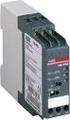 Data sheet Voltage monitoring relays CM-ESS.2 For single-phase AC/DC voltages The CM-ESS.2 is an electronic voltage monitoring relay that provides reliable monitoring of voltages as well as detection of
Electronic timer CT-VBS.17+18 OFF-delayed without auxiliary voltage, for DC contactors Data sheet
 Characteristics Single-function OFF-delay timer for DC contactors, without auxiliary voltage Width.5 mm CDC 5 6 F3 Approvals A culus E CCC CT-VBS a Circuit diagram b Marker label Marks a CE b C-Tick Order
Voltage Regulator SPAU 341 C. Product Guide
 Issued: July 1998 Status: Updated Version: D/25.04.2006 Data subject to change without notice Features Comprehensive voltage regulation for power transformers with on-load tapchangers in distribution substations
Technical Manual Functional Description for S800-RSU-H / S800W-RSU 2CCC413022M0205. 8201 Schaffhausen 1 / 10
 ABB ABB Schweiz AG Technical Manual Functional Description for S800-RSU-H / S800W-RSU 2CCC413022M0205 09.04.2014 Page: 8201 Schaffhausen 1 / 10 Please use also the assembly instruction S800-RSU-H Remote
Documentation for. KL2602 and KL2622. Two-channel Relay Output Terminals for 230 V AC / 30 V DC. Version: 1.4 Date: 2013-03-20
 Documentation for KL2602 and KL2622 Two-channel Relay Output Terminals for 230 V AC / 30 V DC Version: 1.4 Date: 2013-03-20 Table of contents Table of contents 1 Foreword 1 1.1 Notes on the documentation
48.12. 2 pole, 8 A Safety relay. Screw terminal. 35 mm rail (EN 60715) mounting. 2 CO (DPDT) 8/15 250/400 2,000 500 0.37 8/0.65/0.
 48 Series - Relay interface modules 8 A Features 48.12 2 Pole Safety relay interface modules, 15.8 mm wide 48.12-2 Pole 8 A (screw terminal) DC sensitive coils Relay with forcibly guided contacts according
KNX-Flash ABB i-bus KNX
 KNX-Flash ABB i-bus KNX Exclusion of liability: Despite checking the contents of this document deviations cannot be completely excluded. We therefore cannot accept any liability for this. KNX-Flash Inhaltsverzeichnis
Power Supply Unit, Primary Switched, Narrow Design MINI-PS-12-24DC/24DC/1
 Power Supply Unit, Primary Switched, Narrow Design MINI POWER provides: Extra narrow design with widths of 22.5 mm, 45 mm, and 67.5 mm (0.886, 1.772, and 2.657 in.) Global use due to a wide-range input
5SV Residual Current Protective Devices
 s Siemens AG 2013 SENTRON 5SV Residual Current Protective Devices New portfolio for reliable personnel, material and fire protection Safe protection against residual currents Residual current protective
DMX2PWM 9 Channel Dimmer Setup Manual
 DMX2PWM 9 Channel Dimmer Setup Manual www.ecue.de DMX2PWM 9ch Dimmer - Setup Manual e:cue control GmbH An OSRAM Company Rev. 1.3_01/2010 DMX2PWM 9ch Dimmer - Setup Manual Table of Contents 1. Device Overview....................................4
Quick Connect. quick - simple - efficient. www.g-mw.de
 Quick Connect quick - simple - efficient www.g-mw.de Phone: +49 9103 7129-0 Fax: +49 9103 7129-207 Innovative connection technology to plug three single-phase current transformers to multifunctional power
HSP GmbH Zum Handwerkerhof 2 90530 Wendelstein Tel. 09129 / 2852-0 Fax: 09129 / 2852-11 Web: www.hsshsp.de EMAIL: [email protected] NTG-3000.
 NTG-3000 Transducer Data Sheet Document Version 2.8 Page 1 of 10 Versions / Revisions: Document Creation Author Description version date 2.0 2012-07-25 P. Compensis First official version 2.1 2012-08-24
38 SERIES. Relay interface modules 0.1-2 - 3-5 - 6-8 - 16 A. EMR Electromechanical Relays. Common features. SSR Solid State Relays. 6.
 38 Relay interface modules 0.1-2 - 3-5 - 6-8 - 16 A 38 Common features Instant ejection of relay by plastic retaining clip Integral coil indication and protection circuit 6.2 mm wide EMR - DC, AC or AC/DC
MILLENIUM INSTALLATION MANUAL NTR 735 A. Simple Automation Control Module (MAS)
 MILLENIUM Table of contents 1. INTRODUCTION 1 2. HARDWARE DESCRIPTION 2 3. INSTALLATION 5 4. CONNECTION 6 5. USER SAFETY AND PROTECTION OF EQUIPMENT 8 1. Introduction The MILLENIUM series has been designed
Technical Manual. FAN COIL CONTROLLER COOLING or HEATING ANALOG or PWM Art. 119914 631001A
 COOLING or HEATING ANALOG or PWM Art. 119914 631001A TOTAL AUTOMATION GENERAL TRADING CO. LLC SUITE NO.506, LE SOLARIUM OFFICE TOWER, SILICON OASIS, DUBAI. UAE. Tel. +971 4 392 6860, Fax. +971 4 392 6850
How To Use A Power Supply On A Powerline 2.2 (Ai)
 KNX/EIB Product documentation Issue: 05.08.2010 629x1220 Push button sensor 3 comfort 1-gang Push button sensor 3 comfort 2-gang (1+1) Push button sensor 3 comfort 3-gang Push button sensor 3 comfort 4-gang
Voltage monitoring relays CM-ESS.M For single-phase AC/DC voltages
 Data sheet Voltage monitoring relays CM-ESS.M For single-phase AC/DC voltages The CM-ESS.M is an electronic voltage monitoring relay that provides reliable monitoring of voltages as well as detection of
Analog signal converters CC-E I/I Current / current isolators
 ata sheet Analog signal converters CC-E I/I Current / current isolators The CC-E I/I is an isolator for the electrical isolation of current signals without auxiliary supply. It allows the isolation between
DALI DIM/CONVERTER CONTROL (DC NV) 1 10V (0-10 V) analog DALI Converter with (Multi-) Sensor-control and 1 and 2-Switch dim functions
 DAI DIM/COVERTER COTRO (DC V) 1 10V (0-10 V) analog DAI Converter with (Multi-) Sensor-control and 1 and 2-Switch dim functions Dim-and Switch Functions: The DAI Dim/Converter Control DC V is suitable
SEZ220. Signal Converter. Synco 200. With preprogrammed standard applications Freely programmable Menu-driven operation. Use
 s 5 146 Synco 200 Signal Converter SEZ220 With preprogrammed standard applications Freely programmable enu-driven operation Use The signal converter is for use in HVAC plant to provide minimum / maximum
Thermistor motor protection
 Thermistor motor protection CM-E Range Thermistor motor protection Thermistor motor protection relays Benefits and advantages Selection table Operating principle and fields of application for thermistor
instabus KNX / EIB System System E F G H
 Product name: Uninterruptible power supply (USV) 640 ma Design: REG (rail-mounted device) Article-no.: 1079 00 ETS search path: Gira Giersiepen / system components / power supply / power supply 640mA DRA
Pluggable interface relays CR-P Pcb relays
 2CDC 293 034 F0004 1 2 4 3 Features 9 different supply s: DC versions: 12 V, 24 V, 48 V, 110 V AC versions: 24 V, 48 V, 110 V, 120 V, 230 V Output contacts: 1 c/o (16 A) or 2 c/o (8 A) Cadmium-free contact
MasterINTERFACE 39 Series - Relay interface modules
 MasterINTERFACE 39 Series - Relay interface modules Common features Space saving 6.2 mm wide Connections for 16-way jumper link Integral coil indication and protection circuit Secure retention and easy
ABB Drives. User s Manual. Pulse Encoder Interface Module RTAC-01
 ABB Drives User s Manual Pulse Encoder Interface Module RTAC-0 Pulse Encoder Interface Module RTAC-0 User s Manual 3AFE 64486853 REV A EN EFFECTIVE:.5.00 00 ABB Oy. All Rights Reserved. Safety instructions
Cross-beam scanning system to detect slim objects. 100 mm 3.937 in
 891 Object Area Sensor General terms and conditions... F-17 Related Information Glossary of terms... P.1359~ Sensor selection guide...p.831~ General precautions... P.1405 PHOTO PHOTO Conforming to EMC
Electronic overload relay EF19 and EF45
 Data sheet Electronic overload relay EF19 and EF45 Electronic overload relays offer reliable protection in case of overload and phase-failure. They are the alternative to thermal overload relays. Motor
Example of use: Fuse for a solenoid valve. If the fuse is defective, no information is sent to the electronic component.
 Overview Switch and button modules The dimensions of the switch and button modules are adapted to the electronic components in the integral housing. The modules are equipped with the universal clip-on
Inwall 4 Input / 4 Output Module
 Inwall 4 Input / 4 Output Module IO44C02KNX Product Handbook Product: Inwall 4 Input / 4 Output Module Order Code: IO44C02KNX 1/27 INDEX 1. General Introduction... 3 2. Technical data... 3 2.1 Wiring Diagram...
RDJ10RF/SET. Wireless room temperature controller with 24-hour time switch and LCD. Programmable, for heating systems
 3 072 RDJ10RF RCR10/433 Wireless room temperature controller with 24-hour time switch and LCD Programmable, for heating systems RDJ10RF/SET Operating modes: Automatic, Comfort, Energy Saving, and Frost
Electric Rotary Actuator - On/Off or programmable control actuator
 Electric Rotary Actuator - On/Off or programmable control actuator Direct mounting on quarter-turn valves Manual override standard Corrosion resistant Adjustable limit switches Multi-voltage version Type
Positive-guided relay outputs: 3 safety contacts (N/O), instantaneous. 1 auxiliary contact (N/C), instantaneous
 Safety relay for monitoring E-STOP pushbuttons. Approvals Unit features Positive-guided relay outputs: 3 safety contacts (N/O), instantaneous 1 auxiliary contact (N/C), instantaneous Safe separation of
PHOENIX CONTACT - 01/2007
 Uninterruptible power supply INTERFACE Data Sheet 103123_00_en PHOENIX CONTACT - 01/2007 Description Especially compact and easy-to-use, the new MINI-DC-UPS/ 24 DC/2 is a combination of the power supply
PCAN-B10011S Bus Converter High-speed CAN to Truck Trailer CAN. User Manual. Document version 2.1.0 (2013-11-15)
 PCAN-B10011S Bus Converter High-speed CAN to Truck Trailer CAN User Manual Document version 2.1.0 (2013-11-15) Products taken into account Product Name Model Part number PCAN-B10011S IPEH-002041 CANopen
FL ballasts Electronic dimming. PCA T5 BASIC lp Y II, 14 80 W BASIC T5
 T5 TC-L PCA T5 BASIC lp Y II, 1 80 W BASIC T5 Product description Processor-controlled ballast with y II inside Highest possible energy class CELMA EEI = A1 BAT 1 Noise-free precise control via DSI signal,
IntesisBox KNX Mitsubishi Heavy Industries AC
 IntesisBox KNX Mitsubishi Heavy Industries AC Gateway for integration of Mitsubishi Heavy Indsutries (MHI) Air Conditioners with KNX control systems. 1. Main Features Direct connection to KNX TP-1 (EIB)
AC/DC Power Modules C B. TML Series, 20 & 40 Watt. Features. 20 Watt Models
 TML Series, 0 & 0 Watt Features C B Scheme LVD UL 090- Encapsulated power supplies with increased power density Replaces TML and TML 0 series PCB mount or chassis mount with screw terminals Single, dual
80 Series - Modular timers 16 A. Features 80.01 80.11
 80 Series - Modular timers 6 A 80. Multi-function and mono-function timer range - Multi-function & multi-voltage 80. - ON delay, multi-voltage 7.5 mm wide Six time scales from 0.s to 24h 35 mm rail (EN
38 Series - Relay interface modules 0.1-2 - 3-5 - 6-8 - 16 A
 38 Series - Relay interface modules 0.1-2 - 3-5 - 6-8 - 16 A 38 SERIES Common features Instant ejection of relay by plastic retaining clip Integral coil indication and protection circuit EMR Electromechanical
Shutter Actuator, 8-fold, 230 V AC, MDRC JA/S 8.230.1, GH Q631 0063 R0111. ABB i-bus EIB / KNX
 , GH Q631 0063 R0111 2CDC 071 238 F0003 For controlling a maximum of eight independent 230 V AC shutter or sunblind drives via ABB i-bus including the functions Up/Down, Step/Stop, Move to position, Sun
LC1D65AM7 TeSys D contactor - 3P(3 NO) - AC-3 - <= 440 V 65 A - 220 V AC coil
 Product data sheet Characteristics LC1D65AM7 TeSys D contactor - 3P(3 NO) - AC-3 -
Electronic overload relay EF65, EF96 and EF146
 Data sheet Electronic overload relay EF65, EF96 and EF146 Electronic overload relays offer reliable protection in case of overload and phase-failure. They are the alternative to thermal overload relays.