
BASELINE DATA for STATEWIDE EDUCATIONAL TECHNOLOGY PLAN
|
|
|
- Curtis Williams
- 9 years ago
- Views:
Transcription
1 BASELINE DATA for STATEWIDE EDUCATIONAL TECHNOLOGY PLAN The Board of Regents and the New York State Education Department (NYSED) are seeking baseline data to define the current state of digital capacity and network access for the purpose of teaching and learning. The Regional Information Centers and Big 5 Cities across New York State have agreed to assist in the dissemination of this survey and ask that you please fill out this online survey by June 30, If you have questions about the RIC connection or ISP connection provided by your city please call your RIC Director or city contact. Thank you for taking the time to share this information. The following paragraphs provided by the State Education Department serve as explanation of terms referenced in the survey. Please read through to assist in your filling out of the questions that follow. One goal in the draft outline of the Statewide Educational Technology Plan is: New York's technology infrastructure supports teaching and learning in all environments. Digital Capacity and Network Access for the Purpose of Teaching and Learning can be defined as: 1. High-speed network access (connectivity, bandwidth, and Internet access) 2. Computing technology and digital devices for teaching and learning (technology configuration for educational use) 3. Technical support for network and technology operation and use (Human capacity for technical support and maintenance on networking, technology equipment, and internet security/filtering) 4. Support for the integration of technology into the curriculum is defined as professional development. The term professional development or sustained professional development means a comprehensive, substantiated, and intensive approach to improving teachers' and principals' effectiveness in raising student achievement. (National Staff Development council definition used in the reauthorized version of NCLB). High-speed Network Connections For the network connection, four bandwidths are specified for a desirable technology rich learning environment: 1. External connection from the district to the RIC or ISP measured in gbs or mbs 2. Intra-district WAN connections among school buildings in a district, if applicable, measured as less than T1, T3, 10 mbs, 100 mbs or 1gbs. 3. The number of instructional classrooms connected at 10 mbs, 100 mbs, 1 gb, wirelessly connected or not connected at all. 4. WiFi characteristics a. WiFi percentage of building coverage (i.e. 50% of classrooms considering the entire district) b. WiFi device density per access point (i.e. 15 successful concurrent, stable connections per access point) Access to Digital Devices For access to digital devices, which may include computing equipment and digital devices, basic computing technology for classroom instruction across the division of P - 12 institutions often currently includes: --interactive response systems (i.e. clickers) and - document camera as what is expected for basic computing technology for classroom instruction across the division of P - 12 institutions --high speed network connection with sufficient bandwidth for multimedia content access --an interactive white board and a LCD projector (integrated or separate) --a mobile computer or tablet for each classroom teacher --a color laser printer in close proximity to each teachers' classroom --a digital camera/camcorder Technical Support In order for the network and classroom technology to be accessible and functional, technical support staffing is critical to ensure the capacity and access. Technical support staff should be determined as an essential condition for 21st century, technology-rich learning environments. Thank you for reading the informational page. w, please begin the survey. It should take approximately minutes. Page 1

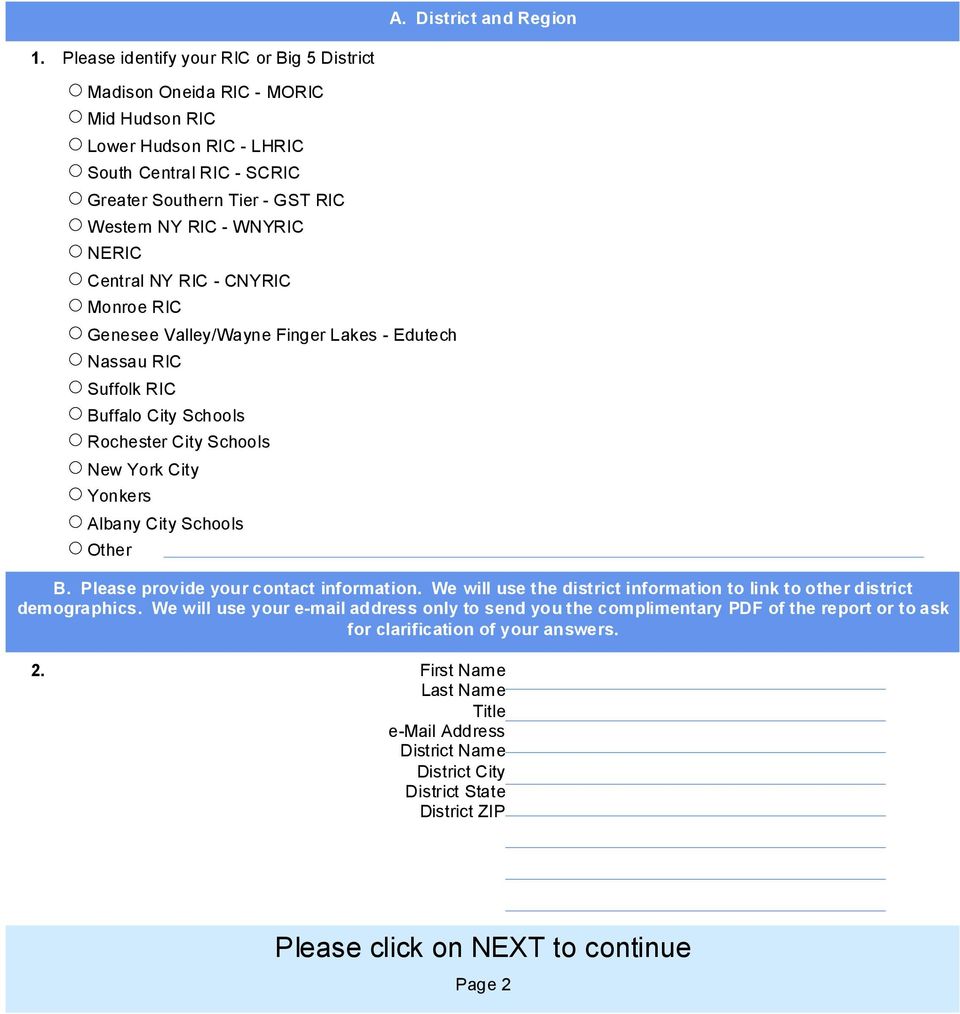
2 A. District and Region 1. Please identify your RIC or Big 5 District Madison Oneida RIC - MORIC Mid Hudson RIC Lower Hudson RIC - LHRIC South Central RIC - SCRIC Greater Southern Tier - GST RIC Western NY RIC - WNYRIC NERIC Central NY RIC - CNYRIC Monroe RIC Genesee Valley/Wayne Finger Lakes - Edutech Nassau RIC Suffolk RIC Buffalo City Schools Rochester City Schools New York City Yonkers Albany City Schools Other B. Please provide your contact information. We will use the district information to link to other district demographics. We will use your address only to send you the complimentary PDF of the report or to ask for clarification of your answers. 2. First Name Last Name Title Address District Name District City District State District ZIP Page 2
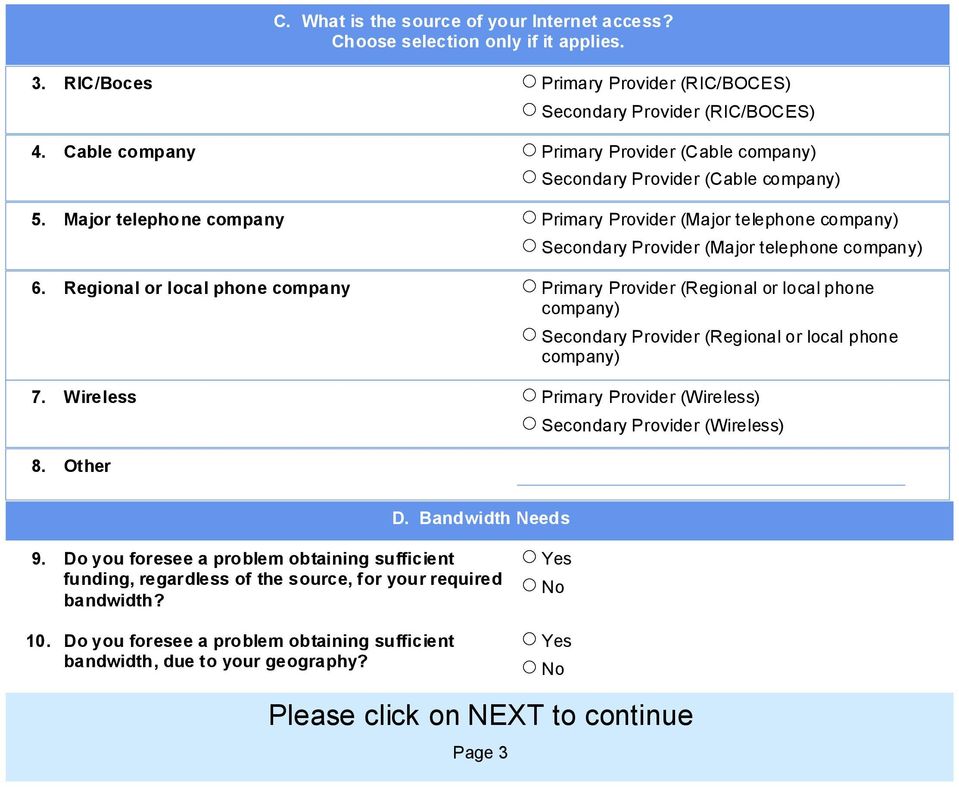
3 C. What is the source of your Internet access? Choose selection only if it applies. 3. RIC/Boces Primary Provider (RIC/BOCES) Secondary Provider (RIC/BOCES) 4. Cable company Primary Provider (Cable company) Secondary Provider (Cable company) 5. Major telephone company Primary Provider (Major telephone company) Secondary Provider (Major telephone company) 6. Regional or local phone company Primary Provider (Regional or local phone company) Secondary Provider (Regional or local phone company) 7. Wireless Primary Provider (Wireless) 8. Other Secondary Provider (Wireless) D. Bandwidth Needs 9. Do you foresee a problem obtaining sufficient funding, regardless of the source, for your required bandwidth? 10. Do you foresee a problem obtaining sufficient bandwidth, due to your geography? Page 3
4 E. INTERNET SERVICE PROVIDER: CURRENT STATUS (You will be asked to answer these same questions for anticipated status in 2-3 years) 11. If your district uses your RIC for your Internet Service Provider (ISP), what is the RIC's external connection to the ISP? 12. What is the external connection from your district to the RIC or your Internet Service Provider? < T1 > T1 but < 100 mbs > 100mbs but < 1 gb 1 gb or more < T1 > T1 but < 100 mbs > 100mbs but < 1 gb 1 gb or more 13. Describe the intradistrict connections within your district or BOCES connecting school instructional buildings: (i.e. 7 at T1, 4 at 10mbs) Total should equal to total # of intradistrict connections. Number at no connection Number at < T1 Number = to T1 Number = to 10 mbs Number = to 1 gbs Total number of intradistrict connections (must equal previous 5 responses) Page 4

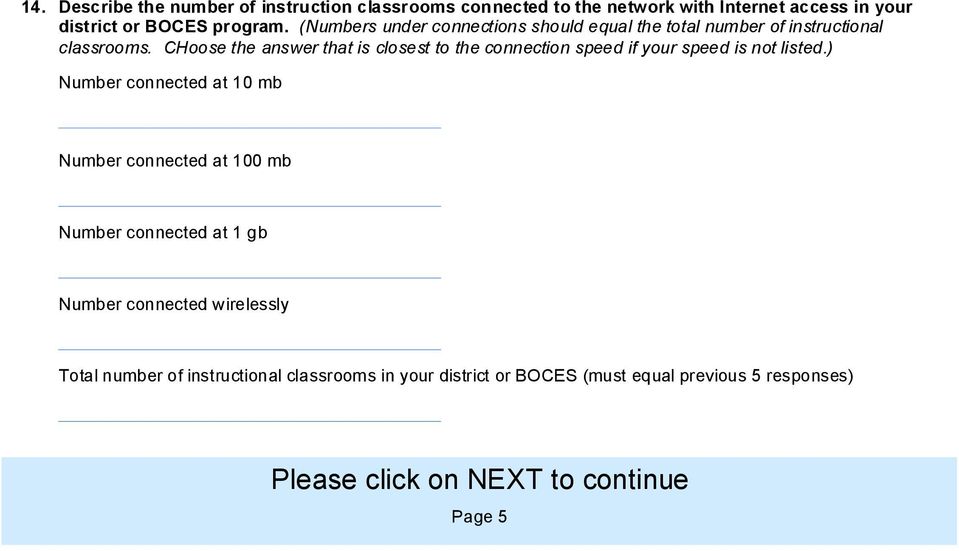
5 14. Describe the number of instruction classrooms connected to the network with Internet access in your district or BOCES program. (Numbers under connections should equal the total number of instructional classrooms. CHoose the answer that is closest to the connection speed if your speed is not listed.) Number connected at 10 mb Number connected at 100 mb Number connected at 1 gb Number connected wirelessly Total number of instructional classrooms in your district or BOCES (must equal previous 5 responses) Page 5
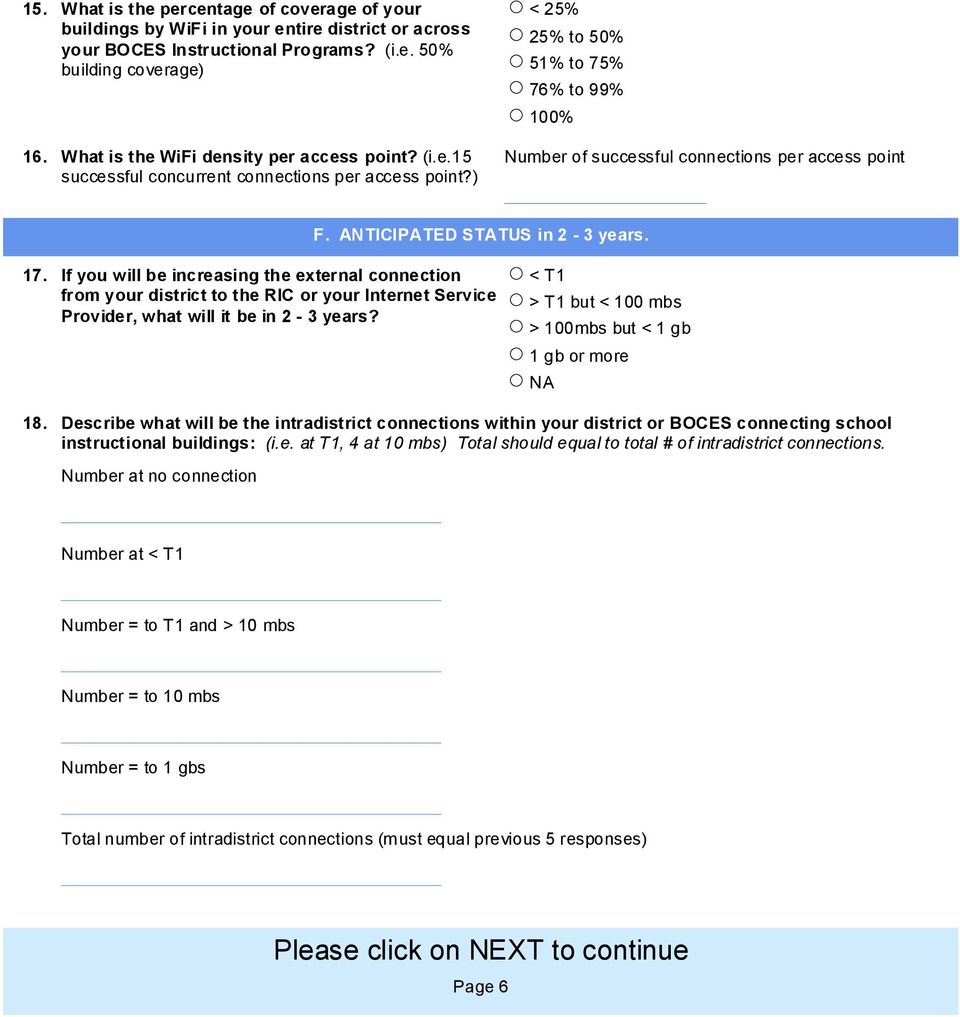
6 15. What is the percentage of coverage of your buildings by WiFi in your entire district or across your BOCES Instructional Programs? (i.e. 50% building coverage) 16. What is the WiFi density per access point? (i.e.15 successful concurrent connections per access point?) < 25% 25% to 50% 51% to 75% 76% to 99% 100% Number of successful connections per access point F. ANTICIPATED STATUS in 2-3 years. 17. If you will be increasing the external connection from your district to the RIC or your Internet Service Provider, what will it be in 2-3 years? < T1 > T1 but < 100 mbs > 100mbs but < 1 gb 1 gb or more NA 18. Describe what will be the intradistrict connections within your district or BOCES connecting school instructional buildings: (i.e. at T1, 4 at 10 mbs) Total should equal to total # of intradistrict connections. Number at no connection Number at < T1 Number = to T1 and > 10 mbs Number = to 10 mbs Number = to 1 gbs Total number of intradistrict connections (must equal previous 5 responses) Page 6
7 Continued - ANTICIPATED STATUS in 2-3 years. 19. Describe the number of instructional classrooms you anticipate being connected to the network with Internet access in your district or BOCES Instructional Program in 2-3 years. (Numbers under connections should equal the total number of instructional classrooms.) Number connected at 10 mb Number connected at 100 mb Number connected at 1 gb Number connected wirelessly Total number of instructional classrooms in your district or BOCES 20. What is the anticipated percentage of coverage of your buildings by WiFi in your entire district in 2-3 years? (i.e. 50% building coverage) < 25% 25% to 50% 51% to 75% 76% to 99% 100% 21. What is the anticipated WiFi density per access point in 2-3 years? (i.e.15 successful concurrent connections per access point?) Page 7
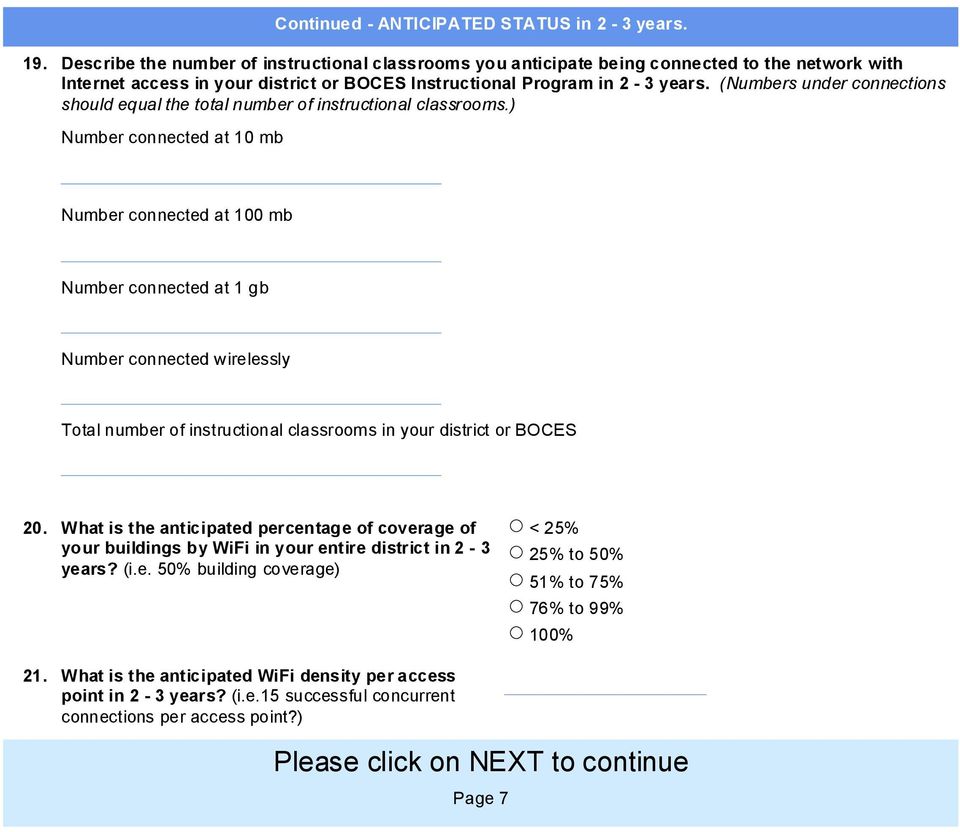
8 G. Technology Equipment and Digital Devices: Percentage of classrooms in your district or BOCES Instructional programs with high speed network connection with sufficient bandwidth to assess multimedia and digital content successfully: 22. % of classrooms currently % of classrooms in 2-3 years Percentage of classrooms in your district or BOCES Instructional programs with an interactive white board and a LCD projector (integrated or separate). 23. % of classrooms currently % of classrooms anticipated in 2-3 years Percentage of classrooms in your district or BOCES Instructional programs with a mobile computer or tablet for each classroom teacher. 24. % of classrooms currently % of classrooms anticipated in 2-3 years Percentage of classrooms in your district or BOCES Instructional classrooms with a networked laser color printer easily accessible for student use. 25. % of classrooms currently % of classrooms anticipated in 2-3 years Percentage of classrooms in your district or BOCES Instructional classrooms that have a digital camera/camcorder. 26. % of classrooms currently % of classrooms anticipated in 2-3 years Page 8
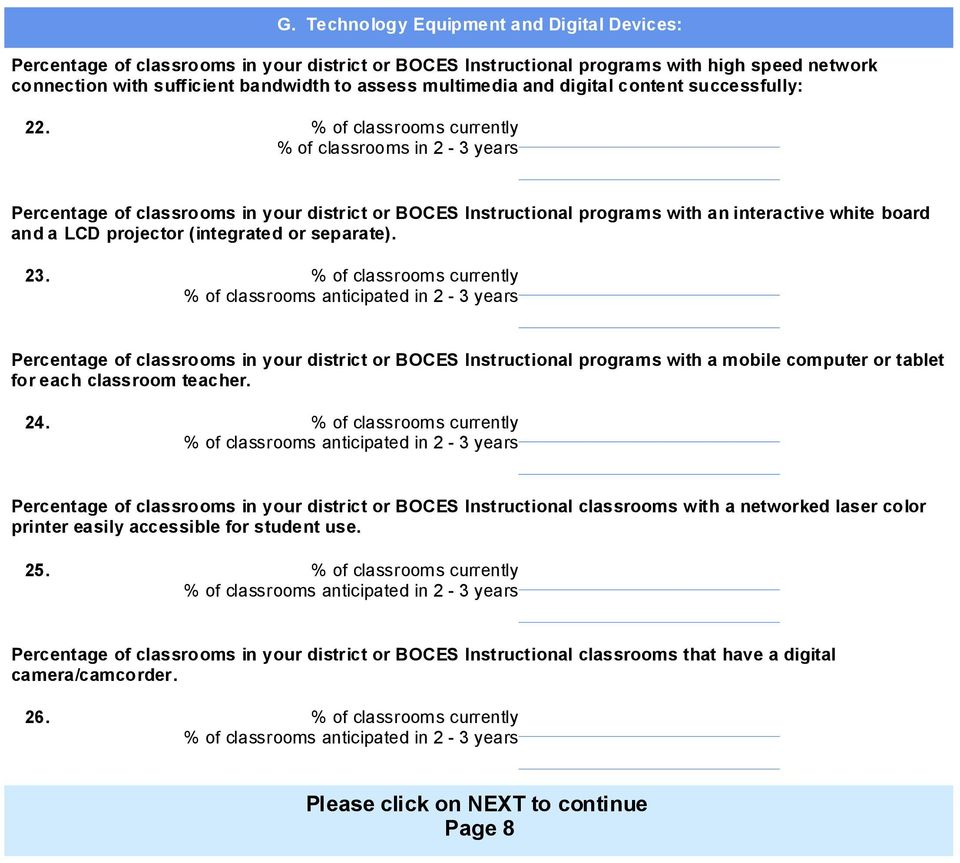
9 Continued - Technology Equipment and Digital Devices: Describe the technical support ratio in your district or BOCES Instructional program. 27. Workstations per 1 FTE - current Workstations per 1 FTE - anticipated in 2-3 years Percentage of classrooms in your district or BOCES Instructional programs with interactive response systems (clickers). 28. % of classrooms currently % of classrooms anticipated in 2-3 years Percentage of classrooms in your district or BOCES Instructional programs with document cameras. 29. % of classrooms currently % of classrooms anticipated in 2-3 years 30. Using the percentages below, describe the sustained professional development for the use of technology in your school district or BOCES Instructional Progrmas curriculum and instruction. (% should equal 100%) % of all classroom teachers that have < or = to 5 hours of PD/year % of all classroom teachers that have 6-15 hours of PD/year % of all classroom teachers that have hours of PD/year % of all classroom teachers that have more than 20 hours of PD/year Page 9
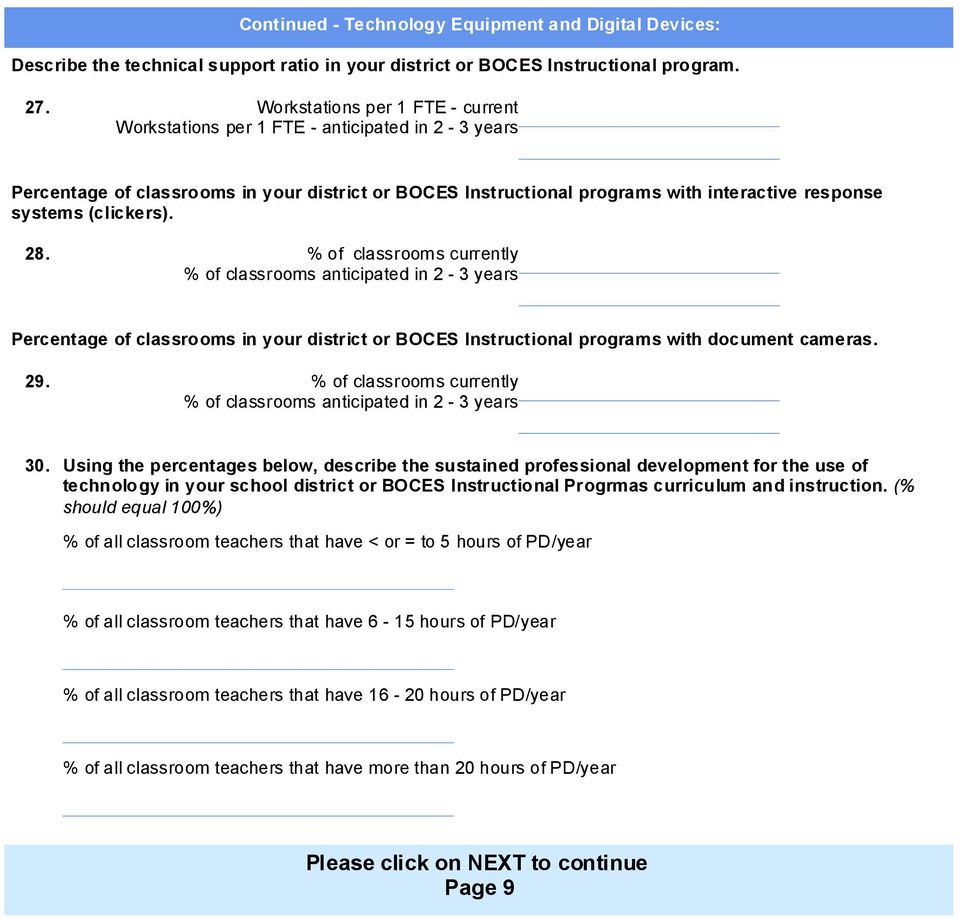
10 H. Learning Management Systems The following section is to determine the use of Learning Management Systems across the state of New York. 31. Are you using a Learning Management System in your district? STOP HERE IF YOU ANSWERED 'NO' TO QUESTION 31. PLEASE CLICK ON 'NEXT' NOW. I. LMS 32. Which Learning Management Systems are you currently using? Please check all that apply. Angel Blackboard Desire2Learn eclassroom Learn.com Microsoft Class Server Moodle PLATO Learning Riverdeep Learning Village Sakai SchoolNet StudyWiz WebCT (t part of Blackboard) Other Page 10
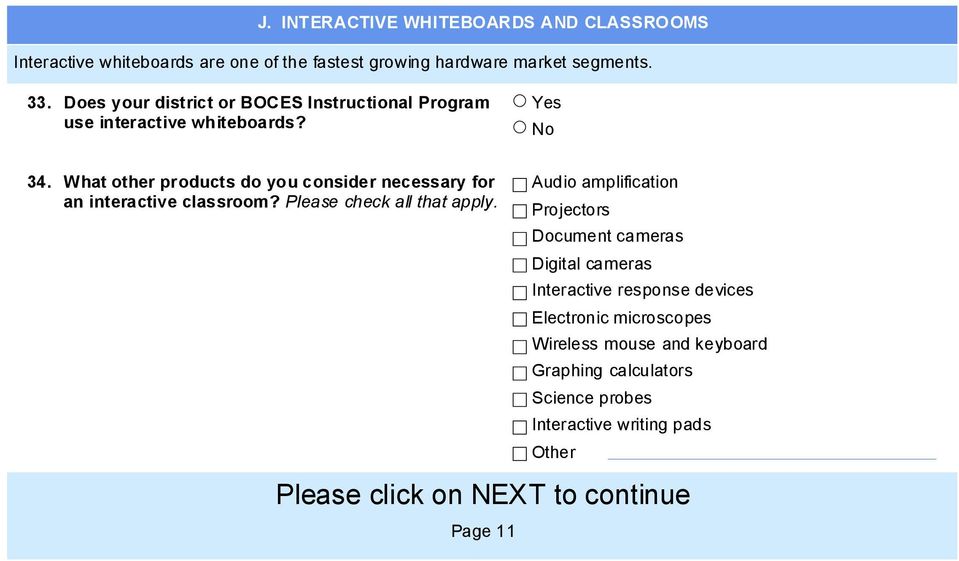
11 J. INTERACTIVE WHITEBOARDS AND CLASSROOMS Interactive whiteboards are one of the fastest growing hardware market segments. 33. Does your district or BOCES Instructional Program use interactive whiteboards? 34. What other products do you consider necessary for an interactive classroom? Please check all that apply. Audio amplification Projectors Document cameras Digital cameras Interactive response devices Electronic microscopes Wireless mouse and keyboard Graphing calculators Science probes Interactive writing pads Other Page 11
12 K. STUDENT ACCESS TO RESOURCES 35. What percent of students in your district or BOCES program are provided a school based account? What % of students currently have provided by the school or BOCES program? What % of students do you anticipate will have in 2-3 years that is provided by the school? 36. Are students in your district or BOCES Instructional Program allowed to use an outside account not provided by the school while on the school's network? If '', name the vendor that is allowed. (for ex.: gmail, yahoo mail, etc.) Name: 37. What percent of students in your district or BOCES Instructional Program are provided a school based wiki for collaborative work? What % of students currently have a wiki provided by the school or BOCES? What % of students do you anticipate having a wiki in 2-3 years that will be provided by the school or BOCES? What is the name of your wiki provider? N/A 38. What percent of students in your district or BOCES Instructional Program are provided blog space to author work or respond to prompts? What is the % of students who currently have a blog space provided by the school or BOCES? What is the % of students you anticipate will have a blog space provided by the school or BOCES in 2-3 years? Page 12

13 39. Is this current blog space monitored by the teacher? 40. Blog Software Name the blog software used? We do not use blog software L. SOCIAL NETWORKING 41. Do you provide a social networking site for teachers and students? 42. Does the district or BOCES Instructional Program allow social neworking usage in school? 43. Is the social networking site teacher filtered? M. TEACHER/PARENT COMMUNICATION 44. Percentage of teachers using interactive teacher Web pages for assignments and communication to students and parents. What % of teachers currently have interactive teacher web pages? What % of teachers do you anticipate will have interactive teacher web pages in 2-3 years? 45. Do your teachers use a Web Module of your Student Management Systems (SMS) to communicate with parents? % of teachers that use the district SMS to communicate with parents?, our teachers do not use the SMS to communicate with parents Page 13

14 WEB PAGES CONTINUED 46. Does your district or BOCES program have server based or Web based applications and digital folders for students to remotely access and complete work or work from home on their school based applications? 47. Does your district or BOCES Instructional Program have server based or Web based applications and digital folders for teachers to remotely access to their school resources, files and applications from their home Internet connection? 48. Do you anticipate having the capability for students and teachers to access their school based applications from home in 2-3 years? 49. Does your district or BOCES Instructional Program provide Web space in order for students to create their own Web pages which are monitored by teachers? 50. Please complete the measure of the student per computer ratio per level in your elementary school. Elementary current number of students N. STUDENT PER COMPUTER RATIO Elementary current number of computers Ratio students : computers (for ex: 300 students, 20 computers: 300 : 20 or 6 : 1) 51. Anticipated numbers for your elementary school. Elementary anticipated number of students in 2-3 years Elementary anticipated number of computers in 2-3 years Please calculate ratio: Student : Computer Please Click on NEXT to continue Page 14

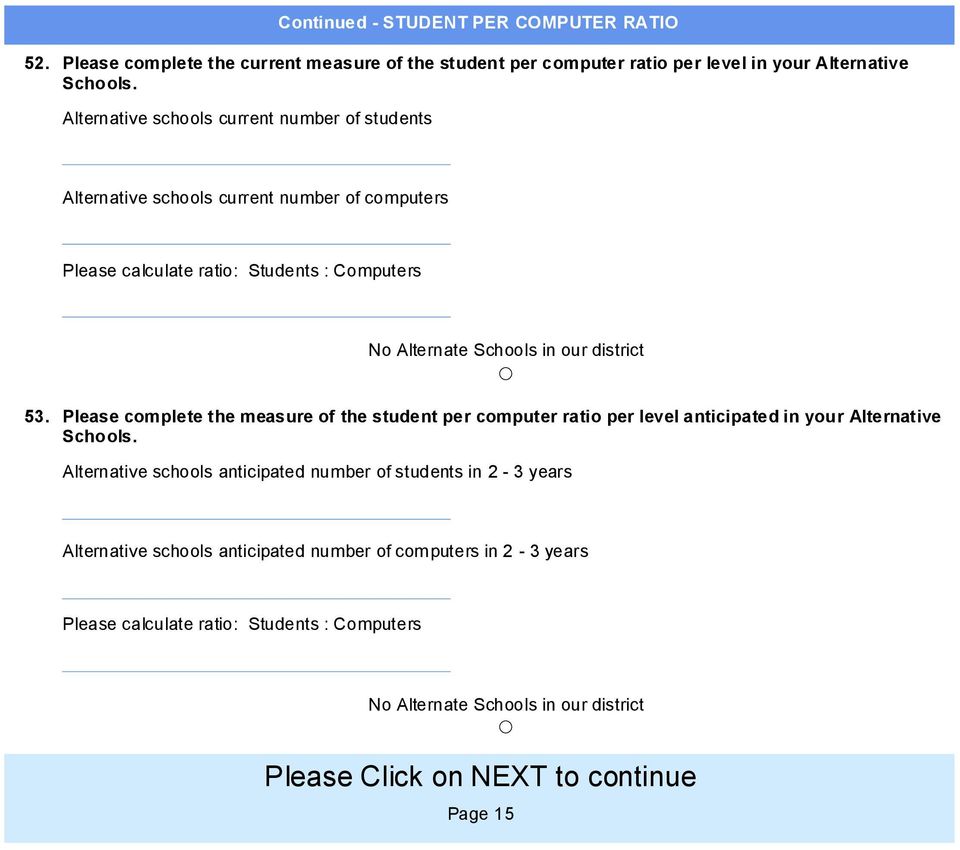
15 Continued - STUDENT PER COMPUTER RATIO 52. Please complete the current measure of the student per computer ratio per level in your Alternative Schools. Alternative schools current number of students Alternative schools current number of computers Please calculate ratio: Students : Computers Alternate Schools in our district 53. Please complete the measure of the student per computer ratio per level anticipated in your Alternative Schools. Alternative schools anticipated number of students in 2-3 years Alternative schools anticipated number of computers in 2-3 years Please calculate ratio: Students : Computers Alternate Schools in our district Please Click on NEXT to continue Page 15
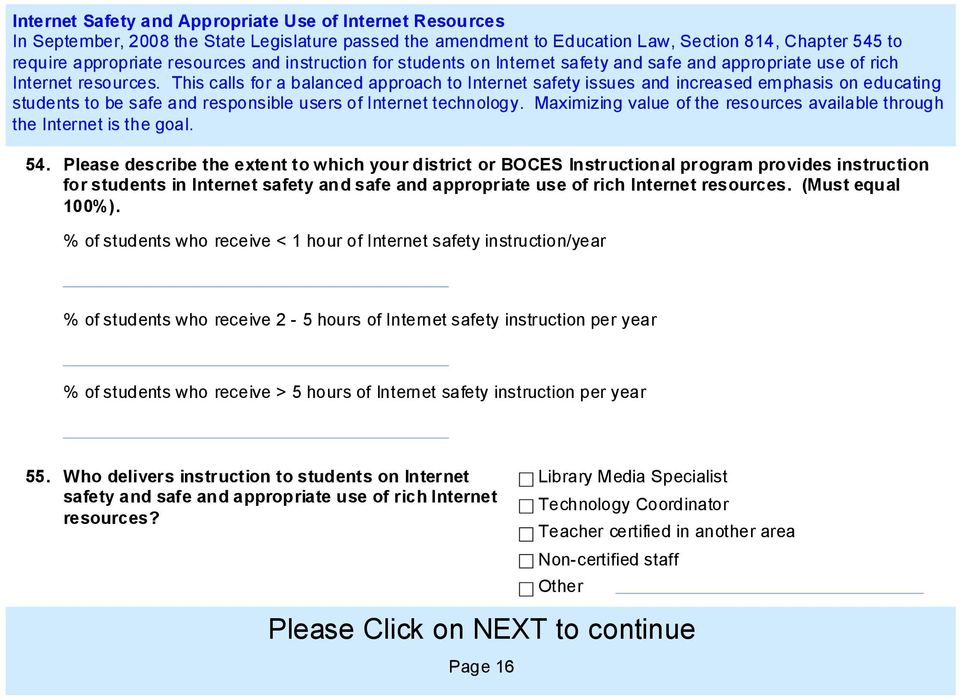
16 Internet Safety and Appropriate Use of Internet Resources In September, 2008 the State Legislature passed the amendment to Education Law, Section 814, Chapter 545 to require appropriate resources and instruction for students on Internet safety and safe and appropriate use of rich Internet resources. This calls for a balanced approach to Internet safety issues and increased emphasis on educating students to be safe and responsible users of Internet technology. Maximizing value of the resources available through the Internet is the goal. 54. Please describe the extent to which your district or BOCES Instructional program provides instruction for students in Internet safety and safe and appropriate use of rich Internet resources. (Must equal 100%). % of students who receive < 1 hour of Internet safety instruction/year % of students who receive 2-5 hours of Internet safety instruction per year % of students who receive > 5 hours of Internet safety instruction per year 55. Who delivers instruction to students on Internet safety and safe and appropriate use of rich Internet resources? Library Media Specialist Technology Coordinator Teacher certified in another area n-certified staff Other Please Click on NEXT to continue Page 16
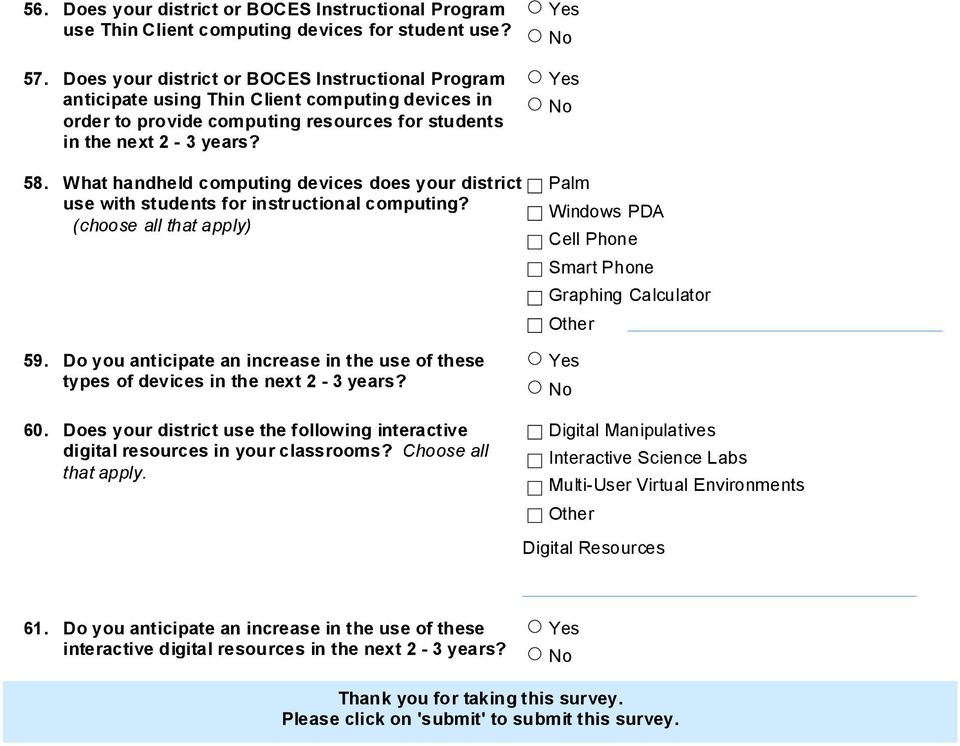
17 56. Does your district or BOCES Instructional Program use Thin Client computing devices for student use? 57. Does your district or BOCES Instructional Program anticipate using Thin Client computing devices in order to provide computing resources for students in the next 2-3 years? 58. What handheld computing devices does your district use with students for instructional computing? (choose all that apply) 59. Do you anticipate an increase in the use of these types of devices in the next 2-3 years? 60. Does your district use the following interactive digital resources in your classrooms? Choose all that apply. Palm Windows PDA Cell Phone Smart Phone Graphing Calculator Other Digital Manipulatives Interactive Science Labs Multi-User Virtual Environments Other Digital Resources 61. Do you anticipate an increase in the use of these interactive digital resources in the next 2-3 years? Thank you for taking this survey. Please click on 'submit' to submit this survey.
New York State Education Department Instructional technology plan survey
 The instructional technology plan survey is designed to allow districts the opportunity to compile all data related to their technology planning and needs in one location. The data collected in the survey
MORIAH CSD Instructional Technology Plan - Annually - 2015
 LEA Information A. LEA Information 1. What is the total student enrollment based on the most recent BEDS Day submission? 2. 693 What is the student enrollment by grade band based on the latest BEDS Day
Planning Process and Methodology
 Executive Summary Our mission is to provide students and staff with technology to meet their instructional and administrative needs. This incorporates all aspects of technology including networking, end
Erie 1 BOCES Western New York Regional Information Center (WNYRIC) Request For Proposal Science, Technology, Engineering, and Mathematics (STEM )
 Erie 1 BOCES Western New York Regional Information Center (WNYRIC) Request For Proposal Science, Technology, Engineering, and Mathematics (STEM ) Section I: Scope/Purpose 1. Definitions Page 2-3 2. Scope/Purpose
EngageNY Portal: Data Dashboard Selection and Portal Implementation
 THE STATE EDUCATION DEPARTMENT / THE UNIVERSITY OF THE STATE OF NEW YORK / ALBANY, NY 12234 Associate Commissioner Office of Curriculum, Assessment and Educational Technology June 2013 TO: FROM: SUBJECT:
New York State Education Department Instructional technology plan survey guidance SURVEY GUIDANCE
 Purpose of the survey: SURVEY GUIDANCE This survey is intended is to compile information about the current status and future plans for the use of technology in the district. Once approved by the New York
Lancaster Central School District
 Lancaster Central School District Smart Schools Bond Act Allocation Preliminary Investment Plan As presented at the December 7, 2015 meeting of the Board of Education. Public Hearing to follow on January
Honeoye Smart Schools Investment Plan (SSIP) Overview Final Plan
 Honeoye Smart Schools Investment Plan (SSIP) Overview Final Plan What is the estimate of the total number of students and staff that will benefit from this Smart Schools Investment Plan based on the cumulative
Katonah-Lewisboro School District (KLSD) PRELIMINARY SMART SCHOOLS INVESTMENT PLAN
 Katonah-Lewisboro School District (KLSD) PRELIMINARY SMART SCHOOLS INVESTMENT PLAN Ahunna Margaux Akoma, Ed D Director of Technology Katonah-Lewisboro School District TABLE OF CONTENTS I. INTRODUCTION
WILLSBORO CSD Instructional Technology Plan - Annually - 2015
 LEA Information A. LEA Information 1. What is the total student enrollment based on the most recent BEDS Day submission? 2. 249 What is the student enrollment by grade band based on the latest BEDS Day
The primary goals of the technology plan are to support the goals of the district strategic plan:
 STOUGHTON PUBLIC SCHOOLS TECHNOLOGY PLAN 2012-2015 I. MISSION The mission of Stoughton Public School's Technology Program is to provide technology systems and support that meet the needs of students, teachers,
Three Year Strategic Technology Plan for. Decatur County School System. For the Period of July 2013 through July 2016.
 Three Year Strategic Technology Plan for Decatur County School System For the Period of July 2013 through July 2016 Prepared by: Linda Graves Technology Coordinator Angela Boggan-Federal Projects Director
IUSD TECHNOLOGY PLAN. November 2013. Irvine Unified School District Information Technology Department 1
 IUSD TECHNOLOGY PLAN November 2013 1 AGENDA Agenda 1 Scope and Purpose of the Plan 2 Plan Development 3 Plan Content 3.1 Current Access and Use 3.2 Curriculum Goals 3.3 Professional Learning Goals 3.4
Budget Sub allocations by category that you are submitting for approval at this time.
 Bloomfield Smart Schools Investment Plan (SSIP) Overview What is the estimate of the total number of students and staff that will benefit from this Smart Schools Investment Plan based on the cumulative
NANUET UFSD Instructional Technology Plan - Annually - 2015
 LEA Information A. LEA Information 1. What is the total student enrollment based on the most recent BEDS Day submission? 2. 2,209 What is the student enrollment by grade band based on the latest BEDS Day
2013 2015 Technology Plan
 Hopkins Public Schools Independent School District 270 Hopkins, Minnesota ORGANIZATION INFORMATION District/Agency/School HOPKINS PUBLIC SCHOOLS (legal name): District Number: 270 IDENTIFIED OFFICIAL WITH
Technology/Smart Schools Investment Plan 2016-2019
 Technology/Smart Schools Investment Plan 2016-2019 Important Contributors Carol Eckl - DDC Alex Spada - Director of Technology Audrey Varney - Business Manager The Technology Committee (~20 Staff Members,
The History of St. Joseph Classroom Technology
 With each passing year, the traditional classroom is in the process of implementing The History of St. Joseph Classroom Technology a new and exciting way to teach students. The new technology of today
Adams Township School District 43084 Goodell Street Painesdale, Michigan 49955 906-482-0599 District Code 31020
 Adams Township School District 43084 Goodell Street Painesdale, Michigan 49955 906-482-0599 District Code 31020 Start and End Date: July 2012 through June 2015 Contact Person: Tim Keteri - Superintendent
Chapter 1 Basic Introduction to Computers. Discovering Computers 2012. Your Interactive Guide to the Digital World
 Chapter 1 Basic Introduction to Computers Discovering Computers 2012 Your Interactive Guide to the Digital World Objectives Overview Explain why computer literacy is vital to success in today s world Define
2013-2016. Three Year District Technology Plan. Pasco School District #1 July 1, 2013 to June 30, 2016
 2013-2016 Three Year District Technology Plan Pasco School District #1 July 1, 2013 to June 30, 2016 Development History August 2012 November 2012 December 2012 December 2012 February 2013 March 2013 April
North Platte Public School District
 North Platte Public School District Student Learning, Student Achievement, Student Success District Technology Plan 2014-2019 Table of Contents Table of Contents 2 Executive Summary 3 District Description
CURRICULUM Based on guidelines from the State, developed by Subject Area Committees
 CURRICULUM Based on guidelines from the State, developed by Subject Area Committees 78 INSTRUCTION How we deliver the curriculum to students TECHNOLOGY Tools to deliver and enhance instruction, and support
Chabot-Las Positas Community College District Bond Measure Technology Improvements Supplement to Capital Improvement Program
 Chabot-Las Positas Community College District Bond Measure Technology Improvements Supplement to Capital Improvement Program Guidelines for Technology Estimates: The Capital Improvement Program for both
Schenectady City School. Request for Proposal for Website Design and Content Management System RFP #0620 16
 Schenectady City School District Request for Proposal for Website Design and Content Management System RFP #0620 16 Proposals to be received: Time: 9am Date: June 20, 2016 Place: Schenectady City School
EAST GREENBUSH CSD Instructional Technology Plan - Annually - 2015
 LEA Information A. LEA Information 1. What is the total student enrollment based on the most recent BEDS Day submission? 2. 4,068 What is the student enrollment by grade band based on the latest BEDS Day
Classroom TIP (Technology Incentive Plan)
 Overview What is the? The is a process to help teachers successfully integrate technology into the curriculum. The plan provides training, support, and equipment/software for teachers who request technology
McPherson Elementary School Library Computer Lab Proposal
 Haywood 1 I certify that: This paper/project/exam is entirely my own work. I have not quoted the words of any other person from a printed source or a website without indicating what has been quoted and
Instructional Technology. With Jessica Boyle
 Instructional Technology With Jessica Boyle Digital Natives Today s students - K through college - represent the first generations to grow up with technology. They have spent their entire lives surrounded
Douglas County School System
 Douglas County School System Douglasville, Georgia Three-Year Plan July 1, 2009 June 30, 2012 Creation Date December 10, 2008 Superintendent Don Remillard Todd Hindmon 770-651-2387 [email protected]
Technology Plan 2010-2015 Attleboro Public Schools
 ATTLEBORO PUBLIC SCHOOLS 100 RATHBUN WILLARD DRIVE ATTLEBORO, MA 02703 Technology Plan 2010-2015 Attleboro Public Schools ATTLEBORO COMMUNITY PROFILE Attleboro, Massachusetts Attleboro is a small city
Faculty technology Reference Guide
 Faculty technology Reference Guide 2015-2016 CONTACTS CENTER FOR INSTRUCTION AND TECHNOLOGY (CIT): 422-2223 Basement of School of Education [ [email protected] ] CLASSROOM TECHNOLOGY: 422-6668 Lone Mountain
2013-2016 Technology Plan
 2013-2016 Technology Plan Technology Planning Process A group of six stakeholders including an administrator, one board member, one parent, a teacher, a technology coordinator and a library media specialist
Levittown Public Schools Information Technology 2015-2016 Proposed Budget
 Levittown Public Schools Information Technology 205-206 Proposed Budget Presentation to the Board of Education Todd Connell, Director of IT February 4 th, 205 Servers/ Storage/ Backup Instructional Equipment
BRING YOUR OWN DEVICE (BYOD) STUDENT & PARENT GUIDELINES. Version 5
 BRING YOUR OWN DEVICE (BYOD) STUDENT & PARENT GUIDELINES Version 5 08/25/2015 Table of Contents BYOD Program Overview... 3 What is BYOD?... 3 BYOD Rationale... 3 Overview of BYOD Program... 3 Objective
Facts about Maryland s School Library Media Programs 2014-2015
 Facts about Maryland s School Library Media Programs 2014-2015 1 Table of Contents INTRODUCTION... 3 2014 15 Annual Report Executive Summary.... 4 Staff Totals by LEA, 2014 15... 11 Collection Totals by
LONGWOOD CSD Instructional Technology Plan - Annually - 2015
 LEA Information A. LEA Information 1. What is the total student enrollment based on the most recent BEDS Day submission? 2. 9,253 What is the student enrollment by grade band based on the latest BEDS Day
School District of Janesville
 School District of Janesville Background The American Recovery and Reinvestment Act of 2009 (ARRA) included a $650 million allocation in ESEA Title II, Part D, commonly referred to as the Enhancing Education
INTERNET AND COMPUTER ACCEPTABLE USE POLICY (AUP)
 4510.2 INTERNET AND COMPUTER ACCEPTABLE USE POLICY (AUP) The Board of Education is committed to the optimization of student learning and teaching. The Board considers computers to be a valuable tool for
NetSupport School: Classroom Management
 NetSupport School: Classroom Management NetSupport School is a class leading training software solution, providing Teachers with the ability to instruct, monitor and interact with their Students either
How To Improve The Long Lake Central School District
 Long Lake Central School 2014 2017 Information Technology Plan Information Technology Mission Statement The Long Lake Central School District will utilize technology to enhance learning and provide 21
Atlantis Charter School
 Atlantis Charter School Technology Plan 2013-2017 Background Atlantis Charter School, one of the longest-standing charter schools in Massachusetts, is currently in its 18 th year of operation. The school
Item Minimum Required Recommended Notes
 Carestream Dental strongly adheres to compliance with Microsoft Windows operating systems and hardware compatibility (HCL), which can be found at www.microsoft.com/whdc/hcl/default.mspx. Only operating
Technology Plan Saugus Public Schools 2014-2017 http://www.saugus.k12.ma.us
 Technology Plan Saugus Public Schools 2014-2017 http://www.saugus.k12.ma.us Executive Summary This document contains the Three-Year Technology Plan for the Saugus Public Schools developed by a technology
By Bruce Pohlmann, ehow Contributor
 1 of 6 11/16/2011 4:40 PM Top 5 To Try Pros & Cons of Single Computers Vs. Computer Labs in School Computer Forensics Lab Certification Requirements Benefits of a Mobile Computer Lab How to Plan a School
Interactive Whiteboard Functionality Overview... 4. Choosing Pen Style... 5. Erasing / Modifying Writing... 6. Undo / Redo... 6. Email...
 Quick Start Guide 1 Stand-alone Usage Interactive Whiteboard Functionality Overview... 4 Choosing Pen Style... 5 Erasing / Modifying Writing... 6 Undo / Redo... 6 Email... 7 Import / Open file... 7 Saving
New York State Student Information Repository System (SIRS) Manual
 New York State Student Information Repository System (SIRS) Manual Reporting Data for the 2015 16 School Year June 30, 2016 Version 11.32 The University of the State of New York THE STATE EDUCATION DEPARTMENT
Maryland Technology Literacy Standards for Students
 Standard 1.0 Technology Systems: Develop foundations in the understanding and uses of technology systems Pre-kindergarten Kindergarten Grade 1 Grade 2 Grade 3 A. Systems A. Systems A. Systems A. Systems
Bluetooth for Windows
 Bluetooth for Windows Getting Started Copyright 2006 Hewlett-Packard Development Company, L.P. Microsoft and Windows are U.S. registered trademarks of Microsoft Corporation. Bluetooth is a trademark owned
Huawei Smart Education Solution
 Copyright Huawei Technologies Co., Ltd. 2013. All rights reserved. No part of this document may be reproduced or transmitted in any form or by any means without prior written consent of Huawei Technologies
WAVERLY CSD Instructional Technology Plan - Annually - 2015
 LEA Information A. LEA Information 1. What is the total student enrollment based on the most recent BEDS Day submission? 2. 1,641 What is the student enrollment by grade band based on the latest BEDS Day
Sage 100 Premium ERP Version 2015 Supported Platform Matrix Created as of April 6, 2015
 The information in this document applies to Sage 100 Premium ERP Version 2015.Detailed product update information and support policies can be found on the Sage Support web site at: https://support.na.sage.com/
Sage 100 Premium Version 2016 Supported Platform Matrix Created as of November 25, 2015
 The information in this document applies to Sage 100 Premium Version 2016. Detailed product update information and support policies can be found on the Sage Support web site at: https://support.na.sage.com/.
Genesis LC2. Genesis LC1. Genesis Flex. Genesis Cloud. Feature/Function. Linguatronics Genesis Functional Specification List 1
 Software-based language training and classroom control system for language laboratories and second language classrooms Software-based classroom control system for multimedia computer labs and classrooms
2010-2016 TECHNOLOGY PLAN
 2010-2016 TECHNOLOGY PLAN Bland County Public Schools 361 Bears Trl. Bastian, VA 24315 www.bland.k12.va.us Six Year Technology Plan for Bland County Public Schools APPROVED BY SCHOOL BOARD MAY 23, 2011
PETALUMA CITY SCHOOLS DISTRICT EDUCATION TECHNOLOGY PLAN JULY 1, 2013 JUNE 30, 2018
 PETALUMA CITY SCHOOLS DISTRICT EDUCATION TECHNOLOGY PLAN JULY 1, 2013 JUNE 30, 2018 TABLE OF CONTENTS District Summary and Plan Duration (Criteria Item 1) Stakeholders Involvement (Criteria Item 2) Curriculum
CSG Windows Support Policy
 CSG Windows Support Policy This document describes the policies for service and support of computers running Microsoft Windows used by faculty and staff in the departments of Computer Science, Mathematics
Microsoft Office Outlook 2013: Part 1
 Microsoft Office Outlook 2013: Part 1 Course Specifications Course Length: 1 day Overview: Email has become one of the most widely used methods of communication, whether for personal or business communications.
It provides the performance indicators to evaluate the level of knowledge and competence of teacher to apply ICT in the educational setting.
 COMMISSION ON INFORMATION AND COMMUNICATIONS TECHNOLOGY NATIONAL ICT COMPETENCY STANDARD (NICS) FOR TEACHERS INTRODUCTION The National ICT Competency Standard (NICS) for Teachers defines the competency
St. Mary s Home for Children School Technology Plan School Year 2015/2016
 School Technology Plan School Year 2015/2016 St. Mary s Home for Children 420 Fruit Hill Avenue North Providence, RI 02911-2647 Revised: September, 2015 By: Patti Studley (401) 353-3900 x221 Submitted
Educational Technology Plan for Columbus City SD - 043802
 Educational Technology Plan for Columbus City SD - 043802 School Years: 2009-10 2010-11 2011-12 etech Ohio Certified on Jun 10, 2009 Certification Period: July 1, 2009 - Jun 30, 2012 *created using the
Information Technology 2016-2021 Strategic Plan
 Information Technology 2016-2021 Strategic Plan Draft Table of Contents Table of Contents... 3 Introduction... 4 Mission of IT... 4 Primary Service Delivery Objectives... 4 Availability of Systems...
Note: Survey responses are based upon the number of individuals that responded to the specific question. Response Responses Responses
 State: IN Results based on 133 survey(s). Note: Survey responses are based upon the number of individuals that responded to the specific question. What is your current job responsibility? (select one)
BOCES Educational Consortium Testimony
 New NY Education Reform Commission October 11, 2012 SUNY Old Westbury BOCES Educational Consortium Testimony Good morning/afternoon. My name is Dr. Lydia Begley and for the past year, I have been the Associate
Setting up for Adobe Connect meetings
 Setting up for Adobe Connect meetings When preparing to lead a live lecture or meeting, you probably ensure that your meeting room and materials are ready before your participants arrive. You run through
The most complete Classroom Management Software
 The most complete Classroom Management Software Interactivity Collaboration Communicatio Control Multimedia Assesment Messages Broadcast Sharing Remote Monitoring www.snetclass.net Key Features Snetclass
CAMAvision v18.5.x System Specification Guide 7/23/2014
 The computer industry is very fast moving, with larger and faster technologies supplanting previous hardware releases within six to nine months. Some of the specifications listed may no longer be available,
How To Improve Technology In A District School
 1 of 7 10/21/2008 2:26 PM BURTON ISD Technology Plan for E-Rate Year 11 2008-2011 JAMES PALMER SUPERINTENDENT DISTRICT PROFILE ESC Region: 6 City, State Zip: BURTON, TX 778350037 Phone: (979) 289-3131
Tukwila School District #406. Technology Department 4205 South 142nd Street Tukwila, WA 98168 (206) 901-8080. Computer and Phone Support Handbook
 Tukwila School District #406 Technology Department 4205 South 142nd Street Tukwila, WA 98168 (206) 901-8080 Computer and Phone Support Handbook Revised: July 2009 Table of Contents Network Systems Department
BRING YOUR OWN DEVICE (BYOD) STUDENT & PARENT GUIDELINES Version 4.3.14 04/03/2014
 BRING YOUR OWN DEVICE (BYOD) STUDENT & PARENT GUIDELINES Version 4.3.14 04/03/2014 Table of Contents BYOD Program Overview... 3 What is BYOD?... 3 BYOD Rationale... 3 Overview of BYOD Program... 3 Objective
4000 OPERATIONS AND MAINTENANCE OF PLANT
 4000 OPERATIONS AND MAINTENANCE OF PLANT Most of the expenditures in this category are specific to the Department of Public Facilities and have been transferred out of the School Department budget. However,
BUILDING DIGITAL LITERACY PURPOSE DEFINING DIGITAL LITERACY USING THIS GUIDE
 BUILDING PURPOSE In today s society, it is critical for students to be able to use the vast amount of technology available to them. Computer literacy will provide students with skills they need to succeed
New Prague Area Schools ISD 721. 2012-2017 Technology Plan
 New Prague Area Schools ISD 721 2012-2017 Plan 0 Table of Contents District Mission, Vision, and Values... 2 Demographics of School District... 2 Organization Leadership and Planning... 3 Needs Assessment...