
PowerAgent Battery Sensor Installation and Operation
|
|
|
- Annabella Holmes
- 9 years ago
- Views:
Transcription
1 PowerAgent Battery Sensor Page 1 of 17

2 Table of Contents Important Information... 3 Revision History... 3 Safety Notes... 3 Important Symbols... 3 Definition of Terms... 4 Contact Information... 4 System Overview... 5 Sensor Description... 6 High Voltage and Low Voltage Sensors... 6 Sensor Selector Guide... 7 Site Controller Description... 9 Initial Bench Evaluation... 9 Sensor Field Installation High and Low Voltage Installations Sensor LED High Voltage Installations Sensor Installation Low Voltage Installations Sensor installation Page 2 of 17

3 Important Information Revision History Release Date Revision Description Rev 1 05/12/2010 New Document from Safety Notes High currents and voltages may be present on the equipment terminals and on the interior of the equipment. Make sure you understand and observe all appropriate safety codes and regulations. Follow prudent electrical safety practices when installing or servicing the equipment. Installation, maintenance and servicing of the equipment should only be performed by qualified, trained and authorized personnel. Before installation, take measurements with a Volt Meter to ensure that no jar post in the system has lethal AC or DC voltages relative to earth ground. Except as explained in this manual, there are no user-serviceable parts inside the PowerAgent Battery Monitoring System components. Opening the equipment could expose you to dangerous voltages and void the product warranty. All product servicing should be referred to factory-authorized personnel. Use only interconnection cables supplied or authorized by Phoenix Broadband Technologies. Use of user-made interconnection cable assemblies could result in damage to equipment and potential safety hazards and voiding of equipment warranties. Do not exceed the voltage specifications of the product. Make sure the equipment is grounded properly. The equipment should be protected from liquids, moisture, and corrosive or explosive vapors. Important Symbols The following symbols are used in this document. CAUTION! The use of CAUTION indicates safety information intended to prevent damage and/or injury NOTE: A NOTE to provide additional information to help complete a specific task or procedure Page 3 of 17

4 Definition of Terms Admittance The inverse of Impedance in units of Siemens. Admittance is a measure of how easily a circuit or device will allow a current to flow. Resistance is a measure of the opposition of a circuit to the flow of a DC current, while impedance takes in to account not only the resistance but AC effects (known as reactance) as well. Likewise, admittance is not only a measure of the ease with which a DC current can flow (conductance, the inverse of resistance), but also takes in to account the AC effects of susceptance (the inverse of reactance). Battery A collection of jars connected in series. A battery is sometimes referred to as a Battery String or String in this document. Cell A collection of plates connected to a single positive and single negative terminal immersed in electrolyte in a single container. The cell may have multiple positive and negative connections but they connect to a single set of plates. A lead acid cell produces approximately 2.1 volts. Jar A collection of one or more cells connected in series in a single housing. A 12 volt jar contains 6 cells. A Jar is commonly and incorrectly referred to as a battery. Contact Information If you have any questions about the installation or use of the equipment described in this manual, contact Phoenix Broadband Technologies (PBT) at (215) or [email protected]. When contacting Phoenix Broadband please have the following information available: 1. Site Controller Model Number and firmware version (from the Site Controller Web Page). 2. Battery Sensor Model Number, hardware version and firmware version. The version numbers are shown on the Site Controller single Jar Web Page. 3. The Battery and String Voltage. 4. The battery model number. 5. UPS or DC power plant. 6. If a UPS the manufacturer and model number. Page 4 of 17

5 System Overview BatteryAgent Sensor Units Network Connectivity Up To 6 Battery Strings MasterAgent Site Controller RJ-11 Daisy Chain Battery String #1 Battery String #2 The Phoenix Broadband Technologies (PBT) PowerAgent TM Battery Management System is a comprehensive solution for remotely monitoring the state of health for individual cells or jars within the battery bank of a UPS or DC power plant system. The system consists of a series Sensor modules which are electrically and mechanically affixed to the terminal posts of the jars being monitored, and a PowerAgent TM Site Controller unit which collects readings from the individual sensors and makes the information available for management purposes via an Ethernet local area network. The Sensor modules are designed for use with 2 or 12 volt jars in DC power plants and UPS power systems up to 600 volts DC and with several choices of mounting brackets for different post configurations. Each sensor in a PowerAgent TM Battery Management System measures its associated cell or jar s terminal voltage, post or case temperature, and internal cell impedance (admittance). Multiple sensors within a string of monitored jars are interconnected in a daisy-chain utilizing CAT-5 cabling and RJ- 45 connectors. Each daisy-chain of sensors is connected via another CAT-5 cable to one of the six string ports on the Site Controller. Each site controller can manage up to six strings of batteries with a maximum of 40 batteries in any string and a site total of 100 batteries. The site controller has extensive user-definable set-up capabilities, including labels for every monitored jar and alarm thresholds for voltage, temperature and admittance on each individual jar. The site controller has several user interface mechanisms built-in, including a configurable web server that displays site, string, and individual jar information, as well as an SNMP (Simple Network Management Protocol) interface that allows any SNMP compliant management software to collect data and perform jar tests. Other features of the site controller include a password protected Telnet port for remotely configuring the unit, A DHCP (Dynamic Host Configuration Protocol) client that automatically obtains an IP (internet protocol) address from a DHCP server, and TFTP (Trivial File Transfer Protocol) server for uploading firmware changes remotely. Page 5 of 17

6 Sensor Description Sensor modules are small, inexpensive units designed to mount in close mechanical, electrical, and thermal proximity to the monitored jar s terminal posts. The sensor takes a very small amount of idling power from the monitored jar (typically less than 10ma). Internally, a programmable microcontroller chip provides an optically isolated communications interface for the site control unit. Sensors are connected to the Site Controller using a CAT5 cable daisy chain. The sensor continuously monitors the voltage and temperature of the jar. At user-defined intervals, the microcontroller generates a digitally synthesized AC test signal of approximately 0.5 to 6.0 amps (depending on sensor type) which drives the jar s terminals for testing purposes. This test current causes a small AC voltage, proportional to jar impedance, to be superimposed on the jar s DC terminal voltage. This AC voltage is separated from the DC terminal voltage and amplified inside the sensor module. It is then fed to an analog-to-digital converter inside the microcontroller chip. The microcontroller digitally samples the AC waveform and performs a DSP (digital signal processing) algorithm that filters out noise and measures the amplitude of the AC signal. These measurements and subsequent calculations determine the jar s internal AC impedance, which is the basis for Admittance measurements. Mechanically, the sensor consists of a nickel-plated copper mounting bracket which fits on the jar s negative terminal post, a short wire terminated in terminal lug that connects to the jar s positive terminal post, and an electronics assembly that contains the test signal generation and measurement circuitry. Sensors with two wires are also available. The sensors with brackets have the advantage of being able to more accurately measure the temperature of the electrolyte in the cell. The two wire sensors have the advantage of working with a wide variety cell and jar mechanical configurations that could requires several different bracket types. Refer to the Sensor Selector Guide later in this section for more details. Each sensor is shipped with a 1 foot CAT5 cable to connect the sensor to the daisy chain. This cable is the proper length for most applications. Longer cables are available from PBT. High Voltage and Low Voltage Sensors Sensors are typically used in DC power plant and UPS applications. DC power plant applications commonly utilize two volt cells and twelve volt jars wired in series with total nominal string voltages typically ranging from 24 to 48 VDC nominal. In many UPS systems, voltages can be significantly higher (480 volts or more). Because of the specific requirements of high voltage systems, Phoenix Broadband has developed two types of sensors to accommodate each environment. When working in environments where string voltages are greater than 64 VDC, always use the High Voltage sensors. High voltage (HV) sensors are completely optically isolated from the Page 6 of 17

7 controller and each other, with no string-level voltages present in the interconnecting CAT5 cables. This architecture was designed to ensure safety and prevent damage. For environments where string voltages are 64 VDC and lower Low Voltage sensors are appropriate, however either sensor (High or Low voltage) can be used low voltage strings. CAUTION: Installing Low Voltage sensors on a high voltage string will damage the sensors and may present a shock hazard. Both sensor types will be auto-discovered by the controller. The Low Voltage sensor has the advantage that its position in the string is automatically discovered. This means the sensors can be connected in any order and the controller will automatically discover upon which cell or jar the sensor was installed. High Voltage sensors have an address. The address and cell or jar number must be recorded when the sensor is installed. These addresses are then entered into the Site Controller Web page so that the ordering of the cells or jars will be correct. High Voltage and Low Voltage sensor should not be mixed in the same string. Each sensor has a bi-color red/green LED that indicates the operational state of the sensor and its communications status with the site controller. Each sensor is also is internally fused so that improper connection to the jar will not damage the jar, the jar cabling, or the sensor. Again, the sensors are fully optically isolated from the site controller. Sensor Selector Guide Selecting a sensor requires first determining if a Low or High voltage sensor is required. Then a jar voltage is selected, either 2 or 12 volts. Finally the bracket style is selected. The sensor model number is constructed as shown below. PBT-PA-BS String Voltage -BS1- Low Voltage (< 64 Volts) -BS2- High Voltage (> 64 Volts) -BS1B- Series B Low Voltage -BS2B- Series B High Voltage Jar Voltage -2-2 Volt Jars Volt Jars Bracket Type -1 L Bracket -2 Z Bracket -3 Front Mount Bracket -4 2 Wire Sensor mm Z Bracket Series B sensors are for use on large Uninterruptible Power Systems (UPS) where the inverter noise is substantially higher than on DC Power Systems or small UPSs. These sensors require a B series SiteController. When selecting a bracket be sure to consider the clearance above the jar. This is particularly important when the jars are installed in a cabinet as is typical with most UPSs. Be sure there is enough space for the CAT-5 cables to exit the sensor without kinking. Page 7 of 17

8 Type 1 Bracket This bracket commonly referred to as the L bracket, is typically used on Jar terminals where the sensor must stand up from the jar. An example is the vertical blade type terminal where the bolt is parallel to the top of the Jar. The maximum bolt size for the terminal and bracket is 5/16 inch. Type 2 Bracket This bracket, commonly referred to as the Z bracket, is typically used jars that are connected together with straps. It is also used when the jar cables are secured by bolts that extend into the jar. The maximum bolt size for the terminal and bracket is 5/16 inch. Type 3 Bracket This bracket, commonly referred to as the Front Mount bracket, is used front terminal Jars. While specifically designed for the Marathon, the bracket will fit most front terminal Jars. This bracket was designed for a M6 (6 mm) bolt. Type 4 Bracket This bracket is not a bracket at all but a sensor with two wire connections. This is the universal sensor that will work with most jars. The maximum bolt size for the terminals is 5/16 inch. The one disadvantage of this sensor is that it does not directly measure the jar post (electrolyte) temperature like the bracketed sensors. When the sensor is mounted to the top of the jar, and not in the direct cooling air flow, the sensor will read the approximate jar case temperature. The sensor is equipped with a self adhesive industrial velcro strip for fastening the sensor to the jar. Type 5 Bracket This bracket is similar to the Type 2 bracket but is designed for a larger bolt. The maximum bolt size for the terminal and bracket is ½ inch or M12 (12mm). Because of the higher torque required for the larger bolt this bracket has a round hole rather than a slot. This prevents distorting the bracket when tightening the bolt. Contact PBT if none of these brackets fit your requirements. Page 8 of 17

9 Site Controller Description The Site Controller is a small, rack-mountable unit that monitors the sensor modules and makes the data collected by them available via a local area network or the internet. Complete Site Controller information can be found in the SC3 Site Controller Manual ( ) or for the SC1 and SC2 Site Controller Battery Management System Manual ( ). Initial Bench Evaluation If the user has no previous experience with the PowerAgent TM Battery Management System, it is recommended that a small local test and evaluation of the system components be set up prior to field deployment of the equipment. This approach can save a significant amount of time before connecting to a much larger network. It will allow you to verify proper operation of the site controller s web server; telnet configuration, and DHCP client without having to troubleshoot larger network issues (firewalls, router, and connectivity etc.). Network Router Ethernet cables BMS controller Sensor Daisy chain CAT 5 cables The above diagram shows a low cost networking router (D-Link, NetGear, or other) connected to a laptop/desktop and the Site Controller. In this scenario the installation steps are as follows: Page 9 of 17

10 1. Power up router 2. Power up laptop and connect laptop to router 3. Verify that the laptop has acquired an IP address from the router (view the router s configuration web page and write the address down) 4. Connect controller to router (via Ethernet connection) 5. Power up controller (upon power up, the controller will seek an IP address from the router) 6. Connect sensors to the each other (via CAT 5 cables daisy chained from sensor to sensor) 7. Connect last sensor in the daisy chain to one of the six controller s sensor input ports 8. View the router s web page to determine which IP address has been given to the controller (write it down) 9. Type the IP address of the controller into your laptop s web browser and verify that the web page displays properly. Verify that all sensors have been auto-discovered. Verify that the parameter information displayed in the web page appears reasonable 10. Verify telnet connectivity by connecting to the controller via telnet (remember Phoenix Broadband uses port 9999 for our telnet connection) 11. If you are using an SNMP manager, verify proper SNMP operation (gets, sets & traps) This bench evaluation can also be performed using the free Lookout software described in the SNMP section of this manual. CAUTION! A shielded cable should never be used for the Site Controller Ethernet connection. Using a shielded cable may damage the Site Controller, router, or switch. Page 10 of 17

11 Sensor Field Installation CAUTION! Lethal voltages may be present on the battery strings. If you are not sure of what you are doing leave the installation to a certified technician. Read the sensor installation instructions carefully. CAUTION! Be sure to disconnect the Rectifier or Charger before installing the Sensors. Failure to do so could result in sensor damage. High and Low Voltage Installations This section provides installation information common to installing sensors on both High Voltage and Low Voltage strings. Be sure to read this section completely and either the High Voltage or Low Voltage section as appropriate before beginning the installation. The cables used to connect the sensors to each other and to the Site Controller are standard CAT5 cables. A cable is provided with each sensor and we recommend that you order the appropriate Cable Kit for each battery string. We recommend that you do not make your own sensor cables. Refer to the Accessories section of this document for information on cable kits. A single improperly made cable can destroy an entire string of sensors. The sensor uses all 8 wires in the cable. Many cable testers do not test all 8 wires and we have found cables that were tested as good and still damaged the sensors. The use of an improperly made cable may void the warranty. If you need cables of a length other than those provided, please contact PBT. CAUTION! Be certain that the battery string is isolated from earth ground, and that no lethal voltages are present during this operation. The battery circuit breaker should be switched off or the string should be isolated from the DC power bus and the charger. NOTE: The sensor module is supplied with a red plastic insulating sleeve over the lug that will connect to the jar s positive terminal. Do not remove this sleeve until instructed to do so. Failure to observe this could result in the lug accidentally contacting another electrical point in the battery system during installation. This could damage the sensor and void the warranty. NOTE: In order to obtain consistant admittance readings, it is recommended that the sensor lugs be located in the same position on each jar terminal. Generally the sensor should be installed on top of the existing strap or lug and under the washer. Do not remove the plastic cap on the end of the sensor wire(s) until instructed to do so. The cap prevents the sensor wire from shorting to battery terminals or other metal parts and damaging the sensor. Loosen the negative terminal bolt on the first jar which will have a sensor Page 11 of 17

12 installed and place the slotted sensor bracket between the washer and the negative cable or strap. When installing a two wire sensor the black wire goes on the negative terminal. If the sensor is connected with the wrong polarity the sensor fuse will blow. Tighten the terminal bolt to the jar manufacturer s recommended torque setting (typically inch/oz). CAUTION! Failure to tighten the connections to the manufacturer s recommended torque can result in jar terminal failure during a power outage, damage to the terminal, or inconsistent admittance measurements. Loosen the positive terminal bolt on the same jar. Remove the red plastic insulating cap that covers the lug at the end of the red wire on the sensor. Place the lug between the washer and the positive cable or strap on the positive jar terminal. Use caution to be sure that the positive and negative terminals are on the same jar. Sometimes this can be very confusing and connecting the sensor across two or more jars may damage the sensor. Tighten the terminal bolt to the jar manufacturer s recommended torque setting (typically inch/oz). At this point, the green LED on the sensor will flash at about a one second rate. If the LED is not flashing confirm that the sensor is connected with the correct polarity. Install the sensor daisy chain cables as described in the High Voltage or Low Voltage sections below. Repeat the above steps until every jar in the string has a sensor attached. NOTE: The sensors can be connected to the daisy chain in any order. Choose an order that is aesthetically pleasing and minimizes the cable clutter. Sensor LED Once the sensor is installed successfully on the jar the green LED on the sensor will begin to blink periodically (roughly once per second). When the interconnection daisy-chain containing the sensor string is connected to the site controller, the auto discovery process will begin. As each sensor is discovered by the site controller, its LED will stop the 1 second green flashing, flash red momentarily, and will illuminate solid green. Shortly after the sensor is discovered and its LED changes to solid on green, the sensor will make an admittance measurement. During this measurement the LED will be switched off until the measurement is complete. (Early sensors flashed the green LED very rapidly during the measurement). After this initialization sequence, the sensor s LED will stay on green until it is polled by the Site Controller. Upon receiving a poll the sensor LED flashes off briefly and then comes on solid green. The sensor LED will flash red if the sensor is reporting an alarm as defined by the Site Controller configuration. The sensor LED will flash alternately red and green if the sensor flash function is activated from the Site Controller Web page. The state of the LED can also be controlled through SNMP by the SNMP Manager. Page 12 of 17

13 High Voltage Installations This section contains information specific to the installation of battery sensors on High Voltage strings. These strings can have 30, 40 or more jars in series and can develop voltages over 500 volts. Special installation precautions and High Voltage sensors are required. High Voltage sensors are available for both 12 volt jars and 2 volt cells. When the jars are installed in cabinets, often the jars must be removed from the cabinet to install the sensors. When the jars or cells are installed in open racks the battery sensor installation is simpler. CAUTION! Be certain that the jar post to which the sensor is connected is isolated from earth ground, and that no lethal voltages are present during this operation. Observe high-voltage handling practices, including use of properly insulated tools. CAUTION! DO NOT ATTEMPT TO INSTALL THE SENSORS WHILE THE UPS IS ON- LINE OR WHILE THE TRAYS ARE ASSEMBLED. ATTEMPTING TO DO SO COULD CAUSE AN INADVERTANT SHORT CIRCUIT THAT MIGHT LEAD TO ELECTRIC SHOCK OR EXPLOSION. Sensor Installation Be sure that you have read the general sensor installation section above before proceeding. Every High Voltage sensor module has a unique factory-programmed address built into it. At installation and system initialization time, the site controller discovers each sensor module s factory address and assigns the sensor to a jar. The specific jar that the sensor gets assigned to depends on the order in which the sensors were discovered, but the user can change the assignments from the Site Controller web page after the installation is complete. Refer to the Site Controller Manual to see how this is done. Address Negative Terminal Positive Terminal If the jars are in a cabinet start with a top shelf and work down, one shelf at a time. In most cases it will be necessary to remove the jars from the UPS cabinet to gain access to the Jar terminals. As each jar is reinstalled connect a sensor to each jar, as described above in the general installation instructions. Pay particular attention to the sensor LED, tightening torque, and be sure to record the sensor address and jar number since it may require removing several jars to correct a problem. The LED should be flashing green when the jar is reinstalled. Page 13 of 17

14 As the sensors are installed record the jar number and address of each sensor. The jars can be numbered in any order. This information will be required later to put the batteries in the proper order on the Web page. Page 14 of 17

15 Low Voltage Installations Sensor installation Be sure that you have read the general sensor installation section above before proceeding. Low voltage sensors are typically installed on DC power plants or low voltage (example 48 VDC) UPS. Most of the batteries in these deployments are two volt cells or six cell mono-blocks (12 volt jar). Many DC power plants consisting of two volt cells are strung together in series and use metallic straps to connect the cells. With high (greater than 1000 AH (Amp Hours)) capacity batteries the positioning of the sensor, condition of the strap and the tightness of the connection will affect the admittance reading significantly. The strap should be free from oxidation or dirt and the connection should be tightened to the jar manufacturer s torque specification. The use of an insulated torque wrench for installing sensors is critical not only for the installer s Safety but also to ensure high current loads do not damage the battery terminals during discharge. If the strap surface is not clean use an approved brush or cleaner. In lower capacity batteries (including most six cell mono-blocks) these factors contribute much less to the accuracy of the admittance reading and are usually not significant. NOTE: The sensor module is supplied with a red plastic insulating sleeve over the ring terminal end that will connect to the jar s positive terminal. Do not remove this sleeve until instructed to do so. Failure to observe this could result in the lug accidentally contacting another electrical point in the battery system during installation. This is moderately dangerous, could damage the sensor and void the warranty. NOTE: In order to obtain the most accurate jar admittance readings, it is recommended that the sensor bracket and ring terminal be located in intimate contact with the base of the respective jar terminal post or interconnecting strap. Loosen the negative terminal bolt on the first jar which will have a sensor installed and place the slotted sensor bracket between the cable and the washer on the negative post for a 12 volt jar or just on top of the strap under the washer for a two volt cell. Avoid putting the sensor in the current path by maintaining the connection between the cable or strap and the jar s terminal. For two volt cells make sure the strap is clean and no washers are between the sensor bracket and the interconnecting strap. For a multi-post cell connect the sensor bracket and ring terminal cross-post as pictured. Tighten the terminal bolt to the jar manufacturer s recommended torque setting (typically inch/lb). Page 15 of 17

16 Loosen the positive terminal bolt on the same jar. Remove the red plastic insulating sleeve that covers the lug at the end of the red wire on the sensor. Place the lug between the washer and the positive jar cable for a 12 volt jar. For 2 volt cell installations, make sure the strap is clean and place the lug on top of the strap under the washer. Be sure no washers are between the sensor ring terminal and the strap or cable. Tighten the terminal bolt to the jar manufacturer s recommended torque setting (typically inch/oz). At this point, the LED on the sensor will begin to flash green as described earlier Repeat the above steps until every jar in the string has a sensor attached. If the sequential installation method is being followed, be sure to attach interconnecting cables between each sensor and the previously installed sensor, checking operation via the site-controller s web page before proceeding. The interconnecting CAT 5 jumper cables can be installed in any order after the sensors are attached to the jars. Connect sensor lug to positive post between the washer and cable Install sensor on negative post with sensor bracket between the washer and cable Refer to the baselining section of the Site Controller Manual for a discussion of the effects of spurious resistance and other factors that can affect the accuracy of the admittance measurements. This is particularly important for high capacity batteries. Page 16 of 17

17 Page 17 of 17

PowerAgent SC3 Site Controller Installation and Operation DRAFT
 PowerAgent SC3 Site Controller DRAFT Page 1 of 57 Table of Contents 1 Important Information... 4 1.1 Revision History... 4 1.2 Safety Notes... 4 1.3 Important Symbols... 5 1.4 Definition of Terms... 5
12 Volt 30 Amp Digital Solar Charge Controller
 12 Volt 30 Amp Digital Solar Charge Controller User s Manual WARNING Read carefully and understand all INSTRUCTIONS before operating. Failure to follow the safety rules and other basic safety precautions
Battery Power Inverters
 Battery Power Inverters Renogy 500W 1000W 2000W Pure Sine Wave Inverter Manual 2775 E. Philadelphia St., Ontario, CA 91761 1-800-330-8678 1 Version 1.1 Important Safety Instructions Please save these instructions.
Mobile Data Power Model: MDP-25
 Mobile Data Power Model: MDP-25 Topic Section Features... 2 Operational Features Summary... 2 Back-up Battery Power Internal Charger Voltage Spike Protection RF Noise Filtering Warning of Imminent Loss
RAY-MAX Integrated Solar Power Strip
 RAY-MAX Integrated Solar Power Strip 600008, 600009, 600010, 600208, 600209, 600210 Owner s Manual NEXTRONEX, INC. Revision Date: 10/27/14 Contents 1. Safety Instructions... 3 2. General Equipment Warnings...
MCR1900 Media Converter 19-Slot Chassis
 MCR1900 Media Converter 19-Slot Chassis Installation Guide Part #5500304-11 Copyright Statement This document must not be reproduced in any way whatsoever, either printed or electronically, without the
IP DSLAM IDL-2402. Quick Installation Guide
 IP DSLAM IDL-2402 Quick Installation Guide Table of Contents Package Contents... 3 Overview... 4 Setup the IDL series IP DSLAM... 5 Safety Instruction... 5 Hardware Installation... 6 WEB Configuration...
Toroidal Conductivity Sensor
 Instruction Sheet PN 51A-/rev.C June 2012 Toroidal Conductivity Sensor For additional information, please visit our website at www.emersonprocess.com/rosemountanalytical.com SPECIFICATIONS Wetted Materials:
ATS Overhead Table Shelf System INSTRUCTION MANUAL
 ATS Overhead Table Shelf System INSTRUCTION MANUAL ATS Overhead Table Shelf System Instruction Manual Warranty Newport Corporation warrants this product to be free of defects in material and workmanship
Whale 3. User Manual and Installation Guide. DC Servo drive. Contents. 1. Safety, policy and warranty. 1.1. Safety notes. 1.2. Policy. 1.3. Warranty.
 Whale 3 DC Servo drive User Manual and Installation Guide Contents 1. Safety, policy and warranty. 1.1. Safety notes. 1.2. Policy. 1.3. Warranty. 2. Electric specifications. 2.1.Operation ranges. 3. Connections
INSTALLATION INSTRUCTIONS
 LIGHTING CONTROL PANELS 4 AND 8 RELAYS INSTALLATION INSTRUCTIONS INSTALLATION OVERVIEW The installation instructions contained in this document are provided as a guide for proper and reliable installation.
Uninterruptible Power Supply. 500 kva - 750 kva
 9 315 Uninterruptible Power Supply 500 kva - 750 kva T1 and T3 Installation Addendum 164201244-001 Rev. A ------------------------------------------------------------------------ ------------------------------------------------------------------------
Model 201 Wiegand Touchpad Reader Installation Guide
 Model 201 Wiegand Touchpad Reader Installation Guide P/N 460353001C 15AUG11 2011 UTC Fire & Security. All rights reserved. This document may not be copied in whole or in part or otherwise reproduced without
Troubleshooting and Diagnostics
 Troubleshooting and Diagnostics The troubleshooting and diagnostics guide provides instructions to assist in tracking down the source of many basic controller installation problems. If there is a problem
Table of Contents. 1. Introduction...1. 2. PDU Package...2. 3. Function...3. 4. Installation...5. 5. Web Interface...7
 PDU User Manual Table of Contents 1. Introduction...1 2. PDU Package...2 3. Function...3 4. Installation...5 5. Web Interface...7 1. Introduction The PDU is an Internet ready device designed and is equipped
AutoRanging Digital MultiMeter
 Owner's Manual AutoRanging Digital MultiMeter Model No. 82139 CAUTION: Read, understand and follow Safety Rules and Operating Instructions in this manual before using this product. Safety Operation Maintenance
LOXONE 12 Channel Amplifier
 LOXONE 12 Channel Amplifier Item no.: 200110 Thank you for purchasing the Loxone Twelve Channel Amplifier. The versatility of the Amplifier makes it the perfect choice for almost every type of custom multi-room
TROUBLESHOOTING GUIDE
 TROUBLESHOOTING GUIDE LESTRONIC II BATTERY CHARGER FOR MOTIVE POWER BATTERIES PLEASE SAVE THESE IMPORTANT SAFETY AND OPERATING INSTRUCTIONS For correct operation of the equipment, it is important to read
HP R12000 and R18000 DirectFlow UPS User Guide
 HP R12000 and R18000 DirectFlow UPS User Guide Abstract This document includes installation, configuration, and operation information for the HP R12000 and R18000 DirectFlow UPS. This document is for the
HP UPS R1500 Generation 3
 HP UPS R1500 Generation 3 Installation Instructions Part Number 650952-001 NOTE: The rating label on the device provides the class (A or B) of the equipment. Class B devices have a Federal Communications
Manual Ranging MultiMeter
 Owner s Manual Manual Ranging MultiMeter Model 82345 CAUTION: Read, understand and follow Safety Rules and Operating Instructions in this manual before using this product.! Safety! Operation! Maintenance!
EMBEDDED ACCESS CONTROL Hardware Installation Guide
 EMBEDDED ACCESS CONTROL Hardware Installation Guide Lenel goentry Hardware Installation Guide, product version 1.00. This guide is item number DOC- ENHW-ENU, revision 1.003, April 2009 Copyright 2009 Lenel
VIEW. SLX300 SpeakerLinX IP Zone. Amplifier Installation and Setup Guide. AVoIP
 VIEW SLX300 SpeakerLinX IP Zone Amplifier Installation and Setup Guide TM AVoIP ClearOne 5225 Wiley Post Way Suite 500 Salt Lake City, UT 84116 Telephone 1.800.283.5936 1.801.974.3760 Tech Sales 1.800.705.2103
Troubleshooting Guide, Freedom and Fleet Power Inverter/Chargers
 Technical Note Freedom/Fleet Power 512-0084-01-01 Rev 1 Troubleshooting Guide, Freedom and Fleet Power Inverter/Chargers Overview This document is a guide for troubleshooting inverters, battery chargers,
VLT Series 300 Watt True Sine Wave Inverter
 VLT Series 300 Watt True Sine Wave Inverter PURE SINE WAVE INVERTER I ON 0 OFF REMOTE CONTROL AC OUTPUT POWER STATUS Vout Vin Models VLT12-300 VLT24-300 300 Watt VLT Series Inverter - 1 - TABLE OF CONTENTS
Contractors Guide Central Inverter System Installation
 Contractors Guide Central Inverter System Installation Step By Step Procedures 2,200 Watt/VA 6 Step Installation 1. Mount Bottom Cabinet 2. Mount Top Cabinet 3. Install Batteries 4. Install Conduit 5.
Applied Electronics. Commercial Dimming System UPDATE NOTICE
 REV. A Applied Electronics Commercial Dimming System UPDATE NOTICE This notice is to inform the end user of an additional feature added to this DP12/2400 dimming unit. This unit has been outfitted with
Automatic Transfer Switch FT-10 Network Control Communications Module (CCM-T) Kit 541 0811
 Instruction Sheet 1-2003 Automatic Transfer Switch FT-10 Network Control Communications Module (CCM-T) Kit 541 0811 PURPOSE OF KIT A CCM-T is used to monitor and control an automatic transfer switch. The
HP ProLiant DL380 G6 Carrier-Grade Server Read Before Install
 HP ProLiant DL380 G6 Carrier-Grade Server Read Before Install Carrier-Grade Instructions HP Part Number: AM275-9001A Published: July 2012 Edition: 3 Copyright 2009, 2012 Hewlett-Packard Development Company,
Installation Guide Solar Connect-11
 Installation Guide Solar Connect-11 Version 1.1 Contents Important Product Information 3 System Registration Form 4 Solar Connect-11 Overview 5 Internet & Power Connections 6 Single Phase CT Connections
User s Manual Before using the inverter, you need to read and save the safety instructions.
 User s Manual Before using the inverter, you need to read and save the safety instructions. STI SERIES (STI200, STI300, STI500, STI700, STI1000) Power Frequency Pure Sine Wave Inverter The information
70-Series CAN Power Management System
 Owner s Manual VANNBus 70Series Power Management System With CAN Capable Smart Monitor TM Table of Contents Introduction. 3 Specifications.. 4 Theory of Operation... 5 Typical Applications...... 8 Installation
* DISCLAIMER: Contents. How to Use This Guide: COMMERCIAL INSTALL GUIDE 2
 COMMERCIAL INSTALL GUIDE 2 Contents How to Use This Guide: The first section of this guide is designed to assist you with the installation of your DECK Monitoring hardware. The revenue grade meter and
User Manual for CH-PFC76810
 AA Portable Power Corp www.batteryspace.com, Email: [email protected] User Manual for CH-PFC76810 1. Overview The CH-PFC76810 charger is suitable for charging lithium ion battery packs such as those
D. Infrared scanning reports with pictures printed in a final report with any deficiencies and actions taken to rectify.
 SECTION 263354 STATIC UPS TESTING AND COMMISSIONING PART 1 - GENERAL 1.1 SUMMARY A. Section Includes 1. System start-up services. 2. Battery charging. 3. Load bank testing. 4. Battery load testing. 5.
MODEL 2202IQ (1991-MSRP $549.00)
 F O R T H E L O V E O F M U S I C F O R T H E L O V E O F M U S I C MODEL 2202IQ (1991-MSRP $549.00) OWNER'S MANUAL AND INSTALLATION GUIDE INTRODUCTION Congratulations on your decision to purchase a LINEAR
AUTOMATIC BEST BATTERY SELECTOR INSTALLATION & OPERATION BBS-1600 BBS-1600E
 AUTOMATIC BEST BATTERY SELECTOR INSTALLATION & OPERATION BBS-1600 BBS-1600E SENS part no: 101314 Document revision: F DCN No. 106811 Date 8/3/15 1840 Industrial Circle Longmont, CO 80501 Fax: (303) 678-7504
RI-215A Operator s Manual. Part Number: 71-0045RK Revision 0 Released: 10/3/05
 RI-215A Operator s Manual Part Number: 71-0045RK Revision 0 Released: 10/3/05 Warranty RKI Instruments, Inc., warrants gas alarm equipment sold by us to be free from defects in materials and workmanship,
INSTALLATION & SERVICE MANUAL. Display Panel
 INSTALLATION & SERVICE MANUAL Display Panel The PowerLine EMS TM is a specialized power distribution and energy management system intended to be used in recreational vehicles. The Control Module is housed
SLC 5/05 Processors Firmware/Operating System ControlFLASH Upgrade
 Installation Instructions SLC 5/05 Processors Firmware/Operating System ControlFLASH Upgrade Catalog Numbers 1747-DU501 Topic Page System Requirements 3 Install ControlFLASH 3 Prior to Running ControlFLASH
Model 1756 Test Lead Kit
 Keithley Instruments 28775 Aurora Road Cleveland, Ohio 44139 1-888-KEITHLEY http://www.keithley.com Model 1756 Test Lead Kit Gerneral Purpose Test Lead Information Description These test leads allow you
Setting Up the Cisco Unified IP Phone
 CHAPTER 3 This chapter includes the following topics, which help you install the Cisco Unified IP Phone on an IP telephony network: Before You Begin, page 3-1 Understanding the Cisco Unified IP Phone 7962G
INSTALLER S INSTRUCTIONS FOR TRI-METRIC Battery system monitor, Models TM-2030-RV and TM-2030-A. Contents
 INSTALLER S INSTRUCTIONS FOR TRI-METRIC Battery system monitor, Models TM-2030-RV and TM-2030-A revised January26, 2016 IMPORTANT: The wiring installation for this meter, especially the shunt installation
Manual. Solar Fountain Mobile Phone Charger
 EN Manual Solar Fountain Mobile Phone Charger Copyrights 2008 Victron Energy B.V. All Rights Reserved This publication or parts thereof may not be reproduced in any form, by any method, for any purpose.
Xenon HID Lighting System
 Automotive Safety Systems User Installation Manual Preface Specifications Thank you for purchasing NOVABLUE Xenon H.I.D. (High Intensity Discharge) vehicle lighting systems. Before installing this product,
The power module is Feature Number 8800-F2-901.
 Hotwire 8820 GranDSLAM AC to DC Power Supply Installation Instructions Document Number 8800-A2-GZ41-00 AC to DC Power Supply The AC to DC Power Supply consists of a power supply chassis and one or two
LESTRONIC DV AUTOMATIC 12 OR 24 VOLT DUAL OUTPUT DUAL MODE BATTERY CHARGER MODEL 16350 TYPE 12/24EL40-10ET
 LESTRONIC DV AUTOMATIC 12 OR 2 VOLT DUAL OUTPUT DUAL MODE BATTERY CHARGER MODEL 16350 TYPE 12/2EL0-10ET PLEASE SAVE THESE IMPORTANT SAFETY AND OPERATING INSTRUCTIONS For correct operation of the equipment,
Instruction Bulletin. MCS025 Sync-Check Module Installation Sheet
 Instruction Bulletin 63230-216-244B1 LaVergne, TN, USA MCS025 Sync-Check Module Installation Sheet Retain for future use. DANGER HAZARD OF ELECTRIC SHOCK, EXPLOSION, OR ARC FLASH Only qualified electrical
Industrial-Grade UPS System Heavy-duty power protection for harsh industrial environments
 Industrial-Grade UPS System Heavy-duty power protection for harsh industrial environments Model #: SM2000RMX Heavy-duty, industrial-grade metal housings Shock and vibration rated to MIL-STD-810D 19 inch
12 Volt 30 Amp Digital Solar Charge Controller Installation & Operation Manual
 12 Volt 30 Amp Digital Solar Charge Controller Installation & Operation Manual This 30Amp charge controller is designed to protect your 12Volt Lead-acid or Gel-cell battery from being overcharge by solar
Executive Summary. Technical Description
 Executive Summary The Cellwatch system is built using modules. The majority of the system is constructed with Data Collection Modules (DCMs). The DCMs are optically linked to Control Units (CUs) that in
WxGoos-1 Climate Monitor Installation Instructions Page 1. Connections. Setting an IP Address
 Instructions Page 1 Connections The WxGoos-1 is a self-contained web server and requires 6vdc of power at 300ma. A center-positive 2.1 mm plug is used. There are five ports: 1. 10/100 Ethernet RJ-45 receptacle
Installation and Operation Guide for PD4000 Series Power Control Center
 Extended warranties are available for purchase at www.progressivedyn.com Installation and Operation Guide for PD4000 Series Power Control Center Member Thank you for selecting Progressive Dynamics as your
Co-location Interconnect Power Panel (CIPP) Installation Guide
 Co-location Interconnect Power Panel (CIPP) Installation Guide Document INS-97xxxxxxx This guide covers the following part numbers- Trimm 97xxxxxxx Series Table of Contents Section 1 - General Information...
BBWX1 Satellite Weather Receiver. Installation and Maintenance Guide
 BBWX1 Satellite Weather Receiver Installation and Maintenance Guide Rev FUSA 15JUL2007 Table of Contents Safety Precautions 3 Disclaimer. 3 Contents of Package. 4 Tools Required..4 Installation General
GROUND DETECTION CIRCUITS FOR STATIONARY APPLICATIONS (IN PLAIN DOWN TO EARTH LANGUAGE)
 GROUND DETECTION CIRCUITS FOR STATIONARY APPLICATIONS (IN PLAIN DOWN TO EARTH LANGUAGE) Matthew Theriault Designer Hindle Power Inc. Easton, PA SCOPE AND PURPOSE OF THE PAPER Why do we bother to monitor
OPTICAL HEADEND PLATFORM OTOHP-NMS NETWORK MONITORING MODULE INSTRUCTION MANUAL
 OPTICAL HEADEND PLATFORM OTOHP-NMS NETWORK MONITORING MODULE INSTRUCTION MANUAL Phone: (209) 586-1022 (800) 545-1022 Fax: (209) 586-1026 OTOHP-NMS Rev. X1 E-Mail: [email protected] www.olsontech.com
OPL BASIC. Dosing System for Professional Laundry machines. Contents
 OPL BASIC Dosing System for Professional Laundry machines Contents 1 Getting Started. Page 2 2 Installation. Page 4 3 Set Up & Operation. Page 8 4 Maintenance & Accessories. Page 10 5 Troubleshooting Page
ARCO Electric Products Installation and Maintenance Manual Low Voltage Automatic Power Factor Correction Capacitor Systems 2013
 ARCO Electric Products Installation and Maintenance Manual Low Voltage Automatic Power Factor Correction Capacitor Systems 2013 READ CAREFULLY These instructions are intended to cover good practices in
Part Name/Description Part Number Quantity. Power Cable 4000950-5 1
 Note: Indented items indicate parts included in an assembly listed above Part Name/Description Part Number Quantity Power Cable 4000950-5 1 Raven Harness Adapter Kit 4100525 1 Installation Instructions
DUSTTRAK AEROSOL MONITOR SOLAR POWER KIT MODEL 854060
 DUSTTRAK AEROSOL MONITOR SOLAR POWER KIT MODEL 854060 (FOR DUSTTRAK II AND DRX AEROSOL MONITOR MODELS 8540 AND 8543) OPERATION AND MAINTENANCE MANUAL P/N 6008416, REVISION A MAY 2015 Copyright TSI Incorporated
G670 Intermittent Pilot Ignition Controls
 Installation Sheets Manual 121 Gas Combustion Combination Controls and Systems Section G Technical Bulletin Issue Date 0300 Intermittent Pilot Ignition Controls Figure 1: Intermittent Pilot Ignition Control
Installation & Operation Manual
 DRAFT Installation & Operation Manual Embedded Power Supply Monitoring Transponder For XM2 Power Supplies Phoenix Broadband Technologies, LLC. Revision History Release Date Revision Description Rev 1 10/19/06
www.ringautomotive.co.uk Instructions: Retain these instructions for future reference SmartChargePro35 RSCPR35-12v, 2 / 8 / 16 / 35A
 SmartChargePro7 RSCPR7-12v, 7A SmartChargePro10 RSCPR10-12v, 10A SmartChargePro15 RSCPR15-12v, 15A SmartChargePro25 RSCPR25-12v, 2 / 6 / 12 / 25A SmartChargePro35 RSCPR35-12v, 2 / 8 / 16 / 35A SmartChargePro50
Battery Charger For Nickel Cadmium and Nickel-Metal Hydride Rechargeable Batteries Model PSN Series
 Battery Charger For Nickel Cadmium and Nickel-Metal Hydride Rechargeable Batteries Model PSN Series Operating Instructions WARNING CONCERNING THE REMOVAL OF COVER: CAUTION: TO PREVENT THE RISK OF ELECTRIC
Amps Per Bank. Total Output. Battery System. Model Name. 6 amps 12 amps 10 amps 20 amps 30 amps 40 amps 15 amps 30 amps 45 amps
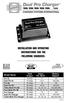 Model Name Total Output Amps Per Bank Battery System Pro XL Dual Pro XL Pro SE Dual Pro SE Three Bank Pro SE Four Bank Pro SE Pro Charger Dual Pro Charger Three Bank Pro Charger 6 amps 12 amps 10 amps
PHOTOVOLTAIC SYSTEM CONTROLLERS SUNSAVER MODELS INCLUDED IN THIS MANUAL SS-6 / SS-6L SS-10 / SS-10L SS-10-24V / SS-10L-24V SS-20L SS-20L-24V
 PHOTOVOLTAIC SYSTEM CONTROLLERS OPERATOR S MANUAL SUNSAVER MODELS INCLUDED IN THIS MANUAL SS-6 / SS-6L SS-10 / SS-10L SS-10-24V / SS-10L-24V SS-20L SS-20L-24V 6A / 12V 10A / 12V 10A / 24V 20A / 12V 20A
Advantium 2 Plus Alarm
 ADI 9510-B Advantium 2 Plus Alarm INSTALLATION AND OPERATING INSTRUCTIONS Carefully Read These Instructions Before Operating Carefully Read These Controls Corporation of America 1501 Harpers Road Virginia
About the BitStorm 6051 POTS Splitter
 BitStorm 6051 Installation Instructions Document Number 6051-A2-GZ40-10 July 2002 About the BitStorm 6051 The BitStorm system enables simultaneous high-speed digital data access and analog voice service
ADM1TE 5/30A DIN rail single phase two wire energy meter
 ADMTE 5/30A DIN rail single phase two wire energy meter. Safety instruction.2 Foreword.3 Performance criteria.4 Specifications.5 Basic errors.6 Description.7 Dimensions.8 Installation.9 Operating.0 Troubleshooting.
AMFA-27 AMFA-29. Operator s Manual & Installation Instructions. Rev. 2.5
 AMFA-27 AMFA-29 Operator s Manual & Installation Instructions Rev. 2.5 Date: 17 July, 2010 Permanently-connected, utility Interactive, single-phase, inverters Model AMFA-27 WIND TURBINE INVERTER (240 VAC
VX 2400 Dimmer User's Manual
 TM VX 2400 Dimmer User's Manual 21-2119C Manual Revision 1.01 Software Version 1.0 10 March 1994 Table of Contents 1. General Description...3 1.1. Standard Features:...3 2. Installing Options...4 2.1.
Video Camera Installation Guide
 Video Camera Installation Guide The intent of this guide is to provide the information needed to complete or modify a video camera installation to avoid lightning and induced power surge damage. This guide
tidesmarine Smart Seal Temperature Alarm System Generation II Installation Instructions Starboard side cable
 tidesmarine Smart Seal Temperature Alarm System Generation II Installation Instructions Starboard side cable Port side cable (with black cable tie attached) Power cable Preparing for Installation 1 Overall
Manual for Fire Suppression & Methane Detection System
 Manual for Fire Suppression & Methane Detection System Fogmaker North America Post address: 150 Gordon Dr Exton, PA 19341 Delivery address: 150 Gordon Dr Exton, PA 19341 Tel: 610-265-3610 Fax: 610-265-8327
HM-W536 Install Guide
 HM-W536 Install Guide 9/13/2013 IMPORTANT SAFETY INSTRUCTIONS Warning - When using electrical devices, basic safety precautions should be followed to reduce the risk of fire, electrical shock or injury.
SOLAR ELECTRIC MODULE ES-124 & ES-62T Owners Manual and Installation Guide
 SOLAR ELECTRIC MODULE ES-124 & ES-62T Owners Manual and Installation Guide circuit. Reverse connection will damage the module and may result in fire. CAUTIONS Solar electric modules produce DC electricity
When any of the following symbols appear, read the associated information carefully. Symbol Meaning Description
 Samba OPLC SM35-J-R20 Installation Guide The Unitronics SM35-J-R20 offers the following onboard I/Os: 12 Digital Inputs, configurable via wiring to include: 1 HSC/Shaft-encoder Input, 2 Analog inputs (only
OWNER S MANUAL. Model AE150/AE300/AE500 1.5AMP MULTI-USE SMART BATTERY CHARGER READ ENTIRE MANUAL BEFORE USING THIS PRODUCT
 Model AE150/AE300/AE500 MULTI-USE SMART BATTERY CHARGER Certified by Californiia BCS Regulations AE300E AE500E 5AMP MULTI-USE AUTOMOTIVE BATTERY CHARGER 3AMP MULTI-USE SMART BATTERY CHARGER AE500E 5AMP
Technical Note Series
 Technical Note Series SKIN CONDUCTANCE SENSOR (SA9309M) S TN0 0 0 8-0 0 S k i n C o n d u c t a n c e S e n s o r Page 2 IMPORTANT OPERATION INFORMATION WARNING Type BF Equipment Internally powered equipment
SYSTEM 4C. C R H Electronics Design
 SYSTEM 4C C R H Electronics Design SYSTEM 4C All in one modular 4 axis CNC drive board By C R Harding Specifications Main PCB & Input PCB Available with up to 4 Axis X, Y, Z, A outputs. Independent 25
DORMA MODEL PS-406BB POWER SUPPLY INSTALLATION INSTRUCTIONS
 Features: INSTALLATION Install in accordance with NFPA 70. DORMA MODEL PS-406BB POWER SUPPLY INSTALLATION INSTRUCTIONS Up to 1.95 Amps Load Capacity Class 2 Rated Outputs Overload, Over Voltage, and Short
How To Use A Cdm250 Digital Multimeter
 User Manual CDM250 Digital Multimeter 070-6736-03 Copyright Tektronix, Inc. 1987. All rights reserved. Tektronix products are covered by U.S. and foreign patents, issued and pending. Information in this
User Manual. English. APC Smart-UPS SC. 1000/1500 VA 110/120/230 Vac. 2U Tower/Rack-Mount Uninterruptible Power Supply
 User Manual English APC Smart-UPS SC 1000/1500 VA 110/120/230 Vac 2U Tower/Rack-Mount Uninterruptible Power Supply 990-1851C, 10/2005 Introduction The APC Uninterruptible Power Supply (UPS) is designed
Always Moving Forward. Operating Manual. Please Read Before Operating Unit. Models DSP1, DSP2 & DSP3 Stripping Pots
 Always Moving Forward Operating Manual Please Read Before Operating Unit Models DSP1, DSP2 & DSP3 Stripping Pots Service and All Spare Parts Available The Eraser Company, Inc. PO Box 4961/ Oliva Drive
UniStream CPU-for-Panel
 UniStream CPU-for-Panel Installation Guide USC-P-B10 Unitronics UniStream platform comprises control devices that provide robust, flexible solutions for industrial automation. This guide provides basic
Vehicle Power Install Kit
 Vehicle Power Install Kit Installation Instructions Intermec Technologies Corporation Worldwide Headquarters 6001 36th Ave.W. Everett, WA 98203 U.S.A. www.intermec.com The information contained herein
Uninterruptible Power Supply
 96-01101 / rev. 2e / 2-2-12 Uninterruptible Power Supply EXCEPTIONAL SUPPORT & PROTECTION Uninterruptible Power Supply with Energy Saver design that is optimized to address the needs of A/V systems Features
Parallel Redundant Uninterruptible Power Supply
 9 315 Parallel Redundant Uninterruptible Power Supply Installation/Operation Manual 164202013 Rev. D ------------------------------------------------------------------------ ------------------------------------------------------------------------
Unpacking the Product. Rack Installation. Then, use the screws provided with the equipment rack to mount the firewall in the rack.
 About This Guide This guide contains step-by-step instructions for setting up the D-Link DFL-260E/860E Firewall. Please note that the model you have purchased may appear slightly different from those shown
Setting Up the Cisco Unified IP Phones
 CHAPTER 3 This chapter includes the following topics, which help you install the Cisco Unified IP Phones on an IP telephony network: Before You Begin, page 3-1 Understanding the Cisco Unified IP Phone
Instruction Manual. 2in1 LAN Tester & Multimeter. Model: LA-1011
 Instruction Manual 2in1 LAN Tester & Multimeter Model: LA-1011 1 Contents Introduction... Features... Safety Precautions.. Meter Description... Electrical Specification... Operation.. AutoRanging Multimeter.
1.44 kw Programmable DC Power Supplies XLN Series
 Data sheet 1.44 kw Programmable DC Power Supplies XLN Series New Family of High Density System Power Supplies The B&K Precision XLN series are compact, programmable, single-output DC power supplies, suitable
SMART SENSOR COLLECTION
 TEMPERATURE SENSOR This sensor measures temperature in degrees Celsius or Fahrenheit. It works with all SensorHawk base units (SensorHawk-2, SensorHawk-8 and SensorHawk8/20) as well as the SecurityHawk-8
How To Use A Power Supply Unit (Upu)
 BRAVER UPS (Uninterruptible Power System) User s Manual Safety CAUTION! This UPS utilizes voltages that may be hazardous. Do not attempt to disassemble the unit. The unit contains no user replaceable parts.
BATTERY BOX INSTALLATION WARNING WARNING CAUTION ATTENTION AVERTISSEMENT ADVERTENCIA PRECAUCIÓN SOLBBOX12V CARTON INVENTORY COMPLETED OVERVIEW
 WARNING CARTON INVENTORY CAUTION with: Charger, Cable 15', Fuses (2), Battery Strap and Strain Relief (2) Model SOLBBOX 12V Battery Not Included AVERTISSEMENT ATTENTION DC Power Adapter 12Vdc to 32Vdc
SYSTEM 45. C R H Electronics Design
 SYSTEM 45 C R H Electronics Design SYSTEM 45 All in one modular 4 axis CNC drive board By C R Harding Specifications Main PCB & Input PCB Available with up to 4 Axis X, Y, Z, & A outputs. Independent 25
PowerFlex 700S and 700H Frame 12 DC Bus Connector Kit
 PowerFlex 700S and 700H Frame 12 DC Bus Connector Kit Installation Instructions This document provides instructions for the installation of a DC bus connector kit for PowerFlex 700S and 700H frame 12 drives
JNIOR. Overview. Get Connected. Get Results. JNIOR Model 310. JNIOR Model 312. JNIOR Model 314. JNIOR Model 410
 The INTEG is an Ethernet I/O (digital, analog) device that monitors and controls a small set of process signals. functions as both basic I/O for integration with another application or system AND as a
AC-DC Converter Application Guidelines
 AC-DC Converter Application Guidelines 1. Foreword The following guidelines should be carefully read prior to converter use. Improper use may result in the risk of electric shock, damaging the converter,