
Technical Application Notes
|
|
|
- Rosemary Beasley
- 9 years ago
- Views:
Transcription
1 Technical Application Notes Creating a Plastics Injection Molding Machine Control Solution Using the Logix Platform, DeviceNet and Bosch-Rexroth High-Speed Closed-Loop Controllers Purpose of this Document: This document will provide useful information for helping a Rockwell Automation customer with understanding the plastics injection molding solution using Logixbased hardware in conjunction with Bosch-Rexroth high speed, closed-loop controllers. It is recommended that the user be familiar with RSLogix5000 and Logix hardware, understand the injection molding process, have basic hydraulic knowledge, and be able to write and interpret ladder and function block code. Additionally, it would be beneficial to have some experience with DeviceNet. This document should be used together with the appropriate Logix User Manual and DeviceNet interface module User Manual, the DN DeviceNet Cable Installation and Wiring Guide, and the Bosch-Rexroth Manuals for the specified hydraulic controllers. Application Description: Rockwell Automation has delivered injection molding control solutions based on the SLC and PLC-5 PLC product lines for many years. This document will provide the injection molding machine user with a Logix-based solution based on Rockwell Automation s newest control platform. This document was developed in conjunction with Bosch-Rexroth to provide a similar solution for new customers as well as existing customers who want to migrate their plastics applications to Logix-based control. The power of the solution lies in the open network architecture and the various SLC, PLC-5, and Logix hardware products available for control, making the new solution very scaleable in terms of memory, I/O, control, and communications. Control System Product Requirements: The following list of hardware and software products is required for implementing the solution as described in this application note: Any Logix controller DeviceNet interface module Various Logix input and output modules Bosch Rexroth Inject Controller (DPQ-2X) Bosch Rexroth Clamp Controller (DPC-1X) RSLogix 5000 software with Function Block activation RSLinx software RSNetworx for DeviceNet software Any Front-End HMI software (i.e. RSView32, ME, or SE) Control Challenges: Reduce overall cycle time of injection molding process Improve process repeatability and flexibility Reduce vibration Reduce scrap and regrinds Simplify recipe changes Simplify reusing this control strategy when integrating it into larger or smaller machines Create a solution that can be used in Logix based injection molding applications as well as MicroLogix 1500, SLC, and PLC-5.

2 System Overview For the purposes of this application note, we ll use a specific example that was implemented and installed on a machine in Rockwell Automation s development lab. Keep in mind, however, that this solution is not limited to Logix-based controllers alone; it has also been successfully implemented with SLC and PLC-5-based controllers as well. The following is a representation of the injection molding system : The configuration for the System consists of the following: DeviceNet Network DeviceNet Scanner DPC-1X (Bosch-Rexroth clamp controller) DPQ-2X (Bosch-Rexroth inject/eject controller) EtherNet Network Ethernet Module HMI Station Development PC (whatever quantity is required during integration process) RIO Network DHRIO Module Redi_Panel Operator Interface/Control Miscellaneous Various I/O modules wired to field devices DPC and DPQ hydraulic controllers are wired to physical valves and sensors to control and read valve outputs, pressures, and positions within the hydraulic circuit Note: This configuration was chosen for a number of reasons (i.e. quickest integration with the existing set of hardware); however, the network could be re-arranged to suit your application. Your Operator Interface/Control could be on DeviceNet, ControlNet, or EtherNet. Your high-level data acquisition system could be connected to the Ethernet backbone to gather and analyze real-time data. Now that you have an idea of what a typical injection molding system looks like, let s get into some specifics relating to this particular application. 2

3 Let s Talk About Our Hardware and Network Components The following are the key components we utilized to build the control hardware/network configuration of this system: 1) ControlLogix The core of our system in this example is the ControlLogix chassis. Within this chassis are all the modules required for sequential and process control, network connectivity, and I/O interfaces to field devices. As shown below, a 13-slot ControlLogix chassis was used for this application (other chassis sizes available: 4, 7, 10, and 17 slot versions). Scaleability of the Logix platform is a key feature for this solution; therefore, the spare slot shown below provides a buffer for potential future expansion with processing, networking, motion, or I/O capabilities. ControlLogix Chassis The contents of the ControlLogix chassis used for our specific test case are described in the following table: Slot # Module Description Function IT6I 6 Point Thermocouple Input Module Returns temperature data from 4 J-type T/C on different barrel locations as well as oil temperature DHRIO Data Highway Plus/Remote I/O Communication Interface Module Interfaces to RediPanel on molding machine IA16 16 point, 120V AC Input Module Wired to limit switches on molding machine IA16 16 point, 120V AC Input Module Wired to limit switches on molding machine OA16 16 point, 120/240V AC Output Module Wired to solenoids on molding machine OA16 17 point, 120/240V AC Output Module Wired to solenoids and temperature outputs Interfaces to HMI, programming terminals, ENET Ethernet Communication Interface Module and upper level systems L63 ControlLogix Controller Provides system controls 8 spare DNB DeviceNet Interface Module Interfaces to Bosch Rexroth Clamp and Inject Controllers spare IB16 16 point, 12/24V DC Input Module Hardwires to Inject/Eject and Clamp Cards 12 OB16I 16 point, DC Isolated Output Module Hardwires to Inject/Eject and Clamp Card Enables and Autos 3

4 Remember, we re providing the above list of specific hardware and software products to help our customers understand this application solution; but, you are NOT limited to these hardware products. One of the powers of this solution lies in its hardware independent nature. Customers may pick and choose their hardware based on their particular application needs (as well as their budget). 2) EtherNet Network Ethernet networking was chosen to support communications between the HMI, programming terminal(s), and upper level management systems. For this application solution, a small, isolated Ethernet network was created as shown below: 3) DeviceNet Network DeviceNet is the interface between the Logix system and the Bosch-Rexroth Clamp and Inject/Eject controllers. DeviceNet triggers are sent to the inject/eject and clamp cards predicated on the following: a) events and conditions programmed through ladder code b) status from the hydraulic controllers. These triggers indicate the sequence of block number(s) in the inject/eject and/or clamp hydraulic controller card. Additional DeviceNet-based hardware (such as PanelViews, Stacklights, sensors, etc.) could be placed on the DeviceNet network as well; however, keep in mind that since time-critical triggers to the hydraulic controllers are sent via DeviceNet, you want to maximize network and machine performance. To that end, it is not recommended that you place any device on the same DeviceNet network that will be continually polling the devices for large amounts of data. 4) Injection Molding Machine This specific injection molding machine solution was integrated onto a Van Dorn 170 HT, with a typical Van Dorn hydraulic circuit with 2 manifolds (1 of these supports both inject and eject) and 3 proportional valves (1 pressure and 2 flow). However, the solution is not limited to this particular hydraulic circuit, to this type or size of machine, or by size of the application. Rockwell Automation recommends you consult your local hydraulics expert or system integrator to review your hydraulic diagrams to ensure optimal performance of your system. (i.e. you want to make sure the hydraulics components have been properly sized for your application). 5) Operator Interface Panel The existing universal RIO (remote I/O) network and RediPanel used with the previously installed control system solutions (SLC and PLC-5) were also used in this solution. Although universal RIO is supported by the Logix platform, RA recommends that you consider using a PanelView on EtherNet or DeviceNet for operator machine controls. This provides you with a more open solution based on the NetLinx Integrated Architecture (for more information on this topic, contact your local RA distributor or Sales Representative). 6) Machine HMI Interface For the purposes of this application, the RSView32 project was developed on an Allen Bradley 6181 Industrial Computer in a Windows 2000 environment. The data is served up to the RSView application through an OPC Server (RSLinx). Data is transmitted from the ControlLogix L63 controller over EtherNet and from the Bosch-Rexroth Inject/Eject and Clamp controllers via the DeviceNet scanner, across the backplane to the EtherNet module, out the EtherNet port to the HMI. This demonstrates one of the key strengths of Rockwell Automation s Integrated Architecture: Seamless bridging and routing. Because the Bosch-Rexroth hydraulic controllers sit 4

5 on DeviceNet (one of Rockwell s core networks), the user has the ability to explicit message to and from the devices directly from the HMI, which bypasses the ControlLogix L63 controller altogether. This greatly reduces the overhead in the controller, allowing for faster scan times and more communication bandwidth; additionally, it reduces the time commitment of the programmer. Because a molding machine can be used to mold numerous parts, the ability to store recipe information is critical. To support this function, an RSView32 extension called RecipePro is utilized. This is a simple add-on to the basic RSView32 package and makes the download and storage functions very easy. Another advantage of using this utility to store your recipes is the conservation of memory space in your sequential controller. For more information on how to use this RSView extension, please refer to the following Rockwell Software manual: 9399-RSVPROGR: RecipePro Getting Results Guide 7) Bosch Hydraulic Controllers Clamp Controller (DPC-1X) The DPC is a digital platform, industrial clamp controller. It optimizes the control of a hydraulic axis for velocity and pressure control. Velocity profiles are controlled completely by use of closed loop position control. An advanced position command profile is calculated automatically based on the operator input velocity profile. Because the DPC is a position control device it requires a position feedback transducer. Both 0 to 10 VDC analog and SSI digital types are supported. The DPC uses constant acceleration type ramping to allow smooth acceleration of the clamp. Position dependant braking technology is used so that even the most demanding systems can be decelerated in the shortest time possible, smoothly and with superb repeatability. The DPC includes pressure-limiting control that can be configured to work with 1 or 2 pressure transducers or a load cell. Advanced control techniques like Active Damping allow precise closed loop control of the most demanding low-natural-frequency systems. The velocity profile and pressure profiles may be controlled with one proportional directional type hydraulic flow control valve, or using separate valves for flow and pressure. The DPC includes DeviceNet communications capability that allows access to all parameters directly from a PLC or computer. All sequence triggers are transmitted to the DPC over DeviceNet. Motion profile set points are normally transferred into the DPC from a PLC or computer. The profile set points may also be entered into the card using RSNetworx for DeviceNet or Bosch Rexroth BODAC software. The DPC is configured to control clamp type applications and all parameters are labeled to be recognizable in clamp applications. There are, however, many other applications that could benefit from the quality of control afforded by the DPC. Typical applications include: Mechanical handling devices Lift and Transfer machines Powder metal presses Angular position for rotary axis Shuttle and Transport axis Inject Controller (DPQ-2X) The DPQ is a digital platform, industrial injection molding controller. It optimizes the control of a hydraulic injection axis and/or a hydraulic ejector axis. Injection velocity profiles are controlled completely by use of closed loop position control. An advanced position command profile is calculated automatically based on the operator input velocity profile. Ejector profiles are controlled either open or closed loop depending on the hydraulic configuration. Because the DPQ is a position control device it requires a position feedback transducer. Both 0 to 10 VDC analog and SSI digital types are supported for the injection axis. The DPQ includes injection pressure-limiting control that can be configured to work with 1 or 2 pressure transducers or a load cell. The injection velocity and pressure profiles may be controlled with one proportional directional type hydraulic flow control valve, or using separate valves for flow and pressure. The DPQ includes DeviceNet communications capability that allows access to all parameters directly from a PLC or computer. All sequence triggers are transmitted to the DPQ over DeviceNet. Motion profile set points are normally transferred into the DPQ from a PLC or computer. The profile set points may also be entered into the card using RSNetworx for DeviceNet or Bosch Rexroth BODAC software. 5

6 The DPQ is configured to control injection molding type applications and all parameters are labeled to be recognizable in injection molding applications. There are, however, many other applications that could benefit from the quality of control afforded by the DPQ. Typical applications include: Transfer molding Extrusion Broaching Rubber molding Accumulator head blow molding Software Components There are 4 Rockwell Automation (RA) software packages that were utilized for this project: RSLogix5000 software package used to program all sequential logic for stepping through the molding process and function block logic for temperature control. RSNetworx for DeviceNet software that lets you configure and monitor devices on DeviceNet networks. RSLinx - a 32-bit product that links RA networks and devices to Microsoft Windows applications. These range from device programming and configuration applications such as RSLogix and RSNetWorx, to HMI applications such as RSView32, to your own data acquisition applications using Microsoft Office, Web pages, or Visual Basic. RSView 32 RA HMI package In addition to these products, Bosch-Rexroth provides their own proprietary Windows-based software (BODAC) for the clamp, inject, and eject hydraulic control of the injection molding process. This software provides another path to get online with the inject and clamp controllers in a quick and easy way through the serial ports located on the faceplate of the hardware. The software (which can be obtained directly from Bosch-Rexroth Industrial Hydraulics Division) has the following functionality: setup, troubleshooting, upload and download parameters, tuning, parameter monitoring, real time graphing, and module diagnostics. Ladder Code Setup The code that was developed for this application was designed to control the most standard injection molding sequences. The code interfaces with the Bosch-Rexroth clamp and inject/eject controllers through DeviceNet triggers and hardwired connections. Additionally, it includes barrel temperature control, machine modes, standard clamp/inject/eject sequences, alarms, etc. For this specific application, the ladder code was developed in conjunction with clamp and inject/eject sequence charts (provided through Bosch-Rexroth technical manuals for DPQ-2X and DPC-1X) which follow the four main phases of the injection molding process: Clamp close During this phase, the clamping cylinder pushes the moving platen towards the stationery platen Inject During this phase, the injection ram advances to shoot molten plastic into the mold cavity, pressurizes it to fill any voids (pack), and holds that pressure as the part cools; the injection ram (screw) then rotates to reload plastic for the next shot. The screw forces the plastic down the screw flights in front of the screw tip. As this occurs, the ram is forced to retract (Plastication). The distance the ram retracts designates the shot size. Clamp open During this phase, the clamping cylinder pulls the moving platen from the stationery platen to open the mold. Eject During this phase, the ejector plate in the mold advances the ejector pins to eject the part from the mold. To understand more about how DeviceNet triggers to the inject/eject and clamp hydraulic controllers are utilized to move through the process stages listed above, reference the sequence charts provided in the Bosch-Rexroth documentation for the DPQ-2X and DPC-1X products. DeviceNet Interface to the Bosch-Rexroth Hydraulic Controllers Rockwell Automation recognizes the strengths and benefits of DeviceNet as one of our core networks. Because of this, when we initiated a relationship with Bosch-Rexroth in this development effort, we mutually agreed to take their existing hydraulic controller technology and design next generation hydraulic controllers whose communications would be based on DeviceNet. Today, the resulting products (DPC-1X clamp controller and DPQ-2X inject/eject controller) are nearing final compliancy approval from ODVA and are marketed through their Sales and Distribution network with DeviceNet connectivity. The trigger as discussed in previous sections of this document simply refers to an energized bit that is scanned in the ladder logic and sends a command to the specified DeviceNet target. Let s look at an example to help you understand this a little better: 6

7 In the ladder rung shown above you can see that the OTE instruction is mapped to the output Local:9:O.Data[0].19 and has a description of Screw Rotate. This is a trigger to the DPQ-2X Bosch-Rexroth Inject/Eject controller to instruct the card to rotate the screw for recovery after a shot was fired. This particular DPQ-2X DeviceNet product has 16 bytes of input data and 4 bytes of output data as shown in the following table. I/O from Bosch-Rexroth Inject Controller I/O Descriptor I/O Type Byte Bit Descriptor Type Byte Bit Transfer Achieved input 1 0 Inject Start output 1 0 Inject Card OK input 1 1 Eject Retract Manual output 1 6 Ejector Fully Retracted input 1 2 Manual Post Decompress output 1 7 Select Ejector Retract Position input 1 3 Clamp Movement output 2 8 End of Pressure Profile input 1 4 Eject Extend output 2 9 End of Decompress input 1 5 Jog Forward output 3 17 At Shot Size input 1 6 Jog Reverse output 3 18 At Ejector Extend input 1 7 Screw Rotate output 3 19 Inject Card Enable input 2 0 Pre-Decompress output 3 22 Inject Cylinder Position Feedack input 3-6 Post-Decompress output 3 23 System/Injection Pressure input 7-10 Eject Forward Manual output 4 25 Ejector Position Feedback input Eject Retract Manual output 4 26 Active Block in Inject Card input Ejector Auto Full retract output 4 27 Ejector Auto Retract to Tip Stroke output 4 28 Inject Card Initialize output 4 31 The same trigger mechanism is applicable to the Bosch-Rexroth clamp controller. As shown in the table below, the Bosch-Rexroth clamp controller supports 12 bytes of input data and 4 bytes of output data, all of which are utilized in the sequencing of the injection molding process. I/O from Bosch-Rexroth Clamp Controller I/O Input Descriptor Type Byte Bit Input Descriptor I/O Type Byte Bit Transfer Achieved input 1 0 Start Close output 1 0 Clamp Card OK input 1 1 Decompress output 1 7 At Open Position input 1 3 Start Open output 2 8 At Tonnage input 1 4 Clamp Open output 3 16 At Closing Force input 1 5 Clamp Close output 3 17 At Decompress Pressure input 1 6 Clamp Card Initialize output 4 31 Clamp Permissive for Ejector input 1 7 Clamp Card Enable input 2 0 Clamp Position Feedback input 3-6 Clamp Pressure input 7-10 Active Block in Clamp input

8 Function Block Setup for Temperature Control One of the benefits of using the Logix platform as the foundation for this application is the addition of Function Block (FB) programming capability. Along with a discrete output module and 6-channel thermocouple module (1756-IT6I), FB provided the basis for barrel temperature control. For this specific application, heat only zones were utilized, so only 4 outputs were required to drive the heater contactors. As shown in the Controller Organizer in the example below, there are 2 function block routines that were created for the temperature control of our machine. The first (Zone_TPO) is called unconditionally from the MainRoutine. There are 4 sheets in this FB routine (1 for each heating zone of the barrel). The SRTP instruction takes the 0-100% output of a PIDE loop in the Zones FB routine (in the Temperature_Control task) and drives the output contacts via a digital pulse. As shown below in the FBD for the Nozzle heating zone, the contactors are not energized until two additional inputs to a BAND instruction are high as well. 8

9 A second FB routine(zones) is unconditionally called from the Atune_Interlock routine and uses enhanced PID instructions to allow the programmer to set up control, setpoint, and alarming values for each heating zone on the barrel. Additionally, the RSLogix 5000 PIDE provides an open-loop autotuner built into the PIDE instruction. You can autotune from the PanelView terminal or any other operator interface device, as well as RSLogix 5000 software. For this application, the Autotune function has already been performed. To view the PID values for each heating zone, go to the zone-specific sheet in the FB routine and click the ellipsis button on the PIDE instruction. Then, go to the Autotune tab to view Autotune data. The application code performs the multi-zone temperature control through function block routines and autotune functions. For a more detailed explanation on how each of these tasks is accomplished, please refer to the following KnowledgeBase Documents located on the website: A : ControlLogix Multi-zone Temperature Control Plastics Industry A : Performing a PIDE Autotune from Logic with the Embedded PIDE Autotune 9

10 Summary To summarize the benefits of the Injection Molding Solution utilizing Logix-based control w/ Bosch-Rexroth hydraulic controllers, let s take a look at how the solution addresses each of the control challenges previously stated in this document: Control Challenges: 1) Increase overall production speed of the injection molding machine High performance closed-loop velocity and pressure regulation for both the inject and clamp control High response ejector profile with multi-stroke capability A comparison to the existing Pro-Set 200 solution shows a marked difference as displayed in the table below: Avg. Cycle Time (sec) Cycle Time Minimum (sec) Cycle Time Maximum (sec) Cycle Time Standard Deviation Pro-Set 200 (SLC-based injection molding control) Logix-based Solution w/ Bosch-Rexroth hydraulic controllers ) Improve process repeatability and reduce scrap / regrinds High-speed program scan in Logix controller improves control and repeatability Control structure specifically designed for hydraulic axes makes control so repeatable that exact setup of the desired profile is possible without allowance for variation Cutting edge performance of injection and clamp controllers is for both old and new injection molding machines. This performance helps minimize scrap and makes the injection and clamp processes completely repeatable 3) Reduce cost and machine vibration Reduce your hardware investment: the injection/ejection card (DPQ) can control up to 3 proportional valves simultaneously; the clamp card (DPC) can control up to 2 proportional valves simultaneously Eliminate leaks due to hydraulic shock by precisely controlling the hydraulic conditions within the system Eliminate vibration to injection molding machine and any peripherals (such as your HMI) due to smooth transitions in clamp movement, acceleration, deceleration, and breaking functions 4) Increase flexibility and improve efficiency Create a solution that can be used in SLC, PLC-5, and Logix-based injection molding applications Simplify reusing this control strategy when integrating it into larger or smaller injection molding machines Use multi-language support in RSLogix 5000 software for closed-loop temperature control of the injection molding barrel Use of the ControlLogix backplane as a bridge device allows easy access to all control and configuration parameters via on-board DeviceNet communications on both clamp and inject/eject controllers without loading the Logix controller with extensive explicit messaging in ladder code Use off-the-shelf controllers, I/O, and communications products and customize to your application specifications Use off-the-shelf front-end HMI products and customize to your application specifications Simplify recipe changes by utilizing extensions to standard HMI products Configuration options on injection/ejection controller to support any type of proportionally controlled hydraulic circuit including one or two valve injection circuits Configuration options on clamp controller to support any hydraulic circuit that uses directional type of proportional control valve 5) Improve overall process control Setup in both clamp and injection/ejection controllers allow enough profile options for total control of the most demanding application True differential force control in the clamp allows the lowest possible mold protect force without affecting the velocity setting Complete closed-loop multi-step open and close profiles for clamp velocity Position-dependent braking allows repeatable, fast, and smooth deceleration of toggle or hydraulic clamps Multiple options for part ejector profile, mold fill, hold pressure, and recovery pressure 10

11 Final Thoughts: The ease of development for an injection molding application has been greatly improved by using the Logix-based programming environment and hardware in conjunction with Bosch-Rexroth Inject/Eject and Clamp Hydraulic controllers. From setting up the hardware, to sequencing the machine processes, to controlling the barrel temperature, to configuring and integrating the Bosch-Rexroth controllers, the use of software and hardware components from Rockwell Automation, a world-class provider of industrial networks and control systems, and Bosch-Rexroth, a world-class provider of hydraulic control technology provides the molding machine OEMs, integrators, and end user with a world-class injection molding solution that utilizes standard, off-the-shelf hardware and software products. Appendix A: Major Differences in Logix, PLC-5 and SLC Solutions The following table provides a comparison of many of the major differences in the Rockwell Automation hardware and software offerings for an injection molding solution: Motion or process Loop Closure location ProSet200 ProSet700 Logix SLC processor I/O controller card (QDC) Bosch-Rexroth Hydraulic Controller Cards Platform SLC PLC-5 All Logix, PLC-5, MicroLogix, and SLC with DNet Comms Loop Closure time 10 msec 2 msec 2 msec or less Temperature Control 1746-BTM 1771-TCM Any Logix standard T/C input HMI platform PanelView, RSView ControlView Any View solution Integrated loop and discrete I/O yes no yes Processor scan time dependant loop closure Flash memory setup and parameters yes no no no no yes Actuals Available yes yes must calculate Appendix B: Application Example and Results The following is a table displaying the operating parameters of a 700-ton injection molding machine before and after converting to Rockwell hardware in conjunction with the Bosch-Rexroth hydraulic controllers. This information was provided by JVH Engineering, a Rockwell Automation System Solution Provider. Notes: The Decompression Repeatability measurement spec is dependent upon barrel size and the following information: This barrel had a shot capacity of 165 oz. and 10.31cc/mm of stroke This measurement was taken at 75% decompress speed Characteristic 700-Ton Before Rebuild World-Class Machine 700-Ton After Rebuild Hydraulic Response (sec/1000 psi) Failed - Pressure never settled Speed Linearity 28.28% 10.00% 8.41% Load Compensation (%kpsi) < Clamp Repeatability (mm) (Clamp Speed Control) Stage Capability (Velocity Pack, Cavity Pressure Transfer) Not capable Capable Capable Ejector Repeatability (mm) * Decompression Repeatability (cc) Not repeatable <25cc Injection Speed (cc/sec) 700 n/a

12 Important User Information Solid state equipment has operational characteristics differing from those of electromechanical equipment. Safety Guidelines for the Application, Installation and Maintenance of Solid State Controls (Publication SGI-1.1 available from your local Rockwell Automation sales office or online at describes some important differences between solid state equipment and hard-wired electromechanical devices. Because of this difference, and also because of the wide variety of uses for solid state equipment, all persons responsible for applying this equipment must satisfy themselves that each intended application of this equipment is acceptable. In no event will Rockwell Automation, Inc. be responsible or liable for indirect or consequential damages resulting from the use or application of this equipment. The examples and diagrams in this document are included solely for illustrative purposes. Because of the many variables and requirements associated with any particular installation, Rockwell Automation, Inc. cannot assume responsibility or liability for actual use based on the examples and diagrams. No patent liability is assumed by Rockwell Automation, Inc. with respect to use of information, circuits, equipment, or software described in this document. Corporate Headquarters Rockwell Automation, 777 East Wisconsin Avenue, Suite 1400, Milwaukee, WI, USA, Tel: (1) , Fax: (1) Headquarters for Allen-Bradley Products, Rockwell Software Products and Global Manufacturing Solutions Americas: Rockwell Automation, 1201 South Second Street, Milwaukee, WI USA, Tel: (1) , Fax: (1) Europe/Middle East/Africa: Rockwell Automation SA/NV, Vorstlaan/Boulevard du Souverain 36, 1170 Brussels, Belgium, Tel: (32) , Fax: (32) Asia Pacific: Rockwell Automation, 27/F Citicorp Centre, 18 Whitfield Road, Causeway Bay, Hong Kong, Tel: (852) , Fax: (852) Headquarters for Dodge and Reliance Electric Products Americas: Rockwell Automation, 6040 Ponders Court, Greenville, SC USA, Tel: (1) , Fax: (1) Europe/Middle East/Africa: Rockwell Automation, Brühlstraße 22, D Elztal-Dallau, Germany, Tel: (49) , Fax: (49) Asia Pacific: Rockwell Automation, 55 Newton Road, #11-01/02 Revenue House, Singapore , Tel: (65) , Fax: (65) Publication RA-AP012A-EN-P September, 2003 Copyright 2003 Rockwell Automation, Inc. All rights reserved. Printed in USA. 1

Technical Application Notes
 Technical Application Notes Programming ControlLogix-Based Systems to Perform Product Tracking Purpose of this document: To provide the OEM machine designer with a guide to programming/implementing product
Module 1 Overview ControlLogix5000
 Module 1 Overview ControlLogix5000 Module Overview This module takes a fundamental approach to a ControlLogix system. It begins with an overview of the architecture and migrates into an introduction of
User Manual. DeviceNet Network Configuration
 User Manual DeviceNet Network Configuration Important User Information Solid-state equipment has operational characteristics differing from those of electromechanical equipment. Safety Guidelines for the
SHORT TRAINING COURSES
 Post Office Box SR 95, Spintex Road, Ghana Tel: +233 302 812680, Fax: +233 302 814709 E mail: [email protected] Website: www.automationghana.com SHORT TRAINING COURSES Equipping industries with
Configuring Allen-Brandly ControlLogix PLC with Moxa MGate 5105-MB-EIP. 1 Application Description... 3. 1.1 Objective... 3 1.2 Goals...
 Moxa MGate 5105-MB-EIP Contents Moxa Technical Support Team [email protected] 1 Application Description... 3 1.1 Objective... 3 1.2 Goals... 3 2 System Topology... 3 3 Hardware and Software Requirements...
User Manual. ControlNet Network Configuration
 User Manual ControlNet Network Configuration Important User Information Solid-state equipment has operational characteristics differing from those of electromechanical equipment. Safety Guidelines for
Multizone Application 1 2-3 >3. MSR300 System. No Software configurable? GuardPLC. Enet RECOMMENDED PRODUCTS. Time Delay MSR138
 AUDIN - 8, avenue de la malle - 51370 Saint Brice Courcelles - Tel : 03.26.04.20.21 - Fax : 03.26.04.28.20 - Web : http: www.audin.fr - Email : [email protected] Selection Flowchart Multizone Application General
Logix5000 Controllers Nonvolatile Memory Card
 Programming Manual Logix5000 Controllers Nonvolatile Memory Card Catalog Numbers 1756 ControlLogix, 1756 GuardLogix, 1768 CompactLogix, 1768 Compact GuardLogix, 1769 CompactLogix, 1789 SoftLogix, PowerFlex
DeviceNet Bus Software Help for Programming an Allen Bradley Control System
 FBP FieldBusPlug V7 DeviceNet Bus Software Help for Programming an Allen Bradley Control System DeviceNet Software Help for Programming an Allen Bradley Control System Contents Page General Purpose...
EtherNet/IP Modules in Logix5000 Control Systems
 EtherNet/IP Modules in Logix5000 Control Systems Catalog Numbers 1756-ENBT, 1756-EN2F, 1756-EN2T, 1756-EN2TR, 1756-EN2TXT, 1768-ENBT, 1769-L23E-QB1B, 1769-L23E-QBFC1B, 1769- L32E, 1769-L35E, 1783-ETAP,
Digital Clamp Axis Control for Hydraulic Molding Machines
 Industrial Hydraulics Electric rives and Controls Linear Motion and ssembly Technologies Pneumatics Service utomation Mobile Hydraulics igital Clamp xis Control for Hydraulic Molding Machines R 08 499/09.03
Stratix 5700 Network Address Translation. Quick Start
 Stratix 5700 Network Address Translation Quick Start Important User Information Solid state equipment has operational characteristics differing from those of electromechanical equipment. Safety Guidelines
ControlNet PLC-5 Hot Backup System
 ControlNet PLC-5 Hot Backup System Cat. No. 1785-CHBM User Manual Important User Information Because of the variety of uses for the products described in this publication, those responsible for the application
2011, The McGraw-Hill Companies, Inc. Chapter 5
 Chapter 5 5.1 Processor Memory Organization The memory structure for a PLC processor consists of several areas, some of these having specific roles. With rack-based memory structures addresses are derived
L5354 ControlNet Communications Interface
 L5354 ControlNet Communications Interface Technical Manual HA470733 Issue 2 Copyright SSD Drives Inc 2005 All rights strictly reserved. No part of this document may be stored in a retrieval system, or
Closed-Loop Motion Control Simplifies Non-Destructive Testing
 Closed-Loop Motion Control Simplifies Non-Destructive Testing Repetitive non-destructive testing (NDT) applications abound, and designers should consider using programmable motion controllers to power
Integrated Architecture Design and Configuration Tools
 Electrical Lighting Automation DataComm Integrated Architecture Design and Configuration Tools -PRESENTED BY Thomas House and Dennis Ward Rockwell Automation Experience the Difference! IA Tools Website
RSLinx-Lite PLC Programming software communication interface. RSLinx-OEM Provides DDE capability for Rockwell DDE capable software.
 H 1 H. RSLinx is a windows based communication software package developed by Rockwell Software to interface to all of the Rockwell and A-B industrial control and automation hardware. RSLinx comes in a
Universal Serial Bus (USB) to DH-485 Interface Converter
 Installation Instructions Universal Serial Bus (USB) to DH-485 Interface Converter Catalog Number 1747-UIC Contents Overview..................................................3 Computer and Operating System
ControlLogix Remote I/O Communication Module
 User Manual ControlLogix Remote I/O Communication Module Catalog Number 1756-RIO Important User Information Solid-state equipment has operational characteristics differing from those of electromechanical
Global Common Controls Software Design (GCCS-2) Course (Version 6.0)
 Global Common Controls Software Design (GCCS-2) Course (Version 6.0) Course No. GCCS8029, (CTIS: 33544) Duration 4 days Recommended RS Logix 5000 Basic Ladder Logic Programming experience Objectives Upon
Linear Motion and Assembly Technologies Pneumatics Service. Understanding the IEC61131-3 Programming Languages
 Electric Drives and Controls Hydraulics Linear Motion and Assembly Technologies Pneumatics Service profile Drive & Control Understanding the IEC61131-3 Programming Languages It was about 120 years ago
Micro800 Programmable Controllers. Bulletin 2080 Selection Guide
 Micro800 Programmable Controllers Bulletin 2080 Selection Guide Important User Information Solid state equipment has operational characteristics differing from those of electromechanical equipment. Safety
MicroLogix 1100 Embedded Web Server
 User Manual MicroLogix 1100 Embedded Web Server Bulletin 1763 Controllers Important User Information Solid-state equipment has operational characteristics differing from those of electromechanical equipment.
L23 DeviceNet Drawing
 4 2 1 Cat. Number 1769-L2-QFC1 Embedded Communication Port Isolated Serial Non-Isolated Serial CompactLogix Capacity CompactLogix Configuration EtherNet/IP Connections Memory Embedded I/O (pre-configured
Application about Communication
 Application about Communication Integration of a MicroMaster Drive with Rockwell ControlLogix using DeviceNet Third-Party Integration Warranty, liability and support Note The application examples are not
Logix5000 Controllers
 Logix5000 Controllers Catalog Numbers 1756 ControlLogix, 1756 GuardLogix, 1768 CompactLogix, 1768 Compact GuardLogix, 1769 CompactLogix, 1789 SoftLogix, PowerFlex with DriveLogix Quick Start Important
PECS The Control System for Extrusion Blow Molding
 PECS The Control System for Extrusion Blow Molding The PECS control system for extrusion blow-moulding machines is based on advanced but proven technology and is easy to use. It enables flexible machine
DeviceNet Motor Control
 Quick-Start Guide for the DN65 DeviceNet I/O Module using Rockwell RSNetWorx version 2.22 or later This Quick-Start Guide provides instructions for configuring a Cutler-Hammer Freedom full voltage, non-reversing
(Cat. No. 6008-SI) Product Data
 (Cat. No. 6008-SI) Product Data 1 Because of the variety of uses for this product and because of the differences between solid state products and electromechanical products, those responsible for applying
Allen-Bradley. ControlLogix Gateway System (Cat. No. 1756 series) User Manual
 Allen-Bradley ControlLogix Gateway System (Cat. No. 1756 series) User Manual Important User Information Because of the variety of uses for the products described in this publication, those responsible
Design, Operate, and Maintain Your Logix/Factory Talk HMI System
 Design, Operate, and Maintain Your Logix/Factory Talk HMI System Fred Habenschuss & Tim Menge Rev 5058-CO900C Design, Operate, and Maintain Your Logix/Factory Talk HMI System Session Description This workshop
1769 CompactLogix Packaged Controllers
 1769 CompactLogix Packaged Controllers Quick Start and User Manual (Catalog Numbers 1769-L23E-QB1B, 1769-L23E-QBFC1B, and 1769-L23-QBFC1B) Important User Information Solid state equipment has operational
Safety Function: Door Monitoring
 Application Technique Safety Function: Door Monitoring Products: Trojan 5 Switch, GuardLogix Controller Safety Rating: CAT. 3, PLd to ISO 13849-1: 2008 Topic Page Important User Information 2 General Safety
Programming Manual Catalog Numbers 1756 ControlLogix, 1769 CompactLogix, 1789 SoftLogix, 1794 FlexLogix, PowerFlex 700S with DriveLogix
 Logix5000 Controllers Sequential Function Charts Programming Manual Catalog Numbers 1756 ControlLogix, 1769 CompactLogix, 1789 SoftLogix, 1794 FlexLogix, PowerFlex 700S with DriveLogix Important User Information
CompactLogix 5370 L1 Programmable Automation Controllers
 Insert Photo Here CompactLogix 5370 L1 Programmable Automation Controllers Copyright 2013 Rockwell Automation, Inc. All rights reserved. Copyright 2013 Rockwell Automation, Inc. All rights reserved. 2
SLC 5/05 Processors Firmware/Operating System ControlFLASH Upgrade
 Installation Instructions SLC 5/05 Processors Firmware/Operating System ControlFLASH Upgrade Catalog Numbers 1747-DU501 Topic Page System Requirements 3 Install ControlFLASH 3 Prior to Running ControlFLASH
PLCs and SCADA Systems
 Hands-On Programmable Logic Controllers and Supervisory Control / Data Acquisition Course Description This extensive course covers the essentials of SCADA and PLC systems, which are often used in close
Perform Common Process Loop Control Algorithms
 Perform Common Process Loop Control Algorithms Using the PIDE Instruction Introduction This white paper discusses how to use the features inherent in the Enhanced PIDE instruction in the RSLogix 5000 Function
Drive Software Wizards v2.4
 Release Notes Drive Software Wizards v2.4 This release notes describes major revision 2, minor revision 4 of drive software wizards for DriveExplorer (v5.02 and higher), DriveTools SP (v4.01 and higher)
Understanding the IEC61131-3 Programming Languages
 profile Drive & Control Technical Article Understanding the IEC61131-3 Programming Languages It was about 120 years ago when Mark Twain used the phrase more than one way to skin a cat. In the world of
Using Ladder Logic Instructions to Communicate with an Ethernet IP Nexus Unit
 Communicating to an AMCI Ethernet IP Nexus unit is typically accomplished by using a scanner module in the PLC rack. However, it is also possible to communicate with these units directly using instructions
Building a groov HMI for Allen-Bradley Logix Systems. About groov. Building a groov HMI for Allen-Bradley Logix. A-B Systems and groov
 About groov Opto 22 s groov makes it easy to build and deploy simple, effective operator interfaces for your system. groov is browser-based and uses only Internet standards (HTML5, CSS3, SVG, SSL). That
FLEX I/O Isolated Analog Modules
 FLEX I/O Isolated Analog Modules 1794-IF4I, -OF4I, IF2XOF2I, -IF4IXT, -IF4ICFXT, -OF4IXT, IF2XOF2IXT User Manual Important User Information Solid state equipment has operational characteristics differing
SECTION 16926 CONTROL SOFTWARE
 SECTION 16926 CONTROL SOFTWARE PART 1 GENERAL 1.01 SUMMARY: A. Contractor shall furnish a complete control software package for the Red River Wastewater Treatment Plant and the Northeast Wastewater Treatment
Reference Manual. Pressure/Temperature Compensated Flow (P_PTComp) Version 3.1
 Reference Manual Rockwell Automation Library of Process Objects: Pressure/Temperature Compensated Flow (P_PTComp) Version 3.1 Important User Information Read this document and the documents listed in the
Introduction To SCADA and Telemetry
 Introduction To SCADA and Telemetry Joe Mullaney Senior I&C Engineer MSE Technology Applications, Inc. Tetragenics Division [email protected] Overview Definitions What is SCADA? What is Telemetry?
Industry White Paper. Ensuring system availability in RSView Supervisory Edition applications
 Industry White Paper Ensuring system availability in RSView Supervisory Edition applications White Paper Ensuring system availability in RSView Supervisory Edition applications Rockwell Software, Visualization
Comprehensive Range of Industrial Products and Solutions
 Comprehensive Range of Industrial Products and Solutions SAFETY AUTOMATION Micro Controllers Small Controllers Mid Range Controllers Large Automation Controllers Safety Programmable Controller Motion Controller
SuperIOr Controller. Digital Dynamics, Inc., 2014 All Rights Reserved. Patent Pending. Rev: 5-16-14 1
 SuperIOr Controller The SuperIOr Controller is a game changer in the world of high speed embedded control. The system combines incredible speed of both control and communication with revolutionary configurable
FlexPak 3000 Digital DC Drive Software Reference Manual Version 4.3
 FlexPak 3000 Digital DC Drive Software Reference Manual Version 4.3 Instruction Manual D2-3405-2 The information in this manual is subject to change without notice. Throughout this manual, the following
Integrated Motion on the EtherNet/IP Network: Configuration and Startup
 User Manual Original Instructions Integrated Motion on the EtherNet/IP Network: Configuration and Startup ControlLogix, CompactLogix, Kinetix 350, Kinetix 5500, Kinetix 5700, Kinetix 6500, PowerFlex 527,
CompactLogix Power Supplies Specifications
 Technical Data CompactLogix Power Supplies Specifications 1768 CompactLogix Power Supplies Catalog Numbers 1768-PA3, 1768-PB3 1769 Compact I/O Power Supplies Catalog Numbers 1769-PA2, 1769-PB2, 1769-PA4,
Email: 1 [email protected], 2 [email protected]
 INDUSTRIAL AUTOMATION WITH ELECTRO PNEUMATIC SYSTEM USING PLC & WIRELESS/LAN ENVIRONMENT - A REMOTE EXPERIMENT 1 Nitin Sapre, 2 Dr. S Mohan Kumar 1 Drives & Control Academy, Bosch Rexroth India Limited,
Hard Disk Drive (HDD)
 Installation Instructions Hard Disk Drive (HDD) Catalog Number 6189V-35HDDST80, 6189V-35HDDST160 Topic Page About This Publication 1 Important User Information 2 Electrostatic Discharge (ESD) Precautions
Solar Tracking Application
 Solar Tracking Application A Rockwell Automation White Paper Solar trackers are devices used to orient photovoltaic panels, reflectors, lenses or other optical devices toward the sun. Since the sun s position
PowerFlex 700S and 700H Frame 12 DC Bus Connector Kit
 PowerFlex 700S and 700H Frame 12 DC Bus Connector Kit Installation Instructions This document provides instructions for the installation of a DC bus connector kit for PowerFlex 700S and 700H frame 12 drives
Digital Single Axis Controller
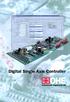 Digital Single Axis Controller The concept of intelligent hydraulic drive a vision? DSAC (Digital Single Axis Controller) Do you need hydraulic servo drive for your machine/system? What would it be like
DeviceNet Scanner Module
 Installation Instructions DeviceNet Scanner Module Catalog Number 1771-SDN/C Contents Use this document as a guide to install your 1771-SDN/C Scanner Module. To: understand important user information See
SECTION G2: CABLE PROCESSOR MODULE MAINTENANCE
 SECTION G2: CABLE PROCESSOR MODULE MAINTENANCE Cable Processor Module overview WARNING! When tipping the Cable Processor Module back, (after removing the toggle arm pin), use extreme caution not to drop
Logix5000 Controllers Import/Export Project Components
 Programming Manual Logix5000 Controllers Import/Export Project Components Catalog Numbers 1768-L43, 1768-L45 Important user information Read this document and the documents listed in the additional resources
(Cat. No. 1775-L3) Product Data
 (Cat. No. 1775-L3) Product Data When it comes to programmable controllers, the more power you can put into a chassis slot, the more control potential you have. The PLC-3 programmable controller, already
Application/Connection Examples
 This Quick Start Guide is designed to familiarize the user with the connection and configuration of the DTS-305 DIN rail mounted single / 3 phase power & energy meter with RS-485 or TCP communications.
1 Application Description... 3. 1.1 Objective... 3 1.2 Goals... 3
 Contents Moxa Technical Support Team [email protected] 1 Application Description... 3 1.1 Objective... 3 1.2 Goals... 3 2 System Topology... 3 3 Hardware and Software Requirements... 4 4 Configuration...
EDI Distributor Control Interface Wiring and Setup Instructions
 Universal I/O EDI Distributor Control Interface Wiring and Setup Instructions EDI UNIVERSAL I/O INTERFACE MODULE The only interface needed for EDI-V5 controls Network compatible with all older EDI controls
Technical Training Module ( 30 Days)
 Annexure - I Technical Training Module ( 30 Days) Section 1 : Programmable Logic Controller (PLC) 1. Introduction to Programmable Logic Controller - A Brief History, Need and advantages of PLC, PLC configuration,
How to read this guide
 How to read this guide The following shows the symbols used in this Quick start guide with descriptions and examples. Symbol Description Example P oint Reference Caution [ ] This symbol explains information
In this section we tell you how to set the fault mode selection plug, key your I/O chassis, install your module and make your wiring connections.
 Installation Data This document provides information on: important pre-installation considerations power supply requirements initial handling installing the module using the indicators for troubleshooting
Application Technique. Safety Function: Magnetic Door Switch Monitoring
 Application Technique Safety Function: Magnetic Door Switch Monitoring Products: MC1 Magnetically-coded Door Switch, Guardmaster Dual-input Safety Relay Safety Rating: CAT. 3, PLd to EN ISO 13849-1: 2008
Software INTERACT. MachineLogic. The Shortest Distance Between Man and Machine
 Software INTERACT MachineLogic The Shortest Distance Between Man and Machine Fully IntegrateYour HMI and PC-Based Control With MachineShop Project Management MachineShop s Project Management is a simple,
RSLinx Enterprise GETTING RESULTS GUIDE. PUBLICATION LNXENT-GR001K-EN-E August 2014 Supersedes Publication LNXENT-GR001J-EN-E
 RSLinx Enterprise GETTING RESULTS GUIDE PUBLICATION LNXENT-GR001K-EN-E August 2014 Supersedes Publication LNXENT-GR001J-EN-E Contact Rockwell Customer Support Telephone 1.440.646.3434 Online Support http://www.rockwellautomation.com/support/
RSView 32 SPC GETTING RESULTS GUIDE. PUBLICATION VWSPC-GR001D-EN-E July 2011 Supersedes Publication VWSPC-GR001C-EN-E
 RSView 32 SPC GETTING RESULTS GUIDE PUBLICATION VWSPC-GR001D-EN-E July 2011 Supersedes Publication VWSPC-GR001C-EN-E Contact Rockwell Customer Support Telephone 1.440.646.3434 Online Support http://support.rockwellautomation.com
WA Manager Alarming System Management Software Windows 98, NT, XP, 2000 User Guide
 WA Manager Alarming System Management Software Windows 98, NT, XP, 2000 User Guide Version 2.1, 4/2010 Disclaimer While every effort has been made to ensure that the information in this guide is accurate
CHAPTER 2 INJECTION MOULDING PROCESS
 CHAPTER 2 INJECTION MOULDING PROCESS Injection moulding is the most widely used polymeric fabrication process. It evolved from metal die casting, however, unlike molten metals, polymer melts have a high
Logix5000 Controllers Function Block Diagram
 Programming Manual Logix5000 Controllers Function Block Diagram 1756 ControlLogix, 1756 GuardLogix, 1769 CompactLogix, 1769 Compact GuardLogix, 1789 SoftLogix, 5069 CompactLogix, Studio 5000 Logix Emulate
NEW GENERATION PROGRAMMABLE AUTOMATION CONTROLLER
 NEW GENERATION PROGRAMMABLE AUTOMATION CONTROLLER NEW GENERATION PROGRAMMABLE AUTOMATION CONTROLLER Understanding what a PAC is starts from the understanding of PLC. A PLC is a Programmable Logic while
Logix5000 Controllers Import/Export Project Components Programming Manual. Programming Manual
 Logix5000 Controllers Import/Export Project Components Programming Manual Programming Manual Important User Information Solid state equipment has operational characteristics differing from those of electromechanical
CompactLogix 5370 L1 Controllers
 Quick Start CompactLogix 5370 L1 Controllers Catalog Numbers 1769-L16ER-BB1B, 1769-L18ER-BB1B, 1769-L18ERM-BB1B Important User Information Read this document and the documents listed in the additional
User Manual. PowerFlex 525 Embedded EtherNet/IP Adapter
 User Manual PowerFlex 525 Embedded EtherNet/IP Adapter Important User Information Solid-state equipment has operational characteristics differing from those of electromechanical equipment. Safety Guidelines
Allen-Bradley/Rockwell
 MANUFACTURER DATA SHEET PLC-CPU Manufacturer: Allen-Bradley/Rockwell Model Number: SLC500 See www.geomartin.com for additional PDF datasheets Martin Part Number: E-014624-00 VendorPartNumber: 1747-L524
Programmable Logic Controller PLC
 Programmable Logic Controller PLC UPCO ICAI Departamento de Electrónica y Automática 1 PLC Definition PLC is a user friendly, microprocessor based, specialized computer that carries out control functions
Designed for multi-injector endurance testing, the
 Designed for multi-injector endurance testing, the ETB Test Bench can optionally provide shot-to-shot mass measurement. The injectors are precisely subject to variable controls and hydraulic pressures
LADDER LOGIC/ FLOWCHART PROGRAMMING DIFFERENCES AND EXAMPLES
 page 1/10 This document is designed as a quick-start primer to assist industrial automation programmers who are familiar with PLCs and Relay Ladder Logic programming to better understand the corresponding
Configuring SMC-Flex for Communications over Remote I/O Network using 20-COMM-R Card This document is intended to be used for reference purposes only.
 Configuring SMC-Flex for Communications over Remote I/O Network using 20-COMM-R Card This document is intended to be used for reference purposes only. Objective: This document is intended to provide an
for both the Verbatim Gateway and Catalyst Autodialer EtherNet Options
 RSLogix 5000 Configuration for both the Verbatim Gateway and Catalyst Autodialer EtherNet Options Addendum 1.0 Revision History Rev # Description Author/Editor Date 1.0 Original Davey Hudson 05/01/2015
SE05: Getting Started with Cognex DataMan Bar Code Readers - Hands On Lab Werner Solution Expo April 8 & 9
 SE05: Getting Started with Cognex DataMan Bar Code Readers - Hands On Lab Werner Solution Expo April 8 & 9 Learning Goals: At the end of this lab, the student should have basic familiarity with the DataMan
Simplify Data Acquisition with a Built-in LXI Web Server
 M E A S U R E M E N T T I P S Volume 9, Number 3 Simplify Data Acquisition with a Built-in LXI Web Server Snapshot: Make temperature measurements quickly and easily There are many applications in which
Optimize your simple machines... Modicon M218 Selection Guide
 Optimize your simple machines... Modicon M218 Selection Guide Compact Solution for Simple Machines Optimized Logic Controller Modicon M218 With intelligent software platform, specialized functional s,
EXPERIMENT 2 TRAFFIC LIGHT CONTROL SYSTEM FOR AN INTERSECTION USING S7-300 PLC
 YEDITEPE UNIVERSITY ENGINEERING & ARCHITECTURE FACULTY INDUSTRIAL ELECTRONICS LABORATORY EE 432 INDUSTRIAL ELECTRONICS EXPERIMENT 2 TRAFFIC LIGHT CONTROL SYSTEM FOR AN INTERSECTION USING S7-300 PLC Introduction:
Installation Instructions
 Installation Instructions Use these installation instructions to set up the lab for the DeviceNet seminar. The DeviceNet lab exercises require the following components. Advanced Programming Software (APS)
FactoryTalk ViewPoint Quick Start Guide
 FactoryTalk ViewPoint Quick Start Guide Publication FTVP-QS002F-EN-E - September 2015 Supersedes Publication FTVP-QS002E-EN-E Important user information Read this document and the documents listed in the
DeviceNet Communication Manual
 DeviceNet Communication Manual Soft-Starter Series: SSW-07/SSW-08 Language: English Document: 10000046963 / 00 03/2008 Summary ABOUT THIS MANUAL... 5 ABBREVIATIONS AND DEFINITIONS... 5 NUMERICAL REPRESENTATION...
JNIOR. Overview. Get Connected. Get Results. JNIOR Model 310. JNIOR Model 312. JNIOR Model 314. JNIOR Model 410
 The INTEG is an Ethernet I/O (digital, analog) device that monitors and controls a small set of process signals. functions as both basic I/O for integration with another application or system AND as a
Inwall Room Temperature Unit
 Inwall Room Temperature Unit TM11B01KNX TM11B11KNX TM11B21KNX Product Handbook Product: Inwall Room Temperature Unit Order Code: TM11B01KNX TM11B11KNX TM11B21KNX Application Program ETS: TM11B_1KNX Inwall
SCADA System. Application Guide
 SCADA System Application Guide Important User Information Solid state equipment has operational characteristics differing from those of electromechanical equipment. Safety Guidelines for the Application,
Logix5000 Controllers Design Considerations
 Reference Manual Logix5000 Controllers Design Considerations Catalog Numbers 1756 ControlLogix, 1756 GuardLogix, 1768 CompactLogix, 1768 Compact GuardLogix, 1769 CompactLogix, 1789 SoftLogix, CompactLogix
RSView 32 ACTIVE DISPLAY SYSTEM GETTING RESULTS GUIDE. PUBLICATION VW32AD-GR001E-EN-E July 2011 Supersedes Publication VW32AD-GR001D-EN-E
 RSView 32 ACTIVE DISPLAY SYSTEM GETTING RESULTS GUIDE PUBLICATION VW32AD-GR001E-EN-E July 2011 Supersedes Publication VW32AD-GR001D-EN-E Contact Rockwell Copyright Notice Trademark Notices Customer Support
Example. Fluid Power. Circuits
 Example Fluid Power Circuits To Enhance Symbol Reading Skills To Work On Circuit Reading Skills With Answers HI LO Pump Circuit 18 A1 B1 17 16 15 13 Set 14 2,000 PSI PG2 Set 500 PSI 12 11 7 8 10 PG1 9
UNIT 1 INTRODUCTION TO NC MACHINE TOOLS
 UNIT 1 INTRODUCTION TO NC MACHINE TOOLS Structure 1.1 Introduction Objectives 1.2 NC Machines 1.2.1 Types of NC Machine 1.2.2 Controlled Axes 1.2.3 Basic Components of NC Machines 1.2.4 Problems with Conventional