
AM-3. Access Controller. Installation Instructions
|
|
|
- Juniper Andrews
- 9 years ago
- Views:
Transcription
1 Access Controller Installation Instructions (760) FAX (760) USA & Canada (800) & (800) Toll Free FAX (800)

2 Contents Introduction Operation Hardware Features Software Highlights Feature Overview Accessory Overview PBUS Accessories Wiegand Accessories Component Locations Wiring Diagram Important Mounting Requirements Mounting Relay Output Wiring Power, Battery, & Ground Wiring Telephone Wiring PBUS Accessories Wiegand Accessories RS-232 Port Optional Network Connection Specifi cations Troubleshooting Linear Limited Warranty FCC Notice Introduction The Access Controller is designed for use as a primary access control device for gated communities, parking garages, offi ce buildings, apartments, dormitories, hotels/motels, commercial buildings and recreational facilities. Housed in a lockable, plastic enclosure, the features a 2-digit LED display, nine status indicators, four relay indicators with four relay activation pushbuttons. Three programming buttons, a reset button, and a power indicator are present. The enclosure is monitored with a magnetic tamper switch. The system controls its four output relays by responding to various input devices that react to proximity cards, transmitters, and entry codes. The four relay output channels can be programmed to control electric door strikes, magnetic locks, door & gate operators, or barrier gates. Access is granted or denied depending on the current user s authorization to gain access and system settings that control groups of users or all users. Complete access control event logging, access time restriction, access location restriction, and administration functions are also available to manage the installation. The is network ready. units can be interconnected with Linear s AE-1000 and AE-2000 Telephone Entry Systems through a 3-wire RS-485 network. Two sets of Wiegand inputs are available for connection to 26, 30, or 31-bit Wiegand devices (card readers, etc.). Two sets of PBUS inputs are available for connection to Linear s line of remote accessories. The can be powered from a Volt AC or DC source. DC power can be obtained from the access device or AC power from a separate power transformer. The system supports and charges a 12-volt backup battery for operation during power outage. Low battery detection circuitry monitors the backup battery s condition. The EEPROM memory retains all entry codes and programming, even without power. Operation In a typical installation, the unit s memory would be programmed with each resident s name and entry code number. Ariving visitors would use a remote keypad to enter their entry code. Also proximity receivers, swipe card readers, and other remote devices can be used with the system. Block coded MegaCode transmitters can be used to gain access through a remote radio receiver connected to the PBUS. Each transmitter can be individually suspended or re-activated. The system s clock/calendar can control access based on specifi c times and dates. Automatic relay activation can be scheduled. Access can be restricted to certain times and dates. Holiday access can be scheduled. The system s event log records system activity for future reference. 2

3 Hardware Features FOUR FORM C (N.O. & N.C) RELAYS Each relay has 24-volt rating with a status indicator and relay latching pushbutton FOUR REQUEST-TO-EXIT INPUTS Activates access device for exiting using a hardwired switch FOUR SENSING INPUTS For sensing door position to control door-ajar and alarm features, or for access inhibit timer NINE STATUS INDICATORS Display access, reader, and system information OPTIONAL MODEM Compatible with the Model ACM-1 plug-in modem for telephone communications with system RS-232 COMMUNICATIONS PORT RS-232 port for direct connection to printer or computer SUPPORT Multiple units can be connected together to share data EXPANSION INTERFACE SUPPORT Model AM-MIO accessory adds aditional input and outputs to the ON-BOARD CLOCK/CALENDAR CIRCUIT Stamps the event log data as it is stored in the system s memory WIEGAND INPUTS Two Wiegand format card reader inputs for connection to external devices LINEAR PBUS SUPPORT Two PBUS input/output ports for connection to Linear accessories BACKUP BATTERY SUPPORT Built-in backup battery charging circuit POWER FAILURE MONITOR AC power input is monitored, power outages are recorded in the event log Software Highlights COMPUTER PROGRAMMABLE No dedicated programmer required, program with a computer and a modem LARGE ENTRY CODE CAPACITY Up to 20,000 entry codes 2-8 digits in length can be used for gaining access LARGE TRANSMITTER CAPACITY Up to 45,600 block coded and 20,000 individually enrolled Linear transmitters can be used for gaining access TRANSMITTER FACILITY CODE SUPPORT Identifies wireless transmitters by installation LARGE CARD CAPACITY Up to 45,600 block coded and 20,000 individually enrolled cards can be used for gaining access FOUR INDEPENDENT RELAY CHANNELS Each output s action is programmable PROGRAMMABLE TIME SCHEDULED RELAY ACTIVATION Activation for up to four time periods for each of the 32 system time zones PROGRAMMABLE TIME ZONE ACCESS VALIDATION Validation during four time periods for each of the 32 system time zones PROGRAMMABLE VALIDATION DAYS Select days of the week access is allowed PROGRAMMABLE HOLIDAY DAYS Select up to 24 expiring & 24 non-expiring holidays for access restriction OBSTACLE TRANSMITTER SUPPORT Compatible with Linear s Model MGT transmitter EVENT LOG Stores each system event in memory for record keeping DELETED CARDHOLDER DATABASE System logs deleted cardholders for future identification TIMED ANTI-PASSBACK Disables entry code for a programmed time after use Feature Overview Relay Outputs Four 3-amp dry contact relay outputs are provided to activate four access devices, such as door strikes, magnetic locks, automatic doors, barrier gates, and automatic sliding gates. The relay outputs can also be used for alarm contact shunting, operator obstacle triggering, and alarm activation. Each of the four relays can also be manually activated from buttons on the front of the. LED indicators display the status of each relay. Request-to-Exit Inputs Each relay channel has a request-to-exit input. These inputs are supplied for hardwire activation of the access devices. Typically a request-to-exit input is wired to a pushbutton inside of the access controlled area. When a person desires to exit, pressing the pushbutton will activate the output relay channel and trigger the access device. A loop detector for automatic gate operation can be connected to a request-to-exit input. Sensing Inputs The sensing inputs connect to door switches that monitor whether the controlled door is open or closed. The sensing inputs may alternately be programmed as access inhibit inputs for use with an external timer or service switch. Optional Modem A modular connector is provided for telephone line connection to the unit s optional 33.6K baud modem. The system can be accessed remotely for programming and control over the standard telephone system using a personal computer with a modem. For system backup, a computer connected through the modem can store and retrieve the s memory data. RS-232 Communications Port A modular connector is provided for the bi-directional 38.4K baud RS-232 port. The s RS-232 port connects to a personal computer s COM port. System programming can be performed locally with a computer connected to the RS-232 port. Obstacle Detection Linear s Model MGT safety edge transmitter is compatible with the. The MGT detects and transmits obstacle events to the. Programming Memory The s fl ash memory retains all entry codes, transmitter information, card access, and programming, even without power. Computer Programming The system programming can be accessed using a computer and modem using Linear s AccessBase2000 custom software. Battery Backup The system supports a 12-volt battery backup for operation during power outage. The system will charge the backup battery when AC power is present. Network Support Multiple, AE-1000, & AE-2000 units can be networked together allowing information sharing between the units. Networked units are interconnected with a three-wire cable. A common event log is retained for all of the networked units. Linear PBUS Ports Two 6-wire Linear PBUS input/output ports are available to connect to several accessories (keypads, proximity readers, remote receivers). 3

4 Accessory Overview PBUS ASSESSORIES * AM-KPI INTERIOR KEYPAD AM-KP EXTERIOR KEYPAD AM-RPR RADIO PROXIMITY RECEIVER AM-RRR REMOTE RADIO RECEIVER ACCESS CONTROLLER WOR WIEGAND OUTPUT RECEIVER AM-PR PROXIMITY READER AM-CRI CARD READER INTERFACE WIEGAND ASSESSORIES PBUS Accessories Several compatible accessories are available to connect to the s two 6-wire communications PBUS inputs. Up to six PBUS accessories can be used with each unit. AM-RRR Remote Radio Receiver For wireless transmitters, connect the Model AM- RRR high-gain superheterodyne UHF receiver. The receiver is housed in a weather-resistant enclosure and can be mounted indoors or outdoors. Gaskets and a weather-tight wiring strain relief seal the unit AM-RRR AM-RPR # * AM-KP AM-KPI AM-CRI from the elements. AM-RPR Remote Proximity Receiver The Model AM-RPR functions as a remote device that supplies localized radio reception for the In a typical installation, the AM-RPR would be mounted in a plastic single-gang electrical box next to the controlled opening. When the user requires access, their transmitter must be activated within three inches of the AM-RPR faceplate. AM-KP Exterior Keypad The Model AM-KP is housed in a rugged cast aluminum enclosure designed for exterior installations. The die-cast keys have bright, easy-to-read yellow graphics. The keypad can be mounted to a pedestal or directly to a wall. A keylock secures the keypad to the mounting backplate. AM-KPI Interior Keypad The Model AM-KPI keypad is housed in a rugged, plastic enclosure designed to be mounted indoors in a standard single-gang electrical box. Tamper resistant screws secure the keypad to its mounting plate. The die-cast keys have bright, easy-to-read yellow graphics and is illuminated with white LEDs.The keypad is supplied with a satin-chrome bezel and three interchangeable colored bezels (white, ivory, & bronze) to customize the keypad appearance for the installation. AM-CRI Card Reader Interface The Model AM-CRI expands the standard two Wiegand inputs by supporting one or two additional 26-bit Wiegand input devices per AM-CRI interfaces used. Each AM-CRI connects to the s PBUS inputs. Wiegand Accessories Two Linear accessories are available to connect WIEGAND format devices to the. Most other manufacturer s 26, 30 & 31-bit WIEGAND output devices can also be used with the. WOR Wiegand Output Radio Receiver For block-coded Linear wireless transmitters, connect the Model WOR high-gain superheterodyne UHF receiver. The receiver is housed in a weatherresistant enclosure and can be mounted indoors or outdoors. Gaskets and a weather-tight wiring strain WOR AM-PR relief seal the unit from the elements. AM-PR Proximity Reader The Model AM-PR is a radio-based reader that works with either proximity tags (Model AM-PT) or proximity cards (Model AM-PC), both of which are slotted to attach to key rings. Upon reading a user s tag or card, it transmits the entry data via a Wiegand output to the. An integral LED confi rms to the user that access is granted. 4

5 Component Locations POWER INDICATOR STATUS/PROGRAM DISPLAY ARROW BUTTONS STATUS INDICATORS ACCESS CONTROLLER RESET BUTTON RELAY INDICATORS (4) ENTER BUTTON RELAY LATCH BUTTONS (4) COM PORT CONNECTOR TELEPHONE LINE CONNECTOR TERMINAL BLOCKS AM-MIO INTERFACE CONNECTOR (HIDDEN) POWER SWITCH 5

6 Wiring Diagram RELAY RATING: 3 30 VOLTS AC/DC MAXIMUM ELECTRIC STRIKE STRIKE POWER SUPPLY CHANNEL B CHANNEL D EARTH REQUEST-TO-EXIT SENSE PBUS TAMPER POWER COM. N.C. N.O. COM. N.C. N.O... RTE-A. RTE-B RTE-C. RTE-D DS-A. DS-B DS-C. DS-D PWR.. DAT1 DAT0 DVAL PCLK T1 T2 AC-DC AC-DC PWR DAT1 DAT0 DVAL PCLK PBUS DEVICE UP TO SIX PBUS DEVICES CAN BE USED WITH EACH N.C POWER INPUT VOLTS AC OR DC 250 ma MIN. GATE OPERATOR OPEN CABINET TAMPER SWITCH EARTH GROUND STAKE EXIT REQUEST BUTTON "A" EXIT REQUEST BUTTON "B" "B" SENSE CONTACT "A" SENSE CONTACT 16 VAC 20 VA TRANSFORMER GATE EXIT LOOP SENSOR GATE OPERATOR OPEN THIS WIRING EXAMPLE SHOWS: ACCESS WITH A STRIKE ON RELAY CHANNEL "A" ACCESS WITH A MAGNETIC LOCK ON RELAY CHANNEL "B" GATE ACCESS WITH A GATE OPERATOR ON RELAY CHANNEL "C" AE-1000 AE-2000 AE-1000 AE-2000 AE-1000 AE-2000 MAGNETIC LOCK LOCK POWER SUPPLY WIEGAND DEVICE PWR DAT0 DAT1 LED1 HOLD TWO WIEGAND DEVICES CAN BE USED WITH EACH WIEGAND DEVICE LED2 PWR DAT0 DAT1 LED1 HOLD UP TO SIX PBUS DEVICES CAN BE USED WITH EACH PBUS DEVICE LED2 PWR DAT1 DAT0 DVAL PCLK MULTIPLE UNITS REFER TO SECTION FOR WIRING OPTIONS RS-232 PORT PHONE LINE COM. N.C. N.O. COM. N.C. N.O. PWR.. DAT0 DAT1 LED1 HOLD LED2 PWR.. DAT0 DAT1 LED1 HOLD LED2 PWR.. DAT1 DAT0 DVAL PCLK NET-A NET-B BAT- BAT+ CHANNEL A CHANNEL C READER A READER B PBUS BATTERY 12 VOLT BATTERY BACKUP BATTERY 12V LEAD-ACID TO DEDICATED TELEPHONE LINE (OPTIONAL MODEL ACM-1 MODEM REQUIRED) 6 FOR LOCAL COMPUTER CONNECTION USE LINEAR MODEL A2C SERIAL COMPUTER CABLE

7 Important Mounting Requirements The Access Control System can be installed for public or private use. The mounting requirements for remote keypads will vary depending on the installation. Review the following information before starting the installation. Mounting Environment Consider the environmental factors at the desired mounting location. Although the exterior keypads are designed for direct outdoor installations, it is necessary to protect the from extreme exposure to sun, driving rain, or snow. Mounting the unit in a kiosk can provide extra environmental protection. Use a Model CAB-3 (P/N ACP00913) cabinet for mounting the outdoors. Follow Building Codes Check all local building codes and ordinances prior to installing the system. Proper installation of the conforming to the local building codes for access control equipment is a regulatory requirement. The and remote keypad installation is an extremely important and integral part of the overall access control system.?????? Mounting Location If the is used to control a door or pedestrian gate, locate the remote keypad as near as practical to the entry point. If the unit is mounted on or in a wall adjacent to the entry point, be sure the wall is sturdy. The repeated shock and vibration from a slamming access door or springloaded pedestrian gate must be isolated from the keypad. NEVER MOUNT THE KEYPAD DIRECTLY TO A MOVING OR GATE!! Gate Installations If the is used to control a gate operator connected to a vehicular gate, the remote keypad MUST be mounted AT LEAST 10 feet away from the gate (open and closed) and gate operator. AT NO TIME SHOULD A PERSON BE ABLE TO TOUCH THE GATE OR GATE OPERATOR AND THE KEYPAD AT THE SAME TIME. 10 FEET MINIMUM Vehicle Traffic Do not mount the remote keypad where it extends into any traffi c lane. Locate the gooseneck pedestal or entry kiosk so all parts of the keypad are outside the traffi c lane. Locate the keypad clear of any turn-around lanes vehicles use when access is denied. KEYPAD EDGE OF TRAFFIC LANE Americans with Disability Act (A.D.A.) Requirements THE FOLLOWING WHEELCHAIR ACCESS REQUIREMENTS ARE FOR PUBLIC CONTROL INSTALLATIONS ONLY. 1. If the clear fl oor space allows only forward approach to the keypad, the maximum high forward reach allowed is 48 above grade to the top of the keypad. 2. If the high forward reach to the keypad is over an obstruction of greater than 20 but less than 25, the maximum high forward reach allowed is 44 above grade to the top of the keypad. 3. If the clear fl oor space allows parallel approach by a person in a wheelchair, the maximum high side reach shall be 54 above grade to the top of the keypad. 4. If the high side reach is over an obstruction of 24 or less, the maximum high side reach allowed is 46 above grade to the top of the keypad. 7

8 Mounting Standard Cabinet The cabinet is designed to be mounted directly to a wall or fl at surface. Wiring access for power, telephone, earth ground, control output must be available at the mounting location. For easier wiring, choose a well lit location. Wiring access for remote accessory cables must also be available at the mounting location. 1. Flip the cabinet s cover up to unlock the hinges and remove the cover from the case. 2. To make cabinet mounting easier, the can be removed from the cabinet (optional). 3. If using conduit for wiring, punch out the selected cabinet wiring knockouts. 4. Use the cabinet as a template and mark the locations for the four cabinet mounting screws in the keyhole slots. 5. Mark the wiring access slot if the wiring is being routed from behind the cabinet. 6. Use a hole saw to cut out the location for the wiring access slot (if used). 7. Use four screws and appropriate screw anchors to mount the cabinet to the wall. 8. If the was removed to mount the cabinet, replace the. 9. After the installation s wiring and programming are complete, replace the cabinet s cover and secure it with the two screws provided. Outdoor Cabinet To protect the unit outdoors, the can be mounted inside a Linear Model CAB-3 (P/N ACP000913) outdoor metal cabinet. Wiring access for power, telephone, earth ground, control output must be available at the mounting location. For easier wiring, choose a well lit location. Wiring access for remote accessory cables must also be available at the mounting location. 1. Open the cabinet s cover and push it in to latch it open. 2. Punch out the selected cabinet wiring knockouts. 3. Use the cabinet as a template and mark the locations for the four cabinet mounting screws. 4. Use four screws and appropriate screw anchors to mount the cabinet to the wall. 5. Mount the inside the cabinet with four 6-32 screws. 6. After the installation s wiring and programming are complete, lower the cabinet s cover and secure it with a lock. FOR CONDIUT WIRING, PUNCH OUT REQUIRED KNOCKOUTS AND INSTALL 3/4" CONDUIT HUBS IN HOLES USE THE CABINET BOTTOM AS A TEMPLATE TO MARK THE FOUR KEYHOLE MOUNTING HOLES FOR RECESSED WIRING, MARK WIRING SLOT, THEN CUT OUT HOLE WITH DRYWALL SAW USE THE APPROPRIATE HARDWARE TO MOUNT THE CABINET CONDUIT KNOCKOUTS FOR CONDUIT WIRING, REMOVE ANY CABINET KNOCKOUTS BEFORE MOUNTING THE CABINET MOUNTS IN CAB-3 CABINET WITH FOUR 6-32 SCREWS CAB-3 CABINET 8

9 Relay Output Wiring Any of the four relay outputs channels (A-D) can be used to control access devices on doors or gates. Door or Pedestrian Gate Control 1. Install a low voltage electric door strike or magnetic lock as a locking device for the door or pedestrian gate. 2. Install the power supply or transformer for the locking device. DO NOT POWER THE FROM THIS POWER SUPPLY. 3. Connect one wire from the power supply to one wire from the locking device. 4. Route two wires between the locking device and the AM -3. Connect one wire to the remaining wire of the locking device. Connect the other wire to the remaining wire of the power supply. 5A. For a door strike, connect the wires to the relay COM & N.O. terminals. 5B. For a magnetic lock, connect the wires to the relay COM & N.C. terminals. Gate Control 1. Route two wires between the gate and the. 2. Connect the gate operator s OPEN terminals to the relay COM & N.O. terminals. NOTE: For operator wiring specifi cs, refer to the gate operator s wiring diagram. Request-to-Exit Inputs Each of the four relay outputs has a request-to-exit input terminal. Grounding this terminal will activate the associated relay. Exit request inputs are typically used with push bars, loop sensors, or pushbuttons. 1. Install the pushbutton or device to signal an exit request. 2. Route two wires from the device to the. 3. Connect the device s normally open output to the wires. 4. To activate a relay channel, connect the wires to the associated relay request-to-exit terminal (RTE-A, RTE-B, RTE-C, or RTE-D) and a terminal. Sensing Inputs The sensing inputs can connect to a door switch that monitors whether the controlled door is open or closed. 1. To use the door sense feature to detect forced entry or door ajar conditions, install a normally closed door switch on the door or pedestrian gate and route two wires from the switch to the. 2. Connect the sensing device wires to the associated relay sensing terminal (DS-A, DS-B, DS-C, or DS-D) and a terminal. TYPICAL STRIKE HOOKUP ELECTRIC STRIKE STRIKE POWER SUPPLY TYPICAL MAGNETIC LOCK HOOKUP MAGNETIC LOCK LOCK POWER SUPPLY TYPICAL AUTOMATIC GATE HOOKUP GATE OPERATOR RELAY RATING: 3 30 VOLTS AC/DC MAXIMUM EXIT REQUEST BUTTON OR GATE EXIT LOOP SENSOR OPEN N.C. COM N.O. RELAY CHANNEL A, B, C, OR D N.C. COM N.O. RELAY CHANNEL A, B, C, OR D N.C. COM N.O. RELAY CHANNEL A, B, C, OR D REQUEST-TO-EXIT RTE-A, B, C, OR D RTE = REQUEST-TO-EXIT SENSE CONTACT NOTE: SENSE CONTACT IS NORMALLY CLOSED SENSE DS-A, B, C, OR D DS = SENSE 9

10 Power, Battery, & Ground Wiring Power Wiring NOTE: DO NOT APPLY POWER UNTIL THE INSTALLATION IS COMPLETE. TURN MASTER POWER SWITCH OFF BEFORE WIRING. 1. Route two wires between the and the power transformer. For power wire runs up to 100 feet, use 18 AWG, 600-volt insulated wire. For power wire runs up to 200 feet, use 16 AWG, 600-volt insulated wire. 2. Connect the wires to the transformer. Connect the other end of the wires to the AC1 & AC2 terminals. Backup Battery Use of battery backup is optional. It will allow the to operate for short periods of time without AC power. The door or gate access device must use some type of battery backup of its own for the entire system to be functional. Use a 12-volt gel-cell type battery. Up to a 7-amp/hr battery will fi t into the cabinet. Do not use a 6-volt battery. NOTE: A backup battery is not required to maintain the AM -3 clock/calendar and programming memory during power outages. 1. Route two battery leads between the and the backup battery. 2. Connect the Battery positive to the BAT+ terminal and the negative to the BAT- terminal. NOTE: The supplies battery charging current. An external battery charger is not required to maintain the battery. Earth Ground For the best ground, use size 12 gauge solid wire or larger to connect the to an 8-foot copper ground rod. Locate the ground rod next to the Power and Telephone company rods and bond the rods together with a new clamp. Do not disturb the clamps installed by the Power or Telephone Company. Alternately, connect to a metalic cold water pipe for the earth ground. 1. Connect the wire from the earth ground to the s EARTH GROUND terminal. POWER AC-DC AC-DC BATTERY BAT BAT 12 VOLT BATTERY EARTH GROUND.. 16 VAC 20 VA TRANSFORMER NOTE: THE WILL SUPPLY CHARGING CURRENT FOR THE BACKUP BATTERY EARTH GROUND STAKE 10

11 Telephone Wiring For programming, the connects to a standard telephone line. NOTE: The optional Model ACM-1 modem is required for telephone communications to the controller. Important Telephone Wiring Tips DO NOT ROUTE TELEPHONE AND AC WIRING INSIDE THE SAME CONDUIT. Route all telephone wires inside a dedicated conduit that is at least six inches away from any AC line wiring. All telephone wiring must be made on the building side of the telephone company s demarcation device (the terminal block where the telephone line connects to the building). If any security system or personal alert system at the installation is connected to the telephone line, be sure that it is connected to the line ahead of the using a RJ-31X interface. Use only high-quality telephone wire. All telephone wire should be twisted-pair with a minimum size of 24 AWG. Typical Telephone Wiring 1. Connect a double-ended modular cable between the s PHONE LINE jack and the modular telephone jack wired to the installation s telephone line. TELEPHONE LINE JACK DOUBLE-ENDED MODULAR TELEPHONE CORD INCOMING DEDICATED TELEPHONE LINE JACK PBUS Accessories Several accessories (keypads, proximity readers, remote receivers) can be connected to the s two PBUS input/output ports. A typical application for a remote keypad would be to control a second door or gate. Linear s PBUS devices compatible with the are: AM-RRR Remote Radio Receiver AM-RGR Remote Radio Receiver AM-RPR Radio Proximity Receiver AM-KP Exterior Keypad AM-KPI Interior Keypad AM-CRI Card Reader Interface 1. Mount and install the accessory as described in its installation instructions. 2. Route 6-conductor cable from the to the accessory. For wire runs up to 300 feet use 24 AWG Belden Type 9931 or equivalent. For wire runs up to 500 feet use 20 AWG Weico Type 9405 or equivalent. 3. Set the DEVICE ADDRESS rotary switch in the accessory to a unique address number. When programming the system, the device address number will identify each PBUS accessory to the. 4. Connect the 6-conductor cable to the accessory and the. PBUS NOTE: UP TO SIX PBUS DEVICES MAY BE CONNECTED TO THE TWO SETS OF PBUS PWR DAT1 DAT0 DVAL PCLK PWR DAT1 DAT0 DVAL PCLK REMOTE PBUS DEVICE SET THE REMOTE DEVICE ADDRESS SWITCH TO A UNIQUE DEVICE ADDRESS 11

12 Wiegand Accessories The two Wiegand inputs (READER A & B) can connect to a large variety of 26, 30, and 31-bit Wiegand output accessories. The Wiegand format is a common standard for access control equipment. A typical application would be to add swipe card or proximity readers to the system. NOTE: Depending on the Wiegand accessory used, the LED1, LED2, and HOLD connections may not be required. LED1 output is switched to ground during non-access time. LED2 output is switched to ground for one second during access time. 1. Mount and install the Wiegand accessory as described in its installation instructions. 2. Route a cable from the to the accessory. For wire runs up to 300 feet use 24 AWG Belden 9931 or equivalent. For wire runs up to 500 feet use 20 AWG Weico 9405 or equivalent. 3. Connect the cable to the accessory and the as shown in the fi gure. READER PWR PWR DAT0 DAT0 DAT1 DAT1 LED1 LED1 HOLD HOLD LED2 LED2 REMOTE WIEGAND DEVICE NOTE: THE LED1, LED2, AND HOLD CONNECTIONS MAY NOT BE REQUIRED DEPENDING ON THE WIEGAND DEVICE USED RS-232 Port A modular connector is provided for the bi-directional 38.4K baud RS-232 port. The s RS-232 port connects to a personal computer s COM port. System programming can be performed locally with a computer connected to the RS-232 port. RS-232 PORT COMPUTER'S COM PORT LINEAR MODEL A2C SERIAL COMPUTER CABLE SET COMPUTER COM PORT BAUD RATE TO 38,400 BPS NOTE: USE A DB-25 TO DB-9 CABLE ADAPTER IF REQUIRED 12

13 Optional Network Connection Linear s, AE-1000, & AE-2000 Access Control Systems can be connected together in a network. A network will allow sharing programming and user information between the systems. Program each unit to a different network Node Address. Network wiring conforms to 3-wire RS-485 electrical specifi cations. Units connected in the network can be wired using one unit as a hub or by wiring from one unit to the next in daisy-chain fashion. See the fi gures for wiring options. Use Belden 9925 or Carol C0600 shielded cable or equivalent. Maximum wire run distance is 4000 feet. NOTE: Be sure to connect the cable s shield to one of the terminals. Home-run Network 1. Mount and install the units for the network. 2. Choose one unit to be the Network Master. Usually this would be a centrally located or main unit. 3. Route 3-conductor shielded cable from the Master unit to one of the other units. Repeat this step to connect the Master unit to each of the other units. 4. Connect the 3-conductor cable to each unit s terminals. Daisy-chain Network 1. Mount and install the units for the network. 2. Route 3-conductor shielded cable from one unit to the next unit until there is cabling run to all of the units. 3. Connect the 3-conductor cable to each unit s terminals. ACCESS CONTROL HOMERUN USING ONE UNIT AS A MASTER MASTER UNIT "1" NET-B NET-A SHIELD SHIELD NOTE: GROUND CABLE SHIELDS ONLY AT ONE END SHIELD UNIT "2" NET-B NET-A UNIT "3" NET-B NET-A UNIT "4" NET-B NET-A MASTER UNIT "1" NET-B NET-A SHIELD UNIT "2" NET-B NET-A ACCESS CONTROL USING "DAISY CHAIN" WIRING SHIELD UNIT "3" NET-B NET-A NOTE: GROUND CABLE SHIELDS ONLY AT ONE END SHIELD UNIT "4" NET-B NET-A 13

14 System Controls Pushbuttons Refer to the fi gure for the location of each of the eight pushbuttons. SYSTEM RESTART BUTTON will reboot the system s microcontroller. NO SYSTEM INFORMATION WILL BE ERASED. ENTER BUTTON press to accept the value on the STATUS/PROGRAM display during programming, press to clear an indication during the supervisory display. UP BUTTON adds one to the value on the STATUS/PROGRAM display. DOWN BUTTON subtracts one from value on the STATUS/PROGRAM display. RELAY A LATCH press to latch relay A, press again to un-latch. RELAY B LATCH press to latch relay B, press again to un-latch. RELAY C LATCH press to latch relay C, press again to un-latch. RELAY D LATCH press to latch relay D, press again to un-latch. SYSTEM RESTART BUTTON STATUS/PROGRAM DISPLAY "UP" BUTTON "DOWN" BUTTON Display The STATUS/PROGRAM display will show system conditions and can be used to aid system setup. Status Mode While the system is running, the display will show the current system status. Normally the left digit will show a moving pattern and the right digit will show the unit s Network Node number. When a supervisory condition exists, the display will cycle to show the condition(s). When an item is displayed, press the ENTER button to clear the display (clears the display only, the condition may still exist). Refer to the following table for the supervisory condition display codes. "ENTER" BUTTON RELAY "A" LATCH RELAY "B" LATCH RELAY "C" LATCH RELAY "D" LATCH STATUS MODE DISPLAY DISPLAY CONDITION 01 MGT TRANSMITTER STATUS EXCEPTION 02 MGT TRANSMITTER LOW BATTERY 03 MGT TRANSMITTER TAMPER 04 AC POWER FAIL (BACKUP BATTERY REQUIRED) 05 CHANNEL A LOCKED CLOSED 06 CHANNEL B LOCKED CLOSED 07 CHANNEL C LOCKED CLOSED 08 CHANNEL D LOCKED CLOSED Program Mode Options for up to ten system settings can be controlled in Program Mode. By viewing the STATUS/PROGRAM display and using the UP, DOWN, and ENTER pushbuttons, the various options can be set for each of the system settings. Refer to the following steps to change the system settings: 1. To enter Program Mode, press and hold the UP and DOWN pushbuttons for one second. 2. The display will alternate between the system setting number and the option value currently set for it. When showing the system setting number, the left digit of the display will show the system setting number (0-9) and the right digit of the display will be blank. When showing the option value both display digits are used to show the 2-digit option value. 3. Press the ENTER button while the system setting number is displayed to advance the system setting number. 4. Press the UP or DOWN button while the option value is displayed to change the option value. NOTE: A unique network address (1-8) must be set before communicating with network. The master node must be set to 1 (default). 14 SYSTEM IDLE RIGHT DIGIT SHOWS NODE ADDRESS LEFT DIGIT CIRCULATES STATUS MODE DIGITS SHOW SUPERVISORY CODE PROGRAM MODE DISPLAY ALTERNATES STATUS/PROGRAM DISPLAY RIGHT DIGIT BLANK DIGITS SHOW THE OPTION VALUE LEFT DIGIT SHOWS THE SYSTEM SETTING NUMBER PROGRAM MODE DISPLAY SYSTEM SETTING NUMBER VALID OPTION VALUES 0 NODE ADDRESS 00-08

15 System Diagnostics Several indicators on the are for monitoring the system during operation. When calling for technical assistance, Linear s Technical Services Department may ask the installer to use these indicators to diagnose the system. Indicators 15 LED indicators are on the. Refer to the fi gure for the location of each indicator. POWER lights when AC or DC power is present. STATUS/PROGRAM DISPLAY shows supervisory and status conditions, also used for some local programming. DECODE lights when a credential has been successfully decoded. VALIDATE lights when a credential is determined to be valid. ACCESS GRANTED lights when a credential is validated and access is granted. PBUS blinks when any PBUS device is successively decoded. READER A fl ashes when Wiegand A device is successively decoded. READER B fl ashes when Wiegand B device is successively decoded. fl ashes in response to network traffi c. HOST ON-LINE lights when the Host PC is connected to the Master Node. BACKUP BATTERY LOW lights when backup battery measures low. RELAY A ACTIVE lights when the Channel A relay is energized. RELAY B ACTIVE lights when the Channel B relay is energized. RELAY C ACTIVE lights when the Channel C relay is energized. RELAY D ACTIVE lights when the Channel D relay is energized. STATUS/PROGRAM DISPLAY POWER RELAY "A" ACTIVE DECODE VALIDATE RELAY "B" ACTIVE ACCESS GRANTED READER "A" READER "B" P-BUS RELAY "C" ACTIVE RELAY "D" ACTIVE HOST ON-LINE BACKUP BATTERY LOW Specifications MECHANICAL Case dimensions: 11.5 W x 12.5 H x 3.5 D ELECTRICAL Voltage: Volts AC or Volts DC Current: 850 ma 12 Volts DC Backup Battery: 12 Volt DC Outputs: Relay Channels A-D Form C 3 30 Volts maximum Inputs: Four normally closed door sense inputs Four normally open request-to-exit inputs Two WIEGAND reader inputs Two PBUS inputs Network: Three-wire network ENVIRONMENTAL Temperature: -22 F to 149 F (-30 C to 65 C) Humidity: 5% to 95% non-condensing 15

16 Troubleshooting System completely dead 1. No power from transformer. Check voltage at transformer terminals. System will not answer an incoming call 1. Automatic telephone answer disabled. 2. telephone line trouble. 3. ACM-1 Modem not installed or not installed correctly (check that all the modem pins are correctly in the modem socket). Entry code will not activate relay 1. Entry code not set up for proper relay. Remote PBUS device does not work 1. Check remote device address switch setting. 2. Check remote device for power. Remote keypad will not activate a relay 1. Entry code is not assigned. 2. Keypad may be in lockout from too many incorrect attempts. Wait one minute for lockout to clear and try again. Transmitter does not activate relay 1. Transmitter button setting programmed to no relay (would effect all transmitters). 2. Transmitter block not enrolled. 3. Specifi c transmitter is deactivated in the system. Linear Limited Warranty This Linear product is warranted against defects in material and workmanship for twenty-four (24) months. The Warranty Expiration Date is labeled on the product. This warranty extends only to wholesale customers who buy direct from Linear or through Linear s normal distribution channels. Linear does not warrant this product to consumers. Consumers should inquire from their selling dealer as to the nature of the dealer s warranty, if any. There are no obligations or liabilities on the part of Linear Corporation for consequential damages arising out of or in connection with use or performance of this product or other indirect damages with respect to loss of property, revenue, or profit, or cost of removal, installation, or reinstallation. All implied warranties, including implied warranties for merchantability and implied warranties for fi tness, are valid only until Warranty Expiration Date as labeled on the product. This Linear Corporation Warranty is in lieu of all other warranties express or implied. All products returned for warranty service require a Return Product Authorization Number (RPA#). Contact Linear Technical Services at for an RPA# and other important details. FCC Notice Changes or modifi cations not expressly described in this manual or approved by the manufacturer could void the user s authority to operate the equipment. This equipment has been tested and found to comply with the limits for a Class B digital device, pursuant to Part 15 of the FCC Rules. These limits are designed to provide reasonable protection against harmful interference in a residential installation. This equipment generates, uses and can radiate radio frequency energy and, if not installed and used in accordance with the instructions, may cause harmful interference to radio communications. However, there is no guarantee that interference will not occur in a particular installation. If this equipment does cause harmful interference to radio or television reception, which can be determined by turning the equipment off and on, the user is encouraged to try to correct the interference by one or more of the following measures: Reorient or relocate the receiving antenna. Increase the separation between the equipment and receiver. Connect the equipment into an outlet on a circuit different from that to which the receiver is connected. Consult the dealer or an experienced radio/tv technician for help. Copyright 2004 Linear Corporation A

AE-500. Telephone Entry & Access Control System. Installation Instructions
 AE-500 Telephone Entry & Access Control System Installation Instructions USA & Canada (800) 421-1587 & (800) 392-0123 (760) 438-7000 - Toll Free FAX (800) 468-1340 www.linearcorp.com Contents Introduction...
INSTALLATION/PROGRAMMING INSTRUCTIONS 928 ENTRYCHECK
 3580 Willow Lane, Westlake Village, CA 91361-4921 (805) 494-0622 Fax: (805) 494-8861 www.sdcsecurity.com E-mail: [email protected] INSTALLATION/PROGRAMMING INSTRUCTIONS 928 ENTRYCHECK INTRODUCTION
AE-500. Telephone Entry & Access Control System. Facility Manager s Guide
 AE-500 Telephone Entry & Access Control System Facility Manager s Guide USA & Canada (800) 421-1587 & (800) 392-0123 (760) 438-7000 - Toll Free FAX (800) 468-1340 www.linearcorp.com Contents Contents...2
AC-115 Compact Networked Single Door Controller. Installation and User Manual
 AC-115 Compact Networked Single Controller Installation and User Manual December 2007 Table of Contents Table of Contents 1. Introduction...5 1.1 Key Features... 6 1.2 Technical Specifications... 7 2.
AE-100. Commercial Telephone Entry System. Installation and Programming Instructions
 AE-100 Commercial Telephone Entry System Installation and Programming Instructions USA & Canada (800) 421-1587 & (800) 392-0123 (760) 438-7000 - Toll Free FAX (800) 468-1340 www.linearcorp.com Contents
25 Code GTO Digital Keypad
 2 Code GTO Digital Keypad Instructions for Wired and Wireless Installations (FM1-G only) Thank you for purchasing the GTO Digital Keypad. Be sure to read the directions carefully and completely. Before
PERS-2400B PERSONAL EMERGENCY REPORTING SYSTEM. Installation, and Operation Instructions
 PERS-400B PERSONAL REPORTING SYSTEM BY BY Installation, and Operation Instructions USA & Canada (800) 4-587 & (800) 9-0 (760) 48-7000 - Toll Free FAX (800) 468-40 www.linearcorp.com CONTENTS. FRONT PANEL
TAC1 Telephone Entry System Installation and Programming Manual
 TAC Telephone Entry System 4 7 3 6 8 9 Installation and Programming Manual The Chamberlain Group 84 Larch Ave. Elmhurst, IL 66-96 www.liftmaster.com TABLE OF CONTENTS SPECIFICATIONS 3 Cable Requirements
SCREENLOGIC INTERFACE WIRELESS CONNECTION KIT
 SCREENLOGIC INTERFACE WIRELESS CONNECTION KIT FOR INTELLITOUCH AND EASYTOUCH CONTROL SYSTEMS INSTALLATION GUIDE IMPORTANT SAFETY INSTRUCTIONS READ AND FOLLOW ALL INSTRUCTIONS SAVE THESE INSTRUCTIONS Technical
Wireless Alarm System. Window/Door Sensor. User s Manual. Choice ALERT. Control all Sensors & accessories from one location
 45131 Wireless Alarm System Window/Door Sensor User s Manual Choice ALERT Control all Sensors & accessories from one location Table of Contents Important Safeguards 4 Introduction 5 Installation 6 Assigning
EQUIPMENT SPECIFICATIONS
 EQUIPMENT SPECIFICATIONS IC-1600 Intelligent Controller The IC-1600 Intelligent Controller is a fully intelligent panel that has a complete database on board. It operates in conjunction with the Access
ScreenLogic Wireless Connection Kit. Installation Guide. pool/spa control system
 pool/spa control system ScreenLogic Wireless Connection Kit Installation Guide P/N 520663 - Rev B 8 Technical Support Contact Technical Support at: Sanford, North Carolina (8 A.M. to 5 P.M.) Phone: (800)
Installation Instructions. Wireless Adapter/Repeater. Introduction. 30-3001-887 Rev C
 /Repeater Installation Instructions 30-3001-887 Rev C Workstation Ethernet bcx Controller Repeater Repeater Introduction Schneider Electric has designed a device that allows Andover Continuum controllers
InnoMedia ESBC 9380-4B. Quick Install Guide. www.innomedia.com 1
 InnoMedia ESBC 9380-4B Quick Install Guide www.innomedia.com 1 Table of Contents Introduction 2 Package Contents 2 CAUTION 2 Installation 3 Wall-Mounting Instructions 5 Troubleshooting 6 Appendix A. LED
NOTE: It is the responsibility of the installation organization to have only technically qualified personnel performing the installation.
 This quick start guide provides, basic installation information, drawings, first time power-on instructions, and short descriptions of key terms and concepts for installing the EntraGuard Platinum Telephone
2013 VTech Printed in China 91-009656-000 US
 Rechargeable Power Pack User s Manual 2013 VTech Printed in China 91-009656-000 US INTRODUCTION The Rechargeable Power Pack makes it easier than ever to keep the InnoTab 3 or InnoTab 3S charged and ready
InnoMedia ESBC 9580-4B. Quick Install Guide. www.innomedia.com 1
 InnoMedia ESBC 9580-4B Quick Install Guide www.innomedia.com 1 Table of Contents Introduction 2 Package Contents 2 CAUTION 2 Installation 3 Wall-Mounting Instructions 5 Troubleshooting 6 Appendix A. LED
Wireless Alarm System. Alarm Siren. User s Manual. Choice ALERT. Control all Sensors & accessories from one location
 45136 Wireless Alarm System Alarm Siren User s Manual Low Batt On Armed ON/OFF LEARN Choice ALERT Control all Sensors & accessories from one location Table of Contents Important Safeguards 4 Introduction
ETC TWO STAGE ELECTRONIC TEMPERATURE CONTROL
 RANCO INSTALLATION INSTRUCTIONS ETC TWO STAGE ELECTRONIC TEMPERATURE CONTROL Relay Electrical Ratings PRODUCT DESCRIPTION The Ranco ETC is a microprocessor-based family of electronic temperature controls,
Weather Radio Alarm Clock
 1200093 User s Guide Weather Radio Alarm Clock Thank you for purchasing your Weather Radio Alarm Clock from RadioShack. Please read this user s guide before installing, setting up, and using your new weather
AccessBase2000 Users Guide For use with: AccessBase2000 v 1.1
 AccessBase2000 Users Guide For use with: AccessBase2000 v 1.1 September 2004 (760) 438-7000 USA & Canada (800) 421-1587 & (800) 392-0123 Toll Free FAX (800) 468-1340 www.linearcorp.com TABLE OF CONTENTS
RE-2. Residential Telephone Entry System. Installation, Programming, and Operation Instructions. With Built-in Wireless Receiver
 Residential Telephone Entry System With Built-in Wireless Receiver Installation, Programming, and Operation Instructions (760) 438-7000 USA & Canada (800) 421-1587 & (800) 392-0123 Toll Free FAX (800)
Dialog Telephone Interface Module Installation Sheet
 Dialog Telephone Interface Module Installation Sheet Description The Dialog Telephone Module (DTIM), model number 60-879- 95R, is a battery operated communication link between the security system control
Wireless Alarm System. Panic Button. User s Manual. Choice ALERT. Control all sensors, accessories and remote transmitters from one location
 Wireless Alarm System Panic Button User s Manual Choice ALERT Control all sensors, accessories and remote transmitters from one location Table of Contents Important Safeguards 4 Introduction 5 Activating
Alliance System Ordering Guide
 Alliance System Ordering Guide Multiple Technologies Versatile Hardware Powerful Software One family of parts and accessories Version 12-Nov-03 Alliance System Ordering Guide Table of Contents Controllers
Advantium 2 Plus Alarm
 ADI 9510-B Advantium 2 Plus Alarm INSTALLATION AND OPERATING INSTRUCTIONS Carefully Read These Instructions Before Operating Carefully Read These Controls Corporation of America 1501 Harpers Road Virginia
Home Security Alarm System
 Home Security Alarm System User Manual (ALM-S02) Read manual carefully before use. PiSector Inc., USA www.pisector.com Thank you for purchasing this home security alarm system. For your safety and better
RC8021 Indoor Camera Installation Guide
 RC8021 Indoor Camera Installation Guide P/N: 957YL502GJ Document Version: 1.0 Copyright 2011. All Rights Reserved. All trademarks and trade names are the properties of their respective owners i Package
PERS-3600B PERSONAL EMERGENCY REPORTING SYSTEM INSTALLATION & OPERATION INSTRUCTIONS
 PERS-600B PERSONAL EMERGENCY REPORTING SYSTEM BY BY INSTALLATION & OPERATION INSTRUCTIONS USA & Canada (800) -587 & (800) 9-0 (760) 8-7000 - Toll Free FAX (800) 68-0 www.linearcorp.com CONTENTS CONTROL
SECTION 13850 DETECTION AND ALARM
 SECTION 13850 DETECTION AND ALARM PART 1 GENERAL 1.01 SUMMARY A. Section Includes 1. Control Panel 2 Associated Equipment B. Products Installed But Not Supplied Under This Section 1. Section 16140 - Wiring
466-1936 Rev E October 2004 ZZZ*(6HFXULW\FRP. Part No: 60-883-95R. CareGard. User Guide
 ) *(6HFXULW\ 466-1936 Rev E October 2004 ZZZ*(6HFXULW\FRP Part No: 60-883-95R CareGard User Guide FCC Notices FCC Part 15 Information to the User Changes or modifications not expressly approved by GE Security
Wireless Home Security System Product Manual (Model #80355)
 Wireless Home Security System Product Manual (Model #80355) Installation Instructions During set-up, if no key is pressed for 15 seconds it will come out of the setup mode and you will have to start over.
TX3 Series TELEPHONE/CARD ACCESS SYSTEMS. System Introduction (Sales Training)
 TX3 Series TELEPHONE/CARD ACCESS SYSTEMS System Introduction (Sales Training) The new TX3 is designed to provide the best performance and value in stand alone or fully integrated system configurations:
HM-W536 Install Guide
 HM-W536 Install Guide 9/13/2013 IMPORTANT SAFETY INSTRUCTIONS Warning - When using electrical devices, basic safety precautions should be followed to reduce the risk of fire, electrical shock or injury.
Model: 616-146v2 Quick Setup Guide DC: 071015 Atomic Projection Alarm with Indoor and Outdoor Temperature
 Model: 616-146v2 Quick Setup Guide DC: 071015 Atomic Projection Alarm with Indoor and Outdoor Temperature Snooze/Backlight BUTTONS Time, Alarm with Snooze, & Calendar Projection Arm Rotates 180 Indoor/Outdoor
AXIS 291 1U Video Server Rack Installation Guide
 AXIS 291 1U Video Server Rack Installation Guide About This Document This document describes how to install Axis blade video servers in the AXIS 291 1U Video Server Rack. Updated versions of this document
Personal Assistance System Owner's Guide
 Owner's Guide PSC07 READ THIS FIRST This equipment generates and uses radio frequency energy, and if not installed and used properly, that is, in strict accordance with the manufacturers instructions,
Wireless Indoor/ Outdoor Thermometer
 Wireless Indoor/ Outdoor Thermometer Owner s Manual Please read before using this equipment. ˆ Contents FCC Information... 3 FCC Declaration of Conformity... 5 Preparation... 5 Installing Batteries...
ACCESS CONTROL SYSTEM
 ACCESS CONTROL SYSTEM Flexible, Expandable, Economical. The i-pass system comprises of the i-pass controller built with state of the art technology to provide reader access for up to 16 doors and 32 elevator
4.3-inch Back-Up Camera
 TM 4.-inch Back-Up Camera Model No.: PKC0BU4 Owner s Manual and Warranty Information Read these instructions completely before using this product. Retain this Owner s Manual for future reference. INTRODUCTION
WLAN600 Wireless IP Phone Administrator s Guide
 WLAN600 Wireless IP Phone Administrator s Guide Trademark Acknowledgement All brand names are trademarks or registered trademarks of their respective companies. Disclaimer This document is supplied by
How To Wire Wireline Cable To A Cell Phone (New Zealand)
 Installation Guide EnerNOC Site Server - S2 Installation Guide - AUS, NZ v 1.7 EnerNOC New Zealand Limited 2 Collina Terrace PO Box 12-202 Thorndon Wellington NZ 6144 +64 4 909 7546 1 Table of Contents
FEATURES AND PROGRAMMING GUIDE COMMANDANDCONTROLSERIES
 FEATURES AND PROGRAMMING GUIDE COMMANDANDCONTROLSERIES DOOR-GARD COMMAND AND CONTROL SERIESkeypads offer field proven reliability and cost effective solutions anywhere limited control or access is desired.
8-Port HDMI Switch USER MANUAL VS0801H
 8-Port HDMI Switch USER MANUAL VS0801H FCC Information This equipment has been tested and found to comply with the limits for a Class B digital device, pursuant to Part 15 of the FCC Rules. These limits
BroadBand PowerShield. User Manual
 BroadBand PowerShield User Manual 990-0375G 12/2006 Chapter 1 General Information The PowerShield provides a power source for broadband telephony and other DC applications. Safety This Safety Guide contains
CHAPTER 1. GETTING STARTED... 1
 REV. 01-2014 TABLE OF CONTENTS LIMITATION OF LIABILITY CHAPTER 1. GETTING STARTED... 1 1.1 Introduction... 1 1.2 System Descriptions... 1 1.3 System Applications... 1 1.4 System Specifications... 1 1.5
2.0 Installation 1. Remove the cover using a small flat blade screwdriver. Figure 2: Cover Removal
 O N DS160/DS161 Installation Guide High Performance Request-to-Exit Sensors 1.0 Description The DS160/161 is a passive-infrared (PIR) detector designed for Request to Exit (REX) interior applications.
This equipment has been tested and found to comply with the limits for a Class B digital device, pursuant to part 15 of the FCC Rules.
 Power Max Level 2 Charging Station en Installation and Operating Instructions This equipment has been tested and found to comply with the limits for a Class B digital device, pursuant to part 15 of the
FB-500A User s Manual
 Megapixel Day & Night Fixed Box Network Camera FB-500A User s Manual Quality Service Group Product name: Network Camera (FB-500A Series) Release Date: 2011/7 Manual Revision: V1.0 Web site: Email: www.brickcom.com
MANAGEMENT SOLUTION (P.A.M.S.)
 DOORKING SYSTEMS ACCESS CONTROL SOLUTIONS PERIMETER ACCESS MANAGEMENT SOLUTION (P.A.M.S.) Revision N, updated 01.12 PERIMETER ACCESS MANAGEMENT SOLUTION (P.A.M.S.) Design Concept How the System Works TYPICAL
Short Range Wireless Switch System Handheld 8 Installation and Operations Guide
 Phone: (866) 701-1146 Fax: (425) 216-7558 www.remotecontroltech.com Short Range Wireless Switch System Handheld 8 Installation and Operations Guide Introduction... 2 Before Installation... 2 Receiver Installation...
Indoor/Outdoor Color Camera with Built-in 2.4 GHz Wireless Transmitter, plus X10 controlled power supply, and Video Receiver.
 Indoor/Outdoor Color Camera with Built-in 2.4 GHz Wireless Transmitter, plus X10 controlled power supply, and Video Receiver. OWNER'S MANUAL VR36A XC18A XM13A MODEL VK69A (INCLUDES XC18A CAMERA, XM13A
Model: 308-1412 Manual DC: 080215 WIRELESS COLOR FORECAST STATION
 Model: 308-1412 Manual DC: 080215 WIRELESS COLOR FORECAST STATION FRONT VIEW SENSOR TX141TH-Bv2 LED TX Sensor Battery Cover Sensor Battery Compartment 2 AA Buttons Battery Compartment 3 AAA BACK VIEW Battery
ReadyNet Easy Jack 2 Voice/Data and Data Only Owner s Manual PX-211d and PX-211v
 ReadyNet Easy Jack 2 Voice/Data and Data Only Owner s Manual PX-211d and PX-211v Phonex Broadband Corporation dba ReadyNet 6952 High Tech Drive Midvale, Utah 84047 801.566.0100 Phone 801.566.0880 Fax www.readynetsolutions.com
DORMA MODEL PS-406BB POWER SUPPLY INSTALLATION INSTRUCTIONS
 Features: INSTALLATION Install in accordance with NFPA 70. DORMA MODEL PS-406BB POWER SUPPLY INSTALLATION INSTRUCTIONS Up to 1.95 Amps Load Capacity Class 2 Rated Outputs Overload, Over Voltage, and Short
INSTALLATION INSTRUCTIONS
 LIGHTING CONTROL PANELS 4 AND 8 RELAYS INSTALLATION INSTRUCTIONS INSTALLATION OVERVIEW The installation instructions contained in this document are provided as a guide for proper and reliable installation.
9,'(2 #6(3$5$725 8VHU V#0DQXDO 96043;
 9,'(2 #6(3$5$725 8VHU V#0DQXDO 96043; Introduction 3 Features 3 Specifications 4 Installation 4 Stand-Alone Installation 4 Daisy-Chain Installation 5 Preventing Radio & TV Interference 6 Limited Warranty
Master Time Clock MTC-200 MTC-400 MTC-600. Users Manual
 Master Time Clock MTC-200 MTC-400 MTC-600 Users Manual Toll Free (888)713-0373 Phone (972)987-4408 FAX (877)720-9291 www.midwest-time.com [email protected] TABLE OF CONTENTS TOPIC PAGE GENERAL DESCRIPTION
Model 53603. Owner s Manual. Español - P. 19 Français - P. 39
 Model 53603 Owner s Manual Español - P. 19 Français - P. 39 Table of Contents I. Introduction............................ 1 Sample Watering Plan.......................... 1 II. Installation...........................
HDMI Matrix Switch USER MANUAL VM0404H
 HDMI Matrix Switch USER MANUAL VM0404H FCC Information This equipment has been tested and found to comply with the limits for a Class B digital device, pursuant to Part 15 of the FCC Rules. These limits
TK400 WIRELESS TEST KIT
 P516-226 TK400 WIRELESS TEST KIT INSTRUCTIONS FOR TK400 TEST KIT Para el idioma español, navegue hacia www.schlage.com/support. Pour la portion française, veuillez consulter le site www.schlage.com/support.
AT&T. PARTNER Plus Door Phone. Installation and Operation Manual
 AT&T PARTNER Plus Door Phone Installation and Operation Manual Copyright 1990 AT&T All Rights Reserved Printed in U.S.A. CIC# 999-500-317 OII722050-051 Issue 1 October 1990 PARTNER Plus Door Phone is a
NX-591NE-GSM NetworX GSM 3G HSPA+ Module Installation Sheet
 NX-591NE-GSM NetworX GSM 3G HSPA+ Module Installation Sheet The NX-591NE-GSM is a microprocessor-controlled GSM interface module used to connect the NetworX series of control panels to GSM cellular networks
Targus Wireless RF Mouse USER S GUIDE. Making Your Mobile Life Easier.
 Targus Wireless RF Mouse Visit our Web site at: www.targus.com Features and specifications are subject to change without notice. 2004 Targus Group International and Targus, Inc.. 400-0111-001B USER S GUIDE
Water Leak Detection System
 Water Leak Detection System Installation and Operating Manual 505-334-5865 ph 505-334-5867 fax www.rodisystems.com email:[email protected] 936 Highway 516 Aztec, NM 87410-2828 Manual Revisions and Copyright
INSTALLATION/PROGRAMMING INSTRUCTIONS E4KP ENTRYCHECK
 Security Door Controls 3580 Willow Lane, Westlake Village, CA 91361-4921 (805) 494-0622 Fax: (805) 494-8861 www.sdcsecurity.com E-mail: [email protected] INSTALLATION/PROGRAMMING INSTRUCTIONS E4KP
C24-CAMANL Video Server/Encoder
 C24-CAMANL Video Server/Encoder User s Guide Table of Contents CHAPTER 1 INTRODUCTION... 1 Overview... 1 Physical Details - Video Server... 2 Package Contents... 3 CHAPTER 2 BASIC SETUP... 4 System Requirements...
PCS300 Universal IP Reporting Module V1.0
 PCS300 Universal IP Reporting Module V1.0 Reference and Installation Manual Patents: One or more of the following US patents may apply: 7046142, 6215399, 6111256, 6104319, 5920259, 5886632, 5721542, 5287111,
DP-236Q Wireless Video Door Phone
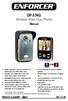 DP-236Q Wireless Video Door Phone Manual 3 1 Wireless operation camera and monitor can operate from up to 492ft (150m) 2 away Remotely and securely talk to visitors and unlock doors or gates via the monitor
XTEND 900 MHZ WIRELESS MODEM For use with VEEDER-ROOT EMR³ DATALINK INSTALLATION INSTRUCTIONS Manual 577013-859, Rev. B
 INTRODUCTION This Installation Guide Contains the necessary information to Connect the Wireless Modems to the EMR³ Interconnect Box and the Office Computer for running the EMR³ Datalink Program. For Specific
Energy Smart Electric Water Heater Controller
 Installation, Operation and Troubleshooting Instructions Energy Smart Electric Water Heater Controller Table of Contents Installation and Setup, 2 Operation, 5 Troubleshooting, 7 Regulatory Notices, 11
Wireless Alarm System. Wireless Keypad. User s Manual. Choice ALERT. Control all sensors, accessories and remote transmitters from one location
 Wireless Alarm System Wireless Keypad User s Manual 1 2 3 4 Choice ALERT Control all sensors, accessories and remote transmitters from one location Table of Contents Important Safeguards 4 Introduction
ENERGY AWARE. Monitor User Guide
 ENERGY AWARE Monitor User Guide Table of contents Introduction 3 How it works 4 Have you got everything? 4 Before you get started 5 Setting up your TREC Display 6 Pairing the TREC Display and Transmitter
On/Off Relay Switch and 3-Way Switch Kit
 45637/45638 Wireless Lighting Control On/Off Relay Switch and 3-Way Switch Kit marthome Control the On/Off status of permanently installed lighting, fans and more! www.lowes.com/iris 2012 JASCO Made in
OC810 Outdoor Camera Setup Guide
 OC810 Outdoor Camera Setup Guide P/N: 957YU60001 Document Version: 1.0 Copyright 2010. All Rights Reserved. All trademarks and trade names are the properties of their respective owner i Package Contents
PK5500 v1.1 Installation Instructions
 PK5500 v1.1 Installation Instructions 1 2 3 4 5 6 7 8 9 * 0 # WARNING: Please refer to the System Installation Manual for information on limitations regarding product use and function and information on
Wiser Panel Meter, Model Number WISERCTPM200 Installer s Guide
 Instruction Bulletin EAV85226 08/2014 Wiser Panel Meter, Model Number WISERCTPM200 Installer s Guide Retain for future use. Product Description Kit Contents The Wiser Panel Meter is for use in energy management
INSTRUCTION MANUAL PC5OO WITH PC5OORK KEYPAD
 INSTRUCTION MANUAL PC5OO WITH PC5OORK KEYPAD TABLE OF CONTENTS SYSTEM INFORMATION 2 INTRODUCTION 3 Test Your System Regularly...3 Important Notice...3 Glossary...3 BASIC OPERATION 4 Arming Your System...4
SP4-LOC SAFEPATH4 REMOTE MICROPHONE AND LOCAL OPERATOR CONSOLE
 SP4LOC SAFEPATH4 REMOTE MICROPHONE AND LOCAL OPERATOR CONSOLE INSTALLATION AND OPERATION MANUAL MASS NOTIFICATION SYSTEM Part Number: P84767 Rev. A Copyright 2006 Cooper Wheelock, Inc. All rights reserved.
How To Use A U.S. Cell Phone At Home
 U.S. Cellular Home Phone 1 Contents Getting to Know Your Device...5 Appearance... 5 LED Indicators... 6 Device Installation...7 Before You Begin... 7 Installing the Battery... 7 Installing the Power Adapter...
Wireless Alarm System. Silent Alert. User s Manual. Choice ALERT. Control all Sensors & accessories from one location
 45137 Wireless Alarm System Silent Alert User s Manual Choice ALERT Control all Sensors & accessories from one location Table of Contents Important Safeguards 4 Introduction 4 Adding a Silent Alert to
ES-3305P V2 / ES-3308P V2. Quick Installation Guide. 09-2013 / v1.0
 ES-3305P V2 / ES-3308P V2 Quick Installation Guide 09-2013 / v1.0 1 COPYRIGHT Copyright Edimax Technology Co., Ltd. all rights reserved. No part of this publication may be reproduced, transmitted, transcribed,
Intruder Alarm System
 Intruder Alarm System GSM & PSTN Wireless and Wired Touch Model 2013-01 V1.0.0 Statment This equipment must be installed and used in strict accordance with the instructions given in this user documentation.
How To Power A Power Control On An Ip40 (Ipl) With A Power Supply (Iplug) With An Ip20 Controller (Iphones) With Power Control (Power Control) With No Antenna) With The Ip20 (Power)
 MODEL NUMBER: ISC910-1-0-GB-XX ISC911-5-0-GB-XX IXP20 CONTROLLER SPECIFICATIONS Working Environment Plastic Housing... Power ImproX IXP20 Controller INSTALLATION MANUAL Designed to work in an indoor (dry)
User Guide Microsoft Screen Sharing for Lumia Phones (HD-10)
 User Guide Microsoft Screen Sharing for Lumia Phones (HD-10) Issue 1.1 EN User Guide Microsoft Screen Sharing for Lumia Phones (HD-10) Contents Safety 3 About your accessory 4 Keys and parts 5 Connect
User manual. Your best protection against theft and loss. (Android) Made for
 User manual Made for Your best protection against theft and loss (Android) Warranty SCOPE OF THE WARRANTY Subject to legal provisions, the responsibility of SECU4 under this warranty is limited to the
Disclaimers. Important Notice
 Disclaimers Disclaimers Important Notice Copyright SolarEdge Inc. All rights reserved. No part of this document may be reproduced, stored in a retrieval system, or transmitted, in any form or by any means,
SP1790JK 900MHz Wireless Indoor/Outdoor Speakers. User Manual INTRODUCTION FEATURES IMPORTANT SAFETY INFORMATION
 SP1790JK 900MHz Wireless Indoor/Outdoor Speakers INTRODUCTION This 900 MHz digital hybrid wireless speaker system uses the latest wireless technology that enables you to enjoy music and TV sound anywhere
Crestron C2N-ANLZ Cresnet Analyzer Operations Guide
 Crestron C2N-ANLZ Cresnet Analyzer Operations Guide This document was prepared and written by the Technical Documentation department at: Crestron Electronics, Inc. 15 Volvo Drive Rockleigh, NJ 07647 1-888-CRESTRON
LDG DTS-4/4R Desktop Coaxial Switch / Remote
 LDG DTS-4/4R Desktop Coaxial Switch / Remote LDG Electronics 1445 Parran Road, PO Box 48 St. Leonard MD 20685-2903 USA Phone: 410-586-2177 Fax: 410-586-8475 [email protected] www.ldgelectronics.com
Installer Guide smart connect
 Installer Guide smart connect TM 7330 Wireless Remote Humidity Sensor Please read all instructions before proceeding. The wireless remote humidity sensor monitors the humidity passing through the return
EVC40 EMERGENCY VOICE COMMUNICATION SYSTEM
 EVC40 EMERGENCY VOICE COMMUNICATION SYSTEM INSTALLATION MANUAL Protec Fire Detection PLC, Protec House, Churchill Way, Nelson, Lancashire, BB9 6RT. Telephone: +44 (0) 1282 717171 Fax: +44 (0) 1282 717273
PC Tab Security System INSTRUCTION MANUAL
 PC Tab Security System INSTRUCTION MANUAL This manual is intended as a Quick Start manual covering the basic functions that have been enabled on the alarm panel. The alarm panel is capable of extensive
EASY PROGRAMMING AND TRANSACTION ANALYSIS SOFTWARE
 EASY PROGRAMMING AND TRANSACTION ANALYSIS SOFTWARE You can program online 24/7 giving you the freedom to work when and where you want. From remote bookkeeping and access, to security control on the ground
OC810 Outdoor Camera Installation Guide
 OC810 Outdoor Camera Installation Guide P/N: 957YU601GJ Document Version: 1.0 Copyright 2011. All Rights Reserved. All trademarks and trade names are the properties of their respective owner i Package
reflecta Super 8 Scanner
 reflecta Super 8 Scanner User Manual 1 FEDERAL COMMUNICATIONS COMMISSION (FCC) STATEMENT This Equipment has been tested and found to comply with the limits for a class B digital device, pursuant to Part
ADA COMPLIANT BOX STYLE TELEPHONE INSTALLATION, PROGRAMMING AND OPERATING INSTRUCTIONS FOR MODEL PBX
 ADA COMPLIANT BOX STYLE TELEPHONE INSTALLATION, PROGRAMMING AND OPERATING INSTRUCTIONS FOR MODEL PBX INSTALLATION INSTRUCTIONS Step 1. Determine the position for the Hands-free phone in the elevator phone
Model 201 Wiegand Touchpad Reader Installation Guide
 Model 201 Wiegand Touchpad Reader Installation Guide P/N 460353001C 15AUG11 2011 UTC Fire & Security. All rights reserved. This document may not be copied in whole or in part or otherwise reproduced without
StructureScan HD Module. Installation Guide ENGLISH. www.bandg.com www.simrad-yachting.com www.lowrance.com
 StructureScan HD Module Installation Guide ENGLISH www.bandg.com www.simrad-yachting.com www.lowrance.com Disclaimer As Navico is continuously improving this product, we retain the right to make changes