
R4 AIS Transponder System
|
|
|
- Ann Ariel Lamb
- 10 years ago
- Views:
Transcription
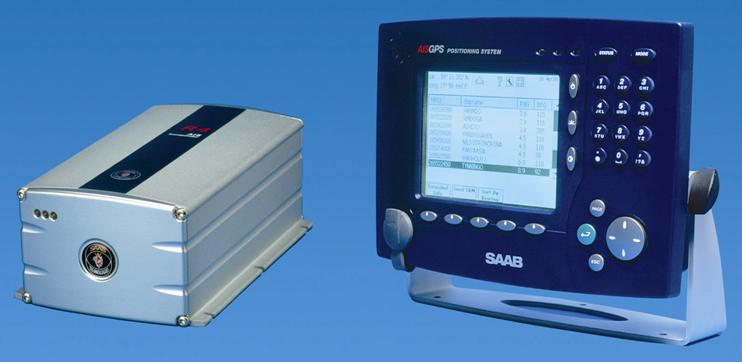
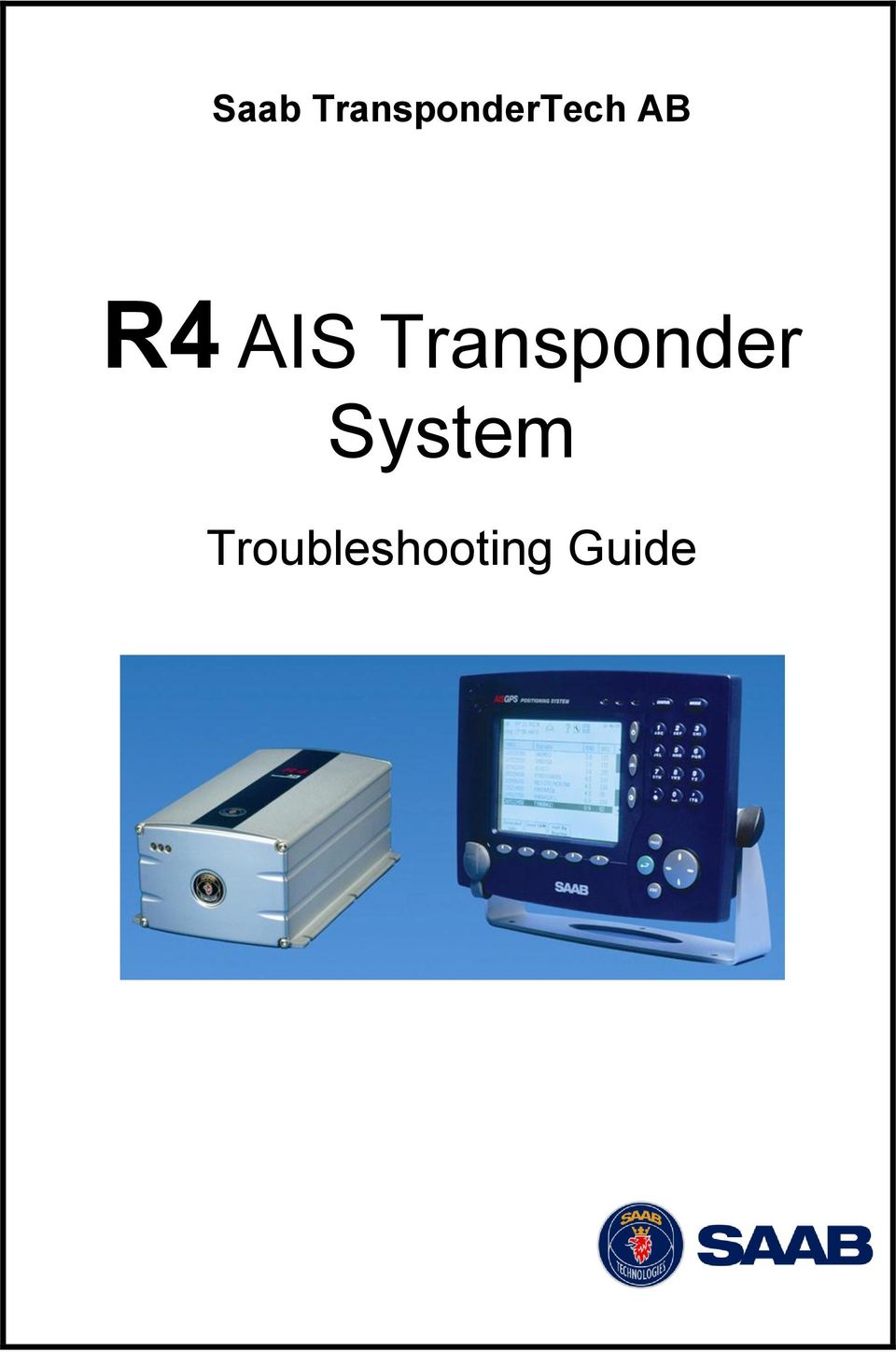
1 Saab TransponderTech AB R4 AIS Transponder System Troubleshooting Guide
2 This page is intentionally left blank PI A Page 2

3 Copyright The content of this document and its attachments shall remain our property. They may not without our written consent, either in their original state or with any changes, be copied or reproduced, disclosed to or delivered to anyone unauthorized nor used for other purposes than what has been confirmed by Saab TransponderTech AB in writing. Trademarks Company, product, and service names may be trademarks or service marks of others. Contact Details For a complete list of our dealers and service stations, please visit our web page at PI A Page 3

4 This page is intentionally left blank PI A Page 4

5 Table of Contents 1 Introduction R4 Transponder LED indicators Green LED Yellow LED Green and Yellow LED Red LED R4 Transponder and Display interconnection Software Upgrades Troubleshooting with the R4 Display Alarm list Own Ship Data Page Target List Date and Time View Raw Data Range problems and missing AIS Data How to Interpret Alarm Messages Alarm Message Alarms Tx Malfunction Antenna VSWR Exceeds limit Rx Malfunction General Failure MKD Connection Lost R4 Transponder Lost Communication with R4 Display External EPFS Lost No Sensor Position In Use No Valid SOG Information/No Valid COG Information Heading Lost/Invalid No Valid ROT Information PI A Page 5

6 This page is intentionally left blank PI A Page 6

7 1 INTRODUCTION Amongst the hundreds of issues with the R4 AIS system reported to Saab TransponderTech each year, it is just a handful in which the R4 Transponder or the Display is the cause of the problem. Many of the units returned to Saab TransponderTech AB are shown to be fully functional and without failure. Units often arrive with strange I/O settings for external sensors and for the communication between the display and the transponder. There are many ways to troubleshoot the R4 AIS system depending on the type of failure and the information available. Troubleshooting the R4 AIS system can be difficult and time consuming. Quite often they are integrated with several advanced on-board sensors and information systems and subject to a harsh radio environment. Using the latest software available is always recommended to get the best performance from the R4 AIS Transponder System. This document describes several methods to help you troubleshoot and rectify the fault, if possible, before you return a suspect unit to Saab TransponderTech. The Saab TransponderTech helpdesk is available should you need further assistance. PI A Page 7

8 This page is intentionally left blank PI A Page 8

9 2 R4 TRANSPONDER LED INDICATORS This method is useful to get a fast verification that the R4 transponder is up and running and receiving and transmitting as expected. This will only take a few minutes and should be the first step in any troubleshooting of the R4 AIS system. 2.1 Green LED The green LED is constantly lit when power is supplied to the transponder. Note that the transponder starts up as soon as power is supplied to it. The transponder does not have a power switch and is NOT automatically turned on or off when the display is. If the green LED is not lit: Check the power supply, make sure that: o The voltage and current are correct. o It has enough capacity to handle start-up and transmissions. o The polarity is correct, make sure that it is not switched. Check the external fuse. Check the cable and connectors, make sure that: o There are no damaged or broken pins. o The cables are not damaged. o They are correctly connected. 2.2 Yellow LED The yellow LED flashes when the transponder is receiving an AIS target transmission on the VHF-link. If the yellow LED is not flashing despite knowing that AIS transmissions are within range, do a check and make sure that there are no active Rx-alarms in the alarm list. If there are, see the section on alarm troubleshooting based on this alarm. If only the yellow LED is constantly lit (green and red off) a severe HW error has occurred. 2.3 Green and Yellow LED If both the green and yellow LEDs are simultaneously and constantly lit, the transponder is in boot-mode, normally due to a failed software upgrade. This is normally corrected by performing another software upgrade. When the transponder is in boot-mode the baud rate on the serial PILOT-port (to where the upgrade is made) is Red LED The red LED flashes with an interval of between seconds and indicates that the transponder is transmitting data on the VHF-link. The different information types are valid PI A Page 9

10 for a different time period and thus need a different update rate. The transmission intervals are listed in table 1. If the red LED is not flashing, do a check and make sure: That transmissions are not disabled in the VHF-radio settings. The R4 AIS system is not in Silent Mode (This only applies to the R4 AIS Silent, Secure, Coast Guard and products with similar functions). That there are no active Tx-alarms in the alarm list. If there are, see the section on alarm troubleshooting based on this alarm. Table 1 - Reporting Rates in accordance with ITU Static Information Every 6 minutes or when data has been amended on request. Dynamic Information Ship at anchor or moored and not moving faster than 3 knots Ship at anchor or moored and moving faster than 3 knots Ship 0-14 knots Ship 0-14 knots and changing course Ship knots Ship knots and changing course Ship > 23 knots Ship > 23 knots and changing course 3 minutes 10 seconds 10 seconds 3 1/3 seconds 6 seconds 2 seconds 2 seconds 2 seconds PI A Page 10

11 3 R4 TRANSPONDER AND DISPLAY INTERCONNECTION Use the following checklist to verify that the transponder and display are communicating. Do a check and make sure: 1. That there is no broken stick -symbol or AIS crossed-out -symbol in the upper part of the LCD. 2. The AIS-targets are shown in the Target List page. 3. The own ship data is shown in the Own Ship Data page. 4. All the baud rates are visible in the Port Rate page. If any of the above points fail: 1. Check the signal wiring and connectors between the transponder and display. 2. If the signal wiring and connectors are good, check the baud rate settings for the Display and Transponder communication ports. 3. As a last check run the system with another R4 Transponder or R4 Display unit to determine which part may have a problem. 3.1 Software Upgrades A software upgrade to the display and transponder will reset all the configuration settings to the default settings. This can be the best method to verify an interconnection problem between the display and transponder caused by an incorrect configuration (generally a baud rate mismatch). Using the latest software available is always recommended to get the best performance from the R4 AIS Transponder System. See the Support News on the Saab TransponderTech web page for the latest information about the system software. All our service stations are qualified to perform software upgrades PI A Page 11

12 This page is intentionally left blank PI A Page 12

13 4 TROUBLESHOOTING WITH THE R4 DISPLAY 4.1 Alarm list The Alarm List page of the display shows all the available alarms. An Active alarm is shown at the top of the list and is marked with an exclamation mark. See Section 6 for an explanation of the alarms and what measures to be taken if an alarm is shown. The information about when an alarm became active is shown in the Alarm Log page of the display. 4.2 Own Ship Data Page When the R4 transponder transmits data on the AIS-link it simultaneously outputs this data on the serial ports. This information is displayed on the Own Ship Data page. 4.3 Target List The target list is primarily useful when analyzing the receiving functionality. The propagation characteristics of VHF radio frequencies are close to line of sight. A harsh radio environment, reflections in cables, connectors or the antenna will shorten the effective range. Note that it can take up to 6 minutes before static data is received (see table 1). 4.4 Date and Time The Date and Time (UTC) in the upper right corner of the R4 Display is provided by the R4 transponder internal GPS (never by external GPS except for the R4 AIS GLONASS System). If the time and date are not correct, the transponder internal GPS does not have a position fix. This will also be indicated by message UTC clock lost in the Status List page. This problem is normally caused by a GPS-antenna failure or damaged antenna cables. This problem may also be caused by interference from radio equipment on-board. See the R4 AIS system manual for recommendations on how to position the AIS-GPS antennas and cables. 4.5 View Raw Data The View Raw Data function in the display is used to verify data is received on the ports and that the integrated external sensors provide the correct sentences. PI A Page 13

14 This page is intentionally left blank PI A Page 14

15 5 RANGE PROBLEMS AND MISSING AIS DATA When experiencing a range problem or intermittent loss of information in the AIS target a common sign may not be an alarm but missing static data at the receiving target. This is explained in table 1. If one transmission of static data is lost, it will take another 6 minutes until it is received again. If there are no active Tx or Rx alarms, this can be caused by interference from radio equipment on-board. See the R4 AIS system manual for recommendations on how to position the AIS-VHF antennas and cables. PI A Page 15

16 This page is intentionally left blank PI A Page 16

17 6 HOW TO INTERPRET ALARM MESSAGES 6.1 Alarm Message The alarms (unless disabled) are not only shown in the R4 display alarm list, but are also output on the transponder ECDIS- and PILOT-port. The alarms can be viewed or recorded in for example a hyper terminal. Note that all the alarms are output, including the inactive ones. An active alarm is recognised on.,a,v, or,a,a, in the alarm sentence. If there is,v,v, or,v,a, in the sentence, the alarm is inactive. See the examples below: $AIALR, ,001,V,V,AIS: Tx malfunction: Alarm is inactive. $AIALR, ,001,V,A,AIS: Tx malfunction: Alarm is inactive. $AIALR, ,001,A,A,AIS: Tx malfunction: Alarm is active and acknowledged. $AIALR, ,001,A,V,AIS: Tx malfunction: Alarm is active and not acknowledged. 6.2 Alarms Tx Malfunction This alarm is active if: The antenna VSWR exceeds the allowed ratio (an even lower ratio than what is required to trigger Antenna VSWR Exceeds limit-alarm). There is a malfunction in the radio transmitter or other R4 transponder hardware. If the radio transmitter returns to normal operation or if the VSWR returns to a value below the allowed ratio, the alarm is cleared. If this alarm is active check the antenna and cabling (especially the connectors) for damage or corrosion. If the antenna system is in good order and the alarm is still active the R4 transponder may have a hardware fault Antenna VSWR Exceeds limit The VSWR of the antenna is checked during every transmission and at a given ratio the VSWR alarm is generated. If the VSWR goes below the allowed ratio, the alarm is cleared. If this alarm becomes active, do a check of the antenna and cabling (especially the connectors) for damage or corrosion. PI A Page 17

18 6.2.3 Rx Malfunction The radio receivers inside the R4 transponder are continuously monitored and if any part of the receiver hardware should malfunction, an Rx Malfunction alarm is generated for that receiver. If the radio receiver returns to normal operation, the alarm is cleared. If this alarm is active the R4 transponder may have a hardware fault General Failure This alarm is generated if the R4-AIS Transponder fails to initiate the radio. If this alarm is active the R4 transponder probably has a hardware fault and must be repaired MKD Connection Lost This alarm is active if the R4 Display to R4 Transponder communication is lost but the transponder to display communication still works. If this alarm is active: 1. Check the signal wiring and connectors between the transponder and display. 2. If the wiring is good, do a check of the baud rate settings for the Display and Transponder communication ports. 3. Run the system with another R4 Transponder or R4 Display unit to determine which part may have a problem R4 Transponder Lost Communication with R4 Display This alarm is active if the R4 Display to R4 Transponder communication works but the transponder to display communication does not work. If this alarm is active: 1. Check the signal wiring and connectors between the transponder and display. 2. If the wiring is good, do a check of the baud rate settings for the Display and Transponder communication ports. 3. Run the system with another R4 Transponder or R4 Display unit to determine which part may have a problem External EPFS Lost This alarm is generated if the position from the External Electronic Position Fixing System is invalid (i.e. no external GPS). Due to the fallback arrangement for the positioning sensor this alarm can be inactive for up to 30 seconds (during which the internal GNSS is used) before the alarm becomes active. If this alarm is active, constant or intermittent, do a check and make sure: 1. The signal wiring between the EPFS and the R4 transponder sensor port (1,2 or 3) is correct. 2. The correct sentences are input (GLL or GGA and VTG). 3. The sentences are received correctly by using the Raw Data mode in the R4 display, change the baud rate if necessary PI A Page 18

19 4. The sentences are only input on one port (i.e. sensor port 1) and not on any of the PI-ports (ECDIS-, PILOT- or MKD-port). 5. The sentences are sent with a checksum. (Checksum control may be disabled through the R4 display). 6. The sentences are of the format specified in IEC One easy check is to count the comma characters in the sentences. GLL: 7 commas, GGA: 14 commas, VTG: 9 commas. The data input can of course be invalid for other reasons that require a deeper analysis No Sensor Position In Use This alarm is active if the AIS system does not have a valid position source. In other words neither the transponder internal GPS nor the EPFS provides a valid position. The R4 transponder internal GPS is automatically used as backup when the EPFS is lost. Consequently this alarm also means that the R4 transponder internal GPS does not have a position fix or this is not used for another reason. This problem may be caused by interference from on-board radio equipment. See the R4 AIS system manual for recommendations on how to position the AIS-GPS antennas and cables. If this alarm is active: 1. Disconnect the EPFS (external GPS) from the transponder by turning of the GPS or disconnecting the signal wires. 2. Do a check and make sure: a) The cables and antenna for the R4 transponder internal GPS are good. Temporarily connecting another GPS antenna system. b) That there is 5 VDC at the R4 Transponder GPS antenna connector (TNC). c) The position is shown on the Own Ship Data page and the date and time shown in the upper right corner is correct. 3. Connect the EPFS when troubleshooting is complete No Valid SOG Information/No Valid COG Information These two alarms are active if the AIS system does not have a valid SOG or a valid COG respectively from any sensor. The SOG and COG is based on the speed log data if external GNSS provided and at the same time valid heading is available. If speed log data is not available it is based on the GNSS (external GPS) VTG message. If valid VTG is not input from EPFS the SOG and COG is taken from the transponder internal GPS. This alarm is normally active at the same time as an External EPFS Lost alarm and No Sensor Position In Use alarm. If not, closely analyze the messages provided by the EPFS, Speed Log and Gyro and verify it is complete according to IEC and does not contain invalid values. PI A Page 19


20 If this alarm is active: 1. Disconnect all sensors (if any) from the transponder. 2. Do a check and make sure: a) The cables and antenna for the R4 transponder internal GPS are good. Temporarily connecting another GPS antenna system. b) That there is 5 VDC at the R4 Transponder GPS antenna connector (TNC). 3. Connect each of the external sensors (if any) one by one and verify that the sensors data is accepted by the R4 transponder Heading Lost/Invalid This alarm is active if either the heading information is lost, invalid or if the heading is undefined. The R4 transponder only accepts HDT as a heading message. If this alarm is active, analyze the data provided by the heading sensor (normally gyro) and verify it is complete according to IEC and does not contain invalid values No Valid ROT Information This alarm is active if a Rate of Turn is undefined or if no valid ROT information is available from the external sensor or internal calculations. If this alarm is active, analyze the data provided by the rate of turn sensor and verify it is complete according to IEC and does not contain invalid values. The Talker Id for the Rate of turn indicator must be TI, if this is not correct the data is rejected. PI A Page 20

Environmental data Temperature: -20 C to +55 C (Operating) -55 C to +85 C (Storage) Humidity: 0 95%
 ARIOM World wide sales & support network Physical Size W x H x D: 485x133x415 (mm) Rack Standard:19, 3U Weight: 10 kg, (21,5 lbs) Power: Input (main) 100-240 VAC, 50-60 Hz Backup: 24 VDC Power Consumtion:
1 Technical Description Lokal-200PC
 1 Technical Description Lokal-200PC 1.1 Overview laptop with in-built accummulator USB connection correlator box internal power supply laptop (if the device has been supplied by F.A.S.T.) BNC aerial connection
SYSTEM 7000 IRIS+ USER MANUAL
 SYSTEM 7000 IRIS+ USER MANUAL Table of Contents Section Page No 1. INTRODUCTION... 3 2. THE DISPLAY... 3 3. TRANSMITTERS... 6 4. MESSAGE PAGER SYSTEM... 7 2 1. Introduction 1.1 The IRIS+ is a radio based
Maritime Integrated PNT System
 Maritime Integrated PNT System Core element for safe ship navigation Evelin Engler und Thoralf Noack DLR Institut für Kommunikation und Navigation Folie 1 Maritime Integrated PNT System = overlay of satellite
Troubleshooting and Diagnostics
 Troubleshooting and Diagnostics The troubleshooting and diagnostics guide provides instructions to assist in tracking down the source of many basic controller installation problems. If there is a problem
IDD-213T User Manual. (Rev. 1.0) China Aerospace Telecommunications Limited
 (Rev. 1.0) China Aerospace Telecommunications Limited Contents 1. Introduction......3 2. Specifications...4 2.1 External Interface... 4 2.2 Status Indicator...... 5 2.3 Technical Parameters... 6 3. Device
Ericsson W25. Mobile Networks. Quick Installation Guide
 Ericsson W25 Fixed Wireless Terminal for WCDMA/HSDPA Mobile Networks Quick Installation Guide Table of Contents INTRODUCTION... 3 Package Contents... 3 Requirements... 3 INSTALLATION... 4 Unit Preparation...
Saab TransponderTech. INSTALLATION MANUAL R4 AIS Class A Transponder System
 Saab TransponderTech INSTALLATION MANUAL R4 AIS Class A Transponder System i Copyright The entire contents of this manual and its appendices, including any future updates and modifications, shall remain
Ethernet Networking Installation & Operations Manual Humminbird ETHERNET
 Ethernet Networking Installation & Operations Manual 531906-2EN_A GPS Unit 1 Humminbird ETHERNET Unit 2 Thank You! Thank you for choosing Humminbird, the #1 name in marine electronics. Humminbird has built
LevelOne IFE-0500 4-Port PoE + 1-Port TP Industrial Fast Ethernet Switch User Manual
 LevelOne IFE-0500 4-Port PoE + 1-Port TP Industrial Fast Ethernet Switch User Manual Ver. 1.0.0-0711 1 FCC Warning This Equipment has been tested and found to comply with the limits for a Class-A digital
[USING THE NM150 WITH ADULTICIDING] July 13, 2015
![[USING THE NM150 WITH ADULTICIDING] July 13, 2015](/thumbs/30/14036548.jpg "[USING THE NM150 WITH ADULTICIDING] July 13, 2015") Reason Adulticiding 3.5 includes support for the New Mountain NM150 Weather Station. Adulticiding fogger log point details include temperature, wind speed, and wind direction. These can be recorded from
Reason Adulticiding 3.5 includes support for the New Mountain NM150 Weather Station. Adulticiding fogger log point details include temperature, wind speed, and wind direction. These can be recorded from
OPERATING INSTRUCTIONS Model ST-888 DTMF ANI/ENI Display Decoder
 P R O D U C T G R O U P OPERATING INSTRUCTIONS Model ST-888 DTMF ANI/ENI Display Decoder Manual # 600-0901 November 30, 1999 Rev. D - 99068 DESCRIPTION The ST-888 Mobilecall Display Decoder is a desktop
ProCurve Networking. Troubleshooting WLAN Connectivity. Technical White paper
 ProCurve Networking Troubleshooting WLAN Connectivity Technical White paper Introduction... 3 Identifying the Problem... 3 Troubleshooting Wireless Station Connection to AP... 4 Can Any Wireless Stations
Crow Limited Warranty. Print Version 017
 Crow Limited Warranty (Crow) warrants this product to be free from defects in materials and workmanship under normal use and service for a period of one year from the last day of the week and year whose
Troubleshooting and Diagnostics
 Troubleshooting and Diagnostics The troubleshooting and diagnostics guide provides instructions to assist in tracking down the source of many basic controller installation problems. If there is a problem
USER MANUAL. Model 6103 3U ForeFront Alarm Card SALES OFFICE (301) 975-1000 TECHNICAL SUPPORT (301) 975-1007. An ISO-9001 Certified Company
 USER MANUAL Model 6103 3U ForeFront Alarm Card An ISO-9001 Certified Company Part# 07M6103 Doc# 123011U Rev. A Revised 7/15/03 SALES OFFICE (301) 975-1000 TECHNICAL SUPPORT (301) 975-1007 CONTENTS 1.0
BIT COMMANDER. Serial RS232 / RS485 to Ethernet Converter
 BIT COMMANDER Serial RS232 / RS485 to Ethernet Converter (Part US2000A) Copyrights U.S. Converters 1 Contents Overview and Features... 3 Functions..5 TCP Server Mode... 5 Httpd Client Mode.5 TCP Auto mode....6
ON-GUARD. Guard Management System. Table of contents : Introduction Page 2. Programming Guide Page 5. Frequently asked questions Page 25 - 1 -
 ON-GUARD Guard Management System Table of contents : Introduction Page 2 Programming Guide Page 5 Frequently asked questions Page 25-1 - Introduction On Guard tm is designed to exceed all the requirements
WA Manager Alarming System Management Software Windows 98, NT, XP, 2000 User Guide
 WA Manager Alarming System Management Software Windows 98, NT, XP, 2000 User Guide Version 2.1, 4/2010 Disclaimer While every effort has been made to ensure that the information in this guide is accurate
AXIS 5810 A Bluetooth Print Plug. Quick Start
 AXIS 5810 AXIS 5810 A Bluetooth Print Plug Quick Start BLUETOOTH is a trademark owned by its proprietor and used by Axis Communications AB under license 1 AXIS 5810 Regulatory Information Regulatory Information
ANTI-THEFT SYSTEM. 1995 Volvo 850 DESCRIPTION & OPERATION BASIC ALARM. 1995-96 ACCESSORIES & EQUIPMENT Volvo Anti-Theft Systems
 ANTI-THEFT SYSTEM 1995 Volvo 850 1995-96 ACCESSORIES & EQUIPMENT Volvo Anti-Theft Systems 850 DESCRIPTION & OPERATION WARNING: Deactivate air bag system before performing any service operation. For 1995
MANUAL PC1000R [email protected]
 MANUAL PC1000R [email protected] Features The APart PC1000R is a professional multisource CD/USB/SD card music player, equipped with balanced and unbalanced analog outputs, coaxial and optical digital
Ethernet Radio Configuration Guide
 Ethernet Radio Configuration Guide for Gateway, Endpoint, and Repeater Radio Units April 20, 2015 Customer Service 1-866-294-5847 Baseline Inc. www.baselinesystems.com Phone 208-323-1634 FAX 208-323-1834
How to read this guide
 How to read this guide The following shows the symbols used in this Quick start guide with descriptions and examples. Symbol Description Example P oint Reference Caution [ ] This symbol explains information
RN-XV-RD2 Evaluation Board
 RN-XV-RD2 Evaluation Board 2012 Roving Networks. All rights reserved. -1.01Version 1.0 9/28/2012 USER MANUAL OVERVIEW This document describes the hardware and software setup for Roving Networks RN-XV-RD2
IPX AUTOMATIC IP NETWORK LOSS BACKUP A/B SWITCH INSTRUCTION BOOK IB6444-02
 IPX AUTOMATIC IP NETWORK LOSS BACKUP A/B SWITCH INSTRUCTION BOOK IB6444-02 TABLE OF CONTENTS DESCRIPTION 2 MOUNTING INSTRUCTIONS 2 HOW TO CABLE THE IPX 2/3 POWER SUPPLY INSTALLATION 3 OPERATION 3 CARE
D-MAX WEB GUIDE CONTROLLER WITH OPERATOR INTERFACE PANEL QUICK START SETUP MANUAL
 1/1 D-MAX.D1 1A Manual S1 D-MAX OPERATOR INTERFACE (Application Home Screen Is Shown) D-MAX CONTROLLER 04/14/2008 2008 Fife Corporation. All rights reserved. Figure Sheet 2-249 This page is intentionally
mysensors mysensors Wireless Sensors and Ethernet Gateway Quick Start Guide Information to Users Inside the Box mysensors Ethernet Gateway Quick Start
 mysensors Information to Users mysensors Wireless Sensors and Ethernet Gateway Quick Start Guide This equipment has been tested and found to comply with the limits for a Class B digital devices, pursuant
ABS Flash Code (Blink Code) Instructions
 ABS Flash Code (Blink Code) Instructions Innovative Products of America Incorporated Tinker Street, Woodsttock, NY 8 Local: 8-6-00 Toll Free: 888-86-8 Fax: 8-6-600 www.ipatools.com [email protected] ABS
AMI MARINE (UK) LTD BRIDGE NAVIGATIONAL WATCH ALARM SYSTEM (BNWAS) Operation Manual KW810
 AMI MARINE (UK) LTD BRIDGE NAVIGATIONAL WATCH ALARM SYSTEM (BNWAS) Operation Manual KW810 This Manual and the information contained therein is the property of AMI Marine (UK) Ltd. It must not be reproduced
USER MANUAL. SAILOR 100 Satellite TV
 USER MANUAL SAILOR 100 Satellite TV SAILOR 100 Satellite TV User Manual Document number: 98-136311-A Release date: September 21, 2012 Disclaimer Any responsibility or liability for loss or damage in connection
[FAQ] Troubleshooting Access Control Issues
![[FAQ] Troubleshooting Access Control Issues](/thumbs/38/17884362.jpg "[FAQ] Troubleshooting Access Control Issues") [FAQ] Troubleshooting Access Control Issues Article ID: GV4-14-06-16-t Release Date: 06/16/2014 Applied to GV-ASManager GV-AS Controller GV-Reader Summary When you encounter problems with GV-ASManager,
[FAQ] Troubleshooting Access Control Issues Article ID: GV4-14-06-16-t Release Date: 06/16/2014 Applied to GV-ASManager GV-AS Controller GV-Reader Summary When you encounter problems with GV-ASManager,
NAS-1000 AIS-SART USER S MANUAL NEW SUNRISE
 NAS-1000 AIS-SART USER S MANUAL NEW SUNRISE NOTICE TO USERS - Thanks for your purchasing this product NAS-1000 AIS-SART. - Please read this manual carefully to ensure proper use before installation and
Automation and Systems Technology. LABCONTROL TFM/TPM User Manual TroxMConnect Operating Software. 1. Introduction 1. 2. Software Installation 2
 1. Introduction 1 2. Software Installation 2 2.1 System Requirements 2 2.2 TroxMConnect Installation 2 2.3 Connection to the PC 3 3. TroxMConnect Description 4 3.1 Starting the Software 4 3.2 Layout 4
Business/Home GSM Alarm System. Installation and User Manual
 Business/Home GSM Alarm System Installation and User Manual Brief Introduction: GSM 900/1800/1900 bands, can be used in most parts of the world Full duplex communication with the host Monitor the scene
STIM202 Evaluation Kit
 Table of contents: 1 FEATURES... 2 2 GENERAL DESCRIPTIONS AND SYSTEM CONTENTS... 2 3 SYSTEM REQUIREMENTS... 2 4 GETTING STARTED... 3 4.1 INSTALLATION OF NI-SERIAL CABLE ASSEMBLY DRIVER... 3 4.2 INSTALLATION
NortechCommander Software Operating Manual MAN-00004 R6
 NortechCommander Software Operating Manual MAN-00004 R6 If the equipment described herein bears the symbol, the said equipment complies with the applicable European Union Directive and Standards mentioned
GeoMax GNSS Zenith10 & Zenith20 Series
 GeoMax GNSS Zenith10 & Zenith20 Series GeoMax About Us At GeoMax we provide a comprehensive portfolio of integrated solutions by developing, manufacturing and distributing quality construction and surveying
IEEE 802.3af 4-Port Power over Ethernet Injector Hub POE-400. User s Manual
 IEEE 802.3af 4-Port Power over Ethernet Injector Hub POE-400 User s Manual - 1 - Trademarks Disclaimer Copyright PLANET Technology Corp. 2006. Contents subject to revision without prior notice. PLANET
CipherLab 5100 Time Attendance Utility Manual
 CipherLab 5100 Time Attendance Utility Manual K:\Products\Product Technical\BI\BI-PC5100T\CipherLab5100TimeAttendnaceUtilityManual0707-process.doc Page 1 / 13 1 Login A popup form as follows will appear
Setup Manual and Programming Reference. RGA Ethernet Adapter. Stanford Research Systems. Revision 1.05 (11/2010)
 Setup Manual and Programming Reference Stanford Research Systems Revision 1.05 (11/2010) Certification Stanford Research Systems certifies that this product met its published specifications at the time
PHD User Manual. Table of Contents
 Table of Contents Overview...2 Install PHD Software...3 Connect PHD Equipment...5 Connect Sensor to the PHD Programmer...6 Run PHD Application...7 Verify Parameters and Program Sensor...10 View Output
Disclaimers. Important Notice
 Disclaimers Disclaimers Important Notice Copyright SolarEdge Inc. All rights reserved. No part of this document may be reproduced, stored in a retrieval system, or transmitted, in any form or by any means,
GUIDELINES ON THE DESIGN AND USE OF PORTABLE PILOT UNITS
 IMPA 2009 1 GUIDELINES ON THE DESIGN AND USE OF PORTABLE PILOT UNITS Prepared by IMPA With Technical Input from CIRM IMPA 2009 2 GUIDELINES ON THE DESIGN AND USE OF PORTABLE PILOT UNITS FOREWORD With the
PN 100-06843L, Revision B, October 2013. Epic 950 TM. Master Programmer User s Guide
 PN 100-06843L, Revision B, October 2013 Epic 950 TM Master Programmer User s Guide This page intentionally left blank Change History Rev A Initial release Feb 2007 Rev B Update Oct 2013 100-06843L Rev
Cisco TelePresence VCR MSE 8220
 Cisco TelePresence VCR MSE 8220 Getting started 61-0008-05 Contents General information... 3 About the Cisco TelePresence VCR MSE 8220... 3 Port and LED location... 3 LED behavior... 4 Installing the VCR
DragonLink User Guide
 DragonLink User Guide Chris Seto, 2012 R5 8/24/2012 This document is in beta status. 1 P a g e Table of Contents 1) Quick Start checklist 2) DragonLink Versions 3) Getting to know the DragonLink hardware
Introduction to AIS White Paper
 Introduction to AIS White Paper 1. Background AIS (Automatic Identification System) is the mariner s most significant development in navigation safety since the introduction of radar. The system was originally
INTELLIGENT CONTROL MODULE SA-2000-II HARDWARE MANUAL. Access Technologies International, Inc.
 SA-2000-II HARDWARE MANUAL Access Technologies International, Inc. 1 Table of Contents 1. Introduction 3 2. Features 3 3. Specification 4 4. Identifying Supplied Parts 4 5. Panel Description 5 6. Connection
USER MANUAL CHARGING STATIONS FOR ELECTRIC VEHICLES
 USER MANUAL CHARGING STATIONS FOR ELECTRIC VEHICLES 204.CAxxx 204.CBxxx 204.UBxxx 204.WBxxx MP36289 1 ZP90856-GB-6 INDICE 1 SYSTEM DESCRIPTION... 4 1.1 MODES OF OPERATION... 4 2 USER INTERFACE... 6 2.1
Metis Products GPRS AutoDialer Version 2.0
 Firmware Version 3.06 Page 1 of 24 GENERAL... 4 COPYRIGHT... 4 DISCLAIMER... 4 FCC CONFORMANCE... 4 HARDWARE SETUP... 5 AUTODIALER CONNECTIONS... 5 TRIGGER OPTION LINK (LK2)... 6 Active Low Trigger...
Connecting instruments serially to your computer
 Connecting instruments serially to your computer This TechNote will review how to connect instruments (GPS, Sounder, Heading Sensor ) to a computer. Important points such as electrical specification (RS-232
Kokii BatteryDAQ. BMS Software Manual. Battery Analyzer Battery DAS
 Kokii BatteryDAQ BMS Battery Analyzer Battery DAS Updated: October 2008 Caution: High Voltage Exists on Battery Power and Sampling Connectors! Please refer to device installation and operation manual for
How To Build An Integrated Navigation System
 Maritime Integrated System Core element for safe ship navigation Evelin Engler DLR Institut für Kommunikation und Navigation Folie Maritime Integrated System = overlay of satellite based, ashore and aboard
Electric Landing Gear controllers and sequencer LGC12 / LGC 13C
 Electric Landing Gear controllers and sequencer LGC12 / LGC 13C Users Guide. Torrent d en Puig, 31. 08358, Arenys de Munt, Barcelona,Catalonia,Spain E-mail: [email protected]. Fax: +34 933 969 743 web: www.xicoy.com
Model: 616-146v2 Quick Setup Guide DC: 071015 Atomic Projection Alarm with Indoor and Outdoor Temperature
 Model: 616-146v2 Quick Setup Guide DC: 071015 Atomic Projection Alarm with Indoor and Outdoor Temperature Snooze/Backlight BUTTONS Time, Alarm with Snooze, & Calendar Projection Arm Rotates 180 Indoor/Outdoor
Quick Start Guide. MRB-KW01 Development Platform Radio Utility Application Demo MODULAR REFERENCE BOARD
 Quick Start Guide MRB-KW01 Development Platform Radio Utility Application Demo MODULAR REFERENCE BOARD Quick Start Guide Get to Know the MRB-KW01x Module UART Selector ANT 1 RFIO (TX/RX) USB 2.0 Serial
CAPTAIN 6. USER GUIDE System ver. 6.0. 6 Zones Intruder Alarm System. PIMA Electronic Systems Ltd. www.pima-alarms.com
 CAPTAIN 6 6 Zones Intruder Alarm System USER GUIDE System ver. 6.0 PIMA Electronic Systems Ltd. www.pima-alarms.com P/N 4410049, G2 XX en, Jan. 2010 2 CAPTAIN 6 User Guide SAFETY INSTRUCTIONS Your CAPTAIN-i
USB to RS-422/485 Serial Adapter
 USB to RS-422/485 Serial Adapter User Manual Ver. 2.00 All brand names and trademarks are properties of their respective owners. Contents: Chapter 1: Introduction... 3 1.1 Product Introduction... 3 1.2
USER MANUAL V5.0 ST100
 GPS Vehicle Tracker USER MANUAL V5.0 ST100 Updated on 15 September 2009-1 - Contents 1 Product Overview 3 2 For Your Safety 3 3 ST100 Parameters 3 4 Getting Started 4 4.1 Hardware and Accessories 4 4.2
GSM Gate Opener GSM Remote Switch RTU5015 User Manual
 GSM Gate, Barrier, Shutter, Garage Door and Door opener Open gate or garage door with a FREE call from your mobile phone! Remote switching machines with a FREE call from your mobile phone! GSM Gate Opener
CelluLine CGW-TS GSM Cellular Gateway. Installation and Programming Manual
 CelluLine CGW-TS GSM Cellular Gateway Installation and Programming Manual CelluLine CGW-TS GSM Cellular Gateway Installation and Programming Manual CGWTS-M001A Version 1, Release 1, December 2004 NOTICE
LS1024B / LS2024B/ LS3024B. Solar Charge Controller USER MANUAL
 EPSOLAR LS1024B / LS2024B/ LS3024B Solar Charge Controller USER MANUAL Thank you very much for selecting our product! This manual offers important information and suggestions with respect to installation,
GM862-GPS, GE863-GPS - GPS AT COMMANDS SET GM862-GPS, GE863-GPS 80278ST10021a Rev. 0-21/04/06
 GM862-GPS, GE863-GPS - GPS AT COMMANDS SET GM862-GPS, GE863-GPS Contents 1 Introduction... 3 1.1 Scope of the document...3 1.2 Abbreviation symbols...3 1.3 APPLICABLE DOCUMENTS...3 1.4 AT Command...4 1.4.1
WITURA CORPORATION SDN BHD
 WT 1010SA Stand Alone GSM Alarm System User Manual and Installation Instructions Version: 1.2 Updated: 4 JAN 2012 WITURA CORPORATION SDN BHD Stand Alone GSM Alarm System Instruction Manual 1 Introduction:
Firmware version: 1.10 Issue: 7 AUTODIALER GD30.2. Instruction Manual
 Firmware version: 1.10 Issue: 7 AUTODIALER GD30.2 Instruction Manual Firmware version: 2.0.1 Issue: 0.6 Version of the GPRS transmitters configurator: 1.3.6.3 Date of issue: 07.03.2012 TABLE OF CONTENTS
Perle Protocol Transparent Media Converter Modules
 Perle Protocol Transparent Media Converter Modules Installation Guide C-4GPT-DSFP CM-4GPT-DSFP Part# 5500335-10 Overview This document contains instructions necessary for the installation and operation
How To Use A 1232 On A 1236 On A Computer Or A Cell Phone
 12-36-1000 Autodialler and Relay Telephone Interface 1.0 INTRODUCTION 12-36-1000 I/O Telephone Interface with AutoDialer The 12-36-1000 is a autodialer and telephone interface that can be used autonomously
Alarm Clock USER GUIDE
 Alarm Clock USER GUIDE Jazwares, Inc. 2012 CONTENTS Please read the instructions along with the Alarm Clock carefully before you use it, so that you can operate it conveniently. WELCOME & Warnings Page
RN-WIFLY-EVAL-UM. WiFly Evaluation Kit. 2012 Roving Networks. All rights reserved. RN-WIFLY-EVAL-UM Version 1.32r 10/9/2012 USER MANUAL
 WiFly Evaluation Kit 2012 Roving Networks. All rights reserved. Version 1.32r 10/9/2012 USER MANUAL OVERVIEW This document describes the hardware and software setup for Roving Networks evaluation kits,
MicroTech II McQuay Maverick II Rooftop Unit Controller BACnet Communication Module (MS/TP)
 Installation and Maintenance Manual IM 852 Group: Controls Part Number: IM 852 Date: June 2007 Supercedes: New MicroTech II McQuay Maverick II Rooftop Unit Controller BACnet Communication Module (MS/TP)
Note: The PmodGPS arrives with the RTCM feature inactive, to enable RTCM capabilities users should contact GlobalTop at: www.gtop-tech.com.
 1300 Henley Court Pullman, W 99163 509.334.6306 www.digilentinc.com PmodGPS Reference Manual Revised pril 12, 2016 This manual applies to the PmodGPS rev. Overview The PmodGPS can add satellite positioning
Integrating Digiquartz MET3 and MET3A Broadband Meteorological Systems with Leica GX1200 Series GPS Receivers
 Integrating Digiquartz MET3 and MET3A Broadband Meteorological Systems with Leica GX1200 Series GPS Receivers The standard by which other standards are measured Paroscientific, Inc. 4500 148 th Ave. N.E.
T3 Mux M13 Multiplexer
 T3 Mux M13 Multiplexer User Manual [Type the abstract of the document here. The abstract is typically a short summary of the contents of the document. Type the abstract of the document here. The abstract
Quectel Cellular Engine
 Cellular Engine GSM UART Port Application Notes GSM_UART_AN_V1.01 Document Title GSM UART Port Application Notes Version 1.01 Date 2009-11-16 Status Document Control ID Release GSM_UART_AN_V1.01 General
BlackHawk for MAC Software User Guide
 BlackHawk for MAC Software User Guide Products: BLK-DH2 Series and BLK-HD Series DVRs Please read this manual before using your software, and always follow the instructions for safety and proper use. Save
Service Manual Trucks
 Service Manual Trucks Group 36 Vehicle Electronic Control Unit (MID 144), Diagnostic Trouble Code (DTC), Guide From build date 1.2007 PV776-88951780 Foreword The descriptions and service procedures contained
e-ask electronic Access Security Keyless-entry
 e-ask electronic Access Security Keyless-entry e-fob Keyless-entry entry System Full-Function Function Installation Manual FCC ID: TV2EFOB1 (UM20 ~ 22793-02) Table of Contents Introduction... 1 e-fob Operation
Linksys WAP300N. User Guide
 User Guide Contents Contents Overview Package contents 1 Back view 1 Bottom view 2 How to expand your home network 3 What is a network? 3 How to expand your home network 3 Where to find more help 3 Operating
Installation Instructions For Controllers with MS/TP Automatic MAC Addressing. Patent Pending 000-019-01
 Installation Instructions For Controllers with MS/TP Automatic MAC Addressing Patent Pending 000-019-01 KMC Controls Important notices Disclaimer 2009, KMC Controls, Inc. TotalControl, BACstage and FullBAC
Flarm LED indicator. Version 1.1
 Flarm LED indicator Version 1.1 LXNAV d.o.o. Kidričeva 24a, 3000 Celje, Slovenia tel +386 592 33 400 fax +386 599 33 522 [email protected] www.lxnav.com 1 Important Notices 3 1.1 Limited Warranty 3 2 Packing
DeviceNet Bus Software Help for Programming an Allen Bradley Control System
 FBP FieldBusPlug V7 DeviceNet Bus Software Help for Programming an Allen Bradley Control System DeviceNet Software Help for Programming an Allen Bradley Control System Contents Page General Purpose...
5-port / 8-port 10/100BaseTX Industrial Ethernet Switch User Manual
 5-port / 8-port 10/100BaseTX Industrial Ethernet Switch User Manual Content Overview... 1 Introduction... 1 Features... 3 Packing List... 4 Safety Precaution... 4 Hardware Description... 5 Front Panel...
L16. Quectel GNSS Engine. EVB User Guide L16_EVB_UGD_V1.0
 L16 GNSS Engine EVB User Guide L16_EVB_UGD_V1.0 Document Title L16 EVB User Guide Version 1.0 Date 2012-07-18 Status Document Control ID Released L16_EVB_UGD_V1.0 General Notes offers this information
TELULAR SX4E PHONECELL WITH THE 8210 SPEECH MODEM APPLICATION NOTE
 TELULAR SX4E PHONECELL WITH THE 8210 SPEECH MODEM APPLICATION NOTE September 2004 Prepared by: Integrated Systems Division The Sutron Corporation 21300 Ridgetop Circle Sterling, VA 20166 Copyright 2004
INSTALLATION GUIDE. Card Reader & Controller with KIM Swipe Reader for Solitaire 850 / 950 / 850L Learnlok PK2930
 INSTALLATION GUIDE Card Reader & Controller with KIM Swipe Reader for Solitaire 850 / 950 / 850L Learnlok PK2930 Card Reader and Controller Model 3.5 with KIM Swipe Reader Table of Contents 1. Features..................................
Fleets Vehicle GPS Tracker TR-11E User Manual (Version 1.0)
 Fleets Vehicle GPS Tracker TR-11E User Manual (Version 1.0) Index Contents 1. Introduction:... 3 1.1 Features... 3 1.2 Specification... 3 1.3 Mechanical Size:... 3 2. Knowledge before Usage:... 4 2.1Factory
Cellular Edition TM- CELL400 User Guide. 1 TM- CELL400 Rev 1.2 http://www.temperaturealert.com/ 2012 Temperature@lert
 Cellular Edition TM- CELL400 User Guide 1 TM- CELL400 Rev 1.2 http://www.temperaturealert.com/ 2012 Temperature@lert User Guide Thank you for choosing Temperature@lert to protect your highly valuable belongings
PS 155 WIRELESS INTERCOM USER MANUAL
 PS 155 INTERFACE TO SIMPLEX WIRELESS INTERCOM USER MANUAL Issue 2011 ASL Intercom BV DESIGNED AND MANUFACTURED BY: ASL INTERCOM BV ZONNEBAAN 42 3542 EG UTRECHT THE NETHERLANDS PHONE: +31 (0)30 2411901
SAH2217 Enhanced ATHEROS GPS Module with ultra high sensitivity and antenna open/short detection/protection
 SAH2217 Enhanced ATHEROS GPS Module with ultra high sensitivity and antenna open/short detection/protection 20F-8, No.107, Sec 1,Jhongshan Rd. Sinjhuang City, Taipei County 242, Taiwan Phone: +886-2-8522-7628
Keep it Simple Timing
 Keep it Simple Timing Support... 1 Introduction... 2 Turn On and Go... 3 Start Clock for Orienteering... 3 Pre Start Clock for Orienteering... 3 Real Time / Finish Clock... 3 Timer Clock... 4 Configuring
AIS (Automatic Identification System)
 AIS (Automatic Identification System) AIS are the one of the most important aids to navigation that you can have add to your navigations system. It is an excellent tool for collision avoidance. In the
Single Port Gigabit Ethernet Media Converter Board (P/N 201350-xxx) User s Manual And Troubleshooting Guide
 Single Port Gigabit Ethernet Media Converter Board (P/N 201350-xxx) User s Manual And Troubleshooting Guide August 12, 2009 Rev C Moog Components Group Springfield Operations 750 West Sproul Road Springfield,
Passive Anti -Theft System (PATS) Diagnostic Flowcharts. Issue: This bulletin provides diagnostic information for the Passive Anti-Theft System.
 DTE 07/02 S419-12 SERVICE TECHNICL BULLETIN Passive nti -Theft System (PTS) Diagnostic Flowcharts MODEL VIN 2003 MY-ON S-TYPE M44998-ON Issue: This bulletin provides diagnostic information for the Passive
Using your LED Plus keypad
 Using your LED Plus keypad System 238 System 2316 System 238i System 2316i Part Number 5-051-372-00 Rev B Thank you for purchasing this C&K alarm system Your system is one of the most powerful and advanced
GV-Keyboard. User's Manual V2.0
 GV-Keyboard User's Manual V2.0 Before attempting to connect or operate this product, please read these instructions carefully and save this manual for future use. 2007 GeoVision, Inc. All rights reserved.
User Manual Web Operating Panel AP User Manual. General Settings, Updating and Troubleshooting
 User Manual Web Operating Panel AP User Manual General Settings, Updating and Troubleshooting Copyright The documentation and the software included with this product are copyrighted 2010 by Advantech Co.,
Grid Automation Products. SAM600 Process Bus I/O System Cyber Security Deployment Guideline
 Grid Automation Products SAM600 Process Bus I/O System Cyber Security Deployment Guideline Document ID: 1MRK 511 430-UEN Issued: April 2016 Revision: - Product version: 1.1 Copyright 2016 ABB. All rights
PRODUCTIVITY THROUGH INNOVATION 600 CONTROL DIRECT DRIVE TECHNICAL/OPERATION MANUAL
 Rev. D PRODUCTIVITY THROUGH INNOVATION 600 CONTROL DIRECT DRIVE TECHNICAL/OPERATION MANUAL 10 BORIGHT AVENUE, KENILWORTH NEW JERSEY 07033 TELEPHONE: 800-524-0273 FAX: 908-686-9317 TABLE OF CONTENTS Page
xpico Wi-Fi Embedded Device Server Evaluation Kit Quick Start Guide
 xpico Wi-Fi Embedded Device Server Evaluation Kit Quick Start Guide Part Number 900-685 Revision A June 2013 Copyright and Trademark Contacts 2013 Lantronix, Inc.. All rights reserved. No part of the contents