
SD Specifications Part A2 SD Host Controller Simplified Specification
|
|
|
- Beverly Bell
- 10 years ago
- Views:
Transcription
1 SD Specifications Part A2 SD Host Controller Simplified Specification Version 2.00 February 8, 2007 Technical Committee SD Association

2 Revision History Date Version Changes compared to previous issue April 3, The first release February 8, Support Advanced DMA2, Test Registers and 64-bit system bus. Apply changes in the Supplementary Notes Ver1.00 Draft. Some typos are fixed. i
3 Release of SD Simplified Specification The following conditions apply to the release of the SD simplified specification ("Simplified Specification") by the SD Card Association. The Simplified Specification is a subset of the complete SD Specification which is owned by the SD Card Association. Publisher: SD Association 2400 Camino Ramon, Suite 375 San Ramon, CA USA Telephone: +1 (925) Fax: +1 (925) [email protected] Copyright Holder: The SD Card Association Notes: This Simplified Specification is provided on a non-confidential basis subject to the disclaimers below. Any implementation of the Simplified Specification may require a license from the SD Card Association or other third parties. Disclaimers: The information contained in the Simplified Specification is presented only as a standard specification for SD Cards and SD Host/Ancillary products and is provided "AS-IS" without any representations or warranties of any kind. No responsibility is assumed by the SD Card Association for any damages, any infringements of patents or other right of the SD Card Association or any third parties, which may result from its use. No license is granted by implication, estoppel or otherwise under any patent or other rights of the SD Card Association or any third party. Nothing herein shall be construed as an obligation by the SD Card Association to disclose or distribute any technical information, know-how or other confidential information to any third party. ii

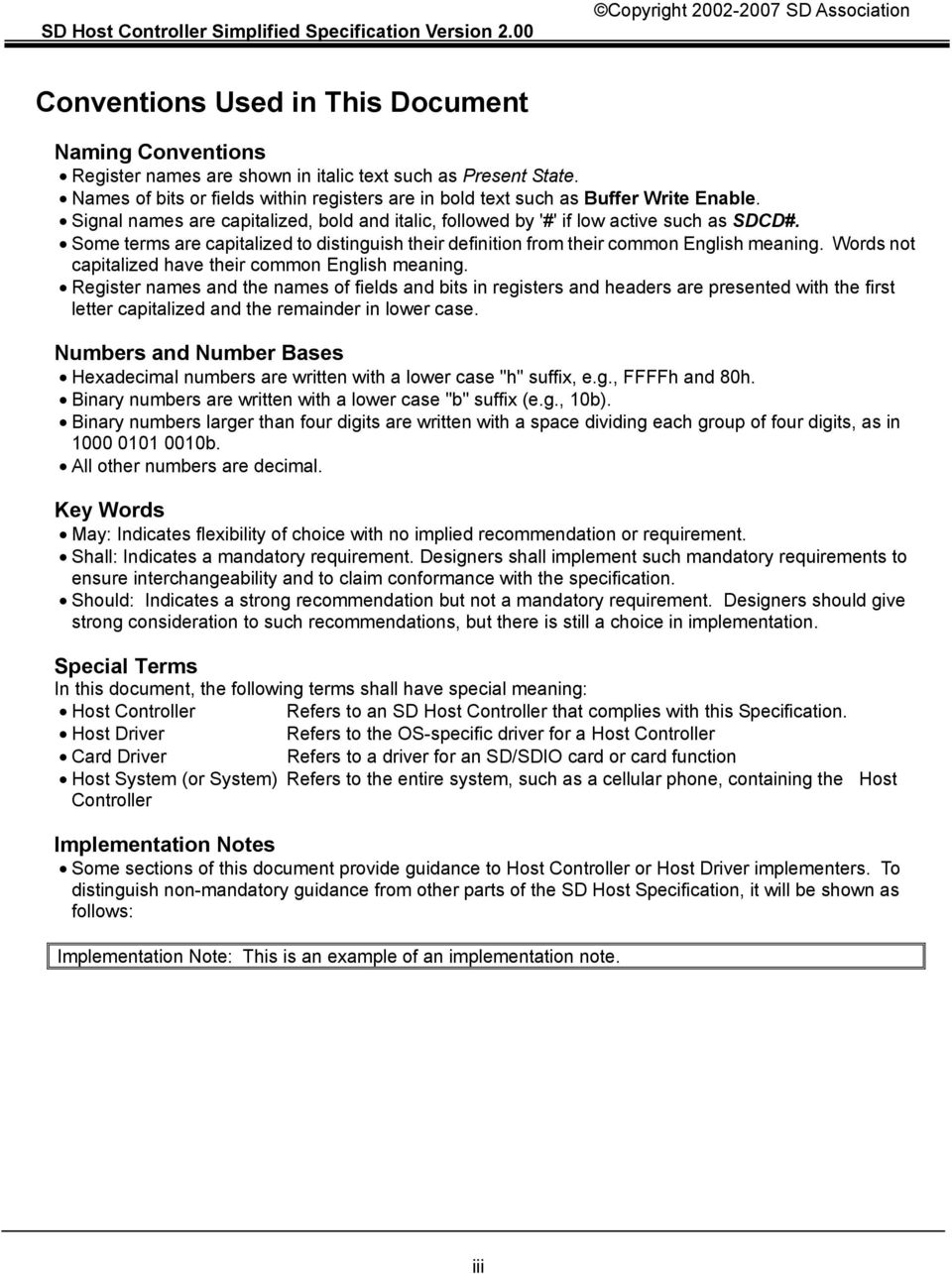
4 Conventions Used in This Document Naming Conventions Register names are shown in italic text such as Present State. Names of bits or fields within registers are in bold text such as Buffer Write Enable. Signal names are capitalized, bold and italic, followed by '#' if low active such as SDCD#. Some terms are capitalized to distinguish their definition from their common English meaning. Words not capitalized have their common English meaning. Register names and the names of fields and bits in registers and headers are presented with the first letter capitalized and the remainder in lower case. Numbers and Number Bases Hexadecimal numbers are written with a lower case "h" suffix, e.g., FFFFh and 80h. Binary numbers are written with a lower case "b" suffix (e.g., 10b). Binary numbers larger than four digits are written with a space dividing each group of four digits, as in b. All other numbers are decimal. Key Words May: Indicates flexibility of choice with no implied recommendation or requirement. Shall: Indicates a mandatory requirement. Designers shall implement such mandatory requirements to ensure interchangeability and to claim conformance with the specification. Should: Indicates a strong recommendation but not a mandatory requirement. Designers should give strong consideration to such recommendations, but there is still a choice in implementation. Special Terms In this document, the following terms shall have special meaning: Host Controller Refers to an SD Host Controller that complies with this Specification. Host Driver Refers to the OS-specific driver for a Host Controller Card Driver Refers to a driver for an SD/SDIO card or card function Host System (or System) Refers to the entire system, such as a cellular phone, containing the Host Controller Implementation Notes Some sections of this document provide guidance to Host Controller or Host Driver implementers. To distinguish non-mandatory guidance from other parts of the SD Host Specification, it will be shown as follows: Implementation Note: This is an example of an implementation note. iii
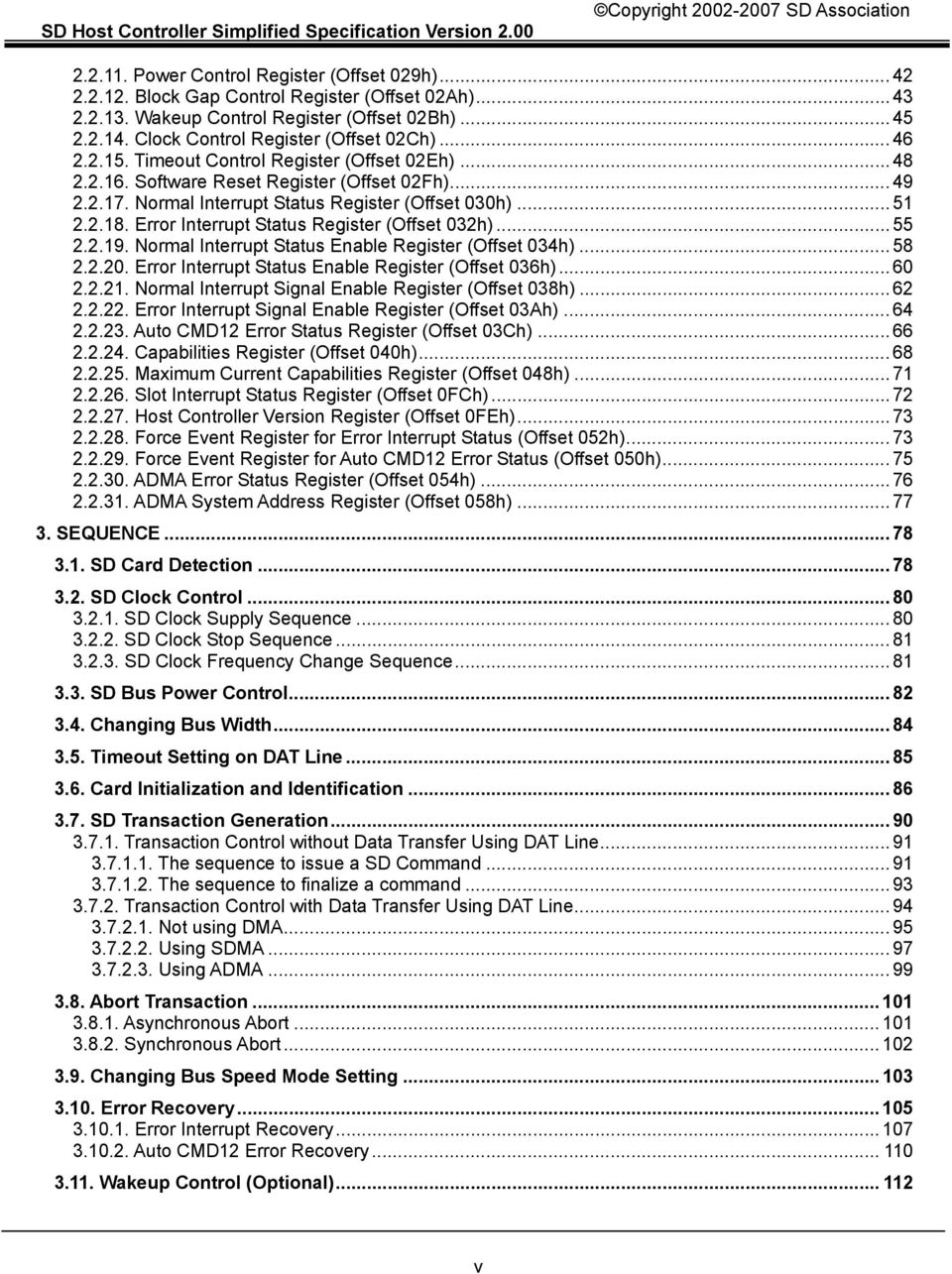
5 Table of Contents 1. Overview of the SD Standard Host Scope of the Standard SD Host Register Map Multiple Slot support Supporting DMA SD Command generation Suspend and Resume mechanism Buffer Control Control of Buffer Pointer Determining Buffer block length Dividing large data transfer Data lengths which cannot be divided by block size Relationship between Interrupt Control Registers HW Block Diagram and timing part Power state definition of SD Host Controller Auto CMD Controlling SDCLK Advanced DMA Block Diagram of ADMA An Example of ADMA2 Programming Data Address and Data Length Requirements Descriptor Table ADMA2 States Test Registers SD Host Standard Register Summary of register set SD Host Control Register Map Configuration Register Types Register Initial values Reserved bits of register SD Host Standard Register SDMA System Address Register (Offset 000h) Block Size Register (Offset 004h) Block Count Register (Offset 006h) Argument Register (Offset 008h) Transfer Mode Register (Offset 00Ch) Command Register (Offset 00Eh) Response Register (Offset 010h) Buffer Data Port Register (Offset 020h) Present State Register (Offset 024h) Host Control Register (Offset 028h) iv

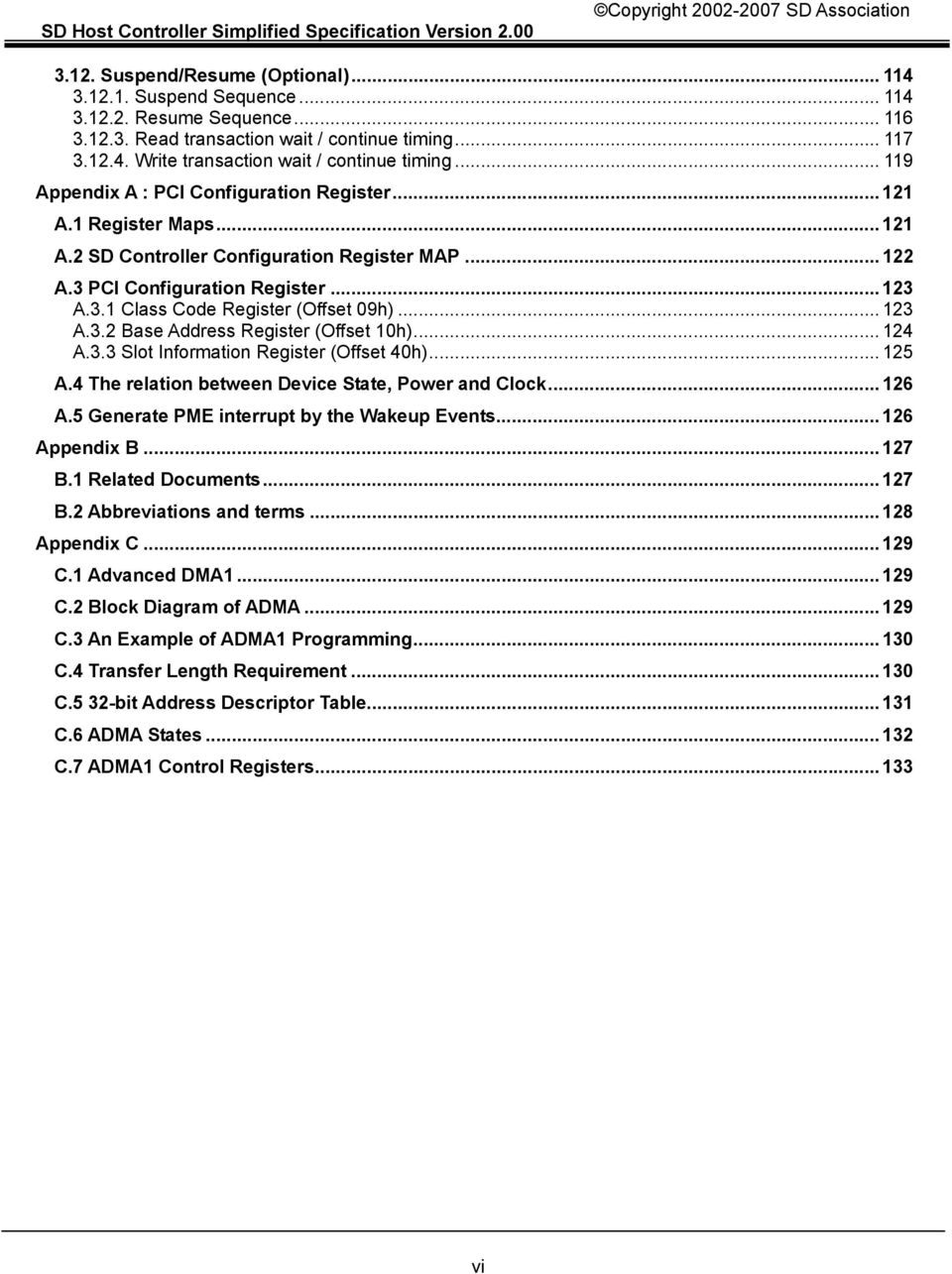
6 Power Control Register (Offset 029h) Block Gap Control Register (Offset 02Ah) Wakeup Control Register (Offset 02Bh) Clock Control Register (Offset 02Ch) Timeout Control Register (Offset 02Eh) Software Reset Register (Offset 02Fh) Normal Interrupt Status Register (Offset 030h) Error Interrupt Status Register (Offset 032h) Normal Interrupt Status Enable Register (Offset 034h) Error Interrupt Status Enable Register (Offset 036h) Normal Interrupt Signal Enable Register (Offset 038h) Error Interrupt Signal Enable Register (Offset 03Ah) Auto CMD12 Error Status Register (Offset 03Ch) Capabilities Register (Offset 040h) Maximum Current Capabilities Register (Offset 048h) Slot Interrupt Status Register (Offset 0FCh) Host Controller Version Register (Offset 0FEh) Force Event Register for Error Interrupt Status (Offset 052h) Force Event Register for Auto CMD12 Error Status (Offset 050h) ADMA Error Status Register (Offset 054h) ADMA System Address Register (Offset 058h) SEQUENCE SD Card Detection SD Clock Control SD Clock Supply Sequence SD Clock Stop Sequence SD Clock Frequency Change Sequence SD Bus Power Control Changing Bus Width Timeout Setting on DAT Line Card Initialization and Identification SD Transaction Generation Transaction Control without Data Transfer Using DAT Line The sequence to issue a SD Command The sequence to finalize a command Transaction Control with Data Transfer Using DAT Line Not using DMA Using SDMA Using ADMA Abort Transaction Asynchronous Abort Synchronous Abort Changing Bus Speed Mode Setting Error Recovery Error Interrupt Recovery Auto CMD12 Error Recovery Wakeup Control (Optional) v
7 3.12. Suspend/Resume (Optional) Suspend Sequence Resume Sequence Read transaction wait / continue timing Write transaction wait / continue timing Appendix A : PCI Configuration Register A.1 Register Maps A.2 SD Controller Configuration Register MAP A.3 PCI Configuration Register A.3.1 Class Code Register (Offset 09h) A.3.2 Base Address Register (Offset 10h) A.3.3 Slot Information Register (Offset 40h) A.4 The relation between Device State, Power and Clock A.5 Generate PME interrupt by the Wakeup Events Appendix B B.1 Related Documents B.2 Abbreviations and terms Appendix C C.1 Advanced DMA C.2 Block Diagram of ADMA C.3 An Example of ADMA1 Programming C.4 Transfer Length Requirement C.5 32-bit Address Descriptor Table C.6 ADMA States C.7 ADMA1 Control Registers vi
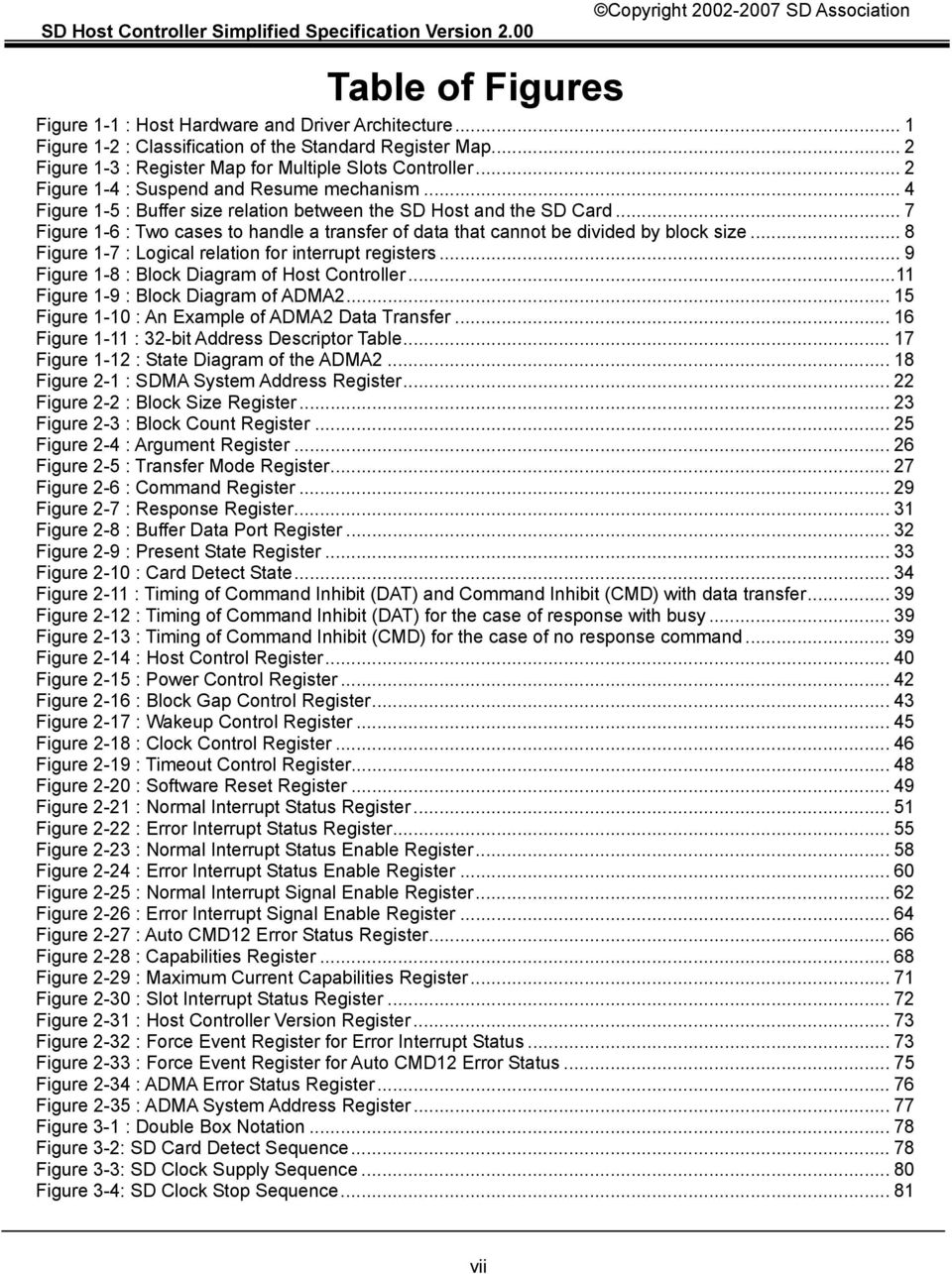
8 Table of Figures Figure 1-1 : Host Hardware and Driver Architecture... 1 Figure 1-2 : Classification of the Standard Register Map... 2 Figure 1-3 : Register Map for Multiple Slots Controller... 2 Figure 1-4 : Suspend and Resume mechanism... 4 Figure 1-5 : Buffer size relation between the SD Host and the SD Card... 7 Figure 1-6 : Two cases to handle a transfer of data that cannot be divided by block size... 8 Figure 1-7 : Logical relation for interrupt registers... 9 Figure 1-8 : Block Diagram of Host Controller...11 Figure 1-9 : Block Diagram of ADMA Figure 1-10 : An Example of ADMA2 Data Transfer Figure 1-11 : 32-bit Address Descriptor Table Figure 1-12 : State Diagram of the ADMA Figure 2-1 : SDMA System Address Register Figure 2-2 : Block Size Register Figure 2-3 : Block Count Register Figure 2-4 : Argument Register Figure 2-5 : Transfer Mode Register Figure 2-6 : Command Register Figure 2-7 : Response Register Figure 2-8 : Buffer Data Port Register Figure 2-9 : Present State Register Figure 2-10 : Card Detect State Figure 2-11 : Timing of Command Inhibit (DAT) and Command Inhibit (CMD) with data transfer Figure 2-12 : Timing of Command Inhibit (DAT) for the case of response with busy Figure 2-13 : Timing of Command Inhibit (CMD) for the case of no response command Figure 2-14 : Host Control Register Figure 2-15 : Power Control Register Figure 2-16 : Block Gap Control Register Figure 2-17 : Wakeup Control Register Figure 2-18 : Clock Control Register Figure 2-19 : Timeout Control Register Figure 2-20 : Software Reset Register Figure 2-21 : Normal Interrupt Status Register Figure 2-22 : Error Interrupt Status Register Figure 2-23 : Normal Interrupt Status Enable Register Figure 2-24 : Error Interrupt Status Enable Register Figure 2-25 : Normal Interrupt Signal Enable Register Figure 2-26 : Error Interrupt Signal Enable Register Figure 2-27 : Auto CMD12 Error Status Register Figure 2-28 : Capabilities Register Figure 2-29 : Maximum Current Capabilities Register Figure 2-30 : Slot Interrupt Status Register Figure 2-31 : Host Controller Version Register Figure 2-32 : Force Event Register for Error Interrupt Status Figure 2-33 : Force Event Register for Auto CMD12 Error Status Figure 2-34 : ADMA Error Status Register Figure 2-35 : ADMA System Address Register Figure 3-1 : Double Box Notation Figure 3-2: SD Card Detect Sequence Figure 3-3: SD Clock Supply Sequence Figure 3-4: SD Clock Stop Sequence vii
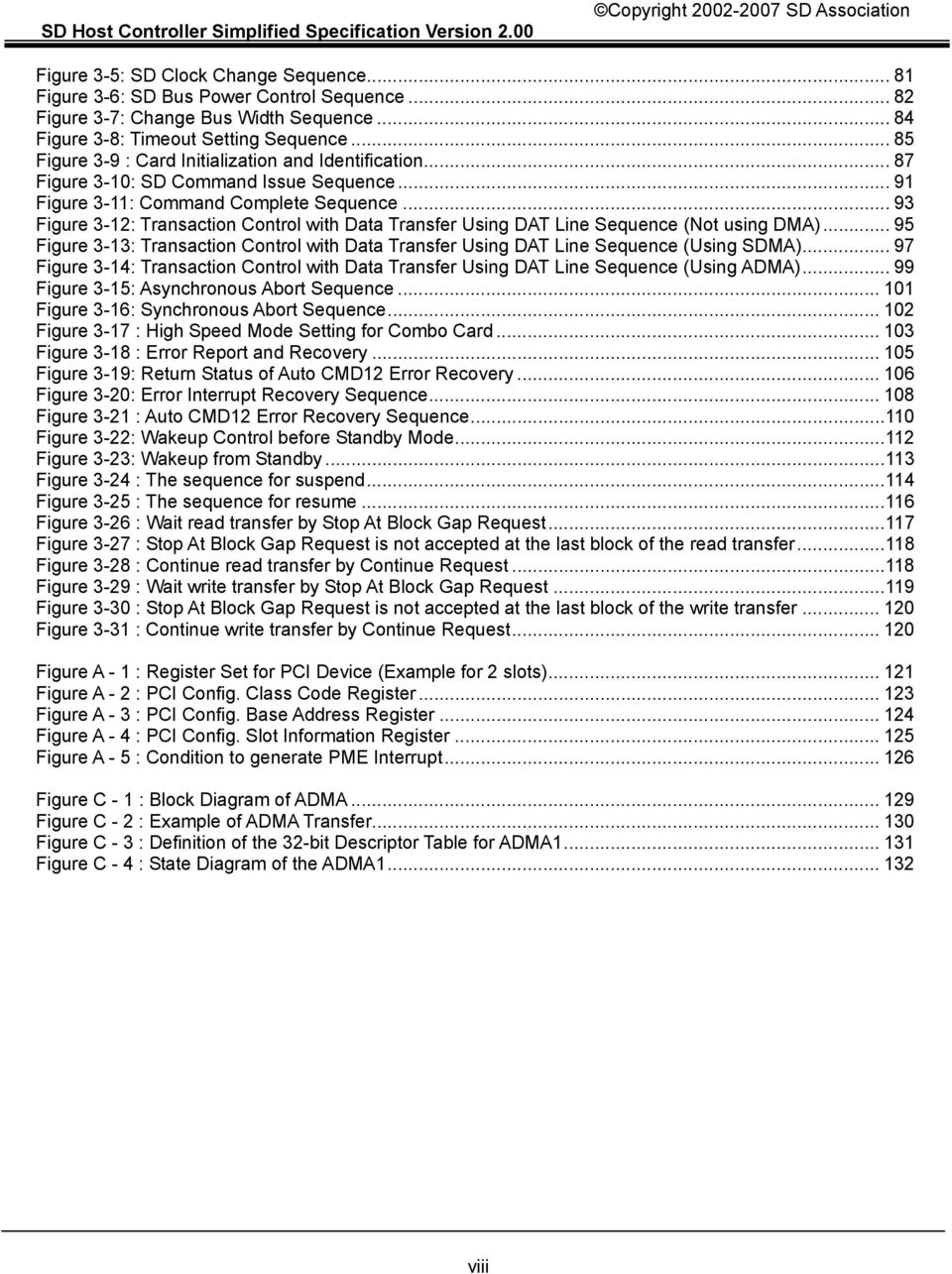
9 Figure 3-5: SD Clock Change Sequence Figure 3-6: SD Bus Power Control Sequence Figure 3-7: Change Bus Width Sequence Figure 3-8: Timeout Setting Sequence Figure 3-9 : Card Initialization and Identification Figure 3-10: SD Command Issue Sequence Figure 3-11: Command Complete Sequence Figure 3-12: Transaction Control with Data Transfer Using DAT Line Sequence (Not using DMA) Figure 3-13: Transaction Control with Data Transfer Using DAT Line Sequence (Using SDMA) Figure 3-14: Transaction Control with Data Transfer Using DAT Line Sequence (Using ADMA) Figure 3-15: Asynchronous Abort Sequence Figure 3-16: Synchronous Abort Sequence Figure 3-17 : High Speed Mode Setting for Combo Card Figure 3-18 : Error Report and Recovery Figure 3-19: Return Status of Auto CMD12 Error Recovery Figure 3-20: Error Interrupt Recovery Sequence Figure 3-21 : Auto CMD12 Error Recovery Sequence Figure 3-22: Wakeup Control before Standby Mode Figure 3-23: Wakeup from Standby Figure 3-24 : The sequence for suspend Figure 3-25 : The sequence for resume Figure 3-26 : Wait read transfer by Stop At Block Gap Request Figure 3-27 : Stop At Block Gap Request is not accepted at the last block of the read transfer Figure 3-28 : Continue read transfer by Continue Request Figure 3-29 : Wait write transfer by Stop At Block Gap Request Figure 3-30 : Stop At Block Gap Request is not accepted at the last block of the write transfer Figure 3-31 : Continue write transfer by Continue Request Figure A - 1 : Register Set for PCI Device (Example for 2 slots) Figure A - 2 : PCI Config. Class Code Register Figure A - 3 : PCI Config. Base Address Register Figure A - 4 : PCI Config. Slot Information Register Figure A - 5 : Condition to generate PME Interrupt Figure C - 1 : Block Diagram of ADMA Figure C - 2 : Example of ADMA Transfer Figure C - 3 : Definition of the 32-bit Descriptor Table for ADMA Figure C - 4 : State Diagram of the ADMA viii
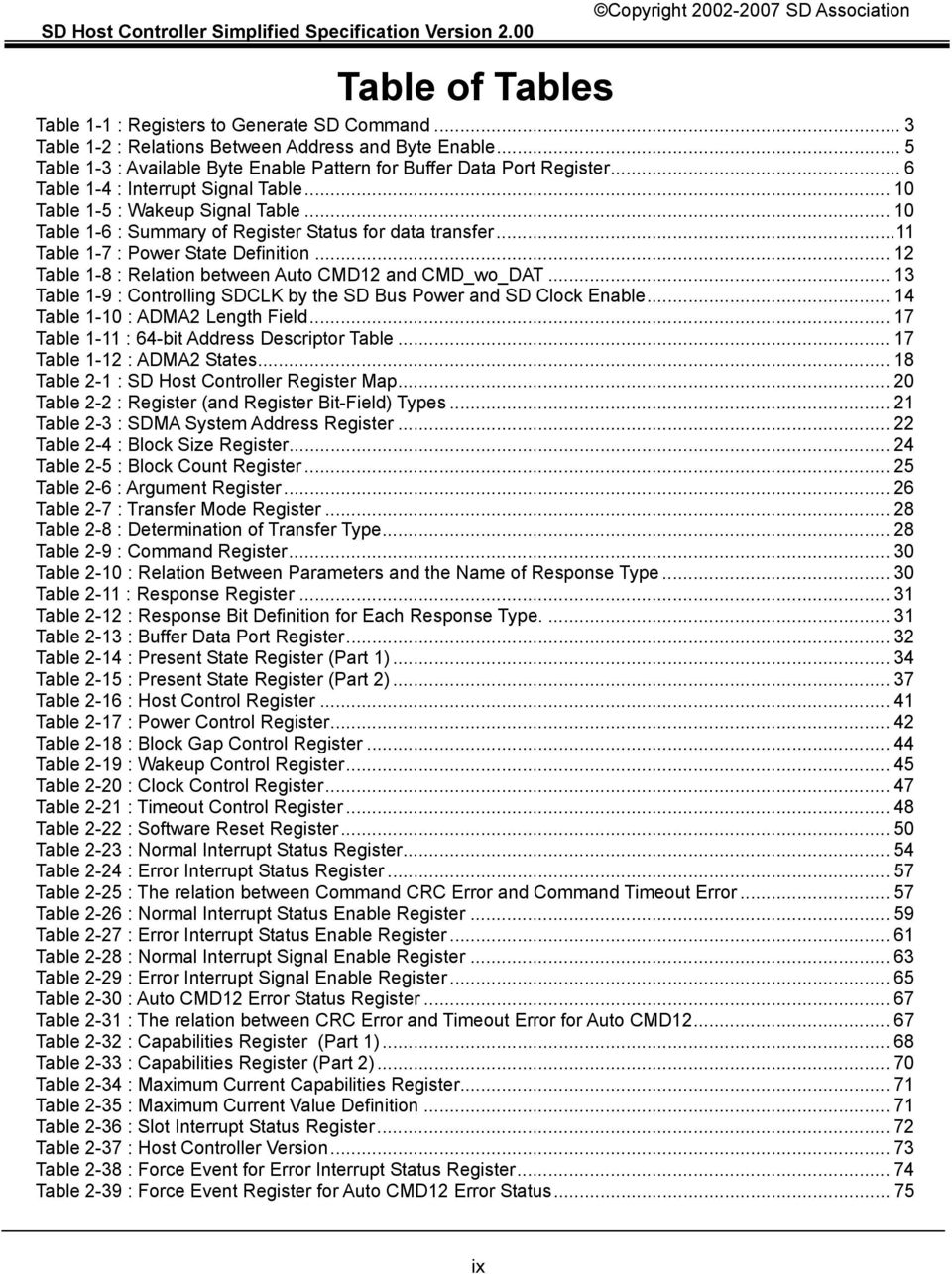
10 Table of Tables Table 1-1 : Registers to Generate SD Command... 3 Table 1-2 : Relations Between Address and Byte Enable... 5 Table 1-3 : Available Byte Enable Pattern for Buffer Data Port Register... 6 Table 1-4 : Interrupt Signal Table Table 1-5 : Wakeup Signal Table Table 1-6 : Summary of Register Status for data transfer...11 Table 1-7 : Power State Definition Table 1-8 : Relation between Auto CMD12 and CMD_wo_DAT Table 1-9 : Controlling SDCLK by the SD Bus Power and SD Clock Enable Table 1-10 : ADMA2 Length Field Table 1-11 : 64-bit Address Descriptor Table Table 1-12 : ADMA2 States Table 2-1 : SD Host Controller Register Map Table 2-2 : Register (and Register Bit-Field) Types Table 2-3 : SDMA System Address Register Table 2-4 : Block Size Register Table 2-5 : Block Count Register Table 2-6 : Argument Register Table 2-7 : Transfer Mode Register Table 2-8 : Determination of Transfer Type Table 2-9 : Command Register Table 2-10 : Relation Between Parameters and the Name of Response Type Table 2-11 : Response Register Table 2-12 : Response Bit Definition for Each Response Type Table 2-13 : Buffer Data Port Register Table 2-14 : Present State Register (Part 1) Table 2-15 : Present State Register (Part 2) Table 2-16 : Host Control Register Table 2-17 : Power Control Register Table 2-18 : Block Gap Control Register Table 2-19 : Wakeup Control Register Table 2-20 : Clock Control Register Table 2-21 : Timeout Control Register Table 2-22 : Software Reset Register Table 2-23 : Normal Interrupt Status Register Table 2-24 : Error Interrupt Status Register Table 2-25 : The relation between Command CRC Error and Command Timeout Error Table 2-26 : Normal Interrupt Status Enable Register Table 2-27 : Error Interrupt Status Enable Register Table 2-28 : Normal Interrupt Signal Enable Register Table 2-29 : Error Interrupt Signal Enable Register Table 2-30 : Auto CMD12 Error Status Register Table 2-31 : The relation between CRC Error and Timeout Error for Auto CMD Table 2-32 : Capabilities Register (Part 1) Table 2-33 : Capabilities Register (Part 2) Table 2-34 : Maximum Current Capabilities Register Table 2-35 : Maximum Current Value Definition Table 2-36 : Slot Interrupt Status Register Table 2-37 : Host Controller Version Table 2-38 : Force Event for Error Interrupt Status Register Table 2-39 : Force Event Register for Auto CMD12 Error Status ix
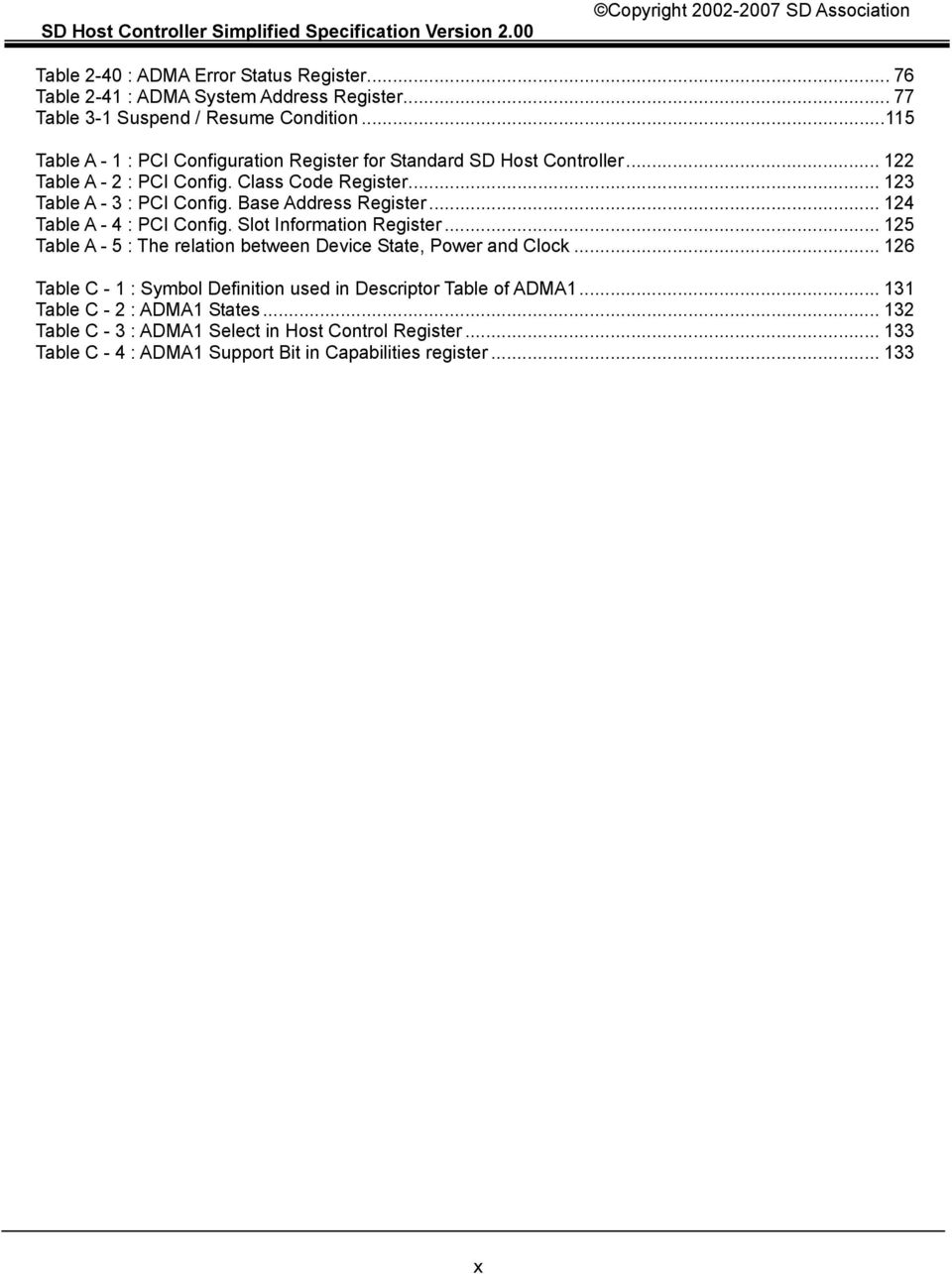
11 Table 2-40 : ADMA Error Status Register Table 2-41 : ADMA System Address Register Table 3-1 Suspend / Resume Condition Table A - 1 : PCI Configuration Register for Standard SD Host Controller Table A - 2 : PCI Config. Class Code Register Table A - 3 : PCI Config. Base Address Register Table A - 4 : PCI Config. Slot Information Register Table A - 5 : The relation between Device State, Power and Clock Table C - 1 : Symbol Definition used in Descriptor Table of ADMA Table C - 2 : ADMA1 States Table C - 3 : ADMA1 Select in Host Control Register Table C - 4 : ADMA1 Support Bit in Capabilities register x
12 1. Overview of the SD Standard Host The Secure Digital (SD) Host Standard Specification is the SD Association's (SDA) guideline for designing SD Host Controllers and related vendor products. Within the scope of the SD Associations adherence to this specification is not mandatory. It is the Host Controller vendor's responsibility to design products that comply with the SD Specification and where possible to use standard Host Drivers. OS vendor, IHVs and OEMs may require compliance according to their own policies so adherence is recommended Scope of the Standard SD Host Application & Driver Structure Bluetooth Application Bluetooth Card Driver Camera Application Camera Card Driver GPS Application GPS Card Driver PHS Application PHS Card Driver Memory Application Memory Card Driver SD host Driver (Unified Driver) Specify Register Spec. SD Combo Host Hardware SD Card Connector Driver Interface Should be specified by OS Vendor Figure 1-1 : Host Hardware and Driver Architecture It is the intention of this specification that by defining a standard SD Host Controller, Operating System (OS) Vendors can develop SD Host Drivers that will work with Host Controllers from any vendor. Applications may in addition require the Card Drivers. The Card Drivers will communicate with the Host Driver using a driver interface specified by the OS. Implementation Note: This specification can be applied to any system bus interface. The interface between the Host Driver and its parent system driver (if any) is not defined by this specification. 1

13 1.2. Register Map Standard Register Set 0F-00h 1F-10h 23-20h 2F-24h 3D-30h 4F-40h 53-50h 5F-54h FF-F0h SD Command Generation Response Buffer Data Port Host Controls Interrupt Controls Capabilities Force Event ADMA Reserved Common Area Buffer Figure 1-2 : Classification of the Standard Register Map The standard register map is classified in 9 parts listed below. The Host Controller shall support byte, word and double word accesses to these registers. Reserved bits in all registers shall be fixed to zero. The Host Controller shall ignore writes to reserved bits; however, the Host Driver should write them as zero to ensure compatibility with possible future revisions to this Specification. (1) SD command generation : Parameters to generate SD commands (2) Response : Response value from the card (3) Buffer Data port : Data access port to the internal buffer (4) Host controls : Present State, controls for the SD Bus, Host reset and so on. (5) Interrupt controls : Interrupt statuses and enables. (6) Capabilities : Vendor specific host controller information (7) Force Event : Test register to generate events by software. (8) ADMA : Advanced DMA registers. (9) Common area : Common information area Multiple Slot support One Standard Register Set is defined for each slot. If the Host Controller has two slots, two register sets shall be required. Each slot is controlled independently. This enables support for combinations of Full speed and Low speed cards in regards to SD Clock frequencies. Base Pointer 1 Base Pointer 2 Base Pointer n 00 EF F0 FF Standard Register Set Common Register Area 00 EF Standard Register Set Information for Slot control and Common Status... Standard Register Set Figure 1-3 : Register Map for Multiple Slots Controller 00 EF F0 Common F0 Common Register Register FF Area FF Area Slot 1 Slot 2... Slot n 2
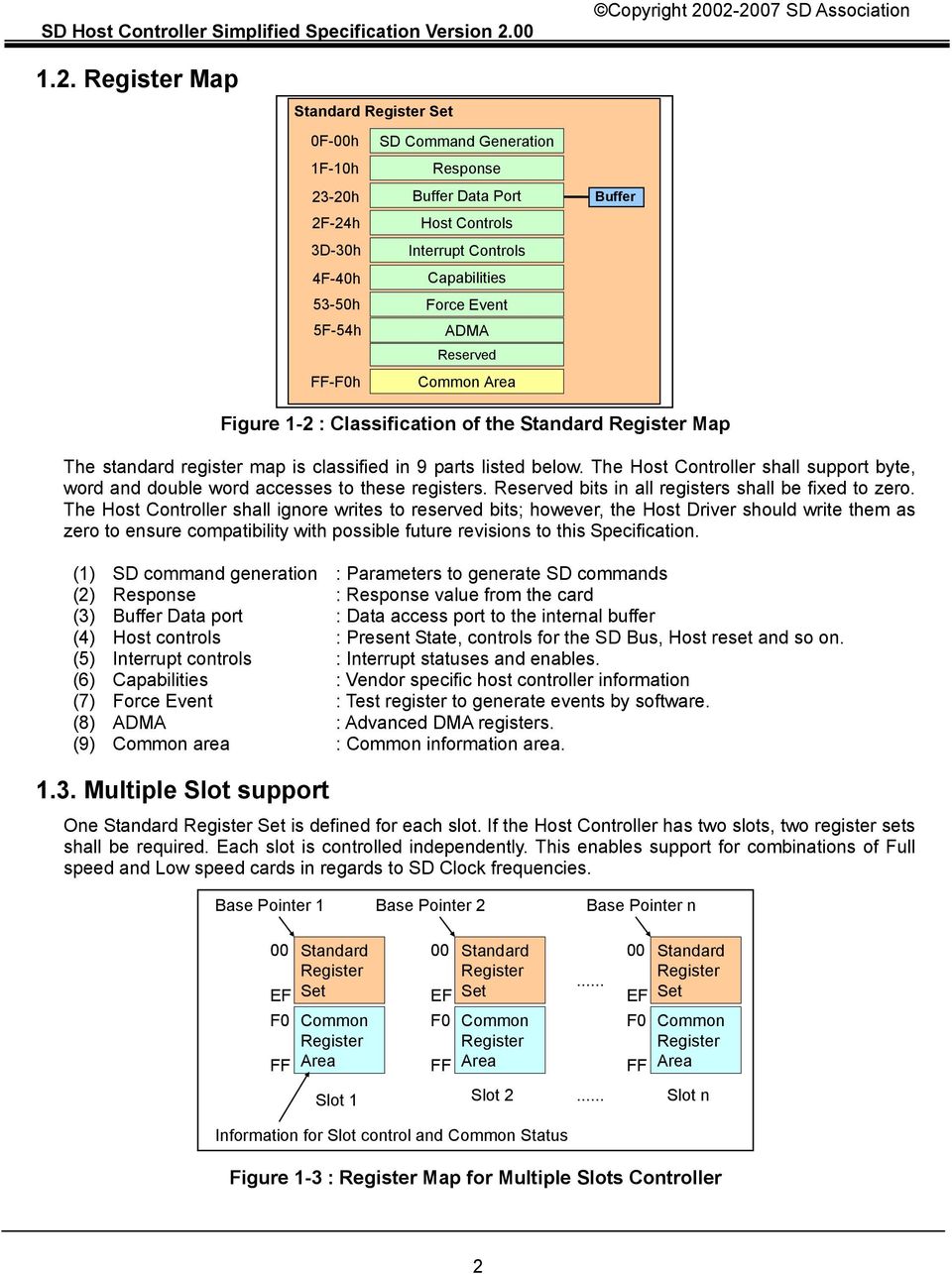
14 Figure 1-3 shows the register map for a multiple slot Host Controller. The Host Driver must determine the number of slots and base pointers to each slot's Standard Register Set using system bus or vendor specific methods. Offsets from 0F0h to 0FFh are reserved for the Common register area that defines information for slot control and common status. The common register area is accessible from any slot's register set. This allows software to control each slot independently, since it has access to the Slot Interrupt Status register and the Host Controller Version register from each register set Supporting DMA The Host Controller provides a "programmed I/O" method for the Host Driver to transfer data using the Buffer Data Port register. Optionally, Host Controller implementers may support data transfer using DMA. The DMA algorithm defined in the SD Host Controller Standard Specification Version 1.00 is called SDMA (Single Operation DMA). Only one SD command transaction can be executed per a SDMA operation. Support of SDMA can be checked by the SDMA Support in the Capabilities register. This specification defines a new DMA transfer algorithm called ADMA (Advanced DMA). ADMA provides data transfer between system memory and SD card without interruption of CPU execution. Support of ADMA can be checked by the Capabilities register. Refer to Section 1.13 for more details about ADMA. When the term "DMA" is used in this document, it applies to both SDMA and ADMA. Prior to using DMA, the Host Driver shall confirm that both the Host Controller and the system bus support it (PCI bus can support DMA). DMA shall support both single block and multiple-block transfers but does not support infinite transfers. Host Controller registers shall remain accessible for issuing non-dat line commands during a DMA transfer execution. The result of a DMA transfer shall be the same regardless of the system bus data transfer method. The Host Driver can stop and restart a DMA operation by the control bits in the Block Gap Control register. By setting Stop At Block Gap Request, a DMA operation can be stopped at block gap. By setting Continue Request, DMA operation can be restarted. Refer to the Block Gap Control register for more details. If an error occurs, DMA operation shall be stopped. To abort DMA transfer, Host driver shall reset the Host Controller by the Software Reset For DAT Line in the Software Reset register and issue CMD12 if multiple-block read / write command is executing SD Command generation DMA command CPU data transfer Non-DAT transfer SDMA System Address Yes No No Block Size Yes Yes No (Protected) Block Count Yes Yes No (Protected) Argument Yes Yes Yes Transfer Mode Yes Yes No (Protected) Command Yes Yes Yes Table 1-1 : Registers to Generate SD Command Table 1-1 shows register settings (at offsets from 000h to 00Fh in the register set) necessary for three types of transactions: DMA generated transfers, CPU data transfers (using "programmed I/O") and non-dat transfers. When initiating a transaction, the Host Driver should program these registers sequentially from 000h to 00Fh. The beginning register offset may be calculated based on the type of transaction. The last written offset shall be always 00Fh because writing to the upper byte of the Command register shall trigger issuance of an SD command. 3

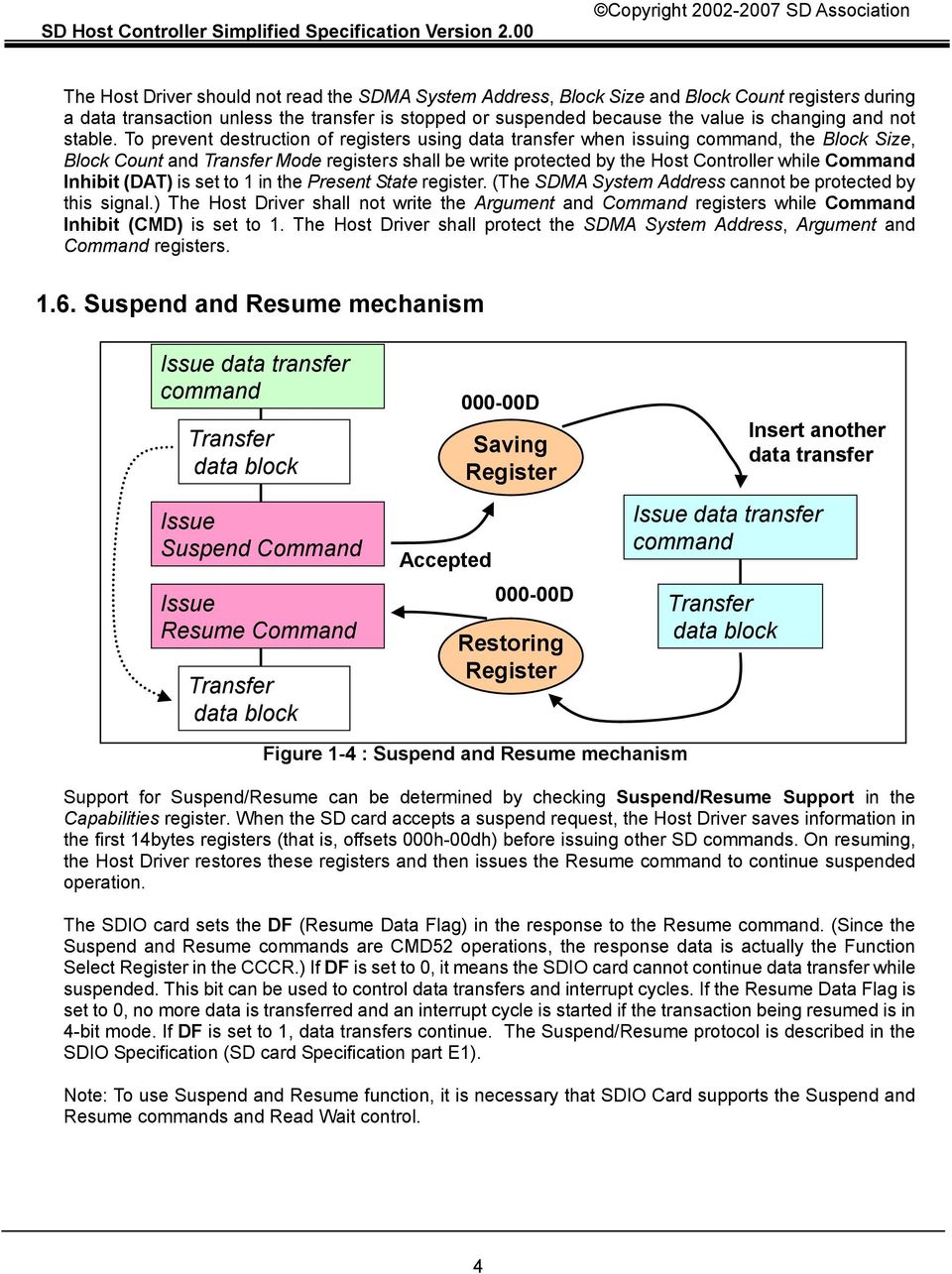
15 The Host Driver should not read the SDMA System Address, Block Size and Block Count registers during a data transaction unless the transfer is stopped or suspended because the value is changing and not stable. To prevent destruction of registers using data transfer when issuing command, the Block Size, Block Count and Transfer Mode registers shall be write protected by the Host Controller while Command Inhibit (DAT) is set to 1 in the Present State register. (The SDMA System Address cannot be protected by this signal.) The Host Driver shall not write the Argument and Command registers while Command Inhibit (CMD) is set to 1. The Host Driver shall protect the SDMA System Address, Argument and Command registers Suspend and Resume mechanism Issue data transfer command Transfer data block Issue Suspend Command Issue Resume Command Transfer data block Accepted D Saving Register D Restoring Register Issue data transfer command Transfer data block Insert another data transfer Figure 1-4 : Suspend and Resume mechanism Support for Suspend/Resume can be determined by checking Suspend/Resume Support in the Capabilities register. When the SD card accepts a suspend request, the Host Driver saves information in the first 14bytes registers (that is, offsets 000h-00dh) before issuing other SD commands. On resuming, the Host Driver restores these registers and then issues the Resume command to continue suspended operation. The SDIO card sets the DF (Resume Data Flag) in the response to the Resume command. (Since the Suspend and Resume commands are CMD52 operations, the response data is actually the Function Select Register in the CCCR.) If DF is set to 0, it means the SDIO card cannot continue data transfer while suspended. This bit can be used to control data transfers and interrupt cycles. If the Resume Data Flag is set to 0, no more data is transferred and an interrupt cycle is started if the transaction being resumed is in 4-bit mode. If DF is set to 1, data transfers continue. The Suspend/Resume protocol is described in the SDIO Specification (SD card Specification part E1). Note: To use Suspend and Resume function, it is necessary that SDIO Card supports the Suspend and Resume commands and Read Wait control. 4
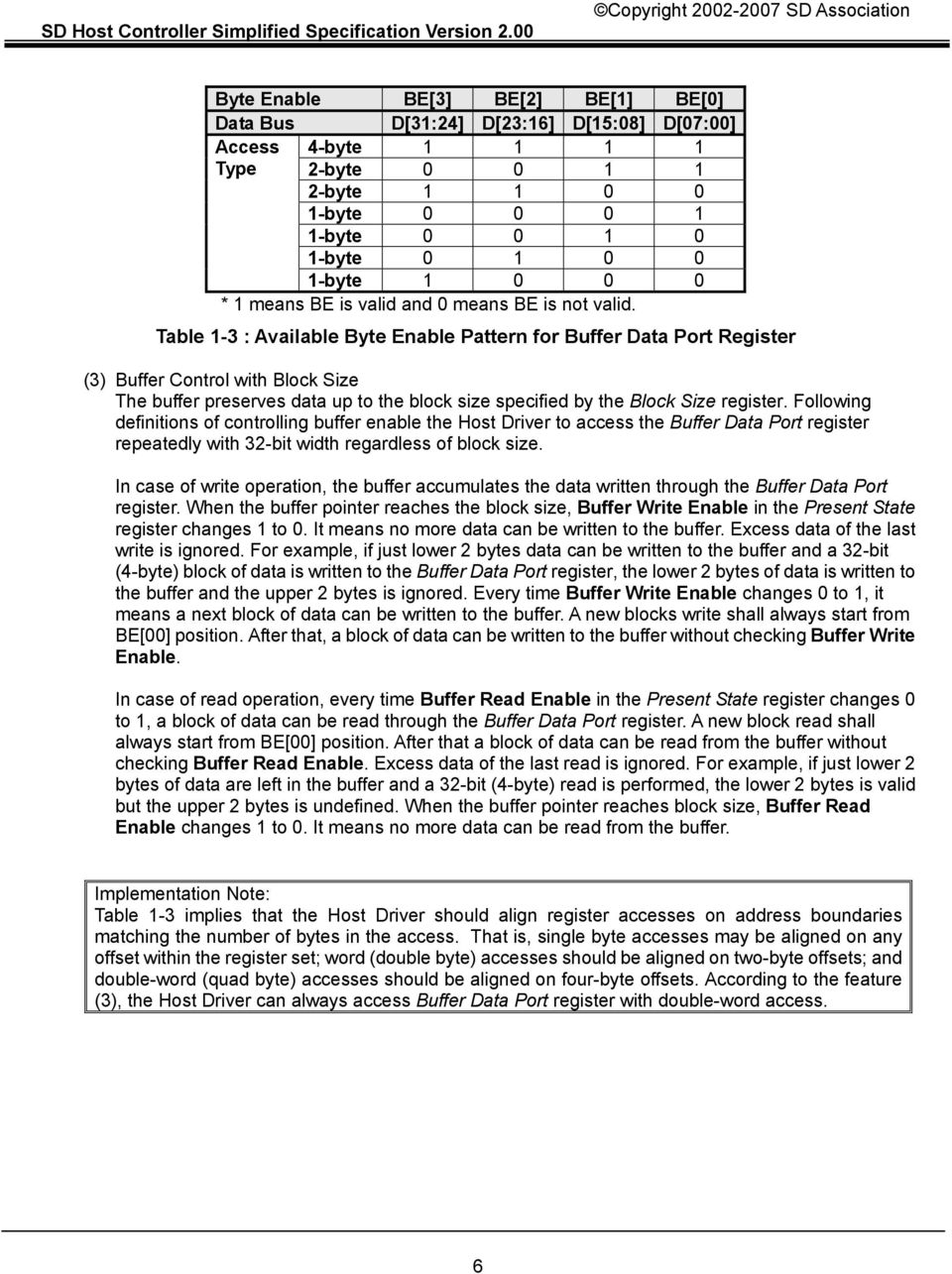
16 1.7. Buffer Control The Host Controller has a data buffer for data transfer. The Host Driver accesses internal buffer through the 32-bit Buffer Data Port register. Followings show some rules to access the buffer Control of Buffer Pointer Internally, the Host Controller maintains a pointer to control the data buffer. The pointer is not directly accessible by the Host Driver. Every time the Buffer Data Port register is accessed, the pointer is incremented depending on amount of data written to the buffer. In order to accommodate a variety of system busses, this pointer shall be implemented regardless of system bus width (8-bit, 16-bit, 32-bit or 64-bit system bus width can be supported). To specify control of the pointer, the Host Controller data buffer interface shall have the following characteristics: (1) System Bus Width and Byte Enable Address 8-bit, 16-bit, 32-bit or 64-bit system bus is supported. To specify byte position for Buffer Data Port register (4 bytes), Byte Enable (BE[]) or Lower Address (A[]) is used. Table 1-2 shows the relation between lower address and byte enable depending on system bus width. The Buffer Data Port register can be accessed by BE[3:0] for 64-bit system bus which has BE[7:0]. System Bus A[02] A[01] A[00] BE[3] D[31:24] BE[2] D[23:16] BE[1] D[15:08] BE[0] D[07:00] 64-bit No No No Yes Yes Yes Yes 32-bit Yes No No Yes Yes Yes Yes 16-bit Yes Yes No No No Yes Yes 8-bit Yes Yes Yes No No No Yes* 2 * 1 "Yes" means the signal is used for control and "No" means the signal is not used. * 2 : BE[00] for 8-bit bus is always 1 therefore it may not be defined. Table 1-2 : Relations Between Address and Byte Enable (2) Sequential and continuous access The Buffer Data Port register shall be accessed by sequential and continuous manner. The buffer pointer is controlled by the Byte Enable patterns when accessing to the Buffer Data Port register. So Byte Enable patterns shall be sequential and continuous as well. The order of Byte Enable is according to little endian format. For example, BE[1] is accessed, next access shall start form BE[2]. Random or skipped access is not allowed. Table 1-3 shows possible byte enable patterns that the Host Controller shall be supported. However, if the system controller supports write merge, it may generate the other byte enable patterns. To avoid generating unsupported byte enable patterns for the 32-bit or 64-bit bus system, the Host Driver is allowed to use word or double word access to the Buffer Data Port register except for the last access to every block data. OK BE[3:0]=0011b (2-byte) => BE[3:0]=1100b (2-byte) => BE[3:0]=0011b (2-byte) OK BE[3:0]=1100b (2-byte) => BE[3:0]=1111b (4-byte) => BE[3:0]=0011b (2-byte) OK BE[3:0]=1111b (4-byte) => BE[3:0]=1111b (4-byte) => BE[3:0]=1111b (4-byte) Not OK BE[3:0]=0011b (2-byte) => BE[3:0]=0011b (2-byte) (Cannot skip BE[2],BE[3]) Not OK BE[3:0]=0011b (2-byte) => BE[3:0]=1111b (4-byte) (Cannot skip BE[2],BE[3]) 5

17 Byte Enable BE[3] BE[2] BE[1] BE[0] Data Bus D[31:24] D[23:16] D[15:08] D[07:00] Access 4-byte Type 2-byte byte byte byte byte byte * 1 means BE is valid and 0 means BE is not valid. Table 1-3 : Available Byte Enable Pattern for Buffer Data Port Register (3) Buffer Control with Block Size The buffer preserves data up to the block size specified by the Block Size register. Following definitions of controlling buffer enable the Host Driver to access the Buffer Data Port register repeatedly with 32-bit width regardless of block size. In case of write operation, the buffer accumulates the data written through the Buffer Data Port register. When the buffer pointer reaches the block size, Buffer Write Enable in the Present State register changes 1 to 0. It means no more data can be written to the buffer. Excess data of the last write is ignored. For example, if just lower 2 bytes data can be written to the buffer and a 32-bit (4-byte) block of data is written to the Buffer Data Port register, the lower 2 bytes of data is written to the buffer and the upper 2 bytes is ignored. Every time Buffer Write Enable changes 0 to 1, it means a next block of data can be written to the buffer. A new blocks write shall always start from BE[00] position. After that, a block of data can be written to the buffer without checking Buffer Write Enable. In case of read operation, every time Buffer Read Enable in the Present State register changes 0 to 1, a block of data can be read through the Buffer Data Port register. A new block read shall always start from BE[00] position. After that a block of data can be read from the buffer without checking Buffer Read Enable. Excess data of the last read is ignored. For example, if just lower 2 bytes of data are left in the buffer and a 32-bit (4-byte) read is performed, the lower 2 bytes is valid but the upper 2 bytes is undefined. When the buffer pointer reaches block size, Buffer Read Enable changes 1 to 0. It means no more data can be read from the buffer. Implementation Note: Table 1-3 implies that the Host Driver should align register accesses on address boundaries matching the number of bytes in the access. That is, single byte accesses may be aligned on any offset within the register set; word (double byte) accesses should be aligned on two-byte offsets; and double-word (quad byte) accesses should be aligned on four-byte offsets. According to the feature (3), the Host Driver can always access Buffer Data Port register with double-word access. 6
18 Determining Buffer block length SD Host Buffer SD Bus SD Card Buffer Figure 1-5 : Buffer size relation between the SD Host and the SD Card To be able to transfer blocks of data at a burst, the relationship between Host Controller and SD card buffer sizes is important. The Host Driver shall use the same data block length for both the Host Controller and the card. If the controller and card buffer sizes are different, the Host Driver shall use the smaller value. The maximum Host Controller buffer size is defined by the Max Block Length field in the Capabilities register. Implementation Note: The card buffer size is described as maximum block length in the Card Specific Data (CSD) register for memory cards (for cards compliant with the Physical Layer Specification, READ_BL_LEN and WRITE_BL_LEN shall be the same) and in the Card Information Structure (CIS) for SDIO cards. Physical Layer Specification re-defines that maximum block length is only used to calculate capacity of memory card. Even though it indicates larger than 512 bytes, block length shall be set to 512 byte for data transfer. This is because 512 bytes block length is required to keep compatibility with 512 bytes data boundary. If the SDIO card has multiple buffers, the block size in CIS indicates the size of the smallest buffer; this is the value the Host Driver should use when programming block size. Buffer information (for example, buffer port address) in the SDIO card is function specific Dividing large data transfer The SDIO command CMD53 definition limits the maximum data size of data transfers according to the following formula: Max data size = Block size x Block count For example, Block size is specified by the buffer size as described in and the block count can be a maximum of 512 (9-bit count) as specified in the command argument for CMD53. In the worst case, if the card has only a 1 byte buffer, up to 512 bytes of data can be transferred using CMD53 (Block Size =1, Block Count = 512). If the card does not support multiple-block mode, only one byte can be transferred in this case. If an application or Card Driver wants to transfer larger sizes of data, the Host Driver shall divide large data into multiple CMD53 blocks Data lengths which cannot be divided by block size The length of a multiple block transfer needs to be in block size units. If the total data length cannot be divided evenly by the block size, there are two ways to transfer the data depending on the function and card design: Option 1 is for the Card Driver to split the transaction. The remainder of block size data is transferred by using a single block command at the end. Option 2 is to add dummy data in the last block to fill the block size. This is efficient but the card must manage or remove the dummy data. Implementation Note: The Host Driver interface to the Card Drivers should accept any size data. The Host Driver can always rely on Option 1 if the data size is not a multiple of the block size. The Host Driver may expose Option 2 to the Card Drivers, or may expect the Card Drivers to implement Option 2 themselves if they need the additional optimization. This document does not specify the interface between the Host Driver and the Card Drivers. 7

19 (1)Adjust data length with single block command CMD53 Block Block Block CMD53 Mod (2)Insert dummy data to fit block size CMD53 Block Block Block Mod Modulo of block size Dummy data = Block size - Mod Figure 1-6 : Two cases to handle a transfer of data that cannot be divided by block size 8

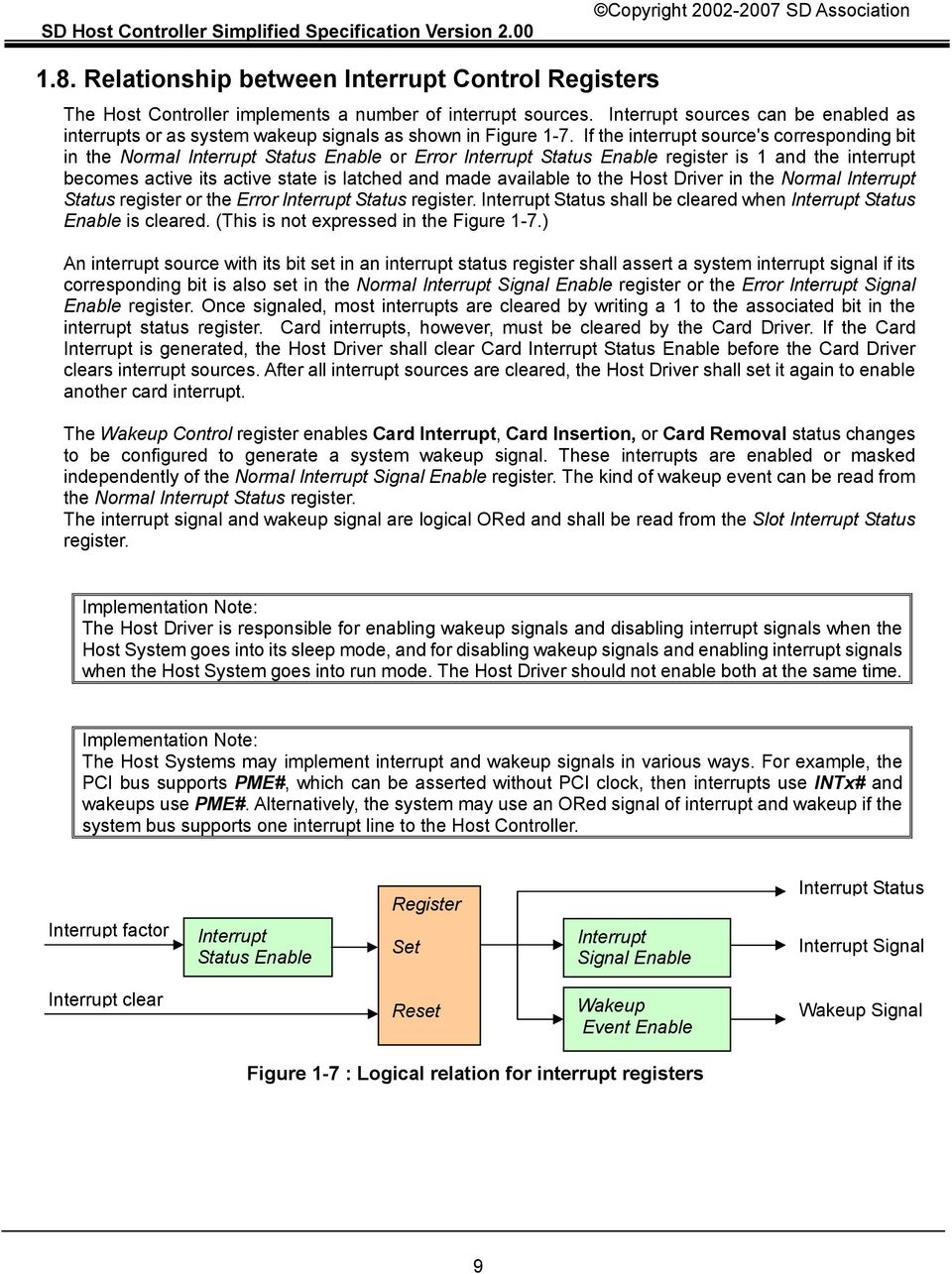
20 1.8. Relationship between Interrupt Control Registers The Host Controller implements a number of interrupt sources. Interrupt sources can be enabled as interrupts or as system wakeup signals as shown in Figure 1-7. If the interrupt source's corresponding bit in the Normal Interrupt Status Enable or Error Interrupt Status Enable register is 1 and the interrupt becomes active its active state is latched and made available to the Host Driver in the Normal Interrupt Status register or the Error Interrupt Status register. Interrupt Status shall be cleared when Interrupt Status Enable is cleared. (This is not expressed in the Figure 1-7.) An interrupt source with its bit set in an interrupt status register shall assert a system interrupt signal if its corresponding bit is also set in the Normal Interrupt Signal Enable register or the Error Interrupt Signal Enable register. Once signaled, most interrupts are cleared by writing a 1 to the associated bit in the interrupt status register. Card interrupts, however, must be cleared by the Card Driver. If the Card Interrupt is generated, the Host Driver shall clear Card Interrupt Status Enable before the Card Driver clears interrupt sources. After all interrupt sources are cleared, the Host Driver shall set it again to enable another card interrupt. The Wakeup Control register enables Card Interrupt, Card Insertion, or Card Removal status changes to be configured to generate a system wakeup signal. These interrupts are enabled or masked independently of the Normal Interrupt Signal Enable register. The kind of wakeup event can be read from the Normal Interrupt Status register. The interrupt signal and wakeup signal are logical ORed and shall be read from the Slot Interrupt Status register. Implementation Note: The Host Driver is responsible for enabling wakeup signals and disabling interrupt signals when the Host System goes into its sleep mode, and for disabling wakeup signals and enabling interrupt signals when the Host System goes into run mode. The Host Driver should not enable both at the same time. Implementation Note: The Host Systems may implement interrupt and wakeup signals in various ways. For example, the PCI bus supports PME#, which can be asserted without PCI clock, then interrupts use INTx# and wakeups use PME#. Alternatively, the system may use an ORed signal of interrupt and wakeup if the system bus supports one interrupt line to the Host Controller. Interrupt factor Interrupt Status Enable Register Set Interrupt Signal Enable Interrupt Status Interrupt Signal Interrupt clear Reset Wakeup Event Enable Wakeup Signal Figure 1-7 : Logical relation for interrupt registers 9
21 Interrupt Interrupt Wakeup Interrupt Status Interrupt Signal Status Enable Signal Enable Event Enable 0 (Mask) x (don't care) x (don't care) 0 (Not exist) 0 (De-assert) 1 (Enable) 0 (Mask) x (don't care) x (don't care) 0 (De-assert) 1 (Enable) 1 (Enable) x (don't care) 0 (Not exist) 0 (De-assert) 1 (Enable) 1 (Enable) x (don't care) 1 (Exist) 1 (Assert) Table 1-4 : Interrupt Signal Table Interrupt Interrupt Wakeup Interrupt Status Wakeup Signal Status Enable Signal Enable Event Enable 0 (Mask) x (don't care) x (don't care) 0 (Not exist) 0 (De-assert) 1 (Enable) x (don't care) 0 (Mask) x (don't care) 0 (De-assert) 1 (Enable) x (don't care) 1 (Enable) 0 (Not exist) 0 (De-assert) 1 (Enable) x (don't care) 1 (Enable) 1 (Exist) 1 (Assert) Table 1-5 : Wakeup Signal Table Implementation Note: The Host Controller may implement asserted wakeup or interrupt signals as active high or active low. 10
22 1.9. HW Block Diagram and timing part System Bus Interface Host IF (DMA) Register Set Buffer Buffer Interface CMD Control DAT Control Figure 1-8 : Block Diagram of Host Controller CMD DAT[3:0] SD Bus Interface The Host Controller has two bus interfaces, the System Bus Interface and the SD Bus Interface. The Host Controller assumes that these interfaces are asynchronous (that is, are working on different clock frequencies). The Host Driver is on system bus time (because it is software executed by the Host Controller CPU, on its system clock). The SD card is on SD Bus time (that is, its operation is synchronized by SDCLK). The Host Controller shall synchronize signals to communicate between these interfaces. Blocks of data shall be synchronized at the buffer module. All status registers shall be synchronized by the system clock and maintain synchronization during output to the system interface (except, optionally, statuses for testing). Control registers, which trigger SD Bus transactions, shall be synchronized by SDCLK. Therefore, there will be a timing delay when propagating signals between the two interfaces. This means the Host Driver cannot do real time control of the SD Bus and must rely on the Host Controller to control the SD Bus according to register settings. The Buffer Interface enables internal read and write buffers (refer to use of the Buffer Read Enable and Buffer Write Enable in the Present State register as described in section 1.7 "Buffer Control"). The Transfer Complete interrupt status indicates completion of the read / writes transfer for both DMA and non DMA transfers. However, the timing is different between reads and writes. Read transfers shall be completed after all valid data have been transferred to the Host System and are ready for the Host Driver to access. Write transfers shall be completed after all valid data have been transferred to the SD card and the busy state is over. Table 1-6 shows the relation between statuses and interrupts for data transfer. Type of Data transfer Buffer Status Buffer Interrupt Complete Interrupt Write Transfer (Non DMA) Buffer Write Enable Buffer Write Ready Transfer Complete Write Transfer (DMA) (Driver ignores) (Driver ignores) Transfer Complete Read Transfer (Non DMA) Buffer Read Enable Buffer Read Ready Transfer Complete Read Transfer (DMA) (Driver ignores) (Driver ignores) Transfer Complete Table 1-6 : Summary of Register Status for data transfer 11
23 1.10. Power state definition of SD Host Controller Implementation Note: Table 1-7 defines controller power states, which are listed in increasing order of power consumption. The Host Controller should reduce the power consumption by using these conditions. SD Card No exist Exist Internal SD Power SD Clock SD Bus Power Comment Clock *1 State *2 Stop OFF Stop - P00 Host not used Oscillate OFF Stop - P01 No card Oscillate ON Stop - P02 Short transition state *3 Oscillate ON Oscillate - P03 Short transition state *3 Stop OFF Stop - P10 Host not used Oscillate OFF Stop - P11 Low power mode Oscillate ON Stop - P12 Wakeup Oscillate ON Oscillate Wait P13 Ready to issue command Oscillate ON Oscillate Access P14 During transaction Table 1-7 : Power State Definition Implementation Note: *1: Internal clock should be stopped when the Host System does not use the Host Controller. *2: Power states are not actually implemented in Host Controller. This label is for reference. *3: Short transition state: Temporary power states. The Host Controller automatically goes to P01 when it detects No Card. The SD Clock shall not be supplied when card power is OFF. States described in Table 1-7 can be determined by reading the corresponding register bits: Internal clock oscillate/stop Internal Clock Enable in the Clock Control register SD Card : Exist/Not exist Card Inserted in the Present State register SD Power : ON/OFF SD Bus Power in the Power Control register SD Clock : oscillate/stop SD Clock Enable in the Clock Control register SD Bus : access/wait (idle) Command Inhibit (CMD) and Command Inhibit (DAT) in the Present State register 12
24 1.11. Auto CMD12 Multiple block transfers for SD memory require CMD12 to stop the transactions. The Host Controller automatically issues CMD12 when the last block transfer is completed. This feature of the Host Controller is called Auto CMD12. The Host Driver should set Auto CMD12 Enable in the Transfer Mode register when issuing a multiple block transfer command. Auto CMD12 timing synchronization with the last data block shall be done by hardware in the Host Controller. Commands that do not use the DAT line can be issued during multiple block transfers. These commands are referred to using the notation CMD_wo_DAT. In order to prevent DAT line commands and CMD_wo_DAT commands from conflicting, the Host Controller shall arbitrate the timing by which each command is issued on the SD Bus. Therefore, a command might not immediately be issued after the Host Driver writes to the Command register. The command may be issued before or after Auto CMD12, depending on the timing. To be able to distinguish the responses of DAT line and CMD_wo_DAT commands, the Auto CMD12 response can be determined from the upper four bytes of the Response register (at offset 01Ch in the standard register set). If errors are detected related to Auto CMD12, the Host Controller shall issue an Auto CMD12 Error interrupt. The Host Driver can check the Auto CMD12 error status (Command Index/End bit/crc/timeout Error) by reading the Auto CMD12 Error Status register. The Table 1-8 illustrates the relationship between Auto CMD12 errors and any CMD_wo_DAT commands that have been issued by the Host Driver. Relation of the commands Error Status Comments Auto CMD12 only CMD_wo_DAT : Unrelated Only Auto CMD12 is issued, Auto CMD12 : Error therefore Auto CMD12 is failed. CMD_wo_DAT before Auto CMD_wo_DAT : No Error CMD_wo_DAT successful, but Auto CMD12 Auto CMD12 : Error CMD12 failed. CMD_wo_DAT before Auto CMD_wo_DAT : Error CMD_wo_DAT is failed, therefore CMD12 Auto CMD12 : Not executed Auto CMD12 could not be issued. Auto CMD12 before CMD_wo_DAT : Not executed Auto CMD12 is failed, therefore CMD_wo_DAT Auto CMD12 : Error CMD_wo_DAT could not be issued. Table 1-8 : Relation between Auto CMD12 and CMD_wo_DAT The Host Driver may determine which of these error cases has occurred by checking the Auto CMD12 Error Status register when an Auto CMD12 Error interrupt occurs. If the Auto CMD12 was not executed, the Host Driver needs to recover from the CMD_wo_DAT error and issue CMD12 to stop the multiple block transfer. If the CMD_wo_DAT was not executed, the Host Driver can issue it again after recovering from the Auto CMD12 error. The procedures for recovering from error interrupts and from Auto CMD12 errors are described in sections and
25 1.12. Controlling SDCLK Table 1-9 shows how SDCLK is controlled by the SD Bus Power in the Power Control register and the SD Clock Enable in the Clock Control register. The Clock Period of SDCLK is specified by the SDCLK Frequency Select in the Clock Control register and the Base Clock Frequency For SD Clock in the Capabilities register. Because of the SD card may use both clock edges, the duty of SD clock should be average 50% (scattering within 45-55%) and the Period of High should be half of the Clock Period. The oscillation of SDCLK starts from driving specified Period of High. When SDCLK is stopped by the SD Clock Enable, the Host Controller shall stop SDCLK after driving Period of High to maintain clock duty. When SDCLK is stopped by the SD Bus Power, the Host Controller shall stop SDCLK immediately (drive Low). SD Bus Power SD Clock Enable State of SDCLK (Note 1) (Note 2) Change 0 to 1 0 Drive Low 1 Start Clock with specified Period of High Change 1 to 0 0 Drive Low 1 Drive Low immediately 0 Don't Care Drive Low Change 0 to 1 Start Clock with specified Period of High 1 Change 1 to 0 Maintains Period of High and then stops Clock and drive Low Table 1-9 : Controlling SDCLK by the SD Bus Power and SD Clock Enable Note 1: When the card state is changed from Debouncing to No Card, the Host Controller shall clear the SD Bus Power. Note 2: When the the card state is changed from Card Inserted to Debouncing, the Host Controller shall clear the SD Clock Enable immediately. 14
26 1.13. Advanced DMA In the SD Host Controller Standard Specification Version 2.00, new DMA transfer algorithm called ADMA (Advanced DMA) is defined. The DMA algorithm defined in the SD Host Controller Standard Specification Version 1.00 is called SDMA (Single Operation DMA). SDMA had disadvantage that DMA Interrupt generated at every page boundary disturbs CPU to reprogram the new system address. This SDMA algorithm forms a performance bottleneck by interruption at every page boundary. ADMA adopts scatter gather DMA algorithm so that higher data transfer speed is available. The Host Driver can program a list of data transfers between system memory and SD card to the Descriptor Table before executing ADMA. It enables ADMA to operate without interrupting the Host Driver. Furthermore, ADMA can support not only 32-bit system memory addressing but also 64-bit system memory addressing. The 32-bit system memory addressing uses lower 32-bit field of 64-bit address registers. Support of SDMA and ADMA are optional for the Host Controller. There are two types of ADMA; ADMA1 and ADMA2. ADMA1 can support data transfer of only 4KB aligned data in system memory. ADMA2 improves the restriction so that data of any location and any size can be transferred in system memory. The format of Descriptor Table is different between them. The Host Controller Specification Ver2.00 defines ADMA2 as standard ADMA and recommends supporting ADMA2 rather than ADMA1. This is because the ADMA1 specification is described in Appendix C. When the term "ADMA" is used in this document, it applies to both ADMA1 and ADMA Block Diagram of ADMA2 System Address Register is used as Descriptor Pointer. System Memory Advanced DMA System Address Register Descriptor Pointer Descriptor Table Address Length Address 1 Length 1 Attributes Tran Data Length (Internal) Address 2 Length 2 Tran Data Address (Internal) Address Address - Length Link Attributes Flags State Machine SDMA DMA Interrupt ADMA Error Transfer complete Address 3 Address 4 Length 3 Length 4 Data 4 Tran Tran,End Data 3 Data 2 Data 1 Figure 1-9 : Block Diagram of ADMA2 Figure 1-9 shows block diagram of ADMA2. The Descriptor Table is created in system memory by the Host Driver. 32-bit Address Descriptor Table is used for the system with 32-bit addressing and 64-bit Address Descriptor Table is used for the system with 64-bit addressing. Each descriptor line (one executable unit) consists with address, length and attribute field. The attribute specifies operation of the descriptor line. ADMA2 includes SDMA, State Machine and Registers circuits. ADMA2 does not use 32-bit SDMA System Address Register (offset 0) but uses the 64-bit Advanced DMA System Address 15
27 register (offset 058h) for descriptor pointer. Writing Command register triggers off ADMA2 transfer. ADMA2 fetches one descriptor line and execute it. This procedure is repeated until end of descriptor is found (End=1 in attribute) An Example of ADMA2 Programming A SD Multiple Read/Write Operation An Example Program of Descriptor Table Address Address 1 Address 2 Address n Length Length 1 Length 2. Length n Attributes Tran Tran Tran Tran & End Address 2 Length 2 Address 1 Length 1 Address n Length n System Memory Map Data 2 Data 1 Data n Figure 1-10 : An Example of ADMA2 Data Transfer Figure 1-10 shows a typical ADMA2 descriptor program. The data area is sliced in various lengths and each slice is placed somewhere in system memory. The Host Driver describes the Descriptor Table with set of address, length and attributes. Each sliced data is transferred in turns as programmed in descriptor Data Address and Data Length Requirements There are 3 requirements to program descriptor. The minimum unit of address is 4byte. The maximum data length of each descriptor line is less than 64KB. Total Length = Length 1 + Length 2 + Length Length n = multiple of Block Size If total length of a descriptor were not multiple of block size, ADMA2 transfer might not be terminated. In this case, the transfer should be aborted by data timeout. Block Count register is defined as 16-bit register and it limits the maximum of blocks transfer. If ADMA2 operation is less than or equal blocks transfer, Block Count register can be used. In this case, total length of Descriptor Table shall be equivalent to multiply block size and block count. If ADMA2 operation is more than blocks transfer, Block Count register shall be disabled by setting 0 to Block Count Enable in the Transfer Mode Register. In this case, length of data transfer is not designated by block count but Descriptor Table. Therefore, the timing of detecting the last block on SD bus may be different and it affects the control of Read Transfer Active, Write Transfer Active and DAT line Active in the Present State register. In case of read operation, several blocks may be read more than required. The Host Driver shall ignore out of range error if the read operation is for the last block of memory area. 16
28 Descriptor Table Address Field Length Reserved Attribute bit Address 16-bit Length Act2 Act1 0 Int End Valid Valid Valid=1 indicates this line of descriptor is effective. If Valid=0 generate ADMA Error Interrupt and stop ADMA to prevent runaway. End End=1 indicates to end of descriptor. The Transfer Complete Interrupt is generated when the operation of the descriptor line is completed. Int INT=1 generates DMA Interrupt when the operation of the descriptor line is completed. Act2 Act1 Symbol Comment Operation 0 0 Nop No Operation Do not execute current line and go to next line. 0 1 rsv reserved (Same as Nop. Do not execute current line and go to next line.) 1 0 Tran Transfer Data Transfer data of one descriptor line 1 1 Link Link Descriptor Link to another descriptor Figure 1-11 : 32-bit Address Descriptor Table Figure 1-11 shows the definition of 32-bit Address Descriptor Table. One descriptor line consumes 64-bit (8-byte) memory space. Attribute is used to control descriptor. 3 action symbols are specified. "Nop" operation skips current descriptor line and fetches next one. "Tran" operation transfers data designated by address and length field. "Link" operation is used to connect separated two descriptors. The address field of link points to next Descriptor Table. The combination of Act2=0 and Act1=1 is reserved and defined the same operation as Nop. A future version of controller may use this field and redefine a new operation. 32-bit address is stored in the lower 32-bit of 64-bit address registers. Address field shall be set on 32-bit boundary (Lower 2-bit is always set to 0) for 32-bit address descriptor table. Table 1-10 shows the definition of length field in the Descriptor Table. Length Field 0000h 0001h 0002h FFFFh Value of Length bytes 1 byte 2 bytes bytes Table 1-10 : ADMA2 Length Field Address Field Length Reserved Attribute bit Address 16-bit Length Act2 Act1 0 Int Table 1-11 : 64-bit Address Descriptor Table 01 End 00 Valid Table 1-11 shows the 64-bit Address Descriptor Table. Address field is extended to 64-bit. One descriptor line consumes 96-bit (12-byte) memory space. Other functions are equivalent to 32-bit Address Descriptor. Address field shall be set on 64-bit boundary (Lower 3-bit is always set to 0) for 64-bit address descriptor table. 17
29 ADMA2 States Figure 1-12 shows state diagram of ADMA2. 4 states are defined; Fetch Descriptor state, Change Address state, Transfer Data state, and Stop ADMA state. Operation of each state is explained in Table Driver sets SYS_ADR Data Transfer Power On or Reset or Error TFC=1& (End=1 or STOP=1) Transfer Data ST_TFR TFC=1& End=0&STOP=0 Stop ADMA ST_STOP End=1& Tran=0 Command Reg. Write or Continue Fetch Descriptor ST_FDS Valid=0 Generates ADMA Error Interrupt DAT_ADR++ Terminate transfer when transfer data length reach to DAT_LEN. And then set flag TFC=1. Tran=1 Change Address ST_CADR End=0& Tran=0 Valid=1 Load Register from Descriptor Load Attributes, TFC=0 Load DAT_LEN Load DAT_ADR Definition of Symbols: SYS_ADR : ADMA System Address Register SYS_ADR++ : Point to next line. DAT_ADR : Data Address Register (Internal) DAT_LEN : Data Length Register (Internal) TFC : TransFer Complete flag (Internal) STOP: Stop At Block Gap Request Link : SYS_ADR= DAT_ADR others SYS_ADR++ Figure 1-12 : State Diagram of the ADMA2 State Name ST_FDS (Fetch Descriptor) ST_CADR (Change Address) ST_TFR (Transfer Data) ST_STOP (Stop DMA) Operation ADMA2 fetches a descriptor line and set parameters in internal registers. Next go to ST_CADR state. Link operation loads another Descriptor address to ADMA System Address register. In other operations, ADMA System Address register is incremented to point next descriptor line. If End=0, go to ST_TFR state. ADMA2 shall not be stopped at this state even if some errors occur. Data transfer of one descriptor line is executed between system memory and SD card. If data transfer continues (End=0) go to ST_FDS state. If data transfer completes, go to ST_STOP state. ADMA2 stays in this state in following cases: (1) After Power on reset or software reset. (2) All descriptor data transfers are completed If a new ADMA2 operation is started by writing Command register, go to ST_FDS state. Table 1-12 : ADMA2 States 18
30 ADMA2 does not support suspend / resume function but stop and continue are available. When the Stop At Block Gap Request in the Block Gap Control register is set during the ADMA2 operation, the Block Gap Event Interrupt is generated when ADMA2 is stopped at block gap. The Host Controller shall stop ADMA2 read operation by using Read Wait or stopping SD Clock. While stopping ADMA2, any SD commands cannot be issued. (In case of Host Controller version 1.00, the Stop At Block Gap Request can be set only when the card supports the Read Wait.) Error occurrence during ADMA2 transfer may stops ADMA2 operation and generates ADMA Error Interrupt. The ADMA Error State field in the ADMA Error Status register holds state of ADMA2 stopped. The host driver can identify error descriptor location by following method. If ADMA stopped at ST_FDS state, the ADMA System Address Register points the error descriptor line. If ADMA stopped at ST_TFR or ST_STOP state, the ADMA System Address Register points the next location of error descriptor line. By this reason, ADMA2 shall not stop at ST_CADR state Test Registers New test registers is defined for the test purpose. If it would be difficult to generate some interrupts intentionally, this feature would be useful to generate these interrupts manually for driver debugging. The Force Event register to control the Error Interrupt Status and Auto CMD12 Error Status are defined for this purpose. Intentional control of card insertion and removal are also difficult. The Card Detect Signal Selection and Card Detect Test Level in the Host Control register enable manual control of Card Inserted in the Present State register and generating interrupt of Card Insertion and Card Removal in the Normal Interrupt Status register. Support of the test registers is mandatory. 19
31 2. SD Host Standard Register 2.1. Summary of register set SD Host Control Register Map Table 2-1 summarizes the standard SD Host Controller register set. The Host Driver needs to determine the base address of the register set by a Host System specific method. The register set is 256 bytes in size. For multiple slot controllers, one register set is assigned per each slot, but the registers at offsets 0F0h-0FFh are assigned as a common area. These registers contain the same values for each slot's register set. Offset bit bit Offset bit bit 002h SDMA System Address (High) 000h SDMA System Address (Low) 006h Block Count 004h Block Size 00Ah Argument1 008h Argument0 00Eh Command 00Ch Transfer Mode 012h Response1 010h Response0 016h Response3 014h Response2 01Ah Response5 018h Response4 01Eh Response7 01Ch Response6 022h Buffer Data Port1 020h Buffer Data Port0 026h Present State 024h Present State 02Ah Wakeup Control Block Gap Control 028h Power Control Host Control 02Eh Software Reset Timeout Control 02Ch Clock Control 032h Error Interrupt Status 030h Normal Interrupt Status 036h Error Interrupt Status Enable 034h Normal Interrupt Status Enable 03Ah Error Interrupt Signal Enable 038h Normal Interrupt Signal Enable 03Eh Ch Auto CMD12 Error Status 042h Capabilities 040h Capabilities 046h Capabilities (Reserved) 044h Capabilities (Reserved) 04Ah Maximum Current Capabilities 048h Maximum Current Capabilities 04Eh Maximum Current Capabilities (Reserved) 04Ch Maximum Current Capabilities (Reserved) 052h Force Event for Error Interrupt Status 050h Force Event for Auto CMD12 Error Status h --- ADMA Error Status 05Ah ADMA System Address [31:16] 058h ADMA System Address [15:00] 05Eh ADMA System Address [63:48] 05Ch ADMA System Address [47:32] F2h --- 0F0h FEh Host Controller Version 0FCh Slot Interrupt Status Table 2-1 : SD Host Controller Register Map 20
32 Configuration Register Types Configuration register fields are assigned one of the attributes described below: Register Description Attribute RO Read-only register: Register bits are read-only and cannot be altered by software or any reset operation. Writes to these bits are ignored. ROC Read-only status: These bits are initialized to zero at reset. Writes to these bits are ignored. RW Read-Write register: Register bits are read-write and may be either set or cleared by software to the desired state. RW1C Read-only status, Write-1-to-clear status: Register bits indicate status when read, a set bit indicating a status event may be cleared by writing a 1. Writing a 0 to RW1C bits has no effect. RWAC Read-Write, automatic clear register: The Host Driver requests a Host Controller operation by setting the bit. The Host Controllers shall clear the bit automatically when the operation of complete. Writing a 0 to RWAC bits has no effect. HwInit Hardware Initialized: Register bits are initialized by firmware or hardware mechanisms such as pin strapping or serial EEPROM. Bits are read-only after initialization, and writes to these bits are ignored. Rsvd Reserved. These bits are initialized to zero, and writes to them are ignored. WO Write-only register. It is not physically implemented register. Rather, it is an address at which registers can be written. Table 2-2 : Register (and Register Bit-Field) Types Implementation Note: If the Host Driver writes to RO, ROC, HwInit and Rsvd bits, the Host Driver should write these bits as zero to avoid possible compatibility problems with future versions of this specification Register Initial values The Host Controller shall set all registers to their initial values at power-on reset. Initial values of the register are defined as follows. All other registers' default value shall be all bits set to zero. Value of the Capabilities register and Maximum Current Capabilities register depends on the Host Controller. Value of the Host Controller Version register depends on the Host Controller Reserved bits of register "Reserved" means the bit can be defined for future use and is currently set to 0. These bits should be written as zero. 21
33 2.2. SD Host Standard Register SDMA System Address Register (Offset 000h) This register contains the physical system memory address used for DMA transfers. D31 SDMA System Address Figure 2-1 : SDMA System Address Register D00 Location Attrib Register Field Explanation RW SDMA System Address This register contains the system memory address for a SDMA transfer. When the Host Controller stops a SDMA transfer, this register shall point to the system address of the next contiguous data position. It can be accessed only if no transaction is executing (i.e., after a transaction has stopped). Read operations during transfers may return an invalid value. The Host Driver shall initialize this register before starting a SDMA transaction. After SDMA has stopped, the next system address of the next contiguous data position can be read from this register. The SDMA transfer waits at the every boundary specified by the Host SDMA Buffer Boundary in the Block Size register. The Host Controller generates DMA Interrupt to request the Host Driver to update this register. The Host Driver sets the next system address of the next data position to this register. When the most upper byte of this register (003h) is written, the Host Controller restarts the SDMA transfer. When restarting SDMA by the Resume command or by setting Continue Request in the Block Gap Control register, the Host Controller shall start at the next contiguous address stored here in the SDMA System Address register. ADMA does not use this register. Table 2-3 : SDMA System Address Register 22
34 Block Size Register (Offset 004h) This register is used to configure the number of bytes in a data block. D15 D14 D12 D11 D00 Rsvd Host SDMA Buffer Boundary Transfer Block Size Figure 2-2 : Block Size Register Location Attrib Register Field Explanation 15 Rsvd Reserved RW Host SDMA Buffer Boundary The large contiguous memory space may not be available in the virtual memory system. To perform long SDMA transfer, SDMA System Address register shall be updated at every system memory boundary during SDMA transfer. These bits specify the size of contiguous buffer in the system memory. The SDMA transfer shall wait at the every boundary specified by these fields and the Host Controller generates the DMA Interrupt to request the Host Driver to update the SDMA System Address register. At the end of transfer, the Host Controller may issue or may not issue DMA Interrupt. In particular, DMA Interrupt shall not be issued after Transfer Complete Interrupt is issued. In case of this register is set to 0 (buffer size = 4K bytes), lower 12-bit of byte address points data in the contiguous buffer and the upper 20-bit points the location of the buffer in the system memory. The SDMA transfer stops when the Host Controller detects carry out of the address from bit 11 to 12. These bits shall be supported when the SDMA Support in the Capabilities register is set to 1 and this function is active when the DMA Enable in the Transfer Mode register is set to 1. ADMA does not use this register. 000b 4K bytes (Detects A11 carry out) 001b 8K bytes (Detects A12 carry out) 010b 16K Bytes (Detects A13 carry out) 011b 32K Bytes (Detects A14 carry out) 100b 64K bytes (Detects A15 carry out) 101b 128K Bytes (Detects A16 carry out) 110b 256K Bytes (Detects A17 carry out) 111b 512K Bytes (Detects A18 carry out) 23
35 11-00 RW Transfer Block Size This register specifies the block size of data transfers for CMD17, CMD18, CMD24, CMD25, and CMD53. Values ranging from 1 up to the maximum buffer size can be set. In case of memory, it shall be set up to 512 bytes (Refer to Implementation Note in Section 1.7.2). It can be accessed only if no transaction is executing (i.e., after a transaction has stopped). Read operations during transfers may return an invalid value, and write operations shall be ignored. 0800h 0200h 01FFh 0004h 0003h 0002h 0001h 0000h 2048 Bytes 512 Bytes 511 Bytes 4 Bytes 3 Bytes 2 Bytes 1 Byte No data transfer Table 2-4 : Block Size Register 24
36 Block Count Register (Offset 006h) This register is used to configure the number of data blocks. D15 Blocks Count For Current Transfer Figure 2-3 : Block Count Register D00 Location Attrib Register Field Explanation RW Blocks Count For Current Transfer This register is enabled when Block Count Enable in the Transfer Mode register is set to 1 and is valid only for multiple block transfers. The Host Driver shall set this register to a value between 1 and the maximum block count. The Host Controller decrements the block count after each block transfer and stops when the count reaches zero. Setting the block count to 0 results in no data blocks is transferred. This register should be accessed only when no transaction is executing (i.e., after transactions are stopped). During data transfer, read operations on this register may return an invalid value and write operations are ignored. When a suspend command is completed, the number of blocks yet to be transferred can be determined by reading this register. Before issuing a resume command, the Host Driver shall restore the previously saved block count. FFFFh 0002h 0001h 0000h blocks 2 blocks 1 block Stop Count Table 2-5 : Block Count Register 25
37 Argument Register (Offset 008h) This register contains the SD Command Argument. D31 Command Argument Figure 2-4 : Argument Register D00 Location Attrib Register Field Explanation RW Command Argument The SD Command Argument is specified as bit39-8 of Command-Format in the Physical Layer Specification. Table 2-6 : Argument Register 26
38 Transfer Mode Register (Offset 00Ch) This register is used to control the operation of data transfers. The Host Driver shall set this register before issuing a command which transfers data (see Data Present Select in the Command register), or before issuing a Resume command. The Host Driver shall save the value of this register when the data transfer is suspended (as a result of a Suspend command) and restore it before issuing a Resume command. To prevent data loss, the Host Controller shall implement write protection for this register during data transactions. Writes to this register shall be ignored when the Command Inhibit (DAT) in the Present State register is 1. D15 D06 D05 D04 D03 D02 D01 D00 Rsvd Multi / Single Block Select Data Transfer Direction Select Rsvd Auto CMD12 Enable Block Count Enable DMA Enable Figure 2-5 : Transfer Mode Register Location Attrib Register Field Explanation Rsvd Reserved 05 RW Multi / Single Block Select This bit is set when issuing multiple-block transfer commands using DAT line. For any other commands, this bit shall be set to 0. If this bit is 0, it is not necessary to set the Block Count register. (Refer to Table 2-8) 1 Multiple Block 0 Single Block 04 RW Data Transfer Direction Select This bit defines the direction of DAT line data transfers. The bit is set to 1 by the Host Driver to transfer data from the SD card to the SD Host Controller and it is set to 0 for all other commands. 1 Read (Card to Host) 0 Write (Host to Card) 03 Rsvd Reserved 02 RW Auto CMD12 Enable Multiple block transfers for memory require CMD12 to stop the transaction. When this bit is set to 1, the Host Controller shall issue CMD12 automatically when last block transfer is completed. The Host Driver shall not set this bit to issue commands that do not require CMD12 to stop data transfer. In particular, secure commands defined in the Part 3 File Security specification do not require CMD12. 1 Enable 0 Disable 27
39 01 RW Block Count Enable This bit is used to enable the Block Count register, which is only relevant for multiple block transfers. When this bit is 0, the Block Count register is disabled, which is useful in executing an infinite transfer. (Refer to Table 2-8) If ADMA2 data transfer is more than blocks, this bit shall be set to 0. In this case, data transfer length is designated by Descriptor Table. 1 Enable 0 Disable 00 RW DMA Enable This bit enables DMA functionality as described in section 1.4. DMA can be enabled only if it is supported as indicated in the Capabilities register. One of the DMA modes can be selected by DMA Select in the Host Control register. If DMA is not supported, this bit is meaningless and shall always read 0. If this bit is set to 1, a DMA operation shall begin when the Host Driver writes to the upper byte of Command register (00Fh). 1 DMA Data transfer 0 No data transfer or Non DMA data transfer Table 2-7 : Transfer Mode Register Table 2-8 shows the summary of how register settings determine types of data transfer. Multi/Single Block Select Block Count Enable Block Count Function 0 Don't care Don't care Single Transfer 1 0 Don't care Infinite Transfer 1 1 Not Zero Multiple Transfer 1 1 Zero Stop Multiple Transfer Table 2-8 : Determination of Transfer Type 28
40 Command Register (Offset 00Eh) The Host Driver shall check the Command Inhibit (DAT) bit and Command Inhibit (CMD) bit in the Present State register before writing to this register. Writing to the upper byte of this register triggers SD command generation. The Host Driver has the responsibility to write this register because the Host Controller does not protect for writing when Command Inhibit (CMD) is set. D15 D14 D13 D08 D07 D06 D05 D04 D03 D02 D01 D00 Rsvd Command Index Command Type Data Present Select Command Index Check Enable Command CRC Check Enable Rsvd Response Type Select Figure 2-6 : Command Register Location Attrib Register Field Explanation Rsvd Reserved RW Command Index These bits shall be set to the command number (CMD0-63, ACMD0-63) that is specified in bits of the Command-Format in the Physical Layer Specification and SDIO Card Specification RW Command Type There are three types of special commands: Suspend, Resume and Abort. These bits shall be set to 00b for all other commands. (1) Suspend Command If the Suspend command succeeds, the Host Controller shall assume the SD Bus has been released and that it is possible to issue the next command, which uses the DAT line. The Host Controller shall de-assert Read Wait for read transactions and stop checking busy for write transactions. The interrupt cycle shall start, in 4-bit mode. If the Suspend command fails, the Host Controller shall maintain its current state, and the Host Driver shall restart the transfer by setting Continue Request in the Block Gap Control register. (Refer to Suspend Sequence) (2) Resume Command The Host Driver re-starts the data transfer by restoring the registers in the range of Dh. (Refer to Figure 1-4 in section 1.6 for the register map.) The Host Controller shall check for busy before starting write transfers. (3) Abort Command If this command is set when executing a read transfer, the Host Controller shall stop reads to the buffer. If this command is set when executing a write transfer, the Host Controller shall stop driving the DAT line. After issuing the Abort command, the Host Driver should issue a software reset. (Refer to 3.8 Abort Transaction) 11b Abort CMD12, CMD52 for writing "I/O Abort" in CCCR 10b Resume CMD52 for writing "Function Select" in CCCR 01b Suspend CMD52 for writing "Bus Suspend" in CCCR 00b Normal Other commands 29
41 05 RW Data Present Select This bit is set to 1 to indicate that data is present and shall be transferred using the DAT line. It is set to 0 for the following: (1) Commands using only CMD line (ex. CMD52). (2) Commands with no data transfer but using busy signal on DAT[0] line (R1b or R5b ex. CMD38) (3) Resume command 1 Data Present 0 No Data Present 04 RW Command Index Check Enable If this bit is set to 1, the Host Controller shall check the Index field in the response to see if it has the same value as the command index. If it is not, it is reported as a Command Index Error. If this bit is set to 0, the Index field is not checked. 1 Enable 0 Disable 03 RW Command CRC Check Enable If this bit is set to 1, the Host Controller shall check the CRC field in the response. If an error is detected, it is reported as a Command CRC Error. If this bit is set to 0, the CRC field is not checked. The position of CRC field is determined according to the length of the response. (Refer to definition in D01-00 and Table 2-10 below.) 1 Enable 0 Disable 02 Rsvd Reserved RW Response Type Select 00 No Response 01 Response Length Response Length Response Length 48 check Busy after response Table 2-9 : Command Register Response Type Index Check CRC Check Name of Response Type Enable Enable No Response R R3, R R1, R5, R6, R R1b, R5b Table 2-10 : Relation Between Parameters and the Name of Response Type These bits determine Response types. Note: In the SDIO specification, response type notation of R5b is not defined. R5 includes R5b in the SDIO specification. But R5b is defined in this specification to specify the Host Controller shall check busy after receiving response. For example, usually CMD52 is used as R5 but I/O abort command shall be used as R5b. 30
42 Implementation Note: the CRC field for R3 and R4 is expected to be all "1" bits. The CRC check should be disabled for these response types Response Register (Offset 010h) This register is used to store responses from SD cards. Offset 010h D31 D00 Command Response 0 31 Offset 014h D31 D00 Command Response Offset 018h D31 D00 Command Response Offset 01Ch D31 D00 Command Response Figure 2-7 : Response Register Location Attrib Register Field Explanation ROC Command Response The Table 2-12 describes the mapping of command responses from the SD Bus to this register for each response type. In the table, R[] refers to a bit range within the response data as transmitted on the SD Bus, REP[] refers to a bit range within the Response register. Table 2-11 : Response Register Kind of Response Meaning of Response Response Field Response Register R1, R1b (normal response) Card Status R [39:8] REP [31:0] R1b (Auto CMD12 response) Card Status for Auto CMD12 R [39:8] REP [127:96] R2 (CID, CSD register) CID or CSD reg. incl. R [127:8] REP [119:0] R3 (OCR register) OCR register for memory R [39:8] REP [31:0] R4 (OCR register) OCR register for I/O etc R [39:8] REP [31:0] R5,R5b SDIO response R [39:8] REP [31:0] R6 (Published RCA response) New published RCA[31:16] etc R [39:8] REP [31:0] Table 2-12 : Response Bit Definition for Each Response Type. The Response Field indicates bit positions of "Responses" defined in the Physical Layer Specification. The Table 2-12 shows that most responses with a length of 48 (R[47:0]) have 32 bits of the response data (R[39:8]) stored in the Response register at REP[31:0]. Responses of type R1b (Auto CMD12 responses) have response data bits R[39:8] stored in the Response register at REP[127:96]. Responses with length 136 (R[135:0]) have 120 bits of the response data (R[127:8]) stored in the Response register at REP[119:0]. To be able to read the response status efficiently, the Host Controller only stores part of the response data in the Response register. This enables the Host Driver to read 32 bits of response data efficiently in one read cycle on a 32-bit bus system. Parts of the response, the Index field and the CRC, are checked by the Host Controller (as specified by the Command Index Check Enable and the Command CRC Check Enable bits in the Command register) and generate an error interrupt if an error is detected. The bit range for the CRC check depends on the response length. If the response length is 48, the Host Controller shall check R[47:1], and if the response length is 136 the Host Controller shall check R[119:1]. 31
43 Since the Host Controller may have a multiple block data DAT line transfer executing concurrently with a CMD_wo_DAT command, the Host Controller stores the Auto CMD12 response in the upper bits (REP[127:96]) of the Response register. The CMD_wo_DAT response is stored in REP[31:0]. This allows the Host Controller to avoid overwriting the Auto CMD12 response with the CMD_wo_DAT and vice versa. When the Host Controller modifies part of the Response register, as shown in the Table 2-12, it shall preserve the unmodified bits Buffer Data Port Register (Offset 020h) 32-bit data port register to access internal buffer. D31 Buffer Data D00 Figure 2-8 : Buffer Data Port Register Buffer can be accessed through 32-bit Data Port register. Refer to 1.7 Location Attrib Register Field Explanation RW Buffer Data The Host Controller buffer can be accessed through this 32-bit Data Port register. Refer to 1.7 Table 2-13 : Buffer Data Port Register 32
44 Present State Register (Offset 024h) The Host Driver can get status of the Host Controller from this 32-bit read only register. D31 D25 D24 D23 D20 D19 D18 D17 D16 Rsvd CMD Line Signal Level DAT[3:0] Line Signal Level D15 D12 D11 D10 D09 D08 D07 D03 D02 D01 D00 Write Protect Switch Pin Level Card Detect Pin Level Card State Stable Card Inserted Rsvd Buffer Read Enable Buffer Write Enable Read Transfer Active Write Transfer Active Rsvd DAT Line Active Command Inhibit (DAT) Command Inhibit (CMD) Figure 2-9 : Present State Register Location Attrib Register Field Explanation Rsvd Reserved 24 RO CMD Line Signal Level This status is used to check the CMD line level to recover from errors, and for debugging RO DAT[3:0] Line Signal Level This status is used to check the DAT line level to recover from errors, and for debugging. This is especially useful in detecting the busy signal level from DAT[0]. D23 DAT[3] D22 DAT[2] D21 DAT[1] D20 DAT[0] 19 RO Write Protect Switch Pin Level The Write Protect Switch is supported for memory and combo cards. This bit reflects the SDWP# pin. 1 Write enabled (SDWP#=1) 0 Write protected (SDWP#=0) 18 RO Card Detect Pin Level This bit reflects the inverse value of the SDCD# pin. Debouncing is not performed on this bit. This bit may be valid when Card State Stable is set to 1, but it is not guaranteed because of propagation delay. Use of this bit is limited to testing since it must be debounced by software. 1 Card present (SDCD#=0) 0 No card present (SDCD#=1) 33
45 17 RO Card State Stable This bit is used for testing. If it is 0, the Card Detect Pin Level is not stable. If this bit is set to 1, it means the Card Detect Pin Level is stable. No Card state can be detected by this bit is set to 1 and Card Inserted is set to 0. The Software Reset For All in the Software Reset register shall not affect this bit. 1 No Card or Inserted 0 Reset or Debouncing 16 RO Card Inserted This bit indicates whether a card has been inserted. The Host Controller shall debounce this signal so that the Host Driver will not need to wait for it to stabilize. Changing from 0 to 1 generates a Card Insertion interrupt in the Normal Interrupt Status register and changing from 1 to 0 generates a Card Removal interrupt in the Normal Interrupt Status register. The Software Reset For All in the Software Reset register shall not affect this bit. If a card is removed while its power is on and its clock is oscillating, the Host Controller shall clear SD Bus Power in the Power Control register (refer to ) and SD Clock Enable in the Clock Control register (refer to ). When this bit is changed from 1 to 0, the Host Controller shall immediately stop driving CMD and DAT[3:0] (tri-state). In addition, the Host Driver should clear the Host Controller by the Software Reset For All in Software Reset register. The card detect is active regardless of the SD Bus Power. 1 Card Inserted 0 Reset or Debouncing or No Card Table 2-14 : Present State Register (Part 1) Figure 2-10 shows the state definitions of hardware that handles "Debouncing". SDCD#=1 Stable Power On Reset Debouncing Once debouncing clock becomes valid Card Inserted No Card SDCD#=0 Stable Figure 2-10 : Card Detect State Implementation Note: The Host Controller starts in "Reset" state at power on and changes to the "Debouncing" state once the debouncing clock is valid. In the "Debouncing" state, if the Host Controller detects that the signal (SDCD#) is stable during the debounce period, the state shall change to "Card Inserted" or "No Card". If the card is removed while in the "Card Inserted" state, it will immediately change to the "Debouncing" state. Since the card detect signal is then not stable, the Host Controller will change to the "Debouncing" state. 34
46 Location Attrib Rsvd Reserved 11 ROC Buffer Read Enable This status is used for non-dma read transfers. The Host Controller may implement multiple buffers to transfer data efficiently. This read only flag indicates that valid data exists in the host side buffer. If this bit is 1, readable data exists in the buffer. A change of this bit from 1 to 0 occurs when all the block data is read from the buffer. A change of this bit from 0 to 1 occurs when block data is ready in the buffer and generates the Buffer Read Ready interrupt. 1 Read enable 0 Read disable 10 ROC Buffer Write Enable This status is used for non-dma write transfers. The Host Controller can implement multiple buffers to transfer data efficiently. This read only flag indicates if space is available for write data. If this bit is 1, data can be written to the buffer. A change of this bit from 1 to 0 occurs when all the block data is written to the buffer. A change of this bit from 0 to 1 occurs when top of block data can be written to the buffer and generates the Buffer Write Ready interrupt. The Host Controller should neither set Buffer Write Enable nor generate Buffer Write Ready Interrupt after the last block data is written to the Buffer Data Port Register. 1 Write enable 0 Write disable 09 ROC Read Transfer Active This status is used for detecting completion of a read transfer. Refer to Section for sequence details. This bit is set to 1 for either of the following conditions: (1) After the end bit of the read command. (2) When read operation is restarted by writing a 1 to Continue Request in the Block Gap Control register. This bit is cleared to 0 for either of the following conditions:: (1) When the last data block as specified by block length is transferred to the System. (2) In case of ADMA2, end of read operation is designated by Descriptor Table. (3) When all valid data blocks in the Host Controller have been transferred to the System and no current block transfers are being sent as a result of the Stop At Block Gap Request being set to 1. A Transfer Complete interrupt is generated when this bit changes to 0. 1 Transferring data 0 No valid data 35
47 08 ROC Write Transfer Active This status indicates a write transfer is active. If this bit is 0, it means no valid write data exists in the Host Controller. Refer to Section for more details on the sequence of events. This bit is set in either of the following cases: (1) After the end bit of the write command. (2) When write operation is restarted by writing a 1 to Continue Request in the Block Gap Control register. This bit is cleared in either of the following cases: (1) After getting the CRC status of the last data block as specified by the transfer count (Single and Multiple) In case of ADMA2, transfer count is designated by Descriptor Table. (2) After getting the CRC status of any block where data transmission is about to be stopped by a Stop At Block Gap Request. During a write transaction, a Block Gap Event interrupt is generated when this bit is changed to 0, as the result of the Stop At Block Gap Request being set. This status is useful for the Host Driver in determining non DAT line commands can be issued during write busy. 1 Transferring data 0 No valid data Rsvd Reserved 02 ROC DAT Line Active This bit indicates whether one of the DAT line on SD Bus is in use. (a) In the case of read transactions This status indicates whether a read transfer is executing on the SD Bus. Changing this value from 1 to 0 generates a Block Gap Event interrupt in the Normal Interrupt Status register, as the result of the Stop At Block Gap Request being set. Refer to Section for details on timing. This bit shall be set in either of the following cases: (1) After the end bit of the read command. (2) When writing a 1 to Continue Request in the Block Gap Control register to restart a read transfer. This bit shall be cleared in either of the following cases: (1) When the end bit of the last data block is sent from the SD Bus to the Host Controller. In case of ADMA2, the last block is designated by the last transfer of Descriptor Table. (2) When a read transfer is stopped at the block gap initiated by a Stop At Block Gap Request. The Host Controller shall stop read operation at the start of the interrupt cycle of the next block gap by driving Read Wait or stopping SD clock. If the Read Wait signal is already driven (due to data buffer cannot receive data), the Host Controller can continue to stop read operation by driving the Read Wait signal. It is necessary to support Read Wait in order to use suspend / resume function. (b) In the case of write transactions This status indicates that a write transfer is executing on the SD Bus. Changing this value from 1 to 0 generate a Transfer Complete interrupt in the Normal Interrupt 36
48 Status register. Refer to Section for sequence details. This bit shall be set in either of the following cases: (1) After the end bit of the write command. (2) When writing to 1 to Continue Request in the Block Gap Control register to continue a write transfer. This bit shall be cleared in either of the following cases: (1) When the SD card releases write busy of the last data block. If SD card does not drive busy signal for 8 SD Clocks, the Host Controller shall consider the card drive "Not Busy". In case of ADMA2, the last block is designated by the last transfer of Descriptor Table. (2) When the SD card releases write busy prior to waiting for write transfer as a result of a Stop At Block Gap Request. (c) Command with busy This status indicates whether a command indicates busy (ex. erase command for memory) is executing on the SD Bus. This bit is set after the end bit of the command with busy and cleared when busy is de-asserted. Changing this bit from 1 to 0 generate a Transfer Complete interrupt in the Normal Interrupt Status register. Refer to Figure 2-11 to Figure DAT Line Active 0 DAT Line Inactive 01 ROC Command Inhibit (DAT) This status bit is generated if either the DAT Line Active or the Read Transfer Active is set to 1. If this bit is 0, it indicates the Host Controller can issue the next SD Command. Commands with busy signal belong to Command Inhibit (DAT) (ex. R1b, R5b type). Changing from 1 to 0 generates a Transfer Complete interrupt in the Normal Interrupt Status register. Note: The SD Host Driver can save registers in the range of Dh for a suspend transaction after this bit has changed from 1 to 0. 1 Cannot issue command which uses the DAT line 0 Can issue command which uses the DAT line 00 ROC Command Inhibit (CMD) If this bit is 0, it indicates the CMD line is not in use and the Host Controller can issue a SD Command using the CMD line. This bit is set immediately after the Command register (00Fh) is written. This bit is cleared when the command response is received. Even if the Command Inhibit (DAT) is set to 1, Commands using only the CMD line can be issued if this bit is 0. Changing from 1 to 0 generates a Command Complete interrupt in the Normal Interrupt Status register. If the Host Controller cannot issue the command because of a command conflict error (Refer to Command CRC Error in ) or because of Command Not Issued By Auto CMD12 Error (Refer to ), this bit shall remain 1 and the Command Complete is not set. Status issuing Auto CMD12 is not read from this bit. 1 Cannot issue command 0 Can issue command using only CMD line Table 2-15 : Present State Register (Part 2) 37
49 Implementation Note: The Host Driver can issue CMD0, CMD12, CMD13 (for memory) and CMD52 (for SDIO) when the DAT lines are busy during data transfer. These commands can be issued when Command Inhibit (CMD) is set to zero. Other commands shall be issued when Command Inhibit (DAT) is set to zero. Possible changes to the Physical Layer Specification may add other commands to this list in the future. Implementation Note: Some fields defined in the Present State Register change values asynchronous to the system clock. The System reads these statuses through the System Bus Interface and it may require data stable period during bus cycle. The Host Controller should sample and hold values during reads from this register according to the timing required by the System Bus Interface specification. 38
50 Figure 2-11 to Figure 2-13 shows the timing of setting and clearing the Command Inhibit (DAT) and the Command Inhibit (CMD). CMD line Command Response DAT line Write or Read Data Last Block Data D00 D01 Figure 2-11 : Timing of Command Inhibit (DAT) and Command Inhibit (CMD) with data transfer CMD line Command Response DAT[0] Busy D00 D01 Figure 2-12 : Timing of Command Inhibit (DAT) for the case of response with busy CMD line Command D00 The Host Controller clears D00 if the command is issued successfully. Figure 2-13 : Timing of Command Inhibit (CMD) for the case of no response command 39
51 Host Control Register (Offset 028h) D07 D06 D05 D04 D03 D02 D01 D00 Card Detect Signal Selection Card Detect Test Level Extended Data Transfer Width DMA Select High Speed Enable Data Transfer Width LED Control Figure 2-14 : Host Control Register Location Attrib Register Field Explanation 07 RW Card Detect Signal Selection This bit selects source for the card detection. 1 The Card Detect Test Level is selected (for test purpose) 0 SDCD# is selected (for normal use) When the source for the card detection is switched, the interrupt should be disabled during the switching period by clearing the Interrupt Status/Signal Enable register in order to mask unexpected interrupt being caused by the glitch. The Interrupt Status/Signal Enable should be disabled during over the period of debouncing. 06 RW Card Detect Test Level This bit is enabled while the Card Detect Signal Selection is set to 1 and it indicates card inserted or not. 1 Card Inserted 0 No Card 05 RW Reserved (New assignment is not allowed) RW DMA Select One of supported DMA modes can be selected. The host driver shall check support of DMA modes by referring the Capabilities register. Use of selected DMA is determined by DMA Enable of the Transfer Mode register. 00 SDMA is selected 01 Reserved (Refer to Appendix C) bit Address ADMA2 is selected bit Address ADMA2 is selected 02 RW High Speed Enable This bit is optional. Before setting this bit, the Host Driver shall check the High Speed Support in the Capabilities register. If this bit is set to 0 (default), the Host Controller outputs CMD line and DAT lines at the falling edge of the SD Clock (up to 25MHz). If this bit is set to 1, the Host Controller outputs CMD line and DAT lines at the rising edge of the SD Clock (up to 50MHz). 1 High Speed mode 0 Normal Speed mode 40
52 01 RW Data Transfer Width This bit selects the data width of the Host Controller. The Host Driver shall set it to match the data width of the SD card. 1 4-bit mode 0 1-bit mode 00 RW LED Control This bit is used to caution the user not to remove the card while the SD card is being accessed. If the software is going to issue multiple SD commands, this bit can be set during all these transactions. It is not necessary to change for each transaction. 1 LED on 0 LED off Table 2-16 : Host Control Register 41
53 Power Control Register (Offset 029h) D07 D04 D03 D01 D00 Rsvd SD Bus Voltage Select SD Bus Power Figure 2-15 : Power Control Register Location Attrib Register Field Explanation Rsvd Reserved RW SD Bus Voltage Select By setting these bits, the Host Driver selects the voltage level for the SD card. Before setting this register, the Host Driver shall check the Voltage Support bits in the Capabilities register. If an unsupported voltage is selected, the Host System shall not supply SD Bus voltage. 111b 3.3V (Typ.) 110b 3.0V (Typ.) 101b 1.8V (Typ.) 100b 000b Reserved 00 RW SD Bus Power Before setting this bit, the SD Host Driver shall set SD Bus Voltage Select. If the Host Controller detects the No Card state, this bit shall be cleared. If this bit is cleared, the Host Controller shall immediately stop driving CMD and DAT[3:0] (tri-state) and drive SDCLK to low level (refer to Section ). 1 Power on 0 Power off Table 2-17 : Power Control Register Implementation Note: The Host Driver has responsibility to supply SD Bus voltage by SD Bus Power, according to SD card OCR and supply voltage capabilities depend on the Host System. If the Host Driver selects an unsupported voltage in the SD Bus Voltage Select field, the Host Controller may ignore writes to SD Bus Power and keep its value at zero. Implementation Note: The Host System shall not supply SD Bus power when SD Bus Power is set to 0 and can supply SD Bus power when SD Bus Power is set to 1 depending on the system conditions (ex. Left of the battery). 42
54 Block Gap Control Register (Offset 02Ah) D07 D04 D03 D02 D01 D00 Rsvd Interrupt At Block Gap Read Wait Control Continue Request Stop At Block Gap Request Figure 2-16 : Block Gap Control Register Location Attrib Register Field Explanation Rsvd Reserved 03 RW Interrupt At Block Gap This bit is valid only in 4-bit mode of the SDIO card and selects a sample point in the interrupt cycle. Setting to 1 enables interrupt detection at the block gap for a multiple block transfer. Setting to 0 disables interrupt detection during a multiple block transfer. If the SD card cannot signal an interrupt during a multiple block transfer, this bit should be set to 0. When the Host Driver detects an SD card insertion, it shall set this bit according to the CCCR of the SDIO card. 1 Enabled 0 Disabled 02 RW Read Wait Control The read wait function is optional for SDIO cards. If the card supports read wait, set this bit to enable use of the read wait protocol to stop read data using the DAT[2] line. Otherwise, the Host Controller has to stop the SD Clock to hold read data, which restricts commands generation. When the Host Driver detects an SD card insertion, it shall set this bit according to the CCCR of the SDIO card. If the card does not support read wait, this bit shall never be set to 1 otherwise DAT line conflict may occur. If this bit is set to 0, Suspend/Resume cannot be supported. 1 Enable Read Wait Control 0 Disable Read Wait Control 01 RWAC Continue Request This bit is used to restart a transaction, which was stopped using the Stop At Block Gap Request. To cancel stop at the block gap, set Stop At Block Gap Request to 0 and set this bit 1 to restart the transfer. The Host Controller automatically clears this bit in either of the following cases: (1) In the case of a read transaction, the DAT Line Active changes from 0 to 1 as a read transaction restarts. (2) In the case of a write transaction, the Write Transfer Active changes from 0 to 1 as the write transaction restarts. Therefore, it is not necessary for Host Driver to set this bit to 0. If Stop At Block Gap Request is set to 1, any write to this bit is ignored. 1 Restart 0 Not affect 00 RW Stop At Block Gap Request This bit is used to stop executing read and write transaction at the next block gap for non-dma, SDMA and ADMA transfers. The Host Driver shall leave this bit set 43
55 to 1 until the Transfer Complete is set to 1. Clearing both Stop At Block Gap Request and Continue Request shall not cause the transaction to restart. When Host Controller version is 1.00, the Host Driver can set this bit if the card supports Read Wait Control. When Host Controller version is 2.00 or higher, the Host Driver can set this bit regardless of the card supports Read Wait Control. The Host Controller shall stop read transfer by using Read Wait or stopping SD clock. In case of write transfers in which the Host Driver writes data to the Buffer Data Port register, the Host Driver shall set this bit after all block data is written. If this bit is set to 1, the Host Driver shall not write data to Buffer Data Port register. This bit affects Read Transfer Active, Write Transfer Active, DAT Line Active and Command Inhibit (DAT) in the Present State register. Regarding detailed control of bits D01 and D00, refer to Section 3.8 and Stop 0 Transfer Table 2-18 : Block Gap Control Register There are three cases to restart the transfer after stop at the block gap. Which case is appropriate depends on whether the Host Controller issues a Suspend command or the SD card accepts the Suspend command. (1) If the Host Driver does not issue a Suspend command, the Continue Request shall be used to restart the transfer. (2) If the Host Driver issues a Suspend command and the SD card accepts it, a Resume command shall be used to restart the transfer. (3) If the Host Driver issues a Suspend command and the SD card does not accept it, the Continue Request shall be used to restart the transfer. Any time Stop At Block Gap Request stops the data transfer, the Host Driver shall wait for Transfer Complete (in the Normal Interrupt Status register) before attempting to restart the transfer. When restarting the data transfer by Continue Request, the Host Driver shall clear Stop At Block Gap Request before or simultaneously. 44
56 Wakeup Control Register (Offset 02Bh) This register is mandatory for the Host Controller, but wakeup functionality depends on the Host Controller system hardware and software. The Host Driver shall maintain voltage on the SD Bus, by setting SD Bus Power to 1 in the Power Control register, when wakeup event via Card Interrupt is desired. D07 D03 D02 D01 D00 Rsvd Wakeup Event Enable On SD Card Removal Wakeup Event Enable On SD Card Insertion Wakeup Event Enable On SD Card Interrupt Figure 2-17 : Wakeup Control Register Location Attrib Register Field Explanation Rsvd Reserved 02 RW Wakeup Event Enable On SD Card Removal This bit enables wakeup event via Card Removal assertion in the Normal Interrupt Status register. FN_WUS (Wake Up Support) in CIS does not affect this bit. 1 Enable 0 Disable 01 RW Wakeup Event Enable On SD Card Insertion This bit enables wakeup event via Card Insertion assertion in the Normal Interrupt Status register. FN_WUS (Wake Up Support) in CIS does not affect this bit. 1 Enable 0 Disable 00 RW Wakeup Event Enable On Card Interrupt This bit enables wakeup event via Card Interrupt assertion in the Normal Interrupt Status register. This bit can be set to 1 if FN_WUS (Wake Up Support) in CIS is set to 1. 1 Enable 0 Disable Table 2-19 : Wakeup Control Register 45
57 Clock Control Register (Offset 02Ch) At the initialization of the Host Controller, the Host Driver shall set the SDCLK Frequency Select according to the Capabilities register. D15 D08 D07 D03 D02 D01 D00 SDCLK Frequency Select Rsvd SD Clock Enable Internal Clock Stable Internal Clock Enable Figure 2-18 : Clock Control Register Location Attrib Register Field Explanation RW SDCLK Frequency Select This register is used to select the frequency of SDCLK pin. The frequency is not programmed directly; rather this register holds the divisor of the Base Clock Frequency For SD Clock in the Capabilities register. Only the following settings are allowed. 80h base clock divided by h base clock divided by h base clock divided by 64 10h base clock divided by 32 08h base clock divided by 16 04h base clock divided by 8 02h base clock divided by 4 01h base clock divided by 2 00h Base clock (10MHz-63MHz) Setting 00h specifies the highest frequency of the SD Clock. When setting multiple bits, the most significant bit is used as the divisor but it should not be set. The three default divider values can be calculated by the frequency that is defined by the Base Clock Frequency For SD Clock in the Capabilities register. 400KHz divider value 25MHz divider value 50MHz divider value According to the Physical Layer Specification, the maximum SD Clock frequency is 25 MHz in normal speed mode and 50MHz in high speed mode, and shall never exceed this limit. The frequency of SDCLK is set by the following formula: Clock Frequency = (Base Clock) / divisor Thus, choose the smallest possible divisor which results in a clock frequency that is less than or equal to the target frequency. For example, if the Base Clock Frequency For SD Clock in the Capabilities register has the value 33MHz, and the target frequency is 25MHz, then choosing the divisor value of 01h will yield 16.5MHz, which is the nearest frequency less than or equal to the target. Similarly, to approach a clock value of 400KHz, the divisor value of 40h yields the optimal clock value of 258KHz. 46
58 07-03 Rsvd Reserved 02 RW SD Clock Enable The Host Controller shall stop SDCLK when writing this bit to 0. SDCLK Frequency Select can be changed when this bit is 0. Then, the Host Controller shall maintain the same clock frequency until SDCLK is stopped (Stop at SDCLK=0). If the Card Inserted in the Present State register is cleared, this bit shall be cleared. 1 Enable 0 Disable 01 ROC Internal Clock Stable This bit is set to 1 when SD Clock is stable after writing to Internal Clock Enable in this register to 1. The SD Host Driver shall wait to set SD Clock Enable until this bit is set to 1. Note: This is useful when using PLL for a clock oscillator that requires setup time. 1 Ready 0 Not Ready 00 RW Internal Clock Enable This bit is set to 0 when the Host Driver is not using the Host Controller or the Host Controller awaits a wakeup interrupt. The Host Controller should stop its internal clock to go very low power state. Still, registers shall be able to be read and written. Clock starts to oscillate when this bit is set to 1. When clock oscillation is stable, the Host Controller shall set Internal Clock Stable in this register to 1. This bit shall not affect card detection. 1 Oscillate 0 Stop Table 2-20 : Clock Control Register 47
59 Timeout Control Register (Offset 02Eh) At the initialization of the Host Controller, the Host Driver shall set the Data Timeout Counter Value according to the Capabilities register. D07 D04 D03 D00 Data Timeout Counter Rsvd Value Figure 2-19 : Timeout Control Register Location Attrib Register Field Explanation Rsvd Reserved RW Data Timeout Counter Value This value determines the interval by which DAT line timeouts are detected. For more information about timeout generation, refer to the Data Timeout Error in the Error Interrupt Status register. Timeout clock frequency will be generated by dividing the base clock TMCLK value by this value. When setting this register, prevent inadvertent timeout events by clearing the Data Timeout Error Status Enable (in the Error Interrupt Status Enable register) 1111b Reserved 1110b TMCLK x b TMCLK x b TMCLK x 2 13 Table 2-21 : Timeout Control Register 48
60 Software Reset Register (Offset 02Fh) A reset pulse is generated when writing 1 to each bit of this register. After completing the reset, the Host Controller shall clear each bit. Because it takes some time to complete software reset, the SD Host Driver shall confirm that these bits are 0. D07 D03 D02 D01 D00 Rsvd Software Reset For DAT Line Software Reset For CMD Line Software Reset For All Figure 2-20 : Software Reset Register Location Attrib Register Field Explanation Rsvd Reserved 02 RWAC Software Reset For DAT Line Only part of data circuit is reset. DMA circuit is also reset. The following registers and bits are cleared by this bit: Buffer Data Port register Buffer is cleared and initialized. Present State register Buffer Read Enable Buffer Write Enable Read Transfer Active Write Transfer Active DAT Line Active Command Inhibit (DAT) Block Gap Control register Continue Request Stop At Block Gap Request Normal Interrupt Status register Buffer Read Ready Buffer Write Ready DMA Interrupt Block Gap Event Transfer Complete 1 Reset 0 Work 49
61 01 RWAC Software Reset For CMD Line Only part of command circuit is reset. The following registers and bits are cleared by this bit: Present State register Command Inhibit (CMD) Normal Interrupt Status register Command Complete 1 Reset 0 Work 00 RWAC Software Reset For All This reset affects the entire Host Controller except for the card detection circuit. Register bits of type ROC, RW, RW1C, RWAC are cleared to 0. During its initialization, the Host Driver shall set this bit to 1 to reset the Host Controller. The Host Controller shall reset this bit to 0 when Capabilities registers are valid and the Host Driver can read them. Additional use of Software Reset For All may not affect the value of the Capabilities registers. If this bit is set to 1, the host driver should issue reset command and reinitialize the SD card. 1 Reset 0 Work Table 2-22 : Software Reset Register 50
62 Normal Interrupt Status Register (Offset 030h) The Normal Interrupt Status Enable affects reads of this register, but Normal Interrupt Signal Enable does not affect these reads. An interrupt is generated when the Normal Interrupt Signal Enable is enabled and at least one of the status bits is set to 1. For all bits except Card Interrupt and Error Interrupt, writing 1 to a bit clears it; writing to 0 keeps the bit unchanged. More than one status can be cleared with a single register write. The Card Interrupt is cleared when the card stops asserting the interrupt; that is, when the Card Driver services the interrupt condition. D15 D14 D09 D08 D07 D06 D05 D04 D03 D02 D01 D00 Error Interrupt Rsvd Card Interrupt Card Removal Card Insertion Buffer Read Ready Buffer Write Ready DMA Interrupt Block Gap Event Transfer Complete Command Complete Figure 2-21 : Normal Interrupt Status Register Location Attrib Register Field Explanation 15 ROC Error Interrupt If any of the bits in the Error Interrupt Status register are set, then this bit is set. Therefore the Host Driver can efficiently test for an error by checking this bit first. This bit is read only. 1 Error 0 No Error Rsvd Reserved 08 ROC Card Interrupt Writing this bit to 1 does not clear this bit. It is cleared by resetting the SD card interrupt factor. In 1-bit mode, the Host Controller shall detect the Card Interrupt without SD Clock to support wakeup. In 4-bit mode, the card interrupt signal is sampled during the interrupt cycle, so there are some sample delays between the interrupt signal from the SD card and the interrupt to the Host System. It is necessary to define how to handle this delay. When this status has been set and the Host Driver needs to start this interrupt service, Card Interrupt Status Enable in the Normal Interrupt Status Enable register shall be set to 0 in order to clear the card interrupt statuses latched in the Host Controller and to stop driving the interrupt signal to the Host System. After completion of the card interrupt service (It should reset interrupt factors in the SD card and the interrupt signal may not be asserted), set Card Interrupt Status Enable to 1 and start sampling the interrupt signal again. 1 Generate Card Interrupt 0 No Card Interrupt 07 RW1C Card Removal This status is set if the Card Inserted in the Present State register changes from 1 to 0. When the Host Driver writes this bit to 1 to clear this status, the status of the Card Inserted in the Present State register should be confirmed. Because the card detect state may possibly be changed when the Host Driver clear this bit and interrupt event may not be generated. 51
63 1 Card removed 0 Card state stable or Debouncing 06 RW1C Card Insertion This status is set if the Card Inserted in the Present State register changes from 0 to 1. When the Host Driver writes this bit to 1 to clear this status, the status of the Card Inserted in the Present State register should be confirmed. Because the card detect state may possibly be changed when the Host Driver clear this bit and interrupt event may not be generated. 1 Card inserted 0 Card state stable or Debouncing 05 RW1C Buffer Read Ready This status is set if the Buffer Read Enable changes from 0 to 1. Refer to the Buffer Read Enable in the Present State register. 1 Ready to read buffer 0 Not ready to read buffer 04 RW1C Buffer Write Ready This status is set if the Buffer Write Enable changes from 0 to 1. Refer to the Buffer Write Enable in the Present State register. 1 Ready to write buffer 0 Not ready to write buffer 03 RW1C DMA Interrupt This status is set if the Host Controller detects the Host SDMA Buffer boundary during transfer. Refer to the Host SDMA Buffer Boundary in the Block Size register. Other DMA interrupt factors may be added in the future. In case of ADMA, by setting Int field in the descriptor table, Host Controller generates this interrupt. Suppose that it is used for debugging. This interrupt shall not be generated after the Transfer Complete. 1 DMA Interrupt is generated 0 No DMA Interrupt 02 RW1C Block Gap Event If the Stop At Block Gap Request in the Block Gap Control register is set, this bit is set when both a read / write transaction is stopped at a block gap. If Stop At Block Gap Request is not set to 1, this bit is not set to 1. (1) In the case of a Read Transaction This bit is set at the falling edge of the DAT Line Active Status (When the transaction is stopped at SD Bus timing. The Read Wait shall be supported in order to use this function. Refer to Section about the detail timing. (2) Case of Write Transaction This bit is set at the falling edge of Write Transfer Active Status (After getting CRC status at SD Bus timing). Refer to Section for more details on the sequence of events. 1 Transaction stopped at block gap 0 No Block Gap Event 52
64 01 RW1C Transfer Complete This bit is set when a read / write transfer and a command with busy is completed. (1) In the case of a Read Transaction This bit is set at the falling edge of Read Transfer Active Status. This interrupt is generated in two cases. The first is when a data transfer is completed as specified by data length (After the last data has been read to the Host System). The second is when data has stopped at the block gap and completed the data transfer by setting the Stop At Block Gap Request in the Block Gap Control register (After valid data has been read to the Host System). Refer to Section for more details on the sequence of events. (2) In the case of a Write Transaction This bit is set at the falling edge of the DAT Line Active Status. This interrupt is generated in two cases. The first is when the last data is written to the SD card as specified by data length and the busy signal released. The second is when data transfers are stopped at the block gap by setting Stop At Block Gap Request in the Block Gap Control register and data transfers completed. (After valid data is written to the SD card and the busy signal released). Refer to Section for more details on the sequence of events. (3) In the case of a command with busy This bit is set when busy is de-asserted. Refer to DAT Line Active and Command Inhibit (DAT) in the Present State register. The table below shows that Transfer Complete has higher priority than Data Timeout Error. If both bits are set to 1, execution of a command can be considered to be completed. Relation between Transfer Complete and Data Timeout Error Transfer Data Meaning of the status Complete Timeout Error 0 0 Interrupted by another factor 0 1 Timeout occur during transfer 1 Don't Care Command Execution complete 1 Command execution is completed 0 Not complete 53
65 00 RW1C Command Complete This bit is set when get the end bit of the command response. (Except Auto CMD12) Refer to Command Inhibit (CMD) in the Present State register. The table below shows that Command Timeout Error has higher priority than Command Complete. If both bits are set to 1, it can be considered that the response was not received correctly. Command Command Meaning of the status Complete Timeout Error 0 0 Interrupted by another factor Don't Care 1 Response not received within 64 SDCLK cycles. 1 0 Response received 1 Command complete 0 No command complete Table 2-23 : Normal Interrupt Status Register 54
66 Error Interrupt Status Register (Offset 032h) Signals defined in this register can be enabled by the Error Interrupt Status Enable register, but not by the Error Interrupt Signal Enable register. The interrupt is generated when the Error Interrupt Signal Enable is enabled and at least one of the statuses is set to 1. Writing to 1 clears the bit and writing to 0 keeps the bit unchanged. More than one status can be cleared at the one register write. D15 D12 D11 D10 D09 D08 D07 D06 D05 D04 D03 D02 D01 D00 Vendor Specific Error Status Rsvd ADMA Error Auto CMD12 Error Current limit Error Data End Bit Error Data CRC Error Data Timeout Error Command Index Error Command End Bit Error Command CRC Error Command Timeout Error Figure 2-22 : Error Interrupt Status Register Location Attrib Register Field Explanation RW1C Vendor Specific Error Status Additional status bits can be defined in this register by the vendor Rsvd Reserved 09 RW1C ADMA Error This bit is set when the Host Controller detects errors during ADMA based data transfer. The state of the ADMA at an error occurrence is saved in the ADMA Error Status Register, In addition, the Host Controller generates this Interrupt when it detects invalid descriptor data (Valid=0) at the ST_FDS state. ADMA Error State in the ADMA Error Status indicates that an error occurs in ST_FDS state. The Host Driver may find that Valid bit is not set at the error descriptor. 1 Error 0 No Error 08 RW1C Auto CMD12 Error This bit is set when detecting that one of the bits D00-D04 in Auto CMD12 Error Status register has changed from 0 to 1. This bit is set to 1, not only when the errors in Auto CMD12 occur but also when Auto CMD12 is not executed due to the previous command error. 1 Error 0 No Error 55
67 07 RW1C Current Limit Error By setting the SD Bus Power bit in the Power Control register, the Host Controller is requested to supply power for the SD Bus. If the Host Controller supports the Current Limit function, it can be protected from an illegal card by stopping power supply to the card in which case this bit indicates a failure status. Reading 1 means the Host Controller is not supplying power to SD card due to some failure. Reading 0 means that the Host Controller is supplying power and no error has occurred. The Host Controller may require some sampling time to detect the current limit. If the Host Controller does not support this function, this bit shall always be set to 0. 1 Power fail 0 No Error 06 RW1C Data End Bit Error Occurs either when detecting 0 at the end bit position of read data which uses the DAT line or at the end bit position of the CRC Status. 1 Error 0 No Error 05 RW1C Data CRC Error Occurs when detecting CRC error when transferring read data which uses the DAT line or when detecting the Write CRC status having a value of other than "010". 1 Error 0 No Error 04 RW1C Data Timeout Error This bit is set when detecting one of following timeout conditions. (1) Busy timeout for R1b,R5b type (2) Busy timeout after Write CRC status (3) Write CRC Status timeout (4) Read Data timeout. 1 Time out 0 No Error 03 RW1C Command Index Error This bit is set if a Command Index error occurs in the command response. 1 Error 0 No Error 02 RW1C Command End Bit Error This bit is set when detecting that the end bit of a command response is 0. 1 End Bit Error Generated 0 No Error 56
68 01 RW1C Command CRC Error Command CRC Error is generated in two cases. If a response is returned and the Command Timeout Error is set to 0 (indicating no timeout), this bit is set to 1 when detecting a CRC error in the command response. The Host Controller detects a CMD line conflict by monitoring the CMD line when a command is issued. If the Host Controller drives the CMD line to 1 level, but detects 0 level on the CMD line at the next SD clock edge, then the Host Controller shall abort the command (Stop driving CMD line) and set this bit to 1. The Command Timeout Error shall also be set to 1 to distinguish CMD line conflict (Refer to Table 2-25). 1 CRC Error Generated. 0 No Error 00 RW1C Command Timeout Error This bit is set only if no response is returned within 64 SD clock cycles from the end bit of the command. If the Host Controller detects a CMD line conflict, in which case Command CRC Error shall also be set as shown in Table 2-25, this bit shall be set without waiting for 64 SD clock cycles because the command will be aborted by the Host Controller. 1 Time out 0 No Error Table 2-24 : Error Interrupt Status Register The relation between Command CRC Error and Command Timeout Error is shown in Table Command Command Kinds of error CRC Error Timeout Error 0 0 No Error 0 1 Response Timeout Error 1 0 Response CRC Error 1 1 CMD line conflict Table 2-25 : The relation between Command CRC Error and Command Timeout Error 57
69 Normal Interrupt Status Enable Register (Offset 034h) Setting to 1 enables Interrupt Status. D15 D14 D09 D08 D07 D06 D05 D04 D03 D02 D01 D00 Fixed to 0 Rsvd Card Interrupt Status Enable Card Removal Status Enable Card Insertion Status Enable Buffer Read Ready Status Enable Buffer Write Ready Status Enable DMA Interrupt Status Enable Block Gap Event Status Enable Transfer Complete Status Enable Command Complete Status Enable Figure 2-23 : Normal Interrupt Status Enable Register Location Attrib Register Field Explanation 15 RO Fixed to 0 The Host Driver shall control error interrupts using the Error Interrupt Status Enable register Rsvd Reserved 08 RW Card Interrupt Status Enable If this bit is set to 0, the Host Controller shall clear interrupt request to the System. The Card Interrupt detection is stopped when this bit is cleared and restarted when this bit is set to 1. The Host Driver should clear the Card Interrupt Status Enable before servicing the Card Interrupt and should set this bit again after all interrupt requests from the card are cleared to prevent inadvertent interrupts. 1 Enabled 0 Masked 07 RW Card Removal Status Enable 1 Enabled 0 Masked 06 RW Card Insertion Status Enable 1 Enabled 0 Masked 05 RW Buffer Read Ready Status Enable 1 Enabled 0 Masked 04 RW Buffer Write Ready Status Enable 1 Enabled 0 Masked 03 RW DMA Interrupt Status Enable 1 Enabled 0 Masked 58
70 02 RW Block Gap Event Status Enable 1 Enabled 0 Masked 01 RW Transfer Complete Status Enable 1 Enabled 0 Masked 00 RW Command Complete Status Enable 1 Enabled 0 Masked Table 2-26 : Normal Interrupt Status Enable Register Implementation Note: The Host Controller may sample the card interrupt signal during interrupt period and may hold its value in the flip-flop. If the Card Interrupt Status Enable is set to 0, the Host Controller shall clear all internal signals regarding Card Interrupt. 59
71 Error Interrupt Status Enable Register (Offset 036h) Setting to 1 enables Interrupt Status. D15 D12 D11 D10 D09 D08 D07 D06 D05 D04 D03 D02 D01 D00 Vendor Specific Error Status Enable Rsvd ADMA Error Status Enable Auto CMD12 Error Status Enable Current Limit Error Status Enable Data End Bit Error Status Enable Data CRC Error Status Enable Data Timeout Error Status Enable Command Index Error Status Enable Command End Bit Error Status Enable Command CRC Error Status Enable Command Timeout Error Status Enable Figure 2-24 : Error Interrupt Status Enable Register Location Attrib Register Field Explanation RW Vendor Specific Error Status Enable 1 Enabled 0 Masked Rsvd Reserved 09 RW ADMA Error Status Enable 1 Enabled 0 Masked 08 RW Auto CMD12 Error Status Enable 1 Enabled 0 Masked 07 RW Current Limit Error Status Enable 1 Enabled 0 Masked 06 RW Data End Bit Error Status Enable 1 Enabled 0 Masked 05 RW Data CRC Error Status Enable 1 Enabled 0 Masked 04 RW Data Timeout Error Status Enable 1 Enabled 0 Masked 03 RW Command Index Error Status Enable 1 Enabled 0 Masked 60
72 02 RW Command End Bit Error Status Enable 1 Enabled 0 Masked 01 RW Command CRC Error Status Enable 1 Enabled 0 Masked 00 RW Command Timeout Error Status Enable 1 Enabled 0 Masked Table 2-27 : Error Interrupt Status Enable Register Implementation Note: To detect CMD line conflict, the Host Driver must set both Command Timeout Error Status Enable and Command CRC Error Status Enable to 1. 61
73 Normal Interrupt Signal Enable Register (Offset 038h) This register is used to select which interrupt status is indicated to the Host System as the interrupt. These status bits all share the same1 bit interrupt line. Setting any of these bits to 1 enables interrupt generation. D15 D14 D09 D08 D07 D06 D05 D04 D03 D02 D01 D00 Fixed to 0 Rsvd Card Interrupt Signal Enable Card Removal Signal Enable Card Insertion Signal Enable Buffer Read Ready Signal Enable Buffer Write Ready Signal Enable DMA Interrupt Signal Enable Block Gap Event Signal Enable Transfer Complete Signal Enable Command Complete Signal Enable Figure 2-25 : Normal Interrupt Signal Enable Register Location Attrib Register Field Explanation 15 RO Fixed to 0 The Host Driver shall control error interrupts using the Error Interrupt Signal Enable register Rsvd Reserved 08 RW Card Interrupt Signal Enable 1 Enabled 0 Masked 07 RW Card Removal Signal Enable 1 Enabled 0 Masked 06 RW Card Insertion Signal Enable 1 Enabled 0 Masked 05 RW Buffer Read Ready Signal Enable 1 Enabled 0 Masked 04 RW Buffer Write Ready Signal Enable 1 Enabled 0 Masked 03 RW DMA Interrupt Signal Enable 1 Enabled 0 Masked 02 RW Block Gap Event Signal Enable 1 Enabled 0 Masked 01 RW Transfer Complete Signal Enable 1 Enabled 0 Masked 62
74 00 RW Command Complete Signal Enable 1 Enabled 0 Masked Table 2-28 : Normal Interrupt Signal Enable Register 63
75 Error Interrupt Signal Enable Register (Offset 03Ah) This register is used to select which interrupt status is notified to the Host System as the interrupt. These status bits all share the same 1 bit interrupt line. Setting any of these bits to 1 enables interrupt generation. D15 D12 D11 D10 D09 D08 D07 D06 D05 D04 D03 D02 D01 D00 Vendor Specific Error Signal Rsvd ADMA Error Signal Enable Auto CMD12 Error Signal Enable Current Limit Error Signal Enable Data End Bit Error Signal Enable Data CRC Error Signal Enable Data Timeout Error Signal Enable Command Index Error Signal Enable Command End Bit Error Signal Enable Command CRC Error Signal Enable Command Timeout Error Signal Enable Figure 2-26 : Error Interrupt Signal Enable Register Location Attrib Register Field Explanation RW Vendor Specific Error Signal Enable 1 Enabled 0 Masked Rsvd Reserved 09 RW ADMA Error Signal Enable 1 Enabled 0 Masked 08 RW Auto CMD12 Error Signal Enable 1 Enabled 0 Masked 07 RW Current Limit Error Signal Enable 1 Enabled 0 Masked 06 RW Data End Bit Error Signal Enable 1 Enabled 0 Masked 05 RW Data CRC Error Signal Enable 1 Enabled 0 Masked 04 RW Data Timeout Error Signal Enable 1 Enabled 0 Masked 03 RW Command Index Error Signal Enable 1 Enabled 0 Masked 64
76 02 RW Command End Bit Error Signal Enable 1 Enabled 0 Masked 01 RW Command CRC Error Signal Enable 1 Enabled 0 Masked 00 RW Command Timeout Error Signal Enable 1 Enabled 0 Masked Table 2-29 : Error Interrupt Signal Enable Register 65
77 Auto CMD12 Error Status Register (Offset 03Ch) When Auto CMD12 Error Status is set, the Host Driver shall check this register to identify what kind of error Auto CMD12 indicated. This register is valid only when the Auto CMD12 Error is set. D15 D08 D07 D06 D05 D04 D03 D02 D01 D00 Rsvd Command Not Issued by Auto CMD12 Error Rsvd Auto CMD12 Index Error Auto CMD12 End Bit Error Auto CMD12 CRC Error Auto CMD12 Timeout Error Auto CMD12 not executed Figure 2-27 : Auto CMD12 Error Status Register Location Attrib Register Field Explanation Rsvd Reserved 07 ROC Command Not Issued By Auto CMD12 Error Setting this bit to 1 means CMD_wo_DAT is not executed due to an Auto CMD12 Error (D04-D01) in this register. 1 Not Issued 0 No error Rsvd Reserved 04 ROC Auto CMD12 Index Error This bit is set if the Command Index error occurs in response to a command. 1 Error 0 No error 03 ROC Auto CMD12 End Bit Error This bit is set when detecting that the end bit of command response is 0. 1 End Bit Error Generated 0 No error 02 ROC Auto CMD12 CRC Error This bit is set when detecting a CRC error in the command response. 1 CRC Error Generated 0 No error 01 ROC Auto CMD12 Timeout Error This bit is set if no response is returned within 64 SDCLK cycles from the end bit of command. If this bit is set to1, the other error status bits (D04-D02) are meaningless. 1 Time out 0 No error 66
78 00 ROC Auto CMD12 Not Executed If memory multiple block data transfer is not started due to command error, this bit is not set because it is not necessary to issue Auto CMD12. Setting this bit to 1 means the Host Controller cannot issue Auto CMD12 to stop memory multiple block data transfer due to some error. If this bit is set to 1, other error status bits (D04-D01) are meaningless. 1 Not executed 0 Executed Table 2-30 : Auto CMD12 Error Status Register The relation between Auto CMD12 CRC Error and Auto CMD12 Timeout Error is shown in Table 2-31 :. Auto CMD12 Auto CMD12 Kinds of error CRC Error Timeout Error 0 0 No Error 0 1 Response Timeout Error 1 0 Response CRC Error 1 1 CMD line conflict Table 2-31 : The relation between CRC Error and Timeout Error for Auto CMD12 The timing of changing Auto CMD12 Error Status can be classified in three scenarios: (1) When the Host Controller is going to issue Auto CMD12 Set D00 to 1 if Auto CMD12 cannot be issued due to an error in the previous command. Set D00 to 0 if Auto CMD12 is issued. (2) At the end bit of an Auto CMD12 response Check received responses by checking the error bits D01, D02, D03 and D04. Set to 1 if error is detected. Set to 0 if error is not detected. (3) Before reading the Auto CMD12 Error Status bit D07 Set D07 to 1 if there is a command cannot be issued Set D07 to 0 if there is no command to issue Timing of generating the Auto CMD12 Error and writing to the Command register are asynchronous. Then D07 shall be sampled when driver never writing to the Command register. So just before reading the Auto CMD12 Error Status register is good timing to set the D07 status bit. An Auto CMD12 Error Interrupt is generated when one of the error bits D00 to D04 is set to 1. The Command Not Issued By Auto CMD12 Error does not make any effect on interrupt because it is set when one of bits D01 to D04 is set to 1. 67
79 Capabilities Register (Offset 040h) This register provides the Host Driver with information specific to the Host Controller implementation. The Host Controller may implement these values as fixed or loaded from flash memory during power on initialization. Refer to Software Reset For All in the Software Reset register for loading from flash memory and completion timing control. D63 Rsvd D32 D31 D29 D28 D27 D26 D25 D24 D23 D22 D21 D20 D19 D18 D17-16 D15-14 D13 D08 D07 D06 D05 D00 Rsvd 64-bit System Bus Support Rsvd Voltage Support 1.8V Voltage Support 3.0V Voltage Support 3.3V Suspend/Resume Support SDMA Support High Speed Support Rsvd ADMA2 Support Rsvd Max Block Length Rsvd Base Clock Frequency For SD Clock Timeout Clock Unit Rsvd Timeout Clock Frequency Figure 2-28 : Capabilities Register Location Attrib Register Field Explanation Rsvd Reserved Rsvd Reserved 28 HwInit 64-bit System Bus Support Setting 1 to this bit indicates that the Host Controller supports 64-bit address descriptor mode and is connected to 64-bit address system bus. 27 Rsvd Reserved Reserved for voltage support 26 HwInit Voltage Support 1.8V 1 1.8V Supported 0 1.8V Not Supported 25 HwInit Voltage Support 3.0V 1 3.0V Supported 0 3.0V Not Supported 24 HwInit Voltage Support 3.3V 1 3.3V Supported 0 3.3V Not Supported Table 2-32 : Capabilities Register (Part 1) Implementation Note: The Host System should support 3.3V. 1.8V can be used when low voltage operation is defined in a future version of Physical Layer Specification. The Host Driver sets the SD Bus Voltage Select in Power Control register according to these support bits. If multiple voltages are supported, select the usable lower voltage by comparing with the OCR value from the SD card. 68
80 Location Attrib 23 HwInit Suspend/Resume Support This bit indicates whether the Host Controller supports Suspend / Resume functionality. If this bit is 0, the Host Driver shall not issue either Suspend or Resume commands because the Suspend and Resume mechanism (Refer to 1.6) is not supported. 1 Supported 0 Not Supported 22 HwInit SDMA Support This bit indicates whether the Host Controller is capable of using SDMA to transfer data between system memory and the Host Controller directly. 1 SDMA Supported 0 SDMA not Supported 21 HwInit High Speed Support This bit indicates whether the Host Controller and the Host System support High Speed mode and they can supply SD Clock frequency from 25MHz to 50MHz. 1 High Speed Supported 0 High Speed not Supported 20 HwInit Reserved (New assignment is not allowed) Refer to Appendix C. 19 HwInit ADMA2 Support This bit indicates whether the Host Controller is capable of using ADMA2. 1 ADMA2 Supported 0 ADMA2 not Supported 18 HwInit Reserved (New assignment is not allowed) HwInit Max Block Length This value indicates the maximum block size that the Host Driver can read and write to the buffer in the Host Controller. The buffer shall transfer this block size without wait cycles. Three sizes can be defined as indicated below. It is noted that transfer block length shall be always 512 bytes for SD Memory Cards regardless this field (byte) Reserved Rsvd Reserved 69
81 13-08 HwInit Base Clock Frequency For SD Clock This value indicates the base (maximum) clock frequency for the SD Clock. Unit values are 1MHz. If the real frequency is 16.5MHz, the lager value shall be set b (17MHz) because the Host Driver use this value to calculate the clock divider value (Refer to the SDCLK Frequency Select in the Clock Control register.) and it shall not exceed upper limit of the SD Clock frequency. The supported clock range is 10MHz to 63MHz. If these bits are all 0, the Host System has to get information via another method. Not 0 1MHz to 63MHz b Get information via another method 07 HwInit Timeout Clock Unit This bit shows the unit of base clock frequency used to detect Data Timeout Error. 0 KHz 1 MHz 06 Rsvd Reserved HwInit Timeout Clock Frequency This bit shows the base clock frequency used to detect Data Timeout Error. The Timeout Clock Unit defines the unit of this field's value. Timeout Clock Unit =0 [KHz] unit: 1KHz to 63KHz Timeout Clock Unit =1 [MHz] unit: 1MHz to 63MHz Not 0 1KHz to 63KHz or 1MHz to 63MHz b Get information via another method Table 2-33 : Capabilities Register (Part 2) 70
82 Maximum Current Capabilities Register (Offset 048h) These registers indicate maximum current capability for each voltage. The value is meaningful if Voltage Support is set in the Capabilities register. If this information is supplied by the Host System via another method, all Maximum Current Capabilities register shall be 0. D63 Rsvd D31 D24 D23 D16 D15 D08 D07 D00 Rsvd Maximum Current for 1.8V Maximum Current for 3.0V Maximum Current for 3.3V Figure 2-29 : Maximum Current Capabilities Register Location Attrib Register Field Explanation Rsvd Reserved Rsvd Reserved Rsvd Reserved Rsvd Reserved Rsvd Reserved HwInit Maximum Current for 1.8V HwInit Maximum Current for 3.0V HwInit Maximum Current for 3.3V Table 2-34 : Maximum Current Capabilities Register This register measures current in 4mA steps. Each voltage level's current support is described using the Table Register Value Current Value 0 Get information via another method 1 4mA 2 8mA 3 12mA mA Table 2-35 : Maximum Current Value Definition D32 71
83 Slot Interrupt Status Register (Offset 0FCh) D15 D08 D07 D00 Rsvd Figure 2-30 : Slot Interrupt Status Register Interrupt Signal For Each Slot Location Attrib Register Field Explanation Rsvd Reserved ROC Interrupt Signal For Each Slot These status bits indicate the logical OR of Interrupt Signal and Wakeup Signal for each slot. A maximum of 8 slots can be defined. If one interrupt signal is associated with multiple slots, the Host Driver can know which interrupt is generated by reading these status bits. By a power on reset or by setting Software Reset For All, the interrupt signal shall be de-asserted and this status shall read 00h. Bit 00 Slot 1 Bit 01 Slot 2 Bit 02 Slot Bit 07 Slot 8 Table 2-36 : Slot Interrupt Status Register 72
84 Host Controller Version Register (Offset 0FEh) D15 D08 D07 D00 Vendor Version Number Specification Version Number Figure 2-31 : Host Controller Version Register Location Attrib Register Field Explanation HwInit Vendor Version Number This status is reserved for the vendor version number. The Host Driver should not use this status HwInit Specification Version Number This status indicates the Host Controller Spec. Version. The upper and lower 4-bits indicate the version. 00 SD Host Specification Version SD Host Specification Version 2.00 Including the feature of the ADMA and Test Register, others Reserved Table 2-37 : Host Controller Version Force Event Register for Error Interrupt Status (Offset 052h) The Force Event Register is not a physically implemented register. Rather, it is an address at which the Error Interrupt Status register can be written. The effect of a write to this address will be reflected in the Error Interrupt Status Register if the corresponding bit of the Error Interrupt Status Enable Register is set. Writing 1 : set each bit of the Error Interrupt Status Register Writing 0 : no effect Note: By setting this register, the Error Interrupt can be set in the Error Interrupt Status register. In order to generate interrupt signal, both the Error Interrupt Status Enable and Error Interrupt Signal Enable shall be set. D15 D12 D11 D10 D09 D08 D07 D06 D05 D04 D03 D02 D01 D00 Force Event for Vendor Specific Error Status Rsvd Force Event for ADMA Error Force Event for Auto CMD12 Error Force Event for Current limit Error Force Event for Data End Bit Error Force Event for Data CRC Error Figure 2-32 : Force Event Register for Error Interrupt Status Force Event for Data Timeout Error Force Event for Command Index Error Force Event for Command End Bit Error Force Event for Command CRC Error Force Event for Command Timeout Error 73
85 Location Attrib Register Field Explanation WO Force Event for Vendor Specific Error Status Additional status bits can be defined in this register by the vendor. 1 Interrupt is generated 0 No Interrupt Rsvd Reserved 09 WO Force Event for ADMA Error 1 Interrupt is generated 0 No Interrupt 08 WO Force Event for Auto CMD12 Error 1 Interrupt is generated 0 No Interrupt 07 WO Force Event for Current Limit Error 1 Interrupt is generated 0 No Interrupt 06 WO Force Event for Data End Bit Error 1 Interrupt is generated 0 No Interrupt 05 WO Force Event for Data CRC Error 1 Interrupt is generated 0 No Interrupt 04 WO Force Event for Data Timeout Error 1 Interrupt is generated 0 No Interrupt 03 WO Force Event for Command Index Error 1 Interrupt is generated 0 No Interrupt 02 WO Force Event for Command End Bit Error 1 Interrupt is generated 0 No Interrupt 01 WO Force Event for Command CRC Error 1 Interrupt is generated 0 No Interrupt 00 WO Force Event for Command Timeout Error 1 Interrupt is generated 0 No Interrupt Table 2-38 : Force Event for Error Interrupt Status Register 74
86 Force Event Register for Auto CMD12 Error Status (Offset 050h) The Force Event Register is not a physically implemented register. Rather, it is an address at which the Auto CMD12 Error Status Register can be written. Writing 1 : set each bit of the Auto CMD12 Error Status Register Writing 0 : no effect D15 D08 D07 D06 D05 D04 D03 D02 D01 D00 Rsvd Force Event for Command Not Issued by Auto CMD12 Error Rsvd Force Event for Auto CMD12 Index Error Force Event for Auto CMD12 End Bit Error Force Event for Auto CMD12 CRC Error Force Event for Auto CMD12 Timeout Error Force Event for Auto CMD12 not executed Figure 2-33 : Force Event Register for Auto CMD12 Error Status Location Attrib Register Field Explanation Rsvd Reserved 07 WO Force Event for Command Not Issued By Auto CMD12 Error 1 Interrupt is generated 0 No Interrupt Rsvd Reserved 04 WO Force Event for Auto CMD12 Index Error 1 Interrupt is generated 0 No Interrupt 03 WO Force Event for Auto CMD12 End Bit Error 1 Interrupt is generated 0 No Interrupt 02 WO Force Event for Auto CMD12 CRC Error 1 Interrupt is generated 0 No Interrupt 01 WO Force Event for Auto CMD12 Timeout Error 1 Interrupt is generated 0 No Interrupt 00 WO Force Event for Auto CMD12 Not Executed 1 Interrupt is generated 0 No Interrupt Table 2-39 : Force Event Register for Auto CMD12 Error Status 75
87 ADMA Error Status Register (Offset 054h) When ADMA Error Interrupt is occurred, the ADMA Error States field in this register holds the ADMA state and the ADMA System Address Register holds the address around the error descriptor. For recovering the error, the Host Driver requires the ADMA state to identify the error descriptor address as follows: ST_STOP: Previous location set in the ADMA System Address register is the error descriptor address ST_FDS: Current location set in the ADMA System Address register is the error descriptor address ST_CADR: This sate is never set because do not generate ADMA error in this state. ST_TFR: Previous location set in the ADMA System Address register is the error descriptor address In case of write operation, the Host Driver should use ACMD22 to get the number of written block rather than using this information, since unwritten data may exist in the Host Controller. The Host Controller generates the ADMA Error Interrupt when it detects invalid descriptor data (Valid=0) at the ST_FDS state. In this case, ADMA Error State indicates that an error occurs at ST_FDS state. The Host Driver may find that the Valid bit is not set in the error descriptor. D07 D03 D02 D01 D00 Rsvd ADMA Length Mismatch Error ADMA Error States Figure 2-34 : ADMA Error Status Register Location Attrib Register Field Explanation Rsvd Reserved 02 RW ADMA Length Mismatch Error This error occurs in the following 2 cases. (1) While Block Count Enable being set, the total data length specified by the Descriptor table is different from that specified by the Block Count and Block Length. (2) Total data length can not be divided by the block length. 1 Error 0 No Error RW ADMA Error State This field indicates the state of ADMA when error is occurred during ADMA data transfer. This field never indicates "10" because ADMA never stops in this state. D01 D00 ADMA Error State when Contents of SYS_SDR register error is occurred 00 ST_STOP (Stop DMA) Points next of the error descriptor 01 ST_FDS (Fetch Descriptor) Points the error descriptor 10 Never set this state (Not used) 11 ST_TFR (Transfer Data) Points the next of the error descriptor Table 2-40 : ADMA Error Status Register 76
88 ADMA System Address Register (Offset 058h) This register contains the physical Descriptor address used for ADMA data transfer. D63 ADMA System Address Figure 2-35 : ADMA System Address Register D00 Location Attrib Register Field Explanation RW ADMA System Address This register holds byte address of executing command of the Descriptor table. 32-bit Address Descriptor uses lower 32-bit of this register. At the start of ADMA, the Host Driver shall set start address of the Descriptor table. The ADMA increments this register address, which points to next line, when every fetching a Descriptor line. When the ADMA Error Interrupt is generated, this register shall hold valid Descriptor address depending on the ADMA state. The Host Driver shall program Descriptor Table on 32-bit boundary and set 32-bit boundary address to this register. ADMA2 ignores lower 2-bit of this register and assumes it to be 00b. 32-bit Address ADMA Register Value xxxxxxxx h xxxxxxxx h xxxxxxxx h xxxxxxxx Ch xxxxxxxx FFFFFFFCh 32-bit System Address h h h Ch FFFFFFFCh 64-bit Address ADMA Register Value 64-bit System Address h h h h h h Ch Ch FFFFFFFF FFFFFFFCh FFFFFFFF FFFFFFFCh Table 2-41 : ADMA System Address Register 77
89 3. SEQUENCE This section defines basic sequence flow chart divided into several sub sequences. "Wait for interrupts" is used in the flow chart. This means the Host Driver waits until specified interrupts are asserted. If already asserted, then fall through that step in the flow chart. Timeout checking shall be always required to detect no interrupt generated but this is not described in the flow chart. This specification uses the double box like Figure 3-1, (the step (1) in Figure 3-5 and the step (5) in Figure 3-24), It means that the other flows, which already are shown, shall be performed. Therefore, the interrupt may be included in the other flows SD Card Detection Figure 3-1 : Double Box Notation (1) Start Enable Int of Card Detect (2) Card Detect Int occur Clr Card Detect Int Status (3) Card Inserted is 1b, then recognize as insertion Check Card Inserted Card Inserted is 0b, then recognize as removal End Figure 3-2: SD Card Detect Sequence The flow chart for detecting a SD card is shown in Figure 3-2. Each step is executed as follows: To enable interrupt for card detection, write 1 to the following bits: Card Insertion Status Enable in the Normal Interrupt Status Enable register Card Insertion Signal Enable in the Normal Interrupt Signal Enable register Card Removal Status Enable in the Normal Interrupt Status Enable register Card Removal Signal Enable in the Normal Interrupt Signal Enable register 78
90 (1) When the Host Driver detects the card insertion or removal, clear its interrupt statuses. If Card Insertion interrupt is generated, write 1 to Card Insertion in the Normal Interrupt Status register. If Card Removal interrupt is generated, write 1 to Card Removal in the Normal Interrupt Status register. (2) Check Card Inserted in the Present State register. In the case where Card Inserted is 1, the Host Driver can supply the power and the clock to the SD card. In the case where Card Inserted is 0, the other executing processes of the Host Driver shall be immediately closed. If minisd adaptor is used for standard SD slot and minisd card is inserted or extracted from the adaptor, card detect interrupt may not be generated. When host does not receive response to any commands, minisd card is extracted or in idle state, the host should try to re-initialize the card. In this case, all card information shall be re-loaded. 79
91 3.2. SD Clock Control SD Clock Supply Sequence Start (1) Calculate a divisor for SD clock frequency (2) Set SDCLK Frequency Select and Internal Clock Enable (3) Internal Clock Stable = 0b Check Internal Clock Stable Internal Clock Stable = 1b (4) Set SD Clock On Supply SD clock End Figure 3-3: SD Clock Supply Sequence The sequence for supplying SD Clock to a SD card is described in Figure 3-3. The clock shall be supplied to the card before either of the following actions is taken. a) Issuing a SD command b) Detect an interrupt from a SD card in 4-bit mode. (1) Calculate a divisor to determine SD Clock frequency by reading Base Clock Frequency For SD Clock in the Capabilities register. If Base Clock Frequency For SD Clock is b, the Host System shall provide this information to the Host Driver by another method. (2) Set Internal Clock Enable and SDCLK Frequency Select in the Clock Control register in accordance with the calculated result of step (1). (3) Check Internal Clock Stable in the Clock Control register. Repeat this step until Clock Stable is 1. (4) Set SD Clock Enable in the Clock Control register to 1. Then, the Host Controller starts to supply the SD Clock. 80
92 SD Clock Stop Sequence Start (1) Set SD Clock Off Stop SD clock End Figure 3-4: SD Clock Stop Sequence The flow chart for stopping the SD Clock is shown in Figure 3-4. The Host Driver shall not stop the SD Clock when a SD transaction is occurring on the SD Bus -- namely, when either Command Inhibit (DAT) or Command Inhibit (CMD) in the Present State register is set to 1. (1) Set SD Clock Enable in the Clock Control register to 0. Then, the Host Controller stops supplying the SD Clock SD Clock Frequency Change Sequence Start (1) SD Clock Stop (2) SD Clock Supply Supply new SD clock End Figure 3-5: SD Clock Change Sequence The sequence for changing SD Clock frequency is shown in Figure 3-5. When SD Clock is still off, step (1) is omitted. Please refer to Section for details regarding step (1) and Section for step (2). 81
93 3.3. SD Bus Power Control The sequence for controlling the SD Bus Power is described in Figure 3-6. Start (1) Get the support voltage of the Host Controller (2) Set SD Bus Voltage Select with supported maximum voltage (3) Set SD Bus Power (4) Get OCR Value of SD card No change (5) SD Bus Voltage changed? (6) Change Clr SD Bus Power (7) Set SD Bus Voltage Select (8) Set SD Bus Power End Figure 3-6: SD Bus Power Control Sequence 82
94 (1) By reading the Capabilities register, get the support voltage of the Host Controller. (2) Set SD Bus Voltage Select in the Power Control register with maximum voltage that the Host Controller supports. (3) Set SD Bus Power in the Power Control register to 1. (4) Get the OCR value of all function internal of SD card. (5) Judge whether SD Bus voltage needs to be changed or not. In case where SD Bus voltage needs to be changed, go to step (6). In case where SD Bus voltage does not need to be changed, go to 'End'. (6) Set SD Bus Power in the Power Control register to 0 for clearing this bit. The card requires voltage rising from 0 volt to detect it correctly. The Host Driver shall clear SD Bus Power before changing voltage by setting SD Bus Voltage Select. (7) Set SD Bus Voltage Select in the Power Control register. (8) Set SD Bus Power in the Power Control register to 1. Note: Step (2) and step (3) can be executed at same time. And also, step (7) and step (8) can be executed at same time. 83
95 3.4. Changing Bus Width (1) Start Disable Card Interrupt in Host (2) SD Memory Only Card? Yes (3) No Mask Card Interrupt in Card (6) SD Memory Only Card? Yes (4) Change bit mode for Card (5) Change bit mode for Host (7) No Enable Card Interrupt in Card (8) Enable Card Interrupt in Host End Figure 3-7: Change Bus Width Sequence The sequence for changing bit mode on SD Bus is shown in Figure 3-7. (1) Set Card Interrupt Status Enable in the Normal Interrupt Status Enable register to 0 for masking incorrect interrupts that may occur while changing the bus width. (2) In case of SD memory only card, go to step (4). In case of other card, go to step (3). (3) Set "IENM" of the CCCR in a SDIO or SD combo card to 0 by CMD52. Please refer to Section for how to generate CMD52. (4) Change the bus width mode for a SD card. SD Memory Card bus width is changed by ACMD6 and SDIO card bus width is changed by setting Bus Width of Bus Interface Control register in CCCR. (5) In case of changing to 4-bit mode, set Data Transfer Width in the Host Control register to 1. In another case (1-bit mode), set this bit to 0. (6) In case of SD memory only card, go to the 'End'. In case of other card, go to step (7). (7) Set "IENM" of the CCCR in a SDIO or SD combo card to 1 by CMD52. (8) Set Card Interrupt Status Enable in the Normal Interrupt Status Enable register to 1. Note that If the card is locked, bus width cannot be changed. Unlock the card is required before changing bus width. 84
96 3.5. Timeout Setting on DAT Line Start (1) Calculate a divisor for detecting timeout (2) Set timeout detection timer End Figure 3-8: Timeout Setting Sequence In order to detect timeout errors on DAT line, the Host Driver shall execute the following two steps before any SD transaction. For more information regarding SD transactions, refer to Section (1) Calculate a divisor to detect timeout errors by reading Timeout Clock Frequency and Timeout Clock Unit in the Capabilities register. If Timeout Clock Frequency is b, the Host System shall provide this information to the Host Driver by another method. (2) Set Data Timeout Counter Value in the Timeout Control register in accordance with the value from step (1) above. 85
97 3.6. Card Initialization and Identification Figure 3-9 shows new initialization and card identification sequence for the Standard Capacity SD Memory Card and the High Capacity SD Memory Card. Start (1) Reset Card (CMD0) (2) Voltage Check (CMD8) Set Flag F8=0 No Response (3) Check Response Good Response Error Response (4) Set Flag F8=0 Set Flag F8=1 Unusable Card No Response (5) (6) (7) Get SDIO OCR (CMD5) Voltage Window = 0 Check OCR OCR is OK Initialization (CMD5) Set Voltage Window Response Error (8) Busy (9) Error Response OK? Good Response Timeout Check Busy Ready Set flag SDIO=0 Set flag SDIO=1 Set flag SDIO=0 (10) Check MP Good Response & MP=0 Error Response or MP=1 A B 86
98 A B F8=0 (11) Check F8 Flag F8=1 (12) Get OCR (ACMD41) Voltage Window = 0 (19) Get OCR (ACMD41) Voltage Window = 0 (13) (14) Check OCR OCR OK Initialization (ACMD41) Set Voltage Window OCR fails (21) (20) Check OCR OCR OK Initialization (ACMD41 HCS=1) Set Voltage Window (27) Check SDIO SDIO=1 SDIO=0 (15) Busy (16) Response OK? Check Busy (22) Response OK? Check CCS Normal Capacity Ver.2.00 Card CSS=1 CSS=0 (17) (18) (25) (26) (28) Not SD Card Standard Capacity Legacy Card Error Good Response Ready Timeout B Error Timeout (24) (23) Check Busy Good Response Ready Busy High Capacity Ver.2.00 Card SDIO only Card (29) Unusable Card (30) Get CID (CMD2) (31) Get RCA (CMD3) End Figure 3-9 : Card Initialization and Identification 87
99 (1) SD Bus mode is selected by CMD0 (Keep Pin 1 to high during CMD0 execution). (2) New CMD8 shall be issued after CMD0 to support High Capacity SD Memory Card. (3) Voltage check command enables the Hosts to support future low voltage specification. However, at this time, only one voltage is defined. Legacy cards and Not SD cards do not respond to CMD8. In this case, set F8 to 0 (F8 is CMD8 valid flag used in step (11)) and go to Step (5). Only Version 2.00 or higher cards can respond to CMD8. The host needs to check whether CRC of the response is valid and whether VHS and check pattern in the argument are equal to VCA and check pattern in the response. Passing all these checks results in CMD8 response OK. In this case, set F8 to 1 and go to step (5). If one of the checks is failed, go to step (4). (4) Initialization is stopped by CMD8 fails. The host driver should retry step (1) to (3) one more time. (This is not described in the figure). (5) SDIO OCR is available by issuing CMD5 with setting voltage window (bit 23 to 0) in the argument to 0. SDIO initialization is not started. (6) No response means the card does not have SDIO function. Set SDIO flag to 0 and go to step (11). If the card responds to CMD5 and the response is OK, go to step (7). If the response is error, set SDIO flag to 0 and go to step (10). SDIO flag indicates whether SDIO functions are initialized or not. (7) The SDIO portion starts initialization by CMD5 with setting the supply voltage to the voltage window. If the supplied voltage is not matched with voltage window of card, the card goes into inactive state and does not return the response. (8) If no response or error response is receive, set SDIO flag to 0 and go to step (10). If good response is received, go to step (9). (9) Check busy status in the response. If busy is released, set SDIO flag to 1 and go to step (10). Repeat from step (7) while busy is indicated. Detecting timeout of 1 second exits the loop. In this case, set SDIO flag to 0 and go to step (10). (10) Good response in this step means that all responses received at (6) and (8) are valid. When response is good, MP (memory present) flag in the response can be checked. If the response valid and MP=0, go to step (28). Otherwise, go to step (11). (11) Check F8 flag set in step (3). If CMD8 is executed correctly (F8=1), go to step (19). Otherwise, go to step (12). (12) OCR is available by issuing ACMD41 with the voltage window (bit 23 to 0) in the argument is set to 0. Memory initialization is not started. The response of CMD55 (ACMD41) may indicate illegal command error due to some SD cards do not recognized CMD8. The Host Driver should ignore this error or issue CMD0 before ACMD41 to clear this error status. (13) If response of CMD55 is not received, the card is not SD cards and goes to (17). If the card responds to CMD55, it may also respond to CMD41. If the responses of ACMD41 are OK, go to Step (14). Otherwise, go to step (27). Locked card can be detected by the card status in the response of CMD55. (14) The memory portion starts initialization by Issuing ACMD41 with setting the supply voltage to the voltage window. If the supplied voltage is not matched with voltage window of card, the card goes into inactive state and does not return the response. (15) If no response or error response is received, go to step (27). If good response is received, go to step (16). (16) Check busy status in the response. If busy is released, go to step (18). Repeat from step (14) while busy is indicated. The interval of ACMD41 shall be less than 50ms. Detecting timeout of 1 second exits the loop and go to step (27). (17) The host recognizes that the card is not SD memory card and quits SD card initialization. (18) The host recognizes that the card is Version 1.xx Standard Capacity SD Memory Card. Go to Step (30). (19) OCR is available by issuing ACMD41 with setting the voltage window (bit 23 to 0) in the argument is set to 0. Memory initialization is not started. Setting of HCS does not affect this operation. (20) If the card responds to CMD55, it may also respond to CMD41. If the responses of ACMD41 are 88
100 OK, go to Step (21). Otherwise, go to step (27). Locked card can be detected by the card status in the response of CMD55. (21) The memory portion starts initialization by Issuing ACMD41 with setting the supply voltage to the voltage window. If the supplied voltage is not matched with voltage window of card, the card goes into inactive state and does not return the response. HCS in the argument is set to 1, which indicates supporting High Capacity Memory Card. (22) If no response or error response is received, go to step (27). If good response is received, go to step (23). (23) Check busy status in the response. If busy is released, go to step (24). Repeat from step (21) while busy is indicated. The interval of ACMD41 shall be less than 50ms. Detecting timeout of 1 second exits the loop and go to step (27). (24) CCS in the response is valid after busy is released. If CCS = 0, it indicates the Standard Capacity SD Memory Card and go to step (25). If CSS = 1, it indicates the High Capacity SD Memory Card and go to Step (26). (25) The host recognizes that the card is Standard Capacity SD Memory Card. Optimal functions defined in Version 2.00 or higher are available. Go to Step (30). (26) The host recognizes that the card is the High Capacity SD Memory Card. Go to Step (30). (27) Check SDIO flag. If SDIO=1, go to step (28). Otherwise, go to step (29). (28) The host recognizes that the card is SDIO only card and go to step (31). (29) The host recognizes that the card is unusable. (30) In case of memory card, CMD2 is issued to get CID and Go to Step (31). (31) CMD3 is issued to get RCA. If the RCA number is 0, the Host should issue CMD3 again. 89
101 3.7. SD Transaction Generation This section describes the sequences how to generate and control various kinds of SD transactions. SD transactions are classified into three cases: (1) Transactions that do not use the DAT line. (2) Transactions that use the DAT line only for the busy signal. (3) Transactions that use the DAT line for transferring data. In this specification the first and the second case's transactions are classified as "Transaction Control without Data Transfer using DAT Line", the third case's transaction is classified as "Transaction Control with Data Transfer using DAT Line". Refer to the latest SD Physical Layer Specification and SDIO Specification for more detail about SD commands specification. 90
102 Transaction Control without Data Transfer Using DAT Line In this section, the sequence for how to issue SD Command and how to complete SD Command is explained. Figure 3-10 shows the sequence to issue a SD Command and Figure 3-11 shows the sequence to finalize a SD Command The sequence to issue a SD Command The sequence to issue the SD Command is detailed below. Start CMD Line used (1) Check Command Inhibit (CMD) CMD Line free (2) Issue the command with the busy? Yes (3) Yes Issue Abort Command? No DAT Line used No (4) Check Command Inhibit (DAT) DAT Line free (5) (6) (7) Set Argument Reg Set Command Reg New command can be issued Command Complete Sequence End Figure 3-10: SD Command Issue Sequence 91
103 (1) Check Command Inhibit (CMD) in the Present State register. Repeat this step until Command Inhibit (CMD) is 0. That is, when Command Inhibit (CMD) is 1, the Host Driver shall not issue a SD Command. (2) If the Host Driver issues a SD Command with busy signal, go to step (3). If without busy signal, go to step (5). (3) If the Host Driver issues an abort command, go to step (5). In the case of no abort command, go to step (4). (4) Check Command Inhibit (DAT) in the Present State register. Repeat this step until Command Inhibit (DAT) is set to 0. (5) Set the value of command argument to the Argument register. (6) Set the Command register. Note: Writing the upper byte [3] in the Command register causes the host controller to issue a SD command to the SD card. (7) Perform Command Completion Sequence in accordance with
104 The sequence to finalize a command Figure 3-11 shows the sequence to finalize a SD Command. There is a possibility that some errors (Command Index/End bit/crc/timeout Error) occur during this sequence. (1) Start Wait for Command Complete Int (2) Command Complete Int occur Clr Command Complete status (3) Get Response Data (4) Command with Transfer Complete Int? (5) Wait for Transfer Complete Int No (6) Transfer Complete Int occur Clr Transfer Complete status (7) Check Response Data Error (8) No error Return Status (No Error) (9) Return Status (Response Contents Error) End Figure 3-11: Command Complete Sequence 93
105 (1) Wait for the Command Complete Interrupt. If the Command Complete Interrupt has occurred, go to step (2). (2) Write 1 to Command Complete in the Normal Interrupt Status register to clear this bit. (3) Read the Response register and get necessary information of the issued command. (4) Judge whether the command uses the Transfer Complete Interrupt or not. If it uses Transfer Complete, go to step (5). If not, go to step (7). (5) Wait for the Transfer Complete Interrupt. If the Transfer Complete Interrupt has occurred, go to step (6). (6) Write 1 to Transfer Complete in the Normal Interrupt Status register to clear this bit. (7) Check for errors in Response Data. If there is no error, go to step (8). If there is an error, go to step (9). (8) Return Status of "No Error". (9) Return Status of "Response Contents Error". Note1: While waiting for the Transfer Complete interrupt, the Host Driver shall only issue commands that do not use the busy signal. Note2: The Host Driver shall judge the Auto CMD12 complete by monitoring Transfer Complete. Note3: When the last block of un-protected area is read using memory multiple block read command (CMD18), OUT_OF_RANGE error may occur even if the sequence is correct. The Host Driver should ignore it. This error will appear in the response of Auto CMD12 or in the response of the next memory command Transaction Control with Data Transfer Using DAT Line Depending on whether DMA (optional) is used or not, there are two execution methods. The sequence not using DMA is shown in Figure 3-12 and the sequence using DMA is shown in Figure In addition, the sequences for SD transfers are classified into following three kinds according to how the number of blocks is specified: (1) Single Block Transfer: The number of blocks is specified to the Host Controller before the transfer. The number of blocks specified is always one. (2) Multiple Block Transfer: The number of blocks is specified to the Host Controller before the transfer. The number of blocks specified shall be one or more. (3) Infinite Block Transfer: The number of blocks is not specified to the Host Controller before the transfer. This transfer is continued until an abort transaction is executed. This abort transaction is performed by CMD12 in the case of a SD memory card, and by CMD52 in the case of a SDIO card. 94
106 Not using DMA The sequence for not using DMA is shown below. Start (1) Set Block Size Reg (2) Set Block Count Reg (3) Set Argument Reg (4) Set Transfer Mode Reg (5) (6) (7) Command Complete Int occur Clr Command Complete status (8) Set Command Reg Wait for Command Complete Int Get Response Data Write (9) Write or read? Read (10) Wait for Buffer Write Ready Int Buffer Write (11) Ready Int occur Clr Buffer Write Ready status (12) Set Block Data (14) Wait for Buffer Read Ready Int Buffer Read (15) Ready occur Int Clr Buffer Read Ready status (16) Get Block Data (13) More Blocks? Yes (17) Yes More Blocks? No No Single or Multi Block Transfer (18) Single Block Transfer? Multi Block Transfer? Infinite Block Transfer? Infinite Block Transfer (19) (21) (20) Wait for Transfer Complete Int Transfer Complete Int occur Abort Transaction Clr Transfer Complete status End Figure 3-12: Transaction Control with Data Transfer Using DAT Line Sequence (Not using DMA) 95
107 (1) Set the value corresponding to the executed data byte length of one block to Block Size register. (2) Set the value corresponding to the executed data block count to Block Count register in accordance with Table 2-8. (3) Set the argument value to Argument register. (4) Set the value to the Transfer Mode register. The host driver determines Multi / Single Block Select, Block Count Enable, Data Transfer Direction, Auto CMD12 Enable and DMA Enable. Multi / Single Block Select and Block Count Enable are determined according to Table 2-8. (5) Set the value to Command register. Note: When writing the upper byte [3] of Command register, SD command is issued. (6) Then, wait for the Command Complete Interrupt. (7) Write 1 to the Command Complete in the Normal Interrupt Status register for clearing this bit. (8) Read Response register and get necessary information of the issued command. (9) In the case where this sequence is for write to a card, go to step (10). In case of read from a card, go to step (14). (10) Then wait for Buffer Write Ready Interrupt. (11) Write 1 to the Buffer Write Ready in the Normal Interrupt Status register for clearing this bit. (12) Write block data (in according to the number of bytes specified at the step (1)) to Buffer Data Port register. (13) Repeat until all blocks are sent and then go to step (18). (14) Then wait for the Buffer Read Ready Interrupt. (15) Write 1 to the Buffer Read Ready in the Normal Interrupt Status register for clearing this bit. (16) Read block data (in according to the number of bytes specified at the step (1)) from the Buffer Data Port register. (17) Repeat until all blocks are received and then go to step (18). (18) If this sequence is for Single or Multiple Block Transfer, go to step (19). In case of Infinite Block Transfer, go to step (21). (19) Wait for Transfer Complete Interrupt. (20) Write 1 to the Transfer Complete in the Normal Interrupt Status register for clearing this bit. (21) Perform the sequence for Abort Transaction in accordance with Section 3.8. Note: Step (1) and Step (2) can be executed at same time. Step (4) and Step (5) can be executed at same time. 96
108 Using SDMA The sequence for using SDMA is shown below. Start (1) Set System Address Reg (2) (3) (4) (5) (6) (7) Set Block Size Reg Set Block Count Reg Set Argument Reg Set Transfer Mode Reg Set Command Reg (10) (11) Wait for Transfer Complete Int and DMA Int (12) Check Interrupt Status DMA Int. occur Clr DMA Interrupt status (13) Transfer Complete Int. occur (8) Wait for Command Complete Int Command Complete Int occur Clr Command Complete status Set System Address Reg (14) Clr Transfer Complete status Clr DMA Interrupt status (9) Get Response Data End Figure 3-13: Transaction Control with Data Transfer Using DAT Line Sequence (Using SDMA) 97
109 (1) Data location of system memory is set to the SDMA System Address register. (2) Set the value corresponding to the executed data byte length of one block in the Block Size register. (3) Set the value corresponding to the executed data block count in the Block Count register in accordance with Table 2-8. (4) Set the argument value to the Argument register. (5) Set the value to the Transfer Mode register. The host driver determines Multi / Single Block Select, Block Count Enable, Data Transfer Direction, Auto CMD12 Enable and DMA Enable. Multi / Single Block Select and Block Count Enable are determined according to Table 2-8. (6) Set the value to the Command register. Note: When writing to the upper byte [3] of the Command register, the SD command is issued and SDMA is started. (7) Then wait for the Command Complete Interrupt. (8) Write 1 to the Command Complete in the Normal Interrupt Status register to clear this bit. (9) Read Response register and get necessary information of the issued command. (10) Wait for the Transfer Complete Interrupt and DMA Interrupt. (11) If Transfer Complete is set 1, go to Step (14) else if DMA Interrupt is set to 1, go to Step (12).Transfer Complete is higher priority than DMA Interrupt. (12) Write 1 to the DMA Interrupt in the Normal Interrupt Status register to clear this bit. (13) Set the next system address of the next data position to the System Address register and go to Step (10). (14) Write 1 to the Transfer Complete and DMA Interrupt in the Normal Interrupt Status register to clear this bit. Note: Step (2) and Step (3) can be executed simultaneously. Step (5) and Step (6) can also be executed simultaneously. 98
110 Using ADMA The sequence for using ADMA is shown below. (1) Start Create Descriptor table (2) Set ADMA System Address Reg (3) (4) (5) Set Block Size Reg Set Block Count Reg (11) Wait for Transfer Complete Int and ADMA Error Int (6) (7) (8) (9) Set Argument Reg Set Transfer Mode Reg Set Command Reg Wait for Command Complete Int Command Complete Int occurs (12) (13) Check Interrupt Status Clr Transfer Complete Interrupt status Transfer Complete Int. occurs ADMA Error Int. occurs (14) (15) Clr ADMA Error Interrupt status Abort ADMA Operation Clr Command Complete status (10) Get Response Data End Figure 3-14: Transaction Control with Data Transfer Using DAT Line Sequence (Using ADMA) 99
111 (1) Create Descriptor table for ADMA in the system memory (2) Set the Descriptor address for ADMA in the ADMA System Address register. (3) Set the value corresponding to the executed data byte length of one block in the Block Size register. (4) Set the value corresponding to the executed data block count in the Block Count register in accordance with Table 2-8. If the Block Count Enable in the Transfer Mode register is set to 1, total data length can be designated by the Block Count register and the Descriptor Table. These two parameters shall indicate same data length. However, transfer length is limited by the 16-bit Block Count register. If the Block Count Enable in the Transfer Mode register is set to 0, total data length is designated by not Block Count register but the Descriptor Table. In this case, ADMA reads more data than length programmed in descriptor from SD card. Too much read operation is aborted asynchronously and extra read data is discarded when the ADMA is completed (5) Set the argument value to the Argument register. (6) Set the value to the Transfer Mode register. The host driver determines Multi / Single Block Select, Block Count Enable, Data Transfer Direction, Auto CMD12 Enable and DMA Enable. Multi / Single Block Select and Block Count Enable are determined according to Table 2-8. (7) Set the value to the Command register. Note: When writing to the upper byte [3] of the Command register, the SD command is issued and DMA is started. (8) Then wait for the Command Complete Interrupt. (9) Write 1 to the Command Complete in the Normal Interrupt Status register to clear this bit. (10) Read Response register and get necessary information of the issued command. (11) Wait for the Transfer Complete Interrupt and ADMA Error Interrupt. (12) If Transfer Complete is set 1, go to Step (13) else if ADMA Error Interrupt is set to 1, go to Step (14). (13) Write 1 to the Transfer Complete Status in the Normal Interrupt Status register to clear this bit. (14) Write 1 to the ADMA Error Interrupt Status in the Error Interrupt Status register to clear this bit. (15) Abort ADMA operation. SD card operation should be stopped by issuing abort command. If necessary, the host driver checks ADMA Error Status register to detect why ADMA error is generated. Note: Step (3) and Step (4) can be executed simultaneously. Step (6) and Step (7) can also be executed simultaneously. 100
112 3.8. Abort Transaction An abort transaction is performed by issuing CMD12 for a SD memory card and by issuing CMD52 for a SDIO card. There are two cases where the Host Driver needs to do an Abort Transaction. The first case is when the Host Driver stops Infinite Block Transfers. The second case is when the Host Driver stops transfers while a Multiple Block Transfer is executing. There are two ways to issue an Abort Command. The first is an asynchronous abort. The second is a synchronous abort. In an asynchronous abort sequence, the Host Driver can issue an Abort Command at anytime unless Command Inhibit (CMD) in the Present State register is set to 1. In a synchronous abort, the Host Driver shall issue an Abort Command after the data transfer stopped by using Stop At Block Gap Request in the Block Gap Control register Asynchronous Abort The sequence for Asynchronous Abort is shown in Figure (1) (2) Start Issue Abort Command Set Software Reset For DAT line (DR) and CMD line (CR) (3) Check DR and CR DR=1 or CR=1 DR=0 and CR=0 End Figure 3-15: Asynchronous Abort Sequence (1) Issue Abort Command in accordance with Section (2) Set both Software Reset For DAT Line and Software Reset For CMD Line to 1 in the Software Reset register to do software reset. (3) Check Software Reset For DAT Line and Software Reset For CMD Line in the Software Reset register. If both Software Reset For DAT Line and Software Reset For CMD Line are 0, go to "End". If either Software Reset For DAT Line or Software Reset For CMD Line is 1, go to step (3). 101
113 Synchronous Abort The sequence for Synchronous Abort is shown in Figure 3-16 Start (1) Set Stop at Block Gap Request (3) (4) (2) Wait for Transfer Complete Int Clr Transfer Complete status Transfer Complete Int occur Issue Abort Command (5) Set Software Reset For DAT line (DR) and CMD line (CR) (6) Check DR and CR End DR=1 or CR=1 DR=0 and CR=0 Figure 3-16: Synchronous Abort Sequence (1) Set the Stop At Block Gap Request in the Block Gap Control register to 1 to stop SD transactions. (2) Wait for the Transfer Complete Interrupt. (3) Set the Transfer Complete to 1 in the Normal Interrupt Status register to clear this bit. (4) Issue the Abort Command in accordance with Section (5) Set both Software Reset For DAT Line and Software Reset For CMD Line to 1 in the Software Reset register to do software reset. (6) Check both Software Reset For DAT Line and Software Reset For CMD Line in the Software Reset register. If both Software Reset For DAT Line and Software Reset For CMD Line are 0, go to 'End'. If either Software Reset For DAT Line or Software Reset For CMD Line is 1, go to step (6). 102
114 3.9. Changing Bus Speed Mode Setting This section describes the sequence for switching the bus speed mode; Default Speed and High Speed mode. The switch command (CMD6) is used to change memory card bus speed mode. The EHS bit in the CCCR register is used to change the bus speed mode for SDIO card. In case of Combo card, either of the switch method changes both memory and IO bus speed mode. This means the first switch is effective. Refer to Physical Layer Specification and SDIO Specification for more information about switching bus speed. The sequence for switching bus speed mode for Combo Card is described in Figure Note that if the card is locked, bus with cannot be changed. Unlock the card is required before changing bus width. Start (1) Memory Card? (2) CMD6 mode1: Change to Bus Speed Mode (3) Change to Speed mode successfully? No (4) Yes Host set to the same Bus Speed (5) SDIO Card? (6) Set EHS in CCCR (7) No EHS is written? Yes (8) Host set to the same Bus Speed Mode End Figure 3-17 : High Speed Mode Setting for Combo Card 103
115 (1) The Host Driver should check whether it is memory card and whether the card supports CMD6. The card supports CMD6 when SD_SPEC field in SCR register indicates that the Physical Layer Specification Version is 1.10 or later. If not, go to (5). (2) Issue CMD6 with mode 1 to change bus speed mode (Default or High Speed mode). (3) Get response of CMD6 and check whether bus speed mode is changed successfully. If bus speed is not changed, go to step (5). (4) If the card is changed the bus speed mode successfully, the Host Driver changes the Host Controller bus speed to the same mode. (5) The Host Driver should check whether it is SDIO card. If not, go to the end. (6) Issue CMD52 to write EHS bit in CCCR to change bus speed mode. (The same bus speed mode of (1) shall be set.) (7) Read EHS and check whether EHS is changed as write it. If bus speed is not changed, go to the end. (8) If the card is changed the bus speed mode successfully, the Host Driver changes the Host Controller bus speed to the same mode. In case of Combo card, bus speed is already changed at step (4) and this step does not affect changing bus speed. 104
116 3.10. Error Recovery SD Host Controller Error Interrupt Status Normal Interrupt Status SD Bus Card Interrupt SDIO Card Function Error SD Bus Error Recovery Function Error Recovery Host Driver Card Driver Figure 3-18 : Error Report and Recovery Figure 3-18 shows concept of error report and its recovery. The Host Controller has 2 interrupt status registers. If an error occurs in the SD Bus transaction, one of the bits is set in the Error Interrupt Status register. If the function errors occur in the SDIO card, the card interrupt informs these function errors and the Card interrupt is set in the Normal Interrupt Status register. (The Card Interrupt is used to inform not only error statuses but also normal information. For example, to inform function ready.) The Card Driver shall do function error recovery because the Host Driver does not know how to control the function. In the case that function error occurs due to SD Bus error, SD Bus error recovery is required before function error recovery. Abort command is used to recover SD Bus, and then the Host Driver should save error statuses related to SD Bus errors before issuing abort command and transfer these statuses to the Card Driver. These statuses may be used to recover function error. Following explanations are related to SD Bus error recovery. This specification does not specify the function error recovery. Implementation Note: If the Card Driver cannot recover the function errors, the Host Driver should try following methods. (4) Using IOEx for SDIO card IOEx may be used as the reset per function basis. Sequence is as follows: Clear IOEx=0 and wait until IORx=0 and then set IOEx=1 again. SDIO may be recovered when IORx=1. (5) Using reset command for memory and SDIO card Re-initialization sequence is required. (6) Off and on power supply for the SD Bus The card may be recovered by the power on reset. Re-initialization sequence is required. The two cases where the Host Driver needs the "Error Recovery" sequence are classified as follows: (1) Error Interrupt Recovery: If error interrupt is indicated by the Error Interrupt Status register, the Host Driver shall apply this sequence. (2) Auto CMD12 Error Recovery: If there are errors in Auto CMD12, the Host Driver shall apply this sequence. In terms of Return Status, Auto CMD12 Error Recovery is classified into 4 cases. It is shown in Figure If error occurs during memory write transfer, strongly recommend using ACMD22 and then in the following recovery sequence, retry to send remaining blocks not written. 105
117 Error CMD_wo_DAT Not executed Auto CMD12 No error CMD12 Return A Error CMD_wo_DAT Not executed Auto CMD12 Error CMD12 Return B No error CMD_wo_DAT Error Auto CMD12 CMD12 Return C Error Auto CMD12 Not executed CMD_wo_DAT CMD12 Return D Error Interrupt timing Auto CMD12 Error timing Error Interrupt timing Figure 3-19: Return Status of Auto CMD12 Error Recovery Implementation Note: Abort command is used to recover from SD Bus error. SDIO transaction abort using CMD52 returns response but in the case of memory transaction abort using CMD12, response returns depending on the memory card state. If no response returns after issue CMD12, the Host Driver should check card state using CMD13. If the state is "tran" in the CURRENT_STATE, consider CMD12 is successful. Implementation Note: The following sequence is one possible error recovery flow. There may be another methods, sometimes using interrupts or polling. It can be possible to use another flows, based on Host System requirements. In these error recovery sequences, return statuses for the next sequence. When the Host Controller cannot issue the next command due to SD Bus error, the error recovery sequences return "Non-recoverable" status. In this case, the Host System may cut off power to the SD Bus, and then power on SD Bus and initialize both the Host Controller and the SD card again. 106
118 Error Interrupt Recovery The sequence for Error Interrupt Recovery is shown in Figure (1) Start Disable Error Interrupt Signal (2) Check Error Interrupt Status D03-00 is not set, namely CMD Line Error does not occur One of D03-00 is set, namely CMD Line Error occurs (3) Set Software Reset For CMD line (CR) (4) Check CR CR=0 CR=1 (5) Check Error Interrupt Status One of D06-04 is set, namely DAT Line Error occurs (6) D06-04 is not set, namely DAT Line Error does not occur Set Software Reset For DAT line (DR) (7) (8) Check DR DR=0 DR=1 Save previous error status (9) Clr previous error status A 107
119 A (10) Command Inhibit (DAT)=1 or (CMD)=1 Issue Abort CMD (11) One of D03-00 is set, namely CMD Line Error occurs Check Command Inhibit (DAT) and (CMD) (12) Check Error Interrupt Status for Abort CMD Command Inhibit (DAT)=0 and (CMD) =0 DAT line Timeout occurs (13) (14) Check Timeout of DAT line D03-00 is not set, namely CMD Line Error does not occur DAT line Timeout does not occur Wait for more than 40 us One or more DAT line is low (15) Check DAT line DAT line is high (16) Return Status (Non-recoverable Error) (17) Return Status (Recoverable Error) (18) Enable Error Interrupt Signal End Figure 3-20: Error Interrupt Recovery Sequence 108
120 (1) Disable the Error Interrupt Signal. (2) Check bits D03-00 in the Error Interrupt Status register. If one of these bits (D03-00) is set to 1, go to step (3). If none are set to 1 (all are 0), go to step (5). (3) Set Software Reset For CMD Line to 1 in the Software Reset register for software reset of the CMD line. (4) Check Software Reset For CMD Line in the Software Reset register. If Software Reset For CMD Line is 0, go to step (5). If it is 1, go to step (4). (5) Check bits D06-04 in the Error Interrupt Status register. If one of these bits (D06-04) is set to 1, go to step (6). If none are set to 1 (all are 0), go to step (8). (6) Set Software Reset For DAT Line to 1 in the Software Reset register for software reset of the DAT line. (7) Check Software Reset For DAT Line in the Software Reset register. If Software Reset For DAT Line is 0, go to step (8). If it is 1, go to step (7). (8) Save previous error status. (9) Clear previous error status with setting them to 1. (10) Issue Abort Command. (11) Check Command Inhibit (DAT) and Command Inhibit (CMD) in the Present State register. Repeat this step until both Command Inhibit (DAT) and Command Inhibit (CMD) are set to 0. (12) Check bits D03-00 in the Error Interrupt Status register for Abort Command. If one of these bits is set to 1, go to step (16). If none of these bits are set to 1 (all are 0), go to step (13). (13) Check Data Timeout Error in the Error Interrupt Status register. If this bit is set to 1, go to step (16). If it is 0, go to step (14). (14) Wait for more than 40 us. (15) By monitoring the DAT [3:0] Line Signal Level in the Present State register, judge whether the level of the DAT line is low or not. If one or more DAT lines are low, go to step (16). If the DAT lines are high, go to step (17). (16) Return Status of "Non-recoverable Error". (17) Return Status of "Recoverable Error". (18) Enable the Error Interrupt Signal. 109
121 Auto CMD12 Error Recovery Start (1) Check Auto CMD12 not executed Status Executed (PCMD=0) (2) Not executed (PCMD=1) Wait for Error Interrupt Recovery for CMD_wo_DAT (3) Non-recoverable Error Check Return Status (4) Recoverable Error Issue CMD12 Non-recoverable Error (6) Set Software Reset For CMD line (CR) (8) (7) Check CR CR=0 Issue CMD12 (9) Check Return Status CR=1 Recoverable Error or No error (5) Check Return Status Non-recoverable Error (10) Recoverable Error (11) Check CMD_wo_DAT not executed by Auto CMD12 Error Executed Set Software Reset For DAT line (DR) Not executed (14) Set Software Reset For DAT line (DR) (12) DR=1 (15) DR=1 Check DR Check DR No error PCMD=1 (13) DR=0 Check PCMD DR=0 (16) (17) (18) (19) PCMD=0 (20) Return Status (Non-recoverable Error) Return Status (A) Return Status (B) Return Status (C) Return Status (D) End Figure 3-21 : Auto CMD12 Error Recovery Sequence 110
122 The sequence for Auto CMD12 Error Recovery is shown in Figure Following four cases A-D shall be covered. A: An error occurred in CMD_wo_DAT, but not in the SD memory transfer. B: An error occurred in CMD_wo_DAT, and also occurred in the SD memory transfer. C: An error did not occur in CMD_wo_DAT, but an error occurred in the SD memory transfer. D: CMD_wo_DAT was not issued, and an error occurred in the SD memory transfer. (1) Check Auto CMD12 Not Executed in the Auto CMD12 Error Status register. If this bit is set to 1, go to step (2). If this bit is set to 0, go to step (6). In addition, the Host Driver shall define PCMD flag, which changes to 1 if Auto CMD12 Not Executed is set to 1. (2) Wait for Error Interrupt Recovery for CMD_wo_DAT. (3) Check "Return Status". In the case of "Non-recoverable Error", go to step (16). In the case of "Recoverable Error", go to step (4). (4) Issue CMD12 in accordance with Section (5) If the CMD line errors occur for the CMD12 (One of D03-00 is set in the Error Interrupt Status register), "Return Status" is "Non-recoverable Error" and go to step (16). If not CMD line error and busy timeout error occur (D04 is set in the Error Interrupt Status register), "Return Status" is "Recoverable Error" and go to step (11). Otherwise, "Return Status" is "No error" and go to step (17). (6) Set Software Reset For CMD Line to 1 in the Software Reset register for software reset of the CMD line. (7) Check Software Reset For CMD Line in the Software Reset register. If Software Reset For CMD Line is 0, go to step (8). If it is 1, go to step (7). (8) Issue CMD12 according to Section Acceptance of CMD12 depends on the state of the card. CMD12 may make the card to return to tran state. If the card is already in tran state, the card does not response to CMD12. (9) Check "Return Status" for CMD12. If "Return Status" returns "Non-recoverable Error", go to step (16). In the case of "Recoverable Error" or "No error", go to step (10). (10) Check the Command Not Issued By Auto CMD12 Error in the Auto CMD12 Error Status register. If this bit is 0, go to step (11). If it is 1, go to step (14). (11) Set Software Reset For DAT Line to 1 in the Software Reset register for software reset of the DAT line. (12) Check Software Reset For DAT Line in the Software Reset register. If Software Reset For DAT Line is 0, go to step (13). If it is 1, go to step (12). (13) Check the PCMD flag. If PCMD is 1, go to step (18). If it is 0, go to step (19). (14) Set Software Reset For DAT Line to 1 in the Software Reset register for software reset of the DAT line. (15) Check Software Reset For DAT Line in the Software Reset register. If Software Reset For DAT Line is 0, go to step (20). If it is 1, go to step (15). (16) Return Status of "Non-recoverable Error". (17) Return Status that an error has occurred in CMD_wo_DAT, but not in the SD memory transfer. (18) Return Status that an error has occurred in both CMD_wo_DAT, and the SD memory transfer. (19) Return Status that an error has not occurred in CMD_wo_DAT, but has occurred in the SD memory transfer. (20) Return Status that CMD_wo_DAT has not been issued, and an error has occurred in the SD memory transfer. 111
123 3.11. Wakeup Control (Optional) After the Host System goes into standby mode, the Host System can resume from standby via a wakeup event initiated by one of the following three events: (1) Interrupt from a SD card: If an SD card interrupt occurs, the Host System can resume from standby mode. If the Host System uses this wakeup factor, SD Bus power shall be kept on. (2) Insertion of SD card: If a SD card is inserted, the Host System can resume from standby mode. (3) Removal of SD card: If a SD card is removed, the Host System can resume from standby mode. The sequence for preparing wakeup before the Host System goes into standby mode is shown in Figure (1) Start DO NOT need for insertion and removal wakeup Make SD Host Controller 1bit mode (2) Stop SD Clock (3) Enable each factor End Figure 3-22: Wakeup Control before Standby Mode (1) Set Data Transfer Width to 0 in the Host Control register. (2) Set SD Clock Enable to 0 in the Clock Control register. (3) Clear the Normal Interrupt Status register and the Normal Interrupt Signal Enable register, and then set the enable bits of each wakeup event factor to 1 in the Wakeup Control register and set the bits of Normal Interrupt Status Enable register to use wakeup. 112
124 The sequence for wakeup once in standby mode is shown in Figure Start (1) Wait for wakeup event (2) Wakeup event occurs Disable each factor (3) Supply SD Clock (4) Changing Bus Width End Figure 3-23: Wakeup from Standby (1) Wait for wakeup event. (2) Set the enable bits of each wakeup event factor to 0 in the Wakeup Control register and then clear event statuses in the Normal Interrupt Status register. If necessary, set the Normal Interrupt Signal Enable register. (3) Set SD Clock Enable to 1 in the Clock Control register. (4) Set the SD Bus width in accordance with Section
125 3.12. Suspend/Resume (Optional) If a SD card supports suspend and resume functionality, then the Host Controller can initiate suspend and resume. It is necessary for both the Host Controller and the SD card to support the function of "Read Wait". ADMA operation does not support this function Suspend Sequence The sequence for suspend is shown in Figure (1) Start Set Stop at Block Gap Request Block Gap Event Int does not occur and Transfer Complete Int occur (2) Wait for Int Block Gap Event (3) Int occur Clr Block Gap Event status (4) Transfer Complete Int occur (5) Wait for Transfer Complete Int Issue Suspend Command (10) Check Bus Request (BR) (11) BR=1 Issue the command to cancel Suspend Command BR=0 (6) (7) Check Bus Status (BS) BS=0 BS=1 (12) BS=0 Check Bus Status (BS) BS=1 Save Register (000-00Dh) (8) Clr Transfer Complete status (9) Clr Stop at Block Gap Request (13) Clr Transfer Complete status (14) Set Continue Request Clr Stop at Block Gap Request End Figure 3-24 : The sequence for suspend 114
126 (1) Set Stop At Block Gap Request to 1 in the Block Gap Control register to stop the SD transaction. (2) Wait for an Interrupt. If Block Gap Event is set to 0 and Transfer Complete is set to 1 in the Normal Interrupt Status register, go to step (8). If Block Gap Event is set to 1, go to step (3). (3) Set Block Gap Event to 1 in the Normal Interrupt Status register to clear this bit. (4) Wait for the Transfer Complete Interrupt. (5) Issue the Suspend Command in accordance with Section (6) Check the BS value of the response data. If BS is 0, go to step (7). If BS is 1, go to step (10). (7) Save the register (000h-00Dh). (8) Set Transfer Complete to 1 in the Normal Interrupt Status register to clear this bit. (9) Set Stop At Block Gap Request to 0 in the Block Gap Control register to clear this bit. (10) Check the BR value of the response data. If BR is 1, go to step (11). If BR is 0, go to step (13). (11) Issues the command to cancel the previous suspend command in accordance with Section Transaction Control without Data Transfer Using DAT Line. (12) Check the BS value of the response data. If BS is 0, go to step (7). If BS is 1, go to step (13). (13) Set Transfer Complete to 1 in the Normal Interrupt Status register to clear this bit. (14) Set Continue Request to 1 in the Block Gap Control register to continue the transaction. At the same time, write 0 to Stop At Block Gap Request to clear this bit. The Table 3-1 shows conditions to be able to use Suspend / Resume function. Conditions Suspend/Resume Function Host Suspend/Resume Card Suspend/Resume Card Read Wait Write Suspend/Resume Read Suspend/Resume Support Support Support Not supported Don't care Don't care Cannot be used Cannot be used Supported Not supported Don't care Cannot be used Cannot be used Supported Supported Not supported Can be used Cannot be used Supported Supported Supported Can be used Can be used Table 3-1 Suspend / Resume Condition 115
127 Resume Sequence The sequence for resume is shown in Figure Start (1) Restore Register (000-00Dh) (2) Issue Resume Command (3) Check Data Flag (DF) (4) DF=0 DF=1 Set Software Reset For DAT line (DR) (5) Check DR DR=0 DR=1 End Figure 3-25 : The sequence for resume (1) Restore the register (000h-00Dh). (2) Issue the Resume Command in accordance with Section (3) Check the DF value of the response data. If DF is 0, go to step (4). If DF is 1, go to 'End'. (4) Set Software Reset For DAT Line to 1 in the Software Reset register for software reset of the DAT line. (5) Check Software Reset For DAT Line in the Software Reset register. If Software Reset For DAT Line is 0, go to 'End'. If it is 1, go to step (5). 116
128 Read transaction wait / continue timing Implementation Note: Read Wait, DAT Line Active and Read Transfer Active shall be set and cleared by the Host Controller. Stop At Block Gap Request shall be set and cleared by the Host Driver. Continue Request shall be set by the Host Driver and be cleared by the Host Controller. Block Gap Event and Transfer Complete shall be set by the Host Controller and be cleared by the Host Driver. DAT line Not last block Read Wait Stop At Block Gap Request (Control) Continue Request (Control) DAT Line Active (Status) Read Transfer Active (Status) Block Gap Event (Interrupt) Transfer Complete (Interrupt) Figure 3-26 : Wait read transfer by Stop At Block Gap Request The Host Controller can accept a Stop At Block Gap Request when all the following conditions are met. (1) It is at the block gap. (2) The Host Controller can assert read wait or it is already asserted. (3) Read Wait Control is set to 1. After accepting the Stop At Block Gap Request (1) Clear DAT Line Active status and generate the Block Gap Event Interrupt (2) After all valid data has been read (No valid read data remains in the Host Controller), clear the Read Transfer Active status and generate the Transfer Complete Interrupt. (3) After accepting Transfer Complete Interrupt, clear the Stop At Block Gap Request 117
129 DAT line Last block Read Wait Stop At Block Gap Request (Control) Continue Request (Control) DAT Line Active (Status) Read Transfer Active (Status) Block Gap Event (Interrupt) Transfer Complete (Interrupt) Figure 3-27 : Stop At Block Gap Request is not accepted at the last block of the read transfer If the Stop At Block Gap Request is set to 1 during the last block transfer, the Host Controller shall not accept the Stop At Block Gap Request and stops the transaction normally. The Block Gap Event Interrupt is not generated. When the Transfer Complete Interrupt is generated, and if the Block Gap Event status is not set to 1, the driver shall clear the Stop At Block Gap Request. DAT line Last block Read Wait Stop At Block Gap Request (Control) Continue Request (Control) DAT Line Active (Status) Read Transfer Active (Status) Block Gap Event (Interrupt) Transfer Complete (Interrupt) Figure 3-28 : Continue read transfer by Continue Request To restart a stopped data transfer, set the Continue Request to 1. (The Stop At Block Gap Request shall be set to 0.) After accepting the Continue Request, (1) Release Read Wait (if the data block can accept the next data.) (2) Set the DAT Line Active status and the Read Transfer Active status (3) The Continue Request is automatically cleared by (2). The end of the read transfer is specified by data length. (1) Clear the DAT Line Active status and do not generate the Block Gap Event Interrupt. (2) After all valid data has been read (No valid read data remains in the Host Controller), clear the Read Transfer Active status and generate the Transfer Complete Interrupt. 118
130 Write transaction wait / continue timing Implementation Note: DAT Line Active and Write Transfer Active shall be set and cleared by the Host Controller. Stop At Block Gap Request shall be set and cleared by the Host Driver. Continue Request shall be set by the Host Driver and be cleared by the Host Controller. Block Gap Event and Transfer Complete shall be set by the Host Controller and be cleared by the Host Driver. DAT line Not last block Stop At Block Gap Request (Control) Continue Request (Control) Write Transfer Active (Status) DAT Line Active (Status) Block Gap Event (Interrupt) Transfer Complete (Interrupt) Notation of the DAT line for write cycle Data block CRC Status Busy Figure 3-29 : Wait write transfer by Stop At Block Gap Request The Host Controller can accept the Stop At Block Gap Request when matches all following conditions (1) It is at the block gap. (2) No valid write data remains in the Host Controller After accepting the Stop At Block Gap Request (1) Clear the Write Transfer Active Status and generate the Block Gap Event Interrupt (2) After the busy signal is released, clear the DAT Line Active status and generate the Transfer Complete Interrupt. (3) After accepting the Transfer Complete Interrupt, clear the Stop At Block Gap Request 119
131 DAT line Last block Stop At Block Gap Request (Control) Continue Request (Control) Write Transfer Active (Status) DAT Line Active (Status) Block Gap Event (Interrupt) Transfer Complete (Interrupt) Figure 3-30 : Stop At Block Gap Request is not accepted at the last block of the write transfer If the Stop At Block Gap Request is set to 1 during the last block transfer, the Host Controller shall not accept the Stop At Block Gap Request and terminates the transaction normally. The Block Gap Event Interrupt is not generated. When the Transfer Complete Interrupt is generated, and if the Block Gap Event Interrupt Status is not set to 1, the driver shall clear the Stop At Block Gap Request. DAT line Last block Stop At Block Gap Request (Control) Continue Request (Control) Write Transfer Active (Status) DAT Line Active (Status) Block Gap Event (Interrupt) Transfer Complete (Interrupt) Figure 3-31 : Continue write transfer by Continue Request To restart a stopped data transfer, set the Continue Request to 1. (Stop At Block Gap Request shall be set to 0.) After accepting the Continue Request: (1) Set the DAT Line Active status and the Write Transfer Active Status (2) The Continue Request is automatically cleared by (1). The end of transfer is specified by data length. (1) Clear the Write Transfer Active Status, and do not generate the Block Gap Event Interrupt (2) After the busy signal is released, clear the DAT Line Active status and generates the Transfer Complete Interrupt. 120
132 Appendix A : PCI Configuration Register As regards PCI bus interface, the Host Driver requires some information in the PCI Configuration registers to identify the SD Host Controller. It is specified in Appendix A of this specification. A.1 Register Maps For PCI Bus PCI Config.Register Base Pointer Base Pointer PM Register 000 0FF 000 0FF Standard Register Set Slot 1 Standard Register Set Slot 2 Figure A - 1 : Register Set for PCI Device (Example for 2 slots) The PCI Configuration register is a special register to support Plug & Play and ACPI power management. The PCI Configuration registers for the PCI Based SD Host Controller is defined as appendix A. Multiple slots can be supported, though the use of multiple Base Addresses is limited within a single PCI Function. Each of these Base Addresses is configured through the Base Address registers at offsets 10h to 24h in the PCI Configuration Space Header. The PCI Specification allows for a PCI Function to have up to six Base Addresses. As such, a PCI Based SD Host Controller can support up to a total of six SD Slots. A PCI Based SD Host Controller shall configure the Base Address register of each supported SD Slot such that it is a memory base address with at least 256 bytes allocated. This allows for enough memory address space in each Base Address to access all of the registers defined in this specification. Each set of the SD registers shall be implemented in a separate Base Address. The values of Power Management register specified in the PCI Configuration registers should refer to the current and consumption values for all slots combined. It shall be read the total amount of power used by the PCI Based SD Host Controller, whether it has a single slot or multiple slots. 121
133 A.2 SD Controller Configuration Register MAP Port Device ID Vendor ID 00h Status Command 04h Class Code Revision ID 08h Header Type 0Ch Base Address(es) 10-27h 28-2Bh Subsystem Device ID Subsystem Vendor ID 2Ch 30h Capability Pointer 34h 38h Interrupt Pin Interrupt Line 3Ch Slot Information 40h 44-7Fh Power Management Capabilities (PMC) Next Item Ptr Capability ID 80h Data PMCSR PCI to PCI 84h Power Management Control/Status Bridge Support (PMCSR) (PMCSR_BSE) Table A - 1 : PCI Configuration Register for Standard SD Host Controller PCI configuration space is divided into 3 areas. 00h - 3Fh : Registers defined in the PCI Bus Interface Specification 40h - 7Fh : Register area reserved for the SD Host Specification Slot Information assigns to 40h and 41h-7Fh is reserved for future. 80h - FFh : Register area reserved for vendor unique registers 88-FFh Implementation Note: The Host Controller should place Power Management registers anywhere in the vendor unique register area. The offset address of Power Management register is set by Capability Pointer register. The Table A - 1 shows the case of offset being 80h (registers from 80h to 87h). 122
134 A.3 PCI Configuration Register PCI Configuration registers are defined in this section that are specific for the PCI Based SD Host Controller. Refer to PCI Specification Ver2.3 for other standard PCI Configuration registers. A.3.1 Class Code Register (Offset 09h) D31 D24 D23 D16 D15 D08 Basic Class Sub Class Interface Code Figure A - 2 : PCI Config. Class Code Register Location Attrib RO (0Bh) (0Ah) (09h) RO RO Basic Class 08h: General Peripheral Sub Class 05h: for SD Host Controller Interface Code 00h: Standard Host not supported DMA 01h: Standard Host supported DMA 02h: Vendor unique SD Host Controller Table A - 2 : PCI Config. Class Code Register 123
135 A.3.2 Base Address Register (Offset 10h) Maximum 6 base addresses can be supported, In case of multiple functions controller, these registers are used to point location not only for the SD Host Controller register sets but also for other functions. Refer to Slot Information Register (A.3.3) to identify which base address is used for the SD Host Controller. D31 D08 D7 D01 D00 Base Address Space Indicator Figure A - 3 : PCI Config. Base Address Register Location Attrib RW Base Address The SD Host Controller register set is mapped on a memory space of 256bytes starting from this base address RO Fixed to b. 00 RO Space Indicator Set to 0 if mapped to the memory space. Table A - 3 : PCI Config. Base Address Register Implementation Note: Multiple slot support Host Controller use Base Address registers at offsets 10h to 24h in the PCI Configuration register. Format of all Base Address registers are the same as this register. Not used Base Address registers shall be zero with RO type. Offset 10h: Offset 14h: Offset 18h: Offset 1Ch: Offset 20h: Offset 24h: Slot1 Slot2 Slot3 Slot4 Slot5 Slot6 124
136 A.3.3 Slot Information Register (Offset 40h) D07 D06 D04 D03 D02 D00 Reserved Number of slots Reserved First Base Address Register Number Figure A - 4 : PCI Config. Slot Information Register Location Attrib 07 Rsvd Reserved RO Number Of Slots These statuses indicate the number of slots the Host Controller supports. In the case of single function, maximum 6 slots can be assigned. 000b: 1 slot 001b: 2 slot 010b: 3 slot 011b: 4 slot 100b: 5 slot 101b: 6 slot 03 Rsvd Reserved RO First Base Address Register Number Up to 6 Base Address can be specified in single configuration. These bits indicate first Base Address register number assigned for SD Host Controller register set. In the case of single function and multiple register sets, contiguous base addresses are used. Number Of Slot specifies number of base address. 000b: Base Address 10h (BAR0) 001b: Base Address 14h (BAR1) 010b: Base Address 18h (BAR2) 011b: Base Address 1Ch (BAR3) 100b: Base Address 20h (BAR4) 101b: Base Address 24h (BAR5) Table A - 4 : PCI Config. Slot Information Register 125
137 A.4 The relation between Device State, Power and Clock The Table A - 5 shows Power Management policies when a SD card is inserted. State Card Power SD Clock Bus Mode SD Bus Action D0 On On 4 or 1 bit * Any SD transaction or Interrupt D1 On On 4 or 1 bit * Interrupt only D2 On Off 1 bit Interrupt only D3 hot On or Off ** Off 1 bit Interrupt only D3 cold On or Off ** Off 1 bit Interrupt only Table A - 5 : The relation between Device State, Power and Clock * 4 bit-mode is recommended if this mode is supported. ** If PME is supported in the D3 state, card power shall be supplied. The relations between card power supply and Device states are shown below: In the D0 state, while a SD card is inserted or not rejected, card power shall be supplied by setting the SD Bus Power in the Power Control register. In the D1 or D2 states, the Host Driver shall keep the preceding power supply state. In the D3 state, if the Host System supports card interrupt wakeup, the card power shall keep on. In all states, when the SD card is removed after the card power is supplied, the Host Controller shall shut off the card power and clear the SD Bus Power in Power Control register automatically. The relations between the SD Clock and Device states are shown below: In the D0 state, while the SD card is inserted or not rejected, the SD Clock shall be supplied by setting the SD Clock Enable in the Clock Control register. In the D1 state, the Host Driver shall keep the state of the SD Clock while in the D0 state. In the D2 and D3 states, the Host Controller shall stop the SD Clock regardless of the SD Clock Enable. If wakeup is supported, the SD Bus mode shall be changed to 1 bit-mode just before transferring from the D0 state. In all states, when the SD card is removed after the card power has been supplied, the Host Controller shall stop the SD Clock and clear the SD Clock Enable automatically. A.5 Generate PME interrupt by the Wakeup Events PME interrupt is generated by rising edge of three interrupt statuses that gated by Wakeup Event Enable (Refer to 1.8). Writing 1 to the PME Status clears its status. Card Interrupt status Wakeup Event Enable On Card Interrupt Card Insertion status Wakeup Event Enable On Card Insertion AND AND OR '1' PCI configuration ster R e PME Status PME Interrupt Card Removal status Wakeup Event Enable On Card Removal AND PME Status clear Figure A - 5 : Condition to generate PME Interrupt 126
138 Appendix B B.1 Related Documents This specification refers extensively to any released version of the following SD specifications and the related Supplementary Notes. SD Specifications Part 1 Physical Layer Specification SD Specifications Part 2 File System Specification SD Specifications Part 3 File Security Specification SD Specifications Part E1 SDIO Card Specification PCI Bus Power Management Interface Specification Revision 1.1 December 1998 PCI Local Bus Specification Revision 2.3 March
139 B.2 Abbreviations and terms ACPI ADMA ADMA1 ADMA2 API Block Gap Block Busy CCCR CCS CDCLK CID Clr CMD CMDXX CMD_wo_DAT CRC CSD DAT Descriptor Table DMA GPS HCS HW Int LED OCR OS Page Size PCI PHS PME Resume RCA SDCD# SDCLK SDMA SDWP Suspend TMCLK Advanced Configuration and Power Interface: PCI bus supports ACPI. Advanced DMA: This term stands for ADMA1 and ADMA2. ADMA Version 1: 4KByte boundary base ADMA ADMA Version 2: Without 4KByte boundary limitation.(recommended to support) Application Program Interface Period between blocks of data a number of bytes, basic data transfer unit Busy signal: SD card drives busy on DAT[0] line. Card Common Control Register: One of registers defined in SDIO card. Card Capacity Status: A field name in the response of ACMD41. Card Detect Clock: a clock for detecting SD card Card Identification number register Clear SD bus command line SD commands: XX indicates one or two digit decimal command number. Commands without using DAT line Cyclic Redundancy Check Card Specific Data register SD bus 4-bit Data line: It is also expressed by DAT[3:0] Sequence of ADMA Programs created on system memory. Direct Memory Access: This term stands for SDMA, ADMA1 and ADMA2. Global Positioning System Host Capacity Support: A field name in the argument of ACMD41. Hardware Interrupt: SD card drives interrupt on DAT[1] line. Light Emitting Diode Operation Conditions Register Operating System Unit of system memory management. Most host system adopts 4KB page size. Peripheral Component Interconnect Personal Handyphone System Power Management Enable Restore and restart a suspended function. It is defined in SDIO spec. Relative Card Address Register: RCA is received from CMD3. Card Detect Signal: a signal, which is active in a level of low, for detecting SD card. SD bus clock line: Host supplies clock to card through this line. Single Operation DMA defined in the Host Controller Specification Ver1.00. a signal, which is active in a level of high, for detecting SD card to be protected writing Stop and save a function to be able to resume. It is defined in SDIO spec. a clock for detecting a timeout on DAT line 128
140 Appendix C C.1 Advanced DMA1 ADMA1 was proposed while drafting SD Host Controller Standard Specification Version KByte boundary basis architecture is adopted to reduce size of descriptor table. There is a restriction that start address shall be programmed at the top of 4KByte boundary. However, architectural discussion resulted that ADMA should be able to be programmed with any address and any length. Host TG strongly recommends to support ADMA2 but using ADMA1 is also permitted for applicable devices. C.2 Block Diagram of ADMA System Address Register is used as Descriptor Pointer. System Memory Advanced DMA System Address Register Descriptor Pointer Descriptor Table Address/Length Address Attributes Tran Data Length (Internal) Address Tran Data Address (Internal) Address Address/Length Link Attributes Flags Address Tran State Machine SDMA DMA INT Transfer complete Data Length Address Set Tran,End Page Data Page Data Page Data Figure C - 1 : Block Diagram of ADMA Figure C - 1 shows block diagram of ADMA1. The descriptor Table is created in system memory by the Host Driver. Each line of the Descriptor Table consists with address/length field and attribute field. The attribute defines kind of operations for one executable unit; loading address or length to the ADMA register, transfer data within a page boundary. Lower 12-bit of address is considered to be 0. In another word, ADMA1 always start transfer from the top of 4Kbyte boundary. ADMA1 supports system with 32-bt addressing. ADMA Address register is defined as 64-bit length but only lower 32-bit address is used for ADMA1. 129
141 C.3 An Example of ADMA1 Programming Address 1 Page Data 4KByte Program of Descriptor Table Address/Length Reserved Attributes Address 3 Address 1 Tran Page Data 4KByte Address 3 Address 2 Tran Tran Address 2 Page Data 4KByte Data Length = n Address 4 Set Tran & End Address 4 Part of Page Data n Byte Change data length of the last page to n Byte. Figure C - 2 : Example of ADMA Transfer The ADAM1 supports data transfer for the memory management of paging, which is adopted by the host system. Assuming that the page size is 4KB, the ADAM sets 4KB default page size to the Data Length register before starting DMA. In case that the page size is used larger than 4KB, the size can be programmed by the Set operation. Figure C - 2 shows an example transfer. The data is divided in 4KB page unit and stored in 4 pages of any address. The order of transfer is Address1, Address3, Address 2 and Address 4. The total data length is adjusted by the last page, which can be programmed by the Set operation. Figure C - 2 also shows an example of Descriptor programming. C.4 Transfer Length Requirement The relation between total transfer length of system memory and that of SD Card is defined as follows: The amount of data transfer = multiple of 4K-byte page + n Byte last page = multiple of card block length designated by the Block Size register. 130
142 C.5 32-bit Address Descriptor Table Address/Length Field Reserved Attribute Filed Address or Data Length Act2 Act1 0 Int End Valid Act2 Act1 Symbol Comment Nop No Operation Don t Care 0 1 Set Set Data Length 0000b Data Length 1 0 Tran Transfer Data Data Address 1 1 Link Link Descriptor Descriptor Address 20-bit Valid Valid=1 indicates this line of descriptor is effective. If Valid=0 generate ADMA Error Interrupt and stop ADMA. End End=1 indicates to terminate transfer and generates Transfer Complete Interrupt when this transfer is completed. Int INT=1 generates DMA Interrupt when this transfer is completed. Figure C - 3 : Definition of the 32-bit Descriptor Table for ADMA1 Figure C - 3 shows the definition of Descriptor Table for ADMA1. The Symbol used in the Descriptor Table is defined in Table C - 1. Symbol Nop Set Tran Link Operation It indicates no operation. The ADMA skips the line of the Descriptor. The Set operation fetches transfer length from the descriptor and set the length to the Data Length register. Every starting of ADMA, the 4KB default page size is set to Data Length register. The Tran operation fetches a system memory address from the descriptor and set the address to the Data Address register. Subsequently, ADMA starts data transfer. The Link operation fetches a system memory address from the descriptor and set the address to the ADMA System Address register. The address points to the next Descriptor Table. Refer to about ADMA System Address register for more detail. Table C - 1 : Symbol Definition used in Descriptor Table of ADMA1 131
143 C.6 ADMA States In the ADMA1 operation, there are 4 states as described in Figure C - 4 and Table C - 2. Driver set SYS_ADR Data Transfer DAT_ADR++ Power On or Reset or Error TFC=1& (End=1 or STOP=1) Transfer Data ST_TFR Terminate transfer when transfer data length reach to DAT_LEN. And then set flag TFC=1. SYS_ADR : System Address Register SYS_ADR++ : Point to next line. DAT_ADR : Data Address Register DAT_LEN : Data Length Register TFC=1& End=0&STOP=0 Tran=1 Stop DMA ST_STOP End=1& Tran=0 Change Address ST_CADR End=0& Tran=0 Link : SYS_ADR= DAT_ADR others SYS_ADR++ Fetch Descriptor ST_FDS Valid=1 Figure C - 4 : State Diagram of the ADMA1 Command Reg. Write or Continue DAT_LEN=4KB (Com. Reg. Write) Valid=0 Generate ADMA Error Interrupt Set Register from Descriptor Always Set Attributes, TFC=0 Set Set DAT_LEN Tran or Link Set DAT_ADR State Name ST_FDS (Fetch Descriptor) ST_CADR (Change Address) ST_TFR (Transfer Data) ST_STOP (Stop DMA) Operation ADMA1 fetches a descriptor line and set parameters in internal registers. Next go to ST_CADR state. Link operation loads another Descriptor address to ADMA System Address register. In other operations, ADMA System Address register is incremented to point next descriptor line. If End=0, go to ST_TFR state. ADMA1 shall not be stopped at this state even if some errors occur. Data transfer of one descriptor line is executed between system memory and SD card. If data transfer continues (End=0) go to ST_FDS state. If data transfer completes, go to ST_STOP state. ADMA1 stays in this state in following cases: (1) After Power on reset or software reset. (2) All descriptor data transfers are completed If a new ADMA1 operation is started by writing Command register, go to ST_FDS state. Table C - 2 : ADMA1 States The Stop At Block Gap Request in the Block Gap Control Register is supported in the ADMA1 data transfer. When the Stop At Block Gap Request is set during the ADMA1 operation, the Block Gap Event Interrupt will be asserted when the current page data transfer is completed. In case of read operation from SD card, the Host Controller shall stop read operation of SD card by Read Wait or stopping SD Clock. 132
144 C.7 ADMA1 Control Registers ADMA1 is selected and supported by following registers. Location Attrib Register Field Explanation RW DMA Select Several types of DMA modes (including No DMA) can be selected by this field. 00 : No DMA or SDMA is selected 01 : 32-bit Address ADMA1 is selected 10 : 32-bit Address ADMA2 is selected 11 : 64-bit Address ADMA2 is selected Table C - 3 : ADMA1 Select in Host Control Register Location Attrib Register Field Explanation 20 HwInit ADMA1 Support This bit indicates whether the Host Controller is capable of using ADMA1. 1 ADMA Supported 0 ADMA not Supported Table C - 4 : ADMA1 Support Bit in Capabilities register The Last Page 133
SD Specifications Part 1 NFC (Near Field Communication) Interface Simplified Addendum
 SD Specifications Part 1 NFC (Near Field Communication) Interface Simplified Addendum Version 1.00 November 8, 2013 Addendum to: SD Specifications Part 1 Physical Layer Simplified Specification Version
Programming Interface. for. Bus Master IDE Controller. Revision 1.0
 Programming Interface for Bus Master IDE Controller Revision 1.0 5/16/94 Until this specification is ratified, it is solely owned and maintained by: Brad Hosler, Intel Corporation [email protected] (please
Type 2 Tag Operation Specification. Technical Specification T2TOP 1.1 NFC Forum TM NFCForum-TS-Type-2-Tag_1.1 2011-05-31
 Type 2 Tag Operation Specification Technical Specification T2TOP 1.1 NFC Forum TM NFCForum-TS-Type-2-Tag_1.1 2011-05-31 RESTRICTIONS ON USE This specification is copyright 2005-2011 by the NFC Forum, and
Single 2.5V - 3.6V or 2.7V - 3.6V supply Atmel RapidS serial interface: 66MHz maximum clock frequency. SPI compatible modes 0 and 3
 32Mb, 2.5V or 2.7V Atmel ataflash ATASHEET Features Single 2.5V - 3.6V or 2.7V - 3.6V supply Atmel RapidS serial interface: 66MHz maximum clock frequency SPI compatible modes 0 and 3 User configurable
AN 223: PCI-to-DDR SDRAM Reference Design
 AN 223: PCI-to-DDR SDRAM Reference Design May 2003, ver. 1.0 Application Note 223 Introduction The Altera PCI-to-DDR SDRAM reference design, which you can download to the Stratix PCI development board,
W25Q80, W25Q16, W25Q32 8M-BIT, 16M-BIT AND 32M-BIT SERIAL FLASH MEMORY WITH DUAL AND QUAD SPI
 8M-BIT, 16M-BIT AND 32M-BIT SERIAL FLASH MEMORY WITH DUAL AND QUAD SPI - 1 - Preliminary - Revision B Table of Contents 1. GENERAL DESCRIPTION... 5 2. FEATURES... 5 3. PIN CONFIGURATION SOIC 208-MIL...
PACKAGE OUTLINE DALLAS DS2434 DS2434 GND. PR 35 PACKAGE See Mech. Drawings Section
 PRELIMINARY DS2434 Battery Identification Chip FEATURES Provides unique ID number to battery packs PACKAGE OUTLINE Eliminates thermistors by sensing battery temperature on chip DALLAS DS2434 1 2 3 256
Eureka Technology. Understanding SD, SDIO and MMC Interface. by Eureka Technology Inc. May 26th, 2011. Copyright (C) All Rights Reserved
 Understanding SD, SDIO and MMC Interface by Eureka Technology Inc. May 26th, 2011 Copyright (C) All Rights Reserved Copyright by Eureka Technology Inc. All Rights Reserved Introduction This white paper
82557 10 100 Mbps PCI LAN Controller A Guide to 82596 Compatibility
 APPLICATION NOTE 82557 10 100 Mbps PCI LAN Controller A Guide to 82596 Compatibility Technical Marketing Network Products Division November 1995 Order Number 644126-001 Information in this document is
SD Input/Output (SDIO) Card Specification
 SD Card Specification Simplified Version of: Part E1 SD Input/Output (SDIO) Card Specification Version 1.00 October, 2001 SD Association Copyright 2000, 2001 SD Association Revision History Date Version
Experiment # 9. Clock generator circuits & Counters. Eng. Waleed Y. Mousa
 Experiment # 9 Clock generator circuits & Counters Eng. Waleed Y. Mousa 1. Objectives: 1. Understanding the principles and construction of Clock generator. 2. To be familiar with clock pulse generation
Hello, and welcome to this presentation of the STM32 SDMMC controller module. It covers the main features of the controller which is used to connect
 Hello, and welcome to this presentation of the STM32 SDMMC controller module. It covers the main features of the controller which is used to connect the CPU to an SD card, MMC card, or an SDIO device.
8-Bit Flash Microcontroller for Smart Cards. AT89SCXXXXA Summary. Features. Description. Complete datasheet available under NDA
 Features Compatible with MCS-51 products On-chip Flash Program Memory Endurance: 1,000 Write/Erase Cycles On-chip EEPROM Data Memory Endurance: 100,000 Write/Erase Cycles 512 x 8-bit RAM ISO 7816 I/O Port
MBP_MSTR: Modbus Plus Master 12
 Unity Pro MBP_MSTR 33002527 07/2011 MBP_MSTR: Modbus Plus Master 12 Introduction This chapter describes the MBP_MSTR block. What s in this Chapter? This chapter contains the following topics: Topic Page
MICROPROCESSOR. Exclusive for IACE Students www.iace.co.in iacehyd.blogspot.in Ph: 9700077455/422 Page 1
 MICROPROCESSOR A microprocessor incorporates the functions of a computer s central processing unit (CPU) on a single Integrated (IC), or at most a few integrated circuit. It is a multipurpose, programmable
Technical Note. SFDP for MT25Q Family. Introduction. TN-25-06: Serial Flash Discovery Parameters for MT25Q Family. Introduction
 Technical Note SFDP for MT25Q Family TN-25-06: Serial Flash Discovery Parameters for MT25Q Family Introduction Introduction The serial Flash discoverable parameter (SFDP) standard enables a consistent
DS1721 2-Wire Digital Thermometer and Thermostat
 www.dalsemi.com FEATURES Temperature measurements require no external components with ±1 C accuracy Measures temperatures from -55 C to +125 C; Fahrenheit equivalent is -67 F to +257 F Temperature resolution
8-ch RAID0 Design by using SATA Host IP Manual Rev1.0 9-Jun-15
 8-ch RAID0 Design by using SATA Host IP Manual Rev1.0 9-Jun-15 1 Overview RAID0 system uses multiple storages to extend total storage capacity and increase write/read performance to be N times. Assumed
AN141 SMBUS COMMUNICATION FOR SMALL FORM FACTOR DEVICE FAMILIES. 1. Introduction. 2. Overview of the SMBus Specification. 2.1.
 SMBUS COMMUNICATION FOR SMALL FORM FACTOR DEVICE FAMILIES 1. Introduction C8051F3xx and C8051F41x devices are equipped with an SMBus serial I/O peripheral that is compliant with both the System Management
APPLICATION NOTE. Atmel AVR134: Real Time Clock (RTC) Using the Asynchronous Timer. Atmel AVR 8-bit Microcontroller. Introduction.
 APPLICATION NOTE Atmel AVR134: Real Time Clock (RTC) Using the Asynchronous Timer Introduction Atmel AVR 8-bit Microcontroller This application note describes how to implement a real time counter (RTC)
DS1621 Digital Thermometer and Thermostat
 Digital Thermometer and Thermostat www.dalsemi.com FEATURES Temperature measurements require no external components Measures temperatures from 55 C to +125 C in 0.5 C increments. Fahrenheit equivalent
MICROPROCESSOR AND MICROCOMPUTER BASICS
 Introduction MICROPROCESSOR AND MICROCOMPUTER BASICS At present there are many types and sizes of computers available. These computers are designed and constructed based on digital and Integrated Circuit
Serial Communications
 Serial Communications 1 Serial Communication Introduction Serial communication buses Asynchronous and synchronous communication UART block diagram UART clock requirements Programming the UARTs Operation
Introduction to PCI Express Positioning Information
 Introduction to PCI Express Positioning Information Main PCI Express is the latest development in PCI to support adapters and devices. The technology is aimed at multiple market segments, meaning that
PCI Hot-Plug Specification
 PCI Hot-Plug Specification Preliminary Revision for Review Only Revision 0.9 3/5/97 THIS DOCUMENT IS A DRAFT FOR COMMENT ONLY AND IS SUBJECT TO CHANGE WITHOUT NOTICE. READERS SHOULD NOT DESIGN PRODUCTS
150127-Microprocessor & Assembly Language
 Chapter 3 Z80 Microprocessor Architecture The Z 80 is one of the most talented 8 bit microprocessors, and many microprocessor-based systems are designed around the Z80. The Z80 microprocessor needs an
Computer Organization & Architecture Lecture #19
 Computer Organization & Architecture Lecture #19 Input/Output The computer system s I/O architecture is its interface to the outside world. This architecture is designed to provide a systematic means of
Flash Microcontroller. Memory Organization. Memory Organization
 The information presented in this chapter is collected from the Microcontroller Architectural Overview, AT89C51, AT89LV51, AT89C52, AT89LV52, AT89C2051, and AT89C1051 data sheets of this book. The material
Computer Network. Interconnected collection of autonomous computers that are able to exchange information
 Introduction Computer Network. Interconnected collection of autonomous computers that are able to exchange information No master/slave relationship between the computers in the network Data Communications.
PCI-to-PCI Bridge Architecture Specification. Revision 1.1
 PCI-to-PCI Bridge Architecture Specification Revision 1.1 December 18, 1998 Revision History Revision Issue Date Comments 1.0 4/5/94 Original issue 1.1 12/18/98 Update to include target initial latency
Appendix B RCS11 Remote Communications
 Appendix B RCS11 Remote Communications B.1 Host Computer Remote Communications Control and status messages are conveyed between the RCS11 and the host computer using packetized message blocks in accordance
MACHINE ARCHITECTURE & LANGUAGE
 in the name of God the compassionate, the merciful notes on MACHINE ARCHITECTURE & LANGUAGE compiled by Jumong Chap. 9 Microprocessor Fundamentals A system designer should consider a microprocessor-based
4~16GB High Capacity microsd Card. Description. Features. Placement. Pin Definition. Transcend Information Inc. 1
 Description Transcend High Capacity microsd Card series are specifically designed to meet the High Capacity, High Definition Audio and Video requirement for the latest Digital Cameras, DV Recorders, Mobile
Bandwidth Calculations for SA-1100 Processor LCD Displays
 Bandwidth Calculations for SA-1100 Processor LCD Displays Application Note February 1999 Order Number: 278270-001 Information in this document is provided in connection with Intel products. No license,
Custom Solutions Center. Users Guide. Low Cost OEM PackML Templates L02 Release. Version LC-1.0
 Users Guide Low Cost OEM PackML Templates L02 Release Version LC-1.0 Users Guide Low Cost OEM PackML Templates L02 Release: Part 1 - Overview Version LC-1.0 Content 1 Introduction...1 2 Low Cost PackML
DS1621 Digital Thermometer and Thermostat
 www.maxim-ic.com FEATURES Temperature measurements require no external components Measures temperatures from -55 C to +125 C in 0.5 C increments. Fahrenheit equivalent is -67 F to 257 F in 0.9 F increments
Local Interconnect Network Training. Local Interconnect Network Training. Overview
 Overview Local Interconnect Network Training History and introduction Technical features The ISO/OSI reference model and LIN Frames Message Frames Communication concept of LIN Command Frames and Extended
AXI Performance Monitor v5.0
 AXI Performance Monitor v5.0 LogiCORE IP Product Guide Vivado Design Suite Table of Contents IP Facts Chapter 1: Overview Advanced Mode...................................................................
COMPUTERS ORGANIZATION 2ND YEAR COMPUTE SCIENCE MANAGEMENT ENGINEERING UNIT 5 INPUT/OUTPUT UNIT JOSÉ GARCÍA RODRÍGUEZ JOSÉ ANTONIO SERRA PÉREZ
 COMPUTERS ORGANIZATION 2ND YEAR COMPUTE SCIENCE MANAGEMENT ENGINEERING UNIT 5 INPUT/OUTPUT UNIT JOSÉ GARCÍA RODRÍGUEZ JOSÉ ANTONIO SERRA PÉREZ Tema 5. Unidad de E/S 1 I/O Unit Index Introduction. I/O Problem
UMBC. ISA is the oldest of all these and today s computers still have a ISA bus interface. in form of an ISA slot (connection) on the main board.
 Bus Interfaces Different types of buses: ISA (Industry Standard Architecture) EISA (Extended ISA) VESA (Video Electronics Standards Association, VL Bus) PCI (Periheral Component Interconnect) USB (Universal
ADVANCED PROCESSOR ARCHITECTURES AND MEMORY ORGANISATION Lesson-17: Memory organisation, and types of memory
 ADVANCED PROCESSOR ARCHITECTURES AND MEMORY ORGANISATION Lesson-17: Memory organisation, and types of memory 1 1. Memory Organisation 2 Random access model A memory-, a data byte, or a word, or a double
Technical Note. Micron NAND Flash Controller via Xilinx Spartan -3 FPGA. Overview. TN-29-06: NAND Flash Controller on Spartan-3 Overview
 Technical Note TN-29-06: NAND Flash Controller on Spartan-3 Overview Micron NAND Flash Controller via Xilinx Spartan -3 FPGA Overview As mobile product capabilities continue to expand, so does the demand
Develop a Dallas 1-Wire Master Using the Z8F1680 Series of MCUs
 Develop a Dallas 1-Wire Master Using the Z8F1680 Series of MCUs AN033101-0412 Abstract This describes how to interface the Dallas 1-Wire bus with Zilog s Z8F1680 Series of MCUs as master devices. The Z8F0880,
INTEGRATED CIRCUITS I CODE SLI. Smart Label IC SL2 ICS20. Functional Specification. Product Specification Revision 3.1 Public. Philips Semiconductors
 INTEGRATED CIRCUITS I CODE SLI Smart Label IC SL2 ICS20 Product Specification Revision 3.1 February July 2005 2001 Public Philips Semiconductors CONTENTS 1 FEATURES...4 1.1 I CODE SLI RF Interface (ISO/IEC
Chapter 11 I/O Management and Disk Scheduling
 Operating Systems: Internals and Design Principles, 6/E William Stallings Chapter 11 I/O Management and Disk Scheduling Dave Bremer Otago Polytechnic, NZ 2008, Prentice Hall I/O Devices Roadmap Organization
How To Fix An Lmx9838 Bluetooth Serial Port Module With Bluetooth 2.0.2.2 (Bluetooth 2) From A Bluetooth Bluetooth 4.2 Device With A Bluembee 2.2 Module
 LMX9838 Firmware Release Note 1.0 Introduction The National Semiconductor LMX9838Bluetooth Serial Port module is a highly integrated radio, baseband controller, memory device, crystal, antenna and loop
Wake on LAN Hardware Implementation Utilizing the Intel EP80579 Integrated Processor Product Line
 Wake on LAN Hardware Implementation Utilizing the Intel EP80579 Integrated Processor Product Line Application Note September 2008 Order Number: 320300-002US Legal Lines and Disclaimers INFORMATION IN THIS
SD Specifications Part 1 Physical Layer Simplified Specification
 SD Specifications Part 1 Physical Layer Simplified Specification Version 4.10 January 22, 2013 SD Group Panasonic Corporation SanDisk Corporation Toshiba Corporation Technical Committee SD Card Association
Counters. Present State Next State A B A B 0 0 0 1 0 1 1 0 1 0 1 1 1 1 0 0
 ounter ounters ounters are a specific type of sequential circuit. Like registers, the state, or the flip-flop values themselves, serves as the output. The output value increases by one on each clock cycle.
HANDLING SUSPEND MODE ON A USB MOUSE
 APPLICATION NOTE HANDLING SUSPEND MODE ON A USB MOUSE by Microcontroller Division Application Team INTRODUCTION All USB devices must support Suspend mode. Suspend mode enables the devices to enter low-power
Scanning Comparator (ScanComp) Features. General Description. Input/Output Connections. When to Use a Scanning Comparator. clock - Digital Input* 1.
 Scanning Comparator (ScanComp) 1.0 Features Scan up to 64 single ended or differential channels automatically Note The number of input and output channels will be limited by the hardware available in the
Motorola 8- and 16-bit Embedded Application Binary Interface (M8/16EABI)
 Motorola 8- and 16-bit Embedded Application Binary Interface (M8/16EABI) SYSTEM V APPLICATION BINARY INTERFACE Motorola M68HC05, M68HC08, M68HC11, M68HC12, and M68HC16 Processors Supplement Version 2.0
Block 3 Size 0 KB 0 KB 16KB 32KB. Start Address N/A N/A F4000H F0000H. Start Address FA000H F8000H F8000H F8000H. Block 2 Size 8KB 16KB 16KB 16KB
 APPLICATION NOTE M16C/26 1.0 Abstract The following article describes using a synchronous serial port and the FoUSB (Flash-over-USB ) Programmer application to program the user flash memory of the M16C/26
etpu Host Interface by:
 Freescale Semiconductor Application Note AN2821 Rev. 2, 08/2007 etpu Host Interface by: David Paterson Ming Li MCD Applications 1 Introduction This application note discusses the enhanced Time Processing
8051 hardware summary
 8051 hardware summary 8051 block diagram 8051 pinouts + 5V ports port 0 port 1 port 2 port 3 : dual-purpose (general-purpose, external memory address and data) : dedicated (interfacing to external devices)
21152 PCI-to-PCI Bridge
 Product Features Brief Datasheet Intel s second-generation 21152 PCI-to-PCI Bridge is fully compliant with PCI Local Bus Specification, Revision 2.1. The 21152 is pin-to-pin compatible with Intel s 21052,
DS18B20 Programmable Resolution 1-Wire Digital Thermometer
 www.dalsemi.com FEATURES Unique 1-Wire interface requires only one port pin for communication Multidrop capability simplifies distributed temperature sensing applications Requires no external components
DS1821 Programmable Digital Thermostat and Thermometer
 ma www.maxim-ic.com FEATURES Requires no external components Unique 1-Wire interface requires only one port pin for communication Operates over a -55 C to +125 C (67 F to +257 F) temperature range Functions
Implementation Guide. SAS Serial Protocol. for. Montana Department of Justice Gambling Control Division. October 22, 2012. Version 1.4.
 Implementation Guide for SAS Serial Protocol Montana Department of Justice Gambling Control Division October 22, 2012 Version 1.4.1 Montana SAS Implementation Guide Page 2 Table of Contents 1 Introduction...
DS2401 Silicon Serial Number
 19-5860; Rev 3/15 Silicon Serial Number BENEFITS AND FEATURES Guaranteed Unique 64-Bit ROM ID Chip for Absolute Traceability o Unique, Factory-Lasered and Tested 64-Bit Registration Number (8-Bit Family
Production Flash Programming Best Practices for Kinetis K- and L-series MCUs
 Freescale Semiconductor Document Number:AN4835 Application Note Rev 1, 05/2014 Production Flash Programming Best Practices for Kinetis K- and L-series MCUs by: Melissa Hunter 1 Introduction This application
Intel 8255x 10/100 Mbps Ethernet Controller Family
 Intel 8255x 10/100 Mbps Ethernet Controller Family Open Source Software Developer Manual January 2006 Revision 1.3 Information in this document is provided in connection with Intel products. This specification,
NFC Tag Type 5 Specification
 Document Type: Software Technical Specification Reference: STS_NFC_0707-001 Version 1.8 (14516) Release Date: Nov. 18, 2011 File Name: STS_NFC_0707-001 NFC Tag Type 5 Specification.pdf Security Level:
MAX II ISP Update with I/O Control & Register Data Retention
 MAX II ISP Update with I/O Control & Register Data Retention March 2006, ver 1.0 Application Note 410 Introduction MAX II devices support the real-time in-system mability (ISP) feature that allows you
Embedded Multi-Media Card Specification (e MMC 4.5)
 Product Features: Packaged NAND flash memory with e MMC 4.5 interface Compliant with e MMC Specification Ver 4.41 & 4.5. Bus mode - High-speed e MMC protocol - Provide variable clock frequencies
Video Speed Class: The new capture protocol of SD 5.0
 Video Speed Class: The new capture protocol of SD 5.0 White Paper February 206 www.sdcard.org 206 SD Association. All rights reserved Conditions for publication Publisher and Copyright Holder: SD Card
SIMATIC NET. Functions (FC) and function blocks (FB) for SIMATIC NET S7 CPs. Preface. Overview and general information on working with FCs and FBs
 Preface Overview and general information on working with FCs and FBs 1 SIMATIC NET Functions (FC) and function blocks (FB) for SIMATIC NET S7 CPs Programming Manual FCs / FBs for Industrial Ethernet 2
HT1632C 32 8 &24 16 LED Driver
 328 &216 LED Driver Features Operating voltage: 2.V~5.5V Multiple LED display 32 ROW /8 COM and 2 ROW & 16 COM Integrated display RAM select 32 ROW & 8 COM for 6 display RAM, or select 2 ROW & 16 COM for
Command Specification
 SCSI Model Flash Drive --- SCS-xxxxBA Series --- Command Specification 2002-04-10 1/9 SCSI Commands 1. CDB Command from the initiator to the drives in this series is performed by a CDB (Command Descriptor
EHCI: Enhanced Host Controller Interface For USB 2.0
 EHCI: Enhanced Host Controller Interface For USB 2.0 A Survey Of Major Features MINDSHARE, INC. JAY TRODDEN SEPTEMBER 10, 2001 This Document This document is a supplement to MindShare s Universal Serial
Data Link Layer(1) Principal service: Transferring data from the network layer of the source machine to the one of the destination machine
 Data Link Layer(1) Principal service: Transferring data from the network layer of the source machine to the one of the destination machine Virtual communication versus actual communication: Specific functions
Intel Server Board S5000PALR Intel Server System SR1500ALR
 Server WHQL Testing Services Enterprise Platforms and Services Division Intel Server Board S5000PALR Intel Server System SR1500ALR Intel Server System SR2500ALBRPR Server Test Submission (STS) Report For
1 Gbit, 2 Gbit, 4 Gbit, 3 V SLC NAND Flash For Embedded
 1 Gbit, 2 Gbit, 4 Gbit, 3 V SLC NAND Flash For Embedded Distinctive Characteristics Density 1 Gbit / 2 Gbit / 4 Gbit Architecture Input / Output Bus Width: 8-bits / 16-bits Page Size: x8 = 2112 (2048 +
Data. Figure 1. General Packet Structure
 FIFO MODE, DIRECT MODE, AND PACKET HANDLER OPERATION FOR EZRADIOPRO 1. Introduction This application note discusses the differences between FIFO mode and direct mode of operation of the EZRadioPRO family
Real-Time Clock. * Real-Time Computing, edited by Duncan A. Mellichamp, Van Nostrand Reinhold
 REAL-TIME CLOCK Real-Time Clock The device is not a clock! It does not tell time! It has nothing to do with actual or real-time! The Real-Time Clock is no more than an interval timer connected to the computer
EMC RepliStor for Microsoft Windows ERROR MESSAGE AND CODE GUIDE P/N 300-002-826 REV A02
 EMC RepliStor for Microsoft Windows ERROR MESSAGE AND CODE GUIDE P/N 300-002-826 REV A02 EMC Corporation Corporate Headquarters: Hopkinton, MA 01748-9103 1-508-435-1000 www.emc.com Copyright 2003-2005
Rev. 1.0. 64GB Extended Capacity Secure Digital Card. Description. Features. Placement. Pin Definition. Transcend Information Inc.
 Description Transcend secured digital extended capacity Card series are specifically designed to meet the High Capacity, High Definition Audio and Full HD Video requirement for the latest Digital Cameras,
DM9368 7-Segment Decoder/Driver/Latch with Constant Current Source Outputs
 DM9368 7-Segment Decoder/Driver/Latch with Constant Current Source Outputs General Description The DM9368 is a 7-segment decoder driver incorporating input latches and constant current output circuits
USB2.0 <=> I2C V4.4. Konverter Kabel und Box mit Galvanischetrennung
 USB2.0 I2C V4.4 Konverter Kabel und Box mit Galvanischetrennung USB 2.0 I2C Konverter Kabel V4.4 (Prod. Nr. #210) USB Modul: Nach USB Spezifikation 2.0 & 1.1 Unterstützt automatisch "handshake
LogiCORE IP AXI Performance Monitor v2.00.a
 LogiCORE IP AXI Performance Monitor v2.00.a Product Guide Table of Contents IP Facts Chapter 1: Overview Target Technology................................................................. 9 Applications......................................................................
COMSPHERE 6700 SERIES NETWORK MANAGEMENT SYSTEM
 COMSPHERE 6700 SERIES NETWORK MANAGEMENT SYSTEM SECURITY MANAGER FEATURE SUPPLEMENT Document No. 6700-A2-GB41-30 February 1998 Copyright 1998 Paradyne Corporation. All rights reserved. Printed in U.S.A.
PHY Interface For the PCI Express, SATA, and USB 3.0 Architectures Version 4.0
 PHY Interface For the PCI Express, SATA, and USB 3.0 Architectures Version 4.0 2007-2011 Intel Corporation All rights reserved. Intellectual Property Disclaimer THIS SPECIFICATION IS PROVIDED AS IS WITH
3 Address Spaces & Transaction Routing. The Previous Chapter. This Chapter. The Next Chapter
 PCIEX.book Page 105 Tuesday, August 5, 2003 4:22 PM 3 Address Spaces & Transaction Routing The Previous Chapter The previous chapter introduced the PCI Express data transfer protocol. It described the
Quectel Cellular Engine
 Cellular Engine GSM UART Port Application Notes GSM_UART_AN_V1.01 Document Title GSM UART Port Application Notes Version 1.01 Date 2009-11-16 Status Document Control ID Release GSM_UART_AN_V1.01 General
AND8336. Design Examples of On Board Dual Supply Voltage Logic Translators. Prepared by: Jim Lepkowski ON Semiconductor. http://onsemi.
 Design Examples of On Board Dual Supply Voltage Logic Translators Prepared by: Jim Lepkowski ON Semiconductor Introduction Logic translators can be used to connect ICs together that are located on the
8254 PROGRAMMABLE INTERVAL TIMER
 PROGRAMMABLE INTERVAL TIMER Y Y Y Compatible with All Intel and Most Other Microprocessors Handles Inputs from DC to 10 MHz 8 MHz 8254 10 MHz 8254-2 Status Read-Back Command Y Y Y Y Y Six Programmable
FPGA INTEGRATION MANUAL SATURN-SIL 2 MODULES. Dictionary Code. Edition 01. Revision 00. Number of pages 18
 Dictionary Code D741 Edition 01 Revision 00 Number of pages 18 State Approved SATURN-SIL 2 MODULES FPGA CLEARSY : SOCIETE PAR ACTIONS SIMPLIFIEE AU CAPITAL DE 266 880 - R.C.S. AIX-EN-PROVENCE - CODE SIRET
Projector Control Command Reference Manual
 Projector Control Reference Manual Copyright (C) NEC Display Solutions, Ltd. 2014-2015 BDT140013 Revision 4.0 Introduction This manual describes the commands used to control an NEC-made projector from
SAN Conceptual and Design Basics
 TECHNICAL NOTE VMware Infrastructure 3 SAN Conceptual and Design Basics VMware ESX Server can be used in conjunction with a SAN (storage area network), a specialized high speed network that connects computer
AVR319: Using the USI module for SPI communication. 8-bit Microcontrollers. Application Note. Features. Introduction
 AVR319: Using the USI module for SPI communication Features C-code driver for SPI master and slave Uses the USI module Supports SPI Mode 0 and 1 Introduction The Serial Peripheral Interface (SPI) allows
OPTIMIZE DMA CONFIGURATION IN ENCRYPTION USE CASE. Guillène Ribière, CEO, System Architect
 OPTIMIZE DMA CONFIGURATION IN ENCRYPTION USE CASE Guillène Ribière, CEO, System Architect Problem Statement Low Performances on Hardware Accelerated Encryption: Max Measured 10MBps Expectations: 90 MBps
User s Manual HOW TO USE DDR SDRAM
 User s Manual HOW TO USE DDR SDRAM Document No. E0234E30 (Ver.3.0) Date Published April 2002 (K) Japan URL: http://www.elpida.com Elpida Memory, Inc. 2002 INTRODUCTION This manual is intended for users
CoreLink QoS-301 Network Interconnect Advanced Quality of Service
 CoreLink QoS-301 Network Interconnect Advanced Quality of Service Revision: r0p1 Technical Reference Manual Copyright 2010-2011 ARM. All rights reserved. ARM DDI 0451B () CoreLink QoS-301 Network Interconnect
NAND Flash Memories. Using Linux MTD compatible mode. on ELNEC Universal Device Programmers. (Quick Guide)
 NAND Flash Memories Using Linux MTD compatible mode on ELNEC Universal Device Programmers (Quick Guide) Application Note April 2012 an_elnec_linux_mtd, version 1.04 Version 1.04/04.2012 Page 1 of 16 As
microsd Memory Card Features Description Placement Pin Definition Transcend Information Inc. 1
 Description Transcend microsd card series are non-volatile, which means no external power is required to retain the information stored on it. Besides, it is also a solid-state device that without moving
PMC-XM-DIFF & EADIN/MODBUS Virtex Design
 DYNAMIC ENGINEERING 150 DuBois, Suite C Santa Cruz, CA 95060 (831) 457-8891 Fax (831) 457-4793 http://www.dyneng.com [email protected] Est. 1988 User Manual PMC-XM-DIFF & EADIN/MODBUS Virtex Design Interface
Streaming Lossless Data Compression Algorithm (SLDC)
 Standard ECMA-321 June 2001 Standardizing Information and Communication Systems Streaming Lossless Data Compression Algorithm (SLDC) Phone: +41 22 849.60.00 - Fax: +41 22 849.60.01 - URL: http://www.ecma.ch
Intel Solid State Drive Toolbox
 3.3.5 Document Number: 325993-026US Intel technologies features and benefits depend on system configuration and may require enabled hardware, software or service activation. Performance varies depending
UFR II Driver Guide. UFR II Driver Ver. 2.20 ENG
 UFR II Driver Guide UFR II Driver Ver. 2.20 Please read this guide before operating this product. After you finish reading this guide, store it in a safe place for future reference. ENG 0 Ot UFR II Driver