
Job Description. Customer Care Manager (Call Centre) Position Summary
|
|
|
- Marshall Pope
- 10 years ago
- Views:
Transcription
1 Job Description Position Title Department Reports to Customer Care Representative Customer Care Customer Care Manager (Call Centre) Position Summary A Customer Care Representative primary focus is to provide exceptional customer service to all customers. We will answer inbound calls in a Call Centre environment during six days a week and extended weekday hours. A Customer Care Representative will be well versed in all of our products and services including telephone, internet, television and mobility services. We will speak intelligently using an excellent telephone manner to new customers as well as handling orders and inquiries from our existing customers and taking the opportunity to sell more services to all of our valued customers. Duties and Responsibilities Front Line Customer Care Representative Core Responsibilities: Answer inbound phone calls into the Call Centre in a professional manner using our Call Centre program of Solswitch. A Customer Care Representative is expected to log into the program at the start of their day and update their status when they are not available for inbound calls. During the day, we are always mindful of the amount of calls that are coming in, how many agents are available and our average time to answer for the day. Answer all customer inquiries regarding pricing, their statements, pending orders or any general inquiries and taking the opportunity to upsell our services to existing customers. Review the current campaigns that are assigned to the customer and take the opportunity to review this with them and try to sell more services. Able to provide information to a perspective new customer on any of our core services such as telephone, internet, television or mobility service. Once the information has been provided and we have answered all of their questions, we will follow a checklist to gather the necessary information such as credit history, what services they are requesting, what packages they would like to subscribe to and turn this checklist into service orders within ivue. This includes but is not limited to: creating the customer, building the service address, creating a telephone, internet, television and/or mobility agreement, starting the appropriate workflow template and filling in all necessary screens in the ivue SIS module. Able to use several other programs to activate service for a new customer: APMAX is used to activate and manage our TV customers and their packages; NOMS (website based) is used to activate and manage our Internet customers; Lemko & Meta Switch is used to activate and manage our Mobility customers. As well as these programs, a Customer Care Representative is expected to know and use on a daily basis: Platinum, Zimbra, Web Browsers, Excell, Word and Solswitch. While speaking to any customers where we are booking a Field Technician, we need to review the ivue Smart Track module to look at the next available day/time and co- ordinate what works for the customer. We need to ensure that we are clear as to the scheduled appointment date/time by repeating this information during the conversation and again at the end of the conversation. This information also needs to be clear and concise on our service order as it is going to other Departments.

2 Report any customer service affecting troubles using the ivue Trouble Management module. Basic troubleshooting can be provided to the customer first before reporting the trouble. All details about the service outage should be captured in the Call Comments as well as what the customers expectation is as to when the trouble will be fixed. Any additional information is also to be entered into the Comments for other departments. Manage your ivue Work Queue on a daily basis. This includes but not limited to: closing all completed service orders, reviewing any missed orders due to a Subscriber reason code and contacting the customer to make new arrangements, placing follow- up calls based on entries in the Contact Tracking and adding any Billing charges as identified by the Field Technicians while on- site. Some inbound calls may need to be directed to another department such as making payment arrangements. These calls can be transferred via Solswitch as a Controlled Transfer so that you can provide the next Department with a brief description of what the call is about. Responsible for answering calls from business clients and understanding what they are calling about. After gathering some basic information to understand their needs, some calls should be transferred to the Salesperson based on their geographical location. If the business client is experiencing a problem with their service, this can be reported via a Platinum Sales Order which is ed to Provisioning. Along with ing the original copy of the sales order, we also create a service order in ivue and start the appropriate workflow template so the order can be tracked internally. Greet customers in our walk- in showroom in a professional and friendly manner while answering any of their questions or concerns about our services. When someone signs up for mobility service, we will fill out a Contract with the customer going over the different packages available and the add- on features. We will also discuss with the customer the Terms & Conditions on page two and have the customer initial on the appropriate items that apply to them. Provision all new mobility sales as quickly and efficiently as possible and also provide updates to the customers as they are waiting. Test all services on the new mobility device such as incoming and outbound calls, texting and data usage to ensure they are working prior to the customer leaving our office. Respond to customer voice mail messages and s within the same business day Communicate with other Customer Care Representatives and other departments regarding the status of orders either by phone, or using a chat program. Responsible for understanding the health & safety policy and keeping their work area safe for themselves and others. Inside Sales Representative Core Responsibilities: Place outbound calls to our existing customers to promote and sell more services. As new campaigns are built using the ivue Campaign, these are either given to one or two specific CSR s or split evenly between all CSR s. For the first round of calls are placed no voice mail messages are left during the first attempt to reach the customer. On the second attempt to reach the customer, we will leave a voice mail message about the reason for us calling. We will make a third and final attempt to reach the customer but will not leave another message. Keep efficient notes of our attempts to reach customers in the Questionnaire fields within the Campaign as well as updating the campaign status as to: Accept, Maybe, Reject, Stop Promoting or No Response. If a customer has shown some interest and we have changed the status to Maybe, we will send the customer a letter to follow- up along with another phone call. Also if the status is No Response, we will mail the customer a letter to follow- up on this and let them know why we were trying to reach them.

3 Assist with any Marketing efforts such as but not limited to: reviewing the draft marketing material, attending meetings to discuss current and upcoming campaigns, attending after hour events, delivering bags door- to- door, and producing & mailing letters as follow- ups. Contact any customers that are potentially leaving Wightman Telecom to go to another competitor. When we receive notification via ivue Contact Tracking of a potential customer leaving, we attempt to reach the customer as quickly as possible. If we have the opportunity to speak to the customer, we will ask some open ended questions to engage the customer in a conversation to find out more details as to why they are leaving Wightman and find out if there is any opportunity to have the customer stay with Wightman. Generate disconnect service orders Co- ordinate with other Departments if necessary to escalate any opportunities to save a customer. Update ivue Contact Tracking to notify Provisioning as to the status of the request. Make multiple attempts to reach the customer until the actual due date of the request. Document and report on the results of the losses to our competitors using both ivue Contact Tracking and an Excell spreadsheet. Contact customers to schedule their fibre installation, as needed. We will also take this opportunity to try and sell more services to this customer. We need to review the ivue Smart Track module to look at the next available day/time and co- ordinate what works for the customer. We need to ensure that we are clear as to the scheduled appointment date/time by repeating this information during the conversation and again at the end of the conversation. This information also needs to be clear and concise on our service order as it is going to other Departments. If the customer wishes Wightman to act on their behalf to cancel their existing Eastlink services, we will send an to the Eastlink representative to request when to disconnect their service. Perform audits on any of our services as needed. This can include but not limited to: our TV packages, our TV set top boxes, Meta features and Security customers. Business Sales Assistant: Process all business order requests from our Salespeople via our ivue or Platinum programs. Co- ordinate all business orders with the customers and field any questions while in the process of converting to our service as well as after the installation Assist and answer any inquires from our Salespeople when they are on the road Co- ordinate and collaborate with other departments to gather necessary information for any business orders Respond to business customer voice mail messages and s within the same business day Responsible for answering calls from business clients and understanding what they are calling about. After gathering some basic information to understand their needs, some calls should be transferred to the Salesperson based on their geographical location. If the business client is experiencing a problem with their service, this can be reported via a Platinum Sales Order which is ed to Provisioning. Along with ing the original copy of the sales order, we also create a service order in ivue and start the appropriate workflow template so the order can be tracked internally. Place outbound calls to our existing business customers to promote and sell more services. Create and maintain business customer lists for both existing Wightman business customers and non- Wightman business customers Maintain Business Priority customer list. If needed, communicate with these customers via or a phone call to advise of maintenance or provide information.

4 Other Duties and Responsibilities: Based on the Customer Care Representatives skills and abilities, they may be required to carry out any of the below mentioned tasks to ensure that our day- to- day operations run smoothly and working effectively between departments. Produce daily, weekly or monthly reports by gathering the data using ivue and then manipulating this into our required format using Excel; as needed Collect daily checklists/upgrades and report in an to Management as well as tracking in an Excell document. Collect information about the previous days Call Centre statistics and update an Excell spreadsheet as well as write this on the white board in the Call Centre area. Work with raw data for our On Demand TV rentals to upload into ivue for billing Directory work for our CLEC telephone lines. This includes verifying the reports are sent and reviewing any error reports to ensure that our customer s telephone numbers are printed in the upcoming telephone directory. Assist the Credit Department with any tasks such as final demands, returned mail, credit collections, folding and stuffing envelopes, and any other tasks as needed Backup the Receptionist as needed Review any rejected and correct e- billing notification s to our customers. Upload entries onto our Community Board on our website on a daily basis Assist with cleaning any returned equipment Assist with putting together welcome kits for our customers. This is generally completed on a Saturday shift. Receive and understand any s from our security monitoring company on a daily basis. Answer any webhosting inquiries, register or renew domain names and process charges for domain registrations Work in either the Hanover or Walkerton fibre stores as needed Contact customers to schedule appointments as needed Collect all set top box return forms from our dealers or reception desk. This includes reviewing the customer s account and recording the return and removing all charges if necessary. Set up any new teleconferencing services for our customers Send any requests to Bell Canada groups for toll free numbers, calling card inquiries, etc. Review and correct any rejected calling card or toll free call records Audit any of our recurring services as needed Assist with inventory handling as needed Complete any other administrative tasks as requested Core Competencies (Skills & Attributes) Organization, Planning and Implementation: Ability to learn our products and services as well as internal processes. Ability to understand and implement any process changes. Ability to make an excellent first impression within the first 20 seconds of the call this determines the success of the call. Ability to work independently in a fast- paced environment Ability to take the information provided to you and entering it into a service order or trouble ticket in a clear and concise manner Excellent telephone manner

5 Ability to multi- task as on average, a Customer Care Representative will handle inbound or outbound calls on a per day basis. Ability to discuss a situation with a customer and be able to make a decision on what your next steps are; who to escalate to; what credit to offer the customer. Ability to take an inquiry into our Call Centre and turn this into a sale. Computer Proficiency o Excel o Word o Microsoft Exemplary attendance and punctuality Focuses and guides self and team members in accomplishing work objectives Stay current with system information, changes and updates Communication: Answer all inbound phone calls by: greeting the caller with Good xxx ; Thank- you for calling Wightman Telecom ; give your name and ask how you may help. Communication is 75% your tone of voice; 15% by your words; 10% is your body language Superior listening skills during your conversation with the customer, repeat the customer s name back to them Use questions that open the customers mind to our ideas and what services we can provide to them and how the services can work for them in their daily lives. Ask questions to: request answers; stimulate thinking; give us valuable information; put the one who asks in control; get people to open up; leads to quality listening; and gets people to sell themselves. Professional phone etiquette by being helpful, courteous and knowledgeable. Treat every person whether fellow employees or customers and his/her request as unique and special treat everyone as you would want to be treated, or better! Ability to speak and write clearly and accurately Interacts with others in a way that gives them confidence in one s intentions and those of the organization Clearly conveys and receives information and ideas, through a variety of media, to individuals or groups in a manner that engages the audience, helping them understand and retain the message, and permitting response and feedback from the listener. Qualifications Call Center experience in a Telecommunications environment (not mandatory) Customer Service experience is required Post- secondary education is an asset Working Conditions/Physical Demands There are three work shifts during the week: 11-7, 8-4, 9-5. In a typical monthly work schedule, you will work three weeks on the 9-5 shift, one week on the 11-7 shift and then one week on the 8-4 shift. Required to work one Saturday a month 10 am to 4 pm; this generally falls on your 8-4 shift week. You will then be scheduled with the following Friday off as a lieu day but this can be changed to any other day off during the same pay cycle. ½ hr lunch break May be asked to work in either of our Hanover or Walkerton locations

6 Required to work at home shows or other local events that we would like to have a presence at. This will be paid as overtime or time off within the same pay cycle May be asked to deliver marketing material door- to- door May be asked to work at any day/time during an emergency situation Prolonged periods of sitting and use of a computer in a typical office environment May be required to work alone with minimum supervision Approved by: Date approved: Reviewed:

Electra Elite and InfoSet are registered trademarks of NEC America, Inc.
 reserves the right to change the specifications, functions, or features, at any time, without notice. has prepared this document for the use by its employees and customers. The information contained herein
Financial Management TRANSACTION CONTROL AND APPROVAL
 Financial Management In today s complex, global, and regulated environment, organizations face numerous challenges in trying to meet deadlines, comply with local regulations and multiple reporting requirements,
Digital Phone Installation & User Guide
 Digital Phone Installation & User Guide Telephone #1 Voicemail PIN Telephone #2 Voicemail PIN skybeam high speed internet digital phone We would like you to verify that the 911 address we have for you
Calling FEATURES. User s Guide. Call *123 or 336-463-5022 or visit yadtel.com
 Calling FEATURES User s Guide Call * or 6-6-50 or visit yadtel.com Table of Contents QUICK REFERENCE GUIDE... KEEP IN TOUCH Call Waiting.... 5 Cancel Call Waiting.... 5 Three-Way Calling.... 6 Usage Sensitive
BUSINESSLINE FEATURES USER GUIDE. Do more with your business phone
 BUSINESSLINE FEATURES USER GUIDE Do more with your business phone WELCOME TO TELSTRA BUSINESSLINE FEATURES Telstra BusinessLine Features are the smart way to manage your calls and stay connected to your
# $ %&' ( $" )% %! $" )$) %! &%& $'('!
 !!" # $ %&' ( $" )% %! $" )$) %! &%& $'('! Contents Anonymous Call Rejection 3 Call Block 3 Call Forward 4 Call Return 5 Call Waiting 5 Caller ID 6 Do Not Disturb 7 Find Me 7 Last Number Redial 8 Selective
Contents. WOW! Phone Reference Guide
 WOW! Phone Reference Guide Intro to WOW! Phone P-1 WOW! Phone Features P-1 Call Waiting P-1 Call Forwarding P-1 3-Way Calling P-1 Call Return P-1 Anonymous Call Rejection P-2 Caller ID P-2 Caller ID Block
VOICE OVER IP THAT BOOSTS BUSINESS EFFICIENCY- TEN TIPS FOR GETTING IT RIGHT
 VOICE OVER IP THAT BOOSTS BUSINESS EFFICIENCY- TEN TIPS FOR GETTING IT RIGHT Voice Over IP that Boosts Business Efficiency Ten Tips for Getting It Right Business phone service with VoIP is the new face
Broadview Networks Business Voice Mail
 Broadview Networks Business Voice Mail Welcome to Broadview Networks Voice Mail Service. Our service will allow you to stay in touch when you are either unable or choose not to answer your phone. This
Virtual Office Account Manager Phone System Setup Guide. 8x8 Virtual Office Phone System Setup Guide
 8x8 Virtual Office Version 1.1, October 2011 Contents Introduction...3 System Requirements...4 Supported Operating Systems....4 Required Plug-ins....4 Supported Browsers....4 Required Firewall Ports...4
Residential and Business
 Internet Phone Service Residential and Business Self Service Portal User Guide Version 2.0 www.packet8.net 1.866.TRY.VOIP Contents Introduction to the Packet8 Self Service Portal... 3 How to use your new
Exede Voice Desk Reference
 Summary This Desk Reference covers: What is Exede Voice? Pricing Customer Commitment Where is Exede Voice Available? How do I sell Exede Voice? How do I Market Exede Voice? What Should My Customer Expect?
SAP Digital CRM. Getting Started Guide. All-in-one customer engagement built for teams. Run Simple
 SAP Digital CRM Getting Started Guide All-in-one customer engagement built for teams Run Simple 3 Powerful Tools at Your Fingertips 4 Get Started Now Log on Choose your features Explore your home page
WELCOME TO XFINITY INT_V_USER_SIK_0413.indd 1 3/15/13 2:46 PM
 WELCOME TO XFINITY INT_V_USER_SIK_0413.indd 1 2 THANK YOU FOR CHOOSING XFINITY. You ll enjoy superfast Internet access and tons of valuable extras, such as Constant Guard (a $360 value), included with
Wightman s. Home Phone. Quick Reference Guide
 Wightman s Home Phone Quick Reference Guide Welcome to Wightman Telecom! We would like to thank you for making the decision to join Wightman Telecom as one of our valued customers. Our goal is to prove
BUSINESS VOICEEDGE TECHNICAL ADMINISTRATOR USER GUIDE WELCOME TO BUSINESS VOICEEDGE INTRODUCTION TO VOICEEDGE PHONES
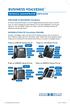 BUSINESS VOICEEDGE TECHNICAL ADMINISTRATOR USER GUIDE WELCOME TO BUSINESS VOICEEDGE As the technical administrator, you can manage features and passwords for all end users as well as manage key group features
Interchange/Corporate Office. Telephone User Interface (TUI) Pocket Guide
 Interchange/Corporate Office Telephone User Interface (TUI) Pocket Guide Interchange/Corporate Office Telephone User Interface (TUI) Pocket Guide Copyright 2004 Comdial Corporation All rights reserved.
Clear Choice Communications. Digital Voice Services User Guide
 Clear Choice Communications Digital Voice Services User Guide 2 P a g e * Feature Access Codes *62 Access Voicemail *72 Call Forwarding Always Activation *73 Call Forwarding Always Deactivation *90 Call
Telephone User Guide. Mt. Angel. Telephone
 Telephone User Guide Mt. Angel Telephone 4Welcome Thank You for Choosing Mt. Angel Telephone! Additional information about your telephone service may be found in the white pages of the North Willamette
Digital Voice Services User Guide
 Digital Voice Services User Guide 2 P a g e * Feature Access Codes *11 Broadworks Anywhere (pulling call to alternate phone) *62 Access Voicemail *72 Call Forwarding Always Activation *73 Call Forwarding
MITEL MICONTACT CENTER AND MIVOICE CALL ACCOUNTING TRAINING OPTIONS WHITEPAPER
 MITEL MICONTACT CENTER AND MIVOICE CALL ACCOUNTING TRAINING OPTIONS WHITEPAPER SEPTEMBER 2013 ABOUT THIS DOCUMENT This document is intended to help Mitel Dealers and Sales representatives understand the
Worksite Job Titles and Sample Descriptions
 Worksite Job Titles and Sample Descriptions The job titles and descriptions listed below are general examples of job duties and functions for youth in specific industry areas. We encourage you to use this
A SCALABLE, COST-EFFECTIVE SOLUTION ENABLING BETTER COMMUNICATIONS
 BUSINESS TRUNKS A SCALABLE, COST-EFFECTIVE SOLUTION ENABLING BETTER COMMUNICATIONS Welcome to Comcast Business Trunks. We are pleased that you have selected Comcast as your voice provider, and look forward
Table Of COnTenT. 1 Advanced Cable Communications. Contact Us...2. Welcome...3. Calling Features...4-11. Frequently Asked Questions...
 Table Of COnTenT Contact Us...2 Welcome...3 Calling Features...4-11 Frequently Asked Questions...12-17 Other Services...18 1 Advanced Cable Communications CONTACT US EMAIL US: [email protected] TelePHOne
RE/MAX PROPERTIES EAST Summary of Office Policies
 RE/MAX PROPERTIES EAST Summary of Office Policies OFFICE: HOURS OF OPERATION Monday-Friday 8 am-6 pm Saturday 9 am -1 pm (receptionist only) ACCOUNTING DEPT: HOURS OF OPERATION Hours of Monday-Friday 8
Call Center Solution. From
 Call Center Solution From About Manila Voice Manila Voice is a provider of state-of-the art Hosted Business Communications Services, and comprehensive, integrated network solutions. We ensure quality,
USE OF THE PHONE SERVICE AFTER DELIVERY OF THIS DOCUMENT CONSTITUTES YOUR ACKNOWLEDGEMENT OF THE E911 NOTICE ABOVE.
 E911 Notice This notice is required by the rules of the Federal Communications Commission. The Net2Phone Office Phone Service (the Phone Service ) may have E911 limitations specified below: In order for
Digital Voice Services Residential User Guide
 Digital Voice Services Residential User Guide 2 P a g e * Feature Access Codes *11 Broadworks Anywhere (pulling call to alternate phone) *62 Access Voicemail *72 Call Forwarding Always Activation *73 Call
Features Phone Access... 1. Features Web Access... 3. emta Quick Reference Guide...14. Troubleshooting...15. Quick Reference Guide...
 Phone TABLE OF CONTENTS Features Phone Access... 1 Features Web Access... 3 emta Quick Reference Guide...14 Troubleshooting...15 Quick Reference Guide...16 Features Phone Access Caller ID Feature that
Call Observation Proposal
 Call Observation Proposal Kathy Sisk, President [email protected] Kathy Sisk Enterprises PO BOX 1754 Clovis, Ca. 93613 Toll Free: (800) 477-1278 Local: (559) 323-1472 www.kathysiskenterprises.com
Getting Started with Telephone & Internet Services
 Getting Started with Telephone & Internet Services Frequently Asked Questions Phone Features Voice Mail Features DSL Troubleshooting Your First Bill Payment Options Customer Service Frequently Asked Questions
Using Avaya Aura Messaging
 Using Avaya Aura Messaging Release 6.3.2 Issue 1 December 2014 Contents Chapter 1: Getting Started... 4 Messaging overview... 4 Prerequisites... 4 Accessing your mailbox from any phone... 4 Accessing the
Helpdesk and Technology Support Procedures
 Procedures: Helpdesk and Technology Procedure Date: 10/27/2009 1.0 Purpose The Information Technology Services (ITS) Helpdesk is the single point of contact for technology support for all CCBC students,
Voice Mail Online User Guide
 Voice Mail Online User Guide Overview Welcome to the online version of SaskTel Voice Mail that is now accessible from any computer with Internet access You can listen to, sort, forward and/or delete your
Anonymous Call Rejection
 Contents Anonymous Call Rejection 4 Call Block 5 Call Forward 6-7 Call Return 8 Call Waiting 9 Caller ID 10-11 Do Not Disturb 12 Find Me 13 Selective Call Forwarding 14 Speed Dial 15 Three-Way Calling
COMCAST DIGITAL VOICE USER GUIDE
 COMCAST DIGITAL VOICE USER GUIDE WELCOME TO COMCAST DIGITAL VOICE Go ahead. Pick up your phone. Call your neighbor. Your best friend across the country. Or your cousin in Europe. Now that you have Comcast
At Work. At Home. And Everywhere In-between.
 At Work. At Home. And Everywhere In-between. IntelaCloud Turn Key Solutions IntelaCloud is a (CLEC) competitive local exchange carrier with over 20 years experience in the telecommunications industry.
Telstra HomeLine Features User Guide. More information. The smart way to make your phone work harder for you
 More information If you need further assistance with any of these Telstra HomeLine Features, please visit www.telstra.com or call us on 13 2200. The smart way to make your phone work harder for you Trade
Concord Fax Premier/Pro User Guide V.2 (2010)
 Concord Fax Premier/Pro User Guide V.2 (2010) Concord Technologies Publication Notice The contents of this publication the specifications of this application are subject to change without notice. Concord
Enswitch Administrator Guide
 Enswitch Administrator Guide July 2012 Enswitch Administrator Guide 1 Contents 1 Introduction... 5 1.1 The Purpose of this Document...5 1.2 Features...5 1.3 Workflows...5 2 User Enrollment... 6 3 User
Features Virtual Receptionist Smart Call Forwarding Enhanced Voicemail Call Screening Phone Number More reasons to try View all features
 Page 1 of 5 About Contact Support Login Contact Sales: Live Chat 1-866-887-2445 Home Overview Pricing Features Success Stories Free Trial Buy Search my1voice Home Features View all features Features Virtual
CRM Login ADMIN PANEL. URL - www.fulloncrm.com. Login page Details: 1. Login Page :
 CRM Login ADMIN PANEL URL - www.fulloncrm.com Login page Details: 1. Login Page : Enter your Login Credential and click on login then it will open your panel. 2. Admin Dashboard : Your Admin dashboard
Greenway Customer Support SUPPORT POLICIES. To deliver world class client experiences that delight each and every time we interact with our clients.
 Greenway Customer Support SUPPORT POLICIES To deliver world class client experiences that delight each and every time we interact with our clients. INTRODUCTION Customer Support Our Technical Support Center,
How To Use The Pace Help Desk
 ITS HELP DESK SUPPORT Pace University and ITS Help Desk Summary This document covers the help desk support services offered from the ITS Help Desk for Pace University members. User Services ITS Help Desk
BT CLOUD VOICE. CUSTOMER ADMINISTRATOR GUIDE.
 BT CLOUD VOICE. CUSTOMER ADMINISTRATOR GUIDE. A comprehensive guide to setting up and using the many features of BT Cloud Voice, and how they can help you get the very best out of your business. WHAT S
Call Answer Service. User Guide. outside front cover
 Call Answer Service User Guide outside front cover 204 225-9999 toll-free Call Answer access number from anywhere in Manitoba 1 866 GET-MSGS toll-free Call Answer access number from anywhere in Canada
DIGITAL PHONE SERVICE. Customer Reference Guide
 DIGITAL PHONE SERVICE Customer Reference Guide Scottsboro Electric Power Board P.O. Box 550 404 E. Willow Street Scottsboro, Alabama 35768 Office Hours: Monday - Friday 8:00 am - 4:30 pm Phone: 256-574-2680
notifymd notifymd What notifymd Answering Services means to your patients: What notifymd Answering Services means to your staff:
 Answering Services Let your patients and their caregivers know that when they call your office at night, on weekends or even holidays notifymd Care Coordinators are there for them. The Care Coordinator
PLuS get all this InCLuded: Home PHone unconditional Call Forwarding: busy Call Forwarding: Selective Call Forwarding: Selective Call rejection:
 Home PHone Home MI-Connection gives you all the phone features you expect without all the extra charges and fees. For one low price you get unlimited local and long distance calling to the U.S., Canada
A Division of Safehaven Liability Solutions, Inc. A Philippine Corporation
 A Division of Safehaven Liability Solutions, Inc. A Philippine Corporation Business Profile Sept 2010 V2.00 1 P age Business Profile GlobalServicesBPO (GSBPO), a division of Safehaven Liability Solutions,
Updating the International Standard Classification of Occupations (ISCO) Draft ISCO-08 Group Definitions: Occupations in Secretarial and Reception
 International Labour Organization Organisation internationale du Travail Organización Internacional del Trabajo Updating the International Standard Classification of Occupations (ISCO) Draft ISCO-08 Group
Job Description. About Best Union Group
 Job Description Title: Support Desk Analyst Status: Full Time Salary Level: Salaried FLSA Classification: Exempt Location: Orlando Department: Operations - Software Support Supervisor: Team Leader - Software
Office Voice User Guide. User Guide
 Office Voice User Guide User Guide Contents Anonymous Call Rejection 3 Call Block 3 Call Forward 4 Call Return 5 Call Waiting 5 Caller ID 6 Do Not Disturb 7 Find Me 7 Last Number Redial 8 Selective Call
Orbitel. Residential Digital Phone Service User s Guide
 Orbitel Residential Digital Phone Service User s Guide All Rights Reserved Copyright 2005 The use, disclosure, modification, transfer, or transmittal of this work for any purpose, in any form, or by any
Privacy Policy - LuxTNT.com
 Privacy Policy - LuxTNT.com Overview TNT Luxury Group Limited (the owner of LuxTNT.com). knows that you care how information about you is used and shared, and we appreciate your trust that we will do so
Welcome to Comcast Digital Voice
 Welcome to Comcast Digital Voice Go ahead. Pick up your phone. Call your neighbor. Your best friend across the country. Or your cousin in Europe. Now that you have Comcast Digital Voice, you can enjoy
Ready. Set. Interact. The MULTICHANNEL DIFFERENCE. Avaya Contact Center Solutions for IP Office
 The MULTICHANNEL DIFFERENCE Ready. Set. Interact. Avaya Contact Center Solutions for IP Office How can I help you? This question is the engine that drives commerce. It s the link between need and fulfillment.
VOICEMAIL USER GUIDE
 VOICEMAIL USER GUIDE 1 CONTENTS 1. Introduction... 3 1.1 What is voicemail?.. 3 1.2 Why do we use voicemail?.... 3 1.3 Features of voicemail.. 3 2. Steps to set up new voicemail box.. 4 2.1 Setup new voicemail
Digital Voice Services User Guide
 Digital Voice Services User Guide * Feature Access Codes *72 Call Forwarding Always Activation *73 Call Forwarding Always Deactivation *90 Call Forwarding Busy Activation *91 Call Forwarding Busy Deactivation
IT-P-001 IT Helpdesk IT HELPDESK POLICY & PROCEDURE IT-P-001
 IT HELPDESK POLICY & PROCEDURE IT-P-001 Date:25 September, 2013 Amemberof, LAUREATE I'.;TlRNAT'Oi'lAl. UWII[RSITIB Stamford International University Policy Policy Statement This Policy has been written
How To Use Freedomvoice On A Cell Phone Or Landline Phone On A Pc Or Mac Or Ipad Or Ipa Or Ipo Or Ipod Or Ipode Or Ipro Or Ipor Or Ipore Or Ipoe Or Ipob Or
 Virtual Phone System User Guide v5.4 169 Saxony Road, Suite 212 Encinitas, CA 92024 Phone & Fax: (800) 477-1477 Welcome! Thank you for choosing FreedomVoice. This User Guide is designed to help you understand
IP OffIce SIMPLe, POWeRfUL communications for YOUR ORGANISATION
 IP Office SIMPLE, POWERFUL COMMUNICATIONS FOR YOUR ORGANiSATION IP Office: your communications your device Successful organisations are always looking for new ways to do more with less keeping business
Asterisk PBX Features
 Asterisk PBX Features Automated Attendant Allows callers to be automatically transferred to a user s extension without the intervention of a receptionist. Some businesses use the PBX telephone system to
Buddy User Guide. www.connectnz.co.nz 1
 Buddy User Guide www.connectnz.co.nz 1 Contents Please click titles to navigate through the guide CHAPTER 1 What is Buddy TM and first steps Setting up Buddy TM on your browser and logging in 3 CHAPTER
The Patient Contact Center: Finding My Way!
 The Patient Contact Center: Finding My Way! Presented by James Hawkins SVP, Patient Contact Center Convergent 1 For Today s Discussion Market Conditions ANI Survey Results Patient Contact Center Overview
Telephone Users Guide. Equipment, Features & Voice Mail
 Telephone Users Guide Equipment, Features & Voice Mail TABLE OF CONTENTS WELCOME TO ARMSTRONG TELEPHONE Our Commitment to You Identifying Our Employees Dialing 911 - Your Safety Is Important HOW TO MAKE
Your Phone. Your Business. Your World. SM SM
 SM VoIPX offers comprehensive solutions for Unified Communications keeping you connected anywhere, anytime and on any device. With over 55 built in features included in all of our Service Plans, VoIPX
Job Description. Administration & Client Service Representative
 Job Description 1. POSITION IDENTIFICATION Title Administration & Client Service Representative Functional Area Edmonton, Priority Credit Recovery Inc. Reports to Director of Operations Salary Employment
HELP DESK CALL HANDLING SCRIPTS
 HELP DESK CALL HANDLING SCRIPTS FUTURE TECHNOLOGIES, INC. Error! Bookmark not defined. June 1999 1999 No part of this publication may be reproduced without permission from Future Technologies, Inc. Page
GETTING STARTED WITH RACKFORCE
 WWW.RackForce.com RackForce Networks Inc Dynamic Datacenter Services +1 (250) 717-2340 (International) +1 (866) 468-12158 (North America) CONTENTS Getting Started With RackForce... 1 Customer Service Center
Grow your business with an integrated rental and financial system from Microsoft Dynamics
 Grow your business with an integrated rental and financial system from Microsoft Dynamics Microsoft Dynamics NAV gives the rental industry an integrated, real-time rental management solution with flexible
CoHEsion Conference Committee Handbook
 CoHEsion Conference Committee Handbook Version 2.1 May 2015 CoHEsion Conference Committee Handbook Version 2.1 (5/27/2015) TABLE OF CONTENTS Table of Contents... 2 1.0 CoHEsion Conference Committee...
BSM Connection elearning Course
 BSM Connection elearning Course Telephone Skills Training 2006, BSM Consulting All Rights Reserved. Table of Contents OVERVIEW... 1 FIRST IMPRESSIONS... 1 TELEPHONE COMMUNICATION TECHNIQUES... 1 VOICE
Sales Associate Training NADA 2013
 Sales Associate Training NADA 2013 Best in Class Industry Leader Dealer s Choice Successful Company Driven by Successful People Five New Exciting Products 2013 Plus vbdc Visibility in CRM evip New Products
Leads Best Practice: Lead Generation, Management & Performance
 Leads Best Practice: Lead Generation, Management & Performance Best Practice: Leads Business Driver Best Practice Overview Best Practice: Leads Marketing Effectiveness Lead Generation and Integration Lead
INTERCALL ONLINE. Customer Portal Administrator Account Management User Guide. Managing Meetings. Managing Recordings
 INTERCALL ONLINE Customer Portal Administrator Account Management User Guide As an administrator, and depending on your level of access, you have the ability to manage and start meetings on behalf of your
101 Ways To Use A Virtual Office Assistant
 101 Ways To Use A Virtual Office Assistant Bookkeeping You need to pay your bills. You mail or fax them to the VA. The VA sets up a checking account with payment authorization (or online bill payment services)
VoiceManager User Guide Release 2.0
 VoiceManager User Guide Release 2.0 Table of Contents 2013 by Cox Communications. All rights reserved. No part of this document may be reproduced or transmitted in any form or by any means, electronic,
Please let us know if you need anything. Our customer service number is 1-866-311-5900. We re always happy to help.
 Dear Valued Customer, We are proud to welcome you to the EvenLink s Crystal Clear Digital Phone service. Our network reliability, customer support and value pricing are a great combination. We appreciate
If you need help using Verizon Voice Mail or have questions about the service, please call: 1-800-483-2000
 If you need help using Verizon Voice Mail or have questions about the service, please call: -800-8-000 Representatives are available hours a day, 7 days a week. While you re listening to messages... Move
REMEDY 7.5 INCIDENT MANAGEMENT AND CHANGE MANAGEMENT USER MANUAL
 INCIDENT MANAGEMENT AND CHANGE MANAGEMENT USER MANUAL 08/17/2009 Contents OVERVIEW... 3 CREATING INCIDENT TICKETS... 13 WORKING AND RESOLVING INCIDENTS AS SUPPORT STAFF... 28 CHANGE MANAGEMENT... 33 SEARCHING
Centrex CustoPAK USER GUIDE. Telephone Number. Verizon Telephone Number. Switch Type: 1A 5E DMS 100 EWSD DMS 10
 Centrex CustoPAK USER GUIDE Telephone Number Verizon Telephone Number Switch Type: 1A 5E DMS 100 EWSD DMS 10 Table of Contents Introduction to This Guide... 3 Overview of Your CustoPAK System... 5 Terms
BUSINESS VOICEEDGE TECHNICAL ADMINISTRATOR USER GUIDE WELCOME TO BUSINESS VOICEEDGE INTRODUCTION TO VOICEEDGE PHONES
 BUSINESS VOICEEDGE TECHNICAL ADMINISTRATOR USER GUIDE WELCOME TO BUSINESS VOICEEDGE As the technical administrator, you can manage features and passwords for all end users as well as manage key group features
Contents How do I gain access to the Horizon website... 2 Logging in as the Administrator... 2 How do I customise my Dashboard?...
 Contents How do I gain access to the Horizon website... 2 Logging in as the Administrator... 2 How do I customise my Dashboard?... 2 How do I setup the Horizon GUI?... 3 How do I setup the Company Administration?...
MightyCall Receptionist. Customers s Guide
 MightyCall Receptionist Customers s Guide MightyCall Receptionist: Customers s Guide Document version: 5.2.857.0.rev.19012 Copyright 2012 INFRATEL, Inc. This document contains instructions and recommendations
Digital Telephone User Guide
 Digital Telephone User Guide 1 Proud to provide Conway s Electric, Water, Cable, Internet and Telephone services. Welcome to Conway Corporation Digital Telephone Service We take pride in providing superior
RE/MAX Philippines is expanding fast and to keep up with our rapid growth, we re looking to build on our biggest strength: our people.
 RE/MAX Philippines is expanding fast and to keep up with our rapid growth, we re looking to build on our biggest strength: our people. RE/MAX is more than just a global real estate company that is publicly
HP Service Manager. Software Version: 9.34 For the supported Windows and UNIX operating systems. Incident Management help topics for printing
 HP Service Manager Software Version: 9.34 For the supported Windows and UNIX operating systems Incident Management help topics for printing Document Release Date: July 2014 Software Release Date: July