
SYSTIMAX Solutions. CCTV Over IP. Design and Implementation Document CommScope/ AXIS Validated Design. December
|
|
|
- April Evans
- 10 years ago
- Views:
Transcription
1 SYSTIMAX Solutions CCTV Over IP Design and Implementation Document CommScope/ AXIS Validated Design December

2 Contents Chapter 1 Executive Summary 2 Chapter 2 AXIS Solution Architecture Overview CCTV System CCTV Applications 7 Chapter 3 Physical Layer Design Ethernet/IP Network 8 Chapter 4 Integration with ipatch Disclaimer of Liability Introduction Pre-requisites ipatch ftp Server Setup Camera Setup Assign IP address for the camera Enable telnet Enable anonymous viewer login Camera event notification setup ipatch Event Notification Setup Verifying the integration Troubleshooting 30 Annex A

3 This design and implementation document represents a collaborative development effort between CommScope and AXIS Communications. It is in addition to design and installation guidelines from CommScope SYSTIMAX documents and AXIS Communications documents. CommScope 1100 CommScope Place SE Hickory, North Carolina AXIS Communications Emdalavägen 14 SE Lund Sweden CommScope/AXIS Validated Design The CommScope/AXIS Validated Design consists of systems and solutions designed, tested, and documented to facilitate faster, more reliable, and more predictable customer deployments. THE DESIGNS ARE SUBJECT TO CHANGE WITHOUT NOTICE. USERS ARE SOLELY RESPONSIBLE FOR THEIR APPLICATION OF THE DESIGNS. THE DESIGNS DO NOT CONSTITUTE THE TECHNICAL OR OTHER PROFESSIONAL ADVICE OF COMMSCOPE AND AXIS, THEIR SUPPLIERS OR PARTNERS. USERS SHOULD CONSULT THEIR OWN TECHNICAL ADVISORS BEFORE IMPLEMENTING THE DESIGNS. RESULTS MAY VARY DEPENDING ON FACTORS NOT TESTED BY COMMSCOPE AND AXIS. 1

4 Chapter 1 - Executive Summary This Design and Implementation Document (DID) represents a collaborative effort between CommScope and AXIS Communications in support of the CommScope-AXIS relationship. The intent of this document is to provide guidance to the respective sales and technical organizations of each party in the relationship for the design and implementation of an AXIS IP/Network camera system running over CommScope Intelligent Building Infrastructure Solutions (IBIS). This document can also be provided to the business and channel partners of both parties. CommScope IBIS is a modular, flexible cabling infrastructure system that supports voice, data, video and building automation systems (BAS) by providing a robust and cost effective connectivity for all of a building s BAS and communication systems. IBIS utilizes twisted pair and/or fiber optic cabling to provide connectivity in an open architecture environment. In addition, combining CommScope IBIS with CommScope ipatch Intelligent Infrastructure Solution provides the user with control of the physical infrastructure. CommScope IBIS and ipatch can support traditional analog CCTV systems or the newer IP/ Network camera system over Ethernet networks using various CommScope Solutions. These solutions support cabling for the installation of AXIS IP network camera technology. The purpose of this document is to help customers identify and implement these solutions. There are several standards that describe how BAS can be designed and implemented over structured cabling systems. The standards that supplement this DID are: 1. ANSI/TIA-862 Building Automation Cabling Standard. This standard specifies a generic cabling system for BAS used in commercial buildings that will support a multi-vendor environment. The purpose of this standard is to enable the planning and installation of a structured cabling system for BAS applications used in new or renovated commercial premises. It establishes performance, topology and technical criteria for various cabling system configurations for connecting BAS equipment and devices. It also provides information that may be used for the design of commercial BAS products. 2. ISO/IEC IS Generic Cabling for Homes. This standard specifies a generic cabling system for applications used in homes and multi-dwelling units. It includes support for CCCB (commands, controls and communications in buildings) applications which encompass lighting controls, building controls, security and fire alarms. 3. CENELEC EN Generic Cabling Systems Part 4: Homes. This standard specifies a generic cabling system for applications used in homes and multi-dwelling units. It is very similar to ISO/IEC IS

5 Chapter 2 - AXIS Solution Architecture 2.1 Overview Every building has to meet several basic requirements such as security, fire-life-safety, ventilation, lighting, health and comfort. Security comes from the need to protect property, content and personnel. Examples of security requirements are identification of vehicles entering and exiting a car park, controlling access to sensitive or secured areas, and precautions against terrorist bomb threats, robberies and burglaries. Security has become a global hot issue in the aftermath of September 11 terrorist attacks. The functions implemented by security systems include the following: Surveillance Detection Alarms Access control Elevator control Master clock control Communication and information management Several of these functions are usually integrated with those of other systems. For example, in case of a fire, all doors must be unlocked. Surveillance and access control are two of the main applications for security, with CCTV (closed circuit TV) as the main function for surveillance. 3

6 2.2 CCTV System Video surveillance systems have existed for some 25 years, starting out as 100% analog systems and gradually migrating to digital. As the name implies, CCTV is a system in which the circuit is closed and all the elements are connected directly. Its name was derived to differentiate the technology from broadcast television which was meant to be an entertainment medium and where any receiver that is correctly tuned can pick up the signal from the airwaves. CCTV can be divided into two main categories: analog and digital systems. An analog CCTV system using a video cassette recorder (VCR) represents a fully analog system consisting of analog cameras with coax output, connected to the VCR for recording. The VCR uses the same type of cassettes as a home VCR. The video is not compressed, and if recording at full frame rate, one tape lasts a maximum of 8 hours. In larger systems, a switcher/multiplexer can be connected in between the camera and the VCR. The switcher/ multiplexer makes it possible to record several cameras to one VCR, but at the cost of a lower frame rate. To monitor the video, an analog monitor is used. See Figure 1. An analog CCTV system using a digital video recorder (DVR) is an analog system with digital recording. In a DVR, the videotape is replaced with hard drives for the video recording, which requires the video to be digitized and compressed in order to store as many day s worth of video as possible. In some systems, the DVR can be connected to a LAN. In a hybrid CCTV system (see Figure 2), the analog cameras are connected to an IP network using video encoders (sometimes referred to as video servers). A video encoder digitizes and compresses the video. The video encoder then connects to an IP network and transports the video via a network Ethernet switch to a PC with video management software, a NAS (Network Attached Storage) device or a SAN (Storage Area Network) where it is stored on hard disks. A hybrid system offers the following advantages: Use of IP network and PC server hardware for video recording and management The system is scalable in steps of one camera at a time Off-site recording is possible Investment protection since existing analog cameras can still be used The system can easily be expanded by incorporating network cameras or upgraded to a true IP system 4

7 A digital CCTV system uses IP or Network cameras to connect to a LAN. These IP cameras are plug and play devices as far as the network is concerned and are easy to integrate into corporate LANs or WANs. See Figure 3. An IP/Network camera takes the video, compresses it and sends it over the LAN to a PC with video management software, and stores the video on a NAS device or a SAN. An IP camera is always streaming video across the network, and therefore, is always using bandwidth. Hence a separate or segmented LAN is recommended to avoid bottleneck issues on the main corporate network. However, some IP cameras now incorporate both storage and DVR functions and this helps to limit some of the bandwidth impact. The connection to the LAN is via 10/100/1000 Mb/s Ethernet. In addition, many of these IP cameras are IEEE 802.3af compliant, i.e. they are Power-over-Ethernet (PoE) enabled. By connecting them to PoE switches, additional saving can be obtained by eliminating the need for mains electrical sockets and mains cabling. A digital CCTV system using IP cameras offers the following additional advantages: High resolution cameras (megapixel) Consistent image quality Power-over-Ethernet and wireless functionality Pan/tilt/zoom, audio, digital inputs and outputs over IP along with video Full flexibility and scalability Figure 1: Traditional analog CCTV system Analog Cameras Coax cables Video multiplexer/switcher Coax cables Video recorder Monitor 5

8 Figure 2: Hybrid CCTV system Administrator PC Video Encoders Analog cameras Ethernet Switch Coax cables Outlet NAS/SAN Patch Panel Cable Cord Coax cables Coax cables Figure 3: Digital CCTV system Administrator PC PoE enabled Ethernet Switch Outlet IP Cameras NAS/SAN Patch Panel Cable Cord AXIS is the global market leader in network video. AXIS specializes in professional network video solutions for security surveillance and remote monitoring. The range of products includes network cameras, video encoders/servers, video decoders, video management software, and a full range of accessories.

9 2.3 CCTV Applications The most widely known use of CCTV is in security systems. Security guards use CCTV to watch over doors or other points of entry to a building or to observe areas that are vulnerable to break-in or vandalism. The true scope for CCTV applications is almost unlimited. Some other examples are listed below: Traffic monitoring Crime, crowd and vandalism control Production process control Aerial photography The main vertical markets are: Education: Security and remote monitoring of school playground areas, hallways and classrooms Transportation: Remote monitoring of railway stations and tracks, parking lots and garages, highways and airports Financial (Banking): Traditional security applications in high street banks, branch offices and ATM locations Government: For surveillance purposes, to provide safe and secure public environments Retail: For security and remote monitoring purposes to make store management easier and more efficient Industrial: Monitoring manufacturing processes, logistic systems, warehouses and stock control systems Audio can easily be integrated into network video as the network can carry any type of data, which reduces the need for extra cabling - as opposed to analog systems where an audio cable must be installed from endpoint to endpoint. A network camera captures audio at the camera, integrating it into the video stream, and then sending it back for monitoring and/or recording over the network. This makes it possible to use audio from remote locations. For instance, monitoring personnel at a company s headquarters can interact with surveillance scenes at remote branch offices. They can inform possible perpetrators that they are under surveillance and listen in on situations using the audio as an additional confirmation method. Audio can also be used in network cameras or video servers as an independent detection method, which triggers video recordings and alarms when audio levels above a certain threshold are detected. When using Axis network cameras, there are several audio modes to choose from: Simplex mode: Audio is sent by the operator to the camera or Audio is sent to the operator by the camera Half Duplex mode: Audio is sent to and from the operator; only one party at a time can send Full Duplex mode: Audio is sent to and from the operator simultaneously A unique feature of network video products, is their integrated digital inputs and outputs that are manageable over the network. These I/Os can be used in conjunction with alarm sensors such as door relay/contact, passive infrared detector (PIR), glass break detector, siren, and alarm/intrusion system. These days, lots of video is being recorded but not properly analyzed due to lack of time. This has led to the development of Intelligent Video (IV) applications. New IV systems are now being developed for taking video data of number plates and digitizing the plate for cross checking with a database. People counting and trip wire are other examples of IV applications. Intelligent Video is about turning raw video data into actionable information. Provision of intelligence through surveillance will therefore support potential quality decision-making in time critical situations. 7

10 Chapter 3 - Physical Layer Design 3.1 Ethernet/IP Network Ethernet/IP network devices are capable of transmitting at 10 Mb/s, 100 Mb/s, 1000 Mb/s and Mb/s rates. This section focuses on Ethernet/IP connectivity guidelines using CommScope twisted pair and fiber solutions. Table 1 provides the distances supported by CommScope twisted pair solutions for various Ethernet/IP LANs. Table 1: Maximum supported channel distances using CommScope PowerSUM, GigaSPEED XL and GigaSPEED X10D solutions. Ethernet/IP LANs Maximum Distance in meters PowerSUM GigaSPEED XL GigaSPEED X10D 100BASE-TX 100 1, 96 2, , 115 2, , 115 2, BASE-T 100 1, 96 2, , 115 2, , 115 2, GBASE-T Not Supported Limited Support , 96 2, 92 3 Notes: 1 For 20 C 2 For 30 C 3 For 40 C 4 Mitigation procedures according to ISO/IEC TR and TIA TSB-155 may be required to ensure support Table 2 provides the distances supported by CommScope fiber solutions for various Ethernet/IP LANs. Table 2 provides the distances supported by CommScope fiber solutions for various Ethernet/IP LANs. Ethernet/IP LANs 850nm 1300nm Maximum Distance in meters a, b OptiSPEED MM LazrSPEED 150 LazrSPEED 300 LazrSPEED 550 TeraSPEED N/A N/A 1310nm 1300nm N/A N/A N/A N/A N/A N/A N/A N/A N/A N/A N/A N/A N/A Notes: a Assumes the use of two LC connectors and zero splices. b Excludes connectors at the device end-points. 8

11 Figure 4 shows a typical network design and Table 3 provides the various solution components for the design. Figure 4: Typical Network Design for a Digital CCTV system Administrator PC PoE enabled Ethernet Switch OutleT t AXIS IP Cameras NAS/SAN Patch Panel Cable Cord Table 3: CommScope PowerSUM, GigaSPEED XL and GigaSPEED X10D solution components. Patch Panel Cable PowerSUM GigaSPEED XL GigaSPEED X10D 1100PSCAT5E PM2150PSE 1061 Nonplenum (U/UTP) 2061 Plenum (U/UTP) 3061 LSZH (U/UTP) 1100GS3 (U/UTP) PM-GS3 (U/UTP) VisiPatch (U/UTP) ipatch 1100GS3 (U/UTP) ipatch M4200i (U/UTP & F/UTP) 1071 Nonplenum (U/UTP) 2071 Plenum (U/UTP) 3071 LSZH (U/UTP) 1100GS5 (U/UTP) PM-GS5 (U/UTP) M2000/M3000 (U/UTP) VisiPatch 360 (U/UTP) M3200 (F/UTP) ipatch 1100GS5 (U/UTP) ipatch M4200i (U/UTP & F/UTP) 1091 Nonplenum (U/UTP) 2091 Plenum (U/UTP) 3091 LSZH (U/UTP) 1291 Nonplenum (F/UTP) 2291 Plenum (F/UTP) 3291 LSZH (F/UTP) Outlet MPS100E (U/UTP) MGS400 (U/UTP) MGS600 (U/UTP) MFP520 (F/UTP) Cords DP8S (U/UTP) GS8E Nonplenum (U/UTP) GS8E-SND Nonplenum (U/UTP) GS8E-SPD Plenum (U/UTP) GS8H LSZH (U/UTP) GS8E-SLD LSZH (U/UTP) GS10E Nonplenum (U/UTP) GS10E-P Plenum (U/UTP) GS10E-L LSZH (U/UTP) G10FP Nonplenum (F/UTP) G10FP-L LSZH (F/UTP) 9

12 Chapter 4 - Integration with ipatch This chapter describes an example of a procedure for integrating an AXIS-IP Camera with ipatch System Manager. 4.1 Disclaimer of Liability The content of the ipatch System Manager Integration Examples are furnished for informational use only for the convenience of users and customers of CommScope ipatch products. It should not be construed as a binding commitment by CommScope Inc. of North Carolina or any of its affiliates (collectively, CommScope ). Your use of the CommScope ipatch products and your relationship with CommScope in connection therewith is set out in your respective end user licence agreement, BusinessPartner Agreement and/or in the Terms and Conditions for the use of the InSite web portal with CommScope. THE IPATCH SYSTEM MANAGER INTEGRATION EXAMPLES DO NOT FORM PART OF SUCH AGREEMENT AND CREATE NO LEGALLY BINDING OBLIGATIONS OR LIABILITY ON THE PART OF COMMSCOPE. Whilst every care has been taken by CommScope in the preparation of the ipatch System Manager Integration Examples, CommScope does not guarantee the accuracy or veracity of any information or opinion, or the appropriateness, suitability or applicability of any practice or procedure contained herein. CommScope accordingly assumes no responsibility or liability for any errors or inaccuracies that may appear in the informational content in the ipatch System Manager Integration Examples and all use by you of the ipatch System Manager Integration Examples and/or the content in the ipatch System Manager Integration Examples, including the integration samples, sample scripts and software settings contained herein, is at your own risk. Your use of any third party products ( non-commscope products ) which are referenced in the ipatchsystem Manager Integration Examples is at your own risk. CommScope provides the information in the ipatch System Manager Integration Examples relating to non-commscope products merely as a convenience for customers and users of CommScope products who also use the relevant non-commscope products and CommScope is not liable for any damages or injury arising from the use of such non-commscope products. Any information contained herein relating to non-commscope products should be confirmed with the relevant manufacturer or supplier of the respective non-commscope product. The fact that CommScope makes reference to any particular non-commscope product in the ipatch System Manager Integration Examples does not mean that CommScope endorses, authorises or sponsors that product, nor does it mean that CommScope is affiliated with the relevant manufacturer or supplier of the non-commscope product, nor does it mean that CommScope is warranting that the non-commscope product will work in combination with CommScope products. Information in the ipatch System Manager Integration Examples concerning non-commscope products has been obtained from the relevant suppliers and/or manufacturers of those products and/or their published announcements and/or other publicly available sources. CommScope has not tested any non-commscope products and cannot confirm the accuracy or reliability of their performance and/or any other claims related to those products. Questions about the capabilities of non-commscope products referenced in the ipatch System Manager Integration Examples should be addressed directly to the relevant manufacturers and/or suppliers of those products. 10

13 Your use of any third party websites ( non-commscope websites ) which are referenced or linked in the ipatch System Manager Integration Examples is at your own risk. CommScope provides these links merely as a convenience and is not liable for any damages or injury arising from use of such websites. The fact that CommScope provides a reference or link to a non- CommScope website does not mean that CommScope endorses, authorises or sponsors that website, nor does it mean that CommScope is affiliated with the website, its owners or sponsors. The materials at such non-commscope websites are not part of the materials for the ipatch System Manager Integration Examples and the use of such materials and any products downloaded at such websites is at your own risk. The information provided in the ipatch System Manager Integration Examples is provided without warranty of any kind, including, without limitation, any warranties as to the interoperability or compatibility of the CommScope products with any non-commscope products referenced herein. CommScope makes no representations or warranties whatsoever in the ipatch System Manager Integration Examples regarding CommScope or non-commscope products and no warranty is provided for either the functionality or problem resolution of any product or combination of products. CommScope does not provide service or support in respect of the non-commscope products referenced herein. For support issues regarding non-commscope products, please contact the manufacturer/supplier of the non-commscope product directly. CommScope does not provide problem resolution services or ongoing support in respect of the ipatch System Manager Integration Examples. Where the ipatch System Manager Integration Examples provide information regarding use of any CommScope products in combination with any non-commscope software products, you areresponsible for ensuring that you have all necessary permissions, licences and/or consents relating to the use of non- CommScope and CommScope software products. This information in the ipatch System Manager Integration examples is of an illustrative nature only, and any reference to settings and codes may need to be amended and/or adapted as appropriate to meet your specific requirements. All trademarks and trade names relating to the CommScope products referred to in the ipatch System Manager Integration Examples are trademarks or registered trademarks of CommScope Inc. of North Carolina or its affiliates. Other trademarks and trade names may be used in this document to refer to non-commscope products or entities claiming the marks and names of non-commscope products. CommScope disclaims any proprietary interest in trademarks and trade names other than its own. 11

14 4.2 Introduction This type of application is typically found in data centers and large communication rooms. An AXIS IP camera is located in front of a rack directed at the ipatch Intelligent patch panels in the cabinet. The camera is set to continuously record. The camera uses a circular (first-in-firstout) buffer for storing images, so as the image buffer fills, the oldest images will be overwritten by the newest images. When an unscheduled (i.e. unauthorized) connection is removed from an ipatch intelligent patch panel, then an alert is generated by the Event Notification function in ipatch System Manager. A user-defined alert can be created in Event Notification to execute an external program ( snapshot.exe ) when the event occurs. The external program sends a trigger to the camera. The trigger received by the camera switches the camera from pre-event mode to post-event mode. When the camera mode is switched, the camera prepares a sequence of.jpg images from before and after the event. The combined images show the person before, during and after making the unscheduled disconnection. The camera then makes an ftp connection to ipatch System Manager, and sends the images to a directory on the ipatch System Manager server. See Annex A for snapshot.pl perl source code file. This file needs to be compiled into executable snapshot.exe file. 12

15 4.3 Pre-requisites An ftp daemon must be running on the ipatch System Manager server. The camera uses ftp protocol to transfer image files from camera to System Manager Server. In order for the files to be received, there must be an ftp server daemon running on the ipatch System Manager server. In this example, a freeware program (filezilla) is used to provide the ftp server function running on the ipatch System Manager server. This can be downloaded from the web. Note: it must be an ftp server (not client) 4.4 ipatch ftp Server Setup The IP camera uses ftp protocol to transfer the image files to the ipatch System Manager server. The ftp daemon must be running on the System Manager Server. In this example, a freeware program called FileZilla is used. It can be downloaded from the following website: Note: the FileZilla server is required. 13

16 When the ftp server is installed, an ftp userid must be created (userid = camera, password = camera). This is the userid which the camera uses to logon to the ipatch System Manager and transfer the files The user must have a home directory on the ipatch System Manager Server, and also must have permission to store files at this directory. A home directory must also be created for this user. The home directory is: C:\Program Files\SYSTIMAX Solutions\iPatch System Manager\Web Server\English\ AXISsnapshots Note: This directory must be manually created first, and then assigned as the home directory for the camera user First create the AXISsnapshots directory. Then create the uploads directory. 14

17 Then start the ftp server. A userid must be created in the ftp server. This is the userid which the camera uses in order to login to the ftp server, and transfer the files. In the example below, the user is camera. The password is camera The user s home directory is C:\Program Files\SYSTIMAX Solutions\iPatch System Manager\Web Server\English\ AXISsnapshots Note: the user must have correct permissions for this directory. In this example all permissions (read/write/delete/append) are granted to the user. 15

18 4.5 Camera Setup Assign IP address for the camera The camera should be assigned an IP address in the same LAN as the ipatch System Manager Server. To assign an IP address to the camera, use the provided program (IPutility) For this integration it is assumed that the root password is set as below. User: root Password: public Enable telnet To enable telnet, Open a browser, with the IP address for the camera e.g. Then click on Setup 16

19 Then click on System Options Then click on Advanced Then click on Scripting and Open Script Editor 17

20 Then click on.. (dot dot this changes to the root / directory) Then click on etc 18

21 Then click on inittab This opens a text editor (with the file /etc/inittab). To enable the telnet server, locate the following line: #tnet:35.once:/usr/sbin/telnetd If there s a # mark at the beginning of this line (as above), then remove it. The line should look like this: tnet:35.once:/usr/sbin/telnetd Click on Save File. Note: The camera must be restarted for this change to take effect. 19
22 4.5.3 Enable anonymous viewer login Click Setup User Settings Enable anonymous viewer login (no user name or password required) Enable this feature (select the tick-box) And click Save Camera event notification setup The AXIS camera has an Event Notification feature which can automatically transfer a sequence of images to an ftp server (ie the ipatch System Manager server). The transfer of images is triggered by an external program (called: snapshot.exe) which runs on the System Manager server. When the snapshot.exe program is executed on the System Manager server, it makes a tcp/ip connection on port 80 to the camera. It then sends a trigger to the camera s Event Notification function. As soon as the trigger is received by the camera s Event Notification function, the images are transferred using ftp protocol to the ipatch System Manager server. 1. Define a new ftp server on the camera Open a browser, and connect to camera (in this example the camera has IP address ) 20
23 Click Setup Click Event Config Click Event Servers Click Add FTP 21
24 Enter the following details: Name: ipatchsmserver Network Address: IP address of ipatch System Manager server Upload path: uploads Port number: 21 User Name: camera Password: camera Then click the Test button You should see confirmation from the camera that the ftp connection is working. Look in the uploads directory on the ipatch System Manager server and verify that a file called test has been created. C:\Program Files\SYSTIMAX Solutions\iPatch System Manager\Web Server\English\ AXISsnapshots\uploads 22
25 The Event Server (called ipatchsmserver ) should look like this Click Event Types Click Add triggered Enter the following information: 1) Name: ipatchevent 2) Priority: Normal 3) Respond to Trigger: Always 4) Triggered by... Manual trigger 5) When Triggered... Upload images 6) Select upload type: tp 7) Include pre-trigger buffer: 8 seconds 8) Image frequency (frames per second): 3 9) Upload for: 8 seconds 10) Add date/time suffix (select this) Click OK 23
26 The created Event Type should look like this 24
27 4.6 ipatch Event Notification Setup Define Event Profile Add a new Notification Profile Select event to monitor (in this case, Unscheduled Connection Removed) 25
28 Select location Select Execute Program Enter: C:\Niall\perlprogs\axis\snapshot.exe Note: 1) Use the Browse button to select the executable program snapshot.exe 2) Specify the IP address of the camera (in this example the IP address of the camera is: ) 26
29 Stop Event Notification process. Change the registry setting. The default is msec (i.e. 20 seconds). This can be reduced to 1000 msec (i.e. 1 second) Start the Event Notification process 27
30 4.7 Verifying the integration Make an unscheduled disconnection. There should be a popup window from ipatch System Manager to notify that an unscheduled disconnection has been detected. 28
31 Browse to the uploads directory on the System Manager server: C:\Program Files\SYSTIMAX Solutions\iPatch System Manager\Web Server\English\ AXISsnapshots\uploads The images should be transferred to this directory. Note: There is a time delay from the time of the unscheduled disconnection until the images are transferred (typically around 10 seconds, but this will depend on the system configuration). A number of pre-event and post-images are uploaded. The images are in.jpg format, and can be viewed with Windows Picture and Fax Viewer as below. 29
32 4.8 Troubleshooting 1. Verify that the unscheduled disconnection event occurred 2. Check that the popup appears when the event occurs 3. Check that the Unscheduled Connection Removed event appears in System Manager 4. Check that the ftp server is running on ipatch System Manager machine (note: the FileZilla icon in the taskbar changes from red to green when files are being transferred from camera to ipatch System Manager) 30
33 5. Check that ftp login and connection are working on the ipatch System Manager server Open a DOS-window, and use ftp login: camera password: camera ftp> dir (you should see the uploads directory, this is the home directory for the userid: camera) 6. Check that ipatch Event Notification profile is executing the external program ( snapshot.exe ) Browse to the uploads directory on the System Manager server: C:\Program Files\SYSTIMAX Solutions\iPatch System Manager\Web Server\English\ AXISsnapshots\uploads 31
34 Two files should be automatically created every time the event occurs. ipatchunscheduleddisconnectevent snapshot.log The first file (ipatchunscheduleddisconnectevent) is a timestamp file. It is created automatically as soon as the unscheduled disconnect event occurs. The second file (snapshot.log) is a log file. The log file contains information about the event, and error messages if any errors occurred. 32
35 Annex A Script file: snapshot.pl if ((!$ARGV[0]) or (!$ARGV[1])) { print \n\nusage: snapshot [camera ip-address] [system manager ip-address]\n\n ; exit (-1); } $cameraip = $ARGV[0]; $ipatchip = $ARGV[1]; print /usr/html/local/scripts/camerasnap $ARGV[1] ; use Net::Telnet (); $t = new Net::Telnet(Timeout => 30); $t->open($cameraip); $t->login( root, public = $t->cmd( /usr/html/local/scripts/camerasnap $ARGV[1] ); 33
36 Visit our Web site or contact your local CommScope representative for more information CommScope, Inc. All rights reserved. All trademarks identified by or are registered trademarks or trademarks, respectively, of CommScope, Inc. This document is for planning purposes only and is not intended to modify or supplement any specifications or warranties relating to CommScope products or services. MI /11
Honeywell Controls Enterprise Buildings Integrator System Over CommScope Cabling
 SYSTIMAX Solutions Honeywell Controls Enterprise Buildings Integrator System Over CommScope Cabling Design and Implementation Document December 2009 www.commscope.com Contents Chapter 1 Executive Summary
AXIS Camera Station Quick Installation Guide
 AXIS Camera Station Quick Installation Guide Copyright Axis Communications AB April 2005 Rev. 3.5 Part Number 23997 1 Table of Contents Regulatory Information.................................. 3 AXIS Camera
How To Create An Intelligent Infrastructure Solution
 SYSTIMAX Solutions Intelligent Infrastructure & Security Using an Internet Protocol Architecture for Security Applications White Paper July 2009 www.commscope.com Contents I. Intelligent Building Infrastructure
White paper. Video encoders - brings the benefits of IP surveillance to analog systems
 White paper Video encoders - brings the benefits of IP surveillance to analog systems Table of contents 1. The easy path to network video 3 1.1 Technology shift 3 1.2 Gaining advanced and important functionalities
AXIS 262+ Network Video Recorder
 31433/EN/R4/0803 Complete Network Video Recording Solution Complete Network Video Recording Solution Picture this: A simple and reliable, plug-and-play video surveillance system for hotels, shops, banks,
Table of Contents. Chapter1. Introduction...1. 1.1 Before Installation... 1 1.2 System Requirements... 1
 Table of Contents Chapter1. Introduction...1 1.1 Before Installation... 1 1.2 System Requirements... 1 Chapter2. IVS-110 1-Channel Internet Video Server...2 2.1 Package Content... 2 2.2 Physical Installation...
SYSTIMAX Copper Solutions Designed for the Digital Generation
 SYSTIMAX Copper Solutions Designed for the Digital Generation SYSTIMAX Structured Connectivity Solutions www.systimax.com SYSTIMAX Solutions is the global leader in the enterprise cabling sector with a
Cisco TelePresence VCR MSE 8220
 Cisco TelePresence VCR MSE 8220 Getting started 61-0008-05 Contents General information... 3 About the Cisco TelePresence VCR MSE 8220... 3 Port and LED location... 3 LED behavior... 4 Installing the VCR
www.commscope.com Data Center Topology Guide
 www.commscope.com Data Center Topology Guide Data Center Areas 1 Network Operations Center (NOC) The network operations center or NOC is the location where control of all data center networking, server
Notification messages
 AXIS P8221 Network I/O Audio Module TECHNICAL NOTE Notification messages How to integrate AXIS P8221 Updated: August 19, 2011 Rev: 1.1 TABLE OF CONTENTS 1 INTRODUCTION 3 1.1 HTTP and TCP 3 1.2 VAPIX 3
Design Guide. SYSTIMAX InstaPATCH 360 Traffic Access Point (TAP) Solution. www.commscope.com
 Design Guide SYSTIMAX InstaPATCH 360 Traffic Access Point (TAP) Solution www.commscope.com Contents Introduction 3 How Does a TAP Work? 3 The TAP Ecosystem 4 InstaPATCH 360 TAP Module Family 4 InstaPATCH
4-CH Hybrid Digital Video Recorder
 4-CH Hybrid Digital Video Recorder Key Features Hardware Embedded, highly-reliable standalone HDVR Supports 4-ch BNC connectors Supports dual local display (VGA and HDMI) Supports 3.5" SATA x 1 HDD Supports
AXIS Camera Station User s Manual
 AXIS Camera Station User s Manual AXIS Camera Station User s Manual 1 Regulatory Information About This Document This manual is intended for administrators and operators of AXIS Camera Station and is applicable
CommScope Intelligent Building Infrastructure Solutions (IBIS)
 SYSTIMAX Solutions CommScope Intelligent Building Infrastructure Solutions (IBIS) Questions & Answers Q. What is an Intelligent Building? A. An intelligent building can be defined as one which provides
SYSTIMAX Solutions. Intelligent Infrastructure (ipatch) Solutions Guide. www.commscope.com. www.commscope.com 1
 SYSTIMAX Solutions Intelligent Infrastructure (ipatch) Solutions Guide 1 Vision + Knowledge = Control SYSTIMAX Intelligent Infrastructure Solutions: Add intelligence to copper and fiber structured cabling
imvision System Manager
 SYSTIMAX Solutions imvision System Manager Infrastructure Management Software www.commscope.com imvision System Manager Vision imvision System Manager can provide a complete view of your physical infrastructure,
Symantec Database Security and Audit 3100 Series Appliance. Getting Started Guide
 Symantec Database Security and Audit 3100 Series Appliance Getting Started Guide Symantec Database Security and Audit 3100 Series Getting Started Guide The software described in this book is furnished
How to Use Motion Detection in ACTi Cameras
 ACTi Knowledge Base Category: Installation & Configuration Note Sub-category: Application Model: All Firmware: N/A Software: N/A Author: Ando.Meritee Published: 2010/11/19 Reviewed: 2011/03/02 How to Use
Performance Verification of GigaSPEED X10D Installations with Fluke Networks DTX 1800 CableAnalyzer
 SYSTIMAX Solutions Performance Verification of GigaSPEED X10D Installations with Fluke Networks DTX 1800 CableAnalyzer Issue 2 Draft 1 June 2010 Contents Overview 3 GigaSPEED X10D Guaranteed Channel Performance
IP Video Surveillance
 IP Video Surveillance Solutions and Services Wireless IP PDA Administration Wireless Access Point Viewer Remote Control IP Video Server IP Network Alarm Management Video Recording Analog Video Server Access
Central Management System (CMS) USER MANUAL
 Central Management System (CMS) USER MANUAL LEGAL INFORMATION Reproduction, transfer, distribution or storage of part or all of the contents in this document in any form without the prior written permission
Crow Limited Warranty. Print Version 017
 Crow Limited Warranty (Crow) warrants this product to be free from defects in materials and workmanship under normal use and service for a period of one year from the last day of the week and year whose
Optimizing Infrastructure Support For Storage Area Networks
 Optimizing Infrastructure Support For Storage Area Networks December 2008 Optimizing infrastructure support for Storage Area Networks Mission critical IT systems increasingly rely on the ability to handle
Upgrading Path to High Speed Fiber Optic Networks
 SYSTIMAX Solutions Upgrading Path to High Speed Fiber Optic Networks White Paper April, 2008 www.commscope.com Contents Connectivity Method A 4 Upgrading Method A to Parallel Optics 4 Connectivity Method
CCTV & Video Surveillance over 10G ip
 CCTV & Video Surveillance over 10G ip Background With the increase in data, research and development and corporate competition, many companies are realizing the need to not only protect their data, but
Axis video encoders. Where analog and network video meet.
 Axis video encoders. Where analog and network video meet. Why it pays to switch to network video. Network video can save you money, help you work more efficiently and give you better quality images. But
Amcrest 960H DVR Quick Start Guide
 Amcrest 960H DVR Quick Start Guide Welcome Thank you for purchasing our Amcrest 960H DVR! This quick start guide will help you become familiar with our DVR in a very short time. Before installation and
AXIS 211A Network Camera
 PRODUCT REVIEW GUIDE TABLE OF CONTENTS 1 PRODUCT BRIEF... 3 2 REQUIREMENTS FOR TEST... 4 3 INSTALLATION... 5 3.1 Installing the AXIS 211A... 5 3.2 Set the IP address with AXIS IP Utility... 5 3.2.1 Automatic
Cloud Surveillance. Cloud Surveillance NVMS. Network Video Management System. isecucloud. isecucloud
 Cloud Surveillance Network Video Management System isecucloud isecucloud Network Video Management System Introduction In the digital era, the demand for remote monitoring has continued to increase. Users
CCTV on IP Network. How Cisco IT Deploys Closed- Circuit TV Cameras over the Secure IP Network. A Cisco on Cisco Case Study: Inside Cisco IT
 CCTV on IP Network How Cisco IT Deploys Closed- Circuit TV Cameras over the Secure IP Network A Cisco on Cisco Case Study: Inside Cisco IT 1 Overview Challenge Security transitioned from analog closed-circuit
IP Wireless / Wired Camera NIGHT VISION & REMOTE PAN/TILT ROTATE. User Manual
 IP Wireless / Wired Camera NIGHT VISION & REMOTE PAN/TILT ROTATE User Manual WELCOME This model IP Camera is an integrated wireless IP Camera solution. It combines a high quality digital Video Camera with
AXIS Camera Station Comprehensive video management software for monitoring, recording, playback and event management
 Station Comprehensive video management software for monitoring, recording, playback and event management Get the full picture Endless video management possibilities, wherever you are Station is a comprehensive
HWg-STE HWg-STE PoE MANUAL
 HWg-STE HWg-STE PoE MANUAL www.hw-group.com Page 2 HWg-STE connectors LED indicators Green: Power & Mode Yellow: Link & Activity SENSORS S1 and S2 ports for connecting temperature or humidity sensors.
D-Link, the D-Link logo, and D-ViewCam are trademarks or registered trademarks of D-Link Corporation or its subsidiaries in the United States and
 Remotely Managed Internet Cameras Deliver Low-Cost IP Surveillance Monitoring and Automation White Paper Abstract Internet Protocol cameras (IP cameras) enable anyone with access credentials and a standard
ivms-4200 Client Software Quick Start Guide V1.02
 ivms-4200 Client Software Quick Start Guide V1.02 Contents 1 Description... 2 1.1 Running Environment... 2 1.2 Surveillance System Architecture with an Performance of ivms-4200... 3 2 Starting ivms-4200...
ARTICLE. 10 reasons to switch to IP-based video
 ARTICLE 10 reasons to switch to IP-based video Table of contents 1. High resolution 3 2. Easy to install 4 3. Truly digital 5 4. Camera intelligence 5 5. Fully integrated 7 6. Built-in security 7 7. Crystal-clear
Axis network cameras A wide portfolio of products for professional video surveillance.
 Axis network cameras A wide portfolio of products for professional video surveillance. The market s widest range of network cameras The video surveillance market is thriving, driven by increased public
Uploading files to FTP server
 V.150630 1. Overview Uploading files to FTP server The instructions in this article will explain how to upload the snapshots and videos from your camera to a FTP server. FTP is an Internet communications
GlobalSCAPE DMZ Gateway, v1. User Guide
 GlobalSCAPE DMZ Gateway, v1 User Guide GlobalSCAPE, Inc. (GSB) Address: 4500 Lockhill-Selma Road, Suite 150 San Antonio, TX (USA) 78249 Sales: (210) 308-8267 Sales (Toll Free): (800) 290-5054 Technical
1. Central Monitoring System Software
 1. Central Monitoring System Software 1-1. General information CMS program is an application with which users not only watch and control remote DVRs, but also receive video/audio data or alarm signals
ivms-4200 Intelligent Video Management System Quick Start Guide
 ivms-4200 Intelligent Video Management System Quick Start Guide Notices The information in this documentation is subject to change without notice and does not represent any commitment on behalf of HIKVISION.
TCP/IP MODULE CA-ETHR-A INSTALLATION MANUAL
 TCP/IP MODULE CA-ETHR-A INSTALLATION MANUAL w w w. c d v g r o u p. c o m CA-ETHR-A: TCP/IP Module Installation Manual Page Table of Contents Introduction...5 Hardware Components... 6 Technical Specifications...
UPS Network Interface. Quick InstallationGuide
 UPS Network Interface Quick InstallationGuide Version 1.1 March 1999 COPYRIGHT Copyright 1999 RINGDALE UK Limited. All rights reserved. No part of this publication may be reproduced, transmitted, transcribed,
5 Mega-pixel Bullet IR PoE IP Camera with Extended Support
 5 Mega-pixel Bullet IR IP Camera with Extended Support Camera 1/3.2" 5 mega-pixel progressive scan CMOS sensor 2.8~12 mm vari-focal, fixed-iris lens 0.1 lux minimum illumination at F1.4 Maximum resolution
How To Set Up Flir Cloud Client For Pc Or Mac Or Mac (For Pc Or Ipad) On A Pc Or Pc Or Mouse (For Mac) On An Iphone Or Ipa) On Pc Or Tv (For Ipa
 Instruction Manual FLIR Cloud Services Client Instruction Manual FLIR Cloud Services Client #LX400018; r. 2.0/14567/14568; en-us iii Table of contents 1 Setting up FLIR Cloud Client for PC or Mac...1
Axis IP surveillance. Endless possibilities for video surveillance.
 Axis IP surveillance. Endless possibilities for video surveillance. The video surveillance market is growing constantly, driven by increased public and private security concerns, as well as a technology
IP Box Camera ACM-5711. Ver. 081016. Hardware User s Manual
 IP Box Camera ACM-5711 Ver. 081016 Hardware User s Manual 0 0 PRECAUTIONS 1. Read these instructions All the safety and operating instructions should be read before the product is operated. 2. Heed all
Addonics T E C H N O L O G I E S. NAS Adapter. Model: NASU2. 1.0 Key Features
 1.0 Key Features Addonics T E C H N O L O G I E S NAS Adapter Model: NASU2 User Manual Convert any USB 2.0 / 1.1 mass storage device into a Network Attached Storage device Great for adding Addonics Storage
Bosch IP An introduction to IP technology and the future of CCTV. Bosch IP Network Video Product Guide
 Bosch IP An introduction to IP technology and the future of CCTV Bosch IP Network Video Product Guide 2 3 Changes in CCTV technology have been driven by three main requirements. The first is the need to
OfficeConnect Internet Firewall 25 Internet Firewall DMZ. QuickStart Guide (3C16770, 3C16771)
 OfficeConnect Internet Firewall 25 Internet Firewall DMZ QuickStart Guide (3C16770, 3C16771) Checking Package Contents Getting Started Thank you for purchasing the OfficeConnect Internet Firewall. The
FB-500A User s Manual
 Megapixel Day & Night Fixed Box Network Camera FB-500A User s Manual Quality Service Group Product name: Network Camera (FB-500A Series) Release Date: 2011/7 Manual Revision: V1.0 Web site: Email: www.brickcom.com
Trends and Standards in LAN Cabling Systems Intelligent Buildings
 Trends and Standards in LAN Cabling Systems Intelligent Buildings A Sitaramaiah Managing Director CommScope Solutions India Intelligent Buildings Smart Cities Opportunities in Systems Integration Smart
1. Central Monitoring System Software
 1. Central Monitoring System Software 1-1. General information CMS program is an application with which users not only watch and control remote DVRs, but also receive video/audio data or alarm signals
Upload files to FTP server
 Upload files to FTP server V.150630 1. Overview The instructions in this article will explain how to upload the snapshots and videos from your camera to a FTP server. All Phylink cameras have the ability
A&H Software House Inc. Web: www.luxriot.com Email: [email protected]. Luxriot
 A&H Software House Inc. Web: www.luxriot.com Email: [email protected] Luxriot Luxriot Product Features Luxriot is equipped with Unique, Advanced and Industry Standard Surveillance Features: Luxriot is
Student Halls Network. Connection Guide
 Student Halls Network Connection Guide Contents: Page 3 Page 4 Page 6 Page 10 Page 17 Page 18 Page 19 Page 20 Introduction Network Connection Policy Connecting to the Student Halls Network Connecting to
IP Camera Network Installations are More Difficult than Analog Camera Installations? Not So!
 November 2010 IP Camera Network Installations are More Difficult than Analog Camera Installations? Not So! Here Are The Facts. White Paper Table of Contents: Page 1 Overview A Brief History Page 2 A Big
Chapter 9A. Network Definition. The Uses of a Network. Network Basics
 Chapter 9A Network Basics 1 Network Definition Set of technologies that connects computers Allows communication and collaboration between users 2 The Uses of a Network Simultaneous access to data Data
IP EQUIPMENT WEB. User manual
 IP EQUIPMENT WEB User manual V1.0 Thank you for purchasing our products,please contact with us anytime if you have any question or requirement. It is possible that there might be inaccurate places, inconsistencies
White paper. Axis Video Analytics. Enhancing video surveillance efficiency
 White paper Axis Video Analytics Enhancing video surveillance efficiency Table of contents 1. What is video analytics? 3 2. Why use video analytics? 3 2.1 Efficient use of manpower 3 2.2 Reduced network
Building Technologies
 Building Technologies TELSCAN Web Server - Fast ethernet transmission of the highest quality images: Get your pictures anywhere. Compact, standalone system for easy rem Siemens is one of the largest and
DVS Net (Integration)
 DVS Net (Integration) Installation and User s Guide Ver 11.10.x Digital Video Security System Digital Video Recorder www.tuniss.com PLEASE CALL TUNISS COMPUTER AT: 650-401-6138 FOR ANY QUASTIONS REGARDING
DynaGuard 200 Series. Compact and Versatile MPEG-4. Ver. 1.1
 DynaGuard 200 Series Compact and Versatile MPEG-4 Ver. 1.1 An Introduction to the DynaGuard 200 Series MPEG-4 Digital Video Recorder for Small to Medium Applications What is a DynaGuard TM 200? Combined
VS-100. PoE. H.264 PoE Video Server. H.264 Compression H.264 DI/DO. Compression Rate Comparison MJPEG MPEG4 H.264.
 H.264 Video Server T he AirLive is a one channel video server for easily upgrade your old CCTV camera to a network-enabled IP camera and hence convert your local surveillance system into a global one.
Central Management Software CV3-M1024
 Table of Contents Chapter 1. User Interface Overview...5 Chapter 2. Installation...6 2.1 Beginning Installation...6 2.2 Starting the CMS software...10 2.3 Starting it from the Start menu...10 2.4 Starting
A quick user guide for your LX Apollo DVR
 A quick user guide for your LX Apollo DVR The LX Apollo series of DVR s is designed specially for the security and surveillance field and is an outstanding digital surveillance product. It has an embedded
Introduction. Industry Changes
 Introduction The Electronic Safety and Security Design Reference Manual (ESSDRM) is designed to educate and inform professionals in the safety and security arena. The ESSDRM discusses trends and expertise
Installation Guide. Mobile Surveillance Distance makes no difference. eagleeyes_quick_v1.5
 Installation Guide Mobile Surveillance Distance makes no difference eagleeyes_quick_v1.5 IMPORTANT SAFEGUARD All lead-free products offered by the company comply with the requirements of the European law
The evolution of data connectivity
 Leveraging the Benefits of IP and the Cloud in the Security Sector The CCTV and alarm industry has relied on analogue or Integrated Services Digital Network (ISDN) communications to provide data connectivity
H.264 Internet Video Server
 Key Features Video / Audio H.264 / MPEG-4 and M-JPEG video compression simultaneously Simultaneous multi-stream support Up to 30/25 (NTSC/PAL) fps for all profiles 3DNR (3D Noise Reduction) to improve
Professional Surveillance System User s Manual
 Professional Surveillance System User s Manual \ 1 Content Welcome...4 1 Feature...5 2 Installation...6 2.1 Environment...6 2.2 Installation...6 2.3 Un-installation...8 3 Main Window...9 3.1 Interface...9
1.3 Mega-Pixel Video Quality
 AirCam POE-250HD H.264 1.3 MegaPixel POE Vandal Proof Dome T he POE-250HD is a high-end 1.3 MegaPixel network camera designed for professional outdoor surveillance and security applications. MegaPixel
Chapter 1 Introduction
 Chapter 1 Introduction Chapter 1 provides background information on electronic safety and secuirty (ESS), including the definition and areas of knowledge required for an ESS designer. Information contained
Multi-Profile CMOS Infrared Network Camera
 Multi-Profile CMOS Infrared Network Camera Quick Start Guide About multi-profile Multi-profile stands for simultaneously video stream. The Network Camera and Video Server can generate MPEG4 and MJPEG streaming
Ethernet over Copper Transmission Extenders
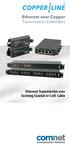 Ethernet over Copper Transmission Extenders Ethernet Transmission over Existing Coaxial or Cat5 Cable CopperLine is an advanced and unique technology that extends Ethernet networks beyond the 100 meter
SMS Remote Software User Manual. Pro Series & Contender Series DVRs
 SMS Remote Software User Manual Pro Series & Contender Series DVRs Table of Contents Chapter 1 Overview 1 1.1 In This Manual 1 1.2 Overview 1 1.3 SMS Features 1 1.4 Product Information 1 1.5 System Requirements
INTELLECT TM Software Package
 AxxonSoft INTELLECT TM Software Package Quick Start Guide Version 1.0.0 Moscow 2010 1 Contents CONTENTS... 2 1 INTRODUCTION... 3 1.1 Document purpose... 3 1.2 Purpose of the Intellect software package...
BlackHawk for MAC Software User Guide
 BlackHawk for MAC Software User Guide Products: BLK-DH2 Series and BLK-HD Series DVRs Please read this manual before using your software, and always follow the instructions for safety and proper use. Save
InfoPrint 4247 Serial Matrix Printers. Remote Printer Management Utility For InfoPrint Serial Matrix Printers
 InfoPrint 4247 Serial Matrix Printers Remote Printer Management Utility For InfoPrint Serial Matrix Printers Note: Before using this information and the product it supports, read the information in Notices
Laying the groundwork for a new level of Power over Ethernet
 White Paper Laying the groundwork for a new level of Power over Ethernet June, 2014 Contents Laying the groundwork for a new level of Power over Ethernet 3 PoE basics 4 PoE standards development 5 Four-pair
How To Configure Voice Vlan On An Ip Phone
 1 VLAN (Virtual Local Area Network) is used to logically divide a physical network into several broadcast domains. VLAN membership can be configured through software instead of physically relocating devices
Server Manual. For Administrators of Cameleon Version 4
 Server Manual For Administrators of Cameleon Version 4 Cameleon Version 4 Server Manual For Administrators of Cameleon Version 4 R4-07OCT04 Copyright 2004 360 Surveillance Inc. Camera Cameleon is a trademark
CHAPTER 2: USING THE CAMERA WITH THE APP
 TABLE OF CONTENTS OVERVIEW... 1 Front of your camera... 1 Back of your camera... 2 ACCESSORIES... 3 CHAPTER 1: Navigating the Mobile Application... 4 Device List: How to Use this Page... 4 My Messages:
ibaby Monitor Model: M3s User Manual
 ibaby Monitor Model: M3s User Manual Index 1 Introduction...3 1.1 The package contents...3 1.2 Product Features...3 1.3 Product Specifications...4 2 Appearance and Interface...5 2.1 Appearance...5 2.2
Online Training Certifications
 Online Training Certifications March Networks online certifications provide our certified partners with the knowledge required to install, operate and maintain our industry-leading Visual Intelligence
LOREX CLIENT Remote Software 4.0
 LOREX CLIENT Remote Software 4.0 Instruction Manual English Version 2.0 MODEL: L20WD800 Series www.lorexcctv.com Copyright 2008 LOREX Technology Inc. Table of Contents Table of Contents Software Installation...
Living Infrastructure Solution Guide. www.commscope.com
 Living Infrastructure Solution Guide Transform your data center into a living infrastructure One-size-fits-all practices and increased pressure affect data center performance In today s data center environment,
Network Client. Troubleshooting Guide FREQUENTLY ASKED QUESTIONS
 Network Client Troubleshooting Guide 1 Network Client Troubleshooting Guide The first section of this guide answers some frequently asked questions (FAQs) about the operation of Intellex and the Network
SIP Proxy Server. Administrator Installation and Configuration Guide. V2.31b. 09SIPXM.SY2.31b.EN3
 SIP Proxy Server Administrator Installation and Configuration Guide V2.31b 09SIPXM.SY2.31b.EN3 DSG, DSG logo, InterPBX, InterServer, Blaze Series, VG5000, VG7000, IP590, IP580, IP500, IP510, InterConsole,
InstaPATCH Cu Cabling Solutions for Data Centers
 SYSTIMAX Solutions InstaPATCH Cu Cabling Solutions for Data Centers Design Guidelines August 2008 www.commscope.com Contents Overview 1 Instapatch Cu Solution Specification 2 Harness Assembly Design 3
1. Central Monitoring System Software
 1. Central Monitoring System Software 1-1. General information CMS program is an application with which users not only watch and control remote DVRs, but also receive video/audio data or alarm signals
SECTION 16911 WEB-BASED POWER MONITORING COMMUNICATIONS SYSTEM
 WEB-BASED POWER MONITORING COMMUNICATIONS SYSTEM PART 1 GENERAL 01 02 03 04 SCOPE This section describes the metering, communications, and visualization requirements for a modular, scalable Web-based Power
Remote Access Platform. Architecture and Security Overview
 Remote Access Platform Architecture and Security Overview NOTICE This document contains information about one or more ABB products and may include a description of or a reference to one or more standards
Media Conversion in Video Security and Surveillance Systems
 The Conversion Technology Experts Media Conversion in Video Security and Surveillance Systems Worldwide Headquarters 6475 City West Parkway Eden Prairie, MN 55344 USA tel 952.941.7600 toll free 800.526.9267
SANGFOR SSL VPN. Quick Start Guide
 SANGFOR SSL VPN Quick Start Guide This document is intended to assist users to install, debug, configure and maintain SANGFOR SSL VPN device quickly and efficiently. Please read the followings carefully
ivms-5200 Professional Web Manager User Manual
 ivms-5200 Professional Web Manager User Manual UD.6L0202D1651A01 Hikvision ivms-5200 Professional Web Manager User Manual This manual, as well as the software described in it, is furnished under license
ivms-4200 Client Software Quick Start Guide
 ivms-4200 Client Software Quick Start Guide Notices The information in this documentation is subject to change without notice and does not represent any commitment on behalf of HIKVISION. HIKVISION disclaims
CX Series. Video Recording Server. Quick Start Guide CX784 / CX788 / CX7816. Version 1.05.00
 CX Series Video Recording Server CX784 / CX788 / CX7816 Quick Start Guide Version 1.05.00 Contents 1.Introduction...1 1.1.Packages Contents...1 1.2.Hardware Features...2 1.3.Functional Features...4 1.4.Hard
ProCurve Networking. Troubleshooting WLAN Connectivity. Technical White paper
 ProCurve Networking Troubleshooting WLAN Connectivity Technical White paper Introduction... 3 Identifying the Problem... 3 Troubleshooting Wireless Station Connection to AP... 4 Can Any Wireless Stations
How To Use A Ds6101Di On A Tv Or Tv With A Video Camera On A Network (Tivv) Or Tv (Dv) On A Computer Or Tv At A Network Or Tv On A Cell Phone Or Tv For
 DS-6101DI Series Decoder Server Technical Manual Notices The information in this documentation is subject to change without notice and does not represent any commitment on behalf of HIKVISION. HIKVISION