
ISPs AOL, AOL Web Mail, Yahoo, Hotmail Live, Windows Live and MSN, Gmail, Earthlink, AT&T, Comcast
|
|
|
- Edmund Perry
- 10 years ago
- Views:
Transcription
1 Whitelist Instructions Since your ISP probably uses some type of spam filter we ask that you add us to your trusted list of senders, contacts or address book. All also known as whitelisting. If you do not see an from Megan Hughes in your inbox, due to the overzealous filtering by ISPs my may have mistakenly been sent to your spam folder. Please open your spam folder look for it there, open it and mark it as "not spam"... Click the link to your ISP or client to Whitelist Smart Business Tips, from: Megan Hughes. ISPs AOL, AOL Web Mail, Yahoo, Hotmail Live, Windows Live and MSN, Gmail, Earthlink, AT&T, Comcast Clients: Outlook 2003 (or higher), Mozilla Thunderbird, Blackberrys, Spam Filters: Norton AntiSpam, McAfee Spamkiller, Barracuda Networks, Trend Micro PC Cillin, Cloudmark SpamNet, CA Anti Spam, Mailblocks, MailShield, MailWasher, Oddpost, SpamAssassin, SpamFighter, Choic , SpamButcher, Spameater Pro Spam Inspector, Spam Interceptor, SpamPal, Spam Sleuth, Other providers: If you use Spam Arrest or other challenge response spam filter please whitelist Megan Hughes. AOL back to top To make sure gets delivered to your AOL inbox, you must add the address or corporate domain of the sender to your Address Book or Custom Sender List. 1. Click the "Spam Controls" link on the lower right side of your inbox screen. 2. When the "Mail & Spam Controls" box appears, click the "Custom sender list" link. 3. Choose the "allow from option. 4. Add the domain or address you would like to receive mail from, then click "Add" 5. Click "Save" AOL Web Mail back to top If using AOL web mail replying to an from Megan Hughes will also work. from that domain will now be delivered straight to your Inbox. Yahoo! Mail back to top If youï ½re not receiving you are expecting, there are two things you can do: 1. Use the "Not Spam" button in your Bulk folder. 2. Create a filter to automatically send from certain domains to your Inbox. This is the only way to really ensure delivery. Report as "Not Spam" 1. Check your Yahoo! Bulk folder 2. If you see the from Megan Hughes, highlight it and click "Not Spam" 3. This does not guarantee that your mail will be delivered in the future, but it does help. Create a Filter 1/10

2 Create a Filter 1. Click "Options" in the top right navigation bar 2. Select "Mail Options" from the list that drops down 3. Choose "Filters" located on the left side of the page 4. Click the "Add" button on the Filters page 5. Choose the field you want to match in the incoming message. For example, "header" or "to". 6. Choose the criterion by which you want a match to be made, such as "contains" 7. Enter the text string to compare. For example: from Megan Hughes 8. Choose the destination folder to which you would like the message delivered. For example: Inbox Hotmail Live, Windows Live and MSN back to top In the new Hotmail you must "Mark sender as safe" to enable hyperlinks even in text s and images in HTML s. Entering the contact in the address book or contacts no longer whitelists the sender To ensure messages from specific addresses are not sent to your Junk folder, you can do one of two things: 1. Check the "Junk" folder if you do not see the Smart Business Tips in your inbox 2. Click the "Mark as safe" link 3. Add [email protected] to your Safe List Mark Sender as Safe Attachments, pictures, and links in this message have been blocked for your safety. Show content Megan Hughes [email protected] Smart Business Tips From: [email protected] You may not know this sender. Mark as safe Mark as unsafe Sent: Thu 6/14/07 12:00 AM Reply to: [email protected] 1. Click "Show content" to view the body of the if it contains images and HTML 2. Click "Mark as safe" 3. Megan Hughes will now be added to your list of "Safe senders" Manually Add to Safe List 1. Click "Options" in the upper right corner of your Hotmail screen 2. In the Body of the page under "Junk e mail" click the link "Safe and blocked senders" 3. Click the link "Safe senders" 4. Enter the address "[email protected]" 5. Click "Add to list" 2/10

3 Gmail back to top To make sure gets delivered to your inbox, you must add the address to your contacts list. 1. Click the drop down arrow next to "Reply" in the upper right side of your inbox screen. 2. Click the "Add Megan Hughes to Contacts List" from the list that appears. 3. You will now see Megan Hughes appear under the link "Contacts" on the left side of the page. 4. Click the link "Contacts" and the in the "Search Contacts" form field. 5. Now you can select to move Megan Hughes to a contact list of choice and edit any details. Outlook 2003 (or higher) back to top Because of the various platforms that can work with Outlook, it is tricky to tell you how to recieve all to your Outlook inbox. We can tell you, however, how to make sure you can see all the s you receive as they were intended to be seen with images. If a company is not in your address book or "Safe Sender" list, your HTML images will not display. To have HTML display correctly, users can: Change their automatic download settings Add sender to your address book Add your or domain to their approved sender list To change settings: 1. Right click on a non displaying image in an HTML 2. Choose "Change automatic download settings" option 3. When the popup comes up, uncheck the first box in the list that says "donï ½t download pictures or other HTML content automatically 4. Click "OK" To add sender to address book: 1. Open the 2. Right click on the from address 3. Choose "Add to contacts" option To add domain to safe sender list: 1. Right click on a non displaying image in an HTML 2. Choose "Add the domain to the safe sender list" option Earthlink back to top If you are not receiving at Earthlink, there are two actions you can take. 3/10

4 1. Check "Suspect " folder 2. Add to your address book With Earthlink, if you have SpamBlocker turned on, suspect messages are automatically send to your Suspect folder if the domain is not in your address book. Suspect Folder 1. While in the "Suspect " folder, if you see Megan Hughes Select the "Move to Inbox and Add Contact" option from the pull down menu. 3. This will add to your Address Book for future delivery assurance. Address Book Inclusion 1. Open the Click "Add to Address Book" in the header. 3. Use the "Address Book Editor" to verify the sender's contact details and click "save." 4. Fill in as the address of the sender. 5. Any mail sent with the same domain (right of sign) will now be delivered to your Inbox. AT&T back to top 1. Open the message from the sender you want to add to your address book. 2. Click on the "Save Address" link (below) next to the "From Address. 3. Check the "Add to Contacts" box (below) and click "Save. Comcast back to top 1. Click on the [Save Address] link at the top of this message (it's next to From Address). 2. For the field titled First Name, please enter Megan Hughes 3. Then click Save Entry and you're all done. BlackBerrys back to top 1. Scroll up to the message header 2. Get to the field where [email protected] is listed, click the Berry button and then click Show Address 3. Click the Berry button and then click Add to contacts Mozilla Thunderbird back to top 1. Click the Address Book button 4/10

5 2. Make sure the Personal Address Book is highlighted 3. Click the New Card button. This will launch a New Card window that has 3 tabs: Contact, Address and Other 4. Under the Contact tab, copy and paste the "From" address, [email protected] into the dialogue box 5. Click OK Norton AntiSpam back to top 1. Start up Norton AntiSpam 2. Click the Status & Settings tab 3. Click AntiSpam 4. Click Configure 5. Click Allowed List tab 6. Click Add button 7. In the ' Address' box, enter [email protected] 8. Click OK 9. Click OK Trend Micro back to top If you received an message that was incorrectly moved to the Spam Mail folder by the Anti Spam Toolbar you can prevent this from occuring in the future. The Anti Spam Toolbar detects spam by looking for certain keywords in the 's subject or body and matching it with the anti spam pattern file. Occasionally, it may detect what you consider legitimate as spam. To prevent this from occurring you can do either of the following: Add the sender to the list of Approved Senders Decrease the Spam Filter Strength Note: You can also select the and click Not Spam to report it to Trend Micro. However, this feature serves only as a reference when we develop our spam database, and it may not have an effect on how the toolbar detects spam. Add the sender to the list of Approved Senders 1. Open Microsoft Outlook or Outlook Express. 2. Click the Spam Mail folder then select the legitimate detected as spam. 3. Click Approve Sender on the toolbar. 4. Click Yes when the confirmation message appears. Decrease the Spam Filter Strength 1. Open Microsoft Outlook or Outlook Express. 5/10

6 1. Open Microsoft Outlook or Outlook Express. 2. Click Trend Micro Anti Spam then click Settings. 3. On the Spam Filter tab, move the slider bar to select a lower filter strength. 4. Click OK to save your settings. McAfee Spamkiller back to top 1. Select Friends from the McAfee SpamKiller sidebar. 2. Click Add a friend. 3. Make sure All users at a domain is selected under Friend type: 4. Type the domain name you want to whitelist under Address: 5. To whitelist all our newsletters, type 6. Optionally, enter a Megan Hughes to help you recognize the domain under Name: 7. Click OK. 8. Click OK. Barracuda Networks back to top The Barracuda Spam Firewall is a popular spam filtering solution. Barracuda uses several algorithms and processes to determine whether s are spam. Occasionally, it will mark a legitimate message as spam. There are two methods to whitelist senders so that the firewall will not quarantine future . Whitelist Quarantined Senders 1. Open your client. Barracuda should send you a summary each day listing quarantined items. Choose the most recent Barracuda message. 2. Locate the from Megan Hughes and the sender address [email protected] that you do not want quarantined in the future. Click on the word "Whitelist," which is in green print to the right of the title. This will open your list in a web browser. 3. Click the box to the left of the that you would like to whitelist. At the top of the page, click "Whitelist." Barracuda will not block or quarantine the sender whose address appears on the whitelist. Whitelist Senders and Domains 1. Open your web browser. Navigate to your company's Barracuda firewall homepage Click on the "Block/Accept" tab. 4. Choose "Sender Domain Block/Accept." Enter the domain name from [email protected] to whitelist. For example, you can enter aol.com to allow all AOL addresses. You may enter a comment to remind you why you allowed this domain. Click "Add." 6/10

7 all AOL addresses. You may enter a comment to remind you why you allowed this domain. Click "Add." 5. Click your mouse on the " Sender Block/Accept" tab. Enter the address of an individual sender that you want to whitelist, such as "[email protected]" Include a comment. Click "Add." In the future, Barracuda will not block s from this sender. Cloudmark SpamNet back to top 1. Select Cloudmark Options... from the Cloudmark SpamNet toolbar in Outlook. 2. Click Advanced. 3. Go to the Whitelist tab. 4. Click the Add button. 5. Type: [email protected] 6. Click OK. 7. Click OK. 8. Click Yes. 9. Click OK. Mailblocks back to top 1. Click the Addresses tab. 2. Click New. 3. Type: [email protected] 4. Make sure 'Accept Mail From This Address' is selected under Receiving Options. 5. Uncheck 'Display in People Picker' under Other options. 6. Click Submit. 7. Click OK. MailShield back to top 1. Click Friends from the toolbar. 2. Click Add. 3. Type: [email protected] 4. Click OK. MailWasher back to top 1. Click Tools, then Blacklist & Friends. 2. Click Add... on the right, the Friends list side. 3. Make sure Plain address is selected. 4. Type: [email protected] 7/10

8 5. Click OK. 6. Click OK. Oddpost back to top 1. Check your 'Probably Spam' folder. 2. If you see that Smart Business Tips was incorrectly filtered out 3. Select it Click the 'Move to Inbox and Mark as Not Spam' button. SpamAssassin back to top 1. Add the following entry to your user_prefs file, which is found in the.spamassassin subdirectory on your web/mail server 2. whitelist_from 3. Save the user_prefs file or move the updated copy to your.spamassassin subdirectory. SPAMfighter back to top Highlight the from Megan Hughes with the address to Whitelist. Click "More" in the SPAMfighter Toolbar and select "Whitelist". Here you can choose if you want to Whitelist the address or the whole domain. To be sure that all s from people in your Outlook contacts get through to you, you can import and Whitelist them. To do this, follow these steps: 1. Click "More" in the SPAMfighter toolbar. 2. Then "Options" 3. Then "Filter settings" 4. Then "Blacklists & Whitelists" 5. Then "Whitelist address" 6. Then "Import". 7. Select your 'Address Book' and click on "Check all" 8. Click "Add" 9. Click "Apply" If you get a pop up box offering you to upgrade to SPAMfighter Pro it is because you have exceeded the limit of 100 addresses. You can fix this by buying SPAMfighter Pro or by deleting some of the addresses in your Black/White list. If you want delete addresses, please go to: 1. Click More" in the SPAMfighter toolbar. 2. Then "Options" 8/10

9 2. Then "Options" 3. Then "Filter settings" 4. Then "Blacklists & Whitelists" Choic back to top 1. Open Choic 2. Click on the Senders tab 3. Choose "Approve another Sender" 4. Type in the sender address 5. Click on OK SpamButcher back to top 1. Click the Configure button. 2. Go to the Known Senders tab. 3. Click Add under 'Known Good Senders and Recipients'. 4. Type: 5. Click OK. 6. Click OK. Spameater Pro back to top 1. Click Filters from the sidebar. 2. Click the Approved Senders tab. 3. Click Add Filter. 4. Type: under Address. 5. Choose 'Full Address' under Address Type. 6. Select Domain. 7. Click OK. Spam Inspector back to top 1. Select Spam Inspector 2. Then 'Manage Friends List' from either the Spam Inspector toolbar or from the Outlook menu. 3. Make sure is selected under 'Add a New Friend'. 4. Type: [email protected] 5. Click the >> button. 6. Click Close. 9/10

10 Spam Interceptor back to top 1. Follow the Trusted link under > Authentication Lists. 2. Enter the address: 3. Click Add. SpamPal back to top 1. Click on the SpamPal system tray icon with the right mouse button. 2. Click 'Add to Whitelist' from the menu. 3. Type: 4. Click Add. Spam Sleuth back to top 1. Select File, then Configure. 2. Go to the Friends category. 3. Make sure Active is checked. 4. Type: on a line by itself in the entry field. 5. Click OK. Other Spam Filters Not List Above... back to top If Smart Business Tips is being filtered, try adding [email protected] to your Address Book or Contact list. If messages continue to be sent to your junk folder contact your ISP or spam filter application support and ask how to whitelist [email protected]. Generate you own whitelist instructions here /10

ISPs AOL, AOL Web Mail, Yahoo, Hotmail Live, Windows Live and MSN, Gmail, Earthlink, AT&T, Comcast
 To ensure our emails continue to reach your inbox, please add our email address to your address book. Please find below step-by-step instructions for address book/contact list additions for some larger
Email Whitelist Instructions
 Email Whitelist Instructions Since your ISP probably uses some type of spam filter we ask that you add us to your trusted list of senders, contacts or address book. All also known as whitelisting. If you
Email Whitelist Instructions
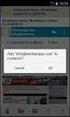 Email Whitelist Instructions AOL To make sure email gets delivered to your AOL inbox, you must add the email address or corporate domain of the sender to your Address Book or Custom Sender List. 1. Click
EMAIL WHITELIST INSTRUCTIONS GENERAL INSTRUCTIONS WHITELISTING FMG UNIVERSITY EMAILS ISPS AND EMAIL CLIENTS WHITELISTING OVERVIEW
 EMAIL WHITELIST INSTRUCTIONS Since your ISP (internet service provider) probably uses a spam filter, we request that you add FMG University to your list of trusted senders, your contacts, and your address
How to Add an Email Address to your Safe Senders' List
 How to Add an Email Address to your Safe Senders' List An increasing number of e-mail clients (Outlook, AOL, Hotmail, etc.) are including spam blockers that can affect delivery and display of some e-mail
Popular Email Program Junk/Spam Filter Guide
 Popular Email Program Junk/Spam Filter Guide *** This guide was assembled as a courtesy to our subscribers and we hope that you will find it useful. Reallocation Strategies does not support and cannot
How to Add HealthCentral to Your Safe Senders List
 How to Add HealthCentral to Your Safe Senders List Due to the growing problem of unsolicited and unwanted commercial emails, many web mail services and email applications have taken measures to automatically
How to Whitelist Conroe748 Email
 How to Whitelist Conroe748 Email Gmail, Outlook, AOL, Yahoo, Hotmail and Other Internet Service Providers Below is information on how to whitelist email messages from Conroe Lodge #748 with AOL, Yahoo,
Add an email address to a safe sender list in a client or security software AOL. BellSouth / AT&T Web Email
 Add an email address to a safe sender list in a client or security software You can allow mail that EFA sends to go to your inbox without being placed in your junk or spam folder by adding EFA s email
Adding an email address to a safe sender list in an email client or security software
 Adding an email address to a safe sender list in an email client or security software How do I whitelist or add email addresses to my safe sender list in my security software or email client? Whitelisting
How to make sure you receive all emails from the University of Edinburgh
 How to make sure you receive all emails from the University of Edinburgh To ensure that any email from The University of Edinburgh - or any address you choose - is not automatically sent to your junk or
PORTLANDDIOCESE.ORG Email - How to Connect Table of Contents
 1 PORTLANDDIOCESE.ORG Email - How to Connect Table of Contents Email Access via a Web Browser... 2 Email Client Setup... 3 Outlook 2013 for Windows... 3 Outlook for Mac 2011... 4 Mac OS X 10.6+... 4 iphone
Using Barracuda Spam Firewall
 Using Barracuda Spam Firewall Creating your Barracuda account Your Barracuda account has been created for you if you are a current Hartwick College student, staff or faculty member. Setting Your Password.
To help you spot potential junk mail, spam and phishing emails you can read through the guide located on the IT Services website.
 Junk mail filtering Outlook contains tools you can use to manage any suspected junk mail you might receive. Junk mail is also often referred to as spam. Another form of unwanted email is called phishing.
PORTLANDDIOCESE.ORG Email - How to Connect Table of Contents
 1 PORTLANDDIOCESE.ORG Email - How to Connect Table of Contents Email Access via a Web Browser... 2 Email Client Setup... 3 Outlook 2007, 2010 & 2013 for Windows... 3 Outlook for Mac 2011... 5 Mac OS X
BULLGUARD SPAMFILTER
 BULLGUARD SPAMFILTER GUIDE Introduction 1.1 Spam emails annoyance and security risk If you are a user of web-based email addresses, then you probably do not need antispam protection as that is already
MICROSOFT OUTLOOK 2011 GETTING STARTED AND HELP RESOURCES
 MICROSOFT OUTLOOK 2011 GETTING STARTED AND HELP RESOURCES Lasted Edited: 2012-07-10 1 Introduction... 4 Getting Started... 4 Tour of the Outlook 2011 Interface... 4 Start Outlook 2011... 5 Configure E-mail
Email Migration Manual (For Outlook Express 6)
 Email Migration Manual (For Outlook Express 6) By SYSCOM (USA) May 13, 2013 Version 1.0 1 Contents 1. How to Change POP3/SMTP Setup for Outlook Express... 3 2. How to Login to Webmail... 7 3. How to Change
Email Migration Manual (For Outlook 2010)
 Email Migration Manual (For Outlook 2010) By SYSCOM (USA) May 13, 2013 Version 2.2 1 Contents 1. How to Change POP3/SMTP Setting for Outlook 2010... 3 2. How to Login to Webmail... 10 3. How to Change
Adding ECA Marketing to your safe-senders list
 Adding ECA Marketing to your safe-senders list If your email provider is not listed below or your email is managed by your company you will need to contact your system administrator. If you have updates
Vodafone Email Plus. User Guide for Windows Mobile
 Vodafone Email Plus User Guide for Windows Mobile 1 Table of Contents 1 INTRODUCTION... 4 2 INSTALLING VODAFONE EMAIL PLUS... 4 2.1 SETUP BY USING THE VODAFONE EMAIL PLUS ICON...5 2.2 SETUP BY DOWNLOADING
Emailing from The E2 Shop System EMail address Server Name Server Port, Encryption Protocol, Encryption Type, SMTP User ID SMTP Password
 Emailing from The E2 Shop System With recent releases of E2SS (at least 7.2.7.23), we will be allowing two protocols for EMail delivery. A new protocol for EMail delivery Simple Mail Transfer Protocol
HOW TO: Use the UWITC Barracuda Spam Filter System
 HOW TO: Use the UWITC Barracuda Spam Filter System The Barracuda Spam Firewall has a learning engine that learns how to deal with future messages based on the ones you classify as spam and not spam. The
Grapevine Mail User Guide
 Grapevine Mail User Guide Table of Contents Accessing Grapevine Mail...2 How to access the Mail portal... 2 How to login... 2 Grapevine Mail user guide... 5 Copying your contacts to the new Grapevine Mail
Anti-Spam Configuration in Outlook 2003 INDEX. Webmail settings Page 2. Client settings Page 6. Creation date 12.12.06 Version 1.2
 Anti-Spam Configuration in Outlook 2003 INDEX Webmail settings Page 2 Client settings Page 6 Creation date 12.12.06 Version 1.2 Webmail settings In this section, you will learn how to activate and configure
Outlook Web App OWA Quick Guide. Getting you up to speed quickly.
 Outlook Web App OWA Quick Guide Getting you up to speed quickly. Information Services 8-1-2014 Contents Exploring the OWA (Outlook Web App) User Interface... 2 Getting Started... 2 Mail... 6 Creating and
Purchase College Barracuda Anti-Spam Firewall User s Guide
 Purchase College Barracuda Anti-Spam Firewall User s Guide What is a Barracuda Anti-Spam Firewall? Computing and Telecommunications Services (CTS) has implemented a new Barracuda Anti-Spam Firewall to
Getting Started with University Gmail
 Getting Started with University Gmail USER GUIDE V1.0 User Services IT Services University of Malta 2013 User Services IT Services University of Malta Msida MSD 2080 Malta May only be reproduced with permission
Apps4Rent Hosted Exchange Spam Management Interface Guide.
 Spam Management Interface Guide. Apps4Rent Hosted Exchange Spam Management Interface Guide. NOTE: This document contains functionalities and procedures which are mainly used to manage your spam settings
How to Disable Common Pop-Up Blockers
 How to Disable Common Pop-Up Blockers Listed below are some of the more popular Pop-up Blocking software packages and the workarounds that should be followed in order to disable the Pop-Up blocking feature
How to Create and Send Newsletter Using G-Lock EasyMail
 How to Create and Send Newsletter Using G-Lock EasyMail Beginner s Guide 1 Page Table of Contents 1. Create E-Mail Account 3 2. Create Contact Group. 5 3. Import Contacts from External Database. 6 4. Compose
GUIDEWIRE. Introduction to Using WebMail. macrobatix. Learn how to: august 2008
 macrobatix GUIDEWIRE august 2008 Introduction to Using WebMail Learn how to: Manage Your Inbox Compose a Message Activate Spam Filter Modify Spam Settings Check Held Messages *To download the complete
Webmail Friends & Exceptions Guide
 Webmail Friends & Exceptions Guide Add email addresses to the Exceptions List and the Friends List in your Webmail account to ensure you receive email messages from family, friends, and other important
Junk E-mail Settings. Options
 Outlook 2003 includes a new Junk E-mail Filter. It is active, by default, and the protection level is set to low. The most obvious junk e-mail messages are caught and moved to the Junk E-Mail folder. Use
[email protected]
 Email Electronic mail is the transmission of mainly text based messages across networks. This can be within a particular network - internal mail - or between networks - external mail. The most common network
THUNDERBIRD SETUP (STEP-BY-STEP)
 Jim McKnight www.jimopi.net Thunderbird_Setup.lwp revised 12-11-2013 (Note1: Not all sections have been updated for the latest version of Thunderbird available at the time I verified that Section. Each
Barracuda Spam Firewall Users Guide. How to Download, Review and Manage Spam
 Barracuda Spam Firewall Users Guide How to Download, Review and Manage Spam By: Terence Peak July, 2007 1 Contents Reviewing Barracuda Messages... 3 Managing the Barracuda Quarantine Interface... 4 Preferences...4
EMAIL ACCOUNTS EXPLAINED GMAIL
 EMAIL ACCOUNTS EXPLAINED RECEIVING AND SENDING EMAILS: WHAT EMAIL PROGAM SHOULD I USE? You can access your new email a variety of ways, almost an unlimited number of ways. The trick is to figure out what
How To Manage Your Quarantine Email On A Blackberry.Com
 Barracuda Spam Firewall User s Guide 1 Copyright Copyright 2005, Barracuda Networks www.barracudanetworks.com v3.2.22 All rights reserved. Use of this product and this manual is subject to license. Information
Email Getting Started Guide Unix Platform
 Edition/Issue Email Getting Started Guide Unix Platform One of the most important features of your new Web Hosting account is access to a personalized Email solution that includes individual Email addresses
Secure Email Client Guide
 PRESIDIO BANK 33 Secure Email Client Guide THE BUSINESS BANK THAT WORKS 8/2013 Table of Contents Introduction.....3 Our Responsibility to Protect Confidential Information....4 Registering and Accessing
Oakland County Webmail Anti-Spam Setup
 Webmail Anti-Spam is a tool that allows you to filter junk mail (Spam) from your inbox. Once the Anti-Spam control is turned on, most junk mail will be redirected to a Junk Mail folder. Please note that
Table of Contents Chapter 1 INTRODUCTION TO MAILENABLE SOFTWARE... 3 MailEnable Webmail Introduction MailEnable Requirements and Getting Started
 Webmail User Manual Table of Contents Chapter 1 INTRODUCTION TO MAILENABLE SOFTWARE... 3 MailEnable Webmail Introduction MailEnable Requirements and Getting Started Chapter 2 MAILENABLE KEY FEATURES OVERVIEW...
How to Temporarily Allow Popups for the Current Session
 How to Temporarily Allow Popups for the Current Session NOTE: The following procedure works on most browsers, but there may be some that don t. Try it anyway. Press the ctrl key while clicking on the Go
How to Use Red Condor Spam Filtering
 What is Spam Filtering? Spam filtering is used to detect unsolicited and unwanted email. By looking for certain words in an email's subject line, or through suspicious word patterns or word frequencies
1 Accessing E-mail accounts on the Axxess Mail Server
 1 Accessing E-mail accounts on the Axxess Mail Server The Axxess Mail Server provides users with access to their e-mail folders through POP3, and IMAP protocols, or OpenWebMail browser interface. The server
Webmail Login with non-ie browsers
 Webmail Login with non-ie browsers Webmail via www.green.ch...2 Webmail Login...3 Access options...4 Error messages...5 Webmail...6 The Help function...7 The options...8 Creation date 01.11.06 Version
WineWeb Email Account Services
 As part of WineWeb s website services, we can provide email accounts under your domain name. Although this is optional, almost all of our clients use our mail server for their email accounts. We run the
Spam Management Service Users Guide
 Spam Management Service Users Guide We bring business & technology TOGETHER! Beringer Associates, Inc. 1591 Hylton Road Pennsauken, NJ 08110 Phone: 800.796.4854 or 856.910.7771 Fax: 800.917.2056 or 856.910.7888
About junk e-mail protection
 About junk e-mail protection Entourage 2008 Junk E-Mail Protection Entourage has a built-in junk mail filter that helps separate junk e-mail also called spam from legitimate messages. By default, the level
How To Create A Campaign On Facebook.Com
 Seriously powerful email marketing, made easy Table of Contents DOTMAILER QUICK START GUIDE... 3 Main Screen... 4 Getting Started... 6 STEP 1: CAMPAIGN SETTINGS... 7 STEP 2: CAMPAIGN CONTENT... 8 Editing
Barracuda Spam Firewall User s Guide
 Barracuda Spam Firewall User s Guide 1 Managing your Quarantine Inbox This chapter describes how you can check your quarantined messages, classify messages as spam and not spam, and modify your user preferences
SaaS Email Encryption Enablement for Customers, Domains and Users Quick Start Guide
 SaaS Email Encryption Enablement for Customers, Domains and Users Quick Start Guide Email Encryption Customers who are provisioned for SaaS Email Encryption can easily configure their Content Policies
Using Outlook WebAccess
 Using Outlook WebAccess Outlook Toolbars - Terminology Update all folders New Move/Copy Reply Forward Check for New Messages Help Show/Hide Folders Delete Reply to All Show/Hide Reading Pain Search Address
RSCCD REMOTE PORTAL TABLE OF CONTENTS: Technology Requirements NOTE
 RSCCD REMOTE PORTAL The RSCCD Remote Portal allows employees to access their RSCCD Email (via Outlook Web Access), Department (Public) Folders, Personal (H Drive) Folder, and the District Intranet from
Webmail Instruction Guide
 Webmail Instruction Guide This document is setup to guide your through the use of the many features of our Webmail system. You may either visit www.safeaccess.com or webmail.safeaccess.com to login with
Forefront Online Protection for Exchange (FOPE) User documentation
 Forefront Online Protection for Exchange (FOPE) User documentation About Your FOPE Quarantine Mailbox Applies To: Forefront Online Protection for Exchange This document will help you get started with the
Version 3.x. Barracuda Spam & Virus Firewall User s Guide. Barracuda Networks Inc. 3175 S. Winchester Blvd Campbell, CA 95008 http://www.barracuda.
 Version 3.x Barracuda Spam & Virus Firewall User s Guide Barracuda Networks Inc. 3175 S. Winchester Blvd Campbell, CA 95008 http://www.barracuda.com? 1 Copyright Copyright 2005-2009, Barracuda Networks
Email - Spam Spam Email Firewall How Does the Spam Firewall Work? Getting Started username Create New Password
 Email - Spam Spam Email Firewall ODU s Information Services has implemented a Spam Firewall to help you manage spam e-mail from Internet senders. Generally defined, spam e-mail is an unsolicited mailing,
IT Email Services page 1 of 10 Spam Filtering. Overview
 IT Email Services page 1 of 10 Overview Comcast Spectacor has implemented a system to control unwanted Internet email (spam) from the Internet. Virus emails and some known spam will be filtered automatically.
The UC Learning Center: Disabling Pop-Up Blockers
 The UC Learning Center: Disabling Pop-Up Blockers In order to launch online courses within the UC Learning Center all pop-up blockers must be turned off. This guide will walk you through disabling pop-up
Stores copies of items you sent to others, by default. Stores items created offline that you want to send the next time you are online
 Outlook Folders: All new messages are stored in Inbox unless rules are created. Stores copies of items you sent to others, by default Stores temporarily deleted items until you permanently delete or retrieve
The default option is that full headers appear at the BOTTOM of each received message.
 AOL Email The email files are in an html format. The objective is to save the file in html format. This can be done as follows: - Open the email message you want to save, as if you were reading it - Near
Barracuda Spam Firewall
 Barracuda Spam Firewall Overview The Barracuda Spam Firewall is a network appliance that scans every piece of email our organization receives. Its main purposes are to reduce the amount of spam we receive
Managing Spam With Outlook Express
 Managing Spam with Outlook Express Managing Spam With Outlook Express 4Introduction 4Verizon Online Spam Detector 4Using Outlook Express Tools to Reduce Spam 1 Verizon Online 2 Managing Spam with Outlook
User Guide for Kelani Mail
 User Guide for Kelani Mail Table of Contents Log in to Kelani Mail 1 Using Kelani Mail 1 Changing Password 2 Using Mail Application 3 Using email system folders 3 Managing Your Mail 4 Using your Junk folder
Focus On echalk Email. Introduction. In This Guide. Contents:
 Focus On echalk Email Introduction Email can be very useful in a school setting. For instance, instead of writing out a memo and delivering it to everyone s mailbox in the main office, you can simply send
Setting Up Email on Your Palm. Treo 700wx Smartphone
 Setting Up Email on Your Palm Treo 700wx Smartphone Intellectual property notices 2006 Palm, Inc. All rights reserved. Trademark, copyright, patent, and other intellectual property notices are set forth
Barracuda Spam Firewall User s Guide
 Barracuda Spam Firewall User s Guide 1 Copyright Copyright 2005, Barracuda Networks www.barracudanetworks.com v3.2.22 All rights reserved. Use of this product and this manual is subject to license. Information
Filtering Email with Microsoft Outlook
 Filtering Email with Microsoft Outlook Microsoft Outlook is an email client that can retrieve and send email from various types of mail servers. It includes some advanced functionality that allows you
Changes to Skillnet Group Emails. Outlook and Outlook Express Users
 Changes to Skillnet Group Emails Skillnet Group emails are moving from the current provider to our own exchange mail server. This will mean that you will have a much improved web-mail system and almost
Setting up and controlling E-mail
 Setting up and controlling E-mail Two methods Web based PC based Setting up and controlling E-mail Web based the messages are on the Internet accessed by dial-up or broadband at your Internet Service Provider
SENDING EMAILS & MESSAGES TO GROUPS
 SENDING EMAILS & MESSAGES TO GROUPS Table of Contents What is the Difference between Emails and Selltis Messaging?... 3 Configuring your Email Settings... 4 Sending Emails to Groups Option A: Tasks...
How to Disable Common Pop-Up Blockers
 How to Disable Common Pop-Up Blockers Listed below are some of the more popular Pop-up Blocking software packages and the workarounds that should be followed in order to disable the Pop-Up blocking feature
Follow these steps to configure Outlook Express to access your Staffmail email account:
 Windows Instructions (This documentation is based on Outlook Express version 6). Outlook Express is no longer a recommended email client as it can cause unnecessary network traffic and server overload.
Recalling A Sent Message in Outlook 2010
 Recall or replace an email message that you sent The recall feature in Microsoft Outlook tries to stop delivery and, optionally, replace an email message that you have already sent to another Microsoft
Connecting to LUA s webmail
 Connecting to LUA s webmail Effective immediately, the Company has enhanced employee remote access to email (Outlook). By utilizing almost any browser you will have access to your Company e-mail as well
Lesson 7: Maintenance
 Lesson 7: Maintenance This lesson introduces you to processes that will help you with the overall maintenance of Outlook 2007. The processes outlined in this section are: Mailbox Cleanup: Helps you focus
Mimecast Services for Outlook (MSO4)
 Mimecast Services for Outlook (MSO4) End User Quick Start Guide for Outlook 2010/2013 Mimecast Services for Outlook (MSO 4) is a software application that integrates with your Microsoft Outlook. Once installed,
USING OUTLOOK WITH ENTERGROUP. Microsoft Outlook
 USING OUTLOOK WITH ENTERGROUP In this tutorial you will learn how to use Outlook with your EnterGroup account. You will learn how to setup an IMAP or POP account, and also how to move your emails and contacts
Outlook Express POP Instructions - Bloomsburg University Students
 1. Open Outlook Express by clicking Start, All Programs, and Outlook Express. 2. Click on the Tools menu and click Accounts. 1 3. Click on Add Mail 4. Enter your name and click Next. 2 5. Enter your full
MailEnable Web Mail End User Manual V 2.x
 MailEnable Web Mail End User Manual V 2.x MailEnable Messaging Services for Microsoft Windows NT/2000/2003 MailEnable Pty. Ltd. 486 Neerim Road Murrumbeena VIC 3163 Australia t: +61 3 9569 0772 f: +61
https://mail.wheelock.edu
 The Wheelock College Guide to Understanding Microsoft Outlook Web Access Maintained by: Wheelock College Department of Information Technology Version 1.1 June 2006 https://mail.wheelock.edu This document