
COLOR LCD SOUNDER MODEL FCV-582L
|
|
|
- Kathlyn Moody
- 10 years ago
- Views:
Transcription
1 COLOR LCD SOUNDER MODEL FCV-582L

2

3 SAFETY INSTRUCTIONS WARNING ELECTRICAL SHOCK HAZARD Do not open the equipment unless totally familiar with electrical circuits and service manual. Only qualified personnel should work inside the equipment. Turn off the power at the switchboard before beginning the installation. Fire or electrical shock can result if the power is left on. Do not install the equipment where it may get wet from rain or water splash. Water in the equipment can result in fire, electrical shock or equipment damage. Be sure no water leaks in at the transducer installation site. Water leakage can sink the vessel. Also confirm that the transducer will not loosen by ship s vibration. The installer of the equipment is solely responsible for the proper installation of the equipment. FURUNO will assume no responsibility for any damage associated with improper installation. CAUTION Observe the following compass safe distances to prevent deviation of a magnetic compass: Display unit Ground the equipment to prevent electrical shock and mutual interference. Standard Steering 0.6 m 0.6 m When handling the transducer cable, keep in mind following points.. eep the cable away from oil and fuel.. Keep the cable away from the place where it may be damaged during the installation.. Do not paint the cable. The sheath of the transducer cable is made of chlorophrene rubber (or vinyl chloride). Therefore, do not paint the sheath with organic liquid (such as toluene) since it may harm the sheath. Be sure that the power supply is compatible with the voltage rating of the equipment. Connection of an incorrect power supply can cause fire or equipment damage. The voltage rating of the equipment appears on the label above the power connector. i i

4 TABLE OF CONTENTS EQUIPMENT LISTS...iii SYSTEM CONFIGURATION...iv MOUNTING 1.1 Display Unit Thru-hull Mount Transducer 520-5PSD, 520-5MSD Transom Mount Transducer 520-5PWD, Optional Transom Mount Triducer 520ST-PWD Inside-hull Mount Transducer 520-5PSD, 520-5MSD Optional Water Temperature/Speed Sensors Optional Water Temperature Sensors Optional Triducer 524ST-MSD, 525ST-MSD WIRING 2.1 Wiring Optional Sensors Optional 50 khz and 200 khz Transducers EXTERNAL EQUIPMENT SETUP 3.1 External Equipment Setup APPENDIX TRIDUCER 525ST-PWC/PWD... AP-1 PACKING LIST...A-1 OUTLINE DRAWING...D-1 INTERCONNECTION DIAGRAM... S-1 ii

5 EQUIPMENT LISTS Standard Supply No. Name 1 Display Unit 2 Installation Materials 3 Spare Parts T ype Code No. Qty C V-582L 1 CP set SP set 4 Accessories FP set 5 Transducer Optional Supply No. Name iii Remarks See packing list at end of manual PSD Inside-hull 520-5MSD Select one Inside-hull, w/8 m cable 520-5PWD Transom mount, w/8 m cable T ype Code No. 1 Rectifier P R-62 2 Cable Assy. 3 Cable Assy. 4 Triducer 5 Temperature Sensor 6 ST Sensor 7 Inside Kit S Hull MJ-A6SPF P-6P, 5 m MJ-A6SPF P-6P, 10 m MJ-A6SPF P-4P, 5 m MJ-A6SPF P-4P, 10 m 524ST-MSD ST-MSD ST-PWD ST-PWD Thru-hull type Remarks Transom mount type T-02MTB With 8 m cable, transom mount T-02MSB Thru-hull type T-03MSB With 8 m cable, thru-hull type ST-02MSB Thru-hull type ST-02PSB With 8 m cable, thru-hull type 22S Distributor Kit MB Transducer Converter Connector Converter Connector Converter Connector Converter Connector 50B B-6G B B-5S S P 10P 02S S S Requires Distributor MB Water temperature/speed sensor Transducer CORP. of AIRMAR Extends standard transducer cable 10m.

6 SYSTEM CONFIGURATION STANDARD SUPPLY OPTIONAL SUPPLY MJ-A3SPF 3P MJ-A15A3F A 3.5m DISPLAY UNIT CV-582L 10P 6P 6P Navigator Speed/water temperature: ST-02MSB, ST-02PSB OR Water temperature sensor: T-02MSB, T-02MTB, T-03MSB VDC Transducer 520-5MSD 520-5PWD 520-5PSD 10P 8P 8P DISTRI- BUTOR MB B-6/6G 200B-5/5S 10P Triducer 524ST-MSD 520ST-PWD iv

7 MOUNTING 1.1 Display Unit Mounting considerations The display unit can be installed on a tabletop or on the overhead. When selecting a mounting location for the display unit keep the following in mind: Keep the display unit out of direct sunlight. The temperature and humidity should be moderate and stable. Locate the unit away from exhaust pipes and vents. The mounting location should be well ventilated. Mount the unit where shock and vibration are minimal. Keep the unit away from electromagnetic field-generating equipment such as motors and generators. For maintenance and checking purposes, leave sufficient space at the sides and rear of the unit and leave slack in cables. A magnetcompass will be affected if placed too close to the display unit. Observe the following compass safe distances to prevent disturbance to the magnetcompass: Standard compass: 0.8 meters Steering compass: 0.6 meters Cover Tabletop Figure 1-1 Display unit mounting methods Overhead 1

8 Removing cover While pressing the center of the cover with your thumbs as illustrated, pull the cover towards you to remove it. Mounting procedure Attach blind film to unused knob holes. Figure 1-2 How to set the display unit to the hanger 2

9 1.2 Thru-hull Mount Transducer 520-5PSD, 520-5MSD Transducer mounting location This type of mounting provides the best performance of all, since the transducer protrudes from the hull and the effect of air bubbles and turbulence near the hull skin is reduced. When the boat has a keel, the transducer should be at least 30 cm away from it. Typical thru-hull mountings are shown in the figure on the next page. The performance of this sounder is directly related to the mounting location of the transducer, especially for high-speed cruising. The installation should be planned in advance, keeping the standard cable length (8 m) and the following factors in mind: Air bubbles and turbulence caused by movement of the boat seriously degrade the sounding capability of the transducer. The transducer should, therefore, be located in a position where water flow is the smoothest. Noise from the propellers also adversely affects performance and the transducer should not be mounted nearby. The lifting strakes are notorious for creating acoustic noise, and these must be avoided by keeping the transducer inboard of them. The transducer must always remain submerged, even when the boat is rolling, pitching or up on a plane at high speed. A practical choice would be somewhere between 1/3 and 1/2 of the boat s length from the stern. For planing hulls, a practical location is generally rather far astern, so that the transducer is always in water regardless of the planing attitude. Transducer outline drawings All dimensions in millimeters Ship's bow PSD 520-5MSD Figure 1-3 Dimensions of transducers 520-5PSD, 520-5MSD 3

10 Acceptable transducer mounting locations Deep-V hull Position 1/2 to 1/3 length of the hull from stern 15 to 30 cm off center line (inside first lifting strakes). Figure 1-4 Transducer mounting location on deep-v hull High speed V-planing hull Within the wetted bottom area Deadrise angle within 15 Figure 1-5 Transducer mounting location on high speed V-planing hull Typical thru-hull mount transducer installations Fairing block Flat washer Rubber washer Hull bottom Hull bottom Deep-V Hull Flat Hull Figure 1-6 Typical thru-hull mount transducer installations 4

11 Procedure for installing the thru-hull mount transducer 1. With the boat hauled out of the water, mark the location selected for mounting the transducer on the bottom of the hull. 2. If the hull is not level within 15 in any direction, fairing blocks made out of teak should be used between the transducer and hull, both inside and outside, to keep the transducer face parallel with the water line. Fabricate the fairing block as shown below and make the entire surface as smooth as possible to provide an undisturbed flow of water around the transducer. The fairing block should be smaller than the transducer itself to provide a channel to divert turbulent water around the sides of the transducer rather than over its face. Hole for stuffing tube Upper half BOW Lower half Saw along slope of hull. Figure 1-7 Construction of fairing block 3. Drill a hole just large enough to pass the threaded stuffing tube of the transducer through the hull, making sure it is drilled vertically. 4. Apply a sufficient amount of high quality caulking compound to the top surface of the transducer, around the threads of the stuffing tube and inside the mounting hole (and fairing blocks if used) to ensure watertight mounting. 5. Mount the transducer and fairing blocks and tighten the locking nuts. Be sure that the transducer is properly oriented and its working face is parallel to the waterline. Note: Do not over-stress the stuffing tube and locking nuts through excessive tightening, since the wood block will swell when the boat is placed in the water. It is suggested that the nut be tightened lightly at installation and retightened several days after the boat has been launched. 5

12 1.3 Transom Mount Transducer 520-5PWD, Optional Transom Mount Triducer 520ST-PWD This type of mounting is very commonly employed, usually on relatively small I/O or outboard boats. Do not use this method on an inboard motor boat because turbulence is created by the propeller ahead of the transducer. There are two methods of installation: flush with hull (for flat hulls) and projecting from hull (for deep V-hulls). D D>50 cm Flat Hull Deep V-hull Figure 1-8 Transom mount transducer mounting locations Installing the transom mount transducer flush with hull (for flat hulls) A suitable mounting location is at least 50 cm away from the engine and where the water flow is smooth. 1. Drill four pilot holes in the mounting location. 2. Attach the transducer to the bracket with tapping screws (supplied). 3. Adjust the transducer position so the transducer faces right to the seabed. Note: If necessary, to improve water flow and minimize air bubbles staying on the transducer face, incline the transducer about 5 at the rear. This may require a certain amount of experimentation for fine tuning at high cruising speeds. 4. Fill the gap between the wedge front of the transducer and transom with epoxy material to eliminate any air spaces. 6

13 M5 x 20 M5 x 20 5 Tape No. 1 M5 x 14 Figure 1-9 Transom mount transducer, mounting flush with hull Installing the transom mount transducer projecting from hull (for deep-v hulls) This method is employed on deep-v hulls and provides good performance because the effects of air bubbles are minimal. Install the transducer parallel with water surface; not flush with hull. If the boat is placed on a trailer care must be taken not to damage the transducer when the boat is hauled out of the water and put on the trailer. M5 x 20 M5 x 20 No. 2 M5 x 14 Figure 1-10 Transom mount transducer, projecting from hull Transducer preparation Before putting the boat in water, wipe the face of the transducer thoroughly with a detergent liquid soap. This will lessen the time necessary for the transducer to have good contact with the water. Otherwise the time required for complete saturation will be lengthened and performance will be reduced. Do not paint the transducer. Performance will be affected. 7

14 1.4 Inside-hull Mount Transducer 520-5PSD, 520-5MSD Necessary tools You will need the following tools: Sandpaper (#100) Silicone sealant Silicone grease Remarks on installation Turn off the engine and anchor the boat while installing the equipment. Install the transducer in the engine room. Selecting the mounting location Keep the following points in mind when selecting a mounting location: The mounting location should be where the hull is of singlehull thickness and is void of air or flotation materials other than solid fiberglass between the transducer face and the water. Do not place the transducer over hull struts or ribs which run under the hull. Avoid a location where the rising angle of the hull exceeds 15, to minimize the effect of the boat s rolling. You will finalize the mounting location through some trial and error. The procedure for this is shown later. Center line 1/2 1/3 50cm 50cm 15cm 15cm Mounting location for transducer Figure 1-11 Inside-hull transducer mounting location 8

15 Attaching the transducer 1. Clean the transducer face to remove any foreign material. Lightly roughen the transducer face with #100 sandpaper. Also, roughen the inside of the hull where the transducer is to be mounted. 2. Warm the silicone sealant to 40 C before usage to soften it. Coat the transducer face and mounting location with silicone sealant. Transducer face Silicone sealant Figure 1-12 Coating the transducer face with silicone sealant 3. Press the transducer firmly down on the hull and gently twist it back and forth to remove any air which may be trapped in the silicone sealant. Squeeze out air bubbles. Hull Silicone sealant Figure 1-13 Attaching transducer to hull with silicone sealant 9

16 Checking the installation 1. Connect the battery to the display unit as shown on page Turn on the display unit. 3. Operate the MODE control to select LF or HF. 4. Press the GAIN control to select OFF (if it is not already selected). 5. Set the gain to 5 with the GAIN control. 6. Operate the RANGE control to set the range to 30 feet. 7. If the bottom is displayed in red and the depth indication appears the mounting location is suitable. You can leave the transducer in position C ---kt 50k Transmission line 4 6 Bottom Reddishbrown Depth Figure 1-14 Sounder display 8. If the bottom is not displayed in red, the mounting location is unsuitable. Do the following: 1) Press the POWER key to turn off the power. 2) Gently dismount the transducer with a piece of wood. 3) Reattach the transducer elsewhere as shown in Attaching the transducer. 4) Check the installation again. Final preparation Support the transducer with a piece of wood to keep it in place while it is drying. Let the transducer dry hours. 10

17 1.5 Optional Water Temperature/Speed Sensors Through-hull mount water temperature/speed sensor ST-02MSB, ST-02PSB Select a suitable mounting location considering the following: Select a mid-boat flat position. The sensor does not have to be installed perfectly perpendicular. The sensor must not be damaged in dry-docking operation. Select a place apart from equipment generating heat. Select a place in the forward direction viewing from the drain hole, to allow for circulation of cooling water. Select a place free from vibration. 1. Dry-dock the boat. 2. Make a hole of approx. 51 mm diameter. 3. Unfasten locknut and remove the sensor section. 4. Apply high-grade sealant to the flange of the sensor. 5. Pass the sensor casing through the hole. 6. Face the notch on the sensor toward boat s bow and tighten the flange. 7. Set the sensor section to the sensor casing and tighten the locknut. 8. Launch the boat and check for water leakage around the sensor. Locknut Face "notch" toward bow. Flange nut Coat with silicone sealant. Brim ø77 Figure 1-15 Water temperature/speed sensor ST-02MSB, ST-02PSB 11

18 1.6 Optional Water Temperature Sensors Transom mount water temperature sensor T-02MTB Fix the cable at a convenient location with cable clamp. When the cable is led in through the transom board, make a hole of approx. 17 mm diameter to pass the connector. After passing the cable, fill the hole with a sealing compound. D>50 cm D M5 x 20 Mount sensor flush with hull bottom. Figure 1-16 How to install transom mount water temperature sensor T-02MTB 12

19 Thru-hull mount water temperature sensor T-02MSB, T-03MSB Select a mid-boat flat position. The sensor does not have to be installed perfectly perpendicular. The sensor must not be damaged in dry-docking operation. Select a place apart from equipment generating heat. Select a place in the forward direction viewing from the drain hole, to allow for circulation of cooling water. Select a place free from vibration. T-02MSB T-03MSB Sensor Holder Sensor cable Locknut Washer Gasket φ21 mm Locknut Locknut Washer Gasket φ25 mm Coat with sealant. Mounting procedure 1. Drill a hole of 21 mm in diameter in the mounting location. 2. Pass the sensor cable through the hole. 3. Pass gasket, washer and locknut onto cable in that order. 4. Coat the sensor flange with high quality sealant and then fasten the sensor with the locknut. (Torque: max. 59N m) 5. Launch the boat to check for water leakage around the sensor. Coat with sealant. Plate thickness Holder Guide within 25 mm Mounting procedure 1. Drill a hole of 25 mm in diameter in the mounting location. 2. Coat holder guide with high quality sealant, and pass gasket, washer and locknut onto holder guide in that order and then tighten the locknut. 3. Set the sensor holder to the holder guide from inside the boat and then tighten the locknut. 4. Launch the boat to check for water leakage around the sensor. Figure 1-17 Thru-hull mount water temperature sensors T-02MSB, T-03MSB 13

20 1.7 Optional Triducer 524ST-MSD, 525ST-MSD The triducer is designed for thru-hull mounting. Mounting considerations When selecting a mounting location keep the following points in mind: Air bubbles and turbulence caused by movement of the boat seriously degrade the sounding capability of the transducer. The transducer should, therefore, be located in a position where water flow is the smoothest. Noise from the propellers also adversely affects performance and the transducer should not be mounted nearby. The lifting strakes are notorious for creating acoustic noise, and these must be avoided by keeping the transducer inboard of them. The transducer must always remain submerged, even when the boat is rolling, pitching or up on a plane at high speed. A practical choice would be somewhere between 1/3 and 1/2 of the boat s length from the stern. For planing hulls, a practical location is generally rather far astern, so that the transducer is always in water regardless of the planing attitude. 79 mm 133 mm 2.00"-12 UN threads 51 mm 7 mm 27 mm 140 mm Figure 1-18 Dimensions of triducer 524ST-MSD 14

21 WIRING 2.1 Wiring All wiring are terminated at the rear of the display unit. DISPLAY UNIT Ground terminal External equipment Ground Black White Shield TRANSDUCER BATTERY Figure 2-1 Display unit, rear view Power cable Connect the power cable to the power connector. Connect the leads to the battery (12 or 24 VDC); white to plus(+) terminal and black to minus(-) terminal. Cable connector Power cable w/fuse (3A) Lead wire Black White BATTERY Figure 2-2 Connecting the power cable to the battery 15
22 Transducer, optional triducer Connect the transducer cable to the XDR connector. Ground Connect the ground wire (KIV 2.0sq, 2 m, supplied) to ship s ground to prevent interference to the picture. Shorten the ground wire as much as possible. For FRP vessels, install a ground plate that measures about 20 cm by 30 cm on the outside of the hull bottom to provide a ground point. CAUTION Ground the equipment to prevent mutual interference. Note: Use a closed lug to make the ground connection at the display unit. Do not use an open-type lug ( ). Attaching EMI cores Attach EMI cores to the power cable and transducer cable to prevent noise. 1. Tape the power cable and transducer cable where the EMI core is to be attached, to fix the core. 2. Attach cores where tape is placed on respective cables. EMI core Figure 2-3 How to attach EMI cores 16
23 2.2 Optional Sensors Water temperature sensor Connect the transducer cable to the XDR connector. Connect the water temperature sensor (option) or water temperature/speed sensor (option) to the XDR connector with the converter connector (Type : 02S4147, Code No. : , option). MJ-A6SRMD MJ-A10SPF SHIELD TEMP TEMP0V MJ-A10SRMD XDR+ XDR SHIELD XDR- TEMP TEMP0V XDR+ XDR SHIELD XDR- Figure 2-4 Connection of water temperature speed sensor Connection of water temperature/speed sensor MJ-A6SRMD MJ-A10SPF SHIELD TEMP TEMP0V/SPD0V SPD +V MJ-A10SRMD XDR+ XDR SHIELD XDR- TEMP TEMP0V SPD0V/ SHIELD SPD +12.7V XDR+ XDR SHIELD XDR- Figure 2-5 Connection of water temperature/speed sensor 17
24 Connect to XDR connector at rear of display unit MJ-A10SPF MJ-A6SRMD MJ-A10SRMD Tape connector with self-vulcanizing tape and then vinyl tape to waterproof connector. Bind tape end with cable tie. Water temp., water temp/speed sensor connector Transducer connector Figure 2-6 Connection of transducer, water temperature sensor, water temperature/speed sensor NMEA data sentences Input/Output INPUT: L/L, Course, Speed, Waypoint Range/Bearing, Water Temperature, Cross-Track Error OUTPUT: Depth, Water Temperature, Speed Data Sentence RMA, RMB, RMC, BWC, GLL, MTW, VTG, VHW, XTE Output every 2 sec. DBT (Ver. 1.5) DPT (Ver. 2.0) MTW, VHW 18
25 2.3 Optional 50 khz and 200 khz Transducers To connect optional transducer 50B-6, 50B-6G, 200B-5 or 200B- 5S, the optional Distributor Kit (MB-1000, code no ) is required. Additionally, an 8P-10P converter connector (02S4089, code no ) is required to connect to the display unit. Fasten the cable from the Distributor to the XDR connector on the display unit. TRANSDUCER 50B-6/50B-6G 200B-5/200B-5S 50kHz 200kHz SHIELD RED RED BLK BLK TB J2 02P6168 J1 TB WHT BLK Jumper block setting J2: No output restriction J1: Output restriction Shield To display unit (cable is fitted with 8P connector. 8P-10P converter connector is required.) Name Figure 2-7 Distributor MB-1000 T ype Code No. Qty Distributor MB Crimp-on Lug FV Red Remarks Cable w/8p connector supplied for connection to display unit Cord Lock For use with separate transducer 19
26 EXTERNAL EQUIPMENT SETUP This chapter shows you how to set up the FCV-582L when external equipment is connected. If a water temperature/speed sensor is installed, you should complete this section with the boat in the water and running, to confirm speed/water temperature readout. Display the system menus as shown below, and then follow appropriate procedure(s) on the next page. Finish by resetting the power and checking for proper display of data. 3.1 External Equipment Setup Displaying the system menu 1, system menu 2 1. Select MENU by operating the MODE control. 2. Press the [ ] key to select GO TO SYSTEM MENU. MENU DEPTH UNIT SPEED UNIT TEMP UNIT ZOOM MARK F/A LEVEL TEMP GRAPH LANG DISP SEL SYSTEM MENU m ft fa pb kt MPH km/h C F OFF ON WEAK MED STRG OFF ON English GRA1 GRA2 DAT DRAFT 0.0 [ ] TX OUTPUT MIN MAX : To select item - + : To set condition SIG LEV : ESCAPE [+] at "MENU 1" [ ] at "MENU 2" Figure 3-1 System menu 1, System men MENU NAV DSP NMEA BEARING SPD SEL TMP SEL SPD ADJ SYSTEM MENU OFF L/L R/B CSE Ver1.5 Ver2.0 TRUE MAG OFF OWN NMEA OFF OWN NMEA 0 % [ ] TMP ADJ 0.0 F [ ] (ADJUSTABLE OWN SENSOR ONLY) OWN SENSOR SPEED OWN SENSOR TEMPERATURE. kt. F : To select item - + : To set condition SIG LEV : ESCAPE 3. Press the [+] key at GO TO SYSTEM MENU. The System menu 1 appears. You can switch between these menus with the [+] and [ ] keys when the MENU field is selected. 4. Follow appropriate procedure(s) on the next page. 20
27 Draft setup 1. At the System menu 1 press the [ ] key to select DRAFT. 2. Press the [+] or [ ] key to set draft. For example, if the depth readout is 5 feet lower than actual depth, enter +5 feet. Navigator setup 1. At the System menu 2, press the [ ] key to select NMEA. 2. Press the [+] or [ ] key to select NMEA input format of navigator; Ver. 1.5 or Ver (If you are unsure of the version no., try both and select the one which successfully inputs nav data to the sounder.) 3. To display nav data on the sounder displays, press the [ ] key to select NAV DSP. 4. Press the [+] or [ ] key to select which nav data to display; L/ L (Position), R/B (Range and Bearing to a Waypoint), or CSE (Course). Speed data setup 1. At the System menu 2, press the [ ] key to select SPD SEL. 2. Press the [+] or [ ] key to select source of speed data; OWN (speed sensor) or NMEA. 3. For speed sensor-equipped sets, you may offset the speed readout if it is wrong. Run the boat at various speeds and watch the speed readout at the bottom of the screen. If it is unreasonably wrong, press the [ ] key to select SPD ADJ. 4. Press the [+] or [+] key to correct speed readout. For example, if the readout is 10% higher than actual speed, enter -10. Water temperature data setup 1. At the System menu 2, press the [ ] key to select TMP SEL. 2. Press the [+] or [ ] key to select source of water temperature data; OWN (water temperature sensor) or NMEA. 3. For water temperature sensor-equipped sets, you may offset the water temperature readout if it is wrong. Watch the water temperature readout at the bottom of the screen. If it is unreasonably wrong, press the [ ] key to select TMP ADJ. 4. Press the [+] or [ ] key to correct water temperature readout. For example, if the readout is 2 higher than actual temperature, enter To display a water temperature graph (shows present water temperature), press the [ ] key to select MENU and press the [ ] key to select 1. The System menu 1 appears. 6. Press the [ ] key to select TEMP GRAPH. 7. Press the [+] key to select ON. 21
28 Confirming indications 1. Reset the power. 2. Confirm that appropriate data appears on the display. Speed Water temperature Nav data (position) 22.6 C 12kt N E 200k Water temperature scale Water temperature marker (orange) Figure 3-2 Location of speed, water temperature and nav data indications 80 22
29 APPENDIX TRIDUCER 525ST-PWC/PWD This appendix provides a copy of the installation instructions for AIRMAR triducer. If you loose the original supplied with the triducer, use this appendix. INSTALLATION INSTRUCTIONS Transom Mount Transducer or TRIDUCER R Multisensor with Integral Release Bracket Model P66 U.S. Patents: 4,555,938; 4,644,787; 5,606,253; Des. 334,335 Canadian Patent 1,233,341 IMPORTANT: Please read the instructions completely before proceeding with the installation. These instructions supersede any other instructions in your instrument manual if they differ. Record the information found on the cable tag for future reference. Part No. Date Frequency khz TRIDUCER R multisensor CAUTION: NEVER USE SOLVENTS Cleaners, fuel, paint, sealants, and other products may contain strong solvents, such as acetone, which attack many plastics greatly reducing their strength. Applications Not recommended for boats with large or twin screw inboard engine(s) Good operation up to 44 kn (50 MPH) Vertically orients sound beam on hull with deadrise angle up to 30 Adjusts to transom angles from 2-22 Bracket protects sensor from frontal impact only Tools and Materials Scissors Masking tape Safety goggles Dust mask Electric drill Drill bits: Bracket holes 4 mm, #23, or 9/64 Fiberglass hull chamfer, countersink, 6 mm, or 1/4 Transom hole (optional) 20 mm or 13/16 Cable clamp holes 3 mm or 1/8 Marine sealant Screwdrivers Straight edge Pencil Zip-ties Water-based antifouling paint (mandatory in salt water) Transducer Pretest Speed and Temperature Functions Connect the multisensor to the instrument and spin the paddlewheel. Check for a speed reading (and the approximate air temperature if applicable). If there is no reading or it is inaccurate, return the instrument to your place of purchase. Mounting Location To ensure the best performance, the sensor must be in contact with aeration-free and turbulence-free water. Mount the sensor on the transom as close to the centerline (keel) of the boat as possible. On slower heavier displacement hulls, positioning it farther from the centerline is acceptable. Headroom Allow adequate space above the bracket for it to release and rotate the sensor upward (see Figure1). Caution: Do not mount in an area of turbulence or bubbles: Near water intake or discharge openings; Behind strakes, struts, fittings, or hull irregularities; Behind eroding paint (an indication of turbulence). Caution: Avoid mounting the sensor where the boat may be supported during trailering, launching, hauling, or storage. Single drive boat Mount on the starboard side at least 75 mm (3 ) beyond the swing radius of the propeller (see Figure2). Twin drive boat Mount the sensor between the drives. headroom min.: 127 mm (5") max. with speed sensor: 213 mm (8-1/2") max. no speed sensor: 191 mm (7-1/2") Figure1. Stepped hull - headroom required at mounting location Figure2. Mounting location on single drive boat 75 mm (3") minimum beyond swing radius AP-1
30 APPENDIX TRIDUCER 525ST-PWC/PWD Figure 3. Template for starboard side of boat Drill at locations labeled "B" for transom angles 16 through 22 (most small aluminum boats) B A Drill at locations labeled "A" for transom angles 2 through 15 (most boats) Align arrow with bottom of transom Align template vertically B A Figure4. Template position B A Align template arrow with bottom edge of transom slope of hull parallel to waterline Installation Hole Drilling 1. Cut out the template (see Figure3). 2. At the selected location on the starboard side of the hull, position the template, so the arrow at the bottom is aligned with the bottom edge of the transom (see Figure4). Being sure the template is parallel to the waterline, tape it in place. Warning: Always wear safety goggles and a dust mask. 3. Using a 4 mm, #23, or 9/64 bit, drill three holes 22 mm (7/8 ) deep at the locations indicated. To prevent drilling too deeply, wrap masking tape around the bit 22 mm (7/8 ) from the point. Fiberglass hull Minimize surface cracking by chamfering the gelcoat. If a chamfer bit or countersink bit is not available, start drilling with a 6 mm or 1/4 bit to a depth of 1 mm (1/16 ). Plastic Shim Standard transom (13 transom angle) The bracket is designed for a standard 13 transom angle. The shim is not needed for this installation. Skip to Mounting the Bracket. Stepped transom and jet boats (3 transom angle) Use the shim with the tapered end down. Small aluminum and fiberglass boats (20 transom angle) Use the shim with the tapered end up. If you are unsure about using the shim, do one of the following: Measure the transom angle of your boat using a digital level or bubble level and protractor. Then follow the instructions above for your transom angle. Experiment with the shim. Follow the instructions: Mounting the Bracket, Attaching the Sensor to the Bracket, and Checking the Sensor Angle and Projection. Mounting the Bracket 1. Apply marine sealant to the threads of the three, #10 x 1-3/4, self-tapping screws to prevent water seepage into the transom (see Figure5). Screw the bracket (and shim if needed) to the hull. Do not tighten the screws. 2. Using the vertical adjustment space on the bracket slots, slide the bracket up or down until the distance between the bottom left corner and the bottom of the transom equals 41 mm (1-5/8 ). Tighten the screws. bracket screw actual size slope of hull 41 mm (1-5/8") Figure5. Distance between corner of bracket and bottom of transom self-tapping screw cover actual size transducer housing screws (self-tapping #6 x 5/8") Figure6. Speed sensor or blank some installations speed sensor mounting ears tab in slot cover flush with housing insert screwdriver here to remove cover Figure7. Cover some installations cover housing closed opened Figure8. Bracket retaining cover AP-2
31 APPENDIX TRIDUCER 525ST-PWC/PWD Stepped Hull Installation Only If there is insufficient headroom under the step for the multisensor to fully release, remove the cover before proceeding (see Figure1, maximum headroom). This is necessary to access the bracket screws at a later time. 1. Remove the two screws that hold the speed sensor onto the transducer housing (see Figure6). 2. The paddlewheel assembly is a loose slip fit. Carefully, slide the speed sensor upward while keeping the paddlewheel assembly inside (see Figure13). 3. Insert a blade screwdriver between the cover and the transducer housing (see Figure7). Pry each side apart, in turn. 4. Lift the cover up and off. Attaching the Sensor to the Bracket Caution: The retaining cover must be closed and latched to prevent the sensor from coming off the bracket when the boat is underway. 1. If the retaining cover is closed, open it by depressing the latch and rotating the cover downward (see Figure8). 2. Insert the sensor s pivot posts into the slots in the top of the bracket (see Figure9). Push down until the posts click into place. 3. Rotate the sensor downward until it snaps onto the bracket. 4. Close the retaining cover by rotating it upward until it latches. Checking the Sensor Angle and Projection Caution: Do not position the bow of the sensor lower than the stern because aeration will occur. Caution: Do not position the sensor farther into the water than necessary to avoid increasing drag, spray and water noise, and reducing boat speed. 1. Using a straight edge, sight the underside of the sensor relative to the underside of the hull (see Figure10). The stern of the sensor should be 1-3 mm (1/16 1/8 ) below the bow of the sensor or parallel to the bottom of the hull. 2. Check that the bottom left corner of the sensor projections 3 mm (1/8 ) below the bottom of the hull (see Figure11). 3. If the sensor needs adjustment, release it upward (see Releasing the Sensor below). Adjust the bracket. Tighten the screws. Releasing the Sensor Do one of the following (see Figure12): Using the palm of your hand, give a sharp upward blow to the underside of the transducer housing. Do not hit the speed sensor. Insert a blade screwdriver between the transducer housing and the bottom of the bracket (either side). Push up on the screwdriver while lifting up on the sensor. Attaching the Cover & Blank or Speed Sensor (some installations) 1. Spread the sides of the cover horizontally (see Figure7). 2. Slide the cover up and over the mounting ears. 3. Push the cover down until it sits flush on the transducer. 4. Squeeze the sides of the cover until the tabs snap into the slots. 5. Insert the side rails of the speed sensor or blank into the channels on the back of the transducer housing (see Figure6). Slide it downward. Fasten the speed sensor or blank in place with the two, #6 x 5/8, self-tapping screws. Testing on the Water 1. Become familiar with your echosounder s performance at a speed of 4 kn (5 MPH). 2. Gradually increase the boat speed and observe the gradual decline in performance due to turbulent water flowing over the transducer s active surface. A 2-10 transom angle shim with taper down parallel YES YES YES NO angle reversed cable screw actual size slot (2) Figure9. Attaching the sensor to the bracket 11 transom angle NO SHIM parallel transom angle NO SHIM slight angle YES Figure10. Sensor angle adjustment Hull projection 3 mm (1/8") pivot post (2) cable cover cable clamps Figure11. Vertical adjustment and cable routing 50 mm (2") B transom angle give sharp blow with palm of hand close & latch retaining cover shim with taper up parallel NO angle too steep insert screwdriver at bevel (either side) Figure12. Releasing the sensor AP-3
32 APPENDIX TRIDUCER 525ST-PWC/PWD 3. If the degradation is sudden (not gradual), identify the boat speed at which the onset occurred. Return the boat to this speed, then gradually increase speed while making moderate turns in both directions. 4. If the performance improves while turning, the transducer s position probably needs adjustment. It is probably in aerated water. Move the transducer farther down into the water in increments of 3 mm (1/8 ). If the performance does not improve satisfactorily, move the sensor closer to the centerline of the boat. Full unused screw holes with marine sealant. High-speed operation (above 40 MPH) may require less projection in the water to improve performance and reduce the chance that water pressure will cause the bracket to release. Cable Routing Route the sensor cable over the transom, through a drain hole, or through a new hole drilled in the transom above the waterline. Caution: Never cut the cable or remove the connector; this will void the warranty. Warning: Always wear safety goggles and a dust mask. 1. If a hole must be drilled through the transom, choose a location well above the waterline (see Figure11). Check for obstructions such as trim tabs, pumps, or wiring inside the hull. Mark the location with a pencil. Drill a hole using the appropriate size bit to accommodate the connector. 2. Route the cable over or through the transom. 3. On the outside of the hull secure the cable against the transom using the cable clamps. Position a cable clamp 50 mm (2 ) above the bracket and mark the mounting hole with a pencil. 4. Position the second cable clamp halfway between the first clamp and the cable hole. Mark this mounting hole. 5. If a hole has been drilled in the transom, open the appropriate slot in the cable cover. Position the cover over the cable where it enters the hull. Mark the two mounting holes. 6. At each of the marked locations, use a 3 mm or 1/8 bit to drill a hole 10 mm (3/8 ) deep. To prevent drilling too deeply, wrap masking tape around the bit 10 mm (3/8 ) from the point. 7. Apply marine sealant to the threads of the #6 x 1/2 self-tapping screws to prevent water from seeping into the transom. If you have drilled a hole through the transom, apply marine sealant to the space around the cable where it passes through the transom. 8. Position the two cable clamps and fasten them in place. If used, push the cable cover over the cable and screw it in place. 9. Route the cable to the instrument being careful not to tear the cable jacket when passing it through the bulkhead(s) and other parts of the boat. To reduce electrical interference, separate the sensor cable from other electrical wiring and the engine(s). Coil any excess cable and secure it in place with zip-ties to prevent damage. 10. Refer to you echosounder owner s manual to connect the sensor to the instrument. Antifouling Paint Marine growth can accumulate rapidly on the sensor s surface reducing performance within weeks. Surfaces exposed to salt water that do not interlock, must be coated with antifouling paint. Use water-based antifouling paint only. Never use ketone based paint, since ketones can attack many types of plastic possibly causing damage to the transducer. Apply paint every 6 months or at the beginning of each boating season. speed sensor housing shaft insert shaft through short side hole B in of blade retaining bar (2) Figure13. Servicing the speed sensor side view BOW Checking for Leaks Warning: When the boat is placed in the water, immediately check for leaks around the screws and any holes drilled in the hull. Never install a sensor and leave the boat in the water unchecked for several days. Maintenance, Repair, & Parts Cleaning Clean the sensor with a soft cloth and mild household detergent. If fouling occurs, use a stiff brush or putty knife to remove the growth being careful to avoid scratching the bottom of the transducer. In severe cases, wet sand the sensor (and paddlewheel) with fine grade wet/dry paper. Servicing the Speed Sensor If the paddlewheel becomes fouled or inoperable, it can be cleaned. Remove the two screws from the speed sensor (see Figure13). Slide it upward to remove it from the transducer housing. Grasp the two retaining bars and pull to access the shaft. After cleaning, slide the paddlewheel onto the shaft. Orient the short side of the paddlewheel blade as shown on the side view. It must be oriented correctly to measure the boat s speed. Fit the shaft into the holes marked B in the retaining bars. Note: There is a left retaining bar marked with an L and a right retaining bar marked with an R. Slide the assembly into the speed sensor housing. Note: The interior of the housing is marked with a corresponding L and R. Re-attach the speed sensor. Parts Replace broken or worn parts immediately. The water-lubricated paddlewheel bearings have a life of up to 5 years on low-speed boats [less than 10 kn (11 MPH)] and 2 years on high-speed vessels. Some depth/temperature units can be upgraded by adding a speed sensor. Purchase parts from you marine dealer or instrument manufacturer. Part Part Number Paddlewheel Kit Bracket and Wedge Kit Speed Sensor Kit Sensor Replacement The information needed to order a replacement sensor is printed on the cable tag. Do not remove this tag. When ordering, specify the part number, date, and frequency in khz. AP-4
33 1.コ-ト 番 号 末 尾 の[**]は 選 択 品 の 代 表 型 式 /コート を 表 します CODE NUMBER ENDED BY "**" INDICATES THE NUMBER OF TYPICAL MATERIAL.
34
35
36 Your Local Agent/Dealer 9-52 Ashihara-cho, Nishinomiya , JAPAN Telephone : Fax : ( HIMA All rights reserved. Printed in Japan Pub. No. IME H2 ) FCV-582L FIRST EDITION : APR H2 :MAR. 16, 2005 * * * * * * *IME23590H20* *IME23590H20* * I M E H 2 0 *
NETWORK SOUNDER ETR-6/10N
 NETWORK SOUNDER ETR-6/10N C Your Local Agent/Dealer 9-52, Ashihara-cho, Nishinomiya, Japan Telephone: 0798-65-2111 Telefax: 0798-65-4200 All rights reserved. Printed in Japan FIRST EDITION : MAR. 2001
Traditional Sonar and DSI Sonar Installation
 Traditional Sonar and DSI Sonar Installation This document covers the installation of the transducer and display unit installation, which includes connecting the unit to power and installing the unit on
Transducer Installation
 Transducer Installation This document covers the installation of all 83/200kHz, 50/200kHz and Downscan transducers using transom and shoot-thru hull installation methods, where applicable. This manual
jbs nfb INSTALLATION INSTRUCTIONS AND OWNERS MANUAL Mechanical Steering for Inboard, Outboard, and Sterndrive Powered Vessels
 MEMBER INSTALLATION INSTRUCTIONS AND OWNERS MANUAL Part # IS-SH5094, Rev 3, 04/204 www.seastarsolutions.com SH5294 DUAL SH5094 SINGLE jbs nfb Mechanical Steering for Inboard, Outboard, and Sterndrive Powered
Trillium 40 Axis Spring Tensioner Wire Replacement Instructions
 Trillium 40 Axis Spring Tensioner Wire Replacement Instructions 1 Overview The objective is to replace the broken axis spring tensioner wire. This requires the following tasks: 1. Remove the seismometer
StructureScan Installation
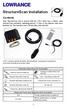 StructureScan Installation Contents Your StructureScan box is packed with the LSS-1 black box, a Power cable, StructureScan transducer, mounting bracket, 15 foot (4.5m) ethernet cable and a hardware kit.
INSTALLATION MANUAL. Installation Instructions
 INSTALLATION MANUAL Power-Pole Signature Series Shallow Water Anchor Installation Instructions CAUTION: Read this instruction manual carefully. Become familiar with the controls and know how to operate
INSTALLATION INSTRUCTIONS for Bifold Doors (JII103)
 Thank you for selecting JELD-WEN products. Attached are JELD-WEN s recommended installation instructions for premium composite, hollow and solid core molded Bifold Doors. Bifolds are designed for fast
TABLE OF CONTENTS. Section 1: GENERAL INFORMATION How Sonar Works Transducer Exchange. Section 2: INSTALLATION Parts Supplied Transducer Installation
 Thank you for choosing Humminbird, America s #1 name in depthsounders. Humminbird has built its reputation by designing and manufacturing top-quality, thoroughly reliable marine equipment. Your Humminbird
Wind Direction Smart Sensor (S-WDA-M003)
 (S-WDA-M003) The Wind Direction smart sensor is designed to work with HOBO Stations. The smart sensor has a plug-in modular connector that allows it to be added easily to a HOBO Station. All sensor parameters
Installation Manual COLOR GPS/PLOTTER/SOUNDER GP-7000F
 Installation Manual COLOR GPS/PLOTTER/SOUNDER GP-7000F SAFETY INSTRUCTIONS...i SYSTEM CONFIGURATION...ii EQUIPMENT LISTS...iii 1. INSTALLATION...1 1.1 Display Unit...1 1.2 Antenna Unit...4 1.3 Transducer...5
Active and Passive Sash Replacement
 for Andersen Gliding Windows Read all instructions carefully before attempting this procedure. If you have any questions about your ability to complete the procedure, call Andersen at 1-888-888-7020 for
INSTALLATION INSTRUCTIONS
 INSTALLATION INSTRUCTIONS Application Outboards Faria 5 Gauge Set* Publication No. Description Part Number Honda Code PII53606A White faced, flat lens 06300-ZW5-010ZB 6315410 Issue Date Black faced, flat
ENGLISH www.bandg.com www.simrad-yachting.com www.lowrance.com
 StructureScan HD Transom mount Installation Guide ENGLISH www.bandg.com www.simrad-yachting.com www.lowrance.com Warning: It is your sole responsibility to install and use the instrument and transducer(s)
Installation Instructions
 READ BEFORE INSTALLING UNIT For Through-the-Wall Air Conditioners To avoid risk of personal injury, property damage, or product damage due to the weight of this device and sharp edges that may be exposed:
StructureScan HD Transducer Installation manual
 StructureScan HD Transducer Installation manual ENGLISH www.simrad-yachting.com www.lowrance.com 1 Preface Warning: It is your sole responsibility to install and use the instrument and transducer(s) in
360 Imaging. Installation Guide 532050-1_B
 360 Imaging Installation Guide 532050-1_B Thank You! Thank you for choosing Humminbird, the #1 name in Fishfinders. Humminbird has built its reputation by designing and manufacturing top-quality, thoroughly
TotalScan Transducer Installation manual
 TotalScan Transducer Installation manual ENGLISH www.simrad-yachting.com www.lowrance.com 1 Preface Warning: It is your sole responsibility to install and use the instrument and transducer(s) in a manner
Arctic Leash Instruction Manual Alaskan Products Company LLC.
 Retractable Cord Reel for Engine Block Heaters Arctic Leash Instruction Manual Alaskan Products Company LLC. INSTALLATION INSTRUCTIONS This instruction manual is a reference guide for installing and operating
Installation Instructions For Slider Casement Air Conditioners
 Installation Instructions For Slider Casement Air Conditioners NOTE: These instructions describe installation in a typical wood framed window with a wood SLIDE-BY sash, or installation in a metal CASEMENT
INSTALL/REMOVAL INSTRUCTIONS: WINDOW REGULATOR
 REMOVAL/INSTALL OF WINDOW REGULATOR (741-306) Honda Accord 2003 07 General Tech Tips: Use painter s tape rather than duct tape to secure window. It will not damage paint or leave sticky residue. A plastic
STEADYfast Stabilizer Installation Notes Fifth Wheel and Travel Trailers 11/23/13
 STEADYfast Stabilizer Installation Notes Fifth Wheel and Travel Trailers 11/23/13 (See Supplemental Instructions for trailers with heavy duty round footplates and/or Power Leveling Systems) PHONE SUPPORT
Important Information
 Single Door Quadrant Instruction Manual ESQ Important Information Toughened glass is completely safe for use in our shower enclosures and bath screens; providing our products are installed according to
Build Your Own Solar Car Teach build learn renewable Energy! Page 1 of 1
 Solar Car Teach build learn renewable Energy! Page 1 of 1 Background Not only is the sun a source of heat and light, it s a source of electricity too! Solar cells, also called photovoltaic cells, are used
UB1 AIR CONDITIONING UNIT INSTALLATION INSTRUCTIONS
 UB1 AIR CONDITIONING UNIT INSTALLATION INSTRUCTIONS INSTALLATION INSTRUCTIONS: Carefully read these instructions before installing your new air-conditioner. AUSTRALIAN AUTOMOTIVE AIR AL00500054E 1 Table
Installation Guide. WSD-100 Wind Speed and Direction Sensor For XR5 Data Loggers. February, 2011
 WSD-100 Wind Speed and Direction Sensor For XR5 Data Loggers Installation Guide February, 2011 Pace Scientific Inc www.pace-sci.com Tel: 704-799-0688 [email protected] 1 Disclaimer The following warranty
Replacement Window Installation Guide Non-Impact & Impact Resistant Windows without Nailing Fin
 Replacement Window Installation Guide Non-Impact & Impact Resistant Windows without Nailing Fin americancraftsmanwindows.com Project Requirements: Failure to follow these instructions may void product
Owner s Guide and Installation Manual. Vancouver Model Name. 21321, 21328 Model No. English Español
 For Your Records and Warranty Assistance For reference, also attach your receipt or a copy of your receipt to the manual. Vancouver Model Name 21321, 21328 Model No. Type A Models Owner s Guide and Installation
IN00419 (rev A) Aqua 6 Glide Quadrant and Off-set Quadrant Enclosure
 IN00419 (rev A) Aqua 6 Glide Quadrant and Off-set Quadrant Enclosure Instruction suitable for both Quadrant & Off-set Quadrant variations. Instruction suitable for both Right and Left Hand fixing variations
LST-3800. In-Dash Digital Sonar Gauge. Installation & Operation Instructions
 Pub. 988-0064-351 LST-3800 In-Dash Digital Sonar Gauge Installation & Operation Instructions The LST-3800 is a depth and temperature gauge that comes with a 200 khz transducer, features deep and shallow
Portable Air Conditioner
 Portable Air Conditioner Owner's Manual Model:3 in 1 12,000 Btu/h Series 3 Please read this owner s manual carefully before operation and retain it for future reference. CONTENTS 1. SUMMARY...1 2. PORTABLE
MGB Chrome Bumper Conversion
 MGB Chrome Bumper Conversion Installation Instructions For 1974 1/2-1980 MGB This kit requires cutting, welding, and painting. Professional installation recommended. Note: Every MGB body is slightly different
AIRMAR. The Latest Evolution in TRIDUCER Multisensor Technology. New THRU-HULL Depth Speed Temperature TECHNOLOGY CORPORATION. Specifications.
 New THRU-HULL Depth Speed Temperature SECTION 1 Introduction B744V, B744VL,SS544V, B66V, B66VL 50 khz,120 khz, 120 khz Dual Beam, 150 khz, 170 khz, 200 khz, 235 khz, 50/200 khz Dual Frequency, 50 khz &
AZEK Rail Install Guide
 TRIM MOULDING DECK PORCH RAIL PAVERS AZEK Rail Install Guide Installing AZEK Rail with CableRail by Feeney... 1 Installing CableRail by Feeney for AZEK Rail... 7 Installing AZEK Rail Stairs with CableRail
DIAMOND Retractable Rodding Robot Model SPRAYROD-R
 2004-12-21 2 1 (23) DIAMOND Retractable Rodding Robot Model SPRAYROD-R 2004-12-21 2 2 (23) Table of contents 1 TECHNICAL DESCRIPTION...4 1.1 MAIN DETAILS...5 1.2 COMPONENTS DESCRIPTION...5 1.2.1 Pneumatic
RadianceRail Installation Guide
 RadianceRail Installation Guide Installing RadianceRail with CableRail by Feeney... 2 Installing CableRail by Feeney for RadianceRail... 7 Installing RadianceRail Stairs with CableRail by Feeney... 10
2003 ACCORD - Automatic Transmission Removal
 2003 ACCORD - Automatic Transmission Removal Special Tools Required Engine support hanger, A and Reds AAR-T-12566 Engine hanger balancer bar VSB02C000019 Front subframe adapter VSB02C000016 These special
Overview PARTS LIST. B. Lever mounting base C. Flush handle assembly D. Grey/Blue float stop E. Grey float (Full Flush) F. Flush valve washer
 Overview READ ENTIRE INSTRUCTIONS BEFORE STARTING INSTALLATION PARTS LIST A. Flush valve B. Lever mounting base C. Flush handle assembly D. Grey/Blue float stop E. Grey float (Full Flush) F. Flush valve
WINDOW REPAIR MANUAL & REFERENCE GUIDE
 WINDOW REPAIR MANUAL & REFERENCE GUIDE TABLE OF CONTENTS DOUBLE HUNG & SINGLE HUNG PARTS 4-5 CASEMENT PARTS 6 SCREEN PARTS 7-8 HOW TO REMOVE TILT-IN SASH 9 HOW TO REMOVE A BALANCE 10 HOW TO INSTALL BALANCE
TS93 EMR T/PT/TDE. Surface applied door closer
 TS EMR T/PT/TDE Surface applied door closer Installation instructions: Pull side track mount door closer with smoke detector (EMR T) Push side track mount door closer with smoke detector (EMR PT) Double
DTM04 TANK MONITOR DTM08 TANK MONITOR Dtm12 TANK MONITOR. Installation and Operation Manual
 DTM04 TANK MONITOR DTM08 TANK MONITOR Dtm12 TANK MONITOR Installation and Operation Manual 1 ENGLISH Safety Instructions 2 Features 2-3 Specifications 3 Installation 4-5 Wiring Diagrams 6-7 Warranty 8
ATS Overhead Table Shelf System INSTRUCTION MANUAL
 ATS Overhead Table Shelf System INSTRUCTION MANUAL ATS Overhead Table Shelf System Instruction Manual Warranty Newport Corporation warrants this product to be free of defects in material and workmanship
Guide for Installation and Maintenance of MacroAir (ME Series) High Volume Low Speed Fans
 Guide for Installation and Maintenance of MacroAir (ME Series) High Volume Low Speed Fans Version 9.0 April 2014 1 Delivery: Upon receipt of fans, thoroughly inspect units for any damage sustained during
5800 Temperature Sensor Cable Assembly
 5800 Temperature Sensor Cable Assembly Removal and Replacement Instruction Sheet #60-4702-070 Revision D, January 14, 2013 Overview The 5800 has two refrigeration temperature sensors, one attached to the
Solstice/Sky Water Pump Replacement
 Solstice/Sky Water Pump Replacement The water pump on the Solstice/Sky is starting to need replacement on some vehicles. This guide will help in replacing the water pump while the engine is still in the
16/32 Channel 1U Rack Mount CCTV Power Supply
 16/32 Channel 1U Rack Mount CCTV Power Supply Manual PH-A3224-GUQ Shown 16-Channel 32-Channel PTC PH-A1612-PUQ PH-A3224-PUQ Glass Fuse PH-A1612-GUQ PH-A3224-GUQ Industrial design 12 Amp 3 Amps per channel
BBWX1 Satellite Weather Receiver. Installation and Maintenance Guide
 BBWX1 Satellite Weather Receiver Installation and Maintenance Guide Rev FUSA 15JUL2007 Table of Contents Safety Precautions 3 Disclaimer. 3 Contents of Package. 4 Tools Required..4 Installation General
SIMRAD SD10 Sailboat Drive
 INSTALLATION MANUAL SIMRAD SD10 Sailboat Drive 20222683/A English Simrad SD10 Sailboat Drive About this document Rev. A First issue 2007 Navico AS. All rights reserved. No part of this work covered by
COMPACT ELITE MAT CUTTER
 INSTRUCTION MANUAL MODEL 350-1 COMPACT ELITE MAT CUTTER INSTRUCTIONS AND OPERATION MANUAL 32in (81cm) mat cutting system with bevel & straight cutters, production stops and 20 in (51 cm) squaring bar.
Fiberstars Lighted Laminar Flow Fountain Installation Manual
 Fiberstars Lighted Laminar Flow Fountain Installation Manual 79-15037-00 REV Xx http://www.fiberstars.com Page 1 of 8 SAVE THESE DIRECTIONS! These directions are provided to ensure the proper installation
Rack installation instructions
 Rack installation instructions Review the documentation that comes with the rack cabinet for safety and cabling information. Before you install the server in a rack cabinet, review the following guidelines:
Congratulations on your purchase of the Great Planes SLOT MACHINE, the first truly easy way to cut hinge slots in your model airplanes.
 INSTRUCTION MANUAL Congratulations on your purchase of the Great Planes SLOT MACHINE, the first truly easy way to cut hinge slots in your model airplanes. The Slot Machine you have purchased is equipped
PS6500 Storage Arrays Rack Mount Instructions
 PS6500 Storage Arrays Rack Mount Instructions Part Number: R724M Rev. A01 Copyright 2010 Dell, Inc. All rights reserved. Dell is a trademark of Dell, Inc. EqualLogic is a registered trademark. All trademarks
Installation Instructions
 READ BEFORE INSTALLING UNIT For Slider Casement Air Conditioners To avoid risk of personal injury, property damage, or product damage due to the weight of this device and sharp edges that may be exposed:
MEASURING WHEEL ALIGNMENT
 MEASURING WHEEL ALIGNMENT 2003-04 WHEEL ALIGNMENT Specifications & Procedures - Hummer - H2 Steering and vibration complaints are not always the result of improper alignment. One possible cause is wheel
UPLIFT Height Adjustable Standing Desk (T-Frame) DIRECTIONS FOR ASSEMBLY AND USE - - ALSO - - Watch our assembly video
 UPLIFT Height Adjustable Standing Desk (T-Frame) DIRECTIONS FOR ASSEMBLY AND USE - - ALSO - - Watch our assembly video http://bit.ly/9ywwh! CAUTION MAKE SURE NO OBSTACLES ARE IN THE DESK S PATH AND ALL
TABLE OF CONTENTS. I. TROUBLESHOOTING... 2 - Section 1.01: Common Problems/Solutions... 2
 BAL Accu-Slide System I. Table of Contents TABLE OF CONTENTS I. TROUBLESHOOTING... 2 - Section 1.01: Common Problems/Solutions... 2 II. GETTING STARTED... 5 - Section 2.01: Tools You Will Need... 5 - Section
RI-215A Operator s Manual. Part Number: 71-0045RK Revision 0 Released: 10/3/05
 RI-215A Operator s Manual Part Number: 71-0045RK Revision 0 Released: 10/3/05 Warranty RKI Instruments, Inc., warrants gas alarm equipment sold by us to be free from defects in materials and workmanship,
AZEK Rail Install Guide
 TRIM MOULDING DECK PORCH RAIL PAVERS AZEK Rail Install Guide Installing AZEK Rail with Glass Infill... 2 Installing AZEk Rail Stairs with Glass Infill... 9 Notes...14 Please read all instructions completely
Packaged Terminal Air Conditioner Wall Sleeve Installation
 Installation & Maintenance Data IM 1196 Group: PTAC Part Number: 910141799 Date: October 2013 Packaged Terminal Air Conditioner Installation x 42" PGAN with Top-Mounted Hydronic Heat Note: Installation
EasyNote TJ Series. Disassembly Manual
 EasyNote TJ Series Disassembly Manual CHAPTER3 Replacing notebook components Preventing static electricity discharge Preparing the work space Required tools Preparing the notebook Adding or replacing memory
Beautifully Traditional
 Arcade 800mm Single Sliding Door Quadrant - nickel Arcade 900mm Single Sliding Door Quadrant - nickel ARC48 ARC49 INSTALLATION INSTRUCTIONS A www.arcadebathrooms.com IMPORTANT - Please read before installation
Table of Contents. www.hunterfan.com. What to Expect with. Preparation. Tools Needed. Wiring. Hanging the Fan. Blades. Motor Housing.
 www.hunterfan.com Table of Contents What to Expect with Your Installation 30 inches Hanging the Fan Wiring 8 Maintenance, Operation & Cleaning Light Kit 13??? 14 1 9 Troubleshooting 11 5 Blades Motor Housing
INSTALLATION MANUAL. Contents JAPANESE ENGLISH GERMAN FRENCH ITALIAN SPANISH. To the installing technician: CEILING BRACKET
 Be sure to read this installation manual thoroughly prior to installation. If installation methods or non-standard parts not specified in this installation manual are used, accidents or injury may result.
Elo Touch Solutions Wall-mounting Kit for the 5501L IDS Touchmonitors
 Installation Manual Elo Touch Solutions Wall-mounting Kit for the 5501L IDS Touchmonitors SW602206 Rev B Table of Contents Chapter 1: Safety Warning... 3 Chapter 2: Kit Contents... 4 Included in Kit...
INSTALLATION INSTRUCTION - INSTRUCCIONES DE INSTALACION FOR DOUBLE-HUNG VENT REPLACEMENT WINDOW
 Vinyl Windows and Doors Manufactured by Pella Corporation INSTALLATION INSTRUCTION - INSTRUCCIONES DE INSTALACION FOR DOUBLE-HUNG VENT REPLACEMENT WINDOW Lea las instrucciones en español en el reverso.
Owners & Installation Manual for the Sheridan, Mountainair, Pine Valley and Old Forge Ceiling Fan Family
 Owners & Installation Manual for the Sheridan, Mountainair, Pine Valley and Old Forge Ceiling Fan Family Part of the Kiva Lighting Family Custom Lighting and Fans Since 1992 1312 12th St NW Albuquerque,
COASTLINE QUADRANT ENCLOSURE. Installation / Maintenance Instructions Rev 05.12 05.14
 COASTLINE QUADRANT ENCLOSURE Installation / Maintenance Instructions Rev 05.12 05.14 IMPORTANT NOTES : Please Read Carefully & retain these instructions for Future Reference. 1. For ease & safety we advise
I BEAM TRACK INSTALLATION
 PDQ 0/700 FESTOON SYSTEM INSTALLATION AND MAINTENANCE INSTRUCTIONS INTRODUCTION The PDQ Festoon System was designed to run on one of three sizes of I-beams: S x., S8 x 8. and S x.. System trolleys must
Important Information for Installer & Homeowner
 Important Information for Installer & Homeowner Homeowner: Please keep this information for your records, do not discard! Installation Instructions for Wood Frame Construction Replacement (See other side
Installation Instructions
 Installation Instructions READ BEFORE INSTALLING UNIT For Low Profile Window Air Conditioner INSTALLATION WARNINGS AND CAUTION Carefully read the installation manual before beginning. Follow each step
Navico-Northstar 2kW JRC Radar Package, Scanner Cable Removal and Replacement
 Navico-Northstar 2kW JRC Radar Package, Scanner Cable Removal and Replacement This work instruction describes the methods and means for which to remove and reinstall optional scanner cable configurations
Owner s Manual. Models: 2S5P & 3S5P OPERATION AND MAINTENANCE OF SELF-PRIMING CENTRIFUGAL TRASH PUMPS PEDESTAL DRIVE
 Owner s Manual Models: 2S5P & 3S5P OPERATION AND MAINTENANCE OF SELF-PRIMING CENTRIFUGAL TRASH PUMPS PEDESTAL DRIVE WARNING!! Installation & Operating Instructions Self-Priming Centrifugal Pump DO NOT
Cooktop Low-Profile Ventilation Hoods
 INSTALLATION GUIDE Cooktop Low-Profile Ventilation Hoods Contents Wolf Cooktop Low-Profile Ventilation Hoods........ 3 Cooktop Low-Profile Hood Specifications.......... 4 Cooktop Low-Profile Hood Installation............
INSTALLATION AND OPERATING INSTRUCTIONS For Model GL1 Gate Locks
 Securitron Magnalock Corp. www.securitron.com ASSA ABLOY, the global leader Tel 800.624.5625 [email protected] in door opening solutions INSTALLATION AND OPERATING INSTRUCTIONS For Model GL1 Gate
Coolflo Safe Touch Shower Mixing Valve ST20015CP
 Coolflo Safe Touch Shower Mixing Valve ST20015CP Installation and Maintenance Instructions In this procedure document we have endeavoured to make the information as accurate as possible. We cannot accept
We urge you to read and follow the attached installation instructions. Failure to do so may void the warranty of this garden window unit.
 Important Information for New Construction Installations Attention Installer! We urge you to read and follow the attached installation instructions. Failure to do so may void the warranty of this garden
Installation Instructions 6028.801
 DAZZLE Installation Instructions 08.80 Spread Lavatory Faucet with Speed Connect Drain* Congratulations on purchasing your American Standard faucet with Speed Connect drain, a feature found only on American
Hot, Warm and Cold Mineral Water Cooler [Models Cool18, Cool25, Cool36, Cool50, Cool75, Cool100]
![Hot, Warm and Cold Mineral Water Cooler [Models Cool18, Cool25, Cool36, Cool50, Cool75, Cool100]](/thumbs/26/7741864.jpg "Hot, Warm and Cold Mineral Water Cooler [Models Cool18, Cool25, Cool36, Cool50, Cool75, Cool100]") Hot, Warm and Cold Mineral Water Cooler [Models Cool18, Cool25, Cool36, Cool50, Cool75, Cool100] PLEASE READ BEFORE INSTALLATION TO PREVENT DAMAGE TO THE COOLER HOT WATER TANK STEAM EXAUST VENT (CAUTION!)
Hot, Warm and Cold Mineral Water Cooler [Models Cool18, Cool25, Cool36, Cool50, Cool75, Cool100] PLEASE READ BEFORE INSTALLATION TO PREVENT DAMAGE TO THE COOLER HOT WATER TANK STEAM EXAUST VENT (CAUTION!)
MBSAW. Meat Cutting Band Saw With Meat Grinder Assembly & Operating Instructions
 06/2011 MBSAW Meat Cutting Band Saw With Meat Grinder Assembly & Operating Instructions READ ALL INSTRUCTIONS AND WARNINGS BEFORE USING THIS PRODUCT. This manual provides important information on proper
RMK-9. Installation and Operation instructions. ENGLISH Date: 04-2013 Document number: 81351-1-EN 2013 Raymarine UK Limited
 RMK-9 Installation and Operation instructions ENGLISH Date: 04-203 Document number: 835--EN 203 Raymarine UK Limited ENGLISH Document number: 835- Date: 04-203 Handbook information This handbook contains
AMPSEAL* Automotive Plug Connector and Header Assembly
 AMPSEAL* Automotive Plug Connector and Header Assembly Application Specification 24 SEP 97 Rev E All dimensions are given in millimeters unless otherwise specified. All dimensional tolerances are +0.2
Installer s Guide 18-AH39D1-13
 18-AH39D1-13 Cased Aluminum "Convertible" Coils 4TXCA018BC3HC** 4TXCA024BC3HC** 4TXCB025BC3HC** 4TXCB026BC3HC** 4TXCB031BC3HC** 4TXCB032BC3HC** ALL phases of this installation must comply with NATIONAL,
QWALL 4 ACRYLIC SHOWER WALL INSTALLATION INSTRUCTIONS
 QWALL 4 ACRYLIC SHOWER WALL INSTALLATION INSTRUCTIONS IMPORTANT DreamLine TM reserves the right to alter, modify or redesign products at any time without prior notice. For the latest up-to-date technical
LIFT-505. BMF Lift Kit. Yamaha Drive Gas or Electric. Installation Instructions
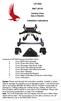 LIFT-505 BMF Lift Kit Yamaha Drive Gas or Electric Installation Instructions Contents of LIFT-505 Yamaha Drive BMF Lift Kit: a (1 ea.) BMF A-Arm Assembly b (1 ea.) Driver Side Shock Tower c (1 ea.) Passenger
Installation Manual. SKU# 21000 series (Base Rails) SKU# 22000 series (Overhead Racks)
 Installation Manual SKU# 21000 series (Base Rails) SKU# 22000 series (Overhead Racks) Welcome to the world of TracRac! We re delighted that you have chosen TracRac, the ultimate sliding truck rack system.
Basement Window Installation Guide Hopper and Sliding
 Basement Window Installation Guide Hopper and Sliding americancraftsmanwindows.com Project Requirements: Installation must comply with all applicable building codes. Existing window frame, wall and weatherresistant
Sun Windows General Information Sun New Construction Window Installation Instructions
 Sun Windows General Information Section 1 G F H H H A. Apply Weather Resistive Barrier B. Apply Sill Flashing Tape C. Place Waterproof Sill Shims D. Caulk Back of Nail Fin Sides & Top, Set Window, Fasten
http://waterheatertimer.org/troubleshoot-rheem-tankless-water-heater.html
 http://waterheatertimer.org/troubleshoot-rheem-tankless-water-heater.html TECHNICAL SERVICE DEPARTMENT Removal, Cleaning, & Reinstallation of the Burner Assembly For models 74 & GT199 Required tools -
Char-Lynn Hydraulic Motor. Repair Information. 10 000 Series. October, 1997
 Char-Lynn Hydraulic Motor October, 1997 Repair Information Geroler Motor Two Speed 001 27 Retainer inside bore of valve plate bearingless motors only 4 15 16 3 6 35 Parts Drawing 25 2 2 1 19 17 36 40 47
Vinyl Brick Mould Field Installation Instructions All Vinyl and Vinyl Clad Windows
 Vinyl Brick Mould Field Installation Instructions All Vinyl and Vinyl Clad Windows Viewed from the exterior. IMPORTANT: Please read before you begin installation. TABLE OF CONTENTS AND TOOL / MATERIAL
OWNER S MANUAL Table Tennis Table Patent Pending
 OWNER S MANUAL Table Tennis Table Patent Pending Be sure to write your model number and serial number here for future reference. You can find these numbers printed on the bottom of the table. MODEL # T8179
Select Radiators Installation Guide
 Select Radiators Installation Guide Table of Contents Informational Symbols...3 Before You Begin...4 Select Rough-In... 5 Connection Installation...6 Optional Piping Arrangements...7 Conventional Wall
INSTALLATION INSTRUCTIONS for Premium Pocket Windows (JII022) IMPoRtaNt INFoRMatIoN & glossary. safety & HaNdlINg
 Thank you for selecting JeLd-weN products. Attached are JeLd-weN s recommended installation instructions for pocket (replacement) double-hung, casement, awning, picture or transom windows, designed to
1000-LB. TRAILER JACK OWNER S MANUAL
 1000-LB. TRAILER JACK OWNER S MANUAL WARNING: Read carefully and understand all INSTRUCTIONS before operating. Failure to follow the safety rules and other basic safety precautions may result in serious
Sash Replacement Guide
 for Andersen 200/400 Series Awning Windows Read all instructions carefully before attempting this procedure. If you have any questions about your ability to complete this procedure, call Andersen at 1-888-888-7020
Slide the new steering column shaft through the steering column from the driver compartment.
 Slide the new steering column shaft through the steering column from the driver compartment. Push the column shaft through the steering column until the machined end is out past the column lower bushing.
Turbocharger system components, servicing
 21-1 Turbocharger system components, servicing Engine codes: AAZ, 1Z, AHU Observe rules of cleanliness Page 21-10 Turbocharger hoses and lines, connecting Page 21-11 WARNING! Do not re-use any fasteners
We urge you to read and follow the attached installation instructions. Failure to do so may void the warranty of this garden window unit.
 Important Information for New Construction Installations Attention Installer! We urge you to read and follow the attached installation instructions. Failure to do so may void the warranty of this garden
Wetroom Panel (Concealed Fix)
 Wetroom Panel (Concealed Fix) Instruction Manual DXFCPCF Important Information Toughened glass is completely safe for use in our shower enclosures and bath screens; providing our products are installed