
ABPM 6100 Hardware Manual
|
|
|
- Jason Curtis
- 10 years ago
- Views:
Transcription
1 Regulatory Affairs Representative Welch Allyn Limited Navan Business Park Dublin Road Navan, County Meath, Republic of Ireland Welch Allyn, Inc State Street Road Skaneateles Falls, NY USA DIR Ver. F
2 Copyright Copyright 2014, Welch Allyn. All rights are reserved. To support the intended use of the product described in this publication, the purchaser of the product is permitted to copy this publication, for internal distribution only, from the media provided by Welch Allyn. Welch Allyn assumes no responsibility for any injury to anyone, or for any illegal or improper use of the product, that may result from failure to use this product in accordance with the instructions, cautions, warnings, or statement of intended use published in this manual. Unauthorized copying of this publication may not only infringe copyright but also reduce the ability of Welch Allyn to provide accurate and up-to-date information to users and operators alike. Welch Allyn, CardioPerfect Workstation and SpiroPerfect are registered trademarks of Welch Allyn. Software in this product is Copyright 2014, Welch Allyn. All rights are reserved. The software is protected by United States of America copyright laws and international treaty provisions applicable worldwide. Under such laws, the licensee is entitled to use the copy of the software provided on the original distribution medium. The software may not be copied, decompiled, reverse-engineered, disassembled or otherwise reduced to humanperceivable form. This is not a sale of the software or any copy of the software; all right, title and ownership of the software remains with Welch Allyn. The information contained in this manual is subject to change without notice. All changes will be in compliance with regulations governing manufacture of medical equipment. User responsibility This product is designed to perform in conformity with the description thereof contained in this manual and accompanying labels and inserts, when assembled, operated, maintained and repaired in accordance with the instructions provided. A defective product should not be used. Parts that are broken, plainly worn, missing or incomplete, distorted or contaminated should be replaced immediately. Should any repair or replacement become necessary, we recommend that service be performed at the nearest approved service center. The user of the product shall have the sole responsibility for any malfunction, which results from improper use, faulty maintenance, improper repair, damage or alteration by anyone other than Welch Allyn or their authorized service personnel. Accessories The Welch Allyn warranty can only be honored if you use Welch Allyn approved accessories and replacement parts. Caution Use of accessories other than those recommended by Welch Allyn may compromise product performance. DIR Ver. F 2 / 28
3 Warranty, Service, and Spare Parts Warranty All repairs on products under warranty must be performed or approved by Welch Allyn. Unauthorized repairs will void the warranty. In addition, whether or not covered under warranty, any product repair shall exclusively be performed by Welch Allyn certified service personnel. Assistance and Parts If the product fails to function properly or if assistance, service, or spare parts are required, contact the nearest Welch Allyn Technical Support Center. USA Canada Latin America (+1) South Africa (+27) European Call (+353) Australia (+61) Center United Kingdom (+44) Singapore (+65) France (+33) Japan (+81) Germany (+49) China (+86) Netherlands (+31) Sweden (+46) Before contacting Welch Allyn it is helpful to attempt to duplicate the problem and to check all accessories to ensure that they are not the cause of the problem. When calling, please be prepared to provide: Product name and model number and complete description of the problem The serial number of your product (if applicable) The complete name, address and phone number of your facility For out-of-warranty repairs or spare parts orders, a purchase order (or credit card) number For parts order, the required spare or replacement part number(s) Repairs If your product requires warranty, extended warranty, or non-warranty repair service, please call first the nearest Welch Allyn Technical Support Center. A representative will assist you troubleshooting the problem and will make every effort to solve it over the phone, avoiding potential unnecessary return. In case the return cannot be avoided, the representative will record all necessary information and will provide a Return Material Authorization (RMA) number, as well as the appropriate return address. A Return Material Authorization (RMA) number must be obtained prior to any return. Note Welch Allyn does not accept returned products without an RMA. Packing Instructions If you have to return goods for service, follow these recommended packing instructions: Remove all hoses, cables, sensors, power cords, and ancillary products (as appropriate) before packing, unless you suspect they are associated with the problem. Wherever possible use the original shipping carton and packing materials. Include a packing list and the Welch Allyn Return Material Authorization (RMA) number. It is recommended that all returned goods be insured. Claims for loss or damage to the product must be initiated by the sender. DIR Ver. F 3 / 28
4 Limited Warranty Statement Welch Allyn, Inc. warrants that the Welch Allyn CardioPerfect Workstation computer based product you have purchased meets the labelled specifications of the Product and will be free from defects in materials and workmanship that occur within 1 year after the date of purchase. Accessories used with the Product are warranted for 90 days after the date of purchase. The date of purchase is: 1) the date specified in our records, if you purchased the Product directly from us, 2) the date specified in the warranty registration card that we ask you to send to us, or 3) if you don t return the warranty registration card, 120 days after the date on which the Product was sold to the dealer from whom you bought the Product, as documented in our records. This warranty does not cover damage caused by: 1) handling during shipping, 2) use or maintenance contrary to labelled instructions, 3) alteration or repair by anyone not authorized by Welch Allyn, and 4) accidents. You assume all responsibility for use of the Product with any hardware or software that does not meet the system requirements described in the Product documentation. If a Product or accessory covered by this warranty is determined to be defective because of defective materials, components, or workmanship, and the warranty claim is made within the warranty period described above, Welch Allyn will, at its discretion, repair or replace the defective Product or accessory free of charge. You must obtain a return authorization from Welch Allyn to return your Product before you send it to Welch Allyn s designated service center for repair. THIS WARRANTY IS IN LIEU OF ALL OTHER WARRANTIES, EXPRESS OR IMPLIED, INCLUDING BUT NOT LIMITED TO THE IMPLIED WARRANTIES OF MERCHANTABILITY AND FITNESS FOR A PARTICULAR PURPOSE. WELCH ALLYN'S OBLIGATION UNDER THIS WARRANTY IS LIMITED TO REPAIR OR REPLACEMENT OF PRODUCTS CONTAINING A DEFECT. WELCH ALLYN IS NOT RESPONSIBLE FOR ANY INDIRECT OR CONSEQUENTIAL DAMAGES RESULTING FROM A PRODUCT DEFECT COVERED BY THE WARRANTY. DIR Ver. F 4 / 28
5 Table of contents 1. OVERVIEW ABPM 6100 MONITOR Introduction Operation INTERFACE Preliminary Directive Prior to Hook-up Sizing Traditional Cuff Placement Sleeve Cuff Placement Office Readings Regular Runs Data MAINTENANCE AND CLEANING CALIBRATION CHECK SPECIFICATIONS CLASSIFICATION DISCARDING THE EQUIPMENT TROUBLESHOOTING AND ERROR CODES Error Codes Troubleshooting GUIDANCE AND MANUFACTURER S DECLARATIONS DIR Ver. F 5 / 28
6 1. Overview The purpose of this manual is to provide an overview of information that you will need to safely and effectively use the ABPM 6100 monitor. Information about the CardioPerfect Workstation Software is available in the CardioPerfect Workstation software manual. Make sure that you familiarize yourself with all of the safety precautions listed in this chapter before attempting to use either device or the software. Intended Use PROPER USE OF THE ABPM 6100 MONITORS: 1. The ABPM monitors are intended for use by a trained medical practitioner. Interpretation of blood pressure measurements should always be performed by a physician. 2. The reliability of all the monitors and the software depend upon conformance with the operation and maintenance instructions in this manual. 3. The ABPM 6100 monitors are designed for use with patients with normal sinus rhythms. 4. Measurement accuracy for the ABPM 6100 monitors may be affected by position of the subject, physical conditions, movement, and use outside of the operating instructions contained in this manual. Conventions Caution: consult accompanying documents Identifies information within the manual to avoid injury Serial Number Defibrillation-proof type BF applied part Meets essential requirements of European Medical Device Directive 93/42/EEC Manufacturer IPXØ No protection against the ingress of liquids Identifies the battery Do not dispose of this product as unsorted municipal waste. Prepare this product for reuse or separate collection as specified by Directive 2002/96/EC of the European Parliament and the Council of the European Union on Waste Electronic and Electrical Equipment (WEEE). If this product is contaminated, this directive does not apply. For more specific disposal information, see weee, or contact Welch Allyn Customer Service. DIR Ver. F 6 / 28
7 EMC Framework of Australia Recycle DIR Ver. F 7 / 28
8 Safety and Effectiveness Warnings and Cautions Safety and Effectiveness Warnings ABPM 6100 Hardware Manual Make sure that you are familiar with all Safety and Effectiveness considerations before using the ABPM 6100 monitor. IMPORTANT WARNINGS The following warnings apply to the ABPM 6100 Ambulatory Blood Pressure Monitors: Warning Patient Injury risk. Do not place the cuff on any area where circulation is compromised. Instruct the patient to remove the cuff immediately and notify the doctor if they are experiencing pain, swelling, redness or numbness in the limb where the cuff is placed as this may indicate compromised circulation. The ABPM 6100 has not been designed for use with high frequency (HF) surgical equipment and does not protect against hazards to the patient. Ensure the location of the ABPM 6100 provides maximum separation away from all sources of high-frequency energy. DO NOT use the ABPM 6100 monitor in the presence of flammable anaesthetics due to risk of explosion. DO NOT immerse the ABPM 6100 monitor in any fluid, place any fluid on the monitor, or attempt to clean either monitor with liquid detergents or cleaning agents. If any of these instances occurs, return the unit to an authorized Welch Allyn Service Center. The ABPM 6100 may be cleaned with a damp cloth only. DO NOT remove the ABPM 6100 covers. Neither unit contains any serviceable parts. DO NOT use the monitor if it has failed any diagnostic self-test. DO NOT use the unit if it displays a pressure greater than zero when no cuff is attached. This could lead to inaccurate measurements. DO NOT attach the cuff to a limb being used for intravenous infusions. This may cause the infusion to be blocked and cause the patient harm. DO NOT substitute any component for those supplied by Welch Allyn. DO NOT attempt to repair the unit yourself. Repairs should be performed only by authorized Welch Allyn Service Centers DO NOT attach the cuff to a patient while the PC Serial Connector is attached to the unit. DIR Ver. F 8 / 28
9 Caution The ABPM 6100 is intended to be used as an ambulatory blood pressure recorder that is sent home with the patient to record their blood pressure over a 24 hour period. It is used to gather trending information in non-critical settings. It is not intended to provide clinicians with real time monitoring of patients in an ER or critical care environment. The ABPM 6100 monitors are not intended for use on pregnant women or neonates. The ABPM 6100 units may not yield accurate blood pressure measurements for patients experiencing moderate to severe arrhythmias. Check to ensure that the operation of the unit does not result in prolonged impairment of the patient s circulation. Instruct the patient to manually remove the cuff if it fails to deflate within three minutes. Avoid compression or restriction of pressure tubes. The ABPM 6100, the cuff and tubing are defibrillator protected. The ABPM 6100 has no specific precautions during defibrillation, and defibrillation has no effect on the ABPM 6100 monitor. DIR Ver. F 9 / 28
10 2. ABPM 6100 Monitor 2.1 Introduction The ABPM 6100 Unit is worn by the patient in a belt or shoulder strap and is connected to a cuff, which is wrapped around the non-dominant arm. ABPM 6100 inflates the cuff at preprogrammed intervals throughout the day and measures blood pressure using the oscillometric method, which senses the cessation of pressure waves in the artery when occluded by pressure in the cuff. Heart rate can also be measured using the frequency of pressure waves. Blood pressure measurements made by the ABPM 6100 are equivalent to those made by a trained observer using the cuff/stethoscope auscultation method within the limits prescribed by the American National Standard, Electronic or Automated Sphygmomanometers. To get the most out of the ABPM 6100, you should read this section of the manual thoroughly. You will also need to read and understand the CardioPerfect Workstation software manual to properly interface the ABPM 6100 monitor with the software. Checklist Check to make sure that the ABPM 6100 package contains the following: - ABPM 6100 Monitor, PC Interface Cable, Belt and Shoulder Strap, - Warranty Card, Patient Diary and Cuff Anchors pads - Adult Size Cuff - 4 AA Batteries - CardioPerfect Workstation Software Manual CD - Monitor Pouch Caution Substitution of a component different from that supplied might result in measurement error! Remember to fill out your warranty registration card and send it to Welch Allyn as soon as possible. Report any damaged or missing components to your authorized Welch Allyn representative. DIR Ver. F 10 / 28
11 2.2 Operation This section provides a brief overview of the ABPM 6100 unit, how to load the batteries, and the unit controls. The ABPM 6100 features a simple design. One Start/Stop button functions as the primary control. The LCD (liquid crystal display) displays easy-to-read information. The CardioPerfect Workstation Software allows you to program the unit before the study and retrieve data after the study. A single air hose connector allows you to connect the cuff to the unit. The Start/Stop button allows you to perform the following functions: - Turn the unit On when it is Off. - Put the unit into Study Mode and take a reading when the unit is in Normal Mode. The time will flash on the LCD when the unit is in Normal Mode. - Turn the unit Off from Normal or Study mode when the button is pressed and held until the unit beeps five times (approximately five seconds) - Initiate a reading when the unit is in Study Mode. - Abort a reading and deflate the cuff if pressed when the unit is taking a reading. On the back of the ABPM 6100 monitor, a label lists the model and serial number of the unit. The first four digits of the serial number correspond to the year that the unit was manufactured. The battery compartment is on the back of the unit. The connector on the bottom of the unit allows you to connect the unit to a PC using the PC Interface Cable. Batteries The ABPM 6100 monitor requires 2 AA batteries. Batteries are installed into the ABPM 6100 unit in the battery bay located at the back of the unit. If rechargeable batteries are used, please refer to the manufacturer s guidelines for safe use and adequate maintenance. When batteries are properly loaded and first installed, the unit will display the following: - Incrementing dashes for 2 seconds. - Two sets of numbers, the first set of three being the Software Version - Battery voltage displayed for 2 seconds (prior to the voltage, the letter b will present) - Three quick audible beeps. - The number of BP readings (if any) in memory along with a flashing printer symbol for 3 seconds (the number of readings may not be displayed if the batteries were removed before the unit was turned off) - One long audible beep. - Displays flashing time for 20 seconds (after 20 seconds the units turns itself off and goes into Sleep Mode to conserve battery life) DIR Ver. F 11 / 28
12 At this point the unit will be ready to upload a BP Study. When the unit is turned on subsequently, the unit will display the following: - Three quick audible beeps. - The number of BP readings (if any) in memory along with a flashing printer symbol for 3 seconds. - One long audible beep. - Displays flashing time for 20 seconds (after 20 seconds the units turns itself off and goes into Sleep Mode to conserve battery life) The LCD Display The LCD displays the following information depending upon the state that the unit is in: - The time is displayed whenever the unit is in Normal Mode and ready for an action. - A sun symbol is displayed whenever the buzzer is on (usually during the day). - A Crescent Moon symbol is displayed when the buzzer is off (usually during programmed sleeping periods). - A clock is displayed whenever the unit is in Study Mode. - A battery symbol is displayed whenever the battery voltage is low and the batteries need to be replaced. - A printer symbol indicates that the unit contains readings in the memory. DIR Ver. F 12 / 28

13 3. Interface This section describes how to connect the ABPM 6100 monitor to your PC and how to set up patients for monitoring sessions. To set up the ABPM 6100 for communication to your PC for the first time: Windows XP Windows 7/ Windows 8 1. Right-click on My Computer. 1. Right-click on Computer. 2. Select Properties. 2. Select Properties. 3. Click the Hardware tab. 4. Click the Device Manager. 3. Click the Device Manager. 5. Double-click Ports (COM & LPT) 4. Double-click Ports (COM & LPT) 6. Plug the ABPM 6100 PC Interface Cable 5. Plug the ABPM 6100 PC Interface Cable into a into a USB port on your PC. Allow USB port on your PC. Allow Windows to install the Windows to install the driver. driver. DIR Ver. F 13 / 28
14 To configure Welch Allyn CardioPerfect Workstation for use with the recorder: 1. Start Welch Allyn CardioPerfect Workstation. 2. In the File menu, click Settings and click Ambulatory blood pressure. 3. Click the Advanced tab. 4. Select device. 5. Set the COM-port number to the number of the serial port to which the ABP recorder is connected. 6. Click OK to save the settings. 3.1 Preliminary Directive Advise the patient to: - Wear a loose fitting blouse or shirt. - Avoid wearing long sleeved sweaters or dresses during monitoring period. - Avoid swimming, showering, or bathing during monitoring. - Avoid operating heavy equipment or power tools, as vibrations may functionally disrupt the monitor. 3.2 Prior to Hook-up Before hooking the ABPM 6100 unit up to the patient, make sure you have performed the following tasks: - Be sure the patient name and ID are on the diary and logged separately to avoid confusion with other patient data. - Make sure that the ABPM 6100 monitor contains new or charged batteries. - For new studies, make sure that all old data has been downloaded to the CardioPerfect Workstation Software and the ABPM 6100 monitor s memory has been cleared out. - Make sure that the proper Study parameters have been written from the CardioPerfect Workstation Software to the unit. - Seat the patient comfortably. If the patient has long sleeves, have the patient remove his or her shirt. Ask the patient which is the non-dominant arm. You will place the cuff on this arm. 3.3 Sizing Since correct cuff sizing is vital to the accuracy of monitoring data, make sure that you read this section carefully and understand all of the information contained herein before sizing the cuff to the patient. USING THE CUFF RANGE MARKS Each cuff has two range marks. To size using the range marks, wrap the cuff around the patient s non-dominant arm. If the edge of the cuff falls within the range marks, the cuff is the correct size for the patient. If the cuff edge does not fall within the range marks, try a different size cuff. USING THE SIZING TABLE For proper cuff selection, find the circumference of the patient s upper arm and refer to this cuff sizing chart. DIR Ver. F 14 / 28
15 Cuff Size Pediatric Cuff Small Adult Cuff Adult Cuff Adult Plus Cuff Large Adult Cuff Arm Circumference Reusable sleeve cuffs NA Part cm Part cm Part cm Part cm 3.4 Traditional Cuff Placement Proper cuff placement is very important to achieve accurate blood pressure measurements. Follow these instructions to ensure the cuff is accurately placed on the patient. Traditional cuff 1. Wrap the cuff snugly around the patient s non-dominant arm as shown in the picture, making sure that the air hose leading from the cuff is not crimped or damaged. The cuff may be worn over a thin shirt without compromising the readings. 2. Attach an adhesive cuff anchor to the clear tab on the cuff, and fasten the cuff anchor to the patient. Note: Make sure that the parameters have been written to the ABPM 6100 monitor before proceeding. The monitor should be in sleep mode. 3. Attach the tubing from the ABPM 6100 monitor to the cuff tubing and insert the ABPM 6100 monitor into the monitor pouch. Attach the pouch to the shoulder strap or the belt, depending upon which is more comfortable to the patient. Be sure to allow enough slack for the patient to move comfort ably. DIR Ver. F 15 / 28
16 3.5 Sleeve Cuff Placement Using an incorrect cuff size could result in erroneous and misleading blood pressure measurements. Sleeve cuff Step 1: To determine the correct cuff size for your patient, follow these simple steps: 1. To find the right sized cuff, wrap the cuff around the patient s upper arm without sliding the arm through the sleeve. 2. Use the color-coded RANGE indicator on the inside of the cuff and the bold INDEX marker to check that the arm circumference falls within the cuff range. 3. If the arm is within range, this cuff size is correct for your patient. If the measurement is outside the RANGE indicator, select a new cuff size as indicated by color. Step 2: Applying the Cuff 1. To apply the Welch Allyn ABPM 6100 cuff, simply slide the sleeve up the patient s arm, ensuring the color size indicator is at the top of the cuff. The cuff should be midway between the elbow and shoulder. 2. Be sure the ARTERY indicator is over the patient s brachial artery, between the biceps and triceps muscles (see illustration showing left arm placement). 3. Wrap the cuff snugly around the patient s upper arm. 4. Take the initial BP reading and ensure hookup is working. 5. Refer to figures 1, 2 and 3 on inside flap for an illustrated overview. Step 3: Prepare the Patient 1. Preparing the patient is the most important step in obtaining an accurate, reliable blood pressure measurement. 2. Review the following instructions with your patient: Avoid excess movement during readings Relax the instrumented hand, slightly away from the body Avoid hand movement DIR Ver. F 16 / 28
17 Avoid flexing muscles during the reading Do not remove the cuff between readings 3.6 Office Readings Once the ABPM 6100 monitor has been properly attached to the patient and the PC interface cable has been removed from the unit, it is important and necessary to perform office readings in order to make sure that the unit is functioning properly and does not cause discomfort to the patient. The ABPM 6100 monitor will not begin regular runs until at least one manually initiated reading has been taken. Follow these instructions to perform an Office Reading: 1. If the unit is in Sleep Mode (no display on the LCD), press the Start/Stop button to wake the unit. 2. Press the Start/Stop button again to initiate a manual reading. This will cause the cuff to inflate and a reading to be taken. 3. Record the readings that are taken in the office as office readings into the patient diary, so that information can be taken into account in the analysis of the study. This is also a good opportunity to instruct the patient about the use of the patient diary. If the Start button is disabled when the parameters are written to the unit (thus disallowing initiation of manual readings), the ABPM 6100 monitor still allows you to manually initiate measurement for up to 30 minutes after parameters have been written to the unit and the unit has been woken from Sleep Mode. This allows you to initiate manual office readings even if you do not wish the patient to be able to initiate readings. 3.7 Regular Runs Once at least one manual office reading has been taken, regular readings will initiate based upon the interval configured for the first time period. BEFORE THE PATIENT LEAVES Make sure of the following before the patient leaves the office: The belt or shoulder strap and pouch are positioned comfortably. The Start/Stop button is accessible to the patient. (Even if the Start button is disabled in the Study Parameters, the Start/Stop button will still allow the patient to cancel a reading.) The ABPM 6100 monitor is concealed according to the patient s wishes. Remember the patient s comfort and ability to perform normal tasks can significantly impact the relevance of monitoring data. If the display is on, briefly review with the patient how to read the data. Explain to the patient the kind of information required in the Patient Diary. If the Start button is enabled, explain to the patient that he or she has the option to initiate readings using the Start/Stop button. OTHER INSTRUCTIONS FOR PATIENTS The patient should also be advised of the following: Pressing the Start/Stop button during a reading will cancel that reading and deflate the cuff regardless of whether the Start button is set to On or Off in the Study Parameters. Advise the patient to undress carefully at bedtime, using caution not to disconnect the hose from the monitor. Placing a pillow over the monitor during sleep will reduce any electrostatic hum from the ABPM 6100 unit. All data is stored internally after deactivation. DIR Ver. F 17 / 28
18 PATIENT DO S AND DON TS: ABPM 6100 Hardware Manual Finally, familiarize the patient with the following list of do s and don ts: Do: Wear a loose fitting blouse or shirt. Record time, symptom/mood and activity/position in the patient diary. Activate a reading (if the Start/Stop button is activated) at the first sign of symptoms. Remain motionless during readings. Keep vehicle driving and travel to a minimum. Bring diary upon return. Don t: Remove the cuff. Get the monitor wet. Use power tools or heavy equipment during a reading. Remove the batteries from the unit. Wear long-sleeved sweaters or dresses during monitoring period. Swim, shower, or bathe during monitoring. Operate heavy equipment or power tools, as vibrations may functionally disrupt the monitor. 3.8 Data After the ABPM 6100 monitor is disconnected from the patient, you will need to reconnect the monitor to the PC in order to read data from the unit. To reattach the monitor to the PC, simply locate the monitor (smaller) end of the PC Interface Cable and insert it into the communications port located at the bottom of the unit (the PC end of he PC Interface Cable should still be attached to the PC). Reading Data from the Unit Whenever data is contained in the unit, it can be read from the unit into the ABPM 6100 software. The CardioPerfect Workstation software will then allow you to view the data and configure reports. See the CardioPerfect Workstation software manual for more information. To read data from the unit: 1. Make sure that the ABPM 6100 monitor is properly connected to the PC. 2. Open the CardioPerfect Workstation software. 3. Select the Patient Study that you wish to read data into by clicking the representative date under the appropriate patient name. If no Patient Study has been created yet, create a Patient Study by following the instructions in the Creating a New Patient Study section of the CardioPerfect Workstation software manual. 4. Follow the instructions in the CardioPerfect Workstation Software Manual chapter Within a few seconds, the data will be retrieved from the unit. If the Patient ID in the Unit does not match the Patient ID in the CardioPerfect Workstation software Patient Study, a message will appear stating, Patient ID in unit and study do not agree. Use ID in unit? Select Yes to use the Patient ID currently stored in the unit; select No to use the Patient ID in the CardioPerfect Workstation software. The data from the unit will now be stored in the CardioPerfect Workstation software. If you receive an error message when you try to read data from the unit, make sure the PC Interface Cable is properly attached to both the monitor and the PC and repeat the Read Data from Unit command. See the CardioPerfect Workstation software manual for instructions on using the software and the data handling and reporting options it offers. DIR Ver. F 18 / 28
19 4. Maintenance and Cleaning ABPM 6100 Hardware Manual Preventative maintenance should be routinely performed to ensure the safe and efficient operation of the ABPM 6100 monitor. In addition, the monitor should be cleaned after each use. Maintenance The following inspections of the ABPM 6100 unit should be performed on a regular basis: The PC connection cable should be inspected for any cracks, exposed wires or other damage. The monitor itself should be visibly inspected for any signs of damage. Pneumatic tubing should be inspected for any cracks, fraying, or kinks. Do not remove any covers or break the warranty seal while inspecting the unit. If any signs of damage are detected, do not use the ABPM 6100 monitor. It should be sent to an authorized Welch Allyn service center. See the Service and Warranty section of this manual for a list of authorized Welch Allyn service centers. Cleaning CLEANING THE ABPM 6100 UNIT IMPORTANT: The ABPM 6100 cannot be sterilized. DO NOT immerse the monitor in any fluid or use liquid detergents, cleaning agents, or solvents to clean it. If the unit is immersed in any liquid, do not use the unit again. The unit should be sent to an authorized Welch Allyn service center. The ABPM 6100 unit should be cleaned after every use. Use a soft, damp cloth to remove any dirt and dust from the unit. CLEANING AND DISINFECTING THE CUFF 1. Medical Disinfectant Spray The cuff may be sprayed with a mild disinfectant solution (e.g. Cidezyme, ENZOL, or 10% bleach solution. Follow the direction on the solution), rinsed with distilled water, and line dry. Ensure that no liquid enters the bladder tubing. 2. Medical Disinfect Wipe Use a mild disinfectant wipe (e.g. Sani-Cloth ) and thoroughly wet cuff surface and line dry. 3. Machine Wash Remove bladder to machine wash the cuff shell. Machine wash warm ( F, C) with a mild detergent and line dry. DIR Ver. F 19 / 28
20 5. Calibration Check Welch Allyn recommends that the calibration of the ABPM 6100 monitor be verified annually by the user using the following procedure: 1. With the ABPM 6100 unit already powered up, remove one of the AA batteries from the battery compartment. Then immediately replace the battery back in its proper orientation, which will result in the unit to start the power up cycle. 2. While the LCD is displaying dashes, press and hold down the Start/Stop button. The unit will display the software version, the battery voltage, followed by a click as the valves are closed. When the process is finished, a pressure value will be displayed on the LCD and the unit is ready to have the calibration checked. 3. Disconnect the ABPM 6100 monitor cuff assembly from the unit 4. Attach the appropriate end of ABPM 6100 Y-connector (Welch Allyn Part # ) to the monitor. Attach a cuff to the appropriate end of the Y-connector, and wrap around a suitably sized can or bottle. This acts as the reservoir for the unit. Connect the third leg of the Y-connector to a high quality, known pressure standard 1. Refer to the calibration figure below for a sketch of the test set up. 5. Pressurize gauge to 250 mmhg and compare against pressure standard (see Note below). If the unit does not meet the required calibration, unit needs to be returned to Welch Allyn for calibration or repair. 6. Bleed pressure down no faster than 10 mmhg per second, stopping to check the pressure at 250, 200, 150, 100, and 50 mmhg 7. When finished, remove one of the AA batteries from the battery compartment. Then immediately replace the battery back in its proper orientation, which will cause the unit to start the power up cycle. Cuff Wrapped Around Cylinder Typical Office Manometer Attach to Unit Note: Your ability to measure the accuracy of the ABPM 6100 depends upon the sensitivity of the pressure standard you use for the calibration procedure. If using a manometer (mercury column or aneroid gauge) rated at ± 3.0 mm Hg, you will be able to determine the accuracy of the unit being tested to within ± 6.0 mm Hg. If using a device (e.g., digital pressure standard) rated at ± 1.0 mm Hg, you will be able to determine the accuracy of the unit being tested to within ± 4.0 mm Hg. 1 Welch Allyn recommends using the most sensitive pressure standard possible when performing calibration checks. A Setra Pressure Meter , which is calibrated for ± 0.1 mm Hg, works well for this application. DIR Ver. F 20 / 28
21 6. Specifications This section provides the unit specifications for the ABPM 6100 ambulatory blood pressure monitor. Power Requirements: Two AA alkaline batteries or high capacity rechargeable batteries (NimH). Dimensions: 124 x 70 x 33 mm (approximate). Weight: 270g (including batteries, approximate). Environmental Operating Condition: Atmospheric Pressure Range of 700 HPA to 1060 HPA Protection against electric shock: Internally powered, Type BF Operating Ambients: Temperature: 10 C (50 F) to 50 C (122 F). Humidity: 20% to 95% RH non-condensing. Storage Ambients: Temperature: -20 C (-68 F) to 70 C (158 F). Humidity: 15% to 95% RH non-condensing. Altitude: -170 to 1,700 meters Gauging Ranges: Systolic Blood Pressure: 60 to 250 mmhg Diastolic Blood Pressure: 25 to 200 mmhg Maximum Inflation: 270 mmhg Heart Rate: 40 to 200 bpm Memory: Up to 250 readings using Alkaline batteries Up to 110 reading using rechargeable NimH Method of Measurement: Oscillometric with step deflation. Accuracy: ± 3 mmhg International Standards: EN :2001 ; Medical electrical equipment Part 1-1: General requirements for safety. Collateral standard: Safety requirements for medical electrical systems Specific requirements for the protection against hazards of ignition of flammable anesthetic mixtures and to control the risk of fire (Fire prevention) EN :2000 ; Medical electrical equipment Part 2-30: Particular requirements for the safety, including essential performance, of automatic cycling non-invasive blood pressuring monitoring equipment EN :2001 ; Medical Electrical Equipment Part 1-2: General requirements for safety. Collateral Standard: Electromagnetic compatibility requirements and tests EN :1996 ; Specification for Non-invasive sphygmomanometers Part 1. General requirements EN :1997 ; Non-invasive sphygmomanometers Part 3: Supplementary requirements for electro-mechanical blood pressure measuring systems AAMI SP 10 ES1 Category C: 1992 (battery powered) Electronic or automated sphygmomanometers Calibration: Minimally, once per year Safety System: Maximum Inflation pressure limited to 300 mmhg. Auto safety release valve for power failure. Maximum BP measurement time limited to less than 180 seconds. Data Connector: DIR Ver. F 21 / 28
22 Stereo mini-plug headphone type connector. Operator Control: 1-button control and LCD. Automatic Measurement Intervals: Programmable up to four separate time periods at 5 to 120 minute intervals. 7. Classification Protection against electric shock: Internally powered, Type BF Protection against the ingress of liquids: IPXØ, per IEC Discarding the Equipment Discard the old battery appropriately. In the USA, call 1800-SAV-LEAD for instructions on recycling it. International users, contact your local authorities concerning recycling. Discard the ABPM 6100 and accessories according to local laws. Do not dispose of this product as unsorted municipal waste. Prepare this product for reuse or separate collection as specified by Directive 2002/ 96/EC of the European Parliament and the Council of the European Union on Waste Electronic and Electrical Equipment (WEEE). If this product is contaminated, this directive does not apply. For more specific disposal information, see or contact Welch Allyn Customer Service. DIR Ver. F 22 / 28
23 9. Troubleshooting and Error Codes 9.1 Error Codes The ABPM 6100 monitor displays error codes whenever an error situation is encountered. Error codes will display on the unit s LCD. Error codes that apply to a specific reading will also display in the CardioPerfect Workstation Software when the data is read from the unit. The following table explains error codes generated by the ABPM 6100 monitor along with possible solutions for each error code. Error Code Description Solution 1 Weak or no oscillometric Check cuff position and cuff signal tightness 2 Artifact/Erratic Oscillometric Signal Instruct patient to remain still during reading. Try reading Exceeded retry count (4 inflate attempts) Exceeded measurement time limit Reading aborted (blocked valves or pneumatics) Reading aborted (manual abort) Reading aborted (inflate time-out or air leak) Reading aborted (safety time-out) Reading aborted (cuff overpressure) Service Required (power supply out-of-range or other hardware problem) Service Required (safety override fitted or autozero out-of-range) Service Required Transducer out-of-range Service Required (A/D outof-range) Service Required (EEPROM calibration data CRC failure) again. Instruct patient to remain still during reading. Try reading again. Check air hose connections and make certain cuff is tight enough. Check air hose connections and make certain air tubing is not crimped. Push Start/Stop button to restart reading Check air hose and cuff Push Start/Stop button to restart reading. If problem persists, return for servicing.* Check air hose for blockage or kinking Replace batteries. If problem persists, return for servicing.* Push Start/Stop button to retry reading. If problem persists, return for servicing.* Return for servicing* Return for servicing* Unit needs to be recalibrated. Return for servicing.* The codes mentioned above, are the codes as shown on the device display. Please refer to the CPWS ABP Software manual for the codes as used by the software. DIR Ver. F 23 / 28
24 * Always return ABPM 6100 monitor to an authorized service center for repairs. Unauthorized service will void all warranties. 9.2 Troubleshooting The following table contains a list of troublesome scenarios accompanied by suggestions for problem solving. Trouble Response to Trouble Cycle starts but cuff will not fully inflate Ensure a connection with the ABPM 6100 monitor is secure and check bladder for leak; replace if needed. Replace batteries and try again. Blood Pressure readings are not displayed Verify that the display setting is ON in the during Regular Runs. Basic Parameters menu. Patient activation button does not initiate Verify that Start Button is ON in the Basic readings while in the Regular Run mode. Parameters menu. Time Regular Runs do not initiate Make sure that the time period is not set for MAN (manual) operation. Blood Pressure readings are failing with Refer to the Error Codes section error codes being displayed CardioPerfect Workstation Software manual. DIR Ver. F 24 / 28
25 10. Guidance and Manufacturer s Declarations CAUTION The ABPM6100 needs special precautions regarding EMC and needs to be installed and put into service according to the following EMC information provided. Portable and mobile RF communications equipment can affect the ABPM6100. Electromagnetic Emissions The ABPM6100 is intended for use in the electromagnetic environment specified below. The customer or the user of the ABPM6100 should assure that it is used in such an environment. Emissions test Compliance Electromagnetic environment guidance RF emissions CISPR 11 RF emissions CISPR 11 Harmonic emissions IEC Voltage fluctuations/ flicker emissions IEC Group 1 Class B n.a. n.a. The ABPM6100 uses RF energy only for its internal function. Therefore, its RF emissions are very low and are not likely to cause any interference in nearby electronic equipment. The ABPM6100 is suitable for use in all establishments, including domestic establishments and those directly connected to the public low-voltage power supply network that supplies buildings used for domestic purposes. DIR Ver. F 25 / 28
26 Electromagnetic Immunity The ABPM6100 is intended for use in the electromagnetic environment specified below. The customer or the user of the ABPM6100 should assure that it is used in such an environment. Immunity test IEC test level Compliance level Electromagnetic environment guidance Electrostatic discharge (ESD) IEC kv contact 8 kv air 6 kv contact 8 kv air Floors should be wood, concrete or ceramic tile. If floors are covered with synthetic material, the relative humidity should be at least 30 %. Electrical fast transient/burst IEC ±2 kv for power supply lines ±1 kv for input/output lines n.a. Mains power quality should be that of a typical commercial or hospital environment. Surge IEC kv differential mode 2 kv common mode n.a. Mains power quality should be that of a typical commercial or hospital environment. Voltage dips, short interruptions and voltage variations on power supply input lines IEC <5 % UT (>95 % dip in UT) for 0,5 cycle 40 % UT (60 % dip in UT) for 5 cycles 70 % UT (30 % dip in UT) for 25 cycles n.a. Mains power quality should be that of a typical commercial or hospital environment. If the user of the ABPM6100 requires continued operation during power mains interruptions, it is recommended that the ABPM6100 be powered from an uninterruptible power supply or a battery. <5 % UT (>95 % dip in UT) for 5 sec Power frequency (50/60 Hz) magnetic field IEC A/m 3 A/m Power frequency magnetic fields should be at levels characteristic of a typical location in a typical commercial or hospital environment. NOTE UT is the a.c. mains voltage prior to application of the test level. DIR Ver. F 26 / 28
27 Electromagnetic Immunity The ABPM6100 is intended for use in the electromagnetic environment specified below. The customer or the user of the ABPM6100 should assure that it is used in such an environment. Immunity test IEC test level Compliance level Electromagnetic environment guidance Portable and mobile RF communications equipment should be used no closer to any part of the ABPM6100, including cables, than the recommended separation distance calculated from the equation applicable to the frequency of the transmitter. Recommended separation distance Conducted RF IEC Vrms 150 khz to 80 MHz n.a. d 1. 2 P Radiated RF IEC V/m 80 MHz to 2,5 GHz 3 V/m d 1. 2 P 80 to 800 MHz d 2. 3 P 800 MHz to 2,5 GHz where P is the maximum output power rating of the transmitter in watts (W) and d is the recommended separation distance in metres (m). Field strengths from fixed RF transmitters, as determined by an electromagnetic site survey a, should be less than the compliance level in each frequency range. b Interference may occur in the vicinity of equipment marked with the following symbol: NOTE 1 At 80 MHz and 800 MHz, the higher frequency range applies. NOTE 2 These guidelines may not apply in all situations. Electromagnetic propagation is affected by absorption and reflection from structures, objects and people. a b Field strengths from fixed transmitters, such as base stations for radio (cellular/cordless) telephones and land mobile radios, amateur radio, AM and FM radio broadcast and TV broadcast cannot be predicted theoretically with accuracy. To assess the electromagnetic environment due to fixed RF transmitters, an electromagnetic site survey should be considered. If the measured field strength in the location in which the ABPM6100 is used exceeds the applicable RF compliance level above, the ABPM6100 should be observed to verify normal operation. If abnormal performance is observed, additional measures may be necessary, such as reorienting or relocating the ABPM6100. Over the frequency range 150 khz to 80 MHz, field strengths should be less than 3 V/m. DIR Ver. F 27 / 28
28 Recommended separation distances between portable and mobile RF communications equipment and the ABPM6100 The ABPM6100 is intended for use in an electromagnetic environment in which radiated RF disturbances are controlled. The customer or the user of the ABPM6100 can help prevent electromagnetic interference by maintaining a minimum distance between portable and mobile RF communications equipment (transmitters) and the ABPM6100 as recommended below, according to the maximum output power of the communications equipment. Rated maximum output power of transmitter W 150 KHz to 80 MHz d 1. 2 P Separation distance according to frequency of transmitter m 80 MHz to 800 MHz d 1. 2 P 800 MHz to 2,5 GHz d 2. 3 P 0, , For transmitters rated at a maximum output power not listed above, the recommended separation distance d in metres (m) can be estimated using the equation applicable to the frequency of the transmitter, where P is the maximum output power rating of the transmitter in watts (W) according to the transmitter manufacturer. NOTE 1 At 80 MHz and 800 MHz, the separation distance for the higher frequency range applies. NOTE 2 These guidelines may not apply in all situations. Electromagnetic propagation is affected by absorption and reflection from structures, objects and people. DIR Ver. F 28 / 28
AMBULATORY BLOOD PRESSURE MONITORING QUICK START GUIDE
 C A R D I O P E R F E C T AMBULATORY BLOOD PRESSURE MONITORING QUICK START GUIDE UNDERSTANDING ERROR CODES ERROR CODE DESCRIPTION 1 Unknown error 2 This can indicate one of the following problems: After
Dual Chamber Temporary External Pacemaker
 5392 Dual Chamber Temporary External Pacemaker Electromagnetic Compatibility Declaration Caution: Federal law (USA) restricts this device to sale by or on the order of a physician. The following list includes
Operating Instructions
 Operating Instructions Vision 5L Digital Holter Recorder Document Number: 010-1646-00 Revision: H Bothell, Washington 98021-8969 (608)-764-1919 Caution: U.S. Federal law restricts this device to sale by
Welch Allyn Connex VM data management system. Directions for use
 Welch Allyn Connex VM data management system Directions for use 2011 Welch Allyn. All rights are reserved. To support the intended use of the product described in this publication, the purchaser of the
EverFlo. EverFlo Q EN, DE DSF 4/16/08
 1053621 EN, DE DSF 4/16/08 EverFlo EverFlo Q English Table of Contents Symbol Key... 2 Abbreviations... 2 Chapter 1: Introduction... 3 Intended Use... 3 About Your EverFlo / EverFlo Q...3 Parts of Your
#0086. www.medrx-usa.com
 INSTALLATION MANUAL Contents Getting to Know Your AVANT REM Speech+... 3 Software Installation... 4 Driver Installation Windows 7... 7 Driver Installation Windows XP... 11 EMC Precautions... 14 Safety
Welch Allyn Connex ProBP 3400 digital blood pressure device. Directions for use
 Welch Allyn Connex ProBP 3400 digital blood pressure device Directions for use 2011 Welch Allyn. All rights are reserved. To support the intended use of the product described in this publication, the purchaser
Upper Arm Blood Pressure Monitor SC 6800. Instructions for use
 Upper Arm Blood Pressure Monitor SC 6800 Instructions for use Contents page Introduction... 3 Features of the SC 6800. 3 Safety instructions... 4 WHO-Interpretation of blood pressure readings... 4 Device
Welch Allyn Virtual Channel Client (VCC)
 Welch Allyn Virtual Channel Client (VCC) Installation guide Software version 1.1X ii Welch Allyn VCC software 2013 Welch Allyn. All rights are reserved. To support the intended use of the product described
Welch Allyn Vital Signs Monitor 300 Series
 Welch Allyn Vital Signs Monitor 300 Series Upgrade Installation Guide Vital Signs Monitor 300 Series Service Utility Tool Version 2.0.0 ii Welch Allyn Vital Signs Monitor 300 Series Copyright 2007, Welch
The table below lists the symbols used on the Clamp and/or in this manual. Important Information. See manual.
 i800 AC Current Clamp Instruction Sheet Introduction The i800 AC Current Clamp, the Clamp, has been designed for use with multimeters, recorders, power analyzers, safety testers, etc., for accurate non-intrusive
Getting started with
 PART NO. CMA113 MADE IN CHINA 1. Measuring CAT II 2. Max. voltage 250V ~ 3. Max. current 71 Amp Getting started with Electricity consumption monitoring single phase for homes and some smaller light commercial
Automatic Wrist Blood Pressure Monitor with
 Instruction Manual Automatic Wrist Blood Pressure Monitor with Model HEM-609 ENGLISH ESPAÑOL CONTENTS Before Using the Monitor Introduction...................................... 3 Important Safety Notes.............................
Targus Wireless RF Mouse USER S GUIDE. Making Your Mobile Life Easier.
 Targus Wireless RF Mouse Visit our Web site at: www.targus.com Features and specifications are subject to change without notice. 2004 Targus Group International and Targus, Inc.. 400-0111-001B USER S GUIDE
CPAP System This CPAP system is intended for the treatment of adult obstructive Sleep Apnea only. NOTE: The C-Flex mark is used under license.
 Home Care Provider Setup Instructions Always use these instructions along with the User Manual when assembling or adjusting this equipment. For clinical systems, refer to the setup guide entitled Respironics
Affordable ABPM and strictly guideline-based SBPM for accurate out-of-office blood pressure measurement.
 Affordable ABPM and strictly guideline-based SBPM for accurate out-of-office blood pressure measurement. Instruction Manual EN 3 a EN The Microlife WatchBP O3 (Out Of Office) is designed to provide reliable
PartnerConnect software. Installation guide
 PartnerConnect software Installation guide 2012 Welch Allyn. All rights are reserved. To support the intended use of the product described in this publication, the purchaser of the product is permitted
Owner s Manual. Not suitable for mobile applications. Important Safety Instructions 2. Quick Installation 3. Basic Operation 4. Storage & Service 7
 Register online today for a chance to win a FREE Tripp Lite product! www.tripplite.com/warranty Owner s Manual Internet Office & BC Personal UPS Systems Not suitable for mobile applications. Important
How To Use A Power Supply Unit (Upu)
 BRAVER UPS (Uninterruptible Power System) User s Manual Safety CAUTION! This UPS utilizes voltages that may be hazardous. Do not attempt to disassemble the unit. The unit contains no user replaceable parts.
System One Heated Humidifier USER MANUAL
 System One Heated Humidifier USER MANUAL 2009 Respironics Inc. and its affiliates. All rights reserved. Table of Contents Intended Use... 2 Warnings... 2 Cautions... 2 Symbol Key... 2 System Features and
Heated HumidifieR 1031849 HM 1/6/06
 Heated HumidifieR M Series USER Manual 1031849 HM 1/6/06 Table of Contents Introduction...3 In This Manual...3 Intended Use...3 Warnings and Cautions...3 Warnings...3 Cautions...4 Symbol Key...5 System
ihealth Wireless Blood Pressure Monitor (BP5) OWNER S MANUAL Table of Contents
 ihealth Wireless Blood Pressure Monitor (BP5) OWNER S MANUAL Table of Contents INTRODUCTION... 2 PACKAGE CONTENTS...2 INTENDED USE... 2 BLOOD PRESSURE CLASSIFICATION FOR ADULTS...2 CONTRAINDICATION...3
INSTRUCTION MANUAL. 10 series Plus Blood Pressure Monitor with ComFit TM Cuff. Model BP791IT ESPAÑOL ENGLISH
 INSTRUCTION MANUAL 10 series Plus Blood Pressure Monitor with ComFit TM Cuff Model BP791IT ENGLISH ESPAÑOL TABLE OF CONTENTS Before Using the Monitor Introduction..................................................4
How To Use A Cdm250 Digital Multimeter
 User Manual CDM250 Digital Multimeter 070-6736-03 Copyright Tektronix, Inc. 1987. All rights reserved. Tektronix products are covered by U.S. and foreign patents, issued and pending. Information in this
Installing the Webstation
 CardioPerfect Webstation 1.0 Installing the Webstation Directions for Use Welch Allyn 4341 State Street Road Skaneateles Falls, NY 13153-0220 USA www.welchallyn.com Welch Allyn CardioPerfect Webstation
USB/RS485 converter cable, complete
 USB/RS485 converter cable, complete Instructions for use Contents Deutsch 1 Intended use 3 2 Safety 3 2.1 Safety information... 3 2.2 General information... 3 3 Description 5 3.1 Overview... 5 3.2 Connection
BroadBand PowerShield. User Manual
 BroadBand PowerShield User Manual 990-0375G 12/2006 Chapter 1 General Information The PowerShield provides a power source for broadband telephony and other DC applications. Safety This Safety Guide contains
Multi Tube Rotator. Model No. 4632Q 4632-1CE 4632-1CECN 057-213-00 11/05/11
 Multi Tube Rotator Model No. 4632Q 4632-1CE 4632-1CECN 057-213-00 11/05/11 Table of Contents Safety Information...3 Alert Signals...3 Description...4 Specifications...5 Power Requirements...5 Shaker Motion...5
AcuityLink. Clinician Notifier. Software installation instructions. Software version 1.5x
 AcuityLink Clinician Notifier Software installation instructions Software version 1.5x ii Welch Allyn AcuityLink Clinician Notifier 2013 Welch Allyn. All rights are reserved. To support the intended use
THE NEW GENERATION IN TECHNOLOGY. NI-3103A Alarm Clock w/fm Radio ipod & iphone Docking. Operating Instructions
 THE NEW GENERATION IN TECHNOLOGY NI-3103A Alarm Clock w/fm Radio ipod & iphone Docking Operating Instructions Table of Contents Important Safeguards... 3 Parts... 6 Controls... 6 To Set Up... 7 ipod/iphone
INSTRUCTION MANUAL HEM-6052
 INSTRUCTION MANUAL Automatic Wrist Blood Pressure Monitor Model HEM-6052 Contents Before using the unit Introduction... 3 Important Safety Information... 4 1. Overview... 6 2. Preparation... 8 2.1 Installing/Replacing
62 Max/62 Max + Infrared Thermometer
 Infrared Thermometer Introduction The Fluke 62 MAX and 62 MAX + Infrared Thermometers (the Product) can determine the surface temperature by measurement of the infrared energy radiated from the target
MICA HEATER INSTRUCTION MANUAL Model No: UHM-786 230V 50Hz 2200W
 MICA HEATER INSTRUCTION MANUAL Model No: UHM-786 230V 50Hz 2200W Safety Precautions To reduce the risk of personal injury or damage to property, basic safety precautions must be observed including the
INSTRUCTION MANUAL. Ultra Premium Blood Pressure Monitor featuring ComFit TM Cuff. Model HEM-775
 INSTRUCTION MANUAL Ultra Premium Blood Pressure Monitor featuring ComFit TM Cuff Model HEM-775 ENGLISH ESPAÑOL TABLE OF CONTENTS Before Using the Monitor Introduction..................................................4
aseries A13B Mini Bullet Camera User Manual
 aseries A13B Mini Bullet Camera User Manual Thank you for purchasing our product. If there are any questions, or requests, please do not hesitate to contact the dealer. This manual applies to the MicroView
3 WATT LED SPOTLIGHT Model No. SLM - 3801
 3 WATT LED SPOTLIGHT Model No. SLM - 3801 OWNER'S MANUAL Customer Service Tel: 1-800-268-3319 Superex Canada Ltd, Toronto,M2H 3B8 Made in China Table of Contents A). Important Safety Instructions B). Charging
How To Install A Power Supply (Uplast) With A Battery Pack
 APC Smart-UPS RT SURTA48XLBP/SURTA48XLBPJ External Battery Pack User Manual Introduction/Before Installation About this Manual The APC Smart-UPS RT external battery pack (SURTA48XLBP or SURTA48XLBPJ) connects
Contents. Product Code -------------------------------------------------------15. Page 1
 Contents Important Safety Instructions -------------------------------------2 BT HP01 --------------------------------------------------------------4 BT HP01 Anatomy ---------------------------------------------------5
safe, smart, protected
 safe, smart, protected en Safety, Regulatory, &Legal Charging Dock Operation Charging Dock Operation The charging dock is designed for tabletop use. To be compliant with RF exposure guidelines and to
INSTRUCTION MANUAL. 10 series Blood Pressure Monitor with ComFit TM Cuff. Model BP785 ESPAÑOL ENGLISH
 INSTRUCTION MANUAL 10 series Blood Pressure Monitor with ComFit TM Cuff Model BP785 ENGLISH ESPAÑOL TABLE OF CONTENTS Before Using the Monitor Introduction................................................4
1. INTRODUCTION TO SUUNTO SMART BELT 2. GETTING STARTED WITH SUUNTO SMART BELT
 EN TABLE OF CONTENTS 1. INTRODUCTION TO SUUNTO SMART BELT... 3 2. GETTING STARTED WITH SUUNTO SMART BELT... 3 3. DOWNLOADING AND ANALYZING DATA RECORDED WITH SUUNTO SMART BELT... 7 4. ERRORS AND WARNINGS...
NFC Communication Tray Model: HHX-IT3-Z
 INSTRUCTION MANUAL NFC Communication Tray Model: HHX-IT3-Z ENGLISH CONTENTS Introduction...3 Important safety information...4 Know your unit...6 Transferring data to the PC...7 Care and maintenance...8
VENTIsupport Version 1
 Description and Operating Instructions VENTIsupport Version 1 Compliance and titration software Content 1. Description.............................2 1.1 Purpose............................2 1.2 Labelling............................2
INSTRUCTION MANUAL. 7 series Blood Pressure Monitor with ComFit TM Cuff. Model BP760 ESPAÑOL ENGLISH
 INSTRUCTION MANUAL 7 series Blood Pressure Monitor with ComFit TM Cuff Model BP760 ENGLISH ESPAÑOL TABLE OF CONTENTS Before Using the Monitor Introduction................................................4
A-Series Data Loggers PRODUCT MANUAL
 A-Series Data Loggers PRODUCT MANUAL Model # s A110, A125, A130, and A150 Contents Model Specifications 2 Connecting to the Computer 3 SpecWare Software 4 Installation and Placement 6 Battery Replacement
User Guide Nokia Portable Wireless Charging Plate DC-50
 User Guide Nokia Portable Wireless Charging Plate DC-50 Issue 1.1 EN User Guide Nokia Portable Wireless Charging Plate DC-50 Contents For your safety 3 About your accessory 4 Keys and parts 5 Top up your
How To Install The Welchallyn Cardioperfect Webstation On A Computer Or Network With A Hard Disk Drive (For A Non-Procedure)
 Installation Guide CardioPerfect Webstation 2.0 CardioPerfect Webstation Installation Guide Welch Allyn 4341 State Street Road Skaneateles Falls, NY 13153-0220 USA www.welchallyn.com European Regulatory
Welch Allyn PCH100 and PCH200 Installation Guide
 Welch Allyn PCH100 and PCH200 Installation Guide Copyright 2006-2013 Welch Allyn. All rights are reserved. No one is permitted to reproduce or duplicate, in any form, this manual or any part thereof without
INSTRUCTION MANUAL. 10 series Blood Pressure Monitor with ComFit TM Cuff. Model BP785CAN FRANÇAIS ENGLISH
 INSTRUCTION MANUAL 10 series Blood Pressure Monitor with ComFit TM Cuff Model BP785CAN ENGLISH FRANÇAIS TABLE OF CONTENTS Before Using the Monitor Introduction..................................................4
Mercury Helios 2 ASSEMBLY MANUAL & USER GUIDE
 Mercury Helios 2 ASSEMBLY MANUAL & USER GUIDE TABLE OF CONTENTS INTRODUCTION...1 1.1 MINIMUM SYSTEM REQUIREMENTS 1.1.1 Apple Mac Requirements 1.1.2 PC Requirements 1.1.3 Supported PCIe Cards 1.2 PACKAGE
900 MHz Lightweight Wireless Stereo Headphones
 33-1165.fm Page 1 Tuesday, August 10, 1999 10:50 AM Cat. No. 33-1165 OWNER S MANUAL Please read before using this equipment. 900 MHz Lightweight Wireless Stereo Headphones 33-1165.fm Page 2 Tuesday, August
Alarm Clock USER GUIDE
 Alarm Clock USER GUIDE Jazwares, Inc. 2012 CONTENTS Please read the instructions along with the Alarm Clock carefully before you use it, so that you can operate it conveniently. WELCOME & Warnings Page
Copyright. Trademarks
 Copyright 2015 Sanford, L.P. All rights reserved. No part of this document or the software may be reproduced or transmitted in any form or by any means or translated into another language without the prior
PAR Tablet 10 Quick Start Guide
 ParTech, Inc. 8383 Seneca Turnpike New Hartford, NY 13413 p.800.458.6898 www.partech.com PAR Tablet 10 Quick Start Guide PN 770505503 This material has been created in order to accommodate a wide range
Standard laryngoscope blade assemblies Directions for use
 1 2014 Welch Allyn, Inc. MM 721358 Ver. C Standard laryngoscope blade assemblies Directions for use Intended use About this document The rigid laryngoscope is a device used to examine and visualize a patient
ITC-BTTN Cellular Bluetooth Gateway. Owner s Manual 1
 ITC-BTTN Cellular Bluetooth Gateway Owner s Manual 1 2 Table of Contents Introduction...3 Package Contents...3 XLink Connections Diagram...4 Setup...5 Pairing your Bluetooth Cell Phone to the XLink...6
Register your stethoscope at www.littmann.com
 Register your stethoscope at www.littmann.com...pp. 1-19 FR Français...pp. 20-37 DE Deutsch...pp. 38-54 IT Italiano...pp. 55-71 ES Español...pp. 72-88 NL Nederlands...pp. 89-105 SE Svenska...pp. 106-122
1079142 R0 JH 11/3/11. SimplyGo
 1083700 1079142 R0 JH 11/3/11 SimplyGo Table of Contents Introduction 1 Intended Use 1 Contraindications 1 Device and Accessories Description 1 SimplyGo System 2 Warnings and Cautions 3 Symbol Key 6 How
ENGLISH USER S MANUAL. compact handheld 1D/2D code scanner
 ENGLISH USER S MANUAL compact handheld 1D/D code scanner 11175-en-GB 5J006 04 006 1 3 A B 4 C INSTALLATION INSTRUCTIONS FIRST STEP: TURN POWER OFF! Exercise caution at all times when working with AC and
User Manual. CFG253 3 MHz Function Generator 070-8362-04
 User Manual CFG253 3 MHz Function Generator 070-8362-04 Copyright Tektronix, Inc. 1993. All rights reserved. Tektronix products are covered by U.S. and foreign patents, issued and pending. Information
Wiring Instructions and Operating Manual 12 POINT ULTRABEAM REMOTE MONITORING SYSTEM
 Wiring Instructions and Operating Manual 12 POINT ULTRABEAM REMOTE MONITORING SYSTEM Hycontrol Limited, Larchwood House, Orchard Street, Redditch, Worcestershire, B98 7DP, UK. Tel: +44 (0)1527 406800 Fax:
Ultrasound Technologies. PD1v. vascular pocket doppler. Operating Instructions
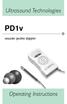 Ultrasound Technologies PD1v vascular pocket doppler Operating Instructions Before using your Pocket Doppler for the first time, please read these operating instructions carefully. 1 INTRODUCTION The UltraTec
A. FEDERAL COMMUNICATIONS COMMISSION (FCC) STATEMENT
 A. FEDERAL COMMUNICATIONS COMMISSION (FCC) STATEMENT This equipment has been tested and found to comply with the limits for a Class B digital device, Pursuant to Part 15 the FCC rules. These limits are
Agilent P940xA/C Solid State PIN Diode Switches
 Agilent P940xA/C Solid State PIN Diode Switches Operating and Service Manual Agilent Technologies Notices Agilent Technologies, Inc. 2007 No part of this manual may be reproduced in any form or by any
BW TECHNOLOGIES GasAlertMicroClip Soft Tools Instruction Sheet
 Introduction BW TECHNOLOGIES GasAlertMicroClip Soft Tools Instruction Sheet The GasAlertMicroClip Soft Tools application is required to configure the GasAlertMicroClip detector ( the detector ). Software/Hardware
Advantium 2 Plus Alarm
 ADI 9510-B Advantium 2 Plus Alarm INSTALLATION AND OPERATING INSTRUCTIONS Carefully Read These Instructions Before Operating Carefully Read These Controls Corporation of America 1501 Harpers Road Virginia
Dehumidifier Users manual. For Models: DH45S DH65S
 Dehumidifier Users manual For Models: DH45S DH65S 950-0062-revD Jan. 9 2007 FORWARD The appearance of the units that you purchase might be slightly different from the ones described in the Manual, but
DICKSON PR100/PR300/PR500 DICKSON. Pressure Logger Operation. Contents:
 PR100/PR300/PR500 Pressure Logger Operation Contents: Product Applications and Useful Features Product Specifications Operating Instructions / Getting Started DicksonWare Software Specifications Product
Daker DK 1, 2, 3 kva. Manuel d installation Installation manual. Part. LE05334AC-07/13-01 GF
 Daker DK 1, 2, 3 kva Manuel d installation Installation manual Part. LE05334AC-07/13-01 GF Daker DK 1, 2, 3 kva Index 1 Introduction 24 2 Conditions of use 24 3 LCD Panel 25 4 Installation 28 5 UPS communicator
User s Manual AURORA 1.2K/2.2K
 User s Manual AURORA 1.2K/2.2K Uninterruptible Power System Safety CAUTION This UPS utilizes voltages that may be hazardous. Do not attempt to disassemble the unit. The unit contains no user serviceable
Owner s Manual & Safety Instructions
 Owner s Manual & Safety Instructions Save This Manual Keep this manual for the safety warnings and precautions, assembly, operating, inspection, maintenance and cleaning procedures. Write the product s
user s manual Battery Case model #: SPB3200 Battery Case Charger for Samsung Galaxy S 4
 user s manual model #: SPB3200 Charger for Samsung Galaxy S 4 What s Included Unpack the battery case and make sure all accessories are put aside so they will not be lost. hello. USB to Micro USB Cable
Sip/Puff Switch User Guide
 Sip/Puff Switch User Guide www.orin.com Table of Contents Table of Contents... 2 Legal Notices... 3 Declaration of Conformity with European Directives... 3 Application Disclaimer... 4 Introduction... 5
User Guide Microsoft Screen Sharing for Lumia Phones (HD-10)
 User Guide Microsoft Screen Sharing for Lumia Phones (HD-10) Issue 1.1 EN User Guide Microsoft Screen Sharing for Lumia Phones (HD-10) Contents Safety 3 About your accessory 4 Keys and parts 5 Connect
TM Advanced Tracking Technologies, Inc. 2003 ATTI All rights reserved
 TM Advanced Tracking Technologies, Inc. 2003 ATTI All rights reserved Copyright 2003, Advanced Tracking Technologies, Inc. All rights reserved. No part of this publication may be reproduced or transmitted
Keysight N4877A Clock Data Recovery and Demultiplexer 1:2
 Keysight N4877A Clock Data Recovery and Demultiplexer 1:2 Getting Started Getting Started with the Keysight N4877A Clock Data Recovery and Demultiplexer 1:2 You only need a few minutes to get started
Sonoline A/B Pocket Fetal Doppler
 Sonoline A/B Pocket Fetal Doppler CONTEC Medical Systems CO., LTD www.drkits.com Attention This user manual is written and compiled in accordance with the council directive MDD93/42/EEC for medical devices
SALTER AIRE Plus COMPRESSOR Model 8350 / 8352 / 8353. Instruction Manual. Page 1 of 9
 SALTER AIRE Plus COMPRESSOR Model 8350 / 8352 / 8353 Instruction Manual Page 1 of 9 TABLE OF CONTENTS Introduction...3 Important Safeguards..3 System Components...5 Setup and Operation...5 Setup...5 Operation....6
Introduction. Intended use. Contraindications. General warnings and cautions. Patient Instructions WARNING CAUTION. English
 Patient Instructions English Introduction ApneaLinkAir ApneaLink Plus Your physician or healthcare provider has given you the ApneaLink Air device to test if you have sleep-disordered breathing. The device
Business Audio System: Music & Messaging MP3 Player. by Grace Digital Audio. User Guide. Model No. GDI-USBM10
 Business Audio System: Music & Messaging MP3 Player by Grace Digital Audio User Guide Model No. GDI-USBM10 User Guide Contents Introduction 2 Safety & General Use Information 2 Features 3 Set Up & Operation
Operating Guide Manuel de l utilisateur
 Operating Guide Manuel de l utilisateur Model RF-110 Modèle RF-110 English Thank you for purchasing this Ringmaster; please read this operating guide carefully before use and keep it for future reference.
UT202A Operating Manual. Contents
 Title Contents Page Overview Unpacking Inspection Safety Information Rules for Safe Operation International Electrical Symbols The Meter Structure Functional Buttons and auto power off Display Symbols
User Manual (English)
 User Manual (English) Table of Contents General Safety Information...2 Fueltank UNO Components...3 Charging the Fueltank UNO...4 Using the Fueltank UNO...5 Power Saving Mode...6 Checking the Fueltank UNO
How To Use The Visifault Visual Fault Locator
 VisiFault Visual Fault Locator Instruction Sheet The VisiFault Visual Fault Locator (VFL) is a visible light source that helps you trace optical fibers, check fiber continuity, and find faults such as
CompacVideo Otoscope. Model 23120 (NTSC) and 23120P (PAL) Operating Instruction Manual
 CompacVideo Otoscope Model 23120 (NTSC) and 23120P (PAL) Operating Instruction Manual Thank you for purchasing the Welch Allyn CompacVideo Otoscope System for ear care professionals. The operating and
EPM3. Phase Sequence and Motor Rotation Tester. Users Manual
 EPM3 Phase Sequence and Motor Rotation Tester Users Manual 1 L1 L2 L3 2 3 A B C CAT 600V 3-PHASE TESTER 5 TEST M1 M2 BATT M3 EPM3 MOTOR ROTATION TESTER EPM3 MOTOR ROTATION DETERMINED WHILE FACING MOTOR
MADRIX NEO Quick Start Guide & User Manual
 MADRIX NEO Quick Start Guide & User Manual 4 th Edition, Last Update: March 2011 Thank You for Purchasing MADRIX NEO Please read this manual carefully and thoroughly before using the MADRIX NEO. Make sure
ReadyNet Easy Jack 2 Voice/Data and Data Only Owner s Manual PX-211d and PX-211v
 ReadyNet Easy Jack 2 Voice/Data and Data Only Owner s Manual PX-211d and PX-211v Phonex Broadband Corporation dba ReadyNet 6952 High Tech Drive Midvale, Utah 84047 801.566.0100 Phone 801.566.0880 Fax www.readynetsolutions.com
Single Day Alarm Clock with. Bluetooth and USB Play-through
 Single Day Alarm Clock with Bluetooth and USB Play-through MODEL : BSC 200 READ THIS INSTRUCTION MANUAL BEFORE OPERATING THE APPLIANCE. SAVE THIS MANUAL FOR FUTURE REFERENCE. TABLE OF CONTENTS IMPORTANT
When you switch off your system, or mute the sound, the red indicator light appears immediately, indicating that the subwoofer is not in use.
 BeoLab 11 Guide WARNING: To reduce the risk of fire or electric shock, do not expose this appliance to rain or moisture. Do not expose this equip ment to dripping or splashing and ensure that no objects
User s Manual. Bluetooth Calculator Keypad. Page
 User s Manual Bluetooth Calculator Keypad Page Regulatory Compliance This device complies with Part 15 of the FCC Rules. Operation is subject to the following two conditions: (1) This device may not cause
QFP910. Water detector. Building Technologies. CE1N2732en. Synco living
 2 732 Synco living Water detector QFP910 Wireless radio sensor to record water puddles RF communication based on KNX standard (868 MHz unidirectional) Battery operation with standard 1.5 V batteries Use
Waveguide Access Point WGA631. Product Guide
 Waveguide Access Point Product Guide Waveguide Access Point Contents 1. Description............................ 3 2. Application............................ 3 3. Technical data... 4 4. Physical interfaces......................
USER S MANUAL. MaxPower 400-600 UPS. Uninterruptible Power System 28-2MAXPO0018
 USER S MANUAL MaxPower 400-600 UPS Uninterruptible Power System 28-2MAXPO0018 IMPORTANT SAFETY INSTRUCTIONS SAVE THESE INSTRUCTIONS This manual contains important instructions for models MaxPower 400 and
Atomic Alarm Clock model 13131W2
 Instruction Manual Atomic Alarm Clock model 13131W2 CONTENTS Unpacking Instructions... 2 Package Contents... 2 Product Registration... 2 Features & Benefits... 3 Clock Setup... 4 Atomic Clock... 5 Set
BC-5000 OPERATIONS MANUAL BATTERY CAPACITY TESTER COFKO LLC.
 BC-5000 BATTERY CAPACITY TESTER OPERATIONS MANUAL COFKO LLC. COPYRIGHT 2010 1 UNPACKING As you unpack your new BC-5000 battery capacity tester, inspect the tester for signs of shipping damage. If shipping
ENGLISH...3 DEUTSCH...13 FRANÇAIS...23 ESPAÑOL...33 ITALIANO...43 PORTUGUÊS...53
 USERS GUIDE ENGLISH...3 DEUTSCH...13 FRANÇAIS...23 ESPAÑOL...33 ITALIANO...43 PORTUGUÊS...53 NEDERLANDS...63 SVENSKA...113 TABLE OF CONTENTS USERS MANUAL FOR CEFAR MYO XT AND CEFAR ACTIV XT ENGLISH 3 PRECAUTIONARY
Model: 308-1412 Manual DC: 080215 WIRELESS COLOR FORECAST STATION
 Model: 308-1412 Manual DC: 080215 WIRELESS COLOR FORECAST STATION FRONT VIEW SENSOR TX141TH-Bv2 LED TX Sensor Battery Cover Sensor Battery Compartment 2 AA Buttons Battery Compartment 3 AAA BACK VIEW Battery
Microwave Meter. Instruction Manual
 Microwave Meter 840046 Instruction Manual Microwave Meter 840046 Copyright 2009 by Sper Scientific ALL RIGHTS RESERVED Printed in the USA The contents of this manual may not be reproduced or transmitted
This unit is internally powered equipment; the degree of shock protection is type B.
 Table of Contents Chapter1 Safety Guidance... 1 1.1 Safety Precautions... 1 Chapter2 Introduction... 4 2.1 Overview... 4 2.2 Features... 4 Chapter3 Outlook and Configuration... 5 3.1 Front Panel... 6 3.2