
Upper Arm Blood Pressure Monitor SC Instructions for use
|
|
|
- Kory Cox
- 10 years ago
- Views:
Transcription
1 Upper Arm Blood Pressure Monitor SC 6800 Instructions for use

2 Contents page Introduction... 3 Features of the SC Safety instructions... 4 WHO-Interpretation of blood pressure readings... 4 Device description... 5 The LC display... 6 Instructions for measuring the blood pressure... 7 How to put the SC 6800 into operation / Changing the batteries... 7 Setting the clock... 8 The blood pressure measurement... 9 Aborting a measurement... 9 The memory function Delete a blood pressure value from the memory Delete all blood pressure values in the memory Troubleshooting and remedies Care and maintenance Periodic re-calibration Referenced norms Disposal note Warranty Specifications Customer service SCALA Electronic GmbH SES GmbH Ruhlsdorfer Straße 95 Ruhlsdorfer Straße Stahnsdorf Stahnsdorf Explanation of symbols Rev. 03/12/2013/GB

3 Specifications Measuring method: Oscillometric, fuzzy logic Measuring range: Pressure: 20 to 300 mmhg Heart rate: 40 to 200 / min Measuring accuracy: stat. pressure: +/- 3 mmhg Heart rate: +/- 5 % Measuring value memory: 85 memories for systolic / diastolic / heart rate, date and time Display: LC display Pressure pick-up: Semi-conductor pressure sensor Automatic switch-off: after approx. 2 minutes of inactivity Voltage supply: 4 x LR6 (alkali batteries) Working temperature range: +10 C to +40 C Storage temperature range: - 10 C to +50 C Cuff length: for upper arm circumference from 22 cm to 32 cm Specifications may change as technical improvements take place Introduction thank you for deciding for the blood pressure monitor SC 6800 from SCALA Electronic GmbH. To be able to utilise all advantages of the blood pressure monitor to the fullest, you should carefully read these instructions before using the monitor. Keep the instruction leaflet in a safe place. Features of the SC The blood pressure monitor has fuzzy logic to identify the pumping pressure. If the pumping pressure set in the factory is not sufficient, the device identifies this and continues pumping. - The device has 85 memory locations - The date and time are displayed and stored together with every blood pressure value. - WHO-Interpretation of blood pressure readings with colored band (See description at page 4, 5 and 6). - If the battery icon is displayed, the batteries are discharged and the device cannot be used until new batteries are inserted. - The cuff is suitable for upper arms with a circumference between 22 and 32 cm. 14 3

4 Safety instructions The blood pressure monitor SC 6800 enables you to monitor your blood pressure regularly. However, you should never change the treatment which your doctor has prescribed Self-measurement means monitoring, it does not imply diagnosis or treatment. Discuss unusual values with your doctor. Do not change the medication prescribed by your doctor. The heart rate is not a useful indicator of the frequency of a cardiac pace maker. Patients with cardiac arrhythmia should use the blood pressure monitor only after consulting a doctor. WHO*-Interpretation of blood pressure readings Meaning Systolic / mmhg Diastolic / mmhg optimal < 120 < 80 normal < 130 < 85 high-normal mildy hypertonic hypertonic, medium severity severly > 180 > 110 hypertonic The World Health Organization (WHO) recommends medical treatment, when the blood pressure value exceeds 140/90 mmhg. 4 Referenced norms The device has been certified in accordance with DIRECTIVE 93/42/EU of 14th June 1993 relating to medicinal products. For registration, a defined number of blood pressure monitors was subjected to stringent clinical testing. These monitors used the same program for blood pressure measurement as your monitor uses. Thus, this program is also regarded as clinically tested. The manufacture of the blood pressure monitor complies with the European norms for blood pressure monitors: EN , EN to EN The blood pressure monitor complies with the requirements of European norm EN and EN : Disposal note The disposal of batteries is regulated. Spent batteries are collected at collection points provided by battery dealers and the communities. Dispose of the blood pressure monitor as prescribed, i.e., at a collection point for electrical scrap. Warranty We grant a warranty of two years for the blood pressure monitor SC Within this period, defects of the BP monitor will be repaired free of charge. You can also have your BP monitor repaired by our customer service after the warranty period. We will provide you with a free cost estimate for the repair. The warranty does not cover damage due to improper handling, accident, natural wear and tear (cuff), non-compliance with the instructions for use or unauthorized modifications of the monitor. Not covered by the warranty are the packaging, batteries and the instructions for use. 13

5 wrong application of the cuff, use of wrong batteries or use of a rechargeable battery. Repeat a measurement not earlier than after 5 minutes. Care and maintenance Avoid extreme temperatures, moisture, dust and the direct exposure to sunlight. The cuff incorporates a sensitive, air-tight bubble. Please avoid any stress by turning or bending it. Clean the instrument with a soft, dry cloth. Never use petrol, thinner, or similar solvents. Stains on the cuff can be gently removed with a wet cloth and soap. Do not wash the cuff! Do not drop the instrument or treat it violently in any other way. Never attempt to open the instrument, as the calibration set by the manufacturer will become invalid. Periodic re-calibration We recommend re-calibrating the pressure display regularly every 2 years. Device description Cuff Air plug WHO indicator LC display Memory button O/I START button 12 5

6 The LC display Troubleshooting and remedies Possible errors which can occur during a measurement are listed in the table below. Message Error description Correction Memory icon Battery icon WHO indicator Heartbeat icon Date Time Systolic blood pressure Diastolic blood pressure Heart rate per minute or no display Pressure is not build up in the cuff. Cuff not applied tightly enough or leaky. Pressure is built up very quickly at the sensor. The cuff is too tight or the bubble sticks. Pump defective or pumping error The pressure can not be measured due to signal noise. The pumping pressure is higher than 300mmHg. Low batteries. Apply cuff again and measure again. Consult customer service if necessary Apply cuff again and measure again. Consult customer service if necessary Contact customer service Please take the measurement on the left upper arm. Make sure of the correct seat of the cuff. Repeat measurement. Contact customer service Please check and replace the batteries if necessary. Do not use Ni-Cd or NiMH rechargeable batteries From many years of experience we know that most faults are the consequence of wrong use. The most frequent causes of faults are excessive movement during the measurement, 6 11

7 The memory function The SC 6800 saves up to 85 measurements. Together with each measurement (systolic, diastolic and heart rate), the date and time are also saved. The measurement with the longest residence time in the memory is assigned number 1. All other measurements increment by one until number 85. Then the memory is full. The next measurement occupies memory location 85. The measurement formerly at location 85 changes to location 84 (etc., ). The oldest measurement formerly at location 1 is lost. Delete a blood pressure value from the memory Press the MEMORY button to view the blood pressure value you want to delete. Pressing the 0/I-START button instantly (and holding it for at least 4 secs.) displays del (for "delete") and the number of the memory location. Press the 0/I-START button instantly and the value will be deleted. Delete all blood pressure values in the memory Remove the batteries for about 5 minutes to delete all memory entries, the time and date settings. Or: Press the MEMORY button to display any blood pressure value. Pressing the 0/I-START button instantly (and holding it for at least 4 secs.) displays del (for "delete") and the number of the memory location Press the MEMORY button instantly and the LCD displays del (for "delete") and ALL (for all memory locations). Press the 0/I-START button instantly and all values will be deleted. Time and date are not deleted. Instructions for measuring the blood pressure In order to obtain comparable values, always measure the blood pressure under the same conditions, i.e. in a relaxed atmosphere, not after the consumption of alcohol, not during a meal and not after being exposed to physical or nervous stress. If possible, make the measurement while being seated at a table and only with your left upper arm stripped. How to put the SC 6800 into operation / Changing the batteries Put 4 LR6 batteries in the compartment as indicated on the back of the device. Preferably, alkali batteries (LR6) should be used. If the batteries are flat, an empty battery will be displayed at the LC display above:. The battery needs urgent replacement because you cannot use the monitor with depleted batteries. Caution: Do not dispose of depleted batteries with the household waste. Also see disposal note. 10 7

8 Setting the clock After you have inserted the two batteries, you should set the clock. It starts with year 20XX, 1/ 1 (for the 1st month / 1st day) and 12:00 o clock after every battery change. To set the clock, the device must be OFF. Hold the MEMORY button pressed for about 5 seconds. The year 20XX blinks in the top left corner of the display. Set the year with the 0/I-START button. When the correct year is set, press the MEMORY button again. Now the 1 blinks in the top left corner of the LCD. It stands for the month. Set the month with the 0/I-START button. Another press of the MEMORY button sets another 1 blinking. It stands for the first day in the month. Set the day with the 0/I-START button. Another press of the MEMORY button takes you to the clock setting the hours blink. As earlier, set the clock with the 0/I-START button. Pressing the MEMORY button advances to the minutes setting. Set the minutes with the 0/I-START button. A final press of the MEMORY button completes the setting of the date and time. 8 The blood pressure measurement Now connect the cuff with the instrument by plugging the air plug at the tube of the cuff into the socket on the back side of the instrument (see Figs. 1 and 2). Put the cuff around your left upper arm in such a way that the tube is directed towards the bend of the elbow, with the lower cuff edge ending about 2-3 cm above the bend of the elbow. The cuff should be reasonably tight. Pressing the 0/I-START button starts the automatic measurement. The cuff inflates to approx. 190 mmhg pressure. The automatic deflation starts the measurement. After about 3 seconds, a heart icon starts blinking in the LC display. If a Korotkoff s sound is detected already at that time, it means a systolic pressure of more than 150 mmhg. Then the monitor re-inflates (to about 220 mmhg). At the end of the measurement, the result is displayed in the LCD and the cuff deflates and the measuring value is entered in the memory area. Aborting a measurement You can stop the measurement at any time by pressing the 0/I-START button. The BP monitor deflates the cuff instantly. 9

Automatic Wrist Blood Pressure Monitor with
 Instruction Manual Automatic Wrist Blood Pressure Monitor with Model HEM-609 ENGLISH ESPAÑOL CONTENTS Before Using the Monitor Introduction...................................... 3 Important Safety Notes.............................
INSTRUCTION MANUAL. 7 series Blood Pressure Monitor with ComFit TM Cuff. Model BP760 ESPAÑOL ENGLISH
 INSTRUCTION MANUAL 7 series Blood Pressure Monitor with ComFit TM Cuff Model BP760 ENGLISH ESPAÑOL TABLE OF CONTENTS Before Using the Monitor Introduction................................................4
INSTRUCTION MANUAL. Ultra Premium Blood Pressure Monitor featuring ComFit TM Cuff. Model HEM-775
 INSTRUCTION MANUAL Ultra Premium Blood Pressure Monitor featuring ComFit TM Cuff Model HEM-775 ENGLISH ESPAÑOL TABLE OF CONTENTS Before Using the Monitor Introduction..................................................4
INSTRUCTION MANUAL. 10 series Blood Pressure Monitor with ComFit TM Cuff. Model BP785 ESPAÑOL ENGLISH
 INSTRUCTION MANUAL 10 series Blood Pressure Monitor with ComFit TM Cuff Model BP785 ENGLISH ESPAÑOL TABLE OF CONTENTS Before Using the Monitor Introduction................................................4
Affordable ABPM and strictly guideline-based SBPM for accurate out-of-office blood pressure measurement.
 Affordable ABPM and strictly guideline-based SBPM for accurate out-of-office blood pressure measurement. Instruction Manual EN 3 a EN The Microlife WatchBP O3 (Out Of Office) is designed to provide reliable
INSTRUCTION MANUAL. 10 series Blood Pressure Monitor with ComFit TM Cuff. Model BP785CAN FRANÇAIS ENGLISH
 INSTRUCTION MANUAL 10 series Blood Pressure Monitor with ComFit TM Cuff Model BP785CAN ENGLISH FRANÇAIS TABLE OF CONTENTS Before Using the Monitor Introduction..................................................4
Name: OMRON M3 HEM-7200-E Upper Arm Blood Pressure Monitor
 -NEW PRODUCT INFORMATION SHEET- Specifications subject to change Name: OMRON M3 HEM-7200-E Upper Arm Blood Pressure Monitor Product USPs: Full size display with all parameters at once Comfort inflation:
microlife PF 100 Electronic Asthma Monitor Instruction Manual (1-15) Moniteur d'asthme électronique Mode d'emploi (16-31) Monitor electrónico para el
 microlife PF 100 Electronic Asthma Monitor Instruction Manual (1-15) Moniteur d'asthme électronique Mode d'emploi (16-31) Monitor electrónico para el asma Manual de instrucciones (32-47) Elektronischer
How to measure blood pressure using digital monitors
 How to measure blood pressure using digital monitors What is high blood pressure? Blood pressure is the pressure exerted by circulating blood upon the walls of blood vessels. Systolic pressure is the blood
INSTRUCTION MANUAL HEM-6052
 INSTRUCTION MANUAL Automatic Wrist Blood Pressure Monitor Model HEM-6052 Contents Before using the unit Introduction... 3 Important Safety Information... 4 1. Overview... 6 2. Preparation... 8 2.1 Installing/Replacing
Device Equivalence Evaluation Form
 Comparison of the Omron M3 (HEM-7131-E) with the Omron M6 AC (HEM-7322-E) Devices Omron M3 (HEM-7131-E) Omron M6 AC (HEM-7322-E) Pictures Display Validation ESH 2010 Device 1 Criteria Same Criteria Measurement
Alarm Clock USER GUIDE
 Alarm Clock USER GUIDE Jazwares, Inc. 2012 CONTENTS Please read the instructions along with the Alarm Clock carefully before you use it, so that you can operate it conveniently. WELCOME & Warnings Page
INSTRUCTION MANUAL. 10 series Plus Blood Pressure Monitor with ComFit TM Cuff. Model BP791IT ESPAÑOL ENGLISH
 INSTRUCTION MANUAL 10 series Plus Blood Pressure Monitor with ComFit TM Cuff Model BP791IT ENGLISH ESPAÑOL TABLE OF CONTENTS Before Using the Monitor Introduction..................................................4
AMBULATORY BLOOD PRESSURE MONITORING QUICK START GUIDE
 C A R D I O P E R F E C T AMBULATORY BLOOD PRESSURE MONITORING QUICK START GUIDE UNDERSTANDING ERROR CODES ERROR CODE DESCRIPTION 1 Unknown error 2 This can indicate one of the following problems: After
Device Equivalence Evaluation Form
 Comparison of the Omron M2 Basic (HEM 7116 E2) with the Omron M3 Intellisense (HEM 7051 E) Devices M2 Basic (HEM 7116 E2) M3 Intellisense (HEM 7051 E) Pictures Display Validation ESH IP 2002 Device 1 Criteria
DR 70 Portable Digital DAB+ and FM Radio Receiver User Manual English Please read carefully before using this product
 DR 70 Portable Digital DAB+ and FM Radio Receiver User Manual Please read carefully before using this product 15 1 Table of Contents 1 Table of Contents... 16 2 Safety Instructions:... 17 3 Specification:...
Device Equivalence Evaluation Form
 Comparison of the Beurer (Sanitas) SBM 45 with the Andon KD 5915 Devices Beurer (Sanitas) SBM 45 Andon KD 5915 Pictures Display Validation ESH Device 1 Criteria Buttons/Switches Touch Screen Activation
Operating Manual Remote Cost Control Monitor
 Operating Manual Remote Cost Control Monitor INTRODUCTION: Congratulations on purchasing the Remote Cost Control. This is a state-of-the-art power monitoring socket that is highly accurate and easy to
TECHNI-TOUCH TECHNI-TOUCH
 TECHNI-TOUCH User s Guide TECHNI-TOUCH www.technisat.com Get to know your TECHNI-TOUCH FRONT PANEL touch screen Tap an icon or item with your finger to quickly navigate across the screen and change values
Digital Blood Pressure Monitor. Model UA-767
 Digital Blood Pressure Monitor Model UA-767 BT-C Instruction Manual Original Manuel d instructions Traduction Manual de Instrucciones Traducción Manuale di Istruzioni Traduzione Bedienungsanleitung Übersetzung
User Manual Color video door phone
 User Manual Color video door phone CDV-70KM Thank you for purchasing COMMAX products. Please carefully read this User s Guide (in particular, precautions for safety) before using a product and follow instructions
INSTRUCTION MANUAL Contactless Clinical Infrared Thermometer GT-101
 INSTRUCTION MANUAL Contactless Clinical Infrared Thermometer GT-101 17 D GB F I E P NL AR A Dear customer, Thank you for your confi dence in Geratherm and congratulations on your purchase! By purchasing
EVAPORATIVE AIR COOLER INSTRUCTION MANUAL
 EVAPORATIVE AIR COOLER INSTRUCTION MANUAL Model: SF-614P Please read this manual thoroughly before using this product. Keep in a safe place for future reference. CONTENTS A. PRODUCT INTRODUCTION 2 B. TECHNICAL
Atomic Alarm Clock model 13131W2
 Instruction Manual Atomic Alarm Clock model 13131W2 CONTENTS Unpacking Instructions... 2 Package Contents... 2 Product Registration... 2 Features & Benefits... 3 Clock Setup... 4 Atomic Clock... 5 Set
Instruction Manual. Image of SP-3015 & SP-3815. Important Safeguards. Automatic Dispensing Hot Water Pot with Reboil Function
 Important Safeguards READ ALL INSTRUCTIONS BEFORE USE. Instruction Manual Automatic Dispensing Hot Water Pot with Reboil Function Image of SP-3015 & SP-3815 SP-3015: 3.0L SP-3815: 3.8L SP-3017: 3.0L (Stainless
ILLUMINATING EYE MASSAGER
 ILLUMINATING EYE MASSAGER FULL USER MANUAL GETTING STARTED Congratulations on taking the first step towards younger-looking, refreshed eyes by acquiring this FOREO device. Before you begin to enjoy all
Introduction 1 The system 1 The meter 2 The display 3 The mode 3 The measurement 4 Coding the meter 4 How to obtain a drop of blood 6 Application of
 Introduction 1 The system 1 The meter 2 The display 3 The mode 3 The measurement 4 Coding the meter 4 How to obtain a drop of blood 6 Application of the blood 7 Procedure to test glucose 7 Procedure to
Portable Air Conditioner. OWNER S MANUAL Read these instructions before use. Model: MF08CESWW. Voltage rating: 115V~60Hz Power rating : 800W
 MODE ALARM Portable Air Conditioner OWNER S MANUAL Read these instructions before use 8 Model: MF08CESWW Voltage rating: 115V~60Hz Power rating : 800W Customer Support : 1-800-474-2147 For product inquiries
Runtastic rechargeable battery for iphone 4, 4S
 Runtastic rechargeable battery for iphone 4, 4S Thank you very much for purchasing our product, the runtastic rechargeable battery (model no.: RUNBATT1) for the iphone 4. This product is only to be used
User's Guide. Pinless Moisture Meter. Model MO257
 User's Guide Pinless Moisture Meter Model MO257 Introduction Congratulations on your purchase of the Extech MO257 Pinless Moisture Meter. The pinless moisture sensor monitors the moisture in wood and other
Operating Manual Electronic Wheelchair Scale with cable display M50610
 Operating Manual Electronic Wheelchair Scale with cable display M50610 ADE GmbH & Co. Hammer Steindamm 27 29 D 22089 Hamburg Germany +49(40)432776-0 Fax +49(40)432776-10 E-mail: [email protected] Contents
OEM MAXNIBP Frequently Asked Questions
 Frequently Asked Questions Why does the monitor sometimes inflate the BP cuff, then shortly thereafter reinflate the cuff? How will I know if the monitor is experiencing motion artifact during a measurement?
Time. Choose a location 6 feet or more from electronics such as cordless phones, wireless gaming systems, televisions,
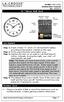 Model: 404-1220 Instruction Manual DC: 050614 20 Atomic Wall Clock Mountain Central DST Indicator Pacific Eastern Manual Set Button Battery Compartment 1- C Alkaline Get Started Step 1: Insert 1 fresh
Intelli-Time Alarm Clock model 13027
 Instruction Manual Intelli-Time Alarm Clock model 13027 CONTENTS Unpacking Instructions... 2 Package Contents... 2 Product Registration... 2 Features & Benefits... 3 Clock Setup... 4 Intelli-Time Clock...
Portable Air Conditioner. OWNER S MANUAL Read these instructions before use. Model: MN12CES / MN10CESWW
 Portable Air Conditioner OWNER S MANUAL Read these instructions before use 8 Model: MN12CES / MN10CESWW Voltage rating: 120V~60Hz Power rating : 1100W (MN12CES) Power rating : 900W (MN10CESWW) Customer
Portable Air Conditioner. OWNER S MANUAL Read these instructions before use. Model: MM14CCS. Voltage rating: 115V~60Hz Power rating : 1400W
 Portable Air Conditioner OWNER S MANUAL Read these instructions before use Model: MM14CCS Customer Support : 1-800-474-2147 Voltage rating: 115V~60Hz Power rating : 1400W For product inquiries or support
WRIST BLOOD PRESSURE MONITOR
 Model WS-820 WRIST BLOOD PRESSURE MONITOR INSTRUCTIONS CONTENTS Page PARTS NAMES AND PRODUCT COMPONENTS... 2 PRECAUTIONS FOR USE................... 3 INSTALLING BATTERIES AND SETTING THE CLOCK...............................
Fox 40 Whistle Watch USER MANUAL 609-0700
 Fox 40 Whistle Watch USER MANUAL 609-0700 CONTENTS BUTTONS AND FEATURES... 3 OPERATING THE WATCH... 4 STOPWATCH MODE... 5 COUNTDOWN MODE... 6 ALARM MODE... 7 BATTERY REPLACEMENT... 8 CARE AND MAINTENANCE...
Rousseau 10. User Guide
 Rousseau 10 User Guide Base station overview ➀ LED signals White, permanent light: - Base station ready, you can register a handset Slow flashing white light: - Paging call in progress - Active call (you
THE NEW GENERATION IN TECHNOLOGY. NI-3103A Alarm Clock w/fm Radio ipod & iphone Docking. Operating Instructions
 THE NEW GENERATION IN TECHNOLOGY NI-3103A Alarm Clock w/fm Radio ipod & iphone Docking Operating Instructions Table of Contents Important Safeguards... 3 Parts... 6 Controls... 6 To Set Up... 7 ipod/iphone
August International Ltd United Kingdom Telephone: +44 (0) 845 250 0586 www.augustint.com
 August International Ltd United Kingdom Telephone: +44 (0) 845 250 0586 www.augustint.com EN FR DE IT ES FM Radio and Music Alarm Clock Radio-Réveil FM et Lecteur de Musique Musikanlage und Radiowecker
Integrating Sound Level Meter and Datalogger
 USER GUIDE Integrating Sound Level Meter and Datalogger Model 407780A Introduction Thank you for selecting the Extech Instruments Model 407780A. This device is shipped fully tested and calibrated and,
MICA HEATER INSTRUCTION MANUAL Model No: UHM-786 230V 50Hz 2200W
 MICA HEATER INSTRUCTION MANUAL Model No: UHM-786 230V 50Hz 2200W Safety Precautions To reduce the risk of personal injury or damage to property, basic safety precautions must be observed including the
Phoenix Body Fat Scale Manual
 Phoenix Body Fat Scale Manual Low Batteries & bad battery connections are the #1 cause of scale malfunction and inaccuracy! We test all of our scale returns from consumers. Fully 60% of consumer returns
GB Instruction Manual. www.quantys.de
 GB Instruction Manual www.quantys.de GB Instruction manual Solar RADIO-CONTROLLED ALARM CLOCK With analogue alarm time setting Safety instructions - Swallowing batteries can be life-threatening. Therefore,
Important Safeguards
 Table of Contents Important Safeguards...2 Product Layout...3 Preparing for Use...4 Air-conditioning without installation...4 Air-conditioning with installation...5 Control Panel...6 Operating from the
Portable Air Conditioner. OWNER S MANUAL Read these instructions before use. Model: MM14CHCSCS
 Portable Air Conditioner OWNER S MANUAL Read these instructions before use Model: MM14CHCSCS Voltage rating: 120V~60Hz Power rating : 1400W(Cooling) Power rating : 1350W(Heating) Customer Support : 1-800-474-21477
Operating Instructions
 Panasonic DECT Digital Cordless Telephone System Operating Instructions Before operating this system, please read these instructions completely. THIS EQUIPMENT IS NOT DESIGNED FOR MAKING EMERGENCY TELEPHONY
Magic Wand Portable Scanner
 Magic Wand Portable Scanner PDS-ST470-VP User Manual Table of Contents 1. Key Features... 3 2. Functional Parts... 3 3. Explanation of the Status Icons... 5 4. Using the Scanner... 5 4.1. Charging up the
Instructional & Operating Manual
 Instructional & Operating Manual For CoolFreeze Series Portable Refrigerators/Freezers CF-18, CF-25, CF-35, CF-40, CF-50, CF-80, CF-110 WAECO USA Clinton, CT www.waecousa.com ! Safety indications in the
Dehumidifier Users manual. For Models: DH45S DH65S
 Dehumidifier Users manual For Models: DH45S DH65S 950-0062-revD Jan. 9 2007 FORWARD The appearance of the units that you purchase might be slightly different from the ones described in the Manual, but
DAB+ / FM Tuner Model: TU-201
 DAB+ / FM Tuner Model: TU-201 Instruction Manual www.pulse-audio.co.uk 1 Safety Information The lightning bolt within a triangle is intended to alert the user to the presence of dangerous voltage levels
Contents. Product Code -------------------------------------------------------15. Page 1
 Contents Important Safety Instructions -------------------------------------2 BT HP01 --------------------------------------------------------------4 BT HP01 Anatomy ---------------------------------------------------5
Installation and Operating Manual p. 23. Radio push button 2 channel: HM-PB-2-WM55-2
 Installation and Operating Manual p. 23 Radio push button 2 channel: HM-PB-2-WM55-2 1. English edition 10/2013 Documentation 2013 eq-3 Ltd., Hong Kong All rights reserved. No parts of this manual may be
Evaluation copy. Blood Pressure. Project PROJECT DESIGN REQUIREMENTS
 Blood Pressure Project 9 Blood pressure is a measure of the fluid pressure within the circulatory system. This pressure is required to ensure the delivery of oxygen and nutrients to, and the removal of
Portable Bluetooth Speaker. Quick Start Guide. Model: BTS201
 Portable Bluetooth Speaker Quick Start Guide Model: BTS201 Disclaimer All the information, design and specifications contained in this manual were correct at the time of publication. However, as the product
Hyundai Video Pen VP 02 HD8
 Hyundai Video Pen VP 02 HD8 一 Important notes at the beginning a. This manual is designed to familiarise you with the operation of this product. Keep these instructions so you can refer to them at any
Model: 308-1412 Manual DC: 080215 WIRELESS COLOR FORECAST STATION
 Model: 308-1412 Manual DC: 080215 WIRELESS COLOR FORECAST STATION FRONT VIEW SENSOR TX141TH-Bv2 LED TX Sensor Battery Cover Sensor Battery Compartment 2 AA Buttons Battery Compartment 3 AAA BACK VIEW Battery
REMOTE TERMOMETER TE 219 LED USER MANUAL
 INTRODUCTION REMOTE TERMOMETER TE 219 LED USER MANUAL Thank you for purchasing this unit with indoor thermometer, wireless thermometer sensor and radiocontrolled clock. This device is also equipped with
Weather Radio Alarm Clock
 1200093 User s Guide Weather Radio Alarm Clock Thank you for purchasing your Weather Radio Alarm Clock from RadioShack. Please read this user s guide before installing, setting up, and using your new weather
Leak Detection System
 Instructions - Parts List Leak Detection System 311200A For detecting leaks in your diaphragm pump system. Not for use in explosive atmospheres. Part No. 234576 120 psi (0.8 MPa, 8 bar) Maximum Air Input
Milwaukee USER MANUAL. Milwaukee. Smart DO Meter PORTABLE DISSOLVED OXYGEN METER MODEL: SM600. Authorized Dealer: ISMIL600 11/01
 Milwaukee Milwaukee USER MANUAL PORTABLE DISSOLVED OXYGEN METER MODEL: SM600 Smart DO Meter Authorized Dealer: ISMIL600 11/01 PROBE PREPARATION: The meter is supplied with a 9V battery. Slide off the battery
Wireless Internet Keyboard and Laser Mouse
 Wireless Internet Keyboard and Laser Mouse User s Manual Model KB1045LSR FCC STATEMENT KB1045LSR This device complies with part 15 of FCC Rules. Operation is subject to the following two conditions: (1)
Rechargeable Hearing Aid Battery Charger
 Rechargeable Hearing Aid Battery Charger BC 1 Read This First The VFusion Charger and VFusion Silver- Zinc (AgZn) Rechargeable Batteries provide an environmentally-friendly alternative to conventional
Wake-up Light. Always here to help you. www.philips.com/welcome HF3510. User manual Manuel d utilisation. Register your product and get support at
 Always here to help you Register your product and get support at www.philips.com/welcome Question? Contact Philips Wake-up Light HF3510 User manual Manuel d utilisation IMPORTANT SAFETY INSTRUCTIONS WARNING
Instant Ear Thermometer
 INSTRUCTION MANUAL Instant Ear Thermometer Model 18-107-000 Please read this detailed guidebook completely before operating this unit. English Spanish Limited Five-Year Warranty Your Ear Thermometer is
User Guide Nokia Portable Wireless Charging Plate DC-50
 User Guide Nokia Portable Wireless Charging Plate DC-50 Issue 1.1 EN User Guide Nokia Portable Wireless Charging Plate DC-50 Contents For your safety 3 About your accessory 4 Keys and parts 5 Top up your
P R E S S U R E P O I N T S S E R I E S : Measuring your blood pressure at home
 P R E S S U R E P O I N T S S E R I E S : NO.5 Measuring your blood pressure at home B L O O D P R E S S U R E A S S O C I AT I O N Pressure Points series Pressure Points is a series of booklets produced
Important Safety Instructions
 PR-D7 GB Revision 1 Important Safety Instructions 1. Read these instructions. 2. Keep these instructions. 3. Heed all warnings. 4. Follow all instructions. 5. Do not use this apparatus near water. 6. Clean
CappController Pipette Controller. Operation Manual Version: 1.2. www.capp.dk
 CappController Pipette Controller Operation Manual Version: 1.2 www.capp.dk skal vises her. Table of Content 1. Safety Precautions... 1 2. General Description... 2 3. Getting Started... 4 3.1. Recharging
Operating instructions Platform/floor scales
 KERN & Sohn GmbH Ziegelei 1 D-72336 Balingen email: [email protected] Phone: +49-[0]7433-9933-0 Fax: +49-[0]7433-9933-149 Internet: www.kern-sohn.com Operating instructions Platform/floor scales KERN
DX-395. FM/AM/SW1/SW2 PLL Synthesized Receiver OWNER S MANUAL. Cat. No. 20-225. Please read before using this equipment.
 20-225.fm Page 1 Wednesday, August 4, 1999 10:07 AM Cat. No. 20-225 OWNER S MANUAL Please read before using this equipment. DX-395 FM/AM/SW1/SW2 PLL Synthesized Receiver 20-225.fm Page 2 Wednesday, August
Table of Contents. Stanley TLM330 1
 Table of Contents EN Instrument Set-up - - - - - - - - - - - - - - - - - - - - - - - Introduction- - - - - - - - - - - - - - - - - - - - - - - - - - - - - - - Overview - - - - - - - - - - - - - - - - -
FT-100 Fire Training Fog Machine User Manual English
 FT-100 Fire Training Fog Machine User Manual English 2015 Antari Lighting and Effects Ltd. User Manual - English Safety Information Please read the following safety information carefully before operating
Use and Care Manual. Model CPA12KH AIR CONDITIONER
 Use and Care Manual Model CPA12KH AIR CONDITIONER Introduction Thank you for choosing this air conditioner to provide you and your family with all of the "Home Comfort" requirements for your home, cottage
Pocket Tach 99 (PT99) Non-Contact Tachometer
 CE DECLARATION OF CONFORMITY As Manufacturer: Monarch Instrument Division of Monarch International Inc. 15 Columbia Drive, Amherst NH 03031 USA declares under Monarch s sole responsibility that the product:
VOICE RECORDER NOTE CORDER DP-211 INSTRUCTIONS. Register your product on www.olympus-consumer.com/register and get additional benefits from Olympus!
 VOICE RECORDER NOTE CORDER DP-211 INSTRUCTIONS EN Register your product on www.olympus-consumer.com/register and get additional benefits from Olympus! 2 EN Introduction Thank you for purchasing an Olympus
Nokia Wireless Keyboard (SU-8W) User Guide
 Nokia Wireless Keyboard (SU-8W) User Guide DECLARATION OF CONFORMITY We, NOKIA CORPORATION declare under our sole responsibility that the product SU-8W is in conformity with the provisions of the following
CAD-05 Kit GSM Auto Dialer. Owner s Manual
 CAD-05 Kit GSM Auto Dialer Owner s Manual CAD-05 Kit Manual.indd 1 Warnings: This device complies with Part 15 of the FCC rules, Operation of this device is subject to the following conditions: 1. This
AD-01 Slave Auto Dialer. Owner s Manual
 AD-01 Slave Auto Dialer Owner s Manual AD-01 Slave Manual.indd 1 10/15/2009 10:20:44 AM 2 AD-01 Slave Manual.indd 2 10/15/2009 10:20:44 AM Features: Programmable entry/exit delay time; select up to 9 (32
VACUUM CLEANER INSTRUCTION MANUAL
 VACUUM CLEANER INSTRUCTION MANUAL MODEL: SVC9702 PLEASE READ THIS MANUAL CAREFULLY BEFORE USING AND KEEP IT PROPERLY FOR FUTURE USE 1 Safety Cautions: WARNING: To reduce the risk of fire, electrical shock,
Getting started with
 PART NO. CMA113 MADE IN CHINA 1. Measuring CAT II 2. Max. voltage 250V ~ 3. Max. current 71 Amp Getting started with Electricity consumption monitoring single phase for homes and some smaller light commercial
The FreeStyle Lite Meter and How It Works
 ENGLISH The FreeStyle Lite Meter and How It Works System Check Screen This screen always appears when the meter is turned on so that you can make sure the display is working properly. Do not use the meter
Register your product and get support at www.philips.com/welcome LFH0645 LFH0648. EN User manual
 Register your product and get support at www.philips.com/welcome LFH0645 LFH0648 EN User manual Table of contents 1 Welcome 3 Product highlights 3 2 Important 4 Safety 4 Hearing safety 4 Disposal of your
Refrigerant Charging Unit ICOGD. 020AH1000 Operating Manual. FR.8.2.4-09 İ-COLD 12.03.2014 Rev. 00
 E Refrigerant Charging Unit ICOGD 020AH1000 Operating Manual FR.8.2.4-09 İ-COLD 12.03.2014 Rev. 00 Contents Technical Specifications... 20 Safety... 21 A/C System... 22 Components... 23 Control Panel...
G1 GPS Sensor User Manual
 G1 GPS Sensor User Manual 1. 2. 3. 4. 5. A B Congratulations! You are now the proud owner of a Polar G1 GPS sensor. Polar G1 provides speed and distance data in all outdoor sports using Global Positioning
400 Amp Rechargeable Jump Start System RAC-HP082
 400 Amp Rechargeable Jump Start System RAC-HP082 MAINTENANCE Always inspect the tool before use to ensure the cables are in good condition and the clamps are clean and free from corrosion. Keep clean by
reflecta Super 8 Scanner
 reflecta Super 8 Scanner User Manual 1 FEDERAL COMMUNICATIONS COMMISSION (FCC) STATEMENT This Equipment has been tested and found to comply with the limits for a class B digital device, pursuant to Part
PORTABLE AIR CONDITIONER (LOCAL)
 EN PORTABLE AIR CONDITIONER (LOCAL) OPERATING INSTRUCTIONS Read the instructions carefully before operating the appliance or carrying out maintenance work. Observe all the safety instructions; failure
Manual FlashLED Li-Ion. Imprint: GIFAS-ELECTRIC GmbH CH-9424 Rheineck Switzerland www.gifas.ch. Technical changes and errors reserved.
 Manual FlashLED Li-Ion Manual FlashLED Li-Ion Imprint: GIFAS-ELECTRIC GmbH CH-9424 Rheineck Switzerland www.gifas.ch Technical changes and errors reserved. This manual is property of GIFAS-ELECTRIC GmbH
Single Day Alarm Clock with. Bluetooth and USB Play-through
 Single Day Alarm Clock with Bluetooth and USB Play-through MODEL : BSC 200 READ THIS INSTRUCTION MANUAL BEFORE OPERATING THE APPLIANCE. SAVE THIS MANUAL FOR FUTURE REFERENCE. TABLE OF CONTENTS IMPORTANT
CAUTION OPC-LM1-IL. Option Card for Encoder of Line Driver Output. Instruction Manual
 Instruction Manual OPC-LM1-IL Option Card for Encoder of Line Driver Output CAUTION Deliver this instruction manual without fail to those who actually operate the equipment. Read this operation manual
Wolverine Data PASS Portable Scanner User Manual V1.0
 Wolverine Data PASS Portable Scanner User Manual V1.0 Table of Contents 1. Before Using the PASS Battery Powered Portable Scanner ------- 2 Having difficulty using this product? -------------------------------------
Owner s Manual RBC-AMS41E. Remote controller with weekly timer. Owner s Manual
 Owner s Manual Remote controller with weekly timer RBC-AMS41E Owner s Manual Remote controller Mode d emploi Télécommande Bedienungsanleitung Fernbedienung Manuale di istruzioni Telecomando Manual del
BLOOD COLLECTION MIXER
 USER S MANUAL BLOOD COLLECTION MIXER Model CM735 No. CAT.CM73522Ce Centron Technologies Corporation 319-25 Sadang-4-dong, Dongjak-ku Seoul, Korea 156-823 Tel. +82-2.522.7807 Fax +82-2.522.7806 Table of
Wireless Indoor/ Outdoor Thermometer
 Wireless Indoor/ Outdoor Thermometer Owner s Manual Please read before using this equipment. ˆ Contents FCC Information... 3 FCC Declaration of Conformity... 5 Preparation... 5 Installing Batteries...
How To Use The Visifault Visual Fault Locator
 VisiFault Visual Fault Locator Instruction Sheet The VisiFault Visual Fault Locator (VFL) is a visible light source that helps you trace optical fibers, check fiber continuity, and find faults such as
Owner s manual. Free 5 year parts, 1 year labour gurantee Register your guarantee at www.dysonairblade.com
 Owner s manual Free 5 year parts, 1 year labour gurantee Register your guarantee at www.dysonairblade.com Thank you for choosing to buy a Dyson Airblade MK2 hand dryer Dyson customer care Your hand dryer
CONTIENTS. 1. SPECIFICATIONS (mm)---------- 2 2. CAUTIONS--------------------- 3 3. INSTALLATION INSTRUCTION----- 3
 CONTIENTS 2008.4 1. SPECIFICATIONS (mm)---------- 2 2. CAUTIONS--------------------- 3 3. INSTALLATION INSTRUCTION----- 3 4. PANEL LAYOUT----------------- 4 5. BUTTON FUNCTIONS------------- 5 6. OPERATING
USER S MANUAL. Duct Type Series. Free Joint Multi Air Conditioner (Cooling and Heating) FUEA Series E S F I P D G DB98-29565A(1) ENGLISH ESPAÑOL
 USER S MANUAL Duct Type Series MH MH FEEA Series FUEA Series ENGLISH ESPAÑOL PORTUGUÊS E HNIKA DEUTSCH ITALIANO FRANÇAIS Free Joint Multi Air Conditioner (Cooling and Heating) E S F I P D G DB98-29565A(1)