
Sip/Puff Switch User Guide
|
|
|
- Georgina Adams
- 10 years ago
- Views:
Transcription
1 Sip/Puff Switch User Guide

2 Table of Contents Table of Contents... 2 Legal Notices... 3 Declaration of Conformity with European Directives... 3 Application Disclaimer... 4 Introduction... 5 Component Description and Instructions... 6 Inline Filter... 9 General Care and Replacements... 9 Customer Support Warranty Information Origin Instruments Corporation P a g e 2


3 Legal Notices Information in this User Guide is provided as is by Origin Instruments, is subject to change without notice, does not represent a commitment on the part of Origin Instruments, and is provided without warranty of any kind, either expressed or implied, including any implied warranties of merchantability or fitness for a particular purpose. No part of this document may be reproduced or transmitted in any form or by any means, electronic or mechanical, including photocopying, recording or information storage and retrieval systems, for any purpose other than the purchaser s personal use, without the express written permission of Origin Instruments. Declaration of Conformity with European Directives RoHS The Sip/Puff Switch contains two passive, normally open, pressure switches. Their contacts are brought out on two 1/8-inch (3.5mm) connectors. The switches are designed for low voltage and low current signal loads. They are not designed or rated for switching power loads. The switches are rated for switching voltages at or below 30-Volts AC/DC, and currents at or below Amps. The Sip/Puff Switch is a Low Voltage Device as defined in the Directive 2006/95/EC of 27 December It meets the criteria of Article 1 of 2006/95/EC of 27 December 2006 as a Safety Extra Low Voltage (SELV) device. The Sip/Puff Switch does not contain active electronics and Electromagnetic Compatibility (EMC) testing for Radio-electrical interference is not required. Origin Instruments Corporation P a g e 3

4 The Sip/Puff Switch conforms to the Restriction of Hazardous Substances (RoHS), and the Waste Electrical and Electronic Equipment (WEEE) Directives. Application Disclaimer The Sip/Puff Switch is designed for use by people who have limited or no motor capability enabling them to operate switch activated devices. However, it should not be used in an application where personal injury or property loss could occur if the Sip/Puff Switch failed for some reason. Origin Instruments products are not authorized for use as surgical aids or as part of a system intended to support or sustain life. The user assumes full responsibility for determining the suitability of the Sip/Puff Switch for the intended application. Origin Instruments will not be responsible for direct or consequential damages associated with any use of the Sip/Puff Switch. Origin Instruments Corporation P a g e 4

5 Introduction Thank you for being a Sip/Puff Switch customer! Origin Instruments Sip/Puff solutions are ideal for people who have limited or no motor capability enabling them to operate switch activated devices, including computers, augmentative communication devices, adapted toys, environmental control systems and devices accessed or controlled via scanning. The Sip/Puff Switch package includes: Sip/Puff Switch with inline filter 6-foot (1.8-meter) tube with twist connectors Cables (1 mono and 1 stereo) Documentation 1-year limited warranty The Sip/Puff Switch with Headset includes: Sip/Puff Switch Sip/Puff Headset with 6-foot tube (1.8 meter) (4) Mouth tubes (one attached to Headset) Cables (1 mono and 1 stereo) Documentation 1-year limited warranty The Sip/Puff Switch with Gooseneck includes: Sip/Puff Switch Sip/Puff Gooseneck with universal mount (1) 6-foot tube (1.8 meter) with twist connectors (4) Filtered Gooseneck mouthpieces Cables (1 mono and 1 stereo) Documentation 1-year limited warranty Origin Instruments Corporation P a g e 5

6 Component Description and Instructions The Sip/Puff Switch has two connectors for the sip and puff switches and a pneumatic connector to connect to a user interface (Example: Origin Instruments Headset or Gooseneck). The electrical connectors are 1/8-inch (3.5mm) microphone connectors and are the type typically used for adaptive switches. The switch contacts are normally open; closure is made with a sip or puff to the mouth piece. NOTE: The switches are designed for low current and voltage applications. WARNING: Do not use the Sip/Puff Switch to control currents greater than amps or voltages greater than 30 volts. Larger voltages and currents may permanently damage the switch and will void the warranty. Origin Instruments Corporation P a g e 6

7 (a) (b) Figure 1 (a) Sip/Puff Switch electrical connectors/jacks and connector sense switch. (b) Pneumatic connector. Origin Instruments Corporation P a g e 7

8 Two cables are included with the Sip/Puff Switch. Connect a stereo cable to the center connector if both sip and puff closures are communicated to the controlled device using one cable. (a) (b) Figure 1 Mating plugs for Sip/Puff Switch jacks, 1/8" microphone (3.5mm). (a) Mono plug has switched contact on the tip with the common contact on the sleeve. (b) Stereo plug has switched contacts on tip and ring with the common contact on the sleeve. Note: Stereo cable is ALWAYS plugged into the center connector. With connector sense switch to the left and a stereo cable, a sip will cause a closure between the TIP and SLEEVE and a puff will cause a closure between the RING and SLEEVE. The right jack must remain open when using a stereo cable. Slide switch to the right to reverse contacts on the center connector. The user interface is attached to the Sip/Puff Switch via the 6-foot tube with special pneumatic connectors at each end. One connector connects the user interface and the other connects to the inline filter. The connector on the filter attaches to the Switch. Simply slide the halves together and gently twist the lock nut. The nut should not be over tightened. Origin Instruments Corporation P a g e 8

9 Inline Filter The inline filter protects the Sip/Puff Switch from moisture. Moisture in the Sip/Puff Switch can damage the internal components. General Care and Replacements The Sip/Puff Switch may be cleaned with a damp cloth, but it should never be soaked with any water or cleaning solution. Do not allow any kind of liquid into the pneumatic connector on the Sip/Puff Switch. The inline filter should be replaced as needed. If you need to clean the tubing, alcohol may be forced through the plastic tubing using a can of clean, compressed air. The tubing must be allowed to thoroughly dry, otherwise cleaning solution may contaminate the filter and/or the Sip/Puff Switch. Be sure to remove the inline filter before cleaning the tubing Gooseneck: The Gooseneck and clamp may be cleaned by wiping the exterior with a damp cloth. Do not soak or immerse the Gooseneck. The mouthpiece aseptic filter should eliminate the need to clean the Gooseneck tubing. However, with the mouthpiece removed Origin Instruments Corporation P a g e 9

10 alcohol may be forced through the plastic tubing using a can of clean, compressed air. The tubing must be allowed to thoroughly dry, otherwise cleaning solution may contaminate the mouthpiece filter or pressure switch. The Gooseneck mouthpiece is replaced by gently twisting off the old one and twist connecting on a new one in its place. Headset: When a Headset mouth tube wears out it is simply slipped off the stainless tube and replaced with a new one. To ease mouth tube installation isopropyl alcohol may be used to wet the mouth tube prior to slipping it onto the metal tube. Replacement mouthpieces, mouth tubes and inline filters are available online from Origin Instruments at: Customer Support Customer support is provided by Origin Instruments during the hours of 8:30 a.m. to 5:30 p.m. Central Standard Time (CST), Monday through Friday. Please [email protected] or call Warranty Information Origin Instruments warrants that the Sip/Puff Switch, Sip/Puff Switch with Headset and Sip/Puff Switch with Gooseneck will be free from defects in materials and workmanship for a period of one (1) year from the date of shipment. If the product proves defective during this warranty period, Origin Instruments will, at its option, repair or replace the defective product. In order to obtain service under the foregoing warranties, the Customer must notify Origin Instruments of the defect prior to the expiration of the warranty period. Origin Instruments Corporation P a g e 10

11 The foregoing warranties will not apply to any defect, failure, or damage caused by improper use, or improper or inadequate maintenance and care. Origin Instruments will not be obligated to furnish service under these warranties (a) to repair damage resulting from attempts by unauthorized personnel to install, repair, or service the product; (b) to repair damage resulting from improper use or connection to incompatible equipment; or (c) to service a product that has been modified or integrated with other products when the effect of such modification or integration increases the time or difficulty of servicing the product. The foregoing warranties are given by Origin Instruments with respect to company products in lieu of any other warranties, expressed or implied. Origin Instruments disclaims any implied warranties of merchantability or fitness for a particular purpose. Origin Instruments responsibility to repair or replace defective products is the sole and exclusive remedy provided to the customer for breach of any of these warranties. Origin Instruments will not be liable for any indirect, special, incidental or consequential damages irrespective of whether Origin Instruments has advance notice of the possibility of such damage. Products no longer covered by warranty may be suitable for repair. Contact Origin Instruments for an estimated repair fee. Before returning a product for repair, please send an to: [email protected] or call to request a Return Materials Authorization (RMA) Number. Once RMA number is assigned, product must be returned postage pre-paid with all components to: Origin Instruments Corporation ATTN: Customer Service RMA (insert your number) 854 Greenview Drive Grand Prairie, TX USA Origin Instruments Corporation P a g e 11

12 For repairs during the warranty period, Origin Instruments will pay for the return of the product to the Customer if the shipment is to a location within the United States. For non-warranty repairs and for warranty repairs outside of the United States, the Customer will be responsible for paying all shipping charges, duties, taxes, and any other charges associated with the return of the product. Origin Instruments Corporation 854 Greenview Dr. Grand Prairie, TX USA Voice: Fax: [email protected] Web: Shop: Copyright by Origin Instruments Corporation. All rights reserved. HeadMouse is a registered trademark of Origin Instruments Corporation. All other designated trademarks and brands are the property of their respective owners. Origin Instruments Corporation P a g e 12

81000 Series Aluminum Gate Valve Installation and Repair Manual
 High Vacuum Valves Leader in Quality and Value 81000 Series Aluminum Gate Valve Installation and Repair Manual Dear Customer, Thank you for choosing HVA as your vacuum valve supplier. Your valve will give
Instructions A622 100 Amp AC/DC Current Probe 070-8883-03
 Instructions A622 100 Amp AC/DC Current Probe 070-8883-03 Revision A www.tektronix.com 070888303 Copyright Tektronix, Inc. All rights reserved. Tektronix products are covered by U.S. and foreign patents,
TTL to RS232 Adapter User Guide
 TTL to RS232 Adapter User Guide Revision D March 28, 2011 Document Part Number GC-800-313d Copyright and Trademark Copyright 2006-2011, Grid Connect, Inc. All rights reserved. No part of this manual may
HA5. HDMI To HD-SDI/SDI Video and Audio Converter User Manual
 HA5 HDMI To HD-SDI/SDI Video and Audio Converter User Manual May 13, 2008 2 Trademarks AJA, KONA, and XENA are registered trademarks of AJA Video, Inc. Io HD and Io are trademarks of AJA Video, Inc. HDMI,
Dolphin 9900 Mobile Computers
 Dolphin 9900 Mobile Computers Dolphin 9900 Dolphin 9950 Dolphin 9951 with Windows Mobile 6.1 Quick Start Guide Dolphin 9900 Series Quick Start Guide Out of the Box Verify that the box contains the following
USER MANUAL. MODEL 460 Series G.703 Coax to Twisted Pair Adapter (Balun)
 USER MANUAL MODEL 460 Series G.703 Coax to Twisted Pair Adapter (Balun) An ISO-9001 Certified Company Part #07M460-E Doc. #019021UE Revised 02/23/00 SALES OFFICE (301) 975-1000 TECHNICAL SUPPORT (301)
Cable Tester Pro ORDERCODE D1909
 Cable Tester Pro ORDERCODE D1909 Congratulations! You have bought a great, innovative product from DAP Audio. You can rely on DAP Audio, for more excellent audio products. We design and manufacture professional
Advantium 2 Plus Alarm
 ADI 9510-B Advantium 2 Plus Alarm INSTALLATION AND OPERATING INSTRUCTIONS Carefully Read These Instructions Before Operating Carefully Read These Controls Corporation of America 1501 Harpers Road Virginia
Hi5. HD-SDI/SDI To HDMI Video and Audio Converter User Manual. December 17, 2008 P/N 101663-01. For Hi5 Serial Number 13899 or Later
 Hi5 HD-SDI/SDI To HDMI Video and Converter User Manual December 7, 2008 P/N 0663-0 For Hi5 Serial Number 3899 or Later 2 Trademarks AJA, KONA, and XENA are registered trademarks of AJA Video, Inc. Io HD
Quick Start Guide. Internet Conference Station X1-N6. www.ipevo.com
 Quick Start Guide Internet Conference Station X1-N6 www.ipevo.com Contents 1 Product Overview 3 1.1 Introducing the IPEVO X1-N6 Conference Station 3 1.2 IPEVO X1-N6, front to back 4 1.3 IPEVO X1-N6 key
USER MANUAL. Model 6103 3U ForeFront Alarm Card SALES OFFICE (301) 975-1000 TECHNICAL SUPPORT (301) 975-1007. An ISO-9001 Certified Company
 USER MANUAL Model 6103 3U ForeFront Alarm Card An ISO-9001 Certified Company Part# 07M6103 Doc# 123011U Rev. A Revised 7/15/03 SALES OFFICE (301) 975-1000 TECHNICAL SUPPORT (301) 975-1007 CONTENTS 1.0
Leak Detection System
 Instructions - Parts List Leak Detection System 311200A For detecting leaks in your diaphragm pump system. Not for use in explosive atmospheres. Part No. 234576 120 psi (0.8 MPa, 8 bar) Maximum Air Input
el-720 Carbon Dioxide Gas Leak Detector User s Guide
 el-720 Carbon Dioxide Gas Leak Detector User s Guide Congratulations on the purchase of the AccuTools el-720 Carbon Dioxide Gas Leak Detector, the most technologically advanced instrument of its kind.
User Manual (English)
 User Manual (English) Table of Contents General Safety Information...2 Fueltank UNO Components...3 Charging the Fueltank UNO...4 Using the Fueltank UNO...5 Power Saving Mode...6 Checking the Fueltank UNO
USE &CARE GUIDE. Remote Faucet Pump System. See Important Safeguards on page 2
 Remote Faucet Pump System USE &CARE GUIDE See Important Safeguards on page 2 An exclamation point within an equilateral triangle is intended to alert user to the presence of important operating and maintenance
Weatherproofing Coaxial Cable Connections
 Weatherproofing Coaxial Cable Connections DXE-TECHTIP-WPCC Rev 0 DX Engineering 2009 P.O. Box 1491 Akron, OH 44309-1491 USA Phone: (800) 777-0703 Tech Support and International: (330) 572-3200 Fax: (330)
TRANSLATOR INSTALLATION AND OPERATIONS MANUAL KEYBOARD AND MOUSE CONVERTER. 10707 Stancliff Road Phone: (281) 933-7673
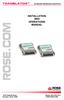 TRANSLATOR KEYBOARD AND MOUSE CONVERTER INSTALLATION AND OPERATIONS MANUAL 10707 Stancliff Road Phone: (281) 933-7673 Houston, Texas 77099 WWW.ROSE.COM . LIMITED WARRATY Rose Electronics warrants the Translator
www.iconnectivity.com
 www.iconnectivity.com USER GUIDE WARRANTY INFORMATION iconnectivity warrants to the original purchaser that this unit is free of defects in materials and workmanship under normal use and maintenance for
Old Company Name in Catalogs and Other Documents
 To our customers, Old Company Name in Catalogs and Other Documents On April 1 st, 2010, NEC Electronics Corporation merged with Renesas Technology Corporation, and Renesas Electronics Corporation took
Dual-Cool Notebook Cooler Pad. User s Manual
 Dual-Cool Notebook Cooler Pad Model #: CF4500U User s Manual Rev. 060801 User s Record: To provide quality customer service and technical support, it is suggested that you keep the following information
User s Guide OSXL-100-PE. Thermal Imaging Camera Enclosure. Shop online at omega.com SM
 User s Guide Shop online at omega.com SM e-mail: [email protected] For latest product manuals: www.omegamanual.info OSXL-100-PE Thermal Imaging Camera Enclosure Introduction Please read this manual completely
78 Battery Converter HDMI to SDI
 Battery Converter HDMI to SDI 78 Battery Converter HDMI to SDI Blackmagic Battery Converter HDMI to SDI 1 2 3 USB SDI OUT SDI OUT HDMI LOCK Battery Converter HDMI to SDI 1 2 3 HDMI ON BATT OFF 0 10 50
Owner s Guide Brugervejledning Bedienungsanleitung Guía de usuario Omistajan opas Notice d utilisation Felhasználói útmutató Manuale di istruzioni
 Owner s Guide Brugervejledning Bedienungsanleitung Guía de usuario Omistajan opas Notice d utilisation Felhasználói útmutató Manuale di istruzioni Gebruiksaanwijzing Podręcznik użytkownika Bruksanvisningen
About this Manual. Support for Your Product
 About this Manual We ve added this manual to the Agilent website in an effort to help you support your product. This manual is the best copy we could find; it may be incomplete or contain dated information.
Amplified High Speed Fiber Photodetectors
 Amplified High Speed Fiber Photodetectors User Guide (800)697-6782 [email protected] www.eotech.com Page 1 of 7 EOT AMPLIFIED HIGH SPEED FIBER PHOTODETECTOR USER S GUIDE Thank you for purchasing your Amplified
Intelli-Time Alarm Clock model 13027
 Instruction Manual Intelli-Time Alarm Clock model 13027 CONTENTS Unpacking Instructions... 2 Package Contents... 2 Product Registration... 2 Features & Benefits... 3 Clock Setup... 4 Intelli-Time Clock...
Model: Model: Description: Voltage: Amps: 15.3. Ice Type: Unit Weight:
 Model MIM452 Project Name: Location: Item: Qty: Modular Ice Maker FEATURE LIST MIM452 Description: Modular Ice Maker Voltage: 120V/60Hz/1Ph, 220V/50Hz/1Ph Amps: 15.3 Model MIM452 (Shown on bin, model MIB400,
Optical Wireless Mouse. User s Manual
 Optical Wireless Mouse Model : OM4000W User s Manual 110935-109154 Rev. 061101 User s Record: To provide quality customer service and technical support, it is suggested that you keep the following information
Usage, Installation, Warranty and Service Information
 T13C Table Updater for Seating Management U S E R M A N UA L Usage, Installation, Warranty and Service Information Long Range Systems, LLC 4550 Excel Parkway, Suite 200 Addison, TX 75001 800.437.4996 www.lrsus.com
Installation Guide for GigaBit Fiber Port Aggregator Tap with SFP Monitor Ports
 Installation Guide for GigaBit Fiber Port Aggregator Tap with SFP Monitor Ports (800-0037) Doc. PUBTPASXSFPU Rev., 07/08 Contents Introduction.... Key Features... Unpacking and Inspection....3 Product
QUICK INSTALLATION. 8-Port Telephony Gateway. Model: SPA8000
 QUICK INSTALLATION 8-Port Telephony Gateway Model: SPA8000 Table of Contents Connect................................................. 4 Regulatory Information....................................12 WEEE
Warranty Terms. QLogic-provided cables, optics and other accessories are warranted for ninety (90) days from date of purchase.
 Warranty Terms QLogic Corporation ("QLogic") provides the following warranties to the original purchaser of QLogic products from QLogic or, in the case of resale, to the initial end user customer (the
www.burntec.com User's Guide Integrating Sound Level Datalogger Model 407780
 User's Guide Integrating Sound Level Datalogger Model 407780 Introduction Congratulations on your purchase of the Extech 407780 Integrating Sound Level Meter. The 407780 with programmable integrating time
How To Use A Cdm250 Digital Multimeter
 User Manual CDM250 Digital Multimeter 070-6736-03 Copyright Tektronix, Inc. 1987. All rights reserved. Tektronix products are covered by U.S. and foreign patents, issued and pending. Information in this
TERMS AND CONDITIONS 1 CONTRACT INFORMATION
 SUMMARY These terms and conditions govern your purchase of SocketCare for the Covered Products and for the Contract Term as defined herein. SocketCare is a service program that provides for the repair
Universal Wireless Effects Controller USER S GUIDE SA115
 Universal Wireless Effects Controller USER S GUIDE SA115 Welcome Thank you for purchasing this Hot Hand 3 Universal Wireless Effects Controller. We hope that the new functionality of the Hot Hand 3 unit
DUAL%CHANNEL BROADBAND%LINEAR%AMPLIFIER Model&A800D
 ELECTRONICS AB DUAL%CHANNEL BROADBAND%LINEAR%AMPLIFIER Model&A800D & HIGH&VOLTAGE& FIXED&GAIN& BROADBAND & 800Vpp&60mA& 100x& DC&to&ca&200&kHz & LOW&OUTPUT&IMPEDANCE& HIGH&SLEW&RATE &
900 MHz Lightweight Wireless Stereo Headphones
 33-1165.fm Page 1 Tuesday, August 10, 1999 10:50 AM Cat. No. 33-1165 OWNER S MANUAL Please read before using this equipment. 900 MHz Lightweight Wireless Stereo Headphones 33-1165.fm Page 2 Tuesday, August
DTM04 TANK MONITOR DTM08 TANK MONITOR Dtm12 TANK MONITOR. Installation and Operation Manual
 DTM04 TANK MONITOR DTM08 TANK MONITOR Dtm12 TANK MONITOR Installation and Operation Manual 1 ENGLISH Safety Instructions 2 Features 2-3 Specifications 3 Installation 4-5 Wiring Diagrams 6-7 Warranty 8
Nest Learning Thermostat Installation Guide. Installation step-by-step
 Nest Learning Thermostat Installation Guide Installation step-by-step Contents Compatibility. 3 In the box. 4 Before you start. 5 Choose an installation method. 6 Replacing an existing wired thermostat.
Quick Installation Guide TK-209K TK-409K
 Quick Installation Guide TK-209K TK-409K Table of of Contents Contents English... 1. Before You Start... 2. How to Connect... 3. Operation... 1 1 2 4 Troubleshooting... 5 Version 09.07.2006 1. Before You
Installation Guide for. 10/100 to Triple-speed Port Aggregator. Model TPA-CU. 800-0045-001 Doc. PUBTPACUU Rev. 1, 12/08. In-Line
 Installation Guide for 10/100 to Triple-speed Port Aggregator Model TPA-CU In-Line 800-0045-001 Doc. PUBTPACUU Rev. 1, 12/08 Contents Introduction.....................................................
Take-2 by Nel-Tech Labs, Inc. Installation & User Manual
 Take-2 by Nel-Tech Labs, Inc. Installation & User Manual Index: Introduction... 3 Take-2 Layout Summary... Installation... 4 5-6 Warranty & FCC... 7 Introduction: The Take-2 is a state-of-the-art message-on-hold
Owner s Instruction Manual. 2500/2554 Telephones Message Waiting
 Owner s Instruction Manual 2500/2554 Telephones Message Waiting THANK YOU FOR PURCHASING THIS TELEPHONE We want you to know all about your new telephone, how to install it, the features it provides, and
SEE2 UV150 QUICK INSTALL GUIDE
 technologies SEE2 UV150 QUICK INSTALL GUIDE Easily Add A Display To Your Computer External VGA Video Card Windows Compatible Mac OS X Compatible Windows Compatible USB Mac 2.0 OS X Compatible Three Year
AT&T. PARTNER Plus Door Phone. Installation and Operation Manual
 AT&T PARTNER Plus Door Phone Installation and Operation Manual Copyright 1990 AT&T All Rights Reserved Printed in U.S.A. CIC# 999-500-317 OII722050-051 Issue 1 October 1990 PARTNER Plus Door Phone is a
TC Electronic Extended Warranty Policy
 TC Electronic Extended Warranty Policy Revision: February 27 th, 2013 OVERVIEW TC Electronic s standard New Product Limited Warranty covers hardware and provides Software maintenance (as described below)
User Guide Nokia Portable Wireless Charging Plate DC-50
 User Guide Nokia Portable Wireless Charging Plate DC-50 Issue 1.1 EN User Guide Nokia Portable Wireless Charging Plate DC-50 Contents For your safety 3 About your accessory 4 Keys and parts 5 Top up your
Testing PCI/ISA & PCMCIA Serial Cards
 Serial Communications Testing PCI/ISA & PCMCIA Serial Cards Instructions on How to Use HyperTerminal to Test Serial Cards USER S MANUAL VER. 1.0 SEP 2001 No part of this manual may be reproduced without
Warranties All Products. Revised: 8/1/15 7 Pages
 Warranties All Products Revised: 8/1/15 7 Pages GENERAL DISCLAIMER In addition to all claims listed on each of the following individual WARRANTY pages, the following GENERAL DISCLAIMERS apply. 1. The purchaser
TWO/FIFTY/TWO STEREO POWER AMPLIFIER
 TWO/FIFTY/TWO STEREO POWER AMPLIFIER MODEL G-2502-S OWNERS MANUAL FRONT PANEL LEFT TO RIGHT 1. VOLUME - Level control for Channel A. 2. LEVEL - Push button switch for controlling input signal level; Out
Qualstar Technical Support
 Qualstar Technical Support Effective January 1, 2015 Qualstar Announces New Three Tiered Service Program. Below are the key features of each support package available in Qualstar s three tiered service
i410/i1010 AC/DC Current Clamp
 /i1010 AC/DC Current Clamp Instruction Sheet Safety Information XW Read First: Safety Information To ensure safe operation and service of the current clamp, follow these instructions: Read all operating
Instructions & Safety Information Models A220-20D and A220-20L Version 2
 Quick 220 Voltage Converting Power Supply Instructions & Safety Information Models A220-20D and A220-20L Version 2 Quick 220 Systems LLC PO Box 47489 Phoenix, Arizona 85068-7489 800-347-0394 602-938-6057
ATS Overhead Table Shelf System INSTRUCTION MANUAL
 ATS Overhead Table Shelf System INSTRUCTION MANUAL ATS Overhead Table Shelf System Instruction Manual Warranty Newport Corporation warrants this product to be free of defects in material and workmanship
Automatic Phone-Out Home Monitoring Systems
 Automatic Phone-Out Home Monitoring Systems Power Outage and Freeze Alarm Model Number: THP202 Power Outage, Freeze and Flood Alarm Product Description Model Number: THP201 These monitoring systems are
Support. Phone Number. Technical. Security. On-Site Repair. Peace of Mind. EPSON PreferredSM. Priority. Toll-Free. and
 EPSON PreferredSM Limited Warranty Program for the EPSON SureLab D3000 System Priority Technical Support Toll-Free Phone Number Security and Peace of Mind On-Site Repair Please open this booklet and record
Owner s Manual & Safety Instructions
 Owner s Manual & Safety Instructions Save This Manual Keep this manual for the safety warnings and precautions, assembly, operating, inspection, maintenance and cleaning procedures. Write the product s
4 Port Hub User Manual
 P73153/F5U101/US/man.qxd 1/7/00 5:16 PM Page 1 4 Port Hub User Manual P73153 F5U101 P73153/F5U101/US/man.qxd 1/7/00 5:16 PM Page 2 P73153/F5U101/US/man.qxd 1/7/00 5:16 PM Page 1 Introduction Please read
About Your NetBotz 4-20mA Sensor Pod
 Thank you for purchasing this NetBotz 4-20mA Sensor Pod. Each 4-20mA Sensor Pod enables you to connect up to four 4-20mA sensors to your NetBotz 420 or NetBotz 500 appliance. Hundreds of 4-20mA sensors
2-3 SAS/SATA II HDD Canister USER S MANUAL XC-23D1-SA10-0-R. Document number: MAN-00076-A
 2-3 SAS/SATA II HDD Canister XC-23D1-SA10-0-R USER S MANUAL Document number: MAN-00076-A ii Preface Important Information Warranty Our product is warranted against defects in materials and workmanship
Operator s Manual. Pressure Injection Cell Model PC8500. Congratulations! Contents
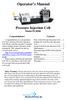 Operator s Manual Pressure Injection Cell Model PC8500 Congratulations! Congratulations on your purchase of a Next Advance Pressure Injection Cell. Please read this operator s manual which explains proper
ECLIPSE MX. Motorized Fader Control Surface. Users Manual
 ECLIPSE MX Motorized Fader Control Surface Users Manual Eclipse MX is a trademark of JLCooper Electronics. All other brand names are the property of their respective owners. Eclipse MX User s Manual, First
Say Hello to Your Precision Cooker
 Say Hello to Your Precision Cooker B A C D E Current Temperature WI-FI Set Temperature Start/Stop Numeric Scroll Wheel Removable Skirt Adjustable Ring Clamp Water Pump Cap F G H Setting up Your Precision
Powerware Relay-Serial Card User s Guide
 Powerware Relay-Serial Card User s Guide Special Symbols The following are examples of symbols used on the UPS and accessories to alert you to important information: This symbol indicates that you should
User Guide. HDMI Active Cable Extender. DVI-7370c
 User Guide HDMI Active Cable Extender DVI-7370c TABLE OF CONTENTS SECTION PAGE PRODUCT SAFETY...1 PRODUCT LIABILITY...1 1.0 INTRODUCTION...2 2.0 SPECIFICATIONS...3 3.0 PACKAGE CONTENTS...4 4.0 CONNECTING
 MEDION LIMITED WARRANTY Medion warrants that the product accompanied by this limited warranty is free from manufacturing defects in material or workmanship for a period of 12 months from the date of original
NFC Communication Tray Model: HHX-IT3-Z
 INSTRUCTION MANUAL NFC Communication Tray Model: HHX-IT3-Z ENGLISH CONTENTS Introduction...3 Important safety information...4 Know your unit...6 Transferring data to the PC...7 Care and maintenance...8
Phonak AG Laubisrütistrasse 28 CH-8712 Stäfa Switzerland www.audeoworld.com. User Guide
 Phonak AG Laubisrütistrasse 28 CH-8712 Stäfa Switzerland www.audeoworld.com 029-3078-02/V1.00/2008-12 Phonak AG All rights reserved User Guide Thank you for choosing the Audéo Perfect Fit Earphones from
The table below lists the symbols used on the Clamp and/or in this manual. Important Information. See manual.
 i800 AC Current Clamp Instruction Sheet Introduction The i800 AC Current Clamp, the Clamp, has been designed for use with multimeters, recorders, power analyzers, safety testers, etc., for accurate non-intrusive
Ceiling Mount Air Handler Manual
 www.surna.com 303.993.5271 Ceiling Mount Air Handler Manual Models: CMAH12, CMAH18, CMAH24, CMAH30, CMAH36, CMAH48, CMAH60 Revised: September 2014 Table of Contents Warranty Information 4 Limited Warranty
PowerStar Mini Triple Play TM
 PowerStar Mini Triple Play TM High Capacity, Quiet Power Distribution for Bag & Small Cart Use Three (3) Power Inputs, each with Up to 5 Amp Capacity Nine (9) Main Power Outputs, One always on 10 Amps
aseries A13B Mini Bullet Camera User Manual
 aseries A13B Mini Bullet Camera User Manual Thank you for purchasing our product. If there are any questions, or requests, please do not hesitate to contact the dealer. This manual applies to the MicroView
7 High-Resolution Digital Photo Frame
 TM 16-1003 User s Guide 7 High-Resolution Digital Photo Frame One demo photo included, as illustrated Please read this user s guide before using your new photo frame. Package contents Photo Frame AC Adapter
Universal Vehicle Power Supply 9007AX01. Installation Instructions
 Universal Vehicle Power Supply 9007AX01 Installation Instructions Disclaimer Honeywell International Inc. ( HII ) reserves the right to make changes in specifications and other information contained in
User and Installation Guide
 Connect the AC adapter with the amplifier BEFORE plugging the AC adapter into an outlet to avoid spark generation! User and Installation Guide BlueFIDELITYTM Bluetooth Audio Amplifier Model 300 Contents
Vari-Mix Aliquot Mixer Type 48700
 Vari-Mix Aliquot Mixer Type 48700 Operation Manual and Parts List Model M48725 M48720-33 M48720-33CN Voltage 120 220-240 220-240 LT1108X1 3/30/10 Table of Contents Safety Information...3 Alert Signals...3
Park 250 Brushless Outrunner Instructions
 Park 250 Brushless Outrunner Instructions Thank you for purchasing the E-flite Park 250 Brushless Outrunner motor. This motor is ideal for 3D models 4-6 oz (115-170g), and sport and scale models 6-12 oz
Congratulations! Thank you!
 TM-47 ORDERCODE D1370 Congratulations! You have bought a great, innovative product from DAP Audio. The DAP Audio Microphone range brings excitement to any venue. Whether you want simple plug-&-play action
Nokia Bluetooth Headset BH-100 9255557/1
 Nokia Bluetooth Headset BH-100 6 7 9 8 10 9255557/1 DECLARATION OF CONFORMITY Hereby, NOKIA CORPORATION declares that this HS-78W product is in compliance with the essential requirements and other relevant
Installation Guide for Gig Zero Delay Tap and 10/100/1000BaseT Tap
 Installation Guide for Gig Zero Delay Tap and 10/100/1000BaseT Tap 800-0150-001 Rev. F PUBTPCU3ZDU 8/10 Gig Zero Delay Tap PLEASE READ THESE LEGAL NOTICES CAREFULLY. By using a Net Optics Tap you agree
 Declaration of Conformity EMC Directive 89/336/EEC Manufacturer s Name: Manufacturer s Address: Moore Industries-International, Inc. 16650 Schoenborn Street North Hills, CA 91343-6196 USA Declares that
Nokia Bluetooth Headset BH-211 9204665/2
 Nokia Bluetooth Headset BH-211 1 2 5 4 7 8 3 6 11 9 10 9204665/2 DECLARATION OF CONFORMITY Hereby, NOKIA CORPORATION declares that this HS-99W product is in compliance with the essential requirements and
user s manual Battery Case model #: SPB3200 Battery Case Charger for Samsung Galaxy S 4
 user s manual model #: SPB3200 Charger for Samsung Galaxy S 4 What s Included Unpack the battery case and make sure all accessories are put aside so they will not be lost. hello. USB to Micro USB Cable
Conference Phone UserÕs Manual. Part No. 54-2070-01R1 Printed in Korea. 2002 Bogen Communications, Inc.
 Part No. 54-2070-01R1 Printed in Korea. 2002 Bogen Communications, Inc. UserÕs Manual Notice Every effort was made to ensure that the information in this guide was complete and accurate at the time of
Electric Fryers Instruction Manual Models: 8047D, 8048D, 8049D, 8050D, 8051D 8066, 8068, 8068FL, 8073, 8073BF and 8075
 Part No. 89047 Electric Fryers Instruction Manual Models: 8047D, 8048D, 8049D, 8050D, 8051D 8066, 8068, 8068FL, 8073, 8073BF and 8075 Cincinnati, OH 45241-4807 USA ELECTRIC FRYER SAFETY PRECAUTIONS Installation
OWNER S GUIDE OWNER S GUIDE
 OWNER S GUIDE A L L D I G I T A L A N D R O I D S M A R T P H O N E Owner s Guide Please read this guide before operating your phone, and keep it for future reference. Important Customer Information Intellectual
Nokia Bluetooth Headset BH-200 User Guide
 Nokia Bluetooth Headset BH-200 User Guide 1 9246085 Issue 2 DECLARATION OF CONFORMITY We, NOKIA CORPORATION declare under our sole responsibility that the product HS-58W is in conformity with the provisions
Use & Care. of your Iron. All about the TA B L E O F C O N T E N T S. USA and Canada 1-888-845-7330
 All about the Use & Care of your Iron Important Safeguards... 2 Iron Safety Instructions... 3 Parts and Features...4 TA B L E O F C O N T E N T S Using Your Iron...6 Cleaning and Maintenance... 8 Warranty...9
Unpacking, Installation, and Customization
 Unpacking, Installation, and Customization NetShelter WX Enclosure AR100 AR100HD Contents Unpacking... 1 How to Unpack the Enclosure............................... 1 Please Recycle..........................................
Soil Sensor Reader PRODUCT MANUAL
 Soil Sensor Reader PRODUCT MANUAL Item # 6466 CONTENTS Basic Operation 3 Power Up/Down 3 Sensor Reader Modes 3 Taking Readings 5 Connecting Sensors 5 Calibrating The EC Sensor 6 Changing the Battery 7
User's Guide. Digital Viscotesters. Model 345060 High Range (0.3 to 4000 dpas) Model 345055 Low Range (1.5 to 330 mpas) Introduction
 User's Guide Digital Viscotesters Model 345060 High Range (0.3 to 4000 dpas) Model 345055 Low Range (1.5 to 330 mpas) Introduction Congratulations on your purchase of the Extech Digital Viscotester. The
MACTek Corporation. USB HART Interface. Users Manual
 MACTek Corporation USB HART Interface DM01003100AA February, 2003 LIMITED WARRANTY VIATOR Interface for HART MACTek Corporation warrants this Interface and all of its component against defects in materials
Installation Guide Smart-UPS X External Battery Pack SMX120BP
 Installation Guide Smart-UPS X External Battery Pack SMX120BP Inventory Inspect the contents upon receipt. Notify the carrier and dealer if there is damage. Two bezels Tie brackets used to secure multiple
Portable Bluetooth Speaker. Quick Start Guide. Model: BTS201
 Portable Bluetooth Speaker Quick Start Guide Model: BTS201 Disclaimer All the information, design and specifications contained in this manual were correct at the time of publication. However, as the product
FOR THE FOLLOWING MODELS: EE-8075W EE-8075O EE-8075R EE-8075BK
 FIREPLACE HEATER FOR THE FOLLOWING MODELS: EE-8075W EE-8075O EE-8075R EE-8075BK If you have any questions about the operation of your fireplace heater, please contact Crane Customer Care. Toll Free: 888-599-0992
Instructions. Complete RPS 2900 Pump Kit for RoadLazer RoadPak Line Striping System 3A1304A ENG. Pressure Relief Procedure.
 Instructions Complete RPS 2900 Pump Kit for RoadLazer RoadPak Line Striping System 3A1304A ENG Model 24G766 Important Safety Instructions For complete warnings and safety instructions see RoadLazer RoadPak
DVI to Analog Converter
 DVI to Analog Converter Quick Installation Guide 10707 Stancliff Road Phone: (281) 933-7673 Houston, Texas 77099 WWW.ROSE.COM LIMITED WARRANTY Rose Electronics warrants the DVI to VGA converter to be