
User s Manual. LS Programmable Logic Controller. PID Control modules G3F PIDB G4F PIDB
|
|
|
- Darleen O’Neal’
- 10 years ago
- Views:
Transcription
1 User s Manual LS Programmable Logic Controller PID Control modules G3F PIDB G4F PIDB

2 CONTENTS Chapter 1. INTRODUCTION 1.1 Features 1-1 Chapter 2. SPECIFICATIONS 2.1 General specifications Performance specifications Names of parts and functions PID control action Processing type 2-5 1) Velocity type processing 2-5 2) Measured value derivative type (Pre-derivative type) Control actions 2-6 1) Proportional action (P action) 2-6 2) Integral action (I action) 2-8 3) Derivative action (D action) ) PID action ) PID processing expression ) Forward/Reverse actions Auto-tuning ) Auto-tuning block diagram ) Sequence of auto-tuning Set value (SV) ramp function PWM control output ON/OFF control Manipulated value upper/lower limit function MV value output limit function Output upper/lower limit function Change from manual control mode to PID control mode 2-18

3 Chapter 3. INSTALLATION 3.1 Installation ambience Handling precautions 3-1 Chapter 4. FUNCTION BLOCKS 4.1 Insertion of the function blocks for PID control module on the GMWIN Function Blocks used in PID control module Module Initialization for array type(pidbaini) Module Initialization for single type(pidbini) Controlling calculation for array type( PIDBACAL) Controlling calculation for single type( PIDBCAL) Auto tuning for array type( PIDBAAT) Auto tuning for single type( PIDBAT) Errors on function block 4-8 Chapter 5. GM PROGRAMMING 5.1 Program example using G3F-AD4B module Program using the auto tuning function(tc module used) Program using PWM 5-10

4 Chapter 6. BUFFER MEMORY CONFIGURATION AND FUNCTIONS 6.1 Buffer memory configuration G3F-PIDB buffer memory G4F-PIDB buffer memory Fuctions of buffer memory Specifying loop enable/disable(g3f-pidb : Addresses 0, 1 G4F-PIDB : Address 0) Specifying Forward/Reverse Action (G3F-PIDB : Addresses 34,35 G4F-PIDB : Address 17) Specifying output enable/disable(g3f-pidb : Addresses 292,293 G4F-PIDB : Address 146)) Specifying set data enable/disable (G3F-PIDB : Addresses 422,423 G4F-PIDB : Address 211) Specifying ON/OFF action (G3F-PIDB : Addresses 424,425 G4F-PIDB : Address 212) Auto tuning operation enable/disable (G3F-PIDB : Addresses 426,427 G4F-PIDB : Address 213) Specifying auto/manual operation enable/disable(g3f-pidb : Addresses 460,461, G4F-PIDB : Address 230) Auto tuning complete (G3F-PIDB : Addresses 622,623, G4F-PIDB : Address 311) Status Information(G3F-PIDB : Addresses 720,721, G4F-PIDB : Address 360) Setting PID control data Alarm Information(G3F-PIDB : Addresses 722~753, G4F-PIDB : Address 361~376) Setting error Information(G3F-PIDB : Addresses 754~785, G4F-PIDB : Address 377~392) 6-10 Chapter 7. DEDICATED INSTRUCTIONS FOR SPECIAL MODULES 7.1 Read from buffer memory GET, GETP Write to buffer memory PUT, PUTP 7-2 Chapter 8. PROGRAMMING 8.1 Basic programming G3F-PIDB G4F-PIDB Application programming Program example using G3F-AD4B module Program using the auto tuning function (TC module used) Program using PWM 8-9

5 Chapter 9. TROUBLESHOOTING 9.1 Errors indicated by RUN LED flickering Troubleshooting procedure RUN LED flickering RUN LED off Unreadable processing result of PID control module Run LED of enabled loops off PID control module hardware defect 9-2 Chapter 10. DIMENSIONS 10.1 G3F-PIDB dimensions G4F-PIDB dimensions 10-2

6 SAFETY PRECAUTIONS Be sure to read carefully the safety precautions given in data sheet and user s manual before operating the module and follow them. The precautions explained here only apply to the G3F-PIDB and G4F-PIDB. For safety precautions on the PLC system, see the GLOFA GM3/4 User s Manuals. A precaution is given with a hazard alert triangular symbol to call your attention, and precautions are represented as follows according to the degree of hazard.! WARNING If not provided with proper prevention, it can cause death or fatal injury or considerable loss of property.! CAUTION If not properly observed, it can cause a hazard situation to result in severe or slight injury or a loss of property. However, a precaution followed with! CAUTION can also result in serious conditions. Both of two symbols indicate that an important content is mentioned, therefore, be sure to observe it. Keep this manual handy for your quick reference in necessary.

7 Installation Precautions! CAUTION Operate the PLC in the environment conditions given in the general specifications. If operated in other environment not specified in the general specifications, it can cause an electric shock, a fire, malfunction or damage or degradation of the module Make sure the module fixing projections is inserted into the module fixing hole and fixed. Improper installation of the module can cause malfunction, disorder or falling. Test Run and Maintenance Precautions! CAUTION Do not separate the module from the printed circuit board(pcb), or do not remodel the module. They can cause disorder, malfunction, damage of the module or a fire. When mounting or dismounting the module, perform them after the power has been turned off. Do not perform works while the power is applied, which can cause disorder or malfunction. Waste Disposal Precautions! CAUTION When disposing the module, do it as an industrial waste.

8 Chapter 1. INTRODUCTION Chapter 1. INTRODUCTION These two modules are called G3F-PIDB and G4F-PIDB. The G3F-PIDB is used with the CPU of GLOFA PLC GM1.2.3 series and MASTER-K 1000S series, The G4F-PIDB is used with the CPU of GM4 series and MASTER-K 300S series. Hereafter, the two modules will be commonly called the PID control module. PID control means a control action that in order to keep the object at a value set beforehand (SV), it compares the SV with a sensor-measured value (PV) and when a difference between them is detected the controller makes PV come to be SV by adjusting output to eliminate the difference. The PID control is composed of combinations of Proportional (P), Integral (I) and Derivative (D) actions. When a difference between SV and PV occurs, proportional, integral, differential quantities are calculated upon that difference and a MV(Manipulated Value) is output. 1.1 Features The features of the PID control module are as follows. 1) One module can control various processes separately and at the same time. 2) Forward/reverse action selection is available. 3) Manually manipulated out (forced to be output by the user), not operation processing output, is available. 4) The number of modules available on one base unit is unlimited. 5) auto-tuning function finds the value of P,I,D constant automatically 1-1

9 Chapter 2. SPECIFICATIONS Chapter 2. SPECIFICATIONS 2.1 General Specifications Table 2.1 shows the general specifications of GLOFA GM series and MASTER-K series. No Items Specifications Standard Operating ambient temperature Storage ambient temperature Operating ambient humidity Storage ambient humidity 5 Vibration 6 Shocks 7 Noise immunity 0 ~ ~ 75 5 ~ 95%RH, non-condensing 5 ~ 95%RH, non-condensing Occasional vibration Frequency Acceleration Amplitude Sweep count 10 f 57 Hz mm 57 f 150 Hz 9.8m s2 {1G} - 10 times in each Continuous vibration direction for Frequency Acceleration Amplitude X, Y, Z 10 f 57 Hz mm 57 f 150 Hz 4.9m s2 {0.5G} - *Maximum shock acceleration: 147 m s2 {15G} *Duration time :11 ms *Pulse wave: half sine wave pulse( 3 times in each of X, Y and Z directions ) Square wave impulse noise Electrostatic discharge Radiated electromagnetic field Fast transient burst noise Severity Level ±1,500 V Voltage :4kV(contact discharge) 27 ~ 500 MHz, 10 V/m All power modules Digital I/Os ( Ue 24 V) Digital I/Os (Ue < 24 V) Analog I/Os communication I/Os Voltage 2 kv 1 kv 0.25 kv 8 Operating atmosphere Free from corrosive gases and excessive dust 9 Altitude for use Up to 2,000m 10 Pollution degree 2 or lower 11 Cooling method Self-cooling IEC IEC LGIS Standard IEC IEC IEC IEC IEC IEC [Table 2.1 ] General specifications REMARK 1) IEC(International Electrotechnical Commission) : The international civilian organization which produces standards for electrical and electronics industry. 2) Pollution degree : It indicates a standard of operating ambient pollution level. The pollution degree 2 means the condition in which normally, only non-conductive pollution occurs. Occasionally, however, a temporary conductivity caused by condensation shall be expected. 2-1

10 Chapter 2. SPECIFICATIONS 2.2 Performance Specifications Table. 2.2 shows performance specifications of the high speed PID control module. Specification Item G3F-PIDB G4F-PIDB 입출력 점유점수 16 Points 0.01 ~ [%] Proportional constant (P) (When the integral and derivative constants are set to 0.0 sec, the proportional action is applied.) Setting range of 0.0 ~ sec PID constants Integral constant (I) (When the integral constant is set to 0.0 sec, the integral action is not applied.) 0.0 ~ sec Derivative constant (D) (When the derivative constant is set to 0.0 sec, the derivative action is not applied.) Setting range: SV (Set Value) 0 ~ 16,000 Input range: PV (Process Value) 0 ~ 16,000 Output range: MV (Manipulated Value) 0 ~ 16,000 Setting range: M_MV (Manually Manipulated value) 0 ~ 16,000 Number of PID control loops Control action PID Control (Auto-tuning function) ON/OFF Control Manual output Control cycle 0.01~99.99 sec Control type Measured value derivative type (Pre-derivative type) Type Open Collector (Sink type) Output LED 표시 Points Output control cycle Rated load voltage Voltage range Maximum load current Response time Common type Minimum pulse output RUN / STOP 1 ~ 100 sec DC12/24V DC10.2~26.4V 0.1A/1 point, 1.5A/1 COM 2 ms 16point/1COM 1 ms(1/1000:1 ms unit output) stop : RUN LED Off Run : Run LED RUN LED On Output display RUN LED flickering Auto- tuning : RUN LED On Run or Output display are selecting by switch on product Normal: RUN LED ON NORMAL/ERROR Error: RUN LED flickering Internal current consumption 0.7 A 0.6 A Weight 510 g 300 g [Table 2.2 ] Performance specifications 2-2

11 Chapter 2. SPECIFICATIONS 2.3 Names of Parts and Functions Following gives names of parts 1)G3F-PIDB 1 RUN 2 LOOP STATE DISPLAY OUTPUT STATE DISPLAY 3 No Descriptions Loop Run LED It shows the PID control module run status. ON : The corresponding loop is running OFF : The corresponding loop is stopping RUN LED It shows the PID module Operating status.. ON: Normal, Running the Auto-tuning Flickering : Error,LED display switch is selecting output state LED display switch Loop State Display : Display Loop Running state Output State Display : Display TR Output(PWM Output) 2-3

12 Chapter 2. SPECIFICATIONS 2)G4F-PIDB No Descriptions Loop Run LED It shows the PID control module run status. ON : The corresponding loop is running OFF : The corresponding loop is stopping RUN LED It shows the PID module Operating status.. ON: Normal, Running the Auto-tuning Flickering : Error,LED display switch is selecting output state LED display switch Loop State Display : Display Loop Running state Output State Display : Display TR Output(PWM Output) 2-4

13 Chapter 2. SPECIFICATIONS 2.4 PID Control Action Processing type 1) Velocity type Velocity type is a processing that in PID processing, the process Manipulated Value(MV) is obtained by adding the calculated variation of MV (ΔMV) to the previous MV MVn = MVn-1 + Δ MVn MVn : Present Manipulated Value MVn-1 : Previous Manipulated Value Δ MVn : Variation of the Previous Manipulated Value 2) Measured Value Derivative Type (Pre-derivative) Measured value derivative processing, in PID processing, uses the process value(pv) for the derivative term. Generally, PID processing, when a deviation occurs, operates toward the direction in which the deviation will be reduced. The deviation occurs due to alteration of set value(sv) or outside disturbances. Therefore, if the deviation is used in the derivative processing, the output of the derivative term changes rapidly when the deviation occur due to alteration of set value (SV). So, to prevent raid changes like that, this processing uses the process value(pv) for the derivative term. MVn MVn-1 MVn = MVn-1 + Kp 5 (En En-1) + Kp5S/KI 5En + Kp5Kd/S5(2PVn PVn-1 PVn-2) : Manipulated Value : Previous Manipulated Value Δ MVn : Variation of the Previous Manipulated Value En : present Deviation En-1 : Previous Deviation Kp : Proportional Constant Ki : Integral Constant Kd : Derivative Constant S : Control Cycle (100ms) PVn : present Process Value PVn-1 : One-step previous Process Value PVn-2 : Two-step previous Process Value 2-5

14 Chapter 2. SPECIFICATIONS Control Action 1) Proportional Action (P Action) (1) P action means a control action that obtains a MV which is proportional to the deviation (E: the difference between SV and PV). (2) The expression which denotes the change relationship of E to MV in P action is shown as follows: MV = Kp E where Kp is a proportional constant and means gain. (3) When deviation occurs, the MV by P action is shown in Fig [Fig. 2.1] MV with the proportional action (4) As shown in Fig. 2.1, the larger the proportional constant Kp the larger the MV, that is, the stronger the P action when the deviation(e) is same. Also, the smaller the Kp the smaller the MV after P action. (5) If the Kp is too large, PV reaches SV swiftly but can make bad effects like oscillations shown in Fig. 2.3 and cause damage in control stability. (6) If the Kp is too small, oscillations do not occur but the velocity with which PV reaches SV slows down and offset can happen as shown in Fig (7) Manipulated Value varies within 0 to 16,

15 Chapter 2. SPECIFICATIONS (8) P action MV Output graph for forward action MV 100% 50% 0% SV PV [Fig. 2.2] P Action MV output graph [Fig. 2.3] When the proportional constant Kp is large. [Fig. 2.4] When the proportional constant Kp is small. 2-7

16 Chapter 2. SPECIFICATIONS 2) Integral Action (I Aaction) (1) When a deviation(e) occurs between SV and PV, Integral action continuously adds the deviation to or subtracts it from the MV in accordance time in order to eliminate the deviation When a deviation is small it is not expected that the MV will be changed by P action but I action will eliminate it. Therefore, the offset which occurs in P action can be eliminated by I action. (2) The period of the time from when the deviation has occurred in I action to when the MV of I action become that of P action is called Integration time and represented as Ki. (3) Integral action when a given deviation has occurred is shown as the following Fig MV MV of P action [Fig. 2.5] Integral action at a constant deviation (4) Expression of Integral Action is as follows: As shown in the expression, Integral action can be made stronger or weaker by adjusting integration time (Ki) in I action. That is, the more the integration time (the longer the integration time) as shown in Fig. 2.6, the lesser the quantity added to or subtracted from the MV and the longer the time needed for the PV to reach the SV. As shown in Fig. 2.7, when the integration time given is short the PV will approach the SV in short time since the quantity added or subtracted become increased. But, If the integration time is too short then oscillations occurs, therefore, the proper P.I value is requested. (5) Integral action is used in either PI action in which P action combines with I action or PID action in which P and D actions combine with I action. 2-8

17 Chapter 2. SPECIFICATIONS Set Value [Fig. 2.5] When a long integration time is given. [Fig. 2.6] When a short integration time is given. 2-9
![5] When a long integration time is](/docs-images/42/9177585/images/page_17.jpg "given. [Fig. 2.")
18 Chapter 2. SPECIFICATIONS 3) Derivative Action (D Action) (1) When a deviation occurs due to alteration of SV or external disturbances, D action restrains the changes of the deviation by producing MV which is proportioned with the change velocity (a velocity whose deviation changes at every constant interval) in order to eliminate the deviation. 4D action gives quick response to control action and has an effect to reduce swiftly the deviation by applying a large control action (in the direction that the deviation will be eliminated) at the earlier time that the deviation occurs. 4D action can prevent the large changes of control object due to external conditions. (2) The period of time from when the deviation has occurred to when the MV of D action become the MV of P action is called derivative time and represented as Kd. (3) The D action when a given deviation occurred is shown as Fig. 2.8 [Fig. 2.8] Derivative action at a constant deviation (4) The expression of D action is represented as follows: 4In this expression, an output proportional with the variation rate of deviation is added to P action quantity. 4If the derivative time is increased then P action is strengthened. 4D action is applied when a change of deviation occurs and the deviation at normal state become 0. D action, therefore, do not reduce offset. (5) D action is used in either PD action in which P action combines with D action or PID action in which P and I actions combine with D action. 2-10

19 Chapter 2. SPECIFICATIONS 4) PID Action (1) PID action controls the control object with the manipulation quantity produced by (P+I+D) action. (2) PID action when a given deviation has occurred is shown as the following Fig. 2.9 [Fig. 2.9] PID action at a constant deviation 5) PID Processing Expression PID expressions are of measured value derivative type. Expressions MVn MVn-1 En = SV PVn MVn = MVn-1 + Kp (En En-1) + Kp S/Ki En + Kp Kd/S (2PVn-1 PVn PVn-2) En En-1 Kp Ki Kd S PVn PVn-1 PVn-2 Parameters names : Present Manipulated Value : One-step-previous Manipulated Value : Process deviation : Previous deviation : Proportional constant : Integral constant : Derivative constant : Control cycle (100 ms) : Process value : One-step-previous Process Value : Two-step-previous Process value 2-11
![9 [Fig. 2.9] PID action at a constant deviation 5) PID Processing Expression PID expressions are of measured value derivative type.](/docs-images/42/9177585/images/page_19.jpg "Expressions MVn MVn-1 En = SV PVn MVn = MVn-1 + Kp (En En-1) + Kp S/Ki En + Kp Kd/S (2PVn-1 PVn PVn-2) En En-1 Kp Ki Kd S PVn PVn-1 PVn-2 Parameters names : Present Manipulated Value :")
20 Chapter 2. SPECIFICATIONS 6) Forward/Reverse Actions (1) PID control has two kinds of action, forward action and reverse action. a) Forward action makes PV reach SV by outputting MV when PV is less than SV. b) Reverse action makes PV reach SV by outputting MV when PV is more than SV. (2) A diagram in which forward and reverse actions are drawn using MV, PV and SV is shown as Fig Forward action Reverse action [Fig. 2.10] Forward and reverse action with MV, PV and SV (3) Fig 2.11 shows examples of process control by forward and reverse actions, respectively. [Fig. 2.11] Examples of process control by forward and reverse actions 2-12
![(2) A diagram in which forward and reverse actions are drawn using MV, PV and SV is shown as Fig. 2.10 Forward action Reverse action [Fig. 2.10] Forward and reverse action with MV, PV and SV (3) Fig 2.](/docs-images/42/9177585/images/page_20.jpg "11 shows examples of process control by forward and reverse actions, respectively. [Fig. 2.11] Examples of process control by forward and reverse actions 2-12")
21 Chapter 2. SPECIFICATIONS 2.5 Auto-tuning Auto-Tuning block Diagram Appropriate P, I, D constant shall be set to perform optimal control when PID control is applied. The function to find these parameters automatically is called Auto-Tuning. If Auto-Tuning command starts, PID control module stops PID calculation and moves to start Auto-Tuning. SV + PV - e PID Control Tuning MV Control Objects [Fig 2.12] Auto-Tuning block diagram Sequence of Auto-Tuning Relay control method is applied to Auto-Tuning in PID module, which finds and selects P, I, D constant value of itself while watching the transition of the object to control using relay output. (1) Forward action (if PV<SV) PV(Process value) sv Tuning set value high limit Tuning set value low limit MV(Manipulate value) 100% 0% Time Stage1 Auto-Tuning time(two cycles) Stage2 PID Control Stage3 [Fig1.13] Auto-Tuning Algorithm for Forward action 2-13
22 Chapter 2. SPECIFICATIONS 2) Reverse action (if PV<SV) PV(Process value) SV Tuning set value high limit Tuning set value low limit MV(Manipulate value) 100% 0% Time Stage1 Auto-Tuning time(two cycles) Stage2 PID Control Stage3 [Fig1.14] Auto-Tuning Algorithm for Reverse action Stage 1) Distinction of forward/reverse By comparison between Process value(pv) and Tuning setting value(set value:sv) Forward : if the process value is lower than the tuning setting value Reverse : if the process value is higher than the tuning setting value Stage 2) Auto-tuning operation Forward : Manipulated value is repeatedly output 2 cycles in order of min.(0% : 0) to max.(100% : 16000). Reverse : Manipulated value is repeatedly output 2 cycles in order of max.(100% : 16000) to min.(0% : 0). If auto-tuning operation is complete as repeated as above, output variable END of auto-tuning value Read function block( PIDBAAT, PIDBAT) changes 0 1. Thus, when output variable END of auto-tuning value Read function block changes 0 1 in program, P, I, D constant value shall be moved to input variable P, I, D of module initializing function block ( PIDBAINI, PIDBINI) Stage 3) PID calculation 2-14
23 Chapter 2. SPECIFICATIONS 2.6 Set Value(SV) Ramp function (Set value inclination function) Manipulated value changes by the change of difference the present value to the Manipulated value or by the change of Manipulated value if PID control is used. Thus, sudden change of the set value leads to sudden change of the manipulated value causing damage on the control object. Staged increasing or decreasing function of set value (SV) is the set value-ramp function to prevent set value setting from suddenly changed when modified. Set value-ramp function setting time : 0 65,535(Unit:sec) Related function block: PIDBINI Modified set value Sudden change Set value Set value changed by set value-ramp function Setting time Time [Fig1.15] Set value ramp function For example, SV_UP value of PIDBINI function block are setting 100 sec, Display value is change from 1000 to SV value graph for Initial SV SV SV value is increasing every control cycle and then after 100sec. SV value is reached Time(sec) SV ramp function start point [Fig1.16] SV output graph for set value ramp function 2-15
24 Chapter 2. SPECIFICATIONS 2.7 PWM control output PID Module has Tr output for PWM in every loop. Tr output drives SSR for PWM(ON/OFF Control for Pulse width) Control cycle varies within 1 to 100sec Minimum pulse time is 1ms Output Range (1000 ) ON time ( ms) = MV output value Output control cycle ( S ) MV Range (16000 ) however pulse ON time round off the numbers to one decimal place For example if the output control cycle is 1sec,MV 200 the output is In this case On time is 3ms and 987ms is OFF. although MV is changed during the not changed and PWM pulse is changed with the MV of the next 1s. control cycle the output is ON time ( ms ) = ( S ) = On On time is larger than 1 ms Off Output Time Control cycle [Fig1.17] PWM Control output PWM control is one of the PID control. To use PWM control,tr output can be used by setting the function blocks as follows.. OUT_EN of PIDBINI 1 OUT_PERD of PIDINI Setting between 1~100 sec,(control cycle) 2-16
25 Chapter 2. SPECIFICATIONS 2.8 ON/OFF Control ON/OFF control is a method controlling the output by comparing SV and MV. The unchanged output period is used to prevent the rapid variety of the output. In forward action, if PV is less than SV ON operation is executed and if PV is higher than SV OFF operation is executed. During OFF operation,if PV is decreased, MV is repeated ON/OFF near SV. It makes the operation unstable, the unchanged output period is used to be stable the output. ON The unchanged output period The unchanged output period ON OFF OFF Forward Reverse [Fig1.18] ON/OFF control by setting the The unchanged output period. Example)When SV is 8000 in the forward action and ONOFF_HYS is 100. If PV is increased and higher than 8000, the output is OFF and the cooling is processed. If PV is less than 7900, the output is ON and the heating is processed. Like the above, ON/OFF is not run between 7900~8000 and ON/OFF is run when the PV is out of the value(7900~8000). This area is called the unchanged output period. 2.9 Manipulated value upper/lower LIMIT function The MV upper/lower limit function is executed with the default value(upper:16000,lower:0) although it s not set. If MV_HIGH is set at and MV_LOW 4000, MV is out 4000 when MV is less than 4000, when MV is higher than 12000, and if MV is 4000~12000 the same value is out. Output MV_HIGH (12000) MV_LOW 0 (4000) 4000 이하 영역 이상 영역 Input [Fig1.19] MV value upper/lower limit 2-17
26 Chapter 2. SPECIFICATIONS 2.10 MV value output limit function MV value output limit function is executed with the default value(16000) although it s not set. When DELTA_MV is 12000, Δ MVn is limited by according the following equation. MVn (MV output value) = MVn-1 (Previous MV value) + Δ MVn(Varied MV value) According the above equation MV value is out and Δ MVn is limited to 0~16000 to prevent the rapid variation. But if this value is limited so small, the time to reach at SV is needed more Output upper/lower limit function Output upper/lower limit function is executed with the default value(upper:1000,lower:0) although it s not set. Output upper/lower limit function is used to control PWM output value when MV s output is used as PWM control. If PWM control value is less than 200 it PWM is limited at 200, and the value is higher than 800 it PWM is limited at 800. If MV is 200~800 the same value is out. On When PID output MV Value is 100,output MV is 200. Off time MV cycle [Fig1.20] PWM control output 2.12 Change from Manual control mode to PID control mode When Control mode changes from manual control mode to value. PID control mode, MV output Value starts manual MV 2-18
27 Chapter 3. INSTALLATION Chapter 3. INSTALLATION 3.1 Installation Ambience This module has high reliability regardless of its installation ambience. But be sure to check the following for system in higher reliability and stability. 1) Ambience Requirements Avoid installing this module in locations, which are subjected or exposed to: - Water leakage and dust a large amount of dust, powder and other conductive power, oil mist, salt, of organic solvent exists. - Mechanical vibrations of impacts are transmitted directly to the module body. - Direct sunlight. - Dew condensation due to sudden temperature change. - High or low temperatures (outside the range of 0-55 ) 2) Installing and Wiring - During wiring or other work, do not allow any wire scraps to enter into the PLC - Install it on locations that are convenient for operation. - Make sure that it is not located near high voltage equipment on the same panel. - Make sure that the distance from the walls of duct and external equipment be 50 mm or more. - Be sure to be grounded to locations that have good noise immunity. 3.2 Handling Precautions From unpacking to installing the PID control module, be sure to check the following: 1) Do not drop it off, and make sure that strong impacts should not be applied. 2) Do not dismount printed circuit boards from the case. It can cause malfunctions. 3) During wiring, be sure to check any foreign matter like wire scraps should not enter into the upper side of the PLC, and in the event that foreign matter entered into it, always eliminate it. 4) Be sure to disconnect electrical power before mounting or dismounting the module. 3-1
28 Chapter 3. INSTALLATION Array of tremial block 1) G3F-PIDB 16/34 Inner circu it R 00/18 Tr0 L 15/33 Tr31 L R 17/35 DC24V 2) G4F-PIDB 16 Inner circu it R 00 Tr0 L 15 Tr15 L R 17 DC24V 3-2
29 Chapter 4 Function Block Chapter 4 Function Block PID control module function blocks used in GMWIN are described below. NO G3F-PIDB G4F-PIDB Description 1 PIDBAINI PIDBAINI Module initialization (Array type) 2 PIDBINI PIDBINI Module initialization (Single type) 3 PIDBACAL PIDBACAL PID calculation (Array type) 4 PIDBCAL PIDBCAL PID calculation (Single type) 5 PIDBAAT PIDBAAT Auto Tuning (Array type) 6 PIDBAT PIDBAT Auto Tuning (Single type) Remark 1. To operate PID calculation FB and Auto tuning FB simultaneously causes the malfunction. 2. Array number of is G3F- PIDB :32, G4F-PIDB: Insertion of the function blocks for the PID control module on the GMWIN. Function blocks can be inserted with the following procedures while the GMWIN is running. Inserting a function block is only possible when a project is open. Project (P) GMWIN V4.0 Insert Library (I) G3F-PIDB 1. Special.3fb 2. Remote3.3fb 3. Remote4.3fb 4. Remote6.3fb G4F-PIDB 1. Special.4fb 2. Remote3.4fb 3. Remote4.4fb 4. Remote6.4fb 4-1
30 Chapter 4 Function Block 4.2 Function block used in PID control module 4.2.1Module initialization for array type ( PIDBAINI ) Module initialization function block specifies PID control module base location, slot location, run loop enable/disable and forward/reverse action, and sets MV, M_MV and P.I.D constants for use in program so on. Function Data I/O Variable Block Type Descriptions Function block execution request area REQ BOOL Used to request an execution of the initialization function block If the conditions connected with this area are established while program is running and 0 changes into 1, the PIDBAINI initialization function block is executed Base location No. REQ DONE BASE USINT Used to write the base No. where the PID control module is mounted. Setting range: GM1 series (0~31), GM2 series (0~7), GM3/4 series (0-3) BASE STAT SLOT USINT Slot location No. Used to write slot No. where the PID control module is mounted. Setting range: 0~7 SLOT LOOP PERD D/R SV UP SV DOWN MV LOW MV HIGH DELT A_MV P I D OUT_ EN OUT_ PERD OUT_ LOW OUT_ HIGH ONOF _HYS ACT Input Output LOOP PERD D/R SV_UP SV_DOWN MV_LOW MV_HIGH DELTA_MV P I D OUT_EN OUT_PERD OUT_LOW OUT_HIGH ONOF_HYS DONE STAT ACT BOOL [ARRAY] *1 UINT [ARRAY] *1 BOOL [ARRAY] *1 UINT [ARRAY] *1 UINT [ARRAY] *1 UINT [ARRAY] *1 UINT [ARRAY] *1 UINT [ARRAY] *1 Run loop enable/disable specification Used to enable or disable a loop for run. Specify 1 for enabling, and 0 for disabling Run loop control cycle (0.01 ~ 99.99sec) Setting range: 1 ~ 9999 If this value is not set or set as 0 this value is initialized as 1. Forward/Reverse action specification for a run loop. Specify 0 for forward action and 1 for reverse action. Setting a time until a run loop reaches at the target value when the target value rises. Setting range: 0~65535sec Setting a time until a run loop reaches at the target value when the target value falls. Setting range: 0~65535sec Setting the low limit for the run loop Setting range: 0 ~ (The range should be within the high limit) [Refer 2.9] Setting the high limit for the run loop Setting range: 1 ~ (The range should be within the high limit) If this value is not set or set as 0 this value is initialized as (Refer 2.9) Setting for the variable quantity limit of the control value Setting range: 1 ~ If this value is not set or set as 0 this value is initialized as (Refer 2.10) Setting a proportional constant (0.01 ~ ) for a run loop UINT [ARRAY] *1 Setting range: 1~10000 If this value is not set or set as 0 this value is initialized as 1 Setting an integral constant (0.0 ~ sec) for a run loop UINT [ARRAY] *1 Setting range: 0~30000 Integral action not executed if the integral constant is set to 0. Setting a derivative constant (0.0 ~ sec) for a run loop UINT [ARRAY] *1 Setting range: 0~30000 Derivative action not executed if the derivative constant is set to 0. BOOL Run roop output enable, disable (Transistor output) [ARRAY] *1 0 disable. 1 enable. UINT Run roop output enable/disable set in OUT_EN (1 ~ 100s) [ARRAY] *1 Setting range: 1 ~ 100 UINT [ARRAY] *1 UINT [ARRAY] *1 UINT [ARRAY] *1 BOOL USINT BOOL [ARRAY] *1 If this value is not set or set as 0 this value is initialized as 1 Setting the output low limit of the run roop set in OUT_EN Setting range: 0 ~ (The range should be within the high limit) [Refer 2.11] Setting the output high limit of the run roop set in OUT_EN Setting range: 0 ~ (The range should be within the high limit) [Refer 2.11] If this value is not set or set as 0 this value is initialized as 1 Setting the run interval for the run roop ON/OFF Setting range: 0 ~ 8000 [Refer 2.8] Function block finished execution status 1 is output when the initialization function block is finished with no error and 1 remains until next execution. If an error occurs, 0 is displayed and the operation enters into the stop state. Error status indication area Used to output the number of an error when it occurs during initialization function block execution. For description of errors, see GM Section 6.3 Run loop status indication area After the initialization function block is finished with no error, 1 is output if the loop is in normal state. But 0 is output for the disabled loops. 4-2
31 Chapter 4 Function Block Module initialization for single type ( PIDBINI ) Module initialization function block specifies PID control module base location, slot location, run loop enable/disable and forward/reverse action, and sets MV, M_MV and P.I.D constants for use in program so on. Function Data I/O Variable Block Type Descriptions Function block execution request area REQ BOOL Used to request an execution of the initialization function block If the conditions connected with this area are established while program is running and 0 changes into 1, the PIDBINI initialization function block is executed Base location No. REQ DONE BASE USINT Used to write the base No. where the PID control module is mounted. Setting range: GM1 series (0~31), GM2 series (0~7), GM3/4 series (0-3) BASE SLOT STAT SLOT USINT Slot location No. Used to write slot No. where the PID control module is mounted. Setting range: 0~7 Run loop enable/disable specification LOOP LOOP USINT Used to enable or disable a loop for run. Specify 1 for enabling, and 0 for disabling PERD PERD UINT Run loop control cycle (0.01 ~ 99.99sec) Setting range: 1 ~ 9999 If this value is not set or set as 0 this value is initialized as 1. D/R D/R BOOL Forward/Reverse action specification for a run loop. SV Specify 0 for forward action and 1 for reverse action. UP SV_UP UINT Setting a time until a run loop reaches at the target value when the target value rises. SV Setting range: 0~65535sec DOWN SV_DOWN UINT Setting a time until a run loop reaches at the target value when the target value falls. MV Setting range: 0~65535sec LOW MV HIGH DELT A_MV P I D OUT_ EN OUT_ PERD OUT_ LOW OUT_ HIGH ONOF _HYS Input Output MV_LOW MV_HIGH DELTA_MV P I D OUT_EN OUT_PERD OUT_LOW OUT_HIGH ONOF_HYS DONE STAT UINT UINT UINT UINT UINT UINT BOOL UINT UINT UINT UINT BOOL USINT Setting the low limit for the run loop Setting range: 0 ~ (The range should be within the high limit) [Refer 2.9] Setting the high limit for the run loop Setting range: 1 ~ (The range should be within the high limit) If this value is not set or set as 0 this value is initialized as (Refer 2.9) Setting for the variable quantity limit of the control value Setting range: 1 ~ If this value is not set or set as 0 this value is initialized as (Refer 2.10) Setting a proportional constant (0.01 ~ ) for a run loop Setting range: 1~10000 If this value is not set or set as 0 this value is initialized as 1 Setting an integral constant (0.0 ~ sec) for a run loop Setting range: 0~30000 Integral action not executed if the integral constant is set to 0. Setting a derivative constant (0.0 ~ sec) for a run loop Setting range: 0~30000 Derivative action not executed if the derivative constant is set to 0. Run roop output enable, disable (Transistor output) 0 disable. 1 enable. Run roop output enable/disable set in OUT_EN (1 ~ 100s) Setting range: 1 ~ 100 If this value is not set or set as 0 this value is initialized as 1 Setting the output low limit of the run roop set in OUT_EN Setting range: 0 ~ (The range should be within the high limit) [Refer 2.11] Setting the output high limit of the run roop set in OUT_EN Setting range: 0 ~ (The range should be within the high limit) [Refer 2.11] If this value is not set or set as 0 this value is initialized as 1 Setting the run interval for the run roop ON/OFF Setting range: 0 ~ 8000 [Refer 2.8] Function block finished execution status 1 is output when the initialization function block is finished with no error and 1 remains until next execution. If an error occurs, 0 is displayed and the operation enters into the stop state. Error status indication area Used to output the number of an error when it occurs during initialization function block execution. For description of errors, see GM Section
32 Chapter 4 Function Block Controlling calculation for array type ( PIDBACAL ) PIDBACAL control PID whole loops and specifies ON/OFF enable or disable, auto/manual run enable or disable, manually controlled value, target value and current value, PID calculated value etc. Function Block PIDBACAL REQ BASE SLOT LOOP ON OFF A_M MAN_ MV SV PV DONE STAT ALM ACT MV SV_C AL OUT_ CAL I/O Input Output Variable REQ BASE SLOT LOOP ON_OFF A_M MAN_MV SV PV DONE STAT ALM ACT MV Data Type BOOL USINT USINT BOOL [ARRAY] *1 BOOL [ARRAY] *1 BOOL [ARRAY] *1 INT [ARRAY] *1 INT [ARRAY] *1 INT [ARRAY] *1 BOOL USINT USINT [ARRAY] *1 BOOL [ARRAY] *1 INT [ARRAY] *1 Descriptions Function block execution request area Used to request an execution of the initialization function block If the conditions connected with this area are established while program is running and 0 changes into 1, the initialization function block is executed Base location No. Used to write the base No. where the PID control module is mounted. Setting range: GM1 series (0~31), GM2 series (0~7), GM3/4 series (0-3) Slot location No. Used to write slot No. where the PID control module is mounted. Setting range: 0~7 Run loop enable/disable specification Used to enable or disable a loop for run. Specify 1 for enabling, and 0 for disabling ON/OFF control enable/ disable for the run loop. 0 : ON/OFF control enable. 1 : ON/OFF control disable. Auto/Manual control enable/ disable for the run loop. 0 : Auto-calculation selection. 1 : Manual control selection. Manual control value for the run loop. Range : Target value for the run loop. Range: 0 ~ Current value for the run loop. Range: 0 ~ Function block finished execution status 1 is output when the initialization function block is finished with no error and 1 remains until next execution. If an error occurs, 0 is displayed and the operation enters into the stop state. Error status indication area Used to output the number of an error when it occurs during initialization function block execution. For description of errors, see GM Section 6.3 Alarm status If an alarm happened the alarm number is displayed during the function block execution. For description of alarms, see section 4.4. Run loop status indication area After the initialization function block is finished with no error, 1 is output if the loop is in normal state. But 0 is output for the disabled loops. MV data for the enabled run loops Range: 0 ~ SV_CAL INT [ARRAY] *1 Calculated SV value for the enabled run loops. Range: 0 ~ OUT_CAL INT [ARRAY] *1 Output value for the enabled run loops (0.0 ~ 100.0%) PWM range: 0 ~
33 Chapter 4 Function Block Controlling calculation for single type ( PIDBCAL ) PIDBCAL control PID whole loops and specifies ON/OFF enable or disable, auto/manual run enable or disable, manually controlled value, target value and current value, PID calculated value etc. Function Block PIDBCAL REQ BASE SLOT LOOP ON OFF A_M MAN_ MV SV PV DONE STAT ALM MV SV_C AL OUT_ CAL I/O Input Output Variable REQ BASE SLOT LOOP ON_OFF A_M MAN_MV SV PV DONE STAT ALM MV Data Type BOOL USINT USINT USINT BOOL BOOL INT INT INT BOOL USINT USINT INT Descriptions Function block execution request area Used to request an execution of the initialization function block If the conditions connected with this area are established while program is running and 0 changes into 1, the initialization function block is executed Base location No. Used to write the base No. where the PID control module is mounted. Setting range: GM1 series (0~31), GM2 series (0~7), GM3/4 series (0-3) Slot location No. Used to write slot No. where the PID control module is mounted. Setting range: 0~7 Run loop enable/disable specification Used to enable or disable a loop for run. Specify 1 for enabling, and 0 for disabling ON/OFF control enable/ disable for the run loop. 0 : ON/OFF control enable. 1 : ON/OFF control disable. Auto/Manual control enable/ disable for the run loop. 0 : Auto-calculation selection. 1 : Manual control selection. Manual control value for the run loop. Range : Target value for the run loop. Range: 0 ~ Current value for the run loop. Range: 0 ~ Function block finished execution status 1 is output when the initialization function block is finished with no error and 1 remains until next execution. If an error occurs, 0 is displayed and the operation enters into the stop state. Error status indication area Used to output the number of an error when it occurs during initialization function block execution. For description of errors, see GM Section 6.3 Alarm status If an alarm happened the alarm number is displayed during the function block execution. For description of alarms, see section 4.4. MV data for the enabled run loops Range: 0 ~ SV_CAL OUT_CAL INT INT Calculated SV value for the enabled run loops. Range: 0 ~ Output value for the enabled run loops (0.0 ~ 100.0%) PWM range: 0 ~
34 Chapter 4 Function Block Auto Tuning for array type ( PIDBAAT ) PIDBAAT specifies base number, slot number, run loop selection, auto tuning start/stop selection for the enabled loop and displays MV, and auto-tuned value. Function Block REQ PIDBAAT BASE SLOT LOOP AUTO TUNE SV PV DONE STAT ALM ACT MV TUNE _END TUNE _P TUNE _I TUNE _D I/O Input Output Variable REQ BASE SLOT LOOP AUTO TUNE SV PV DONE STAT ALM ACT MV TUNE_END TUNE_P TUNE_I TUNE_D Data Type BOOL USINT USINT BOOL [ARRAY] *1 BOOL [ARRAY] *1 INT [ARRAY] *1 INT [ARRAY] *1 BOOL USINT USINT [ARRAY] *1 BOOL [ARRAY] *1 INT [ARRAY] *1 BOOL [ARRAY] *1 UINT [ARRAY] *1 UINT [ARRAY] *1 UINT [ARRAY] *1 Descriptions Function block execution request area Used to request an execution of the initialization function block If the conditions connected with this area are established while program is running and 0 changes into 1, the initialization function block is executed Base location No. Used to write the base No. where the PID control module is mounted. Setting range: GM1 series (0~31), GM2 series (0~7), GM3/4 series (0-3) Slot location No. Used to write slot No. where the PID control module is mounted. Setting range: 0~7 Run loop enable/disable specification Used to enable or disable a loop for run. Specify 1 for enabling, and 0 for disabling Auto tuning start/stop selection for the enabled loops. 0 : Auto Tuning stop. 1 : Auto Tuning start [See section 2.5.2] Target value for the run loops. Range: 0 ~ Current value for the run loops. Range: 0 ~ Function block finished execution status 1 is output when the initialization function block is finished with no error and 1 remains until next execution. If an error occurs, 0 is displayed and the operation enters into the stop state. Error status indication area Used to output the number of an error when it occurs during initialization function block execution. For description of errors, see GM Section 6.3 Alarm status If an alarm happened the alarm number is displayed during the function block execution. For description of alarms, see section 4.4. Run loop status indication area After the initialization function block is finished with no error, 1 is output if the loop is in normal state. But 0 is output for the disabled loops. MV data for the enabled run loops Range: 0 ~ Auto Tuning status. 0 : Auto Tuning is not completed or canceled. 1 : Auto Tuning is completed. P value obtained by Auto Tuning. Range: 1 ~ I value obtained by Auto Tuning. Range: 0 ~ (I value: 0.0 ~ sec) D value obtained by Auto Tuning. Range: 0 ~ (D value: 0.0 ~ sec) 4-6
35 Chapter 4 Function Block Auto Tuning for single type ( PIDBAT ) PIDBAT specifies base number, slot number, run loop selection, auto tuning start/stop selection for the enabled loop and displays MV, and auto-tuned value. Function Block REQ BASE SLOT LOOP AUTO TUNE SV PV PIDBAT DONE STAT ALM MV TUNE _END TUNE _P TUNE _I TUNE _D I/O Input Output Variable REQ BASE SLOT LOOP AUTO TUNE SV PV DONE STAT ALM MV TUNE_END TUNE_P TUNE_I TUNE_D Data Type BOOL USINT USINT USINT BOOL INT INT BOOL USINT USINT INT BOOL UINT UINT UINT Descriptions Function block execution request area Used to request an execution of the initialization function block If the conditions connected with this area are established while program is running and 0 changes into 1, the initialization function block is executed Base location No. Used to write the base No. where the PID control module is mounted. Setting range: GM1 series (0~31), GM2 series (0~7), GM3/4 series (0-3) Slot location No. Used to write slot No. where the PID control module is mounted. Setting range: 0~7 Run loop enable/disable specification Used to enable or disable a loop for run. Specify 1 for enabling, and 0 for disabling Auto tuning start/stop selection for the enabled loops. 0 : Auto Tuning stop. 1 : Auto Tuning start [See section 2.5.2] Target value for the run loop. Range: 0 ~ Current value for the run loop. Range: 0 ~ Function block finished execution status 1 is output when the initialization function block is finished with no error and 1 remains until next execution. If an error occurs, 0 is displayed and the operation enters into the stop state. Error status indication area Used to output the number of an error when it occurs during initialization function block execution. For description of errors, see GM Section 6.3 Alarm status If an alarm happened the alarm number is displayed during the function block execution. For description of alarms, see section 4.4. MV data for the enabled run loop. Range: 0 ~ Auto Tuning status. 0 : Auto Tuning is not completed or canceled. 1 : Auto Tuning is completed. P value obtained by Auto Tuning. Range: 1 ~ I value obtained by Auto Tuning. Range: 0 ~ (I value: 0.0 ~ sec) D value obtained by Auto Tuning. Range: 0 ~ (D value: 0.0 ~ sec) 4-7
36 Chapter 4 Function Block 4.3 Errors on function block Errors indicated by an output variable STAT and their corrective actions are explained. STAT No. Item Descriptions Function block Initialization Calculation Auto Tuning Array Single Array Single Array Single Corrective Action 0 Normal Run status - Base location No. outside the setting range Adjust it within the setting range (See Section 4.2, 4.3) 2 The corresponding base module hardware defect О О О О О О Contact a service station 3 Slot location No. outside the setting range О О О О О О Specify correctly the slot No. where the PID control module is mounted. 4 The specified slot has no PID control module О О О О О О Mount the PID control module on the specified slot. 5 A module other than the PID control module is О О О О О О Mount the PID control module on Local loaded on. the specified slot. 6 Loop No. outside the setting range - О - О Specify correctly the No. of the run loop. 7 PID control Module hardware Defect О О О О О О Contact a service station. 8 PID control module shared memory defect О О О О О О Contact a service station. 9 The run loop was not specified in the Initialization - - О О О О Specify correctly run loops in function block. the initialization function block. One or more of SV, M_MV, P, I, D and PV outside 10 Inputs outside the setting range О О О О О О the setting range, adjust it/them within its/their setting range. 4.4 Alarms on function block ALM No. Description Run status Corrective Action 0 Normal Run status Normal run - 1 Auto Tuning execution during ON/OFF operation. ON/OFF operation executed. Stop Auto Tuning operation. 2 ON/OFF operation during Auto Tuning execution. Auto Tuning operation executed. Stop ON/OFF operation. 3 SV change during Auto Tuning Run with the SV value before changing. The alarm is executed only during Auto Tuning. 4 SV value over Run with Low limit (0) or High limit (16000) Specify correctly the value. 5 PV value over Run with Low limit (0) or High limit (16000) Specify correctly the value. 6 MV value over Run with Low limit (0) or High limit (16000) Specify correctly the value. 4-8
37 Chapter 5 GM Programs Chapter5 GM Programs 5.1 Program example using G3F-AD4B module 1) System configuration SLOT NO GM3- PA1A GM3- CPUA G3I- D24A G3I- D24A G3F- AD4B G3F- PIDB G3F- DA4I G3Q- RY4A GM3-B06M Ch0 Loop0 Ch0 BCD digital switch (%I0.0.0~%I0.0.19) P value setting (%I0.1.0) I value setting (%I0.1.1) D value setting (%I0.1.2) (150 ) (%I0.1.3) 2) Initial value (1) PID module A) Used loop : Loop 0 B) Control cycle : 10ms C) Forward, reverse action : Forward action D) SV value : E) Auto/Manual calculation selection : Auto calculation F) Initial PID constants : P=200,I=500,D=500 (2) A/D module A) Channel : 0 B) Output data type : 0 ~ C) Average calculation : 20 times D) Signal converter specification : Input 0~200, Output 4~20mA (3) D/A module A) Channel : 0 B) Input data type selection : -192 ~ C) Output status when a channel is not used or CPU stops : Mid-value of the output range. 3) Program descriptions A)Temperature 0 ~ 200 C from sensor is transferred to 4 ~ 20 ma and the current is input to A/D module to convert to digital value. B) 150 C(The signal converter s output is 16mA, Target value 12000) is set with MV value in PID and P,I,D constants are controlled with the initialized value. If %I0.1.0 is On the modified value by BCD switch is set with MV. If %I0.1.1 is On the modified value by BCD switch is set with I. If %I0.1.2 is On the modified value by BCD switch is set with D. C)PID calculated value is output on D/A module s channel 0. D)If %I0.1.3 is On A/D,PID,D/A modules are initialized. 5-1
38 Chapter 5 GM Programs 4) Signal processing relation with each modules Sensor s temperature range : 0 ~ 200 C Signal converter s current output range : DC 4 ~ 20 ma A/D module s current input range : DC 4 ~ 20 ma A/D module s digital output range : 0 ~ PID module s input range : 0 ~ PID module s calculated MV range : 0 ~ D/A module s digital input range : 0 ~ D/A module s output range : DC 4 ~ 20 ma Electric furnace s range : 0 ~ 200 C 5-2
39 Chapter 5 GM Programs 5) Program 1.Convert the value which input by BCD switch to the data type such as PID constants. 2.Input as P,I,D constants. Move A/D value to PID current value 5-3
40 Chapter 5 GM Programs PID MV value is used as D/A input value PID MV value is used as D/A input value 5-4
41 Chapter 5 GM Programs 6) Input/Output variables used in this program. Variable name Data Kind Memory allocation Used Data Type Initial Value Comments 5-5
42 Chapter 5 GM Programs 5.2 Program using the auto tunning function (TC module used) 1) System configuration SLOT NO GM3- PA1A GM3- CPUA G3I- D24A G3I- D24A G3F- TC4A G3F- PIDB G3F- DA4I G3Q- RY4A GM3-B06M Ch 0 Loop0 Ch 0 BCD 디지털 스위치 (%I0.0.0~%I0.0.19) 200~12000 비례상수(P)값 설정 (%I0.1.0) (%I0.1.1) 미분상수(D)값 설정 (%I0.1.2) 수동출력 입력설정 (%I0.1.3) 700 온도센서 전기로 히터 전력 변환 장치 2) Initial value (1) PID module A) Loop : Loop 0 B) Cycle : 50ms C) Forward/reverse action : Forward action D) MV value : 8000(700 ) E) Auto/Manual calculation selection : After synchronization, auto operation with P,I,D constants. (2) A/D module A) Channel : 0 B) Input sensor type : K TYPE(-200~1200 ) (3) D/A module A) Channel : 0 B) Input data type : 0 ~ C) Output status when a channel is not used or CPU stops : Mid-value of the output range. 2) Program descriptions (1) The converted temperature value is transferred 0~16000 and input as a current value.. (2) PID is set MV as 700 C and P,I,D constants are calculated by auto-tuning. PID control is executed with this calculated value. (3) PID calculated values are output to D/A module ch0. 5-6
43 Chapter 5 GM Programs 3) Program 2 (Used channel s temperature value) (Temperature value is changed to 0~16000) Auto-tuning completion contact 3 After auto-tuning, auto-run is executed 5-7
44 Chapter 5 GM Programs (During auto-tuning MV is transferred to D/A module) (During auto-tuning MV is transferred to D/A module) 4 5-8
45 Chapter 5 GM Programs 5) Input/Output variables used in this program. Variable name Memory allocation Used Data Kind Data Type Initial Value Comments 5-9
46 Chapter 5 GM Programs 5.3 Program using PWM 1) System configuration SLOT NO GM3- PA1A GM3- CPUA G3I- D24A G3I- D22A G3F- RD3A G3F- PIDB GM3-B06M Ch0 Loop0 BCD 디지털스위치 (%I0.0.0~%I0.0.19) DC 0~24V(PWM) 비례상수값 설정 %I0.1.0 적분상수값 설정 %I0.1.1 미분상수값 설정 %I0.1.2 RTD RTD SV(200 ) SSR Heater 전기화로 2) Initial value (1) PID module A) Loop : 0 B) Cycle : 50ms C) Forward/reverse action : Forward action D) SV: 8000 E) PID constants: P,I,D constants by Auto-tuning F) Auto calculation/manual calculation : Auto In case that RTD doesn t have an error. Manual In case that RTD has an error. G) Output :PWM H) Output cycle:10 ms (2) RTD module A) Channel : 0 B) RTD module s sensor : Pt100 C) Input temperature range: - 200~600 (SCAL:0~16000) 3) Program description (1) RTD module detects the heater s temperature with Pt100 and the detected value is changed to the digital value. (2) MV value is set as 8000( Temperature 200 C) and PID is executed with auto-tuned P,I,D If PID module has an error (by RTD module s disconnection) PID is run with SV(0). 5-10
47 Chapter 5 GM Programs 4) Program (The used channel s temperature value) (0~16000 changed from the temperature value) (Digital value(0~16000) of channel 0 is input as the current value) (Auto-tuning completion signal) 자기유지 접점 (After auto-tuning auto-run is executed) (If RTD module has an error PID is executed as manual) 5-11
48 Chapter 5 GM Programs 5) Input/Output variables used in this program. Variable name Data Kind Memory allocation Used Data Type Initial Value Comments 5-12
49 Chapter6 Buffer Memory Configuration Chapter6 BUFFER MEMORY CONFIGURATION AND FUNCTIONS The PID control module has the buffer memories for communication with the MASTER-K series PLC. 6.1 Buffer memory configuration The followings describe buffer memory configuration G3F-PIDB Buffer memory Address (Decimal) 0 1 2~ ~ 67 68~ ~ ~ 163 Loop enable/disable Specification area (loop 0 to 15) Loop enable/disable Specification area (loop 16 to 31) Function Descriptions Default Setting Bit On(1): Enabled Bit Off(0): Disabled Disabled Control cycle of each loop Range:1~9999 (0.01~99.99 sec) 10 Forward/Reverse action Specification area (loop 0 to 15) Forward/Reverse action Specification area (loop 16 to 31) Bit On(1): Reverse Bit Off(0): Forward Read / Write R/W 0: Forward SV-ramp of each loop(rising) *1 0:SV reaching Immediately. Setting range :0 to sec) [See section 2.6] SV-ramp of each loop(falling) *2 0:SV reaching Immediately MV low limit of each loop MV higher limit of each loop Setting range :0~16000 (It should be set lower than MV higher limit) [See section 2.9] Setting range:1~16000 (It should be set higher than MV higher limit) [See section 2.9] ~ 195 ΔMV Limit of each loop Setting range:1~16000 [See section 2.10] ~ 227 P of each loop Setting range:1~ ~ 259 I of each loop Setting range:0~ ~ 291 D of each loop Setting range:0~ Output enable/ disable (loop 0~15) Bit On(1):Enable, Bit Off(0):Disable 0:Disable 293 Output enable/ disable (loop 16~31) 294~ ~ ~ ~ 421 Output control cycle of each loop Output lower limit of each loop (It should be lower than the upper limit) Output upper limit of each loop (It should be lower than the lower limit) Setting range :1~100 see (It should be higher than the loop control cycle) 10 Setting range:0~16000 [see section 2.11] 0 Setting range:1~16000 [see section 2.11] ON/OFF interval of each loop Setting range:0~8000 [see section 2.8] SET DATA enable/disable (loop 0~15) 423 SET DATA enable/disable (loop16~31) 424 ON/OFF enable/disable (loop0~15) 425 ON/OFF enable/disable (loop16~31) 426 Auto Tuning enable/ disable (loop 0~15) 427 Auto Tuning enable/ disable (loop 16~31) Bit On(1): Set address 0~421,424~493to a new SV value Bit Off(0): Set address 0~421,424~493to a previous value Bit On(1):ON/OFF enable Bit Off(0):ON/OFF disable [see section 2.8] Bit On(1):Auto Tuning enable Bit Off(0):Auto Tuning disable [see section 2.5.2]
50 Chapter6 Buffer Memory Configuration Address (Decimal) 428~ ~ ~ ~ ~ 589 Function Descriptions Default Setting Manual MV of each loop Setting range :0~ Auto/Manual operation enable/disable (loop 0~15) Auto/Manual operation enable/disable (loop 16~31) Bit On(1): Manual operation Bit Off(0):Auto operation Read / Write 0 R/W SV of each loop Setting range :0~ PV of each loop Setting range :0~ MV of each loop Setting range :0~ 읽기 Calculated SV of each loop *3 Setting range :0~ ~621 Output value of each loop Setting range :0~1000(0.0~100.0%) Auto Tuning completion(loop 0~15) 623 Auto Tuning completion(loop 16~31) Bit On(1):Auto Tuning completion Bit Off(0):Auto Tuning running or PID controlling - 624~ ~ ~ 719 Auto Tuned P value of each Range :1~ Auto Tuned I value of each Range :0~ Auto Tuned D value of each Range :0~ Status information (loop 0~15) 721 Status information (loop 16~31) Bit On(1):Run Bit Off(0):Stop - 722~ ~ 785 Alarm information of each loop Setting error information of each loop Bit0 :During ON/OFF, Auto Tuning executed ON/OFF hold. Bit1 : During Auto Tuning, ON/OFF command Auto Tuning hold Bit2 : During Auto Tuning, SV changed Run with the previous SV Bit3 : Manual MV OVER Run with the limit value ( 0 or 16000) Bit4 : SV setting OVER Run with the limit value (0 or 16000) Bit5 : PV setting OVER Run with the limit value (0 or 16000) Bit 0 : Control cycle setting error Bit 1 : MV upper/lower Limit setting error Bit 2 : ΔMV Limit setting error Bit 3 : P gain setting error Bit 4 : I gain setting error Bit 5 : D gain setting error Bit 6 : Output control cycle setting error Bit 7 : Output control cycle < Control cycle Bit 8 : Output MV upper/lower limit setting error Bit 9 : ON/OFF interval setting error
51 Chapter6 Buffer Memory Configuration G4F-PIDB buffer memory Address Read / Function Descriptions Default Setting (Decimal) Write 0 Loop enable/disable Specification area (loop 0~15) Bit On(1):Enable, Bit Off(0):Disable Disable R/W 1~ 16 Control cycle of each loop Range :1~9999 (0.01~99.99 see) Forward/Reverse action Specification area (loop 0~15) Bit On(1):Reverse, Bit Off(0):Forward 0: Forward 18~ SV-ramp of each loop(rising) *1 0:SV reaching Immediately 33 Setting range :0 to sec [see section 2.6] 34~ SV-ramp of each loop(falling) *2 0:SV reaching Immediately 49 50~ MV low limit of each loop Setting range :0~ ~ 81 82~ 97 98~ ~ ~ 145 MV higher limit of each loop (Under MV upper limit) [see section 2.9] Setting range :1~16000 (Over MV low limit) [see section 2.9] ΔMV limit of each loop Setting range :1~16000 [see section 2.10] P of each loop Setting range :1~ I of each loop Setting range :0~ D of each loop Setting range :0~ Output enable/disable (loop 0~15) Bit On(1):Enable, Bit Off(0):Disable Disable 147~ ~ ~ ~ 210 Output control cycle of each loop Output low limit of each loop (It should be lower than the output upper limit) Output upper limit (It should be lower than the output lower limit) Setting range:1~100 sec (It should be higher than the loop control cycle) 10 Setting range :0~16000 [see section 2.11] 0 Setting range :1~16000 [see section 2.11] ON/OFF interval of each loop Setting range :0~8000 [see section 2.8] SET DATA enable/disable (loop 0~15) 212 ON/OFF enable/disable (loop 0~15) Bit On(1): Set address 0~210,212~246 to a new SV value Bit Off(0): Set address 0~210,212~246to a previous value Bit On(1):ON/OFF enable Bit Off(0):ON/OFF disable [see section 2.8] Auto Tuning enable/disable (loop 0~15) Bit On(1):Auto Tuning enable Bit Off(0):Auto Tuning disable [see section 2.5.2] 0 214~ 229 Manual MV of each loop Setting range :0~
52 Chapter6 Buffer Memory Configuration Address (Decimal) ~ ~ ~ ~ 294 Auto/Manual operation enable/disable (loop 0~15) Function Descriptions Default Setting Bit On(1): Manual operation Bit Off(0): Auto operation Read / Write 0 SV of each loop Setting range :0~ PV of each loop Setting range :0~ MV of each loop Setting range :0~ 읽기 Calculated SV of each loop *3 Range :0~ 읽기 295~310 Output value of each loop Range:0~1000(0.0~100.0%) Auto Tuning completion (loop 0~15) 312~ ~ ~ 359 Bit On(1):Auto Tuning completion Bit Off(0):Auto Tuning running or PID controlling - Auto Tuned P value of each loop Range :1~ Auto Tuned I value of each loop Range :0~ Auto Tuned D value of each loop Range :0~ Status information (loop0~15) 361~ ~ 392 Alarm information of each loop Setting error information of each loop Bit On(1):Run Bit Off(0):Stop Bit 0 : During ON/OFF, Auto Tuning executed ON/OFF hold Bit 1 : During Auto Tuning, ON/OFF command Auto Tuning hold Bit 2 : During Auto Tuning, SV changed Run with the previous SV Bit 3 : Manuel MV setting OVER Run with the limit value ( 0 or 16000) Bit 4 : SV setting OVER Run with the limit (0 or 16000) Bit 5 : PV setting OVER Rung with the limit (0 or 16000) Bit 0 : Control cycle setting error Bit 1 : MV upper/lower limit setting error Bit 2 : ΔMV Limit setting error Bit 3 : P gain setting error Bit 4 : I gain setting error Bit 5 : D gain setting error Bit 6 : Our control cycle setting error Bit 7 : Output control cycle < Control cycle Bit 8 : Output MV upper/lower limit setting error Bit 9 : ON/OFF interval setting error *1 : If SV is modified higher than the current SV during PID operation, specify the rising ramp time for the system to be stable. *2 : If SV is modified lower than the current SV during PID operation, specify the falling ramp time for the system to be stable. *3 : The changed value of SV is shown in proportion to the rising ramp time or the falling ramp time. 6-4
53 Chapter6 Buffer Memory Configuration 6.2 Functions of buffer memory Each address in the buffer memory occupies one word and it is represented with 16 bits. In the 16 bits which compose an address, every bit can be set to either 1 when it should be turned On or 0 when Off in order to implement the function of each bit Specifying loop enable/disable (G3F-PIDB : Address 0, 1, G4F-PIDB : Address 0) 1) Loop enable/disable specification is possible on every channel. 2) Disabled loops will not be used in processing. 3) The followings show the bit corresponding to each loop. B B Specifying Forward/Reverse action (G3F-PIDB : Address 34, 35, G4F-PIDB : Address 17) 1) Turns the corresponding bit Off(0) for forward action processing and On (1) for reverse action processing. 2) Default is forward action. 3)The following show the bit corresponding to each loop. (1) G3F-PIDB ON[1]:Reverse action, OFF[0]:Forward action Bit15 Bit14 Bit13 Bit12 Bit11 Bit10 Bit9 Bit8 Bit7 Bit6 Bit5 Bit4 Bit3 Bit2 Bit1 Bit0 AAddress AAddress 35 Bit15 Bit14 Bit13 Bit12 Bit11 Bit10 Bit9 Bit8 Bit7 Bit6 Bit5 Bit4 Bit3 Bit2 Bit1 Bit (2) G4F-PIDB ON[1]: Reverse action, OFF[0]:Forward action Bit15 Bit14 Bit13 Bit12 Bit11 Bit10 Bit9 Bit8 Bit7 Bit6 Bit5 Bit4 Bit3 Bit2 Bit1 Bit0 AAddress
54 Chapter6 Buffer Memory Configuration Specifying Output enable/disable(g3f-pidb : Address 292, 293, G4F-PIDB :Address 146) 1) If the bit of the output enable/disable area is set as 1 the output of PID module is allowed and in case of 0 the output is prohibited. 2) The followings show the bit corresponding to each loop.. (1) G3F-PIDB ON[1]:Output enable, OFF[0]:Output disable Bit15 Bit14 Bit13 Bit12 Bit11 Bit10 Bit9 Bit8 Bit7 Bit6 Bit5 Bit4 Bit3 Bit2 Bit1 Bit0 AAddress AAddress 293 Bit15 Bit14 Bit13 Bit12 Bit11 Bit10 Bit9 Bit8 Bit7 Bit6 Bit5 Bit4 Bit3 Bit2 Bit1 Bit (2) G4F-PIDB ON[1]: Output enable, OFF[0]: Output disable Bit15 Bit14 Bit13 Bit12 Bit11 Bit10 Bit9 Bit8 Bit7 Bit6 Bit5 Bit4 Bit3 Bit2 Bit1 Bit0 AAddress Specifying Set data enable/disable (G3F-PIDB : Address 422, 423, G4F-PIDB : Address 211) 1) If a bit, corresponding to each loop, in Set data specification area is turned On(1), then the PID processing is executed with new user-defined data due to loop enable/disable specification, forward/reverse action specification, setting SV, setting M_MV, and change of P.I.D constants. 2) If the bit corresponding to each loop is not turned On(1), then the PID processing is executed not with the new userdefined data but with the previous Setting range. 3) The followings show the bit corresponding to each loop. (1) G3F-PIDB ON[1]:Set data enable, OFF[0]: Set data disable Bit15 Bit14 Bit13 Bit12 Bit11 Bit10 Bit9 Bit8 Bit7 Bit6 Bit5 Bit4 Bit3 Bit2 Bit1 Bit0 AAddress AAddress 423 Bit15 Bit14 Bit13 Bit12 Bit11 Bit10 Bit9 Bit8 Bit7 Bit6 Bit5 Bit4 Bit3 Bit2 Bit1 Bit (2) G4F-PIDB ON[1]: Set data enable, OFF[0]: Set data disable Bit15 Bit14 Bit13 Bit12 Bit11 Bit10 Bit9 Bit8 Bit7 Bit6 Bit5 Bit4 Bit3 Bit2 Bit1 Bit0 AAddress
55 Chapter6 Buffer Memory Configuration Specifying ON/OFF action(g3f-pidb : Address 424, 425, G4F-PIDB : Address 212) 1) If the bit of ON/OFF specification area is set as 1 ON/OFF action is enabled and set as 0 ON/OFF is disabled. 2) The following show the bit corresponding to each loop. (1) G3F-PIDB ON[1]:ON/OFF action enable, OFF[0]:ON/OFF action disable Bit15 Bit14 Bit13 Bit12 Bit11 Bit10 Bit9 Bit8 Bit7 Bit6 Bit5 Bit4 Bit3 Bit2 Bit1 Bit0 AAddress AAddress 425 Bit15 Bit14 Bit13 Bit12 Bit11 Bit10 Bit9 Bit8 Bit7 Bit6 Bit5 Bit4 Bit3 Bit2 Bit1 Bit (2) G4F-PIDB ON[1]:ON/OFF action enable, OFF[0]:ON/OFF action disable Bit15 Bit14 Bit13 Bit12 Bit11 Bit10 Bit9 Bit8 Bit7 Bit6 Bit5 Bit4 Bit3 Bit2 Bit1 Bit0 AAddress Auto tuning operation enable/disable (G3F-PIDB : Address 426, 427, G4F-PIDA :Address 213) 1) Proportional constant(p),integral constant(i),derivative constant(d) of the system to control can be automatically set. 2) Since P,I,D constant decided by auto tuning not to be optimal for the system to control,the P,I,D constant needs adjustment a little 3) Loop setting is as specified below. (1) G3F-PIDB ON[1]:Auto tuning operation enable, OFF[0]: Auto tuning operation disable Bit15 Bit14 Bit13 Bit12 Bit11 Bit10 Bit9 Bit8 Bit7 Bit6 Bit5 Bit4 Bit3 Bit2 Bit1 Bit0 AAddress AAddress 427 Bit15 Bit14 Bit13 Bit12 Bit11 Bit10 Bit9 Bit8 Bit7 Bit6 Bit5 Bit4 Bit3 Bit2 Bit1 Bit (2) G4F-PIDB ON[1]:Auto tuning operation enable, OFF[0]: Auto tuning operation disable Bit15 Bit14 Bit13 Bit12 Bit11 Bit10 Bit9 Bit8 Bit7 Bit6 Bit5 Bit4 Bit3 Bit2 Bit1 Bit0 AAddress
56 Chapter6 Buffer Memory Configuration Specifying auto/manual operation enable/disable(g3f-pidb:address460, 461,G4F-PIDB :Address 230) 1) Turn the corresponding bit Off(0) if a loop runs with auto processing. Turn the corresponding bit On if a loop runs with manual MV set before by the user. 3) The followings show the bit corresponding to each loop. (1) G3F-PIDB ON[1]:Manual operation, OFF[0]: Auto operation Bit15 Bit14 Bit13 Bit12 Bit11 Bit10 Bit9 Bit8 Bit7 Bit6 Bit5 Bit4 Bit3 Bit2 Bit1 Bit0 AAddress AAddress 461 Bit15 Bit14 Bit13 Bit12 Bit11 Bit10 Bit9 Bit8 Bit7 Bit6 Bit5 Bit4 Bit3 Bit2 Bit1 Bit (2) G4F-PIDB ON[1]: Manual operation, OFF[0]: Auto operation Bit15 Bit14 Bit13 Bit12 Bit11 Bit10 Bit9 Bit8 Bit7 Bit6 Bit5 Bit4 Bit3 Bit2 Bit1 Bit0 AAddress Auto tuning complete (G3F-PIDB : Address 622,623, G4F-PIDB : Address 311) 1) If auto tuning is complete,each of loop bit is turned on(1). 2) The followings show the bit corresponding to each loop. (1) G3F-PIDB ON[1]: auto tuning completion, OFF[0]: auto tuning running or PID controlling Bit15 Bit14 Bit13 Bit12 Bit11 Bit10 Bit9 Bit8 Bit7 Bit6 Bit5 Bit4 Bit3 Bit2 Bit1 Bit0 AAddress AAddress 623 Bit15 Bit14 Bit13 Bit12 Bit11 Bit10 Bit9 Bit8 Bit7 Bit6 Bit5 Bit4 Bit3 Bit2 Bit1 Bit (2) G4F-PIDB ON[1]: auto tuning completion, OFF[0]: auto tuning running or PID controlling Bit15 Bit14 Bit13 Bit12 Bit11 Bit10 Bit9 Bit8 Bit7 Bit6 Bit5 Bit4 Bit3 Bit2 Bit1 Bit0 AAddress
57 Chapter6 Buffer Memory Configuration Status information (G3F-PIDB : Address 720, 721, G4F-PIDB : Address 360) 1) Area for storing the each loop s status. 2) Bit 1 means on running and bit 0 means stop. 3) The followings show the bit corresponding to each loop. (1) G3F-PIDB ON[1]:Run, OFF[0]:Stop Bit15 Bit14 Bit13 Bit12 Bit11 Bit10 Bit9 Bit8 Bit7 Bit6 Bit5 Bit4 Bit3 Bit2 Bit1 Bit0 AAddress AAddress 721 Bit15 Bit14 Bit13 Bit12 Bit11 Bit10 Bit9 Bit8 Bit7 Bit6 Bit5 Bit4 Bit3 Bit2 Bit1 Bit (2) G4F-PIDB ON[1]:Run, OFF[0]:Stop Bit15 Bit14 Bit13 Bit12 Bit11 Bit10 Bit9 Bit8 Bit7 Bit6 Bit5 Bit4 Bit3 Bit2 Bit1 Bit0 AAddress Setting PID control data ) The addresses for PID control data and their setting range are given as follows. Address (10 decimal) G3F-PIDB G4F-PIDB Item Setting range Default 2~33 1~16 Control cycle 1 ~ ~67 18~33 Rising ramp of SV 68~99 34~49 Falling ramp of SV 0 ~ ~131 50~65 Low limit of MV 0 132~163 66~81 Upper limit of MV 0 ~ ~195 82~97 ΔMV Limit ~227 98~113 P 1 ~ ~ ~129 I 260~ ~145 D 0 ~ ~ ~162 Output control cycle 1 ~ ~ ~178 Output low limit 0 0 ~ ~ ~194 Output upper limit ~ ~210 ON/OFF interval 0 ~ ~ ~229 Manual MVs 462~ ~246 SV 494~ ~262 PV 0 ~ ~ ~278 MV 558~ ~294 Calculated SV - 590~ ~310 Output value 0 ~ ~ ~327 Auto Tuned P 1 ~ ~ ~343 Auto Tuned I - 0 ~ ~ ~359 Auto Tuned D
58 Chapter6 Buffer Memory Configuration 2) If PID data is out of range, PID runs with the previous SV. 3) If PID data is out of range, the error number is displayed on the error information Alarm information (G3F-PIDB : Address 722~753, G4F-PIDB : Address 361~376) 1) Bit0~Bit5 for the alarm information is used and if the each bit is ON a user can see the alarm information. Bit Description Remark 0 During ON/OFF action,auto Tuning executed ON/OFF action hold 1 During Auto Tuning, ON/OFF command Auto Tuning hold 2 During Auto Tuning, SV changed Run with the previous SV 3 Out of range manual MV Run with the limit value ( 0 or 16000) 4 Out of range SV Run with the limit (0 or 16000) 5 Out of range SP Run with the limit (0 or 16000) 6~15 Ignored Setting error information (G3F-PIDB : Address 754~785, G4F-PIDB : Address 377~392) 1) When setting the control data for each loop, if any setting exceeds its range the error information is indicated on this area. 2) Bit 0 to 9 are used to indicate error information for each loop. The following shows the error information indicated by each bit when it turns On(1). Bit Description Remark 0 Control cycle setting error(1~9999) 1 MV Upper/Lower limit setting error (0~16000) 2 ΔMV Limit setting error (0~16000) 3 P gain setting error (1~10000) 4 I gain setting error (0~30000) 5 D gain setting error (0~30000) 6 Output control cycle setting error (1~100) 7 Output control cycle < Control cycle 8 Output MV upper/lower Limit setting error (0~16000) 9 ON/OFF interval setting error (0~8000) 10~15 Ignored 6-10
59 Chapter 7. DEDICATED INSTRUCTIONS FOR SPECIAL MODULES Chapter 7. DEDICATED INSTRUCTIONS FOR SPECIAL MODULES (Read from /Write to buffer memory) The PID module is available only for local and occupies 16 I/O points. 7.1 Read from buffer memory GET, GETP <Format> execution condition for GET GET n1 n2 D n3 Format Descriptions Available Data Type n1 The slot No. where a special module is mounted Integer n2 Head address of the special module buffer memories from which the data will be read. Integer D Head address of the device to store the data read. M,P,K,J,T,C,D,#D n3 Number of data to be read. Integer <The difference between GET and GETP> GET: Always executed if the execution condition turns on.( ) GETP : Executed if the execution condition is triggered. ( ) Example 1) In this example, the PID control module is mounted on the slot 3 in the base unit and the data of buffer memory addresses 202 and 203 will be read to the CPU module addresses D202 and D203. PID control module (address) CPU module D area buffer memory (address) D200 D200 D201 D201 D202 MV of loop 0 MV of loop 0 D202 D203 MV of loop 1 MV of loop 1 D203 D204 <GETP> execution condition for GETP D204 <GET> execution condition for GET GET D <GETP> execution condition for GETP M0000 D M0000 GETP D
60 Chapter 7. DEDICATED INSTRUCTIONS FOR SPECIAL MODULES 7.2 Write to buffer memory PUT, PUTP <Format> execution condition for PUT PUT n1 n2 S n3 Format Descriptions Available Data Type n1 The slot No. where a special module is mounted. Integer n2 Head address of the special module buffer memories to which the data will be written.. Integer D Head address of the device where the data to be written has been stored, or an integer M,P,K,L,T,C,D,#D n3 Number of data to be written. Integer <The difference between PUT and PUTP> PUT: always executed if the execution condition turns on. ( ) PUTP : executed if the execution condition is triggered. ( ) Example 1) In this example, the PID control module is mounted on the slot 6 in the base unit and the data of CPU module addresses D0 and D1 will be written to the buffer memory addresses D0 and D1. (address) CPU module D area PID control module buffer memory (address) D0 Data 0 Specify the enabled loop 0 D1 Data 1 Specify the enabled loop 1 D2 2 D3 3 D2 4 <PUT> PUT D execution condition for PUT <PUTP> execution condition for PUTP D M0000 M0000 PUTP D
61 Chapter 8. PROGRAMMING Chapter 8. PROGRAMMING 8.1 Basic programming s The following describes the method to set the running conditions in the buffer memories of the PID control module. s The PID control module is already mounted on the slot 0. s The PID control module occupies 16 I/O points G3F-PIDB Trigger Setting SV Setting the SV_UP D0080 Setting the SV_DN Setting the manual MV Setting the P,I,D constant Trigger Writing PV stored in address d111 to 142 to internal memory Setting loop enable(0~31) Setting reverse action(0~15) Setting forward action(16~31) Setting auto-tuning disable(0~15) Setting auto-tuning enable(16~31) Write SV stored in address D16t~ D47 to internal memory D0080 Write SV up/down stored in address D48~D79 or D80~D111 to internal memory Write manual MV to internal memory Write P,I,D constant to internal memory Trigger Setting SET data enable Setting manual operation(loop0~15) Setting PID operation(loop16~31) Reading loop run information Trigger Reading auto tuning end information Reading MV Reading SV_RAMP output Reading error code Storing digital conversion value of TC Module to D
62 Chapter 8. PROGRAMMING G4F-PIDB Trigger D Setting SV Setting the SV_UP D Setting the SV_DN D Setting the manual MV D D Setting the P,I,D constant D Trigger D hffff Writing PV stored in address D120~D135 to internal memory Setting loop enable(loop0~15) Trigger h00ff Setting reverse action(loop0~7) and forward action(loop8~15) HFF00 Setting auto-tuning enable(loop8~15) D Write SV to internal memory Write SV up rising time to internal memory D Write SV down falling time to internal memory D0048 Write manual MV to internal memory D Write P,I,D constant to internal memory D D hffff Setting SET data enable Trigger Trigger H00FF D D0201 D Setting manual operation(loop0~7) and PID operation(loop8~15) Reading loop run information Reading auto tuning end information Reading MV D Reading SV_RAMP output D Reading error code 8-2
63 Chapter 8. PROGRAMMING 8.2 Application programming Program example using G3F-AD4B module 1) System configuration SLOT NO GM3- PA1A GM3- CPUA G3I- D24A G3I- D24A G3F- AD4B G3F- PIDB G3F- DA4I G3Q- RY4A GM3-B06M Ch0 Loop0 Ch0 BCD digital switch (%I0.0.0~%I0.0.19) P value setting (%I0.1.0) I value setting (%I0.1.1) D value setting (%I0.1.2) (150 ) (%I0.1.3) 2) Initial value (1) PID module A) Used loop : Loop 0 B) Control cycle : 10ms C) Forward, reverse action : Forward action D) SV value : E) Auto/Manual calculation selection : Auto calculation F) Initial PID constants : P=200,I=500,D=500 (2) A/D module A) Used channel : 0 B) Output data type : 0 ~ C) Average calculation : 20 times D) Signal converter specification : Input 0~200, Output 4~20mA (3) D/A module A) Use channel : 0 B) Input data type selection : -192 ~ C) Output status when a channel is not used or CPU stops : Mid-value of the output range. 3) Program descriptions A)Temperature 0 ~ 200 C from sensor is transferred to 4 ~ 20 ma and the current is input to A/D module to convert to digital value. B) 150 C(The signal converter s output is 16mA, Target value 12000) is set with SV value in PID and P,I,D constants are controlled with the initialized value. If %I0.1.0 is On the modified value by BCD switch is set with P. If %I0.1.1 is On the modified value by BCD switch is set with I. 8-3
64 Chapter 8. PROGRAMMING If %I0.1.2 is On the modified value by BCD switch is set with D. C)PID calculated MV value is output on D/A module s channel 0. D)If %I0.1.3 is On A/D,PID,D/A modules are initialized. 1) Modules and their signal processing Sensor s temperature range : 0 ~ 200 C Signal converter s current output range : DC 4 ~ 20 ma A/D module s current input range : DC 4 ~ 20 ma A/D module s digital output range : 0 ~ PID module s PV input range : 0 ~ PID module s calculated MV range : 0 ~ D/A module s digital input range : 0 ~ D/A module s output range : DC 4 ~ 20 ma Electric furnace s control temperature range : 0 ~ 200 C 8-4
65 Chapter 8. PROGRAMMING 2) Program Trigger Specifying channel 0enable A/D input module initialization Specifying data type to 0~16000 Specifying channel 0 input type to current Specifying channel 0 filter enable Setting channel 0 filter constant to 50 Specifying SET data enable of the A/D input module Specifying channel 0enable D/A output module initialization Specifying data type to 0~16000 Specify D/A output when CPU module is stop Specifying SET data enable of the D/A output module PID module initialization Specifying loop 0 enable Specifying control cycle of loop 0 to 10ms Specifying loop 0 to forward action Specifying loop 0 to PID control Specifying SV of loop 0 to Specifying SET data enable of the PID module Storing A/D conversion data to D39 Writing the value stored at D39 to the address of PV of loop 0 A/D conversion value input to PV of PID contorl module, And then, PID control module compare SV and PV for PID calculation which is used to D/A output value. Storing the MV of PID control module LOOP 0 to D2 Writing the value stored at D2 to D/A output of channel 0 8-5
66 Chapter 8. PROGRAMMING BCD(P000)- Binary(D003) Storing digital switch input data to D3 Storing P constant value which is adjusted to internal memory address 196 Storing I constant value which is adjusted to internal memory address 228 Storing D constant value which is adjusted to internal memory address
67 Chapter 8. PROGRAMMING Program using the auto tunning function (TC module used) 1)System configuration 1) System configuration GM3- GM3- PA1A CPUA SLOT NO G3I- D24A G3I- D24A G3F- TC4A G3F- PIDB G3F- DA4I G3Q- RY4A GM3-B06M Ch 0 Loop0 Ch 0 BCD 디지털 스위치 (%I0.0.0~%I0.0.19) 200~12000 비례상수(P)값 설정 (%I0.1.0) (%I0.1.1) 미분상수(D)값 설정 (%I0.1.2) 수동출력 입력설정 (%I0.1.3) 700 온도센서 전기로 히터 전력 변환 장치 2) Initial Settings (1) PID module A) Loop : Loop 0 B) Control cycle : 50ms C) Forward/reverse action : Forward action D) SV value : 8000(700 ) E) Auto/Manual calculation selection : After synchronization, auto operation with P,I,D constants. (2) A/D module A) Channel : 0 B) Input sensor type : K TYPE(-200~1200 ) (3) D/A module A) Channel : 0 B) Input data type : 0 ~ C) Output status when a channel is not used or CPU stops : Mid-value of the output range. 3) Descriptions of the program (1) The converted temperature value is transferred 0~16000 and input as a current value.. (2) PID is set SV as 700 C and P,I,D constants are calculated by auto-tuning. PID control is executed with this calculated value. (3) PID calculated values are output to D/A module ch
68 Chapter 8. PROGRAMMING 4) Program Trigger Specifying channel 0enable TC input module initialization Specifying sensor type of TC to K Specifying SET data enable of the TC input module Storing digital conversion value of TC Module to D0000 Specifying loop 0 enable PID control module initialization Specifying control cycle of loop 0 to 50ms Specifying SV of loop 0 to 4571 Specifying P constant of loop 0 to 300 Specifying I constant of loop 0 to 100 Specifying D constant of loop 0 to 100 Specifying SET data enable of the PID control module Specifying channel 0enable D/A output module initialization Specifying data type to 0~16000 Specifying SET data enable of the D/A output module Writing the value stored at D0 to the address of PV of loop 0 Storing the MV of PID control module LOOP 0 to D100 TC conversion value input to PV of PID contorl module, And then, PID control module compare SV and PV for PID calculation which is used to D/A output value. Writing the value stored at D100 to D/A output of channel 0 8-8
69 Chapter 8. PROGRAMMING Program using PWM 1)System configuration SLOT NO GM3- PA1A GM3- CPUA G3I- D24A G3I- D22A G3F- RD3A G3F- PIDB GM3-B06M Ch0 Loop0 BCD 디지털스위치 (%I0.0.0~%I0.0.19) DC 0~24V(PWM) 비례상수값 설정 %I0.1.0 적분상수값 설정 %I0.1.1 미분상수값 설정 %I0.1.2 RTD RTD SV(200 ) SSR Heater Electric fumace 2) Initial value (1) PID module A) Loop : 0 B) Control cycle : 50ms C) Forward/reverse action : Forward action D) SV: 8000(200 ) E) PID constants: P,I,D constants by Auto-tuning F) Auto calculation/manual calculation : Auto In case that RTD doesn t have an error. Manual In case that RTD has an error. G) Output :PWM H) Output cycle:10 ms (2) RTD module A) Channel : 0 B) RTD module s sensor : Pt100 C) Input temperature range: - 200~600 (SCAL:0~16000) 3) Program description (1) RTD module detects the heater s temperature with Pt100 and the detected value is changed to the digital value. (2) SV value is set as 8000( Temperature 200 C) and PID is executed with auto-tuned P,I,D If PID module has an error (by RTD module s disconnection) PID is run with SV(0). 8-9
70 Chapter 8. PROGRAMMING 4) Program Trigger Specifying channel 0enable RTD input module initialization Specifying channel 0 input sensor type to PT100 Specifying SET data enable of the RTD input module Storing digital conversion value of RTD Module to D0000 Specifying loop 0 enable Reading digital cconversion value PID control module initialization Specifying control cycle of loop 0 to 50ms Specifying loop 0 to forward action Specifying loop 0 PWM output enable Specifying loop 0 PWM output cycle to 10 ms Specifying loop 0 to auto tunning Specifying SV of loop 0 to 8000(200 ) Specifying SET data enable of the PID module Writing the value stored at D00 to the address of PV of loop 0 Setting digital convertion value (0~16000) of RTD module to PV of PID control module Auto Tuning completed contact Storing auto tunning completed imformaion to M014 Storing auto tunned P value to D100 PID module Control PID with Auto Tuned P,I,D value Storing auto tunned I value to D101 Storing auto tunned D value to D102 After auto tuning,pid control running Storing auto tuned P value to P constant Storing auto tuned I value to I constant Storing auto tuned D value to D constant Specifying Auto Tuning to stop Specifying SET data enable of the PID module 8-10
71 Chapter 9. TROUBLESHOOTING Chapter 9. TROUBLESHOOTING The followings explain errors that could occur during operating the PID control module and their troubleshooting. 9.1 Errors indicated by RUN LED flickering Errors indicated by PID control module RUN LED flickering are given below. RUN LED Status Error Type Remark Turn on Normal operation Flickering (cycle: 0.2 sec) WDT Error System Error Buffer Memory Error 9.2 Troubleshooting procedure RUN LED flickering RUN LED flickering Is the PID control module is correctly mounted on the base unit? Mount correctly the PID control module. The PID control module hardware defect. If the loop run LED is turned ON, write down their error numbers and see Section RUN LED off RUN LED off Is the PID control module is correctly mounted on the base unit? Mount correctly the PID control module. See Section
72 Chapter 9. TROUBLESHOOTING Unreadable processing result of PID control module Is RUN LED turned OFF? See Section Is RUN LED flickering? See Section Is error information display status of function block See error code of function block 4.4 See Section Run LED of enabled loops off Is RUN LED turned OFF? See Section Is status value of function block display nine See chapter 4, Check the loop enable See Section PID control module hardware defect PID control module hardware defect. Contact the nearest agency or service station. 9-2
73 Chapter 10. DIMENSIONS Chapter 10. Dimensions 10.1 G3F-PIDB Dimensions. 10-1
74 Chapter 10. DIMENSIONS 10.2 G4F-PIDB dimensions 10-2
User s Manual. LG Programmable Logic Controller GLOFA G3F PIDA G4F PIDA. LG Industrial Systems
 User s Manual LG Programmable Logic Controller GLOFA G3F PIDA G4F PIDA LG Industrial Systems CONTENTS Chapter 1. INTRODUCTION 1.1 Features 1-1 Chapter 2. SPECIFICATIONS 2.1 General specifications 2-1 2.2
User s s Manual. LG Programmable Logic Controller GLOFA MASTER-K G3F TC4A G4F TC2A G6F TC2A. LG Industrial Systems
 User s s Manual LG Programmable Logic Controller GLOFA MASTER-K G3F TC4A G4F TC2A G6F TC2A LG Industrial Systems REVISIONS Date REV. No Description 2001.4. 702004908 G6F-TC2A Module added SAFETY PRECAUTIONS
User s Manual. LG Programmable Logic Controller GLOFA MASTER-K G3F-AD4A G3F-AD4B G4F-AD2A. LG Industrial Systems
 User s Manual LG Programmable Logic Controller GLOFA MASTER-K G3F-AD4A G3F-AD4B G4F-AD2A LG Industrial Systems CONTENTS Chapter 1. INTRODUCTION 1.1 Features 1-1 1.1.1 G3F-AD4A/G3F-AD4B 1-1 1.1.2 G4F-AD2A
User s Manual. LG Programmable Logic Controller GLOFA MASTER-K ANALOG I/O MODULE. LG Industrial Systems
 User s Manual LG Programmable Logic Controller GLOFA MASTER-K ANALOG I/O MODULE LG Industrial Systems CONTENTS Chapter 1. INTRODUCTION 1.1 Features 1-1 1.2 Terminology 1-2 1.2.1 Analog Value : A 1-2 1.2.2
User s Manual. LG Programmable Logic Controller GLOFA MASTER-K G3F-DA4V G3F-DA4I G4F-DA1A. LG Industrial Systems
 User s Manual LG Programmable Logic Controller GLOFA MASTER-K G3F-DA4V G3F-DA4I G4F-DA1A LG Industrial Systems CONTENTS Chapter 1. INTRODUCTION 1.1 Features 1-1 1.1.1 G3F-DA4V G3F-DA4I 1-1 1.1.2 G4F-DA1A
Temperature Controller
 Right choice for ultimate yield LSIS strives to maximize customers' profit in gratitude of choosing us for your partner. Programmable Logic Controller Temperature Controller XGT Series User s Manual XGF-TC4RT
Temperature Controller CD401/CD901/CD701/CD501/CD100/CD101 Instruction Manual
 Ⅰ. Warn Warning of connection Temperature Controller CD401/CD901/CD701/CD501/CD100/CD101 Instruction Manual If the controller fails to operate or error occurs, the system will bring fault for it, please
Input signal Maximum Range Accuracy. Thermocouple E -50 to 700 C (-58 to 1832 F) ±1 C
 F4 Process Controller Installation and Operation Guide SAFETY ALERTS The symbols below are used on the equipment and throughout this document to draw the user s attention to important operational and safety
HITACHI INVERTER SJ/L100/300 SERIES PID CONTROL USERS GUIDE
 HITACHI INVERTER SJ/L1/3 SERIES PID CONTROL USERS GUIDE After reading this manual, keep it for future reference Hitachi America, Ltd. HAL1PID CONTENTS 1. OVERVIEW 3 2. PID CONTROL ON SJ1/L1 INVERTERS 3
CAUTION OPC-LM1-IL. Option Card for Encoder of Line Driver Output. Instruction Manual
 Instruction Manual OPC-LM1-IL Option Card for Encoder of Line Driver Output CAUTION Deliver this instruction manual without fail to those who actually operate the equipment. Read this operation manual
CAUTION OPC-LM1-ID. Option Card for Frequency Divider. Fuji Electric FA Components & Systems Co., Ltd. Instruction Manual
 Instruction Manual Option Card for Frequency Divider Deliver this instruction manual without fail to those who actually operate the equipment. Read this operation manual and understand the description
Automation System TROVIS 6400 TROVIS 6493 Compact Controller
 Automation System TROVIS 6400 TROVIS 6493 Compact Controller For panel mounting (front frame 48 x 96 mm/1.89 x 3.78 inch) Application Digital controller to automate industrial and process plants for general
TM7BDM8B expansion block - TM7 - IP67-8 DI/DO - 24V DC - 0.5 A - M8 connector
 Product datasheet Characteristics TM7BDM8B expansion block - TM7 - IP67-8 DI/DO - 24V DC - 0.5 A - M8 connector Main Range of product Product or component type Range compatibility Enclosure material Bus
Cross-beam scanning system to detect slim objects. 100 mm 3.937 in
 891 Object Area Sensor General terms and conditions... F-17 Related Information Glossary of terms... P.1359~ Sensor selection guide...p.831~ General precautions... P.1405 PHOTO PHOTO Conforming to EMC
User Manual Auto Tuning PID Temperature Controller
 User Manual Auto Tuning PID Temperature Controller TUPC-T series (Applicable for accurate controls of Temperature) TEMPSEN DEVICES Plot No : 2&3, Balaji Nagar, 4 th Street, Mettukuppam, Thoraipakkam, Chennai-600097
TLK 48 MICROPROCESSOR-BASED DIGITAL ELECTRONIC REGULATOR
 TLK 48 MICROPROCESSOR-BASED DIGITAL ELECTRONIC REGULATOR TECHNICAL DATA CARATTERISTICHE MECCANICHE Housing Self-extinguishing plastic, UL 94 V0 Dimensions 48x48 mm DIN depth 98 mm Weight 225 g approx.
2. Terminal arrangement. Default (PV display) (SV display) Communication protocol selection Selects the Communication protocol. Modbus ASCII mode:
 COMMUNICATION INSTRUCTION MANUAL TEMPERATURE CONTROLLER KT4, KT8 and KT9 No.KTC1E6 2009.05 To prevent accidents arising from the misuse of this controller, please ensure the operator receives this manual.
Harmonics and Noise in Photovoltaic (PV) Inverter and the Mitigation Strategies
 Soonwook Hong, Ph. D. Michael Zuercher Martinson Harmonics and Noise in Photovoltaic (PV) Inverter and the Mitigation Strategies 1. Introduction PV inverters use semiconductor devices to transform the
Inwall Room Temperature Unit
 Inwall Room Temperature Unit TM11B01KNX TM11B11KNX TM11B21KNX Product Handbook Product: Inwall Room Temperature Unit Order Code: TM11B01KNX TM11B11KNX TM11B21KNX Application Program ETS: TM11B_1KNX Inwall
RISH CON - Hz. Salient Features : Application : Product Features: FREQUENCY TRANSDUCER
 Application : The RISH CON - Hz transducer is used for frequency measurement. The output signal is proportional to measured frequency and is either load independent DC Current or load independent DC Voltage.
Installing the Tracer ZN517 Unitary Controller Ordering number: 4950 0496, 4950 0596
 Installing the Tracer ZN517 Unitary Controller Ordering number: 4950 0496, 4950 0596 Product overview The Tracer ZN517 controller is a field-installed, application-specific controller that provides directdigital
Auto-tune PID. Temperature Controller BRAINCHILD FEATURES
 Auto-tune PID Temperature Controller FEATURES Easy-to-use Fuzzy modified PID heat & cool control Fast A-D sampling rate (5 times/s) Universal input (PT100, thermocouple) with high accuracy 18-bit A-D Analog
Current valve. for AC 24 V pulse/pause control of electrical loads up to 30 kw
 4 937 DESIO Current valve for AC 24 V pulse/pause control of electrical loads up to 30 kw SEA45.1 Use The current valve is used for the control of electric heating elements in heating, ventilation and
LS1024B / LS2024B/ LS3024B. Solar Charge Controller USER MANUAL
 EPSOLAR LS1024B / LS2024B/ LS3024B Solar Charge Controller USER MANUAL Thank you very much for selecting our product! This manual offers important information and suggestions with respect to installation,
A1000 Cheat Sheet (Open Loop Vector)
 A1000 Cheat Sheet (Open Loop Vector) The following procedure is a supplement to supplied with this equipment and will guide the user in properly wiring the A1000 and. It will also show the user how to
38 Series - Relay interface modules 0.1-2 - 3-5 - 6-8 A
 38 Series - Relay interface modules 0.1-2 - 3-5 - 6-8 A Common features Instant ejection of relay by plastic retaining clip Integral coil indication and protection circuit EMR Electromechanical Relays
Chrome DIN Rail Power Supply 24V 30W 1 Phase (Class II & NEC Class 2) / DRC-24V30W1AZ
 Highlights & Features Protection Class II, Double Isolation (No Earth connection is required) Universal AC input voltage without power de-rating Efficiency > 87.0% @ 115Vac & 230Vac NEC Class 2 / Limited
RISH EM 3490 DS Dual Source Energy Meter RISH EM 3490 DS. Application : Product Features:
 Application : RISH Master 3490 DS measures important electrical parameters of Utility (in normal mode) & Generators (in Power back up) in three phase and single phase Network & replaces the multiple analog
H/L = Power supply. FN = Nominal Frequency. RN = Rated value of output burden. UN = Nominal input voltage. IN = Nominal input current.
 Application : The transducer RISH CON - CA/CV (Fig.1) converts a sinusoidal AC Current or AC Voltage into a load independent DC Current or a load independent DC Voltage proportional to the measured value.
Smart DeviceNet Remote I/O Terminals
 Smart DeviceNet Remote I/O Terminals ather and Use Information for Effective Preventive Maintenance et more useful data for preventive maintenance when you build cost-effective parallel information systems
+ A + + - B V B - - + + + NO NC V COM - - - PV PV
 + - A + B B - V + - NO NC COM + - + - V + - PV PV Ramp Soak 100 70 50 30 3 5 3 8 5 3 Minute Steam Heating Sensor Cooling Water PID Hotplate Specifications Input power supply AC 100 to 240V, 50/60Hz, DC
Doc.No. NDP 192U-02. Electric Pump Controller CE-124P. Instruction Manual
 Doc.No. NDP 192U-02 Electric Pump Controller CE-124P Instruction Manual 1. Parts Name and Function 1) POWER LED Indicate that CE-124P is powered up. 2) START/STOP KEY (SELECTOR KEY) Used to start and stop
Daker DK 1, 2, 3 kva. Manuel d installation Installation manual. Part. LE05334AC-07/13-01 GF
 Daker DK 1, 2, 3 kva Manuel d installation Installation manual Part. LE05334AC-07/13-01 GF Daker DK 1, 2, 3 kva Index 1 Introduction 24 2 Conditions of use 24 3 LCD Panel 25 4 Installation 28 5 UPS communicator
ETC TWO STAGE ELECTRONIC TEMPERATURE CONTROL
 RANCO INSTALLATION INSTRUCTIONS ETC TWO STAGE ELECTRONIC TEMPERATURE CONTROL Relay Electrical Ratings PRODUCT DESCRIPTION The Ranco ETC is a microprocessor-based family of electronic temperature controls,
Analog signal converters CC-E I/I Current / current isolators
 ata sheet Analog signal converters CC-E I/I Current / current isolators The CC-E I/I is an isolator for the electrical isolation of current signals without auxiliary supply. It allows the isolation between
38 Series - Relay interface modules 0.1-2 - 3-5 - 6-8 - 16 A
 38 Series - Relay interface modules 0.1-2 - 3-5 - 6-8 - 16 A 38 SERIES Common features Instant ejection of relay by plastic retaining clip Integral coil indication and protection circuit EMR Electromechanical
CONTROLS DATA MANAGEMENT PROCESS AUTOMATION EUROCUBE. General purpose single phase thyristors and solid state relays Product data.
 425 CONTROLS DATA MANAGEMENT PROCESS AUTOMATION EUROCUBE General purpose single phase thyristors and solid state relays Product data abc 425 EUROCUBE A complete range of low cost solid state relays and
Integrating Sound Level Meter and Datalogger
 USER GUIDE Integrating Sound Level Meter and Datalogger Model 407780A Introduction Thank you for selecting the Extech Instruments Model 407780A. This device is shipped fully tested and calibrated and,
Energy Management Energy Meter Type EM23 DIN
 Energy Management Energy Meter Type EM23 DIN Class 1 (kwh) according to EN62053-21 Class B (kwh) according to EN50470-3 Class 2 (kvarh) according to EN62053-23 Accuracy ±0.5 RDG (current/voltage) Energy
Match. GE Digital Energy. Uninterruptible Power Supply 500-1500 VA. Technology for the Digital World. Match UPS. GE Digital Energy.
 Match Uninterruptible Power Supply 500-1500 VA Manufactured by: General Electric Company Telephone +41 (0)91 / 850 51 51 CH 6595 Riazzino (Locarno) Fax +41 (0)91 / 850 51 44 Switzerland Website www.gedigitalenergy.com
The E5CN provides communications or event input functionality when mounted with one of the following Option Boards.
 Digital Temperature Controller Compact and Intelligent Temperature Controller Auto-tuning and self-tuning available. Can auto-tune even during execution of self-tuning Heating or heating/cooling control
Series AMEPR30-AZ up to 2.5A AC-DC / DC-DC LED Driver / Converter
 FEATURES: Click on Series name for product info on aimtec.com Models Single output Model Max Output Power (W) 1 AC-DC Constant Current or Constant Over temperature protection Voltage LED Driver Over current
MCR-VDC-UI-B-DC. Voltage Transducer for DC Voltages. INTERFACE Data Sheet 100260_en_01. 1 Description
 Voltage Transducer for DC Voltages TERFACE Data Sheet 000_en_0 PHOENIX CONTACT - /00 Description The MCR voltage transducer measures DC voltages in several signal ranges from 0... ±0 V DC to 0... ±0 V
MOUNTING AND OPERATING INSTRUCTIONS
 MOUNTING AND OPERATING INSTRUCTIONS CF 51/55 1. Delivery CF 51/55-1 calculator with battery (optionally with mains power supply) - 1 wall mounting bracket - package with material for sealing, screws, wall
Electronic timer CT-AHD.12 OFF-delayed with 1 c/o (SPDT) contact
 Data sheet Electronic timer CT-AHD.12 OFF-delayed with 1 c/o (SPDT) contact The CT-AHD.12 is an electronic time relay with OFF-delay. It is from the CT-D range. With their MDRC profile and a width of only
EZmoto V2. Product description Rev. 6 10/01/2014. EZmoto V2 Product description Rev.6 10/01/2014
 EZmoto V2 Product description Rev. 6 10/01/2014 1 Contents 1. Overview... 3 2. Hardware Interface Description... 3 2.1 Main features of the EZmoto... 3 2.2 Hardware block diagram... 4 2.3 Internal Hardware
MasterINTERFACE 39 Series - Relay interface modules
 MasterINTERFACE 39 Series - Relay interface modules Common features Space saving 6.2 mm wide Connections for 16-way jumper link Integral coil indication and protection circuit Secure retention and easy
T0118 T2118 T3118. Instruction Manual
 Programmable indoor transmitter of temperature T0118 Programmable indoor transmitter of atmospheric pressure T2118 Programmable indoor transmitter of temperature, relative humidity and other derived humidity
Ground Resistance Clamp On Tester
 USER MANUAL Ground Resistance Clamp On Tester MODEL 382357 Introduction Congratulations on your purchase of Extech s 382357 Ground Resistance Tester. This Clamp on device allows the user to measure ground
CQM1-SF200/CS1W-SF200
 Safety Relay Unit ( I/O Unit Type) CQM1-SF200/CS1W-SF200 CSM_CQM1-SF200_CS1W-SF200_DS_E_2_1 A Safety Relay Unit That Functions as a I/O Unit. Less Installation Space and Wiring Required. Safety Relay Unit
DVPPF02-H2. PROFIBUS DP Slave Communication Module Application Manual
 DVPPF02-H2 PROFIBUS DP Slave Communication Module Application Manual Warning Please read this instruction carefully before use and follow this instruction to operate the device in order to prevent damages
No. : EX##-OMF0004 OPERATION MANUAL. SI unit EX12#-SMB1
 No. : EX##-OMF0004 OPERATION MANUAL EX12#-SMB1 Contents 1. Safety instructions ------------------------------------------------------ P3 2. Notes ------------------------------------------------------
How To Control A Battery Cell Phone With A Battery Power Control System
 Wind/Solar Hybrid Street Light Controller User Manual Model: HY-WSC04-12AWM, HY-WSC04-12/24AWM, HY-WSC06-24AWM, HY-WSC06-48AWM 1. Product Introduction The wind/solar hybrid street light controller is an
/ Instruction Manual. Analog Input/Output Interface Card "OPC-G1-AIO"
 / Instruction Manual Analog Input/Output Interface Card "OPC-G1-AIO" Fuji Electric Co., Ltd. INR-SI47-1288b-JE English Version Preface Thank you for purchasing our analog input/output interface card.
YSmart Technology Co.,Ltd
 YSmart Technology Co.,Ltd GWV Series Grid Tie Microinverter User Manual The copyright of this user manual belong to YSmart TechnologyCompany Limited. Without the written permission of the copyright holder,
TIG INVERTER INSTRUCTION MANUAL
 TIG INVERTER INSTRUCTION MANUAL Contents Warning General Description Block Diagram Main Parameters Circuit Diagram Installation and Operation Caution Maintenance Spare Parts List Troubleshooting 3 4 4
NX safety stand-alone
 NX-S@ NX safety stand-alone stand-alone into machine automation Expandable safety system up to 32 safety connections or 63 standard connections controller flexible system lets your freely mix safety I/O
MILLENIUM INSTALLATION MANUAL NTR 735 A. Simple Automation Control Module (MAS)
 MILLENIUM Table of contents 1. INTRODUCTION 1 2. HARDWARE DESCRIPTION 2 3. INSTALLATION 5 4. CONNECTION 6 5. USER SAFETY AND PROTECTION OF EQUIPMENT 8 1. Introduction The MILLENIUM series has been designed
Type: EASY719 DC RC Article No.: 274119. Ordering information Relay outputs Quantity 6 Power supply V DC 24 V DC. Description
 Type: EASY719 DC RC Article.: 274119 Ordering information Relay outputs Quantity 6 Power supply V DC 24 V DC Description 12 digital inputs (4 inputs available as analog inputs) 6 relay outputs LCD display
Adjustment functions for both span and shift have been incorporated
 SENSORS FOR SERIES LED Type Wafer Alignment Sensor FX-0-F FT-F9 FD-F7 EX-F70/F60 M SH-7 FD-L4 M-DW The use of a safe LED light beam now allows for high precision detection with a resolution of 0!m (.8
Chrome DIN Rail Power Supply 24V 91.2W 1 Phase (Class II & NEC Class 2) / DRC-24V100W1AZ
 Highlights & Features Protection Class II, Double Isolation (No Earth connection is required) Universal AC input voltage without power de-rating Efficiency > 87.0% @ 115Vac, > 89.0% @ 230Vac NEC Class
T7560A,B,C Digital Wall Module
 T7560A,B,C Digital Wall Module HONEYWELL EXCEL 5000 OPEN SYSTEM BEFORE INSTALLATION All wiring must comply with local electrical codes and ordinances or as specified on installation wiring diagrams. Digital
XC series BD board for special functions. Operate Manual
 68117 XC series BD board for special functions Operate Manual Catalog 一 CONFIGURE METHOD OF BD BOARD...3 二 ANALOG INPUT AND OUTPUT SAMPLING BOARD XC-2AD2DA-BD...4 2 一 Configure method of BD board Configure
How To Read A Pipe From A Sensor
 Liquid Level Sensor Installation on pipes. Sensing by means electrostatic capacity and is not influenced by the color of the pipe or liquid. Available in 8 to mm dia. and to mm dia. models to enable sensing
Rosemount 333 HART Tri-Loop
 Product Data Sheet September 2014 00813-0100-4754, Rev GA Rosemount 333 HART Tri-Loop HART-to-Analog Signal Converter Convert a digital HART signal into three additional analog signals Easy to configure
Inwall 4 Input / 4 Output Module
 Inwall 4 Input / 4 Output Module IO44C02KNX Product Handbook Product: Inwall 4 Input / 4 Output Module Order Code: IO44C02KNX 1/27 INDEX 1. General Introduction... 3 2. Technical data... 3 2.1 Wiring Diagram...
Programming Logic controllers
 Programming Logic controllers Programmable Logic Controller (PLC) is a microprocessor based system that uses programmable memory to store instructions and implement functions such as logic, sequencing,
Current Loop Tuning Procedure. Servo Drive Current Loop Tuning Procedure (intended for Analog input PWM output servo drives) General Procedure AN-015
 Servo Drive Current Loop Tuning Procedure (intended for Analog input PWM output servo drives) The standard tuning values used in ADVANCED Motion Controls drives are conservative and work well in over 90%
MasterINTERFACE 39 Series - Relay interface modules
 MasterINTERFACE 39 Series - 39 Common features Space saving 6.2 mm wide Connections for 16-way jumper link Integral coil indication and protection circuit Secure retention and easy ejection by plastic
1. SAFETY INFORMATION
 RS-232 Sound Level Meter 72-860A INSTRUCTION MANUAL www.tenma.com 1. SAFETY INFORMATION Read the following safety information carefully before attempting to operate or service the meter. Use the meter
TRACTION NETWORK MONITORING AND PROTECTION SYSTEM SMTN-3 CITY ELECTRIC TRANSPORT RAILWAYS METRO INDUSTRY
 TRACTION NETWORK MONITORING AND PROTECTION SYSTEM SMTN-3 CITY ELECTRIC TRANSPORT RAILWAYS METRO INDUSTRY 2 TRACTION NETWORK MONITORING AND PROTECTION SYSTEM Traction network monitoring and protection system,
Programmable Terminal. NPSeries. Easy Setup with the Low-cost, Compact NP Series
 Programmable Terminal NPSeries Easy Setup with the Low-cost, Compact NP Series Simpler and More Versatile.OMRON s Compact NP Series Connect! Easier connection to OMRON PLCs and Temperature Controllers,
38 SERIES. Relay interface modules 0.1-2 - 3-5 - 6-8 - 16 A. EMR Electromechanical Relays. Common features. SSR Solid State Relays. 6.
 38 Relay interface modules 0.1-2 - 3-5 - 6-8 - 16 A 38 Common features Instant ejection of relay by plastic retaining clip Integral coil indication and protection circuit 6.2 mm wide EMR - DC, AC or AC/DC
Count input Display Time range 999999.9h or 3999d23.9h (selectable) 999h59m59s or 9999h59.9m (selectable) 3. Case Color B: Black
 R Self-Powered Time Counter Subminiature Time Counters With Enhanced Appearance and Features H Large display with 8.6 mm (0.338 in) height H Available with backlit LCD H PNP/NPN DC voltage available H
COLOR VIDEO DOOR PHONE CDV-71BE/D
 COLOR VIDEO DOOR PHONE CDV-71BE/D 513-11, Sangdaewon-dong, Jungwon-gu, Seongnam-si, Gyeonggi-do, Korea Int l Business Dept. : Tel.; +82-31-7393-540~550 Fax.; +82-31-745-2133 Web site : www.commax.com Printed
REGULINE 600VA / 1000VA REGULATOR USER MANUAL
 REGULINE 600VA / 1000VA REGULATOR USER MANUAL TUNÇMATİK REGULINE SERIES AUTOMATIC VOLTAGE REGULATOR Models: REGULINE 600VA / REGULINE 1000VA Principle of Operation Automatic Voltage Regulators regulate
UIM2901-5A MACH3 breakout board
 User Manual UIM2901-5A MACH3 Breakout Board UIM2901-5A MACH3 Breakout Board UIM2901-5A MACH3 breakout board Features General DB25 interface between PC and user device Fully buffered opto-isolated I/O (Input
Power-monitoring unit PowerLogic System. Technical data sheet. Power Meter Series 800
 Power-monitoring unit PowerLogic System Technical data sheet 2003 Power Meter Series 800 Function and characteristics PB100313 The PowerLogic Power Meter Series 800 offers all the high-performance measurement
Automation System TROVIS 5100 Ventilation Controller TROVIS 5177
 Automation System TROVIS 5100 Ventilation Controller TROVIS 5177 ounting and Operating Instructions EB 5177 EN Electronics from SASON Firmware version 1.05 Edition September 2000 Contents 1 Scope of the
#1381-3, Juan-dong, Nam-gu, Incheon, Korea TEL:(82-32) 876-4697 FAX:(82-32) 876-4696 http://www.hynux.com E-mail: [email protected]
 #1381-3, Juan-dong, Nam-gu, Incheon, Korea TEL:(8-3) 876-4697 FAX:(8-3) 876-4696 http://www.hynux.com E-mail: [email protected] MA01E50110 Recorder & Temperature Controller RT9 INSTRUCTION MANUAL Thank
Rosemount 333 HART Tri-Loop
 Product Data Sheet Rosemount 333 Rosemount 333 HART Tri-Loop HART-TO-ANALOG SIGNAL CONVERTER Convert a digital HART signal into three additional analog signals Easy to configure and install Accessory product
CGC s Hybrid System Loop Control
 verview The CGC Group Hybrid Heat Pump System does NT operate with the same fluid loop temperatures as a conventional reversing Water Source Heat Pump system. The CGC system differs from a WSHP system
USER S MANUAL. MaxPower 400-600 UPS. Uninterruptible Power System 28-2MAXPO0018
 USER S MANUAL MaxPower 400-600 UPS Uninterruptible Power System 28-2MAXPO0018 IMPORTANT SAFETY INSTRUCTIONS SAVE THESE INSTRUCTIONS This manual contains important instructions for models MaxPower 400 and
Fixed - Over/Under voltage limits, (0.75...1.2) U N respectivity Link selectable - 5 min or 10 min delay. Fixed limits
 Features 71.11.8.230.0010 71.11.8.230.1010 1 - Phase 230 V Over & Under voltage monitoring relays 71.11.8.230.0010 - Fixed Over & Under voltage detection - Link selectable 5 or 10 minute lock-out delay
Model: DC-A2IO Advanced HVAC Controller
 Model: DC-A2IO Advanced HVAC Controller Job Name: Schedule Reference: Date: DC-A2IO Advanced HVAC Controller Package PAC-IF01 M-Net Adapter AL2-14MR-D α2 Simple Application Controller Accessories AL2-2DA
Drayton Digistat +2RF/+3RF
 /+3RF Programmable Room Thermostat Wireless Model: RF700/22090 Model: RF701/22092 Power Supply: Battery - Thermostat Mains - Digistat SCR Invensys Controls Europe Customer Service Tel: 0845 130 5522 Customer
WD-AMX Water Detection Controllers
 Page 1 of 5 WD-AMX Water Detection Controllers Features: Benefit: LED Status of leak status VFC output Audible alarm Auto or manual reset alarm output Uses an isolated AC signal which prevents oxidation
12 Volt 30 Amp Digital Solar Charge Controller
 12 Volt 30 Amp Digital Solar Charge Controller User s Manual WARNING Read carefully and understand all INSTRUCTIONS before operating. Failure to follow the safety rules and other basic safety precautions
How To Control A Power Supply With A Mini Transmitter And Switch (Power Supply)
 transmitter (2 wire) / switch for continuous or On/Off Control Indication, monitoring, transmitting and continuous or On/Off control in one device Output signal 4...20 ma, 2-wire for continuous control
Chrome DIN Rail Power Supply 12V 54W 1 Phase (Class II & NEC Class 2) / DRC-12V60W1AG
 Highlights & Features Protection Class II, Double Isolation (No Earth connection is required) Universal AC input voltage and full power up to 55 C Power will not de-rate for the entire input voltage range
Waveguide Access Point WGA631. Product Guide
 Waveguide Access Point Product Guide Waveguide Access Point Contents 1. Description............................ 3 2. Application............................ 3 3. Technical data... 4 4. Physical interfaces......................
How to read this guide
 How to read this guide The following shows the symbols used in this Quick start guide with descriptions and examples. Symbol Description Example P oint Reference Caution [ ] This symbol explains information
Isolated AC Sine Wave Input 3B42 / 3B43 / 3B44 FEATURES APPLICATIONS PRODUCT OVERVIEW FUNCTIONAL BLOCK DIAGRAM
 Isolated AC Sine Wave Input 3B42 / 3B43 / 3B44 FEATURES AC averaging technique used to rectify, amplify, and filter 50 Hz to 400 Hz sine-wave signals. Accepts inputs of between 20 mv to 550 V rms to give
MPC 4. Machinery Protection Card Type MPC 4 FEATURES. Continuous on-line Machinery Protection Card
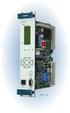 Machinery Protection Card Type FEATURES Continuous on-line Machinery Protection Card Real-time measurement and monitoring using state-of-the-art DSP techniques Fully VME-compatible slave interface Fully
15 Series - Electronic step relay and dimmer. Features 15.91 15.51 15.81 SERIE
 Series - Electronic step relay and dimmer SERIE Features.91.51.81 Electronic step relay and dimmer for control of lighting levels Suitable for incandescent and halogen lighting loads (with or without transformer
User s Manual AURORA 1.2K/2.2K
 User s Manual AURORA 1.2K/2.2K Uninterruptible Power System Safety CAUTION This UPS utilizes voltages that may be hazardous. Do not attempt to disassemble the unit. The unit contains no user serviceable
HONEYWELL DC 1010 / 1020 1030 / 1040 DIGITAL CONTROLLER PRODUCT MANUAL 51-52-25-113 06/02
 HONEYWELL DC 1010 / 1020 1030 / 1040 DIGITAL CONTROLLER PRODUCT MANUAL 51-52-25-113 06/02 Before using this manual, please check to ensure the Model number, input type Range and output match your requirements.
ML 1012 v.1.2 ML13,8V/1A Buffer power supply module, linear.
 ML 1012 v.1.2 ML13,8V/1A Buffer power supply module, linear. EN Edition: 6 from 10.03.2014 Supercedes the edition: 5 from 16.09.2013 Features: uninterrupted supply of 13,8VDC/1A supply voltage: external
FlexPak 3000 Digital DC Drive Software Reference Manual Version 4.3
 FlexPak 3000 Digital DC Drive Software Reference Manual Version 4.3 Instruction Manual D2-3405-2 The information in this manual is subject to change without notice. Throughout this manual, the following
OPERATING MANUAL. Table of contents. 2 Phase Stepping Motor Driver 2M542. Rev. A. Introduction page 2. Specifications page 2 Timing chart page 3
 2 Phase Stepping Motor Driver 2M542 OPEATING MANUAL Table of contents Introduction page 2 Specifications page 2 Timing chart page 3 Setting page 4 Current set page 4 educe current function page 4 Micro