
Package BioNet. November 2, 2015
|
|
|
- Marsha McKenzie
- 10 years ago
- Views:
Transcription
1 Type Package Package BioNet November 2, 2015 Title Routines for the functional analysis of biological networks Version Date Author Marcus Dittrich and Daniela Beisser Maintainer Marcus Dittrich This package provides functions for the integrated analysis of protein-protein interaction networks and the detection of functional modules. Different datasets can be integrated into the network by assigning p-values of statistical tests to the nodes of the network. E.g. p-values obtained from the differential expression of the genes from an Affymetrix array are assigned to the nodes of the network. By fitting a beta-uniform mixture model and calculating scores from the p-values, overall scores of network regions can be calculated and an integer linear programming algorithm identifies the maximum scoring subnetwork. License GPL (>= 2) Depends R (>= ), graph, RBGL Suggests rgl, impute, DLBCL, genefilter, xtable, ALL, limma, hgu95av2.db, XML Imports igraph (>= 1.0.1), AnnotationDbi, Biobase LazyLoad yes URL biocviews Microarray, DataImport, GraphAndNetwork, Network, NetworkEnrichment, GeneExpression, DifferentialExpression NeedsCompilation no 1

2 2 R topics documented: R topics documented: BioNet-package aggrpvals bumoptim comparenetworks consensusscores fbum fbumll fdrthreshold fitbummodel getcompscores getedgelist hist.bum largestcomp largestscorecomp loadnetwork.sif loadnetwork.tab makenetwork mapbyvar permutatenodes piupper plot.bum plot3dmodule plotllsurface plotmodule print.bum pvaluesexample readheinzgraph readheinztree resamplingpvalues rmselfloops runfastheinz runheinz save3dmodule savenetwork scanfdr scorefunction scorenodes scoreoffset sortededgelist subnetwork summary.bum writeheinz writeheinzedges writeheinznodes Index 42

3 aggrpvals 3 BioNet-package Routines for the functional analysis of biological networks Details This package provides functions for the integrated analysis of biological networks and the detection of functional modules. Different datasets can be integrated into the network by assigning p-values derived from statistical tests to the nodes of the network. E.g. p-values obtained from the differential expression of genes from an Affymetrix array are assigned to the nodes of an protein-protein interaction network. By fitting a beta-uniform mixture model and calculating scores from the p-values, overall scores of network regions can be calculated and an integer linear programming algorithm identifies the maximum scoring subnetwork. Package: BioNet Type: Package Version: Date: License: GPL (>=2) LazyLoad: yes Marcus Dittrich, Daniela Beisser Maintainer: Marcus Dittrich <[email protected]> References M. T. Dittrich, G. W. Klau, A. Rosenwald, T. Dandekar and T. Mueller (2008) Identifying functional modules in protein-protein interaction networks: an integrated exact approach. (ISMB2008) Bioinformatics 24: 13. i223-i231 Jul. D. Beisser, G. W. Klau, T. Dandekar, T. Mueller and M. Dittrich (2010) BioNet: an R-package for the Functional Analysis of Biological Networks. Bioinformatics 26: Apr. aggrpvals Aggregate several p-values into one p-value The function aggregates several p-values into one p-value of p-values based on the order statistics of p-values. An overall p-value is given by the ith order statistic.

4 4 bumoptim aggrpvals(pval.matrix, order, plot=true) pval.matrix order plot Numeric matrix of p-values, columns represent different sets of p-values Numeric constant, the order statistic that is used for the aggregation. Boolean value whether to plot p-value distributions. Aggregated p-value of the given order. Daniela Beisser data(pvaluesexample) aggrpvals(pval.matrix=pvaluesexample, order=2) bumoptim Fitting a beta-uniform mixture model to p-value distribution The function fits a beta-uniform mixture model to a given p-value distribution. bumoptim(x, starts=1, labels=null) x starts labels Numerical vector of p-values, has to be named with the gene names or the gene names can be given in the labels paramater. Number of start points for the optimization. Gene names for the p-values. List of class fb with the following elements: lambda a negll pvalues Fitted parameter lambda for the beta-uniform mixture model. Fitted parameter a for the beta-uniform mixture model. Negative log-likelihood. P-value vector.

5 comparenetworks 5 Marcus Dittrich and Daniela Beisser References M. T. Dittrich, G. W. Klau, A. Rosenwald, T. Dandekar, T. Mueller (2008) Identifying functional modules in protein-protein interaction networks: an integrated exact approach. (ISMB2008) Bioinformatics, 24: 13. i223-i231 Jul. S. Pounds, S.W. Morris (2003) Estimating the occurrence of false positives and false negatives in microarray studies by approximating and partitioning the empirical distribution of p-values. Bioinformatics, 19(10): See Also fitbummodel, plot.bum, hist.bum data(pvaluesexample) pvals <- pvaluesexample[,1] bum <- bumoptim(x=pvals, starts=10) bum comparenetworks Compare parameters of two networks The function compares the following parameters of two networks: diameter, average degree, degree exponent, average path length and plots the cumulative degree distributions. The networks have to be connected components. comparenetworks(network1, network2, plot=true) network1 network2 plot Network graphnel or igraph format. Second network in graphnel or igraph format, or subnetwork drawn from first network. Boolean value, whether to plot the cumulative degree distributions.

6 6 consensusscores A vector of network parameters is returned: diam.network1 Network diameter diam.network2 Diameter of the subnetwork av.degree.network1 Average degree of the network av.degree.network2 Average degree of the subnetwork degree.exponent.network1 Degree exponent of the network degree.exponent.network2 Degree exponent of the subnetwork av.path.length.network1 Average path lenght of the network av.path.length.network2 Average path length of the subnetwork Daniela Beisser library(dlbcl) data(interactome) subnet1 <- largestcomp(subnetwork(nodes(interactome)[1:100], interactome)) subnet2 <- largestcomp(subnetwork(nodes(interactome)[101:200], interactome)) comparenetworks(network1=subnet1, network2=subnet2) consensusscores Calculation of a consensus score for a network The function calculates consensus scores for a network, given a list of replicate modules. consensusscores(modules, network, ro=length(modules)/2) modules network ro Calculated modules from pseudo-replicates of expression values in igraph or graphnel format. Interaction network, which shoupld be scores. In igraph or graphnel format Threshold which is subtracted from the scores to obtain positive and negative value. The default value is half of the number of replicates.

7 fbum 7 A result list is returned, consisting of: N.scores E.scores N.frequencies E.frequencies Numerical vector node scores. Numerical vector edge scores. Numerical vector node frequencies from the replicate modules. Numerical vector edge frequencies from the replicate modules. Daniela Beisser library(dlbcl) data(interactome) network <- interactome # precomputed Heinz modules from pseudo-replicates ## Not run: lib <- file.path(.path.package("bionet"), "extdata") modules <- readheinzgraph(node.file=file.path(datadir, "ALL_n_resample.txt.0.hnz"), network=network) cons.scores <- consensusscores(modules, network) ## End(Not run) fbum Compute the density of the bum distribution Function to compute the density of the beta-uniform mixture model. fbum(x, lambda, a) x lambda a A numeric value. Parameter lambda, mixture parameter, proportion of uniform component Parameter a, shape parameter of beta component of the density of the bum distribution for x. Marcus Dittrich

8 8 fbumll References S. Pounds, S.W. Morris (2003) Estimating the occurrence of false positives and false negatives in microarray studies by approximating and partitioning the empirical distribution of p-values. Bioinformatics, 19(10): See Also bumoptim, fitbummodel y <- fbum(x=0.5, lambda=0.1, a=0.1) y fbumll Calculate log likelihood of BUM model The function calculates the log likelihood of the BUM model. fbumll(parms, x) parms Vector of parameters; lambda and a. x Numerical vector of p-values. Log likelihood. Marcus Dittrich data(pvaluesexample) pvals <- pvaluesexample[,1] bum.mle <- fitbummodel(pvals, plot=false) fbumll(parms=c(bum.mle$lambda, bum.mle$a), x=pvals)

9 fdrthreshold 9 fdrthreshold Calculate p-value threshold for given FDR The function calculates the p-value threshold tau for a given false discovery rate. Tau is used for the scoring function. fdrthreshold(fdr, fb) fdr fb False discovery rate. Model from the beta-uniform mixture fitting. P-value threshold tau. Marcus Dittrich References S. Pounds, S.W. Morris (2003) Estimating the occurrence of false positives and false negatives in microarray studies by approximating and partitioning the empirical distribution of p-values. Bioinformatics, 19(10): See Also fbum, fitbummodel data(pvaluesexample) pvals <- pvaluesexample[,1] bum.mle <- fitbummodel(pvals, plot=false) tau <- fdrthreshold(fdr=0.001, fb=bum.mle) tau

10 10 fitbummodel fitbummodel Fit beta-uniform mixture model to a p-value distribution The function fits a beta-uniform mixture model to a given p-value distribution. The BUM method was introduced by Stan Pounds and Steve Morris to model the p-value distribution as a signalnoise decompostion. The signal component is assumed to be B(a,1)-distributed, whereas the noise component is uniform-distributed under the null hypothesis. fitbummodel(x, plot = TRUE, starts=10) x plot starts Numeric vector of p-values. Boolean value, whether to plot a histogram and qqplot of the p-values with the fitted model. Numeric value giving the number of starts for the optimization. Maximum likelihood estimator object for the fitted bum model. List of class fb with the following elements: lambda a negll pvalues Fitted parameter lambda for the beta-uniform mixture model. Fitted parameter a for the beta-uniform mixture model. Negative log-likelihood. P-value vector. Daniela Beisser References S. Pounds, S.W. Morris (2003) Estimating the occurrence of false positives and false negatives in microarray studies by approximating and partitioning the empirical distribution of p-values. Bioinformatics, 19(10): data(pvaluesexample) pvals <- pvaluesexample[,1] bum.mle <- fitbummodel(pvals, plot=true) bum.mle

11 getcompscores 11 getcompscores Partition scores for subgraphs of the network The function partitions the scores into scores for each subgraph of the network. getcompscores(network, score) network score A network in graphnel or igraph format. Vector of scores. A data frame with the components of the network and the score for each PPI identifier. Marcus Dittrich library(dlbcl) data(interactome) data(datalym) # create random subgraph with 100 nodes and their direct neighbors nodes <- nodes(interactome)[sample(length(nodes(interactome)), 100)] subnet <- subnetwork(nodelist=nodes, network=interactome, neighbors="first") score <- datalym$score001 names(score) <- datalym$label getcompscores(score=score, network=subnet) getedgelist Get representation of graph as edgelist A network in graphnel or igraph format is converted to an edgelist. getedgelist(network)
![Marcus Dittrich library(dlbcl) data(interactome) data(datalym) # create random subgraph with 100 nodes and their direct neighbors nodes <- nodes(interactome)[sample(length(nodes(interactome)), 100)]](/docs-images/42/6715412/images/page_11.jpg "subnet <- subnetwork(nodelist=nodes, network=interactome, neighbors=\"first\") score <- datalym$score001 names(score) <- datalym$label getcompscores(score=score, network=subnet) getedgelist Get")
12 12 hist.bum network Network in graphnel or igraph format. A matrix whose columns represent the connected edges. Marcus Dittrich library(dlbcl) data(interactome) getedgelist(interactome)[1:10,] hist.bum Histogram of the p-value distribution with the fitted bum model The function plots a histogram of the p-values together with the fitted bum-model. ## S3 method for class bum hist(x, breaks=50, main="histogram of p-values", xlab="p-values", ylab="density",...) x Maximum likelihood estimator object of the beta-uniform mixture fit. breaks Breaks for the histogram. main An overall title for the plot. xlab A title for the x axis. ylab A title for the y axis.... Other graphic parameters for the plot. Daniela Beisser See Also fitbummodel, hist.bum, bumoptim

13 largestcomp 13 data(pvaluesexample) pvals <- pvaluesexample[,1] mle <- fitbummodel(pvals, plot=false) hist(mle) largestcomp Extract largest component of network The function extracts the largest component of a network. largestcomp(network) network A graph in graphnel or igraph format. A new graph object that represents the largest component of the given network. Marcus Dittrich library(dlbcl) data(interactome) interactome largestcomp(interactome)

14 14 largestscorecomp largestscorecomp Component with largest score The function extracts the component of the network with the largest score. All nodes have to exceed the given level for the score. largestscorecomp(network, score, level=0) network score level Network in graphnel or igraph format. Vector of scores for the network. Cut-off level for the score for the component. Subgraph of the network with a score larger than the given level. Marcus Dittrich library(dlbcl) data(interactome) data(datalym) network <- rmselfloops(interactome) score <- datalym$score001 names(score) <- datalym$label lcomp <- largestscorecomp(network=network, score=score, level=1) ## Not run: plotmodule(lcomp)

15 loadnetwork.sif 15 loadnetwork.sif Load network from Cytoscape sif file The function loads a network from a Cytoscape sif file. Edge attributes are provided in the ea.file or vector of ea.files. The node attributes are provided the same way. For other formats see read.graph in the igraph package. loadnetwork.sif(sif.file, na.file, ea.file, format=c("graphnel", "igraph"), directed=false) sif.file na.file ea.file format directed Cytoscape sif file, containing the network. File or vector of file with Cytoscape node attibutes. File or vector of file with Cytoscape edge attibutes. Format of output graph, either graphnel or igraph. Boolean value for directed or undirected graph. Graph with loaded attributes. Daniela Beisser ## Not run: lib <- file.path(.path.package("bionet"), "extdata") # load interaction file, node attribute file with a node weight of 2 for each node and the edge attribute file with network <- loadnetwork.sif(sif.file=file.path(lib,"cytoscape.sif"), na.file=file.path(lib,"n.weight.na"), ea.fi network; nodedata(network); edgedata(network); ## End(Not run)

16 16 makenetwork loadnetwork.tab Load network from tabular format The function loads a network from a tabular format. loadnetwork.tab(file, header=true, directed=false, format=c("graphnel", "igraph")) file header directed format File with network to load. Booelan value whether to include header or not. Booelan value whether the network is to be directed or not. Output format of the network, either graphnel or igraph Marcus Dittrich See Also loadnetwork.sif makenetwork Create graph from source and target vectors Function to create a graph in graphnel or igraph format from a source and a target vector. makenetwork(source, target, edgemode="undirected", format=c("graphnel", "igraph")) source target edgemode format Vector of source nodes. Vector of corresponding target nodes. For an "undirected" or "directed" network. Graph format, eiter graphnel or igraph.

17 mapbyvar 17 A graph object. Marcus Dittrich See Also loadnetwork.sif, savenetwork source <- c("a", "b", "c", "d") target <- c("b", "c", "a", "a") graph <- makenetwork(source, target, edgemode="undirected") mapbyvar Select probeset by variance and get PPI ID The function selects for each gene the probeset with the highest variance and gets the PPI ID for each gene. The PPI identifier is: gene symbol(entrez ID). Affymetrix identifiers are mapped to the ENTREZ ID. mapbyvar(exprset, network=null, attr="geneid", ignoreaffx=true) exprset network attr ignoreaffx Affymetrix ExpressionSet. Network that is used to map the Affymetrix identifiers. The attribute of the network that is used to map the Affymetrix IDs. The IDs are mapped to the unique Entrez gene IDs, which are by default stored in the "geneid" attribute of the network. Boolean value, whether to ignore or leave AFFX control genes. Expression matrix with one gene (PPI ID) per probeset. Daniela Beisser

18 18 permutatenodes ## Not run: library(all); data(all); mapped.e.set <- mapbyvar(all); mapped.e.set[1:10,]; ## End(Not run) permutatenodes Permute node labels Function to permutate node labels of a given network. permutatenodes(network) network Network in graphnel or igraph format. Network with permutated labels. Marcus Dittrich library(dlbcl) data(interactome) # remove self-loops before permutating the labels interactome <- rmselfloops(interactome) perm.net <- permutatenodes(interactome) perm.net

19 piupper 19 piupper Upper bound pi for the fraction of noise The function calculates the upper bound pi for the fraction of noise. piupper(fb) fb Fitted bum model, list with parameters a and lambda. Numerical value for the upper bound pi. See Also Marcus Dittrich bumoptim, fitbummodel data(pvaluesexample) pvals <- pvaluesexample[,1] bum <- bumoptim(pvals, starts=10) piupper(fb=bum) plot.bum Quantile-quantile plot for the beta-uniform mixture model The function plot the theoretical quantiles of the fitted bum model against the quantiles of the observed p-value distribution. ## S3 method for class bum plot(x, main="qq-plot", xlab="estimated p-value", ylab="observed p-value",...)
![See Also Marcus Dittrich bumoptim, fitbummodel data(pvaluesexample) pvals <- pvaluesexample[,1] bum <- bumoptim(pvals, starts=10) piupper(fb=bum) plot.](/docs-images/42/6715412/images/page_19.jpg "bum Quantile-quantile plot for the beta-uniform mixture model The function plot the theoretical quantiles of the fitted bum model against the quantiles of the observed")
20 20 plot3dmodule x Maximum likelihood estimation object of the fitted bum model. main An overall title for the plot. xlab A title for the x axis. ylab A title for the y axis.... Other graphic parameters for the plot. Daniela Beisser See Also fitbummodel, plot.bum, bumoptim data(pvaluesexample) pvals <- pvaluesexample[,1] mle <- fitbummodel(pvals, plot=false) plot(mle) plot3dmodule 3D plot of the network The function plots a network from graphnel or igraph format in 3D using a modified function from the package igraph and requires the package rgl which uses opengl. The 3D plot can be zoomed, rotated, shifted on the canvas. This function is just used to visualize the modules. For further plotting options use the rglplot function of the igraph package. If a score attribute is provided in the graph this will be used for the coloring of the nodes. Otherwise a vector of values can be given by the diff.or.score argument. The vector has to contain positive and negative values, either scores or values for differential expression (fold changes). Labels for the nodes can be provided by the labels argument, otherwise it will be automatically looked for a genesymbol attribute of the nodes. plot3dmodule(network, labels=null, windowsize = c(100,100,1500,1000), diff.or.scores=null, red=c("neg
![bum, bumoptim data(pvaluesexample) pvals <- pvaluesexample[,1] mle <- fitbummodel(pvals, plot=false) plot(mle) plot3dmodule 3D plot of the network The function plots a network from graphnel or igraph](/docs-images/42/6715412/images/page_20.jpg "format in 3D using a modified function from the package igraph and requires the package rgl which uses opengl. The 3D plot can be zoomed, rotated, shifted on the canvas.")
21 plotllsurface 21 network labels windowsize Network in graphnel or igraph format. Labels for the nodes of the network. Otherwise it will be automatically looked for a genesymbol attribute of the nodes. Numerical vector of size four to set the size of the rgl device. diff.or.scores Named numerical vector of differential expression (fold changes) or scores of the nodes in the network. These will be used for node coloring. Otherwise a score attribute of the nodes will be automatically used. red Either "negative" or "positive", to specify which values are to be colored red in the plot.... Other graphic parameters for the plot. See Also Daniela Beisser save3dmodule, plotmodule library(dlbcl) data(interactome) data(datalym) interactome <- subnetwork(datalym$label, interactome) interactome <- rmselfloops(interactome) fchange <- datalym$diff names(fchange) <- datalym$label subnet <- largestcomp(subnetwork(nodes(interactome)[1:100], interactome)) diff <- fchange[nodes(subnet)] ## Not run: library(rgl); plot3dmodule(network=subnet, diff.or.score=diff) ## End(Not run) plotllsurface Log likelihood surface plot The function plots the log likelihood surface for all a and lambda parameter of the beta-uniform mixture model. plotllsurface(x, opt=null, main="log-likelihood Surface", color.palette = heat.colors, nlevels = 32)
22 22 plotmodule x opt main color.palette nlevels Numeric vector of p-values. List of optimal parameters for a and lambda from the beta-uniform mixture model. The overall title of the plot. Color scheme of the image plot. Number of color levels. Marcus Dittrich library(dlbcl) data(datalym) pvals <- datalym$t.pval names(pvals) <- datalym$label mle <- fitbummodel(pvals, plot=false) plotllsurface(x=pvals, opt=mle) plotmodule Plot of the network The function plots a network from graphnel or igraph format, adapted from an igraph plotting function. It is just used to visualize the modules. For further plotting options use the plot.igraph function of the igraph package. The shapes of the nodes can be changed according to the scores argument, then negative scores appear squared. The color of the nodes can be changed according to the diff.expr argument. Negative values lead to green nodes, positive values are colored in red. If the vectors are not provided, it will be automatically looked for nodes attributes with the name score and diff.expr. plotmodule(network, layout=layout.fruchterman.reingold, labels=null, diff.expr=null, scores=null, mai network layout labels Network in graphnel or igraph format. Layout algorithm, e.g. layout.fruchterman.reingold or layout.kamada.kawai. Labels for the nodes of the network.
23 print.bum 23 diff.expr scores main vertex.size Named numerical vector of differential expression (fold changes) of the nodes in the network. These will be used for coloring of the nodes. It will be automatically looked for nodes attribute with the name diff.expr, if the argument is null. Named numerical vector of scores of the nodes in the network. These will be used for the shape of the nodes. It will be automatically looked for nodes attribute with the name score, if the argument is null. Main title of the plot. Numerical value or verctor for the size of the vertices.... Other graphic parameters for the plot. Marcus Dittrich and Daniela Beisser See Also plot3dmodule library(dlbcl) data(datalym) data(interactome) interactome <- subnetwork(datalym$label, interactome) interactome <- rmselfloops(interactome) fchange <- datalym$diff names(fchange) <- datalym$label # create random subnetwork subnet <- largestcomp(subnetwork(nodes(interactome)[1:100], interactome)) fchange <- fchange[nodes(subnet)] # color random subnetwork by the fold change ## Not run: plotmodule(network=subnet, diff.expr=fchange) print.bum Print information about bum model The function prints information about the bum model. ## S3 method for class bum print(x,...)
24 24 pvaluesexample x Maximum likelihood estimator object of the beta-uniform mixture fit.... Other graphic parameters for print. Marcus Dittrich See Also fitbummodel, summary.bum data(pvaluesexample) pvals <- pvaluesexample[,1] mle <- fitbummodel(pvals, plot=false) print(mle) pvaluesexample Example p-values for aggregation statistics Data example consisting of a matrix of p-values. Each gene has two corresponding p-values. These p-values can be aggregated into a p-value of p-values by the method aggrpvals. data(pvaluesexample) data(pvaluesexample) pvaluesexample[1:10,]
25 readheinzgraph 25 readheinzgraph Convert HEINZ output to graph Function to convert the HEINZ output to a graph object, or if the output is in matrix form, it will create a list of graphs. The function needs the node and the original network, from which the module is calculated. readheinzgraph(node.file, network, format=c("graphnel", "igraph")) node.file network format Heinz node output file. Original network from which Heinz input was created. Graph format of output, either igraph or graphnel. Graph object. Daniela Beisser library(dlbcl) data(interactome) # precomputed Heinz output files ## Not run: lib <- file.path(.path.package("bionet"), "extdata") module <- readheinzgraph(node.file=file.path(lib, "lymphoma_nodes_001.txt.0.hnz"), network=interactome, format=" plotmodule(module); ## End(Not run)
26 26 readheinztree readheinztree Convert HEINZ output to tree Converts the HEINZ output to a tree in graph format. If the output is in matrix form, it will create a list of graphs. The function needs the node and edge file and the original network from which the module is calculated. readheinztree(node.file, edge.file, network, format=c("graphnel", "igraph")) node.file edge.file network format Heinz node output file. Heinz edge output file. Original network from which Heinz input was created. Output format of the graph, either igraph or graphnel. A graph object. Daniela Beisser library(dlbcl) data(interactome) # precomputed Heinz output files ## Not run: lib <- file.path(.path.package("bionet"), "extdata") module <- readheinztree(node.file=file.path(lib, "lymphoma_nodes_001.txt.0.hnz"), edge.file=file.path(lib, "lymp plotmodule(module); ## End(Not run)
27 resamplingpvalues 27 resamplingpvalues Resampling of microarray expression values and test for differential expression. The function uses a 50% jackknife resampling to calculate a pseudo-replicate of the expression matrix. The resampled expression values are used thereupon to calculate p-values for the differential expression between the given groups. Only two-group comparisons are allowed for the perfomed t-test. resamplingpvalues(exprmat, groups, alternative = c("two.sided", "less", "greater"), resamplemat=false exprmat groups alternative resamplemat Matrix with microarray expression values. Factors for two groups that are tested for differential expression. Testing alternatives for the t-test: "two.sided", "less" or "greater". Boolean value, whether to retrieve the matrix of jacknife resamples or not. A result list is returned, consisting of: p.values resamplemat VNumerical vector of p-values. Matrix of resampled expression values. Daniela Beisser library(all) data(all) mat <- exprs(all) groups <- factor(c(rep("a", 64), rep("b", 64))) results <- resamplingpvalues(mat, groups, alternative="greater")
28 28 runfastheinz rmselfloops Remove self-loops in a graph The function removes self-loops, edges that start and end in the same node, from the network. rmselfloops(network) network A graph object, either in graphnel or igraph format. The graph with the removed edges. Marcus Dittrich graph <- makenetwork(c("a","b","c","d","e","a"), c("b","c","d","e","e","e")) graph2 <- rmselfloops(graph) edges(graph) edges(graph2) runfastheinz Calculate heuristically maximum scoring subnetwork The function uses an heuristic approach to calculate the maximum scoring subnetwork. Based on the given network and scores the positive nodes are in the first step aggregated to meta-nodes between which minimum spanning trees are calculated. In regard to this, shortest paths yield the approximated maximum scoring subnetwork. This function can be used if a CPLEX license is not available to calculate the optimal solution. runfastheinz(network, scores)
29 runheinz 29 network scores A graph in igraph or graphnel format. A named vector, containing the scores for the nodes of the network. All nodes need to be scored in order to run the algorithm. A subnetwork in the input network format. Daniela Beisser See Also writeheinzedges, writeheinznodes, readheinztree, readheinzgraph, runheinz library(dlbcl) # load p-values data(datalym) # load graph data(interactome) # get induced subnetwork for all genes contained on the chip interactome <- subnetwork(datalym$label, interactome) p.values <- datalym$t.pval names(p.values) <- datalym$label bum <- fitbummodel(p.values, plot=true) scores <- scorenodes(network=interactome, fb=bum, fdr=0.0001) module <- runfastheinz(network=interactome, scores=scores) ## Not run: plotmodule(module) runheinz Start HEINZ The function starts HEINZ from command line. The HEINZ folder has to include the heinz.py python script and the dhea file. CPLEX has to be installed and accessible from the computer R runs on. runheinz(heinz.folder="", heinz.e.file, heinz.n.file, N=TRUE, E=FALSE, diff=-1, n=1)
30 30 save3dmodule heinz.folder heinz.e.file heinz.n.file N E diff n The folder which contains the heinz.py python script and the dhea file. The HEINZ edge input file. See writeheinzedges The HEINZ node input file. See writeheinznodes Boolean value, whether to run HEINZ on nodes. Boolean value, whether to run HEINZ on edges. HEINZ can run on both with N and E set to TRUE. Difference of suboptimal solutions to optimal solution in haming distance in percent. Parameter is set to -1 for optimal solution. Number of optimal and suboptimal solutions, the standard n=1 delivers only the optimal solution. Details This function starts the integer linear programming algorithm to calculate the optimal scoring subnetwork. The algorithm might be started in the command line when the CPLEX is installed on another machine. To start it from command line use: heinz.py -e edge.file.txt -n node.file.txt -E False/True -N False/True. The results can be loaded with readheinztree, readheinzgraph as a graph object. Daniela Beisser References M. T. Dittrich, G. W. Klau, A. Rosenwald, T. Dandekar, T. Mueller (2008) Identifying functional modules in protein-protein interaction networks: an integrated exact approach. (ISMB2008) Bioinformatics, 24: 13. i223-i231 Jul. See Also writeheinzedges, writeheinznodes, readheinztree, readheinzgraph save3dmodule Save a 3D plot of the network The function saves a 3D plot of a network to file, therefore it requires the plot to be open. A screenshot of the 3D plot can be saved in "pdf" format. Background of the device is changed to white for plotting. The screenshot can take several seconds for large plots. save3dmodule(file)
31 savenetwork 31 file File to save to. Daniela Beisser See Also plot3dmodule, plotmodule library(dlbcl) data(datalym) data(interactome) interactome <- subnetwork(datalym$label, interactome) fchange <- datalym$diff names(fchange) <- datalym$label subnet <- largestcomp(subnetwork(nodes(interactome)[1:100], interactome)) diff <- fchange[nodes(subnet)] ## Not run: library(rgl); plot3dmodule(network=subnet, diff.or.score=diff); save3dmodule(file="test") ## End(Not run) savenetwork Save undirected network in various formats The function saves a graph in a Cytoscape readable format: either in XGMML format, or as two tables, one for the nodes with attributes and one for the edges with attributes, or as.sif file. Or other standard formats like tab separated,.tgf,.net savenetwork(network, name="network", file, type=c("table", "XGMML", "sif", "tab", "tgf", "net")) network name file type Network to save. Name of the network, only needed for the XGMML format. File to save to. Type in which graph shall be saved.
32 32 scanfdr Details The format types are "XGMML", "table", "sif", "tab", "tgf" and "net". XGMML (extensible Graph Markup and Modeling Language) is an XML format based on GML which is used for graph description. Edges, nodes and their affiliated attributes are all saved in one file. In the table format two tables are created, one for the nodes with attributes and one for the edges with attributes. The sif format creates a.sif file for the network and an node attribute (.NA) or edge attribute (.EA) for each attribute. The name of the attribute is the filename. Tab writes only the edges of the network in a tabular format. Tgf save the network to simple.tgf format. The net format writes a Pajek readable file of the network and the ET type saves the edge tags to file. Daniela Beisser and Marcus Dittrich library(dlbcl) #create small network library(igraph) data(interactome) interactome <- igraph.from.graphnel(interactome) small.net <- subnetwork(v(interactome)[1:16]$name, interactome) E(small.net)$e.weight <- rep(1,length(e(small.net))) V(small.net)$n.weight <- rep(2,length(v(small.net))) summary(small.net) ## Not run: savenetwork(small.net, file="example_network", name="small.net", type="xgmml") scanfdr Dataframe of scores over a given range of FDRs The function generates a dataframe for a given range of FDRs. scanfdr(fb, fdr, labels=names(fb$pvalues)) fb fdr labels Fitted bum model. Vector of FDRs. Data frame labels. Dataframe of scores for given p-values and a range of FDRs.
33 scorefunction 33 Marcus Dittrich See Also bumoptim, fitbummodel data(pvaluesexample) pvals <- pvaluesexample[,1] bum <- bumoptim(pvals, starts=10) scores <- scanfdr(fb=bum, fdr=c(0.1, 0.001, )) scores[1:10,] scorefunction Scoring function for p-values The function calculates a score for each gene with a given FDR from the fitted beta-uniform mixture model. scorefunction(fb, fdr=0.01) fb fdr Model from the beta-uniform mixture fitting. Numeric constant, from the false discovery rate a p-value threshold is calculated. P-values below this threshold are considered to be significant and will score positively, p-values a bove the threshold are supposed to arise from the null model. The FDR can be used to control the size of the maximum scoring subnetwork, by zooming in and out in the same region. Score vector for the given p-values. Marcus Dittrich and Daniela Beisser References For details on the score calculation see: M. T. Dittrich, G. W. Klau, A. Rosenwald, T. Dandekar, T. Mueller (2008) Identifying functional modules in protein-protein interaction networks: an integrated exact approach. (ISMB2008) Bioinformatics, 24: 13. i223-i231 Jul.
34 34 scorenodes data(pvaluesexample) pvals <- pvaluesexample[,1] bum.mle <- fitbummodel(pvals, plot=false) scores <- scorefunction(fdr=0.1, fb=bum.mle) scores scorenodes Score the nodes of a network The function derives scores from the p-values of the nodes of a network. scorenodes(network, fb, fdr=0.05) network fb fdr A network in graphnel or igraph format. Fitted bum model. False discovery rate. Ordered score vector for the nodes of the network. Marcus Dittrich See Also bumoptim, fitbummodel library(dlbcl) # load p-values data(datalym) # load graph data(interactome) # get induced subnetwork for all genes contained on the chip chipgraph <- subnetwork(datalym$label, interactome) p.values <- datalym$t.pval names(p.values) <- datalym$label bum <- fitbummodel(p.values, plot=true) scorenodes(network=chipgraph, fb=bum, fdr=0.001)
35 scoreoffset 35 scoreoffset Change score offset for 2 FDRs Function to change score offset from FDR1 to FDR2. scoreoffset(fb, fdr1, fdr2) fb fdr1 fdr2 Model from the beta-uniform mixture fitting. First false discovery rate. Second false discovery rate. Offset for the score of the second FDR. Marcus Dittrich See Also bumoptim, fitbummodel data(pvaluesexample) pvals <- pvaluesexample[,1] bum <- bumoptim(pvals, starts=10) scoreoffset(bum, fdr1=0.001, fdr2= )
36 36 subnetwork sortededgelist Get a sorted edgelist Function to get a sorted edgelist where the source protein is alphabetically smaller than the target protein from an undirected network. sortededgelist(network) network Undirected network in igraph or graphnel format. Vector of sorted edges, where the source protein is alphabetically smaller than the target protein. Daniela Beisser library(dlbcl) data(interactome) E.list <- sortededgelist(interactome) subnetwork Create a subgraph The function creates a subgraph with the nodes given in the nodelist or for these nodes including their direct neighbors. subnetwork(nodelist, network, neighbors=c("none", "first"))
37 summary.bum 37 nodelist network neighbors Character vector of nodes, contained in the subgraph. Graph that is used for subgraph extraction. Neighborhood, that is chosen for the subgraph extraction. "none" are only the selected nodes, "first" includes the direct neighbors of the selected nodes. A graph object. Marcus Dittrich library(igraph) el <- cbind(c("a", "b", "c", "d", "e", "f", "d"), c("b", "c", "d", "e", "f", "a", "b")) graph <- graph.edgelist(el, directed=true) node.list <- c("a", "b", "c") graph2 <- subnetwork(nodelist=node.list, network=graph) ## Not run: par(mfrow=c(1,2)); plotmodule(graph); plotmodule(graph2) ## End(Not run) # or in graphnel format: graph3 <- igraph.to.graphnel(graph) graph4 <- subnetwork(nodelist=node.list, network=graph3) graph3 graph4 summary.bum Print summary of informations about bum model The function summarizes information about the bum model. ## S3 method for class bum summary(object,...) object Maximum likelihood estimator object of the beta-uniform mixture fit.... Other graphic parameters for summary.
38 38 writeheinz See Also Daniela Beisser fitbummodel, print.bum data(pvaluesexample) pvals <- pvaluesexample[,1] mle <- fitbummodel(pvals, plot=false) summary(mle) writeheinz Write input files for HEINZ Function to write the input files with the node and edge scores for HEINZ. These files are used to calculate the maximum scoring subnetwork of the graph. The node scores are matched by their names to the nodes of the network, therefore if nodes.scores are provided as a vector or matrix, the vector has to be named, respectively the matrix has to be provided with rownames. If the network contains more nodes than the score vector, the nodes without a score are scored with the average over all nodes. If the nodes should not be scored and used for the calculation of the maximum scoring subnetwork, draw a subnetwork (subnetwork) first and use this for the argument network. The edge scores can be provided as a vector or matrix as the edge.scores argument. If no scores are provided in the arguments, but the use.node.scores or use.edge.scores argument is set to TRUE, it will be automatically looked for the "score" attribute of the nodes and edges of the network. writeheinz(network, file, node.scores=0, edge.scores=0, use.node.score=false, use.edge.score=false) network file node.scores edge.scores Network from which to calculate the maximum scoring subnetwork. File to write to. Numeric vector or matrix of scores for the nodes of the network. Names of the vector or rownames of the matrix have to correspond to the PPI identifiers of the network. The scores can also be used from the node attribute "score", given one score for each node. Numeric vector of scores for the edges of the network. Edge scores have to be given in the order of the edges in the network. It is better to append the edge scores as the edge attribute "score" to the network: V(network)\$score and set use.scores to TRUE.
39 writeheinzedges 39 use.node.score Boolean value, whether to use the node attribute "score" in the network as node scores. use.edge.score Boolean value, whether to use the edge attribute "score" in the network as edge scores. See Also Daniela Beisser writeheinznodes and writeheinzedges library(dlbcl) # use Lymphoma data and graph to find module data(interactome) data(datalym) # get induced subnetwork for all genes contained on the chip chipgraph <- subnetwork(datalym$label, interactome) score <- datalym$score001 names(score) <- datalym$label ## Not run: writeheinz(network=chipgraph, file="lymphoma_001", node.scores=score, edge.scores=0) writeheinzedges Write edge input file for HEINZ Function to write an input file for HEINZ with edge scores. If no edge scores are used, they are set to 0. In order to run HEINZ, a node input and edge input file are needed. writeheinzedges(network, file, edge.scores=0, use.score=false) network file edge.scores use.score Network from which to calculate the maximum scoring subnetwork. File to write to. Numeric vector of scores for the edges of the network. Edge scores have to be given in the order of the edges in the network. It is better to append the edge scores as the edge attribute "score" to the network: V(network)\$score and set use.score to TRUE. Boolean value, whether to use the edge attribute "score" in the network as edge scores.
40 40 writeheinznodes See Also Daniela Beisser writeheinznodes and writeheinz library(dlbcl) # use Lymphoma data and graph to find module data(interactome) data(datalym) # get induced subnetwork for all genes contained on the chip chipgraph <- subnetwork(datalym$label, interactome) # remove self loops graph <- rmselfloops(chipgraph) ## Not run: writeheinzedges(network=graph, file="lymphoma_edges_001", use.score=false) score <- datalym$score001 names(score) <- datalym$label ## Not run: writeheinznodes(network=graph, file="lymphoma_nodes_001", node.scores=score) # write another edge file with edge scores library(igraph) data(interactome) interactome <- igraph.from.graphnel(interactome) small.net <- subnetwork(v(interactome)[1:16]$name, interactome) scores <- c(1:length(e(small.net))) E(small.net)$score <- scores ## Not run: writeheinzedges(network=small.net, file="test_edges", use.score=true) writeheinznodes Write node input file for HEINZ Function to write an input file with the node scores for HEINZ. This file is used together with the edge input file to calculate the maximum scoring subnetwork of the graph. The scores are matched by their names to the nodes of the network, therefore if nodes.scores are provided as a vector or matrix, the vector has to be named, respectively the matrix has to be provided with rownames. If the network contains more nodes than the score vector, the nodes without a score are scored with the average over all nodes. If the nodes should not be scored and used for the calculation of the maximum scoring subnetwork, draw a subnetwork subnetwork first and use this for the argument network. writeheinznodes(network, file, node.scores=0, use.score=false)
41 writeheinznodes 41 network file node.scores use.score Network from which to calculate the maximum scoring subnetwork. File to write to. Numeric vector or matrix of scores for the nodes of the network. Names of the vector or rownames of the matrix have to correspond to the PPI identifiers of the network. The scores can also be used from the node attribute "score", given one score for each node. Boolean value, whether to use the node attribute "score" in the network as node scores. Details Use scorenodes or scorefunctionto derive scores from a vector of p-values. See Also Daniela Beisser writeheinzedges and writeheinz #create small network library(dlbcl) data(interactome) small.net <- subnetwork(nodes(interactome)[0:15], interactome) scores <- c(1:length(nodes(small.net))) names(scores) <- nodes(small.net) ## Not run: writeheinznodes(network=small.net, file="test_nodes", node.scores=scores) # use Lymphoma data and graph to find module library(dlbcl) data(interactome) data(datalym) # get induced subnetwork for all genes contained on the chip chipgraph <- subnetwork(datalym$label, interactome) ## Not run: writeheinzedges(network=chipgraph, file="lymphoma_edges_001", use.score=false) score <- datalym$score001 names(score) <- datalym$label ## Not run: writeheinznodes(network=chipgraph, file="lymphoma_nodes_001", node.scores=score)
42 Index aggrpvals, 3, 24 BioNet (BioNet-package), 3 BioNet-package, 3 bumoptim, 4, 8, 12, 19, 20, comparenetworks, 5 consensusscores, 6 fbum, 7, 9 fbumll, 8 fdrthreshold, 9 fitbummodel, 5, 8, 9, 10, 12, 19, 20, 24, 33 35, 38 getcompscores, 11 getedgelist, 11 runfastheinz, 28 runheinz, 29, 29 save3dmodule, 21, 30 savenetwork, 17, 31 scanfdr, 32 scorefunction, 33, 41 scorenodes, 34, 41 scoreoffset, 35 sortededgelist, 36 subnetwork, 36, 38, 40 summary.bum, 24, 37 writeheinz, 38, 40, 41 writeheinzedges, 29, 30, 39, 39, 41 writeheinznodes, 29, 30, 39, 40, 40 hist.bum, 5, 12, 12 largestcomp, 13 largestscorecomp, 14 loadnetwork.sif, 15, 16, 17 loadnetwork.tab, 16 makenetwork, 16 mapbyvar, 17 permutatenodes, 18 piupper, 19 plot.bum, 5, 19, 20 plot3dmodule, 20, 23, 31 plotllsurface, 21 plotmodule, 21, 22, 31 print.bum, 23, 38 pvaluesexample, 24 readheinzgraph, 25, 29, 30 readheinztree, 26, 29, 30 resamplingpvalues, 27 rmselfloops, 28 42
BioNet Tutorial. Daniela Beisser and Marcus Dittrich October 13, 2015
 BioNet Tutorial Daniela Beisser and Marcus Dittrich October 13, 2015 Abstract The first part of this tutorial exemplifies how an integrated network analysis can be conducted using the BioNet package. Here
Package empiricalfdr.deseq2
 Type Package Package empiricalfdr.deseq2 May 27, 2015 Title Simulation-Based False Discovery Rate in RNA-Seq Version 1.0.3 Date 2015-05-26 Author Mikhail V. Matz Maintainer Mikhail V. Matz
Package tagcloud. R topics documented: July 3, 2015
 Package tagcloud July 3, 2015 Type Package Title Tag Clouds Version 0.6 Date 2015-07-02 Author January Weiner Maintainer January Weiner Description Generating Tag and Word Clouds.
Package copa. R topics documented: August 9, 2016
 Package August 9, 2016 Title Functions to perform cancer outlier profile analysis. Version 1.41.0 Date 2006-01-26 Author Maintainer COPA is a method to find genes that undergo
Tutorial for proteome data analysis using the Perseus software platform
 Tutorial for proteome data analysis using the Perseus software platform Laboratory of Mass Spectrometry, LNBio, CNPEM Tutorial version 1.0, January 2014. Note: This tutorial was written based on the information
Gene Expression Analysis
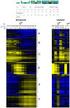 Gene Expression Analysis Jie Peng Department of Statistics University of California, Davis May 2012 RNA expression technologies High-throughput technologies to measure the expression levels of thousands
Package GEOquery. August 18, 2015
 Type Package Package GEOquery August 18, 2015 Title Get data from NCBI Gene Expression Omnibus (GEO) Version 2.34.0 Date 2014-09-28 Author Maintainer BugReports
Protein Protein Interaction Networks
 Functional Pattern Mining from Genome Scale Protein Protein Interaction Networks Young-Rae Cho, Ph.D. Assistant Professor Department of Computer Science Baylor University it My Definition of Bioinformatics
Practical Differential Gene Expression. Introduction
 Practical Differential Gene Expression Introduction In this tutorial you will learn how to use R packages for analysis of differential expression. The dataset we use are the gene-summarized count data
Gamma Distribution Fitting
 Chapter 552 Gamma Distribution Fitting Introduction This module fits the gamma probability distributions to a complete or censored set of individual or grouped data values. It outputs various statistics
Course on Functional Analysis. ::: Gene Set Enrichment Analysis - GSEA -
 Course on Functional Analysis ::: Madrid, June 31st, 2007. Gonzalo Gómez, PhD. [email protected] Bioinformatics Unit CNIO ::: Contents. 1. Introduction. 2. GSEA Software 3. Data Formats 4. Using GSEA 5. GSEA
Package missforest. February 20, 2015
 Type Package Package missforest February 20, 2015 Title Nonparametric Missing Value Imputation using Random Forest Version 1.4 Date 2013-12-31 Author Daniel J. Stekhoven Maintainer
Package plan. R topics documented: February 20, 2015
 Package plan February 20, 2015 Version 0.4-2 Date 2013-09-29 Title Tools for project planning Author Maintainer Depends R (>= 0.99) Supports the creation of burndown
Comparison of Non-linear Dimensionality Reduction Techniques for Classification with Gene Expression Microarray Data
 CMPE 59H Comparison of Non-linear Dimensionality Reduction Techniques for Classification with Gene Expression Microarray Data Term Project Report Fatma Güney, Kübra Kalkan 1/15/2013 Keywords: Non-linear
Package hoarder. June 30, 2015
 Type Package Title Information Retrieval for Genetic Datasets Version 0.1 Date 2015-06-29 Author [aut, cre], Anu Sironen [aut] Package hoarder June 30, 2015 Maintainer Depends
Tutorial 3: Graphics and Exploratory Data Analysis in R Jason Pienaar and Tom Miller
 Tutorial 3: Graphics and Exploratory Data Analysis in R Jason Pienaar and Tom Miller Getting to know the data An important first step before performing any kind of statistical analysis is to familiarize
Statistics Chapter 2
 Statistics Chapter 2 Frequency Tables A frequency table organizes quantitative data. partitions data into classes (intervals). shows how many data values are in each class. Test Score Number of Students
Data Analysis Tools. Tools for Summarizing Data
 Data Analysis Tools This section of the notes is meant to introduce you to many of the tools that are provided by Excel under the Tools/Data Analysis menu item. If your computer does not have that tool
MultiExperiment Viewer Quickstart Guide
 MultiExperiment Viewer Quickstart Guide Table of Contents: I. Preface - 2 II. Installing MeV - 2 III. Opening a Data Set - 2 IV. Filtering - 6 V. Clustering a. HCL - 8 b. K-means - 11 VI. Modules a. T-test
Package EstCRM. July 13, 2015
 Version 1.4 Date 2015-7-11 Package EstCRM July 13, 2015 Title Calibrating Parameters for the Samejima's Continuous IRT Model Author Cengiz Zopluoglu Maintainer Cengiz Zopluoglu
Exercise with Gene Ontology - Cytoscape - BiNGO
 Exercise with Gene Ontology - Cytoscape - BiNGO This practical has material extracted from http://www.cbs.dtu.dk/chipcourse/exercises/ex_go/goexercise11.php In this exercise we will analyze microarray
Network Metrics, Planar Graphs, and Software Tools. Based on materials by Lala Adamic, UMichigan
 Network Metrics, Planar Graphs, and Software Tools Based on materials by Lala Adamic, UMichigan Network Metrics: Bowtie Model of the Web n The Web is a directed graph: n webpages link to other webpages
Package survpresmooth
 Package survpresmooth February 20, 2015 Type Package Title Presmoothed Estimation in Survival Analysis Version 1.1-8 Date 2013-08-30 Author Ignacio Lopez de Ullibarri and Maria Amalia Jacome Maintainer
Package cgdsr. August 27, 2015
 Type Package Package cgdsr August 27, 2015 Title R-Based API for Accessing the MSKCC Cancer Genomics Data Server (CGDS) Version 1.2.5 Date 2015-08-25 Author Anders Jacobsen Maintainer Augustin Luna
Package HHG. July 14, 2015
 Type Package Package HHG July 14, 2015 Title Heller-Heller-Gorfine Tests of Independence and Equality of Distributions Version 1.5.1 Date 2015-07-13 Author Barak Brill & Shachar Kaufman, based in part
Exploratory data analysis (Chapter 2) Fall 2011
 Exploratory data analysis (Chapter 2) Fall 2011 Data Examples Example 1: Survey Data 1 Data collected from a Stat 371 class in Fall 2005 2 They answered questions about their: gender, major, year in school,
JustClust User Manual
 JustClust User Manual Contents 1. Installing JustClust 2. Running JustClust 3. Basic Usage of JustClust 3.1. Creating a Network 3.2. Clustering a Network 3.3. Applying a Layout 3.4. Saving and Loading
An Introduction to APGL
 An Introduction to APGL Charanpal Dhanjal February 2012 Abstract Another Python Graph Library (APGL) is a graph library written using pure Python, NumPy and SciPy. Users new to the library can gain an
Getting Started with R and RStudio 1
 Getting Started with R and RStudio 1 1 What is R? R is a system for statistical computation and graphics. It is the statistical system that is used in Mathematics 241, Engineering Statistics, for the following
Package neuralnet. February 20, 2015
 Type Package Title Training of neural networks Version 1.32 Date 2012-09-19 Package neuralnet February 20, 2015 Author Stefan Fritsch, Frauke Guenther , following earlier work
Exiqon Array Software Manual. Quick guide to data extraction from mircury LNA microrna Arrays
 Exiqon Array Software Manual Quick guide to data extraction from mircury LNA microrna Arrays March 2010 Table of contents Introduction Overview...................................................... 3 ImaGene
Gephi Tutorial Visualization
 Gephi Tutorial Welcome to this Gephi tutorial. It will guide you to the basic and advanced visualization settings in Gephi. The selection and interaction with tools will also be introduced. Follow the
Getting started manual
 Getting started manual XLSTAT Getting started manual Addinsoft 1 Table of Contents Install XLSTAT and register a license key... 4 Install XLSTAT on Windows... 4 Verify that your Microsoft Excel is up-to-date...
Multivariate Analysis of Ecological Data
 Multivariate Analysis of Ecological Data MICHAEL GREENACRE Professor of Statistics at the Pompeu Fabra University in Barcelona, Spain RAUL PRIMICERIO Associate Professor of Ecology, Evolutionary Biology
IBM SPSS Direct Marketing 22
 IBM SPSS Direct Marketing 22 Note Before using this information and the product it supports, read the information in Notices on page 25. Product Information This edition applies to version 22, release
Package RDAVIDWebService
 Type Package Package RDAVIDWebService November 17, 2015 Title An R Package for retrieving data from DAVID into R objects using Web Services API. Version 1.9.0 Date 2014-04-15 Author Cristobal Fresno and
Dongfeng Li. Autumn 2010
 Autumn 2010 Chapter Contents Some statistics background; ; Comparing means and proportions; variance. Students should master the basic concepts, descriptive statistics measures and graphs, basic hypothesis
Social Media Mining. Graph Essentials
 Graph Essentials Graph Basics Measures Graph and Essentials Metrics 2 2 Nodes and Edges A network is a graph nodes, actors, or vertices (plural of vertex) Connections, edges or ties Edge Node Measures
Analysis of gene expression data. Ulf Leser and Philippe Thomas
 Analysis of gene expression data Ulf Leser and Philippe Thomas This Lecture Protein synthesis Microarray Idea Technologies Applications Problems Quality control Normalization Analysis next week! Ulf Leser:
Practical Graph Mining with R. 5. Link Analysis
 Practical Graph Mining with R 5. Link Analysis Outline Link Analysis Concepts Metrics for Analyzing Networks PageRank HITS Link Prediction 2 Link Analysis Concepts Link A relationship between two entities
Package SHELF. February 5, 2016
 Type Package Package SHELF February 5, 2016 Title Tools to Support the Sheffield Elicitation Framework (SHELF) Version 1.1.0 Date 2016-01-29 Author Jeremy Oakley Maintainer Jeremy Oakley
DATA MINING TOOL FOR INTEGRATED COMPLAINT MANAGEMENT SYSTEM WEKA 3.6.7
 DATA MINING TOOL FOR INTEGRATED COMPLAINT MANAGEMENT SYSTEM WEKA 3.6.7 UNDER THE GUIDANCE Dr. N.P. DHAVALE, DGM, INFINET Department SUBMITTED TO INSTITUTE FOR DEVELOPMENT AND RESEARCH IN BANKING TECHNOLOGY
IBM SPSS Direct Marketing 23
 IBM SPSS Direct Marketing 23 Note Before using this information and the product it supports, read the information in Notices on page 25. Product Information This edition applies to version 23, release
Frozen Robust Multi-Array Analysis and the Gene Expression Barcode
 Frozen Robust Multi-Array Analysis and the Gene Expression Barcode Matthew N. McCall October 13, 2015 Contents 1 Frozen Robust Multiarray Analysis (frma) 2 1.1 From CEL files to expression estimates...................
Drawing a histogram using Excel
 Drawing a histogram using Excel STEP 1: Examine the data to decide how many class intervals you need and what the class boundaries should be. (In an assignment you may be told what class boundaries to
Structural Health Monitoring Tools (SHMTools)
 Structural Health Monitoring Tools (SHMTools) Getting Started LANL/UCSD Engineering Institute LA-CC-14-046 c Copyright 2014, Los Alamos National Security, LLC All rights reserved. May 30, 2014 Contents
Package bigdata. R topics documented: February 19, 2015
 Type Package Title Big Data Analytics Version 0.1 Date 2011-02-12 Author Han Liu, Tuo Zhao Maintainer Han Liu Depends glmnet, Matrix, lattice, Package bigdata February 19, 2015 The
STATISTICA Formula Guide: Logistic Regression. Table of Contents
 : Table of Contents... 1 Overview of Model... 1 Dispersion... 2 Parameterization... 3 Sigma-Restricted Model... 3 Overparameterized Model... 4 Reference Coding... 4 Model Summary (Summary Tab)... 5 Summary
Example: Credit card default, we may be more interested in predicting the probabilty of a default than classifying individuals as default or not.
 Statistical Learning: Chapter 4 Classification 4.1 Introduction Supervised learning with a categorical (Qualitative) response Notation: - Feature vector X, - qualitative response Y, taking values in C
Graph/Network Visualization
 Graph/Network Visualization Data model: graph structures (relations, knowledge) and networks. Applications: Telecommunication systems, Internet and WWW, Retailers distribution networks knowledge representation
Hierarchical Clustering Analysis
 Hierarchical Clustering Analysis What is Hierarchical Clustering? Hierarchical clustering is used to group similar objects into clusters. In the beginning, each row and/or column is considered a cluster.
Package GSA. R topics documented: February 19, 2015
 Package GSA February 19, 2015 Title Gene set analysis Version 1.03 Author Brad Efron and R. Tibshirani Description Gene set analysis Maintainer Rob Tibshirani Dependencies impute
STATGRAPHICS Online. Statistical Analysis and Data Visualization System. Revised 6/21/2012. Copyright 2012 by StatPoint Technologies, Inc.
 STATGRAPHICS Online Statistical Analysis and Data Visualization System Revised 6/21/2012 Copyright 2012 by StatPoint Technologies, Inc. All rights reserved. Table of Contents Introduction... 1 Chapter
Scatter Plots with Error Bars
 Chapter 165 Scatter Plots with Error Bars Introduction The procedure extends the capability of the basic scatter plot by allowing you to plot the variability in Y and X corresponding to each point. Each
Gephi Tutorial Quick Start
 Gephi Tutorial Welcome to this introduction tutorial. It will guide you to the basic steps of network visualization and manipulation in Gephi. Gephi version 0.7alpha2 was used to do this tutorial. Get
Part 2: Community Detection
 Chapter 8: Graph Data Part 2: Community Detection Based on Leskovec, Rajaraman, Ullman 2014: Mining of Massive Datasets Big Data Management and Analytics Outline Community Detection - Social networks -
Social Media Mining. Data Mining Essentials
 Introduction Data production rate has been increased dramatically (Big Data) and we are able store much more data than before E.g., purchase data, social media data, mobile phone data Businesses and customers
OPTOFORCE DATA VISUALIZATION 3D
 U S E R G U I D E - O D V 3 D D o c u m e n t V e r s i o n : 1. 1 B E N E F I T S S Y S T E M R E Q U I R E M E N T S Analog data visualization Force vector representation 2D and 3D plot Data Logging
ProM 6 Exercises. J.C.A.M. (Joos) Buijs and J.J.C.L. (Jan) Vogelaar {j.c.a.m.buijs,j.j.c.l.vogelaar}@tue.nl. August 2010
 ProM 6 Exercises J.C.A.M. (Joos) Buijs and J.J.C.L. (Jan) Vogelaar {j.c.a.m.buijs,j.j.c.l.vogelaar}@tue.nl August 2010 The exercises provided in this section are meant to become more familiar with ProM
Why Taking This Course? Course Introduction, Descriptive Statistics and Data Visualization. Learning Goals. GENOME 560, Spring 2012
 Why Taking This Course? Course Introduction, Descriptive Statistics and Data Visualization GENOME 560, Spring 2012 Data are interesting because they help us understand the world Genomics: Massive Amounts
Assignment 4 CPSC 217 L02 Purpose. Important Note. Data visualization
 Assignment 4 CPSC 217 L02 Purpose You will be writing a Python program to read data from a file and visualize this data using an external drawing tool. You will structure your program using modules and
Project Report BIG-DATA CONTENT RETRIEVAL, STORAGE AND ANALYSIS FOUNDATIONS OF DATA-INTENSIVE COMPUTING. Masters in Computer Science
 Data Intensive Computing CSE 486/586 Project Report BIG-DATA CONTENT RETRIEVAL, STORAGE AND ANALYSIS FOUNDATIONS OF DATA-INTENSIVE COMPUTING Masters in Computer Science University at Buffalo Website: http://www.acsu.buffalo.edu/~mjalimin/
Cluster software and Java TreeView
 Cluster software and Java TreeView To download the software: http://bonsai.hgc.jp/~mdehoon/software/cluster/software.htm http://bonsai.hgc.jp/~mdehoon/software/cluster/manual/treeview.html Cluster 3.0
User Manual. Transcriptome Analysis Console (TAC) Software. For Research Use Only. Not for use in diagnostic procedures. P/N 703150 Rev.
 User Manual Transcriptome Analysis Console (TAC) Software For Research Use Only. Not for use in diagnostic procedures. P/N 703150 Rev. 1 Trademarks Affymetrix, Axiom, Command Console, DMET, GeneAtlas,
Minería de Datos ANALISIS DE UN SET DE DATOS.! Visualization Techniques! Combined Graph! Charts and Pies! Search for specific functions
 Minería de Datos ANALISIS DE UN SET DE DATOS! Visualization Techniques! Combined Graph! Charts and Pies! Search for specific functions Data Mining on the DAG ü When working with large datasets, annotation
Graphics in R. Biostatistics 615/815
 Graphics in R Biostatistics 615/815 Last Lecture Introduction to R Programming Controlling Loops Defining your own functions Today Introduction to Graphics in R Examples of commonly used graphics functions
Data Integration. Lectures 16 & 17. ECS289A, WQ03, Filkov
 Data Integration Lectures 16 & 17 Lectures Outline Goals for Data Integration Homogeneous data integration time series data (Filkov et al. 2002) Heterogeneous data integration microarray + sequence microarray
DeCyder Extended Data Analysis module Version 1.0
 GE Healthcare DeCyder Extended Data Analysis module Version 1.0 Module for DeCyder 2D version 6.5 User Manual Contents 1 Introduction 1.1 Introduction... 7 1.2 The DeCyder EDA User Manual... 9 1.3 Getting
KEYWORD SEARCH OVER PROBABILISTIC RDF GRAPHS
 ABSTRACT KEYWORD SEARCH OVER PROBABILISTIC RDF GRAPHS In many real applications, RDF (Resource Description Framework) has been widely used as a W3C standard to describe data in the Semantic Web. In practice,
Cluster Analysis using R
 Cluster analysis or clustering is the task of assigning a set of objects into groups (called clusters) so that the objects in the same cluster are more similar (in some sense or another) to each other
G563 Quantitative Paleontology. SQL databases. An introduction. Department of Geological Sciences Indiana University. (c) 2012, P.
 SQL databases An introduction AMP: Apache, mysql, PHP This installations installs the Apache webserver, the PHP scripting language, and the mysql database on your computer: Apache: runs in the background
ITSM-R Reference Manual
 ITSM-R Reference Manual George Weigt June 5, 2015 1 Contents 1 Introduction 3 1.1 Time series analysis in a nutshell............................... 3 1.2 White Noise Variance.....................................
Package hier.part. February 20, 2015. Index 11. Goodness of Fit Measures for a Regression Hierarchy
 Version 1.0-4 Date 2013-01-07 Title Hierarchical Partitioning Author Chris Walsh and Ralph Mac Nally Depends gtools Package hier.part February 20, 2015 Variance partition of a multivariate data set Maintainer
Distance Degree Sequences for Network Analysis
 Universität Konstanz Computer & Information Science Algorithmics Group 15 Mar 2005 based on Palmer, Gibbons, and Faloutsos: ANF A Fast and Scalable Tool for Data Mining in Massive Graphs, SIGKDD 02. Motivation
6 3 The Standard Normal Distribution
 290 Chapter 6 The Normal Distribution Figure 6 5 Areas Under a Normal Distribution Curve 34.13% 34.13% 2.28% 13.59% 13.59% 2.28% 3 2 1 + 1 + 2 + 3 About 68% About 95% About 99.7% 6 3 The Distribution Since
Protein Prospector and Ways of Calculating Expectation Values
 Protein Prospector and Ways of Calculating Expectation Values 1/16 Aenoch J. Lynn; Robert J. Chalkley; Peter R. Baker; Mark R. Segal; and Alma L. Burlingame University of California, San Francisco, San
Package cpm. July 28, 2015
 Package cpm July 28, 2015 Title Sequential and Batch Change Detection Using Parametric and Nonparametric Methods Version 2.2 Date 2015-07-09 Depends R (>= 2.15.0), methods Author Gordon J. Ross Maintainer
Engineering Problem Solving and Excel. EGN 1006 Introduction to Engineering
 Engineering Problem Solving and Excel EGN 1006 Introduction to Engineering Mathematical Solution Procedures Commonly Used in Engineering Analysis Data Analysis Techniques (Statistics) Curve Fitting techniques
Innovative Techniques and Tools to Detect Data Quality Problems
 Paper DM05 Innovative Techniques and Tools to Detect Data Quality Problems Hong Qi and Allan Glaser Merck & Co., Inc., Upper Gwynnedd, PA ABSTRACT High quality data are essential for accurate and meaningful
Shark Talent Management System Performance Reports
 Shark Talent Management System Performance Reports Goals Reports Goal Details Report. Page 2 Goal Exception Report... Page 4 Goal Hierarchy Report. Page 6 Goal Progress Report.. Page 8 Goal Status Report...
Two-Group Hypothesis Tests: Excel 2013 T-TEST Command
 Two group hypothesis tests using Excel 2013 T-TEST command 1 Two-Group Hypothesis Tests: Excel 2013 T-TEST Command by Milo Schield Member: International Statistical Institute US Rep: International Statistical
SPSS Manual for Introductory Applied Statistics: A Variable Approach
 SPSS Manual for Introductory Applied Statistics: A Variable Approach John Gabrosek Department of Statistics Grand Valley State University Allendale, MI USA August 2013 2 Copyright 2013 John Gabrosek. All
IBM SPSS Statistics 20 Part 4: Chi-Square and ANOVA
 CALIFORNIA STATE UNIVERSITY, LOS ANGELES INFORMATION TECHNOLOGY SERVICES IBM SPSS Statistics 20 Part 4: Chi-Square and ANOVA Summer 2013, Version 2.0 Table of Contents Introduction...2 Downloading the
Introduction to the TI-Nspire CX
 Introduction to the TI-Nspire CX Activity Overview: In this activity, you will become familiar with the layout of the TI-Nspire CX. Step 1: Locate the Touchpad. The Touchpad is used to navigate the cursor
Analysis of System Performance IN2072 Chapter M Matlab Tutorial
 Chair for Network Architectures and Services Prof. Carle Department of Computer Science TU München Analysis of System Performance IN2072 Chapter M Matlab Tutorial Dr. Alexander Klein Prof. Dr.-Ing. Georg
Oracle Data Mining Hands On Lab
 Oracle Data Mining Hands On Lab Material provided by Oracle Corporation Vlamis Software Solutions is one of the most respected training organizations in the Oracle Business Intelligence community because
Visualizing Data. Contents. 1 Visualizing Data. Anthony Tanbakuchi Department of Mathematics Pima Community College. Introductory Statistics Lectures
 Introductory Statistics Lectures Visualizing Data Descriptive Statistics I Department of Mathematics Pima Community College Redistribution of this material is prohibited without written permission of the
Analyzing microrna Data and Integrating mirna with Gene Expression Data in Partek Genomics Suite 6.6
 Analyzing microrna Data and Integrating mirna with Gene Expression Data in Partek Genomics Suite 6.6 Overview This tutorial outlines how microrna data can be analyzed within Partek Genomics Suite. Additionally,
R Graphics Cookbook. Chang O'REILLY. Winston. Tokyo. Beijing Cambridge. Farnham Koln Sebastopol
 R Graphics Cookbook Winston Chang Beijing Cambridge Farnham Koln Sebastopol O'REILLY Tokyo Table of Contents Preface ix 1. R Basics 1 1.1. Installing a Package 1 1.2. Loading a Package 2 1.3. Loading a
USE OF EIGENVALUES AND EIGENVECTORS TO ANALYZE BIPARTIVITY OF NETWORK GRAPHS
 USE OF EIGENVALUES AND EIGENVECTORS TO ANALYZE BIPARTIVITY OF NETWORK GRAPHS Natarajan Meghanathan Jackson State University, 1400 Lynch St, Jackson, MS, USA [email protected] ABSTRACT This
Statistical Data Mining. Practical Assignment 3 Discriminant Analysis and Decision Trees
 Statistical Data Mining Practical Assignment 3 Discriminant Analysis and Decision Trees In this practical we discuss linear and quadratic discriminant analysis and tree-based classification techniques.
Lecture 2: Descriptive Statistics and Exploratory Data Analysis
 Lecture 2: Descriptive Statistics and Exploratory Data Analysis Further Thoughts on Experimental Design 16 Individuals (8 each from two populations) with replicates Pop 1 Pop 2 Randomly sample 4 individuals
Package treemap. October 14, 2015
 Type Package Title Treemap Visualization Version 2.4 Date 2015-10-14 Author Martijn Tennekes Package treemap October 14, 2015 Maintainer Martijn Tennekes A treemap is a space-filling
Survey, Statistics and Psychometrics Core Research Facility University of Nebraska-Lincoln. Log-Rank Test for More Than Two Groups
 Survey, Statistics and Psychometrics Core Research Facility University of Nebraska-Lincoln Log-Rank Test for More Than Two Groups Prepared by Harlan Sayles (SRAM) Revised by Julia Soulakova (Statistics)
Package changepoint. R topics documented: November 9, 2015. Type Package Title Methods for Changepoint Detection Version 2.
 Type Package Title Methods for Changepoint Detection Version 2.2 Date 2015-10-23 Package changepoint November 9, 2015 Maintainer Rebecca Killick Implements various mainstream and
Subgraph Patterns: Network Motifs and Graphlets. Pedro Ribeiro
 Subgraph Patterns: Network Motifs and Graphlets Pedro Ribeiro Analyzing Complex Networks We have been talking about extracting information from networks Some possible tasks: General Patterns Ex: scale-free,
Package DCG. R topics documented: June 8, 2016. Type Package
 Type Package Package DCG June 8, 2016 Title Data Cloud Geometry (DCG): Using Random Walks to Find Community Structure in Social Network Analysis Version 0.9.2 Date 2016-05-09 Depends R (>= 2.14.0) Data
Two-Sample T-Tests Assuming Equal Variance (Enter Means)
 Chapter 4 Two-Sample T-Tests Assuming Equal Variance (Enter Means) Introduction This procedure provides sample size and power calculations for one- or two-sided two-sample t-tests when the variances of