
NXL HVAC & COMPACT USER S MANUAL
|
|
|
- Eleanor Lang
- 10 years ago
- Views:
Transcription
1 NXL HVAC & COMPACT USER S MANUAL

2 AT LEAST THE 11 FOLLOWING STEPS OF THE START-UP QUICK GUIDE MUST BE PERFORMED DURING THE INSTALLATION AND COMMISSIONING. IF ANY PROBLEMS OCCUR, PLEASE CONTACT YOUR LOCAL DISTRIBUTOR. Start-up Quick Guide 1. Check that the delivery corresponds to your order, see Chapter Before taking any commissioning actions read carefully the safety instructions in Chapter Before the mechanical installation, check the minimum clearances around the unit and check the ambient conditions in Chapter Check the size of the motor cable, mains cable, mains fuses and check the cable connections, read Chapter Follow the installation instructions, see Chapter Control cable sizes and the grounding system are explained in Chapter Instructions on using the keypad are given in Chapter All parameters have factory default values. In order to ensure proper operation, check the rating plate data for the values below and the corresponding parameters of parameter group P2.1. See Chapter In all cases Honeywell NXL start up wizard is recommended to ensure easy commissioning. nominal speed of the motor, par (2.1.8 in NXL Compact) nominal current of the motor, par (2.1.9 in NXL Compact) The following motor parameters need adjusting only if the motor voltage is different from 400 V or the equipment is installed to a electrical network which does not have the frequency of 50 Hz (e.g. North America 60 Hz). nominal voltage of the motor, par (2.1.6 in NXL Compact) nominal frequency of the motor, par (2.1.7 in NXL Compact) All parameters are explained in the Application Manuals. 9. Follow the commissioning instructions, see Chapter The Honeywell NXL Frequency Converter is now ready for use. 11. In the end of this manual, you will find a quick help with the default I/O, control panel menus, monitoring values, fault codes and basic parameters Honeywell is not responsible for the use of the frequency converters against the instructions.

3 CONTENTS NXL HVAC & COMPACT USER S MANUAL INDEX 1 SAFETY 2 EU DIRECTIVE 3 RECEIPT OF DELIVERY 4 TECHNICAL DATA 5 INSTALLATION 6 CABLING AND CONNECTIONS 7 CONTROL KEYPAD 8 COMMISSIONING 9 FAULT TRACING 10 DESCRIPTION OF BOARD NXLOPTAA 11 DESCRIPTION OF BOARD NXLOPTAI 12 NXL HVAC BASIC SPEED CONTROL OTHER NXL MANUALS: NXL HVAC APPLICATION MANUAL Programming Manual for NXL HVAC drives MULTICONTROL APPLICATION MANUAL Programming Manual for standard NXL and NXL Compact.

4 ABOUT THE NXL HVAC & COMPACT USER'S MANUAL AND NXL APPLICATION MANUALS Congratulations for choosing the Smooth Control provided by NXL frequency converters! The User's Manual will provide you with the necessary information about the installation, commissioning and operation of NXL Frequency Converter. We recommend that you carefully study these instructions before powering up the frequency converter for the first time. In the NXL HVAC Application Manual and the Multi-Control Application Manual you will find information about the application used in Honeywell NXL drives.

5 Honeywell Index 5(96) NXL HVAC & COMPACT User's Manual Index Date: SAFETY Warnings Safety instructions Earthing and earth fault protection Running the motor EU DIRECTIVE CE marking EMC directive General Technical criteria NXL frequency converter EMC classification Honeywell EMC classes and market requirements Manufacturer's declaration of conformity RECEIPT OF DELIVERY Type designation code NXL Compact Type designation code NXL HVAC Storage Maintenance Warranty TECHNICAL DATA Introduction Power ratings NXL Compact Mains voltage V & V NXL HVAC Mains voltage V Technical data INSTALLATION Mounting NXL Compact (MF2 and MF3) NXL HVAC (MF4 MF6) Cooling Changing EMC protection class from H/C to T in NXL HVAC CABLING AND CONNECTIONS Power connections Cabling Cable and fuse sizes Mounting of cable accessories Installation instructions Stripping lengths of motor and mains cables Installation of cables to NXL Cable installation and the UL standards Cable and motor insulation checks Control unit NXL Compact (MF2 MF3) NXL HVAC (MF4 MF6) Allowed option boards in NXL HVAC: Control connections Control I/O... 45

6 6(96) Index Control terminal signals Jumper selections on NXL basic board Motor thermistor (PTC) connection CONTROL KEYPAD Indications on the Keypad display Drive status indications Control place indications Numeric indications Keypad push-buttons Button descriptions Start-up wizard Navigation on the control keypad Monitoring menu (M1) Parameter menu (P2) Keypad control menu (K3) Selection of control place Keypad reference Keypad direction Stop button activation Active faults menu (F4) Fault types Fault codes Fault history menu (H5) System menu (S6) Copy parameters Security Keypad settings Hardware settings System information AI mode Modbus interface Modbus RTU protocol Termination Resistor Modbus address area Modbus process data Fieldbus parameters Expander board menu (E7) Further keypad functions COMMISSIONING Safety Commissioning of the frequency converter Basic parameters Monitoring values (Control keypad: menu M1) HVAC parameters in NXL HVAC (Control keypad: Menu P2 B2.1) Basic parameters (Control keypad: Menu P2 B2.1 / B2.1.15) FAULT TRACING DESCRIPTION OF EXPANDER BOARD NXLOPTAA DESCRIPTION OF EXPANDER BOARD NXLOPTAI NXL HVAC Basic Speed Control Quick SETUP... 95

7 Honeywell Honeywell Safety 7(96) 1 1. SAFETY ONLY A COMPETENT ELECTRICIAN MAY CARRY OUT THE ELECTRICAL INSTALLATION 1.1 Warnings WARNING HOT SURFACE 1 The components of the power unit of the frequency converter are live when NXL is connected to mains potential. Coming into contact with this voltage is extremely dangerous and may cause death or severe injury. The control unit is isolated from the mains potential. 2 The motor terminals U, V, W (T1, T2, T3) and the DC-link/brake resistor terminals /+ (in NXL 1.1 kw) are live when NXL is connected to mains, even if the motor is not running. 3 The control I/O-terminals are isolated from the mains potential. However, the relay outputs and other I/O-terminals may have a dangerous control voltage present even when NXL is disconnected from mains. 4 The frequency converter has a large capacitive leakage current. 5 If the frequency converter is used as a part of a machine, the machine manufacturer is responsible for providing the machine with a main switch (EN ). Only spare parts delivered by Honeywell can be used. 6 The heat sink of types MF2 and MF3 may be hot when the frequency 7 converter is in use. Coming into contact with the heat sink may cause burns. 1.2 Safety instructions 1 The Honeywell NXL frequency converter is meant for fixed installations only. 2 Do not perform any measurements when the frequency converter is connected to the mains. 3 After disconnecting the frequency converter from the mains, wait until the fan stops and the indicators on the display go out. Wait 5 more minutes before doing any work on NXL connections. 4 Do not perform any voltage withstand tests on any part of NXL. There is a certain procedure according to which the tests shall be performed. Ignoring this procedure may result in damaged product. 5 Prior to measurements on the motor or the motor cable, disconnect the motor cable from the frequency converter. 6 Do not touch the IC-circuits on the circuit boards. Static voltage discharge may damage the components.

8 1 8(96) Safety Honeywell 1.3 Earthing and earth fault protection The Honeywell NXL frequency converter must always be earthed with an earthing conductor connected to the earthing terminal. The earth fault protection inside the frequency converter protects only the converter itself against earth faults in the motor or the motor cable. Due to the high capacitive currents present in the frequency converter, fault current protective switches may not function properly. If fault current protective switches are used they must be tested with the drive with earth fault currents that are possible to arise in fault situations. 1.4 Running the motor Warning symbols For your own safety, please pay special attention to the instructions marked with the following symbols: = Dangerous voltage WARNING = General warning HOT SURFACE = Hot surface Risk of burn MOTOR RUN CHECK LIST Before starting the motor, check that the motor is mounted properly and 1 ensure that the machine connected to the motor allows the motor to be started. Set the maximum motor speed (frequency) according to the motor and 2 the machine connected to it. Before reversing the motor shaft rotation direction make sure that this WARNING 3 can be done safely. Make sure that no power correction capacitors are connected to the 4 motor cable. Make sure that the motor terminals are not connected to mains potential. 5

9 EU Directive 9(96) 2. EU DIRECTIVE 2.1 CE marking The CE marking on the product guarantees the free movement of the product within the EEA (European Economic Area). It also guarantees that the product meets the various requirements placed upon it (such as the EMC Directive and possibly other directives according to the so-called new procedure). NXL frequency converters carry the CE label as a proof of compliance with the Low Voltage Directive (LVD) and the Electro Magnetic Compatibility (EMC). The company SGS FIMKO has acted as the Competent Body. 2.2 EMC directive General The EMC Directive provides that the electrical apparatus must not excessively disturb the environment they are used in, and, on the other hand, it shall have an adequate level of immunity toward other disturbances from the same environment. The compliance of NXL frequency converters with the EMC directive is verified with Technical Construction Files (TCF) checked and approved by SGS FIMKO, which is a Competent Body Technical criteria EMC compliance is a major consideration for NXL drives from the outset of the design. NXL frequency converters are marketed throughout the world, a fact which makes the EMC requirements of customers different. All NXL frequency converters are designed to fulfil even the strictest immunity requirements NXL frequency converter EMC classification NXL frequency converters are divided into two classes according to the level of electromagnetic disturbances emitted. Later in this manual the division is made according to the mechanical sizes (MF2, MF3, etc.). The technical data of the different sizes can be found in Chapter 0. Class C (NXL HVAC IP54): NXL HVAC drives with IP54 enclosure are delivered as class C products with an integrated RFI filter. NXL HVAC drives IP54 selection fulfil the requirements of the product standard EN (2004) category C1 (EN class B). The emission levels correspond to the requirements of EN Class N (NXL Compact): No EMC emission protection. NXL Compact drives (frames MF2 and MF3) are delivered from the factory without an integrated RFI filter as class N products. External RFI filters for these products for class H are available. Class H (NXL HVAC IP21): NXL HVAC drives with IP21 enclosure are delivered as class H products with an integrated RFI filter. NXL HVAC drives IP21 selection fulfil the requirements of the product standard EN (2004) category C2 (EN class A). The emission levels correspond to the requirements of EN Class T: The T-class converters have a small earth current and can be used with IT supplies only. If they are used with other supplies no EMC requirements are complied with. 2

10 10(96) EU Directive Honeywell All NX frequency converters fulfil all EMC immunity requirements (standards EN , and EN ) Honeywell EMC classes and market requirements NX EMC levels Hospital Airport Residential Area Commercial Light Industry Heavy Industry Area C O O H R R R R O O L R R T R (IT Network) O = Optional, R= Required Manufacturer's declaration of conformity The following page presents the photocopy of the Manufacturer's Declaration of Conformity assuring the compliance of frequency converters with the EMC-directives. 2

11 EU Directive 11(96) We Manufacturer's name: EU DECLARATION OF CONFORMITY Vacon Oyj Manufacturer's address: P.O.Box 25 Runsorintie 7 FIN Vaasa Finland hereby declare that the product Product name: NXL Frequency Converter Model designation: NXL 0001 V3 5 to 0061 V3 5 NXL 0002 V3 2...to 0006 V3 2 has been designed and manufactured in accordance with the following standards: Safety: EN (1997), EN (1996) EN (3rd edition 2000, as relevant) EMC: EN (1996)+A11(2000), EN (2001), EN (2001) and conforms to the relevant safety provisions of the Low Voltage Directive (73/23/EEC) as amended by the Directive (93/68/EEC) and EMC Directive 89/336/EEC as amended by 92/31/EEC. It is ensured through internal measures and quality control that the product conforms at all times to the requirements of the current Directive and the relevant standards. In Vaasa, 6th of September, 2002 Vesa Laisi President The year the CE marking was affixed:

12 12(96) EU Directive Honeywell We Manufacturer's name: EU DECLARATION OF CONFORMITY Vacon Oyj Manufacturer's address: P.O.Box 25 Runsorintie 7 FIN Vaasa Finland hereby declare that the product Product name: Model designation: NXL HVAC DRIVE HVAC03C to HVAC61C has been designed and manufactured in accordance with the following standards: Safety: EN (1997), EN (1996) EN (3rd edition 2000, as relevant) EMC: EN (1996)+A11(2000), EN (2001), EN (2001) and conforms to the relevant safety provisions of the Low Voltage Directive (73/23/EEC) as amended by the Directive (93/68/EEC) and EMC Directive 89/336/EEC as amended by 92/31/EEC. It is ensured through internal measures and quality control that the product conforms at all times to the requirements of the current Directive and the relevant standards. In Vaasa, 10th of May, 2006 Vesa Laisi President The year the CE marking was affixed:

13 Receipt of delivery 13(96) 3 3. RECEIPT OF DELIVERY NXL frequency converters have undergone scrupulous tests and quality checks at the factory before they are delivered to the customer. However, after unpacking the product, check that no signs of transport damages are to be found on the product and that the delivery is complete (compare the type designation of the product to the code below. Should the drive have been damaged during the shipping, please contact primarily the cargo insurance company or the carrier. If the delivery does not correspond to your order, contact the supplier immediately. 3.1 Type designation code NXL Compact NXL 0005 V3 5 C 1 N 1 S Harware modifications: S = Standard D = DIN rail mounting Brake chopper 0 = No brake chopper (MF2) 1 = Internal brake chopper EMC emission level N = No EMC emission protection (External filters available for EN cat. C2) Enclosure classification 1 = IP20 Control keypad B = No control keypad C = Standard 7-segment keypad Nominal mains voltage 2 = Vac 5 = Vac Input Phases V3 = 3 Phase Nominal current (low overload) 0005 = 5A etc. Product range: NXL Figure 3-1. NXL Compact type designation code for sizes MF2 and MF3

14 3 14(96) Receipt of delivery Honeywell 3.2 Type designation code NXL HVAC HVAC 03 C 2 Enclosure & EMC classification 2 = IP21, EMC class H (fulfils EN cat C2, EN class A) 5 = IP54, EMC class C (fullfils EN cat C1, EN class B) Control keypad C = Standard 7-segment keypad Nominal current (low overload) 03 = 3 A etc. Product range: HVAC = NXL HVAC Figure 3-2. NXL HVAC type designation code for (sizes MF4 - MF6). 3.3 Storage If the frequency converter is to be kept in store before use make sure that the ambient conditions are acceptable: Storing temperature C Relative humidity <95%, no condensation 3.4 Maintenance In normal conditions, NXL frequency converters are maintenance-free. However, we recommend to clean the heatsink (using e.g. a small brush) whenever necessary. Most NXL drives are equipped with a cooling fan, which can easily be changed if necessary.

15 Receipt of delivery 15(96) Warranty Only manufacturing defects are covered by the warranty. The manufacturer assumes no responsibility for damages caused during or resulting from transport, receipt of the delivery, installation, commissioning or use. The manufacturer shall in no event and under no circumstances be held responsible for damages and failures resulting from misuse, wrong installation, unacceptable ambient temperature, dust, corrosive substances or operation outside the rated specifications. Neither can the manufacturer be held responsible for consequential damages. Honeywell's time of warranty is 30 months from the delivery or 24 months from the commissioning whichever expires first. The local distributor may grant a warranty time different from the above. This warranty time shall be specified in the distributor's sales and warranty terms. Honeywell assumes no responsibility for any other warranties than that granted by Honeywell itself. In all matters concerning the warranty, please contact first your distributor.

16 16(96) Technical data Honeywell 4. TECHNICAL DATA 4.1 Introduction Honeywell NXL is a compact frequency converter with the output ranging from 250 W to 30 kw. The Motor and Application Control Block is based on microprocessor software. The microprocessor controls the motor basing on the information it receives through measurements, parameter settings, control I/O and control keypad. The IGBT Inverter Bridge produces a symmetrical, 3-phase PWMmodulated AC-voltage to the motor. The control keypad constitutes a link between the user and the frequency converter. The control keypad is used for parameter setting, reading status data and giving control commands. Instead of the control keypad, also a PC can be used to control the frequency converter if connected through a cable and a serial interface adapter (optional equipment). You can have your Honeywell NXL drive equipped with control I/O boards NXLOPTAA, NXLOPTAI, NXOPTB_ or NXOPTC_. Honeywell NXL HVAC series already includes I/O board NXLOPTAI as standard. All other sizes but MF2 have an internal brake chopper. For closer information, contact Honeywell see back cover). The input EMC filters are available as options externally for MF2 and MF3. In other sizes the filters are internal and included as standard. 4

17 Technical data 17(96) Figure 4-1. NXL block diagram 4

18 18(96) Technical data Honeywell 4.2 Power ratings NXL Compact Mains voltage V & V Mains voltage V, 50/60 Hz, 1~/3~ Series NXL Compact Frequency converter type EMC-level N Low Rated continuous current I L (A) Loadability 10% overload current (A) High Rated continuous current I H (A) 50% overload current (A) Motor shaft power Low High 40 C P(kW) 50 C P(kW) Nominal input current 1~/3~ Mechanical size Enclosure and protection class Dimensions WxHxD NXL ,4 2,6 1,7 2,6 0,37 0,25 4,8/-- MF2/IP20 60x130x150 1,0 NXL ,7 4,1 2,8 4,2 0,75 0,55 7,4/5,6 MF3/IP20 84x184x172 1,9 NXL ,8 5,3 3,7 5,6 1,1 0,75 9,6/7,2 MF3/IP20 84x184x172 1,9 NXL ,6 7,3 4,8 7,2 1,5 1,1 13,2/9,9 MF3/IP20 84x220x172 2,0 Table 4-1. Power ratings and dimensions of NXL, supply voltage V. NOTE! NXL is suitable for single phase supply only Weight (kg) Mains voltage V, 50/60 Hz, 3~ Series NXL Compact Frequency converter type Rated continuous current I L (A) Loadability Motor shaft power Low High 400V supply 500V supply 10% overload current (A) Rated continuous current I H (A) 50% overload current (A) 10% overload 40 C P(kW) 50% overload 50 C P(kW) 10% overload 40 C P(kW) 50% overload 50 C P(kW) Nominal input current Mechanical size Enclosure and protection class Dimensions WxHxD NXL ,9 2,1 1,3 2 0,55 0,37 0,75 0,55 2,9 MF2/IP20 60x130x150 1,0 NXL ,4 2,6 1,9 2,9 0,75 0,55 1,1 0,75 3,6 MF2/IP20 60x130x150 1,0 NXL ,3 3,6 2,4 3,6 1,1 0,75 1,5 1,1 5,0 MF3/IP20 84x220x172 2,0 NXL ,3 4,7 3,3 5 1,5 1,1 2,2 1,5 6,5 MF3/IP20 84x220x172 2,0 NXL ,4 5,9 4,3 6,5 2,2 1,5 3 2,2 8,1 MF3/IP20 84x220x172 2,0 Table 4-2. Power ratings and dimensions of NXL, supply voltage V. EMC-level N Weight (kg) 4

19 Technical data 19(96) NXL HVAC Mains voltage V Mains voltage V, 50/60 Hz, 3~ Series NXL HVAC Frequency converter type EMC-level H Rated continuous current I L (A) Loadability Motor shaft power Low High 400V supply 500V supply 10% overload current (A) Rated continuous current I H (A) 50% overload current (A) 10% overload 45 C P(kW) 50% overload 50 C P(kW) 10% overload 45 C P(kW) 50% overload 50 C P(kW) Mechanical size Enclosure and protection class Dimensions WxHxD Weight (kg) HVAC03C2 3,3 3,6 2,2 3,3 1,1 0,75 1,5 1,1 MF4/IP21 128x292x190 5 HVAC04C2 4,3 4,7 3,3 5,0 1,5 1,1 2,2 1,5 MF4/IP21 128x292x190 5 HVAC05C2 5,6 5,9 4,3 6,5 2,2 1,5 3 2,2 MF4/IP21 128x292x190 5 HVAC07C2 7,6 8,4 5,6 8,4 3 2,2 4 3 MF4/IP21 128x292x190 5 HVAC09C2 9 9,9 7,6 11, ,5 4 MF4/IP21 128x292x190 5 HVAC12C ,2 9 13,5 5,5 4 7,5 5,5 MF4/IP21 128x292x190 5 HVAC16C , ,5 5,5 11 7,5 MF5/IP21 144x391x214 8,1 HVAC23C , , MF5/IP21 144x391x214 8,1 HVAC31C ,5 15 MF5/IP21 144x391x214 8,1 HVAC38C , ,5 MF6/IP21 195x519x237 18,5 HVAC46C , MF6/IP21 195x519x237 18,5 HVAC61C MF6/IP21 195x519x237 18,5 EMC-level C HVAC03C5 3,3 3,6 2,2 3,3 1,1 0,75 1,5 1,1 MF4/IP54 128x292x190 5 HVAC04C5 4,3 4,7 3,3 5,0 1,5 1,1 2,2 1,5 MF4/IP54 128x292x190 5 HVAC05C5 5,6 5,9 4,3 6,5 2,2 1,5 3 2,2 MF4/IP54 128x292x190 5 HVAC07C5 7,6 8,4 5,6 8,4 3 2,2 4 3 MF4/IP54 128x292x190 5 HVAC09C5 9 9,9 7,6 11, ,5 4 MF4/IP54 128x292x190 5 HVAC12C ,2 9 13,5 5,5 4 7,5 5,5 MF4/IP54 128x292x190 5 HVAC16C , ,5 5,5 11 7,5 MF5/IP54 144x391x214 8,1 HVAC23C , , MF5/IP54 144x391x214 8,1 HVAC31C ,5 15 MF5/IP54 144x391x214 8,1 HVAC38C , ,5 MF6/IP54 195x519x237 18,5 HVAC46C , MF6/IP54 195x519x237 18,5 HVAC61C MF6/IP54 195x519x237 18,5 Table 4-3. Power ratings and dimensions of NXL HVAC, supply voltage V. 4

20 20(96) Technical data Honeywell 4.3 Technical data Mains connection Motor connection Control characteristics Input voltage U in V, -15%...+10% 3~ V, -15%...+10% 3~ V, -15%...+10% 1~ Input frequency Hz Connection to mains Once per minute or less (normal case) Output voltage Continuous output current Starting torque Starting current Output frequency Frequency resolution Control method 0 U in I L : Ambient peak temperature max. +45 C (with 24h average ambient +40 C),* overload 1.1 x IL (1min/10min) I H : Ambient temperature max. +50ºC, overload 1.5 x IH (1min/10min) 150% (Low overload); 200% (High overload) 2 x IH 2 seconds every 20 seconds, if output frequency <30Hz and temperature of heatsink <+60ºC Hz 0,01 Hz Frequency Control U/f Open Loop Sensorless Vector Control Ambient conditions Switching frequency (See parameter 2.6.8) Frequency reference Analogue input Keypad reference Field weakening point Acceleration time Deceleration time Braking torque Ambient operating temperature khz; Factory default 6 khz Resolution 0.1% (10bit), accuracy ±1% Resolution 0.01 Hz Hz sec sec DC-brake: 30%*TN (without brake option) 10 C (no frost) +45 C: I L (ambient temperature derating 1,5%/Cº) Storage temperature Relative humidity Air quality: - chemical vapours - mechanical particles Altitude Vibration: EN50178/EN Shock EN50178, IEC Enclosure class Technical data (continues on next page) 10 C (no frost) +50 C: I H 40 C +70 C 0 95% RH, non-condensing, non-corrosive, no dripping water IEC , unit in operation, class 3C2 IEC , unit in operation, class 3S2 100% load capacity (no derating) up to 1000m 1-% derating for each 100m above 1000m; max. 3000m Hz Displacement amplitude 1(peak) mm at Hz Max acceleration amplitude 1 G at Hz UPS Drop Test (for applicable UPS weights) Storage and shipping: max 15 G, 11 ms (in package) IP20; MF2 and MF3. IP21/IP54; MF4 MF6 * In NXL Compact the maximum ambient operation temperature is +40 C. (+45 C only applies to NXL HVAC) 4

21 Technical data 21(96) EMC Safety Control connections Immunity Emissions Analogue input voltage Analogue input current Digital inputs Auxiliary voltage Output reference voltage Analogue output Relay outputs Complies with EN , -2, EN MF2-MF3: EMC level N; With an external RFI filter (option) attached EMC-level H (see Ch ) MF4-MF6: IP21 : EMC-level H: EN (2004) Cat C2, EN Class A IP54 : EMC level C: EN (2004) Cat C1, EN Class B EN50178, EN , CE, UL, cul, FI, GOST R, IEC (see unit nameplate for more detailed approvals) V, Ri = 200kΩ, Resolution 10 bit, accuracy ±1% 0(4) 20 ma, R i = 250Ω differential 3 positive logic; 18 24VDC NXL Compact 6 positive logic; 18 24VDC NXL HVAC +24V, ±15%, max. 100mA +10V, +3%, max. load 10mA 0(4) 20mA; R L max. 500Ω; resolution 16 bit; accuracy ±1% 1 programmable change over relay output NXL Compact 2 programmable change over relay output NXL HVAC Protections Motor thermistor Input *) Overvoltage protection Undervoltage protection Earth-fault protection Unit overtemperature protection Motor overload protection Motor stall protection Motor underload protection Short-circuit protection of +24V and +10V reference voltages Overcurrent protection Table 4-4. Technical data Switching capacity: 24VDC/8A, 250VAC/8A, 125VDC/0.4A Rtrip = 4.7 kω (PTC) NXL HVAC NXL_2: 437VDC; NXL_5: 911VDC NXL_2: 183VDC; NXL_5: 333VDC In case of earth fault in motor or motor cable, only the frequency converter is protected Yes Yes Yes Yes Yes Trip limit 4,0*I H instantaneously 4

22 5 22(96) Installation Honeywell 5. INSTALLATION 5.1 Mounting NXL Compact (MF2 and MF3) There are two possible positions in the wall mounting for the frames MF2 and MF3 (see Figure 5-1) The NXL type MF2 is mounted with two screws using the middle holes of the mounting plates. If an RFI filter is used, the upper mounting plate shall be attached with two screws (see Figure 5-2). MF3 and bigger types are always mounted with four screws. Figure 5-1. The two possible mounting positions of NXL (MF2 and MF3) X X X X X MF2 without a filter Figure 5-2. Mounting of NXL, MF2 MF2 with a filter
23 Installation 23(96) 5 Ø W1 H8 D1 W2 H7 H5 H2 H3 H4 H1 H6 Figure 5-3. NXL Compact dimensions, MF2 D2 nxlk7.fh8 Dimensions (mm) Type W1 W2 H1 H2 H3 H4 H5 H6 H7 H8 D1 D2 MF Table 5-1. Dimensions of NXL, MF2
24 5 24(96) Installation Honeywell W2 D1 W1 W3 H5 H3 H4 H2 H1 H6 H7 Ø Figure 5-4. NXL Compact dimensions, MF3 D2 nxlk8.fh8 Type Dimensions (mm) W1 W2 W3 H1 H2 H3 H4 H5 H6 H7 D1 D2 MF Table 5-2. Dimensions of NXL, MF3
25 Installation 25(96) NXL HVAC (MF4 MF6) The frequency converter shall be fixed with four screws (or bolts, depending on the unit size). Enough space shall be reserved around the frequency converter in order to ensure a sufficient cooling, see Table 5-4 and Figure 5-6. Also see to that the mounting plane is relatively even. Ø W2 D1 H1 H2 W1 H3 E1Ø E2Ø* Ø fr5ip21.fh8 Figure 5-5. NXL HVAC dimensions Type Dimensions W1 W2 H1 H2 H3 D1 E1 E2 * MF4 (HVAC03-12) x 28,3 MF5 (HVAC16-31) x 37 1 x 28,3 MF6 (HVAC38-61) x 37 Table 5-3. Dimensions of NXL HVAC, MF4 MF6 * = MF5 only
26 5 26(96) Installation Honeywell 5.2 Cooling Forced air flow cooling is used for NXL HVAC and NXL Compact size MF3. Enough free space shall be left above and below the frequency converter to ensure sufficient air circulation and cooling. You will find the required dimensions for free space in the table below. Type Dimensions [mm] A B C D NXL NXL HVAC HVAC HVAC Table 5-4. Mounting space dimensions C A = clearance around the freq. converter (see also B) B = distance from one frequency converter to another or distance to cabinet wall C = free space above the frequency converter D = free space underneath the frequency converter A A B B D NK5_2 Figure 5-6. Installation space Type Cooling air required [m 3 /h) HVAC HVAC HVAC Table 5-5. Required cooling air
27 Installation 27(96) Changing EMC protection class from H/C to T in NXL HVAC The EMC protection class of NXL HVAC frequency converter types can be changed from class H/C to class T with a simple procedure presented in the figures below. Remove this screw Remove this screw Remove this screw Figure 5-7. Changing of EMC protection class, MF4 (left) and MF5 (right) Remove these screws Figure 5-8. Changing of EMC protection class, MF6 Note! Do not attempt to change the EMC-level back to class H or C. Even if the procedure above is reversed, the frequency converter will no longer fulfil the EMC requirements of class H or C!
28 28(96) Cabling and connections Honeywell 6. CABLING AND CONNECTIONS 6.1 Power connections L1 L2 U/T1 V/T2 W/T3 L1 L2 L3 U/T1 V/T2 W/T3 1~ 3~ Figure 6-1. Power connections, MF2 nxlk10.fh8 3~ 1~ L1 L2 L3 U/T1 V/T2 W/T3 BR+ BR- nxlk11.fh8 Figure 6-2. Power connections, NXL Compact MF3 (1~/3~) L1 L2 L3 B- B+ R- U/T1 V/T2 W/T3 Figure 6-3. Power connections, NXL HVAC (MF4-MF6) nxlk58.fh8 6
29 Honeywell Honeywell Cabling and connections 29(96) Cabling Use cables with heat resistance of at least +70 C. The cables and the fuses must be dimensioned according to the tables below. Installation of cables according to UL regulations is presented in Chapter The fuses function also as cable overload protection. These instructions apply only to cases with one motor and one cable connection from the frequency converter to the motor. In any other case, ask the factory for more information. 1 st environment 2 nd environment (restricted distribution) Cable type Level H/C Level L Level T Level N Mains cable Motor cable 3* Control cable Table 6-1. Cable types required to meet standards. Level C = EN (2004), category C1 EN Level H Level L Level T: See page 9. Level N: See page 9. = EN (2004), category C2 EN = EN (2004), 2 nd environment (industrial) 1 = Power cable intended for fixed installation and the specific mains voltage. Shielded cable not required. (NKCABLES/MCMK or similar recommended) 2 = Power cable equipped with concentric protection wire and intended for the specific mains voltage. (NKCABLES /MCMK or similar recommended). 3 = Power cable equipped with compact low-impedance shield and intended for the specific mains voltage. (NKCABLES /MCCMK, SAB/ÖZCUY-J or similar recommended). *360º earthing of both motor and FC connection required to meet the standard 4 = Screened cable equipped with compact low-impedance shield (NKCABLES /jamak, SAB/ÖZCuY-O or similar). In NXL HVAC (MF4 MF6): A cable entry flange should be used when installing the motor cable at both ends in order to reach the EMC levels. Note: The EMC requirements are fulfilled at factory defaults of switching frequencies (all frames). 6
30 30(96) Cabling and connections Honeywell Cable and fuse sizes Frame Type I L [A] Fuse [A] Mains cable Cu [mm 2 ] Main terminal [mm 2 ] Terminal cable size (min/max) Earth terminal [mm 2 ] Control terminal [mm 2 ] Relay terminal [mm 2 ] MF2 NXL * MF3 NXL * Table 6-2. Cable and fuse sizes for NXL Compact, V Frame Type I L [A] Fuse [A] Mains cable Cu [mm 2 ] Main terminal [mm 2 ] Terminal cable size (min/max) Earth terminal [mm 2 ] Control terminal [mm 2 ] Relay terminal [mm 2 ] MF2 NXL * MF3 NXL * MF4 HVAC * MF4 HVAC * MF5 HVAC * MF5 HVAC * MF5 HVAC * MF6 HVAC * Cu 6 50 Al MF6 HVAC * Cu 6 50 Al Table 6-3. Cable and fuse sizes for NXL, V Note! This cable recommendation is based on standard EN and PVC isolated cable where there is either one cable on a shelf in temperature of + 40 C or four cables on a shelf in temperature of + 30 C. 6
31 Cabling and connections 31(96) Mounting of cable accessories Enclosed to your NXL frequency converter you have received a plastic bag containing components that are needed for the installation of the mains and motor cables in the frequency converter Components: Figure 6-4. Cable accessories 1 Grounding terminals (MF4, MF5) (2) 2 Cable clamps (3) 3 Rubber grommets (sizes vary from class to class) (3) 4 Cable entry gland (1) 5 Screws, M4x10 (5) 6 Screws, M4x16 (3) 7 Grounding cable clamps (MF6) (2) 8 Grounding screws M5x16 (MF6) (4) NOTE: The cable accessories installation kit for frequency converters of protection class IP54 includes all components except 4 and 5. Mounting procedure 1. Make sure that the plastic bag you have received contains all necessary components. 2. Open the cover of the frequency converter (Figure 1). 3. Remove the cable cover. Observe the places for a) the grounding terminals (MF4/MF5) (Figure 2). b) the grounding cable clamps (MF6) (Figure 3). 4. Re-install the cable cover. Mount the cable clamps with the three M4x16 screws as shown in Figure 4. Note that the location of the grounding bar in FR6/MF6 is different from what is shown in the picture. 6
32 32(96) Cabling and connections Honeywell 5. Place the rubber grommets in the openings as shown in Figure Fix the cable entry gland to the frame of the frequency converter with the five M4x10 screws (Figure 6). Close the cover of the frequency converter. 6
33 Cabling and connections 33(96) Installation instructions Before starting the installation, check that none of the components of the frequency converter is live. The NXL frequency converter types MF2 and MF3 shall be installed inside switchgear, separate cubicle or electrical room because of the protection class IP20 and the fact that the cable terminals are not protected. Place the motor cables sufficiently far from other cables: Avoid placing the motor cables in long parallel lines with other cables If the motor cables run in parallel with other cables, note the minimum distances between the motor cables and other cables given in table below. The given distances also apply between the motor cables and signal cables of other systems. The maximum length of the motor cables is 30 m (MF2-MF3), 50 m (MF4) and 300 m (MF5 MF6). The motor cables should cross other cables at an angle of 90 degrees. 4 5 If cable insulation checks are needed, see Chapter Connect the cables: Strip the motor and mains cables as advised in Table 6-4 and Figure 6-5. Connect the mains, motor and control cables into their respective terminals (see e.g.). For Information on cable installation according to UL regulations see Chapter Make sure that the control cable wires do not come in contact with the electronic components of the unit. If an external brake resistor (option) is used, connect its cable to the appropriate terminal. Check the connection of the earth cable to the motor and the frequency Distance betw een cables [m] Shielded cable [m] converter terminals marked with. Connect the separate shield of the motor cable to the earth plate of the frequency converter, motor and the supply centre. Ensure that the control cables or the cables of the unit are not trapped between the frame and the protection plate. 6
34 34(96) Cabling and connections Honeywell Stripping lengths of motor and mains cables Earth conductor Earth conductor A1 C1 A2 C2 B1 D1 B2 D2 MAIN S MOTOR Figure 6-5.Stripping of cables nk6141.fh8 Frame A1 B1 C1 D1 A2 B2 C2 D2 MF MF MF MF MF Table 6-4. Cables stripping lengths [mm] 6
35 Cabling and connections 35(96) Installation of cables to NXL Note: In case you want to connect an external brake resistor (MF3 and bigger sizes), see separate Brake Resistor Manual. Figure 6-6. NXL Compact, MF2 Control cable Earth terminal Motor cable Mains cable Figure 6-7. Cable installation in NXL Compact, MF2 (500V, 3-phase) 6
36 36(96) Cabling and connections Honeywell Figure 6-8. NXL Compact, MF3 Control cable Earth terminal Brake resistor terminals Motor cable BR- BR+ Mains cable Figure 6-9. Cable installation in NXL Compact, MF3 NOTE! NXL Compact (MF2-3): It is advisable to connect the cables to the terminals and earthing plate first and then attach the terminals and earthing plate to the unit. 6
37 Cabling and connections 37(96) Installation of an external RFI filter to NXL Compact (MF2-3) The EMC protection class of NXL Compact frequency converters MF2 and MF3 can be changed from N to H with an optional external RFI filter. Install the power cables in terminals L1, L2 and L3 and the grounding cable in terminal PE of the filter. See the figures below. See also mounting instructions of MF2 in Figure 5-2. MF2 MF3 BR+ W/T3 W/T3 V/T2 V/T2 U/T1 U/T1 L3 L3 RFI filter cable Earthing cable Ground L2 L1 L2 L1 PE L1 L2 L3 RFI filter Earthing cable Mains cable Figure MF2 with the RFI-filter Figure RFI installation for MF2 and MF3, V, 3 phase supply. Filter type NXLRFIV35 nxlk1.fh8 MF2 MF3 BR- BR- BR+ W/T3 W/T3 V/T2 V/T2 U/T1 U/T1 L3 RFI filter cable Earthing cable Ground L2 L1 L2 L1 PE N L RFI filter Earthing cable Mains cable rfi2.fh8 Figure RFI cable installation for MF2 and MF3, V, 1 phase supply. Filter type NXLRFIV12 6
38 38(96) Cabling and connections Honeywell RFI Filter type Input voltage Dimensions WxHxD (mm) NXLRFIV V 3~ 60x252x35 NXLRFIV V 1~ 60x252x35 Table 6-5. RFI filter types and their dimensions 6
39 Cabling and connections 39(96) Figure NXL HVAC (03-12), MF4 DC terminals Brake resistor terminals Mains cable Earth terminals Motor cable Figure Cable installation in NXL HVAC (03-12), MF4 6
40 40(96) Cabling and connections Honeywell Figure NXL HVAC (16-31), MF5 DC terminals Brake resistor terminals Earth terminals Mains cable Motor cable Figure Cable installation in NXL HVAC (16-31), MF5 6
41 Cabling and connections 41(96) Figure NXL HVAC (38-61), MF6 Brake resistor DC terminals terminals Earth terminals Mains cable Motor cable Figure Cable installation in NXL HVAC (38-61), MF6 6
42 42(96) Cabling and connections Honeywell Cable installation and the UL standards To meet the UL (Underwriters Laboratories) regulations, a UL-approved copper cable with a minimum heat-resistance of +60/75 C must be used. The tightening torques of the terminals are given in Table 6-6. Frame Tightening torque [Nm] Tightening torque in-lbs. MF MF MF MF MF Table 6-6. Tightening torques of terminals Cable and motor insulation checks 1. Motor cable insulation checks Disconnect the motor cable from terminals U, V and W of the frequency converter and from the motor. Measure the insulation resistance of the motor cable between each phase conductor as well as between each phase conductor and the protective ground conductor. The insulation resistance must be >1MΩ. 2. Mains cable insulation checks Disconnect the mains cable from terminals L1, L2 and L3 of the frequency converter and from the mains. Measure the insulation resistance of the mains cable between each phase conductor as well as between each phase conductor and the protective ground conductor. The insulation resistance must be >1MΩ. 3. Motor insulation checks Disconnect the motor cable from the motor and open the bridging connections in the motor connection box. Measure the insulation resistance of each motor winding. The measurement voltage must equal at least the motor nominal voltage but not exceed 1000 V. The insulation resistance must be >1MΩ. 6
43 Cabling and connections 43(96) 6.2 Control unit NXL Compact (MF2 MF3) The control unit of the NXL frequency converter is integrated with the power unit and consists roughly of the control board and one optional board, which can be connected to the slot connector of the control board NXL HVAC (MF4 MF6) In NXL HVAC frames MF4-MF6 there are two option board connectors SLOT D and SLOT E (see Figure 6-19). Slot E: I/O boards, fieldbus boards and expanders Slot D: Fieldbus boards D E Figure Option board slots D and E in frames MF4 MF Allowed option boards in NXL HVAC: See below for the allowed option boards in the two slots on NXL HVAC frequency converters: SLOT D C2 C3 C4 C6 C7 C8 CI CJ SLOT E AA AI B1 B2 B4 B5 B9 C2 C3 C4 C6 C7 C8 CI CJ In NXL HVAC series the option board NXLOPTAI is included in all deliveries as standard. The free slot D is meant for additional fieldbus boards. When two option boards are used, the one in slot E has to be NXLOPTAI or NXLOPTAA. It is not allowed to use two NXOPTB_ or NXOPTC_ boards. Also combinations of NXOPTB_ and NXOPTC_ boards are prohibited. See descriptions for NXLOPTAA and NXLOPTAI option boards in chapters 10 and 11. 6
44 44(96) Cabling and connections Honeywell Control connections The basic control connections are shown below. The signal descriptions of the HVAC and Multicontrol Applications are presented in Chapter and in Chapter 2 of the HVAC and Multicontrol Application Manuals A B nxlk13.fh8 Figure Control connections NXL Compact, MF2 MF A B nxlk49.fh8 Figure Control connections NXL HVAC, MF4 MF6 6
45 Cabling and connections 45(96) Control I/O Reference Potentiometer 1-10 kω Terminal Signal Description 1 +10V ref Reference output Voltage for potentiometer, etc. 2 AI1+ Analogue input, voltage range 0 10V DC. Voltage input frequency reference 3 AI1- I/O Ground Ground for reference and controls 4 AI2+ Analogue input, current range Current input frequency reference 5 AI2- /GND 0 20mA 6 +24V Control voltage output Voltage for switches, etc. max 0.1 A 7 GND I/O ground Ground for reference and controls 8 DIN1 Start forward (programmable) Contact closed = start forward 9 DIN2 Start reverse (programmable) Contact closed = start reverse 10 DIN3 Preset speed selection 1 Contact closed = Preset speed 1 (programmable) 11 GND I/O ground Ground for reference and controls ma 18 AO1+ Output frequency Programmable 19 AO1- Analogue output Range 0 20 ma/r L, max. 500Ω A RS 485 Serial bus Differential receiver/transmitter B RS 485 Serial bus Differential receiver/transmitter V 24V aux. input voltage Control power supply backup 21 RO1 22 RO1 23 RO1 Relay output 1 FAULT Programmable Table 6-7. Default I/O configuration. Terminal Signal Description V +24 V DC Control voltage output; voltage for switches etc. 13 GND I/O ground Ground for reference and controls 14 Exp DIN1 Preset speed selection 2 Contact closed = Preset speed 2 (programmable) 15 Exp DIN2 Fault Reset Contact closed = Fault reset (programmable) 16 Exp DIN3 Disable PID (PID control Contact closed = Disable PID selection) (Programmable) 25 Exp RO1 Expander Relay output 1 (NO) Programmable 26 Exp RO1 RUN 28 TI+ Motor Thermistor input Active = Fault, stop according to defined 29 TI- method Table 6-8. Additional inputs in NXL HVAC (available as option for NXL Compact) Terminal Signal Description 1 +10V ref Reference output Voltage for potentiometer, etc. 2 AI1+ or DIN 4 Analogue input, voltage range 0 10V DC Voltage input frequency reference (MF2-3) Voltage/current input frequency reference (MF4-MF6) Can be programmed as DIN4 3 AI1- I/O Ground Ground for reference and controls 4 AI2+ Analogue input, voltage range Voltage or current input frequency 5 AI2- /GND 0 10V DC or current range 0 20mA reference V Control voltage output 7 GND I/O ground Ground for reference and controls Table 6-9. AI1 configuration, when programmed as DIN4 6
46 46(96) Cabling and connections Honeywell Control terminal signals Terminal Signal Technical information Vref Reference voltage Maximum current 10 ma 2 AI1+ Analogue input, voltage (MF4 and bigger: voltage or current) MF2-MF3: Voltage input MF4-MF6 Selection V or ma with jumper block X8 (see page 39): Default: 0 +10V (Ri = 200 kω) 0 20mA (Ri = 250 Ω) 3 AI1 Analogue input common Differential input if not connected to ground; Allows ±20V differential mode voltage to GND 4 AI2+ Analogue input, voltage or current Selection V or ma with jumper block X4(MF2-MF3) and X13 (MF4-MF6) Default: 0 20mA (Ri = 250 Ω) 0 +10V (Ri = 200 kω) 5 AI2 Analogue input common Differential input; Allows ±20V differential mode voltage to GND 6 24 Vout 24V auxiliary output voltage ±10%, maximum current 100 ma 7 GND I/O ground Ground for reference and controls 8 DIN1 Digital input 1 9 DIN2 Digital input 2 10 DIN3 Digital input 3 R i = min. 5kΩ 11 GND I/O ground Ground for reference and controls 18 AO1+ Analogue signal (+output) 19 AO1 /GND Analogue output common Output signal range: Current 0(4) 20mA, R L max 500Ω or A RS 485 Serial bus Differential receiver/transmitter, bus impedance 120Ω B RS 485 Serial bus Differential receiver/transmitter, bus impedance 120Ω V 24V auxiliary input voltage Control power supply backup 21 RO1/1 22 RO1/2 23 RO1/3 Table 6-9. Control inal signals Relay output 1 Switching capacity: 24VDC/8A 250VAC/8A 125VDC/0,4A Relay output terminals are galvanically isolated from the I/O ground NOTE! NXL HVAC additional inputs terminal signals defined in section 11 NXLOPTAI 6
47 Cabling and connections 47(96) Jumper selections on NXL basic board The user is able to customise the functions of the frequency converter to better suit his needs by selecting certain positions for the jumpers on the NXL board. The positions of the jumpers determine the signal type of analogue input (terminal #2) and whether the termination resistor RS485 is used or not. The following figures present the jumper selections of NXL frequency converters: Jumper block X4 in M F2: Jumper block X4 in M F3: Analogue input programming Termination resistor programming mA; Current input Termination resistor RS 485 is not used mA; Current input Analogue input programming Termination resistor programming Voltage input; V Termination resistor RS 485 is in use Voltage input; V Jumper block X7 in M F3: Termination resistor RS 485 is in use = Factory default Termination resistor RS 485 is not used Figure Jumper selection for NXL, MF2 and MF3 nxlk15.fh8 6
48 48(96) Cabling and connections Honeywell Jumper block X8: AI1 mode Jumper block X13: AI2 mode mA; Current input mA; Current input Voltage input; V Voltage input; V Voltage input; V (differential) Jumper block X9: Termination resistor RS 485 is in use Termination resistor RS 485 is not used = Factory default nxlk54.fh8 Figure Jumper selection for NXL HVAC, MF4 MF6! WARNING! NOTE Check the correct positions of the jumpers. Running the motor with signal settings different from the jumper positions will not harm the frequency converter but may damage the motor. If you change the AI signal content also remember to change the corresponding parameters (S6.9.1, 6.9.2) in System Menu. 6
49 Cabling and connections 49(96) Jumper block X4 Jumper block X4 Jumper block X7 Figure The location of jumper blocks in MF2 (left) and MF3 (right) X8 X13 X9 Figure The location of jumper blocks in the control board of NXL HVAC 6
50 50(96) Cabling and connections Honeywell Motor thermistor (PTC) connection There are three possibilities to connect a PTC resistor to NXL: 1. With optional board NXLOPTAI. (Recommended method. Board included in NXL HVAC as standard) NXL equipped with NXLOPTAI fulfils IEC 664 if the motor thermistor is insulated (= effective double insulation). 2. With optional board NXOPTB2. NXL equipped with NXOPTB2 fulfils IEC 664 if the motor thermistor is insulated (= effective double insulation). 3. With the digital input (DIN3) of NXL. The DIN3 is galvanically connected to other I/O's of NXL. This is why reinforced or double insulation of the thermistor (IEC 664) is absolutely required outside the frequency converter (in the motor or between the motor and the frequency converter). Figure Motor thermistor (PTC) connection +24 V (terminal 6) External resistor 4.7 kω kω DIN3 (terminal 10, par = 14) External PTC Resistor GND (terminal 11) nxlk60.fh8 Note! The NXL trips when PTC impedance exceeds 4,7 kω It is strongly recommended to use NXLOPTAI or NXOPTB2 board for motor thermistor connection. If the motor thermistor is connected to DIN3, the instructions above must be followed; otherwise a serious safety hazard may result from the connection. 6


51 Control Keypad 51(96) 7 7. CONTROL KEYPAD The control keypad is the link between the NXL frequency converter and the user. The NXL control keypad features a seven-segment display with seven indicators for the Run status (RUN,,,, ALARM, FAULT) and three indicators for the control place (, Keypad,, Bus/Comm). The control information, i.e. the number of menu, the displayed value and the numeric information are presented with numeric symbols. The frequency converter is operable through the seven push-buttons of the control keypad. Furthermore, the keypad serves the purposes of parameter setting and value monitoring. The keypad is detachable and isolated from the input line potential. 7.1 Indications on the Keypad display Figure 7-1. NXL control keypad and drive status indications Drive status indications The drive status indications tell the user what the status of the motor and the drive is RUN, = Motor is running; Blinks when the stop command has been given but the frequency is still ramping down. = Indicate the direction of motor rotation. = Indicates that the drive is not running = Lights when AC power is on. In case of a fault, the symbol will not light up. ALARM = Indicates that the drive is running outside a certain limit and a warning is given. FAULT = Indicates that unsafe operating conditions were encountered due to which the drive was stopped.
52 7 52(96) Control Keypad Honeywell Control place indications The symbols, Keypad and Bus/Comm (see chapter ) indicate the choice of control place made in the Keypad control menu (see chapter 7.4.3). a b c Keypad Bus/Comm = inals are the selected control place; i.e. START/ commands or reference values are given through the inals. = Control keypad is the selected control place; i.e. the motor can be started or stopped and its reference values altered from the keypad. = The frequency converter is controlled through a fieldbus Numeric indications The numeric indications provide the user with information on his present location in the keypad menu structure as well as with information related to the operation of the drive.
53 Control Keypad 53(96) Keypad push-buttons The NXL seven-segment control keypad features 7 push-buttons that are used for the control of the frequency converter (and motor) and parameter setting. Figure 7-2. Keypad push-buttons Button descriptions ENTER reset = There are two operations integrated in this button. The button operates mainly as reset button except in the parameter edit mode. The button operation is shortly described below. ENTER = The Enter button serves for: 1) confirmation of selections 2) fault history reset (2 3 seconds) reset = This button is used to reset active faults. Note! The motor may start immediately after resetting the faults = Browser button up Browse the main menu and the pages of different submenus. Edit values. = Browser button down Browse the main menu and the pages of different submenus. Edit values. = Menu button left Move backward in menu. Move cursor left (in parameter edit mode). Exit edit mode. Hold down for 5 seconds for quick change of control place; manual (keypad) remote (fielbuds or I/O). = Menu button right Move forward in menu. Move cursor right (in parameter edit mode). Enter edit mode.
54 7 54(96) Control Keypad Honeywell start stop = Start button. Pressing this button starts the motor if the keypad is the active control place. See Chapter = Stop button. Pressing this button stops the motor (unless disabled by parameter P3.4). Stop button serves also for activating the Start-up Wizard (see below) 7.3 Start-up wizard NXL has a built-in start-up wizard, which speeds up the programming of the drive. The wizard helps you choose between four different operating modes, Standard, Fan, Pump and High Performance. Each mode has automatic parameter settings optimised for the mode in question. The programming wizard is started by pressing the Stop button for 5 seconds, when the drive is in stop mode. See the figure below for the procedure: START-UP WIZARD =Push the button START MODE rpm n I n (A) DONE Honeywell Honeywell Honeywell Honeywell Honeywell + rpm A + - ENTER reset + - ENTER reset ENTER reset + - ENTER reset + - ENTER reset Push 5 seconds Accept 1 2 Select the 3 4 Tune 5 Accept 6 Tune Accept to activate (in mode. See n(rpm) I(A) 7 stop mode) table below! ** Standard Fan Pump 0 Hz 20 Hz 20 Hz 0 Hz High performance 50 Hz 50 Hz 50 Hz 50 Hz 3 s 20 s 5 s 1 s 3 s 20 s 5 s 1 s I *1,5 400 H V* 50 Hz 0= 0= Ramp Coasting Figure 7-3. NXL Start-up wizard 0= Not used 0= Not used 0= Not used 0= Ai1 0-10V 0= Ai1 0-10V 0= Ai1 0-10V 0= Not used I/O I *1, = 0= 0= L V* Hz Ramp Coasting Not I/O ** used I *1, = 1= 0= L V* Hz Ramp Ramp Not I/O ** used ** In NXL HVAC the default start function for Fan or Pump I *1, = 0= 1= 0= 0= H V* Hz Ramp Coasting automatic Ai1 Not I/O torque boost 0-10V used *In drives of 208V...230V this value is 230V M NOTE! Startup Wizard resets all other parameters to factory defaults! mode is 2 = Conditional Flying Start which is recommended start function with Trip Free Output Switching function enabled as standard. Note! See the Application manuals for detailed parameter descriptions.
55 Control Keypad 55(96) Navigation on the control keypad The data on the control keypad are arranged in menus and submenus. The menus are used for example for the display and editing of measurement and control signals, parameter settings (chapter 7.4.2), reference values (Chapter 7.4.3) and fault displays (chapter 7.4.4). Location The first menu level consists of menus M1 to E7 and is called the Main menu. The user can navigate in the main menu using the Browser buttons up and down. The desired submenu can be entered from the main menu using the Menu buttons. When there still are pages to enter under the currently displayed menu or page, the last digit of the figure on the display is blinking and by pressing the Menu button right, you can reach the next menu level. The control keypad navigation chart is shown on page 46. Please note that the menu M1 is located in the lower left corner. From there you will be able to navigate your way up to the desired menu using the menu and browser buttons. More detailed descriptions of the menus you will find later in this Chapter.
56 7 56(96) Control Keypad Honeywell Browse reset enter Press to reset enter Change value Browse enter Change value Browse No editing! Hz Figure 7-4. Keypad navigation chart
57 Control Keypad 57(96) 7 Menu functions Code Menu Min Max Selections M1 Monitoring menu V1.1 V1.24 See chapter for the monitoring values NXL HVAC P2.1 = HVAC parameters P = Basic parameters NXL Compact P2.1 = Basic parameters P2.2 = Input signals P2 Parameter menu P2.1 P2.10 P2.3 = Output signals P2.4 = Drive control P2.5 = Prohibit frequencies P2.6 = Motor control P2.7 = Protections P2.8 = Autorestart P2.9 = PID control P2.10=Pump and fan control See the application manuals for detailed parameter lists P3.1 = Selection of control place R3.2 = Keypad reference K3 Keypad control menu P3.1 P3.6 P3.3 = Keypad direction P3.4 = Stop button activation P3.5 = PID reference 1 P3.6 = PID reference 2 Shows the active faults and F4 Active faults menu their types H5 Fault history menu Shows the fault history list S6 System menu S6.3 S6.10 S6.3 = Copy parameters S6.5 = Security S6.6 = Keypad settings S6.7 = Hardware settings S6.8 = System info S6.9 = AI mode S6.10 = Fieldbus parameters Parameters are described in chapter E7 Expander board menu E7.1 E7.2 E7.1 = Slot D E7.2 = Slot E Table 7-1. Main menu functions
58 7 58(96) Control Keypad Honeywell Monitoring menu (M1) You can enter the Monitoring menu from the Main menu by pushing the Menu button right when the location indication M1 is visible on the display. How to browse through the monitored values is presented in Figure 7-5. The monitored signals carry the indication V#.# and they are listed in Table 7-2. The values are updated once every 0.3 seconds. This menu is meant only for value checking. The values cannot be altered here. For changing values of parameters see Chapter Figure 7-5. Monitoring menu
59 Control Keypad 59(96) 7 Code Signal name Unit ID Description V1.1 Output frequency Hz 1 Frequency to the motor V1.2 Frequency reference Hz 25 V1.3 Motor speed rpm 2 Calculated motor speed V1.4 Motor current A 3 Measured motor current V1.5 Motor torque % 4 Calculated actual torque/nominal torque of the motor V1.6 Motor power % 5 Calculated actual power/nominal power of the motor V1.7 Motor voltage V 6 Calculated motor voltage V1.8 DC-link voltage V 7 Measured DC-link voltage V1.9 Unit temperature ºC 8 Heat sink temperature V1.10 Analogue input 1 13 AI1 V1.11 Analogue input 2 14 AI2 V1.12 Analogue output current ma 26 AO1 V1.13 Analogue output current 1, expander board V1.14 Analogue output current 2, expander board ma 31 ma 32 V1.15 DIN1, DIN2, DIN3 15 Digital input statuses V1.16 DIE1, DIE2, DIE3 33 I/O expander board: Digital input statuses V1.17 RO1 34 Relay output 1 status V1.18 ROE1, ROE2, ROE3 35 I/O exp. board: Relay output statuses V1.19 DOE 1 36 I/O exp. board: Digital output 1 status V1.20 PID Reference % 20 In percent of the maximum process reference V1.21 PID Actual value % 21 In percent of the maximum actual value V1.22 PID Error value % 22 In percent of the maximum error value V1.23 PID Output % 23 In percent of the maximum output value V1.24 Autochange outputs 1,2,3 30 Used only in Pump and Fan Cascade control V1.25 Mode 66 Shows the current drive configuration mode selected with start-up wizard: 0 = No mode selected (Default) 1 = Standard 2 = Fan 3 = Pump 4 = High performance Table 7-2. Monitored signals
60 7 60(96) Control Keypad Honeywell Parameter menu (P2) Parameters are the way of conveying the commands of the user to the frequency converter. The parameter values can be edited by entering the Parameter Menu from the Main Menu when the location indication P2 is visible on the display. The value editing procedure is presented in Figure 7-6. Push the Menu button right once to move into the Parameter Group Menu (G#). Locate the parameter group desired by using the Browser buttons and push the Menu button right again to enter the group and its parameters. Use again the Browser buttons to find the parameter (P#) you want to edit. Pushing the Menu button right takes you to the edit mode. As a sign of this, the parameter value starts to blink. You can now change the value in two different manners: 1 Just set the new desired value with the Browser buttons and confirm the change with the Enter button. Consequently, the blinking stops and the new value is visible in the value field. 2 Push the Menu button right once again. Now you will be able to edit the value digit by digit. This editing manner may come in handy, when a relatively greater or smaller value than that on the display is desired. Confirm the change with the Enter button. The value will not change unless the Enter button is pushed. Pressing the Menu button left takes you back to the previous menu. Several parameters are locked, i.e. not editable, when the drive is in RUN status. The frequency converter must be stopped in order to edit these parameters. The parameters values can also be locked using the function in menu S6 (see Chapter ). You can return to the Main menu anytime by pressing the Menu button left for 1 2 seconds. The basic parameters are listed in Chapter 8.3. You will find the complete parameter lists and descriptions in the HVAC and Multi-Control Application manuals. Once in the last parameter of a parameter group, you can move directly to the first parameter of that group by pushing the Browser button up.
61 Control Keypad 61(96) 7 enter Hz Hz Hz nxlk17.fh8 Figure 7-6. Parameter value change procedure
62 7 62(96) Control Keypad Honeywell Keypad control menu (K3) In the Keypad Controls Menu, you can choose the control place, edit the frequency reference and change the direction of the motor. Enter the submenu level with the Menu button right. Parameters in Menu K3 P3.1 = Selection of control place Selections 1 = inals 2 = Keypad 3 = Fieldbus R3.2 = Keypad reference P3.3 = Keypad direction P3.4 = Stop button activation P3.5 = PID reference 1 P3.6 = PID reference 2 0 = Forward 1 = Reverse 0 = Limited function of Stop button 1 = Stop button always enabled Selection of control place There are three different places (sources) which the frequency converter can be controlled from. For each control place, a different symbol will appear on the alphanumeric display: Control place inals Keypad (panel) Fieldbus Symbol Keypad Bus/Comm Change the control place by entering the edit mode with the Menu button right. The options can then be browsed through with the Browser buttons. Select the desired control place with the Enter button. See the diagram below. See also Chapter above. enter Figure 7-7. Selection of control place
63 Control Keypad 63(96) Keypad reference The keypad reference submenu (R3.2) displays and allows the operator to edit the frequency reference. The changes will take place immediately. This reference value will not, however, influence the rotation speed of the motor unless the keypad has been selected as the active control place. NOTE: The maximum difference between the output frequency and the keypad reference is 6 Hz. The application software monitors the keypad frequency automatically. See Figure 7-6 for how to edit the reference value (pressing the Enter button is not, however, necessary) Keypad direction The keypad direction submenu displays and allows the operator to change the rotating direction of the motor. This setting will not, however, influence the rotation direction of the motor unless the keypad has been selected as the active control place. See Figure 7-7 for how to change the rotation direction Stop button activation By default, pushing the button will always stop the motor regardless of the selected control place. You can disable this function by giving parameter 3.4 the value 0. If the value of this parameter is 0, the button will stop the motor only when the keypad has been selected as the active control place. See Figure 7-7 for how to change the value of this parameter.
64 7 64(96) Control Keypad Honeywell Active faults menu (F4) The Active faults menu can be entered from the Main menu by pushing the Menu button right when the location indication F4 is visible on the keypad display. The memory of active faults can store the maximum of 5 faults in the order of appearance. The display can be cleared with the Reset button and the read-out will return to the same state it was before the fault trip. The fault remains active until it is cleared with the Reset button or with a reset signal from the inal. Note! Remove external Start signal before resetting the fault to prevent unintentional restart of the drive. Normal state, no faults: Fault types In the NXL frequency converter, there are two different types of faults. These types differ from each other on the basis of the subsequent behaviour of the drive. See Table 7-3. Fault types. Figure 7-8. Fault display nxlk19.fh8 Fault type symbol A (Alarm) F (Fault) Table 7-3. Fault types Meaning This type of fault is a sign of an unusual operating condition. It does not cause the drive to stop, nor does it require any special actions. The 'A fault' remains in the display for about 30 seconds. A 'F fault' is a kind of fault that makes the drive stop. Actions need to be taken in order to restart the drive.
65 Control Keypad 65(96) Fault codes The fault codes, their causes and correcting actions are presented in the table below. The shadowed faults are A faults only. The items written in white on black background present faults for which you can program different responses in the application. See parameter group Protections. Note! When you contact the factory or the distributor due to a fault, it is advisable to write down all fault texts and codes that appear on the keypad Fault Fault Possible cause Correcting measures code 1 Overcurrent Frequency converter has detected too high a current (>4*I n ) in the motor cable: Check loading. Check motor size. sudden heavy load increase Check cables. short circuit in motor cables unsuitable motor 2 Overvoltage The DC-link voltage has exceeded the limits Make the deceleration time longer. - defined in Table 4-3. too short a deceleration time high overvoltage spikes in supply 3 Earth fault Current measurement has detected that the Check motor cables and motor. sum of motor phase current is not zero. insulation failure in cables or motor 8 System fault component failure Reset the fault and restart. Should the fault re-occur, contact faulty operation the distributor near to you. 9 Undervoltage DC-link voltage is under the voltage limits In case of temporary supply voltage defined in Table 4-3. break reset the fault and restart the most probable cause: too low a supply frequency converter. Check the voltage supply voltage. If it is adequate, an frequency converter internal fault internal failure has occurred. Contact the distributor near to you. 11 Output phase supervision 13 Frequency converter under temperature 14 Frequency converter overtemperature - Current measurement has detected that there is no current in one motor phase. Heatsink temperature is under 10 C Heatsink temperature is over 90 C. Overtemperature warning is issued when the heatsink temperature exceeds 85 C. Check motor cable and motor. Check the correct amount and flow of cooling air. Check the heatsink for dust. Check the ambient temperature (p2.6.8). Make sure that the switching frequency is not too high in relation to ambient temperature and motor load. 15 Motor stalled Motor stall protection has tripped. Check motor. Check that Pump or Fan is not jammed 16 Motor overtemperature Motor overheating has been detected by frequency converter motor temperature model. Motor is overloaded. Decrease the motor load. If no motor overload exists, check the temperature model parameters.
66 7 66(96) Control Keypad Honeywell 17 Motor underload/ Pump Dry detection/ Broken belt Detection Motor underload protection has tripped. 22 EEPROM Parameter save fault checksum fault faulty operation component failure 24 Counter fault Values displayed on counters are incorrect 25 Microprocessor faulty operation watchdog fault component failure 29 Thermistor fault The thermistor input of option board has detected increase of the motor temperature 34 Internal bus communication Ambient interference or defective hardware FAN: check that Belt is not broken PUMP: check that Pump is not dry Contact the distributor near to you Reset the fault and restart. Should the fault re-occur, contact the distributor near to you. Check motor cooling and loading Check thermistor connection (If thermistor input of the option board is not in use it has to be short circuited) Reset the fault and restart Should the fault re-occur, contact the distributor near to you. 35 Application fault Selected application does not function. Contact the distributor near to you. 39 Device removed Option board removed. Reset Drive removed. 40 Device unknown Unknown option board or drive. Contact the distributor near to you. 41 IGBT temperature IGBT Inverter Bridge overtemperature protection has detected too high a motor current. 44 Device change Option board changed. Option board has default settings. Check loading. Check motor size. Reset 45 Device added Option board added. Reset 50 Analogue input Current at the analogue input is < 4mA. Check the current loop circuitry. I in <4mA control cable is broken or loose (selected signal range 4 to 20 ma) signal source has failed 51 External fault Digital input fault. Digital input has been programmed as external fault input and this input is active. 52 Keypad communication fault The connection between the control keypad and the frequency converter is broken. Check the programming and the device indicated by the external fault information. Check also the cabling of this device. Check keypad connection and possible keypad cable.
67 Control Keypad 67(96) 7 53 Fieldbus fault The data connection between the fieldbus Master and the fieldbus board is broken Check installation. If installation is correct contact the nearest Honeywell distributor 54 Slot fault Defective option board or slot Check board and slot. Contact the nearest Honeywell distributor 55 Actual value supervision Table 7-4. Fault codes Actual value has exceeded or fallen below (depending on par ) the actual value supervision limit (par ) nxlk20.fh Fault history menu (H5) The Fault history menu can be entered from the Main menu by pushing the Menu button right when the location indication H5 is visible on the keypad display. All faults are stored in the Fault history menu in which you can browse through them using the Browser buttons. You can return to the previous menu anytime by pushing the Menu button left. The memory of the frequency converter can store a maximum of 5 faults in the order of appearance. The latest fault carries the indication H5.1, the second latest H5.2 etc. If there are 5 uncleared faults in the memory the next occurring fault will erase the oldest from the memory. Pressing the Enter button for about 2 to 3 seconds resets the whole fault history. Figure 7-9. Fault history menu Push Enter to reset!
68 7 68(96) Control Keypad Honeywell System menu (S6) The System menu can be entered from the main menu by pushing the Menu button right when the location indication S6 is visible on the display. The controls associated with the general use of the frequency converter, such as keypad settings, customised parameter sets or information about the hardware and software are located under the System menu. Below you will find a list of the functions available in the System menu. Functions in the System menu Code Function Min Max Unit Default Cust Selections S6.3 Copy parameters P6.3.1 Parameter sets 0 = Select 1 = Store set 1 2 = Load set 1 3 = Store set 2 4 = Load set 2 5 = Load factory defaults 6 = Fault 7 = Wait 8 = OK S6.5 Security P6.5.2 Parameter lock = Change Enabled 1 = Change Disabled S6.6 Keypad settings P6.6.1 Default page P6.6.3 Timeout time s 1200 S6.7 Hardware settings P6.7.2 Fan control = Continuous 1 = Temperature (only sizes MF4 and bigger) P6.7.3 HMI acknowledg. timeout ms 200 P6.7.4 HMI number of retries S6.8 System info S6.8.1 Counters menu C MWh counter KWh C Operating days hh:mm: counter ss C Operating hours hh:mm: counter ss S6.8.2 Trip counters T MWh trip counter kwh P Clear MWh trip 0 = No action counter 1 = Clear MWh trip counter T Operating days trip counter
69 Control Keypad 69(96) 7 T Operating hours trip counter hh:mm: ss P Clear operating time 0 = No action counter 1 = Clear T , T S6.8.3 Software info I Software package Scroll information with menu button right I System SW version I Firmware interface I System load % S6.8.4 Application info S Application A Application id A Application version A Firmware interface S6.8.5 Hardware info I Unit voltage V I Brake chopper 0=Not present, 1=Present S6.8.6 Options S Slot E OPT- Note! the submenus are not showing if no option board is installed I Slot E Status 1 5 I Slot E Program version S Slot D OPT- I Slot D Status 1 5 I Slot D Program version S6.9 AI mode P6.9.1 AIA1 mode P6.9.2 AIA2 mode S6.10 Fieldbus parameters I Communication status 1=Connection lost 2=Initializing 3=Run 5=Fault Note! the submenus are not showing if no option board is installed 1=Connection lost 2=Initializing 3=Run 5=Fault 0=Voltage input 1=Current input (Types MF4 MF6) 0=Voltage input 1=Current input P Fieldbus protocol =Not used 1=Modbus protocol P Slave address Addresses P Baud rate =300 baud 1=600 baud 2=1200 baud 3=2400 baud 4=4800 baud 5=9600 baud 6=19200 baud 7=38400 baud 8=57600 baud P Stop bits =1 1=2 P Parity type =None 1=Odd 2=Even P Communication 0=Not used1=1 second s 0 timeout 2=2 seconds, etc Table 7-5. System menu functions
70 7 70(96) Control Keypad Honeywell Copy parameters The Copy parameters submenu (S6.3) is located under the System menu. The Honeywell NX frequency converter features a possibility for the user to store and load two customised parameter sets (all parameters included in the application, not the system menu parameters) and to load back the factory default parameter values. Parameter sets (S6.3.1) On Parameter sets page (S6.3.1), push the Menu button right to enter the Edit menu. You can store or load two customised parameter sets or load back the factory defaults. Confirm with the Enter button. Wait, until 8 (=OK) appears on the display. enter nxlk21.fh8 Figure Storing and loading of parameter sets Security The Security submenu (S6.5) under the system menu has a function that allows the user to prohibit changes to the parameters. Parameter lock (P6.5.2) If the parameter lock is activated the parameter values cannot be edited. NOTE: This function does not prevent unauthorised editing of parameter values. Enter the edit mode by pushing the Menu button right. Use the Browser buttons to change the parameter lock status (0 = changes enabled, 1 = changes disabled). Accept the change with the Enter button or return to the previous level with the Menu button left.
71 Control Keypad 71(96) 7 enter Figure Parameter locking nxlk22.fh Keypad settings In the submenu S6.6 under the System menu you can further customise your frequency converter operator interface. Locate the Keypad settings submenu (S6.6). Under the submenu, there are two pages (P#) associated with the keypad operation, Default page (P6.6.1) and Timeout time (P6.6.3) Default page (P6.6.1) Here you can set the location (page) to which the display automatically moves as the Timeout time (see below) has expired or as the power is switched on to the keypad. Press the Menu button right once to enter the edit mode. Pressing the Menu button right once again makes you able to edit the number of the submenu/page digit by digit. Confirm the new default page value with the Enter button. You can return to the previous step anytime by pushing the Menu button left. Note! If you set a page that does not exist in the menu, the display will automatically move to the last available page in the menu. CONFIRM CHANGE enter nxlk23.fh8 Figure Default page function
72 7 72(96) Control Keypad Honeywell Timeout time (P6.6.3) The Timeout time setting defines the time, after which the keypad display returns to the Default Page (P6.6.1), see above. Move to the Edit menu by pressing the Menu button right. Set the timeout time you want and confirm the change with the Enter button. You can return to the previous step anytime by pushing the Menu button left. NOTE: This function cannot be disabled. enter CONFIRM CHANGE CANCEL s s Figure Timeout time setting nxlk24.fh Hardware settings In the Hardware settings submenu (S6.7) you can further customise the settings of the frequency converter with three parameters: Fan control, HMI acknowledgement timeout and HMI retry. Fan control (P6.7.2) Note! Only the higher power modules of MF3 have been equipped with a cooling fan, in lower power modules of MF3 the cooling fan is available as optional equipment. If the cooling fan has been installed in MF3 it runs continuously, when the power is switched on. NXL HVAC: This function allows you to control the frequency converter s cooling fan. You can set the fan to run continuously when the power is switched on or depending on the temperature of the unit. If the latter function has been selected the fan is switched on automatically when the heat sink temperature reaches 60 C. The fan receives a stop command when the heat sink temperature falls to 55 C. However the fan runs for about a minute after receiving the stop command, as well as after changing the value from 0 (Continuous) to 1 (Temperature). Enter the edit mode by pushing the Menu button right. The present mode shown starts to blink. Use the Browser buttons to change the fan mode. Accept the change with the Enter button or return to the previous level with the Menu button left.
73 Control Keypad 73(96) 7 HMI acknowledge timeout (P6.7.3) This function allows the user to change the timeout of the HMI acknowledgement time. Note! If the frequency converter has been connected to the PC with a normal cable, the default values of parameters and (200 and 5) must not be changed. If the frequency converter has been connected to the PC via a modem and there is delay in transferring messages, the value of par must be set according to the delay as follows: Example: Transfer delay between the frequency converter and the PC = 600 ms The value of par is set to 1200 ms (2 x 600, sending delay + receiving delay) The corresponding setting shall be entered in the [Misc]-part of the file NCDrive.ini: Retries = 5 AckTimeOut = 1200 TimeOut = 6000 It must also be considered that intervals that are shorter than the AckTimeOut-time cannot be used in NC-Drive monitoring. Enter the edit mode by pushing the Menu button right. Use the Browser buttons to change the acknowledgement time. Accept the change with the Enter button or return to the previous level with the Menu button left. See Figure 7-14 for how to change the HMI acknowledgement timeout. enter Figure HMI acknowledge timeout s s nxlk25.fh8 Number of retries to receive HMI acknowledgement (P6.7.4) With this parameter you can set the number of times the drive will try receive acknowledgement if this does not succeed within the acknowledgement time (P6.7.3) Enter the edit mode by pushing the Menu button right. The present value shown starts to blink. Use the Browser buttons to change the amount of retries. Accept the change with the Enter button or return to the previous level with the Menu button left System information In the submenu S6.8 under the System menu you can find frequency converter-related hardware and software information as well as operation-related information. Enter the Info menu by pressing the Menu button right. Now you can browse through the information pages with the Browser buttons.
74 7 74(96) Control Keypad Honeywell Counters submenu (S6.8.1) In the Counters submenu (S6.8.1) you can find information related to the frequency converter operation times, i.e. the total numbers of MWh, operation days and operation hours passed so far. Unlike the counters in the trip counters menu, these counters cannot be reset. Note! The operation time counter (days and hours) runs always, when the power is on. Page Counter C MWh counter C Operation day counter C Operation hour counter Table 7-6. Counter pages Trip counters submenu (S6.8.2) Trip counters (menu S6.8.2) are counters the values of which can be reset i.e. restored to zero. You have the following resettable counters at your disposal: Page Counter T MWh counter P Clear MWh counter T Operation day counter T Operation hour counter P Clear operation time counter Table 7-7. Trip counter pages Note! The trip counters run only when the motor is running. Example: When you want to reset the operation counters, you should do the following: enter Figure MWh counter reset nxlk26.fh8
75 Control Keypad 75(96) 7 Software info submenu (S6.8.3) The following information can be found under the Software info submenu (S6.8.3): Page I I I I Content Software package System software version Firmware interface System load Table 7-8. Software information pages Application information submenu (S6.8.4) You can find the following information from the Application info submenu (S6.8.4) Page A D D D Content Application Application id Version Firmware interface Table 7-9. Application information pages Hardware information submenu (S6.8.5) You can find the following information from the Hardware info submenu (S6.8.5) Page Content I Unit voltage I Brake chopper Table Hardware information pages Connected options submenu (S6.8.6) The Connected options submenu (S6.8.6) shows the following information on the option board connected to the frequency converter: Page Content S Slot E Option board I Slot E Option board status I Slot E Program version S Slot D Option board I Slot D Option board status I Slot D Program version Table Connected options submenu In this submenu you find information about the option board connected to the control board (see chapter 6.2) You can check the status of the slot by entering the board submenu with the Menu button right and using the Browser buttons. Push the Menu button right again to display the status of the board. The selections are shown in Table 7-5. The keypad will also display the program version of the respective board when you push either one of the Browser buttons.
76 7 76(96) Control Keypad Honeywell For more information on the expander board-related parameters, see Chapter nxlk27.fh AI mode Figure Expander board information menu The parameters P6.9.1 and P6.9.2 select the analogue input mode. P6.9.1 appears only in classes MF4 MF6 0 = voltage input (par default) 1 = current input (par default) Note! Make sure that the jumper selections correspond to the selections of this parameter. See Figure 6-23.
77 Control Keypad 77(96) Modbus interface NXL has a built-in Modbus RTU bus interface. The signal level of the interface is in accordance with the RS-485 standard. RS-485 Transceiver Control terminal RS-485 A RS-485 B Terminal resistor 120Ω X7 -> MF2-MF3 X9 -> MF4-MF6 Protocol: Modbus RTU Baud rates: 300, 600, 1200, 2400, 4800, 9600, 19200, 38700, (bit/s) Signal level: RS-485 (TIA/EIA-485-A) Input impedance: 2 kω Modbus RTU protocol Modbus RTU protocol is a simple but effective fieldbus protocol. Modbus network has a bus topology, where every device has an individual address. With the help of the individual bus addresses the commands are directed to the single devices within the network. Modbus supports also broadcast -type messages, which are received by every device of the bus. Broadcast messages are sent to the address 0 which is reserved for these messages. The protocol includes CRC error detection and parity check for preventing the handling of messages containing errors. In Modbus the data is transferred in hex mode asynchronically and a break of approximately 3.5 characters is used as an end character. The length of the break depends on the used baud rate. Function code Function name Address Broadcast messages 03 Read Holding Register All ID numbers No 04 Read Input Register All ID numbers No 06 Preset Single Register All ID numbers Yes 16 Preset Multiple Register All ID numbers Yes Table Modbus commands supported by NXL
78 7 78(96) Control Keypad Honeywell Termination Resistor The RS-485 bus is terminated with 120 Ω termination resistors in both ends. NXL has a built-in termination resistor which is switched off as a default. See the jumper selections in chapter Modbus address area The Modbus bus of NXL uses the ID numbers of the application as addresses. The ID numbers can be found in the parameter tables of the Application manual. When several parameters/monitoring values are read at a time they must be consecutive. 11 addresses can be read and the addresses can be parameters or monitoring values Modbus process data Process data is an address area for fieldbus control. Fieldbus control is active when the value of parameter 3.1 (Control place) is 2 (=fieldbus). The contents of the process data has been determined in the application. The following tables present the process data contents in the Multi- Control Application. Output Process data Addr. Modbus register Name Scale Type , FB Status Word - Binary coded , FB General Status Word - Binary coded , FB Actual Speed 0,01 % , Motor speed 0,01 +/- Hz , Motor speed 1 +/- Rpm , Motor current 0,1 A , Motor Torque 0,1 +/- % (of nominal) , Motor Power 0,1 +/- % (of nominal) , Motor Voltage 0,1 V , DC Voltage 1 V , Active Fault - Fault code Input Process data Addr. Modbus register Name Scale Type , FB Control Word - Binary coded , FB General Control Word - Binary coded , FB Speed Reference 0,01 % , PID Control Reference 0,01 % , PID Actual Value 0,01 % , , , , , ,
79 Control Keypad 79(96) 7 Status Word F Z AREF W FLT DIR RUN RDY Information about the status of the device and messages is indicated in the Status word. The Status word is composed of 16 bits the meanings of which are described in the table below: Actual speed MSB LSB This is actual speed of the frequency converter. The scaling is In the application, the value is scaled in percentage of the frequency area between set minimum and maximum frequency. Control word RST DIR RUN In Honeywell applications, the three first bits of the control word are used to control the frequency converter. However, you can customise the content of the control word for your own applications because the control word is sent to the frequency converter as such. Speed reference MSB This is the Reference 1 to the frequency converter. Used normally as Speed reference. The allowed scaling is In the application, the value is scaled in percentage of the frequency area between the set minimum and maximum frequencies. Bit definitions Bit Description Value = 0 Value = 1 RUN Stop Run DIR Clockwise Counter clockwise RST Rising edge of this bit will reset active fault RDY Drive not ready Drive ready FLT No fault Fault active W No warning Warning active AREF Ramping Speed reference reached Z - Drive is running at zero speed F - Flux Ready LSB
80 7 80(96) Control Keypad Honeywell Fieldbus parameters RS-485 communication status (I6.10.1) With this function you can check the status of the RS 485 bus. If the bus is not in use, this value is 0. xx.yyy xx = 0 64 (Number of messages containing errors) yyy = (Number of messages received correctly) Fieldbus protocol (P6.10.2) With this function you can select the fieldbus communications protocol. 0 = Not used 1 = Modbus protocol Slave address (P6.10.3) Set here the slave address for the Modbus protocol. You can set any address between 1 and 255. Baud rate (P6.10.4) Selects the baud rate used with the Modbus communication. 0 = 300 baud 1 = 600 baud 2 = 1200 baud 3 = 2400 baud 4 = 4800 baud 5 = 9600 baud 6 = baud 7 = baud 8 = baud Stop bits (P6.10.5) Set the number of stop bits used in Modbus communication 0 = 1 stop bit 1 = 2 stop bits Parity type (P6.10.6) Here you can select the type of parity checking used with the Modbus communication. 0 = None 1 = Odd 2 = Even
81 Control Keypad 81(96) 7 Communication time-out (P6.10.7) If communication between two messages is broken for a longer time than that defined by this parameter, a communication error is initiated. If the value of this parameter is 0, the function is not used. 0 = Not used 1 = 1 second 2 = 2 seconds, etc Expander board menu (E7) The Expander board menu makes it possible for the user 1) to see which expander board is connected to the control board and 2) to reach and edit the parameters associated with the expander board. Enter the following menu level (E#) with the Menu button right. You can view and edit the parameter values in the same way as described in chapter Further keypad functions The Honeywell NXL control keypad embodies additional application-related functions. See NXL Application Manuals for more information.
82 82(96) Commissioning Honeywe 8. COMMISSIONING 8.1 Safety Before commissioning, note the following directions and warnings: WARNING HOT SURFACE 1 Internal components and circuit boards of the frequency converter (except for the galvanically isolated inals) are live when NXL is connected to mains potential. Coming into contact with this voltage is extremely dangerous and may cause death or severe injury. 2 The motor terminals U, V, W and the DC-link/brake resistor terminals /+ are live when NXL is connected to mains, even if the motor is not running. 3 The control I/O-terminals are isolated from the mains potential. However, the relay outputs and other I/O-terminals may have a dangerous control voltage present even when NXL is disconnected from mains. 4 Do not make any connections with the frequency converter connected to the mains. 5 After having disconnected the frequency converter from the mains, wait until the fan stops and the indicators on the keypad go out (if no keypad is attached see the indicator through the keypad base). Wait 5 more minutes before doing any work on NXL connections. Do not even open the cover before this time has expired. 6 Before connecting the frequency converter to mains make sure that the NXL front cover is closed. 7 The heat sink of types MF2 and MF3 may be hot when the frequency converter is in use. Coming into contact with the heat sink may cause burns. 8.2 Commissioning of the frequency converter 8 1 Read carefully the safety instructions in Chapter 6 and above and follow them. 2 After the installation, make sure that: - both the frequency converter and the motor are grounded. - the mains and motor cables comply with the requirements given in Chapter the control cables are located as far as possible from the power cables (see Chapter 6.1.3, step 3); the shields of the shielded cables are connected to protective earth may not touch the electrical components of the frequency converter.. The wires - For option boards only: make sure that the common ends of digital input groups are connected to +24V or ground of the inal or the external supply. 3 Check the quality and quantity of cooling air (Chapter 5.2). 4 Check the inside of the frequency converter for condensation. 5 Check that all Start/Stop switches connected to the inals are in Stop-position. 6 Connect the frequency converter to mains. 7 Set the parameters of group 1 according to the requirements of your application. At least the following parameters should be set: - motor nominal voltage - motor nominal frequency
83 Commissioning - motor nominal speed - motor nominal current 83(96) You will find the values needed for the parameters on the motor rating plate. NOTE! You can also run the Start-up Wizard. See Chapter 7.3 or NXL HVAC quick guide for more information. 8 Perform run test without motor Perform either Test A or Test B: A Controls from the inals: a) Turn the Start/Stop switch to ON position. b) Change the frequency reference (potentiometer) c) Check in the Monitoring menu (M1) that the value of Output frequency changes according to the change of frequency reference. d) Turn the Start/Stop switch to OFF position. B Control from the control keypad: a) Change the control from the inals to the keypad as advised in Chapter b) Push the Start button on the keypad start. c) Move over to the Keypad Control Menu (K3) and Keypad Reference submenu (Chapter7.4.3) and change the frequency reference using the Browser buttons + -. d) Check in the Monitoring menu (M1) that the value of Output frequency changes according to the change of frequency reference. e) Push the Stop button on the keypad stop. 8
84 84(96) Commissioning Honeywe 9 Run the start-up tests without the motor being connected to the process, if possible. If this is not possible, secure the safety of each test prior to running it. Inform your co-workers of the tests. a) Switch off the supply voltage and wait up until the drive has stopped as advised at Chapter 8.1, step 5. b) Connect the motor cable to the motor and to the motor cable terminals of the frequency converter. c) See to that all Start/Stop switches are in Stop positions. d) Switch the mains ON e) Repeat test 8A or 8B. 10 Connect the motor to the process (if the start-up test was run without the motor being connected) a) Before running the tests, make sure that this can be done safely. b) Inform your co-workers of the tests. c) Repeat test 8A or 8B. 8
85 Commissioning 8.3 Basic parameters 85(96) On the next pages you will find the list of parameters that are essential for the commissioning of the frequency converter. You will find more details of these and other special parameters in the HVAC and in the Multi-Control Application manuals. Column explanations: Code = Location indication on the keypad; Shows the operator the present param. number Parameter = Name of parameter Min = Minimum value of parameter Max = Maximum value of parameter Unit = Unit of parameter value; Given if available Default = Value preset by factory Cust = Customer s own setting ID = ID number of the parameter (used with PC tools) = On the parameter code: parameter value can only be changed after the FC has been stopped Monitoring values (Control keypad: menu M1) The monitoring values are the actual values of parameters and signals as well as statuses and measurements. Monitoring values cannot be edited. See Chapter for more information. Code Parameter Unit ID Description V1.1 Output frequency Hz 1 Frequency to the motor V1.2 Frequency reference Hz 25 V1.3 Motor speed rpm 2 Calculated motor speed V1.4 Motor current A 3 Measured motor current V1.5 Motor torque % 4 Calculated actual torque/nominal torque of the unit V1.6 Motor power % 5 Calculated actual power/nominal power of the unit V1.7 Motor voltage V 6 Calculated motor voltage V1.8 DC-link voltage V 7 Measured DC-link voltage V1.9 Unit temperature ºC 8 Heat sink temperature V1.10 Analogue input 1 V 13 AI1 V1.11 Analogue input 2 14 AI2 V1.12 Analogue output current 26 AO1 V1.13 Analogue output current 1, expander board ma 31 V1.14 Analogue output current 2, expander board ma 32 V1.15 DIN1, DIN2, DIN3 15 Digital input statuses V1.16 DIE1, DIE2, DIE3 33 I/O expander board: Digital input statuses V1.17 RO1 34 Relay output 1 status V1.18 ROE1, ROE2, ROE3 35 I/O exp. board: Relay output statuses V1.19 DOE 1 36 I/O exp. board: Digital output 1 status V1.20 PID Reference % 20 In percent of the maximum frequency V1.21 PID Actual value % 21 In percent of the maximum actual value V1.22 PID Error value % 22 In percent of the maximum error value V1.23 PID Output % 23 In percent of the maximum output value V1.24 Autochange outputs 1, 2, 3 30 Used only in pump and fan control V1.25 Mode 66 Shows the current operating mode selected with the Start-up Wizard: 1=Standard, 2= Fan, 3= Pump, 4= High Performance Table 8-1. Monitoring values 8
86 86(96) Commissioning Honeywe HVAC parameters in NXL HVAC (Control keypad: Menu P2 B2.1) Code Parameter Min Max Unit Default** Cust ID Note P2.1.1 Min frequency 0,00 Par Hz 0, P2.1.2 Max frequency Par ,00 Hz 50, NOTE: If f max > than the motor synchronous speed, check suitability for motor and drive system P2.1.3 Acceleration time 1 0,1 3000,0 s 1,0 103 P2.1.4 Deceleration time 1 0,1 3000,0 s 1,0 104 P2.1.5 Current limit 0,1 x I L 1,5 x I L A I L 107 NOTE: Formulas apply approximately for frequency converters up to MF3. For greater sizes, consult the factory. P2.1.6 Nominal current of Check the rating plate of 0,3 x I the motor L 1,5 x I L A I L 113 the motor P2.1.7 Nominal speed of the motor rpm P2.1.8 Start function P2.1.9 Stop function P Automatic restart P Nominal voltage of the motor V 400V 110 P Nominal frequency of the motor 30,00 320,00 Hz 50, P Preset speed 1 0,00 Par Hz 10, P Parameter conceal Table 8-2. HVAC parameters P2.1 in NXL HVAC The default applies for a 4- pole motor and a nominal size frequency converter. 0=Ramp 1=Flying start 2=Conditional Flying start* 0=Coasting 1=Ramp 0=Not used 1=Used (3 x automatic Restart) Check the rating plate of the motor 0=All parameters and menus visible 1=HVAC group P2.1 and menus M1 H5 visible * Start mode where Trip Free Output Switching is enabled, recommended to be used with all pump and fan applications. ** Default values if Start-up wizard has not been used. Look Figure 7-3 on page 54 or NXL HVAC Quick Guide to see the values with different modes in wizard. NOTE! Deactivating Parameter conceal P gets all parameters into use in NXL HVAC drive 8
87 Commissioning 87(96) Basic parameters (Control keypad: Menu P2 B2.1 / B2.1.15) In NXL HVAC the full NXL basic group can be found under the subgroup Code Parameter Min Max Unit Default** ID Note NXL Compact P2.1.1 P2.1.2 P2.1.3 P2.1.4 NXL HVAC P P P P Min frequency Max frequency Acceleration time 1 Deceleration time 1 0,00 Par Hz 0, Par ,00 Hz 50, ,1 3000,0 s 1, ,1 3000,0 s 1,0 104 P2.1.5 P Current limit 0,1 x I L 1,5 x I L A I L 107 P2.1.6 P2.1.7 P2.1.8 P2.1.9 P P P P Nominal voltage of the motor Nominal frequency of the motor Nominal speed of the motor Nominal current of the motor V NXL2:230V NXL5:400V ,00 320,00 Hz 50, rpm ,3 x I L 1,5 x I L A I L 113 P P Motor cosϕ 0,30 1,00 0, P P Start function P P Stop function P P U/f optimisation P P I/O reference P P AI2 signal range NOTE: If f max > than the motor synchronous speed, check suitability for motor and drive system NOTE: Formulas apply approximately for frequency converters up to MF3. For greater sizes, consult the factory. Check the rating plate of the motor The default applies for a 4- pole motor and a nominal size frequency converter. Check the rating plate of the motor Check the rating plate of the motor 0=Ramp 1=Flying start 2=Conditional Flying start* 0=Coasting 1=Ramp 0=Not used 1=Automatic torque boost 0=AI1 1=AI2 2=Keypad reference 3=Fieldbus reference (FBSpeedReference) 4=Motor potentiometer 5=AI1/AI2 selection Not used if AI2 Custom min > 0% or AI2 custom max. < 100% 1=0mA 20mA 2=4mA 20mA 3=0V 10V 4=2V 10V 8
88 88(96) Commissioning Honeywe P P P P P P P P P P P P P Analogue output function DIN2 function DIN3 function Preset speed 1 Preset speed 2 Automatic restart Parameter conceal Table 8-3. Basic parameters P ,00 Par Hz 10, ,00 Par Hz 50, =Not used 1=Output freq. (0 f max) 2=Freq. reference (0 f max) 3=Motor speed (0 Motor nominal speed) 4=Output current (0 I nmotor) 5=Motor torque (0 T nmotor) 6=Motor power (0 P nmotor) 7=Motor voltage (0 U nmotor) 8=DC-link volt (0 1000V) 9=PI controller ref. value 10=PI contr. act. value 1 11=PI contr. error value 12=PI controller output 0=Not used 1=Start Reverse 2=Reverse 3=Stop pulse 4=External fault, cc 5=External fault, oc 6=Run enable 7=Preset speed 2 8= Motor pot. UP (cc) 9= Disable PID (Direct freq. reference) 10=Interlock 1 0=Not used 1=Reverse 2=External fault, cc 3=External fault, oc 4=Fault reset 5=Run enable 6=Preset speed 1 7=Preset speed 2 8=DC-braking command 9=Motor pot. UP (cc) 10=Motor pot. DOWN (cc) 11=Disable PID (PID control selection) 12=PID Keypad ref. 2 selection 13=Interlock 2 14=Thermistor input (See Chapter 6.2.4) 15=Force CP to I/O 16=Force CP to Fieldbus 17=AI1/AI2 selection 0=Not used 1=Used 0=All parameters and menus visible 1=Only group P2.1 and menus M1 H5 visible 8 * Start mode where Trip Free Output Switching is enabled, recommended to be used with all pump and fan applications. ** Default values if Start-up wizard has not been used. Look Figure 7-3 on page 54 or NXL HVAC Quick Guide to see the values with different modes in wizard. 9. FAULT TRACING When a fault is detected by the frequency converter control electronics, the drive is stopped and the symbol F together with the ordinal number of the fault and the fault code appear on the display. The
89 Fault tracing 89(96) 9 fault can be reset with the Reset button on the control keypad or via the inal. The faults are stored in the Fault history menu (H5) which can be browsed. The different fault codes you will find in the table below. The fault codes, their causes and correcting actions are presented in the table below. The shadowed faults are A faults only. The items written in white on black background present faults for which you can program different responses in the application. See parameter group Protections. Fault Fault Possible cause Correcting measures code 1 Overcurrent Frequency converter has detected too high a current (>4*I n ) in the motor cable: Check loading. Check motor size. sudden heavy load increase Check cables. short circuit in motor cables unsuitable motor 2 Overvoltage The DC-link voltage has exceeded the Make the deceleration time longer. limits defined in. - too short a deceleration time high overvoltage spikes in utility 3 Earth fault Current measurement has detected that Check motor cables and motor. the sum of motor phase current is not zero. insulation failure in cables or motor 8 System fault component failure Reset the fault and restart. Should the fault re-occur, contact the faulty operation distributor near to you. 9 Undervoltage DC-link voltage is under the voltage limits In case of temporary supply voltage defined in. break reset the fault and restart the most probable cause: too low a frequency converter. Check the supply supply voltage voltage. If it is adequate, an internal frequency converter internal fault failure has occurred. Contact the distributor near to you. 11 Output phase supervision 13 Frequency converter under temperature 14 Frequency converter overtemperature - Current measurement has detected that there is no current in one motor phase. Heatsink temperature is under 10 C Heatsink temperature is over 90 C. Overtemperature warning is issued when the heatsink temperature exceeds 85 C. Check motor cable and motor. Check the correct amount and flow of cooling air. Check the heatsink for dust. Check the ambient temperature. Make sure that the switching frequency is not too high in relation to ambient temperature and motor load. 15 Motor stalled Motor stall protection has tripped. Check motor. Check that Pump or Fan is not blocked. 16 Motor overtemperature Motor overheating has been detected by frequency converter motor temperature model. Motor is overloaded. Decrease the motor load. If no motor overload exists, check the temperature model parameters.
90 9 90(96) Fault tracing Honeywell 17 Motor underload/ Pump Dry detection/ Broken belt Detection Motor underload protection has tripped. EEPROM Parameter save fault 22 checksum fault faulty operation component failure 24 Counter fault Values displayed on counters are incorrect 25 Microprocessor faulty operation watchdog fault component failure 29 Thermistor fault The thermistor input of option board has detected increase of the motor temperature 34 Internal bus communication Ambient interference or defective hardware FAN: check that Belt is not broken PUMP: check that Pump is not dry Contact the distributor near to you Reset the fault and restart. Should the fault re-occur, contact the distributor near to you. Check motor cooling and loading Check thermistor connection (If thermistor input of the option board is not in use it has to be short circuited) Should the fault re-occur, contact the distributor near to you. 35 Application fault Selected application does not function. Contact the distributor near to you. 39 Device removed Option board removed. Reset Drive removed. 40 Device unknown Unknown option board or drive. Contact the distributor near to you. 41 IGBT temperature IGBT Inverter Bridge overtemperature protection has detected too high a motor current. 44 Device change Option board changed. Option board has default settings. Check loading. Check motor size. Reset 45 Device added Option board added. Reset 50 Analogue input Current at the analogue input is < 4mA. Check the current loop circuitry. I in < 4mA control cable is broken or loose (selected signal range 4 to 20 ma) signal source has failed 51 External fault Digital input fault. Digital input has been programmed as external fault input and this input is active. 52 Keypad communication fault The connection between the control keypad and the frequency converter is broken. Check the programming and the device indicated by the external fault information. Check also the cabling of this device. Check keypad connection and possible keypad cable.
91 Fault tracing 91(96) 9 53 Fieldbus fault The data connection between the fieldbus Master and the fieldbus board is broken Check installation. If installation is correct contact the nearest Honeywell distributor. 54 Slot fault Defective option board or slot Check board and slot. Contact the nearest Honeywell distributor. 55 Actual value supervision Table 9-1. Fault codes Actual value has exceeded or fallen below (depending on par ) the actual value supervision limit (par )
92 92(96) Honeywell 10. DESCRIPTION OF EXPANDER BOARD NXLOPTAA Description: I/O expander board with one relay output, one open collector output and three digital inputs. Allowed slots: Honeywell NXL board slot E Type ID: Terminals: Two terminal blocks; Screw terminals (M2.6 and M3); No coding Jumpers: None Board parameters: None inals on NXLOPTAA Terminal Parameter setting Description X V Control voltage output; voltage for switches etc, max. 150 ma 2 GND Ground for controls, e.g. for +24 V and DO 3 DIN1 DIGIN:x.1 Digital input 1 4 DIN2 DIGIN:x.2 Digital input 2 5 DIN3 DIGIN:x.3 Digital input 3 6 DO1 DIOUT:x.1 Open collector output, 50mA/48V X5 24 RO1/NC DIOUT:x.2 25 RO1/C 26 RO1/NO Relay output 1 (NO) Switching capacity: Table inals of board NXLOPTAA 24VDC/8A 250VAC/8A 125VDC/0,4A Note! The +24 V control voltage terminal can also be used to power the control module (but not the power module). 10
93 Expander board NXLOPTAI 93(96) DESCRIPTION OF EXPANDER BOARD NXLOPTAI Description: I/O expander board with one relay output (NO), three digital inputs and one thermistor input for Honeywell NXL frequency converters Allowed slots: Honeywell NXL board slot E (standard board in NXL HVAC) Type ID: Terminals: Three terminal blocks; Screw terminals; No coding Jumpers: None Board parameters: None
94 11 94(96) Expander board NXLOPTAI Honeywell Terminal Parameter Description setting X V Control voltage output; voltage for switches etc, max. 150 ma 13 GND Ground for controls, e.g. for +24 V and DO 14 DIN1 DIGIN:B.1 Digital input 1 15 DIN2 DIGIN:B.2 Digital input 2 16 DIN3 DIGIN:B.3 Digital input 3 X2 25 RO1/ Common 26 RO1/ Normal Open DigOUT:B.1 Relay output 1 (NO) Switching capacity: 24VDC/8A 250VAC/8A 125VDC/0,4A X3 28 TI+ DIGIN:B.4 Thermistor input; Rtrip = 4.7 kω (PTC), galvanically isolated 29 TI- Table inals of board NXLOPTAI Note! The +24 V control voltage terminal can also be used to power the control module (but not the power module).
95 NXL HVAC Basic speed control Quick setup 95(96) 12. NXL HVAC BASIC SPEED CONTROL QUICK SETUP This chapter provides basic setup instructions for the user of NXL HVAC inverters, when using Basic Speed Control in HVAC applications. What you need to know Motor nameplate data Nominal current Nominal speed Speed signal specification Signal type (V, ma) Range (0-10, 2-10, 0-20, 4-20) Motor Pump or Fan Load Speed Signal V signal to AI1 ma signal to AI2 Pressure Sensor Variable Frequency Drive Control System Setup 1 Run the Start-up Wizard Note: Running the Start Up Wizard resets all parameters to their default values. Hold button down for 5 seconds Select application type FAN or PUMP and confirm with ENTER Select motor nominal speed and confirm with ENTER Select motor nominal current and confirm with ENTER For speed signal 0 10 V use AI1 (Analogue Input 1) All settings DONE 2 Control Signal Settings for Speed Signals other than 0 10 V For other selections full parameter view is needed: P Parameter Conceal Set to 0 (not in use) For speed signal 2 10 V use Analogue Input 1 P2.2.6 AI1 Signal Range Set to 4 (2 10 V) For speed signal 4 20 ma use Analogue Input 2 P I/O Reference Set to 1 (AI2) For speed signal 0 20 ma use Analogue Input 2 P I/O Reference Set to 1 (AI2) P AI2 Signal Range Set to 1 (0 20 ma) Manual Test 1 Hold LEFT down for 3-5 seconds Control Place automatically switches to Keypad 2 Use normal keypad buttons for speed control UP and DOWN to adjust the speed START and for control 3 Hold LEFT down for 3 seconds to return to remote control (I/O or Fieldbus) 12
96 Find out more For more information on Honeywell s frequency converters and other Honeywell products, visit us online at Automation and Control Solutions Honeywell GmbH Böblinger Str Schönaich, Germany Telephone (49) Telefax (49) EN1B-0388GE51 R1107 November Honeywell International Inc.
vacon nxl ac drives user manual multi-control application manual
 vacon nxl ac drives user manual multi-control application manual AT LEAST THE 11 FOLLOWING STEPS OF THE START-UP QUICK GUIDE MUST BE PERFORMED DURING THE INSTALLATION AND COMMISSIONING. IF ANY PROBLEMS
Vacon Plc is not responsible for the use of the frequency converters against the instructions.
 AT LEAST THE 11 FOLLOWING STEPS OF THE START-UP QUICK GUIDE MUST BE PERFORMED DURING THE INSTALLATION AND COMMISSIONING. IF ANY PROBLEMS OCCUR, PLEASE CONTACT YOUR LOCAL DISTRIBUTOR. Start-up Quick Guide
HVAC03C2 HVAC61C2 HVAC03C5 HVAC61C5 NXL HVAC INVERTERS
 HVAC03C2 HVAC61C2 HVAC03C5 HVAC61C5 NXL HVAC INVERTERS SPECIFICATIONS PRODUCT DATA Mains Connection Input voltage U in 380 500 Vac (±10%), 3~ Input Frequency 45 66 Hz Connection to mains Once per minute
How To Use The Vacon 0 Machinery
 vacon 0 machinery how would you like your ac drive today? easy adaptation for customer requirements The Vacon 0 Machinery is an extremely compact AC drive for machine builders in the power range from 0.25
user's manual nxs/p frequency converters enclosures ip21 and ip54
 user's manual nxs/p frequency converters enclosures ip21 and ip54 2 vacon AT LEAST THE 10 FOLLOWING STEPS OF THE START-UP QUICK GUIDE MUST BE PERFORMED DURING THE INSTALLATION AND COMMISSIONING. IF ANY
NX Series Inverters. HVAC Pocket Programming Guide
 NX Series Inverters HVAC Pocket Programming Guide HVAC Pocket Programming Guide HVAC Pocket Programming Guide / Contents This guide provides a single reference document for the user of NXL HVAC (product
vacon nxs/p user manual wall-mounted drives standalone drives ac drives
 vacon nxs/p ac drives user manual wall-mounted drives standalone drives PREFACE VACON 3 PREFACE Document ID: DPD00910D Date: 20.2.2015 ABOUT THIS MANUAL This manual is copyright of Vacon Plc. All Rights
NXL Series Inverters. HVAC Inverters made simple
 NXL Series Inverters HVAC Inverters made simple Honeywell s Voice Of the Customer process unveils a range of requirements expressed by specifiers and installers, that are ideally covered by the NXL inverter
vacon 100 ac drives installation manual
 vacon 100 ac drives installation manual vacon 0 INDEX Document: DPD00390D Version release date: 27.1.11 1. Safety... 4 1.1 Danger... 4 1.2 Warnings... 5 1.3 Earthing and earth fault protection... 6 1.4
vacon nxi inverters fi4-fi8 user manual
 vacon nxi inverters fi4-fi8 user manual AT LEAST THE 10 FOLLOWING STEPS OF THE START-UP QUICK GUIDE MUST BE PERFORMED DURING THE INSTALLATION AND COMMISSIONING. IF ANY PROBLEMS OCCUR, PLEASE CONTACT YOUR
vacon 100 vacon 100 flow vacon 100 hvac ac drives installation manual wall-mounted drives
 vacon 100 vacon 100 flow vacon 100 hvac ac drives installation manual wall-mounted drives PREFACE VACON 3 PREFACE Document ID: DPD01711F Date: 8.7.2015 ABOUT THIS MANUAL This manual is copyright of Vacon
vacon 100 hvac ac drives installation manual
 vacon 100 hvac ac drives installation manual vacon 1 TABLE OF CONTENTS Document: DPD00926G Order code: DOC-INS02234+DLUK Rev. G Version release date: 25.9.13 1. Safety... 4 1.1 Danger... 4 1.2 Warnings...
vacon compact ac drives creating perfect harmony
 vacon compact ac drives creating perfect harmony what is harmony? We see harmony as a state of balance. The feeling that the solution created is the best possible for your specific needs. That the supplier
vacon 100 hvac premium ac drive for indoor climate control
 vacon 100 hvac premium ac drive for indoor climate control 1 vacon in brief Vacon is a leading supplier of variable-speed AC drives. Vacon is driven by a passion to develop, manufacture and sell only the
vacon 100 hvac for indoor climate control
 vacon 100 hvac for indoor climate control it s efficiency that counts Vacon 100 HVAC is designed to meet and exceed even the stringent requirements of the building automation industry. Easy installation,
VLT Series 3500 Adjustable Frequency Drive Instruction Manual
 Adjustable Frequency Drive Instruction Manual VLT Series 3500 Instruction Manual 175R5237 - Document Version 5.00 This manual applies to all VLT Series 3502-3800 Adjustable Frequency Drives with software
vacon compact ac drives creating perfect harmony
 vacon compact ac drives creating perfect harmony creating perfect harmony Drives help improve the control of machines and increase energy efficiency. Selecting the right AC drive is, however, more than
MILLENIUM INSTALLATION MANUAL NTR 735 A. Simple Automation Control Module (MAS)
 MILLENIUM Table of contents 1. INTRODUCTION 1 2. HARDWARE DESCRIPTION 2 3. INSTALLATION 5 4. CONNECTION 6 5. USER SAFETY AND PROTECTION OF EQUIPMENT 8 1. Introduction The MILLENIUM series has been designed
vacon 100 x & vacon 20 x decentralized ac drives
 vacon 100 x & vacon 20 x decentralized ac drives maximum protection wherever you want Decentralized drive solutions enable engineers and machine designers to save on costs and space. VACON 100 X and VACON
ABB Drives. User s Manual. Pulse Encoder Interface Module RTAC-01
 ABB Drives User s Manual Pulse Encoder Interface Module RTAC-0 Pulse Encoder Interface Module RTAC-0 User s Manual 3AFE 64486853 REV A EN EFFECTIVE:.5.00 00 ABB Oy. All Rights Reserved. Safety instructions
9000X AF Drives. User Manual. May 2011 Supersedes June 2009
 9000X AF Drives User Manual May 2011 Supersedes June 2009 9000X AF Drives Disclaimer of Warranties and Limitation of Liability The information, recommendations, descriptions, and safety notations in this
BT300 HVAC Drives Conventional Bypass (C-Bypass) Options
 BT300 HVAC Drives Conventional Bypass (C-Bypass) Options Description The BT300 Conventional Bypass is a companion package for the family of BT300 HVAC Drives. For information on the family of BT300 HVAC
VSD Series Drives. November 2009 Supersedes September 2006. Powered by Eaton Technology. User Manual
 Powered by Eaton Technology VSD Series Drives User Manual Supersedes September 2006 LIT-1201828 For more information visit: www.johnsoncontrols.com Powered by Eaton Technology VSD Series Drives User Manual
Technical Description. Transistor D.C. Chopper Controller Type GS 24 S
 Technical Description Transistor D.C. Chopper Controller Type GS 24 S Table of contents 1. Getting started guide 2. General information 2.1. Characteristics 2.2. Accessories 3. Information about the Machine
A1000 Cheat Sheet (Open Loop Vector)
 A1000 Cheat Sheet (Open Loop Vector) The following procedure is a supplement to supplied with this equipment and will guide the user in properly wiring the A1000 and. It will also show the user how to
MTE SERIES RLW. World REACTORS USER MANUAL PART NO. INSTR 030 REL. 090930. 2009 MTE Corporation
 MTE SERIES RLW World REACTORS USER MANUAL PART NO. INSTR 030 REL. 090930 2009 MTE Corporation IMPORTANT USER INFORMATION NOTICE MTE Series RLW reactors are components designed to improve the reliability
TAKEDO -3VF V20 INSTRUCTION MANUAL. www.sms.bo.it 3 18-10-2013. REL. DATE T.M. Check and Approval
 TAKEDO -3VF V20 INSTRUCTION MANUAL 3 18-10-2013 REL. DATE T.M. Check and Approval www.sms.bo.it PAGE INTENTIONALLY LEFT BLANK 1 INTRODUCTION TAKEDO-3VF V20 is a new type of drive with built-in EMC filter,
TM7BDM8B expansion block - TM7 - IP67-8 DI/DO - 24V DC - 0.5 A - M8 connector
 Product datasheet Characteristics TM7BDM8B expansion block - TM7 - IP67-8 DI/DO - 24V DC - 0.5 A - M8 connector Main Range of product Product or component type Range compatibility Enclosure material Bus
Current valve. for AC 24 V pulse/pause control of electrical loads up to 30 kw
 4 937 DESIO Current valve for AC 24 V pulse/pause control of electrical loads up to 30 kw SEA45.1 Use The current valve is used for the control of electric heating elements in heating, ventilation and
Daker DK 1, 2, 3 kva. Manuel d installation Installation manual. Part. LE05334AC-07/13-01 GF
 Daker DK 1, 2, 3 kva Manuel d installation Installation manual Part. LE05334AC-07/13-01 GF Daker DK 1, 2, 3 kva Index 1 Introduction 24 2 Conditions of use 24 3 LCD Panel 25 4 Installation 28 5 UPS communicator
Chrome DIN Rail Power Supply 24V 30W 1 Phase (Class II & NEC Class 2) / DRC-24V30W1AZ
 Highlights & Features Protection Class II, Double Isolation (No Earth connection is required) Universal AC input voltage without power de-rating Efficiency > 87.0% @ 115Vac & 230Vac NEC Class 2 / Limited
CompactLogix Power Supplies Specifications
 Technical Data CompactLogix Power Supplies Specifications 1768 CompactLogix Power Supplies Catalog Numbers 1768-PA3, 1768-PB3 1769 Compact I/O Power Supplies Catalog Numbers 1769-PA2, 1769-PB2, 1769-PA4,
CQM1-SF200/CS1W-SF200
 Safety Relay Unit ( I/O Unit Type) CQM1-SF200/CS1W-SF200 CSM_CQM1-SF200_CS1W-SF200_DS_E_2_1 A Safety Relay Unit That Functions as a I/O Unit. Less Installation Space and Wiring Required. Safety Relay Unit
CAUTION! THE 7I29 USES VOLTAGE AND POWER LEVELS THAT REPRESENT A HAZARD TO LIFE AND LIMB.
 7I29 MANUAL Rev 1.5 CAUTION! THE 7I29 USES VOLTAGE AND POWER LEVELS THAT REPRESENT A HAZARD TO LIFE AND LIMB. THE 7I29 IS INTENDED FOR USE BY OEMS THAT WILL INTEGRATE IT INTO A SYSTEM WITH INTERLOCKS AND
RM17TE 183...528 V AC. Main. Product or component type. Product specific application. Relay monitored parameters 250 V DC 5 A DC
 Characteristics multifunction control relay RM17-TE - range 183..528 V AC Complementary Reset time Maximum switching voltage Minimum switching current Maximum switching current [Us] rated supply voltage
J1000. System configuration
 YASKAWA JZ J1000 The basic inverter V/f controlled inverter Good torque performance (150% / 3 Hz) Double rating ND 120%/1min and HD 150%/1 min Overload detection function (150% during 60s) thermal function
CONTROLS DATA MANAGEMENT PROCESS AUTOMATION EUROCUBE. General purpose single phase thyristors and solid state relays Product data.
 425 CONTROLS DATA MANAGEMENT PROCESS AUTOMATION EUROCUBE General purpose single phase thyristors and solid state relays Product data abc 425 EUROCUBE A complete range of low cost solid state relays and
GPD 506/P5 Start-up Procedure and Checklist
 GPD 506/P5 Start-up Procedure and Checklist Preparation for GPD506/P5 Drive Start-Up...2 HVAC Start-Up Procedure for GPD 506/P5 WITH Bypass Option:...4 HVAC Start-Up Procedure for GPD 506/P5 WITHOUT Bypass
PowerFlex 700S and 700H Frame 12 DC Bus Connector Kit
 PowerFlex 700S and 700H Frame 12 DC Bus Connector Kit Installation Instructions This document provides instructions for the installation of a DC bus connector kit for PowerFlex 700S and 700H frame 12 drives
Waveguide Access Point WGA631. Product Guide
 Waveguide Access Point Product Guide Waveguide Access Point Contents 1. Description............................ 3 2. Application............................ 3 3. Technical data... 4 4. Physical interfaces......................
Bulletin 150 SMC Flex Smart Motor Controller Specifications
 Specifications Specifications Standard Features Optional Features Installation Setup Communications Power Wiring Control Wiring Keypad Software Starting and Stopping Modes Protection and Diagnostics Metering
vacon nx ac drives active front end unit (afe) user manual
 vacon nx ac drives active front end unit (afe) user manual vacon 1 TABLE OF CONTENTS Document: DPD00906B Rev. B Version release date: 18.5.15 1. Safety...5 1.1 Warnings...6 1.2 Safety Instructions...6
Analog Servo Drive 25A8
 Description Power Range NOTE: This product has been replaced by the AxCent family of servo drives. Please visit our website at www.a-m-c.com or contact us for replacement model information and retrofit
Bulletin 150 Smart Motor Controllers SMC-3 Smart Motor Controller
 Overview/Modes of Operation Bulletin 150 Smart Motor Controller The SMC-3 is a compact, simple to use, solid-state motor controller designed to operate 3-phase motors. It features a built-in overload relay
Chrome DIN Rail Power Supply 12V 54W 1 Phase (Class II & NEC Class 2) / DRC-12V60W1AG
 Highlights & Features Protection Class II, Double Isolation (No Earth connection is required) Universal AC input voltage and full power up to 55 C Power will not de-rate for the entire input voltage range
Operating Instructions. VLT HVAC Drive FC 102, 1.1-90 kw
 MAKING MODERN LIVING POSSIBLE Operating Instructions VLT HVAC Drive FC 102, 1.1-90 kw Safety Safety WARNING HIGH VOLTAGE! Frequency converters contain high voltage when connected to AC mains input power.
Chrome DIN Rail Power Supply 24V 91.2W 1 Phase (Class II & NEC Class 2) / DRC-24V100W1AZ
 Highlights & Features Protection Class II, Double Isolation (No Earth connection is required) Universal AC input voltage without power de-rating Efficiency > 87.0% @ 115Vac, > 89.0% @ 230Vac NEC Class
Installation, Operation and Maintenance Manual
 Installation, Operation and Maintenance Manual VLT 6000 Series Adjustable Frequency Drive 12/01 23-6108-00 Revision K Rotating shafts and electrical equipment can be hazardous. Therefore, it is strongly
Installation and Operating Instructions. AC Variable Speed Drive 0.75kW - 160kW 200-480 Volt 1 & 3 Phase
 Installation and Operating Instructions AC Variable Speed Drive 0.75kW - 160kW 200-480 Volt 1 & 3 Phase Easy Start Up Guide: QD:HVAC IP55 Mechanical Mounting Information can be found on page 12 HVAC Display
ABB Drives. User s Manual HTL Encoder Interface FEN-31
 ABB Drives User s Manual HTL Encoder Interface FEN-31 HTL Encoder Interface FEN-31 User s Manual 3AUA0000031044 Rev B EN EFFECTIVE: 2010-04-06 2010 ABB Oy. All Rights Reserved. 5 Safety instructions
RM35UA13MW. range 15..600 V. Main. Product or component type. Relay monitored parameters
 Characteristics multifunction voltage control relay RM35-U - range 15..600 V Complementary Reset time Maximum switching voltage [Us] rated supply voltage Supply voltage limits Power consumption in W Main
650W Single Output Power Supply 15V 24V. 27V 48V Rated Current. 0 ~ 100A 0 ~ 50A 0 ~ 40A 0 ~ 27A 0 ~ 24A 0 ~ 13.6A Rated Power
 Features: Universal AC input / Full range Programmable output Voltage (0% ~ 05%) Programmable output Current (% ~ 05%) + / 0.5A auxiliary output Forced current sharing at parallel operation Power OK signal
R.C.C.B. s two-pole LEXIC
 87045 LIMOGES Cedex Telephone : (+33) 05 55 06 87 87 Fax : (+ 33) 05 55 06 88 88 R.C.C.B. s two-pole LEXIC 089 06/09/10/11/12/15/16/17/18/ 27/28/29/30/35, CONTENTS PAGES 1. Electrical and mechanical characteristics...
Panel Meters and Controllers Modular Panel Meter Type EDM 35
 Panel Meters and Controllers Modular Panel Meter Type EDM 35 Modular digital panel meter, 3 1/2-digit Indicating or controlling current, voltage, resistance, temperature, tacho or frequency. Easy programming
Installation and safety instructions for AC/DC built-in devices
 The device type and date of manufacture (week/year) can be found on the device rating plate. In the event of any queries about the device, please quote all the details given on the rating plate. For further
650W Single Output Power Supply
 AK-650 series Features : Universal AC input with active PFC Programmable output Voltage ( 0% ~ 05% ) Programmable output Current ( % ~ 05% ) High efficiency up to 9% + / 0.5A auxiliary output Intelligent
User Guide. AC Variable Speed Drives 0.75-160kW / 1HP - 250HP 200-480V Single and 3 Phase Input. Installation and Operating Instructions
 1 Introduction Optidrive ODV-2 User Guide Revision 2.00 User Guide AC Variable Speed Drives 0.75-160kW / 1HP - 250HP 200-480V Single and 3 Phase Input IP20 IP66 / NEMA 4X IP55 / NEMA 12 IP40 Installation
EFC 3600. Frequency converters
 2 Bosch Rexroth AG Electric Drives and Controls Documentation Compact and complete: space saving side-by-side assembly, plug-in I/O terminals, with brake chopper and mains filter for ultra-simple installation
Installing the Tracer ZN517 Unitary Controller Ordering number: 4950 0496, 4950 0596
 Installing the Tracer ZN517 Unitary Controller Ordering number: 4950 0496, 4950 0596 Product overview The Tracer ZN517 controller is a field-installed, application-specific controller that provides directdigital
Brake module AX5021. Documentation. Please read this document carefully before installing and commissioning the brake module!
 Documentation Brake module AX5021 Please read this document carefully before installing and commissioning the brake module! Version : 1.2 : 2012.03.05 Date Article-no. : TDmlAX-5021-0000-0200 Page 2/8
Duct Humidity Transmitter
 SDC-H Duct Humidity Transmitter Features Replaceable sensor element Humidity measurement for air ducts Minimum and maximum value memory 0 0V, 0 0mA or 0V, 4 0mA measuring signals selectable with jumpers
1000W Single Output Power Supply 15V 24V. Protection type: Total Power limit, Latch-style (Recovery after reset AC power ON or inhibit)
 000W Single Output Power Supply AK-000 series Features: Universal AC input / Full range Programmable output Voltage (0% ~ 05%) Programmable output Current (% ~ 05%) + / 0.5A auxiliary output U profile,
Electronic Control Devices The European Product Catalogue 2007
 FX14 Field Controller (1/4) FX14 Field Controller The FX14 is an equipment field controller in the Facility Explorer range of products. The controller is designed specifically for commercial Heating, Ventilating,
Adjustment functions for both span and shift have been incorporated
 SENSORS FOR SERIES LED Type Wafer Alignment Sensor FX-0-F FT-F9 FD-F7 EX-F70/F60 M SH-7 FD-L4 M-DW The use of a safe LED light beam now allows for high precision detection with a resolution of 0!m (.8
How To Build A Low Voltage Capacitor Lvcp
 Low Voltage Capacitor LVCP The new choice for Power Factor Correction LVCP : the new choice for Power Factor Correction The LVCP is a compact and powerful capacitor. It offers high modularity, unmatched
Addendum to the Operating Instructions
 Drive Technology \ Drive Automation \ System Integration \ Services Addendum to the Operating Instructions MOVIMOT with AS-Interface and AC Motor DT/DV Unit Replacement MOVIMOT MM..C -> MM..D with MLK3A
Silvertel. Ag5200. 1 Features. 2 Description. Power-over-Ethernet Plus Module. IEEE802.3at and IEEE802.3af compliant. Maximum 30W output power
 Silvertel V1.1 November 2012 Datasheet Pb 1 Features IEEE802.3at and IEEE802.3af compliant Maximum 30W output power Dual In-Line (DIL) package size 50.6mm (L) x 30mm (W) Overload, short-circuit and thermal
Power Supply Unit, Primary Switched, Narrow Design MINI-PS-12-24DC/24DC/1
 Power Supply Unit, Primary Switched, Narrow Design MINI POWER provides: Extra narrow design with widths of 22.5 mm, 45 mm, and 67.5 mm (0.886, 1.772, and 2.657 in.) Global use due to a wide-range input
Pressure monitoring equipment for oil-sf 6. bushings, type GOEK
 Pressure monitoring equipment for oil-sf 6 bushings, type GOEK Installation and maintenance guide 5693 827-6 en, Rev. 3, 2002-01-30 This document must not be copied without our written permission, and
Telephone- and leased line modem for industrial applications TD-36
 Telephone- and leased line modem for industrial applications TD-36 Modem for industrial PSTN- and leased line applications The TD-36 is an analogue V.34 PSTN modem as well as an industrial 2-wire leased
Installation manual. Generator Paralleling Controller GPC multi-line 2 4189340225C
 Installation manual Generator Paralleling Controller GPC multi-line 2 Software ver. 1.3X Compact system in one unit - dynamic synchronisation - load sharing - generator protection DEIF A/S 3-phase AC RMS
3753 en - 04.2004/b VE/B - VE/RG Va V riable speed drives
 3753 en 04.2004/b Variable speed drives LEROYSOMER's drives provide SPEED VARIATION for a DC motor, SIMPLY and ECONOMICALLY from a singlephase power supply. CMStype technology is used. These products conform
JNIOR. Overview. Get Connected. Get Results. JNIOR Model 310. JNIOR Model 312. JNIOR Model 314. JNIOR Model 410
 The INTEG is an Ethernet I/O (digital, analog) device that monitors and controls a small set of process signals. functions as both basic I/O for integration with another application or system AND as a
Instructions for Safe Use
 Instructions for Safe Use (Certification N:o VTT 08 ATEX 029) Thank you for choosing Slam Trans portable transformer for your job site. Purpose of this manual is to provide you all the necessary safety
Electronic timer CT-AHD.12 OFF-delayed with 1 c/o (SPDT) contact
 Data sheet Electronic timer CT-AHD.12 OFF-delayed with 1 c/o (SPDT) contact The CT-AHD.12 is an electronic time relay with OFF-delay. It is from the CT-D range. With their MDRC profile and a width of only
Thermistor motor protection
 Thermistor motor protection CM-E Range Thermistor motor protection Thermistor motor protection relays Benefits and advantages Selection table Operating principle and fields of application for thermistor
Heating, air-conditioning, cooling
 Series description Design High efficiency, single stage, low pressure, inline centrifugal pump Supplied with EC motor and electronic duty adaptation Available in glanded construction, mechanical shaft
CAUTION OPC-LM1-IL. Option Card for Encoder of Line Driver Output. Instruction Manual
 Instruction Manual OPC-LM1-IL Option Card for Encoder of Line Driver Output CAUTION Deliver this instruction manual without fail to those who actually operate the equipment. Read this operation manual
NI 9423. NI C Series Overview DATASHEET. 8-Channel Sinking Digital Input Module
 DATASHEET NI 9423 8-Channel Sinking Digital Input Module 8-channel, 100 µs digital input 24 V logic, sinking digital input Compatible with NI CompactDAQ counters 250 Vrms, CAT II isolation 10-position
Thermistor motor protection relays CM-MSS.22 and CM-MSS.23
 Data sheet Thermistor motor protection relays CM-MSS.22 and CM-MSS.23 The thermistor motor protection relays CM-MSS.22 and CM-MSS.23 monitor the winding temperature of motors and protect them from overheating,
Automation System TROVIS 6400 TROVIS 6493 Compact Controller
 Automation System TROVIS 6400 TROVIS 6493 Compact Controller For panel mounting (front frame 48 x 96 mm/1.89 x 3.78 inch) Application Digital controller to automate industrial and process plants for general
Problem / Solution. The problem:
 Problem / Solution Solar Photovoltaic (PV) technology has shown significant development in recent years and this has led to many UK homeowners investing in Solar PV installations. Solar electricity is
Series AMEPR30-AZ up to 2.5A AC-DC / DC-DC LED Driver / Converter
 FEATURES: Click on Series name for product info on aimtec.com Models Single output Model Max Output Power (W) 1 AC-DC Constant Current or Constant Over temperature protection Voltage LED Driver Over current
FOSTCDR. Industrial Serial to Multimode Fiber Optic Converter PRODUCT INFORMATION B&B ELECTRONICS. Specifications Serial Technology
 FOSTCDR pn 8684R1 FOSTCDR-0812ds page 1/5 Industrial Serial to Multimode Fiber Optic Converter Data Rates up to 115.2 kbps 2.5 Mile (4 km) Range 10 to 30 VDC Input Voltage Wide Operating Temperature 2000V
Power Meter Series 700
 PowerLogic power-monitoring units Power Meter Series 700 Technical data sheet 2007 Functions and characteristics E90463 The PowerLogic Power Meter Series 700 offers all the measurement capabilities required
Rack mounted telephone- and leased line modem for industrial applications
 Rack mounted telephone- and leased line modem for industrial applications TR-6 Rack modem for industrial PSTNand /-wire leased line applications The TR-6 is an analogue V. 9 -rack PSTN modem as well as
HVAC DRIVE H300 HVAC Drive for Building Automation
 HVAC DRIVE H300 HVAC Drive for Building Automation 1.0 hp - 450 hp (0.75 kw - 336 kw) 208 V - 230 V 400 V 575 V EMERSON Leading the world in climate technologies CONSIDER IT SOLVED. Emerson s promise to
Fixed - Over/Under voltage limits, (0.75...1.2) U N respectivity Link selectable - 5 min or 10 min delay. Fixed limits
 Features 71.11.8.230.0010 71.11.8.230.1010 1 - Phase 230 V Over & Under voltage monitoring relays 71.11.8.230.0010 - Fixed Over & Under voltage detection - Link selectable 5 or 10 minute lock-out delay
How To Control A Power Supply With A Mini Transmitter And Switch (Power Supply)
 transmitter (2 wire) / switch for continuous or On/Off Control Indication, monitoring, transmitting and continuous or On/Off control in one device Output signal 4...20 ma, 2-wire for continuous control
Type: EASY719 DC RC Article No.: 274119. Ordering information Relay outputs Quantity 6 Power supply V DC 24 V DC. Description
 Type: EASY719 DC RC Article.: 274119 Ordering information Relay outputs Quantity 6 Power supply V DC 24 V DC Description 12 digital inputs (4 inputs available as analog inputs) 6 relay outputs LCD display
Unified requirements for systems with voltages above 1 kv up to 15 kv
 (1991) (Rev.1 May 2001) (Rev.2 July 2003) (Rev.3 Feb 2015) Unified requirements for systems with voltages above 1 kv up to 15 kv 1. General 1.1 Field of application The following requirements apply to
RISH CON - Hz. Salient Features : Application : Product Features: FREQUENCY TRANSDUCER
 Application : The RISH CON - Hz transducer is used for frequency measurement. The output signal is proportional to measured frequency and is either load independent DC Current or load independent DC Voltage.
Variable Speed AC Motor Drives SM-Basic Installation and Operation Manual
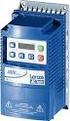 ELECTRIC MOTORS, GEARMOTORS AND DRIVES Variable Speed AC Motor Drives SM-Basic Installation and Operation Manual We, EC Declaration of Conformity In accordance with EN45014:1998 Leeson Electric Corporation
NX safety stand-alone
 NX-S@ NX safety stand-alone stand-alone into machine automation Expandable safety system up to 32 safety connections or 63 standard connections controller flexible system lets your freely mix safety I/O
RISH EM 3490 DS Dual Source Energy Meter RISH EM 3490 DS. Application : Product Features:
 Application : RISH Master 3490 DS measures important electrical parameters of Utility (in normal mode) & Generators (in Power back up) in three phase and single phase Network & replaces the multiple analog
LTR Series Uninterruptible Power Systems 700 VA - 2.1 KVA. General Specification
 08/17/12 Rev2 LTR Series General Specification 700 VA to 2.1 KVA 1.0 General LTR Series Uninterruptible Power Systems 700 VA - 2.1 KVA General Specification This specification describes the features and
ABB i-bus EIB / KNX Analogue Input AE/S 4.2
 Product Manual ABB i-bus EIB / KNX Analogue Input AE/S 4.2 Intelligent Installation Systems This manual describes the functionality of Analogue Input AE/S 4.2. Subject to changes and errors excepted. Exclusion
LENORD. +BAUER... automates motion. PowerDRIVE-Positioning GEL 6109 Compact positioning drive for installation situations with limited space
 PowerDRIVE-Positioning GEL 6109 Compact positioning drive for installation situations with limited space LENORD +BAUER... automates motion. Technical information Version 2014-09 General The PowerDRIVE-Positioning
38 Series - Relay interface modules 0.1-2 - 3-5 - 6-8 A
 38 Series - Relay interface modules 0.1-2 - 3-5 - 6-8 A Common features Instant ejection of relay by plastic retaining clip Integral coil indication and protection circuit EMR Electromechanical Relays
Frequency Converter Fv
 2 Bosch Rexroth AG Electric Drives and Controls Documentation Brake chopper with up to 30 kw continuous braking power Easy to operate and service (detachable fan, LCD operating panel with copy function)