
SOLUTIONS FOR LEGAL PROFESSIONALS
|
|
|
- Roderick Francis
- 10 years ago
- Views:
Transcription
1 SOLUTIONS FOR LEGAL PROFESSIONALS The verdict is in: legal professionals trust Konica Minolta. Our EnvisionIT Legal solutions assist legal departments of all sizes envision how they can work smarter and more efficiently with solutions and services designed to streamline legal data and document management. We are today s industry leader in providing state of the art document solutions, IT Services, ediscovery, hardware and support for legal professionals. With proven expertise in serving the document management needs of legal organizations, we will reduce your print costs and increase productivity all while maintaining the security of your documents and network that legal organizations depend on.

2 SPECIFIC ADVANTAGES LEGAL FIRMS ARE BENEFITING FROM ARE: Managing IT Infrastructure Comprehensive network services featuring IT Projects, Managed IT Services, Cloud Services, Optimized Print and Information Security Services all with 24/7 support. WHY KONICA MINOLTA DESERVES A PLACE ON YOUR LEGAL TEAM Konica Minolta understands the demands involved in maintaining and growing a successful legal department: increasing productivity, reducing cost, maximizing efficiency, automating processes and gaining a competitive edge. Compliance issues have become more complex. Security demands are continually increasing. Environmental sustainability concerns are now paramount. IT infrastructure needs are always evolving. To meet these challenges, legal professionals are turning to Konica Minolta. Through our EnvisionIT Legal initiative, Konica Minolta offers a comprehensive suite of products and services comprised of industry-leading MFP technology, best-of-breed software and legal IT management and consulting services. Our best (Bizhub Extended Solution Technology) and OP (Open Platform) technology enables seamless integration with standard cost accounting, document management and cloud based systems, helping our legal professionals overcome a myriad of document workflow and security obstacles by implementing our leading edge solutions. Konica Minolta EnvisionIT Legal Solutions are designed for any sized legal firm or department and can optimize business processes, reduce costs, and increase productivity throughout the practice. Workflow Management Optimize productivity and reduce labor costs with customized and integrated workflows that combine multiple tasks into a single process with the touch of a button on the bizhub MFP. For maximum efficiency, documents can be routed automatically to any destination based on pre-defined rules. Document Security Protect sensitive client information with strict adherence to the Sarbanes-Oaxley Act (SOX) and other compliance standards. Konica Minolta bizhub devices are world-renowned for providing advanced protection services to ensure client data is optimally secured. Electronic Image Management Increase productivity by automatically converting scanned images to editable documents, in multiple file formats, directly from the bizhub MFP. Automate Legal Tasks Bates stamping, redacting, and highlighting can be automated and accessed directly from the MFP control panel. Cost Reduction and Management Implement client chargeback and cost recovery solutions that are fully integrated to the bizhub MFP. Fax Management Eliminate stand-alone fax machines by implementing network faxing of hardcopy documents to bizhub MFPs or from users desktops. I am President of the New York City Chapter of Association of Legal Administrators, and as a member I can reach out to over 400 chapter members all over the city to vet potential vendors. Consistently, the name that came back to me was Konica Minolta. And, it wasn t just the name of the company but the people that stand behind them. Patricia Isaacson, Firm Administrator, Seeger Weiss, LLP

3 POWERFUL RESULTS IT SERVICES FROM KONICA MINOLTA. Along with the industry s most complete line of document imaging solutions, Konica Minolta offers law firms and corporate legal departments IT Services from our All Covered Legal IT Services organization. Since 1997, All Covered has been the leader in IT management, service and support. The trained professionals of All Covered can help speed document workflow, protect the security of your data and support your infrastructure without adding personnel to your payroll. All Covered professionals are experienced in the latest IT technologies and certified in all major systems, including Microsoft, Cisco, Citrix, Symantec, Dell and legal-specific technical applications. Utilizing a proactive approach, All Covered consultants provide you with a window into emerging legal technologies to assist you with cost reduction initiatives while staying current with legal trends. All Covered provides a customizable suite of applications and services based on legal and administrative needs including preventative maintenance, 24x7x365 network monitoring, and proactive management to correct issues before they become problems. You ll have access to a broader and deeper range of specialized resources and skill sets, available to you at any and all times (no vacation or sick days to be concerned about) with extensive knowledge in current technologies. ALL COVERED SERVICE COMPONENTS: Managed IT Services: All Covered offers complete IT management solutions that take the hassles out of maintaining and managing your critical systems. All Covered can help round out the capabilities of your current IT staff, or provide a complete IT solution under which your servers, desktops and other network components are monitored and supported 24/7, both remotely and locally. All Covered s approach is to identify and correct issues before they result in unplanned downtime. IT Projects: All Covered s Project and consulting services include strategic planning, design, implementation and training for projects such as desktop and server upgrades, hardware and software migrations, complete network design and buildout, network assessments, virtualization design and implementation, office and data center moves, or integration of MFP devices into the network. All Covered can provide turn-key projects or supplement your existing project team with resources skilled in the latest technologies. Cloud Services: All Covered Cloud Services will help you minimize your on-premise footprint and costs by either co-locating your equipment into an All Covered data center or provisioning virtual servers for you in a private cloud. Both approaches result in remote access from anywhere with an Internet connection, greater reliability and a more predictable cost structure. All Covered s Cloud Services include Enterprise class Windows servers, off-site data storage and Cloud Backup and Disaster Recovery services all designed so the firm maintains access to data in the event of a local outage. All Covered can also provide cost effective, enterprise grade, hosted and collaboration solutions for smaller organizations. Information Security Services: Because security risks are constantly changing, law firms face the challenge of identifying and creating a flexible and defensive plan while taking care of core business functions. All Covered Security Services include security assessments, incident response, forensic analysis, assessment of compliance requirements with resulting recommendations, and ediscovery solutions including and document archiving as well as encryption all with the high level of security demanded by law firms.

4 AN OPENING ARGUMENT FOR GREATER SECURITY From the ground up, Konica Minolta has designed your bizhub MFP to include, as standard, all the security features required by legal professionals. And it all begins with a special set of five protection settings that can be activated by your Konica Minolta Field Engineer as part of bizhub SECURE. 1. A SECURE ADMINISTRATOR PASSWORD. Your Konica Minolta Field Engineer can work with you to develop a secure password policy for your bizhub MFP, changing the default Administrator Password to a secure alphanumeric password. 2. HDD ENCRYPTION. The entire contents of your bizhub hard disk drive can be encrypted with a 20-character alphanumeric key using real-time 128-bit AES encryption methods, providing the highest level of protection if your HDD is removed and an unauthorized user attempts to extract its data. 3. TEMPORARY DATA OVERWRITE. This feature automatically overwrites each completed job, deleting it from your bizhub and leaving no trace of its data anywhere in your system. 4. HDD PASSWORD LOCK. An additional level of security can be added to your HDD with a 20-character password lock applied to the BIOS of the HDD, protecting it from unauthorized access if it is removed or switched to another similar bizhub device. 5. AUTO-DELETING USER BOX DATA. This safeguard automatically deletes all data left in a User Box or Secure Box on your bizhub MFP. To activate these powerful bizhub SECURE features, just contact your Konica Minolta authorized representative. SECURITY SAFEGUARDS TO MANAGE AND PROTECT LEGAL INFORMATION Your legal workflow will benefit from seamless bizhub connectivity to standard legal industry scanning solutions for archiving, retrieving and managing electronic documents. And in legal applications, confidentiality is critical so every bizhub gives legal organizations access to the industry s most comprehensive security capabilities and options. Every bizhub device attains ISO certification at EAL 3, the highest level for commercially available products. Built-in security functions include powerful password protection for documents and devices. You can also encrypt scanned legal files and PDF documents, limit network access with IP filtering and encryption, protect hard-disk content with password and encryption, overwrite HDD content more effectively even sanitize disk drives when bizhub devices are relocated or removed from your network. Our optional Copy Guard Kit provides even more advanced legal document protection by preventing the copying of any confidential documents and supporting Password Copy feature that permits copying only via password. You ll have the option to add standard PIV/CAC or HID card systems, biometric authentication capabilities and other advanced security enhancements. And our Follow-You Printing feature protects attorney/client confidentiality by preventing documents from sitting in output trays where they may be seen by unauthorized individuals. Konica Minolta bizhub SECURE: 1. A Secure Administrator Password. 2. HDD Encryption. 3. Temporary Data Overwrite. 4. HDD Password Lock. 5. Auto-Deleting User Box Data.

5 LEGAL EXPERTISE FOR STREAMING YOUR WORKFLOW As an example of our legal expertise, consider Konica Minolta s Dispatcher Phoenix Legal solution, an advanced workflow automation application that streamlines legal workflows and saves time by simplifying the process of preparing case files for clients, courts, and legal discovery. Dispatcher Phoenix Legal automates typical time-consuming and labor-intensive manual document processing tasks, including: Converting scanned images to a wide variety of PDF formats, including PDF/A for archiving and PDF Searchable for keyword searching. Advanced Bates stamping, which allows you to place an unlimited number of Bates stamps, such as page numbers, case numbers, and static text, anywhere on the page. Versatile Bates stamping features include numeric, alphabetic, and Roman numeral counters as well as page content shrink/shift capabilities. Redacting, highlighting or striking out essential text using intelligent technology. You can enter search terms, specify when and where to redact or highlight/strikeout in the document, and let Dispatcher Phoenix Legal do the rest. And no need to worry; redacted text is permanently removed from the document. Indexing and folder browsing for document identification and routing. At the MFP panel, you can index documents, browse through your PC s folder structure to select a folder for the scan destination, and connect to Microsoft SharePoint to upload your documents to a specific SharePoint library. Annotating, watermarking, and renaming documents. Routing documents based on color or page count to guarantee printing on the most cost-effective device. For the utmost convenience, Bates stamping, Redact, and Highlight/Strikeout features are also available directly from the MFP. Customizing your Bates stamps and redact, highlight, and strikeout search terms is now as simple as tapping a few buttons on your MFP panel! Multiple line annotations can add important reference information. Multi-position Bates stamping can identify each page of a document. Notes can be added to call attention to action requirements. Watermarking can identify the nature of a document. Highlighting can quickly call attention to essential information. Redaction can black out information that cannot be revealed. HANDLING LEGAL CONTENT LIKE A PRO Dispatcher Phoenix Legal incorporates a Workflow Builder tool that makes creating and customizing document workflows easy and intuitive. And its LiveFlo technology gives you a real-time view of your running workflow, allowing you to identify bottlenecks and make certain that inputs, processes and outputs are set correctly making Dispatcher Phoenix Legal a comprehensive, cost-effective document solution for any law firm. Disposition can maintain confidentiality or limit distribution. Bates stamps can include case number, document number, file size, etc.

6 PROVEN COST SAVINGS AND AWARD WINNING RESULTS In the paper-intensive world of legal services, reducing document costs can be a significant factor in improving profitability and you can count on Konica Minolta to help. To help you handle legal documents more efficiently in both hard copy and electronic form, take advantage of our Optimized Print Services program. By monitoring usage, measuring output and managing devices more effectively, our Optimized Print Services program puts you in full control of your legal print/scan environment. We help you evaluate your workflow, optimize your document output, and automate service and supplies to keep printers and MFPs working at peak performance with maximum uptime. The OPT suite of software utilities can help you analyze print costs and develop a roadmap to consolidate functions and replace underutilized devices. We can even assist you on modifying behavior to reduce unnecessary duplication. For legal organizations from coast to coast, Konica Minolta provides comprehensive service and support. You ll have access to 24/7 comprehensive web-based support, a dedicated MyKMBS website for service calls and consumable orders, a quick-response National Customer Support Center connected to over 800 branch locations and dealerships throughout the nation. And to help protect the environment, Konica Minolta leads the way in green initiatives including the Clean Planet program, the industry s first cost-free recycling plan for all Konica Minolta consumables. In addition, every bizhub device is designed to save energy and reduce pollutants at every stage of its manufacture and operation. With over 38,000 worldwide employees and cutting-edge research programs in optical and digital technology, we re proud of our record of achievement. In 2013, for the sixth straight year, Konica Minolta has been recognized as the #1 Brand for Customer Loyalty in the MFP Office Copier Market by Brand Keys. We ve also earned Line of the Year and Solutions of the Year awards from BLI. So the evidence is clear: Konica Minolta can be a valuable addition to your legal team.

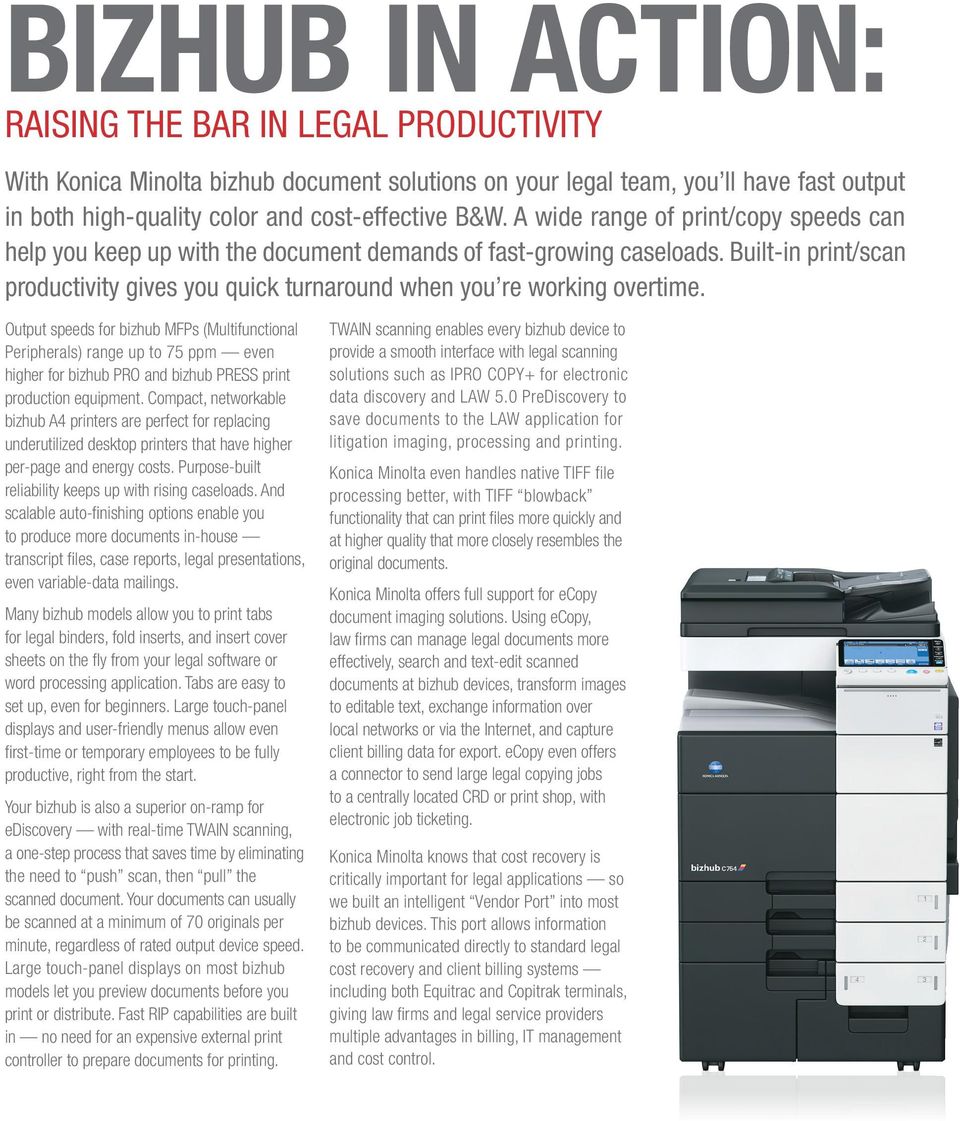
7 BIZHUB IN ACTION: RAISING THE BAR IN LEGAL PRODUCTIVITY With Konica Minolta bizhub document solutions on your legal team, you ll have fast output in both high-quality color and cost-effective B&W. A wide range of print/copy speeds can help you keep up with the document demands of fast-growing caseloads. Built-in print/scan productivity gives you quick turnaround when you re working overtime. Output speeds for bizhub MFPs (Multifunctional Peripherals) range up to 75 ppm even higher for bizhub PRO and bizhub PRESS print production equipment. Compact, networkable bizhub A4 printers are perfect for replacing underutilized desktop printers that have higher per-page and energy costs. Purpose-built reliability keeps up with rising caseloads. And scalable auto-finishing options enable you to produce more documents in-house transcript files, case reports, legal presentations, even variable-data mailings. Many bizhub models allow you to print tabs for legal binders, fold inserts, and insert cover sheets on the fly from your legal software or word processing application. Tabs are easy to set up, even for beginners. Large touch-panel displays and user-friendly menus allow even first-time or temporary employees to be fully productive, right from the start. Your bizhub is also a superior on-ramp for ediscovery with real-time TWAIN scanning, a one-step process that saves time by eliminating the need to push scan, then pull the scanned document. Your documents can usually be scanned at a minimum of 70 originals per minute, regardless of rated output device speed. Large touch-panel displays on most bizhub models let you preview documents before you print or distribute. Fast RIP capabilities are built in no need for an expensive external print controller to prepare documents for printing. TWAIN scanning enables every bizhub device to provide a smooth interface with legal scanning solutions such as IPRO COPY+ for electronic data discovery and LAW 5.0 PreDiscovery to save documents to the LAW application for litigation imaging, processing and printing. Konica Minolta even handles native TIFF file processing better, with TIFF blowback functionality that can print files more quickly and at higher quality that more closely resembles the original documents. Konica Minolta offers full support for ecopy document imaging solutions. Using ecopy, law firms can manage legal documents more effectively, search and text-edit scanned documents at bizhub devices, transform images to editable text, exchange information over local networks or via the Internet, and capture client billing data for export. ecopy even offers a connector to send large legal copying jobs to a centrally located CRD or print shop, with electronic job ticketing. Konica Minolta knows that cost recovery is critically important for legal applications so we built an intelligent Vendor Port into most bizhub devices. This port allows information to be communicated directly to standard legal cost recovery and client billing systems including both Equitrac and Copitrak terminals, giving law firms and legal service providers multiple advantages in billing, IT management and cost control.
8 KONICA MINOLTA BENEFITS FOR LEGAL APPLICATIONS: A CHECKLIST LEGAL NEED SOLUTION PRODUCTIVITY BENEFIT Cost Recovery and Client Chargeback Security Integration with Equitrac and Copitrak bizhub SECURE Enables seamless cost recovery directly from the bizhub control panel Lock-down protection for bizhub MFPs with advanced protection services to ensure legal data is optimally secured Protecting Legal Case Files SOX-Compliant Security Features MFP based security technologies with full ISO certification Network User Authentication Multiple Options Password, proximity card or biometric authentication to meet any need Document Capture, Management and Workflow Bates Stamping, OCR, Conversion, Redaction Dispatcher Phoenix Legal, Nuance ecopy, IPRO, NSI Autostore, Prism Legalflow Dispatcher Phoenix Legal Document routing, workflow management, Tiff blowbacks, document conversions Perform OCR, convert to PDF/A and PDF searchable, PDF/A and PDF formats, automatically view redacted text, prevent retrieval of exported text Legal Binders Tab Printing Create tabbed binders without expensive outsource printing IT Services Managed Printing Productive Print/Scan/Copy High-Quality Color Documents On-Ramp Scan Input All Covered IT Services from Konica Minolta OPS Program bizhub MFPs with Built-in Print Control Simitri HD Toner and Emperon Printer Technology TWAIN Driver IT Projects, Managed IT Services, Cloud Services, Information Security Services Evaluate workflow, reduce costs, automate service and supplies, maximize uptime All-in-one convenience, no external print controller required Print images and marketing materials in-house to reduce cost One-step scanning brings information direct to the desktop or an ecopy ScanStation in real time Software Integration best Technology Bizhub MFP compatibility with standard legal document imaging systems Environmental Sustainability Clean Planet Program Free recycling of all Konica Minolta consumables KONICA MINOLTA BUSINESS SOLUTIONS U.S.A., INC. 100 Williams Drive Ramsey, NJ Visit kmbs.konicaminolta.us/legal for the most recent information on Konica Minolta Legal Solution Partners. Visit kmbs.konicaminolta.us/certifications for the latest Konica Minolta certifications KONICA MINOLTA BUSINESS SOLUTIONS U.S.A., INC. All rights reserved. Reproduction in whole or in part without written permission is prohibited. KONICA MINOLTA, the KONICA MINOLTA logo, Count on Konica Minolta, bizhub and PageScope are registered trademarks or trademarks of KONICA MINOLTA, INC. All other product and brand names are trademarks or registered trademarks of their respective companies or organizations. Item #: LEGALBRO 11/13

Dispatcher Phoenix is available in three distinct and customizable solutions to meet customer needs most effectively and efficiently:
 Overview Konica Minolta s Dispatcher Phoenix is a family of workflow automation products that optimizes business processes, reduces costs, and increases productivity for any organization. Dispatcher Phoenix
Facilities Management Solutions from a company you can count on.
 Facilities Management Solutions from a company you can count on. Konica Minolta Facilities Management Solutions (KMFMS) is a comprehensive program that can reduce costs and implement best business practices
Print and Document. for Konica Minolta MFDs
 Print and Document for Konica Minolta MFDs Make the most of your multifunctional device with our guide to applications that will enable you to make the most of you document management. Some of these applications
Enabling Growth and Driving Business Transformation. cloud
 Enabling Growth and Driving Business Transformation cloud Cloud that works for you. All Covered IT Services from Konica Minolta can cut costs and help grow your business. For IT professionals, the cloud
SAMSUNG PRINTING SOLUTIONS Business Core Printing Solutions. FOR YOUR BUSINESS Easy-to-use serverless solutions that work as efficiently as you do
 SAMSUNG PRINTING SOLUTIONS Business Core Printing Solutions FOR YOUR BUSINESS Easy-to-use serverless solutions that work as efficiently as you do WORK MORE EFFICIENTLY WITH COST-EFFECTIVE, SERVERLESS
Konica Minolta Addresses the Legal Market
 February, 2010 Strategic Assessment Konica Minolta Addresses the Legal Market Authors Randy Dazo Abstract This document looks at the trends in the legal market, how solutions can help address some of the
PageScope Enterprise Suite: interlocking solutions to manage your printer and MFP fleet more productively.
 PageScope Enterprise Suite gives you a powerful set of management tools to get a grip on managing print output, tracking costs and accounts, authenticating users, even customizing individual preferences
Konica Minolta Unity Document Suite. Powerful integrated document processing. Document capture & distribution Unity Document Suite
 Konica Minolta Unity Document Suite Powerful integrated document processing Document capture & distribution Unity Document Suite Unity Document Suite, document capture & distribution Streamlined document
Business Applications from Kyocera. Endless Possibilities, Measurable Success
 Business Applications from Kyocera Endless Possibilities, Measurable Success From Mobile and Cloud, to Cost Control and Security solutions, Kyocera is committed to providing business applications that
BUSINESS CORE PRINTING SOLUTIONS
 LEGAL AND ADDITIONAL INFORMATION Samsung Printing Solutions Keeping up with technology is critical to the success of any business or the productivity of any individual. The choice of technology can be
Nuance ecopy ShareScan. Brings paper documents into the digital world. Document capture & distribution Nuance ecopy
 Nuance ecopy ShareScan Brings paper documents into the digital world Document capture & distribution Nuance ecopy Nuance ecopy, document capture & distribution Integrate paper documents into digital workflows
TECHNOLOGY. Konica Minolta Office MFP Solutions. Innovation You Can Count On. office
 TECHNOLOGY Konica Minolta Office MFP Solutions. Innovation You Can Count On. office Innovation. With Konica Minolta, you will have innovative MFP solutions that give shape to ideas. Every Konica Minolta
HIPAA Security Compliance for Konica Minolta bizhub MFPs
 HIPAA Security Compliance for Konica Minolta bizhub MFPs Table of Contents Introduction... 1 What is HIPAA?... 1 HIPAA Security Standards that are applicable to Konica Minolta bizhub Multi-Functional Printers...
GlobalScan NX. Server 32/Server 750. Intelligent scanning for smarter workflow
 SOLUTION Intelligent scanning for smarter workflow GlobalScan NX Server 32/Server 750 Designed to simplify daily document tasks, these easy-to-use software solutions provide a fast, streamlined approach
PageScope Enterprise Suite 3.0
 PageScope Enterprise Suite 3.0 Categories Modules Device Management Output Management User & Cost Management PageScope Net Care Device Manager PageScope Account Manager PageScope Authentication Manager
Reform PDC Document Workflow Solution Streamline capture and distribution. intuitive. lexible. mobile
 Reform PDC Document Workflow Solution Streamline capture and distribution intuitive lexible mobile Reform PDC Innovation and convenience to maximize efficiency. Your organization is unique so is its document
Addressing document imaging security issues
 Addressing document imaging security issues Document imaging makes it possible to integrate paper documents with existing workflow processes and business applications, e.g., e-mail, fax, and electronic
Nuance ecopy ShareScan v5. Document Imaging Software. Digitize and streamline paper-based workflows.
 Nuance ecopy ShareScan v5 Document Imaging Software SCAN > PROCESS > EXTRACT > COMBINE > TRANSFORM > Digitize and streamline paper-based workflows. > Integrate paper files with digital workflows Integrate
Data Storage That Looks at Business the Way You Do. Up. cloud
 Data Storage That Looks at Business the Way You Do. Up. cloud Now integrating enterprise information and business processes is as simple as a click or a swipe. Konica Minolta s FileAssist solution provides
Simplify essential workflows with dynamic scanning capabilities. GlobalScan NX Server 32/Server 750 Capture & Distribution Solution
 GlobalScan NX Server 32/Server 750 Capture & Distribution Solution SCAN > SHARE > MANAGE > DELIVER > ACCELERATE > Simplify essential workflows with dynamic scanning capabilities. > Manage scanned documents
Quick Reference Guide
 Quick Reference Guide What s New in NSi AutoStore TM 6.0 Notable Solutions, Inc. System requirements Hardware Microsoft Windows operating system (OS) running on computer with at least a 2 GHz Processor
THE BIG GREEN PICTURE HOW KONICA MINOLTA INNOVATIONS, PROGRAMS & ENERGY-SAVING INITIATIVES PROTECT THE ENVIRONMENT FOR FUTURE GENERATIONS
 THE BIG GREEN PICTURE HOW KONICA MINOLTA INNOVATIONS, PROGRAMS & ENERGY-SAVING INITIATIVES PROTECT THE ENVIRONMENT FOR FUTURE GENERATIONS At Konica Minolta, environmental protection is a top priority.
Nuance Power PDF is PDF uncompromised.
 is PDF uncompromised. Collaboration and productivity at a price that makes business sense. 2 is the next generation PDF solution that delivers performance, ease, and value as never before. PDF uncompromised.
HYBRID PLATFORM FOR ADVANCED SOLUTIONS (HyPAS ) Technology Brief
 HYBRID PLATFORM FOR ADVANCED SOLUTIONS (HyPAS ) Technology Brief Introduction Just like time itself, technology stops for no one. Case in point: Office technology. Specifically, single-function copy, print,
Office Technologies Managed Services Professional Services. SERVING OVER 18,000 CUSTOMERS IN THE NYC & TRI-STATE AREA tomorrowsoffice.
 Office Technologies Managed Services Professional Services Agenda What s Changed? Office Technologies Solutions Beyond Your MFP The New Atlantic Protecting Your Business What s Changed What s Changed?
Nuance ecopy ShareScan 5 and ecopy PDF Pro Office 5 Reviewers' Guide
 Nuance ecopy ShareScan 5 and ecopy PDF Pro Office 5 Reviewers' Guide Thank you for your interest in the ecopy multifunction peripheral (MFP) document scanning and workflow software. We hope that the following
Server 32/Server 750. GlobalScan NX Server 5/ SOLUTION. Intelligent scanning for smarter workflow
 SOLUTION Intelligent scanning for smarter workflow GlobalScan NX Server 5/ Server 32/Server 750 Designed to simplify daily document tasks, these easy-to-use software solutions provide a fast, streamlined
INDIVIDUAL bizhub ENHANCEMENT
 INDIVIDUAL bizhub ENHANCEMENT Advanced functionality with i-option Streamlining user operation and increasing workflow capabilities are important requirements in today s corporate environments. Taking
Migrating business users to a robust alternative desktop PDF solution is now possible and it s easier than you think.
 Migrating business users to a robust alternative desktop PDF solution is now possible and it s easier than you think. How to avoid compromises when deploying PDF solutions. 2 Executive summary PDF is the
e CABINET AND DOCULEX Document Capture and Electronic File Conversion
 A R I C O H C O M PA N Y e CABINET AND DOCULEX P D F. C A P T U R E Document Capture and Electronic File Conversion D OCULEX PDF.CAPTURE From the Leader in Document Imaging Software... DocuLex DocuLex
One Platform for all your Print, Scan and Device Management
 One Platform for all your Print, Scan and Device Management Manage all Printing & Scanning with one single Platform. Incorporating uniflow into your document processes will lead to real improvements in
Workflow Suite Family. GlobalScan. Capture & Distribution Solution Comprehensive Document Control. scalable. ersatile. powerful
 GlobalScan Workflow Suite Family Capture & Distribution Solution Comprehensive Document Control scalable ersatile powerful Ricoh GlobalScan Workflow Suite Family Maximize simplicity, efficiency and productivity
I WANT OFFICE SOLUTIONS THAT HELP ME ON MY WAY
 I WANT OFFICE SOLUTIONS THAT HELP ME ON MY WAY INTELLIGENT OFFICE SOLUTIONS OFFICE SOLUTIONS 2 WORKING ENVIRONMENTS IN STEP WITH TODAY S WORLD The modern working environment is a flood of data and information.
GlobalScan. Capture, process and distribute documents with exceptional efficiency. Workflow Suite Family
 GlobalScan Workflow Suite Family CONTROL > MANAGE > INTEGRATE > AUTOMATE > IMPROVE > Capture, process and distribute documents with exceptional efficiency. > Maximize simplicity, efficiency and productivity.
Addressing Security Issues The ecopy solution for document imaging
 WHITE PAPER Addressing Security Issues The ecopy solution for document imaging Contents Product overview...1 User authentication...2 Document security...2 Activity logging...2 Device security...3 Personalization
easy ntelligent convenient GlobalScan NX Server 5/ Server 32/Server 750 Capture & Distribution Solution Energize Critical Workflows
 GlobalScan NX Server 5/ Server 32/Server 750 Capture & Distribution Solution Energize Critical Workflows easy convenient Server 5/Server 32/Server 750 ntelligent Ricoh GlobalScan NX Server 5/Server 32/Server
Improve Efficiency and Cut Costs in Higher Education Document Management. higher education
 Improve Efficiency and Cut Costs in Higher Education Document Management higher education Empower. In today s fast-changing world, colleges and universities are looking for ways to cut costs, stretch budgets,
Enabling bizhub HDD Security Features
 Hard Disk Drive Security Enabling bizhub HDD Security Features bizhub C652/C552/C452 bizhub C360/C280/C220 bizhub 423/363/283/223 1 Enabling bizhub HDD Security - Overview This guide is intended to assist
I WANT EFFICIENT WORKFLOWS, HIGHER PRODUCTIVITY AND LOWER COSTS
 I WANT EFFICIENT WORKFLOWS, HIGHER PRODUCTIVITY AND LOWER COSTS OPTIMISED PRINT SERVICES HOW CAN YOU BEST SOLVE THE CHALLENGES OF THE MODERN WORKING WORLD? BY WORKING TOGETHER! Everyone in the modern working
Product. Director Transform Your Business Processes with a Sophisticated Enterprise Content Management Solution
 Product Director Transform Your Business Processes with a Sophisticated Enterprise Content Management Solution Product Your success depends on efficiently using and managing information across your organization.
PageScope Enterprise Suite 3.2
 PageScope Enterprise Suite 3.2 Categories Modules Device Management Output Management User & Cost Management PageScope NetCare Device Manager PageScope Authentication Manager (Biometric Gateway option)
ENDLESS POSSIBILITIES, MEASURABLE SUCCESS
 ENDLESS POSSIBILITIES, MEASURABLE SUCCESS BUSINESS APPLICATIONS CATALOG From Mobile and Cloud, to Cost Control and Security solutions, KYOCERA is committed to providing business applications that seamlessly
This is an example of MFP password entry in the administration mode for hard-disk protection:
 Data security Hard disk password protection The built-in hard disk of the MFP is automatically protected by a password. This password is stored in the hard disk BIOS and prevents access to the hard disk
KIP 7100 - ULTIMATE MULTIFUNCTION PERFORMANCE
 KIP 7100 - ULTIMATE MULTIFUNCTION PERFORMANCE ULTIMATE PRODUCTION DESIGN Ultimate MULTIFUNCTION PERFORMANCE KIP 7100 PRECISION DESIGN KIP 7100 PRINT MANAGEMENT SOFTWARE KIP 7100 OPERATIONAL CONVENIENCE
Hard Drive Data Security. Chris Bilello Director, Business Development Konica Minolta Business Solutions U.S.A., Inc.
 Hard Drive Data Security Chris Bilello Director, Business Development Konica Minolta Business Solutions U.S.A., Inc. Konica Minolta Security Features On April 19, CBS News aired a story that highlighted
KIP 700 - EXCEPTIONAL MULTIFUNCTION VALUE
 KIP 700 - EXCEPTIONAL MULTIFUNCTION VALUE THE KIP 700 IS THE HIGHEST VALUE WIDE FORMAT MULTIFUNCTION SYSTEM IN THE WORLD. IT SETS NEW STANDARDS FOR PROFESSIONAL QUALITY AT A BREAKTHROUGH VALUE/ PERFORMANCE
WorkCentre Pro 165/175. CopyCentre C165/C175. WorkCentre M165/M175. copy print scan fax email. Performance. and efficiency that.
 CopyCentre C165/C175 WorkCentre M165/M175 WorkCentre Pro 165/175 copy print scan fax email Performance and efficiency that fit anywhere Optimized foryourbusyoffice. From digital copiers to copier-printers
Control scanning, printing and copying effectively with uniflow Version 5. you can
 Control scanning, printing and copying effectively with uniflow Version 5 you can Bring more control and added efficiency to your scanning and print environment. What is uniflow? uniflow is a software
Streamline NX. Capture, Distribution & Output Management Solution
 Streamline NX Capture, Distribution & Output Management Solution Efficient document management goes beyond the printed page. With RICOH Streamline NX, organizations can simplify document creation, storage,
Symantec Enterprise Vault.cloud Overview
 Fact Sheet: Archiving and ediscovery Introduction The data explosion that has burdened corporations and governments across the globe for the past decade has become increasingly expensive and difficult
SeCUritY. Safeguarding information Within Documents and Devices. imagerunner ADVANCE Solutions. ADVANCE to Canon MFP security solutions.
 imagerunner ADVANCE Solutions SeCUritY Safeguarding information Within Documents and Devices ADVANCE to Canon MFP security solutions. Whether your business relies on paper documents, electronic documents,
Navigate your workflow
 Océ Document Management Tool 2.2 Navigate your workflow Digital document workflow software that streamlines productivity Put convenience and productivity at your fingertips Gain control over your document
UNCLASSIFIED. UK Email Archiving powered by Mimecast Service Description
 UNCLASSIFIED 11/12/2015 v2.2 UK Email Archiving powered by Mimecast Service Description Cobweb s UK Email Archiving, powered by Mimecast, provides businesses with a secure, scalable cloud-based message
User Authentication Job Tracking Fax Transmission via RightFax Server Secure Printing Functions HDD/Memory Security Fax to Ethernet Connection Data
 User Authentication Job Tracking Fax Transmission via RightFax Server Secure Printing Functions HDD/Memory Security Fax to Ethernet Connection Data Security Kit Outline How do you protect your critical
Amazing versatility...
 WorkCentre 7228 / 7235 / 7245 print copy scan fax email Amazing versatility... with office colour power WorkCentre 7228 / 7235 / 7245 One multi-tasking unit delivers the powerful features your business
I want EDUCATION with personal services to keep
 I want EDUCATION with personal services to keep things SIMPLE Improving SERVICE-Based EDUCATION the simple step to SERVICE-BaSED EDUCatIOn Education is one of the most decisive success factors for today
Data Storage that Looks at Business the Way You Do. Up. cloud
 Data Storage that Looks at Business the Way You Do. Up. cloud Now integrating enterprise information and business processes is as simple as a click or a swipe. Konica Minolta s FileAssist solution provides
SECURITY WITHOUT SACRIFICE
 SECURITY WITHOUT SACRIFICE Konica Minolta security standards INFORMATION SECURITY Industry-leading standard security In the digital age, we have seen global communications undergo unparalleled growth and
BUSINESS CORE PRINTING SOLUTIONS
 BUSINESS CORE ING SOLUTIONS Usage Tracker I SecuThru Lite 2 I Secure Login Manager I SmarThru Workflow Lite I Cloud Connector Smartify your business with easy-to-use, cost-efficient solutions in a server-less
CLOUD FAX SOLUTIONS BUYER S GUIDE
 CLOUD FAX SOLUTIONS BUYER S GUIDE TABLE OF CONTENTS INTRODUCTION 1 2 3 4 Define Your Needs Business Goals Requirements Compare Solutions Select Top Solutions Talk to References Do Demos/Trials Make Your
Ricoh Security Solutions Comprehensive protection for your documents and information. ecure. proven. trusted
 Ricoh Security Solutions Comprehensive protection for your documents and information ecure proven trusted RICOH Security Solutions Depend on Ricoh for comprehensive document security. RICOH understands
Securing MFPs in a CAC Environment: Today and Tomorrow Critical Considerations
 WHITE PAPER Securing MFPs in a CAC Environment: Today and Tomorrow Critical Considerations Contents The Mandate for Increased Security...1 Key Considerations...1 Critical Security Level Considerations...1
KIP System K Software
 KIP System K Software Print management solutions KIP System K Software Suite provides an enhanced user experience and exceptional productivity for the seamless control of colour and black & white print
ONE PLATFORM FOR ALL YOUR PRINT, SCAN, AND DEVICE MANAGEMENT
 ONE PLATFORM FOR ALL YOUR PRINT, SCAN, AND DEVICE MANAGEMENT MANAGE ALL PRINTING & SCANNING WITH ONE SINGLE PLATFORM Incorporating uniflow into your document processes will lead to real improvements in
U.S. Army best practices for secure network printing, scanning, and faxing.
 U.S. Army best practices for secure network printing, scanning, and faxing. Developed by Nuance Document Imaging and RICOH USA 2 Table of contents 3 Introduction Objective Overview Background in U.S. Federal
Legal Notes. Regarding Trademarks. 2011 KYOCERA MITA Corporation
 Legal Notes Unauthorized reproduction of all or part of this guide is prohibited. The information in this guide is subject to change without notice. We cannot be held liable for any problems arising from
Document Management Software. Find what you need fast Break through organizational barriers Work from wherever you want, whenever you want
 Document Management Software Speed Find what you need fast Power Break through organizational barriers Control Work from wherever you want, whenever you want Why Document Management Is Important Nearly
EMC Documentum ApplicationXtender Add-on Modules
 DATA SHEET EMC Documentum Add-on Modules Extension modules help you make better decisions and improve operational efficiencies EMC Documentum is an easy-to-use and implement document management system
Whether your organization is small, medium or large, OpenText RightFax meets these
 OpenText RightFax Your business faces increasing pressure to improve employee and process productivity, and to reduce operational costs. Whether your organization is small, medium or large, OpenText RightFax
One platform for printing, copying and scanning management. you can
 One platform for printing, copying and scanning management you can Bring more control and added efficiency to your scanning and print environment. What is uniflow? uniflow is a software platform designed
Xerox Workflow Automation Services Solutions Brochure. Xerox DocuShare 7.0. Enterprise content management for every organization.
 Xerox Workflow Automation Services Solutions Brochure Xerox DocuShare 7.0 Enterprise content management for every organization. Office Work Can Work Better Despite huge advances in the technology and tools
BUSINESS EQUIPMENT. www.ondemandhouston.com. www.ondemandhouston.com
 BUSINESS EQUIPMENT www.ondemandhouston.com www.ondemandhouston.com About Us On Demand Office Equipment Is The Total Solution For All Of Your Business Needs: Office Equipment Printer Fleet Management Production
Frequently Asked Questions
 Frequently Asked Questions OpenText RightFax 10 May 2011 Introduction This document provides answers to commonly asked questions and additional links for more information about OpenText RightFax 10. In
Sharpen your document and data security HP Security solutions for imaging and printing
 Sharpen your document and data security HP Security solutions for imaging and printing Recognize hidden risks You know how valuable data is to your organization. But the more data you acquire and share,
Printgroove JT Suite. The complete print process fast, simple and reliable. Applications Printgroove JT Suite
 Printgroove JT Suite The complete print process fast, simple and reliable Applications Printgroove JT Suite Printgroove JT Suite Automation for the print workflow Both in-house print facilities and external
Guardian365. Managed IT Support Services Suite
 Guardian365 Managed IT Support Services Suite What will you get from us? Award Winning Team Deloitte Best Managed Company in 2015. Ranked in the Top 3 globally for Best Managed Service Desk by the Service
Early Data Assessment. Product Summary. Processing. Review
 Early Data Assessment Gain early insight into your case data without waiting days for processing Defensibly reduce document collections by up to 95% Eliminate unnecessary time and expenses prior to formal
Intelligent Data Capturing and Indexing
 Intelligent Data Capturing and Indexing Scan Manager Version 4 Intelligent Data Capturing and Indexing Scan Manager seamlessly integrates with Canon s devices and DR-Series scanners for optimal performance
LexisNexis Concordance Evolution Amazing speed plus LAW PreDiscovery and LexisNexis Near Dupe integration
 LexisNexis Concordance Evolution Amazing speed plus LAW PreDiscovery and LexisNexis Near Dupe integration LexisNexis is committed to developing new and better Concordance Evolution capabilities. All based
ADVANCED SOLUTIONS FOR. Healthcare. patient safety quality of care Meaningful Use unstructured documents
 ADVANCED SOLUTIONS FOR Healthcare patient safety quality of care Meaningful Use unstructured documents New solutions for today s healthcare challenges. Few industries are undergoing as many changes as
Enhancing Document Review Efficiency with OmniX
 Xerox Litigation Services OmniX Platform Review Technical Brief Enhancing Document Review Efficiency with OmniX Xerox Litigation Services delivers a flexible suite of end-to-end technology-driven services,
How To Use Uniflow
 One platform for all your print, scan and device management Manage all Printing & Scanning with one single Platform. Incorporating uniflow into your document processes will lead to real improvements in
Windows Server 2012 R2 The Essentials Experience
 Windows Server 2012 R2 The Essentials Experience Published: October 7, 2013 Contents 1 Meeting business needs 1 The small business challenge 2 Windows Server 2012 R2 Essentials 2 A cloud-enabled server
Whether your organization is small, medium or large, OpenText RightFax meets these
 OpenText RightFax Your business faces increasing pressure to improve employee and process productivity, and to reduce operational costs. Whether your organization is small, medium or large, OpenText RightFax
Legal Notes. Regarding Trademarks. 2012 KYOCERA Document Solutions Inc.
 Legal Notes Unauthorized reproduction of all or part of this guide is prohibited. The information in this guide is subject to change without notice. We cannot be held liable for any problems arising from
Extend the value of imagerunner ADVANCE technology with ecopy document imaging solutions. paper-to-digital document workflow
 paper-to-digital document workflow dynamic document distribution business process integration SOFTWARE SOLUTIONS Extend the value of imagerunner ADVANCE technology with ecopy document imaging solutions
Litigation Solutions. insightful interactive culling. distributed ediscovery processing. powering digital review
 Litigation Solutions insightful interactive culling distributed ediscovery processing powering digital review TECHNOLOGY ASSISTED REVIEW Eclipse combines advanced analytic technology with machine learning
NETWORK PRINT MONITOR User Guide
 NETWORK PRINT MONITOR User Guide Legal Notes Unauthorized reproduction of all or part of this guide is prohibited. The information in this guide is subject to change without notice. We cannot be held liable
GlobalScan. Workflow Suite Family. Streamline workflows and enhance efficiency
 SOLUTION Streamline workflows and enhance efficiency GlobalScan Workflow Suite Family Powerful, scalable software that makes it easy to capture, process and distribute paper and electronic documents with