
C8051F350/1/2/3. Notes. 2 Rev. 0.4
|
|
|
- Allen Harper
- 10 years ago
- Views:
Transcription
1 8 k ISP Flash MCU Family Analog Peripherals - 24 or 16-Bit ADC No missing codes % nonlinearity Programmable conversion rates up to 1 ksps 8-Input multiplexer 1x to 128x PGA Built-in temperature sensor - Two 8-Bit Current Output DACs - Comparator Programmable hysteresis and response time Configurable as interrupt or reset source Low current (0.4 µa) On-chip Debug - On-chip debug circuitry facilitates full speed, nonintrusive in-system debug (No emulator required) - Provides breakpoints, single stepping, inspect/modify memory and registers - Superior performance to emulation systems using ICE-Chips, target pods, and sockets - Low Cost, Complete Development Kit Supply Voltage 2.7 to 3.6 V - Typical operating current: MHz; 32 khz - Typical stop mode current:0.1 µa Temperature Range: -40 to +85 C High Speed 8051 µc Core - Pipelined Instruction architecture; executes 70% of instructions in 1 or 2 system clocks - Up to 50 MIPS throughput - Expanded interrupt handler Memory Bytes ( ) On-Chip RAM - 8k Bytes Flash; In-system programmable in 512- byte Sectors Digital Peripherals - 17 Port I/O; All 5 V tolerant with high sink current - Enhanced UART, SMBus, and SPI Serial Ports - Four general purpose 16-bit counter/timers - 16-bit programmable counter array (PCA) with three capture/compare modules - Real time clock mode using PCA or timer and external clock source Clock Sources - Internal Oscillator: 24.5 MHz with ± 2% accuracy supports UART operation - External Oscillator: Crystal, RC, C, or clock (1 or 2 pin modes) - Clock multiplier to achieve 50 MHz internal clock - Can switch between clock sources on-the-fly 28-Pin MLP or 32-PIN LQFP Package - 5 x 5 mm PCB footprint with 28-MLP A M U X ANALOG PERIPHERALS TEMP SENSOR 24-bit 1ksps ADC + 8-bit IDAC 8-bit IDAC - VOLTAGE COMPARATOR DIGITAL I/O UART SMBus SPI PCA Timer 0 Timer 1 Timer 2 Timer 3 CROSSBAR Port 0 Port 1 P MHz PRECISION INTERNAL OSCILLATOR WITH CLOCK MULTIPLIER HIGH-SPEED CONTROLLER CORE 8KB 8051 CPU 768 B SRAM ISP FLASH (50 MIPS) FLEXIBLE DEBUG POR WDT INTERRUPTS CIRCUITRY Preliminary Rev /04 Copyright 2004 by Silicon Laboratories C8051F350/1/2/3-DS04 This information applies to a product under development. Its characteristics and specifications are subject to change without notice.

2 Notes 2 Rev. 0.4
3 Table of Contents 1. System Overview CIP-51 Microcontroller Fully 8051 Compatible Instruction Set Improved Throughput Additional Features On-Chip Debug Circuitry On-Chip Memory or 16-Bit Analog to Digital Converter (ADC0) Two 8-bit Current-Mode DACs Programmable Comparator Serial Ports Port Input/Output Programmable Counter Array Absolute Maximum Ratings Global DC Electrical Characteristics Pinout and Package Definitions or 16-Bit Analog to Digital Converter (ADC0) Configuration Voltage Reference Selection Analog Inputs Programmable Gain Amplifier Input Buffers Modulator Clock Decimation Ratio Calibrating the ADC Internal Calibration System Calibration Calibration Coefficient Storage Performing Conversions Single Conversions Continuous Conversions ADC Output Error Conditions Offset DAC Burnout Current Sources Analog Multiplexer Bit Current Mode DACS (IDA0 and IDA1) IDAC Output Scheduling Update Output On-Demand Update Output Based on Timer Overflow Update Output Based on CNVSTR Edge IDAC Output Mapping IDAC External Pin Connections Rev

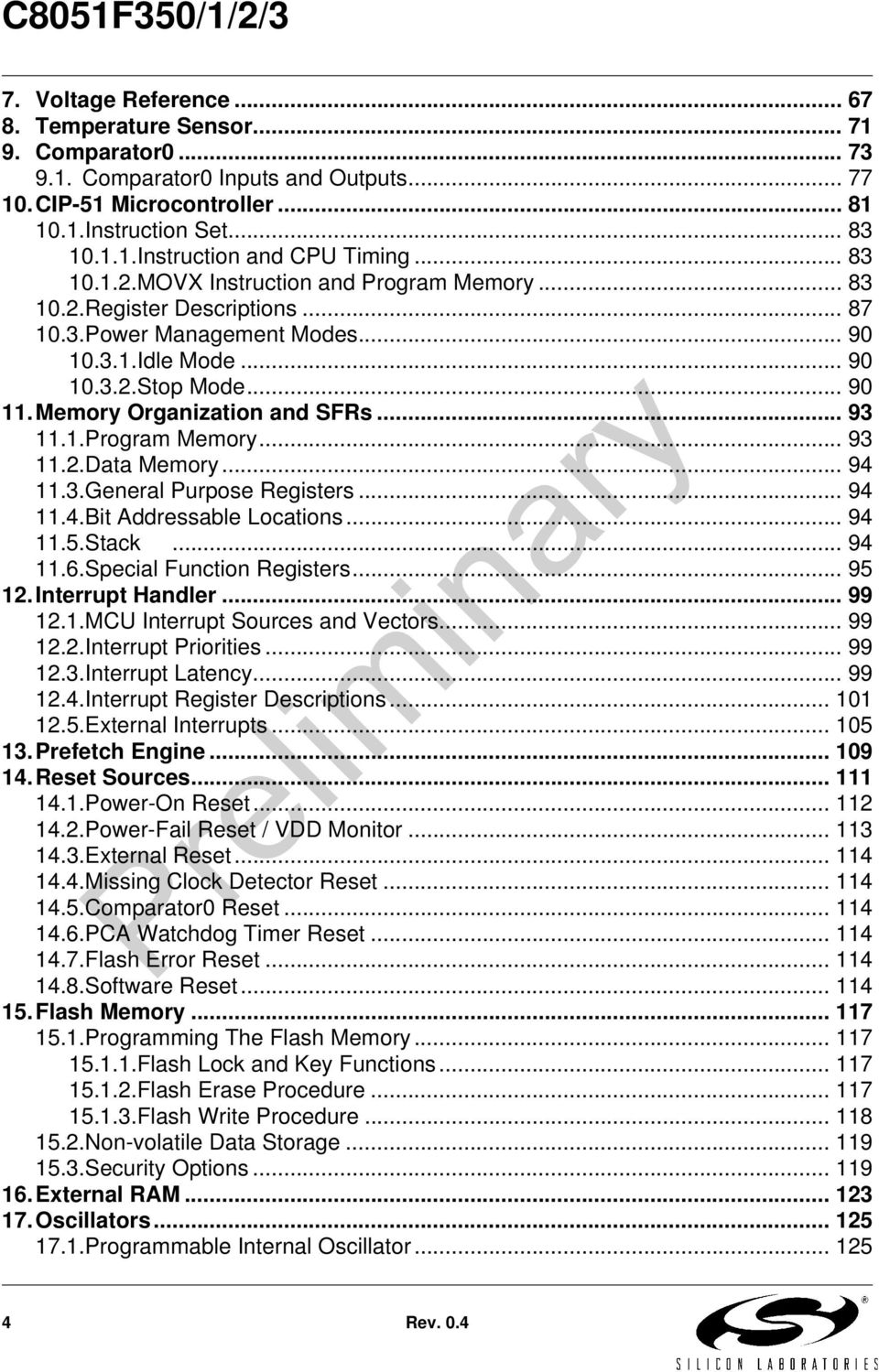
4 7. Voltage Reference Temperature Sensor Comparator Comparator0 Inputs and Outputs CIP-51 Microcontroller Instruction Set Instruction and CPU Timing MOVX Instruction and Program Memory Register Descriptions Power Management Modes Idle Mode Stop Mode Memory Organization and SFRs Program Memory Data Memory General Purpose Registers Bit Addressable Locations Stack Special Function Registers Interrupt Handler MCU Interrupt Sources and Vectors Interrupt Priorities Interrupt Latency Interrupt Register Descriptions External Interrupts Prefetch Engine Reset Sources Power-On Reset Power-Fail Reset / VDD Monitor External Reset Missing Clock Detector Reset Comparator0 Reset PCA Watchdog Timer Reset Flash Error Reset Software Reset Flash Memory Programming The Flash Memory Flash Lock and Key Functions Flash Erase Procedure Flash Write Procedure Non-volatile Data Storage Security Options External RAM Oscillators Programmable Internal Oscillator Rev. 0.4
5 17.2.External Oscillator Drive Circuit Clocking Timers Directly Through the External Oscillator External Crystal Example External RC Example External Capacitor Example Clock Multiplier System Clock Selection Port Input/Output Priority Crossbar Decoder Port I/O Initialization General Purpose Port I/O SMBus Supporting Documents SMBus Configuration SMBus Operation Arbitration Clock Low Extension SCL Low Timeout SCL High (SMBus Free) Timeout Using the SMBus SMBus Configuration Register SMB0CN Control Register Data Register SMBus Transfer Modes Master Transmitter Mode Master Receiver Mode Slave Receiver Mode Slave Transmitter Mode SMBus Status Decoding UART Enhanced Baud Rate Generation Operational Modes Bit UART Bit UART Multiprocessor Communications Serial Peripheral Interface (SPI0) Signal Descriptions Master Out, Slave In (MOSI) Master In, Slave Out (MISO) Serial Clock (SCK) Slave Select (NSS) SPI0 Master Mode Operation SPI0 Slave Mode Operation SPI0 Interrupt Sources Serial Clock Timing Rev

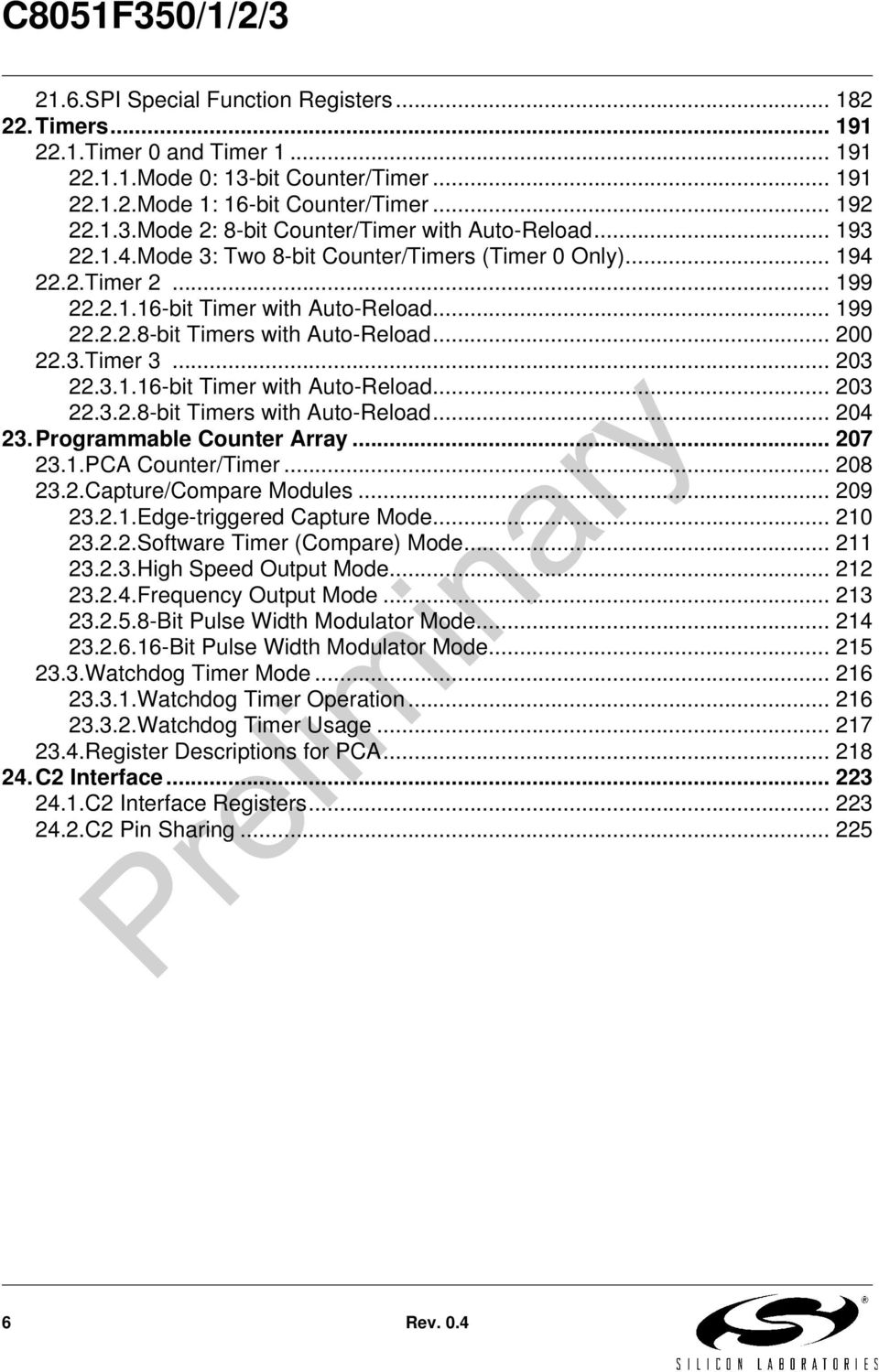
6 21.6.SPI Special Function Registers Timers Timer 0 and Timer Mode 0: 13-bit Counter/Timer Mode 1: 16-bit Counter/Timer Mode 2: 8-bit Counter/Timer with Auto-Reload Mode 3: Two 8-bit Counter/Timers (Timer 0 Only) Timer bit Timer with Auto-Reload bit Timers with Auto-Reload Timer bit Timer with Auto-Reload bit Timers with Auto-Reload Programmable Counter Array PCA Counter/Timer Capture/Compare Modules Edge-triggered Capture Mode Software Timer (Compare) Mode High Speed Output Mode Frequency Output Mode Bit Pulse Width Modulator Mode Bit Pulse Width Modulator Mode Watchdog Timer Mode Watchdog Timer Operation Watchdog Timer Usage Register Descriptions for PCA C2 Interface C2 Interface Registers C2 Pin Sharing Rev. 0.4
7 List of Figures and Tables 1. System Overview Table 1.1. Product Selection Guide Figure 1.1. C8051F350 Block Diagram Figure 1.2. C8051F351 Block Diagram Figure 1.3. C8051F352 Block Diagram Figure 1.4. C8051F353 Block Diagram Figure 1.5. Development/In-System Debug Diagram Figure 1.6. Memory Map Figure 1.7. ADC0 Block Diagram Figure 1.8. IDAC Block Diagram Figure 1.9. Comparator0 Block Diagram Figure Port I/O Functional Block Diagram Figure PCA Block Diagram Absolute Maximum Ratings Table 2.1. Absolute Maximum Ratings* Global DC Electrical Characteristics Table 3.1. Global DC Electrical Characteristics Pinout and Package Definitions Table 4.1. Pin Definitions for the C8051F350/1/2/ Figure 4.1. LQFP-32 Pinout Diagram (Top View) Figure 4.2. MLP-28 Pinout Diagram (Top View) Figure 4.3. LQFP-32 Package Diagram Table 4.2. LQFP-32 Package Dimensions Figure 4.4. MLP-28 Package Drawing Table 4.3. MLP-28 Package Dimensions Figure 4.5. Typical MLP-28 Landing Diagram Figure 4.6. Typical MLP-28 Solder Paste Diagram or 16-Bit Analog to Digital Converter (ADC0) Figure 5.1. ADC0 Block Diagram Figure 5.2. ADC0 Buffer Control Figure 5.3. ADC0 Offset Calibration Register Coding Figure 5.4. ADC0 Gain Calibration Register Coding Table 5.1. ADC0 Unipolar Output Word Coding (AD0POL = 0) Table 5.2. ADC0 Bipolar Output Word Coding (AD0POL = 1) Figure 5.5. ADC0CN: ADC0 Control Register Figure 5.6. ADC0CF: ADC0 Configuration Register Figure 5.7. ADC0MD: ADC0 Mode Register Figure 5.8. ADC0CLK: ADC0 Modulator Clock Divisor Figure 5.9. ADC0DECH: ADC0 Decimation Ratio Register High Byte Figure ADC0DECL: ADC0 Decimation Ratio Register Low Byte Figure ADC0DAC: ADC0 Offset DAC Register Figure ADC0BUF: ADC0 Input Buffer Control Register Figure ADC0STA: ADC0 Status Register Rev
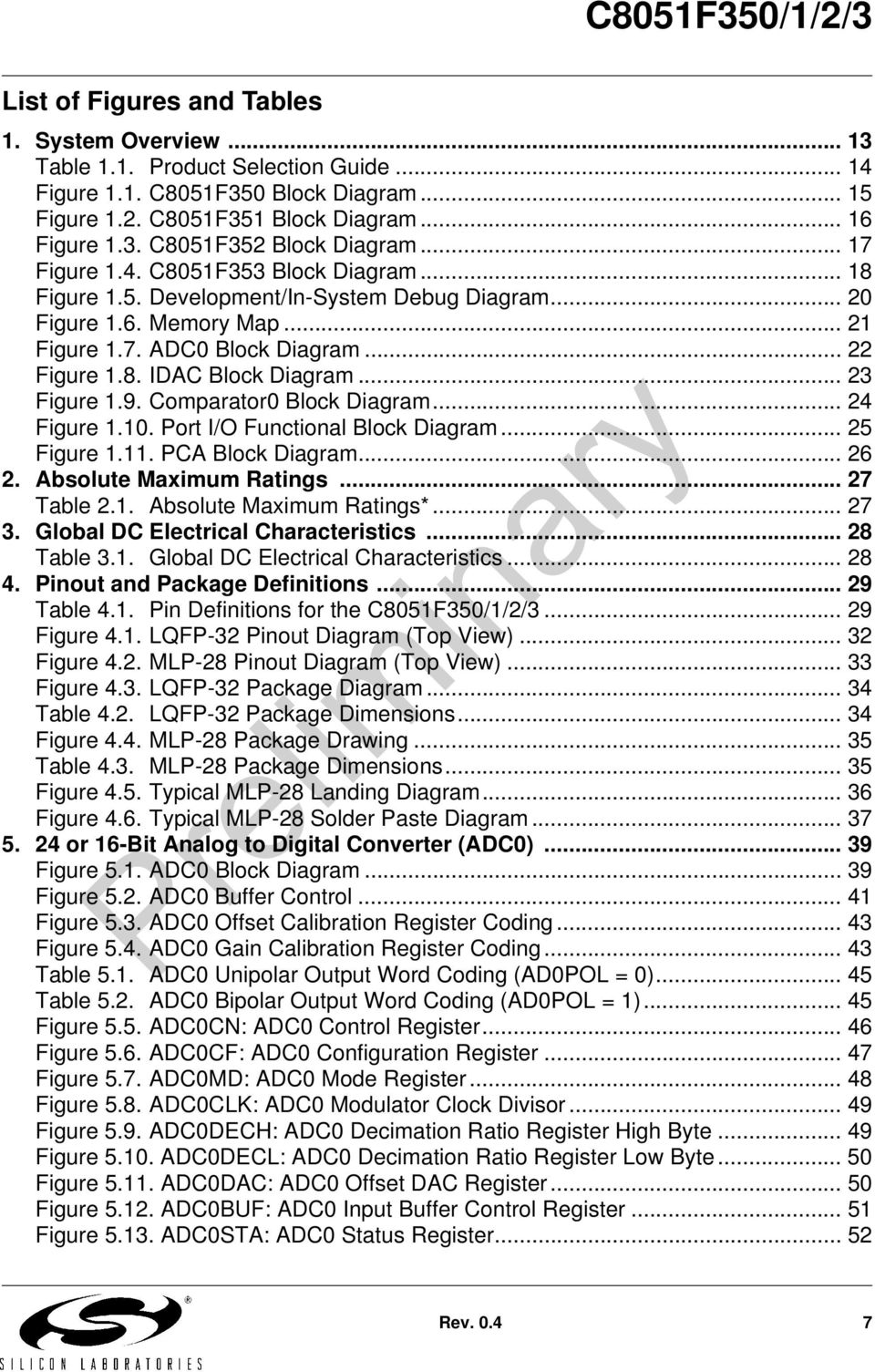
8 Figure ADC0COH: ADC0 Offset Calibration Register High Byte Figure ADC0COM: ADC0 Offset Calibration Register Middle Byte Figure ADC0COL: ADC0 Offset Calibration Register Low Byte Figure ADC0CGH: ADC0 Gain Calibration Register High Byte Figure ADC0CGM: ADC0 Gain Calibration Register Middle Byte Figure ADC0CGL: ADC0 Gain Calibration Register Low Byte Figure ADC0H: ADC0 Conversion Register (SINC3 Filter) High Byte Figure ADC0M: ADC0 Conversion Register (SINC3 Filter) Middle Byte Figure ADC0L: ADC0 Conversion Register (SINC3 Filter) Low Byte Figure ADC0FH: ADC0 Conversion Register (Fast Filter) High Byte Figure ADC0FM: ADC0 Conversion Register (Fast Filter) Middle Byte Figure ADC0FL: ADC0 Conversion Register (Fast Filter) Low Byte Figure ADC0 Multiplexer Connections Figure ADC0MUX: ADC0 Analog Multiplexer Control Register Table 5.3. ADC0 Electrical Characteristics Table 5.4. ADC0 SINC3 Filter Typical RMS Noise (µv) Bit Current Mode DACS (IDA0 and IDA1) Figure 6.1. IDAC Functional Block Diagram Figure 6.2. IDAC Data Word Mapping Figure 6.3. IDA0CN: IDA0 Control Register Figure 6.4. IDA0: IDA0 Data Word Register Figure 6.5. IDA1CN: IDA1 Control Register Figure 6.6. IDA1: IDA1 Data Word Register Figure 6.7. IDAC Pin Connections Table 6.1. IDAC Electrical Characteristics Voltage Reference Figure 7.1. Reference Circuitry Block Diagram Figure 7.2. REF0CN: Reference Control Register Table 7.1. Voltage Reference Electrical Characteristics Temperature Sensor Figure 8.1. Temperature Sensor Block Diagram Table 8.1. Temperature Sensor Electrical Characteristics Figure 8.2. Single Channel Transfer Function Figure 8.3. Differential Transfer Function Comparator Figure 9.1. Comparator0 Functional Block Diagram Figure 9.2. Comparator Hysteresis Plot Figure 9.3. CPT0CN: Comparator0 Control Register Figure 9.4. CPT0MD: Comparator0 Mode Selection Register Figure 9.5. Comparator Pin Connections Figure 9.6. CPT0MX: Comparator0 MUX Selection Register Table 9.1. Comparator Electrical Characteristics CIP-51 Microcontroller Figure CIP-51 Block Diagram Table CIP-51 Instruction Set Summary Rev. 0.4
9 Figure SP: Stack Pointer Figure DPL: Data Pointer Low Byte Figure DPH: Data Pointer High Byte Figure PSW: Program Status Word Figure ACC: Accumulator Figure B: B Register Figure PCON: Power Control Memory Organization and SFRs Figure Memory Map Table Special Function Register (SFR) Memory Map Table Special Function Registers Interrupt Handler Table Interrupt Summary Figure IE: Interrupt Enable Figure IP: Interrupt Priority Figure EIE1: Extended Interrupt Enable Figure EIP1: Extended Interrupt Priority Figure IT01CF: INT0/INT1 Configuration Register Prefetch Engine Figure PFE0CN: Prefetch Engine Control Register Reset Sources Figure Reset Sources Figure Power-On and VDD Monitor Reset Timing Figure VDM0CN: VDD Monitor Control Figure RSTSRC: Reset Source Register Table Reset Electrical Characteristics Flash Memory Figure Flash Memory Map Figure PSCTL: Program Store R/W Control Figure FLKEY: Flash Lock and Key Register Figure FLSCL: Flash Scale Register Table Flash Electrical Characteristics External RAM Figure EMI0CN: External Memory Interface Control Oscillators Figure Oscillator Diagram Figure OSCICN: Internal Oscillator Control Register Figure OSCICL: Internal Oscillator Calibration Register Figure OSCXCN: External Oscillator Control Register Figure CLKMUL: Clock Multiplier Control Register Figure CLKSEL: Clock Select Register Table Oscillator Electrical Characteristics Port Input/Output Figure Port I/O Functional Block Diagram Figure Port I/O Cell Block Diagram Rev

10 Figure Crossbar Priority Decoder with No Pins Skipped Figure Crossbar Priority Decoder with Crystal Pins Skipped Figure XBR0: Port I/O Crossbar Register Figure XBR1: Port I/O Crossbar Register Figure P0: Port0 Register Figure P0MDIN: Port0 Input Mode Register Figure P0MDOUT: Port0 Output Mode Register Figure P0SKIP: Port0 Skip Register Figure P1: Port1 Register Figure P1MDIN: Port1 Input Mode Register Figure P1MDOUT: Port1 Output Mode Register Figure P1SKIP: Port1 Skip Register Figure P2: Port2 Register Figure P2MDOUT: Port2 Output Mode Register Table Port I/O DC Electrical Characteristics SMBus Figure SMBus Block Diagram Figure Typical SMBus Configuration Figure SMBus Transaction Table SMBus Clock Source Selection Figure Typical SMBus SCL Generation Table Minimum SDA Setup and Hold Times Figure SMB0CF: SMBus Clock/Configuration Register Figure SMB0CN: SMBus Control Register Table Sources for Hardware Changes to SMB0CN Figure SMB0DAT: SMBus Data Register Figure Typical Master Transmitter Sequence Figure Typical Master Receiver Sequence Figure Typical Slave Receiver Sequence Figure Typical Slave Transmitter Sequence Table SMBus Status Decoding UART Figure UART0 Block Diagram Figure UART0 Baud Rate Logic Figure UART Interconnect Diagram Figure Bit UART Timing Diagram Figure Bit UART Timing Diagram Figure UART Multi-Processor Mode Interconnect Diagram Figure SCON0: Serial Port 0 Control Register Figure SBUF0: Serial (UART0) Port Data Buffer Register Table Timer Settings for Standard Baud Rates Using the Internal Oscillator 174 Table Timer Settings for Standard Baud Rates Using an External Oscillator 174 Table Timer Settings for Standard Baud Rates Using an External Oscillator 175 Table Timer Settings for Standard Baud Rates Using an External Oscillator 175 Table Timer Settings for Standard Baud Rates Using an External Oscillator Rev. 0.4

11 Table Timer Settings for Standard Baud Rates Using an External Oscillator Serial Peripheral Interface (SPI0) Figure SPI Block Diagram Figure Multiple-Master Mode Connection Diagram Figure Wire Single Master and Single Slave Mode Connection Diagram Figure Wire Single Master and Slave Mode Connection Diagram Figure Data/Clock Timing Relationship Figure SPI0CFG: SPI0 Configuration Register Figure SPI0CN: SPI0 Control Register Figure SPI0CKR: SPI0 Clock Rate Register Figure SPI0DAT: SPI0 Data Register Figure SPI Master Timing (CKPHA = 0) Figure SPI Master Timing (CKPHA = 1) Figure SPI Slave Timing (CKPHA = 0) Figure SPI Slave Timing (CKPHA = 1) Table SPI Slave Timing Parameters Timers Figure T0 Mode 0 Block Diagram Figure T0 Mode 2 Block Diagram Figure T0 Mode 3 Block Diagram Figure TCON: Timer Control Register Figure TMOD: Timer Mode Register Figure CKCON: Clock Control Register Figure TL0: Timer 0 Low Byte Figure TL1: Timer 1 Low Byte Figure TH0: Timer 0 High Byte Figure TH1: Timer 1 High Byte Figure Timer 2 16-Bit Mode Block Diagram Figure Timer 2 8-Bit Mode Block Diagram Figure TMR2CN: Timer 2 Control Register Figure TMR2RLL: Timer 2 Reload Register Low Byte Figure TMR2RLH: Timer 2 Reload Register High Byte Figure TMR2L: Timer 2 Low Byte Figure TMR2H Timer 2 High Byte Figure Timer 3 16-Bit Mode Block Diagram Figure Timer 3 8-Bit Mode Block Diagram Figure TMR3CN: Timer 3 Control Register Figure TMR3RLL: Timer 3 Reload Register Low Byte Figure TMR3RLH: Timer 3 Reload Register High Byte Figure TMR3L: Timer 3 Low Byte Figure TMR3H Timer 3 High Byte Programmable Counter Array Figure PCA Block Diagram Figure PCA Counter/Timer Block Diagram Table PCA Timebase Input Options Rev

12 Figure PCA Interrupt Block Diagram Table PCA0CPM Register Settings for PCA Capture/Compare Modules Figure PCA Capture Mode Diagram Figure PCA Software Timer Mode Diagram Figure PCA High Speed Output Mode Diagram Figure PCA Frequency Output Mode Figure PCA 8-Bit PWM Mode Diagram Figure PCA 16-Bit PWM Mode Figure PCA Module 2 with Watchdog Timer Enabled Table Watchdog Timer Timeout Intervals Figure PCA0CN: PCA Control Register Figure PCA0MD: PCA Mode Register Figure PCA0CPMn: PCA Capture/Compare Mode Registers Figure PCA0L: PCA Counter/Timer Low Byte Figure PCA0H: PCA Counter/Timer High Byte Figure PCA0CPLn: PCA Capture Module Low Byte Figure PCA0CPHn: PCA Capture Module High Byte C2 Interface Figure C2ADD: C2 Address Register Figure DEVICEID: C2 Device ID Register Figure REVID: C2 Revision ID Register Figure FPCTL: C2 Flash Programming Control Register Figure FPDAT: C2 Flash Programming Data Register Figure Typical C2 Pin Sharing Rev. 0.4

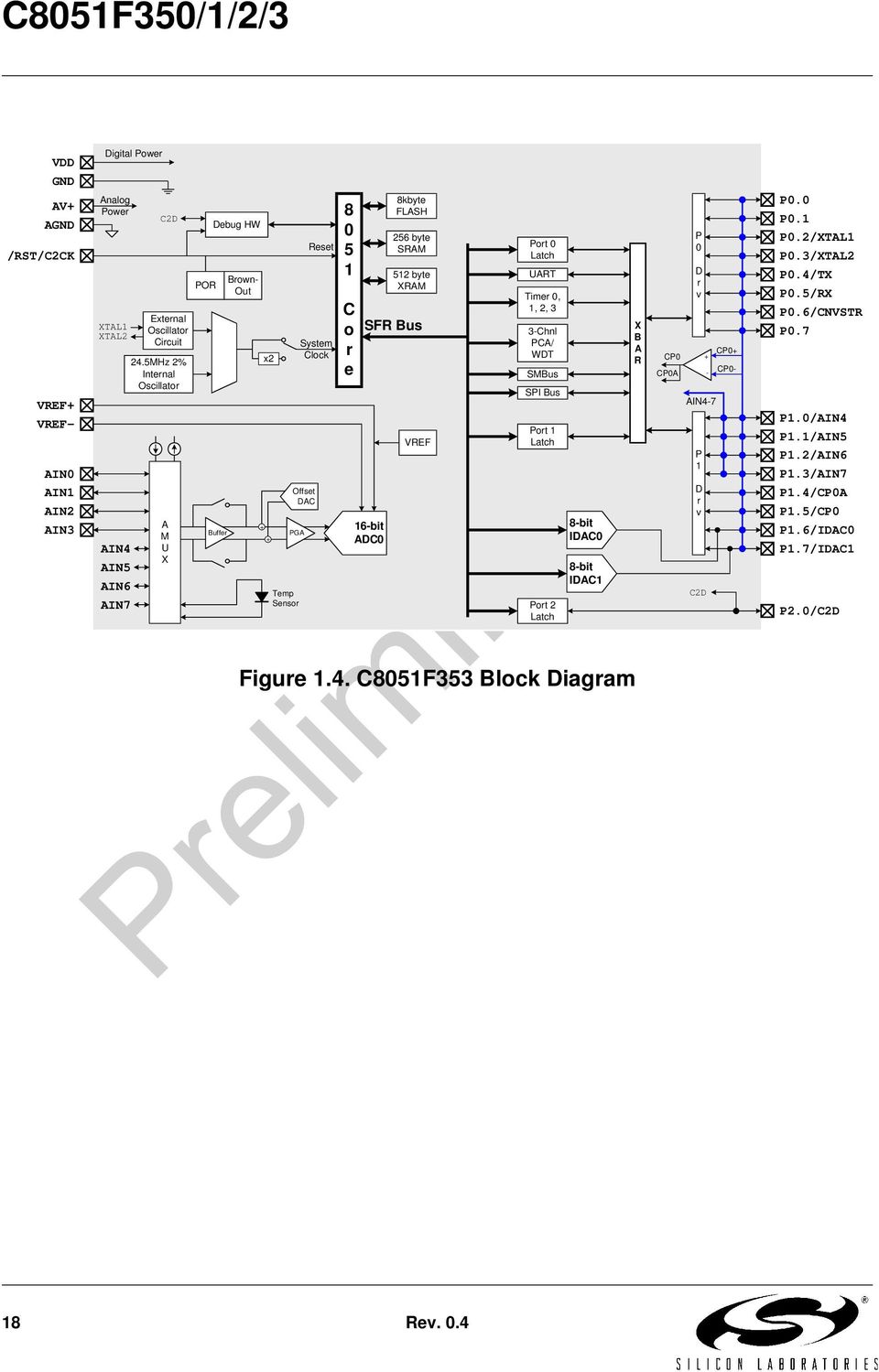
13 1. System Overview C8051F350/1/2/3 devices are fully integrated mixed-signal System-on-a-Chip MCUs. Highlighted features are listed below. Refer to Table 1.1 for specific product feature selection. High-speed pipelined 8051-compatible microcontroller core (up to 50 MIPS) In-system, full-speed, non-intrusive debug interface (on-chip) 24 or 16-bit single-ended/differential ADC with analog multiplexer Two 8-bit Current Output DACs Precision programmable 24.5 MHz internal oscillator 8 kb of on-chip Flash memory 768 bytes of on-chip RAM SMBus/I2C, Enhanced UART, and SPI serial interfaces implemented in hardware Four general-purpose 16-bit timers Programmable counter/timer array (PCA) with three capture/compare modules and watchdog timer function On-chip power-on reset, V DD monitor, and temperature sensor On-chip voltage comparator 17 Port I/O (5 V tolerant) With on-chip power-on reset, V DD monitor, watchdog timer, and clock oscillator, the C8051F350/1/2/3 devices are truly stand-alone System-on-a-Chip solutions. The Flash memory can be reprogrammed even in-circuit, providing non-volatile data storage, and also allowing field upgrades of the 8051 firmware. User software has complete control of all peripherals, and may individually shut down any or all peripherals for power savings. The on-chip Silicon Labs 2-Wire (C2) Development Interface allows non-intrusive (uses no on-chip resources), full speed, in-circuit debugging using the production MCU installed in the final application. This debug logic supports inspection and modification of memory and registers, setting breakpoints, single stepping, run and halt commands. All analog and digital peripherals are fully functional while debugging using C2. The two C2 interface pins can be shared with user functions, allowing in-system debugging without occupying package pins. Each device is specified for 2.7 V-to-3.6 V operation over the industrial temperature range (-45 to +85 C). The Port I/O and /RST pins are tolerant of input signals up to 5 V. The C8051F350/1/2/3 are available in 28-pin MLP or 32-pin LQFP packaging, as shown in Figure 1.1 through Figure 1.4. Rev

14 Table 1.1. Product Selection Guide MIPS (Peak) Flash Memory RAM Calibrated Internal 24.5 MHz Oscillator Clock Multiplier SMBus/I2C SPI UART Timers (16-bit) Programmable Counter Array Digital Port I/Os 24-bit ADC 16-bit ADC Two 8-bit Current Output DACs Internal Voltage Reference Temperature Sensor Analog Comparator Package C8051F kb LQFP-32 C8051F kb MLP-28 C8051F kb LQFP-32 C8051F kb MLP Rev. 0.4

15 VDD Digital Power GND CP0- AV+ AGND /RST/C2CK VREF+ VREF- AIN0 AIN1 AIN2 AIN3 AIN4 AIN5 AIN6 AIN7 Analog Power XTAL1 XTAL2 C2D External Oscillator Circuit 24.5MHz 2% Internal Oscillator A M U X POR Debug HW Buffer Brown- Out Clock Multiplier + + PGA Temp Sensor Reset System Clock Offset DAC C o r e 8kbyte FLASH 256 byte SRAM SFR Bus 24-bit ADC0 512 byte XRAM VREF Port 0 Latch UART Timer 0, 1, 2, 3 3-Chnl PCA/ WDT SMBus SPI Bus Port 1 Latch Port 2 Latch 8-bit IDAC0 8-bit IDAC1 X B A R P 0 D r v CP0 + CP0A - P 1 D r v C2D CP0+ P0.0 P0.1 P0.2/XTAL1 P0.3/XTAL2 P0.4/TX P0.5/RX P0.6/CNVSTR P0.7 P1.0 P1.1 P1.2 P1.3 P1.4/CP0A P1.5/CP0 P1.6/IDAC0 P1.7/IDAC1 P2.0/C2D Figure 1.1. C8051F350 Block Diagram Rev

16 CP0+ CP0 + CP0- CP0A - VDD GND AV+ AGND /RST/C2CK VREF+ VREF- AIN0 AIN1 AIN2 AIN3 Digital Power Analog Power XTAL1 XTAL2 AIN4 AIN5 AIN6 AIN7 C2D External Oscillator Circuit 24.5MHz 2% Internal Oscillator A M U X POR Debug HW Buffer Brown- Out Clock Multiplier + + PGA Temp Sensor Reset System Clock Offset DAC C o r e 8kbyte FLASH 256 byte SRAM SFR Bus 24-bit ADC0 512 byte XRAM VREF Port 0 Latch UART Timer 0, 1, 2, 3 3-Chnl PCA/ WDT SMBus SPI Bus Port 1 Latch Port 2 Latch 8-bit IDAC0 8-bit IDAC1 X B A R P 0 D r v AIN4-7 P 1 D r v C2D P0.0 P0.1 P0.2/XTAL1 P0.3/XTAL2 P0.4/TX P0.5/RX P0.6/CNVSTR P0.7 P1.0/AIN4 P1.1/AIN5 P1.2/AIN6 P1.3/AIN7 P1.4/CP0A P1.5/CP0 P1.6/IDAC0 P1.7/IDAC1 P2.0/C2D Figure 1.2. C8051F351 Block Diagram 16 Rev. 0.4

17 CP0- VDD GND AV+ AGND /RST/C2CK VREF+ VREF- AIN0 AIN1 AIN2 AIN3 AIN4 AIN5 AIN6 AIN7 Digital Power Analog Power XTAL1 XTAL2 C2D External Oscillator Circuit 24.5MHz 2% Internal Oscillator A M U X POR Debug HW Buffer Brown- Out Clock Multiplier + + PGA Temp Sensor Reset System Clock Offset DAC C o r e 8kbyte FLASH 256 byte SRAM SFR Bus 16-bit ADC0 512 byte XRAM VREF Port 0 Latch UART Timer 0, 1, 2, 3 3-Chnl PCA/ WDT SMBus SPI Bus Port 1 Latch Port 2 Latch 8-bit IDAC0 8-bit IDAC1 X B A R P 0 D r v CP0 + CP0A - P 1 D r v C2D CP0+ P0.0 P0.1 P0.2/XTAL1 P0.3/XTAL2 P0.4/TX P0.5/RX P0.6/CNVSTR P0.7 P1.0 P1.1 P1.2 P1.3 P1.4/CP0A P1.5/CP0 P1.6/IDAC0 P1.7/IDAC1 P2.0/C2D Figure 1.3. C8051F352 Block Diagram Rev

18 CP0+ CP0 + CP0- CP0A - VDD GND AV+ AGND /RST/C2CK VREF+ VREF- AIN0 AIN1 AIN2 AIN3 Digital Power Analog Power XTAL1 XTAL2 AIN4 AIN5 AIN6 AIN7 C2D External Oscillator Circuit 24.5MHz 2% Internal Oscillator A M U X POR Debug HW Buffer Brown- Out x2 + + PGA Temp Sensor Reset System Clock Offset DAC C o r e 8kbyte FLASH 256 byte SRAM SFR Bus 16-bit ADC0 512 byte XRAM VREF Port 0 Latch UART Timer 0, 1, 2, 3 3-Chnl PCA/ WDT SMBus SPI Bus Port 1 Latch Port 2 Latch 8-bit IDAC0 8-bit IDAC1 X B A R P 0 D r v AIN4-7 P 1 D r v C2D P0.0 P0.1 P0.2/XTAL1 P0.3/XTAL2 P0.4/TX P0.5/RX P0.6/CNVSTR P0.7 P1.0/AIN4 P1.1/AIN5 P1.2/AIN6 P1.3/AIN7 P1.4/CP0A P1.5/CP0 P1.6/IDAC0 P1.7/IDAC1 P2.0/C2D Figure 1.4. C8051F353 Block Diagram 18 Rev. 0.4
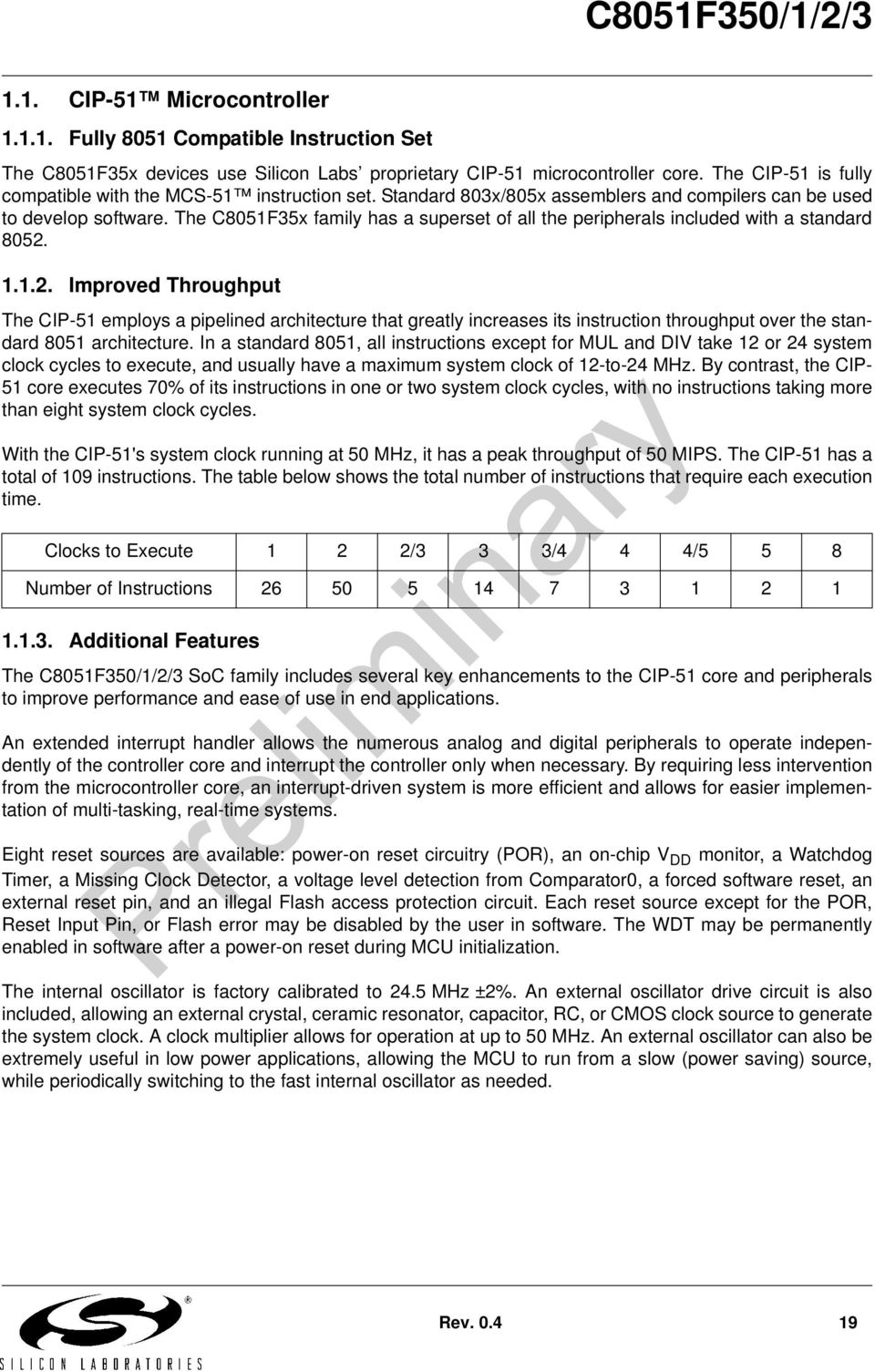
19 1.1. CIP-51 Microcontroller Fully 8051 Compatible Instruction Set The C8051F35x devices use Silicon Labs proprietary CIP-51 microcontroller core. The CIP-51 is fully compatible with the MCS-51 instruction set. Standard 803x/805x assemblers and compilers can be used to develop software. The C8051F35x family has a superset of all the peripherals included with a standard Improved Throughput The CIP-51 employs a pipelined architecture that greatly increases its instruction throughput over the standard 8051 architecture. In a standard 8051, all instructions except for MUL and DIV take 12 or 24 system clock cycles to execute, and usually have a maximum system clock of 12-to-24 MHz. By contrast, the CIP- 51 core executes 70% of its instructions in one or two system clock cycles, with no instructions taking more than eight system clock cycles. With the CIP-51's system clock running at 50 MHz, it has a peak throughput of 50 MIPS. The CIP-51 has a total of 109 instructions. The table below shows the total number of instructions that require each execution time. Clocks to Execute 1 2 2/3 3 3/4 4 4/5 5 8 Number of Instructions Additional Features The C8051F350/1/2/3 SoC family includes several key enhancements to the CIP-51 core and peripherals to improve performance and ease of use in end applications. An extended interrupt handler allows the numerous analog and digital peripherals to operate independently of the controller core and interrupt the controller only when necessary. By requiring less intervention from the microcontroller core, an interrupt-driven system is more efficient and allows for easier implementation of multi-tasking, real-time systems. Eight reset sources are available: power-on reset circuitry (POR), an on-chip V DD monitor, a Watchdog Timer, a Missing Clock Detector, a voltage level detection from Comparator0, a forced software reset, an external reset pin, and an illegal Flash access protection circuit. Each reset source except for the POR, Reset Input Pin, or Flash error may be disabled by the user in software. The WDT may be permanently enabled in software after a power-on reset during MCU initialization. The internal oscillator is factory calibrated to 24.5 MHz ±2%. An external oscillator drive circuit is also included, allowing an external crystal, ceramic resonator, capacitor, RC, or CMOS clock source to generate the system clock. A clock multiplier allows for operation at up to 50 MHz. An external oscillator can also be extremely useful in low power applications, allowing the MCU to run from a slow (power saving) source, while periodically switching to the fast internal oscillator as needed. Rev
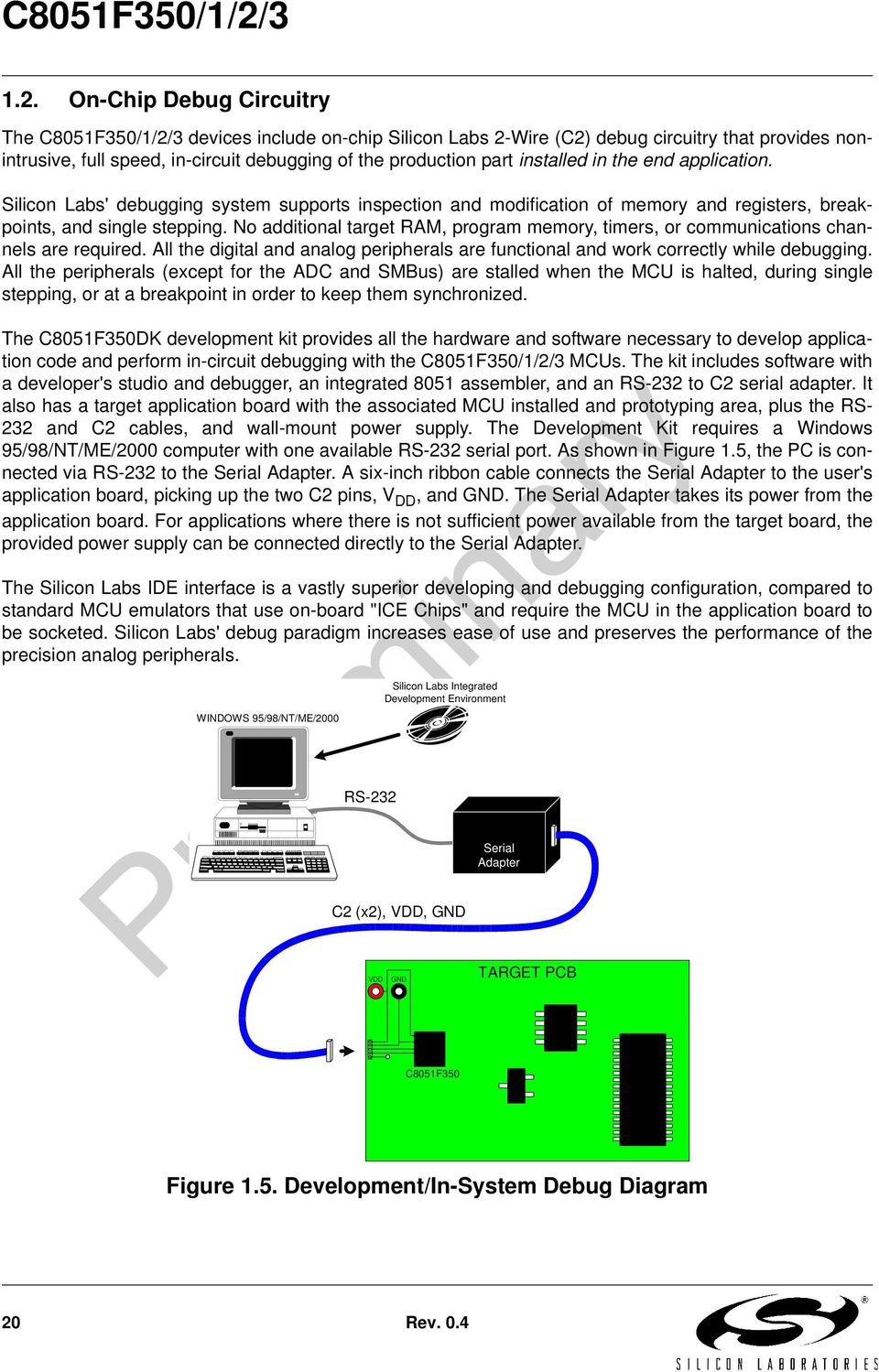
20 1.2. On-Chip Debug Circuitry The C8051F350/1/2/3 devices include on-chip Silicon Labs 2-Wire (C2) debug circuitry that provides nonintrusive, full speed, in-circuit debugging of the production part installed in the end application. Silicon Labs' debugging system supports inspection and modification of memory and registers, breakpoints, and single stepping. No additional target RAM, program memory, timers, or communications channels are required. All the digital and analog peripherals are functional and work correctly while debugging. All the peripherals (except for the ADC and SMBus) are stalled when the MCU is halted, during single stepping, or at a breakpoint in order to keep them synchronized. The C8051F350DK development kit provides all the hardware and software necessary to develop application code and perform in-circuit debugging with the C8051F350/1/2/3 MCUs. The kit includes software with a developer's studio and debugger, an integrated 8051 assembler, and an RS-232 to C2 serial adapter. It also has a target application board with the associated MCU installed and prototyping area, plus the RS- 232 and C2 cables, and wall-mount power supply. The Development Kit requires a Windows 95/98/NT/ME/2000 computer with one available RS-232 serial port. As shown in Figure 1.5, the PC is connected via RS-232 to the Serial Adapter. A six-inch ribbon cable connects the Serial Adapter to the user's application board, picking up the two C2 pins, V DD, and GND. The Serial Adapter takes its power from the application board. For applications where there is not sufficient power available from the target board, the provided power supply can be connected directly to the Serial Adapter. The Silicon Labs IDE interface is a vastly superior developing and debugging configuration, compared to standard MCU emulators that use on-board "ICE Chips" and require the MCU in the application board to be socketed. Silicon Labs' debug paradigm increases ease of use and preserves the performance of the precision analog peripherals. WINDOWS 95/98/NT/ME/2000 Silicon Labs Integrated Development Environment RS-232 Serial Adapter C2 (x2), VDD, GND VDD GND TARGET PCB C8051F350 Figure 1.5. Development/In-System Debug Diagram 20 Rev. 0.4
21 1.3. On-Chip Memory The CIP-51 has a standard 8051 program and data address configuration. It includes 256 bytes of data RAM, with the upper 128 bytes dual-mapped. Indirect addressing accesses the upper 128 bytes of general purpose RAM, and direct addressing accesses the 128 byte SFR address space. The lower 128 bytes of RAM are accessible via direct and indirect addressing. The first 32 bytes are addressable as four banks of general purpose registers, and the next 16 bytes can be byte addressable or bit addressable. Program memory consists of 8 kb bytes of FLASH. This memory may be reprogrammed in-system in 512 byte sectors, and requires no special off-chip programming voltage. 0x1FFF 0x1E00 0x1DFF PROGRAM/DATA MEMORY (FLASH) RESERVED 8K FLASH (In-System Programmable in 512 Byte Sectors) 0xFF 0x80 0x7F 0x30 0x2F 0x20 0x1F 0x00 DATA MEMORY (RAM) INTERNAL DATA ADDRESS SPACE Upper 128 RAM (Indirect Addressing Only) (Direct and Indirect Addressing) Bit Addressable General Purpose Registers Special Function Register's (Direct Addressing Only) Lower 128 RAM (Direct and Indirect Addressing) 0x0000 0xFFFF EXTERNAL DATA ADDRESS SPACE Same 512 bytes as from 0x0000 to 0x01FF, wrapped on 512-byte boundaries 0x0200 0x01FF 0x0000 XRAM Bytes (accessable using MOVX instruction) Figure 1.6. Memory Map Rev
22 or 16-Bit Analog to Digital Converter (ADC0) The C8051F350/1/2/3 include a fully-differential, 24-bit (C8051F350/1) or 16-bit (C8051F352/3) Sigma- Delta Analog to Digital Converter (ADC) with on-chip calibration capabiliites. Two separate decimation filters can be programmed for throughputs of up to 1 khz. An internal 2.5 V reference is available, or a differential external reference can be used for ratiometric measurements. A Programmable Gain Amplifier (PGA) is included, with eight gain settings up to 128x. An analog front-end multiplexer connects the differential inputs to eight external pins, the internal temperature sensor, or AGND. The on-chip input buffers can be used to provide a high input impedance for direct connection to sensitive transducers. An 8-bit offset DAC allows for correction of large input offset voltages. AV+ Burnout Current Sources Internal 2.5V or External VREF Eight External Inputs Temperature Sensor AIN+ AIN- Input Buffers Σ Σ PGA 1x to 128x Modulator SINC 3 Filter Fast Filter AGND 8-Bit Offset DAC Figure 1.7. ADC0 Block Diagram 22 Rev. 0.4
23 1.5. Two 8-bit Current-Mode DACs The C8051F350/1/2/3 devices include two 8-bit current-mode Digital-to-Analog Converters (IDACs). The maximum current output of the IDACs can be adjusted for four different current settings; 0.25 ma, 0.5 ma, 1 ma, and 2 ma. A flexible output update mechanism allows for seamless full-scale changes, and supports jitter-free updates for waveform generation. IDAC updates can be performed on-demand, scheduled on a Timer overflow, or synchronized with an external signal. Figure 1.8 shows a block diagram of the IDAC circuitry. Data Write Timer 0 Timer 1 Timer 2 Timer 3 CNVSTR 8-bit Digital Input 8 8 Current IDA0 Output Latch 8-bit Digital Input 8 8 Current IDA1 Output Latch Data Write Timer 0 Timer 1 Timer 2 Timer 3 CNVSTR Figure 1.8. IDAC Block Diagram Rev
24 1.6. Programmable Comparator C8051F350/1/2/3 devices include a software-configurable voltage comparator with an input multiplexer. The Comparator offers programmable response time and hysteresis and two outputs that are optionally available at the Port pins: a synchronous latched output (CP0), or an asynchronous raw output (CP0A). Comparator interrupts may be generated on rising, falling, or both edges. When in IDLE mode, these interrupts may be used as a wake-up source for the processor. Comparator0 may also be configured as a reset source. A block diagram of the Comparator is shown in Figure 1.9. VDD Interrupt Logic Port I/O Pins Multiplexer + SET D Q - Q CLR SET D Q Q CLR CP0 (synchronous output) GND Reset Decision Tree (SYNCHRONIZER) CP0A (asynchronous output) Figure 1.9. Comparator0 Block Diagram 1.7. Serial Ports The C8051F350/1/2/3 Family includes an SMBus/I2C interface, a full-duplex UART with enhanced baud rate configuration, and an Enhanced SPI interface. Each of the serial buses is fully implemented in hardware and makes extensive use of the CIP-51's interrupts, thus requiring very little CPU intervention. 24 Rev. 0.4
25 1.8. Port Input/Output C8051F350/1/2/3 devices include 17 I/O pins. Port pins are organized as two byte-wide ports and one 1-bit port. The port pins behave like typical 8051 ports with a few enhancements. Each port pin can be configured as a digital or analog I/O pin. Pins selected as digital I/O can be configured for push-pull or open-drain operation. The weak pull-ups that are fixed on typical 8051 devices may be globally disabled to save power. The Digital Crossbar allows mapping of internal digital system resources to port I/O pins. On-chip conter/timers, serial buses, hardware interrupts, and other digital signals can be configured to appear on the port pins using the Crossbar control resgiters. This allows the user to select the exact mix of generalpurpose port I/O, digital, and analog resources needed for the application. XBR0, XBR1, PnSKIP Registers PnMDOUT, PnMDIN Registers Priority Decoder Highest Priority UART 2 (Internal Digital Signals) CP0 Outputs SPI SMBus SYSCLK PCA Digital Crossbar 8 8 P0 I/O Cells P1 I/O Cells P0.0 P0.7 P1.0 P1.7 Lowest Priority T0, T1 2 8 P0 (P0.0-P0.7) (Port Latches) P1 P2 8 (P1.0-P1.7) (P2.0) P2 I/O Cell P2.0 Figure Port I/O Functional Block Diagram Rev
26 1.9. Programmable Counter Array The Programmable Counter Array (PCA0) provides enhanced timer functionality while requiring less CPU intervention than the standard 8051 counter/timers. The PCA consists of a dedicated 16-bit counter/timer and three 16-bit capture/compare modules. The counter/timer is driven by a programmable timebase that can select between six sources: system clock, system clock divided by four, system clock divided by twelve, the external oscillator clock source divided by 8, Timer 0 overflow, or an external clock signal on the External Clock nput (ECI) input pin. Each capture/compare module may be configured to operate independently in one of six modes: Edge- Triggered Capture, Software Timer, High-Speed Output, Frequency Output, 8-Bit PWM, or 16-Bit PWM. Additionally, PCA Module 2 may be used as a watchdog timer (WDT), and is enabled in this mode following a system reset. The PCA Capture/Compare Module I/O and the External Clock Input may be routed to Port I/O using the digital crossbar. SYSCLK/12 SYSCLK/4 Timer 0 Overflow ECI SYSCLK External Clock/8 PCA CLOCK MUX 16-Bit Counter/Timer Capture/Compare Module 0 Capture/Compare Module 1 Capture/Compare Module 2 / WDT CEX2 CEX1 CEX0 ECI Crossbar Port I/O Figure PCA Block Diagram 26 Rev. 0.4
27 2. Absolute Maximum Ratings Table 2.1. Absolute Maximum Ratings * Parameter Conditions Min Typ Max Units Ambient temperature under bias C Storage Temperature C Voltage on any Pin (except V DD, AV+, and Port I/O) with respect to DGND -0.3 V DD V Voltage on any Port I/O Pin or /RST with respect to DGND V Voltage on V DD with respect to DGND V Voltage on AV+ with respect to AGND V Maximum output current sunk by any Port pin 100 ma Maximum output current sunk by any other I/O pin Maximum output current sourced by any Port pin Maximum output current sourced by any other I/O pin Maximum Total current through V DD, AV+, DGND, and AGND 50 ma 100 ma 50 ma 500 ma * Note: stresses above those listed under Absolute Maximum Ratings may cause permanent damage to the device. This is a stress rating only and functional operation of the devices at those or any other conditions above those indicated in the operation listings of this specification is not implied. Exposure to maximum rating conditions for extended periods may affect device reliability. Rev
28 3. Global DC Electrical Characteristics Table 3.1. Global DC Electrical Characteristics -40 to +85 C, 25 MHz System Clock unless otherwise specified. Parameter Conditions Min Typ Max Units Analog Supply Voltage (Note 1) V Analog Supply Current Analog Supply Current with analog sub-systems inactive Analog-to-Digital Supply Delta ( V DD - AV+ ) Internal REF, ADC, IDACs, Comparators all active Internal REF, ADC, IDACs, Comparators all disabled, oscillator disabled TBD TBD ma TBD TBD µa 0.5 V Digital Supply Voltage V Digital Supply Current with CPU active Digital Supply Current with CPU inactive (not accessing Flash) Digital Supply Current (shutdown) Digital Supply RAM Data Retention Voltage TBD TBD Oscillator not running TBD µa 1.5 V SYSCLK (System Clock) (Notes 2 and 3) 0 50 MHz Specified Operating Temperature Range C Note 1: Analog Supply AV+ must be greater than 1 V for V DD monitor to operate. Note 2: SYSCLK is the internal device clock. For operational speeds in excess of 25 MHz, SYSCLK must be derived from the internal clock multiplier. Note 3: SYSCLK must be at least 32 khz to enable debugging. 28 Rev. 0.4
29 4. Pinout and Package Definitions Table 4.1. Pin Definitions for the C8051F350/1/2/3 Pin Numbers Name F350 F352 F351 F353 Type Description V DD Power Digital Supply Voltage. Must be tied to +2.7 V to +3.6 V power. DGND Ground Digital Ground. Must be tied to Ground. AV Power Analog Supply Voltage. Must be tied to +2.7 V to +3.6 V power. AGND 9 5 Ground Analog Ground. Must be tied to Ground. /RST 12 8 D I/O Device Reset. Open-drain output of internal POR or V DD monitor. An external source can initiate a system reset by driving this pin low for at least 15 µs. A 1kΩ pull-up to V DD is recommended. See Reset Sources Section. C2CK D I/O Clock signal for the C2 Debug Interface. P2.0/ C2D 11 7 D I/O D I/O Port 2.0. See Port I/O Section for a complete description. Bi-directional data signal for the C2 Debug Interface. P P D I/O or A In D I/O or A In Port 0.0. See Port I/O Section for a complete description. Port 0.1. See Port I/O Section for a complete description. P0.2/ XTAL D I/O or A In A In Port 0.2. See Port I/O Section for a complete description. This pin is the external oscillator return for a crystal or resonator. See Oscillator Section. P0.3/ XTAL P P D I/O A I/O or D In D I/O or A In D I/O or A In Port 0.3. See Port I/O Section for a complete description. This pin is the excitation driver for an external crystal or resonator, or an external clock input for CMOS, capacitor, or RC oscillator configurations. See Oscillator Section. Port 0.4. See Port I/O Section for a complete description. Port 0.5. See Port I/O Section for a complete description. Rev
30 Table 4.1. Pin Definitions for the C8051F350/1/2/3 (Continued) Pin Numbers Name F350 F352 F351 F353 Type Description P0.6/ CNVSTR D I/O or A In D In Port 0.6. See Port I/O Section for a complete description. External Convert Start Input for IDACs (See IDAC Section for complete description). P D I/O or A In Port 0.7. See Port I/O Section for a complete description. P1.0/ AIN D I/O or A In A In Port 1.0. See Port I/O Section for a complete description. ADC0 Input Channel 4 (C8051F351/3 - See ADC0 Section for complete description). P1.1/ AIN D I/O or A In A In Port 1.1. See Port I/O Section for a complete description. ADC0 Input Channel 5 (C8051F351/3 - See ADC0 Section for complete description). P1.2/ AIN D I/O or A In A In Port 1.2. See Port I/O Section for a complete description. ADC0 Input Channel 6 (C8051F351/3 - See ADC0 Section for complete description). P1.3/ AIN D I/O or A In A In Port 1.3. See Port I/O Section for a complete description. ADC0 Input Channel 7 (C8051F351/3 - See ADC0 Section for complete description). P P D I/O or A In D I/O or A In Port 1.4. See Port I/O Section for a complete description. Port 1.5. See Port I/O Section for a complete description. P1.6/ D I/O or A In Port 1.6. See Port I/O Section for a complete description. IDA0 A Out IDAC0 Output (See IDAC Section for complete description). P1.7/ D I/O or A In Port 1.7. See Port I/O Section for a complete description. IDA1 A Out IDAC1 Output (See IDAC Section for complete description). 30 Rev. 0.4
31 Table 4.1. Pin Definitions for the C8051F350/1/2/3 (Continued) Pin Numbers Name F350 F352 F351 F353 Type Description AIN A In AIN A In AIN A In AIN A In AIN A In AIN A In AIN A In AIN A In VREF A I/O VREF A I/O ADC0 Input Channel 0 (See ADC0 Section for complete description). ADC0 Input Channel 1 (See ADC0 Section for complete description). ADC0 Input Channel 2(See ADC0 Section for complete description). ADC0 Input Channel 3 (See ADC0 Section for complete description). ADC0 Input Channel 4 (C8051F350/2 - See ADC0 Section for complete description). ADC0 Input Channel 5 (C8051F350/2 - See ADC0 Section for complete description). ADC0 Input Channel 6 (C8051F350/2 - See ADC0 Section for complete description). ADC0 Input Channel 7 (C8051F350/2 - See ADC0 Section for complete description). VREF Positive Voltage Pin (See VREF Section for complete description). VREF Negative Voltage Pin (See VREF Section for complete description). Rev
32 AIN P1.1 AIN P1.0 AIN0.2 AIN0.3 AIN DGND VDD P P P0.5 AIN P C8051F350 C8051F352 Top View AIN0.5 AIN0.6 AGND AV+ P2.0 / C2D /RST / C2CK P0.0 P0.1 P0.2 / XTAL1 P0.3 / XTAL2 VREF- VREF+ P1.7 / IDA1 P1.6 / IDA0 P1.5 P1.4 P1.3 P1.2 Figure 4.1. LQFP-32 Pinout Diagram (Top View) 32 Rev. 0.4
33 AIN AIN AIN0.2 AIN0.3 AGND C8051F351 C8051F353 Top View AV P2.0 / C2D 7 15 /RST / C2CK P0.0 P0.1 P0.2 / XTAL1 P0.3 / XTAL2 P0.4 P VREF- VREF+ P1.7 / IDA1 P1.6 / IDA0 P1.5 P1.4 P1.3 / AIN0.7 GND P1.2 / AIN0.6 P1.1 / AIN0.5 P1.0 / AIN0.4 DGND VDD P0.7 GND P0.6 Figure 4.2. MLP-28 Pinout Diagram (Top View) Rev
34 32 D D1 E1 E Table 4.2. LQFP-32 Package Dimensions MM MIN TYP MAX A A A b D D e E E PIN 1 IDENTIFIER A2 1 A b A1 e Figure 4.3. LQFP-32 Package Diagram 34 Rev. 0.4
35 b e L Bottom View D2 2 DETAIL D2 6 x e D A x e E A 12 E Side View 13 E R Table 4.2. MLP-28 Package Dimensions MM MIN TYP MAX A A A A b D D E E e L N ND NE R AA BB CC DD A3 e A1 DETAIL 1 AA BB CC DD Figure 4.4. MLP-28 Package Drawing Rev
36 Top View 0.50 mm 0.20 mm 0.20 mm 0.30 mm 0.85 mm 0.50 mm 0.50 mm b L e D 0.10 mm 0.20 mm D mm E mm 0.30 mm 0.50 mm 0.35 mm 0.85 mm 0.10 mm E Figure 4.5. Typical MLP-28 Landing Diagram 36 Rev. 0.4
37 Top View 0.50 mm 0.20 mm 0.20 mm 0.30 mm 0.85 mm 0.50 mm 0.50 mm 0.10 mm 0.20 mm 0.60 mm 0.35 mm 0.60 mm 0.70 mm 0.30 mm b 0.20 mm 0.40 mm L e D2 D E mm 0.30 mm 0.50 mm 0.35 mm 0.85 mm 0.10 mm Figure 4.6. Typical MLP-28 Solder Paste Diagram E Rev
38 38 Rev. 0.4
39 5. 24 or 16-Bit Analog to Digital Converter (ADC0) The C8051F350/1/2/3 include a fully-differential, 24-bit (C8051F350/1) or 16-bit (C8051F352/3) Sigma- Delta Analog to Digital Converter (ADC) with on-chip calibration capabiliites. Two separate decimation filters can be programmed for throughputs of up to 1 khz. An internal reference is available, or a differential external reference can be used for ratiometric measurements. A Programmable Gain Amplifier (PGA) is included, with eight gain settings up to 128x. The on-chip input buffers can be used to provide a high input impedance for direct connection to sensitive transducers. An 8-bit offset DAC allows for correction of large input offset voltages. ADC0CN ADC0MD ADC0STA AV+ ADC0BUF AD0ISEL AD0VREF Voltage Reference Control and Calibration ADC0COH:M:L ADC0CGH:M:L AD0BCE AIN+ AIN- Σ Σ PGA Modulator SINC 3 Filter Fast Filter ADC0H:M:L ADC0FH:M:L AD0BCE AGND Input Buffers ADC0DAC 8-Bit Offset DAC AD0POL AD0BCE AD0GN2 AD0GN1 AD0GN0 ADC0CN MDCLK SYSCLK ADC0CLK ADC0DECH:L Figure 5.1. ADC0 Block Diagram Rev
40 5.1. Configuration ADC0 is enabled by setting the AD0EN bit in register ADC0MD (Figure 5.7) to 1. When the ADC is disabled, it is placed in a low-power shutdown mode with all clocks turned off, to minimize unnecessary power consumption. The ADC will retain all of its settings in shutdown mode, with the exception of the AD0SM bits, which are reset to 000b (Idle Mode) Voltage Reference Selection The ADC s voltage reference is selected using the AD0VREF bit in register ADC0CN (Figure 5.5). When set to 1, the ADC uses an external voltage reference source. When cleared to 0, the internal reference is used. A more detailed description of the voltage reference options can be found in Section 7. Voltage Reference on page Analog Inputs The ADC s analog inputs are connected to external device pins or internal voltages as described in Section 5.6. Analog Multiplexer on page 57. They can be configured as either single-ended (one independent input measured with respect to AGND) or differential (two independent inputs measured with respect to each other). For accurate measurements, the ADC inputs must remain within the input range specifications found in Table 5.3. To prevent damage to the device, all external ADC inputs must also remain within the Absolute Maximum ratings for the input pin, given in Table Programmable Gain Amplifier A programmable gain amplifier (PGA) provides amplification settings of 1, 2, 4, 8, 16, 32, 64, and 128 for the ADC inputs. The PGA gain setting is controlled by the AD0GN bits in register ADC0CN (Figure 5.5) Input Buffers Independent input buffers are included for AIN+ and AIN-, as shown in Figure 5.2. Each input has a set of two buffers that can be used to minimize the input current of the ADC for sensitive measurements. The low input buffer can be used when the absolute pin input voltage is in the lower half of the supply range. The high input buffer on each pin can be used when the absolute pin input voltage is in the upper half of the supply range. See Table 5.3 for the input buffer range specifications. The input buffers can also be bypassed, for a direct connection to the PGA inputs. The ADC input buffers are controlled with the ADC0BUF register (Figure 5.12). 40 Rev. 0.4
41 Bypass Buffer High Buffer+ AIN+ Channel Low Buffer+ High Buffer- AD0BPHE AD0BPLE AD0BPS1 AD0BPS0 AD0BNHE AD0BNLE AD0BNS1 AD0BNS0 ADC0BUF To PGA AIN- Channel Low Buffer- To PGA Bypass Buffer Figure 5.2. ADC0 Buffer Control Modulator Clock The ADC0CLK register (Figure 5.8) holds the Modulator Clock (MDCLK) divisor value. The modulator clock determines the switching frequency for the ADC sampling capacitors. Optimal performance will be achieved when the MDCLK frequency is equal to MHz. The modulator samples the input at a rate of MDCLK / Decimation Ratio The decimation ratio of the ADC filters is selected by the DECI[10:0] bits in the ADC0DECH and ADC0DECL registers (Figure 5.9 and Figure 5.10, respectively). The decimation ratio is equal to 1 + DECI[10:0]. The decimation ratio determines how many modulator samples are used to generate a single output word. The ADC output word rate is equal to the modulator sampling rate divided by the decimation ratio. For more information on how the ADC output word rate is derived, see Figure 5.8 and Figure Higher decimation ratios will produce lower-noise results over a longer conversion period. The minimum decimation ratio is 20. When using the fast filter output, the decimation ratio must be set to a multiple of 8. Rev
42 5.2. Calibrating the ADC ADC0 can be calibrated in-system for both gain and offset, using internal or system calibration modes. To ensure calibration accuracy, offset calibrations must be performed prior to gain calibrations. It is not necessary to perform both internal and system calibrations, as a system calibration will also compensate for any internal error sources. Offset calibration is a single-point measurement that sets which input voltage produces a zero at the ADC output. When performing an offset calibration, any deviation from zero in the measurement is stored in the offset register. The offset value is subtracted from all conversions as they take place. Gain calibration is a two-point measurement that sets the slope of the ADC transfer function. When performed, a gain calibration takes only a single measurement, which is assumed to be the desired full-scale value in the ADC transfer function. The offset calibration value is used as the other point in the gain calibration measurement, so that a gain factor can be calculated. After offset correction, conversions are multiplied by the gain factor. Calibrations are initiated by writing the ADC System Mode bits (AD0SM) to one of the calibration options. During a calibration, the AD0CBSY bit is set to 1. Upon completion of a calibration the the AD0SM bits will return to Idle mode, the AD0CBSY bit will be cleared to 0, the AD0CALC bit will be set to 1, and an ADC interrupt will be generated. The AD0CALC bit is cleared by clearing the AD0INT flag. Calibration results are also written to the appropriate calibration registers when the calibration is complete Internal Calibration Internal calibration is performed without requiring a specific voltage on the ADC input pins. Internal calibrations can be performed in three different ways: offset only, gain only, or full (offset and gain). A full internal calibration consists of an internal offset calibration followed by an internal gain calibration. If offset and gain calibrations are performed independently, offset calibration must be performed prior to gain calibration. During an internal offset calibration, the ADC inputs are connected internally to AGND. For an internal gain calibration, the ADC inputs are connected internally to a full-scale Voltage that is equal to the selected Voltage reference divided by the PGA gain System Calibration System calibration is performed using voltages which are applied to the ADC inputs. There are two system calibration options: offset calibration and gain calibration. For accurate calibration results, offset calibration must be performed prior to gain calibration. During a system offset calibration, the ADC inputs should be connected to a zero value. During a system gain calibration, the ADC inputs should be connected to the positive full-scale value for the current PGA gain setting Calibration Coefficient Storage The calibration results for offset and gain are each 24-bits long. The calibration results are stored in SFRs that are both readable and writeable from software. This enables factory calibrations, as well as manual modification of the offset and gain parameters. The offset calibration results are stored as a two s complement, 24-bit number in the ADC0COH, ADC0COM, and ADC0COL registers. The mapping of the offset register is shown in Figure 5.3. The gain calibration results are stored as a fixed-point, 24-bit number in the 42 Rev. 0.4
43 ADC0CGH, ADC0CGM, and ADC0CGL registers. The mapping of the gain register is shown in Figure 5.4. The offset calibration value adjusts the zero point of the ADC s transfer function. It is stored as a two s complement, 24-bit number. An offset calibration which results in a full-scale positive (0x7FFFFF) or fullscale negative (0x800000) result will cause an ADC error condition. The Offset Calibration results are stored in registers ADC0COH, ADC0COM, and ADC0COL. The weighting of the bits in the offset register (in LSBs) are shown below: 24-bit ADC (C8051F350/1) ADC0COH ADC0COM ADC0COL MSB LSB bit ADC (C8051F352/3) ADC0COH ADC0COM ADC0COL MSB LSB Figure 5.3. ADC0 Offset Calibration Register Coding The gain calibration value adjusts the slope of the ADC s transfer function. The gain calibration regsiter can range from 0 to A gain calibration which results in either of these extremes will cause an ADC error condition. The Gain Calibration results are stored in registers ADC0CGH, ADC0CGM, and ADC0CGL, as follows: ADC0CGH ADC0CGM ADC0CGL MSB LSB Example Decoding for Gain Register setting of 0x ( b): Slope Adjustment = = = Figure 5.4. ADC0 Gain Calibration Register Coding Rev
44 5.3. Performing Conversions The ADC offers two conversion modes: Single Conversion, and Continuous Conversion. In single conversion mode, a single conversion result is produced for each of the filters (SINC3 and Fast). In continuous conversion mode, the ADC will perform back-to-back conversions until the ADC mode is changed. Procedures for single and continuous conversion modes are detailed in the sections below Single Conversions A single conversion is initiated by writing the ADC System Mode bits (AD0SM) to the Single Conversion option. Single conversion mode instructs the ADC to gather enough information to produce a result for the filter that is selected by the AD0ISEL bit. During the conversion, the AD0BUSY flag will be set to 1. The Fast filter results will be available after one period of the ADC s conversion cycle (determined by the modulator clock and the decimation ratio). The SINC3 filter results will be available after three periods of the ADC s conversion cycle. The AD0ISEL bit in register ADC0CF determines when the end-of-conversion interrupt will occur, and return the ADC to Idle mode. If the AD0ISEL bit is set to 1, the AD0INT bit will be set to 1 when the Fast filter results are available. If the AD0ISEL bit is cleared to 0, the AD0INT bit will be set to 1 when the SINC3 filter results are available. The AD0SM bits will return to idle mode and the AD0BUSY bit will be cleared to 0 when the selected filter is finished. When using the SINC3 filter, a valid result will also be output by the Fast filter. When using the Fast filter in single-conversion mode, the SINC3 filter results will not be accurate Continuous Conversions Continuous conversions are initiated by writing the ADC System Mode bits (AD0SM) to the Continuous Conversion option. In continous conversion mode, the ADC will start a new conversion as soon as each conversion is completed. During the conversions, the AD0BUSY flag will be set to 1. The Fast filter results will be available after one period of the ADC s conversion cycle, and on every conversion cycle thereafter (determined by the modulator clock and the decimation ratio). The first SINC3 filter result will be available after three periods of the ADC s conversion cycle, and subsequent SINC3 conversion results will be available at the end of every conversion cycle thereafter. The AD0ISEL bit in register ADC0CF determines when the end-of-conversion interrupts will occur. If the AD0ISEL bit is cleared to 0, the AD0INT bit will be set to 1 when SINC3 filter results are available. If the AD0ISEL bit is set to 1, the AD0INT bit will be set to 1 when Fast filter results are available. Regardless of the setting of the AD0ISEL bit, both filters will update their results registers when new results are available. To stop conversions and exit from continuous conversion mode, the AD0SM bits should be written to Idle mode ADC Output The ADC s two filters each have their own output data registers. The SINC3 filter results are stored in the ADC0H, ADC0M, and ADC0L registers, while the Fast filter results are stored in the ADC0FH, ADC0FM, and ADC0FL registers. The ADC output can be configured for Unipolar or Bipolar mode using the AD0POL bit in register ADC0CN. Decoding of the ADC output words are shown in Table 5.1 and Table 5.2. The SINC3 filter uses information from the past three conversion cycles to produce an ADC output. The Fast filter uses information from only the current conversion cycle to produce an ADC output. The fast filter reacts more quickly to changes on the analog input, while the SINC3 filter produces lower-noise results. 44 Rev. 0.4
45 Error Conditions Any errors during a conversion or calibration are indicated using bits in the ADC0STA register. The AD0S3C flag will be set to 1 if there is a SINC3 filter clip during the conversion. Likewise, the AD0FFC flag will be set to 1 if there is a Fast filter clip during the conversion. A filter clip occurs whenever an internal filter register overflows during a conversion. The AD0OVR flag will be set to 1 if an ADC overrun condition occurs. An overrun occurs if the end of a conversion is reached while the AD0INT flag is still set to 1 from the previous conversion. If the data registers have not been read, the new data values will be updated, and the previous conversion will be lost. The general AD0ERR flag indicates that an AD0S3C, AD0FFC, or AD0OVR error condition has occurred, or that a calibration resulted in a value that was beyond the limits of the offset or gain register. The data output registers are updated at the end of every conversion regardless of whether or not an error occurs Offset DAC Table 5.1. ADC0 Unipolar Output Word Coding (AD0POL = 0) Input Voltage (AIN+ - AIN-) 24-bit Output Word (C8051F350/1) 16-bit Output Word (C8051F352/3) VREF - 1 LSB 0xFFFFFF 0xFFFF VREF / 2 0x x LSB 0x x x x0000 Input Voltage is voltage at ADC inputs after amplification by the PGA. Table 5.2. ADC0 Bipolar Output Word Coding (AD0POL = 1) Input Voltage (AIN+ - AIN-) 24-bit Output Word (C8051F350/1) 16-bit Output Word (C8051F352/3) VREF - 1 LSB 0x7FFFFF 0x7FFF VREF / 2 0x x LSB 0x x x x LSB 0xFFFFFF 0xFFFF -VREF / 2 0xC xC000 -VREF 0x x8000 Input Voltage is voltage at ADC inputs after amplification by the PGA. An 8-bit offset DAC is included, which can be used for offset correction up to approximately ±1/2 of the ADC s input range on any PGA gain setting. The ADC0DAC register (Figure 5.11) controls the offset DAC voltage. The register is decoded as a signed binary word. The MSB (bit 7) determines the sign of the DAC magnitude (0 = positive, 1 = negative), and the remaining seven bits (bits 6-0) determine the magnitude. Each LSB of the offset DAC is equivalent to approximately 0.4% of the ADC s input span. A write to the ADC0DAC register initiates a change on the offset DAC output Burnout Current Sources The burnout current sources can be used to detect an open circuit or short circuit at the ADC inputs. The burnout current sources are enabled by setting the AD0BCE bit in register ADC0CN to 1 (Figure 5.5). The positive-channel burnout current source sources approximately 2 µa on AIN+, and the negative-channel burnout current sinks approximately 2 µa on AIN-. If an open circuit exists between AIN+ and AIN- when the burnout current sources are enabled, the ADC will read a full scale positive value. If a short-circuit Rev
46 exists between AIN+ and AIN- when the burnout current sources are enabled, the ADC will read a value near zero. The burnout current sources should be disabled during normal ADC measurements. Figure 5.5. ADC0CN: ADC0 Control Register R R R R/W R/W R/W R/W R/W Reset Value AD0POL AD0BCE AD0GN Bit7 Bit6 Bit5 Bit4 Bit3 Bit2 Bit1 Bit0 SFR Address: 0xF4 Bits 7-5: Bit 4: Bit 3: Bits 2:0 Unused: Read = 000b, Write = don t care. AD0POL: ADC0 Polarity. 0: ADC operates in Unipolar mode (straight binary result). 1: ADC operates in Bipolar mode (2's compliment result). AD0BCE: ADC0 Burnout Current Source Enable. 0: ADC Burnout current sources disabled. 1: ADC Burnout current sources enabled. AD0GN: ADC0 Programmable Gain Setting. 000: PGA Gain = : PGA Gain = : PGA Gain = : PGA Gain = : PGA Gain = : PGA Gain = : PGA Gain = : PGA Gain = 128. This SFR can only be modified when ADC0 is in IDLE mode. 46 Rev. 0.4
47 Figure 5.6. ADC0CF: ADC0 Configuration Register R R R R/W R R/W R R Reset Value AD0ISEL - AD0VREF Bit7 Bit6 Bit5 Bit4 Bit3 Bit2 Bit1 Bit0 SFR Address: 0xFB Bits 7-5: Bit 4: Bit 3: Bit 2: Bits 1-0: Unused: Read = 000b, Write = don t care. AD0ISEL: ADC0 Interrupt Source Select. This bit selects which filter completion will set the AD0INT interrupt flag. 0: SINC3 filter. 1: FAST filter. Unused: Read = 0b, Write = don t care. AD0VREF: ADC0 VREF Source Select. 0: ADC0 uses the internal VREF (2.5v). Setting this bit to 0 enables the internal Voltage Reference. 1: ADC0 uses an external VREF. Unused: Read = 00b, Write = don t care. This SFR can only be modified when ADC0 is in IDLE mode. Rev
48 Figure 5.7. ADC0MD: ADC0 Mode Register R/W R R/W R/W R R/W R/W R/W Reset Value AD0EN - Reserved Reserved - AD0SM Bit7 Bit6 Bit5 Bit4 Bit3 Bit2 Bit1 Bit0 SFR Address: 0xF3 Bit 7: AD0EN: ADC0 Enable Bit. 0: ADC0 Disabled. ADC is in low-power shutdown. 1: ADC0 Enabled. ADC is active and ready to perform calibrations or conversions. Note: Disabling the ADC automatically resets the AD0SM bits back to the "Idle" state. Bit 6: Unused: Read = 0b, Write = don t care. Bits 5-4: RESERVED: Must Write to 00b. Bit 3: Bits 2-0: Unused: Read = 0b, Write = don t care. AD0SM: ADC0 System Mode Select. These bits define the operating mode for the ADC. They are used to initiate all ADC conversion and calibration cycles. 000: Idle 001: Full Internal Calibration (offset and gain). 010: Single Conversion. 011: Continuous Conversion. 100: Internal Offset Calibration. 101: Internal Gain Calibration. 110: System Offset Calibration. 111: System Gain Calibration. Note: Any system mode change by the user during a conversion or calibration will terminate the operation, and corrupt the result. To write to many of the other ADC registers, the AD0SM bits must be set to IDLE mode (000b). 48 Rev. 0.4
49 Figure 5.8. ADC0CLK: ADC0 Modulator Clock Divisor R/W R/W R/W R/W R/W R/W R/W R/W Reset Value ADC0CLK Bit7 Bit6 Bit5 Bit4 Bit3 Bit2 Bit1 Bit0 SFR Address: 0xF7 Bits 7-0: ADC0CLK: ADC0 Modulator Clock Divisor. This register establishes the Modulator Clock (MDCLK), by dividing down the system clock (SYSCLK). The input signal is sampled by the modulator at a frequency of MDCLK / 128. For optimal performance, the divider should be chosen such that the modulator clock is equal to MHz (modulator sampling rate = 19.2 khz). The system clock is divided according to the equation: MDCLK = SYSCLK / (ADC0CLK + 1) Note: The Modulator Sampling Rate is not the ADC Output Word Rate. See Section for details. Figure 5.9. ADC0DECH: ADC0 Decimation Ratio Register High Byte R/W R/W R/W R/W R/W R/W R/W R/W Reset Value DECI10 DECI9 DECI Bit7 Bit6 Bit5 Bit4 Bit3 Bit2 Bit1 Bit0 SFR Address: 0x9B Bits 7-3: Unused: Read = 00000b, Write = don t care. Bits 2-0: DECI[10:8]: ADC0 Decimation Ratio Register, Bits This register contains the high bits of the 11-bit ADC Decimation Ratio. The decimation ratio determines the output word rate of ADC0, based on the Modulator Clock (MDCLK). See the ADC0DECL register description for more information. This SFR can only be modified when ADC0 is in IDLE mode. Rev
50 Figure ADC0DECL: ADC0 Decimation Ratio Register Low Byte R/W R/W R/W R/W R/W R/W R/W R/W Reset Value DECI7 DECI6 DECI5 DECI4 DECI3 DECI2 DECI1 DECI Bit7 Bit6 Bit5 Bit4 Bit3 Bit2 Bit1 Bit0 SFR Address: 0x9A Bits 7-0: DECI[7:0]: ADC0 Decimation Ratio Register, Bits 7-0. This register contains the low byte of the 11-bit ADC Decimation Ratio. The decimation ratio determines the number of modulator input samples used to generate a single output word from the ADC. The ADC0 decimation ratio is defined as: Decimation Ratio = DECI[10:0] + 1 The corresponding sampling period and output word rate of ADC0 is: ADC0 Conversion Period = [(DECI[10:0] + 1) * 128] / MDCLK ADC0 Output Word Rate = MDCLK / [128 * (DECI[10:0] + 1)] The minimum decimation ratio setting is 20. Any register setting below 19 will automatically be interpreted as 19. Important: When using the fast filter, the decimation ratio must be divisible by 8 (DECI[2:0] = 111b). This SFR can only be modified when ADC0 is in IDLE mode. Figure ADC0DAC: ADC0 Offset DAC Register R/W R/W R/W R/W R/W R/W R/W R/W Reset Value ADC0DAC Bit7 Bit6 Bit5 Bit4 Bit3 Bit2 Bit1 Bit0 SFR Address: 0xBF Bits 7-0: ADC0DAC: ADC0 PGA Offset DAC Magnitude. This register determines the ADC0 Offset DAC Magnitude. The value in the offset DAC is a signed-magnitude representation. Bit 7 represents the sign value (0 = positive, 1 = negative), while Bits 6-0 represent the magnitude. This SFR can only be modified when ADC0 is in IDLE mode. 50 Rev. 0.4
51 Figure ADC0BUF: ADC0 Input Buffer Control Register R/W R/W R/W R/W R/W R/W R/W R/W Reset Value AD0BPHE AD0BPLE AD0BPS AD0BNHE AD0BNLE AD0BNS Bit7 Bit6 Bit5 Bit4 Bit3 Bit2 Bit1 Bit0 SFR Address: 0xBD Bit 7: Bit 6: Bits 5-4: Bit 3: Bit 2: Bits 1-0: AD0BPHE: Positive Channel High Buffer Enable. 0: Positive Channel High Input Buffer Disabled. 1: Positive Channel High Input Buffer Enabled. AD0BPLE: Positive Channel Low Enable. 0: Positive Channel Low Input Buffer Disabled. 1: Positive Channel Low Input Buffer Enabled. AD0BPS: Positive Channel Input Selection. 00 = Bypass Input Buffer (default). 01 = Select Low Input Buffer Range. 10 = Select High Input Buffer Range. 11 = Reserved. AD0BNHE: Negative Channel High Buffer Enable. 0: Negative Channel High Input Buffer Disabled. 1: Negative Channel High Input Buffer Enabled. AD0BNLE: Negative Channel Low Enable. 0: Negative Channel Low Input Buffer Disabled. 1: Negative Channel Low Input Buffer Enabled. AD0BNS: Negative Channel Input Selection. 00 = Bypass Input Buffer (default). 01 = Select Low Input Buffer Range. 10 = Select High Input Buffer Range. 11 = Reserved. This SFR can only be modified when ADC0 is in IDLE mode. Rev
52 Figure ADC0STA: ADC0 Status Register R R R/W R/W R/W R/W R/W R/W Reset Value AD0BUSY AD0CBSY AD0INT AD0S3C AD0FFC AD0CALC AD0ERR AD0OVR Bit Bit7 Bit6 Bit5 Bit4 Bit3 Bit2 Bit1 Bit0 Addressable SFR Address: 0xE8 Bit 7: Bit 6: Bit 5: Bit 4: Bit 3: Bit 2: Bit 1: Bit 0: AD0BUSY: ADC0 Conversion In-Progress Flag. 0: ADC0 is not performing conversions. 1: ADC0 conversion in progress. AD0CBSY: ADC0 Calibration In-Progress Flag. 0: ADC0 is not performing a calibration. 1: ADC0 calibration in progress. AD0INT: ADC0 Conversion Complete Interrupt Flag. This flag must be cleared in software. 0: ADC0 has not completed a conversion since the last time this flag was cleared. 1: ADC0 conversion is complete. AD0S3C: ADC0 SINC3 Filter Clip Flag. This error flag indicates that a clip has occurred in the SINC3 filter during the conversion process. 0: ADC0 SINC3 filter clip did not occur. 1: ADC0 SINC3 filter clip occurred during conversion. AD0FFC: ADC0 Fast Filter Clip Flag. This error flag indicates that a clip has occurred in the fast filter during the conversion process. 0: ADC0 fast filter clip did not occur. 1: ADC0 fast filter clip occurred during conversion. AD0CALC: ADC0 Calibration Complete Flag. 0: ADC0 calibration not complete. 1: ADC0 calibration complete. AD0ERR: ADC0 Error Flag This bit is set by hardware under the following conditions: 1) A conversion cycle produced an AD0OVR, AD0S3C, or AD0FFC error. 2) A calibration cycle produced a result that is beyond the limits of the offset or gain register. 0: ADC0 error did not occur. 1: ADC0 error occurred. AD0OVR: ADC0 Overrun Flag This error flag indicates an overrun condition. 0: ADC0 Overrun did not occur. 1: ADC0 Overrun occurred. 52 Rev. 0.4
53 Figure ADC0COH: ADC0 Offset Calibration Register High Byte R/W R/W R/W R/W R/W R/W R/W R/W Reset Value OCAL23 OCAL22 OCAL21 OCAL20 OCAL19 OCAL18 OCAL17 OCAL Bit7 Bit6 Bit5 Bit4 Bit3 Bit2 Bit1 Bit0 SFR Address: 0xBC Bits 7-0: OCAL[23:16]: ADC0 Offset Calibration Register High Byte. This register contains the high byte of the 24-bit ADC Offset Calibration Value. Figure ADC0COM: ADC0 Offset Calibration Register Middle Byte R/W R/W R/W R/W R/W R/W R/W R/W Reset Value OCAL15 OCAL14 OCAL13 OCAL12 OCAL11 OCAL10 OCAL9 OCAL Bit7 Bit6 Bit5 Bit4 Bit3 Bit2 Bit1 Bit0 SFR Address: 0xBB Bits 7-0: OCAL[15:8]: ADC0 Offset Calibration Register Middle Byte. This register contains the middle byte of the 24-bit ADC Offset Calibration Value. Figure ADC0COL: ADC0 Offset Calibration Register Low Byte R/W R/W R/W R/W R/W R/W R/W R/W Reset Value OCAL7 OCAL6 OCAL5 OCAL4 OCAL3 OCAL2 OCAL1 OCAL Bit7 Bit6 Bit5 Bit4 Bit3 Bit2 Bit1 Bit0 SFR Address: 0xBA Bits 7-0: OCAL[7:0]: ADC0 Offset Calibration Register Low Byte. This register contains the low byte of the 24-bit ADC Offset Calibration Value. Rev
54 Figure ADC0CGH: ADC0 Gain Calibration Register High Byte R/W R/W R/W R/W R/W R/W R/W R/W Reset Value GCAL23 GCAL22 GCAL21 GCAL20 GCAL19 GCAL18 GCAL17 GCAL16 Variable Bit7 Bit6 Bit5 Bit4 Bit3 Bit2 Bit1 Bit SFR Address: 0xAD Bits 7-0: GCAL[23:16]: ADC0 Gain Calibration Register High Byte. This register contains the high byte of the 24-bit ADC Gain Calibration Value. Figure ADC0CGM: ADC0 Gain Calibration Register Middle Byte R/W R/W R/W R/W R/W R/W R/W R/W Reset Value GCAL15 GCAL14 GCAL13 GCAL12 GCAL11 GCAL10 GCAL9 GCAL Bit7 Bit6 Bit5 Bit4 Bit3 Bit2 Bit1 Bit0 SFR Address: 0xAC Bits 7-0: GCAL[15:8]: ADC0 Gain Calibration Register Middle Byte. This register contains the middle byte of the 24-bit ADC Gain Calibration Value. Figure ADC0CGL: ADC0 Gain Calibration Register Low Byte R/W R/W R/W R/W R/W R/W R/W R/W Reset Value GCAL7 GCAL6 GCAL5 GCAL4 GCAL3 GCAL2 GCAL1 GCAL Bit7 Bit6 Bit5 Bit4 Bit3 Bit2 Bit1 Bit0 SFR Address: 0xAB Bits 7-0: GCAL[7:0]: ADC0 Gain Calibration Register Low Byte. This register contains the low byte of the 24-bit ADC Gain Calibration Value. 54 Rev. 0.4
55 Figure ADC0H: ADC0 Conversion Register (SINC3 Filter) High Byte R/W R/W R/W R/W R/W R/W R/W R/W Reset Value ADC0H Bit7 Bit6 Bit5 Bit4 Bit3 Bit2 Bit1 Bit0 SFR Address: 0xC5 Bits 7-0: ADC0H: ADC0 Conversion Register (SINC3 Filter) High Byte. C8051F350/1: This register contains bits of the 24-bit ADC SINC3 filter conversion result. C8051F352/3: This register contains bits 15-8 of the 16-bit ADC SINC3 filter conversion result. Figure ADC0M: ADC0 Conversion Register (SINC3 Filter) Middle Byte R/W R/W R/W R/W R/W R/W R/W R/W Reset Value ADC0M Bit7 Bit6 Bit5 Bit4 Bit3 Bit2 Bit1 Bit0 SFR Address: 0xC4 Bits 7-0: ADC0M: ADC0 Conversion Register (SINC3 Filter) Middle Byte. C8051F350/1: This register contains bits 15-8 of the 24-bit ADC SINC3 filter conversion result. C8051F352/3: This register contains bits 7-0 of the 16-bit ADC SINC3 filter conversion result. Figure ADC0L: ADC0 Conversion Register (SINC3 Filter) Low Byte R/W R/W R/W R/W R/W R/W R/W R/W Reset Value ADC0L Bit7 Bit6 Bit5 Bit4 Bit3 Bit2 Bit1 Bit0 SFR Address: 0xC3 Bits 7-0: ADC0L: ADC0 Conversion Register (SINC3 Filter) Low Byte. C8051F350/1: This register contains bits 7-0 of the 24-bit ADC SINC3 filter conversion result. C8051F352/3: This register contains all zeros ( b). Rev
56 Figure ADC0FH: ADC0 Conversion Register (Fast Filter) High Byte R/W R/W R/W R/W R/W R/W R/W R/W Reset Value ADC0FH Bit7 Bit6 Bit5 Bit4 Bit3 Bit2 Bit1 Bit0 SFR Address: 0xFE Bits 7-0: ADC0FH: ADC0 Conversion Register (Fast Filter) High Byte. C8051F350/1: This register contains bits of the 24-bit ADC fast filter conversion result. C8051F352/3: This register contains bits 15-8 of the 16-bit ADC fast filter conversion result. Figure ADC0FM: ADC0 Conversion Register (Fast Filter) Middle Byte R/W R/W R/W R/W R/W R/W R/W R/W Reset Value ADC0FM Bit7 Bit6 Bit5 Bit4 Bit3 Bit2 Bit1 Bit0 SFR Address: 0xFD Bits 7-0: ADC0FM: ADC0 Conversion Register (Fast Filter) Middle Byte. C8051F350/1: This register contains bits 15-8 of the 24-bit ADC fast filter conversion result. C8051F352/3: This register contains bits 7-0 of the 16-bit ADC fast filter conversion result. Figure ADC0FL: ADC0 Conversion Register (Fast Filter) Low Byte R/W R/W R/W R/W R/W R/W R/W R/W Reset Value ADC0FL Bit7 Bit6 Bit5 Bit4 Bit3 Bit2 Bit1 Bit0 SFR Address: 0xFC Bits 7-0: ADC0FL: ADC0 Conversion Register (Fast Filter) Low Byte. C8051F350/1: This register contains bits 7-0 of the 24-bit ADC fast filter conversion result. C8051F352/3: This register contains all zeros ( b). 56 Rev. 0.4
57 5.6. Analog Multiplexer ADC0 includes analog multiplexer circuitry with independent selection capability for the AIN+ and AINinputs. Each input can be connected to one of ten possible input sources: AIN0.0 though AIN0.7, AGND, or the on-chip temperature sensor circuitry (Figure 5.26). The ADC0MUX register (Figure 5.27) controls the input mux selection for both input channels. The multiplexer configuration allows for measurement of single-ended or differential signals. A single-ended measurement can be performed by connecting one of the ADC inputs to AGND. Additionally, the temperature sensor can be measured in single-ended or differential mode. The temperature sensor is automatically enabled when it is selected with the ADC multiplexer. See Section 8. Temperature Sensor on page 71 for more details on the temperature sensor. ADC0MUX AIN0.0 AIN0.1 AIN0.2 AD0PSEL3 AD0PSEL2 AD0PSEL1 AD0PSEL0 AD0NSEL3 AD0NSEL2 AD0NSEL1 AD0NSEL0 AIN0.3 AIN0.4 AIN0.5 AIN0.6 AIN0.7 Temperature Sensor Temp+ AGND AIN0.0 AIN0.1 AIN+ Temp- AIN- ADC0 AIN0.2 AIN0.3 AIN0.4 AIN0.5 AIN0.6 AIN0.7 AGND Figure ADC0 Multiplexer Connections Rev
58 Figure ADC0MUX: ADC0 Analog Multiplexer Control Register R/W R/W R/W R/W R/W R/W R/W R/W Reset Value AD0PSEL AD0NSEL Bit7 Bit6 Bit5 Bit4 Bit3 Bit2 Bit1 Bit0 SFR Address: 0xC6 Bits 7-4: Bits 3-0: AD0PSEL: ADC0 Positive Multiplexer Channel Select = AIN = AIN = AIN = AIN = AIN = AIN = AIN = AIN = Temperature Sensor All Other Settings = AGND AD0NSEL: ADC0 Negative Multiplexer Channel Select = AIN = AIN = AIN = AIN = AIN = AIN = AIN = AIN = Temperature Sensor All Other Settings = AGND This SFR should only be modified when ADC0 is in IDLE mode. 58 Rev. 0.4
59 Table 5.3. ADC0 Electrical Characteristics V DD = AV+ = 3.0 V, VREF = 2.5 V External, PGA Gain = 1, MDCLK = MHz, Decimation Ratio = 1920, -40 to +85 C unless otherwise noted. Parameter Conditions Min Typ Max Units 24-bit ADC (C8051F350/1) Resolution 24 bits No Missing Codes 24 bits 16-bit ADC (C8051F352/3) Resolution 16 bits No Missing Codes 16 bits All Devices Integral Nonlinearity ±15 ppm FS Offset Error (Calibrated) ±5 ppm Offset Drift vs. Temperature 10 nv/ C Gain Error (Calibrated) ±0.002 % Gain Drift vs. Temperature ±0.5 ppm/ C Modulator Clock (MDCLK) MHz Modulator Sampling Frequency MDCLK/128 Hz Output Word Rate 1000 sps Analog Inputs Analog Input Voltage Range (AIN+ - AIN-) Absolute Voltage on AIN+ or AINpin with respect to AGND Input Current Common Mode Rejection Ratio Input Buffers High Buffer Input Range with respect to AGND Low Buffer Input Range with respect to AGND PGA Gain = 1, Bipolar PGA Gain = 1, Unipolar -VREF 0 +VREF +VREF Input Buffers OFF 0 AV+ V Input Buffer ON Input Buffer OFF DC 50/60 Hz PGA Gain = 1, 2, 4, or 8 PGA Gain = 16 PGA Gain = 32 PGA Gain = 64 or 128 PGA Gain = 1, 2, 4, or 8 PGA Gain = 16 PGA Gain = 32 PGA Gain = 64 or 128 ±1 TBD AV AV AV AV AV AV AV AV Burnout Current Sources Positive (AIN+) Channel Current 2 µa Negative (AIN-) Channel Current -2 µa V na µa db db V V V V V V V V Rev
60 Power Specifications AV+ Supply Current to ADC0 230 µa AV+ Supply Current to Input Buffers (Each Enabled Buffer) Table 5.3. ADC0 Electrical Characteristics (Continued) V DD = AV+ = 3.0 V, VREF = 2.5 V External, PGA Gain = 1, MDCLK = MHz, Decimation Ratio = 1920, -40 to +85 C unless otherwise noted. Parameter Conditions Min Typ Max Units 30 µa Power Supply Rejection 80 db Table 5.4. ADC0 SINC3 Filter Typical RMS Noise (µv) Decimation Output Word PGA Gain Setting Ratio Rate Hz Hz Hz Hz Hz Hz Hz Hz Hz Output Word Rate assuming Modulator Clock = MHz (sampling clock = 19.2 khz) 60 Rev. 0.4
61 6. 8-Bit Current Mode DACS (IDA0 and IDA1) The C8051F350/1/2/3 devices include two 8-bit current-mode Digital-to-Analog Converters (IDACs). The maximum current output of the IDACs can be adjusted for four different current settings; 0.25 ma, 0.5 ma, 1 ma, and 2 ma. The IDACs can be individually enabled or disabled using the enable bits in the corresponding IDAC Control Register (IDA0CN or IDA1CN). An internal bandgap bias generator is used to generate a reference current for the IDACs whenever they are enabled. IDAC updates can be performed ondemand, scheduled on a Timer overflow, or synchronized with an external pin edge. Figure 6.1 shows a block diagram of the IDAC circuitry. IDAnCN IDAnEN IDAnCM2 IDAnCM1 IDAnCM0 IDAnCSC IDAn Timer 0 Timer 1 Timer 2 Timer 3 CNVSTR IDAnOMD1 IDAnOMD0 IDAn 8 Latch 8 IDAn IDAn Output Figure 6.1. IDAC Functional Block Diagram Rev
62 6.1. IDAC Output Scheduling A flexible output update mechanism allows for seamless full-scale changes and supports jitter-free updates for waveform generation. Three update modes are provided, allowing IDAC output updates on a write to the IDAC s data register, on a Timer overflow, or on an external pin edge Update Output On-Demand In its default mode (IDAnCN.[6:4] = 111 ) the IDAC output is updated on-demand with a write to the data register (IDAn). In this mode, data is immediately latched into the IDAC after a write to its data register Update Output Based on Timer Overflow The IDAC output update can be scheduled on a Timer overflow. This feature is useful in systems where the IDAC is used to generate a waveform of a defined sampling rate, by eliminating the effects of variable interrupt latency and instruction execution on the timing of the IDAC output. When the IDAnCM bits (IDAnCN.[6:4]) are set to 000, 001, 010 or 011, writes to the IDAC data register (IDAn) are held until an associated Timer overflow event (Timer 0, Timer 1, Timer 2 or Timer 3, respectively) occurs, at which time the data register contents are copied to the IDAC input latch, allowing the IDAC output to change to the new value Update Output Based on CNVSTR Edge The IDAC output can also be configured to update on a rising edge, falling edge, or both edges of the external CNVSTR signal. When the IDAnCM bits (IDAnCN.[6:4]) are set to 100, 101, or 110, writes to the IDAC data register (IDAn) are held until an edge occurs on the CNVSTR input pin. The particular setting of the IDAnCM bits determines whether the IDAC output is updated on rising, falling, or both edges of CNVSTR. When a corresponding edge occurs, the data register contents are copied to the IDAC input latch, allowing the IDAC output to change to the new value IDAC Output Mapping The data word mapping for the IDAC is shown in Figure 6.2. The full-scale output current of the IDAC is selected using the IDAnOMD bits (IDAnCN[1:0]). By default, the IDAC is set to a full-scale output current of 0.25 ma. The IDAnOMD bits can also be configured to provide full-scale output currents of 0.5 ma, 1 ma, or 2 ma. Figure 6.2. IDAC Data Word Mapping IDAn Data Word Output Current vs IDAnOMD bit setting (D7 - D0) 11 (2 ma) 10 (1 ma) 01 (0.5 ma) 00 (0.25 ma) 0x00 0 ma 0 ma 0 ma 0 ma 0x01 1/256 x 2 ma 1/256 x 1 ma 1/256 x 0.5 ma 1/256 x 0.25 ma 0x80 128/256 x 2 ma 128/256 x 1 ma 128/256 x 0.5 ma 128/256 x 0.25 ma 0xFF 255/256 x 2 ma 255/256 x 1 ma 255/256 x 0.5 ma 255/256 x 0.25 ma 62 Rev. 0.4
63 Figure 6.3. IDA0CN: IDA0 Control Register R/W R/W R/W R/W R/W R R/W R/W Reset Value IDA0EN IDA0CM IDA0CSC - IDA0OMD Bit7 Bit6 Bit5 Bit4 Bit3 Bit2 Bit1 Bit0 SFR Address: 0xB9 Bit 7: Bits 6-4: Bit 3: Bit 2: Bits 1:0: IDA0EN: IDA0 Enable. 0: IDA0 Disabled. 1: IDA0 Enabled. IDA0CM[2:0]: IDA0 Update Source Select bits. 000: DAC output updates on Timer 0 overflow. 001: DAC output updates on Timer 1 overflow. 010: DAC output updates on Timer 2 overflow. 011: DAC output updates on Timer 3 overflow. 100: DAC output updates on rising edge of CNVSTR. 101: DAC output updates on falling edge of CNVSTR. 110: DAC output updates on any edge of CNVSTR. 111: DAC output updates on write to IDA0. IDA0CSC: IDA0 Constant Supply Current. 0: Current draw on V DD is dependent on IDA0 Output Word. 1: Current draw on V DD is independent of IDA0 Output Word. Unused. Read = 0b, Write = Don t Care. IDA0OMD[1:0]: IDA0 Output Mode Select bits. 00: 0.25 ma full-scale output current. 01: 0.5 ma full-scale output current. 10: 1.0 ma full-scale output current. 11: 2.0 ma full-scale output current. Figure 6.4. IDA0: IDA0 Data Word Register R/W R/W R/W R/W R/W R/W R/W R/W Reset Value Bit7 Bit6 Bit5 Bit4 Bit3 Bit2 Bit1 Bit0 SFR Address: 0x96 Bits 7-0: IDA0 Data Word Bits. Bits 7-0 hold the 8-bit IDA0 Data Word. Rev
64 Figure 6.5. IDA1CN: IDA1 Control Register R/W R/W R/W R/W R/W R R/W R/W Reset Value IDA1EN IDA1CM IDA1CSC - IDA1OMD Bit7 Bit6 Bit5 Bit4 Bit3 Bit2 Bit1 Bit0 SFR Address: 0xD7 Bit 7: Bits 6-4: Bit 3: Bit 2: Bits 1:0: IDA1EN: IDA1 Enable. 0: IDA1 Disabled. 1: IDA1 Enabled. IDA1CM[2:0]: IDA1 Update Source Select bits. 000: DAC output updates on Timer 0 overflow. 001: DAC output updates on Timer 1 overflow. 010: DAC output updates on Timer 2 overflow. 011: DAC output updates on Timer 3 overflow. 100: DAC output updates on rising edge of CNVSTR. 101: DAC output updates on falling edge of CNVSTR. 110: DAC output updates on any edge of CNVSTR. 111: DAC output updates on write to IDA1. IDA1CSC: IDA1 Constant Supply Current. 0: Current draw on V DD is dependent on IDA1 Output Word. 1: Current draw on V DD is independent of IDA1 Output Word. Unused. Read = 0b, Write = Don t Care. IDA1OMD[1:0]: IDA1 Output Mode Select bits. 00: 0.25 ma full-scale output current. 01: 0.5 ma full-scale output current. 10: 1.0 ma full-scale output current. 11: 2.0 ma full-scale output current. Figure 6.6. IDA1: IDA1 Data Word Register R/W R/W R/W R/W R/W R/W R/W R/W Reset Value Bit7 Bit6 Bit5 Bit4 Bit3 Bit2 Bit1 Bit0 SFR Address: 0xDD Bits 7-0: IDA1 Data Word Bits. Bits 7-0 hold the 8-bit IDA1 Data Word. 64 Rev. 0.4
65 6.3. IDAC External Pin Connections The IDA0 output is connected to P1.6, and the IDA1 output is connected to P1.7. When the enable bit for an IDAC (IDAnEN) is set to 0, the IDAC output behaves as a normal GPIO pin. When the enable bit is set to 1, the digital output drivers and weak pull-up for the IDAC pin are automatically disabled, and the pin is connected to the IDAC output. When using the IDACs, the IDAC pins should be skipped in the Crossbar by setting the corresponding PnSKIP bits to a 1. Figure 6.7 shows the pin connections for IDA0 and IDA1. IDA0EN 0 IDA0 P1.6 1 IDA1EN 0 IDA1 P1.7 1 Figure 6.7. IDAC Pin Connections Rev
66 . Table 6.1. IDAC Electrical Characteristics -40 to +85 C, V DD = 3.0 V Full-scale output current set to 2 ma unless otherwise specified. Static Performance Parameter Conditions Min Typ Max Units Resolution 8 bits Integral Nonlinearity ±0.5 LSB Differential Nonlinearity Guaranteed Monotonic ±0.5 ±1 LSB Output Compliance Range V DD - V 1.2 Output Noise I OUT = TBD; R LOAD = TBD TBD pa/rthz Offset Error 0 LSB Gain Error 2 ma Full Scale Output Current TBD LSB Gain-Error Tempco 30 ppm/ C VDD Power Supply Rejection TBD db Ratio Output Impedance TBD kω Output Capacitance TBD pf Dynamic Performance Current Output Slew Rate TBD ma/µs Output Settling Time to 1/2 LSB TBD µs Startup Time 5 µs Gain Variation From 2 ma range Power Consumption Power Supply Current (IDAnCSC = 0) Power Supply Current (IDAnCSC = 1) 1 ma Full Scale Output Current 0.5 ma Full Scale Output Current 0.25 ma Full Scale Output Current IOUT = Current sourced from IDAC 2 ma Full Scale Output Current 1 ma Full Scale Output Current 0.5 ma Full Scale Output Current 0.25 ma Full Scale Output Current TBD TBD TBD IOUT % % % µa µa µa µa µa 66 Rev. 0.4
67 7. Voltage Reference There are two voltage reference options for the C8051F350/1/2/3 ADCs: the internal 2.5 V reference voltage, or an external reference voltage (see Figure 7.1). The AD0VREF bit in the ADC0CF register selects the reference source. The internal voltage reference circuit consists of a 1.25 V, temperature stable bandgap voltage reference generator and a gain-of-two output buffer amplifier, to produce a 2.5 V voltage reference. When the internal voltage reference is used, it is driven out on the VREF+ pin, and the VREF- pin is connected to AGND. The internal voltage reference is enabled by setting the AD0EN bit in register ADC0MD to 1 and clearing the AD0VREF bit in register ADC0CF to 0 (See Section or 16-Bit Analog to Digital Converter (ADC0) on page 39). Electrical specifications for the internal voltage reference and bias generators are given in Table 7.1. The internal oscillator bias generator is automatically enabled whenever the internal oscillator is enabled. For power requirement characterization, the BIASE bit in register REF0CN can also be used to enable the internal oscillator bias generator, when the oscillator itself is not enabled. Likewise, the REFBE bit in register REF0CN can be used to enable the internal bandgap generator, which is used by the ADC, the IDACs, the Clock Multiplier, and the internal Voltage Reference. The internal reference bias generator is automatically enabled whenever a peripheral requires it. See Figure 7.2 for the REF0CN register description. External Voltage Reference (Optional) Bypass Capacitors (Recommended) + REF0CN VREF+ VREF- BIASE REFBE AD0EN AD0VREF IOSCEN AD0EN IDA0EN IDA1EN MULEN EN EN Internal Oscillator Bias Generator Internal Reference Bias Generator EN 2.5V Reference Buffer AGND To Internal Oscillator To ADC, IDACs, Clock Multiplier VREF to ADC Figure 7.1. Reference Circuitry Block Diagram Rev
68 Figure 7.2. REF0CN: Reference Control Register R R R R R R R/W R/W Reset Value BIASE REFBE Bit7 Bit6 Bit5 Bit4 Bit3 Bit2 Bit1 Bit0 SFR Address: 0xD1 NOTE: Modification of this register is not necessary in most applications. The appropriate circuitry is enabled when it is needed by a peripheral. Bits7-2: Bit1: Bit0: Unused. Read = b; Write = don t care. BIASE: Internal Oscillator Bias Enable. This bit is ORed with the Internal Oscillator Enable bit to enable the internal oscillator bias generator. 0: Internal Oscillator Bias enable determined by Internal Oscillator Enable bit. 1: Internal Oscillator Bias Generator On. REFBE: Internal Reference Bias Enable Bit. This bit is ORed with the Enable bits for ADC0, IDAC0, IDAC1, and the Clock Multiplier to enable the internal bandgap generator. 0: Internal Reference Bias enable determined by individual component. 1: Internal Reference Bias enabled. 68 Rev. 0.4
69 Table 7.1. Voltage Reference Electrical Characteristics V DD = 3.0 V; -40 to +85 C unless otherwise specified Internal Reference Parameter Conditions Min Typ Max Units Output Voltage 25 C ambient 2.45 V VREF Short-Circuit Current To AGND To AV+ VREF Temperature Coefficient 15 ppm/ C Load Regulation Load = 0 to 200 µa to AGND 0.5 ppm/µa VREF Turn-on Time 1 (0.01%) 4.7 µf tantalum, 0.1 µf ceramic 3.9 ms bypass VREF Turn-on Time 2 (0.01%) 0.1µF ceramic bypass 400 µs VREF Turn-on Time 3 (0.01%) no bypass cap 3 µs Power Supply Rejection 50 db External Reference Input Voltage Range AV+ V (VREF+ - VREF-) Voltage on VREF+ or VREF- 0 AV+ V pin with respect to AGND Input Current VREF = 2.5 V 2 µa Common Mode Rejection Ratio 120 db Power Specifications Internal Oscillator Bias Generator µa Internal Reference Bias Generator 42 µa Band Gap Generator 70 µa 9 20 ma µa Rev
70 70 Rev. 0.4
71 8. Temperature Sensor The temperature sensor system consists of two diodes with different temperature properties and two constant current sources. The two channels are connected to the ADC inputs internally, using the ADC s analog multiplexer. The temperature sensor system can be used in a single-ended or differential mode, to measure the temperature of the C8051F350/1/2/3. Single channel measurements produce more output voltage per degree C, but are not as linear as differential measurements. See Table 8.1 for temperature sensor electrical characteristics. The temperature sensor channels are automatically enabled when they are selected by the ADC multiplexer. To use the temperature sensor for a single-channel measurement, the ADC multiplexer should be configured with one channel connected to the temperature sensor, and the other connected to AGND. For a differential measurement, the temperature sensor should be selected for both ADC channels. The transfer functions for single-channel and differential measurements are shown in Figure 8.2 and Figure 8.3, respectively. For slope and offset values, refer to Table 8.1. AV+ To AIN+ Mux AIN+ Channel AIN- Channel To AIN- Mux AGND Figure 8.1. Temperature Sensor Block Diagram Table 8.1. Temperature Sensor Electrical Characteristics V DD = 3.0 V; -40 to +85 C unless otherwise specified Parameter Conditions Min Typ Max Units Linearity Single Channel Measurement C Differential Measurement C Offset (Note 1) AIN+ Channel Measurement, Temp = 0 C Differential Measurement, Temp = 0 C Slope (Note 1) AIN+ Channel Measurement Differential Measurement AV+ Supply Current Single Channel Measurement Differential Measurement Note 1: Represents one standard deviation from the mean mv mv mv/ C uv/ C µa µa Rev
72 V TEMP = (Slope x Temp C ) + Offset Temp C = (V TEMP - Offset) / Slope Voltage Offset (V at 0 Celsius) Slope (V / deg C) Temperature (Celsius) Figure 8.2. Single Channel Transfer Function Slope (V / deg C) Voltage Offset (V at 0 Celsius) V TEMP = (Slope x Temp C ) + Offset Temp C = (V TEMP - Offset) / Slope Temperature (Celsius) Figure 8.3. Differential Transfer Function 72 Rev. 0.4
73 SET CLR SET CLR C8051F350/1/2/3 9. Comparator0 C8051F350/1/2/3 devices include an on-chip programmable voltage comparator, Comparator0, shown in Figure 9.1. The Comparator offers programmable response time and hysteresis and two outputs that are optionally available at the Port pins: a synchronous latched output (CP0), or an asynchronous raw output (CP0A). The asynchronous CP0A signal is available even when the system clock is not active. This allows the Comparator to operate and generate an output with the device in STOP mode. When assigned to a Port pin, the Comparator output may be configured as open drain or push-pull (see Section Port I/O Initialization on page 137). Comparator0 may also be used as a reset source (see Section Comparator0 Reset on page 114). VDD CPT0CN CP0EN CP0OUT CP0RIF CP0FIF CP0HYP1 CP0HYP0 CP0HYN1 CP0HYN0 CP0 + CP Q D Q D Q Q CP0 (synchronous output) GND Reset Decision Tree (SYNCHRONIZER) CP0A (asynchronous output) CPT0MD CP0RIE CP0FIE CP0MD1 CP0MD0 CP0RIF CP0FIF CP0EN Figure 9.1. Comparator0 Functional Block Diagram 0 1 EA 0 1 CP0 Interrupt The Comparator output can be polled in software, used as an interrupt source, and/or routed to a Port pin. When routed to a Port pin, the Comparator output is available asynchronous or synchronous to the system clock; the asynchronous output is available even in STOP mode (with no system clock active). When disabled, the Comparator output (if assigned to a Port I/O pin) defaults to the logic low state, and its supply current falls to less than 100 na. Comparator inputs can be externally driven from V to (V DD ) V without damage or upset. The complete Comparator electrical specifications are given in Table 9.1. The Comparator response time may be configured in software via the CPT0MD register (see Figure 9.4). Selecting a longer response time reduces the Comparator supply current. See Table 9.1 for complete timing and power consumption specifications. Rev
74 VIN+ CP0- VIN- CP0+ + CP0 _ OUT CIRCUIT CONFIGURATION Positive Hysteresis Voltage (Programmed with CP0HYP Bits) VIN- INPUTS VIN+ Negative Hysteresis Voltage (Programmed by CP0HYN Bits) OUTPUT VOH VOL Negative Hysteresis Disabled Maximum Negative Hysteresis Positive Hysteresis Disabled Maximum Positive Hysteresis Figure 9.2. Comparator Hysteresis Plot The Comparator hysteresis is software-programmable via its Comparator Control register CPT0CN. The user can program both the amount of hysteresis voltage (referred to the input voltage) and the positive and negative-going symmetry of this hysteresis around the threshold voltage. The Comparator hysteresis is programmed using Bits3-0 in the Comparator Control Register CPT0CN (shown in Figure 9.3). The amount of negative hysteresis voltage is determined by the settings of the CP0HYN bits. As shown in Figure 9.2, settings of 20, 10 or 5 mv of negative hysteresis can be programmed, or negative hysteresis can be disabled. In a similar way, the amount of positive hysteresis is determined by the setting the CP0HYP bits. Comparator interrupts can be generated on both rising-edge and falling-edge output transitions. (For Interrupt enable and priority control, see Section 12. Interrupt Handler on page 99). The CP0FIF flag is set to logic 1 upon a Comparator falling-edge occurrence, and the CP0RIF flag is set to logic 1 upon the Comparator rising-edge occurrence. Once set, these bits remain set until cleared by software. The Comparator rising-edge interrupt mask is enabled by setting CP0RIE to a logic 1. The Comparator0 falling-edge interrupt mask is enabled by setting CP0FIE to a logic 1. The output state of the Comparator can be obtained at any time by reading the CP0OUT bit. The Comparator is enabled by setting the CP0EN bit to logic 1, and is disabled by clearing this bit to logic 0. Note that false rising edges and falling edges can be detected when the comparator is first powered on or if changes are made to the hysteresis or response time control bits. Therefore, it is recommended that the rising-edge and falling-edge flags be explicitly cleared to logic 0 a short time after the comparator is enabled or its mode bits have been changed. This Power Up Time is specified in Table 9.1 on page Rev. 0.4
75 Figure 9.3. CPT0CN: Comparator0 Control Register R/W R R/W R/W R/W R/W R/W R/W Reset Value CP0EN CP0OUT CP0RIF CP0FIF CP0HYP1 CP0HYP0 CP0HYN1 CP0HYN Bit7 Bit6 Bit5 Bit4 Bit3 Bit2 Bit1 Bit0 SFR Address: 0x9C Bit7: Bit6: Bit5: Bit4: Bits3-2: Bits1-0: CP0EN: Comparator0 Enable Bit. 0: Comparator0 Disabled. 1: Comparator0 Enabled. CP0OUT: Comparator0 Output State Flag. 0: Voltage on CP0+ < CP0-. 1: Voltage on CP0+ > CP0-. CP0RIF: Comparator0 Rising-Edge Flag. Must be cleared by software. 0: No Comparator0 Rising Edge has occurred since this flag was last cleared. 1: Comparator0 Rising Edge has occurred. CP0FIF: Comparator0 Falling-Edge Flag. Must be cleared by software. 0: No Comparator0 Falling-Edge has occurred since this flag was last cleared. 1: Comparator0 Falling-Edge has occurred. CP0HYP1-0: Comparator0 Positive Hysteresis Control Bits. 00: Positive Hysteresis Disabled. 01: Positive Hysteresis = 5 mv. 10: Positive Hysteresis = 10 mv. 11: Positive Hysteresis = 20 mv. CP0HYN1-0: Comparator0 Negative Hysteresis Control Bits. 00: Negative Hysteresis Disabled. 01: Negative Hysteresis = 5 mv. 10: Negative Hysteresis = 10 mv. 11: Negative Hysteresis = 20 mv. Rev
76 Figure 9.4. CPT0MD: Comparator0 Mode Selection Register R R R/W R/W R R R/W R/W Reset Value - - CP0RIE CP0FIE - - CP0MD1 CP0MD Bit7 Bit6 Bit5 Bit4 Bit3 Bit2 Bit1 Bit0 SFR Address: 0x9D Bits7-6: Bit5: Bit4: Bits3-2: Bits1-0: UNUSED. Read = 00b, Write = don t care. CP0RIE: Comparator0 Rising-Edge Interrupt Enable. 0: Comparator0 Rising-edge interrupt disabled. 1: Comparator0 Rising-edge interrupt enabled. CP0FIE: Comparator0 Falling-Edge Interrupt Enable. 0: Comparator0 Falling-edge interrupt disabled. 1: Comparator0 Falling-edge interrupt enabled. UNUSED. Read = 00b, Write = don t care. CP0MD1-CP0MD0: Comparator0 Mode Select These bits select the response time for Comparator0. Mode CP0MD1 CP0MD0 Notes Fastest Response Time Lowest Power Consumption 76 Rev. 0.4
77 SET CLR SET CLR C8051F350/1/2/ Comparator0 Inputs and Outputs Figure 9.5 shows the external pin connections for the comparator. The positive and negative inputs to the comparator can each be routed to one of eight different pins using the comparator mux. Comparator outputs can optionally be routed to port pins using the Crossbar circuitry. The comparator inputs (CP0+ and CP0-) are selected in the CPT0MX register (Figure 9.6). The CMX0P1- CMX0P0 bits select the comparator s positive input; the CMX0N1-CMX0N0 bits select the comparator s negative input. Important Note About Comparator Inputs: The Port pins selected as comparator inputs should be configured as analog inputs in their associated Port configuration register, and configured to be skipped by the Crossbar. Two versions of the comparator output can be routed to port pins, using the Port I/O Crossbar. The raw (asynchronous) comparator output CP0A is enabled using bit 5 in the XBR0 register, and will be available at P1.2. The CP0 output (synchronized to SYSCLK) is available at P1.3 when it is enabled with bit 4 in the XBR0 register. P0.0 P0.2 P0.4 P0.6 P1.0 P1.2 P1.4 VDD CP0AE CP0E XBR0 P1.6 P0.1 P0.3 P0.5 CP0 + CP Q D Q D (SYNCHRONIZER) GND Q Q P1.5 CP0 P1.4 CP0A P0.7 P1.1 P1.3 P1.5 P1.7 CMX0N3 CMX0N2 CMX0N1 CMX0N0 CMX0P3 CMX0P2 CMX0P1 CMX0P0 CPT0MX Figure 9.5. Comparator Pin Connections Rev
78 Figure 9.6. CPT0MX: Comparator0 MUX Selection Register R/W R/W R/W R/W R/W R/W R/W R/W Reset Value CMX0N3 CMX0N2 CMX0N1 CMX0N0 CMX0P3 CMX0P2 CMX0P1 CMX0P Bit7 Bit6 Bit5 Bit4 Bit3 Bit2 Bit1 Bit0 SFR Address: 0x9F Bits7-4: CMX0N2-CMX0N0: Comparator0 Negative Input MUX Select. These bits select which Port pin is used as the Comparator0 negative input. CMX0N3 CMX0N2 CMX0N1 CMX0N0 Negative Input P P P P P P P P1.7 1 x x x None Bits3-0: CMX0P2-CMX0P0: Comparator0 Positive Input MUX Select. These bits select which Port pin is used as the Comparator0 positive input. CMX0P3 CMX0P2 CMX0P1 CMX0P0 Positive Input P P P P P P P P1.6 1 x x x None 78 Rev. 0.4
79 Table 9.1. Comparator Electrical Characteristics VDD = 3.0 V, -40 to +85 C unless otherwise noted. Response Time: Parameter Conditions Min Typ Max Units Mode 0, Vcm = 1.5 V Response Time: Mode 1, Vcm = 1.5 V Response Time: Mode 2, Vcm = 1.5 V Response Time: Mode 3, Vcm = 1.5 V Common-Mode Rejection Ratio CP0+ - CP0- = 100 mv 100 ns CP0+ - CP0- = -100 mv 250 ns CP0+ - CP0- = 100 mv 175 ns CP0+ - CP0- = -100 mv 500 ns CP0+ - CP0- = 100 mv 320 ns CP0+ - CP0- = -100 mv 1100 ns CP0+ - CP0- = 100 mv 1050 ns CP0+ - CP0- = -100 mv 5200 ns mv/v Positive Hysteresis 1 CP0HYP1-0 = mv Positive Hysteresis 2 CP0HYP1-0 = mv Positive Hysteresis 3 CP0HYP1-0 = mv Positive Hysteresis 4 CP0HYP1-0 = mv Negative Hysteresis 1 CP0HYN1-0 = mv Negative Hysteresis 2 CP0HYN1-0 = mv Negative Hysteresis 3 CP0HYN1-0 = mv Negative Hysteresis 4 CP0HYN1-0 = mv Inverting or Non-Inverting VDD + V Input Voltage Range 0.25 Input Capacitance 4 pf Input Bias Current na Input Offset Voltage mv Power Supply Power Supply Rejection 0.1 mv/v Power-up Time 10 µs Mode µa Supply Current at DC Mode µa Mode µa Mode µa Vcm is the common-mode voltage on CP0+ and CP0-. Rev
80 80 Rev. 0.4
81 10. CIP-51 Microcontroller The MCU system controller core is the CIP-51 microcontroller. The CIP-51 is fully compatible with the MCS-51 instruction set. Standard 803x/805x assemblers and compilers can be used to develop software. The C8051F35x family has a superset of all the peripherals included with a standard See Section 1. System Overview on page 13 for more information about the available peripherals. The CIP-51 includes on-chip debug hardware which interfaces directly with the analog and digital subsystems, providing a complete data acquisition or control-system solution in a single integrated circuit. The CIP-51 Microcontroller core implements the standard 8051 organization and peripherals as well as additional custom peripherals and functions to extend its capability (see Figure 10.1 for a block diagram). The CIP-51 core includes the following features: - Fully Compatible with MCS-51 Instruction Set - 50 MIPS Peak Throughput Bytes of Internal RAM - Extended Interrupt Handler - Reset Input - Power Management Modes - Integrated Debug Logic - Program and Data Memory Security DATA BUS B REGISTER DATA BUS PSW TMP1 ALU TMP2 D8 D8 D8 ACCUMULATOR D8 D8 SRAM ADDRESS REGISTER SRAM (256 X 8) D8 D8 D8 D8 STACK POINTER DATA BUS BUFFER DATA POINTER D8 D8 D8 SFR BUS INTERFACE SFR_ADDRESS SFR_CONTROL SFR_WRITE_DATA SFR_READ_DATA PC INCREMENTER RESET CLOCK STOP IDLE PROGRAM COUNTER (PC) PRGM. ADDRESS REG. CONTROL LOGIC POWER CONTROL REGISTER PIPELINE D8 DATA BUS D8 A16 D8 D8 MEMORY INTERFACE INTERRUPT INTERFACE MEM_ADDRESS MEM_CONTROL MEM_WRITE_DATA MEM_READ_DATA SYSTEM_IRQs EMULATION_IRQ Figure CIP-51 Block Diagram Rev
82 Performance The CIP-51 employs a pipelined architecture that greatly increases its instruction throughput over the standard 8051 architecture. In a standard 8051, all instructions except for MUL and DIV take 12 or 24 system clock cycles to execute, and usually have a maximum system clock of 12 MHz. By contrast, the CIP-51 core executes 70% of its instructions in one or two system clock cycles, with no instructions taking more than eight system clock cycles. With the CIP-51's system clock running at 50 MHz, it has a peak throughput of 50 MIPS. The CIP-51 has a total of 109 instructions. The table below shows the total number of instructions that require each execution time. Clocks to Execute 1 2 2/3 3 3/4 4 4/5 5 8 Number of Instructions Programming and Debugging Support In-system programming of the Flash program memory and communication with on-chip debug support logic is accomplished via the Cygnal 2-Wire (C2) interface. Note that the re-programmable Flash can also be read and changed a single byte at a time by the application software using the MOVC and MOVX instructions. This feature allows program memory to be used for non-volatile data storage as well as updating program code under software control. The on-chip debug support logic facilitates full speed in-circuit debugging, allowing the setting of hardware breakpoints, starting, stopping and single stepping through program execution (including interrupt service routines), examination of the program's call stack, and reading/writing the contents of registers and memory. This method of on-chip debugging is completely non-intrusive, requiring no RAM, Stack, timers, or other on-chip resources. The CIP-51 is supported by development tools from Silicon Labs and third party vendors. Silicon Labs provides an integrated development environment (IDE) including editor, macro assembler, debugger and programmer. The IDE's debugger and programmer interface to the CIP-51 via the on-chip debug logic to provide fast and efficient in-system device programming and debugging. Third party macro assemblers and C compilers are also available. 82 Rev. 0.4
83 10.1. Instruction Set The instruction set of the CIP-51 System Controller is fully compatible with the standard MCS-51 instruction set. Standard 8051 development tools can be used to develop software for the CIP-51. All CIP-51 instructions are the binary and functional equivalent of their MCS-51 counterparts, including opcodes, addressing modes and effect on PSW flags. However, instruction timing is different than that of the standard Instruction and CPU Timing In many 8051 implementations, a distinction is made between machine cycles and clock cycles, with machine cycles varying from 2 to 12 clock cycles in length. However, the CIP-51 implementation is based solely on clock cycle timing. All instruction timings are specified in terms of clock cycles. Due to the pipelined architecture of the CIP-51, most instructions execute in the same number of clock cycles as there are program bytes in the instruction. Conditional branch instructions take one less clock cycle to complete when the branch is not taken as opposed to when the branch is taken. Table 10.1 is the CIP-51 Instruction Set Summary, which includes the mnemonic, number of bytes, and number of clock cycles for each instruction MOVX Instruction and Program Memory The MOVX instruction is typically used to access data stored in XDATA memory space. In the CIP-51, the MOVX instruction can also be used to write or erase on-chip program memory space implemented as reprogrammable Flash memory. The Flash access feature provides a mechanism for the CIP-51 to update program code and use the program memory space for non-volatile data storage. Refer to Section 15. Flash Memory on page 117 for further details. Table CIP-51 Instruction Set Summary Mnemonic Description Bytes Clock Cycles Arithmetic Operations ADD A, Rn Add register to A 1 1 ADD A, direct Add direct byte to A 2 2 ADD Add indirect RAM to A 1 2 ADD A, #data Add immediate to A 2 2 ADDC A, Rn Add register to A with carry 1 1 ADDC A, direct Add direct byte to A with carry 2 2 ADDC Add indirect RAM to A with carry 1 2 ADDC A, #data Add immediate to A with carry 2 2 SUBB A, Rn Subtract register from A with borrow 1 1 SUBB A, direct Subtract direct byte from A with borrow 2 2 SUBB Subtract indirect RAM from A with borrow 1 2 SUBB A, #data Subtract immediate from A with borrow 2 2 INC A Increment A 1 1 INC Rn Increment register 1 1 INC direct Increment direct byte 2 2 Increment indirect RAM 1 2 DEC A Decrement A 1 1 DEC Rn Decrement register 1 1 DEC direct Decrement direct byte 2 2 Rev
84 Table CIP-51 Instruction Set Summary (Continued) Mnemonic Description Bytes Clock Cycles Decrement indirect RAM 1 2 INC DPTR Increment Data Pointer 1 1 MUL AB Multiply A and B 1 4 DIV AB Divide A by B 1 8 DA A Decimal adjust A 1 1 Logical Operations ANL A, Rn AND Register to A 1 1 ANL A, direct AND direct byte to A 2 2 ANL AND indirect RAM to A 1 2 ANL A, #data AND immediate to A 2 2 ANL direct, A AND A to direct byte 2 2 ANL direct, #data AND immediate to direct byte 3 3 ORL A, Rn OR Register to A 1 1 ORL A, direct OR direct byte to A 2 2 ORL OR indirect RAM to A 1 2 ORL A, #data OR immediate to A 2 2 ORL direct, A OR A to direct byte 2 2 ORL direct, #data OR immediate to direct byte 3 3 XRL A, Rn Exclusive-OR Register to A 1 1 XRL A, direct Exclusive-OR direct byte to A 2 2 XRL Exclusive-OR indirect RAM to A 1 2 XRL A, #data Exclusive-OR immediate to A 2 2 XRL direct, A Exclusive-OR A to direct byte 2 2 XRL direct, #data Exclusive-OR immediate to direct byte 3 3 CLR A Clear A 1 1 CPL A Complement A 1 1 RL A Rotate A left 1 1 RLC A Rotate A left through Carry 1 1 RR A Rotate A right 1 1 RRC A Rotate A right through Carry 1 1 SWAP A Swap nibbles of A 1 1 Data Transfer MOV A, Rn Move Register to A 1 1 MOV A, direct Move direct byte to A 2 2 MOV Move indirect RAM to A 1 2 MOV A, #data Move immediate to A 2 2 MOV Rn, A Move A to Register 1 1 MOV Rn, direct Move direct byte to Register 2 2 MOV Rn, #data Move immediate to Register 2 2 MOV direct, A Move A to direct byte 2 2 MOV direct, Rn Move Register to direct byte 2 2 MOV direct, direct Move direct byte to direct byte 3 3 MOV Move indirect RAM to direct byte 2 2 MOV direct, #data Move immediate to direct byte 3 3 A Move A to indirect RAM Rev. 0.4
85 Table CIP-51 Instruction Set Summary (Continued) Mnemonic Description Bytes Clock Cycles direct Move direct byte to indirect RAM 2 2 #data Move immediate to indirect RAM 2 2 MOV DPTR, #data16 Load DPTR with 16-bit constant 3 3 MOVC Move code byte relative DPTR to A 1 3 MOVC Move code byte relative PC to A 1 3 MOVX Move external data (8-bit address) to A 1 3 A Move A to external data (8-bit address) 1 3 MOVX Move external data (16-bit address) to A 1 3 A Move A to external data (16-bit address) 1 3 PUSH direct Push direct byte onto stack 2 2 POP direct Pop direct byte from stack 2 2 XCH A, Rn Exchange Register with A 1 1 XCH A, direct Exchange direct byte with A 2 2 XCH Exchange indirect RAM with A 1 2 XCHD Exchange low nibble of indirect RAM with A 1 2 Boolean Manipulation CLR C Clear Carry 1 1 CLR bit Clear direct bit 2 2 SETB C Set Carry 1 1 SETB bit Set direct bit 2 2 CPL C Complement Carry 1 1 CPL bit Complement direct bit 2 2 ANL C, bit AND direct bit to Carry 2 2 ANL C, /bit AND complement of direct bit to Carry 2 2 ORL C, bit OR direct bit to carry 2 2 ORL C, /bit OR complement of direct bit to Carry 2 2 MOV C, bit Move direct bit to Carry 2 2 MOV bit, C Move Carry to direct bit 2 2 JC rel Jump if Carry is set 2 2/3 JNC rel Jump if Carry is not set 2 2/3 JB bit, rel Jump if direct bit is set 3 3/4 JNB bit, rel Jump if direct bit is not set 3 3/4 JBC bit, rel Jump if direct bit is set and clear bit 3 3/4 Program Branching ACALL addr11 Absolute subroutine call 2 3 LCALL addr16 Long subroutine call 3 4 RET Return from subroutine 1 5 RETI Return from interrupt 1 5 AJMP addr11 Absolute jump 2 3 LJMP addr16 Long jump 3 4 SJMP rel Short jump (relative address) 2 3 Jump indirect relative to DPTR 1 3 JZ rel Jump if A equals zero 2 2/3 JNZ rel Jump if A does not equal zero 2 2/3 CJNE A, direct, rel Compare direct byte to A and jump if not equal 3 3/4 Rev
86 Table CIP-51 Instruction Set Summary (Continued) Mnemonic Description Bytes Clock Cycles CJNE A, #data, rel Compare immediate to A and jump if not equal 3 3/4 CJNE Rn, #data, rel Compare immediate to Register and jump if not equal 3 3/4 #data, rel Compare immediate to indirect and jump if not equal 3 4/5 DJNZ Rn, rel Decrement Register and jump if not zero 2 2/3 DJNZ direct, rel Decrement direct byte and jump if not zero 3 3/4 NOP No operation 1 1 Notes on Registers, Operands and Addressing Modes: Rn - Register R0-R7 of the currently selected register - Data RAM location addressed indirectly through R0 or R1. rel - 8-bit, signed (two s complement) offset relative to the first byte of the following instruction. Used by SJMP and all conditional jumps. direct - 8-bit internal data location s address. This could be a direct-access Data RAM location (0x00-0x7F) or an SFR (0x80-0xFF). #data - 8-bit constant #data16-16-bit constant bit - Direct-accessed bit in Data RAM or SFR addr11-11-bit destination address used by ACALL and AJMP. The destination must be within the same 2K-byte page of program memory as the first byte of the following instruction. addr16-16-bit destination address used by LCALL and LJMP. The destination may be anywhere within the 8K-byte program memory space. There is one unused opcode (0xA5) that performs the same function as NOP. All mnemonics copyrighted Intel Corporation Rev. 0.4
87 10.2. Register Descriptions Following are descriptions of SFRs related to the operation of the CIP-51 System Controller. Reserved bits should not be set to logic l. Future product versions may use these bits to implement new features in which case the reset value of the bit will be logic 0, selecting the feature's default state. Detailed descriptions of the remaining SFRs are included in the sections of the datasheet associated with their corresponding system function. Figure SP: Stack Pointer R/W R/W R/W R/W R/W R/W R/W R/W Reset Value Bit7 Bit6 Bit5 Bit4 Bit3 Bit2 Bit1 Bit0 SFR Address: 0x81 Bits7-0: SP: Stack Pointer. The Stack Pointer holds the location of the top of the stack. The stack pointer is incremented before every PUSH operation. The SP register defaults to 0x07 after reset. Figure DPL: Data Pointer Low Byte R/W R/W R/W R/W R/W R/W R/W R/W Reset Value Bit7 Bit6 Bit5 Bit4 Bit3 Bit2 Bit1 Bit0 SFR Address: 0x82 Bits7-0: DPL: Data Pointer Low. The DPL register is the low byte of the 16-bit DPTR. DPTR is used to access indirectly addressed XRAM and Flash memory. Figure DPH: Data Pointer High Byte R/W R/W R/W R/W R/W R/W R/W R/W Reset Value Bit7 Bit6 Bit5 Bit4 Bit3 Bit2 Bit1 Bit0 SFR Address: 0x83 Bits7-0: DPH: Data Pointer High. The DPH register is the high byte of the 16-bit DPTR. DPTR is used to access indirectly addressed XRAM and Flash memory. Rev
88 Figure PSW: Program Status Word R/W R/W R/W R/W R/W R/W R/W R Reset Value CY AC F0 RS1 RS0 OV F1 PARITY Bit Bit7 Bit6 Bit5 Bit4 Bit3 Bit2 Bit1 Bit0 Addressable SFR Address: 0xD0 Bit7: CY: Carry Flag. This bit is set when the last arithmetic operation resulted in a carry (addition) or a borrow (subtraction). It is cleared to 0 by all other arithmetic operations. Bit6: AC: Auxiliary Carry Flag This bit is set when the last arithmetic operation resulted in a carry into (addition) or a borrow from (subtraction) the high order nibble. It is cleared to 0 by all other arithmetic operations. Bit5: F0: User Flag 0. This is a bit-addressable, general purpose flag for use under software control. Bits4-3: RS1-RS0: Register Bank Select. These bits select which register bank is used during register accesses. RS1 RS0 Register Bank Address x00-0x x08-0x0F x10-0x x18-0x1F Bit2: OV: Overflow Flag. This bit is set to 1 under the following circumstances: An ADD, ADDC, or SUBB instruction causes a sign-change overflow. A MUL instruction results in an overflow (result is greater than 255). A DIV instruction causes a divide-by-zero condition. The OV bit is cleared to 0 by the ADD, ADDC, SUBB, MUL, and DIV instructions in all other cases. Bit1: F1: User Flag 1. This is a bit-addressable, general purpose flag for use under software control. Bit0: PARITY: Parity Flag. This bit is set to 1 if the sum of the eight bits in the accumulator is odd and cleared if the sum is even. 88 Rev. 0.4
89 Figure ACC: Accumulator R/W R/W R/W R/W R/W R/W R/W R/W Reset Value ACC.7 ACC.6 ACC.5 ACC.4 ACC.3 ACC.2 ACC.1 ACC Bit Bit7 Bit6 Bit5 Bit4 Bit3 Bit2 Bit1 Bit0 Addressable SFR Address: 0xE0 Bits7-0: ACC: Accumulator. This register is the accumulator for arithmetic operations. Figure B: B Register R/W R/W R/W R/W R/W R/W R/W R/W Reset Value B.7 B.6 B.5 B.4 B.3 B.2 B.1 B Bit Bit7 Bit6 Bit5 Bit4 Bit3 Bit2 Bit1 Bit0 Addressable SFR Address: 0xF0 Bits7-0: B: B Register. This register serves as a second accumulator for certain arithmetic operations. Rev
90 10.3. Power Management Modes The CIP-51 core has two software programmable power management modes: Idle and Stop. Idle mode halts the CPU while leaving the peripherals and internal clocks active. In Stop mode, the CPU is halted, all interrupts and timers (except the Missing Clock Detector) are inactive, and the internal oscillator is stopped (analog peripherals remain in their selected states; the external oscillator is not effected). Since clocks are running in Idle mode, power consumption is dependent upon the system clock frequency and the number of peripherals left in active mode before entering Idle. Stop mode consumes the least power. Figure 10.8 describes the Power Control Register (PCON) used to control the CIP-51's power management modes. Although the CIP-51 has Idle and Stop modes built in (as with any standard 8051 architecture), power management of the entire MCU is better accomplished by enabling/disabling individual peripherals as needed. Each analog peripheral can be disabled when not in use and placed in low power mode. Digital peripherals, such as timers or serial buses, draw little power when they are not in use. Turning off the oscillators lowers power consumption considerably; however a reset is required to restart the MCU Idle Mode Setting the Idle Mode Select bit (PCON.0) causes the CIP-51 to halt the CPU and enter Idle mode as soon as the instruction that sets the bit completes execution. All internal registers and memory maintain their original data. All analog and digital peripherals can remain active during Idle mode. Idle mode is terminated when an enabled interrupt is asserted or a reset occurs. The assertion of an enabled interrupt will cause the Idle Mode Selection bit (PCON.0) to be cleared and the CPU to resume operation. The pending interrupt will be serviced and the next instruction to be executed after the return from interrupt (RETI) will be the instruction immediately following the one that set the Idle Mode Select bit. If Idle mode is terminated by an internal or external reset, the CIP-51 performs a normal reset sequence and begins program execution at address 0x0000. If enabled, the Watchdog Timer (WDT) will eventually cause an internal watchdog reset and thereby terminate the Idle mode. This feature protects the system from an unintended permanent shutdown in the event of an inadvertent write to the PCON register. If this behavior is not desired, the WDT may be disabled by software prior to entering the Idle mode if the WDT was initially configured to allow this operation. This provides the opportunity for additional power savings, allowing the system to remain in the Idle mode indefinitely, waiting for an external stimulus to wake up the system Stop Mode Setting the Stop Mode Select bit (PCON.1) causes the CIP-51 to enter Stop mode as soon as the instruction that sets the bit completes execution. In Stop mode the internal oscillator, CPU, and all digital peripherals are stopped; the state of the external oscillator circuit is not affected. Each analog peripheral (including the external oscillator circuit) may be shut down individually prior to entering Stop Mode. Stop mode can only be terminated by an internal or external reset. On reset, the CIP-51 performs the normal reset sequence and begins program execution at address 0x0000. If enabled, the Missing Clock Detector will cause an internal reset and thereby terminate the Stop mode. The Missing Clock Detector should be disabled if the CPU is to be put to in STOP mode for longer than the MCD timeout period of 100 µs. 90 Rev. 0.4
91 Figure PCON: Power Control R/W R/W R/W R/W R/W R/W R/W R/W Reset Value STOP IDLE Bit7 Bit6 Bit5 Bit4 Bit3 Bit2 Bit1 Bit0 SFR Address: 0x87 Bits7-3: Bit1: Bit0: Reserved. STOP: STOP Mode Select. Writing a 1 to this bit will place the CIP-51 into STOP mode. This bit will always read 0. 1: CIP-51 forced into power-down mode. (Turns off internal oscillator). IDLE: IDLE Mode Select. Writing a 1 to this bit will place the CIP-51 into IDLE mode. This bit will always read 0. 1: CIP-51 forced into IDLE mode. (Shuts off clock to CPU, but clock to Timers, Interrupts, and all peripherals remain active.) Rev
92 92 Rev. 0.4
93 11. Memory Organization and SFRs The memory organization of the C8051F350/1/2/3 is similar to that of a standard There are two separate memory spaces: program memory and data memory. Program and data memory share the same address space but are accessed via different instruction types. The memory map is shown in Figure x1FFF 0x1E00 0x1DFF PROGRAM/DATA MEMORY (FLASH) RESERVED 8K FLASH (In-System Programmable in 512 Byte Sectors) 0xFF 0x80 0x7F 0x30 0x2F 0x20 0x1F 0x00 DATA MEMORY (RAM) INTERNAL DATA ADDRESS SPACE Upper 128 RAM (Indirect Addressing Only) (Direct and Indirect Addressing) Bit Addressable General Purpose Registers Special Function Register's (Direct Addressing Only) Lower 128 RAM (Direct and Indirect Addressing) 0x0000 0xFFFF EXTERNAL DATA ADDRESS SPACE Same 512 bytes as from 0x0000 to 0x01FF, wrapped on 512-byte boundaries 0x0200 0x01FF 0x0000 XRAM Bytes (accessable using MOVX instruction) Figure Memory Map Program Memory The CIP-51 core has a 64k-byte program memory space. The C8051F350/1/2/3 implements 8k bytes of this program memory space as in-system, re-programmable Flash memory, organized in a contiguous block from addresses 0x0000 to 0x1DFF. Addresses above 0x1DFF are reserved. Program memory is normally assumed to be read-only. However, the C8051F350/1/2/3 can write to program memory by setting the Program Store Write Enable bit (PSCTL.0) and using the MOVX write instruction. This feature provides a mechanism for updates to program code and use of the program memory space for non-volatile data storage. Refer to Section 15. Flash Memory on page 117 for further details. Rev
94 11.2. Data Memory The C8051F350/1/2/3 includes 256 bytes of internal RAM mapped into the data memory space from 0x00 through 0xFF. The lower 128 bytes of data memory are used for general purpose registers and scratch pad memory. Either direct or indirect addressing may be used to access the lower 128 bytes of data memory. Locations 0x00 through 0x1F are addressable as four banks of general purpose registers, each bank consisting of eight byte-wide registers. The next 16 bytes, locations 0x20 through 0x2F, may either be addressed as bytes or as 128 bit locations accessible with the direct addressing mode. The upper 128 bytes of data memory are accessible only by indirect addressing. This region occupies the same address space as the Special Function Registers (SFRs) but is physically separate from the SFR space. The addressing mode used by an instruction when accessing locations above 0x7F determines whether the CPU accesses the upper 128 bytes of data memory space or the SFRs. Instructions that use direct addressing will access the SFR space. Instructions using indirect addressing above 0x7F access the upper 128 bytes of data memory. Figure 11.1 illustrates the data memory organization of the C8051F350/1/2/3. The C8051F35x family also includes 512 bytes of on-chip RAM mapped into the external memory (XDATA) space. This RAM can be accessed using the CIP-51 core s MOVX instruction. More information on the XRAM memory can be found in Section 16. External RAM on page General Purpose Registers The lower 32 bytes of data memory (locations 0x00 through 0x1F) may be addressed as four banks of general-purpose registers. Each bank consists of eight byte-wide registers designated R0 through R7. Only one of these banks may be enabled at a time. Two bits in the program status word, RS0 (PSW.3) and RS1 (PSW.4), select the active register bank (see description of the PSW in Figure 10.5). This allows fast context switching when entering subroutines and interrupt service routines. Indirect addressing modes use registers R0 and R1 as index registers Bit Addressable Locations In addition to direct access to data memory organized as bytes, the sixteen data memory locations at 0x20 through 0x2F are also accessible as 128 individually addressable bits. Each bit has a bit address from 0x00 to 0x7F. Bit 0 of the byte at 0x20 has bit address 0x00 while bit 7 of the byte at 0x20 has bit address 0x07. Bit 7 of the byte at 0x2F has bit address 0x7F. A bit access is distinguished from a full byte access by the type of instruction used (bit source or destination operands as opposed to a byte source or destination). The MCS-51 assembly language allows an alternate notation for bit addressing of the form XX.B where XX is the byte address and B is the bit position within the byte. For example, the instruction: MOV C, 22.3h moves the Boolean value at 0x13 (bit 3 of the byte at location 0x22) into the Carry flag Stack A programmer's stack can be located anywhere in the 256-byte data memory. The stack area is designated using the Stack Pointer (SP, 0x81) SFR. The SP will point to the last location used. The next value pushed on the stack is placed at SP+1 and then SP is incremented. A reset initializes the stack pointer to location 0x07. Therefore, the first value pushed on the stack is placed at location 0x08, which is also the first register (R0) of register bank 1. Thus, if more than one register bank is to be used, the SP should be initialized to a location in the data memory not being used for data storage. The stack depth can extend up to 256 bytes. 94 Rev. 0.4
95 11.6. Special Function Registers The direct-access data memory locations from 0x80 to 0xFF constitute the special function registers (SFRs). The SFRs provide control and data exchange with the CIP-51's resources and peripherals. The CIP-51 duplicates the SFRs found in a typical 8051 implementation as well as implementing additional SFRs used to configure and access the sub-systems unique to the MCU. This allows the addition of new functionality while retaining compatibility with the MCS-51 instruction set. Table 11.1 lists the SFRs implemented in the CIP-51 System Controller. The SFR registers are accessed anytime the direct addressing mode is used to access memory locations from 0x80 to 0xFF. SFRs with addresses ending in 0x0 or 0x8 (e.g. P0, TCON, IE, etc.) are bit-addressable as well as byte-addressable. All other SFRs are byte-addressable only. Unoccupied addresses in the SFR space are reserved for future use. Accessing these areas will have an indeterminate effect and should be avoided. Refer to the corresponding pages of the datasheet, as indicated in Table 11.2, for a detailed description of each register. Table Special Function Register (SFR) Memory Map F8 SPI0CN PCA0L PCA0H ADC0CF ADC0FL ADC0FM ADC0FH VDM0CN F0 B P0MDIN P1MDIN ADC0MD ADC0CN EIP1 ADC0CLK E8 ADC0STA PCA0CPL0 PCA0CPH0 PCA0CPL1 PCA0CPH1 PCA0CPL2 PCA0CPH2 RSTSRC E0 ACC XBR0 XBR1 PFE0CN IT01CF EIE1 D8 PCA0CN PCA0MD PCA0CPM0 PCA0CPM1 PCA0CPM2 IDA1 D0 PSW REF0CN P0SKIP P1SKIP IDA1CN C8 TMR2CN TMR2RLL TMR2RLH TMR2L TMR2H C0 SMB0CN SMB0CF SMB0DAT ADC0L ADC0M ADC0H ADC0MUX B8 IP IDA0CN ADC0COL ADC0COM ADC0COH ADC0BUF CKMUL ADC0DAC B0 OSCXCN OSCICN OSCICL FLSCL FLKEY A8 IE CLKSEL EMI0CN ADC0CGL ADC0CGM ADC0CGH A0 P2 SPI0CFG SPI0CKR SPI0DAT P0MDOUT P1MDOUT P2MDOUT 98 SCON0 SBUF0 ADC0DECL ADC0DEC H CPT0CN CPT0MD CPT0MX 90 P1 TMR3CN TMR3RLL TMR3RLH TMR3L TMR3H IDA0 88 TCON TMOD TL0 TL1 TH0 TH1 CKCON PSCTL 80 P0 SP DPL DPH PCON 0(8) 1(9) 2(A) 3(B) 4(C) 5(D) 6(E) 7(F) (bit addressable) Rev
96 Table Special Function Registers SFRs are listed in alphabetical order. All undefined SFR locations are reserved Register Address Description Page ACC 0xE0 Accumulator 89 ADC0BUF 0xBD ADC0 Buffer Control 51 ADC0CF 0xFB ADC0 Configuration 47 ADC0CGH 0xAD ADC0 Gain Calibration High 54 ADC0CGL 0xAB ADC0 Gain Calibration Low 54 ADC0CGM 0xAC ADC0 Gain Calibration Middle 54 ADC0CLK 0xF7 ADC0 Clock 49 ADC0CN 0xF4 ADC0 Control 46 ADC0COH 0xBC ADC0 Offset Calibration High 53 ADC0COL 0xBA ADC0 Offset Calibration Low 53 ADC0COM 0xBB ADC0 Offset Calibration Middle 53 ADC0DAC 0xBF ADC0 Offset DAC 50 ADC0DECH 0x9B ADC0 Decimation High 49 ADC0DECL 0x9A ADC0 Decimation Low 50 ADC0FH 0xFE ADC0 Fast Filter Output High 56 ADC0FL 0xFC ADC0 Fast Filter Output Low 56 ADC0FM 0xFD ADC0 Fast Filter Output Middle 56 ADC0H 0xC5 ADC0 Output High 55 ADC0L 0xC3 ADC0 Output Low 55 ADC0M 0xC4 ADC0 Output Middle 55 ADC0MD 0xF3 ADC0 Mode 48 ADC0MUX 0xC6 ADC0 Multiplexer 58 ADC0STA 0xE8 ADC0 Status 52 B 0xF0 B Register 89 CKCON 0x8E Clock Control 197 CLKMUL 0xBE Clock Multiplier 130 CLKSEL 0xA9 Clock Select 131 CPT0CN 0x9C Comparator0 Control 75 CPT0MD 0x9D Comparator0 Mode Selection 76 CPT0MX 0x9F Comparator0 MUX Selection 78 DPH 0x83 Data Pointer High 87 DPL 0x82 Data Pointer Low 87 EIE1 0xE6 Extended Interrupt Enable EIP1 0xF6 Extended Interrupt Priority EMI0CN 0xAA External Memory Interface Control 123 FLKEY 0xB7 Flash Lock and Key 121 FLSCL 0xB6 Flash Scale 121 IDA0 0x96 Current Mode DAC0 Low 63 IDA0CN 0xB9 Current Mode DAC0 Control 63 IDA1 0xDD Current Mode DAC1 Low 64 IDA1CN 0xD7 Current Mode DAC1 Control 64 IE 0xA8 Interrupt Enable 101 IP 0xB8 Interrupt Priority Rev. 0.4
97 Table Special Function Registers (Continued) SFRs are listed in alphabetical order. All undefined SFR locations are reserved Register Address Description Page IT01CF 0xE4 INT0/INT1 Configuration 106 OSCICL 0xB3 Internal Oscillator Calibration 126 OSCICN 0xB2 Internal Oscillator Control 126 OSCXCN 0xB1 External Oscillator Control 129 P0 0x80 Port 0 Latch 141 P0MDIN 0xF1 Port 0 Input Mode Configuration 141 P0MDOUT 0xA4 Port 0 Output Mode Configuration 142 P0SKIP 0xD4 Port 0 Skip 142 P1 0x90 Port 1 Latch 143 P1MDIN 0xF2 Port 1 Input Mode Configuration 143 P1MDOUT 0xA5 Port 1 Output Mode Configuration 144 P1SKIP 0xD5 Port 1 Skip 144 P2 0xA0 Port 2 Latch 145 P2MDOUT 0xA6 Port 2 Output Mode Configuration 145 PCA0CN 0xD8 PCA Control 218 PCA0CPH0 0xEA PCA Capture 0 High 222 PCA0CPH1 0xEC PCA Capture 1 High 222 PCA0CPH2 0xEE PCA Capture 2 High 222 PCA0CPL0 0xE9 PCA Capture 0 Low 222 PCA0CPL1 0xEB PCA Capture 1 Low 222 PCA0CPL2 0xED PCA Capture 2 Low 222 PCA0CPM0 0xDA PCA Module 0 Mode 220 PCA0CPM1 0xDB PCA Module 1 Mode 220 PCA0CPM2 0xDC PCA Module 2 Mode 220 PCA0H 0xFA PCA Counter High 221 PCA0L 0xF9 PCA Counter Low 221 PCA0MD 0xD9 PCA Mode 219 PCON 0x87 Power Control 91 PFE0CN 0xE3 Prefetch Engine Control 109 PSCTL 0x8F Program Store R/W Control 120 PSW 0xD0 Program Status Word 88 REF0CN 0xD1 Voltage Reference Control 68 RSTSRC 0xEF Reset Source Configuration/Status 115 SBUF0 0x99 UART0 Data Buffer 173 SCON0 0x98 UART0 Control 172 SMB0CF 0xC1 SMBus Configuration 154 SMB0CN 0xC0 SMBus Control 156 SMB0DAT 0xC2 SMBus Data 158 SP 0x81 Stack Pointer 87 SPI0CFG 0xA1 SPI Configuration 183 SPI0CKR 0xA2 SPI Clock Rate Control 185 SPI0CN 0xF8 SPI Control 184 SPI0DAT 0xA3 SPI Data 186 TCON 0x88 Timer/Counter Control 195 TH0 0x8C Timer/Counter 0 High 198 Rev
98 Table Special Function Registers (Continued) SFRs are listed in alphabetical order. All undefined SFR locations are reserved Register Address Description Page TH1 0x8D Timer/Counter 1 High 198 TL0 0x8A Timer/Counter 0 Low 198 TL1 0x8B Timer/Counter 1 Low 198 TMOD 0x89 Timer/Counter Mode 196 TMR2CN 0xC8 Timer/Counter 2 Control 201 TMR2H 0xCD Timer/Counter 2 High 202 TMR2L 0xCC Timer/Counter 2 Low 202 TMR2RLH 0xCB Timer/Counter 2 Reload High 202 TMR2RLL 0xCA Timer/Counter 2 Reload Low 202 TMR3CN 0x91 Timer/Counter 3Control 205 TMR3H 0x95 Timer/Counter 3 High 206 TMR3L 0x94 Timer/Counter 3 Low 206 TMR3RLH 0x93 Timer/Counter 3 Reload High 206 TMR3RLL 0x92 Timer/Counter 3 Reload Low 206 VDM0CN 0xFF V DD Monitor Control 113 XBR0 0xE1 Port I/O Crossbar Control XBR1 0xE2 Port I/O Crossbar Control Rev. 0.4
99 12. Interrupt Handler The C8051F35x family includes an extended interrupt system supporting a total of 12 interrupt sources with two priority levels. The allocation of interrupt sources between on-chip peripherals and external input pins varies according to the specific version of the device. Each interrupt source has one or more associated interrupt-pending flag(s) located in an SFR. When a peripheral or external source meets a valid interrupt condition, the associated interrupt-pending flag is set to logic 1. If interrupts are enabled for the source, an interrupt request is generated when the interrupt-pending flag is set. As soon as execution of the current instruction is complete, the CPU generates an LCALL to a predetermined address to begin execution of an interrupt service routine (ISR). Each ISR must end with an RETI instruction, which returns program execution to the next instruction that would have been executed if the interrupt request had not occurred. If interrupts are not enabled, the interrupt-pending flag is ignored by the hardware and program execution continues as normal. (The interrupt-pending flag is set to logic 1 regardless of the interrupt's enable/disable state.) Each interrupt source can be individually enabled or disabled through the use of an associated interrupt enable bit in the Interrupt Enable and Extended Interrupt Enable SFRs. However, interrupts must first be globally enabled by setting the EA bit (IE.7) to logic 1 before the individual interrupt enables are recognized. Setting the EA bit to logic 0 disables all interrupt sources regardless of the individual interruptenable settings. Note that interrupts which occur when the EA bit is set to logic 0 will be held in a pending state, and will not be serviced until the EA bit is set back to logic 1. Some interrupt-pending flags are automatically cleared by the hardware when the CPU vectors to the ISR. However, most are not cleared by the hardware and must be cleared by software before returning from the ISR. If an interrupt-pending flag remains set after the CPU completes the return-from-interrupt (RETI) instruction, a new interrupt request will be generated immediately and the CPU will re-enter the ISR after the completion of the next instruction MCU Interrupt Sources and Vectors The MCUs support 12 interrupt sources. Software can simulate an interrupt by setting any interrupt-pending flag to logic 1. If interrupts are enabled for the flag, an interrupt request will be generated and the CPU will vector to the ISR address associated with the interrupt-pending flag. MCU interrupt sources, associated vector addresses, priority order and control bits are summarized in Table 12.1 on page 100. Refer to the datasheet section associated with a particular on-chip peripheral for information regarding valid interrupt conditions for the peripheral and the behavior of its interrupt-pending flag(s) Interrupt Priorities Each interrupt source can be individually programmed to one of two priority levels: low or high. A low priority interrupt service routine can be preempted by a high priority interrupt. A high priority interrupt cannot be preempted. Each interrupt has an associated interrupt priority bit in an SFR (IP or EIP1) used to configure its priority level. Low priority is the default. If two interrupts are recognized simultaneously, the interrupt with the higher priority is serviced first. If both interrupts have the same priority level, a fixed priority order is used to arbitrate, given in Table Interrupt Latency Interrupt response time depends on the state of the CPU when the interrupt occurs. Pending interrupts are sampled and priority decoded each system clock cycle. Therefore, the fastest possible response time is 5 system clock cycles: 1 clock cycle to detect the interrupt and 4 clock cycles to complete the LCALL to the ISR. If an interrupt is pending when a RETI is executed, a single instruction is executed before an LCALL Rev
100 is made to service the pending interrupt. Therefore, the maximum response time for an interrupt (when no other interrupt is currently being serviced or the new interrupt is of greater priority) occurs when the CPU is performing an RETI instruction followed by a DIV as the next instruction. In this case, the response time is 18 system clock cycles: 1 clock cycle to detect the interrupt, 5 clock cycles to execute the RETI, 8 clock cycles to complete the DIV instruction and 4 clock cycles to execute the LCALL to the ISR. If the CPU is executing an ISR for an interrupt with equal or higher priority, the new interrupt will not be serviced until the current ISR completes, including the RETI and following instruction. Interrupt Source Interrupt Vector Table Interrupt Summary Priority Order Pending Flag Bit addressable? Cleared by HW? Enable Flag Priority Control Reset 0x0000 Top None N/A N/A Always Always Enabled Highest External Interrupt 0 (/INT0) 0x IE0 (TCON.1) Y Y EX0 (IE.0) PX0 (IP.0) Timer 0 Overflow 0x000B 1 TF0 (TCON.5) Y Y ET0 (IE.1) PT0 (IP.1) External Interrupt 1 (/INT1) 0x IE1 (TCON.3) Y Y EX1 (IE.2) PX1 (IP.2) Timer 1 Overflow 0x001B 3 TF1 (TCON.7) Y Y ET1 (IE.3) PT1 (IP.3) UART0 0x RI0 (SCON0.0) TI0 (SCON0.1) Y N ES0 (IE.4) PS0 (IP.4) Timer 2 Overflow 0x002B 5 TF2H (TMR2CN.7) TF2L (TMR2CN.6) Y N ET2 (IE.5) PT2 (IP.5) SPIF (SPI0CN.7) SPI0 0x WCOL (SPI0CN.6) ESPI0 PSPI0 Y N MODF (SPI0CN.5) (IE.6) (IP.6) RXOVRN (SPI0CN.4) SMB0 0x003B 7 SI (SMB0CN.0) Y N ESMB0 PSMB0 (EIE1.0) (EIP1.0) RESERVED 0x N/A N/A N/A N/A N/A RESERVED 0x004B 9 N/A N/A N/A N/A N/A ADC0 0x AD0INT (ADC0STA.5) Y N EADC0 PADC0 (EIE1.3) (EIP1.3) Programmable Counter CF (PCA0CN.7) EPCA0 PPCA0 0x005B 11 Y N Array CCFn (PCA0CN.n) (EIE1.4) (EIP1.4) Comparator0 0x CP0FIF (CPT0CN.4) ECP0 PCP0 N N CP0RIF (CPT0CN.5) (EIE1.5) (EIP1.5) RESERVED 0x006B 13 N/A N/A N/A N/A N/A Timer 3 Overflow 0x TF3H (TMR3CN.7) TF3L (TMR3CN.6) N N ET3 (EIE1.7) PT3 (EIP1.7) 100 Rev. 0.4
101 12.4. Interrupt Register Descriptions The SFRs used to enable the interrupt sources and set their priority level are described below. Refer to the datasheet section associated with a particular on-chip peripheral for information regarding valid interrupt conditions for the peripheral and the behavior of its interrupt-pending flag(s). Figure IE: Interrupt Enable Bit 7: Bit 6: Bit 5: Bit 4: Bit 3: EA: Enable All Interrupts. This bit globally enables/disables all interrupts. It overrides the individual interrupt mask settings. 0: Disable all interrupt sources. 1: Enable each interrupt according to its individual mask setting. ESPI0: Enable Serial Peripheral Interface (SPI0) Interrupt. This bit sets the masking of the SPI0 interrupts. 0: Disable all SPI0 interrupts. 1: Enable interrupt requests generated by SPI0. ET2: Enable Timer 2 Interrupt. This bit sets the masking of the Timer 2 interrupt. 0: Disable Timer 2 interrupt. 1: Enable interrupt requests generated by the TF2L or TF2H flags. ES0: Enable UART0 Interrupt. This bit sets the masking of the UART0 interrupt. 0: Disable UART0 interrupt. 1: Enable UART0 interrupt. ET1: Enable Timer 1 Interrupt. This bit sets the masking of the Timer 1 interrupt. 0: Disable all Timer 1 interrupt. 1: Enable interrupt requests generated by the TF1 flag. Bit 2: EX1: Enable External Interrupt 1. This bit sets the masking of External Interrupt 1. 0: Disable external interrupt 1. 1: Enable interrupt requests generated by the /INT1 input. Bit 1: R/W R/W R/W R/W R/W R/W R/W R/W Reset Value EA ESPI0 ET2 ES0 ET1 EX1 ET0 EX Bit7 Bit6 Bit5 Bit4 Bit3 Bit2 Bit1 Bit0 Bit Addressable SFR Address: 0xA8 ET0: Enable Timer 0 Interrupt. This bit sets the masking of the Timer 0 interrupt. 0: Disable all Timer 0 interrupt. 1: Enable interrupt requests generated by the TF0 flag. Bit 0: EX0: Enable External Interrupt 0. This bit sets the masking of External Interrupt 0. 0: Disable external interrupt 0. 1: Enable interrupt requests generated by the /INT0 input. Rev
102 Figure IP: Interrupt Priority R R/W R/W R/W R/W R/W R/W R/W Reset Value - PSPI0 PT2 PS0 PT1 PX1 PT0 PX Bit7 Bit6 Bit5 Bit4 Bit3 Bit2 Bit1 Bit0 Bit Addressable SFR Address: 0xB8 Bit 7: Bit 6: Bit 5: Bit 4: Bit 3: Bit 2: Bit 1: Bit 0: UNUSED. Read = 1, Write = don't care. PSPI0: Serial Peripheral Interface (SPI0) Interrupt Priority Control. This bit sets the priority of the SPI0 interrupt. 0: SPI0 interrupt set to low priority level. 1: SPI0 interrupt set to high priority level. PT2: Timer 2 Interrupt Priority Control. This bit sets the priority of the Timer 2 interrupt. 0: Timer 2 interrupt set to low priority level. 1: Timer 2 interrupt set to high priority level. PS0: UART0 Interrupt Priority Control. This bit sets the priority of the UART0 interrupt. 0: UART0 interrupt set to low priority level. 1: UART0 interrupt set to high priority level. PT1: Timer 1 Interrupt Priority Control. This bit sets the priority of the Timer 1 interrupt. 0: Timer 1 interrupt set to low priority level. 1: Timer 1 interrupt set to high priority level. PX1: External Interrupt 1 Priority Control. This bit sets the priority of the External Interrupt 1 interrupt. 0: External Interrupt 1 set to low priority level. 1: External Interrupt 1 set to high priority level. PT0: Timer 0 Interrupt Priority Control. This bit sets the priority of the Timer 0 interrupt. 0: Timer 0 interrupt set to low priority level. 1: Timer 0 interrupt set to high priority level. PX0: External Interrupt 0 Priority Control. This bit sets the priority of the External Interrupt 0 interrupt. 0: External Interrupt 0 set to low priority level. 1: External Interrupt 0 set to high priority level. 102 Rev. 0.4
103 Figure EIE1: Extended Interrupt Enable 1 R/W R/W R/W R/W R/W R/W R/W R/W Reset Value ET3 Reserved ECP0 EPCA0 EADC0 Reserved Reserved ESMB Bit7 Bit6 Bit5 Bit4 Bit3 Bit2 Bit1 Bit0 SFR Address: 0xE6 Bit 7: ET3: Enable Timer 3 Interrupt. This bit sets the masking of the Timer 3 interrupt. 0: Disable Timer 3 interrupts. 1: Enable interrupt requests generated by the TF3L or TF3H flags. Bit 6: RESERVED. Read = 0. Must Write 0. Bit 5: ECP0: Enable Comparator0 (CP0) Interrupt. This bit sets the masking of the CP0 interrupt. 0: Disable CP0 interrupts. 1: Enable interrupt requests generated by the CP0RIF or CP0FIF flags. Bit 4: EPCA0: Enable Programmable Counter Array (PCA0) Interrupt. This bit sets the masking of the PCA0 interrupts. 0: Disable all PCA0 interrupts. 1: Enable interrupt requests generated by PCA0. Bit 3: EADC0: Enable ADC0 Conversion Complete Interrupt. This bit sets the masking of the ADC0 Conversion Complete interrupt. 0: Disable ADC0 Conversion Complete interrupt. 1: Enable interrupt requests generated by the AD0INT flag. Bits 2-1: RESERVED. Read = 00. Must Write 00. Bit 0: ESMB0: Enable SMBus (SMB0) Interrupt. This bit sets the masking of the SMB0 interrupt. 0: Disable all SMB0 interrupts. 1: Enable interrupt requests generated by SMB0. Rev
104 Figure EIP1: Extended Interrupt Priority 1 Bit 7: PT3: Timer 3 Interrupt Priority Control. This bit sets the priority of the Timer 3 interrupt. 0: Timer 3 interrupts set to low priority level. 1: Timer 3 interrupts set to high priority level. Bit 6: RESERVED. Read = 0. Must Write 0. Bit 5: Bit 4: PCP0: Comparator0 (CP0) Interrupt Priority Control. This bit sets the priority of the CP0 interrupt. 0: CP0 interrupt set to low priority level. 1: CP0 interrupt set to high priority level. PPCA0: Programmable Counter Array (PCA0) Interrupt Priority Control. This bit sets the priority of the PCA0 interrupt. 0: PCA0 interrupt set to low priority level. 1: PCA0 interrupt set to high priority level. Bit 3: PADC0 ADC0 Conversion Complete Interrupt Priority Control. This bit sets the priority of the ADC0 Conversion Complete interrupt. 0: ADC0 Conversion Complete interrupt set to low priority level. 1: ADC0 Conversion Complete interrupt set to high priority level. Bits 2-1: RESERVED. Read = 00. Must Write 00. Bit 0: R/W R/W R/W R/W R/W R/W R/W R/W Reset Value PT3 Reserved PCP0 PPCA0 PADC0 Reserved Reserved PSMB Bit7 Bit6 Bit5 Bit4 Bit3 Bit2 Bit1 Bit0 SFR Address: 0xF6 PSMB0: SMBus (SMB0) Interrupt Priority Control. This bit sets the priority of the SMB0 interrupt. 0: SMB0 interrupt set to low priority level. 1: SMB0 interrupt set to high priority level. 104 Rev. 0.4
105 12.5. External Interrupts The /INT0 and /INT1 external interrupt sources are configurable as active high or low, edge or level sensitive. The IN0PL (/INT0 Polarity) and IN1PL (/INT1 Polarity) bits in the IT01CF register select active high or active low; the IT0 and IT1 bits in TCON (Section Timer 0 and Timer 1 on page 191) select level or edge sensitive. The table below lists the possible configurations. IT0 IN0PL /INT0 Interrupt IT1 IN1PL /INT1 Interrupt 1 0 Active low, edge sensitive 1 0 Active low, edge sensitive 1 1 Active high, edge sensitive 1 1 Active high, edge sensitive 0 0 Active low, level sensitive 0 0 Active low, level sensitive 0 1 Active high, level sensitive 0 1 Active high, level sensitive /INT0 and /INT1 are assigned to Port pins as defined in the IT01CF register (see Figure 12.5). Note that / INT0 and /INT0 Port pin assignments are independent of any Crossbar assignments. /INT0 and /INT1 will monitor their assigned Port pins without disturbing the peripheral that was assigned the Port pin via the Crossbar. To assign a Port pin only to /INT0 and/or /INT1, configure the Crossbar to skip the selected pin(s). This is accomplished by setting the associated bit in register XBR0 (see Section Priority Crossbar Decoder on page 135 for complete details on configuring the Crossbar). IE0 (TCON.1) and IE1 (TCON.3) serve as the interrupt-pending flags for the /INT0 and /INT1 external interrupts, respectively. If an /INT0 or /INT1 external interrupt is configured as edge-sensitive, the corresponding interrupt-pending flag is automatically cleared by the hardware when the CPU vectors to the ISR. When configured as level sensitive, the interrupt-pending flag remains logic 1 while the input is active as defined by the corresponding polarity bit (IN0PL or IN1PL); the flag remains logic 0 while the input is inactive. The external interrupt source must hold the input active until the interrupt request is recognized. It must then deactivate the interrupt request before execution of the ISR completes or another interrupt request will be generated. Rev
106 Figure IT01CF: INT0/INT1 Configuration Register R/W R/W R/W R/W R/W R/W R/W R/W Reset Value IN1PL IN1SL2 IN1SL1 IN1SL0 IN0PL IN0SL2 IN0SL1 IN0SL Bit7 Bit6 Bit5 Bit4 Bit3 Bit2 Bit1 Bit0 SFR Address: 0xE4 Note: Refer to Figure 22.4 for INT0/1 edge- or level-sensitive interrupt selection. Bit 7: Bits 6-4: IN1PL: /INT1 Polarity 0: /INT1 input is active low. 1: /INT1 input is active high. IN1SL2-0: /INT1 Port Pin Selection Bits These bits select which Port pin is assigned to /INT1. Note that this pin assignment is independent of the Crossbar; /INT1 will monitor the assigned Port pin without disturbing the peripheral that has been assigned the Port pin via the Crossbar. The Crossbar will not assign the Port pin to a peripheral if it is configured to skip the selected pin (accomplished by setting to 1 the corresponding bit in register P0SKIP). IN1SL2-0 /INT1 Port Pin 000 P P P P P P P P0.7 Bit 3: Bits 2-0: IN0PL: /INT0 Polarity 0: /INT0 interrupt is active low. 1: /INT0 interrupt is active high. INT0SL2-0: /INT0 Port Pin Selection Bits These bits select which Port pin is assigned to /INT0. Note that this pin assignment is independent of the Crossbar. /INT0 will monitor the assigned Port pin without disturbing the peripheral that has been assigned the Port pin via the Crossbar. The Crossbar will not assign the Port pin to a peripheral if it is configured to skip the selected pin (accomplished by setting to 1 the corresponding bit in register P0SKIP). IN0SL2-0 /INT0 Port Pin 000 P P P P P P P P Rev. 0.4
107 Rev
108 108 Rev. 0.4
109 13. Prefetch Engine The C8051F350/1/2/3 family of devices incorporate a 2-byte prefetch engine. Because the access time of the Flash memory is 40 ns, and the minimum instruction time is 20 ns, the prefetch engine is necessary for full-speed code execution. Instructions are read from Flash memory two bytes at a time by the prefetch engine, and given to the CIP-51 processor core to execute. When running linear code (code without any jumps or branches), the prefetch engine allows instructions to be executed at full speed. When a code branch occurs, the processor may be stalled for up to two clock cycles while the next set of code bytes is retrieved from Flash memory. The FLRT bit (FLSCL.4) determines how many clock cycles are used to read each set of two code bytes from Flash. When operating from a system clock of 25 MHz or less, the FLRT bit should be set to 0 so that the prefetch engine takes only one clock cycle for each read. When operating with a system clock of greater than 25 MHz (up to 50 MHz), the FLRT bit should be set to 1, so that each prefetch code read lasts for two clock cycles. Figure PFE0CN: Prefetch Engine Control Register R R R/W R R R R R/W Reset Value PFEN FLBWE Bit7 Bit6 Bit5 Bit4 Bit3 Bit2 Bit1 Bit0 SFR Address: 0xE3 Bits 7-6: Bit 5: Bits 4-1: Bit 0: Unused. Read = 00b; Write = Don t Care PFEN: Prefetch Enable. This bit enables the prefetch engine. 0: Prefetch engine is disabled. 1: Prefetch engine is enabled. Unused. Read = 0000b; Write = Don t Care FLBWE: Flash Block Write Enable. This bit allows block writes to Flash memory from software. 0: Each byte of a software Flash write is written individually. 1: Flash bytes are written in groups of two. Rev
110 110 Rev. 0.4
111 14. Reset Sources Reset circuitry allows the controller to be easily placed in a predefined default condition. On entry to this reset state, the following occur: CIP-51 halts program execution Special Function Registers (SFRs) are initialized to their defined reset values External Port pins are forced to a known state Interrupts and timers are disabled. All SFRs are reset to the predefined values noted in the SFR detailed descriptions. The contents of internal data memory are unaffected during a reset; any previously stored data is preserved. However, since the stack pointer SFR is reset, the stack is effectively lost, even though the data on the stack is not altered. The Port I/O latches are reset to 0xFF (all logic ones) in open-drain mode. Weak pull-ups are enabled during and after the reset. For V DD Monitor and power-on resets, the /RST pin is driven low until the device exits the reset state. On exit from the reset state, the program counter (PC) is reset, and the system clock defaults to the internal oscillator. Refer to Section 17. Oscillators on page 125 for information on selecting and configuring the system clock source. The Watchdog Timer is enabled with the system clock divided by 12 as its clock source (Section Watchdog Timer Mode on page 216 details the use of the Watchdog Timer). Program execution begins at location 0x0000. VDD Px.x Px.x Comparator C0RSEF Supply Monitor + - Enable Power On Reset '0' (wired-or) /RST Missing Clock Detector (oneshot) EN PCA WDT (Software Reset) SWRSF Reset Funnel MCD Enable EN WDT Enable Errant FLASH Operation System Clock CIP-51 Microcontroller Core System Reset Extended Interrupt Handler Figure Reset Sources Rev
112 14.1. Power-On Reset During power-up, the device is held in a reset state and the /RST pin is driven low until V DD settles above V RST. A delay occurs before the device is released from reset; the delay decreases as the V DD ramp time increases (V DD ramp time is defined as how fast V DD ramps from 0 V to V RST ). Figure plots the power-on and V DD monitor reset timing. The maximum V DD ramp time is 1 ms; slower ramp times may cause the device to be released from reset before V DD reaches the V RST level. For ramp times less than 1 ms, the power-on reset delay (T PORDelay ) is typically less than 0.3 ms. On exit from a power-on reset, the PORSF flag (RSTSRC.1) is set by hardware to logic 1. When PORSF is set, all of the other reset flags in the RSTSRC Register are indeterminate (PORSF is cleared by all other resets). Since all resets cause program execution to begin at the same location (0x0000) software can read the PORSF flag to determine if a power-up was the cause of reset. The contents of internal data memory should be assumed to be undefined after a power-on reset. The V DD monitor is enabled following a power-on reset volts V RST VDD 2.0 VDD 1.0 t Logic HIGH /RST Logic LOW T PORDelay Power-On Reset VDD Monitor Reset Figure Power-On and V DD Monitor Reset Timing 112 Rev. 0.4
113 14.2. Power-Fail Reset / V DD Monitor When a power-down transition or power irregularity causes V DD to drop below V RST, the power supply monitor will drive the /RST pin low and hold the CIP-51 in a reset state (see Figure 14.2). When V DD returns to a level above V RST, the CIP-51 will be released from the reset state. Note that even though internal data memory contents are not altered by the power-fail reset, it is impossible to determine if V DD dropped below the level required for data retention. If the PORSF flag reads 1, the data may no longer be valid. The V DD monitor is enabled and selected as a reset source after power-on resets; however its defined state (enabled/disabled) is not altered by any other reset source. For example, if the V DD monitor is disabled by software, and a software reset is performed, the V DD monitor will still be disabled after the reset. To protect the integrity of Flash contents, it is strongly recommended that the V DD monitor remain enabled and selected as a reset source if software contains routines which erase or write Flash memory. The V DD monitor must be enabled before it is selected as a reset source. Selecting the V DD monitor as a reset source before it is enabled and stabilized may cause a system reset. The procedure for re-enabling the V DD monitor and configuring the V DD monitor as a reset source is shown below: Step 1. Enable the V DD monitor (VDMEN bit in VDM0CN = 1 ). Step 2. Wait for the V DD monitor to stabilize (see Table 14.1 for the V DD Monitor turn-on time). Note: This delay should be omitted if software contains routines which erase or write Flash memory. Step 3. Select the V DD monitor as a reset source (PORSF bit in RSTSRC = 1 ). See Figure 14.2 for V DD monitor timing; note that the reset delay is not incurred after a V DD monitor reset. See Table 14.1 for complete electrical characteristics of the V DD monitor. Figure VDM0CN: V DD Monitor Control R/W R R R R R R R Reset Value VDMEN V DD STAT Reserved Reserved Reserved Reserved Reserved Reserved Variable Bit7 Bit6 Bit5 Bit4 Bit3 Bit2 Bit1 Bit0 SFR Address: 0xFF Bit7: Bit6: Bits5-0: VDMEN: V DD Monitor Enable. This bit is turns the V DD monitor circuit on/off. The V DD Monitor cannot generate system resets until it is also selected as a reset source in register RSTSRC (Figure 14.4). The V DD Monitor must be allowed to stabilize before it is selected as a reset source. Selecting the V DD monitor as a reset source before it has stabilized may generate a system reset. See Table 14.1 for the minimum V DD Monitor turn-on time. 0: V DD Monitor Disabled. 1: V DD Monitor Enabled (default). V DD STAT: V DD Status. This bit indicates the current power supply status (V DD Monitor output). 0: V DD is at or below the V DD monitor threshold. 1: V DD is above the V DD monitor threshold. Reserved. Read = Variable. Write = don t care. Rev
114 14.3. External Reset The external /RST pin provides a means for external circuitry to force the device into a reset state. Asserting an active-low signal on the /RST pin generates a reset; an external pull-up and/or decoupling of the /RST pin may be necessary to avoid erroneous noise-induced resets. See Table 14.1 for complete /RST pin specifications. The PINRSF flag (RSTSRC.0) is set on exit from an external reset Missing Clock Detector Reset The Missing Clock Detector (MCD) is a one-shot circuit that is triggered by the system clock. If the system clock remains high or low for more than 100 µs, the one-shot will time out and generate a reset. After a MCD reset, the MCDRSF flag (RSTSRC.2) will read 1, signifying the MCD as the reset source; otherwise, this bit reads 0. Writing a 1 to the MCDRSF bit enables the Missing Clock Detector; writing a 0 disables it. The state of the /RST pin is unaffected by this reset Comparator0 Reset Comparator0 can be configured as a reset source by writing a 1 to the C0RSEF flag (RSTSRC.5). Comparator0 should be enabled and allowed to settle prior to writing to C0RSEF to prevent any turn-on chatter on the output from generating an unwanted reset. The Comparator0 reset is active-low: if the noninverting input voltage (on CP0+) is less than the inverting input voltage (on CP0-), the device is put into the reset state. After a Comparator0 reset, the C0RSEF flag (RSTSRC.5) will read 1 signifying Comparator0 as the reset source; otherwise, this bit reads 0. The state of the /RST pin is unaffected by this reset PCA Watchdog Timer Reset The programmable Watchdog Timer (WDT) function of the Programmable Counter Array (PCA) can be used to prevent software from running out of control during a system malfunction. The PCA WDT function can be enabled or disabled by software as described in Section Watchdog Timer Mode on page 216; the WDT is enabled and clocked by SYSCLK / 12 following any reset. If a system malfunction prevents user software from updating the WDT, a reset is generated and the WDTRSF bit (RSTSRC.5) is set to 1. The state of the /RST pin is unaffected by this reset Flash Error Reset If a Flash read/write/erase or program read targets an illegal address, a system reset is generated. This may occur due to any of the following: A Flash write or erase is attempted above user code space. This occurs when PSWE is set to 1 and a MOVX write operation targets an address above address 0x1DFF. A Flash read is attempted above user code space. This occurs when a MOVC operation targets an address above address 0x1DFF. A Program read is attempted above user code space. This occurs when user code attempts to branch to an address above 0x1DFF. A Flash read, write or erase attempt is restricted due to a Flash security setting (see Section Security Options on page 119). The FERROR bit (RSTSRC.6) is set following a Flash error reset. The state of the /RST pin is unaffected by this reset Software Reset Software may force a reset by writing a 1 to the SWRSF bit (RSTSRC.4). The SWRSF bit will read 1 following a software forced reset. The state of the /RST pin is unaffected by this reset. 114 Rev. 0.4
115 Figure RSTSRC: Reset Source Register R R R/W R/W R R/W R/W R Reset Value - FERROR C0RSEF SWRSF WDTRSF MCDRSF PORSF PINRSF Variable Bit7 Bit6 Bit5 Bit4 Bit3 Bit2 Bit1 Bit0 SFR Address: 0xEF Bit7: Bit6: Bit5: Bit4: Bit3: Bit2: Bit1: Bit0: UNUSED. Read = 0. Write = don t care. FERROR: Flash Error Indicator. 0: Source of last reset was not a Flash read/write/erase error. 1: Source of last reset was a Flash read/write/erase error. C0RSEF: Comparator0 Reset Enable and Flag. 0: Read: Source of last reset was not Comparator0. Write: Comparator0 is not a reset source. 1: Read: Source of last reset was Comparator0. Write: Comparator0 is a reset source (active-low). SWRSF: Software Reset Force and Flag. 0: Read: Source of last reset was not a write to the SWRSF bit. Write: No Effect. 1: Read: Source of last was a write to the SWRSF bit. Write: Forces a system reset. WDTRSF: Watchdog Timer Reset Flag. 0: Source of last reset was not a WDT timeout. 1: Source of last reset was a WDT timeout. MCDRSF: Missing Clock Detector Flag. 0: Read: Source of last reset was not a Missing Clock Detector timeout. Write: Missing Clock Detector disabled. 1: Read: Source of last reset was a Missing Clock Detector timeout. Write: Missing Clock Detector enabled; triggers a reset if a missing clock condition is detected. PORSF: Power-On Reset Force and Flag. This bit is set anytime a power-on reset occurs. Writing this bit enables/disables the V DD monitor as a reset source. Note: writing 1 to this bit before the V DD monitor is enabled and stabilized may cause a system reset. See register VDM0CN (Figure 14.3) 0: Read: Last reset was not a power-on or V DD monitor reset. Write: V DD monitor is not a reset source. 1: Read: Last reset was a power-on or V DD monitor reset; all other reset flags indeterminate. Write: V DD monitor is a reset source. PINRSF: HW Pin Reset Flag. 0: Source of last reset was not /RST pin. 1: Source of last reset was /RST pin. Rev
116 Table Reset Electrical Characteristics -40 to +85 C unless otherwise specified. Parameter Conditions Min Typ Max Units /RST Output Low Voltage I OL = 8.5 ma, V DD = 2.7 V to 3.6 V 0.6 V /RST Input High Voltage 0.7 x V DD V /RST Input Low Voltage 0.3 x V DD /RST Input Pullup Current /RST = 0.0 V µa V DD POR Threshold (V RST ) V Missing Clock Detector Timeout edge to reset initiation Time from last system clock rising µs Delay between release of any reset Reset Time Delay source and code execution at location 5.0 µs 0x0000 Minimum /RST Low Time to Generate a System Reset 15 µs V DD Monitor Turn-on Time 100 µs V DD Monitor Supply Current µa 116 Rev. 0.4
117 15. Flash Memory On-chip, re-programmable Flash memory is included for program code and non-volatile data storage. The Flash memory can be programmed in-system through the C2 interface or by software using the MOVX instruction. Once cleared to logic 0, a Flash bit must be erased to set it back to logic 1. Flash bytes would typically be erased (set to 0xFF) before being reprogrammed. The write and erase operations are automatically timed by hardware for proper execution; data polling to determine the end of the write/erase operation is not required. Code execution is stalled during a Flash write/erase operation. Refer to Table 15.1 for complete Flash memory electrical characteristics Programming The Flash Memory The simplest means of programming the Flash memory is through the C2 interface using programming tools provided by Silicon Labs or a third party vendor. This is the only means for programming a non-initialized device. For details on the C2 commands to program Flash memory, see Section 24. C2 Interface on page 223. To ensure the integrity of Flash contents, it is strongly recommended that the on-chip V DD Monitor be enabled in any system that includes code that writes and/or erases Flash memory from software Flash Lock and Key Functions Flash writes and erases by user software are protected with a lock and key function. The Flash Lock and Key Register (FLKEY) must be written with the correct key codes, in sequence, before Flash operations may be performed. The key codes are: 0xA5, 0xF1. The timing does not matter, but the codes must be written in order. If the key codes are written out of order, or the wrong codes are written, Flash writes and erases will be disabled until the next system reset. Flash writes and erases will also be disabled if a Flash write or erase is attempted before the key codes have been written properly. The Flash lock resets after each write or erase; the key codes must be written again before a following Flash operation can be performed. The FLKEY register is detailed in Figure Flash Erase Procedure The Flash memory can be programmed by software using the MOVX write instruction with the address and data byte to be programmed provided as normal operands. Before writing to Flash memory using MOVX, Flash write operations must be enabled by: (1) setting the PSWE Program Store Write Enable bit (PSCTL.0) to logic 1 (this directs the MOVX writes to target Flash memory); and (2) Writing the Flash key codes in sequence to the Flash Lock register (FLKEY). The PSWE bit remains set until cleared by software. A write to Flash memory can clear bits to logic 0 but cannot set them; only an erase operation can set bits to logic 1 in Flash. A byte location to be programmed should be erased before a new value is written. The Flash memory is organized in 512-byte pages. The erase operation applies to an entire page (setting all bytes in the page to 0xFF). To erase an entire 512-byte page, perform the following steps: Step 1. Disable interrupts (recommended). Step 2. Set thepsee bit (register PSCTL). Step 3. Set the PSWE bit (register PSCTL). Step 4. Write the first key code to FLKEY: 0xA5. Step 5. Write the second key code to FLKEY: 0xF1. Step 6. Using the MOVX instruction, write a data byte to any location within the 512-byte page to be erased. Step 7. Clear the PSWE and PSEE bits. Step 8. Re-enable interrupts. Rev
118 Flash Write Procedure Bytes in Flash memory can be written one byte at a time, or in groups of two. The FLBWE bit in register PFE0CN (Figure 13.1) controls whether a single byte or a block of two bytes is written to Flash during a write operation. When FLBWE is cleared to 0, the Flash will be written one byte at a time. When FLBWE is set to 1, the Flash will be written in two-byte blocks. Block writes are performed in the same amount of time as single-byte writes, which can save time when storing large amounts of data to Flash memory. During a single-byte write to Flash, bytes are written individually, and a Flash write will be performed after each MOVX write instruction. The recommended procedure for writing Flash in single bytes is: Step 1. Disable interrupts. Step 2. Clear the FLBWE bit (register PFE0CN) to select single-byte write mode. Step 3. Set the PSWE bit (register PSCTL). Step 4. Clear the PSEE bit (register PSCTL). Step 5. Write the first key code to FLKEY: 0xA5. Step 6. Write the second key code to FLKEY: 0xF1. Step 7. Using the MOVX instruction, write a single data byte to the desired location within the 512- byte sector. Step 8. Clear the PSWE bit. Step 9. Re-enable interrupts. Steps 5-7 must be repeated for each byte to be written. For block Flash writes, the Flash write procedure is only performed after the last byte of each block is written with the MOVX write instruction. A Flash write block is two bytes long, from even addresses to odd addresses. Writes must be performed sequentially (i.e. addresses ending in 0b and 1b must be written in order). The Flash write will be performed following the MOVX write that targets the address ending in 1b. If a byte in the block does not need to be updated in Flash, it should be written to 0xFF. The recommended procedure for writing Flash in blocks is: Step 1. Disable interrupts. Step 2. Set the FLBWE bit (resgister PFE0CN) to select block write mode. Step 3. Set the PSWE bit (register PSCTL). Step 4. Clear the PSEE bit (register PSCTL). Step 5. Write the first key code to FLKEY: 0xA5. Step 6. Write the second key code to FLKEY: 0xF1. Step 7. Using the MOVX instruction, write the first data byte to the even block location (ending in 0b). Step 8. Write the first key code to FLKEY: 0xA5. Step 9. Write the second key code to FLKEY: 0xF1. Step 10. Using the MOVX instruction, write the second data byte to the odd block location (ending in 1b). Step 11. Clear the PSWE bit. Step 12. Re-enable interrupts. Steps 5-10 must be repeated for each block to be written. 118 Rev. 0.4
119 15.2. Non-volatile Data Storage The Flash memory can be used for non-volatile data storage as well as program code. This allows data such as calibration coefficients to be calculated and stored at run time. Data is written using the MOVX write instruction and read using the MOVC instruction. Note: MOVX read instructions always target XRAM Security Options The CIP-51 provides security options to protect the Flash memory from inadvertent modification by software as well as to prevent the viewing of proprietary program code and constants. The Program Store Write Enable (bit PSWE in register PSCTL) and the Program Store Erase Enable (bit PSEE in register PSCTL) bits protect the Flash memory from accidental modification by software. PSWE must be explicitly set to 1 before software can modify the Flash memory; both PSWE and PSEE must be set to 1 before software can erase Flash memory. Additional security features prevent proprietary program code and data constants from being read or altered across the C2 interface. A Security Lock Byte located at the last byte of Flash user space offers protection of the Flash program memory from access (reads, writes, or erases) by unprotected code or the C2 interface. The Flash security mechanism allows the user to lock n 512-byte Flash pages, starting at page 0 (addresses 0x0000 to 0x01FF), where n is the 1 s complement number represented by the Security Lock Byte. Note that the page containing the Flash Security Lock Byte is locked when any other Flash pages are locked. See example below. Security Lock Byte: b 1 s Complement: b Flash pages locked: 3 (First two Flash pages + Lock Byte Page) Addresses locked: 0x0000 to 0x03FF (first two Flash pages) and 0x1C00 to 0x1DFF (Lock Byte Page) Important Notes About the Flash Security: 1. Clearing any bit of the Lock Byte to 0 will lock the Flash page containing the Lock Byte (in addition to the selected pages). 2. Locked pages cannot be read, written, or erased via the C2 interface. 3. Locked pages cannot be read, written, or erased by user firmware executing from unlocked memory space. 4. User firmware executing in a locked page may read and write Flash memory in any locked or unlocked page excluding the reserved area. 5. User firmware executing in a locked page may erase Flash memory in any locked or unlocked page excluding the reserved area and the page containing the Lock Byte. 6. Locked pages can only be unlocked by a C2 Device Erase command. 7. If a user firmware Flash access attempt is denied (per restrictions #3, #4, and #5 above), a Flash Error system reset will be generated. Rev
120 Locked when any other Flash pages are locked Reserved Lock Byte 0x1E00 0x1DFF 0x1DFE 0x1C00 Unlocked Flash Pages Flash memory organized in 512-byte pages Access limit set according to the Flash security lock byte 0x0000 Figure Flash Memory Map Figure PSCTL: Program Store R/W Control R R R R R R R/W R/W Reset Value PSEE PSWE Bit7 Bit6 Bit5 Bit4 Bit3 Bit2 Bit1 Bit0 SFR Address: 0x8F Bits7-2: Bit1: Bit0: UNUSED: Read = b, Write = don t care. PSEE: Program Store Erase Enable Setting this bit (in combination with PSWE) allows an entire page of Flash program memory to be erased. If this bit is logic 1 and Flash writes are enabled (PSWE is logic 1), a write to Flash memory using the MOVX instruction will erase the entire page that contains the location addressed by the MOVX instruction. The value of the data byte written does not matter. 0: Flash program memory erasure disabled. 1: Flash program memory erasure enabled. PSWE: Program Store Write Enable Setting this bit allows writing a byte of data to the Flash program memory using the MOVX write instruction. The Flash location should be erased before writing data. 0: Writes to Flash program memory disabled. 1: Writes to Flash program memory enabled; the MOVX write instruction targets Flash memory. 120 Rev. 0.4
121 Figure FLKEY: Flash Lock and Key Register R/W R/W R/W R/W R/W R/W R/W R/W Reset Value Bit7 Bit6 Bit5 Bit4 Bit3 Bit2 Bit1 Bit0 SFR Address: 0xB7 Bits7-0: FLKEY: Flash Lock and Key Register Write: This register provides a lock and key function for Flash erasures and writes. Flash writes and erases are enabled by writing 0xA5 followed by 0xF1 to the FLKEY register. Flash writes and erases are automatically disabled after the next write or erase is complete. If any writes to FLKEY are performed incorrectly, or if a Flash write or erase operation is attempted while these operations are disabled, the Flash will be permanently locked from writes or erasures until the next device reset. If an application never writes to Flash, it can intentionally lock the Flash by writing a non-0xa5 value to FLKEY from software. Read: When read, bits 1-0 indicate the current Flash lock state. 00: Flash is write/erase locked. 01: The first key code has been written (0xA5). 10: Flash is unlocked (writes/erases allowed). 11: Flash writes/erases disabled until the next reset. Figure FLSCL: Flash Scale Register R/W R/W R/W R/W R/W R/W R/W R/W Reset Value Reserved Reserved Reserved FLRT Reserved Reserved Reserved Reserved Bit7 Bit6 Bit5 Bit4 Bit3 Bit2 Bit1 Bit0 SFR Address: 0xB6 Bits7-5: RESERVED. Read = 000b. Must Write 000b. Bit 4: FLRT: Flash Read Time. This bit should be programmed to the smallest allowed value, according to the system clock speed. 0: SYSCLK <= 25 MHz. 1: SYSCLK <= 50 MHz. Bits3-0: RESERVED. Read = 0000b. Must Write 0000b. Rev
122 Table Flash Electrical Characteristics V DD = 2.7 to 3.6 V; -40 to +85 ºC unless otherwise specified Parameter Conditions Min Typ Max Units Flash Size C8051F350/1/2/ bytes Endurance 20 k 100 k Erase/Write Erase Cycle Time 50 MHz System Clock ms Write Cycle Time 50 MHz System Clock µs Note: 512 bytes at addresses 0x1E00 to 0x1FFF are reserved. 122 Rev. 0.4
123 16. External RAM The C8051F350/1/2/3 devices include 512 bytes of RAM mapped into the external data memory space. All of these address locations may be accessed using the external move instruction (MOVX) and the data pointer (DPTR), or using MOVX indirect addressing mode. If the MOVX instruction is used with an 8-bit address operand (such then the high byte of the 16-bit address is provided by the External Memory Interface Control Register (EMI0CN as shown in Figure 16.1). Note: the MOVX instruction is also used for writes to the Flash memory. See Section 15. Flash Memory on page 117 for details. The MOVX instruction accesses XRAM by default. For a 16-bit MOVX operation (@DPTR), the upper 6-bits of the 16-bit external data memory address word are "don't cares". As a result, the 512-byte RAM is mapped modulo style over the entire 64 k external data memory address range. For example, the XRAM byte at address 0x0000 is shadowed at addresses 0x0200, 0x0400, 0x0600, 0x0800, etc. This is a useful feature when performing a linear memory fill, as the address pointer doesn't have to be reset when reaching the RAM block boundary. Figure EMI0CN: External Memory Interface Control R/W R/W R/W R/W R/W R/W R/W R/W Reset Value PGSEL Bit7 Bit6 Bit5 Bit4 Bit3 Bit2 Bit1 Bit0 SFR Address: 0xAA Bits 7-1: UNUSED. Read = b. Write = don t care. Bit 0: PGSEL: XRAM Page Select. The EMI0CN register provides the high byte of the 16-bit external data memory address when using an 8-bit MOVX command, effectively selecting a 256-byte page of RAM. Since the upper (unused) bits of the register are always zero, the PGSEL determines which page of XRAM is accessed. For Example: If EMI0CN = 0x01, addresses 0x0100 through 0x01FF will be accessed. Rev
124 124 Rev. 0.4
125 17. Oscillators C8051F350/1/2/3 devices include a programmable internal oscillator, an external oscillator drive circuit, and a clock multiplier. The internal oscillator can be enabled/disabled and calibrated using the OSCICN and OSCICL registers, as shown in Figure The system clock (SYSCLK) can be derived from the internal oscillator, external oscillator circuit, or the clock multiplier. The clock multiplier can produce three possible outputs: Internal Oscillator x 2, External Oscillator x 2, or External Oscillator x 4. Oscillator electrical specifications are given in Table 17.1 on page 131. Option 2 VDD Option 3 XTAL2 OSCICL IOSCEN IFRDY OSCICN IFCN1 IFCN0 CLKSEL CLKSL1 CLKSL0 XTAL2 EN Option 1 XTAL1 Programmable Internal Clock Generator IOSC n 10MΩ Input Circuit OSC EXOSC SYSCLK XTAL2 IOSC/2 Option 4 XTAL2 XTLVLD EXOSC EXOSC / 2 x4 Clock Multiplier XTLVLD XOSCMD2 XOSCMD1 XOSCMD0 XFCN2 XFCN1 XFCN0 MULEN MULINIT MULRDY MULSEL1 MULSEL0 OSCXCN CLKMUL Programmable Internal Oscillator Figure Oscillator Diagram All C8051F350/1/2/3 devices include a programmable internal oscillator that defaults as the system clock after a system reset. The internal oscillator period can be programmed via the OSCICL register, shown in Figure On C8051F350/1/2/3 devices, OSCICL is factory calibrated to obtain a 24.5 MHz frequency. Electrical specifications for the precision internal oscillator are given in Table 17.1 on page 131. Note that the system clock may be derived from the programmed internal oscillator divided by 1, 2, 4, or 8, as defined by the IFCN bits in register OSCICN. The divide value defaults to 8 following a reset. Rev
126 Figure OSCICN: Internal Oscillator Control Register R/W R R R R R R/W R/W Reset Value IOSCEN IFRDY IFCN1 IFCN Bit7 Bit6 Bit5 Bit4 Bit3 Bit2 Bit1 Bit0 SFR Address: 0xB2 Bit7: Bit6: Bits5-2: Bits1-0: IOSCEN: Internal Oscillator Enable Bit. 0: Internal Oscillator Disabled. 1: Internal Oscillator Enabled. IFRDY: Internal Oscillator Frequency Ready Flag. 0: Internal Oscillator is not running at programmed frequency. 1: Internal Oscillator is running at programmed frequency. UNUSED. Read = 0000b, Write = don't care. IFCN1-0: Internal Oscillator Frequency Control Bits. 00: SYSCLK derived from Internal Oscillator divided by 8. 01: SYSCLK derived from Internal Oscillator divided by 4. 10: SYSCLK derived from Internal Oscillator divided by 2. 11: SYSCLK derived from Internal Oscillator divided by 1. Figure OSCICL: Internal Oscillator Calibration Register R R/W R/W R/W R/W R/W R/W R/W Reset Value Variable Bit7 Bit6 Bit5 Bit4 Bit3 Bit2 Bit1 Bit0 SFR Address: 0xB3 Bit7: Bits 6-0: UNUSED. Read = 0. Write = don t care. OSCICL: Internal Oscillator Calibration Register. This register determines the internal oscillator period. On C8051F350/1/2/3 devices, the reset value is factory calibrated to generate an internal oscillator frequency of 24.5 MHz. 126 Rev. 0.4
127 17.2. External Oscillator Drive Circuit The external oscillator circuit may drive an external crystal, ceramic resonator, capacitor, or RC network. A CMOS clock may also provide a clock input. For a crystal or ceramic resonator configuration, the crystal/resonator must be wired across the XTAL1 and XTAL2 pins as shown in Option 1 of Figure A 10 MΩ resistor also must be wired across the XTAL1 and XTAL2 pins for the crystal/resonator configuration. In RC, capacitor, or CMOS clock configuration, the clock source should be wired to the XTAL2 pin as shown in Option 2, 3, or 4 of Figure The type of external oscillator must be selected in the OSCXCN register, and the frequency control bits (XFCN) must be selected appropriately (see Figure 17.4) Important Note on External Oscillator Usage: Port pins must be configured when using the external oscillator circuit. When the external oscillator drive circuit is enabled in crystal/resonator mode, Port pins P0.2 and P0.3 are used as XTAL1 and XTAL2 respectively. When the external oscillator drive circuit is enabled in capacitor, RC, or CMOS clock mode, Port pin P0.3 is used as XTAL2. The Port I/O Crossbar should be configured to skip the Port pins used by the oscillator circuit; see Section Priority Crossbar Decoder on page 135 for Crossbar configuration. Additionally, when using the external oscillator circuit in crystal/resonator, capacitor, or RC mode, the associated Port pins should be configured as analog inputs. In CMOS clock mode, the associated pin should be configured as a digital input. See Section Port I/O Initialization on page 137 for details on Port input mode selection Clocking Timers Directly Through the External Oscillator The external oscillator source divided by eight is a clock option for the timers (Section 22. Timers on page 191) and the Programmable Counter Array (PCA) (Section 23. Programmable Counter Array on page 207). When the external oscillator is used to clock these peripherals, but is not used as the system clock, the external oscillator frequency must be less than or equal to the system clock frequency. In this configuration, the clock supplied to the peripheral (external oscillator / 8) is synchronized with the system clock; the jitter associated with this synchronization is limited to ±0.5 system clock cycles External Crystal Example If a crystal or ceramic resonator is used as an external oscillator source for the MCU, the circuit should be configured as shown in Figure 17.1, Option 1. The External Oscillator Frequency Control value (XFCN) should be chosen from the Crystal column of the table in Figure 17.4 (OSCXCN register). For example, a 12 MHz crystal requires an XFCN setting of 111b. When the crystal oscillator is first enabled, the oscillator amplitude detection circuit requires a settling time to achieve proper bias. Introducing a delay of 1 ms between enabling the oscillator and checking the XTLVLD bit will prevent a premature switch to the external oscillator as the system clock. Switching to the external oscillator before the crystal oscillator has stabilized can result in unpredictable behavior. The recommended procedure is: Step 1. Enable the external oscillator. Step 2. Wait at least 1 ms. Step 3. Poll for XTLVLD => 1. Step 4. Switch the system clock to the external oscillator. Important note on external crystals: Crystal oscillator circuits are quite sensitive to PCB layout. The crystal should be placed as close as possible to the XTAL pins on the device. The traces should be as short as possible and shielded with ground plane from any other traces which could introduce noise or interference. Rev
128 External RC Example If an RC network is used as an external oscillator source for the MCU, the circuit should be configured as shown in Figure 17.1, Option 2. The capacitor should be no greater than 100 pf; however for very small capacitors, the total capacitance may be dominated by parasitic capacitance in the PCB layout. To determine the required External Oscillator Frequency Control value (XFCN) in the OSCXCN Register, first select the RC network value to produce the desired frequency of oscillation. If the frequency desired is 100 khz, let R = 246 kω and C = 50 pf: f = 1.23( 10 3 ) / RC = 1.23 ( 10 3 ) / [ 246 * 50 ] = 0.1 MHz = 100 khz Referring to the table in Figure 17.4, the required XFCN setting is 010b. Programming XFCN to a higher setting in RC mode will improve frequency accuracy at an increased external oscillator supply current External Capacitor Example If a capacitor is used as an external oscillator for the MCU, the circuit should be configured as shown in Figure 17.1, Option 3. The capacitor should be no greater than 100 pf; however for very small capacitors, the total capacitance may be dominated by parasitic capacitance in the PCB layout. To determine the required External Oscillator Frequency Control value (XFCN) in the OSCXCN Register, select the capacitor to be used and find the frequency of oscillation from the equations below. Assume V DD = 3.0 V and C = 50 pf: f = KF / ( C * V DD ) = KF / ( 50 * 3 ) MHz f = KF / 150 MHz If a frequency of roughly 150 khz is desired, select the K Factor from the table in Figure 17.4 as KF = 22: f = 22 / 150 = MHz, or 146 khz Therefore, the XFCN value to use in this example is 011b. 128 Rev. 0.4
129 Figure OSCXCN: External Oscillator Control Register R R/W R/W R/W R R/W R/W R/W Reset Value XTLVLD XOSCMD2 XOSCMD1 XOSCMD0 - XFCN2 XFCN1 XFCN Bit7: Bit7 Bit6 Bit5 Bit4 Bit3 Bit2 Bit1 Bit0 SFR Address: 0xB1 Bits6-4: Bit3: Bits2-0: XTLVLD: Crystal Oscillator Valid Flag. (Read only when XOSCMD = 11x.) 0: Crystal Oscillator is unused or not yet stable. 1: Crystal Oscillator is running and stable. XOSCMD2-0: External Oscillator Mode Bits. 00x: External Oscillator circuit off. 010: External CMOS Clock Mode. 011: External CMOS Clock Mode with divide by 2 stage. 100: RC Oscillator Mode. 101: Capacitor Oscillator Mode. 110: Crystal Oscillator Mode. 111: Crystal Oscillator Mode with divide by 2 stage. RESERVED. Read = 0, Write = don't care. XFCN2-0: External Oscillator Frequency Control Bits : See table below: XFCN Crystal (XOSCMD = 11x) RC (XOSCMD = 10x) C (XOSCMD = 10x) 000 f 32 khz f 25 khz K Factor = khz < f 84 khz 25 khz < f 50 khz K Factor = khz < f 225 khz 50 khz < f 100 khz K Factor = khz < f 590 khz 100 khz < f 200 khz K Factor = khz < f 1.5 MHz 200 khz < f 400 khz K Factor = MHz < f 4 MHz 400 khz < f 800 khz K Factor = MHz < f 10 MHz 800 khz < f 1.6 MHz K Factor = MHz < f 30 MHz 1.6 MHz < f 3.2 MHz K Factor = 1590 CRYSTAL MODE (Circuit from Figure 17.1, Option 1; XOSCMD = 11x) Choose XFCN value to match crystal or resonator frequency. RC MODE (Circuit from Figure 17.1, Option 2; XOSCMD = 10x) Choose XFCN value to match frequency range: f = 1.23(10 3 ) / (R * C), where f = frequency of clock in MHz C = capacitor value in pf R = Pull-up resistor value in kω C MODE (Circuit from Figure 17.1, Option 3; XOSCMD = 10x) Choose K Factor (KF) for the oscillation frequency desired: f = KF / (C * V DD ), where f = frequency of clock in MHz C = capacitor value the XTAL2 pin in pf V DD = Power Supply on MCU in volts Rev
130 17.3. Clock Multiplier The Clock Multiplier generates an output clock which is 4 times the input clock frequency. The Clock Multiplier s input can be selected from the external oscillator, or 1/2 the internal or external oscillators. This produces three possible outputs: Internal Oscillator x 2, External Oscillator x 2, or External Oscillator x 4. See Section 17.4 for details on system clock selection. The Clock Multiplier is configured via the CLKMUL register (Figure 17.5). The procedure for configuring and enabling the Clock Multiplier is as follows: 1. Reset the Multiplier by writing 0x00 to register CLKMUL. 2. Select the Multiplier input source via the MULSEL bits. 3. Enable the Multiplier with the MULEN bit (CLKMUL = 0x80). 4. Delay for >5 µs. 5. Initialize the Multiplier with the MULINIT bit (CLKMUL = 0xC0). 6. Poll for MULRDY => 1. Important Note: When using an external oscillator as the input to the Clock Multiplier, the external source must be enabled and stable before the Multiplier is initialized. See Section 17.4 for details on selecting an external oscillator source. Figure CLKMUL: Clock Multiplier Control Register R/W R/W R R/W R/W R/W R/W R/W Reset Value MULEN MULINIT MULRDY MULSEL Bit7 Bit6 Bit5 Bit4 Bit3 Bit2 Bit1 Bit0 SFR Address: 0xBE Bit7: Bit6: Bit5: Bits4-2: Bits1-0: MULEN: Clock Multiplier Enable 0: Clock Multiplier disabled. 1: Clock Multiplier enabled. MULINIT: Clock Multiplier Initialize This bit should be a 0 when the Clock Multiplier is enabled. Once enabled, writing a 1 to this bit will initialize the Clock Multiplier. The MULRDY bit reads 1 when the Clock Multiplier is stabilized. MULRDY: Clock Multiplier Ready This read-only bit indicates the status of the Clock Multiplier. 0: Clock Multiplier not ready. 1: Clock Multiplier ready (locked). Unused. Read = 000b; Write = don t care. MULSEL: Clock Multiplier Input Select These bits select the clock supplied to the Clock Multiplier. MULSEL Selected Input Clock Clock Multipler Output 00 Internal Oscillator / 2 Internal Oscillator x 2 01 External Oscillator External Oscillator x 4 10 External Oscillator / 2 External Oscillator x 2 11 RESERVED RESERVED 130 Rev. 0.4
131 17.4. System Clock Selection The internal oscillator requires little start-up time and may be selected as the system clock immediately following the OSCICN write that enables the internal oscillator. External crystals and ceramic resonators typically require a start-up time before they are settled and ready for use. The Crystal Valid Flag (XTLVLD in register OSCXCN) is set to 1 by hardware when the external oscillator is settled. To avoid reading a false XTLVLD, in crystal mode software should delay at least 1 ms between enabling the external oscillator and checking XTLVLD. RC and C modes typically require no startup time. The CLKSL[1:0] bits in register CLKSEL select which oscillator source is used as the system clock. CLKSL[1:0] must be set to 01b for the system clock to run from the external oscillator; however the external oscillator may still clock certain peripherals (timers, PCA) when the internal oscillator is selected as the system clock. The system clock may be switched on-the-fly between the internal oscillator, external oscillator, and Clock Multiplier so long as the selected clock source is enabled and has settled. Figure CLKSEL: Clock Select Register R R R R R R R/W R/W Reset Value CLKSL Bit7 Bit6 Bit5 Bit4 Bit3 Bit2 Bit1 Bit0 SFR Address: 0xA9 Bits7-2: Bits1-0: Unused. Read = b; Write = don t care. CLKSL1-0: System Clock Select These bits select the system clock source. CLKSL Selected Clock 00 Internal Oscillator (as determined by the IFCN bits in register OSCICN) 01 External Oscillator 10 Clock Multiplier 11 RESERVED Table Oscillator Electrical Characteristics -40 to +85 C unless otherwise specified Parameter Conditions Min Typ Max Units Internal Oscillator Frequency Reset Frequency MHz Internal Oscillator Supply Current (from V DD ) Applies only to external oscillator sources. OSCICN.7 = 1 TBD µa Rev
132 132 Rev. 0.4
133 18. Port Input/Output Digital and analog resources are available through 17 I/O pins. Port pins are organized as two byte-wide Ports and one 1-bit Port. Each of the Port pins can be defined as general-purpose I/O (GPIO) or analog input/output; Port pins P0.0 - P1.7 can be assigned to one of the internal digital resources as shown in Figure The designer has complete control over which functions are assigned, limited only by the number of physical I/O pins. This resource assignment flexibility is achieved through the use of a Priority Crossbar Decoder. Note that the state of a Port I/O pin can always be read in the corresponding Port latch, regardless of the Crossbar settings. The Crossbar assigns the selected internal digital resources to the I/O pins based on the Priority Decoder (Figure 18.3 and Figure 18.4). The registers XBR0 and XBR1, defined in Figure 18.5 and Figure 18.6, are used to select internal digital functions. All Port I/Os are 5 V tolerant (refer to Figure 18.2 for the Port cell circuit). The Port I/O cells are configured as either push-pull or open-drain in the Port Output Mode registers (PnMDOUT, where n = 0,1,2). Complete Electrical Specifications for Port I/O are given in Table 18.1 on page 146. XBR0, XBR1, PnSKIP Registers PnMDOUT, PnMDIN Registers Priority Decoder Highest Priority UART 2 (Internal Digital Signals) CP0 Outputs SPI SMBus SYSCLK PCA Digital Crossbar 8 8 P0 I/O Cells P1 I/O Cells P0.0 P0.7 P1.0 P1.7 Lowest Priority T0, T1 2 8 P0 (P0.0-P0.7) (Port Latches) P1 P2 8 (P1.0-P1.7) (P2.0) P2 I/O Cell P2.0 Figure Port I/O Functional Block Diagram Rev
134 /WEAK-PULLUP PUSH-PULL VDD VDD /PORT-OUTENABLE (WEAK) PORT-OUTPUT PORT PAD Analog Select GND ANALOG INPUT PORT-INPUT Figure Port I/O Cell Block Diagram 134 Rev. 0.4
135 18.1. Priority Crossbar Decoder The Priority Crossbar Decoder (Figure 18.3) assigns a priority to each I/O function, starting at the top with UART0. When a digital resource is selected, the least-significant unassigned Port pin is assigned to that resource (excluding UART0, which will be assigned to pins P0.4 and P0.5, and the Comparator0 outputs, which will be assigned to P1.4 and P1.5). If a Port pin is assigned, the Crossbar skips that pin when assigning the next selected resource. Additionally, the Crossbar will skip Port pins whose associated bits in the PnSKIP registers are set. The PnSKIP registers allow software to skip Port pins that are to be used for analog input, dedicated functions, or GPIO. Important Note on Crossbar Configuration: If a Port pin is claimed by a peripheral without use of the Crossbar, its corresponding PnSKIP bit should be set. This applies to P0.3 and/or P0.2 for the external oscillator, P0.6 for the external CNVSTR signal, P1.6 for IDA0, P1.7 for IDA1, and any selected ADC or comparator inputs. The Crossbar skips selected pins as if they were already assigned, and moves to the next unassigned pin. Figure 18.3 shows the Crossbar Decoder priority with no Port pins skipped (P0SKIP, P1SKIP = 0x00); Figure 18.4 shows the Crossbar Decoder priority with the XTAL1 (P0.2) and XTAL2 (P0.3) pins skipped (P0SKIP = 0x0C). SF Signals PIN I/O TX0 RX0 CP0A CP0 SCK MISO MOSI NSS* SDA SCL SYSCLK CEX0 CEX1 CEX2 ECI T0 T1 P0 P1 P2 x1 x2 CNVSTR IDA0 IDA (*4-Wire SPI Only) P0SKIP[7:0] P1SKIP[7:0] Port pin potentially assignable to peripheral SF Signals Special Function Signals are not assigned by the crossbar. When these signals are enabled, the CrossBar must be manually configured to skip their corresponding port pins. Figure Crossbar Priority Decoder with No Pins Skipped Rev
136 SF Signals PIN I/O TX0 RX0 CP0A CP0 SCK MISO MOSI NSS* SDA SCL SYSCLK CEX0 CEX1 CEX2 ECI T0 T1 P0 P1 P2 x1 x2 CNVSTR IDA0 IDA (*4-Wire SPI Only) P0SKIP[7:0] P1SKIP[7:0] Port pin potentially assignable to peripheral SF Signals Special Function Signals are not assigned by the crossbar. When these signals are enabled, the CrossBar must be manually configured to skip their corresponding port pins. Figure Crossbar Priority Decoder with Crystal Pins Skipped Registers XBR0 and XBR1 are used to assign the digital I/O resources to the physical I/O Port pins. Note that when the SMBus is selected, the Crossbar assigns both pins associated with the SMBus (SDA and SCL); when the UART is selected, the Crossbar assigns both pins associated with the UART (TX and RX). UART0 pin assignments are fixed for bootloading purposes: UART TX0 is always assigned to P0.4; UART RX0 is always assigned to P0.5. Comparator outputs are also fixed: CP0A will appear only on P1.4, CP0 will appear only on P1.5. Standard Port I/Os appear contiguously after the prioritized functions have been assigned. Important Note: The SPI can be operated in either 3-wire or 4-wire modes, pending the state of the NSSMD1-NSSMD0 bits in register SPI0CN. According to the SPI mode, the NSS signal may or may not be routed to a Port pin. 136 Rev. 0.4
137 18.2. Port I/O Initialization Port I/O initialization consists of the following steps: Step 1. Select the input mode (analog or digital) for all Port pins, using the Port Input Mode register (PnMDIN). Step 2. Select the output mode (open-drain or push-pull) for all Port pins, using the Port Output Mode register (PnMDOUT). Step 3. Select any pins to be skipped by the I/O Crossbar using the Port Skip registers (PnSKIP). Step 4. Assign Port pins to desired peripherals. Step 5. Enable the Crossbar (XBARE = 1 ). All Port pins must be configured as either analog or digital inputs. Any pins to be used as Comparator or ADC inputs should be configured as an analog inputs. When a pin is configured as an analog input, its weak pull-up, digital driver, and digital receiver are disabled. This process saves power and reduces noise on the analog input. Pins configured as digital inputs may still be used by analog peripherals; however this practice is not recommended. Additionally, all analog input pins should be configured to be skipped by the Crossbar (accomplished by setting the associated bits in PnSKIP). Port input mode is set in the PnMDIN register, where a 1 indicates a digital input, and a 0 indicates an analog input. All pins default to digital inputs on reset. See Figure 18.8 for the PnMDIN register details. The output driver characteristics of the I/O pins are defined using the Port Output Mode registers (PnMD- OUT). Each Port Output driver can be configured as either open drain or push-pull. This selection is required even for the digital resources selected in the XBRn registers, and is not automatic. The only exception to this is the SMBus (SDA, SCL) pins, which are configured as open-drain regardless of the PnMDOUT settings. When the WEAKPUD bit in XBR1 is 0, a weak pull-up is enabled for all Port I/O configured as open-drain. WEAKPUD does not affect the push-pull Port I/O. Furthermore, the weak pull-up is turned off on an output that is driving a 0 to avoid unnecessary power dissipation. Registers XBR0 and XBR1 must be loaded with the appropriate values to select the digital I/O functions required by the design. Setting the XBARE bit in XBR1 to 1 enables the Crossbar. Until the Crossbar is enabled, the external pins remain as standard Port I/O (in input mode), regardless of the XBRn Register settings. For given XBRn Register settings, one can determine the I/O pin-out using the Priority Decode Table. The Crossbar must be enabled to use Port pins as standard Port I/O in output mode. Port output drivers are disabled while the Crossbar is disabled. Rev
138 Figure XBR0: Port I/O Crossbar Register 0 R R R/W R/W R/W R/W R/W R/W Reset Value - - CP0AE CP0E SYSCKE SMB0E SPI0E URT0E Bit7 Bit6 Bit5 Bit4 Bit3 Bit2 Bit1 Bit0 SFR Address: 0xE1 Bits7-6: Bit5: Bit4: Bit3: Bit2: Bit1: Bit0: UNUSED. Read = 00b, Write = don t care. CP0AE: Comparator0 Asynchronous Output Enable 0: Asynchronous CP0 unavailable at Port pin. 1: Asynchronous CP0 routed to Port pin P1.4. CP0E: Comparator0 Output Enable 0: CP0 unavailable at Port pin. 1: CP0 routed to Port pin P1.5. SYSCKE: /SYSCLK Output Enable 0: /SYSCLK unavailable at Port pin. 1: /SYSCLK output routed to Port pin. SMB0E: SMBus I/O Enable 0: SMBus I/O unavailable at Port pins. 1: SMBus I/O routed to Port pins. SPI0E: SPI I/O Enable 0: SPI I/O unavailable at Port pins. 1: SPI I/O routed to Port pins. Note that the SPI can be assigned either 3 or 4 GPIO pins. URT0E: UART I/O Output Enable 0: UART I/O unavailable at Port pin. 1: UART TX0, RX0 routed to Port pins P0.4 and P Rev. 0.4
139 Figure XBR1: Port I/O Crossbar Register 1 R/W R/W R/W R/W R/W R R/W R/W Reset Value WEAKPUD XBARE T1E T0E ECIE - PCA0ME Bit7 Bit6 Bit5 Bit4 Bit3 Bit2 Bit1 Bit0 SFR Address: 0xE2 Bit7: Bit6: Bit5: Bit4: Bit3: Bit2: Bits1-0: WEAKPUD: Port I/O Weak Pull-up Disable. 0: Weak Pull-ups enabled (except for Ports whose I/O are configured as analog input). 1: Weak Pull-ups disabled. XBARE: Crossbar Enable. 0: Crossbar disabled. 1: Crossbar enabled. T1E: T1 Enable 0: T1 unavailable at Port pin. 1: T1 routed to Port pin. T0E: T0 Enable 0: T0 unavailable at Port pin. 1: T0 routed to Port pin. ECIE: PCA0 External Counter Input Enable 0: ECI unavailable at Port pin. 1: ECI routed to Port pin. Unused. Read = 0b. Write = don t care. PCA0ME: PCA Module I/O Enable Bits. 00: All PCA I/O unavailable at Port pins. 01: CEX0 routed to Port pin. 10: CEX0, CEX1 routed to Port pins. 11: CEX0, CEX1, CEX2 routed to Port pins. Rev
140 18.3. General Purpose Port I/O Port pins that remain unassigned by the Crossbar and are not used by analog peripherals can be used for general purpose I/O. Ports P0-P2 are accessed through corresponding special function registers (SFRs) that are both byte addressable and bit addressable. When writing to a Port, the value written to the SFR is latched to maintain the output data value at each pin. When reading, the logic levels of the Port's input pins are returned regardless of the XBRn settings (i.e., even when the pin is assigned to another signal by the Crossbar, the Port register can always read its corresponding Port I/O pin). The exception to this is the execution of the read-modify-write instructions that target a Port Latch register as the destination. The read-modify-write instructions when operating on a Port SFR are the following: ANL, ORL, XRL, JBC, CPL, INC, DEC, DJNZ and MOV, CLR or SETB, when the destination is an individual bit in a Port SFR. For these instructions, the value of the register (not the pin) is read, modified, and written back to the SFR. 140 Rev. 0.4
141 Figure P0: Port0 Register R/W R/W R/W R/W R/W R/W R/W R/W Reset Value P0.7 P0.6 P0.5 P0.4 P0.3 P0.2 P0.1 P Bit7 Bit6 Bit5 Bit4 Bit3 Bit2 Bit1 Bit0 Bit Addressable SFR Address: 0x80 Bits7-0: P0.[7:0] Write - Output appears on I/O pins per Crossbar Registers. 0: Logic Low Output. 1: Logic High Output (high impedance if corresponding P0MDOUT.n bit = 0). Read - Always reads 0 if selected as analog input in register P0MDIN. Directly reads Port pin when configured as digital input. 0: P0.n pin is logic low. 1: P0.n pin is logic high. Figure P0MDIN: Port0 Input Mode Register R/W R/W R/W R/W R/W R/W R/W R/W Reset Value Bit7 Bit6 Bit5 Bit4 Bit3 Bit2 Bit1 Bit0 SFR Address: 0xF1 Bits7-0: Analog Input Configuration Bits for P0.7-P0.0 (respectively). Port pins configured as analog inputs have their weak pull-up, digital driver, and digital receiver disabled. 0: Corresponding P0.n pin is configured as an analog input. 1: Corresponding P0.n pin is not configured as an analog input. Rev
142 Figure P0MDOUT: Port0 Output Mode Register R/W R/W R/W R/W R/W R/W R/W R/W Reset Value Bit7 Bit6 Bit5 Bit4 Bit3 Bit2 Bit1 Bit0 SFR Address: 0xA4 Bits7-0: Output Configuration Bits for P0.7-P0.0 (respectively): ignored if corresponding bit in register P0MDIN is logic 0. 0: Corresponding P0.n Output is open-drain. 1: Corresponding P0.n Output is push-pull. (Note: When SDA and SCL appear on any of the Port I/O, each are open-drain regardless of the value of P0MDOUT). Figure P0SKIP: Port0 Skip Register R/W R/W R/W R/W R/W R/W R/W R/W Reset Value Bit7 Bit6 Bit5 Bit4 Bit3 Bit2 Bit1 Bit0 SFR Address: 0xD4 Bits7-0: P0SKIP[7:0]: Port0 Crossbar Skip Enable Bits. These bits select Port pins to be skipped by the Crossbar Decoder. Port pins used as analog inputs (for ADC or Comparator) or used as special functions (VREF input, external oscillator circuit, CNVSTR input) should be skipped by the Crossbar. 0: Corresponding P0.n pin is not skipped by the Crossbar. 1: Corresponding P0.n pin is skipped by the Crossbar. 142 Rev. 0.4
143 Figure P1: Port1 Register R/W R/W R/W R/W R/W R/W R/W R/W Reset Value P0.7 P0.6 P0.5 P0.4 P0.3 P0.2 P0.1 P Bit7 Bit6 Bit5 Bit4 Bit3 Bit2 Bit1 Bit0 Bit Addressable SFR Address: 0x90 Bits7-0: P1.[7:0] Write - Output appears on I/O pins per Crossbar Registers. 0: Logic Low Output. 1: Logic High Output (high impedance if corresponding P1MDOUT.n bit = 0). Read - Always reads 0 if selected as analog input in register P1MDIN. Directly reads Port pin when configured as digital input. 0: P1.n pin is logic low. 1: P1.n pin is logic high. Figure P1MDIN: Port1 Input Mode Register R/W R/W R/W R/W R/W R/W R/W R/W Reset Value Bit7 Bit6 Bit5 Bit4 Bit3 Bit2 Bit1 Bit0 SFR Address: 0xF2 Bits7-0: Analog Input Configuration Bits for P1.7-P1.0 (respectively). Port pins configured as analog inputs have their weak pull-up, digital driver, and digital receiver disabled. 0: Corresponding P1.n pin is configured as an analog input. 1: Corresponding P1.n pin is not configured as an analog input. Rev
144 Figure P1MDOUT: Port1 Output Mode Register R/W R/W R/W R/W R/W R/W R/W R/W Reset Value Bit7 Bit6 Bit5 Bit4 Bit3 Bit2 Bit1 Bit0 SFR Address: 0xA5 Bits7-0: Output Configuration Bits for P1.7-P1.0 (respectively): ignored if corresponding bit in register P1MDIN is logic 0. 0: Corresponding P1.n Output is open-drain. 1: Corresponding P1.n Output is push-pull. Figure P1SKIP: Port1 Skip Register R/W R/W R/W R/W R/W R/W R/W R/W Reset Value Bit7 Bit6 Bit5 Bit4 Bit3 Bit2 Bit1 Bit0 SFR Address: 0xD5 Bits7-0: P1SKIP[7:0]: Port1 Crossbar Skip Enable Bits. These bits select Port pins to be skipped by the Crossbar Decoder. Port pins used as analog inputs (for ADC or Comparator) or used as special functions (VREF input, external oscillator circuit, CNVSTR input) should be skipped by the Crossbar. 0: Corresponding P1.n pin is not skipped by the Crossbar. 1: Corresponding P1.n pin is skipped by the Crossbar. 144 Rev. 0.4
145 Figure P2: Port2 Register R R R R R R R R/W Reset Value P Bit7 Bit6 Bit5 Bit4 Bit3 Bit2 Bit1 Bit0 Bit Addressable SFR Address: 0xA0 Bits7-1: Unused. Read = b. Write = don t care. Bit0: P2.0 Write - Output appears on I/O pins per Crossbar Registers. 0: Logic Low Output. 1: Logic High Output (high impedance if corresponding P2MDOUT.n bit = 0). Read - Directly reads Port pin. 0: P2.n pin is logic low. 1: P2.n pin is logic high. Figure P2MDOUT: Port2 Output Mode Register R R R R R R R R/W Reset Value Bit7 Bit6 Bit5 Bit4 Bit3 Bit2 Bit1 Bit0 SFR Address: 0xA6 Bits7-1: Bit0: Unused. Read = b. Write = don t care. Output Configuration Bit for P2.0. 0: P2.0 Output is open-drain. 1: P2.0 Output is push-pull. Rev
146 Table Port I/O DC Electrical Characteristics V DD = 2.7 to 3.6 V, -40 to +85 C unless otherwise specified Parameters Conditions Min Typ Max Units Output High Voltage I OH = -3mA, Port I/O push-pull I OH = -10µA, Port I/O push-pull I OH = -10mA, Port I/O push-pull V DD -0.7 V DD -0.1 V DD -0.8 V Output Low Voltage I OL = 8.5mA I OL = 10µA I OL = 25mA V Input High Voltage 2.0 V Input Low Voltage 0.8 V Input Leakage Current Weak Pull-up On, V IN = 0 V 25 Weak Pull-up Off ±1 µa Rev. 0.4
147 19. SMBus The SMBus I/O interface is a two-wire, bi-directional serial bus. The SMBus is compliant with the System Management Bus Specification, version 1.1, and compatible with the I2C serial bus. Reads and writes to the interface by the system controller are byte oriented with the SMBus interface autonomously controlling the serial transfer of the data. Data can be transferred at up to 1/10th of the system clock as a master or slave (this can be faster than allowed by the SMBus specification, depending on the system clock used). A method of extending the clock-low duration is available to accommodate devices with different speed capabilities on the same bus. The SMBus interface may operate as a master and/or slave, and may function on a bus with multiple masters. The SMBus provides control of SDA (serial data), SCL (serial clock) generation and synchronization, arbitration logic, and START/STOP control and generation. Three SFRs are associated with the SMBus: SMB0CF configures the SMBus; SMB0CN controls the status of the SMBus; and SMB0DAT is the data register, used for both transmitting and receiving SMBus data and slave addresses. SMB0CN T S S A A X T T C R M A O K B O R L D Q O E S T M A S T E R A C K S I SMB0CF I B E S S S S N U X M M M M H S T B B B B Y H T F C C O O T S S L E E 1 0 D E N S M B T0 Overflow T1 Overflow TMR2H Overflow TMR2L Overflow SMBUS CONTROL LOGIC FILTER SCL Interrupt Request Arbitration SCL Synchronization SCL Generation (Master Mode) SDA Control IRQ Generation Data Path Control SCL Control SDA Control N C R O S S B A R Port I/O SMB0DAT FILTER SDA N Figure SMBus Block Diagram Rev
148 19.1. Supporting Documents It is assumed the reader is familiar with or has access to the following supporting documents: 1. The I2C-Bus and How to Use It (including specifications), Philips Semiconductor. 2. The I2C-Bus Specification -- Version 2.0, Philips Semiconductor. 3. System Management Bus Specification -- Version 1.1, SBS Implementers Forum SMBus Configuration Figure 19.2 shows a typical SMBus configuration. The SMBus specification allows any recessive voltage between 3.0 V and 5.0 V; different devices on the bus may operate at different voltage levels. The bi-directional SCL (serial clock) and SDA (serial data) lines must be connected to a positive power supply voltage through a pull-up resistor or similar circuit. Every device connected to the bus must have an open-drain or open-collector output for both the SCL and SDA lines, so that both are pulled high (recessive state) when the bus is free. The maximum number of devices on the bus is limited only by the requirement that the rise and fall times on the bus not exceed 300 ns and 1000 ns, respectively. VDD = 5V VDD = 3V VDD = 5V VDD = 3V Master Device Slave Device 1 Slave Device 2 SDA SCL Figure Typical SMBus Configuration 148 Rev. 0.4
149 19.3. SMBus Operation Two types of data transfers are possible: data transfers from a master transmitter to an addressed slave receiver (WRITE), and data transfers from an addressed slave transmitter to a master receiver (READ). The master device initiates both types of data transfers and provides the serial clock pulses on SCL. The SMBus interface may operate as a master or a slave, and multiple master devices on the same bus are supported. If two or more masters attempt to initiate a data transfer simultaneously, an arbitration scheme is employed with a single master always winning the arbitration. Note that it is not necessary to specify one device as the Master in a system; any device who transmits a START and a slave address becomes the master for the duration of that transfer. A typical SMBus transaction consists of a START condition followed by an address byte (Bits7-1: 7-bit slave address; Bit0: R/W direction bit), one or more bytes of data, and a STOP condition. Each byte that is received (by a master or slave) must be acknowledged (ACK) with a low SDA during a high SCL (see Figure 19.3). If the receiving device does not ACK, the transmitting device will read a NACK (not acknowledge), which is a high SDA during a high SCL. The direction bit (R/W) occupies the least-significant bit position of the address byte. The direction bit is set to logic 1 to indicate a "READ" operation and cleared to logic 0 to indicate a "WRITE" operation. All transactions are initiated by a master, with one or more addressed slave devices as the target. The master generates the START condition and then transmits the slave address and direction bit. If the transaction is a WRITE operation from the master to the slave, the master transmits the data a byte at a time waiting for an ACK from the slave at the end of each byte. For READ operations, the slave transmits the data waiting for an ACK from the master at the end of each byte. At the end of the data transfer, the master generates a STOP condition to terminate the transaction and free the bus. Figure 19.3 illustrates a typical SMBus transaction. SCL SDA SLA6 SLA5-0 R/W D7 D Arbitration START Slave Address + R/W ACK Data Byte NACK STOP Figure SMBus Transaction A master may start a transfer only if the bus is free. The bus is free after a STOP condition or after the SCL and SDA lines remain high for a specified time (see Section SCL High (SMBus Free) Timeout on page 150). In the event that two or more devices attempt to begin a transfer at the same time, an arbitration scheme is employed to force one master to give up the bus. The master devices continue transmitting until one attempts a HIGH while the other transmits a LOW. Since the bus is open-drain, the bus will be pulled LOW. The master attempting the HIGH will detect a LOW SDA and lose the arbitration. The winning master continues its transmission without interruption; the losing master becomes a slave and receives the rest of the transfer if addressed. This arbitration scheme is non-destructive: one device always wins, and no data is lost. Rev
150 Clock Low Extension SMBus provides a clock synchronization mechanism, similar to I2C, which allows devices with different speed capabilities to coexist on the bus. A clock-low extension is used during a transfer in order to allow slower slave devices to communicate with faster masters. The slave may temporarily hold the SCL line LOW to extend the clock low period, effectively decreasing the serial clock frequency SCL Low Timeout If the SCL line is held low by a slave device on the bus, no further communication is possible. Furthermore, the master cannot force the SCL line high to correct the error condition. To solve this problem, the SMBus protocol specifies that devices participating in a transfer must detect any clock cycle held low longer than 25 ms as a timeout condition. Devices that have detected the timeout condition must reset the communication no later than 10 ms after detecting the timeout condition. When the SMBTOE bit in SMB0CF is set, Timer 3 is used to detect SCL low timeouts. Timer 3 is forced to reload when SCL is high, and allowed to count when SCL is low. With Timer 3 enabled and configured to overflow after 25 ms (and SMBTOE set), the Timer 3 interrupt service routine can be used to reset (disable and re-enable) the SMBus in the event of an SCL low timeout SCL High (SMBus Free) Timeout The SMBus specification stipulates that if the SCL and SDA lines remain high for more that 50 µs, the bus is designated as free. When the SMBFTE bit in SMB0CF is set, the bus will be considered free if SCL and SDA remain high for more than 10 SMBus clock source periods. If the SMBus is waiting to generate a Master START, the START will be generated following this timeout. Note that a clock source is required for free timeout detection, even in a slave-only implementation. 150 Rev. 0.4
151 19.4. Using the SMBus The SMBus can operate in both Master and Slave modes. The interface provides timing and shifting control for serial transfers; higher level protocol is determined by user software. The SMBus interface provides the following application-independent features: Byte-wise serial data transfers Clock signal generation on SCL (Master Mode only) and SDA data synchronization Timeout/bus error recognition, as defined by the SMB0CF configuration register START/STOP timing, detection, and generation Bus arbitration Interrupt generation Status information SMBus interrupts are generated for each data byte or slave address that is transferred. When transmitting, this interrupt is generated after the ACK cycle so that software may read the received ACK value; when receiving data, this interrupt is generated before the ACK cycle so that software may define the outgoing ACK value. See Section SMBus Transfer Modes on page 159 for more details on transmission sequences. Interrupts are also generated to indicate the beginning of a transfer when a master (START generated), or the end of a transfer when a slave (STOP detected). Software should read the SMB0CN (SMBus Control register) to find the cause of the SMBus interrupt. The SMB0CN register is described in Section SMB0CN Control Register on page 155; Table 19.4 provides a quick SMB0CN decoding reference. SMBus configuration options include: Timeout detection (SCL Low Timeout and/or Bus Free Timeout) SDA setup and hold time extensions Slave event enable/disable Clock source selection These options are selected in the SMB0CF register, as described in Section SMBus Configuration Register on page 152. Rev
152 SMBus Configuration Register The SMBus Configuration register (SMB0CF) is used to enable the SMBus Master and/or Slave modes, select the SMBus clock source, and select the SMBus timing and timeout options. When the ENSMB bit is set, the SMBus is enabled for all master and slave events. Slave events may be disabled by setting the INH bit. With slave events inhibited, the SMBus interface will still monitor the SCL and SDA pins; however, the interface will NACK all received addresses and will not generate any slave interrupts. When the INH bit is set, all slave events will be inhibited following the next START (interrupts will continue for the duration of the current transfer). Table SMBus Clock Source Selection SMBCS1 SMBCS0 SMBus Clock Source 0 0 Timer 0 Overflow 0 1 Timer 1 Overflow 1 0 Timer 2 High Byte Overflow 1 1 Timer 2 Low Byte Overflow The SMBCS1-0 bits select the SMBus clock source, which is used only when operating as a master or when the Free Timeout detection is enabled. When operating as a master, overflows from the selected source determine the absolute minimum SCL low and high times as defined in Equation Note that the selected clock source may be shared by other peripherals so long as the timer is left running at all times. For example, Timer 1 overflows may generate the SMBus and UART baud rates simultaneously. Timer configuration is covered in Section 22. Timers on page 191. Equation Minimum SCL High and Low Times 1 T HighMin = T LowMin = f ClockSourceOverflow The selected clock source should be configured to establish the minimum SCL High and Low times as per Equation When the interface is operating as a master (and SCL is not driven or extended by any other devices on the bus), the typical SMBus bit rate is approximated by Equation Equation Typical SMBus Bit Rate BitRate = f ClockSourceOverflow Rev. 0.4
153 Figure 19.4 shows the typical SCL generation described by Equation Notice that T HIGH is typically twice as large as T LOW. The actual SCL output may vary due to other devices on the bus (SCL may be extended low by slower slave devices, or driven low by contending master devices). The bit rate when operating as a master will never exceed the limits defined by equation Equation Timer Source Overflows SCL T Low T High SCL High Timeout Figure Typical SMBus SCL Generation Setting the EXTHOLD bit extends the minimum setup and hold times for the SDA line. The minimum SDA setup time defines the absolute minimum time that SDA is stable before SCL transitions from low-to-high. The minimum SDA hold time defines the absolute minimum time that the current SDA value remains stable after SCL transitions from high-to-low. EXTHOLD should be set so that the minimum setup and hold times meet the SMBus Specification requirements of 250 ns and 300 ns, respectively. Table 19.2 shows the minimum setup and hold times for the two EXTHOLD settings. Setup and hold time extensions are typically necessary when SYSCLK is above 10 MHz. Table Minimum SDA Setup and Hold Times EXTHOLD Minimum SDA Setup Time Minimum SDA Hold Time 0 T low - 4 system clocks OR 3 system clocks 1 system clock + s/w delay 1 11 system clocks 12 system clocks Setup Time for ACK bit transmissions and the MSB of all data transfers. The s/w delay occurs between the time SMB0DAT or ACK is written and when SI is cleared. Note that if SI is cleared in the same write that defines the outgoing ACK value, s/w delay is zero. With the SMBTOE bit set, Timer 3 should be configured to overflow after 25 ms in order to detect SCL low timeouts (see Section SCL Low Timeout on page 150). The SMBus interface will force Timer 3 to reload while SCL is high, and allow Timer 3 to count when SCL is low. The Timer 3 interrupt service routine should be used to reset SMBus communication by disabling and re-enabling the SMBus. SMBus Free Timeout detection can be enabled by setting the SMBFTE bit. When this bit is set, the bus will be considered free if SDA and SCL remain high for more than 10 SMBus clock source periods (see Figure 19.4). When a Free Timeout is detected, the interface will respond as if a STOP was detected (an interrupt will be generated, and STO will be set). Rev
154 Figure SMB0CF: SMBus Clock/Configuration Register R/W R/W R R/W R/W R/W R/W R/W Reset Value ENSMB INH BUSY EXTHOLD SMBTOE SMBFTE SMBCS1 SMBCS Bit7 Bit6 Bit5 Bit4 Bit3 Bit2 Bit1 Bit0 SFR Address: 0xC1 Bit7: Bit6: Bit5: Bit4: Bit3: Bit2: Bits1-0: ENSMB: SMBus Enable. This bit enables/disables the SMBus interface. When enabled, the interface constantly monitors the SDA and SCL pins. 0: SMBus interface disabled. 1: SMBus interface enabled. INH: SMBus Slave Inhibit. When this bit is set to logic 1, the SMBus does not generate an interrupt when slave events occur. This effectively removes the SMBus slave from the bus. Master Mode interrupts are not affected. 0: SMBus Slave Mode enabled. 1: SMBus Slave Mode inhibited. BUSY: SMBus Busy Indicator. This bit is set to logic 1 by hardware when a transfer is in progress. It is cleared to logic 0 when a STOP or free-timeout is sensed. EXTHOLD: SMBus Setup and Hold Time Extension Enable. This bit controls the SDA setup and hold times according to Table : SDA Extended Setup and Hold Times disabled. 1: SDA Extended Setup and Hold Times enabled. SMBTOE: SMBus SCL Timeout Detection Enable. This bit enables SCL low timeout detection. If set to logic 1, the SMBus forces Timer 3 to reload while SCL is high and allows Timer 3 to count when SCL goes low. Timer 3 should be programmed to generate interrupts at 25 ms, and the Timer 3 interrupt service routine should reset SMBus communication. SMBFTE: SMBus Free Timeout Detection Enable. When this bit is set to logic 1, the bus will be considered free if SCL and SDA remain high for more than 10 SMBus clock source periods. SMBCS1-SMBCS0: SMBus Clock Source Selection. These two bits select the SMBus clock source, which is used to generate the SMBus bit rate. The selected device should be configured according to Equation SMBCS1 SMBCS0 SMBus Clock Source 0 0 Timer 0 Overflow 0 1 Timer 1 Overflow 1 0 Timer 2 High Byte Overflow 1 1 Timer 2 Low Byte Overflow 154 Rev. 0.4
155 SMB0CN Control Register SMB0CN is used to control the interface and to provide status information (see Figure 19.6). The higher four bits of SMB0CN (MASTER, TXMODE, STA, and STO) form a status vector that can be used to jump to service routines. MASTER and TXMODE indicate the master/slave state and transmit/receive modes, respectively. STA and STO indicate that a START and/or STOP has been detected or generated since the last SMBus interrupt. STA and STO are also used to generate START and STOP conditions when operating as a master. Writing a 1 to STA will cause the SMBus interface to enter Master Mode and generate a START when the bus becomes free (STA is not cleared by hardware after the START is generated). Writing a 1 to STO while in Master Mode will cause the interface to generate a STOP and end the current transfer after the next ACK cycle. If STO and STA are both set (while in Master Mode), a STOP followed by a START will be generated. As a receiver, writing the ACK bit defines the outgoing ACK value; as a transmitter, reading the ACK bit indicates the value received on the last ACK cycle. ACKRQ is set each time a byte is received, indicating that an outgoing ACK value is needed. When ACKRQ is set, software should write the desired outgoing value to the ACK bit before clearing SI. A NACK will be generated if software does not write the ACK bit before clearing SI. SDA will reflect the defined ACK value immediately following a write to the ACK bit; however SCL will remain low until SI is cleared. If a received slave address is not acknowledged, further slave events will be ignored until the next START is detected. The ARBLOST bit indicates that the interface has lost an arbitration. This may occur anytime the interface is transmitting (master or slave). A lost arbitration while operating as a slave indicates a bus error condition. ARBLOST is cleared by hardware each time SI is cleared. The SI bit (SMBus Interrupt Flag) is set at the beginning and end of each transfer, after each byte frame, or when an arbitration is lost; see Table 19.3 for more details. Important note about the SI bit: The SMBus interface is stalled while SI is set; thus SCL is held low, and the bus is stalled until software clears SI. Table 19.3 lists all sources for hardware changes to the SMB0CN bits. Refer to Table 19.4 for SMBus status decoding using the SMB0CN register. Rev
156 Figure SMB0CN: SMBus Control Register R R R/W R/W R R R/W R/W Reset Value MASTER TXMODE STA STO ACKRQ ARBLOST ACK SI Bit7 Bit6 Bit5 Bit4 Bit3 Bit2 Bit1 Bit0 Bit Addressable SFR Address: 0xC0 Bit7: Bit6: Bit5: Bit4: Bit3: Bit2: Bit1: Bit0: MASTER: SMBus Master/Slave Indicator. This read-only bit indicates when the SMBus is operating as a master. 0: SMBus operating in Slave Mode. 1: SMBus operating in Master Mode. TXMODE: SMBus Transmit Mode Indicator. This read-only bit indicates when the SMBus is operating as a transmitter. 0: SMBus in Receiver Mode. 1: SMBus in Transmitter Mode. STA: SMBus Start Flag. Write: 0: No Start generated. 1: When operating as a master, a START condition is transmitted if the bus is free (If the bus is not free, the START is transmitted after a STOP is received or a timeout is detected). If STA is set by software as an active Master, a repeated START will be generated after the next ACK cycle. Read: 0: No Start or repeated Start detected. 1: Start or repeated Start detected. STO: SMBus Stop Flag. Write: 0: No STOP condition is transmitted. 1: Setting STO to logic 1 causes a STOP condition to be transmitted after the next ACK cycle. When the STOP condition is generated, hardware clears STO to logic 0. If both STA and STO are set, a STOP condition is transmitted followed by a START condition. Read: 0: No Stop condition detected. 1: Stop condition detected (if in Slave Mode) or pending (if in Master Mode). ACKRQ: SMBus Acknowledge Request This read-only bit is set to logic 1 when the SMBus has received a byte and needs the ACK bit to be written with the correct ACK response value. ARBLOST: SMBus Arbitration Lost Indicator. This read-only bit is set to logic 1 when the SMBus loses arbitration while operating as a transmitter. A lost arbitration while a slave indicates a bus error condition. ACK: SMBus Acknowledge Flag. This bit defines the out-going ACK level and records incoming ACK levels. It should be written each time a byte is received (when ACKRQ=1), or read after each byte is transmitted. 0: A "not acknowledge" has been received (if in Transmitter Mode) OR will be transmitted (if in Receiver Mode). 1: An "acknowledge" has been received (if in Transmitter Mode) OR will be transmitted (if in Receiver Mode). SI: SMBus Interrupt Flag. This bit is set by hardware under the conditions listed in Table SI must be cleared by software. While SI is set, SCL is held low and the SMBus is stalled. 156 Rev. 0.4
157 Table Sources for Hardware Changes to SMB0CN Bit Set by Hardware When: Cleared by Hardware When: A START is generated. A STOP is generated. MASTER Arbitration is lost. START is generated. A START is detected. SMB0DAT is written before the start of an Arbitration is lost. TXMODE SMBus frame. SMB0DAT is not written before the start of an SMBus frame. A START followed by an address byte is Must be cleared by software. STA received. A STOP is detected while addressed as a A pending STOP is generated. STO slave. Arbitration is lost due to a detected STOP. A byte has been received and an ACK After each ACK cycle. ACKRQ response value is needed. A repeated START is detected as a MASTER Each time SI is cleared. when STA is low (unwanted repeated START). SCL is sensed low while attempting to generate a STOP or repeated START condition. ARBLOST SDA is sensed low while transmitting a 1 (excluding ACK bits). The incoming ACK value is low (ACKNOWL- The incoming ACK value is high (NOT ACK EDGE). ACKNOWLEDGE). A START has been generated. Must be cleared by software. Lost arbitration. A byte has been transmitted and an ACK/NACK received. SI A byte has been received. A START or repeated START followed by a slave address + R/W has been received. A STOP has been received. Rev
158 Data Register The SMBus Data register SMB0DAT holds a byte of serial data to be transmitted or one that has just been received. Software may safely read or write to the data register when the SI flag is set. Software should not attempt to access the SMB0DAT register when the SMBus is enabled and the SI flag is cleared to logic 0, as the interface may be in the process of shifting a byte of data into or out of the register. Data in SMB0DAT is always shifted out MSB first. After a byte has been received, the first bit of received data is located at the MSB of SMB0DAT. While data is being shifted out, data on the bus is simultaneously being shifted in. SMB0DAT always contains the last data byte present on the bus. In the event of lost arbitration, the transition from master transmitter to slave receiver is made with the correct data or address in SMB0DAT. Figure SMB0DAT: SMBus Data Register R/W R/W R/W R/W R/W R/W R/W R/W Reset Value Bit7 Bit6 Bit5 Bit4 Bit3 Bit2 Bit1 Bit0 SFR Address: 0xC2 Bits7-0: SMB0DAT: SMBus Data. The SMB0DAT register contains a byte of data to be transmitted on the SMBus serial interface or a byte that has just been received on the SMBus serial interface. The CPU can read from or write to this register whenever the SI serial interrupt flag (SMB0CN.0) is set to logic 1. The serial data in the register remains stable as long as the SI flag is set. When the SI flag is not set, the system may be in the process of shifting data in/out and the CPU should not attempt to access this register. 158 Rev. 0.4
159 19.5. SMBus Transfer Modes The SMBus interface may be configured to operate as master and/or slave. At any particular time, it will be operating in one of the following four modes: Master Transmitter, Master Receiver, Slave Transmitter, or Slave Receiver. The SMBus interface enters Master Mode any time a START is generated, and remains in Master Mode until it loses an arbitration or generates a STOP. An SMBus interrupt is generated at the end of all SMBus byte frames; however, note that the interrupt is generated before the ACK cycle when operating as a receiver, and after the ACK cycle when operating as a transmitter Master Transmitter Mode Serial data is transmitted on SDA while the serial clock is output on SCL. The SMBus interface generates the START condition and transmits the first byte containing the address of the target slave and the data direction bit. In this case the data direction bit (R/W) will be logic 0 (WRITE). The master then transmits one or more bytes of serial data. After each byte is transmitted, an acknowledge bit is generated by the slave. The transfer is ended when the STO bit is set and a STOP is generated. Note that the interface will switch to Master Receiver Mode if SMB0DAT is not written following a Master Transmitter interrupt. Figure 19.8 shows a typical Master Transmitter sequence. Two transmit data bytes are shown, though any number of bytes may be transmitted. Notice that the data byte transferred interrupts occur after the ACK cycle in this mode. S SLA W A Data Byte A Data Byte A P Interrupt Interrupt Interrupt Interrupt Received by SMBus Interface Transmitted by SMBus Interface S = START P = STOP A = ACK W = WRITE SLA = Slave Address Figure Typical Master Transmitter Sequence Rev
160 Master Receiver Mode Serial data is received on SDA while the serial clock is output on SCL. The SMBus interface generates the START condition and transmits the first byte containing the address of the target slave and the data direction bit. In this case the data direction bit (R/W) will be logic 1 (READ). Serial data is then received from the slave on SDA while the SMBus outputs the serial clock. The slave transmits one or more bytes of serial data. After each byte is received, ACKRQ is set to 1 and an interrupt is generated. Software must write the ACK bit (SMB0CN.1) to define the outgoing acknowledge value (Note: writing a 1 to the ACK bit generates an ACK; writing a 0 generates a NACK). Software should write a 0 to the ACK bit after the last byte is received, to transmit a NACK. The interface exits Master Receiver Mode after the STO bit is set and a STOP is generated. Note that the interface will switch to Master Transmitter Mode if SMB0DAT is written while an active Master Receiver. Figure 19.9 shows a typical Master Receiver sequence. Two received data bytes are shown, though any number of bytes may be received. Notice that the data byte transferred interrupts occur before the ACK cycle in this mode. S SLA R A Data Byte A Data Byte N P Interrupt Interrupt Interrupt Interrupt Received by SMBus Interface Transmitted by SMBus Interface S = START P = STOP A = ACK N = NACK R = READ SLA = Slave Address Figure Typical Master Receiver Sequence 160 Rev. 0.4
161 Slave Receiver Mode Serial data is received on SDA and the clock is received on SCL. When slave events are enabled (INH = 0), the interface enters Slave Receiver Mode when a START followed by a slave address and direction bit (WRITE in this case) is received. Upon entering Slave Receiver Mode, an interrupt is generated and the ACKRQ bit is set. Software responds to the received slave address with an ACK, or ignores the received slave address with a NACK. If the received slave address is ignored, slave interrupts will be inhibited until the next START is detected. If the received slave address is acknowledged, zero or more data bytes are received. Software must write the ACK bit after each received byte to ACK or NACK the received byte. The interface exits Slave Receiver Mode after receiving a STOP. Note that the interface will switch to Slave Transmitter Mode if SMB0DAT is written while an active Slave Receiver. Figure shows a typical Slave Receiver sequence. Two received data bytes are shown, though any number of bytes may be received. Notice that the data byte transferred interrupts occur before the ACK cycle in this mode. Interrupt S SLA W A Data Byte A Data Byte A P Interrupt Interrupt Interrupt Received by SMBus Interface Transmitted by SMBus Interface S = START P = STOP A = ACK W = WRITE SLA = Slave Address Figure Typical Slave Receiver Sequence Rev
162 Slave Transmitter Mode Serial data is transmitted on SDA and the clock is received on SCL. When slave events are enabled (INH = 0), the interface enters Slave Receiver Mode (to receive the slave address) when a START followed by a slave address and direction bit (READ in this case) is received. Upon entering Slave Transmitter Mode, an interrupt is generated and the ACKRQ bit is set. Software responds to the received slave address with an ACK, or ignores the received slave address with a NACK. If the received slave address is ignored, slave interrupts will be inhibited until a START is detected. If the received slave address is acknowledged, data should be written to SMB0DAT to be transmitted. The interface enters Slave Transmitter Mode, and transmits one or more bytes of data. After each byte is transmitted, the master sends an acknowledge bit; if the acknowledge bit is an ACK, SMB0DAT should be written with the next data byte. If the acknowledge bit is a NACK, SMB0DAT should not be written to before SI is cleared (Note: an error condition may be generated if SMB0DAT is written following a received NACK while in Slave Transmitter Mode). The interface exits Slave Transmitter Mode after receiving a STOP. Note that the interface will switch to Slave Receiver Mode if SMB0DAT is not written following a Slave Transmitter interrupt. Figure shows a typical Slave Transmitter sequence. Two transmitted data bytes are shown, though any number of bytes may be transmitted. Notice that the data byte transferred interrupts occur after the ACK cycle in this mode. Interrupt S SLA R A Data Byte A Data Byte N P Interrupt Interrupt Interrupt Received by SMBus Interface Transmitted by SMBus Interface S = START P = STOP N = NACK R = READ SLA = Slave Address Figure Typical Slave Transmitter Sequence 162 Rev. 0.4
163 19.6. SMBus Status Decoding The current SMBus status can be easily decoded using the SMB0CN register. In the table below, STATUS VECTOR refers to the four upper bits of SMB0CN: MASTER, TXMODE, STA, and STO. Note that the shown response options are only the typical responses; application-specific procedures are allowed as long as they conform to the SMBus specification. Highlighted responses are allowed but do not conform to the SMBus specification. Table SMBus Status Decoding Values Read Values Written Mode Master Transmitter Status Vector ACKRQ ARBLOST ACK X Current SMbus State Typical Response Options A master START was generated. Load slave address + R/W into SMB0DAT. A master data or address byte was transmitted; NACK received. A master data or address byte was transmitted; ACK received. STA STo ACK 0 0 X Set STA to restart transfer. 1 0 X Abort transfer. 0 1 X Load next data byte into 0 0 X SMB0DAT. End transfer with STOP. 0 1 X End transfer with STOP and 1 1 X start another transfer. Send repeated START. 1 0 X Switch to Master Receiver Mode (clear SI without writing new data to SMB0DAT). 0 0 X Rev
164 Table SMBus Status Decoding (Continued) Values Read Values Written Mode Status Vector ACKRQ ARBLOST ACK Current SMbus State Typical Response Options STA STo ACK A master data byte was received; ACK requested. Acknowledge received byte; Read SMB0DAT Send NACK to indicate last byte, and send STOP Send NACK to indicate last byte, and send STOP followed by START Master Receiver X Send ACK followed by repeated START. Send NACK to indicate last byte, and send repeated START. Send ACK and switch to Master Transmitter Mode (write to SMB0DAT before clearing SI) Send NACK and switch to Master Transmitter Mode (write to SMB0DAT before clearing SI) Slave Transmitter X X X A slave byte was transmitted; NACK received. A slave byte was transmitted; ACK received. A Slave byte was transmitted; error detected. A STOP was detected while an addressed Slave Transmitter. No action required (expecting STOP condition). Load SMB0DAT with next data byte to transmit. No action required (expecting Master to end transfer). No action required (transfer complete). 0 0 X 0 0 X 0 0 X 0 0 X 164 Rev. 0.4
165 Table SMBus Status Decoding (Continued) Values Read Values Written Mode Slave Receiver Status Vector X 1 1 X X ACKRQ ARBLOST ACK 1 1 X 0 0 X 0 1 X 1 0 X 1 1 X Current SMbus State A slave address was received; ACK requested. Lost arbitration as master; slave address received; ACK requested. Lost arbitration while attempting a repeated START. Lost arbitration while attempting a STOP. A STOP was detected while an addressed slave receiver. Lost arbitration due to a detected STOP. A slave byte was received; ACK requested. Lost arbitration while transmitting a data byte as master. Typical Response Options STA STo ACK Acknowledge received address. Do not acknowledge received address Acknowledge received address. Do not acknowledge received address. Reschedule failed transfer; do not acknowledge received address. Abort failed transfer. 0 0 X Reschedule failed transfer. 1 0 X No action required (transfer complete/aborted). No action required (transfer 0 0 X complete). Abort transfer. 0 0 X Reschedule failed transfer. 1 0 X Acknowledge received byte; Read SMB0DAT. Do not acknowledge received byte. Abort failed transfer Reschedule failed transfer Rev
166 166 Rev. 0.4
167 20. UART0 UART0 is an asynchronous, full duplex serial port offering modes 1 and 3 of the standard 8051 UART. Enhanced baud rate support allows a wide range of clock sources to generate standard baud rates (details in Section Enhanced Baud Rate Generation on page 168). Received data buffering allows UART0 to start reception of a second incoming data byte before software has finished reading the previous data byte. UART0 has two associated SFRs: Serial Control Register 0 (SCON0) and Serial Data Buffer 0 (SBUF0). The single SBUF0 location provides access to both transmit and receive registers. Writes to SBUF0 always access the Transmit register. Reads of SBUF0 always access the buffered Receive register; it is not possible to read data from the Transmit register. With UART0 interrupts enabled, an interrupt is generated each time a transmit is completed (TI0 is set in SCON0), or a data byte has been received (RI0 is set in SCON0). The UART0 interrupt flags are not cleared by hardware when the CPU vectors to the interrupt service routine. They must be cleared manually by software, allowing software to determine the cause of the UART0 interrupt (transmit complete or receive complete). SFR Bus Write to SBUF TB8 SET D Q CLR SBUF (TX Shift) TX Crossbar Zero Detector Stop Bit Shift Data Start Tx Clock Tx Control Tx IRQ Send UART Baud Rate Generator SMODE SCON MCE REN TB8 RB8 TI RI TI RI Serial Port Interrupt Port I/O Rx Clock Start Rx Control Shift 0x1FF RB8 Rx IRQ Load SBUF Input Shift Register (9 bits) Load SBUF SBUF (RX Latch) Read SBUF SFR Bus RX Crossbar Figure UART0 Block Diagram Rev
168 20.1. Enhanced Baud Rate Generation The UART0 baud rate is generated by Timer 1 in 8-bit auto-reload mode. The TX clock is generated by TL1; the RX clock is generated by a copy of TL1 (shown as RX Timer in Figure 20.2), which is not useraccessible. Both TX and RX Timer overflows are divided by two to generate the TX and RX baud rates. The RX Timer runs when Timer 1 is enabled, and uses the same reload value (TH1). However, an RX Timer reload is forced when a START condition is detected on the RX pin. This allows a receive to begin any time a START is detected, independent of the TX Timer state. Timer 1 UART TL1 Overflow 2 TX Clock TH1 Start Detected RX Timer Overflow 2 RX Clock Figure UART0 Baud Rate Logic Timer 1 should be configured for Mode 2, 8-bit auto-reload (see Section Mode 2: 8-bit Counter/Timer with Auto-Reload on page 193). The Timer 1 reload value should be set so that overflows will occur at two times the desired UART baud rate frequency. Note that Timer 1 may be clocked by one of six sources: SYSCLK, SYSCLK / 4, SYSCLK / 12, SYSCLK / 48, the external oscillator clock / 8, or an external input T1. The UART0 baud rate is determined by Equation 20.1-A and Equation 20.1-B. Equation UART0 Baud Rate A) UartBaudRate = 1 -- T1_Overflow_Rate 2 B) T1_Overflow_Rate = T1 CLK TH1 Where T1 CLK is the frequency of the clock supplied to Timer 1, and T1H is the high byte of Timer 1 (reload value). Timer 1 clock frequency is selected as described in Section 22. Timers on page 191. A quick reference for typical baud rates and system clock frequencies is given in Table 20.1 through Table Note that the internal oscillator may still generate the system clock when the external oscillator is driving Timer Rev. 0.4
169 20.2. Operational Modes UART0 provides standard asynchronous, full duplex communication. The UART mode (8-bit or 9-bit) is selected by the S0MODE bit (SCON0.7). Typical UART connection options are shown below. RS-232 RS-232 LEVEL XLTR TX RX C8051Fxxx OR MCU TX RX TX C8051Fxxx RX Figure UART Interconnect Diagram Bit UART 8-Bit UART mode uses a total of 10 bits per data byte: one start bit, eight data bits (LSB first), and one stop bit. Data are transmitted LSB first from the TX0 pin and received at the RX0 pin. On receive, the eight data bits are stored in SBUF0 and the stop bit goes into RB80 (SCON0.2). Data transmission begins when software writes a data byte to the SBUF0 register. The TI0 Transmit Interrupt Flag (SCON0.1) is set at the end of the transmission (the beginning of the stop-bit time). Data reception can begin any time after the REN0 Receive Enable bit (SCON0.4) is set to logic 1. After the stop bit is received, the data byte will be loaded into the SBUF0 receive register if the following conditions are met: RI0 must be logic 0, and if MCE0 is logic 1, the stop bit must be logic 1. In the event of a receive data overrun, the first received 8 bits are latched into the SBUF0 receive register and the following overrun data bits are lost. If these conditions are met, the eight bits of data is stored in SBUF0, the stop bit is stored in RB80 and the RI0 flag is set. If these conditions are not met, SBUF0 and RB80 will not be loaded and the RI0 flag will not be set. An interrupt will occur if enabled when either TI0 or RI0 is set. MARK SPACE START BIT D0 D1 D2 D3 D4 D5 D6 D7 STOP BIT BIT TIMES BIT SAMPLING Figure Bit UART Timing Diagram Rev
170 Bit UART 9-bit UART mode uses a total of eleven bits per data byte: a start bit, 8 data bits (LSB first), a programmable ninth data bit, and a stop bit. The state of the ninth transmit data bit is determined by the value in TB80 (SCON0.3), which is assigned by user software. It can be assigned the value of the parity flag (bit P in register PSW) for error detection, or used in multiprocessor communications. On receive, the ninth data bit goes into RB80 (SCON0.2) and the stop bit is ignored. Data transmission begins when an instruction writes a data byte to the SBUF0 register. The TI0 Transmit Interrupt Flag (SCON0.1) is set at the end of the transmission (the beginning of the stop-bit time). Data reception can begin any time after the REN0 Receive Enable bit (SCON0.4) is set to 1. After the stop bit is received, the data byte will be loaded into the SBUF0 receive register if the following conditions are met: (1) RI0 must be logic 0, and (2) if MCE0 is logic 1, the 9th bit must be logic 1 (when MCE0 is logic 0, the state of the ninth data bit is unimportant). If these conditions are met, the eight bits of data are stored in SBUF0, the ninth bit is stored in RB80, and the RI0 flag is set to 1. If the above conditions are not met, SBUF0 and RB80 will not be loaded and the RI0 flag will not be set to 1. A UART0 interrupt will occur if enabled when either TI0 or RI0 is set to 1. MARK SPACE START BIT D0 D1 D2 D3 D4 D5 D6 D7 D8 STOP BIT BIT TIMES BIT SAMPLING Figure Bit UART Timing Diagram 170 Rev. 0.4
171 20.3. Multiprocessor Communications 9-Bit UART mode supports multiprocessor communication between a master processor and one or more slave processors by special use of the ninth data bit. When a master processor wants to transmit to one or more slaves, it first sends an address byte to select the target(s). An address byte differs from a data byte in that its ninth bit is logic 1; in a data byte, the ninth bit is always set to logic 0. Setting the MCE0 bit (SCON0.5) of a slave processor configures its UART such that when a stop bit is received, the UART will generate an interrupt only if the ninth bit is logic 1 (RB80 = 1) signifying an address byte has been received. In the UART interrupt handler, software will compare the received address with the slave's own assigned 8-bit address. If the addresses match, the slave will clear its MCE0 bit to enable interrupts on the reception of the following data byte(s). Slaves that weren't addressed leave their MCE0 bits set and do not generate interrupts on the reception of the following data bytes, thereby ignoring the data. Once the entire message is received, the addressed slave resets its MCE0 bit to ignore all transmissions until it receives the next address byte. Multiple addresses can be assigned to a single slave and/or a single address can be assigned to multiple slaves, thereby enabling "broadcast" transmissions to more than one slave simultaneously. The master processor can be configured to receive all transmissions or a protocol can be implemented such that the master/slave role is temporarily reversed to enable half-duplex transmission between the original master and slave(s). Master Device Slave Device Slave Device Slave Device V+ RX TX RX TX RX TX RX TX Figure UART Multi-Processor Mode Interconnect Diagram Rev
172 Figure SCON0: Serial Port 0 Control Register R/W R R/W R/W R/W R/W R/W R/W Reset Value S0MODE - MCE0 REN0 TB80 RB80 TI0 RI Bit7 Bit6 Bit5 Bit4 Bit3 Bit2 Bit1 Bit0 Bit Addressable SFR Address: 0x98 Bit7: Bit6: Bit5: Bit4: Bit3: Bit2: Bit1: Bit0: S0MODE: Serial Port 0 Operation Mode. This bit selects the UART0 Operation Mode. 0: 8-bit UART with Variable Baud Rate. 1: 9-bit UART with Variable Baud Rate. UNUSED. Read = 1b. Write = don t care. MCE0: Multiprocessor Communication Enable. The function of this bit is dependent on the Serial Port 0 Operation Mode. S0MODE = 0: Checks for valid stop bit. 0: Logic level of stop bit is ignored. 1: RI0 will only be activated if stop bit is logic level 1. S0MODE = 1: Multiprocessor Communications Enable. 0: Logic level of ninth bit is ignored. 1: RI0 is set and an interrupt is generated only when the ninth bit is logic 1. REN0: Receive Enable. This bit enables/disables the UART receiver. 0: UART0 reception disabled. 1: UART0 reception enabled. TB80: Ninth Transmission Bit. The logic level of this bit will be assigned to the ninth transmission bit in 9-bit UART Mode. It is not used in 8-bit UART Mode. Set or cleared by software as required. RB80: Ninth Receive Bit. RB80 is assigned the value of the STOP bit in Mode 0; it is assigned the value of the 9th data bit in Mode 1. TI0: Transmit Interrupt Flag. Set by hardware when a byte of data has been transmitted by UART0 (after the 8th bit in 8- bit UART Mode, or at the beginning of the STOP bit in 9-bit UART Mode). When the UART0 interrupt is enabled, setting this bit causes the CPU to vector to the UART0 interrupt service routine. This bit must be cleared manually by software. RI0: Receive Interrupt Flag. Set to 1 by hardware when a byte of data has been received by UART0 (set at the STOP bit sampling time). When the UART0 interrupt is enabled, setting this bit to 1 causes the CPU to vector to the UART0 interrupt service routine. This bit must be cleared manually by software. 172 Rev. 0.4
173 Figure SBUF0: Serial (UART0) Port Data Buffer Register R/W R/W R/W R/W R/W R/W R/W R/W Reset Value Bit7 Bit6 Bit5 Bit4 Bit3 Bit2 Bit1 Bit0 SFR Address: 0x99 Bits7-0: SBUF0[7:0]: Serial Data Buffer Bits 7-0 (MSB-LSB) This SFR accesses two registers; a transmit shift register and a receive latch register. When data is written to SBUF0, it goes to the transmit shift register and is held for serial transmission. Writing a byte to SBUF0 initiates the transmission. A read of SBUF0 returns the contents of the receive latch. Rev
174 Table Timer Settings for Standard Baud Rates Using the Internal Oscillator SYSCLK from Internal Osc. Frequency: 24.5 MHz Target Baud Rate Baud Rate % Error (bps) Oscillator Divide Factor Timer Clock Source SCA1-SCA0 (pre-scale select) T1M Timer 1 Reload Value (hex) % 106 SYSCLK XX 1 0xCB % 212 SYSCLK XX 1 0x % 426 SYSCLK XX 1 0x2B % 848 SYSCLK / x % 1704 SYSCLK / xB % 2544 SYSCLK / x % SYSCLK / x % SYSCLK / x2B X = Don t care SCA1-SCA0 and T1M bit definitions can be found in Section Table Timer Settings for Standard Baud Rates Using an External Oscillator SYSCLK from External Osc. SYSCLK from Internal Osc. Frequency: 25.0 MHz Target Baud Rate Baud Rate % Error (bps) Oscillator Divide Factor Timer Clock Source SCA1-SCA0 (pre-scale select) T1M Timer 1 Reload Value (hex) % 108 SYSCLK XX 1 0xCA % 218 SYSCLK XX 1 0x % 434 SYSCLK XX 1 0x % 872 SYSCLK / x % 1736 SYSCLK / x % 2608 EXTCLK / x5D % SYSCLK / x % SYSCLK / x % 432 EXTCLK / xE % 864 EXTCLK / xCA % 1744 EXTCLK / x % 2608 EXTCLK / x5D X = Don t care SCA1-SCA0 and T1M bit definitions can be found in Section Rev. 0.4
175 Table Timer Settings for Standard Baud Rates Using an External Oscillator SYSCLK from External Osc. SYSCLK from Internal Osc. Frequency: MHz Target Baud Rate Baud Rate % Error (bps) Oscillator Divide Factor Timer Clock Source SCA1-SCA0 (pre-scale select) T1M Timer 1 Reload Value (hex) % 96 SYSCLK XX 1 0xD % 192 SYSCLK XX 1 0xA % 384 SYSCLK XX 1 0x % 768 SYSCLK / xE % 1536 SYSCLK / xC % 2304 SYSCLK / xA % 9216 SYSCLK / xA % SYSCLK / x % 96 EXTCLK / xFA % 192 EXTCLK / xF % 384 EXTCLK / xE % 768 EXTCLK / xD % 1536 EXTCLK / xA % 2304 EXTCLK / x70 X = Don t care SCA1-SCA0 and T1M bit definitions can be found in Section Table Timer Settings for Standard Baud Rates Using an External Oscillator SYSCLK from External Osc. SYSCLK from Internal Osc. Frequency: MHz Target Baud Rate Baud Rate % Error (bps) Oscillator Divide Factor Timer Clock Source SCA1-SCA0 (pre-scale select) T1M Timer 1 Reload Value (hex) % 80 SYSCLK XX 1 0xD % 160 SYSCLK XX 1 0xB % 320 SYSCLK XX 1 0x % 640 SYSCLK / xB % 1280 SYSCLK / x % 1920 SYSCLK / xB % 7680 SYSCLK / xB % SYSCLK / x % 80 EXTCLK / xFB % 160 EXTCLK / xF % 320 EXTCLK / xEC % 640 EXTCLK / xD % 1280 EXTCLK / xB % 1920 EXTCLK / x88 X = Don t care SCA1-SCA0 and T1M bit definitions can be found in Section Rev
176 Table Timer Settings for Standard Baud Rates Using an External Oscillator SYSCLK from External Osc. SYSCLK from Internal Osc. Frequency: MHz Target Baud Rate Baud Rate % Error (bps) Oscillator Divide Factor Timer Clock Source SCA1-SCA0 (pre-scale select) T1M Timer 1 Reload Value (hex) % 48 SYSCLK XX 1 0xE % 96 SYSCLK XX 1 0xD % 192 SYSCLK XX 1 0xA % 384 SYSCLK XX 1 0x % 768 SYSCLK / xE % 1152 SYSCLK / xD % 4608 SYSCLK / x % 9216 SYSCLK / xA % 48 EXTCLK / xFD % 96 EXTCLK / xFA % 192 EXTCLK / xF % 384 EXTCLK / xE % 768 EXTCLK / xD % 1152 EXTCLK / xB8 X = Don t care SCA1-SCA0 and T1M bit definitions can be found in Section Table Timer Settings for Standard Baud Rates Using an External Oscillator SYSCLK from External Osc. SYSCLK from Internal Osc. Frequency: MHz Target Baud Baud Rate Rate% (bps) Error Oscillator Divide Factor Timer Clock Source SCA1-SCA0 (pre-scale select) T1M Timer 1 Reload Value (hex) % 16 SYSCLK XX 1 0xF % 32 SYSCLK XX 1 0xF % 64 SYSCLK XX 1 0xE % 128 SYSCLK XX 1 0xC % 256 SYSCLK XX 1 0x % 384 SYSCLK XX 1 0x % 1536 SYSCLK / xC % 3072 SYSCLK / x % 16 EXTCLK / xFF % 32 EXTCLK / xFE % 64 EXTCLK / xFC % 128 EXTCLK / xF % 256 EXTCLK / xF % 384 EXTCLK / xE8 X = Don t care SCA1-SCA0 and T1M bit definitions can be found in Section Rev. 0.4
177 21. Serial Peripheral Interface (SPI0) The Serial Peripheral Interface (SPI0) provides access to a flexible, full-duplex synchronous serial bus. SPI0 can operate as a master or slave device in both 3-wire or 4-wire modes, and supports multiple masters and slaves on a single SPI bus. The slave-select (NSS) signal can be configured as an input to select SPI0 in slave mode, or to disable Master Mode operation in a multi-master environment, avoiding contention on the SPI bus when more than one master attempts simultaneous data transfers. NSS can also be configured as a chip-select output in master mode, or disabled for 3-wire operation. Additional general purpose port I/O pins can be used to select multiple slave devices in master mode. SFR Bus SPI0CKR SPI0CFG SPI0CN SCR7 SCR6 SCR5 SCR4 SCR3 SCR2 SCR1 SCR0 SPIBSY MSTEN CKPHA CKPOL SLVSEL NSSIN SRMT RXBMT SPIF WCOL MODF RXOVRN NSSMD1 NSSMD0 TXBMT SPIEN SYSCLK Clock Divide Logic SPI CONTROL LOGIC Data Path Control Pin Interface Control SPI IRQ Tx Data MOSI SPI0DAT Transmit Data Buffer Shift Register Receive Data Buffer Rx Data Pin Control Logic SCK MISO NSS C R O S S B A R Port I/O Write SPI0DAT Read SPI0DAT SFR Bus Figure SPI Block Diagram Rev
178 21.1. Signal Descriptions The four signals used by SPI0 (MOSI, MISO, SCK, NSS) are described below Master Out, Slave In (MOSI) The master-out, slave-in (MOSI) signal is an output from a master device and an input to slave devices. It is used to serially transfer data from the master to the slave. This signal is an output when SPI0 is operating as a master and an input when SPI0 is operating as a slave. Data is transferred most-significant bit first. When configured as a master, MOSI is driven by the MSB of the shift register in both 3- and 4-wire mode Master In, Slave Out (MISO) The master-in, slave-out (MISO) signal is an output from a slave device and an input to the master device. It is used to serially transfer data from the slave to the master. This signal is an input when SPI0 is operating as a master and an output when SPI0 is operating as a slave. Data is transferred most-significant bit first. The MISO pin is placed in a high-impedance state when the SPI module is disabled and when the SPI operates in 4-wire mode as a slave that is not selected. When acting as a slave in 3-wire mode, MISO is always driven by the MSB of the shift register Serial Clock (SCK) The serial clock (SCK) signal is an output from the master device and an input to slave devices. It is used to synchronize the transfer of data between the master and slave on the MOSI and MISO lines. SPI0 generates this signal when operating as a master. The SCK signal is ignored by a SPI slave when the slave is not selected (NSS = 1) in 4-wire slave mode Slave Select (NSS) The function of the slave-select (NSS) signal is dependent on the setting of the NSSMD1 and NSSMD0 bits in the SPI0CN register. There are three possible modes that can be selected with these bits: 1. NSSMD[1:0] = 00: 3-Wire Master or 3-Wire Slave Mode: SPI0 operates in 3-wire mode, and NSS is disabled. When operating as a slave device, SPI0 is always selected in 3-wire mode. Since no select signal is present, SPI0 must be the only slave on the bus in 3-wire mode. This is intended for point-to-point communication between a master and one slave. 2. NSSMD[1:0] = 01: 4-Wire Slave or Multi-Master Mode: SPI0 operates in 4-wire mode, and NSS is enabled as an input. When operating as a slave, NSS selects the SPI0 device. When operating as a master, a 1-to-0 transition of the NSS signal disables the master function of SPI0 so that multiple master devices can be used on the same SPI bus. 3. NSSMD[1:0] = 1x: 4-Wire Master Mode: SPI0 operates in 4-wire mode, and NSS is enabled as an output. The setting of NSSMD0 determines what logic level the NSS pin will output. This configuration should only be used when operating SPI0 as a master device. See Figure 21.2, Figure 21.3, and Figure 21.4 for typical connection diagrams of the various operational modes. Note that the setting of NSSMD bits affects the pinout of the device. When in 3-wire master or 3-wire slave mode, the NSS pin will not be mapped by the crossbar. In all other modes, the NSS signal will be mapped to a pin on the device. See Section 18. Port Input/Output on page 133 for general purpose port I/O and crossbar information. 178 Rev. 0.4
179 21.2. SPI0 Master Mode Operation A SPI master device initiates all data transfers on a SPI bus. SPI0 is placed in master mode by setting the Master Enable flag (MSTEN, SPI0CN.6). Writing a byte of data to the SPI0 data register (SPI0DAT) when in master mode writes to the transmit buffer. If the SPI shift register is empty, the byte in the transmit buffer is moved to the shift register, and a data transfer begins. The SPI0 master immediately shifts out the data serially on the MOSI line while providing the serial clock on SCK. The SPIF (SPI0CN.7) flag is set to logic 1 at the end of the transfer. If interrupts are enabled, an interrupt request is generated when the SPIF flag is set. While the SPI0 master transfers data to a slave on the MOSI line, the addressed SPI slave device simultaneously transfers data to the SPI master on the MISO line in a full-duplex operation. Therefore, the SPIF flag serves as both a transmit-complete and receive-data-ready flag. The data byte received from the slave is transferred MSB-first into the master's shift register. When a byte is fully shifted into the register, it is moved to the receive buffer where it can be read by the processor by reading SPI0DAT. When configured as a master, SPI0 can operate in one of three different modes: multi-master mode, 3-wire single-master mode, and 4-wire single-master mode. The default, multi-master mode is active when NSSMD1 (SPI0CN.3) = 0 and NSSMD0 (SPI0CN.2) = 1. In this mode, NSS is an input to the device, and is used to disable the master SPI0 when another master is accessing the bus. When NSS is pulled low in this mode, MSTEN (SPI0CN.6) and SPIEN (SPI0CN.0) are set to 0 to disable the SPI master device, and a Mode Fault is generated (MODF, SPI0CN.5 = 1). Mode Fault will generate an interrupt if enabled. SPI0 must be manually re-enabled in software under these circumstances. In multi-master systems, devices will typically default to being slave devices while they are not acting as the system master device. In multi-master mode, slave devices can be addressed individually (if needed) using general-purpose I/O pins. Figure 21.2 shows a connection diagram between two master devices in multiple-master mode. 3-wire single-master mode is active when NSSMD1 (SPI0CN.3) = 0 and NSSMD0 (SPI0CN.2) = 0. In this mode, NSS is not used, and is not mapped to an external port pin through the crossbar. Any slave devices that must be addressed in this mode should be selected using general-purpose I/O pins. Figure 21.3 shows a connection diagram between a master device in 3-wire master mode and a slave device. 4-wire single-master mode is active when NSSMD1 (SPI0CN.3) = 1. In this mode, NSS is configured as an output pin, and can be used as a slave-select signal for a single SPI device. In this mode, the output value of NSS is controlled (in software) with the bit NSSMD0 (SPI0CN.2). Additional slave devices can be addressed using general-purpose I/O pins. Figure 21.4 shows a connection diagram for a master device in 4-wire master mode and two slave devices. Rev
180 NSS GPIO Master Device 1 MISO MOSI SCK MISO MOSI SCK Master Device 2 GPIO NSS Figure Multiple-Master Mode Connection Diagram Master Device MISO MOSI MISO MOSI Slave Device SCK SCK Figure Wire Single Master and 3-Wire Single Slave Mode Connection Master Device MISO MOSI SCK MISO MOSI SCK Slave Device GPIO NSS NSS MISO MOSI SCK Slave Device NSS Figure Wire Single Master Mode and 4-Wire Slave Mode Connection 180 Rev. 0.4
181 21.3. SPI0 Slave Mode Operation When SPI0 is enabled and not configured as a master, it will operate as a SPI slave. As a slave, bytes are shifted in through the MOSI pin and out through the MISO pin by a master device controlling the SCK signal. A bit counter in the SPI0 logic counts SCK edges. When 8 bits have been shifted into the shift register, the SPIF flag is set to logic 1, and the byte is copied into the receive buffer. Data is read from the receive buffer by reading SPI0DAT. A slave device cannot initiate transfers. Data to be transferred to the master device is pre-loaded into the shift register by writing to SPI0DAT. Writes to SPI0DAT are double-buffered, and are placed in the transmit buffer first. If the shift register is empty, the contents of the transmit buffer will immediately be transferred into the shift register. When the shift register already contains data, the SPI will load the shift register with the transmit buffer s contents after the last SCK edge of the next (or current) SPI transfer. When configured as a slave, SPI0 can be configured for 4-wire or 3-wire operation. The default, 4-wire slave mode, is active when NSSMD1 (SPI0CN.3) = 0 and NSSMD0 (SPI0CN.2) = 1. In 4-wire mode, the NSS signal is routed to a port pin and configured as a digital input. SPI0 is enabled when NSS is logic 0, and disabled when NSS is logic 1. The bit counter is reset on a falling edge of NSS. Note that the NSS signal must be driven low at least 2 system clocks before the first active edge of SCK for each byte transfer. Figure 21.4 shows a connection diagram between two slave devices in 4-wire slave mode and a master device. 3-wire slave mode is active when NSSMD1 (SPI0CN.3) = 0 and NSSMD0 (SPI0CN.2) = 0. NSS is not used in this mode, and is not mapped to an external port pin through the crossbar. Since there is not a way of uniquely addressing the device in 3-wire slave mode, SPI0 must be the only slave device present on the bus. It is important to note that in 3-wire slave mode there is no external means of resetting the bit counter that determines when a full byte has been received. The bit counter can only be reset by disabling and reenabling SPI0 with the SPIEN bit. Figure 21.3 shows a connection diagram between a slave device in 3- wire slave mode and a master device SPI0 Interrupt Sources When SPI0 interrupts are enabled, the following four flags will generate an interrupt when they are set to logic 1: Note that all of the following bits must be cleared by software. 1. The SPI Interrupt Flag, SPIF (SPI0CN.7) is set to logic 1 at the end of each byte transfer. This flag can occur in all SPI0 modes. 2. The Write Collision Flag, WCOL (SPI0CN.6) is set to logic 1 if a write to SPI0DAT is attempted when the transmit buffer has not been emptied to the SPI shift register. When this occurs, the write to SPI0DAT will be ignored, and the transmit buffer will not be written.this flag can occur in all SPI0 modes. 3. The Mode Fault Flag MODF (SPI0CN.5) is set to logic 1 when SPI0 is configured as a master, and for multi-master mode and the NSS pin is pulled low. When a Mode Fault occurs, the MSTEN and SPIEN bits in SPI0CN are set to logic 0 to disable SPI0 and allow another master device to access the bus. 4. The Receive Overrun Flag RXOVRN (SPI0CN.4) is set to logic 1 when configured as a slave, and a transfer is completed while the receive buffer still holds an unread byte from a previous transfer. The new byte is not transferred to the receive buffer, allowing the previously received data byte to be read. The data byte which caused the overrun is lost. Rev
182 21.5. Serial Clock Timing Four combinations of serial clock phase and polarity can be selected using the clock control bits in the SPI0 Configuration Register (SPI0CFG). The CKPHA bit (SPI0CFG.5) selects one of two clock phases (edge used to latch the data). The CKPOL bit (SPI0CFG.4) selects between an active-high or active-low clock. Both master and slave devices must be configured to use the same clock phase and polarity. SPI0 should be disabled (by clearing the SPIEN bit, SPI0CN.0) when changing the clock phase or polarity. The clock and data line relationships are shown in Figure The SPI0 Clock Rate Register (SPI0CKR) as shown in Figure 21.8 controls the master mode serial clock frequency. This register is ignored when operating in slave mode. When the SPI is configured as a master, the maximum data transfer rate (bits/sec) is one-half the system clock frequency or 12.5 MHz, whichever is slower. When the SPI is configured as a slave, the maximum data transfer rate (bits/sec) for full-duplex operation is 1/10 the system clock frequency, provided that the master issues SCK, NSS (in 4-wire slave mode), and the serial input data synchronously with the slave s system clock. If the master issues SCK, NSS, and the serial input data asynchronously, the maximum data transfer rate (bits/sec) must be less than 1/10 the system clock frequency. In the special case where the master only wants to transmit data to the slave and does not need to receive data from the slave (i.e. half-duplex operation), the SPI slave can receive data at a maximum data transfer rate (bits/sec) of 1/4 the system clock frequency. This is provided that the master issues SCK, NSS, and the serial input data synchronously with the slave s system clock. SCK (CKPOL=0, CKPHA=0) SCK (CKPOL=0, CKPHA=1) SCK (CKPOL=1, CKPHA=0) SCK (CKPOL=1, CKPHA=1) MISO/MOSI MSB Bit 6 Bit 5 Bit 4 Bit 3 Bit 2 Bit 1 Bit 0 Figure Data/Clock Timing Relationship SPI Special Function Registers SPI0 is accessed and controlled through four special function registers in the system controller: SPI0CN Control Register, SPI0DAT Data Register, SPI0CFG Configuration Register, and SPI0CKR Clock Rate Register. The four special function registers related to the operation of the SPI0 Bus are described in the following figures. 182 Rev. 0.4
183 Figure SPI0CFG: SPI0 Configuration Register R R/W R/W R/W R R R R Reset Value SPIBSY MSTEN CKPHA CKPOL SLVSEL NSSIN SRMT RXBMT Bit7 Bit6 Bit5 Bit4 Bit3 Bit2 Bit1 Bit0 SFR Address: 0xA1 Bit 7: Bit 6: Bit 5: Bit 4: Bit 3: Bit 2: Bit 1: Bit 0: SPIBSY: SPI Busy (read only). This bit is set to logic 1 when a SPI transfer is in progress (Master or Slave Mode). MSTEN: Master Mode Enable. 0: Disable master mode. Operate in slave mode. 1: Enable master mode. Operate as a master. CKPHA: SPI0 Clock Phase. This bit controls the SPI0 clock phase. 0: Data centered on first edge of SCK period. 1: Data centered on second edge of SCK period. CKPOL: SPI0 Clock Polarity. This bit controls the SPI0 clock polarity. 0: SCK line low in idle state. 1: SCK line high in idle state. SLVSEL: Slave Selected Flag (read only). This bit is set to logic 1 whenever the NSS pin is low indicating SPI0 is the selected slave. It is cleared to logic 0 when NSS is high (slave not selected). This bit does not indicate the instantaneous value at the NSS pin, but rather a de-glitched version of the pin input. NSSIN: NSS Instantaneous Pin Input (read only). This bit mimics the instantaneous value that is present on the NSS port pin at the time that the register is read. This input is not de-glitched. SRMT: Shift Register Empty (Valid in Slave Mode, read only). This bit will be set to logic 1 when all data has been transferred in/out of the shift register, and there is no new information available to read from the transmit buffer or write to the receive buffer. It returns to logic 0 when a data byte is transferred to the shift register from the transmit buffer or by a transition on SCK. NOTE: SRMT = 1 when in Master Mode. RXBMT: Receive Buffer Empty (Valid in Slave Mode, read only). This bit will be set to logic 1 when the receive buffer has been read and contains no new information. If there is new information available in the receive buffer that has not been read, this bit will return to logic 0. NOTE: RXBMT = 1 when in Master Mode. See Table 21.1 for timing parameters. Rev
184 Figure SPI0CN: SPI0 Control Register R/W R/W R/W R/W R/W R/W R R/W Reset Value SPIF WCOL MODF RXOVRN NSSMD1 NSSMD0 TXBMT SPIEN Bit Bit7 Bit6 Bit5 Bit4 Bit3 Bit2 Bit1 Bit0 Addressable SFR Address: 0xF8 Bit 7: Bit 6: Bit 5: Bit 4: Bits 3-2: Bit 1: Bit 0: SPIF: SPI0 Interrupt Flag. This bit is set to logic 1 by hardware at the end of a data transfer. If interrupts are enabled, setting this bit causes the CPU to vector to the SPI0 interrupt service routine. This bit is not automatically cleared by hardware. It must be cleared by software. WCOL: Write Collision Flag. This bit is set to logic 1 by hardware (and generates a SPI0 interrupt) to indicate a write to the SPI0 data register was attempted while a data transfer was in progress. This bit is not automatically cleared by hardware. It must be cleared by software. MODF: Mode Fault Flag. This bit is set to logic 1 by hardware (and generates a SPI0 interrupt) when a master mode collision is detected (NSS is low, MSTEN = 1, and NSSMD[1:0] = 01). This bit is not automatically cleared by hardware. It must be cleared by software. RXOVRN: Receive Overrun Flag (Slave Mode only). This bit is set to logic 1 by hardware (and generates a SPI0 interrupt) when the receive buffer still holds unread data from a previous transfer and the last bit of the current transfer is shifted into the SPI0 shift register. This bit is not automatically cleared by hardware. It must be cleared by software. NSSMD1-NSSMD0: Slave Select Mode. Selects between the following NSS operation modes: (See Section SPI0 Master Mode Operation on page 179 and Section SPI0 Slave Mode Operation on page 181). 00: 3-Wire Slave or 3-wire Master Mode. NSS signal is not routed to a port pin. 01: 4-Wire Slave or Multi-Master Mode (Default). NSS is always an input to the device. 1x: 4-Wire Single-Master Mode. NSS signal is mapped as an output from the device and will assume the value of NSSMD0. TXBMT: Transmit Buffer Empty. This bit will be set to logic 0 when new data has been written to the transmit buffer. When data in the transmit buffer is transferred to the SPI shift register, this bit will be set to logic 1, indicating that it is safe to write a new byte to the transmit buffer. SPIEN: SPI0 Enable. This bit enables/disables the SPI. 0: SPI disabled. 1: SPI enabled. 184 Rev. 0.4
185 Figure SPI0CKR: SPI0 Clock Rate Register R/W R/W R/W R/W R/W R/W R/W R/W Reset Value SCR7 SCR6 SCR5 SCR4 SCR3 SCR2 SCR1 SCR Bit7 Bit6 Bit5 Bit4 Bit3 Bit2 Bit1 Bit0 SFR Address: 0xA2 Bits 7-0: SCR7-SCR0: SPI0 Clock Rate. These bits determine the frequency of the SCK output when the SPI0 module is configured for master mode operation. The SCK clock frequency is a divided version of the system clock, and is given in the following equation, where SYSCLK is the system clock frequency and SPI0CKR is the 8-bit value held in the SPI0CKR register. f SCK = SYSCLK 2 ( SPI0CKR + 1) for 0 <= SPI0CKR <= 255 Example: If SYSCLK = 2 MHz and SPI0CKR = 0x04, f SCK = ( 4 + 1) f SCK = 200kHz Rev
186 Figure SPI0DAT: SPI0 Data Register R/W R/W R/W R/W R/W R/W R/W R/W Reset Value Bit7 Bit6 Bit5 Bit4 Bit3 Bit2 Bit1 Bit0 SFR Address: 0xA3 Bits 7-0: SPI0DAT: SPI0 Transmit and Receive Data. The SPI0DAT register is used to transmit and receive SPI0 data. Writing data to SPI0DAT places the data into the transmit buffer and initiates a transfer when in Master Mode. A read of SPI0DAT returns the contents of the receive buffer. 186 Rev. 0.4
187 SCK* T MCKH T MCKL T MIS T MIH MISO MOSI * SCK is shown for CKPOL = 0. SCK is the opposite polarity for CKPOL = 1. Figure SPI Master Timing (CKPHA = 0) SCK* T MCKH T MCKL T MIS T MIH MISO MOSI * SCK is shown for CKPOL = 0. SCK is the opposite polarity for CKPOL = 1. Figure SPI Master Timing (CKPHA = 1) Rev
188 NSS T SE T CKL T SD SCK* T CKH T SIS T SIH MOSI T SEZ T SOH T SDZ MISO * SCK is shown for CKPOL = 0. SCK is the opposite polarity for CKPOL = 1. Figure SPI Slave Timing (CKPHA = 0) NSS T SE T CKL T SD SCK* T CKH T SIS T SIH MOSI T SEZ T SOH T SDZ MISO * SCK is shown for CKPOL = 0. SCK is the opposite polarity for CKPOL = 1. Figure SPI Slave Timing (CKPHA = 1) 188 Rev. 0.4
189 Table SPI Slave Timing Parameters Parameter Description Min Max Units Master Mode Timing (See Figure and Figure 21.11) T MCKH SCK High Time 1*T SYSCLK ns T MCKL SCK Low Time 1*T SYSCLK ns T MIS MISO Valid to SCK Sample Edge 20 ns T MIH SCK Sample Edge to MISO Change 0 ns Slave Mode Timing (See Figure and Figure 21.13) T SE NSS Falling to First SCK Edge 2*T SYSCLK ns T SD Last SCK Edge to NSS Rising 2*T SYSCLK ns T SEZ NSS Falling to MISO Valid 4*T SYSCLK ns T SDZ NSS Rising to MISO High-Z 4*T SYSCLK ns T CKH SCK High Time 5*T SYSCLK ns T CKL SCK Low Time 5*T SYSCLK ns T SIS MOSI Valid to SCK Sample Edge 2*T SYSCLK ns T SIH SCK Sample Edge to MOSI Change 2*T SYSCLK ns T SOH SCK Shift Edge to MISO Change 4*T SYSCLK ns T SYSCLK is equal to one period of the device system clock (SYSCLK) in ns. Rev
190 190 Rev. 0.4
191 22. Timers Each MCU includes four counter/timers: two are 16-bit counter/timers compatible with those found in the standard 8051, and two are 16-bit auto-reload timer for use with other device peripherals or for general purpose use. These timers can be used to measure time intervals, count external events and generate periodic interrupt requests. Timer 0 and Timer 1 are nearly identical and have four primary modes of operation. Timer 2 and Timer 3 offer 16-bit and split 8-bit timer functionality with auto-reload. Timer 0 and Timer 1 Modes: Timer 2 Modes: Timer 3 Modes: 13-bit counter/timer 16-bit counter/timer 16-bit timer with auto-reload 16-bit timer with auto-reload 8-bit counter/timer with autoreload Two 8-bit counter/timers (Timer 0 Two 8-bit timers with auto-reload Two 8-bit timers with auto-reload only) Timers 0 and 1 may be clocked by one of five sources, determined by the Timer Mode Select bits (T1M- T0M) and the Clock Scale bits (SCA1-SCA0). The Clock Scale bits define a pre-scaled clock from which Timer 0 and/or Timer 1 may be clocked (See Figure 22.6 for pre-scaled clock selection). Timer 0/1 may then be configured to use this pre-scaled clock signal or the system clock. Timer 2 and Timer 3 may be clocked by the system clock, the system clock divided by 12, or the external oscillator clock source divided by 8. Timer 0 and Timer 1 may also be operated as counters. When functioning as a counter, a counter/timer register is incremented on each high-to-low transition at the selected input pin (T0 or T1). Events with a frequency of up to one-fourth the system clock's frequency can be counted. The input signal need not be periodic, but it must be held at a given level for at least two full system clock cycles to ensure the level is properly sampled Timer 0 and Timer 1 Each timer is implemented as a 16-bit register accessed as two separate bytes: a low byte (TL0 or TL1) and a high byte (TH0 or TH1). The Counter/Timer Control register (TCON) is used to enable Timer 0 and Timer 1 as well as indicate status. Timer 0 interrupts can be enabled by setting the ET0 bit in the IE register (Section Interrupt Register Descriptions on page 101); Timer 1 interrupts can be enabled by setting the ET1 bit in the IE register (Section 12.4). Both counter/timers operate in one of four primary modes selected by setting the Mode Select bits T1M1-T0M0 in the Counter/Timer Mode register (TMOD). Each timer can be configured independently. Each operating mode is described below Mode 0: 13-bit Counter/Timer Timer 0 and Timer 1 operate as 13-bit counter/timers in Mode 0. The following describes the configuration and operation of Timer 0. However, both timers operate identically, and Timer 1 is configured in the same manner as described for Timer 0. The TH0 register holds the eight MSBs of the 13-bit counter/timer. TL0 holds the five LSBs in bit positions TL0.4-TL0.0. The three upper bits of TL0 (TL0.7-TL0.5) are indeterminate and should be masked out or ignored when reading. As the 13-bit timer register increments and overflows from 0x1FFF (all ones) to 0x0000, the timer overflow flag TF0 (TCON.5) is set and an interrupt will occur if Timer 0 interrupts are enabled. Rev
192 The C/T0 bit (TMOD.2) selects the counter/timer's clock source. When C/T0 is set to logic 1, high-to-low transitions at the selected Timer 0 input pin (T0) increment the timer register (Refer to Section Priority Crossbar Decoder on page 135 for information on selecting and configuring external I/O pins). Clearing C/T selects the clock defined by the T0M bit (CKCON.3). When T0M is set, Timer 0 is clocked by the system clock. When T0M is cleared, Timer 0 is clocked by the source selected by the Clock Scale bits in CKCON (see Figure 22.6). Setting the TR0 bit (TCON.4) enables the timer when either GATE0 (TMOD.3) is logic 0 or the input signal /INT0 is active as defined by bit IN0PL in register IT01CF (see Figure 12.5). Setting GATE0 to 1 allows the timer to be controlled by the external input signal /INT0 (see Section Interrupt Register Descriptions on page 101), facilitating pulse width measurements. TR0 GATE0 /INT0 Counter/Timer 0 X X Disabled 1 0 X Enabled Disabled Enabled X = Don't Care Setting TR0 does not force the timer to reset. The timer registers should be loaded with the desired initial value before the timer is enabled. TL1 and TH1 form the 13-bit register for Timer 1 in the same manner as described above for TL0 and TH0. Timer 1 is configured and controlled using the relevant TCON and TMOD bits just as with Timer 0. The input signal /INT1 is used with Timer 1; the /INT1 polarity is defined by bit IN1PL in register IT01CF (see Figure 12.5). CKCON T T T T T T S S C C M M M M M M A A H L H L 1 0 TMOD G C T T G C T T A / 1 1 A / 0 0 T T M M T T M M E E I N 1 P L INT01CF I I I I I I N N N N N N S L 2 S L 1 S L 0 P L S L 2 S L 1 I N 0 S L 0 Pre-scaled Clock 0 0 SYSCLK 1 1 T0 Crossbar GATE0 TR0 TCLK TL0 (5 bits) TH0 (8 bits) TCON TF1 TR1 TF0 TR0 IE1 IT1 IE0 IT0 Interrupt /INT0 IN0PL XOR Mode 1: 16-bit Counter/Timer Figure T0 Mode 0 Block Diagram Mode 1 operation is the same as Mode 0, except that the counter/timer registers use all 16 bits. The counter/timers are enabled and configured in Mode 1 in the same manner as for Mode Rev. 0.4
193 Mode 2: 8-bit Counter/Timer with Auto-Reload Mode 2 configures Timer 0 and Timer 1 to operate as 8-bit counter/timers with automatic reload of the start value. TL0 holds the count and TH0 holds the reload value. When the counter in TL0 overflows from all ones to 0x00, the timer overflow flag TF0 (TCON.5) is set and the counter in TL0 is reloaded from TH0. If Timer 0 interrupts are enabled, an interrupt will occur when the TF0 flag is set. The reload value in TH0 is not changed. TL0 must be initialized to the desired value before enabling the timer for the first count to be correct. When in Mode 2, Timer 1 operates identically to Timer 0. Both counter/timers are enabled and configured in Mode 2 in the same manner as Mode 0. Setting the TR0 bit (TCON.4) enables the timer when either GATE0 (TMOD.3) is logic 0 or when the input signal /INT0 is active as defined by bit IN0PL in register IT01CF (see Section External Interrupts on page 105 for details on the external input signals /INT0 and /INT1). CKCON T T T T T T S S C C M M M M M M A A H L H L 1 0 G A T E 1 C / T 1 TMOD T T G C 1 1 A / T M 1 M 0 E 0 T 0 T 0 M 1 T 0 M 0 I N 1 P L INT01CF I I I I I I N N N N N N S S S P S S L L L L L L I N 0 S L 0 Pre-scaled Clock 0 0 SYSCLK 1 1 T0 Crossbar GATE0 TR0 TCLK TL0 (8 bits) TCON TF1 TR1 TF0 TR0 IE1 IT1 IE0 IT0 Interrupt TH0 (8 bits) Reload /INT0 IN0PL XOR Figure T0 Mode 2 Block Diagram Rev
194 Mode 3: Two 8-bit Counter/Timers (Timer 0 Only) In Mode 3, Timer 0 is configured as two separate 8-bit counter/timers held in TL0 and TH0. The counter/timer in TL0 is controlled using the Timer 0 control/status bits in TCON and TMOD: TR0, C/T0, GATE0 and TF0. TL0 can use either the system clock or an external input signal as its timebase. The TH0 register is restricted to a timer function sourced by the system clock or prescaled clock. TH0 is enabled using the Timer 1 run control bit TR1. TH0 sets the Timer 1 overflow flag TF1 on overflow and thus controls the Timer 1 interrupt. Timer 1 is inactive in Mode 3. When Timer 0 is operating in Mode 3, Timer 1 can be operated in Modes 0, 1 or 2, but cannot be clocked by external signals nor set the TF1 flag and generate an interrupt. However, the Timer 1 overflow can be used to generate baud rates for the SMBus and UART. While Timer 0 is operating in Mode 3, Timer 1 run control is handled through its mode settings. To run Timer 1 while Timer 0 is in Mode 3, set the Timer 1 Mode as 0, 1, or 2. To disable Timer 1, configure it for Mode 3. CKCON T T T T T T S S C C M M M M M M A A H L H L 1 0 G A T E 1 C / T 1 TMOD T T G C 1 1 A / M M T T E 0 T 0 M 1 T 0 M 0 Pre-scaled Clock SYSCLK TR1 TH0 (8 bits) TCON TF1 TR1 TF0 TR0 IE1 IT1 IE0 IT0 Interrupt Interrupt 1 T0 TL0 (8 bits) TR0 Crossbar GATE0 /INT0 IN0PL XOR Figure T0 Mode 3 Block Diagram 194 Rev. 0.4
195 Figure TCON: Timer Control Register Bit7: Bit6: Bit5: Bit4: TF1: Timer 1 Overflow Flag. Set by hardware when Timer 1 overflows. This flag can be cleared by software but is automatically cleared when the CPU vectors to the Timer 1 interrupt service routine. 0: No Timer 1 overflow detected. 1: Timer 1 has overflowed. TR1: Timer 1 Run Control. 0: Timer 1 disabled. 1: Timer 1 enabled. TF0: Timer 0 Overflow Flag. Set by hardware when Timer 0 overflows. This flag can be cleared by software but is automatically cleared when the CPU vectors to the Timer 0 interrupt service routine. 0: No Timer 0 overflow detected. 1: Timer 0 has overflowed. TR0: Timer 0 Run Control. 0: Timer 0 disabled. 1: Timer 0 enabled. Bit3: IE1: External Interrupt 1. This flag is set by hardware when an edge/level of type defined by IT1 is detected. It can be cleared by software but is automatically cleared when the CPU vectors to the External Interrupt 1 service routine if IT1 = 1. When IT1 = 0, this flag is set to 1 when /INT1 is active as defined by bit IN1PL in register IT01CF (see Figure 12.5). Bit2: IT1: Interrupt 1 Type Select. This bit selects whether the configured /INT1 interrupt will be edge or level sensitive. /INT1 is configured active low or high by the IN1PL bit in the IT01CF register (see Figure 12.5). 0: /INT1 is level triggered. 1: /INT1 is edge triggered. Bit1: IE0: External Interrupt 0. This flag is set by hardware when an edge/level of type defined by IT0 is detected. It can be cleared by software but is automatically cleared when the CPU vectors to the External Interrupt 0 service routine if IT0 = 1. When IT0 = 0, this flag is set to 1 when /INT0 is active as defined by bit IN0PL in register IT01CF (see Figure 12.5). Bit0: R/W R/W R/W R/W R/W R/W R/W R/W Reset Value TF1 TR1 TF0 TR0 IE1 IT1 IE0 IT Bit7 Bit6 Bit5 Bit4 Bit3 Bit2 Bit1 Bit0 Bit Addressable SFR Address: 0x88 IT0: Interrupt 0 Type Select. This bit selects whether the configured /INT0 interrupt will be edge or level sensitive. /INT0 is configured active low or high by the IN0PL bit in register IT01CF (see Figure 12.5). 0: /INT0 is level triggered. 1: /INT0 is edge triggered. Rev
196 Figure TMOD: Timer Mode Register R/W R/W R/W R/W R/W R/W R/W R/W Reset Value GATE1 C/T1 T1M1 T1M0 GATE0 C/T0 T0M1 T0M Bit7 Bit6 Bit5 Bit4 Bit3 Bit2 Bit1 Bit0 SFR Address: 0x89 Bit7: Bit6: Bits5-4: GATE1: Timer 1 Gate Control. 0: Timer 1 enabled when TR1 = 1 irrespective of /INT1 logic level. 1: Timer 1 enabled only when TR1 = 1 AND /INT1 is active as defined by bit IN1PL in register IT01CF (see Figure 12.5). C/T1: Counter/Timer 1 Select. 0: Timer Function: Timer 1 incremented by clock defined by T1M bit (CKCON.4). 1: Counter Function: Timer 1 incremented by high-to-low transitions on external input pin (T1). T1M1-T1M0: Timer 1 Mode Select. These bits select the Timer 1 operation mode. T1M1 T1M0 Mode 0 0 Mode 0: 13-bit counter/timer 0 1 Mode 1: 16-bit counter/timer 1 0 Mode 2: 8-bit counter/timer with autoreload 1 1 Mode 3: Timer 1 inactive Bit3: Bit2: Bits1-0: GATE0: Timer 0 Gate Control. 0: Timer 0 enabled when TR0 = 1 irrespective of /INT0 logic level. 1: Timer 0 enabled only when TR0 = 1 AND /INT0 is active as defined by bit IN0PL in register IT01CF (see Figure 12.5). C/T0: Counter/Timer Select. 0: Timer Function: Timer 0 incremented by clock defined by T0M bit (CKCON.3). 1: Counter Function: Timer 0 incremented by high-to-low transitions on external input pin (T0). T0M1-T0M0: Timer 0 Mode Select. These bits select the Timer 0 operation mode. T0M1 T0M0 Mode 0 0 Mode 0: 13-bit counter/timer 0 1 Mode 1: 16-bit counter/timer 1 0 Mode 2: 8-bit counter/timer with autoreload 1 1 Mode 3: Two 8-bit counter/timers 196 Rev. 0.4
197 Figure CKCON: Clock Control Register R/W R/W R/W R/W R/W R/W R/W R/W Reset Value T3MH T3ML T2MH T2ML T1M T0M SCA1 SCA Bit7 Bit6 Bit5 Bit4 Bit3 Bit2 Bit1 Bit0 SFR Address: 0x8E Bit7: Bit6: Bit5: Bit4: Bit3: Bit2: Bits1-0: T3MH: Timer 3 High Byte Clock Select. This bit selects the clock supplied to the Timer 3 high byte if Timer 3 is configured in split 8- bit timer mode. T3MH is ignored if Timer 3 is in any other mode. 0: Timer 3 high byte uses the clock defined by the T3XCLK bit in TMR3CN. 1: Timer 3 high byte uses the system clock. T3ML: Timer 3 Low Byte Clock Select. This bit selects the clock supplied to Timer 3. If Timer 3 is configured in split 8-bit timer mode, this bit selects the clock supplied to the lower 8-bit timer. 0: Timer 3 low byte uses the clock defined by the T3XCLK bit in TMR3CN. 1: Timer 3 low byte uses the system clock. T2MH: Timer 2 High Byte Clock Select. This bit selects the clock supplied to the Timer 2 high byte if Timer 2 is configured in split 8- bit timer mode. T2MH is ignored if Timer 2 is in any other mode. 0: Timer 2 high byte uses the clock defined by the T2XCLK bit in TMR2CN. 1: Timer 2 high byte uses the system clock. T2ML: Timer 2 Low Byte Clock Select. This bit selects the clock supplied to Timer 2. If Timer 2 is configured in split 8-bit timer mode, this bit selects the clock supplied to the lower 8-bit timer. 0: Timer 2 low byte uses the clock defined by the T2XCLK bit in TMR2CN. 1: Timer 2 low byte uses the system clock. T1M: Timer 1 Clock Select. This select the clock source supplied to Timer 1. T1M is ignored when C/T1 is set to logic 1. 0: Timer 1 uses the clock defined by the prescale bits, SCA1-SCA0. 1: Timer 1 uses the system clock. T0M: Timer 0 Clock Select. This bit selects the clock source supplied to Timer 0. T0M is ignored when C/T0 is set to logic 1. 0: Counter/Timer 0 uses the clock defined by the prescale bits, SCA1-SCA0. 1: Counter/Timer 0 uses the system clock. SCA1-SCA0: Timer 0/1 Prescale Bits. These bits control the division of the clock supplied to Timer 0 and Timer 1 if configured to use prescaled clock inputs. SCA1 SCA0 Prescaled Clock 0 0 System clock divided by System clock divided by System clock divided by External clock divided by 8 Note: External clock divided by 8 is synchronized with the system clock. Rev
198 Figure TL0: Timer 0 Low Byte R/W R/W R/W R/W R/W R/W R/W R/W Reset Value Bit7 Bit6 Bit5 Bit4 Bit3 Bit2 Bit1 Bit0 SFR Address: 0x8A Bits 7-0: TL0: Timer 0 Low Byte. The TL0 register is the low byte of the 16-bit Timer 0. Figure TL1: Timer 1 Low Byte R/W R/W R/W R/W R/W R/W R/W R/W Reset Value Bit7 Bit6 Bit5 Bit4 Bit3 Bit2 Bit1 Bit0 SFR Address: 0x8B Bits 7-0: TL1: Timer 1 Low Byte. The TL1 register is the low byte of the 16-bit Timer 1. Figure TH0: Timer 0 High Byte R/W R/W R/W R/W R/W R/W R/W R/W Reset Value Bit7 Bit6 Bit5 Bit4 Bit3 Bit2 Bit1 Bit0 SFR Address: 0x8C Bits 7-0: TH0: Timer 0 High Byte. The TH0 register is the high byte of the 16-bit Timer 0. Figure TH1: Timer 1 High Byte R/W R/W R/W R/W R/W R/W R/W R/W Reset Value Bit7 Bit6 Bit5 Bit4 Bit3 Bit2 Bit1 Bit0 SFR Address: 0x8D Bits 7-0: TH1: Timer 1 High Byte. The TH1 register is the high byte of the 16-bit Timer Rev. 0.4
199 22.2. Timer 2 Timer 2 is a 16-bit timer formed by two 8-bit SFRs: TMR2L (low byte) and TMR2H (high byte). Timer 2 may operate in 16-bit auto-reload mode or (split) 8-bit auto-reload mode. The T2SPLIT bit (TMR2CN.3) defines the Timer 2 operation mode. Timer 2 may be clocked by the system clock, the system clock divided by 12, or the external oscillator source divided by 8. The external clock mode is ideal for real-time clock (RTC) functionality, where the internal oscillator drives the system clock while Timer 2 (and/or the PCA) is clocked by an external precision oscillator. Note that the external oscillator source divided by 8 is synchronized with the system clock bit Timer with Auto-Reload When T2SPLIT (TMR2CN.3) is zero, Timer 2 operates as a 16-bit timer with auto-reload. Timer 2 can be clocked by SYSCLK, SYSCLK divided by 12, or the external oscillator clock source divided by 8. As the 16-bit timer register increments and overflows from 0xFFFF to 0x0000, the 16-bit value in the Timer 2 reload registers (TMR2RLH and TMR2RLL) is loaded into the Timer 2 register as shown in Figure 22.11, and the Timer 2 High Byte Overflow Flag (TMR2CN.7) is set. If Timer 2 interrupts are enabled (if IE.5 is set), an interrupt will be generated on each Timer 2 overflow. Additionally, if Timer 2 interrupts are enabled and the TF2LEN bit is set (TMR2CN.5), an interrupt will be generated each time the lower 8 bits (TMR2L) overflow from 0xFF to 0x00. T2XCLK CKCON T T T T T T S S C C M M M M M M A A H L H L 1 0 SYSCLK / 12 External Clock / 8 SYSCLK TR2 TCLK TMR2L Overflow TMR2L TMR2H TMR2CN TF2H TF2L TF2LEN T2SPLIT TR2 Interrupt TMR2RLL TMR2RLH Reload T2XCLK Figure Timer 2 16-Bit Mode Block Diagram Rev
200 bit Timers with Auto-Reload When T2SPLIT is set, Timer 2 operates as two 8-bit timers (TMR2H and TMR2L). Both 8-bit timers operate in auto-reload mode as shown in Figure TMR2RLL holds the reload value for TMR2L; TMR2RLH holds the reload value for TMR2H. The TR2 bit in TMR2CN handles the run control for TMR2H. TMR2L is always running when configured for 8-bit Mode. Each 8-bit timer may be configured to use SYSCLK, SYSCLK divided by 12, or the external oscillator clock source divided by 8. The Timer 2 Clock Select bits (T2MH and T2ML in CKCON) select either SYSCLK or the clock defined by the Timer 2 External Clock Select bit (T2XCLK in TMR2CN), as follows: T2MH T2XCLK TMR2H Clock Source T2ML T2XCLK TMR2L Clock Source 0 0 SYSCLK / SYSCLK / External Clock / External Clock / 8 1 X SYSCLK 1 X SYSCLK The TF2H bit is set when TMR2H overflows from 0xFF to 0x00; the TF2L bit is set when TMR2L overflows from 0xFF to 0x00. When Timer 2 interrupts are enabled (IE.5), an interrupt is generated each time TMR2H overflows. If Timer 2 interrupts are enabled and TF2LEN (TMR2CN.5) is set, an interrupt is generated each time either TMR2L or TMR2H overflows. When TF2LEN is enabled, software must check the TF2H and TF2L flags to determine the source of the Timer 2 interrupt. The TF2H and TF2L interrupt flags are not cleared by hardware and must be manually cleared by software. T2XCLK SYSCLK / 12 0 CKCON T T T T T T S S C C M M M M M M A A H L H L 1 0 TMR2RLH Reload 0 External Clock / 8 1 SYSCLK 1 TR2 TCLK TMR2H TMR2RLL Reload TMR2CN TF2H TF2L TF2LEN T2SPLIT TR2 T2XCLK Interrupt 1 TCLK TMR2L 0 Figure Timer 2 8-Bit Mode Block Diagram 200 Rev. 0.4
201 Figure TMR2CN: Timer 2 Control Register R/W R/W R/W R/W R/W R/W R/W R/W Reset Value TF2H TF2L TF2LEN - T2SPLIT TR2 - T2XCLK Bit Bit7 Bit6 Bit5 Bit4 Bit3 Bit2 Bit1 Bit0 Addressable SFR Address: 0xC8 Bit7: Bit6: Bit5: Bit4: Bit3: Bit2: Bit1: Bit0: TF2H: Timer 2 High Byte Overflow Flag. Set by hardware when the Timer 2 high byte overflows from 0xFF to 0x00. In 16 bit mode, this will occur when Timer 2 overflows from 0xFFFF to 0x0000. When the Timer 2 interrupt is enabled, setting this bit causes the CPU to vector to the Timer 2 interrupt service routine. TF2H is not automatically cleared by hardware and must be cleared by software. TF2L: Timer 2 Low Byte Overflow Flag. Set by hardware when the Timer 2 low byte overflows from 0xFF to 0x00. When this bit is set, an interrupt will be generated if TF2LEN is set and Timer 2 interrupts are enabled. TF2L will set when the low byte overflows regardless of the Timer 2 mode. This bit is not automatically cleared by hardware. TF2LEN: Timer 2 Low Byte Interrupt Enable. This bit enables/disables Timer 2 Low Byte interrupts. If TF2LEN is set and Timer 2 interrupts are enabled, an interrupt will be generated when the low byte of Timer 2 overflows. This bit should be cleared when operating Timer 2 in 16-bit mode. 0: Timer 2 Low Byte interrupts disabled. 1: Timer 2 Low Byte interrupts enabled. UNUSED. Read = 0b. Write = don t care. T2SPLIT: Timer 2 Split Mode Enable. When this bit is set, Timer 2 operates as two 8-bit timers with auto-reload. 0: Timer 2 operates in 16-bit auto-reload mode. 1: Timer 2 operates as two 8-bit auto-reload timers. TR2: Timer 2 Run Control. This bit enables/disables Timer 2. In 8-bit mode, this bit enables/disables TMR2H only; TMR2L is always enabled in this mode. 0: Timer 2 disabled. 1: Timer 2 enabled. UNUSED. Read = 0b. Write = don t care. T2XCLK: Timer 2 External Clock Select. This bit selects the external clock source for Timer 2. If Timer 2 is in 8-bit mode, this bit selects the external oscillator clock source for both timer bytes. However, the Timer 2 Clock Select bits (T2MH and T2ML in register CKCON) may still be used to select between the external clock and the system clock for either timer. 0: Timer 2 external clock selection is the system clock divided by 12. 1: Timer 2 external clock selection is the external clock divided by 8. Note that the external oscillator source divided by 8 is synchronized with the system clock. Rev
202 Figure TMR2RLL: Timer 2 Reload Register Low Byte R/W R/W R/W R/W R/W R/W R/W R/W Reset Value Bit7 Bit6 Bit5 Bit4 Bit3 Bit2 Bit1 Bit0 SFR Address: 0xCA Bits 7-0: TMR2RLL: Timer 2 Reload Register Low Byte. TMR2RLL holds the low byte of the reload value for Timer 2. Figure TMR2RLH: Timer 2 Reload Register High Byte R/W R/W R/W R/W R/W R/W R/W R/W Reset Value Bit7 Bit6 Bit5 Bit4 Bit3 Bit2 Bit1 Bit0 SFR Address: 0xCB Bits 7-0: TMR2RLH: Timer 2 Reload Register High Byte. The TMR2RLH holds the high byte of the reload value for Timer 2. Figure TMR2L: Timer 2 Low Byte R/W R/W R/W R/W R/W R/W R/W R/W Reset Value Bit7 Bit6 Bit5 Bit4 Bit3 Bit2 Bit1 Bit0 SFR Address: 0xCC Bits 7-0: TMR2L: Timer 2 Low Byte. In 16-bit mode, the TMR2L register contains the low byte of the 16-bit Timer 2. In 8-bit mode, TMR2L contains the 8-bit low byte timer value. Figure TMR2H Timer 2 High Byte R/W R/W R/W R/W R/W R/W R/W R/W Reset Value Bit7 Bit6 Bit5 Bit4 Bit3 Bit2 Bit1 Bit0 SFR Address: 0xCD Bits 7-0: TMR2H: Timer 2 High Byte. In 16-bit mode, the TMR2H register contains the high byte of the 16-bit Timer 2. In 8-bit mode, TMR2H contains the 8-bit high byte timer value. 202 Rev. 0.4
203 22.3. Timer 3 Timer 3 is a 16-bit timer formed by two 8-bit SFRs: TMR3L (low byte) and TMR3H (high byte). Timer 3 may operate in 16-bit auto-reload mode or (split) 8-bit auto-reload mode. The T3SPLIT bit (TMR3CN.3) defines the Timer 3 operation mode. Timer 3 may be clocked by the system clock, the system clock divided by 12, or the external oscillator source divided by 8. The external clock mode is ideal for real-time clock (RTC) functionality, where the internal oscillator drives the system clock while Timer 3 (and/or the PCA) is clocked by an external precision oscillator. Note that the external oscillator source divided by 8 is synchronized with the system clock bit Timer with Auto-Reload When T3SPLIT (TMR3CN.3) is zero, Timer 3 operates as a 16-bit timer with auto-reload. Timer 3 can be clocked by SYSCLK, SYSCLK divided by 12, or the external oscillator clock source divided by 8. As the 16-bit timer register increments and overflows from 0xFFFF to 0x0000, the 16-bit value in the Timer 3 reload registers (TMR3RLH and TM3RLL) is loaded into the Timer 3 register as shown in Figure 22.11, and the Timer 3 High Byte Overflow Flag (TMR3CN.7) is set. If Timer 3 interrupts are enabled (if IE.5 is set), an interrupt will be generated on each Timer 3 overflow. Additionally, if Timer 3 interrupts are enabled and the TF3LEN bit is set (TMR3CN.5), an interrupt will be generated each time the lower 8 bits (TMR3L) overflow from 0xFF to 0x00. T3XCLK CKCON T T T T T T S S C C M M M M M M A A H L H L 1 0 SYSCLK / 12 0 External Clock / 8 SYSCLK TR3 TCLK TMR3L TMR3H TMR3CN TF3H TF3L TF3LEN T3SPLIT TR3 Interrupt TMR3RLL TMR3RLH Reload T3XCLK Figure Timer 3 16-Bit Mode Block Diagram Rev
204 bit Timers with Auto-Reload When T3SPLIT is set, Timer 3 operates as two 8-bit timers (TMR3H and TMR3L). Both 8-bit timers operate in auto-reload mode as shown in Figure TMR3RLL holds the reload value for TMR3L; TMR3RLH holds the reload value for TMR3H. The TR3 bit in TMR3CN handles the run control for TMR3H. TMR3L is always running when configured for 8-bit Mode. Each 8-bit timer may be configured to use SYSCLK, SYSCLK divided by 12, or the external oscillator clock source divided by 8. The Timer 3 Clock Select bits (T3MH and T3ML in CKCON) select either SYSCLK or the clock defined by the Timer 3 External Clock Select bit (T3XCLK in TMR3CN), as follows: T3MH T3XCLK TMR3H Clock Source T3ML T3XCLK TMR3L Clock Source 0 0 SYSCLK / SYSCLK / External Clock / External Clock / 8 1 X SYSCLK 1 X SYSCLK The TF3H bit is set when TMR3H overflows from 0xFF to 0x00; the TF3L bit is set when TMR3L overflows from 0xFF to 0x00. When Timer 3 interrupts are enabled (IE.5), an interrupt is generated each time TMR3H overflows. If Timer 3 interrupts are enabled and TF3LEN (TMR3CN.5) is set, an interrupt is generated each time either TMR3L or TMR3H overflows. When TF3LEN is enabled, software must check the TF3H and TF3L flags to determine the source of the Timer 3 interrupt. The TF3H and TF3L interrupt flags are not cleared by hardware and must be manually cleared by software. T3XCLK SYSCLK / 12 0 CKCON T T T T T T S S C C M M M M M M A A H L H L 1 0 TMR3RLH Reload 0 External Clock / 8 1 SYSCLK 1 TR3 TCLK TMR3H TMR3RLL Reload TMR3CN TF3H TF3L TF3LEN T3SPLIT TR3 T3XCLK Interrupt 1 TCLK TMR3L 0 Figure Timer 3 8-Bit Mode Block Diagram 204 Rev. 0.4
205 Figure TMR3CN: Timer 3 Control Register R/W R/W R/W R/W R/W R/W R/W R/W Reset Value TF3H TF3L TF3LEN - T3SPLIT TR3 - T3XCLK Bit7 Bit6 Bit5 Bit4 Bit3 Bit2 Bit1 Bit0 SFR Address: 0x91 Bit7: Bit6: Bit5: Bit4: Bit3: Bit2: Bit1: Bit0: TF3H: Timer 3 High Byte Overflow Flag. Set by hardware when the Timer 3 high byte overflows from 0xFF to 0x00. In 16 bit mode, this will occur when Timer 3 overflows from 0xFFFF to 0x0000. When the Timer 3 interrupt is enabled, setting this bit causes the CPU to vector to the Timer 3 interrupt service routine. TF3H is not automatically cleared by hardware and must be cleared by software. TF3L: Timer 3 Low Byte Overflow Flag. Set by hardware when the Timer 3 low byte overflows from 0xFF to 0x00. When this bit is set, an interrupt will be generated if TF3LEN is set and Timer 3 interrupts are enabled. TF3L will set when the low byte overflows regardless of the Timer 3 mode. This bit is not automatically cleared by hardware. TF3LEN: Timer 3 Low Byte Interrupt Enable. This bit enables/disables Timer 3 Low Byte interrupts. If TF3LEN is set and Timer 3 interrupts are enabled, an interrupt will be generated when the low byte of Timer 3 overflows. This bit should be cleared when operating Timer 3 in 16-bit mode. 0: Timer 3 Low Byte interrupts disabled. 1: Timer 3 Low Byte interrupts enabled. UNUSED. Read = 0b. Write = don t care. T3SPLIT: Timer 3 Split Mode Enable. When this bit is set, Timer 3 operates as two 8-bit timers with auto-reload. 0: Timer 3 operates in 16-bit auto-reload mode. 1: Timer 3 operates as two 8-bit auto-reload timers. TR3: Timer 3 Run Control. This bit enables/disables Timer 3. In 8-bit mode, this bit enables/disables TMR3H only; TMR3L is always enabled in this mode. 0: Timer 3 disabled. 1: Timer 3 enabled. UNUSED. Read = 0b. Write = don t care. T3XCLK: Timer 3 External Clock Select. This bit selects the external clock source for Timer 3. If Timer 3 is in 8-bit mode, this bit selects the external oscillator clock source for both timer bytes. However, the Timer 3 Clock Select bits (T3MH and T3ML in register CKCON) may still be used to select between the external clock and the system clock for either timer. 0: Timer 3 external clock selection is the system clock divided by 12. 1: Timer 3 external clock selection is the external clock divided by 8. Note that the external oscillator source divided by 8 is synchronized with the system clock. Rev
206 Figure TMR3RLL: Timer 3 Reload Register Low Byte R/W R/W R/W R/W R/W R/W R/W R/W Reset Value Bit7 Bit6 Bit5 Bit4 Bit3 Bit2 Bit1 Bit0 SFR Address: 0x92 Bits 7-0: TMR3RLL: Timer 3 Reload Register Low Byte. TMR3RLL holds the low byte of the reload value for Timer 3. Figure TMR3RLH: Timer 3 Reload Register High Byte R/W R/W R/W R/W R/W R/W R/W R/W Reset Value Bit7 Bit6 Bit5 Bit4 Bit3 Bit2 Bit1 Bit0 SFR Address: 0x93 Bits 7-0: TMR3RLH: Timer 3 Reload Register High Byte. The TMR3RLH holds the high byte of the reload value for Timer 3. Figure TMR3L: Timer 3 Low Byte R/W R/W R/W R/W R/W R/W R/W R/W Reset Value Bit7 Bit6 Bit5 Bit4 Bit3 Bit2 Bit1 Bit0 SFR Address: 0x94 Bits 7-0: TMR3L: Timer 3 Low Byte. In 16-bit mode, the TMR3L register contains the low byte of the 16-bit Timer 3. In 8-bit mode, TMR3L contains the 8-bit low byte timer value. Figure TMR3H Timer 3 High Byte R/W R/W R/W R/W R/W R/W R/W R/W Reset Value Bit7 Bit6 Bit5 Bit4 Bit3 Bit2 Bit1 Bit0 SFR Address: 0x95 Bits 7-0: TMR3H: Timer 3 High Byte. In 16-bit mode, the TMR3H register contains the high byte of the 16-bit Timer 3. In 8-bit mode, TMR3H contains the 8-bit high byte timer value. 206 Rev. 0.4
207 23. Programmable Counter Array The Programmable Counter Array (PCA0) provides enhanced timer functionality while requiring less CPU intervention than the standard 8051 counter/timers. The PCA consists of a dedicated 16-bit counter/timer and three 16-bit capture/compare modules. Each capture/compare module has its own associated I/O line (CEXn) which is routed through the Crossbar to Port I/O when enabled (See Section Priority Crossbar Decoder on page 135 for details on configuring the Crossbar). The counter/timer is driven by a programmable timebase that can select between six sources: system clock, system clock divided by four, system clock divided by twelve, the external oscillator clock source divided by 8, Timer 0 overflow, or an external clock signal on the ECI input pin. Each capture/compare module may be configured to operate independently in one of six modes: Edge-Triggered Capture, Software Timer, High-Speed Output, Frequency Output, 8-Bit PWM, or 16-Bit PWM (each mode is described in Section Capture/Compare Modules on page 209). The external oscillator clock option is ideal for real-time clock (RTC) functionality, allowing the PCA to be clocked by a precision external oscillator while the internal oscillator drives the system clock. The PCA is configured and controlled through the system controller's Special Function Registers. The PCA block diagram is shown in Figure 23.1 Important Note: The PCA Module 2 may be used as a watchdog timer (WDT), and is enabled in this mode following a system reset. Access to certain PCA registers is restricted while WDT mode is enabled. See Section 23.3 for details. SYSCLK/12 SYSCLK/4 Timer 0 Overflow ECI SYSCLK External Clock/8 PCA CLOCK MUX 16-Bit Counter/Timer Capture/Compare Module 0 Capture/Compare Module 1 Capture/Compare Module 2 / WDT CEX2 CEX1 CEX0 ECI Crossbar Port I/O Figure PCA Block Diagram Rev
208 23.1. PCA Counter/Timer The 16-bit PCA counter/timer consists of two 8-bit SFRs: PCA0L and PCA0H. PCA0H is the high byte (MSB) of the 16-bit counter/timer and PCA0L is the low byte (LSB). Reading PCA0L automatically latches the value of PCA0H into a snapshot register; the following PCA0H read accesses this snapshot register. Reading the PCA0L Register first guarantees an accurate reading of the entire 16-bit PCA0 counter. Reading PCA0H or PCA0L does not disturb the counter operation. The CPS2-CPS0 bits in the PCA0MD register select the timebase for the counter/timer as shown in Table When the counter/timer overflows from 0xFFFF to 0x0000, the Counter Overflow Flag (CF) in PCA0MD is set to logic 1 and an interrupt request is generated if CF interrupts are enabled. Setting the ECF bit in PCA0MD to logic 1 enables the CF flag to generate an interrupt request. The CF bit is not automatically cleared by hardware when the CPU vectors to the interrupt service routine, and must be cleared by software (Note: PCA0 interrupts must be globally enabled before CF interrupts are recognized. PCA0 interrupts are globally enabled by setting the EA bit (IE.7) and the EPCA0 bit in EIE1 to logic 1). Clearing the CIDL bit in the PCA0MD register allows the PCA to continue normal operation while the CPU is in Idle mode. Table PCA Timebase Input Options CPS2 CPS1 CPS0 Timebase System clock divided by System clock divided by Timer 0 overflow High-to-low transitions on ECI (max rate = system clock divided by 4) System clock External oscillator source divided by 8 External oscillator source divided by 8 is synchronized with the system clock. IDLE PCA0MD W W C C C E D D P P P C T L S S S F E C K C I D L PCA0CN C C C C C C C F R C C C C C F F F F F PCA0L read To SFR Bus Snapshot Register SYSCLK/12 SYSCLK/4 Timer 0 Overflow ECI SYSCLK External Clock/ PCA0H PCA0L Overflow To PCA Interrupt System CF To PCA Modules Figure PCA Counter/Timer Block Diagram 208 Rev. 0.4
209 23.2. Capture/Compare Modules Each module can be configured to operate independently in one of six operation modes: Edge-triggered Capture, Software Timer, High Speed Output, Frequency Output, 8-Bit Pulse Width Modulator, or 16-Bit Pulse Width Modulator. Each module has Special Function Registers (SFRs) associated with it in the CIP- 51 system controller. These registers are used to exchange data with a module and configure the module's mode of operation. Table 23.2 summarizes the bit settings in the PCA0CPMn registers used to select the PCA capture/compare module s operating modes. Setting the ECCFn bit in a PCA0CPMn register enables the module's CCFn interrupt. Note: PCA0 interrupts must be globally enabled before individual CCFn interrupts are recognized. PCA0 interrupts are globally enabled by setting the EA bit and the EPCA0 bit to logic 1. See Figure 23.3 for details on the PCA interrupt configuration. Table PCA0CPM Register Settings for PCA Capture/Compare Modules PWM16 ECOM CAPP CAPN MAT TOG PWM ECCF Operation Mode X X X Capture triggered by positive edge on CEXn X X X Capture triggered by negative edge on CEXn X X X Capture triggered by transition on CEXn X X Software Timer X X High Speed Output X X 1 1 X Frequency Output X 0 1 X 8-Bit Pulse Width Modulator X 0 1 X 16-Bit Pulse Width Modulator X = Don t Care (for n = 0 to 2) PCA0CPMn P E C C M T P E W C A A A O W C M O P P T G M C 1 M P N n n n F 6 n n n n n PCA0CN C C C C C F R C C C F F F PCA0MD C WW C C C E I D D P P P C D T L S S S F L E C K PCA Counter/ Timer Overflow 0 1 PCA Module 0 (CCF0) ECCF0 0 1 EPCA0 0 1 EA 0 1 Interrupt Priority Decoder ECCF1 PCA Module 1 (CCF1) 0 1 ECCF2 PCA Module 2 (CCF2) 0 1 Figure PCA Interrupt Block Diagram Rev
210 Edge-triggered Capture Mode In this mode, a valid transition on the CEXn pin causes the PCA to capture the value of the PCA counter/timer and load it into the corresponding module's 16-bit capture/compare register (PCA0CPLn and PCA0CPHn). The CAPPn and CAPNn bits in the PCA0CPMn register are used to select the type of transition that triggers the capture: low-to-high transition (positive edge), high-to-low transition (negative edge), or either transition (positive or negative edge). When a capture occurs, the Capture/Compare Flag (CCFn) in PCA0CN is set to logic 1 and an interrupt request is generated if CCF interrupts are enabled. The CCFn bit is not automatically cleared by hardware when the CPU vectors to the interrupt service routine, and must be cleared by software. If both CAPPn and CAPNn bits are set to logic 1, then the state of the Port pin associated with CEXn can be read directly to determine whether a rising-edge or falling-edge caused the capture. PCA Interrupt PCA0CPMn P E C C M T P E W C A A A O W C M O P P T G M C 1 M P N n n n F 6 n n n n n x 0 x 0 0 x PCA0CN C C C C C C C F R C C C C C F F F F F (to CCFn) PCA0CPLn PCA0CPHn Port I/O Crossbar CEXn 1 0 Capture 1 PCA Timebase PCA0L PCA0H Figure PCA Capture Mode Diagram Note: The CEXn input signal must remain high or low for at least 2 system clock cycles to be recognized by the hardware. 210 Rev. 0.4
211 Software Timer (Compare) Mode In Software Timer mode, the PCA counter/timer value is compared to the module's 16-bit capture/compare register (PCA0CPHn and PCA0CPLn). When a match occurs, the Capture/Compare Flag (CCFn) in PCA0CN is set to logic 1 and an interrupt request is generated if CCF interrupts are enabled. The CCFn bit is not automatically cleared by hardware when the CPU vectors to the interrupt service routine, and must be cleared by software. Setting the ECOMn and MATn bits in the PCA0CPMn register enables Software Timer mode. Important Note About Capture/Compare Registers: When writing a 16-bit value to the PCA0 Capture/Compare registers, the low byte should always be written first. Writing to PCA0CPLn clears the ECOMn bit to 0 ; writing to PCA0CPHn sets ECOMn to 1. Write to PCA0CPLn Reset 0 ENB Write to PCA0CPHn ENB 1 PCA0CPMn P E C C M T P E W C A A A O W C M O P P T G M C 1 M P N n n n F 6 n n n n n x x PCA0CPLn PCA0CPHn PCA0CN C C C C C C C F R C C C C C F F F F F PCA Interrupt Enable 16-bit Comparator Match 0 1 PCA Timebase PCA0L PCA0H Figure PCA Software Timer Mode Diagram Rev
212 High Speed Output Mode In High Speed Output mode, a module s associated CEXn pin is toggled each time a match occurs between the PCA Counter and the module's 16-bit capture/compare register (PCA0CPHn and PCA0CPLn) Setting the TOGn, MATn, and ECOMn bits in the PCA0CPMn register enables the High- Speed Output mode. Important Note About Capture/Compare Registers: When writing a 16-bit value to the PCA0 Capture/Compare registers, the low byte should always be written first. Writing to PCA0CPLn clears the ECOMn bit to 0 ; writing to PCA0CPHn sets ECOMn to 1. Write to PCA0CPLn Reset 0 ENB Write to PCA0CPHn ENB 1 PCA0CPMn P E C C M T P E W C A A A O W C M O P P T G M C 1 M P N n n n F 6 n n n n n x x PCA Interrupt PCA0CPLn PCA0CPHn PCA0CN C C C C C C C F R C C C C C F F F F F Enable 16-bit Comparator Match 0 1 PCA Timebase PCA0L PCA0H Toggle TOGn 0 1 CEXn Crossbar Port I/O Figure PCA High Speed Output Mode Diagram 212 Rev. 0.4
213 Frequency Output Mode Frequency Output Mode produces a programmable-frequency square wave on the module s associated CEXn pin. The capture/compare module high byte holds the number of PCA clocks to count before the output is toggled. The frequency of the square wave is then defined by Equation Equation Square Wave Frequency Output F CEXn = F PCA PCA0CPHn Note: A value of 0x00 in the PCA0CPHn register is equal to 256 for this equation. Where F PCA is the frequency of the clock selected by the CPS2-0 bits in the PCA mode register, PCA0MD. The lower byte of the capture/compare module is compared to the PCA counter low byte; on a match, CEXn is toggled and the offset held in the high byte is added to the matched value in PCA0CPLn. Frequency Output Mode is enabled by setting the ECOMn, TOGn, and PWMn bits in the PCA0CPMn register. Write to PCA0CPLn Reset Write to PCA0CPHn 0 ENB ENB 1 PCA0CPMn P E C C M T P E W C A A A O W C M O P P T G M C 1 M P N n n n F 6 n n n n n x x Enable PCA0CPLn 8-bit Comparator 8-bit Adder Adder Enable Toggle match TOGn 0 1 PCA0CPHn CEXn Crossbar Port I/O PCA Timebase PCA0L Figure PCA Frequency Output Mode Rev
214 Bit Pulse Width Modulator Mode Each module can be used independently to generate a pulse width modulated (PWM) output on its associated CEXn pin. The frequency of the output is dependent on the timebase for the PCA counter/timer. The duty cycle of the PWM output signal is varied using the module's PCA0CPLn capture/compare register. When the value in the low byte of the PCA counter/timer (PCA0L) is equal to the value in PCA0CPLn, the output on the CEXn pin will be set. When the count value in PCA0L overflows, the CEXn output will be reset (see Figure 23.8). Also, when the counter/timer low byte (PCA0L) overflows from 0xFF to 0x00, PCA0CPLn is reloaded automatically with the value stored in the module s capture/compare high byte (PCA0CPHn) without software intervention. Setting the ECOMn and PWMn bits in the PCA0CPMn register enables 8-Bit Pulse Width Modulator mode. The duty cycle for 8-Bit PWM Mode is given by Equation Important Note About Capture/Compare Registers: When writing a 16-bit value to the PCA0 Capture/Compare registers, the low byte should always be written first. Writing to PCA0CPLn clears the ECOMn bit to 0 ; writing to PCA0CPHn sets ECOMn to 1. Equation Bit PWM Duty Cycle DutyCycle = ( 256 PCA0CPHn) 256 Using Equation 23.2, the largest duty cycle is 100% (PCA0CPHn = 0), and the smallest duty cycle is 0.39% (PCA0CPHn = 0xFF). A 0% duty cycle may be generated by clearing the ECOMn bit to 0. Write to PCA0CPLn Reset 0 ENB PCA0CPHn Write to PCA0CPHn ENB 1 PCA0CPMn P E C C M T P E W C A A A O W C M O P P T G M C 1 M P N n n n F 6 n n n n n x 0 x PCA0CPLn Enable 8-bit Comparator match S SET Q CEXn Crossbar Port I/O R CLR Q PCA Timebase PCA0L Overflow Figure PCA 8-Bit PWM Mode Diagram 214 Rev. 0.4
215 Bit Pulse Width Modulator Mode A PCA module may also be operated in 16-Bit PWM mode. In this mode, the 16-bit capture/compare module defines the number of PCA clocks for the low time of the PWM signal. When the PCA counter matches the module contents, the output on CEXn is asserted high; when the counter overflows, CEXn is asserted low. To output a varying duty cycle, new value writes should be synchronized with PCA CCFn match interrupts. 16-Bit PWM Mode is enabled by setting the ECOMn, PWMn, and PWM16n bits in the PCA0CPMn register. For a varying duty cycle, match interrupts should be enabled (ECCFn = 1 AND MATn = 1) to help synchronize the capture/compare register writes. The duty cycle for 16-Bit PWM Mode is given by Equation Important Note About Capture/Compare Registers: When writing a 16-bit value to the PCA0 Capture/Compare registers, the low byte should always be written first. Writing to PCA0CPLn clears the ECOMn bit to 0 ; writing to PCA0CPHn sets ECOMn to 1. Equation Bit PWM Duty Cycle DutyCycle = ( PCA0CPn) Using Equation 23.3, the largest duty cycle is 100% (PCA0CPn = 0), and the smallest duty cycle is % (PCA0CPn = 0xFFFF). A 0% duty cycle may be generated by clearing the ECOMn bit to 0. Write to PCA0CPLn Reset 0 ENB Write to PCA0CPHn ENB 1 PCA0CPMn P E C C M T P E W C A A A O W C M O P P T G M C 1 M P N n n n F 6 n n n n n x 0 x PCA0CPHn PCA0CPLn Enable 16-bit Comparator match S SET Q CEXn Crossbar Port I/O R CLR Q PCA Timebase PCA0H PCA0L Overflow Figure PCA 16-Bit PWM Mode Rev
216 23.3. Watchdog Timer Mode A programmable watchdog timer (WDT) function is available through the PCA Module 2. The WDT is used to generate a reset if the time between writes to the WDT update register (PCA0CPH2) exceed a specified limit. The WDT can be configured and enabled/disabled as needed by software. With the WDTE bit set in the PCA0MD register, Module 2 operates as a watchdog timer (WDT). The Module 2 high byte is compared to the PCA counter high byte; the Module 2 low byte holds the offset to be used when WDT updates are performed. The Watchdog Timer is enabled on reset. Writes to some PCA registers are restricted while the Watchdog Timer is enabled Watchdog Timer Operation While the WDT is enabled: PCA counter is forced on. Writes to PCA0L and PCA0H are not allowed. PCA clock source bits (CPS2-CPS0) are frozen. PCA Idle control bit (CIDL) is frozen. Module 2 is forced into software timer mode. Writes to the Module 2 mode register (PCA0CPM2) are disabled. While the WDT is enabled, writes to the CR bit will not change the PCA counter state; the counter will run until the WDT is disabled. The PCA counter run control (CR) will read zero if the WDT is enabled but user software has not enabled the PCA counter. If a match occurs between PCA0CPH2 and PCA0H while the WDT is enabled, a reset will be generated. To prevent a WDT reset, the WDT may be updated with a write of any value to PCA0CPH2. Upon a PCA0CPH2 write, PCA0H plus the offset held in PCA0CPL2 is loaded into PCA0CPH2 (See Figure 23.10). C I D L PCA0MD W W C C C E D P P P C T S S S F E D L C K PCA0CPH2 Enable 8-bit Comparator Match Reset PCA0CPL2 8-bit Adder PCA0H PCA0L Overflow Write to PCA0CPH2 Adder Enable Figure PCA Module 2 with Watchdog Timer Enabled Note that the 8-bit offset held in PCA0CPH2 is compared to the upper byte of the 16-bit PCA counter. This offset value is the number of PCA0L overflows before a reset. Up to 256 PCA clocks may pass before the first PCA0L overflow occurs, depending on the value of the PCA0L when the update is performed. The total offset is then given (in PCA clocks) by Equation 23.4, where PCA0L is the value of the PCA0L register at the time of the update. 216 Rev. 0.4
217 Equation Watchdog Timer Offset in PCA Clocks Offset = ( 256 PCA0CPL4) + ( 256 PCA0L) The WDT reset is generated when PCA0L overflows while there is a match between PCA0CPH2 and PCA0H. Software may force a WDT reset by writing a 1 to the CCF2 flag (PCA0CN.2) while the WDT is enabled Watchdog Timer Usage To configure the WDT, perform the following tasks: Disable the WDT by writing a 0 to the WDTE bit. Select the desired PCA clock source (with the CPS2-CPS0 bits). Load PCA0CPL2 with the desired WDT update offset value. Configure the PCA Idle mode (set CIDL if the WDT should be suspended while the CPU is in Idle mode). Enable the WDT by setting the WDTE bit to 1. The PCA clock source and Idle mode select cannot be changed while the WDT is enabled. The watchdog timer is enabled by setting the WDTE or WDLCK bits in the PCA0MD register. When WDLCK is set, the WDT cannot be disabled until the next system reset. If WDLCK is not set, the WDT is disabled by clearing the WDTE bit. The WDT is enabled following any reset. The PCA0 counter clock defaults to the system clock divided by 12, PCA0L defaults to 0x00, and PCA0CPL2 defaults to 0x00. Using Equation 23.4, this results in a WDT timeout interval of 256 system clock cycles. Table 23.3 lists some example timeout intervals for typical system clocks. Table Watchdog Timer Timeout Intervals System Clock (Hz) PCA0CPL2 Timeout Interval (ms) 24,500, ,500, ,500, ,432, ,432, ,432, ,059, ,059, ,059, ,060, ,060, ,060, , , , Assumes SYSCLK / 12 as the PCA clock source, and a PCA0L value of 0x00 at the update time. Internal oscillator reset frequency. Rev
218 23.4. Register Descriptions for PCA Following are detailed descriptions of the special function registers related to the operation of the PCA. Figure PCA0CN: PCA Control Register R/W R/W R R R R/W R/W R/W Reset Value CF CR CCF2 CCF1 CCF Bit Bit7 Bit6 Bit5 Bit4 Bit3 Bit2 Bit1 Bit0 Addressable SFR Address: 0xD8 Bit7: Bit6: Bits5-3: Bit2: Bit1: Bit0: CF: PCA Counter/Timer Overflow Flag. Set by hardware when the PCA Counter/Timer overflows from 0xFFFF to 0x0000. When the Counter/Timer Overflow (CF) interrupt is enabled, setting this bit causes the CPU to vector to the PCA interrupt service routine. This bit is not automatically cleared by hardware and must be cleared by software. CR: PCA Counter/Timer Run Control. This bit enables/disables the PCA Counter/Timer. 0: PCA Counter/Timer disabled. 1: PCA Counter/Timer enabled. UNUSED. Read = 000b, Write = don't care. CCF2: PCA Module 2 Capture/Compare Flag. This bit is set by hardware when a match or capture occurs. When the CCF2 interrupt is enabled, setting this bit causes the CPU to vector to the PCA interrupt service routine. This bit is not automatically cleared by hardware and must be cleared by software. CCF1: PCA Module 1 Capture/Compare Flag. This bit is set by hardware when a match or capture occurs. When the CCF1 interrupt is enabled, setting this bit causes the CPU to vector to the PCA interrupt service routine. This bit is not automatically cleared by hardware and must be cleared by software. CCF0: PCA Module 0 Capture/Compare Flag. This bit is set by hardware when a match or capture occurs. When the CCF0 interrupt is enabled, setting this bit causes the CPU to vector to the PCA interrupt service routine. This bit is not automatically cleared by hardware and must be cleared by software. 218 Rev. 0.4
219 Figure PCA0MD: PCA Mode Register R/W R/W R/W R R/W R/W R/W R/W Reset Value CIDL WDTE WDLCK - CPS2 CPS1 CPS0 ECF Bit Bit7 Bit6 Bit5 Bit4 Bit3 Bit2 Bit1 Bit0 Addressable SFR Address: 0xD9 Bit7: Bit6: Bit5: Bit4: Bits3-1: CIDL: PCA Counter/Timer Idle Control. Specifies PCA behavior when CPU is in Idle Mode. 0: PCA continues to function normally while the system controller is in Idle Mode. 1: PCA operation is suspended while the system controller is in Idle Mode. WDTE: Watchdog Timer Enable If this bit is set, PCA Module 2 is used as the watchdog timer. 0: Watchdog Timer disabled. 1: PCA Module 2 enabled as Watchdog Timer. WDLCK: Watchdog Timer Lock This bit locks/unlocks the Watchdog Timer Enable. When WDLCK is set, the Watchdog Timer may not be disabled until the next system reset. 0: Watchdog Timer Enable unlocked. 1: Watchdog Timer Enable locked. UNUSED. Read = 0b, Write = don't care. CPS2-CPS0: PCA Counter/Timer Pulse Select. These bits select the timebase source for the PCA counter. CPS2 CPS1 CPS0 Timebase System clock divided by System clock divided by Timer 0 overflow High-to-low transitions on ECI (max rate = system clock divided by 4) System clock External clock divided by Reserved Reserved External oscillator source divided by 8 is synchronized with the system clock. Bit0: ECF: PCA Counter/Timer Overflow Interrupt Enable. This bit sets the masking of the PCA Counter/Timer Overflow (CF) interrupt. 0: Disable the CF interrupt. 1: Enable a PCA Counter/Timer Overflow interrupt request when CF (PCA0CN.7) is set. Note: When the WDTE bit is set to 1, the PCA0MD register cannot be modified. To change the contents of the PCA0MD register, the Watchdog Timer must first be disabled. Rev
220 Figure PCA0CPMn: PCA Capture/Compare Mode Registers R/W R/W R/W R/W R/W R/W R/W R/W Reset Value PWM16n ECOMn CAPPn CAPNn MATn TOGn PWMn ECCFn Bit7 Bit6 Bit5 Bit4 Bit3 Bit2 Bit1 Bit0 SFR Address: PCA0CPM0: 0xDA, PCA0CPM1: 0xDB, PCA0CPM2: 0xDC Bit7: Bit6: Bit5: Bit4: Bit3: Bit2: Bit1: Bit0: PWM16n: 16-bit Pulse Width Modulation Enable. This bit selects 16-bit mode when Pulse Width Modulation mode is enabled (PWMn = 1). 0: 8-bit PWM selected. 1: 16-bit PWM selected. ECOMn: Comparator Function Enable. This bit enables/disables the comparator function for PCA module n. 0: Disabled. 1: Enabled. CAPPn: Capture Positive Function Enable. This bit enables/disables the positive edge capture for PCA module n. 0: Disabled. 1: Enabled. CAPNn: Capture Negative Function Enable. This bit enables/disables the negative edge capture for PCA module n. 0: Disabled. 1: Enabled. MATn: Match Function Enable. This bit enables/disables the match function for PCA module n. When enabled, matches of the PCA counter with a module's capture/compare register cause the CCFn bit in PCA0MD register to be set to logic 1. 0: Disabled. 1: Enabled. TOGn: Toggle Function Enable. This bit enables/disables the toggle function for PCA module n. When enabled, matches of the PCA counter with a module's capture/compare register cause the logic level on the CEXn pin to toggle. If the PWMn bit is also set to logic 1, the module operates in Frequency Output Mode. 0: Disabled. 1: Enabled. PWMn: Pulse Width Modulation Mode Enable. This bit enables/disables the PWM function for PCA module n. When enabled, a pulse width modulated signal is output on the CEXn pin. 8-bit PWM is used if PWM16n is cleared; 16-bit mode is used if PWM16n is set to logic 1. If the TOGn bit is also set, the module operates in Frequency Output Mode. 0: Disabled. 1: Enabled. ECCFn: Capture/Compare Flag Interrupt Enable. This bit sets the masking of the Capture/Compare Flag (CCFn) interrupt. 0: Disable CCFn interrupts. 1: Enable a Capture/Compare Flag interrupt request when CCFn is set. 220 Rev. 0.4
221 Figure PCA0L: PCA Counter/Timer Low Byte R/W R/W R/W R/W R/W R/W R/W R/W Reset Value Bit7 Bit6 Bit5 Bit4 Bit3 Bit2 Bit1 Bit0 SFR Address: 0xF9 Bits 7-0: PCA0L: PCA Counter/Timer Low Byte. The PCA0L register holds the low byte (LSB) of the 16-bit PCA Counter/Timer. Figure PCA0H: PCA Counter/Timer High Byte R/W R/W R/W R/W R/W R/W R/W R/W Reset Value SFR Bit7 Bit6 Bit5 Bit4 Bit3 Bit2 Bit1 Bit0 Address: SFR Address: 0xFA Bits 7-0: PCA0H: PCA Counter/Timer High Byte. The PCA0H register holds the high byte (MSB) of the 16-bit PCA Counter/Timer. Rev
222 Figure PCA0CPLn: PCA Capture Module Low Byte R/W R/W R/W R/W R/W R/W R/W R/W Reset Value Bit7 Bit6 Bit5 Bit4 Bit3 Bit2 Bit1 Bit0 SFR Address: PCA0CPL0: 0xE9, PCA0CPL1: 0xEB, PCA0CPL2: 0xED Bits7-0: PCA0CPLn: PCA Capture Module Low Byte. The PCA0CPLn register holds the low byte (LSB) of the 16-bit capture module n. Figure PCA0CPHn: PCA Capture Module High Byte R/W R/W R/W R/W R/W R/W R/W R/W Reset Value Bit7 Bit6 Bit5 Bit4 Bit3 Bit2 Bit1 Bit0 SFR Address: PCA0CPH0: 0xEA, PCA0CPH1: 0xEB, PCA0CPH2: 0xEE Bits7-0: PCA0CPHn: PCA Capture Module High Byte. The PCA0CPHn register holds the high byte (MSB) of the 16-bit capture module n. 222 Rev. 0.4
223 24. C2 Interface C8051F350/1/2/3 devices include an on-chip Silicon Labs 2-Wire (C2) debug interface to allow Flash programming, boundary scan functions, and in-system debugging with the production part installed in the end application. The C2 interface uses a clock signal (C2CK) and a bi-directional C2 data signal (C2D) to transfer information between the device and a host system. See the C2 Interface Specification for details on the C2 protocol C2 Interface Registers The following describes the C2 registers necessary to perform Flash programming and boundary scan functions through the C2 interface. All C2 registers are accessed through the C2 interface as described in the C2 Interface Specification. Figure C2ADD: C2 Address Register Bit7 Bit6 Bit5 Bit4 Bit3 Bit2 Bit1 Bit0 Reset Value Bits7-0: The C2ADD register is accessed via the C2 interface to select the target Data register for C2 Data Read and Data Write commands. Address 0x00 0x01 0x02 0xB4 Description Selects the Device ID register for Data Read instructions Selects the Revision ID register for Data Read instructions Selects the C2 Flash Programming Control register for Data Read/Write instructions Selects the C2 Flash Programming Data register for Data Read/Write instructions Figure DEVICEID: C2 Device ID Register Bit7 Bit6 Bit5 Bit4 Bit3 Bit2 Bit1 Bit0 Reset Value This read-only register returns the 8-bit device ID: 0x0B (C8051F350/1/2/3). Rev
224 Figure REVID: C2 Revision ID Register Bit7 Bit6 Bit5 Bit4 Bit3 Bit2 Bit1 Bit0 Reset Value Variable This read-only register returns the 8-bit revision ID. Figure FPCTL: C2 Flash Programming Control Register Bit7 Bit6 Bit5 Bit4 Bit3 Bit2 Bit1 Bit0 Reset Value Bits7-0 FPCTL: Flash Programming Control Register. This register is used to enable Flash programming via the C2 interface. To enable C2 Flash programming, the following codes must be written in order: 0x02, 0x01. Note that once C2 Flash programming is enabled, a system reset must be issued to resume normal operation. Figure FPDAT: C2 Flash Programming Data Register Bit7 Bit6 Bit5 Bit4 Bit3 Bit2 Bit1 Bit0 Reset Value Bits7-0: FPDAT: C2 Flash Programming Data Register. This register is used to pass Flash commands, addresses, and data during C2 Flash accesses. Valid commands are listed below. Code 0x06 0x07 0x08 0x03 Flash Block Read Flash Block Write Flash Page Erase Device Erase Command 224 Rev. 0.4
225 24.2. C2 Pin Sharing The C2 protocol allows the C2 pins to be shared with user functions so that in-system debugging, Flash programming, and boundary scan functions may be performed. This is possible because C2 communication is typically performed when the device is in the halt state, where all on-chip peripherals and user software are stalled. In this halted state, the C2 interface can safely borrow the C2CK (/RST) and C2D (P2.0) pins. In most applications, external resistors are required to isolate C2 interface traffic from the user application. A typical isolation configuration is shown in Figure C8051Fxxx /Reset (a) Input (b) C2CK C2D Output (c) C2 Interface Master Figure Typical C2 Pin Sharing The configuration in Figure 24.6 assumes the following: 1. The user input (b) cannot change state while the target device is halted. 2. The /RST pin on the target device is used as an input only. Additional resistors may be necessary depending on the specific application. Rev
226 Contact Information Silicon Laboratories Inc Boston Lane Austin, Texas Tel:1+ (512) Fax:1+ (512) Toll Free:1+ (877) Internet: The information in this document is believed to be accurate in all respects at the time of publication but is subject to change without notice. Silicon Laboratories assumes no responsibility for errors and omissions, and disclaims responsibility for any consequences resulting from the use of information included herein. Additionally, Silicon Laboratories assumes no responsibility for the functioning of undescribed features or parameters. Silicon Laboratories reserves the right to make changes without further notice. Silicon Laboratories makes no warranty, representation or guarantee regarding the suitability of its products for any particular purpose, nor does Silicon Laboratories assume any liability arising out of the application or use of any product or circuit, and specifically disclaims any and all liability, including without limitation consequential or incidental damages. Silicon Laboratories products are not designed, intended, or authorized for use in applications intended to support or sustain life, or for any other application in which the failure of the Silicon Laboratories product could create a situation where personal injury or death may occur. Should Buyer purchase or use Silicon Laboratories products for any such unintended or unauthorized application, Buyer shall indemnify and hold Silicon Laboratories harmless against all claims and damages. Silicon Laboratories, Silicon Labs, and Aero are trademarks of Silicon Laboratories Inc. Other products or brand names mentioned herein are trademarks or registered trademarks of their respective holder 226 Rev. 0.4
UART SPI SMBus PCA Timer 0 Timer 1 Timer 2 Timer 3 - + HIGH-SPEED CONTROLLER CORE 16KB ISP FLASH 2304 B SRAM 16 8051 CPU (25MIPS) DEBUG
 Full Speed USB, 16k ISP FLASH MCU Family ANALOG PERIPHERALS - 10-Bit ADC Up to 200 ksps Up to 17 or 13 External Single-Ended or Differential Inputs VREF from External Pin, Internal Reference, or VDD Built-in
C8051F340/1/2/3/4/5/6/7/8/9/A/B/C/D
 Full Speed USB Flash MCU Family Analog Peripherals - 10-Bit ADC (C8051F340/1/2/3/4/5/6/7/A/B only) Up to 200 ksps Built-in analog multiplexer with single-ended and differential mode VREF from external
Serial Communications
 Serial Communications 1 Serial Communication Introduction Serial communication buses Asynchronous and synchronous communication UART block diagram UART clock requirements Programming the UARTs Operation
UART SMBus SPI PCA Timer 0 Timer 1 Timer 2 Timer 3. 10-bit Current DAC VOLTAGE COMPARATOR
 Mixed-Signal Byte-Programmable EPROM MCU Analog Peripherals - 10-Bit ADC ( F336/8 only) Up to 200 ksps Up to 20 external single-ended or differential inputs VREF from on-chip VREF, external pin or V DD
DS1621 Digital Thermometer and Thermostat
 Digital Thermometer and Thermostat www.dalsemi.com FEATURES Temperature measurements require no external components Measures temperatures from 55 C to +125 C in 0.5 C increments. Fahrenheit equivalent
C8051F020 Utilization in an Embedded Digital Design Project Course. Daren R. Wilcox Southern Polytechnic State University Marietta, Georgia
 C8051F020 Utilization in an Embedded Digital Design Project Course Daren R. Wilcox Southern Polytechnic State University Marietta, Georgia Abstract In this paper, the utilization of the C8051F020 in an
8-Bit Flash Microcontroller for Smart Cards. AT89SCXXXXA Summary. Features. Description. Complete datasheet available under NDA
 Features Compatible with MCS-51 products On-chip Flash Program Memory Endurance: 1,000 Write/Erase Cycles On-chip EEPROM Data Memory Endurance: 100,000 Write/Erase Cycles 512 x 8-bit RAM ISO 7816 I/O Port
8051 hardware summary
 8051 hardware summary 8051 block diagram 8051 pinouts + 5V ports port 0 port 1 port 2 port 3 : dual-purpose (general-purpose, external memory address and data) : dedicated (interfacing to external devices)
DS1307ZN. 64 x 8 Serial Real-Time Clock
 DS137 64 x 8 Serial Real-Time Clock www.maxim-ic.com FEATURES Real-time clock (RTC) counts seconds, minutes, hours, date of the month, month, day of the week, and year with leap-year compensation valid
DS1621 Digital Thermometer and Thermostat
 www.maxim-ic.com FEATURES Temperature measurements require no external components Measures temperatures from -55 C to +125 C in 0.5 C increments. Fahrenheit equivalent is -67 F to 257 F in 0.9 F increments
Fondamenti su strumenti di sviluppo per microcontrollori PIC
 Fondamenti su strumenti di sviluppo per microcontrollori PIC MPSIM ICE 2000 ICD 2 REAL ICE PICSTART Ad uso interno del corso Elettronica e Telecomunicazioni 1 2 MPLAB SIM /1 MPLAB SIM is a discrete-event
Atmel Norway 2005. XMEGA Introduction
 Atmel Norway 005 XMEGA Introduction XMEGA XMEGA targets Leadership on Peripheral Performance Leadership in Low Power Consumption Extending AVR market reach XMEGA AVR family 44-100 pin packages 16K 51K
Chapter 13. PIC Family Microcontroller
 Chapter 13 PIC Family Microcontroller Lesson 01 PIC Characteristics and Examples PIC microcontroller characteristics Power-on reset Brown out reset Simplified instruction set High speed execution Up to
AN141 SMBUS COMMUNICATION FOR SMALL FORM FACTOR DEVICE FAMILIES. 1. Introduction. 2. Overview of the SMBus Specification. 2.1.
 SMBUS COMMUNICATION FOR SMALL FORM FACTOR DEVICE FAMILIES 1. Introduction C8051F3xx and C8051F41x devices are equipped with an SMBus serial I/O peripheral that is compliant with both the System Management
AN108 IMPLEMENTING A REALTIME CLOCK. Relevant Devices. Introduction. Key Points. Overview
 IMPLEMENTING A REALTIME CLOCK Relevant Devices This application note applies to the following devices: C8051F000, C8051F001, C8051F002, C8051F005, C8051F006, C8051F007, C8051F010, C8051F011, and C8051F012.
DS1104 R&D Controller Board
 DS1104 R&D Controller Board Cost-effective system for controller development Highlights Single-board system with real-time hardware and comprehensive I/O Cost-effective PCI hardware for use in PCs Application
Flash Microcontroller. Memory Organization. Memory Organization
 The information presented in this chapter is collected from the Microcontroller Architectural Overview, AT89C51, AT89LV51, AT89C52, AT89LV52, AT89C2051, and AT89C1051 data sheets of this book. The material
Hello, and welcome to this presentation of the STM32L4 reset and clock controller.
 Hello, and welcome to this presentation of the STM32L4 reset and clock controller. 1 The STM32L4 reset and clock controller manages system and peripheral clocks. STM32L4 devices embed three internal oscillators,
AN428 J UMP START: IN-SYSTEM, FLASH-BASED PROGRAMMING FOR SILICON LABS TIMING PRODUCTS. 1. Introduction
 J UMP START: IN-SYSTEM, FLASH-BASED PROGRAMMING FOR SILICON LABS TIMING PRODUCTS 1. Introduction Silicon Labs' timing products provide unparalleled performance, flexibility, and functionality, freeing
10-bit Current DAC VOLTAGE COMPARATOR HIGH-SPEED CONTROLLER CORE
 Mixed-Signal Byte-Programmable EPROM MCU Analog Peripherals - 10-Bit ADC ( T630/2/4 only) Up to 500 ksps Up to 16 external inputs VREF from on-chip VREF, external pin, Internal Regulator or V DD Internal
Internal Oscillator. I 2 C Interface. SPI Interface. Controller. Internal Registers Port Controller. Eight I/O Pins. Figure 1.
 SPI TO I 2 C BRIDGE AND GPIO PORT EXPANDER Single Chip SPI to I 2 C Transfer Integrated clock; no external clock required On-Chip Voltage Monitor Slave Serial Peripheral Interface (SPI) Up to 1.0 Mbit/s
DEPARTMENT OF COMPUTER SCIENCE & ENGINEERING Question Bank Subject Name: EC6504 - Microprocessor & Microcontroller Year/Sem : II/IV
 DEPARTMENT OF COMPUTER SCIENCE & ENGINEERING Question Bank Subject Name: EC6504 - Microprocessor & Microcontroller Year/Sem : II/IV UNIT I THE 8086 MICROPROCESSOR 1. What is the purpose of segment registers
Develop a Dallas 1-Wire Master Using the Z8F1680 Series of MCUs
 Develop a Dallas 1-Wire Master Using the Z8F1680 Series of MCUs AN033101-0412 Abstract This describes how to interface the Dallas 1-Wire bus with Zilog s Z8F1680 Series of MCUs as master devices. The Z8F0880,
PCAN-MicroMod Universal I/O Module with CAN Interface. User Manual. Document version 2.1.0 (2014-01-16)
 PCAN-MicroMod Universal I/O Module with CAN Interface User Manual Document version 2.1.0 (2014-01-16) Products taken into account Product Name Part number Model PCAN-MicroMod IPEH-002080 with firmware
AND8336. Design Examples of On Board Dual Supply Voltage Logic Translators. Prepared by: Jim Lepkowski ON Semiconductor. http://onsemi.
 Design Examples of On Board Dual Supply Voltage Logic Translators Prepared by: Jim Lepkowski ON Semiconductor Introduction Logic translators can be used to connect ICs together that are located on the
USBSPYDER08 Discovery Kit for Freescale MC9RS08KA, MC9S08QD and MC9S08QG Microcontrollers User s Manual
 USBSPYDER08 Discovery Kit for Freescale MC9RS08KA, MC9S08QD and MC9S08QG Microcontrollers User s Manual Copyright 2007 SofTec Microsystems DC01197 We want your feedback! SofTec Microsystems is always on
EFM8 Busy Bee Family EFM8BB2 Data Sheet
 EFM8 Busy Bee Family EFM8BB2 Data Sheet The EFM8BB2, part of the Busy Bee family of MCUs, is a multipurpose line of 8-bit microcontrollers with a comprehensive feature set in small packages. These devices
10-Bit Digital Temperature Sensor (AD7416) and Four/Single-Channel ADC (AD7417/AD7418) AD7416/AD7417/AD7418
 a FEATURES 10-Bit ADC with 15 s and 30 s Conversion Times Single and Four Single-Ended Analog Input Channels On-Chip Temperature Sensor: 55 C to +125 C On-Chip Track/Hold Over-Temperature Indicator Automatic
PACKAGE OUTLINE DALLAS DS2434 DS2434 GND. PR 35 PACKAGE See Mech. Drawings Section
 PRELIMINARY DS2434 Battery Identification Chip FEATURES Provides unique ID number to battery packs PACKAGE OUTLINE Eliminates thermistors by sensing battery temperature on chip DALLAS DS2434 1 2 3 256
AT89C1051. 8-Bit Microcontroller with 1 Kbyte Flash. Features. Description. Pin Configuration
 AT89C1051 Features Compatible with MCS-51 Products 1 Kbyte of Reprogrammable Flash Memory Endurance: 1,000 Write/Erase Cycles 2.7 V to 6 V Operating Range Fully Static Operation: 0 Hz to 24 MHz Two-Level
TURBO PROGRAMMER USB, MMC, SIM DEVELOPMENT KIT
 TURBO PROGRAMMER USB, MMC, SIM DEVELOPMENT KIT HARDWARE GUIDE This document is part of Turbo Programmer documentation. For Developer Documentation, Applications and Examples, see http:/// PRELIMINARY (C)
MicroMag3 3-Axis Magnetic Sensor Module
 1008121 R01 April 2005 MicroMag3 3-Axis Magnetic Sensor Module General Description The MicroMag3 is an integrated 3-axis magnetic field sensing module designed to aid in evaluation and prototyping of PNI
STM32 F-2 series High-performance Cortex-M3 MCUs
 STM32 F-2 series High-performance Cortex-M3 MCUs STMicroelectronics 32-bit microcontrollers, 120 MHz/150 DMIPS with ART Accelerator TM and advanced peripherals www.st.com/mcu STM32 F-2 series The STM32
Web Site: www.parallax.com Forums: forums.parallax.com Sales: [email protected] Technical: [email protected]
 Web Site: www.parallax.com Forums: forums.parallax.com Sales: [email protected] Technical: [email protected] Office: (916) 624-8333 Fax: (916) 624-8003 Sales: (888) 512-1024 Tech Support: (888) 997-8267
Lab Experiment 1: The LPC 2148 Education Board
 Lab Experiment 1: The LPC 2148 Education Board 1 Introduction The aim of this course ECE 425L is to help you understand and utilize the functionalities of ARM7TDMI LPC2148 microcontroller. To do that,
ET-BASE AVR ATmega64/128
 ET-BASE AVR ATmega64/128 ET-BASE AVR ATmega64/128 which is a Board Microcontroller AVR family from ATMEL uses MCU No.ATmega64 and ATmega128 64PIN. Board ET-BASE AVR ATmega64/128 uses MCU s resources on
PC Base Adapter Daughter Card UART GPIO. Figure 1. ToolStick Development Platform Block Diagram
 TOOLSTICK VIRTUAL TOOLS USER S GUIDE RELEVANT DEVICES 1. Introduction The ToolStick development platform consists of a ToolStick Base Adapter and a ToolStick Daughter card. The ToolStick Virtual Tools
Microtronics technologies Mobile: 99707 90092
 For more Project details visit: http://www.projectsof8051.com/rfid-based-attendance-management-system/ Code Project Title 1500 RFid Based Attendance System Synopsis for RFid Based Attendance System 1.
Lecture N -1- PHYS 3330. Microcontrollers
 Lecture N -1- PHYS 3330 Microcontrollers If you need more than a handful of logic gates to accomplish the task at hand, you likely should use a microcontroller instead of discrete logic gates 1. Microcontrollers
Voice Dialer Speech Recognition Dialing IC
 Speech Recognition Dialing IC Speaker Dependent IC for Voice Dialing Applications GENERAL DESCRIPTION The IC, from the Interactive Speech family of products, is an application specific standard product
DRM compatible RF Tuner Unit DRT1
 FEATURES DRM compatible RF Tuner Unit DRT1 High- Performance RF Tuner Frequency Range: 10 KHz to 30 MHz Input ICP3: +13,5dBm, typ. Noise Figure @ full gain: 14dB, typ. Receiver Factor: -0,5dB, typ. Input
Advanced Microcontrollers Grzegorz Budzyń Lecture. 3: Electrical parameters of microcontrollers 8051 family
 Advanced Microcontrollers Grzegorz Budzyń Lecture 3: Electrical parameters of microcontrollers 8051 family Plan Electrical parameters of microcontrollers 8051 core(8-bit) Main features 8051 based microcontrollers
The Programming Interface
 : In-System Programming Features Program any AVR MCU In-System Reprogram both data Flash and parameter EEPROM memories Eliminate sockets Simple -wire SPI programming interface Introduction In-System programming
Technical Note. Micron NAND Flash Controller via Xilinx Spartan -3 FPGA. Overview. TN-29-06: NAND Flash Controller on Spartan-3 Overview
 Technical Note TN-29-06: NAND Flash Controller on Spartan-3 Overview Micron NAND Flash Controller via Xilinx Spartan -3 FPGA Overview As mobile product capabilities continue to expand, so does the demand
USER GUIDE EDBG. Description
 USER GUIDE EDBG Description The Atmel Embedded Debugger (EDBG) is an onboard debugger for integration into development kits with Atmel MCUs. In addition to programming and debugging support through Atmel
DS1721 2-Wire Digital Thermometer and Thermostat
 www.dalsemi.com FEATURES Temperature measurements require no external components with ±1 C accuracy Measures temperatures from -55 C to +125 C; Fahrenheit equivalent is -67 F to +257 F Temperature resolution
Serial port interface for microcontroller embedded into integrated power meter
 Serial port interface for microcontroller embedded into integrated power meter Mr. Borisav Jovanović, Prof. dr. Predrag Petković, Prof. dr. Milunka Damnjanović, Faculty of Electronic Engineering Nis, Serbia
Freescale Semiconductor, Inc. Product Brief Integrated Portable System Processor DragonBall ΤΜ
 nc. Order this document by MC68328/D Microprocessor and Memory Technologies Group MC68328 MC68328V Product Brief Integrated Portable System Processor DragonBall ΤΜ As the portable consumer market grows
PAC52XX Clock Control Firmware Design
 APPLICATION NOTE PAC52XX Clock Control Firmware Design TM Marc Sousa Senior Manager, Systems and Firmware www.active-semi.com Copyright 2014 Active-Semi, Inc. TABLE OF CONTENTS APPLICATION NOTE... 1 Table
2.0 Command and Data Handling Subsystem
 2.0 Command and Data Handling Subsystem The Command and Data Handling Subsystem is the brain of the whole autonomous CubeSat. The C&DH system consists of an Onboard Computer, OBC, which controls the operation
Tutorial for MPLAB Starter Kit for PIC18F
 Tutorial for MPLAB Starter Kit for PIC18F 2006 Microchip Technology Incorporated. All Rights Reserved. WebSeminar Title Slide 1 Welcome to the tutorial for the MPLAB Starter Kit for PIC18F. My name is
Allows the user to protect against inadvertent write operations. Device select and address bytes are Acknowledged Data Bytes are not Acknowledged
 Write Protect CAT24WCxxx I 2 C Serial EEPROMs. Allows the user to protect against inadvertent write operations. WP = V CC : Write Protected Device select and address bytes are Acknowledged Data Bytes are
7 OUT1 8 OUT2 9 OUT3 10 OUT4 11 OUT5 12 OUT6 13 OUT7 14 OUT8 15 OUT9 16 OUT10 17 OUT11 18 OUT12 19 OUT13 20 OUT14 21 OUT15 22 OUT16 OUT17 23 OUT18
 18 CHANNELS LED DRIVER GENERAL DESCRIPTION IS31FL3218 is comprised of 18 constant current channels each with independent PWM control, designed for driving LEDs. The output current of each channel can be
SKP16C62P Tutorial 1 Software Development Process using HEW. Renesas Technology America Inc.
 SKP16C62P Tutorial 1 Software Development Process using HEW Renesas Technology America Inc. 1 Overview The following tutorial is a brief introduction on how to develop and debug programs using HEW (Highperformance
ICS379. Quad PLL with VCXO Quick Turn Clock. Description. Features. Block Diagram
 Quad PLL with VCXO Quick Turn Clock Description The ICS379 QTClock TM generates up to 9 high quality, high frequency clock outputs including a reference from a low frequency pullable crystal. It is designed
STK500... User Guide
 STK500... User Guide Table of Contents Section 1 Introduction... 1-1 1.1 Starter Kit Features...1-1 1.2 Device Support...1-2 Section 2 Getting Started... 2-1 2.1 Unpacking the System...2-1 2.2 System
Description of High Accuracy Digital Pressure Gauge Design
 Order this document by AN1953/D Description of High Accuracy Digital Pressure Gauge Design By Daniel Malik System Application Engineer Technical Information Center MCSL Roznov INTRODUCTION This application
POCKET SCOPE 2. The idea 2. Design criteria 3
 POCKET SCOPE 2 The idea 2 Design criteria 3 Microcontroller requirements 3 The microcontroller must have speed. 3 The microcontroller must have RAM. 3 The microcontroller must have secure Flash. 3 The
NTE2053 Integrated Circuit 8 Bit MPU Compatible A/D Converter
 NTE2053 Integrated Circuit 8 Bit MPU Compatible A/D Converter Description: The NTE2053 is a CMOS 8 bit successive approximation Analog to Digital converter in a 20 Lead DIP type package which uses a differential
DKWF121 WF121-A 802.11 B/G/N MODULE EVALUATION BOARD
 DKWF121 WF121-A 802.11 B/G/N MODULE EVALUATION BOARD PRELIMINARY DATA SHEET Wednesday, 16 May 2012 Version 0.5 Copyright 2000-2012 Bluegiga Technologies All rights reserved. Bluegiga Technologies assumes
Microcomputer Components SAB 80515/SAB 80C515 8-Bit Single-Chip Microcontroller Family
 Microcomputer Components SAB 80515/SAB 80C515 8-Bit Single-Chip Microcontroller Family User's Manual 08.95 SAB 80515 / SAB 80C515 Family Revision History: 8.95 Previous Releases: 12.90/10.92 Page Subjects
A 5 Degree Feedback Control Robotic Arm (Haptic Arm)
 A 5 Degree Feedback Control Robotic Arm (Haptic Arm) 1 Prof. Sheetal Nirve, 2 Mr.Abhilash Patil, 3 Mr.Shailesh Patil, 4 Mr.Vishal Raut Abstract: Haptics is the science of applying touch sensation and control
MX PIC24F Educational Module User Manual
 MX PIC24F Educational Module User Manual Revision History Date Description Initial release. Table of Contents 1. Introduction... 3 1.1. Package Contents... 3 1.2. Key Hardware Features... 4 2. Hardware
Digitale Signalverarbeitung mit FPGA (DSF) Soft Core Prozessor NIOS II Stand Mai 2007. Jens Onno Krah
 (DSF) Soft Core Prozessor NIOS II Stand Mai 2007 Jens Onno Krah Cologne University of Applied Sciences www.fh-koeln.de [email protected] NIOS II 1 1 What is Nios II? Altera s Second Generation
HT1632C 32 8 &24 16 LED Driver
 328 &216 LED Driver Features Operating voltage: 2.V~5.5V Multiple LED display 32 ROW /8 COM and 2 ROW & 16 COM Integrated display RAM select 32 ROW & 8 COM for 6 display RAM, or select 2 ROW & 16 COM for
The Heartbeat behind Portable Medical Devices: Ultra-Low-Power Mixed-Signal Microcontrollers
 The Heartbeat behind Portable Medical Devices: Ultra-Low-Power Mixed-Signal Microcontrollers The proliferation of sophisticated yet affordable personal medical devices is transforming the health care industry,
ECONseries Low Cost USB DAQ
 ECONseries Low Cost USB Data Acquisition Modules ECONseries Low Cost USB DAQ The ECONseries is a flexible yet economical series of multifunction data acquisition modules. You choose the number of analog
How To Use A Watt Saver On A Microcontroller (Watt Saver) On A Cell Phone Or Mp3 Player
 Watt Saver for a Cell Phone AC Adapter Reference Design Document Number: DRM130 Rev 1, 10/2013 2 Freescale Semiconductor, Inc. Contents Section number Title Page Chapter 1 Introduction 1.1 Overview...5
ABRIDGED DATA SHEET EVALUATION KIT AVAILABLE
 EVALUATION KIT AVAILABLE General Description DeepCoverM embedded security solutions cloak sensitive data under multiple layers of advanced physical security to provide the most secure key storage possible.
DS1220Y 16k Nonvolatile SRAM
 19-5579; Rev 10/10 NOT RECOENDED FOR NEW DESIGNS 16k Nonvolatile SRAM www.maxim-ic.com FEATURES 10 years minimum data retention in the absence of external power Data is automatically protected during power
Tire pressure monitoring
 Application Note AN601 Tire pressure monitoring 1 Purpose This document is intended to give hints on how to use the Intersema pressure sensors in a low cost tire pressure monitoring system (TPMS). 2 Introduction
Comparison of MC9S08QE128 and MCF51QE128 Microcontrollers Scott Pape and Eduardo Montanez Systems Engineering, Freescale Microcontroller Division
 Freescale Semiconductor White Paper Document Number: QE128COMPWP Rev. 0, 05/2007 Comparison of MC9S08QE128 and MCF51QE128 Microcontrollers by: Scott Pape and Eduardo Montanez Systems Engineering, Freescale
DS1821 Programmable Digital Thermostat and Thermometer
 ma www.maxim-ic.com FEATURES Requires no external components Unique 1-Wire interface requires only one port pin for communication Operates over a -55 C to +125 C (67 F to +257 F) temperature range Functions
Am186ER/Am188ER AMD Continues 16-bit Innovation
 Am186ER/Am188ER AMD Continues 16-bit Innovation 386-Class Performance, Enhanced System Integration, and Built-in SRAM Problem with External RAM All embedded systems require RAM Low density SRAM moving
8-bit Flash Microcontroller with 64K bytes Program Memory AT89LP51RD2 AT89LP51ED2 AT89LP51ID2
 Features 8-bit Microcontroller Compatible with 8051 Products Enhanced 8051 Architecture Single Clock Cycle per Byte Fetch 12 Clock per Machine Cycle Compatibility Mode Up to 20 MIPS Throughput at 20 MHz
Microcontrollers in Practice
 M. Mitescu I. Susnea Microcontrollers in Practice With 117 Figures, 34 Tables and CD-Rom 4y Springer Contents Resources of Microcontrollers, 1 1.1 In this Chapter 1 1.2 Microcontroller Architectures 1
8051 MICROCONTROLLER COURSE
 8051 MICROCONTROLLER COURSE Objective: 1. Familiarization with different types of Microcontroller 2. To know 8051 microcontroller in detail 3. Programming and Interfacing 8051 microcontroller Prerequisites:
FLYPORT Wi-Fi 802.11G
 FLYPORT Wi-Fi 802.11G System on module 802.11g WIFI - Infrastructure mode - softap mode - Ad hoc mode Microchip PIC 24F 16 bit processor Microchip MRF24WG0MA/MB - Native WiFi 802.11g transceiver - PCB
PIC-MAXI-WEB development board Users Manual
 PIC-MAXI-WEB development board Users Manual Rev.A, July 2008 Copyright(c) 2008, OLIMEX Ltd, All rights reserved INTRODUCTION: This board allows you to easily develop Ethernet connectivity applications.
8741A UNIVERSAL PERIPHERAL INTERFACE 8-BIT MICROCOMPUTER
 UNIVERSAL PERIPHERAL INTERFACE 8-BIT MICROCOMPUTER 8-Bit CPU plus ROM RAM I O Timer and Clock in a Single Package One 8-Bit Status and Two Data Registers for Asynchronous Slave-to- Master Interface DMA
How To Prevent Power Supply Corruption On An 8Bit Microcontroller From Overheating
 AVR180: External Brown-out Protection Features Low-voltage Detector Prevent Register and EEPROM Corruption Two Discrete Solutions Integrated IC Solution Extreme Low-cost Solution Extreme Low-power Solution
24-Bit Analog-to-Digital Converter (ADC) for Weigh Scales FEATURES S8550 VFB. Analog Supply Regulator. Input MUX. 24-bit Σ ADC. PGA Gain = 32, 64, 128
 24-Bit Analog-to-Digital Converter (ADC) for Weigh Scales DESCRIPTION Based on Avia Semiconductor s patented technology, HX711 is a precision 24-bit analogto-digital converter (ADC) designed for weigh
My husband who made me believe that I could write this book!
 To My husband who made me believe that I could write this book! Chew Moi Tin My students who never cease to teach me. My teachers who embedded knowledge in my mind. My parents, Eva and Niranjan, who taught
76-77 GHz RF Transmitter Front-end for W-band Radar Applications
 Freescale Semiconductor Data Sheet Summary for MC33 7-77 GHz RF Transmitter Front-end for W-band Radar Applications The MR2001 is a scalable three package solution for automotive radar modules. The chipset
HANDLING SUSPEND MODE ON A USB MOUSE
 APPLICATION NOTE HANDLING SUSPEND MODE ON A USB MOUSE by Microcontroller Division Application Team INTRODUCTION All USB devices must support Suspend mode. Suspend mode enables the devices to enter low-power
Wireless Precision Temperature Sensor Powers Itself, Forms Own Network, Enabling Easy Deployment in Industrial Environments
 Wireless Precision Temperature Sensor Powers Itself, Forms Own Network, Enabling Easy Deployment in Industrial Environments Kris Lokere While the Internet connects people via a worldwide computer network,
Hello and welcome to this training module for the STM32L4 Liquid Crystal Display (LCD) controller. This controller can be used in a wide range of
 Hello and welcome to this training module for the STM32L4 Liquid Crystal Display (LCD) controller. This controller can be used in a wide range of applications such as home appliances, medical, automotive,
M68EVB908QL4 Development Board for Motorola MC68HC908QL4
 M68EVB908QL4 Development Board for Motorola MC68HC908QL4! Axiom Manufacturing 2813 Industrial Lane Garland, TX 75041 Email: [email protected] Web: http://www.axman.com! CONTENTS CAUTIONARY NOTES...3 TERMINOLOGY...3
Evaluating AC Current Sensor Options for Power Delivery Systems
 Evaluating AC Current Sensor Options for Power Delivery Systems State-of-the-art isolated ac current sensors based on CMOS technology can increase efficiency, performance and reliability compared to legacy
SG901-1091 Miniature Wi-Fi Radio
 SG901-1091 Miniature Wi-Fi Radio Overview The SG901-1091 WiFi module is optimized to simplify successful integration into systems requiring the latest performance with small size. This module is a highly
64 x 8, Serial, I 2 C Real-Time Clock
 DS1307 64 x 8, Serial, I 2 C Real-Time Clock GENERAL DESCRIPTION The DS1307 serial real-time clock (RTC) is a lowpower, full binary-coded decimal (BCD) clock/calendar plus 56 bytes of NV SRAM. Address
DP8570A DP8570A Timer Clock Peripheral (TCP)
 DP8570A DP8570A Timer Clock Peripheral (TCP) Literature Number: SNAS557 DP8570A Timer Clock Peripheral (TCP) General Description The DP8570A is intended for use in microprocessor based systems where information
8031AH 8051AH 8032AH 8052AH NMOS SINGLE-CHIP 8-BIT MICROCONTROLLERS
 8031AH 8051AH 8032AH 8052AH MCS 51 NMOS SINGLE-CHIP 8-BIT MICROCONTROLLERS Automotive High Performance HMOS Process Internal Timers Event Counters 2-Level Interrupt Priority Structure 32 I O Lines (Four
Supply voltage Supervisor TL77xx Series. Author: Eilhard Haseloff
 Supply voltage Supervisor TL77xx Series Author: Eilhard Haseloff Literature Number: SLVAE04 March 1997 i IMPORTANT NOTICE Texas Instruments (TI) reserves the right to make changes to its products or to
Chapter 1 Lesson 3 Hardware Elements in the Embedded Systems. 2008 Chapter-1L03: "Embedded Systems - ", Raj Kamal, Publs.: McGraw-Hill Education
 Chapter 1 Lesson 3 Hardware Elements in the Embedded Systems 1 Typical Embedded System Hardware units 2 Basic Circuit Elements at the System 3 (i) Power Source 1. System own supply with separate supply
HDMM01 V1.0. Dual-axis Magnetic Sensor Module With I 2 C Interface FEATURES. Signal Path X
 Dual-axis Magnetic Sensor Module With I 2 C Interface FEATURES Low power consumption: typically 0.4mA@3V with 50 measurements per second Power up/down function available through I 2 C interface SET/RESET
MMC314xMR. Ultra Small 3-axis Magnetic Sensor, With I 2 C Interface. Signal Path X. Signal Path Y. Signal Path Z FEATURES
 Ultra Small 3-axis Magnetic Sensor, With I 2 C Interface MMC314xMR FEATURES Full integration of 3-axis magnetic sensors and electronics circuits resulting in less external components needed Small Low profile
HP03 BAROMETER MODULE 2007-1-17 Version: 1.1
 . Integrated pressure sensor. Pressure Range 300-1100hpa. 16 Bit Σ Δ ADC. 11 coefficients for software compensation stored on chip. I 2 C Serial Interface. One system clock line (32768Hz). One hardware
Digital Signal Controller Based Automatic Transfer Switch
 Digital Signal Controller Based Automatic Transfer Switch by Venkat Anant Senior Staff Applications Engineer Freescale Semiconductor, Inc. Abstract: An automatic transfer switch (ATS) enables backup generators,
National CR16C Family On-Chip Emulation. Contents. Technical Notes V9.11.75
 _ V9.11.75 Technical Notes National CR16C Family On-Chip Emulation Contents Contents... 1 1 Introduction... 2 2 Emulation options... 3 2.1 Hardware Options... 3 2.2 Initialization Sequence... 4 2.3 JTAG