
ControlNet Fiber Media Planning and Installation Guide
|
|
|
- Ophelia Hardy
- 9 years ago
- Views:
Transcription
1 Installation Instructions ControlNet Fiber Media Planning and Installation Guide Catalog Number 1786 Series

2 Important User Information Solid-state equipment has operational characteristics differing from those of electromechanical equipment. Safety Guidelines for the Application, Installation and Maintenance of Solid State Controls (publication SGI-1.1 available from your local Rockwell Automation sales office or online at describes some important differences between solid-state equipment and hard-wired electromechanical devices. Because of this difference, and also because of the wide variety of uses for solid-state equipment, all persons responsible for applying this equipment must satisfy themselves that each intended application of this equipment is acceptable. In no event will Rockwell Automation, Inc. be responsible or liable for indirect or consequential damages resulting from the use or application of this equipment. The examples and diagrams in this manual are included solely for illustrative purposes. Because of the many variables and requirements associated with any particular installation, Rockwell Automation, Inc. cannot assume responsibility or liability for actual use based on the examples and diagrams. No patent liability is assumed by Rockwell Automation, Inc. with respect to use of information, circuits, equipment, or software described in this manual. Reproduction of the contents of this manual, in whole or in part, without written permission of Rockwell Automation, Inc., is prohibited. Throughout this manual, when necessary, we use notes to make you aware of safety considerations. WARNING: Identifies information about practices or circumstances that can cause an explosion in a hazardous environment, which may lead to personal injury or death, property damage, or economic loss. ATTENTION: Identifies information about practices or circumstances that can lead to personal injury or death, property damage, or economic loss. Attentions help you identify a hazard, avoid a hazard, and recognize the consequence SHOCK HAZARD: Labels may be on or inside the equipment, for example, a drive or motor, to alert people that dangerous voltage may be present. BURN HAZARD: Labels may be on or inside the equipment, for example, a drive or motor, to alert people that surfaces may reach dangerous temperatures. IMPORTANT Identifies information that is critical for successful application and understanding of the product. Allen-Bradley, Rockwell Software, Rockwell Automation, RSNetWorx for ControlNet, and TechConnect are trademarks of Rockwell Automation, Inc. Trademarks not belonging to Rockwell Automation are property of their respective companies.

3 Summary of Changes This manual contains new and updated information. Changes throughout this revision are marked by change bars, as shown to the right of this paragraph. New and Updated Information This table contains the changes made to this revision. Topic Updated the terminology for determining fiber topology 15 Added information for allowable ring configurations 18 Included installation procedures for fiber repeater modules and a repeater adapter Updated status indicator descriptions for fiber repeater modules and a repeater adapter Page Rockwell Automation Publication CNET-IN001C-EN-P - October

4 Summary of Changes Notes: 4 Rockwell Automation Publication CNET-IN001C-EN-P - October 2011

5 Table of Contents Preface Additional Resources Get Started with the ControlNet Network Fiber Media System Topology and Signal Considerations Chapter 1 Why Choose a Fiber-optic Media System? Analyze Your Network Identify Fiber Media Components Fiber-optic Cable Nodes Connectors Repeater Modules Repeater Adapters Determine Network Topology Point-to-Point Topology Star Topology Ring Topology Plan the Installation of the Fiber Media Components Choose the Fiber Media System Composition Configure the Media in RSNetWorx for ControlNet Software Set up the Network SMAX Parameter in RSNetWorx Software.. 25 Terminate Your Fiber Cable Test Your Fiber Media Connections and Segments Power Your Repeaters Verify Your Network Chapter 2 Develop a Plan Redundant Media Topology Considerations Coax Segment Constraints Example Coax Segment Constraint Fiber Segment Constraints Select a Module Type Based on Distance Requirements Simplex Cable Duplex Cable Multi-fiber Backbone Cable Estimate Cable Lengths RPFS Module RPFM Module RPFRL/B Module RPFRXL/B (Fiber Ring or Point-to-Point) Module Determine Attenuation Levels Attenuation Levels for a Short-distance Fiber Segment Attenuation Levels for Medium-distance Fiber Segments Attenuation Levels for Long-distance Fiber Segments Attenuation Levels for an Extra-long Fiber Segment Rockwell Automation Publication CNET-IN001C-EN-P - October

6 Table of Contents Determine Propagation Delay Maximum Propagation Delay Through a Network Maximum Propagation Delay and Skew Through a Redundant Network Guidelines for Fiber-optic Installation Terminate Your Fiber-optic Cable Chapter 3 General Rules and Safety Warnings Hire Fiber-optic Specialists for Installation and Certification Guidelines for Handling Fiber-optic Cable Types of Fiber Media Installations Pulled Application Guidelines Direct Attachment Indirect Attachment Conduit and Duct Installation Aerial Installation Direct Burial Installation Open Trench Installation Vertical Installation Chapter 4 What Is Termination? Terminate Your Cable Chapter 5 Verify Your Network Set Network Parameters Measure Power Loss OTDR Measurement Install Your Fiber Repeater Modules and Repeater Adapters Appendix A Installation Guidelines Mount the Fiber Module Install the Ferrites Connect a 1786-RPFS Module Connect Fiber Repeater Modules Terminate the Cable Wire a Repeater Adapter Module Troubleshoot the Module Specifications for Fiber-optic Cable RPFS Fiber-optic Cable RPFM Fiber-optic Cable RPFRL/B Fiber-optic Cable RPFRXL/B Fiber-optic Cable Rockwell Automation Publication CNET-IN001C-EN-P - October 2011

7 Table of Contents Appendix B Status Indicators 1786-RPFS and 1786-RPFM Status Indicators RPFRL/B or 1786-RPFRXL/B Status Indicators RPFRL/B or 1786-RPFRXL/B Relay Contact Connectors. 78 Glossary Index Rockwell Automation Publication CNET-IN001C-EN-P - October

8 Table of Contents Notes: 8 Rockwell Automation Publication CNET-IN001C-EN-P - October 2011

9 Preface This guide provides basic information for fiber cable planning and installation. Actual procedures for installing your system may vary depending on cable style and installation environment. We recommend that you consult a network design specialist for the design of your fiber network. Refer to the Glossary for clarification of terms associated with fiber technologies. IMPORTANT To successfully apply the concepts and techniques contained in this manual, you must have a fundamental knowledge of electronics and electrical codes. Additional Resources These documents contain additional information concerning related products from Rockwell Automation. Resource NetLinx Selection Guide, publication NETS-SG001. ControlNet Media System Components List, publication AG-PA002 ControlLogix System User Manual, publication 1756-UM001 ControlNet Modular Repeater Adapter Installation Instructions, publication 1786-IN013 ControlNet Modules in Logix5000 Control Systems User Manual, publication CNET-UM001 ControlNet IP67 Tap and Cable Assembly Kit Installation Instructions, publication 1786-IN017 ControlNet Coax Media Planning and Installation Guide, publication CNET-IN002 Industrial Automation Wiring and Grounding Guidelines, publication Product Certifications website, Description Describes the NetLinx-based networks DeviceNet, ControlNet, and EtherNet/IP. Lists category numbers and specifications for the components that comprise the ControlNet media system. Describes how to use your ControlLogix operating system. Provides instructions for installing a repeater adapter. Describes how your Logix5000 controller communicates with different devices on the ControlNet network. Provides installation instructions for a tap with an IP67 rating. Describes the media that comprises a copper cable system. Provides general guidelines for installing a Rockwell Automation industrial system. Provides declarations of conformity, certificates, and other certification details. You can view or download publications at literature/. To order paper copies of technical documentation, contact your local Allen-Bradley distributor or Rockwell Automation sales representative. Rockwell Automation Publication CNET-IN001C-EN-P - October

10 Preface Notes: 10 Rockwell Automation Publication CNET-IN001C-EN-P - October 2011

11 Chapter 1 Get Started with the ControlNet Network Fiber Media System Topic Page Why Choose a Fiber-optic Media System? 11 Analyze Your Network 12 Identify Fiber Media Components 12 Determine Network Topology 15 Plan the Installation of the Fiber Media Components 19 Choose the Fiber Media System Composition 19 Configure the Media in RSNetWorx for ControlNet Software 25 Terminate Your Fiber Cable 26 Test Your Fiber Media Connections and Segments 26 Power Your Repeaters 26 Verify Your Network 26 This chapter is an overview of the process you need to follow when you apply fiber media. Some of the information in this chapter repeats in subsequent chapters for instructional purposes. Why Choose a Fiber-optic Media System? Fiber media holds many advantages over traditional copper media. Since fiber-optic media transmits digitized information via light pulses over glass or plastic fibers, it avoids many of the problems common with copper applications. In certain applications, the advantages of fiber over coax media outweigh the higher cost of fiber media and components. ATTENTION: If you are using fiber in an intrinsically safe area, consult with your local safety coordinator. Rockwell Automation Publication CNET-IN001C-EN-P - October

12 . Chapter 1 Get Started with the ControlNet Network Fiber Media System Table 1 - Fiber Media Advantages Features Electrical isolation Immunity to interference Longer distances Decreased size and weight Entry into hazardous areas Benefits Fiber media is isolated from any potential electrical sources that cause disruptions on copper media. Fiber media is well-suited for installations between buildings, and provides immunity to lightning strikes. Fiber media is immune to EMI (electromagnetic interference) since it uses light pulses on glass fibers. Fiber media is effective in noisy environments (heavy machinery, multiple cable systems, and so forth) where copper could suffer disruptions. Fiber media is also suited for high-voltage environments. Fiber media has less transmission loss than copper media. The lower loss in fiber media means fewer repeaters than copper media, making fiber more effective for applications requiring long-distance media connections. Fiber media is smaller and lighter than coax media for ease of installation. Fiber media is a portal for information into hazardous areas, reducing the risk of injury. For more information on choosing components for use in hazardous areas, refer to the ControlNet EX Media Planning and Installation Guide, publication CNET-IN003. Analyze Your Network Take the time to analyze your current or new network application to see where it makes the most sense to use coax or fiber media. If you are creating a new network or adding fiber to an existing network, create a design plan for the fiber segments of your network and identify the purpose for the fiber segments. By creating a plan and analyzing your design you will be eliminating the potential for misapplication of media. Use the example topologies to determine your network s topology. When you understand your network s topology it will help you determine the media components you need to achieve your application requirements. Identify Fiber Media Components The ControlNet network fiber media system is comprised of these components: Fiber-optic Cable Nodes Connectors Repeater Modules Repeater Adapters For information on purchasing these components, see the ControlNet Media System Components List, publication AG-PA Rockwell Automation Publication CNET-IN001C-EN-P - October 2011

13 Get Started with the ControlNet Network Fiber Media System Chapter 1 Fiber-optic Cable Fiber-optic cables consist of three major components, the buffer and coating, cladding, and the core. Figure 1 - Fiber-optic Cable Components Core Cladding Coating Buffer Table 2 - Fiber-optic Cable Description Parts Buffer and coating Cladding Core Description The buffer and coating are the material that surround the glass fiber. They are responsible for protecting the fiber strands from physical damage. The cladding is a material that provides internal reflection so that the light pulses can travel the length of the fiber without escaping from the fiber. The core is the cylinder consisting of glass fiber that carries information in the form of light pulses. Nodes A network is a collection of segments with nodes connected together by repeaters. A node is any physical device connecting to the ControlNet fiber or ControlNet media system that requires a network address to function on the network. Connectors Fiber cable connectors connect fiber cable to the fiber repeater module. The medium, long, and extra-long distance fiber repeater modules use an ST-type connector and the short-distance fiber repeater modules use a V-pin type connector. The short-distance fiber cables come factory terminated in various lengths. You can increase the distance of the network by using low loss cable and connectors. See page 33 for more information. Rockwell Automation Publication CNET-IN001C-EN-P - October

14 Chapter 1 Get Started with the ControlNet Network Fiber Media System Repeater Modules There are two types of repeater modules: coax repeater (catalog number 1786-RPCD) and fiber repeaters (catalog numbers 1786-RPFS, 1786-RPFM, 1786-RPFRL/B, and 1786-RPFRXL/B). Although you can repeat coax signals on a network by using a 1786-RPCD module, this manual mainly focuses on fiber cabling for the fiber repeater modules. See the ControlNet Coax Media Planning and Installation Guide, publication CNET-IN002, for more information on ControlNet copper networks. The fiber repeater modules send an optical signal through the fiber cable to the next fiber repeater module on the network. The combination of the repeater adapter (see below) and a fiber repeater module, such as the 1786-RPFM, is referred to as a fiber repeater. Repeater Adapters The ControlNet network uses a modular fiber repeater system. The 1786-RPA/B repeater adapter connects to both coax and fiber media, supplies power to the repeater modules, and repeats signals from the coax media to the fiber repeater modules. The repeater adapter can supply a maximum of 1.6 DC of current to power the repeater modules. To determine how many repeater modules you can use with a single repeater adapter, calculate the current draw of all repeater modules in your system. Do not exceed 1.6 5V DC per repeater adapter. Table 3 - Repeater Module Current Draw Repeater Module 1786-RPFS 1786-RPFM 1786-RPFRL/B 1786-RPFRXL/B 1786-RPCD Backplane Current Draw 300 ma 400 ma 570 ma 570 ma 400 ma IMPORTANT The 1786-RPFRL/B and 1786-RPFRXL/B repeater modules require 570 ma each, therefore you can attach only two of these modules to a 1786-RPA/B repeater adapter. Regardless of repeater module current draw, you are limited to a maximum of four repeater modules per repeater adapter. 14 Rockwell Automation Publication CNET-IN001C-EN-P - October 2011
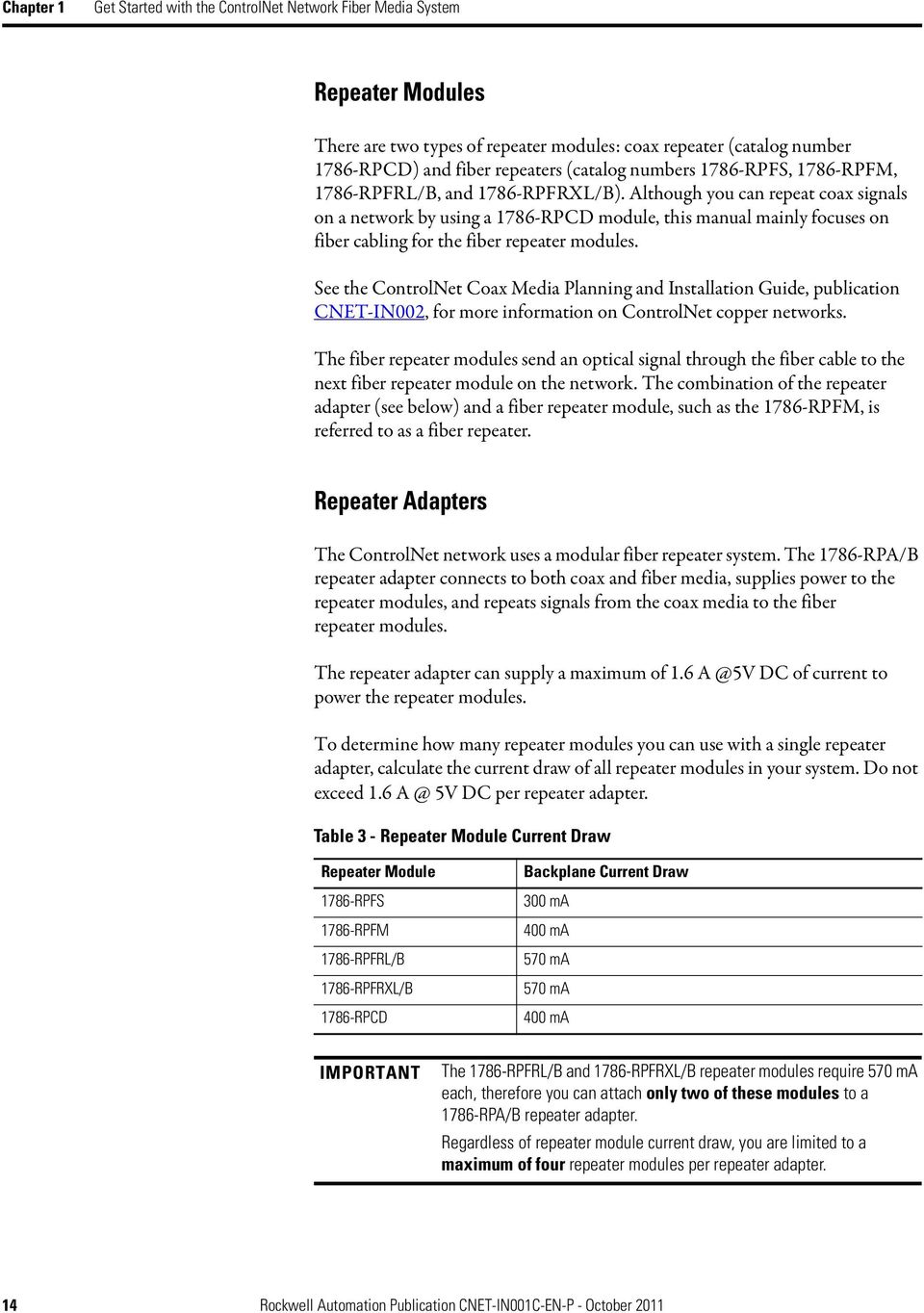
15 Get Started with the ControlNet Network Fiber Media System Chapter 1 Determine Network Topology We suggest that you take sufficient time to plan the installation of your network before assembling any components. The table defines some of the basic ControlNet network terminology used in example topologies. Item Term Description Item Term Description T Passive tap with drop The connection between any device and the cable system. The length of the drop cable is CR cable 1 m (3.28 ft). N D Node or device Terminator (dummy load) Any physical device connecting to the ControlNet network cable system that requires a network address to function on the network. Terminates a tap drop cable that has yet to be connected to a node to help prevent noise on the line. FR TR Coax repeater Fiber repeater Terminating resistor An active physical layer component that reconstructs and retransmits all traffic it hears on one coax segment to another coax segment. An active physical layer component that reconstructs and retransmits all traffic it hears on one fiber segment to another fiber segment. A coax port on the repeater adapter is available to relay the fiber traffic to the coax segment. A 75 Ω resistor mounted in a BNC plug to absorb electrical energy of the signal at the end of the cable to prevent reflections. Each end of a segment must be terminated. The illustration describes an example trunk line topology. Coax Segment Coax Segment TR T T T T TR TR T T T T T TR Network N FR FR N N N N N Fiber segment to isolate or extend a segment CR CR TR T T T T T TR Trunk Line Drop Line N N N D Coax Segment Rockwell Automation Publication CNET-IN001C-EN-P - October

16 Chapter 1 Get Started with the ControlNet Network Fiber Media System You can configure these topologies on a ControlNet network: Point-to-Point Topology Star Topology Ring Topology Point-to-Point Topology Point-to-point is also called a bus or a trunk line topology. A point-to-point topology can be described as one fiber module transmitting to another module. For example, you cannot transmit from a medium-distance module to a short-distance module. Figure 2 - Example Point-to-Point (Trunk Line) Topology See Important Coax Segment 1 below Coax Segment 2 Coax Segment 3 Fiber Cable 1 Fiber Cable 2 Fiber Cable 3 IMPORTANT It is not necessary to install nodes on coax segments. If you are using only the repeaters to extend the network, install a 75-Ω terminator (catalog number 1786-XT) on the BNC coax connector on the 1786-RPA/B repeater adapter or 1786-RPCD module. This should be done to all repeater modules that are not connected to coax segments. 16 Rockwell Automation Publication CNET-IN001C-EN-P - October 2011

17 Get Started with the ControlNet Network Fiber Media System Chapter 1 Star Topology In a star topology, all segments of the fiber network start from a central location. Figure 3 - Star Topology * * M * See Important on page 16 Rockwell Automation Publication CNET-IN001C-EN-P - October

18 Chapter 1 Get Started with the ControlNet Network Fiber Media System Ring Topology A ring topology provides redundancy by providing two data paths in a single ring. A ring can sustain two faults before that data connection is lost. You should consider a ring when your devices (Controller and I/O) are single port (A only) and media redundancy is required. Only the 1786-RPFRL and 1786-RPFRXL repeater modules support ring topologies. In a ring topology on the ControlNet network, you can use: Up to 5 repeaters by using one 1786-RPA/A repeater adapter. The 1786-RPA/B repeater adapter allows for a maximum of RPFRL (long distance) or 1786-RPFRL/X (extra long-distance) ring repeaters. Figure 4 - Ring Topology Node(s) Coax Network Coax RPA + RPFRXL Fiber RPA + RPFRXL Coax Fiber Node(s) RPA + RPFRXL Coax Node(s) Fiber Fiber Node(s) Coax RPA + RPFRXL Up to RPFR(X)L repeaters on a fiber ring. RPA + RPFRXL Coax Node(s) Fiber Fiber Coax Network Node(s) Coax RPA + RPFRXL Fiber RPA + RPFRXL Coax Node(s) If a ring is broken, the configuration then becomes a linear bus and the number of repeaters in SERIES depends on where the ring is broken. You will have as many repeaters as in the original ring. See page 29 to determine different topology constraints. 18 Rockwell Automation Publication CNET-IN001C-EN-P - October 2011

19 Get Started with the ControlNet Network Fiber Media System Chapter 1 Plan the Installation of the Fiber Media Components During the planning phase of your network design, create checklists to help you determine the following components that are needed in an application: Number of nodes in your network TIP In a network containing a fiber repeater module, such as a 1786-RPFRL/B or 1786-RPFRXL/B module, you cannot have more than 98 node addresses assigned. Length of the fiber segments Number of fiber connectors and splices in your network Calculate the maximum allowable segment length Any additional repeaters and coax segments you need Choose the Fiber Media System Composition The fiber repeater consists of the following: A 1786-RPA repeater adapter Up to two 1786-RPFRL/B (long-distance) or 1786-RPFRXL/B (extra-long distance) fiber repeater modules Up to four 1786-RPFS (short-distance) or 1786-RPFM (medium-distance) fiber repeater modules It is allowable to mix these repeater modules on a single repeater adapter. Refer to Table 3 on page 14 to determine how many repeater modules you can connect to one repeater adapter. The number of repeaters and the total cable length depends on your network topology limits and the repeater modules you select. Rockwell Automation Publication CNET-IN001C-EN-P - October
20 Chapter 1 Get Started with the ControlNet Network Fiber Media System You can use fiber repeaters for these tasks: Extend the total length of your segment (point-to-point or trunk line topology) Create star and ring configurations (multiple directions from one point) Cross into hazardous areas ATTENTION: In hazardous areas, you must use products specifically designed for that purpose. You can use fiber repeaters that are designed for hazardous areas as a link from your non-hazardous area to your hazardous area. For hazardous locations, consult the ControlNet EX Media Planning and Installation Manual, publication CNET-IN003. When you configure your network by using fiber repeaters, you can install them in one of the following ways: Fiber Repeater Installation Page Series 21 Parallel 22 Combination of series and parallel 23 Ring (only fiber) 24 ATTENTION: The maximum distance in the network is limited by the distance between the two nodes farthest from one another, and the number of repeaters. 20 Rockwell Automation Publication CNET-IN001C-EN-P - October 2011
21 Get Started with the ControlNet Network Fiber Media System Chapter 1 Install Repeaters in a Series Series is defined as the number of repeater assemblies (repeater adapter plus fiber repeater module) between two devices on a network. When you install fiber repeaters in a series, use the RSNetWorx for ControlNet software to verify that the system is an allowable configuration. The system size is based on the maximum number of repeaters in a series and maximum length of the media used between any two nodes. When you install repeaters in series, you can install a maximum of: 5 repeater modules (or 6 segments) with a 1786-RPA/A series A repeater adapter 20 repeater modules (or 21 segments) with a 1786-RPA/B series B repeater adapter Figure 5 - Fiber Repeaters in a Series 1794-ACNR ACNR15 Node 2 Node 3 Node 1 Coax Segment 2 Coax Segment 1 Repeater A Repeater B Repeater C 1786-RPA 1786-RPFM 1786-RPA 1786-RPFM 1786-RPA 1786-RPFM 1786-RPCD Coax Segment 4 Fiber Cable 1 Fiber Cable 2 * Node ACNR ACNR15 Node 4 Coax Segment ACNR15 * See Important on page 16 Node In Figure 5, the maximum number of fiber repeaters is 3, because a message from coax segment 1 to coax segment 2 travels through 3 repeaters in series (A, B, and C). For any given architecture, the highest number of repeaters that a message might travel through to get from any single node to another determines the number of repeaters in a series. Rockwell Automation Publication CNET-IN001C-EN-P - October
22 Chapter 1 Get Started with the ControlNet Network Fiber Media System Install Repeaters in Parallel When you install repeaters in parallel, you can install a maximum of 48 repeaters (the maximum number of taps per 250 m segment). Figure 6 shows an example of fiber repeaters being used in parallel. Figure 6 - Fiber Repeaters in Parallel Repeater A Repeater B Repeater C Repeater D 1786-RPA 1786-RPFM 1786-RPA 1786-RPFM 1786-RPA 1786-RPFM 1786-RPA 1786-RPFM Fiber Cable 1 Fiber Cable 2 Coax Segment 1 Coax Segment 2 Coax Segment ACNR ACNR15 Node 1 Node 2 Node Fiber repeaters A and B are in parallel off of coax segment 1. The network example shows 2 fiber repeaters in series. This is determined by counting the number of fiber repeaters a message must travel through to get from one node to another. For example, if a message travels from node 1 to node 2 (B, C) or from node 1 to node 3 (A,D), it travels through 2 fiber repeaters. 22 Rockwell Automation Publication CNET-IN001C-EN-P - October 2011
23 Get Started with the ControlNet Network Fiber Media System Chapter 1 Install Repeaters in a Combination of Series And Parallel You can install repeaters in a combination of series and parallel connections. For mixed topologies (series and parallel) the maximum number of repeaters in series between any two nodes is 20. If you configure your network by using repeaters in combination of series and parallel, you need to count the repeaters in series on the worst-case path between any two nodes. There can be only one path between any two nodes on a ControlNet network link. Multiple repeater connections between two segments are not allowed. Coax Segment 7 Figure 7 - Repeaters in a Combination of Series and Parallel Repeaters D, E and F are installed in parallel Repeater D Repeater E Repeater F * * * Node 1 Node 2 Node 3 Coax Segment 1 Coax Segment 2 Coax Segment 3 Repeater A Repeater B Repeater C Fiber Cable 3 Fiber Cable 1 Fiber Cable 2 Node 4 Node 5 Node 6 Coax Segment 4 Coax Segment 5 Coax Segment 6 Repeaters A, B, and C are installed in series and connected to the repeaters in parallel on segment 7 via Repeater F M * See Important on page 16 In this network example, the maximum number of repeaters that a message will travel through is 5. The path is as follows: Node 1 to Node 4 travels through repeaters D, F, C, B, A. Repeaters D and E are in parallel, so you must consider the path of Node 2 to Node 4 through repeaters E, F, C, B, A. This secondary path is dependant on the fiber and coax lengths of Segment 1 and Segment 2, including Segment 7. Rockwell Automation Publication CNET-IN001C-EN-P - October
24 Chapter 1 Get Started with the ControlNet Network Fiber Media System Install Repeaters in a Ring Use this configuration to achieve an increased level of protection (in case of cable failure) over a long distance (not available when you use traditional copper media). To achieve this increased level of protection, a fiber ring network transmits messages in the two directions of the ring (clockwise and counter-clockwise). In Figure 8, the path from node 1 to node 4 in a counter-clockwise direction is through 2 fiber repeaters (A, D). In a clockwise direction, the path from node 1 to node 4 is though 4 fiber repeaters (A, B, C, D). We refer to the longer path as the worst-case delay path. Figure 8 - Fiber Repeaters in a Ring Repeater B Node ACNR RPA 1786-RPFRXL Coax Segment 2 Fiber Cable 2 Repeater C Node 1 Repeater A 1786-RPA 1786-RPFRXL Fiber Cable RPA 1786-RPFRXL Coax Segment 1 Fiber Cable 4 Coax Segment 3 Repeater D 1786-RPA 1786-RPFRXL 1794-ACNR15 Node 3 Fiber Cable 3 Coax Segment 4 Node ACNR M The 1786-RPFRXL/B and 1786-RPFRL/B fiber repeaters automatically detect which message arrives first and disregards the other at each fiber repeater location. In the above example, the 1786-RPFRXL fiber repeater for node 4 would automatically detect the packet that arrives on a channel first, and disregard the second packet. 24 Rockwell Automation Publication CNET-IN001C-EN-P - October 2011
25 Get Started with the ControlNet Network Fiber Media System Chapter 1 A fiber-optic ring may contain up to RPFRL/B (long distance) or 1786-RPFRXL/B (extra-long distance) fiber repeaters, depending on the application. IMPORTANT When used in a ring topology, redundant coaxial cabling (linear bus) or redundant rings are not allowed. Due to timing differences, the 1786-RPFRXL/B and 1786-RPFRL/B fiber modules do not support redundant rings. Configure the Media in RSNetWorx for ControlNet Software You can use RSNetWorx for ControlNet software to determine whether or not your system meets the network parameter requirements. Based on your system planned requirements (NUT, SMAX, UMAX, types and length of cable, number and types of repeaters and worst case network delay), RSNetWorx software will verify the network configuration parameters. If RSNetWorx is unable to schedule the network due to errors, make the necessary changes. Changes might include inserting the correct media lengths and number of repeaters or increasing RPI, so the software can calculate the correct network parameters and download them to the keeper. Set up the Network SMAX Parameter in RSNetWorx Software You must properly set up the SMAX parameter in RSNetWorx for ControlNet software when used with the 1786-RPFRL or 1786-RPFRXL repeater module. The SMAX parameter sets the maximum scheduled node address on a ControlNet network. Refer to the documentation supplied with the RSNetWorx for ControlNet software. You must set the SMAX parameter at least one node number higher than the highest-used scheduled node number. For example, on a network with 49 scheduled nodes (with 49 being the highest-used scheduled node number), you must set SMAX to at least 50. In this example, node number 50 is an unused scheduled node number. IMPORTANT When setting the SMAX parameter, you must allow one unused scheduled node address. This unused node address must be the highest available scheduled node number. Therefore, the maximum usable node address when using the 1786-RPFRL/B or 1786-RPFRXL/B module is 98. For more information, see Getting Results with RSNetWorx for ControlNet, publication CNET-GR001. Rockwell Automation Publication CNET-IN001C-EN-P - October
26 Chapter 1 Get Started with the ControlNet Network Fiber Media System Terminate Your Fiber Cable Be sure to use the correct connectors on the end of your fiber cable for the best optical and mechanical connections. For example, ST- and V-pin are the only two connectors that the ControlNet network recognizes. See Table 8 on page 54 for more information on available connector kits for repeater modules. You also want to use a dust cap on an unconnected terminated fiber cable end if a connector is not going to be used. Test Your Fiber Media Connections and Segments Many field testers are available to test the connectors on cable that is used with the 1786-RPFM, 1786-RPFRL/B and 1786-RPFRXL/B repeater modules. Consult with your fiber network specialist to determine which tester is the best for your media. Power Your Repeaters The power for your fiber repeaters comes from the repeater adapters. The repeater adapters must be powered by using a 24V power supply. See page 68 for the 1786-RPA/B repeater adapter installation instructions and power supply requirements. Verify Your Network Verify whether your system meets the network parameter requirements. 1. In RSNetWorx for ControlNet software, go online, browse your network, and look for invalid node addresses. 2. OTDR and fiber field testers will help make sure that no segments violate distance constraints. 3. Make sure your network does not violate general network rules. See Chapter 3, starting on page 43, for details. 4. Isolate a single segment of the network and verify its operation. 5. Connect multiple segments of the network, being mindful of bandwidth, insertion loss of the segment, and segment length. 6. Verify that the correct connectors and cable have been installed. See page 55 for additional information. 26 Rockwell Automation Publication CNET-IN001C-EN-P - October 2011
27 Chapter 2 Topology and Signal Considerations Topic Page Develop a Plan 27 Redundant Media 28 Topology Considerations 29 Coax Segment Constraints 30 Fiber Segment Constraints 31 Select a Module Type Based on Distance Requirements 31 Estimate Cable Lengths 33 Determine Attenuation Levels 35 Determine Propagation Delay 38 Develop a Plan Fiber-optic links in a ControlNet network system can do the following: Increase network length beyond that supported by coax Provide immunity to EMI Provide better electrical isolation than standard coax cable Fiber is strongly recommended to avoid lighting problems when connecting equipment in different buildings together. You can create point-to-point, star, and ring configurations. Up to four fiber modules, with two fiber ports each, can be directly plugged to a repeater adapter. Multiple repeater adapters can be used to increase the number of fiber or coax connections. Each port needs two fiber connections, one for receiving and another for transmitting signals. The basic configuration connects two coax segments point-to-point by two repeater adapters and two fiber repeater modules, as illustrated in Figure 9. Rockwell Automation Publication CNET-IN001C-EN-P - October
28 Chapter 2 Topology and Signal Considerations Figure 9 - Basic Fiber Media Topology Tap Coax Segment 1 Repeater Adapter Fiber Repeater Module Repeater Adapter Fiber Repeater Module Fiber Cable Coax Segment 2 Terminator M This configuration is equivalent to the use of a coax repeater. Fiber cable can provide communication over longer distances than coax media. Redundant Media Use redundant media when you need module and media redundancy. With redundant media, the channel-to-channel skew travel time difference must be less than 1.6 μs. To keep skew time to a minimum, configure the cable paths on channels A and B in a similar manner as shown in Figure 10 on page 29. Media redundancy can be achieved via a ring topology or linear bus topology. The 1786-RPFRL/B and 1786-RPFRXL/B fiber repeaters can provide media redundancy in a ring or linear bus topology, but not both. A redundant linear bus topology can be obtained by using the 1786-RPFS, 1786-RPFM, and 1786-RPCD repeater modules. The planning phase should consider the advantages and disadvantages of using a ring or redundant linear bus topology. TIP If you use a ring topology to provide media redundancy, you can connect to only one channel (A or B) of redundant port modules. ControlNet does not support mixed (linear and ring) redundancy in the same network. When using linear bus redundancy all ControlNet modules must have redundant ports (A and B) and must be connected throughout the network. 28 Rockwell Automation Publication CNET-IN001C-EN-P - October 2011
29 Topology and Signal Considerations Chapter 2 For redundancy, you should do the following on each channel: Use the same number and types of repeater assemblies (repeater adapters plus repeater modules) Use the same type of cable Keep cable lengths similar If using redundant media in a linear bus topology, ring topologies are not supported. Figure 10 - Redundant Topology M Topology Considerations For best results, determine the constraints of your topology. For example, a maximum of 99 nodes are allowed on a network (98 nodes if you are using ring redundancy). Table 4 - Topology constraints Constraint Only one path is allowed between nodes (non-ring repeater modules only) In series topology, maximum of 20 repeaters in a series In ring topology, up to RPFRL/B or RPFRXL/B modules per ring Constraint of each coax segment (taps and trunk-cable sections) Example See Figure 7 on page 23. See Figure 5 on page 21 See Figure 8 on page 24 See Figure 11 on page 30. Constraint of each fiber segment application See page 31. Power loss budget of each fiber segment See Table 5 on page 33. Maximum propagation delay through the network See page 39. Rockwell Automation Publication CNET-IN001C-EN-P - October
30 Segment Length (ft) Chapter 2 Topology and Signal Considerations Coax Segment Constraints The total allowable length of a segment containing standard RG-6 quad shield coaxial cable depends upon the number of taps in your segment. There is no minimum trunk-cable section length requirement. The maximum allowable total length of a segment is 1,000 m (3280 ft) with two taps connected. Each additional tap decreases the maximum length of the segment by 16.3 m (53 ft). The maximum number of taps allowed on a segment is 48, with a maximum length of 250 m (820 ft). Figure 11 - Maximum Segment Length (Using 1786-RG6 Coax Cable) Maximum Allowable Segment Length = 1000 m (3280 ft) m (53.4 ft) x [number of taps - 2] 1000 (3280) 750 (2460) 500 (1640) 250 (820) Allowable Region Number of Taps m The data in Figure11 assumes you are using standard low-loss coax. High-flex cable may not support the distance versus the number of taps due to the higher loss factor associated with high-flex designs. Example Coax Segment Constraint EXAMPLE If your segment requires 10 taps, the maximum segment length is: 1000 m (3280 ft) m (53.4 ft) x [10-2] 1000 m (3280 ft) m (427.2 ft) = m ( ft) The total trunk-cable length or number of taps can be increased by installing repeaters on the segment. This creates another segment. The amount of high-flex RG-6 cable (catalog number 1786-RG6F) you can use in a system is less than the amount of standard RG-6 cable, so you should keep high-flex cable use to a minimum. Use BNC bullet connectors to isolate areas that require high-flex RG-6 cable from areas that require standard RG-6 cable; this allows the high-flex RG-6 section to be replaced before flexture life is exceeded. For more information in the installation of a coax segment, see publication CNET-IN002, ControlNet Coax Media Planning and Installation Guide. 30 Rockwell Automation Publication CNET-IN001C-EN-P - October 2011
31 Topology and Signal Considerations Chapter 2 Fiber Segment Constraints Every network that uses fiber repeaters must maintain a minimum signal level for each fiber segment in order to achieve an effective signal strength. Attenuation of a fiber segment is effected by the quality of the termination at each connector, splices, bulkheads, and the fiber cable. At any time, the total amount of attenuation shall not exceed the power budget of the type of repeater module that is being used. IMPORTANT The attenuation values for connectors, splices, bulkheads, and cable are available in the manufacturer s specifications for your products. Select a Module Type Based on Distance Requirements When choosing a module type to use in a configuration, a commonly asked question is Can I use a particular cable with a particular module? You must select a module (and the corresponding cable type) based on the distance you want to achieve. There are two types of fiber cable supported: single and multi-mode. These two cable types differ in that single-mode cable allows light to travel in a single path. Multi-mode cable allows light to travel in multiple paths. Single-mode cable is generally used in longer distance applications. Of these two types of cores, there are three configurations of cable commonly found in manufacturing environments: Simplex Cable Duplex Cable Multi-fiber Backbone Cable All three cable configurations have either single- or multi-mode cores. Simplex Cable At each end, the cable is terminated with a connector appropriate to the type of fiber module to which the cable is attached M Rockwell Automation Publication CNET-IN001C-EN-P - October
32 Chapter 2 Topology and Signal Considerations Duplex Cable A duplex cable is made up of two jacketed fiber cores, with their jackets fused together to form a single cable. A duplex cable is sometimes called a zipcord fiber jumper M Smaller lengths of simplex and duplex interconnect cable are typically directly connected between modules, or to a fiber panel within an enclosure. Multi-fiber Backbone Cable Multi-fiber backbone cable is composed of many fiber cores bundled into a jacketed cable. These cables are often run to a fiber panel within an enclosure. Smaller lengths of simplex or duplex interconnect cable are then typically used to connect from the fiber panel to individual modules or networks M What is Zipcord? The term zipcord refers to any cable that is a duplex cable whereby the jacket is fused together to form a lamp cord-like cable that can be easily parted. The V-pin connector makes sure the fiber is reversed on opposite ends of the cable so that the Transmit end from one module is automatically connected to the Receive end of the other module. Multiple lengths of zipcord (catalog number 1786-FSxx) are available for use with the 1786-RPFS module. See page 65 for connection instructions. 32 Rockwell Automation Publication CNET-IN001C-EN-P - October 2011
33 Topology and Signal Considerations Chapter 2 Estimate Cable Lengths The maximum length of a fiber cable section for the fiber-optic modules is dependent on the quality of the fiber, number of splices, and the number of connectors. Table 5 - Fiber Module Distance and Ratings If your distance requirements are less than 300 m, you can use a short-distance (single-mode) cable that comes pre-terminated for use with the 1786-RPFS fiber module. If your distance requirements are greater than 300 m, you must use a 1786-RPFM, 1786-RPFRL/B, or 1786-RPFRXL/B fiber module and terminate the cables in the field, or purchase pre-terminated cables from your supplier. When estimating maximum cable length, take into account attenuation that occurs along the entire fiber path. Attenuation refers to the loss of light power as it passes through the cabling components. Module Typical Repeater Distance (1) Cable Type Optical Power Budget Connector Type 1786-RPFS m 200/230 micron, single-mode 650 nm 1786-RPM 0 3 km 62.5/125 µm, multi-mode 1300 nm, graded index 1786-RPFRL/B 0 10 km 62.5/125 µm, multi-mode 1300 nm, graded index 1786-RPFRXL/B 0 20 km 62.5/125 µm, multi-mode (2) 1300 nm, graded index 9/125 µm, single-mode (3) 1300 nm 4.2 db V-pin 13.3 db ST (plastic or ceramic only; do not use metal connectors) 15 db 10.5 db (1) Entire network limited to 20 km max, per ControlNet network specifications. (2) Although you can use multi-mode cable with the 1786-RPFRXL/B module, it is not recommended because achieveable distance is limited to 6.6 km. (3) Also compatible with 62.5/125 µm, multi-mode cable. Typically cable attenuation for multi-mode fiber at a wavelength of 1300 nm is less than 1.5 db/km, and connection losses are 1 db per connection. IMPORTANT Avoid lengthening your cable by joining sections with connectors. Connectors can cause considerable attenuation and limit the maximum length of your system. Be sure to check the attenuation of different cable sections after the cable is installed. Each Rockwell Automation fiber system has different constraints; therefore maximum fiber-optic cable lengths differ for each system. Rockwell Automation offers four different systems that are targeted to solve different applications: 1786-RPFS: Short-distance fiber system 1786-RPFM: Medium-distance fiber system 1786-RPFRL/B: Long-distance fiber system 1786-RPFRXL/B: Extra-long distance fiber system. Rockwell Automation Publication CNET-IN001C-EN-P - October
34 Chapter 2 Topology and Signal Considerations 1786-RPFS Module The 1786-RPFS (0 300 m) module specializes in solving short-distance applications. This system requires the use of pre-terminated cable assemblies. The total attenuation for a fiber cable section must be less than 4.2 db. 200/230 Micron HCS (hard-clad silica) Fiber Use 200 micron HSC cable with the 1786-RPFS module for short-distance applications. The 200 hcs cable is also known as a step index multi-mode type of fiber cable RPFM Module The 1786-RPFM (0 3 km) module is designed to solve medium-distance applications that require less than 3000 m per segment (9843 ft) between two ControlNet fiber repeaters. You must terminate medium-distance cable in the field. The maximum length of a section is dependent on the quality of the fiber, number of splices, and the number of connectors. The total attenuation for a cable section must be less than 13.3 db. 62.5/125 Micron multi-mode OM1 Fiber Use 62.5/125 micron cable with the 1786-RPFM, 1786-RPFRL/B, and 1786-RPFRXL/B module for medium-distance applications. The OM1 cable is a graded index multi-mode type of fiber cable RPFRL/B Module The 1786-RPFRL/B (0 10 km) module is designed to solve long-distance applications that require up to 10,000 m (32,810 ft) between two ControlNet network devices. You must terminate long-distance cable in the field. The maximum length of a section is dependent on the quality of the fiber, number of splices, and the number of connectors. The total attenuation for a cable section must be less than 15 db. 62.5/125 Micron multi-mode OM1 Fiber Use 62.5/125 micron cable with the 1786-RPFM, 1786-RPFRL/B, and 1786-RPFRXL/B modules for long-distance applications. The OM1 cable is a graded index multi-mode type of fiber cable. 34 Rockwell Automation Publication CNET-IN001C-EN-P - October 2011
35 Topology and Signal Considerations Chapter RPFRXL/B (Fiber Ring or Point-to-Point) Module The 1786-RPFRXL (0 20 km) module is designed to solve extra-long distance applications that require up to 20,000 m (65,620 ft) for single-mode fiber between two ControlNet network devices. You must terminate extra longdistance cable in the field. The maximum length of a section is dependent on the quality of the fiber, number of splices, and the number of connectors. The total attenuation for a cable section must be less than 10.5 db. This applies to single- or multi-mode fiber. 62.5/125 Micron multi-mode OM1 Fiber Use 62.5/125 micron cable with the 1786-RPFM, 1786-RPFRL/B, and 1786-RPFRXL/B modules for extra-long distance applications. The OM1 cable is a graded index multi-mode type of fiber cable. 9/125 Micron single-mode OS1 Fiber Use 9/125 micron with the 1786-RPFRXL/B module to achieve distances of up to 20 km. The OS1 cable is a graded index single-mode type of fiber cable. Determine Attenuation Levels You must calculate the power budget for you fiber cable. The short-distance fiber cable is pre-terminated; therefore the maximum attenuation level is 4.2 db. Once you start modifying the lengths of the segment, installing bulkhead or fusion splices, installing longer distances, exposing the cable to temperature ranges, or employing different quality cable and connector types, you must determine your attenuation levels. The following examples provide you with a place to start when you begin to determine your attenuation levels. Attenuation Levels for a Short-distance Fiber Segment The fiber cabling path loss can be verified by using the appropriate field test equipment. You must test the cable using the same wavelength as the specific fiber module in use. The power budget for the short-distance fiber repeater module is 4.2 db. This means that the maximum amount of attenuation between the two repeater modules shall not exceed 4.2 db. This power budget is valid throughout the operating temperature range (0 60 C (140 F)). Rockwell Automation Publication CNET-IN001C-EN-P - October
36 Chapter 2 Topology and Signal Considerations You can also affect the power budget by the quality of the connectors and fiber cable you choose. If you use a high-quality connector and fiber cable, you will be able to stretch your power budgets. Higher-quality connectors and cable can withstand a broader range of temperatures and distances. In most situations you will not have to determine the attenuation levels for short-distance fiber cable. The cable comes pre-terminated with connectors with the proper length of cable to be used under the maximum attenuation levels. If you modify the cables with splices then you must calculate the attenuation levels. Figure 12 is an example of determining the maximum distance between two fiber repeaters. These are measured path losses, not theoretical. If the system attenuation exceeds the power budget, you will need to add additional repeaters. Figure 12 - Maximum Distance Between Two Repeater Modules Connector 1 = Fiber Connector (Each Fiber Connector is 1.5 db) Connector 2 = Fiber Connector (Each Fiber Connector is 1.5 db Fiber Cable 1 = Short Distance Fiber Cable db) Connector 1 + Fiber Cable 1 + Connector 2 = Total Attenuation = 3.1 db M Step 1: Total your loss budget With the type of fiber module selected, how much total loss (db) can you have? 4.2 db on the 1786-RPFS module Step 2: Subtract loss for connectors Select connectors. You need to account for at least two connectors per fiber cable segment. Loss per connector x 2 connectors (1 at each end) 2 (1.5 db) = 3 db 36 Rockwell Automation Publication CNET-IN001C-EN-P - October 2011
37 Topology and Signal Considerations Chapter 2 Step 3: Subtract loss for cable lengths Select fiber cable and identify loss = length of cable x (loss due to fiber cable/km) db Step 4: Compare losses Compare the sum of losses in steps 2 and 3, with total power budget in step db - 3 db -.1 db = 1.1 db If the sum of steps 2 and 3 are equal to or less than step 1 (which applies for our example), then you are within the power budget. If steps 2 and 3 are greater than step 1, then you will need to reconfigure the topology, shorten cable lengths, or re-calculate the loss budget. IMPORTANT Due to possible fiber connector degradation, it is recommended that an allowance of db per short-distance fiber cable segment be added to the total attenuation. In the above example, the maximum cable length would be meters. There is no minimum length of cable for the short-, medium-, or longdistance fiber repeaters. Attenuation Levels for Medium-distance Fiber Segments The power loss budget for the medium-distance fiber repeater (catalog number 1786-RPFM) is 13.3 db. The maximum amount of attenuation between the two fiber repeaters shall not exceed 13.3 db. This power loss budget includes the entire bulkhead/fusion splice. This power loss budget is valid throughout the operating temperature range (0 60 C) of the 1786-RPFM module. IMPORTANT Due to possible fiber connector degradation, it is recommended that an allowance of 1.0 db per 62.5/125 multi-mode cable segment be added to the total attenuation. There is no minimum length of cable for the short-, medium- or longdistance fiber repeaters. Rockwell Automation Publication CNET-IN001C-EN-P - October
38 Chapter 2 Topology and Signal Considerations Attenuation Levels for Long-distance Fiber Segments The power loss budget for the long-distance fiber repeater (catalog number 1786-RPFRL) is 15 db. The maximum amount of attenuation between the two fiber repeaters shall not exceed 15 db. This power loss budget includes the entire bulkhead/fusion splice. Attenuation Levels for an Extra-long Fiber Segment The power loss budget for the extra-long distance fiber repeater (catalog number 1786-RPFRXL) is 10.5 db. The maximum amount of attenuation between the two fiber repeaters shall not exceed 10.5 db. This power loss budget includes the entire bulkhead/fusion splice. Determine Propagation Delay The ControlNet network maximum propagation delay specification refers to the worst-case signal delay between any two nodes on a network. You need to figure out the worst-case scenario based on distances and the number of repeaters through which the signal has to travel. Network delays include the delays through coax and fiber media, coax repeaters, repeater adapters, and fiber modules. In order for a network to operate, the sum of the network s delays must be equal to or less than the maximum propagation delay of 121 μs. The total network allowable delay each way is 121 μs. Table 6 - Delay Values for ControlNet Network Media ControlNet Network Items 1786-RPCD 1786-RPA/B Delay Values 100 ns 901 ns 1786-RPFS 94 ns 1786-RPFRL/B 1786-RPFRXL/B 1786-RPFM Coax cable 420 ns 420 ns 153 ns 4.17 ns/meter 62.5/125 micron fiber 5.01 ns/meter 200 micron fiber 9/125 micron fiber 38 Rockwell Automation Publication CNET-IN001C-EN-P - October 2011
39 Topology and Signal Considerations Chapter 2 Maximum Propagation Delay Through a Network Figure 13 is an example of a maximum propagation delay through a network. Figure Calculating the Delays Delay 2 Delay 4 Delay 6 Delay 8 Delay m Delay m Node 1 Delay 5 Delay m 100 m Node 3 Node 2 Channel A Delay 9 20 m 20 m M The example has the following maximum delay path from node 1 to node 2, end to end. IMPORTANT Cable delays through taps are minimal and can be ignored. Delay Path 1: From controller to repeater adapter Delay 1: 750 m coax cable x 4.17 ns/m = 3127 ns Delay Path 2: 1786-RPCD module Delay 2: Coax repeater; 901 ns (1786-RPA/B module) ns (1786-RPCD module) = 1001 ns Delay Path 3: 1000 m of coax cable Delay 3: 1000 m coax cable x 4.17 ns/m = 4170 ns Delay Path 4: Fiber repeater; 1786-RPA/B module and 1786-RPFM module Delay 4: Fiber repeater; 901 ns (1786-RPA/B module) ns (1786-RPFM module) = 1054 ns Rockwell Automation Publication CNET-IN001C-EN-P - October
40 Chapter 2 Topology and Signal Considerations Delay Path 5: 3000 m of 62.5 micron fiber cable Delay 5: 3000 m fiber cable x 5.01 ns/m = ns Delay Path 6: Fiber modules; 1786-RPFM, 1786-RPA/B, 1786-RPFS modules Delay 6: 153 ns (1786-RPFM module) + 901ns (1786-RPA/B module) + 94 ns (1786-RPFS module) = 1148 ns Delay Path 7: 100 m of 200 micron fiber cable Delay 7: 100 m fiber cable x 5.01 ns/m = 501 ns Delay Path 8: Fiber modules; 1786-RPFS and 1786-RPA/B modules Delay 8: 94 ns (1786-RPFS module) ns (1786-RPA/B module) = 995 ns Delay Path 9: 20 m of coax cable Delay 9: 20 m coax cable x 4.17 ns/m = 83 ns Total delay = ns (27.1 μs) This is a valid network because the calculated propagation delay of 27.1 μs is less than the maximum allowable propagation delay of 121 μs. Maximum Propagation Delay and Skew Through a Redundant Network For redundant networks, not only do you have to calculate the worst-case path delay between two nodes, but you also must calculate the worst-case delay skew between channel A and channel B of the network. IMPORTANT The worst-case skew between redundant paths shall be less than or equal to 1.6 µs. The following example (that uses the cable lengths in Figure 14) depicts a redundant network with these conditions: Node 1 and Node 2 are separated by four fiber repeaters in series on both A and B channels Channel A uses 3600 m fiber segments total versus 3300 m fiber segments total on channel B. Channel A uses 1520 m of coax cable total versus 1770 m of coax cable total on channel B. 40 Rockwell Automation Publication CNET-IN001C-EN-P - October 2011
41 Topology and Signal Considerations Chapter 2 Figure 14 - Maximum Propagation Delay Through a Redundant Network Delay 2 Delay 4 Delay 6 Delay 8 Channel A Delay m Delay 5 Delay 7 Delay m 100 m 1000 m Node 2 Node 1 Node 3 Delay 9 20 m 20 m Channel B Delay 2 Delay 4 Delay 6 Delay 8 Delay 1 Delay m 1000 m Delay 5 Delay m 100 m Node 3 Node 2 Delay 9 20 m 20 m M Calculate and Total Delays for Channel A Delay m coax cable x 4.17 ns/m = μs Delay 2 Coax repeater; 901 ns ns = μs Delay m coax cable x 4.17 ns/m = 4.17 μs Delay 4 Fiber repeater; 901 ns ns = μs Delay m fiber cable x 5.01 ns/m = μs Delay 6 Fiber modules; ns + 94 ns = μs Delay m fiber cable x 5.01 ns/m = μs Rockwell Automation Publication CNET-IN001C-EN-P - October
42 Chapter 2 Topology and Signal Considerations Delay 8 Fiber modules; 94 ns ns = μs Delay 9 20 m coax cable x 4.17 ns/m = μs Total delay for Channel A = μs Calculate and Total the Delays for Channel B Delay m coax cable x 4.17 ns/m = μs Delay 2 Coax repeater; 901 ns ns = μs Delay m coax cable x 4.17 ns/m = 4.17 μs Delay 4 Fiber repeater; 901 ns ns = μs Delay m fiber cable x 5.01 ns/m = μs Delay 6 Fiber modules; ns + 94 ns = μs Delay m fiber cable x 5.01 ns/m = μs Delay 8 Fiber modules; 94 ns ns = μs Delay 9 20 m coax cable x 4.17 ns/m = μs Total delay for Channel B = μs Skew between channels = (Delay through A) (delay through B) = μs μs = 0.46 μs This is a valid network because the calculated skew of 0.46 μs is less than the maximum allowable skew of 1.6 μs. 42 Rockwell Automation Publication CNET-IN001C-EN-P - October 2011
43 Chapter 3 Guidelines for Fiber-optic Installation Topic Page General Rules and Safety 43 Warnings 43 Types of Fiber Media Installations 45 General Rules and Safety This section outlines specific rules and guidelines to follow when you install fiber-optic cable systems. Warnings ATTENTION: Follow these safety guidelines: Safety glasses are required to protect your eyes when you handle chemicals and cut fiber. Pieces of glass fiber are very sharp and can easily damage the cornea of your eye. Cleaved glass fibers are very sharp and can pierce the skin easily. Do not let cut pieces of fiber stick to your clothing or drop in the work area where they can cause injury later. Use tweezers to pick up cut or broken pieces of the glass fibers and place them on a loop of tape kept for that purpose alone. Keep your work area clean. Laser light can damage your eyes. Laser light is invisible. Looking at it directly does not cause pain. The iris of the eye will not close involuntarily as when you view a bright light. Consequently, serious damage to the retina of the eye is possible. Should accidental eye exposure to laser light be suspected, get immediate medical attention. Never look into a potentially active fiber with a microscope. Doing so can cause serious eye damage. Hire Fiber-optic Specialists for Installation and Certification You may plan and install your fiber network or contract a fiber network engineer. It s not necessary to have your fiber specialist connect your local equipment. Someone with media installation experience can connect local equipment by using pre-terminated interconnect cables that are purchased in their required lengths. Rockwell Automation offers the short-distance (<300 m) fiber cable pre-terminated as a kit for use with the 1786-RPFS module. Rockwell Automation Publication CNET-IN001C-EN-P - October
44 Chapter 3 Guidelines for Fiber-optic Installation Single- and multi-mode pre-terminated fiber cables for medium, long, and extra-long distances also can be purchased that are made to order or off the shelf from your supplier. However, keep in mind that a fiber media installation must be certified and terminating longer distances in the field can be challenging. Trained specialists can select the correct type of fiber cable for your environmental and intrinsically safe area needs. We recommend a trained specialist for installation of single- and multi-mode cables for the 1786-RPFM, (medium), 1786-RPFRL (long-distance), and 1786-RPFRXL (extra long-distance) fiber modules. The specialist you choose should install your cable and terminate it following the supplier s installation instructions. The installation should include verification testing that provides segment length and loss at the appropriate optical wavelength. Verification should also provide pass/fail based on the limits defined in the fiber module users documentation or this manual. Guidelines for Handling Fiber-optic Cable These guidelines are designed to protect the safety of personnel who handle fiber-optic cable. The guidelines in Table 7 help establish an environment that allows for the best performance from your fiber-optic system. ATTENTION: Do not look directly into the fiber ports. Light levels may cause damage to your eyesight. Do not view an active cable end through a fiber microscope. Table 7 - Guidelines for Handling Fiber-optic Cable Guideline Minimum bend radius Skin contact Installation training Installation regulations Description Observe the minimum fiber cable bend radius specified. Do not touch the ends of the fiber-optic strands. The fiber can break easily and pierce your skin. Train personnel on usage of the installation tools to place and terminate fiber cable. This would include training on hand-held tools, tension meters, optical power meters, cleaners, and adhesives. Observe all local regulations for installation, including personal safety equipment and the guidelines for its use. 44 Rockwell Automation Publication CNET-IN001C-EN-P - October 2011
45 . Guidelines for Fiber-optic Installation Chapter 3 Table 7 - Guidelines for Handling Fiber-optic Cable Guideline Proper disposal Specifications Pulling tensions Description Always dispose of fiber waste in an approved container. Disposing of fiber waste prevents the contamination of clothes, fingers, or eyes of glass fragments. Do not leave pieces of fiber cable on your work surfaces. Review cable specifications for distances and required connectors. Review all cable parameters and specifications before installation. Make sure that you have the proper amount of connectors and installation equipment. Never attempt to use non-compatible connectors and installation tools. Observe the maximum pulling tensions. Do not pull directly on fiber or force cable into a bend radius smaller than 20 times the cable diameter when under load and 10 times the cable diameter at no load. This will crack the glass and result in optical loss. Use a running line tension meter to determine the pulling tension applied during cable placement. Never allow tight loops, knots, kinks, or tight bends in the cable. Entrance in and out of metal pull boxes must be smooth as not to damage the cable sheath ATTENTION: Do not leave any fiber pieces on your work surface. The glass is very small and can penetrate your skin easily. Types of Fiber Media Installations You can use fiber media in many different application types. When you plan the application of fiber media, keep in mind the following installation types. Pulled Application Guidelines Pull fiber-optic cable prior to connector installation since it becomes more difficult to protect fiber from stress after connectors have been installed. Connectors may be pre-installed on one end, leaving the other end for pulling. Take precautions to protect ends from damage if the cable is pre-terminated. Refer to the manufacturer s specifications for the fiber cable for additional information. You must identify the strength member and the optical fiber location within the cable. Afterwards, a decision should be made to choose a cable pull method pull or indirect attachment to ensure effective pulling without fiber damage. Never pull the cable by the fiber strand. Direct Attachment The cable strength member is attached directly to a pulling eye. Since epoxy glass central strength members are too rigid to tie, they may be secured to the eye by using tight clamping plates or screws. Rockwell Automation Publication CNET-IN001C-EN-P - October
46 Chapter 3 Guidelines for Fiber-optic Installation Indirect Attachment Indirect attachment uses a pulling grip attached to the cable s outer jacket to distribute the pulling force over the outer portion of the cable. The pulling grip produces the least amount of stress in cables where the strength member lies directly beneath the jacket. Conduit and Duct Installation Installation procedures for conduit and duct installation of fiber-optic cables are very similar to those of electrical wires. Avoid yanking, flipping, or wrapping cables causing unnecessary tightening. Fiber cable, electrical wires, or small fiber-optic cables should never be subjected to foot traffic or potentially crushing forces. Cables should be lubricated prior to pulling to minimize the pulling forces on the cables. Lubricants such as waxes, greases, clay slurries, and water-based gels are compatible with most fiber-optic jacket materials. Check with the fiber manufacture of your cable for the approved lubricants to be used on your cable. Use this procedure for conduit or duct installation. 1. Attach the towline to the cable by using direct or indirect attachment as described in the previous section. 2. Establish two-way communication between the cable payoff station, intermediate hand assist stations, and the pulling station. 3. Use the following items for duct or cable tray replacements: Adjustable lip clutch winch or equivalent Tension monitoring system with continuous readout Tow line that assures minimum friction Dedicated inner duct, mainly for pulls in underground conduit Cable end caps for use in flooded or unknown conduits and sealing cable ends after placement 4. Position the cable reel and payoff frame for pulling. a. Mount the cable reel into the payoff apparatus so that the cable pays out from the top of the reel. b. Attach the pulling grip to the cable and position the reel with its flanges perpendicular to the floor or support foundation. c. Secure the payoff frame so it cannot move during pulling. 46 Rockwell Automation Publication CNET-IN001C-EN-P - October 2011
47 Guidelines for Fiber-optic Installation Chapter 3 5. Maintain enough slack on the cable as the pull starts to prevent the cable from contacting any equipment in the area. IMPORTANT Do not allow slack loops to form on the reel. Slack loops could cause a crossover and damage the cable. Always pull at slow speeds to limit the possibility of crossovers. Plan your pull to avoid a pull equaling or exceeding the total bends to 360 per pull. If it is not possible to avoid a pull of 360, install an intermediate junction box within the 360 pull. Plan on manually handling the cable along the pull route to help limit the bends. 6. Position the winch at the pull station to avoid a steep angle either entering the duct or exiting the cable tray. IMPORTANT Do not exceed the maximum pulling tension for your fiber-optic cable. 7. Leave enough extra cable to route to the equipment rack, put connectors on, and allow for future repairs when your pull is complete. 8. Cut off the pulling grip and the first 1 m (3 ft) of cable behind it. 9. Terminate the cable. 10. Measure and record the optical cable attenuation and length by using either an OTDR (optical time domain reflectometer) or an optical test. 11. Seal the ends of the cable with endcaps until they are terminated. In some applications you may have to start your pull in the middle of a duct or conduit and pull in both directions. In this scenario, pull in the first direction by using the reel and payoff frame. In the other direction, lay out the cable in a figure-8 pattern on the floor. When the second pull begins, hand feed the cable into the duct system. IMPORTANT Be certain to clear the floor of dust, debris, and dirt before placing the cable on the floor. Rockwell Automation Publication CNET-IN001C-EN-P - October
48 Chapter 3 Guidelines for Fiber-optic Installation Aerial Installation Most round, tight buffer, and loose-tube optical cables are compatible with helical lashing, clamping, and tied mounting. These cables can be used in aerial installations by using methods similar to those for electrical cables. The following procedure describes the stationary method for aerial cable installation. IMPORTANT Aerial cable must be properly supported using J hooks or loops of wire of sufficient diameter not to damage the fibers due to loading. 1. Use the following tools for aerial placement: Adjustable lip clutch winch or equivalent Tension monitoring system with continuous readout Tow line that assures minimum friction over cable blocks A payoff apparatus equipped with a breaking system. The breaking system can be used to place light tension on the cable during placement. 2. Mount the cable reel into the payoff apparatus so that it pays out from the top. IMPORTANT Do not drag fiber-optic cable across or around any obstacles that may cause outer jacket abrasion. 3. Determine the direction to pull your cable. Pull the cable up-grade whenever possible Place the payoff apparatus on an even surface and in-line with the support strand whenever possible 4. Place cable blocks along the support strand at a distance of no greater than 15 m (50 ft) apart. The first cable block should be placed as close to the initial pole as possible. 5. Place additional cable blocks: One on each side of a corner Where distinct vertical clearances are required 6. Guide the cable to a position parallel with the strand as it approaches the payoff by securing the cable guide to a strand by using a guy clamp on the strands behind the first roller. Place the cable 0.6 m (2 ft) past the pole if the cable should start at a dead end pole Place the first cable block within 0.3 m (1 ft) if the pull starts midstrand between poles IMPORTANT Use manila rope (1/4-in., min), kevlar rope, capstan winch rope, or coated line winch rope as a cable towline. 48 Rockwell Automation Publication CNET-IN001C-EN-P - October 2011
49 Guidelines for Fiber-optic Installation Chapter 3 7. Place a one-sheave cable block or snatch block within 0.3 m (1 ft) of the pole at the end of the pull. Make sure the winch is positioned to avoid steep angles exiting the block. 8. Thread the towline through the all of the cable blocks and the cable guide to the end of the cable for aerial placement. 9. Attach the towline to the cable by using direct or indirect attachment as your application dictates. 10. Establish communications between the cable payoff station, intermediate hand assist stations, and the pulling station. 11. Pull the cable slowly by using the towline and winch. IMPORTANT Do not exceed the maximum pulling tension as specified by the manufacturer of your cable. 12. Reverse the payoff reel by hand to rework any excessive sag between guide blocks after the pull is completed and the pulling end is anchored. Use the payoff break to maintain the proper tension. 13. Measure and record the optical cable attenuation and length by using either an OTDR (optical time domain reflectometer) or an optical test. 14. Tighten the strand suspension clamps at the poles where the cable is to be lashed. 15. Lashing should begin immediately after the cable has been placed. 16. Pull the lasher toward the cable reel. Always take up the slack of the unlashed spans by reversing the payoff reel slowly by hand. 17. Remove the cable blocks as the lasher progresses towards the payoff reel. 18. Secure the strand wire to keep it from loosening on the previously lashed span as the lasher is transferred from strand to strand. 19. Proceed with the lasher until each lash is complete. 20. Leave enough extra cable to route to the equipment rack, put connectors on, and allow for future repairs when your pull is complete. 21. Seal the ends of the cable with endcaps until they are terminated. Rockwell Automation Publication CNET-IN001C-EN-P - October
50 Chapter 3 Guidelines for Fiber-optic Installation Direct Burial Installation Some applications call for a direct burial installation. Direct burial installation requires some special considerations that aren t necessary for other pulled applications. These guidelines are designed to prevent hazards such as freezing water, crushing forces, ground disruption from construction, and rodents. Use the following guidelines to help you plan your direct burial installation. Use cable specifically designed for direct burial. Use heavy duty armor cables buried directly into the ground. Bury the cable between m (36 48 in.) deep. Use gel filling, metal sheathing, and armoring when possible. Use loose-tube cable constructions where uneven pulling forces are a problem. Open Trench Installation Use these steps as a guide for installing fiber-optic cable by using an open trench method. 1. Maintain minimum tension on the cable as it rolls over the guide rollers and through the guide shoot. IMPORTANT Do not pull the cable in excess of its maximum allowable installation tension as specified in the cable manufacturer s specifications. 2. Consider methods of placement like boring or creating a conduit when your installation intersects with objects like streets, sidewalks, or landscaping. 3. Maintain at least a 1 m (39 in.) separation when your fiber-optic cable is placed in proximity to an existing power cable. 4. Use some form of mechanical protection (steel pipe, cement conduit, and so forth) when adequate earth cover cannot be maintained in your application. 50 Rockwell Automation Publication CNET-IN001C-EN-P - October 2011
51 Guidelines for Fiber-optic Installation Chapter 3 5. Use the following procedure if you must start cable placement in the middle of a selected trenching route. a. Pull in the first direction until the end point is reached. b. Remove the cable for the opposite direction from the reel by hand and carefully coil it on the ground in a figure-8 pattern. IMPORTANT Be certain to place the cable in a manner that will prevent the cable from binding against foliage, rocks, or other impediments. c. Hand guide the cable in the second direction as the pull begins. 6. Begin cable placement as soon as possible after trenching. You can avoid possible collapse and fill of your trench by filling it as soon as possible. Depending on your application, you may want to use a trencher with a mobile cable trailer and payoff. 7. Be certain that your cable trailer has properly sized rollers and an adjustable breaking system. IMPORTANT Do not allow fiber-optic cable to be pinched, braided, or bent back during payoff from the cable trailer. Do not exceed the cable s minimum bend radius and tension. You may even want to guide your cable into the trench by hand. 8. Backfill over the cable as soon as possible after cable placement. Consult your local ordinances for guidance on backfilling and trenching procedures. 9. Avoid backfilling with materials like frozen earth, rocks and boulders, construction debris, and so forth. These objects could create point discontinuity along the buried cable and harm the cable s performance. 10. Machine tap any areas where trenching could be threatened by erosion or washout. 11. Measure and record the optical cable attenuation and length by using either an OTDR (optical time domain reflectometer) or an optical test. 12. Seal the ends of the cable with endcaps until they are terminated. Rockwell Automation Publication CNET-IN001C-EN-P - October
52 Chapter 3 Guidelines for Fiber-optic Installation Vertical Installation The requirements of your application may require a vertical installation. You can install fiber-optic cable vertically in trays, shafts, or towers. Dielectric cables are recommended for applications requiring high vertical installations, radio towers for example. Use the following guidelines when planning a vertical cable installation. 1. Clamp cable to give extra support in preventing ice loading and wind slapping. Your specific environment will determine where you should clamp your cable. Clamping intervals can be as short as 1 m (3 ft) and as long as m ( ft) in interior locations. Cables in vertical cable shafts are generally clamped directly to the walls of the shaft. Cables installed in elevator shafts are usually supported by suspension strands and suspended from the top of the shaft. The suspension strand is attached to the wall at frequent intervals and at the bottom of the shaft. Consult your local codes and practices for installation in an elevator shaft. 2. Avoid downward migration of cable in loose-tube constructions by looping the cable approximately 0.3 m (1 ft) in diameter at the top, bottom, and every 150 m (500 ft). In loose-tube constructions cable may migrate downward creating crowding at the bottom. The crowding may cause an increase in attenuation, especially in below freezing temperatures. 3. Plan cable runs that keep bends to a minimum. 4. Drill all holes for the entire run larger enough to accommodate steel sleeves when passing cables through walls and floors. The inside diameter of steel sleeves should be 4 times the diameter of the cable. The minimum diameter of a steel sleeve is 5 cm (2 in.). Steel sleeves are required to run cable through a firewall. Consult your local codes and practices for installations through firewalls. 5. Measure and record the optical cable attenuation and length by using either an OTDR (optical time domain reflectometer) or an optical test. 6. Seal the ends of the cable with endcaps until they are terminated. 52 Rockwell Automation Publication CNET-IN001C-EN-P - October 2011
53 Chapter 4 Terminate Your Fiber-optic Cable Topic Page What Is Termination? 53 Terminate Your Cable 54 What Is Termination? Termination is the process of attaching a connector to the ends of your fiber cable. Use protective caps on the ends of unused connectors. Follow these additional recommendations to terminate your fiber cable: Decide on the type of cable dressing based on the fiber cable construction (for example, loose tube, zipcord, simplex, and so forth) See page 31 for more information. Decide if a patch panel is to be used A loose tube cable should be terminated into a patch panel Jumpers should be used to connect the segment from the patch panel to the fiber repeater; determine the jumper lengths for the patch panel Route fiber cable in the cabinet appropriately Provide sufficient cable length for maintenance and determination if it becomes necessary to re-terminate the fiber ends ST-type terminations must be plastic or ceramic; no metal Figure 15 - Patch Panel Example Figure 15 shows a patch panel with incoming multi-fiber backbone cable and connectors for interconnect cables. Rockwell Automation Publication CNET-IN001C-EN-P - October
54 Chapter 4 Terminate Your Fiber-optic Cable Terminate Your Cable Most connector manufactures offer connector termination systems that are specific to the connector. We recommend that the termination kit be purchased from the same manufacture. There are two types of connector systems in the market: One common type is fast termination where the cable end is prepared and inserted into the back end of the connector. The system then locks the cable and fiber in place. This type uses an index matching gel so no fiber polishing is needed. Other connector termination systems require polishing and are more difficult to use. You must decide which connector system is appropriate for your needs. Table 8 details the connector types that fiber repeaters use in the ControlNet network. Table 8 - Termination Kits Fiber Module 1786-RPFS 1786-RPFM 1786-RPFRL 1786-RPFRXL Kit Types V-Pin pre-terminated and commercially available field termination kits are available. ST, and MM connector pre-terminated or commercially available field terminations kits are available. ST, SM, and MM connector pre-terminated or commercially available field termination kits are available. Follow these general instructions when terminating fiber cable. 1. Organize your termination kit materials. 2. Reference your plan to be certain that you have enough supplies to make the fiber connections and to terminate all used fiber cable ends. 3. Follow the assembly and safety procedures for your termination kit. 4. Place a dust cap (supplied in fiber cable kits) on the end of the connector. ATTENTION: Do not let the ends of a fiber-optic strand come into contact with dust, dirt, or other contaminants. Clean contaminated ends with a soft, clean, lintless cloth and alcohol. Always attach protective caps onto fiber cable connectors and fiber ports when they are disconnected. 54 Rockwell Automation Publication CNET-IN001C-EN-P - October 2011
55 Chapter 5 Verify Your Network Topic Page Set Network Parameters 55 Measure Power Loss 55 OTDR Measurement 57 Set Network Parameters You can use RSNetWorx for ControlNet software to determine if network parameters are set up correctly. Based on the system parameters you entered, such as, NUT, SMAX, UMAX, and worst-case network delay, RSNetWorx software calculates scheduled messaging for your network. If your network is not valid, you must adjust your parameters. For more information, see Getting Results with RSNetWorx for ControlNet, publication CNET-GR001. Measure Power Loss After you install short-, medium- or long-distance fiber cable, check your sections by using an optical power meter to verify that your attenuation is less than or equal to the maximum allowed by the fiber type. The light source you are using must match the wavelength of the fiber module in use. See Table 9 on page 56 for the wavelengths of each module. The power loss measurement should match the tables in Chapter 2. If you do not follow the cable insertion loss recommendations in Table 5 on page 33, you can assume that you will have high-loss cable and high-loss connections. Rockwell Automation Publication CNET-IN001C-EN-P - October
56 Chapter 5 Verify Your Network Do not test the cable with the wrong power source because you will get inaccurate readings. The power budgets are at the source wavelengths. Table 9 - Fiber Operation Wavelengths Module 1786-RPFS 1786-RPFM 1786-RPFRL/B 1786-RPFRXL/B Wavelength 650 nm 1300 nm Verify each segment length by using an optical time domain reflectometer (OTDR) field tester or by using the markings on the cable jacket. See page 57 for more information. Optical power meters transmit a light source at one end of your cable with an optical power meter at the other end of the cable. You can read the attenuation or power from the power meter to confirm the attenuation of your section. Power source must match the cable segment you are testing. Power Meter See Table 5 on page 33 for module distance ratings. Incorrect Loss Measurement Example If you are testing a single-mode or multi-mode cable with a 640 nm light source, you will get an incorrect loss measurement. You must test the fiber at 1300 nm to match the cable rating. Always record and maintain records for attenuation levels for each cable section strand. The attenuation records are valuable tools for troubleshooting and maintaining your network. 56 Rockwell Automation Publication CNET-IN001C-EN-P - October 2011
57 Verify Your Network Chapter 5 Considerable power loss in your cable could be a result of the following conditions: Poor splices Improper bend radius Bending losses Broken fibers Poor connections Contaminated or damaged connectors High fiber bend radius Poorly polished connector OTDR Measurement In addition to power loss measurement, you should examine your total fiber network by using an optical time domain reflectometer (OTDR). The OTDR emits light into a strand of fiber optic cable and displays the reflected light. IMPORTANT Disconnect the fiber modules from the fiber cables before performing an OTDR test. OTDR tests provide the following measurements that will help you troubleshoot and maintain your network. Total distance along the cable to a fiber break Distance to an event (splice, bend, connector) that attenuates the light Distance between two attenuating events Light attenuation between two points of the cable Total reflected light or light reflected from a single event Keep records of the traces for each cable strand on either hard copy or computer backup. Rockwell Automation Publication CNET-IN001C-EN-P - October
58 Chapter 5 Verify Your Network Notes: 58 Rockwell Automation Publication CNET-IN001C-EN-P - October 2011
59 Appendix A Install Your Fiber Repeater Modules and Repeater Adapters Topic Page Installation Guidelines 59 Mount the Fiber Module 60 Connect a 1786-RPFS Module 65 Connect Fiber Repeater Modules 66 Wire a Repeater Adapter Module 68 Troubleshoot the Module 69 Specifications for Fiber-optic Cable 70 Installation Guidelines Use these guidelines when you install your fiber repeater modules and repeater adapters. IMPORTANT Because two paths to the same nodes are not allowed, do not make a fiber or copper connection between modules that are connected to the same repeater adapter. Observe the environmental specifications for the fiber units as outlined in each installation instruction. Avoid electrostatic and electromagnetic fields at installation sites. Avoid corrosive and inflammable gases, dust, conductive particles, oil mist, and organic solutions when choosing an installation site. Prevent equipment exposure to water or direct sunlight. Mount the units in a NEMA-rated enclosure based on the environmental protection for where the units are being installed. Fiber repeater modules are IP20 components. IP means Ingress Protection, a rating based on the IEC standard to determine the strength of an enclosure for electrical equipment. Rockwell Automation Publication CNET-IN001C-EN-P - October
60 Appendix A Install Your Fiber Repeater Modules and Repeater Adapters Allow a minimum of 5 cm from surrounding equipment for proper ventilation. To maintain proper ventilation, do not mount the repeater modules upside down. TIP Horizontal mounting is preferred. Vertical mounting is allowed. We recommend that the 1786-RPA/B module be mounted at the top if vertical mounting is chosen. Use zinc-plated yellow-chromate-steel DIN rails to prevent corrosion. ATTENTION: Never install a 1786-RPCD repeater module to the right of a 1786-RPFRL/B or 1786-RPFRXL/B fiber repeater module on the same DIN rail. The1786-RPCD repeater module will not operate properly. Install the 1786-RPCD repeater module to the left of a 1786-RPFRL/B or 1786-RPFRXL/B fiber repeater module. Mount the Fiber Module The following steps are generic for mounting a module. Refer to the documentation with the repeater adapters and modules for specific installation information. ATTENTION: This product is grounded through the DIN rail to chassis ground. Use a zinc-plated yellow-chromate-steel DIN rail to assure proper grounding. The use of other DIN rail materials (for example, aluminum or plastic) that can corrode, oxidize, or are poor conductors, can result in improper or intermittent grounding. Secure DIN rail to mounting surface approximately every 200 mm (7.8 in.) and use end-anchors appropriately. 1. Position the module at a 30 angle. 2. Hook the lip on the rear of the module onto the top of the DIN rail, and rotate the module onto the rail Press the module onto the DIN rail until flush. 60 Rockwell Automation Publication CNET-IN001C-EN-P - October 2011
61 Install Your Fiber Repeater Modules and Repeater Adapters Appendix A The locking tab should snap into position and lock the module to the DIN rail TIP Use a screwdriver to move the locking tab downward, if the module is not secured. WARNING: Removal and insertion under power (RIUP) is not supported. These modules must be powered down while connecting and disconnecting them from any interconnected modules. If you insert or remove the module while backplane power is on, an electrical arc can occur. This could cause an explosion in hazardous location installations. Be sure that power is removed or the area is nonhazardous before proceeding. Protective Backplane Cap DIN Rail Protective Cap Both sides of the module contain a backplane connector If necessary, remove the protective caps from the transmit and receive fiber channels. If You will use a channel You will not use a channel You place the module in storage Then Remove the protective cap from the channel. Keep the protective cap on to protect the channel from dust. Rockwell Automation Publication CNET-IN001C-EN-P - October
62 Appendix A Install Your Fiber Repeater Modules and Repeater Adapters ATTENTION: Do not discard the end cap. Use this end cap to cover the exposed interconnections on the last module on the DIN rail. Failure to do so could result in equipment damage. 5. If applicable, slide the module to the left to mate with the repeater adapter or another repeater module IMPORTANT Make certain that you secure the repeater adapter and repeater modules with DIN-rail anchors. If you do not, loss of communication or module damage may result. You can attach a maximum of four modules to the repeater adapter or attach the number of modules whose total power consumption does not exceed 1.6 5V DC, whichever occurs first. Install the Ferrites A ferrite is connected to the relay contact connector on the 1786-RPFRL/B and 1786-RPFRXL/B modules. A relay contact connector helps identify a faulted module in your system. TIP If you are not planning to use the relay contact connector on the module for system status, you do not need to install the ferrites. Do these steps to attach the ferrite to the power supply of the 1786-RPA/B repeater adapter module. 1. Obtain mm 2 (22 14 AWG) wire in a length sufficient for your application. TIP You may want to choose a smaller wire gauge (for example, mm 2 (22 18 AWG) ) with sufficient size and rating to handle amperage requirements of the power supply to aid in installation of the ferrite. 62 Rockwell Automation Publication CNET-IN001C-EN-P - October 2011
63 Install Your Fiber Repeater Modules and Repeater Adapters Appendix A 2. Use the key supplied with the ferrite to open it. Loop the wire around the ferrite. Twist the wires Twist the wires, but be careful not to damage them. 4. Form a loop with both wires (+ and -) approximately 100 mm (4 in.) away from the power supply connector of the 1786-RPA/B module. 5. Loop the wires through the ferrite. 6. Close the ferrite. Be careful not to damage the wires. 7. Strip approximately 6 mm (0.24 in.) of wire from the end that will connect to the power supply connector on the 1786-RPA/B module. 8. Remove the power supply connector from the 1786-RPA/B module. 9. Install the stripped ends of the wires in the power supply connector on the 1786-RPA/B module. Connect the power supply wires IMPORTANT Do not use more than one ferrite per 1786-RPA/B module. 10. Reinsert the power supply connector into the 1786-RPA/B module. Install the Ferrite at the Relay Contact Connector 1. Use the key to open the remaining ferrite. 2. Form a loop with both wires (+ and -) approximately 100 mm (4.0 in.) away from the relay contact connector of the 1786-RPFRL/B or 1786-RPFRXL/B module. Rockwell Automation Publication CNET-IN001C-EN-P - October
64 Appendix A Install Your Fiber Repeater Modules and Repeater Adapters 3. Loop the wires through the ferrite. 4. Close the ferrite. Be careful not to damage the wires. 5. Strip approximately 6 mm (0.24 in.) of wire from the end that will connect to the relay contact connector on the 1786-RPFRL/B or 1786-RPFRXL/B module. 6. Remove the relay contact connector from the 1786-RPFRL/B or 1786-RPFRXL/B module. 7. Install the stripped ends of the wires in the relay contact connector on the fiber repeater module as shown below. Connect the ferrite here M 8. Reinsert the relay contact connector into the 1786-RPFRL/B or 1786-RPFRXL/B module. 9. Connect the fiber cable as described on page If you plan not to use a channel, attach a small section of fiber cable (or a Simplex fiber loop) between the Receive port (RX) and the Transmit port (TX) of any unused fiber port to create a jumper. Although not required for module operation, the jumper turns the status indicators green and prevents the relay contact connector from opening and indicating a failure. 64 Rockwell Automation Publication CNET-IN001C-EN-P - October 2011
65 Install Your Fiber Repeater Modules and Repeater Adapters Appendix A Connect a 1786-RPFS Module The 1786-RPFS module requires a pre-terminated zipcord wiring kit. The kits are offered in a variety of lengths. Consult with your local distributor for attenuation specifications before you purchase your fiber media components. The zipcord uses a duplex cable that contains two separate fibers, one for transmit and one for receive. If you are wiring only one channel, you can use either channel 1 or channel Hold down the latch and insert the channel 1 zipcord connector into the A and B connectors until the pins and latch lock into place. Make certain you insert the blue pin, receive, of the zipcord connector in A and the black pin, transmit, into B. Channel 1, A and B Channel 2, A and B Hold down the latch and insert the other end of the duplex cable into another module by using either channel 1 or channel 2 of the other module. IMPORTANT The duplex cable is manufactured with the fiber reversed on opposite ends. This automatically connects channel A of one unit to channel B of the other. Do not connect more than one duplex fiber or two simplex fibers between the same modular repeaters, even if they are from different modules on the same repeater. See page 66 for using a tracer on a duplex cable. Rockwell Automation Publication CNET-IN001C-EN-P - October
66 Appendix A Install Your Fiber Repeater Modules and Repeater Adapters Connect Fiber Repeater Modules This section describes how to connect cables for fiber repeater modules (other than the 1786-RPFS; see page 65). A tracer on a duplex cable helps to identify and follow the cable throughout your system. A tracer is one of the two wires on the duplex cable that is one of the following: Printed with the cable legend Ribbed Connect the cable between the fiber modules by making a simple crisscross connection. To do this, you will connect the cables between modules from the receive (RX) end of one channel to the transmit (TX) end of the other module, as shown in the following diagram. RX RX TX TX TIP Channels 1 and 2 on the module are identical. Channel 1 of a module can be connected to either channel of another module. Do these steps to connect the cable. 1. Use the tracers on the cable to identify which cable is connected to the receive (RX) port and which one to the transmit port (TX). 2. Connect the receive port (RX) and transmit port (TX) at the starting module. 3. Do the following to attach the cable connector to the module connector a. Align the key of the cable connector with the slot in the module connector, and insert the connector into the RX port. b. Push and twist the locking cap until the bayonet lug is locked into place. 66 Rockwell Automation Publication CNET-IN001C-EN-P - October 2011
67 Install Your Fiber Repeater Modules and Repeater Adapters Appendix A 4. At the second module, connect the cables in reverse. For example, tracer to TX port on module 1, non-tracer to RX port on module 1: tracer to RX port on module 2, non-tracer to TX port on module 2. ATTENTION: Do not look directly into the optical port to avoid damage to your eyes. Terminate the Cable Termination is the process of attaching connectors to the ends of fiber cable. Follow these general instructions when terminating fiber cable. ATTENTION: Safety glasses are required to protect your eyes when you handle chemicals and cut fiber. Pieces of glass fiber are very sharp and can easily damage the cornea of your eye. Cleaved glass fibers are very sharp and can pierce the skin easily. Do not let cut pieces of fiber stick to your clothing or drop in the work area where they can cause injury later. Use tweezers to pick up cut or broken pieces of the glass fibers and place them on a loop of tape kept for that purpose alone. Keep your work area clean. IMPORTANT Be certain to follow the instructions that are provided by your fiber termination kit manufacturer. 1. Organize your termination kit materials. 2. Reference your plan to be certain that you have enough supplies to make the fiber connections and to terminate all used fiber cable ends. 3. Make a schedule for performing the connections. 4. Follow the assembly and safety procedures for your termination kit. 5. Place a dust cap (supplied in fiber cable kits) on the end of the connector. ATTENTION: If this equipment is used in a manner not specified by the manufacturer, the protection provided by the equipment may be impaired. Rockwell Automation Publication CNET-IN001C-EN-P - October
68 Appendix A Install Your Fiber Repeater Modules and Repeater Adapters Wire a Repeater Adapter Module This section describes how to wire a repeater adapter module. WARNING: An electrical arc can occur under these circumstances: - When you connect or disconnect the removable terminal block (RTB) with field side power applied - If you connect or disconnect the communication cable with power applied to this module or any device on the network This could cause an explosion in hazardous location installations. Be sure that power is removed or the area is nonhazardous before proceeding. TIP Make sure you have obtained the following items before you begin to wire the module: Two lengths of mm 2 (24 12 AWG) wire Wire stripping tool Small, flathead screwdriver Follow these steps to wire the module. 1. Strip about 7 mm (0.28 in.) of insulation from the end of each wire. 2. Attach the V in + wire to one of the V in + terminals on the RTB. V in + and V in - Terminals M Tighten the screws to N m (5 7 lb in). 3. Attach the V in - wire to one of the V in - terminals on the RTB. Tighten the screws to N m (5 7 lb in). TIP The unused V in + and V in - terminals can be used to supply power to other devices. 4. Install the removable terminal block (RTB) onto the repeater adapter module. Tighten the screws to N m (5 7 lb in). 68 Rockwell Automation Publication CNET-IN001C-EN-P - October 2011
69 Install Your Fiber Repeater Modules and Repeater Adapters Appendix A 5. Connect the repeater adapter module to the ControlNet network by connecting the drop line of the coax tap to the BNC connector. BNC Connector M 6. Terminate any unused coax ports by connecting a 75 Ω terminator to the unused BNC connector. One 75 Ω terminator is shipped with the repeater adapter module. Troubleshoot the Module Use the channel 1 or channel 2 status indicators to check module status and troubleshoot the module. For status indicator descriptions, see page 73. Rockwell Automation Publication CNET-IN001C-EN-P - October
70 Appendix A Install Your Fiber Repeater Modules and Repeater Adapters Specifications for Fiber-optic Cable The quality of the fiber cable determines the distance you can achieve. Consult your your local distributor for attenuation specifications prior to purchasing your fiber media components RPFS Fiber-optic Cable Item Fiber type Fiber termination type Jacket Description 200/ 230 micron HCS (hard- clad silica) Versalink V System PVC Pull tension, max 110 lb (490 N) Cyclic flexing >5000 Bend radius, min Temperature, operating Temperature, nonoperating Fiber operating wavelength 25 mm -20 C (-4 F) 80 C (176 F) -40 C (-40 F) 80 C (176 F) 650 nm (red) Optical power budget 4.2 db (1) (1) This includes all loss associated with the fiber link, including splices, fiber attenuation, bulkhead connectors, and the ST terminations RPFM Fiber-optic Cable Item Fiber type Fiber termination type Fiber operating wavelength Description 62.5/125 µm micron multi-mode OM-1 fiber ST (plastic or ceramic only; do not use metal connectors) 1300 nm Optical power budget 13.3 db (1) (1) This includes all loss associated with the fiber link, including splices, fiber attenuation, bulkhead connectors, and the ST terminations RPFRL/B Fiber-optic Cable Item Fiber type Fiber termination type Fiber operating wavelength Description 62.5/125 µm micron multi-mode ST (plastic or ceramic only; do not use metal connectors) 1300 nm Optical power budget 15 db (1) (1) This includes all loss associated with the fiber link, including splices, fiber attenuation, bulkhead connectors, and the ST terminations. 70 Rockwell Automation Publication CNET-IN001C-EN-P - October 2011
71 Install Your Fiber Repeater Modules and Repeater Adapters Appendix A 1786-RPFRXL/B Fiber-optic Cable Item Fiber type Fiber termination type 62.5/125 µm micron multi-mode Fiber operating wavelength 1300 nm Optical power budget 10.5 db (1) Description 9/125 µm micron single-mode ST (plastic or ceramic only; do not use metal connectors) (1) This includes all loss associated with the fiber link, including splices, fiber attenuation, bulkhead connectors, and the ST terminations. Rockwell Automation Publication CNET-IN001C-EN-P - October
72 Appendix A Install Your Fiber Repeater Modules and Repeater Adapters Notes: 72 Rockwell Automation Publication CNET-IN001C-EN-P - October 2011
73 COM REPEATER ADAPTER Appendix B Status Indicators The 1786-RPA/B repeater adapter has a pair of status indicators: One status indicator for the condition of the coax connection One status indicator for the accumulative indications of fiber channels The status indicators on the repeater adapter module can be interpreted alone or together. Repeater Modules 24V COM + + REPEATER MODULES Repeater Adapter The following three tables list different combinations of status indicators and their interpretations. Status Indicators Page Power-up and fault conditions Table 10 on page 74 Repeater adapter module only Table 11 on page 74 Repeater modules only Table 12 on page 75 IMPORTANT The following are the only valid indicator combinations. Other combinations are not valid. For example, the combination of the repeater adapter module s solid green status indicator and the repeater module s solid red status indicator is not valid and probably indicates a defective module. Rockwell Automation Publication CNET-IN001C-EN-P - October
74 Appendix B Status Indicators Table 10 - Power-up and Fault Conditions Indicator Status Description Repeater adapter Alternating red/green Repeater adapter module is being powered up or reset. Do nothing. The repeater adapter module is operating properly. Solid red Off Table 11 - Repeater Adapter Module Status Indicator Indicator Status Description A jabber condition has occurred. Another node or repeater on the network is transmitting constantly. Check the network and components for proper operation. Repeater adapter module is not powered up or has failed. Check the power input to the repeater adapter module for correct voltage and polarity. Repeater adapter Solid green Error-free data is being recovered at the coax port of the repeater adapter module. Do nothing. This is the normal operating mode. Flashing green/off Flashing red/off Data with errors is occasionally being recovered at the coax port of the repeater adapter module. This situation normally corrects itself. If the situation persists, check the following: All BNC connector pins are seated properly. All taps are Rockwell Automation taps. All terminators are 75 Ω and are installed at both ends of all segments. Coax cable has not been grounded. Either no data is being received at the coax port of the repeater adapter module, or data with a large number of errors is being received at the coax port of the repeater adapter module. Check the following components: Broken cables Broken taps Missing segment terminators 74 Rockwell Automation Publication CNET-IN001C-EN-P - October 2011
75 Status Indicators Appendix B Table 12 - Repeater Modules Status Indicator Indicator Status Description Repeater module Solid green Error-free data is being recovered at all of the attached repeater modules. Do nothing. This is the normal operating mode. Flashing green/off Flashing red/off Data with errors is occasionally being recovered at some or all of the repeater modules. This situation normally corrects itself. If the situation persists, check the following: All BNC connector pins are seated properly. All taps are Rockwell Automation taps. All terminators are 75 Ω and are installed at both ends of all segments. Coax cable has not been grounded. Fiber-optic connectors are of the correct type and are correctly attached to the fiber-optic cable. Fiber-optic cable is the correct type. Either no data is being received at any of the repeater modules, or the received data at some or all of the repeater modules has a high number of errors. Check the following components: Broken cables Broken taps Missing segment terminators Rockwell Automation Publication CNET-IN001C-EN-P - October
76 Appendix B Status Indicators 1786-RPFS and 1786-RPFM Status Indicators Use the channel 1 or 2 status indicators to check module status. Channel 1 Status Indicator Channel 2 Status Indicator Table 13 - Short- or Medium-distance Fiber Repeater Modules Indicator Status Description Either channel 1 or channel 2 Off Green Flashing green Repeater not connected to power supply. Channel is operating normally. No activity on the channel. 76 Rockwell Automation Publication CNET-IN001C-EN-P - October 2011
77 Status Indicators Appendix B 1786-RPFRL/B or 1786-RPFRXL/B Status Indicators Use the channel 1 or 2 status indicators to check module status. Channel 1 Status Indicator Channel 2 Status Indicator Table 14 - Long- or Extra-long Fiber Repeater Modules Indicator Status Description Repeater module Off Fiber repeater module is not connected to the power supply. Connect the repeater to the power supply. Green The fiber repeater module is operating properly. Flashing green/off Flashing red/off Intermittent red No data activity on the network. If the cable is attached, do the following: Make sure the receive (RX) channel is connected to the transmit (TX) channel on both modules. Check for broken fiber. Module is powered, but not ready for operation. This state should also occur during module reset and last for approximately 5 seconds. Do nothing. The fiber repeater module is operating properly. As more data errors are detected, the frequency of the flashing red increases until a solid red is displayed. Check for proper operation. Rockwell Automation Publication CNET-IN001C-EN-P - October
78 Appendix B Status Indicators Table 14 - Long- or Extra-long Fiber Repeater Modules Indicator Status Description Repeater module Red Excessive receive signal distortion. Review these items: Be certain that you are using the correct fiber type for your module. Check fiber length and attenuation to make sure that it is within specification. Replace the downstream 1786-RPFRL module on the channel that has the intermittently flashing red status indicator. Be certain that your total network length is not out of specification. Be certain that SMAX is correctly defined in the RSNetWorx for ControlNet software RPFRL/B or 1786-RPFRXL/B Relay Contact Connectors The 1786-RPFRL/B and 1786-RPFRXL/B fiber repeater modules contain a single electromechanical relay for communication and system status. The relay provides an efficient way to locate a faulted module. Relay Contact Connector M Table 15 - Relay Contact Connector Diagnostics Indicator Status Description Channel 1 or channel 2 Not solid green Off The relay contact is open. No receive data is present at one or both fiber-optic ports for more than 1300 ms (that means if either of the channel status indicators are not solid green, the fault relay opens.) The repeater is not connected to the power supply. The relay contact is closed. Neither of the above conditions is met. 78 Rockwell Automation Publication CNET-IN001C-EN-P - October 2011
79 Glossary The following terms and abbreviations are used throughout this manual. For definitions of terms not listed here, refer to the Allen-Bradley Industrial Automation Glossary, publication AG-7.1. APD (avalanche photo diodes) attenuation (loss) bandwidth baseband BER (bit error rate) bend radius buffer cladding coating core db dbm ferrite graded index insertion loss laser diode LED (light emitting diode) Converts light to current in fiber receivers. Ratio of input optical power to output optical power for a length of fiber optic cable in db/km. Pulse broadening caused by multi-mode dispersion and chromatic dispersion within the cable. Information is transmitted through fiber by modulation of the optical power. Primary method of describing the data error rate. An acceptable error rate is bit errors (or 1 error in 1000 Mbits transmitted). Maximum amount the cable can be bent and still function up to specification. Material surrounding the fiber (core, cladding, coating) that protects the fiber from physical damage. Tight buffers are in direct contact with the fiber. Loose-tube buffers provide a free environment for the fiber to float. Layer of material surrounding the core of a fiber. Protective plastic material surrounding the cladding. Central cylinder of a fiber that is made of plastic or glass. Unit of measure for loss or gain of power described as 10 log (pout/pin). Power level referenced to 1 mw described as 10 log (poptical/1 mw). A passive electric component that is used to suppress high frequency noise in electronic circuits. Fiber system where light travels in wave-like tracks to increase cable bandwidth. Loss in db caused by the disruption of light when an object is inserted in the light path (a connector, bulkhead, splice, or cable). Converts electric energy into light energy to be coupled onto fiber media. Converts electric energy into light. Rockwell Automation Publication CNET-IN001C-EN-P - October
80 Glossary local area network loss multi-mode numerical aperture (NA) network update time (NUT) OTDR (optical time domain reflectometer) photo diode pin diode plastic clad silica fiber plastic fiber receiver refractive index responsivity return loss scheduled maximum node address (SMAX) sensitivity single-mode speed of light Family of computer networks, industrial control networks, and office networks used in short-distance, multi-user environments. see attenuation (loss) Class of fibers where the light travels in multiple paths down the fiber core. In a lens or fiber, the sine of half the maximum angle of acceptance α. NA = sin α = (n1 2 - n2 2 ) where n1= core refractive index and n2=cladding refractive index. Time necessary to complete the scheduled bandwidth, unscheduled bandwidth, and network maintenance in the network interval. Tool for characterizing fiber attenuation, uniformity, splice loss, breaks, or length. see pin diode Used as a receiving device in fiber optic systems to detect the presence of light and convert that light energy into electrical energy. Step-index fiber made from silica core and a plastic cladding. fiber consisting only of plastic with usually higher attenuation than glass. Produces logic levels in a fiber optic system by using photo diodes, resistors, amplifiers, and level shift circuits. Ratio of the speed of light in a vacuum to the speed of light in the material. Ratio of output current/voltage to the optical input power. Logarithmic ratio of power into a device to the power reflected back due to mismatches in a system. Return Loss = 10 log (P in /P back ). Highest scheduled node address on the ControlNet network. Minimum optical power amplitude at the input of a receiver in order to achieve a predefined BER. Class of fibers in which light travels in a single path down the fiber core. Phase velocity of an optical wave in a vacuum. 80 Rockwell Automation Publication CNET-IN001C-EN-P - October 2011
81 Glossary splice step index tap unscheduled maximum node address (UMAX) Connection in the fiber designed to increase the length of the fiber. Fibers with a refractive-index profile form in a rectangle. Couples a fraction of optical power from a fiber to a receiver. The highest unscheduled node address on the ControlNet network. Rockwell Automation Publication CNET-IN001C-EN-P - October
82 Glossary Notes: 82 Rockwell Automation Publication CNET-IN001C-EN-P - October 2011
83 Index Numerics 1786-RPA/B module status indicators 73 wiring RPFM module cable specifications 70 status indicators RPFRL/B module cable specifications 70 description 34 relay contact connector 78 status indicators RPFRXL/B module cable specifications 71 description 35 relay contact connector 78 status indicators RPFS module cable specifications 70 connection 65 description 34 status indicators 76 A attenuation levels 35 medium distance 37, 38 records 56 B BNC cable connectors 12 C cable 200 micron HSC 65 connectors 12 estimate lengths 33 specifications 1786-RPFM module RPFRL/B module RPFRXL/B module RPFS module 70 terminate 67 cable type duplex 32 multi-fiber backbone 32 simplex 31 coax constraints 30 combination installation 20 conduit installation 46 connection 1786-RPFS module 65 fiber repeater module 66 poor 57 considerations topology 29 constraints coax 30 fiber 31 ControlNet network cable system connectors 12 node 12 tap 15 current draw repeater modules 14 D delay propagation 38 values 38 duct installation 46 duplex cable type 32 E electrical isolation 12 entry into hazardous areas 12 estimate cable lengths 33 F ferrite definition 62 power supply 62 relay contact connector 63 fiber cable cross-section 13 cable guidelines 44 cable specifications 70 connectors 12 constraints 31 handling guidelines 44 longer distances 12 media 11 media components 12 media specialist 43 mount module 60 repeater module connection 66 G guidelines handling cable 44 installation 59 Rockwell Automation Publication CNET-IN001C-EN-P - October
84 Index I immunity to interference 12 installation aerial 48 combination 20 conduit and duct 46 direct attachment 45 direct burial 50 fiber media 19 guidelines 59 indirect attachment 46 open trench 50 parallel 20 planning 19 pulled 45 ring 20 series 20 vertical 52 intrinsically safe area 11 L longer distances fiber media 12 loss budget between repeater modules 36 measurement incorrect fiber test 56 M maximum propagation delay 39 redundant network 40 measure OTDR 57 module troubleshoot 69 mount fiber module 60 multi-fiber backbone cable type 32 N network parameter verification 55 propagation delay 39 SMAX parameter 25 terminate medium-distance cable 53 topology 15 nodes 13 O OTDR 49 measurement 57 P parallel installation 20 point-to-point topology 16 power loss measurement 55 repeater modules 26 propagation delay 38 R redundant network propagation delay 40 topology 29 redundant networks 40 relay contact connector 1786-RPFRL/B module RPFRXL/B module 78 ferrite 63 repeater adapter 14 configuration in parallel 22 in series 21 series and parallel 23 current draw 14 description 14 ring installation 20 topology 28 RSNetWorx for ControlNet software 21, 55 S safety general rules 43 series installation 20 signal delay 38 simplex cable type 31 size and weight 12 SMAX parameter 25 ST connectors 13 star topology 17 status indicators 1786-RPA/B adapter module RPFM module RPFRL/B module RPFRXL/B module RPFS module Rockwell Automation Publication CNET-IN001C-EN-P - October 2011
85 Index T tap description 15 terminate cable 26, 53, 67 terminating resistor description 15 test media connections and segments 26 topology 15 considerations 29 point-to-point 16 redundant 29 ring 28 star 17 troubleshoot module 69, 73 V verify network 26 V-pin connector 13 W wiring 1786-RPA/B module 68 worst case signal delay 38 Rockwell Automation Publication CNET-IN001C-EN-P - October
86 Index Notes: 86 Rockwell Automation Publication CNET-IN001C-EN-P - October 2011
87
88 Rockwell Automation Support Rockwell Automation provides technical information on the Web to assist you in using its products. At you can find technical manuals, a knowledge base of FAQs, technical and application notes, sample code and links to software service packs, and a MySupport feature that you can customize to make the best use of these tools. For an additional level of technical phone support for installation, configuration, and troubleshooting, we offer TechConnect support programs. For more information, contact your local distributor or Rockwell Automation representative, or visit Installation Assistance If you experience a problem within the first 24 hours of installation, review the information that is contained in this manual. You can contact Customer Support for initial help in getting your product up and running. United States or Canada Outside United States or Canada Use the Worldwide Locator at or contact your local Rockwell Automation representative. New Product Satisfaction Return Rockwell Automation tests all of its products to ensure that they are fully operational when shipped from the manufacturing facility. However, if your product is not functioning and needs to be returned, follow these procedures. United States Outside United States Contact your distributor. You must provide a Customer Support case number (call the phone number above to obtain one) to your distributor to complete the return process. Please contact your local Rockwell Automation representative for the return procedure. Documentation Feedback Your comments will help us serve your documentation needs better. If you have any suggestions on how to improve this document, complete this form, publication RA-DU002, available at Rockwell Otomasyon Ticaret A.Ş., Kar Plaza İş Merkezi E Blok Kat: İçerenköy, İstanbul, Tel: +90 (216) Publication CNET-IN001C-EN-P - October Supersedes Publication CNET-IN001B-EN-P - July 2004 Copyright 2011 Rockwell Automation, Inc. All rights reserved. Printed in the U.S.A.
ControlNet Standard and High-flex Coax Cable
 Installation Instructions ControlNet Standard and High-flex Coax Cable Catalog Number 1786-RG6/A and 1786-RG6F/B About This Document This document contains application information you need to consider
ControlNet Coax Media Planning and Installation Guide. Catalog Number 1786-series Installation Instructions
 ControlNet Coax Media Planning and Installation Guide Catalog Number 1786-series Installation Instructions Important User Information Solid state equipment has operational characteristics differing from
Fiber Optic Cable Installation
 Quick Guide Fiber Optic Cable Installation Introduction Fiber optic cables can be easily damaged if they are improperly handled or installed. It is imperative that certain procedures be followed in the
Universal Serial Bus (USB) to DH-485 Interface Converter
 Installation Instructions Universal Serial Bus (USB) to DH-485 Interface Converter Catalog Number 1747-UIC Contents Overview..................................................3 Computer and Operating System
User Manual. DeviceNet Network Configuration
 User Manual DeviceNet Network Configuration Important User Information Solid-state equipment has operational characteristics differing from those of electromechanical equipment. Safety Guidelines for the
Stratix 5700 Network Address Translation. Quick Start
 Stratix 5700 Network Address Translation Quick Start Important User Information Solid state equipment has operational characteristics differing from those of electromechanical equipment. Safety Guidelines
Module 5. Broadcast Communication Networks. Version 2 CSE IIT, Kharagpur
 Module 5 Broadcast Communication Networks Lesson 1 Network Topology Specific Instructional Objectives At the end of this lesson, the students will be able to: Specify what is meant by network topology
SLC 5/05 Processors Firmware/Operating System ControlFLASH Upgrade
 Installation Instructions SLC 5/05 Processors Firmware/Operating System ControlFLASH Upgrade Catalog Numbers 1747-DU501 Topic Page System Requirements 3 Install ControlFLASH 3 Prior to Running ControlFLASH
FIBER OPTIC APPLICATION IN A PROFIBUS NETWORK
 FIBER OPTIC APPLICATION IN A PROFIBUS NETWORK Field busses are industrial control systems using Programmable Logic lers (PLC) to control and manage field devices found in industrial environments. The communication
CompactLogix Power Supplies Specifications
 Technical Data CompactLogix Power Supplies Specifications 1768 CompactLogix Power Supplies Catalog Numbers 1768-PA3, 1768-PB3 1769 Compact I/O Power Supplies Catalog Numbers 1769-PA2, 1769-PB2, 1769-PA4,
User Manual. ControlNet Network Configuration
 User Manual ControlNet Network Configuration Important User Information Solid-state equipment has operational characteristics differing from those of electromechanical equipment. Safety Guidelines for
Application Technique. Safety Function: Magnetic Door Switch Monitoring
 Application Technique Safety Function: Magnetic Door Switch Monitoring Products: MC1 Magnetically-coded Door Switch, Guardmaster Dual-input Safety Relay Safety Rating: CAT. 3, PLd to EN ISO 13849-1: 2008
Micro800 Programmable Controllers. Bulletin 2080 Selection Guide
 Micro800 Programmable Controllers Bulletin 2080 Selection Guide Important User Information Solid state equipment has operational characteristics differing from those of electromechanical equipment. Safety
Allen-Bradley/Rockwell
 MANUFACTURER DATA SHEET High Speed Counter Manufacturer: Allen-radley/Rockwell Model Number: 1746-HSCE See www.geomartin.com for additional PDF datasheets Martin Part Number: E-014901-03 VendorPartNumber:
MicroLogix 1100 Embedded Web Server
 User Manual MicroLogix 1100 Embedded Web Server Bulletin 1763 Controllers Important User Information Solid-state equipment has operational characteristics differing from those of electromechanical equipment.
Hard Disk Drive (HDD)
 Installation Instructions Hard Disk Drive (HDD) Catalog Number 6189V-35HDDST80, 6189V-35HDDST160 Topic Page About This Publication 1 Important User Information 2 Electrostatic Discharge (ESD) Precautions
Attaching the PA-A1-ATM Interface Cables
 CHAPTER 4 Attaching the PA-A1-ATM Interface Cables To continue your PA-A1-ATM port adapter installation, you must attach the port adapter cables. The instructions that follow apply to all supported platforms.
Network Design. Yiannos Mylonas
 Network Design Yiannos Mylonas Physical Topologies There are two parts to the topology definition: the physical topology, which is the actual layout of the wire (media), and the logical topology, which
Structured and Point to Point Network Cabling for Industrial Automation
 Structured and Point to Point Network Cabling for Industrial Automation Introduction Industrial automation systems are undergoing dramatic transformations that require businesses to adopt new strategies
Using installed Fieldbus Wiring to carry Ethernet Communications
 Using installed Fieldbus Wiring to carry Ethernet Communications Modbus Plus, Data Highway, GE Genius, Profibus, ControlNet, DeviceNet, InterbusS and many other RS232 or RS4422 cables Key Issues when upgrading
USB-to-Data Highway Plus Cable
 Installation Instructions USB-to-Data Highway Plus Cable Catalog Number 1784-U2DHP Topic Page Important User Information 2 Environment and Enclosure 3 Install the Cable 5 Configure the DH+ Node Address
Data Center Design for 40/100G
 Data Center Design for 40/100G With the continued requirement for expansion and scalability in the data center, infrastructures must provide reliability, manageability and flexibility. Deployment of an
Fiber Optic Cable Assemblies. Pigtails, Jumpers (simplex and duplex), Fanouts, Pre-connectorized Multi-Fiber Cable
 Fiber Optic Cable Assemblies Pigtails, Jumpers (simplex and duplex), Fanouts, Pre-connectorized Multi-Fiber Cable 1 Cable assemblies used in patch panels (Fiber Distribution Units) are an essential interface
DeltaV SISnet Repeater
 September 2013 Page 1 The DeltaV SIS platform is the world s smart SIS system to use the power of predictive intelligence for increasing the availability of the entire safety instrumented function. Fiber-optic
8-port 10/100Base-TX +2-port 100Base-FX Switch. User s Guide
 8-port 10/100Base-TX +2-port 100Base-FX Switch User s Guide COPYRIGHT All rights reserved. No part of this publication may be reproduced, stored in a retrieval system, or transmitted in any form or by
CompactLogix 5370 L3 Controllers
 Quick Start CompactLogix 5370 L3 Controllers Catalog Numbers 1769-L30ER, 1769-L30ERM, 1769-L30ER-NSE, 1769-L33ER, 1769-L33ERM, 1769-L36ERM Important User Information Solid-state equipment has operational
Upgrading Path to High Speed Fiber Optic Networks
 SYSTIMAX Solutions Upgrading Path to High Speed Fiber Optic Networks White Paper April, 2008 www.commscope.com Contents Connectivity Method A 4 Upgrading Method A to Parallel Optics 4 Connectivity Method
OPT-700 - SERIAL TO FIBER OPTIC CONVERTER
 USER S MANUAL OPT-700 - SERIAL TO FIBER OPTIC CONVERTER JUL / 05 OPT-700 VERSION 1 TM FOUNDATION OPT700ME smar www.smar.com Specifications and information are subject to change without notice. Up-to-date
1756 ControlLogix Chassis Specifications
 Technical Data 1756 ControlLogix Chassis Specifications Catalog Numbers 1756-A4/B, 1756-A4K/B, 1756-A4/C, 1756-A4K/C, 1756-A7/B, 1756-A7K/B, 1756-A7/C, 1756-A7K/C, 1756-A10/B, 1756-A10K/B, 1756-A10/C,
The Conversion Technology Experts. Fiber Optics Basics
 The Conversion Technology Experts Fiber Optics Basics Introduction Fiber optic technology is simply the use of light to transmit data. The general use of fiber optics did not begin until the 1970s. Robert
AC 800M. EtherNet/IP DeviceNet Linking Device LD 800DN. Power and productivity for a better world TM SP1134
 AC 800M EtherNet/IP DeviceNet Linking Device LD 800DN SP1134 Power and productivity for a better world TM AC 800M EtherNet/IP DeviceNet Linking Device LD 800DN NOTICE This document contains information
2. What is the maximum value of each octet in an IP address? A. 128 B. 255 C. 256 D. None of the above
 1. How many bits are in an IP address? A. 16 B. 32 C. 64 2. What is the maximum value of each octet in an IP address? A. 128 B. 255 C. 256 3. The network number plays what part in an IP address? A. It
PowerFlex Dynamic Braking Resistor Calculator
 Application Technique PowerFlex Dynamic Braking Resistor Calculator Catalog Numbers 20A, 20B, 20F, 20G, 22A, 22B Important User Information Solid-state equipment has operational characteristics differing
Application Note: Modbus/RS485 Wiring for Conext Core XC Series Inverters
 Application Note: Modbus/RS485 Wiring for Conext Core XC Series Inverters AP-XC-025 Revision B DANGER RISK OF ELECTRIC SHOCK, EXPLOSION, ARC FLASH, AND FIRE This Application Note is in addition to, and
Migration to 40/100G in the Data Center with OM3 and OM4 Optical Connectivity
 Migration to 40/100G in the Data Center with OM3 and OM4 Optical Connectivity Needs in the Data Center With the continued requirement for expansion and growth in the data center, infrastructures must provide
Allen-Bradley/Rockwell
 MANUFACTURER DATA SHEET Analog I/O Module Manufacturer: Allen-Bradley/Rockwell Model Number: 1746-NI4 See www.geomartin.com for additional PDF datasheets Martin Part Number: E-014624-18 VendorPartNumber:
SEL Fiber-Optic Products and Applications
 Fiber-Optic Products and Applications SEL Fiber-Optic Transceivers Provide Simple, Reliable, and Economical Communications Solutions Major Features and Benefits SEL fiber-optic devices provide isolation
Installation Guide for GigaBit Fiber Port Aggregator Tap with SFP Monitor Ports
 Installation Guide for GigaBit Fiber Port Aggregator Tap with SFP Monitor Ports (800-0037) Doc. PUBTPASXSFPU Rev., 07/08 Contents Introduction.... Key Features... Unpacking and Inspection....3 Product
L5354 ControlNet Communications Interface
 L5354 ControlNet Communications Interface Technical Manual HA470733 Issue 2 Copyright SSD Drives Inc 2005 All rights strictly reserved. No part of this document may be stored in a retrieval system, or
CompactLogix 5370 L1 Controllers
 Quick Start CompactLogix 5370 L1 Controllers Catalog Numbers 1769-L16ER-BB1B, 1769-L18ER-BB1B, 1769-L18ERM-BB1B Important User Information Read this document and the documents listed in the additional
Guide to Industrial Fiber Optics
 Guide to Industrial Fiber Optics All rights reserved. No part of this manual may be reproduced, photocopied, stored on a retrieval system or transmitted without the express prior consent of Relcom, Inc.
F2400 FOM II Series Fiber Optic Modem Technical Manual
 F2400 FOM II Series Fiber Optic Modem Technical Manual T1 Revision B Copyright April 2003 VERSITRON, Inc. 83 Albe Drive / Suite C Newark, DE 19702 www.versitron.com A030430283T PROPRIETARY DATA All data
Polymer Coated Fiber Cable (PCF)
 Polymer Coated Fiber Cable (PCF) Panduit has introduced a Polymer Coated Fiber (PCF) to their fiber cable offering available in 50µm and 62.5µm core diameters. Along with this cable having a stronger durability
Backup Scanner Module
 Backup Scanner Module Catalog Number 1747-BSN Installation Instructions 2 Backup Scanner Module Important User Information Because of the variety of uses for the products described in this publication,
GuardLogix Controller Systems
 Safety Reference Manual GuardLogix Controller Systems Catalog Numbers 1756-L61S, 1756-L62S, 1756-L63S, 1756-L71S, 1756-L72S, 1756-L73S, 1756-L73SXT, 1756-LSP, 1756-L7SP, 1756-L7SPXT, 1768-L43S, 1768-L45S
EtherNet/IP Modules in Logix5000 Control Systems
 EtherNet/IP Modules in Logix5000 Control Systems Catalog Numbers 1756-ENBT, 1756-EN2F, 1756-EN2T, 1756-EN2TR, 1756-EN2TXT, 1768-ENBT, 1769-L23E-QB1B, 1769-L23E-QBFC1B, 1769- L32E, 1769-L35E, 1783-ETAP,
Perle 10/100 Ethernet Media Converters
 Perle 10/100 Ethernet Media Converters Installation Guide S-110-XXXXXX S-110-XXXXXX-XT P/N 5500302-16 (Rev B) Overview This document contains instructions necessary for the installation and operation of
Design Guide. SYSTIMAX InstaPATCH 360 Traffic Access Point (TAP) Solution. www.commscope.com
 Design Guide SYSTIMAX InstaPATCH 360 Traffic Access Point (TAP) Solution www.commscope.com Contents Introduction 3 How Does a TAP Work? 3 The TAP Ecosystem 4 InstaPATCH 360 TAP Module Family 4 InstaPATCH
Chapter 4 Connecting to the Internet through an ISP
 Chapter 4 Connecting to the Internet through an ISP 1. According to Cisco what two things are essential to gaining access to the internet? a. ISPs are essential to gaining access to the Internet. b. No
NORTH ORANGE COUNTY COMMUNITY COLLEGE DISTRICT SECTION 27 10 00 STRUCTURE CABLING TESTING
 RELATED SECTIONS: NORTH ORANGE COUNTY COMMUNITY COLLEGE DISTRICT Section 27 00 00 General Requirements Section 27 02 00 General Communication Requirements Section 27 05 26 Grounding and Bonding for Communications
Optical Fibers Fiber Optic Cables Indoor/Outdoor
 presents Optical Fibers Fiber Optic Cables Indoor/Outdoor Content Optical fiber function, types optical effects applications production of optical fibre Cable - general types Indoor Indoor / outdoor Outdoor
ABB Drives. User s Manual. Pulse Encoder Interface Module RTAC-01
 ABB Drives User s Manual Pulse Encoder Interface Module RTAC-0 Pulse Encoder Interface Module RTAC-0 User s Manual 3AFE 64486853 REV A EN EFFECTIVE:.5.00 00 ABB Oy. All Rights Reserved. Safety instructions
ControlLogix Redundancy
 User Manual Original Instructions ControlLogix Redundancy Important User Information Read this document and the documents listed in the additional resources section about installation, configuration, and
Installation Instructions. Before Installation. Read these installation instructions carefully before commissioning the pressure transmitter.
 Installation Instructions Differential Air-pressure Transmitter Catalog Numbers 1414-IPZ10FODAA, 1414-IPZ10FNDAA, 1414-IPD10FNRAA, 1414-CPZ10FODAA, 1414-CPZ10FNDAA, 1414-CPD10PNRAA Topic Page Before Installation
Stratix 5700 Switch Configuration
 Quick Start Stratix 5700 Switch Configuration Important User Information Read this document and the documents listed in the additional resources section about installation, configuration, and operation
HP ProCurve High-Speed Transceivers Installation Guide
 HP ProCurve High-Speed Transceivers Installation Guide Introduction The HP ProCurve High-Speed Transceivers can be installed into a number of HP ProCurve networking devices to provide 100 Mbps and 1000
What are Fibre Optics?
 Fibre Optics Fibre Optics? Fibre optics (optical fibres) are the guiding channels through which light energy propagates. These are long, thin strands of very pure glass about the diameter of a human hair
Siemens Energy & Automation. structured. WIRING Product Training Series: Advanced Video Session 3
 s structured WIRING Product Training Series: Advanced Video Session 3 1 Table of Contents This presentation will give you a closer look at Video in Structured Wiring applications. The following Areas will
Fiber Distributed Data Interface
 CHPTER 8 Chapter Goals Provide background information about FDDI technology. Explain how FDDI works. Describe the differences between FDDI and Copper Distributed Data Interface (CDDI). Describe how CDDI
Network Structure or Topology
 Volume 1, Issue 2, July 2013 International Journal of Advance Research in Computer Science and Management Studies Research Paper Available online at: www.ijarcsms.com Network Structure or Topology Kartik
Introduction to Optical Networks
 Yatindra Nath Singh Assistant Professor Electrical Engineering Department Indian Institute of Technology, Kanpur Email: [email protected] http://home.iitk.ac.in/~ynsingh 1 What are optical network? Telecomm
DIVISION 26 - ELECTRICAL SECTION 26 05 20 CABLES FOR INSTRUMENTATION
 DIVISION 26 - ELECTRICAL PART 1 - GENERAL 1.01 SUMMARY A. Section Includes 1. Instrumentation Cables 1.02 SUBMITTALS A. Submit in accordance with requirements of Section 01 33 00. B. Product Data: Submit
White Paper: 10GbE Fiber A Practical Understanding and Functional Approach
 White Paper: 10GbE Fiber A Practical Understanding and Functional Approach Dennis Manes, RCDD Senior Applications Engineer Leviton Network Solutions E/8 #2509 Table of Contents Introduction 3 Types of
UniStream CPU-for-Panel
 UniStream CPU-for-Panel Installation Guide USC-P-B10 Unitronics UniStream platform comprises control devices that provide robust, flexible solutions for industrial automation. This guide provides basic
Technical Description U00980 Revision 2
 Technical Description U00980 Revision 2 TLON Author: Mikael Rivarola Date of issue: 2000-01-07 Date of rev: 2009-01-30 Table of contents 1 Introduction 2 2 Definitions / Explanations 3 3 General description
Fiber Optic Selector Guide for Analog & Digital Data Links, Contact Closures & Multiplexers
 Fiber Optic Selector Guide for Analog & Digital Data Links, Contact Closures & Multiplexers Analog Data Links Multi-Channel Contact Closures Multiplexers Digital Data Links - Contact Closures Power Supply
SIMATIC. ET 200S distributed I/O Digital electronic module 8DO DC24V/0.5 A (6ES7132-4BF00-0AA0) Preface. Properties 1. Diagnostics 2.
 SIMATIC ET 200S distributed I/O SIMATIC Preface Properties 1 Diagnostics 2 ET 200S distributed I/O Digital electronic module 8DO DC24V/0.5 A (6ES7132-4BF00-0AA0) Manual 04/2007 A5E01077385-01 Safety Guidelines
CN1047 INTRODUCTION TO COMPUTER NETWORKING CHAPTER 1 BASIC CONCEPTS OF NETWORK
 CN1047 INTRODUCTION TO COMPUTER NETWORKING CHAPTER 1 BASIC CONCEPTS OF NETWORK DEFINTION & APPLICATIONS DEFINTION: A computer network is defined as the interconnection of two or more computers. It is done
FOM-5A, 6A. Asynchronous Fiber Optic Modem
 FOM-5A, 6A Asynchronous Fiber Optic Modem FEATURES Asynchronous transmission at up to 19.2 kbps Transmission range up to 3 km (1.8 mi), regardless of data rate Full- or half-duplex Transfers one control
FLEX I/O High-Density Analog Modules
 User Manual FLEX I/O High-Density Analog Modules Catalog Numbers 1794-IE8, 1794-IE8XT, 1794-OE4, 1794-OE4XT, 1794-IE12, 1794-OE12, 1794-IE4XOE2, 1794- IE4XOE2XT, 1794-IE8XOE4 Important User Information
Guard I/O EtherNet/IP Safety Modules
 User Manual Guard I/O EtherNet/IP Safety Modules Catalog Numbers 1791ES-IB8XOBV4, 1791ES-IB16, 1732ES-IB12XOB4, 1732ES-IB12XOBV2 Important User Information Read this document and the documents listed in
INTRODUCTION FIGURE 1 1. Cosmic Rays. Gamma Rays. X-Rays. Ultraviolet Violet Blue Green Yellow Orange Red Infrared. Ultraviolet.
 INTRODUCTION Fibre optics behave quite different to metal cables. The concept of information transmission is the same though. We need to take a "carrier" signal, identify a signal parameter we can modulate,
Implementing Fast Ethernet
 Implementing Fast Ethernet R The Next Generation of Ethernet Fast Ethernet (also known as IEEE 802.3u or 100BASE-T) is quickly becoming the successor to Ethernet as the network topology of choice. Fast
The Need for Low-Loss Multifiber Connectivity
 WP_LowLoss_D_B 10/13/14 2:08 PM Page 2 The Need for Low-Loss Multifiber Connectivity In Today s Data Center Optical insertion loss budgets are now one of the top concerns among data center managers, especially
Discontinued. Volition. Fiber Optic Cable. 3Innovation
 Volition Fiber Optic Cable Tough enough to take it. Easy to handle. The Volition Network Solution from 3M includes horizontal and backbone cable with 62.5/125 µm and 50/125 µm multimode fiber, and 9/125
Lecture 3: Fibre Optics
 Lecture 3: Fibre Optics Lecture aims to explain: 1. Fibre applications in telecommunications 2. Principle of operation 3. Single- and multi-mode fibres 4. Light losses in fibres Fibre is a transparent
TECHNICAL NOTE 7-1. ARCNET Cable Length vs. Number of Nodes for the HYC9088 in Coaxial Bus Topology By: Daniel Kilcourse May 1991.
 TECHNICAL NOTE 7-1 ARCNET Cable Length vs. Number of Nodes for the HYC9088 in Coaxial Bus Topology By: Daniel Kilcourse May 1991 Page 1 80 Arkay Drive Hauppauge, NY 11788 (631) 435-6000 FAX (631) 273-3123
OPTICAL FIBER repeaters/ isolators
 OPTICAL FIBER repeaters/ isolators FUNCTINALITY AND RELIABILITY' Optical Fiber converters give the possibilità to extend on Optical Fiber (also at the same time) every type of network/bus (LAN/Ethernet,
ConneXium Ethernet Switches TCSESU0 F N0 Quick Reference Guide
 31007950 7/2009 ConneXium Ethernet Switches TCSESU0 F N0 Quick Reference Guide 7/2009 31007950.02 www.schneider-electric.com NOTICE Read these instructions carefully, and look at the equipment to become
Gigabit Passive Optical Networks
 White Paper Gigabit Passive Optical Networks Passive Optical LAN Solutions (POLS) Theory, Design, and Installation Considerations Sean McCloud, RCDD Senior Applications Engineer, Leviton Network Solutions
Introduction Media converters
 Optical media converter Introduction s The use of fiber optics is advisable when reliability demands are high or there are long distances to cover. One simple and inexpensive solution is the Weidmuller
Networks. The two main network types are: Peer networks
 Networks Networking is all about sharing information and resources. Computers connected to a network can avail of many facilities not available to standalone computers: Share a printer or a plotter among
Video Camera Installation Guide
 Video Camera Installation Guide The intent of this guide is to provide the information needed to complete or modify a video camera installation to avoid lightning and induced power surge damage. This guide
Troubleshooting and Auto-Negotiation Features for IMC Networks Media Conversion Products
 Troubleshooting and Auto-Negotiation Features for IMC Networks Media Conversion Products Table of Contents Introduction...................................................................... 1 About Link
Optimizing Infrastructure Support For Storage Area Networks
 Optimizing Infrastructure Support For Storage Area Networks December 2008 Optimizing infrastructure support for Storage Area Networks Mission critical IT systems increasingly rely on the ability to handle
Logix5000 Controllers Import/Export Project Components
 Programming Manual Logix5000 Controllers Import/Export Project Components Catalog Numbers 1768-L43, 1768-L45 Important user information Read this document and the documents listed in the additional resources
Local Area Networks. Guest Instructor Elaine Wong. Elaine_06_I-1
 Local Area Networks Guest Instructor Elaine Wong Elaine_06_I-1 Outline Introduction to Local Area Networks (LANs) Network architecture Geographical area LAN applications LAN Technologies Ethernet Fiber
GLOBAL COLLEGE OF ENGINEERING &TECHNOLOGY: YSR DIST. Unit VII Fiber Optics Engineering Physics
 Introduction Fiber optics deals with the light propagation through thin glass fibers. Fiber optics plays an important role in the field of communication to transmit voice, television and digital data signals
Network/Multimedia Cables
 Network/Multimedia Cables For LAN Installation, Home/Office Use Cat. 5, 6 Ethernet Cables Multi-Mode & Single-Mode Fiber Cables KVM Cables USB 2.0 Cables 1394 (FireWire) Cables F or the benefit of one-stop
My first Hirschmann: The SPIDER family of switches.
 My first Hirschmann: The SPIDER family of switches. Large selection of entry level switches Compact design Simple rail installation Industry standard 24 V supply voltage Plug & Play gets you up and running
When any of the following symbols appear, read the associated information carefully. Symbol Meaning Description
 Samba OPLC SM35-J-R20 Installation Guide The Unitronics SM35-J-R20 offers the following onboard I/Os: 12 Digital Inputs, configurable via wiring to include: 1 HSC/Shaft-encoder Input, 2 Analog inputs (only
The color scheme for the fibers in the cable complies with the Telcordia (formerly Bellcore) specification.
 10 Cables The cables referred to below are provided with standard single- and multimode fibers. Other commercially available fibers can be provided on request. The bare fibers are colored in all cases
1788 Linking Device Specifications
 Technical Data 1788 Linking Device Specifications Catalog Numbers 1788-EN2DNROM, 1788-EN2DNR, 1788-EN2FFR, 1788-EN2PAR, 1788-CN2DN, 1788-CN2FFR, 1788-CN2PAR, 1788-FBJB4R, 1788-FBJB6 Topic Page 1788-EN2DNR
Logix5000 Controllers Nonvolatile Memory Card
 Programming Manual Logix5000 Controllers Nonvolatile Memory Card Catalog Numbers 1756 ControlLogix, 1756 GuardLogix, 1768 CompactLogix, 1768 Compact GuardLogix, 1769 CompactLogix, 1789 SoftLogix, PowerFlex
SECTION 13421 PROGRAMMABLE LOGIC CONTROLLERS AND COMPUTER CONTROL SYSTEM PART 1 GENERAL. 1.01 Summary. A. Section Includes:
 SECTION 13421 PROGRAMMABLE LOGIC CONTROLLERS AND COMPUTER CONTROL SYSTEM PART 1 GENERAL 1.01 Summary A. Section Includes: 1. The ISS shall furnish all labor, materials, equipment, services and incidentals
Security & Surveillance Cabling Systems
 Security & Surveillance Cabling Systems Security and Surveillance Cabling Systems The video security industry is growing and ever-changing, offering a wealth of opportunity for today s security professionals.
Fibre Channel Fiber-to-Fiber Media Converters
 Fibre Channel Fiber-to-Fiber Media Converters CM-155-XX CM-131-XX Multi-mode to Single-mode series Single-mode to Single-mode series Low cost CCM-1600 Fibre Channel media converter modules by Canary Communications
HARTING mcon 1000 Introduction and features
 Introduction and features HARTING mcon 1000 es, managed, for mounting onto top-hat mounting rail in control cabinets General Description Features Supporting Ethernet (10 Mbit/s), Fast Ethernet (100 Mbit/s)
Managing High-Density Fiber in the Data Center: Three Real-World Case Studies
 Managing High-Density Fiber in the Data Center: Three Real-World Case Studies CHALLENGE In today s data center, fiber optic links have become more vital than ever for transmitting data to and from a large
Migration Strategy for 40G and 100G Ethernet over Multimode Fiber
 Introduction Migration Strategy for 0G and 00G Ethernet over Multimode Fiber There is a need for increased network bandwidth to meet the global IP traffic demand, which is growing at a rate of 0% per year